Export Organization Items
For organizations, exporting data and storing it in a secure location is a great way of ensuring access to a backup. Organizations can export data from the web app and CLI. Vault data is decrypted locally by the client before export, meaning no unencrypted data is transported over the internet when you create an export. There are two ways to export organization data:
Organization members with the Manage collection permission can export item data from collections for which they have that permission by following this process.
Organization admins, owners, and custom users with the correct permissions can export all organization item data by using this instructions in this article.
Organizations that have enabled the Enforce organization data ownership policy cannot export organization members' My Items while the user is active in the organization.
Exports can be made in a few different formats, however Bitwarden recommends using an encrypted .json option for best security and a more complete export, as .csv files won't currently export cards or identities, and only .json exports include stored passkeys and SSH keys. For a complete list of all the items and fields included in an organizations vault export, see this JSON sample.
Um Ihre Organisationsdaten aus der Web-App zu exportieren:
Öffnen Sie die Administrator-Konsole mit dem Produktumschalter ():
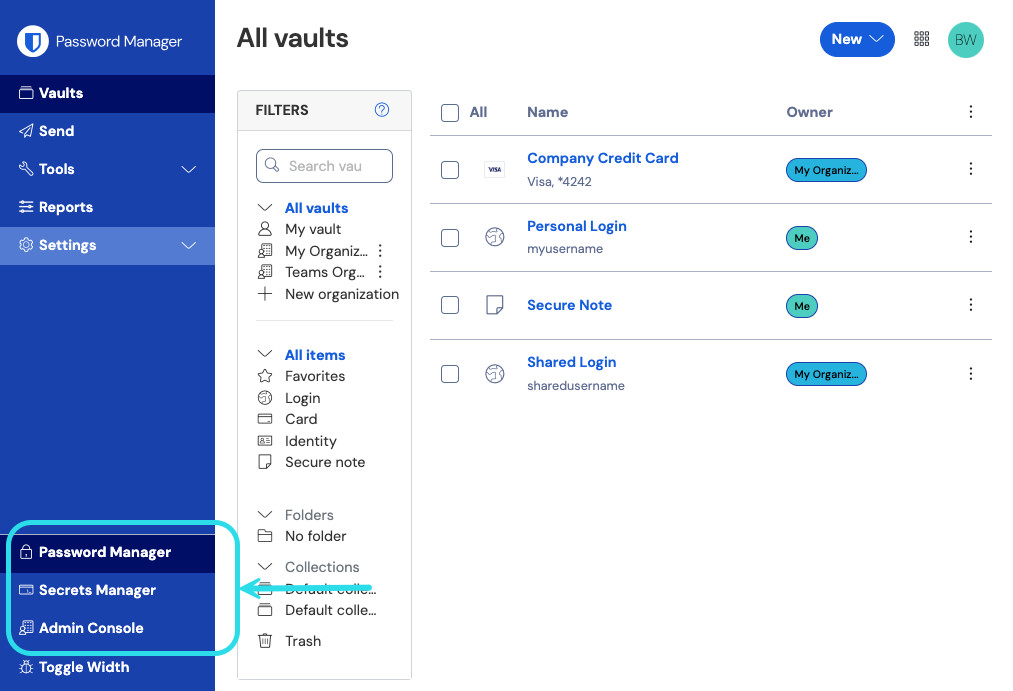
Produktwechsler Wählen Sie Export → Tresor exportieren aus der Navigation:
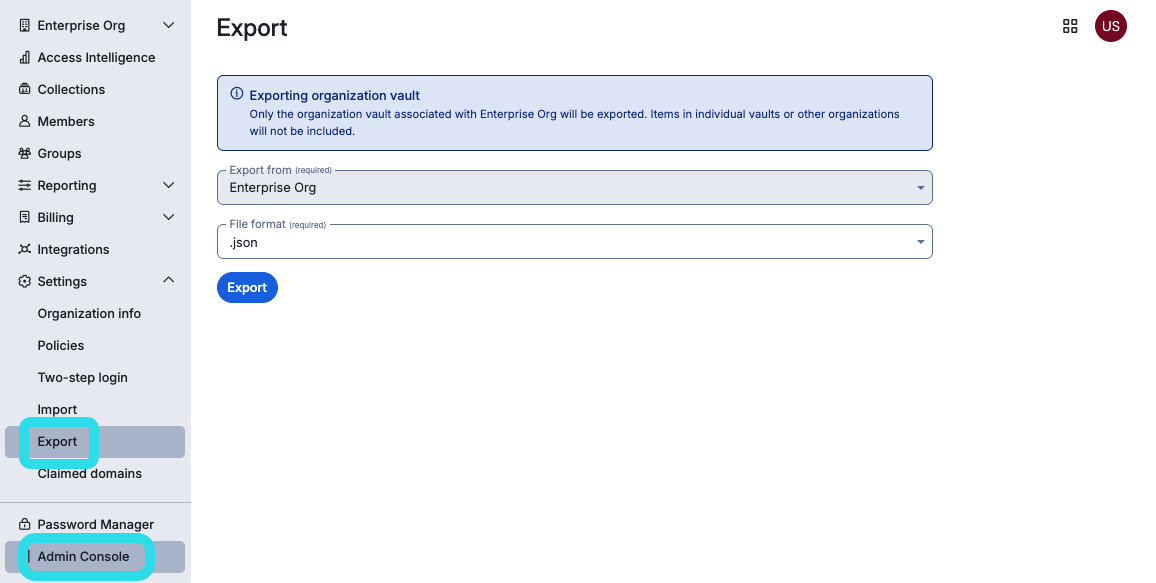
Export Organisation Tresor Auf der Exportseite des Tresors wählen Sie ein Dateiformat (
.json,.csvoder.json (Verschlüsselt)) und klicken Sie auf die Format bestätigen Schaltfläche.Geben Sie Ihr Master-Passwort ein und wählen Sie die Tresor exportieren Schaltfläche.

note
Der Export der Tresor-Daten einer Organisation wird von Ereignisprotokollen erfasst. Erfahren Sie mehr.