Receive a Send
Unlike regular vault items, Sends can be received and opened by anyone with the link (including those who do not have Bitwarden accounts). Send links are randomly generated, and will look something like this:
https://send.bitwarden.com/#..., which will automatically resolve tohttps://vault.bitwarden/com/#/send/...https://your.selfhosted.domain.com/#/send/....if you are self-hosting

Depending on the options configured by the sender, the recipient of a Send may be required to:
Enter a password to access the contents of the send
Enter a verification code
Manually toggle visibility on a hidden-text send
Email-verified Sends
Premium Bitwarden users may create a Send with required email-verification to view. If you receive a Send link that requires email-verification, you will be prompted to enter a verification code after opening the Send link. To open an email-verified Send:
Open the Send link you received from the sender and enter your email address:
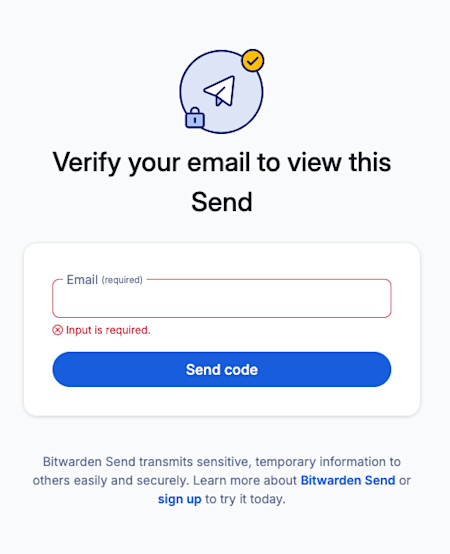
Enter email Send If the entered email matches the email address specified by the sender, you will receive an authorization code in your email inbox:
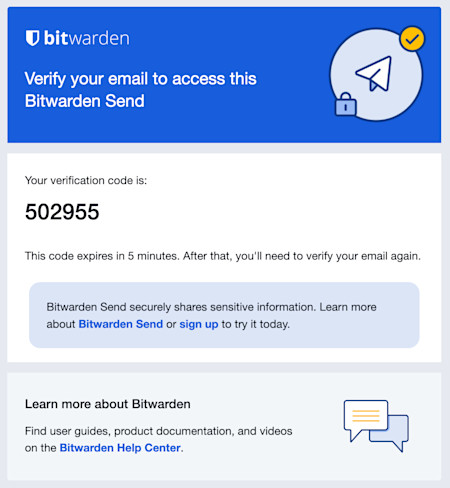
Send verification code Enter the authorization code to view the Send.
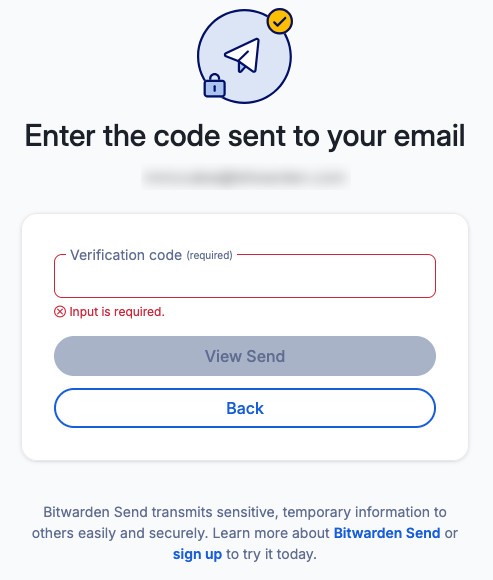
Enter Send verification code


By default, Sends will display the email address of the sender to recipients, as in the above screenshot. Senders can optionally hide their email address, which will substitute in a warning message:

If you receive a Send with this warning, here's what you should do:
Was this Send expected?
If this Send was expected, get in touch with the sender. Validate with this person that the link you received (
https://vault.bitwarden.com/#/send/xxx/yyy) matches the one they created.Was this Send unexpected?
If this Send was unexpected, identify the sender before interacting with it. Ask your colleagues, managers, or friends whether they might have sent you something. If you do identify the sender, validate with this person that the link you received (
https://vault.bitwarden.com/#/send/xxx/yyy) matches the one they created. If you can't identify the sender, don't interact with the Send.
warning
Taking the above measures to ensure the trustworthiness of a Send are particularly important in the case of file downloads. Don't download mysterious files.
Deleted, expired, and disabled Sends
When a Send is deleted, expired, or disabled, recipients who attempt to use the link will be shown a screen that reports the Send does not exist or is no longer available:
