Generic HEC Integration
Bitwarden provides comprehensive event logging capabilities for security information and event management (SIEM) solutions, enabling organizations to monitor credential management events alongside other activities. In addition to official integrations for popular SIEM solutions, the generic HEC integration works with any HTTP ingestion compatible SIEM platform. This article provides guidance for integrating Bitwarden with HEC solutions, similar to platforms such as Huntress, and Splunk.
To setup HTTP ingestion, you must:
Have a Bitwarden Teams or Enterprise organization.
Have an account with an HTTP ingestion-compliant platform set up.
Have administrative access to Bitwarden and your chosen event log monitoring platform.
Integrating Bitwarden with HTTP ingestion will require setup procedures in both platforms.
Before connecting from the Bitwarden app, generate the credentials that Bitwarden will use to send events to your SIEM monitoring platform. Review your chosen platform's documentation to locate the HTTP Event Collector URL and HTTP Event Collector Token.
Once you have your HTTP Event Collector URL and HTTP Event Collector Token, provide that information in your Bitwarden organization to complete setup:
Log in to the Bitwarden web app and open the Admin Console.
In the Admin Console, go to Integrations → Event management.
Find the Generic HEC card and select Connect. The following table describes these credential values:
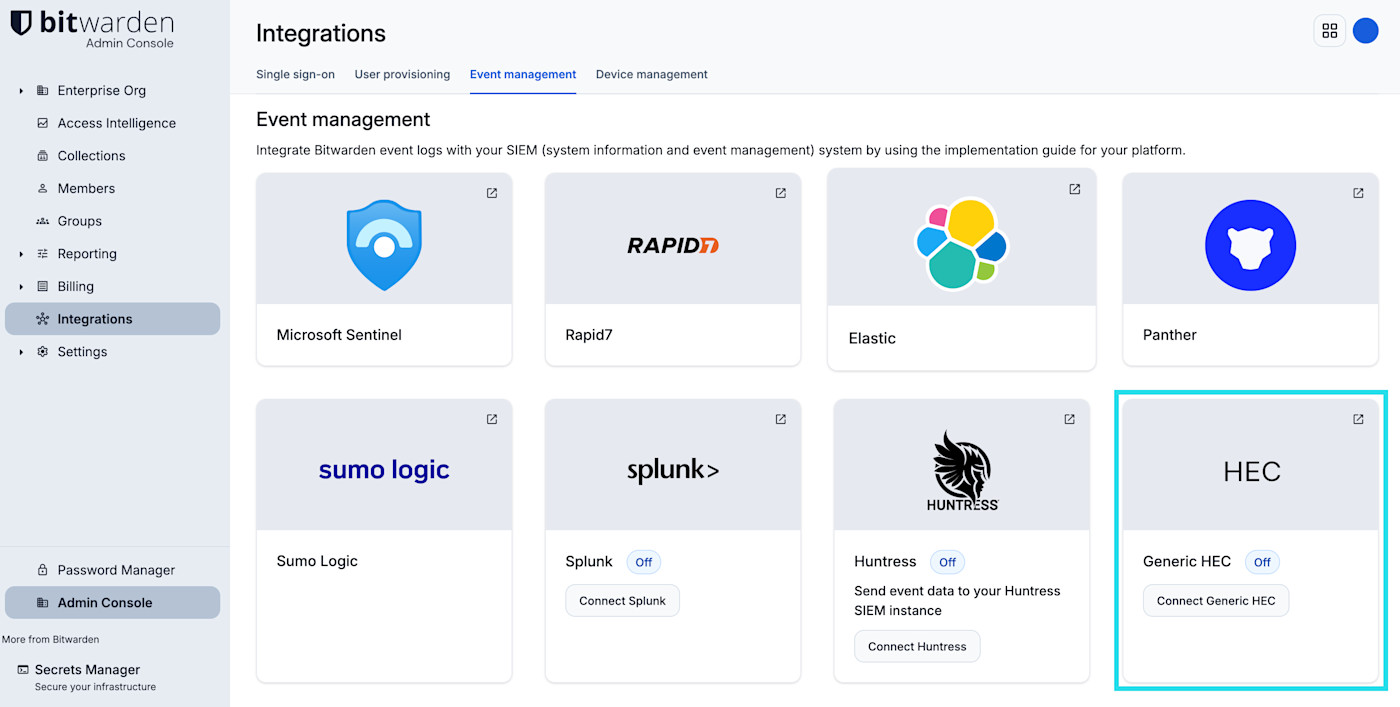
Generic HEC connection Enter your HTTP Event Collector URL and HTTP Event Collector Token.
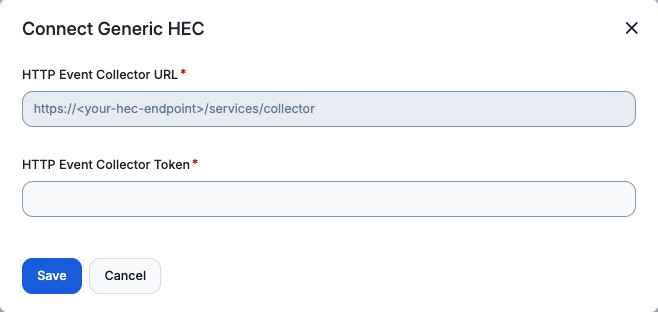
Set up HEC


Field | Description |
|---|---|
HTTP Event Collector URL | The endpoint URL provided by your SIEM or logging platform for receiving event data over HTTP, including the port if required (for example, |
HTTP Event Collector Token | The authentication token or API key generated by your SIEM or logging platform for this integration. Bitwarden includes this token with each request to authorize the connection. |
Learn more about what events are surfaced by Bitwarden.
Learn about Non-native SIEM integrations.