Password & Generator History
Bitwarden maintains two distinct histories: one for saved login passwords and another for generated usernames, passwords, and passphrases. Finding a previous password is helpful when you generate a password but forget to save it or don't finish resetting a password.
Password history
Bitwarden stores the last five saved passwords for each login item, including deleted items before they're permanently removed. When you edit a hidden custom field, its previous value is also saved in the password history and counts as one of the five saved entries. Logging out or switching Bitwarden clients doesn't impact or clear the password history.
warning
Accessing password history immediately reveals the older passwords in plain text.
To review an item's password history:
Öppna objektet i fråga och välj Lösenordshistorik:


Generator history
You can also access the generator's recent history. Each client stores its own generated usernames, passwords, and passphrases; generator history is not synced across Bitwarden clients. Logging out erases that client's specific generator history.
For example, passwords generated in the mobile app only appear in the mobile app's generator history. They don't appear in the web app's generator history, and logging out of the web app doesn't remove the mobile app's generator history.
warning
Accessing generator history immediately reveals the previously generated options in plain text.
To access the generator history:
Select Tools.
Select Generator.
Select Generator history:
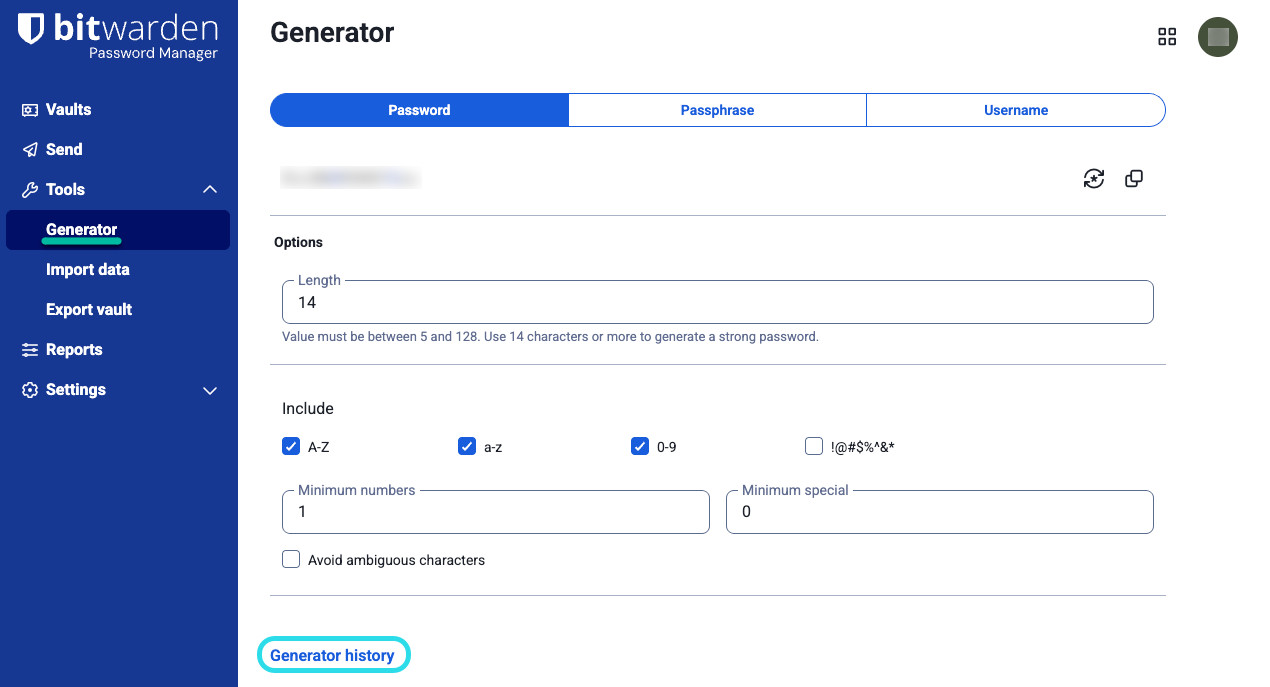
Generator history on web


To delete the client’s generator history, select Clear history below the list:
