---
URL: https://bitwarden.com/sv-se/resources/10-tips-to-choosing-a-password-manager-for-your-team-webcast/
---
# On-Demand Webcast 10 Tips to Choosing a Password Manager for Your Team
Using a password manager individually is a security and productivity advantage for your digital life. Using a collaborative password manager at work can multiply those benefits across the organization.
Bringing a password manager to your company means driving buy-in, adoption, and ongoing enthusiasm for the solution.
We put together a webcast with tips we think are important when choosing a password manager for your team.
[](https://vimeo.com/432688741)
*[Watch on Vimeo](https://vimeo.com/432688741)*
If you don't have time to watch our web cast check out this [presentation](https://docs.google.com/presentation/d/e/2PACX-1vRLzuyOVaIto4eORdMKCTCtJIWIIyQELOs4K75S5srDgA7W5Ia1t36pXcLxfjJkALngy0ma2m4jwGi5/pub?start=false&loop=false&delayms=3000).
We have also compiled these tips as a document checklist [here](https://docs.google.com/document/d/1AQBeexuqlpKfbx_LV78-5-qwk_U2Zu_KJcIdOiPvvFU/edit).
## Få kraftfull, pålitlig lösenordssäkerhet nu. Välj din plan.
## Personlig
### Enskild
**$0**
*per månad*
*Gratis för alltid - inget kreditkort krävs! *
Skaffa ett Bitwarden-valv
- Obegränsat antal enheter
- Hantering av lösenord
- Alla kärnfunktioner
- Alltid gratis
Dela valvobjekt med en annan användare.
[Kom igång idag](https://bitwarden.com/go/start-free/)
---
### Premie
**Less than $1**
*varje år*
*faktureras årligen*
Njut av premiumfunktioner
- Integrerad autentisering
- Bifogade filer
- Nödåtkomst
- Säkerhetsrapporter och mer
Dela valvobjekt med en annan användare
[Skapa ett premiumkonto](https://bitwarden.com/go/start-premium/)
---
### Familjer
**$3.33**
*per månad*
*Upp till 6 användare, 40 USD faktureras årligen*
Säkra dina familjeinloggningar
- 6 premiumkonton
- Obegränsad delning
- Obegränsade samlingar
- Organisationslagring
Dela valvobjekt mellan sex personer
[Starta gratis 7-dagars provperiod](https://bitwarden.com/go/start-families-trial/)
---
Priset visas i USD och baseras på en årsprenumeration. Skatter ingår ej.
## Företag
### Teams
*Robust skydd för team i tillväxt.*
**$4**
*per månad / per användare som faktureras årligen*
Premium features for all accounts, plus:
- Säker datadelning
- Händelseloggövervakning
- Katalogintegrering
- SCIM-stöd
Inkluderar premiumfunktioner för alla användare
[Starta en provversion](https://bitwarden.com/go/start-teams-trial/)
---
### Företag
*Avancerade funktioner för större organisationer*
**$6**
*per månad / per användare som faktureras årligen*
Teams features for all accounts, plus:
- Företagspolicyer
- Lösenordslös SSO
- Kontoåterställning
- Alternativ för självvärd
Inkluderar premiumfunktioner och gratis familjeplan för alla användare
[Starta en provversion](https://bitwarden.com/go/start-enterprise-trial/)
---
### Få en offert
*För företag med hundratals eller tusentals anställda kontakta försäljningen för en anpassad offert och se hur Bitwarden kan:*
- Minska cybersäkerhetsrisken
- Öka produktiviteten
- Integrera sömlöst
Bitwarden skalar med alla företagsstorlekar för att ge din organisation lösenordssäkerhet
[Kontakta försäljning](https://bitwarden.com/contact-sales/)
---
Priset visas i USD och baseras på en årsprenumeration. Skatter ingår ej.
---
URL: https://bitwarden.com/sv-se/resources/2021-password-decisions-survey/
---
# 2021 Password Decisions Survey
IT-beslutsfattare belyser företagslösenordshantering
---
## Thank you for your interest in the survey.
In a new survey of 400 US-based IT decision makers, 80 percent of respondents want their employers to mandate the use of an enterprise-wide password manager. The full results of the 2021 Password Decisions Survey shed light on the practical and logistical benefits of company standards for credential management.
Bitwarden partnered with Propeller Insights to poll 405 independent U.S.-based IT decision-makers across a wide range of industries, who play a key role in enterprise purchasing decisions. The findings illustrate 3 big themes:
- Employees want their employers to mandate the use of an enterprise-wide password manager
- IT decision-makers don’t always follow security best practices at work
- Two-factor authentication is highly favored for its effectiveness and versatility
## Download Full Survey
[Here](https://start.bitwarden.com/hubfs/PDF/2021-password-decisions-survey.pdf)
## Få kraftfull, pålitlig lösenordssäkerhet nu. Välj din plan.
## Personlig
### Enskild
**$0**
*per månad*
*Gratis för alltid - inget kreditkort krävs! *
Skaffa ett Bitwarden-valv
- Obegränsat antal enheter
- Hantering av lösenord
- Alla kärnfunktioner
- Alltid gratis
Dela valvobjekt med en annan användare.
[Kom igång idag](https://bitwarden.com/go/start-free/)
---
### Premie
**Less than $1**
*varje år*
*faktureras årligen*
Njut av premiumfunktioner
- Integrerad autentisering
- Bifogade filer
- Nödåtkomst
- Säkerhetsrapporter och mer
Dela valvobjekt med en annan användare
[Skapa ett premiumkonto](https://bitwarden.com/go/start-premium/)
---
### Familjer
**$3.33**
*per månad*
*Upp till 6 användare, 40 USD faktureras årligen*
Säkra dina familjeinloggningar
- 6 premiumkonton
- Obegränsad delning
- Obegränsade samlingar
- Organisationslagring
Dela valvobjekt mellan sex personer
[Starta gratis 7-dagars provperiod](https://bitwarden.com/go/start-families-trial/)
---
Priset visas i USD och baseras på en årsprenumeration. Skatter ingår ej.
## Företag
### Teams
*Robust skydd för team i tillväxt.*
**$4**
*per månad / per användare som faktureras årligen*
Premium features for all accounts, plus:
- Säker datadelning
- Händelseloggövervakning
- Katalogintegrering
- SCIM-stöd
Inkluderar premiumfunktioner för alla användare
[Starta en provversion](https://bitwarden.com/go/start-teams-trial/)
---
### Företag
*Avancerade funktioner för större organisationer*
**$6**
*per månad / per användare som faktureras årligen*
Teams features for all accounts, plus:
- Företagspolicyer
- Lösenordslös SSO
- Kontoåterställning
- Alternativ för självvärd
Inkluderar premiumfunktioner och gratis familjeplan för alla användare
[Starta en provversion](https://bitwarden.com/go/start-enterprise-trial/)
---
### Få en offert
*För företag med hundratals eller tusentals anställda kontakta försäljningen för en anpassad offert och se hur Bitwarden kan:*
- Minska cybersäkerhetsrisken
- Öka produktiviteten
- Integrera sömlöst
Bitwarden skalar med alla företagsstorlekar för att ge din organisation lösenordssäkerhet
[Kontakta försäljning](https://bitwarden.com/contact-sales/)
---
Priset visas i USD och baseras på en årsprenumeration. Skatter ingår ej.
---
URL: https://bitwarden.com/sv-se/resources/2022-password-decisions-survey-newsletter-december-2021/
---
# December 2021 Spotlight: Password Decisions Survey
Välkommen till Bitwardens nyhetsbrev för december, med produkt- och företagsmeddelanden, kommande evenemang och populära sociala fanfavoriter.
---
## Featured Article

To start, we have the results from our 2022 Password Decisions Survey. The survey sheds light on the practical and logistical benefits of company standards for password management. **Read the **[**Survey Overview**](https://bitwarden.com/sv-se/blog/2022-password-decisions-survey/)** to learn more**.
## Enjoying this update? Subscribe today.
*Receive the latest product updates, hand-picked articles, community highlights, and more.*
[Contact form]
## More Bits and Bites

To learn more more about strategies for companies adopting passwordless technologies, read [Bitwarden and the Passwordless Revolution](https://bitwarden.com/sv-se/blog/bitwarden-and-the-passwordless-revolution/).

For practical advice to keep your Bitwarden account safe, here are [7 Tips to Protect Your Bitwarden Account](https://bitwarden.com/sv-se/blog/7-tips-to-protect-your-bitwarden-account/).

Access your vault from any browser anywhere using the fully-featured client on any device.[ Read the article](https://bitwarden.com/sv-se/blog/why-the-bitwarden-web-vault-is-a-powerful-password-management-client/) to learn more.
## Industry News

**CISA Advice on Security Practices**
The Cybersecurity & Infrastructure Security Agency (CISA) offers [insights on what activities to be on the lookout for during the holiday season](https://www.cisa.gov/uscert/ncas/current-activity/2021/11/22/reminder-critical-infrastructure-stay-vigilant-against-threats). To help mitigate threats, CISA recommends using strong passwords and ensuring they are not reused across multiple accounts. This is a great reminder to leverage the [Bitwarden Vault Health Reports](https://bitwarden.com/sv-se/help/reports/) feature to ensure your passwords are strong and unique.
## Upcoming Events

[**Open Source Security Summit**](https://hopin.com/events/open-source-security-summit-2021/registration)
**December 9th –– 9 am PT / 12 pm ET**
Registration is now open for the 2021 Open Source Security Summit! [Save your seat now](https://hopin.com/events/open-source-security-summit-2021/registration) for this free and virtual event featuring special guest speakers **Steve Wozniak, Nicole Perlroth, and Bruce Schneier**.
## Top Social Fan Favorites
You play an important role in contributing to a world free of breaches and hacks by sharing your knowledge and experience. Here are a couple of recent fan-favorite posts.
[Enjoying the Switch to Bitwarden](https://twitter.com/ChildishhAlbino/status/1465859632643985408)

[Spoiler: 2FA is very important](https://www.reddit.com/r/Bitwarden/comments/qxe8lo/why_2fa_is_very_important/)

That’s it for now. Let us know what you think about this newsletter including potential topics you’d like to see.
**Until next time,**
Team Bitwarden
## Få kraftfull, pålitlig lösenordssäkerhet nu. Välj din plan.
## Personlig
### Enskild
**$0**
*per månad*
*Gratis för alltid - inget kreditkort krävs! *
Skaffa ett Bitwarden-valv
- Obegränsat antal enheter
- Hantering av lösenord
- Alla kärnfunktioner
- Alltid gratis
Dela valvobjekt med en annan användare.
[Kom igång idag](https://bitwarden.com/go/start-free/)
---
### Premie
**Less than $1**
*varje år*
*faktureras årligen*
Njut av premiumfunktioner
- Integrerad autentisering
- Bifogade filer
- Nödåtkomst
- Säkerhetsrapporter och mer
Dela valvobjekt med en annan användare
[Skapa ett premiumkonto](https://bitwarden.com/go/start-premium/)
---
### Familjer
**$3.33**
*per månad*
*Upp till 6 användare, 40 USD faktureras årligen*
Säkra dina familjeinloggningar
- 6 premiumkonton
- Obegränsad delning
- Obegränsade samlingar
- Organisationslagring
Dela valvobjekt mellan sex personer
[Starta gratis 7-dagars provperiod](https://bitwarden.com/go/start-families-trial/)
---
Priset visas i USD och baseras på en årsprenumeration. Skatter ingår ej.
## Företag
### Teams
*Robust skydd för team i tillväxt.*
**$4**
*per månad / per användare som faktureras årligen*
Premium features for all accounts, plus:
- Säker datadelning
- Händelseloggövervakning
- Katalogintegrering
- SCIM-stöd
Inkluderar premiumfunktioner för alla användare
[Starta en provversion](https://bitwarden.com/go/start-teams-trial/)
---
### Företag
*Avancerade funktioner för större organisationer*
**$6**
*per månad / per användare som faktureras årligen*
Teams features for all accounts, plus:
- Företagspolicyer
- Lösenordslös SSO
- Kontoåterställning
- Alternativ för självvärd
Inkluderar premiumfunktioner och gratis familjeplan för alla användare
[Starta en provversion](https://bitwarden.com/go/start-enterprise-trial/)
---
### Få en offert
*För företag med hundratals eller tusentals anställda kontakta försäljningen för en anpassad offert och se hur Bitwarden kan:*
- Minska cybersäkerhetsrisken
- Öka produktiviteten
- Integrera sömlöst
Bitwarden skalar med alla företagsstorlekar för att ge din organisation lösenordssäkerhet
[Kontakta försäljning](https://bitwarden.com/contact-sales/)
---
Priset visas i USD och baseras på en årsprenumeration. Skatter ingår ej.
---
URL: https://bitwarden.com/sv-se/resources/2022-password-decisions-survey/
---
# 2022 Password Decisions Survey
IT decision makers shed light on enterprise password management
---
## What will you learn in the 2022 Password Decisions Survey?
The 2022 Password Decisions Survey posed questions to IT decision makers about password sharing practices, technologies in use, security risks, and the Great Resignation. While there are bright spots, password and security practices remain a challenge many companies still need to address.
## Download Full Survey
[Here](https://start.bitwarden.com/hubfs/PDF/2022-password-decisions-survey.pdf)

In November 2021, Bitwarden partnered with Propeller Insights to poll over 400 independent IT decision makers across a wide range of industries who play a key role in enterprise purchasing decisions. The findings show an uptick in password manager usage, indicating its increasingly mainstream appeal. Concurrently, IT decision makers continue to struggle with adhering to security best practices and express security-related unease about remote work.
While password best practices are improving among IT decision makers, there is still a long way to go:
- 2FA (two-factor authentication) is now mainstream, with 88% of respondents using it at work
- Despite the increase in password manager use and 2FA, more than half (53%) of IT decision makers still share passwords with colleagues via email, a 14% jump from last year due in part to the sudden shift to remote work
- Nearly half (41%) share passwords over chat and 31% share passwords in conversation

Ransomware, phishing, and cyberattacks continue, yet many organizations still lack a mitigation strategy:
- More than half (54%) of IT decision makers admit their organization has experienced a cyberattack
- While two-thirds of organizations have a ransomware mitigation strategy in place, 25% do not have one or are not sure
- Phishing attacks remain a scourge: emails purporting to be from financial institutions (35%) or a government entity (22%) are the most common

Remote work and the Great Resignation are impacting cybersecurity:
- Almost two-thirds (61%) of respondents are “more concerned” about cybersecurity this year and attribute this to the fear that employees working remotely may be more lax about their overall security hygiene
- Almost half (48%) are working more hours than last year, with 58% faulting turnover (29%) and difficulty hiring (29%) as the primary culprits

## Få kraftfull, pålitlig lösenordssäkerhet nu. Välj din plan.
## Personlig
### Enskild
**$0**
*per månad*
*Gratis för alltid - inget kreditkort krävs! *
Skaffa ett Bitwarden-valv
- Obegränsat antal enheter
- Hantering av lösenord
- Alla kärnfunktioner
- Alltid gratis
Dela valvobjekt med en annan användare.
[Kom igång idag](https://bitwarden.com/go/start-free/)
---
### Premie
**Less than $1**
*varje år*
*faktureras årligen*
Njut av premiumfunktioner
- Integrerad autentisering
- Bifogade filer
- Nödåtkomst
- Säkerhetsrapporter och mer
Dela valvobjekt med en annan användare
[Skapa ett premiumkonto](https://bitwarden.com/go/start-premium/)
---
### Familjer
**$3.33**
*per månad*
*Upp till 6 användare, 40 USD faktureras årligen*
Säkra dina familjeinloggningar
- 6 premiumkonton
- Obegränsad delning
- Obegränsade samlingar
- Organisationslagring
Dela valvobjekt mellan sex personer
[Starta gratis 7-dagars provperiod](https://bitwarden.com/go/start-families-trial/)
---
Priset visas i USD och baseras på en årsprenumeration. Skatter ingår ej.
## Företag
### Teams
*Robust skydd för team i tillväxt.*
**$4**
*per månad / per användare som faktureras årligen*
Premium features for all accounts, plus:
- Säker datadelning
- Händelseloggövervakning
- Katalogintegrering
- SCIM-stöd
Inkluderar premiumfunktioner för alla användare
[Starta en provversion](https://bitwarden.com/go/start-teams-trial/)
---
### Företag
*Avancerade funktioner för större organisationer*
**$6**
*per månad / per användare som faktureras årligen*
Teams features for all accounts, plus:
- Företagspolicyer
- Lösenordslös SSO
- Kontoåterställning
- Alternativ för självvärd
Inkluderar premiumfunktioner och gratis familjeplan för alla användare
[Starta en provversion](https://bitwarden.com/go/start-enterprise-trial/)
---
### Få en offert
*För företag med hundratals eller tusentals anställda kontakta försäljningen för en anpassad offert och se hur Bitwarden kan:*
- Minska cybersäkerhetsrisken
- Öka produktiviteten
- Integrera sömlöst
Bitwarden skalar med alla företagsstorlekar för att ge din organisation lösenordssäkerhet
[Kontakta försäljning](https://bitwarden.com/contact-sales/)
---
Priset visas i USD och baseras på en årsprenumeration. Skatter ingår ej.
---
URL: https://bitwarden.com/sv-se/resources/2022-report-sheds-light-on-evolving-enterprise-password-management/
---
# 2022 Report Sheds Light on Evolving Enterprise Password Management Strategies
The latest in password management trends from enterprise security decision makers
---
451 Research, a division of S&P Global Market Intelligence Report, polled 400 enterprise security decision makers in the United States, United Kingdom, Japan, and Australia to understand enterprise adoption trends and password management preferences. Questions examined spending patterns, use cases, and sentiment of password managers, adoption, and standards.
As professionals actively seek to further mitigate the risks of cyber attacks in today’s interconnected world, results of the survey provide guidance on and understanding of current trends.
[Download the full report](https://start.bitwarden.com/hubfs/PDF/security-intentions-and-the-persistence-of-passwords.pdf)
[Read the blog](https://bitwarden.com/sv-se/blog/451-research-password-management-report-a-new-asset-for-security-champions/)
## 7 key survey takeaways
#### **Security Concerns**
**1.**When it comes to password adoption, security concerns drive adoption more than convenience and user experience.
**2.**Despite confidence in password policies to stave off security threats, performing password audits isn’t yet commonplace.
> “About two in five (41%) respondents said they do not audit for password strength or reuse.”
> *-Page 6, Security Intentions and the Persistence of Passwords*

#### **Remote Work**
**3.**Risk is not commensurate with usage: third parties and remote workers are considered the highest risk user group, yet paradoxically the least likely to be deployed password management tools.
**4.**Remote work has made password management the most popular security technology, ahead of email security and remote access solutions.
> “More than half (57%) of all respondents use password management. Another 15% said they would be adopting password management.”
> *-Page 1, Security Intentions and the Persistence of Passwords*

#### **SSO**
**5.** The sheer number of and nature of modern-day applications means passwords have serious staying power - and security technologies need to reflect this.
> “A majority (55%) of respondents said password ubiquity keeps enterprises using passwords. Meanwhile, 56% of USA respondents said that only 34%-66% of their apps use single sign-on (SSO). Many apps not using SSO means more username and password combinations.”
> *-Page 2, Security Intentions and the Persistence of Passwords*

#### **Passwordless**
**6.** Passwordless authentication checks boxes for user experience and security.
> “It is not a panacea yet, given that the number of non-SSO-compliant applications being added is increasing faster than ever."
> *-Page 7, Security Intentions and the Persistence of Passwords*
> **
**7.**Passwordless still retains a broad umbrella definition for IT decision makers
For full survey results, [download the Security Intentions and the Persistence of Passwords report](https://start.bitwarden.com/hubfs/PDF/security-intentions-and-the-persistence-of-passwords.pdf).
## Få kraftfull, pålitlig lösenordssäkerhet nu. Välj din plan.
## Personlig
### Enskild
**$0**
*per månad*
*Gratis för alltid - inget kreditkort krävs! *
Skaffa ett Bitwarden-valv
- Obegränsat antal enheter
- Hantering av lösenord
- Alla kärnfunktioner
- Alltid gratis
Dela valvobjekt med en annan användare.
[Kom igång idag](https://bitwarden.com/go/start-free/)
---
### Premie
**Less than $1**
*varje år*
*faktureras årligen*
Njut av premiumfunktioner
- Integrerad autentisering
- Bifogade filer
- Nödåtkomst
- Säkerhetsrapporter och mer
Dela valvobjekt med en annan användare
[Skapa ett premiumkonto](https://bitwarden.com/go/start-premium/)
---
### Familjer
**$3.33**
*per månad*
*Upp till 6 användare, 40 USD faktureras årligen*
Säkra dina familjeinloggningar
- 6 premiumkonton
- Obegränsad delning
- Obegränsade samlingar
- Organisationslagring
Dela valvobjekt mellan sex personer
[Starta gratis 7-dagars provperiod](https://bitwarden.com/go/start-families-trial/)
---
Priset visas i USD och baseras på en årsprenumeration. Skatter ingår ej.
## Företag
### Teams
*Robust skydd för team i tillväxt.*
**$4**
*per månad / per användare som faktureras årligen*
Premium features for all accounts, plus:
- Säker datadelning
- Händelseloggövervakning
- Katalogintegrering
- SCIM-stöd
Inkluderar premiumfunktioner för alla användare
[Starta en provversion](https://bitwarden.com/go/start-teams-trial/)
---
### Företag
*Avancerade funktioner för större organisationer*
**$6**
*per månad / per användare som faktureras årligen*
Teams features for all accounts, plus:
- Företagspolicyer
- Lösenordslös SSO
- Kontoåterställning
- Alternativ för självvärd
Inkluderar premiumfunktioner och gratis familjeplan för alla användare
[Starta en provversion](https://bitwarden.com/go/start-enterprise-trial/)
---
### Få en offert
*För företag med hundratals eller tusentals anställda kontakta försäljningen för en anpassad offert och se hur Bitwarden kan:*
- Minska cybersäkerhetsrisken
- Öka produktiviteten
- Integrera sömlöst
Bitwarden skalar med alla företagsstorlekar för att ge din organisation lösenordssäkerhet
[Kontakta försäljning](https://bitwarden.com/contact-sales/)
---
Priset visas i USD och baseras på en årsprenumeration. Skatter ingår ej.
---
URL: https://bitwarden.com/sv-se/resources/2023-password-decisions-survey-results/
---
# 2023 Resultat från enkäten för lösenordsbeslut
IT-beslutsfattare belyser företagslösenordshantering.
---
## What will you learn in the 2023 Password Decisions Survey?
Bitwarden polled independent IT decision-makers across a range of industries who play a key role in enterprise purchasing decisions. This year’s findings show that passwordless technology is making its foray into business workflows, IT decision makers continue to look to the C-Suite to drive adoption of password management technologies, and that security concerns are influencing business decisions.
[**Download the full report**](https://start.bitwarden.com/hubfs/PDF/2023-password-decisions-survey.pdf)
## Passwordless technology is here
A majority (49%) of respondents are deploying or have plans to deploy passwordless technology.
- Of that percentage, two-thirds (66%) have 1-2 user groups or multiple teams going passwordless
- Around half (51%) are relying on the ‘something you are’ (biometrics, facial recognition, fingerprint, voice) form of passwordless authentication
- Overall, 41% say ‘better security’ is the primary reason to deploy passwordless technology

## Employees are seeking direction from the C-Suite
- A large majority (79%) of IT decision makers want their employer to require employees to use the same password manager across the organization
- When asked what makes a good password manager, 60% cite security, 56% cite the availability of two-factor authentication (2FA), and 40% cite ease-of-use

Most IT decision makers want their employer to require all employees to use the same password manager throughout the organization.
Note to employers: if offered a complementary family account, 71% said they’d also be very likely to use a password manager at home.
## Rise in cyberattacks and ransomware influences security spending and strategies
- A majority (60%) report their organization experienced a cyberattack within the past year and 49% report struggling with employees who use unauthorized devices or software without IT’s approval.
- Most (80%, up from 75% last year) report having a ransomware mitigation strategy
- Three-fourths report their organization has cyber insurance

## Did you know?
65% of respondents reported they were required to demonstrate they offered cyber awareness training to employees when they applied for cyber insurance and 61% had to demonstrate use of a password manager.
## Additional Resources
Read the blog for a more in-depth analysis of the [2023 Password Decisions Survey](https://bitwarden.com/sv-se/blog/password-decisions-survey-2023/) results
View the full report: [2022 Password Decisions Survey](https://start.bitwarden.com/hubfs/PDF/2022-password-decisions-survey.pdf)
View the full report: [2021 Password Decisions Survey](https://start.bitwarden.com/hubfs/PDF/2021-password-decisions-survey.pdf)
Check out [The Survey Room](https://bitwarden.com/sv-se/resources/the-survey-room/) for additional cybersecurity research
## Säkra dina företagsdata med end-to-end-kryptering
Välj rätt Bitwarden-plan för ditt företag och starta din kostnadsfria 7-dagars provperiod idag.
### Premie
**Less than $1**
*varje år*
*faktureras årligen*
Njut av premiumfunktioner
- Integrerad autentisering
- Bifogade filer
- Nödåtkomst
- Säkerhetsrapporter och mer
Dela valvobjekt med en annan användare
[Skapa ett premiumkonto](https://bitwarden.com/go/start-premium/)
---
### Familjer
**$3.33**
*per månad*
*Upp till 6 användare, 40 USD faktureras årligen*
Säkra dina familjeinloggningar
- 6 premiumkonton
- Obegränsad delning
- Obegränsade samlingar
- Organisationslagring
Dela valvobjekt mellan sex personer
[Starta gratis 7-dagars provperiod](https://bitwarden.com/go/start-families-trial/)
---
### Affärsplaner
**Starting at $4**
*per användare/månad*
*Obegränsat antal användare*
Njut av affärsfunktioner
- Obegränsade samlingar och valvobjekt
- Katalogsynkroniseringsverktyg
- Självhotell, SSO-integration, policyer och mer ingår i Enterprise-planen
[Starta gratis 7-dagars provperiod](https://bitwarden.com/go/start-secrets-teams-trial/)
---
Priset visas i USD och baseras på en årsprenumeration. Skatter ingår ej.
---
URL: https://bitwarden.com/sv-se/resources/2024-cybersecurity-pulse-survey/
---
# Bitwarden 2024 Cybersecurity Pulse Survey
Upptäck vad som håller IT- och cyberproffs vaken på natten.
---
## What will you learn in the 2024 Cybersecurity Pulse Survey?
Bitwarden partnered with Researchscape International to survey over 1,100 IT and cybersecurity leaders across various industries, revealing the latest cybersecurity trends and threats. This year’s findings underscore rising concerns about generative AI risks, third-party supply chain vulnerabilities, and sophisticated social engineering tactics.
Despite increasingly advanced threats, consensus remains clear: mastering cybersecurity fundamentals, starting with strong password habits, is the best defense. IT decision makers agree that password managers remain a critical part of their security strategy, both at work and at home.
View the [**full presentation**](https://docs.google.com/presentation/d/1liu7z5Fqh-Rd3rdm9cy845J0mELMBMnC7nDcE-qnBZQ/edit#slide=id.g30e0c636176_0_59).
## Password managers play a critical role in security
- An overwhelming majority (92%) of respondents moderately or strongly agree that password managers are essential to their organization’s cybersecurity strategy.
- 63% of respondents agree that, without a password manager, their IT teams would struggle to teach and enforce best practices across their organizations.
- 79% of respondents have recommended using a password manager to family members, underscoring the universal benefits of this tool.

Passwordless authentication is also popular in the workplace - just 3% of respondents reported using no form of passwordless authentication at their company.
## Generative AI poses a significant threat
- 89% of respondents expressed concern over the security risks associated with employees incorporating generative AI into their daily workflows.
- 63% find it moderately or very challenging to maintain a strong security posture as more employees use generative AI tools.

Learn more about how organizations can balance innovation and data security in the age of AI in this [free eBook](https://bitwarden.com/sv-se/data-security-in-age-of-ai/).
## Cybersecurity threats concern IT decision makers and business leadership alike
- 96% of business leaders discuss cybersecurity at least every month, and nearly half talk about it daily or multiple times a day.
- 55% of respondents expressed high concern about third-party supply chain attacks originating from vendors, partners, or customers.

## Read more:
[Building a cybersecurity culture in the workplace](https://bitwarden.com/sv-se/blog/building-a-cybersecurity-culture-in-the-workplace/)
## Social engineering tactics are getting smarter
- Impersonation-based phishing attempts come in many forms; 46% of respondents reported receiving a phishing scam posing as their bank, 41% as their financial institution, and 36% as a government entity.
- 92% of companies have invested in cybersecurity training for their employees on best practices to identify and defend against social engineering scams.

## Read more:
[What to do if you think one of your online accounts has been hacked](https://bitwarden.com/sv-se/blog/what-to-do-if-you-get-hacked/)
## Få kraftfull, pålitlig lösenordssäkerhet nu. Välj din plan.
## Personlig
### Enskild
**$0**
*per månad*
*Gratis för alltid - inget kreditkort krävs! *
Skaffa ett Bitwarden-valv
- Obegränsat antal enheter
- Hantering av lösenord
- Alla kärnfunktioner
- Alltid gratis
Dela valvobjekt med en annan användare.
[Kom igång idag](https://bitwarden.com/go/start-free/)
---
### Premie
**Less than $1**
*varje år*
*faktureras årligen*
Njut av premiumfunktioner
- Integrerad autentisering
- Bifogade filer
- Nödåtkomst
- Säkerhetsrapporter och mer
Dela valvobjekt med en annan användare
[Skapa ett premiumkonto](https://bitwarden.com/go/start-premium/)
---
### Familjer
**$3.33**
*per månad*
*Upp till 6 användare, 40 USD faktureras årligen*
Säkra dina familjeinloggningar
- 6 premiumkonton
- Obegränsad delning
- Obegränsade samlingar
- Organisationslagring
Dela valvobjekt mellan sex personer
[Starta gratis 7-dagars provperiod](https://bitwarden.com/go/start-families-trial/)
---
Priset visas i USD och baseras på en årsprenumeration. Skatter ingår ej.
## Företag
### Teams
*Robust skydd för team i tillväxt.*
**$4**
*per månad / per användare som faktureras årligen*
Premium features for all accounts, plus:
- Säker datadelning
- Händelseloggövervakning
- Katalogintegrering
- SCIM-stöd
Inkluderar premiumfunktioner för alla användare
[Starta en provversion](https://bitwarden.com/go/start-teams-trial/)
---
### Företag
*Avancerade funktioner för större organisationer*
**$6**
*per månad / per användare som faktureras årligen*
Teams features for all accounts, plus:
- Företagspolicyer
- Lösenordslös SSO
- Kontoåterställning
- Alternativ för självvärd
Inkluderar premiumfunktioner och gratis familjeplan för alla användare
[Starta en provversion](https://bitwarden.com/go/start-enterprise-trial/)
---
### Få en offert
*För företag med hundratals eller tusentals anställda kontakta försäljningen för en anpassad offert och se hur Bitwarden kan:*
- Minska cybersäkerhetsrisken
- Öka produktiviteten
- Integrera sömlöst
Bitwarden skalar med alla företagsstorlekar för att ge din organisation lösenordssäkerhet
[Kontakta försäljning](https://bitwarden.com/contact-sales/)
---
Priset visas i USD och baseras på en årsprenumeration. Skatter ingår ej.
---
URL: https://bitwarden.com/sv-se/resources/451-research-newsletter-june-2022/
---
# June 2022 Spotlight: 451 Research Password Management Report
If passwords are the primary target for cybercriminals, then, what are organizations doing to protect employee and business data? The latest enterprise password management study by 451 Research sheds light on this very question.
---
## Featured Articles

To understand enterprise password management preferences and adoption trends, research and advisory firm 451 Research (part of S&P Global Market Intelligence) recently conducted a global study that polled senior enterprise security leaders in the United States, United Kingdom, Japan, and Australia. According to 51% of U.S. survey respondents, **preventing credential theft and account takeover attacks is the top reason for adopting password managers. **These findings offer guidance on navigating challenges and strengthening online security in the workplace. Visit our blog to [access the full report](https://bitwarden.com/sv-se/blog/451-research-password-management-report-a-new-asset-for-security-champions/).

We're thrilled to share that Bitwarden has been recognized as a champion in the 2022 Password Management Emotional Footprint report from SoftwareReviews (a division of Info-Tech Research Group). This report is based entirely on real user reviews and is free of traditional ranking components such as market presence and analyst opinions. Bitwarden received high scores for customer experience, reliability, and product effectiveness. [Open the full report](https://start.bitwarden.com/hubfs/PDF/2022-pm-emotional-footprint-report.pdf) to learn more.
## Enjoying this update? Subscribe today.
*Receive the latest product updates, hand-picked articles, community highlights, and more.*
[Contact form]
## More Bits and Bites
1. [**Link Vault Item URLs for Quick Lookup and Sharing**
](https://bitwarden.com/sv-se/blog/link-vault-item-urls-for-quick-lookup-and-sharing/)
Bitwarden users can now link directly to items within the Web Vault via URLs. This handy new feature offers convenience for team members, administrators, and individual users alike. Here’s how it works – you open up a shared item in your Vault, copy the unique URL for that item in your browser, and voilà! Now you can paste and share that URL with other employees that have access to the item to make collaboration faster and easier. [Read the article](https://bitwarden.com/sv-se/blog/link-vault-item-urls-for-quick-lookup-and-sharing/) to learn more.
2. [**Add Privacy and Security Using Email Aliases**](https://bitwarden.com/sv-se/blog/add-privacy-and-security-using-email-aliases-with-bitwarden/)
Bitwarden is introducing new integration options with three popular email forwarding services: **SimpleLogin**, **AnonAddy**, and **Firefox Relay**. Also known as a masked email, an email alias is an address with the purpose of forwarding any message it receives to your personal email. The combination of using email aliases alongside a password manager adds multiple layers of protection online. These new services can now be integrated in your Vault to enhance the level of privacy and security of your account. [Read the article](https://bitwarden.com/sv-se/blog/add-privacy-and-security-using-email-aliases-with-bitwarden/) to learn more about these new integration options.
3. [**Configuring Bitwarden Clients for Offline Access**](https://bitwarden.com/sv-se/blog/configuring-bitwarden-clients-for-offline-access/)
As long as you remain logged in, Bitwarden will cache a copy of your encrypted vault on your device. This means that even if you lose connectivity, you can still decrypt and access your Vault items. Offline access with Bitwarden is read-only, write access is available while online. [Learn more](https://bitwarden.com/sv-se/blog/configuring-bitwarden-clients-for-offline-access/) about how to configure your Bitwarden applications for offline access by visiting our blog.
4. [**Shop the Bitwarden Store**
](https://bitwarden-shop.myshopify.com/)
The Bitwarden store is now open so come grab some cool merch! You can check out the store by going to [bitwarden.com/shop](https://bitwarden-shop.myshopify.com/).
## Top Social Favorites

Did you know about this fun fact? Special thanks to [u/Korat24](https://www.reddit.com/r/Bitwarden/comments/usgbl2/fun_fact_you_can_drag_and_drop_the_details_into/) for spreading the 'drag and drop' knowledge with the [r/Bitwarden](https://www.reddit.com/r/Bitwarden/comments/usgbl2/fun_fact_you_can_drag_and_drop_the_details_into/) community on Reddit. This is a tip worth saving!

The teams at [@TwistWork](https://twitter.com/twistwork) and [@Doist](https://twitter.com/doist) recently released their Async Toolkit which recommends the best tools for asynchronous collaboration and security, including Bitwarden! [Check out the toolkit](https://async.twist.com/async-collaboration-toolkit/) on their website to learn more.
## Community-uppdateringar

Registrera dig nu för [Bitwarden Community Forum den](https://www.crowdcast.io/e/bitwarden-community) 23 juni kl 12:00 ET – en virtuell, öppen plats för feedback, frågor och dela framgångsberättelser! Kan du inte vara med på detta evenemang? inga problem. Registrera dig idag så skickar vi inspelningen senare för att se på begäran.
Här är några andra sätt du kan engagera dig i Bitwarden-communityt:
- **Hjälp översätta:**Gå med i [Crowdin-communityt](https://bitwarden.com/sv-se/http://bitwarden.com/translate/) som har hjälpt till att översätta Bitwarden till över 50 språk runt om i världen.
- **Beta-feedback:**Testa och dela feedback om Bitwardens mobilappar innan de släpps till appbutiken.
- **Bli en avancerad användare**: Kolla in utbildningssessionerna på begäran i [Bitwarden Learning Center](https://bitwarden.com/sv-se/learning/). Genom att bli en avancerad användare kan du hjälpa andra i samhället att stärka sin onlinesäkerhetsställning.
- **Gå med oss live:**Följ [BitwardenLive](https://www.twitch.tv/bitwardenlive) på Twitch för att få aviseringar om liveevenemang, eller registrera dig för kommande föredrag och produktdemonstrationer på [](https://bitwarden.com/sv-se/events/)evenemangssidan.
That’s it for now. Let us know what you think about this newsletter including potential topics you’d like to see.
**Until next time,**
Team Bitwarden
## Få kraftfull, pålitlig lösenordssäkerhet nu. Välj din plan.
## Personlig
### Enskild
**$0**
*per månad*
*Gratis för alltid - inget kreditkort krävs! *
Skaffa ett Bitwarden-valv
- Obegränsat antal enheter
- Hantering av lösenord
- Alla kärnfunktioner
- Alltid gratis
Dela valvobjekt med en annan användare.
[Kom igång idag](https://bitwarden.com/go/start-free/)
---
### Premie
**Less than $1**
*varje år*
*faktureras årligen*
Njut av premiumfunktioner
- Integrerad autentisering
- Bifogade filer
- Nödåtkomst
- Säkerhetsrapporter och mer
Dela valvobjekt med en annan användare
[Skapa ett premiumkonto](https://bitwarden.com/go/start-premium/)
---
### Familjer
**$3.33**
*per månad*
*Upp till 6 användare, 40 USD faktureras årligen*
Säkra dina familjeinloggningar
- 6 premiumkonton
- Obegränsad delning
- Obegränsade samlingar
- Organisationslagring
Dela valvobjekt mellan sex personer
[Starta gratis 7-dagars provperiod](https://bitwarden.com/go/start-families-trial/)
---
Priset visas i USD och baseras på en årsprenumeration. Skatter ingår ej.
## Företag
### Teams
*Robust skydd för team i tillväxt.*
**$4**
*per månad / per användare som faktureras årligen*
Premium features for all accounts, plus:
- Säker datadelning
- Händelseloggövervakning
- Katalogintegrering
- SCIM-stöd
Inkluderar premiumfunktioner för alla användare
[Starta en provversion](https://bitwarden.com/go/start-teams-trial/)
---
### Företag
*Avancerade funktioner för större organisationer*
**$6**
*per månad / per användare som faktureras årligen*
Teams features for all accounts, plus:
- Företagspolicyer
- Lösenordslös SSO
- Kontoåterställning
- Alternativ för självvärd
Inkluderar premiumfunktioner och gratis familjeplan för alla användare
[Starta en provversion](https://bitwarden.com/go/start-enterprise-trial/)
---
### Få en offert
*För företag med hundratals eller tusentals anställda kontakta försäljningen för en anpassad offert och se hur Bitwarden kan:*
- Minska cybersäkerhetsrisken
- Öka produktiviteten
- Integrera sömlöst
Bitwarden skalar med alla företagsstorlekar för att ge din organisation lösenordssäkerhet
[Kontakta försäljning](https://bitwarden.com/contact-sales/)
---
Priset visas i USD och baseras på en årsprenumeration. Skatter ingår ej.
---
URL: https://bitwarden.com/sv-se/resources/90-adoption-across-220-employees-in-4-months-one-agencys-success-story/
---
# Bitwarden Channel Partner SolveIT minskar inkommande tjänsteförfrågningar med 70 % med Bitwarden (1)
Facing rapid business growth, this marketing agency recognized that their existing password documents created serious risks and needed an enterprise-grade solution fast.
---
## Selecting Bitwarden
After evaluating several options, the agency selected Bitwarden Password Manager based on four primary factors:
- **Security**: The need to transition away from insecure password documents
- **Efficiency**: Updating shared passwords in a centralized vault instead of the cumbersome process of updating a document and everyone needing to log in again
- **Financial benefits**: Potential for lower insurance premiums through enhanced security practices
- **Competitive advantage**: Superior configurability and less intrusive user experience compared to alternatives like LastPass
Their decision was heavily influenced by the strong Bitwarden reputation within security communities (including forums and Reddit), robust admin features for password management and encryption, and preference for a cloud-based system over local solutions like KeePass.
## Read more:
[Why Bitwarden is the right password manager for global enterprises](https://bitwarden.com/sv-se/blog/bitwarden-is-the-password-manager-for-global-enterprises/)
## The implementation environment
The agency’s technology ecosystem includes Google Workspace as its primary productivity suite. Their implementation approach incorporates:
- Small-team, working meetings via Google Meet to setup and introduce Bitwarden
- Custom video tutorials to support the training process
- Internal wikis for documentation (including a specialized wiki for Bitwarden resources)
## Password security change management
Rather than rushing deployment, the agency structured its rollout around changing their culture of security. This approach began with:
- **Building urgency** - The organization emphasized security importance, highlighting impacts to:
- Board security reporting requirements
- Insurance premium reductions through better security practices
- Company-wide vulnerability if any one person is compromised
- **Forming a coalition **
- A senior IT leader led the initiative as primary champion
- Support from a small team including senior technical staff
- Backing from executive leadership
- **Creating a clear vision**
- Communicated at all-hands meeting and follow-up email
- Goal: Eliminate password documents and plain text password sharing
- Emphasized benefits: shared vaults, automatic updates, autofill capability
- **Implementation approach**
- Rolled out team-by-team over 4 months
- Started with technical teams, then moved to less technical departments
- Prioritized teams with immediate password needs first
- Completed final implementations in Q1 2025
- **Training and adoption strategy**
- Small group training sessions (about 10 people per session)
- 30-minute hands-on training with screen sharing
- Every employee participated in approximately 25 total sessions
- The primary champion personally led all training sessions to emphasize importance
- **Maintaining adoption**
- Planning policies in Google Workspace to scan for password sharing
- Creating internal wiki articles for common use cases
- Celebrating short-term wins that demonstrate progress towards the larger change vision
- Removing legacy password documents to prevent regression
## Read more:
[How to foster user adoption for your new company password manager](https://bitwarden.com/sv-se/blog/user-adoption-for-company-password-manager/)
## Clear communication channels
The rollout kicked off with an all-hands virtual meeting to introduce Bitwarden, followed by detailed email communications outlining the plan and objectives. An internal wiki served as the central hub for all onboarding resources, and feedback was actively collected through wiki comments and direct messages.
The implementation followed a team-by-team approach over four months, starting with technical teams before expanding to the rest of the organization.
## Practical implementation details
The organization used a multi-pronged approach to implementation:
- **Browser extension support**: Beyond simply mandating installation, the team provided browser-specific visual guides and hosted 1:1 live training sessions where employees set up together and where admin verified proper configuration.
- **Troubleshooting common issues**: The team proactively addressed friction points like conflicting autofill prompts between Bitwarden and native browser password managers. A dedicated Google Chat channel offered quick support for password-related challenges, preventing technical issues from derailing adoption.
- **Security policy alignment:**Password policies were updated to leverage Bitwarden while maintaining security standards. Requirements for complexity, expiration, and reuse were configured directly in Bitwarden's admin console, with clear communication about how the password generator simplifies compliance.
They reviewed the Bitwarden policy settings to align with company needs and established account recovery processes early in the implementation.
## Tip:
Learn more about enabling [account recovery](https://bitwarden.com/sv-se/help/account-recovery/#what-is-account-recovery/) within your enterprise organization.
## Tracking adoption and success
Using built-in logs within Bitwarden, the implementation team monitored login activity and usage rates. They visualized adoption data through platforms like Domo to assess progress. Feedback was actively gathered through the internal wiki and direct communications, allowing them to address user experience issues and operational challenges promptly.
## Key lessons learned
The organization's experience yielded several valuable takeaways:
- **Create a clear rollout plan**: Communicate purpose and policies early in the process
- **Prioritize change management**: Focus on creating urgency, forming coalitions, and communicating vision
- **Engage with small group training**: Interactive sessions foster better engagement
- **Leverage internal knowledge base**: Curate and tailor documentation to company needs
- **Track adoption actively**: Monitor usage and encourage employee feedback
## Looking forward
The organization's successful implementation demonstrates that effective password manager adoption requires both technical excellence and thoughtful change management. By planning and focusing on a company-wide cultural shift toward better security practices, they ensured both administrators and end users understood the Bitwarden value and had a clear path to successful adoption.
Their approach serves as a blueprint for other small-to-medium sized organizations looking to enhance their security posture through modern password management solutions.
## Read more:
[Security advice for small and midsize businesses](https://bitwarden.com/sv-se/blog/security-advice-for-small-and-midsize-businesses/)
## Få kraftfull, pålitlig lösenordssäkerhet nu. Välj din plan.
## Personlig
### Enskild
**$0**
*per månad*
*Gratis för alltid - inget kreditkort krävs! *
Skaffa ett Bitwarden-valv
- Obegränsat antal enheter
- Hantering av lösenord
- Alla kärnfunktioner
- Alltid gratis
Dela valvobjekt med en annan användare.
[Kom igång idag](https://bitwarden.com/go/start-free/)
---
### Premie
**Less than $1**
*varje år*
*faktureras årligen*
Njut av premiumfunktioner
- Integrerad autentisering
- Bifogade filer
- Nödåtkomst
- Säkerhetsrapporter och mer
Dela valvobjekt med en annan användare
[Skapa ett premiumkonto](https://bitwarden.com/go/start-premium/)
---
### Familjer
**$3.33**
*per månad*
*Upp till 6 användare, 40 USD faktureras årligen*
Säkra dina familjeinloggningar
- 6 premiumkonton
- Obegränsad delning
- Obegränsade samlingar
- Organisationslagring
Dela valvobjekt mellan sex personer
[Starta gratis 7-dagars provperiod](https://bitwarden.com/go/start-families-trial/)
---
Priset visas i USD och baseras på en årsprenumeration. Skatter ingår ej.
## Företag
### Teams
*Robust skydd för team i tillväxt.*
**$4**
*per månad / per användare som faktureras årligen*
Premium features for all accounts, plus:
- Säker datadelning
- Händelseloggövervakning
- Katalogintegrering
- SCIM-stöd
Inkluderar premiumfunktioner för alla användare
[Starta en provversion](https://bitwarden.com/go/start-teams-trial/)
---
### Företag
*Avancerade funktioner för större organisationer*
**$6**
*per månad / per användare som faktureras årligen*
Teams features for all accounts, plus:
- Företagspolicyer
- Lösenordslös SSO
- Kontoåterställning
- Alternativ för självvärd
Inkluderar premiumfunktioner och gratis familjeplan för alla användare
[Starta en provversion](https://bitwarden.com/go/start-enterprise-trial/)
---
### Få en offert
*För företag med hundratals eller tusentals anställda kontakta försäljningen för en anpassad offert och se hur Bitwarden kan:*
- Minska cybersäkerhetsrisken
- Öka produktiviteten
- Integrera sömlöst
Bitwarden skalar med alla företagsstorlekar för att ge din organisation lösenordssäkerhet
[Kontakta försäljning](https://bitwarden.com/contact-sales/)
---
Priset visas i USD och baseras på en årsprenumeration. Skatter ingår ej.
---
URL: https://bitwarden.com/sv-se/resources/accessibility-on-bitwarden/
---
# Tillgänglighet på Bitwarden
Bitwarden är engagerad i tillgänglighet och följer WCAG AA-riktlinjerna för att leverera säkra, inkluderande och användarvänliga upplevelser för alla användare.
---
Bitwarden inser vikten av att bygga tillgängliga produkter och tillhandahålla säkerhet för alla. Detta inkluderar personer med olika förmågor eller som kan behöva hjälp med att använda Bitwarden.
Bitwarden har åtagit sig att skapa en mer rättvis och tillgänglig upplevelse för alla och använder kraven i WCAG (Web Content Accessibility Guidelines) nivå AA för att vägleda utvecklingen av framtida lösningar. Bitwardens tillgänglighetsmål inkluderar att utveckla tillgängligt innehåll som är:
- Kan uppfattas av alla användare med de förmågor och sinnen de besitter
- Fungerar för alla användare med de inmatningsenheter eller tekniska hjälpmedel som de använder
- Begriplig för alla användare oavsett deras kognitiva funktioner
- Robust genom att göra innehållet kompatibelt med nuvarande och framtida användaragenter, inklusive tekniska hjälpmedel
### Produkttillgänglighet i Bitwarden
Bitwarden anpassar sig, där så är möjligt, till inbyggda tillgänglighetsfunktioner i mobiler, datorer och webbläsare.
Bitwardens teckensnitts-, text- och ikonstorlekar uppfyller eller överträffar WCAG:s minimikrav.
Bortsett från bildtexter och textbilder kan text utan hjälpmedel storleksanpassas upp till 200 procent utan att innehåll eller funktionalitet går förlorad.
Välj tillgänglighetsalternativ inkluderar:
- [Valvåtkomst med PIN-kod](https://bitwarden.com/sv-se/help/unlock-with-pin/) så att användare inte behöver ange huvudlösenord igen ofta
- Autentisering med [hårdvarusäkerhetsnycklar ](https://bitwarden.com/sv-se/help/setup-two-step-login-yubikey/)för enklare valvåtkomst
- [Kortkommandon](https://bitwarden.com/sv-se/help/keyboard-shortcuts/) (snabbtangenter) för att uppnå snabbare fördefinierade uppgifter
- Stöd för [biometri](https://bitwarden.com/sv-se/help/biometrics/) som TouchID, Windows Hello och Face ID för mobil, stationär och webbläsare
- [Autofyll-kapacitet](https://bitwarden.com/sv-se/help/auto-fill-browser/) gör att fylla i användarnamn och lösenord mer effektivt
- Snabbinställningsknappar inom Android-plattformen för visuell tillgänglighet
- [Röstkommandon](https://bitwarden.com/sv-se/blog/bitwarden-ios-app-intents-integration/) för att snabbt utföra åtgärder på Bitwarden-kontot på iOS
### Utvärdering av Bitwarden för tillgänglighet
Användare kan utvärdera tillgänglighetsfunktioner i vissa eller alla Bitwardens klientprogram. Detta kan göras med hjälp av den individuella gratisversionen eller under din kostnadsfria företagsversion för att administrera gruppfunktioner och delning.
### Ge din feedback via Github eller Bitwarden-communityn
Det bästa sättet att förbättra tillgängligheten och användbarheten av Bitwarden är genom feedback från kunder och samhälle. Bitwarden har därför skapat en tillgänglighetsetikett i GitHub-problem för att hantera korrigeringar. För att rapportera ett tillgänglighetsproblem, besök [Bitwarden GitHub-sidan](https://github.com/bitwarden) och lägg till en tillgänglighetsetikett i din rapport. Du kan också dela med dig av feedback på [Bitwarden Community](https://community.bitwarden.com/).
## Få kraftfull, pålitlig lösenordssäkerhet nu. Välj din plan.
## Personlig
### Enskild
**$0**
*per månad*
*Gratis för alltid - inget kreditkort krävs! *
Skaffa ett Bitwarden-valv
- Obegränsat antal enheter
- Hantering av lösenord
- Alla kärnfunktioner
- Alltid gratis
Dela valvobjekt med en annan användare.
[Kom igång idag](https://bitwarden.com/go/start-free/)
---
### Premie
**Less than $1**
*varje år*
*faktureras årligen*
Njut av premiumfunktioner
- Integrerad autentisering
- Bifogade filer
- Nödåtkomst
- Säkerhetsrapporter och mer
Dela valvobjekt med en annan användare
[Skapa ett premiumkonto](https://bitwarden.com/go/start-premium/)
---
### Familjer
**$3.33**
*per månad*
*Upp till 6 användare, 40 USD faktureras årligen*
Säkra dina familjeinloggningar
- 6 premiumkonton
- Obegränsad delning
- Obegränsade samlingar
- Organisationslagring
Dela valvobjekt mellan sex personer
[Starta gratis 7-dagars provperiod](https://bitwarden.com/go/start-families-trial/)
---
Priset visas i USD och baseras på en årsprenumeration. Skatter ingår ej.
## Företag
### Teams
*Robust skydd för team i tillväxt.*
**$4**
*per månad / per användare som faktureras årligen*
Premium features for all accounts, plus:
- Säker datadelning
- Händelseloggövervakning
- Katalogintegrering
- SCIM-stöd
Inkluderar premiumfunktioner för alla användare
[Starta en provversion](https://bitwarden.com/go/start-teams-trial/)
---
### Företag
*Avancerade funktioner för större organisationer*
**$6**
*per månad / per användare som faktureras årligen*
Teams features for all accounts, plus:
- Företagspolicyer
- Lösenordslös SSO
- Kontoåterställning
- Alternativ för självvärd
Inkluderar premiumfunktioner och gratis familjeplan för alla användare
[Starta en provversion](https://bitwarden.com/go/start-enterprise-trial/)
---
### Få en offert
*För företag med hundratals eller tusentals anställda kontakta försäljningen för en anpassad offert och se hur Bitwarden kan:*
- Minska cybersäkerhetsrisken
- Öka produktiviteten
- Integrera sömlöst
Bitwarden skalar med alla företagsstorlekar för att ge din organisation lösenordssäkerhet
[Kontakta försäljning](https://bitwarden.com/contact-sales/)
---
Priset visas i USD och baseras på en årsprenumeration. Skatter ingår ej.
---
URL: https://bitwarden.com/sv-se/resources/account-switching-on-bitwarden-newsletter-april-2022/
---
# April 2022 Spotlight: Account Switching on Bitwarden
The Account Switching feature rollout continues with newly released availability in the Bitwarden mobile and desktop applications. Users can now serve a RESTful API from the Command Line Interface (CLI), preserving an end-to-end encrypted environment.
---
## Featured Articles

In the spirit of continued support for developers, a new ‘serve’ command for the Bitwarden Command Line Interface (CLI) makes integrating workflows easier. It spins up a local web server providing a RESTful API to the CLI allowing operations on data within an encrypted vault. You can learn more about this exciting new feature in the latest [release blog](https://bitwarden.com/sv-se/blog/bringing-restful-api-to-the-bitwarden-cli/).

Bitwarden desktop and mobile apps now have the ability to quickly switch between Bitwarden accounts, with multiple accounts logged in at once. Check out the blog about the Account Switching feature for answers to [frequently asked questions](https://bitwarden.com/sv-se/blog/account-switching-phased-rollout-for-bitwarden-clients/#frequently-asked-questions/) as well as updates on the phased rollout across applications.
## Enjoying this update? Subscribe today.
*Receive the latest product updates, hand-picked articles, community highlights, and more.*
[Contact form]
## More Bits and Bites

Every year, World Backup Day reminds us how important it is to backup your data. Protecting your most treasured data across devices and online accounts starts with backing up your login credentials. In the [2022 World Backup Day blog](https://bitwarden.com/sv-se/blog/world-backup-day/), learn how to protect your primary login for your password manager, as well as the sensitive information stored within your vault.

Wondering how certain companies fare when it comes to offering security-first password policies? So were we. From an end-user perspective, we evaluated the security-friendliness of password systems used by leading social media platforms and banking institutions. Check out the surprising results of the Industry Leaders Security Rankings initiative, now featuring the [Social Media](https://bitwarden.com/sv-se/blog/industry-leaders-security-rankings-social-media-edition/) edition and [Banking](https://bitwarden.com/sv-se/blog/industry-leaders-security-rankings-banking-edition/) edition.

In January 2022, New York State Attorney General Letitia James announced the results of an investigation into credential stuffing. As reported in the latest Bitwarden [blog](https://bitwarden.com/sv-se/blog/new-york-takes-on-credential-stuffing-and-passwords/), the investigation revealed that over one million accounts were compromised in cyberattacks at 17 well-known companies, and it's been reported that credential stuffing will increase over the coming weeks.

During tax season, cybercriminals often prey on weak document security using a variety of phishing, vishing and smishing attacks. Read the [Tax Season blog](https://bitwarden.com/sv-se/blog/tax-season-stay-secure-with-bitwarden-send/) to learn how Bitwarden Send can help ensure your tax documents and other sensitive information remain secure.
## Top Social Favorites
The social media community plays an important role in contributing to a world free of breaches and hacks by sharing helpful security tips and experiences. Here are recent highlights from our social community.

The team at [MakeUseOf](https://twitter.com/MUO_official) (MUO) created a list of the 7 Privacy-Focused Alternatives to Common Linux Software, including Bitwarden for password management! Read [the article](https://www.makeuseof.com/best-privacy-focused-alternatives-linux-apps/) to learn more.
That’s it for now. Let us know what you think about this newsletter including potential topics you’d like to see.
**Until next time,**
Team Bitwarden
## Få kraftfull, pålitlig lösenordssäkerhet nu. Välj din plan.
## Personlig
### Enskild
**$0**
*per månad*
*Gratis för alltid - inget kreditkort krävs! *
Skaffa ett Bitwarden-valv
- Obegränsat antal enheter
- Hantering av lösenord
- Alla kärnfunktioner
- Alltid gratis
Dela valvobjekt med en annan användare.
[Kom igång idag](https://bitwarden.com/go/start-free/)
---
### Premie
**Less than $1**
*varje år*
*faktureras årligen*
Njut av premiumfunktioner
- Integrerad autentisering
- Bifogade filer
- Nödåtkomst
- Säkerhetsrapporter och mer
Dela valvobjekt med en annan användare
[Skapa ett premiumkonto](https://bitwarden.com/go/start-premium/)
---
### Familjer
**$3.33**
*per månad*
*Upp till 6 användare, 40 USD faktureras årligen*
Säkra dina familjeinloggningar
- 6 premiumkonton
- Obegränsad delning
- Obegränsade samlingar
- Organisationslagring
Dela valvobjekt mellan sex personer
[Starta gratis 7-dagars provperiod](https://bitwarden.com/go/start-families-trial/)
---
Priset visas i USD och baseras på en årsprenumeration. Skatter ingår ej.
## Företag
### Teams
*Robust skydd för team i tillväxt.*
**$4**
*per månad / per användare som faktureras årligen*
Premium features for all accounts, plus:
- Säker datadelning
- Händelseloggövervakning
- Katalogintegrering
- SCIM-stöd
Inkluderar premiumfunktioner för alla användare
[Starta en provversion](https://bitwarden.com/go/start-teams-trial/)
---
### Företag
*Avancerade funktioner för större organisationer*
**$6**
*per månad / per användare som faktureras årligen*
Teams features for all accounts, plus:
- Företagspolicyer
- Lösenordslös SSO
- Kontoåterställning
- Alternativ för självvärd
Inkluderar premiumfunktioner och gratis familjeplan för alla användare
[Starta en provversion](https://bitwarden.com/go/start-enterprise-trial/)
---
### Få en offert
*För företag med hundratals eller tusentals anställda kontakta försäljningen för en anpassad offert och se hur Bitwarden kan:*
- Minska cybersäkerhetsrisken
- Öka produktiviteten
- Integrera sömlöst
Bitwarden skalar med alla företagsstorlekar för att ge din organisation lösenordssäkerhet
[Kontakta försäljning](https://bitwarden.com/contact-sales/)
---
Priset visas i USD och baseras på en årsprenumeration. Skatter ingår ej.
---
URL: https://bitwarden.com/sv-se/resources/account-switching-on-bitwarden-phase-1-newsletter-march-2022/
---
# Mars 2022 Spotlight: Kontoinkoppling av Bitwarden Fas 1
En spännande ny funktion i Bitwarden-skrivbordsappen ger användare möjligheten att snabbt växla mellan Bitwarden-konton, med flera konton inloggade samtidigt. Detta kommer snart att vara tillgängligt för andra klientapplikationer.
---
## Utvalda artiklar

För datoranvändare med flera Bitwarden-konton, till exempel ett personligt konto och ett jobbkonto, kan du nu bekvämt komma åt valvobjekt från båda utan att behöva logga ut och in igen. Kolla in vår[ blogg för](https://bitwarden.com/sv-se/blog/account-switching-phased-rollout-for-bitwarden-clients/) att lära dig mer om den spännande nya kontoväxlingsfunktionen.

I vår senaste rapport *om The State of Password Security* utvärderade vi de onlinesäkerhetsråd som erbjuds av federala myndigheter idag och betygsatte dem baserat på deras användning av bästa praxiskriterier. Läs [rapportsammanfattningen för att](https://bitwarden.com/sv-se/blog/the-state-of-password-security/) ta reda på hur dessa byråer rankades från högst till lägst.
För mer information om våra resultat av State of Password Security 2022, ladda ner [hela PDF-rapporten eller](https://start.bitwarden.com/hubfs/PDF/the-state-of-password-security.pdf) kolla in [presentationspaketet](https://docs.google.com/presentation/d/e/2PACX-1vRMIEhHFxEBUsWf5-f8Qexv-6uWaDlt-VvItjouCHu0ogO1WDbkjuWY-nFYn3BvvRRwWYl6oAFNA0fq/embed?start=false&loop=false&delayms=3000).

Att få ut det mesta av din Bitwarden-upplevelse har aldrig varit enklare! [Bitwarden Learning Center](https://bitwarden.com/sv-se/learning/) är nu tillgängligt för användare på alla kunskapsnivåer som är intresserade av att bli mer skickliga med lösenordshantering. Läs vår[ ](https://bitwarden.com/sv-se/blog/how-to-navigate-the-bitwarden-learning-center/)blogg för mer information.

Bitwardens designfilosofi är enkel och baserad på önskan att ge en njutbar och användarvänlig upplevelse. Den fokuserar på fyra huvudområden som härrör från våra användarvärderingar och företagets uppdrag: enkel, flexibel, informerad och inkluderande. Besök vår[ blogg för](https://bitwarden.com/sv-se/blog/defining-the-bitwarden-design-philosophy/) att lära dig mer.
## Enjoying this update? Subscribe today.
*Receive the latest product updates, hand-picked articles, community highlights, and more.*
[Contact form]
## Event Highlights

Join us live on March 25, 2022 at 12 pm ET for our latest [Bitwarden Vault Hours](https://www.crowdcast.io/e/bitwarden-vault-hours-22) online event where we answer all of your questions and discuss latest news in the world of Bitwarden and security technology.
## Top Social Fan Favorites
You play an important role in contributing to a world free of breaches and hacks by sharing your knowledge and experience. Here are recent highlights from our social community.
**Security Tips**

Our friends from [It's FOSS](https://twitter.com/itsfoss2) said it best, “There are some simple tools to enhance your privacy, without compromising the user experience.” It’s true! And they even made it easy by organizing their recommendations into categories, including Bitwarden for password management. Check out the [*12 Simple Tools to Protect Your Privacy*](https://itsfoss.com/privacy-tools/) to learn more.
That’s it for now. Let us know what you think about this newsletter including potential topics you’d like to see.
**Until next time,**
Team Bitwarden
## Få kraftfull, pålitlig lösenordssäkerhet nu. Välj din plan.
## Personlig
### Enskild
**$0**
*per månad*
*Gratis för alltid - inget kreditkort krävs! *
Skaffa ett Bitwarden-valv
- Obegränsat antal enheter
- Hantering av lösenord
- Alla kärnfunktioner
- Alltid gratis
Dela valvobjekt med en annan användare.
[Kom igång idag](https://bitwarden.com/go/start-free/)
---
### Premie
**Less than $1**
*varje år*
*faktureras årligen*
Njut av premiumfunktioner
- Integrerad autentisering
- Bifogade filer
- Nödåtkomst
- Säkerhetsrapporter och mer
Dela valvobjekt med en annan användare
[Skapa ett premiumkonto](https://bitwarden.com/go/start-premium/)
---
### Familjer
**$3.33**
*per månad*
*Upp till 6 användare, 40 USD faktureras årligen*
Säkra dina familjeinloggningar
- 6 premiumkonton
- Obegränsad delning
- Obegränsade samlingar
- Organisationslagring
Dela valvobjekt mellan sex personer
[Starta gratis 7-dagars provperiod](https://bitwarden.com/go/start-families-trial/)
---
Priset visas i USD och baseras på en årsprenumeration. Skatter ingår ej.
## Företag
### Teams
*Robust skydd för team i tillväxt.*
**$4**
*per månad / per användare som faktureras årligen*
Premium features for all accounts, plus:
- Säker datadelning
- Händelseloggövervakning
- Katalogintegrering
- SCIM-stöd
Inkluderar premiumfunktioner för alla användare
[Starta en provversion](https://bitwarden.com/go/start-teams-trial/)
---
### Företag
*Avancerade funktioner för större organisationer*
**$6**
*per månad / per användare som faktureras årligen*
Teams features for all accounts, plus:
- Företagspolicyer
- Lösenordslös SSO
- Kontoåterställning
- Alternativ för självvärd
Inkluderar premiumfunktioner och gratis familjeplan för alla användare
[Starta en provversion](https://bitwarden.com/go/start-enterprise-trial/)
---
### Få en offert
*För företag med hundratals eller tusentals anställda kontakta försäljningen för en anpassad offert och se hur Bitwarden kan:*
- Minska cybersäkerhetsrisken
- Öka produktiviteten
- Integrera sömlöst
Bitwarden skalar med alla företagsstorlekar för att ge din organisation lösenordssäkerhet
[Kontakta försäljning](https://bitwarden.com/contact-sales/)
---
Priset visas i USD och baseras på en årsprenumeration. Skatter ingår ej.
---
URL: https://bitwarden.com/sv-se/resources/accuranker-secures-its-future-with-bitwarden-secrets-manager/
---
# AccuRanker secures its future with easy-to-use Bitwarden Secrets Manager
Learn how SEO software service company AccuRanker developed a secure secrets management strategy with Bitwarden.
---
## AccuRanker
Founded: 2013
Industry: Computer software
Employees: 22
Location: Aarhus, Denmark
[AccuRanker](https://www.accuranker.com/) is a software service company that develops search engine optimization (SEO) tools used by SEO and marketing professionals within enterprises. The company’s flagship tool, also called AccuRanker, is a large-scale rank tracking platform that delivers profound data insights for industry leaders. More than 32,000 customers use AccuRanker to seamlessly monitor their SEO performance across countless keywords and markets. Headquartered in Denmark and with offices in the US and UK, AccuRanker is a rapidly growing startup building a foundation of security for future growth.
## Table of Contents
[Situation](https://bitwarden.com/sv-se/resources/accuranker-secures-its-future-with-bitwarden-secrets-manager/#situation/)
[Solution: Easy-to-Implement Bitwarden Secrets Manager](https://bitwarden.com/sv-se/resources/accuranker-secures-its-future-with-bitwarden-secrets-manager/#solution-easy-to-implement-bitwarden-secrets-manager/)
[Get started with Bitwarden](https://bitwarden.com/sv-se/resources/accuranker-secures-its-future-with-bitwarden-secrets-manager/#get-started-with-bitwarden/)
## Situation
Similar to other software companies, AccuRanker manages [developer secrets](https://bitwarden.com/sv-se/blog/why-does-my-development-team-need-a-secrets-manager/) to facilitate the development of its products. ‘Secrets’ refer to digital authentication credentials for sensitive parts of the IT and developer ecosystem; examples of secrets include database passwords, SSL/TLS certificates, API keys, and private encryption keys.
A fast-paced start-up, AccuRanker found it was increasingly defaulting to suboptimal security practices, such as storing secrets across multiple cloud environments. The company’s other strategy for managing secrets was to store them in .env files. While a common tactic among developers, .env files are an insecure method for secrets management. This approach also makes it more challenging for development teams to manage secrets and keep them up-to-date across the organization.
Said Chief Technical Officer Henrik Refslund, “Early on, we didn’t have a strategy for how we would like to handle secrets management. When you have a new secret, what do you do with that? We found we were just doing what was most convenient, not the most secure. We found ourselves in a position of hoping there was no leak.”
At one point, AccuRanker considered onboarding secrets management solution HashiCorp to help strengthen its security. While the team was impressed with the product’s capabilities, they realized some of the features were superfluous for their needs and that the overall price point was too costly.
## Solution: Easy-to-Implement Bitwarden Secrets Manager
“We’ve been using the Bitwarden Password Manager for a long time and really like the product,” said Refslund. “As we grew more familiar with Bitwarden, we discovered the company also offered a secrets management solution.”
After considering alternatives, AccuRanker opted to go with the [Bitwarden Secrets Manager](https://bitwarden.com/sv-se/help/secrets-manager-overview/). The team was drawn to the product’s lightweight implementation, ease-of-use, and the fact that it was already familiar and pleased with the Bitwarden Password Manager. Said Refslund, “Bitwarden was our best choice.”
“We’re at the stage where we have a proper secrets management strategy that we’re implementing across the organization,” added Refslund. “We’re moving in the direction of making all our systems secure and no longer making mistakes such as accidentally committing our secrets to code. Essentially, we’re securing our future as we continue to grow as a startup.”
### Fostering custom operations
Bitwarden Secrets Manager customers have the option of utilizing the product’s [command-line interface (CLI)](https://bitwarden.com/sv-se/blog/how-to-securely-store-your-secrets-manager-access-tokens-with-bash-scripting/), a powerful tool for retrieving and injecting secrets. The Secrets Manager CLI can be used to organize customer vaults with create, delete, edit, and list commands for customer secrets and projects. The AccuRanker team capitalized on this functionality, creating a custom-built CLI wrapper to integrate with its backend system. According to backend engineer Phillip Kampmann, “We’re now able to access secrets such as encryption keys through our own internal API. In the future, the CLI wrapper will also allow for the automatic rotation of keys.”
### More users, more advanced functions
Now that AccuRanker has, in the words of Refslund, a “super, super simple [secrets management] blueprint that every single developer can follow,” the team is looking to the future. AccuRanker plans to implement more advanced functions like secret rotation via the customer build CLI wrapper. It’s also set to onboard more users and of course, secure more secrets.
## Get started with Bitwarden
Learn more about what Bitwarden can do for your business and sign up for a [free 7-day trial](https://bitwarden.com/sv-se/trial/)!
## Välj den plan som passar dina behov
### Gratis
**$0**
*Gratis för alltid*
Allt du behöver för att komma igång.
- Obegränsade hemligheter
- Upp till 2 användare
- Upp till 3 projekt
- Upp till 3 maskinkonton
[Registrera dig nu](https://bitwarden.com/go/start-secrets-free/)
---
### Lag
**$6**
*per månad / per användare*
Stöd ditt kompletta utvecklingsteam med ytterligare affärsfunktioner.
- Obegränsade hemligheter och projekt
- Upp till 20 maskinkonton
- $1 per extra maskinkonto
[Starta gratis 7-dagars provperiod](https://bitwarden.com/go/start-secrets-teams-trial/)
[Kontakta försäljning](https://bitwarden.com/contact-sales-secrets-manager/)
---
### Företag
**$12**
*per månad / per användare*
Stöder företagsbehov med automatiserad provisionering och andra administrativa funktioner.
- Obegränsade hemligheter och projekt
- Upp till 50 maskinkonton
- $1 per extra maskinkonto
[Starta gratis 7-dagars provperiod](https://bitwarden.com/go/start-secrets-enterprise-trial/)
[Kontakta försäljning](https://bitwarden.com/contact-sales-secrets-manager/)
---
Priset visas i USD och baseras på en årsprenumeration. Skatter ingår ej.
---
URL: https://bitwarden.com/sv-se/resources/achieve-soc-2-password-compliance-with-bitwarden/
---
# Uppnå SOC 2 lösenordsöverensstämmelse med Bitwarden
Companies that provide services to other organizations and are seeking to boost their information security stance often complete a Service Organization Control 2 (SOC 2) audit, with a growing focus on meeting SOC 2 [password requirements](https://bitwarden.com/sv-se/resources/the-state-of-password-security/). The SOC 2 certification process includes demonstrating adequate system access controls to ensure that sensitive data remains protected and secured at all times. SOC 2 reports are often requested by customers and business partners of outsourced solution providers, underscoring the importance of SOC 2 compliance. Many companies seeking SOC 2 compliance leverage solutions such as a SOC 2-compliant [password manager](https://bitwarden.com/sv-se/blog/picking-the-right-password-for-your-password-manager/) to help meet requirements.
> Check out the [Resource Center](https://bitwarden.com/sv-se/resources/) for more guides on how to achieve compliance with other security standards.
## Table of Contents
[A summary of SOC 2 trust services criteria](https://bitwarden.com/sv-se/resources/achieve-soc-2-password-compliance-with-bitwarden/#a-summary-of-soc-2-trust-services-criteria/)
[Overview of the SOC 2 certification process](https://bitwarden.com/sv-se/resources/achieve-soc-2-password-compliance-with-bitwarden/#overview-of-the-soc-2-certification-process/)
[The Security Principle: SOC 2 security controls and password requirements](https://bitwarden.com/sv-se/resources/achieve-soc-2-password-compliance-with-bitwarden/#the-security-principle-soc-2-security-controls-and-password-requirements/)
[Explore Bitwarden to support SOC 2 compliance and password requirements](https://bitwarden.com/sv-se/resources/achieve-soc-2-password-compliance-with-bitwarden/#explore-bitwarden-to-support-soc-2-compliance-and-password-requirements/)
## A summary of SOC 2 trust services criteria
SOC 2 reports are relevant to service organizations and pertain to the controls concerning aspects like security and privacy. The [American Institute of Certified Public Accountants](https://www.aicpa-cima.com/feed) (AICPA) introduced the [Service Organization Control or SOC 2 report](https://www.aicpa-cima.com/topic/audit-assurance/audit-and-assurance-greater-than-soc-2) to help evaluate service companies – i.e., financial firms, healthcare providers, cloud service providers, and SaaS providers – and their ability to maintain strong controls “relevant to security, availability, and processing integrity of the systems … to process users’ data and the confidentiality and privacy of the information processed by these systems.”
SOC 2 includes two types of reports:
- Type 1: Reports on a company’s system description and the suitability of the design of its controls.
- Type 2: Reports on a company’s system description and the suitability *and* operational effectiveness of its controls.
During SOC 2 audits, a service organization's controls are evaluated to ensure compliance with the security framework. Both SOC 2 report types detail how companies process data, but SOC 2 Type 2 more deeply describes data security controls in place, including [credential management](https://bitwarden.com/sv-se/blog/credential-management-in-the-enterprise/). Both report types are restricted to certain entities (e.g., customers or auditors). However, companies may also produce a publicly available SOC 3 report, which summarizes some of the data security criteria found in the SOC 2 report.
[Check out the Bitwarden SOC 3 Report](https://assets.ctfassets.net/7rncvj1f8mw7/34OTRi66eNWAqiuM5xKXeN/f42d204c04bb43361a67f4ae7edaffef/bitwarden-2021-soc-3-report.pdf).
## Overview of the SOC 2 certification process
Companies seeking SOC 2 certification must pass an audit conducted by an accredited AICPA representative. The five Trust Services Criteria form the fundamental components of the SOC 2 compliance framework, including Security, Availability, Processing Integrity, Confidentiality, and Privacy. First developed in 2017, and last updated in late 2022 to “reflect an environment of ever-changing technologies, threats, and vulnerabilities … changing legal and regulatory requirements and related cultural expectations regarding privacy,” and “addressing data management, particularly when related to confidentiality,” the criteria is as follows:
- **Security** - Information and systems are protected against unauthorized access, unauthorized disclosure of information, and damage to systems that could compromise the availability, data integrity, confidentiality, and privacy of information or systems and affect the entity’s ability to achieve its objectives.
- **Availability** - Information and systems are available for operation and used to meet the entity’s objectives.
- **Processing integrity** - System processing is complete, valid, accurate, timely, and authorized to meet the entity’s objectives.
- **Confidentiality** - Information designated as confidential is protected to meet the entity’s objectives.
- **Privacy** - Personal information is collected, used, retained, disclosed, and disposed of to meet the entity’s objectives.
Internal controls play a crucial role in ensuring compliance with the Trust Services Criteria during audits.
Companies only have to comply with the principles that apply to them. For example, the Availability Principle typically applies to companies providing customers with colocation, data center, SaaS-based services, or hosting services.
## You might also like:
[The benefits of password managers for finance companies](https://bitwarden.com/sv-se/blog/the-benefits-of-password-managers-for-finance-companies/)
## The Security Principle: SOC 2 security controls and password requirements
The Security Principle applies to most companies seeking SOC 2 compliance, focusing on protecting customer data. The bulk of the Security Principle requirements exist under section [CC6 of the Trust Services Criteria](https://www.aicpa-cima.com/topic/audit-assurance/audit-and-assurance-greater-than-soc-2), which also details SOC 2 password requirements. The following sections demonstrate how a password manager can support many key requirements.
SOC 2 controls are significant in mitigating data breaches and protecting sensitive information.
#### Infrastructure credentials management to protect customer data
> “The entity implements logical access security software, infrastructure, and architectures over protected information assets to protect them from security events to meet the entity's objectives.” - CC6.1 (Pg. 34-35)
Companies must demonstrate how they manage credentials for infrastructure and software, including removing access once it’s no longer needed or required. With a password manager, administrators can easily automate access, assign roles, and restrict users to read-only access for system credentials. [Granular access control](https://bitwarden.com/sv-se/help/user-types-access-control/#granular-access-control/) allows administrators to hide credentials to prevent copying passwords, [TOTP](https://bitwarden.com/sv-se/help/authenticator-keys/) seeds, or [custom fields](https://bitwarden.com/sv-se/learning/using-custom-fields/).
An accredited CPA evaluates an organization's controls' design and operating effectiveness during a SOC 2 audit to ensure they align with the required standards for safeguarding sensitive data.
Companies must encrypt their data and protect [encryption](https://bitwarden.com/sv-se/help/what-encryption-is-used/) keys at all times. With a 100% [end-to-end zero-knowledge encrypted password manager](https://bitwarden.com/sv-se/blog/end-to-end-encryption-and-zero-knowledge/) using AES 256-bit encryption, companies protect their credentials and sensitive information that can be shared amongst employees, such as financial documents. Additionally, PBKDF2 SHA-256 strengthens encryption key protection by limiting key retrieval to only the user logging in with their [master password](https://bitwarden.com/sv-se/help/master-password/).
#### Onboarding and succession
> “Prior to issuing system credentials and granting system access, the entity registers and authorizes new internal and external users whose access is administered by the entity. For those users whose access is administered by the entity, user system credentials are removed when user access is no longer authorized.” - CC6.2 (Pg. 36)
Companies must show how they register and authenticate new users, including levels of access. With a password manager, administrators can link their directory service ([LDAP](https://bitwarden.com/sv-se/help/ldap-directory/)) to streamline [user onboarding and succession](https://bitwarden.com/sv-se/blog/password-management-directory-connector/). Users and groups in your company LDAP sync with your password manager’s Organization, replicating the same structure. Better yet, whenever a new user is added to the LDAP, they are also created in the password manager–and vice versa, they are removed when de-provisioned from the LDAP.
Companies must authorize access to protected assets. A password manager with [Single Sign On](https://bitwarden.com/sv-se/blog/configure-bitwarden-sso/) allows your existing [Identity](https://bitwarden.com/sv-se/resources/charting-the-identity-and-access-management-landscape/) Provider to offer authentication for password manager users. Administrators can set password policies requiring users to log in through the Single Sign-On method to access credentials.
#### Granular access control
> “The entity authorizes, modifies, or removes access to data, software, functions, and other protected information assets based on roles, responsibilities, or the system design and changes, giving consideration to the concepts of least privilege and segregation of duties, to meet the entity’s objectives.” - CC6.3 (pg. 36)
Companies must demonstrate role-based access controls (RBAC). With a password manager, administrators can set [user types](https://bitwarden.com/sv-se/help/user-types-access-control/) and create custom roles to assign granular control and user permissions for components of the password manager. Role-based access controls can be configured for functions such as who can manage users, access event logs, or import/export data.
Wondering how else to boost your company's security? Check out [Bitwarden Secrets Manager](https://bitwarden.com/sv-se/products/secrets-manager/) to secure your developer secrets.
## Explore Bitwarden to support SOC 2 compliance and password requirements
Adding a password manager, such as Bitwarden, can demonstrate the commitment of service providers to protect customer data and SOC 2 auditors. Bitwarden offers enterprise-grade security, conducts regular third-party security audits, and [complies](https://bitwarden.com/sv-se/compliance/) with major privacy and security standards, including SOC 2.
Bitwarden supports service organizations in meeting SOC 2 compliance requirements by ensuring effective controls are in place for safeguarding data.
Take advantage of an [all-access free Enterprise trial](https://bitwarden.com/sv-se/pricing/business/) to see how Bitwarden can help service providers prepare for a SOC 2 security audit and meet SOC 2 password requirements.
## Read more:
[How to choose the best enterprise password manager for your business](https://bitwarden.com/sv-se/blog/choose-the-best-enterprise-password-manager/)
## Få kraftfull, pålitlig lösenordssäkerhet nu. Välj din plan.
## Personlig
### Enskild
**$0**
*per månad*
*Gratis för alltid - inget kreditkort krävs! *
Skaffa ett Bitwarden-valv
- Obegränsat antal enheter
- Hantering av lösenord
- Alla kärnfunktioner
- Alltid gratis
Dela valvobjekt med en annan användare.
[Kom igång idag](https://bitwarden.com/go/start-free/)
---
### Premie
**Less than $1**
*varje år*
*faktureras årligen*
Njut av premiumfunktioner
- Integrerad autentisering
- Bifogade filer
- Nödåtkomst
- Säkerhetsrapporter och mer
Dela valvobjekt med en annan användare
[Skapa ett premiumkonto](https://bitwarden.com/go/start-premium/)
---
### Familjer
**$3.33**
*per månad*
*Upp till 6 användare, 40 USD faktureras årligen*
Säkra dina familjeinloggningar
- 6 premiumkonton
- Obegränsad delning
- Obegränsade samlingar
- Organisationslagring
Dela valvobjekt mellan sex personer
[Starta gratis 7-dagars provperiod](https://bitwarden.com/go/start-families-trial/)
---
Priset visas i USD och baseras på en årsprenumeration. Skatter ingår ej.
## Företag
### Teams
*Robust skydd för team i tillväxt.*
**$4**
*per månad / per användare som faktureras årligen*
Premium features for all accounts, plus:
- Säker datadelning
- Händelseloggövervakning
- Katalogintegrering
- SCIM-stöd
Inkluderar premiumfunktioner för alla användare
[Starta en provversion](https://bitwarden.com/go/start-teams-trial/)
---
### Företag
*Avancerade funktioner för större organisationer*
**$6**
*per månad / per användare som faktureras årligen*
Teams features for all accounts, plus:
- Företagspolicyer
- Lösenordslös SSO
- Kontoåterställning
- Alternativ för självvärd
Inkluderar premiumfunktioner och gratis familjeplan för alla användare
[Starta en provversion](https://bitwarden.com/go/start-enterprise-trial/)
---
### Få en offert
*För företag med hundratals eller tusentals anställda kontakta försäljningen för en anpassad offert och se hur Bitwarden kan:*
- Minska cybersäkerhetsrisken
- Öka produktiviteten
- Integrera sömlöst
Bitwarden skalar med alla företagsstorlekar för att ge din organisation lösenordssäkerhet
[Kontakta försäljning](https://bitwarden.com/contact-sales/)
---
Priset visas i USD och baseras på en årsprenumeration. Skatter ingår ej.
---
URL: https://bitwarden.com/sv-se/resources/alpha-video-and-audio-inc/
---
# Alpha Video & Audio, Inc.
Alpha Video valde Bitwarden på grund av tillvägagångssättet med öppen källkod och mycket lyhörd supportpersonal.
---
Alpha Video & Audio, Inc. is a US-based integrator of audiovisual, broadcast, and IPTV technologies. John Parker (JP), an IT administrator at Alpha Video for over 20 years, says Bitwarden was the ideal solution for their company because of the open-source software approach, no-nonsense interface, and a highly responsive support staff.
Alpha Video was using a bulkier password management solution, but wanted a less-busy interface to expand to their entire employee base. “We looked at our previous solution and decided the framework of it wasn’t necessary...Some people might take this as a dig, but I like the no-nonsense interface of Bitwarden. It’s really easy to navigate.”
When doing a stadium set up for an event, it’s not uncommon for the Alpha Video field team to be managing hundreds of IP addresses, on top of logins for media equipment and switches. At this scale, it’s impossible to manually manage passwords and log in information for all of the technology devices they need to operate.
Equally important, they wanted a solution that came with exceptional customer support, since they noticed support with their previous solution took days to get a response.
## Deploying a suite of Bitwarden solutions
Alpha Video retired their old solution, migrated, cleaned up the data, and implemented new best practices for how they were going to deploy Bitwarden across the organization.
## A Central, Secure Place for Sensitive Information
A unique use case for Alpha Video is having the ability to use Bitwarden as a secure place to hold important customer data.
As a systems integrator, the company needs to store many important credentials for dozens of clients. Bitwarden uses end-to-end encryption that allows Alpha Video to store clients’ credentials in templates, be put into Collections, and then can easily be shared with those throughout the company that need access.
Beyond the client database, Alpha Video also uses Bitwarden as a central place to securely store and share vendor information and financial details for specific teams.
Bitwarden search makes it easy to find anything you’re looking for. In fact, it’s one of JP’s favorite things about Bitwarden. “Bitwarden search allows you to put in a term and it delivers the stuff you’re actually looking for.”
JP offers a fun take on the [password generator](https://bitwarden.com/sv-se/password-generator/) feature. Using the [passphrase](https://bitwarden.com/sv-se/passphrase-generator/) option, he says he’s got some pretty good band names out of the combinations. “Believe it or not, I have a list of fictional band names that I’ve curated over the last four or five years.”

## Balancing Security and Convenience
As most IT professionals can agree, JP says management typically prefers convenience while security professionals want the utmost security. But you want to find a solution that balances both--like Bitwarden.
Rolling out a new security tool can take some time, but in the end, it makes JP’s life a lot easier. “Bitwarden made my life a heck of a lot easier. We’re not herding cats anymore.”
## Få kraftfull, pålitlig lösenordssäkerhet nu. Välj din plan.
## Personlig
### Enskild
**$0**
*per månad*
*Gratis för alltid - inget kreditkort krävs! *
Skaffa ett Bitwarden-valv
- Obegränsat antal enheter
- Hantering av lösenord
- Alla kärnfunktioner
- Alltid gratis
Dela valvobjekt med en annan användare.
[Kom igång idag](https://bitwarden.com/go/start-free/)
---
### Premie
**Less than $1**
*varje år*
*faktureras årligen*
Njut av premiumfunktioner
- Integrerad autentisering
- Bifogade filer
- Nödåtkomst
- Säkerhetsrapporter och mer
Dela valvobjekt med en annan användare
[Skapa ett premiumkonto](https://bitwarden.com/go/start-premium/)
---
### Familjer
**$3.33**
*per månad*
*Upp till 6 användare, 40 USD faktureras årligen*
Säkra dina familjeinloggningar
- 6 premiumkonton
- Obegränsad delning
- Obegränsade samlingar
- Organisationslagring
Dela valvobjekt mellan sex personer
[Starta gratis 7-dagars provperiod](https://bitwarden.com/go/start-families-trial/)
---
Priset visas i USD och baseras på en årsprenumeration. Skatter ingår ej.
## Företag
### Teams
*Robust skydd för team i tillväxt.*
**$4**
*per månad / per användare som faktureras årligen*
Premium features for all accounts, plus:
- Säker datadelning
- Händelseloggövervakning
- Katalogintegrering
- SCIM-stöd
Inkluderar premiumfunktioner för alla användare
[Starta en provversion](https://bitwarden.com/go/start-teams-trial/)
---
### Företag
*Avancerade funktioner för större organisationer*
**$6**
*per månad / per användare som faktureras årligen*
Teams features for all accounts, plus:
- Företagspolicyer
- Lösenordslös SSO
- Kontoåterställning
- Alternativ för självvärd
Inkluderar premiumfunktioner och gratis familjeplan för alla användare
[Starta en provversion](https://bitwarden.com/go/start-enterprise-trial/)
---
### Få en offert
*För företag med hundratals eller tusentals anställda kontakta försäljningen för en anpassad offert och se hur Bitwarden kan:*
- Minska cybersäkerhetsrisken
- Öka produktiviteten
- Integrera sömlöst
Bitwarden skalar med alla företagsstorlekar för att ge din organisation lösenordssäkerhet
[Kontakta försäljning](https://bitwarden.com/contact-sales/)
---
Priset visas i USD och baseras på en årsprenumeration. Skatter ingår ej.
---
URL: https://bitwarden.com/sv-se/resources/application-and-employee-centric-credential-management/
---
# Application and employee-centric credential management
What you need to know
---
### **What exactly is application and employee-centric credential management?**
Application and Employee-Centric Credential Management is an integrated strategy for securely managing passwords and credentials. IT teams can use it to efficiently provision, manage, and update credentials while providing employees with intuitive self-service tools. The idea is to enhance security, improve productivity, and reduce credential-related risks.

### **How does password management fit in here?**
Password management solutions play a crucial role in enabling both application-centric and employee-centric credential management. This helps ensure security, efficiency, and compliance. Specific features to look for:
- **Centralized credential storage**: provides a secure, encrypted vault for both shared application logins and individual employee credentials.
- **Granular role-based access control (RBAC)**: minimizes unauthorized usage by restricting credential access based on clearly defined roles.
- **Application-specific credential organization**: uses collections or folders to categorize credentials by application, department, or project.
- **Secure credential sharing**: allows secure access to specific groups or individuals, including sharing of credentials to anyone.
- **Employee-Specific credential management**: provides secure vaults for individual employees' private work-related credentials.
- **Automated onboarding and succession**: integrates with directory services like SCIM or Active Directory, streamlining credential management throughout the employee experience.
- **Credential management for DevOps pipelines**: manages sensitive credentials like API keys and database passwords securely within CI/CD pipelines.
- **Multi-factor authentication (MFA)**: enhances security by integrating MFA for both application and employee account access.
- **Detailed audit logs**: maintains comprehensive tracking of credential access, changes, and sharing to support compliance and investigations.
- **Secure password generation**: automatically generates strong, unique passwords to comply with company policies that prevent reused and weak passwords.
- **Employee education**: promotes strong credential habits through integrated security awareness training within password managers.
This approach is designed with flexibility in mind—it can easily be tailored to fit the needs of both individual employees and specific business applications. A modern password management platform should be capable of supporting and enhancing these efforts.
### **How application and employee-centric credential management keeps today’s businesses safer**
Modern businesses rely on a growing number of applications, platforms, and user accounts to manage operations successfully. Unfortunately, this introduces new challenges in securing credentials across teams, departments, and individual employees. Sound credential management is crucial for businesses because it:
- **Enhances security**: centralized control and secure credential practices protect against phishing, credential stuffing, and unauthorized access.
- **Protects critical business applications**: reduces risk associated with manual or insecure credential handling by securing sensitive application logins.
- **Improves operational efficiency**: automated onboarding/succession and simplified credential management reduce administrative overhead.
- **Supports regulatory compliance**: comprehensive audit logging and security enforcement ensure adherence to compliance and protection regulations including ISO 27001, GDPR, HIPAA, and SOC 2.
- **Reduces IT support costs**: self-service recovery and auto-generated passwords minimize common credential issues like forgotten passwords.
- **Boosts employee productivity**: auto-fill and secure access across multiple applications/platforms streamlines workflows.
- **Facilitates secure collaboration**: allows teams to securely share and manage credentials for shared resources without compromising security.
- **Minimizes insider threats**: mitigates potential internal risks by instantly revoking credential access whenever an employee leaves or changes roles.
- **Supports remote workforce security**: secures credential access across remote and hybrid work environments.
By adopting a robust password manager, businesses can protect sensitive credentials, reduce security risks, and improve productivity across both applications and employees. It’s an effective way to keep a digital ecosystem secure, organized, and scalable.
### **How Bitwarden supports credential management**
By combining centralized storage, granular access control, and automated management features, Bitwarden streamlines credential security across internal teams and external applications alike. The platform effectively manages application and employee-centric credentials by providing:
- **Unified central vault**: easily manage and administer important credentials across employees.
- **Shared passwords**: share security with simple mechanisms for ongoing or one-time access.
- **Option for individual employee vaults**: provide employees with individual vaults for their own specific logins if desired.
- **Role-based and collection-based access control**: precise credential access can be tailored to specific roles and departments.
- **Automated lifecycle management**: helps at every stage, from streamlined onboarding to immediate credential revocation upon employee transition.
- **Secure DevOps secrets management**: provides for secure handling and automated rotation of sensitive infrastructure and API credentials.
- **Advanced security features**: best-in-class security includes comprehensive MFA integration, secure credential sharing, multifactor encryption, and phishing-resistant domain matching.
- **Comprehensive audit and compliance support**: detailed activity logs assist with regulatory compliance.
- **Cross-device access**: helps ensure business continuity and secure credential access across various platforms and devices.
### **The bottom line**
As organizations continue to adopt more cloud-based tools, SaaS platforms, and remote work environments, managing user credentials securely becomes increasingly complex. It also becomes more important than ever.
Bitwarden can help any organization secure their valuable credential ecosystem. It’s a great way to quickly achieve robust protection, improved productivity, and regulatory compliance. Just one more reason Bitwarden is regarded as the most trusted name in password management.
### **What makes Bitwarden stand out from the pack?**
Bitwarden provides value to both companies and their employees. From an administrative perspective, IT and security teams using Bitwarden have an option to dig deeper into the most important applications employees are using. This allows them to better understand the strength of credentials used, implementing mechanisms that encourage users to maintain the most secure behavior. Bitwarden refers to this approach as [Access Intelligence and Risk Insights](https://bitwarden.com/sv-se/blog/introducing-bitwarden-access-intelligence-proactive-security-protection/). Bitwarden offers:
- The option to provide employees with individual vaults, along with access or an organization vault.
- Client applications translated into over 50 languages, creating a smooth user experience for all employees—especially those within global organizations.
- Friendly expert support for millions of users at businesses worldwide.
## In this article
[What exactly is application and employee-centric credential management?](https://bitwarden.com/sv-se/resources/application-and-employee-centric-credential-management/#what-exactly-is-application-and-employee-centric-credential-management/)
[How does password management fit in here?](https://bitwarden.com/sv-se/resources/application-and-employee-centric-credential-management/#how-does-password-management-fit-in-here/)
[How application and employee-centric credential management keeps today’s businesses safer](https://bitwarden.com/sv-se/resources/application-and-employee-centric-credential-management/#how-application-and-employee-centric-credential-management-keeps-today-s-businesses-safer/)
[How Bitwarden supports credential management](https://bitwarden.com/sv-se/resources/application-and-employee-centric-credential-management/#how-bitwarden-supports-credential-management/)
[The bottom line](https://bitwarden.com/sv-se/resources/application-and-employee-centric-credential-management/#the-bottom-line/)
[What makes Bitwarden stand out from the pack?](https://bitwarden.com/sv-se/resources/application-and-employee-centric-credential-management/#what-makes-bitwarden-stand-out-from-the-pack/)
[More security perspectives](https://bitwarden.com/sv-se/resources/application-and-employee-centric-credential-management/#more-security-perspectives/)
## Få kraftfull, pålitlig lösenordssäkerhet nu. Välj din plan.
## Personlig
### Enskild
**$0**
*per månad*
*Gratis för alltid - inget kreditkort krävs! *
Skaffa ett Bitwarden-valv
- Obegränsat antal enheter
- Hantering av lösenord
- Alla kärnfunktioner
- Alltid gratis
Dela valvobjekt med en annan användare.
[Kom igång idag](https://bitwarden.com/go/start-free/)
---
### Premie
**Less than $1**
*varje år*
*faktureras årligen*
Njut av premiumfunktioner
- Integrerad autentisering
- Bifogade filer
- Nödåtkomst
- Säkerhetsrapporter och mer
Dela valvobjekt med en annan användare
[Skapa ett premiumkonto](https://bitwarden.com/go/start-premium/)
---
### Familjer
**$3.33**
*per månad*
*Upp till 6 användare, 40 USD faktureras årligen*
Säkra dina familjeinloggningar
- 6 premiumkonton
- Obegränsad delning
- Obegränsade samlingar
- Organisationslagring
Dela valvobjekt mellan sex personer
[Starta gratis 7-dagars provperiod](https://bitwarden.com/go/start-families-trial/)
---
Priset visas i USD och baseras på en årsprenumeration. Skatter ingår ej.
## Företag
### Teams
*Robust skydd för team i tillväxt.*
**$4**
*per månad / per användare som faktureras årligen*
Premium features for all accounts, plus:
- Säker datadelning
- Händelseloggövervakning
- Katalogintegrering
- SCIM-stöd
Inkluderar premiumfunktioner för alla användare
[Starta en provversion](https://bitwarden.com/go/start-teams-trial/)
---
### Företag
*Avancerade funktioner för större organisationer*
**$6**
*per månad / per användare som faktureras årligen*
Teams features for all accounts, plus:
- Företagspolicyer
- Lösenordslös SSO
- Kontoåterställning
- Alternativ för självvärd
Inkluderar premiumfunktioner och gratis familjeplan för alla användare
[Starta en provversion](https://bitwarden.com/go/start-enterprise-trial/)
---
### Få en offert
*För företag med hundratals eller tusentals anställda kontakta försäljningen för en anpassad offert och se hur Bitwarden kan:*
- Minska cybersäkerhetsrisken
- Öka produktiviteten
- Integrera sömlöst
Bitwarden skalar med alla företagsstorlekar för att ge din organisation lösenordssäkerhet
[Kontakta försäljning](https://bitwarden.com/contact-sales/)
---
Priset visas i USD och baseras på en årsprenumeration. Skatter ingår ej.
---
URL: https://bitwarden.com/sv-se/resources/april-2024-spotlight-bitwarden-passkeys-for-mobile-apps-are-now-in-beta/
---
# April 2024 Spotlight: Join today! Bitwarden passkeys for mobile apps are now in beta
Learn about a feature highly requested by the Bitwarden community
---
## Featured Highlights
[](https://bitwarden.com/blog/how-to-export-your-bitwarden-vault/)
*How to export your Bitwarden vault*
Maintain peace of mind by having an encrypted, local backup of your vault! Learn how easy it is to [export your Bitwarden vault](https://bitwarden.com/sv-se/blog/how-to-export-your-bitwarden-vault/) and take control of your digital security.
[](https://bitwarden.com/blog/bitwarden-passkeys-mobile)
*Social Media Cards Q2 2024.png*
Join the beta program for iOS and Android and experience the convenience and security of passkeys synced across your devices contribute by testing the feature and providing feedback. Get [all the details](https://bitwarden.com/sv-se/blog/bitwarden-passkeys-mobile/) on this open beta program and how to experience it yourself.
## Enjoying this update? Subscribe today.
*Receive the latest product updates, hand-picked articles, community highlights, and more.*
[Contact form]
## More Bitwarden Bites
[**How a password manager can help organizations pass penetration tests**](https://bitwarden.com/sv-se/blog/how-a-password-manager-can-help-organizations-pass-penetration-tests/)
Penetration testing, or pen testing, simulates a cyberattack to identify vulnerabilities in a company's systems in a safe, controlled, and well-documented environment. Rolling out an enterprise-wide password manager increases a company's chances of passing the pen test portion of a security audit. Learn more about it in this [article](https://bitwarden.com/sv-se/blog/how-a-password-manager-can-help-organizations-pass-penetration-tests/).
[**World Backup Day - Top tips to protect your passwords**](https://bitwarden.com/sv-se/blog/world-backup-day/)
On World Backup Day, we remember how important it is to back up our data. This [post](https://bitwarden.com/sv-se/blog/world-backup-day/) discusses protecting your primary login for your password manager as well as the information within your vault.
## Cybersecurity News
[**World Password Day Survey 2024**](https://bitwarden.com/sv-se/resources/world-password-day/)
The Bitwarden World Password Day survey, conducted in the spring of 2024, gathered insights from 2,400 individuals. The [survey results](https://bitwarden.com/sv-se/resources/world-password-day/) detail password security habits at home and in the workplace, assess the perceived impacts of phishing and AI on online security, and capture user sentiment towards passkey adoption as an emerging authentication method.
[**West Coast media institution selects Bitwarden for ease of deployment and Active Directory integration**](https://bitwarden.com/sv-se/resources/west-coast-media-institution-selects-bitwarden/)
When this media organization found their legacy password management solution had been breached, they selected Bitwarden to protect sensitive information and enable it to continue its mission of bringing original, high-quality programming to its viewers. Learn more about their Bitwarden deployment in this [resource](https://bitwarden.com/sv-se/resources/west-coast-media-institution-selects-bitwarden/).
## Development Tips and Updates
[**Bitwarden releases magic links API**](https://bitwarden.com/sv-se/blog/bitwarden-magic-links-api/)
In this [article](https://bitwarden.com/sv-se/blog/bitwarden-magic-links-api/), learn how developers use Bitwarden Passwordless.dev plug-and-play SDKs to build magic links, one-time links to authenticate users. Integrating magic links into the authentication workflow improves user experience, increases security, and reduces support burdens associated with passwords.
[**Discover PasskeyIndex.io: Your Community Hub for Passkeys**](https://bitwarden.com/sv-se/blog/discover-passkeyindex-io-your-community-hub-for-passkeys/)
Are you looking for a list of sites and platforms that support passkeys? Read this [blog](https://bitwarden.com/sv-se/blog/discover-passkeyindex-io-your-community-hub-for-passkeys/) on PasskeyIndex.io – a community-driven platform dedicated to collecting and organizing a list of services that are passkey-enabled.
[**Bitwarden releases Android SDK for passkey development**](https://bitwarden.com/sv-se/blog/bitwarden-android-sdk-for-passkey-development/)
To better serve the needs of developers looking to passkey-enable their Android applications, Bitwarden has released a new Android SDK that puts FIDO2 passkey development tools directly in the hands of developers. Take a look at this [guide](https://bitwarden.com/sv-se/blog/bitwarden-android-sdk-for-passkey-development/) and get started with the Bitwarden Passwordless.dev Android SDK.
## Community Spotlight
This month’s newsletter spotlights u/Legal_Ad_5437 for beginning a crucial conversation - what happens when you become too old to remember things such as master passwords and secondary verification accounts? Read helpful advice from community members in this [Reddit post](https://www.reddit.com/r/Bitwarden/comments/1bxfqkb/digital_preparation_for_old_age/).

*Screenshot 2024-04-29 at 10.51.15 PM*
## Bitwarden Learning Center
Check out [Bitwarden 101](https://bitwarden.com/sv-se/learning/pm-101-getting-started-as-a-user/) for a short video series on how to get started with Bitwarden Password Manager as an administrator or end user.
That’s it for now. For more product updates and online security tips, visit the Bitwarden [blog](https://bitwarden.com/sv-se/blog/).
**Until next time,**
Team Bitwarden
## Hi readers!
Take this [two-minute](https://forms.bitwarden.com/newsletter) survey to help us improve the monthly Bitwarden Newsletter and deliver the information you care most about.
## Få kraftfull, pålitlig lösenordssäkerhet nu. Välj din plan.
## Personlig
### Enskild
**$0**
*per månad*
*Gratis för alltid - inget kreditkort krävs! *
Skaffa ett Bitwarden-valv
- Obegränsat antal enheter
- Hantering av lösenord
- Alla kärnfunktioner
- Alltid gratis
Dela valvobjekt med en annan användare.
[Kom igång idag](https://bitwarden.com/go/start-free/)
---
### Premie
**Less than $1**
*varje år*
*faktureras årligen*
Njut av premiumfunktioner
- Integrerad autentisering
- Bifogade filer
- Nödåtkomst
- Säkerhetsrapporter och mer
Dela valvobjekt med en annan användare
[Skapa ett premiumkonto](https://bitwarden.com/go/start-premium/)
---
### Familjer
**$3.33**
*per månad*
*Upp till 6 användare, 40 USD faktureras årligen*
Säkra dina familjeinloggningar
- 6 premiumkonton
- Obegränsad delning
- Obegränsade samlingar
- Organisationslagring
Dela valvobjekt mellan sex personer
[Starta gratis 7-dagars provperiod](https://bitwarden.com/go/start-families-trial/)
---
Priset visas i USD och baseras på en årsprenumeration. Skatter ingår ej.
## Företag
### Teams
*Robust skydd för team i tillväxt.*
**$4**
*per månad / per användare som faktureras årligen*
Premium features for all accounts, plus:
- Säker datadelning
- Händelseloggövervakning
- Katalogintegrering
- SCIM-stöd
Inkluderar premiumfunktioner för alla användare
[Starta en provversion](https://bitwarden.com/go/start-teams-trial/)
---
### Företag
*Avancerade funktioner för större organisationer*
**$6**
*per månad / per användare som faktureras årligen*
Teams features for all accounts, plus:
- Företagspolicyer
- Lösenordslös SSO
- Kontoåterställning
- Alternativ för självvärd
Inkluderar premiumfunktioner och gratis familjeplan för alla användare
[Starta en provversion](https://bitwarden.com/go/start-enterprise-trial/)
---
### Få en offert
*För företag med hundratals eller tusentals anställda kontakta försäljningen för en anpassad offert och se hur Bitwarden kan:*
- Minska cybersäkerhetsrisken
- Öka produktiviteten
- Integrera sömlöst
Bitwarden skalar med alla företagsstorlekar för att ge din organisation lösenordssäkerhet
[Kontakta försäljning](https://bitwarden.com/contact-sales/)
---
Priset visas i USD och baseras på en årsprenumeration. Skatter ingår ej.
---
URL: https://bitwarden.com/sv-se/resources/april-2025-spotlight-just-released-world-password-day/
---
# Februari 2025 Spotlight: Precis släppt! Bitwarden Security Readiness Kit (1)
Välkommen till Bitwardens januarinyhetsbrev
---
### Featured Highlights
**Younger gen are the MFA champs!**According to Bitwarden survey results, younger generations are more likely to enable MFA, even when it’s not required. Bitwarden makes it easy for everyone to step up their security game with a standalone authenticator now on iOS and Android. Use this guide to better [secure your passwords with MFA](https://bitwarden.com/sv-se/blog/basics-of-two-factor-authentication-with-bitwarden/).
**Don’t get phished**Phishing attacks are becoming more sophisticated and more common. [This blog covers the essentials](https://bitwarden.com/sv-se/blog/what-is-a-common-indicator-of-phishing/), from how phishing works to practical steps you can take to stay protected. The more you know, the safer you stay.
**New wave of phishing scams with GenAI**AI can now craft convincing, personalized emails and messages with fewer red flags. It can even mimic the voices of people you know and trust. This short [video explains the latest AI-driven scams](https://www.youtube.com/watch?v=ExOdHDgtt1Y&t=1868s) and offers tips to help you keep your credentials safe.
### Reader Request
**Newsletter translations**Many email clients can easily translate emails, such as this newsletter, into your desired language. Here are [translation options for some popular email clients](https://bitwarden.com/sv-se/translations/).
**Here’s how to turn on translations for Gmail:**
- Open the email you want to translate.
- In the top right corner, click the three vertical dots icon.
- Choose “Translate message” from the menu.
- Select the language you want to translate the email into.
### Pro Tips
**Have questions? We’ve got answers!**Introducing [smart search](https://bitwarden.com/sv-se/smart-search/), an experimental AI-powered search tool designed to answer questions using only trusted information from bitwarden.com. Ask something like, “How do I copy all passwords to a file?” and you’ll get a clear, step-by-step answer in seconds. This quick, 1-minute video shows you [how to use the new Bitwarden smart search feature](https://www.youtube.com/watch?v=ExOdHDgtt1Y&t=2767s).
**How different generations handle password changes-and who’s really updating**When you’re prompted to change a password, do you create a brand new one? Or just tweak a few characters? The Bitwarden survey shows 62% across all generations admit they don’t fully update their passwords. Why? Password fatigue - they’re burned out from having to reset countless logins. Follow these guidelines to [create complex and secure passwords](https://bitwarden.com/sv-se/blog/how-long-should-my-password-be/) without the stress.
**Have you tried a passphrase yet?**Another great way to create strong, unique passwords is by combining familiar, but unrelated words into a passphrase. With the [Bitwarden app](https://bitwarden.com/sv-se/help/generator/), you can easily generate complex passwords, passphrases, and usernames. And for friends or family who aren’t yet using a password manager, Bitwarden offers free tools to help them get started, like a [password and passphrase generator](https://bitwarden.com/sv-se/password-generator/), [username generator](https://bitwarden.com/sv-se/username-generator/), and [password strength tester](https://bitwarden.com/sv-se/password-strength/).
### What Others Are Saying
**Best Android password managers for 2025**As of April 2025 Android made up 72% of the world’s mobile operating systems, according to StatCounter. Now, with Android 16 being released June 3, [TechRepublic](https://www.techrepublic.com/article/best-android-password-manager/), [ZDNET](https://www.zdnet.com/article/best-password-manager-for-android/), and [Android Police](https://www.androidpolice.com/dont-use-1password-lastpass-use-open-source-app/) are all showcasing their expert-tested, must-have password managers for your Android device.
### In Case You Missed It
**Export with attachments option now available**Bitwarden premium users can now [export vault data along with file attachments](https://bitwarden.com/sv-se/blog/upload-store-and-now-export-attached-files-in-your-secure-bitwarden-vault/) using a new ‘.zip (With Attachments)’ option. This update makes it easier to organize and move your data when needed. Not sure what to include as an attachment? Try adding a scanned passport to your Identity item for travel, saving health insurance cards with medical logins, or uploading insurance documents and emergency instructions to a Secure Note for your Emergency Contact to access, if they need them.
**Security readiness kit**Speaking of being ready for emergencies: Don’t let lost login info lock you out. The [Bitwarden security readiness kit](https://bitwarden.com/sv-se/resources/bitwarden-security-readiness-kit/) helps keep your most important information safe and accessible. Download the template, fill it out, and store it securely, whether in an encrypted file, a thumb drive that lives in a safe, bank deposit box, or at a trusted relative’s house. A simple step today can save you a major headache tomorrow.
## Få kraftfull, pålitlig lösenordssäkerhet nu. Välj din plan.
## Personlig
### Enskild
**$0**
*per månad*
*Gratis för alltid - inget kreditkort krävs! *
Skaffa ett Bitwarden-valv
- Obegränsat antal enheter
- Hantering av lösenord
- Alla kärnfunktioner
- Alltid gratis
Dela valvobjekt med en annan användare.
[Kom igång idag](https://bitwarden.com/go/start-free/)
---
### Premie
**Less than $1**
*varje år*
*faktureras årligen*
Njut av premiumfunktioner
- Integrerad autentisering
- Bifogade filer
- Nödåtkomst
- Säkerhetsrapporter och mer
Dela valvobjekt med en annan användare
[Skapa ett premiumkonto](https://bitwarden.com/go/start-premium/)
---
### Familjer
**$3.33**
*per månad*
*Upp till 6 användare, 40 USD faktureras årligen*
Säkra dina familjeinloggningar
- 6 premiumkonton
- Obegränsad delning
- Obegränsade samlingar
- Organisationslagring
Dela valvobjekt mellan sex personer
[Starta gratis 7-dagars provperiod](https://bitwarden.com/go/start-families-trial/)
---
Priset visas i USD och baseras på en årsprenumeration. Skatter ingår ej.
## Företag
### Teams
*Robust skydd för team i tillväxt.*
**$4**
*per månad / per användare som faktureras årligen*
Premium features for all accounts, plus:
- Säker datadelning
- Händelseloggövervakning
- Katalogintegrering
- SCIM-stöd
Inkluderar premiumfunktioner för alla användare
[Starta en provversion](https://bitwarden.com/go/start-teams-trial/)
---
### Företag
*Avancerade funktioner för större organisationer*
**$6**
*per månad / per användare som faktureras årligen*
Teams features for all accounts, plus:
- Företagspolicyer
- Lösenordslös SSO
- Kontoåterställning
- Alternativ för självvärd
Inkluderar premiumfunktioner och gratis familjeplan för alla användare
[Starta en provversion](https://bitwarden.com/go/start-enterprise-trial/)
---
### Få en offert
*För företag med hundratals eller tusentals anställda kontakta försäljningen för en anpassad offert och se hur Bitwarden kan:*
- Minska cybersäkerhetsrisken
- Öka produktiviteten
- Integrera sömlöst
Bitwarden skalar med alla företagsstorlekar för att ge din organisation lösenordssäkerhet
[Kontakta försäljning](https://bitwarden.com/contact-sales/)
---
Priset visas i USD och baseras på en årsprenumeration. Skatter ingår ej.
---
URL: https://bitwarden.com/sv-se/resources/are-passkeys-safer-than-passwords/
---
# Are passkeys safer than passwords?
Passkeys are a relatively new form of authentication that is considerably more secure than traditional passwords, learn more today!
---
Passkeys are a relatively new form of authentication that is considerably more secure than traditional passwords. By using passkeys, users don't have to enter a password to log into an app or website. Passkeys achieve this by leveraging public key cryptography and user verification methods (such as biometrics or PINs) to authenticate a user. With this method, private information remains safe, even from phishing or hacking attempts.
Ask any user, and they'll confirm how frustrating it is to have to deal with complicated passwords. And then, ask any member of an IT staff how frustrating it is to deal with end users who forget their passwords and require them to be changed. On top of that, changing and managing passwords consumes a lot of IT staff time, time which could be spent on more important tasks.
That's where passkeys come into play, and Bitwarden has support for passkeys built in.
But are passkeys truly safer than passwords?
## Are passkeys safer than passwords? Exploring the rise of passkeys
The initial seeds for passkeys were planted around 2018, when Google, Microsoft, and Apple began working on pre-passkey systems that were focused on key exchange protocols for the purpose of identification verification. Those early attempts came about due to the need for better ways to combat phishing attacks and other cybersecurity threats. After Apple introduced support, iCloud Keychain allowed users to sync and store passkeys across Apple devices.
Then, in 2019 development of passkeys truly began, thanks to collaboration between the World Wide Web Consortium (W3C), Apple, Google, Microsoft, Samsung, and others. The next step was leveraging biometrics (i.e. facial recognition and fingerprints) for authentication, such that users wouldn’t need to use sensitive information (passwords) that are far easier to steal. This involves the creation of a unique key based on factors like facial recognition. Passkeys can be set up on various devices, including Android devices and computers, to ensure compatibility across platforms. In the long run, passkeys are designed to replace passwords, offering a more secure and convenient authentication method.
Once passkeys started to become standardized, companies began employing them. Even password managers, such as Bitwarden, [include features](https://bitwarden.com/sv-se/blog/bitwarden-launches-passkey-management/) for generating and storing passkeys so they can easily be managed. Users can store passkeys securely within password managers, and storing passkeys safely is essential for seamless access. Creating and utilizing passkeys is accomplished with the Bitwarden [web extensions and mobile apps](https://bitwarden.com/sv-se/download/).
## What are passkeys, and how do they work?
Passkeys rely on public-key cryptography, where private keys are securely stored on your device and only a public key is shared with the website. They are not as complicated as one might think. Here’s how passkey work. When signing up for a website or app that supports passkeys, follow these steps:
1. **Device Setup** - This is done on your phone. When signing up for a site or app that supports passkeys, you’ll be prompted to set it up on your mobile device (like Android or iOS). This involves the creation of a unique key based on factors like facial recognition.
2. **Verify the key** - You will then be asked to verify the key via facial or fingerprint recognition to complete the setup process. This process may involve unlocking your device using biometrics.
3. **Using the passkey** - Once you have the passkey set up, the website or app associated with the key will ask for the associated passkey when attempting login. Logging in with a passkey typically requires only your username and biometric verification. Your phone will present options based on biometric data (Face ID/Touch ID). If the biometrics match what’s stored within the passkey, you are granted access.
Mobile apps and web extensions are available to help manage your passkeys. Web browsers are increasingly supporting passkey authentication for seamless login experiences. When you set up a new device, your passkeys can be synchronized to ensure continued access to your accounts.
> Learn more on [how passkeys work](https://bitwarden.com/sv-se/blog/how-do-passkeys-work/).
## Passwordless authentication: A new era
We’re entering a new era of passwordless authentication, where accessing online accounts is both more secure and more convenient than ever before. Unlike traditional passwords, which often require users to remember complex combinations or rely on password managers to generate strong passwords, passkey technology allows you to authenticate with just a touch or a glance. By leveraging biometric authentication — such as fingerprint or facial recognition — users can securely log in without ever typing a password.
This shift is being driven by the growing number of data breaches and security vulnerabilities linked to traditional passwords. Hackers have become adept at exploiting weak or reused passwords, and even the most diligent users can fall victim to phishing attacks or brute force attempts. With passkeys, authentication requires something you are (like your fingerprint or face), making it far more difficult for attackers to gain unauthorized access.
Password managers are also evolving to support this new technology, helping users store and manage their passkeys alongside any remaining passwords. By combining the convenience of biometric authentication with the robust security of passkey technology, users can enjoy a seamless and secure experience across all their online accounts without the constant worry of remembering or protecting complex passwords.
## Are passkeys safer than passwords?
This is the big question, and it’s a legitimate one. With the continued rise of cybersecurity threats, ensuring accounts are locked down as tightly as possible has become an absolute must. However, using passwords alone leaves accounts vulnerable to brute force attacks and social engineering tactics.
Generally speaking, passkeys are safer than passwords, and there are some very specific reasons for this. The biggest reason is that users tend to work with very weak passwords that can be easily cracked. This is one of the key differences between traditional password systems and passkeys. This happens because most users want to take the path of least resistance, and typing password123 is much easier than 7rfw#ZVnPa4^pP. And given how hackers love an easy target, it makes sense that they would target users who employ traditional passwords.
On top of that, users tend to use the same password for multiple accounts/apps. Which means that a hacker only needs one successful attempt, and they can access multiple websites and apps associated with that reused login. This practice increases the risk of a data breach, as one compromised password can lead to multiple account compromises.
Passkeys don’t rely on the user to ensure each login credential is strong and unique, so they are generally considered a more secure option for authentication. Each passkey is unique to the creator, and because the private key is generated and stored on a device, the only way to access a passkey-protected account is with that device.
Another reason why passkeys are safer than passwords is that there’s no need to type a password on a keyboard or a phone. Unlike passwords, passkeys are not vulnerable to being stolen through phishing or brute force attacks. Imagine you have someone looking over your shoulder as you type that password. That person could memorize that password and use it against you. With passkeys, that’s not possible. Even if the bad actor were to steal your phone, they wouldn’t be able to use the passkeys without getting past the biometrics. No matching fingerprint or facial scan means no entry into the account or app. Passkeys are more secure than passwords because they protect users from common threats and reduce the need for two factor authentication.
Passkeys are designed to replace traditional passwords over time, offering a secure option that isn’t vulnerable to human error and, therefore, less vulnerable to cyberattacks.
## The role of password managers in a passwordless future
Password managers will begin to take on a bigger role with passkeys, thanks to centralized storage, with some managers adding features like biometric integration and user verification. And with centralized storage of passkeys, they would then become even easier to use.
Imagine all of your accounts are set up for passkey verification, and you lose your phone. What do you do? Password managers can store those passkeys and then seamlessly sync them from one phone to the next, requiring your biometrics to successfully hand off the keys from the password manager to the phone. In some cases, passkey transfers may require physical proximity between devices, such as using Bluetooth, to enhance security during the process.
With passkeys becoming more and more popular, you can count on password managers integrating with this improved authentication function. When that happens, the authentication process will be both easier and more secure.
## The future of online authentication
Looking ahead, the future of online authentication is set to become truly passwordless, with passkeys poised to replace traditional passwords as the standard for securing online accounts. The FIDO Alliance — an industry group that includes tech giants like Google, Microsoft, and Apple — is leading the charge in passkey adoption, ensuring that more companies and platforms support passkeys across multiple devices and operating systems.
Passkey technology relies on public key encryption, which means that your private key stays securely stored on your device, while only a public key is shared with the website or application. This approach eliminates the need to transmit or store passwords, dramatically reducing the risk of data breaches and security vulnerabilities. As more companies support passkeys, users will be able to authenticate seamlessly across all their devices, without juggling multiple complex passwords or worrying about password reuse.
Password managers will continue to play a vital role in this transition, helping users store and manage their passkeys as easily as they once managed passwords. With widespread adoption of passkeys, the authentication process will become more secure, user-friendly, and resistant to common threats like phishing attacks. As technology advances and more companies embrace passkey implementation, the vision of a passwordless future — where your digital privacy and security are stronger than ever — will soon become a reality.
> Effectively generate and manage passkeys using [Bitwarden](https://bitwarden.com/sv-se/pricing/).
## Få kraftfull, pålitlig lösenordssäkerhet nu. Välj din plan.
## Personlig
### Enskild
**$0**
*per månad*
*Gratis för alltid - inget kreditkort krävs! *
Skaffa ett Bitwarden-valv
- Obegränsat antal enheter
- Hantering av lösenord
- Alla kärnfunktioner
- Alltid gratis
Dela valvobjekt med en annan användare.
[Kom igång idag](https://bitwarden.com/go/start-free/)
---
### Premie
**Less than $1**
*varje år*
*faktureras årligen*
Njut av premiumfunktioner
- Integrerad autentisering
- Bifogade filer
- Nödåtkomst
- Säkerhetsrapporter och mer
Dela valvobjekt med en annan användare
[Skapa ett premiumkonto](https://bitwarden.com/go/start-premium/)
---
### Familjer
**$3.33**
*per månad*
*Upp till 6 användare, 40 USD faktureras årligen*
Säkra dina familjeinloggningar
- 6 premiumkonton
- Obegränsad delning
- Obegränsade samlingar
- Organisationslagring
Dela valvobjekt mellan sex personer
[Starta gratis 7-dagars provperiod](https://bitwarden.com/go/start-families-trial/)
---
Priset visas i USD och baseras på en årsprenumeration. Skatter ingår ej.
## Företag
### Teams
*Robust skydd för team i tillväxt.*
**$4**
*per månad / per användare som faktureras årligen*
Premium features for all accounts, plus:
- Säker datadelning
- Händelseloggövervakning
- Katalogintegrering
- SCIM-stöd
Inkluderar premiumfunktioner för alla användare
[Starta en provversion](https://bitwarden.com/go/start-teams-trial/)
---
### Företag
*Avancerade funktioner för större organisationer*
**$6**
*per månad / per användare som faktureras årligen*
Teams features for all accounts, plus:
- Företagspolicyer
- Lösenordslös SSO
- Kontoåterställning
- Alternativ för självvärd
Inkluderar premiumfunktioner och gratis familjeplan för alla användare
[Starta en provversion](https://bitwarden.com/go/start-enterprise-trial/)
---
### Få en offert
*För företag med hundratals eller tusentals anställda kontakta försäljningen för en anpassad offert och se hur Bitwarden kan:*
- Minska cybersäkerhetsrisken
- Öka produktiviteten
- Integrera sömlöst
Bitwarden skalar med alla företagsstorlekar för att ge din organisation lösenordssäkerhet
[Kontakta försäljning](https://bitwarden.com/contact-sales/)
---
Priset visas i USD och baseras på en årsprenumeration. Skatter ingår ej.
---
URL: https://bitwarden.com/sv-se/resources/are-passkeys-shareable-a-guide-to-passkey-sharing-and-secure-collaboration/
---
# Are passkeys shareable? A guide to passkey sharing and secure collaboration
Passkeys are gaining momentum as a modern, more convenient replacement for passwords. While they are simple, secure, and resistant to phishing, the ability to share passkeys was not something built in by design. And that can be a challenge for businesses that rely on shared access to applications and tools or families who need to log into the same services.
So, are passkeys shareable? The short answer is yes, when managed properly. Read on to[ learn more about passkeys](https://bitwarden.com/sv-se/blog/what-are-passkeys-and-passkey-login/), how they differ from passwords, and how teams and families can share passkeys without compromising security.
## What are passkeys and how do they differ from passwords?
A passkey is a type of login credential built on a pair of cryptographic keys: a public key, stored on the website or app being used, and a private key, stored on the end-user’s device. For Bitwarden customers, that private key is stored in an end-to-end encrypted[ Bitwarden Vault.](https://bitwarden.com/sv-se/help/storing-passkeys/) This ensures that saved passkeys remain protected in one secure location.
To log in, users simply authenticate with their device’s biometrics or through a PIN. This removes the need to create or remember passwords and reduces the risk of phishing or other social engineering designed to steal credentials via fake login pages or malicious links.
Because the private key is bound to the device, passkeys cannot be shared in the same way as a copied password. These cryptographic key pairs are what makes passkeys safer but also limits flexibility when multiple people need access.
For a complete overview, see the[ Passkeys FAQ](https://bitwarden.com/sv-se/resources/passkeys-faq/).
## Is passkey sharing even possible?
Yes, passkeys can be shared, but not without the right platform. Native operating systems and browsers are starting to support synced passkeys across devices, but they do not provide a simple way to securely share passkeys with other trusted contacts. That’s because these systems are designed for personal use.
Synced passkeys for the same Google account, for instance, will move seamlessly between an individual user's Android device, iPad, and Windows PC, but they don’t extend beyond that account holder's devices. There’s no way to safely send a passkey to a family member or coworker without handing over the entire device login or relying on risky workarounds. They are convenient for individuals but impractical for families or organizations that need controlled, auditable sharing.
### **Why passkeys can’t simply be copied and shared**
Passkeys are designed to stay locked to the device or platform where they are generated. This hardware-level protection is what makes them so resilient to theft or phishing. Unlike a password that can be pasted into a text file or emailed, the private key of a passkey never leaves its secure enclave.
This is why solutions such as Bitwarden are necessary. Bitwarden makes passkey sharing practical without breaking the underlying security model.
## How to manage and share passkeys using Bitwarden
### **Step 1: Add new passkeys to the vault**
When a new passkey is created or saved, it can be stored directly in a Bitwarden Vault. Once inside, the passkey becomes available across all authorized devices, whether that’s a browser, desktop application, or mobile app. Centralizing passkeys this way not only streamlines access but also ensures they remain secure and recoverable if a device is lost or stolen.
[Learn more about passkey management](https://bitwarden.com/sv-se/passwordless-passkeys/) in Bitwarden.
### **Step 2: Organize and manage passkeys**
Passkeys can be organized inside the vault just like passwords or other credentials. Users can update entries, attach notes, and group each passkey with related login information for each app or service.
Businesses can also enforce access policies in Bitwarden to manage passkeys and ensure consistent credential use across teams. For example, administrators can require two-step login for all members, control whether passkeys can be exported, and set standards for how and where credentials are stored. By standardizing these behaviors, companies reduce the risk of accidental data leaks and ensure that everyone follows the same security practices.
### **Step 3: Securely share passkeys with other members**
One of the biggest advantages of Bitwarden is the ability to share passkeys without weakening security. Families often want shared access to streaming platforms, online services, or school portals. Teams depend on shared logins for SaaS platforms, department tools, or client accounts.
By storing passkeys in a Bitwarden vault and[ managing vault items](https://bitwarden.com/sv-se/help/managing-items/), users can share credentials safely, with end-to-end encryption ensuring that private keys are never exposed.
For end-users and families, this means everyone can log in with ease. For businesses, it gives administrators control to define who can access which passkeys, adjust permissions on demand, and revoke access.
### **Step 4: Use Bitwarden organizations to share access among group members**
To scale sharing securely, passkeys can be managed within a [Bitwarden organization](https://bitwarden.com/sv-se/help/about-organizations/). A Bitwarden organization serves as the hub where administrators set up structure, assign permissions, and define sharing rules.
Collections can be created to group passkeys by family use case, project, or department. Members are granted access only to the collections they need, limiting unnecessary exposure. Permissions can be updated at any time, and revoked immediately when a group member leaves or changes roles.
For businesses, this framework also supports security policies that enforce consistency across teams. Families benefit from the same model on a smaller scale, sharing logins for tool portals or other apps and services while maintaining strong encryption and centralized control.
See the[ guide on sharing items in Bitwarden](https://bitwarden.com/sv-se/help/sharing/) to see how it works in practice.
## Best practices for sharing passkeys and protecting shared passkeys
Sharing passkeys introduces new responsibilities for both families and organizations. To keep accounts safe, it is essential to apply structured security practices:
- **Grant least-privilege access -** Only provide access to the people who truly need it, and restrict permissions to the minimum required.
- **Monitor activity -** Use vault logs to see when shared passkeys are accessed and by whom. Regular reviews help spot unusual behavior early.
- **Rotate or revoke access promptly -** When roles change, a device is lost, or a team member leaves, update or revoke access immediately.
Following these best practices ensures that passkey sharing remains both convenient and secure. While these practices enhance everyday security, auditing and compliance checks help organizations prove those controls formally.
## Auditing and compliance checks for shared passkeys
For businesses, the ability to demonstrate proper controls is often as important as security itself. Regulatory frameworks such as SOC 2, HIPAA, and ISO 27001 require proof that sensitive data is being handled responsibly. That includes showing who has access to shared credentials and how that access is managed.
Bitwarden simplifies this by giving administrators visibility into vault activity and member access. Reports can be generated on demand, making it easier to document compliance during quarterly or annual audits.
This not only strengthens internal security but also ensures organizations can provide the evidence auditors and regulators require.
## Conclusion: The benefits of passkey sharing with Bitwarden
Passkeys are transforming authentication with stronger security and a smoother login experience. But because they are bound to individual devices, they are not naturally shareable. Bitwarden bridges that gap by enabling passkeys to be stored, managed, and shared securely across families and teams.
With Bitwarden, organizations and households alike gain:
- **Centralized access -** All shared passkeys live in one secure, searchable vault, helping households and organizations share access without risk.
- **Granular control -** Administrators and families can define who has access, adjust permissions instantly, and revoke them when needed.
- **Cross-platform support -** Shared passkeys work consistently across multiple platforms, operating systems, and devices.
- **Continuity and recovery -** Lost devices or departing team members no longer disrupt access, ensuring ongoing productivity and peace of mind.
These advantages extend well beyond convenience. For families, Bitwarden makes digital life easier. For businesses, it supports compliance and security standards while keeping pace with the shift to a passwordless future.
## Get started with Bitwarden passkeys
Bitwarden now supports logging in with passkeys and storing them in the encrypted vault. This makes it easier to adopt passkeys across accounts while retaining the flexibility to share securely.
[Explore how to log in with passkeys](https://bitwarden.com/sv-se/help/login-with-passkeys/).
[Try Bitwarden for free](https://bitwarden.com/sv-se/products/personal/) and see how organizations simplify sharing.
## Få kraftfull, pålitlig lösenordssäkerhet nu. Välj din plan.
## Personlig
### Enskild
**$0**
*per månad*
*Gratis för alltid - inget kreditkort krävs! *
Skaffa ett Bitwarden-valv
- Obegränsat antal enheter
- Hantering av lösenord
- Alla kärnfunktioner
- Alltid gratis
Dela valvobjekt med en annan användare.
[Kom igång idag](https://bitwarden.com/go/start-free/)
---
### Premie
**Less than $1**
*varje år*
*faktureras årligen*
Njut av premiumfunktioner
- Integrerad autentisering
- Bifogade filer
- Nödåtkomst
- Säkerhetsrapporter och mer
Dela valvobjekt med en annan användare
[Skapa ett premiumkonto](https://bitwarden.com/go/start-premium/)
---
### Familjer
**$3.33**
*per månad*
*Upp till 6 användare, 40 USD faktureras årligen*
Säkra dina familjeinloggningar
- 6 premiumkonton
- Obegränsad delning
- Obegränsade samlingar
- Organisationslagring
Dela valvobjekt mellan sex personer
[Starta gratis 7-dagars provperiod](https://bitwarden.com/go/start-families-trial/)
---
Priset visas i USD och baseras på en årsprenumeration. Skatter ingår ej.
## Företag
### Teams
*Robust skydd för team i tillväxt.*
**$4**
*per månad / per användare som faktureras årligen*
Premium features for all accounts, plus:
- Säker datadelning
- Händelseloggövervakning
- Katalogintegrering
- SCIM-stöd
Inkluderar premiumfunktioner för alla användare
[Starta en provversion](https://bitwarden.com/go/start-teams-trial/)
---
### Företag
*Avancerade funktioner för större organisationer*
**$6**
*per månad / per användare som faktureras årligen*
Teams features for all accounts, plus:
- Företagspolicyer
- Lösenordslös SSO
- Kontoåterställning
- Alternativ för självvärd
Inkluderar premiumfunktioner och gratis familjeplan för alla användare
[Starta en provversion](https://bitwarden.com/go/start-enterprise-trial/)
---
### Få en offert
*För företag med hundratals eller tusentals anställda kontakta försäljningen för en anpassad offert och se hur Bitwarden kan:*
- Minska cybersäkerhetsrisken
- Öka produktiviteten
- Integrera sömlöst
Bitwarden skalar med alla företagsstorlekar för att ge din organisation lösenordssäkerhet
[Kontakta försäljning](https://bitwarden.com/contact-sales/)
---
Priset visas i USD och baseras på en årsprenumeration. Skatter ingår ej.
---
URL: https://bitwarden.com/sv-se/resources/assessing-password-solutions-for-least-privilege-access-a-9-point-framework/
---
# Assessing password solutions for least privilege access: A 9-point framework
Use this 9-point least privilege access evaluation framework to assess password manager capabilities. Download the accompanying Least privilege access vendor assessment worksheet to help make an informed decision and ask the right questions.
---
Evaluating password managers for [least privilege access](https://bitwarden.com/sv-se/resources/integrating-least-privilege-access/) (LPA) is like preparing for a compliance audit. On paper, policies and permissions can look complete. But when tested, gaps surface and controls that appear strong often fail in practice.
Most password managers offer surface-level controls that resemble least privilege, but stop short of enforcing it. True enforcement capabilities depend on architecture and how access is governed, automated, and verified over time.
This framework serves as your vendor audit checklist. It defines nine architectural capabilities that help uncover whether a password solution can enforce least privilege access across your organization or falls short on its promises.
[Download the accompanying vendor analysis worksheet.](https://docs.google.com/spreadsheets/d/1DPWfjLA6WfBZSLSrEwVn9l5AiYQTnVG56K2P0kGYtgc/edit?gid=881622431#gid=881622431)
## The 9-point least privilege framework
### 1. Access control architecture
Every audit begins with control. Those who govern credentials, administrators, or employees define whether least privilege is enforceable or optional. Consumer-oriented tools often leave employees managing their own permissions, creating policy drift and inconsistent oversight. Enterprise-ready architectures centralize control, allowing IT and security teams to assign, restrict, and audit access with precision.
### 2. Credential lifecycle management
Least privilege erodes when credentials, including passwords and [passkeys](https://bitwarden.com/sv-se/products/passwordless/), aren't managed through their full lifecycle, from creation to modification to retirement. Enterprise architectures that offer centralized management and control maintain a single source of truth, so updates and revocations apply everywhere those credentials are stored. Decentralized structures where sharing is handled on a user-user basis and ownership often leave outdated or orphaned access behind; gaps that audits inevitably uncover.
### 3. Oversight and audit capabilities
Oversight isn't just about recording events. It's about proving control. Basic logs help after an incident, but true audit capability means understanding who has access, why, and how that access changes over time. Enterprise password manager architecture provides [detailed reporting](https://bitwarden.com/sv-se/blog/introducing-bitwarden-access-intelligence-proactive-security-protection/) that surfaces risk patterns proactively, giving security teams the evidence they need before an audit demands it.
### 4. Integration and provisioning
Access must align with the role, not the individual. [Directory integrations](https://bitwarden.com/sv-se/integrations/#directory-integrations/) and automated provisioning ensure that permissions are adjusted as people move between roles, preventing privilege creep and stale account access. Manual updates, often delayed by days or weeks, leave open windows for misuse.
Effective architectures maintain tight alignment with identity providers through SAML or OIDC SSO, SCIM provisioning, group and role mapping, and just-in-time account creation. This role-based access control (RBAC) is critical for ensuring that only those that need rights and access receive them. When identity and vault state remain synchronized, least privilege stays current and enforceable.
### 5. Enterprise policies and controls
Policies that can be bypassed aren’t controls; they’re suggestions. True enterprise architectures enforce standards automatically, maintaining a consistent security posture without depending on individual compliance.
[Administrative policies](https://bitwarden.com/sv-se/help/policies/) must cover authentication methods, device trust, recovery options, and passkey enrollment. Enforcement should be auditable and consistent across users, roles, and business units, allowing policy alignment to be verified rather than assumed.
### 6. Security and compliance standards
Verification should be transparent, not assumed. Trusted open source architectures allow independent review by security teams, individual professionals, and the community at large. Additionally, third-party audits and published certifications confirm that encryption, data handling, and operations meet regulatory and internal standards.
An enterprise-ready password manager should [demonstrate compliance](https://bitwarden.com/sv-se/compliance/) through verifiable reports, rather than marketing claims, showing alignment with frameworks such as SOC 2, ISO 27001, GDPR, or HIPAA, as applicable.
### 7. Scalability and total cost of ownership
Least privilege only works if it scales. Enterprise architectures must support thousands of users and multiple business units without compromising the separation of policies or administrative control.
Pricing and licensing models should enable full deployment, not restrict it. When costs force shared accounts or partial adoption, least privilege breaks instantly, and no amount of policy can restore it.
### 8. User experience and adoption mechanics
Even the strongest controls fail if employees don't use the tool. Adoption determines whether least privilege exists in practice or only on paper. A password manager must seamlessly integrate into everyday workflows, allowing users to store, retrieve, and share credentials or passkeys with ease.
Post-implementation, evaluate adoption using measurable indicators such as activation rates, daily or weekly active users, and the percentage of organizational credentials managed in the vault. Low adoption signals shadow storage, inconsistent enforcement, and untracked access; all of which are incompatible with the principle of least privilege.
### 9. Secrets management
Machine credentials deserve the same discipline as human ones. A mature architecture separates secrets, such as API keys, service accounts, and automation credentials, from employee passwords while maintaining unified oversight.
Dedicated [secrets management](https://bitwarden.com/sv-se/products/secrets-manager/) enforces environment-based permissions and access logging, thereby reducing exposure and ensuring machine access aligns with the principle of least privilege.
## Turning your evaluation into actionable results
When comparing vendors across these nine points, look for patterns rather than perfection. For each point, rate the solution based on how effectively it enforces least privilege using this rating scale:
- **(3) Strong:** Fully enforces least privilege through enterprise architecture and automation.
- **(2) Moderate:** Enforces least privilege with some manual steps or limited automation.
- **(1) Weak:** Cannot enforce least privilege consistently or across teams.
By using this framework and scoring rubric, underlying trends will emerge regarding how well each vendor supports least privilege principles – specifically, whether access controls are built into the architecture or vulnerabilities exist.
To help with your analysis, use the accompanying *Least privilege access vendor assessment*, which will help turn this framework into a measurable scoring model. Each of the nine categories can be rated and weighted to produce an overall least privilege enforcement score, providing a defensible, evidence-based result that withstands audit and executive review.
That score does more than compare vendors; it proves which architectures can enforce control when it matters most. It becomes the foundation for your business case, your audit narrative, and your confidence that least privilege isn’t just a policy on paper, but an achievable principle.
[Download the Least privilege access vendor assessment worksheet](https://docs.google.com/spreadsheets/d/1DPWfjLA6WfBZSLSrEwVn9l5AiYQTnVG56K2P0kGYtgc/edit?gid=881622431#gid=881622431).
[![[Example] Least privilege access vendor assessment](https://bitwarden.com/assets/5oiManHLKMvfMfohhpQj5F/9600c7a912207b915d814d34796a7f8f/2025.11.11_-_Vendor_Scoring_Checklist_2.png)](https://docs.google.com/spreadsheets/d/1DPWfjLA6WfBZSLSrEwVn9l5AiYQTnVG56K2P0kGYtgc/edit?gid=881622431#gid=881622431)
*[Example] Least privilege access vendor assessment*
## Få kraftfull, pålitlig lösenordssäkerhet nu. Välj din plan.
## Personlig
### Enskild
**$0**
*per månad*
*Gratis för alltid - inget kreditkort krävs! *
Skaffa ett Bitwarden-valv
- Obegränsat antal enheter
- Hantering av lösenord
- Alla kärnfunktioner
- Alltid gratis
Dela valvobjekt med en annan användare.
[Kom igång idag](https://bitwarden.com/go/start-free/)
---
### Premie
**Less than $1**
*varje år*
*faktureras årligen*
Njut av premiumfunktioner
- Integrerad autentisering
- Bifogade filer
- Nödåtkomst
- Säkerhetsrapporter och mer
Dela valvobjekt med en annan användare
[Skapa ett premiumkonto](https://bitwarden.com/go/start-premium/)
---
### Familjer
**$3.33**
*per månad*
*Upp till 6 användare, 40 USD faktureras årligen*
Säkra dina familjeinloggningar
- 6 premiumkonton
- Obegränsad delning
- Obegränsade samlingar
- Organisationslagring
Dela valvobjekt mellan sex personer
[Starta gratis 7-dagars provperiod](https://bitwarden.com/go/start-families-trial/)
---
Priset visas i USD och baseras på en årsprenumeration. Skatter ingår ej.
## Företag
### Teams
*Robust skydd för team i tillväxt.*
**$4**
*per månad / per användare som faktureras årligen*
Premium features for all accounts, plus:
- Säker datadelning
- Händelseloggövervakning
- Katalogintegrering
- SCIM-stöd
Inkluderar premiumfunktioner för alla användare
[Starta en provversion](https://bitwarden.com/go/start-teams-trial/)
---
### Företag
*Avancerade funktioner för större organisationer*
**$6**
*per månad / per användare som faktureras årligen*
Teams features for all accounts, plus:
- Företagspolicyer
- Lösenordslös SSO
- Kontoåterställning
- Alternativ för självvärd
Inkluderar premiumfunktioner och gratis familjeplan för alla användare
[Starta en provversion](https://bitwarden.com/go/start-enterprise-trial/)
---
### Få en offert
*För företag med hundratals eller tusentals anställda kontakta försäljningen för en anpassad offert och se hur Bitwarden kan:*
- Minska cybersäkerhetsrisken
- Öka produktiviteten
- Integrera sömlöst
Bitwarden skalar med alla företagsstorlekar för att ge din organisation lösenordssäkerhet
[Kontakta försäljning](https://bitwarden.com/contact-sales/)
---
Priset visas i USD och baseras på en årsprenumeration. Skatter ingår ej.
---
URL: https://bitwarden.com/sv-se/resources/atea-onboarding-playbook/
---
# ATEA onboarding playbook
4000+ employees to Bitwarden across 88 offices
---
## Overview
Founded: 1968
Industry: IT infrastructure
Location: Northern Europe
Size: 8,500 employees
A country-by-country phased rollout that mandated no browser-extension password saving. Here are details on ATEA’s proven blueprint for enterprise onboarding success.
ATEA is a Nordic and Baltic IT infrastructure company with 8,500 employees and 88 offices across seven countries (Sweden, Norway, Denmark, Finland, Lithuania, Latvia and Estonia). ATEA offers a variety of hardware, software, and services that enable organizations to manage their IT operations. The company prides itself on specializing in the entire lifecycle of information technology.
## Table of Contents
[Situation: Need for password management solution with self-hosting capabilities and strong security features](https://bitwarden.com/sv-se/resources/atea-onboarding-playbook/#situation-need-for-password-management-solution-with-self-hosting-capabilities-and-strong-security-features/)
[Solution: Implemented Bitwarden Password Manager with phased country-by-country rollout](https://bitwarden.com/sv-se/resources/atea-onboarding-playbook/#solution-implemented-bitwarden-password-manager-with-phased-country-by-country-rollout/)
[Result: Measurable security improvements](https://bitwarden.com/sv-se/resources/atea-onboarding-playbook/#result-measurable-security-improvements/)
## Situation: Need for password management solution with self-hosting capabilities and strong security features
Understanding that the size of ATEA, nature of its work, and reach across Northern Europe necessitated use of an enterprise-wide password manager, its security team developed and engaged in a thoughtful and detailed evaluation process for identifying the most appropriate solution.
#### Password management risk analysis
To narrow down its options, ATEA created a comprehensive risk analysis analyzing 10 different risks potentially present in enterprise-wide password management deployment. The team explored the potential implications of a server going down in one country, how it may impact users in other countries, or what might happen if employees opted not to use the password management solution. Other considerations included weighing what would happen if customer support was not speedy or robust.
#### Narrowing down key features
Concurrently, ATEA also identified what it considered the most important security features to look for in an enterprise-wide password manager and settled on the following must-haves:
- Self-hosted solution
- Active Directory integration for authentication and group access management
- Multi-factor authentication
- Separation of private credentials and work credentials
- Encryption and password policy enforcement
- Logging of credential usage
- Offline access
- Compatibility with browser extensions, desktop, and mobile apps
- Dark web monitoring
- Single-sign on (SSO) integration
- Passwordless authentication capabilities
## Solution: Implemented Bitwarden Password Manager with phased country-by-country rollout
Ultimately, ATEA narrowed down its selection to three solutions, with Bitwarden standing out from the pack for its passwordless authentication architecture. The same thoughtful and detailed approach that marked the ATEA selection process also extended to its deployment strategy.
#### Preliminary pilot program
ATEA kicked off its deployment by initiating a pilot program that enabled interested and engaged employees to test-drive the product. By starting with smaller user groups, ATEA was able to handle any issues before a larger-scale deployment, with ongoing updates and improvements made based on user feedback. It also coupled this with training calls with the Bitwarden customer support team, all with the goal of making the larger deployment process smoother and more seamless for employees.
#### Country-by-country rollout
Next, ATEA segued into the most important part of its deployment strategy: rolling out Bitwarden on a country-by-country basis. After implementing the password manager, it observed users interacting with the product and encouraged employees to ask questions about utilizing Bitwarden. The first week proved very successful, with disruptions primarily consisting of employees forgetting their master passwords and having to reset their accounts. ATEA prioritized rolling out Bitwarden to smaller countries first, with a focus on ironing out any technical or logistical issues, before offering the solution to larger countries.

[Embedded content sectionCta]####
Internal Q&A and service desk manual
Simultaneously, ATEA facilitated a Bitwarden-related Q&A.. Additionally, ATEA created a knowledge-based manual for its service desk to ensure its IT team was well-equipped with all the information needed to answer Bitwarden-related questions from employees. The content for these materials was pulled from the Bitwarden website and ascertained from the Bitwarden support team.
“It was very important to us that we have one single source of truth for employees that needed more information about how to set up their account or had other questions about deployment,” said Ieva Pudure, cybersecurity officer and product owner, ATEA.
#### Disabling browser-based password saving accelerated Bitwarden adoption
In an effort to incentivize adoption across the organization, ATEA limited its employees from defaulting to browser-based password managers by permanently disabling the option to save passwords in a browser.
“We don’t allow employees to save passwords in browsers,” said Mats Sundberg, cybersecurity officer, ATEA. “Even before we removed this option, employees were still opting to use Bitwarden. Overall, employees understand the benefits, which include add-ons such as a free family plan. They are also hearing positive feedback through word-of-mouth and getting good information about the product. People like Bitwarden.”
## Result: Measurable security improvements
Since the completion of its initial rollout, ATEA has seen considerable benefits, including:
- Fewer credential-related security incidents
- Significant decrease in service desk tickets
- Enhanced sharing capabilities among team members
- An overwhelmingly positive reception from its Bitwarden employee users
- Smooth transition and implementation for non-technical users
“Since deploying Bitwarden, we haven’t experienced negative employee feedback,” said Mats Sundberg. “We believe the employees are happy.”
“After having used Bitwarden for a year, I’d highly recommend the product,” said Ieva Pudure. “It’s easy to use, easy to update, and highly secure.”
#### Recommendations for a successful multi-country enterprise password management deployment
“For organizations interested in deploying an effective enterprise-wide password manager, I would advise them to research their options, conduct a thorough risk analysis to prepare for the risk, implement a pilot program to test-drive the product, and create a comprehensive Q&A to help answer questions,” said Ieva Pudure. “It would be wise for organizations to create one single source of truth where they can access information, instead of expecting employees to visit multiple sources or articles. Scattered, disorganized information will result in people giving.”
Ieva Pudure also strongly recommends a phased rollout approach, as it helps instill confidence, offers peace of mind, and isn’t too overwhelming for IT support teams and service desks.
#### Get started with Bitwarden
Learn more about what Bitwarden can do for your business and sign up for a [free 7-day trial.](https://bitwarden.com/sv-se/http://bitwarden.com/trial/)
## Få kraftfull, pålitlig lösenordssäkerhet nu. Välj din plan.
## Personlig
### Enskild
**$0**
*per månad*
*Gratis för alltid - inget kreditkort krävs! *
Skaffa ett Bitwarden-valv
- Obegränsat antal enheter
- Hantering av lösenord
- Alla kärnfunktioner
- Alltid gratis
Dela valvobjekt med en annan användare.
[Kom igång idag](https://bitwarden.com/go/start-free/)
---
### Premie
**Less than $1**
*varje år*
*faktureras årligen*
Njut av premiumfunktioner
- Integrerad autentisering
- Bifogade filer
- Nödåtkomst
- Säkerhetsrapporter och mer
Dela valvobjekt med en annan användare
[Skapa ett premiumkonto](https://bitwarden.com/go/start-premium/)
---
### Familjer
**$3.33**
*per månad*
*Upp till 6 användare, 40 USD faktureras årligen*
Säkra dina familjeinloggningar
- 6 premiumkonton
- Obegränsad delning
- Obegränsade samlingar
- Organisationslagring
Dela valvobjekt mellan sex personer
[Starta gratis 7-dagars provperiod](https://bitwarden.com/go/start-families-trial/)
---
Priset visas i USD och baseras på en årsprenumeration. Skatter ingår ej.
## Företag
### Teams
*Robust skydd för team i tillväxt.*
**$4**
*per månad / per användare som faktureras årligen*
Premium features for all accounts, plus:
- Säker datadelning
- Händelseloggövervakning
- Katalogintegrering
- SCIM-stöd
Inkluderar premiumfunktioner för alla användare
[Starta en provversion](https://bitwarden.com/go/start-teams-trial/)
---
### Företag
*Avancerade funktioner för större organisationer*
**$6**
*per månad / per användare som faktureras årligen*
Teams features for all accounts, plus:
- Företagspolicyer
- Lösenordslös SSO
- Kontoåterställning
- Alternativ för självvärd
Inkluderar premiumfunktioner och gratis familjeplan för alla användare
[Starta en provversion](https://bitwarden.com/go/start-enterprise-trial/)
---
### Få en offert
*För företag med hundratals eller tusentals anställda kontakta försäljningen för en anpassad offert och se hur Bitwarden kan:*
- Minska cybersäkerhetsrisken
- Öka produktiviteten
- Integrera sömlöst
Bitwarden skalar med alla företagsstorlekar för att ge din organisation lösenordssäkerhet
[Kontakta försäljning](https://bitwarden.com/contact-sales/)
---
Priset visas i USD och baseras på en årsprenumeration. Skatter ingår ej.
---
URL: https://bitwarden.com/sv-se/resources/august-2023-spotlight-bitwarden-secrets-manager-is-here/
---
# August 2023 Spotlight: Bitwarden Secrets Manager is here!
A simpler, faster way to secure and manage secrets
---
## Featured Highlights
[](https://bitwarden.com/blog/enable-passkeys-with-bitwarden-passwordless-dev/)
*Enable passkeys in .NET with Bitwarden Passwordless.dev*
With the recent release of the Bitwarden Passwordless.dev .NET SDK, here's a brief introduction to using it within your ASP.NET applications to [enable passkeys](https://bitwarden.com/sv-se/blog/enable-passkeys-with-bitwarden-passwordless-dev/), a new W3C standard (WebAuthn), that eliminates the need for passwords and allows users to securely authenticate via on-device biometrics.
[](https://bitwarden.com/blog/enterprise-passwordless-sso-brings-better-productivity-and-user-sign-in/)
*Using trusted devices for enterprise passwordless SSO*
Using SSO with trusted devices, Bitwarden users are able to access their vaults quickly, forgoing the need for a password. Get started with this quick guide and learn how to [enable SSO](https://bitwarden.com/sv-se/blog/enterprise-passwordless-sso-brings-better-productivity-and-user-sign-in/) with your trusted devices.
## Enjoying this update? Subscribe today.
*Receive the latest product updates, hand-picked articles, community highlights, and more.*
[Contact form]
## More Bits and Bites
[Two-step Login for X with Bitwarden](https://bitwarden.com/sv-se/blog/two-step-login-with-twitter-and-bitwarden/)
Amidst the continual phishing attacks on prominent X accounts, setting up two-factor authentication, or two-step login, is the best defense. This post will walk you through setting up [two-step login for your X account](https://bitwarden.com/sv-se/blog/two-step-login-with-twitter-and-bitwarden/) using Bitwarden and the built-in Bitwarden Authenticator.
[Developer Secrets Management Poll](https://bitwarden.com/sv-se/resources/developers-secrets-management-poll/)
Bitwarden surveyed over 100 developers to gain insights into their practices, challenges, and concerns regarding secrets management and protecting machine-to-machine credentials at scale. Read about how the results of this [poll](https://bitwarden.com/sv-se/resources/developers-secrets-management-poll/) illustrate the rapidly growing developer need for secrets management.
[How to choose the best enterprise password manager for your business](https://bitwarden.com/sv-se/blog/choose-the-best-enterprise-password-manager/)
Given the number of options on the table, identifying the best password manager for your business can seem like a daunting task. But, it doesn’t have to be. This resource details the [key factors](https://bitwarden.com/sv-se/blog/choose-the-best-enterprise-password-manager/) that should play a role in allowing IT decision makers (ITDMs) to narrow down the list of options and find a password manager that meets your business needs.
[Building a Strong Security Stack](https://bitwarden.com/sv-se/blog/building-a-strong-security-stack/)
In celebration of Cybersecurity Awareness Month, a [survey](https://bitwarden.com/sv-se/blog/building-a-strong-security-stack/) conducted on the Bitwarden community reveals users’ preferred cybersecurity applications.
[Passwordless Future: A Comprehensive Passkeys FAQ](https://bitwarden.com/sv-se/resources/passkeys-faq/)
Passkeys offer a more convenient and robust way to access your accounts, reducing the risk associated with traditional and two-factor authentication. Whether you're new to passkeys or seeking to expand your knowledge, this [FAQ guide](https://bitwarden.com/sv-se/resources/passkeys-faq/) has you covered.
[InMotion Hosting embraces Bitwarden as part of security-focused culture](https://bitwarden.com/sv-se/resources/inmotion-hosting-embraces-bitwarden/)
InMotion Hosting is a Virginia-based web hosting service geared toward businesses. Previously, the company had relied on KeePass for its password management. Read about why InMotion made the[ switch to Bitwarden](https://bitwarden.com/sv-se/resources/inmotion-hosting-embraces-bitwarden/).
## Media Spotlight
In this month’s newsletter edition, we’d like to feature award-winning author Jack Wallen, as he offers a comprehensive [how-to guide on creating custom fields](https://www.zdnet.com/article/how-to-create-custom-fields-in-bitwarden-password-manager-and-why-you-should/), and details how it allows for higher organization and specificity in your vault.
## Bitwarden 101
Check out [Bitwarden 101](https://bitwarden.com/sv-se/learning/#tag:bitwarden-101/) for a short video series on how to get started with Bitwarden Password Manager as an administrator or end user.
## Join an Upcoming Event
[](https://bitwarden.com/open-source-security-summit/)
*Open Source Security Summit 2023*
The fourth annual Open Source Security Summit brings together business leaders, industry visionaries, and technology users to chart a path forward and highlight the future of open source security solutions at this free virtual event.[**Register now**](https://bitwarden.com/sv-se/open-source-security-summit/) to explore advancements in open source security and how using open source tools can build trust with customers and consumers.
- [**Weekly Live Demo:**](https://bitwarden.com/sv-se/bitwarden-demo/)**Every Wednesday at 12 pm EDT**
Join us for a live walkthrough of the Bitwarden Password Manager business features and capabilities and ask your questions during live Q&A.
- [**Vault Hours:**](https://www.crowdcast.io/c/bitwarden-vault-hours-35)**September 29 at 12 pm EDT**
In the Bitwarden version of “office hours”, join the collaborative conversation and ask questions or share live feedback with the Bitwarden team.
That’s it for now. For more product updates and online security tips, visit the Bitwarden [blog](https://bitwarden.com/sv-se/blog/).
**Until next time,**
Team Bitwarden
## Bitwarden is Certified as a Best Place to Work in 2023!
Interested in joining the Bitwarden team? Visit [our careers page](https://bitwarden.com/sv-se/careers/) to explore open roles.
## Få kraftfull, pålitlig lösenordssäkerhet nu. Välj din plan.
## Personlig
### Enskild
**$0**
*per månad*
*Gratis för alltid - inget kreditkort krävs! *
Skaffa ett Bitwarden-valv
- Obegränsat antal enheter
- Hantering av lösenord
- Alla kärnfunktioner
- Alltid gratis
Dela valvobjekt med en annan användare.
[Kom igång idag](https://bitwarden.com/go/start-free/)
---
### Premie
**Less than $1**
*varje år*
*faktureras årligen*
Njut av premiumfunktioner
- Integrerad autentisering
- Bifogade filer
- Nödåtkomst
- Säkerhetsrapporter och mer
Dela valvobjekt med en annan användare
[Skapa ett premiumkonto](https://bitwarden.com/go/start-premium/)
---
### Familjer
**$3.33**
*per månad*
*Upp till 6 användare, 40 USD faktureras årligen*
Säkra dina familjeinloggningar
- 6 premiumkonton
- Obegränsad delning
- Obegränsade samlingar
- Organisationslagring
Dela valvobjekt mellan sex personer
[Starta gratis 7-dagars provperiod](https://bitwarden.com/go/start-families-trial/)
---
Priset visas i USD och baseras på en årsprenumeration. Skatter ingår ej.
## Företag
### Teams
*Robust skydd för team i tillväxt.*
**$4**
*per månad / per användare som faktureras årligen*
Premium features for all accounts, plus:
- Säker datadelning
- Händelseloggövervakning
- Katalogintegrering
- SCIM-stöd
Inkluderar premiumfunktioner för alla användare
[Starta en provversion](https://bitwarden.com/go/start-teams-trial/)
---
### Företag
*Avancerade funktioner för större organisationer*
**$6**
*per månad / per användare som faktureras årligen*
Teams features for all accounts, plus:
- Företagspolicyer
- Lösenordslös SSO
- Kontoåterställning
- Alternativ för självvärd
Inkluderar premiumfunktioner och gratis familjeplan för alla användare
[Starta en provversion](https://bitwarden.com/go/start-enterprise-trial/)
---
### Få en offert
*För företag med hundratals eller tusentals anställda kontakta försäljningen för en anpassad offert och se hur Bitwarden kan:*
- Minska cybersäkerhetsrisken
- Öka produktiviteten
- Integrera sömlöst
Bitwarden skalar med alla företagsstorlekar för att ge din organisation lösenordssäkerhet
[Kontakta försäljning](https://bitwarden.com/contact-sales/)
---
Priset visas i USD och baseras på en årsprenumeration. Skatter ingår ej.
---
URL: https://bitwarden.com/sv-se/resources/august-2024-spotlight-new-autofill-options-try-them-when-you-sign-up-for-the/
---
# August 2024 Spotlight: New autofill options! Try them when you sign up for the Open Source Security Summit.
By popular demand, you can now autofill even faster!
---
Register now for the virtual fifth annual [Open Source Security Summit](https://bitwarden.com/sv-se/open-source-security-summit/) and find out the latest industry trends from leaders in the field, network with fellow open source security peers, and immerse yourself among the top minds in security.
[](https://bitwarden.com/open-source-security-summit/)
*Open Source Security Summit 2024*
## Featured Highlight
[](https://bitwarden.com/blog/inline-autofill-for-cards-and-identities/)
*bitwarden-inline-autofill-for-cards-identities-passkeys*
Now, you can inline autofill more than usernames and passwords. The highly requested addition of [cards and identities](https://bitwarden.com/sv-se/blog/inline-autofill-for-cards-and-identities/) to the inline autofill menu is now live on the Bitwarden browser extension. Online checkouts and form fills just got easier!
*Interested in receiving Bitwarden release notes? *[*Subscribe *](https://bitwarden.com/sv-se/help/releasenotes/#release-announcements/)*to get the updates delivered to your inbox. *
## Enjoying this update? Subscribe today.
*Receive the latest product updates, hand-picked articles, community highlights, and more.*
[Contact form]
## Bitwarden Bites: Cybersecurity Guides Edition
[**How to disable a browser’s built-in password manager**](https://bitwarden.com/sv-se/blog/make-way-for-your-password-manager/)
Using your browser’s built-in password manager may seem convenient at first, but limitations and restrictions surface over time. These include secure password sharing and cross platform support. Bitwarden recommends disabling your browser’s password manager and installing the Bitwarden browser extension, which supports all major browsers.
[**How to set up two-step login methods**](https://bitwarden.com/sv-se/help/setup-two-step-login/)
To truly protect your information, two-factor authentication (2FA) is essential. It requires a second device, like your phone, to verify logins, adding an extra layer of protection beyond your master password. Double your protection today with 2FA!
[**How to make your passwords strong and secure**](https://bitwarden.com/sv-se/password-generator/)
In a recent poll, 85% of respondents said they reused passwords across multiple sites. Be part of the elite team with ironclad passwords. [Try the Bitwarden password generator for free.](https://bitwarden.com/sv-se/password-generator/)
[**How to back up your Bitwarden vault**](https://bitwarden.com/sv-se/blog/how-to-export-your-bitwarden-vault/)
Your vaults are secure in the cloud or on-premise, and it is also wise to keep an up-to-date backup for history. Check out this step-by-step guide to making backups.
## Updates for Developers
[**Top 5 best practices for software supply chain security**](https://bitwarden.com/sv-se/blog/software-supply-chain-security-best-practices/)
With one DevSecOps engineer for every 200 developers, implementing robust supply chain security is challenging. These are the top 5 best practices for creating a lasting strategy.
[**What's the difference between secrets and passwords?**](https://bitwarden.com/sv-se/blog/whats-the-difference-between-secrets-and-passwords/)
Secrets and passwords might seem similar, but they serve different purposes. See what makes them unique and find tips for secure management of both.
## Bitwarden Learning Center
[](https://www.youtube.com/watch?v=pe2k1-WP2tc)
The July 2024 edition of Bitwarden Vault Hours covers the power of multifactor encryption, new collection settings for flexible sharing, autofill methods with upcoming enhancements, and best practices for managing recovery codes.
That’s it for now. For more product updates and online security tips, visit the Bitwarden [blog](https://bitwarden.com/sv-se/blog/).
**Until next time,**
Team Bitwarden
## Hi readers!
Take this [two-minute](https://forms.bitwarden.com/newsletter) survey to help us improve the monthly Bitwarden Newsletter and deliver the information you care most about.
## Få kraftfull, pålitlig lösenordssäkerhet nu. Välj din plan.
## Personlig
### Enskild
**$0**
*per månad*
*Gratis för alltid - inget kreditkort krävs! *
Skaffa ett Bitwarden-valv
- Obegränsat antal enheter
- Hantering av lösenord
- Alla kärnfunktioner
- Alltid gratis
Dela valvobjekt med en annan användare.
[Kom igång idag](https://bitwarden.com/go/start-free/)
---
### Premie
**Less than $1**
*varje år*
*faktureras årligen*
Njut av premiumfunktioner
- Integrerad autentisering
- Bifogade filer
- Nödåtkomst
- Säkerhetsrapporter och mer
Dela valvobjekt med en annan användare
[Skapa ett premiumkonto](https://bitwarden.com/go/start-premium/)
---
### Familjer
**$3.33**
*per månad*
*Upp till 6 användare, 40 USD faktureras årligen*
Säkra dina familjeinloggningar
- 6 premiumkonton
- Obegränsad delning
- Obegränsade samlingar
- Organisationslagring
Dela valvobjekt mellan sex personer
[Starta gratis 7-dagars provperiod](https://bitwarden.com/go/start-families-trial/)
---
Priset visas i USD och baseras på en årsprenumeration. Skatter ingår ej.
## Företag
### Teams
*Robust skydd för team i tillväxt.*
**$4**
*per månad / per användare som faktureras årligen*
Premium features for all accounts, plus:
- Säker datadelning
- Händelseloggövervakning
- Katalogintegrering
- SCIM-stöd
Inkluderar premiumfunktioner för alla användare
[Starta en provversion](https://bitwarden.com/go/start-teams-trial/)
---
### Företag
*Avancerade funktioner för större organisationer*
**$6**
*per månad / per användare som faktureras årligen*
Teams features for all accounts, plus:
- Företagspolicyer
- Lösenordslös SSO
- Kontoåterställning
- Alternativ för självvärd
Inkluderar premiumfunktioner och gratis familjeplan för alla användare
[Starta en provversion](https://bitwarden.com/go/start-enterprise-trial/)
---
### Få en offert
*För företag med hundratals eller tusentals anställda kontakta försäljningen för en anpassad offert och se hur Bitwarden kan:*
- Minska cybersäkerhetsrisken
- Öka produktiviteten
- Integrera sömlöst
Bitwarden skalar med alla företagsstorlekar för att ge din organisation lösenordssäkerhet
[Kontakta försäljning](https://bitwarden.com/contact-sales/)
---
Priset visas i USD och baseras på en årsprenumeration. Skatter ingår ej.
---
URL: https://bitwarden.com/sv-se/resources/automated-logic-solves-access-management-challenges-with-bitwarden/
---
# Automated Logic solves access management challenges with Bitwarden
Automated Logic selected Bitwarden Password Manager for its strong encryption and zero-knowledge model.
---
## Overview
[Automated Logic](https://www.automatedlogic.com/en/), a business unit of [Carrier](https://www.carrier.com/carrier/en/worldwide/) (a global provider of sustainable and intelligent building and cold chain solutions), is responsible for the designing, installing, and servicing building automation systems (also known as BASs).
The foundation of strong BASs rests on operational technology (OT) that makes modern buildings comfortable and efficient and reduces the cost of operation for their owner. This is accomplished through sensors that determine the current state of systems and occupants and then send signals to electromechanical equipment to affect the systems they control.
Automated Logic’s BASs are architected around Web Control, a central server that accesses customer networks so it can perform its building automation services. But, that access also presents security risks.
## Table of Contents
[Overview](https://bitwarden.com/sv-se/resources/automated-logic-solves-access-management-challenges-with-bitwarden/#overview/)
[Watch the presentation](https://bitwarden.com/sv-se/resources/automated-logic-solves-access-management-challenges-with-bitwarden/#watch-the-presentation/)
[Challenges of Access Management](https://bitwarden.com/sv-se/resources/automated-logic-solves-access-management-challenges-with-bitwarden/#challenges-of-access-management/)
[Solution requirements](https://bitwarden.com/sv-se/resources/automated-logic-solves-access-management-challenges-with-bitwarden/#solution-requirements/)
[Get started with Bitwarden](https://bitwarden.com/sv-se/resources/automated-logic-solves-access-management-challenges-with-bitwarden/#get-started-with-bitwarden/)
## Watch the presentation
[](https://www.youtube.com/watch?v=jtBGfUBSyGw)
*[Watch on YouTube](https://www.youtube.com/watch?v=jtBGfUBSyGw)*
*Building Credential Management to Scale Business Management*
> Visit [opensourcesecuritysummit.com](https://bitwarden.com/sv-se/open-source-security-summit/) to learn more about this annual conference.
## Challenges of Access Management
While the need to operate on customer networks and customer infrastructure was non-negotiable, Automated Logic found that it was being presented with inconsistent methods of access to customer networks. It had to keep track of shared, individual, and service account credentials - all of which were required to change regularly due to password rotation. The company also kept track of individual credentials associated with its application server and the databases it uses.
Automated Logic goes to market through field offices, which are managed by different sets of [employees](https://bitwarden.com/sv-se/blog/employee-password-management-onboarding-and-beyond/). The employees had done the best they could to manage the credentials complexity. Unfortunately, the nature of the problem meant the company was still left in a sub-optimal state.
“There wasn’t any consistency in the way these credentials were tracked,” said Ed Horn, software product manager with Automated Logic. “Credentials were generated that were either predictable or outright reused. Most people can recognize that state of affairs carries with it a very specific and worrisome set of risks.”
Adds Horn, “As a service business, our ability to gain access to customer systems and be able to affect fixes or updates is critical to our success as a business. Having credentials in the hands of individuals, so only they have access, or having credentials that are poorly managed or inaccessible - that was enough to keep us up at night. So in an effort to ensure that access was reliable, the credentials were often created to be predictable. People who had legitimate business knowledge of these credentials would have knowledge of credentials for new customer sites and new installations, regardless of whether or not a legitimate business need had elapsed. And that is not a great situation.”
## Solution requirements
The leadership team at Automated Logic realized it needed a solution to its access management challenges. The solution they landed on was a password vault solution - specifically, Bitwarden.
Ahead of selecting Bitwarden, the team developed a list of requirements for their optimal password management vault. Those requirements included:
- Multi-device access
- [Strong encryption](https://bitwarden.com/sv-se/blog/bitwarden-security-fundamentals-and-multifactor-encryption/)
- [Zero-knowledge model](https://bitwarden.com/sv-se/blog/end-to-end-encryption-and-zero-knowledge/)
- Single-sign on integration
- Secure method of sharing credentials and notes
- Centralized management
- [Credential autofill](https://bitwarden.com/sv-se/blog/what-is-bitwarden-autofill-and-how-do-you-use-it/) in Chrome and Edge browsers
Automated Logic conducted extensive research as it sought to identify the password management vault solution best suited to meet its needs. The team visited support forums (including Reddit) and perused feedback on social media before narrowing down its list to two partners. Automated Logic then engaged in comprehensive and thorough pilots with both solutions in order to make its final decision. Piloting the solutions was advantageous for many reasons, not least of which included the ability of Automated Logic employees to test out both options. Ultimately they decided to select Bitwarden as their password management solution, having landed on four compelling factors:
- User preference
- Admin preference
- Technology/reliability
- Partnership with the solution provider
> “In summary, it really all came down to a few things,” said Horn. “It’s user preference - that’s obvious. It's an admin and management preference, so how well it fits with your business. And certainly the thing everyone thinks about, is the technology right? Does it fit? But truly, at the end of the day our selection came down to partnership. And it was really about selecting a business partner to move us forward in our quest for better security.”
## Get started with Bitwarden
Ready to get started with Bitwarden? Sign up for a [free Bitwarden account](https://bitwarden.com/sv-se/pricing/), or register for a [7-day free trial of our business plans](https://bitwarden.com/sv-se/pricing/business/) to help keep your business and team safe online.
## Få kraftfull, pålitlig lösenordssäkerhet nu. Välj din plan.
## Personlig
### Enskild
**$0**
*per månad*
*Gratis för alltid - inget kreditkort krävs! *
Skaffa ett Bitwarden-valv
- Obegränsat antal enheter
- Hantering av lösenord
- Alla kärnfunktioner
- Alltid gratis
Dela valvobjekt med en annan användare.
[Kom igång idag](https://bitwarden.com/go/start-free/)
---
### Premie
**Less than $1**
*varje år*
*faktureras årligen*
Njut av premiumfunktioner
- Integrerad autentisering
- Bifogade filer
- Nödåtkomst
- Säkerhetsrapporter och mer
Dela valvobjekt med en annan användare
[Skapa ett premiumkonto](https://bitwarden.com/go/start-premium/)
---
### Familjer
**$3.33**
*per månad*
*Upp till 6 användare, 40 USD faktureras årligen*
Säkra dina familjeinloggningar
- 6 premiumkonton
- Obegränsad delning
- Obegränsade samlingar
- Organisationslagring
Dela valvobjekt mellan sex personer
[Starta gratis 7-dagars provperiod](https://bitwarden.com/go/start-families-trial/)
---
Priset visas i USD och baseras på en årsprenumeration. Skatter ingår ej.
## Företag
### Teams
*Robust skydd för team i tillväxt.*
**$4**
*per månad / per användare som faktureras årligen*
Premium features for all accounts, plus:
- Säker datadelning
- Händelseloggövervakning
- Katalogintegrering
- SCIM-stöd
Inkluderar premiumfunktioner för alla användare
[Starta en provversion](https://bitwarden.com/go/start-teams-trial/)
---
### Företag
*Avancerade funktioner för större organisationer*
**$6**
*per månad / per användare som faktureras årligen*
Teams features for all accounts, plus:
- Företagspolicyer
- Lösenordslös SSO
- Kontoåterställning
- Alternativ för självvärd
Inkluderar premiumfunktioner och gratis familjeplan för alla användare
[Starta en provversion](https://bitwarden.com/go/start-enterprise-trial/)
---
### Få en offert
*För företag med hundratals eller tusentals anställda kontakta försäljningen för en anpassad offert och se hur Bitwarden kan:*
- Minska cybersäkerhetsrisken
- Öka produktiviteten
- Integrera sömlöst
Bitwarden skalar med alla företagsstorlekar för att ge din organisation lösenordssäkerhet
[Kontakta försäljning](https://bitwarden.com/contact-sales/)
---
Priset visas i USD och baseras på en årsprenumeration. Skatter ingår ej.
---
URL: https://bitwarden.com/sv-se/resources/automatic-login-workflow-through-sso-dashboards/
---
# Automatic login workflow through SSO dashboards
Configure the enterprise policy, Automatically log in users for allowed applications, to give users a one-click, secure login method for apps and sites that disconnected from SSO.
---
## Logga in användare automatiskt för tillåtna applikationer
Företagspolicyn, **Automatiskt logga in användare för tillåtna applikationer** gör det möjligt för administratörer att konfigurera ett automatiskt inloggningsarbetsflöde för specifika webbplatser via sin identitetsleverantörstjänst (IdP). När de väl är konfigurerade kan användare starta en webbplats via sin IdP-instrumentpanel, till exempel genom Okta eller Rippling, och Bitwarden fyller automatiskt formulärfälten med lagrade valv-referenser och skickar in formuläret för att logga in användaren, utan att några ytterligare åtgärder krävs. Detta skapar ett enkelt klick, säkert flöde från instrumentpanelen till webbplatsen.
**Fördelar:**
- Ge SSO-upplevelse till appar och webbplatser som inte är SSO
- Minska användarfel
- Säker kontroll över vilka webbadresser som stöds
- Uppmuntra användningen av Bitwarden Password Manager

## Företagspolicyer
Tillgängliga för företagsplaner, [företagspolicyer](https://bitwarden.com/sv-se/help/policies/) kan användas för att ändra hur din Bitwarden-organisation fungerar och upprätthålla specifika säkerhetsminimikrav för slutanvändare.
## Skapa en webbplats för automatisk inloggning
Administratörer kan konfigurera**automatiskt logga in användare för tillåtna applikationer**som en företagspolicy i administratörskonsolen i Bitwarden-webbappen genom att navigera till **Inställningar** > **Policyer**.

Aktivera policyn på policykonfigurationsskärmen och ange värd-URL för din IdP.
I din identitetsleverantörs instrumentpanelsinställningar skapar du helt enkelt ett bokmärke/genväg för dina användares instrumentpanel och gör den tillgänglig för dina slutanvändare.

I bokmärkets URL, lägg till URL:en med parametern ?`autofill=1`.
Från exemplet i bilden ovan skulle webbadressen vara: `https://thisistheURLyouwanttolinkto.com?autofill=1`
Nu, när en användare klickar på detta bokmärke, kommer deras webbläsare att starta sidan, Bitwarden kommer att autofylla sina autentiseringsuppgifter och skicka formuläret för att logga in användaren.
## Lägga till säkerheten och bekvämligheten med SSO på alla webbplatser
Denna policy, din IdP-konfiguration och Bitwarden Single-Sign On (SSO)-integrering låter dig utöka säkerheten och bekvämligheten med SSO till alla webbplatser och applikationer som ditt företag är beroende av.
**Bitwarden utökar SSO-säkerhet till allt i ditt valv**
Eftersom Bitwarden själv [integrerar universellt med SSO-leverantörer, är ](https://bitwarden.com/sv-se/help/about-sso/)autentisering till det säkra valvet gated av de konfigurationer du har valt genom din identitetsleverantör. [Katalogintegration genom SCIM](https://bitwarden.com/sv-se/help/about-scim/) tillhandahåller och återkallar automatiskt åtkomst till Bitwarden-valvet, vilket säkerställer att ändringar i din katalog automatiskt återspeglas i din Bitwarden-organisation. Dessa två integrationer resulterar i kraftfulla säkerhetskontroller som bestämmer vem som kan komma åt det säkra valvet vid varje given tidpunkt, och inloggningsuppgifterna som lagras i det.
**Automatiska inloggningar ger SSO-bekvämlighet för dina användare**
Användare som är vana vid SSO kommer att uppskatta enkelheten med ett klick med säkra, automatiserade inloggningar. Administratörer har kontroll över vilka specifika webbplatser som är konfigurerade, bibehåller säkerheten samtidigt som de minskar risken för fel och säkerställer att anställda snabbt kan komma åt sina kritiska applikationer.
Att använda **automatiskt logga in användare för tillåtna applikationer** förstärker också enkelheten att använda Bitwarden för dagliga uppgifter, eftersom användarna kan se första hand bekvämligheten med autofyll och att ha säkra lösenord lagrade för dem.
## Bitwarden Single Sign-On Integration
Det finns flera tillgängliga alternativ för integration med enkel inloggning. Lär dig hur du[ väljer rätt SSO-inloggningsstrategi](https://bitwarden.com/sv-se/resources/choose-the-right-sso-login-strategy/) för din organisation.
## Kom igång med säkerhet och bekvämlighet idag
Företagspolicyer är en nyckelfunktion i Bitwarden Enterprise-planer. [Starta en gratis 7-dagars provperiod](https://bitwarden.com/sv-se/pricing/business/) för att utvärdera hur Bitwarden kan hjälpa till att hålla dina anställda säkra, utöka SSO, integrera med din teknikstack och i slutändan hålla ditt företag säkert.
## Få kraftfull, pålitlig lösenordssäkerhet nu. Välj din plan.
## Personlig
### Enskild
**$0**
*per månad*
*Gratis för alltid - inget kreditkort krävs! *
Skaffa ett Bitwarden-valv
- Obegränsat antal enheter
- Hantering av lösenord
- Alla kärnfunktioner
- Alltid gratis
Dela valvobjekt med en annan användare.
[Kom igång idag](https://bitwarden.com/go/start-free/)
---
### Premie
**Less than $1**
*varje år*
*faktureras årligen*
Njut av premiumfunktioner
- Integrerad autentisering
- Bifogade filer
- Nödåtkomst
- Säkerhetsrapporter och mer
Dela valvobjekt med en annan användare
[Skapa ett premiumkonto](https://bitwarden.com/go/start-premium/)
---
### Familjer
**$3.33**
*per månad*
*Upp till 6 användare, 40 USD faktureras årligen*
Säkra dina familjeinloggningar
- 6 premiumkonton
- Obegränsad delning
- Obegränsade samlingar
- Organisationslagring
Dela valvobjekt mellan sex personer
[Starta gratis 7-dagars provperiod](https://bitwarden.com/go/start-families-trial/)
---
Priset visas i USD och baseras på en årsprenumeration. Skatter ingår ej.
## Företag
### Teams
*Robust skydd för team i tillväxt.*
**$4**
*per månad / per användare som faktureras årligen*
Premium features for all accounts, plus:
- Säker datadelning
- Händelseloggövervakning
- Katalogintegrering
- SCIM-stöd
Inkluderar premiumfunktioner för alla användare
[Starta en provversion](https://bitwarden.com/go/start-teams-trial/)
---
### Företag
*Avancerade funktioner för större organisationer*
**$6**
*per månad / per användare som faktureras årligen*
Teams features for all accounts, plus:
- Företagspolicyer
- Lösenordslös SSO
- Kontoåterställning
- Alternativ för självvärd
Inkluderar premiumfunktioner och gratis familjeplan för alla användare
[Starta en provversion](https://bitwarden.com/go/start-enterprise-trial/)
---
### Få en offert
*För företag med hundratals eller tusentals anställda kontakta försäljningen för en anpassad offert och se hur Bitwarden kan:*
- Minska cybersäkerhetsrisken
- Öka produktiviteten
- Integrera sömlöst
Bitwarden skalar med alla företagsstorlekar för att ge din organisation lösenordssäkerhet
[Kontakta försäljning](https://bitwarden.com/contact-sales/)
---
Priset visas i USD och baseras på en årsprenumeration. Skatter ingår ej.
---
URL: https://bitwarden.com/sv-se/resources/baiting-attacks-explained/
---
# Baiting attacks explained: How to recognize and prevent them
You've heard of phishing, but there are subcategories of social engineering attacks designed to deceive victims in more specific ways. One of which is baiting.
---
You've heard of phishing, but there are subcategories of social engineering attacks designed to deceive victims in more specific ways. One of which is baiting.
A baiting attack occurs when an attacker entices a victim into revealing sensitive information or installing malicious software by offering something that appears valuable or legitimate. The “bait” could be a fake website mimicking a trusted service (such as a bank, social media platform, or online retailer), or an email that appears to come from a familiar source.
Baiting messages often promise enticing rewards or urgent opportunities, such as free money transfers, contest winnings, or “important” downloads. Modern attackers may use artificial intelligence to make these lures more convincing, generating polished, highly targeted messages in seconds and in multiple languages, making them harder to detect.
## How to recognize and prevent baiting attacks
Baiting is a form of social engineering that relies on human psychology, particularly curiosity, greed, and fear. The attacker offers something of perceived value, then manipulates the victim into taking an action that compromises security.
For example, an email might claim a bank account password needs to be changed and include a seemingly legitimate link. Clicking it leads to a malicious website designed to capture login credentials or trigger a malware download. Other lures might exploit urgency, such as “Your account has been hacked, click here to recover it,” prompting victims to act before thinking.
If successful, these attacks can result in stolen personal or financial information, account takeovers, or malware infections that enable deeper breaches.
## Types of baiting attacks
Baiting attacks take several forms, each exploiting different vulnerabilities and delivery channels:
1. Physical baiting – One of the oldest methods, involving tangible items like infected USB drives or external hard drives intentionally left in public places. Plugging in the device can silently install malware, giving attackers access to sensitive systems or files.
2. Digital baiting – Conducted online, often through fake giveaways, free software offers, or malicious links. These are designed to trick users into downloading malware or entering personal information. Digital baiting can reach large audiences and is frequently disguised as a legitimate offer.
3. Spear baiting – A highly targeted form of baiting where attackers customize lures for a specific individual or organization. By tailoring the bait to the victim’s role, interests, or known challenges, attackers increase the likelihood of success.
Understanding these variations and the psychological triggers they exploit is critical to building defenses that prevent baiting attempts from succeeding.
## Baiting attack techniques
Baiting attack techniques rely on psychological manipulation, exploiting human curiosity, urgency, and the tendency to trust seemingly harmless offers. Common examples include free downloads – such as software, music, or movies – that lure victims to malicious websites or trick them into installing malware. These sites often look authentic but are engineered to steal personal information, login credentials, or even sensitive company information.
Another frequent tactic is manufacturing fictitious threats or urgent messages that pressure targets into acting quickly, such as clicking a malicious link or opening an infected attachment. Baiting often overlaps with phishing and other social engineering techniques like using persuasive language, spoofed branding, or targeted personalization to gain access to accounts, spread malware, or exfiltrate valuable data.
The underlying strategy is consistent: exploit trust and curiosity to bypass technical defenses and manipulate users into compromising their own security. Recognizing these tactics and resisting the urge to act on tempting or alarming messages is essential to preventing identity theft, data loss, or financial fraud.
## Real-world examples of baiting attacks
Several notable incidents illustrate the effectiveness of baiting:
- **Australian Taxation Office impersonation (2017):**Scammers mailed USB drives to small businesses, claiming they contained official tax documents. When recipients connected the devices, malware was installed that allowed attackers to steal financial data and compromise business systems.
- **Google Docs “Invitation” attack (2017):**Attackers sent millions of users what appeared to be a legitimate Google Docs share invitation. Clicking the link led to a malicious app authorization request that, if approved, gave attackers access to the victim’s Google account and contact list. The lure was a familiar, trusted service, making it a clear case of digital baiting.
- **Stuxnet USB incident (2010):**Infected USB drives were deliberately dropped near Iranian nuclear facilities. Employees who picked up and connected the drives unwittingly installed malware on critical systems, causing major operational disruptions and compromising sensitive data. This remains one of the most famous examples of physical baiting.
These cases underscore the danger of both physical and digital baiting, as well as the importance of awareness training, strict device handling policies, and proactive security measures to prevent similar breaches.
[Watch this interview](https://bitwarden.com/sv-se/blog/open-source-security-summit-2021-recap/#nicole-perlroth/) with former NYT cybersecurity journalist Nicole Perlroth to learn more about Stuxnet.
## How to detect and avoid baiting attacks
Baiting attacks aim to capture credentials or install malware by deceiving the target into taking a harmful action. They share many traits with phishing and other social engineering tactics, relying on realistic-looking emails, websites, and downloads to manipulate victims. Advances in AI now make these lures more convincing, multilingual, and difficult to detect.
While baiting tactics continue to evolve, the following practices can help reduce risk.
### Be skeptical of unexpected messages and links
Treat unsolicited emails, texts, and direct messages with caution, even if they appear to come from a trusted brand or colleague. Attackers often build fake websites or embed malicious downloads to harvest credentials and infect devices. Always approach unexpected “free offers,” urgent alerts, or prize notifications with skepticism.
### Verify sender and link authenticity
Before clicking, hover over any link to confirm it matches the displayed URL. If an email client doesn’t show full links, copy and paste them into a text editor for review. Be cautious with links using HTTP instead of HTTPS, and remember that shortened URLs can obscure the true destination. Attackers may also use malicious QR codes in emails, printed materials, or even in public spaces to redirect victims to dangerous sites (a growing tactic known as quishing).
### Use strong passwords & two-factor authentication (2FA)
Weak or reused passwords make it easy for attackers to exploit stolen credentials from baiting schemes. Use strong and unique passwords for every account, at least 16 characters long and containing a mixture of uppercase, lowercase, numbers, and symbols. Enable 2FA wherever possible – whether via an authentication app, hardware security key, or SMS (the latter being less secure) – to add an additional verification layer before account access.
Learn more about being “politely paranoid” in this [ebook by hacker Rachel Tobac](https://bitwarden.com/sv-se/rachel-tobac-ebook/#how-ai-has-changed-the-game/).
## Address the human factor
Baiting exploits curiosity, urgency, and gaps in security awareness. Even the best technical defenses can be bypassed if any employee plugs in an unknown USB drive, scans a rogue QR code, or clicks a malicious link.
Organizations should provide regular cybersecurity awareness training that explains how baiting works, reinforces secure handling of external devices, and teaches employees how to spot social engineering tactics. For companies with bring-your-own-device (BYOD) programs, it is equally important to ensure that personal devices meet the same security requirements as company-issued hardware, including encryption, security patches, and endpoint protection to prevent compromised personal devices from serving as an entry point for baiting attacks. Fostering a culture where employees pause and verify before acting can significantly reduce the success rate of baiting attacks.
## Layered security measures to combat baiting attacks
A layered security strategy is one of the most effective ways to defend against physical and digital baiting attacks. Multiple safeguards working together make it far more difficult for attackers to succeed.
### Technical controls:
- **Multifactor authentication (MFA)**: Adds an additional verification step for logins, making stolen credentials less useful for attackers.
- **Email security filtering**: Blocks suspicious senders and filters phishing content before it reaches inboxes.
- **Anti-phishing and anti-malware tools**: Scan emails, attachments, and downloads for malicious content; features like link protection and attachment sandboxing tools can neutralize threats before they execute.
- **Trusted web browsers**: Use browsers with built-in security and phishing protection (e.g., Brave, Firefox, DuckDuckGo, etc.).
- **Antivirus and endpoint detection**: Detect and remove malware, scan connected devices, and prevent malicious code execution.
- **Network security**: Deploy strong firewalls, intrusion detection/prevention systems, and apply regular software and OS updates to close vulnerabilities.
### Policies and training:
- **Security awareness training**: Provide regular education on baiting tactics, including simulating baiting exercises, so employees can recognize and report threats.
- **Clear policies**: Establish rules on device handling, external media, and BYOD usage to reduce physical and digital attack surfaces.
- **Proactive communication**: Keep employees updated on emerging threats and reinforce secure practices through regular reminders.
## Incident response plan
Even the best defenses can be bypassed, making an incident response plan critical for minimizing damage:
1. **Containment**: Isolate affected systems to stop the attack’s spread.
2. **Mitigation:**Remove any installed malware and close exploited vulnerabilities.
3. **Recovery:** Restore systems from secure backups and verify they are clean before reconnecting to the network.
4. **Investigation**: Determine how the attack occurred and identify gaps in defenses.
Effective protection against baiting attacks requires a multi-layered approach that combines robust technical controls with human awareness and organizational preparedness. Regular security training keeps employees vigilant against social engineering tactics, while strong access controls and data encryption limit potential damage from successful attacks. Most importantly, organizations should conduct regular drills of their incident response procedures and continuously update their security measures based on emerging threats and lessons learned from security incidents. This comprehensive strategy transforms cybersecurity from a reactive stance to a proactive defense that can adapt and strengthen over time.
## Ensure ongoing vigilance with Bitwarden and security awareness training
Finally, it's important to employ a powerful, user-friendly password manager like Bitwarden. With a password manager, businesses can be certain that staff are working with strong and unique passwords, which can be a very good first step against baiting attacks. Make sure to read up on [how to protect your digital footprint](https://bitwarden.com/sv-se/blog/how-to-protect-your-digital-footprint/), [how to set up two-step login](https://bitwarden.com/sv-se/help/setup-two-step-login-authenticator/), and [how to test the strength of passwords](https://bitwarden.com/sv-se/password-strength/).
## Få kraftfull, pålitlig lösenordssäkerhet nu. Välj din plan.
## Personlig
### Enskild
**$0**
*per månad*
*Gratis för alltid - inget kreditkort krävs! *
Skaffa ett Bitwarden-valv
- Obegränsat antal enheter
- Hantering av lösenord
- Alla kärnfunktioner
- Alltid gratis
Dela valvobjekt med en annan användare.
[Kom igång idag](https://bitwarden.com/go/start-free/)
---
### Premie
**Less than $1**
*varje år*
*faktureras årligen*
Njut av premiumfunktioner
- Integrerad autentisering
- Bifogade filer
- Nödåtkomst
- Säkerhetsrapporter och mer
Dela valvobjekt med en annan användare
[Skapa ett premiumkonto](https://bitwarden.com/go/start-premium/)
---
### Familjer
**$3.33**
*per månad*
*Upp till 6 användare, 40 USD faktureras årligen*
Säkra dina familjeinloggningar
- 6 premiumkonton
- Obegränsad delning
- Obegränsade samlingar
- Organisationslagring
Dela valvobjekt mellan sex personer
[Starta gratis 7-dagars provperiod](https://bitwarden.com/go/start-families-trial/)
---
Priset visas i USD och baseras på en årsprenumeration. Skatter ingår ej.
## Företag
### Teams
*Robust skydd för team i tillväxt.*
**$4**
*per månad / per användare som faktureras årligen*
Premium features for all accounts, plus:
- Säker datadelning
- Händelseloggövervakning
- Katalogintegrering
- SCIM-stöd
Inkluderar premiumfunktioner för alla användare
[Starta en provversion](https://bitwarden.com/go/start-teams-trial/)
---
### Företag
*Avancerade funktioner för större organisationer*
**$6**
*per månad / per användare som faktureras årligen*
Teams features for all accounts, plus:
- Företagspolicyer
- Lösenordslös SSO
- Kontoåterställning
- Alternativ för självvärd
Inkluderar premiumfunktioner och gratis familjeplan för alla användare
[Starta en provversion](https://bitwarden.com/go/start-enterprise-trial/)
---
### Få en offert
*För företag med hundratals eller tusentals anställda kontakta försäljningen för en anpassad offert och se hur Bitwarden kan:*
- Minska cybersäkerhetsrisken
- Öka produktiviteten
- Integrera sömlöst
Bitwarden skalar med alla företagsstorlekar för att ge din organisation lösenordssäkerhet
[Kontakta försäljning](https://bitwarden.com/contact-sales/)
---
Priset visas i USD och baseras på en årsprenumeration. Skatter ingår ej.
---
URL: https://bitwarden.com/sv-se/resources/become-a-cybersecurity-mvp-nfl-and-cisa/
---
# Bli en MVP för cybersäkerhet: NFL och CISA om att trotsa cybersäkerhetsutmaningar
Tomás Maldonado, CISO at the National Football League, and Jeff Greene, executive assistant director of the cybersecurity division at Cybersecurity and Infrastructure Security Agency (CISA), joined Bitwarden CEO Michael Crandell for a fireside chat at the [Open Source Security Summit](https://bitwarden.com/sv-se/open-source-security-summit/) to delve into security best practices, common mistakes and the breadth of resources available to organizations. They also discussed how individuals and organizations can outsmart cyber-criminals through frequent software patches, awareness of social engineering schemes, and using security tools such as multi-factor authentication and password managers.
After spending years as a security professional at high-profile financial firms, Maldonado held a CISO role at a chemical manufacturing firm and has experience working for highly regulated companies. Joked Maldonado, “The NFL put me through a cybersecurity combine.”
At CISA, Greene and his team are responsible for cybersecurity, reducing cyber threats, and, ultimately, cyber attacks at the federal, civilian, and executive levels. While each agency has its own CISO, CISA sets policy and has the authority to give directives. Greene, who has 15 years of cybersecurity experience, was previously a lawyer. Before transitioning to his current role, he held roles in the private sector and with the National Institute of Standards and Technology (NIST).
## Table of Contents
[Understanding cyber threats](https://bitwarden.com/sv-se/resources/become-a-cybersecurity-mvp-nfl-and-cisa/#understanding-cyber-threats/)
[How the NFL and CISA identify cyber threats and collaborate on cybersecurity challenges](https://bitwarden.com/sv-se/resources/become-a-cybersecurity-mvp-nfl-and-cisa/#how-the-nfl-and-cisa-identify-cyber-threats-and-collaborate-on-cybersecurity-challenges/)
[Preventing cyber attacks through constant collaboration](https://bitwarden.com/sv-se/resources/become-a-cybersecurity-mvp-nfl-and-cisa/#preventing-cyber-attacks-through-constant-collaboration/)
[Mitigating human error, insider cyber threats](https://bitwarden.com/sv-se/resources/become-a-cybersecurity-mvp-nfl-and-cisa/#mitigating-human-error-insider-cyber-threats/)
[Prioritizing security by design](https://bitwarden.com/sv-se/resources/become-a-cybersecurity-mvp-nfl-and-cisa/#prioritizing-security-by-design/)
[The evolving security threat landscape, ransomware attacks, and success stories](https://bitwarden.com/sv-se/resources/become-a-cybersecurity-mvp-nfl-and-cisa/#the-evolving-security-threat-landscape-ransomware-attacks-and-success-stories/)
## Understanding cyber threats
Understanding the nature and scope of cyber threats is crucial in the ever-evolving landscape of cybersecurity. Cybercriminals are constantly refining their tactics, making it imperative for security teams to stay one step ahead. New vulnerabilities and perennial issues like phishing and ransomware remain significant challenges as new technologies emerge.
Cyber threats come in various forms, each posing unique risks. Malware, for instance, is a formidable adversary, with attacks becoming increasingly sophisticated and stealthy. This category includes viruses, worms, ransomware, and cryptojacking, all of which can wreak havoc on systems and data.
Phishing attacks are another persistent threat targeting organizations of all sizes. These attacks often involve deceptive emails or messages that trick recipients into revealing sensitive information. Education, awareness, and robust security measures that detect and block these attempts are key to combating phishing.
Ransomware, a type of malware that encrypts data and demands payment for its release, is a significant concern. Organizations must be vigilant and employ comprehensive security protocols to prevent such attacks and mitigate their impact.
Preparing for these different types of cyber threats is essential for identifying potential attack vectors and organizing effective mitigation strategies. By understanding these threats and implementing proactive security measures, organizations can better protect their networks, systems, and sensitive data from cyber attacks.
## Read more:
[What is a cyberattack and how to stay secure](https://bitwarden.com/sv-se/blog/what-is-a-cyberattack/)
## How the NFL and CISA identify cyber threats and collaborate on cybersecurity challenges
For years, the NFL and CISA have met 12-18 months before the Super Bowl. With the 2025 Super Bowl set to take place in New Orleans, the NFL has ensured that businesses offering services during the Super Bowl understand CISA's services, such as tabletop exercises, training, awareness campaigns, vulnerability scanning, and penetration testing.
The NFL and CISA also collaborate to identify and mitigate advanced persistent threats and sophisticated, prolonged cyberattacks that aim to steal sensitive information or sabotage operations. Cloud computing introduces unique cybersecurity challenges, making it crucial to secure cloud infrastructure against misconfigurations and inadequate access controls.
For example, a donut shop near the Super Bowl might take advantage of tools such as a public scan of the shop’s public-facing websites, to ensure there are no vulnerabilities open to exploitation. CISA can also offer baseline security goals that will give organizations ideas on improving their security.
CISA has cybersecurity advisors in every state who can engage with businesses that face potential threats. While the type of threat an energy company may face is likely more severe than that of a donut shop, even a donut shop is likely to handle large amounts of personal information and can benefit from vulnerability scans. CISA is also heavily focused on helping businesses prevent and triage ransomware attacks. Said Greene, “If we believe a business is under attack right now or being targeted, we’ll reach out directly and recommend counter-cyberattack measures they should be focusing on.”
[Password managers help safeguard against ransomware](https://bitwarden.com/sv-se/blog/how-password-security-best-practices-safeguard-against-ransomware/) by enabling users to generate strong and unique passwords for each site they visit. This reduces the risk of password reuse and stops people from defaulting to weaker passwords simply because they’re easy to remember, reducing the likelihood of credential theft.
#### Cybersecurity challenges when managing sensitive data
Businesses that operate as an “organization of organizations" face many unique cybersecurity challenges. The NFL oversees 32 clubs, each operating its own additional lines of business.
“The security practices, protocols, and programs we’ve designed are aligned with NIST cybersecurity recommendations. Of course, we also ensure we’re taking advantage of the services offered by CISA. The individual clubs understand how the league can help them and also how they can locally benefit from government cybersecurity services.” ~ Tomás Maldonado
Individual clubs often work closely with local businesses and services, and they pass on the security best practices they observe to their supply chain providers.
## Read more:
[Why enterprises need a password manager](https://bitwarden.com/sv-se/resources/why-enterprises-need-a-password-manager/)
## Preventing cyber attacks through constant collaboration
Preventing cyber attacks requires a comprehensive approach to mitigate risks and protect sensitive data. Companies must invest in solutions that safeguard their systems from both internal and external threats.
Password managers can help users generate and store complex passwords securely. Encouraging strong, unique passwords and cultivating a culture of cybersecurity can prevent cybercriminals from gaining access to systems and arm employees with the tools and resources to identify and escalate potential threats. Implementing multifactor authentication (2FA) adds an extra layer of security by requiring users to provide two forms of identification before accessing systems, reducing the risk of unauthorized access, even if passwords are compromised. Encrypting sensitive data ensures that it cannot be read without the decryption key, even if it is intercepted. Setting up alerts for suspicious or malicious activity allows security teams to respond quickly to potential threats. By investing in these solutions and adopting best practices, companies can effectively respond to cyber attacks and protect their sensitive data from being compromised.
“In the years since [SolarWinds], we’ve made incredible progress in deploying endpoint detection and response at 60+ federal agencies. Now, we can analyze cyber threats and connect those proverbial dots across agencies. We have been able to use our resources to detect malicious activity that evaded our endpoint detection technologies because when we put it all together, we realized something wasn’t right. We were able to stop what we consider some next-generation attacks.” ~ Jeff Greene
## Mitigating human error, insider cyber threats
Pivoting from corporate security and the opportunities and challenges present, Crandell pointed out that despite our sophisticated security technologies, human error remains one of the top causes of breaches. He asked Maldonado and Greene about strategies and practices that can be adopted to encourage better behavior.
“I try to drive awareness and education with my team about the types of threats we’re facing as an organization,” said Maldonado. “I also focus on security threats that people may face in their personal lives. While people may like to view their staff as the weakest link, I look at it through the lens of our staff being our greatest asset. If I have 15,000 people in my organization, I potentially have 15,000 security evangelists.”
“If I can reach them and make them more educated in cybersecurity, they may be good canaries or evangelists for certain security controls … Ultimately, people are well-intentioned and want to do the right thing.” ~ Tomás Maldonado
Maldonado also noted that people still rely heavily on [usernames](https://bitwarden.com/sv-se/username-generator/) and passwords. He said the NFL has tried to shift from passwords to passphrases because he believes this will make it more challenging for adversaries to crack while simultaneously making it easier for individuals to remember.
Bitwarden users looking for an alternative to [passwords](https://bitwarden.com/sv-se/password-generator/) made from randomly generated characters may also benefit from passphrases. Passphrases can be created using the [Bitwarden Passphrase Generator](https://bitwarden.com/sv-se/passphrase-generator/) or the item creation pop-up within the vault.
## Prioritizing security by design
“If you teach people how to protect their personal information, whether it be credit card details or bank account data, they will transfer those skills - almost automatically - to their professional life,” said Greene. “But, all of this focuses on the short-term problem, and there is a longer-term fundamental problem … We should not be living in an environment where a momentary mistake can lead to a cyber-criminal emptying a bank account, stealing national security secrets, or taking down critical infrastructure. That’s happening because the software and technology we rely on are built insecurely.”
“In the short term, we need to do everything we’ve discussed, and in the long term, we need to change how this technology is built. We need it to be rock-solid from the front end. We need security-by-design.” ~ Jeff Greene
Examples of security by design include:
- Using multi-factor authentication.
- Reporting known vulnerabilities.
- Having a system to detect vulnerabilities.
- Ensuring no device or system comes with a default username and password.
Organizations should immediately change default usernames and passwords to strong and unique passwords or passphrases, preferably managed and secured by an encrypted end-to-end password manager like Bitwarden.
Greene also encourages everyone to check out the CISA website for more information on the official [Secure by Design](https://www.cisa.gov/securebydesign) pledge.
Check out the official [Secure by Design](https://www.cisa.gov/securebydesign) pledge.
## The evolving security threat landscape, ransomware attacks, and success stories
As cyber threats continue to evolve and become more sophisticated, the role of AI and machine learning in cybersecurity is becoming increasingly important. It is critical that businesses adopt technologies that can detect and respond to cyber threats in real time, significantly reducing the risk of data breaches and other cyber attacks. With real-time threat detection, AI and machine learning algorithms can quickly analyze vast amounts of data, identifying patterns and anomalies that may indicate a cyber threat. By analyzing historical data, AI can predict future cyber threats and help organizations prepare for potential attacks.
“As AI becomes more mainstream, security practitioners need to understand better the potential security risks posed by generative AI and how we can implement secure-by-design principles to lay a strong foundation for data security,” said Maldonado. He believes security by design principles must be integrated early as future developers learn to write code. “There’s an incentive for developers to learn how to code very quickly so they can release a product to the marketplace as fast as possible,” said Maldonado.
“We need to shift from a mindset of rewarding companies that release products quickly to rewarding companies that thoughtfully prioritize and build in security from the onset. It is possible for businesses to hit their market goals while protecting users from having their data compromised.” ~ Tomás Maldonado
This proactive approach allows security teams to stay ahead of cybercriminals and mitigate risks before they materialize. AI-driven systems can automatically respond to detected threats, neutralizing them before they cause significant damage. This reduces the burden on security teams and ensures a swift and effective response to cyber attacks. By leveraging AI and machine learning, organizations can enhance their cybersecurity posture and better protect their data from emerging threats.
“We are all empowered to improve the security of our digital lives and companies. As scary as it seems, most cyberattacks are not sophisticated, and most attackers are lazy. If you, as an individual or a small business, do the simple things - patch updates, have security tools such as password managers installed, and utilize multi-factor authentication - you will be ahead of most cyber-criminals.” ~ Jeff Greene
#### Get started with Bitwarden
Ready to become a cybersecurity MVP with password management? Get started with a 7-day [free business trial](https://bitwarden.com/sv-se/pricing/business/), or sign up for a [free individual account](https://bitwarden.com/sv-se/pricing/).
Check out this free eBook, [Balancing Security and Innovation in the Age of AI](https://bitwarden.com/sv-se/data-security-in-age-of-ai/), to learn about the threats generative AI can pose to your data and if your IT team is prepared.
## Få kraftfull, pålitlig lösenordssäkerhet nu. Välj din plan.
## Personlig
### Enskild
**$0**
*per månad*
*Gratis för alltid - inget kreditkort krävs! *
Skaffa ett Bitwarden-valv
- Obegränsat antal enheter
- Hantering av lösenord
- Alla kärnfunktioner
- Alltid gratis
Dela valvobjekt med en annan användare.
[Kom igång idag](https://bitwarden.com/go/start-free/)
---
### Premie
**Less than $1**
*varje år*
*faktureras årligen*
Njut av premiumfunktioner
- Integrerad autentisering
- Bifogade filer
- Nödåtkomst
- Säkerhetsrapporter och mer
Dela valvobjekt med en annan användare
[Skapa ett premiumkonto](https://bitwarden.com/go/start-premium/)
---
### Familjer
**$3.33**
*per månad*
*Upp till 6 användare, 40 USD faktureras årligen*
Säkra dina familjeinloggningar
- 6 premiumkonton
- Obegränsad delning
- Obegränsade samlingar
- Organisationslagring
Dela valvobjekt mellan sex personer
[Starta gratis 7-dagars provperiod](https://bitwarden.com/go/start-families-trial/)
---
Priset visas i USD och baseras på en årsprenumeration. Skatter ingår ej.
## Företag
### Teams
*Robust skydd för team i tillväxt.*
**$4**
*per månad / per användare som faktureras årligen*
Premium features for all accounts, plus:
- Säker datadelning
- Händelseloggövervakning
- Katalogintegrering
- SCIM-stöd
Inkluderar premiumfunktioner för alla användare
[Starta en provversion](https://bitwarden.com/go/start-teams-trial/)
---
### Företag
*Avancerade funktioner för större organisationer*
**$6**
*per månad / per användare som faktureras årligen*
Teams features for all accounts, plus:
- Företagspolicyer
- Lösenordslös SSO
- Kontoåterställning
- Alternativ för självvärd
Inkluderar premiumfunktioner och gratis familjeplan för alla användare
[Starta en provversion](https://bitwarden.com/go/start-enterprise-trial/)
---
### Få en offert
*För företag med hundratals eller tusentals anställda kontakta försäljningen för en anpassad offert och se hur Bitwarden kan:*
- Minska cybersäkerhetsrisken
- Öka produktiviteten
- Integrera sömlöst
Bitwarden skalar med alla företagsstorlekar för att ge din organisation lösenordssäkerhet
[Kontakta försäljning](https://bitwarden.com/contact-sales/)
---
Priset visas i USD och baseras på en årsprenumeration. Skatter ingår ej.
---
URL: https://bitwarden.com/sv-se/resources/best-for-businesses-centralized-ownership-in-bitwarden/
---
# Bäst för företag: Den skalbara delningsmodellen Bitwarden (1)
Bitwarden erbjuder den bästa metoden för att möjliggöra säkert samarbete i stor skala
---
> *Centralized ownership is one half of the Bitwarden architecture that enables full *[*Credential Lifecycle Management*](https://bitwarden.com/sv-se/resources/credential-lifecycle-management/)*. The other, complementary component is the Bitwarden *[*scalable sharing model*](https://bitwarden.com/sv-se/resources/best-for-businesses-the-bitwarden-scalable-sharing-model/)*.*
Enterprise password management solutions invariably store credentials and other sensitive data in a secure, encrypted vault.
Where Bitwarden is unique is that the “owner” of the item is the organization - the business account - itself. This allows for full management of the credential lifecycle from creation to succession and keeps businesses in control of shared credentials, providing several benefits over other vault structures.
[](https://bitwarden.com/resources/the-bitwarden-difference-what-makes-bitwarden-best-for-businesses/#how-the-bitwarden-architecture-is-better)
* Watch the explainer video*
## Quick view:
### 1. Businesses need to be able to manage stored credentials
Regardless of who created or shared a credential, a business needs to have control of it for reporting, managing access, and data loss prevention.
**Why?**
- Governing bodies require auditing of credentials for compliance
- Reporting and alerts for stored credentials involved in a breach must be updated
- When a user leaves the organization, shared credentials must not be lost or taken with the user
> Without a way for businesses to manage all credentials, they rely on the end users to ensure credential health and manage vault item succession plans.
### 2. Centralized data ownership keeps organizations in control
Items in Bitwarden belong to the organization, not individual employees. This allows for total visibility in reporting, easy management of access, seamless employee transitions, and zero data loss.
**How?**
- All shared items are stored in the organization vault
- This can also apply to unshared items with an [enterprise policy](https://bitwarden.com/sv-se/help/policies/#enforce-organization-data-ownership/)
- Reporting and access are managed centrally in the vault
- No impact on stored items when users transition or collections are removed
**The Bitwarden model provides centralized data ownership, enabling full credential lifecycle management:**
✅ Reporting and breach monitoring applies to every stored item
✅ Administrator oversight of all shared items
✅ Zero data loss during employee transitions
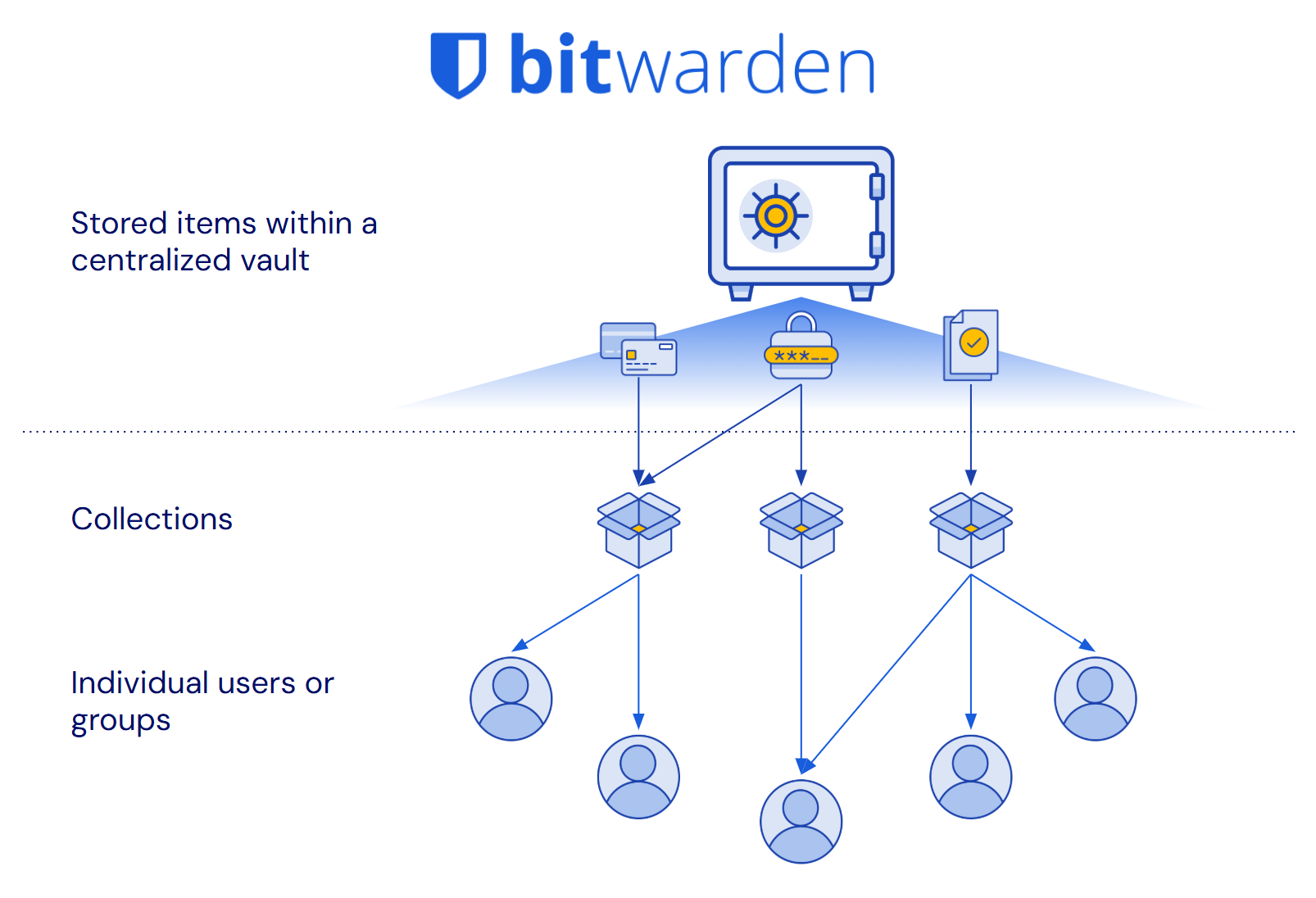
> The Bitwarden vault and all items within it are owned by the organization. **Vault items are independent of user status or assigned collections**. Centralized, secure, and built for business management.
### 3. Other password managers create ownership gaps
Not all password managers were built for the reporting and management needs of businesses. They require a blind trust of users to manage credential security.
Relying on users to manage their credentials means:
👎 Incomplete reporting on stored credentials
👎 Interrupted work when employees depart
👎 Items stored outside the control of the business
**What happens without centralized organization ownership?**
❌ Unnoticed breached and weak passwords
❌ Business disruption when employees transition
❌ Data loss / necessary recovery procedures
All this results in security gaps, loss of data, and administrative headaches.
> These ownership gaps directly undermine Data Loss Prevention and business continuity principles, creating unnecessary risk and operational disruption.
### Bitwarden makes it easy to manage credentials throughout the entire lifecycle:
✅ Complete organizational control
✅ Full reporting and risk insights
✅ Zero data loss when employees leave
## Läs Bitwardens säkerhetsperspektiv
Läs mer om skalbar lösenordsdelning och mer i Bitwarden Security Perspectives whitepaper-serie.
**Bitwarden Säkerhetsperspektiv:**
[Skalbar delning av lösenord](https://bitwarden.com/sv-se/resources/scalable-password-sharing/)
[Förebyggande av dataförlust](https://bitwarden.com/sv-se/resources/data-loss-prevention/)
[Livscykelhantering av referenser](https://bitwarden.com/sv-se/resources/credential-lifecycle-management-security-perspective/)
[Åtkomst med lägsta privilegium](https://bitwarden.com/sv-se/resources/least-privilege-access/)
[Applikations- och medarbetarcentrerad hantering av referenser](https://bitwarden.com/sv-se/resources/application-and-employee-centric-credential-management/)
[Lösenordshantering för globala organisationer](https://bitwarden.com/sv-se/resources/password-management-for-global-organizations/)
## Deeper dive:
### **Centralized ownership and management**
Bitwarden was designed to help manage business needs at scale and provide complete [credential lifecycle management](https://bitwarden.com/sv-se/resources/guide-enterprise-password-management-throughout-employee-lifecycle/). This is accomplished through a centralized vault for all shared items and a collections, which provides access control allowing for granular sharing with others. Every credential that is in the organization vault is owned directly by the organization, not individual employees. This offers many benefits, including clear reporting on credential access, easy recovery of deleted items, seamless employee transitions, and comprehensive audit trails for compliance.
> TIP: Enterprise plans can enact a policy that requires **all** vault items, including unshared items, be stored in the organization-owned vault. Learn more: [Enforce organization data ownership](https://bitwarden.com/sv-se/help/policies/#enforce-organization-data-ownership/)
Other password management solutions were conceived as consumer-first products and they focused on direct user-to-user sharing, without centralized oversight. This architectural difference now introduces challenges when supporting business’s management needs at scale, resulting in processes that create data loss risk, complicate employee transitions, and make it impossible to maintain organizational control over business-critical credentials.
### **Bitwarden provides complete credential lifecycle management**
Having all credentials in an organization-owned, centralized vault allows for intuitive management that eliminates ownership gaps. In Bitwarden:
1. All shared items belong to the organization, not individual employees
2. The vault items exist independently of users or how they’re shared
This means that when an employee changes roles or leaves the company, **credentials they shared remain safely in the organization vault** and are still available to teammates. There's no need for complex vault transfers, account recoveries, or data loss concerns.
It also means that the organization has **oversight and control of the credential through its entire lifecycle**, from when it is created to when it is retired. This ensures that full, auditable reporting of the item, including for weakness and vulnerabilities, is available to the administrators of the organization.
The organization maintains true ownership of business credentials. All shared items, access controls, and audit trails remain under organizational control.
### **What other password managers try to do**
Other password managers have created obstacles to centralized ownership and attempt to solve the gap that are unintuitive and incomplete.
| **Workaround for other password managers** | **Description** | **The problem** |
|------|------|------|
| Policies to add admin access to folders | Attempt to recreate centralized ownership through a policy where admins are given access to a new shared folders by default | ⚠️ Item owners can still delete shared items/folders without authorization ⚠️ Personal vaults still exist outside admin view ⚠️ Requires complex configuration to set up |
| Account recovery for offboarding / succession | When employees leave, their entire vault must be transferred to another user | ⚠️ Violates least privilege by giving another user access to items they shouldn’t ⚠️ Time-consuming and error-prone process ⚠️ May not be possible if employee does not agree to the transfer |
| Reporting “scores” | A health “score” is assigned to users to flag for admin review | ⚠️ Scores are meaningless and unhelpful ⚠️ Does not provide a complete picture of vault health |
Each of these methods are **poor substitutes** for an architecture designed for true organizational ownership.
### **The cost of going without Bitwarden**
If you don't have organizational ownership like with Bitwarden, it’s difficult to get a complete reporting picture on the health of stored credentials. Additionally, employee departures expose your business to data loss while adding significant workload to your IT team. These have real impacts on business operations and costs.
**How other solutions increase risk**
- Malicious action disrupts business and cannot be easily reverted
- Incomplete credential health reporting leaves weaknesses exposed
- Possible data loss during staffing changes
**Other solutions require more IT resources**
- Deep reporting requires admin legwork and time
- Extra overhead pulls resources from other projects
- Additional staffing up may be needed for more admins or help desk support
## Try it for yourself!
When evaluating password managers, check for these important attributes:
1. Are shared items owned by the company or by individual employees?
2. What happens to shared credentials when an employee leaves?
3. Can administrators control and manage all shared items?
4. How can an admin recover a deleted item?
5. Can an admin generate security reports on all credentials saved by users?
## Få kraftfull, pålitlig lösenordssäkerhet nu. Välj din plan.
## Personlig
### Enskild
**$0**
*per månad*
*Gratis för alltid - inget kreditkort krävs! *
Skaffa ett Bitwarden-valv
- Obegränsat antal enheter
- Hantering av lösenord
- Alla kärnfunktioner
- Alltid gratis
Dela valvobjekt med en annan användare.
[Kom igång idag](https://bitwarden.com/go/start-free/)
---
### Premie
**Less than $1**
*varje år*
*faktureras årligen*
Njut av premiumfunktioner
- Integrerad autentisering
- Bifogade filer
- Nödåtkomst
- Säkerhetsrapporter och mer
Dela valvobjekt med en annan användare
[Skapa ett premiumkonto](https://bitwarden.com/go/start-premium/)
---
### Familjer
**$3.33**
*per månad*
*Upp till 6 användare, 40 USD faktureras årligen*
Säkra dina familjeinloggningar
- 6 premiumkonton
- Obegränsad delning
- Obegränsade samlingar
- Organisationslagring
Dela valvobjekt mellan sex personer
[Starta gratis 7-dagars provperiod](https://bitwarden.com/go/start-families-trial/)
---
Priset visas i USD och baseras på en årsprenumeration. Skatter ingår ej.
## Företag
### Teams
*Robust skydd för team i tillväxt.*
**$4**
*per månad / per användare som faktureras årligen*
Premium features for all accounts, plus:
- Säker datadelning
- Händelseloggövervakning
- Katalogintegrering
- SCIM-stöd
Inkluderar premiumfunktioner för alla användare
[Starta en provversion](https://bitwarden.com/go/start-teams-trial/)
---
### Företag
*Avancerade funktioner för större organisationer*
**$6**
*per månad / per användare som faktureras årligen*
Teams features for all accounts, plus:
- Företagspolicyer
- Lösenordslös SSO
- Kontoåterställning
- Alternativ för självvärd
Inkluderar premiumfunktioner och gratis familjeplan för alla användare
[Starta en provversion](https://bitwarden.com/go/start-enterprise-trial/)
---
### Få en offert
*För företag med hundratals eller tusentals anställda kontakta försäljningen för en anpassad offert och se hur Bitwarden kan:*
- Minska cybersäkerhetsrisken
- Öka produktiviteten
- Integrera sömlöst
Bitwarden skalar med alla företagsstorlekar för att ge din organisation lösenordssäkerhet
[Kontakta försäljning](https://bitwarden.com/contact-sales/)
---
Priset visas i USD och baseras på en årsprenumeration. Skatter ingår ej.
---
URL: https://bitwarden.com/sv-se/resources/best-for-businesses-the-bitwarden-scalable-sharing-model/
---
# Bäst för företag: Den skalbara delningsmodellen Bitwarden
Bitwarden erbjuder den bästa metoden för att möjliggöra säkert samarbete i stor skala
---
Alla lösenordshanterare på marknaden uppfyller sitt primära löfte om att generera, spara och automatiskt fylla i starka och säkra lösenord. Där de skiljer sig åt är deras inställning till hur lösenord delas med lagkamrater och kollegor.
Bitwarden utmärker sig med sin skalbara delningsarkitektur som ger en enda sanningskälla och fullt organisationsägarskap för dessa delade objekt.
[](https://bitwarden.com/resources/the-bitwarden-difference-what-makes-bitwarden-best-for-businesses/#how-the-bitwarden-architecture-is-better)
* Watch the explainer video*
## Snabb visning:
### 1. Anställda behöver dela lösenord
Oavsett om det gäller ett projekt eller löpande verksamhet kommer medarbetare att behöva dela med sig av inloggningsuppgifter och annan känslig information.
**Varför då?**
- Vissa applikationer och webbappar, t.ex. sociala medier, stöder bara en enda plats
- Single Sign-On täcker inte alla onlineverktyg
- Inte bara lösenord: företagets kreditkort, säkra anteckningar och SSH-nycklar behöver också delas
> Utan en metod för säker delning kommer medarbetarna att skicka inloggningsuppgifter till varandra via chatt, SMS, e-post, post-it-lappar eller till och med mun till mun-metoden.
### 2. Dela i stor skala med ett centraliserat Bitwarden-valv
Organisationer i Bitwarden har ett enda valv, och organisationen "äger" alla föremål i det. All delning hanteras via organisationens valv. Detta möjliggör enkel och skalbar delning.
**Hur då?**
1. Alla valvföremål måste finnas i minst en samling (delad mapp)
2. Administratörer väljer hur samlingarna ska hanteras och vem som ska ha tillgång till dem
3. Logiskt flöde för tilldelning av objekt: organisationsvalv → samlingar → användargrupper
**Bitwardens centraliserade arkitektur gör valvobjekten till en enda sanningskälla:**
✅ Uppdatera ett objekt en gång och det uppdateras överallt
✅ Ta bort ett objekt, det försvinner omedelbart
✅ Delning är enkelt och skalbart

> Bitwardens valv är organiserat på ett logiskt och tydligt sätt - centraliserat och enkelt att hantera.
### 3. Andra lösenordshanterare gör det svårare och osäkrare
Alla lösenordshanterare är inte byggda för att fungera i stor skala. De var ursprungligen utformade för 1:1-delning - mindre användbara för växande företag.
Skalning kräver en lösning:
👎 Duplicera objekt
👎 Skapa flera delade valv/mappar
👎 Genvägar med begränsad synkronisering
**Vad händer när andra lösenordshanterare försöker skala upp?**
❌ Duplicerade referenser blir inte synkroniserade
❌ Administratörer förlorar insynen i vad som delas
❌ Föräldralösa objekt kvarstår
Allt detta resulterar i huvudvärk för administratörer och **större risker.**
> Dessa brister **undergräver direkt** grundläggande säkerhetsprinciper som Least Privilege Access och Data Loss Prevention, vilket ökar risken för onödig exponering och dataläckage.
### Bitwarden gör det enklare och säkrare att dela information mellan olika team
✅ Minskade administrativa omkostnader
✅ Förhindra oavsiktlig överprivilegiering
✅ Säkerställa administrativ tillsyn av organisationens referenser
## Läs Bitwardens säkerhetsperspektiv
Läs mer om skalbar lösenordsdelning och mer i Bitwarden Security Perspectives whitepaper-serie.
**Bitwarden Säkerhetsperspektiv:**
[Skalbar delning av lösenord](https://bitwarden.com/sv-se/resources/scalable-password-sharing/)
[Förebyggande av dataförlust](https://bitwarden.com/sv-se/resources/data-loss-prevention/)
[Livscykelhantering av referenser](https://bitwarden.com/sv-se/resources/credential-lifecycle-management-security-perspective/)
[Åtkomst med lägsta privilegium](https://bitwarden.com/sv-se/resources/least-privilege-access/)
[Applikations- och medarbetarcentrerad hantering av referenser](https://bitwarden.com/sv-se/resources/application-and-employee-centric-credential-management/)
[Lösenordshantering för globala organisationer](https://bitwarden.com/sv-se/resources/password-management-for-global-organizations/)
## Djupare dykning:
### Centraliserad arkitektur
Bitwarden är utvecklad med företag i åtanke. Delningen hanteras från ett centralt valv och endast andra medlemmar i samma organisation har tillgång till den. Alla delade objekt ägs direkt av organisationen. Detta ger många fördelar, bland annat tydlig rapportering om valvets säkerhet, enkel återställning av raderade objekt, smidigare offboarding och möjlighet till valvexport för säkerhetskopiering/dataportabilitet.
> TIPS: Företagsplaner kan anta en policy som kräver att alla valvobjekt, inklusive odelade objekt, lagras i det centraliserade valvet. Läs mer om detta: [Genomdriv äganderätten till organisationsdata](https://bitwarden.com/sv-se/help/policies/#enforce-organization-data-ownership/)
Andra lösningar för lösenordshantering är annorlunda och var ursprungligen tänkta som konsumentprodukter. Redan tidigt i utvecklingsarbetet bestämde de sig för att prioritera 1:1-delning med andra användare som inte nödvändigtvis behövde vara teamkollegor eller medarbetare. I dag har de svårt att tillgodose större företags behov av delning, vilket resulterar i en process som är svårare att hantera, medför risker och inte är lätt att förstå. Deras arkitektur skapar utmaningar för administratörer som behöver återkalla åtkomst till specifika objekt, ger extra kostnader för att se till att objekt synkroniseras över duplikat, komplicerar offboarding och gör det omöjligt att migrera till en annan tjänst när de inser att lösningen inte fungerar för dem.
### Bitwarden tillhandahåller en enda sanningskälla för delning i stor skala
Att ha föremål i ett centraliserat valv möjliggör intuitiv hantering som gör delningen ren och enkel. I Bitwarden:
1. Alla objekt i organisationsvalvet tilldelas en eller flera samlingar för delning.
2. Åtkomstsamlingar kan tilldelas enskilda användare och användargrupper.
Det **är viktigt att** notera: Objekt kan höra hemma i **mer än en samling** och användare kan höra hemma i **mer än en grupp.**
Så i en vanlig situation där två team behöver tillgång till ett enda objekt kan det objektet tilldelas samlingar som vart och ett av dessa team redan har tillgång till. Det finns ingen anledning att skapa ett duplikat objekt eller lägga till det samarbetande teamet i det andra teamets privata utrymme.
När den posten uppdateras, till exempel i en lösenordsrotation, kommer båda lagen omedelbart att ha de nya uppgifterna. Samma sak gäller för borttagning eller återkallelse - det är bara att gå till objektet och ta bort det från samlingarna eller radera det helt och hållet, så uppdateras åtkomsten för alla. Denna process är ren och lämnar inga föräldralösa barn eller genvägar att hantera.
På detta sätt **är valvobjekten en enda sanningskälla**. All delning, åtkomst och allt innehåll i objektet finns på ett och samma ställe, i själva objektet.

### Vad andra lösenordshanterare försöker göra
För att kompensera för de brister i arkitekturen som gör skalbar delning omöjlig har andra lösenordshanterare hittat på lösningar som i slutändan orsakar huvudbry och ökar risken.
| **Lösning för andra lösenordshanterare** | **Beskrivning** | **Problemet** |
|------|------|------|
| Förlita sig på dubbletter | För att dela ett objekt mellan flera team måste objektet dupliceras och placeras på varje plats som behövs. | ⚠️ Duplikat måste ändras manuellt när en uppdatering behöver göras ⚠️ När objektet behöver få sin åtkomst begränsad eller raderas måste varje duplikat hanteras separat. |
| Skapande av separata "gemensamma valv" | Ett annat sätt att dela ett objekt mellan flera team är att skapa ett nytt valv/mapp för varje objekt som behöver delas mellan team, lägga objektet på den delade platsen och sedan tilldela varje team som behöver det. | ⚠️ Detta leder till en enorm spridning av valv/mappar, är förvirrande att hantera och kan lätt leda till fel och oavsiktlig åtkomst. |
| Använda "genvägar" | Vissa lösningar gör det möjligt för användare att skapa genvägar till objekt som erbjuder begränsad synkronisering på andra platser. | ⚠️ Dessa genvägar kan gömmas undan från administratörens tillsyn och raderas inte när det ursprungliga objektet raderas, vilket öppnar upp för möjligheter till felaktig användning av referenser och överdrivna privilegier. |
Var och en av dessa metoder är **dåliga substitut** för en arkitektur som är utformad för centraliserat ägande och skalbar delning.
### Kostnaden för att gå utan Bitwarden
Om du inte har en skalbar delningslösning som Bitwarden utsätter du ditt företag för ytterligare risker i takt med att du växer, samtidigt som du ökar arbetsbelastningen för ditt IT-team. Dessa har en verklig inverkan på din affärsverksamhet och dina kostnader.
#### Hur andra lösningar ökar risken
- Att dela med sig av lösa trådar ökar risken för intrång i uppgifter och kostsamma åtgärder
- Oavsiktlig överprivilegiering leder till potentiell felaktig användning av legitimation
- Legitimationsuppgifter som förlorar sin överblick kan äventyras utan förvarning
#### Andra lösningar kräver mer IT-resurser
- Implementering av lösningar för delning innebär att det krävs mer administratörskostnader
- Extra arbete tar IT-bandbredd från andra projekt
- Ytterligare bemanning kan behövas för fler administratörer eller helpdesk-support
## Prova det själv!
När du utvärderar proof of concept ska du kontrollera dessa viktiga egenskaper:
1. Ägs delade objekt i ett valv av företaget eller av användaren?
2. Kan ett objekt placeras på flera platser?
3. Vad händer när den artikeln uppdateras?
4. Kan en administratör ta bort ett objekt från delning?
5. Hur kan en administratör återställa ett borttaget objekt?
## Få kraftfull, pålitlig lösenordssäkerhet nu. Välj din plan.
## Personlig
### Enskild
**$0**
*per månad*
*Gratis för alltid - inget kreditkort krävs! *
Skaffa ett Bitwarden-valv
- Obegränsat antal enheter
- Hantering av lösenord
- Alla kärnfunktioner
- Alltid gratis
Dela valvobjekt med en annan användare.
[Kom igång idag](https://bitwarden.com/go/start-free/)
---
### Premie
**Less than $1**
*varje år*
*faktureras årligen*
Njut av premiumfunktioner
- Integrerad autentisering
- Bifogade filer
- Nödåtkomst
- Säkerhetsrapporter och mer
Dela valvobjekt med en annan användare
[Skapa ett premiumkonto](https://bitwarden.com/go/start-premium/)
---
### Familjer
**$3.33**
*per månad*
*Upp till 6 användare, 40 USD faktureras årligen*
Säkra dina familjeinloggningar
- 6 premiumkonton
- Obegränsad delning
- Obegränsade samlingar
- Organisationslagring
Dela valvobjekt mellan sex personer
[Starta gratis 7-dagars provperiod](https://bitwarden.com/go/start-families-trial/)
---
Priset visas i USD och baseras på en årsprenumeration. Skatter ingår ej.
## Företag
### Teams
*Robust skydd för team i tillväxt.*
**$4**
*per månad / per användare som faktureras årligen*
Premium features for all accounts, plus:
- Säker datadelning
- Händelseloggövervakning
- Katalogintegrering
- SCIM-stöd
Inkluderar premiumfunktioner för alla användare
[Starta en provversion](https://bitwarden.com/go/start-teams-trial/)
---
### Företag
*Avancerade funktioner för större organisationer*
**$6**
*per månad / per användare som faktureras årligen*
Teams features for all accounts, plus:
- Företagspolicyer
- Lösenordslös SSO
- Kontoåterställning
- Alternativ för självvärd
Inkluderar premiumfunktioner och gratis familjeplan för alla användare
[Starta en provversion](https://bitwarden.com/go/start-enterprise-trial/)
---
### Få en offert
*För företag med hundratals eller tusentals anställda kontakta försäljningen för en anpassad offert och se hur Bitwarden kan:*
- Minska cybersäkerhetsrisken
- Öka produktiviteten
- Integrera sömlöst
Bitwarden skalar med alla företagsstorlekar för att ge din organisation lösenordssäkerhet
[Kontakta försäljning](https://bitwarden.com/contact-sales/)
---
Priset visas i USD och baseras på en årsprenumeration. Skatter ingår ej.
---
URL: https://bitwarden.com/sv-se/resources/bitdefender-chose-bitwarden-for-open-source-model/
---
# Cybersäkerhetsföretaget Bitdefender valde Bitwarden för öppen källkodsmodell
Bitdefender valde att gå med Bitwarden Password Manager, och citerade Bitwarden open source-modellen som en av de viktigaste drivkrafterna för sitt beslut.
---
## Översikt
[Bitdefender](https://www.bitdefender.com/) är ett Bukarest, Rumänien-baserat cybersäkerhetsföretag som betjänar över 100 kunder över hela världen. Företaget tror att cybersäkerhet är affärskritisk för [företag av alla storlekar](https://bitwarden.com/sv-se/blog/security-advice-for-small-and-midsize-businesses/) och har många lösningar för hur man kan förbli säkra. Under sina år med kunder inom alla branscher har företaget också skaffat sig ett antal insikter om IT-säkerhetsvanor och uppfattningar. Detta har i sin tur hjälpt till att informera Bitdefender om de mest optimala strategierna för sitt eget skydd mot cyberbrottslingar.
Bitdefender förstår vikten av att se till att all data är krypterad, köra de senaste operativsystemen och hålla koll på säkerhetsuppdateringar. För att på bästa sätt kunna hålla reda på alla verktyg de har till sitt förfogande skapade teamet ett cybersäkerhetsriskregister. Det här registret katalogiserar alla interna tekniker som används, deras styrkor och svagheter, och har gjort det möjligt för Bitdefender att göra smarta ekonomiska val för allokering av säkerhetsbudget. Ett verktyg som användes internt var en lösenordshanterare, som lämnade ansvaret till de anställda. Efter noggrann utvärdering stod det klart att de måste förändras och den lösning som bäst motsvarar deras behov är Bitwarden.
> Läs mer om det årliga säkerhetsmötet[ med ](https://bitwarden.com/sv-se/open-source-security-summit/)öppen källkod.
## Innehållsförteckning
[Översikt](https://bitwarden.com/sv-se/resources/bitdefender-chose-bitwarden-for-open-source-model/#overview/)
[Se presentationen](https://bitwarden.com/sv-se/resources/bitdefender-chose-bitwarden-for-open-source-model/#watch-the-presentation/)
[Autentiseringens avgörande roll](https://bitwarden.com/sv-se/resources/bitdefender-chose-bitwarden-for-open-source-model/#the-critical-role-of-authentication/)
[Bitwarden sticker ut bland konkurrenterna](https://bitwarden.com/sv-se/resources/bitdefender-chose-bitwarden-for-open-source-model/#bitwarden-stands-out-among-the-competition/)
[Kom igång med Bitwarden](https://bitwarden.com/sv-se/resources/bitdefender-chose-bitwarden-for-open-source-model/#get-started-with-bitwarden/)
## Se presentationen
[](https://vimeo.com/830271867)
*[Watch on Vimeo](https://vimeo.com/830271867)*
*Varför Bitdefender valde Bitwarden för lösenordshantering*
> Besök [opensourcesecuritysummit.com](https://bitwarden.com/sv-se/open-source-security-summit/) för att lära dig mer om denna årliga konferens.
## Autentiseringens avgörande roll
Det finns en vanlig refräng inom IT-säkerhetsvärlden att det är en fråga om "när, inte om" en organisation kommer att uppleva ett dataintrång. Följaktligen har en organisation en skyldighet att begränsa den skada en viss komprometterad användare, enhet eller konto kan orsaka sin verksamhet. Att säkerställa minimal skada innebär att prioritera ett robust, centraliserat autentiseringssystem som ger privilegierad åtkomst baserat på en anställds roll och på en "need to know"-basis. De flesta moderna autentiseringssystem erbjuder också [enkel inloggning](https://bitwarden.com/sv-se/blog/bitwarden-password-manager-login-with-sso/) och [](https://bitwarden.com/sv-se/blog/top-10-burning-questions-on-2fa/)multifaktorautentiseringsverktyg, som båda lägger till ett extra lager av effektivitet och säkerhet.
Eftersom Bitdefender övervägde sina autentiseringsbehov – och delvis på grund av sin egen interna cybersäkerhetsutbildning, som betonade vikten av att dess anställda använder lösenordshanterare – bestämde sig Bitdefender för att lägga sina pengar där munnen var och distribuera en företagslösning för att skydda varje anställd och organisationen som helhet.
## Bitwarden sticker ut bland konkurrenterna
Efter att ha gjort en kortlista med kandidater baserat på dess krav, valde Bitdefender att gå med Bitwarden, och citerade [Bitwardens öppen källkodsmodell](https://bitwarden.com/sv-se/blog/why-open-source-delivers-transparency-and-security-for-enterprises/) som en av de viktigaste drivkrafterna för sitt beslut. Andra avgörande fördelar var SSO och API-integration, stark kundsupport och [tredjepartsrevisioner](https://bitwarden.com/sv-se/blog/third-party-security-audit/).
Bitdefender visste också att det inte ville vara värd för sig själv och ville ha möjligheten att testa lösningen innan det fullkomligt engagerar sig. Företaget köpte till en början ett litet antal platser och blev glada när Bitwarden var mottaglig för sina iterativa förfrågningar om platsökning. Bitwarden införde en automatiserad onboardingprocess där Bitdefender-anställda helt enkelt klickar på en knapp som säger att de ville distribuera Bitwarden. Denna modell har gjort det möjligt för Bitdefender-teamet att hålla sin [budget](https://bitwarden.com/sv-se/blog/why-your-it-budget-should-be-used-on-a-company-password-manager/) stram och säkerställa att anställda är engagerade i att använda Bitwarden på ett produktivt sätt.
> Sa Mihai Talmacel, en informationssäkerhetsingenjör med Bitdefender, "Autentiseringsvalv är ett extremt känsligt säkerhetsämne. Så vi var tvungna att gå med de bästa.”
## Kom igång med Bitwarden
Redo att komma igång med Bitwarden? Registrera dig för ett [gratis Bitwarden-konto, ](https://bitwarden.com/sv-se/pricing/)eller registrera dig för en [7-dagars gratis provperiod av våra affärsplaner](https://bitwarden.com/sv-se/pricing/business/) för att hålla ditt företag och ditt team säkra online.
## Få kraftfull, pålitlig lösenordssäkerhet nu. Välj din plan.
## Personlig
### Enskild
**$0**
*per månad*
*Gratis för alltid - inget kreditkort krävs! *
Skaffa ett Bitwarden-valv
- Obegränsat antal enheter
- Hantering av lösenord
- Alla kärnfunktioner
- Alltid gratis
Dela valvobjekt med en annan användare.
[Kom igång idag](https://bitwarden.com/go/start-free/)
---
### Premie
**Less than $1**
*varje år*
*faktureras årligen*
Njut av premiumfunktioner
- Integrerad autentisering
- Bifogade filer
- Nödåtkomst
- Säkerhetsrapporter och mer
Dela valvobjekt med en annan användare
[Skapa ett premiumkonto](https://bitwarden.com/go/start-premium/)
---
### Familjer
**$3.33**
*per månad*
*Upp till 6 användare, 40 USD faktureras årligen*
Säkra dina familjeinloggningar
- 6 premiumkonton
- Obegränsad delning
- Obegränsade samlingar
- Organisationslagring
Dela valvobjekt mellan sex personer
[Starta gratis 7-dagars provperiod](https://bitwarden.com/go/start-families-trial/)
---
Priset visas i USD och baseras på en årsprenumeration. Skatter ingår ej.
## Företag
### Teams
*Robust skydd för team i tillväxt.*
**$4**
*per månad / per användare som faktureras årligen*
Premium features for all accounts, plus:
- Säker datadelning
- Händelseloggövervakning
- Katalogintegrering
- SCIM-stöd
Inkluderar premiumfunktioner för alla användare
[Starta en provversion](https://bitwarden.com/go/start-teams-trial/)
---
### Företag
*Avancerade funktioner för större organisationer*
**$6**
*per månad / per användare som faktureras årligen*
Teams features for all accounts, plus:
- Företagspolicyer
- Lösenordslös SSO
- Kontoåterställning
- Alternativ för självvärd
Inkluderar premiumfunktioner och gratis familjeplan för alla användare
[Starta en provversion](https://bitwarden.com/go/start-enterprise-trial/)
---
### Få en offert
*För företag med hundratals eller tusentals anställda kontakta försäljningen för en anpassad offert och se hur Bitwarden kan:*
- Minska cybersäkerhetsrisken
- Öka produktiviteten
- Integrera sömlöst
Bitwarden skalar med alla företagsstorlekar för att ge din organisation lösenordssäkerhet
[Kontakta försäljning](https://bitwarden.com/contact-sales/)
---
Priset visas i USD och baseras på en årsprenumeration. Skatter ingår ej.
---
URL: https://bitwarden.com/sv-se/resources/bitwarden-2022-data-privacy-day-newsletter-february-2022/
---
# Februari 2022 Spotlight: Bitwarden Data Privacy Day Survey
Välkommen till Bitwardens nyhetsbrev för februari, med produkt- och företagsmeddelanden, kommande evenemang och populära sociala fanfavoriter.
---
## Featured Article
We recently revealed the results of the Bitwarden 2022 Data Privacy Day Survey. To see which apps the Bitwarden community favors for data privacy, or to take part in the survey, [read the full blog post](https://bitwarden.com/sv-se/blog/data-privacy-day/).

## Enjoying this update? Subscribe today.
*Receive the latest product updates, hand-picked articles, community highlights, and more.*
[Contact form]
## Event Recap

Missed the 2022 Bitwarden roadmap review? Catch up with the Bitwarden product team as they present what’s on the 2022 roadmap and answer questions from the community. [Watch the recap](https://www.crowdcast.io/e/2022-bitwarden-roadmap) here.
## More Bits and Bites

As web3 technologies evolve, more control is put into the hands of users. However, with great power comes great responsibility. Users will need to find a secure and convenient way to manage sensitive credentials. Here are [five tips for using a password manager for web3](https://bitwarden.com/sv-se/blog/what-the-future-of-web3-means-for-credentials/).

When it comes to new security tools, the best options are the ones that keep you safe and operating efficiently. To learn how Bitwarden can boost productivity, encourage collaboration, and save time while keeping your business secure, [read this article](https://bitwarden.com/sv-se/blog/how-bitwarden-brings-value-to-your-business/).
## Industry News

Bitwarden Founder and Chief Technology Officer, Kyle Spearrin, recently spoke about cybersecurity and password management in Cybernews. Kyle explains that there is no one-size-fits-all security response, and approaches should be customized to the organization’s size, strategies, structure, existing tools, and available skills. [Read the article](https://cybernews.com/security/kyle-spearrin-bitwarden-complex-security-systems-alone-cannot-safeguard-businesses/) on Cybernews to learn more.
## Top Social Fan Favorites
You play an important role in contributing to a world free of breaches and hacks by sharing your knowledge and experience. Here is a recent favorite post of ours.

## Bitwarden Learning

New training presentations and resources are always being added to the [Bitwarden Learning center](https://bitwarden.com/sv-se/http://bitwarden.com/learning/). Whether you’re a beginner, power user, administrator, or managed service provider, you’ll find something that fits your needs.
Are you an Enterprise or Teams customer interested in custom training? Fill out the [bitwarden.com/contact](https://bitwarden.com/sv-se/contact/) form and one of our training specialists will reach out.
That’s it for now. Let us know what you think about this newsletter including potential topics you’d like to see.
**Until next time,**
Team Bitwarden
## Få kraftfull, pålitlig lösenordssäkerhet nu. Välj din plan.
## Personlig
### Enskild
**$0**
*per månad*
*Gratis för alltid - inget kreditkort krävs! *
Skaffa ett Bitwarden-valv
- Obegränsat antal enheter
- Hantering av lösenord
- Alla kärnfunktioner
- Alltid gratis
Dela valvobjekt med en annan användare.
[Kom igång idag](https://bitwarden.com/go/start-free/)
---
### Premie
**Less than $1**
*varje år*
*faktureras årligen*
Njut av premiumfunktioner
- Integrerad autentisering
- Bifogade filer
- Nödåtkomst
- Säkerhetsrapporter och mer
Dela valvobjekt med en annan användare
[Skapa ett premiumkonto](https://bitwarden.com/go/start-premium/)
---
### Familjer
**$3.33**
*per månad*
*Upp till 6 användare, 40 USD faktureras årligen*
Säkra dina familjeinloggningar
- 6 premiumkonton
- Obegränsad delning
- Obegränsade samlingar
- Organisationslagring
Dela valvobjekt mellan sex personer
[Starta gratis 7-dagars provperiod](https://bitwarden.com/go/start-families-trial/)
---
Priset visas i USD och baseras på en årsprenumeration. Skatter ingår ej.
## Företag
### Teams
*Robust skydd för team i tillväxt.*
**$4**
*per månad / per användare som faktureras årligen*
Premium features for all accounts, plus:
- Säker datadelning
- Händelseloggövervakning
- Katalogintegrering
- SCIM-stöd
Inkluderar premiumfunktioner för alla användare
[Starta en provversion](https://bitwarden.com/go/start-teams-trial/)
---
### Företag
*Avancerade funktioner för större organisationer*
**$6**
*per månad / per användare som faktureras årligen*
Teams features for all accounts, plus:
- Företagspolicyer
- Lösenordslös SSO
- Kontoåterställning
- Alternativ för självvärd
Inkluderar premiumfunktioner och gratis familjeplan för alla användare
[Starta en provversion](https://bitwarden.com/go/start-enterprise-trial/)
---
### Få en offert
*För företag med hundratals eller tusentals anställda kontakta försäljningen för en anpassad offert och se hur Bitwarden kan:*
- Minska cybersäkerhetsrisken
- Öka produktiviteten
- Integrera sömlöst
Bitwarden skalar med alla företagsstorlekar för att ge din organisation lösenordssäkerhet
[Kontakta försäljning](https://bitwarden.com/contact-sales/)
---
Priset visas i USD och baseras på en årsprenumeration. Skatter ingår ej.
---
URL: https://bitwarden.com/sv-se/resources/bitwarden-across-industries/
---
# Bitwarden över industrier
Hur Bitwarden kan hjälpa till att hantera utmaningar som industrier och affärssektorer står inför idag
---
## Bitwarden helps secure prominent companies across industries
Bitwarden serves tens of thousands of businesses and millions of end users globally. Regardless of their type of work, each of them benefits from the Bitwarden open source approach to trust, accountability, and security.
Interested in learning how Bitwarden can help your company? See how [Bitwarden brings value to your business](https://bitwarden.com/sv-se/blog/how-bitwarden-brings-value-to-your-business/) and view more resources on specific industries below.

## Learn how Bitwarden can secure:
[Business Services](https://bitwarden.com/sv-se/resources/bitwarden-across-industries/#business-services/)
- [Information Technology](https://bitwarden.com/sv-se/resources/bitwarden-across-industries/#information-technology/)
- [Advertising & Marketing](https://bitwarden.com/sv-se/resources/bitwarden-across-industries/#advertising-&-marketing/)
[Finance](https://bitwarden.com/sv-se/resources/bitwarden-across-industries/#finance/)
[Government](https://bitwarden.com/sv-se/resources/bitwarden-across-industries/#government/)
[Healthcare](https://bitwarden.com/sv-se/resources/bitwarden-across-industries/#healthcare/)
[Insurance](https://bitwarden.com/sv-se/resources/bitwarden-across-industries/#insurance/)
[Manufacturing](https://bitwarden.com/sv-se/resources/bitwarden-across-industries/#manufacturing/)
[Media & Internet](https://bitwarden.com/sv-se/resources/bitwarden-across-industries/#media-&-internet/)
[Public Utilities](https://bitwarden.com/sv-se/resources/bitwarden-across-industries/#public-utilities/)
[Software](https://bitwarden.com/sv-se/resources/bitwarden-across-industries/#software/)
[Telecommunications](https://bitwarden.com/sv-se/resources/bitwarden-across-industries/#telecommunications/)
[Transportation & Travel](https://bitwarden.com/sv-se/resources/bitwarden-across-industries/#transportation-&-travel/)
### Information Technology

Needs: Password security, user management, easy administration, secure file/text transfer, automation
Bitwarden Solutions:
- Provide password security to your organization with powerful administration tools and simple user management.
- Integrate with existing SSO systems and directories, and utilize APIs for automations.
- Boost productivity by enabling users to securely share logins and other data with specifically-assigned teams or user groups.
- Securely transmit text and files with Bitwarden Send to anyone inside or outside the organization using end-to-end encryption.
[Case study: How Intesys Uses Bitwarden for Business Collaboration](https://bitwarden.com/sv-se/blog/case-study-intesys/)
[Case study: Managed Service Provider GreenLoop Delivers Intuitive Password Security for Their Clients](https://bitwarden.com/sv-se/blog/managed-service-provider-greenloop-delivers-intuitive-password-security/)
[Blog: Securing Remote Work with a Password Manager](https://bitwarden.com/sv-se/blog/securing-remote-work-password-manager/)
[Blog: Workplace tips on how to send documents securely over the internet](https://bitwarden.com/sv-se/blog/workplace-tips-on-how-to-send-documents-securely-over-the-internet/)
[Resource: Choose the Right SSO Login Strategy](https://bitwarden.com/sv-se/resources/choose-the-right-sso-login-strategy/)
## Bitwarden is trusted in IT by...
the worldwide leader in enterprise open source solutions for IT professionals
a leading data storage and disaster recovery solutions provider
a multinational identity and access management software company
### Advertising & Marketing

Needs: Sharing logins for tools, securing contractors, secure file/text transfer
Bitwarden Solutions:
- Collaborate on important social media accounts with shared logins and integrated two-factor authentication.
- Add productivity by simplifying login with autofill and reducing failed logins and password resets.
- Provide account teams and contractors a way to access the services and tools they need, without compromising access control.
- Use the Bitwarden Send feature to securely transmit encrypted sensitive client information and deliverables.
[Blog: Five Best Practices for Password Management](https://bitwarden.com/sv-se/blog/five-best-practices-for-password-management/)
[Help article: Autofill a Login](https://bitwarden.com/sv-se/help/getting-started-browserext/#auto-fill-a-login/)
[Webcast: Securing 3rd Party Contractors](https://start.bitwarden.com/replay-securing-3rd-party-agencies)
[Blog: Introducing Bitwarden Send for secure one-to-one information sharing](https://bitwarden.com/sv-se/blog/introducing-bitwarden-send-for-secure-sharing/)
## Bitwarden is trusted in advertising & marketing by...
a European retail and tourism organization with over 12 million daily customers
a brand development and management company connecting with consumers around the world
a top 5 contextual online advertising network
## Finance
Needs: Password security, user management, secure file/text transfer, auditable logs

Bitwarden Solutions:
- Password security to all levels of your organization with robust user and group management tools.
- Keep sensitive information secure as vault items are end-to-end encrypted, with an auditable event log.
- Securely send encrypted sensitive information to anyone, including internal teams and end clients.
- Bitwarden maintains compliance standards including SOC 2, GDPR, Data Privacy Framework (DPF), and CCPA.
[Resource: SOX Compliance Guide: Simplify Compliance with Bitwarden for Enhanced Security and Confidentiality](https://bitwarden.com/sv-se/resources/simplify-sox-compliance-with-bitwarden/)
[Blog: The Benefits of Password Managers for Finance Companies](https://bitwarden.com/sv-se/blog/the-benefits-of-password-managers-for-finance-companies/)
[Blog: What the World's Largest Credit Card Companies Say About Security](https://bitwarden.com/sv-se/blog/what-the-worlds-largest-credit-card-companies-say-about-security/)
[Blog: How the Gramm-Leach-Bliley Act governs data security practices](https://bitwarden.com/sv-se/blog/gramm-leach-bliley-act-data-security-practices/)
[Blog: Introducing Bitwarden Send for secure one-to-one information sharing](https://bitwarden.com/sv-se/blog/introducing-bitwarden-send-for-secure-sharing/)
[Help article: Event Logs](https://bitwarden.com/sv-se/help/event-logs/)
## Bitwarden is trusted in finance by...
one of the largest banking institutions serving the southeast with approximately $8B in assets and over 100 branches
an independent wealth management and planning firm with over $200 billion under management
a Canadian financial group and trust company
a trusted regional credit union with billions in assets and thousands of customers
## Government
Needs: Security compliance, password security, secure sharing, self-hosting

Bitwarden Solutions:
- Use Bitwarden to secure government business and federal agencies with end-to-end, zero-knowledge protection for passwords and sensitive data.
- Utilize the same encryption standards and additional controls to securely send text and files.
- Deploy with the secure Bitwarden cloud or use a self-hosted deployment to satisfy more stringent policies, each accessible via computers and mobile device end-clients.
[Page: Bitwarden Security and Compliance](https://bitwarden.com/sv-se/compliance/)
[Blog: What's Happening on The Hill: Federal Information Security Modernization Act](https://bitwarden.com/sv-se/blog/whats-happening-on-the-hill-federal-information-security-modernization-act/)
[Blog: How State and Local Government Benefits from Password Management](https://bitwarden.com/sv-se/blog/how-state-and-local-goverment-benefits-from-password-management/)
[Blog: Host Your Own Open Source Password Manager](https://bitwarden.com/sv-se/blog/host-your-own-open-source-password-manager/)
[Blog: New York Takes on Credential Stuffing and Passwords](https://bitwarden.com/sv-se/blog/new-york-takes-on-credential-stuffing-and-passwords/)
## Bitwarden is trusted in government by...
a prominent office within a branch of the U.S. Federal Government
U.S. State Governments and departments
multiple U.S. county governments on the eastern seaboard
the city government of a musical municipality
## Healthcare
Needs: Compliance, password security, auditable logs, secure file/text transfer

Bitwarden Solutions:
- Provide password security to all levels of your organization with robust user and group management tools.
- Keep sensitive information secure as vault items are end-to-end encrypted, with an auditable event log.
- Securely send encrypted sensitive information to anyone, including internal teams and end clients.
- Bitwarden maintains compliance standards including HIPAA, SOC 2, GDPR, Data Privacy Framework (DPF), and CCPA.
[Blog: The Healthcare Industry: A Prime Target for Cyberattacks](https://bitwarden.com/sv-se/blog/the-healthcare-industry-a-prime-target-for-cyberattacks/)
[Blog: Why use a HIPAA-Compliant password manager](https://bitwarden.com/sv-se/blog/why-use-a-hipaa-compliant-password-manager/)
[Blog: HIPAA Password Requirements Explained](https://bitwarden.com/sv-se/blog/hipaa-password-requirements/)
[Blog: Introducing Bitwarden Send for secure one-to-one information sharing](https://bitwarden.com/sv-se/blog/introducing-bitwarden-send-for-secure-sharing/)
[Page: Bitwarden Security and Compliance](https://bitwarden.com/sv-se/compliance/)
[Help article: Event Logs](https://bitwarden.com/sv-se/help/event-logs/)
## Bitwarden is trusted in healthcare by...
one of the largest healthcare systems in the Pacific Northwest
a learning hospital system in France
one of the largest non-profit health care networks in a northeastern state
## Insurance
Needs: Sharing logins for tools, password security, user management, easy administration

Bitwarden Solutions:
- Increase team productivity with easy access shared logins to internal tools and secure workspaces.
- Keep sensitive information secure with end-to-end encrypted logins, tools to generate strong passwords, and reporting for exposed passwords and data breaches.
- Create user groups with assigned access to the correct internal systems.
- Add productivity by simplifying login with autofill and reducing failed logins and password resets
[Blog: Five Best Practices for Password Management](https://bitwarden.com/sv-se/blog/five-best-practices-for-password-management/)
[Blog: Vault Security in the Bitwarden Password Manager](https://bitwarden.com/sv-se/blog/vault-security-bitwarden-password-manager/)
[Help article: Groups](https://bitwarden.com/sv-se/help/about-groups/)
[Help article: Autofill a Login](https://bitwarden.com/sv-se/help/getting-started-browserext/#auto-fill-a-login/)
## Bitwarden is trusted in insurance by...
a Fortune 500 insurance provider to prevent password mayhem
a medical insurance marketplace that sells plans in all 50 states
a leading New Zealand insurance firm offering coverage for cars, homes, boats, and more
## Manufacturing
Needs: Strong password security, user management

Bitwarden Solutions:
- With manufacturing quickly moving to interconnected devices, keep all levels of the operation secure with password security and powerful user management controls.
- Create user groups with assigned access to the correct internal systems and cycle strong, generated shared passwords.
- Protect notated configurations of system-connected devices on field mobile devices with secure notes.
- Add productivity by simplifying login with autofill and reducing failed logins and password resets.
[Resource: Choose the Right SSO Login Strategy](https://bitwarden.com/sv-se/resources/choose-the-right-sso-login-strategy/)
[Blog: Preparing for the Executive Order on Improving the Nation’s Cybersecurity](https://bitwarden.com/sv-se/blog/preparing-for-the-executive-order-on-improving-the-nations-cybersecurity/)
[Blog: Strategies for Keeping Smart Devices Secure](https://bitwarden.com/sv-se/blog/strategies-for-keeping-smart-devices-secure/)
[Help article: Autofill a Login](https://bitwarden.com/sv-se/help/getting-started-browserext/#auto-fill-a-login/)
## Bitwarden is trusted in manufacturing by...
private organizations that assist with official NASA missions
the #1 HVAC company ranked by U.S. News & World report
a leading producer of advanced materials, chemicals and fibers
an international luxury automotive manufacturer with a 100 year heritage
## Media & Internet
Needs: Unlimited devices, cross-platform compatibility, secure file/text transfer, password security, secure notes

Bitwarden Solutions:
- Use Bitwarden on an unlimited number of devices and on browsers, mobile devices, and desktop applications and across operating systems.
- Securely send encrypted sensitive information to anyone, including internal teams and end clients.
- End-to-end encryption keeps vault items secure, and assign user groups to specific collections of passwords.
- Encrypt and store secure notes in the vault or as a file attachment.
[Case study: Golden Communications Streamlines Productivity with Intuitive Password Management](https://bitwarden.com/sv-se/resources/marketing-agency-streamlines-productivity-with-password-management/)
[Case study: Global Language Platform Strengthens Password Sharing and Management with Bitwarden](https://bitwarden.com/sv-se/blog/global-language-platform-strengthens-password-sharing-and-management/)
[Case study: University of Toronto Press Solves for Efficient Password Sharing with Bitwarden](https://bitwarden.com/sv-se/blog/university-of-toronto-press-solves-for-efficient-password-sharing-with-bitwarden/)
[Blog: Vault Security in the Bitwarden Password Manager](https://bitwarden.com/sv-se/blog/vault-security-bitwarden-password-manager/)
[Blog: Securing Remote Work with a Password Manager](https://bitwarden.com/sv-se/blog/securing-remote-work-password-manager/)
## Bitwarden is trusted in media & internet by...
a home entertainment company specializing in high performance speaker systems and custom A/V installations
an industry-leading web hosting provider
the news arm of a large, family-owned international media group
## Public Utilities
Needs: Security compliance, password security, auditable logs

Bitwarden Solutions:
- With Bitwarden, protect passwords and sensitive data using end-to-end, zero-knowledge encryption.
- Control access to critical systems with easy user management and integrations into identity management services.
- View and export an auditable trail of event logs for user and admin activity.
- Review and evaluate the open source Bitwarden code for the best standard in trust and transparency.
[Page: Bitwarden Security and Compliance](https://bitwarden.com/sv-se/compliance/)
[Blog: Preparing for the Executive Order on Improving the Nation’s Cybersecurity](https://bitwarden.com/sv-se/blog/preparing-for-the-executive-order-on-improving-the-nations-cybersecurity/)
[Blog: How Better Password Security for Water Utilities Can Help Prevent Cybersecurity Incidents](https://bitwarden.com/sv-se/blog/water-utilities-can-help-prevent-cybersecurity-incidents/)
[Help article: Event Logs](https://bitwarden.com/sv-se/help/event-logs/)
## Bitwarden is trusted in public utilities by...
a water utility that serves 15 cities and more than 2 million people
a community-owned municipal electric and telecommunications company in the northeast
a gas and infrastructure company supplying an entire U.S. state
## Software
Needs: Secure sharing of logins, custom autofill, user management, auditable logs

Bitwarden Solutions:
- Increase team productivity with easy access shared logins to internal tools and secure workspaces.
- Robust custom fields autofill data from the encrypted vault into web applications, including SSH keys or other stored credentials.
- Provide password security to all levels of your organization with robust user and group management tools.
- Assign user groups to specific collections of credentials and use the auditable event log to track access and history.
[Case study: High-growth Delivery Startup Glovo Boosts Password Security and Compliance with Bitwarden](https://bitwarden.com/sv-se/blog/high-growth-delivery-startup-glovo-boosts-password-security-compliance/)
[Blog: Create Custom Fields in a few Clicks](https://bitwarden.com/sv-se/blog/easier-than-ever-create-custom-fields-in-a-few-clicks/)
[Help article: Autofill a Login](https://bitwarden.com/sv-se/help/getting-started-browserext/#auto-fill-a-login/)
[Help article: Event Logs](https://bitwarden.com/sv-se/help/event-logs/)
[Help article: Using Collections](https://bitwarden.com/sv-se/help/about-collections/#using-collections/)
## Bitwarden is trusted in software by...
an augmented reality gaming company known for getting players to go outside and stop at points of interest
the leading omnichannel coupon and loyalty program technology company
a top 10 anti-malware and cybersecurity firm defending sensitive data worldwide
## Telecommunications
Needs: Password security, user management, secure sharing, securing contractors

Bitwarden Solutions:
- Keep sensitive information secure with end-to-end encrypted logins, tools to generate strong passwords, and reporting for exposed passwords and data breaches.
- Create user groups with assigned access to the correct internal systems.
- Use shared logins to increase team productivity with easy access to internal tools and secure workspaces.
- Set access controls easily with robust administration tools for multiple client teams and outside contractors.
[Blog: Vault Security in the Bitwarden Password Manager](https://bitwarden.com/sv-se/blog/vault-security-bitwarden-password-manager/)
[Blog: Five Best Practices for Password Management](https://bitwarden.com/sv-se/blog/five-best-practices-for-password-management/)
[Help article: Groups](https://bitwarden.com/sv-se/help/about-groups/)
[Webcast: Securing 3rd Party Contractors](https://start.bitwarden.com/replay-securing-3rd-party-agencies)
## Bitwarden is trusted in telecommunications by...
a Fortune 100 networking and telecommunications company
a multinational radio communications company providing critical public safety infrastructure
a provider of cloud infrastructure and data center services
## Transportation & Travel
Needs: Password security, user management, secure login sharing

Bitwarden Solutions:
- With a decentralized workforce with varying access needs, keep all levels of the operation secure with password security and powerful user management controls.
- Assign user groups to specific collections of credentials that can be arranged by function, location, or division.
- Add productivity by simplifying login with autofill and reducing failed logins and password resets.
[Page: Install and Sync All of Your Devices](https://bitwarden.com/sv-se/download/)
[Blog: Securing Remote Work with a Password Manager](https://bitwarden.com/sv-se/blog/securing-remote-work-password-manager/)
[Help article: Using Collections](https://bitwarden.com/sv-se/help/about-collections/#using-collections/)
[Help article: Autofill a Login](https://bitwarden.com/sv-se/help/getting-started-browserext/#auto-fill-a-login/)
## Bitwarden is trusted in transportation & travel by...
one of the largest regional air travel companies with daily flights to 100 U.S. cities
a leading autonomous mobility developer jointly working with large automobile manufacturers
a travel company managing several popular ticketing websites for cheap trips
## Få kraftfull, pålitlig lösenordssäkerhet nu. Välj din plan.
## Personlig
### Enskild
**$0**
*per månad*
*Gratis för alltid - inget kreditkort krävs! *
Skaffa ett Bitwarden-valv
- Obegränsat antal enheter
- Hantering av lösenord
- Alla kärnfunktioner
- Alltid gratis
Dela valvobjekt med en annan användare.
[Kom igång idag](https://bitwarden.com/go/start-free/)
---
### Premie
**Less than $1**
*varje år*
*faktureras årligen*
Njut av premiumfunktioner
- Integrerad autentisering
- Bifogade filer
- Nödåtkomst
- Säkerhetsrapporter och mer
Dela valvobjekt med en annan användare
[Skapa ett premiumkonto](https://bitwarden.com/go/start-premium/)
---
### Familjer
**$3.33**
*per månad*
*Upp till 6 användare, 40 USD faktureras årligen*
Säkra dina familjeinloggningar
- 6 premiumkonton
- Obegränsad delning
- Obegränsade samlingar
- Organisationslagring
Dela valvobjekt mellan sex personer
[Starta gratis 7-dagars provperiod](https://bitwarden.com/go/start-families-trial/)
---
Priset visas i USD och baseras på en årsprenumeration. Skatter ingår ej.
## Företag
### Teams
*Robust skydd för team i tillväxt.*
**$4**
*per månad / per användare som faktureras årligen*
Premium features for all accounts, plus:
- Säker datadelning
- Händelseloggövervakning
- Katalogintegrering
- SCIM-stöd
Inkluderar premiumfunktioner för alla användare
[Starta en provversion](https://bitwarden.com/go/start-teams-trial/)
---
### Företag
*Avancerade funktioner för större organisationer*
**$6**
*per månad / per användare som faktureras årligen*
Teams features for all accounts, plus:
- Företagspolicyer
- Lösenordslös SSO
- Kontoåterställning
- Alternativ för självvärd
Inkluderar premiumfunktioner och gratis familjeplan för alla användare
[Starta en provversion](https://bitwarden.com/go/start-enterprise-trial/)
---
### Få en offert
*För företag med hundratals eller tusentals anställda kontakta försäljningen för en anpassad offert och se hur Bitwarden kan:*
- Minska cybersäkerhetsrisken
- Öka produktiviteten
- Integrera sömlöst
Bitwarden skalar med alla företagsstorlekar för att ge din organisation lösenordssäkerhet
[Kontakta försäljning](https://bitwarden.com/contact-sales/)
---
Priset visas i USD och baseras på en årsprenumeration. Skatter ingår ej.
---
URL: https://bitwarden.com/sv-se/resources/bitwarden-and-the-system-for-cross-domain-identity-management-scim/
---
# Bitwarden and the System for Cross-domain Identity Management (SCIM)
How SCIM is implemented in Bitwarden and frequently asked questions
---
## What is SCIM?
System for Cross-domain Identity Management (SCIM) is an industry open standard protocol that enables the automation of management and exchange of user identity information across IT systems or domains. SCIM utilizes a RESTful API, another standard, to run operations and commands on the database.
This makes it easy for IT administrators to provision and manage users for their IT systems, including any SaaS products, internal tools, and more. Rather than having to manually create an account for a new employee for all the different services their company uses, the IT admin would add the new user to their Identity Management system, which will use SCIM to automatically create the accounts for them.
Importantly, it works in reverse when a user leaves the company it closes the accounts for that worker, reducing security risks from their departure.
Finally, SCIM can also be used to assign users to specific groups so they may be provisioned for specific tools. For example, someone joining the Human Resources team could automatically have accounts created in their SaaS Human Resources portal (e.g. any human resources tool) with the permissions needed to manage employee details.
## Table of Contents
- [What is SCIM?](https://bitwarden.com/sv-se/resources/bitwarden-and-the-system-for-cross-domain-identity-management-scim/#what-is-scim/)
- [How Bitwarden implements SCIM](https://bitwarden.com/sv-se/resources/bitwarden-and-the-system-for-cross-domain-identity-management-scim/#how-bitwarden-implements-scim/)
- [SCIM and Single Sign-On](https://bitwarden.com/sv-se/resources/bitwarden-and-the-system-for-cross-domain-identity-management-scim/#scim-and-single-sign-on/)
- [SCIM and the Bitwarden Directory Connector](https://bitwarden.com/sv-se/resources/bitwarden-and-the-system-for-cross-domain-identity-management-scim/#scim-and-the-bitwarden-directory-connector/)
- [FAQ](https://bitwarden.com/sv-se/resources/bitwarden-and-the-system-for-cross-domain-identity-management-scim/#faq/)
## How Bitwarden implements SCIM
Bitwarden servers provide a SCIM endpoint that, with a valid SCIM API Key, will accept requests from your Identity Provider (IdP) for user and group provisioning and directory synchronization. You will input the API Key and SCIM URL provided by your Bitwarden client into your IdP installation to enable Identity Provider → Bitwarden communication. Documentation for each supported service can be found in the Help Center: [Azure Active Directory](https://bitwarden.com/sv-se/help/azure-ad-scim-integration/); [Okta](https://bitwarden.com/sv-se/help/okta-scim-integration/); [OneLogin](https://bitwarden.com/sv-se/help/onelogin-scim-integration/); [JumpCloud](https://bitwarden.com/sv-se/help/jumpcloud-scim-integration/)

## SCIM and Single Sign-On
Using both SCIM and SSO together at your enterprise significantly eases credential management and automation while reducing overhead. They complement each other quite well. Using SSO will automate access to internal tools, including Bitwarden, while Bitwarden provides easy access to tools outside of SSO purview. With SCIM provisioning, an administrator can, with one action, provide or revoke access to all tools, including those which are not supported by either SSO or SCIM, with Bitwarden acting as an extension of those functions and gating those websites and tools.
## SCIM and the Bitwarden Directory Connector
Both SCIM and the Bitwarden Directory Connector offer methods for automating the provisioning of users for a Bitwarden organization. Either solution will successfully create user accounts and permissions based on the directory.
The Bitwarden Directory Connector is a standalone application that is used to actively sync users and groups to a Bitwarden Organization from an existing directory service in a single operation. It will inquire and then automatically provision users, groups, and group associations from the source directory and close accounts for removed users. Further updates would require running the sync operation again. It also works with on-premises Identity Provider solutions.
SCIM enables Bitwarden to receive updates from the Directory or Identity Provider at any time, such as new users and modifications to groups. It will automatically provision or modify users when the Directory or Identity Provider pushes a change.
| Solution | How it's run | Sync type | Sync Schedule | Partners and Compatibility |
|------|------|------|------|------|
| **SCIM** | Integrated into Bitwarden | Pushes changes to Bitwarden | Always-on | Azure AD, Okta, OneLogin, JumpCloud, Ping Identity |
| **Bitwarden Directory Connector** | Standalone on a local machine | Queries directory and pulls changes | Sync intervals are customizable | Active Directory, Azure AS, Okta, OneLogin, Google Workspace, and LDAP-based directory, self-hosted IdPs |
SCIM support is available in Enterprise plans. The Bitwarden Directory Connector is available to both Teams and Enterprise plans.
## FAQ:
#### **Q: Is SCIM the same as SSO?**
A: No. SSO uses the identity providers’ information to authenticate logging in, whereas SCIM allows specifically for user provision and management.
#### **Q: Can I switch from using the Bitwarden Directory Connector to SCIM?**
A: Yes, with awareness of the following items:
- You should use SCIM integration with the same directory that the Directory Connector was using
- Any users or groups that are in your directory but not provisioned in Bitwarden will be provisioned
- Any user or group that already existed in Bitwarden and is not in your directory will remain.
- At this time SCIM is only able to revoke user access. The ability to remove users completely from an Organization will be added in a future release.
- Be sure that you turn off any scripts you might have created that would automate running Directory Connector.
More tools to aid in migration are in development. Additional documentation can be found in [this Help Center article](https://bitwarden.com/sv-se/help/about-scim/#migrating-to-scim/).
#### **Q: Does this work for Cloud and Self-host installations?**
A: Yes, SCIM is available to both types of Enterprise installations.
#### **Q: How do I get started with SCIM?**
A: Step by step documentation is available in this [Help Center article](https://bitwarden.com/sv-se/help/about-scim/).
#### **Q: Which Identity Providers does Bitwarden support with SCIM?**
A: Azure AD, Okta, OneLogin, JumpCloud, and Ping Identity are fully supported.
## Få kraftfull, pålitlig lösenordssäkerhet nu. Välj din plan.
## Personlig
### Enskild
**$0**
*per månad*
*Gratis för alltid - inget kreditkort krävs! *
Skaffa ett Bitwarden-valv
- Obegränsat antal enheter
- Hantering av lösenord
- Alla kärnfunktioner
- Alltid gratis
Dela valvobjekt med en annan användare.
[Kom igång idag](https://bitwarden.com/go/start-free/)
---
### Premie
**Less than $1**
*varje år*
*faktureras årligen*
Njut av premiumfunktioner
- Integrerad autentisering
- Bifogade filer
- Nödåtkomst
- Säkerhetsrapporter och mer
Dela valvobjekt med en annan användare
[Skapa ett premiumkonto](https://bitwarden.com/go/start-premium/)
---
### Familjer
**$3.33**
*per månad*
*Upp till 6 användare, 40 USD faktureras årligen*
Säkra dina familjeinloggningar
- 6 premiumkonton
- Obegränsad delning
- Obegränsade samlingar
- Organisationslagring
Dela valvobjekt mellan sex personer
[Starta gratis 7-dagars provperiod](https://bitwarden.com/go/start-families-trial/)
---
Priset visas i USD och baseras på en årsprenumeration. Skatter ingår ej.
## Företag
### Teams
*Robust skydd för team i tillväxt.*
**$4**
*per månad / per användare som faktureras årligen*
Premium features for all accounts, plus:
- Säker datadelning
- Händelseloggövervakning
- Katalogintegrering
- SCIM-stöd
Inkluderar premiumfunktioner för alla användare
[Starta en provversion](https://bitwarden.com/go/start-teams-trial/)
---
### Företag
*Avancerade funktioner för större organisationer*
**$6**
*per månad / per användare som faktureras årligen*
Teams features for all accounts, plus:
- Företagspolicyer
- Lösenordslös SSO
- Kontoåterställning
- Alternativ för självvärd
Inkluderar premiumfunktioner och gratis familjeplan för alla användare
[Starta en provversion](https://bitwarden.com/go/start-enterprise-trial/)
---
### Få en offert
*För företag med hundratals eller tusentals anställda kontakta försäljningen för en anpassad offert och se hur Bitwarden kan:*
- Minska cybersäkerhetsrisken
- Öka produktiviteten
- Integrera sömlöst
Bitwarden skalar med alla företagsstorlekar för att ge din organisation lösenordssäkerhet
[Kontakta försäljning](https://bitwarden.com/contact-sales/)
---
Priset visas i USD och baseras på en årsprenumeration. Skatter ingår ej.
---
URL: https://bitwarden.com/sv-se/resources/bitwarden-broadcast-package/
---
# Bitwarden broadcast-paket
Håll din semester säker
---
## Shop safely this holiday season with a password manager
The holiday season is upon us, and many have started shopping for family, friends, and neighbors. Unfortunately, this time of year also brings an uptick of scams and threats.
[](https://vimeo.com/1029746771)
*[Watch on Vimeo](https://vimeo.com/1029746771)*
[Download from Vimeo](https://vimeo.com/1029746771) | [Download from Google Drive](https://drive.google.com/drive/folders/1nZiUlOA5b5ljjnG29R_mqhKVn8uTIEts)
According to the National Retail Federation, 57% of consumers plan to shop online this holiday season. Amid this busy time of year, cybercriminals are on the lookout for your personally identifiable information. Common tactics include a phishy text or illegitimate website that aims to steal your email, password, or financial information.
[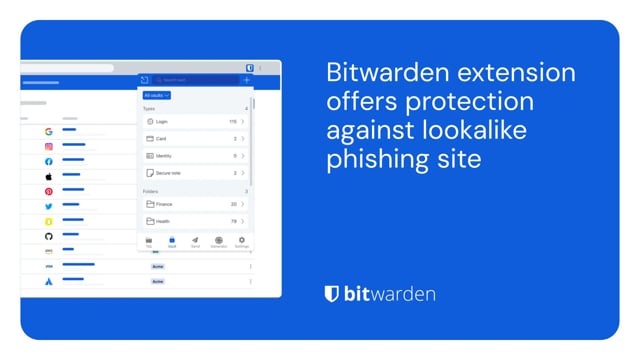](https://vimeo.com/1029820659)
*[Watch on Vimeo](https://vimeo.com/1029820659)*
[Download from Vimeo](https://vimeo.com/1029820659) | [Download from Google Drive](https://drive.google.com/drive/folders/1nZiUlOA5b5ljjnG29R_mqhKVn8uTIEts)
To ensure you are secure when making online purchases, utilize a password manager to help keep your data safe. A password manager can store your unique login, payment method, shipping address, and other sensitive information.
[](https://vimeo.com/1029819699)
*[Watch on Vimeo](https://vimeo.com/1029819699)*
[Download from Vimeo](https://vimeo.com/1029819699) | [Download from Google Drive](https://drive.google.com/drive/folders/1nZiUlOA5b5ljjnG29R_mqhKVn8uTIEts)
To give your loved ones the gift of security, Bitwarden offers a family plan that enables up to six members with the ability to share logins securely, while keeping everyone connected.
[](https://vimeo.com/1029835941)
*[Watch on Vimeo](https://vimeo.com/1029835941)*
[Download from Vimeo](https://vimeo.com/1029835941) | [Download from Google Drive](https://drive.google.com/drive/folders/1nZiUlOA5b5ljjnG29R_mqhKVn8uTIEts)
Visit the [press room](https://bitwarden.com/sv-se/press-room/) for additional media assets and the latest Bitwarden news, case studies, and original research.
Email press@bitwarden.com to request a comment or to review Bitwarden.
---
URL: https://bitwarden.com/sv-se/resources/bitwarden-business-insights-report/
---
# Varje sekund räknas: 9 dagar för att fixa riskuppgifter är för långt
Två tredjedelar av IT-administratörerna säger att behörighetshantering är avgörande. Så varför saknar så många verktygen för att göra det? Ta reda på det i den senaste Bitwarden Business Insights-rapporten.
---
## Sammanfattning
Svaga eller komprometterade lösenord är lätta att knäcka eller köpa på mörka webbmarknader. Dessa tunna inloggningsuppgifter är den digitala motsvarigheten till en ytterdörr med en nyckel kvar i låset: Det är trivialt för angripare att använda dem för att få olagligt inträde i en organisation.
Ändå är det en ständig utmaning att uppdatera dessa lösenord. IT-administratörer saknar ofta insyn i vilka lösenord som är svaga, återanvänds eller äventyrade. Även när de kan identifiera risklösenord kan det vara utmanande för dem att övertyga användare att uppdatera sina referenser eller ersätta dem med starkare. Dålig lösenordsövervakning kan också leda till okontrollerad åtkomst till känsliga, högprivilegierade system, vilket öppnar upp för ännu fler säkerhetsrisker för organisationen.
För att förstå detta landskap genomförde Bitwarden en undersökning av IT-chefer för att förstå deras smärtpunkter när det gäller synlighet och åtgärdande av lösenordshälsa. Dessa resultat sammanställdes i följande Bitwarden Business Insights 2025-rapport.
### Nyckelfynd

## En närmare titt: Behörighetsövervakning behövs, men ofta saknas eller saknas i den nuvarande verktygsuppsättningen
Två tredjedelar av de tillfrågade (67 %) säger att hantering av autentiseringsuppgifter är mycket viktigt för deras organisationer. Men nästan hälften (48 %) rapporterar att deras nuvarande system för att övervaka lösenordshälsa och åtkomst är ineffektivt.

Denna brist på effektiv övervakning av lösenordshälsan och synlighet bidrar direkt till ouppfyllda säkerhetsmål och långsam upplösning.
Till exempel vill 53 % av IT-cheferna ta itu med legitimationsrelaterad säkerhet proaktivt, men bara 33 % säger att de gör det för närvarande. Ungefär 60 % av IT-cheferna säger att deras nuvarande strategi för att uppdatera autentiseringsuppgifter för risker i tid bara är något effektiv eller helt ineffektiv.
Vanligtvis (90 % av gångerna) ber respondenterna anställda att uppdatera sina egna referenser, och de gör detta oftast via e-post (42 %) eller en-till-en-konversationer (36 %).
Tyvärr rapporterar över hälften av IT-cheferna (51 %) att deras anställda inte alls eller bara tar cybersäkerhetsåtgärder på allvar.
Som ett resultat av detta tar anställda i genomsnitt 9 dagar på sig att uppdatera sina autentiseringsuppgifter för risker efter upptäckt, vilket lämnar dessa uppgifter som öppna sårbarheter för illvilliga aktörer att utnyttja. En organisation rapporterade att det tar ett helt år för anställda att uppdatera riskuppgifterna!

## Motivation och prioritering: Nyckeln till förbättring
Den största utmaningen med att ändra detta utbredda problem med behörighetshantering och implementera bästa praxis för lösenord är att hitta ett sätt att motivera anställda att ändra sina vanor, vilket rapporterats av 68 % av de tillfrågade.
Medarbetarna själva kanske inte har de verktyg eller information de behöver. Bland IT-administratörer säger 44 % att anställdas förvirring om hur man gör lösenordsändringar är en utmaning, och 36 % klagar över svårigheter att spåra anställdas framsteg mot säkrare metoder.
Den främsta strategin för effektivare cybersäkerhet, som nämns av hälften av IT-cheferna (51 %), är att prioritera kritiska säkerhetsåtgärder tydligare. Dessutom skulle nästan hälften vilja se mer intuitiva arbetsflöden för icke-tekniska personer (46 %) och mer regelbunden säkerhetsutbildning (45 %). Fyrtio procent skulle vilja ha insyn i vem som inte har slutfört avgörande säkerhetsuppgifter.
Att kombinera effektiv prioritering, arbetsflöden och utbildning skulle hjälpa dessa chefer att bättre visa för anställda värdet av att ha säkra referenser – och skulle göra det möjligt för dem att fokusera på de referenser och privilegierade användare som är mest utsatta. Det skulle i sin tur hjälpa till att motivera anställda och minska tiden för att uppdatera svaga eller komprometterade lösenord. Att implementera dessa strategier kommer att hjälpa organisationer att bättre skydda sina affärsapplikationer, infrastruktur och konton från illvilliga aktörer.
## Övervaka lösenordshälsan och hantera åtkomst över hela organisationen med Bitwarden
Bitwarden ger IT-team de verktyg de behöver för att säkert hantera sin organisations referenser med säkerhetslösningar för minst privilegierad åtkomst, lösenord, hemligheter och hantering av lösenord. Bitwarden litar på av tiotusentals företag och miljontals användare över hela världen, och gör det enkelt för anställda att anta starka lösenordspraxis och för administratörer att hantera organisationsvalv.
För organisationer som kämpar med att identifiera lösenordshälsa erbjuder Bitwarden valvhälsorapporter, som gör det möjligt för IT-administratörer att upptäcka autentiseringsuppgifter i riskzonen – inklusive exponerade, återanvända och svaga lösenord – kopplade till deras organisation. Detta är det första steget mot att stärka legitimationsrelaterad säkerhetsställning.
När riskuppgifter har identifierats och anställda underrättats, gör den inbyggda Bitwarden-lösenordsgeneratorn det möjligt för slutanvändare att snabbt ersätta en kränkande autentiseringsinformation med ett starkt, unikt lösenord och säkert spara det i företagets valv.
Ge dessa säkerhetsfunktioner en testkörning med en gratis [7-dagars Bitwarden affärstest!](https://bitwarden.com/sv-se/go/start-enterprise-trial/)
## Metodik
Bitwarden-undersökningen riktade sig till IT-administratörer och ägare på företag med mer än 1 miljoner USD i intäkter. Svar samlades in under slutet av 2024 och början av 2025 och fick totalt 108 svar.
## Få kraftfull, pålitlig lösenordssäkerhet nu. Välj din plan.
## Personlig
### Enskild
**$0**
*per månad*
*Gratis för alltid - inget kreditkort krävs! *
Skaffa ett Bitwarden-valv
- Obegränsat antal enheter
- Hantering av lösenord
- Alla kärnfunktioner
- Alltid gratis
Dela valvobjekt med en annan användare.
[Kom igång idag](https://bitwarden.com/go/start-free/)
---
### Premie
**Less than $1**
*varje år*
*faktureras årligen*
Njut av premiumfunktioner
- Integrerad autentisering
- Bifogade filer
- Nödåtkomst
- Säkerhetsrapporter och mer
Dela valvobjekt med en annan användare
[Skapa ett premiumkonto](https://bitwarden.com/go/start-premium/)
---
### Familjer
**$3.33**
*per månad*
*Upp till 6 användare, 40 USD faktureras årligen*
Säkra dina familjeinloggningar
- 6 premiumkonton
- Obegränsad delning
- Obegränsade samlingar
- Organisationslagring
Dela valvobjekt mellan sex personer
[Starta gratis 7-dagars provperiod](https://bitwarden.com/go/start-families-trial/)
---
Priset visas i USD och baseras på en årsprenumeration. Skatter ingår ej.
## Företag
### Teams
*Robust skydd för team i tillväxt.*
**$4**
*per månad / per användare som faktureras årligen*
Premium features for all accounts, plus:
- Säker datadelning
- Händelseloggövervakning
- Katalogintegrering
- SCIM-stöd
Inkluderar premiumfunktioner för alla användare
[Starta en provversion](https://bitwarden.com/go/start-teams-trial/)
---
### Företag
*Avancerade funktioner för större organisationer*
**$6**
*per månad / per användare som faktureras årligen*
Teams features for all accounts, plus:
- Företagspolicyer
- Lösenordslös SSO
- Kontoåterställning
- Alternativ för självvärd
Inkluderar premiumfunktioner och gratis familjeplan för alla användare
[Starta en provversion](https://bitwarden.com/go/start-enterprise-trial/)
---
### Få en offert
*För företag med hundratals eller tusentals anställda kontakta försäljningen för en anpassad offert och se hur Bitwarden kan:*
- Minska cybersäkerhetsrisken
- Öka produktiviteten
- Integrera sömlöst
Bitwarden skalar med alla företagsstorlekar för att ge din organisation lösenordssäkerhet
[Kontakta försäljning](https://bitwarden.com/contact-sales/)
---
Priset visas i USD och baseras på en årsprenumeration. Skatter ingår ej.
---
URL: https://bitwarden.com/sv-se/resources/bitwarden-channel-partner-ascend-technology-group/
---
# Bitwarden Channel Partner of the Quarter: Ascend Technology Group
IT-tjänsteleverantören stoltserar med 97 % klientretention och full lösenordshantering.
---
## Översikt
Grundat: 2005
Företagets storlek: 20 anställda
Bransch: IT-tjänster och support
Plats: Omaha, Nebraska
Tidslängd med Bitwarden: 2 år
Baserat i Omaha, Nebraska, är Ascend Technology Group en managed service provider (MSP) som erbjuder IT-tjänster och support till kunder i Omaha-området och rikstäckande. Ascend levererar IT-hanterade tjänster på conciergenivå, med specialiteter inklusive småföretagsteknik, teknisk support, nätverkssupport och datasäkerhet och skydd. Företaget, som har varit i drift i 20 år, har en kundretention på 97 % och har åtagit sig att göra livet lättare för företag som fokuserar på att göra sitt bästa arbete.
## Table of Contents
[Situation: Lack of confidence in status quo led to search for reputable, highly secure password manager](https://bitwarden.com/sv-se/resources/bitwarden-channel-partner-ascend-technology-group/#situation-lack-of-confidence-in-status-quo-led-to-search-for-reputable-highly-secure-password-manager/)
[Solution: Bitwarden security architecture, infrastructure elevate it above competition](https://bitwarden.com/sv-se/resources/bitwarden-channel-partner-ascend-technology-group/#solution-bitwarden-security-architecture-infrastructure-elevate-it-above-competition/)
[Get started with Bitwarden](https://bitwarden.com/sv-se/resources/bitwarden-channel-partner-ascend-technology-group/#get-started-with-bitwarden/)
## Situation: Lack of confidence in status quo led to search for reputable, highly secure password manager
While Ascend did offer a password management tool as part of its security stack, most of its clients were not using any type of password manager. “Initially, there was the expectation that there would be friction or complications that would arise from using a password manager,” said John Gerdes, president of Ascend Technology Group.
Ascend, which initially promoted LastPass as its password manager of choice, ultimately decided to research other solutions and make a switch due to concerns about security practices.
## Read more:
[How to build the best security stack for your business](https://bitwarden.com/sv-se/blog/best-cybersecurity-for-business/)
## Solution: Bitwarden security architecture, infrastructure elevate it above competition
Ascend opted to deploy Bitwarden internally after learning about its respected security architecture and zero-knowledge infrastructure. Zero-knowledge means that every piece of data stored in the Bitwarden Vault is secured with end-to-end AES-256 encryption and that the Bitwarden team cannot see anything stored within user vaults.
“We pushed Bitwarden out to our own employee base and after discovering how well it worked, started promoting it as part of our security stack and recommending it to clients,” said Gerdes. “Overall, the feedback has been very positive. As part of their engagement with Bitwarden, our clients are also learning password management best practices.”
Gerdes also noted that clients are especially pleased with the Bitwarden integration with two-step login, which requires authentication from a secondary device when a user logs in, and find the Bitwarden mobile application intuitive and well-designed.
#### Bitwarden MSP program delivers robust support and efficient services
Ascend, which is part of the [Bitwarden for MSP program](https://bitwarden.com/sv-se/msp/), has seen deep and continued benefits in its collaboration with the Bitwarden team. “We always thought we received excellent support, but the new and improved Bitwarden MSP program has been highly beneficial for our clients. Billing is streamlined and onboarding has been quite straightforward, for both Ascend as a company and for our clients.”
#### Strong adoption starts with executive buy-in
The Ascend team is committed to receiving executive buy-in from its clients before promoting Bitwarden because it believes doing so is key to creating a culture of security. Initially, Ascend walks client executives through security breach scenarios to help them fully understand how much impact weak or reused passwords can have on businesses.
“Let’s say there is a breach of a low-stakes app that the executive uses,” said Gerdes. “While the breach may not seem business critical , we remind executives that people often reuse passwords across accounts, including those that may be more sensitive. Cybercriminals will discover reused passwords and eventually hit payload . Fortunately, password managers mitigate the need to reuse passwords. If there is a breach, it will only impact one individual account because that password is unique. Discussing these potential scenarios with clients helps them understand risks to the larger business, such as the accounting team, the procurement team, and so on.”
“Overall, Bitwarden has exceeded expectations. Clients are learning that having an Excel file on their desktop that says ‘passwords’ is not secure. They are understanding and adopting password best practices and thanks to Bitwarden, buying into the concept of unique passwords everywhere.”
Learn more about the [Bitwarden for MSP program](https://bitwarden.com/sv-se/msp/).
## Get started with Bitwarden
Interested in becoming a member of the Bitwarden Partner Program? Find out more [here](https://bitwarden.com/sv-se/partners/). You can also learn more about what Bitwarden can do for your business and sign up for a [free 7-day trial](https://bitwarden.com/sv-se/trial/)!
## Read more:
[How to choose the best enterprise password manager for your business](https://bitwarden.com/sv-se/blog/choose-the-best-enterprise-password-manager/)
## Få kraftfull, pålitlig lösenordssäkerhet nu. Välj din plan.
## Personlig
### Enskild
**$0**
*per månad*
*Gratis för alltid - inget kreditkort krävs! *
Skaffa ett Bitwarden-valv
- Obegränsat antal enheter
- Hantering av lösenord
- Alla kärnfunktioner
- Alltid gratis
Dela valvobjekt med en annan användare.
[Kom igång idag](https://bitwarden.com/go/start-free/)
---
### Premie
**Less than $1**
*varje år*
*faktureras årligen*
Njut av premiumfunktioner
- Integrerad autentisering
- Bifogade filer
- Nödåtkomst
- Säkerhetsrapporter och mer
Dela valvobjekt med en annan användare
[Skapa ett premiumkonto](https://bitwarden.com/go/start-premium/)
---
### Familjer
**$3.33**
*per månad*
*Upp till 6 användare, 40 USD faktureras årligen*
Säkra dina familjeinloggningar
- 6 premiumkonton
- Obegränsad delning
- Obegränsade samlingar
- Organisationslagring
Dela valvobjekt mellan sex personer
[Starta gratis 7-dagars provperiod](https://bitwarden.com/go/start-families-trial/)
---
Priset visas i USD och baseras på en årsprenumeration. Skatter ingår ej.
## Företag
### Teams
*Robust skydd för team i tillväxt.*
**$4**
*per månad / per användare som faktureras årligen*
Premium features for all accounts, plus:
- Säker datadelning
- Händelseloggövervakning
- Katalogintegrering
- SCIM-stöd
Inkluderar premiumfunktioner för alla användare
[Starta en provversion](https://bitwarden.com/go/start-teams-trial/)
---
### Företag
*Avancerade funktioner för större organisationer*
**$6**
*per månad / per användare som faktureras årligen*
Teams features for all accounts, plus:
- Företagspolicyer
- Lösenordslös SSO
- Kontoåterställning
- Alternativ för självvärd
Inkluderar premiumfunktioner och gratis familjeplan för alla användare
[Starta en provversion](https://bitwarden.com/go/start-enterprise-trial/)
---
### Få en offert
*För företag med hundratals eller tusentals anställda kontakta försäljningen för en anpassad offert och se hur Bitwarden kan:*
- Minska cybersäkerhetsrisken
- Öka produktiviteten
- Integrera sömlöst
Bitwarden skalar med alla företagsstorlekar för att ge din organisation lösenordssäkerhet
[Kontakta försäljning](https://bitwarden.com/contact-sales/)
---
Priset visas i USD och baseras på en årsprenumeration. Skatter ingår ej.
---
URL: https://bitwarden.com/sv-se/resources/bitwarden-channel-partner-atb-technologies/
---
# Bitwarden Channel Partner of the Quarter: ATB Technologies, branschledande St. Louis-baserad MSSP
Bitwarden är en strategisk del av den övergripande kundsäkerhetsstacken som erbjuds av ett prisbelönt IT-tjänstföretag.
---
## Overview
Founded: 2002
Size of company: 32
Industry: IT services and support
Location: St. Louis
Length of time using Bitwarden: 3 years
Number of clients: 35
Number of Bitwarden seats managed: Around 500
Based in St. Louis, Missouri, ATB Technologies is a managed service provider (MSP) offering IT services and support to over 30 clients in the St. Louis area. The company is selective and specific about the type of customers it brings on, with a focus on delivering an IT security service stack that meets a variety of needs. Operating in the manufacturing, non-profit, and financial services spaces, those customers were, as part of their overall security stack, seeking a password management solution that was comprehensive and easy-to-use.
## Table of Contents
[Situation: An opening for a well-rounded, intuitive, feature-rich password manager](https://bitwarden.com/sv-se/resources/bitwarden-channel-partner-atb-technologies/#situation-an-opening-for-a-well-rounded-intuitive-feature-rich-password-manager/)
[Solution: Bitwarden delivers the goods to a diverse customer base](https://bitwarden.com/sv-se/resources/bitwarden-channel-partner-atb-technologies/#solution-bitwarden-delivers-the-goods-to-a-diverse-customer-base/)
[Reciprocal relationship based on mutual respect](https://bitwarden.com/sv-se/resources/bitwarden-channel-partner-atb-technologies/#reciprocal-relationship-based-on-mutual-respect/)
[“Bitwarden is strategic for our business”](https://bitwarden.com/sv-se/resources/bitwarden-channel-partner-atb-technologies/#bitwarden-is-strategic-for-our-business/)
[Get started with Bitwarden](https://bitwarden.com/sv-se/resources/bitwarden-channel-partner-atb-technologies/#get-started-with-bitwarden/)
## Situation: An opening for a well-rounded, intuitive, feature-rich password manager
Previously, ATB Technologies did not officially offer a password management tool as part of its security stack, although it did make suggestions to customers that were seeking one. “Initially, we dabbled with LastPass and Dashlane,” said Chris Miller, VP of sales and marketing at ATB Technologies. “We weren’t truly selling them as much as we were recommending them.” Over time, the company realized both solutions had inherent deficiencies, in that they weren’t particularly easy-to-use and missing certain features.
Said Miller, “Generally, we try to standardize the tools we can use across the board. In some cases, we give customers the option of ‘better’ and ‘best,’ especially if it comes down to cost. With password management, though, we were convinced it was important enough to offer one solution to all our clients.”
## Solution: Bitwarden delivers the goods to a diverse customer base
ATB Technologies chose Bitwarden as its one and only password management tool because it was drawn to the full suite of features Bitwarden provides. The team was particularly excited about the overall ease-of-use for users whose technical capabilities varied. “We have clients that are extremely sophisticated with technology and others who have budding skills,” said Miller.
Miller also cited the Bitwarden integration with [two-factor authentication](https://bitwarden.com/sv-se/blog/basics-of-two-factor-authentication-with-bitwarden/) (2FA) technologies and its cross-platform reach, noting that the Chrome extension is particularly useful. “The Chrome extension has made life easy,” said Miller. “You login once, it’s there. It autofills passwords. The Bitwarden [Family for Enterprise](https://bitwarden.com/sv-se/blog/how-to-protect-your-family-with-bitwarden-password-manager/) is also an added bonus. It’s nice to be able to share credentials with family members for personal reasons outside of the work setting.”
## Reciprocal relationship based on mutual respect
In terms of the partner relationship between ATB Technologies and Bitwarden, Miller appreciated that Bitwarden listened to company feedback from the onset. According to Miller, a big selling point was the Bitwarden team’s willingness to adjust aspects of its billing policy to meet ATB Technologies’ business requirements. “When we came up against challenges, Bitwarden helped us work through them,” said Miller.
Miller is also pleased with how Bitwarden has facilitated the overall onboarding and deployment process. “When we kick off the client onboarding process, we’re particularly focused on getting executive teams to buy into password management,” said Miller.” We emphasize how important it is for credential security and protecting critical data. For clients with a large user base, we’ve come up with a system for assisting them with Bitwarden deployment that seems to work well. Overall, the centralized nature of Bitwarden has made onboarding and offboarding more efficient.”
## “Bitwarden is strategic for our business”
“Bitwarden is a strategic, core part of the package we offer,” said Miller. “It’s a big piece of it and all the pieces make the whole. The fact that we can offer it, we can support it for the client’s needs, these are all advantages to our overall business. I can also attest to it from an internal perspective. In our support of customers, it is extremely important that ATB Technologies utilize strong and unique passwords.”
Miller enthusiastically recommends Bitwarden to other MSPs considering password management solutions. “In contrast to competing vendors, Bitwarden has shown its willingness to partner with us and listen to what we have to say. As a smaller organization, to be able to have a say and know that our feedback is taken into account is tremendous. Bitwarden has been a great product for us. It has the flexibility and security our team wanted.”
## Get started with Bitwarden
Interested in becoming a member of the Bitwarden Partner Program? Find out more [here](https://bitwarden.com/sv-se/partners/). You can also learn more about what Bitwarden can do for your business and sign up for a [free 7-day trial](https://bitwarden.com/sv-se/trial/)!
## Få kraftfull, pålitlig lösenordssäkerhet nu. Välj din plan.
## Personlig
### Enskild
**$0**
*per månad*
*Gratis för alltid - inget kreditkort krävs! *
Skaffa ett Bitwarden-valv
- Obegränsat antal enheter
- Hantering av lösenord
- Alla kärnfunktioner
- Alltid gratis
Dela valvobjekt med en annan användare.
[Kom igång idag](https://bitwarden.com/go/start-free/)
---
### Premie
**Less than $1**
*varje år*
*faktureras årligen*
Njut av premiumfunktioner
- Integrerad autentisering
- Bifogade filer
- Nödåtkomst
- Säkerhetsrapporter och mer
Dela valvobjekt med en annan användare
[Skapa ett premiumkonto](https://bitwarden.com/go/start-premium/)
---
### Familjer
**$3.33**
*per månad*
*Upp till 6 användare, 40 USD faktureras årligen*
Säkra dina familjeinloggningar
- 6 premiumkonton
- Obegränsad delning
- Obegränsade samlingar
- Organisationslagring
Dela valvobjekt mellan sex personer
[Starta gratis 7-dagars provperiod](https://bitwarden.com/go/start-families-trial/)
---
Priset visas i USD och baseras på en årsprenumeration. Skatter ingår ej.
## Företag
### Teams
*Robust skydd för team i tillväxt.*
**$4**
*per månad / per användare som faktureras årligen*
Premium features for all accounts, plus:
- Säker datadelning
- Händelseloggövervakning
- Katalogintegrering
- SCIM-stöd
Inkluderar premiumfunktioner för alla användare
[Starta en provversion](https://bitwarden.com/go/start-teams-trial/)
---
### Företag
*Avancerade funktioner för större organisationer*
**$6**
*per månad / per användare som faktureras årligen*
Teams features for all accounts, plus:
- Företagspolicyer
- Lösenordslös SSO
- Kontoåterställning
- Alternativ för självvärd
Inkluderar premiumfunktioner och gratis familjeplan för alla användare
[Starta en provversion](https://bitwarden.com/go/start-enterprise-trial/)
---
### Få en offert
*För företag med hundratals eller tusentals anställda kontakta försäljningen för en anpassad offert och se hur Bitwarden kan:*
- Minska cybersäkerhetsrisken
- Öka produktiviteten
- Integrera sömlöst
Bitwarden skalar med alla företagsstorlekar för att ge din organisation lösenordssäkerhet
[Kontakta försäljning](https://bitwarden.com/contact-sales/)
---
Priset visas i USD och baseras på en årsprenumeration. Skatter ingår ej.
---
URL: https://bitwarden.com/sv-se/resources/bitwarden-channel-partner-convergence-networks/
---
# Bitwarden Channel Partner SolveIT minskar inkommande tjänsteförfrågningar med 70 % med Bitwarden (3)
## Overview
**Founded**: 2000
**Industry**: IT Services
**Location**: Northern U.S. and Canada
Based in the Northern U.S. and Canada, [Convergence Networks](https://hubs.li/Q03rf2p90) is a managed service provider (MSP) supporting small business clients in a wide variety of industries, including financial services, healthcare, manufacturing, and engineering. Its service offerings encompass cybersecurity solution suites that address IT security readiness, deliver network penetration testings, provide dark web monitoring, and enable a well-rounded strategy for combating data security threats.
## Situation: Dissatisfaction with previous password manager provider propelled Convergence towards new solution
Part of the Convergence Networks customer cybersecurity portfolio includes the provision of a password manager that could protect sensitive data. The company became concerned about the password management solution it had offered for a number of years because it had experienced several breaches in a short period of time. “As the person in charge of security, I was increasingly uncomfortable with the password security status quo and was interested in seeking out alternatives,” said John Stephens, chief information security officer (CISO) at Convergence Networks. The team researched alternatives but found a number of password management solutions lacking in their ability to support a diverse variety of endpoints and more complex use cases.
## Solution: Moving to Bitwarden was a ‘no-brainer’
Having previously had a positive experience with Bitwarden in a prior role, Convergence Networks IT Manager Josh Plumlee suggested the IT security team consider replacing its current offering. The benefits were immediately apparent. “When we really started looking at it, Bitwarden did everything the other solution did, but it was easier, more secure, and more economical,” said Stephens. “Quite frankly, it was a no-brainer to move to Bitwarden. We were able to deploy it internally to our entire organization and move the needle on the security suite offered to our clients, as well.”
Stephens cited the ability to share passwords as a major Bitwarden selling point, a capability he found lacking in other password managers. He also noted the ease and speed in which the solution could be deployed internally and across its client base. This was affirmed by Plumlee, who noted that even the subset of users who had never used a password manager before or saved passwords in Excel spreadsheets found the process straightforward due the Bitwarden integration with SSO solutions. Plumlee also had effusive words for the Bitwarden customer support team, stating the Convergence Networks team felt “very taken care of” and was able to get results in a timely fashion.
## Bitwarden event logs and reporting enable peace of mind
“The Bitwarden event logs were really important to us,” said Plumlee. “For example, we use Microsoft Azure AD for various departments. Within those departments, employees share passwords. In a few instances, we had an employee update a password within our previous password management database but not actually update it in the platform. With Bitwarden, we could determine who changed a record and recover accounts without having to go through the platform’s recovery.”
The [Bitwarden event](https://bitwarden.com/sv-se/help/event-logs/) logs are time-stamped records of events that occur within a Bitwarden Teams or Enterprise organization. The event logs capture more than 60 different events, including password changes, login attempts, and administrative actions. Events are captured at both the Bitwarden client and server, with most events occurring at the client. Overall, Plumlee lauded the event logs as an important way for ensuring accountability and delineating privileged access.
## Overall results indicate a more efficient and secure workforce and client base
“The Microsoft integration with our previous password manager was pretty lackluster,” said Plumlee. “We’ve saved a very substantial amount of time since rolling out Bitwarden because we can do everything through our Microsoft tenant. We very rarely have to get into the Bitwarden platform to change something because we’ve been given the tools to build out through the Bitwarden integrations.”
Internally, the Convergence Networks team has also seen a 238% rise in the number of employees utilizing Bitwarden and a near 100% adoption rate across the organization. Externally, the company estimates it takes around 4 hours to deploy Bitwarden to clients - a dramatically improved deployment average from what it saw with its former password manager.
“Bitwarden is a reliable, reputable solution without a history of security vulnerabilities. Its ease of administration and deployment and its economic attractiveness make it the ideal password manager to offer to our clients,” said Stephens.
“It’s very useful to have pride in a platform through our own internal experiences because we can heartedly recommend it to our customers,” said Plumlee.
## Get started with Bitwarden
Interested in becoming a member of the Bitwarden partner program? Find out more [here](https://bitwarden.com/sv-se/partners/become-a-partner/). You can also learn more about what Bitwarden can do for your business and sign up for a [free 7-day trial](https://bitwarden.com/sv-se/trial/)!
## Få kraftfull, pålitlig lösenordssäkerhet nu. Välj din plan.
## Personlig
### Enskild
**$0**
*per månad*
*Gratis för alltid - inget kreditkort krävs! *
Skaffa ett Bitwarden-valv
- Obegränsat antal enheter
- Hantering av lösenord
- Alla kärnfunktioner
- Alltid gratis
Dela valvobjekt med en annan användare.
[Kom igång idag](https://bitwarden.com/go/start-free/)
---
### Premie
**Less than $1**
*varje år*
*faktureras årligen*
Njut av premiumfunktioner
- Integrerad autentisering
- Bifogade filer
- Nödåtkomst
- Säkerhetsrapporter och mer
Dela valvobjekt med en annan användare
[Skapa ett premiumkonto](https://bitwarden.com/go/start-premium/)
---
### Familjer
**$3.33**
*per månad*
*Upp till 6 användare, 40 USD faktureras årligen*
Säkra dina familjeinloggningar
- 6 premiumkonton
- Obegränsad delning
- Obegränsade samlingar
- Organisationslagring
Dela valvobjekt mellan sex personer
[Starta gratis 7-dagars provperiod](https://bitwarden.com/go/start-families-trial/)
---
Priset visas i USD och baseras på en årsprenumeration. Skatter ingår ej.
## Företag
### Teams
*Robust skydd för team i tillväxt.*
**$4**
*per månad / per användare som faktureras årligen*
Premium features for all accounts, plus:
- Säker datadelning
- Händelseloggövervakning
- Katalogintegrering
- SCIM-stöd
Inkluderar premiumfunktioner för alla användare
[Starta en provversion](https://bitwarden.com/go/start-teams-trial/)
---
### Företag
*Avancerade funktioner för större organisationer*
**$6**
*per månad / per användare som faktureras årligen*
Teams features for all accounts, plus:
- Företagspolicyer
- Lösenordslös SSO
- Kontoåterställning
- Alternativ för självvärd
Inkluderar premiumfunktioner och gratis familjeplan för alla användare
[Starta en provversion](https://bitwarden.com/go/start-enterprise-trial/)
---
### Få en offert
*För företag med hundratals eller tusentals anställda kontakta försäljningen för en anpassad offert och se hur Bitwarden kan:*
- Minska cybersäkerhetsrisken
- Öka produktiviteten
- Integrera sömlöst
Bitwarden skalar med alla företagsstorlekar för att ge din organisation lösenordssäkerhet
[Kontakta försäljning](https://bitwarden.com/contact-sales/)
---
Priset visas i USD och baseras på en årsprenumeration. Skatter ingår ej.
---
URL: https://bitwarden.com/sv-se/resources/bitwarden-channel-partner-cybernet-evolution/
---
# Kvartalets kanalpartner: MSP-ledaren Cybernet Evolution närmar sig 100 % lösenordshanteringsantagande bland kunder
## Overview
**Founded:** 1996
**Location:** Southport, Gold Coast, Australia
**Industry:** Managed IT Services
**Number of clients:** 60
**Bitwarden seats managed:** 650
Australian-based managed service provider (MSP) IT leader Cybernet Evolution offers extensive security solutions to clients across various sectors, including automotive and sports clubs. In partnership with Bitwarden, Cybernet Evolution achieved nearly 100% adoption among its clients — demonstrating the accessibility and trust Bitwarden brings to organizations with varied digital security familiarity.
## Table of Contents
[Situation: A need for reliable, scalable password management](https://bitwarden.com/sv-se/resources/bitwarden-channel-partner-cybernet-evolution/#situation-a-need-for-reliable-scalable-password-management/)
[Solution: Bitwarden delivers versatile, user-friendly password management](https://bitwarden.com/sv-se/resources/bitwarden-channel-partner-cybernet-evolution/#solution-bitwarden-delivers-versatile-user-friendly-password-management/)
[Results: Enhanced client satisfaction and operational efficiency](https://bitwarden.com/sv-se/resources/bitwarden-channel-partner-cybernet-evolution/#results-enhanced-client-satisfaction-and-operational-efficiency/)
## Situation: A need for reliable, scalable password management
Cybernet Evolution had previously offered password management solutions like LastPass and Myki, but challenges arose when Myki was acquired, and LastPass lacked MSP-focused functionality.
“We used both LastPass and Myki. LastPass made it difficult to acquire MSP licenses,” said Warrick Allwood, CEO of Cybernet Evolution. “Myki was eventually acquired. It was clear we needed a more scalable, reliable solution.”
The team wanted a password management solution that was [end-to-end, zero knowledge encrypted](https://bitwarden.com/sv-se/blog/end-to-end-encryption-and-zero-knowledge/), straightforward to deploy across multiple devices and platforms, meeting their clients’ evolving security demands.
With clients spanning industries, including the automotive space and sports clubs, Cybernet Evolution also required a solution that could scale easily and align with their managed services model, integrating seamlessly without creating additional billing complexities.
“We needed something that was going to be easy to use as password management is one of the hardest things to onboard,” said Edwin Luck, technical director at Cybernet Evolution. “We come from a group of users that don’t have any password management experience. Password management is not just a solution but is part of a security policy we try to develop with our clients. Bitwarden is a seamless solution that helps us enforce this policy.”
## Solution: Bitwarden delivers versatile, user-friendly password management
Cybernet Evolution chose Bitwarden as their MSP password management tool, citing key features, including ease of use, device flexibility, and support for zero knowledge architecture. Cybernet Evolution is especially impressed by the Bitwarden:
- **Zero knowledge security model**: The Bitwarden approach to zero knowledge encryption ensures that the encryption key remains exclusively with the user, providing peace of mind and heightened security. “Zero knowledge was obviously the first thing that I was looking for in a solution,” said Luck. “Clients appreciate knowing that they hold their own encryption keys, which means no one, not even Bitwarden, ever has access to their data.”
- **Open source community**: As a solution backed by the open-source community, Bitwarden met Cybernet Evolution’s rigorous standards for transparency and trust.
- **Cross-platform compatibility**: Bitwarden supports desktop, browser, mobile, and tablet devices, enabling Cybernet Evolution to meet its clients’ diverse technical needs.
- **Features that fit organizations of every size**: From medium to large organizations, Bitwarden offers password management solutions tailored to all of Cybernet Evolution’s clients, regardless of their size.
Deployment and onboarding are streamlined, with the majority of Cybernet Evolution’s clients using the Bitwarden browser extension. Cybernet Evolution also provides in-person, 1:1 training to encourage high adoption and adherence to best practices.
## Read more:
[Why open source delivers transparency and security for enterprises](https://bitwarden.com/sv-se/blog/why-open-source-delivers-transparency-and-security-for-enterprises/)
## Results: Enhanced client satisfaction and operational efficiency
Bitwarden quickly became a core part of Cybernet Evolution’s managed service stack, enhancing productivity and user satisfaction among their clients. The benefits included:
- **High adoption and ease of use**: Cybernet Evolution achieves nearly 100% adoption among their clients, thanks to mandatory training, most of which is delivered 1:1, in person.
- **Improved security practices**: Clients can seamlessly enforce strong password policies and utilize built-in time-based one-time passcode (TOTP) and multifactor authentication (MFA) capabilities, reducing security risks and simplifying access management.
- **Centralized credential control**: The Bitwarden collections organization feature provides Cybernet Evolution’s clients with greater control over shared passwords, enhancing collaboration while protecting critical business information.
Cybernet Evolution’s success with Bitwarden has not only strengthened their relationships with clients but also reaffirmed their commitment to delivering security solutions that are both practical and effective.
**“Bitwarden ticks all the boxes. It’s easy to use and it’s secure,”**said Warrick Allwood, sales director, Cybernet Evolution.
Allwood continued, “Bitwarden has been a great part of our managed services product suite. We get great feedback from our clients, who feel like they’re getting a great value, and have responded very positively to our managed service offerings.”
Cybernet Evolution is actively expanding, signaling a commitment to growth and reaching new markets. As the company continues to scale, Cybernet Evolution envisions Bitwarden as a key partner in their journey to deliver innovative security solutions to clients. With plans to explore advanced authentication technologies, such as passkeys, Cybernet Evolution is positioned to lead in providing seamless, future-ready security experiences.
### Get started with Bitwarden
Interested in becoming a member of the Bitwarden Partner Program? Find out more [here](https://bitwarden.com/sv-se/partners/). You can also learn more about what Bitwarden can do for your business and sign up for a [free 7-day trial](https://bitwarden.com/sv-se/trial/)!
## Få kraftfull, pålitlig lösenordssäkerhet nu. Välj din plan.
## Personlig
### Enskild
**$0**
*per månad*
*Gratis för alltid - inget kreditkort krävs! *
Skaffa ett Bitwarden-valv
- Obegränsat antal enheter
- Hantering av lösenord
- Alla kärnfunktioner
- Alltid gratis
Dela valvobjekt med en annan användare.
[Kom igång idag](https://bitwarden.com/go/start-free/)
---
### Premie
**Less than $1**
*varje år*
*faktureras årligen*
Njut av premiumfunktioner
- Integrerad autentisering
- Bifogade filer
- Nödåtkomst
- Säkerhetsrapporter och mer
Dela valvobjekt med en annan användare
[Skapa ett premiumkonto](https://bitwarden.com/go/start-premium/)
---
### Familjer
**$3.33**
*per månad*
*Upp till 6 användare, 40 USD faktureras årligen*
Säkra dina familjeinloggningar
- 6 premiumkonton
- Obegränsad delning
- Obegränsade samlingar
- Organisationslagring
Dela valvobjekt mellan sex personer
[Starta gratis 7-dagars provperiod](https://bitwarden.com/go/start-families-trial/)
---
Priset visas i USD och baseras på en årsprenumeration. Skatter ingår ej.
## Företag
### Teams
*Robust skydd för team i tillväxt.*
**$4**
*per månad / per användare som faktureras årligen*
Premium features for all accounts, plus:
- Säker datadelning
- Händelseloggövervakning
- Katalogintegrering
- SCIM-stöd
Inkluderar premiumfunktioner för alla användare
[Starta en provversion](https://bitwarden.com/go/start-teams-trial/)
---
### Företag
*Avancerade funktioner för större organisationer*
**$6**
*per månad / per användare som faktureras årligen*
Teams features for all accounts, plus:
- Företagspolicyer
- Lösenordslös SSO
- Kontoåterställning
- Alternativ för självvärd
Inkluderar premiumfunktioner och gratis familjeplan för alla användare
[Starta en provversion](https://bitwarden.com/go/start-enterprise-trial/)
---
### Få en offert
*För företag med hundratals eller tusentals anställda kontakta försäljningen för en anpassad offert och se hur Bitwarden kan:*
- Minska cybersäkerhetsrisken
- Öka produktiviteten
- Integrera sömlöst
Bitwarden skalar med alla företagsstorlekar för att ge din organisation lösenordssäkerhet
[Kontakta försäljning](https://bitwarden.com/contact-sales/)
---
Priset visas i USD och baseras på en årsprenumeration. Skatter ingår ej.
---
URL: https://bitwarden.com/sv-se/resources/bitwarden-channel-partner-solveit/
---
# Bitwarden Channel Partner SolveIT minskar inkommande tjänsteförfrågningar med 70 % med Bitwarden
## Översikt
Grundat: 2016
Bransch: IT-tjänster
Plats: North Carolina
Baserat i Charlotte, North Carolina, är SolveIT en managed service provider (MSP) som stödjer kunder i North och South Carolina, Pennsylvania och New Jersey. Med fokus på att leverera tjänster till företag inom hälso- och sjukvård, finansiella tjänster, tillverkning och ideella sektorer är SolveIT särskilt skickliga på att hantera efterlevnadsrelaterade säkerhetsbehov genom sitt utbud av skräddarsydda lösningar.
[](https://vimeo.com/1073385918)
*[Watch on Vimeo](https://vimeo.com/1073385918)*
## Situation: Frustration med tidigare lösning ledde till att SolveiT undersökte nytt lösenordshanteringsverktyg
SolveIT-klienter letade efter en intuitiv, väldesignad och lättanvänd lösenordshanterare. Medan SolveIT initialt erbjöd Keeper som en del av sitt tjänstepaket, kom både SolveIT och dess kunder med tiden att se lösenordslösningen som svårhanterlig och lite för upptagen. "Vi fortsatte att få feedback om att lösningen var invasiv och svår att använda", säger Eddie Clark, VD för SolveIT. "Vi visste att vi var tvungna att göra en förändring."
Clark undersökte ett antal lösningar och gjorde några tester, men såldes inte på deras övergripande tillvägagångssätt, säkerhet eller användbarhet. Han var också oroad över att vissa av produkterna hade upplevt intrång.
## Lösning: Bitwarden "kryssar så många av rutorna som är viktiga för våra kunder och för oss"
Förutom att erbjuda ett helt hanterat IT-tjänstepaket erbjuder SolveIT även samhanterade IT-tjänster som kompletterar och förbättrar befintliga interna IT-team. "Vi gillar verkligen att arbeta med den här typen av konton eftersom vi inte bara dikterar till team, vi får feedback om vad de gillar och vad de inte gillar. I ett fall sa en tekniker som vi arbetade med att han inte kunde få sina användare ombord på Keeper och frågade om SolveIT-teamet skulle överväga att byta till Bitwarden. Vi sa självklart - och vi blev kära i Bitwarden efter det."
Enligt Clark levererar Bitwarden ett brett utbud av fördelar. De inkluderar möjligheten att överföra ett valv från en person till en annan, säker delning av autentiseringsuppgifter mellan teammedlemmar, enkel användning, enkel övergång från en produkt till en annan och en mycket mer okomplicerad implementeringsprocess.
"Det faktum att våra kunder kommer till oss och ber om att få använda det säger verkligen mycket. Bitwarden kontrollerar så många av de rutor som är viktiga för våra kunder och för oss."
## Bitwarden autofyll-funktionalitet, implementeringsprocessen höjer den över konkurrenterna
"Med vår tidigare lösning kom vi från en smärtsam plats när det gäller autofyllning," sa Clark. "Med Bitwarden är sättet som autofyll fungerar stabilt. Vi är väldigt nöjda med det."
Bitwarden inkluderar för närvarande en autofyll-funktion i både webbläsartillägget och mobilappen. Med autofyll kan användare automatisera de steg som vanligtvis tas när de använder en lösenordshanterare: logga in i valvet, hitta den nödvändiga posten för en webbplats, app eller tjänst, kopiera lösenordet och klistra in det i lösenordsfältet.
Clark har också mycket beröm för Bitwarden-distributionsprocessen. "Vi får helt enkelt inga supportsamtal om Bitwarden. Detta är viktigt eftersom vi vill utöka vår kundbas och hålla vår personal smal och elak. Vårt personalutnyttjande för supportsamtal minskade med cirka 70 %. Mitt team har vunnit mycket tid tack vare att jag gått över till intuitiva produkter som Bitwarden. På grund av detta har vi kunnat lägga till fler kunder utan att öka våra omkostnader.”
## Intern adoption speglar SolveITs fokus på robust men ändå användbar säkerhet
"Adoption inom mitt eget företag var viktigt," sa Clark. "Min mamma hade kämpat med Keeper. När vi konverterade henne till Bitwarden hade hon inga problem. Om en 74-årig kvinna kan hantera det, så kan våra kunder och vårt säljteam också det.”
Han tillade, "Alla på SolveIT använder Bitwarden. Det är inte valfritt. Vi har 100 % intern adoption.”
“Vi skulle absolut rekommendera Bitwarden till andra. Jag är medlem i en rikstäckande kamratgrupp och när vi träffades nyligen var Bitwarden en del av mina produktrekommendationer. Priset är rätt, säkerheten är tät och omkostnader som krävs för att stödja produkten är minimal. Jag kan inte komma på en annan produkt i vår stack som kräver lika lite underhåll.”
## Läs mer:
[Hur man främjar användaradoption för ditt nya företags lösenordshanterare](https://bitwarden.com/sv-se/blog/user-adoption-for-company-password-manager/)
## Kom igång med Bitwarden
Intresserad av att bli medlem i Bitwardens partnerprogram? Ta reda på mer [här](https://bitwarden.com/sv-se/partners/become-a-partner/). Du kan också lära dig mer om vad Bitwarden kan göra för ditt företag och registrera dig för en [gratis 7-dagars provperiod](https://bitwarden.com/sv-se/trial/)!
## Få kraftfull, pålitlig lösenordssäkerhet nu. Välj din plan.
## Personlig
### Enskild
**$0**
*per månad*
*Gratis för alltid - inget kreditkort krävs! *
Skaffa ett Bitwarden-valv
- Obegränsat antal enheter
- Hantering av lösenord
- Alla kärnfunktioner
- Alltid gratis
Dela valvobjekt med en annan användare.
[Kom igång idag](https://bitwarden.com/go/start-free/)
---
### Premie
**Less than $1**
*varje år*
*faktureras årligen*
Njut av premiumfunktioner
- Integrerad autentisering
- Bifogade filer
- Nödåtkomst
- Säkerhetsrapporter och mer
Dela valvobjekt med en annan användare
[Skapa ett premiumkonto](https://bitwarden.com/go/start-premium/)
---
### Familjer
**$3.33**
*per månad*
*Upp till 6 användare, 40 USD faktureras årligen*
Säkra dina familjeinloggningar
- 6 premiumkonton
- Obegränsad delning
- Obegränsade samlingar
- Organisationslagring
Dela valvobjekt mellan sex personer
[Starta gratis 7-dagars provperiod](https://bitwarden.com/go/start-families-trial/)
---
Priset visas i USD och baseras på en årsprenumeration. Skatter ingår ej.
## Företag
### Teams
*Robust skydd för team i tillväxt.*
**$4**
*per månad / per användare som faktureras årligen*
Premium features for all accounts, plus:
- Säker datadelning
- Händelseloggövervakning
- Katalogintegrering
- SCIM-stöd
Inkluderar premiumfunktioner för alla användare
[Starta en provversion](https://bitwarden.com/go/start-teams-trial/)
---
### Företag
*Avancerade funktioner för större organisationer*
**$6**
*per månad / per användare som faktureras årligen*
Teams features for all accounts, plus:
- Företagspolicyer
- Lösenordslös SSO
- Kontoåterställning
- Alternativ för självvärd
Inkluderar premiumfunktioner och gratis familjeplan för alla användare
[Starta en provversion](https://bitwarden.com/go/start-enterprise-trial/)
---
### Få en offert
*För företag med hundratals eller tusentals anställda kontakta försäljningen för en anpassad offert och se hur Bitwarden kan:*
- Minska cybersäkerhetsrisken
- Öka produktiviteten
- Integrera sömlöst
Bitwarden skalar med alla företagsstorlekar för att ge din organisation lösenordssäkerhet
[Kontakta försäljning](https://bitwarden.com/contact-sales/)
---
Priset visas i USD och baseras på en årsprenumeration. Skatter ingår ej.
---
URL: https://bitwarden.com/sv-se/resources/bitwarden-directory-connector-blog-newsletter-august-2021/
---
# Augusti 2021 Spotlight: Bitwarden Directory Connector Blog
Välkommen till Bitwardens nyhetsbrev för augusti, med produkt- och företagsmeddelanden, kommande evenemang och populära sociala fanfavoriter.
---
## Featured Article
Some recent questions from the Bitwarden community focus on how to get the most from your directory services for onboarding, user succession, and beyond. We recently refreshed a [Bitwarden Directory Connector blog](https://bitwarden.com/sv-se/blog/password-management-directory-connector/) and how it supports several directory services, including:
- Active Directory
- Azure Active Directory
- Google Workspace / G-Suite
- Okta
- OneLogin
## Enjoying this update? Subscribe today.
*Receive the latest product updates, hand-picked articles, community highlights, and more.*
[Contact form]
## More Bits and Bites
Secure password managers can help companies achieve ISO 27001 certification by meeting ISO controls, including identity and access management and secure log-on procedures. To learn more, [read this article](https://bitwarden.com/sv-se/resources/how-password-management-helps-companies-achieve-iso-27001-certification/).
A new U.S. executive order announced a few months ago by the White House is driving many organizations to start preparing for better software supply chain visibility and security requirements. [Read this article](https://bitwarden.com/sv-se/blog/preparing-for-the-executive-order-on-improving-the-nations-cybersecurity/) for more information.
Chances are, you subscribe to four or more streaming services and use them across different devices. Thankfully, your passwords can easily and securely travel with you. [Check out this blog ](https://bitwarden.com/sv-se/blog/how-to-manage-all-your-streaming-apps-with-a-password-manager/) to learn more.
## Industry News

**More People Believe in Vampires Than in Twitter 2FA**
[Twitter's Transparency Report](https://transparency.twitter.com/en/reports/account-security.html#2020-jul-dec) found that only 2.3% of users have adopted two-factor authentication. That’s a lot less than the 13% of grown adults who [believe in vampires](https://www.8newsnow.com/news/local-news/45-of-americans-believe-in-ghosts-and-demons/), according to another survey. Either way, 'sink your teeth' into better security by enabling [2FA for Twitter with Bitwarden](https://bitwarden.com/sv-se/blog/two-step-login-with-twitter-and-bitwarden/).
## Upcoming Events

[**Upcoming Training:**](https://vimeo.com/579562355)** Bitwarden Essentials for Power Users**
Thursday, August 12th, 9 am PST/12 noon EST
This session covers how Power Users can leverage Bitwarden from tips on autofill to using Bitwarden Send.
## Top Social Fan Favorites
You play an important role in contributing to a world free of breaches and hacks by sharing your knowledge and experience. Here are a couple of recent fan-favorite posts.
[**A LinkedIn Post on Securing AWS with Bitwarden**](https://www.linkedin.com/feed/update/urn%3Ali%3Aactivity%3A6820938735899738112/?actorCompanyId=24776937)

[**A Tweet Screaming for a Password Update**](https://twitter.com/TolkiCasts/status/1416397955053936641)

That’s it for now. Let us know what you think about this newsletter including potential topics you’d like to see.
**Until next time,**
Team Bitwarden
## Få kraftfull, pålitlig lösenordssäkerhet nu. Välj din plan.
## Personlig
### Enskild
**$0**
*per månad*
*Gratis för alltid - inget kreditkort krävs! *
Skaffa ett Bitwarden-valv
- Obegränsat antal enheter
- Hantering av lösenord
- Alla kärnfunktioner
- Alltid gratis
Dela valvobjekt med en annan användare.
[Kom igång idag](https://bitwarden.com/go/start-free/)
---
### Premie
**Less than $1**
*varje år*
*faktureras årligen*
Njut av premiumfunktioner
- Integrerad autentisering
- Bifogade filer
- Nödåtkomst
- Säkerhetsrapporter och mer
Dela valvobjekt med en annan användare
[Skapa ett premiumkonto](https://bitwarden.com/go/start-premium/)
---
### Familjer
**$3.33**
*per månad*
*Upp till 6 användare, 40 USD faktureras årligen*
Säkra dina familjeinloggningar
- 6 premiumkonton
- Obegränsad delning
- Obegränsade samlingar
- Organisationslagring
Dela valvobjekt mellan sex personer
[Starta gratis 7-dagars provperiod](https://bitwarden.com/go/start-families-trial/)
---
Priset visas i USD och baseras på en årsprenumeration. Skatter ingår ej.
## Företag
### Teams
*Robust skydd för team i tillväxt.*
**$4**
*per månad / per användare som faktureras årligen*
Premium features for all accounts, plus:
- Säker datadelning
- Händelseloggövervakning
- Katalogintegrering
- SCIM-stöd
Inkluderar premiumfunktioner för alla användare
[Starta en provversion](https://bitwarden.com/go/start-teams-trial/)
---
### Företag
*Avancerade funktioner för större organisationer*
**$6**
*per månad / per användare som faktureras årligen*
Teams features for all accounts, plus:
- Företagspolicyer
- Lösenordslös SSO
- Kontoåterställning
- Alternativ för självvärd
Inkluderar premiumfunktioner och gratis familjeplan för alla användare
[Starta en provversion](https://bitwarden.com/go/start-enterprise-trial/)
---
### Få en offert
*För företag med hundratals eller tusentals anställda kontakta försäljningen för en anpassad offert och se hur Bitwarden kan:*
- Minska cybersäkerhetsrisken
- Öka produktiviteten
- Integrera sömlöst
Bitwarden skalar med alla företagsstorlekar för att ge din organisation lösenordssäkerhet
[Kontakta försäljning](https://bitwarden.com/contact-sales/)
---
Priset visas i USD och baseras på en årsprenumeration. Skatter ingår ej.
---
URL: https://bitwarden.com/sv-se/resources/bitwarden-enables-bjg-consulting-to-foster-a-security-culture/
---
# Bitwarden gör det möjligt för BJG Consulting att främja en säkerhetskultur
BJG Consulting fann att Bitwarden Password Manager "markerar alla rutor" för att skapa en friktionsfri miljö.
---
## Overview
Founded: 2008
Industry: Marketing
Locations: Washington and Florida
BJG Consulting is a communications and marketing consulting firm founded by Brianna J. Grantham. Headquartered in Seattle and Fort Myers, Florida, the organization offers its clients full-service marketing strategy consulting and plan development, proposal and RFP response support, and marketing content creation. Seeking to ensure 360° security for the organization and offer a robust defense against threats to data, BJG opted to deploy a password manager that would serve as a foundation for a strong security culture.
[](https://vimeo.com/1015900919)
*[Watch on Vimeo](https://vimeo.com/1015900919)*
## Table of Contents
[Situation: Laying the groundwork for security awareness and password management best practices](https://bitwarden.com/sv-se/resources/bitwarden-enables-bjg-consulting-to-foster-a-security-culture/#situation-laying-the-groundwork-for-security-awareness-and-password-management-best-practices/)
[Solution: Bitwarden, the MVP of organizational cybersecurity for the security team](https://bitwarden.com/sv-se/resources/bitwarden-enables-bjg-consulting-to-foster-a-security-culture/#solution-bitwarden-the-mvp-of-organizational-cybersecurity-for-the-security-team/)
[Building a strong security culture starts with leadership](https://bitwarden.com/sv-se/resources/bitwarden-enables-bjg-consulting-to-foster-a-security-culture/#building-a-strong-security-culture-starts-with-leadership/)
[BJG understands the need for a security-first mindset](https://bitwarden.com/sv-se/resources/bitwarden-enables-bjg-consulting-to-foster-a-security-culture/#bjg-understands-the-need-for-a-security-first-mindset/)
## Situation: Laying the groundwork for security awareness and password management best practices
Creating a solid security culture has its challenges. One of the most significant obstacles to a security culture is employee buy-in. Employees may view security awareness as a burden or an afterthought rather than an integral part of their job. To overcome this, organizations must communicate the importance of cybersecurity and provide regular security awareness training and initiatives. Deploying the right security tools can make life much easier for employees - and, by extension, help ensure data remains protected.
The BJG team believes home habits become organizational habits as personal behaviors transfer to the workplace and vice versa. If an employee writes down passwords on sticky notes at home, there’s a good chance they’re also bringing that behavior into the office.
> “It’s very important to solidify cybersecurity policies. This starts with determining who is in charge of setting policy and deciding what takes precedence. For example, how often do cybersecurity reviews of vendors need to happen? What intake reviews need to be done before a vendor can be onboarded? You need to conduct a risk assessment to determine where the risks lie and who needs to be involved in these decisions.” ~ Brianna J. Grantham
See what else IT professionals have to say about the cybersecurity trends and threats they observe in the workplace in the [2024 Cybersecurity Pulse Survey](https://bitwarden.com/sv-se/resources/2024-cybersecurity-pulse-survey/).
## Solution: Bitwarden, the MVP of organizational cybersecurity for the security team
BJG is particularly focused on creating a frictionless environment because it wants to incentivize full-scale, consistent adoption of its security toolkit. “We don’t want people to get fatigued and stop using things,” said Grantham. “One of the many benefits of Bitwarden is that the user only needs to remember one good password.” Additionally, the comprehensive security measures built into Bitwarden Password Manager ensure multiple layers of protection are in place to safeguard data.
> “**Bitwarden checks all of the boxes**,” said Grantham. “I love Bitwarden because it is secure, has such a phenomenally user-friendly app, and offers plug-ins that make doing business much more seamless.”
Prior to using Bitwarden, Grantham personally relied on an alternative password manager but found it severely lacking. It was a headache to maintain, didn’t sync across devices, and wasn’t user-friendly.
Learn more about how [Bitwarden security fundamentals and multifactor encryption](https://bitwarden.com/sv-se/blog/bitwarden-security-fundamentals-and-multifactor-encryption/) keep your vault information secure.
## Building a strong security culture starts with leadership
According to Grantham, Bitwarden has played a key role in helping build a strong security culture around the documentation of access management, ensuring that employees and clients understand that only the people who truly need access to something have access. Said Grantham, “The more people who have access, the more issues you may have.”
Grantham also believes that cultivating a continuous, sustainable security culture starts at the top. “Cybersecurity culture starts at home, top-down, and senior employees have to lead from the beginning,” said Grantham. “Individuals are cybersecurity. Organizations are only as secure as their members. And there is always room for improvement. Cybersecurity will only increase in its complexity and need. This is why ongoing employee education is crucial to ensure that staff are up-to-date with the latest security practices and can effectively contribute to the organization's security culture. That’s where we all have the opportunity to play our part and continue improving.”
## Read more:
[Building a cybersecurity culture in the workplace](https://bitwarden.com/sv-se/blog/building-a-cybersecurity-culture-in-the-workplace/)
## BJG understands the need for a security-first mindset
Security awareness is no longer a luxury but a necessity. As technology advances and cyber threats evolve, organizations must prioritize security awareness to protect their assets, reputation, and customers. A security-first mindset is essential for creating a strong security culture where employees understand the importance of security and take proactive steps to prevent security risks.
Security awareness is not just about compliance; it’s about creating a security culture framework that permeates every aspect of an organization. It’s about empowering employees to make informed security decisions and to take ownership of their actions. By fostering a security-first mindset, organizations can reduce the risk of security breaches and external threats, protect sensitive information, and maintain customer trust.
## Start building your security culture with Bitwarden
Ready to start building a strong security culture? Sign up for a free [enterprise or teams trial](https://bitwarden.com/sv-se/pricing/business/) today.
## Få kraftfull, pålitlig lösenordssäkerhet nu. Välj din plan.
## Personlig
### Enskild
**$0**
*per månad*
*Gratis för alltid - inget kreditkort krävs! *
Skaffa ett Bitwarden-valv
- Obegränsat antal enheter
- Hantering av lösenord
- Alla kärnfunktioner
- Alltid gratis
Dela valvobjekt med en annan användare.
[Kom igång idag](https://bitwarden.com/go/start-free/)
---
### Premie
**Less than $1**
*varje år*
*faktureras årligen*
Njut av premiumfunktioner
- Integrerad autentisering
- Bifogade filer
- Nödåtkomst
- Säkerhetsrapporter och mer
Dela valvobjekt med en annan användare
[Skapa ett premiumkonto](https://bitwarden.com/go/start-premium/)
---
### Familjer
**$3.33**
*per månad*
*Upp till 6 användare, 40 USD faktureras årligen*
Säkra dina familjeinloggningar
- 6 premiumkonton
- Obegränsad delning
- Obegränsade samlingar
- Organisationslagring
Dela valvobjekt mellan sex personer
[Starta gratis 7-dagars provperiod](https://bitwarden.com/go/start-families-trial/)
---
Priset visas i USD och baseras på en årsprenumeration. Skatter ingår ej.
## Företag
### Teams
*Robust skydd för team i tillväxt.*
**$4**
*per månad / per användare som faktureras årligen*
Premium features for all accounts, plus:
- Säker datadelning
- Händelseloggövervakning
- Katalogintegrering
- SCIM-stöd
Inkluderar premiumfunktioner för alla användare
[Starta en provversion](https://bitwarden.com/go/start-teams-trial/)
---
### Företag
*Avancerade funktioner för större organisationer*
**$6**
*per månad / per användare som faktureras årligen*
Teams features for all accounts, plus:
- Företagspolicyer
- Lösenordslös SSO
- Kontoåterställning
- Alternativ för självvärd
Inkluderar premiumfunktioner och gratis familjeplan för alla användare
[Starta en provversion](https://bitwarden.com/go/start-enterprise-trial/)
---
### Få en offert
*För företag med hundratals eller tusentals anställda kontakta försäljningen för en anpassad offert och se hur Bitwarden kan:*
- Minska cybersäkerhetsrisken
- Öka produktiviteten
- Integrera sömlöst
Bitwarden skalar med alla företagsstorlekar för att ge din organisation lösenordssäkerhet
[Kontakta försäljning](https://bitwarden.com/contact-sales/)
---
Priset visas i USD och baseras på en årsprenumeration. Skatter ingår ej.
---
URL: https://bitwarden.com/sv-se/resources/bitwarden-enterprise-password-manager-implementation-guide/
---
# Implementeringsguide för Bitwarden Enterprise Password Manager
En resurs som hjälper dig och ditt team att framgångsrikt starta Bitwarden lösenordshanterare i fyra faser
---
## Enterprise implementation guide

### Fas 1: Utbildning
| **Steg och handling** | **Nyckelperson** | **Hjälpartiklar och länkar** |
|------|------|------|
| **Steg 1: Administratörsutbildning** Exempel på specialämnen inkluderar, men är inte begränsade till: Demonstrerar det konfigurerade SSO-inloggningsflödet Anpassade fält Anpassade roller Ställa in Bitwarden tvåstegsinloggning (om den inte är konfigurerad med SSO IdP) | Intern utbildning / chefer | [Bitwarden lärande](https://bitwarden.com/sv-se/learning/) Personliga träningspass är också tillgängliga på begäran |
| **Steg 2: Teammedlemsutbildning ** En allmän utbildningssession för slutanvändare kommer att omfatta: Hur man importerar nuvarande lösenord till Bitwarden Bitwarden för alla enheter Konfigurera webbläsartillägget Bitwarden Skapar ditt konto Lär känna Bitwarden-valvet Hur man använder Bitwarden Password Manager Bitwarden Skicka | Alla nivåer | [Bitwarden lärande](https://bitwarden.com/sv-se/learning/) Personliga träningspass är också tillgängliga på begäran |
| **Steg 3: Servicedeskutbildning** Valfri dedikerad utbildningssession för att ställa upp din servicedesk för framgång | Servicedesk, kundframgångsleads | |
| **Pågående utbildning** Alla användare kan dra nytta av nytt och uppdaterat inlärningsinnehåll varje månad i Bitwarden Learning Center Nya användare som kommer till efter första introduktionen kan dra fördel av den live Bitwarden Weekly Demo och Q&A eller se en förinspelad version | Alla nivåer | [Bitwarden lärande](https://bitwarden.com/sv-se/learning/) [Bitwarden Live Weekly Demo](https://bitwarden.com/sv-se/bitwarden-demo/) [Bitwarden Demo för lag och företag](https://bitwarden.com/sv-se/resources/videos/enterprise-demo/) |
### Fas 2: Implementering - Självhotell (avancerat, kräver IT-investering)
| **Steg och handling** | **Nyckelperson** | **Hjälpartiklar och länkar** |
|------|------|------|
| **Steg 1: Bekräfta din förmåga att vara självvärd** **Moln (rekommenderas):** De flesta företag och användare har alla sina behov tillgodosedda med en Bitwarden-molninstallation. Bitwarden-molnet passar dig bra om: – Du vill ha en nyckelfärdig, ställ-och-glöm-lösning – Du har inte de tekniska resurserna och erfarenheten att själv vara värd - Du vill distribuera omedelbart utan någon installationstid **Self-host (för avancerade företag):** Företag som har specifika datasuveränitetskrav eller som vill konfigurera Bitwarden bakom en privat brandvägg eller omvänd proxy kan välja att själv hosta Bitwarden på plats. Serverinstallation, underhåll, uppdateringar, säkerhetskopior och allmän säkerhet är ditt ansvar. **Vad innebär det att vara självvärd?** Att köra Bitwarden på dina egna servrar kräver avancerad teknisk kunskap och IT-infrastruktur. Det innebär också att du ansvarar för serverunderhåll, säkerhet, drifttid och uppdateringar. Innan du bestämmer dig för om självhotell är rätt för dig, svara på dessa frågor: - Har du redan något annat självvärd? - Har du dedikerad hårdvara för att köra servern? - Finns det något IT- eller DevOps-team som kommer att ansvara för servern? - Är du bekant med Docker- eller Kubernetes- och Helm-diagram? - Är du bekväm med att installera programvara med Linux-terminal eller PowerShell? Om några svar är nej, överväg då att använda den nyckelfärdiga Bitwardens molntjänst istället. Självhotell Bitwarden är en bra passform för dig om: - Du är föremål för specifika datakontroller – Du har de tekniska resurserna och kunskaperna för att underhålla en server - Du är säker på ditt teams förmåga att säkra och säkerhetskopiera serverdata - Du förstår din organisations Recovery Time Objective (RTO) och hur du uppnår nödvändig tjänsttillgänglighet i din egen infrastruktur Om du bestämmer dig för att själv vara värd för Bitwarden, följ stegen nedan. Om du bestämmer dig för att använda Bitwardens molntjänst, hoppa till **Fas 2: Implementering (moln**). | IT-direktör | [Linux Standard Deployment (självvärd)](https://bitwarden.com/sv-se/help/install-on-premise-linux/) [Windows Standard Deployment (självvärd)](https://bitwarden.com/sv-se/help/install-on-premise-windows/) |
| **Steg 2: Förbered din installation** **1. Konfigurera din domän** - Ställ in DNS-poster för ett domännamn som pekar på din dedikerade dator (virtuell eller fysisk), och öppna portarna 80 och 443 för den maskinen. **2. Installera Docker och Docker Compose (Linux) eller Docker Desktop (Windows)** - Docker används för att behålla de olika processerna för Bitwarden. Se till att maskinen för din server har minst 4 GB RAM, 25 GB lagringsutrymme och minst tvåkärnig 2GHz-processor. **3.** **Hämta ditt installations-id och nyckel** - Besök [bitwarden.com/host](https://bitwarden.com/sv-se/host/)/ och ange kontaktadressen till ägaren av Bitwardens självvärdserver för att hämta denna information. | IT-specialist Organisationsägare | [Linux Standard Deployment (självvärd)](https://bitwarden.com/sv-se/help/install-on-premise-linux/) [Windows Standard Deployment (självvärd)](https://bitwarden.com/sv-se/help/install-on-premise-windows/) |
| **Steg 3: Distribuera Bitwarden-servern** **1. Skapa Bitwarden lokal användare & katalog -** Öppna terminal (Linux) eller PowerShell (Windows) och skriv och skriv in serien av kommandon (Bash) i den relevanta installationsguiden i Bitwardens hjälpcenter. **2. Installera Bitwarden på din maskin -**Ladda ner och kör de förbyggda skripten för att installera Bitwarden. Detta steg kräver installations-id, installationsnyckel och ett SSL-certifikat. Läs den relevanta guiden för mer information. **3. Konfigurera din miljö -**Justera serverinställningarna i miljöfilen, inklusive konfigurering av anslutningen till din SMTP-postserver så att din Bitwarden-installation kan skicka ut e-postmeddelanden till användare, såsom inbjudningar. **4. Starta din Bitwarden-server -**Ange kommandot för att starta Bitwarden. Bitwarden kommer automatiskt att ladda ner de nödvändiga bilderna från Docker Hub. Granska Docker-behållarna för att säkerställa att de körs korrekt. Besök webbappen på din domän och verifiera att den är tillgänglig. | IT-specialist Organisationsägare | [Linux Standard Deployment (självvärd)](https://bitwarden.com/sv-se/help/install-on-premise-linux/) [Windows Standard Deployment (självvärd)](https://bitwarden.com/sv-se/help/install-on-premise-windows/) |
| **Steg 4: Skapa din egen värdorganisation** Följ underuppgifterna nedan för att skapa din organisation: 1. Starta en molnorganisation att använda för faktureringsändamål (steg 3 nedan) 2. Hämta din licensfil från Bitwardens molnwebbapp 3. Skapa din organisation i webbappen på din egen värdserver 4. Ställ in fakturering och licenssynkronisering (valfritt) Efter dessa steg är din Bitwarden-organisation funktionell. Testa noggrant funktioner som integrationer som SCIM och SSO för att verifiera framgångsrik installation. | Organisationsägare | [Licensinstallation och hämtning ](https://bitwarden.com/sv-se/help/licensing-on-premise/#organization-license/) |
| **Steg 5: Skapa en underhålls- och backupplan** Utveckla en plan och tilldela löpande uppgifter för att uppdatera servern och sätta upp ett system för att skapa säkerhetskopior. Förbered en extern säkerhetskopia av dina serverdata och testa katastrofåterställningsprotokoll. | IT-specialist | [Uppdatera din instans](https://bitwarden.com/sv-se/help/updating-on-premise/) [Säkerhetskopiera dina värddata](https://bitwarden.com/sv-se/help/backup-on-premise/) |
| När dessa steg har slutförts, gå till**steg 3: Konfigurera företagspolicyer**i avsnittet nedan. | | |
### Fas 2: Implementering - Bitwarden-moln (kundföredraget)
| **Steg och handling** | **Nyckelperson** | **Hjälpartiklar och länkar** |
|------|------|------|
| **Steg 1: Identifiera organisationens ägare** Skapa ett gratis användarkonto på[ https://vault.bitwarden.com](https://vault.bitwarden.com/) med e-postmeddelandet avsett för organisationens ägande och administration. Ägaren är superanvändaren som kan kontrollera alla aspekter av din organisation. Bestäm om du vill att e-postmeddelandet ska kopplas till en specifik användare eller en teaminkorg. **Obs:** Om du får hjälp av en Bitwarden-representant, hoppa över det här steget | Organisationsägare | |
| **Steg 2: Skapa organisation** Skapa en **gratis** organisation på Bitwarden Cloud på[ https://vault.bitwarden.com](https://vault.bitwarden.com/). Detta kommer att användas för faktureringsändamål även om det är självhostat. **Obs:** Om du får hjälp av en Bitwarden-representant, hoppa över det här steget | Organisationsägare | [Organisationer](https://bitwarden.com/sv-se/help/what-is-an-organization/) |
| **Steg 3: Konfigurera företagspolicyer** Bästa praxis är att aktivera och konfigurera alla policyer innan användarintroduktionen börjar. Obs! Alla policyer bör aktiveras före användarinbjudan eftersom inte alla policyer är retroaktiva. | Organisationsägare + administratörer | [Företagspolicyer](https://bitwarden.com/sv-se/help/policies/) |
| **Steg 4: Välj inställningar för samlingshantering** Välj hur samlingar ska bete sig i organisationen. Dessa inställningar möjliggör ett spektrum av fullständig administratörskontroll för att helt självbetjäna där användare kan skapa sina egna samlingar. Dessa inställningar kan användas för att upprätta en policy med minsta privilegium. | Ägare | [Insamlingshantering](https://bitwarden.com/sv-se/help/collection-management/) [Resurs: Inställningar för samlingshantering](https://bitwarden.com/sv-se/resources/resource-collections-management-settings/) |
| **Steg 5: Granska och ställ in integrationer** Besök sidan Integrationer i administratörskonsolen, ställ in önskade integrationer, till exempel Logga in med SSO. | Organisationsägare + administratörer | [Resurs: Välj rätt SSO-inloggningsstrategi ](https://bitwarden.com/sv-se/resources/choose-the-right-sso-login-strategy/) |
| **Steg 6: Lägg till ytterligare administratörer** Lägg till administratörer till organisationen efter behov. Vi rekommenderar också att du konfigurerar en andra ägare för redundans. | Organisationsägare + administratörer | [Användarhantering](https://bitwarden.com/sv-se/help/managing-users/) |
| **Steg 7: Skapa samlingar för administratörer och användare att dela** Samlingar är där säkra objekt finns som delas med grupper av användare. | Organisationsägare + administratörer | [Samlingar](https://bitwarden.com/sv-se/help/collections/) |
| **Steg 8: Skapa grupper för att hantera användare** Genom att skapa grupper kan du enkelt tilldela samlingar. Observera: Om du bestämmer dig för att synkronisera grupper och användare från din identitetsleverantör eller katalogtjänst kan du behöva konfigurera om användar- och grupptilldelningar senare. | Organisationsägare + administratörer | [Grupper](https://bitwarden.com/sv-se/help/groups/) |
| **Steg 9: Tilldela samlingar till grupper för att börja dela lösenord** Tilldela grupper till samlingar, se till att testa och demonstrera alternativen "Read Only" och "Dide Password". | Organisationsägare + administratörer | [Medlemsroller och behörigheter](https://bitwarden.com/sv-se/help/user-types-access-control/) |
| **Steg 10: Lägg till objekt för att testa samlingar** Lägg till objekt manuellt eller importera via CSV eller JSON från ett annat lösenordshanteringsprogram. | Organisationsägare + administratörer | [Importera data till ditt valv](https://bitwarden.com/sv-se/help/import-data/) |
| **Integrationsingenjör (valfritt)** Assistans med att ytterligare strukturera organisationens policyer, samlingar och grupper. | Organisationsägare + administratörer | [Samlingar](https://bitwarden.com/sv-se/help/about-collections/) [Grupper](https://bitwarden.com/sv-se/help/about-groups/) |
### Fas 3: Onboarding
| **Steg och handling** | **Nyckelperson** | **Hjälpartiklar och länkar** |
|------|------|------|
| **Steg 1: Bestäm tidslinjen för utrullning till initial våg** | Senior ledning / Säkerhetsteam | [Onboarding arbetsflöden](https://bitwarden.com/sv-se/help/onboarding-workflows/) |
| **Steg 2: Skapa interna meddelanden/memo om utbyggnaden av Bitwarden** Kolla in Bitwarden-tutorialvideor på YouTube och Bitwarden 101-videoserien i utbildningscentret. | Intern utbildning / chefer | [Bitwarden på YouTube](https://www.youtube.com/bitwarden) |
| **Steg 3: Utnyttja Customer Activation Kit** Använd Customer Activation Kit för att få tillgång till färdigt marknadsföringsmaterial som varumärkestillgångar, one-pagers och förklarande videor. Dessa resurser kan förbättra din interna kommunikation och stödja aktivering av slutanvändare. | Intern utbildning / chefer | [Customer Activation Kit](https://bitwarden.com/sv-se/help/customer-activation-kit/) |
| **Steg 4: Kommunicera med interna ledare om policyer för lösenordshantering** | Interna ledare / Säkerhetsteam | |
| **Steg 5: Ladda ner och logga in på Bitwarden Client Applications** Ladda ner och implementera Bitwarden-klientapplikationer för att bekräfta korrekt konfiguration för säker datadelning, och avsedda företagspolicyer fungerar, och onboarding-funktionen är framgångsrik. Obs: Vissa organisationer har redan en policy på plats för att konfigurera klienter genom programvara för enhetshantering. Obs: Användare som är värdar för sig måste ställa in klientens miljö:[ https:/](https://bitwarden.com/sv-se/help/change-client-environment/)/bitwarden.com/help/article/change-client-environment/ | Alla användare | [Installera och synkronisera alla dina enheter](https://bitwarden.com/sv-se/download/) |
| **Steg 6: Konfigurera Directory Connector eller SCIM för att bjuda in användare** Börja kataloganslutaren eller SCIM-integreringsprovisioneringen för att börja bjuda in användare till organisationen Ange skriptet för att kringgå användaracceptanssteget som kan matas in i CLI (valfritt). Granska den säkra avstigningsproceduren | Organisationsägare + administratörer | [Om SCIM](https://bitwarden.com/sv-se/help/about-scim/) [Om Directory Connector](https://bitwarden.com/sv-se/help/directory-sync/) |
| **Steg 7: Migrering av användarkonto ** Instruera användare hur de migrerar från sin nuvarande lösenordshanterare till Bitwarden. | Alla användare | [Importera data till ditt valv](https://bitwarden.com/sv-se/help/import-data/) |
| **Steg 8: Be dina användare att inaktivera webbläsarens inbyggda lösenordshanterare** Inbyggda lösenordshanterare för webbläsare är mer sårbara för säkerhetshot och kan störa Bitwarden-upplevelsen. | Alla användare | [Inaktivera webbläsarens inbyggda lösenordshanterare](https://bitwarden.com/sv-se/help/disable-browser-autofill/) |
| **För större kunder erbjuder Bitwarden löpande möten med Customer Success Engagement Managers och Bitwarden-chefer** Hjälp med eventuella ytterligare implementeringsmetoder Frågestunder Checka in möten | Organisationsägare + Admins + Interna ledare / Säkerhetsteam | [Samlingar](https://bitwarden.com/sv-se/help/about-collections/) [Grupper](https://bitwarden.com/sv-se/help/about-groups/) |
### Fas 4: Full implementering och löpande support
| **Steg och handling** | **Nyckelperson** | **Hjälpartiklar och länkar** |
|------|------|------|
| **Pågående: Förfrågningar om faktureringsstöd** Kontakta support för snabb faktureringssupport | Organisationsägare | [Bitwardens hjälpcenter](https://bitwarden.com/sv-se/help/) |
| **Pågående: Förfrågningar om teknisk support** Kontakta supporten för snabb teknisk support | Alla användare | [Bitwardens hjälpcenter](https://bitwarden.com/sv-se/help/) |
| **För större kunder erbjuder Bitwarden löpande möten med en Customer Success Engagement Manager och Bitwarden-chefer** Regelbundna möten med Customer Success Engagement Manager Regelbundna möten med Bitwarden-chefer och produktteam Granska feedback och funktionsförfrågningar från de första två månaderna av implementeringen | Organisationsägare, administratörer, projektledare, servicedesk-team och slutanvändare av större företagskunder | |

### Ytterligare test- och implementeringsresurser
#### [Kritiska funktioner för företagslösenordshantering](https://bitwarden.com/sv-se/resources/critical-capabilities-for-enterprise-password-management/)
Förbered dig för framgång i utvärdering av företagslösenordshantering genom att införliva den här guiden
#### [Företagsfunktionslista](https://bitwarden.com/sv-se/help/enterprise-feature-list/)
Funktioner tillgängliga för Bitwarden företagsorganisationer i flera kategorier
#### [Bevis-of-concept checklista](https://bitwarden.com/sv-se/help/proof-of-concept/)
Designad av Bitwardens produkt-, implementerings- och försäljningsspecialister för att hjälpa ditt företag att köra en testversion av Bitwarden.
#### [Förbered din testorganisation för produktion](https://bitwarden.com/sv-se/help/prepare-your-org-for-prod/)
Använd den här guiden för att hjälpa ditt företag att förbereda sig för en produktionsimplementering
#### [Testkriterier för din kostnadsfria företagstestperiod](https://bitwarden.com/sv-se/resources/test-criteria-for-your-bitwarden-free-enterprise-trial/)
Bitwarden-testkriterier för att hjälpa ditt team att få ut det mesta av din kostnadsfria provperiod för Enterprise.
## Få kraftfull, pålitlig lösenordssäkerhet nu. Välj din plan.
## Personlig
### Enskild
**$0**
*per månad*
*Gratis för alltid - inget kreditkort krävs! *
Skaffa ett Bitwarden-valv
- Obegränsat antal enheter
- Hantering av lösenord
- Alla kärnfunktioner
- Alltid gratis
Dela valvobjekt med en annan användare.
[Kom igång idag](https://bitwarden.com/go/start-free/)
---
### Premie
**Less than $1**
*varje år*
*faktureras årligen*
Njut av premiumfunktioner
- Integrerad autentisering
- Bifogade filer
- Nödåtkomst
- Säkerhetsrapporter och mer
Dela valvobjekt med en annan användare
[Skapa ett premiumkonto](https://bitwarden.com/go/start-premium/)
---
### Familjer
**$3.33**
*per månad*
*Upp till 6 användare, 40 USD faktureras årligen*
Säkra dina familjeinloggningar
- 6 premiumkonton
- Obegränsad delning
- Obegränsade samlingar
- Organisationslagring
Dela valvobjekt mellan sex personer
[Starta gratis 7-dagars provperiod](https://bitwarden.com/go/start-families-trial/)
---
Priset visas i USD och baseras på en årsprenumeration. Skatter ingår ej.
## Företag
### Teams
*Robust skydd för team i tillväxt.*
**$4**
*per månad / per användare som faktureras årligen*
Premium features for all accounts, plus:
- Säker datadelning
- Händelseloggövervakning
- Katalogintegrering
- SCIM-stöd
Inkluderar premiumfunktioner för alla användare
[Starta en provversion](https://bitwarden.com/go/start-teams-trial/)
---
### Företag
*Avancerade funktioner för större organisationer*
**$6**
*per månad / per användare som faktureras årligen*
Teams features for all accounts, plus:
- Företagspolicyer
- Lösenordslös SSO
- Kontoåterställning
- Alternativ för självvärd
Inkluderar premiumfunktioner och gratis familjeplan för alla användare
[Starta en provversion](https://bitwarden.com/go/start-enterprise-trial/)
---
### Få en offert
*För företag med hundratals eller tusentals anställda kontakta försäljningen för en anpassad offert och se hur Bitwarden kan:*
- Minska cybersäkerhetsrisken
- Öka produktiviteten
- Integrera sömlöst
Bitwarden skalar med alla företagsstorlekar för att ge din organisation lösenordssäkerhet
[Kontakta försäljning](https://bitwarden.com/contact-sales/)
---
Priset visas i USD och baseras på en årsprenumeration. Skatter ingår ej.
---
URL: https://bitwarden.com/sv-se/resources/bitwarden-initial-setup-tutorial-edge-browser-and-sso/
---
# Bitwarden inledande installationshandledning - Edge-webbläsare och SSO
Kom enkelt igång med Bitwarden Password Manager Edge-tillägget
---
## #1 Ladda ner webbläsartillägget Bitwarden Edge.
Installera tillägget för att säkert hantera dina lösenord i Edge download genom att gå till [https://bitwarden.com/download](https://bitwarden.com/sv-se/download/)/ | Se [kort video](https://vimeo.com/1062571480#t=0m07s&end=0m38s&share=copy)
####

####
## #2 Fäst Bitwardens webbläsartillägg i aktivitetsfältet för enkel åtkomst.
Håll Bitwarden lättillgänglig genom att fästa den i webbläsarens verktygsfält. | [Se kort video](https://vimeo.com/1062571480#t=0m41s&end=1m01s&share=copy)

## #3 Stäng av den inbyggda webbläsarens lösenordshanterare
Förhindra konflikter och säkerställ en sömlös upplevelse genom att inaktivera webbläsarens lösenordshanterare. | Se[ kort video](https://vimeo.com/1062571480#t=1m08s&end=1m56s&share=copy)

## #4 Logga in med Enterprise SSO (om din organisation använder SSO)
Få snabbt åtkomst till Bitwarden med ditt företags Single Sign-On (SSO). | Se [kort video](https://vimeo.com/1065602373#t=4m29s&end=5m21s&share=copy)

## #5 Spara ditt första objekt i Bitwarden-tillägget
Börja säkra dina referenser genom att lägga till din första inloggningspost. | Se [kort video](https://vimeo.com/1062571480#t=2m53s&end=3m51s&share=copy)

## Få kraftfull, pålitlig lösenordssäkerhet nu. Välj din plan.
## Personlig
### Enskild
**$0**
*per månad*
*Gratis för alltid - inget kreditkort krävs! *
Skaffa ett Bitwarden-valv
- Obegränsat antal enheter
- Hantering av lösenord
- Alla kärnfunktioner
- Alltid gratis
Dela valvobjekt med en annan användare.
[Kom igång idag](https://bitwarden.com/go/start-free/)
---
### Premie
**Less than $1**
*varje år*
*faktureras årligen*
Njut av premiumfunktioner
- Integrerad autentisering
- Bifogade filer
- Nödåtkomst
- Säkerhetsrapporter och mer
Dela valvobjekt med en annan användare
[Skapa ett premiumkonto](https://bitwarden.com/go/start-premium/)
---
### Familjer
**$3.33**
*per månad*
*Upp till 6 användare, 40 USD faktureras årligen*
Säkra dina familjeinloggningar
- 6 premiumkonton
- Obegränsad delning
- Obegränsade samlingar
- Organisationslagring
Dela valvobjekt mellan sex personer
[Starta gratis 7-dagars provperiod](https://bitwarden.com/go/start-families-trial/)
---
Priset visas i USD och baseras på en årsprenumeration. Skatter ingår ej.
## Företag
### Teams
*Robust skydd för team i tillväxt.*
**$4**
*per månad / per användare som faktureras årligen*
Premium features for all accounts, plus:
- Säker datadelning
- Händelseloggövervakning
- Katalogintegrering
- SCIM-stöd
Inkluderar premiumfunktioner för alla användare
[Starta en provversion](https://bitwarden.com/go/start-teams-trial/)
---
### Företag
*Avancerade funktioner för större organisationer*
**$6**
*per månad / per användare som faktureras årligen*
Teams features for all accounts, plus:
- Företagspolicyer
- Lösenordslös SSO
- Kontoåterställning
- Alternativ för självvärd
Inkluderar premiumfunktioner och gratis familjeplan för alla användare
[Starta en provversion](https://bitwarden.com/go/start-enterprise-trial/)
---
### Få en offert
*För företag med hundratals eller tusentals anställda kontakta försäljningen för en anpassad offert och se hur Bitwarden kan:*
- Minska cybersäkerhetsrisken
- Öka produktiviteten
- Integrera sömlöst
Bitwarden skalar med alla företagsstorlekar för att ge din organisation lösenordssäkerhet
[Kontakta försäljning](https://bitwarden.com/contact-sales/)
---
Priset visas i USD och baseras på en årsprenumeration. Skatter ingår ej.
---
URL: https://bitwarden.com/sv-se/resources/bitwarden-machado-msp/
---
# Kvartalets kanalpartner: Machado, veteranägt IT-konsultföretag
Starkt partnerskap, nöjda kunder gör Bitwarden till en "lösning vi kan stå bakom"
---
## Machado, veteranägt IT-konsultföretag
#### Översikt
Grundat: 2001
Företagets storlek: 30+ anställda
Bransch: IT-konsult och tjänster
Plats: Massachusetts
Tidslängd med Bitwarden: 2 år
Antal kunder: 105
Antal hanterade Bitwarden-platser: 400
Machado, ett Massachusetts-baserat, veteranägt IT-konsultföretag, erbjuder paketerade IT- och cybersäkerhetstjänster till företagskunder inom olika branscher. Medan företaget säljer en rad IT-säkerhetstjänster, var dess utbud av lösenordshantering begränsad. Kunder följde dåliga rutiner för lösenordshantering som kunde ha lett till dataintrång, så Machado-teamet visste att det var dags att tillhandahålla starkare lösningar för lösenordssäkerhet.
#### Situation: Oro för osäker lösenordslagring ledde till sökning efter företagslösenordshanterare
Under åren hade Machado noterat att kunder lagrade sina lösenord på ett osäkert sätt. När högprofilerade dataintrång fortsatte att hopa sig, blev lösenordssäkerhet alltmer i fokus för kunder som var oroade över sina egna juridiska, finansiella och ryktesrisker.
"Mellan ransomware-attacker och företagskompromisser med e-post är det av yttersta vikt att säkra referenser", säger Max Kaplan, ingenjörschef på Machado. "Om du inte säkrar dina referenser, vad gör du?"
Trots de inneboende riskerna upptäckte Machado-teamet att ett antal kunder fortfarande lagrade sina lösenord i Excel-kalkylblad. "Medan kunderna insåg och erkände riskerna med att göra detta, var de inte heller säkra på var de skulle börja när det gäller kurskorrigering," sa Kaplan. "Vissa kunder sparade som standard sina lösenord i webbläsarbaserade lösenordshanterare. Men detta sträcker sig inte bara till applikationer som inte är webbplatser, det möjliggör inte heller organisatorisk tillsyn eller någon känsla av inneslutning. Dessa lösenord finns bara i en webbläsare."
Machado övervägde några alternativ eftersom det utvärderade den bästa lösningen för lösenordshantering för sina kunder. "Vi visste att vi ville ha en lösning som var lätt att använda, eftersom tekniska komfortnivåer och förmågor tenderar att variera. Att ha ett visst mått av leverantörshantering var viktigt, eftersom vi inte ville ha att göra med att ha hundra separata konton som kräver separata referenser, säger Kaplan
Machado-teamet sökte också en lösenordshanteringsleverantör som var transparent med sin produktkarta och tekniska arkitektur och naturligtvis vänlig mot hanterade tjänsteleverantörer (MSP) som Machado. "Många företagsfokuserade lösenordshanteringsföretag verkar väldigt stängda. De är lite oflexibla, inte öppna om sin produktriktning och inte öppna om sin kod, säger Kaplan.
#### Lösning: Bitwarden, lättanvänd och tillgänglig för kunder
Medan Machado kort övervägde andra lösningar för lösenordshanterare att sälja till kunder, hjälpte Kaplans egen personliga positiva erfarenhet av Bitwarden och programvarans övergripande rykte att driva Bitwarden till fronten i linjen.
"Jag hade redan erfarenhet av Bitwarden och var verkligen imponerad av dess övergripande kapacitet," sa Kaplan. "Vissa anställda var bekanta med LastPass, men när vi gjorde en funktion-till-funktion-jämförelse av de två företagen, insåg vi snabbt att Bitwarden var företaget vi ville arbeta med. LastPass är helt enkelt inte lika MSP-fokuserad.”
Sa Kaplan, "Som våra kunder kan intyga, är Bitwarden lätt att använda och lätt att använda."
Kaplan citerar att det finns "många olika sätt att använda Bitwarden, till exempel genom skrivbordet, mobilapplikationen och webbtillägg" som ett stort försäljningsargument. Han lovordar produktens centraliserade karaktär, lösenordsdelningsmöjligheter och säker lösenordsgenerering som viktiga faktorer som har hjälpt kunderna att skapa en stark lösenordssäkerhetskultur.
#### Samarbetspartnerskap med Bitwarden och sömlös kunddistribution
Kaplan uppskattar särskilt hur laserfokuserat Bitwarden-teamet är på att säkerställa att dess partners har det de behöver för att betjäna sina kunder på bästa sätt. "När vi först kom ombord var Bitwarden-partnerprogrammet i ett tidigt skede," sa Kaplan. "Och ändå omedelbart såg vi nivån på arbete, engagemang och resurser Bitwarden satte i partnerframgång."
Machado har också funnit att Bitwarden-distributionsprocessen, med Kaplans ord, "extremt lätt."
Sa Kaplan, "Vi kan få saker att snurra upp väldigt snabbt. Vi erbjuder SSO (single sign-on) och system för identitetshantering över flera domäner (SCIM) med varje enskild kund vi konfigurerar. Mellan det och den tid det tar att få användarna etablerade i miljön, stationära klienter distribuerade och webbtilläggen distribuerade, vi pratar bara om ett par timmar. Det är ganska fantastiskt."
#### Bitwarden: "En lösning vi kan stå bakom"
"Tidigare hade vi inte en lösning som vi helhjärtat kunde stå bakom," sa Kaplan. "Vanligtvis skulle det sluta med att vi riktade kunderna mot den lösning som var stor vid den tiden. Men vi stödde det inte. Det var bara en rekommendation. Nu har vi en lösning som vi står bakom, stödjer helhjärtat och tror på. Bitwarden är något vi enkelt kan rekommendera, sälja vidare och tillhandahålla till våra kunder.”
"Produkten i sig är fantastisk. Vad mer kan man begära?"
#### Kom igång med Bitwarden
Intresserad av att bli medlem i Bitwardens partnerprogram? Ta reda på mer [här](https://bitwarden.com/sv-se/msp/). Du kan också lära dig mer om vad Bitwarden kan göra för ditt företag och registrera dig för en [gratis 7-dagars provperiod](https://bitwarden.com/sv-se/pricing/business/).
## Få kraftfull, pålitlig lösenordssäkerhet nu. Välj din plan.
## Personlig
### Enskild
**$0**
*per månad*
*Gratis för alltid - inget kreditkort krävs! *
Skaffa ett Bitwarden-valv
- Obegränsat antal enheter
- Hantering av lösenord
- Alla kärnfunktioner
- Alltid gratis
Dela valvobjekt med en annan användare.
[Kom igång idag](https://bitwarden.com/go/start-free/)
---
### Premie
**Less than $1**
*varje år*
*faktureras årligen*
Njut av premiumfunktioner
- Integrerad autentisering
- Bifogade filer
- Nödåtkomst
- Säkerhetsrapporter och mer
Dela valvobjekt med en annan användare
[Skapa ett premiumkonto](https://bitwarden.com/go/start-premium/)
---
### Familjer
**$3.33**
*per månad*
*Upp till 6 användare, 40 USD faktureras årligen*
Säkra dina familjeinloggningar
- 6 premiumkonton
- Obegränsad delning
- Obegränsade samlingar
- Organisationslagring
Dela valvobjekt mellan sex personer
[Starta gratis 7-dagars provperiod](https://bitwarden.com/go/start-families-trial/)
---
Priset visas i USD och baseras på en årsprenumeration. Skatter ingår ej.
## Företag
### Teams
*Robust skydd för team i tillväxt.*
**$4**
*per månad / per användare som faktureras årligen*
Premium features for all accounts, plus:
- Säker datadelning
- Händelseloggövervakning
- Katalogintegrering
- SCIM-stöd
Inkluderar premiumfunktioner för alla användare
[Starta en provversion](https://bitwarden.com/go/start-teams-trial/)
---
### Företag
*Avancerade funktioner för större organisationer*
**$6**
*per månad / per användare som faktureras årligen*
Teams features for all accounts, plus:
- Företagspolicyer
- Lösenordslös SSO
- Kontoåterställning
- Alternativ för självvärd
Inkluderar premiumfunktioner och gratis familjeplan för alla användare
[Starta en provversion](https://bitwarden.com/go/start-enterprise-trial/)
---
### Få en offert
*För företag med hundratals eller tusentals anställda kontakta försäljningen för en anpassad offert och se hur Bitwarden kan:*
- Minska cybersäkerhetsrisken
- Öka produktiviteten
- Integrera sömlöst
Bitwarden skalar med alla företagsstorlekar för att ge din organisation lösenordssäkerhet
[Kontakta försäljning](https://bitwarden.com/contact-sales/)
---
Priset visas i USD och baseras på en årsprenumeration. Skatter ingår ej.
---
URL: https://bitwarden.com/sv-se/resources/bitwarden-okta-enhance-security-with-plug-and-play-integration/
---
# Bitwarden and Okta: Enhance security with plug and play integration
Bitwarden and Okta together deliver a comprehensive identity access management (IAM) and single sign-on (SSO) solution for centralized SaaS applications and individual employee empowerment.
---
## Overview
With a rise in software-as-a-service (SaaS) applications deployed by enterprises, as well as a sharp uptick in cybercrime, many businesses rely on Identity Access Management (IAM) and single sign-on (SSO) solutions like **Okta**to improve their cybersecurity posture. Besides a reduction in the number of employee login IDs and passwords, consolidating access through SSO helps to improve the user experience and enhance productivity. By integrating Okta and Bitwarden, businesses can securely provision all password management data, including apps that haven’t assimilated to the SSO system.
However, organizations may still have logistical and security gaps due to applications or services that do not support logging in with SSO. A password manager like **Bitwarden** enables employees to protect work accounts with strong and unique passwords, securely share sensitive information, and extend SSO deployments with integrated password encryption. Furthermore, by integrating Bitwarden with Okta, IT managers have complete oversight and control of different tools and applications various teams within a company are using.
Integrating Bitwarden and Okta together deliver a comprehensive identity and access management strategy from centralized SaaS applications to individual employee empowerment. The integration is simple and secure and takes minimal time for administrators to configure.
## The benefits of Bitwarden and Okta for SSO and user provisioning
- Reduce the number of passwords and credentials needed by employees, decreasing the surface area of a potential cyberattack.
- Simplify platform access for employees in order to streamline user onboarding and succession.
- Standardize authentication across browser, mobile, desktop, and command line interfaces.
- Integrate into existing workflows without disruption while maintaining security.
- Automatically provision and deprovision users in Bitwarden through SCIM or Bitwarden Directory Connector for easy user access management for IT systems, SaaS products, internal tools, and more.
- Strengthen overall enterprise security by identifying and eliminating weak or reused passwords.
## Integration Details: Authenticating into Bitwarden
By using Okta to authenticate into Bitwarden, users can access the wide world of applications and services that are not available via SSO. For businesses using Okta, Bitwarden integrates through industry standard interfaces. This provides customers the ability to use Okta as their identity provider while still achieving the ease and security of password management.
Bitwarden offers the following implementation options for Okta:
- Okta SSO SAML implementation
- Okta SSO OIDC implementation
- Okta directory integration and user provisioning via Bitwarden Directory Connector
- Okta directory integration and user provisioning via SCIM
With SSO and non-encrypted applications, users authenticate with Okta credentials to access multiple applications. To maintain zero knowledge encryption for sensitive passwords, Bitwarden separates authentication and decryption into two discrete steps: authentication through Okta, then decryption and vault access through a Bitwarden master password. As a result, decryption keys never pass through Bitwarden servers.

## Bitwarden Extends Beyond SSO
Bitwarden delivers comprehensive access and security beyond SSO offerings, including:
- Generate, **strong and unique passwords** for all enterprise accounts
- **Securely share** credentials across teams and functions
- Save and protect passwords and data with **end to end encryption**
- Maintain comprehensive enterprise **compliance**

## Resources
[Okta SAML Implementation](https://bitwarden.com/sv-se/help/saml-okta/)
[Okta SCIM Integration](https://bitwarden.com/sv-se/help/okta-scim-integration/)
[Configure Your Organization using Login with SSO](https://bitwarden.com/sv-se/blog/configure-bitwarden-sso/)
[Setting up Login with SSO](https://bitwarden.com/sv-se/help/using-sso/)
[Login with SSO and Customer-Managed Encryption](https://bitwarden.com/sv-se/help/about-key-connector/)
[Bitwarden and the System for Cross-domain Identity Management (SCIM)](https://bitwarden.com/sv-se/resources/bitwarden-and-the-system-for-cross-domain-identity-management-scim/)
## Få kraftfull, pålitlig lösenordssäkerhet nu. Välj din plan.
## Personlig
### Enskild
**$0**
*per månad*
*Gratis för alltid - inget kreditkort krävs! *
Skaffa ett Bitwarden-valv
- Obegränsat antal enheter
- Hantering av lösenord
- Alla kärnfunktioner
- Alltid gratis
Dela valvobjekt med en annan användare.
[Kom igång idag](https://bitwarden.com/go/start-free/)
---
### Premie
**Less than $1**
*varje år*
*faktureras årligen*
Njut av premiumfunktioner
- Integrerad autentisering
- Bifogade filer
- Nödåtkomst
- Säkerhetsrapporter och mer
Dela valvobjekt med en annan användare
[Skapa ett premiumkonto](https://bitwarden.com/go/start-premium/)
---
### Familjer
**$3.33**
*per månad*
*Upp till 6 användare, 40 USD faktureras årligen*
Säkra dina familjeinloggningar
- 6 premiumkonton
- Obegränsad delning
- Obegränsade samlingar
- Organisationslagring
Dela valvobjekt mellan sex personer
[Starta gratis 7-dagars provperiod](https://bitwarden.com/go/start-families-trial/)
---
Priset visas i USD och baseras på en årsprenumeration. Skatter ingår ej.
## Företag
### Teams
*Robust skydd för team i tillväxt.*
**$4**
*per månad / per användare som faktureras årligen*
Premium features for all accounts, plus:
- Säker datadelning
- Händelseloggövervakning
- Katalogintegrering
- SCIM-stöd
Inkluderar premiumfunktioner för alla användare
[Starta en provversion](https://bitwarden.com/go/start-teams-trial/)
---
### Företag
*Avancerade funktioner för större organisationer*
**$6**
*per månad / per användare som faktureras årligen*
Teams features for all accounts, plus:
- Företagspolicyer
- Lösenordslös SSO
- Kontoåterställning
- Alternativ för självvärd
Inkluderar premiumfunktioner och gratis familjeplan för alla användare
[Starta en provversion](https://bitwarden.com/go/start-enterprise-trial/)
---
### Få en offert
*För företag med hundratals eller tusentals anställda kontakta försäljningen för en anpassad offert och se hur Bitwarden kan:*
- Minska cybersäkerhetsrisken
- Öka produktiviteten
- Integrera sömlöst
Bitwarden skalar med alla företagsstorlekar för att ge din organisation lösenordssäkerhet
[Kontakta försäljning](https://bitwarden.com/contact-sales/)
---
Priset visas i USD och baseras på en årsprenumeration. Skatter ingår ej.
---
URL: https://bitwarden.com/sv-se/resources/bitwarden-overview/
---
# Bitwarden-översikt - den mest pålitliga lösenordshanteraren för öppen källkod för företag
Bitwarden erbjuder det enklaste och säkraste sättet för team och individer att lagra och dela känslig data från vilken enhet som helst.
---
## Lösenordshantering för företag som anpassas till ditt företag
**Pålitlig säkerhet**
Din privata information skyddas med end-to-end-kryptering innan den någonsin lämnar din enhet.
**Öppen källkod transparens**
Bitwardens källkod, funktioner och infrastruktursäkerhet granskas och förbättras av vårt globala community.
**Global tillgång**
Få tillgång till Bitwarden var som helst, med vilken plattform som helst, på över 50 språk.
## Styr ditt team och eliminera sårbarheter
**Centralisera hanteringen**av användaråtkomst, administrativa policyer och lägsta säkerhetsnivåer för att uppmuntra anställda att öva på goda vanor.
**Övervaka och hantera**säkerhetssårbarheter med hjälp av Bitwarden Vault Health Reports med handlingsbara insikter om exponerade, återanvända, svaga eller potentiellt komprometterade lösenord, samt identifiera alla objekt i ditt valv med inaktiv 2FA.
**Säker molnsynkronisering**låter dig och ditt team komma åt valvdata var som helst, på vilken enhet som helst.
## Bitwarden Skicka
Ett pålitligt sätt att säkert dela information direkt med vem som helst.
- Överför enkelt text eller filer inklusive lösenord, faktureringsuppgifter eller affärsdokument helt krypterade.
- Dela känslig data i ditt Bitwarden Vault från valfri webbläsare, mobil enhet eller skrivbordsapplikation.
- Ställ in raderingstider så att din information inte stannar kvar.

## Efterlevnad
#### GDPR
Bitwarden följer GDPR och gällande EU-dataskyddsregler. Dessutom använder och följer Bitwarden EU Standard Contractual Clauses (SCCs).
#### ISO 27001
Bitwarden är ISO 27001-certifierad och i enlighet med ISO 27001 kontrolluppsättningar kring datasäkerhet.
#### HIPAA
Bitwarden är officiellt HIPAA-kompatibel efter att ha fått en HIPAA säkerhetsregelbedömningsrapport från AuditOne i december 2020.
#### CCPA
Bitwarden är kompatibel med California Consumer Privacy Act (CCPA).
#### TAA
Bitwarden är förenlig med Trade Agreements Act (TAA).
#### Data Privacy Framework (DPF)
Bitwarden följer Data Privacy Framework (DPF), tidigare kallat Privacy Shield, som definierar säker överföring av personuppgifter
## Funktionshöjdpunkter i Bitwarden for Business
| Särdrag | Beskrivning |
|------|------|
| **Logga in med SSO** | Utnyttja din befintliga identitetsleverantör för att autentisera dina Bitwarden-organisationsanvändare via SAML 2.0 eller OpenID Connect (OIDC). |
| **Rollbaserad åtkomstkontroll** | Tilldela rollbaserad åtkomst för organisationsanvändare, inklusive en anpassad roll och detaljerade behörigheter. |
| **Katalogsynkronisering** | Använd SCIM-stöd eller Directory Connector för att effektivisera användar- och grupptillgång och upprätthålla synkronisering med din katalogtjänst. |
| **Webbapplikation** | Helt krypterad molnwebbapp på https://vault.bitwarden.com. |
| **Mobilappar** | Tillgänglig för [iOS](https://bitwarden.com/sv-se/download/apple-iphone-password-manager/) och Android. |
| **CLI** | Fullständigt och självdokumenterat kommandoradsverktyg. |
| **2FA på organisationsnivå** | Aktivera 2FA via Duo för hela din organisation. |
| **Biometrisk autentisering** | - Android (upplåsning med fingeravtryck eller ansiktslås) och iOS (Touch ID och Face ID) - Windows Desktop-appar (Windows Hello med PIN, ansiktsigenkänning och mer) och macOS Desktop-appar (Touch ID) - Chromium, Firefox 87+ och Safari-webbläsartillägg |
| **Administration av kontoåterställning** | Utsedda administratörer kan återställa användarnas huvudlösenord och återställa konton. |
| **Företagspolicyer** | Tillämpa säkerhetsregler för alla användare, som att tvinga användning av tvåstegsinloggning. |
| **Händelseloggar** | Få tidsstämplade register över händelser som inträffar i ditt organisationsvalv för enkel användning i webbvalvet eller intag av andra system. |
| **Programmässigt tillgänglig** | Public API och Vault Management API för integration och automatisering. |
| **Tredjeparts säkerhetsrevisioner** | Revideras av tredje parts säkerhetsföretag, med publicerade rapporter tillgängliga på https://bitwarden.com/compliance/ |
| **Gratis familjeplaner för alla användare** | Anställda kan ta hem Bitwarden gratis till sina familjer för att öva på god lösenordssäkerhet hemma. |
## Få kraftfull, pålitlig lösenordssäkerhet nu. Välj din plan.
## Personlig
### Enskild
**$0**
*per månad*
*Gratis för alltid - inget kreditkort krävs! *
Skaffa ett Bitwarden-valv
- Obegränsat antal enheter
- Hantering av lösenord
- Alla kärnfunktioner
- Alltid gratis
Dela valvobjekt med en annan användare.
[Kom igång idag](https://bitwarden.com/go/start-free/)
---
### Premie
**Less than $1**
*varje år*
*faktureras årligen*
Njut av premiumfunktioner
- Integrerad autentisering
- Bifogade filer
- Nödåtkomst
- Säkerhetsrapporter och mer
Dela valvobjekt med en annan användare
[Skapa ett premiumkonto](https://bitwarden.com/go/start-premium/)
---
### Familjer
**$3.33**
*per månad*
*Upp till 6 användare, 40 USD faktureras årligen*
Säkra dina familjeinloggningar
- 6 premiumkonton
- Obegränsad delning
- Obegränsade samlingar
- Organisationslagring
Dela valvobjekt mellan sex personer
[Starta gratis 7-dagars provperiod](https://bitwarden.com/go/start-families-trial/)
---
Priset visas i USD och baseras på en årsprenumeration. Skatter ingår ej.
## Företag
### Teams
*Robust skydd för team i tillväxt.*
**$4**
*per månad / per användare som faktureras årligen*
Premium features for all accounts, plus:
- Säker datadelning
- Händelseloggövervakning
- Katalogintegrering
- SCIM-stöd
Inkluderar premiumfunktioner för alla användare
[Starta en provversion](https://bitwarden.com/go/start-teams-trial/)
---
### Företag
*Avancerade funktioner för större organisationer*
**$6**
*per månad / per användare som faktureras årligen*
Teams features for all accounts, plus:
- Företagspolicyer
- Lösenordslös SSO
- Kontoåterställning
- Alternativ för självvärd
Inkluderar premiumfunktioner och gratis familjeplan för alla användare
[Starta en provversion](https://bitwarden.com/go/start-enterprise-trial/)
---
### Få en offert
*För företag med hundratals eller tusentals anställda kontakta försäljningen för en anpassad offert och se hur Bitwarden kan:*
- Minska cybersäkerhetsrisken
- Öka produktiviteten
- Integrera sömlöst
Bitwarden skalar med alla företagsstorlekar för att ge din organisation lösenordssäkerhet
[Kontakta försäljning](https://bitwarden.com/contact-sales/)
---
Priset visas i USD och baseras på en årsprenumeration. Skatter ingår ej.
---
URL: https://bitwarden.com/sv-se/resources/bitwarden-posters/
---
# Bitwarden affischer
## Download Bitwarden Posters

### Security on a sliver platter.

### Easy onboarding and takeoff with password management.

### It's a piece of cake Bitwarden makes passwords easy.

### Say no to Post-It notes.

### Don't rely on luck for your password security

### Blast off! Share easily, safely, securely.

For Bitwarden customers interested in receiving a set of posters, please reach out to your account executive.
## Download all posters
[Here](https://drive.google.com/drive/folders/128eati9TVCA30c1TNcZQkbBG0jhAulmg?usp=drive_link)
## Få kraftfull, pålitlig lösenordssäkerhet nu. Välj din plan.
## Personlig
### Enskild
**$0**
*per månad*
*Gratis för alltid - inget kreditkort krävs! *
Skaffa ett Bitwarden-valv
- Obegränsat antal enheter
- Hantering av lösenord
- Alla kärnfunktioner
- Alltid gratis
Dela valvobjekt med en annan användare.
[Kom igång idag](https://bitwarden.com/go/start-free/)
---
### Premie
**Less than $1**
*varje år*
*faktureras årligen*
Njut av premiumfunktioner
- Integrerad autentisering
- Bifogade filer
- Nödåtkomst
- Säkerhetsrapporter och mer
Dela valvobjekt med en annan användare
[Skapa ett premiumkonto](https://bitwarden.com/go/start-premium/)
---
### Familjer
**$3.33**
*per månad*
*Upp till 6 användare, 40 USD faktureras årligen*
Säkra dina familjeinloggningar
- 6 premiumkonton
- Obegränsad delning
- Obegränsade samlingar
- Organisationslagring
Dela valvobjekt mellan sex personer
[Starta gratis 7-dagars provperiod](https://bitwarden.com/go/start-families-trial/)
---
Priset visas i USD och baseras på en årsprenumeration. Skatter ingår ej.
## Företag
### Teams
*Robust skydd för team i tillväxt.*
**$4**
*per månad / per användare som faktureras årligen*
Premium features for all accounts, plus:
- Säker datadelning
- Händelseloggövervakning
- Katalogintegrering
- SCIM-stöd
Inkluderar premiumfunktioner för alla användare
[Starta en provversion](https://bitwarden.com/go/start-teams-trial/)
---
### Företag
*Avancerade funktioner för större organisationer*
**$6**
*per månad / per användare som faktureras årligen*
Teams features for all accounts, plus:
- Företagspolicyer
- Lösenordslös SSO
- Kontoåterställning
- Alternativ för självvärd
Inkluderar premiumfunktioner och gratis familjeplan för alla användare
[Starta en provversion](https://bitwarden.com/go/start-enterprise-trial/)
---
### Få en offert
*För företag med hundratals eller tusentals anställda kontakta försäljningen för en anpassad offert och se hur Bitwarden kan:*
- Minska cybersäkerhetsrisken
- Öka produktiviteten
- Integrera sömlöst
Bitwarden skalar med alla företagsstorlekar för att ge din organisation lösenordssäkerhet
[Kontakta försäljning](https://bitwarden.com/contact-sales/)
---
Priset visas i USD och baseras på en årsprenumeration. Skatter ingår ej.
---
URL: https://bitwarden.com/sv-se/resources/bitwarden-reviewers-guide/
---
# Bitwarden reviewer's guide
## Introducing Bitwarden
This guide is intended for consumer tech journalists and reviewers evaluating Bitwarden for product reviews, comparison pieces, or broader stories around credential management and security. It outlines key user workflows and differentiators to support quick impressions and in-depth evaluations.
Estimated time to review Bitwarden Password Manager:
- Quick walkthrough (15 - 30 minutes):
- A hands-on introduction to the core Bitwarden experience: [account creation](https://bitwarden.com/sv-se/help/create-bitwarden-account/), [importing credentials](https://bitwarden.com/sv-se/help/import-data/), [autofill testing](https://bitwarden.com/sv-se/help/auto-fill-browser/), and [syncing across mobile and desktop](https://bitwarden.com/sv-se/help/vault-sync/).
- Ideal for usability and feature-overview coverage.
- In-depth evaluation (45 - 90 minutes):
- A more comprehensive look at key value adds for individuals, teams, families: testing secure sharing with [Bitwarden Send](https://bitwarden.com/sv-se/help/create-send/), [creating and storing passkeys](https://bitwarden.com/sv-se/help/storing-passkeys/), exploring the [password generator](https://bitwarden.com/sv-se/help/generator/), and reviewing mobile/desktop parity.
- Suitable for reviewers looking to highlight everyday security features or compare top password managers.
## Product strengths and trust differentiators
Bitwarden empowers individuals, teams, and businesses to manage credentials and sensitive information across devices with simplicity and security. Trusted by over 10 million users worldwide, Bitwarden combines strong encryption, seamless UX, and trusted open-source transparency.
#### Built on trust and transparency
- Bitwarden is the only widely adopted password manager that is fully open source across its core platform, mobile and desktop apps, browser extensions, and command-line interface (CLI) — allowing anyone to inspect the code and contribute.
#### End-to-end encryption
- All data is encrypted locally before it leaves the device. Bitwarden uses **256-bit AES**with zero-knowledge encryption. Bitwarden cannot see your data, and neither can anyone else.
- The master key to access encrypted data is in the hands of the user. Master passwords are protected using **PBKDF2** or **Argon2** to resist brute-force attacks.
#### Third-party audits
- Multiple **annual security audits** by independent firms, such as Cure53, ensure that Bitwarden is secure at every layer.
#### Public security documentation
- Bitwarden shares detailed [security whitepapers](https://bitwarden.com/sv-se/help/bitwarden-security-white-paper/), [public roadmaps](https://community.bitwarden.com/t/bitwarden-roadmap/69396), and documentation about how the products work.
- The code is available publicly on [GitHub](https://github.com/bitwarden/) for anyone to inspect.
#### Security architecture at a glance
- Encryption: Zero-knowledge, end-to-end encryption with AES-256, Argon2 or PBKDF2 protection
- [Compliance](https://bitwarden.com/sv-se/compliance/): SOC 2 Type II, ISO/IEC 27001 certified, and aligned with GDPR, HIPAA, and CCPA
- Hosting flexibility: Bitwarden supports both cloud-hosted and [self-hosted deployment](https://bitwarden.com/sv-se/help/self-host-bitwarden/)
Check out the [Bitwarden Security Whitepaper](https://bitwarden.com/sv-se/help/bitwarden-security-white-paper/).
## Your passwords, anywhere you need them
Bitwarden is available on every major platform:
- [**Desktop**](https://bitwarden.com/sv-se/download/#downloads-desktop/): Windows, macOS, Linux
- [**Mobile**](https://bitwarden.com/sv-se/download/#downloads-mobile/): iOS, Android
- [**Browser Extensions**](https://bitwarden.com/sv-se/download/#downloads-web-browser/): Chrome, Firefox, Safari, Edge, Brave, Vivaldi, and more
- [**CLI**](https://bitwarden.com/sv-se/download/#downloads-command-line-interface/): Secure access for DevOps, IT admins, and power users
- **Self-host**: The Bitwarden server can be self-hosted on your own architecture on a variety of platforms, accessible by the other Bitwarden clients.
#### Autofill everywhere
- Log into websites with [one tap](https://bitwarden.com/sv-se/help/auto-fill-browser/#inline-autofill-menu/) or a quick [keyboard shortcut](https://bitwarden.com/sv-se/help/keyboard-shortcuts/). Bitwarden autofills credentials while protecting them with end-to-end encryption.
#### Sync across devices
- Your vault syncs automatically across all logged-in devices so users always have access when needed.
#### Biometric login
- Supports Face ID, Touch ID, Windows Hello, and Android biometric authentication.
[](https://www.youtube.com/watch?v=dgkp7KtnuQg)
*Bitwarden password security: At work, at home, and on the go!*
## More than passwords
Bitwarden securely stores a wide range of sensitive information:
- Logins
- Credit cards
- Secure notes
- Identities
#### Password generator
Create secure passwords, passphrases, and usernames using customizable criteria.
#### Secure sharing with Bitwarden Send
[Send encrypted text or files](https://bitwarden.com/sv-se/blog/how-to-share-files-and-sensitive-information-securely/) with anyone using expiring links with access controls.

## What sets Bitwarden apart
| **Feature** | **Bitwarden** |
|------|------|
| Trusted open source | ✅ Yes |
| End-to-end, sero-knowledge encryption | ✅ Yes |
| Unlimited items synced across unlimited devices | ✅ Yes |
| Transparent security audits | ✅ Yes |
| Secrets management | ✅ Bitwarden Secrets Manager |
| Passkey developer SDK | ✅ Passwordless.dev |
Explore [Bitwarden Secrets Manager](https://bitwarden.com/sv-se/products/secrets-manager/) for securing developer and DevOps teams.
## User profiles: Who is Bitwarden for?
Bitwarden is built for anyone looking to secure and streamline their digital life, from individuals to enterprises. Example use cases include:
- **Security-conscious users** seeking trusted, open source alternative to built-in tools
- **Families** managing shared logins for school, streaming, etc.
- **Travelers** needing secure access across multiple locations and devices
- **Freelancers** managing multiple client credentials
- **IT teams**enforcing policy-driven credential management
## How to get started
1. **Sign up**:
- Create a free individual account at [bitwarden.com](https://bitwarden.com/sv-se/http://bitwarden.com/). Bitwarden offers Free, Premium (for individuals), Family, Teams, and Enterprise plans. [Compare plans here](https://bitwarden.com/sv-se/pricing/) for the right fit.
- The solution guides new users through a simple, intuitive onboarding process, highlighting key steps like vault creation and fundamental security practices.
2. **Download the apps**:
- Mobile: iOS / Android
- Desktop: macOS / Windows / Linux
- Browser extensions: Chrome, Safari, Firefox, Edge, and more
- [Command Line Interface](https://bitwarden.com/sv-se/help/cli/) (CLI): For advanced users and developers
1. **What to note:**Bitwarden apps work seamlessly across platforms. Unlike Apple Keychain or Google Password Manager, Bitwarden is platform-agnostic, fully open source, and built for portability and trusted transparency.
3. **Explore your vault**:
- Import credentials from browsers or other password managers (e.g., Chrome, LastPass, Dashlane, or 1Password) or generate new ones using the Bitwarden [password generator](https://bitwarden.com/sv-se/password-generator/).
- The web vault and desktop app include robust import tools with field mapping support.
4. **Testing the browser extension:**
- Most users interact with Bitwarden through the [browser extension](https://bitwarden.com/sv-se/download/), which combines convenience with strong security, enabling users to manage credentials within the browser workflow.
- Reviewers should test the following features:
1. Autofill accuracy and form recognition
2. Quick search and vault access
3. Editing entries, TOTP, folders, and custom fields
4. Security controls: vault timeout, app lock, biometric unlock
5. **Try advanced features**:
- Enable [two-factor authentication](https://bitwarden.com/sv-se/help/setup-two-step-login/) (2FA) (TOTP or hardware keys)
- Test [biometric unlock](https://bitwarden.com/sv-se/help/biometrics/) or [PIN unlock](https://bitwarden.com/sv-se/help/unlock-with-pin/) on supported devices
- Save and sync a passkey to experience cross-device synchronization
6. **Sync and export options: **
- Bitwarden supports [encrypted vault exports](https://bitwarden.com/sv-se/help/encrypted-export/) for users who want an extra layer of control over their data
- The vault can be accessed offline through locally cached data, ensuring availability without an internet connection
- Cross-platform syncing ensures credentials are always available across mobile, desktop, browser environments
7. **Test sharing use cases**:
- For Teams or Family plan reviewers, explore shared collections to simulate access control and permission management in a shared vault environment.
- Use [Bitwarden Send](https://bitwarden.com/sv-se/products/send/) to share a note or password securely.
Explore the Bitwarden [password generator](https://bitwarden.com/sv-se/password-generator/).
## Community-driven innovation
The Bitwarden mission is rooted in trust, inclusion, and responsible community-driven innovation. It empowers users while prioritizing security and privacy.
- 10M+ users in 180+ countries
- 50,000+ business customers
- Leader in G2 [Enterprise Grid Report](https://bitwarden.com/sv-se/blog/bitwarden-g2-enterprise-grid/)
- Leader in [Software Reviews](https://www.softwarereviews.com/categories/password-management) Data Quadrant and Emotional Footprint reports
#### About Bitwarden
Bitwarden equips enterprises and individuals with the power to securely manage and share information online with trusted open source security solutions. With a password manager for everyone, users can easily manage their entire online identity anywhere. Bitwarden Secrets Manager and Passwordless.dev enhance developer secrets security and streamline passkey development for end users and workforce authentication. Founded in 2016, Bitwarden serves over 50,000 businesses and more than 10 million users worldwide across 180 countries in 50+ languages. The company is headquartered in Santa Barbara, California. Learn more at [bitwarden.com](https://bitwarden.com/sv-se/http://bitwarden.com/)**.**
## Press resources
[Video Overview](https://www.youtube.com/watch?v=dgkp7KtnuQg)
[Product Page](https://bitwarden.com/sv-se/products/personal/)
[Media Kit](https://bitwarden.com/sv-se/press-room/)
[Brand Guidelines](https://bitwarden.com/sv-se/brand/)
Questions: press@bitwarden.com
## Få kraftfull, pålitlig lösenordssäkerhet nu. Välj din plan.
## Personlig
### Enskild
**$0**
*per månad*
*Gratis för alltid - inget kreditkort krävs! *
Skaffa ett Bitwarden-valv
- Obegränsat antal enheter
- Hantering av lösenord
- Alla kärnfunktioner
- Alltid gratis
Dela valvobjekt med en annan användare.
[Kom igång idag](https://bitwarden.com/go/start-free/)
---
### Premie
**Less than $1**
*varje år*
*faktureras årligen*
Njut av premiumfunktioner
- Integrerad autentisering
- Bifogade filer
- Nödåtkomst
- Säkerhetsrapporter och mer
Dela valvobjekt med en annan användare
[Skapa ett premiumkonto](https://bitwarden.com/go/start-premium/)
---
### Familjer
**$3.33**
*per månad*
*Upp till 6 användare, 40 USD faktureras årligen*
Säkra dina familjeinloggningar
- 6 premiumkonton
- Obegränsad delning
- Obegränsade samlingar
- Organisationslagring
Dela valvobjekt mellan sex personer
[Starta gratis 7-dagars provperiod](https://bitwarden.com/go/start-families-trial/)
---
Priset visas i USD och baseras på en årsprenumeration. Skatter ingår ej.
## Företag
### Teams
*Robust skydd för team i tillväxt.*
**$4**
*per månad / per användare som faktureras årligen*
Premium features for all accounts, plus:
- Säker datadelning
- Händelseloggövervakning
- Katalogintegrering
- SCIM-stöd
Inkluderar premiumfunktioner för alla användare
[Starta en provversion](https://bitwarden.com/go/start-teams-trial/)
---
### Företag
*Avancerade funktioner för större organisationer*
**$6**
*per månad / per användare som faktureras årligen*
Teams features for all accounts, plus:
- Företagspolicyer
- Lösenordslös SSO
- Kontoåterställning
- Alternativ för självvärd
Inkluderar premiumfunktioner och gratis familjeplan för alla användare
[Starta en provversion](https://bitwarden.com/go/start-enterprise-trial/)
---
### Få en offert
*För företag med hundratals eller tusentals anställda kontakta försäljningen för en anpassad offert och se hur Bitwarden kan:*
- Minska cybersäkerhetsrisken
- Öka produktiviteten
- Integrera sömlöst
Bitwarden skalar med alla företagsstorlekar för att ge din organisation lösenordssäkerhet
[Kontakta försäljning](https://bitwarden.com/contact-sales/)
---
Priset visas i USD och baseras på en årsprenumeration. Skatter ingår ej.
---
URL: https://bitwarden.com/sv-se/resources/bitwarden-secrets-manager-available-in-beta-march-2023/
---
# March 2023 Spotlight: Bitwarden Secrets Manager - Now available in Beta
Learn how Bitwarden Secrets Manager serves developer, DevOps, and IT teams across the entire development lifecycle.
---
## Featured Highlights

Bitwarden Secrets Manager delivers a secure, end-to-end encrypted solution for storing, managing, automating, and sharing secrets at scale and is now available in open beta. With one central location for secure secrets storage, Bitwarden minimizes the hard coding of secrets, prevents unauthorized access to privileged systems, and enables developers to be more productive. Learn more about how [Bitwarden Secrets Manager](https://bitwarden.com/sv-se/blog/bitwarden-brings-open-source-security-to-secrets-management/) empowers teams across the entire development lifecycle.

As a critical infrastructure and security solution, Bitwarden empowers users with the tools and resources they need to safely manage their data online. To do that successfully, the Bitwarden architecture meets the highest security standards which are upheld through annual third-party audits conducted by external security experts. The Bitwarden security audits cover all aspects of the product and service including IPs, servers, web applications, and source code. Read the summary of the [2022 security assessment report](https://bitwarden.com/sv-se/blog/third-party-security-audit/) to learn more.
## Enjoying this update? Subscribe today.
*Receive the latest product updates, hand-picked articles, community highlights, and more.*
[Contact form]
## More Bits and Bites
[**Hacker’s Guide to VIP Security**](https://bitwarden.com/sv-se/blog/hackers-guide-to-vip-security/)
Before hackers hack, they do their research. According to whitehat hacker and CEO of SocialProof Security, Rachel Tobac, it only takes one email, a 30-second call, **or** one social media direct message to hack VIPs of an organization and gain access to sensitive business data such as bank information. Learn more about the information cyber criminals look for, the primary principles they use when selecting a target, and how you can [keep your team secure](https://bitwarden.com/sv-se/blog/hackers-guide-to-vip-security/).
[**Password sharing best practices for teams**](https://bitwarden.com/sv-se/blog/password-sharing-best-practices-for-teams/)
Passwords are essential for businesses and individuals to function in the modern era. When you have to share passwords among departments or teams, every user involved must follow best practices to ensure those credentials don't wind up in the wrong hands. Learn important password sharing [best practices](https://bitwarden.com/sv-se/blog/password-sharing-best-practices-for-teams/) and how Bitwarden makes this process easy to scale across teams and organizations.
[**Why Bitwarden is the password manager for global enterprises**](https://bitwarden.com/sv-se/blog/bitwarden-is-the-password-manager-for-global-enterprises/)
With an internationally dispersed workforce, global enterprises have unique needs when it comes to password management. With more than 50 supported languages, self-hosting capabilities, flexible integration options, and open source transparency, Bitwarden is the optimal choice for password management on a global scale. Learn more about how Bitwarden empowers users around the world to [protect business accounts](https://bitwarden.com/sv-se/blog/bitwarden-is-the-password-manager-for-global-enterprises/) and secure sensitive information.
[**How to convince your business to invest in a password management solution**](https://bitwarden.com/sv-se/blog/convince-your-business-to-invest-in-a-password-management-solution/)
What happens when it comes time to convince your team or company to adopt a password management solution? You might find yourself up against a challenge, but if you go into that first meeting ready with a few important points, you'll have a much easier time making the case. Learn more about how to [make a convincing argument](https://bitwarden.com/sv-se/blog/convince-your-business-to-invest-in-a-password-management-solution/) for a business password manager.
[**How a password manager adds to productivity at the office**](https://bitwarden.com/sv-se/blog/how-a-password-manager-adds-to-productivity-at-the-office/)
In this modern age of technology, a password manager offers a considerable boost to productivity for teams that need to work efficiently and collaboratively, without compromising security. Not only does it strengthen employees account security and streamline access controls, but more advanced solutions like Bitwarden also enable users to securely share vault entries like corporate credit cards. Learn more about how password management [improves productivity](https://bitwarden.com/sv-se/blog/how-a-password-manager-adds-to-productivity-at-the-office/) across teams and organizations.
[**Two-step Login for Twitter with Bitwarden**](https://bitwarden.com/sv-se/blog/two-step-login-with-twitter-and-bitwarden/)
Phishing attacks reached an all time high throughout the pandemic, including the July 2020 high profile attacks on prominent Twitter accounts. While these attacks did not directly involve end-user security, it always helps to have reminders to boost safety and protection of our accounts. Read the article to learn [how to set up two-step login](https://bitwarden.com/sv-se/blog/two-step-login-with-twitter-and-bitwarden/) for your Twitter account using Bitwarden and the built in Bitwarden Authenticator.
## Community Spotlight
As an open-source project, the global community plays an important role in contributing to a world free of breaches and hacks. In this month’s issue, we’d like to extend a special thanks to community leader **dh024** for creating an extensive guide to [backing up your vault](https://community.bitwarden.com/t/how-to-a-users-guide-to-backing-up-your-bitwarden-vault/44083). Visit the [Community Tips](https://community.bitwarden.com/docs) section of the forums for more helpful advice from members of the Bitwarden community.

## Upcoming Events
- [Weekly Live Demo](https://bitwarden.com/sv-se/bitwarden-demo/): Every Wednesday at 12 pm EDT
Live walkthrough of Bitwarden business features and capabilities.
- [Bitwarden Vault Hours](https://www.crowdcast.io/e/vault-hours-33): 3/31 at 12 pm EDT
In the Bitwarden version of office hours, gather with security enthusiasts for a live discussion.
- [Bitwarden Brilliance](https://www.twitch.tv/BitwardenLive): 4/6 at 3 pm EDT
Technical sessions with live Q&A hosted by the Bitwarden Integrations team.
- [Managed Service Provider Demo](https://us02web.zoom.us/webinar/register/WN_O8g5q0NJQrKQwAGTTCUPVg): 4/13 at 12 pm EDT (or[ 4/27 at 2 pm EDT](https://us02web.zoom.us/webinar/register/WN_QysBFnv1TpS9XyfA_ENFaQ))
Live overview of Bitwarden features and capabilities designed for managed service providers.
That’s it for now. Let us know what you think about this newsletter including potential topics you’d like to see.
**Until next time,**
Team Bitwarden
## Bitwarden is Certified as a Best Place to Work in 2023!
Interested in joining the Bitwarden team? Visit [our careers page](https://bitwarden.com/sv-se/careers/) to explore open roles.
## Få kraftfull, pålitlig lösenordssäkerhet nu. Välj din plan.
## Personlig
### Enskild
**$0**
*per månad*
*Gratis för alltid - inget kreditkort krävs! *
Skaffa ett Bitwarden-valv
- Obegränsat antal enheter
- Hantering av lösenord
- Alla kärnfunktioner
- Alltid gratis
Dela valvobjekt med en annan användare.
[Kom igång idag](https://bitwarden.com/go/start-free/)
---
### Premie
**Less than $1**
*varje år*
*faktureras årligen*
Njut av premiumfunktioner
- Integrerad autentisering
- Bifogade filer
- Nödåtkomst
- Säkerhetsrapporter och mer
Dela valvobjekt med en annan användare
[Skapa ett premiumkonto](https://bitwarden.com/go/start-premium/)
---
### Familjer
**$3.33**
*per månad*
*Upp till 6 användare, 40 USD faktureras årligen*
Säkra dina familjeinloggningar
- 6 premiumkonton
- Obegränsad delning
- Obegränsade samlingar
- Organisationslagring
Dela valvobjekt mellan sex personer
[Starta gratis 7-dagars provperiod](https://bitwarden.com/go/start-families-trial/)
---
Priset visas i USD och baseras på en årsprenumeration. Skatter ingår ej.
## Företag
### Teams
*Robust skydd för team i tillväxt.*
**$4**
*per månad / per användare som faktureras årligen*
Premium features for all accounts, plus:
- Säker datadelning
- Händelseloggövervakning
- Katalogintegrering
- SCIM-stöd
Inkluderar premiumfunktioner för alla användare
[Starta en provversion](https://bitwarden.com/go/start-teams-trial/)
---
### Företag
*Avancerade funktioner för större organisationer*
**$6**
*per månad / per användare som faktureras årligen*
Teams features for all accounts, plus:
- Företagspolicyer
- Lösenordslös SSO
- Kontoåterställning
- Alternativ för självvärd
Inkluderar premiumfunktioner och gratis familjeplan för alla användare
[Starta en provversion](https://bitwarden.com/go/start-enterprise-trial/)
---
### Få en offert
*För företag med hundratals eller tusentals anställda kontakta försäljningen för en anpassad offert och se hur Bitwarden kan:*
- Minska cybersäkerhetsrisken
- Öka produktiviteten
- Integrera sömlöst
Bitwarden skalar med alla företagsstorlekar för att ge din organisation lösenordssäkerhet
[Kontakta försäljning](https://bitwarden.com/contact-sales/)
---
Priset visas i USD och baseras på en årsprenumeration. Skatter ingår ej.
---
URL: https://bitwarden.com/sv-se/resources/bitwarden-secrets-manager-right-choice-for-secure-secrets-management/
---
# Varför Bitwarden Secrets Manager är det rätta valet för säker hemlighetshantering
## Solution overview: Bitwarden Secrets Manager
It’s no secret that businesses are more susceptible to unauthorized access and data breaches than ever before. According to GitGuardian, 5 million credentials and other critical secrets are leaked on GitHub every year and Forbes reports that the cost of these secret leaks is expected to reach $10.5 trillion globally in 2025.
[Bitwarden Secrets Manager](https://bitwarden.com/sv-se/products/secrets-manager/) is an end-to-end encrypted secrets management solution for IT, DevOps, and development teams to easily store, share, manage, and automate infrastructure secrets at scale. Bitwarden Secrets Manager securely facilitates the programmatic machine-to-machine interactions necessary for your development pipelines.
## Table of Contents
[Solution overview: Bitwarden Secrets Manager](https://bitwarden.com/sv-se/resources/bitwarden-secrets-manager-right-choice-for-secure-secrets-management/#solution-overview-bitwarden-secrets-manager/)
[Why Bitwarden Secrets Manager](https://bitwarden.com/sv-se/resources/bitwarden-secrets-manager-right-choice-for-secure-secrets-management/#why-bitwarden-secrets-manager/)
[How it compares to other solutions](https://bitwarden.com/sv-se/resources/bitwarden-secrets-manager-right-choice-for-secure-secrets-management/#how-it-compares-to-other-solutions/)
[Bitwarden company overview](https://bitwarden.com/sv-se/resources/bitwarden-secrets-manager-right-choice-for-secure-secrets-management/#bitwarden-company-overview/)
## Why Bitwarden Secrets Manager
Bitwarden Secrets Manager is the right choice for your secrets management needs with:
- **Strong security** - Other competitors use weak encryption methods. Bitwarden has a strong security posture with zero-knowledge, [end-to-end encryption](https://bitwarden.com/sv-se/blog/why-end-to-end-encryption-is-crucial-for-developer-secrets-management/), and open source security.
- **Predictable pricing** - Bitwarden offers a predictable user-based pricing structure that is easy to plan for. Every Secrets Manager plan supports the ability to store and secure unlimited secrets.
- **Consolidated security vendor** - Bitwarden Secrets Manager seamlessly works alongside Bitwarden Password Manager, allowing your team to manage your company’s important credentials — all from one location.
- **Deployment flexibility** - Bitwarden Secrets Manager is a flexible solution that supports the management of secrets from any environment and out-of-the-box integrations to fit your tech stack.
- **Trust**- Bitwarden is trusted by millions of individuals and businesses across the globe to secure their privileged credentials and are regularly reviewed by third-party security experts.
## How it compares to other solutions
#### Cloud providers
Cloud providers like AWS Secrets Manager, Azure Key Vault, and Google Secrets Manager struggle to meet start-up, SMBs, and enterprise secrets management needs.
In general, cloud providers are:
- **Restrictive** - Secrets management cloud providers are limited to storing only code and infrastructure secrets from within their cloud ecosystem. If your team utilizes any other developer platform across their development environment, this solution would not align with your needs.
- **Expensive and unpredictable** - Bitwarden offers a transparent and predictable user-based pricing structure that is easy to plan for. Usage-based pricing offered by AWS, Google, and Azure, is complicated, difficult to predict, and too expensive for small to medium-sized businesses.
- **Not scalable** - As your business grows, so does your development ecosystem and secrets management usage. Usage-based pricing offered by cloud providers makes it expensive to scale your secrets management with your business growth.
- **Weaker security** - While cloud providers typically encrypt customer data at rest and in transit, Bitwarden has a strong security posture with zero knowledge, end-to-end encryption, open source security, and annual third-party security audits protecting all secrets in your vault.
#### HashiCorp Vault
Bitwarden Secrets Manager and HashiCorp offerings can complement each other and many successful Bitwarden customers use both. Bitwarden may be a better choice for companies with limited IT capacity and a desire to secure the entire organization with the same software vendor.
In general, HashiCorp comes with:
- **Secondary security focus** - HashiCorp primarily focuses on cloud infrastructure solutions with a secondary focus on security offerings. Bitwarden is 100% focused on security solutions for businesses and individuals.
- **High IT overhead** - HashiCorp requires high IT overhead to maintain availability and disaster recovery for their offering. Bitwarden is does not require additional IT support for operations.
- **No longer open source** - In 2023, HashiCorp moved from an open-source (OSS) license to a “source-available” business license for their products — therefore alienating many of their long-time users and advocates. Bitwarden Secrets Manager is open-source and active in OSS communities.
- **Complex** - Hashicorp is a complex solution with dispersed vault/cluster architecture while Bitwarden offers an intuitive, centralized, and streamlined interface that is easier for end-users and admins to navigate.
- **Future product innovation in question**- With the 2024 acquisition of HashiCorp by IBM, customers are expressing concerns over how HashiCorp will be run and innovation slowdown within a large corporation. Bitwarden is an established start-up that values quick innovation.
- **Slow deployment** - While HashiCorp offers little documentation to get started and requires about three months on average to deploy, Bitwarden supports new users for quick deployment with comprehensive and up-to-date documentation.
- **Unpredictable pricing** - HashiCorp has an expensive tiered pricing based on “client” count. Bitwarden offers a transparent and predictable user-based pricing structure that is easy to plan for.
## Bitwarden company overview
Bitwarden empowers enterprises, businesses, developers, and individuals to safely store and share sensitive information. Founded in 2016, Bitwarden has become a credential management leader with a transparent, open-source approach to password management, secrets management, and passwordless innovations. Zero-knowledge, end-to-end encryption is at the heart of everything we do at Bitwarden, ensuring everyone, everywhere can protect their sensitive information, collaborate securely, and work productively.
### Key customers
Reputable organizations who are trailblazers in their [respective industries](https://bitwarden.com/sv-se/resources/bitwarden-across-industries/) put their trust in Bitwarden Secrets Manager.
#### AccuRanker
- Computer software company
- 32k customers globally
- Adopted Bitwarden to secure digital authentication credentials
- Read the full [case study](https://bitwarden.com/sv-se/resources/accuranker-secures-its-future-with-bitwarden-secrets-manager/)
#### Titanom Technologies
- IT Services and IT Consulting
- Over 100 secrets to manage
- Adopted Bitwarden to enforce a source of truth for machine secrets
- Read the full [case study](https://bitwarden.com/sv-se/resources/titanom-technologies-bitwarden-secrets-manager/)
### Bitwarden product portfolio
Are you ready for complete business security? Secure everything across your organization with Bitwarden credential management solutions for infrastructure secrets, passwords, and passwordless experiences.
[**Bitwarden Password Manager**](https://bitwarden.com/sv-se/products/business/) - Secure and share sensitive information for teams, enterprises, and everyone
[**Bitwarden Passwordless.dev**](https://bitwarden.com/sv-se/products/passwordless/) - Build passkeys for end user and workforce authentication across external and internal apps
[**Bitwarden Secrets Manager**](https://bitwarden.com/sv-se/products/secrets-manager/) - Protect critical machine credentials for DevOps, IT, and development teams
---
URL: https://bitwarden.com/sv-se/resources/bitwarden-security-impact-report/
---
# Bitwarden Security Impact Report
Företagssäkra poäng: Lösenordshantering leder till bättre säkerhet
---
## 2025 Report: Mandates, communication, and leadership combine to streamline password management adoption
### Executive Summary
Bitwarden, the most trusted password manager, is used by millions of individuals and organizations to securely store their sensitive information and enhance their security posture. IT leaders praise Bitwarden for “smooth” and "easy” implementations to their organization.
But how do you get employees actually using and enjoying the benefits of password management? In 2025, Bitwarden surveyed IT managers and enterprise users to find out.
> The bottom line? Leadership is critical to adoption success. Company-wide password management mandate more than doubles regular usage.
However, it’s not enough to simply lay down the law: Communicating the “why” of the deployment, providing training materials, using technical enforcement methods like preventing users from storing passwords in their browsers, and ensuring buy-in from leadership are all crucial for ensuring regular usage.
#### By the numbers
- 99% of Bitwarden enterprise customers reported that Bitwarden has improved their company’s security posture
- 35% say the biggest challenge to password management was user resistance
- 2.4x more employees use Bitwarden regularly when it is mandated company-wide, compared to organizations without a mandate
- 43% reported that technical enforcement is one of the most effective techniques for encouraging usage
- 38% reported that executive announcements (via email or company-wide meetings) were the most effective communications strategy

### Bitwarden improves your security posture
Much like [last year’s Security Impact report](https://bitwarden.com/sv-se/resources/bitwarden-security-impact-report/#2024-report-enterprise-password-management-leads-to-better-security/), nearly all respondents said that Bitwarden has improved their company’s security posture, once it’s been deployed and is in place long enough to determine an effect.
- 99% of customers that have fully rolled out Bitwarden said that their company’s security posture had improved.
- 68% attributed their security posture improvements to eliminating at-risk, weak, or reused passwords.
- 55% reported that they have increased awareness amongst employees of the importance of using strong, unique passwords across accounts.
“When we first adopted Bitwarden, we had some users with over 200 passwords that were reused. It is much better now,” said one respondent.
Another survey respondent noted, “It’s a no-brainer. Do it. This is such an easy win for your security posture. It’s easy and effective. Your overall security posture will be significantly higher once this is completely rolled out.”

### Company-wide mandates help drive adoption
When deploying a new password manager, the biggest challenge is getting users onboard with the new way of managing passwords and logging in to the services they use every day.
> **Key insight:**Your biggest security threat could be your own employees. 1 in 3 companies say the biggest challenge faced was getting employees to use a password manager.
> In companies with a company-wide mandate, 79% of users were actively using Bitwarden. That’s more than twice the adoption rate of companies with department-level mandates.
“Before Bitwarden, people had all kinds of logins to websites stored in the browser. We stopped that,” said Tony Manzo, IT Manager at MDI Hospital. “We mandated no more password storage in browsers. If you do want to store passwords, use a password manager. 75% to 80% of our employees now take advantage of that function.”
Mandates alone are not enough. Communicating the “why” for moving to Bitwarden and providing training sessions and documentation will all help overcome resistance.
“I’d advise clear communication of the policy’s purpose to gain buy-in, choosing a user-friendly tool like Bitwarden to ease adoption, and providing thorough training to address usability challenges,” said one survey respondent. “Ensure IT support is ready for setup issues and emphasize security benefits to motivate compliance.”

### How to stop password resistance now
Technical enforcement and department-by-department rollouts are also effective tools for driving adoption.
#### Say ‘No’ to browser-based password managers
[Remove access to browser-based password storage ](https://bitwarden.com/sv-se/blog/why-companies-are-looking-beyond-browser-based-password-managers/)and other password managers. If users want to store a password, they need to use Bitwarden. This approach was rated “very effective” at driving adoption by 43% of respondents.
#### Stop ‘hand-delivering’ passwords
When employees ask for passwords or credentials, make them go through Bitwarden instead.
“Every time someone would want a password shared, IT would send it through Bitwarden. That's how we helped a lot of the users that didn't implement it at first,” said Kyle Morrison, IT Specialist at Securly. “Bitwarden was the only way they could have this shared password, in the collection with all your other teammates. That's where everything's stored and that's where everything's going to be stored for the future.”
#### Win department by department
Customers recommend conquering one department, then expanding. The phased rollout approach, department by department, was rated “very effective” by 35% of respondents.
“One of the best ways that we addressed any kind of employee resistance to using a password manager was phased rollouts based on departments,” said Michael Young, IT Support Specialist at Point North Insurance Group. “We started with our accounting team and then they were basically the pilot group for it. Then we just rolled it out to everyone.”
#### Use every communication tool available to support rollout
Successful teams didn’t just send one email – they used every communication tool available to communicate the why, how, and when surrounding Bitwarden rollout. Cover your employees with support from every channel.

> **Fun fact!**The most popular knowledge management tool was Confluence, cited by 40% of people taking the survey. The most common form of communicating a Bitwarden rollout was email, cited by 75% of respondents.
#### Multiple strategies advised
When asked what advice they would give to other companies considering a top-down mandate for their password management strategy, Bitwarden customers gave a variety of recommendations, with the majority of respondents suggesting a mandate and dedicated training.

#### IT champions Bitwarden, but execs provide leadership
In 81% of the cases reported in our survey, IT or security teams are the champions of Bitwarden deployment, but winning executive buy-in is also necessary.
> **Key insight:**38% of customers say that executive announcements, either in company meetings or emails, were the most effective communications strategy for getting everyone aligned.
“The C-suite was on board right from the start. Bitwarden was optional but the CEO, CFO and the CTO said, ‘Hey, you need to get on Bitwarden.’ That helped from an employee’s perspective,” said Kyle Morrison, IT Specialist at Securly.
But it’s not enough for execs to communicate: They also need to demonstrate [leadership, not just management](https://www.youtube.com/watch?v=SEfgCqnMl5E). In other words, they need to model and inspire the organization to make the change.
“Once we showed management how easy it was to autocomplete their credentials, they were all in at that point. Bitwarden wasn’t a hard sale at all,” said one respondent.
### Methodology
Bitwarden surveyed enterprise customers, including end users and IT admins from May 12th to June 10th 2025 and received 111 responses, including 81 IT administrators, 14 department heads, 4 executive leaders, and 7 end users. Follow-up questions were sent to selected IT admins to ask them more specific questions about how they’re using Bitwarden.
To find out more about how Bitwarden can improve your organization’s security posture and password management adoption, [start a free 7-day business trial](https://bitwarden.com/sv-se/go/start-enterprise-trial/) today.
## ———————————————————
## Företagssäkra poäng: Lösenordshantering leder till bättre säkerhet
> Ladda ner sammanfattningspresentationen [här](https://docs.google.com/presentation/d/e/2PACX-1vSJdBpfuGho-pBNk-RuICPmM-fNb_mJ2JoevlXtNk2JDg7WSTz89KrcPclCq_4O_NlkYo32OXajoxeI/embed?start=false&loop=false&delayms=3000)
#### **Sammanfattning **
Bitwarden erbjuder det enklaste och säkraste sättet för företag, team och individer att lagra och dela inloggningsuppgifter och känslig information från vilken enhet som helst. Bitwarden litar på av miljontals användare och skyddar onlineinformation med end-to-end-kryptering och en pålitlig arkitektur med öppen källkod. Bitwarden stöder också global tillgänglighet för mer än 50 språk.
Bitwarden Password Manager ger administratörer möjlighet att på ett säkert sätt ge autentiseringsåtkomst och delning över sin personalstyrka, övervaka och hantera autentiseringsanvändning och sårbarheter via Bitwarden valv-hälsorapporter, och säkert lagra och synkronisera alla inloggningsuppgifter – inklusive [lösenord](https://bitwarden.com/sv-se/password-generator/), lösenord eller [lösenfraser](https://bitwarden.com/sv-se/passphrase-generator/) – i molnet.
> År 2024 undersökte Bitwarden företagsslutanvändare och IT-administratörer om vilken inverkan Bitwarden Password Manager har haft på deras liv och organisationer.
> **Viktiga resultat:**
> 96 % av alla svarande säger att Bitwarden **har förbättrat sin säkerhetsställning**
> 88 % av administratörerna som använder Bitwarden rullar ut **regelbunden lösenordssäkerhetsutbildning**
> 81 % av alla kunder har **minskat antalet återanvända lösenord sedan de använde Bitwarden**
> 45 % säger att de har tagit bort **mer än 15 återanvända lösenord**
Sammantaget sa de tillfrågade att Bitwarden hjälper dem:
- Minska säkerhetsrisker
- Förbättra den övergripande säkerhetskulturen
- Identifiera och fixa exponerade och återanvända lösenord

#### **Bitwarden minskar säkerhetsrisker**
**Nyckelfynd: 96 % av alla svarande säger att Bitwarden har förbättrat sin säkerhetsställning**
För både IT-administratörer och slutanvändare är lösenord fortfarande en av de största säkerhetsriskerna. Om en angripare kan upptäcka en användares lösenord kan det ge dem tillgång till allt användaren kan göra på sin dator – och företagets nätverk. Det kan i sin tur leda till en mängd hot, allt från datastöld till ransomware.
Angripare kan använda flera attackvägar. Lösenord som är svaga (för korta eller för lätta att gissa) utsätts för brute-force-attacker, där hackarna helt enkelt provar många olika vanliga lösenord i snabb följd tills något fungerar.
Återanvända lösenord introducerar ytterligare ett lager av svaghet. Om en användare har samma lösenord för flera tjänster – vilket är vanligt eftersom folk har svårt att memorera många olika lösenord – så behöver en angripare bara få ett lösenord och de har plötsligt tillgång till många resurser.
Slutligen, om ett lösenord har knäckts eller stulits, kan det hamna på en lista över kända lösenord som delas med andra hackare. Såvida inte användaren ändrar lösenordet tillåter dessa komprometterade lösenord valfritt antal hackare åtkomst till användarens konto.
Med Bitwarden har användare flera alternativ de kan använda för att eliminera risklösenord, inklusive Bitwardens lösenords- och lösenfrasgenerator för starka och unika lösenord för varje webbplats, eller genom att skapa lösenord för webbplatser där de stöds.
Lyckligtvis säger den stora majoriteten (96 %) av alla svarande – slutanvändare och IT-administratörer likadana – att Bitwarden har kunnat förbättra sin säkerhetsställning och minskat antalet svaga, återanvända och komprometterade lösenord.
Mer än tre femtedelar av IT-administratörer rapporterade att deras organisation har minskat säkerhetsrisker och att de har kunnat förhindra intrång med Bitwarden. Dessutom har många kunnat minska kända säkerhetshot.
> "Bitwarden har blivit ett ovärderligt verktyg i vår företagssäkerhetsinfrastruktur. Och det är intuitivt, lätt att använda, distribuera och hantera.” — IT-administratör på CoreTec Pro

#### **Bitwarden förbättrar säkerhetskulturen**
**Nyckelfynd: 88 % av administratörer som använder Bitwarden rullar ut regelbunden lösenordssäkerhetsutbildning**
Lösenordssäkerhetsutbildning är avgörande för att upprätthålla en stark säkerhetsställning. Utan utbildning kommer anställda att välja lösenord som är för lätta att gissa, som enkla nummersekvenser, ordet "lösenord" eller sina egna födelsedatum.
Som [US Cybersecurity and Infrastructure Security Agency (CISA) säger](https://www.cisa.gov/secure-our-world/use-strong-passwords), att välja ett förenklat lösenord som är lätt för angripare att gissa är "som att låsa dörren men att lämna nyckeln i låset."
Lösenord måste vara:
- Tillräckligt långa för att de är svåra att knäcka (16 tecken är bra)
- Består av en slumpmässig sträng med siffror eller en lösenfras gjord av slumpmässiga ord
- Unik (används inte för mer än ett konto)
Regelbunden personalutbildning är nyckeln för att hjälpa anställda att förstå vikten av bra lösenord och de kriterier som de behöver använda när de väljer lösenord.
Eftersom det är svårt att tänka på och komma ihåg bra lösenord för det stora antalet konton människor har idag, är en lösenordshanterare som Bitwarden avgörande.
Många IT-administratörer har upptäckt att implementering av Bitwarden underlättar utbildning och förstärkning av bra lösenordspolicyer. Sedan Bitwarden lanserades säger 88 % av tillfrågade IT-administratörer att de redan har införlivat regelbunden lösenordssäkerhetsutbildning i sina organisationer, eller planerar att göra det snart.
> "Att lagra referenser med Bitwarden har varit en gåva från gud. Det har gjort det väldigt enkelt att hitta det vi behöver och gör det också lätt att byta lösenord, vilket stramar upp vår säkerhetsställning. Genom att lagra autentiseringsuppgifter kunde vi göra en fullständig uppdatering av autentiseringsuppgifterna i hela företaget, vilket tog bort flera upprepade gånger använda lösenord.” — IT-administratör på thechange.co.uk
#### **Bitwarden minskar exponerade och återanvända lösenord**
**Nyckelresultat: 81 % av de tillfrågade har minskat antalet återanvända lösenord i sin organisation**
Komprometterade lösenord är bland de största säkerhetshoten som någon organisation står inför. Dessa är lösenord som erhållits av angripare, antingen genom brute-force-attacker, gissningar, hacking eller andra sätt.
Enligt [2024 års Verizon Data Breach Investigations Report](https://www.verizon.com/business/resources/reports/dbir/#resources) skedde 98 % av alla webbapplikationsattacker 2023 på grund av svaga eller stulna lösenord (77 % via stulna referenser och 21 % via brute force-attacker, som vanligtvis utnyttjar lätt gissa lösenord).
När de är stulna, visas lösenord ofta på onlinemarknadsplatser - Verizon-rapportens författare hittade tusentals användares lösenord som erbjuds till försäljning per dag, för cirka 10 $ vardera, och dyker ofta upp inom en dag efter att de blev stulna.
Människor som återanvänder sina lösenord multiplicerar problemet. När ett lösenord är stulet gör det alla konton där det används sårbara.
Medan vissa stora teknikföretag, som Google och Apple, nu erbjuder varningar om de upptäcker ett lösenord som har dykt upp på en av dessa marknadsplatser, behöver organisationer en mer omfattande lösning. Det är där Bitwarden kommer in. Genom omfattande lösenordshantering kan IT-administratörer och slutanvändare upptäcka vilka av deras lösenord som kan ha blivit utsatta i ett dataintrång – och vilka som återanvänds.
Som ett resultat har mer än fyra femtedelar (81%) av Bitwardens kunder kunnat minska antalet återanvända lösenord. Nästan hälften (45 %) säger att de har tagit bort mer än 15 återanvända lösenord och 16,5 % säger att de har kunnat eliminera fler än 45. Dessutom säger 11 % av IT-administratörerna att de har kunnat identifiera och eliminera mer än 12 inträngda lösenord. Det är en stor inverkan!
> "Det var ögonöppnande och alarmerande för användare att se hur många gånger de använde samma lösenord. Efter att vi implementerade Bitwarden uppdaterade vi frekvensen och komplexiteten för våra domänkonton. Vi krävde också användning av starkare och unika lösenord och ökade frekvensen av lösenordsrotation.” — IT-team på RiverStreet Networks

#### **Ta kontroll över din säkerhet**
Bitwarden har en stor, positiv inverkan på både slutanvändare och de organisationer som använder den. De som svarade på vår undersökning noterade att det hjälper dem att minska säkerhetsrisker, förbättra sin övergripande säkerhetskultur och identifiera och fixa lösenord som har äventyrats eller som återanvänds.
IT-administratörer uppskattade hur Bitwarden förbättrar sin organisations säkerhetsställning, underlättar användarutbildning och ger dem mer kontroll.
För IT-administratörer, här är de främsta fördelarna de citerade:
- Minska säkerhetshot genom att ge mig mer kontroll över mina referenser och inloggningar
- Gör det möjligt för mig att ha starka och unika lösenord på alla mina konton
Slutanvändare uppskattar också säkerheten och kontrollen Bitwarden ger dem. De främsta fördelarna som nämns av slutanvändare är desamma, men i en annan ordning:
- Gör det möjligt för mig att ha starka och unika lösenord på alla mina konton
- Minska säkerhetshot genom att ge mig mer kontroll över mina referenser och inloggningar
Kort sagt har Bitwarden en bevisligen positiv effekt för att förbättra företags säkerhetsställning och säkerhetskultur. Och både slutanvändare och IT-administratörer är entusiastiska över hur det gör det möjligt för dem att ha större kontroll och minska säkerhetshot.
För företag som utforskar lösenordslös autentisering erbjuder Bitwarden också lösenordshantering för alla användare, och lösenords-API:er och utvecklare verktygssatser för utvecklare att enkelt distribuera lösenordsautentisering.
För att ta reda på mer om hur Bitwarden kan förbättra din organisations säkerhetsställning och kultur genom att minska återanvändning av lösenord, [starta en kostnadsfri 7-dagars affärstestperiod](https://bitwarden.com/sv-se/pricing/business/) idag.

#### **Om Bitwarden valv hälsorapporter**
Hälsorapporter för Bitwarden-valvet utnyttjar mörk webbövervakning, övervakning av dataintrång och andra tjänster för att hålla individer och organisationer säkra. Dessa rapporter flaggar exponerade, komprometterade, återanvända eller svaga lösenord och varnar slutanvändare och administratörer om behovet av att rätta till dessa säkerhetsbrister. De hjälper också till att identifiera osäkra webbplatser, webbplatser där multifaktorautentisering är tillgänglig men inte används och eventuella dataintrång i samband med valvwebbplatser.
#### **Metodik**
Bitwarden undersökte företagskunder, inklusive slutanvändare och IT-administratörer från juni till september 2024 och fick 116 svar, inklusive 87 IT-administratörer och 29 slutanvändare. Uppföljningsfrågor skickades till utvalda IT-administratörer för att ställa dem mer specifika frågor om hur de använder Bitwarden.
## Få kraftfull, pålitlig lösenordssäkerhet nu. Välj din plan.
## Personlig
### Enskild
**$0**
*per månad*
*Gratis för alltid - inget kreditkort krävs! *
Skaffa ett Bitwarden-valv
- Obegränsat antal enheter
- Hantering av lösenord
- Alla kärnfunktioner
- Alltid gratis
Dela valvobjekt med en annan användare.
[Kom igång idag](https://bitwarden.com/go/start-free/)
---
### Premie
**Less than $1**
*varje år*
*faktureras årligen*
Njut av premiumfunktioner
- Integrerad autentisering
- Bifogade filer
- Nödåtkomst
- Säkerhetsrapporter och mer
Dela valvobjekt med en annan användare
[Skapa ett premiumkonto](https://bitwarden.com/go/start-premium/)
---
### Familjer
**$3.33**
*per månad*
*Upp till 6 användare, 40 USD faktureras årligen*
Säkra dina familjeinloggningar
- 6 premiumkonton
- Obegränsad delning
- Obegränsade samlingar
- Organisationslagring
Dela valvobjekt mellan sex personer
[Starta gratis 7-dagars provperiod](https://bitwarden.com/go/start-families-trial/)
---
Priset visas i USD och baseras på en årsprenumeration. Skatter ingår ej.
## Företag
### Teams
*Robust skydd för team i tillväxt.*
**$4**
*per månad / per användare som faktureras årligen*
Premium features for all accounts, plus:
- Säker datadelning
- Händelseloggövervakning
- Katalogintegrering
- SCIM-stöd
Inkluderar premiumfunktioner för alla användare
[Starta en provversion](https://bitwarden.com/go/start-teams-trial/)
---
### Företag
*Avancerade funktioner för större organisationer*
**$6**
*per månad / per användare som faktureras årligen*
Teams features for all accounts, plus:
- Företagspolicyer
- Lösenordslös SSO
- Kontoåterställning
- Alternativ för självvärd
Inkluderar premiumfunktioner och gratis familjeplan för alla användare
[Starta en provversion](https://bitwarden.com/go/start-enterprise-trial/)
---
### Få en offert
*För företag med hundratals eller tusentals anställda kontakta försäljningen för en anpassad offert och se hur Bitwarden kan:*
- Minska cybersäkerhetsrisken
- Öka produktiviteten
- Integrera sömlöst
Bitwarden skalar med alla företagsstorlekar för att ge din organisation lösenordssäkerhet
[Kontakta försäljning](https://bitwarden.com/contact-sales/)
---
Priset visas i USD och baseras på en årsprenumeration. Skatter ingår ej.
---
URL: https://bitwarden.com/sv-se/resources/bitwarden-security-readiness-kit/
---
# Bitwarden säkerhetsberedskapssats
Förvara din Bitwarden-inloggningsinformation på en säker plats med detta formulär
---
## Bitwarden security readiness kit
A password manager is great for remembering all your logins, but you still need to keep track of the details for logging into that password manager! Some items to keep tabs on include the account email address, master password, two-step login (2FA) details, recovery codes, and more.
Use the **Bitwarden security readiness kit** to record these details. It was arranged with cooperation and input from users in the Bitwarden community to help keep necessary login information in one location in case of an emergency. Make a copy or download the document in either [fillable PDF format](https://start.bitwarden.com/hubfs/PDF/bitwarden-security-readiness-kit.pdf) or [ODT file](https://start.bitwarden.com/hubfs/PDF/Bitwarden%20security%20readiness%20kit%20upload.odt), then fill it out and store it in a safe place, such as in an encrypted file, on a thumb drive that goes into a safe, or even print it out and keep it at a trusted relative’s house or in a safe deposit box at a bank.
See an example of a filled out security readiness kit below:

Download the Bitwarden security readiness kit - [Fillable PDF](https://start.bitwarden.com/hubfs/PDF/bitwarden-security-readiness-kit.pdf) ; [ODT file](https://start.bitwarden.com/hubfs/PDF/Bitwarden%20security%20readiness%20kit%20upload.odt)
Be sure to update your Bitwarden security readiness kit any time you make changes to your login information. This form may also change in the future to accommodate new community contributions and other updates.
Credit for assisting and championing this form of document goes to u/djasonpenney on the [Bitwarden subreddit](https://www.reddit.com/r/Bitwarden/), and @shainave and @shub on the [Bitwarden community forums](https://community.bitwarden.com).
## Quick links
- Download the Bitwarden security readiness kit
- [Fillable PDF](https://start.bitwarden.com/hubfs/PDF/bitwarden-security-readiness-kit.pdf)
- [ODT file](https://start.bitwarden.com/hubfs/PDF/Bitwarden%20security%20readiness%20kit%20upload.odt)
- [Bitwarden Password Generator](https://bitwarden.com/sv-se/password-generator/)
- [Blog: Picking the right password for your password manager](https://bitwarden.com/sv-se/blog/picking-the-right-password-for-your-password-manager/)
- [Help: Two-step login](https://bitwarden.com/sv-se/help/bitwarden-field-guide-two-step-login/)
## Få kraftfull, pålitlig lösenordssäkerhet nu. Välj din plan.
## Personlig
### Enskild
**$0**
*per månad*
*Gratis för alltid - inget kreditkort krävs! *
Skaffa ett Bitwarden-valv
- Obegränsat antal enheter
- Hantering av lösenord
- Alla kärnfunktioner
- Alltid gratis
Dela valvobjekt med en annan användare.
[Kom igång idag](https://bitwarden.com/go/start-free/)
---
### Premie
**Less than $1**
*varje år*
*faktureras årligen*
Njut av premiumfunktioner
- Integrerad autentisering
- Bifogade filer
- Nödåtkomst
- Säkerhetsrapporter och mer
Dela valvobjekt med en annan användare
[Skapa ett premiumkonto](https://bitwarden.com/go/start-premium/)
---
### Familjer
**$3.33**
*per månad*
*Upp till 6 användare, 40 USD faktureras årligen*
Säkra dina familjeinloggningar
- 6 premiumkonton
- Obegränsad delning
- Obegränsade samlingar
- Organisationslagring
Dela valvobjekt mellan sex personer
[Starta gratis 7-dagars provperiod](https://bitwarden.com/go/start-families-trial/)
---
Priset visas i USD och baseras på en årsprenumeration. Skatter ingår ej.
## Företag
### Teams
*Robust skydd för team i tillväxt.*
**$4**
*per månad / per användare som faktureras årligen*
Premium features for all accounts, plus:
- Säker datadelning
- Händelseloggövervakning
- Katalogintegrering
- SCIM-stöd
Inkluderar premiumfunktioner för alla användare
[Starta en provversion](https://bitwarden.com/go/start-teams-trial/)
---
### Företag
*Avancerade funktioner för större organisationer*
**$6**
*per månad / per användare som faktureras årligen*
Teams features for all accounts, plus:
- Företagspolicyer
- Lösenordslös SSO
- Kontoåterställning
- Alternativ för självvärd
Inkluderar premiumfunktioner och gratis familjeplan för alla användare
[Starta en provversion](https://bitwarden.com/go/start-enterprise-trial/)
---
### Få en offert
*För företag med hundratals eller tusentals anställda kontakta försäljningen för en anpassad offert och se hur Bitwarden kan:*
- Minska cybersäkerhetsrisken
- Öka produktiviteten
- Integrera sömlöst
Bitwarden skalar med alla företagsstorlekar för att ge din organisation lösenordssäkerhet
[Kontakta försäljning](https://bitwarden.com/contact-sales/)
---
Priset visas i USD och baseras på en årsprenumeration. Skatter ingår ej.
---
URL: https://bitwarden.com/sv-se/resources/bitwarden-vendor-report/
---
# Bitwarden Enterprise Vendor Report
Lär dig hur Bitwarden är en kompetent partner för dina säkerhetsbehov.
---
Bitwarden brings security to tens of thousands of businesses globally, providing them with a world-class product, enterprise-level service, and a trusted partnership. Companies considering Bitwarden may have questions about how Bitwarden operates, for their own department or for procurement requirements. This vendor report helps as an evaluation tool for those looking to bring valuable Bitwarden password security to their business.
[](https://bitwarden.com/blog/how-bitwarden-brings-value-to-your-business/)
## Table of Contents
[Product Strategy](https://bitwarden.com/sv-se/resources/bitwarden-vendor-report/#product-strategy/)
[Company business model](https://bitwarden.com/sv-se/resources/bitwarden-vendor-report/#company-business-model/)
[Understanding of the market and customer needs](https://bitwarden.com/sv-se/resources/bitwarden-vendor-report/#understanding-of-the-market-and-customer-needs/)
[Password Manager Security](https://bitwarden.com/sv-se/resources/bitwarden-vendor-report/#password-manager-security/)
[User Interface](https://bitwarden.com/sv-se/resources/bitwarden-vendor-report/#user-interface/)
[Availability](https://bitwarden.com/sv-se/resources/bitwarden-vendor-report/#availability/)
[Proof of concept (POC) and functional testing](https://bitwarden.com/sv-se/resources/bitwarden-vendor-report/#proof-of-concept-poc-and-functional-testing/)
[Get started with Bitwarden](https://bitwarden.com/sv-se/resources/bitwarden-vendor-report/#get-started-with-bitwarden/)
## Product Strategy
#### Overall quality, response, and professionalism
Bitwarden outscored competitors in the 3rd party [Software Reviews Data Quadrant Report](https://start.bitwarden.com/hubfs/PDF/2021-pm-data-quadrant.pdf) for Vendor Capability Satisfaction and Product Feature Satisfaction. Bitwarden receives high marks and [reviews on G2](https://www.g2.com/products/bitwarden/reviews).
#### Sustained product development and roadmap
Bitwarden has a track record of commercial success since 2016, a strong community following, and a history of delivering on password management and beyond.
A [public roadmap](https://bitwarden.com/sv-se/roadmap/) is updated quarterly and details updates to the Bitwarden Password Manager product. New products coming in 2023 include Bitwarden Secrets Manager for developer secrets and Passwordless.dev, enabling any developer to easily add passwordless authentication to their application.
#### Product release process
Bitwarden adheres to a 5-week product development and launch cycle, with launch windows [published ahead of time](https://status.bitwarden.com). The launch team has strict controls on the process, with extensive QA and regression testing beforehand. All updates to the code are visible on [GitHub](https://github.com/bitwarden), with major updates documented in the [Help Center release notes](https://bitwarden.com/sv-se/help/releasenotes/).
## Företagets affärsmodell
#### Organisationsstruktur
Bitwarden-organisationen leds av VD Michael Crandell, med stöd av grundaren och CTO Kyle Spearrin, CFO Stephen Morrison och CCO Gary Orenstein. Mr. Spearrin leder ingenjörsorganisationen, inklusive QA och DevOps, och produktteamet. Mr. Orenstein leder försäljning, marknadsföring och kundframgång. Bitwarden är en växande organisation och tillför [aktivt topptalanger ](https://bitwarden.com/sv-se/careers/#open-positions/)till företaget.
#### Finansiell bärkraft
Bitwarden har miljontals användare, tiotusentals företagskunder och fick nyligen en tillväxtinvestering[ på ](https://bitwarden.com/sv-se/blog/accelerating-value-for-bitwarden-users-bitwarden-raises-usd100-million/)100 miljoner USD för att vidareutveckla den starka och växande verksamheten.
#### Erfarenhet av många typer av företag
Bitwarden arbetar med kunder av alla storlekar, inklusive några av världens största företag och organisationer, [inom många branscher](https://bitwarden.com/sv-se/resources/bitwarden-across-industries/). Offentligt kundmaterial läggs ut [på sidan](https://bitwarden.com/sv-se/case-studies/) för recensioner och framgångsberättelser.
#### Partnerskapserfarenhet
Bitwarden stöder [partnerskap och integrationer](https://bitwarden.com/sv-se/partners/) med kanal- och teknologilösningar. Bitwarden [samarbetade senast med DuckDuckGo](https://bitwarden.com/sv-se/blog/the-first-external-password-manager-built-into-duckduckgo-for-mac/) för att tillhandahålla en lösning för lösenordshantering för deras nya webbläsare.
## Read more
Learn about Bitwarden executives and cybersecurity experts [Michael Crandell and Gary Orenstein](https://bitwarden.com/sv-se/resources/speakers/).
## Understanding of the market and customer needs
#### Bitwarden objectives and vision
Bitwarden [envisions](https://bitwarden.com/sv-se/about/) a world where nobody gets hacked, where everyone has access to the basic tools necessary to be safe online. This includes both businesses and individuals. The Bitwarden business offering serves all employees, scales easily, fosters secure collaboration, and provides cross-platform availability. Enterprise users benefit from a complimentary Bitwarden families account to help secure their loved ones.
#### Investigation for company needs
The Bitwarden team meets with customers to deeply understand customer needs and their operating model, including discussions with support teams and integration engineers. Further escalation and tailored solutions are available.
## Password Manager Security
#### Zero knowledge architecture
Bitwarden delivers an end-to-end, [zero-knowledge encryption architecture.](https://bitwarden.com/sv-se/help/is-bitwarden-audited/#zero-knowledge-encryption/) This means that nobody at Bitwarden or anyone else can view any sensitive data in your vault, and [all vault data is encrypted](https://bitwarden.com/sv-se/help/vault-data/).
#### Encryption at rest
[Two additional rounds of encryption](https://bitwarden.com/sv-se/blog/bitwarden-security-fundamentals-and-multifactor-encryption/) execute on stored data, securely hosted on Microsoft Azure servers.
#### High-trust encryption standards
[Bitwarden employs AES-256 CBC](https://bitwarden.com/sv-se/help/what-encryption-is-used/#aes-cbc/) for vault data and encryption key.
#### High level of entropy for encryption
User-input master passwords are hashed and cryptographically stretched to a [256 bit master key.](https://bitwarden.com/sv-se/help/bitwarden-security-white-paper/#overview-of-the-master-password-hashing,-key-derivation,-and-encryption-process/)
#### High level of KDF iterations
By default, Bitwarden utilizes PBKDF2 for key-derivation with [600,000 iterations](https://bitwarden.com/sv-se/help/kdf-algorithms/#pbkdf2/) which may be set higher by end-users.
#### Code auditing and penetration testing
Bitwarden code is open source and third party audited, with report results [published online](https://bitwarden.com/sv-se/compliance/).
#### Compliance
The Bitwarden Security and Compliance Program is based on the ISO 27001 Information Security Management System (ISMS). The [Bitwarden Security Whitepaper](https://bitwarden.com/sv-se/help/bitwarden-security-white-paper/) provides an in-depth view of Bitwarden compliance and security.
Bitwarden also completes a wide range of [compliance certifications](https://bitwarden.com/sv-se/compliance/) including SOC 2, GDPR, CCPA, HIPAA as well as penetration testing, code testing, and other third party audits.
#### Administrative capabilities
Users with administrative roles have a wide range of management tools available, showcased in the [Proof-of-Concept checklist](https://bitwarden.com/sv-se/help/proof-of-concept/), and include account creation, system-wide policy creation, Login with SSO, [Admin Password Reset](https://bitwarden.com/sv-se/help/admin-reset/), group and user sync, event logs and vault health reporting.
#### Export logging for SIEM functionality
Bitwarden allows for the exporting of audit logs and the use of multiple APIs to [pull data into SIEM tools](https://bitwarden.com/sv-se/help/event-logs/#siem-and-external-systems-integrations/), such as Splunk for automated monitoring.
#### Detailed information on data security
The [Bitwarden Security Whitepaper](https://bitwarden.com/sv-se/help/bitwarden-security-white-paper/) provides in-depth details of the security behind Bitwarden, including encryption, dataflows, cloud security, and more.
#### Backup longevity
Bitwarden maintains point-in-time restore (PITR) policies for disaster recovery. [Data storage on Bitwarden servers](https://bitwarden.com/sv-se/help/data-storage/#on-bitwarden-servers/) is configured for a strict 7-day retention policy for PITR with no long-term retention.
#### Stored PII data and maintenance
[Administrative data](https://bitwarden.com/sv-se/help/administrative-data/) allows for account maintenance and service.
## Bitwarden compliance
Bitwarden meets compliance for GDPR, Data Privacy Framework (DPF), CCPA, HIPAA, and TAA. SOC 2, SOC 3, and the results of third-party audits are [published online](https://bitwarden.com/sv-se/compliance/).
## User Interface
#### Ease of use and autofill
[Autofill](https://bitwarden.com/sv-se/help/auto-fill-browser/) functions in [browser extensions](https://bitwarden.com/sv-se/help/getting-started-browserext/) and [mobile apps](https://bitwarden.com/sv-se/help/getting-started-mobile/). In browser extensions, a hotkey, context window, or interaction with the extension triggers autofill. These methods are non-intrusive to the coding of the web page being viewed.
On mobile, Bitwarden acts as an autofill service provider, and integrates into the mobile device operating system.
[Custom fields](https://bitwarden.com/sv-se/help/auto-fill-custom-fields/) for autofill may also be created as part of a vault item.
#### Administrator policies
[Enterprise policies](https://bitwarden.com/sv-se/help/policies/) allow Enterprise organizations to enforce security rules for all users. Additional policies can be utilized through [Login with SSO](https://bitwarden.com/sv-se/help/about-sso/), taking advantage of your existing IdP authentication functionality.
#### Control and audit data sharing
Share within an organization via [groups](https://bitwarden.com/sv-se/help/about-groups/) and [collections](https://bitwarden.com/sv-se/help/about-collections/). [Bitwarden Send](https://bitwarden.com/sv-se/help/about-send/) offers a way to transmit data securely to anyone and maintains zero-knowledge encryption. If desired, Send can be disabled via [an organization-wide Enterprise policy](https://bitwarden.com/sv-se/help/policies/#remove-send/).
Permissions determine what actions a user can take with the items in a particular collection. [User roles](https://bitwarden.com/sv-se/help/user-types-access-control/#member-role/) are set at an individual-member level, and [permissions](https://bitwarden.com/sv-se/help/user-types-access-control/#permissions/) can either be set for an individual member or for a group as a whole.
[Event logs](https://bitwarden.com/sv-se/help/event-logs/) record over 50 different types of events. The event logs screen captures a timestamp for the event, client app information including application type and IP, the user connected to the event, and an event description.
#### Dark web and breach reports
[Reports](https://bitwarden.com/sv-se/help/reports/) detail data breaches and more for individual user vaults and to admins for organization vaults.
#### Ability to use 1 credential for multiple URLs
Credentials [may have multiple URIs](https://bitwarden.com/sv-se/help/uri-match-detection/) assigned for use on multiple sites.
#### Ability to use multiple credentials for 1 URL
The user interface for Bitwarden clients lists the available logins for a website. The [autofill hotkey](https://bitwarden.com/sv-se/help/auto-fill-browser/#using-keyboard-shortcuts/) can also be used to cycle through credentials quickly.
#### Re-authentication timers
Turning on the Vault timeout policy will implement a maximum [vault timeout](https://bitwarden.com/sv-se/help/vault-timeout/#vault-timeout-time-constraint/) duration and timeout action.
#### Random password generation
Bitwarden clients include a built-in [password generator](https://bitwarden.com/sv-se/help/generator/) to easily create strong, unique passwords and save them to the vault. The [web-based Bitwarden generator](https://bitwarden.com/sv-se/help/generator/) offers the same generation logic as a free utility for anyone.
#### Timebound sharing capability
[Bitwarden Send](https://bitwarden.com/sv-se/help/about-send/) can be used to distribute one-off and time-bound files or attachments. [Bitwarden Secrets Manager](https://bitwarden.com/sv-se/products/secrets-manager/) enables advanced lifecycle credential management.

## Availability
#### Reliability of applications and service
Real time system updates and historical uptime are posted on the [Bitwarden Status](https://status.bitwarden.com/) page. Bitwarden is approved and recommended in major app stores, passing performance and reliability requirements for each marketplace.
#### Compatibility
Bitwarden is [available](https://bitwarden.com/sv-se/download/) on all modern devices and platforms, including desktop (Windows, MacOS and Linux), browser extension (Google Chrome, Mozilla Firefox, Safari, Microsoft Edge, Brave, Safari, Vivaldi, Tor Browser and Opera), mobile (iOS and Android), Command Line Interface (CLI), and by using the [web vault](https://vault.bitwarden.com/).
#### Global languages
Bitwarden is translated into [more than 50 languages](https://bitwarden.com/sv-se/help/localization/#currently-supported-languages/) worldwide.
#### Deployment flexibility
Bitwarden provides cloud hosting which suits the majority of businesses served. [Self-hosting](https://bitwarden.com/sv-se/help/self-host-an-organization/) is available for organizations that have the IT resources to maintain a server and manage regular backups and recovery.
## Proof of concept (POC) and functional testing
Bitwarden has composed a [proof-of-concept checklist](https://bitwarden.com/sv-se/help/proof-of-concept/) to help evaluation teams get started. Including resources on:
- Policies
- SSO
- Migration
- Managed Devices

## Get started with Bitwarden
Start a 7-day trial of Bitwarden today to begin evaluating how Bitwarden can help secure your business. Representatives are available through the [contact form](https://bitwarden.com/sv-se/contact-sales/) to help with additional questions and more product documentation is available in the [Help Center](https://bitwarden.com/sv-se/help/).
## Få kraftfull, pålitlig lösenordssäkerhet nu. Välj din plan.
## Personlig
### Enskild
**$0**
*per månad*
*Gratis för alltid - inget kreditkort krävs! *
Skaffa ett Bitwarden-valv
- Obegränsat antal enheter
- Hantering av lösenord
- Alla kärnfunktioner
- Alltid gratis
Dela valvobjekt med en annan användare.
[Kom igång idag](https://bitwarden.com/go/start-free/)
---
### Premie
**Less than $1**
*varje år*
*faktureras årligen*
Njut av premiumfunktioner
- Integrerad autentisering
- Bifogade filer
- Nödåtkomst
- Säkerhetsrapporter och mer
Dela valvobjekt med en annan användare
[Skapa ett premiumkonto](https://bitwarden.com/go/start-premium/)
---
### Familjer
**$3.33**
*per månad*
*Upp till 6 användare, 40 USD faktureras årligen*
Säkra dina familjeinloggningar
- 6 premiumkonton
- Obegränsad delning
- Obegränsade samlingar
- Organisationslagring
Dela valvobjekt mellan sex personer
[Starta gratis 7-dagars provperiod](https://bitwarden.com/go/start-families-trial/)
---
Priset visas i USD och baseras på en årsprenumeration. Skatter ingår ej.
## Företag
### Teams
*Robust skydd för team i tillväxt.*
**$4**
*per månad / per användare som faktureras årligen*
Premium features for all accounts, plus:
- Säker datadelning
- Händelseloggövervakning
- Katalogintegrering
- SCIM-stöd
Inkluderar premiumfunktioner för alla användare
[Starta en provversion](https://bitwarden.com/go/start-teams-trial/)
---
### Företag
*Avancerade funktioner för större organisationer*
**$6**
*per månad / per användare som faktureras årligen*
Teams features for all accounts, plus:
- Företagspolicyer
- Lösenordslös SSO
- Kontoåterställning
- Alternativ för självvärd
Inkluderar premiumfunktioner och gratis familjeplan för alla användare
[Starta en provversion](https://bitwarden.com/go/start-enterprise-trial/)
---
### Få en offert
*För företag med hundratals eller tusentals anställda kontakta försäljningen för en anpassad offert och se hur Bitwarden kan:*
- Minska cybersäkerhetsrisken
- Öka produktiviteten
- Integrera sömlöst
Bitwarden skalar med alla företagsstorlekar för att ge din organisation lösenordssäkerhet
[Kontakta försäljning](https://bitwarden.com/contact-sales/)
---
Priset visas i USD och baseras på en årsprenumeration. Skatter ingår ej.
---
URL: https://bitwarden.com/sv-se/resources/business-password-manager-comparison-report/
---
# 2024 Business Password Manager Comparison Report by Info-Tech Research Group
This comprehensive third-party analysis is designed to help enterprises select the most effective password management solution by comparing the leading business providers: Bitwarden, Dashlane, 1Password, and Keeper.
---
## Executive summary
**The 2024 Password Manager Comparison Report was produced by the SoftwareReviews division of Info-Tech Research Group, an independent technology research and advisory firm with over two decades of experience.**

This comprehensive third-party analysis is designed to help enterprises make informed decisions when selecting a password management solution. It features a detailed evaluation of the leading business providers: Bitwarden, Dashlane, 1Password, and Keeper.
The report highlights Bitwarden as the leading solution in the password management market, significantly outshining competitors Dashlane, 1Password, and Keeper. Bitwarden leads with a composite score of 9.1 and an impressive customer experience score of 9.4. Notably, 99% of Bitwarden users plan to renew, showcasing the platform's exceptional reliability and user satisfaction. The following report highlights and key takeaways underscore why Bitwarden is the perfect choice for enterprise businesses.
## Table of Contents
[Executive summary](https://bitwarden.com/sv-se/resources/business-password-manager-comparison-report/#executive-summary/)
[Report highlights](https://bitwarden.com/sv-se/resources/business-password-manager-comparison-report/#report-highlights/)
[About the report](https://bitwarden.com/sv-se/resources/business-password-manager-comparison-report/#about-the-report/)
[About SoftwareReviews](https://bitwarden.com/sv-se/resources/business-password-manager-comparison-report/#about-softwarereviews/)

## Report highlights
#### User satisfaction and advanced features
The Bitwarden Password Manager is praised for its ease of use and robust security features. Key features such as multi-factor authentication (MFA), single sign-on, and data tracking and audit trails (security [event logs](https://bitwarden.com/sv-se/help/event-logs/)) are built into the platform and seamlessly integrate with your existing technology environment, making Bitwarden a comprehensive and user-friendly solution for both individuals and organizations.
High Bitwarden satisfaction scores reflect the password manager’s ability to meet and exceed user expectations, making it the top choice for enterprises prioritizing security and usability.

#### Business value and seamless implementation
Bitwarden excels compared to Dashlane, Keeper, and 1Password in delivering business value and effectively supporting organizational goals and objectives. This makes Bitwarden a strategic asset for enterprises aiming to enhance employee productivity and secure sensitive information across the entire organization.
With leading scores in ease of implementation, data integration, and IT administration, Bitwarden ensures a smooth deployment process to deliver value immediately and minimize business disruptions. Using [login with SSO](https://bitwarden.com/sv-se/resources/choose-the-right-sso-login-strategy/), for example, Bitwarden admins can leverage their existing identity provider to authenticate users using the SAML 2.0 or Open ID Connect (OIDC) protocols, thus facilitating a seamless deployment process and reducing friction for end users.

#### Vendor support and comprehensive training
Bitwarden sets the standard for vendor support, providing reliable, round-the-clock assistance that ensures optimal software performance. This is crucial for enterprises where efficient issue resolution and continuous support are essential.
Proper training guarantees that users can fully utilize the system's capabilities, resulting in higher efficiency, productivity, and satisfaction. Empowering customers to adopt best practices from the start minimizes the chances of user error and significantly speeds up the time to see a return on investment. Bitwarden outperformed Dashlane, Keeper, and 1Password in [customer training support](https://bitwarden.com/sv-se/products/business-support/) by empowering users to maximize the platform’s potential, leading to increased efficiency and productivity for its users.

#### Long-term satisfaction and commitment to innovation
The results of the report demonstrate the Bitwarden commitment to continuous improvement and innovation, which are key factors in high user satisfaction ratings. Regular updates and enhancements ensure the software evolves with changing business needs, making it a future-proof solution for enterprises.
What makes Bitwarden unique is that all Bitwarden applications and components are [open source](https://bitwarden.com/sv-se/open-source/). Being open source means anyone can access and inspect the code at any time, and it is publicly viewable on [GitHub](https://github.com/bitwarden/). This maximizes the number of individuals examining the code for improvements, and with more eyes on the code, any vulnerabilities can be identified and addressed quickly, leading to stronger security than closed source products that rely on “security through obscurity.”
Being open source, Bitwarden has developed a global community of cybersecurity experts and software enthusiasts who regularly contribute to the code base, significantly accelerating innovation time. The dedication to maximizing trust and fueling innovation allows Bitwarden to anticipate and adapt to future challenges, making it the top choice for enterprise businesses in need of a robust and future-proof password management solution.

## About the report
The [2024 Password Manager Comparison Report](https://drive.google.com/file/d/1FgOk38VtT1Vl8i10JeMd658A9jEoNIRE/view?usp=sharing) was produced by the SoftwareReviews division of the respected technology research and advisory firm Info-Tech Research Group.
The report evaluates each password management solution based on over 100 data points, including customer satisfaction, user experience, business value, and vendor support. This extensive data collection ensures a thorough and objective analysis of each platform's strengths and weaknesses.
The data is sourced directly from real users who have hands-on experience with each evaluated solution, from procurement and implementation to everyday use. This real-world feedback provides valuable insights into each platform's actual performance and user satisfaction.
## About SoftwareReviews
[SoftwareReviews](https://www.softwarereviews.com/) is a division of Info-Tech Research Group, a renowned technology research and advisory firm with over two decades of experience. SoftwareReviews leverages this expertise to provide practical advisory services and data-driven insights to software buyers and providers.
## Få kraftfull, pålitlig lösenordssäkerhet nu. Välj din plan.
## Personlig
### Enskild
**$0**
*per månad*
*Gratis för alltid - inget kreditkort krävs! *
Skaffa ett Bitwarden-valv
- Obegränsat antal enheter
- Hantering av lösenord
- Alla kärnfunktioner
- Alltid gratis
Dela valvobjekt med en annan användare.
[Kom igång idag](https://bitwarden.com/go/start-free/)
---
### Premie
**Less than $1**
*varje år*
*faktureras årligen*
Njut av premiumfunktioner
- Integrerad autentisering
- Bifogade filer
- Nödåtkomst
- Säkerhetsrapporter och mer
Dela valvobjekt med en annan användare
[Skapa ett premiumkonto](https://bitwarden.com/go/start-premium/)
---
### Familjer
**$3.33**
*per månad*
*Upp till 6 användare, 40 USD faktureras årligen*
Säkra dina familjeinloggningar
- 6 premiumkonton
- Obegränsad delning
- Obegränsade samlingar
- Organisationslagring
Dela valvobjekt mellan sex personer
[Starta gratis 7-dagars provperiod](https://bitwarden.com/go/start-families-trial/)
---
Priset visas i USD och baseras på en årsprenumeration. Skatter ingår ej.
## Företag
### Teams
*Robust skydd för team i tillväxt.*
**$4**
*per månad / per användare som faktureras årligen*
Premium features for all accounts, plus:
- Säker datadelning
- Händelseloggövervakning
- Katalogintegrering
- SCIM-stöd
Inkluderar premiumfunktioner för alla användare
[Starta en provversion](https://bitwarden.com/go/start-teams-trial/)
---
### Företag
*Avancerade funktioner för större organisationer*
**$6**
*per månad / per användare som faktureras årligen*
Teams features for all accounts, plus:
- Företagspolicyer
- Lösenordslös SSO
- Kontoåterställning
- Alternativ för självvärd
Inkluderar premiumfunktioner och gratis familjeplan för alla användare
[Starta en provversion](https://bitwarden.com/go/start-enterprise-trial/)
---
### Få en offert
*För företag med hundratals eller tusentals anställda kontakta försäljningen för en anpassad offert och se hur Bitwarden kan:*
- Minska cybersäkerhetsrisken
- Öka produktiviteten
- Integrera sömlöst
Bitwarden skalar med alla företagsstorlekar för att ge din organisation lösenordssäkerhet
[Kontakta försäljning](https://bitwarden.com/contact-sales/)
---
Priset visas i USD och baseras på en årsprenumeration. Skatter ingår ej.
---
URL: https://bitwarden.com/sv-se/resources/charting-the-identity-and-access-management-landscape/
---
# Landskap för identitets- och åtkomsthantering
Utforska de sex primära delarna av Identity and Access Management och hur du kan tillämpa dem på din organisation.
---

För att växa måste varje företag, verksamhet eller organisation ha en systematisk metod för att ordna anställda eller medlemmar. Idag faller den metoden ofta under flaggan Identity and Access Management (IAM), eller ibland även känd som Identity Credential Access Management (ICAM). I båda fallen beskriver det övergripande ramverket hur nya medarbetare ska ingå i organisationen, och hur man hanterar succession och avfördelning av konton vid behov.
Element av identitets- och åtkomsthantering avser alla företag av alla storlekar. Det är aldrig för tidigt att börja fundera på hur en organisation ska hantera och underhålla anställda eller medlemmar.
I det här dokumentet utforskar vi de sex primära delarna av Identity and Access Management, och hur du kan tillämpa dem på din organisation.
## Sex delar av identitets- och åtkomsthantering

I ett antal industri- och analytikerrapporter faller de primära områdena Identity and Access Management in
- Lösenordshantering
- Avancerad autentisering
- Provisionering
- Katalogtjänster
- Single Sign On
- Revision, efterlevnad, styrning
## Börja med lösenordshantering
Varje organisation börjar med en eller flera individer, och det är vettigt att börja med lösenordshantering och aktivera anställda från början.
Till exempel, även innan individer börjar skapa nya konton, behöver de förmågan att [generera långa och unika lösenord](https://bitwarden.com/sv-se/password-generator/) för varje webbplats eller tjänst de behöver. En lösenordshanterare med en inbyggd lösenordsgenerator gör detta enkelt. Redan från dag ett sätter anställda sig själva i den bästa positionen för att lyckas genom att hålla konton åtskilda och säkra med långa och unika lösenord.
### Lägg till delning till lösenordshantering för teamsamarbete
När individer har en lösenordshanterare för att [generera långa och unika lösenord](https://bitwarden.com/sv-se/password-generator/), och behålla dem för enkel åtkomst, kan du gå vidare till att säkert dela referenser inom ett team.
Affärsorienterade lösenordshanterare möjliggör hantering av organisationer och säker, strukturerad delning mellan grupper av användare. Dessa grupper kan tilldelas olika samlingar av känsliga föremål som företagsinloggningar, delade kreditkort eller wifi-lösenord på kontoret.
Genom att etablera en end-to-end krypterad plattform för säker delning, lägger varje organisation den rätta grunden för anställdas och företagets säkerhet.
## Inkludera avancerad autentisering
Med ett långt, komplext, slumpmässigt och unikt lösenord per konto sätter användarna sig själva i en stark position för att vara skyddade. Ett ännu starkare steg är att lägga till tvåstegsinloggning, eller tvåfaktorsautentisering, till både inloggningen för din lösenordshanterare och andra webbplatser och tjänster.
Med din lösenordshanterare kan tvåstegsinloggning konfigureras med autentiseringsprogram, säkerhetsnycklar, e-post eller SMS. Observera att SMS idag anses vara en av de mer mottagliga metoderna för hackning på grund av förekomsten av SIM-jacking som en inbrottsstrategi.
Vilken väg användare än väljer, se till att alla förstår konsekvenserna av tvåstegsinloggning, behåller en kopia av återställningskoder för webbplatsens tvåstegsinloggning om de erbjuds och har en metod för att säkerhetskopiera autentiseringsnycklarna som erbjuds under registreringsprocessen för tvåstegsinloggning.
### Använda en lösenordshanterare med inbyggd tvåstegsinloggning
Vissa lösenordshanterare erbjuder inbyggda autentiseringsverktyg. Detta ger enorm bekvämlighet för användare, särskilt i delade inställningar. Användare kan nu dela en inloggning, inklusive tvåstegsinloggningssekvensen, och behöver inte oroa sig för att ringa eller sms:a varandra för att ta reda på den hemliga koden.
Naturligtvis kan vissa fråga om poängen med att inkludera ett inbyggt autentiseringssteg med din lösenordshanterare, och förnekar det värdet av autentisering. I slutändan har användarna val och arbetsgivare kan utbilda om föredragna metoder. Detta är skälen till att följa ett integrerat tillvägagångssätt
1. Ditt lösenordshanterarvalv bör ha tvåstegsinloggning med en annan metod. (Viktigt: du bör inte använda din lösenordshanterarens inbyggda autentisering för att skydda ditt lösenordshanterarkonto.) Därför är ditt valv och dina konton för närvarande skyddade med en hög säkerhetsnivå och faktiskt tvåstegsinloggning.
2. Att ha tvåstegsinloggning aktiverad för webbplatser och applikationer ger mer säkerhet än att inte ha det aktiverat. En snävare kombination av tvåstegsinloggning gör det lättare att använda oftare, vilket främjar bättre säkerhetsrutiner.
3. Om du behöver dela ett objekt kan du dela det med tvåstegsinloggning aktiverad, vilket återigen främjar bättre säkerhet. Detta är ett kraftdrag för samarbete och tvåstegsinloggning.
4. Du behöver inte komma ihåg vilken autentiseringsapp du använde, eftersom den förblir inbyggd.
5. Du kan alltid välja, på individuell basis, vilken inloggning som ska autentiseras internt i din lösenordshanterare, eller externt med en separat autentiseringsapp.
## Läs mer
[Grunderna för tvåfaktorsautentisering med Bitwarden](https://bitwarden.com/sv-se/blog/basics-of-two-factor-authentication-with-bitwarden/)
### Utveckling till lösenordslös
När världen går över till lösenordslös, se till att din lösenordshanterare och din övergripande strategi för identitets- och åtkomsthantering innefattar lösenordslösa alternativ. Till exempel
- Se till att du kan logga in på enheter med biometri, samt aktivera autofyllfunktioner för autentiseringsuppgifter med biometri
- För enkel inloggning, som också diskuteras senare, utforska alternativ som erbjuder lösenordslösa upplevelser
- Överväg användningen av säkerhetsnycklar i hela organisationen
- Ha redundanta alternativ i åtanke när du distribuerar säkerhetsnycklar, samt säkerhetskopierings- och återställningsprocedurer om nycklar försvinner, eller om nycklar är anslutna till företagskritiska användarkonton
- Det kan till exempel vara meningsfullt för en anställd att lista platsen för eventuella säkerhetsnyckel för säkerhetskopiering i deras lösenordshanteringsvalv, endast tillgängliga att se vid kontoövertagande och akutåtkomst
## Läs mer
[Få åtkomst till ditt Bitwarden-valv utan lösenord](https://bitwarden.com/sv-se/blog/access-your-bitwarden-vault-without-a-password/)
[Hur man blir lösenordslös med Bitwarden](https://bitwarden.com/sv-se/blog/how-to-go-passwordless-with-bitwarden/)
## Försörjning för framgång
Ju snabbare anställda ökar i ett nytt företag, desto snabbare kan de vara produktiva och bidra till framgång. Föga överraskande tar provisionering en stor budgetdel av identitets- och åtkomsthantering, men förblir spridd över ett antal system och verktyg.
Företag anpassar ofta sina introduktionsprocesser baserat på de primära systemen på plats som e-post, meddelanden, katalogtjänster och enkel inloggning som diskuteras mer i detalj inom kort.
För att underlätta den bästa introduktionsupplevelsen för anställda och säkerställa att lösenordshanteraren kan passa inom ett övergripande ramverk, leta efter lösenordshanterare som erbjuder
- Ett robust applikationsprogrammeringsgränssnitt (API) för att integreras med befintliga system
- Ett fullt utrustat kommandoradsgränssnitt som möjliggör skript för anpassade processer
- Förmågan att integrera med befintliga Identifiering och Access Management System som t.ex
- Katalogtjänster
- Single Sign On
- Revision och inloggningar
## Katalogtjänster för grupporganisation
Större företag använder ofta katalogtjänster för att hålla de anställda organiserade efter avdelning. Det kan till exempel finnas grupper baserade på försäljning, marknadsföring, teknik, IT och ekonomi. Dessa befintliga katalogtjänster ger ett sätt att ordna anställda efter funktion, lägga till nya medarbetare till rätt grupper snabbt och ta bort konton vid behov.
Lösenordshanterare på företagsnivå integreras med katalogtjänster för att ordna grupper av användare inom lösenordshanteringsorganisationens valv. Om en grupp ekonomianställda har tillgång till en specifik uppsättning av uppgifter om skattetjänster, kommer en ny medlem i den gruppen automatiskt att få tillgång till dessa uppgifter.
Vissa företag använder kataloggrupper för att även underlätta ad hoc-team. Till exempel kan ett avdelningsövergripande tigerteam bildas kring ett nytt affärsinitiativ. Teamet kan begära en egen lösenordshanteringsgrupp. Med katalogintegration kan detta nya tigerteam synkroniseras med lösenordshanteringsapplikationen och snabbt aktivera en uppsättning säkra referenser.
## Logga in med SSO för enhetlig åtkomst
Med uppsvinget i SaaS-applikationer (Software-as-a-Service) drog många företag fördel av Single Sign On för att möjliggöra enhetlig åtkomst till webbplatskonton. Självklart kräver Single Sign On att webbplatsen eller tjänsten har den funktionen tillgänglig. Medan många webbplatser som riktar sig till företag erbjuder Single Sign On, finns det fortfarande en värld av webbplatser och tjänster som inte gör det. En lösenordshanterare fyller den luckan och mer.
Vissa lösenordshanterare kan också integrera med Single Sign On, vilket gör att företag kan automatiskt tillhandahålla användare till en organisation.
Naturligtvis är en [end-to-end-krypterad](https://bitwarden.com/sv-se/blog/end-to-end-encryption-and-zero-knowledge/) applikation som en lösenordshanterare lite annorlunda än din typiska SaaS-tjänst. Eftersom en säkerhetsmodell för lösenordshanteraren med noll-kunskapskryptering garanterar att leverantören inte kan se något i ditt valv, får sammanhanget med Single Sign On en annan smak.
Rotförutsättningen för en lösenordshanterare är att slutanvändaren innehar nyckeln för att kryptera och dekryptera sina data. Lösenordshanteraren känner inte till nyckeln och kan inte ge den till användaren om den skulle förloras. På samma sätt kan en lösenordshanterare inte bara blint ge en slutanvändardekrypteringsnyckel till en annan tredjepartstjänst (som en identitetsleverantör) och lita på att den andra leverantören håller nyckeln säker.
Genom att inse detta möjliggör en säker modell för att integrera med befintliga identitetsleverantörer autentisering genom identitetsleverantören, men behåller krypteringen och dekrypteringen med ett huvudlösenord som behålls av användaren, specifikt för lösenordshanteraren. Detta säkerställer att ingen tredje part har tillgång till att dekryptera slutanvändarvalvet. Det betyder också att huvudlösenordet för kryptering och dekryptering ska vara unikt för lösenordshanteraren.
Detta tillvägagångssätt säkerställer också att användare kan dra nytta av alla klientapplikationer som erbjuds av lösenordshanteraren över webbläsare, mobila operativsystem, stationära operativsystem, webbåtkomst och kommandoradsgränssnitt.
## Läs mer
[Onboarding och succession med katalogtjänster och enkel inloggning](https://bitwarden.com/sv-se/help/onboarding-and-succession/)
## Revision för efterlevnad och styrning
I en större skala behöver företag övervaka sina system, inklusive tillgång och användning av anställda. Företag använder ofta loggnings- och revisionslösningar som mottagare av information från en mängd olika källor. Populära företagsloggnings- och analyssystem inkluderar Splunk, tillsammans med Kibana från Elastic.
Robusta lösenordshanteringssystem tillhandahåller loggningsinformationen via applikationsprogrammeringsgränssnitt (API) som kan mata de befintliga loggsystemen. Detta levererar
- En enda plats för IT- och säkerhetsteam att samla in information
- Möjligheten att korrelera händelser mellan en lösenordshanterare och andra delar av en övergripande strategi för identitets- och åtkomsthantering
- Möjligheten att mata in befintliga varningar
## Leverera en integrerad lösning för identitets- och åtkomsthantering
Företag har val när de använder rätt blandning av verktyg för identitets- och åtkomsthantering och kan expandera allt eftersom de växer. Oavsett din punkt på resan, bör alla företag ge anställda möjlighet att hantera autentiseringsuppgifter på ett säkert sätt, generera långa och slumpmässiga lösenord vid behov och underlätta krypterad delning från början till slut för känslig information.
För att tillföra dessa funktioner till ditt eget företag, kom igång med [en gratis testversion av Bitwarden-företaget idag](https://bitwarden.com/sv-se/pricing/business/).
## Få kraftfull, pålitlig lösenordssäkerhet nu. Välj din plan.
## Personlig
### Enskild
**$0**
*per månad*
*Gratis för alltid - inget kreditkort krävs! *
Skaffa ett Bitwarden-valv
- Obegränsat antal enheter
- Hantering av lösenord
- Alla kärnfunktioner
- Alltid gratis
Dela valvobjekt med en annan användare.
[Kom igång idag](https://bitwarden.com/go/start-free/)
---
### Premie
**Less than $1**
*varje år*
*faktureras årligen*
Njut av premiumfunktioner
- Integrerad autentisering
- Bifogade filer
- Nödåtkomst
- Säkerhetsrapporter och mer
Dela valvobjekt med en annan användare
[Skapa ett premiumkonto](https://bitwarden.com/go/start-premium/)
---
### Familjer
**$3.33**
*per månad*
*Upp till 6 användare, 40 USD faktureras årligen*
Säkra dina familjeinloggningar
- 6 premiumkonton
- Obegränsad delning
- Obegränsade samlingar
- Organisationslagring
Dela valvobjekt mellan sex personer
[Starta gratis 7-dagars provperiod](https://bitwarden.com/go/start-families-trial/)
---
Priset visas i USD och baseras på en årsprenumeration. Skatter ingår ej.
## Företag
### Teams
*Robust skydd för team i tillväxt.*
**$4**
*per månad / per användare som faktureras årligen*
Premium features for all accounts, plus:
- Säker datadelning
- Händelseloggövervakning
- Katalogintegrering
- SCIM-stöd
Inkluderar premiumfunktioner för alla användare
[Starta en provversion](https://bitwarden.com/go/start-teams-trial/)
---
### Företag
*Avancerade funktioner för större organisationer*
**$6**
*per månad / per användare som faktureras årligen*
Teams features for all accounts, plus:
- Företagspolicyer
- Lösenordslös SSO
- Kontoåterställning
- Alternativ för självvärd
Inkluderar premiumfunktioner och gratis familjeplan för alla användare
[Starta en provversion](https://bitwarden.com/go/start-enterprise-trial/)
---
### Få en offert
*För företag med hundratals eller tusentals anställda kontakta försäljningen för en anpassad offert och se hur Bitwarden kan:*
- Minska cybersäkerhetsrisken
- Öka produktiviteten
- Integrera sömlöst
Bitwarden skalar med alla företagsstorlekar för att ge din organisation lösenordssäkerhet
[Kontakta försäljning](https://bitwarden.com/contact-sales/)
---
Priset visas i USD och baseras på en årsprenumeration. Skatter ingår ej.
---
URL: https://bitwarden.com/sv-se/resources/choose-the-right-sso-login-strategy/
---
# Välj rätt SSO-inloggningsstrategi
Varför noll kunskapskryptering är grundläggande för hur Bitwarden designar SSO-integrationer.
---
With cybersecurity as a top priority, many businesses deploy single sign-on (SSO) to reduce the number of employee login IDs and passwords. In addition to increasing security, single-click access through SSO helps improve the user experience and enhance productivity.
Bitwarden understands why enterprises choose to adopt SSO, and offers multiple authentication options to deliver the right configuration for each company’s needs.
*These implementation offerings align with Bitwarden foundational design goals and our engineering approach, which starts with the concept of zero knowledge encryption. *
## Additional Resources
Guide: [Enterprise Reference Guide to Bitwarden Authentication](https://bitwarden.com/sv-se/resources/reference-guide-bitwarden-authentication/)
Help Article: [How to Deploy Login with SSO and Customer Managed Encryption with a Key Connector](https://bitwarden.com/sv-se/help/about-key-connector/)
Blog: [How Zero Knowledge Paves the Way to End-End-Encryption](https://bitwarden.com/sv-se/blog/end-to-end-encryption-and-zero-knowledge/)
Explore Bitwarden Login with SSO and customer managed encryption with a [free 7-day business trial.](https://bitwarden.com/sv-se/pricing/business/)
## Zero Knowledge Encryption: The Definitive Security Approach
Bitwarden builds on the principle of zero knowledge encryption, which means that everything you store in a Bitwarden vault is encrypted and cannot be viewed by anyone but yourself or authorized users within your company. Most password managers implement a zero knowledge encryption approach albeit to varying degrees. Bitwarden combines end-to-end encryption and complete zero knowledge encryption so nobody, not even Bitwarden, has access.
> ***Quick Reference***
> *In ****end-to-end encryption****, encryption and decryption occurs at the device level. Vault data is encrypted before leaving the phone or computer and decrypted at the destination.* *Bitwarden uses AES-CBC 256 bit encryption, salted hashing, and PBKDF2 SHA-256 to protect all vault data. *
*With**** zero-knowledge encryption, ****Bitwarden team members cannot access any of your information. Instead, your data remains end-to-end encrypted with your email and master password. *Of course, not all commercial applications and services are built - or need to be built - with this framework. In non-encrypted applications, usernames and passwords provide access. With no encryption protocol in place, software providers can access any user data stored within the application.
When a user logs into Bitwarden, an encrypted application, two things happen: authentication and decryption. The user must first authenticate themselves to access encrypted vault data, which is then decrypted locally with the user’s key, derived from their master password. For the majority of Bitwarden users, their master password enables both of those steps. It serves as the authentication agent as well as the decryption key.
Businesses looking to leverage SSO with Bitwarden should consider the flexible options Bitwarden provides.
## Uniquely Handling SSO with Encrypted Applications
With SSO and non-encrypted applications, users authenticate with one set of credentials to access multiple applications. In many cases, that’s all corporate end-users need. SSO only takes care of authentication in these cases as there is no encrypted information.
To maintain zero knowledge encryption, Bitwarden separates authentication and decryption into two discrete steps for SSO: authentication through the SSO provider, then decryption and vault access through a master password. As a result, decryption keys never pass through Bitwarden servers and users maintain credentials for SSO, and their own decryption key for Bitwarden.
## Upprätthålla Zero Knowledge Encryption med SSO
För att på bästa sätt tjäna en rad företag med olika IT-resurser och ekosystem erbjuder Bitwarden två distributionsalternativ för att integrera sin lösning med SSO.
### SSO med betrodda enheter
Det här alternativet ger anställda en lösenordslös företagsupplevelse genom en pålitlig enhetsmodell, vilket gör den övergripande inloggningsprocessen lätt, snabb och skalbar. När deras enheter har registrerats och bekräftats behöver en användare helt enkelt autentiseras med SSO för att få åtkomst till krypterad valvdata. En krypteringsnyckel som används som en del av dekrypteringsprocessen lagras säkert på enheten, så när SSO-tjänsten autentiserar användaren kan enheten dekryptera data utan ytterligare användarinmatning.
Läs mer om SSO med betrodda enheter [här](https://bitwarden.com/sv-se/help/about-trusted-devices/)
### Logga in med SSO
Inloggning med SSO använder SSO-leverantören för autentisering och sedan ett Bitwarden-huvudlösenord från användaren för att dekryptera deras data. Detta är det enklaste distributionsalternativet för IT-team att behålla SSO-autentiseringsprocessen och behålla ett unikt lösenord för dekryptering med en krypteringsmodell med noll kunskap.
Läs mer om inloggning med SSO [här](https://bitwarden.com/sv-se/help/about-sso/)
### Logga in med SSO och kundhanterad kryptering
Det här alternativet integrerar stegen för att dekryptera användardata, där IT-administratörer distribuerar och hanterar en nyckelanslutningsapplikation (eller en nyckelhanteringsserver) för att behålla användarens krypteringsnycklar för Bitwarden-valv.
Genom en egenvärdig nyckelserver lagrar, hanterar och levererar företag nycklarna för att dekryptera användarnas data när de loggar in på Bitwarden via SSO. Processen upprätthåller noll kunskapskryptering på Bitwarden-sidan och är sömlös för användarna – de loggar in via SSO och kommer omedelbart åt sitt dekrypterade Bitwarden-valv, allt i ett steg.
Eftersom nyckelservern innehåller känslig användardata är det viktigt att företag förstår hur man distribuerar, säkerhetskopierar och underhåller servern och implementerar strikta säkerhetspolicyer. Hantering av kryptografiska nycklar är otroligt känslig och rekommenderas endast för företag med ett team och som använder infrastruktur som redan har säkert distribuerat och hanterat en nyckelserver.
### De mest omfattande SSO-integrationsalternativen som finns
Bitwarden har åtagit sig att skydda företag och göra lösenordssäkerhet enkelt för slutanvändare. Bitwarden SSO-alternativ främjar och driver användaradoption och förenklar användarupplevelsen samtidigt som de förblir trogen nollkunskapskrypteringsmetoden.
När du väljer Bitwarden får du flexibiliteten att använda vilken identitetsleverantör som helst som stöder SAML- eller OpenID-standarder. Den unika kombinationen av att välja din egen identitetsleverantör, tillsammans med SSO-alternativen Bitwarden erbjuder, innebär att företag kan implementera rätt autentiserings- och dekrypteringsmodell med en pålitlig, öppen källkodsmetod.
## Få kraftfull, pålitlig lösenordssäkerhet nu. Välj din plan.
## Personlig
### Enskild
**$0**
*per månad*
*Gratis för alltid - inget kreditkort krävs! *
Skaffa ett Bitwarden-valv
- Obegränsat antal enheter
- Hantering av lösenord
- Alla kärnfunktioner
- Alltid gratis
Dela valvobjekt med en annan användare.
[Kom igång idag](https://bitwarden.com/go/start-free/)
---
### Premie
**Less than $1**
*varje år*
*faktureras årligen*
Njut av premiumfunktioner
- Integrerad autentisering
- Bifogade filer
- Nödåtkomst
- Säkerhetsrapporter och mer
Dela valvobjekt med en annan användare
[Skapa ett premiumkonto](https://bitwarden.com/go/start-premium/)
---
### Familjer
**$3.33**
*per månad*
*Upp till 6 användare, 40 USD faktureras årligen*
Säkra dina familjeinloggningar
- 6 premiumkonton
- Obegränsad delning
- Obegränsade samlingar
- Organisationslagring
Dela valvobjekt mellan sex personer
[Starta gratis 7-dagars provperiod](https://bitwarden.com/go/start-families-trial/)
---
Priset visas i USD och baseras på en årsprenumeration. Skatter ingår ej.
## Företag
### Teams
*Robust skydd för team i tillväxt.*
**$4**
*per månad / per användare som faktureras årligen*
Premium features for all accounts, plus:
- Säker datadelning
- Händelseloggövervakning
- Katalogintegrering
- SCIM-stöd
Inkluderar premiumfunktioner för alla användare
[Starta en provversion](https://bitwarden.com/go/start-teams-trial/)
---
### Företag
*Avancerade funktioner för större organisationer*
**$6**
*per månad / per användare som faktureras årligen*
Teams features for all accounts, plus:
- Företagspolicyer
- Lösenordslös SSO
- Kontoåterställning
- Alternativ för självvärd
Inkluderar premiumfunktioner och gratis familjeplan för alla användare
[Starta en provversion](https://bitwarden.com/go/start-enterprise-trial/)
---
### Få en offert
*För företag med hundratals eller tusentals anställda kontakta försäljningen för en anpassad offert och se hur Bitwarden kan:*
- Minska cybersäkerhetsrisken
- Öka produktiviteten
- Integrera sömlöst
Bitwarden skalar med alla företagsstorlekar för att ge din organisation lösenordssäkerhet
[Kontakta försäljning](https://bitwarden.com/contact-sales/)
---
Priset visas i USD och baseras på en årsprenumeration. Skatter ingår ej.
---
URL: https://bitwarden.com/sv-se/resources/creating-a-strong-password-policy/
---
# Creating a strong password policy: A practical guide for organizations
Organizations prevent data breaches effectively by implementing strong password policies. These password security policies balance protection requirements with user-friendly solutions to minimize employee resistance. This guide provides straightforward, industry-standard password policy best practices for developing comprehensive password rules that streamline processes and enhance organizational security confidence.
## Password security policy fundamentals
Password security protects user accounts and sensitive data from unauthorized access. Organizations should implement robust password security policies to prevent brute force attacks and security breaches related to weak passwords. The National Institute of Standards and Technology (NIST) provides password policy guidelines that establish recommendations for password length, complexity, and management practices. Following these password policy best practices helps organizations safeguard digital assets while maintaining effective security protocols.
## Read more:
[Review NIST recommendations for password security](https://bitwarden.com/sv-se/blog/3-tips-from-nist-to-keep-passwords-secure/)
## Core requirements for a strong password policy
Organizations should develop password policy templates that establish baseline rules based on recognized frameworks, such as NIST. A strong password policy should include specific guidelines on minimum password length — [NIST recommends](https://bitwarden.com/sv-se/blog/3-tips-from-nist-to-keep-passwords-secure/) passwords of at least 15 characters, which significantly increases resistance to brute force attacks. Without automated tools like password managers, creating and remembering such lengthy passwords can become a significant burden for employees, often leading to compromised security practices.
Corporate password policies typically require strong, complex passwords that incorporate a variety of character types. [Free assessment tools](https://bitwarden.com/sv-se/password-strength/) help employees [evaluate password strength](https://bitwarden.com/sv-se/password-generator/) to meet complexity requirements in your password security policy, though these tools lack the integrated management capabilities that enterprise solutions provide. Best practices for password policy include requiring employees to use non-guessable password combinations that resist social engineering attempts. This practice becomes sustainable only when supported by organizational systems that remove the cognitive burden from staff.
NIST password policy best practices discourage mandatory periodic password changes. When corporate password policies require frequent password updates, employees often create easily guessable passwords or reuse old ones for memorability. Organizations should focus on using strong and unique passwords, requiring changes only when a compromise occurs, as recommended in modern password security policy frameworks.
Two-factor authentication (2FA) provides an essential additional security layer in any strong password policy. This technique requires users to verify identity with a secondary token beyond username and password, typically from another device. Without physical access to this secondary device, attackers cannot access systems, even if their credentials are compromised.
## Implementing enterprise-wide password storage policy
Organizations most effectively meet password security policy requirements by [deploying enterprise-wide password managers](https://bitwarden.com/sv-se/resources/five-best-practices-for-password-management-white-paper/). These tools allow users to create, store, and autofill strong, unique passwords across their accounts, addressing key concerns about password storage policies. Password managers can prevent credential reuse across organizational systems, addressing one of the most common vulnerabilities that attackers exploit to gain widespread access from a single breach point. They eliminate reliance on memory for password management, reducing the cognitive load that typically drives employees toward insecure practices like writing passwords on notes or using simple variations.
Enterprise password managers enable consistent password policy enforcement through centralized management dashboards, giving security teams visibility into compliance and potential vulnerabilities. They support privileged access management by controlling which employees can access sensitive systems and documenting precise access patterns that regulatory frameworks increasingly require.
Most enterprise-grade password managers integrate with 2FA technology, operate across platforms, meet compliance requirements, and undergo regular third-party security audits. These solutions also facilitate secure password sharing between team members, eliminating risky practices such as recording passwords in spreadsheets or sharing them through messaging platforms that violate password storage best practices.
Strong password policies combined with enterprise password managers protect sensitive data and standardize employee practices. This approach helps organizations meet regulatory requirements under frameworks like [HIPAA](https://bitwarden.com/sv-se/blog/why-use-a-hipaa-compliant-password-manager/), GDPR, and [SOX](https://bitwarden.com/sv-se/resources/simplify-sox-compliance-with-bitwarden/), reducing compliance-related stress by implementing comprehensive password security policies.
> [Learn safe methods for password sharing](https://bitwarden.com/sv-se/blog/password-sharing-best-practices-for-teams/) in this blog.
Password managers help organizations meet regulatory requirements under frameworks like [HIPAA](https://bitwarden.com/sv-se/blog/why-use-a-hipaa-compliant-password-manager/), GDPR, and [SOX](https://bitwarden.com/sv-se/resources/simplify-sox-compliance-with-bitwarden/).
## Promoting user adoption of password policy
Establishing password policies is only the first step; organizations must also actively encourage the adoption and awareness of best practices for password security. Leaders asking "How do we ensure employees follow the password policy?" should consider creating environments where employees feel comfortable asking questions about technology implementation. Acknowledging that seemingly simple security tools often present unexpected challenges is also essential.
Organizations should provide clear password policy templates and instructions for technology implementation, including two-factor authentication (2FA) and password managers, along with documentation that addresses common scenarios employees encounter during their daily workflows.
Conducting gradual, hands-on training that explains both how and why password policies exist helps build employee understanding, rather than mechanical compliance that breaks down in unexpected situations. Demonstrating leadership commitment by having executives participate in password policy training sessions signals the organization's prioritization of security, making it clear that password management is not just an IT department concern but a business-critical function deserving of resources and attention.
> [Get practical cybersecurity advice for your team](https://bitwarden.com/sv-se/blog/cybersecurity-tips-for-employees/) in this blog.
## Practical password policy training strategies
Organizations can improve strong password policy adoption through interactive training sessions with regular reminders to build a positive security culture, framing password security as a collaborative effort rather than a restrictive mandate. Comprehensive authentication education, including the implementation of multifactor authentication, helps employees understand how layered security approaches protect both organizational assets and their work products.
Live demonstrations of security risks associated with poor password practices create compelling visual evidence of what happens during credential compromise, making abstract risks concrete and immediate. Promoting free password assessment tools introduces basic security concepts, although these point solutions lack the holistic protection offered by integrated password management platforms.
Consistent reinforcement of fundamental password policy principles, while discouraging risky behaviors like using public Wi-Fi or clicking on suspicious links, builds an overall security mindset that complements technological solutions like password managers.
## Read more:
[Understand broader digital defense strategies](https://bitwarden.com/sv-se/blog/how-to-protect-your-digital-footprint/)
## Business benefits of strong password policies
Strong password policies serve as business enablers by protecting valuable data from exfiltration that could cause financial, legal, or reputational damage. Organizations that implement robust password security policies can prevent the use of compromised passwords, closing one of the most frequently exploited attack vectors that leads to costly data breaches and operational disruptions.
Improved operational [efficiency emerges when employees](https://bitwarden.com/sv-se/blog/cybersecurity-tips-for-employees/) no longer waste productive time struggling with password creation, recall, or recovery processes that enterprise password management automates entirely. Organizations see reduced IT support requirements for password resets — a significant cost center for many help desks that consumes technical resources better deployed on strategic initiatives.
Decreased risky employee behaviors result from having secure password storage policy alternatives that improve user experience rather than degrade it, aligning security goals with employee productivity needs. Organizations should track metrics, such as password reset frequency, to measure the effectiveness of their password policy. Frequent resets often indicate employees rely on memory rather than password managers. Leaders should maintain awareness of security incidents, such as phishing success rates, and stay informed about emerging password policy best practices and regulatory changes.
Password policy updates should remain minimal once strong foundations are in place, as employees typically resist frequent changes. When updates become necessary, organizations should communicate changes clearly to maintain engagement and reduce enterprise security risks.
## Read more:
[Discover methods to gauge password resilience](https://bitwarden.com/sv-se/blog/how-strong-is-my-password/)
[Download a white paper on password management best practices](https://bitwarden.com/sv-se/resources/five-best-practices-for-password-management-white-paper/)
## Get started with Bitwarden
Implementing and maintaining effective password policies requires three essential steps:
- Establishing clear password policy requirements
- Providing practical training with corporate password policy examples
- Measuring effectiveness through behavioral metrics
Strong password policies ultimately support broader enterprise security and operational objectives. Organizations should start by implementing one section of their new password policy and explore additional password security resources to maintain momentum in building a comprehensive password security framework.
Bitwarden empowers organizations to implement robust password policies through its comprehensive security framework. The platform offers secure password generation and management in encrypted vaults while enabling administrators to enforce enterprise-wide security policies, including password complexity requirements and vault timeout limits. Bitwarden strengthens authentication through mandatory two-factor authentication and provides centralized management tools with corporate reporting capabilities, streamlining security governance. The solution integrates seamlessly with existing infrastructure through SSO and SCIM directory services for automated user provisioning. It maintains compliance with industry standards, such as SOC 2, GDPR, and HIPAA, through regular security audits.
These features collectively enable businesses to establish, maintain, and enforce strong password policies that significantly enhance their cybersecurity posture. Get started today with a [free trial](https://bitwarden.com/sv-se/pricing/business/).
[Explore secure password creation techniques](https://bitwarden.com/sv-se/password-generator/) with the Bitwarden Password Generator, or [assess the effectiveness of your passwords](https://bitwarden.com/sv-se/password-strength/) with the Bitwarden Password Strength Testing Tool.
## Få kraftfull, pålitlig lösenordssäkerhet nu. Välj din plan.
## Personlig
### Enskild
**$0**
*per månad*
*Gratis för alltid - inget kreditkort krävs! *
Skaffa ett Bitwarden-valv
- Obegränsat antal enheter
- Hantering av lösenord
- Alla kärnfunktioner
- Alltid gratis
Dela valvobjekt med en annan användare.
[Kom igång idag](https://bitwarden.com/go/start-free/)
---
### Premie
**Less than $1**
*varje år*
*faktureras årligen*
Njut av premiumfunktioner
- Integrerad autentisering
- Bifogade filer
- Nödåtkomst
- Säkerhetsrapporter och mer
Dela valvobjekt med en annan användare
[Skapa ett premiumkonto](https://bitwarden.com/go/start-premium/)
---
### Familjer
**$3.33**
*per månad*
*Upp till 6 användare, 40 USD faktureras årligen*
Säkra dina familjeinloggningar
- 6 premiumkonton
- Obegränsad delning
- Obegränsade samlingar
- Organisationslagring
Dela valvobjekt mellan sex personer
[Starta gratis 7-dagars provperiod](https://bitwarden.com/go/start-families-trial/)
---
Priset visas i USD och baseras på en årsprenumeration. Skatter ingår ej.
## Företag
### Teams
*Robust skydd för team i tillväxt.*
**$4**
*per månad / per användare som faktureras årligen*
Premium features for all accounts, plus:
- Säker datadelning
- Händelseloggövervakning
- Katalogintegrering
- SCIM-stöd
Inkluderar premiumfunktioner för alla användare
[Starta en provversion](https://bitwarden.com/go/start-teams-trial/)
---
### Företag
*Avancerade funktioner för större organisationer*
**$6**
*per månad / per användare som faktureras årligen*
Teams features for all accounts, plus:
- Företagspolicyer
- Lösenordslös SSO
- Kontoåterställning
- Alternativ för självvärd
Inkluderar premiumfunktioner och gratis familjeplan för alla användare
[Starta en provversion](https://bitwarden.com/go/start-enterprise-trial/)
---
### Få en offert
*För företag med hundratals eller tusentals anställda kontakta försäljningen för en anpassad offert och se hur Bitwarden kan:*
- Minska cybersäkerhetsrisken
- Öka produktiviteten
- Integrera sömlöst
Bitwarden skalar med alla företagsstorlekar för att ge din organisation lösenordssäkerhet
[Kontakta försäljning](https://bitwarden.com/contact-sales/)
---
Priset visas i USD och baseras på en årsprenumeration. Skatter ingår ej.
---
URL: https://bitwarden.com/sv-se/resources/credential-lifecycle-management-security-perspective/
---
# Credential lifecycle management
What you need to know
---
### **What exactly is credential lifecycle management?**
Credential Lifecycle Management refers to the process of creating, deploying, managing, and retiring credentials throughout their lifespan. The idea is to ensure utmost confidentiality, integrity, and availability of sensitive data while minimizing the risk of unauthorized access or misuse.

### **How does password management fit in here?**
By integrating a strong password management platform into the credential lifecycle, businesses gain a structured, automated solution that continues to evolve over time. Password management can significantly reduce security risks across every stage of the lifecycle. Specific features to look for:
- **Credential creation**: uses automated tools to generate strong and unique passwords that help prevent breaches from reused or weak credentials.
- **Secure storage**: leverages end-to-end AES-256 encryption and zero-knowledge encryption to securely store credentials.
- **Secure credential usage**: defends against phishing attacks by implementing auto-fill protection and domain verification.
- **Easily rotate credential**: credential updates, when needed, automatically sync across users and devices to ensure everyone has the right password.
- **Credential retirement**: safely revokes and archives credentials once they’re no longer required (especially important during employee succession or role transitions).
- **Multi-factor authentication (MFA)**: strengthens access control by introducing additional verification layers.
- **Automated onboarding and succession**: streamlines user credential management through integrations with directory services like Active Directory (AD) or SCIM.
- **Audit logs**: maintains detailed activity logs for accountability and compliance.
- **Password health reporting**: identifies weak, reused, or compromised passwords for proactive remediation.
- **Secrets management**: securely manages infrastructure credentials like API keys and cloud tokens. This is essential for DevOps workflows.
An ideal password management solution will cover the comprehensive management of credentials from creation, deployment, and management to eventual retirement.
### **How credential lifecycle management keeps today’s businesses safer**
It’s critically important that every organization establish policies and procedures for the secure issuance, storage, and use of credentials. The same guidance applies for monitoring and controlling access to sensitive information. This allows you to:
- **Enhance security**: reducing exposure from weak, reused, or compromised credentials protects against credential-related cyber threats.
- **Prevent insider threats**: immediately revoking access when an employee departs or changes roles helps mitigate many internal security risks.
- **Support regulatory compliance**: comprehensive tracking and reporting facilitates compliance with industry standards like ISO 27001, GDPR, HIPAA, and SOC 2.
- **Improve operational efficiency**: significantly reduce administrative overhead and errors by automating onboarding and succession.
- **Minimize credential sprawl and shadow IT risks**: centralizing credential management helps eliminate unauthorized or unmanaged zombie accounts.
- **Streamline shared credential management**: provides secure and controlled access to shared resources.
- **Protect DevOps environments**: securely manages sensitive development credentials while automating injection into workflows.
- **Reduce human error**: automating secure practices helps prevent common credential management mistakes.
- **Lower IT support costs**: adopting self-service and automated password management decreases the number of password-related support tickets.
- **Ensure business continuity**: establishing emergency access protocols helps ensure that critical operations remain unaffected during unexpected absences.
- **Facilitate scalability**: managing growing volumes of credentials efficiently makes it easier to accommodate organizational growth.
As organizations adopt more cloud services, expand their workforce, and embrace hybrid or remote work environments, effectively managing the credential lifecycle becomes increasingly important.
### **How Bitwarden supports credential lifecycle management**
By addressing each stage of the credential lifecycle—from creation all the way through to succession—Bitwarden ensures that businesses can manage employee, application, and infrastructure credentials with security, efficiency, and scalability. Key benefits include:
- **Strong password creation**: automated generation of highly secure, unique passwords adhering to organizational security standards.
- **Secure, centralized storage**: leveraging AES-256 end-to-end encryption and zero-knowledge principles in a vault that can be centrally managed by IT and security teams ensures comprehensive credential protection.
- **Secure usage features**: include auto-fill protection, MFA integration, and phishing-resistant domain identification.
- **Efficient credential succession**: automatically revoking access upon employee departure.
- **Granular access control**: using Role-Based Access Control and collections to strictly control credential visibility and permissions.
- **Comprehensive audit and compliance tools**: detailed logs and reporting to facilitate compliance audits and forensic analyses.
- **Cross-device access**: providing reliable access to credentials across multiple platforms, helping to ensure business continuity.
- **Emergency access features**: provide emergency credential access without risking security compromises.
- **Advanced secrets management**: securely storing and automating sensitive DevOps credentials, enhancing CI/CD security.
### **The bottom line**
Establishing a healthy, secure credential lifecycle is now an absolute must for every company and organization. This can play a critically important role in enhancing overall cybersecurity posture and operational resilience.
Bitwarden makes it easier than ever to implement a credential lifecycle that meets modern standards and protects against modern threats. Just one more reason Bitwarden is regarded as the most trusted name in password management.
### **What makes Bitwarden stand out from the pack?**
Bitwarden excels where other password managers fall short by offering centralized vault control and treating credentials as dynamic data. This enables flexible credential lifecycle management, bolstering security and enforcing least privilege practices. Key features include:
- Organizational credentials can exist in multiple areas simultaneously, ensuring precise and secure sharing with the appropriate individuals.
- Complete consolidation and control of credentials, for streamlined and secure administration.
- Unlike decentralized models that leave credentials out of administrator oversight while creating security vulnerabilities with orphaned records, Bitwarden uses a centralized approach that enhances security.
## In this article
[What exactly is credential lifecycle management?](https://bitwarden.com/sv-se/resources/credential-lifecycle-management-security-perspective/#what-exactly-is-credential-lifecycle-management/)
[How does password management fit in here?](https://bitwarden.com/sv-se/resources/credential-lifecycle-management-security-perspective/#how-does-password-management-fit-in-here/)
[How credential lifecycle management keeps today’s businesses safer](https://bitwarden.com/sv-se/resources/credential-lifecycle-management-security-perspective/#how-credential-lifecycle-management-keeps-today-s-businesses-safer/)
[How Bitwarden supports credential lifecycle management](https://bitwarden.com/sv-se/resources/credential-lifecycle-management-security-perspective/#how-bitwarden-supports-credential-lifecycle-management/)
[The bottom line](https://bitwarden.com/sv-se/resources/credential-lifecycle-management-security-perspective/#the-bottom-line/)
[What makes Bitwarden stand out from the pack?](https://bitwarden.com/sv-se/resources/credential-lifecycle-management-security-perspective/#what-makes-bitwarden-stand-out-from-the-pack/)
[More security perspectives](https://bitwarden.com/sv-se/resources/credential-lifecycle-management-security-perspective/#more-security-perspectives/)
## Få kraftfull, pålitlig lösenordssäkerhet nu. Välj din plan.
## Personlig
### Enskild
**$0**
*per månad*
*Gratis för alltid - inget kreditkort krävs! *
Skaffa ett Bitwarden-valv
- Obegränsat antal enheter
- Hantering av lösenord
- Alla kärnfunktioner
- Alltid gratis
Dela valvobjekt med en annan användare.
[Kom igång idag](https://bitwarden.com/go/start-free/)
---
### Premie
**Less than $1**
*varje år*
*faktureras årligen*
Njut av premiumfunktioner
- Integrerad autentisering
- Bifogade filer
- Nödåtkomst
- Säkerhetsrapporter och mer
Dela valvobjekt med en annan användare
[Skapa ett premiumkonto](https://bitwarden.com/go/start-premium/)
---
### Familjer
**$3.33**
*per månad*
*Upp till 6 användare, 40 USD faktureras årligen*
Säkra dina familjeinloggningar
- 6 premiumkonton
- Obegränsad delning
- Obegränsade samlingar
- Organisationslagring
Dela valvobjekt mellan sex personer
[Starta gratis 7-dagars provperiod](https://bitwarden.com/go/start-families-trial/)
---
Priset visas i USD och baseras på en årsprenumeration. Skatter ingår ej.
## Företag
### Teams
*Robust skydd för team i tillväxt.*
**$4**
*per månad / per användare som faktureras årligen*
Premium features for all accounts, plus:
- Säker datadelning
- Händelseloggövervakning
- Katalogintegrering
- SCIM-stöd
Inkluderar premiumfunktioner för alla användare
[Starta en provversion](https://bitwarden.com/go/start-teams-trial/)
---
### Företag
*Avancerade funktioner för större organisationer*
**$6**
*per månad / per användare som faktureras årligen*
Teams features for all accounts, plus:
- Företagspolicyer
- Lösenordslös SSO
- Kontoåterställning
- Alternativ för självvärd
Inkluderar premiumfunktioner och gratis familjeplan för alla användare
[Starta en provversion](https://bitwarden.com/go/start-enterprise-trial/)
---
### Få en offert
*För företag med hundratals eller tusentals anställda kontakta försäljningen för en anpassad offert och se hur Bitwarden kan:*
- Minska cybersäkerhetsrisken
- Öka produktiviteten
- Integrera sömlöst
Bitwarden skalar med alla företagsstorlekar för att ge din organisation lösenordssäkerhet
[Kontakta försäljning](https://bitwarden.com/contact-sales/)
---
Priset visas i USD och baseras på en årsprenumeration. Skatter ingår ej.
---
URL: https://bitwarden.com/sv-se/resources/credential-lifecycle-management/
---
# Autentiseringslivscykeln: Ligg före för att stärka din säkerhet och åtkomsthantering
## Credential lifecycle management starts with centralized ownership
Managing credentials is one of the most important aspects of maintaining and safeguarding business security and data. However, many organizations are still struggling with how to handle credentials beyond their initial creation.
Just as every employee experiences a user “lifecycle” that starts with hiring and onboarding, credentials also have a life cycle, from creation to deletion. This is part of a comprehensive process known as identity lifecycle management, which is also a key component of maintaining security and access control, ensuring authorized users have proper access to digital assets, systems, tools, applications, and resources to be successful and secure.
The first step in establishing effective credential management is establishing centralized credential ownership. Without a clear ownership structure, credentials become scattered, untracked, or even lost when employees change roles or leave.
**By centralizing ownership, organizations gain:**
- Full visibility to make sure all user credentials are accounted for and meet security policies
- Comprehensive reporting where insights into all credentials are available for audits and compliance
- Complete event logging where every action taken on credential usage is tracked
- Seamless offboarding so credentials are easily transferred to another user when an employee leaves, preventing orphaned or inaccessible credentials

## What is the credential lifecycle?
Much like every employee has a journey within their organization, digital credentials also undergo a journey that starts with creation, with several stages in between, and ends in deletion.
**The main phases of the credential lifecycle include:**
Credential controls
- Build a centralized approach to credential management. Define key policies for how credentials are created, shared, and managed. These include policies around collection management, individual vault policies so credentials are organized and compliant from the start.
Credential creation
- Creating any credential – whether it’s a password, secret, SSH key, API key, passkey, or any other sensitive information. For example, setting a policy around password length ensures credentials follow standard and secure creation processes.
Credential management
- Ensure your users and teams are sharing credentials that follow secure guidelines and policies. This means, only the right people have the right credentials at the right time.
Credential monitoring and reporting
- Monitor for risks by tracking how credentials are used, accessed, and any other patterns that could signal security risks. Bitwarden vault health and member access reports help you stay on top of credential health.
Credential transfers
- For offloaded users or users changing departments, their credentials may need to be transferred to new owners. This is an important part of the offboarding, deprovisioning, or departmental change process to ensure access is reassigned quickly.
Credential deletion
- When a credential is no longer needed, it needs to be properly and permanently deleted so it’s not lingering in the system without admin oversight.
## Challenges for companies without centralized controls
Without a well defined credential management strategy that starts with centralized credential control, many organizations leave themselves vulnerable to data breaches, credential misuse, and unauthorized access. Here are some examples:
#### Lack of visibility and oversight
According to Forrester, 80% of data breaches are caused by misusing privileged accounts. Imagine your organization has just experienced a data breach – what happens if you need to conduct a security audit of the access rights of users inside and outside your organization? Mismanaging digital credentials can lead to significant security risks, making it crucial to have robust policies and tools in place to protect and manage these credentials effectively.
#### The SSO security gap
The credential lifecycle takes into account that not all applications support SSO. Many legacy systems, third party services, and cloud applications do not integrate with SSO providers. Employees also often need to access external vendor portals, partner sites, or other SaaS tools that are not connected to their organization’s SSO system. Not to mention unapproved applications – employees often sign up for SaaS tools independently, without admin approval. As such, these applications wouldn’t be integrated with the SSO system. This is where credential management provides redundancy and business continuity, ensuring full coverage and admin oversight across all applications and use cases.
#### Offboarding risk
A recent study by Wing Security found that 63% of businesses may have former employees with access to organizational data. Offboarding employees may at surface seem like a simple admin task. But without proper processes that take into account not only data but credential access, organizations are at risk for:
- Data breaches
- Intellectual property theft
- Offboarded users who still have access to credentials
- Lost or forgotten credentials left by offboarded users
- Shared credentials that can no longer be accessed by current users
By controlling ownership from the start, organizations can proactively manage security risks, streamline access, and maintain complete oversight throughout the entire credential lifecycle.
## Credential lifecycle management with Bitwarden
#### A modern approach to secure sharing
Competing password managers fail to treat credentials as dynamic pieces of data. For example, some vendors force users into a rigid sharing model, making it impossible to assign individual vault credentials to multiple vaults. A marketing team that needs just one credential from the product team will need to be assigned to the entire product team vault.
Others completely lack the ability for centralized vault control and management. This de-centralized model where every credential is owned by an individual user means users may have private credentials not visible to admins, leading to orphaned records and posing major security risks. Managing all of this – while fine for smaller companies – becomes nearly impossible to scale on the enterprise level.
Bitwarden offers a better way, one that takes into account the fact that enterprise credentials are vital, dynamic sources of data and that enterprises require both security and flexibility for credential management. By emphasizing the importance of digital credentials in secure sharing practices, Bitwarden ensures that sensitive information is protected from cyber threats through robust policies and tools.
Unlike competitors with rigid sharing models or completely de-centralized vaults, Bitwarden allows credentials to securely live in multiple vaults simultaneously, without compromising security. This means teams can access the credentials they need without unnecessary exposure to entire vaults. In addition, Bitwarden offers comprehensive administrative controls, so organizations can centrally manage credentials while still allowing user-centric usage as needed. This balance makes Bitwarden more enterprise-friendly, scalable, and adaptable.
## Full kontroll med Bitwarden
#### Start av livscykeln
**Full kontroll från dag ett**
Bitwarden företags- och samlingshanteringspolicyer ger dig en möjlighet vid den första installationen att omedelbart avgöra vem som har tillgång till vad. Genom att etablera dessa policyer direkt i början kan du skapa större konsekvens på vägen. Till exempel förhindrar kunder som väljer att aktivera policyn**för att**ta bort individuella valv anställda från att spara valvobjekt i ett personligt valv, vilket ger administratörer fullständig tillsyn över autentiseringsuppgifter.
Med Bitwardens **lösenordsgenerator** kan administratörer genomdriva starka lösenordspolicyer och göra det möjligt för slutanvändare att enkelt och säkert skapa de lösenord som är i linje med dessa policyer. På samma sätt fungerar lösenordsgeneratorn sömlöst med webbläsartilläggets autofyll-funktion, vilket gör att användare kan skapa ett starkt och unikt lösenord direkt när kontot ställs in och sparas direkt i sina valv. När användare besöker en inloggningssida känner Bitwarden omedelbart igen den lagrade referensen - nu, istället för att manuellt skriva lösenord, infogar autofyll-funktionen autentiseringsuppgifter säkert.
#### Allt däremellan livscykeln
**Säker delning**
Bitwarden erbjuder de mest omfattande och robusta **samlingshanteringsinställningarna** på marknaden. Dessa samlingsinställningar erbjuder en rad hanteringsstrategier för samlingar och valvobjekt. Vill du ha fullständig kontroll över alla organisationsuppgifter och fullständig administrativ tillsyn? Eller är din strategi att luta sig mer mot en flexibel, självbetjäningsupplevelse för användare som stöder minsta privilegium? Dessa inställningar låter dig justera enligt ditt företags policyer.
**Övervakning och rapportering**
Med Bitwarden-valvhälsorapporter, medlemsåtkomstrapporter och händelseloggar får administratörer full insyn i alla referenser som används, inklusive detaljer som vilka som har delats, vem som har tillgång till dem och om de är i riskzonen (svaga, återanvända, intrångsrelaterade lösenord, saknade MFA och mer)
#### Slut på livscykeln
**Återställning och överföring av autentiseringsuppgifter utanförbord**
När en användare avgår, återkallas deras konton för att förhindra obehörig åtkomst. Följande Bitwarden-funktioner ger administratörer full synlighet och kontroll över hur man omtilldelar eller överför autentiseringsuppgifter när en anställd lämnar företaget eller byter avdelning:
- Medlemsåtkomstrapporter ger information om alla objekt som en användare hade tillgång till
- Händelseloggar och SIEM visar vilka autentiseringsuppgifter en användare nyligen fick åtkomst till
- Ohanterade samlingar presenteras så att administratörer vet vad som behöver omtilldelas, vilket minimerar föräldralösa autentiseringsuppgifter
- Ta bort individuella valvpolicyer och se till att alla samlingar och föremål står under administratörsövervakning
**Radering av autentiseringsuppgifter**
När en referens inte längre behövs gör Bitwarden-funktionerna kring minsta behörighetsåtkomst, robust autentiseringshantering och administrativ kontroll det enkelt att säkert ta bort autentiseringsuppgifter från systemet, vilket säkerställer att inga oanvända referenser lämnas kvar för att äventyra säkerheten. Använd Bitwarden-händelseloggfunktionen för att spåra och bekräfta att en autentiseringsinformation raderades framgångsrikt och permanent.

## Credential lifecycle planning starts today
Don’t let credential lifecycle management planning be an afterthought – many organizations fail to address it until an employee leaves or a data breach occurs. Think ahead to stay ahead. Here are tips to get your teams started.
#### Ask questions
- How do we currently manage credentials when an employee leaves the company or moves to a new role?
- How do we track shared credentials across teams?
- How do we know what applications are being accessed outside our identity provider? Are we able to prevent unauthorized access?
- What happens if a credential is mishandled or shared with the wrong person?
#### Consider long-term benefits
- Establishing a credential lifecycle plan can save time and reduce security risks, especially during high-risk events such as offboarding.
- Credential management helps enforce zero trust, which trusts no one and assumes a breach is constantly imminent or has occurred, requiring every user to pass a verification process before they are given access.
- In a time when employee turnover is reaching heights (a recent Fast Company article calls it an “employee exodus,”) your team needs to consider how you manage your workforce, their security, and – most importantly – their credentials. This isn’t just an HR shift, but an organizational security concern.
## Bitwarden förbereder dig för idag, imorgon och framåt

*Bitwarden stands out with credential lifecycle management *
Autentiseringsuppgifternas livscykel förbises alltför ofta och samtal om vem som äger organisationsuppgifterna börjar för sent. I verkligheten är dessa väsentliga aspekter av identitets- och åtkomsthantering. Bitwarden tillhandahåller inbyggda funktioner för företagslösenordshantering som hjälper organisationer att förbereda sig långt utöver att bara skapa och radera autentiseringsuppgifter. Bitwarden integrerar också moderna hanteringsverktyg för autentiseringsuppgifter för att förbättra säkerheten och flexibiliteten. Dessa företagsfunktioner hjälper till att etablera bästa praxis kring rapportering, delning och överföring, vilket säkerställer att organisationer skyddar sina data från början till slut. Lär dig mer genom att starta en [kostnadsfri 7-dagars affärstestperiod](https://bitwarden.com/sv-se/go/start-enterprise-trial/).
## Definitions
#### Privileged access management (PAM)
Privileged access management (PAM) is a critical component of credential management that focuses on controlling and monitoring access to sensitive systems and data. PAM solutions provide granular access control, ensuring that only authorized users can perform specific actions within systems. They also track and log all activities, creating an audit trail for security and compliance purposes. By implementing PAM, organizations can mitigate security risks, protect sensitive data, and ensure that user access is limited to only the permissions necessary to perform their job functions. This approach not only enhances security but also helps organizations comply with regulatory requirements and maintain a robust security posture.
#### Access management and credential management
Access management and credential management are closely related concepts that work together to ensure secure access to systems and data. Access management involves controlling who can access which digital assets and what they can do within systems once authenticated. Credential management, on the other hand, involves the secure handling of user credentials, including passwords, certificates, tokens, and keys. By implementing a credential management system and access management policies, organizations can ensure that user identities are verified, access privileges are limited, and sensitive data is protected from unauthorized access. This integrated approach helps maintain a secure and efficient environment, reducing the risk of data breaches and ensuring that only authorized users can access critical systems and information.
## Få kraftfull, pålitlig lösenordssäkerhet nu. Välj din plan.
## Personlig
### Enskild
**$0**
*per månad*
*Gratis för alltid - inget kreditkort krävs! *
Skaffa ett Bitwarden-valv
- Obegränsat antal enheter
- Hantering av lösenord
- Alla kärnfunktioner
- Alltid gratis
Dela valvobjekt med en annan användare.
[Kom igång idag](https://bitwarden.com/go/start-free/)
---
### Premie
**Less than $1**
*varje år*
*faktureras årligen*
Njut av premiumfunktioner
- Integrerad autentisering
- Bifogade filer
- Nödåtkomst
- Säkerhetsrapporter och mer
Dela valvobjekt med en annan användare
[Skapa ett premiumkonto](https://bitwarden.com/go/start-premium/)
---
### Familjer
**$3.33**
*per månad*
*Upp till 6 användare, 40 USD faktureras årligen*
Säkra dina familjeinloggningar
- 6 premiumkonton
- Obegränsad delning
- Obegränsade samlingar
- Organisationslagring
Dela valvobjekt mellan sex personer
[Starta gratis 7-dagars provperiod](https://bitwarden.com/go/start-families-trial/)
---
Priset visas i USD och baseras på en årsprenumeration. Skatter ingår ej.
## Företag
### Teams
*Robust skydd för team i tillväxt.*
**$4**
*per månad / per användare som faktureras årligen*
Premium features for all accounts, plus:
- Säker datadelning
- Händelseloggövervakning
- Katalogintegrering
- SCIM-stöd
Inkluderar premiumfunktioner för alla användare
[Starta en provversion](https://bitwarden.com/go/start-teams-trial/)
---
### Företag
*Avancerade funktioner för större organisationer*
**$6**
*per månad / per användare som faktureras årligen*
Teams features for all accounts, plus:
- Företagspolicyer
- Lösenordslös SSO
- Kontoåterställning
- Alternativ för självvärd
Inkluderar premiumfunktioner och gratis familjeplan för alla användare
[Starta en provversion](https://bitwarden.com/go/start-enterprise-trial/)
---
### Få en offert
*För företag med hundratals eller tusentals anställda kontakta försäljningen för en anpassad offert och se hur Bitwarden kan:*
- Minska cybersäkerhetsrisken
- Öka produktiviteten
- Integrera sömlöst
Bitwarden skalar med alla företagsstorlekar för att ge din organisation lösenordssäkerhet
[Kontakta försäljning](https://bitwarden.com/contact-sales/)
---
Priset visas i USD och baseras på en årsprenumeration. Skatter ingår ej.
---
URL: https://bitwarden.com/sv-se/resources/critical-capabilities-for-enterprise-password-management/
---
# Critical Capabilities for Enterprise Password Management
## Table of Contents
- [Integrate with your existing environment(s)](https://bitwarden.com/sv-se/resources/critical-capabilities-for-enterprise-password-management/#integrate-with-your-existing-environment-s/)
- [Deployment options](https://bitwarden.com/sv-se/resources/critical-capabilities-for-enterprise-password-management/#deployment-options/)
- [Corporate Password Policies](https://bitwarden.com/sv-se/resources/critical-capabilities-for-enterprise-password-management/#corporate-password-policies/)
- [Client compatibility](https://bitwarden.com/sv-se/resources/critical-capabilities-for-enterprise-password-management/#client-compatibility/)
- [Security and Encryption](https://bitwarden.com/sv-se/resources/critical-capabilities-for-enterprise-password-management/#security-and-encryption/)
- [Auditing and Logging](https://bitwarden.com/sv-se/resources/critical-capabilities-for-enterprise-password-management/#auditing-and-logging/)
- [Integration](https://bitwarden.com/sv-se/resources/critical-capabilities-for-enterprise-password-management/#integration/)
- [Authentication](https://bitwarden.com/sv-se/resources/critical-capabilities-for-enterprise-password-management/#authentication/)
- [Import and Export](https://bitwarden.com/sv-se/resources/critical-capabilities-for-enterprise-password-management/#import-and-export/)
- [Secure Sharing](https://bitwarden.com/sv-se/resources/critical-capabilities-for-enterprise-password-management/#secure-sharing/)
- [Useability, Autofill and Biometrics, Offline access, Search](https://bitwarden.com/sv-se/resources/critical-capabilities-for-enterprise-password-management/#useability-autofill-and-biometrics-offline-access-search/)
- [Secrets Management](https://bitwarden.com/sv-se/resources/critical-capabilities-for-enterprise-password-management/#secrets-management/)
- [Passwordless for developers](https://bitwarden.com/sv-se/resources/critical-capabilities-for-enterprise-password-management/#passwordless-for-developers/)
- [Compliance](https://bitwarden.com/sv-se/resources/critical-capabilities-for-enterprise-password-management/#compliance/)
- [Purchasing](https://bitwarden.com/sv-se/resources/critical-capabilities-for-enterprise-password-management/#purchasing/)
- [Implementation](https://bitwarden.com/sv-se/resources/critical-capabilities-for-enterprise-password-management/#implementation/)
## Critical Capabilities for Enterprise Password Management
Set yourself up for success by including all of the following in an evaluation of enterprise password management.
### Integrate with your existing environment(s)
| **Feature** | **Detail** | **Impact** |
|------|------|------|
| Broad SSO compatibility | SAML | Support wide range of existing identity providers |
| | OIDC | Support modern identity systems |
| | Login with SSO (and decrypt with password manager password) | Additional security via authenticating with SSO and decrypting with main password |
| | SSO with trusted devices | Use trusted devices to store users’ password manager passwords for easy retention |
| | Customer managed encryption | Complete control with a key connector to retain user vault encryption locally with self-hosted deployments |
| | Clear role mapping for users | Tightly managed role assignment for onboarding to ensure utmost security |
| SCIM provisioning | SCIM endpoint for onboarding | Automate user rollout to accelerate your security posture. Operate natively without requiring a bridge |
| Principal User Names | Support accounts without an email address | Establish accounts by User Principal Name (UPN) where desired without requiring a user email ID |
### Deployment options
| Feature | Detail | Impact |
|------|------|------|
| Cloud deployment | Simple SaaS service | Easily launch password management for any size organization |
| Self-hosted deployment | On-premises option | Complete control over password management in a private environment |
| Centralized client configuration options | Desktop and mobile deployment and configuration options, compatibility with device and mobility management systems | Central configuration and roll out of the Mac App and extension, the Windows App, the Linux App, the managed Chrome/Edge/Firefox browser extensions, and the mobile apps (preconfigured with optional self-hosted server URL) delivers the enterprise administration companies expect Full client list at [bitwarden.com/download](https://bitwarden.com/sv-se/download/) |
### Corporate Password Policies
| Feature | Detail | Impact |
|------|------|------|
| Generate passwords | Abide by company policy | Ensure employee generated passwords meet company policies |
| Policy options | Length, min numbers, min special chars, upper case, lower case, [passphrase](https://bitwarden.com/sv-se/passphrase-generator/) options | Maintain compliance with existing company policies |
| Main password manager password policy | Policy for master passwords | Ensure employees' passwords for their password manager is strong |
| Account recovery administration | Automatic enrollment | Guarantee that administrators have the ability to help employees when needed with account recovery, ensuring all individual credentials remain accessible |
### Client compatibility
| Feature | Detail | Impact |
|------|------|------|
| Comprehensive browser extension support | Supports all major browsers | Delivers maximum flexibility for broad adoption within any organization, including options to deploy centrally for company-controlled browsers |
| | Chrome | |
| | Firefox | |
| | Safari | |
| | Edge | |
| | Brave | |
| | Opera | |
| | Vivaldi | |
| | DuckDuckGo for Mac | |
| | Tor | |
| Comprehensive mobile app support | Support all major platforms and application download paths | Deliver maximum flexibility for the highest adoption |
| | iOS Apple App Store | |
| | Android Google Play Store | |
| | F-Droid | |
| | Direct from GitHub | |
| Comprehensive desktop app support | Supports all major desktop operating systems | Deliver maximum flexibility for the highest adoption |
| | Windows | |
| | MacOS | |
| | Linux | |
| Web app support | Functions available in stand alone web app | Ensure credential access securely in any environment |
| Command Line Interface (CLI) | Fully featured CLI | Easily enable programmatic actions and integration to fit existing enterprise workflows |
### Security and Encryption
| Feature | Detail | Impact |
|------|------|------|
| Trusted open source architecture | Ability to see and examine codebase | Provide the utmost in trust and transparency for a mission critical software solution |
| Minimum vault encryption 256-bit (AES-CBC or similar) | Including PBKDF2 SHA-256 or Argon2 | Strong encryption protects data should it get into the wrong hands. Advanced algorithms such as Argon 2 provide advanced encryption methods |
| Zero-knowledge encryption | Entire Vault is encrypted | |
| Breach reports | Integrate with services like HIBP | Breach reports help identify potential risk areas, warning users of breached sites and reused passwords |
| | Exposed Passwords report | Identifies passwords that have been uncovered in known data breaches that were released publicly or sold on the dark web by hackers |
| | Reused Passwords report | Identifies non-unique passwords in your vault |
| | Weak Passwords report | Identifies weak passwords that can easily be guessed by hackers and automated tools that are used to crack passwords |
| | Unsecured Websites report | Identifies login items that use unsecured (http://) schemes in URIs/URLs |
| | Inactive 2FA report | Identifies login items where: Two-factor authentication (2FA) via TOTP is available from the service, and you have not stored a TOTP authenticator key |
### Auditing and Logging
| Feature | Detail | Impact |
|------|------|------|
| Full audit trail | Viewable and exportable logs of relevant events | Comprehensive event coverage ensures detail to identify auditable steps |
| SIEM Integration | Easy API access | Integrate with existing systems to collect event log information for fast analysis |
### Integration
| Feature | Detail | Impact |
|------|------|------|
| Fully featured CLI | Command Line Interface | Enable programmatic integrations with existing company workflows, including handling of encrypted items. Easily handle bulk operations |
| Robust API | Application Programming Interface | Enable programmatic integrations for managing members, collections, groups, event logs, and policies |
### Authentication
| Feature | Detail | Impact |
|------|------|------|
| Multifactor authentication for the password manager | Including authenticator app, WebAuthn, Yubico, email, Duo | Adding multifactor authentication delivers an additional layer of security |
| Ability to store MFA tokens | Store TOTP codes within password manager | Allow for multifactor authentication logins to be easily shared while retaining MFA |
| Integration with Duo | Out of box functionality | Additional security with existing multifactor solutions |
### Import and Export
| Feature | Detail | Impact |
|------|------|------|
| Import Passwords | Import from all major password managers across .csv and .json formats | Quickly consolidate disparate solutions into a unified enterprise password manager |
| Encrypted Exports | Export in account encrypted, independently encrypted, and unencrypted formats | Robust export mechanisms serve as backups and freedom to migrate if desired |
### Secure Sharing
| Feature | Detail | Impact |
|------|------|------|
| Share items with a user or a group of users | Include organization of multiple items in shared folders | Secure sharing keeps sensitive information protected with controlled access |
| Send and receive encrypted passwords externally with a limited lifespan | Handle encrypted sensitive information with automatic removal | Sensitive information shared through email and messaging channels is not encrypted and could be exposed. Using encrypted, limited lifespan methods reduces risk |
| Quickly revoke access when needed | Disassociate user from company credentials | With employee succession, removing access quickly ensures smoother transitions |
### Useability, Autofill and Biometrics, Offline access, Search
| Feature | Detail | Impact |
|------|------|------|
| Client app localization | Language support | |
| Browser extension and mobile apps can autofill [username](https://bitwarden.com/sv-se/username-generator/) and [password](https://bitwarden.com/sv-se/password-generator/) | Including options for managing Uniform Resource Identifiers (URIs) | Autofill provides user convenience and serves as a means to recognize and prevent phishing |
| Browser extension and mobile apps can autofill MFA tokens | For accounts with integrated multifactor authentication | For fast, secure logins |
| Biometric access across mobile, browser extension and desktop apps | Fingerprint or face identification | Convenience and security of biometrics leads to broader adoption and more use |
| Account switching | In-App account selector | Provide simple switching between multiple Bitwarden accounts |
| Offline vault access | Vault remains accessible offline in browser extension, mobile, and desktop apps | Ensure business continuity with read access to the vault even if connection to the server is interrupted |
| Intelligent Search | Including options for advanced search | Detailed search including wildcards allows for quick retrieval of logins within a large vault |
| Individual vault | User-specific credentials | Allow for an individual vault that cannot be accessed by others |
### Secrets Management
| Feature | Detail | Impact |
|------|------|------|
| Secrets Management Option | i.e. non human interaction for certificates or API key handling | Availability of a secrets management platform for use cases beyond general password management |
### Passwordless for developers
| Feature | Detail | Impact |
|------|------|------|
| Passwordless and passkey infrastructure | Passkey software development kit to enable websites and enterprise apps | Rapidly transform your company to a passwordless organization, freeing employee and IT time to focus on their primary objectives |
### Compliance
| Feature | Detail | Impact |
|------|------|------|
| SOC 2 and SOC 3 reports | Third party audits | Audited validation of business practices |
| HIPAA | Including the option to sign a business associates agreement | Compliance for healthcare related companies |
| GDPR | Data privacy | Assure data privacy |
| Annual security assessments | Network and security scans | Audited security reports showcase detailed attention to security |
| Independent security researcher program | Such as HackerOne | Proactively identify potential issues |
### Purchasing
| Feature | Detail | Impact |
|------|------|------|
| Simple purchasing process | Direct or through channel | Easy to procure |
| Billed via invoice | 30-day terms | Flexibility of an invoiced model |
| Complimentary Family plan for Enterprise users | Employee benefit | Security at work and at home leads to better overall habits |
### Implementation
| Feature | Detail | Impact |
|------|------|------|
| Comprehensive documentation | Publicly accessible on web | Easily understand product operations and self-serve product knowledge |
| Online training | Pre-recorded and live | Provide accelerated ramp for administrators as well as end users |
| Onboarding templates | Admin enablement | Pre-built email templates facilitate employee onboarding |
| 24x7x365 Support | Business and end user | Support for Administrators and Users around the clock |
| Integration support | Deployment success | Detailed technical expertise ensures smooth deployments |
Have questions or comments on this list? Please contact us via [bitwarden.com/help.](https://bitwarden.com/sv-se/help/)
Want to see Bitwarden in action? Join our live demo via [bitwarden.com/weekly](https://bitwarden.com/sv-se/bitwarden-demo/).
## Få kraftfull, pålitlig lösenordssäkerhet nu. Välj din plan.
## Personlig
### Enskild
**$0**
*per månad*
*Gratis för alltid - inget kreditkort krävs! *
Skaffa ett Bitwarden-valv
- Obegränsat antal enheter
- Hantering av lösenord
- Alla kärnfunktioner
- Alltid gratis
Dela valvobjekt med en annan användare.
[Kom igång idag](https://bitwarden.com/go/start-free/)
---
### Premie
**Less than $1**
*varje år*
*faktureras årligen*
Njut av premiumfunktioner
- Integrerad autentisering
- Bifogade filer
- Nödåtkomst
- Säkerhetsrapporter och mer
Dela valvobjekt med en annan användare
[Skapa ett premiumkonto](https://bitwarden.com/go/start-premium/)
---
### Familjer
**$3.33**
*per månad*
*Upp till 6 användare, 40 USD faktureras årligen*
Säkra dina familjeinloggningar
- 6 premiumkonton
- Obegränsad delning
- Obegränsade samlingar
- Organisationslagring
Dela valvobjekt mellan sex personer
[Starta gratis 7-dagars provperiod](https://bitwarden.com/go/start-families-trial/)
---
Priset visas i USD och baseras på en årsprenumeration. Skatter ingår ej.
## Företag
### Teams
*Robust skydd för team i tillväxt.*
**$4**
*per månad / per användare som faktureras årligen*
Premium features for all accounts, plus:
- Säker datadelning
- Händelseloggövervakning
- Katalogintegrering
- SCIM-stöd
Inkluderar premiumfunktioner för alla användare
[Starta en provversion](https://bitwarden.com/go/start-teams-trial/)
---
### Företag
*Avancerade funktioner för större organisationer*
**$6**
*per månad / per användare som faktureras årligen*
Teams features for all accounts, plus:
- Företagspolicyer
- Lösenordslös SSO
- Kontoåterställning
- Alternativ för självvärd
Inkluderar premiumfunktioner och gratis familjeplan för alla användare
[Starta en provversion](https://bitwarden.com/go/start-enterprise-trial/)
---
### Få en offert
*För företag med hundratals eller tusentals anställda kontakta försäljningen för en anpassad offert och se hur Bitwarden kan:*
- Minska cybersäkerhetsrisken
- Öka produktiviteten
- Integrera sömlöst
Bitwarden skalar med alla företagsstorlekar för att ge din organisation lösenordssäkerhet
[Kontakta försäljning](https://bitwarden.com/contact-sales/)
---
Priset visas i USD och baseras på en årsprenumeration. Skatter ingår ej.
---
URL: https://bitwarden.com/sv-se/resources/cybersecurity-awareness-month-2025-poll/
---
# Cybersecurity Awareness Month 2025 Poll: It’s 10 PM. Do you know what your child is doing online?
42% of children ages 3-5 have unintentionally shared personal data online, highlighting risks for the youngest internet users.
---
For Cybersecurity Awareness Month 2025, Bitwarden partnered with ResearchScape to survey over 1,000 US parents with children ages 2 to 20 to understand how families navigate online safety. The findings reveal a growing disconnect: while parents express high concern about AI-enhanced threats and children's digital exposure, their own security practices and monitoring habits often fall short of protecting their families.
Children today are online earlier than ever, using tablets, smartphones, gaming devices, and smartwatches. Despite widespread awareness of risks like phishing, malware, and data breaches, consistent action remains limited. This survey highlights critical gaps in password security, parental monitoring, and education around emerging AI-driven scams.
View the [full presentation](https://docs.google.com/presentation/d/1ue69cSB3urdePiDAd5e_-lvsvITPVxQPdmKGAp1xCLU/edit?slide=id.g38abd4b2585_0_140#slide=id.g38abd4b2585_0_140).
## Young children are already online and at risk
Children as young as 3-5 years old are already online with their own devices, navigating the internet and inadvertently putting themselves at risk.
- Nearly 80% of children ages 3-12 have their own internet-connected tablet, making device access nearly universal by early elementary school.
- 42% of parents with children ages 3-5 report their child has unintentionally shared personal information online, exposing the youngest users to significant privacy and security risks.
- Over a quarter (28%) of 3-5 year-olds browse online with minimal or no supervision from their parents.
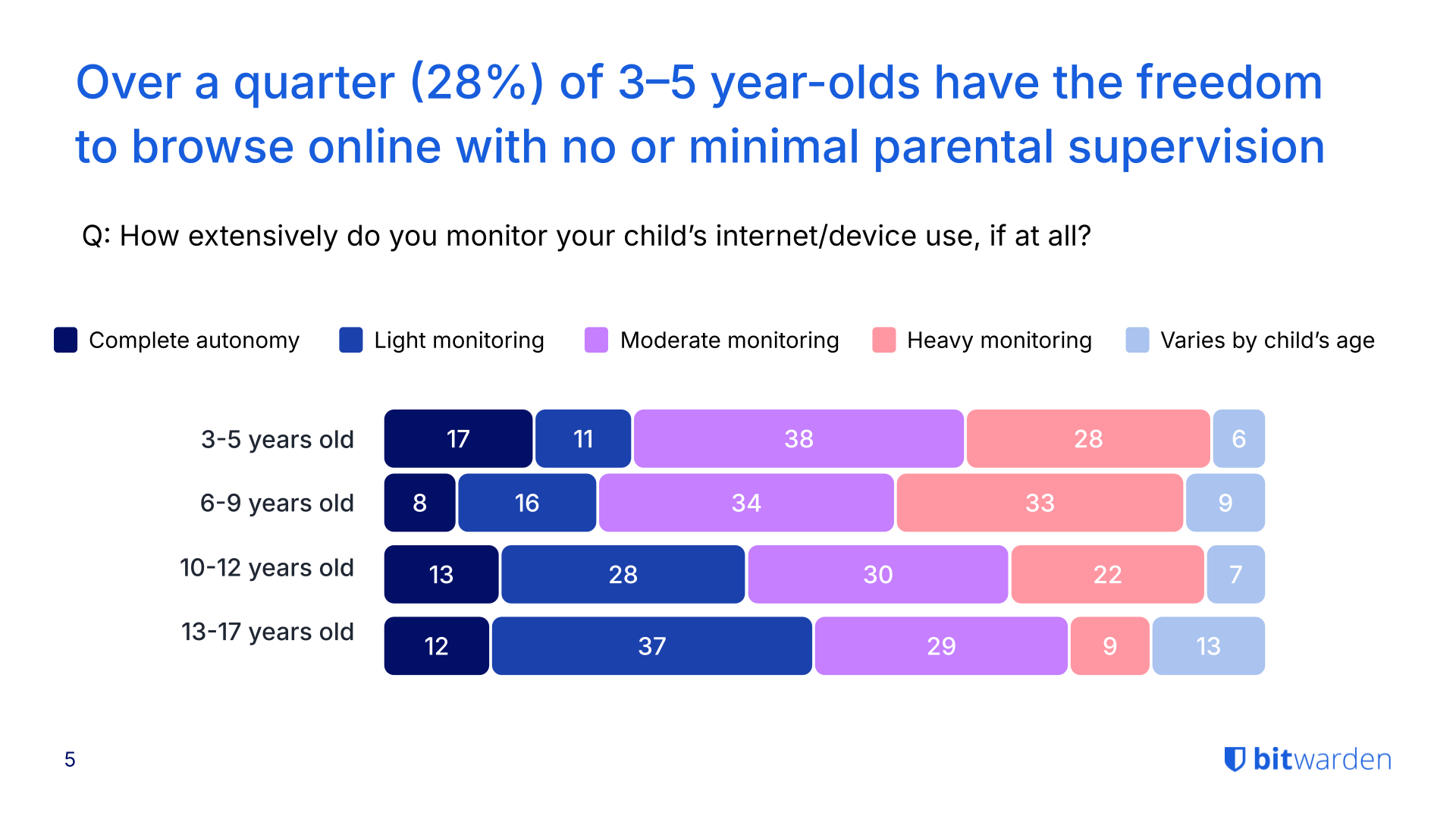
## The Gen Z paradox: highest concern, lowest oversight
Gen Z parents express the most concern about their children's online safety, yet often take the least action to protect them.
- 80% of Gen Z parents fear their kids will fall victim to AI-enhanced online threats—the highest rate across all generations surveyed.
- Despite this concern, 37% of Gen Z parents give their child full autonomy or only lightly monitor their online activity.
- This lack of oversight correlates with the highest incident rates: Gen Z households reported the most malware infections (44%), unauthorized in-app purchases (41%), phishing attempts (40%), and unintentional data sharing (36%).
- 98% of Gen Z parents say they've had conversations with their kids about online safety, but monitoring and enforcement remain inconsistent.
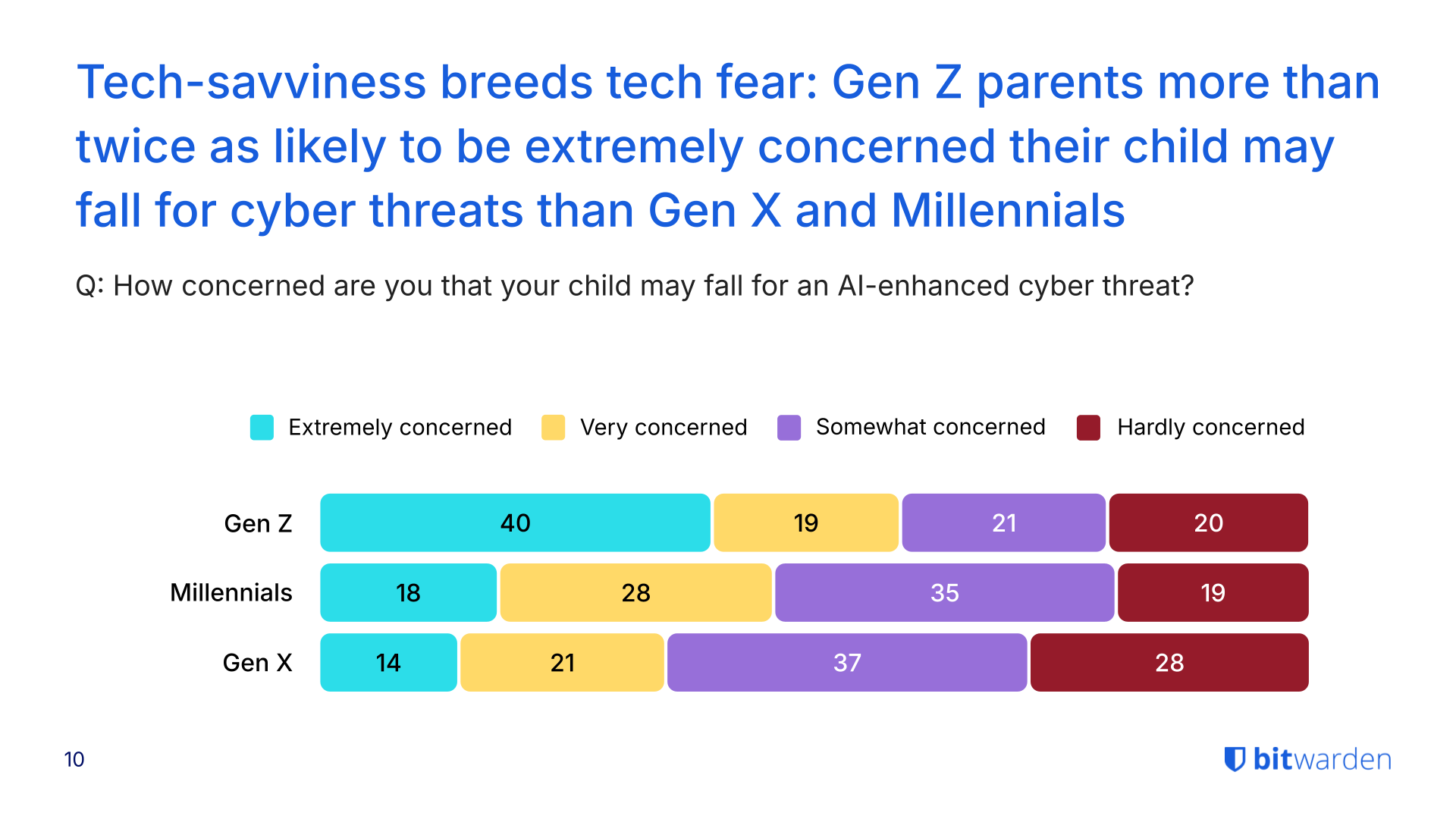
See more findings about the security habits of different generations in the [2025 World Password Day survey](https://bitwarden.com/sv-se/resources/world-password-day/).
## Parents' own security habits create household vulnerabilities
While parents worry about their children's safety, many fail to model secure behavior themselves—creating risks that extend across the entire household. [Previous research](https://bitwarden.com/sv-se/resources/world-password-day/) shows 72% of Gen Z adults reuse passwords despite 79% acknowledging the risks, a habit that compounds family-wide security weaknesses.
- 28% of Gen Z parents admit to sharing passwords verbally or through text or email, methods that leave credentials exposed to interception.
- More than half of Gen Z parents (56%) do not use a password manager, and nearly two-thirds (64%) do not use a VPN for added protection.
- Only 16% of families overall use a password manager with shared vaults to securely manage credentials across the household. Among Gen Z parents, this rises slightly to 25%, still leaving three out of four families without secure credential sharing.
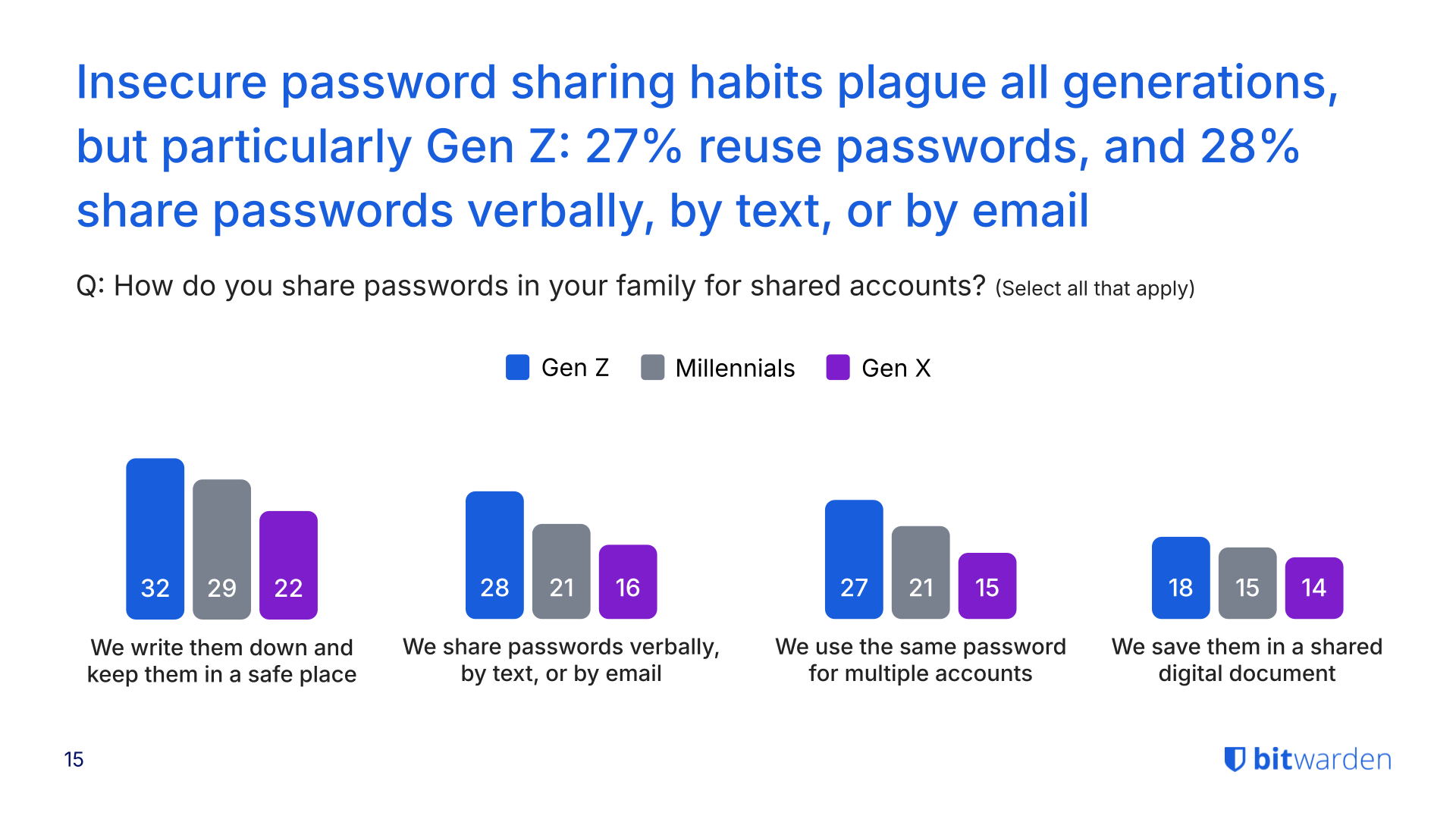
## AI scams heighten risks, but education lags
The rise of generative AI has made online threats harder to detect, yet many families haven't discussed how to spot these sophisticated scams.
- 78% of parents across all households are concerned about their child falling victim to an AI-enhanced scam that mimics voices, crafts personalized messages, or generates convincing phishing content.
- Despite these concerns, nearly half (43%) of parents haven't talked with their kids about how to recognize AI-enabled threats.
- 44% of Gen Z parents report their child or family experiencing malware or a virus from downloads.
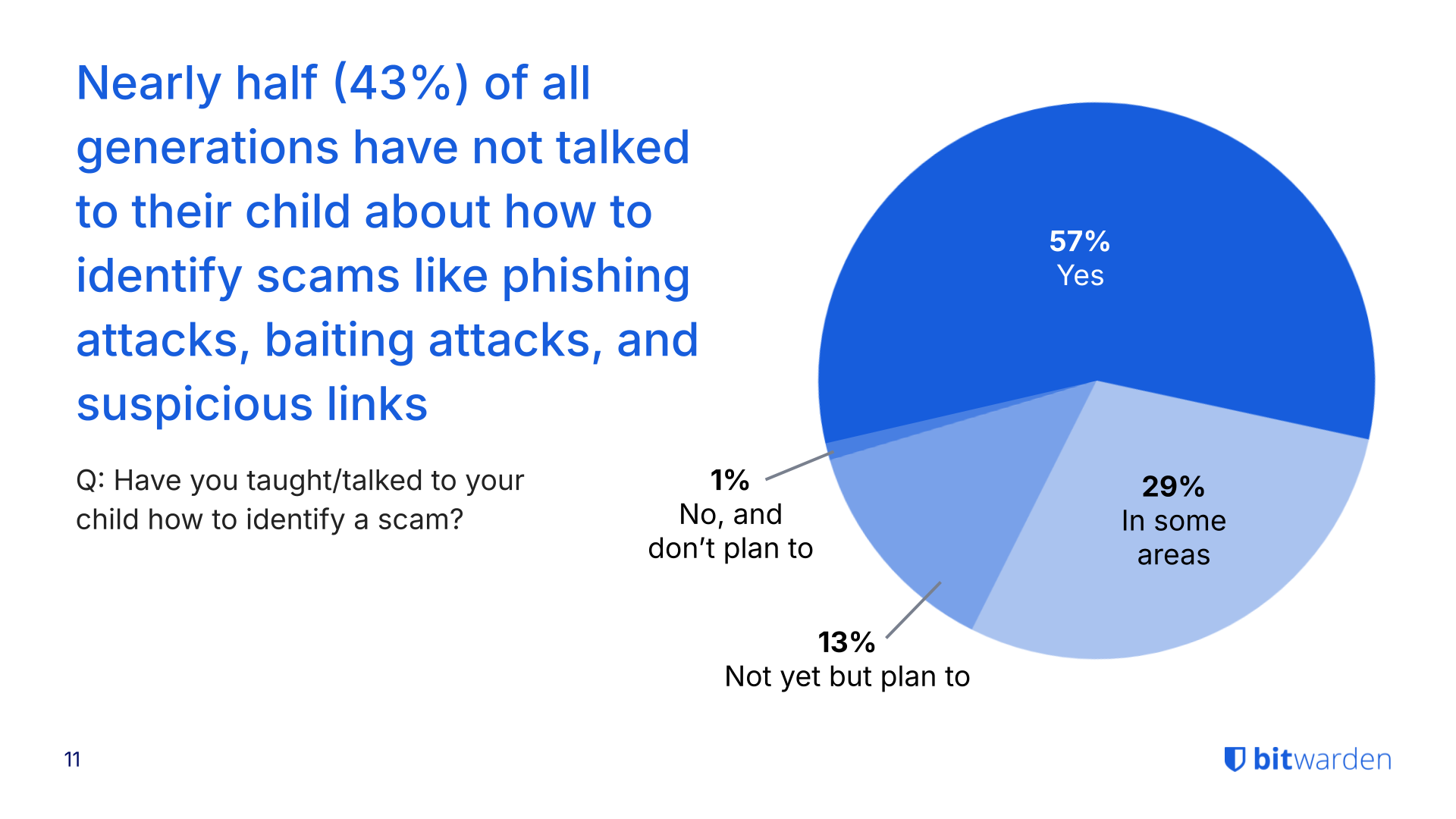
## Få kraftfull, pålitlig lösenordssäkerhet nu. Välj din plan.
## Personlig
### Enskild
**$0**
*per månad*
*Gratis för alltid - inget kreditkort krävs! *
Skaffa ett Bitwarden-valv
- Obegränsat antal enheter
- Hantering av lösenord
- Alla kärnfunktioner
- Alltid gratis
Dela valvobjekt med en annan användare.
[Kom igång idag](https://bitwarden.com/go/start-free/)
---
### Premie
**Less than $1**
*varje år*
*faktureras årligen*
Njut av premiumfunktioner
- Integrerad autentisering
- Bifogade filer
- Nödåtkomst
- Säkerhetsrapporter och mer
Dela valvobjekt med en annan användare
[Skapa ett premiumkonto](https://bitwarden.com/go/start-premium/)
---
### Familjer
**$3.33**
*per månad*
*Upp till 6 användare, 40 USD faktureras årligen*
Säkra dina familjeinloggningar
- 6 premiumkonton
- Obegränsad delning
- Obegränsade samlingar
- Organisationslagring
Dela valvobjekt mellan sex personer
[Starta gratis 7-dagars provperiod](https://bitwarden.com/go/start-families-trial/)
---
Priset visas i USD och baseras på en årsprenumeration. Skatter ingår ej.
## Företag
### Teams
*Robust skydd för team i tillväxt.*
**$4**
*per månad / per användare som faktureras årligen*
Premium features for all accounts, plus:
- Säker datadelning
- Händelseloggövervakning
- Katalogintegrering
- SCIM-stöd
Inkluderar premiumfunktioner för alla användare
[Starta en provversion](https://bitwarden.com/go/start-teams-trial/)
---
### Företag
*Avancerade funktioner för större organisationer*
**$6**
*per månad / per användare som faktureras årligen*
Teams features for all accounts, plus:
- Företagspolicyer
- Lösenordslös SSO
- Kontoåterställning
- Alternativ för självvärd
Inkluderar premiumfunktioner och gratis familjeplan för alla användare
[Starta en provversion](https://bitwarden.com/go/start-enterprise-trial/)
---
### Få en offert
*För företag med hundratals eller tusentals anställda kontakta försäljningen för en anpassad offert och se hur Bitwarden kan:*
- Minska cybersäkerhetsrisken
- Öka produktiviteten
- Integrera sömlöst
Bitwarden skalar med alla företagsstorlekar för att ge din organisation lösenordssäkerhet
[Kontakta försäljning](https://bitwarden.com/contact-sales/)
---
Priset visas i USD och baseras på en årsprenumeration. Skatter ingår ej.
---
URL: https://bitwarden.com/sv-se/resources/cybersecurity-awareness-month-newsletter-october-2021/
---
# Oktober 2021 Spotlight: Cybersecurity Awareness Month
Välkommen till Bitwardens oktobernyhetsbrev, med produkt- och företagsmeddelanden, kommande evenemang och populära sociala fanfavoriter.
---
## Featured Article

It’s [Cybersecurity Awareness Month](https://bitwarden.com/sv-se/blog/cybersecurity-awareness-month-resource-hub/) and we’re celebrating by sharing several resources to help everyone stay safe online! We’ll be posting daily tips on how to #BeCyberSmart, including how to transmit encrypted data securely, enable two-factor authentication across accounts, and more. Follow along in our Cybersecurity Awareness Month** **[Resource Hub](https://bitwarden.com/sv-se/blog/cybersecurity-awareness-month-resource-hub/)**.**
## Enjoying this update? Subscribe today.
*Receive the latest product updates, hand-picked articles, community highlights, and more.*
[Contact form]
## More Bits and Bites

The Service Organization Control 2 or SOC 2 audit demonstrates the use of adequate systems access controls for protecting and securing sensitive data at all times. Evaluation criteria also includes password security. To learn more, [read this article](https://bitwarden.com/sv-se/blog/comply-with-soc-2-password-requirements/).

Craig Pearce, an entrepreneur behind several successful startups, reveals an interesting use case for a password manager. When selling a company, Craig says it’s all about smoothly handing over the keys (or master password).[ Read the Q&A ](https://bitwarden.com/sv-se/blog/q-and-a-with-craig-pearce-entrepreneur/)for more information.

A recent Bitwarden release now supports the use of FIDO2 hardware security keys on mobile for two-step login. You can also set Bitwarden to remember your device for 30 days once your identity is verified through the FIDO2 Webauthn protocols. To learn more, [read the blog](https://bitwarden.com/sv-se/blog/fido2-security-key-support-enabled-for-mobile-clients/).
## Industry News

**A Case of Ransomware “Fowl” Play**
An investigation following a ransomware attack of a farm-service provider revealed several hundred incidents of breached credentials. Some passwords such as ‘chicken1’ were reused several times, allowing hackers to easily gain access. It’s a strong reminder to not “chicken out” on using a password manager with [vault health reports](https://bitwarden.com/sv-se/help/reports/#exposed-passwords-report/) which identify exposed or reused passwords.[ Read this article](https://www.zdnet.com/article/after-ransomware-attack-company-finds-650-breached-credentials-from-new-cooperative-ceo-employees/) for more on the Fowl Ransomware Attack.
## Upcoming Events

[**Live Weekly Demo**](https://bitwarden.com/sv-se/bitwarden-demo/)
Every Wednesday, 9 am PT/ 12 noon ET
Participate in a product tour and open Q&A for the Bitwarden Teams and Enterprise plans. We also offer an [on-demand demo](https://bitwarden.com/sv-se/enterprise-demo/) available 24/7.
## Top Social Fan Favorites
You play an important role in contributing to a world free of breaches and hacks by sharing your knowledge and experience. Here are a couple of recent fan-favorite posts.
[**A Twitter Thread on Making the Switch**](https://twitter.com/Sethran/status/1443376042899607558)

[**A LinkedIn Post Featuring A Familiar Face**](https://www.linkedin.com/feed/update/urn%3Ali%3Aactivity%3A6843612030151233536/?actorCompanyId=24776937)

That’s it for now. Let us know what you think about this newsletter including potential topics you’d like to see.
**Until next time,**
Team Bitwarden
## Få kraftfull, pålitlig lösenordssäkerhet nu. Välj din plan.
## Personlig
### Enskild
**$0**
*per månad*
*Gratis för alltid - inget kreditkort krävs! *
Skaffa ett Bitwarden-valv
- Obegränsat antal enheter
- Hantering av lösenord
- Alla kärnfunktioner
- Alltid gratis
Dela valvobjekt med en annan användare.
[Kom igång idag](https://bitwarden.com/go/start-free/)
---
### Premie
**Less than $1**
*varje år*
*faktureras årligen*
Njut av premiumfunktioner
- Integrerad autentisering
- Bifogade filer
- Nödåtkomst
- Säkerhetsrapporter och mer
Dela valvobjekt med en annan användare
[Skapa ett premiumkonto](https://bitwarden.com/go/start-premium/)
---
### Familjer
**$3.33**
*per månad*
*Upp till 6 användare, 40 USD faktureras årligen*
Säkra dina familjeinloggningar
- 6 premiumkonton
- Obegränsad delning
- Obegränsade samlingar
- Organisationslagring
Dela valvobjekt mellan sex personer
[Starta gratis 7-dagars provperiod](https://bitwarden.com/go/start-families-trial/)
---
Priset visas i USD och baseras på en årsprenumeration. Skatter ingår ej.
## Företag
### Teams
*Robust skydd för team i tillväxt.*
**$4**
*per månad / per användare som faktureras årligen*
Premium features for all accounts, plus:
- Säker datadelning
- Händelseloggövervakning
- Katalogintegrering
- SCIM-stöd
Inkluderar premiumfunktioner för alla användare
[Starta en provversion](https://bitwarden.com/go/start-teams-trial/)
---
### Företag
*Avancerade funktioner för större organisationer*
**$6**
*per månad / per användare som faktureras årligen*
Teams features for all accounts, plus:
- Företagspolicyer
- Lösenordslös SSO
- Kontoåterställning
- Alternativ för självvärd
Inkluderar premiumfunktioner och gratis familjeplan för alla användare
[Starta en provversion](https://bitwarden.com/go/start-enterprise-trial/)
---
### Få en offert
*För företag med hundratals eller tusentals anställda kontakta försäljningen för en anpassad offert och se hur Bitwarden kan:*
- Minska cybersäkerhetsrisken
- Öka produktiviteten
- Integrera sömlöst
Bitwarden skalar med alla företagsstorlekar för att ge din organisation lösenordssäkerhet
[Kontakta försäljning](https://bitwarden.com/contact-sales/)
---
Priset visas i USD och baseras på en årsprenumeration. Skatter ingår ej.
---
URL: https://bitwarden.com/sv-se/resources/cybersecurity-awareness-month/
---
# Cybersäkerhetsmedvetenhetsmånaden
## Enkel cybersäkerhet: 4 steg till onlinesäkerhet
> "Cybersecurity Awareness Month, varje oktober, är ett samarbete mellan myndigheter och privat industri för att öka medvetenheten om digital säkerhet och ge alla möjlighet att skydda sina personuppgifter från digitala former av brott."
- [Nationell cybersäkerhetsallians](https://staysafeonline.org/programs/cybersecurity-awareness-month/)
Följ Bitwarden på [X/Twitter](https://x.com/bitwarden) för att delta i en rolig utmaning varje vecka under Cybersecurity Awareness Month 2024! Dela ett inlägg med din största cybersäkerhetsvisdom och tagga Bitwarden för en chans att vinna en gratis Bitwarden-t-shirt. Fem vinnare utses varje vecka!
#### Bekämpa cyberbrottslighet som Byte Knight och MFA Maven!
[](https://www.youtube.com/watch?v=AimDcu3xz0g)
*[Watch on YouTube](https://www.youtube.com/watch?v=AimDcu3xz0g)*
## Steg 1. Starka och unika lösenord lägger grunden till cybersäkerhet
På en daglig basis loggar den genomsnittliga personen in på någon variant av Instagram, TikTok, [bankappar, ](https://bitwarden.com/sv-se/resources/the-survey-room/#industry-leaders-security-rankings/)jobbkonton, personlig e-post, e-handelssajter och rideshare-konton. Det är rättvist att säga att vi lever i en onlinevärld.
Med användare som delar så mycket information, hur kan de vara säkra? Det är faktiskt enkelt. Att använda starka och unika lösenord hjälper till att skydda dina data. Är du osäker på om dina lösenord är tillräckligt starka? Testa [deras styrka](https://bitwarden.com/sv-se/password-strength/) och lär dig mer om [lösenordshantering](https://bitwarden.com/sv-se/blog/world-password-day-strong-passwords-heroes-internet-security/). Du kan också [komma igång nu](https://bitwarden.com/sv-se/products/personal/) med ett fullt utrustat gratis konto för obegränsade inloggningar på obegränsade enheter.
[](https://vimeo.com/752654111)
*[Watch on Vimeo](https://vimeo.com/752654111)*
## Steg 2. Använd multifaktorautentisering
Tvåfaktorsautentisering (2FA), tvåstegsinloggning eller multifaktorautentisering (MFA) hänvisar till de separata metoderna för att verifiera sin identitet för att komma åt ett konto. Detta kan innefatta att logga in på ett konto med ett lösenord och sedan bekräfta igen med en autentiseringskod. För en mer detaljerad förklaring kolla in det[ här inlägget för ](https://bitwarden.com/sv-se/help/setup-two-step-login/)[topp 10 brännande frågor om 2FA](https://bitwarden.com/sv-se/blog/top-10-burning-questions-on-2fa/) och för mer om olika metoder för 2FA/MFA besök denna hjälpartikel med två steg för inloggning. Enkelt uttryckt erbjuder tvåstegsinloggning det extra skyddslagret som alla behöver.
[](https://vimeo.com/752706739)
*[Watch on Vimeo](https://vimeo.com/752706739)*
> Besök [The Survey Room](https://bitwarden.com/sv-se/resources/the-survey-room/): en samling av lösenordshantering och säkerhetsrelaterade undersökningar och rapporter som spänner över företag och privatpersoner.
## Visste du det?
Passkey 2FA ingår i varje Bitwarden-plan, inklusive gratis! Alla användare kan säkra sitt Bitwarden-konto med en hårdvarusäkerhetsnyckel eller annan [FIDO2 WebAuthn-referensgenerator](https://bitwarden.com/sv-se/blog/fido2-webauthn-2fa-in-all-bitwarden-plans/).
## Steg 3. Håll din programvara uppdaterad
Cybersecurity Awareness Month påminner alla om att hålla koll på programuppdateringar. Vanligtvis kommer uppdateringar att korrigera säkerhetsbrister, ta bort buggar och lägga till funktioner som kan säkra information bättre. Även om det är frestande att avstå från uppdateringarna, kan ett par minuters uppdateringar förhindra timmar av huvudvärk till följd av en stulen identitet.
Programuppdateringar hjälper också till att förhindra [ransomware-attacker](https://bitwarden.com/sv-se/blog/accelerate-ransomware-mitigation-with-password-management/). Vanligtvis försöker lösensumscentrerade cyberbrottslingar utnyttja sårbarheter – inklusive sårbarheter som föråldrad programvara.
[](https://vimeo.com/752707997)
*[Watch on Vimeo](https://vimeo.com/752707997)*
> Läs mer om [#StopRansomware-guiden ](https://bitwarden.com/sv-se/blog/how-password-security-best-practices-safeguard-against-ransomware/)författad av CISA, FBI och National Security Agency (NSA).
## Steg 4. Vet hur du upptäcker ett nätfiskebedrägeri
Lär dig hur du håller dig vaken för nätfiskeattacker, som hänvisar till försöket att lura människor att dela värdefull data eller besöka webbplatser som är infekterade med skadlig programvara. Användare bör kontrollera att e-postmeddelanden kommer från rätt avsändare, hålla muspekaren över länkar för att bekräfta att de går till rätt webbplats och undvika att öppna bilagor från personer de inte känner. Var särskilt försiktig på mobila enheter som inte alltid har möjligheten att hålla muspekaren för att se exakt e-postadress och länkdestinationer.
Med spridningen av generativ AI har nätfiskebedrägerier blivit ännu mer sofistikerade. Lyckligtvis kan verktyg som lösenordshanterare hjälpa. Läs mer om hur [lösenordshanterare hjälper till att förhindra nätfiske](https://bitwarden.com/sv-se/blog/how-password-managers-help-prevent-phishing/).
[](https://vimeo.com/752708367)
*[Watch on Vimeo](https://vimeo.com/752708367)*
## Ytterligare resurser
- [7 steg för att skapa en säker (och privat) profil online](https://bitwarden.com/sv-se/blog/7-steps-to-create-a-secure-and-private-profile-online/)
- [Undersökningsrummet](https://bitwarden.com/sv-se/resources/the-survey-room/)
- [Hackarens guide för att säkra din organisation](https://bitwarden.com/sv-se/go/rachel-tobac-ebook/morningbrew/)
- [Varför företag behöver en lösenordshanterare](https://bitwarden.com/sv-se/resources/why-enterprises-need-a-password-manager/)
- [Vad lösenordslöst adoption innebär för företag](https://bitwarden.com/sv-se/blog/what-passwordless-adoption-means-to-enterprises/)
- [Kvalificerar sig för cyberförsäkring med säker lösenordshantering](https://bitwarden.com/sv-se/resources/qualifying-for-cyber-insurance-with-secure-password-management/)
- [Fördelarna med att erbjuda lösenordshantering som en tjänst](https://bitwarden.com/sv-se/blog/the-benefits-of-offering-password-management-as-a-service/)
- [Lär dig vad experterna säger om Bitwarden](https://bitwarden.com/sv-se/media-spotlight/)
Gå med oss denna månad för medvetenhet om cybersäkerhet för flera X Spaces med Bitwarden-teamet om några spännande cybersäkerhetsämnen! Följ oss på [X/Twitter](https://x.com/bitwarden) så att du inte missar det roliga.
## Få kraftfull, pålitlig lösenordssäkerhet nu. Välj din plan.
## Personlig
### Enskild
**$0**
*per månad*
*Gratis för alltid - inget kreditkort krävs! *
Skaffa ett Bitwarden-valv
- Obegränsat antal enheter
- Hantering av lösenord
- Alla kärnfunktioner
- Alltid gratis
Dela valvobjekt med en annan användare.
[Kom igång idag](https://bitwarden.com/go/start-free/)
---
### Premie
**Less than $1**
*varje år*
*faktureras årligen*
Njut av premiumfunktioner
- Integrerad autentisering
- Bifogade filer
- Nödåtkomst
- Säkerhetsrapporter och mer
Dela valvobjekt med en annan användare
[Skapa ett premiumkonto](https://bitwarden.com/go/start-premium/)
---
### Familjer
**$3.33**
*per månad*
*Upp till 6 användare, 40 USD faktureras årligen*
Säkra dina familjeinloggningar
- 6 premiumkonton
- Obegränsad delning
- Obegränsade samlingar
- Organisationslagring
Dela valvobjekt mellan sex personer
[Starta gratis 7-dagars provperiod](https://bitwarden.com/go/start-families-trial/)
---
Priset visas i USD och baseras på en årsprenumeration. Skatter ingår ej.
## Företag
### Teams
*Robust skydd för team i tillväxt.*
**$4**
*per månad / per användare som faktureras årligen*
Premium features for all accounts, plus:
- Säker datadelning
- Händelseloggövervakning
- Katalogintegrering
- SCIM-stöd
Inkluderar premiumfunktioner för alla användare
[Starta en provversion](https://bitwarden.com/go/start-teams-trial/)
---
### Företag
*Avancerade funktioner för större organisationer*
**$6**
*per månad / per användare som faktureras årligen*
Teams features for all accounts, plus:
- Företagspolicyer
- Lösenordslös SSO
- Kontoåterställning
- Alternativ för självvärd
Inkluderar premiumfunktioner och gratis familjeplan för alla användare
[Starta en provversion](https://bitwarden.com/go/start-enterprise-trial/)
---
### Få en offert
*För företag med hundratals eller tusentals anställda kontakta försäljningen för en anpassad offert och se hur Bitwarden kan:*
- Minska cybersäkerhetsrisken
- Öka produktiviteten
- Integrera sömlöst
Bitwarden skalar med alla företagsstorlekar för att ge din organisation lösenordssäkerhet
[Kontakta försäljning](https://bitwarden.com/contact-sales/)
---
Priset visas i USD och baseras på en årsprenumeration. Skatter ingår ej.
---
URL: https://bitwarden.com/sv-se/resources/data-loss-prevention/
---
# Data loss prevention
What you need to know
---
### What exactly is data loss prevention?
Data Loss Prevention (DLP) refers to strategies and tools designed to identify, monitor, and protect sensitive data from threats like unauthorized disclosure, accidental leakage, or theft. One of the most important aspects is preventing the unauthorized transfer of sensitive information outside of secure environments. This is commonly known as data exfiltration. DLP combines policies and data loss prevention software to prevent data exfiltration.
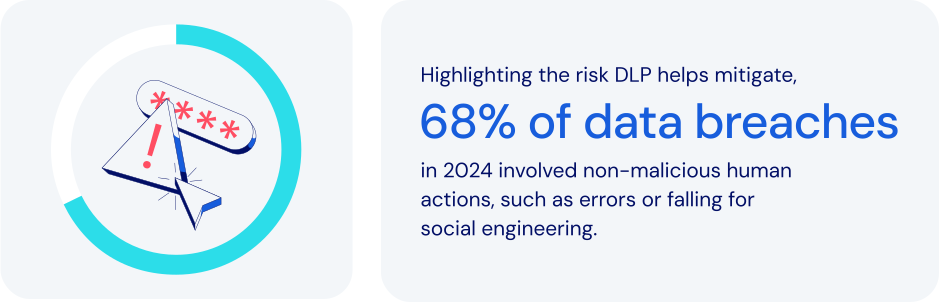
*Source: Verizon 2024 DBIR*
### How does password management fit in here?
Within broader data loss prevention programs, password management secures identities that control access to sensitive data. It helps an organization [secure employee credentials](https://bitwarden.com/sv-se/blog/user-adoption-for-company-password-manager/), manage access to sensitive information, and mitigate human error. Specific features to look for:
- **Centralized credential management:** securely stores credentials in encrypted, centralized vaults. This prevents unauthorized access while minimizing risks from unmanaged accounts.
- **Role-Based Access Control (RBAC):** assigning credentials based on [individual or group roles](https://bitwarden.com/sv-se/blog/easy-secure-sharing-how-to-set-up-user-groups-and-collections/) reduces insider threats by ensuring that employees can only access the specific information they need to get their work done.
- **Secure secrets management:** centralizing critical infrastructure credentials minimizes exposure of sensitive API keys and cloud tokens.
- **Encrypted passwords sharing:** secure methods for [password sharing](https://bitwarden.com/sv-se/blog/password-sharing-best-practices-for-teams/) help prevent exposure risks posed by insecure channels like email or messaging apps.
- **Multi-factor authentication (MFA):** requiring [additional verification](https://bitwarden.com/sv-se/blog/basics-of-two-factor-authentication-with-bitwarden/) adds a crucial layer of security. This significantly reduces the risk of credential theft.
- **Automated offboarding:** immediately revoking access when an employee leaves helps protect against data theft.
- **Audit and activity monitoring:** detailed logging supports incident response and data loss prevention best practices. This helps improve both incident response and compliance efforts.
Together, these features help maximize the effectiveness of Data Loss Prevention. These systems play a vital role by classifying critical data, monitoring its use, and [enforcing policies](https://bitwarden.com/sv-se/help/policies/#what-are-enterprise-policies/) that prevent improper sharing. They also help to ensure compliance with data protection regulations, maintaining confidentiality and safeguarding valuable intellectual property.
### How data loss prevention keeps today’s businesses safer
Using password management to implement Data Loss Prevention is a powerful way to protect against the growing risks posed by cyberthreats, insider breaches, and regulatory compliance pressures. Core data loss prevention best practices enable you to:
- **Protect sensitive information:** many businesses routinely handle sensitive data like [financial records](https://bitwarden.com/sv-se/blog/how-to-better-manage-your-financial-information-in-bitwarden/), customer information, or intellectual property. It’s imperative to safeguard against unauthorized data leakage or theft.
- **Mitigate insider threats:** controlling data access through role-based permissions helps companies reduce the risk of any employee leaking data, either accidentally or intentionally.
- **Prevent cyberattacks:** an important component of any effective security strategy is protection against common breach threats like [phishing](https://bitwarden.com/sv-se/blog/top-types-of-phishing-attacks-to-watch-out-for/), malware, and credential stuffing.
- **Ensure regulatory compliance:** by adhering closely to stringent regulations like GDPR, [HIPAA](https://bitwarden.com/sv-se/blog/why-use-a-hipaa-compliant-password-manager/), and PCI DSS, companies can avoid costly legal penalties.
- **Preserve reputation:** in today’s world, maintaining customer trust and brand integrity are critical factors in ensuring business continuity.
- **Reduce costs:** data breach responses, regulatory fines, and lost productivity are all expenses that any business seeks to avoid.
### How Bitwarden supports data loss prevention
Bitwarden strengthens existing data loss prevention solutions and integrates alongside data loss prevention software by protecting credentials and secrets. Bitwarden helps achieve data loss prevention through a comprehensive set of password management and security solutions. These include:
- [**Zero-knowledge encryption**](https://bitwarden.com/sv-se/blog/end-to-end-encryption-and-zero-knowledge/)**:** complements DLP software by ensuring only authorized users can decrypt credentials tied to sensitive workflows..
- **Centralized credential vaults:** prevents credentials from being fragmented and exposed across insecure locations.
- **Advanced access control:** restricts credentials based on employee roles and responsibilities, minimizing over-permissioning.
- **Secure credential sharing:** facilitates encrypted and time-limited credential sharing, eliminating many unsafe sharing practices.
- **Proactive security monitoring:** quickly [alerts users about compromised credentials](https://bitwarden.com/sv-se/blog/introducing-bitwarden-access-intelligence-proactive-security-protection/), encouraging timely password rotations to prevent unauthorized data access.
- **Comprehensive audit trails:** logging credential access attempts, password changes, and unusual activity directly supports compliance audits and forensic investigations.
- **Robust MFA integration:** strengthens login processes, ensuring only verified users can gain access to critical data.
- **Automated credential management:** automates employee onboarding, succession, and transitions, to align with DLP best practices.
### The bottom line
Now more than ever, organizations need to take a proactive approach toward securing their sensitive data. It’s critical to minimize the risk of external cyberthreats, insider breaches, and regulatory compliance pressures.
Bitwarden offers a powerful, user-friendly platform with a robust feature set. Together, these tools can significantly strengthen Data Loss Prevention efforts while preventing data exfiltration. Just one more reason Bitwarden is regarded as the most trusted name in password management.
### What makes Bitwarden stand out from the pack?
Bitwarden uniquely enables customers to implement effective Data Loss Prevention strategies through an intelligent combination of:
- A user-friendly approach and coverage across all devices, to enhance broad employee adoption for maximum protection.
- Companies can choose from a wide variety of policies and deployment configurations designed to protect sensitive information. Options range from highly centralized to [more flexible approaches](https://bitwarden.com/sv-se/blog/new-deployment-option-for-self-hosting-bitwarden/).
- An option for centralized data ownership provides utmost protection and continuity for large organizations.
## Få kraftfull, pålitlig lösenordssäkerhet nu. Välj din plan.
## Personlig
### Enskild
**$0**
*per månad*
*Gratis för alltid - inget kreditkort krävs! *
Skaffa ett Bitwarden-valv
- Obegränsat antal enheter
- Hantering av lösenord
- Alla kärnfunktioner
- Alltid gratis
Dela valvobjekt med en annan användare.
[Kom igång idag](https://bitwarden.com/go/start-free/)
---
### Premie
**Less than $1**
*varje år*
*faktureras årligen*
Njut av premiumfunktioner
- Integrerad autentisering
- Bifogade filer
- Nödåtkomst
- Säkerhetsrapporter och mer
Dela valvobjekt med en annan användare
[Skapa ett premiumkonto](https://bitwarden.com/go/start-premium/)
---
### Familjer
**$3.33**
*per månad*
*Upp till 6 användare, 40 USD faktureras årligen*
Säkra dina familjeinloggningar
- 6 premiumkonton
- Obegränsad delning
- Obegränsade samlingar
- Organisationslagring
Dela valvobjekt mellan sex personer
[Starta gratis 7-dagars provperiod](https://bitwarden.com/go/start-families-trial/)
---
Priset visas i USD och baseras på en årsprenumeration. Skatter ingår ej.
## Företag
### Teams
*Robust skydd för team i tillväxt.*
**$4**
*per månad / per användare som faktureras årligen*
Premium features for all accounts, plus:
- Säker datadelning
- Händelseloggövervakning
- Katalogintegrering
- SCIM-stöd
Inkluderar premiumfunktioner för alla användare
[Starta en provversion](https://bitwarden.com/go/start-teams-trial/)
---
### Företag
*Avancerade funktioner för större organisationer*
**$6**
*per månad / per användare som faktureras årligen*
Teams features for all accounts, plus:
- Företagspolicyer
- Lösenordslös SSO
- Kontoåterställning
- Alternativ för självvärd
Inkluderar premiumfunktioner och gratis familjeplan för alla användare
[Starta en provversion](https://bitwarden.com/go/start-enterprise-trial/)
---
### Få en offert
*För företag med hundratals eller tusentals anställda kontakta försäljningen för en anpassad offert och se hur Bitwarden kan:*
- Minska cybersäkerhetsrisken
- Öka produktiviteten
- Integrera sömlöst
Bitwarden skalar med alla företagsstorlekar för att ge din organisation lösenordssäkerhet
[Kontakta försäljning](https://bitwarden.com/contact-sales/)
---
Priset visas i USD och baseras på en årsprenumeration. Skatter ingår ej.
---
URL: https://bitwarden.com/sv-se/resources/december-2023-spotlight-happy-new-year-from-bitwarden/
---
# December 2023 Spotlight: Gott nytt år från Bitwarden!
Läs decembers nyhetsbrev för de senaste Bitwarden-uppdateringarna
---
## Featured Highlights
**Reflecting on 2023: A Year of Security Milestones**
Many new features and milestones were made possible with support from the Bitwarden Community. Here are some highlights:
Bitwarden Password Manager
- [Bitwarden on Apple Watch](https://bitwarden.com/sv-se/help/apple-watch-totp/)
. Use Apple Watch to access TOTP login codes
- [SSO with trusted devices](https://bitwarden.com/sv-se/help/about-trusted-devices/)
. Authenticate using SSO and decrypt your vault without entering a master password
- [Save passkeys to your vault](https://bitwarden.com/sv-se/help/storing-passkeys/)
. Store and log in with passkeys using the Bitwarden browser extension
- [FIDO2 WebAuthn now a free two-step login option](https://bitwarden.com/sv-se/help/setup-two-step-login-fido/)
. Every Bitwarden user can now use passkeys and hardware keys as 2FA
Bitwarden Secrets Manager
- [Support for self-hosting](https://bitwarden.com/sv-se/help/manage-your-secrets-org/#self-hosting/)
. Enterprise organizations can now self-host Secrets Manager
- [New event log view](https://bitwarden.com/sv-se/help/service-accounts/#service-account-events/)
. Directly access event logs from the service accounts view
- [Additional SDKs](https://github.com/bitwarden/sdk-sm/tree/main/languages)
. Execute custom operations with your preferred development language
**New Year, New Features: What's in Store for January? **
Heading into January here’s what to expect:
Bitwarden Password Manager
- Inline auto-fill
- Login with passkeys
- Browser account switching
Bitwarden Secrets Manager
- Ansible integration
## Enjoying this update? Subscribe today.
*Receive the latest product updates, hand-picked articles, community highlights, and more.*
[Contact form]
## More Bits and Bites
Is improving digital security part of your New Year’s resolution? Here are a few article suggestions to start the year right:
[Cybersecurity tips for employees](https://bitwarden.com/sv-se/blog/cybersecurity-tips-for-employees/)
The average employee likely stores, manages, and transmits large amounts of data throughout the day. This might be done via email or when logging into enterprise-wide applications. Given that, employees are often a prime target for cybercriminals. This article provides a few simple and straightforward [cybersecurity tips](https://bitwarden.com/sv-se/blog/cybersecurity-tips-for-employees/) for employees to help them stay safe online.
[How to share sensitive information securely](https://bitwarden.com/sv-se/blog/how-to-share-sensitive-information-securely/)
From passwords, identities, credit cards, and more, your password manager has you covered for creating and saving strong and unique passwords. However, many password managers can do quite a bit more. Not only can you store that sensitive information, you can also share it with colleagues, family, friends, and just about anyone who needs it. Read this [brief guide](https://bitwarden.com/sv-se/blog/how-to-share-sensitive-information-securely/) on utilizing Bitwarden Send.
[The most effective strategy for achieving password strength](https://bitwarden.com/sv-se/blog/the-most-effective-strategy-for-achieving-password-strength/)
While coming up with a strong and unique password may sound straightforward enough, it can be a challenge when creating passwords for tens and in some cases, hundreds, of accounts and applications. This blog post discusses [solutions available for the security-conscious](https://bitwarden.com/sv-se/blog/the-most-effective-strategy-for-achieving-password-strength/) to gauge the strength of their passwords
[Self-host Bitwarden in Kubernetes](https://bitwarden.com/sv-se/blog/self-host-bitwarden-in-kubernetes/)
Kubernetes has become a cornerstone in modern cloud computing, able to orchestrate complex container architectures efficiently. Learn about how customers can add Bitwarden to their Kubernetes deployment in this [article](https://bitwarden.com/sv-se/blog/self-host-bitwarden-in-kubernetes/).
## Community Spotlight
**Best of the Bitwarden Community in 2023**
Bitwarden values the contributions of the community. Here are a few posts that stood out in the past year.
Community member [u/Altruistic_Garlic_51](https://www.reddit.com/user/Altruistic_Garlic_51/) describes how the Bitwarden password history feature saved their day.
[](https://www.reddit.com/r/Bitwarden/comments/14jiaga/today_bw_saved_my_life/)
*Today BW saved my life*
Bitwarden authenticator or a separate app? This Reddit user discusses both two options and comes to a smart conclusion for everyone - add 2FA for all your accounts!
[](https://www.reddit.com/r/Bitwarden/comments/10qfts6/on_using_bitwarden_for_totp/)
*Using BW for TOTP*
You’ve been hacked - what next? In this [post](https://www.reddit.com/r/Bitwarden/comments/14b6wlw/so_you_think_you_have_been_hacked/), Reddit user [djasonpenney](https://www.reddit.com/user/djasonpenney/) discusses how to handle potential hacking incidents.
[](https://www.reddit.com/r/Bitwarden/comments/14b6wlw/so_you_think_you_have_been_hacked/)
*So you think you have been hacked*
## Bitwarden 101
Check out [Bitwarden 101](https://bitwarden.com/sv-se/learning/#tag:bitwarden-101/) for a short video series on how to get started with Bitwarden Password Manager as an administrator or end user.
We'd like to thank the Bitwarden Community for helping us rank first in the Summer and Fall 2023 Enterprise Grid Report. If you would like to leave an honest review (and receive a $25 Amazon gift card in return), you can do so [here](https://www.g2.com/contributor/bitwarden-vendor?secure%5Bpage_id%5D=bitwarden-vendor&secure%5Brewards%5D=true&secure%5Btoken%5D=31838aa378af8204ed6f2811cb4f5dbce9e9ac3231c4065a2693ae8a6d8a68c1).
## Join an Upcoming Event
- [**Vault Hours**](https://www.crowdcast.io/c/vault-hours-37)
**January 26 at 8 am PST**
Live conversations, feedback, and questions with the Bitwarden team.
That’s it for now. For more product updates and online security tips, visit the Bitwarden [blog](https://bitwarden.com/sv-se/blog/).
**Until next time,**
Team Bitwarden
## Hi readers!
Take this [two-minute](https://forms.bitwarden.com/newsletter) survey to help us improve the monthly Bitwarden Newsletter and deliver the information you care most about.
## Få kraftfull, pålitlig lösenordssäkerhet nu. Välj din plan.
## Personlig
### Enskild
**$0**
*per månad*
*Gratis för alltid - inget kreditkort krävs! *
Skaffa ett Bitwarden-valv
- Obegränsat antal enheter
- Hantering av lösenord
- Alla kärnfunktioner
- Alltid gratis
Dela valvobjekt med en annan användare.
[Kom igång idag](https://bitwarden.com/go/start-free/)
---
### Premie
**Less than $1**
*varje år*
*faktureras årligen*
Njut av premiumfunktioner
- Integrerad autentisering
- Bifogade filer
- Nödåtkomst
- Säkerhetsrapporter och mer
Dela valvobjekt med en annan användare
[Skapa ett premiumkonto](https://bitwarden.com/go/start-premium/)
---
### Familjer
**$3.33**
*per månad*
*Upp till 6 användare, 40 USD faktureras årligen*
Säkra dina familjeinloggningar
- 6 premiumkonton
- Obegränsad delning
- Obegränsade samlingar
- Organisationslagring
Dela valvobjekt mellan sex personer
[Starta gratis 7-dagars provperiod](https://bitwarden.com/go/start-families-trial/)
---
Priset visas i USD och baseras på en årsprenumeration. Skatter ingår ej.
## Företag
### Teams
*Robust skydd för team i tillväxt.*
**$4**
*per månad / per användare som faktureras årligen*
Premium features for all accounts, plus:
- Säker datadelning
- Händelseloggövervakning
- Katalogintegrering
- SCIM-stöd
Inkluderar premiumfunktioner för alla användare
[Starta en provversion](https://bitwarden.com/go/start-teams-trial/)
---
### Företag
*Avancerade funktioner för större organisationer*
**$6**
*per månad / per användare som faktureras årligen*
Teams features for all accounts, plus:
- Företagspolicyer
- Lösenordslös SSO
- Kontoåterställning
- Alternativ för självvärd
Inkluderar premiumfunktioner och gratis familjeplan för alla användare
[Starta en provversion](https://bitwarden.com/go/start-enterprise-trial/)
---
### Få en offert
*För företag med hundratals eller tusentals anställda kontakta försäljningen för en anpassad offert och se hur Bitwarden kan:*
- Minska cybersäkerhetsrisken
- Öka produktiviteten
- Integrera sömlöst
Bitwarden skalar med alla företagsstorlekar för att ge din organisation lösenordssäkerhet
[Kontakta försäljning](https://bitwarden.com/contact-sales/)
---
Priset visas i USD och baseras på en årsprenumeration. Skatter ingår ej.
---
URL: https://bitwarden.com/sv-se/resources/delivery-startup-glovo-on-password-management-newsletter-january-2022/
---
# Januari 2022 Spotlight: Leveransstart Glovo på lösenordshantering
Välkommen till Bitwardens nyhetsbrev för januari, med produkt- och företagsmeddelanden, kommande evenemang och populära sociala fanfavoriter.
---
## Featured Article

Delivery Startup Glovo realized they had a problem with weak passwords throughout their organization. Implementing password complexity requirements led to the unsecure practice of writing passwords down. [Read the article](https://bitwarden.com/sv-se/blog/high-growth-delivery-startup-glovo-boosts-password-security-compliance/) to learn how Glovo overcame these security challenges and made their password management more secure by implementing Bitwarden.
## Enjoying this update? Subscribe today.
*Receive the latest product updates, hand-picked articles, community highlights, and more.*
[Contact form]
## Event Recap

Thank you to everyone who joined us for the second annual Open Source Security Summit! Audience members heard great insights from industry leaders Tutanota and Mattermost, captivating conversations with celebrity guests Steve Wozniak, Nicole Perlroth, and Bruce Schneier, and passionate, informative conversations with experts about the intersection of open source software and security. If you missed the summit, [check out our recap](https://bitwarden.com/sv-se/blog/open-source-security-summit-2021-recap/) and watch some of the recordings.
## More Bits and Bites

Bitwarden now provides complimentary families plans to employees on an enterprise plan, enabling them to bring password security home to their loved ones. [Learn more about it here](https://bitwarden.com/sv-se/blog/how-to-protect-your-family-with-bitwarden-password-manager/).

While you can take steps to secure your sensitive data online at any time, these holidays help keep cybersecurity top of mind throughout the year. [Check out the 2022 Cybersecurity Awareness Holidays](https://bitwarden.com/sv-se/blog/cybersecurity-awareness-holidays/) and mark your calendars!

Two-factor authentication (2FA) is sometimes referred to as two-step login, two-step verification, or multi-factor authentication. Regardless of the name, the process involves using more than one method to unlock an account. If you're ready to add 2FA as an added security step for your accounts, [here are ten burning questions answered.](https://bitwarden.com/sv-se/blog/top-10-burning-questions-on-2fa/)
## Industry News

**More than 90% of IT decision makers reuse passwords**
A significant majority of IT professionals use the same password across multiple sites, and over half share passwords with colleagues over email. A survey of over 400 IT decision makers highlighted password management practices and perceptions about password security. [Read the article](https://www.techcentral.ie/more-than-90-of-it-decision-makers-reuse-passwords/) to learn more.
## Top Social Fan Favorites
You play an important role in contributing to a world free of breaches and hacks by sharing your knowledge and experience. Here are a couple of recent fan-favorite posts.
[**Why 2FA Matters**](https://www.reddit.com/r/Bitwarden/comments/ryywcm/when_does_2fa_matter_if_you_have_secure_passwords/)

That’s it for now. Let us know what you think about this newsletter including potential topics you’d like to see.
**Until next time,**
Team Bitwarden
## Få kraftfull, pålitlig lösenordssäkerhet nu. Välj din plan.
## Personlig
### Enskild
**$0**
*per månad*
*Gratis för alltid - inget kreditkort krävs! *
Skaffa ett Bitwarden-valv
- Obegränsat antal enheter
- Hantering av lösenord
- Alla kärnfunktioner
- Alltid gratis
Dela valvobjekt med en annan användare.
[Kom igång idag](https://bitwarden.com/go/start-free/)
---
### Premie
**Less than $1**
*varje år*
*faktureras årligen*
Njut av premiumfunktioner
- Integrerad autentisering
- Bifogade filer
- Nödåtkomst
- Säkerhetsrapporter och mer
Dela valvobjekt med en annan användare
[Skapa ett premiumkonto](https://bitwarden.com/go/start-premium/)
---
### Familjer
**$3.33**
*per månad*
*Upp till 6 användare, 40 USD faktureras årligen*
Säkra dina familjeinloggningar
- 6 premiumkonton
- Obegränsad delning
- Obegränsade samlingar
- Organisationslagring
Dela valvobjekt mellan sex personer
[Starta gratis 7-dagars provperiod](https://bitwarden.com/go/start-families-trial/)
---
Priset visas i USD och baseras på en årsprenumeration. Skatter ingår ej.
## Företag
### Teams
*Robust skydd för team i tillväxt.*
**$4**
*per månad / per användare som faktureras årligen*
Premium features for all accounts, plus:
- Säker datadelning
- Händelseloggövervakning
- Katalogintegrering
- SCIM-stöd
Inkluderar premiumfunktioner för alla användare
[Starta en provversion](https://bitwarden.com/go/start-teams-trial/)
---
### Företag
*Avancerade funktioner för större organisationer*
**$6**
*per månad / per användare som faktureras årligen*
Teams features for all accounts, plus:
- Företagspolicyer
- Lösenordslös SSO
- Kontoåterställning
- Alternativ för självvärd
Inkluderar premiumfunktioner och gratis familjeplan för alla användare
[Starta en provversion](https://bitwarden.com/go/start-enterprise-trial/)
---
### Få en offert
*För företag med hundratals eller tusentals anställda kontakta försäljningen för en anpassad offert och se hur Bitwarden kan:*
- Minska cybersäkerhetsrisken
- Öka produktiviteten
- Integrera sömlöst
Bitwarden skalar med alla företagsstorlekar för att ge din organisation lösenordssäkerhet
[Kontakta försäljning](https://bitwarden.com/contact-sales/)
---
Priset visas i USD och baseras på en årsprenumeration. Skatter ingår ej.
---
URL: https://bitwarden.com/sv-se/resources/developers-secrets-management-poll/
---
# Developer Secrets Management Poll
Utvecklare och DevOps-team ser utbredda hemligheter som säkerhetshot.
---
## About the poll
Bitwarden surveyed over 100 developers to gain insights into their practices, challenges, and concerns regarding secrets management and protecting machine-to-machine credentials at scale. The results of this poll illustrate the rapidly growing developer need for secrets management to help protect privileged credentials and prevent data breaches.

Reducing secrets sprawl – which occurs as microservices and tech stacks expand – is also a common reason for developers and DevOps teams to adopt a secrets management solution. With a secrets manager, organizations can centrally secure, manage, and access secrets and other developer credentials, thereby reducing secrets sprawl across development ecosystems.

[**Download the slide deck**](https://docs.google.com/presentation/d/1CXvKo0XAYD5LiFGzMz_KDrfQT9kRptzpMawd9wpl0Us/edit#slide=id.g25ee0b25c36_0_110) to view the full results.
Managing secrets with a dedicated solution saves time and mitigates risks in various developer processes. By incorporating secrets management, organizations can further streamline operations and regain valuable time while ensuring a higher level of security.
**Visit**[**bitwarden.com/secrets**](https://bitwarden.com/sv-se/secrets/)**to learn more.**
## Få kraftfull, pålitlig lösenordssäkerhet nu. Välj din plan.
## Personlig
### Enskild
**$0**
*per månad*
*Gratis för alltid - inget kreditkort krävs! *
Skaffa ett Bitwarden-valv
- Obegränsat antal enheter
- Hantering av lösenord
- Alla kärnfunktioner
- Alltid gratis
Dela valvobjekt med en annan användare.
[Kom igång idag](https://bitwarden.com/go/start-free/)
---
### Premie
**Less than $1**
*varje år*
*faktureras årligen*
Njut av premiumfunktioner
- Integrerad autentisering
- Bifogade filer
- Nödåtkomst
- Säkerhetsrapporter och mer
Dela valvobjekt med en annan användare
[Skapa ett premiumkonto](https://bitwarden.com/go/start-premium/)
---
### Familjer
**$3.33**
*per månad*
*Upp till 6 användare, 40 USD faktureras årligen*
Säkra dina familjeinloggningar
- 6 premiumkonton
- Obegränsad delning
- Obegränsade samlingar
- Organisationslagring
Dela valvobjekt mellan sex personer
[Starta gratis 7-dagars provperiod](https://bitwarden.com/go/start-families-trial/)
---
Priset visas i USD och baseras på en årsprenumeration. Skatter ingår ej.
## Företag
### Teams
*Robust skydd för team i tillväxt.*
**$4**
*per månad / per användare som faktureras årligen*
Premium features for all accounts, plus:
- Säker datadelning
- Händelseloggövervakning
- Katalogintegrering
- SCIM-stöd
Inkluderar premiumfunktioner för alla användare
[Starta en provversion](https://bitwarden.com/go/start-teams-trial/)
---
### Företag
*Avancerade funktioner för större organisationer*
**$6**
*per månad / per användare som faktureras årligen*
Teams features for all accounts, plus:
- Företagspolicyer
- Lösenordslös SSO
- Kontoåterställning
- Alternativ för självvärd
Inkluderar premiumfunktioner och gratis familjeplan för alla användare
[Starta en provversion](https://bitwarden.com/go/start-enterprise-trial/)
---
### Få en offert
*För företag med hundratals eller tusentals anställda kontakta försäljningen för en anpassad offert och se hur Bitwarden kan:*
- Minska cybersäkerhetsrisken
- Öka produktiviteten
- Integrera sömlöst
Bitwarden skalar med alla företagsstorlekar för att ge din organisation lösenordssäkerhet
[Kontakta försäljning](https://bitwarden.com/contact-sales/)
---
Priset visas i USD och baseras på en årsprenumeration. Skatter ingår ej.
---
URL: https://bitwarden.com/sv-se/resources/easy-export-access-import-encrypted-backups-newsletter-october-2022/
---
# Oktober 2022 Spotlight: Nya säkerhetskopieringsalternativ för ditt Bitwarden-valv
I den här månadens nummer kan du lära dig hur du drar fördel av ytterligare alternativ för att säkerhetskopiera ditt Bitwarden-valv och utforska resultaten för lösenordssäkerhetsrankningen för de fem bästa e-handelssajterna i USA.
---
## Featured Highlights

For the second consecutive year, Bitwarden has been recognized as a gold medalist and leader in the [Password Management Data Quadrant report](https://bitwarden.com/sv-se/blog/bitwarden-earns-gold-medal-in-2022-password-management-data-quadrant-report/) from SoftwareReviews, a division of IT research and advisory firm Info-Tech Research Group. The award is based on the collective knowledge of real users, and placement is based on user satisfaction with product features, vendor experience, capabilities, and emotional sentiment.

Bitwarden partnered with Propeller Insights to poll 800 independent IT decision-makers across a variety of industries who play a key role in enterprise purchasing decisions. This year’s findings illustrate several themes including how cybersecurity concerns are influencing business decisions. Additionally, results revealed that passwordless technology is making its foray into business workflows, with 49% either deploying or having plans to deploy passwordless technology. [Read the summary](https://bitwarden.com/sv-se/blog/password-decisions-survey-2023/) for more 2023 Password Decisions Survey insights.
## Enjoying this update? Subscribe today.
*Receive the latest product updates, hand-picked articles, community highlights, and more.*
[Contact form]
## More Bits and Bites
[**Industry Leaders Security Rankings: Personal Email Services Edition**](https://bitwarden.com/sv-se/blog/industry-leaders-security-rankings-personal-email-services-edition/)
Nearly everyone uses a personal email service, which is why it’s particularly important that email services support the use of strong and unique passwords. Bitwarden recently examined the top five personal email services ranked by total volume of users (they are Gmail, Yahoo! Mail, Microsoft Outlook, iCloud, and AOL). Read [the results](https://bitwarden.com/sv-se/blog/industry-leaders-security-rankings-personal-email-services-edition/) to find out if your personal email service is password-friendly.
[**Industry Leaders Security Rankings: Health and Fitness Apps Edition**](https://bitwarden.com/sv-se/blog/industry-leaders-security-rankings-health-and-fitness-apps/)
Research and Markets recently predicted that the fitness app market will grow to $23.98 billion by 2026, which is why it is so critical that fitness applications take the necessary steps now to protect consumer data. Bitwarden recently examined the password security methods of the top five health and fitness apps, as ranked by app usage (they are Nike Run Club, Planet Fitness, Calm, Fitbit, and My Fitness Pal). Check out [the results](https://bitwarden.com/sv-se/blog/industry-leaders-security-rankings-health-and-fitness-apps/) to see how your fitness app ranked.
[**Developers Weigh in on Password Best Practices**](https://bitwarden.com/sv-se/blog/developers-password-best-practices/)
Developers comprise a special breed of inquisitive problem-solvers. Their deep systems knowledge gives them an acute awareness of the cyberthreats around us and how to protect themselves against data breaches and identity theft. Who better, then, to share password security advice? See how a community of developers [answered the question](https://bitwarden.com/sv-se/blog/developers-password-best-practices/), “What do you know about password security that you'd like others to know as well?”
[**Five Best Practices for Business Password Management**](https://bitwarden.com/sv-se/blog/five-best-practices-for-password-management/)
While many organizations are striving to make cybersecurity a top priority, a key part of that effort involves educating and empowering general users about password security best practices. One of the easiest ways to enable good password hygiene is to deploy a strong password management solution across your organization. Dive into the top password [security best practices](https://bitwarden.com/sv-se/blog/five-best-practices-for-password-management/) for the workplace.
[**How to use the Bitwarden data breach report**](https://bitwarden.com/sv-se/blog/how-to-use-the-data-breach-report-in-bitwarden/)
Hackers are always finding new ways to break into accounts, which means data breaches are becoming the norm. According to Firewall Times, there were over 130 companies compromised in August 2022 alone. Thankfully, Bitwarden has a handy report to help keep you up to date with data breaches that may put your online data at risk. Learn how the [data breach report](https://bitwarden.com/sv-se/blog/how-to-use-the-data-breach-report-in-bitwarden/) works.
[**Why spend your remaining IT budget on a company password manager**](https://bitwarden.com/sv-se/blog/why-your-it-budget-should-be-used-on-a-company-password-manager/)
Introducing password security to your company is an important investment to safeguard your sensitive credentials, protecting the IT team, executives and all employees. Read [the article](https://bitwarden.com/sv-se/blog/why-your-it-budget-should-be-used-on-a-company-password-manager/) to discover the value of a company password manager and how you can put that remaining budget to use now and planahead for next year.
## Community Spotlight
There is nothing we appreciate more than seeing Bitwarden community members help other users by answering their questions or offering best practice tips. Here is a recent exchange from members of the Bitwarden community on Reddit:
**u/sanjosanjo** on Reddit asked:
“Family plan with up to 6 users: does that mean 6 different vaults?”
**u/djasonpenney** responded with:
“A Family is essentially an [Organization](https://bitwarden.com/sv-se/help/getting-started-organizations/) with six members. With a Free or Premium plan you create a very limited Organization that allows you to share with one other person.
The basic element of sharing is a Collection. You move a vault entry into a Collection, and then people you have shared that Collection with can see that entry.”
Huge shout out to **u/djasonpenney**for helping others get the most out of Bitwarden!
Visit [bitwarden.com/getinvolved](https://bitwarden.com/sv-se/http://bitwarden.com/getinvolved/) to learn more ways you can get involved in the Bitwarden community, and be sure to [subscribe](https://bitwarden.com/sv-se/help/releasenotes/#release-announcements/) to get product updates delivered straight to your inbox.
## Upcoming Events

Join us to explore advancements in open source security and how using such tools can build trust with customers and consumers. For the third annual Open Source Security Summit, we will bring together users, business leaders, and industry visionaries to chart a path forward and highlight the future of open source security solutions. [Register now](https://hopin.com/events/open-source-security-summit-2022/registration) for this free virtual event!
**More Upcoming Events**
- [Bitwarden Brilliance: CLI Installation & Encrypted Backups](https://www.twitch.tv/BitwardenLive): 12/1 @ 12 pm EDT
- [Monthly Vault Hours](https://www.crowdcast.io/e/bitwarden-vault-hours-30): 12/2 @ 12 pm EDT
- [Weekly Live Demo](https://bitwarden.com/sv-se/bitwarden-demo/): Every Wednesday at 12 pm EDT
- [2022 Bitwarden Developer Forum](https://www.crowdcast.io/e/2022bitwardendevforum/register): 12/15 @ 12 pm ET
That’s it for now. Let us know what you think about this newsletter including potential topics you’d like to see.
**Until next time,**
Team Bitwarden
## Bitwarden is Certified as a Best Place to Work in 2022!
Interested in joining the Bitwarden team? Visit [our careers page](https://bitwarden.com/sv-se/careers/) to explore open roles.
## Få kraftfull, pålitlig lösenordssäkerhet nu. Välj din plan.
## Personlig
### Enskild
**$0**
*per månad*
*Gratis för alltid - inget kreditkort krävs! *
Skaffa ett Bitwarden-valv
- Obegränsat antal enheter
- Hantering av lösenord
- Alla kärnfunktioner
- Alltid gratis
Dela valvobjekt med en annan användare.
[Kom igång idag](https://bitwarden.com/go/start-free/)
---
### Premie
**Less than $1**
*varje år*
*faktureras årligen*
Njut av premiumfunktioner
- Integrerad autentisering
- Bifogade filer
- Nödåtkomst
- Säkerhetsrapporter och mer
Dela valvobjekt med en annan användare
[Skapa ett premiumkonto](https://bitwarden.com/go/start-premium/)
---
### Familjer
**$3.33**
*per månad*
*Upp till 6 användare, 40 USD faktureras årligen*
Säkra dina familjeinloggningar
- 6 premiumkonton
- Obegränsad delning
- Obegränsade samlingar
- Organisationslagring
Dela valvobjekt mellan sex personer
[Starta gratis 7-dagars provperiod](https://bitwarden.com/go/start-families-trial/)
---
Priset visas i USD och baseras på en årsprenumeration. Skatter ingår ej.
## Företag
### Teams
*Robust skydd för team i tillväxt.*
**$4**
*per månad / per användare som faktureras årligen*
Premium features for all accounts, plus:
- Säker datadelning
- Händelseloggövervakning
- Katalogintegrering
- SCIM-stöd
Inkluderar premiumfunktioner för alla användare
[Starta en provversion](https://bitwarden.com/go/start-teams-trial/)
---
### Företag
*Avancerade funktioner för större organisationer*
**$6**
*per månad / per användare som faktureras årligen*
Teams features for all accounts, plus:
- Företagspolicyer
- Lösenordslös SSO
- Kontoåterställning
- Alternativ för självvärd
Inkluderar premiumfunktioner och gratis familjeplan för alla användare
[Starta en provversion](https://bitwarden.com/go/start-enterprise-trial/)
---
### Få en offert
*För företag med hundratals eller tusentals anställda kontakta försäljningen för en anpassad offert och se hur Bitwarden kan:*
- Minska cybersäkerhetsrisken
- Öka produktiviteten
- Integrera sömlöst
Bitwarden skalar med alla företagsstorlekar för att ge din organisation lösenordssäkerhet
[Kontakta försäljning](https://bitwarden.com/contact-sales/)
---
Priset visas i USD och baseras på en årsprenumeration. Skatter ingår ej.
---
URL: https://bitwarden.com/sv-se/resources/email-for-admin-to-users/
---
# Exempel på e-post till företagsanvändare angående gratis Bitwarden Families-planer
Exempel på e-post för att introducera företagsanställda till den kostnadsfria familjeplanen för användare
---
*To: Employees*
*Subject: Complimentary Bitwarden families plan for all users*
Dear [company] employees,
We use Bitwarden for secure password management and sharing secure information across teams and the organization. Proper password management is an important part of our security strategy and we’re happy that together we can practice secure password habits.
We can now share password management to you and your family. Through our Bitwarden enterprise subscription, every employee connected to our Bitwarden instance can redeem a complimentary Bitwarden families plan using a personal email address and invite five additional family members to join. Every user on the families plan will have access to secure password sharing and premium features, such as advanced two-step login, emergency access, encrypted file attachments, and more.
We hope that every employee will take advantage of this opportunity to protect themselves and their families. Internet and password security is important both in the office and at home, and staying secure across our personal and work lives is a shared responsibility.
To redeem the free families plan, log in to the Bitwarden web vault and follow the instructions on-screen. A walkthrough from Bitwarden is available [here](https://bitwarden.com/sv-se/help/families-for-enterprise/).
In a year's time you may receive an email stating that your Bitwarden subscription is about to renew. This is only a standard reminder and you will not be charged. Your subscription will continue to renew at no cost as long as you are part of our Bitwarden enterprise organization.
Thank you,
[IT admin name, title]
## Frequently asked questions
**Q: What is a Bitwarden families plan?**
A: The families plan works like the company organization, but for six people. This means that you are already familiar with storing and sharing logins with others and the premium features that are included. Now you can extend those same benefits to your family members. More information is available [here](https://bitwarden.com/sv-se/pricing/).
**Q: Why is Bitwarden offering this?**
A: Practicing good password security habits at home reinforces security policies at work, resulting in an overall safer workplace while also benefiting you and your family. Bitwarden provides these complimentary plans to help add value to their enterprise offering while bolstering security for everyone.
**Q: Why are users receiving renewal email reminders?**
A: These are standard reminders. Users who remain a part of the sponsoring Bitwarden organization will not be charged.
**Q: Should I redeem with my personal email address?**
A: Yes. Your current work account may have enterprise policies that do not apply to a separate families account. As a best practice, we recommend this plan for personal use and to maintain personal/work separation.
**Q: What if I want to use my work and personal accounts on the same computer?**
A: In general it’s recommended to separate work and personal devices. However you can log into any Bitwarden account from any device. Bitwarden also makes it easy to log into multiple accounts allowing for use of both accounts on the same device.
**Q: What happens if I already have a Bitwarden account and plan?**
A: Your Bitwarden plan will be upgraded to a families plan. If you already are subscribed to a families plan, you will be given a prorated credit for future use.
**Q: What happens if I’m no longer eligible for the free Bitwarden families plan?**
A: If you are no longer an active enterprise user and wish to retain your families plan, your plan will remain in place until the renewal date. Before then you will receive an email notifying you of the upcoming renewal, and your payment method on file will automatically be charged on that date.
**Q: Our company does not want to offer this, can it be turned off?**
A: The sponsorship of free families plans may be turned off through the enterprise policy, [Remove Free Bitwarden Families sponsorship](https://bitwarden.com/sv-se/help/policies/#remove-free-bitwarden-families-sponsorship/).
**Q: Where can I learn more about Bitwarden and how to use it?**
A: The [Bitwarden website](https://bitwarden.com/sv-se/) and the very thorough [Help Center](https://bitwarden.com/sv-se/help/) both have plenty of learning resources. Bitwarden support can also be reached through their [Contact form](https://bitwarden.com/sv-se/contact/).
The [Bitwarden website](https://bitwarden.com/sv-se/) and the very thorough [Help Center](https://bitwarden.com/sv-se/help/) both have plenty of learning resources. Bitwarden support can also be reached through their [Contact form](https://bitwarden.com/sv-se/contact/).
## Få kraftfull, pålitlig lösenordssäkerhet nu. Välj din plan.
## Personlig
### Enskild
**$0**
*per månad*
*Gratis för alltid - inget kreditkort krävs! *
Skaffa ett Bitwarden-valv
- Obegränsat antal enheter
- Hantering av lösenord
- Alla kärnfunktioner
- Alltid gratis
Dela valvobjekt med en annan användare.
[Kom igång idag](https://bitwarden.com/go/start-free/)
---
### Premie
**Less than $1**
*varje år*
*faktureras årligen*
Njut av premiumfunktioner
- Integrerad autentisering
- Bifogade filer
- Nödåtkomst
- Säkerhetsrapporter och mer
Dela valvobjekt med en annan användare
[Skapa ett premiumkonto](https://bitwarden.com/go/start-premium/)
---
### Familjer
**$3.33**
*per månad*
*Upp till 6 användare, 40 USD faktureras årligen*
Säkra dina familjeinloggningar
- 6 premiumkonton
- Obegränsad delning
- Obegränsade samlingar
- Organisationslagring
Dela valvobjekt mellan sex personer
[Starta gratis 7-dagars provperiod](https://bitwarden.com/go/start-families-trial/)
---
Priset visas i USD och baseras på en årsprenumeration. Skatter ingår ej.
## Företag
### Teams
*Robust skydd för team i tillväxt.*
**$4**
*per månad / per användare som faktureras årligen*
Premium features for all accounts, plus:
- Säker datadelning
- Händelseloggövervakning
- Katalogintegrering
- SCIM-stöd
Inkluderar premiumfunktioner för alla användare
[Starta en provversion](https://bitwarden.com/go/start-teams-trial/)
---
### Företag
*Avancerade funktioner för större organisationer*
**$6**
*per månad / per användare som faktureras årligen*
Teams features for all accounts, plus:
- Företagspolicyer
- Lösenordslös SSO
- Kontoåterställning
- Alternativ för självvärd
Inkluderar premiumfunktioner och gratis familjeplan för alla användare
[Starta en provversion](https://bitwarden.com/go/start-enterprise-trial/)
---
### Få en offert
*För företag med hundratals eller tusentals anställda kontakta försäljningen för en anpassad offert och se hur Bitwarden kan:*
- Minska cybersäkerhetsrisken
- Öka produktiviteten
- Integrera sömlöst
Bitwarden skalar med alla företagsstorlekar för att ge din organisation lösenordssäkerhet
[Kontakta försäljning](https://bitwarden.com/contact-sales/)
---
Priset visas i USD och baseras på en årsprenumeration. Skatter ingår ej.
---
URL: https://bitwarden.com/sv-se/resources/endpoint-protection-with-a-strong-password-manager/
---
# Endpoint protection starts with a strong password manager
When an endpoint device becomes compromised, it can expose the organization to numerous cybersecurity threats. Learn how password management can protect you.
---
Every laptop, smartphone, and tablet connected to a network represents both productivity and potential risk. When an endpoint device becomes compromised, it can expose the organization to numerous cybersecurity threats. Attackers often use a single device to gain a foothold, then move laterally through systems to access more sensitive and valuable data or infrastructure. As the traditional network perimeter has shifted, endpoints now represent the frontline in the war against cybercriminals. This makes endpoint protection an essential component of any comprehensive security strategy.
However, effective protection requires more than antivirus tools and software patches. It also requires a complete understanding of how users access systems and how identities are managed across their devices.
Strong password management is one of the most overlooked components of endpoint protection. When done right, it reduces complexity, enforces consistency, and helps administrators build a secure foundation for users. Keep reading to learn practical strategies for hardening your endpoint environment using endpoint protection solutions such as robust password management, deployment best practices, and scalable security habits that align with how people work.
## Introduction to endpoint security
With evolving cybersecurity threats, securing endpoints is more important than ever. With employees accessing the corporate network from a wide range of endpoint devices onsite, from home, or on the go, organizations face an expanding attack surface and increasingly sophisticated security threats. Endpoint protection solutions are designed to address these challenges by providing a comprehensive approach to securing every device that connects to the network.
A robust endpoint security solution offers more than just basic protection; it delivers a centralized management console that gives security teams the visibility and control needed to monitor, detect, and respond to dynamic security incidents across the organization. This centralized management is essential for maintaining consistent security policies, managing data access, and ensuring that sensitive data remains protected, no matter where or how it is accessed.
Effective endpoint security combines prevention, detection, and response capabilities to mitigate threats before they can impact the business. By integrating advanced endpoint protection solutions, organizations can safeguard their endpoints, support remote work, and maintain the integrity of their corporate networks in an ever-evolving threat landscape.
## Endpoint detection to access current endpoint security vulnerabilities
Protecting endpoints begins with understanding them. That means gaining full visibility into the devices connected to the network, including their types, operating systems, connection methods, and potential exposure points. In hybrid work environments, many organizations support remote access, personal devices, and mixed operating systems, making it more challenging to detect risks using traditional asset management tools alone.
Start by mapping the endpoint ecosystem. Document the devices in use across teams — desktops, laptops, phones, tablets — and note how often each is updated. Pay attention to how credentials are stored and shared. Are users relying on personal password managers, spreadsheets, or memory? Are the same passwords being reused across applications?
Organizations can’t secure what they can’t see, and in many cases, that visibility isn’t achieved until it’s too late. A proactive audit brings risks into focus, allowing teams to address them before attackers do.
Once the device environment is mapped, it’s time to examine the protections in place. This includes verifying whether encryption is enabled correctly, whether security updates are deployed consistently, and whether authentication practices, such as multi-factor authentication, are implemented across all endpoints. Each of these layers plays a role in securing access and reducing the risk of compromise. The following sections outline how to evaluate and strengthen these controls as part of a comprehensive endpoint protection strategy.
### Endpoint protection features: encryption and access controls
Full-disk encryption and strong access policies are two of the most effective ways to protect data on endpoint devices. Yet these measures are often inconsistently applied, especially in hybrid environments where users rely on personal hardware and move between work, home, and public locations.
Audit device-level encryption settings across the environment. Ensure encryption is enabled by default and integrated with user authentication, so only authorized users can unlock device data. Evaluate how users access their devices: Are they required to log in with a passcode or biometric verification? Do they have full administrative privileges, or are their permissions limited to reduce risk?
These baseline controls provide an essential layer of protection that can dramatically reduce the risk of data exposure from lost, stolen, or decommissioned devices.
> Check out this post to gain a better [understanding of the encryption methods that protect your data](https://bitwarden.com/sv-se/blog/how-password-security-best-practices-safeguard-against-ransomware/).
### Identify policy gaps and rapid update processes
Unpatched systems remain one of the most common entry points for attackers. Yet many teams still struggle to maintain consistent patching across diverse endpoints, especially when software updates are left to individual users.
Review update policies and patch cadence, particularly for your most critical devices. These efforts go hand-in-hand with endpoint detection to proactively uncover risks before they escalate. Are OS and browser updates automated? Are critical apps and browser extensions centrally deployed and monitored? Teams using Bitwarden can simplify this process by deploying [desktop apps](https://bitwarden.com/sv-se/help/deploy-desktop-apps-with-intune/) and [browser extensions](https://bitwarden.com/sv-se/help/deploy-browser-extensions-with-intune/) with Microsoft Intune, ensuring a seamless rollout across devices.
A patch tomorrow can’t stop an exploit today, but by tightening update workflows, organizations can establish a more resilient foundation — one that closes gaps faster and with less manual effort.
## Strengthen endpoint protection with a password management strategy
One of the challenges of password management is scale. Password policies that rely on manual enforcement tend to break down as organizations grow. Remote teams, third-party vendors, and cloud apps multiply quickly, and without the right system in place, it becomes difficult to manage who has access to what.
A dedicated password manager like Bitwarden brings that access under control. Teams can organize credentials in shared collections, assign access based on roles or departments, and apply policies that encourage strong password practices across the organization. Admins gain visibility into password hygiene, while users get a secure and convenient way to log in without resorting to risky workarounds such as sticky notes, email, or spreadsheets.
This level of consistency makes it harder for weak or compromised passwords to slip through and plays a key role in preventing common attack methods, including phishing and credential stuffing.
These password practices are a critical complement to endpoint protection software and foundational to broader [ransomware protection](https://bitwarden.com/sv-se/blog/how-password-security-best-practices-safeguard-against-ransomware/) programs, helping reduce exposure from credential reuse and unauthorized access.
### Implement a dedicated password manager for business to protect your corporate network
Without a centralized password manager, teams often fall back on risky habits, like reusing passwords, storing them in spreadsheets, or relying on personal tools outside of IT visibility. This increases the chance of credential compromise and complicates onboarding, offboarding, and auditing access across the corporate network.
Bitwarden offers several business-grade capabilities designed to streamline credential management at scale and reduce administrative overhead. For example:
- **Directory integration** (via SCIM or Directory Connector) ensures that user provisioning stays in sync with the organization’s identity provider, so when someone joins or leaves the organization, their access updates automatically.
- **Vault health reports** provide insights into weak, reused, or exposed passwords across the organization, giving admins actionable data to improve security posture.
- **Shared collections** make it easy to organize credentials by department, team, or function while controlling who can view or edit.
- **Customizable policies** enable administrators to enforce rules regarding 2FA, password length, vault export, and more, establishing a secure baseline without relying on manual compliance.
For organizations managing hundreds or thousands of credentials, these features reduce complexity, boost efficiency, and help maintain consistent, scalable access control.
> Explore how a password manager fits into a modern [security stack](https://bitwarden.com/sv-se/blog/building-a-strong-security-stack/) and grows with an organization’s needs.
### Set strong master passwords and enforce two-factor authentication
A password manager is only as secure as the credentials used to access it. That’s why it’s crucial to establish robust, memorable master passwords and complement them with multi-factor authentication.
Bitwarden offers built-in guidance for creating secure master passwords along with tools to help users recover access without compromising organizational security. For IT teams, these protections scale easily across departments.
Admins can require two-factor authentication (2FA) for all users, using methods like TOTP, Duo, or FIDO2 security keys. These settings can be enforced through admin policies and monitored via event logs. When deployed together, these safeguards create a secure front door that limits risk, even if an endpoint device is lost, shared, or compromised.
> For practical guidance,[ learn how to create a robust master password and implement two-factor authentication](https://bitwarden.com/sv-se/help/setup-two-step-login-authenticator/).
## Sustain endpoint protection with ongoing tools and best practices
Endpoint protection isn’t a one-time configuration effort. It’s a continuous process of managing access, adapting to new risks, and maintaining alignment across teams. As the organization grows, the challenge becomes not just securing endpoints but doing so without introducing friction for users.
The most successful security programs focus on simplicity, seamless integration, and ongoing awareness and training across teams. Bitwarden supports this effort through advanced capabilities like Single Sign-On (SSO), secure secrets management, and features that reinforce healthy security habits at scale.
### Integrate SSO and secrets management
Single Sign-On (SSO) simplifies user access by allowing team members to log in once and gain access to multiple systems. This reduces the need for multiple passwords, cuts down on credential reuse, and improves overall user experience. Bitwarden supports SAML and OIDC-based SSO integrations with major identity providers, allowing organizations to maintain strong authentication without relying solely on user-generated passwords.
For DevOps and engineering teams, [Bitwarden Secrets Manager](https://bitwarden.com/sv-se/resources/bitwarden-secrets-manager-right-choice-for-secure-secrets-management/) offers a secure method for managing API keys, database credentials, and other sensitive configuration data used in CI/CD pipelines or containerized environments. Secrets are encrypted end-to-end and stored in a centralized vault, reducing the risk of leaks from environment files or hardcoded scripts.
> Explore [SSO integration benefits](https://bitwarden.com/sv-se/help/sso-faqs/) and [secure secrets management solutions](https://bitwarden.com/sv-se/resources/bitwarden-secrets-manager-right-choice-for-secure-secrets-management/) to help strengthen endpoint protection beyond traditional password practices.
### Encourage continuous team training
Even the best tools can’t prevent human error or stop a well-crafted phishing email. That’s why endpoint protection also depends on people, specifically, their ability to recognize threats and follow secure practices in real time. Ongoing training helps reinforce these habits and reduces the likelihood of accidental compromise.
Consider incorporating bite-sized security refreshers into onboarding processes, quarterly meetings, or team stand-ups. Training topics may include how to identify phishing attempts, prevent credential sharing, or securely store work-related passwords. Phishing simulations, short video modules, and policy check-ins all help normalize good behavior.
Bitwarden can support this effort by providing visibility into password hygiene across teams. Features like vault health reports, which include weak password alerts and breach monitoring, can help administrators identify patterns and reinforce secure behaviors where needed. These tools also support alignment with common compliance frameworks, including [ISO 27001](https://bitwarden.com/sv-se/resources/how-password-management-helps-companies-achieve-iso-27001-certification/), which emphasizes ongoing training and access management as key components of a resilient security program.
For users outside the core IT-managed environment, such as contractors, freelancers, or individuals using secondary devices at home, [personal password management tools](https://bitwarden.com/sv-se/products/personal/) can help secure their credentials and endpoints.
## Manage passwords easily with Bitwarden
Endpoint protection works best when visibility, control, and usability are integrated seamlessly. Strong password management practices lay the foundation. With the right tools, that foundation can scale to support policy-driven access, cross-team alignment, and long-term resilience.
To build a stronger endpoint security strategy:
- **Identify** vulnerabilities across endpoints to prioritize risks
- **Deploy** secure password and authentication safeguards at scale
- **Sustain** protection with integrations, user training, and secrets management
Bitwarden makes this approach achievable for teams of any size. [Explore business security solutions](https://bitwarden.com/sv-se/products/business/) or [discover secure secrets management tools](https://bitwarden.com/sv-se/resources/bitwarden-secrets-manager-right-choice-for-secure-secrets-management/) that can help any organization grow with confidence, starting at the endpoint.
## Få kraftfull, pålitlig lösenordssäkerhet nu. Välj din plan.
## Personlig
### Enskild
**$0**
*per månad*
*Gratis för alltid - inget kreditkort krävs! *
Skaffa ett Bitwarden-valv
- Obegränsat antal enheter
- Hantering av lösenord
- Alla kärnfunktioner
- Alltid gratis
Dela valvobjekt med en annan användare.
[Kom igång idag](https://bitwarden.com/go/start-free/)
---
### Premie
**Less than $1**
*varje år*
*faktureras årligen*
Njut av premiumfunktioner
- Integrerad autentisering
- Bifogade filer
- Nödåtkomst
- Säkerhetsrapporter och mer
Dela valvobjekt med en annan användare
[Skapa ett premiumkonto](https://bitwarden.com/go/start-premium/)
---
### Familjer
**$3.33**
*per månad*
*Upp till 6 användare, 40 USD faktureras årligen*
Säkra dina familjeinloggningar
- 6 premiumkonton
- Obegränsad delning
- Obegränsade samlingar
- Organisationslagring
Dela valvobjekt mellan sex personer
[Starta gratis 7-dagars provperiod](https://bitwarden.com/go/start-families-trial/)
---
Priset visas i USD och baseras på en årsprenumeration. Skatter ingår ej.
## Företag
### Teams
*Robust skydd för team i tillväxt.*
**$4**
*per månad / per användare som faktureras årligen*
Premium features for all accounts, plus:
- Säker datadelning
- Händelseloggövervakning
- Katalogintegrering
- SCIM-stöd
Inkluderar premiumfunktioner för alla användare
[Starta en provversion](https://bitwarden.com/go/start-teams-trial/)
---
### Företag
*Avancerade funktioner för större organisationer*
**$6**
*per månad / per användare som faktureras årligen*
Teams features for all accounts, plus:
- Företagspolicyer
- Lösenordslös SSO
- Kontoåterställning
- Alternativ för självvärd
Inkluderar premiumfunktioner och gratis familjeplan för alla användare
[Starta en provversion](https://bitwarden.com/go/start-enterprise-trial/)
---
### Få en offert
*För företag med hundratals eller tusentals anställda kontakta försäljningen för en anpassad offert och se hur Bitwarden kan:*
- Minska cybersäkerhetsrisken
- Öka produktiviteten
- Integrera sömlöst
Bitwarden skalar med alla företagsstorlekar för att ge din organisation lösenordssäkerhet
[Kontakta försäljning](https://bitwarden.com/contact-sales/)
---
Priset visas i USD och baseras på en årsprenumeration. Skatter ingår ej.
---
URL: https://bitwarden.com/sv-se/resources/enhancing-power-grid-security-meeting-nerc-cip-requirements-with-bitwarden/
---
# Förbättra elnätssäkerhet: Uppfyller NERC CIP-kraven med Bitwarden
## Overview
The [North American Electric Reliability Corporation](https://www.nerc.com/Pages/default.aspx) (NERC) is a non-profit international regulatory body dedicated to setting compliance standards that help reduce risks to the electricity grid and power systems serving hundreds of millions of people in the United States, Canada, and part of Mexico.
The NERC [Critical Infrastructure Protection](https://www.nerc.com/pa/Stand/Pages/Cyber-Security-Permanent.aspx) (CIP) requirements outline why a cybersecurity framework designed to protect and secure critical assets is vital for the dependable and effective delivery of electricity across North America’s bulk electric system (BES). These standards are enforced as regulations, making them a legal requirement.
The Federal Energy Regulatory Commission (FERC) plays a crucial role in enforcing these NERC CIP standards to enhance the security and reliability of the electric grid, particularly after significant blackouts in history.
NERC cited an [uptick in cyber threats](https://www.reuters.com/technology/cybersecurity/us-electric-grid-growing-more-vulnerable-cyberattacks-regulator-says-2024-04-04/) against North American power grids, stating in a webcast that the “grids' virtual and physical weak spots, or points in software or hardware that are susceptible to cyber criminals, grew to a range of 23,000 to 24,000.”
This article elaborates on the nature of rising threats to the power grid. It also explores how enterprise-grade password management enhances security resilience for the energy sector, strengthens [password security](https://bitwarden.com/sv-se/how-secure-is-my-password/), and ensures access controls that limit internal and external threats in compliance with NERC CIP standards.
## Table of Contents
[The power grid as an attack vector](https://bitwarden.com/sv-se/resources/enhancing-power-grid-security-meeting-nerc-cip-requirements-with-bitwarden/#the-power-grid-as-an-attack-vector/)
[Breaking down NERC CIP standards for critical infrastructure protection](https://bitwarden.com/sv-se/resources/enhancing-power-grid-security-meeting-nerc-cip-requirements-with-bitwarden/#breaking-down-nerc-cip-standards-for-critical-infrastructure-protection/)
[Why Bitwarden is the best password solution for bulk electric system](https://bitwarden.com/sv-se/resources/enhancing-power-grid-security-meeting-nerc-cip-requirements-with-bitwarden/#why-bitwarden-is-the-best-password-solution-for-bulk-electric-system/)
[Get started with Bitwarden](https://bitwarden.com/sv-se/resources/enhancing-power-grid-security-meeting-nerc-cip-requirements-with-bitwarden/#get-started-with-bitwarden/)
## The power grid as an attack vector
The power grid is a critical component of economic growth, affecting both infrastructure and national security. Simply put, without a functioning bulk power system, society would grind to a halt. This also makes it an exceptionally attractive target for cybercriminals.
A recent finding by the [Government Accountability Office (GAO)](https://www.gao.gov/blog/securing-u.s.-electricity-grid-cyberattacks) reveals the mounting challenges for securing operational technology in the energy industry, noting:
> “There are several points of vulnerability in the U.S.'s system of electricity grids. For example, grid distribution systems — which carry electricity from transmission systems to consumers — have grown more vulnerable, in part because their operational technology increasingly allows remote access and connections to business networks. This could allow threat actors to access those systems and potentially disrupt operations.
> Nations and criminal groups pose the most significant cyber threats to U.S. critical infrastructure, according to the Director of National Intelligence’s 2022 Annual Threat Assessment. These threat actors are increasingly capable of attacking the grid.”
Recent attacks against the power grid exploit physical and cybersecurity vulnerabilities. NERC [referred to cyber threats](https://www.eenews.net/articles/tensions-at-home-and-abroad-pose-growing-threat-to-us-grid/) as “more difficult to directly quantify.” As noted above, security weaknesses in the power system have increased, leading to an average of 60 additional cyberattacks per day.
## Breaking down NERC CIP standards for critical infrastructure protection
There are 13 NERC CIP requirements relevant to power grid companies:
- [BES cyber system categorization](https://www.nerc.com/pa/Stand/Reliability%20Standards/CIP-002-5.1a.pdf): Requires organizations to identify assets that could compromise the larger BES in the event of a cyberattack and to categorize and secure those assets accordingly. This includes identifying and securing 'BES cyber assets' and 'critical cyber assets' to ensure the reliable operation of the BES.
- [Security management controls](https://www.nerc.com/pa/Stand/Reliability%20Standards/CIP-003-8.pdf): Organizations must implement security management controls, such as training personnel and reporting security incidents, that protect BES cyber systems against compromise.
- [Personnel and training](https://www.nerc.com/pa/Stand/Reliability%20Standards/CIP-004-6.pdf): Individuals accessing BES cyber systems must be given a risk assessment and trained in security awareness.
- [Electronic security perimeters](https://www.nerc.com/pa/Stand/Reliability%20Standards/CIP-005-6.pdf): Organizations must define and then protect electronic security perimeters (ESPs) that protect BES assets.
- [Physical security of BES cyber systems](https://www.nerc.com/pa/Stand/Reliability%20Standards/CIP-006-6.pdf): Teams must have a physical security plan to protect BES cyber systems from compromise.
- [System security management](https://www.nerc.com/pa/Stand/Reliability%20Standards/CIP-007-6.pdf): This standard specifies the technical, operational, and procedural requirements necessary for protecting BES cyberinfrastructure, such as monitoring for and removing malicious code and changing known default passwords.
- [Incident reporting and response planning](https://www.nerc.com/pa/Stand/Reliability%20Standards/CIP-008-6.pdf): Describes incident response requirements, such as how frequently to document and how long to retain evidence of incidents.
- [Recovery plans for BES cyber systems](https://www.nerc.com/pa/Stand/Reliability%20Standards/CIP-009-6.pdf): Addresses recovery plan requirements to support the continued stability of the BES in the event of an incident.
- [Configuration change management and vulnerability](https://www.nerc.com/pa/Stand/Reliability%20Standards/CIP-010-3.pdf): To prevent and detect unauthorized changes to BES cyber systems, organizations must follow the specifications for when and how to set configurations.
- [Information Protection](https://www.nerc.com/pa/Stand/Reliability%20Standards/CIP-011-2.pdf): Companies must protect information critical to the operation of the BES during storage, use, and transit.
- [Communications Between Control Centers](https://www.nerc.com/pa/Stand/Reliability%20Standards/CIP-012-1.pdf): Data transmitted between control centers must be protected at all times.
- [Supply Chain Risk Management](https://www.nerc.com/pa/Stand/Reliability%20Standards/CIP-013-1.pdf): Organizations must implement security controls to mitigate supply chain risk.
- [Physical Security](https://www.ferc.gov/media/reliability-standard-cip-014-3): Organizations must put in place a plan to protect their physical locations and substations from physical attacks.
The NERC CIP compliance checklist is quite extensive. Focusing here on password security recommendations, the guidelines recommend that organizations:
- Revoke access to shared accounts in order to prevent a situation where passwords on substation and generation devices are constantly changed due to staff turnover.
- Use a password manager to ensure strong and [unique passwords](https://bitwarden.com/sv-se/password-generator/) for accounts to help mitigate the risk of successful password spraying or credential stuffing attacks, as well as to minimize insecure or accidental [password sharing](https://bitwarden.com/sv-se/blog/password-sharing-best-practices-for-teams/) with unauthorized individuals.
- Implement multifactor authentication to further bolster security.
- Prevent online password attacks by limiting the number of guesses an attacker can make.
Use a password manager to ensure strong and [unique passwords](https://bitwarden.com/sv-se/password-generator/) for accounts to help mitigate the risk of successful password spraying or credential stuffing attacks.
## Why Bitwarden is the best password solution for bulk electric system
A successful [cyberattack](https://bitwarden.com/sv-se/blog/what-is-a-cyberattack/) against an electric grid system could grind operations and critical power supply to a halt. Fortunately, NERC CIP compliance software, such as Bitwarden, is the first line of defense against cybercriminals. By enabling energy suppliers to generate and manage strong and unique passwords, Bitwarden reduces their vulnerability to password-related breaches. Other key benefits include:
- **Role-based access controls** that allow administrators to customize and issue granular permissions, as well as [control who has access ](https://bitwarden.com/sv-se/help/user-types-access-control/)to certain functions. By limiting user access based on necessity, power grid organizations maintain control over sensitive systems.
- An **end-to-end encrypted vault** that protects not just passwords but company cards and other personally identifiable information (PII).
- **Multifactor authentication capabilities** empower organizations with a second authentication layer to deter brute-force attacks or insider threats.
- **Password-sharing capabilities** enable teams and departments to safely generate, manage, and share complex passwords and other sensitive data from any location or device.
- **Seamless and flexible integration options** include Single Sign On (SSO) with identity providers and directory services (including [SCIM](https://bitwarden.com/sv-se/help/about-scim/)).
- **Easy onboarding** with a centralized admin console where enterprise policies can be enabled and users are automatically provided.
- **Cross-platform access** with an unlimited number of devices.
- **Vulnerability reports** that reveal weak or reused passwords and detailed event logs to monitor user and group access to sensitive data with audit trails.
- **Regular**[**third-party security audits**](https://bitwarden.com/sv-se/blog/third-party-security-audit/), cryptographic analysis, and penetration testing of Bitwarden to ensure the password manager upholds the highest security standards.
Because the bulk electric system powers the economy, impacts national security, and propels everyday life, it is vitally important that credentials used by energy providers remain highly protected with strong and unique passwords. Implementing an enterprise-wide password manager will also greatly benefit organizations that need to meet stringent and legally binding NERC CIP requirements.
### Get started with Bitwarden
To explore Bitwarden business features and capabilities, get started with a [free trial today](https://bitwarden.com/sv-se/pricing/business/).
## Did you know?
Using an enterprise-wide password manager like Bitwarden not only offers your company strong security, it also includes seamless and flexible integration with Single Sign On (SSO) options.
## Få kraftfull, pålitlig lösenordssäkerhet nu. Välj din plan.
## Personlig
### Enskild
**$0**
*per månad*
*Gratis för alltid - inget kreditkort krävs! *
Skaffa ett Bitwarden-valv
- Obegränsat antal enheter
- Hantering av lösenord
- Alla kärnfunktioner
- Alltid gratis
Dela valvobjekt med en annan användare.
[Kom igång idag](https://bitwarden.com/go/start-free/)
---
### Premie
**Less than $1**
*varje år*
*faktureras årligen*
Njut av premiumfunktioner
- Integrerad autentisering
- Bifogade filer
- Nödåtkomst
- Säkerhetsrapporter och mer
Dela valvobjekt med en annan användare
[Skapa ett premiumkonto](https://bitwarden.com/go/start-premium/)
---
### Familjer
**$3.33**
*per månad*
*Upp till 6 användare, 40 USD faktureras årligen*
Säkra dina familjeinloggningar
- 6 premiumkonton
- Obegränsad delning
- Obegränsade samlingar
- Organisationslagring
Dela valvobjekt mellan sex personer
[Starta gratis 7-dagars provperiod](https://bitwarden.com/go/start-families-trial/)
---
Priset visas i USD och baseras på en årsprenumeration. Skatter ingår ej.
## Företag
### Teams
*Robust skydd för team i tillväxt.*
**$4**
*per månad / per användare som faktureras årligen*
Premium features for all accounts, plus:
- Säker datadelning
- Händelseloggövervakning
- Katalogintegrering
- SCIM-stöd
Inkluderar premiumfunktioner för alla användare
[Starta en provversion](https://bitwarden.com/go/start-teams-trial/)
---
### Företag
*Avancerade funktioner för större organisationer*
**$6**
*per månad / per användare som faktureras årligen*
Teams features for all accounts, plus:
- Företagspolicyer
- Lösenordslös SSO
- Kontoåterställning
- Alternativ för självvärd
Inkluderar premiumfunktioner och gratis familjeplan för alla användare
[Starta en provversion](https://bitwarden.com/go/start-enterprise-trial/)
---
### Få en offert
*För företag med hundratals eller tusentals anställda kontakta försäljningen för en anpassad offert och se hur Bitwarden kan:*
- Minska cybersäkerhetsrisken
- Öka produktiviteten
- Integrera sömlöst
Bitwarden skalar med alla företagsstorlekar för att ge din organisation lösenordssäkerhet
[Kontakta försäljning](https://bitwarden.com/contact-sales/)
---
Priset visas i USD och baseras på en årsprenumeration. Skatter ingår ej.
---
URL: https://bitwarden.com/sv-se/resources/enterprise-password-management-best-practices-for-a-secure-organization/
---
# Enterprise password management: Best practices for a secure organization
## Overview
Large organizations depend on hundreds, sometimes thousands, of logins to access apps, systems, and data. Managing those passwords securely is one of the most important ways to reduce the risk of a data breach. That’s where enterprise password management comes in.
Enterprise password management software helps businesses store, manage, and protect passwords across their teams. They reduce the chance of weak or reused passwords and make it easier for employees to access the tools they need without sacrificing security.
This guide covers how enterprise password management works and what it takes to implement it successfully, from choosing the right tool to setting policies, automating access, and monitoring ongoing security
## Why password management matters
When employees reuse passwords or share them in unsecured ways, it creates risk. Passwords can be stolen, guessed, or exposed in data breaches. If even one weak or reused password is compromised, it can open the door to sensitive information.
An enterprise password manager helps solve this by storing privileged credentials in one secure vault. It can automatically generate strong passwords, simplify sharing within teams, and ensure access is given only to the right people. By using a password manager, companies also meet compliance standards like HIPAA or SOC 2, which require secure access controls and clear audit trails.
Learn more about how [enterprise-grade business password solutions](https://bitwarden.com/sv-se/blog/how-enterprise-password-vaults-strengthen-security-for-organizations/) can secure your organization.
## What to look for in an enterprise password manager
A reliable enterprise password management software does more than just store passwords. It helps teams stay secure and organized at scale. The right solution should offer features that protect credentials, simplify access, and support long-term growth.
Look for a password manager that includes:
- **Password generation and strength checks** to create and maintain strong, unique passwords.
- **Single sign-on (SSO)** support for simplified, secure login across applications.
- **Multi-factor authentication (MFA)** to protect accounts with an extra layer of security.
- **Secure password sharing and access controls** for managing team credentials safely.
- **Integration with identity platforms** like Azure Active Directory, Okta, or OneLogin.
- **Reporting**that gives visibility into weak, reused, and compromised passwords.
- **Scalability and compliance tools** that support organizational growth and meet standards like SOC 2 and ISO 27001.
- **User-friendly design and dependable support** to ensure easy rollout and ongoing success.
Choosing a solution with these capabilities helps organizations stay secure while keeping access simple and efficient for everyone.
If you have an existing password management solution like LastPass, this help center article makes [migrating from LastPass](https://bitwarden.com/sv-se/help/import-from-lastpass/) easy. Also, check out these [tips for importing credentials from other systems](https://bitwarden.com/sv-se/learning/importing-passwords-from-other-password-managers/).
## Building a strong foundation
Setting up an enterprise password management system starts with defining an organization’s password security policies. These might include requiring strong, unique passwords for every account, limiting who has access to shared credentials, and using MFA to protect logins.
Centralizing passwords in a secure vault helps eliminate scattered documents, sticky notes, or risky spreadsheet storage. A unified vault makes it easier for security teams to manage access and track usage.
Single sign-on (SSO) can simplify things further by allowing users to access multiple applications with a single secure login. This streamlines access without adding to password fatigue and helps prevent weak or reused credentials. Even with Single Sign-On (SSO), [companies still need password managers](https://bitwarden.com/sv-se/resources/why-enterprises-need-a-password-manager/) because SSO doesn't cover all applications. Password managers provide encrypted storage for credentials, help generate strong passwords, enable secure sharing between teams, and offer additional phishing protection. Together, they create a more complete security approach than either solution alone.
> Tip: Check out these [frequently asked questions about SSO](https://bitwarden.com/sv-se/help/sso-faqs/).
## Read more:
[Integrating SSO with OneLogin](https://bitwarden.com/sv-se/help/saml-onelogin/)
## Automating access and provisioning
Manually creating accounts and assigning passwords can be time-consuming and error-prone, especially in large organizations. Automating user provisioning solves this. By connecting an enterprise password manager to systems like Azure AD or an HR platform, organizations can automatically create or remove access when employees join or leave. This speeds up onboarding, reduces human error, and limits the chance of forgotten or lingering credentials.
Teams can also group users by department or role, applying shared password collections and enforcing MFA consistently. These processes save time and support smoother day-to-day operations.
## Read more:
[Understanding SCIM provisioning](https://bitwarden.com/sv-se/help/about-scim/)
## Managing application passwords
Not all credentials belong to people. Applications, servers, and services often need their own passwords to communicate with each other. Managing these application passwords securely is just as important as protecting user logins. A reliable enterprise password manager stores these types of credentials securely. Integration with identity providers allows these systems to fit into broader access controls.
By protecting both user and application credentials, organizations reduce the risk of unauthorized access to their most sensitive systems.
## Ongoing oversight and monitoring
Strong password policies aren’t set once — they require ongoing attention for a secure password management solution. A password manager should include tools to monitor vault activity, assess password health, and detect security issues like password reuse or suspicious login attempts. Regular audits help identify unnecessary access or permission creep. Real-time alerts can catch credential exposure early. Breach monitoring helps detect if passwords have been compromised in third-party data leaks.
Some organizations also extend this oversight by [exploring secure secrets management](https://bitwarden.com/sv-se/products/secrets-manager/), used to protect sensitive credentials like API keys or system tokens beyond basic passwords.
## Getting started
Enterprise password management software is about more than just keeping track of logins. It’s a combination of smart security policies, automation, and oversight that helps businesses stay secure while keeping teams productive.
For organizations just getting started, launching a pilot program is a helpful first step. Evaluate current password habits, import existing credentials, and begin rolling out shared vaults and MFA across teams.
The best enterprise password manager supports growth, improves security posture, and simplifies the way users access critical resources.
## Start a free trial with Bitwarden
Strengthen your enterprise security with Bitwarden. Create a [free account](https://bitwarden.com/sv-se/pricing/) or start a [7-day trial of business plans](https://bitwarden.com/sv-se/pricing/business/) to protect your team. Want to learn more? Join a [live weekly demo](https://bitwarden.com/sv-se/weekly/) and connect directly with the Bitwarden team.
## Få kraftfull, pålitlig lösenordssäkerhet nu. Välj din plan.
## Personlig
### Enskild
**$0**
*per månad*
*Gratis för alltid - inget kreditkort krävs! *
Skaffa ett Bitwarden-valv
- Obegränsat antal enheter
- Hantering av lösenord
- Alla kärnfunktioner
- Alltid gratis
Dela valvobjekt med en annan användare.
[Kom igång idag](https://bitwarden.com/go/start-free/)
---
### Premie
**Less than $1**
*varje år*
*faktureras årligen*
Njut av premiumfunktioner
- Integrerad autentisering
- Bifogade filer
- Nödåtkomst
- Säkerhetsrapporter och mer
Dela valvobjekt med en annan användare
[Skapa ett premiumkonto](https://bitwarden.com/go/start-premium/)
---
### Familjer
**$3.33**
*per månad*
*Upp till 6 användare, 40 USD faktureras årligen*
Säkra dina familjeinloggningar
- 6 premiumkonton
- Obegränsad delning
- Obegränsade samlingar
- Organisationslagring
Dela valvobjekt mellan sex personer
[Starta gratis 7-dagars provperiod](https://bitwarden.com/go/start-families-trial/)
---
Priset visas i USD och baseras på en årsprenumeration. Skatter ingår ej.
## Företag
### Teams
*Robust skydd för team i tillväxt.*
**$4**
*per månad / per användare som faktureras årligen*
Premium features for all accounts, plus:
- Säker datadelning
- Händelseloggövervakning
- Katalogintegrering
- SCIM-stöd
Inkluderar premiumfunktioner för alla användare
[Starta en provversion](https://bitwarden.com/go/start-teams-trial/)
---
### Företag
*Avancerade funktioner för större organisationer*
**$6**
*per månad / per användare som faktureras årligen*
Teams features for all accounts, plus:
- Företagspolicyer
- Lösenordslös SSO
- Kontoåterställning
- Alternativ för självvärd
Inkluderar premiumfunktioner och gratis familjeplan för alla användare
[Starta en provversion](https://bitwarden.com/go/start-enterprise-trial/)
---
### Få en offert
*För företag med hundratals eller tusentals anställda kontakta försäljningen för en anpassad offert och se hur Bitwarden kan:*
- Minska cybersäkerhetsrisken
- Öka produktiviteten
- Integrera sömlöst
Bitwarden skalar med alla företagsstorlekar för att ge din organisation lösenordssäkerhet
[Kontakta försäljning](https://bitwarden.com/contact-sales/)
---
Priset visas i USD och baseras på en årsprenumeration. Skatter ingår ej.
---
URL: https://bitwarden.com/sv-se/resources/enterprise-trial-guide/
---
# Bitwarden Enterprise Trial Guide
En steg-för-steg-guide för att få ut det mesta av din kostnadsfria Enterprise-testperiod.
---
## Upplev kraften i säker lösenordshantering
Genom att starta en testversion av Bitwarden Enterprise tar ditt företag det första steget mot kraftfullt, säkert samarbete. Med ett bibliotek med hjälpdokumentation, kundsupport dygnet runt och liveutbildning är Bitwarden här för att hjälpa dig på vägen.
**Är du redo att starta din Enterprise-provperiod?**[**Skapa ett konto >**](https://bitwarden.com/sv-se/go/start-enterprise-trial/)
#### När du har skapat din företagsorganisation kommer du igång med fyra enkla steg.
1. **Spara ditt huvudlösenordDitt****huvudlösenord** är den primära metoden för att komma åt ditt personliga valv och organisationsvalv. Se till att använda ett starkt och unikt [huvudlösenord](https://bitwarden.com/sv-se/help/master-password/) och förvara det på en säker plats utanför ditt Bitwarden-valv.
2. **Bjud in nyckelanvändare**
Bjud in nyckelanvändare som systemadministratörer och produktägare att gå med i din Bitwarden-organisation. Skicka enkelt [användarinbjudningar](https://bitwarden.com/sv-se/help/managing-users/#onboard-users/) från hanteringsfliken i ditt företags valv.
3. **Organisera med**
CollectionsCollections låter dig organisera **valvobjekt** och dela dem säkert med enskilda användare eller **grupper**. [Skapa en **samling**](https://bitwarden.com/sv-se/help/about-collections/) från organisationshanteringsfliken.
4. **Skapa och importera Vault-objekt**
Importera eller skapa nya **valvobjekt** och organisera dem efter **samling**. Objekt kan inkludera inloggningar, kreditkort, identitetsinformation eller säkra anteckningar. Du kan [importera objekt](https://bitwarden.com/sv-se/help/managing-items/) för en snabb och enkel migrering från en annan lösning för lösenordshantering. Använd gärna denna [exempelimportfil](https://start.bitwarden.com/hubfs/VaultImportExample.json) för testning.
## Tips före ombordstigning
#### **Sätt en säker grund för ditt team**
1. **Skapa användargrupper**
Förenkla åtkomsthanteringen med [**användargrupper**](https://bitwarden.com/sv-se/help/about-groups/). Grupper ger dig möjlighet att enkelt dela **samlingar** med uppsättningar av specifika användare, som ett team, chefer och administratörer. Besök ledningsavdelningen i din organisation för att komma igång.
2. **Ställ in Enterprise PoliciesScale-säkerhetsstandarder i hela ditt företag genom att**
ställa in anpassade valvparametrar för slutanvändare med [**företagspolicyer**](https://bitwarden.com/sv-se/help/policies/). Kräv tvåstegsinloggning, begränsa användare till en enda organisation, ställ in krav på lösenordsstyrka och mer.
3. **Anpassa användarroller När**
du lägger till nya användare, ställ in anpassade behörigheter genom att ange deras **användartyp** och **åtkomstkontroll**. Bjud in användare manuellt från hanteringsfliken eller tillhandahåll automatiskt konton via [**SCIM**](https://bitwarden.com/sv-se/help/about-scim/) eller [Bitwarden Directory Connector](https://bitwarden.com/sv-se/help/directory-sync/).
## Table of Contents
[Build your admin foundation](https://bitwarden.com/sv-se/resources/enterprise-trial-guide/#build-your-admin-foundation/)
1. [Invite key team members](https://bitwarden.com/sv-se/resources/enterprise-trial-guide/#1-invite-key-team-members/)
2. [ Configure enterprise policies](https://bitwarden.com/sv-se/resources/enterprise-trial-guide/#2-configure-enterprise-policies/)
3. [Set up security monitoring (vault health reports)](https://bitwarden.com/sv-se/resources/enterprise-trial-guide/#3-set-up-security-monitoring-vault-health-reports/)
4. [Organize secure password sharing (create Collections)](https://bitwarden.com/sv-se/resources/enterprise-trial-guide/#4-organize-secure-password-sharing-create-collections/)
5. [Download Bitwarden on all your devices](https://bitwarden.com/sv-se/resources/enterprise-trial-guide/#5-download-bitwarden-on-all-your-devices/)
[Ensure end user success](https://bitwarden.com/sv-se/resources/enterprise-trial-guide/#ensure-end-user-success/)
1. [Test Bitwarden across devices (desktop, mobile, browser)](https://bitwarden.com/sv-se/resources/enterprise-trial-guide/#1-test-bitwarden-across-devices-desktop-mobile-browser/)
2. [Test key end-user functions](https://bitwarden.com/sv-se/resources/enterprise-trial-guide/#2-test-key-end-user-functions/)
3. [Drive engagement and adoption by highlighting time savings](https://bitwarden.com/sv-se/resources/enterprise-trial-guide/#3-drive-engagement-and-adoption-by-highlighting-time-savings/)
4. [Showcase security improvements](https://bitwarden.com/sv-se/resources/enterprise-trial-guide/#4-showcase-security-improvements/)
[Training and Deployment](https://bitwarden.com/sv-se/resources/enterprise-trial-guide/#training-and-deployment/)
## Toppfunktioner och fördelar
#### Sätt dessa toppfunktioner på prov
| [**Vault Health Reports**](https://bitwarden.com/sv-se/help/reports/) Få insikt i exponerade, svaga och återanvända lösenord, osäkra webbplatser, dataintrång och mer. | [**Säker delning med vem som helst**](https://bitwarden.com/sv-se/products/send/) Använd Bitwarden Send för att säkert dela krypterad information direkt med vem som helst. |
|------|------|
| [**Företagspolicyer**](https://bitwarden.com/sv-se/help/policies/) Lägg till anpassade**företagspolicyer** för att upprätthålla säkerhetskrav och bästa praxis för alla slutanvändare. | [**Händelse- och revisionsloggar**](https://bitwarden.com/sv-se/help/event-logs/) Få en översikt över användaraktivitet med exporterbara och tidsstämplade händelseloggar för ditt organisationsvalv. |
| [**SCIM**](https://bitwarden.com/sv-se/help/about-scim/) Använd System of Cross-Identity Management **(SCIM)** för att tillhandahålla konton automatiskt. | [**Katalogsynkronisering**](https://bitwarden.com/sv-se/help/directory-sync/) Tillhandahålla och avaktivera användarkonton enkelt genom att ansluta din befintliga katalogtjänst till din Bitwarden-organisation. |
| [**Enkel inloggning**](https://bitwarden.com/sv-se/help/about-sso/) Integrera din befintliga identitetsleverantör och förenkla Bitwarden-autentiseringsprocessen för anställda. | [**Utbildning & Prioriterad Support**](https://bitwarden.com/sv-se/blog/how-to-navigate-the-bitwarden-learning-center/) Få tillgång till utbildning för ägare, administratörer och slutanvändare och få prioriterad support dygnet runt när du behöver det. |
Utforska hela listan över Bitwarden Enterprise-funktioner [här](https://bitwarden.com/sv-se/help/enterprise-feature-list/).
## Utbildning och implementering
#### **Skapa förutsättningar för en framgångsrik implementering**
1. **Gå med i en liveträning eller titta på on-demand**
Våra [livedemonstrationer](https://bitwarden.com/sv-se/bitwarden-demo/) varje vecka och [on-demand utbildningsalternativ är ett bra ställe för dig och dina anställda att bygga upp](https://bitwarden.com/sv-se/resources/training-table-of-contents/) expertis.
2. **Utbilda användare och ställ tydliga förväntningar**
Utbilda slutanvändare om vikten av att använda säkra lösenordspraxis (både hemma och på arbetsplatsen) och kommunicera stegen i implementeringsprocessen så att de bättre kan förbereda sig för förändring.
3. **Dra nytta av hjälpcentret**
[Hjälpcentret](https://bitwarden.com/sv-se/help/) är din destination för svar på dina Bitwarden-frågor och gå med i Bitwarden [Community-forum](https://community.bitwarden.com/) för att dela kunskap och tips med andra säkerhetsinriktade användare.
## Få kraftfull, pålitlig lösenordssäkerhet nu. Välj din plan.
## Personlig
### Enskild
**$0**
*per månad*
*Gratis för alltid - inget kreditkort krävs! *
Skaffa ett Bitwarden-valv
- Obegränsat antal enheter
- Hantering av lösenord
- Alla kärnfunktioner
- Alltid gratis
Dela valvobjekt med en annan användare.
[Kom igång idag](https://bitwarden.com/go/start-free/)
---
### Premie
**Less than $1**
*varje år*
*faktureras årligen*
Njut av premiumfunktioner
- Integrerad autentisering
- Bifogade filer
- Nödåtkomst
- Säkerhetsrapporter och mer
Dela valvobjekt med en annan användare
[Skapa ett premiumkonto](https://bitwarden.com/go/start-premium/)
---
### Familjer
**$3.33**
*per månad*
*Upp till 6 användare, 40 USD faktureras årligen*
Säkra dina familjeinloggningar
- 6 premiumkonton
- Obegränsad delning
- Obegränsade samlingar
- Organisationslagring
Dela valvobjekt mellan sex personer
[Starta gratis 7-dagars provperiod](https://bitwarden.com/go/start-families-trial/)
---
Priset visas i USD och baseras på en årsprenumeration. Skatter ingår ej.
## Företag
### Teams
*Robust skydd för team i tillväxt.*
**$4**
*per månad / per användare som faktureras årligen*
Premium features for all accounts, plus:
- Säker datadelning
- Händelseloggövervakning
- Katalogintegrering
- SCIM-stöd
Inkluderar premiumfunktioner för alla användare
[Starta en provversion](https://bitwarden.com/go/start-teams-trial/)
---
### Företag
*Avancerade funktioner för större organisationer*
**$6**
*per månad / per användare som faktureras årligen*
Teams features for all accounts, plus:
- Företagspolicyer
- Lösenordslös SSO
- Kontoåterställning
- Alternativ för självvärd
Inkluderar premiumfunktioner och gratis familjeplan för alla användare
[Starta en provversion](https://bitwarden.com/go/start-enterprise-trial/)
---
### Få en offert
*För företag med hundratals eller tusentals anställda kontakta försäljningen för en anpassad offert och se hur Bitwarden kan:*
- Minska cybersäkerhetsrisken
- Öka produktiviteten
- Integrera sömlöst
Bitwarden skalar med alla företagsstorlekar för att ge din organisation lösenordssäkerhet
[Kontakta försäljning](https://bitwarden.com/contact-sales/)
---
Priset visas i USD och baseras på en årsprenumeration. Skatter ingår ej.
---
URL: https://bitwarden.com/sv-se/resources/evolving-beyond-browser-based-password-management/
---
# Evolving beyond browser-based password management
What you need to know
---
### Why leave browser-based password management behind?
Browser-based password managers have long provided basic convenience. But by modern standards, they lack the robust security, functionality, and scalability that today’s businesses require. Limitations include vulnerability to browser exploits, inadequate encryption, poor cross-platform compatibility, and lack of centralized management controls. Fortunately, credential management has come a long way.
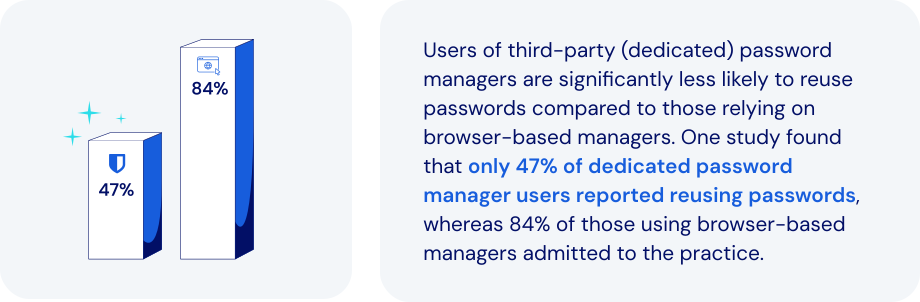
*Source: USENIX Association*
### What makes the dedicated password manager a better alternative?
Dedicated password management platforms overcome the shortcomings of [browser-based solutions](https://bitwarden.com/sv-se/blog/make-way-for-your-password-manager/). They also introduce important new features, enhanced security, and portability. Specific features to look for:
- **Advanced encryption**: end-to-end AES-256 encryption and [zero-knowledge](https://bitwarden.com/sv-se/blog/end-to-end-encryption-and-zero-knowledge/) principles can protect credentials far more effectively.
- **Cross-platform support**: seamless integration extends across all major browsers, mobile devices, and operating systems.
- **Centralized credential vault**: provides secure storage and management for passwords, [credit cards, secure notes](https://bitwarden.com/sv-se/help/managing-items/), and infrastructure secrets like API keys.
- **Secure credential sharing**: encrypted and controlled sharing options include secure transmission to anyone.
- **Enhanced security features**: robust [MFA integration](https://bitwarden.com/sv-se/blog/basics-of-two-factor-authentication-with-bitwarden/), phishing-resistant auto-fill protection, and breach reports all help proactively manage security risks.
- **Role-based access control (RBAC)**: allows precise control of credential access based on specific user roles and responsibilities.
- **Comprehensive audit and reporting**: detailed activity logs and compliance reporting improves visibility and regulatory adherence.
- **Secrets management**: secure handling of [DevOps credentials, API keys, and other infrastructure secrets](https://bitwarden.com/sv-se/blog/flexible-bitwarden-secrets-manager/) is critical within development pipelines.
### How dedicated password managers keep today’s businesses safer
The password managers built into browsers like Chrome, Firefox, and Safari may offer basic password-saving features. But dedicated password managers provide far more comprehensive, secure, and efficient solutions for managing credentials. Today’s leading solutions allow you to:
- **Strengthen cybersecurity**: safeguard against browser vulnerabilities, malware, phishing, and credential theft.
- **Improve credential habits**: encourage [stronger password practices](https://bitwarden.com/sv-se/blog/five-best-practices-for-password-management/) and proactive management of weak or compromised passwords.
- **Enhance credential control**: provide IT teams with centralized management, visibility, and enforcement capabilities.
- **Facilitate secure collaboration**: enable [secure credential sharing within teams](https://bitwarden.com/sv-se/blog/password-sharing-best-practices-for-teams/), including the option to share hidden passwords.
- **Ensure regulatory compliance**: simplify adherence to standards like [ISO 27001](https://bitwarden.com/sv-se/resources/how-password-management-helps-companies-achieve-iso-27001-certification/), SOC 2, HIPAA, and GDPR through audit-ready security practices.
- **Support operational continuity**: ensure ongoing access to critical credentials, minimizing operational disruptions.
- **Reduce IT overhead**: minimize password-related support requests by adding automation and self-service capabilities.
- **Secure infrastructure credentials**: leverage specialized solutions for secure management and automated injection of DevOps secrets.
Adopting best practices for password and credential management allows a business to address security gaps, improve access control, and enhance employee productivity.
### How Bitwarden helps support modernization
Bitwarden offers a comprehensive, secure, scalable solution. They also provide businesses with a clear path for embracing a more robust, enterprise-grade approach to credential security. Bitwarden facilitates a seamless, secure, successful transition by:
- **Offering a centralized, secure vault**: securely storing and managing credentials, infrastructure secrets, and sensitive information with AES-256 encryption.
- **Ensuring cross-browser and device compatibility**: allowing users consistent, secure access across diverse devices and platforms.
- **Enabling secure credential sharing**: providing robust tools like [Bitwarden Send](https://bitwarden.com/sv-se/blog/bitwarden-send-how-it-works/) for encrypted credential sharing to anyone.
- **Implementing strong security measures**: leveraging MFA, domain matching, and breach monitoring to protect against credential theft and phishing.
- **Automating credential management**: integrating with directory services like AD and SCIM for efficient employee onboarding, offboarding, and automated credential provisioning.
- **Providing detailed audit and compliance tools**: comprehensive logging and reporting enhances security oversight and regulatory compliance.
- **Securing DevOps and IT credentials**: specialized management of DevOps secrets, including automated rotation and secure injection in [development pipelines](https://bitwarden.com/sv-se/blog/why-does-my-development-team-need-a-secrets-manager/).
### The bottom line
By migrating to the enterprise-grade protection of Bitwarden, businesses can significantly improve their security posture within a very short time frame. This represents an opportunity to address security gaps, improve access control, and enhance employee productivity.
You’ll also be streamlining every facet of the credential management processes. Just one more reason Bitwarden is regarded as the most trusted name in password management.
### What makes Bitwarden stand out from the pack?
Bitwarden provides administrators a seamless, secure way to wean employees off of browser-based password managers in favor of a centrally-managed enterprise password manager. Unlike other password management offerings:
- Bitwarden's browser plugin supports nine browsers: Chrome, Edge, Firefox, Safari, Opera, Brave, Vivaldi, Tor, and DuckDuckGo. This represents the largest number of supported browsers for a password manager's browser-based plugin.
- Administrators can automate the deployment of Bitwarden browser extensions to end users via Microsoft Intune. Read more about this option in our deep dive: [Deploy Browser Extensions with Intune](https://bitwarden.com/sv-se/help/deploy-browser-extensions-with-intune/).
## Få kraftfull, pålitlig lösenordssäkerhet nu. Välj din plan.
## Personlig
### Enskild
**$0**
*per månad*
*Gratis för alltid - inget kreditkort krävs! *
Skaffa ett Bitwarden-valv
- Obegränsat antal enheter
- Hantering av lösenord
- Alla kärnfunktioner
- Alltid gratis
Dela valvobjekt med en annan användare.
[Kom igång idag](https://bitwarden.com/go/start-free/)
---
### Premie
**Less than $1**
*varje år*
*faktureras årligen*
Njut av premiumfunktioner
- Integrerad autentisering
- Bifogade filer
- Nödåtkomst
- Säkerhetsrapporter och mer
Dela valvobjekt med en annan användare
[Skapa ett premiumkonto](https://bitwarden.com/go/start-premium/)
---
### Familjer
**$3.33**
*per månad*
*Upp till 6 användare, 40 USD faktureras årligen*
Säkra dina familjeinloggningar
- 6 premiumkonton
- Obegränsad delning
- Obegränsade samlingar
- Organisationslagring
Dela valvobjekt mellan sex personer
[Starta gratis 7-dagars provperiod](https://bitwarden.com/go/start-families-trial/)
---
Priset visas i USD och baseras på en årsprenumeration. Skatter ingår ej.
## Företag
### Teams
*Robust skydd för team i tillväxt.*
**$4**
*per månad / per användare som faktureras årligen*
Premium features for all accounts, plus:
- Säker datadelning
- Händelseloggövervakning
- Katalogintegrering
- SCIM-stöd
Inkluderar premiumfunktioner för alla användare
[Starta en provversion](https://bitwarden.com/go/start-teams-trial/)
---
### Företag
*Avancerade funktioner för större organisationer*
**$6**
*per månad / per användare som faktureras årligen*
Teams features for all accounts, plus:
- Företagspolicyer
- Lösenordslös SSO
- Kontoåterställning
- Alternativ för självvärd
Inkluderar premiumfunktioner och gratis familjeplan för alla användare
[Starta en provversion](https://bitwarden.com/go/start-enterprise-trial/)
---
### Få en offert
*För företag med hundratals eller tusentals anställda kontakta försäljningen för en anpassad offert och se hur Bitwarden kan:*
- Minska cybersäkerhetsrisken
- Öka produktiviteten
- Integrera sömlöst
Bitwarden skalar med alla företagsstorlekar för att ge din organisation lösenordssäkerhet
[Kontakta försäljning](https://bitwarden.com/contact-sales/)
---
Priset visas i USD och baseras på en årsprenumeration. Skatter ingår ej.
---
URL: https://bitwarden.com/sv-se/resources/example-email-to-users-regarding-kdf-iterations-setting/
---
# Exempel på e-post till användare angående KDF Iterations-inställning
E-postmall för administratörer att skicka till anställda med instruktioner för uppdatering av KDF Iterations-inställningar
---
*To: Employees*
*Subject: Action needed - new encryption standards for Bitwarden*
*[Company]* Bitwarden users,
We use Bitwarden for secure password management as part of our security protocol. It has become an essential tool for ensuring the security of our organization and maintaining good credential practices.
Earlier this year new security recommendations were put out by industry groups in response to increased hacking threats. As encryption-cracking devices become more powerful, encryption settings need to become stronger - all a part of the constant arms race between security professionals and hackers.
Bitwarden is abiding by these new recommendations, and when you log into the Bitwarden web app you may see a message saying your KDF Iterations setting is too low. This setting is part of the encryption process and everyone that uses Bitwarden needs to update it.
Follow these directions to ensure vault security:
1. Export your vault to create a backup. Follow the [instructions here](https://bitwarden.com/sv-se/help/encrypted-export/#create-an-encrypted-export/) under **Create an encrypted export** for Web vault. Use the **Password protected**option and choose a password you remember, like your current master password.
2. Update your KDF iterations setting
1. Log into the Bitwarden web app at *[vault.bitwarden.com or your company’s self-hosted URL]*
2. Go to Account Settings (click on the round icon in the upper right)
3. Go to Security > Keys tab
4. In the KDF iterations box, change the number to 600000
5. Click the Change KDF button and confirm with your master password
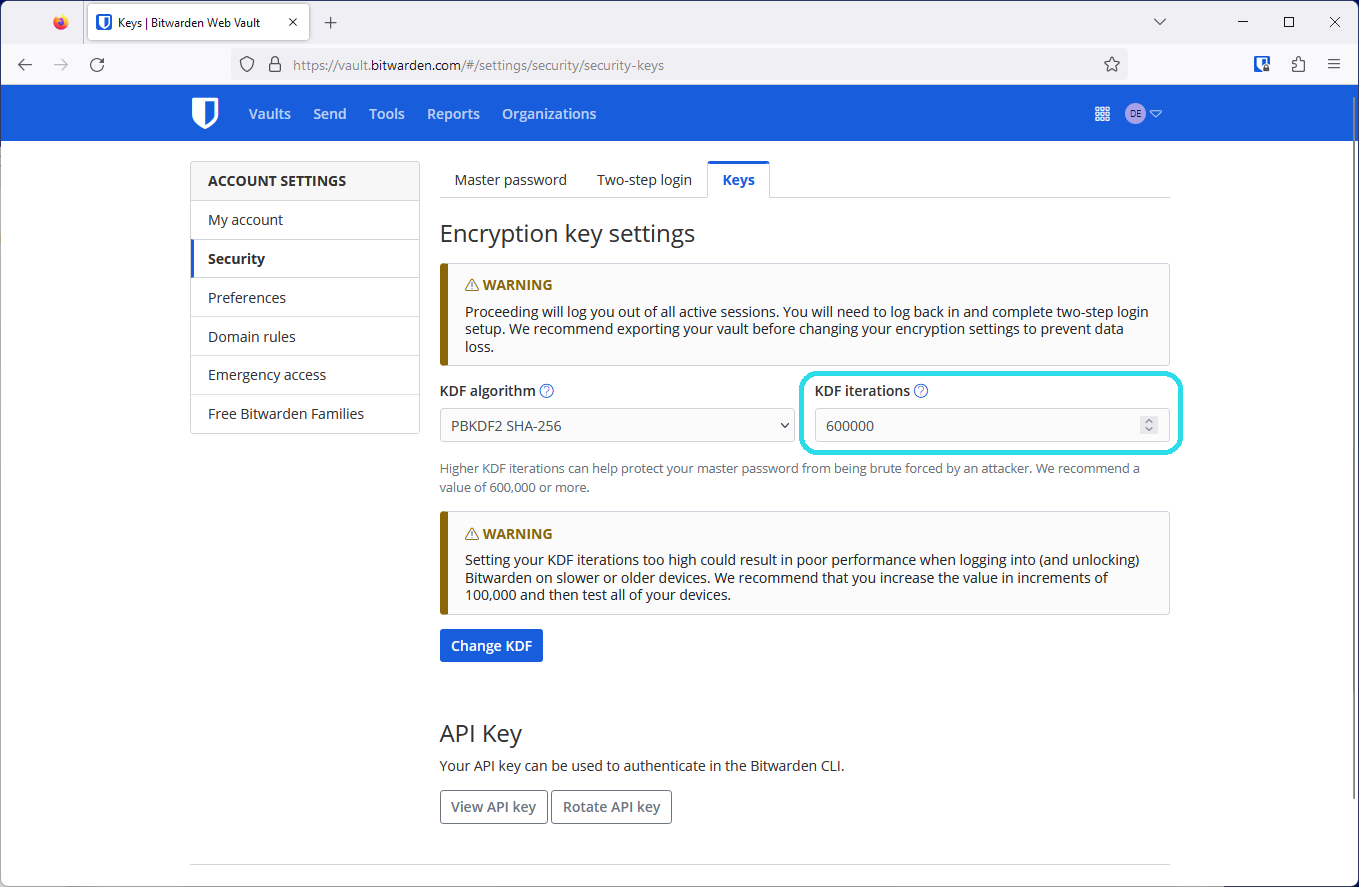
3. Log back in again on all your devices
This setting cannot be changed by admins as it is protected by your master password in your end-to-end encrypted Bitwarden account. Thank you for taking action, updating these settings, and being a part of *[Company’s] *security!
*[IT admin name, title]*
## Frequently asked questions
**Q:** **What is a KDF iteration and what does it do?
A:** A KDF iteration is part of the encryption process and refers to how many times the key derivation function algorithm runs before you can access your vault. Combined with a strong master password, a higher amount of iterations improves your vault’s resistance to hackers. Learn more about encryption security in this blog: [Bitwarden security fundamentals and multifactor encryption](https://bitwarden.com/sv-se/blog/bitwarden-security-fundamentals-and-multifactor-encryption/)
**Q: What recommendations changed and why?
A:**The [OWASP Foundation](https://owasp.org/) is a respected leader in open security standards made up of teams of security professionals and encryption experts. Due to advances in hardware available to hackers today, OWASP increased their recommendations for the iterations settings for the [PBKDF2 algorithm](https://bitwarden.com/sv-se/help/kdf-algorithms/#pbkdf2/) to improve resistance to brute-force hacking attempts.
**Q: What do I need to do?
A:**Update your KDF Iterations setting to 600,000 at minimum. Ensure [you’ve backed up your vault](https://bitwarden.com/sv-se/help/encrypted-export/), then make the change in the Account Settings > Security > Keys window in the web app. In all it should take less than five minutes to update this setting.
**Q: Is this something the admins can do for me?
A:**Because the process of changing KDF iterations uses your master password, only the logged in user can change these settings.
**Q: Do all organization members need to update their KDF iterations to keep the organization secure?
A:**It is recommended that every member of an organization update their KDF iterations to provide the best security for the organization and their individual vaults.
**Q: Why should I back up my vault?**
**A:**Changing KDF iterations will log you out of Bitwarden on every device, so having a backup of your vault is helpful in case you cannot log back in. It is good practice to keep your master password and two-step login recovery codes in a safe place. For more information, please visit [Guide: How to create and store a backup of your Bitwarden vault.](https://bitwarden.com/sv-se/resources/guide-how-to-create-and-store-a-backup-of-your-bitwarden-vault/)
**Q: What are other actions I can take to improve my account security?
A:**The best way to improve your security is to ensure that you have a [long, strong master password](https://bitwarden.com/sv-se/blog/how-long-should-my-password-be/). After this, [enable two-step login](https://bitwarden.com/sv-se/help/setup-two-step-login/) for a second factor of protection.
## Få kraftfull, pålitlig lösenordssäkerhet nu. Välj din plan.
## Personlig
### Enskild
**$0**
*per månad*
*Gratis för alltid - inget kreditkort krävs! *
Skaffa ett Bitwarden-valv
- Obegränsat antal enheter
- Hantering av lösenord
- Alla kärnfunktioner
- Alltid gratis
Dela valvobjekt med en annan användare.
[Kom igång idag](https://bitwarden.com/go/start-free/)
---
### Premie
**Less than $1**
*varje år*
*faktureras årligen*
Njut av premiumfunktioner
- Integrerad autentisering
- Bifogade filer
- Nödåtkomst
- Säkerhetsrapporter och mer
Dela valvobjekt med en annan användare
[Skapa ett premiumkonto](https://bitwarden.com/go/start-premium/)
---
### Familjer
**$3.33**
*per månad*
*Upp till 6 användare, 40 USD faktureras årligen*
Säkra dina familjeinloggningar
- 6 premiumkonton
- Obegränsad delning
- Obegränsade samlingar
- Organisationslagring
Dela valvobjekt mellan sex personer
[Starta gratis 7-dagars provperiod](https://bitwarden.com/go/start-families-trial/)
---
Priset visas i USD och baseras på en årsprenumeration. Skatter ingår ej.
## Företag
### Teams
*Robust skydd för team i tillväxt.*
**$4**
*per månad / per användare som faktureras årligen*
Premium features for all accounts, plus:
- Säker datadelning
- Händelseloggövervakning
- Katalogintegrering
- SCIM-stöd
Inkluderar premiumfunktioner för alla användare
[Starta en provversion](https://bitwarden.com/go/start-teams-trial/)
---
### Företag
*Avancerade funktioner för större organisationer*
**$6**
*per månad / per användare som faktureras årligen*
Teams features for all accounts, plus:
- Företagspolicyer
- Lösenordslös SSO
- Kontoåterställning
- Alternativ för självvärd
Inkluderar premiumfunktioner och gratis familjeplan för alla användare
[Starta en provversion](https://bitwarden.com/go/start-enterprise-trial/)
---
### Få en offert
*För företag med hundratals eller tusentals anställda kontakta försäljningen för en anpassad offert och se hur Bitwarden kan:*
- Minska cybersäkerhetsrisken
- Öka produktiviteten
- Integrera sömlöst
Bitwarden skalar med alla företagsstorlekar för att ge din organisation lösenordssäkerhet
[Kontakta försäljning](https://bitwarden.com/contact-sales/)
---
Priset visas i USD och baseras på en årsprenumeration. Skatter ingår ej.
---
URL: https://bitwarden.com/sv-se/resources/feb-2025-spotlight-just-released-bitwarden-security-readiness-kit/
---
# Februari 2025 Spotlight: Precis släppt! Bitwarden Security Readiness Kit
Välkommen till Bitwardens januarinyhetsbrev
---
### Featured Highlights
**Security readiness kit**Don’t let lost login info lock you out. [The Bitwarden security readiness kit](https://bitwarden.com/sv-se/resources/bitwarden-security-readiness-kit/) helps keep your most important information safe and accessible. Download the template, fill it out, and store it securely, whether in an encrypted file, a thumb drive that lives in a safe, bank deposit box, or at a trusted relative’s house. A simple step today can save you a major headache tomorrow.
**How to protect against ransomware**Part of maintaining good security is to use a password manager, ensuring there are no cracks in your defenses. Strong passwords are wonderful, but do you also have multi-factor authentication set up? Be sure your passwords are strong and unique, and at least 15 characters long. Go through these [ransomware quick tips](https://bitwarden.com/sv-se/blog/how-password-security-best-practices-safeguard-against-ransomware/) for more ideas on how to keep your home and office safe.
**Bring Bitwarden to work**Love using Bitwarden at home? Bring that same security and convenience to the office with easy access to logins, corporate cards, and more all in one place. Ready to get rid of the password chaos and make work easier? [Bitwarden can help](https://bitwarden.com/sv-se/go/bring-bitwarden-to-work/)!
### Readers Requests
**PRF WebAuthn and its role in passkeys**Bitwarden uses the latest WebAuthn PRF extension to enhance passkey functionality. This emerging standard allows users to access their vaults effortlessly without compromising security. See how [PRF is revolutionizing passwordless authentication](https://bitwarden.com/sv-se/blog/prf-webauthn-and-its-role-in-passkeys/).
**Password manager tips for iPhone**Start with a 101 guide on how to [set Bitwarden up on iOS](https://bitwarden.com/sv-se/help/getting-started-mobile/). Then, set Bitwarden as your [default password manager](https://bitwarden.com/sv-se/help/integrated-authenticator/), which prevents Apple from automatically trying to save all your passwords. From there, learn how to [autofill passwords](https://bitwarden.com/sv-se/help/auto-fill-ios/) or start using [passkeys](https://bitwarden.com/sv-se/help/storing-passkeys/).
**Password manager tips for Android**Whether you’re just getting started with [Bitwarden on your Android device](https://bitwarden.com/sv-se/help/getting-started-mobile/) or you need extra tips, we’ve got guides. See how to [autofill on Android](https://bitwarden.com/sv-se/help/auto-fill-android/) or start using [passkeys on your phone](https://bitwarden.com/sv-se/help/storing-passkeys/).
### Bitwarden Bites
**Travel smarter with Bitwarden**
Have you added your passport number to your vault for easy access when tax-free shopping? Or maybe you want to securely share your hotel or locker code with your travel partner. [This one-minute Japan travel video](https://www.youtube.com/watch?v=5yns3v-StOI) showcases the awesome ways Bitwarden password manager can make your travels safer and easier.
**Start your digital estate planning**
A tough, but necessary conversation to have: if a family member passed away today, would you be able to access important accounts? [This short digital estate planning segment](https://www.youtube.com/watch?v=98SYR5iDvKw&t=1592s) will help guide you through what information should be stored in the vault, how to ensure someone is able to access it, and more.
**Recent product updates to know about**Get up to speed on all the password manager [recent product updates](https://www.youtube.com/watch?v=98SYR5iDvKw&t=1002s). This short segment updates on web app device approvals and inline autofill TOTP codes. Plus, there are five new browser UI customizations available that allow users to play with workflows from the original UI.
### What Others Are Saying
**Essential tips from a Bitwarden fan**Security and privacy researcher Sooraj Sathyanarayanan crafted this stellar [Bitwarden security guide](https://gist.github.com/iAnonymous3000/27c5c7f30b0a8b82ca492f1664e41567) that he describes as “the essentials and some pro-level tricks to make your account a fortress.”
### In Case You Missed It
**A fan favorite on social media: How long should a password be?**The [ultimate guide to passwords](https://bitwarden.com/sv-se/blog/how-long-should-my-password-be/) covering length, character types, randomness, and more. Check out this colorful infographic from the guide that reveals how quickly weak passwords can be cracked versus those built to last a lifetime (or longer!). Are your passwords strong enough to last centuries?
## Få kraftfull, pålitlig lösenordssäkerhet nu. Välj din plan.
## Personlig
### Enskild
**$0**
*per månad*
*Gratis för alltid - inget kreditkort krävs! *
Skaffa ett Bitwarden-valv
- Obegränsat antal enheter
- Hantering av lösenord
- Alla kärnfunktioner
- Alltid gratis
Dela valvobjekt med en annan användare.
[Kom igång idag](https://bitwarden.com/go/start-free/)
---
### Premie
**Less than $1**
*varje år*
*faktureras årligen*
Njut av premiumfunktioner
- Integrerad autentisering
- Bifogade filer
- Nödåtkomst
- Säkerhetsrapporter och mer
Dela valvobjekt med en annan användare
[Skapa ett premiumkonto](https://bitwarden.com/go/start-premium/)
---
### Familjer
**$3.33**
*per månad*
*Upp till 6 användare, 40 USD faktureras årligen*
Säkra dina familjeinloggningar
- 6 premiumkonton
- Obegränsad delning
- Obegränsade samlingar
- Organisationslagring
Dela valvobjekt mellan sex personer
[Starta gratis 7-dagars provperiod](https://bitwarden.com/go/start-families-trial/)
---
Priset visas i USD och baseras på en årsprenumeration. Skatter ingår ej.
## Företag
### Teams
*Robust skydd för team i tillväxt.*
**$4**
*per månad / per användare som faktureras årligen*
Premium features for all accounts, plus:
- Säker datadelning
- Händelseloggövervakning
- Katalogintegrering
- SCIM-stöd
Inkluderar premiumfunktioner för alla användare
[Starta en provversion](https://bitwarden.com/go/start-teams-trial/)
---
### Företag
*Avancerade funktioner för större organisationer*
**$6**
*per månad / per användare som faktureras årligen*
Teams features for all accounts, plus:
- Företagspolicyer
- Lösenordslös SSO
- Kontoåterställning
- Alternativ för självvärd
Inkluderar premiumfunktioner och gratis familjeplan för alla användare
[Starta en provversion](https://bitwarden.com/go/start-enterprise-trial/)
---
### Få en offert
*För företag med hundratals eller tusentals anställda kontakta försäljningen för en anpassad offert och se hur Bitwarden kan:*
- Minska cybersäkerhetsrisken
- Öka produktiviteten
- Integrera sömlöst
Bitwarden skalar med alla företagsstorlekar för att ge din organisation lösenordssäkerhet
[Kontakta försäljning](https://bitwarden.com/contact-sales/)
---
Priset visas i USD och baseras på en årsprenumeration. Skatter ingår ej.
---
URL: https://bitwarden.com/sv-se/resources/february-2023-spotlight-bitwarden-adds-multifactor-encryption/
---
# February 2023 Spotlight: Bitwarden adds multifactor encryption
Beyond security enhancements, Bitwarden will soon launch Secrets Manager Beta, an easier way for teams to manage secrets at scale.
---
## Featured Highlights

Coming in Spring 2023, the new Bitwarden Secrets Manager delivers a simpler, easier way for developers, devops, and cybersecurity teams to secure and manage secrets at scale. The beta offering will include easy onboarding and deployment, centralized management of developer and infrastructure secrets, and powerful, open source security with end-to-end encryption. Sign up to [become a beta tester](https://btwrdn.com/secrets-beta-signup) and receive more information on Bitwarden Secrets Manager!

A strong master password provides the first and most important level of protection to safeguard your vault data. Beyond this, Bitwarden adds additional layers of encryption and protection – called multifactor encryption – when your vault syncs with the Bitwarden cloud. Learn how [multifactor encryption](https://bitwarden.com/sv-se/blog/bitwarden-security-fundamentals-and-multifactor-encryption/) works to reinforce security and protect your vault information.
## Enjoying this update? Subscribe today.
*Receive the latest product updates, hand-picked articles, community highlights, and more.*
[Contact form]
## More Bits and Bites
[**Access your Bitwarden vault without a password**](https://bitwarden.com/sv-se/blog/access-your-bitwarden-vault-without-a-password/)
In the latest release, Bitwarden extended the **Log in with device** capability to let you log in without using your master password in your browser extensions, desktop app, and more. Learn how [this enhanced feature](https://bitwarden.com/sv-se/blog/access-your-bitwarden-vault-without-a-password/) works, how it maintains security, and what the future of passwordless looks like for Bitwarden users around the world.
[**How to create custom fields for Bitwarden vault entries**](https://bitwarden.com/sv-se/blog/how-to-create-custom-fields-for-bitwarden-vault-entries/)
There are a variety of vault entry options that come out of box with your Bitwarden account such as Name, Username, Password, Authenticator Key, URL, and more. But let’s say you need to add an entry that’s unique, such as an SSH key or custom fields to auto-populate web forms. Bitwarden makes this easy with the ability to create custom fields. Follow the simple [step by step process](https://bitwarden.com/sv-se/blog/how-to-create-custom-fields-for-bitwarden-vault-entries/) to get started.
[**Bitwarden design: updating admin views in the web vault**](https://bitwarden.com/sv-se/blog/bitwarden-design-admin-views-in-the-web-vault/)
In the latest February release, Bitwarden built a series of updates to improve usability for organization administrators and owners. Improvements were made to the Vault page, the Members Page, and the Groups page to make navigating and managing your Bitwarden organization faster and easier. New columns were added to each of them to show listed items’ attributes at a glance. Read the article to learn more about [the latest updates](https://bitwarden.com/sv-se/blog/bitwarden-design-admin-views-in-the-web-vault/) to the Bitwarden design.
[**Pepper for your password**](https://bitwarden.com/sv-se/blog/pepper-for-your-password/)
For those vault items that need serious care, some users might opt to go the peppering route to give them an added layer of security. Peppering involves adding or subtracting a string of characters to a password entry that isn't part of the password but is known only by you. Although peppering is a very simple idea to implement, it does have a few implications that you must take into consideration. Learn more about the [two types of peppering](https://bitwarden.com/sv-se/blog/pepper-for-your-password/) and the caveats to be aware of.
[**Filling in digit-specific passwords**](https://bitwarden.com/sv-se/blog/filling-in-digit-specific-passwords/)
With cybercrime on the rise, institutions invent new and creative ways to strengthen account authentication, such as prompting users to enter *specific password characters* upon logging in. In this example, if your password is b!tw@ard3nr0k$, your bank may prompt you to enter the 2nd, 8th, 10th, and 13th characters of your password which would be !, t, r, and $. While this may make it harder to crack, it undoubtedly adds friction to the user login experience. Fortunately, Bitwarden now offers an easy way for users to quickly identify [digit-specific password](https://bitwarden.com/sv-se/blog/filling-in-digit-specific-passwords/) characters in the browser extension app.
## Community Spotlight
As an open-source project, the global [Bitwarden community](https://community.bitwarden.com/) plays an important role in contributing to a world free of breaches and hacks. Special thanks to the following community members that shared useful tips to help others get the most out of their Bitwarden experience.
Big thank you to community member, [Bernd Schoolmann](https://community.bitwarden.com/u/quexten/summary), for partnering with Bitwarden to implement an additional option for encryption, Argon2, as well as Argon2 KDF configuration options. Below are the links to explore the updates yourself!

[https://github.com/bitwarden/clients/pull/4468](https://github.com/bitwarden/clients/pull/4468)

[https://github.com/bitwarden/mobile/pull/2293](https://github.com/bitwarden/mobile/pull/2293)
1. Thank you **@frikeer** for [sharing](https://www.reddit.com/r/Bitwarden/comments/11d4ph4/comment/ja7fnc2/?utm_source=share&utm_medium=web2x&context=3) your approach to auto-pasting TOTP codes.
2. Thank you **@jvh@twit.social** for [commenting](https://twit.social/@jvh/109864428975216867) on how you simplify two-factor authentication with Bitwarden.
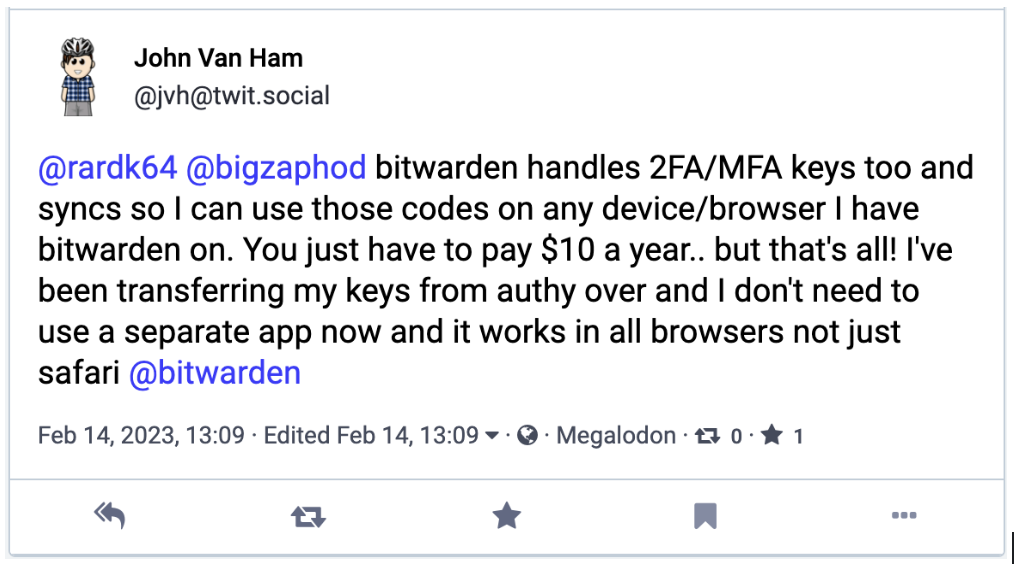
## Upcoming Events
- [Weekly Live Demo](https://bitwarden.com/sv-se/bitwarden-demo/): Every Wednesday at 12 pm EDT
- [Hacker’s Guide to VIP Security](https://hopin.com/events/hackers-guide-to-vip-security/registration): 3/9 at 12 pm EDT
- [Managed Service Provider (MSP) Demo](https://us02web.zoom.us/webinar/register/WN_brb8B0x9TGqE5DA-FS6iDA): 3/16 at 12 pm EDT
- [Managed Service Provider (MSP) Demo](https://us02web.zoom.us/webinar/register/WN_Bvqb2kORTR22I-giFiVOhw): 3/23 at 12 pm EDT
- [Monthly Vault Hours](https://www.crowdcast.io/e/vault-hours-33): 3/31 at 12 pm EDT
That’s it for now. Let us know what you think about this newsletter including potential topics you’d like to see.
**Until next time,**
Team Bitwarden
## Bitwarden is Certified as a Best Place to Work in 2023!
Interested in joining the Bitwarden team? Visit [our careers page](https://bitwarden.com/sv-se/careers/) to explore open roles.
## Få kraftfull, pålitlig lösenordssäkerhet nu. Välj din plan.
## Personlig
### Enskild
**$0**
*per månad*
*Gratis för alltid - inget kreditkort krävs! *
Skaffa ett Bitwarden-valv
- Obegränsat antal enheter
- Hantering av lösenord
- Alla kärnfunktioner
- Alltid gratis
Dela valvobjekt med en annan användare.
[Kom igång idag](https://bitwarden.com/go/start-free/)
---
### Premie
**Less than $1**
*varje år*
*faktureras årligen*
Njut av premiumfunktioner
- Integrerad autentisering
- Bifogade filer
- Nödåtkomst
- Säkerhetsrapporter och mer
Dela valvobjekt med en annan användare
[Skapa ett premiumkonto](https://bitwarden.com/go/start-premium/)
---
### Familjer
**$3.33**
*per månad*
*Upp till 6 användare, 40 USD faktureras årligen*
Säkra dina familjeinloggningar
- 6 premiumkonton
- Obegränsad delning
- Obegränsade samlingar
- Organisationslagring
Dela valvobjekt mellan sex personer
[Starta gratis 7-dagars provperiod](https://bitwarden.com/go/start-families-trial/)
---
Priset visas i USD och baseras på en årsprenumeration. Skatter ingår ej.
## Företag
### Teams
*Robust skydd för team i tillväxt.*
**$4**
*per månad / per användare som faktureras årligen*
Premium features for all accounts, plus:
- Säker datadelning
- Händelseloggövervakning
- Katalogintegrering
- SCIM-stöd
Inkluderar premiumfunktioner för alla användare
[Starta en provversion](https://bitwarden.com/go/start-teams-trial/)
---
### Företag
*Avancerade funktioner för större organisationer*
**$6**
*per månad / per användare som faktureras årligen*
Teams features for all accounts, plus:
- Företagspolicyer
- Lösenordslös SSO
- Kontoåterställning
- Alternativ för självvärd
Inkluderar premiumfunktioner och gratis familjeplan för alla användare
[Starta en provversion](https://bitwarden.com/go/start-enterprise-trial/)
---
### Få en offert
*För företag med hundratals eller tusentals anställda kontakta försäljningen för en anpassad offert och se hur Bitwarden kan:*
- Minska cybersäkerhetsrisken
- Öka produktiviteten
- Integrera sömlöst
Bitwarden skalar med alla företagsstorlekar för att ge din organisation lösenordssäkerhet
[Kontakta försäljning](https://bitwarden.com/contact-sales/)
---
Priset visas i USD och baseras på en årsprenumeration. Skatter ingår ej.
---
URL: https://bitwarden.com/sv-se/resources/february-2024-spotlight-inline-auto-fill-menu-is-now-live/
---
# February 2024 Spotlight: Inline auto-fill menu is now live!
Learn about a feature highly requested by the Bitwarden community
---
## Featured Highlights
[](https://bitwarden.com/blog/how-to-export-your-bitwarden-vault/)
*How to export your Bitwarden vault*
Maintain peace of mind by having an encrypted, local backup of your vault! Learn how easy it is to [export your Bitwarden vault](https://bitwarden.com/sv-se/blog/how-to-export-your-bitwarden-vault/) and take control of your digital security.
[](https://bitwarden.com/blog/bitwarden-passkeys-mobile)
*Social Media Cards Q2 2024.png*
Join the beta program for iOS and Android and experience the convenience and security of passkeys synced across your devices contribute by testing the feature and providing feedback. Get [all the details](https://bitwarden.com/sv-se/blog/bitwarden-passkeys-mobile/) on this open beta program and how to experience it yourself.
## Enjoying this update? Subscribe today.
*Receive the latest product updates, hand-picked articles, community highlights, and more.*
[Contact form]
## More Bitwarden Bites
[**How a password manager can help organizations pass penetration tests**](https://bitwarden.com/sv-se/blog/how-a-password-manager-can-help-organizations-pass-penetration-tests/)
Penetration testing, or pen testing, simulates a cyberattack to identify vulnerabilities in a company's systems in a safe, controlled, and well-documented environment. Rolling out an enterprise-wide password manager increases a company's chances of passing the pen test portion of a security audit. Learn more about it in this [article](https://bitwarden.com/sv-se/blog/how-a-password-manager-can-help-organizations-pass-penetration-tests/).
[**World Backup Day - Top tips to protect your passwords**](https://bitwarden.com/sv-se/blog/world-backup-day/)
On World Backup Day, we remember how important it is to back up our data. This [post](https://bitwarden.com/sv-se/blog/world-backup-day/) discusses protecting your primary login for your password manager as well as the information within your vault.
## Cybersecurity News
[**World Password Day Survey 2024**](https://bitwarden.com/sv-se/resources/world-password-day/)
The Bitwarden World Password Day survey, conducted in the spring of 2024, gathered insights from 2,400 individuals. The [survey results](https://bitwarden.com/sv-se/resources/world-password-day/) detail password security habits at home and in the workplace, assess the perceived impacts of phishing and AI on online security, and capture user sentiment towards passkey adoption as an emerging authentication method.
[**West Coast media institution selects Bitwarden for ease of deployment and Active Directory integration**](https://bitwarden.com/sv-se/resources/west-coast-media-institution-selects-bitwarden/)
When this media organization found their legacy password management solution had been breached, they selected Bitwarden to protect sensitive information and enable it to continue its mission of bringing original, high-quality programming to its viewers. Learn more about their Bitwarden deployment in this [resource](https://bitwarden.com/sv-se/resources/west-coast-media-institution-selects-bitwarden/).
## Development Tips and Updates
[**Bitwarden releases magic links API**](https://bitwarden.com/sv-se/blog/bitwarden-magic-links-api/)
In this [article](https://bitwarden.com/sv-se/blog/bitwarden-magic-links-api/), learn how developers use Bitwarden Passwordless.dev plug-and-play SDKs to build magic links, one-time links to authenticate users. Integrating magic links into the authentication workflow improves user experience, increases security, and reduces support burdens associated with passwords.
[**Discover PasskeyIndex.io: Your Community Hub for Passkeys**](https://bitwarden.com/sv-se/blog/discover-passkeyindex-io-your-community-hub-for-passkeys/)
Are you looking for a list of sites and platforms that support passkeys? Read this [blog](https://bitwarden.com/sv-se/blog/discover-passkeyindex-io-your-community-hub-for-passkeys/) on PasskeyIndex.io – a community-driven platform dedicated to collecting and organizing a list of services that are passkey-enabled.
[**Bitwarden releases Android SDK for passkey development**](https://bitwarden.com/sv-se/blog/bitwarden-android-sdk-for-passkey-development/)
To better serve the needs of developers looking to passkey-enable their Android applications, Bitwarden has released a new Android SDK that puts FIDO2 passkey development tools directly in the hands of developers. Take a look at this [guide](https://bitwarden.com/sv-se/blog/bitwarden-android-sdk-for-passkey-development/) and get started with the Bitwarden Passwordless.dev Android SDK.
## Community Spotlight
This month’s newsletter spotlights u/Legal_Ad_5437 for beginning a crucial conversation - what happens when you become too old to remember things such as master passwords and secondary verification accounts? Read helpful advice from community members in this [Reddit post](https://www.reddit.com/r/Bitwarden/comments/1bxfqkb/digital_preparation_for_old_age/).

*Screenshot 2024-04-29 at 10.51.15 PM*
## Bitwarden Learning Center
Check out [Bitwarden 101](https://bitwarden.com/sv-se/learning/pm-101-getting-started-as-a-user/) for a short video series on how to get started with Bitwarden Password Manager as an administrator or end user.
That’s it for now. For more product updates and online security tips, visit the Bitwarden [blog](https://bitwarden.com/sv-se/blog/).
**Until next time,**
Team Bitwarden
## Hi readers!
Take this [two-minute](https://forms.bitwarden.com/newsletter) survey to help us improve the monthly Bitwarden Newsletter and deliver the information you care most about.
## Få kraftfull, pålitlig lösenordssäkerhet nu. Välj din plan.
## Personlig
### Enskild
**$0**
*per månad*
*Gratis för alltid - inget kreditkort krävs! *
Skaffa ett Bitwarden-valv
- Obegränsat antal enheter
- Hantering av lösenord
- Alla kärnfunktioner
- Alltid gratis
Dela valvobjekt med en annan användare.
[Kom igång idag](https://bitwarden.com/go/start-free/)
---
### Premie
**Less than $1**
*varje år*
*faktureras årligen*
Njut av premiumfunktioner
- Integrerad autentisering
- Bifogade filer
- Nödåtkomst
- Säkerhetsrapporter och mer
Dela valvobjekt med en annan användare
[Skapa ett premiumkonto](https://bitwarden.com/go/start-premium/)
---
### Familjer
**$3.33**
*per månad*
*Upp till 6 användare, 40 USD faktureras årligen*
Säkra dina familjeinloggningar
- 6 premiumkonton
- Obegränsad delning
- Obegränsade samlingar
- Organisationslagring
Dela valvobjekt mellan sex personer
[Starta gratis 7-dagars provperiod](https://bitwarden.com/go/start-families-trial/)
---
Priset visas i USD och baseras på en årsprenumeration. Skatter ingår ej.
## Företag
### Teams
*Robust skydd för team i tillväxt.*
**$4**
*per månad / per användare som faktureras årligen*
Premium features for all accounts, plus:
- Säker datadelning
- Händelseloggövervakning
- Katalogintegrering
- SCIM-stöd
Inkluderar premiumfunktioner för alla användare
[Starta en provversion](https://bitwarden.com/go/start-teams-trial/)
---
### Företag
*Avancerade funktioner för större organisationer*
**$6**
*per månad / per användare som faktureras årligen*
Teams features for all accounts, plus:
- Företagspolicyer
- Lösenordslös SSO
- Kontoåterställning
- Alternativ för självvärd
Inkluderar premiumfunktioner och gratis familjeplan för alla användare
[Starta en provversion](https://bitwarden.com/go/start-enterprise-trial/)
---
### Få en offert
*För företag med hundratals eller tusentals anställda kontakta försäljningen för en anpassad offert och se hur Bitwarden kan:*
- Minska cybersäkerhetsrisken
- Öka produktiviteten
- Integrera sömlöst
Bitwarden skalar med alla företagsstorlekar för att ge din organisation lösenordssäkerhet
[Kontakta försäljning](https://bitwarden.com/contact-sales/)
---
Priset visas i USD och baseras på en årsprenumeration. Skatter ingår ej.
---
URL: https://bitwarden.com/sv-se/resources/five-best-practices-for-password-management-white-paper/
---
# Fem bästa metoder för företagslösenordshantering
Lär dig de bästa metoderna för företagslösenordshantering i denna vitbok.
---
Medan organisationer fortsätter att prioritera säkerhet, är en viktig del av detta arbete att utbilda och ge allmänna användare möjligheter att använda bästa praxis. Betrakta några av dessa statistik från Yubico 2019 State of Password and Security Authentication Security Behaviors[](https://www.yubico.com/blog/yubico-releases-the-2019-state-of-password-and-authentication-security-behaviors-report/) Report:
- 2 av 3 svarande delar lösenord med kollegor
- 51 % av deltagarna sa att de återanvänder lösenord på privata konton och företagskonton
- 57 % sa att de inte ändrade sina lösenord efter att ha upplevt ett nätfiskeförsök
För att skapa förändring i ett företag måste säkerhets- och IT-team utbilda anställda om bästa praxis. När det gäller lösenordshantering är ett av de enklaste sätten att uppmuntra god lösenordshygien att distribuera en lösenordshanteringslösning på hela din arbetsplats. Här är några bästa praxis att anta.
### 1. Utnyttja en lösning för lösenordshantering
Under dagen besöker de flesta många olika webbplatser som kräver lösenord. Att memorera många unika och tillräckligt starka [lösenord](https://bitwarden.com/sv-se/password-generator/) (eller [lösenfraser](https://bitwarden.com/sv-se/passphrase-generator/)) är praktiskt taget omöjligt. En lösenordshanterare förenklar lösenordsanvändningen på olika webbplatser för att hålla användarna säkrare. Det finns ett antal solida lösenordshanterare där ute. Prioritera de som arbetar plattformsoberoende och erbjuder tjänster för privatpersoner gratis eller till en mycket låg kostnad. De flesta lösenordshanterarens funktioner har också utökats under åren.
### 2. Välj ett verktyg som du enkelt kan distribuera i hela din organisation
Lösenordshanterare måste vara lätta att använda för alla användare – från nybörjare till avancerade. När man överväger en stor eller distribuerad personalbas bör applikationerna vara intuitiva för användaren och lätta att distribuera. Oavsett om du till exempel väljer Bitwarden Cloud eller distribuerar din egen värdbaserade instans, är det enkelt att få Bitwarden igång. Och Bitwarden Directory Connector fungerar med dagens mest använda katalogtjänster som Azure, Active Directory, Google, Okta och andra, för att hålla dina Bitwarden-användare synkroniserade med dina team och anställda.
### 3. Byt bara lösenord när du kan ha blivit utsatt för intrång
Dagarna för att byta lösenord var tredje månad är över. Du bör nu bara ändra dem om du tror att du har blivit äventyrad. National Institute of Standards and Technology[ (NIST) rekommenderar ](https://pages.nist.gov/800-63-3/sp800-63b.html)inte att användare byter lösenord ofta. Detta leder faktiskt till beteende som kan resultera i svagare lösenord med tiden. Du kan avgöra om ett lösenord har äventyrats genom att hänvisa till konkreta bevis, som kreditkortsbedrägerier, eller genom att använda ett verktyg (som din lösenordshanterare) som kan avgöra om ditt lösenord har avslöjats vid ett intrång.
### 4. Använd starka, unika lösenord
Att använda starka, unika lösenord för varje tjänst du använder online hjälper till att minimera effekten av dataintrång. Ett starkt lösenord betyder inte nödvändigtvis att man bara lägger till specialtecken eller siffror till ett vanligt ord eller namn, det betyder att man ökar lösenordets entropi eller slumpmässighet. En enkel taktik för att skapa ett starkt lösenord är att använda en lösenordsfras. En lösenfras kombinerar till synes orelaterade ord eller fraser som är lätt att komma ihåg för användaren men som annars skulle vara svåra att gissa av en angripare. Lösenfraser har en hög grad av entropi samtidigt som de är lätta att komma ihåg.
### 5. Aktivera tvåfaktorsautentisering när det är möjligt
Med tvåfaktorsautentisering (2FA) som blir vanligare på konsument- och företagswebbplatser, kommer en bra lösenordshanterare att inkludera sätt att utöka denna funktion. Att använda 2FA ökar säkerheten för ditt konto genom att du måste ange en annan token utöver att ange ditt huvudlösenord. Även om någon skulle upptäcka ditt huvudlösenord, kunde de inte logga in på din lösenordshanterare utan tillgång till den extra tokenen. Om du vill komma igång med en lösenordshanterare kan du registrera dig för ett gratis Bitwarden-konto här[.](https://bitwarden.com/sv-se/go/start-free/)
## Få kraftfull, pålitlig lösenordssäkerhet nu. Välj din plan.
## Personlig
### Enskild
**$0**
*per månad*
*Gratis för alltid - inget kreditkort krävs! *
Skaffa ett Bitwarden-valv
- Obegränsat antal enheter
- Hantering av lösenord
- Alla kärnfunktioner
- Alltid gratis
Dela valvobjekt med en annan användare.
[Kom igång idag](https://bitwarden.com/go/start-free/)
---
### Premie
**Less than $1**
*varje år*
*faktureras årligen*
Njut av premiumfunktioner
- Integrerad autentisering
- Bifogade filer
- Nödåtkomst
- Säkerhetsrapporter och mer
Dela valvobjekt med en annan användare
[Skapa ett premiumkonto](https://bitwarden.com/go/start-premium/)
---
### Familjer
**$3.33**
*per månad*
*Upp till 6 användare, 40 USD faktureras årligen*
Säkra dina familjeinloggningar
- 6 premiumkonton
- Obegränsad delning
- Obegränsade samlingar
- Organisationslagring
Dela valvobjekt mellan sex personer
[Starta gratis 7-dagars provperiod](https://bitwarden.com/go/start-families-trial/)
---
Priset visas i USD och baseras på en årsprenumeration. Skatter ingår ej.
## Företag
### Teams
*Robust skydd för team i tillväxt.*
**$4**
*per månad / per användare som faktureras årligen*
Premium features for all accounts, plus:
- Säker datadelning
- Händelseloggövervakning
- Katalogintegrering
- SCIM-stöd
Inkluderar premiumfunktioner för alla användare
[Starta en provversion](https://bitwarden.com/go/start-teams-trial/)
---
### Företag
*Avancerade funktioner för större organisationer*
**$6**
*per månad / per användare som faktureras årligen*
Teams features for all accounts, plus:
- Företagspolicyer
- Lösenordslös SSO
- Kontoåterställning
- Alternativ för självvärd
Inkluderar premiumfunktioner och gratis familjeplan för alla användare
[Starta en provversion](https://bitwarden.com/go/start-enterprise-trial/)
---
### Få en offert
*För företag med hundratals eller tusentals anställda kontakta försäljningen för en anpassad offert och se hur Bitwarden kan:*
- Minska cybersäkerhetsrisken
- Öka produktiviteten
- Integrera sömlöst
Bitwarden skalar med alla företagsstorlekar för att ge din organisation lösenordssäkerhet
[Kontakta försäljning](https://bitwarden.com/contact-sales/)
---
Priset visas i USD och baseras på en årsprenumeration. Skatter ingår ej.
---
URL: https://bitwarden.com/sv-se/resources/global-language-platform-strengthens-password-sharing-and-management-with-bitwarden/
---
# Global language platform strengthens password sharing and management with Bitwarden
Brent Long is the IT administrator for DMM Eikaiwa, one of the largest online English class providers in the world. He recently shared his experience on how his team uses Bitwarden to manage and secure passwords across a distributed company.
---
## Q: What is DMM Eikaiwa and your role here?
DMM Eikaiwa operates across more than 120 countries globally with 10,000 teachers and ranked as the number one online English class provider in Japan. Outside of Japan, we operate under the brand names Engoo and Bibo.
As the IT administrator, I'm responsible for ensuring that all of our remote employees from locations around the world, including Japan, Taiwan, Korea, Thailand, the Philippines, and European countries, comply with our security policy and properly install and use software security solutions such as Bitwarden.
We handle the personal information of many individual customers and instructors, so we have strict security standards, including password management.
DMM Eikaiwa is not just a school, but a platform. Because our products are used by corporate clients and other English schools, we provide strict security measures for our major clients, and secure password management with Bitwarden is one of those.
## Q: Why did you choose Bitwarden?
As our business grows and our membership increases, our exposure to security risks go up. For this reason, we have focused over the past year on strengthening our security, including password management.
Before Bitwarden, we were using another password manager, but when they made changes to their plan we decided it was time to search for a new password manager that was effective both in price and functionality.
At the time, we were experiencing problems with unauthorized password sharing among employees without the knowledge of our IT department. As a result, one of the goals for a new password manager was to help us reduce such risk factors.
Bitwarden enables our IT and security departments to share passwords and manage access for their employees. This is the main reaason why we switched to Bitwarden a year ago.
Currently, all of the more than 250 full- and part-time employees use Bitwarden. Any employee with access to customer information is required to manage their passwords in Bitwarden.
## Q: What has changed as a result of using Bitwarden?
In the past, there were occasions when employees would hand in sticky notes with passwords written on them. We eliminated that practice after conducting security training for all employees. Some used to write all their passwords in Excel or memorize 10 or 20 passwords, but now Bitwarden provides everyone in the company a way to easily and securely manage passwords. The Bitwarden policy for requiring two-factor authentication is also globally enforced and adds another layer of security.
When employees need to share passwords, they now do so through Bitwarden. This is more secure and the IT department can track the status of sharing. And, of course, there are no more weak and reused passwords.
People unfamiliar with password management software may initially reject it. But once they learn that taking five minutes to familiarize themselves with it can save them a large amount of time and effort in the rest of their lives, they all use it eagerly. That's why training employees and communicating the benefits of a password manager are so important.
## Q: What benefits have you experienced with Bitwarden?
Our IT department performs unannounced security checks. We do not directly see the passwords that our employees are using, but instead we ask them to show the Bitwarden password strength report to verify that the passwords they are using are strong enough and that they are not being used repeatedly.
What makes Bitwarden great for IT administrators is how easy it is to add or remove internal users. In our company, employees access as many as 200 different services through IDs and passwords. When an employee leaves the company, all IDs and passwords that the employee had access to can be instantly ascertained by IT. From there, we can easily delete or reset credentials.
With Bitarden, we no longer have to remember passwords and can use unique, strong passwords for different software and service accounts, which has dramatically increased security. We can access all our passwords at any time, whether at the office or at home, on any device or browser.
I personally use Bitwarden at home with my family. I have created a family collection and share necessary passwords among family members, knowing that everything is secure.
## Get started with Bitwarden
**About DMM Eikaiwa**
DMM Eikaiwa is an online English conversation service that allows you to take one-on-one lessons 24 hours a day, 365 days a year, anywhere from your computer, tablet or smartphone. With more than 10,000 English tutors from 120 countries around the world, including native English-speaking countries, Asia, Europe, and Latin America, you can learn not only the language but also cultures, customs, and diverse values from all over the world. We have a lineup of more than 10,000 free lesson materials that can be selected by English level and purpose, such as kids, business, and travel. In addition, our unique lesson system allows you to do everything needed for lessons, such as video calls, viewing materials, chatting, and taking notes, on a single screen in your web browser. There is no need to go back and forth between multiple screens for a comfortable lesson experience.
Global companies like DMM Eikaiwa trust Bitwarden to deliver cross platform compatibility, comprehensive IT admin controls, and enterprise scalability. Start a [Bitwarden Trial](https://bitwarden.com/sv-se/pricing/business/) today.
## Få kraftfull, pålitlig lösenordssäkerhet nu. Välj din plan.
## Personlig
### Enskild
**$0**
*per månad*
*Gratis för alltid - inget kreditkort krävs! *
Skaffa ett Bitwarden-valv
- Obegränsat antal enheter
- Hantering av lösenord
- Alla kärnfunktioner
- Alltid gratis
Dela valvobjekt med en annan användare.
[Kom igång idag](https://bitwarden.com/go/start-free/)
---
### Premie
**Less than $1**
*varje år*
*faktureras årligen*
Njut av premiumfunktioner
- Integrerad autentisering
- Bifogade filer
- Nödåtkomst
- Säkerhetsrapporter och mer
Dela valvobjekt med en annan användare
[Skapa ett premiumkonto](https://bitwarden.com/go/start-premium/)
---
### Familjer
**$3.33**
*per månad*
*Upp till 6 användare, 40 USD faktureras årligen*
Säkra dina familjeinloggningar
- 6 premiumkonton
- Obegränsad delning
- Obegränsade samlingar
- Organisationslagring
Dela valvobjekt mellan sex personer
[Starta gratis 7-dagars provperiod](https://bitwarden.com/go/start-families-trial/)
---
Priset visas i USD och baseras på en årsprenumeration. Skatter ingår ej.
## Företag
### Teams
*Robust skydd för team i tillväxt.*
**$4**
*per månad / per användare som faktureras årligen*
Premium features for all accounts, plus:
- Säker datadelning
- Händelseloggövervakning
- Katalogintegrering
- SCIM-stöd
Inkluderar premiumfunktioner för alla användare
[Starta en provversion](https://bitwarden.com/go/start-teams-trial/)
---
### Företag
*Avancerade funktioner för större organisationer*
**$6**
*per månad / per användare som faktureras årligen*
Teams features for all accounts, plus:
- Företagspolicyer
- Lösenordslös SSO
- Kontoåterställning
- Alternativ för självvärd
Inkluderar premiumfunktioner och gratis familjeplan för alla användare
[Starta en provversion](https://bitwarden.com/go/start-enterprise-trial/)
---
### Få en offert
*För företag med hundratals eller tusentals anställda kontakta försäljningen för en anpassad offert och se hur Bitwarden kan:*
- Minska cybersäkerhetsrisken
- Öka produktiviteten
- Integrera sömlöst
Bitwarden skalar med alla företagsstorlekar för att ge din organisation lösenordssäkerhet
[Kontakta försäljning](https://bitwarden.com/contact-sales/)
---
Priset visas i USD och baseras på en årsprenumeration. Skatter ingår ej.
---
URL: https://bitwarden.com/sv-se/resources/global-survey-on-password-management-newsletter-may-2021/
---
# Maj 2021 Spotlight: Global Survey on Password Management
Välkommen till Bitwarden May-nyhetsbrevet, med produkt- och företagsmeddelanden, kommande evenemang och populära sociala fanfavoriter.
---
## Featured Article

In celebration of World Password Day, we released the [2021 Global Survey on Password Management](https://bitwarden.com/sv-se/blog/world-password-day-survey-2021/) revealing the top 3 factors when choosing a password manager are: 1. Security, 2. Ease of use, and 3. Price. Would you agree? Share your thoughts on what matters most to you using the hashtag #WorldPasswordDay on [Twitter](https://ctt.ac/bVA6b).
## Enjoying this update? Subscribe today.
[Contact form]
*Receive the latest product updates, hand-picked articles, community highlights, and more.*
## More Bits and Bites

A new guide shows how password management touches the employee lifecycle from [onboarding and beyond](https://bitwarden.com/sv-se/blog/employee-password-management-onboarding-and-beyond/). For Bitwarden users, a new technical [white paper](https://start.bitwarden.com/hubfs/PDF/employee-onboarding-and-succession.pdf) highlights useful product onboarding tips.

It's easy to get started with Bitwarden! Listen to our [on-demand recording](https://www.crowdcast.io/e/bitwarden-for-beginners/register) where we cover password security, getting started with a password manager, and more.

In March, Bitwarden launched [Send](https://bitwarden.com/sv-se/blog/introducing-bitwarden-send-for-secure-sharing/), an innovative feature for one-to-one secure information sharing that retains end-to-end encryption.
## Upcoming Events

**Vault Hours**
Join us on [May 28th](https://www.crowdcast.io/e/bitwarden-vault-hours-12/register) for our next Vault Hours, where you ask the questions and we share best practices for using Bitwarden.
## Top Social Fan Favorites
You play an important role in contributing to a world free of breaches and hacks by sharing your knowledge and experience. Here are a couple of recent fan-favorite posts.
[**Pro Tips on Twitter**](https://twitter.com/nickdevore/status/1379801640677466115)

[**Bitwarden GIF on Reddit**](https://www.reddit.com/r/Bitwarden/comments/mfldly/i_found_this_gif_on_bitwardens_website_and_this/)

That’s it for now. Let us know what you think about this newsletter including potential topics you’d like to see.
**Until next time,**
Team Bitwarden
## Få kraftfull, pålitlig lösenordssäkerhet nu. Välj din plan.
## Personlig
### Enskild
**$0**
*per månad*
*Gratis för alltid - inget kreditkort krävs! *
Skaffa ett Bitwarden-valv
- Obegränsat antal enheter
- Hantering av lösenord
- Alla kärnfunktioner
- Alltid gratis
Dela valvobjekt med en annan användare.
[Kom igång idag](https://bitwarden.com/go/start-free/)
---
### Premie
**Less than $1**
*varje år*
*faktureras årligen*
Njut av premiumfunktioner
- Integrerad autentisering
- Bifogade filer
- Nödåtkomst
- Säkerhetsrapporter och mer
Dela valvobjekt med en annan användare
[Skapa ett premiumkonto](https://bitwarden.com/go/start-premium/)
---
### Familjer
**$3.33**
*per månad*
*Upp till 6 användare, 40 USD faktureras årligen*
Säkra dina familjeinloggningar
- 6 premiumkonton
- Obegränsad delning
- Obegränsade samlingar
- Organisationslagring
Dela valvobjekt mellan sex personer
[Starta gratis 7-dagars provperiod](https://bitwarden.com/go/start-families-trial/)
---
Priset visas i USD och baseras på en årsprenumeration. Skatter ingår ej.
## Företag
### Teams
*Robust skydd för team i tillväxt.*
**$4**
*per månad / per användare som faktureras årligen*
Premium features for all accounts, plus:
- Säker datadelning
- Händelseloggövervakning
- Katalogintegrering
- SCIM-stöd
Inkluderar premiumfunktioner för alla användare
[Starta en provversion](https://bitwarden.com/go/start-teams-trial/)
---
### Företag
*Avancerade funktioner för större organisationer*
**$6**
*per månad / per användare som faktureras årligen*
Teams features for all accounts, plus:
- Företagspolicyer
- Lösenordslös SSO
- Kontoåterställning
- Alternativ för självvärd
Inkluderar premiumfunktioner och gratis familjeplan för alla användare
[Starta en provversion](https://bitwarden.com/go/start-enterprise-trial/)
---
### Få en offert
*För företag med hundratals eller tusentals anställda kontakta försäljningen för en anpassad offert och se hur Bitwarden kan:*
- Minska cybersäkerhetsrisken
- Öka produktiviteten
- Integrera sömlöst
Bitwarden skalar med alla företagsstorlekar för att ge din organisation lösenordssäkerhet
[Kontakta försäljning](https://bitwarden.com/contact-sales/)
---
Priset visas i USD och baseras på en årsprenumeration. Skatter ingår ej.
---
URL: https://bitwarden.com/sv-se/resources/guide-enterprise-password-management-throughout-employee-lifecycle/
---
# A Guide to Enterprise Password Management Throughout the Employee Lifecycle
## Defining the Employee Lifecycle for Password Management
New types of security challenges, or exploits to mitigate, arise every day, leading to a constantly evolving information technology (IT) stack. Fortunately, select security tools can easily integrate into your company’s existing stack while improving employee productivity and security.
When adding new tools to your roster, consider how you will manage access throughout the employee lifecycle. For example, a new employee should gain access to specific systems from day one, and others may be introduced later. At the other end of the spectrum, access must be revoked immediately for a terminated employee.
Comprehensive password management enhances company and individual security and fosters collaboration and enhanced productivity. This guide illuminates how password management touches each stage of the employee lifecycle.
### Stages of the Employee Lifecycle
Password management touches nearly every single part of your business and is most significant during three major stages of an employee’s lifecycle.
- Onboarding
- Succession and Promotion
- Offboarding
#### Onboarding New Employees
From granting access to corporate and departmental systems, setting new employee milestones, or scheduling training, effective onboarding takes time and attention. Onboarding new employees efficiently speeds integration and helps the business deliver faster results.
In larger companies, human resources and IT teams might grant access to enterprise-wide systems, including options for [Single Sign On (SSO)](https://bitwarden.com/sv-se/blog/configure-bitwarden-sso/) to select services. However, the universe of employee credentials often goes far beyond those within such systems. Also, mid-size companies may not have implemented an SSO system and have an even greater need for employees to get started with the proper digital security practices.
From the new employee’s perspective, accessing and setting up the necessary software or applications without the right tools can cause friction and confusion, leading to poor practices. In the absence of a secure process, such as a password manager, sharing log-in credentials with new employees is often managed using at-risk methods, such as email or messaging apps.
The pressure to be successful at work, both for the individual and the team, often means co-workers are going to share necessary log-in information with one another; it's just a matter of whether or not they are enabled to do so safely.
A recent survey of IT decision-makers revealed nearly [60% of teams ](https://bitwarden.com/sv-se/blog/password-decisions-survey-2021/)would share company passwords to colleagues through unsecure methods, despite the risk. And 80% of IT decision-makers want to mandate the use of an enterprise-wide password manager, with practicality being a major reason. Another critical factor is a password manager emphasizes data security as better password practices reduce risky behavior.
Introducing a password manager early in the onboarding process drives adoption and minimizes the friction of accessing new systems.
#### Succession and Promotion
Scaling your business also demands flexible technology for growth—including password management. Expansion might include increasing team sizes, creating new roles or departments, or acquisitions.
Sometimes existing employees will move into new roles, which might require a transition in software ownership or updating user access levels. With a password management system in place, moving transitioning employees into new groups with new shared folders or updating role access could just take a few clicks.
For one law firm, RMWBH, Attorneys and Counselors at Law, this often happens when managing a large caseload across attorneys and paralegals.
If one paralegal is working on a case with a huge trial date coming up, they can pass it off to the next paralegal without bothering the original user. Managing over 10,000 passwords is automated across a series of shared folders that enable automatic distribution, taking the process time down from days to just hours
## Table of Contents
[Defining the Employee Lifecycle for Password Management](https://bitwarden.com/sv-se/resources/guide-enterprise-password-management-throughout-employee-lifecycle/#defining-the-employee-lifecycle-for-password-management/)
- [Stages of the Employee Lifecycle](https://bitwarden.com/sv-se/resources/guide-enterprise-password-management-throughout-employee-lifecycle/#stages-of-the-employee-lifecycle/)
- Onboarding New Employees
- Succession and Promotion
- Offboarding Employees
[Different Types of Password Managers](https://bitwarden.com/sv-se/resources/guide-enterprise-password-management-throughout-employee-lifecycle/#different-types-of-password-managers/)
- [Integration between password managers, Identity and Access Management and Identity Providers](https://bitwarden.com/sv-se/resources/guide-enterprise-password-management-throughout-employee-lifecycle/#integration-between-password-managers,-identity-and-access-management,-and-identity-providers/)
[Understanding Password Management End-User Types](https://bitwarden.com/sv-se/resources/guide-enterprise-password-management-throughout-employee-lifecycle/#understanding-password-management-end-user-types/)
[Evaluation of Password Management Functionality](https://bitwarden.com/sv-se/resources/guide-enterprise-password-management-throughout-employee-lifecycle/#evaluation-of-password-management-functionality/)
#### Offboarding Employees
When employees leave a company on their terms or through termination, the offboarding process includes concluding or transitioning projects and turning off system access.For some companies without a password management system, someone might change the passwords to all shared log-ins upon an employee’s last day. Maybe this includes updating a spreadsheet of log-in credentials and sharing with other team members needing access. This can be compromising as unencrypted spreadsheets and shared documents lack the security and fine-grained access control to manage passwords.Companies want to maintain institutional knowledge in the event of an employee transition. Italian digital transformation company, Intesys, found themselves in search of a centralized solution. “We needed a centralized solution to manage provision and deprovision user access to credentials,” Mirko Spezie, company senior system specialist, said. By leveraging shared folders called “collections” in their password management system, the Intesys team could easily and securely reassign access to the appropriate team members.
Beyond these password management examples at each stage of the employee lifecycle, it’s important to note that not all password management systems are the same.
## Case Study
Read the Intesys Case Study [Here](https://bitwarden.com/sv-se/blog/case-study-intesys/)
## Different Types of Password Managers
Password managers take many forms and come from different companies in the technology ecosystem. Across the spectrum, it’s important to know the differences and what’s best for your organization when [picking the right password manager](https://bitwarden.com/sv-se/blog/picking-the-right-password-manager/).
| Password Managers for the Workplace | How it Works | **Drawbacks** |
|------|------|------|
| From Major Operating System Vendors | Microsoft, Apple, and Google offer convenience when using their platform and devices. | For truly cross-platform needs, these solutions fall short in comprehensive coverage. They further focus on individual credential management and not sharing across teams. |
| From Browser Providers | Browsers often prompt users to save their passwords as a function built-in within the browser. | Many employees use different browsers simultaneously across multiple projects. However, passwords can’t be synced across browsers. |
| Proprietary | An independent proprietary system provides password management as a service. | Proprietary password managers can be more expensive and rigid, leaving little room to customize integrations or deployment options. |
| Open Source | An independent open source system provides flexibility, can be implemented in the cloud or self-hosted, and is 100% transparent regarding security since the code is open. | Some companies are still learning about the benefits of combining security and open source for infrastructure solutions. |
### Integration Between Password Managers, Identity and Access Management, and Identity Providers
The most useful password managers fit seamlessly with companies' existing Identity and Access Management strategies, as well as their existing Identity Providers.
#### Identity and Access Management (IAM)
According to [CSOonline.com](https://www.csoonline.com/article/2120384/what-is-iam-identity-and-access-management-explained.html), IAM provides “...IT managers with tools and technologies for controlling user access to critical information within an organization.” Typically, IAM describes access path levels to enterprise-wide tools and systems. Password management software is a foundational piece of an overall IAM approach, enabling team members to store and share log-in credentials.
Password management incorporates self-service enablement for security and collaboration, specifically for log-in credentials and sensitive information. For example, users could retain specific website subscriptions or hold credit card information or secure notes documenting procedures for particular credentials. Empowering employees to own their individual security fortifies the company’s overall security stance.
#### Identity Providers (IdPs)
Identity providers (IdP) further complement password managers. Identity providers maintain centralized employee credentials, often combined with two-factor authentication, most commonly in the form of Single Sign On (SSO). Using this approach, enterprise-wide tools and systems simplify the log-in process for employees through the IdP.
With a goal to integrate with existing solutions, password managers using a company's existing Identity Provider provide a fast path to success. Password managers empower employees to manage and share credentials securely, including those that might be unique to individual employees or teams.
## Technical White Paper
Employee Onboarding And Succession With Bitwarden
[Get the White Paper](https://assets.ctfassets.net/7rncvj1f8mw7/2jJs117dLdXW8vnuGydfbs/7f16af88c949d73e404a79d367d8f79c/WHITE-PAPER-employee-onboarding-and-succession.pdf)
## Understanding Password Management End-User Types
Introducing a new password management system to your organization requires understanding a range of prior experiences. This might include everything from prior password manager users to pen and paper users. Understanding end-user types, especially during employee onboarding, helps customize the rollout approach.
**The Novice**
They store passwords on a notepad, sticky notes, or on a spreadsheet. General password hygiene could be better, with many passwords being reused and shared through unsecured methods, such as chat messages or email. They might require some hand-holding at the beginning on how to use a password manager and on cybersecurity best practices in general. Getting them on board early and providing training will be key to retaining regular use of the password manager as intended.
**The Password Management Aficionado**
They’ve used the same [free password manager](https://bitwarden.com/sv-se/pricing/) for years and are incredibly familiar with the concept. They might have even mentioned it to the IT team once or twice before and probably use it to store their own work passwords. Getting them to use an enterprise password manager will be easy, and they might even show other team members how to use it. They might be an excellent champion to add to your training program.
**The Team Lead**
They currently have little to no oversight of how their team shares passwords. They want to quickly provide access to systems and sensitive information for their team and manage updates. Some team leads might have used a password manager before, having a good overall understanding of the concept and its benefits. They might need help organizing their team and passwords within the password management system itself.
**The Executive User**
They may or may not have used a password manager previously, but their biggest obstacle is time. They have packed schedules, with minimal openings to learn a new tool. If they don’t personally see the value in a password manager early on, they might be hesitant to approve the continued use of one enterprise-wide. On the other hand, an executive brought into a security-first approach could become a power user and champion of employee empowerment for secure credentials management. The suitable secure sharing models easily allow an executive assistant to help with credential management for one or more senior executives.They may or may not have used a password manager previously, but their biggest obstacle is time. They have packed schedules, with minimal openings to learn a new tool. If they don’t personally see the value in a password manager early on, they might be hesitant to approve the continued use of one enterprise-wide. On the other hand, an executive brought into a security-first approach could become a power user and champion of employee empowerment for secure credentials management. The suitable secure sharing models easily allow an executive assistant to help with credential management for one or more senior executives.
## Evaluation of Password Management Functionality
Not all enterprise password management systems are the same. Some must-haves you should look out for include:
**End-to-end encryption** Data should be fully encrypted before it ever leaves your device.
**Enterprise-grade security** Look for regular third-party security audits and if the password manager is compliant with major privacy and security standards such as GDPR, CCPA, HIPAA, and SOC 2.
**Flexible deployment options** Look for the ability to leverage a cloud-based system to get up and running quickly and an option to self-host if that fits your needs.
**Customizable approach** You should be able to set password requirements and administrative policies that will empower employees to practice good password hygiene.
**Easy syncing and integrations** Streamline user onboarding and access management from your existing directory service and Identity Provider.
**Scalability across the enterprise** Access to critical data should be available across locations, browsers, and devices, with broad translations for a global audience.
Bitwarden offers many of these features and provides the advantage of being an open-source platform. Regular audits support this transparent foundation, with continuous improvements for enhanced security.
No matter your company’s size, everyone benefits from using a password manager, especially one that allows you to address every part of the employee life cycle. Get started today with a [free trial for your business](https://bitwarden.com/sv-se/go/start-enterprise-trial/).
## Få kraftfull, pålitlig lösenordssäkerhet nu. Välj din plan.
## Personlig
### Enskild
**$0**
*per månad*
*Gratis för alltid - inget kreditkort krävs! *
Skaffa ett Bitwarden-valv
- Obegränsat antal enheter
- Hantering av lösenord
- Alla kärnfunktioner
- Alltid gratis
Dela valvobjekt med en annan användare.
[Kom igång idag](https://bitwarden.com/go/start-free/)
---
### Premie
**Less than $1**
*varje år*
*faktureras årligen*
Njut av premiumfunktioner
- Integrerad autentisering
- Bifogade filer
- Nödåtkomst
- Säkerhetsrapporter och mer
Dela valvobjekt med en annan användare
[Skapa ett premiumkonto](https://bitwarden.com/go/start-premium/)
---
### Familjer
**$3.33**
*per månad*
*Upp till 6 användare, 40 USD faktureras årligen*
Säkra dina familjeinloggningar
- 6 premiumkonton
- Obegränsad delning
- Obegränsade samlingar
- Organisationslagring
Dela valvobjekt mellan sex personer
[Starta gratis 7-dagars provperiod](https://bitwarden.com/go/start-families-trial/)
---
Priset visas i USD och baseras på en årsprenumeration. Skatter ingår ej.
## Företag
### Teams
*Robust skydd för team i tillväxt.*
**$4**
*per månad / per användare som faktureras årligen*
Premium features for all accounts, plus:
- Säker datadelning
- Händelseloggövervakning
- Katalogintegrering
- SCIM-stöd
Inkluderar premiumfunktioner för alla användare
[Starta en provversion](https://bitwarden.com/go/start-teams-trial/)
---
### Företag
*Avancerade funktioner för större organisationer*
**$6**
*per månad / per användare som faktureras årligen*
Teams features for all accounts, plus:
- Företagspolicyer
- Lösenordslös SSO
- Kontoåterställning
- Alternativ för självvärd
Inkluderar premiumfunktioner och gratis familjeplan för alla användare
[Starta en provversion](https://bitwarden.com/go/start-enterprise-trial/)
---
### Få en offert
*För företag med hundratals eller tusentals anställda kontakta försäljningen för en anpassad offert och se hur Bitwarden kan:*
- Minska cybersäkerhetsrisken
- Öka produktiviteten
- Integrera sömlöst
Bitwarden skalar med alla företagsstorlekar för att ge din organisation lösenordssäkerhet
[Kontakta försäljning](https://bitwarden.com/contact-sales/)
---
Priset visas i USD och baseras på en årsprenumeration. Skatter ingår ej.
---
URL: https://bitwarden.com/sv-se/resources/guide-how-to-create-and-store-a-backup-of-your-bitwarden-vault/
---
# Guide: How to Create and Store a Backup of Your Bitwarden Vault
Step-by-step guide for creating an encrypted backup of your Bitwarden vault
---
## Backing up your vault
Maintaining a backup of your Bitwarden vault plays a critical role in ensuring the security of your secrets and passwords, but comes with the responsibility of managing a file full of very sensitive information. This guide breaks down the steps of one method for creating an encrypted backup of your vault on a USB thumb drive. A backup will prove invaluable if you find yourself unable to log into your Bitwarden account or in some other unforeseen circumstance.
### Overview
Bitwarden users can download their vaults for use as a backup as well as to import their passwords into another vault. This downloaded vault copy contains all the usernames, passwords, URIs and other details in a human-readable format.
Once downloaded, the backup of the vault can be stored, moved, copied and deleted but remember - this file must be protected as it contains plain-text copies of all the usernames and passwords from the vault. This guide aims to provide a simple and effective way to safely manage this data so that it’s accessible in case of emergency, but remains secure in case it falls into the wrong hands.
**What You’ll Need**
Before getting started, here’s a list of what’s needed:
- Somewhere to store your backup! A USB thumb drive is perhaps the most convenient way to do this and what this guide covers, but any kind of storage media will work just as well
- A Bitwarden vault to be exported
- Somewhere to store your password
- An encryption & decryption tool
## Table of Contents
- [Overview](https://bitwarden.com/sv-se/resources/guide-how-to-create-and-store-a-backup-of-your-bitwarden-vault/#overview/)
- [Exporting your Bitwarden vault](https://bitwarden.com/sv-se/resources/guide-how-to-create-and-store-a-backup-of-your-bitwarden-vault/#exporting-your-bitwarden-vault/)
- [Preparing your encrypted media](https://bitwarden.com/sv-se/resources/guide-how-to-create-and-store-a-backup-of-your-bitwarden-vault/#preparing-your-encrypted-media/)
- [Encrypted volumes vs. encrypted devices](https://bitwarden.com/sv-se/resources/guide-how-to-create-and-store-a-backup-of-your-bitwarden-vault/#encrypted-volumes-vs-encrypted-devices/)
- [Formatting the USB thumb drive](https://bitwarden.com/sv-se/resources/guide-how-to-create-and-store-a-backup-of-your-bitwarden-vault/#formatting-the-usb-thumb-drive/)
- [Using a third-party encryption tool](https://bitwarden.com/sv-se/resources/guide-how-to-create-and-store-a-backup-of-your-bitwarden-vault/#using-a-third-party-encryption-tool/)
- [Creating an encrypted volume on your USB stick with VeraCrypt](https://bitwarden.com/sv-se/resources/guide-how-to-create-and-store-a-backup-of-your-bitwarden-vault/#creating-an-encrypted-volume-on-your-usb-stick-with-veracrypt/)
- [Encrypting your vault with PeaZip](https://bitwarden.com/sv-se/resources/guide-how-to-create-and-store-a-backup-of-your-bitwarden-vault/#encrypting-your-vault-with-peazip/)
- [Adding useful information (metadata) to the non-encrypted volume](https://bitwarden.com/sv-se/resources/guide-how-to-create-and-store-a-backup-of-your-bitwarden-vault/#adding-useful-information-metadata-to-the-non-encrypted-volume/)
- [Managing the password that is protecting your encrypted media](https://bitwarden.com/sv-se/resources/guide-how-to-create-and-store-a-backup-of-your-bitwarden-vault/#managing-the-password-that-is-protecting-your-encrypted-media/)
- [Next steps](https://bitwarden.com/sv-se/resources/guide-how-to-create-and-store-a-backup-of-your-bitwarden-vault/#next-steps/)
- [Testing your backup](https://bitwarden.com/sv-se/resources/guide-how-to-create-and-store-a-backup-of-your-bitwarden-vault/#testing-your-backup/)
- [Additional backup copies](https://bitwarden.com/sv-se/resources/guide-how-to-create-and-store-a-backup-of-your-bitwarden-vault/#additional-backup-copies/)
- [Cleaning up](https://bitwarden.com/sv-se/resources/guide-how-to-create-and-store-a-backup-of-your-bitwarden-vault/#cleaning-up/)
## Exporting your Bitwarden vault
To begin you will need to download your vault, which can be done using the guide here: [Help: Export Your Data](https://bitwarden.com/sv-se/help/export-your-data/#export-a-personal-vault/)
Because this vault copy is intended for use as a backup to restore a Bitwarden vault in case of being locked out, it’s best to choose the .json export format. When importing a Bitwarden .json vault file, it will give you a vault identical to the original vault at the time it was exported.
At the end of the export, a .json file will be downloaded to your computer. It’s very important not to forget about this file afterwards! Anybody with access to your computer would be able to open the file and read the entire vault contents, including all the credentials and secrets contained within.

## TIP:
Vault exports do not include file attachments, items in the trash or Sends. You will need to export these manually.
#### What about the .json (Encrypted) option?
The encrypted .json option is a great tool for creating backups! However the files are not human-readable and offer less flexibility (but more security) than exporting an unencrypted file and manipulating that.
The exported files from Encrypted Export can be imported into your specific Bitwarden account only (Account backup) or into any other Bitwarden account (Password protected). They cannot be used by third-party encryption tools, even if you provide them the correct password.
## TIP:
Learn more about Encrypted Exports in the [Help Center!](https://bitwarden.com/sv-se/help/encrypted-export/)
## Preparing your encrypted media
### **Encrypted volumes vs. encrypted devices**
The safest way to store a backup is to have the sensitive file stored on some sort of encrypted media, such as a USB thumb drive.
You have two main options when preparing your media:
- Encrypt the entirety of the media: nothing on the media will be visible without the correct credentials
- Encrypt only a portion of the media: the unencrypted portions of the media will be visible to those without the correct credentials, but the encrypted volume will be reserved for those with the password
For the purposes of storing your vault backup, a useful technique is to create an encrypted volume onto an unencrypted USB drive (instead of encrypting the whole drive). This ensures that the USB stick is detected normally by computers, and allows for storage of unencrypted files and folders alongside the encrypted files.
The unencrypted space can then be used to store instructions such as where to find the decryption password, and copies of the decryption tools for macOS and Windows. The benefit is that a user plugging the drive into their machine five years in the future, long after they have forgotten the purpose of the backup, will immediately understand the contents and how to use them. An unauthorized user on the other hand will understand the contents, but will not be able to access them as they will lack the required credentials.
### Formatting the USB thumb drive
Most USB thumb drives come preformatted and ready for your computer to use. If it has not or you would like to change advanced file settings, the following section provides an explanation and instructions on how to do that.
All storage designed to be read by computers must use one of many file systems. Popular file systems include FAT, exFAT, APFS, ext4, and NTFS amongst others. The filesystem on a device gives instructions to the computer as to what, where, and how to access files that are contained on the device. Different operating systems prefer different file systems, e.g. a Windows PC probably uses NTFS, whereas an Apple device probably uses APFS. Different devices cannot always easily read file systems that they are not designed to use.


When preparing your USB drive, you will be asked to select a file system. For the reasons stated above, no matter whether you’re using macOS or Windows (or Linux), it’s probably best to format the USB stick using the exFAT file system and the GUID partition table. exFAT is a good balance between modern features and compatibility. These options will ensure that your USB drive will work on pretty much any machine that you plug it in to.
It is best practice to use a cleanly formatted USB drive. Guides for both macOS and Windows can be found easily online.
## Important!
Formatting a USB drive will delete everything stored on it!
## Using a third party encryption tool
Once we are in possession of our freshly formatted media, it’s time to use an encryption tool to either encrypt the entire USB drive, or to create an encrypted volume on the drive.
Encryption tools are common in computing today, and serve many useful functions. The traffic that you send via the web is routinely encrypted to ensure that nobody gaining access can read it, and the entire hard drives of many entire computers and phones are encrypted so that the data will remain secure should the device be lost or stolen.
Bitwarden recommends using a tool that can encrypt and decrypt a small collection of files, as well as an entire device (USB drives, internal drives, etc). Once encrypted, this device will be used to store your Bitwarden vault export.
There are many encryption tools available on the internet. Popular options include VeraCrypt, PeaZip, and 7-Zip for file storage, though many more exist. This guide will detail how to use both VeraCrypt and PeaZip to backup your Bitwarden vault.
### **Creating an encrypted volume on your USB stick with VeraCrypt**
VeraCrypt has an excellent first time tutorial to follow, which can be found on their website.
In order to prepare your USB drive, you should follow the VeraCrypt tutorial, but take note of the following recommendations:
- In order to be able to place unencrypted files alongside the encrypted Bitwarden vault (as opposed to encrypting the entire USB drive), the ‘Create an encrypted file container’ option should be chosen at Step 3.
- When you are asked to create a password, this should be a different password from your Bitwarden vault master password. We will discuss where to safely store this password later in the article.
Once you’ve completed the Final Step of the VeraCrypt tutorial, you’ll be ready to back up your files onto your newly encrypted media!
#### **Transferring your vault to your VeraCrypt encrypted media**
You should now have available in your File Explorer / Finder a USB drive, which has space for unencrypted content, while also containing an encrypted volume. Note that the encrypted volume appears as a separate drive, despite actually being a “folder” located on the USB drive.

Copy the file from your computer to the new encrypted volume. NOTE: It is critical that you store your vault inside the encrypted volume (NO NAME), and not the non-encrypted volume (PhotoFinish in the below example case):


###
### Encrypting your vault with PeaZip
PeaZip is another choice for creating an encrypted zip file, into which you can place your vault export, as well as any other files that you would like to store securely.
Firstly, download and install peazip following the instructions found at https://peazip.github.io/
Once the program is opened, select the Add menu button, and then choose Protect with password, 7Z format from the dropdown that appears:

You will be prompted to create a password for your encrypted zip file. Please ensure that you use a different password from that protecting your Bitwarden vault!
Once this is done, you can drag and drop your Bitwarden vault export file, along with any other files that you wish to be securely stored, into the PeaZip storage area.

Clicking the OK button will create the password protected .7z file, ready for copying onto your USB drive.

As with any secure file, you should always test that the password functionality has worked, i.e. that you can unlock the secure archive, and also that you are actually requested to enter a password to view your files!

PeaZip also features a useful Secure Delete function that can be used to ensure that your vault export is not retrievable once deleted. In the below screenshot, it is being used to delete both the unencrypted vault export and the encrypted copy on the mac desktop, after the file has been copied onto the USB drive.

### **Adding useful information (metadata) to the non-encrypted volume**
In the above examples, a README file has been placed into the non-encrypted storage, available to anybody plugging the drive into their computer without the password. In addition, downloaded copies of the encryption tool for Windows and macOS have been placed on the stick for convenience.

## Managing the password that is protecting your encrypted media
There are a lot of good options (and a lot of animated discussion!) as to where to store the password to your encrypted vault backup. Here are some popular suggestions from the community:
- In the Bitwarden vault of a trusted family member or friend
- Physically printed, and stored somewhere like a safe or a bank vault
- In the form of concatenated answers to questions contained in the README
The last option is interesting, as it potentially frees you up from having to store your USB-Stick password anywhere at all! For example, your README could contain a statement similar to:
> The decryption key is the answers to the following questions, separated by ‘-’ characters. There are no spaces between the answers and the answer is entirely lowercase.
**
*Q1, What is the best password manager?
Q2, Where did you live in December 2008? (Country)
Q3, What is your favorite color?
Q4, What is the more adventurous form of your favorite sport?
Q5, What is your favorite animal?*
And an example password based on the above would be:
*bitwarden-china-orange-splitboarding-horse*
## Next steps
### Testing your backup
It is important to test your newly created backup before you need it - both that it can be decrypted by those with appropriate credentials, as well as that it cannot be read by those without!
Try plugging your USB stick into a different computer, and ensuring that your vault backup has not been inadvertently left in an unencrypted format. You should test not only that the vault backup is accessible, but also that your password is needed in order to view it!
### Additional backup copies
You now have a USB drive with an encrypted Bitwarden vault and the password to decrypt it! With safe storage of the vault and key, you will benefit from excellent protection that will help to ensure continued access to your online identities.
It is feasible however, that this backup could also let you down in some way. You could lose access to your stored password if that trusted family member or friend forgot their own vault master password, or if the USB drive was lost or damaged.
A simple solution to this would be a second vault backup, using a second password storage method. This time, the password could be stored in a different friend’s vault, or printed and stored in a second location.
### Cleaning up
Remember that original copy of the vault that we downloaded?

It needs to be deleted carefully. Make sure that you take a moment to not only delete it from your desktop, but also to erase it from your recycle bin and trash folder, so that it can’t simply be restored and read by anybody with access to your computer.

And there you have it! Your vault is backed up and that backup is secure. Rest easy knowing that your online accounts are safe, secure, and that you’re ready for anything!
## Få kraftfull, pålitlig lösenordssäkerhet nu. Välj din plan.
## Personlig
### Enskild
**$0**
*per månad*
*Gratis för alltid - inget kreditkort krävs! *
Skaffa ett Bitwarden-valv
- Obegränsat antal enheter
- Hantering av lösenord
- Alla kärnfunktioner
- Alltid gratis
Dela valvobjekt med en annan användare.
[Kom igång idag](https://bitwarden.com/go/start-free/)
---
### Premie
**Less than $1**
*varje år*
*faktureras årligen*
Njut av premiumfunktioner
- Integrerad autentisering
- Bifogade filer
- Nödåtkomst
- Säkerhetsrapporter och mer
Dela valvobjekt med en annan användare
[Skapa ett premiumkonto](https://bitwarden.com/go/start-premium/)
---
### Familjer
**$3.33**
*per månad*
*Upp till 6 användare, 40 USD faktureras årligen*
Säkra dina familjeinloggningar
- 6 premiumkonton
- Obegränsad delning
- Obegränsade samlingar
- Organisationslagring
Dela valvobjekt mellan sex personer
[Starta gratis 7-dagars provperiod](https://bitwarden.com/go/start-families-trial/)
---
Priset visas i USD och baseras på en årsprenumeration. Skatter ingår ej.
## Företag
### Teams
*Robust skydd för team i tillväxt.*
**$4**
*per månad / per användare som faktureras årligen*
Premium features for all accounts, plus:
- Säker datadelning
- Händelseloggövervakning
- Katalogintegrering
- SCIM-stöd
Inkluderar premiumfunktioner för alla användare
[Starta en provversion](https://bitwarden.com/go/start-teams-trial/)
---
### Företag
*Avancerade funktioner för större organisationer*
**$6**
*per månad / per användare som faktureras årligen*
Teams features for all accounts, plus:
- Företagspolicyer
- Lösenordslös SSO
- Kontoåterställning
- Alternativ för självvärd
Inkluderar premiumfunktioner och gratis familjeplan för alla användare
[Starta en provversion](https://bitwarden.com/go/start-enterprise-trial/)
---
### Få en offert
*För företag med hundratals eller tusentals anställda kontakta försäljningen för en anpassad offert och se hur Bitwarden kan:*
- Minska cybersäkerhetsrisken
- Öka produktiviteten
- Integrera sömlöst
Bitwarden skalar med alla företagsstorlekar för att ge din organisation lösenordssäkerhet
[Kontakta försäljning](https://bitwarden.com/contact-sales/)
---
Priset visas i USD och baseras på en årsprenumeration. Skatter ingår ej.
---
URL: https://bitwarden.com/sv-se/resources/high-growth-delivery-startup-glovo-boosts-password-security-and-compliance-with-bitwarden/
---
# Leveransstart med hög tillväxt Glovo ökar lösenordssäkerhet och överensstämmelse med Bitwarden
Öppen källkodstransparens, end-to-end-kryptering och plattformsoberoende tillgänglighet var skälen till att Glovo valde Bitwarden för säker lösenordshantering.
---
## Företagsöversikt
**Kundprofil**
- Grundat: 2015
- Bransch: Konsumenttjänster; Produkt
- Anställda: +3 000
- Plats: Barcelona, Spanien
Glovo är verksamt i 25 länder till en nuvarande värdering av nästan +1 miljard dollar och är en av Europas snabbast växande startups. Glovo är baserat i Spanien och levererar beställningar av restauranger, matvaror, apotek och andra produkter till 4,3 miljoner stadsanvändare. Företaget siktar på att placera sig på en topplista för "snabbhandel"-marknaden i Europa med sin bekväma beställningsapp och ultrasnabba leveranstider på mindre än en timme. Under det senaste året mer än fördubblade Glovo antalet anställda till mer än 3 000.
## Situation
När Alexander Antukh anslöt till Glovo i augusti 2020 som dess säkerhetschef använde vissa anställda personliga lösenordshanterare medan de flesta inte använde något alls. Svaga lösenord var vanliga och folk delade dem mellan team, ofta genom företagets meddelandeplattformar.
"Lösenorden var nästan värdelösa," sa Antukh. "Ja, det finns ett lösenord men om alla känner till det, eller om du enkelt kan hitta det i lösenordslistorna genom brute force, så är det inte särskilt bra skydd."
Säkerhetsteamet började kräva mer komplexa lösenord, men en ny utmaning dök upp. Eftersom de komplexa lösenorden var svårare att komma ihåg skrev folk ner dem eller lagrade dem på sina datorer, vilket undergrävde poängen med att skapa ett starkt lösenord.
## Lösning: Bitwarden gör lösenordshanteringen enkel och konsekvent
Antukh var redan en Bitwarden-användare innan han gick med i Glovo. Han drogs särskilt till transparensen och säkerhetsrevisioner från tredje part som är inneboende i en lösning med öppen källkod.
"Bitwarden säger uttryckligen," Du behöver inte ens lita på oss. Det är så vi jobbar, du kan vara värd för det själv.' Det är definitivt tilltalande, säger Antukh. "Så jag bestämde mig för att ge det ett försök och gick aldrig tillbaka."
På Glovo gjorde Antukh en pitch för Bitwarden. Han framhöll lösningens end-to-end-kryptering och plattformsoberoende tillgänglighet som låter användare komma åt Bitwarden från vilken enhet som helst. Han talade om flexibla integrationsmöjligheter som gör det enkelt att lägga till verktyg som tvåfaktorsautentisering eller enkel inloggning (SSO). Och han visade hur Bitwarden skulle förenkla säkerhetsrevisioner och efterlevnad av detaljerade händelseloggar, samt öka de anställdas produktivitet.
Antukhs argument för Bitwarden övertygade företagsledare. Glovo köpte ett flexibelt abonnemang som kan skalas för framtiden.
## Varför valde Glovo Bitwarden?
- Öppen källkod transparens
- Cross-plattform och enhet
- Robust kundsupport
- Tredjeparts säkerhetsrevisioner
Antukh uppskattar Bitwardens natur med öppen källkod som "ger transparens i hur det hjälper till att verifiera säkerheten och att helt öppet säga,"Så här fungerar vi. Det är vad våra värderingar är.”
Förutom transparens är prestanda nyckeln. Med Glovo-skalning snabbt behöver Antukh en lösenordshanterare i företagsklass som hänger med.
"Vi fann att det [Bitwarden] är väldigt lätt att arbeta med," sa han. "När vi skapade våra första samlingar, när vi kunde granska åtkomstloggen, när det fanns detaljerade behörigheter, och jag såg arbetet med nya funktioner som Bitwarden Send—det var allt ganska användbart. Användarupplevelsen är också ganska bra.”
## Enkel integration med SSO utan att kompromissa med säkerheten
Glovo använder Bitwarden med SSO, vilket gör att anställda kan använda en uppsättning autentiseringsuppgifter för att komma åt flera molnapplikationer. Bitwarden integrerar med SSO för att förbättra användarupplevelsen av att komma åt applikationer, samtidigt som den behåller nollkunskapskrypteringsmetoden för lösenordssäkerhet.
## Bekväma funktioner för att förenkla efterlevnad
Bitwarden tillhandahåller granskningsspår som låter Glovos säkerhetsteam spåra användar- och gruppåtkomst till känslig data. Antukh gillade "det faktum att vi kan inspektera revisionsloggar, och vi kunde använda det för efterlevnadsändamål. Det är enkelt och det är trevligt att ställa in behörigheterna på det sätt vi vill.”
## Problemfritt lösenordsskydd för sinnesfrid
När Glovo installerade Bitwarden fick de anställda initiala instruktioner om vikten av att använda det. Företaget har sett adoptionen stadigt öka eftersom människor brydde sig mer om säkerheten för sina lösenord och minskade onödig eller osäker delning. Nu, när de delar lösenord, gör de det genom Bitwarden.
"Vi såg alltmer att säkerhetshjältarna, som är genuint säkerhetsmedvetna människor i vårt företag och som inte är en del av säkerhetsteamet, också började främja Bitwarden", sa Antukh. "När folk började uppleva att användarvänlighet och säkerhet kan gå ihop med Bitwarden, var adoption naturligt."
## Bygga en säkrare framtid
Bitwarden är en viktig lösning inom Glovo säkerhetsekosystem. Antukh ser fram emot att ytterligare stärka företagets dataskydd. Teamet slutförde nyligen en säkerhetsmognadsrevision, där Antukh identifierade nyckelområden för förbättring.
"När vi väl bygger den strategin kommer vi att fortsätta med den under nästa år", sa han. ”Det kommer mest att vara relaterat till hur vi förbättrar processer, hur vi förbättrar åtkomsthantering och användarhantering. Och visst kommer Bitwarden att vara en viktig del av det."
För att se vad Bitwarden kan göra för ditt företag, [starta en gratis provperiod idag](https://bitwarden.com/sv-se/pricing/business/).
## Få kraftfull, pålitlig lösenordssäkerhet nu. Välj din plan.
## Personlig
### Enskild
**$0**
*per månad*
*Gratis för alltid - inget kreditkort krävs! *
Skaffa ett Bitwarden-valv
- Obegränsat antal enheter
- Hantering av lösenord
- Alla kärnfunktioner
- Alltid gratis
Dela valvobjekt med en annan användare.
[Kom igång idag](https://bitwarden.com/go/start-free/)
---
### Premie
**Less than $1**
*varje år*
*faktureras årligen*
Njut av premiumfunktioner
- Integrerad autentisering
- Bifogade filer
- Nödåtkomst
- Säkerhetsrapporter och mer
Dela valvobjekt med en annan användare
[Skapa ett premiumkonto](https://bitwarden.com/go/start-premium/)
---
### Familjer
**$3.33**
*per månad*
*Upp till 6 användare, 40 USD faktureras årligen*
Säkra dina familjeinloggningar
- 6 premiumkonton
- Obegränsad delning
- Obegränsade samlingar
- Organisationslagring
Dela valvobjekt mellan sex personer
[Starta gratis 7-dagars provperiod](https://bitwarden.com/go/start-families-trial/)
---
Priset visas i USD och baseras på en årsprenumeration. Skatter ingår ej.
## Företag
### Teams
*Robust skydd för team i tillväxt.*
**$4**
*per månad / per användare som faktureras årligen*
Premium features for all accounts, plus:
- Säker datadelning
- Händelseloggövervakning
- Katalogintegrering
- SCIM-stöd
Inkluderar premiumfunktioner för alla användare
[Starta en provversion](https://bitwarden.com/go/start-teams-trial/)
---
### Företag
*Avancerade funktioner för större organisationer*
**$6**
*per månad / per användare som faktureras årligen*
Teams features for all accounts, plus:
- Företagspolicyer
- Lösenordslös SSO
- Kontoåterställning
- Alternativ för självvärd
Inkluderar premiumfunktioner och gratis familjeplan för alla användare
[Starta en provversion](https://bitwarden.com/go/start-enterprise-trial/)
---
### Få en offert
*För företag med hundratals eller tusentals anställda kontakta försäljningen för en anpassad offert och se hur Bitwarden kan:*
- Minska cybersäkerhetsrisken
- Öka produktiviteten
- Integrera sömlöst
Bitwarden skalar med alla företagsstorlekar för att ge din organisation lösenordssäkerhet
[Kontakta försäljning](https://bitwarden.com/contact-sales/)
---
Priset visas i USD och baseras på en årsprenumeration. Skatter ingår ej.
---
URL: https://bitwarden.com/sv-se/resources/how-a-password-manager-enables-nis2-compliance/
---
# Hur en lösenordshanterare möjliggör NIS2-kompatibilitet
NIS2 is an expansion of the previous EU cybersecurity directive, NIS, which was adopted in 2016 as a set of requirements for securing network and information systems across the EU. NIS2 was introduced in 2020 and came into effect on January 16, 2023. As of October 17, 2024, all member states must meet its requirements.
The directive mandates businesses identified as operators of essential services to implement appropriate measures to enhance cybersecurity and comply with legal obligations. NIS2 encompasses several organizations that were not part of the original directive, expanding the affected sectors from 7 to 15 to protect even more vital areas. The list of entities included under NIS2 now includes:
- Energy
- Health
- Transportation
- Finance
- Water Supply
- Digital Infrastructure
- Public Administration
- Digital Providers
- Postal Services
- Waste Management
- Space
- Foods
- Manufacturing
- Chemicals
- Research
On top of that, NIS2 increases the requirements for enforcing cybersecurity, includes stricter rules for incident reporting, and has more severe penalties for noncompliance. Relevant authorities play a crucial role in supervising compliance and facilitating incident reporting across vital sectors of the economy and society. According to the official site, it takes approximately 12 months for the typical NIS2 compliance process, which includes security assessments, auditing, consulting, and tool implementation.
## Table of Contents
[What was missing from the original NIS legislation?](https://bitwarden.com/sv-se/resources/how-a-password-manager-enables-nis2-compliance/#what-was-missing-from-the-original-nis-legislation/)
[What are the NIS2 directive requirements?](https://bitwarden.com/sv-se/resources/how-a-password-manager-enables-nis2-compliance/#what-are-the-nis2-directive-requirements/)
[How an enterprise-wide password manager can help with NIS2 compliance](https://bitwarden.com/sv-se/resources/how-a-password-manager-enables-nis2-compliance/#how-an-enterprise-wide-password-manager-can-help-with-nis2-compliance/)
[Meet the NIS2 cybersecurity risk management directive with Bitwarden](https://bitwarden.com/sv-se/resources/how-a-password-manager-enables-nis2-compliance/#meet-the-nis2-cybersecurity-risk-management-directive-with-bitwarden/)
[FAQs](https://bitwarden.com/sv-se/resources/how-a-password-manager-enables-nis2-compliance/#faqs/)
## What was missing from the original NIS legislation?
The biggest issue with the original NIS was that it was too broad, too vague, and lacked viable enforcement capabilities. This became obvious during the early days of the COVID pandemic, when many businesses across the EU switched to remote work, greatly increasing the attack surface for most businesses.
When this happened, the following became apparent:
- Cybersecurity resilience of businesses in the EU was ineffective.
- Cybersecurity resilience was inconsistent.
- Understanding of cybersecurity threats was poor.
- There was a severe lack of joint response.
- NIS was not written in a way that considered the implications of rapid digitization.
NIS2 is an attempt to change all of that.
NIS2 aims to address these issues through a more coordinated institutional and regulatory approach, emphasizing the need for a unified response to evolving cybersecurity threats across EU Member States.
## You might also like:
[What is the NIST Cybersecurity Framework? The Ultimate Guide](https://bitwarden.com/sv-se/resources/nist-cybersecurity-framework/)
## What are the NIS2 directive requirements?
There are four areas the requirements can be broken into:
- Risk management.
- Corporate accountability.
- Reporting obligations.
- Business continuity.
NIS2 requires organizations to implement ten different baseline security measures, which are:
- Risk assessments and security policies for information systems to enhance cybersecurity capabilities.
- Policies for the use of cryptography and [encryption](https://bitwarden.com/sv-se/blog/why-end-to-end-encryption-is-crucial-for-developer-secrets-management/).
- Security around the procurement of systems and their development and operation.
- Security procedures for employees with access to sensitive and important data.
- Policies governing the use of MFA and other [authentication](https://bitwarden.com/sv-se/help/about-sso/) solutions.
- Policies and procedures for evaluating the effectiveness of security measures.
- A plan for handling cybersecurity incidents.
- Cybersecurity training and basic computer hygiene.
- A plan for managing business operations during and after a security incident.
- Security around supply chains.
Bitwarden encrypts sensitive data as soon as it's entered in any Bitwarden client. Learn more about how [end-to-end encryption](https://bitwarden.com/sv-se/resources/zero-knowledge-encryption-white-paper/) paves the way for zero knowledge architecture and why this keeps your information secure.
## How an enterprise-wide password manager can help with NIS2 compliance
Given how broad the scope is for NIS2, you might be wondering how a password manager can help with compliance. First, password managers are a cost-effective solution that can be successfully and safely rolled out quickly. On top of that, an enterprise-grade password manager can have an immediate and profound impact on your business security.
With the right password manager, organizations can apply various [user types](https://bitwarden.com/sv-se/help/user-types-access-control/) and access controls to ensure the right users can access the correct data (and nothing more). Along with that access control, enterprise-level password managers also include reporting and monitoring tools so those responsible can view detailed events and access logs.
With the right password manager, you'll also find integrated two-factor authentication built-in for an added layer of security. But even before that, a solid password manager solution goes a long way to protect against credential attacks. Users will no longer have to memorize or re-use passwords for multiple accounts and can [securely](https://bitwarden.com/sv-se/blog/how-to-share-files-and-sensitive-information-securely/) share passwords with team members.
The right password manager can help create a culture of security within a business by enabling users to easily and efficiently leverage strong and [unique passwords](https://bitwarden.com/sv-se/password-generator/). Credentials that are too long and challenging to memorize are more likely to be secure than passwords created from memory. It's important that businesses choose a password manager capable of living up to the stringent requirements of NIS2. Password managers like Bitwarden offer end-to-end encryption, which lays the groundwork for applications with zero knowledge architectures.
Remember, password managers are an effective means of improving cybersecurity and ensuring compliance with several relevant frameworks, such as ISO/IEC 27001 and ISAE 3402. Password managers can directly help achieve the three major objectives of NIS2 because they directly impact cybersecurity resilience through stronger passwords, reduce inconsistencies in resilience through secure password sharing and using a single, secure platform for password protection, as well as improve situational awareness by encouraging a culture of security by making users aware of how strong passwords — and strong password protection — can prevent incidents.
### Meet the NIS2 cybersecurity risk management directive with Bitwarden
Now that NIS2 is national law, your business should already be deep into the compliance process. If your organization falls under the NIS2 directory, you must immediately take steps to determine how to meet the NIS2 requirements. A great place to start with this is by deploying an enterprise-wide password manager to vastly strengthen your organization's security posture in the evolving cybersecurity threat landscape. The right password manager can help prevent credential attacks, give you control over what team members have access to what resources, define roles to make all of this even easier, and monitor activity and events.
Get started today with a [free business trial](https://bitwarden.com/sv-se/pricing/business/).
## Read more:
[How password management helps companies achieve ISO 27001 certification](https://bitwarden.com/sv-se/resources/how-password-management-helps-companies-achieve-iso-27001-certification/)
## FAQs
#### What is the NIS2?
NIS2 emphasizes cybersecurity risk management processes, which are designed to require businesses to adopt measures to prevent or mitigate cybersecurity threats. It covers risks and measures related to AI, including cybersecurity testing, documentation, and mitigation strategies.
#### What is the difference between NIST and NIS2?
Unlike NIS2, the [NIST Cyber Security Framework](https://bitwarden.com/sv-se/resources/nist-cybersecurity-framework/) does not contain an actionable list. Using a NIST-specific cybersecurity resilience framework can aid organizations in preparing to comply with the information security directive effectively.
#### What is the NIS2 implementing act?
The NIS2 Directive now encompasses medium and large public and private entities in more critical sectors for cyber resilience.
#### What is the NIS2 network and information systems?
NIS2, as an EU-wide legislation, emphasizes cybersecurity risk management processes designed to meet the challenge of the evolving cybersecurity threat landscape. The design requires businesses to adopt measures to prevent or mitigate cybersecurity threats. It covers risks and measures related to AI, including cybersecurity testing, documentation, and mitigation strategies.
NIS2 encompasses many more organizations that were not part of the original NIS directive. This includes operators of essential services within critical sectors like healthcare, energy, and transport. The European Union aims to harmonize cybersecurity measures and practices throughout its member states.
It also distinguishes between essential and important entities when setting requirements.
Learn more about [Bitwarden security and compliance](https://bitwarden.com/sv-se/compliance/).
## Få kraftfull, pålitlig lösenordssäkerhet nu. Välj din plan.
## Personlig
### Enskild
**$0**
*per månad*
*Gratis för alltid - inget kreditkort krävs! *
Skaffa ett Bitwarden-valv
- Obegränsat antal enheter
- Hantering av lösenord
- Alla kärnfunktioner
- Alltid gratis
Dela valvobjekt med en annan användare.
[Kom igång idag](https://bitwarden.com/go/start-free/)
---
### Premie
**Less than $1**
*varje år*
*faktureras årligen*
Njut av premiumfunktioner
- Integrerad autentisering
- Bifogade filer
- Nödåtkomst
- Säkerhetsrapporter och mer
Dela valvobjekt med en annan användare
[Skapa ett premiumkonto](https://bitwarden.com/go/start-premium/)
---
### Familjer
**$3.33**
*per månad*
*Upp till 6 användare, 40 USD faktureras årligen*
Säkra dina familjeinloggningar
- 6 premiumkonton
- Obegränsad delning
- Obegränsade samlingar
- Organisationslagring
Dela valvobjekt mellan sex personer
[Starta gratis 7-dagars provperiod](https://bitwarden.com/go/start-families-trial/)
---
Priset visas i USD och baseras på en årsprenumeration. Skatter ingår ej.
## Företag
### Teams
*Robust skydd för team i tillväxt.*
**$4**
*per månad / per användare som faktureras årligen*
Premium features for all accounts, plus:
- Säker datadelning
- Händelseloggövervakning
- Katalogintegrering
- SCIM-stöd
Inkluderar premiumfunktioner för alla användare
[Starta en provversion](https://bitwarden.com/go/start-teams-trial/)
---
### Företag
*Avancerade funktioner för större organisationer*
**$6**
*per månad / per användare som faktureras årligen*
Teams features for all accounts, plus:
- Företagspolicyer
- Lösenordslös SSO
- Kontoåterställning
- Alternativ för självvärd
Inkluderar premiumfunktioner och gratis familjeplan för alla användare
[Starta en provversion](https://bitwarden.com/go/start-enterprise-trial/)
---
### Få en offert
*För företag med hundratals eller tusentals anställda kontakta försäljningen för en anpassad offert och se hur Bitwarden kan:*
- Minska cybersäkerhetsrisken
- Öka produktiviteten
- Integrera sömlöst
Bitwarden skalar med alla företagsstorlekar för att ge din organisation lösenordssäkerhet
[Kontakta försäljning](https://bitwarden.com/contact-sales/)
---
Priset visas i USD och baseras på en årsprenumeration. Skatter ingår ej.
---
URL: https://bitwarden.com/sv-se/resources/how-intesys-uses-bitwarden-for-business-collaboration/
---
# Hur Intesys använder Bitwarden för affärssamarbete
Intesys valde Bitwarden främst på grund av programvarans öppen källkod och möjligheten att använda den på plats.
---
For over 25 years, Intesys has helped medium and large businesses digitally transform their processes through design, development, and implementation with open architecture enterprise applications. Intesys, a Digital Transformation Partner, based in Italy, offers specialized solutions for their unique clients in all different industries.
The 80 Intesys employees work closely in teams associated with client projects. They depend on a password management solution that allows them to securely share passwords for varying periods of time (some projects last a few months, while others extend to a few years). They chose Bitwarden primarily because of the open source nature of the software and the opportunity to use it on-premises.
“We love enterprise-class open source software because we don’t like to hopelessly bind up to close, rigid and unchangeable premium brand IT solutions,” Alberto Gaiga, Intesys CEO said in an interview.

## A password manager for team collaboration
Previous to Bitwarden, Intesys used a different open source password solution that was not architected for sharing or team use. Alberto said they had notes scattered in the company file system and a bunch of password manager applications installed on personal workstations; a far from simple situation for IT administrators to organize and manage.

Their IT team was also concerned around the security when provisioning and deprovisioning users, and what happens to data (credential and more generally all digital assets) when the user leaves the company. “We needed a centralized solution to manage provision and deprovision user access to credentials,” Mirko Spezie, company senior system specialist, said.
Bitwarden offers Intesys a seamless way to securely on-board and off-board users. Bitwarden Directory Connector allows Teams and Enterprise users to sync their existing Directory Services with Bitwarden user seats.
Additionally, with Bitwarden, Intesys no longer has to worry about what happens to both personal and project-specific credentials when an employee leaves the organization. With Bitwarden Collections, teams can store customer-specific data in the Organizational Vault, which is owned by the Intensys organization.
Intesys projects are organized by client, and so are their Bitwarden Collections. They can extend Collection permissions to specific team members who need to work on a client’s account, and in turn, the employee has secure access to the client passwords.
## A “Swiss Army Knife” for every day at work
Alberto said, “Bitwarden is a solution to the enterprise-class headache. No more uncertainty and process approximation around password management. No more unsecured sharing. It has all the functionality you expect from an open source platform.”
Mirko described Bitwarden as a “Swiss Army Knife” for a day in the life of developing. From the open source approach, to cloud and on-premises availability, to API access, to streamlined provisioning, to collaborative sharing, Bitwarden delivers value for users, admins, and CEOs alike.
## Få kraftfull, pålitlig lösenordssäkerhet nu. Välj din plan.
## Personlig
### Enskild
**$0**
*per månad*
*Gratis för alltid - inget kreditkort krävs! *
Skaffa ett Bitwarden-valv
- Obegränsat antal enheter
- Hantering av lösenord
- Alla kärnfunktioner
- Alltid gratis
Dela valvobjekt med en annan användare.
[Kom igång idag](https://bitwarden.com/go/start-free/)
---
### Premie
**Less than $1**
*varje år*
*faktureras årligen*
Njut av premiumfunktioner
- Integrerad autentisering
- Bifogade filer
- Nödåtkomst
- Säkerhetsrapporter och mer
Dela valvobjekt med en annan användare
[Skapa ett premiumkonto](https://bitwarden.com/go/start-premium/)
---
### Familjer
**$3.33**
*per månad*
*Upp till 6 användare, 40 USD faktureras årligen*
Säkra dina familjeinloggningar
- 6 premiumkonton
- Obegränsad delning
- Obegränsade samlingar
- Organisationslagring
Dela valvobjekt mellan sex personer
[Starta gratis 7-dagars provperiod](https://bitwarden.com/go/start-families-trial/)
---
Priset visas i USD och baseras på en årsprenumeration. Skatter ingår ej.
## Företag
### Teams
*Robust skydd för team i tillväxt.*
**$4**
*per månad / per användare som faktureras årligen*
Premium features for all accounts, plus:
- Säker datadelning
- Händelseloggövervakning
- Katalogintegrering
- SCIM-stöd
Inkluderar premiumfunktioner för alla användare
[Starta en provversion](https://bitwarden.com/go/start-teams-trial/)
---
### Företag
*Avancerade funktioner för större organisationer*
**$6**
*per månad / per användare som faktureras årligen*
Teams features for all accounts, plus:
- Företagspolicyer
- Lösenordslös SSO
- Kontoåterställning
- Alternativ för självvärd
Inkluderar premiumfunktioner och gratis familjeplan för alla användare
[Starta en provversion](https://bitwarden.com/go/start-enterprise-trial/)
---
### Få en offert
*För företag med hundratals eller tusentals anställda kontakta försäljningen för en anpassad offert och se hur Bitwarden kan:*
- Minska cybersäkerhetsrisken
- Öka produktiviteten
- Integrera sömlöst
Bitwarden skalar med alla företagsstorlekar för att ge din organisation lösenordssäkerhet
[Kontakta försäljning](https://bitwarden.com/contact-sales/)
---
Priset visas i USD och baseras på en årsprenumeration. Skatter ingår ej.
---
URL: https://bitwarden.com/sv-se/resources/how-password-management-helps-companies-achieve-iso-27001-certification/
---
# Hur lösenordshantering hjälper företag att uppnå ISO 27001-certifiering
## What is ISO 27001?
Update: As of March 2025, Bitwarden is ISO 27001 certified in compliance with ISO 27001 control sets surrounding data security.
ISO 27001, an international standard, sets the foundation for creating, maintaining, and developing information security management systems (ISMS), including data management. Companies aiming to achieve ISO 27001 compliance or certification should consider adding [ISO 27001 password management](https://bitwarden.com/sv-se/help/bitwarden-security-white-paper/) to their toolset.
The [International Organization for Standardization (ISO)](https://www.iso.org/home.html) global group develops and publishes worldwide technical, industrial, and commercial standards. Last updated in October 2022, the [ISO 27001](https://www.iso.org/isoiec-27001-information-security.html) standard for ISMS provides a framework for data security consisting of 93 control sets. To achieve ISO 27001 certification, companies need to demonstrate compliance with all of them.
> To certify as an ISO 27001 company, you must comply with 93 control sets.
The ISO 27001 certification process consists of an audit conducted by [independent certification bodies](https://www.iaf.nu/articles/IAF_MEMBERS_SIGNATORIES/4) who review company data security policies and procedures, and how they are applied. The process can be a long one, but passing an ISO 27001 certification audit shows that your company has done a security risk assessment to identify potential threats, and have introduced security controls to protect against data breaches.
## Table of Contents
[What is ISO 27001?](https://bitwarden.com/sv-se/resources/how-password-management-helps-companies-achieve-iso-27001-certification/#what-is-iso-27001/)
[The benefits of ISO 27001 certification and compliance](https://bitwarden.com/sv-se/resources/how-password-management-helps-companies-achieve-iso-27001-certification/#the-benefits-of-iso-27001-certification-and-compliance/)
[The ISO 27001 control sets](https://bitwarden.com/sv-se/resources/how-password-management-helps-companies-achieve-iso-27001-certification/#the-iso-27001-control-sets/)
[Achieve ISO 27001 certification with the help of a password manager](https://bitwarden.com/sv-se/resources/how-password-management-helps-companies-achieve-iso-27001-certification/#achieve-iso-27001-certification-with-the-help-of-a-password-manager/)
[Get started with Bitwarden](https://bitwarden.com/sv-se/resources/how-password-management-helps-companies-achieve-iso-27001-certification/#get-started-with-bitwarden/)
## The benefits of ISO 27001 certification and compliance
ISO 27001 certification gives organizations a competitive advantage in attracting and retaining customers because certification demonstrates robust information security controls. Certification can also attract and retain suppliers and other stakeholders concerned about how their information is managed and protected.
Even preparing for the audit process can strengthen existing ISO 27001 policies, and improve internal systems, structures, and day-to-day business processes. The risk management process can also help organizations better comply with data protection laws such as CCPA and GDPR, and avoid fines for non-compliance or loss of reputation due to an avoidable data breach.
Learn more about how your business can fortify its cybersecurity practices to pass [security audits](https://bitwarden.com/sv-se/blog/how-a-password-manager-can-help-organizations-pass-penetration-tests/).
## The ISO 27001 control sets
The 93 control sets are contained within Annex A and fall under 4 larger themes. To achieve ISO 27001 certification, companies need to demonstrate compliance with these controls. The categories are:
- Organizational controls (37 controls)
- People controls (8 controls)
- Physical controls (14 controls)
- Technological controls (34 controls)
The previous version of ISO included 114 controls divided into 14 categories. That version also included language governing secure log-on and password management systems.
The secure log-on control specified “access to systems and applications should be controlled by a secure log-on procedure when required by the Access Control Policy.” With a password manager, users benefit from adding another layer of security to logins, and having one place to help manage and integrate [two-factor authentication](https://bitwarden.com/sv-se/blog/basics-of-two-factor-authentication-with-bitwarden/) for all websites that support it.
The password management system control stated “password management systems shall be cooperative to ensure the quality of passwords.” ISO recommends using a [password manager](https://bitwarden.com/sv-se/products/business/) that enables users to create strong and unique passwords and offers secure sharing capabilities for collaboration.
> Password managers establish password strength, enforce 2FA, and use event logs to monitor user activity–all capabilities businesses must achieve to meet ISO access control, protection of PII, and endpoint protection requirements.
The latest version of ISO 27001 addresses password management in Annex A 5.17. There are many additional Annex A requirements that can be met or supported by adopting a password manager. While not exhaustive, examples include:
- **Annex A 5.3, Segregation of duties**: Conflicting duties and conflicting areas of responsibilities shall be segregated.
- **Annex A 5.14, Information transfer**: Information transfer rules, procedures, or agreements shall be in place for all types of transfer facilities within the organization and between the organization and other parties.
- **Annex A 5.15, Access control**: Rules to control physical and logical access to information and other associated assets shall be established and implemented based on business and information security requirements.
- **Annex A 5.16, Identity management**: The full life cycle of identities shall be managed.
- **Annex A 5.17, Authentication information**: Allocation and management of authentication information shall be controlled by a management process, including advising personnel on best practice handling of authentication information.
- A [detailed primer](https://www.isms.online/iso-27001/annex-a/5-17-authentication-information-2022/#:~:text=Annex%20A%205.17%20Guidance%20on%20Password%20Management%20Systems&text=Organisations%20should%20abide%20by%20industry,to%20change%20passwords%20when%20appropriate) about this criteria lays out password recommendations with advice on managing passwords, including the ability to create secure passwords. In addition, the objective recommends organizations avoid weak, widely used, or compromised credentials.
> Given this criteria, organizations would ideally deploy a password management system that enables them to report on, and have actionable insights about, exposed, reused, weak, or potentially compromised passwords.
- **Annex A 5.34, Privacy and protection of personal identifiable information (PII)**: The organization shall identify and meet the requirements regarding the preservation of privacy and protection of PII according to applicable laws and regulations and contractual requirements.
- **Annex A 8.1, User endpoint devices**: Information stored on, processed by or accessible via user end point devices shall be protected.
- **Annex A 8.4, Access to source code**: Read and write access to source code, development tools and software libraries shall be appropriately managed.
- **Annex A 8.5, Secure authentication**: Secure authentication technologies and procedures shall be implemented based on information access restrictions and the topic-specific policy on access control.
- This objective [focuses on using multi-factor authentication](https://www.isms.online/iso-27001/annex-a/8-5-secure-authentication-2022/#:~:text=Purpose%20of%20ISO%2027001%3A2022%20Annex%20A%208.5&text=Annex%20A%208.5%20provides%20organisations,via%20a%20secure%20login%20gateway) for logging in securely to systems. With a password manager, users benefit from adding another layer of security to logins, and also having one place to help manage and integrate two-factor authentication (2FA) for all websites that support it. The objective also highlights that passwords should be kept confidential at all times, making a strong case for a fully encrypted password vault.
> Password management systems enable organizations to identify any items in their vaults with inactive 2FA.
- **Annex A 8.11, Data masking**: Data masking shall be used in accordance with the organization’s topic-specific policy on access control and other related topic-specific policies, and business requirements, taking applicable legislation into consideration.
- **Annex A 8.12, Data leakage**: Data leakage prevention measures shall be applied to systems, networks and any other devices that process, store or transmit sensitive information.
## Did you know?
Bitwarden offers [Vault Health Reports](https://bitwarden.com/sv-se/blog/stay-secure-with-vault-health-reports/) that can help foster strong cybersecurity practices and enable employees to identify accounts with weak protection.
## Achieve ISO 27001 certification with the help of a password manager
A password management system supports the numerous requirements of Annex A listed above, and with many of the requirements included in the overall control sets.
Users can keep authentication information secret, apply [password best practices](https://bitwarden.com/sv-se/blog/developers-password-best-practices/) such as [generating strong, unique passwords](https://bitwarden.com/sv-se/password-generator/), and[ share passwords securely](https://bitwarden.com/sv-se/blog/whats-the-right-way-to-share-passwords/) with a password manager that secures sensitive information with end-to-end encryption. By limiting who can see certain sensitive or critical information, password managers also help segregate duties and limit insider threats.
Organizations that use password managers establish password strength requirements, enforce [two-factor authentication (2FA)](https://bitwarden.com/sv-se/products/authenticator/), and use event logs to monitor user activity — all capabilities businesses must achieve to meet ISO access control, protection of PII, and endpoint protection requirements. Most reputable password managers also facilitate [SSO integration](https://bitwarden.com/sv-se/resources/choose-the-right-sso-login-strategy/), equipping administrators with the tools they need to manage access and the authentication process. This capability helps meet the ISO secure authentication requirement.
When evaluating password managers for supporting ISO 27001 certification, organizations should evaluate if the software follows enterprise-grade [security and compliance standards](https://bitwarden.com/sv-se/compliance/), such as SOC2 type 2 compliance, GDPR compliance, the Data Privacy Framework, and HIPAA. Companies should select a solution that offers [end-to-end zero-knowledge encryption](https://bitwarden.com/sv-se/blog/end-to-end-encryption-and-zero-knowledge/).
### Get started with Bitwarden
Interested in leveraging the Bitwarden ISO 27001-compliant password manager to help meet ISO 27001 standards for information security management systems? Start an [enterprise free trial](https://bitwarden.com/sv-se/go/start-enterprise-trial/) with Bitwarden today!
## Case studies:
Inventory Hive, a leading property inspection and virtual tour software platform in the UK, [achieved ISO 27001 certification](https://bitwarden.com/sv-se/resources/inventory-hive-enhances-password-security/#achieving-iso-27001-certification-with-bitwarden/) with Bitwarden.
Both Bitwarden Secrets Manager and Bitwarden Password Manager enable [Titanom Technologies](https://bitwarden.com/sv-se/resources/titanom-technologies-bitwarden-secrets-manager/) to demonstrate cybersecurity resilience and be considered for ISO 27001 certification.
## Få kraftfull, pålitlig lösenordssäkerhet nu. Välj din plan.
## Personlig
### Enskild
**$0**
*per månad*
*Gratis för alltid - inget kreditkort krävs! *
Skaffa ett Bitwarden-valv
- Obegränsat antal enheter
- Hantering av lösenord
- Alla kärnfunktioner
- Alltid gratis
Dela valvobjekt med en annan användare.
[Kom igång idag](https://bitwarden.com/go/start-free/)
---
### Premie
**Less than $1**
*varje år*
*faktureras årligen*
Njut av premiumfunktioner
- Integrerad autentisering
- Bifogade filer
- Nödåtkomst
- Säkerhetsrapporter och mer
Dela valvobjekt med en annan användare
[Skapa ett premiumkonto](https://bitwarden.com/go/start-premium/)
---
### Familjer
**$3.33**
*per månad*
*Upp till 6 användare, 40 USD faktureras årligen*
Säkra dina familjeinloggningar
- 6 premiumkonton
- Obegränsad delning
- Obegränsade samlingar
- Organisationslagring
Dela valvobjekt mellan sex personer
[Starta gratis 7-dagars provperiod](https://bitwarden.com/go/start-families-trial/)
---
Priset visas i USD och baseras på en årsprenumeration. Skatter ingår ej.
## Företag
### Teams
*Robust skydd för team i tillväxt.*
**$4**
*per månad / per användare som faktureras årligen*
Premium features for all accounts, plus:
- Säker datadelning
- Händelseloggövervakning
- Katalogintegrering
- SCIM-stöd
Inkluderar premiumfunktioner för alla användare
[Starta en provversion](https://bitwarden.com/go/start-teams-trial/)
---
### Företag
*Avancerade funktioner för större organisationer*
**$6**
*per månad / per användare som faktureras årligen*
Teams features for all accounts, plus:
- Företagspolicyer
- Lösenordslös SSO
- Kontoåterställning
- Alternativ för självvärd
Inkluderar premiumfunktioner och gratis familjeplan för alla användare
[Starta en provversion](https://bitwarden.com/go/start-enterprise-trial/)
---
### Få en offert
*För företag med hundratals eller tusentals anställda kontakta försäljningen för en anpassad offert och se hur Bitwarden kan:*
- Minska cybersäkerhetsrisken
- Öka produktiviteten
- Integrera sömlöst
Bitwarden skalar med alla företagsstorlekar för att ge din organisation lösenordssäkerhet
[Kontakta försäljning](https://bitwarden.com/contact-sales/)
---
Priset visas i USD och baseras på en årsprenumeration. Skatter ingår ej.
---
URL: https://bitwarden.com/sv-se/resources/how-secure-is-my-password-manager/
---
# Hur säker är min lösenordshanterare?
A password manager directly protects your digital identity by securely containing access to important accounts and sensitive information. The tool you select must have a foundation of strong encryption, trusted open development, and modern security practices.
## Why password security matters
Every online account is a potential entry point for bad actors. With the growing number of services requiring authentication, and without the right tools, creating and remembering [strong, unique passwords](https://bitwarden.com/sv-se/blog/how-long-should-my-password-be/) has become increasingly difficult. Password managers solve this by generating and managing secure credentials for each account.
A strong and unique password remains a key defense against unauthorized access. Using a password manager helps ensure that passwords are long, complex, randomly generated, and unique to each online account.
## What makes a password manager secure?
Modern password managers rely on [AES-256 encryption](https://bitwarden.com/sv-se/help/bitwarden-security-white-paper/), a globally recognized standard also used by banks and government institutions. This level of encryption renders stored data unreadable without the proper credentials.
Trusted solutions also meet independent compliance standards such as [SOC 2](https://bitwarden.com/sv-se/resources/achieve-soc-2-password-compliance-with-bitwarden/) and [ISO 27001](https://bitwarden.com/sv-se/resources/how-password-management-helps-companies-achieve-iso-27001-certification/), which require routine audits, security controls, and ongoing assessments. These safeguards offer a clear, measurable way to answer: How secure is my password manager?
Some platforms also use internal tools to scan for weak or compromised passwords, helping users avoid common security pitfalls.
## Understanding password strength
Password strength goes beyond complexity—it’s about randomness. A strong and unique password typically includes:
- At least 12-14 characters or more.
- A mix of uppercase and lowercase letters, numbers, and special characters.
- No dictionary words, names, or identifiable patterns; therefore, random.
- Unique to the specific website or application, meaning it is only used once.
Avoid reusing passwords or relying on familiar combinations. Use a [password strength checker](https://bitwarden.com/sv-se/password-strength/) to evaluate existing credentials and get guidance on where to improve.
## Why open source enhances trust
[Open source password managers](https://bitwarden.com/sv-se/blog/why-open-source-delivers-transparency-and-security-for-enterprises/) allow independent researchers and security professionals to review the codebase continually. This transparency increases trust and ensures any potential vulnerabilities can be identified and addressed quickly.
Many open source tools offer options to process data locally, providing an extra degree of security and protection via self-hosting. For users asking “how secure is my password manager?” or “how hackable is my password?”, open source platforms offer greater visibility and options into how your data is handled and protected.
## Strategies that strengthen password security
Security improves when layered. These steps can significantly reduce exposure to attacks:
- **Enable**[**two-factor authentication**](https://bitwarden.com/sv-se/blog/basics-of-two-factor-authentication-with-bitwarden/)**(2FA):** Adds a second verification step, such as a code from an app or a hardware security key.
- **Run password strength checks:** Identify reused, weak, or outdated passwords across accounts.
- **Use built-in security reports:** Prioritize password updates based on risk level.
- **Plan for account recovery:** Protect recovery methods and confirm they’re up to date.
Each layer supports stronger defenses and helps answer the question: How secure is my password?
## Protecting personal information
Password managers support privacy by safeguarding login credentials and keeping personal information secure. To further reduce risk:
- Avoid logging into accounts on public Wi-Fi.
- Use a VPN to encrypt internet traffic.
- Be cautious when entering sensitive data on shared or unknown devices.
- Enable 2FA on accounts whenever possible.
- Monitor activity across accounts and credit reports for unusual behavior.
Small habits go a long way in preventing unauthorized access and identity theft.
## Staying ahead of online threats
Data breaches, phishing attacks, and password cracking methods like brute force are common tactics used by attackers. Secure passwords and modern password managers help defend against these threats.
Additional steps include:
- Keep software and devices up to date.
- Use 2FA across all major accounts.
- Avoid password reuse.
- Review your security settings regularly.
Combining these practices creates stronger resistance against evolving digital threats.
## Quick actions to improve security
Get started with a few practical steps:
- Review password strength across your vault.
- Replace any reused or weak credentials.
- Set up and secure your account recovery options.
- Turn on two-factor authentication.
Each action builds another layer of defense.
## How secure is your password manager?
The strength of a password manager depends on encryption, transparency, and layered security practices. Trusted open standards and transparent development increase confidence and reduce the risk of attack.
Password managers also serve teams and organizations by protecting shared credentials and securing sensitive business data.
## Get started with Bitwarden
Strengthen your digital security with Bitwarden. Create a [free account](https://bitwarden.com/sv-se/pricing/) or start a [7-day trial of business plans](https://bitwarden.com/sv-se/pricing/business/) to protect your team. Want to learn more? Join a live weekly demo and connect directly with the Bitwarden team.
## Få kraftfull, pålitlig lösenordssäkerhet nu. Välj din plan.
## Personlig
### Enskild
**$0**
*per månad*
*Gratis för alltid - inget kreditkort krävs! *
Skaffa ett Bitwarden-valv
- Obegränsat antal enheter
- Hantering av lösenord
- Alla kärnfunktioner
- Alltid gratis
Dela valvobjekt med en annan användare.
[Kom igång idag](https://bitwarden.com/go/start-free/)
---
### Premie
**Less than $1**
*varje år*
*faktureras årligen*
Njut av premiumfunktioner
- Integrerad autentisering
- Bifogade filer
- Nödåtkomst
- Säkerhetsrapporter och mer
Dela valvobjekt med en annan användare
[Skapa ett premiumkonto](https://bitwarden.com/go/start-premium/)
---
### Familjer
**$3.33**
*per månad*
*Upp till 6 användare, 40 USD faktureras årligen*
Säkra dina familjeinloggningar
- 6 premiumkonton
- Obegränsad delning
- Obegränsade samlingar
- Organisationslagring
Dela valvobjekt mellan sex personer
[Starta gratis 7-dagars provperiod](https://bitwarden.com/go/start-families-trial/)
---
Priset visas i USD och baseras på en årsprenumeration. Skatter ingår ej.
## Företag
### Teams
*Robust skydd för team i tillväxt.*
**$4**
*per månad / per användare som faktureras årligen*
Premium features for all accounts, plus:
- Säker datadelning
- Händelseloggövervakning
- Katalogintegrering
- SCIM-stöd
Inkluderar premiumfunktioner för alla användare
[Starta en provversion](https://bitwarden.com/go/start-teams-trial/)
---
### Företag
*Avancerade funktioner för större organisationer*
**$6**
*per månad / per användare som faktureras årligen*
Teams features for all accounts, plus:
- Företagspolicyer
- Lösenordslös SSO
- Kontoåterställning
- Alternativ för självvärd
Inkluderar premiumfunktioner och gratis familjeplan för alla användare
[Starta en provversion](https://bitwarden.com/go/start-enterprise-trial/)
---
### Få en offert
*För företag med hundratals eller tusentals anställda kontakta försäljningen för en anpassad offert och se hur Bitwarden kan:*
- Minska cybersäkerhetsrisken
- Öka produktiviteten
- Integrera sömlöst
Bitwarden skalar med alla företagsstorlekar för att ge din organisation lösenordssäkerhet
[Kontakta försäljning](https://bitwarden.com/contact-sales/)
---
Priset visas i USD och baseras på en årsprenumeration. Skatter ingår ej.
---
URL: https://bitwarden.com/sv-se/resources/how-secure-is-my-password-safe-or-vault/
---
# How secure is my password safe or vault?
Discover the robust protection behind password managers and secure sharing.
---
## Weighing the security of a password safe or manager
When users ask, "How secure is my password safe?" and ponder whether it's safe to store passwords in a password manager, the concern reflects a hesitation to store sensitive credentials in digital password managers and fears about consolidating everything in one potentially vulnerable location. Password managers, such as Bitwarden, are security tools designed to efficiently manage and protect your credentials. Modern password managers can be accessed and synced across multiple devices and browsers, making it convenient and secure to manage your login information anywhere.
The question "How secure is your password?" becomes even more pressing when considering entrusting a single application with all login information. This guide demonstrates how reliable, open-source password managers like Bitwarden safeguard personal data and alleviate concerns about potential breaches through advanced encryption methods, robust multi-factor authentication, and the transparency that comes with open-source development.
Concerns about online storage security are a legitimate concern that warrants a thorough examination. Rather than ruminating on "how hackable is my password" when stored digitally, this guide provides clear, step-by-step explanations of the security measures that make reputable password managers far safer than personal storage methods, offering the peace of mind needed to make an informed decision.
Ready to discover the security-focused steps that protect credentials?
## Understanding core encryption and security protocols
Encryption serves as the [cornerstone of password manager security](https://bitwarden.com/sv-se/help/what-encryption-is-used/), with top-tier ciphers such as 256-bit AES (Advanced Encryption Standard) creating virtually impenetrable barriers around sensitive data. This military-grade encryption transforms readable information into seemingly random characters — including letters, digits, and symbols — that would take billions of years to crack using current technology, making it the gold standard for protecting digital assets. Many password managers also utilize a database of leaked or commonly used passwords to help users avoid compromised choices and ensure that their password is not easily cracked.
While many online discussions about password management security lack concrete, real-world examples, understanding how encryption withstands actual malicious attempts is helpful for the average person. When cybercriminals target password managers, they encounter layers of cryptographic protection that render stolen data useless without the proper decryption keys.
### How master password protection works in Bitwarden
Consider a typical user scenario: When someone logs into their password vault, they enter a master password that never leaves their device and is never transmitted to the password manager's servers. For maximum security, users should create a complex password that includes uppercase and lowercase letters, numbers, and symbols. This master password generates a unique encryption key that unlocks the vault locally, meaning the service provider cannot access user data even if they want to — a process [known as zero-knowledge architecture](https://bitwarden.com/sv-se/resources/zero-knowledge-encryption/).
The master password undergoes multiple rounds of cryptographic hashing, creating a complex mathematical puzzle that can only be solved by the original password. Even if someone gains access to the encrypted vault file, they face the same computational impossibility that protects military communications and banking systems worldwide. Keep in mind that not all password managers operate in this way, and each potential solution should be thoroughly evaluated to ensure it meets security expectations.
### Why single points of failure don't apply
Many individuals fear that if a single password fails, everything becomes exposed — a concern that stems from misunderstanding how modern encryption works. When encryption standards remain robust, user data remains shielded even during worst-case scenarios, such as data breaches or server compromises.
The mathematical complexity of 256-bit encryption means that breaking it would require more computational power than exists on Earth, making the "single point of failure" argument irrelevant when proper cryptographic practices are followed. This level of protection ensures that encrypted password vaults remain secure regardless of external threats or internal vulnerabilities. Additionally, using a combination of uppercase and lowercase letters, numbers, and special characters in passwords further enhances security, making them even more resistant to brute-force attacks.
### Comparing local vs. cloud storage security
Some may worry about storing sensitive data in the cloud, viewing it as inherently less secure than local storage. However, this concern overlooks the fundamental protection that end-to-end encryption provides, regardless of where data resides.
When password managers implement proper end-to-end encryption, data remains protected throughout its entire journey — from the user's device to cloud servers and back again. The encryption occurs locally on the user's device before any data transmission, meaning cloud servers only store encrypted information that appears as meaningless gibberish to anyone without the decryption key.
Concerns about cloud vulnerability are unlikely to materialize when robust encryption standards are in place. With military-grade ciphers protecting the data, the physical location — whether local or cloud-based — is far less of a weak point than the strength of the encryption itself.
Understanding the encryption behind password vaults helps users appreciate why location matters less than cryptographic protection. Modern password managers use the same encryption standards that protect government communications and financial transactions worldwide.
### Testing current password security
Readers can evaluate their stored [passwords using security checkers](https://bitwarden.com/sv-se/password-security-checker/) to assess the strength of their existing passwords and identify potential vulnerabilities in their current setup. A strength checker evaluates how long it might take to crack your password based on its complexity, length, and exposure. These tools can estimate the time it would take to crack your password, helping users understand the importance of choosing strong, unpredictable passwords. They determine whether passwords meet modern security standards and identify areas that need improvement.
Confirming encryption quality and testing password strength builds confidence in security decisions, allowing users to make informed choices about their digital protection strategy.
## Multi-factor authentication and protective features
While encryption provides the foundation of password manager security, it represents just one layer of defense in a comprehensive protection strategy. The most secure password managers implement multiple security barriers to ensure that even if one protection fails, others remain intact, safeguarding user data.
### The multi-factor authentication advantage
Multi-factor authentication (MFA) and two-step login processes offer significant advantages because they create multiple verification checkpoints, making unauthorized access nearly impossible. MFA requires users to provide two or more verification factors — something they know (such as a password), something they have (like a phone or hardware key), or something they are (like biometric data). This approach means that even if someone discovers a master password, they still cannot access the vault without the additional authentication factor.
### Quick MFA implementation steps
Setting up multi-factor authentication involves straightforward steps that users can complete in a few clicks:
- **Enable two-step login to block unauthorized attempts** - Most password managers, including Bitwarden, offer this option in security settings, requiring just a few clicks to activate.
- **Choose authentication methods** - Hardware keys, such as YubiKey, provide the highest security, while authenticator apps like Bitwarden Authenticator offer excellent protection with greater convenience.
- **Regularly update authentication methods to keep intruders at bay** - Review connected devices to ensure continued security.
**Keep recovery codes in a safe place to prevent lockouts** - [Store backup codes](https://bitwarden.com/sv-se/resources/bitwarden-security-readiness-kit/) separately from your password manager to maintain access during device failures.
### Balancing security and convenience
Many users struggle with the perceived trade-off between security and convenience, worrying that additional protection steps will slow down their daily workflow. However, MFA typically adds only seconds to the login process while providing exponentially more protection against unauthorized access.
Modern authentication methods streamline the security process through biometric readers, push notifications, and hardware keys that require just a tap or touch. These technologies make the security-convenience balance much more favorable than traditional password-only approaches.
### Taking immediate action
Take a moment to [boost account security with two-step authentication](https://bitwarden.com/sv-se/help/setup-two-step-login-fido/). This simple step dramatically reduces vulnerability to cyber threats while maintaining the ease of use that makes password managers practical for daily use.
Adopting MFA serves as a critical trust factor, allowing users to feel even more confident about storing sensitive data digitally. When multiple security layers protect valuable information, the digital vault becomes far more secure than traditional password storage methods, regardless of potential threats or vulnerabilities.
## Why open source matters for security
Beyond multi-factor authentication, transparency serves as another fundamental pillar of trust in password manager security. While encryption and MFA provide technical protection, open-source development creates accountability that closed-source solutions cannot match.
### Community-driven security verification
The [Bitwarden open-source model](https://bitwarden.com/sv-se/open-source/) enables continuous security checks by community experts worldwide. Unlike proprietary software that relies solely on internal security teams, open-source password managers benefit from thousands of independent developers who can examine, test, and improve the codebase.
This transparency model creates a stark contrast with traditional software development. Many companies pass internal audits and claim robust security. Still, open source means real-time oversight from a global community of developers who have no financial incentive to hide problems or vulnerabilities.
### The power of the collective security review
When security researchers, ethical hackers, and developers from around the world can examine every line of code, the likelihood of undetected vulnerabilities drops dramatically. This community-driven approach has historically identified and resolved security issues faster than traditional closed-source development cycles.
### Open-source best practices
Understanding how to leverage open source advantages helps users make informed security decisions:
- **Do:** Inspect or refer to publicly available security audits for assurance; these documents provide independent verification of security claims.
- **Do:** Recognize frequent updates as a sign of an engaged developer community actively working to improve security and functionality.
- **Don't:** Overlook contributor-driven improvements that reinforce trustworthiness; community contributions often address real-world security concerns that internal teams might have.
### Building trust through transparency
Readers who are uncertain about trusting software can find reassurance in the transparency of open-source code, which addresses concerns about unknown or hidden vulnerabilities. When source code remains publicly accessible, users can verify security claims rather than simply trusting marketing promises. This collaborative approach ensures that security improvements benefit from diverse expertise and perspectives.
### The confidence factor
Open-source development fosters user confidence through ongoing code transparency and regular security audits, which provide verifiable proof of security measures. This approach enables users to rely on community-verified security rather than trusting closed systems where vulnerabilities may remain hidden until exploited by malicious actors.
The transparency inherent in open-source development creates a compelling case for choosing community-audited solutions over proprietary alternatives that lack the same level of accountability and oversight. Learn more about what [makes a password manager strong](https://bitwarden.com/sv-se/blog/how-strong-is-my-password/) and how community contributions help elevate its effectiveness.
## Store passwords safely with Bitwarden
The question "How secure is my password safe?" finds its answer through three critical security pillars: zero knowledge, military-grade encryption that renders data unreadable to unauthorized parties, multi-factor authentication that creates multiple verification barriers, and open-source transparency that enables continuous community oversight. These interconnected safeguards ensure that password managers serve as robust digital fortresses, far exceeding the security of traditional password storage methods. When appropriately implemented by reputable providers such as Bitwarden, these security measures collectively address every aspect of password safety, from initial storage through daily access.
[Learn best practices](https://bitwarden.com/sv-se/learning/managing-your-vault/) for managing your vault securely.
## Get started with Bitwarden
Ready to take the next step in password security? Start a free trial and discover the peace of mind that comes with robust, open-source protection.
## Få kraftfull, pålitlig lösenordssäkerhet nu. Välj din plan.
## Personlig
### Enskild
**$0**
*per månad*
*Gratis för alltid - inget kreditkort krävs! *
Skaffa ett Bitwarden-valv
- Obegränsat antal enheter
- Hantering av lösenord
- Alla kärnfunktioner
- Alltid gratis
Dela valvobjekt med en annan användare.
[Kom igång idag](https://bitwarden.com/go/start-free/)
---
### Premie
**Less than $1**
*varje år*
*faktureras årligen*
Njut av premiumfunktioner
- Integrerad autentisering
- Bifogade filer
- Nödåtkomst
- Säkerhetsrapporter och mer
Dela valvobjekt med en annan användare
[Skapa ett premiumkonto](https://bitwarden.com/go/start-premium/)
---
### Familjer
**$3.33**
*per månad*
*Upp till 6 användare, 40 USD faktureras årligen*
Säkra dina familjeinloggningar
- 6 premiumkonton
- Obegränsad delning
- Obegränsade samlingar
- Organisationslagring
Dela valvobjekt mellan sex personer
[Starta gratis 7-dagars provperiod](https://bitwarden.com/go/start-families-trial/)
---
Priset visas i USD och baseras på en årsprenumeration. Skatter ingår ej.
## Företag
### Teams
*Robust skydd för team i tillväxt.*
**$4**
*per månad / per användare som faktureras årligen*
Premium features for all accounts, plus:
- Säker datadelning
- Händelseloggövervakning
- Katalogintegrering
- SCIM-stöd
Inkluderar premiumfunktioner för alla användare
[Starta en provversion](https://bitwarden.com/go/start-teams-trial/)
---
### Företag
*Avancerade funktioner för större organisationer*
**$6**
*per månad / per användare som faktureras årligen*
Teams features for all accounts, plus:
- Företagspolicyer
- Lösenordslös SSO
- Kontoåterställning
- Alternativ för självvärd
Inkluderar premiumfunktioner och gratis familjeplan för alla användare
[Starta en provversion](https://bitwarden.com/go/start-enterprise-trial/)
---
### Få en offert
*För företag med hundratals eller tusentals anställda kontakta försäljningen för en anpassad offert och se hur Bitwarden kan:*
- Minska cybersäkerhetsrisken
- Öka produktiviteten
- Integrera sömlöst
Bitwarden skalar med alla företagsstorlekar för att ge din organisation lösenordssäkerhet
[Kontakta försäljning](https://bitwarden.com/contact-sales/)
---
Priset visas i USD och baseras på en årsprenumeration. Skatter ingår ej.
---
URL: https://bitwarden.com/sv-se/resources/how-to-create-strong-password-ideas-for-better-security/
---
# Hur man skapar starka lösenordsidéer för bättre säkerhet
Starka lösenordsidéer är viktiga för att skydda dina konton och personliga data. Den här guiden täcker praktiska och effektiva strategier för onlinekontosäkerhet för att hjälpa dig skapa starka lösenordsidéer och förbättra din övergripande digitala säkerhet.
## Varför starka lösenordsidéer är viktiga
Med den genomsnittliga användaren som hanterar hundratals konton är det avgörande att använda ett unikt, starkt lösenord för vart och ett. Ett svagt eller återanvänt lösenord kan äventyra flera konton om ett bryts, så det är viktigt att använda starka lösenord för att skydda dina konton från brute force-attacker.
En brute force attack är en metod som används av illvilliga aktörer som distribuerar programvara för att systematiskt prova alla möjliga lösenordskombinationer tills det rätta hittas. Dessa attacker kan knäcka enkla lösenord på några minuter, vilket understryker vikten av att skapa starka och unika lösenord för att förbättra säkerheten.
Att använda säkra lösenord hjälper till att skydda känsliga inloggningar och den data de skyddar, som bankkonton, e-post och personnummer.
[Svaga referenser står för 46](https://services.google.com/fh/files/misc/threat_horizons_report_h1_2025.pdf) % av obehörig åtkomst till molnmiljöer.
## Vad gör ett lösenord starkt?
En idé med starkt lösenord bör vara:
- **Lång** – Minst 14 tecken.
- **Varierad** – Använder en kombination av bokstäver, siffror och symboler.
- **Slumpmässigt** – Inkluderar inte ord, mönster eller personlig information i lexikon.
- **Unikt** – Återanvänds inte på andra konton.
## Nyckelkomponenter i ett starkt lösenordsidé
#### 1. Längd
Längre lösenord är säkrare. Ett 8-teckens lösenord kan knäckas på några minuter. Ett lösenord på 16 tecken kan ta miljarder år.
#### 2. Karaktärsvariation
Använd en kombination av:
- Stora och små bokstäver
- Tal
- Symboler
Denna variation gör lösenord mer komplexa och svårare att gissa.
#### 3. Slumpmässighet
Undvik förutsägbara mönster, vanliga lösenord eller personliga uppgifter, som namn eller födelsedatum. Slumpmässiga, maskingenererade lösenord är betydligt säkrare.
#### 4. Unikt
Varje lösenord ska vara unikt, vilket innebär att det inte används för något annat konto. Den ska inte heller ha någon personlig information, som datum, namn eller användarens favoritbil. Ett unikt lösenord ska inte kopplas till användaren.
**Try it:** Use the [Bitwarden Password Strength Checker](https://bitwarden.com/sv-se/password-strength/) to assess your current passwords.
## Hur man skapar starka lösenord
Att memorera säkra lösenord kan vara en utmaning. Enligt en [global undersökning](https://bitwarden.com/sv-se/resources/world-password-day/):
- 25 % av människorna återanvänder lösenord på 11–20+ konton.
- 36 % använder personlig information i sina lösenord som kan hittas på sociala medier eller offentliga forum.
Regelbunden uppdatering av skapade lösenord är avgörande för att förbättra säkerheten mot föränderliga cyberhot. Här är två enkla metoder för att skapa starka lösenordsidéer.
#### Alternativ 1: Använd en lösenfras
En lösenfras kombinerar orelaterade ord till en enda, minnesvärd sträng.
- **Exempel**: Anew-Slather-Unseated-Farbror-Sandy
- Lägg till karaktärstransformationer för extra styrka: ShyL!0nS33S@w-p00l
Du kan också anpassa fraser du kommer ihåg:
- "Jag älskar att äta pizza på fredagar!" → ILoEaPiOnFr!
#### Alternativ 2: Använd en lösenordsgenerator
Lösenordshanterare inkluderar ofta inbyggda lösenords- eller lösenfrasgeneratorer. Dessa verktyg skapar säkra, slumpmässiga referenser direkt.
**Prova det:** Använd [Bitwarden Password Generator](https://bitwarden.com/sv-se/password-generator/) för starka, säkra förslag.
## Vanliga lösenordsfel att undvika
Det finns flera vanliga misstag att undvika när man skapar starka lösenordsidéer.
| Misstag | Varför det är riskabelt | Vad ska man göra istället |
|------|------|------|
| Återanvända lösenord | Ett intrång på ett konto sätter alla återanvända konton i fara. | Använd unika lösenord för varje konto. |
| Använder personlig information | Namn, födelsedagar och adresser är lätta för hackare att hitta och gissa. | Håll lösenord slumpmässiga och orelaterade till ditt liv. |
| Använda vanliga ord eller mönster | Lösenord som 123456 eller qwerty är bland de första som hackare försöker. | Använd lösenordsgeneratorer och undvik förutsägbara mönster. |
Att identifiera ett svagt lösenord är avgörande. De är ofta korta, förutsägbara eller baserade på personlig information, vilket allt gör dem till enkla måltavlor för dåliga skådespelare.
**Tips:** Granska och uppdatera regelbundet [svaga eller återanvända lösenord](https://bitwarden.com/sv-se/blog/stay-secure-with-vault-health-reports/).
## Använd en lösenordshanterare för bättre säkerhet
En lösenordshanterare gör det enkelt att skapa, lagra och hantera alla dina lösenord på ett säkert sätt, vilket säkerställer att de är starka och unika för varje konto.
#### Viktiga fördelar
- **Autofyll inloggningsinformation**: Spara tid och minska antalet fel.
- **Nätfiskeskydd: Kommer inte att fylla i** autentiseringsuppgifter automatiskt på misstänkta eller falska webbplatser.
- **Inbyggd lösenordsgenerator**: Skapa omedelbart säkra lösenord eller lösenordsfraser.
- **Anpassningsbara alternativ**: Justera längd och teckentyper för att möta kontokraven.
- **End-to-end-kryptering:**Data krypteras innan de lämnar enheten.
- **Lösenordsgranskningar**: Identifiera svaga, återanvända eller kränkta lösenord.
- **Säker delning**: Dela autentiseringsuppgifter på ett säkert sätt med familj eller kollegor.
- Stöd för tvåfaktorsautentisering (2FA): Lägger till ett extra lager av säkerhet.
Läs mer om hur [Bitwarden håller din data säker](https://bitwarden.com/sv-se/help/security/).
## Aktivera tvåfaktorsautentisering (2FA)
[Att lägga till 2FA till dina konton](https://bitwarden.com/sv-se/blog/basics-of-two-factor-authentication-with-bitwarden/) är ett enkelt sätt att avsevärt öka säkerheten när ett starkt lösenord är på plats. Många onlinekonton, inklusive de med känslig information som onlinebanker, erbjuder vanligtvis detta extra säkerhetslager för att skydda användare från obehörig åtkomst. Det kräver en andra form av verifiering, till exempel en kod från en app, förutom lösenordet.
Många lösenordshanterare stöder 2FA direkt eller integreras med autentiseringsappar för bekvämlighet.
## Gör säkerheten enklare
Starka lösenordsidéer behöver inte vara svårt. En pålitlig lösenordshanterare kan minska mental belastning, förenkla ditt arbetsflöde och förbättra din övergripande digitala hygien.
- Förvara allt säkert i ett krypterat valv.
- Skapa starka lösenord med ett klick.
- Få aviseringar om svaga eller komprometterade autentiseringsuppgifter.
- Synkronisera dina data mellan enheter.
Kom igång idag! Håll [enkelt reda på lösenord med Bitwarden](https://bitwarden.com/sv-se/http://bitwarden.com/).
## Få kraftfull, pålitlig lösenordssäkerhet nu. Välj din plan.
## Personlig
### Enskild
**$0**
*per månad*
*Gratis för alltid - inget kreditkort krävs! *
Skaffa ett Bitwarden-valv
- Obegränsat antal enheter
- Hantering av lösenord
- Alla kärnfunktioner
- Alltid gratis
Dela valvobjekt med en annan användare.
[Kom igång idag](https://bitwarden.com/go/start-free/)
---
### Premie
**Less than $1**
*varje år*
*faktureras årligen*
Njut av premiumfunktioner
- Integrerad autentisering
- Bifogade filer
- Nödåtkomst
- Säkerhetsrapporter och mer
Dela valvobjekt med en annan användare
[Skapa ett premiumkonto](https://bitwarden.com/go/start-premium/)
---
### Familjer
**$3.33**
*per månad*
*Upp till 6 användare, 40 USD faktureras årligen*
Säkra dina familjeinloggningar
- 6 premiumkonton
- Obegränsad delning
- Obegränsade samlingar
- Organisationslagring
Dela valvobjekt mellan sex personer
[Starta gratis 7-dagars provperiod](https://bitwarden.com/go/start-families-trial/)
---
Priset visas i USD och baseras på en årsprenumeration. Skatter ingår ej.
## Företag
### Teams
*Robust skydd för team i tillväxt.*
**$4**
*per månad / per användare som faktureras årligen*
Premium features for all accounts, plus:
- Säker datadelning
- Händelseloggövervakning
- Katalogintegrering
- SCIM-stöd
Inkluderar premiumfunktioner för alla användare
[Starta en provversion](https://bitwarden.com/go/start-teams-trial/)
---
### Företag
*Avancerade funktioner för större organisationer*
**$6**
*per månad / per användare som faktureras årligen*
Teams features for all accounts, plus:
- Företagspolicyer
- Lösenordslös SSO
- Kontoåterställning
- Alternativ för självvärd
Inkluderar premiumfunktioner och gratis familjeplan för alla användare
[Starta en provversion](https://bitwarden.com/go/start-enterprise-trial/)
---
### Få en offert
*För företag med hundratals eller tusentals anställda kontakta försäljningen för en anpassad offert och se hur Bitwarden kan:*
- Minska cybersäkerhetsrisken
- Öka produktiviteten
- Integrera sömlöst
Bitwarden skalar med alla företagsstorlekar för att ge din organisation lösenordssäkerhet
[Kontakta försäljning](https://bitwarden.com/contact-sales/)
---
Priset visas i USD och baseras på en årsprenumeration. Skatter ingår ej.
---
URL: https://bitwarden.com/sv-se/resources/how-to-implement-zero-trust-architecture/
---
# Vad betyder noll förtroende? Hur man implementerar Zero Trust Architecture
## Översikt
Traditionella säkerhetsmodeller, som bygger på perimeterbaserade försvar, gör ofta organisationer sårbara för interna och externa hot. Zero trust-arkitekturen presenterar ett modernt tillvägagångssätt som tar itu med teknikledares kärnkamp: balansera stränga säkerhetsbehov med operativ effektivitet. Den här guiden kommer att förklara vad noll förtroende betyder, gå igenom dess kärnkomponenter och tillhandahålla en färdplan för att anta en noll förtroende-säkerhetsmodell.
### Vad är noll förtroende?
Noll förtroende är ett arkitektoniskt tillvägagångssätt som antar att alla användare, enheter och data är potentiella hot tills motsatsen bevisats. Konceptet har utvecklats, men dess kärnidé förblir densamma: verifiera identiteten för varje användare, enhet eller process innan du beviljar åtkomst till känsliga resurser.
Tanken bakom noll förtroende är att alla användare, oavsett om de är inom eller utanför en organisation, autentiseras, auktoriseras och kontinuerligt valideras innan de beviljas (eller behåller) åtkomst till applikationer och data.
Fördelarna med att anta noll förtroende inkluderar:
- Mycket förbättrad säkerhet: Noll förtroende minskar attackytan för din organisation genom att begränsa åtkomsten till känsliga resurser.
- Minskad risk: Noll förtroende minimerar risken från insiderhot, sidorörelser eller externa attacker.
- Efterlevnad och regulatoriska krav: Zero trust överensstämmer med regulatoriska krav för dataskydd och konfidentialitet.
Några av de vanliga användningsfallen för noll förtroende är:
- Molntjänster: Används för att säkra molnbaserade applikationer och data.
- IoT-enheter: Skydda dina IoT-enheter och nätverk från obehörig åtkomst.
- Fjärrpersonal: Säkerställer organisatorisk säkerhet när anställda arbetar på distans eller använder offentligt Wi-Fi.
- Datacenter: Förbättrar nätverkssegmentering och isolering för känsliga resurser.
Naturligtvis kommer noll förtroende med sin del av utmaningarna. För det första kräver noll förtroende komplex infrastruktur, policyer och procedurer för att hantera identitetsverifiering, åtkomstkontroll och övervakning. Det finns också det faktum att noll förtroende kan vara ganska resurskrävande, vilket kräver avancerade säkerhetsverktyg och expertis. Slutligen finns det användaradoption, vilket kan innebära att din organisations användare måste anta olika processer för autentisering.
Zero trust använder också följande koncept:
- **Mikrosegmentering** är en nätverkssegmenteringsteknik som används för att isolera känsliga resurser från LAN genom att dela upp dem i mindre zoner (eller segment). Detta minskar attackytan och begränsar sidorörelsen.
- **Minsta behörighetsåtkomst**är ett sätt att ge användare och applikationer endast de nödvändiga behörigheterna som behövs för att utföra deras uppgifter. Denna princip syftar till att minimera risken för obehörig åtkomst, dataintrång och andra säkerhetsincidenter.
Så här fungerar zero trust:
- Steg 1 - Autentisering: Användare eller enheter försöker autentisera sig genom en säker kanal (t.ex. VPN).
- Steg 2 - Auktorisering: Systemet verifierar användarens eller enhetens identitet mot kända referenser.
- Steg 3 - Åtkomstkontroll: Om autentiseringen lyckas beviljas åtkomst baserat på fördefinierade policyer och principer för lägsta behörighet.
- Steg 4 - Övervakning och tillämpning: Nätverksaktivitet övervakas kontinuerligt och säkerhetsregler tillämpas för att förhindra obehörig åtkomst.
### Exempel på noll förtroende
- Exempel 1: En anställd som arbetar på distans kräver åtkomst till känslig kunddata. Under en modell med noll förtroende verifieras deras identitet genom MFA, deras enhets säkerhetsställning kontrolleras och deras åtkomst begränsas endast till nödvändig data, oavsett deras fysiska plats.
- Exempel 2: Molnleverantörer som AWS, Azure och Google Cloud använder nollförtroendeprinciper i sina säkerhetsmodeller.
- Exempel 3: Företag segmenterar sina nätverk i mindre zoner baserat på användarnas plats och åtkomsträttigheter.
- Exempel 4: Implementering av identitetsdrivna säkerhetslösningar som verifierar användarnas identiteter innan de ger dem åtkomst till känsliga resurser.
- Exempel 5: Tillämpa principer om noll förtroende på slutpunktsenheter som bärbara datorer, stationära datorer och mobila enheter.
## Innehållsförteckning
Översikt
- Vad är noll förtroende?
- Exempel på noll förtroende
Nyckelkomponenter i en Zero Trust-arkitektur
Implementera en säkerhetsmodell med noll förtroende: En steg-för-steg-färdplan
Bitwarden stöder nollförtroendetransformationer
## Nyckelkomponenter i en Zero Trust-arkitektur
Det finns fem primära komponenter i Zero Trust Architecture.
#### Identitetshantering
Den här komponenten ansvarar för att verifiera användaridentiteter och se till att alla användare är autentiserade och auktoriserade innan de får åtkomst till känsliga resurser.
#### Åtkomstkontrollpolicyer
Åtkomstkontrollpolicyer fastställer regelbaserade åtkomstkontroller för att säkerställa att endast betrodda användare kan komma åt specifika resurser.
#### Kryptering och nyckelhantering
Detta säkerställer kryptering av både data under överföring och vila, med hjälp av säker nyckelhantering.
#### Nätverkssegmentering (mikrosegmentering)
Nätverkssegmentering delar upp nätverket i mindre, isolerade segment baserat på användarroller eller känsliga datatyper.
#### Slutpunktssäkerhet
Den här komponenten skyddar slutpunktsenheter, som bärbara datorer, stationära datorer och mobila enheter med robusta säkerhetsåtgärder för att förhindra sidorörelseattacker.
#### Övervakning och incidenthantering
För att uppnå noll förtroende måste teamen kontinuerligt övervaka systemaktivitet för misstänkt beteende, samt ha en incidentresponsplan på plats för att begränsa och åtgärda intrång.
#### Multifaktorautentisering (MFA)
Att lägga till MFA ger organisationer ett extra lager av säkerhet genom att kräva flera former av verifiering, vilket ytterligare minskar risken för obehörig åtkomst, en kärnkomponent i noll förtroende.
#### Noll-kunskap kryptering
Noll-kunskapskryptering säkerställer att endast användaren har tillgång till sina data.
Förslag: Noll-kunskapskryptering håller data privat så att endast de avsedda användarna/systemet kan se eller använda dem, utan att exponera själva datan vid något tillfälle. Det kan vara en viktig komponent i ett nollförtroendesystem.
> Läs hur end-to-end-kryptering banar väg för noll kunskap i [denna vitbok](https://bitwarden.com/sv-se/resources/zero-knowledge-encryption-white-paper/).
#### Minst privilegierad åtkomst
Åtkomst med minsta privilegier ger användarna endast den minsta åtkomst som krävs för att utföra sina uppgifter, vilket begränsar den potentiella skadan från ett inträngt konto.
## Read more:
[Additional enterprise options for least privilege access control](https://bitwarden.com/sv-se/blog/additional-enterprise-options-for-least-privileged-access-control/#flexible-collections-options-for-your-organization/)
## Implementera en säkerhetsmodell med noll förtroende: En steg-för-steg-färdplan
Att implementera noll förtroende är en strategisk resa, inte en enkel programvaruinstallation/-konfiguration, och det här avsnittet kommer att vägleda teknikledare i att planera ett stegvis tillvägagångssätt. Redan innan du bestämmer dig för att använda noll förtroendesäkerhet är det viktigt att ha en färdplan för framgång. Den färdplanen bör bestå av minst fem steg, inklusive följande.
#### Steg 1: Bedömning och planering
Under denna fas är det viktigt att identifiera intressenter, inklusive IT-team, ledning och användare, för att säkerställa inköp och stöd för den nya modellen.
#### Steg 2: Implementering av identitets- och åtkomsthantering
Distribuera en identitetshanteringsplattform som tillhandahåller användarprofilering och hotintelligens i realtid, som Okta Identity Cloud, CyberArk Idaptive, ForgeRock Identity Platform, SailPoint IdentityIQ eller IBM Identity and Access Management.
#### Steg 3: Nätverksmikrosegmentering
Implementera nätverkssegmentering med VLAN, subnät eller andra tekniker för att isolera känslig data och/eller resurser.
#### Steg 4: Kontinuerlig övervakning och hotrespons
Implementera ett SIEM-system (Security Information Events Management) för att övervaka säkerhetsrelaterade händelser och tillhandahålla hotanalys och intelligens i realtid.
#### Steg 5: Iteration och optimering
Det är viktigt att förstå att varje iteration av en nollförtroende-distribution ständigt kommer att utvecklas för att fungera med ett ständigt föränderligt landskap. Med varje ny iteration bör plattformen optimeras ytterligare genom analys och övervakning.
När dessa steg är klara, bestäm hur ditt team ska hantera utbildning och testning, underhåll och slutpunktssäkerhet.
#### Dos av noll förtroende
- **Implementera multi-factor authentication (MFA)**: Kräv alltid att användare tillhandahåller flera former av autentisering, såsom lösenord, 2FA-koder, tokens eller biometriska data.
- **Använd kryptering**: Kryptering av känsliga data både under överföring och i vila bör anses vara ett måste för att förhindra obehörig åtkomst.
- **Segmentera nätverkstrafik**: Dela upp nätverket i mindre segment baserat på användarroller eller känslighetsnivåer för att minska organisationens attackyta.
- **Implementera åtkomstkontroller**: Upprätta regelbaserade åtkomstkontroller för att säkerställa att endast auktoriserade användare kan komma åt specifika resurser inom din organisation.
- **Övervaka systemaktivitet**: Övervaka kontinuerligt systemaktivitet för misstänkt beteende och se till att de nödvändiga teamen kan reagera snabbt på alla potentiella säkerhetsincidenter.
- **Använd artificiell intelligens (AI) och maskininlärning (ML)**: Använd AI/ML-drivna säkerhetsverktyg för att upptäcka anomalier i systemaktivitet och förhindra potentiella intrång, eftersom dessa typer av system kan upptäcka problem snabbare än sina mänskliga motsvarigheter.
- **Genomför regelbundna säkerhetsrevisioner**: Utför regelbundna säkerhetsrevisioner för att identifiera sårbarheter och säkerställa efterlevnad av organisationens policyer. Dessa är också en nödvändighet för iteration och optimering.
#### Don'ts av noll förtroende
- Begränsa **inte åtkomsten** överdrivet: Undvik alltför restriktiva åtkomstkontroller som hindrar legitima användaraktiviteter, som e-post eller fildelning, eftersom detta kan leda till en störtflod av problem.
- Försumma **inte slutpunktssäkerhet**: Säkerhetsfel i slutpunkten kan leda till laterala rörelseattacker över ditt LAN såväl som dataintrång. Implementera robusta säkerhetsåtgärder till alla slutpunkter.
- Ignorera **inte identitetshantering**: Identitetshantering är nyckeln till noll förtroende, och att misslyckas med att hantera identiteter korrekt kan leda till obehörig åtkomst till känsliga resurser.
- Lita **inte bara** på brandväggar: Brandväggar är en bra källa till *grundläggande* enhets- och nätverkssäkerhet, men när de används ensamma kanske de inte är tillräckliga för att förhindra avancerade hot.
- Missa **inte att kontinuerligt övervaka organisationens säkerhetsställning**: Noll förtroende är ett koncept som ständigt utvecklas. Övervaka kontinuerligt säkerhetsställningen för att hålla organisationen före ständigt föränderliga hot.
- Ignorera **inte incidentresponsplaner:**Det är viktigt att ha planer för när incidenter inträffar. Om det inte finns en åtgärdsplan för incidenter kan organisationen vara för långsam i sin reaktion på en händelse.
- **Försumma inte användarutbildning**: Noll förtroende kan vara ett helt nytt koncept för användare, så det är viktigt att utbilda dem om den här nya policyn för att främja och underlätta användarnas antagande.
## Read more:
[The credential lifecycle: Stay ahead to strengthen your security and access management](https://bitwarden.com/sv-se/resources/credential-lifecycle-management/)
## Bitwarden stöder nollförtroendetransformationer
Zero Trust Architecture erbjuder en grundläggande förändring i hur organisationer närmar sig cybersäkerhet, och går från en perimetercentrerad vy till en datacentrerad. Teknikledare kan avsevärt stärka sin säkerhetsställning genom att förstå dess kärnprinciper och implementera funktioner som multifaktorautentisering och nollkunskapskryptering.
Zero trust-säkerhetsmodellen hjälper till att leverera ökad säkerhet, förbättrad incidentrespons, förbättrad efterlevnad, minskad risk från hot från utomstående, minskade kostnader för säkerhetsoperationer, förbättrad användarupplevelse, bättre skydd mot avancerade hot, förebyggande av dataförlust och framtidssäker säkerhet.
Börja din resa med noll förtroende idag genom att se över din nuvarande säkerhetsinfrastruktur och identifiera områden där Bitwarden omedelbart kan förbättra din säkerhetsställning.
## Få kraftfull, pålitlig lösenordssäkerhet nu. Välj din plan.
## Personlig
### Enskild
**$0**
*per månad*
*Gratis för alltid - inget kreditkort krävs! *
Skaffa ett Bitwarden-valv
- Obegränsat antal enheter
- Hantering av lösenord
- Alla kärnfunktioner
- Alltid gratis
Dela valvobjekt med en annan användare.
[Kom igång idag](https://bitwarden.com/go/start-free/)
---
### Premie
**Less than $1**
*varje år*
*faktureras årligen*
Njut av premiumfunktioner
- Integrerad autentisering
- Bifogade filer
- Nödåtkomst
- Säkerhetsrapporter och mer
Dela valvobjekt med en annan användare
[Skapa ett premiumkonto](https://bitwarden.com/go/start-premium/)
---
### Familjer
**$3.33**
*per månad*
*Upp till 6 användare, 40 USD faktureras årligen*
Säkra dina familjeinloggningar
- 6 premiumkonton
- Obegränsad delning
- Obegränsade samlingar
- Organisationslagring
Dela valvobjekt mellan sex personer
[Starta gratis 7-dagars provperiod](https://bitwarden.com/go/start-families-trial/)
---
Priset visas i USD och baseras på en årsprenumeration. Skatter ingår ej.
## Företag
### Teams
*Robust skydd för team i tillväxt.*
**$4**
*per månad / per användare som faktureras årligen*
Premium features for all accounts, plus:
- Säker datadelning
- Händelseloggövervakning
- Katalogintegrering
- SCIM-stöd
Inkluderar premiumfunktioner för alla användare
[Starta en provversion](https://bitwarden.com/go/start-teams-trial/)
---
### Företag
*Avancerade funktioner för större organisationer*
**$6**
*per månad / per användare som faktureras årligen*
Teams features for all accounts, plus:
- Företagspolicyer
- Lösenordslös SSO
- Kontoåterställning
- Alternativ för självvärd
Inkluderar premiumfunktioner och gratis familjeplan för alla användare
[Starta en provversion](https://bitwarden.com/go/start-enterprise-trial/)
---
### Få en offert
*För företag med hundratals eller tusentals anställda kontakta försäljningen för en anpassad offert och se hur Bitwarden kan:*
- Minska cybersäkerhetsrisken
- Öka produktiviteten
- Integrera sömlöst
Bitwarden skalar med alla företagsstorlekar för att ge din organisation lösenordssäkerhet
[Kontakta försäljning](https://bitwarden.com/contact-sales/)
---
Priset visas i USD och baseras på en årsprenumeration. Skatter ingår ej.
---
URL: https://bitwarden.com/sv-se/resources/how-to-strengthen-multi-cloud-security/
---
# How to strengthen multi-cloud security through password best practices
Managing security in a multi-cloud architecture requires a strategic multi-cloud approach, as organizations must address the complexity of integrating and securing multiple cloud platforms simultaneously.
---
## Introduction to multi-cloud security
For enterprises with multiple clouds, each with its own infrastructure and management tools (AWS, Azure, GCP, and even on-premise solutions). That setup poses several unique challenges within the realm of cybersecurity. Why? Each platform uses different tools for tasks such as user authentication and security enforcement. Managing security in a multi-cloud architecture requires a strategic multi-cloud approach, as organizations must address the complexity of integrating and securing multiple cloud platforms simultaneously.
Without strong, consistent [password policies](https://bitwarden.com/sv-se/resources/creating-a-strong-password-policy/) across all environments, vulnerabilities are created. This could also cause issues with shadow IT, compliance concerns, and security gaps. By unifying security practices across all clouds, enterprises not only reduce complications but also save time. Adopting a comprehensive security framework and working to enforce security policies consistently across all cloud platforms is essential for effective risk management.
## What is cloud security?
Cloud security encompasses the set of practices, technologies, and policies designed to safeguard cloud computing environments — including infrastructure, applications, and data — from a wide range of security risks and threats. As organizations increasingly rely on cloud services to store sensitive data and run critical applications, ensuring the confidentiality, integrity, and availability of these resources becomes paramount. I recommend reading how Bitwarden approaches [cloud security](https://bitwarden.com/sv-se/blog/how-bitwarden-protects-cloud-users/).
In a multi-cloud environment, where businesses leverage multiple cloud service providers and platforms, the complexity of cloud security increases significantly. Each cloud provider may have its own security protocols, management tools, and compliance requirements, making it essential to adopt a comprehensive approach to managing security across all cloud environments. This means organizations must implement robust [identity and access management](https://bitwarden.com/sv-se/resources/identity-and-access-management-iam-best-practices/) systems to control who can access cloud resources, as well as enforce consistent security policies and [security controls](https://bitwarden.com/sv-se/blog/bitwarden-security-and-compliance-program/) across different cloud providers.
A key component of effective cloud security is cloud security posture management (CSPM), which helps organizations identify and remediate security gaps, misconfigurations, and vulnerabilities within their cloud infrastructure. CSPM tools provide centralized visibility and security management, enabling security teams to [monitor security events](https://bitwarden.com/sv-se/resources/monitor-bitwarden-events-using-microsoft-sentinel/) and maintain a strong security posture across multiple cloud environments.
To further protect sensitive data and applications, organizations should deploy advanced security measures such as [multi-factor authentication](https://bitwarden.com/sv-se/blog/basics-of-two-factor-authentication-with-bitwarden/), web application firewalls, and [encryption](https://bitwarden.com/sv-se/blog/why-end-to-end-encryption-is-crucial-for-developer-secrets-management/). These controls help defend against data breaches, unauthorized access, and other security threats that can arise in a multi-cloud world. Real-time monitoring and threat intelligence are also critical, allowing security teams to detect and respond to emerging threats quickly and effectively.
Managing security in a multi-cloud or hybrid cloud environment requires a coordinated effort, with security teams leveraging access management systems, network security protocols, and consistent security policies to minimize security vulnerabilities. By prioritizing comprehensive cloud security solutions and adopting best practices for security management, organizations can confidently embrace multi-cloud strategies while protecting their cloud infrastructure and sensitive data from evolving cyber threats.
Ultimately, cloud security is not just a technical requirement — it’s a strategic imperative for any organization operating across multiple cloud platforms. By implementing robust security measures and maintaining centralized management and visibility, businesses can ensure the secure and compliant use of cloud services, no matter how complex their cloud architecture becomes.
## Establishing consistent password policies across all clouds
A uniform password policy that applies to all cloud environments should serve as the backbone of multi-cloud security. On top of that, consistent password practices are key. It is also essential to enforce security policies consistently across all cloud environments, not just for passwords but for all aspects of security. To establish consistent password practices, consider the following:
- Require strong passwords across all clouds. The best method of enforcing this is by using a reliable password manager.
- Implement policies that ensure consistent password complexity, length, and randomness across all cloud environments.
- Employ multi-factor authentication.
- Create comprehensive logging and monitoring systems across all clouds to identify unusual activity or suspicious behavior.
One thing to keep in mind is the benefits of consistent password practices in multi-cloud environments, which include an enhanced security posture, improved compliance, reduced cost of breaches, and simplified management.
## Assessing password strength
Companies should make it a regular practice to assess the strength of passwords being used. When weak or repeated passwords are found, it's essential to ensure those are changed such that they meet new password policies.
At the same time, transition to a single source of password policy enforcement. To do this, consider using a centralized password management platform to simplify the oversight. The benefits of using a single source of password policy enforcement include:
- **Centralized control and consistency** - Serving as a single source of truth.
- **Streamlined deployment and management** - Easier implementation and scaling.
- **Enhanced user experience** - Simplified password management.
- **Greater visibility and reporting** - Real-time insights and security gap identification.
- **Reduce costs and time** - Increased productivity.
## The addition of two-factor authentication
Adding 2FA is essential for bridging gaps and enhancing the overall security of a multi-cloud environment. With 2FA added into the mix, enterprises are better positioned to avoid credential theft and brute force attacks by adding a second layer of protection to make users less vulnerable to account takeover.
2FA fills specific gaps by protecting against rogue accounts (shadow IT), streamlining security workflows, and ensuring consistent security across platforms. With 2FA added into the mix, accounts will be more difficult to compromise, helping to mitigate the risks associated with multi-cloud environments.
## Streamline access and identity management for multi-cloud security
For companies looking to achieve streamlined multi‑cloud security, consider the following:
### Single Sign-On (SSO) & federated identity
A universal login allows employees to use a single set of credentials across all cloud environments, which eliminates the need for separate accounts and reduces onboarding friction. Bitwarden recently enhanced this with [integrated password security via SSO,](https://bitwarden.com/sv-se/blog/bitwarden-password-manager-login-with-sso/) enabling access using your existing identity provider such as Okta or Azure AD.
### Identity management-as-a-service
This offers centralized control of identity management, including role-based access control and automated provisioning. Bitwarden works seamlessly with IAM platforms, enabling **federated identity** and SSO integration. These tools help secure access and improve user experience across cloud environments.
### Cloud-native identity providers
A cloud-native identity provider provides self-service access, enabling users to manage their own identities. For example, Bitwarden paired with **Azure Active Directory** allows automated provisioning and de-provisioning, simplifying onboarding and deactivation across services.
### Zero-trust security model
Shifting toward a zero-trust security model makes it possible to verify identities consistently across cloud platforms. The Bitwarden guide on [implementing Zero Trust architecture](https://bitwarden.com/sv-se/resources/how-to-implement-zero-trust-architecture/#bitwarden-supports-zero-trust-transformations/) walks through core principles like micro‑segmentation, continuous identity verification, and least privilege access.
## Maintain consistent password policies through Bitwarden
With Bitwarden, businesses are better prepared to employ consistent password policies, two-factor authentication, and integrated identity management. Enterprises also gain centralized management, master password protection, password strength rules, account sharing management, integration options (such as with Single Sign-On providers), consistent password management across teams & devices, and reduced security headaches.
## Få kraftfull, pålitlig lösenordssäkerhet nu. Välj din plan.
## Personlig
### Enskild
**$0**
*per månad*
*Gratis för alltid - inget kreditkort krävs! *
Skaffa ett Bitwarden-valv
- Obegränsat antal enheter
- Hantering av lösenord
- Alla kärnfunktioner
- Alltid gratis
Dela valvobjekt med en annan användare.
[Kom igång idag](https://bitwarden.com/go/start-free/)
---
### Premie
**Less than $1**
*varje år*
*faktureras årligen*
Njut av premiumfunktioner
- Integrerad autentisering
- Bifogade filer
- Nödåtkomst
- Säkerhetsrapporter och mer
Dela valvobjekt med en annan användare
[Skapa ett premiumkonto](https://bitwarden.com/go/start-premium/)
---
### Familjer
**$3.33**
*per månad*
*Upp till 6 användare, 40 USD faktureras årligen*
Säkra dina familjeinloggningar
- 6 premiumkonton
- Obegränsad delning
- Obegränsade samlingar
- Organisationslagring
Dela valvobjekt mellan sex personer
[Starta gratis 7-dagars provperiod](https://bitwarden.com/go/start-families-trial/)
---
Priset visas i USD och baseras på en årsprenumeration. Skatter ingår ej.
## Företag
### Teams
*Robust skydd för team i tillväxt.*
**$4**
*per månad / per användare som faktureras årligen*
Premium features for all accounts, plus:
- Säker datadelning
- Händelseloggövervakning
- Katalogintegrering
- SCIM-stöd
Inkluderar premiumfunktioner för alla användare
[Starta en provversion](https://bitwarden.com/go/start-teams-trial/)
---
### Företag
*Avancerade funktioner för större organisationer*
**$6**
*per månad / per användare som faktureras årligen*
Teams features for all accounts, plus:
- Företagspolicyer
- Lösenordslös SSO
- Kontoåterställning
- Alternativ för självvärd
Inkluderar premiumfunktioner och gratis familjeplan för alla användare
[Starta en provversion](https://bitwarden.com/go/start-enterprise-trial/)
---
### Få en offert
*För företag med hundratals eller tusentals anställda kontakta försäljningen för en anpassad offert och se hur Bitwarden kan:*
- Minska cybersäkerhetsrisken
- Öka produktiviteten
- Integrera sömlöst
Bitwarden skalar med alla företagsstorlekar för att ge din organisation lösenordssäkerhet
[Kontakta försäljning](https://bitwarden.com/contact-sales/)
---
Priset visas i USD och baseras på en årsprenumeration. Skatter ingår ej.
---
URL: https://bitwarden.com/sv-se/resources/iam-strategy-guide/
---
# Identity and Access Management Strategy Guide
An identity and access management (IAM) strategy creates a structured approach that secures access, aligns with digital transformation goals.
---
Business growth increases the complexity of managing identities across platforms. An identity and access management (IAM) strategy creates a structured approach that secures access, aligns with digital transformation goals, and defines clear objectives for implementation. A well-defined strategy strengthens governance, streamlines processes, and mitigates security and compliance risks. Access management solutions are integral to an effective IAM strategy, enhancing security and enabling compliance.
## What is an identity and access management strategy?
Identity and access management (IAM) is the set of processes, technologies, and policies used to control access to systems, applications, networks, and data.
An IAM strategy ensures only authorized users can authenticate and gain access to critical systems and information. It is a cornerstone of IT security, protecting the confidentiality, integrity, and availability of digital assets.
A strong IAM framework aligns security objectives with business priorities, reduces risk, supports regulatory compliance, and enforces least-privilege access. Modern IAM platforms further automate workflows, streamline user lifecycle management, and strengthen access controls, ensuring organizations remain secure while improving operational efficiency.
## Key components of an effective IAM strategy
An effective IAM strategy combines policies, technologies, and governance practices that work together to secure digital resources. The most important components include:
- **User identification**: Create unique accounts for employees, contractors, and partners to prevent unauthorized access.
- **Authentication**: Validate user identity with methods such as passwords, biometrics, and one-time codes. Strong strategies combine multiple authentication factors to resist credential theft.
- **Authorization**: Define access rights based on roles, permissions, and organizational structure to enforce least-privilege access.
- **Accountability**: Monitor user activity, log access events, and enforce compliance requirements to ensure transparency and traceability.
- **Role-based access control (RBAC)**: Assign permissions according to a user’s role or job function to simplify administration and reduce manual oversight. User roles are used to define permissions and access policies within the IAM framework.
- **Privileged access management (PAM)**: Apply stricter controls to high-value user accounts and sensitive systems, limiting the risk of misused privileged credentials and of privilege escalation and lateral movement.
- **Multi factor authentication (MFA):** Require two or more verification methods (e.g., passwords, biometrics, tokens) to strengthen security during user authentication and reduce reliance on single credentials.
- **Single sign-on (SSO)**: This technology enables users to secure access to multiple applications or systems with one set of credentials, allowing users to access multiple applications with a single login, improving security and usability.
- **Access systems and IAM platforms**: Provide the infrastructure to integrate authentication methods, manage provisioning, and enforce policies across the organization. IAM tools are essential for managing digital identities and access controls.
Together, these elements ensure digital identities are managed securely, sensitive data is protected, and compliance requirements are consistently enforced.
## IAM objectives
Clear objectives are the foundation of an effective identity and access management strategy. These objectives should align with the organization’s security posture and broader business goals. An IAM system helps ensure users access organizational resources appropriately by granting, modifying, or revoking permissions as needed. The primary aim is to ensure only authorized users can access critical systems and data, reducing the risk of breaches.
Core IAM objectives include:
- **Efficient identity management**: Govern accounts and permissions with RBAC, attribute-based access control (ABAC), and least-privilege models.
- **Strong authentication practices**: Enterprise-wide adoption of modern authentication methods, such as multifactor or passwordless, to reduce credential theft risks, meet compliance mandates, and strengthen overall security posture.
- **Access policy development**: Define consistent rules for user access that protect identities and sensitive resources.
- **Regular audits and reviews**: Verify that users retain appropriate access to organizational resources, confirm the organization's security posture is maintained, detect anomalies, and support compliance.
Defining these objectives helps organizations build resilience, minimize unauthorized access, and maintain regulatory alignment.
## How to implement an IAM strategy
Successful IAM implementation requires planning, stakeholder alignment, and ongoing oversight. Recommended steps include:
- **Assess organizational needs**: Identify roles, access requirements, regulatory obligations, and evaluate existing IAM processes and tools.
- **Define a clear strategy**: Establish goals, policies, user categories (employees, contractors, partners), access levels, and security requirements.
- **Select the right solution**: Evaluate and choose an IAM solution that scales, integrates with current systems, supports compliance, and provides a positive user experience.
- **Implement core components**: Configure authentication, establish role-based access, enforce least-privilege principles, and manage identities effectively throughout the user lifecycle.
- **Configure access controls**: Build privilege management aligned with business processes to restrict access to sensitive resources and minimize unauthorized access using IAM.
- **Integrate across systems**: Connect IAM systems and identity management systems to applications, databases, networks, and cloud services for unified visibility and control.
- **Roll out in phases**: Deploy gradually, test thoroughly, and monitor adoption and security performance.
- **Audit and refine**: Continuously review access rights, perform risk assessments, and adjust to meet evolving compliance or business needs.
Effective IAM implementation improves security, streamlines IT operations, and reduces manual effort while ensuring consistent access control across the organization.
## Digital identities and access management
Every user, device, and system in an organization carries a digital identity that defines how it interacts with resources. Managing these identities across their lifecycle, from creation and modification to suspension and removal, is central to a strong IAM strategy.
Access management builds on this foundation by governing how identities are authenticated, authorized, and provisioned. Modern platforms streamline these processes through automated provisioning, centralized policy enforcement, and rapid deprovisioning when roles change or users depart. This reduces administrative overhead, ensures consistency, and limits opportunities for credential misuse.
Effective digital identity and access management also generates audit trails, enforces standardized policies, and enables quick responses to access requests or incidents. When integrated effectively, it preserves security and operational continuity while supporting business agility, and helps control and monitor access to sensitive information.
## Best practices for optimizing and maintaining IAM strategy
Implementing IAM is only the first step. Maintaining effectiveness requires continuous evaluation, adaptation, and alignment with evolving threats and technologies. A sustainable identity and access management strategy goes beyond initial deployment by embedding practices that monitor risk, streamline administration, and reinforce organizational security over time. IAM enhances security by providing robust access controls and supporting identity protection, which are essential for preventing identity-driven breaches and safeguarding organizational resources.
### **Stay current on emerging trends**
Regularly track new IAM approaches and technologies through industry research, publications, analyst reports, and events. Engaging with peers at conferences or workshops helps identify evolving threats and emerging best practices.
### **Implement continuous monitoring framework**
Automate account provisioning and de-provisioning, monitor for suspicious activity with intrusion detection systems (IDS), and generate access logs to support audit trails. Regular reviews help identify vulnerabilities and confirm users retain only the permissions necessary for their roles.
### **Strengthen user awareness**
Provide regular training on secure authentication practices, phishing prevention, and reporting suspicious activity. Clear, accessible resources empower users to recognize risks and act quickly.
**Review and refine IAM Policies**
Continuously evaluate existing policies against organizational needs and regulatory changes. Update and refine policies to keep pace with new requirements and risks.
### **Maintain an incident response plan**
Establish documented procedures for addressing breaches or unauthorized access attempts. Regularly test response plans through exercises to ensure teams can act decisively when incidents occur.
### **Adopt a zero trust architecture**
Apply continuous verification of identities and enforce access controls at every stage of the user lifecycle. Zero trust reduces reliance on perimeter defenses and ensures sensitive information is only available to authenticated and authorized users.
## Bitwarden and IAM
Password managers are a critical component to identity and access management strategies, helping organizations strengthen authentication and protect sensitive credentials. Bitwarden enables teams to:
- Securely manage passwords, API keys, and other secrets in an encrypted vault.
- Enforce strong, unique credentials across accounts to reduce risk of compromise.
- Maintain auditable records of password usage to support regulatory requirements.
- Integrate with IAM platforms to extend access controls and support MFA.
Including a password manager as part of an IAM strategy reduces reliance on weak or reused credentials, simplifies authentication, and enhances overall access governance. Additionally, controlling access to Bitwarden via SSO provides automated coverage to SSO-disconnected websites and apps. To learn more about how Bitwarden can support your IAM program, explore the following [IAM best practices](https://bitwarden.com/sv-se/resources/identity-and-access-management-iam-best-practices/) or contact the Bitwarden team directly.
## Conclusion
Identity and access management has become a foundational element for modern security frameworks. A well-defined IAM strategy protects critical systems, strengthens resilience, and ensures organizations can adapt to evolving risks without slowing business operations.
The most effective programs treat IAM as an ongoing practice rather than a one-time implementation. By aligning access controls with business priorities, embedding continuous monitoring, and evolving authentication models, organizations build both security and agility into their operations.
Digital identities are multiplying rapidly, and IAM provides the structure to safeguard sensitive resources while enabling long-term growth.
## Få kraftfull, pålitlig lösenordssäkerhet nu. Välj din plan.
## Personlig
### Enskild
**$0**
*per månad*
*Gratis för alltid - inget kreditkort krävs! *
Skaffa ett Bitwarden-valv
- Obegränsat antal enheter
- Hantering av lösenord
- Alla kärnfunktioner
- Alltid gratis
Dela valvobjekt med en annan användare.
[Kom igång idag](https://bitwarden.com/go/start-free/)
---
### Premie
**Less than $1**
*varje år*
*faktureras årligen*
Njut av premiumfunktioner
- Integrerad autentisering
- Bifogade filer
- Nödåtkomst
- Säkerhetsrapporter och mer
Dela valvobjekt med en annan användare
[Skapa ett premiumkonto](https://bitwarden.com/go/start-premium/)
---
### Familjer
**$3.33**
*per månad*
*Upp till 6 användare, 40 USD faktureras årligen*
Säkra dina familjeinloggningar
- 6 premiumkonton
- Obegränsad delning
- Obegränsade samlingar
- Organisationslagring
Dela valvobjekt mellan sex personer
[Starta gratis 7-dagars provperiod](https://bitwarden.com/go/start-families-trial/)
---
Priset visas i USD och baseras på en årsprenumeration. Skatter ingår ej.
## Företag
### Teams
*Robust skydd för team i tillväxt.*
**$4**
*per månad / per användare som faktureras årligen*
Premium features for all accounts, plus:
- Säker datadelning
- Händelseloggövervakning
- Katalogintegrering
- SCIM-stöd
Inkluderar premiumfunktioner för alla användare
[Starta en provversion](https://bitwarden.com/go/start-teams-trial/)
---
### Företag
*Avancerade funktioner för större organisationer*
**$6**
*per månad / per användare som faktureras årligen*
Teams features for all accounts, plus:
- Företagspolicyer
- Lösenordslös SSO
- Kontoåterställning
- Alternativ för självvärd
Inkluderar premiumfunktioner och gratis familjeplan för alla användare
[Starta en provversion](https://bitwarden.com/go/start-enterprise-trial/)
---
### Få en offert
*För företag med hundratals eller tusentals anställda kontakta försäljningen för en anpassad offert och se hur Bitwarden kan:*
- Minska cybersäkerhetsrisken
- Öka produktiviteten
- Integrera sömlöst
Bitwarden skalar med alla företagsstorlekar för att ge din organisation lösenordssäkerhet
[Kontakta försäljning](https://bitwarden.com/contact-sales/)
---
Priset visas i USD och baseras på en årsprenumeration. Skatter ingår ej.
---
URL: https://bitwarden.com/sv-se/resources/identity-and-access-management-iam-best-practices/
---
# Bästa praxis för identitets- och åtkomsthantering (IAM).
Identity and Access Management, eller IAM, hjälper organisationer att kontrollera vem som kan komma åt digitala system och information. Det är en viktig del av att hålla data säker – oavsett om det gäller ett universitet, företag eller någon organisation som hanterar personlig eller privat information.
IAM skyddar användaridentiteter, hanterar behörigheter och ser till att bara rätt personer kan komma åt rätt system. Den här guiden beskriver bästa praxis för att bygga ett starkt IAM-system, integrera det med andra verktyg och använda det för att förbättra säkerheten.
## Vad är IAM?
IAM är ett sätt att hantera användarkonton, lösenord och åtkomstbehörigheter inom en organisation. Det säkerställer att endast auktoriserade användare kan komma åt känsliga system, appar eller data. IAM-verktyg gör det också lättare att hantera stora grupper av användare – som studenter, personal eller anställda – utan att offra säkerheten.
En säker IAM-inställning hjälper till att förhindra obehörig åtkomst, skyddar digitala tillgångar och stödjer efterlevnad av dataskyddslagar.
### 1. Börja med en stark grund
Ett effektivt IAM-system börjar med en tydlig struktur. Detta innebär att organisera användarkonton, ställa in grundläggande säkerhetsregler och använda verktyg som multi-factor authentication (MFA) för att lägga till extra skydd.
**Grundläggande steg:**
- **Centralisera kataloger:** Håll användarkonton på ett ställe för att förenkla hanteringen.
- **Ange åtkomstregler:** Tilldela behörigheter baserat på roll, som elev, lärare eller administratör.
- **Följ säkerhetsramverk:** Anpassa dig till standarder som GDPR eller HIPAA för att skydda användardata och uppfylla juridiska krav.
Verktyg som enkel inloggning (SSO) tillåter användare att logga in en gång och komma åt allt de behöver – inget behov av flera lösenord.
### 2. Förstå viktiga IAM-komponenter
Ett komplett IAM-system innehåller flera verktyg som fungerar tillsammans:
- **Identitetshantering:** Lägg till, ta bort och uppdatera användarkonton.
- **Åtkomstkontroll:** Bestäm vad varje användare kan se eller göra.
- **Autentisering:** Bekräfta en användares identitet genom lösenord, MFA eller biometri.
- **Provisionering och avadministration:** Automatisera kontoinställningar för introduktion och succession.
- **Enkel inloggning (SSO):** Låt användare logga in en gång och få åtkomst till flera system på ett säkert sätt.
Tillsammans skapar dessa funktioner ett säkert, lätthanterligt system för hantering av åtkomst.
### 3. Automatisera där du kan
Automatisering minskar misstag och sparar tid. När IAM-system ansluter till verktyg som HR-plattformar eller studentjournalsystem kan konton skapas eller tas bort automatiskt.
**Integrationstips:**
- Anslut IAM med **Active Directory** eller liknande system för att hantera konton från ett ställe.
- Synkronisera med **HR- eller studentsystem** för att automatisera kontoinställning och borttagning.
- Se till att IAM fungerar med alla **företagsverktyg och appar**, inklusive molntjänster som AWS och Google Cloud.
- Aktivera **multi-factor authentication (MFA)** för att möta nya krav från leverantörer som Google.
Att standardisera hur användare läggs till, uppdateras och tas bort förbättrar både säkerheten och effektiviteten.
### 4. Använd avancerade IAM-tekniker
När hoten blir mer sofistikerade måste IAM gå utöver grunderna. Avancerade strategier hjälper till att upptäcka och reagera på riskbeteende i realtid.
**Bästa metoder:**
- **Granska åtkomst regelbundet:** Kontrollera vem som har åtkomst och ta bort allt som är inaktuellt.
- **Granskningsbehörigheter:** Använd rapportverktyg för att hitta överdriven eller ovanlig åtkomst.
- **Använd adaptiv autentisering:** Justera inloggningskrav baserat på beteende (t.ex. plats eller enhet).
- **Överväg biometriska alternativ:** Funktioner som ansiktsigenkänning kan lägga till säkerhet samtidigt som de är användarvänliga.
Dessa steg gör det svårare för obehöriga användare att få åtkomst – även om de har ett lösenord.
### 5. Säkerställa säkerhet och efterlevnad
IAM hjälper till att skydda data från intrång och stöder efterlevnad av lagar som GDPR och HIPAA. Det gör det också lättare att generera rapporter, genomföra revisioner och bevisa att systemen är säkra.
**Viktiga fördelar:**
- Minska risken för obehörig åtkomst.
- Övervaka och logga aktivitet över system.
- Demonstrera efterlevnad för intressenter och tillsynsmyndigheter.
Att upprätthålla ett starkt IAM-system visar att en organisation tar datasekretess på allvar.
### 6. Använd federation och enkel inloggning (SSO)
**Identitetsfederation** tillåter användare att logga in på olika system – även från andra organisationer – med en delad identitet. Detta är vanligt i högre utbildning eller affärspartnerskap.
**Single Sign-On (SSO)** minskar trötthet på lösenord genom att låta användare logga in en gång för att komma åt allt de behöver.
Dessa verktyg gör användarupplevelsen smidigare samtidigt som de minskar risken för lösenordsrelaterade hot.
### 7. Övervaka och förbättra
IAM-system bör övervakas regelbundet för att upptäcka risker och förbättras över tid. Många plattformar inkluderar inbyggda verktyg som:
- **Aktivitetsloggar** för att spåra användarbeteende.
- **Automatiska varningar** för ovanlig aktivitet.
- **Analyser** som identifierar mönster eller trender.
Löpande övervakning hjälper till att identifiera svagheter, anpassa sig till förändringar och upprätthålla förtroende.
## Read more:
[Easily integrate Single Sign-On security with flexible solutions](https://bitwarden.com/sv-se/blog/easily-integrate-single-sign-on-security-with-flexible-solutions/)
## Getting started with IAM
Secure IAM programs are built on a strong foundation, connected to the right tools, and supported by regular monitoring. IT and security teams play a key role in setting up and maintaining these systems, but everyone benefits — from students and employees to administrators and customers.
Strong identity practices reduce risk, improve user experience, and help organizations scale securely.
Bitwarden integrates with Identity Access Management systems through its [support for single sign-on](https://bitwarden.com/sv-se/blog/bitwarden-password-manager-login-with-sso/) (SSO) solutions. By [integrating with systems like Okta](https://bitwarden.com/sv-se/resources/bitwarden-okta-enhance-security-with-plug-and-play-integration/), Bitwarden provides a comprehensive IAM and SSO solution that centralizes access to SaaS applications and empowers individual employees. This integration helps reduce the number of login credentials employees need, thereby decreasing the potential surface area for cyberattacks and improving user experience and productivity.
[Login with trusted devices](https://bitwarden.com/sv-se/blog/easily-integrate-single-sign-on-security-with-flexible-solutions/) (SSO) allows users to authenticate through their existing identity provider, leveraging protocols like SAML 2.0 or OpenID Connect. This integration provides flexibility for identity management and enhances security by allowing organizations to apply their existing SSO security controls to access password-based applications within the Bitwarden Vault. Additionally, Bitwarden supports directory integration through SCIM, which automatically provisions and revokes access to the Bitwarden vault, ensuring that changes in your directory are reflected in your Bitwarden organization.
## Read more:
[Bitwarden and Okta: Enhance security with plug and play integration](https://bitwarden.com/sv-se/resources/bitwarden-okta-enhance-security-with-plug-and-play-integration/)
## Starta en gratis provperiod med Bitwarden
Stärk din digitala säkerhet med Bitwarden. Skapa ett gratis konto eller starta en 7-dagars provperiod med affärsplaner för att skydda ditt team. Vill du lära dig mer? Gå med i en livedemo varje vecka och anslut direkt med Bitwarden-teamet.
## Få kraftfull, pålitlig lösenordssäkerhet nu. Välj din plan.
## Personlig
### Enskild
**$0**
*per månad*
*Gratis för alltid - inget kreditkort krävs! *
Skaffa ett Bitwarden-valv
- Obegränsat antal enheter
- Hantering av lösenord
- Alla kärnfunktioner
- Alltid gratis
Dela valvobjekt med en annan användare.
[Kom igång idag](https://bitwarden.com/go/start-free/)
---
### Premie
**Less than $1**
*varje år*
*faktureras årligen*
Njut av premiumfunktioner
- Integrerad autentisering
- Bifogade filer
- Nödåtkomst
- Säkerhetsrapporter och mer
Dela valvobjekt med en annan användare
[Skapa ett premiumkonto](https://bitwarden.com/go/start-premium/)
---
### Familjer
**$3.33**
*per månad*
*Upp till 6 användare, 40 USD faktureras årligen*
Säkra dina familjeinloggningar
- 6 premiumkonton
- Obegränsad delning
- Obegränsade samlingar
- Organisationslagring
Dela valvobjekt mellan sex personer
[Starta gratis 7-dagars provperiod](https://bitwarden.com/go/start-families-trial/)
---
Priset visas i USD och baseras på en årsprenumeration. Skatter ingår ej.
## Företag
### Teams
*Robust skydd för team i tillväxt.*
**$4**
*per månad / per användare som faktureras årligen*
Premium features for all accounts, plus:
- Säker datadelning
- Händelseloggövervakning
- Katalogintegrering
- SCIM-stöd
Inkluderar premiumfunktioner för alla användare
[Starta en provversion](https://bitwarden.com/go/start-teams-trial/)
---
### Företag
*Avancerade funktioner för större organisationer*
**$6**
*per månad / per användare som faktureras årligen*
Teams features for all accounts, plus:
- Företagspolicyer
- Lösenordslös SSO
- Kontoåterställning
- Alternativ för självvärd
Inkluderar premiumfunktioner och gratis familjeplan för alla användare
[Starta en provversion](https://bitwarden.com/go/start-enterprise-trial/)
---
### Få en offert
*För företag med hundratals eller tusentals anställda kontakta försäljningen för en anpassad offert och se hur Bitwarden kan:*
- Minska cybersäkerhetsrisken
- Öka produktiviteten
- Integrera sömlöst
Bitwarden skalar med alla företagsstorlekar för att ge din organisation lösenordssäkerhet
[Kontakta försäljning](https://bitwarden.com/contact-sales/)
---
Priset visas i USD och baseras på en årsprenumeration. Skatter ingår ej.
---
URL: https://bitwarden.com/sv-se/resources/inmotion-hosting-embraces-bitwarden/
---
# InMotion Hosting embraces Bitwarden as part of security-focused culture
InMotion found that Bitwarden Password Manager provides subtle security to users by presenting them with convenience while remaining ultra-secure. Bitwarden makes the secure path the easier path, which boosts user adoption.
---
InMotion Hosting is a [Virginia-based web hosting servic](https://www.inmotionhosting.com/)e geared toward businesses. The company had, per InMotion Hosting SysOps Senior Platform Security Engineer Noah Ablaseau, required password management use for some time internally. Previously, InMotion had relied on KeePass for its password management. Over time, road bumps arose that led the company to make a change.
“Over the years we identified a number of issues with this kind of personal password management, such as with KeePass back-ups leaving the organization,” states Ablaseau. “It was a bit too technical for our non-technical users and we found that users will often substitute security for convenience when left to their own devices. Speaking to [the need for] [unique passwords](https://bitwarden.com/sv-se/blog/how-long-should-my-password-be/) for every single credential - when you’re not presented with an option to make that easy, it’s really easy to just be lazy.”
Instead of throwing in the password management towel, InMotion opted to look for a new solution to implement throughout the organization. In researching options, InMotion identified certain criteria. Specifically, it desired:
- Centralized management and storage
- [Administrative oversight](https://bitwarden.com/sv-se/help/policies/#what-are-enterprise-policies/)
- Password usage tracking via [event logs](https://bitwarden.com/sv-se/help/event-logs/)
- The ability to [enforce strict requirements](https://bitwarden.com/sv-se/help/policies/#master-password-requirements/) for master password creation
InMotion found all that in Bitwarden which, as Ablaseau describes, subtly delivers security to users in that they are presented with convenience while remaining ultra-secure. Bitwarden makes the secure path the easier path, and so boosts user adoption.
In seeking to encourage end-user adoption of Bitwarden, InMotion recognized the reality that users are the weakest link in organizational security. Says Ablaseau, “The question is how you approach that issue. In my opinion, understanding users and their needs is one of the most important parts to getting started. It doesn’t work to just throw a security option at your staff and hope they accept it.” To further along acceptance, companies should gather feedback, shadow users, and generally remain open-minded to the needs of their particular team.
InMotion is committed to promoting a [security-focused culture](https://bitwarden.com/sv-se/blog/build-an-online-security-culture-by-adopting-a-health-security-routine/), which Ablaseau believes can be best cultivated by keeping dialogue open and fostering a climate that allows users to come forward and admit when they made a mistake, such as clicking on a dubious-looking link. Fortunately, use of a comprehensive password management tool - in this case, Bitwarden - helps mitigate the impact of mistakes.
## Table of Contents
[Watch the interview](https://bitwarden.com/sv-se/resources/inmotion-hosting-embraces-bitwarden/#watch-the-full-interview/)
[Get started with Bitwarden](https://bitwarden.com/sv-se/resources/inmotion-hosting-embraces-bitwarden/#get-started-with-bitwarden/)
## Watch the full interview!
[](https://www.youtube.com/watch?v=cGyKYiVI0FM)
*[Watch on YouTube](https://www.youtube.com/watch?v=cGyKYiVI0FM)*
> Learn more about the annual [Open Source Security Summit](https://bitwarden.com/sv-se/open-source-security-summit/).
## Get started with Bitwarden
Ready to level up your business security with Bitwarden? Bring security *and* convenience to your team by starting a [7-day business trial](https://bitwarden.com/sv-se/pricing/business/) today.
## Få kraftfull, pålitlig lösenordssäkerhet nu. Välj din plan.
## Personlig
### Enskild
**$0**
*per månad*
*Gratis för alltid - inget kreditkort krävs! *
Skaffa ett Bitwarden-valv
- Obegränsat antal enheter
- Hantering av lösenord
- Alla kärnfunktioner
- Alltid gratis
Dela valvobjekt med en annan användare.
[Kom igång idag](https://bitwarden.com/go/start-free/)
---
### Premie
**Less than $1**
*varje år*
*faktureras årligen*
Njut av premiumfunktioner
- Integrerad autentisering
- Bifogade filer
- Nödåtkomst
- Säkerhetsrapporter och mer
Dela valvobjekt med en annan användare
[Skapa ett premiumkonto](https://bitwarden.com/go/start-premium/)
---
### Familjer
**$3.33**
*per månad*
*Upp till 6 användare, 40 USD faktureras årligen*
Säkra dina familjeinloggningar
- 6 premiumkonton
- Obegränsad delning
- Obegränsade samlingar
- Organisationslagring
Dela valvobjekt mellan sex personer
[Starta gratis 7-dagars provperiod](https://bitwarden.com/go/start-families-trial/)
---
Priset visas i USD och baseras på en årsprenumeration. Skatter ingår ej.
## Företag
### Teams
*Robust skydd för team i tillväxt.*
**$4**
*per månad / per användare som faktureras årligen*
Premium features for all accounts, plus:
- Säker datadelning
- Händelseloggövervakning
- Katalogintegrering
- SCIM-stöd
Inkluderar premiumfunktioner för alla användare
[Starta en provversion](https://bitwarden.com/go/start-teams-trial/)
---
### Företag
*Avancerade funktioner för större organisationer*
**$6**
*per månad / per användare som faktureras årligen*
Teams features for all accounts, plus:
- Företagspolicyer
- Lösenordslös SSO
- Kontoåterställning
- Alternativ för självvärd
Inkluderar premiumfunktioner och gratis familjeplan för alla användare
[Starta en provversion](https://bitwarden.com/go/start-enterprise-trial/)
---
### Få en offert
*För företag med hundratals eller tusentals anställda kontakta försäljningen för en anpassad offert och se hur Bitwarden kan:*
- Minska cybersäkerhetsrisken
- Öka produktiviteten
- Integrera sömlöst
Bitwarden skalar med alla företagsstorlekar för att ge din organisation lösenordssäkerhet
[Kontakta försäljning](https://bitwarden.com/contact-sales/)
---
Priset visas i USD och baseras på en årsprenumeration. Skatter ingår ej.
---
URL: https://bitwarden.com/sv-se/resources/inside-open-source-releases-at-bitwarden-with-trey-greer-newsletter-june-2021/
---
# Juni 2021 Spotlight: Inside open source-släpp på Bitwarden med Trey Greer
Välkommen till Bitwardens nyhetsbrev för juni, med produkt- och företagsmeddelanden, kommande evenemang och populära sociala fanfavoriter.
---
## Utvald artikel

Den här månaden presenterar vi Bitwarden-gemenskapsevangelisten Trey Greer som du kanske känner från [våra communityforum eller](https://community.bitwarden.com/) livedemos[ varje vecka](https://bitwarden.com/sv-se/bitwarden-demo/). Trey skrev nyligen om vad som ingår i produktsläpp med öppen[**källkod på**](https://bitwarden.com/sv-se/blog/open-source-password-manager-releases-bitwarden/) Bitwarden, inklusive hur din input hjälper till att driva utvecklingen av Bitwarden.
Tack för din fortsatta feedback!
## Enjoying this update? Subscribe today.
*Receive the latest product updates, hand-picked articles, community highlights, and more.*
[Contact form]
## More Bits and Bites
Looking for a way to bring Bitwarden to work?[ Our newest video](https://bitwarden.com/sv-se/resources/videos/bitwarden-for-business/) details how Bitwarden empowers teams and entire companies to store and share passwords securely.

In May, Bitwarden released new features including FIDO2 WebAuthn support, biometrics for Safari, and the option to hide email addresses when using Bitwarden Send. [Read this article](https://bitwarden.com/sv-se/blog/new-product-release-fido2-safari-biometrics-and-more/) to learn more.
## Industry News

**U.S. Cybersecurity Executive Order**
New U.S. legislation requires government agencies to improve cybersecurity efforts with practices like multifactor authentication and data encryption. A password manager can help with that for sure! [Read the brief here](https://www.whitehouse.gov/briefing-room/presidential-actions/2021/05/12/executive-order-on-improving-the-nations-cybersecurity/).
## Upcoming Events

**Vault Hours**
[June 25](https://www.crowdcast.io/bitwarden) is the next Bitwarden Vault Hours. You ask the questions, Bitwarden experts provide the answers.
## Top Social Fan Favorites
You play an important role in contributing to a world free of breaches and hacks by sharing your knowledge and experience. Here are a couple of recent fan-favorite posts.
[**LinkedIn Post on the Ideal Privacy Toolkit**](https://www.linkedin.com/posts/activity-6802624522307592192-7m9O)

[**Reddit Post on What to Store in Vaults**](https://www.reddit.com/r/Bitwarden/comments/nd21sm/new_thread_what_do_you_store_in_your_vault/)

That’s it for now. Let us know what you think about this newsletter including potential topics you’d like to see.
**Until next time,**
Team Bitwarden
## Få kraftfull, pålitlig lösenordssäkerhet nu. Välj din plan.
## Personlig
### Enskild
**$0**
*per månad*
*Gratis för alltid - inget kreditkort krävs! *
Skaffa ett Bitwarden-valv
- Obegränsat antal enheter
- Hantering av lösenord
- Alla kärnfunktioner
- Alltid gratis
Dela valvobjekt med en annan användare.
[Kom igång idag](https://bitwarden.com/go/start-free/)
---
### Premie
**Less than $1**
*varje år*
*faktureras årligen*
Njut av premiumfunktioner
- Integrerad autentisering
- Bifogade filer
- Nödåtkomst
- Säkerhetsrapporter och mer
Dela valvobjekt med en annan användare
[Skapa ett premiumkonto](https://bitwarden.com/go/start-premium/)
---
### Familjer
**$3.33**
*per månad*
*Upp till 6 användare, 40 USD faktureras årligen*
Säkra dina familjeinloggningar
- 6 premiumkonton
- Obegränsad delning
- Obegränsade samlingar
- Organisationslagring
Dela valvobjekt mellan sex personer
[Starta gratis 7-dagars provperiod](https://bitwarden.com/go/start-families-trial/)
---
Priset visas i USD och baseras på en årsprenumeration. Skatter ingår ej.
## Företag
### Teams
*Robust skydd för team i tillväxt.*
**$4**
*per månad / per användare som faktureras årligen*
Premium features for all accounts, plus:
- Säker datadelning
- Händelseloggövervakning
- Katalogintegrering
- SCIM-stöd
Inkluderar premiumfunktioner för alla användare
[Starta en provversion](https://bitwarden.com/go/start-teams-trial/)
---
### Företag
*Avancerade funktioner för större organisationer*
**$6**
*per månad / per användare som faktureras årligen*
Teams features for all accounts, plus:
- Företagspolicyer
- Lösenordslös SSO
- Kontoåterställning
- Alternativ för självvärd
Inkluderar premiumfunktioner och gratis familjeplan för alla användare
[Starta en provversion](https://bitwarden.com/go/start-enterprise-trial/)
---
### Få en offert
*För företag med hundratals eller tusentals anställda kontakta försäljningen för en anpassad offert och se hur Bitwarden kan:*
- Minska cybersäkerhetsrisken
- Öka produktiviteten
- Integrera sömlöst
Bitwarden skalar med alla företagsstorlekar för att ge din organisation lösenordssäkerhet
[Kontakta försäljning](https://bitwarden.com/contact-sales/)
---
Priset visas i USD och baseras på en årsprenumeration. Skatter ingår ej.
---
URL: https://bitwarden.com/sv-se/resources/integrating-bitwarden-with-single-sign-on/
---
# Integrating Bitwarden with Single Sign-On
Integrate Bitwarden with your identity provider to extend Single Sign-On (SSO) security across all applications. Maintain zero knowledge encryption, automate user provisioning with SCIM, and protect every credential.
---
## Comprehensive coverage through SSO and password management
Single Sign-On delivers powerful authentication for applications that support it, but up to two-thirds of business applications fall outside SSO coverage. Legacy systems, vendor portals, personal SaaS tools, and emerging applications require traditional authentication. This creates security blind spots where employees resort to weak or reused passwords.
Bitwarden complements existing SSO deployments rather than replacing them. By integrating Bitwarden with your identity provider, organizations extend security policies across both SSO-enabled applications and the tools that require traditional credentials. The result is comprehensive credential security without gaps, regardless of apps’ authentication methods.
### **How Bitwarden integrates with SSO providers**
Bitwarden works with any identity provider supporting SAML 2.0 or OpenID Connect (OIDC) for logging in with SSO. This includes Microsoft Entra ID, Okta, Ping Identity, Google Workspace, and other standards-compliant providers. Using a business’s existing SSO to log into Bitwarden allows organizations to add complete credential coverage without having to reconfigure their setup or switch to a different solution.
#### **Zero-knowledge architecture**
The integration preserves zero-knowledge encryption through architectural separation. Your identity provider handles authentication while Bitwarden manages credential storage and vault decryption. This split means that your encryption key is never exposed to your identity provider, and it cannot access vault data. Encryption keys remain exclusively under organizational or user control, never passing through external servers.
With authentication managed through the IdP, this design enables SSO authentication to control access to the Bitwarden vault itself, **extending SSO protections to every credential stored within, even for applications that lack SSO support**.
#### **Flexible decryption approaches**
With the zero knowledge, end-to-end encrypted design, the keys used for encrypting user and organization vaults are kept with the organization through one of three methods. Organizations select the decryption method that matches security requirements and user experience goals.
**Main password decryption**: After SSO authentication, users enter their Bitwarden master password to decrypt vault contents. This maintains user-controlled encryption while leveraging SSO for authentication.
**SSO with trusted devices**: Registered devices store encryption keys, eliminating the need for a master password after SSO authentication. This creates a passwordless experience while preserving zero-knowledge encryption.
> See the end-user guide for [getting started with SSO with trusted devices](https://bitwarden.com/sv-se/resources/user-guide-starting-bitwarden-with-sso-with-trusted-devices/)
**Key Connector**: Self-hosted organizations can deploy Key Connector to manage decryption keys on infrastructure they control, maintaining zero-knowledge principles while centralizing key management, so that users do not have to enter master passwords. This is an advanced option and requires significant IT resources and knowledge to implement securely.
> Learn more: [Choosing the right SSO strategy](https://bitwarden.com/sv-se/resources/choose-the-right-sso-login-strategy/)
### **Automated user provisioning**
Manual account management becomes impractical at enterprise scale. Bitwarden offers two automated provisioning options that synchronize with existing directory services.
#### **SCIM provisioning**
System for Cross-domain Identity Management (SCIM) enables real-time directory synchronization. When IT adds employees to the directory, [SCIM automatically creates Bitwarden accounts](https://bitwarden.com/sv-se/blog/streamline-employee-onboarding-to-bitwarden-with-scim-support/) with appropriate group memberships. When employees depart, SCIM immediately revokes access. This automation closes the security gaps that manual processes create during employee transitions.
SCIM integration is available for Microsoft Entra ID, Okta, OneLogin, JumpCloud, and Ping Identity.
#### **Directory Connector**
Organizations using directory services without SCIM support can deploy Directory Connector, a standalone application that syncs users and groups from LDAP, Active Directory, and other directory systems on a scheduled basis. This provides automated provisioning for environments where SCIM is not available.
### **Bitwarden addresses SSO coverage gaps**
SSO and Bitwarden together deliver comprehensive protection across different credential types.
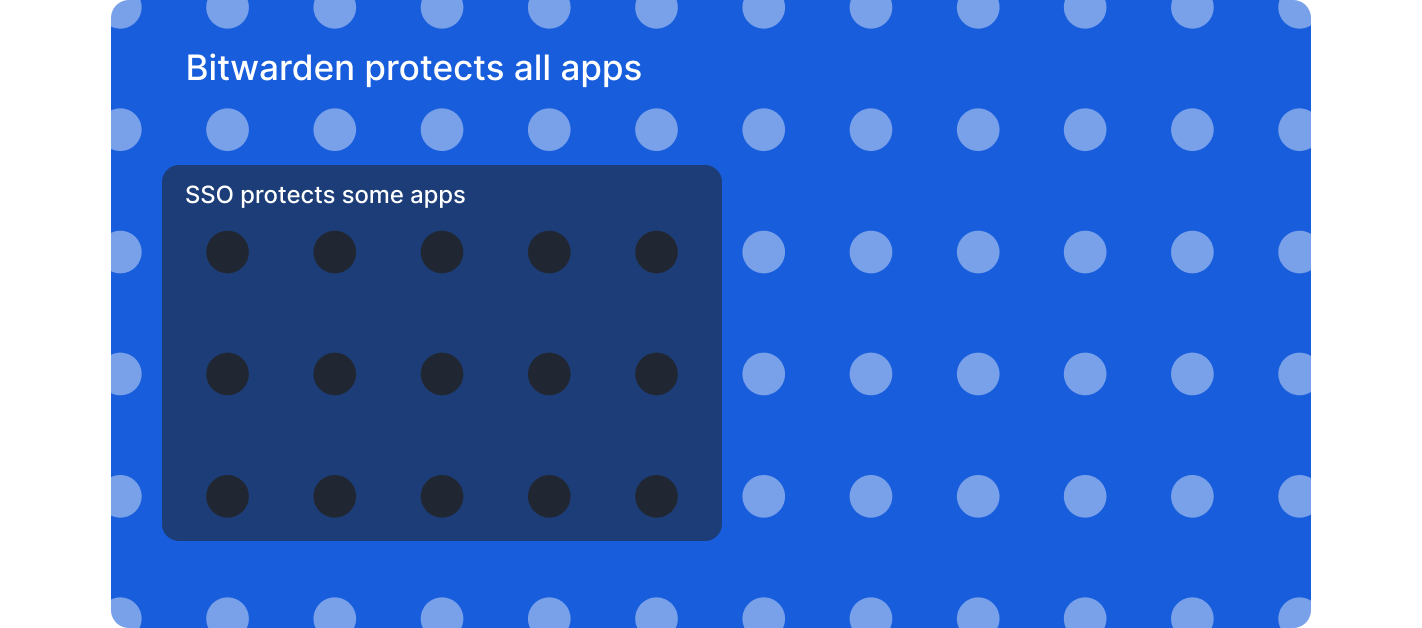
**Non-SSO applications**: Bitwarden generates strong, unique passwords and stores credentials securely with the same organizational oversight as SSO, and access can be revoked through the IdP and SCIM systems.
**Vendor and contractor sharing**: Securely share credentials with external parties through encrypted collections with granular access controls and audit trails by temporarily inviting users that aren’t within the IdP
**Enterprise policy enforcement**: Require SSO authentication for non-admin users, enforce account recovery enrollment, restrict users to single organization membership, and mandate two-step login.
**Granular access controls**: Role-based access controls, custom roles, and collection-based permissions support least-privilege principles across shared credentials.
**Comprehensive audit trails**: Event logs capture credential access, sharing, modifications, and policy changes across all users and applications.
**Password policy enforcement**: Generate complex passwords that meet organizational standards and identify weak, reused, or compromised credentials across all systems.
### **Why Bitwarden complements SSO**
Organizations that implement SSO and Bitwarden together gain complete credential security across their application landscape. Rather than accepting security blind spots or limiting tool choices, the combination protects SSO investments by extending authentication policies to applications outside SSO coverage. This comprehensive approach eliminates weak and reused passwords across all systems while maintaining visibility into credential health organization-wide, which significantly reduces credential-related incidents.
The integration streamlines both onboarding and succession planning. Automated provisioning ensures employees gain access quickly when they join, while synchronized deprovisioning triggers immediate credential revocation when they depart. For organizations working with external partners, the solution enables secure collaboration by allowing teams to share credentials with vendors and contractors through encrypted channels that provide granular permissions and comprehensive audit trails.
From a compliance perspective, detailed logging and reporting demonstrate comprehensive credential management across all systems, not just SSO-enabled applications. This helps organizations maintain their compliance requirements. At the same time, the solution improves employee experience by allowing seamless credential access across devices while IT maintains centralized control and enforces consistent security standards throughout the organization.
Organizations already using SSO can add Bitwarden without disrupting existing authentication systems. The integration works within current infrastructure to deliver unified access management that covers all applications.
Ready to close SSO gaps? [Start a 7-day Enterprise free trial](https://bitwarden.com/sv-se/go/start-enterprise-trial/) to test SSO integration, or [contact the sales team ](https://bitwarden.com/sv-se/contact-sales/)to discuss extending security across your complete application environment.
## Få kraftfull, pålitlig lösenordssäkerhet nu. Välj din plan.
## Personlig
### Enskild
**$0**
*per månad*
*Gratis för alltid - inget kreditkort krävs! *
Skaffa ett Bitwarden-valv
- Obegränsat antal enheter
- Hantering av lösenord
- Alla kärnfunktioner
- Alltid gratis
Dela valvobjekt med en annan användare.
[Kom igång idag](https://bitwarden.com/go/start-free/)
---
### Premie
**Less than $1**
*varje år*
*faktureras årligen*
Njut av premiumfunktioner
- Integrerad autentisering
- Bifogade filer
- Nödåtkomst
- Säkerhetsrapporter och mer
Dela valvobjekt med en annan användare
[Skapa ett premiumkonto](https://bitwarden.com/go/start-premium/)
---
### Familjer
**$3.33**
*per månad*
*Upp till 6 användare, 40 USD faktureras årligen*
Säkra dina familjeinloggningar
- 6 premiumkonton
- Obegränsad delning
- Obegränsade samlingar
- Organisationslagring
Dela valvobjekt mellan sex personer
[Starta gratis 7-dagars provperiod](https://bitwarden.com/go/start-families-trial/)
---
Priset visas i USD och baseras på en årsprenumeration. Skatter ingår ej.
## Företag
### Teams
*Robust skydd för team i tillväxt.*
**$4**
*per månad / per användare som faktureras årligen*
Premium features for all accounts, plus:
- Säker datadelning
- Händelseloggövervakning
- Katalogintegrering
- SCIM-stöd
Inkluderar premiumfunktioner för alla användare
[Starta en provversion](https://bitwarden.com/go/start-teams-trial/)
---
### Företag
*Avancerade funktioner för större organisationer*
**$6**
*per månad / per användare som faktureras årligen*
Teams features for all accounts, plus:
- Företagspolicyer
- Lösenordslös SSO
- Kontoåterställning
- Alternativ för självvärd
Inkluderar premiumfunktioner och gratis familjeplan för alla användare
[Starta en provversion](https://bitwarden.com/go/start-enterprise-trial/)
---
### Få en offert
*För företag med hundratals eller tusentals anställda kontakta försäljningen för en anpassad offert och se hur Bitwarden kan:*
- Minska cybersäkerhetsrisken
- Öka produktiviteten
- Integrera sömlöst
Bitwarden skalar med alla företagsstorlekar för att ge din organisation lösenordssäkerhet
[Kontakta försäljning](https://bitwarden.com/contact-sales/)
---
Priset visas i USD och baseras på en årsprenumeration. Skatter ingår ej.
---
URL: https://bitwarden.com/sv-se/resources/inventory-hive-enhances-password-security/
---
# Property management platform Inventory Hive enhances password security with Bitwarden
Inventory Hive is one of the UK’s leading property inspection and virtual tour software platforms. With the help of Bitwarden, Inventory Hive enhanced its password security.
---
## Inventory Hive
**Founded:** 2015
**Industry:** Property Management Software
**Location:** Lichfield, United Kingdom
Inventory Hive is one of the UK’s leading property inspection and virtual tour software platforms. Their property inventory software makes it easy to create, manage, and store property inventories and tenant reports on any device.
### Situation
As a fast-growing startup, [Inventory Hive](https://www.inventoryhive.co.uk/) didn’t have a password management system set up when they first launched. Both their staff and tech stack were small, and they only used a limited number of platforms and logins.
But the company grew quickly, and they soon realized they needed to set up password security practices that were safe and easy to use. As a cloud-based company with their sights set on long-term partnerships with large, mature businesses, they needed to be proactive and set up airtight password security early on.
“We wanted to make sure we could manage our passwords more effectively as the company grew,” marketing manager Mitch Handley explains. “It was a case of nipping any potential problems in the bud by getting into a good practice early on to make sure our company stayed secure.”
## Table of Contents
- [Situation](https://bitwarden.com/sv-se/resources/inventory-hive-enhances-password-security/#situation/)
- [Inventory Hive password policy: “You must use Bitwarden” ](https://bitwarden.com/sv-se/resources/inventory-hive-enhances-password-security/#inventory-hive-password-policy/)
- [Why did Inventory Hive choose Bitwarden?](https://bitwarden.com/sv-se/resources/inventory-hive-enhances-password-security/#why-did-inventory-hive-choose-bitwarden/)
- [Achieving ISO 27001 certification with Bitwarden](https://bitwarden.com/sv-se/resources/inventory-hive-enhances-password-security/#achieving-iso-27001-certification-with-bitwarden/)
- [Securely transmitting sensitive information ](https://bitwarden.com/sv-se/resources/inventory-hive-enhances-password-security/#securely-transmitting-sensitive-information/)
- [Cross-team collaboration](https://bitwarden.com/sv-se/resources/inventory-hive-enhances-password-security/#cross-team-collaboration/)
- [All company passwords secured](https://bitwarden.com/sv-se/resources/inventory-hive-enhances-password-security/#all-company-passwords-secured/)
- [Strengthening customer trust](https://bitwarden.com/sv-se/resources/inventory-hive-enhances-password-security/#strengthening-customer-trust/)
- [Get started with Bitwarden](https://bitwarden.com/sv-se/resources/inventory-hive-enhances-password-security/#get-started-with-bitwarden/)
### Inventory Hive password policy
"You must use Bitwarden."
Inventory Hive quickly selected Bitwarden for its user-friendly interface, scalable pricing, and most of all, world-class security features.
Because Inventory Hive made Bitwarden part of their infrastructure early on, they have been able to build their security practices around the solution.
“Our policies on password management are built around the Bitwarden software,” Mitch explains. “In our password policy, the first sentence says, ‘you must use Bitwarden.’ It’s the foundation that we’ve built the rest of the company’s security policies on.”
### Why did Inventory Hive choose Bitwarden?
- User-friendly interface
- Cross-platform access
- [Strong password generator ](https://bitwarden.com/sv-se/password-generator/)
- ISO 27001 certification
- [Secure password sharing](https://bitwarden.com/sv-se/blog/whats-the-right-way-to-share-passwords/) with collections
- Flexible pricing model
These characteristics were some of the reasons why Inventory Hive chose Bitwarden for their password management.
### Achieving ISO 27001 certification with Bitwarden
As part of their ongoing efforts to protect client and partner data, Inventory Hive became ISO 27001 certified in 2021.
The Bitwarden password manager helped Inventory Hive set up a secure password policy, which was a critical requirement for receiving their certification.
“We underwent a rigorous assessment of our information security management processes, including an audit of our policies, our practices, and our procedures,” Mitch says. “Bitwarden played a big part in ensuring that we followed all of the required procedures and were able to get certified.”
### Securely transmitting sensitive information
For Mitch, one of the most valuable tools on the platform is [Bitwarden Send](https://bitwarden.com/sv-se/products/send/), which makes it easy for Inventory Hive to securely share sensitive marketing data and spreadsheets with his colleagues, without worrying about breaches or human error. Bitwarden Send enables users to easily transmit fully encrypted files and text to and from any device, which the receiver can open with a separate secure password.
“It’s easy to get into bad habits and send secure spreadsheets or data over email, where it might get hacked, or you might even send that file to the wrong email address,” Mitch says. “Having end-to-end encryption with Bitwarden Send gives us that extra layer of protection. If someone does send a file incorrectly, it’s still password-protected.”
### Cross-team collaboration
Bitwarden access management enables users to share passwords easily without compromising security, which has been especially useful when urgent matters have come up and employees are ill or on vacation.
“When our support team was out on sick leave, I needed to log into our platform to manage all of the support tickets that came in,” Mitch says. “Obviously, I don’t have their login. But because they shared it on the secure Bitwarden Inventory Hive team, I could find their login and go manage those tickets.”
### All company passwords secured
Today, Inventory Hive uses Bitwarden to secure all company passwords. “It’s quite a lot for the size of our company,” he says. “I don’t think people realize how many different platforms they’ll log into in a day. When you multiply that across all of our staff members, it shows you how much we rely on Bitwarden for our password protection.”
### Strengthening customer trust
With the Bitwarden password manager and ISO certification in place, Inventory Hive has built a strong security foundation, strengthened customer trust, and demonstrated to potential partners that they take security seriously. As a UK company whose partners often have extra concerns about GDPR compliance, this has proven to be particularly valuable.
“One of the first questions customers ask us now is about our security policies,” Mitch says. “Being ISO certified instills confidence in them. They know their data will be safe with us.”
And best of all? Having this enhanced security in place has made it possible for Inventory Hive to land those partnerships with the large, mature companies that they were after.
“We’ve got quite a few large blue-chip companies that we’re currently onboarding or about to start onboarding. And it’s all down to our security policies and our certification. We would never have gotten these customers on board without Bitwarden.”
### Get started with Bitwarden
To learn more about what Bitwarden can do for business, start a 7-day [free business trial](https://bitwarden.com/sv-se/trial/)!
## Få kraftfull, pålitlig lösenordssäkerhet nu. Välj din plan.
## Personlig
### Enskild
**$0**
*per månad*
*Gratis för alltid - inget kreditkort krävs! *
Skaffa ett Bitwarden-valv
- Obegränsat antal enheter
- Hantering av lösenord
- Alla kärnfunktioner
- Alltid gratis
Dela valvobjekt med en annan användare.
[Kom igång idag](https://bitwarden.com/go/start-free/)
---
### Premie
**Less than $1**
*varje år*
*faktureras årligen*
Njut av premiumfunktioner
- Integrerad autentisering
- Bifogade filer
- Nödåtkomst
- Säkerhetsrapporter och mer
Dela valvobjekt med en annan användare
[Skapa ett premiumkonto](https://bitwarden.com/go/start-premium/)
---
### Familjer
**$3.33**
*per månad*
*Upp till 6 användare, 40 USD faktureras årligen*
Säkra dina familjeinloggningar
- 6 premiumkonton
- Obegränsad delning
- Obegränsade samlingar
- Organisationslagring
Dela valvobjekt mellan sex personer
[Starta gratis 7-dagars provperiod](https://bitwarden.com/go/start-families-trial/)
---
Priset visas i USD och baseras på en årsprenumeration. Skatter ingår ej.
## Företag
### Teams
*Robust skydd för team i tillväxt.*
**$4**
*per månad / per användare som faktureras årligen*
Premium features for all accounts, plus:
- Säker datadelning
- Händelseloggövervakning
- Katalogintegrering
- SCIM-stöd
Inkluderar premiumfunktioner för alla användare
[Starta en provversion](https://bitwarden.com/go/start-teams-trial/)
---
### Företag
*Avancerade funktioner för större organisationer*
**$6**
*per månad / per användare som faktureras årligen*
Teams features for all accounts, plus:
- Företagspolicyer
- Lösenordslös SSO
- Kontoåterställning
- Alternativ för självvärd
Inkluderar premiumfunktioner och gratis familjeplan för alla användare
[Starta en provversion](https://bitwarden.com/go/start-enterprise-trial/)
---
### Få en offert
*För företag med hundratals eller tusentals anställda kontakta försäljningen för en anpassad offert och se hur Bitwarden kan:*
- Minska cybersäkerhetsrisken
- Öka produktiviteten
- Integrera sömlöst
Bitwarden skalar med alla företagsstorlekar för att ge din organisation lösenordssäkerhet
[Kontakta försäljning](https://bitwarden.com/contact-sales/)
---
Priset visas i USD och baseras på en årsprenumeration. Skatter ingår ej.
---
URL: https://bitwarden.com/sv-se/resources/it-services-provider-iolap-achieves-safer-password-security-practices-and/
---
# IT-tjänsteleverantören iOLAP uppnår säkrare lösenordssäkerhetsmetoder och effektiv administratörskontroll med Bitwarden
Bitwarden gör det möjligt för iOLAP att mildra osäkra lösenordspraxis och uppnå centraliserad integration med Microsoft Entra ID
---
#### Overview
Founded: 2000
Industry: IT Services
Employees: 300
Size of IT team: 5
Locations: Texas and Croatia
Bitwarden Seats: Almost 300
iOLAP is an end-to-end IT services provider delivering solutions to customers all over the world, ranging from start-ups to Fortune 500 to Fortune 100 clients. Headquartered in Texas and with European headquarters in Croatia, iOLAP needed a centralized password management solution to cut down on data security risks. The company determined the best course of action was to employ an enterprise-wide password manager with a reputation for safety, business-friendly features, and administrative control.
#### Situation: Need for secure, centralized solution
Besides helping oversee day-to-day IT operations at iOLAP, systems administrators also grappled with password-related challenges across the organization. Employees were saving passwords through browser-based password managers, which the IT team wanted to discourage because they didn’t believe browser-based password managers were as secure as centralized, enterprise-wide password managers. Employees were also using a variety of password managers, which made it impossible to securely share passwords and secrets across teams.
System administrators realized they needed to come up with a better solution, one that would help facilitate more secure password habits and centralize overall password management. They started researching products, with an eye towards a password manager that was feature-rich, offered active directory integration, and that enabled an intuitive user experience.
#### Solution: Bitwarden for reputation, features, seamless integration
“In considering enterprise-wide centralized password managers, Bitwarden was the first provider that came to mind,” said the iOLAP systems administrator team. “While we looked at one of the competitors of Bitwarden, we ultimately ruled it out because of their pricing structure and because they had experienced breaches that left us skeptical of their overall reputation. We were also very happy with Bitwarden features and of course, the product’s password-sharing capabilities”.
The systems administrator team noted that although the team did consider other providers, there was overwhelming agreement that Bitwarden was the best option.
“The availability of Bitwarden Collections was important, because there are a number of projects that require password sharing,” said the systems administrator team.
Bitwarden Collections, which are essentially shared folders, enables organizations to share sensitive data easily, securely, and in a scalable manner. This is accomplished through the segmentation of sensitive data into Collections. Collections can be organized in a number of different ways, including by business function and application access levels.
Said the systems administrator team, “We were also thrilled with Bitwarden Send, which allows us to safely send critical data. It’s much safer than using plain text or anything like that. As we’re an IT services firm, we put Bitwarden Send to good use. For example, we might use it to share credentials when we sign on with new clients”.
Additionally, the iOLAP team deploys the Bitwarden browser extensions so users can access Bitwarden autofill through the browser of their choice, leverages the Bitwarden Vault Health Report to monitor any breached passwords, and relies on the [Bitwarden Password Generator to create strong passwords](https://bitwarden.com/sv-se/password-generator/) from the onset.
Added the systems administrator team, “Another incredibly important, non-negotiable capability was Bitwarden’s seamless integration with Microsoft Entra ID.”
#### Bitwarden integration with Entra ID facilitates streamlined user management
Entra ID (formerly Azure Active Directory) is a cloud-based identity and access management service that helps IT administrators control access to applications, resources, and tools based on business requirements. Bitwarden enables connection to Entra ID through the Bitwarden Directory Connector application, which automatically provisions users, groups, and group associations in an enterprise’s Bitwarden organization by pulling from a selection of directory services.
While not exhaustive, the combined Bitwarden and Entra ID benefits include automatic provisioning of users, a simplified process for IT administrators to onboard and manage users, and the automatic revocation of access from departing employees who might pose a security risk.
At the time iOLAP was considering password management providers, Bitwarden competitors did not offer this level of integration with Entra ID.
“It was very important that we be able to connect Microsoft Entra ID to Bitwarden,” said the systems administrator team. “Group creation, user access, user creation - all of this is done through Entra ID and then synced to Bitwarden. Once all the relevant information is synced from Entra ID, the iOLAP IT team connects users to our Collections, which includes all company-wide credentials. It’s a pretty cool feature and has allowed us to save time and focus on important business priorities in lieu of having to spend hours manually provisioning users.”
#### Easy onboarding has accelerated overall Bitwarden adoption
Said the systems administrator team, “The nature of our business, which is IT services, means our employees possess more advanced technological skills than the average person. A lot of them had personal experience with different password managers, so onboarding was pretty straightforward. Once they started using Bitwarden, they realized how easy it was and have since incorporated it into their personal lives.”
Added one of the systems administrators, “I’m one of those people, as well. I was using the Chrome browser-based password manager and switched to Bitwarden because it’s markedly superior. I have it on my mobile phone, work account, and personal account. Overall, I strongly recommend Bitwarden to colleagues, friends, and family.”
#### Get started with Bitwarden
Learn more about what Bitwarden can do for your business and sign up for a [free 7-day trial.](https://bitwarden.com/sv-se/pricing/business/)
## Få kraftfull, pålitlig lösenordssäkerhet nu. Välj din plan.
## Personlig
### Enskild
**$0**
*per månad*
*Gratis för alltid - inget kreditkort krävs! *
Skaffa ett Bitwarden-valv
- Obegränsat antal enheter
- Hantering av lösenord
- Alla kärnfunktioner
- Alltid gratis
Dela valvobjekt med en annan användare.
[Kom igång idag](https://bitwarden.com/go/start-free/)
---
### Premie
**Less than $1**
*varje år*
*faktureras årligen*
Njut av premiumfunktioner
- Integrerad autentisering
- Bifogade filer
- Nödåtkomst
- Säkerhetsrapporter och mer
Dela valvobjekt med en annan användare
[Skapa ett premiumkonto](https://bitwarden.com/go/start-premium/)
---
### Familjer
**$3.33**
*per månad*
*Upp till 6 användare, 40 USD faktureras årligen*
Säkra dina familjeinloggningar
- 6 premiumkonton
- Obegränsad delning
- Obegränsade samlingar
- Organisationslagring
Dela valvobjekt mellan sex personer
[Starta gratis 7-dagars provperiod](https://bitwarden.com/go/start-families-trial/)
---
Priset visas i USD och baseras på en årsprenumeration. Skatter ingår ej.
## Företag
### Teams
*Robust skydd för team i tillväxt.*
**$4**
*per månad / per användare som faktureras årligen*
Premium features for all accounts, plus:
- Säker datadelning
- Händelseloggövervakning
- Katalogintegrering
- SCIM-stöd
Inkluderar premiumfunktioner för alla användare
[Starta en provversion](https://bitwarden.com/go/start-teams-trial/)
---
### Företag
*Avancerade funktioner för större organisationer*
**$6**
*per månad / per användare som faktureras årligen*
Teams features for all accounts, plus:
- Företagspolicyer
- Lösenordslös SSO
- Kontoåterställning
- Alternativ för självvärd
Inkluderar premiumfunktioner och gratis familjeplan för alla användare
[Starta en provversion](https://bitwarden.com/go/start-enterprise-trial/)
---
### Få en offert
*För företag med hundratals eller tusentals anställda kontakta försäljningen för en anpassad offert och se hur Bitwarden kan:*
- Minska cybersäkerhetsrisken
- Öka produktiviteten
- Integrera sömlöst
Bitwarden skalar med alla företagsstorlekar för att ge din organisation lösenordssäkerhet
[Kontakta försäljning](https://bitwarden.com/contact-sales/)
---
Priset visas i USD och baseras på en årsprenumeration. Skatter ingår ej.
---
URL: https://bitwarden.com/sv-se/resources/january-2023-spotlight-bitwarden-acquires-passwordless-dev/
---
# January 2023 Spotlight: Bitwarden acquires passwordless.dev
The acquisition is a key milestone in rounding out the Bitwarden commitment to offering open source, scalable, and secure passwordless solutions to all users.
---
## Featured Highlights

On January 18, 2023, [Bitwarden announced](https://bitwarden.com/sv-se/blog/bitwarden-extends-passwordless-leadership-with-acquisition/) that it has acquired European-based startup Passwordless.dev, a significant milestone in rounding out the Bitwarden commitment to offering open source, scalable, and secure passwordless solutions to every business and end user. Through its comprehensive API framework, Passwordless.dev trims down the development work around cryptographic operations, technical flows, and more – what used to take weeks can now be accomplished in minutes.

In the latest release, the Bitwarden Authenticator TOTP generator became available on your Apple Watch device! This allows for quick access to generated verification codes for logging into your accounts that support two-factor authentication. Get started by installing the latest version of the Bitwarden iOS app from the Apple App Store. More [step-by-step instructions](https://bitwarden.com/sv-se/help/apple-watch-totp/) on how to leverage this new feature are available in the Help Center.
## Enjoying this update? Subscribe today.
*Receive the latest product updates, hand-picked articles, community highlights, and more.*
[Contact form]
## More Bits and Bites
[**Data Privacy Day**](https://bitwarden.com/sv-se/blog/data-privacy-day/)
This year, The National Cybersecurity Alliance is advocating for holding organizations responsible for keeping individuals’ personal information safe throughout Data Privacy Week. They also encourage individuals to “Own Your Privacy” by learning more about how to protect their data online. [Learn more](https://bitwarden.com/sv-se/blog/data-privacy-day/) about what you can do to protect your privacy in 2023 and beyond.
[**The Bitwarden tech stack: Built for security and scalability**](https://bitwarden.com/sv-se/blog/the-bitwarden-tech-stack-built-for-security-and-scalability/)
Bitwarden selects tools and platforms with a security-first vision across open source and commercial technologies. Across server, browser, mobile, and desktop applications, the Bitwarden technology stack is core to developing and maintaining the secure password management you know and love. [In this article](https://bitwarden.com/sv-se/blog/the-bitwarden-tech-stack-built-for-security-and-scalability/), learn how and why Bitwarden selected current technologies in use and how these adopted applications help support high performance, security, and scalability.
[**Bitwarden Open Source Security Explained**](https://bitwarden.com/sv-se/blog/bitwarden-open-source-security-explained/)
As the CEO of HackerOne, Mårten Mickos, once said, “In software, when you make the source code open, you unleash collaboration and innovation otherwise not possible. In security, when you make vulnerabilities and their fixes open, you unleash collaboration and risk reduction otherwise not possible.” Open source codebases like Bitwarden undergo continuous inspection and enhancement by developers, users, and security researchers around the world. Get answers to the most [frequently asked questions](https://bitwarden.com/sv-se/blog/bitwarden-open-source-security-explained/) about how being open source strengthens Bitwarden security, transparency, and privacy.
[**How to create Bitwarden custom fields in a few clicks**](https://bitwarden.com/sv-se/blog/easier-than-ever-create-custom-fields-in-a-few-clicks/)
Bitwarden users can create custom fields and choose to “Copy Custom Field Name” in their browser’s context (or right-click) menu. This capability greatly simplifies the creation of password manager custom fields and makes it easier than ever for Bitwarden users to add more data fields to vault items. Learn the steps to [create a custom field](https://bitwarden.com/sv-se/blog/easier-than-ever-create-custom-fields-in-a-few-clicks/) and start taking advantage of this new feature.
[**Top 5 ways business executives can stay safe online**](https://bitwarden.com/sv-se/blog/top-5-ways-business-executives-can-stay-safe-online/)
According to Rachel Tobac, a hacker and the CEO of SocialProof Security, “It only takes one email, a 30-second call, **or** one social media DM to hack VIPs and gain access to their money, data, and systems.” There has never been a better time for business leaders to take control of their online security, and here are [the top five ways](https://bitwarden.com/sv-se/blog/top-5-ways-business-executives-can-stay-safe-online/) that senior executives can better protect themselves.
[**Mark Your Calendar with These Cybersecurity Awareness Holidays**](https://bitwarden.com/sv-se/blog/cybersecurity-awareness-holidays/)No matter what time of year, it’s important to take action to keep ourselves and others safe online, through backing up data, securing your passwords, and more. Take a look at [these cybersecurity holidays](https://bitwarden.com/sv-se/blog/cybersecurity-awareness-holidays/) that highlight important ways to stay safe, and remember to mark them on your calendar!
## Get Involved in the Community
As an open-source project, Bitwarden wouldn’t be what it is today without its global community support. Visit the [Community Forums](https://community.bitwarden.com/) for general community discussion and the product roadmap. Here are a few ways you can get involved:
- **Request a new feature:**Go to the [Feature Requests](https://community.bitwarden.com/c/feature-requests/) category of the Community Forums. (Pro tip: search existing feature requests before making a new one.)
- **Write code for a new feature:** Make a new post in the [Github Contributions](https://community.bitwarden.com/c/github-contributions/) category of the Community Forums. Be sure to include a description of your proposed contribution, screenshots, and links to any relevant feature requests.
- **Report a bug or submit a bug fix:** Use Github issues and pull requests to report issues.
- **Help other users:**Go to the [Ask the Bitwarden Community](https://community.bitwarden.com/c/support/) category on the Community Forums.
- **Helps us translate Bitwarden:**Help [translate Bitwarden](https://contributing.bitwarden.com/contributing/#localization-l10n) to make the platform more accessible in other languages.
- **Report a security concern or vulnerability:** Security audits and feedback are always welcome. If the issue is sensitive, please [contact us](https://bitwarden.com/sv-se/contact/) directly or submit a report through our [HackerOne Program](https://hackerone.com/bitwarden/).
## Upcoming Events

It only takes one email, a 30-second call, or one social media DM for her to hack VIPs and gain access to your money, data, and systems. Meet Rachel Tobac, who executes these social engineering attacks for a living and uses her real-life ethical hacking stories to keep VIPs up to date on the methods criminals are using to trick people. [Register now](https://hopin.com/events/hackers-guide-to-vip-security/registration) for this free virtual event on March 9 and learn how to defend against the latest executive-based manipulation methods.
**More Upcoming Events**
- [Monthly Vault Hours](https://bitwarden.com/sv-se/events/vault-hours-31-jan-27/): 1/27 @ 12 pm EDT
- [Weekly Live Demo](https://bitwarden.com/sv-se/events/weekly-demo/): Every Wednesday at 12 pm EDT
- [Bitwarden Brilliance: Unified Self-hosted](https://www.twitch.tv/BitwardenLive): 2/2 @ 12 pm EDT
- [Managed Service Provider (MSP) Demo](https://us02web.zoom.us/webinar/register/WN_wk91rY6NRGOJQH_adHdiNA): 2/9 @ 12 pm EDT
- [Managed Service Provider (MSP) Demo](https://us02web.zoom.us/webinar/register/WN_3m2nIDulSv-Lvwp1hHxWCA): 2/23 @ 2 pm EDT
That’s it for now. Let us know what you think about this newsletter including potential topics you’d like to see.
**Until next time,**
Team Bitwarden
## Bitwarden is Certified as a Best Place to Work in 2022!
Interested in joining the Bitwarden team? Visit [our careers page](https://bitwarden.com/sv-se/careers/) to explore open roles.
## Få kraftfull, pålitlig lösenordssäkerhet nu. Välj din plan.
## Personlig
### Enskild
**$0**
*per månad*
*Gratis för alltid - inget kreditkort krävs! *
Skaffa ett Bitwarden-valv
- Obegränsat antal enheter
- Hantering av lösenord
- Alla kärnfunktioner
- Alltid gratis
Dela valvobjekt med en annan användare.
[Kom igång idag](https://bitwarden.com/go/start-free/)
---
### Premie
**Less than $1**
*varje år*
*faktureras årligen*
Njut av premiumfunktioner
- Integrerad autentisering
- Bifogade filer
- Nödåtkomst
- Säkerhetsrapporter och mer
Dela valvobjekt med en annan användare
[Skapa ett premiumkonto](https://bitwarden.com/go/start-premium/)
---
### Familjer
**$3.33**
*per månad*
*Upp till 6 användare, 40 USD faktureras årligen*
Säkra dina familjeinloggningar
- 6 premiumkonton
- Obegränsad delning
- Obegränsade samlingar
- Organisationslagring
Dela valvobjekt mellan sex personer
[Starta gratis 7-dagars provperiod](https://bitwarden.com/go/start-families-trial/)
---
Priset visas i USD och baseras på en årsprenumeration. Skatter ingår ej.
## Företag
### Teams
*Robust skydd för team i tillväxt.*
**$4**
*per månad / per användare som faktureras årligen*
Premium features for all accounts, plus:
- Säker datadelning
- Händelseloggövervakning
- Katalogintegrering
- SCIM-stöd
Inkluderar premiumfunktioner för alla användare
[Starta en provversion](https://bitwarden.com/go/start-teams-trial/)
---
### Företag
*Avancerade funktioner för större organisationer*
**$6**
*per månad / per användare som faktureras årligen*
Teams features for all accounts, plus:
- Företagspolicyer
- Lösenordslös SSO
- Kontoåterställning
- Alternativ för självvärd
Inkluderar premiumfunktioner och gratis familjeplan för alla användare
[Starta en provversion](https://bitwarden.com/go/start-enterprise-trial/)
---
### Få en offert
*För företag med hundratals eller tusentals anställda kontakta försäljningen för en anpassad offert och se hur Bitwarden kan:*
- Minska cybersäkerhetsrisken
- Öka produktiviteten
- Integrera sömlöst
Bitwarden skalar med alla företagsstorlekar för att ge din organisation lösenordssäkerhet
[Kontakta försäljning](https://bitwarden.com/contact-sales/)
---
Priset visas i USD och baseras på en årsprenumeration. Skatter ingår ej.
---
URL: https://bitwarden.com/sv-se/resources/january-2024-spotlight-just-released-log-in-with-passkeys/
---
# January 2024 Spotlight: Just released - Log in with passkeys
Learn why passkeys are stronger and more secure than passwords.
---
## Featured Highlights
[](https://bitwarden.com/data-security-in-age-of-ai/)
*Balancing Security and Innovation*
It's not a question of if AI is a threat to your data. It's a question of how serious the threat is and if your IT team is prepared. Our new eBook, [Balancing Security and Innovation in the Age of AI,](https://bitwarden.com/sv-se/data-security-in-age-of-ai/) presents findings from our recent survey of 710 IT professionals to help address the dilemma of balancing innovation while staying secure.
[](https://bitwarden.com/blog/log-into-bitwarden-with-a-passkey/)
*Log into Bitwarden with a passkey*
Following the most recent January release, all Bitwarden users can now [log into their web vaults with a passkey](https://bitwarden.com/sv-se/blog/log-into-bitwarden-with-a-passkey/), without typing in a username or password. Passkeys are stronger and more secure than passwords, cannot be guessed, and are resistant to phishing. Learn how this beta implementation allows passkeys to be used as part of the encryption process, providing convenience and end-to-end encryption.
## Enjoying this update? Subscribe today.
*Receive the latest product updates, hand-picked articles, community highlights, and more.*
[Contact form]
## More Bits and Bites
[**Switch between Bitwarden accounts quickly and easily**](https://bitwarden.com/sv-se/blog/account-switching-phased-rollout-for-bitwarden-clients/)
The Bitwarden Password Manager browser extension, desktop, and mobile apps can quickly switch between Bitwarden accounts, with multiple accounts logged in at once. Refer to our [brief how-to and FAQs](https://bitwarden.com/sv-se/blog/account-switching-phased-rollout-for-bitwarden-clients/) for more information.
[**Survey Findings: Security Perceptions in the Age of AI**](https://bitwarden.com/sv-se/ai-and-cybersecurity-report/)
Bitwarden partnered with The Starr Conspiracy research firm to poll 710 IT professionals to understand security perceptions in the age of AI. The findings show a significant gap between how secure IT professionals feel and their actual security posture. [Get the full report](https://bitwarden.com/sv-se/ai-and-cybersecurity-report/).
[**Stay secure with Vault Health Reports in the Bitwarden Password Manager**](https://bitwarden.com/sv-se/blog/stay-secure-with-vault-health-reports/)
Are any of your passwords being used across multiple sites? Have you ever wondered if a password of yours has been exposed or found to be part of a data breach? How would you go about finding out all of this information? If your password manager of choice is Bitwarden, those details are at your fingertips. In this [guide](https://bitwarden.com/sv-se/blog/stay-secure-with-vault-health-reports/), read about how the information offered in the Bitwarden Reports section can ensure your general digital security.
[**Evolving trends in secrets management**](https://bitwarden.com/sv-se/resources/presentations/evolving-trends-in-secrets-management/)
A rapid evolution in secrets management is underway as businesses look to speed and secure DevOps pipelines, mitigate the increased number of applications and ecosystems used by developers, and prevent secret-related data breaches. Check out [the presentation](https://bitwarden.com/sv-se/resources/presentations/evolving-trends-in-secrets-management/) for insight into the evolving trends in secrets management.
[**Secure your business with a team password manager**](https://bitwarden.com/sv-se/blog/secure-your-business-with-a-team-password-manager/#:~:text=A%20password%20manager%20for%20teams,for%20individual%20and%20team%20passwords./)
With so many businesses operating remotely, IT business leaders need to be even more diligent about fostering strong security practices. Get [more information](https://bitwarden.com/sv-se/blog/secure-your-business-with-a-team-password-manager/#:~:text=A%20password%20manager%20for%20teams,for%20individual%20and%20team%20passwords./) about what a team password manager is and why it is beneficial to remote employees.
[**Mark Your Calendar with These Cybersecurity Awareness Holidays**](https://bitwarden.com/sv-se/blog/cybersecurity-awareness-holidays/)
No matter what time of year, it’s important to take action to keep ourselves and others safe online, through backing up data, securing your passwords, and more. Take a look at these [cybersecurity holidays](https://bitwarden.com/sv-se/blog/cybersecurity-awareness-holidays/) that highlight important ways to stay safe.
[**Titanom Technologies protects developer secrets with Bitwarden Secrets Manager**](https://bitwarden.com/sv-se/resources/titanom-technologies-bitwarden-secrets-manager/)
In this [case study](https://bitwarden.com/sv-se/resources/titanom-technologies-bitwarden-secrets-manager/), learn about how educational software company Titanom Technologies bolstered developer security and increased productivity by deploying Bitwarden Secrets Manager.
## Community Spotlight
To be secure in the online world, we need each other. That is why the global community is key to the Bitwarden mission of achieving security for all. This month's newsletter [**spotlights a user story**](https://www.reddit.com/r/Bitwarden/comments/196m5u2/forgot_master_password_lucky_moment/) that reminds us of the importance of storing your master password in a safe place, and adding an emergency contact just in case.
[](https://www.reddit.com/r/Bitwarden/comments/196m5u2/forgot_master_password_lucky_moment/)
*forgot master password*
## Join Bitwarden Live
[](https://events.ringcentral.com/events/cybersecurity-according-to-a-hacker/registration)
*Webcast - Feb. 29th - VIP Protection in the Digital Age: Cybersecurity According to a Hacker*
Join ethical hacker and CEO Rachel Tobac for a fireside chat on the VIP's guide to staying safe online - plus a live hack demo! During this webcast event, you will learn how to be aware of social engineering attacks and ways to prevent them, and the best practices for ongoing digital safety and security in the face of threats. [**Save your seat!**](https://events.ringcentral.com/events/cybersecurity-according-to-a-hacker/registration)
## More Upcoming Events
- [**Weekly Live Demo:**](https://bitwarden.com/sv-se/bitwarden-demo/)**Every Wednesday at 9 am PST**
Join us for a live walkthrough of the Bitwarden Password Manager business features and capabilities and ask your questions during live Q&A.
- [**Managed Service Provider (MSP) Demo:**](https://us02web.zoom.us/webinar/register/WN__C_hKlBZTVO_ATWLOlWdXQ#/registration)**February 8 at 8 am PST**
Join us for an admin training session for MSPs to learn the best practices to

## Bitwarden Learning Center
Check out [Bitwarden 101](https://bitwarden.com/sv-se/learning/pm-101-getting-started-as-a-user/) for a short video series on how to get started with Bitwarden Password Manager as an administrator or end user.
That’s it for now. For more product updates and online security tips, visit the Bitwarden [blog](https://bitwarden.com/sv-se/blog/).
**Until next time,**
Team Bitwarden
## Hi readers!
Take this [two-minute](https://forms.bitwarden.com/newsletter) survey to help us improve the monthly Bitwarden Newsletter and deliver the information you care most about.
## Få kraftfull, pålitlig lösenordssäkerhet nu. Välj din plan.
## Personlig
### Enskild
**$0**
*per månad*
*Gratis för alltid - inget kreditkort krävs! *
Skaffa ett Bitwarden-valv
- Obegränsat antal enheter
- Hantering av lösenord
- Alla kärnfunktioner
- Alltid gratis
Dela valvobjekt med en annan användare.
[Kom igång idag](https://bitwarden.com/go/start-free/)
---
### Premie
**Less than $1**
*varje år*
*faktureras årligen*
Njut av premiumfunktioner
- Integrerad autentisering
- Bifogade filer
- Nödåtkomst
- Säkerhetsrapporter och mer
Dela valvobjekt med en annan användare
[Skapa ett premiumkonto](https://bitwarden.com/go/start-premium/)
---
### Familjer
**$3.33**
*per månad*
*Upp till 6 användare, 40 USD faktureras årligen*
Säkra dina familjeinloggningar
- 6 premiumkonton
- Obegränsad delning
- Obegränsade samlingar
- Organisationslagring
Dela valvobjekt mellan sex personer
[Starta gratis 7-dagars provperiod](https://bitwarden.com/go/start-families-trial/)
---
Priset visas i USD och baseras på en årsprenumeration. Skatter ingår ej.
## Företag
### Teams
*Robust skydd för team i tillväxt.*
**$4**
*per månad / per användare som faktureras årligen*
Premium features for all accounts, plus:
- Säker datadelning
- Händelseloggövervakning
- Katalogintegrering
- SCIM-stöd
Inkluderar premiumfunktioner för alla användare
[Starta en provversion](https://bitwarden.com/go/start-teams-trial/)
---
### Företag
*Avancerade funktioner för större organisationer*
**$6**
*per månad / per användare som faktureras årligen*
Teams features for all accounts, plus:
- Företagspolicyer
- Lösenordslös SSO
- Kontoåterställning
- Alternativ för självvärd
Inkluderar premiumfunktioner och gratis familjeplan för alla användare
[Starta en provversion](https://bitwarden.com/go/start-enterprise-trial/)
---
### Få en offert
*För företag med hundratals eller tusentals anställda kontakta försäljningen för en anpassad offert och se hur Bitwarden kan:*
- Minska cybersäkerhetsrisken
- Öka produktiviteten
- Integrera sömlöst
Bitwarden skalar med alla företagsstorlekar för att ge din organisation lösenordssäkerhet
[Kontakta försäljning](https://bitwarden.com/contact-sales/)
---
Priset visas i USD och baseras på en årsprenumeration. Skatter ingår ej.
---
URL: https://bitwarden.com/sv-se/resources/july-2023-spotlight-bitwarden-is-the-1-password-manager-in-g2-2023-enterprise-grid/
---
# July 2023 Spotlight: Bitwarden is the #1 password manager in G2 2023 Enterprise Grid
Bitwarden leaps further ahead of the competition, establishing a significant lead in the Summer 2023 edition
---
## Featured Highlights
[](https://bitwarden.com/blog/easily-integrate-single-sign-on-security-with-flexible-solutions/)
*Bitwarden SSO*
SSO with trusted devices, a new passwordless SSO offering debuting later this Fall, gives enterprises complete flexibility in where and how encryption keys are kept, all while maintaining secure, end-to-end, zero knowledge encryption. Read this [guide](https://bitwarden.com/sv-se/blog/easily-integrate-single-sign-on-security-with-flexible-solutions/) for an overview of each Single Sign-On solution.
[](https://bitwarden.com/blog/bitwarden-g2-2023-enterprise-grid/)
*Bitwarden is the #1 password manager in G2 2023 Enterprise Grid hero*
Bitwarden has been recognized as the highest-performing password manager in the latest G2 Enterprise Grid report. Consistently recognized as an Enterprise Grid Leader in the past five reports, Bitwarden has furthered its position ahead of [competitors](https://bitwarden.com/sv-se/bitwarden-alternatives/), establishing a significant lead in the Summer 2023 report. Read this [blog](https://bitwarden.com/sv-se/blog/bitwarden-g2-2023-enterprise-grid/) to learn why enterprises love Bitwarden.
## Enjoying this update? Subscribe today.
*Receive the latest product updates, hand-picked articles, community highlights, and more.*
[Contact form]
## Security’s Got Talent
[](https://bitwarden.com/talent/)
*Security's Got Talent*
Do you love your password manager? Share your story in a short video by August 13th for the chance to win big in this contest with $25,000 in available prizes and $7,000 going to first place! Visit [bitwarden.com/talent](https://bitwarden.com/sv-se/http://bitwarden.com/talent/) to check out the contest rules and submit your entry.
## More Bits and Bites
[**SOS Software Service and Bitwarden align on pan-European distribution strategy**](https://bitwarden.com/sv-se/blog/sos-software-service-and-bitwarden-align-on-pan-european-distribution-strategy/)
Bitwarden and SOS Software Service will work together to bring Bitwarden Password Manager to European customers as part of a strategic distribution plan. Learn more about this [alignment](https://bitwarden.com/sv-se/blog/sos-software-service-and-bitwarden-align-on-pan-european-distribution-strategy/) and how it expands the availability of Bitwarden to European customers, providing new opportunities for SOS resellers and partners.
[**How enterprise password vaults strengthen security for organizations**](https://bitwarden.com/sv-se/blog/how-enterprise-password-vaults-strengthen-security-for-organizations/)
Discover the concept of an enterprise password vault and its role in boosting security through the prevention of unauthorized access, the promotion of strong password practices, and the facilitation of secure file and information sharing among employees. Explore the details in this [article](https://bitwarden.com/sv-se/blog/how-enterprise-password-vaults-strengthen-security-for-organizations/).
[**How to share files and sensitive information securely**](https://bitwarden.com/sv-se/blog/how-to-share-files-and-sensitive-information-securely/)
When emails are sent via plain text, it means the email and any associated attachments aren't encrypted, so anyone capable of intercepting those emails can read the content within without having to jump through any hoops. Learn how to secure your emails by encrypting them with Bitwarden Send with these [tips](https://bitwarden.com/sv-se/blog/how-to-share-files-and-sensitive-information-securely/).
[**What are passkeys?**](https://bitwarden.com/sv-se/blog/what-are-passkeys-and-passkey-login/)
With passkeys, you’ll never create a weak password again, because you’ll never need to create a password again. Passkeys allow you to quickly create and sign into accounts – with no password needed. This [single-step, secure login method](https://bitwarden.com/sv-se/blog/what-are-passkeys-and-passkey-login/) replaces traditional authentication as well as the 2FA process.
[**Why every startup needs a password manager**](https://bitwarden.com/sv-se/blog/why-every-startup-needs-a-password-manager/)
Most startups begin with a small collection of people doing their best to get something off the ground. That means thinking big, but it’s important to not skip over something as critical to the safety of your business as your passwords. Thus, a password manager is often a tool that is added along the way as startups grow. This [blog](https://bitwarden.com/sv-se/blog/why-every-startup-needs-a-password-manager/) discusses how to enable your team to be productive in secure collaboration.
[**How to determine your password health**](https://bitwarden.com/sv-se/blog/is-my-password-compromised/)
According to the Bitwarden 2023 World Password Day Survey, a majority (68%) of respondents manage passwords for 10+ sites or apps and yet 84% of respondents also reuse passwords. Close to a quarter (20%) were also affected by data breaches within the past 18 months. Based on these discoveries, determine whether your passwords have been compromised and familiarize yourself with password generation best practices in this [guide](https://bitwarden.com/sv-se/blog/is-my-password-compromised/).
[**How strong is my password?**](https://bitwarden.com/sv-se/blog/how-strong-is-my-password/)
If you’re using services or subscriptions that require a password - and that would be most people, at this point - you’ve probably noticed that most sites have password requirements. In this [article](https://bitwarden.com/sv-se/blog/how-strong-is-my-password/), learn how to use the Bitwarden Password Strength Testing Tool.
## Want to recommend Bitwarden to your Business?
Share the benefits of Bitwarden with your team, IT department, and business leadership.
[**Bring Bitwarden to Work >**](https://bitwarden.com/sv-se/go/bring-bitwarden-to-work/)
## Community Spotlight
We love hearing stories like the one shared by this Reddit user (u/**mrmcsquishy**) in their post titled "Today BW Saved My Life!". Not only is this a great story, but it also offers a valuable closing tip on using emergency access. We encourage our Bitwarden community to share their own experiences and tips in [Security's Got Talent](https://bitwarden.com/sv-se/http://bitwarden.com/talent/) or within the Bitwarden [community](https://community.bitwarden.com/). Tell us how Bitwarden has influenced you, and let's continue supporting each other in our journey to safer and more secure digital lives!
## Bitwarden 101
Check out [Bitwarden 101](https://bitwarden.com/sv-se/learning/#tag:bitwarden-101/) for a short video series on how to get started with Bitwarden Password Manager as an administrator or end user.
## Join an Upcoming Event
- [**Weekly Live Demo**](https://bitwarden.com/sv-se/bitwarden-demo/)**: ** Every Wednesday at 12 pm EDT
Join us for a live walkthrough of the Bitwarden Password Manager business features and capabilities and ask your questions during live Q&A
- [**Managed Service Provider Demo**](https://bitwarden.com/sv-se/events/bitwarden-admin-training-for-msps-session-1/)**:** August 10 at 12 pm EDT
Learn about the Bitwarden Password Manager features and capabilities designed for managed service providers and their clients
That’s it for now. For more product updates and online security tips, visit the Bitwarden [blog](https://bitwarden.com/sv-se/blog/).
**Until next time,**
Team Bitwarden
## Bitwarden is Certified as a Best Place to Work in 2023!
Interested in joining the Bitwarden team? Visit [our careers page](https://bitwarden.com/sv-se/careers/) to explore open roles.
## Få kraftfull, pålitlig lösenordssäkerhet nu. Välj din plan.
## Personlig
### Enskild
**$0**
*per månad*
*Gratis för alltid - inget kreditkort krävs! *
Skaffa ett Bitwarden-valv
- Obegränsat antal enheter
- Hantering av lösenord
- Alla kärnfunktioner
- Alltid gratis
Dela valvobjekt med en annan användare.
[Kom igång idag](https://bitwarden.com/go/start-free/)
---
### Premie
**Less than $1**
*varje år*
*faktureras årligen*
Njut av premiumfunktioner
- Integrerad autentisering
- Bifogade filer
- Nödåtkomst
- Säkerhetsrapporter och mer
Dela valvobjekt med en annan användare
[Skapa ett premiumkonto](https://bitwarden.com/go/start-premium/)
---
### Familjer
**$3.33**
*per månad*
*Upp till 6 användare, 40 USD faktureras årligen*
Säkra dina familjeinloggningar
- 6 premiumkonton
- Obegränsad delning
- Obegränsade samlingar
- Organisationslagring
Dela valvobjekt mellan sex personer
[Starta gratis 7-dagars provperiod](https://bitwarden.com/go/start-families-trial/)
---
Priset visas i USD och baseras på en årsprenumeration. Skatter ingår ej.
## Företag
### Teams
*Robust skydd för team i tillväxt.*
**$4**
*per månad / per användare som faktureras årligen*
Premium features for all accounts, plus:
- Säker datadelning
- Händelseloggövervakning
- Katalogintegrering
- SCIM-stöd
Inkluderar premiumfunktioner för alla användare
[Starta en provversion](https://bitwarden.com/go/start-teams-trial/)
---
### Företag
*Avancerade funktioner för större organisationer*
**$6**
*per månad / per användare som faktureras årligen*
Teams features for all accounts, plus:
- Företagspolicyer
- Lösenordslös SSO
- Kontoåterställning
- Alternativ för självvärd
Inkluderar premiumfunktioner och gratis familjeplan för alla användare
[Starta en provversion](https://bitwarden.com/go/start-enterprise-trial/)
---
### Få en offert
*För företag med hundratals eller tusentals anställda kontakta försäljningen för en anpassad offert och se hur Bitwarden kan:*
- Minska cybersäkerhetsrisken
- Öka produktiviteten
- Integrera sömlöst
Bitwarden skalar med alla företagsstorlekar för att ge din organisation lösenordssäkerhet
[Kontakta försäljning](https://bitwarden.com/contact-sales/)
---
Priset visas i USD och baseras på en årsprenumeration. Skatter ingår ej.
---
URL: https://bitwarden.com/sv-se/resources/july-2024-spotlight-your-chance-to-help-shape-the-bitwarden-mobile/
---
# July 2024 Spotlight: Your chance to help shape the Bitwarden mobile experience!
It's quick and easy to join the beta program. Sign up today!
---
This is your chance to help shape the Bitwarden mobile experience. The beta rollout of native apps for iOS and Android is here and your feedback matters! [Join the beta program today](https://bitwarden.com/sv-se/blog/native-mobile-apps/) and help make the mobile experience even better!
[](https://bitwarden.com/blog/native-mobile-apps/)
*Bitwarden releases phased beta for native mobile apps*
*Interested in receiving Bitwarden release notes? *[*Subscribe *](https://bitwarden.com/sv-se/help/releasenotes/#release-announcements/)*to get the updates delivered to your inbox. *
## Featured Highlight
[](https://bitwarden.com/blog/how-to-use-the-bitwarden-built-in-password-history-tool/)
*How to use Bitwarden password history*
Have you ever created a vault entry in Bitwarden Password Manager then forgot what you named it? Or you couldn’t find it among hundreds of other password entries? There’s a tool for that! The [Bitwarden password history tool](https://bitwarden.com/sv-se/blog/how-to-use-the-bitwarden-built-in-password-history-tool/) is a secure way to quickly see recently generated passwords in your account.
## Enjoying this update? Subscribe today.
*Receive the latest product updates, hand-picked articles, community highlights, and more.*
[Contact form]
## More Bitwarden Bites
[**Bitwarden is the #1 password manager in G2 Enterprise Grid**](https://bitwarden.com/sv-se/blog/bitwarden-g2-enterprise-grid/)
Thank you to all who submitted reviews! Bitwarden ranked first among all password managers in overall satisfaction for the eighth consecutive quarter. Check out the full report [here.](https://bitwarden.com/sv-se/blog/bitwarden-g2-enterprise-grid/)
[**2024 Password manager comparison report for enterprise security**](https://bitwarden.com/sv-se/resources/business-password-manager-comparison-report/)
This [report](https://bitwarden.com/sv-se/resources/business-password-manager-comparison-report/) by SoftwareReviews, a division of Info-Tech Research Group, highlights Bitwarden as the leading solution in the password management market, significantly outshining competitors Dashlane, 1Password, and Keeper.
[**Resource: Collections management settings**](https://bitwarden.com/sv-se/resources/resource-collections-management-settings/)
[Collections](https://bitwarden.com/sv-se/resources/resource-collections-management-settings/) allow for a range of management access strategies, including full self-serve, a policy of least privilege, and strict administrator oversight.
## On Cybersecurity
[**What is a common indicator of a phishing attempt?**](https://bitwarden.com/sv-se/blog/what-is-a-common-indicator-of-phishing/)
As an internet user, you may have been the target of phishing. Learn what [phishing](https://bitwarden.com/sv-se/blog/what-is-a-common-indicator-of-phishing/) is, how to identify it, and how to protect your data from phishing attacks.
[**Top 5 DevOps security practices**](https://bitwarden.com/sv-se/blog/top-5-devops-security-practices/)
How do you build a security-first culture within your DevOps team? Here are the top five [tips](https://bitwarden.com/sv-se/blog/top-5-devops-security-practices/) to protect against security vulnerabilities.
[**Built-in browser password manager vs. stand-alone password manager**](https://bitwarden.com/sv-se/blog/beyond-google-password-manager/)
Did you know 27% of users save their passwords with a browser, like those in Google Chrome or Apple Safari? Find out why experts are[ saying stand-alone password managers](https://bitwarden.com/sv-se/blog/beyond-google-password-manager/), such as Bitwarden, are safer than browser-based ones.
## 2024 Open Source Security Summit
[](https://bitwarden.com/open-source-security-summit/)
*Open Source Security Summit 2024*
The fifth annual [Open Source Security Summit](https://bitwarden.com/sv-se/open-source-security-summit/) is less than two months away! Headline speakers for this year’s free virtual event include renowned security experts [Kim Zetter](https://twitter.com/KimZetter), Daniel Miessler, and friendly hacker Keren Elazari.
Explore advancements in open source software with leading industry experts, and learn how open source software strengthens security and builds trust with consumers. The Summit engages a community of like-minded enthusiasts sharing their ideas and tactics to make open source security more attainable and easily available to both software developers and users.
## Bitwarden Learning Center
[](https://www.youtube.com/watch?v=sMShYi7R674)
*[Watch on YouTube](https://www.youtube.com/watch?v=sMShYi7R674)*
Video (2m): Find out how the Bitwarden integrated authenticator feature can generate a TOTP within your vault, allowing you to skip the separate authenticator app on your phone altogether.

*Bitwarden credential management*
Check out [Bitwarden 101](https://bitwarden.com/sv-se/learning/pm-101-getting-started-as-a-user/) for a short video series on how to get your Bitwarden Password Manager set up today.
That’s it for now. For more product updates and online security tips, visit the Bitwarden [blog](https://bitwarden.com/sv-se/blog/).
**Until next time,**
Team Bitwarden
## Hi readers!
Take this [two-minute](https://forms.bitwarden.com/newsletter) survey to help us improve the monthly Bitwarden Newsletter and deliver the information you care most about.
## Få kraftfull, pålitlig lösenordssäkerhet nu. Välj din plan.
## Personlig
### Enskild
**$0**
*per månad*
*Gratis för alltid - inget kreditkort krävs! *
Skaffa ett Bitwarden-valv
- Obegränsat antal enheter
- Hantering av lösenord
- Alla kärnfunktioner
- Alltid gratis
Dela valvobjekt med en annan användare.
[Kom igång idag](https://bitwarden.com/go/start-free/)
---
### Premie
**Less than $1**
*varje år*
*faktureras årligen*
Njut av premiumfunktioner
- Integrerad autentisering
- Bifogade filer
- Nödåtkomst
- Säkerhetsrapporter och mer
Dela valvobjekt med en annan användare
[Skapa ett premiumkonto](https://bitwarden.com/go/start-premium/)
---
### Familjer
**$3.33**
*per månad*
*Upp till 6 användare, 40 USD faktureras årligen*
Säkra dina familjeinloggningar
- 6 premiumkonton
- Obegränsad delning
- Obegränsade samlingar
- Organisationslagring
Dela valvobjekt mellan sex personer
[Starta gratis 7-dagars provperiod](https://bitwarden.com/go/start-families-trial/)
---
Priset visas i USD och baseras på en årsprenumeration. Skatter ingår ej.
## Företag
### Teams
*Robust skydd för team i tillväxt.*
**$4**
*per månad / per användare som faktureras årligen*
Premium features for all accounts, plus:
- Säker datadelning
- Händelseloggövervakning
- Katalogintegrering
- SCIM-stöd
Inkluderar premiumfunktioner för alla användare
[Starta en provversion](https://bitwarden.com/go/start-teams-trial/)
---
### Företag
*Avancerade funktioner för större organisationer*
**$6**
*per månad / per användare som faktureras årligen*
Teams features for all accounts, plus:
- Företagspolicyer
- Lösenordslös SSO
- Kontoåterställning
- Alternativ för självvärd
Inkluderar premiumfunktioner och gratis familjeplan för alla användare
[Starta en provversion](https://bitwarden.com/go/start-enterprise-trial/)
---
### Få en offert
*För företag med hundratals eller tusentals anställda kontakta försäljningen för en anpassad offert och se hur Bitwarden kan:*
- Minska cybersäkerhetsrisken
- Öka produktiviteten
- Integrera sömlöst
Bitwarden skalar med alla företagsstorlekar för att ge din organisation lösenordssäkerhet
[Kontakta försäljning](https://bitwarden.com/contact-sales/)
---
Priset visas i USD och baseras på en årsprenumeration. Skatter ingår ej.
---
URL: https://bitwarden.com/sv-se/resources/june-2023-spotlight-bitwarden-passkey-management/
---
# June 2023 Spotlight: Coming later this season - Bitwarden Passkey Management
Securely manage and autofill passkeys, allowing for effortless access to your favorite apps and websites.
---
## Featured Highlights
[](https://bitwarden.com/blog/bitwarden-passwordless-dev-hits-general-availability/)
*Bitwarden Passwordless.dev hits general availability*
Bitwarden announced the general availability of Bitwarden Passwordless.dev, a developer toolkit that provides an extensive, easy-to-deploy API for integrating FIDO2 WebAuthn-based passkeys into websites and enterprise applications. This open source offering saves engineering resources and reduces the complexities of deploying Face ID, fingerprint, and Windows Hello. Read more about it [here](https://bitwarden.com/sv-se/blog/bitwarden-passwordless-dev-hits-general-availability/).
[](https://bitwarden.com/blog/bitwarden-passkey-management/)
*Bitwarden to launch passkey management*
Bitwarden Password Manager users wanting to rely less on traditional usernames and passwords will be able to save, store, and manage registered passkeys associated with the websites and applications they use right within their vaults. In this [article](https://bitwarden.com/sv-se/blog/bitwarden-passkey-management/), learn how to use this powerful new feature to streamline your online experience.
## Enjoying this update? Subscribe today.
*Receive the latest product updates, hand-picked articles, community highlights, and more.*
[Contact form]
## More Bits and Bites
[**Cybersecurity company Bitdefender chose Bitwarden for open source model**](https://bitwarden.com/sv-se/resources/bitdefender-chose-bitwarden-for-open-source-model/)
After making a shortlist of candidates based on its requirements, Bitdefender opted to go with Bitwarden, citing the Bitwarden open source model as one of the main drivers for its decision. Other deciding benefits included SSO and API integration, strong customer support, and third-party audits. Learn more about it in this [case study](https://bitwarden.com/sv-se/resources/bitdefender-chose-bitwarden-for-open-source-model/).
[**Using Splunk with Bitwarden Password Manager**](https://bitwarden.com/sv-se/blog/using-splunk-with-bitwarden-password-manager/)
Bitwarden recently released an official integration app for Splunk Enterprise on-premises installations which simplifies the process for bringing the Bitwarden events into Splunk. The Bitwarden Event Logs app for Splunk comes with three pre-built dashboards, Bitwarden authentication events, vault item events, and organization events. Unleash the potential of this powerful combination and learn practical [tips](https://bitwarden.com/sv-se/blog/using-splunk-with-bitwarden-password-manager/) and techniques for maximizing your Bitwarden experience.
[**What is a Bitwarden Secure Note**](https://bitwarden.com/sv-se/blog/what-is-a-bitwarden-secure-note/)
Your password manager is a great place to store your usernames and passwords. The best password managers take this one step further and allow you to store secure notes within your vault. Gain a comprehensive understanding of what [secure notes](https://bitwarden.com/sv-se/blog/what-is-a-bitwarden-secure-note/) entail and how they can enhance your digital security.
[**Easy, secure sharing - how to set up member groups and collections**](https://bitwarden.com/sv-se/blog/easy-secure-sharing-how-to-set-up-user-groups-and-collections/)
When you employ Bitwarden for your business, you gain a few extra features that can go a long way to making collaboration considerably easier. One such feature is groups. Create a new group, assign team members to the group, and even assign a collection for group members to access. Uncover expert insights and step-by-step instructions on how to effectively manage [groups](https://bitwarden.com/sv-se/blog/easy-secure-sharing-how-to-set-up-user-groups-and-collections/) within Bitwarden.
[**Why does my development team need a secrets manager?**](https://bitwarden.com/sv-se/blog/why-does-my-development-team-need-a-secrets-manager/)
For those with experience in the developer or IT space, you might be familiar with the term ‘secrets management’ — but what does it mean? This [blog post](https://bitwarden.com/sv-se/blog/why-does-my-development-team-need-a-secrets-manager/) explores why a secrets manager is essential for security-conscious businesses.
[**Why end-to-end encryption is crucial for developer secrets management**](https://bitwarden.com/sv-se/blog/why-end-to-end-encryption-is-crucial-for-developer-secrets-management/)
End-to-end encryption for secrets management contributes directly to the overall security of a business. Developers must ensure that their data is safe and secure, and end-to-end encryption is a powerful way to do this. Expand your knowledge and gain insights into the benefits of [end-to-end encryption](https://bitwarden.com/sv-se/blog/why-end-to-end-encryption-is-crucial-for-developer-secrets-management/) and its relevance in securing sensitive data.
[**PRF WebAuthn and its role in passkeys**](https://bitwarden.com/sv-se/blog/prf-webauthn-and-its-role-in-passkeys/)
Accessing and unlocking the Bitwarden vault with a passkey leverages an extension for WebAuthn called the pseudo-random function or PRF. Read this blog post to explore a little more about this leading-edge standard and how it may impact the user experience of passkey login.
## Bring Bitwarden to Work
Check out the business referral templates designed to help you outline the benefits of Bitwarden for your team, IT department, and executive leadership.
[**Bring Bitwarden to Work >**](https://bitwarden.com/sv-se/go/bring-bitwarden-to-work/)
## Community Spotlight
With zero-knowledge approach to encryption, it is important to follow a few key steps to ensure that you retain access to your Bitwarden account at all times. Thankfully Reddit user djasonpenney has you covered with a comprehensive guide to creating a Bitwarden emergency kit. Find out why it is so important to properly store a copy of your master password, email, and recovery code. Check out the post on [Reddit](https://www.reddit.com/r/Bitwarden/comments/143zktj/you_need_an_emergency_kit/) and share your own best practices.
## Bitwarden 101
Check out [Bitwarden 101](https://bitwarden.com/sv-se/learning/#tag:bitwarden-101/) for a short video series on how to get started with Bitwarden Password Manager as an administrator or end user.
## Join an Upcoming Event
- [Weekly Live Demo](https://bitwarden.com/sv-se/bitwarden-demo/): Every Wednesday at 12 pm EDT
Join us for a live walkthrough of the Bitwarden Password Manager business features and capabilities and ask your questions during live Q&A
- [Managed Service Provider Demo](https://bitwarden.com/sv-se/events/bitwarden-admin-training-for-msps-session-1/): July 13 at 12 pm EDT
Learn about the Bitwarden Password Manager features and capabilities designed for managed service providers and their clients
That’s it for now. Let us know what you think about this newsletter including potential topics you’d like to see.
**Until next time,**
Team Bitwarden
## Bitwarden is Certified as a Best Place to Work in 2023!
Interested in joining the Bitwarden team? Visit [our careers page](https://bitwarden.com/sv-se/careers/) to explore open roles.
## Få kraftfull, pålitlig lösenordssäkerhet nu. Välj din plan.
## Personlig
### Enskild
**$0**
*per månad*
*Gratis för alltid - inget kreditkort krävs! *
Skaffa ett Bitwarden-valv
- Obegränsat antal enheter
- Hantering av lösenord
- Alla kärnfunktioner
- Alltid gratis
Dela valvobjekt med en annan användare.
[Kom igång idag](https://bitwarden.com/go/start-free/)
---
### Premie
**Less than $1**
*varje år*
*faktureras årligen*
Njut av premiumfunktioner
- Integrerad autentisering
- Bifogade filer
- Nödåtkomst
- Säkerhetsrapporter och mer
Dela valvobjekt med en annan användare
[Skapa ett premiumkonto](https://bitwarden.com/go/start-premium/)
---
### Familjer
**$3.33**
*per månad*
*Upp till 6 användare, 40 USD faktureras årligen*
Säkra dina familjeinloggningar
- 6 premiumkonton
- Obegränsad delning
- Obegränsade samlingar
- Organisationslagring
Dela valvobjekt mellan sex personer
[Starta gratis 7-dagars provperiod](https://bitwarden.com/go/start-families-trial/)
---
Priset visas i USD och baseras på en årsprenumeration. Skatter ingår ej.
## Företag
### Teams
*Robust skydd för team i tillväxt.*
**$4**
*per månad / per användare som faktureras årligen*
Premium features for all accounts, plus:
- Säker datadelning
- Händelseloggövervakning
- Katalogintegrering
- SCIM-stöd
Inkluderar premiumfunktioner för alla användare
[Starta en provversion](https://bitwarden.com/go/start-teams-trial/)
---
### Företag
*Avancerade funktioner för större organisationer*
**$6**
*per månad / per användare som faktureras årligen*
Teams features for all accounts, plus:
- Företagspolicyer
- Lösenordslös SSO
- Kontoåterställning
- Alternativ för självvärd
Inkluderar premiumfunktioner och gratis familjeplan för alla användare
[Starta en provversion](https://bitwarden.com/go/start-enterprise-trial/)
---
### Få en offert
*För företag med hundratals eller tusentals anställda kontakta försäljningen för en anpassad offert och se hur Bitwarden kan:*
- Minska cybersäkerhetsrisken
- Öka produktiviteten
- Integrera sömlöst
Bitwarden skalar med alla företagsstorlekar för att ge din organisation lösenordssäkerhet
[Kontakta försäljning](https://bitwarden.com/contact-sales/)
---
Priset visas i USD och baseras på en årsprenumeration. Skatter ingår ej.
---
URL: https://bitwarden.com/sv-se/resources/june-2024-spotlight-want-to-be-part-of-the-bitwarden-password-manager-beta/
---
# June 2024 Spotlight: Want to be part of the Bitwarden Password Manager beta program?
It's easy! Join today and help us update the Password Manager mobile experience
---
Register now for the virtual fifth annual [Open Source Security Summit](https://bitwarden.com/sv-se/open-source-security-summit/) and find out the latest industry trends from leaders in the field, network with fellow open source security peers, and immerse yourself among the top minds in security.
[](https://bitwarden.com/open-source-security-summit/)
*Open Source Security Summit 2024*
## Featured Highlight
[](https://bitwarden.com/blog/inline-autofill-for-cards-and-identities/)
*bitwarden-inline-autofill-for-cards-identities-passkeys*
Now, you can inline autofill more than usernames and passwords. The highly requested addition of [cards and identities](https://bitwarden.com/sv-se/blog/inline-autofill-for-cards-and-identities/) to the inline autofill menu is now live on the Bitwarden browser extension. Online checkouts and form fills just got easier!
*Interested in receiving Bitwarden release notes? *[*Subscribe *](https://bitwarden.com/sv-se/help/releasenotes/#release-announcements/)*to get the updates delivered to your inbox. *
## Enjoying this update? Subscribe today.
*Receive the latest product updates, hand-picked articles, community highlights, and more.*
[Contact form]
## Bitwarden Bites: Cybersecurity Guides Edition
[**How to disable a browser’s built-in password manager**](https://bitwarden.com/sv-se/blog/make-way-for-your-password-manager/)
Using your browser’s built-in password manager may seem convenient at first, but limitations and restrictions surface over time. These include secure password sharing and cross platform support. Bitwarden recommends disabling your browser’s password manager and installing the Bitwarden browser extension, which supports all major browsers.
[**How to set up two-step login methods**](https://bitwarden.com/sv-se/help/setup-two-step-login/)
To truly protect your information, two-factor authentication (2FA) is essential. It requires a second device, like your phone, to verify logins, adding an extra layer of protection beyond your master password. Double your protection today with 2FA!
[**How to make your passwords strong and secure**](https://bitwarden.com/sv-se/password-generator/)
In a recent poll, 85% of respondents said they reused passwords across multiple sites. Be part of the elite team with ironclad passwords. [Try the Bitwarden password generator for free.](https://bitwarden.com/sv-se/password-generator/)
[**How to back up your Bitwarden vault**](https://bitwarden.com/sv-se/blog/how-to-export-your-bitwarden-vault/)
Your vaults are secure in the cloud or on-premise, and it is also wise to keep an up-to-date backup for history. Check out this step-by-step guide to making backups.
## Updates for Developers
[**Top 5 best practices for software supply chain security**](https://bitwarden.com/sv-se/blog/software-supply-chain-security-best-practices/)
With one DevSecOps engineer for every 200 developers, implementing robust supply chain security is challenging. These are the top 5 best practices for creating a lasting strategy.
[**What's the difference between secrets and passwords?**](https://bitwarden.com/sv-se/blog/whats-the-difference-between-secrets-and-passwords/)
Secrets and passwords might seem similar, but they serve different purposes. See what makes them unique and find tips for secure management of both.
## 2024 Open Source Security Summit
[](https://bitwarden.com/open-source-security-summit/)
*Open Source Security Summit 2024*
The fifth annual [Open Source Security Summit](https://bitwarden.com/sv-se/open-source-security-summit/) is less than two months away! Headline speakers for this year’s free virtual event include renowned security experts [Kim Zetter](https://twitter.com/KimZetter), Daniel Miessler, and friendly hacker Keren Elazari.
Explore advancements in open source software with leading industry experts, and learn how open source software strengthens security and builds trust with consumers. The Summit engages a community of like-minded enthusiasts sharing their ideas and tactics to make open source security more attainable and easily available to both software developers and users.
## Bitwarden Learning Center
[](https://www.youtube.com/watch?v=VlOCOB46fIo)
*[Watch on YouTube](https://www.youtube.com/watch?v=VlOCOB46fIo)*
When using the Bitwarden Password Manager, you can quickly and easily switch between accounts.
[](https://www.youtube.com/watch?v=OKh9N8JQs-c)
*[Watch on YouTube](https://www.youtube.com/watch?v=OKh9N8JQs-c)*
Join the Bitwarden team as they discuss the Bitwarden Authenticator, mobile passkeys, Splunk integration, Secrets Manager Kubernetes integration, transitioning from Manifest V2 to V3, and more!
[](https://www.youtube.com/watch?v=pXiqZwesxUM)
*[Watch on YouTube](https://www.youtube.com/watch?v=pXiqZwesxUM)*
Bitwarden Secure Notes allow you to securely save information that might not fit anywhere else.
Check out [Bitwarden 101](https://bitwarden.com/sv-se/learning/pm-101-getting-started-as-a-user/) for a short video series on how to get your Bitwarden Password Manager set up today.
That’s it for now. For more product updates and online security tips, visit the Bitwarden [blog](https://bitwarden.com/sv-se/blog/).
**Until next time,**
Team Bitwarden
## Hi readers!
Take this [two-minute](https://forms.bitwarden.com/newsletter) survey to help us improve the monthly Bitwarden Newsletter and deliver the information you care most about.
## Få kraftfull, pålitlig lösenordssäkerhet nu. Välj din plan.
## Personlig
### Enskild
**$0**
*per månad*
*Gratis för alltid - inget kreditkort krävs! *
Skaffa ett Bitwarden-valv
- Obegränsat antal enheter
- Hantering av lösenord
- Alla kärnfunktioner
- Alltid gratis
Dela valvobjekt med en annan användare.
[Kom igång idag](https://bitwarden.com/go/start-free/)
---
### Premie
**Less than $1**
*varje år*
*faktureras årligen*
Njut av premiumfunktioner
- Integrerad autentisering
- Bifogade filer
- Nödåtkomst
- Säkerhetsrapporter och mer
Dela valvobjekt med en annan användare
[Skapa ett premiumkonto](https://bitwarden.com/go/start-premium/)
---
### Familjer
**$3.33**
*per månad*
*Upp till 6 användare, 40 USD faktureras årligen*
Säkra dina familjeinloggningar
- 6 premiumkonton
- Obegränsad delning
- Obegränsade samlingar
- Organisationslagring
Dela valvobjekt mellan sex personer
[Starta gratis 7-dagars provperiod](https://bitwarden.com/go/start-families-trial/)
---
Priset visas i USD och baseras på en årsprenumeration. Skatter ingår ej.
## Företag
### Teams
*Robust skydd för team i tillväxt.*
**$4**
*per månad / per användare som faktureras årligen*
Premium features for all accounts, plus:
- Säker datadelning
- Händelseloggövervakning
- Katalogintegrering
- SCIM-stöd
Inkluderar premiumfunktioner för alla användare
[Starta en provversion](https://bitwarden.com/go/start-teams-trial/)
---
### Företag
*Avancerade funktioner för större organisationer*
**$6**
*per månad / per användare som faktureras årligen*
Teams features for all accounts, plus:
- Företagspolicyer
- Lösenordslös SSO
- Kontoåterställning
- Alternativ för självvärd
Inkluderar premiumfunktioner och gratis familjeplan för alla användare
[Starta en provversion](https://bitwarden.com/go/start-enterprise-trial/)
---
### Få en offert
*För företag med hundratals eller tusentals anställda kontakta försäljningen för en anpassad offert och se hur Bitwarden kan:*
- Minska cybersäkerhetsrisken
- Öka produktiviteten
- Integrera sömlöst
Bitwarden skalar med alla företagsstorlekar för att ge din organisation lösenordssäkerhet
[Kontakta försäljning](https://bitwarden.com/contact-sales/)
---
Priset visas i USD och baseras på en årsprenumeration. Skatter ingår ej.
---
URL: https://bitwarden.com/sv-se/resources/lastpass-migration-kit/
---
# LastPass Migration Kit för organisationer
I det här kitet kommer vi att täcka den vanligaste LastPass till Bitwarden-migreringsprocessen, inklusive steg-för-steg-instruktioner om hur man flyttar system och användare ombord.
---
### Introduction
Moving to a new password management system can seem like a daunting task, especially if you’re in charge of handling hundreds to thousands of users in your organization. That’s why we put this kit together to help you at every stage of your migration journey.
In this kit, we’ll cover the most common LastPass to Bitwarden migration stages, including step-by-step instructions on how to move systems and onboard users easily and efficiently. Get started by navigating to where you are in your migration process using the table of contents.
[](https://bitwarden.com/resources/marketing-agency-streamlines-productivity-with-password-management/)
*Bitwarden Case Study with Golden Communications*
### Getting started
#### Bitwarden for business
Bitwarden enables teams and enterprises to easily facilitate secure password sharing among colleagues. Reduce cybersecurity risk by enacting strong password policies for all employees and monitor activity with audit logs. Bitwarden integrates seamlessly with your existing security stack and supports SSO and directory service integrations. Features such as passwordless authentication, biometric unlock, security key support, and credential autofill make it easy for employees to access their important accounts, ensuring productivity for your company.
Choose the right plan for your business to get started.
- [For Teams ($4 per user/month*)](https://bitwarden.com/sv-se/go/start-teams-trial/): Share private data safely with coworkers, across departments, or the entire company.
- [For Enterprise ($6 per user/month*)](https://bitwarden.com/sv-se/go/start-enterprise-trial/): Advanced functionalities, including enterprise policies, SSO integration, SCIM support, and more.
**pricing is based on an annual subscription*
#### Bitwarden for you
For individuals interested in exploring Bitwarden features, we recommend starting with a free plan which includes all the bells and whistles you’ll need to strengthen your online security. Leverage the [import options](https://bitwarden.com/sv-se/help/import-data/) to make your switch to Bitwarden quick and easy.
## Table of Contents
- [Introduction](https://bitwarden.com/sv-se/resources/lastpass-migration-kit/#introduction/)
- [Getting started](https://bitwarden.com/sv-se/resources/lastpass-migration-kit/#getting-started/)
- [LastPass Enterprise Migration Guide](https://bitwarden.com/sv-se/resources/lastpass-migration-kit/#lastpass-enterprise-migration-guide/)
- [Step 1: Create and configure your Bitwarden organization](https://bitwarden.com/sv-se/resources/lastpass-migration-kit/#step-1-setup-your-organization/)
- [Step 2: Import your data into Bitwarden](https://bitwarden.com/sv-se/resources/lastpass-migration-kit/#step-2-import-to-your-organization/)
- [Step 3: Onboard your users](https://bitwarden.com/sv-se/resources/lastpass-migration-kit/#step-3-onboard-users/)
- [Step 4: Configure access to collections and vault items](https://bitwarden.com/sv-se/resources/lastpass-migration-kit/#step-4-configure-access-to-collections-and-items/)
- [Additional Migration Journey Resources](https://bitwarden.com/sv-se/resources/lastpass-migration-kit/#additional-migration-journey-resources/)
- [Migration support](https://bitwarden.com/sv-se/resources/lastpass-migration-kit/#migration-support/)
## LastPass Enterprise Migration Guide
Securely migrating your passwords and other sensitive information to Bitwarden is a straightforward and secure process. This guide describes the best practices for safely migrating data from Lastpass to a Bitwarden [Teams or Enterprise organization](https://bitwarden.com/sv-se/help/about-organizations/), building an infrastructure for security based on simple and scalable methods. The steps in this guide are listed in the recommended order for ease of use and smooth user onboarding.
Start migrating from LastPass to Bitwarden by following these simple steps:
1. [Create and configure your Bitwarden organization](https://bitwarden.com/sv-se/resources/lastpass-migration-kit/#step-1-setup-your-organization/)
2. [Import your data into Bitwarden](https://bitwarden.com/sv-se/resources/lastpass-migration-kit/#step-2-import-to-your-organization/)
3. [Onboard your users](https://bitwarden.com/sv-se/resources/lastpass-migration-kit/#step-3-onboard-users/)
4. [Configure access to collections and vault items](https://bitwarden.com/sv-se/resources/lastpass-migration-kit/#step-4-configure-access-to-collections-and-items/)
## Pro Tip
If you need assistance during your migration, our [Customer Success team is here to help](https://bitwarden.com/sv-se/contact/)!
### Step 1: Setup your organization
Bitwarden organizations relate users and vault items together for [secure sharing](https://bitwarden.com/sv-se/help/sharing/) of logins, notes, cards, and identities.
1. **Create your organization**. Start by creating your organization. To learn how, check out [this article](https://bitwarden.com/sv-se/help/about-organizations/#create-an-organization/). To self-host Bitwarden, create an organization on the Bitwarden cloud, generate a [license key](https://bitwarden.com/sv-se/host/), and use the key to [unlock organizations](https://bitwarden.com/sv-se/help/licensing-on-premise/#organization-license/) on your server.
2. **Onboard administrative users**. With your organization created, further setup procedures can be made easier by onboarding some [administrative users](https://bitwarden.com/sv-se/help/user-types-access-control/). It's important that you **do not begin end-user onboarding** at this point, as there are a few steps left to prepare your organization. Learn how to invite admins [here](https://bitwarden.com/sv-se/help/managing-users/#onboard-users/).
3. **Configure identity services**. Enterprise organizations support [logging in with single sign-on](https://bitwarden.com/sv-se/help/about-sso/) (SSO) using either SAML 2.0 or OpenID Connect (OIDC). To configure SSO, open the organization's **Settings **→ **Single Sign-On **screen, accessible by [organization owners and admins](https://bitwarden.com/sv-se/help/user-types-access-control/).
4. **Enable enterprise policies**. [Enterprise policies](https://bitwarden.com/sv-se/help/policies/) enable organizations to implement rules for users, for example requiring use of two-step login. It is highly recommended that you configure policies before onboarding users.
## Tip
It's important that you create your organization first and [import data to it directly](https://bitwarden.com/sv-se/help/import-to-org/), rather than importing the data to an individual account and then [moving items](https://bitwarden.com/sv-se/help/sharing/) to the organization secondarily.
### Step 2: Import to your organization
Data can be imported directly from LastPass or using an [exported file](https://bitwarden.com/sv-se/help/import-from-lastpass/#export-from-lastpass/) from LastPass. If you're a member of a team using SSO with LastPass, a LastPass administrator will need to complete a short setup procedure before you can use the **Direct import** option ([learn more](https://bitwarden.com/sv-se/help/import-from-lastpass/#direct-import-with-sso/)).
To import data to your organization using the **Direct import** method:
1. Log in to the Password Manager browser extension or desktop app.
2. In the browser extension, select the **Settings** tab and choose the **Import items** option**.** Or, in the desktop app, select **File **> **Import data**.
3. Complete the following fields from the drop down menus:
- **Import destination: **Select the import destination, such as the organizational vault that you have access to.
- **Folder or Collection: **Select if you would like the imported content moved to a specific collection that you have access to.
- [**File format**](https://bitwarden.com/sv-se/help/import-faqs/#q-what-file-formats-does-bitwarden-support-for-import/)**:** Select **LastPass**.
- In the LastPass Instructions box, choose the **Import directly from LastPass** option.
- Enter your **LastPass email** .
4. Select the **Import data **button to trigger the import.
5. You will be prompted for your LastPass master password or, if your LastPass account uses SSO, to log in to your IdP. In either case, follow the prompts to log in to your LastPass account.
## Tip
If your LastPass account has multi-factor authentication activated, you will be prompted to enter a one-time passcode from your authenticator app. If you use Duo for MFA, only in-app approval is supported to fulfill your MFA requirement.
## Tip
You should also recommend to employees that they export their individually-owned data from your existing password manager and prepare it for import into Bitwarden. Learn more [here](https://bitwarden.com/sv-se/help/import-data/).
### Step 3: Onboard users
Bitwarden supports manual onboarding via the web vault and automated onboarding through SCIM integrations or syncing from your existing directory service:
#### Manual onboarding
To ensure the security of your organization, Bitwarden applies a 3-step process for onboarding a new member, [invite](https://bitwarden.com/sv-se/help/managing-users/) → [accept](https://bitwarden.com/sv-se/help/managing-users/) → [confirm](https://bitwarden.com/sv-se/help/managing-users/). Learn how to invite new users [here](https://bitwarden.com/sv-se/help/managing-users/#onboard-users/).
#### Automated onboarding
Automated user onboarding is available through SCIM integrations with [Azure AD](https://bitwarden.com/sv-se/help/azure-ad-scim-integration/), [Okta](https://bitwarden.com/sv-se/help/okta-scim-integration/), [OneLogin](https://bitwarden.com/sv-se/help/onelogin-scim-integration/), and [JumpCloud](https://bitwarden.com/sv-se/help/jumpcloud-scim-integration/), or using [Directory Connector](https://bitwarden.com/sv-se/help/directory-sync/), a standalone application available in a [desktop app](https://bitwarden.com/sv-se/help/directory-sync-desktop/) and [CLI](https://bitwarden.com/sv-se/help/directory-sync-cli/) tool that will synchronize users and groups from your existing directory service.
Whichever you use, users are automatically invited to join the organization and can be confirmed manually or automatically using the [Bitwarden CLI tool](https://bitwarden.com/sv-se/help/cli/#confirm/).
### Step 4: Configure access to collections and items
Share vault items with your end-users by configuring access through collections, groups, and group-level or user-level permissions:
#### Collections
Bitwarden empowers organizations to share sensitive data easily, securely, and in a scalable manner. This is accomplished by segmenting shared secrets, items, logins, etc. into **collections**.
Collections can organize secure items in many ways, including by business function, group assignment, application access levels, or even security protocols. Collections function like shared folders, allowing for consistent access control and sharing amongst groups of users.
Shared folders from LastPass can be imported as collections into Bitwarden by using the organization import template found [here](https://assets.ctfassets.net/7rncvj1f8mw7/4DdJLATeuhMYlE581pPErF/ef60b56917b58f59141ae9aa58b5a46d/bitwarden_export_org.csv) and placing the name of the shared folder in the `collections` column.
Collections can be shared with both groups and individual users. Limiting the number of individual users that can access a collection will make management more efficient for admins. Learn more [here](https://bitwarden.com/sv-se/help/about-collections/).
#### Groups
Using groups for sharing is the most effective way to provide credential and secret access. Groups, like users, can be synced to your organization using SCIM or Directory Connector.
#### Permissions
Permissions for Bitwarden collections can be assigned on the group or user-level. This means that each group or user can be configured with different permissions for the same collection. Collection permissions options include options:
- Can view
- Can view, except passwords
- Can edit
- Can edit, except passwords
- Grant access to all current and future collections
Learn more about permissions [here](https://bitwarden.com/sv-se/help/user-types-access-control/#permissions/). Bitwarden uses a union of permissions to determine final access permissions for a user and a collection. For example:
- User A is part of the Tier 1 Support group, which has access to the Support collection, with can view permission.
- User A is also a member of the Support Management group, which has access to the Support collection, with can edit access.
- In this scenario, User A will be able to edit to the Collection.
## Note
Nested collections do not inherit the permissions of the top level collection. See [using groups](https://bitwarden.com/sv-se/help/about-groups/#using-groups/) to designate permissions.
### Additional Migration Journey Resources
If you have more questions about your migration journey or need help, feel free to [reach out to us](https://bitwarden.com/sv-se/contact/) or check out these additional resources below:
- [Free 7-Day Enterprise Trial](https://vault.bitwarden.com/?__hstc=42558970.f0535bce836d8af622e48447fa95c795.1669661219784.1678973526724.1679061795018.17&__hssc=42558970.2.1679061795018&__hsfp=946643799#/register?org=enterprise)
- [Bitwarden Community Forums](https://community.bitwarden.com/?__hstc=42558970.f0535bce836d8af622e48447fa95c795.1669661219784.1678973526724.1679061795018.17&__hssc=42558970.2.1679061795018&__hsfp=946643799)
- [Reddit Community](https://www.reddit.com/r/Bitwarden/)
- [Contact Us](https://bitwarden.com/sv-se/contact/) | [Twitter](https://twitter.com/bitwarden) | [Facebook](https://www.facebook.com/bitwarden/) | [LinkedIn](https://www.linkedin.com/company/bitwarden1) | [YouTube](https://www.youtube.com/channel/UCId9a_jQqvJre0_dE2lE_Rw)
### Migration support
The Bitwarden Customer Success team is available 24/7 with priority support for your organizations. If you need assistance or have questions, please do not hesitate to [contact us](https://bitwarden.com/sv-se/contact/).
## Få kraftfull, pålitlig lösenordssäkerhet nu. Välj din plan.
## Personlig
### Enskild
**$0**
*per månad*
*Gratis för alltid - inget kreditkort krävs! *
Skaffa ett Bitwarden-valv
- Obegränsat antal enheter
- Hantering av lösenord
- Alla kärnfunktioner
- Alltid gratis
Dela valvobjekt med en annan användare.
[Kom igång idag](https://bitwarden.com/go/start-free/)
---
### Premie
**Less than $1**
*varje år*
*faktureras årligen*
Njut av premiumfunktioner
- Integrerad autentisering
- Bifogade filer
- Nödåtkomst
- Säkerhetsrapporter och mer
Dela valvobjekt med en annan användare
[Skapa ett premiumkonto](https://bitwarden.com/go/start-premium/)
---
### Familjer
**$3.33**
*per månad*
*Upp till 6 användare, 40 USD faktureras årligen*
Säkra dina familjeinloggningar
- 6 premiumkonton
- Obegränsad delning
- Obegränsade samlingar
- Organisationslagring
Dela valvobjekt mellan sex personer
[Starta gratis 7-dagars provperiod](https://bitwarden.com/go/start-families-trial/)
---
Priset visas i USD och baseras på en årsprenumeration. Skatter ingår ej.
## Företag
### Teams
*Robust skydd för team i tillväxt.*
**$4**
*per månad / per användare som faktureras årligen*
Premium features for all accounts, plus:
- Säker datadelning
- Händelseloggövervakning
- Katalogintegrering
- SCIM-stöd
Inkluderar premiumfunktioner för alla användare
[Starta en provversion](https://bitwarden.com/go/start-teams-trial/)
---
### Företag
*Avancerade funktioner för större organisationer*
**$6**
*per månad / per användare som faktureras årligen*
Teams features for all accounts, plus:
- Företagspolicyer
- Lösenordslös SSO
- Kontoåterställning
- Alternativ för självvärd
Inkluderar premiumfunktioner och gratis familjeplan för alla användare
[Starta en provversion](https://bitwarden.com/go/start-enterprise-trial/)
---
### Få en offert
*För företag med hundratals eller tusentals anställda kontakta försäljningen för en anpassad offert och se hur Bitwarden kan:*
- Minska cybersäkerhetsrisken
- Öka produktiviteten
- Integrera sömlöst
Bitwarden skalar med alla företagsstorlekar för att ge din organisation lösenordssäkerhet
[Kontakta försäljning](https://bitwarden.com/contact-sales/)
---
Priset visas i USD och baseras på en årsprenumeration. Skatter ingår ej.
---
URL: https://bitwarden.com/sv-se/resources/least-privilege-access/
---
# Least privilege access
What you need to know
---
### What exactly is least privilege access?
Least Privilege Access (LPA), also known as the Principle of Least Privilege, is a security approach designed to limit permissions for users, processes, and applications. The idea is to allow access to only the specific items needed to accomplish a task. One of the most effective ways to implement this is through Role-Based Access Control. This least privilege access control model grants only the permissions required to complete a task, following the principles of least privilege access
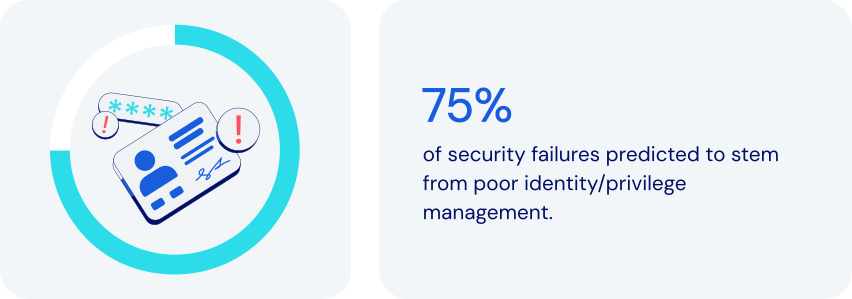
*Source: Gartner*
### How does password management fit in here?
Password management plays a critical role in making Least Privilege Access work. It helps ensure that individual users aren’t inadvertently given unnecessary access to sensitive information. Specific features to look for:
- **Role-based access control (RBAC) framework:** a robust password manager will provide a comprehensive RBAC framework, assigning appropriate access levels.
- **Granular permission control:** advanced password managers allow fine‑tune shared credential rights to enforce least privilege access control. Examples include read-only access, write access, and managerial access.
- **Credential sharing with hidden passwords:** a password manager can facilitate [secure sharing](https://bitwarden.com/sv-se/blog/how-to-share-passwords-at-work-at-home-or-on-the-go/) by letting users autofill passwords without actually seeing them.
- **Encrypted secure ephemeral sharing:** some password managers allow for sharing of sensitive items with specified people for a limited time.
- **Audit trails and monitoring:** by [logging events](https://bitwarden.com/sv-se/help/event-logs/), a password manager can help pinpoint details of unauthorized activities.
- **Enforced strong passwords:** this feature reduces the risk of compromise by generating only [complex passwords](https://bitwarden.com/sv-se/blog/how-long-should-my-password-be/).
- **Zero-knowledge principles:** ensures the highest level of protection by enforcing complete end-to-end encryption for all items in a vault.
Together, these features help maximize the effectiveness of Least Privilege Access. They help you reduce security risks while ensuring that employees have whatever access they need to get their work done.
### How least privilege access keeps today’s businesses safer
Using password management to implement Least Privilege Access is a proven approach to enhance security, minimize risk, and streamline access control. It allows you to:
- **Reduce the risk of data breaches:** limiting access reduces the attack surface. Even if one individual is compromised, potential damage is contained.
- **Prevent insider threats:** restricting the access of any individual reduces the risk and scope of internal data theft or sabotage.
- **Strengthen compliance and auditing:** providing audit logs to prove adherence to principles of least privilege access. Monitoring access also promotes compliance with regulations like [ISO 27001](https://bitwarden.com/sv-se/resources/how-password-management-helps-companies-achieve-iso-27001-certification/), GDPR, [HIPAA](https://bitwarden.com/sv-se/blog/why-use-a-hipaa-compliant-password-manager/), and [SOC 2](https://bitwarden.com/sv-se/resources/achieve-soc-2-password-compliance-with-bitwarden/).
- **Limit credential sharing risks:** using [end-to-end encryption](https://bitwarden.com/sv-se/resources/zero-knowledge-encryption-white-paper/) when sharing credentials limits access to specifically selected recipients.
- **Streamline employee onboarding and succession**: simplify access management while providing for immediate revocation of credential access.
- **Enhance productivity:** reduce time spent on password issues, including forgotten passwords and [time-consuming password resets](https://bitwarden.com/sv-se/resources/world-password-day/).
- **Support**[**remote and hybrid workforces**](https://bitwarden.com/sv-se/blog/securing-remote-work-password-manager/)**:** easily secure access across any device, anywhere.
- **Protect against credential reuse attacks**: reduce exploitation risks by encouraging strong, unique passwords.
Least Privilege Access is a powerful way for businesses and organizations to reduce security risks, improve efficiency, and ensure regulatory compliance.
### How Bitwarden supports least privilege access
Bitwarden helps achieve Least Privilege Access through a comprehensive set of security features, access controls, and management tools. These include:
- **Role-based access control:** offers custom roles and [granular permissions](https://bitwarden.com/sv-se/resources/telecommunications-firm-achieves-password-management-adoption/), assigning minimum necessary privileges. Roles include Admin, Owner, and User, along with a full set of options for Custom Roles
- **Collections for grouped access:** organizes credentials by function, granting access only to those teams, departments, or individuals who need it.
- **Granular sharing controls:** allows admins to assign permissions for Read-Only, Read and Write, or Manager.
- **Encrypted vaults for secure storage:** all data is end-to-end encrypted.
- **Audit logs and activity monitoring:** provides detailed logs for every access event.
- **Account recovery:** allows [approved administrators](https://bitwarden.com/sv-se/help/account-recovery/#recover-an-account/) to gain critical credentials in emergencies.
- **SSO integration:** helps strengthen identity verification.
- **Enforced security policies:** supports [policies](https://bitwarden.com/sv-se/help/policies/) like master password strength and 2FA requirements.
- **Administrator access limiting:** allows a range of options for limiting admin visibility to stored shared items.
### The bottom line
Even in an age of increasingly sophisticated cyberthreats, it’s possible to improve security without compromising productivity. Now you can ensure that employees have precisely the access they need to get the job done.
Bitwarden offers a thoughtful combination of role-based controls, secure sharing, and robust monitoring. Together, they directly support today’s best practices for Least Privilege Access principles. Adopting the principles of least privilege access reduces attack surface without hurting productivity. Just one more reason Bitwarden is regarded as the most trusted name in password management.
### Why does Bitwarden stand out among alternatives?
Bitwarden Password Manager is built with the needs of modern enterprises in mind, including, scalability, wide integration compatibility, centralized management, and flexibility to enact a principle of least privilege:
- Bitwarden allows organizations to choose the level of least privilege that works for them with options for adjusting administrator visibility to shared items.
- All items shared in Bitwarden are owned by the organization, providing centralized management access control.
- Powerful APIs allow for integration into other tools, including [SIEM tools](https://bitwarden.com/sv-se/help/microsoft-sentinel-siem/) for real-time security alerts.
- Policy automation integrates with SIEM and IAM to extend least privilege access control across tools.
- Reporting to easily spot over-privileged users for streamlined auditing and remediation.
## Få kraftfull, pålitlig lösenordssäkerhet nu. Välj din plan.
## Personlig
### Enskild
**$0**
*per månad*
*Gratis för alltid - inget kreditkort krävs! *
Skaffa ett Bitwarden-valv
- Obegränsat antal enheter
- Hantering av lösenord
- Alla kärnfunktioner
- Alltid gratis
Dela valvobjekt med en annan användare.
[Kom igång idag](https://bitwarden.com/go/start-free/)
---
### Premie
**Less than $1**
*varje år*
*faktureras årligen*
Njut av premiumfunktioner
- Integrerad autentisering
- Bifogade filer
- Nödåtkomst
- Säkerhetsrapporter och mer
Dela valvobjekt med en annan användare
[Skapa ett premiumkonto](https://bitwarden.com/go/start-premium/)
---
### Familjer
**$3.33**
*per månad*
*Upp till 6 användare, 40 USD faktureras årligen*
Säkra dina familjeinloggningar
- 6 premiumkonton
- Obegränsad delning
- Obegränsade samlingar
- Organisationslagring
Dela valvobjekt mellan sex personer
[Starta gratis 7-dagars provperiod](https://bitwarden.com/go/start-families-trial/)
---
Priset visas i USD och baseras på en årsprenumeration. Skatter ingår ej.
## Företag
### Teams
*Robust skydd för team i tillväxt.*
**$4**
*per månad / per användare som faktureras årligen*
Premium features for all accounts, plus:
- Säker datadelning
- Händelseloggövervakning
- Katalogintegrering
- SCIM-stöd
Inkluderar premiumfunktioner för alla användare
[Starta en provversion](https://bitwarden.com/go/start-teams-trial/)
---
### Företag
*Avancerade funktioner för större organisationer*
**$6**
*per månad / per användare som faktureras årligen*
Teams features for all accounts, plus:
- Företagspolicyer
- Lösenordslös SSO
- Kontoåterställning
- Alternativ för självvärd
Inkluderar premiumfunktioner och gratis familjeplan för alla användare
[Starta en provversion](https://bitwarden.com/go/start-enterprise-trial/)
---
### Få en offert
*För företag med hundratals eller tusentals anställda kontakta försäljningen för en anpassad offert och se hur Bitwarden kan:*
- Minska cybersäkerhetsrisken
- Öka produktiviteten
- Integrera sömlöst
Bitwarden skalar med alla företagsstorlekar för att ge din organisation lösenordssäkerhet
[Kontakta försäljning](https://bitwarden.com/contact-sales/)
---
Priset visas i USD och baseras på en årsprenumeration. Skatter ingår ej.
---
URL: https://bitwarden.com/sv-se/resources/major-utilities-firm-benefits-from-comprehensive-bitwarden-security-solution/
---
# Stora verktygsföretag drar nytta av den omfattande Bitwarden-säkerhetslösningen
Lär dig hur North American Energy Systems gjorde en sömlös övergång till Bitwarden Password Manager.
---
Founded: 1980
Industry: Utilities
Employees: Over 4,000
Location: Issaquah, Washington
North American Energy Systems (NAES) is an independent services provider enabling energy facilities worldwide to optimize their performance. NAES has over 4,000 employees responsible for managing more than 50,000 megawatts (MW) of power generation. The company offers services in operations, maintenance, fabrication, grid management, regulatory compliance, and technical support. Headquartered in Issaquah, Washington, NAES has nine offices throughout the United States.
> Learn more about the annual [Open Source Security Summit](https://bitwarden.com/sv-se/open-source-security-summit/).
## Table of Contents
[Situation](https://bitwarden.com/sv-se/resources/major-utilities-firm-benefits-from-comprehensive-bitwarden-security-solution/#situation/)
[Solution: Zero knowledge architecture and a commitment to end-to-end encryption](https://bitwarden.com/sv-se/resources/major-utilities-firm-benefits-from-comprehensive-bitwarden-security-solution/#solution-zero-knowledge-architecture-and-a-commitment-to-end-to-end-encryption/)
[The role of open source in inspiring excellence](https://bitwarden.com/sv-se/resources/major-utilities-firm-benefits-from-comprehensive-bitwarden-security-solution/#the-role-of-open-source-in-inspiring-excellence/)
## Situation
Over time, NAES has continued to add new firms to the NAES Family of Companies in order to expand its capabilities and industry experience, with the goal of offering a portfolio of services covering the entire life cycle of power-generating plants and other industrial facilities. NAES subsidiaries consist of both US-based and global businesses.
The distributed nature of NAES, coupled with the sheer amount of data the company holds, necessitated deployment of an [enterprise-wide password manager](https://bitwarden.com/sv-se/blog/choose-the-best-enterprise-password-manager/). Said Jimmy Chong, Cyber Security Engineer at NAES, “In the past, we were using LastPass. But, a breach against the company dented our confidence in the company and generated concerns about whether or not LastPass was reliable. So, we decided to look for another password management solution.”
NAES sought out a cloud-based password vault that offered straightforward [browser integration](https://bitwarden.com/sv-se/help/getting-started-browserext/). The company was also intent on finding a solution that provided solid customer support, data breach reporting, family plans for employees who also wanted to use their password managers for personal activity, and strong integration with [Microsoft Azure](https://bitwarden.com/sv-se/resources/using-bitwarden-with-azure-active-directory/) and [SSO support](https://bitwarden.com/sv-se/blog/enterprise-passwordless-sso-brings-better-productivity-and-user-sign-in/). Said Chong, “We use Microsoft MFA as part of our multi-factor authentication solution. It was critically important the password manager option we settled on would support this.”
## Solution: Zero knowledge architecture and a commitment to end-to-end encryption
NAES chose Bitwarden because it met all of the company’s criteria, and then some.
> Said Chong, “The Bitwarden zero knowledge architecture was very important to us, as was the AES 256 encryption and the fact that the product is protected by end-to-end encryption. We liked the third party auditing, because it validates that the [Bitwarden security posture](https://bitwarden.com/sv-se/help/bitwarden-security-white-paper/) is sound. We were also quite pleased with the cost.
> Since deploying Bitwarden, we’ve received overwhelmingly positive feedback.”
Chong described the transition from LastPass to Bitwarden as “seamless,” noting the company is thrilled with the solution.
## The role of open source in inspiring excellence
NAES considers the [open source](https://bitwarden.com/sv-se/blog/why-open-source-delivers-transparency-and-security-for-enterprises/) nature of Bitwarden a huge draw. Where closed systems might run into code-related vulnerabilities that take longer to patch, open source software enables dedicated community members to immediately suggest patches. The freedom and flexibility inherent in open source means there are typically multiple eyes on source code, a benefit that Chong believes inspires excellence in software development.
> Said Chong, “We’re a utilities company, so obviously security is a huge concern for us. Having a number of eyes on the code gives us peace of mind. Overall, we find the open source community innovative and passionate. Sometimes, the fixes they offer are simple. Other times, they’re a bit more complex. Either way, we greatly value their commitment.”
*Watch the presentation*
[](https://vimeo.com/896626898)
*[Watch on Vimeo](https://vimeo.com/896626898)*
## Få kraftfull, pålitlig lösenordssäkerhet nu. Välj din plan.
## Personlig
### Enskild
**$0**
*per månad*
*Gratis för alltid - inget kreditkort krävs! *
Skaffa ett Bitwarden-valv
- Obegränsat antal enheter
- Hantering av lösenord
- Alla kärnfunktioner
- Alltid gratis
Dela valvobjekt med en annan användare.
[Kom igång idag](https://bitwarden.com/go/start-free/)
---
### Premie
**Less than $1**
*varje år*
*faktureras årligen*
Njut av premiumfunktioner
- Integrerad autentisering
- Bifogade filer
- Nödåtkomst
- Säkerhetsrapporter och mer
Dela valvobjekt med en annan användare
[Skapa ett premiumkonto](https://bitwarden.com/go/start-premium/)
---
### Familjer
**$3.33**
*per månad*
*Upp till 6 användare, 40 USD faktureras årligen*
Säkra dina familjeinloggningar
- 6 premiumkonton
- Obegränsad delning
- Obegränsade samlingar
- Organisationslagring
Dela valvobjekt mellan sex personer
[Starta gratis 7-dagars provperiod](https://bitwarden.com/go/start-families-trial/)
---
Priset visas i USD och baseras på en årsprenumeration. Skatter ingår ej.
## Företag
### Teams
*Robust skydd för team i tillväxt.*
**$4**
*per månad / per användare som faktureras årligen*
Premium features for all accounts, plus:
- Säker datadelning
- Händelseloggövervakning
- Katalogintegrering
- SCIM-stöd
Inkluderar premiumfunktioner för alla användare
[Starta en provversion](https://bitwarden.com/go/start-teams-trial/)
---
### Företag
*Avancerade funktioner för större organisationer*
**$6**
*per månad / per användare som faktureras årligen*
Teams features for all accounts, plus:
- Företagspolicyer
- Lösenordslös SSO
- Kontoåterställning
- Alternativ för självvärd
Inkluderar premiumfunktioner och gratis familjeplan för alla användare
[Starta en provversion](https://bitwarden.com/go/start-enterprise-trial/)
---
### Få en offert
*För företag med hundratals eller tusentals anställda kontakta försäljningen för en anpassad offert och se hur Bitwarden kan:*
- Minska cybersäkerhetsrisken
- Öka produktiviteten
- Integrera sömlöst
Bitwarden skalar med alla företagsstorlekar för att ge din organisation lösenordssäkerhet
[Kontakta försäljning](https://bitwarden.com/contact-sales/)
---
Priset visas i USD och baseras på en årsprenumeration. Skatter ingår ej.
---
URL: https://bitwarden.com/sv-se/resources/managed-service-provider-greenloop-delivers-intuitive-password-security-for-their-clients/
---
# Managed Service Provider GreenLoop levererar intuitiv lösenordssäkerhet för sina kunder
Säker delning av teaminloggningar, ett intuitivt användargränssnitt och tydlig dokumentation var några av anledningarna till att GreenLoop valde att distribuera Bitwarden till sina hanterade tjänsteklienter.
---
## Company Overview
- Founded: 2011
- Employees: 25
- Location: Phoenix, AZ
[GreenLoop IT Solutions](https://greenloopsolutions.com/) was founded with the purpose of bringing premium IT support and consulting services to small and medium businesses that value efficiency and strong customer relationships with their vendors.
## Situation
At the beginning of 2021, GreenLoop decided to add a password management solution to their general security offering that covers the [National Institute of Standards and Technology (NIST)](https://bitwarden.com/sv-se/blog/3-tips-from-nist-to-keep-passwords-secure/) cybersecurity framework. They saw the need for a solution that could protect their clients’ logins and sensitive information, and allow them to securely share account details.
After successfully convincing many of their clients to use a password manager, their initial choice of vendor announced it was shutting down in early 2022. GreenLoop needed to quickly find a new partner and migrate their clients’ information out of the defunct solution within six weeks, and so began an intensive vendor comparison.
## Solution
**Bitwarden Emerges as First Choice to Protect Clients’ Passwords**
The [zero-knowledge](https://bitwarden.com/sv-se/blog/end-to-end-encryption-and-zero-knowledge/) encryption architecture from Bitwarden ultimately allowed it to stand head and shoulders above the rest of the options GreenLoop evaluated. The ability to decentralize encryption, so that decryption keys never pass through Bitwarden servers, was very appealing to GreenLoop as it offered an additional layer of privacy and protection for their clients.
They were impressed that Bitwarden users can create Collections in order to securely share passwords across the organization from a central vault. In fact, GreenLoop said that of all the channel-friendly credential management vendors they evaluated, Bitwarden had by far the best implementation of centralized credential sharing across users. Other competing solutions did not directly solve the problem without cumbersome workarounds.
## Why did GreenLoop choose Bitwarden?
- [Collections](https://bitwarden.com/sv-se/blog/making-the-move-with-organization-sharing/) for secure sharing of team logins and credentials
- Intuitive UI that non-technical clients could understand and use
- Thorough, clear documentation and learning materials
- Integrated one-time-password (OTP) codes
- Open-source, open development
“The goal is to hand off password management to the clients,” said Tyler Bradshaw, Director of Account Management at GreenLoop. “MSPs don’t need to be super involved in, say, who you want to share your Staples password with. Enabling our clients to securely manage their passwords themselves is the model we’ve found to work the best, and that was certainly a challenge–more so with (our previous vendor) than with Bitwarden.”
## Results
GreenLoop’s clients are mostly [small businesses](https://bitwarden.com/sv-se/blog/cybersecurity-advice-for-small-businesses-from-the-ncsc/) with limited knowledge or understanding of cybersecurity issues. “Our number one success criteria was that transition with existing clients went smoothly enough that we didn’t lose credibility with them,” said Stephen Moody, GreenLoop’s CTO. “In fact, we’ve gained some credibility with them by moving them to Bitwarden, which is easier to use. To be able to not only provide our clients with a better user experience, but strengthen their password management and overall security - this is priceless for the GreenLoop team.”
To learn about the Bitwarden MSP Program and how Bitwarden can scale your business, contact us [today](https://bitwarden.com/sv-se/partners/).
## Få kraftfull, pålitlig lösenordssäkerhet nu. Välj din plan.
## Personlig
### Enskild
**$0**
*per månad*
*Gratis för alltid - inget kreditkort krävs! *
Skaffa ett Bitwarden-valv
- Obegränsat antal enheter
- Hantering av lösenord
- Alla kärnfunktioner
- Alltid gratis
Dela valvobjekt med en annan användare.
[Kom igång idag](https://bitwarden.com/go/start-free/)
---
### Premie
**Less than $1**
*varje år*
*faktureras årligen*
Njut av premiumfunktioner
- Integrerad autentisering
- Bifogade filer
- Nödåtkomst
- Säkerhetsrapporter och mer
Dela valvobjekt med en annan användare
[Skapa ett premiumkonto](https://bitwarden.com/go/start-premium/)
---
### Familjer
**$3.33**
*per månad*
*Upp till 6 användare, 40 USD faktureras årligen*
Säkra dina familjeinloggningar
- 6 premiumkonton
- Obegränsad delning
- Obegränsade samlingar
- Organisationslagring
Dela valvobjekt mellan sex personer
[Starta gratis 7-dagars provperiod](https://bitwarden.com/go/start-families-trial/)
---
Priset visas i USD och baseras på en årsprenumeration. Skatter ingår ej.
## Företag
### Teams
*Robust skydd för team i tillväxt.*
**$4**
*per månad / per användare som faktureras årligen*
Premium features for all accounts, plus:
- Säker datadelning
- Händelseloggövervakning
- Katalogintegrering
- SCIM-stöd
Inkluderar premiumfunktioner för alla användare
[Starta en provversion](https://bitwarden.com/go/start-teams-trial/)
---
### Företag
*Avancerade funktioner för större organisationer*
**$6**
*per månad / per användare som faktureras årligen*
Teams features for all accounts, plus:
- Företagspolicyer
- Lösenordslös SSO
- Kontoåterställning
- Alternativ för självvärd
Inkluderar premiumfunktioner och gratis familjeplan för alla användare
[Starta en provversion](https://bitwarden.com/go/start-enterprise-trial/)
---
### Få en offert
*För företag med hundratals eller tusentals anställda kontakta försäljningen för en anpassad offert och se hur Bitwarden kan:*
- Minska cybersäkerhetsrisken
- Öka produktiviteten
- Integrera sömlöst
Bitwarden skalar med alla företagsstorlekar för att ge din organisation lösenordssäkerhet
[Kontakta försäljning](https://bitwarden.com/contact-sales/)
---
Priset visas i USD och baseras på en årsprenumeration. Skatter ingår ej.
---
URL: https://bitwarden.com/sv-se/resources/march-2025-spotlight-5-ways-to-get-started-with-passkeys/
---
# Mars 2025 Spotlight: 5 sätt att komma igång med lösenord
Välkommen till Bitwardens januarinyhetsbrev
---
It’s AI Fools Week! A new holiday from the National Cybersecurity Alliance reminds everyone to be aware of AI cyberthreats, including the growing amount of misinformation from AI-generated content. And to be aware of what you share: a recent survey found 38% of users shared sensitive work information with AI. Whether it’s deepfakes, phishing emails, or AI-powered robocalls, we have you covered on how to stay safe.
### Featured Highlights
**Demo: How to log in using a passkey**You’re ready to join the passkey revolution and looking for where to start. The latest [Vault Hours](https://www.youtube.com/watch?v=5y4FfqvfmM4&t=1511s) showcases key features of passkeys and walks you through a passkey user's journey from discovery to full adoption. Then, stay tuned for a 2-minute demo on how to actually log into Bitwarden using a passkey. Lastly, check out this popular [passkey FAQ](https://bitwarden.com/sv-se/resources/passkeys-faq/).
**Passkeys and the evolution of authentication**Passkeys are redefining how we access and protect our online accounts. Take today’s realistic AI-generated phishing attacks. Passkeys can significantly reduce these threats by eliminating the need for users to remember complex credentials in the first place. See [how passkeys are shaping the future](https://bitwarden.com/sv-se/blog/passkeys-and-the-evolution-of-authentication-a-secure-seamless-future/), plus watch this 1-minute video on [using passkeys with Bitwarden](https://www.youtube.com/watch?v=3wh52KY89bU).
**It’s almost April 15. Have you started your taxes?**Were you planning to send your tax documents through cloud drives, email, or messaging apps? This is your year to try Bitwarden Send. Get complete end-to-end encryption of any text or file. Control who has access and for how long. And you can even send it to non-Bitwarden users. Here’s a [quick how-to guide](https://bitwarden.com/sv-se/blog/tax-season-stay-secure-with-bitwarden-send/).
### Hot Topics
**How to set up two-step login**Even if malicious actors discover your username and password, two-step login can prevent them from accessing your accounts, buying you time to reset your credentials. Check out this [guide to two-step login](https://bitwarden.com/sv-se/help/bitwarden-field-guide-two-step-login/).
**How to use Bitwarden on Android**In this new 3-minute video, find out everything you need to know about [mastering the basics of Bitwarden on Android](https://www.youtube.com/watch?v=5NqZt-Ifq7g), from setting up your autofill preferences to logging into a website with the app, using biometrics, and more.
**NIST top 3 password recommendations**Did you know? The National Institute of Standards and Technology (NIST) recommends you avoid periodically changing passwords in the name of safety. Frequent password changes can lead to weaker passwords when people start to fall back on old or easily guessable passwords. See their [top recommendations for personal questions, password complexity, and securing passwords](https://bitwarden.com/sv-se/blog/3-tips-from-nist-to-keep-passwords-secure/).
### Where To Find Us
**RSA Conference 2025**If you’re part of the cybersecurity community, interested in preventing cyberattacks, or want to stay on top of the latest cybersecurity trends, join Bitwarden at the [RSA Conference ](https://bitwarden.com/sv-se/blog/rsac/)in San Francisco! Be sure to come visit Booth #1167.
### Reader Request
**Translations of this newsletter to other languages**Many email clients provide translation options – search through their documentation for instructions.
**Here’s how to turn on translations for Gmail:**
- Open the email you want to translate.
- In the top right corner, click the three vertical dots icon.
- Choose “Translate message” from the menu.
- Select the language you want to translate the email into.
## Få kraftfull, pålitlig lösenordssäkerhet nu. Välj din plan.
## Personlig
### Enskild
**$0**
*per månad*
*Gratis för alltid - inget kreditkort krävs! *
Skaffa ett Bitwarden-valv
- Obegränsat antal enheter
- Hantering av lösenord
- Alla kärnfunktioner
- Alltid gratis
Dela valvobjekt med en annan användare.
[Kom igång idag](https://bitwarden.com/go/start-free/)
---
### Premie
**Less than $1**
*varje år*
*faktureras årligen*
Njut av premiumfunktioner
- Integrerad autentisering
- Bifogade filer
- Nödåtkomst
- Säkerhetsrapporter och mer
Dela valvobjekt med en annan användare
[Skapa ett premiumkonto](https://bitwarden.com/go/start-premium/)
---
### Familjer
**$3.33**
*per månad*
*Upp till 6 användare, 40 USD faktureras årligen*
Säkra dina familjeinloggningar
- 6 premiumkonton
- Obegränsad delning
- Obegränsade samlingar
- Organisationslagring
Dela valvobjekt mellan sex personer
[Starta gratis 7-dagars provperiod](https://bitwarden.com/go/start-families-trial/)
---
Priset visas i USD och baseras på en årsprenumeration. Skatter ingår ej.
## Företag
### Teams
*Robust skydd för team i tillväxt.*
**$4**
*per månad / per användare som faktureras årligen*
Premium features for all accounts, plus:
- Säker datadelning
- Händelseloggövervakning
- Katalogintegrering
- SCIM-stöd
Inkluderar premiumfunktioner för alla användare
[Starta en provversion](https://bitwarden.com/go/start-teams-trial/)
---
### Företag
*Avancerade funktioner för större organisationer*
**$6**
*per månad / per användare som faktureras årligen*
Teams features for all accounts, plus:
- Företagspolicyer
- Lösenordslös SSO
- Kontoåterställning
- Alternativ för självvärd
Inkluderar premiumfunktioner och gratis familjeplan för alla användare
[Starta en provversion](https://bitwarden.com/go/start-enterprise-trial/)
---
### Få en offert
*För företag med hundratals eller tusentals anställda kontakta försäljningen för en anpassad offert och se hur Bitwarden kan:*
- Minska cybersäkerhetsrisken
- Öka produktiviteten
- Integrera sömlöst
Bitwarden skalar med alla företagsstorlekar för att ge din organisation lösenordssäkerhet
[Kontakta försäljning](https://bitwarden.com/contact-sales/)
---
Priset visas i USD och baseras på en årsprenumeration. Skatter ingår ej.
---
URL: https://bitwarden.com/sv-se/resources/marketing-agency-streamlines-productivity-with-password-management/
---
# Golden Communications streamlines productivity with intuitive password management
Learn how website development agency Golden Communications achieved password management productivity for employees by moving from LastPass to Bitwarden.
---
## Golden Communications
**Founded:** 1996
**Industry:** website design and managed web services
**Employees:** ~ 50
**Credentials to manage:** 3000+
**Location:** Newport Beach, CA
[Golden Communications](https://www.goldencomm.com/) specializes in marketing agency services including professional website design, managed web, and digital market services. Headquartered in Newport Beach, CA, Golden Communications and its 50 employees support hundreds of clients from start-ups to SMBs to Fortune 500 companies. With four locations over three continents, the growing agency prides itself on being a global company with a diverse set of customers.
### Situation
Golden Communications needed to manage and securely store over 3,000 credentials associated with their clients’ website and cloud hosting ecosystems. To address this challenge, the Golden Communications team initially used LastPass for password management.
While the solution solved some initial challenges, it also introduced new issues for the team.
First was LastPass load times, meaning employees couldn’t quickly access their vaults and passwords when they needed them, which negatively impacted user productivity.
“The driving force for the switch away from LastPass was lack of speed, especially on the Chrome extension,” said Chief Technical Officer, Andrew Nguyen. “It was painfully slow for our users who complained several times over the years.”
LastPass administrative and end-user functionality was also complex and difficult to use. “Their admin console was very confusing to navigate,” said Anya Pitre, Client Services Representative. “Sometimes I would remove people and it would send an email out to the whole company that a person had been removed. And I could not figure out how to turn that off.”
Golden Communications would also regularly use valuable company time to troubleshoot issues with using the solution across multiple devices. According to Nguyen, “Once a week or once every two weeks a team member would use a different type of device that doesn't work too well unless you know how to do certain tips and tricks. It's very exhausting to have to go through that process.”
Lastly, LastPass price options did not fit the needs of a growing business. To benefit from the business-specific security features the company needed, Golden Communications was forced to purchase additional seats, even if they didn’t need them.
“We had to purchase a minimum amount of seats to get certain business features, so we ended up paying for unneeded seats we weren’t using, which I thought was a little ridiculous.”
## Table of Contents
[Situation](https://bitwarden.com/sv-se/resources/marketing-agency-streamlines-productivity-with-password-management/#situation/)
[Solution: Intuitive and streamlined password management](https://bitwarden.com/sv-se/resources/marketing-agency-streamlines-productivity-with-password-management/#solution-intuitive-and-streamlined-password-management/)
[Facilitating productivity for employees](https://bitwarden.com/sv-se/resources/marketing-agency-streamlines-productivity-with-password-management/#facilitating-productivity-for-employees/)
[An easy migration to Bitwarden](https://bitwarden.com/sv-se/resources/marketing-agency-streamlines-productivity-with-password-management/#an-easy-migration-to-bitwarden/)
[Intuitive access management](https://bitwarden.com/sv-se/resources/marketing-agency-streamlines-productivity-with-password-management/#intuitive-access-management/)
[Password management tailored for agencies](https://bitwarden.com/sv-se/resources/marketing-agency-streamlines-productivity-with-password-management/#password-management-tailored-for-agencies/)
[A productive and secure future with Bitwarden](https://bitwarden.com/sv-se/resources/marketing-agency-streamlines-productivity-with-password-management/#a-productive-and-secure-future-with-bitwarden/)
[Get started with Bitwarden](https://bitwarden.com/sv-se/resources/marketing-agency-streamlines-productivity-with-password-management/#get-started-with-bitwarden/)
## Solution: Intuitive and streamlined password management
A few Golden Communications team members had Bitwarden personal accounts and recommended it to Nguyen. “They've been using Bitwarden over the years and they really like it for their personal use.” said Nguyen, “Pitre and I signed up to test drive and see if Bitwarden was everything they claimed it was.”
After seeing the difference in speed, intuitiveness, and price, Nguyen decided it was time to make the switch from LastPass to Bitwarden.
### Facilitating productivity for employees
With Bitwarden, Golden Communications has experienced greater productivity with faster load times on the [Chrome browser extension](https://chrome.google.com/webstore/detail/bitwarden-free-password-m/nngceckbapebfimnlniiiahkandclblb), enabling employees to focus on what matters most — their clients. “I really like the Bitwarden Chrome extension, it's easy to use and easy to navigate,” said Pitre.
Bitwarden has also minimized the need for additional support and questions from Nguyen’s team.
### An easy migration to Bitwarden
When Golden Communications decided to make the switch to Bitwarden, the migration was easy. Nguyen recounts, “When we exported from LastPass and imported to Bitwarden, it was a very smooth transition. I was impressed because we had mountains of data that we migrated and it was very simple.”
The seamless import was powered primarily by the Bitwarden public API and command line interface. “We used a command line to remove thousands of folders in a split second, it was a smooth and easy process,” said Nguyen.
## Why did Golden Communications choose Bitwarden?
- Fast Chrome browser extension
- Intuitive UI
- Competitive pricing for SMBs
- Public API for an efficient migration
- [Login with SSO](https://bitwarden.com/sv-se/help/about-sso/) integration
### Intuitive access management
With Bitwarden, the team is now able to easily navigate administrative settings. Pitre mentioned, “It's definitely just been easy to navigate the admin. Unlike LastPass, which has a bunch of different policies that you have to enable or disable, Bitwarden provides a much more streamlined experience.”
The onboarding process for new employees has also been more straightforward with Bitwarden. Nguyen noted that the Bitwarden explanatory UI made it smoother for new employees to adopt the password manager.
### Password management tailored for agencies
Golden Communications needed a flexible password management system that could tailor to their specific needs as an agency. With 3,000+ credentials to manage, Golden Communications regularly accessed customer websites and servers with alternative login information, in addition to standard usernames or passwords.
With Bitwarden custom fields, Golden Communications can now easily autofill that information. According to Nguyen, “there are many other labels that go into the website, not just using a password, but other aspects of it. This custom field can be very handy for us.”
Nguyen and his team also took advantage of the flexible administrative and organizational setup in Bitwarden by using collections and user groups to fit their agency needs. “We use collections, essentially, for each of our clients,” said Pitre. The team then designates a user group for each department on which they define access permissions, keeping all client information organized.
### A productive and secure future with Bitwarden
As Golden Communications continues to expand the use of Bitwarden, Nguyen looks forward to enabling two-factor authentication (2FA) via Duo, as well as single sign-on integration. “We actually have a Duo account for everyone here at Golden Comm,” said Nguyen, “And hopefully, with Bitwarden, two-factor authentication, and single sign-on, we will maintain tight security.”
## Get started with Bitwarden
Learn more about what Bitwarden can do for your business and sign up for a [free 7-day trial](https://bitwarden.com/sv-se/trial/)!
---
URL: https://bitwarden.com/sv-se/resources/may-2024-spotlight-join-today-bitwarden-passkeys-for-mobile-apps-are-now/
---
# May 2024 Spotlight: Bitwarden Authenticator and passkeys on mobile!
Seamless security and passwordless convenience on your iOS and Android devices
---
## Featured Highlights
[](https://bitwarden.com/blog/bitwarden-just-launched-a-new-authenticator-app-heres-what-it-means-to-users/)
*Authenticator blog card*
Bitwarden launched an essential tool to enhance your online security: Bitwarden Authenticator, now available for iOS and Android. The app stores 2FA codes, adding an extra layer of defense to your digital life. In this [blog](https://bitwarden.com/sv-se/blog/bitwarden-just-launched-a-new-authenticator-app-heres-what-it-means-to-users/), learn how it works and what’s in store for the Bitwarden Authenticator.
[](https://bitwarden.com/blog/bitwarden-passkeys-mobile/)
*Passkeys go mobile!*
Bitwarden launched passkey management for Bitwarden Password Manager users to provide a strong, secure, and passwordless method for logging into websites and applications. Now, in addition to the Bitwarden browser extension, passkeys have come to the Bitwarden mobile app on [iOS ](https://bitwarden.com/sv-se/download/apple-iphone-password-manager/)and Android, completing the vision of facilitating passkey use wherever you log in. Learn how to [get started with passkeys](https://bitwarden.com/sv-se/blog/bitwarden-passkeys-mobile/) on your mobile device.
## Enjoying this update? Subscribe today.
*Receive the latest product updates, hand-picked articles, community highlights, and more.*
[Contact form]
## More Bitwarden Bites
[**How to use the Bitwarden Passphrase Generator**](https://bitwarden.com/sv-se/blog/how-to-use-the-bitwarden-passphrase-generator/)
Instead of a random string of characters (such as i8bjKgvpxeFpkTA), Bitwarden can generate a group of randomly selected words to be used in place of a [password](https://bitwarden.com/sv-se/password-generator/), such as imitate-sanctity-idly-gas, which is more memorable and difficult to crack. Use this [helpful guide](https://bitwarden.com/sv-se/blog/how-to-use-the-bitwarden-passphrase-generator/) to incorporate [passphrases](https://bitwarden.com/sv-se/passphrase-generator/) into your security toolkit.
[**Using Splunk with Bitwarden Password Manager**](https://bitwarden.com/sv-se/blog/using-splunk-with-bitwarden-password-manager/)
Bitwarden now integrates with Splunk Cloud for enhanced event and security logging, simplifying bringing Bitwarden events into Splunk with pre-built dashboards for authentication events, vault item events, and organization events. Read the [full article](https://bitwarden.com/sv-se/blog/using-splunk-with-bitwarden-password-manager/) to learn more how this integration can benefit your organization.
## Security Culture and Best Practices
[**The State of Password Security 2024 Report**](https://bitwarden.com/sv-se/resources/the-state-of-password-security/)
Technology moves fast, and online accounts are crucial for both businesses and individuals. This assessment educates password users on federal best practices and highlights areas for improvement. While some government approaches to password security are solid, others need modernization. This [report](https://bitwarden.com/sv-se/resources/the-state-of-password-security/) consolidates and evaluates the emerging consensus on best practices.
[**What the World’s Largest Credit Card Companies Say About Security**](https://bitwarden.com/sv-se/blog/what-the-worlds-largest-credit-card-companies-say-about-security/)
Whether you are operating as an individual or part of a business, the world’s largest credit card companies - Visa, Mastercard, and Chase - recommend [several security best practices for better online protection.](https://bitwarden.com/sv-se/blog/what-the-worlds-largest-credit-card-companies-say-about-security/)
[**Building a Cybersecurity Culture in the Workplace**](https://bitwarden.com/sv-se/blog/building-a-cybersecurity-culture-in-the-workplace/)
Organizations are regularly targeted by cyber criminals aiming to exploit security vulnerabilities. This [article](https://bitwarden.com/sv-se/blog/building-a-cybersecurity-culture-in-the-workplace/) explores risky habits that are common in the workplace and outlines strategies for developing a strong security culture, such as educating employees about credential security best practices and conducting regular cyber awareness training.
## Development Tips and Updates
[**Bitwarden transitions from Manifest v2 to v3**](https://bitwarden.com/sv-se/blog/bitwarden-manifest-v3/)
Bitwarden new browser extension upgrade utilizes service workers, which are more efficient and secure. This transition to Manifest v3 brings enhanced performance, stronger security, and better resource management. In this [article](https://bitwarden.com/sv-se/blog/bitwarden-manifest-v3/), learn how encrypted local storage and real-time data synchronization ensure your browser extension remains secure and efficient.
## Compliance and Audits
[**Bitwarden Upholds High Security Standards with Third-Party Audits**](https://bitwarden.com/sv-se/blog/third-party-security-audit/)
Annual third-party security audits are conducted by external security experts like Cure53 and Insight Risk Consulting. These audits reinforce Bitwarden security and help customers comply with enterprise security requirements. Take a look at the [Bitwarden 2023 Security Assessment.](https://bitwarden.com/sv-se/blog/third-party-security-audit/)
## Community Spotlight
[](https://www.reddit.com/r/Bitwarden/comments/1d21wk9/review_my_bitwarden_presentation/)
*Review my Bitwarden presentation*
This month’s spotlight features a community member who wants to help their parents stay more secure online. u/immunetosound even created an educational presentation for their folks! They’re asking the Bitwarden community for tips. Readers, will you help out? [Join the conversation and offer your insights.](https://www.reddit.com/r/Bitwarden/comments/1d21wk9/review_my_bitwarden_presentation/)
## Bitwarden Learning Center

*Bitwarden credential management*
Check out [Bitwarden 101](https://bitwarden.com/sv-se/learning/pm-101-getting-started-as-a-user/) for a short video series on how to get started with Bitwarden Password Manager as an administrator or end user.
That’s it for now. For more product updates and online security tips, visit the Bitwarden [blog](https://bitwarden.com/sv-se/blog/).
**Until next time,**
Team Bitwarden
## Hi readers!
Take this [two-minute](https://forms.bitwarden.com/newsletter) survey to help us improve the monthly Bitwarden Newsletter and deliver the information you care most about.
## Få kraftfull, pålitlig lösenordssäkerhet nu. Välj din plan.
## Personlig
### Enskild
**$0**
*per månad*
*Gratis för alltid - inget kreditkort krävs! *
Skaffa ett Bitwarden-valv
- Obegränsat antal enheter
- Hantering av lösenord
- Alla kärnfunktioner
- Alltid gratis
Dela valvobjekt med en annan användare.
[Kom igång idag](https://bitwarden.com/go/start-free/)
---
### Premie
**Less than $1**
*varje år*
*faktureras årligen*
Njut av premiumfunktioner
- Integrerad autentisering
- Bifogade filer
- Nödåtkomst
- Säkerhetsrapporter och mer
Dela valvobjekt med en annan användare
[Skapa ett premiumkonto](https://bitwarden.com/go/start-premium/)
---
### Familjer
**$3.33**
*per månad*
*Upp till 6 användare, 40 USD faktureras årligen*
Säkra dina familjeinloggningar
- 6 premiumkonton
- Obegränsad delning
- Obegränsade samlingar
- Organisationslagring
Dela valvobjekt mellan sex personer
[Starta gratis 7-dagars provperiod](https://bitwarden.com/go/start-families-trial/)
---
Priset visas i USD och baseras på en årsprenumeration. Skatter ingår ej.
## Företag
### Teams
*Robust skydd för team i tillväxt.*
**$4**
*per månad / per användare som faktureras årligen*
Premium features for all accounts, plus:
- Säker datadelning
- Händelseloggövervakning
- Katalogintegrering
- SCIM-stöd
Inkluderar premiumfunktioner för alla användare
[Starta en provversion](https://bitwarden.com/go/start-teams-trial/)
---
### Företag
*Avancerade funktioner för större organisationer*
**$6**
*per månad / per användare som faktureras årligen*
Teams features for all accounts, plus:
- Företagspolicyer
- Lösenordslös SSO
- Kontoåterställning
- Alternativ för självvärd
Inkluderar premiumfunktioner och gratis familjeplan för alla användare
[Starta en provversion](https://bitwarden.com/go/start-enterprise-trial/)
---
### Få en offert
*För företag med hundratals eller tusentals anställda kontakta försäljningen för en anpassad offert och se hur Bitwarden kan:*
- Minska cybersäkerhetsrisken
- Öka produktiviteten
- Integrera sömlöst
Bitwarden skalar med alla företagsstorlekar för att ge din organisation lösenordssäkerhet
[Kontakta försäljning](https://bitwarden.com/contact-sales/)
---
Priset visas i USD och baseras på en årsprenumeration. Skatter ingår ej.
---
URL: https://bitwarden.com/sv-se/resources/monitor-bitwarden-events-using-microsoft-sentinel/
---
# Monitor Bitwarden events using Microsoft Sentinel SIEM
Discover how Bitwarden integrates with Microsoft Sentinel to deliver robust security information and event management (SIEM), helping defend against malicious attacks and network breaches
---
## Using Microsoft Sentinel with Bitwarden password manager for enhanced security monitoring
Monitoring security events from Bitwarden in a centralized platform is essential for organizations that manage sensitive credentials. [Microsoft Sentinel](https://azure.microsoft.com/en-us/products/microsoft-sentinel), a cloud-native security information and event management (SIEM) system, provides real-time insights into security risks and enables proactive monitoring. In this quick overview, you’ll learn about the benefits of integrating Bitwarden with Microsoft Sentinel to improve your organization's security posture.
### Why integrate Bitwarden with Microsoft Sentinel?
Some of the key benefits of Integrating Bitwarden with Microsoft Sentinel include:
1. **Enhanced threat detection** Integrating Bitwarden with Sentinel allows for continuous monitoring of Bitwarden activities, such as password changes, unauthorized access attempts, and configuration changes. By collecting these events, Sentinel can correlate them with other security data from across your organization, enabling better detection of suspicious activity.
2. **Streamlined incident response** Security teams can set up automated alerts in Sentinel when potential threats are identified within Bitwarden. For example, Sentinel can notify your team if there’s unusual login behavior, repeated failed login attempts, or changes to administrative permissions. This enables quicker responses to potential breaches or misuse of sensitive information.
3. **Centralized security management** Managing security events across multiple tools and platforms can be challenging. By bringing Bitwarden events into Sentinel’s centralized dashboard, organizations can simplify their security operations and gain full visibility into credential-related activities alongside other critical security events.
4. **Compliance reporting** For organizations that need to meet stringent security standards or regulatory requirements, the integration helps ensure compliance. Sentinel can log Bitwarden activities, making it easier to track and report on access and usage of credentials, helping organizations meet audit and compliance requirements.
### Key Bitwarden events to monitor
The following Bitwarden events logs can provide valuable insights into your organization’s security when analyzed through Microsoft Sentinel:
- **Login attempts**: Track user login activity to detect suspicious or unauthorized access attempts.
- **Failed logins**: Monitor failed login attempts, which may indicate brute force attacks or unauthorized access attempts.
- **Collection and item access**: Analyze when users or admins access Bitwarden vaults, including specific collections or sensitive credential items.
- **Password changes**: Log password changes to detect any unusual patterns, such as mass changes across multiple accounts.
- **Admin actions**: Keep an eye on administrative activities, including account management, collection creation, and policy updates.
These events provide critical information that security teams can act upon to prevent credential-related incidents.
## Did you know?
Bitwarden records more than 60 types of events that are logged in perpetuity and can be passed to Microsoft Sentinel for analysis and integration into existing security systems.
## Integration details: Using Bitwarden with Microsoft Sentinel
Bitwarden integrates seamlessly into [Microsoft Sentinel](https://azure.microsoft.com/en-us/products/microsoft-sentinel) through its SIEM functionality, enabling organizations to track and analyze Bitwarden event logs in real-time. By using the custom logs connector in Microsoft Sentinel, Bitwarden events can be ingested and monitored directly within the platform. Follow the steps in the Bitwarden Help Center for Sentinel SIEM integration to connect your organization and start receiving event data.
Once connected, custom dashboards can be built in Sentinel to monitor critical Bitwarden events such as authentication attempts, vault access, and administrative actions. Use Sentinel’s automation features and playbooks to respond to security incidents proactively.
Alternatively, the [**Bitwarden public API**](https://bitwarden.com/sv-se/help/api/) can be used to export event data for custom SIEM integrations. The **Public API** offers insights into your organization and users, while the [Vault Management API ](https://bitwarden.com/sv-se/help/bitwarden-apis/#vault-management-api/)provides encrypted vault data. Both APIs work together to provide a comprehensive view of your organization’s security activities.
## Additional Resources
- [Event Logs](https://bitwarden.com/sv-se/help/event-logs/)
- [Event Logs in Onboarding and Succession](https://bitwarden.com/sv-se/help/onboarding-and-succession/#event-logs/)
- [Bitwarden Public API](https://bitwarden.com/sv-se/help/public-api/)
- [Bitwarden Vault Management API](https://bitwarden.com/sv-se/help/cli/#serve/)
## Få kraftfull, pålitlig lösenordssäkerhet nu. Välj din plan.
## Personlig
### Enskild
**$0**
*per månad*
*Gratis för alltid - inget kreditkort krävs! *
Skaffa ett Bitwarden-valv
- Obegränsat antal enheter
- Hantering av lösenord
- Alla kärnfunktioner
- Alltid gratis
Dela valvobjekt med en annan användare.
[Kom igång idag](https://bitwarden.com/go/start-free/)
---
### Premie
**Less than $1**
*varje år*
*faktureras årligen*
Njut av premiumfunktioner
- Integrerad autentisering
- Bifogade filer
- Nödåtkomst
- Säkerhetsrapporter och mer
Dela valvobjekt med en annan användare
[Skapa ett premiumkonto](https://bitwarden.com/go/start-premium/)
---
### Familjer
**$3.33**
*per månad*
*Upp till 6 användare, 40 USD faktureras årligen*
Säkra dina familjeinloggningar
- 6 premiumkonton
- Obegränsad delning
- Obegränsade samlingar
- Organisationslagring
Dela valvobjekt mellan sex personer
[Starta gratis 7-dagars provperiod](https://bitwarden.com/go/start-families-trial/)
---
Priset visas i USD och baseras på en årsprenumeration. Skatter ingår ej.
## Företag
### Teams
*Robust skydd för team i tillväxt.*
**$4**
*per månad / per användare som faktureras årligen*
Premium features for all accounts, plus:
- Säker datadelning
- Händelseloggövervakning
- Katalogintegrering
- SCIM-stöd
Inkluderar premiumfunktioner för alla användare
[Starta en provversion](https://bitwarden.com/go/start-teams-trial/)
---
### Företag
*Avancerade funktioner för större organisationer*
**$6**
*per månad / per användare som faktureras årligen*
Teams features for all accounts, plus:
- Företagspolicyer
- Lösenordslös SSO
- Kontoåterställning
- Alternativ för självvärd
Inkluderar premiumfunktioner och gratis familjeplan för alla användare
[Starta en provversion](https://bitwarden.com/go/start-enterprise-trial/)
---
### Få en offert
*För företag med hundratals eller tusentals anställda kontakta försäljningen för en anpassad offert och se hur Bitwarden kan:*
- Minska cybersäkerhetsrisken
- Öka produktiviteten
- Integrera sömlöst
Bitwarden skalar med alla företagsstorlekar för att ge din organisation lösenordssäkerhet
[Kontakta försäljning](https://bitwarden.com/contact-sales/)
---
Priset visas i USD och baseras på en årsprenumeration. Skatter ingår ej.
---
URL: https://bitwarden.com/sv-se/resources/monitor-bitwarden-events-using-splunk-for-siem-management/
---
# Monitor Bitwarden events using Splunk for SIEM Management
Learn how Bitwarden and Splunk integrate together to provide security information and event management (SIEM) for defense against malicious attacks and network breaches.
---
Splunk is a security and observability tool used to provide visibility on large amounts of data for multi-cloud and on-premise deployments. The solution delivers insights on critical metrics such as uptime, anomalies, outages, suspicious activity, and more. With these cloud observability insights, Splunk can detect malicious activity and notify IT, DevOps, and SRE teams when a data security event occurs.
Bitwarden and [Splunk](https://www.splunk.com/) integrate together to provide security information and event management (SIEM) for defense against malicious attacks and network breaches. SIEM technology identifies potential threats to online applications, while also providing compliance and security management for cloud infrastructure data in near real-time. This is achieved by logging a collection of detailed events that occur across various data sources.
With Bitwarden and Splunk, detailed information on activity across password management activity can be gathered and displayed in visual dashboards for easy monitoring. Together, the two integrate to provide valuable insights into a given Bitwarden organization, including information such as user activity, password changes, shared passwords, and more. Combined with monitoring of other infrastructure, apps, and networking, Splunk provides a holistic view of company security.

## Table of Contents
[The benefits of Bitwarden and Splunk together](https://bitwarden.com/sv-se/resources/monitor-bitwarden-events-using-splunk-for-siem-management/#the-benefits-of-bitwarden-and-splunk-together-include/)
[Integration Details: The official Bitwarden Splunk app](https://bitwarden.com/sv-se/resources/monitor-bitwarden-events-using-splunk-for-siem-management/#integration-details-the-official-bitwarden-splunk-app/)
[](https://bitwarden.com/resources/presentations/security-incident-and-event-management-siem/)
## The benefits of Bitwarden and Splunk together include
- Alerts for suspicious activity and detailed reports from Bitwarden logs
- Expands SIEM oversight to website and application credentials
- Visual dashboards and event search macros for easy monitoring
- Records of specific credential access by users
- Insights into user adoption of company security tools
- Offboarding reports that list credentials a former employee had access to, ensuring tighter security and access control
## Did you know?
Bitwarden records more than 60 types of events that are logged in perpetuity and can be passed to Splunk for analysis and integration into existing security systems.
## Integration Details: The official Bitwarden Splunk app
Bitwarden integrates easily into Splunk Enterprise self-hosted, Splunk Cloud Classic, and Splunk Cloud Victoria installations through the official Bitwarden Event Logs app available in the [user interface](https://bitwarden.com/sv-se/help/splunk-siem/#install-the-splunk-bitwarden-app/). The app entry can also be [found on Splunkbase](https://splunkbase.splunk.com/app/6592)**.**Follow the steps in the Splunk SIEM [integration documentation](https://bitwarden.com/sv-se/help/splunk-siem/) from the Bitwarden Help Center. Once your Bitwarden organization is connected to Splunk, three pre-built dashboards will populate: Authentication Events, Vault Item Events, and Organization Events. Other custom dashboards can be built to make use of this data.
Alternatively, use Bitwarden API integration to set up SIEM functionality by exporting event data from your organization. [The Public API](https://bitwarden.com/sv-se/help/api/) can provide information about your organization and users. The [Vault Management API](https://bitwarden.com/sv-se/help/bitwarden-apis/#vault-management-api/) provides access to information about encrypted data and is hosted within the Bitwarden CLI client using the `serve `command on an owned endpoint. Combined, these two APIs will provide a full view of your organization and vault.
## Additional Resources
- [Using Splunk with Bitwarden](https://bitwarden.com/sv-se/blog/using-splunk-with-bitwarden-password-manager/#splunk-and-bitwarden-expanding-siem-coverage/)
- [Event Logs](https://bitwarden.com/sv-se/help/event-logs/)
- [Event Logs in Onboarding and Succession](https://bitwarden.com/sv-se/help/onboarding-and-succession/#event-logs/)
- [Splunk SIEM](https://bitwarden.com/sv-se/help/splunk-siem/)
- [Bitwarden Public API](https://bitwarden.com/sv-se/help/public-api/)
- [Bitwarden Vault Management API](https://bitwarden.com/sv-se/help/cli/#serve/)
## Få kraftfull, pålitlig lösenordssäkerhet nu. Välj din plan.
## Personlig
### Enskild
**$0**
*per månad*
*Gratis för alltid - inget kreditkort krävs! *
Skaffa ett Bitwarden-valv
- Obegränsat antal enheter
- Hantering av lösenord
- Alla kärnfunktioner
- Alltid gratis
Dela valvobjekt med en annan användare.
[Kom igång idag](https://bitwarden.com/go/start-free/)
---
### Premie
**Less than $1**
*varje år*
*faktureras årligen*
Njut av premiumfunktioner
- Integrerad autentisering
- Bifogade filer
- Nödåtkomst
- Säkerhetsrapporter och mer
Dela valvobjekt med en annan användare
[Skapa ett premiumkonto](https://bitwarden.com/go/start-premium/)
---
### Familjer
**$3.33**
*per månad*
*Upp till 6 användare, 40 USD faktureras årligen*
Säkra dina familjeinloggningar
- 6 premiumkonton
- Obegränsad delning
- Obegränsade samlingar
- Organisationslagring
Dela valvobjekt mellan sex personer
[Starta gratis 7-dagars provperiod](https://bitwarden.com/go/start-families-trial/)
---
Priset visas i USD och baseras på en årsprenumeration. Skatter ingår ej.
## Företag
### Teams
*Robust skydd för team i tillväxt.*
**$4**
*per månad / per användare som faktureras årligen*
Premium features for all accounts, plus:
- Säker datadelning
- Händelseloggövervakning
- Katalogintegrering
- SCIM-stöd
Inkluderar premiumfunktioner för alla användare
[Starta en provversion](https://bitwarden.com/go/start-teams-trial/)
---
### Företag
*Avancerade funktioner för större organisationer*
**$6**
*per månad / per användare som faktureras årligen*
Teams features for all accounts, plus:
- Företagspolicyer
- Lösenordslös SSO
- Kontoåterställning
- Alternativ för självvärd
Inkluderar premiumfunktioner och gratis familjeplan för alla användare
[Starta en provversion](https://bitwarden.com/go/start-enterprise-trial/)
---
### Få en offert
*För företag med hundratals eller tusentals anställda kontakta försäljningen för en anpassad offert och se hur Bitwarden kan:*
- Minska cybersäkerhetsrisken
- Öka produktiviteten
- Integrera sömlöst
Bitwarden skalar med alla företagsstorlekar för att ge din organisation lösenordssäkerhet
[Kontakta försäljning](https://bitwarden.com/contact-sales/)
---
Priset visas i USD och baseras på en årsprenumeration. Skatter ingår ej.
---
URL: https://bitwarden.com/sv-se/resources/more-inline-autofill-updates-just-released-newsletter-november-2024/
---
# November 2024 Spotlight: Fler inline-autofyll-uppdateringar har precis släppts
Välkommen till Bitwardens nyhetsbrev för november
---
### Featured Highlights
**New - inline autofill passwords**Inline autofill is a favorite method to autofill logins, credit cards, identities, and even passkeys. Now you can generate secure passwords with just one click. Plus, you have the option to choose what types of data are suggested to be autofilled. Start using [inline autofill](https://bitwarden.com/sv-se/blog/create-a-strong-password-for-a-new-login-with-one-click/) today.
**Preview the new browser extension UI!**In October, Bitwarden shared news of an upcoming update to the browser extension design. Experience a preview version of the extension available through this direct link for the [Chrome web store](https://chromewebstore.google.com/detail/bitwarden-password-manage/hccnnhgbibccigepcmlgppchkpfdophk). You can also [watch the walkthrough](https://www.youtube.com/watch?v=ZtKi5__K7NE&t=431s) from the Bitwarden design team and read the posts on [Reddit](https://www.reddit.com/r/Bitwarden/comments/1gka81s/upcoming_improvements_to_the_extension_preview/).
### Bitwarden Bites: Get The Latest Product Updates
**Passkey updates from FIDO Authenticate conference**
The FIDO Alliance, which includes Amazon, Google, Microsoft, Bitwarden, and many more, recently introduced the credential exchange protocol to help standardize passkey portability across services and platforms - a huge step forward for the industry. Get all the latest passkey innovations and how they impact you in your favorite format: [video](https://www.youtube.com/watch?v=ZtKi5__K7NE&t=905s) or [blog](https://bitwarden.com/sv-se/blog/insights-from-fido-authenticate-2024-on-passkey-adoption-strategies-and/).
**Self-host Bitwarden Password Manager**Do you need to maintain data sovereignty for policy, personal preference, or other? Self-hosting might be your answer. Whether on a personal or business plan, you can self-host Bitwarden Password Manager. See if [self-hosting](https://bitwarden.com/sv-se/self-hosted-password-manager-on-premises/) is right for you.
### Quick Tips: How-Tos for Popular Use Cases
**Store passkeys in Bitwarden Password Manager**
Did you know? If you use a Bitwarden browser extension or mobile app, you can safely save your passkeys within Password Manager. To get started, check out this [step-by-step guide to storing your passkeys](https://bitwarden.com/sv-se/help/storing-passkeys/).
**Use Bitwarden on Apple Watch**Once you have the Bitwarden app installed on your iOS mobile device, you only need to ‘Connect to Watch’ to begin synching with Bitwarden. This convenient connection makes it easy to access TOTP codes quickly. Use this short guide to get all the benefits of [Bitwarden Password Manager on your Apple Watch](https://bitwarden.com/sv-se/help/apple-watch-totp/).
**Access Bitwarden while in Firefox Private Windows**
If you prefer to keep your search history private, but still want to use Bitwarden Password Manager, you can! This simple two-step process shows you how to use your Bitwarden Password Manager while browsing [Firefox private windows](https://bitwarden.com/sv-se/help/private-mode/).
### What Others Are Saying
**Passkey adoption is up - what's next?**
Thanks to the FIDO Alliance, much-needed guidelines are rolling out to make passkey usage across tech sites more consistent. Additionally, Microsoft is working on a passkey plugin for Windows 11 to allow users to store their passkeys in third-party password managers, like Bitwarden, for more secure sign-in. Stay ahead of the curve with the latest coverage from [Fast Company](https://www.fastcompany.com/91220674/is-this-the-beginning-of-the-end-for-the-password) and [TechRadar](https://www.techradar.com/pro/microsoft-could-soon-add-third-party-passkeys-to-windows-11).
**Best password managers of 2024 round up**You’ve found your favorite password manager, but maybe friends or family are still on the fence. If anyone needs a nudge to start protecting their digital life, send them these top password manager picks of 2024 from [PC World](https://www.pcworld.com/article/394076/best-free-password-managers.html), [CNET](https://www.cnet.com/tech/services-and-software/best-password-manager/), and [ZDNet](https://www.zdnet.com/article/best-free-password-manager/).
### In Case You Missed It
**Five essential password manager features**Bitwarden Password Manager offers many features. To make the most of it, [test out some of these tips](https://bitwarden.com/sv-se/blog/unlock-the-full-potential-of-bitwarden-five-password-manager-tips/), including customizing your password vault item names with keywords (such as EMAIL), or using boolean fields as a checklist for vault entries.
That’s it for now. For more product updates and online security tips, visit the Bitwarden blog.
**Until next time,**Team Bitwarden
## Få kraftfull, pålitlig lösenordssäkerhet nu. Välj din plan.
## Personlig
### Enskild
**$0**
*per månad*
*Gratis för alltid - inget kreditkort krävs! *
Skaffa ett Bitwarden-valv
- Obegränsat antal enheter
- Hantering av lösenord
- Alla kärnfunktioner
- Alltid gratis
Dela valvobjekt med en annan användare.
[Kom igång idag](https://bitwarden.com/go/start-free/)
---
### Premie
**Less than $1**
*varje år*
*faktureras årligen*
Njut av premiumfunktioner
- Integrerad autentisering
- Bifogade filer
- Nödåtkomst
- Säkerhetsrapporter och mer
Dela valvobjekt med en annan användare
[Skapa ett premiumkonto](https://bitwarden.com/go/start-premium/)
---
### Familjer
**$3.33**
*per månad*
*Upp till 6 användare, 40 USD faktureras årligen*
Säkra dina familjeinloggningar
- 6 premiumkonton
- Obegränsad delning
- Obegränsade samlingar
- Organisationslagring
Dela valvobjekt mellan sex personer
[Starta gratis 7-dagars provperiod](https://bitwarden.com/go/start-families-trial/)
---
Priset visas i USD och baseras på en årsprenumeration. Skatter ingår ej.
## Företag
### Teams
*Robust skydd för team i tillväxt.*
**$4**
*per månad / per användare som faktureras årligen*
Premium features for all accounts, plus:
- Säker datadelning
- Händelseloggövervakning
- Katalogintegrering
- SCIM-stöd
Inkluderar premiumfunktioner för alla användare
[Starta en provversion](https://bitwarden.com/go/start-teams-trial/)
---
### Företag
*Avancerade funktioner för större organisationer*
**$6**
*per månad / per användare som faktureras årligen*
Teams features for all accounts, plus:
- Företagspolicyer
- Lösenordslös SSO
- Kontoåterställning
- Alternativ för självvärd
Inkluderar premiumfunktioner och gratis familjeplan för alla användare
[Starta en provversion](https://bitwarden.com/go/start-enterprise-trial/)
---
### Få en offert
*För företag med hundratals eller tusentals anställda kontakta försäljningen för en anpassad offert och se hur Bitwarden kan:*
- Minska cybersäkerhetsrisken
- Öka produktiviteten
- Integrera sömlöst
Bitwarden skalar med alla företagsstorlekar för att ge din organisation lösenordssäkerhet
[Kontakta försäljning](https://bitwarden.com/contact-sales/)
---
Priset visas i USD och baseras på en årsprenumeration. Skatter ingår ej.
---
URL: https://bitwarden.com/sv-se/resources/move-to-bitwarden-from-other-password-manager/
---
# How to move to Bitwarden from another password manager
Learn how to easily migrate from another password manager to Bitwarden.
---

## Table of Contents
[Bitwarden for you](https://bitwarden.com/sv-se/resources/move-to-bitwarden-from-other-password-manager/#bitwarden-for-you/)
[Bitwarden for your business](https://bitwarden.com/sv-se/resources/move-to-bitwarden-from-other-password-manager/#bitwarden-for-your-business/)
[How Bitwarden compares](https://bitwarden.com/sv-se/resources/move-to-bitwarden-from-other-password-manager/#how-bitwarden-compares/)
[How to move your data to Bitwarden](https://bitwarden.com/sv-se/resources/move-to-bitwarden-from-other-password-manager/#how-to-move-your-data-to-bitwarden/)
[FAQs](https://bitwarden.com/sv-se/resources/move-to-bitwarden-from-other-password-manager/#faqs/)
[Learn more about Bitwarden](https://bitwarden.com/sv-se/resources/move-to-bitwarden-from-other-password-manager/#learn-more-about-bitwarden/)
## Bitwarden for you
Bitwarden empowers [you and your loved ones](https://bitwarden.com/sv-se/products/personal/) to conveniently manage and protect all aspects of online life, including logins, identities, credit cards, notes, and TOTP codes. Backed by end-to-end AES 256-bit encryption, Bitwarden creates a secure vault with all entered fields fully encrypted and allows you to securely access unlimited passwords from anywhere, on any device. For additional layers of protection, vault health reports improve overall security and detect potential data breaches or weak passwords.
[**Plans and pricing for you >**](https://bitwarden.com/sv-se/pricing/)
## Bitwarden for your business
Bitwarden enables [teams and enterprises](https://bitwarden.com/sv-se/products/business/) to easily facilitate secure password sharing among colleagues. Reduce cybersecurity risk by enacting strong password policies for all employees and monitor activity with audit logs. Bitwarden integrates seamlessly with your existing security stack and supports SSO and directory service integrations. Passwordless authentication, biometric unlock, security key support, and credential autofill makes it easy for employees to access their important accounts, ensuring productivity for your company.
[**Plans and pricing for your business >**](https://bitwarden.com/sv-se/pricing/business/)
## How Bitwarden compares
See how Bitwarden ranks against other password management solutions for personal and business users.
- [
G2 Enterprise Grid Report](https://bitwarden.com/sv-se/blog/bitwarden-named-password-manager-leader-in-g2-enterprise-grid-report/): Bitwarden received the highest satisfaction score and was named the leader in the 2022 Enterprise Grid Report.
- [Password Management Data Quadrant Report](https://bitwarden.com/sv-se/go/password-management-data-quadrant-report/): Bitwarden outperformed all other password management providers as the leader in the Data Quadrant Report. This report analyzed providers based on features, ease of implementation, vendor support, usability, and business value created.
- [Software Reviews Emotional Footprint Report](https://bitwarden.com/sv-se/blog/bitwarden-takes-lead-in-customer-experience-industry-ranking/): Bitwarden was recognized as the champion in the 2022 Emotional Footprint Report with a composite score of 9.2/10 for customer experience and perfect scores around reliability and product effectiveness.
## How to move your data to Bitwarden
### From LastPass
**NEW! Seamlessly import from LastPass to Bitwarden with just your login**
Bitwarden makes it easier than ever to import your personal or business credentials — all you need is your LastPass login credentials! With the LastPass importer, migrate data from LastPass directly to Bitwarden using browser extensions or desktop apps. Discover how to use this new import process in [this help article](https://bitwarden.com/sv-se/http://bitwarden.com/help/import-from-lastpass/).
You can also reference this [helpful guide](https://bitwarden.com/sv-se/help/lastpass-enterprise-migration-guide/) on the topic with step-by-step instructions for getting started.
Visit the [Bitwarden vs. LastPass page](https://bitwarden.com/sv-se/bitwarden-vs-lastpass/) to see how the features and pricing of these solutions compare. For more comparisons, see how Info-Tech Research Group ranked LastPass and Bitwarden in the Software Reviews [Password Management Data Quadrant Report](https://bitwarden.com/sv-se/bitwarden-vs-lastpass/). Lastly, learn how [Golden Communications](https://bitwarden.com/sv-se/resources/marketing-agency-streamlines-productivity-with-password-management/) streamlined productivity by moving from LastPass to Bitwarden.
### From 1Password
To migrate from 1Password to Bitwarden, reference this [helpful guide](https://bitwarden.com/sv-se/help/import-from-1password/) on the topic with step-by-step instructions for getting started.
Visit the [Bitwarden vs. 1Password page](https://bitwarden.com/sv-se/bitwarden-vs-1password/) to see how the features and pricing of these solutions compare. For more comparisons, see how Info-Tech Research Group ranked 1Password and Bitwarden in the Software Reviews [Password Management Data Quadrant Report.](https://bitwarden.com/sv-se/go/bitwarden-vs-1password/)
### **From Keeper**
To migrate from Keeper to Bitwarden, first export your vault data from Keeper. Once you have your data file ready, import it to Bitwarden using this [helpful guide](https://bitwarden.com/sv-se/help/import-data/).
See how Info-Tech Research Group ranked Keeper and Bitwarden in the Software Reviews [Password Management Data Quadrant Report](https://bitwarden.com/sv-se/bitwarden-vs-keeper/).
### **From Dashlane**
To migrate from Dashlane to Bitwarden, reference this [helpful guide](https://bitwarden.com/sv-se/help/import-from-dashlane/) on the topic with step-by-step instructions for getting started.
Visit the [Bitwarden vs. Dashlane page](https://bitwarden.com/sv-se/bitwarden-vs-dashlane/) to see how the features and pricing of these solutions compare. For more comparisons, see how Info-Tech Research Group ranked Dashlane and Bitwarden in the Software Reviews [Password Management Data Quadrant Report](https://bitwarden.com/sv-se/bitwarden-vs-dashlane/).
### Migrate from other password manager solutions
Bitwarden supports a comprehensive list of import options from browser-based and dedicated password manager solutions. View all out-of-box import file formats supported by Bitwarden such as Kaspersky, KeePass, Nordpass, and more!
[Embedded content sectionCta]
## FAQs
### Are URLs encrypted in Bitwarden?
Yes, all URLs are encrypted within the Bitwarden vault and never shared with third-parties. For more information on the Bitwarden business model, please see the post [Defining and sustaining value for Bitwarden users](https://bitwarden.com/sv-se/blog/defining-and-sustaining-value-for-bitwarden-users/).
### What data is encrypted within my Bitwarden vault?
All vault data within each Bitwarden account is [end-to-end encrypted](https://bitwarden.com/sv-se/help/what-encryption-is-used/) with AES-CBC 256-bit encryption before being stored anywhere.
[Vault data](https://bitwarden.com/sv-se/help/vault-data/) that is encrypted includes, but is not limited to:
- Names of folders, collections, items, & attachments
- All fields for all item types (logins, credit cards, identities, and secure notes)
- All custom field name/value combinations
### What is administrative data?
Administrative data contains information connected to your Bitwarden account, including account creation, usage of the Bitwarden Service and support, and billing. Learn more about administrative data in this [help article](https://bitwarden.com/sv-se/help/administrative-data/).
### What are the backup and retention policies at Bitwarden?
Bitwarden maintains automated backups for disaster recovery, which operate in accordance with the company's data retention policies. Bitwarden databases use data encryption and backups are encrypted at rest.
If a user were to [delete a Bitwarden account or organization](https://bitwarden.com/sv-se/help/delete-your-account/), the account or organization in question would be permanently deleted, including all data associated with it. Learn more about how Bitwarden stores your data in this [help article](https://bitwarden.com/sv-se/help/data-storage/).
### Do I need a Premium account to share passwords?
You can share for free! Any account can create a free 2-person organization, where you can invite one other Bitwarden user to share passwords between you both. If you join a Family, Teams, or Enterprise organization, you are automatically upgraded to a premium account for free.
###
### How do I upgrade to a Families subscription?
Easily upgrade your individual account to a Families plan by following the steps listed in this [help article](https://bitwarden.com/sv-se/help/upgrade-from-individual-to-org/).
### How do I import my data into Bitwarden?
To import data into your individual Bitwarden vault from another password management solution or file, check out this [article](https://bitwarden.com/sv-se/help/import-data/) for instructions.
To import data directly into a Bitwarden organization from another password management solution or file, check out this [article](https://bitwarden.com/sv-se/help/import-to-org/) for instructions.
If you experience errors while importing data into an individual Bitwarden account or organization, reference this [help article](https://bitwarden.com/sv-se/help/import-data/#troubleshooting/) for troubleshooting.
You can always add vault data into an individual vault or organization by manually creating a vault item. Learn how to manage vault items in this [help article](https://bitwarden.com/sv-se/help/managing-items/#manage-vault-items/).
### What is a Bitwarden organization?
An [organization](https://bitwarden.com/sv-se/help/about-organizations/) relates Bitwarden users and vault items of a particular entity (family, company, team, enterprise, or group of people). Members of an organization are granted access to an organization vault, where vault items including logins, identities, credit cards, and secure notes can be shared between users.
Bitwarden offers a variety of organizations to meet your business's or family's needs. For feature-by-feature breakdowns of each organization type, see the [About Bitwarden plans](https://bitwarden.com/sv-se/help/about-bitwarden-plans/) help article.
### How do I securely share vault items?
The primary method of sharing vault items in Bitwarden is via [collections](https://bitwarden.com/sv-se/help/about-collections/#what-are-collections/). Collections are organization-equivalents to folders where vault items can be grouped together and securely shared. Learn how to use, create and manage collections in this [help article](https://bitwarden.com/sv-se/help/about-collections/).
### Can I host Bitwarden outside the cloud?
Yes, Bitwarden offers several options for self-hosting your password management. Find more information on self-hosting Bitwarden with these resources:
- [Help Center: Hosting FAQs](https://bitwarden.com/sv-se/help/hosting-faqs/)
- [Blog: Self-hosting Bitwarden on DigitalOcean](https://bitwarden.com/sv-se/blog/digitalocean-marketplace/)
- [Help Center: Install and Deploy - Linux](https://bitwarden.com/sv-se/help/install-on-premise-linux/)
- [Help Center: Install and Deploy - Windows](https://bitwarden.com/sv-se/help/install-on-premise-windows/)
- [Help Center: Install and Deploy - Manual](https://bitwarden.com/sv-se/help/install-on-premise-manual/)
- [Help Center: Install and Deploy - Offline (Linux)](https://bitwarden.com/sv-se/help/install-and-deploy-offline/)
- [Help Center: Install and Deploy - Offline (Windows)](https://bitwarden.com/sv-se/help/install-and-deploy-offline-windows/)
- [Help Center: Install and Deploy - Unified (Beta)](https://bitwarden.com/sv-se/help/install-and-deploy-lite/)
### How can I ensure the Bitwarden browser extension autofills my credentials?
Users should be aware that autofill on pageload is turned off by default. Visit this [help center article](https://bitwarden.com/sv-se/help/auto-fill-browser/#on-page-load/) to learn how to turn on this functionality. If you are still having issues autofilling credentials from the browser extension for a specific website, try setting up a [linked custom field](https://bitwarden.com/sv-se/help/auto-fill-custom-fields/#using-linked-custom-fields/) to force autofill. You should also disable your browser’s built-in password manager to ensure autofilling with Bitwarden works as intended. Check out this [help article](https://bitwarden.com/sv-se/help/auto-fill-browser/) for more information on using autofill on the Bitwarden browser extension.
### How do I disable website icons in Bitwarden?
For privacy-minded individuals who may not want a Bitwarden vault to submit icon requests on their behalf, these requests can be disabled under settings. Learn more about disabling website icons for your Bitwarden account in this [helpful guide](https://bitwarden.com/sv-se/help/website-icons/#disabling-website-icons/).
### How does Bitwarden comply with security standards?
Bitwarden complies with GDPR, HIPAA, Data Privacy Framework (DPF), and CCPA [privacy standards](https://bitwarden.com/sv-se/help/is-bitwarden-audited/#privacy/) and conducts frequent [third-party security audits](https://bitwarden.com/sv-se/help/is-bitwarden-audited/#third-party-security-audits/) by leading security firms, Cure53 and Insight Risk Consulting. Bitwarden is [SOC 2](https://bitwarden.com/sv-se/help/is-bitwarden-audited/#soc-2-type-2-and-soc-3/) compliant and the open source codebase is regularly reviewed and scrutinized by a globally engaged community. Learn more about Bitwarden security on our [compliance page](https://bitwarden.com/sv-se/compliance/).
## Lär dig mer om Bitwarden
Kolla in dessa resurser för att lära dig mer om hur Bitwarden kan säkra din känsliga information online.
- [Hjälpcenter](https://bitwarden.com/sv-se/help/)
- [Lärcentrum](https://bitwarden.com/sv-se/learning/)
- [Bitwarden 101 videor](https://www.youtube.com/watch?v=GNg45GhZFv8&list=PL-IZTwAxWO4VKISOqPdMBXAtKBAu0gd4_)
- [Live veckovisa team och företagsdemo](https://bitwarden.com/sv-se/bitwarden-demo/)
- [Prissättning](https://bitwarden.com/sv-se/pricing/business/)
## Få kraftfull, pålitlig lösenordssäkerhet nu. Välj din plan.
## Personlig
### Enskild
**$0**
*per månad*
*Gratis för alltid - inget kreditkort krävs! *
Skaffa ett Bitwarden-valv
- Obegränsat antal enheter
- Hantering av lösenord
- Alla kärnfunktioner
- Alltid gratis
Dela valvobjekt med en annan användare.
[Kom igång idag](https://bitwarden.com/go/start-free/)
---
### Premie
**Less than $1**
*varje år*
*faktureras årligen*
Njut av premiumfunktioner
- Integrerad autentisering
- Bifogade filer
- Nödåtkomst
- Säkerhetsrapporter och mer
Dela valvobjekt med en annan användare
[Skapa ett premiumkonto](https://bitwarden.com/go/start-premium/)
---
### Familjer
**$3.33**
*per månad*
*Upp till 6 användare, 40 USD faktureras årligen*
Säkra dina familjeinloggningar
- 6 premiumkonton
- Obegränsad delning
- Obegränsade samlingar
- Organisationslagring
Dela valvobjekt mellan sex personer
[Starta gratis 7-dagars provperiod](https://bitwarden.com/go/start-families-trial/)
---
Priset visas i USD och baseras på en årsprenumeration. Skatter ingår ej.
## Företag
### Teams
*Robust skydd för team i tillväxt.*
**$4**
*per månad / per användare som faktureras årligen*
Premium features for all accounts, plus:
- Säker datadelning
- Händelseloggövervakning
- Katalogintegrering
- SCIM-stöd
Inkluderar premiumfunktioner för alla användare
[Starta en provversion](https://bitwarden.com/go/start-teams-trial/)
---
### Företag
*Avancerade funktioner för större organisationer*
**$6**
*per månad / per användare som faktureras årligen*
Teams features for all accounts, plus:
- Företagspolicyer
- Lösenordslös SSO
- Kontoåterställning
- Alternativ för självvärd
Inkluderar premiumfunktioner och gratis familjeplan för alla användare
[Starta en provversion](https://bitwarden.com/go/start-enterprise-trial/)
---
### Få en offert
*För företag med hundratals eller tusentals anställda kontakta försäljningen för en anpassad offert och se hur Bitwarden kan:*
- Minska cybersäkerhetsrisken
- Öka produktiviteten
- Integrera sömlöst
Bitwarden skalar med alla företagsstorlekar för att ge din organisation lösenordssäkerhet
[Kontakta försäljning](https://bitwarden.com/contact-sales/)
---
Priset visas i USD och baseras på en årsprenumeration. Skatter ingår ej.
---
URL: https://bitwarden.com/sv-se/resources/msp-yellow-arrow-achieves-100-internal-adoption/
---
# Bitwarden Channel Partner SolveIT minskar inkommande tjänsteförfrågningar med 70 % med Bitwarden (4)
## Overview
**Founded**: 2017
**Industry**: IT Services
**Location**: The Netherlands
**Number of Seats**: 750+
Based in the Netherlands, yellow arrow is a managed service provider (MSP) supporting organizations in the education and financial industries. The company focuses on enabling a modern workplace, achieving progress through data and process automation, and fostering security so customers can prioritize their business goals with peace of mind.
## Table of Contents
- [Situation: Fragmented and incomplete password management strategy](https://bitwarden.com/sv-se/resources/msp-yellow-arrow-achieves-100-internal-adoption/#situation-fragmented-and-incomplete-password-management-strategy/)
- [Solution: “Outstanding features” set Bitwarden apart from the competition](https://bitwarden.com/sv-se/resources/msp-yellow-arrow-achieves-100-internal-adoption/#solution-outstanding-features-set-bitwarden-apart-from-the-competition/)
- [SSO integration with Microsoft offers seamless access](https://bitwarden.com/sv-se/resources/msp-yellow-arrow-achieves-100-internal-adoption/#sso-integration-with-microsoft-offers-seamless-access/)
- [100% internal adoption paves way for external enthusiasm](https://bitwarden.com/sv-se/resources/msp-yellow-arrow-achieves-100-internal-adoption/#100-internal-adoption-paves-way-for-external-enthusiasm/)
## Situation: Fragmented and incomplete password management strategy
While yellow arrow knew it needed to strengthen internal security and protect its customers, the company relied on a basic password manager and phone-based MFA. However, as the organization grew and security threats increased, it became clear they needed significant improvements. The existing solution lacked the comprehensiveness and degree of protection yellow arrow desired for both internal operations and customer environments. "We knew our company and our customers deserved a much more robust password management strategy," said Tim Krijgsman, chief information security officer (CISO) and managed service team lead at yellow arrow. "To help narrow it down, we focused only on solutions that were clearly built with privacy in mind."
## Solution: “Outstanding features” set Bitwarden apart from the competition
After considering competing options, yellow arrow chose Bitwarden for its open source infrastructure, zero knowledge architecture, and competitive pricing. An additional factor that influenced its selection was centralized multi-factor authentication (MFA) token management, which allows yellow arrow to manage access to client environments in a secure, scalable, and controlled way.
Krijgsman also cited the need for a secure method to share API keys and passwords with customers, which yellow arrow found in Bitwarden Send. With Bitwarden Send, users may securely transmit text up to 1000 encrypted characters or files up to 500 MB (or 100 MB on mobile). Every Send is given a randomly generated and secure link, which can be shared with anyone via text, email, or other communication channels.
"The overall security, ease-of-use, and outstanding features differentiate Bitwarden from the competition," said Krijgsman. "Specific examples include the Bitwarden single sign-on (SSO) architecture, secure password sharing, MFA capabilities, and the ability to utilize enterprise-grade central policies within Bitwarden."
## SSO integration with Microsoft offers seamless access
“One of the many things we appreciate about Bitwarden is its system for cross-domain identity management (SCIM) connection, which we can sync with Entra ID to enable SSO,” said Krijgsman. “Because we are an MSP and we are a Microsoft-focused company, all of our customers are using Entra ID as the basic identity provider.”
Login with SSO is the Bitwarden solution for single sign-on. Using login with SSO, organizations utilize their existing identity provider (in this case, Microsoft) to authenticate users with Bitwarden. The Microsoft Entra ID SCIM integration can be used to automatically provision and de-provision members and groups within a Bitwarden organization. Krijgsman believes the Bitwarden SCIM has reduced the time yellow arrow IT admins spend provisioning and de-provisioning user accounts and granting access permissions.
## 100% internal adoption paves way for external enthusiasm
“Our internal adoption of Bitwarden, which is now at 100%, went incredibly smoothly,” said Krijgsman. “We were able to work out kinks early on, although it’s safe to say Bitwarden was easy to implement and not overly technical.” Krijgsman noted that a number of customers were using Excel spreadsheets to save passwords and that making the transition to Bitwarden was an immediate improvement over the status quo. According to Krijgsman, the Bitwarden extension and SSO integration made Bitwarden adoption even more intuitive and straightforward for customers. “Naturally, many customers want the path of least resistance when it comes to deploying new solutions,” said Krijgsman. “Between the Bitwarden extension and its SSO and MFA capabilities, Bitwarden continues to make a strong case for its value to our customers.”
Krijgsman said yellow arrow approaches customer deployment by first identifying ‘ambassadors’ who share their positive Bitwarden experiences with their colleagues. This initial phase is followed by a pilot of Bitwarden and then full adoption. “Having champions who can speak to the considerable benefits of Bitwarden works very well,” said Krijgsman, who believes yellow arrow will continue to see adoption among the many customers focused on cultivating a more secure modern workplace.
"There are a lot of other solutions. But there are not a lot of solutions that even come close in terms of functionality. Choosing Bitwarden is a no brainer."
## Get started with Bitwarden
Interested in becoming a member of the Bitwarden partner program? Find out more [here](https://bitwarden.com/sv-se/partners/become-a-partner/). You can also learn more about what Bitwarden can do for your business and sign up for a [free 7-day trial](https://bitwarden.com/sv-se/trial/)!
## Få kraftfull, pålitlig lösenordssäkerhet nu. Välj din plan.
## Personlig
### Enskild
**$0**
*per månad*
*Gratis för alltid - inget kreditkort krävs! *
Skaffa ett Bitwarden-valv
- Obegränsat antal enheter
- Hantering av lösenord
- Alla kärnfunktioner
- Alltid gratis
Dela valvobjekt med en annan användare.
[Kom igång idag](https://bitwarden.com/go/start-free/)
---
### Premie
**Less than $1**
*varje år*
*faktureras årligen*
Njut av premiumfunktioner
- Integrerad autentisering
- Bifogade filer
- Nödåtkomst
- Säkerhetsrapporter och mer
Dela valvobjekt med en annan användare
[Skapa ett premiumkonto](https://bitwarden.com/go/start-premium/)
---
### Familjer
**$3.33**
*per månad*
*Upp till 6 användare, 40 USD faktureras årligen*
Säkra dina familjeinloggningar
- 6 premiumkonton
- Obegränsad delning
- Obegränsade samlingar
- Organisationslagring
Dela valvobjekt mellan sex personer
[Starta gratis 7-dagars provperiod](https://bitwarden.com/go/start-families-trial/)
---
Priset visas i USD och baseras på en årsprenumeration. Skatter ingår ej.
## Företag
### Teams
*Robust skydd för team i tillväxt.*
**$4**
*per månad / per användare som faktureras årligen*
Premium features for all accounts, plus:
- Säker datadelning
- Händelseloggövervakning
- Katalogintegrering
- SCIM-stöd
Inkluderar premiumfunktioner för alla användare
[Starta en provversion](https://bitwarden.com/go/start-teams-trial/)
---
### Företag
*Avancerade funktioner för större organisationer*
**$6**
*per månad / per användare som faktureras årligen*
Teams features for all accounts, plus:
- Företagspolicyer
- Lösenordslös SSO
- Kontoåterställning
- Alternativ för självvärd
Inkluderar premiumfunktioner och gratis familjeplan för alla användare
[Starta en provversion](https://bitwarden.com/go/start-enterprise-trial/)
---
### Få en offert
*För företag med hundratals eller tusentals anställda kontakta försäljningen för en anpassad offert och se hur Bitwarden kan:*
- Minska cybersäkerhetsrisken
- Öka produktiviteten
- Integrera sömlöst
Bitwarden skalar med alla företagsstorlekar för att ge din organisation lösenordssäkerhet
[Kontakta försäljning](https://bitwarden.com/contact-sales/)
---
Priset visas i USD och baseras på en årsprenumeration. Skatter ingår ej.
---
URL: https://bitwarden.com/sv-se/resources/nasa-goddard-soars-with-bitwarden/
---
# NASA Goddard Space Flight Center svävar i höjden med Bitwarden
NASA Goddard Space Flight Center förbättrade säkerheten med Bitwarden Password Manager, som uppfyllde alla deras krav, inklusive sökning, en lösenords- och lösenfrasgenerator, krypterad lagring och en hanteringsbackend.
---
### Uppgraderingsöversikt
När LINUX systemingenjör Mark Miller först gick med i [NASA Goddard Space Flight Center](https://www.nasa.gov/goddard), hanterade NASA Goddard lösenord med ett verktyg som heter Cryptvault. Även om det är ett "tillräckligt bra" verktyg, skrevs det i ColdFusion (CFML), över 15 år gammalt, och skapat av en utvecklare som sedan länge lämnat organisationen. Det var också låst till ett system och hade en tillhörande kryptering som var skriven för en begränsad 32-bitars kodbas. När det var dags för NASA Goddard att migrera bort från andra äldre system började IT-teamet leta efter en ersättning för lösenordshantering.
Att identifiera ett säkert, holistiskt sätt att dela säker information och lösenord var en kritisk uppgift för team på NASA Goddard. Medan statliga myndigheter alltid har varit mål för cyberbrottslighet, särskilt av nationalstatsaktörer, visade [2022 års SonicWall Cyber Threat Report](https://blog.sonicwall.com/en-us/2022/03/cyberattacks-on-government-skyrocketed-in-2021/) en stor ökning av alla former av cyberattacker mot den amerikanska regeringen. Och kopplingen mellan svaga lösenord och dataintrång är obestridlig, med en rad [Verizon Data Breach Reports](https://www.verizon.com/business/solutions/secure-your-business/business-security-tips/) som belyser anslutningen. Verkliga exempel visar sig också vara illustrativa: titta bara på [SolarWinds ](https://www.businessinsider.com/solarwinds-hack-explained-government-agencies-cyber-security-2020-12)och [Colonial Pipeline](https://www.bloomberg.com/news/articles/2021-06-04/hackers-breached-colonial-pipeline-using-compromised-password) för mer bevis.
## Innehållsförteckning
[Uppgraderingsöversikt](https://bitwarden.com/sv-se/resources/nasa-goddard-soars-with-bitwarden/#upgrade-overview/)
[Systemkrav](https://bitwarden.com/sv-se/resources/nasa-goddard-soars-with-bitwarden/#system-requirements/)
[Fördelar med Bitwarden](https://bitwarden.com/sv-se/resources/nasa-goddard-soars-with-bitwarden/#benefits-of-bitwarden/)
[Se presentationen](https://bitwarden.com/sv-se/resources/nasa-goddard-soars-with-bitwarden/#watch-the-presentation/)
[Kom igång med Bitwarden](https://bitwarden.com/sv-se/resources/nasa-goddard-soars-with-bitwarden/#get-started-with-bitwarden/)
### Systemkrav
Marks team på NASA Goddard sökte efter en webbplats som kunde stödja flera användare, erbjöd ett intuitivt webbgränssnitt och var lätt att dela. Mycket kritisk var också en plattform som möjliggjorde lokal datalagring. Även om molnteknik erbjuder omfattande fördelar, ger den inte organisationer kontroll över sin egen lokala data. Behovet av lokal lagring eliminerade många utmanare eftersom många lösenordshanteringsleverantörer bara är tillgängliga i molnet.
Medan teamet övervägde att bygga ett lösenordshanteringsverktyg internt, saknade det säkerhetserfarenhet och kodningsexpertis för att få ihop något. Dessutom var utvecklingsteamet redan engagerat i befintliga projekt och hade inte bandbredden att ta på sig mer. Kostnaden var också en viktig faktor. Gå in i Bitwarden.
Bitwarden uppfyllde alla krav som NASA behövde. Den erbjöd nya, oväntade funktioner - som sökning och en [lösenordsgenerator](https://bitwarden.com/sv-se/password-generator/)/[lösenfrasgenerator](https://bitwarden.com/sv-se/passphrase-generator/)/[användarnamnsgenerator ](https://bitwarden.com/sv-se/username-generator/)- och krypterad lagring, tillsammans med en hanteringsbackend.
### Fördelar med Bitwarden
I händelse av att någon lämnar organisationen erbjuder Bitwarden ett utmärkt sätt att överföra information till ersättaren. Det skapade också en kultur av "process", en stor välsignelse för IT-teamet. Att lägga en process i lösenordshantering innebär att det blir en andra natur för teamet, eftersom de blir vana vid att mata in sina lösenord i lösenordshanteraren på ett sammanhängande och organiserat sätt. Det undanröjde också behovet av att spara referenser över system och webbläsare.
I framtiden är teamet angelägna om att använda [Bitwarden SSO-företagsintegration](https://bitwarden.com/sv-se/help/about-sso/). Det övervägs också om organisationsenheter - såsom telefoner som används på plats - är kvalificerade för Bitwarden. Slutligen överväger den expansionsmöjligheter för andra NASA-divisioner.
"Lösenorden är här för att stanna", sa Miller. "De går ingenstans. Det finns alldeles för många tjänstkonton eller API-nycklar eller andra säkra referenser som måste delas inom en organisation för att organisationen ska kunna hållas i drift."
### Se presentationen
[](https://www.youtube.com/watch?v=OmzrucfUCrs)
*[Watch on YouTube](https://www.youtube.com/watch?v=OmzrucfUCrs)*
> Besök [opensourcesecuritysummit.com](https://bitwarden.com/sv-se/open-source-security-summit/) för att lära dig mer om denna årliga konferens.
### Kom igång med Bitwarden
Redo att komma igång med Bitwarden? Registrera dig för ett [gratis Bitwarden-konto, ](https://bitwarden.com/sv-se/pricing/)eller registrera dig för en [7-dagars gratis provperiod av våra affärsplaner](https://bitwarden.com/sv-se/pricing/business/) för att hålla ditt företag och ditt team säkra online.
## Få kraftfull, pålitlig lösenordssäkerhet nu. Välj din plan.
## Personlig
### Enskild
**$0**
*per månad*
*Gratis för alltid - inget kreditkort krävs! *
Skaffa ett Bitwarden-valv
- Obegränsat antal enheter
- Hantering av lösenord
- Alla kärnfunktioner
- Alltid gratis
Dela valvobjekt med en annan användare.
[Kom igång idag](https://bitwarden.com/go/start-free/)
---
### Premie
**Less than $1**
*varje år*
*faktureras årligen*
Njut av premiumfunktioner
- Integrerad autentisering
- Bifogade filer
- Nödåtkomst
- Säkerhetsrapporter och mer
Dela valvobjekt med en annan användare
[Skapa ett premiumkonto](https://bitwarden.com/go/start-premium/)
---
### Familjer
**$3.33**
*per månad*
*Upp till 6 användare, 40 USD faktureras årligen*
Säkra dina familjeinloggningar
- 6 premiumkonton
- Obegränsad delning
- Obegränsade samlingar
- Organisationslagring
Dela valvobjekt mellan sex personer
[Starta gratis 7-dagars provperiod](https://bitwarden.com/go/start-families-trial/)
---
Priset visas i USD och baseras på en årsprenumeration. Skatter ingår ej.
## Företag
### Teams
*Robust skydd för team i tillväxt.*
**$4**
*per månad / per användare som faktureras årligen*
Premium features for all accounts, plus:
- Säker datadelning
- Händelseloggövervakning
- Katalogintegrering
- SCIM-stöd
Inkluderar premiumfunktioner för alla användare
[Starta en provversion](https://bitwarden.com/go/start-teams-trial/)
---
### Företag
*Avancerade funktioner för större organisationer*
**$6**
*per månad / per användare som faktureras årligen*
Teams features for all accounts, plus:
- Företagspolicyer
- Lösenordslös SSO
- Kontoåterställning
- Alternativ för självvärd
Inkluderar premiumfunktioner och gratis familjeplan för alla användare
[Starta en provversion](https://bitwarden.com/go/start-enterprise-trial/)
---
### Få en offert
*För företag med hundratals eller tusentals anställda kontakta försäljningen för en anpassad offert och se hur Bitwarden kan:*
- Minska cybersäkerhetsrisken
- Öka produktiviteten
- Integrera sömlöst
Bitwarden skalar med alla företagsstorlekar för att ge din organisation lösenordssäkerhet
[Kontakta försäljning](https://bitwarden.com/contact-sales/)
---
Priset visas i USD och baseras på en årsprenumeration. Skatter ingår ej.
---
URL: https://bitwarden.com/sv-se/resources/need-a-quick-recap-catch-up-on-what-you-missed-newsletter-december-2024/
---
# December 2024 Spotlight: Behöver du en snabb sammanfattning? Kom ikapp vad du missat!
Välkommen till Bitwardens nyhetsbrev för december
---
### Questions and Requests from Real Users
**Questions from the community**Is it safe to store credit card information on Bitwarden when not a premium member? Should you use more than one password manager in case you forget your master password to one of them? Get the full [answer to those questions](https://www.youtube.com/watch?v=Ow_cjkEKyxY&t=1225s) and more in the November Bitwarden Vault Hours.
**The triangle of security success**Whether you are an experienced user or password management newbie, it's important to set a secure foundation for continued protection. This [basic how-to guide](https://bitwarden.com/sv-se/resources/presentations/the-triangle-of-security-success/) details how to set up your password manager, email account, and authenticator for reliable access and security. The guide helps you prepare against all-too common security mistakes.
**How to adjust vault timeout settings**The vault timeout determines how long Bitwarden can be inactive before timing out. Instead of staying in default mode, [personalize the timeout time](https://bitwarden.com/sv-se/help/vault-timeout/) and action for each app (web app, browser extension, mobile, and desktop). It’s the little adjustments that can make a big difference.
### Top Blog Posts of 2024
**Explore the new browser extension settings such as one-click copy buttons**
The latest browser extension update comes with new settings. You can now customize extension UI width and spacing, set autofill preferences, and choose your copy actions. [Read on](https://bitwarden.com/sv-se/blog/bringing-intuitive-workflows-and-visual-updates-to-the-bitwarden-browser/) to learn more.
**Bitwarden continues phased rollout for native mobile apps**
The iOS native mobile app has fully rolled out, so if you have an Apple device, you’re already on the new app. The Android native app launched in October with a phased rollout, gradually ramping up to be available to everyone in the new year. [This blog post](https://bitwarden.com/sv-se/blog/native-mobile-apps/) details the native mobile apps.
**How to use the Bitwarden forwarded email alias generator**When you sign up for online services or subscriptions, do you typically use your personal email? This can expose your email to being sold by vendors or shared with third parties, leading to spam. Enter: [Bitwarden forwarded email alias generator](https://bitwarden.com/sv-se/blog/how-to-use-the-bitwarden-forwarded-email-alias-generator/). You can integrate with email alias services to better protect your privacy.
### Top Social Posts of 2024
**Harry Mack and Bitwarden at RSA Conference 2024**
With over 376K views, [Harry Mack’s impressive freestyle rap](https://www.instagram.com/reel/C8NStUyScl6/) incorporating 10 random words from the audience was a definite fan favorite on Instagram. See why commenters were calling him the GOAT.
**What is your favorite #cybersecurity tool (after Bitwarden) and why?**This question got more than 45K views on X and a lot of great answers. If you’re in the market to u[p your cybersecurity game](https://x.com/Bitwarden/status/1847322753088508070), these comments from the community might offer inspiration to help you stay secure.
**How to use the Bitwarden Integrated Authenticator**
This quick (2:27 minute) [how-to video](https://www.youtube.com/watch?v=sMShYi7R674) had more than 7K views on YouTube. If you haven’t started using the Bitwarden Integrated Authenticator, take two minutes to get caught up!
### In Case You Missed It
**How to talk to your family about password security**We all know having our personal information secure online is a must, but it’s also common to see pushback when you introduce something new, like a password manager. If you’re facing resistance, this blog post is for you. It dives into ways of [explaining what a password manager is](https://bitwarden.com/sv-se/blog/how-to-protect-your-family-with-bitwarden-password-manager/), why it’s safe, and how it can help make life easier compared to using a spreadsheet or sticky notes.
That’s it for now. For more product updates and online security tips, visit the Bitwarden blog.
**Until next time,**Team Bitwarden
## Få kraftfull, pålitlig lösenordssäkerhet nu. Välj din plan.
## Personlig
### Enskild
**$0**
*per månad*
*Gratis för alltid - inget kreditkort krävs! *
Skaffa ett Bitwarden-valv
- Obegränsat antal enheter
- Hantering av lösenord
- Alla kärnfunktioner
- Alltid gratis
Dela valvobjekt med en annan användare.
[Kom igång idag](https://bitwarden.com/go/start-free/)
---
### Premie
**Less than $1**
*varje år*
*faktureras årligen*
Njut av premiumfunktioner
- Integrerad autentisering
- Bifogade filer
- Nödåtkomst
- Säkerhetsrapporter och mer
Dela valvobjekt med en annan användare
[Skapa ett premiumkonto](https://bitwarden.com/go/start-premium/)
---
### Familjer
**$3.33**
*per månad*
*Upp till 6 användare, 40 USD faktureras årligen*
Säkra dina familjeinloggningar
- 6 premiumkonton
- Obegränsad delning
- Obegränsade samlingar
- Organisationslagring
Dela valvobjekt mellan sex personer
[Starta gratis 7-dagars provperiod](https://bitwarden.com/go/start-families-trial/)
---
Priset visas i USD och baseras på en årsprenumeration. Skatter ingår ej.
## Företag
### Teams
*Robust skydd för team i tillväxt.*
**$4**
*per månad / per användare som faktureras årligen*
Premium features for all accounts, plus:
- Säker datadelning
- Händelseloggövervakning
- Katalogintegrering
- SCIM-stöd
Inkluderar premiumfunktioner för alla användare
[Starta en provversion](https://bitwarden.com/go/start-teams-trial/)
---
### Företag
*Avancerade funktioner för större organisationer*
**$6**
*per månad / per användare som faktureras årligen*
Teams features for all accounts, plus:
- Företagspolicyer
- Lösenordslös SSO
- Kontoåterställning
- Alternativ för självvärd
Inkluderar premiumfunktioner och gratis familjeplan för alla användare
[Starta en provversion](https://bitwarden.com/go/start-enterprise-trial/)
---
### Få en offert
*För företag med hundratals eller tusentals anställda kontakta försäljningen för en anpassad offert och se hur Bitwarden kan:*
- Minska cybersäkerhetsrisken
- Öka produktiviteten
- Integrera sömlöst
Bitwarden skalar med alla företagsstorlekar för att ge din organisation lösenordssäkerhet
[Kontakta försäljning](https://bitwarden.com/contact-sales/)
---
Priset visas i USD och baseras på en årsprenumeration. Skatter ingår ej.
---
URL: https://bitwarden.com/sv-se/resources/new-enterprise-policies-and-options-to-customize-vault-newsletter-november-2021/
---
# November 2021 Spotlight: Nya företagspolicyer och alternativ för att anpassa valvbeteende och användarhantering
Välkommen till Bitwardens nyhetsbrev för november, med produkt- och företagsmeddelanden, kommande evenemang och populära sociala fanfavoriter.
---
## Featured Article

To start, the latest Bitwarden release introduces important enhancements for Bitwarden enterprise users, including new policies like vault timeout, along with additional user management capabilities. [Learn more about the latest Bitwarden release](https://bitwarden.com/sv-se/blog/new-bitwarden-enterprise-policies-and-options-to-customize-vault-behavior-and-user-management/)** **in our blog.
## Enjoying this update? Subscribe today.
*Receive the latest product updates, hand-picked articles, community highlights, and more.*
[Contact form]
## More Bits and Bites

This Bitwarden webcast explored ways for companies to get ahead of the IT trends that could impact their cyber defenses in 2022 and beyond. [Get the recap here.](https://bitwarden.com/sv-se/blog/2022-it-security-trends-webcast-recap/)

From generating long, complex passwords to setting up two-factor authentication, [learn how you can protect your Twitch account](https://bitwarden.com/sv-se/blog/protecting-your-twitch-account-with-bitwarden/) by using a password manager like Bitwarden.

A recent poll reveals the top cybersecurity apps the Bitwarden community uses to protect their online information. [Explore the results](https://bitwarden.com/sv-se/blog/building-a-strong-security-stack/) in our blog.
## Industry News

**The Government’s Plan to “Zero” in on Phishing Prevention**
A plan announced by the U.S. government greatly enhances phishing prevention by leveraging hardware security keys and implementing “zero trust” architectures. U.S. federal agencies are encouraged to use tools such as Yubikey and WebAuthn via the [FIDO2](https://bitwarden.com/sv-se/blog/fido2-security-key-support-enabled-for-mobile-clients/) authentication protocol. [Read this article](https://www.vice.com/en/article/93yemz/white-house-omb-phishing-plan) on the "Fed Up Response to Phishing".
## Upcoming Events

[**Open Source Security Summit**](https://hopin.com/events/open-source-security-summit-2021/registration)
**December 9th –– 9 am PT / 12 pm ET**
Registration is now open for the 2021 Open Source Security Summit! [Save your seat now](https://hopin.com/events/open-source-security-summit-2021/registration) for this free and virtual event featuring special guest speakers **Steve Wozniak, Nicole Perlroth, and Bruce Schneier**.
## Top Social Fan Favorites
You play an important role in contributing to a world free of breaches and hacks by sharing your knowledge and experience. Here are a couple of recent fan-favorite posts.
[**A Savvy User Brings Dark Mode to Bitwarden**](https://twitter.com/dltmurphy/status/1453343594153185281)

[**A Valuable Tip On How to Prevent Phishing Attacks**](https://www.reddit.com/r/Bitwarden/comments/qfjy2r/how_bitwardens_uri_check_helped_save_my_personal/)

That’s it for now. Let us know what you think about this newsletter including potential topics you’d like to see.
**Until next time,**
Team Bitwarden
## Få kraftfull, pålitlig lösenordssäkerhet nu. Välj din plan.
## Personlig
### Enskild
**$0**
*per månad*
*Gratis för alltid - inget kreditkort krävs! *
Skaffa ett Bitwarden-valv
- Obegränsat antal enheter
- Hantering av lösenord
- Alla kärnfunktioner
- Alltid gratis
Dela valvobjekt med en annan användare.
[Kom igång idag](https://bitwarden.com/go/start-free/)
---
### Premie
**Less than $1**
*varje år*
*faktureras årligen*
Njut av premiumfunktioner
- Integrerad autentisering
- Bifogade filer
- Nödåtkomst
- Säkerhetsrapporter och mer
Dela valvobjekt med en annan användare
[Skapa ett premiumkonto](https://bitwarden.com/go/start-premium/)
---
### Familjer
**$3.33**
*per månad*
*Upp till 6 användare, 40 USD faktureras årligen*
Säkra dina familjeinloggningar
- 6 premiumkonton
- Obegränsad delning
- Obegränsade samlingar
- Organisationslagring
Dela valvobjekt mellan sex personer
[Starta gratis 7-dagars provperiod](https://bitwarden.com/go/start-families-trial/)
---
Priset visas i USD och baseras på en årsprenumeration. Skatter ingår ej.
## Företag
### Teams
*Robust skydd för team i tillväxt.*
**$4**
*per månad / per användare som faktureras årligen*
Premium features for all accounts, plus:
- Säker datadelning
- Händelseloggövervakning
- Katalogintegrering
- SCIM-stöd
Inkluderar premiumfunktioner för alla användare
[Starta en provversion](https://bitwarden.com/go/start-teams-trial/)
---
### Företag
*Avancerade funktioner för större organisationer*
**$6**
*per månad / per användare som faktureras årligen*
Teams features for all accounts, plus:
- Företagspolicyer
- Lösenordslös SSO
- Kontoåterställning
- Alternativ för självvärd
Inkluderar premiumfunktioner och gratis familjeplan för alla användare
[Starta en provversion](https://bitwarden.com/go/start-enterprise-trial/)
---
### Få en offert
*För företag med hundratals eller tusentals anställda kontakta försäljningen för en anpassad offert och se hur Bitwarden kan:*
- Minska cybersäkerhetsrisken
- Öka produktiviteten
- Integrera sömlöst
Bitwarden skalar med alla företagsstorlekar för att ge din organisation lösenordssäkerhet
[Kontakta försäljning](https://bitwarden.com/contact-sales/)
---
Priset visas i USD och baseras på en årsprenumeration. Skatter ingår ej.
---
URL: https://bitwarden.com/sv-se/resources/newest-release-announcements-and-the-bitwarden-essentials-training-program-newsletter-july-2021/
---
# Juli 2021 Spotlight: Nyaste releasemeddelanden och Bitwarden Essentials Training Program
Välkommen till Bitwardens nyhetsbrev för juli, med produkt- och företagsmeddelanden, kommande evenemang och populära sociala fanfavoriter.
---
## Featured
The newest Bitwarden release includes Admin Password Reset, Password Reprompt, Event Log Exports, and new Bulk Actions for enterprise users. Explore more details in these [release announcements](https://bitwarden.com/sv-se/help/releasenotes/#2021-06-29/).
We’ve also kicked off a new [Bitwarden Essentials](https://bitwarden.com/sv-se/learning/pm-101-getting-started-as-a-user/) training program covering Introduction to Bitwarden, Power Users Training, and Admin Training.
Sign up for an upcoming session!
## Enjoying this update? Subscribe today.
*Receive the latest product updates, hand-picked articles, community highlights, and more.*
[Contact form]
## More Bits and Bites
Building a security culture starts by developing and sticking to a healthy security routine. Leverage your password manager health reports consistently to check your personal and workplace accounts. To learn more, [read this article](https://bitwarden.com/sv-se/blog/build-an-online-security-culture-by-adopting-a-health-security-routine/).
In June, Bitwarden released Admin Password Reset, allowing Enterprise Plan administrators to reset forgotten user passwords. It maintains a zero-knowledge encryption model while enhancing scalability. [Read the blog here](https://bitwarden.com/sv-se/blog/admin-password-reset-is-out/).

Our new help note lists the best shortcuts for browsers and desktop applications. [Learn how to more swiftly CTRL your next actions with Bitwarden](https://bitwarden.com/sv-se/help/keyboard-shortcuts/).
## Industry News

**It’s Time to Update Your LinkedIn Password**
A recent LinkedIn breach exposed personally identifiable information of more than 92% of users. While passwords are not part of the breach, it’s not a bad idea to update your LinkedIn password and [enable 2FA](https://bitwarden.com/sv-se/blog/two-step-login-with-twitter-and-bitwarden/) like you might have done for Twitter back in 2020. To learn more about the breach, [read this article](https://9to5mac.com/2021/06/29/linkedin-breach/).
## Upcoming Events

[**New Webcast:**](https://www.crowdcast.io/e/employee-security-training/register)** An Employee Security Training Starter Kit**
Friday, July 9th, 9 am PST/12 noon EST
This session covers security awareness training basics and aligns with what we use at Bitwarden.
## Top Social Fan Favorites
You play an important role in contributing to a world free of breaches and hacks by sharing your knowledge and experience. Here are a couple of recent fan-favorite posts.
[**A Tweet and Medium Post on Storing TOTP/2FA Codes**](https://jamesrcridland.medium.com/should-you-store-your-2fa-totp-tokens-in-your-password-manager-9798199b728)

[**A ProtonMail Post on Easier Internet Security**](https://www.linkedin.com/feed/update/urn%3Ali%3Aactivity%3A6815245146381156354/?actorCompanyId=24776937)

That’s it for now. Let us know what you think about this newsletter including potential topics you’d like to see.
**Until next time,**
Team Bitwarden
## Få kraftfull, pålitlig lösenordssäkerhet nu. Välj din plan.
## Personlig
### Enskild
**$0**
*per månad*
*Gratis för alltid - inget kreditkort krävs! *
Skaffa ett Bitwarden-valv
- Obegränsat antal enheter
- Hantering av lösenord
- Alla kärnfunktioner
- Alltid gratis
Dela valvobjekt med en annan användare.
[Kom igång idag](https://bitwarden.com/go/start-free/)
---
### Premie
**Less than $1**
*varje år*
*faktureras årligen*
Njut av premiumfunktioner
- Integrerad autentisering
- Bifogade filer
- Nödåtkomst
- Säkerhetsrapporter och mer
Dela valvobjekt med en annan användare
[Skapa ett premiumkonto](https://bitwarden.com/go/start-premium/)
---
### Familjer
**$3.33**
*per månad*
*Upp till 6 användare, 40 USD faktureras årligen*
Säkra dina familjeinloggningar
- 6 premiumkonton
- Obegränsad delning
- Obegränsade samlingar
- Organisationslagring
Dela valvobjekt mellan sex personer
[Starta gratis 7-dagars provperiod](https://bitwarden.com/go/start-families-trial/)
---
Priset visas i USD och baseras på en årsprenumeration. Skatter ingår ej.
## Företag
### Teams
*Robust skydd för team i tillväxt.*
**$4**
*per månad / per användare som faktureras årligen*
Premium features for all accounts, plus:
- Säker datadelning
- Händelseloggövervakning
- Katalogintegrering
- SCIM-stöd
Inkluderar premiumfunktioner för alla användare
[Starta en provversion](https://bitwarden.com/go/start-teams-trial/)
---
### Företag
*Avancerade funktioner för större organisationer*
**$6**
*per månad / per användare som faktureras årligen*
Teams features for all accounts, plus:
- Företagspolicyer
- Lösenordslös SSO
- Kontoåterställning
- Alternativ för självvärd
Inkluderar premiumfunktioner och gratis familjeplan för alla användare
[Starta en provversion](https://bitwarden.com/go/start-enterprise-trial/)
---
### Få en offert
*För företag med hundratals eller tusentals anställda kontakta försäljningen för en anpassad offert och se hur Bitwarden kan:*
- Minska cybersäkerhetsrisken
- Öka produktiviteten
- Integrera sömlöst
Bitwarden skalar med alla företagsstorlekar för att ge din organisation lösenordssäkerhet
[Kontakta försäljning](https://bitwarden.com/contact-sales/)
---
Priset visas i USD och baseras på en årsprenumeration. Skatter ingår ej.
---
URL: https://bitwarden.com/sv-se/resources/nist-cybersecurity-framework/
---
# What is the NIST Cybersecurity Framework? The Ultimate Guide
## History of NIST
The National Institute of Standards and Technology (NIST) provides guidance and best practices for organizations to follow, in order to help businesses, non-profits, and other private-sector institutions to improve cybersecurity risk management. NIST is part of the U.S. Department of Commerce, and one of the nation's oldest (physical) science laboratories.
Back in 2013, the President issued Executive Order 13636 that stated:
> “It is the policy of the United States to enhance the security and resilience of the Nation’s critical infrastructure and to maintain a cyber environment that encourages efficiency, innovation, and economic prosperity while promoting safety, security, business confidentiality, privacy, and civil liberties."
This Executive Order established [certain requirements](https://www.nist.gov/cyberframework/history-and-creation-framework) that NIST applied to their cybersecurity framework, including:
- Identify security standards and guidelines applicable across sectors of critical infrastructure.
- Provide a prioritized, flexible, repeatable, performance-based, and cost-effective approach.
- Help owners and operators of critical infrastructure identify, assess, and manage cyber risk.
- Enable technical innovation and account for organizational differences.
- Provide guidance that is technology-neutral and enables critical infrastructure sectors to benefit from a competitive market for products and services.
- Include guidance for measuring the performance of implementing the Cybersecurity Framework.
- Identify areas for improvement that should be addressed through future collaboration with particular sectors and standards-developing organizations.
Why has this become so important?
Put simply, increasing cybersecurity threats affect businesses and other organizations daily. Without a single source of truth, it would be almost impossible for businesses to develop a thorough, effective framework to help them implement effective measures for mitigating security risks. That's why the NIST Cybersecurity Framework has become so crucial for businesses; it encourages efficient, innovative, and resilient solutions to maintain security.
## Table of Contents
[History of NIST](https://bitwarden.com/sv-se/resources/nist-cybersecurity-framework/#history-of-nist/)
[What is the NIST Cybersecurity Framework?](https://bitwarden.com/sv-se/resources/nist-cybersecurity-framework/#what-is-the-nist-cybersecurity-framework/)
[Exploring the history of the NIST Cybersecurity Framework](https://bitwarden.com/sv-se/resources/nist-cybersecurity-framework/#exploring-the-history-of-the-nist-cybersecurity-framework/)
[The core functions of the NIST Cybersecurity Framework](https://bitwarden.com/sv-se/resources/nist-cybersecurity-framework/#exploring-the-history-of-the-nist-cybersecurity-framework/)
[Implementing the NIST Cybersecurity Framework](https://bitwarden.com/sv-se/resources/nist-cybersecurity-framework/#implementing-the-nist-cybersecurity-framework/)
[Benefits of Adopting the NIST Cybersecurity Framework](https://bitwarden.com/sv-se/resources/nist-cybersecurity-framework/#benefits-of-adopting-the-nist-cybersecurity-framework/)
[Challenges and considerations in framework adoption](https://bitwarden.com/sv-se/resources/nist-cybersecurity-framework/#challenges-and-considerations-in-framework-adoption/)
[NIST Cybersecurity Framework profiles and tiers](https://bitwarden.com/sv-se/resources/nist-cybersecurity-framework/#nist-cybersecurity-framework-profiles-and-tiers/)
[Updating and evolving with the NIST Framework](https://bitwarden.com/sv-se/resources/nist-cybersecurity-framework/#updating-and-evolving-with-the-nist-framework/)
[Leveraging Bitwarden for a stronger cybersecurity posture](https://bitwarden.com/sv-se/resources/nist-cybersecurity-framework/#leveraging-bitwarden-for-a-stronger-cybersecurity-posture/)
## What is the NIST Cybersecurity Framework?
Essentially, the NIST Cybersecurity Framework helps organizations of all types to better understand, manage, and reduce cybersecurity risks. The end result of following this guidance is better protection of networks and data. The NIST Cybersecurity Framework is broken down in such a way that any business or organization could implement it to better understand where to focus time and resources for improved cybersecurity protection. It's all about empowering businesses to be more effective at protecting their data, their customer's data, their networks, and their employees.
Although the [NIST Cybersecurity Framework](https://www.nist.gov/cyberframework) was developed by an organization within the United States, it was created with the idea of global adoption. To that end, it's been translated into many languages and adopted by governments, businesses, and organizations around the world.
Since NIST Cybersecurity Framework 1.1, many organizations and governments have successfully adopted the framework, including:
- [Saudi Aramco](https://www.nist.gov/cyberframework/success-stories/saudi-aramco)
- [Government of Bermuda](https://www.nist.gov/cyberframework/success-stories/government-bermuda)
- [Israel National Cyber Directorate](https://www.nist.gov/cyberframework/success-stories/israel-national-cyber-directorate-version-20)
- [Cimpress-FAIR](https://www.nist.gov/cyberframework/success-stories/cimpress-fair)
- [Multi-State - Information Sharing and Analysis Center](https://www.nist.gov/cyberframework/success-stories/ms-isac)
- [University of Kansas Medical Center](https://www.nist.gov/cyberframework/success-stories/university-kansas-medical-center)
- [University of Pittsburgh](https://www.nist.gov/node/1332326/university-pittsburg-information-technology)
- [ISACA](https://www.nist.gov/node/1332326/isaca)
- [Japanese Cross-Sector Forum](https://www.nist.gov/node/1332326/japanese-cross-sector-forum)
- [University of Chicago](https://www.nist.gov/node/1332326/university-chicago)
- [Lower Colorado River Authority](https://www.nist.gov/cyberframework/success-stories/lower-colorado-river-authority)
- [Optic Cyber Solutions](https://www.nist.gov/cyberframework/success-story-optic-cyber-solutions)
The latest version of the NIST Cybersecurity Framework (CSF) is geared for audiences, industry sectors, and organizations of all types and sizes; from small schools and nonprofits to enterprise corporations. The framework was designed so that any organization, regardless of cybersecurity sophistication, can benefit from the information it presents.
According to NIST Director and Under Secretary of Commerce for Standards and Technology, Laurie E. Locascio:
> “The CSF has been a vital tool for many organizations, helping them anticipate and deal with cybersecurity threats… CSF 2.0, which builds on previous versions, is not just about one document. It is about a suite of resources that can be customized and used individually or in combination over time as an organization’s cybersecurity needs change and its capabilities evolve.”
## Exploring the history of the NIST Cybersecurity Framework
The latest evolution of the NIST Cybersecurity Framework also goes beyond focusing on critical infrastructure and encompasses all organizations (of all sizes) within any sector.
When the NIST Cybersecurity Framework was created, the goal was about ongoing engagement with stakeholders in government, industry, and academia. In order to create this framework, NIST used outreach and workshops across the country, as well as a Request For Information (RFI) and a Request For Comment (RFC). Their initial goal was threefold:
- Identify existing cybersecurity standards, guidelines, frameworks, and best practices.
- Specify high-priority gaps.
- Develop action plans to address those gaps.
The comment period for information gathering ended on April 8, 2013, and NIST received over 270 responses to the Request For Information. From those responses, NIST developed the agenda for their first Cybersecurity Framework workshop, which took place in Washington DC with the goal of gathering interest, raising awareness, and providing insight into the collaborative development process. The topics of the workshop included the Executive Order, the goals for the development, and reaffirming the process that would be used to develop the framework.
The second workshop took place between May 29-31, 2013 and was held at Carnegie Mellon University with an agenda that was based on the analysis of the initial RFI. The goals were to further define and clarify the information they'd received and encourage debate across several security-based topics. After this workshop concluded, NIST analyzed the information they'd gathered, and created summaries that were shared with the industries and used to create the initial draft of the Cybersecurity Framework.
The first draft of the NIST Cybersecurity Framework was released on July 2, 2013.
NIST held several workshops following the release, geared toward discussing and refining the initial release. On February 12, 2014, version 1.0 of the NIST Cybersecurity Framework was released.
## The core functions of the NIST Cybersecurity Framework
The NIST Cybersecurity Framework consists of several core functions, which give a general overview of the best practices. These functions are not intended to be looked upon as procedural steps but, rather, used to address the dynamic nature of cybersecurity risks.
#### Govern
This function provides outcomes that help inform what an organization can do to prioritize the remaining functions in the context of its mission and stakeholder expectations.
#### Identify
The identify function calls on the need to develop an organizational understanding of cybersecurity risks to systems, assets, data, and capabilities. This element focuses on the business, so it can prioritize its efforts in a way that's consistent with its risk management strategy.
#### Protect
This function supports an organization’s ability to secure assets, and prevent or lower the likelihood of, and impact incurred by, a cybersecurity event.
#### Detect
This function enables the timely discovery and analysis of anomalies, indicators of compromise, and other adverse events that indicate a cybersecurity event has or will occur.
#### Respond
This function helps contain any effects of a cybersecurity incident, covering incident management, analysis, mitigation, reporting, and communication.
#### Recover
This function focuses on the timely restoration of normal business operations, in order to reduce the effects of a cybersecurity incident, as well as enable the necessary (and appropriate) communication during the recovery.
The ultimate goal of these functions is to offer a high-level, strategic view of how an organization prepares for, reacts to, and recovers from cybersecurity events.
## Implementing the NIST Cybersecurity Framework
With a solid understanding of what the NIST Cybersecurity Framework does, and how its evolved, you're probably wondering how best to implement it.
NIST recommends a 7-step approach for implementation, which looks like this:
1. **Prioritize and scope** - Prioritize your organization’s objectives and assets that need to be protected.
2. **Orient** - Familiarize yourself and your team with the processes, systems, and components within the scope, as well as the key compliance regulations they must adhere to.
3. **Create a current profile** - Indicate which control outcomes of the framework are already being achieved within your organization, and then create a list of what still needs to be integrated.
4. **Conduct a risk assessment** - Analyze your operational environment to determine the likelihood of cybersecurity events, as well as the impact they could have.
5. **Create a target profile**- Focus on the Cybersecurity Framework Categories and Subcategories assessment to help you describe your desired cybersecurity outcomes.
6. **Determine, analyze, and prioritize gaps** - Determine any cybersecurity gaps that exist in your organization. From this analysis, you can then create a prioritized plan to address those needs.
7. **Implement your action plan** - Take action and implement the plan you've created to address all issues discovered within the previous steps.
One thing to keep in mind is that the framework isn't inflexible. In fact, the framework does offer enough flexibility that it can integrate with your existing security processes. You should see how that works within the seven steps listed above.
## Benefits of Adopting the NIST Cybersecurity Framework
Because of how NIST lays out the seven steps for implementing the framework, organizations get an extensive overview of what risks they are susceptible to, how to plan according to those risks, how to improve organization-wide communication and strengthen compliance. The education regarding an organization's weaknesses, and how to mitigate them, is one of the crucial benefits of the NIST Framework.
> According to the [Federal Trade Commission](https://www.ftc.gov/business-guidance/small-businesses/cybersecurity/nist-framework), the NIST Framework, "helps businesses of all sizes better understand, manage, and reduce their cybersecurity risk and protect their networks and data."
NIST understands that every organization is different, and even offers [3 tips to keep your passwords secure](https://bitwarden.com/sv-se/blog/3-tips-from-nist-to-keep-passwords-secure/) (which should be considered universal).
## Challenges and considerations in framework adoption
The NIST Cybersecurity Framework can be complex. It’s important to fully understand the core functions before you can move on to the seven steps listed above. In order to ensure lasting success, it is critical to encourage a [cybersecurity culture](https://bitwarden.com/sv-se/blog/building-a-cybersecurity-culture-in-the-workplace/) within your organization, otherwise, you'll run into resistance to what could be a dramatic change in processes and systems.
Other challenges include:
- Resource constraints - you might not currently have the staff capable of implementing these changes.
- You'll most likely have to spend time customizing the Cybersecurity Framework to better fit your organization.
- Threats are always evolving, which means your security practices will have to keep up.
- You'll want to integrate the Cybersecurity Framework with any existing processes you have in place.
- It may be challenging to encourage stakeholder engagement, which directly relates to fostering a cybersecurity culture that is capable of meeting these demands.
## NIST Cybersecurity Framework profiles and tiers
There are four NIST implementation tiers, which are:
- **Tier 1** **Partial** - Companies with on-demand or zero security procedures.
- **Tier 2** **Risk-informed** - Companies that are aware of the threats they face, and have some policies in place, but lack a coordinated strategy.
- **Tier 3** **Repeatable** - Companies with risk management and cybersecurity best practices that have received executive approval. These businesses often measure themselves against competitors, and even work with other organizations to ensure their practices are aligned.
- **Tier 4** **Adaptive** - Companies in heavily regulated industries (such as banking and healthcare) that routinely contribute to broad risk awareness.
According to NIST, the Cybersecurity Framework Profile "is the alignment of the Functions, Categories, and Subcategories with the business requirements, risk tolerance, and resources of the organization." These profiles help organizations establish a roadmap to reduce cybersecurity risks.
NIST offers a customizable Cybersecurity Framework [Organizational Profile Template](https://www.nist.gov/profiles-0), as well as a list of [community profiles](https://www.nist.gov/cyberframework/csf-11-archive/community-profiles) that can be used.
## Updating and evolving with the NIST Framework
Keep in mind, the NIST Cybersecurity Framework is designed to be a living document that depends on regular updates reflecting the ever-changing landscape of cybersecurity and emerging threats. Because of this, it is crucial that organizations stay up-to-date on the latest threats, so the Cybersecurity Framework can evolve to meet current needs and continually improve.
To make sure your organization is capable of evolving with the NIST Cybersecurity Framework, you might consider [how to build the best cybersecurity tech stack for your business](https://bitwarden.com/sv-se/blog/best-cybersecurity-for-business/), as a way to ensure you are capable of leveraging the best technology capable of evolving with the Cybersecurity Framework.
## Leveraging Bitwarden for a stronger cybersecurity posture
It should go without saying that security has become one of the single most important areas of focus for organizations. Without robust cybersecurity risk management practices, companies could fall victim to any number of threats in the wild. With the help of the NIST Cybersecurity Framework, along with careful planning/communication, your organization's security could vastly improve. Approach the NIST Cybersecurity Framework thoroughly, follow the 7 steps, and always be ready to update and evolve so your organization will be better protected from cybersecurity risks.
Ready to get started today? Consider adopting a password management solution to start your organization off on the right foot. Check out [Bitwarden Business plans](https://bitwarden.com/sv-se/products/business/), [contact sales](https://bitwarden.com/sv-se/contact-sales/), and [compare plan pricing](https://bitwarden.com/sv-se/pricing/business/).
## Få kraftfull, pålitlig lösenordssäkerhet nu. Välj din plan.
## Personlig
### Enskild
**$0**
*per månad*
*Gratis för alltid - inget kreditkort krävs! *
Skaffa ett Bitwarden-valv
- Obegränsat antal enheter
- Hantering av lösenord
- Alla kärnfunktioner
- Alltid gratis
Dela valvobjekt med en annan användare.
[Kom igång idag](https://bitwarden.com/go/start-free/)
---
### Premie
**Less than $1**
*varje år*
*faktureras årligen*
Njut av premiumfunktioner
- Integrerad autentisering
- Bifogade filer
- Nödåtkomst
- Säkerhetsrapporter och mer
Dela valvobjekt med en annan användare
[Skapa ett premiumkonto](https://bitwarden.com/go/start-premium/)
---
### Familjer
**$3.33**
*per månad*
*Upp till 6 användare, 40 USD faktureras årligen*
Säkra dina familjeinloggningar
- 6 premiumkonton
- Obegränsad delning
- Obegränsade samlingar
- Organisationslagring
Dela valvobjekt mellan sex personer
[Starta gratis 7-dagars provperiod](https://bitwarden.com/go/start-families-trial/)
---
Priset visas i USD och baseras på en årsprenumeration. Skatter ingår ej.
## Företag
### Teams
*Robust skydd för team i tillväxt.*
**$4**
*per månad / per användare som faktureras årligen*
Premium features for all accounts, plus:
- Säker datadelning
- Händelseloggövervakning
- Katalogintegrering
- SCIM-stöd
Inkluderar premiumfunktioner för alla användare
[Starta en provversion](https://bitwarden.com/go/start-teams-trial/)
---
### Företag
*Avancerade funktioner för större organisationer*
**$6**
*per månad / per användare som faktureras årligen*
Teams features for all accounts, plus:
- Företagspolicyer
- Lösenordslös SSO
- Kontoåterställning
- Alternativ för självvärd
Inkluderar premiumfunktioner och gratis familjeplan för alla användare
[Starta en provversion](https://bitwarden.com/go/start-enterprise-trial/)
---
### Få en offert
*För företag med hundratals eller tusentals anställda kontakta försäljningen för en anpassad offert och se hur Bitwarden kan:*
- Minska cybersäkerhetsrisken
- Öka produktiviteten
- Integrera sömlöst
Bitwarden skalar med alla företagsstorlekar för att ge din organisation lösenordssäkerhet
[Kontakta försäljning](https://bitwarden.com/contact-sales/)
---
Priset visas i USD och baseras på en årsprenumeration. Skatter ingår ej.
---
URL: https://bitwarden.com/sv-se/resources/november-2022-spotlight-2023-global-password-decisions-survey/
---
# November 2022 Spotlight: 2023 Global Password Decisions Survey
This month’s issue is packed with data-driven insights including the latest 2023 Password Decisions Survey report, and the password security rankings of the top five email service providers in the industry.
---
## Featured Highlights

For the second consecutive year, Bitwarden has been recognized as a gold medalist and leader in the [Password Management Data Quadrant report](https://bitwarden.com/sv-se/blog/bitwarden-earns-gold-medal-in-2022-password-management-data-quadrant-report/) from SoftwareReviews, a division of IT research and advisory firm Info-Tech Research Group. The award is based on the collective knowledge of real users, and placement is based on user satisfaction with product features, vendor experience, capabilities, and emotional sentiment.

Bitwarden partnered with Propeller Insights to poll 800 independent IT decision-makers across a variety of industries who play a key role in enterprise purchasing decisions. This year’s findings illustrate several themes including how cybersecurity concerns are influencing business decisions. Additionally, results revealed that passwordless technology is making its foray into business workflows, with 49% either deploying or having plans to deploy passwordless technology. [Read the summary](https://bitwarden.com/sv-se/blog/password-decisions-survey-2023/) for more 2023 Password Decisions Survey insights.
## Enjoying this update? Subscribe today.
*Receive the latest product updates, hand-picked articles, community highlights, and more.*
[Contact form]
## More Bits and Bites
[**Industry Leaders Security Rankings: Personal Email Services Edition**](https://bitwarden.com/sv-se/blog/industry-leaders-security-rankings-personal-email-services-edition/)
Nearly everyone uses a personal email service, which is why it’s particularly important that email services support the use of strong and unique passwords. Bitwarden recently examined the top five personal email services ranked by total volume of users (they are Gmail, Yahoo! Mail, Microsoft Outlook, iCloud, and AOL). Read [the results](https://bitwarden.com/sv-se/blog/industry-leaders-security-rankings-personal-email-services-edition/) to find out if your personal email service is password-friendly.
[**Industry Leaders Security Rankings: Health and Fitness Apps Edition**](https://bitwarden.com/sv-se/blog/industry-leaders-security-rankings-health-and-fitness-apps/)
Research and Markets recently predicted that the fitness app market will grow to $23.98 billion by 2026, which is why it is so critical that fitness applications take the necessary steps now to protect consumer data. Bitwarden recently examined the password security methods of the top five health and fitness apps, as ranked by app usage (they are Nike Run Club, Planet Fitness, Calm, Fitbit, and My Fitness Pal). Check out [the results](https://bitwarden.com/sv-se/blog/industry-leaders-security-rankings-health-and-fitness-apps/) to see how your fitness app ranked.
[**Developers Weigh in on Password Best Practices**](https://bitwarden.com/sv-se/blog/developers-password-best-practices/)
Developers comprise a special breed of inquisitive problem-solvers. Their deep systems knowledge gives them an acute awareness of the cyberthreats around us and how to protect themselves against data breaches and identity theft. Who better, then, to share password security advice? See how a community of developers [answered the question](https://bitwarden.com/sv-se/blog/developers-password-best-practices/), “What do you know about password security that you'd like others to know as well?”
[**Five Best Practices for Business Password Management**](https://bitwarden.com/sv-se/blog/five-best-practices-for-password-management/)
While many organizations are striving to make cybersecurity a top priority, a key part of that effort involves educating and empowering general users about password security best practices. One of the easiest ways to enable good password hygiene is to deploy a strong password management solution across your organization. Dive into the top password [security best practices](https://bitwarden.com/sv-se/blog/five-best-practices-for-password-management/) for the workplace.
[**How to use the Bitwarden data breach report**](https://bitwarden.com/sv-se/blog/how-to-use-the-data-breach-report-in-bitwarden/)
Hackers are always finding new ways to break into accounts, which means data breaches are becoming the norm. According to Firewall Times, there were over 130 companies compromised in August 2022 alone. Thankfully, Bitwarden has a handy report to help keep you up to date with data breaches that may put your online data at risk. Learn how the [data breach report](https://bitwarden.com/sv-se/blog/how-to-use-the-data-breach-report-in-bitwarden/) works.
[**Why spend your remaining IT budget on a company password manager**](https://bitwarden.com/sv-se/blog/why-your-it-budget-should-be-used-on-a-company-password-manager/)
Introducing password security to your company is an important investment to safeguard your sensitive credentials, protecting the IT team, executives and all employees. Read [the article](https://bitwarden.com/sv-se/blog/why-your-it-budget-should-be-used-on-a-company-password-manager/) to discover the value of a company password manager and how you can put that remaining budget to use now and planahead for next year.
## Community Spotlight
There is nothing we appreciate more than seeing Bitwarden community members help other users by answering their questions or offering best practice tips. Here is a recent exchange from members of the Bitwarden community on Reddit:
**u/sanjosanjo** on Reddit asked:
“Family plan with up to 6 users: does that mean 6 different vaults?”
**u/djasonpenney** responded with:
“A Family is essentially an [Organization](https://bitwarden.com/sv-se/help/getting-started-organizations/) with six members. With a Free or Premium plan you create a very limited Organization that allows you to share with one other person.
The basic element of sharing is a Collection. You move a vault entry into a Collection, and then people you have shared that Collection with can see that entry.”
Huge shout out to **u/djasonpenney**for helping others get the most out of Bitwarden!
Visit [bitwarden.com/getinvolved](https://bitwarden.com/sv-se/http://bitwarden.com/getinvolved/) to learn more ways you can get involved in the Bitwarden community, and be sure to [subscribe](https://bitwarden.com/sv-se/help/releasenotes/#release-announcements/) to get product updates delivered straight to your inbox.
## Upcoming Events

Join us to explore advancements in open source security and how using such tools can build trust with customers and consumers. For the third annual Open Source Security Summit, we will bring together users, business leaders, and industry visionaries to chart a path forward and highlight the future of open source security solutions. [Register now](https://hopin.com/events/open-source-security-summit-2022/registration) for this free virtual event!
**More Upcoming Events**
- [Bitwarden Brilliance: CLI Installation & Encrypted Backups](https://www.twitch.tv/BitwardenLive): 12/1 @ 12 pm EDT
- [Monthly Vault Hours](https://www.crowdcast.io/e/bitwarden-vault-hours-30): 12/2 @ 12 pm EDT
- [Weekly Live Demo](https://bitwarden.com/sv-se/bitwarden-demo/): Every Wednesday at 12 pm EDT
- [2022 Bitwarden Developer Forum](https://www.crowdcast.io/e/2022bitwardendevforum/register): 12/15 @ 12 pm ET
That’s it for now. Let us know what you think about this newsletter including potential topics you’d like to see.
**Until next time,**
Team Bitwarden
## Bitwarden is Certified as a Best Place to Work in 2022!
Interested in joining the Bitwarden team? Visit [our careers page](https://bitwarden.com/sv-se/careers/) to explore open roles.
## Få kraftfull, pålitlig lösenordssäkerhet nu. Välj din plan.
## Personlig
### Enskild
**$0**
*per månad*
*Gratis för alltid - inget kreditkort krävs! *
Skaffa ett Bitwarden-valv
- Obegränsat antal enheter
- Hantering av lösenord
- Alla kärnfunktioner
- Alltid gratis
Dela valvobjekt med en annan användare.
[Kom igång idag](https://bitwarden.com/go/start-free/)
---
### Premie
**Less than $1**
*varje år*
*faktureras årligen*
Njut av premiumfunktioner
- Integrerad autentisering
- Bifogade filer
- Nödåtkomst
- Säkerhetsrapporter och mer
Dela valvobjekt med en annan användare
[Skapa ett premiumkonto](https://bitwarden.com/go/start-premium/)
---
### Familjer
**$3.33**
*per månad*
*Upp till 6 användare, 40 USD faktureras årligen*
Säkra dina familjeinloggningar
- 6 premiumkonton
- Obegränsad delning
- Obegränsade samlingar
- Organisationslagring
Dela valvobjekt mellan sex personer
[Starta gratis 7-dagars provperiod](https://bitwarden.com/go/start-families-trial/)
---
Priset visas i USD och baseras på en årsprenumeration. Skatter ingår ej.
## Företag
### Teams
*Robust skydd för team i tillväxt.*
**$4**
*per månad / per användare som faktureras årligen*
Premium features for all accounts, plus:
- Säker datadelning
- Händelseloggövervakning
- Katalogintegrering
- SCIM-stöd
Inkluderar premiumfunktioner för alla användare
[Starta en provversion](https://bitwarden.com/go/start-teams-trial/)
---
### Företag
*Avancerade funktioner för större organisationer*
**$6**
*per månad / per användare som faktureras årligen*
Teams features for all accounts, plus:
- Företagspolicyer
- Lösenordslös SSO
- Kontoåterställning
- Alternativ för självvärd
Inkluderar premiumfunktioner och gratis familjeplan för alla användare
[Starta en provversion](https://bitwarden.com/go/start-enterprise-trial/)
---
### Få en offert
*För företag med hundratals eller tusentals anställda kontakta försäljningen för en anpassad offert och se hur Bitwarden kan:*
- Minska cybersäkerhetsrisken
- Öka produktiviteten
- Integrera sömlöst
Bitwarden skalar med alla företagsstorlekar för att ge din organisation lösenordssäkerhet
[Kontakta försäljning](https://bitwarden.com/contact-sales/)
---
Priset visas i USD och baseras på en årsprenumeration. Skatter ingår ej.
---
URL: https://bitwarden.com/sv-se/resources/november-2023-spotlight-hot-off-the-press-enterprise-self-hosting-now-available/
---
# November 2023 Spotlight: Hot off the press - Enterprise self-hosting nu tillgängligt
Läs novembers nyhetsbrev för de senaste Bitwarden-uppdateringarna
---
## Featured Highlights
[](https://bitwarden.com/data-security-in-age-of-ai/)
*Balancing Security and Innovation*
It's not a question of if AI is a threat to your data. It's a question of how serious the threat is and if your IT team is prepared. Our new eBook, [Balancing Security and Innovation in the Age of AI,](https://bitwarden.com/sv-se/data-security-in-age-of-ai/) presents findings from our recent survey of 710 IT professionals to help address the dilemma of balancing innovation while staying secure.
[](https://bitwarden.com/blog/log-into-bitwarden-with-a-passkey/)
*Log into Bitwarden with a passkey*
Following the most recent January release, all Bitwarden users can now [log into their web vaults with a passkey](https://bitwarden.com/sv-se/blog/log-into-bitwarden-with-a-passkey/), without typing in a username or password. Passkeys are stronger and more secure than passwords, cannot be guessed, and are resistant to phishing. Learn how this beta implementation allows passkeys to be used as part of the encryption process, providing convenience and end-to-end encryption.
## Enjoying this update? Subscribe today.
*Receive the latest product updates, hand-picked articles, community highlights, and more.*
[Contact form]
## More Bits and Bites
[**Switch between Bitwarden accounts quickly and easily**](https://bitwarden.com/sv-se/blog/account-switching-phased-rollout-for-bitwarden-clients/)
The Bitwarden Password Manager browser extension, desktop, and mobile apps can quickly switch between Bitwarden accounts, with multiple accounts logged in at once. Refer to our [brief how-to and FAQs](https://bitwarden.com/sv-se/blog/account-switching-phased-rollout-for-bitwarden-clients/) for more information.
[**Survey Findings: Security Perceptions in the Age of AI**](https://bitwarden.com/sv-se/ai-and-cybersecurity-report/)
Bitwarden partnered with The Starr Conspiracy research firm to poll 710 IT professionals to understand security perceptions in the age of AI. The findings show a significant gap between how secure IT professionals feel and their actual security posture. [Get the full report](https://bitwarden.com/sv-se/ai-and-cybersecurity-report/).
[**Stay secure with Vault Health Reports in the Bitwarden Password Manager**](https://bitwarden.com/sv-se/blog/stay-secure-with-vault-health-reports/)
Are any of your passwords being used across multiple sites? Have you ever wondered if a password of yours has been exposed or found to be part of a data breach? How would you go about finding out all of this information? If your password manager of choice is Bitwarden, those details are at your fingertips. In this [guide](https://bitwarden.com/sv-se/blog/stay-secure-with-vault-health-reports/), read about how the information offered in the Bitwarden Reports section can ensure your general digital security.
[**Evolving trends in secrets management**](https://bitwarden.com/sv-se/resources/presentations/evolving-trends-in-secrets-management/)
A rapid evolution in secrets management is underway as businesses look to speed and secure DevOps pipelines, mitigate the increased number of applications and ecosystems used by developers, and prevent secret-related data breaches. Check out [the presentation](https://bitwarden.com/sv-se/resources/presentations/evolving-trends-in-secrets-management/) for insight into the evolving trends in secrets management.
[**Secure your business with a team password manager**](https://bitwarden.com/sv-se/blog/secure-your-business-with-a-team-password-manager/#:~:text=A%20password%20manager%20for%20teams,for%20individual%20and%20team%20passwords./)
With so many businesses operating remotely, IT business leaders need to be even more diligent about fostering strong security practices. Get [more information](https://bitwarden.com/sv-se/blog/secure-your-business-with-a-team-password-manager/#:~:text=A%20password%20manager%20for%20teams,for%20individual%20and%20team%20passwords./) about what a team password manager is and why it is beneficial to remote employees.
[**Mark Your Calendar with These Cybersecurity Awareness Holidays**](https://bitwarden.com/sv-se/blog/cybersecurity-awareness-holidays/)
No matter what time of year, it’s important to take action to keep ourselves and others safe online, through backing up data, securing your passwords, and more. Take a look at these [cybersecurity holidays](https://bitwarden.com/sv-se/blog/cybersecurity-awareness-holidays/) that highlight important ways to stay safe.
[**Titanom Technologies protects developer secrets with Bitwarden Secrets Manager**](https://bitwarden.com/sv-se/resources/titanom-technologies-bitwarden-secrets-manager/)
In this [case study](https://bitwarden.com/sv-se/resources/titanom-technologies-bitwarden-secrets-manager/), learn about how educational software company Titanom Technologies bolstered developer security and increased productivity by deploying Bitwarden Secrets Manager.
## Community Spotlight
To be secure in the online world, we need each other. That is why the global community is key to the Bitwarden mission of achieving security for all. This month's newsletter [**spotlights a user story**](https://www.reddit.com/r/Bitwarden/comments/196m5u2/forgot_master_password_lucky_moment/) that reminds us of the importance of storing your master password in a safe place, and adding an emergency contact just in case.
[](https://www.reddit.com/r/Bitwarden/comments/196m5u2/forgot_master_password_lucky_moment/)
*forgot master password*
## Join Bitwarden Live
[](https://events.ringcentral.com/events/cybersecurity-according-to-a-hacker/registration)
*Webcast - Feb. 29th - VIP Protection in the Digital Age: Cybersecurity According to a Hacker*
Join ethical hacker and CEO Rachel Tobac for a fireside chat on the VIP's guide to staying safe online - plus a live hack demo! During this webcast event, you will learn how to be aware of social engineering attacks and ways to prevent them, and the best practices for ongoing digital safety and security in the face of threats. [**Save your seat!**](https://events.ringcentral.com/events/cybersecurity-according-to-a-hacker/registration)
## More Upcoming Events
- [**Weekly Live Demo:**](https://bitwarden.com/sv-se/bitwarden-demo/)**Every Wednesday at 9 am PST**
Join us for a live walkthrough of the Bitwarden Password Manager business features and capabilities and ask your questions during live Q&A.
- [**Managed Service Provider (MSP) Demo:**](https://us02web.zoom.us/webinar/register/WN__C_hKlBZTVO_ATWLOlWdXQ#/registration)**February 8 at 8 am PST**
Join us for an admin training session for MSPs to learn the best practices to

That’s it for now. For more product updates and online security tips, visit the Bitwarden [blog](https://bitwarden.com/sv-se/blog/).
**Until next time,**
Team Bitwarden
## Hi readers!
Take this [two-minute](https://forms.bitwarden.com/newsletter) survey to help us improve the monthly Bitwarden Newsletter and deliver the information you care most about.
## Få kraftfull, pålitlig lösenordssäkerhet nu. Välj din plan.
## Personlig
### Enskild
**$0**
*per månad*
*Gratis för alltid - inget kreditkort krävs! *
Skaffa ett Bitwarden-valv
- Obegränsat antal enheter
- Hantering av lösenord
- Alla kärnfunktioner
- Alltid gratis
Dela valvobjekt med en annan användare.
[Kom igång idag](https://bitwarden.com/go/start-free/)
---
### Premie
**Less than $1**
*varje år*
*faktureras årligen*
Njut av premiumfunktioner
- Integrerad autentisering
- Bifogade filer
- Nödåtkomst
- Säkerhetsrapporter och mer
Dela valvobjekt med en annan användare
[Skapa ett premiumkonto](https://bitwarden.com/go/start-premium/)
---
### Familjer
**$3.33**
*per månad*
*Upp till 6 användare, 40 USD faktureras årligen*
Säkra dina familjeinloggningar
- 6 premiumkonton
- Obegränsad delning
- Obegränsade samlingar
- Organisationslagring
Dela valvobjekt mellan sex personer
[Starta gratis 7-dagars provperiod](https://bitwarden.com/go/start-families-trial/)
---
Priset visas i USD och baseras på en årsprenumeration. Skatter ingår ej.
## Företag
### Teams
*Robust skydd för team i tillväxt.*
**$4**
*per månad / per användare som faktureras årligen*
Premium features for all accounts, plus:
- Säker datadelning
- Händelseloggövervakning
- Katalogintegrering
- SCIM-stöd
Inkluderar premiumfunktioner för alla användare
[Starta en provversion](https://bitwarden.com/go/start-teams-trial/)
---
### Företag
*Avancerade funktioner för större organisationer*
**$6**
*per månad / per användare som faktureras årligen*
Teams features for all accounts, plus:
- Företagspolicyer
- Lösenordslös SSO
- Kontoåterställning
- Alternativ för självvärd
Inkluderar premiumfunktioner och gratis familjeplan för alla användare
[Starta en provversion](https://bitwarden.com/go/start-enterprise-trial/)
---
### Få en offert
*För företag med hundratals eller tusentals anställda kontakta försäljningen för en anpassad offert och se hur Bitwarden kan:*
- Minska cybersäkerhetsrisken
- Öka produktiviteten
- Integrera sömlöst
Bitwarden skalar med alla företagsstorlekar för att ge din organisation lösenordssäkerhet
[Kontakta försäljning](https://bitwarden.com/contact-sales/)
---
Priset visas i USD och baseras på en årsprenumeration. Skatter ingår ej.
---
URL: https://bitwarden.com/sv-se/resources/ocrolus-guards-against-credential-theft-and-password-reuse-with-bitwarden/
---
# Ocrolus guards against credential theft and password reuse with Bitwarden password management
Ocrolus builds a successful security program with Bitwarden Password Manager.
---
Many businesses employ two-factor authentication (2FA) or single sign-on (SSO), but may not offer their employees a business password management solution. Findings from the [2023 Bitwarden World Password Day Survey](https://bitwarden.com/sv-se/resources/world-password-day/) support this: only 23% of respondents said they were required to use a password manager in the workplace.
According to Julian Cohen, VP of Security and Chief Information Security Officer (CISO) at [Ocrolus](https://www.ocrolus.com/), a New York-based document automation software provider, more businesses should consider deploying password managers. In the case of Ocrolus, the company opted to deploy Bitwarden.
Says Cohen, “With credential theft and password reuse being used for account takeover and quickly becoming one of the most commonly used attacks against organizations, we put together a comprehensive plan for account security that of course includes things like [2FA](https://bitwarden.com/sv-se/blog/top-10-burning-questions-on-2fa/), [SSO](https://bitwarden.com/sv-se/blog/enterprise-passwordless-sso-brings-better-productivity-and-user-sign-in/), and compromised credentials monitoring. But for users’ main SSO accounts or for systems that don’t support SSO or 2FA or other shadow IT systems, or just one-off accounts…the most effective control is a password manager.”
Cohen advises employees to use a [unique and random password](https://bitwarden.com/sv-se/blog/how-long-should-my-password-be/) for each account. He believes the easiest way to do so is to leverage one generated by a password manager. As password managers also store the passwords, he considers the technology to be a “low friction” and effective way to keep passwords secure.
Other findings from the [World Password Day Survey](https://bitwarden.com/sv-se/resources/world-password-day/) lend credence to this notion. The vast majority, 85%, of global respondents reuse passwords across multiple sites and 58% rely on memory for their passwords. One-fifth (20%) of global respondents report being affected by a data breach in the past 18 months. While being caught up in a data breach may not be preventable, they tend to have a ripple effect for those who reuse their passwords.
Getting people to adopt new tools, especially those for security, helps keep companies protected and secure. On the flip side, it also requires extra steps from IT and users. Ocrolus relied on the [Bitwarden SCIM (System for cross-domain identity management)](https://bitwarden.com/sv-se/help/about-scim/) to automatically provision members and groups. It also provides training and documentation for users on how to use Bitwarden and explains to users why it is effective.
“We get a lot of support from our techops team at Ocrolus,” says Cohen. “They provide technical support for Bitwarden, use it themselves, and when provisioning new accounts and storing shared credentials.”
In considering how Ocrolus has built a successful security program - a program that now includes Bitwarden - Cohen believes the company has benefited by having a good inventory and situational awareness of where things are, understanding the riskiest parts of the organization, and focusing on prioritization.
“You can always engineer yourself to death in trying to secure something or try to implement every kind of tool,” says Cohen. “What I always do is start with my adversaries. If we can understand who our adversaries are, how they plan and operate, what their goals and motivations are, and what their resources and constraints are, we’ll be able to understand what our adversaries are likely to see and how they plan and operate.”
In doing this, believes Cohen, companies can better understand what types of attacks they are likely to see so they can use that information to determine the best security tools to implement. In many instances, that toolset likely includes a password management solution.
## Table of Contents
[Watch the interview](https://bitwarden.com/sv-se/resources/ocrolus-guards-against-credential-theft-and-password-reuse-with-bitwarden/#watch-the-full-interview/)
[Get started with Bitwarden](https://bitwarden.com/sv-se/resources/ocrolus-guards-against-credential-theft-and-password-reuse-with-bitwarden/#get-started-with-bitwarden/)
Learn more about the annual [Open Source Security Summit](https://bitwarden.com/sv-se/open-source-security-summit/).
## Watch the full interview!
[](https://www.youtube.com/watch?v=cGyKYiVI0FM)
*[Watch on YouTube](https://www.youtube.com/watch?v=cGyKYiVI0FM)*
> Visit [opensourcesecuritysummit.com](https://bitwarden.com/sv-se/open-source-security-summit/) to learn more about this annual conference.
## Get started with Bitwarden
Ready to try out Bitwarden for your business? Start a [7-day business trial](https://bitwarden.com/sv-se/pricing/business/) today to keep your team and company colleagues protected online.
## Få kraftfull, pålitlig lösenordssäkerhet nu. Välj din plan.
## Personlig
### Enskild
**$0**
*per månad*
*Gratis för alltid - inget kreditkort krävs! *
Skaffa ett Bitwarden-valv
- Obegränsat antal enheter
- Hantering av lösenord
- Alla kärnfunktioner
- Alltid gratis
Dela valvobjekt med en annan användare.
[Kom igång idag](https://bitwarden.com/go/start-free/)
---
### Premie
**Less than $1**
*varje år*
*faktureras årligen*
Njut av premiumfunktioner
- Integrerad autentisering
- Bifogade filer
- Nödåtkomst
- Säkerhetsrapporter och mer
Dela valvobjekt med en annan användare
[Skapa ett premiumkonto](https://bitwarden.com/go/start-premium/)
---
### Familjer
**$3.33**
*per månad*
*Upp till 6 användare, 40 USD faktureras årligen*
Säkra dina familjeinloggningar
- 6 premiumkonton
- Obegränsad delning
- Obegränsade samlingar
- Organisationslagring
Dela valvobjekt mellan sex personer
[Starta gratis 7-dagars provperiod](https://bitwarden.com/go/start-families-trial/)
---
Priset visas i USD och baseras på en årsprenumeration. Skatter ingår ej.
## Företag
### Teams
*Robust skydd för team i tillväxt.*
**$4**
*per månad / per användare som faktureras årligen*
Premium features for all accounts, plus:
- Säker datadelning
- Händelseloggövervakning
- Katalogintegrering
- SCIM-stöd
Inkluderar premiumfunktioner för alla användare
[Starta en provversion](https://bitwarden.com/go/start-teams-trial/)
---
### Företag
*Avancerade funktioner för större organisationer*
**$6**
*per månad / per användare som faktureras årligen*
Teams features for all accounts, plus:
- Företagspolicyer
- Lösenordslös SSO
- Kontoåterställning
- Alternativ för självvärd
Inkluderar premiumfunktioner och gratis familjeplan för alla användare
[Starta en provversion](https://bitwarden.com/go/start-enterprise-trial/)
---
### Få en offert
*För företag med hundratals eller tusentals anställda kontakta försäljningen för en anpassad offert och se hur Bitwarden kan:*
- Minska cybersäkerhetsrisken
- Öka produktiviteten
- Integrera sömlöst
Bitwarden skalar med alla företagsstorlekar för att ge din organisation lösenordssäkerhet
[Kontakta försäljning](https://bitwarden.com/contact-sales/)
---
Priset visas i USD och baseras på en årsprenumeration. Skatter ingår ej.
---
URL: https://bitwarden.com/sv-se/resources/october-2023-spotlight-bitwarden-introduces-passkey-two-step-login-for-all/
---
# October 2023 Spotlight: Bitwarden introduces passkey two-step login for all users
Passkey two-step login, including the use of FIDO2 security keys, is now available to all Bitwarden users.
---
## Featured Highlights
[](https://bitwarden.com/resources/security-survey-developer-secrets-and-the-future-of-passkeys/)
*PUBLIC Developer Survey 2024 - Results*
Bitwarden launched a survey of over 600 developers, and the results highlight a move towards modern authentication like passkeys in work applications. However, it also shows risky practices continue despite regular security training. [Check out the full results](https://bitwarden.com/sv-se/resources/security-survey-developer-secrets-and-the-future-of-passkeys/) for more insights, including the risk of the use of generative AI in cyberattacks.
[](https://bitwarden.com/blog/fido2-webauthn-2fa-in-all-bitwarden-plans/)
*fido2 webauthn.png*
Everyone deserves to stay secure online. Bitwarden envisions a world where no one gets hacked and offers a fully-featured free password manager for individual use. In this [blog post](https://bitwarden.com/sv-se/blog/fido2-webauthn-2fa-in-all-bitwarden-plans/) about the September 2023 release, learn how Bitwarden brings passkey two-step login to all users while logging in to Bitwarden.
## Enjoying this update? Subscribe today.
*Receive the latest product updates, hand-picked articles, community highlights, and more.*
[Contact form]
## More Bits and Bites
[**What is smishing? How to help your team identify and avoid SMS phishing attacks**](https://bitwarden.com/sv-se/blog/what-is-smishing/)
A shorthand for SMS phishing attacks, smishing refers to a fraud scheme in which would-be cyber criminals send individuals a text message that urges them to click on a link or download information. Protect your business from smishing attacks with these helpful [tips](https://bitwarden.com/sv-se/blog/what-is-smishing/).
[**How the Gramm-Leach-Bliley Act governs data security practices**](https://bitwarden.com/sv-se/blog/gramm-leach-bliley-act-data-security-practices/)
Enacted by Congress in 1999, the Gramm-Leach-Bliley Act (GLBA) initially addressed modernizing the financial industry. It also laid out privacy and security requirements for financial institutions managing information on behalf of their customers. While the GLBA scope is expansive, this [article](https://bitwarden.com/sv-se/blog/gramm-leach-bliley-act-data-security-practices/) centers on its regulation of data security practices and how an enterprise-wide password manager facilitates compliance.
[**How to protect your digital footprint**](https://bitwarden.com/sv-se/blog/how-to-protect-your-digital-footprint/)
In an interview with Authority Magazine, Bitwarden CTO Kyle Spearrin stated: “Be careful with the breadcrumbs that you leave behind in your digital footprints. Try to use best practices for cleaning up your digital waste, and don’t share more information than necessary on the internet.” Check out these [recommendations](https://bitwarden.com/sv-se/blog/how-to-protect-your-digital-footprint/) for protecting your digital footprint.
[**Use Panther with Bitwarden for SIEM to monitor Bitwarden events**](https://bitwarden.com/sv-se/resources/use-panther-with-bitwarden-for-siem-to-monitor-bitwarden-events/)
Panther is a cloud-native SIEM solution that is able to process large amounts of data, allowing security teams to investigate security concerns for their infrastructure quickly and in a manner that’s easily understood. Panther detects suspicious activity and generates alerts for IT, DevOps, and site reliability engineering teams when a potential threat is identified. This [resource](https://bitwarden.com/sv-se/resources/use-panther-with-bitwarden-for-siem-to-monitor-bitwarden-events/) details the benefits of using Panther and Bitwarden together.
[**Making Sense of SEC Cyber Reporting Rules**](https://bitwarden.com/sv-se/blog/making-sense-of-sec-cyber-reporting-rules/)
In July 2023, the Securities and Exchange Commission (SEC) adopted rules requiring companies to disclose “material cybersecurity incidents” within four days of discovering the incident, and to provide an annual update about their “cybersecurity risk management, strategy, and governance”. Read about how these [rules](https://bitwarden.com/sv-se/blog/making-sense-of-sec-cyber-reporting-rules/) affect publicly traded companies.
[**How to build the best cybersecurity tech stack for your business**](https://bitwarden.com/sv-se/blog/best-cybersecurity-for-business/)
According to the Bitwarden 2023 Password Decisions Survey polling independent IT decision makers across a range of industries, 60% report their organization experienced a cyberattack within the past year. To protect your business from cyber criminals, read this discussion of [cybersecurity technologies](https://bitwarden.com/sv-se/blog/best-cybersecurity-for-business/) - firewall security, AV software, security information and event management (SIEM), and password security.
## Community Spotlight
[](https://www.reddit.com/r/Bitwarden/comments/17h8x4b/dont_get_yourself_locked_out_series_1/)
*ArmadilloMuch2491 Community Spotlight*
We deeply value the creativity of the Bitwarden community, especially when it comes to aiding others in getting a better grasp of the Bitwarden product.
In this month’s newsletter, we’d like to spotlight Reddit user, [ArmadilloMuch2491](https://www.reddit.com/user/ArmadilloMuch2491/), for their illustrated infographic series on how to secure your Bitwarden backups. We invite you to participate in the discussion [here](https://www.reddit.com/r/Bitwarden/comments/17h8x4b/dont_get_yourself_locked_out_series_1/).
## Bitwarden 101
Check out [Bitwarden 101](https://bitwarden.com/sv-se/learning/#tag:bitwarden-101/) for a short video series on how to get started with Bitwarden Password Manager as an administrator or end user.
## Join an Upcoming Event
[](https://bitwarden.com/open-source-security-summit/)
*Open Source Security Summit 2023*
The fourth annual Open Source Security Summit brings together business leaders, industry visionaries, and technology users to chart a path forward and highlight the future of open source security solutions at this free virtual event.[**Register now**](https://bitwarden.com/sv-se/open-source-security-summit/) to explore advancements in open source security and how using open source tools can build trust with customers and consumers.
**More Upcoming Events**
- [**Weekly Live Demo:**](https://bitwarden.com/sv-se/bitwarden-demo/)**Every Wednesday at 12 pm EDT**
Join us for a live walkthrough of the Bitwarden Password Manager business features and capabilities and ask your questions during live Q&A.
- [**Bitwarden and Passkeys:**](https://bitwarden.com/sv-se/bitwarden-demo/)**November 9 at 12 pm EDT**Join the Bitwarden team for a discussion on passkeys. Learn about the benefits of passwordless, passkeys as a passwordless solution, how passkeys can be used with Bitwarden, and how to easily add passkeys to your own website or app.
- [**Managed Service Provider (MSP) Demo:**](https://us02web.zoom.us/webinar/register/WN__C_hKlBZTVO_ATWLOlWdXQ#/registration)**November 9 at 12 pm EDT**Join us for an admin training session for MSPs to learn the best practices to get your clients up and running quickly.
- [**Vault Hours:**](https://www.crowdcast.io/c/bitwarden-vault-hours-35)**November 10 at 12 pm EDT**
In the Bitwarden version of “office hours”, join the collaborative conversation and ask questions or share live feedback with the Bitwarden team.
- [**Open Source Security Summit**](https://bitwarden.com/sv-se/open-source-security-summit/):**December 7 at 10 am EDT**
Register now for this annual celebration of open source solutions and discussions on the future of security with industry leaders like Brian Krebs, Zack Kass from OpenAI, and white hat hacker Rachel Tobac.
That’s it for now. For more product updates and online security tips, visit the Bitwarden [blog](https://bitwarden.com/sv-se/blog/).
**Until next time,**
Team Bitwarden
## Bitwarden is Certified as a Best Place to Work in 2023!
Interested in joining the Bitwarden team? Visit [our careers page](https://bitwarden.com/sv-se/careers/) to explore open roles.
## Få kraftfull, pålitlig lösenordssäkerhet nu. Välj din plan.
## Personlig
### Enskild
**$0**
*per månad*
*Gratis för alltid - inget kreditkort krävs! *
Skaffa ett Bitwarden-valv
- Obegränsat antal enheter
- Hantering av lösenord
- Alla kärnfunktioner
- Alltid gratis
Dela valvobjekt med en annan användare.
[Kom igång idag](https://bitwarden.com/go/start-free/)
---
### Premie
**Less than $1**
*varje år*
*faktureras årligen*
Njut av premiumfunktioner
- Integrerad autentisering
- Bifogade filer
- Nödåtkomst
- Säkerhetsrapporter och mer
Dela valvobjekt med en annan användare
[Skapa ett premiumkonto](https://bitwarden.com/go/start-premium/)
---
### Familjer
**$3.33**
*per månad*
*Upp till 6 användare, 40 USD faktureras årligen*
Säkra dina familjeinloggningar
- 6 premiumkonton
- Obegränsad delning
- Obegränsade samlingar
- Organisationslagring
Dela valvobjekt mellan sex personer
[Starta gratis 7-dagars provperiod](https://bitwarden.com/go/start-families-trial/)
---
Priset visas i USD och baseras på en årsprenumeration. Skatter ingår ej.
## Företag
### Teams
*Robust skydd för team i tillväxt.*
**$4**
*per månad / per användare som faktureras årligen*
Premium features for all accounts, plus:
- Säker datadelning
- Händelseloggövervakning
- Katalogintegrering
- SCIM-stöd
Inkluderar premiumfunktioner för alla användare
[Starta en provversion](https://bitwarden.com/go/start-teams-trial/)
---
### Företag
*Avancerade funktioner för större organisationer*
**$6**
*per månad / per användare som faktureras årligen*
Teams features for all accounts, plus:
- Företagspolicyer
- Lösenordslös SSO
- Kontoåterställning
- Alternativ för självvärd
Inkluderar premiumfunktioner och gratis familjeplan för alla användare
[Starta en provversion](https://bitwarden.com/go/start-enterprise-trial/)
---
### Få en offert
*För företag med hundratals eller tusentals anställda kontakta försäljningen för en anpassad offert och se hur Bitwarden kan:*
- Minska cybersäkerhetsrisken
- Öka produktiviteten
- Integrera sömlöst
Bitwarden skalar med alla företagsstorlekar för att ge din organisation lösenordssäkerhet
[Kontakta försäljning](https://bitwarden.com/contact-sales/)
---
Priset visas i USD och baseras på en årsprenumeration. Skatter ingår ej.
---
URL: https://bitwarden.com/sv-se/resources/omega-systems-enhances-enterprise-security-and-user-experience/
---
# Bitwarden Channel Partner SolveIT minskar inkommande tjänsteförfrågningar med 70 % med Bitwarden (2)
## Overview
**Founded:** 2002
**Location:** Reading, PA
**Industry:** IT Services and Consulting
**Number of internal users:** 191
Omega Systems is an award-winning IT managed services provider (MSP) delivering cloud, cybersecurity and compliance services to modern businesses. With 191 employees across six locations in the Northeast and Mid-Atlantic regions of the United States, the company delivers 24/7 IT support and cybersecurity services, including managed detection and response (MDR), cloud hosting, data protection, regulatory compliance, and virtual CISO consulting.
## Table of Contents
[The challenge: Disparate password management tools and lack of standardization](https://bitwarden.com/sv-se/resources/omega-systems-enhances-enterprise-security-and-user-experience/#the-challenge-disparate-password-management-tools-and-lack-of-standardization/)
[The solution: Standardizing on Bitwarden for scalability and security](https://bitwarden.com/sv-se/resources/omega-systems-enhances-enterprise-security-and-user-experience/#the-solution-standardizing-on-bitwarden-for-scalability-and-security/)
[Scaling secure access during rapid growth](https://bitwarden.com/sv-se/resources/omega-systems-enhances-enterprise-security-and-user-experience/#scaling-secure-access-during-rapid-growth/)
[Enhancing security through adoption and user-centered design](https://bitwarden.com/sv-se/resources/omega-systems-enhances-enterprise-security-and-user-experience/#enhancing-security-through-adoption-and-user-centered-design/)
## The challenge: Disparate password management tools and lack of standardization
Before adopting Bitwarden, Omega Systems relied on a fragmented mix of tools, including KeePass, browser-based password managers, and other password managers like LastPass and Keeper, often inherited through acquisitions. With no unified solution or corporate mandate, credential management became increasingly complex and unsustainable, resulting in tool sprawl and increased risk.
## The solution: Standardizing on Bitwarden for scalability and security
During the proof-of-concept phase, Omega Systems evaluated several solutions, including NordPass and LastPass, but ultimately chose Bitwarden as its enterprise-wide password manager, citing several key advantages.
- **Transparency through open source**: The trusted Bitwarden open source architecture provides Omega Systems with full visibility into the codebase, aligning with its security-first philosophy and fostering confidence, control, and trust across the organization.
- **Streamlined onboarding and user lifecycle management**: Comprehensive documentation and SCIM integration enabled Omega to accelerate user onboarding and offboarding, reduce manual errors, and enhance internal alignment on credential management processes.
- **Flexible deployment and centralized client management**: Bitwarden hybrid deployment options support both cloud and self-hosted environments, giving Omega the flexibility to serve distributed teams and regulated industries, while the provider portal allows centralized control over client environments.
- **Seamless integration with core security tools**: Bitwarden integrates with key systems in the Omega stack—including Duo for SSO, Adlumin for MDR, and Microsoft Entra ID—ensuring consistent identity and threat management across the entire security infrastructure.
**Granular access control with clear auditability**: Credentials are logically grouped into collections based on roles and departments, supporting least privilege access and making it easy for Omega to audit and manage who has access to specific resources.
## Read more:
[Why open source delivers transparency and security for enterprises](https://bitwarden.com/sv-se/blog/why-open-source-delivers-transparency-and-security-for-enterprises/)
## Scaling secure access during rapid growth
With Omega continuing to grow both organically and through acquisitions, centralizing access management has become a top priority. Bitwarden plays a critical role in this strategy, providing a unified and scalable solution for managing credentials across new business units.
The team is currently completing its fourth deployment within an acquired company, underscoring the ability for Bitwarden to scale consistently across a growing organization. By standardizing credential management, Omega is strengthening its security posture while enabling smoother transitions during periods of expansion.
## Read more:
[How to foster user adoption for your new company password manager](https://bitwarden.com/sv-se/blog/user-adoption-for-company-password-manager/)
## Enhancing security through adoption and user-centered design
To uphold strong security practices across the organization, Omega has made Bitwarden adoption a standard requirement. As part of this initiative, native browser password storage has been disabled to ensure all employees use a centralized, secure solution for managing credentials.
Employees report a significantly better experience using Bitwarden. The intuitive browser extension, combined with time-saving features like autofill and secure credential sharing through Bitwarden Send, has made daily workflows more efficient. The platform’s passkey functionality is also receiving praise for its smooth performance. One employee shared, “As a heavy passkey user, Bitwarden has made the passkey experience seamless across systems and devices.”
Mobile usability is another standout feature. The Bitwarden mobile app delivers a seamless experience, complementing the desktop and browser integrations. Additionally, users value the inclusion of a complimentary family plan available through the Enterprise tier, extending secure practices beyond the workplace.
## Get started with Bitwarden
By deploying Bitwarden, Omega Systems has consolidated their approach to password management, enhanced employee usability, and strengthened their cybersecurity posture. With secure workflows and robust enterprise capabilities, the platform supports Omega’s continued growth through acquisitions and managed services.
Interested in becoming a member of the Bitwarden Partner Program? Find out more at [bitwarden.com/partners](https://bitwarden.com/sv-se/partners/). Learn more about what Bitwarden can do for your business and [sign up](https://bitwarden.com/sv-se/go/start-enterprise-trial/) for a free 7-day trial.
## Få kraftfull, pålitlig lösenordssäkerhet nu. Välj din plan.
## Personlig
### Enskild
**$0**
*per månad*
*Gratis för alltid - inget kreditkort krävs! *
Skaffa ett Bitwarden-valv
- Obegränsat antal enheter
- Hantering av lösenord
- Alla kärnfunktioner
- Alltid gratis
Dela valvobjekt med en annan användare.
[Kom igång idag](https://bitwarden.com/go/start-free/)
---
### Premie
**Less than $1**
*varje år*
*faktureras årligen*
Njut av premiumfunktioner
- Integrerad autentisering
- Bifogade filer
- Nödåtkomst
- Säkerhetsrapporter och mer
Dela valvobjekt med en annan användare
[Skapa ett premiumkonto](https://bitwarden.com/go/start-premium/)
---
### Familjer
**$3.33**
*per månad*
*Upp till 6 användare, 40 USD faktureras årligen*
Säkra dina familjeinloggningar
- 6 premiumkonton
- Obegränsad delning
- Obegränsade samlingar
- Organisationslagring
Dela valvobjekt mellan sex personer
[Starta gratis 7-dagars provperiod](https://bitwarden.com/go/start-families-trial/)
---
Priset visas i USD och baseras på en årsprenumeration. Skatter ingår ej.
## Företag
### Teams
*Robust skydd för team i tillväxt.*
**$4**
*per månad / per användare som faktureras årligen*
Premium features for all accounts, plus:
- Säker datadelning
- Händelseloggövervakning
- Katalogintegrering
- SCIM-stöd
Inkluderar premiumfunktioner för alla användare
[Starta en provversion](https://bitwarden.com/go/start-teams-trial/)
---
### Företag
*Avancerade funktioner för större organisationer*
**$6**
*per månad / per användare som faktureras årligen*
Teams features for all accounts, plus:
- Företagspolicyer
- Lösenordslös SSO
- Kontoåterställning
- Alternativ för självvärd
Inkluderar premiumfunktioner och gratis familjeplan för alla användare
[Starta en provversion](https://bitwarden.com/go/start-enterprise-trial/)
---
### Få en offert
*För företag med hundratals eller tusentals anställda kontakta försäljningen för en anpassad offert och se hur Bitwarden kan:*
- Minska cybersäkerhetsrisken
- Öka produktiviteten
- Integrera sömlöst
Bitwarden skalar med alla företagsstorlekar för att ge din organisation lösenordssäkerhet
[Kontakta försäljning](https://bitwarden.com/contact-sales/)
---
Priset visas i USD och baseras på en årsprenumeration. Skatter ingår ej.
---
URL: https://bitwarden.com/sv-se/resources/passkey-vs-password-whats-the-difference/
---
# Passkey vs password: What's the difference?
## Overview
Most professionals manage various accounts, from banking to social media, shopping, and everything in between. Modern password managers have made maintaining strong, unique credentials for every account both secure and convenient. As technology evolves, so do authentication methods. Enter: passkeys.
Enterprises may manage thousands of credentials used by global teams on a daily basis. When businesses need high-confidence authentication while maintaining efficient, secure collaboration, understanding both options helps inform the best choice for their specific needs.
Both passwords and passkeys have their strengths when users leverage strong and unique credentials for every account. While passkeys offer certain advantages through their cryptographic architecture, passwords managed through reliable password managers remain a trusted and secure authentication method. Passkeys have some bonus inherent security features, such as resistance to phishing and brute-force attacks.
This comparison explores both authentication approaches, examining their features, implementation considerations, and implications for enterprise security, helping decision-makers understand the available options.
## What are passkeys?
Passkeys use public key cryptography, asymmetric encryption, and biometric verification to provide a more secure authentication method than traditional passwords. Unlike passwords (which need to be remembered), passkeys are cryptographic key pairs where the private key remains securely stored on the user's device and the public key is stored on the service's server. Authentication happens when the device proves possession of the private key. No shared secret is transmitted across the internet during login.
From a user's perspective, logging in with a passkey typically means using the device's built-in authentication method, such as a fingerprint, face scan, or PIN. This creates both a simpler user experience and stronger security.
## Read more:
[Living the passwordless life with Bitwarden biometrics](https://bitwarden.com/sv-se/blog/living-the-passwordless-life/)
## The essential difference: Passwords vs passkeys
Both passwords and passkeys serve as authentication methods, each with distinct characteristics.
- Passwords, when properly managed with a password manager, provide secure authentication based on something you know. Password managers eliminate the need to remember complex passwords while ensuring users have strong, unique credentials for each account.
- Passkeys are phishing-resistant and offer built-in multifactor authentication. They use cryptographic key pairs where only the user's device holds the private key. Authentication occurs by proving possession of this key, often using a fingerprint or facial recognition.
A password and passkey manager transforms both security and the user experience, eliminating the need to remember complex passwords while significantly reducing vulnerability to common attacks.
## Direct comparison: Passwords vs passkeys
| **Feature** | **Traditional passwords with a password manager** | **Passkeys** |
|------|------|------|
| **Authentication basis** | Something you know (memorized secret) | Something you have (device) + Something you are (biometrics) |
| **Security model** | Encrypted password storage | Public/private key cryptography |
| **Vulnerability to phishing** | Dependent on each user’s vigilance and adherence to best practices | Very low |
| **Vulnerability to data breaches** | Dependent on each user’s vigilance and adherence to best practices | Very low |
| **Need for memorization** | No, as long as the user has a password manager | No |
| **Typical user verification** | Type characters or autofill | Fingerprint, face scan, or device PIN |
| **Cross-device usage** | Requires sync or re-entry | Requires initial setup per device |
| **MFA requirement** | A separate step is needed for authentication | Two-factor authentication is built in by design |
| **Password fatigue** | Low, when using a password manager | None |
| **IT support burden** | Moderate, when managed centrally | Low |
## Current adoption status
Passkeys aren't just theoretical—they're already here. Over [95% of iOS and Android devices](https://www.biometricupdate.com) are passkey-ready, and more than 90% of all iOS and Android devices have passkey functionality enabled. Passkeys have been used over 1 billion times across [400 million accounts](https://www.pcmag.com/news/google-passkey-authentications-top-1-billion-across-400-million-accounts). Major platforms, including Google, Apple, Microsoft, and the FIDO Alliance, have standardized passkey implementation. Many popular services, including Google, PayPal, eBay, and Best Buy, now support passkey authentication.
Given the widespread use of mobile devices as a primary means of web interaction, passkeys are already viable for mass adoption. It is important to use a supported browser to ensure compatibility with passkeys.
## The day-to-day user experience with passkeys
Whether a team uses a password manager or passkeys, both methods offer a streamlined user experience and enhanced security. For those using passwords without a password manager, switching to passkeys brings several noticeable daily changes.
| **User experience** | **Traditional passwords without a password manager** | **With passkeys** |
|------|------|------|
| **Password generation** | Users struggle to remember dozens of complex passwords, creating a poor user experience | Users simply use their fingerprint, face, or device PIN to authenticate |
| **Login process** | Users type or copy/paste a long string of characters, often making errors | Users receive a prompt to authenticate with biometrics—just one touch or glance |
| **Anxiety** | Users worry about creating strong enough passwords or forgetting their credentials | The system handles security without requiring users to create or remember anything |
| **Authentication** | Average login time is [12-15 seconds](https://securityintelligence.com/biometric-authentication-finding-balance-ux-security/) when typing manually | Login typically takes [2-3 seconds](https://incode.com/blog/how-biometrics-elevate-the-user-experience/) using biometrics |
| **Password resets** | The average user resets [3-4 passwords monthly](https://www.helpnetsecurity.com/2019/12/11/forgot-password/) due to forgetting them | Since nothing needs to be remembered, password resets become virtually extinct |
| **Cross-device experience** | Users must either sync passwords across devices or remember them for each device | After initial device setup, authentication flows smoothly between authorized devices |
| **Account recovery changes** | Users typically receive a reset link via email or SMS | Recovery typically uses alternate devices, backup codes, or account recovery services |
| **Phishing resistance** | Users must vigilantly check website URLs to avoid entering credentials on fake sites | Phishing protection is built in as passkeys are linked to specific domains |
## Implementation considerations
When evaluating a password and passkey manager, organizations need to consider a variety of factors.
#### Scalability
**With passkeys**
Organizations should deploy a centralized identity management system that supports FIDO2 standards. Gradually roll out this system to high-value applications, while establishing clear key management protocols and recovery procedures for lost devices. Scaling can be limited by the need for specialized hardware in some implementations, incompatibility with legacy systems that don't support the FIDO2 standard, and challenges with account recovery when users lose access to their authenticated devices.
**With a password manager**
Organizations should use a comprehensive deployment strategy that includes centralized administration tools, single sign-on integration, and automated user provisioning, along with consistent training programs, to ensure proper adoption across departments. Scaling limitations include managing the administrative overhead for large user bases, addressing integration challenges with diverse tech stacks, and navigating the user adoption hurdle as employees must adapt to new workflows and security practices.
#### Multifactor authentication
By design, passkeys have MFA built in by requiring both a private key and optional biometric verification for access, which reduces phishing risks. Implementing passkey authentication at scale requires adherence to key management best practices for secure distribution, storage, and revocation of private keys.
Organizations can integrate a password manager with additional verification methods, such as time-based one-time passwords (TOTP), hardware security keys, or biometric authentication.
#### Backward compatibility
Systems need to support both password and passkey authentication methods for users at different stages of adoption.
#### Vendor considerations
Organizations should evaluate potential vendor lock-in concerns and ensure that the chosen password and passkey solutions follow open standards to maintain flexibility.
#### User education
The biggest hurdle for most new users is understanding how password managers and passkeys work. Planning for proper training and gradual rollout is essential.
#### Regulatory compliance
All passkey-based authentication systems must comply with relevant regulations, such as GDPR, HIPAA/HITECH Act, and PCI-DSS standards.
Password managers must meet specific requirements including end-to-end encryption of stored credentials, comprehensive access controls with role-based permissions, detailed audit logging capabilities for all credential access events, secure sharing protocols that maintain the principle of least privilege, and certification for relevant standards such as SOC 2, ISO 27001, GDPR, HIPAA, and CCPA depending on industry and jurisdiction.
Check out this [passkeys FAQ](https://bitwarden.com/sv-se/resources/passkeys-faq/).
## Enterprise security and compliance
#### Which is safer to use: passwords or passkeys?
The short answer: As long as a robust password manager is in place, both passwords and passkeys can meet enterprise security requirements.
Security and regulatory compliance concern technology leaders for several reasons:
- **Reputation risk:** Security breaches and compliance failures damage consumer trust and affect the bottom line.
- **Regulatory penalties**: Non-compliance can result in fines, penalties, and legal action.
- **Liability concerns**: Companies may be held liable for security breaches resulting from non-compliance.
- **Complex data protection laws:** Regulations like GDPR, CCPA, and HIPAA/HITECH require robust security measures.
- **Compliance fatigue**: Managing compliance across different jurisdictions is a challenge for many organizations.
- **Supply chain risks:** Companies must ensure that suppliers and partners also maintain compliance.
- **Global presence challenges**: Companies operating globally face unique security and compliance challenges due to varying regional regulations.
#### Passkey security features
Passkeys utilize modern cryptography to meet the high security standards expected by enterprises, regulatory bodies, and end users alike.
Passkeys utilize encrypted data to enhance security, ensuring that access is safeguarded through public key cryptography and unique keys. By adopting passkeys, organizations can achieve compliance without complicating user workflows while significantly reducing the likelihood of account compromise.
**Advanced cryptography** includes keyless encryption, public-key infrastructure, quantum-resistant cryptography, high-strength key exchange protocols, secure authentication methods, and secure key storage and management.
**Protection against common attacks**: Passkeys provide built-in protection from phishing, password cracking, and compromise attempts.
**Compliance with standards:** This includes the FIDO standards like FIDO2– a widely adopted standard for secure authentication and biometric verification, the USSDAI – an international standard for secure storage devices, and ISO 29115 – a global standard for software security testing and validation.
#### Password manager security features
**End-to-end encryption** ensures that passwords are encrypted on the device before being transmitted and remain encrypted until the user accesses them on an authorized device, preventing anyone, including the password manager provider, from seeing the unencrypted data.
**Multi-factor authentication support**adds an extra layer of security by requiring something you know (password) plus something you have (like a mobile device) or something you are (biometric data) before granting access to the password vault.
**Centralized administration** allows IT teams to manage password policies, user access, and security controls across an entire organization from a single dashboard.
**Compliance with industry standards**demonstrates that a password manager adheres to established security frameworks like SOC 2, ISO 27001, or GDPR, ensuring it follows recognized best practices for protecting sensitive data.
**Audit trails and reporting** provide detailed logs of who accessed what passwords and when, enabling security teams to monitor for suspicious activities and maintain accountability.
## Cost and maintenance comparison
#### The financial impact of unmanaged credentials
For a medium-sized enterprise with 5,000 employees, password-related costs can [exceed $1 million annually](https://blog.hypr.com/how-much-does-a-password-reset-cost).
- **IT support**: The average [cost per password reset is $70](https://www.okta.com/blog/2019/08/how-much-are-password-resets-costing-your-company/), with help desk staff spending [30-50%](https://www.okta.com/blog/2019/08/how-much-are-password-resets-costing-your-company/) of their time on password-related issues. Weak passwords further exacerbate these costs by making accounts more vulnerable to compromise, necessitating additional support and security measures.
- **Lost productivity**: Employees lose [20-30 minutes](https://agio.com/your-employees-are-wasting-30-of-their-time-resetting-passwords/) per password reset incident. Large organizations spend an average of [$5.2 million](https://www.bleepingcomputer.com/news/security/password-reset-calls-are-costing-your-org-big-money/) per year on password resets. Password-related inquiries comprise [20-50%](https://www.techtarget.com/searchenterprisedesktop/tip/Resetting-passwords-in-the-enterprise-without-the-help-desk) of all help desk calls.
- **Security paradox**: Increased security measures often lead to decreased actual security, as complex password requirements result in predictable patterns that are easier for attackers to guess. A [recent Bitwarden survey](https://bitwarden.com/sv-se/resources/world-password-day/) showed that 38% of users change their password completely when prompted to make an update; the other 62% only change it by a few characters or a single character, or reuse an existing password.
#### Potential savings with passkeys
Where possible, transitioning from passwords to passkeys can lead to significant cost savings and security improvements:
- **Reduced operational costs** include up to [90% savings](https://www.bleepingcomputer.com/news/security/the-true-and-surprising-cost-of-forgotten-passwords/) on SMS-related expenses for authentication, drastically reduced need for password resets and related IT support, and simplified account recovery processes.
- **Enhanced security benefits** include protection against phishing attacks, eliminating vulnerabilities from password reuse, and a reduced risk of large-scale data breaches, since passkeys are not stored in centralized databases. However, the need for strong passwords persists on platforms that do not yet support passkeys. Using strong passwords with a password manager can help maintain security.
- **An improved user experience** means that authentication via biometric sensors or PINs eliminates the need to remember complex passwords, which provides seamless authentication across devices without requiring re-enrollment and reduced account abandonment rates.
- **Long-term benefits**include single-step multifactor authentication without the complexity of passwords and OTP, as well as consistent security across all enterprise applications and services.
## Integration with existing systems
The ability to integrate with existing tech stacks plays a crucial role in the seamless transition for large-scale businesses. Platforms like Bitwarden Password Manager facilitate the integration of passkeys, which enhances security and simplifies user access to accounts.
#### Passkey integration capabilities
Passkeys leverage existing identity provider infrastructure while potentially reducing administrative burdens related to password resets and credential management. Identity providers like [Okta](https://bitwarden.com/sv-se/resources/bitwarden-okta-enhance-security-with-plug-and-play-integration/), Google Workspace, and [Azure AD](https://bitwarden.com/sv-se/resources/using-bitwarden-with-azure-active-directory/) can issue passkeys for single sign-on experiences across multiple applications, often incorporating biometric verification as part of the authentication flow.
The technology supports unique capabilities such as shared device access through one-time QR code scanning without storing sensitive credentials, though it requires compatible browsers and platforms. As an emerging technology with growing support, passkeys offer the potential for a simplified long-term authentication architecture while maintaining strong security guarantees.
#### Password manager integration capabilities
Password managers integrate with identity systems using protocols like SAML, OAuth 2.0, and OIDC to facilitate single sign-on experiences, while browser extensions and mobile applications provide auto-fill capabilities across websites and applications. They also support the enforcement of password policies and complexity requirements while providing comprehensive audit trails for compliance purposes. Password managers implement robust encryption and can integrate with multi-factor authentication systems to create defense-in-depth security architectures suitable for enterprise environments.
Explore identity provider integrations with Bitwarden such as [Okta](https://bitwarden.com/sv-se/resources/bitwarden-okta-enhance-security-with-plug-and-play-integration/) and [Azure AD](https://bitwarden.com/sv-se/resources/using-bitwarden-with-azure-active-directory/).
## Implementation planning
When planning to roll out a password and passkey manager, organizations should:
- **Assess current infrastructure** to evaluate existing authentication systems and identify integration requirements.
- **Phase the rollout**by considering implementing passkeys for specific applications or user groups first.
- **Verify service compatibility** by checking which applications and services in the ecosystem support passkeys.
- **Plan a transition strategy** to prepare for a period where both passwords and passkeys are supported.
- **Determine an onboarding and education plan**to improve adoption.
#### User experience and adoption
Ultimately, success depends on user adoption. When addressing potential hesitation from customers, clients, or employees, emphasize the ease and convenience of making passkeys and using a password manager. Users can log in without needing to remember complex passwords or reset credentials, thus enhancing the overall user experience and boosting security.
**Benefits to communicate**
1. **Simplified login experience**: Eliminate the need to remember complex passwords or constantly reset forgotten ones.
2. **Enhanced productivity**: No more time lost to password resets or login difficulties.
3. **Reduced frustration**: Employees no longer need to remember passwords.
4. **Improved security**: Passkeys are phishing-resistant and enhance safety in the event of a data breach, and password managers signal to users they may be on a suspicious website by not autofilling credentials on lookalike sites.
#### Implementation guidance by organization size
**For small businesses**
- Begin with password management rollout and utilize built-in passkey support from major identity providers. Ensure that your web browsers are compatible with passkey technology and have team members install the password manager extension to facilitate seamless integration and enhance security.
- Prioritize customer-facing and high-value applications for initial implementation.
- Leverage managed passkey solutions to minimize technical overhead.
**For mid-size organizations**
- Develop a phased implementation plan starting with high-value applications.
- Establish clear key management protocols and responsibility assignments.
- Invest in user training and support resources.
**For enterprise organizations**
- Create a comprehensive passkey governance structure.
- Implement a robust key management infrastructure with appropriate redundancy and recovery strategies. Develop detailed migration timelines that involve appropriate stakeholders. Phased implementations and rollouts are a safe bet.
- Establish metrics to measure implementation success and security improvements.
## Read more:
[How to foster user adoption for your new company password manager](https://bitwarden.com/sv-se/blog/user-adoption-for-company-password-manager/)
## The path forward
A password and passkey manager is a secure authentication solution. Password managers have proven their value in enterprise environments, providing robust security and convenience. Passkeys add another layer of options for organizations seeking to enhance their authentication strategies. They offer significant benefits for securing online accounts by reducing vulnerabilities and allowing quick access. The benefits of higher security, ease of use, and better reliability will more than justify the investment.
Whether you choose to maintain a password manager infrastructure, implement passkeys, or adopt a hybrid approach, both methods offer paths to secure, efficient authentication. Begin planning your passkey implementation today to future-proof your authentication strategy and position your organization at the forefront of secure, modern access.
To learn more, explore the Bitwarden approach to authentication management and see how a trusted provider supports both password management and passkey deployment, helping organizations make informed decisions about their authentication strategy.
Get started managing passkeys in Bitwarden with a [free account](https://bitwarden.com/sv-se/pricing/) or a [7-day free enterprise trial](https://bitwarden.com/sv-se/pricing/business/).
## Få kraftfull, pålitlig lösenordssäkerhet nu. Välj din plan.
## Personlig
### Enskild
**$0**
*per månad*
*Gratis för alltid - inget kreditkort krävs! *
Skaffa ett Bitwarden-valv
- Obegränsat antal enheter
- Hantering av lösenord
- Alla kärnfunktioner
- Alltid gratis
Dela valvobjekt med en annan användare.
[Kom igång idag](https://bitwarden.com/go/start-free/)
---
### Premie
**Less than $1**
*varje år*
*faktureras årligen*
Njut av premiumfunktioner
- Integrerad autentisering
- Bifogade filer
- Nödåtkomst
- Säkerhetsrapporter och mer
Dela valvobjekt med en annan användare
[Skapa ett premiumkonto](https://bitwarden.com/go/start-premium/)
---
### Familjer
**$3.33**
*per månad*
*Upp till 6 användare, 40 USD faktureras årligen*
Säkra dina familjeinloggningar
- 6 premiumkonton
- Obegränsad delning
- Obegränsade samlingar
- Organisationslagring
Dela valvobjekt mellan sex personer
[Starta gratis 7-dagars provperiod](https://bitwarden.com/go/start-families-trial/)
---
Priset visas i USD och baseras på en årsprenumeration. Skatter ingår ej.
## Företag
### Teams
*Robust skydd för team i tillväxt.*
**$4**
*per månad / per användare som faktureras årligen*
Premium features for all accounts, plus:
- Säker datadelning
- Händelseloggövervakning
- Katalogintegrering
- SCIM-stöd
Inkluderar premiumfunktioner för alla användare
[Starta en provversion](https://bitwarden.com/go/start-teams-trial/)
---
### Företag
*Avancerade funktioner för större organisationer*
**$6**
*per månad / per användare som faktureras årligen*
Teams features for all accounts, plus:
- Företagspolicyer
- Lösenordslös SSO
- Kontoåterställning
- Alternativ för självvärd
Inkluderar premiumfunktioner och gratis familjeplan för alla användare
[Starta en provversion](https://bitwarden.com/go/start-enterprise-trial/)
---
### Få en offert
*För företag med hundratals eller tusentals anställda kontakta försäljningen för en anpassad offert och se hur Bitwarden kan:*
- Minska cybersäkerhetsrisken
- Öka produktiviteten
- Integrera sömlöst
Bitwarden skalar med alla företagsstorlekar för att ge din organisation lösenordssäkerhet
[Kontakta försäljning](https://bitwarden.com/contact-sales/)
---
Priset visas i USD och baseras på en årsprenumeration. Skatter ingår ej.
---
URL: https://bitwarden.com/sv-se/resources/passkeys-faq/
---
# Lösenordslös framtid: En omfattande lösenordsfråga
## Nyckelöversikt
#### Vad är ett lösenord och hur fungerar det?
Nyckelnycklar är en form av autentisering som gör att du snabbt kan skapa och logga in på konton – utan att behöva använda ett mindre säkert lösenord. Denna enstegs, säkra inloggningsmetod ersätter traditionella autentiseringsmetoder, såväl som tvåfaktorsautentiseringsprocessen (2FA). Ännu bättre, med lösenord kommer du aldrig att skapa ett svagt lösenord igen, eftersom du aldrig behöver skapa ett lösenord igen.

#### Ersätter lösenord fysiska hårdvarunycklar, som Yubikeys?
En modern Yubikey kan användas som en form av lösenord. Specifikt är de vad som kallas en säkerhetsnyckel eller "enhetsbunden lösenord" - där själva nyckeln finns på den lilla enheten och aldrig synkroniseras eller säkerhetskopieras. Detta kan göra dem svårare att använda än en synkroniserad lösenordsnyckel, men kan vara användbar i vissa scenarier.
#### Är lösenord detsamma som lösenordslösa?
Ja. Eftersom lösenord inte kräver något lösenord anses de vara en lösenordslös autentiseringsmetod. Observera att lösenord i allmänhet är säkrare än andra sätt för lösenordslös autentisering som lättare kan nätfiskas.
#### Vad är det bästa sättet att använda lösenord?
Att använda en lösenordsnyckel är mycket enklare än du kanske tror. När du registrerar dig för ett nytt konto, istället för att skapa ett traditionellt användarnamn och lösenord (och ytterligare tvåstegsinloggning), skapar du en enda lösenord. Det lösenordet kan kopplas till biometrin på din enhet (som en fingeravtrycksläsare) eller en PIN-kod om lösenordet kräver användarverifiering. Så när du loggar in på kontot behöver du bara autentisera dig via biometri eller PIN-kod för att komma in. Biometri används endast lokalt på din enhet och skickas aldrig till webbplatsen.
#### Vad är processen för att ställa in en lösenordsnyckel? Hur förändras den processen när jag går till en webbplats eller app i framtiden?
När en webbplats eller app som tidigare använt ett traditionellt användarnamn/lösenord möjliggör stöd för lösenord, räcker det ofta med ett klick på en knapp för att skapa din första lösenord. Processen är lika enkel som att låsa upp din enhet. I bakgrunden, när du skapar en lösenordsnyckel, genererar den ett par kryptografiska nycklar. Den första är den publika nyckeln, som lagras på webbplatsen som du skapar kontot för. Den andra är den privata nyckeln, som lagras på din enhet eller ditt Bitwarden-valv. Det här nyckelparet är skyddat på din enhet med ditt biometriska fingeravtryck eller ansiktsskanning.
#### Vilken information krävs när du ställer in en lösenordsnyckel?
När du skapar en lösenordsnyckel för en webbplats måste du först logga in med ditt befintliga användarnamn och lösenord. Servern skickar sedan en begäran till din webbläsare för att tillhandahålla specifik krypteringsinformation. Du måste då godkänna begäran med hjälp av t.ex. biometri (fingeravtrycksläsare eller ansiktsupplåsning) eller din enhets PIN-kod. Efter framgångsrik verifiering kommer din enhet att generera nyckelparet och skicka den publika nyckeln till webbplatsen. Och det är all information du kommer att behöva tillhandahålla när du ställer in en lösenordsnyckel.
#### Var lagras mina lösenord?
Den offentliga nyckeln lagras på webbplatsen och den privata nyckeln lagras på din enhet eller i din lösenordsleverantör, t.ex. ditt Bitwarden-valv.
## Table of Contents
[Passkey overview](https://bitwarden.com/sv-se/resources/passkeys-faq/#passkey-overview/)
[Passkey security](https://bitwarden.com/sv-se/resources/passkeys-faq/#passkey-security/)
[Using passkeys with Bitwarden](https://bitwarden.com/sv-se/resources/passkeys-faq/#using-passkeys-with-bitwarden/)
## Additional Resources
[Page: Innovating in passwordless](https://bitwarden.com/sv-se/passwordless-passkeys/)
[Blog: Bitwarden launches passkey management](https://bitwarden.com/sv-se/blog/bitwarden-launches-passkey-management/)
[Blog: Log into Bitwarden with a passkey](https://bitwarden.com/sv-se/blog/log-into-bitwarden-with-a-passkey/)
[Blog: What are passkeys?](https://bitwarden.com/sv-se/blog/what-are-passkeys-and-passkey-login/)
[Blog: How do passkeys work?](https://bitwarden.com/sv-se/blog/how-do-passkeys-work/)
[Product: Passwordless.dev](https://bitwarden.com/sv-se/products/passwordless/)
[Webcast: Passkeys and Bitwarden](https://bitwarden.com/sv-se/events/passkeys-and-bitwarden/)
[Webcast: Passkeys & you](https://bitwarden.com/sv-se/events/passkeys-and-you/)
## Passkey security
#### From a security perspective, how do passwords and passkeys compare?
Passkeys are more secure than the traditional username/password authentication method for a number of reasons. First and foremost, you won't be able to use easy-to-crack passwords, such as “*password*.” Also, 2FA is built into the passkey and the only way someone could access your account would be to have both the private key and your biometric login or device pin code.
#### Do I need 2FA with my passkey?
No, because 2FA is built into the passkey that is provided to the website during the login process. Each website may choose to include an additional step for logging in, though most do not.
#### Can my passkey be hacked?
Nothing is 100% foolproof. However, hacking a passkey would require considerable effort to not only gain access to the device where the private key is stored but to also break into your device, e.g. recreating your biometric login (fingerprint or face) or device pin code. Because of this, passkeys are far more secure than traditional methods.
#### What happens if I lose my phone? How do I recover my passkey with nothing like a password to identify myself?
Passkeys are often able to sync across your devices, however not all platforms support this yet. Bitwarden will allow you to store your passkeys in your vault that is backed up and syncs between all your devices. Should you somehow lose your passkeys, most sites should have recovery options, so you can create a new passkey for your account. This will, of course, be on a site-by-site basis.
#### What happens if my device is stolen? Can a thief gain access to passkeys in that way?
The only way a thief could successfully use your passkeys on your device is if they can also unlock your device, effectively gaining full access to your data. However, each use of a passkey often requires user verification such as biometrics or re-entry of your device pin, so stealing your device while unlocked would not be enough.
## Using passkeys with Bitwarden
#### Google recently announced passkey support. Is this the same thing that Bitwarden is announcing?
Partly. Google announced that it has added support for passkey authentication for Workspaces accounts, meaning users can sign into their Google Workspace with a passkey instead of their usual password. Similarly, Bitwarden users will be able to access their Bitwarden accounts with a passkey instead of their master password.
Bitwarden also announced that users will be able to save, store, and manage registered passkeys associated with the websites and applications they use right within their vaults. So, Google now makes it possible to use passkeys for accounts and Bitwarden is capable of storing passkeys in vaults.
#### Do I use the same passkey regardless of the browser I’m on or will each site require a different passkey depending on the browser or device?
The passkeys stored in Bitwarden are synced passkeys, meaning that any browser where you are logged into the Bitwarden extension or where you have the Bitwarden mobile app installed, you can access your accounts using the same passkeys without needing to create new ones. If you don’t store your passkeys in Bitwarden it will depend on how well the browser integrates with your device OS (where the passkeys are stored).
### What are some examples of sites that support passkeys?
The growing list of sites that support passkeys at the moment include Best Buy, Cloudflare, eBay, Google, Kayak, PayPal, and GitHub. A community-sourced Passkey Index is available on [GitHub](https://github.com/bitwarden/passkeys-index/tree/main).
### How will I use passkeys with Bitwarden? Do I still need a master password?
Users can use a passkey to access their accounts without a master password for the web app using supported browsers. Passkeys can also be created and stored in Bitwarden vaults for accessing sites supporting passkeys.
#### Can passkeys be used across platforms? If not, are there any issues with having different passkeys depending on the platform you’re using?
There are two types of passkeys, device-bound passkeys and synced passkeys. Device-bound passkeys are limited to the device where they were created. Synced passkeys can be stored inside a passkey provider like Bitwarden, and used wherever they are logged in.
#### Will I be locked into using passkeys if I adopt it?
That will depend on the site or the account. Some sites may only choose to offer passkey authentication, while others may offer traditional username/password authentication, username/password/2FA authentication.
#### Can passkeys be shared with other trusted individuals?
That depends on the platform. Some platforms, including Bitwarden, make it possible to share passkeys with trusted individuals.
#### Is there support, such as a live chat representative to speak with if I’m having trouble with my passkey?
That will depend on the site. If a site supports passkey authentication and they offer support, they will be able to answer your questions regarding passkey authentication for that particular site.
#### If I no longer want to use my passkey, can I remove it?
Yes. This will be done in the same way you would remove a password on your device.
## Få kraftfull, pålitlig lösenordssäkerhet nu. Välj din plan.
## Personlig
### Enskild
**$0**
*per månad*
*Gratis för alltid - inget kreditkort krävs! *
Skaffa ett Bitwarden-valv
- Obegränsat antal enheter
- Hantering av lösenord
- Alla kärnfunktioner
- Alltid gratis
Dela valvobjekt med en annan användare.
[Kom igång idag](https://bitwarden.com/go/start-free/)
---
### Premie
**Less than $1**
*varje år*
*faktureras årligen*
Njut av premiumfunktioner
- Integrerad autentisering
- Bifogade filer
- Nödåtkomst
- Säkerhetsrapporter och mer
Dela valvobjekt med en annan användare
[Skapa ett premiumkonto](https://bitwarden.com/go/start-premium/)
---
### Familjer
**$3.33**
*per månad*
*Upp till 6 användare, 40 USD faktureras årligen*
Säkra dina familjeinloggningar
- 6 premiumkonton
- Obegränsad delning
- Obegränsade samlingar
- Organisationslagring
Dela valvobjekt mellan sex personer
[Starta gratis 7-dagars provperiod](https://bitwarden.com/go/start-families-trial/)
---
Priset visas i USD och baseras på en årsprenumeration. Skatter ingår ej.
## Företag
### Teams
*Robust skydd för team i tillväxt.*
**$4**
*per månad / per användare som faktureras årligen*
Premium features for all accounts, plus:
- Säker datadelning
- Händelseloggövervakning
- Katalogintegrering
- SCIM-stöd
Inkluderar premiumfunktioner för alla användare
[Starta en provversion](https://bitwarden.com/go/start-teams-trial/)
---
### Företag
*Avancerade funktioner för större organisationer*
**$6**
*per månad / per användare som faktureras årligen*
Teams features for all accounts, plus:
- Företagspolicyer
- Lösenordslös SSO
- Kontoåterställning
- Alternativ för självvärd
Inkluderar premiumfunktioner och gratis familjeplan för alla användare
[Starta en provversion](https://bitwarden.com/go/start-enterprise-trial/)
---
### Få en offert
*För företag med hundratals eller tusentals anställda kontakta försäljningen för en anpassad offert och se hur Bitwarden kan:*
- Minska cybersäkerhetsrisken
- Öka produktiviteten
- Integrera sömlöst
Bitwarden skalar med alla företagsstorlekar för att ge din organisation lösenordssäkerhet
[Kontakta försäljning](https://bitwarden.com/contact-sales/)
---
Priset visas i USD och baseras på en årsprenumeration. Skatter ingår ej.
---
URL: https://bitwarden.com/sv-se/resources/password-management-for-global-organizations/
---
# Password management for global organizations
What you need to know
---
### What exactly is password management for global organizations?
Password management for global organizations involves systematically managing, storing, and securing passwords and sensitive credentials across multiple global locations and teams. The idea is to centralize control while reducing security risks.
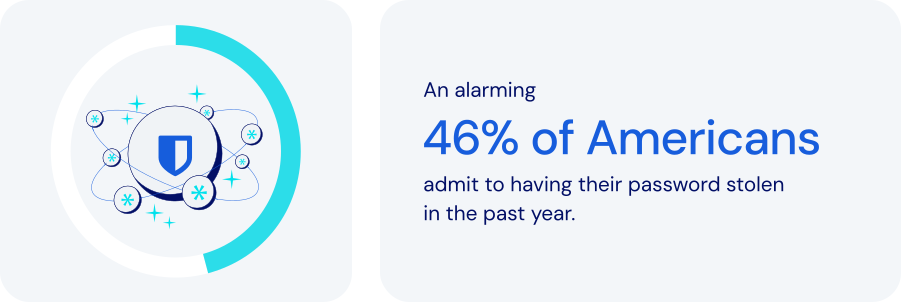
*Source: Forbes Advisor*
### How does password management fit into global operations?
Every global enterprise needs the ability to provide employees, partners, and customers with secure access to important resources while fully complying with international data protection standards. A robust password management platform is critical. Specific features to look for:
- **Centralized credential storage**: secure, encrypted vaults provide unified global access to passwords, replacing insecure channels like email or spreadsheets.
- **Role-Based Access Control (RBAC)**: ensuring that employees have [precise access](https://bitwarden.com/sv-se/resources/telecommunications-firm-achieves-password-management-adoption/) based on their roles or locations can significantly reduce unauthorized access risks.
- **Structured organization with collections**: [organizing credentials](https://bitwarden.com/sv-se/help/teams-enterprise-migration-guide/#collections/) by region, department, or project helps facilitate secure, controlled access across global teams.
- **Secure credential sharing**: enabling users to share credentials securely, including hidden credentials, helps strengthen security across teams.
- **Automated provisioning with SCIM**: automatically granting or revoking access to credentials based on employment status simplifies both [employee onboarding and offboarding](https://bitwarden.com/sv-se/resources/guide-enterprise-password-management-throughout-employee-lifecycle/).
- **Localization and time-zone controls**: multilingual support allows for usability and security tailored to regional needs.
- **Cross-Device remote access**: flexible, secure access from web, desktop, mobile apps, and browser extensions is essential for global and mobile teams.
- **Granular permissions**: flexible permission settings allow access levels to be tailored to specific employee roles.
- **Compliance and audit capabilities**: detailed logs and monitoring facilitate adherence to global standards like [ISO 27001](https://bitwarden.com/sv-se/resources/how-password-management-helps-companies-achieve-iso-27001-certification/), GDPR, CCPA, and SOC 2.
- **Threat detection**: by constantly monitoring credentials against breaches, a password manager can help administrators identify potential threats.
Beyond efficiency and productivity, these features also provide security and documentation tools that make it easier to maintain full compliance across multiple countries, time zones, and cultures.
### How password management keeps global enterprises safer
For global organizations with distributed teams, diverse departments, and complex IT ecosystems, effective password management is crucial for maintaining security, improving collaboration, and ensuring scalability. A platform expressly designed for large-scale environments should allow you to:
- **Enhance security and reduce risk**: centralized management prevents security breaches, reduces insider threats, and ensures data integrity.
- **Boost operational efficiency**: automating password distribution and management can significantly reduce [administrative overhead](https://bitwarden.com/sv-se/resources/marketing-agency-streamlines-productivity-with-password-management/).
- **Scale easily**: a robust password management system should seamlessly accommodate growth, ensuring continuous security in the face of geographic expansion.
- **Manage risk and compliance**: meeting stringent international regulatory requirements is an important way companies can avoid fines and reputational damage.
- **Improve collaboration**: simple, secure credential access promotes efficient collaboration across geographically dispersed teams.
### How Bitwarden supports global password management
Bitwarden specifically addresses the needs of global organizations with a comprehensive set of security features, access controls, and management tools. These include:
- **Unified Global Vault**: provides a centralized, encrypted vault to securely manage all credentials worldwide.
- **Advanced Role-Based Access Control**: helps minimize risk by precisely controlling user permissions based on specific roles.
- **Comprehensive System for Shared Collections**: effectively organizes credentials for teams across regions and departments.
- **Automated SCIM Integration**: streamlines user onboarding and succession, ensuring immediate updates to credential access.
- **Multi-language and Device Accessibility**: supports over 50 languages, with cross-device support, enabling secure remote access for international teams.
- **Real-Time Password Updates**: helps maintain security continuity by allowing for quick updates to passwords that sync across all systems.
- **Compliance and Auditing Tools**: maintain detailed [audit logs](https://bitwarden.com/sv-se/help/is-bitwarden-audited/#third-party-security-audits/) to help ensure regulatory compliance.
- **Proactive Threat Management**: integrates with [existing SIEM systems](https://bitwarden.com/sv-se/help/splunk-siem/) for real-time breach monitoring, allowing rapid response to security threats.
### The bottom line
Enterprises operating multinationally face a wide range of unique security threats. Increased connectivity may make the world seem smaller, but the challenges are no less complex.
Bitwarden enables businesses to manage access and credentials across distributed teams, multiple locations, and complex infrastructures. Every facet of the platform is designed to support business growth and operational excellence worldwide. Just one more reason Bitwarden is regarded as the most trusted name in password management.
### What makes Bitwarden stand out from the pack?
Bitwarden provides the industry's most scalable and comprehensive offerings for global organizations.
Unlike other password management solutions, Bitwarden:
- Has cloud offerings across the U.S. and Europe.
- Provides options to [self-host](https://bitwarden.com/sv-se/self-hosted-password-manager-on-premises/) in air-gapped, local, and private cloud environments.
- Offers provider portal options tailored for [MSPs](https://bitwarden.com/sv-se/msp/) and large enterprises, enabling the management of multiple Bitwarden instances for various clients or constituents. For large organizations, this can involve centralized Bitwarden administration across different business units.
- Delivers a trusted open-source solution that encourages adoption.
- Translates client applications into over 50 languages, showcasing suitability for global employees.
- Allows companies to manage multiple instances across business units.
## Få kraftfull, pålitlig lösenordssäkerhet nu. Välj din plan.
## Personlig
### Enskild
**$0**
*per månad*
*Gratis för alltid - inget kreditkort krävs! *
Skaffa ett Bitwarden-valv
- Obegränsat antal enheter
- Hantering av lösenord
- Alla kärnfunktioner
- Alltid gratis
Dela valvobjekt med en annan användare.
[Kom igång idag](https://bitwarden.com/go/start-free/)
---
### Premie
**Less than $1**
*varje år*
*faktureras årligen*
Njut av premiumfunktioner
- Integrerad autentisering
- Bifogade filer
- Nödåtkomst
- Säkerhetsrapporter och mer
Dela valvobjekt med en annan användare
[Skapa ett premiumkonto](https://bitwarden.com/go/start-premium/)
---
### Familjer
**$3.33**
*per månad*
*Upp till 6 användare, 40 USD faktureras årligen*
Säkra dina familjeinloggningar
- 6 premiumkonton
- Obegränsad delning
- Obegränsade samlingar
- Organisationslagring
Dela valvobjekt mellan sex personer
[Starta gratis 7-dagars provperiod](https://bitwarden.com/go/start-families-trial/)
---
Priset visas i USD och baseras på en årsprenumeration. Skatter ingår ej.
## Företag
### Teams
*Robust skydd för team i tillväxt.*
**$4**
*per månad / per användare som faktureras årligen*
Premium features for all accounts, plus:
- Säker datadelning
- Händelseloggövervakning
- Katalogintegrering
- SCIM-stöd
Inkluderar premiumfunktioner för alla användare
[Starta en provversion](https://bitwarden.com/go/start-teams-trial/)
---
### Företag
*Avancerade funktioner för större organisationer*
**$6**
*per månad / per användare som faktureras årligen*
Teams features for all accounts, plus:
- Företagspolicyer
- Lösenordslös SSO
- Kontoåterställning
- Alternativ för självvärd
Inkluderar premiumfunktioner och gratis familjeplan för alla användare
[Starta en provversion](https://bitwarden.com/go/start-enterprise-trial/)
---
### Få en offert
*För företag med hundratals eller tusentals anställda kontakta försäljningen för en anpassad offert och se hur Bitwarden kan:*
- Minska cybersäkerhetsrisken
- Öka produktiviteten
- Integrera sömlöst
Bitwarden skalar med alla företagsstorlekar för att ge din organisation lösenordssäkerhet
[Kontakta försäljning](https://bitwarden.com/contact-sales/)
---
Priset visas i USD och baseras på en årsprenumeration. Skatter ingår ej.
---
URL: https://bitwarden.com/sv-se/resources/password-management-maturity-model/
---
# Lösenordshantering Mognadsmodell
från Bitwarden
---

Organizations that wish to strengthen security by deploying an [enterprise-wide password manager](https://bitwarden.com/sv-se/blog/choose-the-best-enterprise-password-manager/) can ensure better resilience by assessing key areas for improvement through the following password management maturity model. This framework helps organizations understand their password manager maturity level — based on their current operations — and identify what steps are necessary to improve their existing classification.
## Table of Contents
[Level 1: Open opportunity](https://bitwarden.com/sv-se/resources/password-management-maturity-model/#level-1-open-opportunity/)
[Level 2: Launch](https://bitwarden.com/sv-se/resources/password-management-maturity-model/#level-2-launch/)
[Level 3: Evolve](https://bitwarden.com/sv-se/resources/password-management-maturity-model/#level-3-evolve/)
[Level 4: Proactive](https://bitwarden.com/sv-se/resources/password-management-maturity-model/#level-4-proactive/)
[Level 5: Leader](https://bitwarden.com/sv-se/resources/password-management-maturity-model/#level-5-leader/)
[Password Management Maturity Model](https://bitwarden.com/sv-se/resources/password-management-maturity-model/#password-management-maturity-model/)
## Level 1: Open opportunity
### The wild west of weak passwords, reused passwords, and potentially compromised passwords

Organizations in the Level 1 category have not deployed an enterprise-wide password manager. The lack of a centralized password management system increases the risk of compromised passwords, as employees may use weak or reused passwords without proper oversight. Instead, employees take a siloed, ad-hoc approach to securing company passwords. This may involve using [browser-based password managers](https://bitwarden.com/sv-se/blog/why-companies-are-looking-beyond-browser-based-password-managers/), Excel spreadsheets, sharing passwords via Slack, or writing them down on paper and sticky notes. This environment is unlikely to foster a robust security culture or emphasize security best practices. Company-wide training is infrequent or non-existent. When it comes to overall technical maturity, there is a strong likelihood that sensitive or critical data, when shared, is unencrypted and at risk.
- **Password Manager Deployment**: A Level 1 organization has no password manager processes in place, leaving employees to their individual habits.
- **Security Culture**: A Level 1 organization does not emphasize [security best practices](https://bitwarden.com/sv-se/blog/building-a-cybersecurity-culture-in-the-workplace/) and has minimal security awareness.
- **Technical Maturity**: A Level 1 organization shares sensitive information insecurely, often unencrypted.
Level 1 organizations are starting from the ground up with plenty of opportunities for quick improvements through simple actions that can provide an immediate security boost. The priority next step for a company to improve security is to require one team to use a password manager, typically IT, and then make a plan for a wide-scale rollout.
Level 1 organizations are starting from the ground up with plenty of opportunities for quick improvements through simple actions that can provide an immediate security boost.
## Level 2: Launch
### Wading into the world of free password managers

Level 2 indicates a slightly more mature, but still growing, approach towards strong password security and management. Organizations at this stage are not using an enterprise-wide password manager, and [password security practices](https://bitwarden.com/sv-se/blog/6-things-to-keep-your-passwords-secure/) are decentralized, with employees relying on a combination of browser-based password managers and other built-in password management tools. Some organizations might start with a free password manager before moving to a more centralized solution. Security best practices are a cursory focus during employee onboarding but are not a consistent focus for the organization. Technical maturity at this level is characterized by a mix of encryption practices - some information is encrypted, some isn’t - and two-factor authentication is used sparingly for enhanced identity verification. Organizations seeking to progress from Level 2 to Level 3 should focus on increased awareness and education to establish fundamental credential security practices some of the time.
- **Password Manager Deployment**: Level 2 companies feature decentralized password management or ad hoc use of built-in password managers, such as Apple keychain or those built into browsers.
- **Security Culture**: Level 2 companies place limited emphasis on password security best practices.
- **Technical Maturity**: Level 2 companies contain inconsistent approaches to sharing encrypted information and using [multifactor authentication](https://bitwarden.com/sv-se/blog/basics-of-two-factor-authentication-with-bitwarden/) (2FA).
Level 2 companies place a slightly larger emphasis on data security, but overall practices remain decentralized. The immediate next step to improve security is to select a centralized, cross-platform password manager that works across all employee devices and begin a phased rollout.
Level 2 companies place a slightly larger emphasis on data security, but overall practices remain decentralized.
## Level 3: Evolve
### Exploration of other password managers and the start of protecting sensitive data

Moving from Level 2 to Level 3 represents a significant step toward securing your business. Limited teams within the organization rely on a stand-alone password manager, but overall deployment remains minimal. Security training is more frequent and consistent, and employees experience more frequent alerts when engaging in obvious and potentially risky security practices. From a technical maturity standpoint, employees who collectively utilize a password management solution have coverage across all company-issued devices and are able to share passwords and other sensitive information securely. Using an encrypted password vault can significantly enhance security by securely storing sensitive information. The ability to securely share data between colleagues marks a departure from Level 2.
- **Password Manager Deployment**: Level 3 companies have some measure of centralized password management, with one or two teams utilizing stand-alone password managers in favor of built-in tools.
- **Security Culture**: Level 3 companies place an increased emphasis on security culture but don’t have tools or systems in place for concrete accountability.
- **Technical Maturity**: Level 3 teams using a centralized password manager benefit from cross-platform coverage across devices and [secure sharing between employees](https://bitwarden.com/sv-se/blog/password-sharing-best-practices-for-teams/).
Level 3 companies are moving in a more centralized, albeit spotty, direction toward prioritizing data security. The next step to improve security is to broaden password management coverage from a phased rollout into a company-wide rollout.
Level 3 companies are moving in a more centralized, albeit spotty, direction toward prioritizing data security.
## Level 4: Proactive
### Getting serious about all your passwords and ensuring employees use an encrypted vault

Level 4 is marked by the universal adoption of an enterprise-wide password manager, with a [deployment initiated across the organization](https://bitwarden.com/sv-se/blog/deployment-strategies-for-password-managers/). It is crucial to create a strong master password to secure the password manager. All employees are urged to use the company password manager to create, store, and share passwords with other team members. Additionally, security training is normalized and accepted by the entire organization, with management tracking and incentivizing participation through detailed training modules. Level 4 technical maturity indicates enterprise-wide password management with directory services integration and single sign-on. Integration with directory services (which may include Active Directory/Entra, Google Workspace, or OneLogin) syncs users and groups from an external directory to the password manager. [Integration with single sign-on](https://bitwarden.com/sv-se/blog/easily-integrate-single-sign-on-security-with-flexible-solutions/) enables organizations to leverage their existing identity provider to authenticate users with their enterprise password manager.
- **Password Manager Deployment**: Level 4 companies have deployed a stand-alone password manager across the organization, with teams heavily encouraged to completely eschew built-in tools and ad-hoc practices.
- **Security Culture**: Level 4 companies offer regular security training and incentivize attendance with participation metrics.
- **Technical Maturity**: Level 4 companies have integrated password managers with IT workflows, including directory services and single sign-on (SSO).
Level 4 companies have taken a much more uniform, concrete approach to data security, with a focus on ensuring universal coverage. The next step to improve security is to mandate enterprise-wide password management across the organization. Once that is in progress, enable [passwordless authentication](https://bitwarden.com/sv-se/blog/enterprise-passwordless-sso-brings-better-productivity-and-user-sign-in/) and require multifactor authentication (2FA) for all teams.
Level 4 companies have taken a much more uniform, concrete approach to data security, with a focus on ensuring universal coverage.
## Level 5: Leader
### A password-managing powerhouse using a strong master password, unique passwords, and passwordless authentication

At this stage, an organization has undergone full-scale adoption of an enterprise-wide password manager integrated into organizational workflows. This password vault is used for securely storing and managing sensitive information, including passwords, credit card details, and personal data. Company-wide password management adoption is mandated, with restrictions on alternative password storage methods. Enterprises at this stage offer employees password management family plans to cultivate a 360° security culture, emphasizing personal and professional password management habits. Security training is required for the entire organization, and employees are encouraged to report suspicious cybersecurity activities. Technical maturity is characterized by comprehensive coverage and reporting. The enterprise-wide password manager enables passwordless options from biometrics to [passkeys](https://bitwarden.com/sv-se/blog/what-are-passkeys-and-passkey-login/), while developers use APIs for integration with other tools, such as SIEM, in order to ensure an effective security stack. Automated scripting with APIs is utilized to enhance administrative control and simplify complex workflows.
- **Password Manager Deployment**: Level 5 companies require all employees to use a stand-alone password manager.
- **Security Culture**: Level 5 companies have instituted mandatory security training, with employees taking the initiative to flag suspicious activity to the IT department.
- **Technical Maturity**: Level 5 companies have embraced an enterprise-wide password manager that offers passwordless authentication, requires multifactor authentication (2FA), and encourages developers to utilize APIs for integration with other tools.
Level 5 companies have a comprehensive, sophisticated, enterprise-wide password management system in place. Companies interested in progressing beyond this point should explore [secrets management tools](https://bitwarden.com/sv-se/go/secrets-manager/) that secure infrastructure and machine secrets.
At this stage, an organization has undergone full-scale adoption of an enterprise-wide password manager integrated into organizational workflows.
## Password Management Maturity Model

## Få kraftfull, pålitlig lösenordssäkerhet nu. Välj din plan.
## Personlig
### Enskild
**$0**
*per månad*
*Gratis för alltid - inget kreditkort krävs! *
Skaffa ett Bitwarden-valv
- Obegränsat antal enheter
- Hantering av lösenord
- Alla kärnfunktioner
- Alltid gratis
Dela valvobjekt med en annan användare.
[Kom igång idag](https://bitwarden.com/go/start-free/)
---
### Premie
**Less than $1**
*varje år*
*faktureras årligen*
Njut av premiumfunktioner
- Integrerad autentisering
- Bifogade filer
- Nödåtkomst
- Säkerhetsrapporter och mer
Dela valvobjekt med en annan användare
[Skapa ett premiumkonto](https://bitwarden.com/go/start-premium/)
---
### Familjer
**$3.33**
*per månad*
*Upp till 6 användare, 40 USD faktureras årligen*
Säkra dina familjeinloggningar
- 6 premiumkonton
- Obegränsad delning
- Obegränsade samlingar
- Organisationslagring
Dela valvobjekt mellan sex personer
[Starta gratis 7-dagars provperiod](https://bitwarden.com/go/start-families-trial/)
---
Priset visas i USD och baseras på en årsprenumeration. Skatter ingår ej.
## Företag
### Teams
*Robust skydd för team i tillväxt.*
**$4**
*per månad / per användare som faktureras årligen*
Premium features for all accounts, plus:
- Säker datadelning
- Händelseloggövervakning
- Katalogintegrering
- SCIM-stöd
Inkluderar premiumfunktioner för alla användare
[Starta en provversion](https://bitwarden.com/go/start-teams-trial/)
---
### Företag
*Avancerade funktioner för större organisationer*
**$6**
*per månad / per användare som faktureras årligen*
Teams features for all accounts, plus:
- Företagspolicyer
- Lösenordslös SSO
- Kontoåterställning
- Alternativ för självvärd
Inkluderar premiumfunktioner och gratis familjeplan för alla användare
[Starta en provversion](https://bitwarden.com/go/start-enterprise-trial/)
---
### Få en offert
*För företag med hundratals eller tusentals anställda kontakta försäljningen för en anpassad offert och se hur Bitwarden kan:*
- Minska cybersäkerhetsrisken
- Öka produktiviteten
- Integrera sömlöst
Bitwarden skalar med alla företagsstorlekar för att ge din organisation lösenordssäkerhet
[Kontakta försäljning](https://bitwarden.com/contact-sales/)
---
Priset visas i USD och baseras på en årsprenumeration. Skatter ingår ej.
---
URL: https://bitwarden.com/sv-se/resources/password-management-small-business/
---
# Lösenordshantering för småföretag
## What is small business password management and why is it so important?
Most data breaches covered by the media become international news because they deal with global organizations or large well-known enterprises. However, small and medium businesses (SMBs) have most of the same challenges and concerns around data security that enterprises do—just on a smaller scale. They’re also working with smaller budgets and smaller IT teams (if they have in-house IT expertise).
While corporate data from the world’s biggest enterprises might be the most attractive target for many hackers and other malicious actors, SMBs are still at high risk of ransomware, data theft, phishing attacks, and much more. According to a recent [Cumulus Global report](https://www.cumulusglobal.com/the-state-of-smb-cyber-security/), 43% of small and medium businesses have been the target of a cyber attack. Why? Hackers often view SMB data as “low-hanging fruit” because they assume smaller businesses don't have the robust security or protection that big corporations can afford.
No matter how small your business or your security budget, there is a lot you can do to protect your company data—and it all starts with **passwords**.

43% of small and medium businesses have been the target of a cyber attack
[Cumulus Global report](https://www.cumulusglobal.com/the-state-of-smb-cyber-security/)
## How password overload leads to increased security risks
Today, web users need a password for practically every site they visit online, and every application they use in their daily work. The issue with needing so many passwords is that it’s impossible to remember them all. People will use the same password or a small collection of passwords across dozens or even hundreds of online accounts to overcome that challenge. Reused passwords also tend to be ones that are easy to remember by using personal information, such as birthdays, anniversaries, or the names of children or pets.
It is so risky to reuse easy-to-remember passwords because hackers can easily gain access to that information through social media sites. And by reusing passwords across multiple sites, hacker computers can brute-force one account password and then use that information to gain access to all other accounts with the same credentials.
The key takeaway is that passwords are big business for hackers. In fact, a majority of data breaches and security incidents are caused by threat actors gaining access to weak passwords. Business and personal email account passwords, for example, are particularly desirable to hackers because they can use your email to reset passwords on other sites and gain access to confidential documents without your knowledge. The solution is to take password management seriously by making it part of your overall business security strategy.

## Why business password managers should be a critical part of every SMB security strategy
A password manager is one of the best ways to protect your entire company from password theft or misuse. Password managers are computer programs that store, encrypt, and manage login information for users, including usernames and passwords. They can log you into those sites and applications automatically and keep them protected from hackers. A single master password is typically used to get into the password database, so that’s just one password to remember. A password manager will also help you generate strong, unique passwords that aren’t based on personal information. Because the password information is stored and managed in a central repository, you can access it on virtually any device you use, whether it’s a desktop computer, laptop, smartphone, or tablet.
With a small business password manager, everyone in your company is freed from having to remember their login information for every single website and application they use. The way it typically works is, when you visit a website, instead of typing a username and password into the site’s entry screen, you can simply type your master password into the password manager. The password manager system then automatically enters the website login information for you. With your master password, you can easily and efficiently access every account or website you have. Passwords aren’t the only information you can store, either.
Small business password managers can also store other private data, such as corporate credit card numbers. The applications can also protect against phishing in cases where you accidentally mistype a website name and go to a fake site operated by a malicious actor. Say you wanted to log into your bank account at citibank.com, but in your hurry you typed citibnak.com. If a hacker had set up a phishing site at the misspelled site, you might think you were on a legitimate bank site. Without a password manager, you might try to log in with your username and password—and now the hacker has that information. A password manager, however, would detect the misspelled URL and not enter your login information, alerting you to the problem.
## Why relying on your browser-based password manager is risky
Most of today’s web browsers, including Chrome and Firefox, have built-in password managers, but they don’t compare to the protection and security of a dedicated application. Here’s why:
- Some browsers don’t encrypt your password data, leaving that information easily accessible to anyone who knows where to look.
- Browser-based password managers are designed for individual use, which means they don’t support the sharing of credentials among work partners or teams.
- Browser-based password managers lack important features such as password generator, and cross-platform support, meaning you won’t be able to access passwords on all your devices.
- For businesses, the ability to log events and conduct audits is important. Browser-based password managers don’t provide these capabilities.
## The benefits of using a password manager for SMB security
- No more passwords to memorize—just a single master password.
- Your passwords will be highly secure and unique across every site, application, and user.
- Access passwords and other secured data from practically anywhere, on any device; this is especially beneficial for remote workers and employees who travel from site to site.
- Save time with auto-filled login information; some managers can also auto-fill other data such as name, address, phone, email, and so on.
- Protect your company and personal data; with strong unique passwords, your accounts are essentially siloed from each other, so if a hacker gets into one, they don’t get into everything.
## Important considerations when choosing your small business password manager
Based in the U.K., the National Cyber Security Centre (NCSC) has some recommendations for SMBs that want to improve password security and are looking for a password manager. The two most important things you can do to protect company data are:
1. Use a **strong, unique password for your email**—using three random words, for instance.
2. Turn on **two-step verification** for your email, so you will use a password and then a secondary identification, such as a code you receive by text.
When selecting a password manager for your small business, be sure to find one that makes it effortless to create strong, unique passwords for every account; supports two-step verification; streamlines and simplifies the backup of all stored passwords and other data.
Other considerations for choosing the best small business password manager include the following:
- **Ease of use.** Because everyone in the company will use it, your password manager should be simple and user-friendly. The application won’t help if people don’t use it.
- **Integration.** A password manager that doesn’t interoperate with your existing IT infrastructure won’t be of much use. SMBs typically have small IT teams if they have them at all, so whatever helps streamline management and operations is a plus.
- **Simple admin management.** Administrative controls are important, and a password manager shouldn’t add complexity to IT’s workload.
- **Reporting capabilities.** A good password manager will provide a variety of report options that allow you to gain insight into adoption and usage across the company and any issues to address.
- **Compliance support.** As industry and governmental regulations continue to evolve around data security, it’s important to be able to set policies within the password manager to monitor that users are staying compliant.

## Why Bitwarden is the top business password manager for SMBs
In July 2022, TechRepublic named Bitwarden the "[Best Password Manager for SMBs](https://www.techrepublic.com/article/best-tech-products-companies/)." TechRepublic writer Jack Wallen said he ranked Bitwarden as number one “not only because it’s open-source, but because it offers a perfect blend of simplicity and advanced features. Bitwarden works incredibly well on every platform and every browser.” Even on the free tier, he said, “you still get unlimited passwords and just enough features to make Bitwarden a perfect platform for those new to using a password manager.”
Trusted by thousands of businesses and millions of end users globally for secure password storage and sharing, Bitwarden allows SMBs to store logins, secure notes, and more; collaborate and share securely across teams and departments; and access login data anywhere on any device.
As Wallen mentioned, the Bitwarden commitment to open source software makes the password manager a leader in trust and security—especially because Bitwarden source code can be inspected and reviewed by anyone. This means businesses don’t just have to trust that the software is secure; you can [inspect the code](https://github.com/bitwarden) to verify that yourself. Bitwarden also participates in an independent security researchers program and regularly employs third-party auditors, such as [Cure53](https://cure53.de/), for penetration testing and official security assessments.
The open source nature of Bitwarden paired with industry-leading security protocols such as end-to-end AES-256-bit encryption, salted hashing, and PBKDF2 SHA-256 sets Bitwarden apart from other solutions. Bitwarden seals your data with zero-knowledge encryption before it ever leaves your device, and only you have access to it. Not even the Bitwarden team can view the private information stored in your vault.
## How to get started with Bitwarden
**Step 1.** [Choose the plan](https://bitwarden.com/sv-se/pricing/business/) that best fits your business (or personal) needs.
**Step 2.** Start your [free 7-day trial](https://bitwarden.com/sv-se/go/start-enterprise-trial/) and **remember to store your master password in a safe place**.
**Step 3.** Explore the [download options](https://bitwarden.com/sv-se/download/) to access your Bitwarden vault across all preferred browsers and devices.
*Have questions or need assistance? *[*Contact sales*](https://bitwarden.com/sv-se/contact-sales/)* to get more information on features, pricing, and deployment options.*
## Få kraftfull, pålitlig lösenordssäkerhet nu. Välj din plan.
## Personlig
### Enskild
**$0**
*per månad*
*Gratis för alltid - inget kreditkort krävs! *
Skaffa ett Bitwarden-valv
- Obegränsat antal enheter
- Hantering av lösenord
- Alla kärnfunktioner
- Alltid gratis
Dela valvobjekt med en annan användare.
[Kom igång idag](https://bitwarden.com/go/start-free/)
---
### Premie
**Less than $1**
*varje år*
*faktureras årligen*
Njut av premiumfunktioner
- Integrerad autentisering
- Bifogade filer
- Nödåtkomst
- Säkerhetsrapporter och mer
Dela valvobjekt med en annan användare
[Skapa ett premiumkonto](https://bitwarden.com/go/start-premium/)
---
### Familjer
**$3.33**
*per månad*
*Upp till 6 användare, 40 USD faktureras årligen*
Säkra dina familjeinloggningar
- 6 premiumkonton
- Obegränsad delning
- Obegränsade samlingar
- Organisationslagring
Dela valvobjekt mellan sex personer
[Starta gratis 7-dagars provperiod](https://bitwarden.com/go/start-families-trial/)
---
Priset visas i USD och baseras på en årsprenumeration. Skatter ingår ej.
## Företag
### Teams
*Robust skydd för team i tillväxt.*
**$4**
*per månad / per användare som faktureras årligen*
Premium features for all accounts, plus:
- Säker datadelning
- Händelseloggövervakning
- Katalogintegrering
- SCIM-stöd
Inkluderar premiumfunktioner för alla användare
[Starta en provversion](https://bitwarden.com/go/start-teams-trial/)
---
### Företag
*Avancerade funktioner för större organisationer*
**$6**
*per månad / per användare som faktureras årligen*
Teams features for all accounts, plus:
- Företagspolicyer
- Lösenordslös SSO
- Kontoåterställning
- Alternativ för självvärd
Inkluderar premiumfunktioner och gratis familjeplan för alla användare
[Starta en provversion](https://bitwarden.com/go/start-enterprise-trial/)
---
### Få en offert
*För företag med hundratals eller tusentals anställda kontakta försäljningen för en anpassad offert och se hur Bitwarden kan:*
- Minska cybersäkerhetsrisken
- Öka produktiviteten
- Integrera sömlöst
Bitwarden skalar med alla företagsstorlekar för att ge din organisation lösenordssäkerhet
[Kontakta försäljning](https://bitwarden.com/contact-sales/)
---
Priset visas i USD och baseras på en årsprenumeration. Skatter ingår ej.
---
URL: https://bitwarden.com/sv-se/resources/password-manager-sync/
---
# Why Password Manager Sync is Important for Security
Optimize password manager sync for enhanced multi-cloud security. Streamline access, boost productivity, and empower your tech strategy today!
---
## A foundational layer for secure, consistent access in multi-cloud environments
Technology teams managing login credentials and other sensitive information across multiple cloud infrastructure providers, such as AWS, Azure, and Google Cloud Platform, face mounting complexity as usage grows. That’s because each environment introduces its own unique authentication, secrets management, and access management requirements into the mix. Without a consistent approach to secure password management and credential sync, these fragmented systems can easily become a productivity and security nightmare, increasing the risk of access failures, misconfigurations, and security vulnerabilities.
This is where password manager sync shines. A modern, cloud-based password manager with encrypted sync ensures that credentials remain consistent, current, and secure across multi-cloud platforms and devices. It simplifies password updates, supports account recovery, and helps ensure that unique passwords are used across all services. For organizations operating across hybrid or multi-cloud infrastructure, a synced password vault functions as both a productivity enhancer and a critical layer of defense.
This post explores how password manager sync strengthens multi-cloud security by centralizing credential management to improve access consistency and reduce the risks associated with reuse and outdated passwords. It also provides best practices for syncing across devices, enforcing access policies, and enabling secure collaboration in fast-moving cloud environments.
## How password manager sync works to deliver secure passwords and centralized access
Password manager sync ensures that all authorized devices, users, and platforms have access to the same up-to-date, secure passwords automatically and securely. When passwords are changed, revoked, or generated, the sync process ensures that every linked device reflects that change.
In multi-cloud environments where infrastructure is dynamic and cross-functional teams need access to shared systems, syncing plays a critical role in both productivity and risk mitigation. If a device is lost or replaced, users can recover their credentials instantly through a secure, encrypted vault synced via the cloud. Within organizational settings, administrators can assist in recovery using Bitwarden’s [Account recovery administration policy](https://bitwarden.com/sv-se/help/policies/#account-recovery-administration/). Syncing also enables centralized updates during security incidents, reducing the risk of inconsistent access control or overlooked systems.
This syncing capability, when combined with a zero-knowledge encryption model and role-based access controls, helps organizations maintain consistent, enforceable security policies without adding friction to day-to-day workflows.
## Real-world example: Password manager sync in action
When deployed across teams, synced password manager access improves both coordination and response times, reducing the daily friction of managing credentials across different cloud services and platforms. Instead of chasing expired credentials or searching through messages for the latest login, teams receive secure updates automatically. For example, if a DevOps engineer updates root credentials for a cloud project, those changes appear immediately in each authorized password vault, eliminating manual distribution, minimizing disruption, and helping teams to stay focused on higher-priority work.
Sync also simplifies recovery workflows. In the event of device loss or replacement, users can restore access by signing in to their account on a new device. The encrypted vault is then synced from the cloud, allowing credentials to be recovered securely and without disruption.
For more information on how syncing works, refer to the[ Vault Sync Guide](https://bitwarden.com/sv-se/help/vault-sync/).
## How to use password manager sync across all platforms
After understanding what password manager sync enables, the next step is putting it into practice. Bitwarden, one of the most trusted cloud-based password managers, offers secure syncing across desktop, mobile, and browser environments, giving teams consistent access to shared credentials while maintaining strong encryption and centralized control.
Each Bitwarden app is built to maintain a sync with the vault, so when a password is created, changed, or shared, the update propagates instantly to all authorized devices. This eliminates version drift and reduces the risk of access errors across environments like AWS, Azure, and GCP.
### **Sync across desktop, mobile, and browsers**
To begin, [download Bitwarden](https://bitwarden.com/sv-se/download/) for the preferred platform and choose from one of the dedicated setup guides below:
- [Desktop Setup](https://bitwarden.com/sv-se/help/getting-started-desktop/) – Covers installation, vault login, and sync behavior across Windows, macOS, and Linux.
- [Mobile App Guide](https://bitwarden.com/sv-se/help/getting-started-mobile/) – Enables secure, synced access on the go with biometric authentication, PIN unlock, and mobile autofill.
- [Browser Extension Setup](https://bitwarden.com/sv-se/help/auto-fill-browser/) – Offers inline autofill, password generation, and synced vault access across major browsers.
These platform-specific options give teams the flexibility to access and manage their credentials wherever they work. Once users are signed into a Bitwarden client and granted access to vault items through [Collections](https://bitwarden.com/sv-se/help/about-collections/), real-time syncing ensures updates made in one location are reflected across all authorized devices. This helps users stay focused on high-priority tasks instead of chasing outdated logins.
Try syncing the first set of multi-cloud credentials now: [Import Passwords](https://bitwarden.com/sv-se/help/import-data/).
## Best practices for using a secure password manager in multi-cloud environments
In complex, multi-cloud environments, syncing credentials is only one part of the equation. Without policies in place to manage how credentials are accessed and by whom, even a well-synced system can fall short. Security leaders need to pair syncing with access management, encryption enforcement, and operational best practices that support secure collaboration at scale.
Bitwarden supports these needs through vault-based access policies, role permissions, and end-to-end encryption, giving administrators the tools to align password sync with their organization’s security requirements.
### **Use role-based access and access management to share passwords securely**
[Bitwarden Organizations](https://bitwarden.com/sv-se/products/organizations/) provides a structured way to manage shared credentials while enforcing access segmentation. Credentials can be grouped into Collections by cloud provider, environment, or project team, with access assigned based on a user’s role or responsibilities. This ensures that team members only see the credentials relevant to their work, minimizing unnecessary exposure and improving audit visibility.
In high-velocity infrastructure teams, this structure reduces the need for ad hoc credential sharing and simplifies onboarding. Instead of provisioning passwords manually for each new cloud account or service, administrators can assign vault access based on team role, supporting security and simplifying operations.
### **Enforce end-to-end encryption and multifactor authentication standards**
Security is only as strong as the protections surrounding credential sync. Bitwarden ensures all vault data is encrypted on the device before syncing, using a zero-knowledge encryption model that prevents even Bitwarden from accessing stored credentials.
- Strong master password policies to help defend against brute-force or credential-stuffing attacks
- [Two-factor authentication](https://bitwarden.com/sv-se/help/setup-two-step-login/) via Bitwarden or your existing identity provider (e.g., login with SSO)
- Session timeouts or reauthentication requirements for sensitive vault actions
To streamline authentication, Bitwarden also supports [TOTP Sync Setup](https://bitwarden.com/sv-se/help/totp-sync/) for time-based one-time passwords within the vault.
These measures help prevent unauthorized access and ensure credentials and other sensitive data, such as secure notes, remain protected even if a device is lost or compromised.
### **Example: Synchronized access with policy enforcement**
A cloud infrastructure team managing projects in AWS and GCP maintains distinct Collections for each platform. When a lead engineer updates the access credentials for a production deployment, Bitwarden syncs the changes across all authorized users — while access remains restricted to only those assigned to the production team. There is no need to notify individuals manually, no risk of outdated credentials being used, and no loss of audit visibility.
For IT administrators and cloud security leads, this approach reduces complexity while preserving control. Instead of relying on fragmented systems or unsecured channels to distribute passwords, teams operate from a centralized, encrypted source of truth, with sync and policy enforcement working together to support secure collaboration.
Explore the [Bitwarden web vault](https://vault.bitwarden.com/) for secure, consistent access.
## Streamline workflows with autofill, password generator tools, and web browser extensions
Navigating between cloud portals, infrastructure dashboards, and third-party services often means entering credentials dozens of times a day. Bitwarden browser extensions and mobile auto-fill features turn password manager sync into a real-time productivity asset, reducing manual entry and minimizing the risk of errors or delays.
The Bitwarden browser extension provides secure access to the vault directly within Chrome, Firefox, Edge, Safari, and other supported browsers. Once enabled, it allows users to store passwords, autofill credentials into login fields, and update entries as needed, with changes syncing immediately across all authorized devices.
Mobile users can also configure auto-fill for Android and iOS devices to ensure secure, on-the-go access:
[**Set up Android auto-fill**](https://bitwarden.com/sv-se/help/auto-fill-android/) for synced credential use across mobile apps and browsers.
[**Configure iOS auto-fill**](https://bitwarden.com/sv-se/help/auto-fill-android/) to streamline access to secure apps and cloud dashboards.
For infrastructure teams managing multiple cloud accounts, auto-fill accelerates repetitive tasks without sacrificing security. A project manager, for instance, can move between AWS, Azure, and Google Cloud logins without delays or duplicated effort, knowing every credential is synced, encrypted, and up to date.
Auto-fill and sync work in tandem to improve speed and reduce cognitive load, while vault data remains encrypted on the device and never stored in the browser.
Discover how[ Bitwarden keeps your vault secure](https://bitwarden.com/sv-se/blog/vault-security-bitwarden-password-manager/).
## Leverage the power of multi-device password sync with Bitwarden
For organizations managing infrastructure across multiple cloud platforms, password manager sync plays a vital role in maintaining secure, consistent access. A synced vault helps enforce credential policies, reduce login friction, and ensure that updates are available in real time, supporting both operational agility and risk reduction.
Bitwarden enables this through encrypted, cross-platform syncing with built-in support for role-based access, auto-fill, and secure credential sharing. These features help security teams manage passwords and other secrets at scale while maintaining centralized oversight and control.
Start syncing cloud credentials securely and efficiently.[ Sign up for Bitwarden](https://bitwarden.com/sv-se/pricing/) today or learn more on the[ Bitwarden Tools and Features](https://bitwarden.com/sv-se/tools-and-features/) page.
## Få kraftfull, pålitlig lösenordssäkerhet nu. Välj din plan.
## Personlig
### Enskild
**$0**
*per månad*
*Gratis för alltid - inget kreditkort krävs! *
Skaffa ett Bitwarden-valv
- Obegränsat antal enheter
- Hantering av lösenord
- Alla kärnfunktioner
- Alltid gratis
Dela valvobjekt med en annan användare.
[Kom igång idag](https://bitwarden.com/go/start-free/)
---
### Premie
**Less than $1**
*varje år*
*faktureras årligen*
Njut av premiumfunktioner
- Integrerad autentisering
- Bifogade filer
- Nödåtkomst
- Säkerhetsrapporter och mer
Dela valvobjekt med en annan användare
[Skapa ett premiumkonto](https://bitwarden.com/go/start-premium/)
---
### Familjer
**$3.33**
*per månad*
*Upp till 6 användare, 40 USD faktureras årligen*
Säkra dina familjeinloggningar
- 6 premiumkonton
- Obegränsad delning
- Obegränsade samlingar
- Organisationslagring
Dela valvobjekt mellan sex personer
[Starta gratis 7-dagars provperiod](https://bitwarden.com/go/start-families-trial/)
---
Priset visas i USD och baseras på en årsprenumeration. Skatter ingår ej.
## Företag
### Teams
*Robust skydd för team i tillväxt.*
**$4**
*per månad / per användare som faktureras årligen*
Premium features for all accounts, plus:
- Säker datadelning
- Händelseloggövervakning
- Katalogintegrering
- SCIM-stöd
Inkluderar premiumfunktioner för alla användare
[Starta en provversion](https://bitwarden.com/go/start-teams-trial/)
---
### Företag
*Avancerade funktioner för större organisationer*
**$6**
*per månad / per användare som faktureras årligen*
Teams features for all accounts, plus:
- Företagspolicyer
- Lösenordslös SSO
- Kontoåterställning
- Alternativ för självvärd
Inkluderar premiumfunktioner och gratis familjeplan för alla användare
[Starta en provversion](https://bitwarden.com/go/start-enterprise-trial/)
---
### Få en offert
*För företag med hundratals eller tusentals anställda kontakta försäljningen för en anpassad offert och se hur Bitwarden kan:*
- Minska cybersäkerhetsrisken
- Öka produktiviteten
- Integrera sömlöst
Bitwarden skalar med alla företagsstorlekar för att ge din organisation lösenordssäkerhet
[Kontakta försäljning](https://bitwarden.com/contact-sales/)
---
Priset visas i USD och baseras på en årsprenumeration. Skatter ingår ej.
---
URL: https://bitwarden.com/sv-se/resources/password-sharing-best-practices/
---
# Password sharing best practices
## Share passwords securely and protect sensitive information
With the sheer number of online accounts created for work, shopping, entertainment, and communication, it’s easy to lose track of passwords or fall into the trap of reusing the same one across multiple sites. This can put sensitive information, such as confidential data and credit card details, at risk.
Password sharing, when done securely, offers significant advantages for both individuals and teams. In a professional setting, it enables team members to access shared accounts — such as social media platforms, project management tools, or client portals — without compromising security. For families and individuals, it means everyone can enjoy streaming services or online subscriptions without the hassle of managing multiple logins.
In the interest of convenience, people often resort to sharing passwords via unsafe means such as unencrypted email platforms, spreadsheets, text messages, or sticky notes. These methods are not secure. Fortunately, it is entirely possible to source practical and effective solutions for those who want to protect sensitive data while also striking a balance between usability and security. The key to safe password sharing lies in using a password manager that allows users to share passwords through secure links and end-to-end encryption.
## How to safely share passwords verbally or over email
### Sharing passwords verbally
Many people will default to sharing passwords verbally or via email, so it’s worth addressing how to engage in both non-digital and digital sharing methods safely. When sharing sensitive information verbally or via email or messaging platform, remember to be politely paranoid and use two-factor communication to verify someone’s identity before fulfilling a request.
Verbally sharing passwords should be done in person or over a secure call, with the understanding that there are potential risks involved (e.g., overheard conversations). This strategy is likely best suited for those sharing a limited number of passwords with 1-2 people, rather than a larger group. It also may not be as quick and convenient as sharing digitally.
### Sharing passwords via email or a messaging platform
Those who are busy with family obligations or remote workflows may find it tempting to share passwords via email. However, for cases where sensitive information must be shared digitally via email or a messaging platform, security experts recommend using dedicated encrypted communication tools, such as Bitwarden Send. Services like this create encrypted links that can be password-protected, set to expire automatically, and deleted after viewing, providing robust security specifically designed for sensitive information.
## Secure password sharing with a dedicated password manager
The most secure option for [sharing passwords](https://bitwarden.com/sv-se/blog/how-to-share-passwords-at-work-at-home-or-on-the-go/) is to use a dedicated password manager. Bitwarden is architected with end-to-end encryption to secure all credentials and critical data in an encrypted vault. Only the Bitwarden user can decrypt their vault by entering their unique master password. Nobody else, not even Bitwarden staff, can access user passwords or any other information in the vault.
Bitwarden offers advanced sharing features with user-friendly solutions. Users who wish to share passwords with a team or their family can create an Organization for that group. Within an Organization, users can further organize their vault with collections, which are groups of related logins that can be shared with specific users. This setup is most advantageous for businesses and families that need to securely share multiple passwords. Admins can easily control access levels for each user within an Organization to prevent full-company access to highly sensitive credentials, or for parents to limit children’s access to logins for certain streaming services.
[Bitwarden Send](https://bitwarden.com/sv-se/products/send/) is the most appropriate solution for [secure file sharing](https://bitwarden.com/sv-se/blog/how-to-share-files-and-sensitive-information-securely/) outside of a password manager. Bitwarden Send enables users to create a new Send that includes a file with sensitive information. You can make a secure one-time link to deliver sensitive information, and once the link is viewed, the content is deleted and cannot be retrieved or reaccessed. Bitwarden Send allows users to:
- Send secure texts and secure links
- Send files
- Set an automatic deletion date
- Set an expiration date so that links expire after a certain time or a specified number of accesses, and expired links are no longer valid
- Set a maximum access count
- Create a password that users will need to access the send
- Add notes
- Hide your email address from recipients using Bitwarden Send
- Manually deactivate the Send so no one can access it
## Key advantages of a password manager
There are numerous benefits to utilizing a comprehensive password manager at work and home. They include:
- Enhanced security that stems from enabling users to create, store, and manage strong, unique passwords, thus reducing the risk of data breaches caused by weak or reused passwords
- Centralized approach that organizes credentials and makes it easier for administrators to grant or revoke access as needed
- Reduced ongoing risk of relying on plain-text files or manual logs
- Ability to update shared passwords instantly without multiple messages
- Convenience with features such as autofill for login, which streamlines the process of logging into accounts
- Cross-platform accessibility via mobile devices, laptops, and desktop computers
- Meeting compliance requirements that may necessitate the use of a password manager or another solution that allows for strong internal controls and reduced cybersecurity risks
For those interested in more advanced password management options, Bitwarden offers a [secrets management solution](https://bitwarden.com/sv-se/products/secrets-manager/) for developers and DevOps teams who are keen on securing their infrastructure and machine secrets. The Bitwarden Secrets Manager centralizes secret storage in a single, end-to-end encrypted solution that offers audit trails of secret access operations and minimizes the risk of data breaches and data leaks.
## Password management for teams
Effective password management is crucial for teams, particularly in business environments where multiple individuals require access to shared resources. IT teams and administrators can utilize password managers to securely store and distribute credentials, ensuring that sensitive information is accessible only to authorized team members. With features that allow the generation of unique passwords for each account, password managers help prevent the common pitfall of password reuse, which can lead to data breaches.
Onboarding new team members becomes more streamlined, as access to necessary accounts and confidential information can be granted quickly and securely. Additionally, password managers make it easy to share sensitive information, such as credit card numbers, confidential files, or client credentials, without exposing data to unnecessary risk. By centralizing password management, teams can maintain better control over who has access to what, protect their accounts, and ensure that all shared information is managed securely and efficiently.
## Additional best practices
Besides dedicated password managers, users should also follow commonsensical tips to ensure that password sharing is as secure as possible. These include:
- Using strong and unique passwords and passphrases
- Never reusing passwords or passphrases
- Always confirming receipt identity
- Only sharing passwords with those who need access
- When possible, utilize two-factor authentication (2FA) to add an extra layer of security
- When clicking on a link, verify that it is a secure link arriving from a trusted source
While convenient, standard messaging applications, such as Slack, WhatsApp, or Microsoft, do not offer the same level of security as dedicated password managers. Readers curious about the scaling process of sharing passwords can read more in this article about [team-focused password sharing strategies](https://bitwarden.com/sv-se/blog/password-sharing-best-practices-for-teams/).
## Securely share sensitive information with Bitwarden
Password sharing is an everyday necessity in both personal and professional life, but it must be approached with security in mind. By utilizing a password manager equipped with secure password-sharing features such as end-to-end encryption, safe links, and robust access controls, users can confidently and securely share sensitive information without exposing themselves to unnecessary risk. Users can also share passwords in a secure verbal exchange, encrypted emails, or lean on offline password vaults. Overall, these solutions empower users who want to avoid insecure password exchanges that may lead to data breaches or the theft of valuable data. Learn more about [methods for safely sharing passwords at work and at home](https://bitwarden.com/sv-se/blog/password-sharing-best-practices-for-teams/) to take ownership, feel a sense of agency, and safeguard data.
## Få kraftfull, pålitlig lösenordssäkerhet nu. Välj din plan.
## Personlig
### Enskild
**$0**
*per månad*
*Gratis för alltid - inget kreditkort krävs! *
Skaffa ett Bitwarden-valv
- Obegränsat antal enheter
- Hantering av lösenord
- Alla kärnfunktioner
- Alltid gratis
Dela valvobjekt med en annan användare.
[Kom igång idag](https://bitwarden.com/go/start-free/)
---
### Premie
**Less than $1**
*varje år*
*faktureras årligen*
Njut av premiumfunktioner
- Integrerad autentisering
- Bifogade filer
- Nödåtkomst
- Säkerhetsrapporter och mer
Dela valvobjekt med en annan användare
[Skapa ett premiumkonto](https://bitwarden.com/go/start-premium/)
---
### Familjer
**$3.33**
*per månad*
*Upp till 6 användare, 40 USD faktureras årligen*
Säkra dina familjeinloggningar
- 6 premiumkonton
- Obegränsad delning
- Obegränsade samlingar
- Organisationslagring
Dela valvobjekt mellan sex personer
[Starta gratis 7-dagars provperiod](https://bitwarden.com/go/start-families-trial/)
---
Priset visas i USD och baseras på en årsprenumeration. Skatter ingår ej.
## Företag
### Teams
*Robust skydd för team i tillväxt.*
**$4**
*per månad / per användare som faktureras årligen*
Premium features for all accounts, plus:
- Säker datadelning
- Händelseloggövervakning
- Katalogintegrering
- SCIM-stöd
Inkluderar premiumfunktioner för alla användare
[Starta en provversion](https://bitwarden.com/go/start-teams-trial/)
---
### Företag
*Avancerade funktioner för större organisationer*
**$6**
*per månad / per användare som faktureras årligen*
Teams features for all accounts, plus:
- Företagspolicyer
- Lösenordslös SSO
- Kontoåterställning
- Alternativ för självvärd
Inkluderar premiumfunktioner och gratis familjeplan för alla användare
[Starta en provversion](https://bitwarden.com/go/start-enterprise-trial/)
---
### Få en offert
*För företag med hundratals eller tusentals anställda kontakta försäljningen för en anpassad offert och se hur Bitwarden kan:*
- Minska cybersäkerhetsrisken
- Öka produktiviteten
- Integrera sömlöst
Bitwarden skalar med alla företagsstorlekar för att ge din organisation lösenordssäkerhet
[Kontakta försäljning](https://bitwarden.com/contact-sales/)
---
Priset visas i USD och baseras på en årsprenumeration. Skatter ingår ej.
---
URL: https://bitwarden.com/sv-se/resources/passwordless-authentication/
---
# Passwordless authentication
What you need to know
---
### What exactly is passwordless authentication?
Passwordless Authentication refers to a range of sophisticated login methods that move beyond traditional passwords. Instead, they leverage biometrics, physical security devices, or software-centric cryptographic keys known as passkeys. Passkeys are a particularly popular approach. These use public-key cryptography.

*Source: Fidoalliance.org*
### How does password management fit in here?
Modern password management platforms securely generate, store, and synchronize [passkeys](https://bitwarden.com/sv-se/blog/what-are-passkeys-and-passkey-login/) according to FIDO2 and WebAuthn standards. This simplifies user access across devices while easing the transition away from traditional passwords. Specific features to look for:
- **Secure generation and storage**: automatically creates and securely stores passkeys (FIDO2/WebAuthn) and cryptographic keys.
- **Cross-device synchronization**: ensures passkeys and credentials stay in sync across trusted devices.
- [**Biometric integration**](https://bitwarden.com/sv-se/blog/living-the-passwordless-life/): supports Face ID, Touch ID, Windows Hello, and Android Biometrics.
- **Legacy system compatibility**: manages traditional passwords alongside passkeys.
- [**Phishing protection**](https://bitwarden.com/sv-se/blog/how-do-passkeys-work/): prevents credential exposure through domain-specific credential autofill.
Together, these features help maximize the effectiveness of Passwordless Authentication. They also make it easier for everyone within an organization to get on board with newer, more secure technology.
### How passwordless authentication keeps today’s businesses safer
By eliminating traditional password vulnerabilities, Passwordless Authentication strengthens cybersecurity while reducing associated risks and costs. It can also drive significant improvements in [user experience](https://bitwarden.com/sv-se/products/passwordless/), compliance, and operational efficiency.
The benefits of passwordless authentication include:
- **Enhanced security with passwordless authentication solutions**: mitigate phishing, credential stuffing, and brute-force attacks.
- **Improved user experience**: streamline authentication using either biometric or device-based methods.
- **Reduced IT costs**: minimize password resets and related support requests.
- **Compliance assurance**: support regulatory compliance for [ISO 27001](https://bitwarden.com/sv-se/resources/how-password-management-helps-companies-achieve-iso-27001-certification/), GDPR, SOC 2, HIPAA, and PCI DSS.
- **Efficient onboarding/offboarding**: simplify [employee transitions](https://bitwarden.com/sv-se/resources/guide-enterprise-password-management-throughout-employee-lifecycle/) without password vulnerability issues.
- **Remote work security**: provide secure authentication from anywhere.
- **Competitive advantage**: demonstrate proactive cybersecurity leadership.
Passwordless Authentication offers a powerful way for businesses and organizations to reduce security risks, improve efficiency, and streamline access.
### How Bitwarden delivers passwordless authentication solutions and passkeys
Bitwarden helps businesses transition to passwordless authentication solutions by securely managing passkeys alongside legacy credentials, all through a robust integrated platform. This comprehensive set of security features, access controls, and management tools includes:
- **Passwordless SSO**: devices that have been designated as trusted are able to authenticate and login with [Single Sign-On](https://bitwarden.com/sv-se/blog/bitwarden-password-manager-login-with-sso/) without entering a password. Enable passkey‑based login for trusted devices via SSO without entering a password.
- **Comprehensive passkey support**: provides [secure passkey generation](https://bitwarden.com/sv-se/blog/bitwarden-launches-passkey-management/), management, and synchronization.
- **Biometric unlock**: vaults that have timed-out and locked can be quickly unlocked with a fingerprint or facial recognition.
- [**FIDO2/WebAuthn**](https://bitwarden.com/sv-se/blog/fido2-webauthn-2fa-in-all-bitwarden-plans/)**integration**: ensures secure, phishing-resistant domain-bound authentication and multifactor authentication.
- **Flexible Deployment**: supports cloud-based and self-hosted environments to address specific business needs.
- **Emergency access and recovery**: quickly provides secure [recovery](https://bitwarden.com/sv-se/blog/how-to-retrieve-your-bitwarden-recovery-code/) options and fallback mechanisms to reduce downtime if a device storing passkeys is lost or damaged.
- **Audit and compliance monitoring**: maintains detailed logs that track passkey usage, logins, and access attempts for compliance adherence.
- [**Multi-factor authentication**](https://bitwarden.com/sv-se/blog/basics-of-two-factor-authentication-with-bitwarden/)**(MFA)**: integrates additional authentication layers for even stronger security.
### The bottom line
By adopting Bitwarden for passwordless and passkey authentication, businesses of any size can enhance security, improve employee experience, and reduce the burden of password management. And they can do it all while ensuring seamless compatibility with both modern and legacy systems. As organizations evaluate passwordless authentication solutions, combining passkeys with policy controls streamlines adoption.
Bitwarden offers both cloud and self-hosted deployment options. So even those organizations held to the world’s most stringent security and compliance standards can benefit from today’s most advanced authentication tools. Just one more reason Bitwarden is regarded as the [most trusted name in password management](https://bitwarden.com/sv-se/media-spotlight/).
### What makes Bitwarden stand out from the pack?
Passkeys, biometrics, and trusted devices represent the future of information security. Most Bitwarden users already enjoy a password-free experience today; using automatic password generation and autofill lets Bitwarden do all of the work.
Bitwarden remains on the leading edge for passwordless authentication in these areas:
- Passwordless login options, including the popular Login with SSO and trusted devices. Since 2020, Bitwarden has provided more SSO integrations than any competitor in the password management space, offering users greater choice.
- Universal passkey support. This includes managing passkeys for 3rd party applications, [using a passkey as 2FA](https://bitwarden.com/sv-se/blog/fido2-webauthn-2fa-in-all-bitwarden-plans/) for Bitwarden, and logging into Bitwarden via passkey.
- Biometric unlock options, including face and fingerprint recognition.
- For companies looking to implement passkey infrastructure, Bitwarden offers solutions with [Passwordless.dev](https://bitwarden.com/sv-se/products/passwordless/).
## Få kraftfull, pålitlig lösenordssäkerhet nu. Välj din plan.
## Personlig
### Enskild
**$0**
*per månad*
*Gratis för alltid - inget kreditkort krävs! *
Skaffa ett Bitwarden-valv
- Obegränsat antal enheter
- Hantering av lösenord
- Alla kärnfunktioner
- Alltid gratis
Dela valvobjekt med en annan användare.
[Kom igång idag](https://bitwarden.com/go/start-free/)
---
### Premie
**Less than $1**
*varje år*
*faktureras årligen*
Njut av premiumfunktioner
- Integrerad autentisering
- Bifogade filer
- Nödåtkomst
- Säkerhetsrapporter och mer
Dela valvobjekt med en annan användare
[Skapa ett premiumkonto](https://bitwarden.com/go/start-premium/)
---
### Familjer
**$3.33**
*per månad*
*Upp till 6 användare, 40 USD faktureras årligen*
Säkra dina familjeinloggningar
- 6 premiumkonton
- Obegränsad delning
- Obegränsade samlingar
- Organisationslagring
Dela valvobjekt mellan sex personer
[Starta gratis 7-dagars provperiod](https://bitwarden.com/go/start-families-trial/)
---
Priset visas i USD och baseras på en årsprenumeration. Skatter ingår ej.
## Företag
### Teams
*Robust skydd för team i tillväxt.*
**$4**
*per månad / per användare som faktureras årligen*
Premium features for all accounts, plus:
- Säker datadelning
- Händelseloggövervakning
- Katalogintegrering
- SCIM-stöd
Inkluderar premiumfunktioner för alla användare
[Starta en provversion](https://bitwarden.com/go/start-teams-trial/)
---
### Företag
*Avancerade funktioner för större organisationer*
**$6**
*per månad / per användare som faktureras årligen*
Teams features for all accounts, plus:
- Företagspolicyer
- Lösenordslös SSO
- Kontoåterställning
- Alternativ för självvärd
Inkluderar premiumfunktioner och gratis familjeplan för alla användare
[Starta en provversion](https://bitwarden.com/go/start-enterprise-trial/)
---
### Få en offert
*För företag med hundratals eller tusentals anställda kontakta försäljningen för en anpassad offert och se hur Bitwarden kan:*
- Minska cybersäkerhetsrisken
- Öka produktiviteten
- Integrera sömlöst
Bitwarden skalar med alla företagsstorlekar för att ge din organisation lösenordssäkerhet
[Kontakta försäljning](https://bitwarden.com/contact-sales/)
---
Priset visas i USD och baseras på en årsprenumeration. Skatter ingår ej.
---
URL: https://bitwarden.com/sv-se/resources/preview-the-browser-extension-ui-refresh-newsletter-october-2024/
---
# Oktober 2024 Spotlight: Förhandsgranska uppdateringen av webbläsartilläggets gränssnitt
Välkommen till Bitwardens oktobernyhetsbrev
---
### Featured Highlights
**Here’s what’s ahead for Bitwarden**Are you looking for a user interface refresh? Browser extension and mobile app redesigns are in the works (see a preview of the browser extension UI update below). Hoping for more passkey support? It’s on the way! Explore the [latest roadmap](https://community.bitwarden.com) in the Bitwarden Community Forums.
**Preview the new browser extension UI**After months of careful design and execution, impactful updates to the [browser extension user interface](https://bitwarden.com/sv-se/blog/bringing-intuitive-workflows-and-visual-updates-to-the-bitwarden-browser/) are about to roll out. Over the years, many features have been added to the extension, requiring a more streamlined, intuitive, and modern design. Be one of the first to access a preview through a special unlisted extension in the [Chrome web store](https://chromewebstore.google.com/detail/bitwarden-password-manage/nngceckbapebfimnlniiiahkandclblb).
### Bitwarden Bites: Quick Video Guides in 4 Minutes or Less
**Unlock your vault with biometrics (4 min)**
Biometrics aren’t just for your phone. Use the password-free login feature to unlock Bitwarden on your desktop and browser, too! All you need is your face or fingerprint. Enable [Unlock with Biometrics](https://bitwarden.com/sv-se/learning/unlock-your-vault-with-biometrics/) in a few minutes or less to save yourself more time later.
**Enabling two-step login for your Bitwarden account (1 min 30 sec)**
Two-step login, also called two-factor authentication (2FA), is the most important step to protect your online data (other than using a strong master password). In under two minutes, watch this easy-to-follow guide on [two-step login](https://bitwarden.com/sv-se/learning/enable-two-step-login/).
**How to use custom fields (2 min 30 sec)**Custom field types are a powerful feature for collecting and storing additional data, such as adding an SSH key to a login item in your vault or associating a business with a corporate credit card. [Using custom fields](https://bitwarden.com/sv-se/learning/using-custom-fields/), you can store up to 5,000 characters in any vault item type: Login, Card, Identity, or Secure Note.
### Don’t Miss Out: Top 3 Most Popular Blogs of the Month
**Self host your own open source password manager**
Announced in October: “Deploying Bitwarden to your [own hosted environment](https://bitwarden.com/sv-se/blog/host-your-own-open-source-password-manager/) is now a first-class feature.” Anyone from an individual user to a full-blown business can enjoy using Bitwarden on their own servers with no dependency on the Bitwarden cloud-hosted servers.
**How to share passwords at work, at home, or on the go**
Need to share passwords with friends and family? Try Bitwarden Send. Sharing with clients and co-workers? Create a Collection within a Bitwarden Organization. Check out this quick guide [to sharing passwords](https://bitwarden.com/sv-se/blog/how-to-share-passwords-at-work-at-home-or-on-the-go/) with anyone, anywhere.
**Passkeys go mobile!**
This one is still a fan favorite for good reason. Passkeys became available to the Bitwarden iOS and Android apps in May. If you haven’t started using [passkeys in mobile apps](https://bitwarden.com/sv-se/blog/bitwarden-passkeys-mobile/) yet, this how-to will bring you up to speed.
### In Case You Missed It
**Must-see moments from the 2024 Open Source Security Summit**Keren Elazari, keynote speaker: “People used to say software is eating the world. What is happening now is - AI is eating software.” What does the future of cybersecurity look like? Elazari, a friendly hacker, and Kim Zetter, award-winning journalist and author reporting on national and cyber security, break down the [intersection of AI, LLMs, and cybersecurity.](https://bitwarden.com/sv-se/blog/highlights-from-the-open-source-security-summit-2024/)
That’s it for now. For more product updates and online security tips, visit the Bitwarden blog.
**Until next time,**
Team Bitwarden
## Få kraftfull, pålitlig lösenordssäkerhet nu. Välj din plan.
## Personlig
### Enskild
**$0**
*per månad*
*Gratis för alltid - inget kreditkort krävs! *
Skaffa ett Bitwarden-valv
- Obegränsat antal enheter
- Hantering av lösenord
- Alla kärnfunktioner
- Alltid gratis
Dela valvobjekt med en annan användare.
[Kom igång idag](https://bitwarden.com/go/start-free/)
---
### Premie
**Less than $1**
*varje år*
*faktureras årligen*
Njut av premiumfunktioner
- Integrerad autentisering
- Bifogade filer
- Nödåtkomst
- Säkerhetsrapporter och mer
Dela valvobjekt med en annan användare
[Skapa ett premiumkonto](https://bitwarden.com/go/start-premium/)
---
### Familjer
**$3.33**
*per månad*
*Upp till 6 användare, 40 USD faktureras årligen*
Säkra dina familjeinloggningar
- 6 premiumkonton
- Obegränsad delning
- Obegränsade samlingar
- Organisationslagring
Dela valvobjekt mellan sex personer
[Starta gratis 7-dagars provperiod](https://bitwarden.com/go/start-families-trial/)
---
Priset visas i USD och baseras på en årsprenumeration. Skatter ingår ej.
## Företag
### Teams
*Robust skydd för team i tillväxt.*
**$4**
*per månad / per användare som faktureras årligen*
Premium features for all accounts, plus:
- Säker datadelning
- Händelseloggövervakning
- Katalogintegrering
- SCIM-stöd
Inkluderar premiumfunktioner för alla användare
[Starta en provversion](https://bitwarden.com/go/start-teams-trial/)
---
### Företag
*Avancerade funktioner för större organisationer*
**$6**
*per månad / per användare som faktureras årligen*
Teams features for all accounts, plus:
- Företagspolicyer
- Lösenordslös SSO
- Kontoåterställning
- Alternativ för självvärd
Inkluderar premiumfunktioner och gratis familjeplan för alla användare
[Starta en provversion](https://bitwarden.com/go/start-enterprise-trial/)
---
### Få en offert
*För företag med hundratals eller tusentals anställda kontakta försäljningen för en anpassad offert och se hur Bitwarden kan:*
- Minska cybersäkerhetsrisken
- Öka produktiviteten
- Integrera sömlöst
Bitwarden skalar med alla företagsstorlekar för att ge din organisation lösenordssäkerhet
[Kontakta försäljning](https://bitwarden.com/contact-sales/)
---
Priset visas i USD och baseras på en årsprenumeration. Skatter ingår ej.
---
URL: https://bitwarden.com/sv-se/resources/product-roadmap-newsletter-july-2022/
---
# Juli 2022 Spotlight: Uppdateringar av Bitwarden Product Roadmap
För att fortsätta Bitwarden-traditionen med öppen kommunikation och transparens har produktfärdplanen för 2022 uppdaterats och är nu tillgänglig på gemenskapsforumen.
---
## Featured Articles

The fundamentals of securing your online accounts involves strong, unique passwords. But are you pairing that with a [randomly generated username](https://bitwarden.com/sv-se/blog/how-to-use-the-bitwarden-username-generator-and-why-you-should/) for added privacy and protection? Find out why generating username aliases is growing in popularity among security champions today and how Bitwarden is making it easy to integrate into your everyday life online.

If you're interested in exploring the latest password security risks and adoption trends, Bitwarden recently published [The Survey Room](https://bitwarden.com/sv-se/blog/the-survey-room/)—a complete list of third-party survey reports that represent the opinions of IT decision makers, security enthusiasts, and Bitwarden community members. These data-driven insights are designed to help you make smart, security-first decisions.
## Enjoying this update? Subscribe today.
*Receive the latest product updates, hand-picked articles, community highlights, and more.*
[Contact form]
## More Bits and Bites
[**An introduction to the Bitwarden Web UI**](https://bitwarden.com/sv-se/blog/an-introduction-to-the-bitwarden-web-ui/)
If your primary Bitwarden client is the browser extension or mobile app, you may not know that the Bitwarden Web Vault includes additional features, such as the ability to manage organizations and access Vault Health Reports. [Learn more](https://bitwarden.com/sv-se/blog/an-introduction-to-the-bitwarden-web-ui/) about the Bitwarden Web Vault and see what's what.
[**How to use security keys with Bitwarden**](https://bitwarden.com/sv-se/blog/how-to-use-security-keys-with-bitwarden/)
Two factor authentication is critical to online security. Bitwarden makes it easy for you to integrate physical security keys (such as Solokeys and Yubikeys) to strengthen your online protection. Unlike traditional 2FA (where a 6-digit key is sent to your smartphone via SMS or a 2FA app on your smartphone), you authenticate using a physical key that is registered through the Bitwarden web-based interface. How do you use physical keys with Bitwarden? [This article](https://bitwarden.com/sv-se/blog/how-to-use-security-keys-with-bitwarden/) walks you through the process.
[**Cybersecurity Advice for Small Businesses from the NCSC**](https://bitwarden.com/sv-se/blog/cybersecurity-advice-for-small-businesses-from-the-ncsc/)
Recognizing that many small and medium-sized businesses may not have a budget for a dedicated IT security team, the National Cyber Security Centre (NCSC) has developed a campaign that shares practical recommendations for keeping data secure and preventing unauthorized access. Check out [the NCSC tips](https://bitwarden.com/sv-se/blog/cybersecurity-advice-for-small-businesses-from-the-ncsc/) for SMBs.
[**The EU is on top of it: Cybersecurity Advice from ENISA**](https://bitwarden.com/sv-se/blog/the-eu-is-on-top-of-it-cybersecurity-advice-from-enisa/)
In June, the European Union Agency for Cybersecurity (ENISA) kicked off its cyber health campaign by sharing tips on how individuals and organizations can better protect their data and prevent threats such as phishing and other cyberattacks. Read [the highlights](https://bitwarden.com/sv-se/blog/the-eu-is-on-top-of-it-cybersecurity-advice-from-enisa/) from the ENISA cyber health tips.
[**Bitwarden Design: Updating the Web Vault Experience**](https://bitwarden.com/sv-se/blog/bitwarden-design-updating-the-web-vault-experience/)
The recent Bitwarden vault refresh incorporated important user feedback, comments, suggestions, and other data-driven insights. Dive into the [feedback and research](https://bitwarden.com/sv-se/blog/bitwarden-design-updating-the-web-vault-experience/) that drove the latest refresh of the Bitwarden web vault experience.
## Next up on the Product Roadmap

The updated [2022 Product Roadmap](https://community.bitwarden.com/t/bitwarden-roadmap/12865) is now available in the online Community Forums. The roadmap is divided into four key pillars of focus: Vault Experience, Business Enablement, MSP and Reseller Functionality, and Increasing Developer Productivity. For a more in depth overview of the roadmap, watch the latest [Vault Hours](https://www.crowdcast.io/e/bitwarden-vault-hours-25) recording on demand.
## Community Spotlight

The community plays an important role in contributing to a world free of breaches and hacks by sharing helpful security tips and experiences. Bitwarden recently hosted the first online Community Forum event––an open venue for feedback, questions, and sharing success stories.
Special thanks to the **2022 Bitwarden Community Forum Award winners** for the work they have done to enhance the Bitwarden community and codebase for all users. For those that were unable to join the live event, [the recording](https://www.crowdcast.io/e/bitwarden-community) is now available to view on demand.
That’s it for now.
**Until next time,**
Team Bitwarden
## Få kraftfull, pålitlig lösenordssäkerhet nu. Välj din plan.
## Personlig
### Enskild
**$0**
*per månad*
*Gratis för alltid - inget kreditkort krävs! *
Skaffa ett Bitwarden-valv
- Obegränsat antal enheter
- Hantering av lösenord
- Alla kärnfunktioner
- Alltid gratis
Dela valvobjekt med en annan användare.
[Kom igång idag](https://bitwarden.com/go/start-free/)
---
### Premie
**Less than $1**
*varje år*
*faktureras årligen*
Njut av premiumfunktioner
- Integrerad autentisering
- Bifogade filer
- Nödåtkomst
- Säkerhetsrapporter och mer
Dela valvobjekt med en annan användare
[Skapa ett premiumkonto](https://bitwarden.com/go/start-premium/)
---
### Familjer
**$3.33**
*per månad*
*Upp till 6 användare, 40 USD faktureras årligen*
Säkra dina familjeinloggningar
- 6 premiumkonton
- Obegränsad delning
- Obegränsade samlingar
- Organisationslagring
Dela valvobjekt mellan sex personer
[Starta gratis 7-dagars provperiod](https://bitwarden.com/go/start-families-trial/)
---
Priset visas i USD och baseras på en årsprenumeration. Skatter ingår ej.
## Företag
### Teams
*Robust skydd för team i tillväxt.*
**$4**
*per månad / per användare som faktureras årligen*
Premium features for all accounts, plus:
- Säker datadelning
- Händelseloggövervakning
- Katalogintegrering
- SCIM-stöd
Inkluderar premiumfunktioner för alla användare
[Starta en provversion](https://bitwarden.com/go/start-teams-trial/)
---
### Företag
*Avancerade funktioner för större organisationer*
**$6**
*per månad / per användare som faktureras årligen*
Teams features for all accounts, plus:
- Företagspolicyer
- Lösenordslös SSO
- Kontoåterställning
- Alternativ för självvärd
Inkluderar premiumfunktioner och gratis familjeplan för alla användare
[Starta en provversion](https://bitwarden.com/go/start-enterprise-trial/)
---
### Få en offert
*För företag med hundratals eller tusentals anställda kontakta försäljningen för en anpassad offert och se hur Bitwarden kan:*
- Minska cybersäkerhetsrisken
- Öka produktiviteten
- Integrera sömlöst
Bitwarden skalar med alla företagsstorlekar för att ge din organisation lösenordssäkerhet
[Kontakta försäljning](https://bitwarden.com/contact-sales/)
---
Priset visas i USD och baseras på en årsprenumeration. Skatter ingår ej.
---
URL: https://bitwarden.com/sv-se/resources/pros-and-cons-of-passwordless-authentication/
---
# Pros and cons of passwordless authentication
## Working with Bitwarden for both password and passwordless authentication
Bitwarden Password Manager serves as a trusted ally for traditional password authentication. The platform also provides built-in support for passkeys, SSO via trusted device recognition, and seamless integration with existing ecosystems.
Traditional password authentication follows a simple process: users enter their username and password to access services. However, password-based logins remain vulnerable to brute force attacks and other security threats. [Two-factor authentication (2FA)](https://bitwarden.com/sv-se/help/setup-two-step-login/) strengthens account protection, but it also creates additional login friction, which drives the need for [passwordless solutions](https://bitwarden.com/sv-se/products/passwordless/).
## What is passwordless authentication and its benefits?
Passwordless authentication eliminates the need for users to enter passwords when logging into sites, services, or applications. This modern approach addresses the limitations and vulnerabilities of traditional password-based systems.
Several passwordless authentication methods exist:
- Biometric authentication (facial recognition, fingerprint scanning, voice recognition)
- One-time passwords (OTPs) via SMS or email
- Magic links
- Physical security keys
- Passkeys using public key cryptography
- Hardware tokens that generate unique codes
- Authenticator apps with time-based codes or push notifications
[Passkeys](https://bitwarden.com/sv-se/blog/how-do-passkeys-work/) utilize cryptographic key pairs to authenticate users securely, eliminating the need to transmit private keys and representing a significant advancement in authentication technology.
## Why is passwordless authentication important?
The benefits of passwordless authentication include enhanced security, improved user experience, and significant operational advantages, making it a superior choice over traditional password-based methods.
Passwordless authentication offers superior protection by reducing attack surfaces and eliminating weak passwords that can allow hackers to gain unauthorized access to user accounts. Organizations experience fewer data breaches and phishing attacks when implementing these solutions compared to traditional password management.
Passwordless authentication also eliminates the challenges associated with forgotten passwords or password fatigue. The streamlined authentication process saves time and reduces frustration, eliminating the need for frequent password reset requests. This allows IT teams to spend less time resetting passwords for end users, enabling them to focus on more strategic tasks. Organizations achieve cost efficiency by reducing operational burdens and support expenses associated with traditional password management.
Most importantly, technology leaders reduce the risk of employee account compromises that could expose sensitive company data. Passwordless authentication reduces password-related security incidents and strengthens overall organizational security posture.
## Passwordless authentication methods
Biometric authentication leverages unique physical characteristics that are difficult to replicate while providing seamless login experiences. Organizations can implement various combinations of authentication factors based on their specific security requirements and user needs.
Modern passwordless solutions adapt dynamically to risk factors, providing appropriate security levels without compromising user convenience. These systems integrate seamlessly with existing infrastructure, supporting both scalability and user retention goals.
## Implementation challenges and solutions of passwordless authentication
Passwordless solutions provide enhanced security and introduce more secure authentication methods, significantly reducing vulnerabilities and mitigating common cyber threats. However, implementing passwordless authentication can present some challenges.
Hardware and software compatibility may be one such issue. Organizations with legacy systems may need to implement alternative authentication methods, such as biometrics, hardware tokens, or mobile devices, to bridge compatibility gaps while maintaining security standards. Low-quality biometric sensors can also create slow and inaccurate authentication experiences, so organizations should invest in reliable hardware to ensure a smooth implementation.
Key compromise, device theft, and malware infections may also pose potential threats. Robust identity verification processes and standardized protocols help mitigate these risks, ensuring that bad actors don’t gain access to sensitive information.
Another challenge is the initial setup, which can require significant time and cost investments, especially across multiple systems. Organizations should thoroughly research, develop standardized protocols, and build upon established standards, such as FIDO2, for effective implementation.
Despite these potential challenges, adopting passwordless authentication provides numerous benefits. Users will enjoy a simplified login process, saving time and creating a user-friendly authentication experience that eliminates the need to remember multiple passwords. Overall, passwordless solutions enhance security and user experience across various platforms and applications.
## Use cases for passwordless authentication
Passwordless authentication is transforming security practices across a wide range of industries. In the financial services industry, banks are increasingly utilizing biometric authentication, such as facial recognition and fingerprint scanning, to secure online banking transactions, ensuring that only authorized users can access sensitive financial data. Healthcare providers are also turning to biometric authentication to protect patient records and comply with strict privacy regulations, making it easier for medical staff to access information quickly and securely.
E-commerce platforms benefit from passwordless authentication by simplifying the checkout process, which helps reduce cart abandonment and enhances the overall user experience. Additionally, organizations handling sensitive data — such as personally identifiable information (PII) or confidential business records — can implement multi-factor authentication (MFA) that combines biometric authentication with other authentication factors for even greater security. By leveraging these advanced authentication methods, businesses can provide secure access to critical resources while delivering a frictionless experience for users.
## Best practices for implementing passwordless authentication
Organizations should select robust passwordless authentication methods that align with their specific needs. Incorporating multi-factor authentication adds an extra layer of protection, making it even harder for unauthorized users to gain access, while ensuring compatibility across devices and platforms provides a consistent user experience.
User education about the benefits and proper usage of passwordless authentication drives adoption and reduces confusion. Regular monitoring of authentication attempts and analysis of usage patterns helps detect and prevent potential security threats, ensuring your authentication method remains both secure and user-friendly.
## Phishing and brute force attacks: how passwordless authentication helps
Passwordless authentication provides robust protection against phishing and brute force attacks by eliminating the reliance on static passwords. Since users no longer enter passwords, phishing attacks that attempt to trick users into revealing their credentials become far less effective. Similarly, brute force attacks that rely on guessing or cracking passwords are rendered ineffective when biometric authentication methods or other passwordless authentication methods are in place.
By adopting passwordless authentication, organizations can also reduce the risk of credential theft and password reuse, two common vulnerabilities in traditional password-based systems. With no passwords to steal or reuse, attackers have fewer opportunities to gain unauthorized access. Ultimately, passwordless authentication methods provide a more secure and resilient defense against some of the most prevalent threats facing modern authentication processes.
## Working with Bitwarden to implement passwordless authentication and password authentication
Bitwarden supports both traditional password authentication and comprehensive passwordless strategies, offering secure authentication methods including [passkeys](https://bitwarden.com/sv-se/passwordless-passkeys/), device recognition, and integration with existing ecosystems like SSO for organizations.
These features protect sensitive data and reduce security breach risks from credential stuffing, password theft, and related attacks. Bitwarden addresses challenges users face with multiple accounts and password reuse, making passwordless authentication both safe and adaptable to user preferences.
Additionally, Bitwarden supports authenticator-based verification ([two-step login methods](https://bitwarden.com/sv-se/help/setup-two-step-login/)) and a dedicated [Bitwarden Authenticator](https://bitwarden.com/sv-se/products/authenticator/) app, providing robust and flexible security solutions for organizations transitioning from password-based to passwordless authentication.
Learn more about how Bitwarden can help organizations transition from password-based authentication to passwordless solutions.
## Få kraftfull, pålitlig lösenordssäkerhet nu. Välj din plan.
## Personlig
### Enskild
**$0**
*per månad*
*Gratis för alltid - inget kreditkort krävs! *
Skaffa ett Bitwarden-valv
- Obegränsat antal enheter
- Hantering av lösenord
- Alla kärnfunktioner
- Alltid gratis
Dela valvobjekt med en annan användare.
[Kom igång idag](https://bitwarden.com/go/start-free/)
---
### Premie
**Less than $1**
*varje år*
*faktureras årligen*
Njut av premiumfunktioner
- Integrerad autentisering
- Bifogade filer
- Nödåtkomst
- Säkerhetsrapporter och mer
Dela valvobjekt med en annan användare
[Skapa ett premiumkonto](https://bitwarden.com/go/start-premium/)
---
### Familjer
**$3.33**
*per månad*
*Upp till 6 användare, 40 USD faktureras årligen*
Säkra dina familjeinloggningar
- 6 premiumkonton
- Obegränsad delning
- Obegränsade samlingar
- Organisationslagring
Dela valvobjekt mellan sex personer
[Starta gratis 7-dagars provperiod](https://bitwarden.com/go/start-families-trial/)
---
Priset visas i USD och baseras på en årsprenumeration. Skatter ingår ej.
## Företag
### Teams
*Robust skydd för team i tillväxt.*
**$4**
*per månad / per användare som faktureras årligen*
Premium features for all accounts, plus:
- Säker datadelning
- Händelseloggövervakning
- Katalogintegrering
- SCIM-stöd
Inkluderar premiumfunktioner för alla användare
[Starta en provversion](https://bitwarden.com/go/start-teams-trial/)
---
### Företag
*Avancerade funktioner för större organisationer*
**$6**
*per månad / per användare som faktureras årligen*
Teams features for all accounts, plus:
- Företagspolicyer
- Lösenordslös SSO
- Kontoåterställning
- Alternativ för självvärd
Inkluderar premiumfunktioner och gratis familjeplan för alla användare
[Starta en provversion](https://bitwarden.com/go/start-enterprise-trial/)
---
### Få en offert
*För företag med hundratals eller tusentals anställda kontakta försäljningen för en anpassad offert och se hur Bitwarden kan:*
- Minska cybersäkerhetsrisken
- Öka produktiviteten
- Integrera sömlöst
Bitwarden skalar med alla företagsstorlekar för att ge din organisation lösenordssäkerhet
[Kontakta försäljning](https://bitwarden.com/contact-sales/)
---
Priset visas i USD och baseras på en årsprenumeration. Skatter ingår ej.
---
URL: https://bitwarden.com/sv-se/resources/public-government-agency-moves-to-bitwarden/
---
# Offentlig myndighet flyttar till Bitwarden för sin säkra, dynamiska korssamlingsmodell
Staden Albany, Oregon, upprätthåller säkerheten först genom att hantera lösenordshantering på plats.
---
## Overview
Size of company: 500 employees
Industry: Government
Locations/offices: 1
Number of seats purchased: 12, with plans to expand initially to 100, then 300
Members of the IT team: 12
Albany is the 11th largest city in the state of Oregon. Similar to other local governments, it oversees important municipal functions such as public safety and public works operations. The nature of its scope and reach also means it must store and transfer sensitive data, mandating the need for a password management solution that easily and securely manages credentials and high-value information.
Previously using Keeper, the Albany IT team had two key requirements for their next password manager: The ability to self host, and a secure and sharing model that worked at scale. Recognizing that Keeper was not a viable long-term option for protecting high-value secrets within the public sector, the IT team decided to replace it with a solution that met its criteria: Bitwarden.
## Table of Contents
[Overview](https://bitwarden.com/sv-se/resources/public-government-agency-moves-to-bitwarden/#overview/)
[Solution: Bitwarden Collections foster visibility, enable customization](https://bitwarden.com/sv-se/resources/public-government-agency-moves-to-bitwarden/#solution-bitwarden-collections-foster-visibility-enable-customization/)
[Bitwarden self-host option enables the City of Albany to uphold public agency reputation](https://bitwarden.com/sv-se/resources/public-government-agency-moves-to-bitwarden/#bitwarden-self-host-option-enables-the-city-of-albany-to-uphold-public-agency-reputation/)
[Bitwarden implementation: “Zero to online in 15 minutes”](https://bitwarden.com/sv-se/resources/public-government-agency-moves-to-bitwarden/#bitwarden-implementation-zero-to-online-in-15-minutes/)
[Get started with Bitwarden](https://bitwarden.com/sv-se/resources/public-government-agency-moves-to-bitwarden/#get-started-with-bitwarden/)
## Solution: Bitwarden Collections foster visibility, enable customization
Bitwarden Collections and its centralized structure, along with the ability to assign role-based access, was a huge selling point for Albany.
“With Bitwarden, a single item can be placed in more than one location at once,” said Sean Park, Chief Information Officer (CIO) with the city of Albany. “Updating it in one location updates it everywhere.”
According to Park, without a scalable sharing model where items act as a single source of truth, administrators implement high-touch workarounds such as duplicating items to make them available for separate user groups. Whenever a change is made or if the original item is deleted, the admin team had to constantly review any shared folders for old or outdated logins. Not only is this tedious, it poses serious security risks.
Park cited Keeper’s ‘lack of visibility’ as a sizable problem, noting Bitwarden offers granularity and a 360-degree view of employee access. “We’re thrilled with the Bitwarden Collection structure,” said Park. “The Bitwarden “search” function also works incredibly well. From a discovery standpoint, someone wanting to find a set of credentials can easily find them.”
In addition to making it easy to source credentials, the Bitwarden scalable sharing model through collections enables organizations to nest credentials in a way that makes hierarchical sense from a security perspective. Said Park, “We can limit access to credentials on a need-to-know, privileged basis, which is important for government agencies.”
## Bitwarden self-host option enables City of Albany to uphold public agency reputation
Another driving factor behind the decision to embrace Bitwarden was the ability to host the Bitwarden software on-premises and its fast and intuitive interface. “On the IT side, which holds the crown jewel of credentials for Albany, we knew we needed to self host,” said Park.
Albany prides itself on creating and maintaining a culture of security, especially in light of the fact that it is responsible for securing vast troves of critical data. “There is a public agency reputation at the state level with other cities and counties - we get together twice a year to talk about this - and the ability to have a secure on-premises password management solution backed by a vendor dedicated to the on-premises model is of paramount importance,” said Park.
According to Park, another big selling point is the Bitwarden commitment toward regularly conducting comprehensive third-party security audits with credible firms: “It is important to us that audit reports are available. The fact that Bitwarden embraces them and publishes the reports plays to the notion that open source security is a huge priority. The Bitwarden SOC audits, in particular, are really critical to me and our network security team. Bitwarden thoroughly embodies the security mindset.”
## Bitwarden implementation: “Zero to online in 15 minutes”
“With Bitwarden it’s much easier to store credentials where they need to be,” said Park. “We all use Bitwarden a little bit differently. Some use the desktop app, some use the browser extension. Whenever I come across a new credential, it takes 10 seconds to add it. We didn’t have that capability before.”
Park also described the installation and maintenance of Bitwarden as ‘dead simple’ and lauded the fact that users can go from ‘zero to online in about 15 minutes’.
“I can’t say the same about the rest of the competition, said Park. “We recommend Bitwarden for ease-of-use, accessibility, security, transparency, and the fact that it’s open source. While cost is a consideration too, the other criteria trumps it. It’s more important to us than cost, because good security costs money. Bitwarden has been a great choice for us.”
## Get started with Bitwarden
Learn more about what Bitwarden can do for your business and sign up for a [free 7-day trial](https://bitwarden.com/sv-se/trial/)!
## Få kraftfull, pålitlig lösenordssäkerhet nu. Välj din plan.
## Personlig
### Enskild
**$0**
*per månad*
*Gratis för alltid - inget kreditkort krävs! *
Skaffa ett Bitwarden-valv
- Obegränsat antal enheter
- Hantering av lösenord
- Alla kärnfunktioner
- Alltid gratis
Dela valvobjekt med en annan användare.
[Kom igång idag](https://bitwarden.com/go/start-free/)
---
### Premie
**Less than $1**
*varje år*
*faktureras årligen*
Njut av premiumfunktioner
- Integrerad autentisering
- Bifogade filer
- Nödåtkomst
- Säkerhetsrapporter och mer
Dela valvobjekt med en annan användare
[Skapa ett premiumkonto](https://bitwarden.com/go/start-premium/)
---
### Familjer
**$3.33**
*per månad*
*Upp till 6 användare, 40 USD faktureras årligen*
Säkra dina familjeinloggningar
- 6 premiumkonton
- Obegränsad delning
- Obegränsade samlingar
- Organisationslagring
Dela valvobjekt mellan sex personer
[Starta gratis 7-dagars provperiod](https://bitwarden.com/go/start-families-trial/)
---
Priset visas i USD och baseras på en årsprenumeration. Skatter ingår ej.
## Företag
### Teams
*Robust skydd för team i tillväxt.*
**$4**
*per månad / per användare som faktureras årligen*
Premium features for all accounts, plus:
- Säker datadelning
- Händelseloggövervakning
- Katalogintegrering
- SCIM-stöd
Inkluderar premiumfunktioner för alla användare
[Starta en provversion](https://bitwarden.com/go/start-teams-trial/)
---
### Företag
*Avancerade funktioner för större organisationer*
**$6**
*per månad / per användare som faktureras årligen*
Teams features for all accounts, plus:
- Företagspolicyer
- Lösenordslös SSO
- Kontoåterställning
- Alternativ för självvärd
Inkluderar premiumfunktioner och gratis familjeplan för alla användare
[Starta en provversion](https://bitwarden.com/go/start-enterprise-trial/)
---
### Få en offert
*För företag med hundratals eller tusentals anställda kontakta försäljningen för en anpassad offert och se hur Bitwarden kan:*
- Minska cybersäkerhetsrisken
- Öka produktiviteten
- Integrera sömlöst
Bitwarden skalar med alla företagsstorlekar för att ge din organisation lösenordssäkerhet
[Kontakta försäljning](https://bitwarden.com/contact-sales/)
---
Priset visas i USD och baseras på en årsprenumeration. Skatter ingår ej.
---
URL: https://bitwarden.com/sv-se/resources/qualifying-for-cyber-insurance-with-secure-password-management/
---
# Kvalificerar sig för cyberförsäkring med säker lösenordshantering
## The Security Challenges
For businesses, an ever-increasing online footprint means a non-stop treasure trove of data for cyber-criminals and a steady reminder of unfortunate data breaches. According to the Identity Theft Resource Center’s [2021 Annual Data Breach Report](https://www.idtheftcenter.org/post/identity-theft-resource-center-2021-annual-data-breach-report-sets-new-record-for-number-of-compromises/), the overall number of data compromises (1,862) was up more than 68% compared to 2020.
Companies contending with data breaches face a host of post-breach challenges. Often, they have to contend with reputational damage and angry customers, reduced revenue, and in some cases, legal investigations.
Precarious security practices also put businesses in a uniquely vulnerable position. The second annual [Bitwarden 2022 Password Decisions Survey](https://start.bitwarden.com/hubfs/PDF/2022-password-decisions-survey.pdf) revealed 92% of IT decision makers reuse passwords across multiple sites. Compared to last year, the number of respondents sharing passwords via email skyrocketed from 39% to 53% due in part to the sudden adjustment to remote work and increased rate of employee turnover. And, 30% find themselves resorting to shadow IT - even though the long-term security impact is potentially ruinous.
[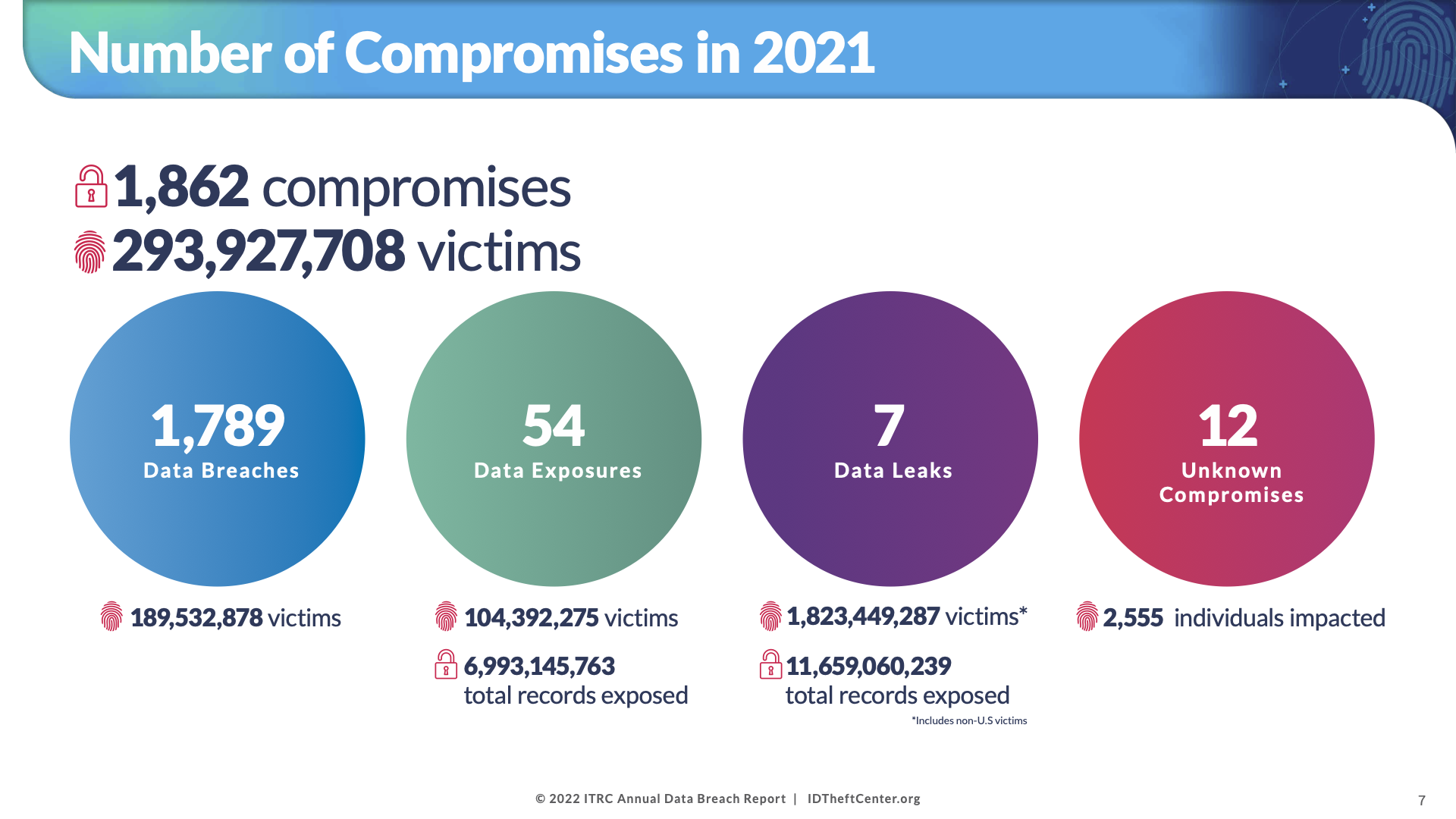](https://www.idtheftcenter.org/post/identity-theft-resource-center-2021-annual-data-breach-report-sets-new-record-for-number-of-compromises/)
## The Security Solutions
With breaches such as Solar Winds and Colonial Pipeline top of mind, there is a continuous emphasis on the [steps businesses can take to protect themselves](https://bitwarden.com/sv-se/blog/security-advice-for-small-and-midsize-businesses/) against the fallout of a data breach. One option, that may have been considered a ‘nice to have’ just a few years ago but is increasingly viewed as a necessity, is cyber insurance.
In its 2021 [cyber insurance report](https://www.gao.gov/products/gao-21-477) the Government Accountability Office (GAO) found that data from a global insurance broker showed the proportion of existing clients electing coverage for cyber insurance rose from 26% in 2016 to 47% in 2020.
According to the [Federal Trade Commission](https://www.ftc.gov/business-guidance/small-businesses/cybersecurity/cyber-insurance), businesses who are at risk of cyberattacks should first decide whether they want to deploy first-party coverage (protects your data, including employee and customer information), third-party coverage (protects you from liability if a third-party brings claims against you), or both. For example, first party coverage typically includes (among other things) a business’s costs related to legal counsel, recovery and replacement of lost or stolen data, lost income due to business interruption, and fees, fines, and penalties related to the breach. Meanwhile, third-party coverage might include payments to consumers, claims and settlements expenses, and accounting costs.
All this sounds ideal, and it is, in a security climate of this nature. But, finding a cyber insurer who will cover you isn’t a guarantee. In most cases, businesses will need to show they are making a good faith effort to protect their critical data. This is quite understandable. As Marsh notes in its [State of the US Cyber Insurance Market Report](https://www.marsh.com/us/services/cyber-risk/insights/the-state-of-the-us-cyber-insurance-market.html):
> “Cyberattacks, including ransomware, have soared over the past year, contributing to an increasingly difficult cyber insurance market characterized by climbing rates, reduced insurer appetite, tighter underwriting, and an increased focus on systemic risks report.”
[](https://www.gao.gov/products/gao-21-477)
## Minimizing Cyber Risk with Bitwarden
One surefire strategy for reducing systemic risks and demonstrating to a cyber insurer that you’re taking security seriously? Deploy a password manager. [Password managers](https://bitwarden.com/sv-se/blog/choosing-the-right-password-manager-for-your-business/) are one of the most straightforward, commonsensical technologies businesses can utilize to protect their data.
Here are some reasons why you should take a closer look at Bitwarden if you don’t utilize a password manager but are looking to qualify for cyber insurance:
- Bitwarden allows users to generate [strong and unique passwords](https://bitwarden.com/sv-se/blog/world-password-day-strong-passwords-heroes-internet-security/)
- Bitwarden allows users to access passwords from any device - a must-have in remote and hybrid workplaces
- Bitwarden quickly enable teams to share passwords among colleagues easily and securely
- Bitwarden establishes a first line of defense against data breaches by enforcing [strong password policies](https://bitwarden.com/sv-se/blog/employee-password-management-onboarding-and-beyond/) for employees
- Bitwarden is built on open source security, utilizes end-to-end encryption, and is audited by third-parties providing official security assessments and penetration testing
- Many brokers and providers offer favorable rates to companies that have deployed password managers to all of their employees
Using a business password management solution like Bitwarden will help meet cyber insurance requirements and reduce cyber insurance premiums. Level up your cybersecurity today with a [free enterprise trial](https://bitwarden.com/sv-se/pricing/business/) or a [free individual account](https://bitwarden.com/sv-se/pricing/).
## Få kraftfull, pålitlig lösenordssäkerhet nu. Välj din plan.
## Personlig
### Enskild
**$0**
*per månad*
*Gratis för alltid - inget kreditkort krävs! *
Skaffa ett Bitwarden-valv
- Obegränsat antal enheter
- Hantering av lösenord
- Alla kärnfunktioner
- Alltid gratis
Dela valvobjekt med en annan användare.
[Kom igång idag](https://bitwarden.com/go/start-free/)
---
### Premie
**Less than $1**
*varje år*
*faktureras årligen*
Njut av premiumfunktioner
- Integrerad autentisering
- Bifogade filer
- Nödåtkomst
- Säkerhetsrapporter och mer
Dela valvobjekt med en annan användare
[Skapa ett premiumkonto](https://bitwarden.com/go/start-premium/)
---
### Familjer
**$3.33**
*per månad*
*Upp till 6 användare, 40 USD faktureras årligen*
Säkra dina familjeinloggningar
- 6 premiumkonton
- Obegränsad delning
- Obegränsade samlingar
- Organisationslagring
Dela valvobjekt mellan sex personer
[Starta gratis 7-dagars provperiod](https://bitwarden.com/go/start-families-trial/)
---
Priset visas i USD och baseras på en årsprenumeration. Skatter ingår ej.
## Företag
### Teams
*Robust skydd för team i tillväxt.*
**$4**
*per månad / per användare som faktureras årligen*
Premium features for all accounts, plus:
- Säker datadelning
- Händelseloggövervakning
- Katalogintegrering
- SCIM-stöd
Inkluderar premiumfunktioner för alla användare
[Starta en provversion](https://bitwarden.com/go/start-teams-trial/)
---
### Företag
*Avancerade funktioner för större organisationer*
**$6**
*per månad / per användare som faktureras årligen*
Teams features for all accounts, plus:
- Företagspolicyer
- Lösenordslös SSO
- Kontoåterställning
- Alternativ för självvärd
Inkluderar premiumfunktioner och gratis familjeplan för alla användare
[Starta en provversion](https://bitwarden.com/go/start-enterprise-trial/)
---
### Få en offert
*För företag med hundratals eller tusentals anställda kontakta försäljningen för en anpassad offert och se hur Bitwarden kan:*
- Minska cybersäkerhetsrisken
- Öka produktiviteten
- Integrera sömlöst
Bitwarden skalar med alla företagsstorlekar för att ge din organisation lösenordssäkerhet
[Kontakta försäljning](https://bitwarden.com/contact-sales/)
---
Priset visas i USD och baseras på en årsprenumeration. Skatter ingår ej.
---
URL: https://bitwarden.com/sv-se/resources/reference-guide-bitwarden-authentication/
---
# Enterprise Reference Guide to Bitwarden Authentication
Outlining critical capabilities around Bitwarden authentication and SSO offerings
---
| Authentication type | What is it? | **Deployment considerations** ***All authentication deployment options align with the Bitwarden end-to-end, zero knowledge encryption model*** |
|------|------|------|
| SSO with trusted devices | For a passwordess experience, employees use their SSO credentials to authenticate and decrypt in a single step. Registered, trusted devices are able to decrypt vaults and confirm and accept new devices. Once a device is trusted it does not need approval again. | Selecting this option will allow employees to log in and decrypt their vaults without needing a password. Trusted devices are registered and can confirm logins and extend trust to other devices. On account creation, the SSO provider will authenticate the user and register logging-in client as the first trusted device, allowing it to decrypt the vault. Additional trusted devices can be registered with approval from the Bitwarden desktop app, mobile app, web app, or by a Bitwarden administrator. Each trusted device has an individual device encryption key, and zero-knowledge, end-to-end encryption and security is maintained across devices. Additional resources: [Set up SSO with trusted devices](https://bitwarden.com/sv-se/help/setup-sso-with-trusted-devices/) [Enterprise passwordless SSO brings better productivity and user sign in experience for employees](https://bitwarden.com/sv-se/blog/enterprise-passwordless-sso-brings-better-productivity-and-user-sign-in/) |
| Login with SSO | User authentication is separated from vault decryption by leveraging your company’s identity provider to authenticate users into their Bitwarden vault and using master passwords for decryption of vault data. | This option supports identity providers using SAML 2.0 or OpenID Connect standards. Selecting this option means that anytime an employee logs into Bitwarden using SSO, they’ll need to use their master password to decrypt their vault, protecting your businesses’ critical credentials and secrets. Additional resources: [Configure Your Organization Using Login with SSO](https://bitwarden.com/sv-se/blog/configure-bitwarden-sso/) [Setting up Login with SSO](https://bitwarden.com/sv-se/help/using-sso/) |
| Login with SSO and customer-managed encryption | Employees use their SSO credentials to authenticate and decrypt all in a single step. This option shifts retention of the users master passwords to companies requiring the business to deploy a key connector to store the user keys. | For companies with widely adopted SSO implementations, and the desire to integrate authentication and decryption in an on-premises solution, Bitwarden offers SSO with customer-managed encryption. In this scenario, companies manage a key connector agent. This requires a connection to a database that stores encrypted user keys, and an RSA key pair to encrypt and decrypt those keys. This approach maintains a zero knowledge encryption architecture because no decryption keys pass through Bitwarden servers at any point. Management of cryptographic keys is incredibly sensitive and is only recommended for enterprises with a team and utilizing infrastructure that has already securely deployed and managed a key server. SSO with customer-managed encryption is available for customers self-hosting Bitwarden. Additional resources: [Whitepaper: Choose the Right SSO Login Strategy](https://bitwarden.com/sv-se/resources/choose-the-right-sso-login-strategy/) [Help article: Login with SSO and Customer Managed](https://bitwarden.com/sv-se/help/about-key-connector/) [Encryption - deploying the key connector](https://bitwarden.com/sv-se/help/about-key-connector/) |
| Login with Bitwarden | Employees use their email and master password to login and decrypt their Bitwarden vault. | For companies that want to get started quickly, login with Bitwarden allows employees to use their unique email and master password to access their vault. It is perfect for companies that do not yet centrally manage authentication or use an identity provider. Administrators can manually invite employees into Organizations and shared Collections, or use the Bitwarden Directory Connector to synchronize LDAP groups Additional resources: [Five Best Practices for Password Management](https://bitwarden.com/sv-se/blog/five-best-practices-for-password-management/) [Getting Started with Bitwarden](https://bitwarden.com/sv-se/learning/getting-started-as-an-individual-user/) |
| Login with device | Employees use their email to login and then confirm the login from a second, authenticated device (mobile app or desktop app) that securely shares the vault encryption key on approval. | Login with device is an available option to all employees after they have logged in with email and master password at least once on the device. This allows employees to quickly log back in to all of their Bitwarden clients after first logging into their mobile or desktop app. Additional resources: [Help Article: Login with Device](https://bitwarden.com/sv-se/help/log-in-with-device/) |
## Få kraftfull, pålitlig lösenordssäkerhet nu. Välj din plan.
## Personlig
### Enskild
**$0**
*per månad*
*Gratis för alltid - inget kreditkort krävs! *
Skaffa ett Bitwarden-valv
- Obegränsat antal enheter
- Hantering av lösenord
- Alla kärnfunktioner
- Alltid gratis
Dela valvobjekt med en annan användare.
[Kom igång idag](https://bitwarden.com/go/start-free/)
---
### Premie
**Less than $1**
*varje år*
*faktureras årligen*
Njut av premiumfunktioner
- Integrerad autentisering
- Bifogade filer
- Nödåtkomst
- Säkerhetsrapporter och mer
Dela valvobjekt med en annan användare
[Skapa ett premiumkonto](https://bitwarden.com/go/start-premium/)
---
### Familjer
**$3.33**
*per månad*
*Upp till 6 användare, 40 USD faktureras årligen*
Säkra dina familjeinloggningar
- 6 premiumkonton
- Obegränsad delning
- Obegränsade samlingar
- Organisationslagring
Dela valvobjekt mellan sex personer
[Starta gratis 7-dagars provperiod](https://bitwarden.com/go/start-families-trial/)
---
Priset visas i USD och baseras på en årsprenumeration. Skatter ingår ej.
## Företag
### Teams
*Robust skydd för team i tillväxt.*
**$4**
*per månad / per användare som faktureras årligen*
Premium features for all accounts, plus:
- Säker datadelning
- Händelseloggövervakning
- Katalogintegrering
- SCIM-stöd
Inkluderar premiumfunktioner för alla användare
[Starta en provversion](https://bitwarden.com/go/start-teams-trial/)
---
### Företag
*Avancerade funktioner för större organisationer*
**$6**
*per månad / per användare som faktureras årligen*
Teams features for all accounts, plus:
- Företagspolicyer
- Lösenordslös SSO
- Kontoåterställning
- Alternativ för självvärd
Inkluderar premiumfunktioner och gratis familjeplan för alla användare
[Starta en provversion](https://bitwarden.com/go/start-enterprise-trial/)
---
### Få en offert
*För företag med hundratals eller tusentals anställda kontakta försäljningen för en anpassad offert och se hur Bitwarden kan:*
- Minska cybersäkerhetsrisken
- Öka produktiviteten
- Integrera sömlöst
Bitwarden skalar med alla företagsstorlekar för att ge din organisation lösenordssäkerhet
[Kontakta försäljning](https://bitwarden.com/contact-sales/)
---
Priset visas i USD och baseras på en årsprenumeration. Skatter ingår ej.
---
URL: https://bitwarden.com/sv-se/resources/resource-collections-management-settings/
---
# Resurs: Inställningar för samlingshantering
Flexibla alternativ för att hantera organisationssamlingar som passar ditt företag
---
## Flexibla alternativ för att hantera organisationssamlingar
Ägare av Bitwarden Password Manager-organisationer har tillgång till tre växlingsbara inställningar för samlingshantering. Var och en av dessa påverkar samlingarnas beteende, vilket ger flera flexibla alternativ för hur samlingar och valvobjekt kan hanteras. Detta möjliggör en rad strategier för administrationsåtkomst, inklusive full självbetjäning, en policy med minsta privilegier och strikt administratörskontroll.
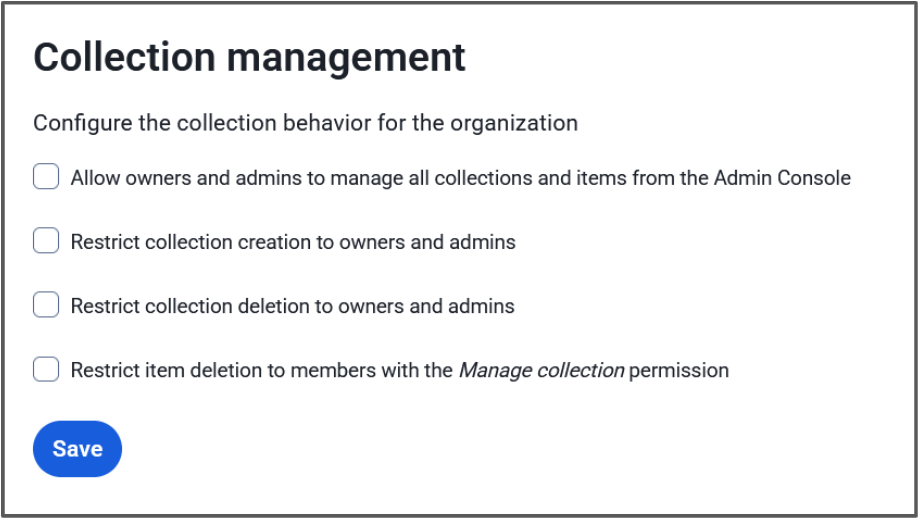
**Ägare och administratörer kan hantera alla samlingar och objekt**
När den här inställningen är markerad kommer administratörsroller att ha möjlighet att visa, redigera och hantera alla samlingar och valvobjekt i dem. När den här inställningen är avmarkerad har administratörsroller endast åtkomst till samlingar där de har tilldelade direkta insamlingsbehörigheter.
**Begränsa samlingsskapandet till ägare och administratörer**
När det här alternativet är aktiverat kommer administratörsroller att vara de enda medlemmarna i organisationerna som kan skapa samlingar. När det här alternativet är avstängt kommer alla medlemmar i organisationen att ha möjlighet att skapa samlingar.
**Begränsa radering av samling till ägare och administratörer**
När det här alternativet är aktiverat kommer administratörsroller att vara de enda medlemmarna i organisationerna som kan ta bort samlingar. När det här alternativet är inaktiverat kommer alla medlemmar i organisationen med behörigheten **Kan hantera** på en samling att ha möjlighet att ta bort den samlingen.
## Additional Resources
[Blog: Additional enterprise options for least privileged access control](https://bitwarden.com/sv-se/blog/additional-enterprise-options-for-least-privileged-access-control/)
[Help: About Collections](https://bitwarden.com/sv-se/help/about-collections/)
[Help: Collection Management](https://bitwarden.com/sv-se/help/collection-management/)
## How these settings affect your organization
**All options checked**
Owners and Administrators have access to everything in the organization vault, and only they can create and delete collections.
- Empowers the administrator to set up collections as the organization needs
- Gives administrators the visibility and access to make changes to all vault items
**First option unchecked, second and third option checked**
Administrators will be able to see that a collection exists, but cannot access it or the items therein unless they have been given permissions by a user with the **Manage collection** permission for that collection. Admins alone can create a collection and they’ll automatically receive the **Manage collection** permission, but can then pass that off to a designated collection manager to populate. Only admins will be able to delete collections, regardless of **Manage collection** permissions.
- Great middle ground between full admin control and user self-serve
- Admins can create the structure of the organization and then let the users work in that space
- Helps adhere to a policy of least-privilege - administrators can be assigned to low-sensitivity collections, but not to confidential ones
**First option checked, second and third options unchecked**
Users can create and delete their own collections, and administrators are able to access those collections. This allows for a self-serve approach with admin supervision.
- Users can handle their own work without contacting administrators
- Admins can intervene in case something unexpected comes up, such as the collection manager going out on leave
- Users will automatically receive the **Manage collection** permission for organizations they create, and the **Manage collection** permission is required to delete a collection
> **Tip:** Get more granular control by adjusting the second or third options to choose whether to allow users to create OR delete collections.
**Fourth option checked/unchecked**The fourth option adjusts the permission level for deleting items. Leaving this unchecked is beneficial for self-serve setups where team members are able to manage themselves with minimal interaction with admins. Checking this will require escalation to users with the **Manage collection** permission to delete items, which is useful when an item is shared in more than one collection and admins have an opportunity to simply remove it from the collection to ensure to disruption to users utilizing the other collection.
**All options unchecked**
This is the default for new organizations. Administrators will only be able to see that a collection exists and the collection structure of the organization. Users can create and delete their own collections without needing to contact administrators. Administrators cannot see the contained vault items unless a user with the **Manage collection** permission assigns them permission. Users with the **Edit items** collection can send collection items to the organization trash.
- Allows for full user self-serve
- Useful for large organizations with many small teams with lots of collections
- Helps adhere to a principle of least-privilege policy
A great use-case for this setup would be for the [Enforce organization data ownership policy](https://bitwarden.com/sv-se/help/policies/#enforce-organization-data-ownership/), where a user must store their own passwords in the organization vault, but can do so inside a private collection.
> **Tip:** Administrators will automatically receive access to orphaned collections if there are no users with **Manage collection**access.
## Get started with Bitwarden
Start a [free 7-day business trial](https://bitwarden.com/sv-se/pricing/business/) and experience the flexibility of Bitwarden collections and the other great benefits of a business password manager today!
## Få kraftfull, pålitlig lösenordssäkerhet nu. Välj din plan.
## Personlig
### Enskild
**$0**
*per månad*
*Gratis för alltid - inget kreditkort krävs! *
Skaffa ett Bitwarden-valv
- Obegränsat antal enheter
- Hantering av lösenord
- Alla kärnfunktioner
- Alltid gratis
Dela valvobjekt med en annan användare.
[Kom igång idag](https://bitwarden.com/go/start-free/)
---
### Premie
**Less than $1**
*varje år*
*faktureras årligen*
Njut av premiumfunktioner
- Integrerad autentisering
- Bifogade filer
- Nödåtkomst
- Säkerhetsrapporter och mer
Dela valvobjekt med en annan användare
[Skapa ett premiumkonto](https://bitwarden.com/go/start-premium/)
---
### Familjer
**$3.33**
*per månad*
*Upp till 6 användare, 40 USD faktureras årligen*
Säkra dina familjeinloggningar
- 6 premiumkonton
- Obegränsad delning
- Obegränsade samlingar
- Organisationslagring
Dela valvobjekt mellan sex personer
[Starta gratis 7-dagars provperiod](https://bitwarden.com/go/start-families-trial/)
---
Priset visas i USD och baseras på en årsprenumeration. Skatter ingår ej.
## Företag
### Teams
*Robust skydd för team i tillväxt.*
**$4**
*per månad / per användare som faktureras årligen*
Premium features for all accounts, plus:
- Säker datadelning
- Händelseloggövervakning
- Katalogintegrering
- SCIM-stöd
Inkluderar premiumfunktioner för alla användare
[Starta en provversion](https://bitwarden.com/go/start-teams-trial/)
---
### Företag
*Avancerade funktioner för större organisationer*
**$6**
*per månad / per användare som faktureras årligen*
Teams features for all accounts, plus:
- Företagspolicyer
- Lösenordslös SSO
- Kontoåterställning
- Alternativ för självvärd
Inkluderar premiumfunktioner och gratis familjeplan för alla användare
[Starta en provversion](https://bitwarden.com/go/start-enterprise-trial/)
---
### Få en offert
*För företag med hundratals eller tusentals anställda kontakta försäljningen för en anpassad offert och se hur Bitwarden kan:*
- Minska cybersäkerhetsrisken
- Öka produktiviteten
- Integrera sömlöst
Bitwarden skalar med alla företagsstorlekar för att ge din organisation lösenordssäkerhet
[Kontakta försäljning](https://bitwarden.com/contact-sales/)
---
Priset visas i USD och baseras på en årsprenumeration. Skatter ingår ej.
---
URL: https://bitwarden.com/sv-se/resources/scalable-password-sharing/
---
# Scalable password sharing
What you need to know
---
### What exactly is scalable password sharing?
Scalable Password Sharing is a security practice designed to safely distribute passwords and credentials among a large number of authorized personnel. It’s typically implemented through a centralized password management system that ensures secure, compliant access to sensitive information at scale, even as an organization’s teams grow and evolve.
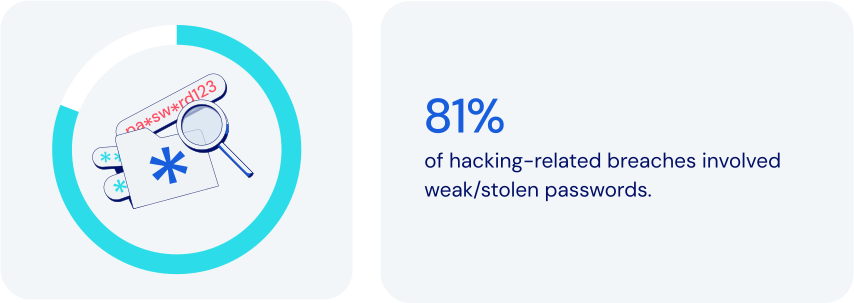
### How does password management fit in here?
Password management platforms empower Scalable Password Sharing by providing secure, flexible, tightly-controlled environments for centralized credentials management. Specific features to look for:
- **Centralized credential storage:**storing passwords in an encrypted vault managed by IT and security operations eliminates insecure sharing through vulnerable channels like email or spreadsheets.
- **Role-Based Access Control (RBAC):**the ability to assign granular permissions based on specific roles helps make for efficient onboarding as teams expand.
- **Secure password sharing:**programmatic credential access allowing team members to collaborate maintains security, enforces policies, and keeps an auditable trail of [event logs](https://bitwarden.com/sv-se/help/event-logs/).
- **Organized group access:**grouping credentials by department or project can significantly streamline project workflows and [employee onboarding](https://bitwarden.com/sv-se/blog/streamline-employee-onboarding-to-bitwarden-with-scim-support/).
- **Temporary and time-based access:**limited-duration credential access is especially important when working with outside contractors.
- **Real-Time access updates:**instant credential updates across all authorized personnel help prevent security gaps from outdated credentials.
- **Detailed activity logging:**comprehensive tracking of credential usage allows suspicious activities to be detected and flagged quickly.
- **Cross-Platform support:**accessibility across browsers, mobile, and desktop platforms helps facilitate secure, flexible work environments.
Together, these features help maximize the effectiveness of Scalable Password Sharing. It’s critically important that an organization’s leadership plan for safe, secure growth. That includes the ability to efficiently handle a significant number of users and credentials amidst increasing organizational needs.
### How scalable password sharing keeps today’s businesses safer
By modern standards, traditional methods of password sharing are notoriously insecure and ineffective. Using password management to implement Scalable Password Sharing allows you to:
- **Centralize security and control:**unified oversight can significantly reduce vulnerabilities.
- **Streamline**[**onboarding and offboarding**](https://bitwarden.com/sv-se/resources/guide-enterprise-password-management-throughout-employee-lifecycle/)**:**accelerating employee transitions means less administrative effort and greater efficiency.
- **Simplify sharing management:**reduced need for duplicating credentials and easy removal of shared items eliminates orphaned or out-of-date items that could lead to exposure.
- **Reduce risk:**limiting exposure of sensitive credentials lowers the likelihood of potential breaches.
- **Tailor permissions:**adjusting permissions to reflect organizational structure and project requirements can boost flexibility and security.
- **Improve operational scalability:**seamless credential management enables [growing organizations](https://bitwarden.com/sv-se/blog/bitwarden-is-the-password-manager-for-global-enterprises/) to expand more securely without sacrificing visibility or control.
### How Bitwarden supports scalable password sharing
Bitwarden addresses the challenges of Scalable Password Sharing with a robust feature set designed specifically for secure, efficient credential management. These include:
- **Centralized encrypted vault**: stores all sensitive information securely in a single location, enabling simple oversight and management by administrators.
- **Organized collections**: credentials can be grouped according to roles, departments, or projects. Can also provide automatic credential access upon onboarding.
- **Sharing to many**: items in Bitwarden vaults can be assigned to one or more [collections](https://bitwarden.com/sv-se/blog/easy-secure-sharing-how-to-set-up-user-groups-and-collections/). Collections can then be assigned to one or more individual users or user groups, all without needing to duplicate items.
- **Granular role-based access control**: ensures minimal necessary access while simplifying permission assignments.
- **Automated user provisioning**: integrates with identity management systems like [SCIM](https://bitwarden.com/sv-se/help/about-scim/) and Active Directory to assign or remove credentials automatically upon employment changes.
- **Real-Time credential synchronization**: updates user credentials automatically, preventing use of outdated credentials.
- **Time-Limited access management**: enables temporary credential sharing for short-term engagements, complete with user-definable automatic expiration.
- **Detailed audit and compliance logs**: supports quick identification of unauthorized or suspicious activities.
- **Multi-Device accessibility**: enables secure remote work and travel with seamless, secure credential access via browsers, mobile apps, and desktop applications.
- **Emergency and backup access**: maintains continuity and reduces operational risks during critical absences via authorized emergency credential retrieval.
- **Enforced security protocols**: adds consistency for password complexity, vault timeout rules and use of [two-factor authentication](https://bitwarden.com/sv-se/blog/basics-of-two-factor-authentication-with-bitwarden/) (2FA).
### The bottom line
Though most businesses actively work to achieve growth, scaling does introduce distinct security risks. It’s important to integrate advanced features like role-based access control, two-factor authentication, real-time activity tracking, and detailed audit logs.
Bitwarden offers a powerful, comprehensive platform that allows you to promote consistency and security while maintaining complete visibility and control. Just one more reason Bitwarden is regarded as the [most trusted name in password management](https://bitwarden.com/sv-se/media-spotlight/).
### What makes Bitwarden stand out from the pack?
Bitwarden has always taken a scalable approach to managing secure sharing, with these considerations in mind:
- Sharing with Least Privilege Access significantly simplifies access compared to other solutions.
- Bitwarden Collections function like shared folders, offering strong access management for secure large-scale sharing. One key feature: the ability to include a single item across multiple collections.
- Bitwarden Collections offer granular access control, allowing admins to easily manage permissions for users and groups within a collection.
- Other solutions require adding employees to areas where they may receive unnecessary permissions, [needlessly increasing exposure](https://bitwarden.com/sv-se/blog/additional-enterprise-options-for-least-privileged-access-control/#flexible-collections-options-for-your-organization/).
- Other solutions often lead to copying of credentials, taking them out of sync, and to some extent, rendering them useless.
## Få kraftfull, pålitlig lösenordssäkerhet nu. Välj din plan.
## Personlig
### Enskild
**$0**
*per månad*
*Gratis för alltid - inget kreditkort krävs! *
Skaffa ett Bitwarden-valv
- Obegränsat antal enheter
- Hantering av lösenord
- Alla kärnfunktioner
- Alltid gratis
Dela valvobjekt med en annan användare.
[Kom igång idag](https://bitwarden.com/go/start-free/)
---
### Premie
**Less than $1**
*varje år*
*faktureras årligen*
Njut av premiumfunktioner
- Integrerad autentisering
- Bifogade filer
- Nödåtkomst
- Säkerhetsrapporter och mer
Dela valvobjekt med en annan användare
[Skapa ett premiumkonto](https://bitwarden.com/go/start-premium/)
---
### Familjer
**$3.33**
*per månad*
*Upp till 6 användare, 40 USD faktureras årligen*
Säkra dina familjeinloggningar
- 6 premiumkonton
- Obegränsad delning
- Obegränsade samlingar
- Organisationslagring
Dela valvobjekt mellan sex personer
[Starta gratis 7-dagars provperiod](https://bitwarden.com/go/start-families-trial/)
---
Priset visas i USD och baseras på en årsprenumeration. Skatter ingår ej.
## Företag
### Teams
*Robust skydd för team i tillväxt.*
**$4**
*per månad / per användare som faktureras årligen*
Premium features for all accounts, plus:
- Säker datadelning
- Händelseloggövervakning
- Katalogintegrering
- SCIM-stöd
Inkluderar premiumfunktioner för alla användare
[Starta en provversion](https://bitwarden.com/go/start-teams-trial/)
---
### Företag
*Avancerade funktioner för större organisationer*
**$6**
*per månad / per användare som faktureras årligen*
Teams features for all accounts, plus:
- Företagspolicyer
- Lösenordslös SSO
- Kontoåterställning
- Alternativ för självvärd
Inkluderar premiumfunktioner och gratis familjeplan för alla användare
[Starta en provversion](https://bitwarden.com/go/start-enterprise-trial/)
---
### Få en offert
*För företag med hundratals eller tusentals anställda kontakta försäljningen för en anpassad offert och se hur Bitwarden kan:*
- Minska cybersäkerhetsrisken
- Öka produktiviteten
- Integrera sömlöst
Bitwarden skalar med alla företagsstorlekar för att ge din organisation lösenordssäkerhet
[Kontakta försäljning](https://bitwarden.com/contact-sales/)
---
Priset visas i USD och baseras på en årsprenumeration. Skatter ingår ej.
---
URL: https://bitwarden.com/sv-se/resources/scim-support-is-now-available-newsletter-september-2022/
---
# September 2022 Spotlight: SCIM support is now available!
This month’s issue is packed with exciting news like the introduction of SCIM support to simplify the employee onboarding experience and updates on a new round of funding to accelerate value for Bitwarden users.
---
## Featured Highlights

Now supported in the Bitwarden Enterprise plan, the System for Cross-domain Identity Management (SCIM) is an industry-open standard protocol that enables the automation of management and exchange of user identity information. By simply adding new users to an existing identity provider (IdP) or directory, SCIM automatically creates new employee accounts across all company tools and SaaS services. SCIM can also be used with groups to assign users specific roles, or it can work in reverse to automatically de-provision accounts. Check out [the latest blog](https://bitwarden.com/sv-se/blog/streamline-employee-onboarding-to-bitwarden-with-scim-support/) to learn how to enable SCIM with Bitwarden.

Bitwarden recently secured a $100 million growth investment to accelerate value for users around the world. In a [Q&A](https://bitwarden.com/sv-se/blog/accelerating-value-for-bitwarden-users-bitwarden-raises-usd100-million/), CEO Michael Crandell stated, “This investment represents a strong affirmation of the existing Bitwarden business model, and a commitment to continue our core values. We plan to continue to innovate even faster in creating new ways to help people and businesses operate online simply and safely.” Read the [article](https://bitwarden.com/sv-se/blog/accelerating-value-for-bitwarden-users-bitwarden-raises-usd100-million/) to learn more.
## Enjoying this update? Subscribe today.
*Receive the latest product updates, hand-picked articles, community highlights, and more.*
[Contact form]
## More Bits and Bites
[**Tactical security plan for a new team using Bitwarden**](https://bitwarden.com/sv-se/blog/tactical-security-plan-for-a-new-team-using-bitwarden/)
In addition to storing account credentials, the best password managers available make it possible for team members to securely share all types of sensitive information. With Bitwarden, you can share private information with your teams, family, or friends. And the best part is that recipients only have access to the item shared for the amount of time determined by the sender, thus ensuring the information cannot be accessed later by an unauthorized user. Explore how to [enable your teams](https://bitwarden.com/sv-se/blog/tactical-security-plan-for-a-new-team-using-bitwarden/) to be safer and more productive online.
[**Security advice for small and midsize businesses**](https://bitwarden.com/sv-se/blog/security-advice-for-small-and-midsize-businesses/)
Did you know that 43% of cyberattacks target small to medium-sized businesses? The National Cybersecurity Alliance, a non-profit co-leading Cybersecurity Awareness Month, recently shared an article about small and midsize businesses maintaining cybersecurity and avoiding data breaches. Read [the blog](https://bitwarden.com/sv-se/blog/security-advice-for-small-and-midsize-businesses/) to learn about the top online security recommendations for SMBs.
[**Strategies for keeping smart devices secure**](https://bitwarden.com/sv-se/blog/strategies-for-keeping-smart-devices-secure/)
Statista estimates there are 11.3 billion smart devices worldwide and predicts that number will grow to 29.4 by 2030. While these wirelessly connected devices can give users insights into all facets of life, they pose risks if not properly secured. In fact, over the past few years, there have been numerous high-profile instances of smart device-related vulnerabilities. The good news is there are steps you can take today to keep your devices secure. Read [the article](https://bitwarden.com/sv-se/blog/strategies-for-keeping-smart-devices-secure/) to learn more.
[**Using Bitwarden with Yubico**](https://bitwarden.com/sv-se/resources/using-bitwarden-with-yubico/)
When it comes to two-factor authentication, some methods are more secure than others. One of the most secure methods for 2FA is security keys. A physical security key like the YubiKey from Yubico can save time and reduce errors while offering extra-strong security. Using a YubiKey to protect your employees’ Bitwarden vaults provides maximum protection for sensitive company data. To learn more, check out the [free guide](https://bitwarden.com/sv-se/resources/using-bitwarden-with-yubico/).
[**A better password workflow for new Bitwarden users**](https://bitwarden.com/sv-se/blog/a-better-password-workflow-with-bitwarden/)
New to password management and interested in learning the best workflow to secure your online profile using Bitwarden? There are simple steps you can take today to ensure you're using the strongest passwords for all your online accounts in a way that is both sustainable and easy to manage. Read [the blog](https://bitwarden.com/sv-se/blog/a-better-password-workflow-with-bitwarden/) to learn more.
## Community Spotlight

Backups are a popular topic on the Bitwarden Community Forums and community leader [dh024](https://community.bitwarden.com/u/dh024/summary) recently crafted a comprehensive overview. Stay protected with this [**user’s guide**](https://community.bitwarden.com/t/how-to-a-users-guide-to-backing-up-your-bitwarden-vault/44083?utm_source=twitter&utm_medium=social) to backing up your Bitwarden vault.
Calling all developers and security enthusiasts! What have you learned about passwords and password security that you wish everyone knew? Share your answer on [Reddit](https://www.reddit.com/r/Bitwarden/comments/wvw4ik/calling_all_developers_and_security_enthusiasts/), the [Bitwarden Community Forums](https://community.bitwarden.com/t/calling-all-developers-and-security-enthusiasts-share-your-insights/43918), or [Mastodon](https://fosstodon.org/web/@bitwarden/108873663362114875).
## Want to get involved in the Bitwarden community?
Visit [bitwarden.com/getinvolved](https://bitwarden.com/sv-se/http://bitwarden.com/getinvolved/) to find out how to get started.
## Join a Live Event

Join industry experts sharing best practices on managing cybersecurity risks tied to 3rd-party freelancers and agency relationships. Get tangible action items to protect your company’s sensitive information when transitioning these groups. Click here to save your seat!
**More Upcoming Events**
- Weekly Live Demo: Every Wednesday at 12 pm EDT
- EMEA Live Demo: September 15, 2022 at 3 pm GMT
- APAC Live Demo: September 16, 2022 at 10 am AEST
- MSP Live Demo: September 29, 2022 at 12 pm EDT
- Monthly Vault Hours: September 30, 2022 at 12 pm EDT
That’s it for now. Let us know what you think about this newsletter including potential topics you’d like to see.
**Until next time,**
Team Bitwarden
## Bitwarden is Certified as a Best Place to Work in 2022!
Interested in joining the Bitwarden team? Visit [our careers page](https://bitwarden.com/sv-se/careers/) to explore open roles.
## Få kraftfull, pålitlig lösenordssäkerhet nu. Välj din plan.
## Personlig
### Enskild
**$0**
*per månad*
*Gratis för alltid - inget kreditkort krävs! *
Skaffa ett Bitwarden-valv
- Obegränsat antal enheter
- Hantering av lösenord
- Alla kärnfunktioner
- Alltid gratis
Dela valvobjekt med en annan användare.
[Kom igång idag](https://bitwarden.com/go/start-free/)
---
### Premie
**Less than $1**
*varje år*
*faktureras årligen*
Njut av premiumfunktioner
- Integrerad autentisering
- Bifogade filer
- Nödåtkomst
- Säkerhetsrapporter och mer
Dela valvobjekt med en annan användare
[Skapa ett premiumkonto](https://bitwarden.com/go/start-premium/)
---
### Familjer
**$3.33**
*per månad*
*Upp till 6 användare, 40 USD faktureras årligen*
Säkra dina familjeinloggningar
- 6 premiumkonton
- Obegränsad delning
- Obegränsade samlingar
- Organisationslagring
Dela valvobjekt mellan sex personer
[Starta gratis 7-dagars provperiod](https://bitwarden.com/go/start-families-trial/)
---
Priset visas i USD och baseras på en årsprenumeration. Skatter ingår ej.
## Företag
### Teams
*Robust skydd för team i tillväxt.*
**$4**
*per månad / per användare som faktureras årligen*
Premium features for all accounts, plus:
- Säker datadelning
- Händelseloggövervakning
- Katalogintegrering
- SCIM-stöd
Inkluderar premiumfunktioner för alla användare
[Starta en provversion](https://bitwarden.com/go/start-teams-trial/)
---
### Företag
*Avancerade funktioner för större organisationer*
**$6**
*per månad / per användare som faktureras årligen*
Teams features for all accounts, plus:
- Företagspolicyer
- Lösenordslös SSO
- Kontoåterställning
- Alternativ för självvärd
Inkluderar premiumfunktioner och gratis familjeplan för alla användare
[Starta en provversion](https://bitwarden.com/go/start-enterprise-trial/)
---
### Få en offert
*För företag med hundratals eller tusentals anställda kontakta försäljningen för en anpassad offert och se hur Bitwarden kan:*
- Minska cybersäkerhetsrisken
- Öka produktiviteten
- Integrera sömlöst
Bitwarden skalar med alla företagsstorlekar för att ge din organisation lösenordssäkerhet
[Kontakta försäljning](https://bitwarden.com/contact-sales/)
---
Priset visas i USD och baseras på en årsprenumeration. Skatter ingår ej.
---
URL: https://bitwarden.com/sv-se/resources/secure-your-business-with-bitwarden-and-duo/
---
# Secure your business with Bitwarden and Duo
Learn how Bitwarden integrates with Duo for multiple solutions: Duo MFA for two-step login, and Duo SSO for Login with SSO.
---
Businesses rely on third-party applications and software as a service (SaaS) products as a part of operations to increase productivity and efficiency. As SaaS products become more common, so have cyber attacks targeting these accounts and the employees that utilize them. These attacks could potentially result in the leakage of sensitive information and disruption to operations, causing harm to businesses and their customers.
In the [2023 Password Decisions Survey](https://bitwarden.com/sv-se/blog/password-decisions-survey-2023/#rise-in-cyberattacks-from-last-year,-ransomware-a-business-consideration/), 60% of respondents reported that they were the target of a cyberattack. A combination of defenses, like [**Bitwarden Password Manager**](https://bitwarden.com/sv-se/products/business/)**,**multi-factor authentication, and single sign-on, helps reduce risk of successful attacks by hardening access to critical systems. These provide multiple levels of authentication and tools to create, store, and share strong passwords for all departments of a company and deflect credential stuffing, phishing, and ransomware attacks, keeping your business secure.
To provide this enhanced security, Bitwarden integrates with **Duo**for multiple solutions: Duo MFA for **two-step login**, and Duo SSO for **Login with SSO**.

## Table of Contents
[Duo for Multi-factor Authentication](https://bitwarden.com/sv-se/resources/secure-your-business-with-bitwarden-and-duo/#duo-for-multi-factor-authentication/)
[Duo for Single Sign-On](https://bitwarden.com/sv-se/resources/secure-your-business-with-bitwarden-and-duo/#duo-for-single-sign-on/)
[Summary](https://bitwarden.com/sv-se/resources/secure-your-business-with-bitwarden-and-duo/#summary/)
[Resources](https://bitwarden.com/sv-se/resources/secure-your-business-with-bitwarden-and-duo/#resources/)
## Duo for Multi-factor Authentication
To further protect credentials maintained within an organization vault, Bitwarden supports [Duo MFA](https://duo.com/product/multi-factor-authentication-mfa) for [two-step login](https://bitwarden.com/sv-se/help/setup-two-step-login-duo/), also known as two-factor authentication (2FA) or multi-factor authentication (MFA). Duo MFA can be used both individually and enacted across the Bitwarden organization with the applicable Enterprise Policy, ensuring secure two-step login for all employees.

## Benefits of Bitwarden and Duo MFA
- Protection against stolen passwords, phishing attempts, and social engineering.
- Strengthen overall enterprise security by protecting passwords and logins within Bitwarden secured by Duo MFA.
- Deploy for individuals or the entire organization.
- Quick and easy setup.
## Duo for Single Sign-On
Using [Login with SSO](https://bitwarden.com/sv-se/help/about-sso/) with Bitwarden provides additional convenience and security for credentials throughout the organization. [Duo SSO](https://duo.com/product/single-sign-on-sso) with Bitwarden allows for secure authentication into Bitwarden accounts and by extension, the stored credentials within, providing full oversight and control of the tools and applications that teams are using. Bitwarden is compatible with Duo through SAML 2.0 or OpenID Connect (OIDC). To maintain zero-knowledge encryption, Bitwarden separates authentication and decryption into two discrete steps: authentication through Duo, then decryption and vault access through a Bitwarden master password. As a result, decryption keys never pass through Bitwarden or Duo servers.

*Single Sign-On flow to access Bitwarden*
## Benefits of Bitwarden and Duo SSO
- SSO provides a reduction of the number of passwords and credentials needed by employees, decreasing the surface area of a potential cyberattack.
- SSO security is extended to credentials stored within a Bitwarden vault.
- Easy integration into existing workflows without disruption.
- Additional security options for user authentication.
## Summary
The Bitwarden and Duo integration brings additional security to businesses and teams in two ways: as a form of multi-factor authentication (MFA) and as a Single Sign-On (SSO) provider. In addition, the MFA functionality can be used for individuals and also enforced across the organization. Using just one or both integrations can drastically improve your business’s security posture, and deploying the solutions is simple and straightforward.
## Resources
- [Two-step Login via Duo](https://bitwarden.com/sv-se/help/setup-two-step-login-duo/)
- [Field Guide to Two-Step Login](https://bitwarden.com/sv-se/help/bitwarden-field-guide-two-step-login/)
- [Configure Your Organization using Login with SSO](https://bitwarden.com/sv-se/blog/configure-bitwarden-sso/)
- [Setting up Login with SSO](https://bitwarden.com/sv-se/help/using-sso/)
- [Login with SSO and Customer-Managed Encryption](https://bitwarden.com/sv-se/help/about-key-connector/)
Looking to learn more? Check out the Bitwarden [Help Center](https://bitwarden.com/sv-se/help/) and documentation or [contact sales](https://bitwarden.com/sv-se/contact-sales/) directly!
## Få kraftfull, pålitlig lösenordssäkerhet nu. Välj din plan.
## Personlig
### Enskild
**$0**
*per månad*
*Gratis för alltid - inget kreditkort krävs! *
Skaffa ett Bitwarden-valv
- Obegränsat antal enheter
- Hantering av lösenord
- Alla kärnfunktioner
- Alltid gratis
Dela valvobjekt med en annan användare.
[Kom igång idag](https://bitwarden.com/go/start-free/)
---
### Premie
**Less than $1**
*varje år*
*faktureras årligen*
Njut av premiumfunktioner
- Integrerad autentisering
- Bifogade filer
- Nödåtkomst
- Säkerhetsrapporter och mer
Dela valvobjekt med en annan användare
[Skapa ett premiumkonto](https://bitwarden.com/go/start-premium/)
---
### Familjer
**$3.33**
*per månad*
*Upp till 6 användare, 40 USD faktureras årligen*
Säkra dina familjeinloggningar
- 6 premiumkonton
- Obegränsad delning
- Obegränsade samlingar
- Organisationslagring
Dela valvobjekt mellan sex personer
[Starta gratis 7-dagars provperiod](https://bitwarden.com/go/start-families-trial/)
---
Priset visas i USD och baseras på en årsprenumeration. Skatter ingår ej.
## Företag
### Teams
*Robust skydd för team i tillväxt.*
**$4**
*per månad / per användare som faktureras årligen*
Premium features for all accounts, plus:
- Säker datadelning
- Händelseloggövervakning
- Katalogintegrering
- SCIM-stöd
Inkluderar premiumfunktioner för alla användare
[Starta en provversion](https://bitwarden.com/go/start-teams-trial/)
---
### Företag
*Avancerade funktioner för större organisationer*
**$6**
*per månad / per användare som faktureras årligen*
Teams features for all accounts, plus:
- Företagspolicyer
- Lösenordslös SSO
- Kontoåterställning
- Alternativ för självvärd
Inkluderar premiumfunktioner och gratis familjeplan för alla användare
[Starta en provversion](https://bitwarden.com/go/start-enterprise-trial/)
---
### Få en offert
*För företag med hundratals eller tusentals anställda kontakta försäljningen för en anpassad offert och se hur Bitwarden kan:*
- Minska cybersäkerhetsrisken
- Öka produktiviteten
- Integrera sömlöst
Bitwarden skalar med alla företagsstorlekar för att ge din organisation lösenordssäkerhet
[Kontakta försäljning](https://bitwarden.com/contact-sales/)
---
Priset visas i USD och baseras på en årsprenumeration. Skatter ingår ej.
---
URL: https://bitwarden.com/sv-se/resources/security-champion-spotlight-bounds-law/
---
# Säkerhetsmästare i fokus: Bidragsgivare med öppen källkod sätter stopp för glömda lösenord
Byrce Bounds tog med Bitwarden till Bounds Law Offices och identifierade omedelbart problemområden med sina lösenord som tidigare förbisetts med deras tidigare lösning.
---
## Security champion
**Name:**Bryce Bounds
**Bitwarden user since:** 2021
**Location:**Fort Lauderdale, Florida
**Industry**: Government
### Security enthusiast finds open source tools for password management
In 2021, Bryce Bounds was struggling to remember the hundreds of passwords he was juggling between personal accounts and his role as an architect for local county government. Recalls Bryce, “It got to the point where there was no number of permutations of the same password with special characters appended that was going to cover what I needed. It was too much to keep track of.” Bryce realized he needed a password manager to help.
An engaged member of the open source software community and regular contributor to various open source projects, Bryce knew he wanted a password manager that valued open source as much as he did. “I’ve contributed to my fair share of projects over the years, like OpenWRT’s hardware debugging to Blogger early code,” said Bryce. “I value open source solutions that are auditable and can be modified as needed with user control as a priority.”
He found an unofficial third-party fork that utilized the Bitwarden open source code on Reddit’s popular self-hosting subreddit, and spun up a Docker instance to start organizing his passwords. With that, he started his journey with Bitwarden Password Manager.
## Table of Contents
[Security enthusiast finds open source tools for password management](https://bitwarden.com/sv-se/resources/security-champion-spotlight-bounds-law/#security-enthusiast-finds-open-source-tools-for-password-management/)
[Password management challenges at Bounds Law Offices](https://bitwarden.com/sv-se/resources/security-champion-spotlight-bounds-law/#password-management-challenges-at-bounds-law-offices/)
[Recommending Bitwarden](https://bitwarden.com/sv-se/resources/security-champion-spotlight-bounds-law/#recommending-bitwarden/)
[Bitwarden at Bounds Law Offices](https://bitwarden.com/sv-se/resources/security-champion-spotlight-bounds-law/#bitwarden-at-bounds-law-offices/)
[Recommend Bitwarden to your workplace](https://bitwarden.com/sv-se/resources/security-champion-spotlight-bounds-law/#recommend-bitwarden-to-your-workplace/)
## Password management challenges at Bounds Law Offices
While Bryce found success in managing his passwords across his work and personal life, his family’s business was struggling to manage their passwords in an enterprise environment.
[Bounds Law Offices](http://www.bounds.law) was leveraging a consumer solution to manage their passwords, but the software had severe shortcomings. “It was not set up for multi-user,” said Bryce. “This prevented any kind of password auditing if employees misused the product since every machine was logged into the same account.”
Explains Bryce, “a staff member would forget a password, so they would hit the reset password and change it then save the new password to the system, which resulted in multiple records of the same account over and over with different passwords, to the point that the password database had over 300 entries,” said Bryce.
Because the law firm had many employees without technical experience, it was important to Bounds Law Offices to find a solution that made it easy to autofill account logins. “The challenge I was tasked with was to find an alternative system that can autofill and tell us a password was updated or changed,” said Bryce.
## Recommending Bitwarden
Bryce Bounds immediately thought of Bitwarden Password Manager, which offered enterprise capabilities outside what was available with the unofficial third-party project — including single sign-on (SSO) integrations and organizational [collections](https://bitwarden.com/sv-se/help/about-collections/) with administrative control and auditing.
The company “was already shifting from everyone logging in with local workstation accounts to Microsoft Azure AD, so incorporating Bitwarden SSO integration made the transition of password managers seamless for end users.”
Commitment to compliance, transparency, and security was also a big selling point for Bitwarden. “[Bounds Law Offices] have tons of HIPAA and PII data. You can't just be leaving that secured with a password in an Excel spreadsheet or sticky notes under the keyboard,” said Bryce.
Bitwarden security and privacy compliance like SOC 2, GDPR, and HIPAA aligned with the compliance requirements of the American Bar Association's ethics guidance for lawyers. In addition to Bitwarden open source transparency and third party audits, these compliance requirements helped the firm trust that Bitwarden will protect their sensitive information.
Learn more about [Bitwarden security and compliance](https://bitwarden.com/sv-se/compliance/).
## Bitwarden at Bounds Law Offices
#### Putting a stop to poor password practices
With Bitwarden, Bounds Law Offices was able to immediately identify problem areas with their passwords that were previously overlooked with their prior solution.
Because several Bounds Law employees had created a new password every time they logged into accounts, instead of leveraging what was already in their previous consumer solution, there were a lot of duplicate entries in Bitwarden initially. Bitwarden [audit logs](https://bitwarden.com/sv-se/help/event-logs/) “allowed us to see who kept logging in and changing passwords,” said Bryce. About 70% of the 300 passwords imported were no longer valid, and had since been changed. With Bitwarden, Bounds Law Offices prevented these poor password practices from continuing.
#### Grant login permissions to those who need it
Bitwarden collections enabled Bounds Law Offices to organize their logins by function and assign access permissions as-needed by role. “We took everything from a monolithic container to organized containers with different access policies depending on who needed access to which password/username combinations,” said Bryce. This allowed the firm to ensure only those who needed access to a particular password or username were granted access.
## Recommend Bitwarden to your workplace
Share Bitwarden with your coworkers, IT team, leadership or all of the above with these [email templates](https://bitwarden.com/sv-se/go/bring-bitwarden-to-work/#bbtw-want-to-recommend-bitwarden/), detailing the key reasons to use a password manager like Bitwarden!
If you are ready to get started with the open source password manager trusted by millions, start a [free 7-day trial](https://bitwarden.com/sv-se/go/start-enterprise-trial/) today!
## Read more:
[How to choose the best enterprise password manager for your business](https://bitwarden.com/sv-se/blog/choose-the-best-enterprise-password-manager/)
## Få kraftfull, pålitlig lösenordssäkerhet nu. Välj din plan.
## Personlig
### Enskild
**$0**
*per månad*
*Gratis för alltid - inget kreditkort krävs! *
Skaffa ett Bitwarden-valv
- Obegränsat antal enheter
- Hantering av lösenord
- Alla kärnfunktioner
- Alltid gratis
Dela valvobjekt med en annan användare.
[Kom igång idag](https://bitwarden.com/go/start-free/)
---
### Premie
**Less than $1**
*varje år*
*faktureras årligen*
Njut av premiumfunktioner
- Integrerad autentisering
- Bifogade filer
- Nödåtkomst
- Säkerhetsrapporter och mer
Dela valvobjekt med en annan användare
[Skapa ett premiumkonto](https://bitwarden.com/go/start-premium/)
---
### Familjer
**$3.33**
*per månad*
*Upp till 6 användare, 40 USD faktureras årligen*
Säkra dina familjeinloggningar
- 6 premiumkonton
- Obegränsad delning
- Obegränsade samlingar
- Organisationslagring
Dela valvobjekt mellan sex personer
[Starta gratis 7-dagars provperiod](https://bitwarden.com/go/start-families-trial/)
---
Priset visas i USD och baseras på en årsprenumeration. Skatter ingår ej.
## Företag
### Teams
*Robust skydd för team i tillväxt.*
**$4**
*per månad / per användare som faktureras årligen*
Premium features for all accounts, plus:
- Säker datadelning
- Händelseloggövervakning
- Katalogintegrering
- SCIM-stöd
Inkluderar premiumfunktioner för alla användare
[Starta en provversion](https://bitwarden.com/go/start-teams-trial/)
---
### Företag
*Avancerade funktioner för större organisationer*
**$6**
*per månad / per användare som faktureras årligen*
Teams features for all accounts, plus:
- Företagspolicyer
- Lösenordslös SSO
- Kontoåterställning
- Alternativ för självvärd
Inkluderar premiumfunktioner och gratis familjeplan för alla användare
[Starta en provversion](https://bitwarden.com/go/start-enterprise-trial/)
---
### Få en offert
*För företag med hundratals eller tusentals anställda kontakta försäljningen för en anpassad offert och se hur Bitwarden kan:*
- Minska cybersäkerhetsrisken
- Öka produktiviteten
- Integrera sömlöst
Bitwarden skalar med alla företagsstorlekar för att ge din organisation lösenordssäkerhet
[Kontakta försäljning](https://bitwarden.com/contact-sales/)
---
Priset visas i USD och baseras på en årsprenumeration. Skatter ingår ej.
---
URL: https://bitwarden.com/sv-se/resources/security-champion-spotlight-cloudbunker-consulting/
---
# Säkerhetsmästare i fokus: Långvarig Bitwarden-användare hjälper företag att hålla sig säkra online
Lou Hill, en säkerhetsingenjör och grundare av IT-konsultföretag, har varit kund hos Bitwarden sedan 2016. Han har introducerat Bitwarden för många familjemedlemmar, vänner och företag.
---
## Säkerhetsmästare
**Namn:**Lou Hill
**Bitwarden-kund sedan:** 2016
**Plats:**Layton, Utah
**Bransch**: IT-tjänster och rådgivning
**Kundtyp**: personlig, företag och MSP
### Nästan ett decennium av förtroende: En original Bitwarden-mästare
Lou Hill, en säkerhetsingenjör och grundare av IT-konsultföretag, har varit kund hos Bitwarden sedan 2016. När Hill började leta efter en lösenordshanterare visste han att han ville ha en lösning som höll hans höga säkerhetsstandarder. "'Jag är väldigt intresserad av integritet, kryptering och att se till att allt är väldigt säkert", sa Hill, "När jag granskade leverantörer var Bitwarden mycket bättre än alla andra lösningar. Det var den mest privata och säkraste lösenordshanteraren som fanns!”
Efter att ha adopterat Bitwarden för sina personliga lösenord och känslig information, var Hill snabb med att implementera Bitwarden på jobbet också. "Företaget jag brukade arbeta för använde inte en centraliserad lösenordshanteringsplattform", förklarade Hill. Hill kände till riskerna med osäker lösenordshantering och tog saken i egna händer. "Under lång tid använde jag två olika instanser av Bitwarden - en för arbete och en för personlig. Det var ett riktigt bra sätt att separera arbete och personliga saker, men ändå ha kontroll över båda, säger Hill.
Hill slutade inte där, han rekommenderade snart Bitwarden till sin familj också, och hjälpte dem att uppnå stark lösenordssäkerhet. "Jag introducerade mina föräldrar, min kusin och alla möjliga människor till Bitwarden", minns Hill. "Det är förmodligen många som använder det på grund av mig."
## Bitwarden-användningsfall hos Cloudbunker
2020 grundade Hill [Cloudbunker Consulting](https://cloudbunker.io/), ett företag som specialiserat sig på IT- och cybersäkerhetstjänster och hjälper sina kunder att skydda sina företag med den bästa säkerhetstekniken på marknaden.
Cloudbunker antog Bitwarden för lösenordshantering i tre användningsfall:
1. Hantera dagliga lösenord för Cloudbunker-anställda
2. Hantera lösenord för Cloudbunker för att komma åt klientapplikationer
3. Hantera Bitwarden-distributioner för klienter som en Managed Service Provider (MSP)
### Användningsfall 1: Hantera Cloudbunker-lösenord
"Innan jag gick heltid på Cloudbunker här, uppgraderade jag till Bitwardens affärsplan", minns Hill. Bitwarden hjälpte till att bygga grunden för Cloudbunker-säkerhet, och allt eftersom verksamheten växte togs anställda gradvis in på Bitwarden för säker lösenordshantering.
#### Enkel att använda och bekvämlighet
Bekvämlighet och användbarhet var nyckeln till Cloudbunkers framgång med Bitwarden. "Lättheten att använda Bitwarden är verkligen fantastisk," sa Hill. "Bitwarden är en av få produkter som ökar din säkerhet på ett enormt sätt, men som också gör allt mer bekvämt." Hill tillskriver denna lätthet att använda "förmågan att enkelt och snabbt få den information du behöver från ett valv och autofyll." Denna strömlinjeformade åtkomst är avgörande för dagliga arbetsaktiviteter eftersom Cloudbunker lagrar sina vardagliga lösenord i Bitwarden, förutom kreditkort, postadresser och anteckningar. "Du kan spara all slags information," sa Hill. "Vi använder det för företagskreditkort. Vi använder också identiteter för att autofylla klientadresser och kontaktinformation. Säkra anteckningar är också bra.”
#### Säkerhetsinsikter och rapportering
Hälsorapporter för Bitwarden valv hjälpte Cloudbunker att identifiera och fixa högrisklösenord i sin organisation. "Bitwardens återanvända, exponerade och svaga lösenordsrapporter tillåter oss att ha lite intelligens och insikt i vem som behöver mer utbildning om hur man säkert lagrar lösenord och genererar dem", förklarar Hill. Sådana rapporter gjorde det möjligt för Cloudbunker att sätta stopp för otympliga lösenordshanteringsmetoder och säkerställa att anställda fortsätter att följa riktlinjerna för lösenord.
### Användningsfall 2: Hantera lösenord för klientapplikationer
Medan Cloudbunker anammade Bitwarden tidigt för att hantera dagliga interna lösenord, använde de också en annan lösning för att hantera Cloudbunker-åtkomst till klientapplikationer. Dessa klientapplikationer distribuerades och hanterades av Cloudbunker, så det var viktigt för Cloudbunkers anställda att ha säker och pålitlig åtkomst till dessa inloggningar för fortsatt IT-stöd.
Den ursprungliga lösningen var långsam och svår att navigera, vilket påverkade hans teams produktivitet. "Inloggningsprocessen var intensiv." sa Hill, "Det var också långsamt att logga in och navigera i portalen." Hill såg också sina anställda kämpa med lösningen på grund av dess brist på bekvämlighet.
#### Utöka Bitwarden-säkerheten
Beväpnad med erfarenhet av att använda Bitwarden för personligt och arbete, tyckte Hill att Bitwarden skulle vara perfekt för att ersätta den befintliga lösningen de använde för att lagra lösenord till klientapplikationer. Cloudbunker-teamet använde redan Bitwarden för att säkra dagliga lösenord, så det var en enkel övergång att börja lagra klientlösenord också. "Att byta över var enkelt," sa Hill, "bara exportera och importera lösenord. Inga problem." När klientlösenorden importerades, "Bitwarden blev vår lösenordsportal för alla Cloudbunker-kunder, lösenord och konton", enligt Hill.
#### Framtvinga minst behörighet
Med samlingar var det lätt för Cloudbunker att organisera lösenord efter klienter och tilldela åtkomst till de anställda som behöver det. "Vi använder samlingar för varje företag vi hanterar", sa Hill, "Vi delar sedan samlingen internt och ger användarna behörighet. Bara ett fåtal av oss har tillgång till dem alla." Detta tillvägagångssätt för behörighetshantering säkerställer minsta privilegierade åtkomst i Cloudbunker-organisationen.
### Användningsfall 3: Erbjuder Bitwarden som en hanterad tjänsteleverantör (MSP)
Efter att ha sett framgången med Bitwarden på Cloudbunker trodde Hill att deras kunder också skulle dra nytta av Bitwarden säker lösenordshantering. Efter att ha gått med i Bitwardens partnerprogram för MSP:er blev Bitwarden snabbt standardlösningen för Cloudbunker-klienter. "Bitwarden är vår primära rekommendation för lösenordshantering," sa Hill.
#### Cloudbunker-klienter älskar Bitwarden
Oavsett om kunderna är erfarna användare eller helt nya för lösenordshanterare, "varje gång vi implementerar Bitwarden blir folk bara blåsta över hur fantastiskt det är", sa Hill. "De är chockade över hur mycket enklare lösenordshantering kan vara."
Hill mindes en nyligen Cloudbunker-kund som, före Bitwarden, såg anställda regelbundet lagra lösenord på osäkra platser som klisterlappar eller glömma sina lösenord helt och hållet. Den interna produktiviteten ökade också: “Bitwarden är mycket enklare att hantera och snabbare! Produktiviteten har verkligen gått upp.”
#### Att sätta stopp för osäkra lösenord
När du går ombord på en ny klient använder Cloudbunker Bitwarden-valvets hälsorapporter för att granska och uppdatera svaga, återanvända eller exponerade lösenord. "Det är otroligt hur många svaga lösenord klienter har," sa Hill. "Med Bitwarden vault-hälsorapporter kan vi visa dem hur osäkra deras lösenord är nu och hur lätt det är att göra det bättre." Hill minns en klient som vid migreringen till Bitwarden upptäckte hur osäkra deras lösenordshanteringsmetoder var. "86 % av deras lösenord var osäkra," sa Hill, "och de hade hundratals och hundratals lösenord. Det var vilt att se hur många.” Genom att tidigt identifiera osäkra lösenord, förbereder Cloudbunker sina kunder för framgång med lösenordshantering.
## Framtid med Bitwarden
Cloudbunker har för avsikt att distribuera Bitwarden till alla sina kunder, skydda dem från brute force-attacker och dataintrång med säker lösenordshantering. "Vi är på väg att lansera Bitwarden för resten av våra kunder, som kommer att vara cirka 200 användare under de kommande tre eller fyra månaderna," sa Hill. Förutom att implementera Bitwarden för Cloudbunker-klienter, förväntas Cloudbunker-teamet växa snabbt, vilket innebär att nya Cloudbunker-anställda också kommer ombord på Bitwarden. "Målet är att fördubblas under nästa år," sa Hill. "Bitwarden kommer att skala med oss när vi växer."
Hill ser mot denna ljusa framtid med Bitwarden. "Jag litar mycket mer på Bitwarden än jag litar på andra säkerhetsföretag," sa han. "Bitwarden har alla möjligheter som framtidssäkrar vår lösenordshantering."
## Ta med Bitwarden till jobbet
Är du redo att skydda ditt företag med säker lösenordshantering? Dela fördelarna med att välja Bitwarden med dina kollegor, IT-team och ledarskap med dessa [e-postmallar.](https://bitwarden.com/sv-se/go/bring-bitwarden-to-work/#bbtw-want-to-recommend-bitwarden/)
Se hur Bitwarden tar sig an företagssäkerhetsutmaningar med en [kostnadsfri 7-dagars affärstestperiod](https://bitwarden.com/sv-se/go/start-enterprise-trial/)! Anmäl dig idag.
## Läs mer:
[Hur man väljer den bästa företagslösenordshanteraren för ditt företag](https://bitwarden.com/sv-se/blog/choose-the-best-enterprise-password-manager/)
## Få kraftfull, pålitlig lösenordssäkerhet nu. Välj din plan.
## Personlig
### Enskild
**$0**
*per månad*
*Gratis för alltid - inget kreditkort krävs! *
Skaffa ett Bitwarden-valv
- Obegränsat antal enheter
- Hantering av lösenord
- Alla kärnfunktioner
- Alltid gratis
Dela valvobjekt med en annan användare.
[Kom igång idag](https://bitwarden.com/go/start-free/)
---
### Premie
**Less than $1**
*varje år*
*faktureras årligen*
Njut av premiumfunktioner
- Integrerad autentisering
- Bifogade filer
- Nödåtkomst
- Säkerhetsrapporter och mer
Dela valvobjekt med en annan användare
[Skapa ett premiumkonto](https://bitwarden.com/go/start-premium/)
---
### Familjer
**$3.33**
*per månad*
*Upp till 6 användare, 40 USD faktureras årligen*
Säkra dina familjeinloggningar
- 6 premiumkonton
- Obegränsad delning
- Obegränsade samlingar
- Organisationslagring
Dela valvobjekt mellan sex personer
[Starta gratis 7-dagars provperiod](https://bitwarden.com/go/start-families-trial/)
---
Priset visas i USD och baseras på en årsprenumeration. Skatter ingår ej.
## Företag
### Teams
*Robust skydd för team i tillväxt.*
**$4**
*per månad / per användare som faktureras årligen*
Premium features for all accounts, plus:
- Säker datadelning
- Händelseloggövervakning
- Katalogintegrering
- SCIM-stöd
Inkluderar premiumfunktioner för alla användare
[Starta en provversion](https://bitwarden.com/go/start-teams-trial/)
---
### Företag
*Avancerade funktioner för större organisationer*
**$6**
*per månad / per användare som faktureras årligen*
Teams features for all accounts, plus:
- Företagspolicyer
- Lösenordslös SSO
- Kontoåterställning
- Alternativ för självvärd
Inkluderar premiumfunktioner och gratis familjeplan för alla användare
[Starta en provversion](https://bitwarden.com/go/start-enterprise-trial/)
---
### Få en offert
*För företag med hundratals eller tusentals anställda kontakta försäljningen för en anpassad offert och se hur Bitwarden kan:*
- Minska cybersäkerhetsrisken
- Öka produktiviteten
- Integrera sömlöst
Bitwarden skalar med alla företagsstorlekar för att ge din organisation lösenordssäkerhet
[Kontakta försäljning](https://bitwarden.com/contact-sales/)
---
Priset visas i USD och baseras på en årsprenumeration. Skatter ingår ej.
---
URL: https://bitwarden.com/sv-se/resources/security-champion-spotlight-how-this-events-pro-revamped-security/
---
# Säkerhetsmästarens rampljus: Hur detta evenemang förnyade säkerheten genom att få Bitwarden till jobbet
Oliver Needham upptäckte Bitwarden 2021 när han letade efter ett alternativ till sin befintliga lösenordshanterarlösning. Han har sedan dess varit en integrerad del av implementeringen av Bitwarden i sitt företag, Storm Events.
---
## Säkerhetsmästare
**Namn:**Oliver Needham
**Bitwarden-kund sedan:** 2021
**Plats:**Peterborough, Storbritannien
**Bransch**: Eventtjänster
Hanterade Bitwarden-platser: 40
## Innehållsförteckning
[Bitwarden hemma](https://bitwarden.com/sv-se/resources/security-champion-spotlight-how-this-events-pro-revamped-security/#bitwarden-at-home/)
[Lösenordshanteringsutmaningar på jobbet](https://bitwarden.com/sv-se/resources/security-champion-spotlight-how-this-events-pro-revamped-security/#password-management-challenges-at-work/)
[Rekommenderar Bitwarden för stormhändelser](https://bitwarden.com/sv-se/resources/security-champion-spotlight-how-this-events-pro-revamped-security/#recommending-bitwarden-for-storm-events/)
[Förbättrad lösenordssäkerhet och strömlinjeformad introduktion vid Storm Events](https://bitwarden.com/sv-se/resources/security-champion-spotlight-how-this-events-pro-revamped-security/#enhanced-password-security-and-streamlined-onboarding-at-storm-events/)
[Rekommendera Bitwarden till din arbetsplats](https://bitwarden.com/sv-se/resources/security-champion-spotlight-how-this-events-pro-revamped-security/#recommend-bitwarden-to-your-workplace/)
## Bitwarden hemma
Oliver Needham upptäckte Bitwarden 2021 när han letade efter ett alternativ till sin befintliga lösenordshanterarlösning. "Jag såg att någon annan använde Bitwarden," sa Needham, "och det var tilltalande att vara öppen källkod och kostnadseffektiv."
Efter att ha testat det upptäckte Needham att Bitwardens plattformsoberoende funktionalitet löste en pågående utmaning han hade när han delade lösenord med sin fru. "Jag är en Android-användare, min fru är en iPhone-användare. Hon lagrade alla sina användarnamn och lösenord i iCloud. Vi behövde någonstans där vi båda kunde komma åt dem."
Genom att lagra sina delade lösenord i Bitwarden kunde Needham och hans fru ta sig an vardagliga projekt enkelt. "När vi behövde logga in för att betala vattenräkningen eller något liknande kunde vi använda Bitwarden."
Needham och hans partner utnyttjade också Bitwarden integrerad autentisering, som genererar tidsbaserade koder för tvåfaktorsautentisering (2FA). "Vi skulle kunna ha engångslösenord på samma plats istället för att behöva använda för många olika appar", sa Needham, vilket gör det enkelt för hans familj att vara säker.
## Lösenordshanteringsutmaningar på jobbet
Som administratör för virtuella händelser på Storm Events i Peterborough, Storbritannien, såg Oliver Needham ett behov av Bitwarden utanför sitt personliga liv.
[Storm Events](https://storm-events.co.uk/) lagrade sina lösenord i lösningar som inte var designade för lösenordshantering, vilket gjorde det svårt att hantera, uppdatera och spåra ändringar. "Vi lagrade lösenord i Monday.com och ett kalkylblad. Det var ett fruktansvärt sätt att använda det på, säger Needham. "När folk skulle uppdatera lösenord, skulle du inte veta att det var uppdaterat."
Storm Events krävde åtkomst till många olika Zoom-konton för sina kunder, och detta system för lösenordshantering klippte inte det. "Jag kämpade verkligen", minns Needham.
Det digitala evenemangsföretaget behövde desperat ett sätt att spåra lösenordshistorik och hantera anställdas tillgång till viktiga lösenord.
## Läs mer:
[Bygga en cybersäkerhetskultur på arbetsplatsen](https://bitwarden.com/sv-se/blog/building-a-cybersecurity-culture-in-the-workplace/)
## Rekommenderar Bitwarden för stormhändelser
När Storm Events la till en lösenordsmodul för bästa praxis till sitt utbildningsprogram för informationssäkerhet såg Needham en möjlighet att adoptera Bitwarden i organisationen. Needham nådde ut till sina kollegor och sa: "Jag använder [Bitwarden] varje dag i mitt personliga liv. Kan vi bara prova?"
Efter att ha delat mer information om hur lätt Bitwarden är att använda och dess robusta dataskydd som GDPR och noll-kunskapskryptering, var Bitwarden det tydliga valet framför andra lösningar på marknaden, som Dashlane och 1Password. Needhams lysande recensioner och personliga erfarenhet gjorde också Bitwarden mer tilltalande för Storm Events. "Företaget hade inte hört talas om Bitwarden. De pratade om Dashlane och 1Password," sa Needham, men han tryckte tillbaka, "Ja, men jag har använt det här, och jag vet att det fungerar."
Storm Events-teamet började med ett proof-of-concept för att testa Bitwarden, och Needham säger att det inte fanns några invändningar när kollegor kom in i produkten. "Vi tog in andra personer som kanske inte hade använt en lösenordshanterare tidigare. När de sa att det var väldigt lätt att använda visste jag att det var rätt produkt, säger Needham.
#### Visa initiativ
Genom att proaktivt föreslå och implementera en lösning som stärkte den övergripande säkerheten på arbetsplatsen visade Needham upp sina ledaregenskaper. "Att introducera Bitwarden cementerade att jag är personen som kommer att prova nya saker och få det gjort," sa Needham
Han tog initiativ genom att identifiera en organisationsövergripande utmaning som hindrade deras produktivitet och presenterade en lösning. Needham berättar, "Jag hittade den här smärtpunkten och sa, 'Hej, kan vi prova det här?' Det har lätt varit något av det bästa jag har gjort på företaget, och jag är väldigt stolt över vår implementering!”
## Förbättrad lösenordssäkerhet och strömlinjeformad introduktion vid Storm Events
#### Löser utmaningar för lösenordshantering med Bitwarden
"Det var ganska mycket buy-in tidigt från många olika människor, vilket gjorde det mycket lättare att få andra människor ombord senare," sa Needham.
Sedan installationen har Storm Events löst flera lösenordshanteringsrelaterade utmaningar i hela organisationen. "Det betyder nu att vi inte har samma lösenord för delade konton," sa Needham, "vi kan enkelt rotera dem på plattformar som kräver det, och nu när någon ber om ett lösenord, kollar de vanligtvis Bitwarden först."
#### Effektiviserad åtkomsthantering
Med Bitwarden kan Storm Events nu enkelt och säkert dela lösenord mellan team och anställda via [samlingar](https://bitwarden.com/sv-se/help/about-collections/), vilket säkerställer att endast de som behöver dem ges åtkomst. Samlingar är den primära metoden för att gruppera objekt och hantera åtkomstbehörigheter i Bitwarden. Needham betonade, "Samlingar är verkligen användbara för att segmentera allt. Vi kan också se vem som har tillgång till dessa användarnamn och lösenord."
I kombination med användargrupper har samlingar också gjort det enkelt för Storm Events att ta ombord nya medarbetare och tilldela åtkomst till nyckelinloggningar. "Så fort vi har fått en ny medlem som kommer, kommer de att gå in i just dessa grupper, och då kommer de att ha 90% av vad de behöver tillgång till," sa Needham. "Jag behöver inte oroa mig för att de har vad de behöver." Storm Events har fördubblat sitt antal anställda sedan Needham anställdes, så detta onboardingflöde var avgörande för att skala snabbt.
#### Lösenordshistorik ger insyn i ändringar
En av de viktigaste utmaningarna som Storm Events ville lösa med sin lösning för lösenordshantering var att automatiskt spåra lösenordsuppdateringar och ändringar. Med lösenordshistorikloggar inbyggda i Bitwarden, förklarade Needham, "Storm Events kan nu se att någon ändrade lösenordet vid ett visst datum. Vi får mycket mer av en berättelse om våra konton än vi fick när vi använde andra metoder för [lösenordshantering]."
Bitwarden ger Storm Events-teamet möjlighet att spåra vem som gjorde lösenordsändringarna och varför, vilket säkerställer pålitlig lösenordshanteringssynlighet i hela organisationen.
#### Ersätt återanvända lösenord med starka alternativ
Storm Events använder [Bitwarden-valvets hälsorapporter](https://bitwarden.com/sv-se/help/reports/) för att identifiera återanvända lösenord i hela organisationen. Sa Needham, "Vi som organisation återanvände lösenord på flera Zoom-konton. Det skulle vara samma lösenord varje gång." Nu med Bitwarden har Storm Events ersatt dessa Zoom-lösenord med starka, slumpmässigt genererade lösenord, vilket skyddar Zoom-konton från obehörig åtkomst och förbättrar motståndet mot brute force-attacker. "Vi ökade omedelbart säkerheten för dessa lösenord," sa Needham, "så allt, alla lösenord, blev bättre."
#### Ökat förtroende hos externa kunder
Storm Events har ett nära samarbete med tredjepartskunder, leverantörer och leverantörer som ibland kräver ytterligare säkerhetskontroller innan de ägnar sig åt affärer. Med Bitwarden har Needham och hans team gjort denna process enklare än någonsin tidigare. "Andra organisationer [kommer att fråga oss], använder du lösenordshanteraren?" sa Needham. Storm Events kan nu säga, "Ja! Bitwarden!"
[Bitwarden-säkerhetsinformation](https://bitwarden.com/sv-se/help/bitwarden-security-white-paper/) och [tredjepartsrevisioner](https://bitwarden.com/sv-se/help/is-bitwarden-audited/) är lätta att hitta och dela, vilket inte bara sparar tid för Needham utan också speglar Storm Events interna säkerhet. "Jag får ett stort förtroende för att kunna säga, 'Vi har det här området säkert' och att kunna göra det bra", skryter Needham.
Lär dig mer om [Bitwardens företagsfunktioner](https://bitwarden.com/sv-se/help/enterprise-feature-list/).
## Rekommendera Bitwarden till din arbetsplats
Är du redo att skörda fördelarna med Bitwarden Password Manager-arbetsplatsen? Dela Bitwarden med dina kollegor, IT-team eller ledarskap idag med dessa [gratis e-postmallar, ](https://bitwarden.com/sv-se/go/bring-bitwarden-to-work/#bbtw-want-to-recommend-bitwarden/)som beskriver allt de behöver veta om Bitwarden och varför det är det bästa valet för företag överallt!
Se Bitwarden i aktion och kolla in alla företagsförberedda säkerhetsfunktioner som finns tillgängliga i en affärsplan genom att starta en [gratis 7-dagars provperiod](https://bitwarden.com/sv-se/go/start-enterprise-trial/).
## Få kraftfull, pålitlig lösenordssäkerhet nu. Välj din plan.
## Personlig
### Enskild
**$0**
*per månad*
*Gratis för alltid - inget kreditkort krävs! *
Skaffa ett Bitwarden-valv
- Obegränsat antal enheter
- Hantering av lösenord
- Alla kärnfunktioner
- Alltid gratis
Dela valvobjekt med en annan användare.
[Kom igång idag](https://bitwarden.com/go/start-free/)
---
### Premie
**Less than $1**
*varje år*
*faktureras årligen*
Njut av premiumfunktioner
- Integrerad autentisering
- Bifogade filer
- Nödåtkomst
- Säkerhetsrapporter och mer
Dela valvobjekt med en annan användare
[Skapa ett premiumkonto](https://bitwarden.com/go/start-premium/)
---
### Familjer
**$3.33**
*per månad*
*Upp till 6 användare, 40 USD faktureras årligen*
Säkra dina familjeinloggningar
- 6 premiumkonton
- Obegränsad delning
- Obegränsade samlingar
- Organisationslagring
Dela valvobjekt mellan sex personer
[Starta gratis 7-dagars provperiod](https://bitwarden.com/go/start-families-trial/)
---
Priset visas i USD och baseras på en årsprenumeration. Skatter ingår ej.
## Företag
### Teams
*Robust skydd för team i tillväxt.*
**$4**
*per månad / per användare som faktureras årligen*
Premium features for all accounts, plus:
- Säker datadelning
- Händelseloggövervakning
- Katalogintegrering
- SCIM-stöd
Inkluderar premiumfunktioner för alla användare
[Starta en provversion](https://bitwarden.com/go/start-teams-trial/)
---
### Företag
*Avancerade funktioner för större organisationer*
**$6**
*per månad / per användare som faktureras årligen*
Teams features for all accounts, plus:
- Företagspolicyer
- Lösenordslös SSO
- Kontoåterställning
- Alternativ för självvärd
Inkluderar premiumfunktioner och gratis familjeplan för alla användare
[Starta en provversion](https://bitwarden.com/go/start-enterprise-trial/)
---
### Få en offert
*För företag med hundratals eller tusentals anställda kontakta försäljningen för en anpassad offert och se hur Bitwarden kan:*
- Minska cybersäkerhetsrisken
- Öka produktiviteten
- Integrera sömlöst
Bitwarden skalar med alla företagsstorlekar för att ge din organisation lösenordssäkerhet
[Kontakta försäljning](https://bitwarden.com/contact-sales/)
---
Priset visas i USD och baseras på en årsprenumeration. Skatter ingår ej.
---
URL: https://bitwarden.com/sv-se/resources/security-survey-developer-secrets-and-the-future-of-passkeys/
---
# Avkodning imorgon: Utvecklarhemligheter, säkerhet och framtiden för lösenord
Bitwarden undersökte mer än 600 utvecklare för att förstå hur de uppfattar och implementerar bästa säkerhetspraxis.
---
In this inaugural study, Bitwarden surveyed more than 600 developers to understand how they perceive and implement security best practices. The survey also polled attitudes and adoption practices related to IT security technologies and trends, including passwordless authentication, secrets management, and the cybersecurity risks associated with the rise of generative AI.
[Embedded content sectionCta]
## Table of Contents
[Secure-by-design](https://bitwarden.com/sv-se/resources/security-survey-developer-secrets-and-the-future-of-passkeys/#developers-value-secure-by-design-but-fall-short-of-best-practices/)
[Generative AI](https://bitwarden.com/sv-se/resources/security-survey-developer-secrets-and-the-future-of-passkeys/#generative-ai-offers-both-promise-and-peril/)
[Passkeys](https://bitwarden.com/sv-se/resources/security-survey-developer-secrets-and-the-future-of-passkeys/#passkeys-while-valuable-wont-replace-passwords/)
[Resources](https://bitwarden.com/sv-se/resources/security-survey-developer-secrets-and-the-future-of-passkeys/#additional-resources/)
## Developers value secure-by-design but fall short of best practices
- Almost all (94%) cite ‘secure by design’ principles as **very** or**extremely**important in the development process.
- Although ‘secure-by-design' principles are important to developers, 26% claim implementation is **too time consuming** and 18% say they’re **too understaffed** and working tight deadlines.
- And, practices like hard-coding secrets in source code (65%) and keeping secrets in clear text (55%) prevail.

## Generative AI offers both promise and peril
- Over three-fourths (78%) strongly or somewhat believe generative AI will make maintaining [data security](https://bitwarden.com/sv-se/blog/gramm-leach-bliley-act-data-security-practices/) more challenging.
- Most (83%) have significantly or somewhat invested in AI technology. However, unsecure use is prevalent: 30% have entered developer secrets into a generative AI platform, 24% have entered privileged credentials, and 25% have entered social security numbers.
- Over a third (38%) believe AI will pose the biggest cyber threat 5 years from now, followed by ransomware (19%) and poor cyber hygiene (16%).

## AI: A Renewed Need for Cybersecurity
Survey finds 78% of developers identify AI as a security risk, yet they continue to input sensitive credential, financial and health data into AI platforms.
## Passkeys, while valuable, won’t replace passwords
- A majority (88%) have a highly favorable or favorable attitude towards [passkeys](https://bitwarden.com/sv-se/blog/how-do-passkeys-work/) and passwordless features.
- Over two-thirds (68%) of developers have used passkeys for accessing work applications; 60% for accessing personal applications.
- But while [FIDO2](https://bitwarden.com/sv-se/blog/fido2-webauthn-2fa-in-all-bitwarden-plans/) and passkeys have received attention as a potential password alternative, just 36% think they will replace passwords.

## Passwordless Authentication: Balancing Security and Convenience
68% of developers have embraced passkeys for work applications, indicating a shift towards modern authentication technologies. Over a third (36%) see FIDO2 and passkeys as likely successors to passwords.
## Additional Resources
View the full report: [Decoding Tomorrow: Developer Secrets, Security and the Future of Passkeys](https://docs.google.com/presentation/d/1AoEg_q3z7gXaYm1KurpLE2WCjwc_hYYVLlFAIyStlsc/edit#slide=id.g284bbf5bf14_0_100)
Check out [The Survey Room](https://bitwarden.com/sv-se/resources/the-survey-room/) for additional cybersecurity research or visit [bitwarden.com/secrets/](https://bitwarden.com/sv-se/http://bitwarden.com/secrets/) to learn more about coding securely.
## Företag
### Teams
*Robust skydd för team i tillväxt.*
**$4**
*per månad / per användare som faktureras årligen*
Premium features for all accounts, plus:
- Säker datadelning
- Händelseloggövervakning
- Katalogintegrering
- SCIM-stöd
Inkluderar premiumfunktioner för alla användare
[Starta en provversion](https://bitwarden.com/go/start-teams-trial/)
---
### Företag
*Avancerade funktioner för större organisationer*
**$6**
*per månad / per användare som faktureras årligen*
Teams features for all accounts, plus:
- Företagspolicyer
- Lösenordslös SSO
- Kontoåterställning
- Alternativ för självvärd
Inkluderar premiumfunktioner och gratis familjeplan för alla användare
[Starta en provversion](https://bitwarden.com/go/start-enterprise-trial/)
---
### Få en offert
*För företag med hundratals eller tusentals anställda kontakta försäljningen för en anpassad offert och se hur Bitwarden kan:*
- Minska cybersäkerhetsrisken
- Öka produktiviteten
- Integrera sömlöst
Bitwarden skalar med alla företagsstorlekar för att ge din organisation lösenordssäkerhet
[Kontakta försäljning](https://bitwarden.com/contact-sales/)
---
Priset visas i USD och baseras på en årsprenumeration. Skatter ingår ej.
---
URL: https://bitwarden.com/sv-se/resources/securitys-got-talent/
---
# Säkerhet har talang!
Dela din historia i den här korta videotävlingen! Hur har din lösenordshanterare förändrat ditt liv?
---
[**Check out this blog to celebrate the winners**](https://bitwarden.com/sv-se/blog/securitys-got-talent-recap/)**of the*****Security's Got Talent*****short video competition! This contest closed August 13, 2023.**
Welcome to the Bitwarden *Security’s Got Talent* short video competition! This contest entails submitting a 1 minute video explaining how using Bitwarden has improved or changed your life. In a world where the average person has tens, if not hundreds, of passwords, we don’t think it’s hyperbole to recognize the role password managers can play in bringing some much-needed sanity, peace of mind, and efficiency to our online lives.
To help keep things as objective as possible, we’ve developed a set of rules governing the contest. Scroll down to learn more about the rules, categories, prizes, and requisite disclaimers.
[](https://www.youtube.com/watch?v=GPPDgC6B80A)
*[Watch on YouTube](https://www.youtube.com/watch?v=GPPDgC6B80A)*
## Table of contents
- [Contest categories and prizes](https://bitwarden.com/sv-se/resources/securitys-got-talent/#contest-categories-and-prizes/)
- [Contest rules for video submissions](https://bitwarden.com/sv-se/resources/securitys-got-talent/#contest-rules-for-video-submissions/)
- [Who can compete?](https://bitwarden.com/sv-se/resources/securitys-got-talent/#who-can-compete/)
- [Video requirements](https://bitwarden.com/sv-se/resources/securitys-got-talent/#video-requirements/)
- [How to submit your video](https://bitwarden.com/sv-se/resources/securitys-got-talent/#how-to-submit-your-video/)
- [How will I know if I’ve won?](https://bitwarden.com/sv-se/resources/securitys-got-talent/#how-will-i-know-if-ive-won/)
- [How will the videos be graded?](https://bitwarden.com/sv-se/resources/securitys-got-talent/#how-will-the-videos-be-graded/)
- [What can I do to improve my chances of winning?](https://bitwarden.com/sv-se/resources/securitys-got-talent/#what-can-i-do-to-improve-my-chances-of-winning/)
- [Meet the judges](https://bitwarden.com/sv-se/resources/securitys-got-talent/#meet-the-judges/)
## Contest categories and prizes
$25,000 in total prizes
- Best Video Overall
- Gold: $7,000 prize
- Silver: $5,500 prize
- Bronze: $3,500 prize
- Best Technical Explanation: $3,000
- Best Visuals: $2,000
- Most Creative Video: $2,000
- Most Enthusiastic Video: $2,000
Winners will be announced at the live event on August 23rd. [Register now](https://hopin.com/events/securitys-got-talent)!
## Contest rules for video submissions
### Who can compete?
- Anyone 18 years or older, anywhere in the world, is encouraged to participate
- Only one video submission per participant will be considered
- Bitwarden employees and associated vendors cannot participate
### Video requirements
- Video must be uploaded to YouTube
- Video must be 90 seconds or under
- Video dimension requirements: 16x9, 9x16, or square
- Use [this graphic template](https://drive.google.com/drive/folders/1Vdp73-IbHcb8PS6hu4UHJ6hvg4hw_HTZ?usp=sharing) for the thumbnail of your video
- Use #securitysgottalent as the first hashtag in your video description
- Make sure your video and audio are copyright free and you own all rights to your submission
- You may have as many people participate in making your video as you would like, however, only one person can receive the prize should your video be selected
- You do not have to be visible in your video if you don't want to, feel free to get creative!
- Subscribe and follow Bitwarden on [YouTube](https://www.youtube.com/c/Bitwarden/videos), [Twitter](https://twitter.com/Bitwarden), [LinkedIn](https://www.linkedin.com/company/bitwarden1/), [Instagram](https://www.instagram.com/bitwarden/), and [Facebook](https://www.facebook.com/bitwarden) to stay up-to-date on the competition
Mentioning Bitwarden by name is not required, however, mentioning or showing other password managers will disqualify your video from the competition.* *By submitting your video to this competition you grant Bitwarden the right to use your video on our official channels.
### How to submit your video
1. Email the link to your YouTube video to [social@bitwarden.com](mailto:social@bitwarden.com) by the end of the day on **August 13, 2023** 11:59 p.m. PT
2. Make the subject line in your email “Bitwarden Security’s Got Talent Submission”
3. Include a copy of the raw file of your video (you can upload it to a service like Google Drive or Dropbox)
4. Include where you first heard about this competition
Bitwarden reserves the rights to your video once it is submitted to this competition. By submitting to this contest, your video may be featured by Bitwarden.
### How will I know if I’ve won?
- Winners will be notified via the email address used for the submission
- Winners will be announced on August 23, 2023 at a live virtual event featuring white hat hacker and competition judge Rachel Tobac. [Register now](https://hopin.com/events/securitys-got-talent)!
### How will the videos be graded?
All videos will be reviewed and judged by a panel of cybersecurity and password manager experts. The final decision will be made through a combination of the panelists' votes and the number of likes on your YouTube video.
### What can I do to improve my chances of winning?
Get out there and promote your video! A significant portion of the final decision will take into account the most popular YouTube videos submitted to this competition. Make sure you include the hashtag #securitysgottalent on your social media posts!
**Check out this**[**Video Contest Playlist**](https://www.youtube.com/watch?v=km2Kl3HLviU&list=PL-IZTwAxWO4XXXRxklnbXVMpGaSi0m-lv&index=2)**for examples and to like your favorites!**
The judges will take into account the most popular videos to determine the winners.
## Meet the judges

[](https://www.youtube.com/watch?v=7D4Ay12m_vs)
*[Watch on YouTube](https://www.youtube.com/watch?v=7D4Ay12m_vs)*
Follow Rachel Tobac on [Twitter](https://twitter.com/RachelTobac) & [LinkedIn](https://www.linkedin.com/in/racheltobac/)
Follow Michael Crandell on [LinkedIn](https://www.linkedin.com/in/michaelcrandell/)
Follow Brian Gentry on [LinkedIn](https://www.linkedin.com/in/brian-gentry-774b62a/)
---
URL: https://bitwarden.com/sv-se/resources/self-host-bitwarden-on-kubernetes-using-a-helm-chart/
---
# Self-host Bitwarden on Kubernetes using a Helm chart
Self-host Bitwarden in a public cloud or on-prem in a private cloud in a Kubernetes installation using a Bitwarden-developed Helm chart.
---
For customers that wish to self-host Bitwarden in a public cloud or on-prem in a private cloud in a Kubernetes installation, a Bitwarden-developed Helm chart accommodates the deployment process and can be used for different types of Kubernetes environments.
Self-hosting Bitwarden gives customers more control of how their data is stored and secured, placing customers in charge of both server maintenance and data security. This can be critical for customers in industries with strict data management standards and policies.

**Kubernetes**, often referred to as K8s, is an open-source container orchestrator with many important capabilities for cloud computing, including scaling, load balancing, and self-healing. **Helm** is a package manager for Kubernetes and simplifies the process of defining, installing, and upgrading Kubernetes applications. A **Helm chart** is a collection of YAML files that describe a related set of Kubernetes resources, including configuration instructions and maps, and can be used to deploy simple and complex applications alike.
## Table of Contents
[The benefits of using the Helm chart to install Bitwarden to Kubernetes](https://bitwarden.com/sv-se/resources/self-host-bitwarden-on-kubernetes-using-a-helm-chart/#the-benefits-of-using-the-helm-chart-to-install-bitwarden-to-kubernetes/)
[Integration Details](https://bitwarden.com/sv-se/resources/self-host-bitwarden-on-kubernetes-using-a-helm-chart/#integration-details/)
## The benefits of using the Helm chart to install Bitwarden to Kubernetes
- Install Bitwarden into your existing Kubernetes infrastructure
- Self-host Bitwarden Password Manager and Bitwarden Secrets Manager for additional control over how your data is managed
- Gain the advantages of using Kubernetes, such as multi- and hybrid-cloud support
## Integration Details
The method for installing Bitwarden to a Kubernetes deployment varies depending on the cloud provider. Instructions and documentation are available for a [generic installation](https://bitwarden.com/sv-se/help/self-host-with-helm/), [Azure AKS](https://bitwarden.com/sv-se/help/azure-aks-deployment/), [OpenShift](https://bitwarden.com/sv-se/help/openshift-deployment/), and [AWS EKS](https://bitwarden.com/sv-se/help/aws-eks-deployment/).
The Bitwarden clients (web, mobile, browser, desktop apps, CLI) can be configured to point to the self-host installation address, allowing for easy installation and updating for end-users.
## Additional Resources:
- [Help: Self-host with Helm](https://bitwarden.com/sv-se/help/self-host-with-helm/)
- [Help: Self-host an Organization](https://bitwarden.com/sv-se/help/self-host-an-organization/)
- [Help: Hosting FAQs](https://bitwarden.com/sv-se/help/hosting-faqs/)
- [Blog: Self-host Bitwarden in Kubernetes](https://bitwarden.com/sv-se/blog/self-host-bitwarden-in-kubernetes/)
- [Blog: Now available: Enterprise self-hosting for Bitwarden Secrets Manager](https://bitwarden.com/sv-se/blog/enterprise-self-hosting-for-bitwarden-secrets-manager/)
## Få kraftfull, pålitlig lösenordssäkerhet nu. Välj din plan.
## Personlig
### Enskild
**$0**
*per månad*
*Gratis för alltid - inget kreditkort krävs! *
Skaffa ett Bitwarden-valv
- Obegränsat antal enheter
- Hantering av lösenord
- Alla kärnfunktioner
- Alltid gratis
Dela valvobjekt med en annan användare.
[Kom igång idag](https://bitwarden.com/go/start-free/)
---
### Premie
**Less than $1**
*varje år*
*faktureras årligen*
Njut av premiumfunktioner
- Integrerad autentisering
- Bifogade filer
- Nödåtkomst
- Säkerhetsrapporter och mer
Dela valvobjekt med en annan användare
[Skapa ett premiumkonto](https://bitwarden.com/go/start-premium/)
---
### Familjer
**$3.33**
*per månad*
*Upp till 6 användare, 40 USD faktureras årligen*
Säkra dina familjeinloggningar
- 6 premiumkonton
- Obegränsad delning
- Obegränsade samlingar
- Organisationslagring
Dela valvobjekt mellan sex personer
[Starta gratis 7-dagars provperiod](https://bitwarden.com/go/start-families-trial/)
---
Priset visas i USD och baseras på en årsprenumeration. Skatter ingår ej.
## Företag
### Teams
*Robust skydd för team i tillväxt.*
**$4**
*per månad / per användare som faktureras årligen*
Premium features for all accounts, plus:
- Säker datadelning
- Händelseloggövervakning
- Katalogintegrering
- SCIM-stöd
Inkluderar premiumfunktioner för alla användare
[Starta en provversion](https://bitwarden.com/go/start-teams-trial/)
---
### Företag
*Avancerade funktioner för större organisationer*
**$6**
*per månad / per användare som faktureras årligen*
Teams features for all accounts, plus:
- Företagspolicyer
- Lösenordslös SSO
- Kontoåterställning
- Alternativ för självvärd
Inkluderar premiumfunktioner och gratis familjeplan för alla användare
[Starta en provversion](https://bitwarden.com/go/start-enterprise-trial/)
---
### Få en offert
*För företag med hundratals eller tusentals anställda kontakta försäljningen för en anpassad offert och se hur Bitwarden kan:*
- Minska cybersäkerhetsrisken
- Öka produktiviteten
- Integrera sömlöst
Bitwarden skalar med alla företagsstorlekar för att ge din organisation lösenordssäkerhet
[Kontakta försäljning](https://bitwarden.com/contact-sales/)
---
Priset visas i USD och baseras på en årsprenumeration. Skatter ingår ej.
---
URL: https://bitwarden.com/sv-se/resources/september-2023-spotlight-sso-on-trusted-devices/
---
# September 2023 Spotlight: Just released - SSO on trusted devices!
SSO with trusted devices for ease, speed, and scale
---
## Featured Highlights
[](https://bitwarden.com/blog/enable-passkeys-with-bitwarden-passwordless-dev/)
*Enable passkeys in .NET with Bitwarden Passwordless.dev*
With the recent release of the Bitwarden Passwordless.dev .NET SDK, here's a brief introduction to using it within your ASP.NET applications to [enable passkeys](https://bitwarden.com/sv-se/blog/enable-passkeys-with-bitwarden-passwordless-dev/), a new W3C standard (WebAuthn), that eliminates the need for passwords and allows users to securely authenticate via on-device biometrics.
[](https://bitwarden.com/blog/enterprise-passwordless-sso-brings-better-productivity-and-user-sign-in/)
*Using trusted devices for enterprise passwordless SSO*
Using SSO with trusted devices, Bitwarden users are able to access their vaults quickly, forgoing the need for a password. Get started with this quick guide and learn how to [enable SSO](https://bitwarden.com/sv-se/blog/enterprise-passwordless-sso-brings-better-productivity-and-user-sign-in/) with your trusted devices.
## Enjoying this update? Subscribe today.
*Receive the latest product updates, hand-picked articles, community highlights, and more.*
[Contact form]
## More Bits and Bites
[Two-step Login for X with Bitwarden](https://bitwarden.com/sv-se/blog/two-step-login-with-twitter-and-bitwarden/)
Amidst the continual phishing attacks on prominent X accounts, setting up two-factor authentication, or two-step login, is the best defense. This post will walk you through setting up [two-step login for your X account](https://bitwarden.com/sv-se/blog/two-step-login-with-twitter-and-bitwarden/) using Bitwarden and the built-in Bitwarden Authenticator.
[Developer Secrets Management Poll](https://bitwarden.com/sv-se/resources/developers-secrets-management-poll/)
Bitwarden surveyed over 100 developers to gain insights into their practices, challenges, and concerns regarding secrets management and protecting machine-to-machine credentials at scale. Read about how the results of this [poll](https://bitwarden.com/sv-se/resources/developers-secrets-management-poll/) illustrate the rapidly growing developer need for secrets management.
[How to choose the best enterprise password manager for your business](https://bitwarden.com/sv-se/blog/choose-the-best-enterprise-password-manager/)
Given the number of options on the table, identifying the best password manager for your business can seem like a daunting task. But, it doesn’t have to be. This resource details the [key factors](https://bitwarden.com/sv-se/blog/choose-the-best-enterprise-password-manager/) that should play a role in allowing IT decision makers (ITDMs) to narrow down the list of options and find a password manager that meets your business needs.
[Building a Strong Security Stack](https://bitwarden.com/sv-se/blog/building-a-strong-security-stack/)
In celebration of Cybersecurity Awareness Month, a [survey](https://bitwarden.com/sv-se/blog/building-a-strong-security-stack/) conducted on the Bitwarden community reveals users’ preferred cybersecurity applications.
[Passwordless Future: A Comprehensive Passkeys FAQ](https://bitwarden.com/sv-se/resources/passkeys-faq/)
Passkeys offer a more convenient and robust way to access your accounts, reducing the risk associated with traditional and two-factor authentication. Whether you're new to passkeys or seeking to expand your knowledge, this [FAQ guide](https://bitwarden.com/sv-se/resources/passkeys-faq/) has you covered.
[InMotion Hosting embraces Bitwarden as part of security-focused culture](https://bitwarden.com/sv-se/resources/inmotion-hosting-embraces-bitwarden/)
InMotion Hosting is a Virginia-based web hosting service geared toward businesses. Previously, the company had relied on KeePass for its password management. Read about why InMotion made the[ switch to Bitwarden](https://bitwarden.com/sv-se/resources/inmotion-hosting-embraces-bitwarden/).
## Media Spotlight
In this month’s newsletter edition, we’d like to feature award-winning author Jack Wallen, as he offers a comprehensive [how-to guide on creating custom fields](https://www.zdnet.com/article/how-to-create-custom-fields-in-bitwarden-password-manager-and-why-you-should/), and details how it allows for higher organization and specificity in your vault.
## Bitwarden 101
Check out [Bitwarden 101](https://bitwarden.com/sv-se/learning/#tag:bitwarden-101/) for a short video series on how to get started with Bitwarden Password Manager as an administrator or end user.
## Join an Upcoming Event
[](https://bitwarden.com/open-source-security-summit/)
*Open Source Security Summit 2023*
The fourth annual Open Source Security Summit brings together business leaders, industry visionaries, and technology users to chart a path forward and highlight the future of open source security solutions at this free virtual event.[**Register now**](https://bitwarden.com/sv-se/open-source-security-summit/) to explore advancements in open source security and how using open source tools can build trust with customers and consumers.
- [**Weekly Live Demo:**](https://bitwarden.com/sv-se/bitwarden-demo/)**Every Wednesday at 12 pm EDT**
Join us for a live walkthrough of the Bitwarden Password Manager business features and capabilities and ask your questions during live Q&A.
- [**Vault Hours:**](https://www.crowdcast.io/c/bitwarden-vault-hours-35)**September 29 at 12 pm EDT**
In the Bitwarden version of “office hours”, join the collaborative conversation and ask questions or share live feedback with the Bitwarden team.
That’s it for now. For more product updates and online security tips, visit the Bitwarden [blog](https://bitwarden.com/sv-se/blog/).
**Until next time,**
Team Bitwarden
## Bitwarden is Certified as a Best Place to Work in 2023!
Interested in joining the Bitwarden team? Visit [our careers page](https://bitwarden.com/sv-se/careers/) to explore open roles.
## Få kraftfull, pålitlig lösenordssäkerhet nu. Välj din plan.
## Personlig
### Enskild
**$0**
*per månad*
*Gratis för alltid - inget kreditkort krävs! *
Skaffa ett Bitwarden-valv
- Obegränsat antal enheter
- Hantering av lösenord
- Alla kärnfunktioner
- Alltid gratis
Dela valvobjekt med en annan användare.
[Kom igång idag](https://bitwarden.com/go/start-free/)
---
### Premie
**Less than $1**
*varje år*
*faktureras årligen*
Njut av premiumfunktioner
- Integrerad autentisering
- Bifogade filer
- Nödåtkomst
- Säkerhetsrapporter och mer
Dela valvobjekt med en annan användare
[Skapa ett premiumkonto](https://bitwarden.com/go/start-premium/)
---
### Familjer
**$3.33**
*per månad*
*Upp till 6 användare, 40 USD faktureras årligen*
Säkra dina familjeinloggningar
- 6 premiumkonton
- Obegränsad delning
- Obegränsade samlingar
- Organisationslagring
Dela valvobjekt mellan sex personer
[Starta gratis 7-dagars provperiod](https://bitwarden.com/go/start-families-trial/)
---
Priset visas i USD och baseras på en årsprenumeration. Skatter ingår ej.
## Företag
### Teams
*Robust skydd för team i tillväxt.*
**$4**
*per månad / per användare som faktureras årligen*
Premium features for all accounts, plus:
- Säker datadelning
- Händelseloggövervakning
- Katalogintegrering
- SCIM-stöd
Inkluderar premiumfunktioner för alla användare
[Starta en provversion](https://bitwarden.com/go/start-teams-trial/)
---
### Företag
*Avancerade funktioner för större organisationer*
**$6**
*per månad / per användare som faktureras årligen*
Teams features for all accounts, plus:
- Företagspolicyer
- Lösenordslös SSO
- Kontoåterställning
- Alternativ för självvärd
Inkluderar premiumfunktioner och gratis familjeplan för alla användare
[Starta en provversion](https://bitwarden.com/go/start-enterprise-trial/)
---
### Få en offert
*För företag med hundratals eller tusentals anställda kontakta försäljningen för en anpassad offert och se hur Bitwarden kan:*
- Minska cybersäkerhetsrisken
- Öka produktiviteten
- Integrera sömlöst
Bitwarden skalar med alla företagsstorlekar för att ge din organisation lösenordssäkerhet
[Kontakta försäljning](https://bitwarden.com/contact-sales/)
---
Priset visas i USD och baseras på en årsprenumeration. Skatter ingår ej.
---
URL: https://bitwarden.com/sv-se/resources/setting-up-administrative-accounts-with-lesser-privileges/
---
# Konfigurera administrativa konton med mindre behörigheter
## Setting up administrative accounts with lesser privileges
Bitwarden [member roles](https://bitwarden.com/sv-se/help/user-types-access-control/) include four pre-defined permissions sets including a configurable Custom member role (Enterprise only). Owners and Admins have full administrative access by default to prevent lockout and allow for user account administration.
To limit the day-to-day access a user has to the entire Organization, Owner account(s) can be set up with service account email addresses - these are not accessed regularly, but only to perform tasks that require access to all vault data at once - and Admin account(s) can be downgraded to the Custom member role with a specific permissions set.
This guide assumes that you have already determined a storage and approval mechanism for the Owner account(s). It is recommended to remain logged into an Owner account while modifying the Admin account(s) to Custom role(s).
### **Defining your custom member role**
The below Custom member role will replace your users’ Admin member role:

**Check any of the following boxes:**
- Access event logs
- Access reports
- Create new collections
- Manage groups
- Manage SSO
- Manage policies
Note that none of the options above provide access to additional vault items.
### **Using the Owner member role as a service account**
Now that the Admin users have been downgraded, several tasks can only be accomplished via the Owner account(s) due to the cryptographic or API permissions these tasks require. These tasks are:
- Import/Export of the organization vault
- Editing/Deleting unassigned collections
- Account recovery
- Manual user onboarding/offboarding
- Accessing the organization API key
### **Department Head/Manager permissions**
Once you have changed your Admin users to this Custom member role, you will need to designate people to manage access to each collection. There are two ways to configure this, depending on how much access you want to give to the "department head".
#### **Can manage Collection permission **
Grant the department heads the can manage [permission](https://bitwarden.com/sv-se/help/user-types-access-control/#permissions/) for any collection you would like them to manage.
#### **Allowing Department Heads to create new collections**
If your "department head" needs to be able to create new collections in addition to managing their currently assigned collections, you will have two options.
#### **Allow all users to create collections**
Within the Admin Console, navigate to **Settings > Organization info**. From there, you will be able to decide whether you want Collection creation and deletion restricted to owners and admins. If you would like all users to be able to create collections, uncheck this box and save.

#### **Restrict collection creation to designated members**
To allow department heads to create new collections when the Collection management option is checked, you will need to additionally grant those members the following Custom role:

These members will still need to be granted the Can manage permission for any existing collections, but will immediately be granted Can manage for any new collection they create.
### Additional Resources
#### Learning Center Modules
- Video Series: [Getting started as an administrator](https://bitwarden.com/sv-se/learning/pm-101-getting-started-as-an-administrator/)
- [Scaling Members, Groups, and Collections](https://bitwarden.com/sv-se/learning/scaling-user-roles-groups-and-collections/)
#### Help Articles
- [Member Roles and Permissions](https://bitwarden.com/sv-se/help/user-types-access-control/)
## Få kraftfull, pålitlig lösenordssäkerhet nu. Välj din plan.
## Personlig
### Enskild
**$0**
*per månad*
*Gratis för alltid - inget kreditkort krävs! *
Skaffa ett Bitwarden-valv
- Obegränsat antal enheter
- Hantering av lösenord
- Alla kärnfunktioner
- Alltid gratis
Dela valvobjekt med en annan användare.
[Kom igång idag](https://bitwarden.com/go/start-free/)
---
### Premie
**Less than $1**
*varje år*
*faktureras årligen*
Njut av premiumfunktioner
- Integrerad autentisering
- Bifogade filer
- Nödåtkomst
- Säkerhetsrapporter och mer
Dela valvobjekt med en annan användare
[Skapa ett premiumkonto](https://bitwarden.com/go/start-premium/)
---
### Familjer
**$3.33**
*per månad*
*Upp till 6 användare, 40 USD faktureras årligen*
Säkra dina familjeinloggningar
- 6 premiumkonton
- Obegränsad delning
- Obegränsade samlingar
- Organisationslagring
Dela valvobjekt mellan sex personer
[Starta gratis 7-dagars provperiod](https://bitwarden.com/go/start-families-trial/)
---
Priset visas i USD och baseras på en årsprenumeration. Skatter ingår ej.
## Företag
### Teams
*Robust skydd för team i tillväxt.*
**$4**
*per månad / per användare som faktureras årligen*
Premium features for all accounts, plus:
- Säker datadelning
- Händelseloggövervakning
- Katalogintegrering
- SCIM-stöd
Inkluderar premiumfunktioner för alla användare
[Starta en provversion](https://bitwarden.com/go/start-teams-trial/)
---
### Företag
*Avancerade funktioner för större organisationer*
**$6**
*per månad / per användare som faktureras årligen*
Teams features for all accounts, plus:
- Företagspolicyer
- Lösenordslös SSO
- Kontoåterställning
- Alternativ för självvärd
Inkluderar premiumfunktioner och gratis familjeplan för alla användare
[Starta en provversion](https://bitwarden.com/go/start-enterprise-trial/)
---
### Få en offert
*För företag med hundratals eller tusentals anställda kontakta försäljningen för en anpassad offert och se hur Bitwarden kan:*
- Minska cybersäkerhetsrisken
- Öka produktiviteten
- Integrera sömlöst
Bitwarden skalar med alla företagsstorlekar för att ge din organisation lösenordssäkerhet
[Kontakta försäljning](https://bitwarden.com/contact-sales/)
---
Priset visas i USD och baseras på en årsprenumeration. Skatter ingår ej.
---
URL: https://bitwarden.com/sv-se/resources/simplify-sox-compliance-with-bitwarden/
---
# SOX Compliance Guide: Simplify Compliance with Bitwarden for Enhanced Security and Confidentiality
Master SOX compliance and strengthen security with our free guide. Learn how Bitwarden simplifies the compliance process and ensures top-notch security and confidentiality in your financial reporting.
---
Welcome to the world of Sarbanes-Oxley Act (SOX) compliance, where security and confidentiality reign supreme. Bitwarden is your trusted ally in navigating the complexities of SOX requirements, offering a comprehensive suite of features designed to bolster your organization's security posture.
## What is SOX Compliance?
The Sarbanes-Oxley Act (SOX) is a U.S. law enacted in 2002 and its primary goal is to protect investors by improving the accuracy and reliability of corporate disclosures in financial statements and other documents provided by public companies.
SOX compliance involves adhering to a set of requirements designed to ensure the integrity of financial reporting. Key aspects include:
- **Corporate Responsibility:** Senior executives must certify the accuracy of financial reports and accept accountability for any misrepresentations.
- **Enhanced Financial Disclosures:** Companies are required to provide comprehensive and clear financial statements.
- **Internal Controls:** Companies must establish robust internal controls for financial reporting and regularly assess their effectiveness, including controls to prevent fraud and ensure financial operations are conducted as represented.
- **Auditor Independence:**The law sets stricter rules for auditors to ensure their independence from the companies they audit, aiming to prevent conflicts of interest.
SOX compliance is mandatory for all public companies in the U.S. and international companies that have registered equity or debt securities with the Securities and Exchange Commission (SEC).
## How to Simplify SOX Compliance with Bitwarden
### **1. Enhanced Security and Access Control**
Bitwarden empowers you to fortify your defenses with complex and unique passwords across all accounts and services. Say goodbye to weak or reused passwords, as the Bitwarden robust password policies ensure every password is strong and unique, reducing the risk of breaches and unauthorized access.
Learn more about password policies
[https://bitwarden.com/help/reports/#reused-passwords-report](https://bitwarden.com/sv-se/help/reports/#reused-passwords-report/)
[https://bitwarden.com/help/onboarding-and-succession/#enterprise-policies](https://bitwarden.com/sv-se/help/onboarding-and-succession/#enterprise-policies/)
### **2. Audit and Monitoring Capabilities**
SOX compliance demands meticulous record-keeping, and Bitwarden delivers with detailed audit logs and reporting features. Track user activities, access to vaults, password changes, and critical events effortlessly, with no retention period constraints, ensuring transparency and accountability for external auditors.
Explore audit logs and reporting
[https://bitwarden.com/help/event-logs/](https://bitwarden.com/sv-se/help/event-logs/)
### **3. Secure Sharing and Collaboration**
Collaboration shouldn't compromise security, and Bitwarden ensures it doesn't. Safely share passwords and sensitive information within teams, maintaining data confidentiality and integrity crucial for SOX compliance. Controlled sharing features empower your teams without compromising security standards.
Discover secure sharing with Bitwarden
[https://bitwarden.com/help/about-groups/](https://bitwarden.com/sv-se/help/about-groups/)
[https://bitwarden.com/help/about-collections/](https://bitwarden.com/sv-se/help/about-collections/)
### **4. Centralized Management and Policy Enforcement**
Managing credentials and enforcing policies is streamlined with the Bitwarden centralized approach. IT teams can implement organization-wide policies, manage user access, and monitor compliance effortlessly. Seamless integrations with SSO and SCIM simplify user management directly from your IdP.
Explore centralized management and policies
[https://bitwarden.com/help/policies/](https://bitwarden.com/sv-se/help/policies/)
[https://bitwarden.com/help/about-scim/](https://bitwarden.com/sv-se/help/about-scim/)
[https://bitwarden.com/help/about-sso/](https://bitwarden.com/sv-se/help/about-sso/)
### **5. Data Protection and Encryption**
SOX mandates robust data protection, and Bitwarden delivers with strong encryption methods for data in transit and at rest. Your passwords and sensitive information remain shielded from unauthorized access, aligning seamlessly with SOX's stringent security requirements.
Learn about the Bitwarden security measures
[https://bitwarden.com/help/bitwarden-security-white-paper/](https://bitwarden.com/sv-se/help/bitwarden-security-white-paper/)
## :Conclusion: Use a Trusted Password Manager to Streamline SOX Compliance
Bitwarden is not just a password manager; it's your strategic partner in achieving and maintaining SOX compliance. With enhanced security, monitoring capabilities, secure sharing, centralized management, and robust data protection, Bitwarden ensures your organization's integrity and confidentiality, bolstering your cybersecurity stance.
---
URL: https://bitwarden.com/sv-se/resources/stay-safe-online-this-cybersecurity-awareness-month-newsletter-september-2024/
---
# September 2024 Spotlight: Håll dig säker online den här månaden för medvetenhet om cybersäkerhet
Välkommen till Bitwardens septembernyhetsbrev
---
### Featured Highlights
**How to respond if an online account is hacked**If you notice messages you didn't send or a login from an unfamiliar device, it could mean [your account has been compromised](https://bitwarden.com/sv-se/blog/what-to-do-if-you-get-hacked/). These five steps can help you minimize the damage and get proactive about your account security.
**Should you be using passkeys?**In the simplest terms, a passkey is a way to log in to accounts without using a password. Because there is no password to steal, passkeys are a phishing-resistant way to lock down your online accounts. In just 8 minutes, you can learn [how passkeys work](https://www.youtube.com/watch?v=HWNnLuhv03Q&t=1104s&utm_campaign=%5BOps%5D%20Newsletter&utm_source=hs_email&utm_medium=email&_hsenc=p2ANqtz-8bYlfHV1x_rqSN85tUFjW2HwXAjooJba_73Yy8Fg_WgmZH4iSQXPpl2hM2NgLbDVm9ehI_) and how they enhance your security. Bonus: the Bitwarden [inline autofill menu](https://bitwarden.com/sv-se/blog/inline-autofill-for-cards-and-identities/#login-with-passkeys/) now matches passkeys saved in your vault for sites that support passkey autofill!
### Bitwarden Bites: Top password manager FAQs you should know
**Is there a way for someone to access my Bitwarden vault items in case of an emergency?**
There is! Users with a Premium subscription can proactively assign trusted emergency contacts with access to their vault in an emergency situation. To set yours up, check out the [Emergency Access](https://bitwarden.com/sv-se/help/emergency-access/) feature.
**I need an old password! Can I view the history of a password that I changed in Bitwarden?**
Yes! You can view the last five passwords for any login item stored in your Bitwarden vault. Open the item in question and select the number next to [‘password history’](https://bitwarden.com/sv-se/help/product-faqs/) near the bottom of the window.
**Can I personalize the theme style of the Bitwarden app?**You can! The Bitwarden web vault, browser extension, desktop app, and mobile app come packed with varying [dark and light themes](https://bitwarden.com/sv-se/help/change-theme/). Find your new favorite theme in the Preferences section under Settings.
Find more [password manager FAQs!](https://bitwarden.com/sv-se/help/product-faqs/)
### In Case You Missed It
2024 Open Source Security Summit must-see momentsThe [2024 Open Source Security Summit](https://bitwarden.com/sv-se/open-source-security-summit/) was a smash hit last week. With thought-provoking talks ranging from “The future of cyber security and trust: the hacker’s perspective” to “Benefits of open source flexibility for AI,” summit speakers shared valuable insights on the industry’s hottest topics. Keep an eye on the Bitwarden social channels over the coming month to catch up on what you missed.
That’s it for now. For more product updates and online security tips, visit the [Bitwarden blog](https://bitwarden.com/sv-se/blog/).
**Until next time,**Team Bitwarden
## Få kraftfull, pålitlig lösenordssäkerhet nu. Välj din plan.
## Personlig
### Enskild
**$0**
*per månad*
*Gratis för alltid - inget kreditkort krävs! *
Skaffa ett Bitwarden-valv
- Obegränsat antal enheter
- Hantering av lösenord
- Alla kärnfunktioner
- Alltid gratis
Dela valvobjekt med en annan användare.
[Kom igång idag](https://bitwarden.com/go/start-free/)
---
### Premie
**Less than $1**
*varje år*
*faktureras årligen*
Njut av premiumfunktioner
- Integrerad autentisering
- Bifogade filer
- Nödåtkomst
- Säkerhetsrapporter och mer
Dela valvobjekt med en annan användare
[Skapa ett premiumkonto](https://bitwarden.com/go/start-premium/)
---
### Familjer
**$3.33**
*per månad*
*Upp till 6 användare, 40 USD faktureras årligen*
Säkra dina familjeinloggningar
- 6 premiumkonton
- Obegränsad delning
- Obegränsade samlingar
- Organisationslagring
Dela valvobjekt mellan sex personer
[Starta gratis 7-dagars provperiod](https://bitwarden.com/go/start-families-trial/)
---
Priset visas i USD och baseras på en årsprenumeration. Skatter ingår ej.
## Företag
### Teams
*Robust skydd för team i tillväxt.*
**$4**
*per månad / per användare som faktureras årligen*
Premium features for all accounts, plus:
- Säker datadelning
- Händelseloggövervakning
- Katalogintegrering
- SCIM-stöd
Inkluderar premiumfunktioner för alla användare
[Starta en provversion](https://bitwarden.com/go/start-teams-trial/)
---
### Företag
*Avancerade funktioner för större organisationer*
**$6**
*per månad / per användare som faktureras årligen*
Teams features for all accounts, plus:
- Företagspolicyer
- Lösenordslös SSO
- Kontoåterställning
- Alternativ för självvärd
Inkluderar premiumfunktioner och gratis familjeplan för alla användare
[Starta en provversion](https://bitwarden.com/go/start-enterprise-trial/)
---
### Få en offert
*För företag med hundratals eller tusentals anställda kontakta försäljningen för en anpassad offert och se hur Bitwarden kan:*
- Minska cybersäkerhetsrisken
- Öka produktiviteten
- Integrera sömlöst
Bitwarden skalar med alla företagsstorlekar för att ge din organisation lösenordssäkerhet
[Kontakta försäljning](https://bitwarden.com/contact-sales/)
---
Priset visas i USD och baseras på en årsprenumeration. Skatter ingår ej.
---
URL: https://bitwarden.com/sv-se/resources/streamline-security-and-protect-your-organization-info-tech-report/
---
# Streamline security and protect your organization
Explore third-party insights in a report by Info-Tech Research Group. Uncover emerging security trends, credential risks, and why Bitwarden stands out as a top-rated solution for enterprise password management.
---
## Explore key insights
Based on real-world feedback from over 700 IT and business professionals, the Streamline Security and Protect Your Organization report, developed in partnership with Info-Tech Research Group and its division SoftwareReviews, provides an in-depth look at the state of enterprise password management. The report outlines emerging cybersecurity trends, the risks of weak credential practices, and how leading organizations are using Bitwarden to improve security, efficiency, and user satisfaction.
More than 99% of identity attacks are password related.
Source: Microsoft
## Bitwarden is a Gold Medalist in the SoftwareReviews Data Quadrant
The SoftwareReviews Data Quadrant evaluates password managers based on user experience and vendor relationships, using feedback from IT and business professionals. Bitwarden ranks as a top performer with a 9.1/10 composite score, outperforming competitors.

Bitwarden provides powerful tools to help businesses secure passwords, streamline access, and enforce security policies with ease. With advanced security features, organizations can protect data, boost productivity, and maintain administrative control.
## Why customers choose Bitwarden
### Top-rated support, continuous innovation, and trusted open source security
Bitwarden consistently ranks above competitors in customer support and feature development, ensuring organizations benefit from quality service and an evolving secure platform.

### Ranked 1st in delivering business value
Users rate Bitwarden as the easiest password manager to implement, integrate, and administer, making it the best solution for admins and end users to get up and running quickly.

## SoftwareReviews named Bitwarden an Emotional Footprint Champion
The Emotional Footprint measures user sentiment and satisfaction, focusing on vendor relationships. Bitwarden leads the industry with a +95 Net Emotional Footprint Score, reflecting strong customer trust and long-term value.
SoftwareReviews data shows that vendor relationships play a more significant role in satisfaction than features or cost. Bitwarden consistently ranks at the top for customer trust, support, and ongoing innovation.

## About Info-Tech Research Group and SoftwareReviews
This report was developed by Info-Tech Research Group and its division SoftwareReviews, which specializes in IT research and advisory services. SoftwareReviews provides data-driven insights based on in-depth customer feedback and analysis to help technology leaders choose the right software.
SoftwareReviews evaluated 13 vendors using 711 validated user reviews for the Password Management category. Rankings and results are based entirely on real user feedback, collected through a proprietary survey methodology that measures business value, user experience, and emotional sentiment.
Bitwarden’s position in the report reflects its performance across multiple dimensions, including product features, customer satisfaction, and relationship strength.
## Get started with Bitwarden
Start your [7-day free business trial](https://bitwarden.com/sv-se/go/start-enterprise-trial/) or [create a free individual account](https://vault.bitwarden.com/#/signup) to see how Bitwarden can strengthen your security.
[Download the report](https://start.bitwarden.com/hubfs/%5BGM%5D%20Gated%20Assets/Streamline%20security%20and%20protect%20your%20organization.pdf) and explore why Bitwarden is a top-rated solution.
## Få kraftfull, pålitlig lösenordssäkerhet nu. Välj din plan.
## Personlig
### Enskild
**$0**
*per månad*
*Gratis för alltid - inget kreditkort krävs! *
Skaffa ett Bitwarden-valv
- Obegränsat antal enheter
- Hantering av lösenord
- Alla kärnfunktioner
- Alltid gratis
Dela valvobjekt med en annan användare.
[Kom igång idag](https://bitwarden.com/go/start-free/)
---
### Premie
**Less than $1**
*varje år*
*faktureras årligen*
Njut av premiumfunktioner
- Integrerad autentisering
- Bifogade filer
- Nödåtkomst
- Säkerhetsrapporter och mer
Dela valvobjekt med en annan användare
[Skapa ett premiumkonto](https://bitwarden.com/go/start-premium/)
---
### Familjer
**$3.33**
*per månad*
*Upp till 6 användare, 40 USD faktureras årligen*
Säkra dina familjeinloggningar
- 6 premiumkonton
- Obegränsad delning
- Obegränsade samlingar
- Organisationslagring
Dela valvobjekt mellan sex personer
[Starta gratis 7-dagars provperiod](https://bitwarden.com/go/start-families-trial/)
---
Priset visas i USD och baseras på en årsprenumeration. Skatter ingår ej.
## Företag
### Teams
*Robust skydd för team i tillväxt.*
**$4**
*per månad / per användare som faktureras årligen*
Premium features for all accounts, plus:
- Säker datadelning
- Händelseloggövervakning
- Katalogintegrering
- SCIM-stöd
Inkluderar premiumfunktioner för alla användare
[Starta en provversion](https://bitwarden.com/go/start-teams-trial/)
---
### Företag
*Avancerade funktioner för större organisationer*
**$6**
*per månad / per användare som faktureras årligen*
Teams features for all accounts, plus:
- Företagspolicyer
- Lösenordslös SSO
- Kontoåterställning
- Alternativ för självvärd
Inkluderar premiumfunktioner och gratis familjeplan för alla användare
[Starta en provversion](https://bitwarden.com/go/start-enterprise-trial/)
---
### Få en offert
*För företag med hundratals eller tusentals anställda kontakta försäljningen för en anpassad offert och se hur Bitwarden kan:*
- Minska cybersäkerhetsrisken
- Öka produktiviteten
- Integrera sömlöst
Bitwarden skalar med alla företagsstorlekar för att ge din organisation lösenordssäkerhet
[Kontakta försäljning](https://bitwarden.com/contact-sales/)
---
Priset visas i USD och baseras på en årsprenumeration. Skatter ingår ej.
---
URL: https://bitwarden.com/sv-se/resources/successful-top-down-approach-with-your-password-manager/
---
# 9 steps to a successful top-down approach with your password manager
## Mandate security from the top. Exec leadership drives stronger adoption and resilience
When implementing a password manager, some companies opt to make using the new tool optional rather than required for employees. Companies that go this route often face hurdles around adoption of their password manager, and they see fewer employees develop the habit of using a password manager to secure all their sensitive information.
Meanwhile, other companies elect to require the password manager company-wide, **approaching the roll-out as a top-down initiative with a C-suite level mandate**. This requires thoughtful change management, and when successful, the key goal of improved cyber security is met with the global implementation of a company-wide password manager. "Change management" means managing the change—this is something that happens when new policies or processes are mandated across an employee base.
**Bitwarden data and surveys of customers have shown that companies that take this approach have higher adoption rates for their password manager—and are thus more secure.** They are able to ease the burden of employee provisioning & deprovisioning, create and enforce company-wide credential policies, and reduce risk with the use of shared credentials—to name just a few of the benefits of requiring adoption of a password manager company-wide.
Here are seven proven principles to follow when implementing a password manager across the entire organization:
## #1: Announce company-wide, through multiple channels
Take advantage of [these pre-written email templates](https://bitwarden.com/sv-se/help/welcome-email-templates/) that will help you announce the roll-out of Bitwarden Password Manager to your end-users and IT team. It’s also important for employees to see high-level executives talk about security on all-hands or town hall calls and presentations to help jump-start buy-in.
## #2: Consider a practical approach to making password management a workplace requirement
Implementing any requirements across an organization requires flexibility, clear communication, and consistency. Instituting password management is a common path for enterprises that are taking security seriously. Those setting the requirements need to clearly document and communicate these policies; employees need a way to understand and acknowledge what’s expected of them. Consider [Why bring Bitwarden to your entire business ](https://bitwarden.com/sv-se/resources/why-bring-bitwarden-to-your-entire-business/)– it might convince you to do so.
## #3: Create a documented rollout plan
Use our detailed roll-out guides to help make Bitwarden a success at your organization. Read through [Rolling out the Bitwarden Password Manager to your Organization](https://bitwarden.com/sv-se/learning/rolling-out-bitwarden-to-your-organization/) and use the [Bitwarden Enterprise Password Manager Implementation Guide](https://bitwarden.com/sv-se/resources/bitwarden-enterprise-password-manager-implementation-guide/) to help you structure and schedule the key phases of your rollout.
## #4: Enact company-wide training
Have your IT department set up training sessions across the company in order to support all employees learning how to use the new password manager. These can be organized by departments or teams, and they can be virtual training sessions available to everyone.
## #5: Place critical passwords within Bitwarden
Companies can add an element of hands-on learning by storing passwords that employees need for their daily work in the new password manager and asking them to access the password manager in order to get the login credentials. This ensures that they will follow through on logging into Bitwarden and is a fun way to help employees learn how to use their new password manager.
## #6: Move your team away from browser-based password managers
There are many reasons to discourage, or even prohibit, employees from using browser-based password managers: lack of cross-browser support, limited device compatibility and secure sharing. Probably the most important issue is that of security. Browser-based password managers simply lack critical security features such as advanced multifactor encryption and authentication to protect your credentials. Also, keep in mind that browsers are built to give you access to websites and not to protect your credentials with end-to-end encryption. Learn more about why companies are looking beyond browser-based password managers [here](https://bitwarden.com/sv-se/blog/why-companies-are-looking-beyond-browser-based-password-managers/).
**Additional resources**
[Instructions](https://bitwarden.com/sv-se/help/deactivate-browser-password-managers/) on how to deactivate browser password managers using device management
[Instructions](https://bitwarden.com/sv-se/help/browserext-deploy/) on how to automate deployment of Bitwarden browser extensions to users with an endpoint management platform or group policy
## #7: Install Bitwarden on managed devices
Make your password manager part of the default software suite given to all employees on their professional computers. This reduces the friction of users needing to install the software themselves and sends the message that cyber security is a core priority at your company. Here’s a [useful guide](https://bitwarden.com/sv-se/help/browserext-deploy/) on how to deploy the Bitwarden browser extension company-wide.
## #8: Build a security culture
Prioritize building a [cybersecurity culture](https://bitwarden.com/sv-se/blog/building-a-cybersecurity-culture-in-the-workplace/) in the workplace by implementing key strategies, such as ensuring credential security best practices and regular cyber awareness training. Cybersecurity and strong password management practices is not a set-it-and-forget-it thing—it requires regular training, reminders, check-ins, and educational opportunities.
## #9: Turn your leaders into champions
Organizations that want to promote a robust, top-down cybersecurity culture should ensure that the reasoning for the need for a password manager is understood by C-level executives, and that VPs, directors, and other people leaders share this information with and encourage their own reports to use Bitwarden. Provide them special training in Bitwarden geared toward leaders, such as how to manage a team collection, and use this as an opportunity to practice change management skills.
## Wide adoption for high ROI
Some organizations may worry about the cost of implementing a password manager company-wide, but history shows that data breaches are far more expensive. According to IBM’s Cost of a Data Breach Report 2024, the average cost of a breach in 2024 is $4.88M USD - a 10% increase over last year and the highest total ever.
What’s more, a relaxed, inconsistent approach to cybersecurity on the part of an organization can lead to the exposure of highly sensitive information—nearly 10 billion passwords were publicly uploaded and exposed in the rockyou2024.txt file. Organizations that make their password manager rollout a top-down initiative with a C-suite level mandate are poised to potentially save millions, while protecting their company’s most sensitive information and optimizing their employees’ time.
## Få kraftfull, pålitlig lösenordssäkerhet nu. Välj din plan.
## Personlig
### Enskild
**$0**
*per månad*
*Gratis för alltid - inget kreditkort krävs! *
Skaffa ett Bitwarden-valv
- Obegränsat antal enheter
- Hantering av lösenord
- Alla kärnfunktioner
- Alltid gratis
Dela valvobjekt med en annan användare.
[Kom igång idag](https://bitwarden.com/go/start-free/)
---
### Premie
**Less than $1**
*varje år*
*faktureras årligen*
Njut av premiumfunktioner
- Integrerad autentisering
- Bifogade filer
- Nödåtkomst
- Säkerhetsrapporter och mer
Dela valvobjekt med en annan användare
[Skapa ett premiumkonto](https://bitwarden.com/go/start-premium/)
---
### Familjer
**$3.33**
*per månad*
*Upp till 6 användare, 40 USD faktureras årligen*
Säkra dina familjeinloggningar
- 6 premiumkonton
- Obegränsad delning
- Obegränsade samlingar
- Organisationslagring
Dela valvobjekt mellan sex personer
[Starta gratis 7-dagars provperiod](https://bitwarden.com/go/start-families-trial/)
---
Priset visas i USD och baseras på en årsprenumeration. Skatter ingår ej.
## Företag
### Teams
*Robust skydd för team i tillväxt.*
**$4**
*per månad / per användare som faktureras årligen*
Premium features for all accounts, plus:
- Säker datadelning
- Händelseloggövervakning
- Katalogintegrering
- SCIM-stöd
Inkluderar premiumfunktioner för alla användare
[Starta en provversion](https://bitwarden.com/go/start-teams-trial/)
---
### Företag
*Avancerade funktioner för större organisationer*
**$6**
*per månad / per användare som faktureras årligen*
Teams features for all accounts, plus:
- Företagspolicyer
- Lösenordslös SSO
- Kontoåterställning
- Alternativ för självvärd
Inkluderar premiumfunktioner och gratis familjeplan för alla användare
[Starta en provversion](https://bitwarden.com/go/start-enterprise-trial/)
---
### Få en offert
*För företag med hundratals eller tusentals anställda kontakta försäljningen för en anpassad offert och se hur Bitwarden kan:*
- Minska cybersäkerhetsrisken
- Öka produktiviteten
- Integrera sömlöst
Bitwarden skalar med alla företagsstorlekar för att ge din organisation lösenordssäkerhet
[Kontakta försäljning](https://bitwarden.com/contact-sales/)
---
Priset visas i USD och baseras på en årsprenumeration. Skatter ingår ej.
---
URL: https://bitwarden.com/sv-se/resources/superior-experience-drives-high-password-manager-adoption-among-employees/
---
# Överlägsen erfarenhet driver hög antagande av lösenordshanterare bland anställda
Mellanstora kreditföreningar ökar Bitwardens adoptionsfrekvens med mer än 15 procent jämfört med konkurrenten
---
## Mid-Sized credit union increases Bitwarden adoption rate by more than 15 percent over the competitor
### Overview
Founded: 1935
Industry: Credit Union
Employees: 600
Size of IT team: 3
Locations: Michigan
Bitwarden seats: 750
This mid-sized Michigan-based credit union provides innovative financial solutions through its almost 30 branch locations. Headquartered in Michigan and with additional locations in Illinois and Wisconsin, the organization initially lacked a centralized password management solution and consequently dealt with employees insecurely storing passwords through browsers or on Excel spreadsheets. The organization deployed a password management product but grew dissatisfied with its functionality and subpar customer service. The business sought out a solution that would allow it to self-host and offered strong customer support, intuitive functionality, and a stellar reputation.
#### Situation: Challenges with previous solution and need for self-hosting
“Before I started with the credit union, employees were using browser password managers or worse, Excel spreadsheets,” said a company information security specialist. “In 2019 we made the decision to onboard LastPass. Unfortunately, the way users were provisioned within the product was very frustrating. We also had multiple support requests get assigned to people that didn’t seem to understand what I was requesting. Ultimately, they wouldn’t address our challenges and close the tickets. Our issues with this product drove us to start looking for a new vendor and just as we did, LastPass disclosed it had experienced a breach.”
The breach, coupled with outages, led the credit union to start searching for a new product that they could self host and not be impacted by cloud outages or online infrastructure deficiencies. The company researched new solutions but discounted some of them for a variety of reasons: they were too technical, didn’t offer a self-hosting option, and didn’t offer enough control over the password vault.
#### Solution: Bitwarden offers a seamless all-around experience
“We did a lot of research after the breach and came across a number of glowing Reddit reviews of Bitwarden, a solution that offered the self-hosting option we required,” said the information security specialist.
“We also experienced a lot of frustration with our previous solution’s onboarding process. New hires often wouldn’t get onboarded in a timely manner and we were heartened to receive feedback that the Bitwarden onboarding process was much smoother. When we were looking into Bitwarden we came across Bitwarden Send and Bitwarden Directory Connector. These features transferred the responsibility of account creation and onboarding from IT to the employee. Given the size of our IT department and complexities we have with new hire onboarding, we needed something stronger. With Bitwarden it has been more or less seamless.”
Bitwarden self-hosting is available to individual users who want more control over their data and business organizations with policies that require data be kept on-premise. Relying on self-hosting removes dependency on the cloud-hosted servers..
The credit union also greatly values Bitwarden encryption capabilities. Specifically, the information security specialist called out the encryption of secure notes and Bitwarden efforts to continue supporting the strongest encryption standards possible. He also touted Bitwarden biometric capabilities. Said the information security specialist, “We’re rolling out Windows Hello within our organization. Being able to unlock your extension with biometrics is really helpful.”
Another benefit cited includes the “uncomfortably easy” nature of the Bitwarden deployment process. The information security specialist is appreciative of the robust customer service support offered by Bitwarden, noting he typically receives a response within a day and often within a few hours. Said the information security specialist, “It used to take us an hour or two of trying to get everyone trained into LastPass. One or two members of the IT team would get involved in that training session and have to help, which clearly diverted resources. Now, we’re not doing that at all. We’re saving hours of employee time and hours of IT time.”
The ease of deployment and onboarding has resulted in almost 70% of the credit union employees being enrolled within the Bitwarden organization, an adoption number that well-exceeds that of LastPass by 15 percent.”
#### Bitwarden Send feature saves time, reduces friction
“We are huge fans of the Bitwarden Send feature,” said the information security specialist. “For internal password resets, it's so handy. If we need to do an account recovery for the Bitwarden Vault, Bitwarden Send makes it so easy. We have so many layers of protection now that we didn’t have with LastPass. Plus, it provides a secure mechanism for doing password resets for other internal systems. For example, if an admin account password expires we can get that reset and send it over. For IT purposes, this feature is really helpful.”
Bitwarden Send enables users to quickly and securely transmit information to other individuals. Users can share text and files within the Bitwarden Vault from any browser, mobile device, and desktop application. Users may also enable auto-delete to ensure information is deleted after a set period of time.
#### Bitwarden Collections offer structured, methodical, intentional solution
“We love Bitwarden Collections,” said the information security specialist. “There can be one account shared across three different teams for the same purpose. If one employee on one team updates a password, you don’t have to worry about the other ones not being updated. They’re all updated the same way. This is really helpful when you have multiple teams assigned multiple tasks who may need to access the same systems and need the same set of passwords."
The information security specialist said that prior to Bitwarden, the credit union had a large number of shared folders that didn’t need to exist because they were duplicating information. Following Bitwarden deployment, the IT team opted to instead associate passwords with locations (branches) and job responsibilities. Utilizing active directory, Entra ID, and the Bitwarden Directory Connector, the credit union gave each branch access to its branch collection. The IT team also created departmental collections (for example, IT) and more limited collections based on titles (for example, IT Support or IT Infrastructure). This allows the information security specialist to limit access based on responsibilities but if necessary, also share passwords with the larger departmental group.
Said the information security specialist, “It’s very structured and methodical and intentional now, whereas before it was just the wild west of folders.”
#### Far superior password manager has increased overall satisfaction
“There’s just a lot about Bitwarden that we’re realizing is way better than LastPass. We’ve also heard quite a bit of feedback from our employees saying how much better Bitwarden is overall,” said the information security specialist.
“I’ve switched to Bitwarden in my personal life and recommend it to my family. I’m a big fan. Bitwarden is just seamless. I hop across a lot of browsers and being able to have one source of truth of where my data lives, being able to get passwords on my phone - it’s honestly great."
#### Get started with Bitwarden
Learn more about what Bitwarden can do for your business and sign up for a [free 7-day trial. ](https://bitwarden.com/sv-se/pricing/business/)
## Få kraftfull, pålitlig lösenordssäkerhet nu. Välj din plan.
## Personlig
### Enskild
**$0**
*per månad*
*Gratis för alltid - inget kreditkort krävs! *
Skaffa ett Bitwarden-valv
- Obegränsat antal enheter
- Hantering av lösenord
- Alla kärnfunktioner
- Alltid gratis
Dela valvobjekt med en annan användare.
[Kom igång idag](https://bitwarden.com/go/start-free/)
---
### Premie
**Less than $1**
*varje år*
*faktureras årligen*
Njut av premiumfunktioner
- Integrerad autentisering
- Bifogade filer
- Nödåtkomst
- Säkerhetsrapporter och mer
Dela valvobjekt med en annan användare
[Skapa ett premiumkonto](https://bitwarden.com/go/start-premium/)
---
### Familjer
**$3.33**
*per månad*
*Upp till 6 användare, 40 USD faktureras årligen*
Säkra dina familjeinloggningar
- 6 premiumkonton
- Obegränsad delning
- Obegränsade samlingar
- Organisationslagring
Dela valvobjekt mellan sex personer
[Starta gratis 7-dagars provperiod](https://bitwarden.com/go/start-families-trial/)
---
Priset visas i USD och baseras på en årsprenumeration. Skatter ingår ej.
## Företag
### Teams
*Robust skydd för team i tillväxt.*
**$4**
*per månad / per användare som faktureras årligen*
Premium features for all accounts, plus:
- Säker datadelning
- Händelseloggövervakning
- Katalogintegrering
- SCIM-stöd
Inkluderar premiumfunktioner för alla användare
[Starta en provversion](https://bitwarden.com/go/start-teams-trial/)
---
### Företag
*Avancerade funktioner för större organisationer*
**$6**
*per månad / per användare som faktureras årligen*
Teams features for all accounts, plus:
- Företagspolicyer
- Lösenordslös SSO
- Kontoåterställning
- Alternativ för självvärd
Inkluderar premiumfunktioner och gratis familjeplan för alla användare
[Starta en provversion](https://bitwarden.com/go/start-enterprise-trial/)
---
### Få en offert
*För företag med hundratals eller tusentals anställda kontakta försäljningen för en anpassad offert och se hur Bitwarden kan:*
- Minska cybersäkerhetsrisken
- Öka produktiviteten
- Integrera sömlöst
Bitwarden skalar med alla företagsstorlekar för att ge din organisation lösenordssäkerhet
[Kontakta försäljning](https://bitwarden.com/contact-sales/)
---
Priset visas i USD och baseras på en årsprenumeration. Skatter ingår ej.
---
URL: https://bitwarden.com/sv-se/resources/teams-trial-emails/
---
# Bitwarden Teams testguide för administratörer och ägare
En steg-för-steg-guide för att få ut det mesta av din testversion av Bitwarden Teams.
---
## Get started in 5 simple steps
Take these key actions during your trial to ensure a smooth onboarding experience for you and your team.
#### **1. Save your first login**
In your Bitwarden Vault you can store logins, credit cards, identities, and secure notes; these are known as Items. Logins are the most commonly stored Item-type and consist of a username, a password, the website domain associated with the login, and more.
**Follow these steps to create and save your first login:**
1. Log in to the [web app](https://vault.bitwarden.com/#/login)
2. In the default **All vaults** view click the **New** button at the top right of your screen and select **Item**
3. Select item type **Login** from the dropdown

4. Fill in the required fields from memory, referencing your current password manager, or just make one up for practice!
5. **Save** the item
And just like that, you’ve created your first login. If you’ve been storing passwords in a notebook or on your notes app, you’ll need to do this for every new login. Start with your most sensitive ones (ie financial accounts) first!
If you’re coming over from another password manager, Bitwarden makes it easy to [import items directly into your vault](https://bitwarden.com/sv-se/help/import-data/) from most password managers or web browsers.
#### **2. Create your first collection**
A Collection is a shared space where businesses store vault items (logins, notes, cards, and identities) for secure sharing. Admins assign access to Collections by individual, role, or team. This allows employees to quickly access the passwords they need, whenever they need them.
For example, a Marketing Team might have a Marketing Collection that includes social media logins, credit cards for paid media channels, and secure notes with confidential team information.
Collections are the primary means to quick and secure sharing across teams and individuals.
**To create a collection:**
1. Log in to the Bitwarden web app, select the **New**button, and choose **Collection** from the dropdown:

2. In the **Collection info** tab give your collection a **Name**, and choose the **organization** it should belong to.
3. In the **Access** tab, assign access to any existing members or [groups](https://bitwarden.com/sv-se/help/about-groups/). For each selection, assign the appropriate level of [permission](https://bitwarden.com/sv-se/help/user-types-access-control/#permissions/). As the creator of the collection, you will have **can manage** permission.
4. Select **Save** to finish creating your collection.
During your trial, consider creating a few key Collections that you know you’ll need going forward. This will give you a head-start on your onboarding and enable you to quickly give access to the right people in your organization when you are ready.
#### **3. Invite new members**
Members are the people on your team who will be using the Bitwarden Password Manager.
Bitwarden is known for being easy to use and approachable for people of all technical skill levels. By encouraging and enabling Bitwarden use across your business, you are taking a significant step toward securing your organization.
**Here’s how to invite new members to your organization:**
1. Log in to the Bitwarden web app.
2. Open the Admin Console using the product switcher:

3. In the Admin Console, select **Members** from the navigation and use the **Invite member** button:
4. In the **Role** tab, enter the **Email** of your second member, which should match the email they [signed up for Bitwarden](https://bitwarden.com/sv-se/help/getting-started-organizations/#sign-up-for-bitwarden-again/) with. Then, select a [Member role](https://bitwarden.com/sv-se/help/user-types-access-control/#user-types/).
5. In the **Collections** tab, select which collections to allow this user access to, as well as what the level of permission for each to give them.
6. Select **Save** to send the invitation to the designated email address.
Once your invitation is sent, inform your new member and help them [accept the invitation](https://bitwarden.com/sv-se/help/getting-started-organizations/#accept/).
Bitwarden provides on-demand support for Members in the Learning Center. [Here’s a simple guide](https://bitwarden.com/sv-se/learning/getting-started-as-a-team-member/) to share with new team members as you invite them to use Bitwarden.
####
**4. Audit employee password practices**
As the Admin for your organization, it is important to understand and improve employee password habits. Bitwarden makes this easy with Vault Health Reports.
Every Member in your organization has access to their own individual Vault Health Reports, but as the Admin you get a bird’s eye view of the entire organization’s password health (not their passwords).
**To run any vault health report at the organization level follow the steps below:**
1. Log in to the Bitwarden web app.
2. Open the Admin Console using the product switcher:
3. In your organization, select Reporting → Reports from the navigation

4. Click on any report to run it.
Just like that, you can see which employees are using exposed, reused, or weak passwords and for which accounts.
**Pro tip:** help members level up their own password security practices by encouraging them to run each of these reports in their own Vaults and correcting any issues that pop up.
#### **5. Download Bitwarden on all your devices**
Bitwarden is available everywhere. To get the most out of the password manager make sure you have it installed on any devices you might use for work.
[Download Bitwarden on all your devices](https://bitwarden.com/sv-se/download/) to unleash the full power of open source password management
**Pro tip:** use the Browser Extension to [detect and save new logins](https://bitwarden.com/sv-se/learning/browser-extension/#select-folder-from-save-bar/), [autofill usernames and passwords](https://bitwarden.com/sv-se/help/auto-fill-browser/), and [quickly insert 2FA codes](https://bitwarden.com/sv-se/help/integrated-authenticator/#use-generated-codes/).
## Fler populära funktioner att utforska under din testperiod
| [**Vault Health Reports**](https://bitwarden.com/sv-se/help/reports/) Få insikt i exponerade, svaga och återanvända lösenord, osäkra webbplatser, dataintrång och mer. | [**Dela med vem som helst**](https://bitwarden.com/sv-se/products/send/) Använd Bitwarden Send för att säkert dela krypterad information direkt med vem som helst. |
|------|------|
| [**Händelse- och revisionsloggar**](https://bitwarden.com/sv-se/help/event-logs/) Få en översikt över användaraktivitet med exporterbara och tidsstämplade händelseloggar för ditt organisationsvalv. | [**Användaråtkomstkontroll**](https://bitwarden.com/sv-se/help/user-types-access-control/) Ställ in användarbehörigheter för att komma åt, redigera eller läsa objekt i en samling. |
| [**Tvåstegsinloggning**](https://bitwarden.com/sv-se/help/setup-two-step-login/) Förbättra säkerheten genom att kräva att slutanvändare använder en tvåstegsinloggningsmetod för att komma åt sina valv. | [**Katalogsynkronisering**](https://bitwarden.com/sv-se/help/directory-sync/) Tillhandahålla och avregistrera konton enkelt genom att ansluta din befintliga katalogtjänst till din Bitwarden-organisation. |
| [**API-åtkomst**](https://bitwarden.com/sv-se/help/public-api/) Automatisera hanteringen av medlemmar, samlingar, grupper, händelseloggar och policyer genom Bitwardens offentliga API. | [**Utbildning & Prioriterad Support**](https://bitwarden.com/sv-se/learning/) Få tillgång till utbildning för ägare, administratörer och slutanvändare och få prioriterad support dygnet runt när du behöver det. |
Utforska hela listan över Bitwardens affärsfunktioner [här](https://bitwarden.com/sv-se/help/enterprise-feature-list/) (observera: vissa funktioner kanske bara är tillgängliga i Enterprise-planen).
## Training and Deployment
#### **Set the stage for a successful deployment across your team**
1. **Join a live training or watch on-demand**
Our weekly [live demos](https://bitwarden.com/sv-se/bitwarden-demo/) and [on-demand training](https://bitwarden.com/sv-se/resources/training-table-of-contents/) options are a great place for you and your employees to build expertise.
2. **Educate users and set clear expectations**
Educate end-users about the importance of adopting secure password practices (both at home and in the workplace) and communicate the steps in the deployment process so they can better prepare for change.
3. **Take advantage of the Help Center**
The [Help Center](https://bitwarden.com/sv-se/help/) is your go-to destination for answers to your Bitwarden questions, and join the Bitwarden Community [forums](https://community.bitwarden.com/) to share knowledge and tips with other security-minded users.
## Få kraftfull, pålitlig lösenordssäkerhet nu. Välj din plan.
## Personlig
### Enskild
**$0**
*per månad*
*Gratis för alltid - inget kreditkort krävs! *
Skaffa ett Bitwarden-valv
- Obegränsat antal enheter
- Hantering av lösenord
- Alla kärnfunktioner
- Alltid gratis
Dela valvobjekt med en annan användare.
[Kom igång idag](https://bitwarden.com/go/start-free/)
---
### Premie
**Less than $1**
*varje år*
*faktureras årligen*
Njut av premiumfunktioner
- Integrerad autentisering
- Bifogade filer
- Nödåtkomst
- Säkerhetsrapporter och mer
Dela valvobjekt med en annan användare
[Skapa ett premiumkonto](https://bitwarden.com/go/start-premium/)
---
### Familjer
**$3.33**
*per månad*
*Upp till 6 användare, 40 USD faktureras årligen*
Säkra dina familjeinloggningar
- 6 premiumkonton
- Obegränsad delning
- Obegränsade samlingar
- Organisationslagring
Dela valvobjekt mellan sex personer
[Starta gratis 7-dagars provperiod](https://bitwarden.com/go/start-families-trial/)
---
Priset visas i USD och baseras på en årsprenumeration. Skatter ingår ej.
## Företag
### Teams
*Robust skydd för team i tillväxt.*
**$4**
*per månad / per användare som faktureras årligen*
Premium features for all accounts, plus:
- Säker datadelning
- Händelseloggövervakning
- Katalogintegrering
- SCIM-stöd
Inkluderar premiumfunktioner för alla användare
[Starta en provversion](https://bitwarden.com/go/start-teams-trial/)
---
### Företag
*Avancerade funktioner för större organisationer*
**$6**
*per månad / per användare som faktureras årligen*
Teams features for all accounts, plus:
- Företagspolicyer
- Lösenordslös SSO
- Kontoåterställning
- Alternativ för självvärd
Inkluderar premiumfunktioner och gratis familjeplan för alla användare
[Starta en provversion](https://bitwarden.com/go/start-enterprise-trial/)
---
### Få en offert
*För företag med hundratals eller tusentals anställda kontakta försäljningen för en anpassad offert och se hur Bitwarden kan:*
- Minska cybersäkerhetsrisken
- Öka produktiviteten
- Integrera sömlöst
Bitwarden skalar med alla företagsstorlekar för att ge din organisation lösenordssäkerhet
[Kontakta försäljning](https://bitwarden.com/contact-sales/)
---
Priset visas i USD och baseras på en årsprenumeration. Skatter ingår ej.
---
URL: https://bitwarden.com/sv-se/resources/technology-consulting-firm-leans-on-bitwarden-to-navigate-data-complexities/
---
# Teknikkonsultföretaget lutar sig åt Bitwarden för att navigera i datakomplexitet
Lär dig hur Hylaine organiserade och säkrade känslig intern information och kundinformation med Bitwarden Password Manager.
---
Founded: 2017
Industry: Technology Consulting
Employees: 100+
Location: Charlotte, North Carolina
Hylaine is a technology consulting company that enables businesses - ranging from startups to established enterprises - to meet their digital transformation goals. Services offered by Hylaine include application development, business intelligence, project management, and others. Headquartered in North Carolina and with offices in Georgia, Texas, and Indiana, Hylaine boasts an industry-low attrition rate and an employee base that averages 13 years of experience in various sectors and technologies.
Technology consulting is a dynamic industry that relies on community connections and word-of-mouth to draw in its clientele, which typically consist of businesses seeking to address an array of technological challenges. Because of that, companies like Hylaine prioritize hiring consultants who are naturally curious strivers. These employees are adaptable and responsive to a diverse clientele that has differing business goals. According to Vice President of Technology Ryan McElroy, some customers subscribe to the notion of “move fast and break things,” while others are more traditional and strongly committed to security and governance.
## Table of Contents
[Situation](https://bitwarden.com/sv-se/resources/technology-consulting-firm-leans-on-bitwarden-to-navigate-data-complexities/#situation/)
[Solution: Advanced features and ability to enable collections and user groups](https://bitwarden.com/sv-se/resources/technology-consulting-firm-leans-on-bitwarden-to-navigate-data-complexities/#solution-advanced-features-and-ability-to-enable-collections-and-user-groups/)
[Get started with Bitwarden](https://bitwarden.com/sv-se/resources/technology-consulting-firm-leans-on-bitwarden-to-navigate-data-complexities/#get-started-with-bitwarden/)
Learn more about the annual [Open Source Security Summit](https://bitwarden.com/sv-se/open-source-security-summit/).
## Situation
For Hylaine, meeting the needs of clients involves tapping consultants that can serve as scrum masters, project managers, and program managers. For clients with application development concerns, Hylaine consultants are well-versed in programming languages and able to build software to help a customer solve problems. On the business development side, consultants consist of programmers who specialize in data, building new ETL (“extract, transform, load”) pipelines, and designing data warehouses from scratch. Each Hylaine consulting team and project is custom-tailored, with teams often consisting of different consultants from multiple practice areas.
McElroy, who was involved with Hylaine early on, wanted to take a fresh look at how Hylaine organized and secured its considerable and wide-ranging knowledge and data. In his evaluation, he identified different information stores across the company. There were firm-level assets that detailed HR policies and business best practices; assets related to business lessons learned; client histories and onboarding; and client enterprise architectures. Hylaine also stored data pertaining to client projects and of course, very sensitive client data that needed to be segmented and protected.
## Solution: Advanced features and ability to enable collections and user groups
Said McElroy, “We try to make projects available to almost anyone in the [organization](https://bitwarden.com/sv-se/blog/password-sharing-with-organizations/). We want consultants to be able to move from project to project and be able to help each other when necessary. As part of our whole-firm approach, we believe leaders should instantly get whatever they need. But, in certain cases some client secrets have to be locked down and accessed only on a need-to-know basis. This critical information is provided by clients that trust us to utilize the [highest security standards](https://bitwarden.com/sv-se/blog/bitwarden-security-fundamentals-and-multifactor-encryption/) to protect their data.”
> Upon deciding to reorient and strengthen its internal data security protocols, Hylaine chose to deploy the Bitwarden Password Manager across the organization. Said McElroy, “We started receiving feedback that the decision to integrate Bitwarden was a great example of how seriously we were taking security and our commitment to organizing our data, regardless of the chaos of consulting work.”
Hylaine immediately benefited from the ability to cordon off sensitive data to certain teams, opting to use the Bitwarden collection and folder architecture when necessary. “One limitation to our previous password management tool was that when we provided access to a client folder, everyone who was assigned to that client would get all the information in it,” said McElroy, “whereas with Bitwarden, there is a granularity there that allows us to be even more prescriptive.”
Hylaine is also thrilled with the “one stop shop” nature of Bitwarden, in that it makes everyday tasks - such as accessing the WiFi password - a straightforward process. The intuitive, easily accessible Bitwarden Password Manager also negates the need for a conflicting repository that contains sensitive information.
Hylaine is similarly pleased with [Bitwarden Send](https://bitwarden.com/sv-se/blog/what-is-bitwarden-send-and-why-should-you-be-using-it/). Previously, the company relied on file drops and instant messaging to communicate sensitive data. Said McElroy, “The Bitwarden Password Manager and the Bitwarden Send feature has been a far superior solution. It is a specialized tool that is really fit for our purposes.”
## Get started with Bitwarden
Learn more about what Bitwarden can do for your team with a 7-day [free business trial](https://bitwarden.com/sv-se/trial/)! Still have questions? Sign up for our [free weekly demo](https://bitwarden.com/sv-se/events/weekly-demo/).
## Få kraftfull, pålitlig lösenordssäkerhet nu. Välj din plan.
## Personlig
### Enskild
**$0**
*per månad*
*Gratis för alltid - inget kreditkort krävs! *
Skaffa ett Bitwarden-valv
- Obegränsat antal enheter
- Hantering av lösenord
- Alla kärnfunktioner
- Alltid gratis
Dela valvobjekt med en annan användare.
[Kom igång idag](https://bitwarden.com/go/start-free/)
---
### Premie
**Less than $1**
*varje år*
*faktureras årligen*
Njut av premiumfunktioner
- Integrerad autentisering
- Bifogade filer
- Nödåtkomst
- Säkerhetsrapporter och mer
Dela valvobjekt med en annan användare
[Skapa ett premiumkonto](https://bitwarden.com/go/start-premium/)
---
### Familjer
**$3.33**
*per månad*
*Upp till 6 användare, 40 USD faktureras årligen*
Säkra dina familjeinloggningar
- 6 premiumkonton
- Obegränsad delning
- Obegränsade samlingar
- Organisationslagring
Dela valvobjekt mellan sex personer
[Starta gratis 7-dagars provperiod](https://bitwarden.com/go/start-families-trial/)
---
Priset visas i USD och baseras på en årsprenumeration. Skatter ingår ej.
## Företag
### Teams
*Robust skydd för team i tillväxt.*
**$4**
*per månad / per användare som faktureras årligen*
Premium features for all accounts, plus:
- Säker datadelning
- Händelseloggövervakning
- Katalogintegrering
- SCIM-stöd
Inkluderar premiumfunktioner för alla användare
[Starta en provversion](https://bitwarden.com/go/start-teams-trial/)
---
### Företag
*Avancerade funktioner för större organisationer*
**$6**
*per månad / per användare som faktureras årligen*
Teams features for all accounts, plus:
- Företagspolicyer
- Lösenordslös SSO
- Kontoåterställning
- Alternativ för självvärd
Inkluderar premiumfunktioner och gratis familjeplan för alla användare
[Starta en provversion](https://bitwarden.com/go/start-enterprise-trial/)
---
### Få en offert
*För företag med hundratals eller tusentals anställda kontakta försäljningen för en anpassad offert och se hur Bitwarden kan:*
- Minska cybersäkerhetsrisken
- Öka produktiviteten
- Integrera sömlöst
Bitwarden skalar med alla företagsstorlekar för att ge din organisation lösenordssäkerhet
[Kontakta försäljning](https://bitwarden.com/contact-sales/)
---
Priset visas i USD och baseras på en årsprenumeration. Skatter ingår ej.
---
URL: https://bitwarden.com/sv-se/resources/telecommunications-firm-achieves-password-management-adoption/
---
# Telekommunikationsföretaget uppnår 100 % lösenordshantering med Bitwarden
Granulära åtkomstkontroller med Bitwarden Collections hjälper RiverStreet Networks att definiera behörigheter och säkra referenser för sin distribuerade arbetsstyrka.
---
### Overview
Founded: 2014
Industry: Telecommunications
Employees: 200
Size of IT team: 3
Locations: North Carolina and Virginia
Bitwarden users: 250
RiverStreet Networks is a telecommunications firm offering services to rural communities in the American Southeast. Headquartered in North Carolina, the organization provides fiber internet, internet, security, surveillance, telecommunications, communications, and business solutions to its customers. Like most successful companies, RiverStreet needed a way to safely manage and store the passwords that were critical to protecting sensitive data. The business researched a solution that would enable secure sharing of credentials and an organizational structure that would allow for granular permissions.
### Situation: Lack of enterprise-wide solution led to insecure password practices
While some RiverStreet Networks employees were individually using a password solution, it had not been deployed to the larger organization. Over time, the RiverStreet Networks IT team realized it needed to make a change in order to guard against potential data theft.
“We had a lot of users with sticky notes on their desk and users who were sticking them under their keyboards and putting them in their desk drawers,” said the the RiverStreet IT Team. “We also noticed most users had the same password for all accounts.”
With a security shift top-of-mind, the RiverStreet IT team began reviewing solutions. They focused on several, including 1Password, Dashlane, and Keeper.
### Solution: Bitwarden for superior customer service, secure encrypted sharing, and granular role-based access controls
After weighing internet research, considering word-of-mouth, and reading reviews in publications such as PC Magazine, RiverStreet Networks settled on Bitwarden as its password manager of choice. According to the RiverStreet IT team, Bitwarden offered a much stronger enterprise solution than its runner-up, Dashlane.
“There is so much we value in Bitwarden,” said the RiverStreet IT team. “To start, the customer service is first-class. Any question we had, we had a response within an hour. And the documentation is second-to-none. The solution is also easy to use and its cross-platform availability and web browser option make doing business quicker and more convenient for our employees out in the field, who often alternate between devices.”
RiverStreet Networks is particularly appreciative of [user access controls](https://bitwarden.com/sv-se/blog/additional-enterprise-options-for-least-privileged-access-control/#flexible-collections-options-for-your-organization/) for Bitwarden Collections, which enables organizations to grant permissions to specific users and groups. “The ability to drill down on permissions in such a granular manner has made privileged access control much easier,” said the RiverStreet IT team.
The team is also heavily reliant on Bitwarden Send, a feature that allows users a secure, simple way to share information directly with another person. Employees can easily transmit text or files including passwords, business documents, and financial information. Organizations can also set more advanced security parameters by specifying a deletion date, expiration, and maximum access count, among other options. “We sometimes have to send information to individuals outside our organization and have major peace of mind knowing that information is [encrypted end-to-end](https://bitwarden.com/sv-se/blog/end-to-end-encryption-and-zero-knowledge/),” said the RiverStreet IT team.
RiverStreet Networks also relies on the Bitwarden [integration with Duo Security](https://bitwarden.com/sv-se/help/setup-two-step-login-duo/) for organization-wide two-factor authentication (2FA) to further shore up its security. The 2FA option adds an extra layer of protection to the Bitwarden vault because it requires authentication from a secondary device when a user logs in. According to the RiverStreet IT team, which has overseen Bitwarden 2FA integration with Duo Security, “Utilizing 2FA isn’t optional. If an employee is logging into Bitwarden, they’re using 2FA.”
### Easy deployment to distributed team results in 100% adoption
The RiverStreet IT team estimates it took about two months to deploy Bitwarden to RiverStreet’s distributed employee base. They started by ensuring IT was comfortable using Bitwarden and then led the charge in pushing it out to groups. While RiverStreet has numerous employees in the field, a setup that can sometimes make deployment more challenging, the overall transition proved straightforward. “The only pain point we had was scheduling time with our employees to set up their Bitwarden accounts,” said the RiverStreet IT team.
RiverStreet took a hands-on route and manually trained its team members on how to use Bitwarden, a decision that paid off in dividends. Said the RiverStreet IT team, “We have 100% adoption, meaning all employees have an account.”
### “Eye-opening” review of previous password habits leads to major improvements
As RiverStreet began its Bitwarden rollout, it utilized the Bitwarden [vault health reports](https://bitwarden.com/sv-se/blog/stay-secure-with-vault-health-reports/) to check for redundant and weak passwords. “It was eye-opening and alarming for users to see how many times they used the same password,” said the RiverStreet IT team. “After we implemented Bitwarden, we updated the frequency and complexity of our domain accounts. We also required the use of stronger and unique passwords and increased the frequency of password rotation.”
The RiverStreet IT team notes that in the past, employees frequently forgot their passwords and had to reset them. Since deploying Bitwarden, this challenge has been virtually eliminated. They also cite the Bitwarden Account Recovery option as a pivotal tool in alleviating a potentially risky situation.
“We have used the feature several times,” said the RiverStreet IT Team. “When a user left the company, being able to recover their account was a game-changer. Thanks to the Bitwarden account recovery, we are able to seamlessly move forward.”
As it continues on its path of growth, RiverStreet has plans to deploy Bitwarden across its newly acquired subsidiaries. When asked what is working well with Bitwarden: “Everything,” says the customer team.
### Get started with Bitwarden
Learn more about what Bitwarden can do for your business and sign up for a [free 7-day trial](https://bitwarden.com/sv-se/trial/)!
## Table of Contents
[Overview](https://bitwarden.com/sv-se/resources/telecommunications-firm-achieves-password-management-adoption/#overview/)
[Situation: Lack of enterprise-wide solution led to insecure password practices](https://bitwarden.com/sv-se/resources/telecommunications-firm-achieves-password-management-adoption/#situation-lack-of-enterprise-wide-solution-led-to-insecure-password-practices/)
[Solution: Bitwarden for superior customer service, secure encrypted sharing, and granular role-based access controls](https://bitwarden.com/sv-se/resources/telecommunications-firm-achieves-password-management-adoption/#solution-bitwarden-for-superior-customer-service-secure-encrypted-sharing-and-granular-role-based-access-controls/)
[Easy deployment to distributed team results in 100% adoption](https://bitwarden.com/sv-se/resources/telecommunications-firm-achieves-password-management-adoption/#easy-deployment-to-distributed-team-results-in-100-adoption/)
[“Eye-opening” review of previous password habits leads to major improvements](https://bitwarden.com/sv-se/resources/telecommunications-firm-achieves-password-management-adoption/#eye-opening-review-of-previous-password-habits-leads-to-major-improvements/)
[Get started with Bitwarden](https://bitwarden.com/sv-se/resources/telecommunications-firm-achieves-password-management-adoption/#get-started-with-bitwarden/)
## Få kraftfull, pålitlig lösenordssäkerhet nu. Välj din plan.
## Personlig
### Enskild
**$0**
*per månad*
*Gratis för alltid - inget kreditkort krävs! *
Skaffa ett Bitwarden-valv
- Obegränsat antal enheter
- Hantering av lösenord
- Alla kärnfunktioner
- Alltid gratis
Dela valvobjekt med en annan användare.
[Kom igång idag](https://bitwarden.com/go/start-free/)
---
### Premie
**Less than $1**
*varje år*
*faktureras årligen*
Njut av premiumfunktioner
- Integrerad autentisering
- Bifogade filer
- Nödåtkomst
- Säkerhetsrapporter och mer
Dela valvobjekt med en annan användare
[Skapa ett premiumkonto](https://bitwarden.com/go/start-premium/)
---
### Familjer
**$3.33**
*per månad*
*Upp till 6 användare, 40 USD faktureras årligen*
Säkra dina familjeinloggningar
- 6 premiumkonton
- Obegränsad delning
- Obegränsade samlingar
- Organisationslagring
Dela valvobjekt mellan sex personer
[Starta gratis 7-dagars provperiod](https://bitwarden.com/go/start-families-trial/)
---
Priset visas i USD och baseras på en årsprenumeration. Skatter ingår ej.
## Företag
### Teams
*Robust skydd för team i tillväxt.*
**$4**
*per månad / per användare som faktureras årligen*
Premium features for all accounts, plus:
- Säker datadelning
- Händelseloggövervakning
- Katalogintegrering
- SCIM-stöd
Inkluderar premiumfunktioner för alla användare
[Starta en provversion](https://bitwarden.com/go/start-teams-trial/)
---
### Företag
*Avancerade funktioner för större organisationer*
**$6**
*per månad / per användare som faktureras årligen*
Teams features for all accounts, plus:
- Företagspolicyer
- Lösenordslös SSO
- Kontoåterställning
- Alternativ för självvärd
Inkluderar premiumfunktioner och gratis familjeplan för alla användare
[Starta en provversion](https://bitwarden.com/go/start-enterprise-trial/)
---
### Få en offert
*För företag med hundratals eller tusentals anställda kontakta försäljningen för en anpassad offert och se hur Bitwarden kan:*
- Minska cybersäkerhetsrisken
- Öka produktiviteten
- Integrera sömlöst
Bitwarden skalar med alla företagsstorlekar för att ge din organisation lösenordssäkerhet
[Kontakta försäljning](https://bitwarden.com/contact-sales/)
---
Priset visas i USD och baseras på en årsprenumeration. Skatter ingår ej.
---
URL: https://bitwarden.com/sv-se/resources/test-criteria-for-your-bitwarden-free-enterprise-trial/
---
# Testkriterier för din kostnadsfria testperiod för Bitwarden
En testperiod går snabbt, så det är viktigt att testa funktioner som påverkar ditt företag mest. Lär dig hur.
---
## Test criteria for your Bitwarden free enterprise trial
Adopting password management is a game changer – it establishes a critical digital security foundation across every single individual within your organization.
If you’ve signed on for a Bitwarden Password Manager free enterprise trial, you’ll be able to access what this leading, open source, end-to-end encrypted password management solution can do. The following testing criteria is designed to help you make the most out of your trial.
### **Ensure end users are focused on the right things**
A trial goes by quickly, so it’s important to test features that impact end users the most.
| **Try it out** | **Why it matters** | **Resources** |
|------|------|------|
| Generate a strong and unique password | Strong and unique passwords are essential to end user security and Bitwarden makes it easy to do so, right within your vault. Tip: Bitwarden can also generate usernames for added privacy and security. | [Learn how to generate passwords](https://bitwarden.com/sv-se/help/generator/#generate-a-password/) |
| Save a password (and more) | Bitwarden stores more than usernames and passwords. Log into your vault and practice saving your first item – it’s quick, easy, and much more secure. | [Learn how to save](https://bitwarden.com/sv-se/help/managing-items/) |
| Set up 2FA | Is there such a thing as too much security? Nope! Set up 2FA for your Bitwarden account. It adds another layer of security and there are many 2FA options from which to choose – pick one that best suits you. | [2FA to protect your account](https://bitwarden.com/sv-se/help/setup-two-step-login/) |
| Set up the browser extension | Organize and edit logins, save passwords, and sign into websites – you’ll experience first hand how seamlessly Bitwarden integrates with your favorite browser (Bitwarden supports most of them!) | [Experience Bitwarden in your browser](https://bitwarden.com/sv-se/help/getting-started-browserext/) |
| Autofill is auto-amazing | A favorite feature among users, autofill logs you into a website in one click (or try hot keys! Ctrl/CMD +Shift +L) In addition to usernames and passwords, it also fills out other secure items such as credit cards, identities, and more. | [Set up autofill ](https://bitwarden.com/sv-se/help/auto-fill-ios/#setup-auto-fill/) |
| Share a login credential | If your team is still using sticky notes or spreadsheets, give them a better way to store and share login credentials with individual colleagues or entire teams. | [Learn how to share](https://bitwarden.com/sv-se/help/sharing/) |
| Share a login credential externally | With the Bitwarden Send feature, share login credentials or secure notes to anyone outside of your organization, even someone who doesn’t use Bitwarden. Every send is encrypted, ephemeral, and private – you remain in complete control of your data. | [Try Bitwarden Send](https://bitwarden.com/sv-se/help/about-send/) |
| Import items into your vault | Make the smart move (from another password manager) and bring your items into Bitwarden – the entire process is smooth and easy. You’ll be glad you did it! | [Make the move](https://bitwarden.com/sv-se/resources/move-to-bitwarden-from-other-password-manager/) |
### **Admins and owners need to get deeper**
Not only will this cohort explore enterprise capabilities, they’ll be responsible for educating and inspiring everyone else to get on board with Bitwarden.
| **Ensure trial success** | **Why it matters** | **Resources ** |
|------|------|------|
| Review the Bitwarden proof of concept | This checklist was created by the best of Bitwarden – product, implementation, and sales specialists who have guided thousands of companies through successful trials, implementation, onboarding and beyond. Get familiar with the POC even before a trial starts. | [Review proof of concept](https://bitwarden.com/sv-se/help/proof-of-concept/) |
| Build your security squad | If you end up with Bitwarden, you’re not going to be the only one using it. Now is a great time to build your cohort and implementation champions to explore the free trial with you. Afterall, security is everyone’s responsibility. | [Motivate your team to use strong passwords](https://bitwarden.com/sv-se/blog/how-to-motivate-employees-to-use-strong-passwords/) |
| Learn admin basics | Experience critical admin functionalities before a trial begins – knowing how to start is the biggest hurdle. These basics help you make the necessary decisions around your trial. Remember, efficiency is a time and money saver. | [Get started as an admin](https://bitwarden.com/sv-se/learning/pm-101-getting-started-as-an-administrator/) |
### Start a trial and ensure adoption success
A Bitwarden enterprise trial opens up features and functionalities you may not have otherwise known existed. [Start one today](https://bitwarden.com/sv-se/pricing/business/) and experience the power of Bitwarden.
## Få kraftfull, pålitlig lösenordssäkerhet nu. Välj din plan.
## Personlig
### Enskild
**$0**
*per månad*
*Gratis för alltid - inget kreditkort krävs! *
Skaffa ett Bitwarden-valv
- Obegränsat antal enheter
- Hantering av lösenord
- Alla kärnfunktioner
- Alltid gratis
Dela valvobjekt med en annan användare.
[Kom igång idag](https://bitwarden.com/go/start-free/)
---
### Premie
**Less than $1**
*varje år*
*faktureras årligen*
Njut av premiumfunktioner
- Integrerad autentisering
- Bifogade filer
- Nödåtkomst
- Säkerhetsrapporter och mer
Dela valvobjekt med en annan användare
[Skapa ett premiumkonto](https://bitwarden.com/go/start-premium/)
---
### Familjer
**$3.33**
*per månad*
*Upp till 6 användare, 40 USD faktureras årligen*
Säkra dina familjeinloggningar
- 6 premiumkonton
- Obegränsad delning
- Obegränsade samlingar
- Organisationslagring
Dela valvobjekt mellan sex personer
[Starta gratis 7-dagars provperiod](https://bitwarden.com/go/start-families-trial/)
---
Priset visas i USD och baseras på en årsprenumeration. Skatter ingår ej.
## Företag
### Teams
*Robust skydd för team i tillväxt.*
**$4**
*per månad / per användare som faktureras årligen*
Premium features for all accounts, plus:
- Säker datadelning
- Händelseloggövervakning
- Katalogintegrering
- SCIM-stöd
Inkluderar premiumfunktioner för alla användare
[Starta en provversion](https://bitwarden.com/go/start-teams-trial/)
---
### Företag
*Avancerade funktioner för större organisationer*
**$6**
*per månad / per användare som faktureras årligen*
Teams features for all accounts, plus:
- Företagspolicyer
- Lösenordslös SSO
- Kontoåterställning
- Alternativ för självvärd
Inkluderar premiumfunktioner och gratis familjeplan för alla användare
[Starta en provversion](https://bitwarden.com/go/start-enterprise-trial/)
---
### Få en offert
*För företag med hundratals eller tusentals anställda kontakta försäljningen för en anpassad offert och se hur Bitwarden kan:*
- Minska cybersäkerhetsrisken
- Öka produktiviteten
- Integrera sömlöst
Bitwarden skalar med alla företagsstorlekar för att ge din organisation lösenordssäkerhet
[Kontakta försäljning](https://bitwarden.com/contact-sales/)
---
Priset visas i USD och baseras på en årsprenumeration. Skatter ingår ej.
---
URL: https://bitwarden.com/sv-se/resources/the-bitwarden-difference-what-makes-bitwarden-best-for-businesses/
---
# The Bitwarden difference: What makes Bitwarden best for businesses
Learn what makes Bitwarden architecture unique and better for businesses than other password managers. This short explainer video breaks it down, and provides additional resources.
---
## The password manager built for business
**Every business needs from a password manager:**
1. Control of vault items when necessary
2. Oversight of access and sharing
3. Visibility of reporting on credential health
In addition to the trusted, open source security model, the very framework that Bitwarden is built upon was designed to meet these needs and be the most capable password manager for businesses.
The Bitwarden architecture is different from other password managers and provides full [credential management lifecycle](https://bitwarden.com/sv-se/resources/credential-lifecycle-management/), stemming from centralized ownership and a scalable sharing model, that gives businesses the control and oversight they need.
### How the Bitwarden architecture is better
Enabling credential lifecycle management comes from two important structures in how data is organized in Bitwarden that is unique from other leading password managers. Learn about both in this 11-minute explainer video:
[](https://vimeo.com/1125300088)
*[Watch on Vimeo](https://vimeo.com/1125300088)*
### 1. Centralized ownership of credentials
Every shared item saved in Bitwarden is in a singular, central vault. Every item within it is owned by the organization. Meanwhile, other password managers may instead use multiple vaults, or rely on decentralized models that places trust and faith on end-users to manage user-owned items.
**Bitwarden Advantages:**
- Full-picture reporting
- Easy employee succession/offboarding
- Simple item management
> [Learn more about centralized ownership >](https://bitwarden.com/sv-se/resources/best-for-businesses-centralized-ownership-in-bitwarden/)
### 2. Scalable sharing model (collections)
Access to items stored in the central vault is granted to users through collections. Each item must belong to a collection, then the collection is assigned to users or groups. This model allows for precise access control at any scale of business. Other password managers struggle, and will have to share through shortcuts, duplicates, or granting too much access to another team’s vault.
**Bitwarden Advantages:**
- Easy sharing across teams - no duplicates/shortcuts
- Simple, logical access management
- Access is independent of the vault item content
> [Learn more about the scalable sharing model >](https://bitwarden.com/sv-se/resources/best-for-businesses-the-bitwarden-scalable-sharing-model/)
Interested in trying Bitwarden for your business? Start a free trial below, or [contact sales](https://bitwarden.com/sv-se/contact-sales/) for more information today! Want to see Bitwarden in action? Sign up for the [weekly live demo and deep dive](https://bitwarden.com/sv-se/events/weekly-demo/).
## Få kraftfull, pålitlig lösenordssäkerhet nu. Välj din plan.
## Personlig
### Enskild
**$0**
*per månad*
*Gratis för alltid - inget kreditkort krävs! *
Skaffa ett Bitwarden-valv
- Obegränsat antal enheter
- Hantering av lösenord
- Alla kärnfunktioner
- Alltid gratis
Dela valvobjekt med en annan användare.
[Kom igång idag](https://bitwarden.com/go/start-free/)
---
### Premie
**Less than $1**
*varje år*
*faktureras årligen*
Njut av premiumfunktioner
- Integrerad autentisering
- Bifogade filer
- Nödåtkomst
- Säkerhetsrapporter och mer
Dela valvobjekt med en annan användare
[Skapa ett premiumkonto](https://bitwarden.com/go/start-premium/)
---
### Familjer
**$3.33**
*per månad*
*Upp till 6 användare, 40 USD faktureras årligen*
Säkra dina familjeinloggningar
- 6 premiumkonton
- Obegränsad delning
- Obegränsade samlingar
- Organisationslagring
Dela valvobjekt mellan sex personer
[Starta gratis 7-dagars provperiod](https://bitwarden.com/go/start-families-trial/)
---
Priset visas i USD och baseras på en årsprenumeration. Skatter ingår ej.
## Företag
### Teams
*Robust skydd för team i tillväxt.*
**$4**
*per månad / per användare som faktureras årligen*
Premium features for all accounts, plus:
- Säker datadelning
- Händelseloggövervakning
- Katalogintegrering
- SCIM-stöd
Inkluderar premiumfunktioner för alla användare
[Starta en provversion](https://bitwarden.com/go/start-teams-trial/)
---
### Företag
*Avancerade funktioner för större organisationer*
**$6**
*per månad / per användare som faktureras årligen*
Teams features for all accounts, plus:
- Företagspolicyer
- Lösenordslös SSO
- Kontoåterställning
- Alternativ för självvärd
Inkluderar premiumfunktioner och gratis familjeplan för alla användare
[Starta en provversion](https://bitwarden.com/go/start-enterprise-trial/)
---
### Få en offert
*För företag med hundratals eller tusentals anställda kontakta försäljningen för en anpassad offert och se hur Bitwarden kan:*
- Minska cybersäkerhetsrisken
- Öka produktiviteten
- Integrera sömlöst
Bitwarden skalar med alla företagsstorlekar för att ge din organisation lösenordssäkerhet
[Kontakta försäljning](https://bitwarden.com/contact-sales/)
---
Priset visas i USD och baseras på en årsprenumeration. Skatter ingår ej.
---
URL: https://bitwarden.com/sv-se/resources/the-new-bitwarden-provider-portal-newsletter-september-2021/
---
# September 2021 Spotlight: The New Bitwarden Provider Portal
Välkommen till Bitwardens nyhetsbrev för september, med produkt- och företagsmeddelanden, kommande evenemang och populära sociala fanfavoriter.
---
## Featured Article

First, important news for the Managed Service Provider (MSP) community. The new Bitwarden Provider Portal enables MSPs to scale password management across their entire client base. Easy to deploy and manage, Bitwarden enhances MSP security offerings and makes onboarding new clients simpler than ever. Learn more about the [Provider Portal here](https://bitwarden.com/sv-se/blog/new-tools-for-managed-service-providers/).
## Enjoying this update? Subscribe today.
*Receive the latest product updates, hand-picked articles, community highlights, and more.*
[Contact form]
## More Bits and Bites

This highly anticipated security feature allows users to activate items in their vault to prompt them for their master password before accessing or editing a hidden field. To learn more, [read this article on password reprompt](https://bitwarden.com/sv-se/blog/six-ways-password-reprompt-delivers-the-right-bitwarden-security-for-you/).

Password managers can play a role in each stage of an incident response plan. Security response playbooks can leverage password manager features such as timestamped event logs for analysis and more. To learn more, [read this article on Security Response Playbooks](https://bitwarden.com/sv-se/blog/how-a-password-manager-fits-into-your-security-response-playbook/).

Many users create Organizations within Bitwarden for secure sharing of Logins, Notes, Cards, and Identities with other users. Options vary from free two-person sharing to fully-featured Enterprise options. [See the help note](https://bitwarden.com/sv-se/help/about-organizations/) here.
## Industry News

**T-Mobile Data Breach Highlights SMS-Based 2FA Security Flaws**
The data breach exposed the personal data of over 100 million people. Protect yourself: set a PIN on your wireless account, use an authenticator app wherever possible to prevent SIM swapping attacks, and of course, change your wireless account's password and any reused passwords. To learn more, [read this article](https://www.wired.com/story/t-mobile-hack-data-phishing/).
## Upcoming Events

[**Live Weekly Demo**](https://bitwarden.com/sv-se/bitwarden-demo/)
Every Wednesday, 9 am PT/ 12 noon ET
Participate in a product tour and open Q&A for the Bitwarden Teams and Enterprise plans. We also offer an [on-demand demo](https://bitwarden.com/sv-se/enterprise-demo/) available 24/7.
## Top Social Fan Favorites
You play an important role in contributing to a world free of breaches and hacks by sharing your knowledge and experience. Here are a couple of recent fan-favorite posts.
[**A Reddit Post About Yours Truly**](https://www.reddit.com/r/Bitwarden/comments/papijg/what_makes_bitwarden_so_great/)

[**A Tweet on Daily Tech Tools**](https://twitter.com/zheano/status/1429439981148377091)

That’s it for now. Let us know what you think about this newsletter including potential topics you’d like to see.
**Until next time,**
Team Bitwarden
## Få kraftfull, pålitlig lösenordssäkerhet nu. Välj din plan.
## Personlig
### Enskild
**$0**
*per månad*
*Gratis för alltid - inget kreditkort krävs! *
Skaffa ett Bitwarden-valv
- Obegränsat antal enheter
- Hantering av lösenord
- Alla kärnfunktioner
- Alltid gratis
Dela valvobjekt med en annan användare.
[Kom igång idag](https://bitwarden.com/go/start-free/)
---
### Premie
**Less than $1**
*varje år*
*faktureras årligen*
Njut av premiumfunktioner
- Integrerad autentisering
- Bifogade filer
- Nödåtkomst
- Säkerhetsrapporter och mer
Dela valvobjekt med en annan användare
[Skapa ett premiumkonto](https://bitwarden.com/go/start-premium/)
---
### Familjer
**$3.33**
*per månad*
*Upp till 6 användare, 40 USD faktureras årligen*
Säkra dina familjeinloggningar
- 6 premiumkonton
- Obegränsad delning
- Obegränsade samlingar
- Organisationslagring
Dela valvobjekt mellan sex personer
[Starta gratis 7-dagars provperiod](https://bitwarden.com/go/start-families-trial/)
---
Priset visas i USD och baseras på en årsprenumeration. Skatter ingår ej.
## Företag
### Teams
*Robust skydd för team i tillväxt.*
**$4**
*per månad / per användare som faktureras årligen*
Premium features for all accounts, plus:
- Säker datadelning
- Händelseloggövervakning
- Katalogintegrering
- SCIM-stöd
Inkluderar premiumfunktioner för alla användare
[Starta en provversion](https://bitwarden.com/go/start-teams-trial/)
---
### Företag
*Avancerade funktioner för större organisationer*
**$6**
*per månad / per användare som faktureras årligen*
Teams features for all accounts, plus:
- Företagspolicyer
- Lösenordslös SSO
- Kontoåterställning
- Alternativ för självvärd
Inkluderar premiumfunktioner och gratis familjeplan för alla användare
[Starta en provversion](https://bitwarden.com/go/start-enterprise-trial/)
---
### Få en offert
*För företag med hundratals eller tusentals anställda kontakta försäljningen för en anpassad offert och se hur Bitwarden kan:*
- Minska cybersäkerhetsrisken
- Öka produktiviteten
- Integrera sömlöst
Bitwarden skalar med alla företagsstorlekar för att ge din organisation lösenordssäkerhet
[Kontakta försäljning](https://bitwarden.com/contact-sales/)
---
Priset visas i USD och baseras på en årsprenumeration. Skatter ingår ej.
---
URL: https://bitwarden.com/sv-se/resources/the-state-of-password-security/
---
# Tillståndet för lösenordssäkerhet 2025-rapport
Hur federala myndigheter hanterar lösenordssäkerhet
---
## Assessing the State of Password Security within U.S. Federal Agencies
There has been an intense focus on cybersecurity across the United States federal government in recent years. Many agencies are leading the way in educating government organizations and large and small businesses as well as consumers.
However, not every agency is singing the same tune when it comes to password security. One of the foremost groups, the National Institute of Standards and Technology (NIST), “develops cybersecurity standards, guidelines, best practices, and other resources to meet the needs of U.S. industry, federal agencies and the broader public.”
The NIST cybersecurity page goes on to say that “some NIST cybersecurity assignments are defined by federal statutes, executive orders and policies. For example, the Office of Management and Budget (OMB) mandates that all federal agencies implement NIST’s cybersecurity standards and guidance for non-national security systems.”
Unfortunately, NIST’s recommendations have not yet been universally accepted and implemented by all federal agencies. While NIST sets the standards that agencies purport to follow, it also has its own weakness: a disorganized website.
2025 marks the fourth year Bitwarden has conducted this analysis. This year, the NSA has improved from a "Good" ranking to "Very Good" due to the added recommendation of password managers. CISA's score has risen from "Very Good" to "Excellent" by making their information easier to access and digest. The NIST website has remained disorganized, although its content is very sound. Over the years, many agencies have trended in a better direction in terms of their password security recommendations and overall cybersecurity posture, including CISA, the FBI, the FTC, and the SBA.
Technology moves fast. For businesses and individuals, so much of our lives are now online in myriad accounts ranging from fun entertainment sites to serious financial businesses like our bank accounts.
This assessment aims to engage and educate everyone who uses passwords on the best practices coming from the federal government and where there is room for improvement. Many within the federal government have a solid educational approach to password security, and others might need a bit of assistance to modernize.
Fortunately, consensus is building on best practices for password security. This report consolidates and assesses the details.
[Embedded content sectionCta]
**View the**[**State of Password Security Presentation**](https://docs.google.com/presentation/d/e/2PACX-1vRMIEhHFxEBUsWf5-f8Qexv-6uWaDlt-VvItjouCHu0ogO1WDbkjuWY-nFYn3BvvRRwWYl6oAFNA0fq/embed?start=false&loop=false&delayms=3000)
## Table of Contents
[Guideline to Password Security Rating System](https://bitwarden.com/sv-se/resources/the-state-of-password-security/#guideline-to-password-security-rating-system/)
[National Institute of Standards and Technology (NIST)](https://bitwarden.com/sv-se/resources/the-state-of-password-security/#national-institute-of-standards-and-technology-nist/)
[Cybersecurity and Infrastructure Security Agency (CISA)](https://bitwarden.com/sv-se/resources/the-state-of-password-security/#cybersecurity-and-infrastructure-security-agency-cisa/)
[The National Security Agency (NSA)](https://bitwarden.com/sv-se/resources/the-state-of-password-security/#the-national-security-agency-nsa/)
[Department of Homeland Security](https://bitwarden.com/sv-se/resources/the-state-of-password-security/#department-of-homeland-security/)
[Federal Bureau of Investigation (FBI)](https://bitwarden.com/sv-se/resources/the-state-of-password-security/#federal-bureau-of-investigation-fbi/)
[Federal Trade Commission (FTC)](https://bitwarden.com/sv-se/resources/the-state-of-password-security/#federal-trade-commission-ftc/)
[Department of Commerce](https://bitwarden.com/sv-se/resources/the-state-of-password-security/#department-of-commerce/)
[Federal Communications Commission (FCC)](https://bitwarden.com/sv-se/resources/the-state-of-password-security/#federal-communications-commission-fcc/)
[Small Business Administration (SBA)](https://bitwarden.com/sv-se/resources/the-state-of-password-security/#small-business-administration-sba/)
[Securities and Exchange Commission (SEC)](https://bitwarden.com/sv-se/resources/the-state-of-password-security/#securities-and-exchange-commission-sec/)
[The White House](https://bitwarden.com/sv-se/resources/the-state-of-password-security/#the-white-house/)
[Summary](https://bitwarden.com/sv-se/resources/the-state-of-password-security/#summary/)
[Additional Resources](https://bitwarden.com/sv-se/resources/the-state-of-password-security/#additional-resources/)
## Guideline to Password Security Rating System
The rating system ranks agencies based on adherence to the following criteria:

- Recommends use of a password manager
- Calls out importance of strong passwords
- Cites need for 2FA/MFA to further support password security
- Overall security advice is up-to-date and adheres to NIST guidelines
- Lays out password security recommendations in a clear, digestible, and easy-to-find manner

- Recommends use of a password manager
- Calls out importance of strong passwords
- Cites need for 2FA/MFA to further support password security
- Overall security advice is up-to-date and adheres to NIST guidelines
- Does not lay out password security recommendations in a clear, digestible, and easy-to-find manner

- Does not recommend use of a password manager
- Calls out importance of strong passwords
- Cites need for 2FA/MFA to further support password security
- Overall security advice is not up-to-date and does not adhere to NIST guidelines
- Does not lay out password security recommendations in a clear, digestible, and easy to find manner

- Does not recommend use of a password manager
- Calls out importance of strong passwords
- Does not consistently cite the need for 2FA/MFA to further support password security
- Overall security advice is not up-to-date and does not adhere to NIST guidelines
- Does not lay out password security recommendations in a clear, digestible, and easy to find manner

- Does not recommend use of a password manager
- Does not call out importance of strong passwords
- Does not cite the need for 2FA/MFA to further support password security
- Overall security advice is not up-to-date and does not adhere to NIST guidelines
- Does not lay out password security recommendations in a clear, digestible, and easy to find manner
## National Institute of Standards and Technology (NIST)
### NIST Risk Management Framework | IA-5(18)
#### Agency Advice:
- Authenticator Management | Password Managers
- Employ [Assignment: Organization-defined password managers] to generate and manage passwords; and
- Protect the passwords using [assignment: organization-defined controls].
- For systems where static passwords are employed, it is often a challenge to ensure that the passwords are suitably complex and that the same passwords are not employed on multiple systems. A password manager is a solution to this problem as i[t automatically generates and stores strong ](https://bitwarden.com/sv-se/password-generator/)and different passwords for various accounts. A potential risk of using password managers is that adversaries can target the collection of passwords generated by the password manager. Therefore, the collection of passwords requires protection including encrypting the passwords and storing the collection offline in a token.
- [Reference](https://csrc.nist.gov/Projects/risk-management/sp800-53-controls/release-search#!/control?version=5.1&number=IA-5)
### Digital Identity Guidelines
#### Agency Advice:
- A Password (sometimes referred to as a *passphrase* or, if numeric, a *PIN*) is a secret value intended to be chosen and either memorized or recorded by the subscriber. Passwords must be of sufficient complexity and secrecy that it would be impractical for an attacker to guess or otherwise discover the correct secret value. A password is “something you know”.
- The requirements in this section apply to centrally verified passwords that are used as independent authentication factors and sent over an authenticated protected channel to the verifier of a CSP. Passwords used locally as an activation factor for a multi-factor authenticator are referred to as *activation secrets* and discussed in [Sec. 3.2.10](https://pages.nist.gov/800-63-4/sp800-63b.html#s-5-2-10).
- Passwords **SHALL** either be chosen by the subscriber or assigned randomly by the CSP.
- If the CSP disallows a chosen password because it is on a blocklist of commonly used, expected, or compromised values (see [Sec. 3.1.1.2](https://pages.nist.gov/800-63-4/sp800-63b.html#passwordver)), the subscriber **SHALL** be required to choose a different password. Other complexity requirements for passwords **SHALL NOT** be imposed. A rationale for this is presented in [Appendix A](https://pages.nist.gov/800-63-4/sp800-63b.html#appA), *Strength of Passwords*.
- The following requirements apply to passwords:
- Verifiers and CSPs **SHALL** require passwords to be a minimum of eight characters in length and **SHOULD** require passwords to be a minimum of 15 characters in length.
- Verifiers and CSPs **SHOULD** permit a maximum password length of at least 64 characters.
- Verifiers and CSPs **SHOULD** accept all printing ASCII [[RFC20]](https://pages.nist.gov/800-63-4/sp800-63b.html#ref-RFC20) characters and the space character in passwords.Verifiers and CSPs **SHOULD** accept Unicode [[ISO/ISC 10646]](https://pages.nist.gov/800-63-4/sp800-63b.html#ref-ISOIEC10646) characters in passwords. Each Unicode code point **SHALL** be counted as a single character when evaluating password length.
- Verifiers and CSPs **SHALL NOT** impose other composition rules (e.g., requiring mixtures of different character types) for passwords.
- Verifiers and CSPs **SHALL NOT** require users to change passwords periodically. However, verifiers **SHALL** force a change if there is evidence of compromise of the authenticator.
- Verifiers and CSPs **SHALL NOT** permit the subscriber to store a hint that is accessible to an unauthenticated claimant.
- Verifiers and CSPs **SHALL NOT** prompt subscribers to use knowledge-based authentication (KBA) (e.g., “What was the name of your first pet?”) or security questions when choosing passwords.
- Verifiers **SHALL** verify the entire submitted password (i.e., not truncate it).
- When processing a request to establish or change a password, verifiers **SHALL** compare the prospective secret against a blocklist that contains known commonly used, expected, or compromised passwords. The entire password **SHALL** be subject to comparison, not substrings or words that might be contained therein. For example, the list **MAY** include but is not limited to:
- Passwords obtained from previous breach corpuses
- Dictionary words
- Context-specific words, such as the name of the service, the username, and derivatives thereof
- If the chosen password is found on the blocklist, the CSP or verifier **SHALL** require the subscriber to select a different secret and **SHALL** provide the reason for rejection. Since the blocklist is used to defend against brute-force attacks and unsuccessful attempts are rate-limited, as described below, the blocklist **SHOULD** be of sufficient size to prevent subscribers from choosing passwords that attackers are likely to guess before reaching the attempt limit.
- Verifiers **SHALL** offer guidance to the subscriber to assist the user in choosing a strong password. This is particularly important following the rejection of a password on the blocklist as it discourages trivial modification of listed weak passwords [[Blocklists]](https://pages.nist.gov/800-63-4/sp800-63b.html#ref-blocklists).
- Verifiers **SHALL** implement a rate-limiting mechanism that effectively limits the number of failed authentication attempts that can be made on the subscriber account, as described in [Sec. 3.2.2](https://pages.nist.gov/800-63-4/sp800-63b.html#throttle).
- Verifiers **SHALL** allow the use of password managers. Verifiers **SHOULD** permit claimants to use the “paste” functionality when entering a password to facilitate their use. Password managers have been shown to increase the likelihood that users will choose stronger passwords, particularly if the password managers include password generators [[Managers]](https://pages.nist.gov/800-63-4/sp800-63b.html#ref-managers).
- Verifiers **SHALL** store passwords in a form that is resistant to offline attacks. Passwords **SHALL** be salted and hashed using a suitable password hashing scheme. Password hashing schemes take a password, a salt, and a cost factor as inputs and generate a password hash. Their purpose is to make each password guess more expensive for an attacker who has obtained a hashed password file, thereby making the cost of a guessing attack high or prohibitive. The chosen cost factor **SHOULD** be as high as practical without negatively impacting verifier performance. It **SHOULD** be increased over time to account for increases in computing performance. An approved password hashing scheme published in the latest revision of [[SP800-132]](https://pages.nist.gov/800-63-4/sp800-63b.html#ref-SP800-132) or updated NIST guidelines on password hashing schemes **SHOULD** be used. The chosen output length of the password verifier, excluding the salt and versioning information, **SHOULD** be the same as the length of the underlying password hashing scheme output.
- The salt **SHALL** be at least 32 bits in length and chosen to minimize salt value collisions among stored hashes. Both the salt value and the resulting hash **SHALL** be stored for each password. A reference to the password hashing scheme used, including the work factor, **SHOULD** be stored for each password to allow migration to new algorithms and work factors. For example, for the Password-Based Key Derivation Function 2 (PBKDF2) [[SP800-132]](https://pages.nist.gov/800-63-4/sp800-63b.html#ref-SP800-132), the cost factor is an iteration count: the more times that the PBKDF2 function is iterated, the longer it takes to compute the password hash.
- In addition, verifiers **SHOULD** perform an additional iteration of a keyed hashing or encryption operation using a secret key known only to the verifier. If used, this key value **SHALL** be generated by an approved random bit generator, as described in [Sec. 3.2.12](https://pages.nist.gov/800-63-4/sp800-63b.html#randomness). The secret key value **SHALL** be stored separately from the hashed passwords. It **SHOULD** be stored and used within a hardware-protected area, such as a hardware security module or trusted execution environment (TEE). With this additional iteration, brute-force attacks on the hashed passwords are impractical as long as the secret key value remains secret.
- [Cybersecurity Awareness Month 2023 Blog Series](https://www.nist.gov/blogs/cybersecurity-insights/cybersecurity-awareness-month-2023-blog-series-using-strong-passwords)
- Agency Advice
- Passwords are still the most widely used authentication mechanism for gaining access to resources of interest. Passwords are the frontline defense to protect data confidentiality and integrity against cybercriminals and data breaches. Good, strong passwords help people to stay secure and private online.
- [Reference](https://pages.nist.gov/800-63-4/sp800-63b.html#appA)

## National Institute of Standards and Technology (NIST)
**Overall Bitwarden assessment: Very Good**
- Recommends use of a password manager
- Calls out importance of strong passwords
- Cites need for 2FA/MFA to further support password security
- Overall security advice is up-to-date and adheres to NIST guidelines (NIST sets the standard for federal government security advice)
- Does not lay out password security recommendations in a clear, digestible, and easy-to-find manner
While the advice is thorough and sets the standards for agencies, accessing password guidelines via the website isn’t intuitive. The advice is buried in very long PDFs and written in a way that isn’t user-friendly.
## Cybersecurity and Infrastructure Security Agency (CISA)

- [Reference](https://www.cisa.gov/sites/default/files/2024-09/Secure-Our-World-Passwords-Tip-Sheet.pdf)
### Secure Our World: Require Strong Passwords
#### Agency Advice:
- Use Strong Passwords
- Create long, random, unique passwords with a password manager for safer accounts.
- An Easy Way to Protect Your Accounts
- Simple passwords, such as 12345, or common identifying information, like birthdays and pet names, are not safe for protecting important accounts holding personal information. Using an easy-to-guess password is like locking the door but leaving the key in the lock. Weak passwords can quickly be broken by computer hackers. But it’s impossible to remember a unique strong password for every account!
- The good news is that creating and storing strong passwords with the help of a "password manager" is one of the easiest ways to protect ourselves from someone logging into our accounts and stealing sensitive information, data, money or even our identities.
- [Stop online crime with strong passwords](https://www.youtube.com/watch?v=FZoB7yUGh7Y) - YouTube video created by CISA
- Strengthen Your Passwords with Three Simple Tips
- A strong [password](https://bitwarden.com/sv-se/password-generator/) follows ALL THREE of these tips.
1. Make them long
- At least 16 characters—longer is stronger!
2. Make them random
- Two ways to do this are:
- Use a random string of mixed-case letters, numbers and symbols. For example:
- cXmnZK65rf*&DaaD
- Yuc8$RikA34%ZoPPao98t
- Another option is to create a memorable phrase of 4 – 7 unrelated words. This is called a “passphrase.” For example:
- Good: HorsePurpleHatRun
- Great: HorsePurpleHatRunBay
- Amazing: Horse Purple Hat Run Bay Lifting
- Note: You can use spaces before or between words if you prefer!
3. Make them unique
- Use a different strong password for each account.
- For example:
- Bank: k8dfh8c@Pfv0gB2
- Email account: legal tiny facility freehand probable enamel
- Social media account: e246gs%mFs#3tv6
- PRO TIP: USE A PASSWORD MANAGER
- It’s hard to remember all these strong passwords and we don’t want to save them in a file on a computer. Instead, use a password manager. See below!
- Use a Password Manager
- For most people, generating and remembering long, random and unique passwords for every account is not possible. Rather than write them down, use a password manager! A password manager is an easy-to-use program that generates, stores and even fills in all your passwords. Password managers tell us when we have weak or re-used passwords and can generate strong passwords for us. They can also automatically fill logins into sites and apps as we move from one to another.
- When we use a password manager, we only need to remember one strong password—the one for the password manager itself. (Tip: Create a memorable long “passphrase” as described above.)
- There are many password managers to choose from. Some are free, like the built-in password managers in your web browser, and some cost money. Search a trusted source for “password managers” like Consumer Reports, which offers a selection of highly rated password managers. Read reviews to compare options and find a reputable program for you.
- When we use a password manager, we are much more likely to use a long, random and unique password on every site. And that makes it much harder for someone to steal our valuable information!
- PRO TIP Check to see whether your email accounts, banks, healthcare providers and other important accounts enforce strong password requirements. If they let you use a short password or a dictionary word, ask them why. It’s your information they’re putting at risk!
- And don't forget to [enable MFA](https://www.cisa.gov/secure-our-world/turn-mfa), especially for your email, social media accounts and financial accounts.
- [CISA password tip sheet](https://www.cisa.gov/sites/default/files/2024-09/Secure-Our-World-Passwords-Tip-Sheet.pdf)
- [Reference](https://www.cisa.gov/secure-our-world/use-strong-passwords)

## Cybersecurity and Infrastructure Security Agency (CISA)
**Overall Bitwarden assessment: Excellent**
- Recommends use of a password manager
- Calls out importance of strong passwords
- Cites need for 2FA/MFA to further support password security
- Overall security advice is up-to-date and adheres to NIST guidelines
- Lays out password security recommendations in a clear, digestible, and easy-to-find manner
## The National Security Agency (NSA)
### Stop Ransomware Guide
#### Agency Advice:
- Implement password policies that require unique passwords of at least 15 characters
- Password managers can help you develop and manage secure passwords. Secure and limit access to any password managers in use and enable all security features available on the product in use, such as MFA.
- [Reference](https://www.nsa.gov/Press-Room/Press-Releases-Statements/Press-Release-View/Article/3403814/stopransomware-guide-released-by-nsa-and-partners/)
### Cisco Password Types: Best Practices
#### Agency Advice:
- The rise in the number of compromises of network infrastructures in recent years is a reminder that authentication to network devices is an important consideration. Network devices could be compromised due to:
- Poor password choice (vulnerable to brute force password spraying)
- Router configuration files (which contain hashed passwords) sent via unencrypted email, or
- Reused passwords (where passwords recovered from a compromised device can then be used to compromise other devices).
- Using passwords by themselves increases the risk of device exploitation. While NSA strongly recommends multi-factor authentication for administrators managing critical devices, sometimes passwords alone must be used. Choosing good password storage algorithms can make exploitation much more difficult.
- To provide as much protection as possible, use strong passwords to prevent them from being cracked and converted to plaintext. Comply with a password policy that:
- Consists of a combination of lowercase and uppercase letters, symbols, and numbers;
- Is at least 15 alphanumeric characters; and
- Patterns that are not:
- A keyboard walk
- The same as a user name
- The default password
- The same as a password used anywhere else
- Related to the network, organization, location, or other function identifiers
- Straight from a dictionary, common acronyms, or easy to guess
- [Reference](https://media.defense.gov/2022/Feb/17/2002940795/-1/-1/1/CSI_CISCO_PASSWORD_TYPES_BEST_PRACTICES_20220217.PDF)
### Keeping Safe on Social Media
#### Agency Advice:
- Secure and strengthen your passwords
- Use unique and strong passwords for each online account. Reusing passwords across multiple accounts can expose data from all of the accounts if the password is discovered. Make sure that your password is of adequate length and complexity, using a combination of letters, numbers, and special characters. Where possible, implement multi-factor authentication using an authentication token or app so that someone can’t access your account even if your password is compromised. Never share passwords and avoid using information that could be guessed based on your social media profiles or public information.
- [Reference](https://media.defense.gov/2021/Aug/06/2002824387/-1/-1/0/CSI_KEEPING_SAFE_ON_SOCIAL_MEDIA_20210806.PDF)
### Selecting Secure Multi-factor Authentication Solutions
#### Agency Advice:
- Criteria to consider when selecting a multi-factor authentication solution: The National Institute of Standards and Technology’s Computer Security Resource Center recently updated its “Digital Identity Guidelines4 ” (SP 800-63-3). It provides standard definitions and assigns assurance levels for various authentication solutions. The criteria below reflect NIST’s requirements to ensure that a solution is validated to resist a number of common exploits. A complete authentication solution must be properly implemented using standard, validated mechanisms. It must also include authenticators, validators, and supporting lifecycle processes. Some commercial solutions focus on authenticators and require an organization to manage validators and lifecycle processes. Other commercial solutions validate multiple types of authenticators, manage multi-step authentication mechanisms, and manage trust in authenticators from various identity providers in support of multiple services. These often require the customer to acquire one or more authenticator solutions and configure servers to accept the assertions of an authentication server that performs identity federation. SP 800-63-3 also includes criteria for identity federation.
- [Reference](https://media.defense.gov/2024/Jul/31/2003515137/-1/-1/1/MULTIFACTOR_AUTHENTICATION_SOLUTIONS_UOO17091520.PDF)

## The National Security Agency (NSA)
**Overall Bitwarden assessment: Very Good**
- Recommends use of a password manager
- Calls out importance of strong passwords
- Cites need for 2FA/MFA to further support password security
- Overall security advice is not up-to-date and doesn't adhere to NIST guidelines
- Does not lay out password security recommendations in a clear, digestible, and easy-to-find manner
## Department of Homeland Security
*CISA falls under the DHS*
### Cybersecurity page
#### Agency Advice:
- President Biden has made cybersecurity, a critical element of the Department of Homeland Security’s (DHS) mission, a top priority for the Biden-Harris Administration at all levels of government.
- To advance the President’s commitment, and to reflect that enhancing the nation’s cybersecurity resilience is a top priority for DHS, Secretary Mayorkas issued a call for action dedicated to cybersecurity in his first month in office. This call for action focused on tackling the immediate threat of ransomware and on building a more robust and diverse workforce.
- In March 2021, Secretary Mayorkas outlined his broader vision and a roadmap for the Department’s cybersecurity efforts in a virtual address hosted by RSA Conference, in partnership with Hampton University and the Girl Scouts of the USA.
- After his presentation, the [Secretary was joined by Judith Batty, Interim CEO of the Girls Scouts, for a fireside chat](https://www.dhs.gov/medialibrary/assets/videos/24095) to discuss the unprecedented cybersecurity challenges currently facing the United States. Dr. Chutima Boonthum-Denecke from Hampton University’s Computer Science Department introduced the Secretary and facilitated a Q&A to close the program.
- [Overview of DHS Cybersecurity Sprints](https://www.dhs.gov/topics/cybersecurity#:~:text=Overview%20of%20DHS%20Cybersecurity%20Sprints)
- [Overview of Additional Ongoing Cybersecurity Priorities](https://www.dhs.gov/topics/cybersecurity#:~:text=Overview%20of%20Additional%20Ongoing%20Cybersecurity%20Priorities)
- [Additional Information](https://www.dhs.gov/topics/cybersecurity#:~:text=Additional%20Information)
- [Reference](https://www.dhs.gov/topic/cybersecurity)

## Department of Homeland Security
**Overall Bitwarden assessment: Room for Improvement**
- Does not recommend use of a password manager
- Does not call out importance of strong passwords
- Offers inaccurate and misguided password security advice OR does not mention passwords or password security
- Does not clearly call out password-related advice
- Does not consistently cite the need for 2FA/MFA to further support password security
- Overall security advice is not up-to-date and does not adhere to NIST guidelines
- Does not lay out password security recommendations in a clear, digestible, and easy to find manner
## Federal Bureau of Investigation (FBI)
### The Cyber Threat
#### Agency Advice:
- Internet-enabled crimes and cyber intrusions are becoming increasingly sophisticated and preventing them requires each user of a connected device to be aware and on guard.
- Keep systems and software up to date and install a strong, reputable anti-virus program.
- Be careful when connecting to a public Wi-Fi network and do not conduct any sensitive transactions, including purchases, when on a public network.
- Create a strong and unique passphrase for each online account and change those passphrases regularly.
- Set up multi-factor authentication on all accounts that allow it.
- Examine the email address in all correspondence and scrutinize website URLs before responding to a message or visiting a site
- Don’t click on anything in unsolicited emails or text messages.
- Be cautious about the information you share in online profiles and social media accounts. Sharing things like pet names, schools, and family members can give scammers the hints they need to guess your passwords or the answers to your account security questions.
- Don't send payments to unknown people or organizations that are seeking monetary support and urge immediate action.
- [Reference](https://www.fbi.gov/investigate/cyber#What-You%20Should%20Know)
### Scams and safety on the internet
#### Agency Advice:
- **Keep your firewall turned on**
A firewall helps protect your computer from hackers who might try to gain access to crash it, delete information, or even steal passwords or other sensitive information. Software firewalls are widely recommended for single computers. The software is prepackaged on some operating systems or can be purchased for individual computers. For multiple networked computers, hardware routers typically provide firewall protection.
- **Install or update your antivirus software**
Antivirus software is designed to prevent malicious software programs from embedding on your computer. If it detects malicious code, like a virus or a worm, it works to disarm or remove it. Viruses can infect computers without users’ knowledge. Most types of antivirus software can be set up to update automatically.
- **Install or update your antispyware technology**
Spyware is just what it sounds like—software that is surreptitiously installed on your computer to let others peer into your activities on the computer. Some spyware collects information about you without your consent or produces unwanted pop-up ads on your web browser. Some operating systems offer free spyware protection, and inexpensive software is readily available for download on the Internet or at your local computer store. Be wary of ads on the Internet offering downloadable antispyware—in some cases these products may be fake and may actually contain spyware or other malicious code. It’s like buying groceries—shop where you trust.
- **Keep your operating system up to date**
Computer operating systems are periodically updated to stay in tune with technology requirements and to fix security holes. Be sure to install the updates to ensure your computer has the latest protection.
- **Be careful what you download**
Carelessly downloading email attachments can circumvent even the most vigilant anti-virus software. Never open an e-mail attachment from someone you don’t know, and be wary of forwarded attachments from people you do know. They may have unwittingly advanced malicious code.
- **Turn off your computer**
With the growth of high-speed Internet connections, many opt to leave their computers on and ready for action. The downside is that being “always on” renders computers more susceptible. Beyond firewall protection, which is designed to fend off unwanted attacks, turning the computer off effectively severs an attacker’s connection—be it spyware or a botnet that employs your computer’s resources to reach out to other unwitting users.
- [Reference](https://www.fbi.gov/scams-and-safety/on-the-internet)

## Federal Bureau of Investigation (FBI)
**Overall Bitwarden assessment: Good**
- Does not recommend use of a password manager
- Calls out importance of strong passwords
- Cites the need for 2FA/MFA to further support password security
- Overall security advice is not up-to-date and does not adhere to NIST guidelines
- Does not lay out password security recommendations in a clear, digestible, and easy to find manner
## Federal Trade Commission (FTC)
### Protect Your Personal Information with Strong Passwords and Two-Factor Authentication
#### Agency Advice:
- Your online accounts may contain a lot of your personal information. Protect them with a strong password that’s hard to guess and turn on two-factor authentication.
- When it comes to passwords, you have a few options:
- Create your own password
- Choose an automatically generated password
- Use a password manager
- Create your own password. If you create your own password, make it long. Aim for at least 15 characters. Use a combination of uppercase and lowercase letters, numbers, and symbols.
- Since a long password can be hard to remember, you may find it easier to use a passphrase. A passphrase is a series of words separated by spaces. If you use a passphrase
- Make sure it consists of random words
- Avoid using common phrases, song lyrics, or movie quotes that are easy for a hacking program to guess
- Choose an automatically generated password. Studies show that people aren’t good at creating and remembering strong passwords. You can have your browser or device create a password for you. Here’s more info on how that works:
- [Google Chrome](https://consumer.ftc.gov/now-leaving?external_url=https%3A%2F%2Fsupport.google.com%2Faccounts%2Fanswer%2F6208650%3Fhl%3Den&back_url=https%3A%2F%2Fconsumer.ftc.gov%2Farticles%2Fprotect-your-personal-information-hackers-and-scammers)
- [Mac](https://support.apple.com/guide/mac-help/use-keychains-to-store-passwords-mchlf375f392/mac)
- [Microsoft Edge](https://support.microsoft.com/en-gb/topic/use-password-generator-to-create-more-secure-passwords-in-microsoft-edge-e9247e35-684b-4114-bb5e-fdea3e4ae3ff)
- [Firefox](https://support.mozilla.org/en-US/kb/how-generate-secure-password-firefox)
- [iPhone iOS](https://support.apple.com/guide/iphone/automatically-fill-in-strong-passwords-iphf9219d8c9/ios)
- [Android](https://support.google.com/accounts/answer/6208650?hl=en)
- Use a password manager. A third-party password manager also can create a strong password. To find a reputable password manager, read expert reviews. Make sure the password for your password manager is strong. And protect it like you do your other passwords.
- Strong passwords can be hard to remember. But your browser and device can save your password. So can your password manager. And they can auto-populate your password the next time you log in to a website or app.
- Use two-factor authentication. Using a strong password is an important step in protecting your account from hackers. But even strong passwords are vulnerable to cyberattacks. Using [two-factor authentication](https://consumer.ftc.gov/articles/use-two-factor-authentication-protect-your-accounts) adds an extra layer of security to your account. A hacker who steals your password can’t log in to your account without the second authentication factor.
- The most common type of two-factor authentication is a [verification passcode you get by text message or email](https://consumer.ftc.gov/articles/use-two-factor-authentication-protect-your-accounts#OTP). This one-time passcode is typically six digits or longer and expires automatically.
- The more secure types of two-factor authentication are an [authenticator app](https://consumer.ftc.gov/articles/use-two-factor-authentication-protect-your-accounts#app) or a [security key](https://consumer.ftc.gov/articles/use-two-factor-authentication-protect-your-accounts#key). Choose one of these methods for more protection if you have the option.
- [Reference](https://consumer.ftc.gov/articles/protect-your-personal-information-hackers-and-scammers)
### Password checklist
#### Agency Advice:
- **Make sure your password is long and strong.** That means at least 12 characters. Making a password longer is generally the easiest way to make it stronger. Consider using a passphrase of random words so that your password is more memorable, but avoid using common words or phrases. If the service you are using does not allow long passwords, you can make your password stronger by mixing uppercase and lowercase letters, numbers, and symbols.
- **Don’t reuse passwords you’ve used on other accounts.** Use different passwords for different accounts. That way, if a hacker gets your password for one account, they can’t use it to get into your other accounts.
- **Use multi-factor authentication when it’s an option.**Some accounts offer extra security by requiring something in addition to a password to log in to your account. This is called multi-factor authentication. The “something extra” you need to log in to your account fall into two categories:
- Something you have — like a passcode you get via an authentication app or a security key.
- Something you are — like a scan of your fingerprint, your retina, or your face.
- **Consider a password manager.** Most people have trouble keeping track of all of their passwords. The longer and more complicated a password is, the stronger it is, but a longer password can also be more difficult to remember. Consider storing your passwords and security questions in a reputable password manager. To find a reputable password manager, search independent review sites, and talk to friends and family for ones that they use. Make sure to use a strong password to secure the information in your password manager.
- **Pick security questions only you know the answer to.** If a site asks you to answer security questions, avoid providing answers that are available in public records or easily found online, like your zip code, birthplace, or your mother’s maiden name. And don’t use questions with a limited number of responses that attackers can easily guess — like the color of your first car. You can even use nonsense answers to make guessing more difficult — but if you do, make sure you can remember what you use.
- **Change passwords quickly if there’s a breach.** If a company tells you there was a data breach where a hacker could have gotten your password, change the password you use with that company right away, and on any account that uses a similar password.
- [Reference](https://www.consumer.ftc.gov/articles/password-checklist)

## Federal Trade Commission (FTC)
**Overall Bitwarden assessment: Excellent**
- Recommends use of password manager
- Calls out importance of strong passwords
- Cites need for 2FA/MFA to further support password security
- Overall security advice is up-to-date and adheres to NIST guidelines
- Lays out password security recommendations in a clear, digestible, and easy-to-find manner
## Department of Commerce
### National Cybersecurity Month: Protecting Yourself Online
#### Agency Advice:
- Previously, the conventional wisdom was to create passwords using special characters, capitalization, numbers, letters, and a variety of arbitrary rules including forcing you to change your password multiple times per year. [Research](https://pages.nist.gov/800-63-3/sp800-63b.html) shows each of us did the same thing in response–re-used passwords or created variations of the same password because we’d been asked to memorize dozens of unique passwords for every site, log-in, or application.
- Our natural instincts created a weakness in our online security and cyber criminals took advantage. Research on the use of passwords has demonstrated the inherent weakness in expecting users to memorize arbitrarily complex passwords, and the importance of using multi-factor authentication (MFA) to safeguard our private information. Importantly, our thinking has evolved around this topic, and we’ve identified the following practices to better protect ourselves:
- When you must use a password, use a longer password (15 or more characters) or even passphrases, as these provide greater protection than a shorter, arbitrarily complex password. Passphrases have the added benefit of being easy to remember.
- Employing MFA (such as a one-time code emailed to you or an authenticator app on your phone) adds a second, critical layer to protect against a compromised password. MFA should be set up anytime it is available. It just takes a couple moments and will give you peace of mind.
- Password managers, protected by one very strong, long password with MFA enabled, allow us to create unique passwords for each site without needing to memorize them all.
- [Reference](https://www.commerce.gov/news/blog/2023/10/national-cybersecurity-month-protecting-yourself-online)
### NIST falls under the Department of Commerce
#### Agency Advice:
- Ensuring the security of our interconnected global networks, and the devices and data connected to those networks is one of the defining challenges of our era.
- The Department of Commerce is tasked with enhancing cybersecurity awareness and protections, protecting privacy, maintaining public safety, supporting economic and national security, and empowering Americans to better manage their safety online.
- [NIST Releases Version 1.0 of Privacy Framework](https://www.nist.gov/news-events/news/2020/01/nist-releases-version-10-privacy-framework)
- [NIST Offers ‘Quick-Start’ Guide for Its Security and Privacy Safeguards Catalog](https://www.nist.gov/news-events/news/2020/10/nist-offers-quick-start-guide-its-security-and-privacy-safeguards-catalog)
- [Small Business Cybersecurity Corner](https://www.nist.gov/itl/smallbusinesscyber)
- [Reference](https://www.commerce.gov/issues/cybersecurity)

## Department of Commerce
**Overall Bitwarden assessment: Very Good**
- Recommends use of a password manager
- Calls out importance of strong passwords
- Cites need for 2FA/MFA to further support password security
- Overall security advice is up-to-date and adheres to NIST guidelines
- Does not lay out password security recommendations in a clear, digestible, and easy-to-find manner
## Federal Communications Commission (FCC)
### Cybersecurity tip sheet for small businesses
- Train employees in security principles. Establish basic security practices and policies for employees, such as requiring strong passwords and establish appropriate Internet use guidelines, that detail penalties for violating company cybersecurity policies. Establish rules of behavior describing how to handle and protect customer information and other vital data.
- Require employees to use unique passwords and change passwords every three months. Consider implementing multi-factor authentication that requires additional information beyond a password to gain entry. Check with your vendors that handle sensitive data, especially financial institutions, to see if they offer multi-factor authentication for your account.
- [Reference](https://www.fcc.gov/general/cybersecurity-small-business)


## Federal Communications Commission (FCC)
**Overall Bitwarden assessment: Fair**
- Does not recommend use of a password manager
- Calls out importance of strong passwords
- Links to content that focuses on password security
- However, content is clearly outdated and could be more organized
- Does not consistently cite the need for 2FA/MFA to further support password security
- Overall security advice is not up-to-date and does not adhere to NIST guidelines
- Against NIST guidelines, recommends changing passwords every three months
- Does not lay out password security recommendations in a clear, digestible, and easy to find manner
## Small Business Administration (SBA)
### Best practices for preventing cyberattacks
#### Agency Advice:
- What is the leading cause of small business data breaches? Employees and work-related communications. They are direct pathways into your systems. Train your employees on internet usage best practices. This can help in preventing cyberattacks. Other useful training topics include:
- Spotting phishing emails
- Using good internet browsing practices
- Avoiding suspicious downloads
- Enabling authentication tools (strong passwords, Multi-Factor Authentication, etc.)
- Protecting sensitive vendor and customer information
- [Reference](https://www.sba.gov/business-guide/manage-your-business/strengthen-your-cybersecurity)
### Enable Multi-Factor Authentication
#### Agency Advice:
- Multi-Factor Authentication (MFA) is an important security measure. It verifies someone’s identity by requiring more than a [username](https://bitwarden.com/sv-se/username-generator/) and password alone. MFA may require users to provide two or more of the following:
- Something the user knows (password, phrase, PIN)
- Something the user has (physical token, phone)
- Something that physically identifies the user (fingerprint, facial recognition)
- Check with your vendors to see if they offer MFA for any of your accounts (for example, financial, accounting, payroll).
- [Reference](https://www.sba.gov/business-guide/manage-your-business/strengthen-your-cybersecurity)

## Small Business Administration (SBA)
**Overall Bitwarden assessment: Good**
- Does not recommend use of a password manager
- Calls out importance of strong passwords
- Cites the need for 2FA/MFA to further support password security
- Overall security advice is not up-to-date and does not adhere to NIST guidelines
- Does not lay out password security recommendations in a clear, digestible, and easy-to-find manner
## Securities and Exchange Commission (SEC)
In July 2023, the SEC “[adopted final rules](https://www.sec.gov/news/statement/gerding-cybersecurity-disclosure-20231214) that will require public companies to disclose both material cybersecurity incidents they experience and, on an annual basis, material information regarding their cybersecurity risk management, strategy, and governance.” Given the SEC’s role in enforcing cybersecurity compliance, it seems prudent to assess the SEC’s own password security advice.
A search for “password security” on the SEC.gov website reveals 10 documents, all of which appear to be from years ago. There is a page devoted to cybersecurity, but it offers fairly general recommendations repurposed from CISA. A cybersecurity risk alert from 2020 titled “Cybersecurity: Safeguarding Client Accounts against Credential Compromise” leads to a PDF that discusses credential stuffing. While the word “password” is used throughout, “password security is not explicitly mentioned. “Strong passwords” are referenced in the below context:
### Cybersecurity: Safeguarding Client Accounts Against Credential Compromise
#### Agency Advice:
- As firms prepare for credential stuffing attacks, OCIE staff encourages firms to consider their current practices (e.g., MFA and other practices described above) and any potential limitations of those practices, and to consider whether the firm’s customers and staff are properly informed on how they can better secure their accounts. Informed Customers Most firms require customers and staff to create and use strong passwords. However, the use of passwords is less effective if customers and/or staff re-use passwords from other sites. To be more effective, some firms have informed and encouraged clients and staff to create strong, unique passwords and to change passwords if there are indications that their password has been compromised.
- [Reference](https://www.sec.gov/files/Risk%20Alert%20-%20Credential%20Compromise.pdf)


## Securities and Exchange Commission (SEC)
**Overall Bitwarden assessment: Fair**
- Does not recommend use of a password manager
- Calls out importance of strong passwords
- Links to dated content that acknowledges strong passwords but could be much more explicit
- Does not consistently cite the need for 2FA/MFA to further support password security
- While 2FA/MFA is referenced in the PDF linked above, it is not prolific advice and requires some searching to find
- Overall security advice is not up-to-date and does not adhere to NIST guidelines
- Does not lay out password security recommendations in a clear, digestible, and easy to find manner
## The White House
> This section was updated in January 2025 and will be updated to reflect new administration policies as they become available.
### A Proclamation on Cybersecurity Awareness Month, 2023
#### Agency Advice:
- "I call upon the people, businesses, and institutions of the United States to recognize and act on the importance of cybersecurity and to observe Cybersecurity Awareness Month in support of our national security and resilience. I also call upon business and institutions to take action to better protect the American people against cyber threats and create new opportunities for American workers to pursue good-paying cyber jobs. Americans can also take immediate action to better protect themselves such as turning on multifactor authentication, updating software on computers and devices, using strong passwords, and remaining cautious of clicking on links that look suspicious."
- [Reference](https://bidenwhitehouse.archives.gov/briefing-room/presidential-actions/2023/09/29/a-proclamation-on-cybersecurity-awareness-month-2023/)
### Delivering a Digital-First Public Experience
#### Agency Advice:
- Agencies shall ensure websites that require the public to authenticate are compatible with commonly-used password managers, and shall not prevent the “pasting” of passwords or other automated, client-side assistive mechanisms.
- [Reference](https://www.whitehouse.gov/wp-content/uploads/2023/09/M-23-22-Delivering-a-Digital-First-Public-Experience.pdf)
### Readout of White House Multifactor Authentication Modernization Symposium
#### Agency Advice:
- “You need more than a password to stay safe online—and that’s where multi-factor authentication steps in to ensure your data is better protected against malicious cyber actors,” CISA Executive Director Brandon Wales said. “CISA has consistently urged organizations to implement MFA for all users to ensure any critical data is harder to access. Today’s symposium is about coming together to map out the vision we are all striving towards making a reality.”
- [Reference](https://bidenwhitehouse.archives.gov/omb/briefing-room/2023/07/18/readout-of-white-house-multifactor-authentication-modernization-symposium/)
#### Biden-Harris Administration Announces Cybersecurity Labeling Program for Smart Devices to Protect American Consumers
#### Agency Advice
- Acting under its authority to regulate wireless communication devices, the FCC is expected to seek public comment on rolling out the proposed voluntary cybersecurity labeling program, which is expected to be up and running in 2024. As proposed, the program would leverage stakeholder-led efforts to certify and label products, based on specific cybersecurity criteria published by the National Institute of Standards and Technology (NIST) that, for example, requires unique and strong default passwords, data protection, software updates, and incident detection capabilities.
- [Reference](https://bidenwhitehouse.archives.gov/briefing-room/statements-releases/2023/07/18/biden-harris-administration-announces-cybersecurity-labeling-program-for-smart-devices-to-protect-american-consumers/)

## The White House
**Overall Bitwarden assessment through 2024: Good**
- Does not recommend use of a password manager
- In a 2022 Cybersecurity Awareness Month communication, the White House recommended use of a password manager. The White House had the opportunity to do the same in the 2023 Cybersecurity Awareness blog. They did not. While the blog recommends ‘using strong passwords’, there is no mention of password managers.
- Calls out importance of strong passwords
- Cites need for 2FA/MFA to further support password security
- Overall security advice is not up-to-date and does not adhere to NIST guidelines
- In previous communications, the White House has recommended changing passwords, in contradiction to NIST advice. Passwords should only be changed if they are weak, reused, or have been compromised. A strong and unique password may never need to be changed unless you suspect it has been compromised.
- Does not lay out password security recommendations in a clear, digestible, and easy to find manner
- No dedicated cybersecurity page
## Summary
There are many steps you can take to stay safe online, but the simplest action with the most significant and immediate impact on your security is to use a password manager. Choose a cross-platform password manager with [zero knowledge end-to-end encryption](https://bitwarden.com/sv-se/blog/end-to-end-encryption-and-zero-knowledge/) that can generate and store unlimited unique and strong passwords. You can get started with Bitwarden on a [free account](https://bitwarden.com/sv-se/pricing/) or opt for Premium for less than $10/year to get advanced features.
## Additional Resources
- View the [State of Password Security Presentation](https://docs.google.com/presentation/d/e/2PACX-1vRMIEhHFxEBUsWf5-f8Qexv-6uWaDlt-VvItjouCHu0ogO1WDbkjuWY-nFYn3BvvRRwWYl6oAFNA0fq/embed?start=false&loop=false&delayms=3000)
**
## Få kraftfull, pålitlig lösenordssäkerhet nu. Välj din plan.
## Personlig
### Enskild
**$0**
*per månad*
*Gratis för alltid - inget kreditkort krävs! *
Skaffa ett Bitwarden-valv
- Obegränsat antal enheter
- Hantering av lösenord
- Alla kärnfunktioner
- Alltid gratis
Dela valvobjekt med en annan användare.
[Kom igång idag](https://bitwarden.com/go/start-free/)
---
### Premie
**Less than $1**
*varje år*
*faktureras årligen*
Njut av premiumfunktioner
- Integrerad autentisering
- Bifogade filer
- Nödåtkomst
- Säkerhetsrapporter och mer
Dela valvobjekt med en annan användare
[Skapa ett premiumkonto](https://bitwarden.com/go/start-premium/)
---
### Familjer
**$3.33**
*per månad*
*Upp till 6 användare, 40 USD faktureras årligen*
Säkra dina familjeinloggningar
- 6 premiumkonton
- Obegränsad delning
- Obegränsade samlingar
- Organisationslagring
Dela valvobjekt mellan sex personer
[Starta gratis 7-dagars provperiod](https://bitwarden.com/go/start-families-trial/)
---
Priset visas i USD och baseras på en årsprenumeration. Skatter ingår ej.
## Företag
### Teams
*Robust skydd för team i tillväxt.*
**$4**
*per månad / per användare som faktureras årligen*
Premium features for all accounts, plus:
- Säker datadelning
- Händelseloggövervakning
- Katalogintegrering
- SCIM-stöd
Inkluderar premiumfunktioner för alla användare
[Starta en provversion](https://bitwarden.com/go/start-teams-trial/)
---
### Företag
*Avancerade funktioner för större organisationer*
**$6**
*per månad / per användare som faktureras årligen*
Teams features for all accounts, plus:
- Företagspolicyer
- Lösenordslös SSO
- Kontoåterställning
- Alternativ för självvärd
Inkluderar premiumfunktioner och gratis familjeplan för alla användare
[Starta en provversion](https://bitwarden.com/go/start-enterprise-trial/)
---
### Få en offert
*För företag med hundratals eller tusentals anställda kontakta försäljningen för en anpassad offert och se hur Bitwarden kan:*
- Minska cybersäkerhetsrisken
- Öka produktiviteten
- Integrera sömlöst
Bitwarden skalar med alla företagsstorlekar för att ge din organisation lösenordssäkerhet
[Kontakta försäljning](https://bitwarden.com/contact-sales/)
---
Priset visas i USD och baseras på en årsprenumeration. Skatter ingår ej.
---
URL: https://bitwarden.com/sv-se/resources/the-transformative-role-of-open-source-in-enabling-security/
---
# Den transformerande rollen av öppen källkod för att möjliggöra säkerhet
MaRS Discovery District omfattar lösenordshantering med öppen källkod med Bitwarden.
---
## Översikt
[MaRS Discovery District](https://www.marsdd.com/) är en kanadensisk innovations- och rådgivningsaccelerator som erbjuder tjänster till över 1 400 kanadensiska vetenskaps- och teknikföretag i varje skede av deras tillväxt, från start till uppskalning. Shane Rodness är en MaRS Discovery District Systems Administrator (sysadmin) med en passion för att utnyttja automation på spännande sätt och skapa säkrare miljöer för organisationen. Rodness, som har erfarenhet av LINUX och Mac och lokala och molnteknologier, är särskilt engagerad i att anamma öppen källkod som ett verktyg för att möjliggöra säkrare miljöer.
### Se presentationen
[](https://www.youtube.com/watch?v=m5kw381yBOo)
*[Watch on YouTube](https://www.youtube.com/watch?v=m5kw381yBOo)*
*Hur öppen källkod kan hjälpa organisationer att bygga säkrare miljöer*
> Besök [opensourcesecuritysummit.com](https://bitwarden.com/sv-se/open-source-security-summit/) för att lära dig mer om denna årliga konferens.
## Innehållsförteckning
[Översikt](https://bitwarden.com/sv-se/resources/the-transformative-role-of-open-source-in-enabling-security/#overview/)
[Se presentationen](https://bitwarden.com/sv-se/resources/the-transformative-role-of-open-source-in-enabling-security/#watch-the-presentation/)
[SysAdmin-utmaningar + möjligheter med öppen källkod](https://bitwarden.com/sv-se/resources/the-transformative-role-of-open-source-in-enabling-security/#sysadmin-challenges-open-source-opportunities/)
[Utvecklingen av säkerhet med öppen källkod](https://bitwarden.com/sv-se/resources/the-transformative-role-of-open-source-in-enabling-security/#the-evolution-of-open-source-security/)
[Kom igång med Bitwarden](https://bitwarden.com/sv-se/resources/the-transformative-role-of-open-source-in-enabling-security/#get-started-with-bitwarden/)
## SysAdmin-utmaningar + möjligheter med öppen källkod
Rodness säger att många sysadmins står inför nya utmaningar idag. De inkluderar den pandemi-inducerade kontinuerliga förändringen i anställdas miljöer (som öppnar upp för nya attackvektorer) och verktyg och tjänster som används för digital transformation som har visat sig vara tveeggade svärd (se [SolarWinds-överträdelsen](https://www.techtarget.com/whatis/feature/SolarWinds-hack-explained-Everything-you-need-to-know)). Men när organisationer anpassade sig till pandemin och medlemmar av IT-säkerhetsgemenskapen gick samman för att bedöma sårbarheterna som ledde till SolarWinds-hacket, insåg de att patchar genererade med öppen källkod var särskilt effektiva.
"Öppen källkod har alltid varit en gåva för systemadministratörer och IT-proffs överallt", säger Rodness. "Det finns otaliga verktyg, tjänster och system med öppen källkod på plats idag som redan används i praktiskt taget alla miljöer."
Enligt Rodness finns det fyra kärnfördelar med öppen källkod:
- [Community](https://bitwarden.com/sv-se/blog/community-guide/): Låter alla som vill bidra, delta och ge tillbaka att göra det på ett öppet och transparent sätt, vilket gynnar alla inblandade
- Samarbete: Genom att låta alla bidra arbetar människor tillsammans för att identifiera de bästa idéerna och förbättra dessa idéer för att stärka befintliga projekt och lösa problem
- [Transparens](https://bitwarden.com/sv-se/blog/why-open-source-delivers-transparency-and-security-for-enterprises/): Processen är tillgänglig för peer-review, vilket bygger inneboende förtroende
- Tillgång: Att ta bort hinder ger individer tillgång till verktyg som kan visa sig transformerande
## Utvecklingen av säkerhet med öppen källkod
Säkerhetsutmaningarna som är inneboende i ett modernt, teknikdrivet samhälle, tillsammans med möjligheten att utnyttja öppen källkod, har skapat en miljö där fler företag investerar i dessa verktyg och utvecklingsmetoder, vilket skapar en ny standard där öppen källkod är synonymt med säkerhet.
Bitwarden, säger Rodness, är ett utmärkt exempel på en produkt som effektivt utnyttjar principerna för öppen källkod. Rodness anser att Bitwarden är ett otroligt kraftfullt verktyg för organisationer att ha i sina arsenaler. Produkten stärker den övergripande säkerhetsställningen för ett företag och har ett suveränt [kommandoradsgränssnitt](https://bitwarden.com/sv-se/help/cli/) som kan användas för en mängd automatiseringar.
Andra öppen källkodsverktyg som han med fördel citerar inkluderar Wazuh och ELK; OSQuery, som erbjuder kraftfull slutpunktsövervakning; OpenSCAP, som hjälper till med konfigurationsbenchmarking; och traditionella industririktmärken som endmark, wireshark och snort. Dessa verktyg, säger Rodness, fortsätter att frodas och växa när fler organisationer anammar öppen källkodsfilosofin.
När Rodness ser på framtiden tror han att arbetsplatslandskapet kommer att fortsätta att förändras. Han är också intresserad av strävan mot [lösenordslösa](https://bitwarden.com/sv-se/blog/access-your-bitwarden-vault-without-a-password/) miljöer och medveten om att säkerhetshot kommer att förbli konstant. Med det fortsätter han att betona den bevisade fördelen med att använda öppen källkod.
## Kom igång med Bitwarden
Redo att komma igång med Bitwarden? Registrera dig för ett [gratis Bitwarden-konto, ](https://bitwarden.com/sv-se/pricing/)eller registrera dig för en [7-dagars gratis provperiod av våra affärsplaner](https://bitwarden.com/sv-se/pricing/business/) för att hålla ditt företag och ditt team säkra online.
## Få kraftfull, pålitlig lösenordssäkerhet nu. Välj din plan.
## Personlig
### Enskild
**$0**
*per månad*
*Gratis för alltid - inget kreditkort krävs! *
Skaffa ett Bitwarden-valv
- Obegränsat antal enheter
- Hantering av lösenord
- Alla kärnfunktioner
- Alltid gratis
Dela valvobjekt med en annan användare.
[Kom igång idag](https://bitwarden.com/go/start-free/)
---
### Premie
**Less than $1**
*varje år*
*faktureras årligen*
Njut av premiumfunktioner
- Integrerad autentisering
- Bifogade filer
- Nödåtkomst
- Säkerhetsrapporter och mer
Dela valvobjekt med en annan användare
[Skapa ett premiumkonto](https://bitwarden.com/go/start-premium/)
---
### Familjer
**$3.33**
*per månad*
*Upp till 6 användare, 40 USD faktureras årligen*
Säkra dina familjeinloggningar
- 6 premiumkonton
- Obegränsad delning
- Obegränsade samlingar
- Organisationslagring
Dela valvobjekt mellan sex personer
[Starta gratis 7-dagars provperiod](https://bitwarden.com/go/start-families-trial/)
---
Priset visas i USD och baseras på en årsprenumeration. Skatter ingår ej.
## Företag
### Teams
*Robust skydd för team i tillväxt.*
**$4**
*per månad / per användare som faktureras årligen*
Premium features for all accounts, plus:
- Säker datadelning
- Händelseloggövervakning
- Katalogintegrering
- SCIM-stöd
Inkluderar premiumfunktioner för alla användare
[Starta en provversion](https://bitwarden.com/go/start-teams-trial/)
---
### Företag
*Avancerade funktioner för större organisationer*
**$6**
*per månad / per användare som faktureras årligen*
Teams features for all accounts, plus:
- Företagspolicyer
- Lösenordslös SSO
- Kontoåterställning
- Alternativ för självvärd
Inkluderar premiumfunktioner och gratis familjeplan för alla användare
[Starta en provversion](https://bitwarden.com/go/start-enterprise-trial/)
---
### Få en offert
*För företag med hundratals eller tusentals anställda kontakta försäljningen för en anpassad offert och se hur Bitwarden kan:*
- Minska cybersäkerhetsrisken
- Öka produktiviteten
- Integrera sömlöst
Bitwarden skalar med alla företagsstorlekar för att ge din organisation lösenordssäkerhet
[Kontakta försäljning](https://bitwarden.com/contact-sales/)
---
Priset visas i USD och baseras på en årsprenumeration. Skatter ingår ej.
---
URL: https://bitwarden.com/sv-se/resources/the-true-meaning-of-passwordless-authentication-newsletter-august-2022/
---
# August 2022 Spotlight: Passwordless is here to stay.
In this newsletter, read ahead to explore the true meaning of passwordless authentication and how you can prepare your business for it. Plus, dive into all that’s been happening in the Bitwarden security-sphere and community.
---
## Featured Highlights

Many small businesses don’t have the budget to hire cybersecurity experts or the resources to implement enterprise-grade security systems. GreenLoop IT Solutions, a managed service provider that brings premium IT support and consulting services to small and medium businesses, is revealing how they are addressing this challenge by leveraging Bitwarden to manage and [protect all their clients’ passwords](https://bitwarden.com/sv-se/blog/managed-service-provider-greenloop-delivers-intuitive-password-security/). By offering this valuable and easy-to-use security solution, GreenLoop ensures that all of their clients’ information is accessible when needed and kept safe from malicious actors.

**Passwordless authentication** in general means authenticating a user identity without requiring a password. Moving from a password-dependent workplace to a passwordless one requires taking into consideration the work habits of your user communities – employees, executives and senior leadership, and mobile or remote workers. For enterprises seeking to adopt passwordless, IT leaders from across the industry are recommending [steps you can take today](https://bitwarden.com/sv-se/blog/what-passwordless-adoption-means-to-enterprises/) that will set your business up for success in the future.
## Enjoying this update? Subscribe today.
*Receive the latest product updates, hand-picked articles, community highlights, and more.*
[Contact form]
## More Bits and Bites
[**Princeton Grades the Password Policies of Most Popular Websites**](https://bitwarden.com/sv-se/blog/princeton-grades-password-policies-of-most-popular-websites/)
Princeton University researchers released a study detailing the password policies of 120 of the most popular English-language websites in the world, including Google, Twitch, Yahoo, and Canva. For the study, the researchers reverse-engineered each website’s password policies to determine if they were following established best practices for creating stronger and more secure passwords. Check out [the results](https://bitwarden.com/sv-se/blog/princeton-grades-password-policies-of-most-popular-websites/) to uncover which of the top 120 websites are following these best practices to protect your private information (and which are not).
[**Have you been pwned?**](https://bitwarden.com/sv-se/blog/have-you-been-pwned/)
We hear about data breaches all the time, but have you ever wondered if you've been a victim? The truth is, most of us have. It's important to know where your information has been exposed to malicious actors so that you can take appropriate action. The Bitwarden [Data Breach Report](https://bitwarden.com/sv-se/blog/have-you-been-pwned/) can help you uncover the truth of whether your email address has ever been compromised.
[**Why use a HIPAA-compliant Password Manager?**](https://bitwarden.com/sv-se/blog/why-use-a-hipaa-compliant-password-manager/)
As more healthcare providers move to electronic records and other technologies, it's imperative for patient medical information to be protected. If you're using Bitwarden to store your electronic Protected Health Information, rest assured that Bitwarden is HIPAA compliant and, as an end-to-end encrypted platform, cannot view or decrypt patient records or any data in your vault. Learn more about the value of choosing a HIPAA-compliant password manager by [visiting our blog](https://bitwarden.com/sv-se/blog/why-use-a-hipaa-compliant-password-manager/).
[**Password Sharing with Organizations**](https://bitwarden.com/sv-se/blog/password-sharing-with-organizations/)
The ability to securely share passwords was one of the most requested features since Bitwarden began . Password sharing has many applications both in your personal life and workplace. If you are a business, you may have hundreds of logins that need to be securely shared with users across teams and departments, each in their own unique way. Learn how you can use Bitwarden to [securely share passwords](https://bitwarden.com/sv-se/blog/password-sharing-with-organizations/) with friends, family members, clients, or colleagues.
[**7 steps to create a secure (and private) profile online**](https://bitwarden.com/sv-se/blog/7-steps-to-create-a-secure-and-private-profile-online/)
Whether due to the unfortunate rise of data breaches, geopolitical conflict, or policy developments with privacy implications, internet users should have the tools to create a secure and private online profile. Fortunately, there are simple ways to better protect yourself online that do not require technical expertise. Follow these [seven easy steps](https://bitwarden.com/sv-se/blog/7-steps-to-create-a-secure-and-private-profile-online/) to strengthen the security and privacy of your online experience.
## Community Spotlight

The community plays an important role in contributing to a world free of breaches and hacks. Big shoutout and thank you to the following Bitwarden community members that contributed to the upcoming August 2022 release:
- [Patrick H. Lauke](https://github.com/patrickhlauke)
- Browser: suppress user-select for most interface elements
- Desktop: suppress user-select for most interface elements
- Use correct icon for checked/unchecked boolean
- [Donkeykong307](https://github.com/Donkeykong307)
- Opera GX Autofill Support on Android
- [Vincentvidal](https://github.com/vincentvidal)
- Add support for iodé Browser
- [Pedro da Rocha Pires](https://github.com/darochapires)
- Settings option to allow screen capture on Android
Follow the [Bitwarden Community](https://twitter.com/i/communities/1551061385336979457) on Twitter, a community space within Twitter to get updates and chat with other like-minded security enthusiasts.
## Upcoming Events
- [Weekly Live Demo](https://bitwarden.com/sv-se/bitwarden-demo/): Every Wednesday at 12 pm EDT
- EMEA Live Demo: August 18, 2022 at 3 pm CEST
- APAC Live Demo: August 19, 2022 at 10 am AEST (Australia)
- [MSP Live Demo](https://bitwarden.com/sv-se/http://bitwarden.com/msp/): August 25, 2022 at 9 am EDT
- [Monthly Vault Hours](https://www.crowdcast.io/e/bitwarden-vault-hours-27): August 26, 2022 at 12 pm EDT
That’s it for now. Let us know what you think about this newsletter including potential topics you’d like to see.
**Until next time,**
Team Bitwarden
## Få kraftfull, pålitlig lösenordssäkerhet nu. Välj din plan.
## Personlig
### Enskild
**$0**
*per månad*
*Gratis för alltid - inget kreditkort krävs! *
Skaffa ett Bitwarden-valv
- Obegränsat antal enheter
- Hantering av lösenord
- Alla kärnfunktioner
- Alltid gratis
Dela valvobjekt med en annan användare.
[Kom igång idag](https://bitwarden.com/go/start-free/)
---
### Premie
**Less than $1**
*varje år*
*faktureras årligen*
Njut av premiumfunktioner
- Integrerad autentisering
- Bifogade filer
- Nödåtkomst
- Säkerhetsrapporter och mer
Dela valvobjekt med en annan användare
[Skapa ett premiumkonto](https://bitwarden.com/go/start-premium/)
---
### Familjer
**$3.33**
*per månad*
*Upp till 6 användare, 40 USD faktureras årligen*
Säkra dina familjeinloggningar
- 6 premiumkonton
- Obegränsad delning
- Obegränsade samlingar
- Organisationslagring
Dela valvobjekt mellan sex personer
[Starta gratis 7-dagars provperiod](https://bitwarden.com/go/start-families-trial/)
---
Priset visas i USD och baseras på en årsprenumeration. Skatter ingår ej.
## Företag
### Teams
*Robust skydd för team i tillväxt.*
**$4**
*per månad / per användare som faktureras årligen*
Premium features for all accounts, plus:
- Säker datadelning
- Händelseloggövervakning
- Katalogintegrering
- SCIM-stöd
Inkluderar premiumfunktioner för alla användare
[Starta en provversion](https://bitwarden.com/go/start-teams-trial/)
---
### Företag
*Avancerade funktioner för större organisationer*
**$6**
*per månad / per användare som faktureras årligen*
Teams features for all accounts, plus:
- Företagspolicyer
- Lösenordslös SSO
- Kontoåterställning
- Alternativ för självvärd
Inkluderar premiumfunktioner och gratis familjeplan för alla användare
[Starta en provversion](https://bitwarden.com/go/start-enterprise-trial/)
---
### Få en offert
*För företag med hundratals eller tusentals anställda kontakta försäljningen för en anpassad offert och se hur Bitwarden kan:*
- Minska cybersäkerhetsrisken
- Öka produktiviteten
- Integrera sömlöst
Bitwarden skalar med alla företagsstorlekar för att ge din organisation lösenordssäkerhet
[Kontakta försäljning](https://bitwarden.com/contact-sales/)
---
Priset visas i USD och baseras på en årsprenumeration. Skatter ingår ej.
---
URL: https://bitwarden.com/sv-se/resources/titanom-technologies-bitwarden-secrets-manager/
---
# Titanom Technologies protects developer secrets with Bitwarden Secrets Manager
Educational software company Titanom Technologies bolstered developer security and increased productivity by deploying Bitwarden Secrets Manager.
---
## Titanom Technologies
- Founded: 2020
- Industry: IT Services and IT Consulting
- Employees: ~ 50
- Credentials to manage: 100+
- Location: Germering, Germany
Titanom Technologies specializes in developing traditional and AI-powered software for the education sector. Headquartered in Germering, Germany, Titanom Technologies closely partners with established companies, including a major publisher of educational literature in Germany, to deploy dynamic software ecosystems that transform classrooms.
## Table of Contents
[Situation](https://bitwarden.com/sv-se/resources/titanom-technologies-bitwarden-secrets-manager/#situation/)
[Solution: Bitwarden Secrets Manager](https://bitwarden.com/sv-se/resources/titanom-technologies-bitwarden-secrets-manager/#solution-bitwarden-secrets-manager/)
[Get started with Bitwarden](https://bitwarden.com/sv-se/resources/titanom-technologies-bitwarden-secrets-manager/#get-started-with-bitwarden/)
## Situation
As a software company, Titanom Technologies needed to securely store, manage, and deploy developer secrets in order to safely create its products. ‘Secrets’ refer to digital authentication credentials for sensitive parts of the IT and developer ecosystem — including SSL/TLS certificates, API keys, database passwords, and private encryption keys. Initially, Titanom managed its hundreds of secrets locally, through .env files.
While a common practice among developers, defaulting to .env files can create an unwieldy and decentralized secrets environment within an organization. Storing secrets as plaintext environment variables in .env files makes it difficult for development teams to manage secret access and keep them up-to-date across the organization.
“At the very start, we were using .env files locally and I had no control over the secrets. We had a lot of outdated secrets on developer machines, and no way of knowing where they were,” said Jannis Morgenstern, head of IT.
When their business adopted Bitwarden Password Manager for securely storing and sharing passwords and other sensitive information, Titanom Technologies began storing their developer secrets within that solution as well. “We started using the Bitwarden Password Manager, mainly for logins and credit cards, and were storing secrets in the secure note section,” said Morgenstern.
While Bitwarden Password Manager helped Titanom Technologies secure their passwords, the team required a solution tailored for developer secrets. “We experienced an overhead time drain of communicating when team members would trade secrets and came to realize there was a better way.”
## Solution: Bitwarden Secrets Manager
Titanom Technologies knew it needed to level up its secrets management. When considering options, the company put a premium on a solution that was easy to use, intuitive, and highly secure. Having already experienced the benefits that came from the Bitwarden Password Manager, Titanom Technologies opted to deploy Bitwarden Secrets Manager.
The Bitwarden Secrets Manager is an open source and end-to-end encrypted secrets management solution for development, DevOps, and IT teams. With the Bitwarden Secrets Manager, companies can centrally manage unlimited secrets across the development lifecycle. The solution enables teams to safely share, retrieve, and deploy secrets, mitigating the need for sharing secrets in plain text or through .env files. Other benefits include the ability to define granular access permissions and develop custom applications that support your needs.
“I also tried out other secrets manager solutions, but Bitwarden Secrets Manager delivered the core features necessary for ensuring the security of infrastructure secrets at scale,” said Morgenstern.
### Simple secrets management “that just works”
To onboard the developer team to Bitwarden Secrets Manager, Morgenstern leveraged existing [help documentation](https://bitwarden.com/sv-se/help/secrets-manager-overview/) and created his own ‘how to’ guide. Morgenstern recounts that the team was incredibly receptive to the new solutions and appreciated the straightforward functionality.
“The team liked that everything just worked,” said Morgenstern. “They didn't have to manually do anything beyond setting up one access token. The developer experience has greatly improved since then.”
### SDK that empowers IT leadership and developer productivity
Titanom Technologies opted to further bolster its experience with Bitwarden Secrets Manager through the development of a custom CLI, facilitated by the Bitwarden Secrets Manager software development kit (SDK) for Rust.
“I developed a CLI that reads a project configuration file, requests all the secrets from Secrets Manager and then injects them into a process. This way, you don't have to specify them manually in a configuration file.”
Morgenstern believes this custom CLI, powered by the Bitwarden Secrets Manager Rust SDK, has decreased leadership workload and developer productivity. “I can definitely tell you that my workload has decreased, probably by one to three hours per week. Productivity has also increased, in part because of the tool I developed.”
### Comprehensive security coverage
While Titanom Technologies has never leaked secrets to outside parties, its pre-Secrets-Manager approach led it to accidentally commit secrets to GitHub. Since deploying Bitwarden Secrets Manager, they have benefited from the added developer security the tool offers, along with the well-rounded security coverage already offered by the Bitwarden Password Manager.
> Said Morgenstern, “At this point, it would be almost impossible to leak our secrets. It's just one less thing we have to worry about.”
### Meeting global security standards
In the future, Titanom Technologies plans to move the whole organization to Bitwarden Secrets Manager and upgrade to the enterprise plan as they seek to achieve [ISO 27001 certification](https://www.iso.org/standard/27001) — an international standard for governing information security, cybersecurity, and privacy protection.
Once upgraded to the enterprise plan, Titanom will utilize [enterprise policies](https://bitwarden.com/sv-se/help/policies/) to enforce security rules for all users, like setting password strength, which will help the business meet ISO standards.
“I want to set guidelines on the password generator about how strong the password must be. That's very important right now for us to achieve the ISO 27001 certification,” said Morgenstern.
Both Bitwarden Secrets Manager and Bitwarden Password Manager enable Titanom Technologies to demonstrate cybersecurity resilience and be considered for this commendable certification.
## Get started with Bitwarden
Learn more about what Bitwarden Secrets Manager can do for your business and [contact sales](https://bitwarden.com/sv-se/contact-sales-secrets-manager/) for a free 7-day trial!
## Välj den plan som passar dina behov
### Gratis
**$0**
*Gratis för alltid*
Allt du behöver för att komma igång.
- Obegränsade hemligheter
- Upp till 2 användare
- Upp till 3 projekt
- Upp till 3 maskinkonton
[Registrera dig nu](https://bitwarden.com/go/start-secrets-free/)
---
### Lag
**$6**
*per månad / per användare*
Stöd ditt kompletta utvecklingsteam med ytterligare affärsfunktioner.
- Obegränsade hemligheter och projekt
- Upp till 20 maskinkonton
- $1 per extra maskinkonto
[Starta gratis 7-dagars provperiod](https://bitwarden.com/go/start-secrets-teams-trial/)
[Kontakta försäljning](https://bitwarden.com/contact-sales-secrets-manager/)
---
### Företag
**$12**
*per månad / per användare*
Stöder företagsbehov med automatiserad provisionering och andra administrativa funktioner.
- Obegränsade hemligheter och projekt
- Upp till 50 maskinkonton
- $1 per extra maskinkonto
[Starta gratis 7-dagars provperiod](https://bitwarden.com/go/start-secrets-enterprise-trial/)
[Kontakta försäljning](https://bitwarden.com/contact-sales-secrets-manager/)
---
Priset visas i USD och baseras på en årsprenumeration. Skatter ingår ej.
---
URL: https://bitwarden.com/sv-se/resources/top-tips-to-avoid-scams-deal-with-identity-theft-newsletter-january-2025/
---
# Januari 2025 Spotlight: Topptips för att undvika bedrägerier, hantera identitetsstöld och anpassa det nya användargränssnittet
Välkommen till Bitwardens januarinyhetsbrev
---
### Featured Highlights
**Popular data privacy apps to know about**Last week was Data Privacy Week and we polled the Bitwarden community for their favorite data privacy apps. [Check out the survey results](https://bitwarden.com/sv-se/blog/data-privacy-day/) for inspiration to help you stay secure.
**Share some love through the gift of security**Identity theft can happen to anyone. Even to family members of cybersecurity experts. The senior director of product marketing at Bitwarden shares a story about when her mother experienced [identity theft](https://www.youtube.com/watch?v=SQEQaqZSypo&t=903s) and how you can help your own family and friends prevent it.
**Four reasons why students need password managers**All students, even the little ones in elementary school, can learn strong password habits that will last them a lifetime. [Help students learn to protect themselves online](https://www.youtube.com/watch?v=Mzz6Ai1nhz0) today to build a better internet for tomorrow.
### Bitwarden Bites: GIF Tips for the New Browser Extension UI
**Change the default width:**Need more space? Go to Settings > Appearance to check out wide, extra wide, or compact mode.
**Use 1-click copy:**Want 1-click copy for username and password? Go to Settings > Appearance to check the box for ‘Show quick copy options on Vault.’
**The many ways to autofill your logins:**Want autofill options? Try inline autofill, keyboard shortcuts, context menu, and fill button. Get [how-tos](https://bitwarden.com/sv-se/help/auto-fill-card-id/) for each.
Find all the new browser extension UI updates, tips, and more in the [latest blog post](https://bitwarden.com/sv-se/blog/bringing-intuitive-workflows-and-visual-updates-to-the-bitwarden-browser/).
### Quick Tips: How-Tos for Common Scenarios
**How to access your Bitwarden vault without a password**
Instead of using your main Bitwarden password to log in, Bitwarden allows you to [use another device or enable biometrics](https://bitwarden.com/sv-se/blog/access-your-bitwarden-vault-without-a-password/) for a faster login experience. In the latest update you can now get approval from the web app. Give it a go!
**How to create a folder in Bitwarden**
If your list of credentials is growing into the double and triple digits, it’s probably time to start [organizing them in folders](https://bitwarden.com/sv-se/blog/how-to-create-a-folder-in-bitwarden/). And, did you know you can even create nested folders? Nested folders are subfolders nested within an existing parent folder for levels of organization.
### What Others Are Saying
**Top recommended free apps and browser extensions**As you secure and organize your digital life, check out these lists from [The New York Times](https://www.nytimes.com/wirecutter/reviews/our-favorite-ad-blockers-and-browser-extensions-to-protect-privacy/#it-starts-with-the-browser) and [Android Authority ](https://www.androidauthority.com/free-apps-i-cant-live-without-3511890/)featuring their favorite apps and extensions designed to streamline and protect your online experience. And for Linux users, check out a special list of top 10 recommended apps from [ZDNET](https://www.zdnet.com/article/10-linux-apps-i-install-on-every-new-machine-and-why-you-should-too/). There are some hidden gems in these lists!
### In Case You Missed It
**Updated Bitwarden roadmap**The [Bitwarden roadmap](https://community.bitwarden.com/t/bitwarden-roadmap/69396) has been updated as of January 2025. Find upcoming new features for personal users, business users, and passkeys. You can also leave a comment below the roadmap with your questions or requests. Lots of updates are on the way for Bitwarden users!
## Få kraftfull, pålitlig lösenordssäkerhet nu. Välj din plan.
## Personlig
### Enskild
**$0**
*per månad*
*Gratis för alltid - inget kreditkort krävs! *
Skaffa ett Bitwarden-valv
- Obegränsat antal enheter
- Hantering av lösenord
- Alla kärnfunktioner
- Alltid gratis
Dela valvobjekt med en annan användare.
[Kom igång idag](https://bitwarden.com/go/start-free/)
---
### Premie
**Less than $1**
*varje år*
*faktureras årligen*
Njut av premiumfunktioner
- Integrerad autentisering
- Bifogade filer
- Nödåtkomst
- Säkerhetsrapporter och mer
Dela valvobjekt med en annan användare
[Skapa ett premiumkonto](https://bitwarden.com/go/start-premium/)
---
### Familjer
**$3.33**
*per månad*
*Upp till 6 användare, 40 USD faktureras årligen*
Säkra dina familjeinloggningar
- 6 premiumkonton
- Obegränsad delning
- Obegränsade samlingar
- Organisationslagring
Dela valvobjekt mellan sex personer
[Starta gratis 7-dagars provperiod](https://bitwarden.com/go/start-families-trial/)
---
Priset visas i USD och baseras på en årsprenumeration. Skatter ingår ej.
## Företag
### Teams
*Robust skydd för team i tillväxt.*
**$4**
*per månad / per användare som faktureras årligen*
Premium features for all accounts, plus:
- Säker datadelning
- Händelseloggövervakning
- Katalogintegrering
- SCIM-stöd
Inkluderar premiumfunktioner för alla användare
[Starta en provversion](https://bitwarden.com/go/start-teams-trial/)
---
### Företag
*Avancerade funktioner för större organisationer*
**$6**
*per månad / per användare som faktureras årligen*
Teams features for all accounts, plus:
- Företagspolicyer
- Lösenordslös SSO
- Kontoåterställning
- Alternativ för självvärd
Inkluderar premiumfunktioner och gratis familjeplan för alla användare
[Starta en provversion](https://bitwarden.com/go/start-enterprise-trial/)
---
### Få en offert
*För företag med hundratals eller tusentals anställda kontakta försäljningen för en anpassad offert och se hur Bitwarden kan:*
- Minska cybersäkerhetsrisken
- Öka produktiviteten
- Integrera sömlöst
Bitwarden skalar med alla företagsstorlekar för att ge din organisation lösenordssäkerhet
[Kontakta försäljning](https://bitwarden.com/contact-sales/)
---
Priset visas i USD och baseras på en årsprenumeration. Skatter ingår ej.
---
URL: https://bitwarden.com/sv-se/resources/trailblazing-msp-integrasul-boosts-business-strategy-with-bitwarden/
---
# Bitwarden Channel Partner SolveIT minskar inkommande tjänsteförfrågningar med 70 % med Bitwarden (5)
Brazil-based MSP Integrasul overcomes cultural resistance to new solutions, deploying Bitwarden internally and for customers. Learn how this trailblazing partner used cross-platform support to differentiate their services.
---
## Overview
**Founded**: 1999
**Industry**: IT security services
**Location**: Brazil
Based in Brazil, Integrasul is a managed service provider (MSP) offering information security services to clients. Originally a developer of unified threat management (UTM) and firewall security software, Integrasul transitioned to supporting customer IT security needs across diverse industries, including government, financial services, healthcare, and the automotive sector. Integrasul also offers red team/blue team cybersecurity services.
## Situation: Password reuse and cultural skepticism about password managers
Integrasul chief technology innovation officer (CTIO) Dino Salvati found himself contending with a workforce that had been relying on insecure methods for password management, such as using easy-to-memorize passwords or utilizing the same password for many different sites. He set out to identify a password manager that could be deployed internally and also offered to his customer base, since Integrasul understood that protecting critical data was increasingly important for its clients. Wanting to ensure any password manager he selected was feature-rich and appropriate for his customers to self-manage, Salvati tested them for personal use first.
Owing to a culture resistance against password managers in Brazil, Salvati was told by colleagues and family members that using a password manager would create inefficiencies and slow down workflow. Ultimately, he was able to convince them otherwise. “I was actually able to persuade my wife first,” said Salvati. “She came to realize that it's much easier and faster to use a password manager because you don’t have to think about passwords.”
## Solution: Bitwarden offers numerous benefits for internal and external deployment
Salvati evaluated three competing password management solutions before choosing Bitwarden for internal use and external sales. He noted that a key differentiator of Bitwarden was its free tier accessibility. The “free tier was very helpful in that it enabled testing without commitment,” said Salvati. “This is in contrast to other providers that require an upfront investment.”
Integrasul ultimately selected Bitwarden because of its trusted open source architecture, excellent reputation within the market, emphasis on enabling customers to meet compliance requirements, and cross-platform support. “We use Linux inside our company so when we first started using the solution internally, we knew we needed a password manager that could support it,” said Salvati. “Given its device and platform versatility, offering it to customers was a no-brainer.”
The MSP partnership with Bitwarden has been highly successful, with Salvati touting the Bitwarden MSP portal functionality and ability to self-serve onboarding of clients. He also lauded the responsive and hands-on support from the Bitwarden channel management team.
## Breaking down cultural barriers to password management solutions
The decision to offer Bitwarden to customers sets Integrasul apart from other MSPs, because of the generally skeptical attitude among Brazilians about password managers. “Password management solutions are not common in the Brazilian market,” said Tales Sausen, head of inside sales at Integrasul. “Integrasul is a trailblazer in this area. Because of this unique value proposition, we’ve found that selling Bitwarden is an entry point to selling a broader portfolio. Doing so is enabling us to break a cultural barrier and create market differentiation in the Brazilian cybersecurity landscape.”
## Customer experiences and results indicate satisfaction with Bitwarden
When it comes to Bitwarden deployment and onboarding, Integrasul offers a self-managed model where customers control their own environments. In turn, Integrasul provides support and training. While smaller customers are focused on foundational password security needs, larger customers have technical requirements that include creating password policies and satisfying compliance regulations. According to Salvati, smaller customers find Bitwarden “very easy to use and manage,” while larger customers are pleased with its technical prowess.
Overall customer satisfaction with Bitwarden is reflected in the high retention of the product among both smaller and larger organizations. With Bitwarden proving highly popular among customers, the Integrasul team believes Bitwarden is beneficial for its overarching business strategy. “Bitwarden has opened doors,” said Salvati. “We’ve found that it supports broader security culture development and is an important complement to core services our customers are already using.”
## Get started with Bitwarden
Interested in becoming a member of the Bitwarden partner program? Find out more [here](https://bitwarden.com/sv-se/partners/become-a-partner/). You can also learn more about what Bitwarden can do for your business and sign up for a [free 7-day trial](https://bitwarden.com/sv-se/trial/)!
## Få kraftfull, pålitlig lösenordssäkerhet nu. Välj din plan.
## Personlig
### Enskild
**$0**
*per månad*
*Gratis för alltid - inget kreditkort krävs! *
Skaffa ett Bitwarden-valv
- Obegränsat antal enheter
- Hantering av lösenord
- Alla kärnfunktioner
- Alltid gratis
Dela valvobjekt med en annan användare.
[Kom igång idag](https://bitwarden.com/go/start-free/)
---
### Premie
**Less than $1**
*varje år*
*faktureras årligen*
Njut av premiumfunktioner
- Integrerad autentisering
- Bifogade filer
- Nödåtkomst
- Säkerhetsrapporter och mer
Dela valvobjekt med en annan användare
[Skapa ett premiumkonto](https://bitwarden.com/go/start-premium/)
---
### Familjer
**$3.33**
*per månad*
*Upp till 6 användare, 40 USD faktureras årligen*
Säkra dina familjeinloggningar
- 6 premiumkonton
- Obegränsad delning
- Obegränsade samlingar
- Organisationslagring
Dela valvobjekt mellan sex personer
[Starta gratis 7-dagars provperiod](https://bitwarden.com/go/start-families-trial/)
---
Priset visas i USD och baseras på en årsprenumeration. Skatter ingår ej.
## Företag
### Teams
*Robust skydd för team i tillväxt.*
**$4**
*per månad / per användare som faktureras årligen*
Premium features for all accounts, plus:
- Säker datadelning
- Händelseloggövervakning
- Katalogintegrering
- SCIM-stöd
Inkluderar premiumfunktioner för alla användare
[Starta en provversion](https://bitwarden.com/go/start-teams-trial/)
---
### Företag
*Avancerade funktioner för större organisationer*
**$6**
*per månad / per användare som faktureras årligen*
Teams features for all accounts, plus:
- Företagspolicyer
- Lösenordslös SSO
- Kontoåterställning
- Alternativ för självvärd
Inkluderar premiumfunktioner och gratis familjeplan för alla användare
[Starta en provversion](https://bitwarden.com/go/start-enterprise-trial/)
---
### Få en offert
*För företag med hundratals eller tusentals anställda kontakta försäljningen för en anpassad offert och se hur Bitwarden kan:*
- Minska cybersäkerhetsrisken
- Öka produktiviteten
- Integrera sömlöst
Bitwarden skalar med alla företagsstorlekar för att ge din organisation lösenordssäkerhet
[Kontakta försäljning](https://bitwarden.com/contact-sales/)
---
Priset visas i USD och baseras på en årsprenumeration. Skatter ingår ej.
---
URL: https://bitwarden.com/sv-se/resources/trusted-security-solutions/
---
# Trusted security solutions
What you need to know
---
### What exactly are trusted security solutions?
Trusted Security Solutions refers to products and services that have been independently verified to meet strict [security standards](https://bitwarden.com/sv-se/help/bitwarden-security-white-paper/#auditability-and-compliance/). In most cases, this relies on the transparency of an open source solution. Trusted solutions can come in many forms, from firewalls, intrusion detection systems, and anti-virus software to encryption technologies and identity management solutions. They typically share transparent open-source architectures, along with rigorous testing through professional audits, bug bounty programs, and community reviewers. These solutions also retain strong industry certifications.

*Source: 2024 State of Open Source in Financial Services report by the Linux Foundation. *
### How does password management fit in here?
Password management platforms play a vital role in protecting sensitive credentials. Users of these solutions deserve the utmost in transparency to develop trust. The most effective Trusted Security Solutions make use of many ways to achieve this, including:
- **Open-source transparency**: allowing global scrutiny ensures quick identification and remediation of vulnerabilities.
- **Proven encryption standards**: adopting AES-256 encryption and [end-to-end encryption](https://bitwarden.com/sv-se/blog/end-to-end-encryption-and-zero-knowledge/) allows for comprehensive data security.
- **Secure development practices**: using frameworks like OWASP minimizes security vulnerabilities at the foundational coding level.
- **Rigorous third-party audits**: regular security audits validate effectiveness, proactively identify vulnerabilities, and demonstrate reliability.
- **Compliance with industry standards**: these solutions align with GDPR, [HIPAA](https://bitwarden.com/sv-se/blog/why-use-a-hipaa-compliant-password-manager/), [SOC 2](https://bitwarden.com/sv-se/resources/achieve-soc-2-password-compliance-with-bitwarden/), and [ISO 27001](https://bitwarden.com/sv-se/resources/how-password-management-helps-companies-achieve-iso-27001-certification/), simplifying compliance and regulatory adherence.
- **Secure authentication integration**: incorporating standards like [FIDO2/WebAuthn](https://bitwarden.com/sv-se/blog/fido2-webauthn-2fa-in-all-bitwarden-plans/), SAML, and OAuth 2.0 further strengthens authentication security.
- **Phishing resistance**: features like URL autofill protection and domain matching significantly reduce the risks posed by credential phishing.
- **Secure backup and recovery**: [emergency access](https://bitwarden.com/sv-se/blog/bitwarden-launches-emergency-access/) and secure backups ensure full data recovery without compromising security.
- **Advanced role-based access control controls (RBAC)**: granular access management aligns credentials with the principle of Least Privilege Access.
- **Continuous community improvement**: open-source development allows the security community to rapidly address emerging threats and vulnerabilities.
Using a trusted security solutions approach, password managers can provide companies with proven, highly-secure methods for protecting their most sensitive data.
### How trusted security solutions keep today’s business safer
In today’s digital landscape, businesses everywhere face a growing number of increasingly sophisticated cyber threats. From phishing and ransomware to data breaches and insider attacks, the threats continue to evolve. Choosing trusted security solutions allows you to:
- **Enhance security while reducing risk**: transparency and ongoing involvement of the global security community help minimize vulnerabilities.
- **Increase credibility and trust**: established vendors maintain a reputation for secure, highly reliable products.
- **Adapt to evolving threats**: continuous updates ensure protection against new and emerging cyber threats.
- **Maintain compliance**: these solutions simplify adherence to stringent security standards and regulations.
- **Reduce vendor lock-in risks**: open-source solutions offer greater flexibility, control, and integration options.
- **Scale easily**: modular architectures scale effortlessly to keep pace with organizational growth.
- **Adopt advanced passwordless authentication**: support for passkeys and biometric solutions significantly enhances login security.
- **Be proactive on threat intelligence**: trusted vendors allow monitoring and response to threats, maximizing security integrity.
- **Improve**[**user adoption**](https://bitwarden.com/sv-se/blog/user-adoption-for-company-password-manager/): transparent, intuitive solutions increase employee trust, adoption, and productivity.
Organizations of all sizes choose Trusted Security Solutions to protect sensitive data and systems from unauthorized access, use, disclosure, modification, or destruction.
### How Bitwarden supports trusted security solutions
By combining transparency, proven security frameworks, and modern authentication methods, Bitwarden empowers businesses to protect sensitive credentials while ensuring reliability, compliance, and user confidence. Bitwarden exemplifies trusted security with:
- **Open-source transparency**: the open-source model invites continuous peer review, removing hidden vulnerabilities.
- **Robust encryption protocols**: employing AES-256 encryption, PBKDF2 key strengthening, and zero-knowledge principles protects data comprehensively.
- **Regular independent security audits**: conducting frequent third-party assessments ensures ongoing validation of security measures.
- **Regulatory compliance**: achieving SOC 2, GDPR, HIPAA, and other certifications demonstrates commitment to high security standards.
- **Advanced authentication support**: integration of passwordless authentication methods, biometrics, and hardware keys like [YubiKey](https://bitwarden.com/sv-se/resources/using-bitwarden-with-yubico/) strengthens security.
- **Granular role-based access control and secure sharing**: facilitates precise control of credential access and secure sharing mechanisms.
- **Comprehensive audit logs**: provides detailed tracking of activities, supporting accountability, compliance, and risk management.
- **Flexible deployment options**: cloud and self-hosted solutions accommodate a broad range of organizational needs.
- **Active development and support**: continuous updates ensure that Bitwarden remains secure, even against the newest emerging threats.
### The bottom line
Bitwarden leverages the best of today’s Trusted Security Solutions to provide [businesses](https://bitwarden.com/sv-se/blog/bitwarden-is-the-password-manager-for-global-enterprises/) with a secure, reliable, transparent platform that continues to grow and evolve. As an open-source solution, Bitwarden customers benefit from continuous updates, driven by both their core development team and the global security community.
This comprehensive set of cyber tools is purpose-built to enhance security posture, regulatory compliance, and operational efficiency. Just one more reason Bitwarden is regarded as the most trusted name in password management.
### What makes Bitwarden stand out from the pack?
Among enterprise password managers, Bitwarden is the only provider with a trusted open-source architecture. This provides unmatched transparency while ensuring that Bitwarden customers understand completely how their sensitive information is handled.
Specifically:
- Bitwarden is the only enterprise password manager with a trusted open source architecture, ensuring the most transparent approach to maintaining the highest degree of security.
- No other leading competitor offers this option
- If you can’t see or know what your password manager is doing with your sensitive information, how can you trust it?
## In this article
[What exactly are trusted security solutions?](https://bitwarden.com/sv-se/resources/trusted-security-solutions/#what-exactly-are-trusted-security-solutions/)
[How does password management fit in here?](https://bitwarden.com/sv-se/resources/trusted-security-solutions/#how-does-password-management-fit-in-here/)
[How trusted security solutions keep today’s business safer](https://bitwarden.com/sv-se/resources/trusted-security-solutions/#how-trusted-security-solutions-keep-today-s-business-safer/)
[How Bitwarden supports trusted security solutions](https://bitwarden.com/sv-se/resources/trusted-security-solutions/#how-bitwarden-supports-trusted-security-solutions/)
[The bottom line](https://bitwarden.com/sv-se/resources/trusted-security-solutions/#the-bottom-line/)
[What makes Bitwarden stand out from the pack?](https://bitwarden.com/sv-se/resources/trusted-security-solutions/#what-makes-bitwarden-stand-out-from-the-pack/)
[More security perspectives](https://bitwarden.com/sv-se/resources/trusted-security-solutions/#more-security-perspectives/)
## Få kraftfull, pålitlig lösenordssäkerhet nu. Välj din plan.
## Personlig
### Enskild
**$0**
*per månad*
*Gratis för alltid - inget kreditkort krävs! *
Skaffa ett Bitwarden-valv
- Obegränsat antal enheter
- Hantering av lösenord
- Alla kärnfunktioner
- Alltid gratis
Dela valvobjekt med en annan användare.
[Kom igång idag](https://bitwarden.com/go/start-free/)
---
### Premie
**Less than $1**
*varje år*
*faktureras årligen*
Njut av premiumfunktioner
- Integrerad autentisering
- Bifogade filer
- Nödåtkomst
- Säkerhetsrapporter och mer
Dela valvobjekt med en annan användare
[Skapa ett premiumkonto](https://bitwarden.com/go/start-premium/)
---
### Familjer
**$3.33**
*per månad*
*Upp till 6 användare, 40 USD faktureras årligen*
Säkra dina familjeinloggningar
- 6 premiumkonton
- Obegränsad delning
- Obegränsade samlingar
- Organisationslagring
Dela valvobjekt mellan sex personer
[Starta gratis 7-dagars provperiod](https://bitwarden.com/go/start-families-trial/)
---
Priset visas i USD och baseras på en årsprenumeration. Skatter ingår ej.
## Företag
### Teams
*Robust skydd för team i tillväxt.*
**$4**
*per månad / per användare som faktureras årligen*
Premium features for all accounts, plus:
- Säker datadelning
- Händelseloggövervakning
- Katalogintegrering
- SCIM-stöd
Inkluderar premiumfunktioner för alla användare
[Starta en provversion](https://bitwarden.com/go/start-teams-trial/)
---
### Företag
*Avancerade funktioner för större organisationer*
**$6**
*per månad / per användare som faktureras årligen*
Teams features for all accounts, plus:
- Företagspolicyer
- Lösenordslös SSO
- Kontoåterställning
- Alternativ för självvärd
Inkluderar premiumfunktioner och gratis familjeplan för alla användare
[Starta en provversion](https://bitwarden.com/go/start-enterprise-trial/)
---
### Få en offert
*För företag med hundratals eller tusentals anställda kontakta försäljningen för en anpassad offert och se hur Bitwarden kan:*
- Minska cybersäkerhetsrisken
- Öka produktiviteten
- Integrera sömlöst
Bitwarden skalar med alla företagsstorlekar för att ge din organisation lösenordssäkerhet
[Kontakta försäljning](https://bitwarden.com/contact-sales/)
---
Priset visas i USD och baseras på en årsprenumeration. Skatter ingår ej.
---
URL: https://bitwarden.com/sv-se/resources/university-of-toronto-press-solves-for-efficient-password-sharing-with-bitwarden/
---
# University of Toronto Press löser för effektiv lösenordsdelning med Bitwarden
Robust lösenordshantering, säker delning och kraftfulla programkommandon förenklar arbetsflöden och förbättrar säkerheten för en av Nordamerikas största universitetspressar.
---
## Company Overview
**Customer profile**
- Founded: 1901
- Industry: Publishing, Retail
- End Users: 250-300
- Location: Toronto, Ontario
Founded in 1901, University of Toronto Press (UTP) is Canada’s leading academic publisher and one of the largest university presses in North America. Each year, UTP publishes approximately 180 new scholarly, course, and general interest books. UTP has a reputation for excellence that stems from the publication of influential authors and outstanding research.
## Situation
UTP operations were beleaguered by an often overlooked challenge: passwords. While the team was familiar with password managers, the problem was everyone was using a different one. Shane Rodness, associate network administrator, describes: “The team was using password managers, but since everyone was using the password manager of their choice...there was a mixture of people using different [managers]. We couldn’t share passwords.”
In short, password management was left to the users, and it resulted in a jumbled mixture of solutions: several popular password managers and obscure localized managers were in use, and none were able to talk to each other. “There was no centralized control, no centralized user management, and definitely no way to share passwords in a secure and scalable way,” Rodness said.
## Solution: Bitwarden Simplifies Password Sharing Across Teams
Rodness and the rest of the UTP IT department sat down to evaluate the different password management options. In the end, the clear choice that met all their needs was Bitwarden. In particular, the way that Bitwarden handles sharing through [collections](https://bitwarden.com/sv-se/blog/whats-the-right-way-to-share-passwords/), which can be thought of as shared folders of passwords that are assigned to specific user groups. Rodness explained: “The biggest challenge we had was securely sharing passwords and secrets - this was something we needed to solve for. Bitwarden collections for secure sharing allowed us to scale password management in an eloquent way - it checked so many boxes.”
**Why did UTP choose Bitwarden?**
- Open source
- Cross platform/device
- Groups/Collections
- Security audits
- Secure sharing
UTP arranged their passwords into team-focused collections, which can be thought of as a shared folder of passwords in a Bitwarden organization. A Developer collection was assigned to the developer team, one was created for the retail support team, and so on, with a separate collection for privileged administrators. With each collection created, Rodness and team gave the users permission to add new passwords for sharing amongst themselves without IT intervention, “We were able to divide collections into teams and create a structure that really worked for us.”
Between groups and collections, Bitwarden offers an efficient solution for sharing passwords, and a way for UTP to manage passwords at scale. This flexibility enables a variety of solutions such as organizing by team, department, function, or more.
## Securely sending secrets - solving an unknown problem
While evaluating Bitwarden, Rodness took a close look at [Bitwarden Send](https://bitwarden.com/sv-se/blog/workplace-tips-on-how-to-send-documents-securely-over-the-internet/), a powerful built-in feature for one-to-one encrypted sharing of text or files.
Rodness explained, “Bitwarden Send solved a problem that we didn’t know we had. Right now we’re using Bitwarden within the IT department, but if we need to communicate a password to an end user [that hasn’t been set up in Bitwarden], that’s where Bitwarden Send comes in and it solved that problem effectively.”
[The way Bitwarden Send works](https://bitwarden.com/sv-se/blog/bitwarden-send-how-it-works/) is that it encrypts a file or block of text and generates a link of the encrypted information on the Bitwarden Cloud. The user generating the Send can relay the link to the recipient through a trusted channel such as internal Instant Message. Upon clicking the link, the content downloads and decrypts locally. As only the encrypted file is hosted, Bitwarden cannot see the file contents. Other settings available with Bitwarden Send include limiting the number of downloads, assigning an expiration date, adding password protection, and more.
“Bitwarden Send is an outstanding way to send text, passwords, and information securely. I can’t say enough great things.”
## Automation in the Command Line Interface: a hidden gem
The Command Line Interface (CLI) allows technical users quick and easy access to all functions available in other Bitwarden client applications. This enables scripting and automating Bitwarden functions, as Rodness describes: “[Bitwarden] CLI is an integral part of my scripting process for user onboarding and password sharing. The CLI allows me to generate that password and save it in whatever variable I want.
I can then use Bitwarden Send within that CLI to generate a link that is passed along to a manager or employee. All of this can be automated, which makes my life easier. As someone who writes scripts designed for automation, to be able to leverage Bitwarden within the CLI is a phenomenal thing.”
## Improvements in workflow, productivity, and overall security
With a unified system for password management, Bitwarden Send, and automation through the Command Line Interface, the IT team has seen an improvement across internal operations. The UTP team estimates that they save 10 hours of IT time per week.
“There are absolutely improvements in productivity, there’s improvements in the workflow. Bitwarden allows me to be more productive and have quicker solutions that are also more secure. I am able to leverage Bitwarden in any of my automations.”
With 120 years of publishing leadership, UTP plans to remain an important part of the greater academic publishing community. As IT complexity and security risks have grown, protecting UTP employees from insecure passwords and data breaches is more important than ever.
“There are multiple layers of security and password management is 100 percent a part of that,'' said Rodness. “Everyone is concerned about internal security - we’re always looking for ways to improve processes. Bitwarden has become a critical piece of our security posture.”
To see more about what Bitwarden is able to do for businesses, visit [bitwarden.com](https://bitwarden.com/sv-se/) today!
## Få kraftfull, pålitlig lösenordssäkerhet nu. Välj din plan.
## Personlig
### Enskild
**$0**
*per månad*
*Gratis för alltid - inget kreditkort krävs! *
Skaffa ett Bitwarden-valv
- Obegränsat antal enheter
- Hantering av lösenord
- Alla kärnfunktioner
- Alltid gratis
Dela valvobjekt med en annan användare.
[Kom igång idag](https://bitwarden.com/go/start-free/)
---
### Premie
**Less than $1**
*varje år*
*faktureras årligen*
Njut av premiumfunktioner
- Integrerad autentisering
- Bifogade filer
- Nödåtkomst
- Säkerhetsrapporter och mer
Dela valvobjekt med en annan användare
[Skapa ett premiumkonto](https://bitwarden.com/go/start-premium/)
---
### Familjer
**$3.33**
*per månad*
*Upp till 6 användare, 40 USD faktureras årligen*
Säkra dina familjeinloggningar
- 6 premiumkonton
- Obegränsad delning
- Obegränsade samlingar
- Organisationslagring
Dela valvobjekt mellan sex personer
[Starta gratis 7-dagars provperiod](https://bitwarden.com/go/start-families-trial/)
---
Priset visas i USD och baseras på en årsprenumeration. Skatter ingår ej.
## Företag
### Teams
*Robust skydd för team i tillväxt.*
**$4**
*per månad / per användare som faktureras årligen*
Premium features for all accounts, plus:
- Säker datadelning
- Händelseloggövervakning
- Katalogintegrering
- SCIM-stöd
Inkluderar premiumfunktioner för alla användare
[Starta en provversion](https://bitwarden.com/go/start-teams-trial/)
---
### Företag
*Avancerade funktioner för större organisationer*
**$6**
*per månad / per användare som faktureras årligen*
Teams features for all accounts, plus:
- Företagspolicyer
- Lösenordslös SSO
- Kontoåterställning
- Alternativ för självvärd
Inkluderar premiumfunktioner och gratis familjeplan för alla användare
[Starta en provversion](https://bitwarden.com/go/start-enterprise-trial/)
---
### Få en offert
*För företag med hundratals eller tusentals anställda kontakta försäljningen för en anpassad offert och se hur Bitwarden kan:*
- Minska cybersäkerhetsrisken
- Öka produktiviteten
- Integrera sömlöst
Bitwarden skalar med alla företagsstorlekar för att ge din organisation lösenordssäkerhet
[Kontakta försäljning](https://bitwarden.com/contact-sales/)
---
Priset visas i USD och baseras på en årsprenumeration. Skatter ingår ej.
---
URL: https://bitwarden.com/sv-se/resources/use-panther-with-bitwarden-for-siem-to-monitor-bitwarden-events/
---
# Use Panther with Bitwarden for SIEM to monitor Bitwarden events
Learn how Panther can monitor Bitwarden events to provide security information and event management (SIEM) to generate alerts and streamline investigation into suspicious activities.
---
Panther is a cloud-native SIEM solution that is able to process large amounts of data, allowing security teams to investigate security concerns for their infrastructure quickly and in a manner that’s easily understood. Panther detects suspicious activity and generates alerts for IT, DevOps, and SRE teams when a potential threat is identified.
Bitwarden integrates with [Panther](https://panther.com/) to furnish event logs for security information and event management (SIEM), as a defense against malevolent attacks and intrusions into the network and other IT assets. SIEM technology aggregates events from data sources to detect possible threats in real-time, while also helping ensure compliance and security oversight for data within cloud infrastructure.
With Bitwarden and Panther, detailed information on activity within Bitwarden Password Manager and Secrets Manager can be gathered and analyzed for easy monitoring and alerts. Together, the two integrate to provide valuable insights into a given Bitwarden organization, including information such as user activity, password changes, shared passwords, and more. Panther ingests this data and combines it with the monitoring of other infrastructure, apps, and networking, to provide alerts and streamline investigation into suspicious activities.

## The benefits of Bitwarden and Panther together include
- Alerts for suspicious activity and detailed reports from Bitwarden logs
- Expands SIEM oversight to website and application credentials
- Visual dashboards and event search macros for easy monitoring
- Records of specific credential access by users
- Insights into user adoption of company security tools
- Offboarding reports that list credentials a former employee had access to, ensuring tighter security and access control
## Did you know?
Bitwarden records more than 50 types of events that are logged in perpetuity and can be passed to Panther for analysis and integration into existing security systems.
## Integration Details
Panther connects to Bitwarden through an API key and OAuth 2.0 credentials. Panther has designed an integration within the Panther application catalog, accessible within `Log Sources` in the Panther Dashboard Overview. Once connected to the Bitwarden organization, even logs will automatically flow into Panther. Note that Panther integration is only available for Bitwarden cloud hosted organizations.
Alternatively, use Bitwarden API integration to set up SIEM functionality with any provider by exporting event data from your organization. [The Public API](https://bitwarden.com/sv-se/help/api/) can provide information about your organization and users. The [Vault Management API](https://bitwarden.com/sv-se/help/bitwarden-apis/#vault-management-api/) provides access to information about encrypted data and is hosted within the Bitwarden CLI client using the serve command on an owned endpoint. Combined, these two APIs will provide a full view of your organization and vault.
## Additional Resources
- [Panther SIEM](https://bitwarden.com/sv-se/help/panther-siem/)
- [Event Logs](https://bitwarden.com/sv-se/help/event-logs/)
- [Event Logs in Onboarding and Succession](https://bitwarden.com/sv-se/help/onboarding-and-succession/#event-logs/)
- [Bitwarden Public API](https://bitwarden.com/sv-se/help/public-api/)
- [Bitwarden Vault Management API](https://bitwarden.com/sv-se/help/cli/#serve/)
## Få kraftfull, pålitlig lösenordssäkerhet nu. Välj din plan.
## Personlig
### Enskild
**$0**
*per månad*
*Gratis för alltid - inget kreditkort krävs! *
Skaffa ett Bitwarden-valv
- Obegränsat antal enheter
- Hantering av lösenord
- Alla kärnfunktioner
- Alltid gratis
Dela valvobjekt med en annan användare.
[Kom igång idag](https://bitwarden.com/go/start-free/)
---
### Premie
**Less than $1**
*varje år*
*faktureras årligen*
Njut av premiumfunktioner
- Integrerad autentisering
- Bifogade filer
- Nödåtkomst
- Säkerhetsrapporter och mer
Dela valvobjekt med en annan användare
[Skapa ett premiumkonto](https://bitwarden.com/go/start-premium/)
---
### Familjer
**$3.33**
*per månad*
*Upp till 6 användare, 40 USD faktureras årligen*
Säkra dina familjeinloggningar
- 6 premiumkonton
- Obegränsad delning
- Obegränsade samlingar
- Organisationslagring
Dela valvobjekt mellan sex personer
[Starta gratis 7-dagars provperiod](https://bitwarden.com/go/start-families-trial/)
---
Priset visas i USD och baseras på en årsprenumeration. Skatter ingår ej.
## Företag
### Teams
*Robust skydd för team i tillväxt.*
**$4**
*per månad / per användare som faktureras årligen*
Premium features for all accounts, plus:
- Säker datadelning
- Händelseloggövervakning
- Katalogintegrering
- SCIM-stöd
Inkluderar premiumfunktioner för alla användare
[Starta en provversion](https://bitwarden.com/go/start-teams-trial/)
---
### Företag
*Avancerade funktioner för större organisationer*
**$6**
*per månad / per användare som faktureras årligen*
Teams features for all accounts, plus:
- Företagspolicyer
- Lösenordslös SSO
- Kontoåterställning
- Alternativ för självvärd
Inkluderar premiumfunktioner och gratis familjeplan för alla användare
[Starta en provversion](https://bitwarden.com/go/start-enterprise-trial/)
---
### Få en offert
*För företag med hundratals eller tusentals anställda kontakta försäljningen för en anpassad offert och se hur Bitwarden kan:*
- Minska cybersäkerhetsrisken
- Öka produktiviteten
- Integrera sömlöst
Bitwarden skalar med alla företagsstorlekar för att ge din organisation lösenordssäkerhet
[Kontakta försäljning](https://bitwarden.com/contact-sales/)
---
Priset visas i USD och baseras på en årsprenumeration. Skatter ingår ej.
---
URL: https://bitwarden.com/sv-se/resources/user-guide-starting-bitwarden-with-sso-with-trusted-devices/
---
# User guide: Starting Bitwarden with SSO with trusted devices
Are you a new Bitwarden user that's been invited to an organization using SSO with trusted devices? This guide will help get you started!
---
## Creating your account and logging into Bitwarden apps
Hello! Welcome to Bitwarden!
This guide is here to help you create your Bitwarden account and join your business’s Bitwarden organization. There are three parts to getting set up. These steps should take less than 20 minutes to complete.
> Note: This guide is only applicable to organizations implementing SSO with trusted devices.
### Part 1: Create your Bitwarden Account
1. You will either receive an email invitation from Bitwarden or from your IT department. If it is from Bitwarden, click on **Join Organization Now**. If the invitation is from your IT department, follow the instructions they provided.

*Email invitation from Bitwarden*
2. You will be taken to the Bitwarden web app. Enter your email address then click **Use single sign-on** to begin the login and account creation process.
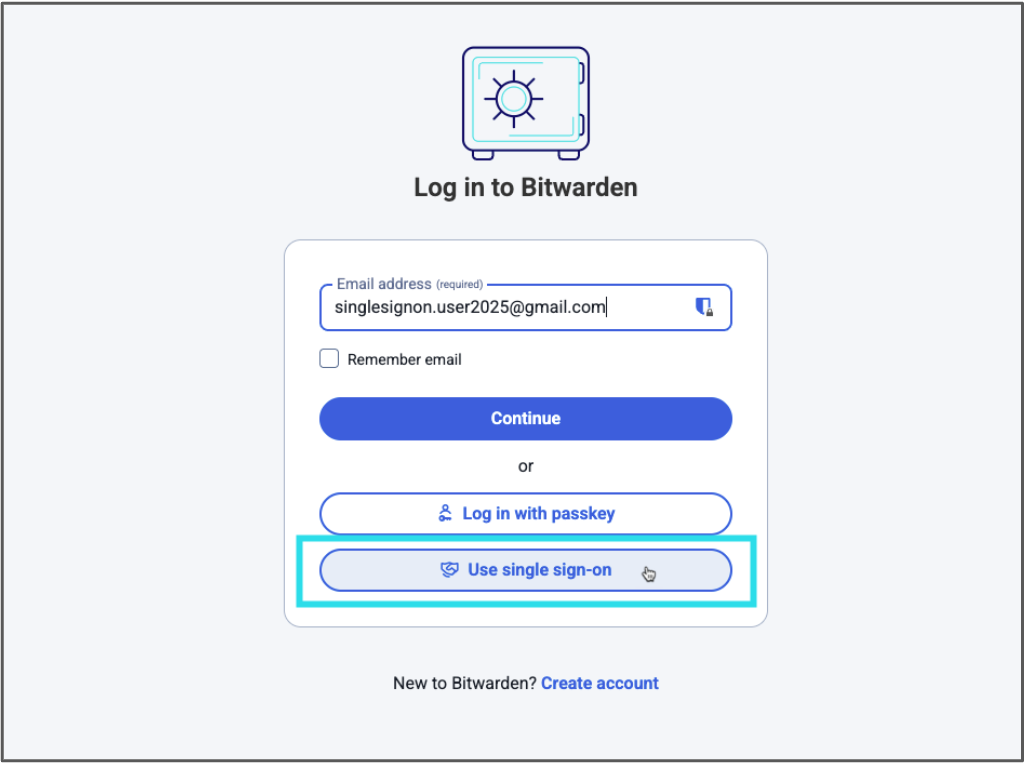
*Select Use single sign-on after entering your email address*
3. Now you will be redirected to your SSO login (Azure/Okta/JumpCloud etc). Login with your SSO credentials. This is the password you use to log into other company tools, such as Outlook.
> Note: If you are asked for an SSO Identifier, refer to your administrator’s instructions or contact your IT team for support.
Once completed, you will be asked if the device should be remembered. Be sure the box is checked and continue.
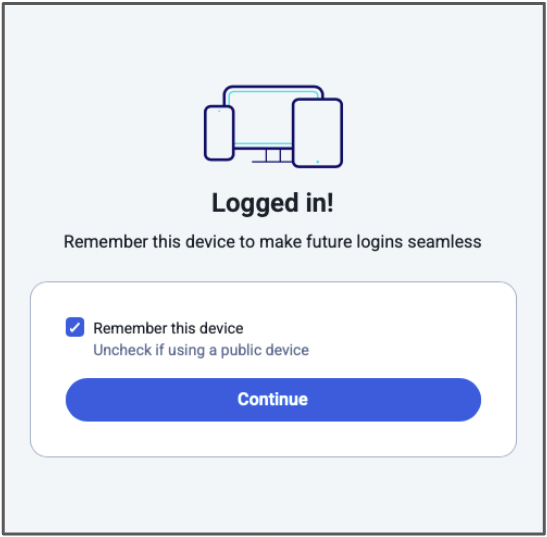
Now you will be redirected to your newly created Bitwarden account in the Bitwarden web app! Do not close it as the web app will be used to approve other logins.
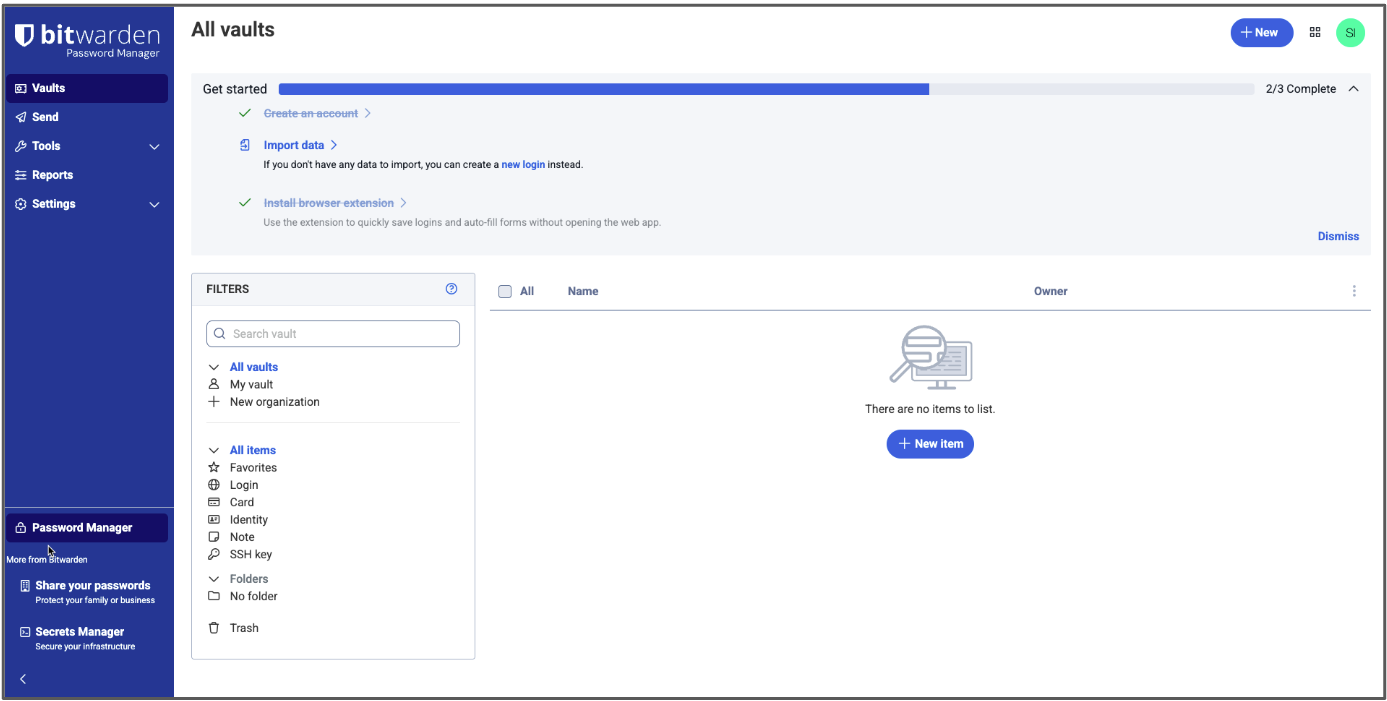
*Your new Bitwarden vault*
At this point you are not yet a part of your company’s organization - your admin will need to confirm you. You will receive an email when this occurs.
> Note: The next steps will have you approve new device logins. A **device** is any Bitwarden client or application. For example, the Bitwarden desktop app and the browser extension count as two separate devices and each needs to be individually approved, even if used on the same computer.
### Part 2: Download the Bitwarden applications
#### Browser extension:
1. After you have been confirmed to the organization, download the Bitwarden extension for your browser and install it, if it hasn’t already been installed for you by your IT department. You can find the Bitwarden browser extension in your browser’s extension/add-on store. Shortcuts are provided at [bitwarden.com/download](https://bitwarden.com/sv-se/download/).
2. Once installed, open the extension (commonly found behind the puzzle piece icon in your browser) and log into it by entering your email address and selecting **Use single sign-on.**
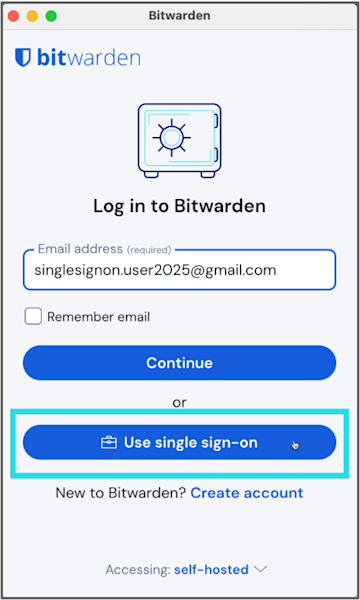
*Use Single Sign-On for the browser extension*
3. You will be redirected to your SSO login. Enter your SSO credentials if prompted.
4. Bitwarden will ask you to approve the new login.
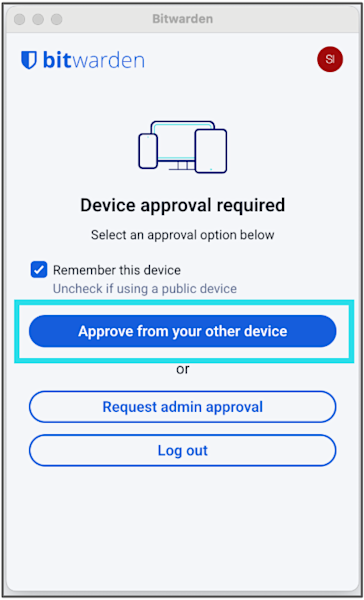
*Approve the extension from another device*
There are several options. Select **Approve from your other device**, which in this case will be the web app you are still logged into. Go back to the Bitwarden web app, navigate to **Settings > Security > Devices**, select the listed login attempt, and select **Confirm access**.

*Use the web app to approve and trust the login from your extension*

*Click the Confirm access button to complete the login*
You're now logged into the extension!
You can use the extension to [confirm new logins](https://bitwarden.com/sv-se/help/add-a-trusted-device/#tab-mobile-app-5agRuaqyKm9ApnAZAMhUwD/) in the future.

*Browser extension successfully logged in and trusted*
#### Mobile app:
1. Download the Bitwarden mobile app to your phone from the Google Play Store or Apple App Store
2. Open the mobile app, enter your email address, and select **Continue**.

3. On the next screen, select **Enterprise** **single sign-on**.

*Log into the mobile app using SSO*
4. You will be redirected to your SSO login. Enter your SSO credentials if prompted.
5. To self-approve the new login, in the Bitwarden web app, navigate to **Settings > Security > Devices**, select the login, and select **Confirm access**, or approve the device from the newly logged-in browser extension.

*Use the web app again to approve the mobile app login and confirm the trusted device*
You’re now set up on mobile!
*Mobile app successfully logged in and trusted*
You’ll be able to use the Bitwarden mobile app to [confirm new logins](https://bitwarden.com/sv-se/help/add-a-trusted-device/#tab-mobile-app-5agRuaqyKm9ApnAZAMhUwD/) if you’re asked to do so in the future.
### Part 3: Adjust your preferences in the extension and mobile app
1. [Pin the browser extension](https://bitwarden.com/sv-se/help/getting-started-browserext/#pin-the-extension/) for easy access. The icon will show you if you are logged in or not (gray vs blue icon) and will display a counter if you have an item saved for the website you’re visiting.
2. Adjust timeout settings if available (your administrator may set these for you) for both the mobile app and extension. Understand the difference between [locking the vault and logging out](https://bitwarden.com/sv-se/help/vault-timeout/).
3. Set up [biometric unlock](https://bitwarden.com/sv-se/help/biometrics/#enable-unlock-with-biometrics/) for mobile app
4. Set up [PIN unlock](https://bitwarden.com/sv-se/help/unlock-with-pin/#enable-unlock-with-pin/) for the browser extension
5. [Disable your browser’s built-in](https://bitwarden.com/sv-se/blog/make-way-for-your-password-manager/) password manager.
That’s everything you need to create your account and log in for the first time! Now just wait to be confirmed into your organization and you can get started using Bitwarden to secure your passwords and other sensitive data.
## Additional resources
Check out the [Bitwarden Help Center guides](https://bitwarden.com/sv-se/help/get-to-know-password-manager/) and refer to your IT manager’s onboarding materials, or explore the following articles.
**For users**
- [Vault Items](https://bitwarden.com/sv-se/help/managing-items/)
- [Integrated Authenticator](https://bitwarden.com/sv-se/help/integrated-authenticator/)
- [Sharing](https://bitwarden.com/sv-se/help/sharing/)
- [Collections](https://bitwarden.com/sv-se/help/about-collections/)
- [Get to know Password Manager](https://bitwarden.com/sv-se/help/get-to-know-password-manager/)
**For admins**
- [Organizations Quick Start](https://bitwarden.com/sv-se/help/getting-started-organizations/)
- [End User Onboarding](https://bitwarden.com/sv-se/help/customer-success-hub/)
- [Bitwarden for Business Admins](https://bitwarden.com/sv-se/help/courses/bitwarden-for-business-admins/)
---
URL: https://bitwarden.com/sv-se/resources/using-bitwarden-with-azure-active-directory/
---
# Using Bitwarden with Azure Active Directory
Bitwarden and Azure AD together can help enterprises streamline employee onboarding and user management with seamless, automated provisioning.
---
## Overview
The rise of software-as-a-service means that each department within an enterprise, whether finance, marketing, or HR, has an ever-growing number of applications and services that teams use every day. A cloud-based identity and access management service like Microsoft’s **Azure Active Directory** (Azure AD) helps IT administrators control access to applications, resources, and tools based on business requirements.
A password management solution like **Bitwarden** makes it easier for employees to generate and use strong and unique passwords for all enterprise accounts, and to ensure sensitive data is end-to-end encrypted. Using an enterprise password manager also allows employees to securely share passwords across the organization from a secure vault. Sharing through Bitwarden Collections – which gathers logins, notes, cards, and more from an Organization – is the most powerful and scalable when paired with user groups. This gives enterprises that have hundreds of logins the ability to securely share them across teams and functions as needed.
Bitwarden and Azure AD together can help enterprises streamline employee onboarding and user management with seamless, automated provisioning.
## Combined Bitwarden and Azure AD Benefits
- Seamless, automated provisioning of users from a centralized directory
- Simplify the process for IT administrators to onboard and manage users for any SaaS products, internal tools, and more
- Reduce security risks from employee departure by automatically revoking their access to the Organization vault and shared Collections
## How it Works
There are two different ways to enable Bitwarden to work with Azure AD.
**SCIM support** enables Bitwarden to receive updates, such as new users and modifications to groups from Azure AD at any time. It will automatically provision users when Azure AD pushes a change.
The **Bitwarden Directory Connector** is a standalone application that actively syncs users and groups to a Bitwarden Organization from Azure AD. Syncing only occurs when the application is running. It is also the only way to connect to the on-premise version of Active Directory.

*Bitwarden Enterprise Organizations and Directory Services Diagram*
## Resources
[Streamline Employee Onboarding to Bitwarden with SCIM Support](https://bitwarden.com/sv-se/blog/streamline-employee-onboarding-to-bitwarden-with-scim-support/)
[Azure AD SCIM Integration](https://bitwarden.com/sv-se/help/azure-ad-scim-integration/)
[Get the Most from your Directory Services with Bitwarden](https://bitwarden.com/sv-se/blog/password-management-directory-connector/)
[Sync with Azure AD](https://bitwarden.com/sv-se/help/azure-active-directory/)
## Få kraftfull, pålitlig lösenordssäkerhet nu. Välj din plan.
## Personlig
### Enskild
**$0**
*per månad*
*Gratis för alltid - inget kreditkort krävs! *
Skaffa ett Bitwarden-valv
- Obegränsat antal enheter
- Hantering av lösenord
- Alla kärnfunktioner
- Alltid gratis
Dela valvobjekt med en annan användare.
[Kom igång idag](https://bitwarden.com/go/start-free/)
---
### Premie
**Less than $1**
*varje år*
*faktureras årligen*
Njut av premiumfunktioner
- Integrerad autentisering
- Bifogade filer
- Nödåtkomst
- Säkerhetsrapporter och mer
Dela valvobjekt med en annan användare
[Skapa ett premiumkonto](https://bitwarden.com/go/start-premium/)
---
### Familjer
**$3.33**
*per månad*
*Upp till 6 användare, 40 USD faktureras årligen*
Säkra dina familjeinloggningar
- 6 premiumkonton
- Obegränsad delning
- Obegränsade samlingar
- Organisationslagring
Dela valvobjekt mellan sex personer
[Starta gratis 7-dagars provperiod](https://bitwarden.com/go/start-families-trial/)
---
Priset visas i USD och baseras på en årsprenumeration. Skatter ingår ej.
## Företag
### Teams
*Robust skydd för team i tillväxt.*
**$4**
*per månad / per användare som faktureras årligen*
Premium features for all accounts, plus:
- Säker datadelning
- Händelseloggövervakning
- Katalogintegrering
- SCIM-stöd
Inkluderar premiumfunktioner för alla användare
[Starta en provversion](https://bitwarden.com/go/start-teams-trial/)
---
### Företag
*Avancerade funktioner för större organisationer*
**$6**
*per månad / per användare som faktureras årligen*
Teams features for all accounts, plus:
- Företagspolicyer
- Lösenordslös SSO
- Kontoåterställning
- Alternativ för självvärd
Inkluderar premiumfunktioner och gratis familjeplan för alla användare
[Starta en provversion](https://bitwarden.com/go/start-enterprise-trial/)
---
### Få en offert
*För företag med hundratals eller tusentals anställda kontakta försäljningen för en anpassad offert och se hur Bitwarden kan:*
- Minska cybersäkerhetsrisken
- Öka produktiviteten
- Integrera sömlöst
Bitwarden skalar med alla företagsstorlekar för att ge din organisation lösenordssäkerhet
[Kontakta försäljning](https://bitwarden.com/contact-sales/)
---
Priset visas i USD och baseras på en årsprenumeration. Skatter ingår ej.
---
URL: https://bitwarden.com/sv-se/resources/using-bitwarden-with-yubico/
---
# Använder Bitwarden med Yubico
Att använda en YubiKey för att skydda dina anställdas Bitwarden-valv ger maximalt skydd för din organisations känsliga inloggningar.
---
## Översikt
En lösenordshanterare som **Bitwarden** ger stark lösenordssäkerhet med kraftfulla administrationsverktyg och enkel användarhantering. För extra skydd kan du dock överväga att ställa in tvåfaktorsautentisering (även känd som 2FA) för din organisation för att skydda mot inloggningspåfyllning eller brute force-attacker.
När det gäller tvåfaktorsautentisering är vissa metoder säkrare än andra. Till exempel är SMS känt för att vara känsligt för SIM-kapning, och autentiseringsappar ger en annan säkerhetsnivå utöver det. En av de säkraste metoderna för 2FA är säkerhetsnycklar. En fysisk säkerhetsnyckel som YubiKey från Yubico**kan spara tid och minska fel samtidigt som den** erbjuder extra stark säkerhet.
Att använda en YubiKey för att skydda dina anställdas Bitwarden-valv ger maximalt skydd för känslig företagsdata.

## Kombinerade Bitwarden och Yubico Benefits
- Stärk den övergripande företagssäkerheten och med modern autentisering och starka unika lösenord
- Skydda känsliga uppgifter i dina applikationer och onlinetjänster
- Neutralisera risker förknippade med komprometterade lösenord och mindre säkra metoder för tvåfaktorsautentisering
## Hur det fungerar
Att registrera en YubiKey med Bitwarden tar bara några klick på fliken Tvåstegsinloggning under Säkerhet i kontoinställningar. Du kan välja YubiKey OTP eller, om din YubiKey stöder det, FIDO2 WebAuthn.
Anslut nyckeln till enheten du för närvarande arbetar på, skriv in ett namn för nyckeln i Bitwarden 2FA-inloggningspopupen och klicka på Läs nyckel. När nyckeln har registrerats kommer den att visas i listan under det namn du gav den.
För att logga in på ditt Bitwarden-valv på valfri app, efter att du har angett din e-postadress och huvudlösenord, kommer du att uppmanas att sätta in din YubiKey i din dators USB-port eller hålla din YubiKey mot baksidan av din NFC-aktiverade enhet. Eftersom Bitwarden tillåter dig att använda flera nycklar, är du skyddad i händelse av att din enda nyckel lämnas kvar eller försvinner.
## Resurser
[Tvåstegsinloggning via YubiKey](https://bitwarden.com/sv-se/help/setup-two-step-login-yubikey/)
[Hur man använder säkerhetsnycklar med Bitwarden](https://bitwarden.com/sv-se/blog/how-to-use-security-keys-with-bitwarden/)
[Topp 10 brännande frågor på 2FA](https://bitwarden.com/sv-se/blog/top-10-burning-questions-on-2fa/)
## Få kraftfull, pålitlig lösenordssäkerhet nu. Välj din plan.
## Personlig
### Enskild
**$0**
*per månad*
*Gratis för alltid - inget kreditkort krävs! *
Skaffa ett Bitwarden-valv
- Obegränsat antal enheter
- Hantering av lösenord
- Alla kärnfunktioner
- Alltid gratis
Dela valvobjekt med en annan användare.
[Kom igång idag](https://bitwarden.com/go/start-free/)
---
### Premie
**Less than $1**
*varje år*
*faktureras årligen*
Njut av premiumfunktioner
- Integrerad autentisering
- Bifogade filer
- Nödåtkomst
- Säkerhetsrapporter och mer
Dela valvobjekt med en annan användare
[Skapa ett premiumkonto](https://bitwarden.com/go/start-premium/)
---
### Familjer
**$3.33**
*per månad*
*Upp till 6 användare, 40 USD faktureras årligen*
Säkra dina familjeinloggningar
- 6 premiumkonton
- Obegränsad delning
- Obegränsade samlingar
- Organisationslagring
Dela valvobjekt mellan sex personer
[Starta gratis 7-dagars provperiod](https://bitwarden.com/go/start-families-trial/)
---
Priset visas i USD och baseras på en årsprenumeration. Skatter ingår ej.
## Företag
### Teams
*Robust skydd för team i tillväxt.*
**$4**
*per månad / per användare som faktureras årligen*
Premium features for all accounts, plus:
- Säker datadelning
- Händelseloggövervakning
- Katalogintegrering
- SCIM-stöd
Inkluderar premiumfunktioner för alla användare
[Starta en provversion](https://bitwarden.com/go/start-teams-trial/)
---
### Företag
*Avancerade funktioner för större organisationer*
**$6**
*per månad / per användare som faktureras årligen*
Teams features for all accounts, plus:
- Företagspolicyer
- Lösenordslös SSO
- Kontoåterställning
- Alternativ för självvärd
Inkluderar premiumfunktioner och gratis familjeplan för alla användare
[Starta en provversion](https://bitwarden.com/go/start-enterprise-trial/)
---
### Få en offert
*För företag med hundratals eller tusentals anställda kontakta försäljningen för en anpassad offert och se hur Bitwarden kan:*
- Minska cybersäkerhetsrisken
- Öka produktiviteten
- Integrera sömlöst
Bitwarden skalar med alla företagsstorlekar för att ge din organisation lösenordssäkerhet
[Kontakta försäljning](https://bitwarden.com/contact-sales/)
---
Priset visas i USD och baseras på en årsprenumeration. Skatter ingår ej.
---
URL: https://bitwarden.com/sv-se/resources/web-hosting-company-opts-for-open-source-password-management-approach/
---
# Web hosting company opts for open source password management approach
Learn how domain registrar Namecheap fostered collaboration and transparency with the Bitwarden Password Manager.
---
## Namecheap
Founded: 2000
Industry: IT Service Management
Employees: 3,000
Location: Phoenix, Arizona
Namecheap is an ICANN accredited domain registrar and web hosting company currently managing over 17 million domains. Headquartered in Phoenix, Arizona, with offices in Portugal, Ukraine, and India, Namecheap also encompasses a distributed employee base that spans 22 countries. The company has over 3 million customers and is the world’s second-largest domain retailer.
> Learn more about the annual [Open Source Security Summit](https://bitwarden.com/sv-se/open-source-security-summit/).
## Table of Contents
[Situation](https://bitwarden.com/sv-se/resources/web-hosting-company-opts-for-open-source-password-management-approach/#situation/)
[Solution: Open source password manager enabling continuous improvement](https://bitwarden.com/sv-se/resources/web-hosting-company-opts-for-open-source-password-management-approach/#solution-open-source-password-manager-enabling-continuous-improvement/)
[Strategic rollout, smooth transition](https://bitwarden.com/sv-se/resources/web-hosting-company-opts-for-open-source-password-management-approach/#strategic-rollout-smooth-transition/)
[Transparency and control offer benefits](https://bitwarden.com/sv-se/resources/web-hosting-company-opts-for-open-source-password-management-approach/#transparency-and-control-offer-benefits/)
[Get started with Bitwarden](https://bitwarden.com/sv-se/resources/web-hosting-company-opts-for-open-source-password-management-approach/#get-started-with-bitwarden/)
## Situation
Namecheap became aware its passwords were scattered across various platforms, from KeePass instances used by some of the more technical employees to various proprietary password managers. This approach was neither convenient nor secure. These practices made it logistically challenging to keep track of different company systems and employee behavior. It also led to employees frequently sharing passwords via insecure methods.
With its commitments to enhancing operational efficiency and strengthening cybersecurity top-of-mind, Namecheap embarked on a search for the optimal password management solution. Said Chief Technical Officer Sergii Smirnov, “We were seeking a user-friendly tool that ensured a uniform experience across the organization. We are also committed to protecting privacy and freedom and place a high value on our customers’ right to safety and privacy. Ultimately, we needed a partner that could uphold these standards.”
## Solution: Open source password manager enabling continuous improvement
After weighing the options, Namecheap enthusiastically elected to go with Bitwarden. Said Smirnov, “A key factor in our decision to choose Bitwarden was its open source nature. Open source technology invites broad rotation and continuous improvement from a global community of experts. We see this investment validated year after year, in the way Bitwarden and the open source community interact and how vulnerabilities are identified and addressed promptly.”
Namecheap believes the open source approach not only enhances security tools, but ensures technology evolves in response to the real-world needs of its users. In the company’s view, this contrasts sharply with closed source projects where potential vulnerabilities might remain hidden. In such environments, the lack of external review can create security blind spots that manifest in the form of breaches and supply chain weaknesses.
> “Our decision to integrate Bitwarden is deeply rooted in our belief in the power and potential of open source software,” said Smirnov. “Open source represents more than just the technology choice. It's a forward-thinking approach that embodies innovation, collaboration, and transparency. We see open source software as the future of technological development.”
## Strategic rollout, smooth transition
Namecheap opted to strategically deploy Bitwarden in stages. The company started with a test group to eliminate operational issues early on. Utilizing the Bitwarden API, the Namecheap technical team crafted custom scripts to automate the onboarding process. This helped enable self-paced implementation, allowing employees across the world to set up Bitwarden at their own pace.
Following the initial small-scale rollout, Namecheap transitioned to deploying Bitwarden across business units. While processed in stages, within two months the team had successfully onboarded all employees.
> Said Smirnov, “Our switch to Bitwarden as our password manager, covering nearly 3,000 employees, was remarkably smooth. Many had been anticipating this upgrade and the satisfaction with the functionality, convenience, and security features that Bitwarden offers is a testament to the product’s overall strength.”
## Transparency and control offer benefits
In contrast to its former piecemeal and random approach to password security, Namecheap now has control over where and how passwords are stored and protected. The company has also capitalized on Bitwarden tools that allow it to assess password strength and quality and enabled two-factor authentication across the organization, a move that further strengthens the Namecheap security framework.
## Get started with Bitwarden
Learn more about what Bitwarden can do for your business and sign up for a [free 7-day trial](https://bitwarden.com/sv-se/trial/)! Got questions? Join our [free weekly demo](https://bitwarden.com/sv-se/events/weekly-demo/).
## Få kraftfull, pålitlig lösenordssäkerhet nu. Välj din plan.
## Personlig
### Enskild
**$0**
*per månad*
*Gratis för alltid - inget kreditkort krävs! *
Skaffa ett Bitwarden-valv
- Obegränsat antal enheter
- Hantering av lösenord
- Alla kärnfunktioner
- Alltid gratis
Dela valvobjekt med en annan användare.
[Kom igång idag](https://bitwarden.com/go/start-free/)
---
### Premie
**Less than $1**
*varje år*
*faktureras årligen*
Njut av premiumfunktioner
- Integrerad autentisering
- Bifogade filer
- Nödåtkomst
- Säkerhetsrapporter och mer
Dela valvobjekt med en annan användare
[Skapa ett premiumkonto](https://bitwarden.com/go/start-premium/)
---
### Familjer
**$3.33**
*per månad*
*Upp till 6 användare, 40 USD faktureras årligen*
Säkra dina familjeinloggningar
- 6 premiumkonton
- Obegränsad delning
- Obegränsade samlingar
- Organisationslagring
Dela valvobjekt mellan sex personer
[Starta gratis 7-dagars provperiod](https://bitwarden.com/go/start-families-trial/)
---
Priset visas i USD och baseras på en årsprenumeration. Skatter ingår ej.
## Företag
### Teams
*Robust skydd för team i tillväxt.*
**$4**
*per månad / per användare som faktureras årligen*
Premium features for all accounts, plus:
- Säker datadelning
- Händelseloggövervakning
- Katalogintegrering
- SCIM-stöd
Inkluderar premiumfunktioner för alla användare
[Starta en provversion](https://bitwarden.com/go/start-teams-trial/)
---
### Företag
*Avancerade funktioner för större organisationer*
**$6**
*per månad / per användare som faktureras årligen*
Teams features for all accounts, plus:
- Företagspolicyer
- Lösenordslös SSO
- Kontoåterställning
- Alternativ för självvärd
Inkluderar premiumfunktioner och gratis familjeplan för alla användare
[Starta en provversion](https://bitwarden.com/go/start-enterprise-trial/)
---
### Få en offert
*För företag med hundratals eller tusentals anställda kontakta försäljningen för en anpassad offert och se hur Bitwarden kan:*
- Minska cybersäkerhetsrisken
- Öka produktiviteten
- Integrera sömlöst
Bitwarden skalar med alla företagsstorlekar för att ge din organisation lösenordssäkerhet
[Kontakta försäljning](https://bitwarden.com/contact-sales/)
---
Priset visas i USD och baseras på en årsprenumeration. Skatter ingår ej.
---
URL: https://bitwarden.com/sv-se/resources/west-coast-media-institution-selects-bitwarden/
---
# West Coast media institution selects Bitwarden for ease of deployment and active directory integration
This media institution selected Bitwarden for its enterprise features, active directory integration, and simple interface.
---
## Overview
Founded: 1953
Industry: Nonprofit news media
Employees: 500
Size of IT team: 14
Location: West Coast
Bitwarden Seats: 85
This media organization reports on local, national, and international news and produces TV, radio, digital media, and educational programming. Headquartered on the West Coast, the organization found its security posture upended when its legacy password management solution was breached. The organization was keen to find a new password management solution that would protect sensitive information and enable it to continue its mission of bringing original, high-quality programming to its viewers.
## Table of Contents
[Overview](https://bitwarden.com/sv-se/resources/west-coast-media-institution-selects-bitwarden/#overview/)
[Situation: Ransomware and data breaches](https://bitwarden.com/sv-se/resources/west-coast-media-institution-selects-bitwarden/#situation-ransomware-and-data-breaches/)
[Bitwarden fosters better password security habits across teams](https://bitwarden.com/sv-se/resources/west-coast-media-institution-selects-bitwarden/#bitwarden-fosters-better-password-security-habits-across-teams/)
[Get started with Bitwarden](https://bitwarden.com/sv-se/resources/west-coast-media-institution-selects-bitwarden/#get-started-with-bitwarden/)
## Situation: Ransomware and data breaches
When a Bitwarden customer and lead IT security engineer for the media organization joined the company, taking a position that was created due to a damaging ransomware attack, he discovered it had deployed LastPass post-attack to manage and protect passwords. Soon after he joined the organization, LastPass experienced a major breach.
The media organization had also experienced a breach of its HR software when an outside party guessed the password of one of its employees. The hacker was able to log in as the employee and subsequently diverted 92% of the employee’s paycheck to a different bank account.
With these incidents top of mind, the team decided to seek out a new password management option that would strengthen the organization’s overall security posture and [mitigate the risk of data breaches](https://bitwarden.com/sv-se/blog/what-is-a-cyberattack/).
## Solution: Bitwarden for simplicity and easy deployment
"We researched Bitwarden, 1Password, and Dashlane," said the Bitwarden customer. "As far as enterprise password management goes, 1Password and Dashlane weren’t cutting it because they weren’t as streamlined or as feature-rich as Bitwarden."
"During our evaluations, Bitwarden kept coming back on top. Specifically, we were happy with the Bitwarden enterprise features, active directory integration, and simple interface. The overall user experience, price point, and authentication capabilities were also important factors."
Recognizing user directories are a critical component of user access control, Bitwarden offers a Directory Connector app that automatically provisions users, groups, and group associations, making it easy for customers to provision, onboard, and manage their users.
The customer found Bitwarden particularly appealing because of its seamless integration with [Microsoft Active Directory](https://bitwarden.com/sv-se/resources/using-bitwarden-with-azure-active-directory/) – a directory service that stores information about the object on the network, making it easy for admins and users to find and use. Some of the information stored may include names, passwords, and other identifying information, such as phone numbers.
"Active Directory is our central source of authentication. Anything that can leverage it is fantastic," said the customer. "The IT team loved that the Bitwarden interface was simple. With Bitwarden, there isn’t much busyness and you get what you need very quickly."
Ahead of onboarding new users to Bitwarden, the customer discovered that employees had been using Slack as a password repository and also saving passwords on spreadsheets. Eager to make the transition to Bitwarden, the IT team announced to employees they would need to create a Bitwarden account and set a deadline for cutting off access to LastPass enterprise.
"We had little-to-no-problem with deployment," said the customer. "Since deploying Bitwarden, the time IT administrators spend [onboarding/offboarding employees](https://bitwarden.com/sv-se/blog/employee-password-management-onboarding-and-beyond/) and managing password requests has decreased."
The customer was also quite pleased with the availability of [Bitwarden Families plan](https://bitwarden.com/sv-se/blog/how-to-protect-your-family-with-bitwarden-password-manager/), which is offered for free to all Bitwarden Enterprise users, empowering them to protect their personal information outside of work.
## Bitwarden fosters better password security habits across teams
With the use of Bitwarden Collections, the organization has found it easier to organize groups of employees based on their areas of expertise and grant permissions based on an employee’s need for access. The customer has also observed that insecure password practices, such as the sharing of passwords via Slack, have abated over time.
"We have seen progress," said the customer. "We also document educational security information heavily, sometimes pulling directly from the Bitwarden website, and send it to employees so they can better understand how to create strong passwords. These learning materials make it easier for employees to take advantage of Bitwarden."
The media organization is similarly pleased with the [Bitwarden time-based one-time password (TOTP)](https://bitwarden.com/sv-se/help/integrated-authenticator/) function.
"The TOTP function is really helpful because it is built right in. If we need a password immediately, we can quickly enable TOTP and don’t have to wait until someone is back from vacation or back in the office. We also do this in the event we’re concerned a password has been compromised."
"I love a lean interface. Bitwarden offers that. It has exactly what we need."
## Get started with Bitwarden
Learn more about what Bitwarden can do for your business and sign up for a [free 7-day trial](https://bitwarden.com/sv-se/trial/)!
## Få kraftfull, pålitlig lösenordssäkerhet nu. Välj din plan.
## Personlig
### Enskild
**$0**
*per månad*
*Gratis för alltid - inget kreditkort krävs! *
Skaffa ett Bitwarden-valv
- Obegränsat antal enheter
- Hantering av lösenord
- Alla kärnfunktioner
- Alltid gratis
Dela valvobjekt med en annan användare.
[Kom igång idag](https://bitwarden.com/go/start-free/)
---
### Premie
**Less than $1**
*varje år*
*faktureras årligen*
Njut av premiumfunktioner
- Integrerad autentisering
- Bifogade filer
- Nödåtkomst
- Säkerhetsrapporter och mer
Dela valvobjekt med en annan användare
[Skapa ett premiumkonto](https://bitwarden.com/go/start-premium/)
---
### Familjer
**$3.33**
*per månad*
*Upp till 6 användare, 40 USD faktureras årligen*
Säkra dina familjeinloggningar
- 6 premiumkonton
- Obegränsad delning
- Obegränsade samlingar
- Organisationslagring
Dela valvobjekt mellan sex personer
[Starta gratis 7-dagars provperiod](https://bitwarden.com/go/start-families-trial/)
---
Priset visas i USD och baseras på en årsprenumeration. Skatter ingår ej.
## Företag
### Teams
*Robust skydd för team i tillväxt.*
**$4**
*per månad / per användare som faktureras årligen*
Premium features for all accounts, plus:
- Säker datadelning
- Händelseloggövervakning
- Katalogintegrering
- SCIM-stöd
Inkluderar premiumfunktioner för alla användare
[Starta en provversion](https://bitwarden.com/go/start-teams-trial/)
---
### Företag
*Avancerade funktioner för större organisationer*
**$6**
*per månad / per användare som faktureras årligen*
Teams features for all accounts, plus:
- Företagspolicyer
- Lösenordslös SSO
- Kontoåterställning
- Alternativ för självvärd
Inkluderar premiumfunktioner och gratis familjeplan för alla användare
[Starta en provversion](https://bitwarden.com/go/start-enterprise-trial/)
---
### Få en offert
*För företag med hundratals eller tusentals anställda kontakta försäljningen för en anpassad offert och se hur Bitwarden kan:*
- Minska cybersäkerhetsrisken
- Öka produktiviteten
- Integrera sömlöst
Bitwarden skalar med alla företagsstorlekar för att ge din organisation lösenordssäkerhet
[Kontakta försäljning](https://bitwarden.com/contact-sales/)
---
Priset visas i USD och baseras på en årsprenumeration. Skatter ingår ej.
---
URL: https://bitwarden.com/sv-se/resources/what-are-security-controls/
---
# Vad är säkerhetskontroller?
Vanligtvis förbisedda områden när man etablerar säkerhetsresiliens på jobbet och hemma.
---
## What are security controls?
Security controls are the backbone of any robust security strategy, serving as the measures organizations implement to safeguard their assets — people, property, or data — from a myriad of security risks and threats. These controls are meticulously designed to prevent, detect, counteract, or minimize the impact of security incidents on physical property, information, computer systems, or other valuable assets. By understanding and implementing effective security controls, organizations can create a fortified environment that ensures the safety and integrity of their operations.
### SaaS landscape and the state of BYOD
Bree Fowler, senior writer at CNET, led a panel discussion at the 2024 Bitwarden Open Source Security Summit between Schlomo Schapiro, principal engineer at Tektit Consulting, and Bjoern Sjut, managing director for productivity and IT at Front Row. The conversation explored the current trends and challenges of security resilience and employee adoption. It featured recommendations from both experts on how to improve overall security through strategic and thoughtful security controls.
Schapiro started the conversation by underscoring the threat posed by software-as-a-service (SaaS) technologies.
> “Most companies completely ignore or underestimate the threat posed by their current SaaS landscape,” said Schapiro. “They essentially put blind trust in their SaaS vendors and give up full ownership of their perimeter. It’s one of the biggest mistakes companies make. They let their perimeter become a thin fence with lots of holes, which are ultimately holes that hackers can exploit. As an industry, we need to catch up with reality.”
Sjut also highlighted the importance of perimeters, noting the huge shift towards cloud applications has made perimeters more opaque. His main concern, however, lay in the fact that people are much more mobile. “If we don’t want to arm everyone with dedicated, specific devices, we have to deal with the challenges posed by a bring your own device (BYOD) environment. In conjunction with these cloud tools, it means we have more attack vectors on the devices and through applications.”
While BYOD devices can pose security risks, organizations can bolster their defenses with tools like password managers. Bitwarden offers cross-platform access for mobile, browser, and desktop applications, enabling an environment of unlimited passwords and devices.
[](https://vimeo.com/1015905668)
*[Watch on Vimeo](https://vimeo.com/1015905668)*
*Watch the session*
## Table of Contents
[What are security controls?](https://bitwarden.com/sv-se/resources/what-are-security-controls/#what-are-security-controls/)
[SaaS landscape and the state of BYOD](https://bitwarden.com/sv-se/resources/what-are-security-controls/#saas-landscape-and-the-state-of-byod/)
[Putting the pieces together to balance security measures and productivity](https://bitwarden.com/sv-se/resources/what-are-security-controls/#putting-the-pieces-together-to-balance-security-measures-and-productivity/)
[Security awareness training: Mitigating friction while accounting for human vulnerabilities](https://bitwarden.com/sv-se/resources/what-are-security-controls/#security-awareness-training-mitigating-friction-while-accounting-for-human-vulnerabilities/)
[Mistakes companies make when establishing security resilience - and what they can do differently](https://bitwarden.com/sv-se/resources/what-are-security-controls/#mistakes-companies-make-when-establishing-security-resilience-and-what-they-can-do-differently/)
[What are the types of security controls?](https://bitwarden.com/sv-se/resources/what-are-security-controls/#what-are-the-types-of-security-controls/)
[Get started with Bitwarden](https://bitwarden.com/sv-se/resources/what-are-security-controls/#get-started-with-bitwarden/)
## Putting the pieces together to balance security measures and productivity
Most organizations grapple with many moving parts to strengthen security. To prevent important things from falling through the cracks, Shapiro believes that “companies need to ensure that every application introduced into their stack uses federated authentication against their primary identity provider. One of the worst-case scenarios is having accounts or applications that aren’t well understood, which stay active after an employee has left the organization.”
Sjut emphasizes that security should not be restricted to “an enterprise feature. As an industry, we should all advocate for built-in security so we don’t end up in a position where we have to plug holes with many different measures.”
Security professionals must put all the pieces together and figure out what works best for them. Controls are essential to mitigate business risks and ensure security effectively.
> “We want to find the right balance between security and productivity. I think a mistake many companies make is putting a security goal on the agenda that can lock people out of being productive. This makes them less secure in the long run because employees build up their own shadow IT that is completely outside the bounds of company security controls. In our view, it’s about balance, coupled with a risk-based approach.” ~ Bjoern Sjut
If organizations want their security departments to be effective, they must embrace and enable users to do their jobs efficiently.
> “It’s always important to be approachable as an IT department. You want to create an environment where the path of least resistance from the user doesn’t circumvent your security.” ~ Schlomo Schapiro
Employees who cannot share relevant work files with clients or team members are more likely to circumvent security protocols. The only way to protect against that is to ensure “employees feel supported in their productivity. It really is about collaboration and finding the right balance between productivity and security (Sjut).”
Password managers can help users navigate the tightrope of security and productivity. They offer a fast and efficient avenue for creating, managing, and securing passwords. Reputable password managers such as Bitwarden also include MFA tools users can leverage for an extra layer of security, like the built-in Bitwarden Authenticator or the stand-alone Bitwarden Authenticator app.
## Read more:
[How to build the best cybersecurity tech stack for your business](https://bitwarden.com/sv-se/blog/best-cybersecurity-for-business/)
## Security awareness training: Mitigating friction while accounting for human vulnerabilities
People naturally tend to avoid friction, including friction caused by security policies. Fowler asked Schapiro and Sjut how they best incentivize employees to avoid circumventing security best practices.
> “My personal recommendation is to think of your users as citizen developers. It is important to enable your employees to make use of the systems you provide. It is important to be approachable, reach out with a helping hand, and put user enablement first.” ~ Schlomo Schapiro
Sjut noted that in many companies, it can be challenging for users to figure out how they should get access to a tool they need. This is particularly prevalent in mid-size companies because the company may be large enough to lose sight of all the tools available but not large enough where there is corporate oversight.
> “In my opinion, a lot of companies manage their IT incorrectly. They don’t manage it as a defender of the status quo. They manage it more as a facility management unit to keep the lights on. Very few IT organizations have the goal of making people more productive.” ~ Bjoern Sjut
## Mistakes companies make when establishing security resilience - and what they can do differently
Schapiro emphasized the importance of having control over SaaS perimeters and having a solid plan in place for retrieving backups – including routine test runs to make sure everyone understands their role. Organizations must focus on protecting and maintaining critical systems to prevent breaches and ensure they remain functional and secure against potential attacks.
Sjut said that in addition to backups, many companies don’t really have a robust understanding of identity, including with people they collaborate with such as freelancers.
“The amount of personal Google accounts used to manage Google Analytics data is baffling to me,” said Sjut. “Most companies need to deal with digital identities. My general sense is that there’s rarely someone who feels responsible for digital identities within the organization. Businesses need to understand their core identity provider, how the identities work, and if they have them under control. The more people log into cloud applications on a personally owned device without the employer understanding that identity, the more difficult it is to mitigate damages.”
## What are the types of security controls?
#### Physical security controls
Security controls can be broadly categorized into three main types: physical, technical, and administrative controls. Each type plays a pivotal role in creating a comprehensive security framework. By integrating these three types of controls, organizations can create a multi-layered defense strategy that addresses various security aspects.
- Physical controls include measures like access control systems, surveillance cameras, and alarm systems.
- Technical controls encompass tools and technologies such as password managers, firewalls, intrusion detection systems, and encryption.
- Administrative controls involve policies, procedures, and training programs designed to manage and govern an organization's overall security posture.
#### Technical security controls
Technical security controls are critical for safeguarding an organization’s digital assets, including computer systems, networks, and data. These controls involve a range of technologies and practices designed to prevent, detect, and respond to cyber threats, including encryption, firewalls, access controls, antivirus, and malware detection. They are indispensable for protecting against cyber threats such as hacking, malware, and ransomware and ensuring the integrity and confidentiality of digital assets.
Password managers like Bitwarden provide [reporting on password health](https://bitwarden.com/sv-se/blog/stay-secure-with-vault-health-reports/), exposed or reused passwords, weak passwords, unsecured websites, inactive two-step logins, and known data breaches.
#### Administrative security controls
Administrative security controls are measures designed to manage and govern an organization’s security posture through policies, procedures, and training. These controls are essential for guiding employee behavior and ensuring compliance with security standards. Administrative security controls are crucial for protecting against insider threats, social engineering, and compliance failures and for ensuring a comprehensive approach to security management.
- Clear guidelines around security policies and procedures help employees understand their roles and responsibilities in maintaining security, ensuring consistent application of security measures.
- Educating employees on security best practices and potential threats helps create a security-conscious culture and reduces the risk of human error.
- Incident response plans enable organizations to respond swiftly to security incidents, minimizing damage and ensuring a coordinated response.
- Adhering to compliance and regulatory requirements, such as HIPAA and PCI-DSS, ensures that organizations meet their legal obligations and protect sensitive information.
- Routinely identifying and mitigating security risks helps organizations avoid potential threats and maintain a robust security posture.
### Get started with Bitwarden
Security controls are indispensable measures organizations must implement to protect their assets from a wide range of security risks and threats. Understanding the different types of security controls — physical, technical, and administrative — and their functions is crucial for developing an effective security strategy. Additionally, being aware of commonly overlooked areas, such as security awareness training and physical security controls, can help organizations address potential vulnerabilities. By adopting a comprehensive approach that includes a combination of these controls, organizations can ensure the confidentiality, integrity, and availability of their information and assets, thereby enhancing their overall security resilience.
## You might also like:
[Strengthen business IT security with best practices for 360° security](https://bitwarden.com/sv-se/blog/strengthen-business-it-security-with-best-practices-for-360-security/)
## Få kraftfull, pålitlig lösenordssäkerhet nu. Välj din plan.
## Personlig
### Enskild
**$0**
*per månad*
*Gratis för alltid - inget kreditkort krävs! *
Skaffa ett Bitwarden-valv
- Obegränsat antal enheter
- Hantering av lösenord
- Alla kärnfunktioner
- Alltid gratis
Dela valvobjekt med en annan användare.
[Kom igång idag](https://bitwarden.com/go/start-free/)
---
### Premie
**Less than $1**
*varje år*
*faktureras årligen*
Njut av premiumfunktioner
- Integrerad autentisering
- Bifogade filer
- Nödåtkomst
- Säkerhetsrapporter och mer
Dela valvobjekt med en annan användare
[Skapa ett premiumkonto](https://bitwarden.com/go/start-premium/)
---
### Familjer
**$3.33**
*per månad*
*Upp till 6 användare, 40 USD faktureras årligen*
Säkra dina familjeinloggningar
- 6 premiumkonton
- Obegränsad delning
- Obegränsade samlingar
- Organisationslagring
Dela valvobjekt mellan sex personer
[Starta gratis 7-dagars provperiod](https://bitwarden.com/go/start-families-trial/)
---
Priset visas i USD och baseras på en årsprenumeration. Skatter ingår ej.
## Företag
### Teams
*Robust skydd för team i tillväxt.*
**$4**
*per månad / per användare som faktureras årligen*
Premium features for all accounts, plus:
- Säker datadelning
- Händelseloggövervakning
- Katalogintegrering
- SCIM-stöd
Inkluderar premiumfunktioner för alla användare
[Starta en provversion](https://bitwarden.com/go/start-teams-trial/)
---
### Företag
*Avancerade funktioner för större organisationer*
**$6**
*per månad / per användare som faktureras årligen*
Teams features for all accounts, plus:
- Företagspolicyer
- Lösenordslös SSO
- Kontoåterställning
- Alternativ för självvärd
Inkluderar premiumfunktioner och gratis familjeplan för alla användare
[Starta en provversion](https://bitwarden.com/go/start-enterprise-trial/)
---
### Få en offert
*För företag med hundratals eller tusentals anställda kontakta försäljningen för en anpassad offert och se hur Bitwarden kan:*
- Minska cybersäkerhetsrisken
- Öka produktiviteten
- Integrera sömlöst
Bitwarden skalar med alla företagsstorlekar för att ge din organisation lösenordssäkerhet
[Kontakta försäljning](https://bitwarden.com/contact-sales/)
---
Priset visas i USD och baseras på en årsprenumeration. Skatter ingår ej.
---
URL: https://bitwarden.com/sv-se/resources/what-is-an-otp/
---
# What is an OTP?
## What does OTP mean in security and passwords?
You may have seen the term OTP, or one-time password, when logging into a [bank account](https://bitwarden.com/sv-se/blog/industry-leaders-security-rankings-banking-edition/), email, or social media platform. In the world of digital security, OTPs help protect your accounts by providing an extra layer of verification during login or transactions.
Understanding how OTPs work and how to manage them securely can help keep your personal information safe online. Tools like Bitwarden make it easier to use and store OTPs alongside your passwords, so you don’t have to choose between security and convenience.
## What is an OTP, and why does it matter?
A one-time password is exactly what it sounds like: a temporary code that can only be used once. There are two types. The one most people are familiar with is timed one-time passwords, TOTPs. They are usually sent to your email, phone, or generated by an app. TOTPs expire after a short period and are part of a security method called [multi-factor authentication](https://bitwarden.com/sv-se/blog/basics-of-two-factor-authentication-with-bitwarden/) (MFA).
Multi-factor authentication combines something you know, like your password, with something you have, like a one-time code. This makes it much harder for someone else to access your account, even if they know your password.
## Common types of one-time passwords
There are two main kinds of OTPs you might come across:
- Time-based one-time passwords (TOTP): These refresh every 30 to 60 seconds and are typically generated by authenticator apps like Bitwarden Authenticator. They're often used for banking, email, and other services where timing is key.
- HMAC-based one-time passwords (HOTP): These hash-based message authentication codes only change when requested — usually when you log in — and stay valid until used. These are often used as emergency recovery codes for logging in.
Both types offer strong protection because they are temporary and can’t be reused. That means even if someone gets access to an old code, it won’t work again.
## Why OTPs are safer than static passwords alone
Unlike a regular password that stays the same until you change it, OTPs are designed to be short-lived. Their single-use nature reduces the risk of someone reusing a stolen password or guessing their way into your account. OTPs are a key part of making sure your accounts are protected — even if your account password is compromised.
## Where you might use an OTP
One-time passwords are often used during logins that involve sensitive information. For example:
- Using [government services](https://bitwarden.com/sv-se/blog/how-state-and-local-goverment-benefits-from-password-management/) online
- Logging into [financial accounts](https://bitwarden.com/sv-se/blog/how-to-better-manage-your-financial-information-in-bitwarden/)
- Accessing [health records](https://bitwarden.com/sv-se/blog/the-healthcare-industry-a-prime-target-for-cyberattacks/)
- Changing account settings
- Logging into social accounts
- Signing into email from a new device
- Making online purchases
In each case, the OTP adds an extra checkpoint to verify your identity.
## How OTPs are delivered
You might receive an OTP in different ways:
- **Hardware security keys (most secure)**: Physical devices that generate codes and must be in your possession.
- **Authenticator apps (very secure)**: These work offline and generate codes directly within the software. Bitwarden offers two options:
- The standalone [Bitwarden Authenticator app](https://bitwarden.com/sv-se/products/authenticator/) for iOS and Android
- Integrated TOTP generation within Bitwarden Password Manager for Premium, Families, Teams, or Enterprise users
- **Email (secure)**: A code sent to the email associated with the account. Make sure this email account is protected by a strong and unique password and two-factor authentication!
- **SMS text messages (less secure)**: A text sent to the phone number associated with the account.
Users often prefer authenticator apps because they work offline and are more secure than SMS-based codes, which can be vulnerable to SIM swapping and interception.
## Common OTP challenges and solutions
Users might encounter practical challenges even when they understand OTP and its benefits. Fortunately, the right tools can address these issues.
## Best practices for using OTPs
Users should consider the following recommended practices to maximize what OTP means for security while minimizing potential hassles.
- Set up TOTPs by scanning QR codes in the Bitwarden mobile app or manually entering the TOTP seed.
- The Bitwarden browser extension also has a camera icon that can scan on-screen QR codes.
- Use the Bitwarden autofill capability to streamline the login process.
- Consider the standalone Bitwarden Authenticator for those who prefer a dedicated app.
- Regularly export TOTP seeds as a backup precaution.
- When using the integrated Bitwarden solution, TOTP are included in password manager backups.
Make sure to save a backup of TOTP seeds to ensure continuous access to accounts. Following these guidelines helps maintain [strong password practices](https://bitwarden.com/sv-se/blog/how-long-should-my-password-be/) while keeping the authentication process smooth and trouble-free.
## How OTPs fit into your security strategy
OTPs are just one piece of a strong security setup. Combine them with a password manager, strong and unique passwords, regular software updates, and secure sharing practices. This layered approach gives you better protection against account takeovers and phishing attacks.
### How Bitwarden helps you use OTPs
Bitwarden makes implementing OTP for enhanced security easy with two approaches that simplify your workflow, especially if you're juggling multiple accounts, and help you stay consistent with your security habits.
#### Standalone Bitwarden Authenticator
The standalone [Bitwarden Authenticator](https://bitwarden.com/sv-se/help/bitwarden-authenticator/) is an open source mobile app for iOS and Android that generates 6-digit TOTPs. It works independently of the password manager, enabling easy QR code scanning to set up 2FA.
#### Bitwarden Password Manager built-in authenticator
For an all-in-one solution, the Bitwarden Password Manager includes integrated TOTP functionality for Premium, Families, Teams, or Enterprise users. This integration automatically generates and fills TOTPs during login, streamlining the authentication process.
The autofill feature works seamlessly with the Bitwarden browser extensions and mobile apps. Examples include integrating TOTP generation directly into Bitwarden Password Manager and automatically filling both the password and current TOTP code.
## Take the next step with OTP security
Adding OTPs to your login process doesn’t have to be complicated. With [Bitwarden](https://bitwarden.com/sv-se/products/business/), you can keep all your login information, including your one-time passwords, in one secure place.
Discover the [integrated authenticator solution](https://bitwarden.com/sv-se/help/integrated-authenticator/). For those who prefer a separate authenticator app, the open source Bitwarden Authenticator provides a robust solution for managing 2FA needs.
[Get started with Bitwarden](https://bitwarden.com/sv-se/products/business/) today to better protect what matters most with OTP security. Feel the peace of mind that comes with knowing your accounts are secure.
## Få kraftfull, pålitlig lösenordssäkerhet nu. Välj din plan.
## Personlig
### Enskild
**$0**
*per månad*
*Gratis för alltid - inget kreditkort krävs! *
Skaffa ett Bitwarden-valv
- Obegränsat antal enheter
- Hantering av lösenord
- Alla kärnfunktioner
- Alltid gratis
Dela valvobjekt med en annan användare.
[Kom igång idag](https://bitwarden.com/go/start-free/)
---
### Premie
**Less than $1**
*varje år*
*faktureras årligen*
Njut av premiumfunktioner
- Integrerad autentisering
- Bifogade filer
- Nödåtkomst
- Säkerhetsrapporter och mer
Dela valvobjekt med en annan användare
[Skapa ett premiumkonto](https://bitwarden.com/go/start-premium/)
---
### Familjer
**$3.33**
*per månad*
*Upp till 6 användare, 40 USD faktureras årligen*
Säkra dina familjeinloggningar
- 6 premiumkonton
- Obegränsad delning
- Obegränsade samlingar
- Organisationslagring
Dela valvobjekt mellan sex personer
[Starta gratis 7-dagars provperiod](https://bitwarden.com/go/start-families-trial/)
---
Priset visas i USD och baseras på en årsprenumeration. Skatter ingår ej.
## Företag
### Teams
*Robust skydd för team i tillväxt.*
**$4**
*per månad / per användare som faktureras årligen*
Premium features for all accounts, plus:
- Säker datadelning
- Händelseloggövervakning
- Katalogintegrering
- SCIM-stöd
Inkluderar premiumfunktioner för alla användare
[Starta en provversion](https://bitwarden.com/go/start-teams-trial/)
---
### Företag
*Avancerade funktioner för större organisationer*
**$6**
*per månad / per användare som faktureras årligen*
Teams features for all accounts, plus:
- Företagspolicyer
- Lösenordslös SSO
- Kontoåterställning
- Alternativ för självvärd
Inkluderar premiumfunktioner och gratis familjeplan för alla användare
[Starta en provversion](https://bitwarden.com/go/start-enterprise-trial/)
---
### Få en offert
*För företag med hundratals eller tusentals anställda kontakta försäljningen för en anpassad offert och se hur Bitwarden kan:*
- Minska cybersäkerhetsrisken
- Öka produktiviteten
- Integrera sömlöst
Bitwarden skalar med alla företagsstorlekar för att ge din organisation lösenordssäkerhet
[Kontakta försäljning](https://bitwarden.com/contact-sales/)
---
Priset visas i USD och baseras på en årsprenumeration. Skatter ingår ej.
---
URL: https://bitwarden.com/sv-se/resources/what-is-data-exfiltration/
---
# What is data exfiltration?
## Understanding data exfiltration: A guide for tech leaders
Data exfiltration can cause major financial, legal, and reputational damage, from leaked customer information to stolen trade secrets. This guide helps technology leaders understand what data exfiltration is, why it matters, and how to prevent it with practical, real-world strategies like continuous monitoring, employee training, and access control.
## What is data exfiltration?
At its core, data exfiltration refers to the unauthorized transfer of data from your network. Often, the person stealing the data does so quietly and with malicious intent, like selling, exploiting, or using the information to cause further damage.
This type of breach can involve:
- Personal customer information
- Internal business documents
- Intellectual property, such as product designs or code
Not all data exfiltration is malicious. In some cases, unintentional exfiltration occurs when employees send sensitive data to personal email accounts or upload files to unsanctioned cloud services. Negligent exfiltration can result from misconfigured permissions, overly broad access rights, or poor security habits, leading to accidental exposure or unauthorized downloads. Regardless of intent, the result is the same: sensitive information leaving the organization and increasing its exposure risks.
Data can be exfiltrated in many ways, including through email, cloud storage platforms, or removable devices. In other words, it’s a digital break-in. The goal isn’t just to gain entry, but to take something valuable on the way out. That’s why it’s critical to monitor how data moves across systems. When organizations understand how attackers operate and where vulnerabilities exist, they’re better prepared to implement safeguards and protect sensitive assets.
Preventing data exfiltration starts with a well-rounded strategy. This includes deploying data loss prevention (DLP) tools, performing regular [security audits](https://bitwarden.com/sv-se/blog/why-open-source-delivers-transparency-and-security-for-enterprises/), and training employees to handle sensitive information responsibly. Since threats can come from multiple sources — including insider actions, human error, or technical gaps — strong access controls and layered security practices are essential to reducing risk.
## Why it matters
When data is exfiltrated, it puts an entire business at risk. Enterprise data breaches frequently involve some form of exfiltration. Whether discovered quickly or after months of dwell time, the consequences are real: lost trust, financial penalties, and operational disruptions.
For regulated industries, the stakes can be even higher. Noncompliance with privacy laws or security frameworks (like GDPR, [HIPAA](https://bitwarden.com/sv-se/blog/the-healthcare-industry-a-prime-target-for-cyberattacks/), or PCI DSS) can result in fines, investigations, or reputational fallout.
As a tech leader, staying ahead of these threats helps protect company data and the people who rely on it, including customers, partners, and employees.
## Exfiltration vs. infiltration
Infiltration is when a bad actor gets inside a system, like a hacker breaking into a computer or exploiting a network vulnerability. Exfiltration is what happens after: they take the data and get out.
Think of it as the difference between sneaking into a building and stealing a file from a locked cabinet once you’re inside.
## What kind of data gets targeted?
Cybercriminals don’t just want “data,” they want data with value. That often includes:
- **Intellectual property** – Product designs, source code, formulas, or engineering blueprints. Losing this kind of data can adversely impact revenue, R&D investments, and marketing positioning.
- **Customer information** – Names, addresses, Social Security numbers, or credit card details can be sold or used for fraud, identity theft, or phishing. When this kind of data is exposed, privacy violations and regulatory consequences often follow.
- **Trade secrets**– Internal strategies, product roadmaps, supplier agreements, and confidential communications can reveal competitive advantages or weaken negotiating power.
## Techniques used by attackers
Cybercriminals continue to evolve their techniques. Some exfiltration methods are straightforward, like emailing a file or uploading it to cloud storage. Others are more covert. For example:
- Embedding data within images using [steganography](https://thehackernews.com/2025/03/steganography-explained-how-xworm-hides.html)
- Using custom malware to exfiltrate data in small, unnoticed packets
- Leveraging legitimate tools like remote desktop software
Regardless of methodology, the goal is the same: to remove sensitive data without detection.
## Preventing data exfiltration
Prevention starts with:
- Limiting who can access what data based on roles and responsibilities
- Monitoring systems and endpoints for unusual behavior or access patterns
- [Training employees to recognize phishing attempts](https://bitwarden.com/sv-se/blog/building-a-cybersecurity-culture-in-the-workplace/) and other suspicious activity
- Using tools like Data Loss Prevention (DLP) systems, Endpoint Detection and Response (EDR), and CAST (Cloud Access Security Broker) solutions
- Encrypting data at rest and in transit
Building multiple layers of defense ensures that even if one control fails, others remain in place to stop or slow exfiltration attempts.
## Meeting legal and compliance expectations
Regulations like GDPR, HIPAA, and PCI DSS are designed to protect sensitive data, and organizations are expected to meet their requirements. Preventing data exfiltration is critical to staying compliant and avoiding legal exposure.
Following security standards such as [NIST](https://bitwarden.com/sv-se/resources/nist-cybersecurity-framework/), [ISO 27001](https://bitwarden.com/sv-se/resources/how-password-management-helps-companies-achieve-iso-27001-certification/), or CIS Controls enables a strong foundation for compliance and risk mitigation. Aligning with these frameworks also gives technology leaders confidence when collaboratingrisk with legal, executive, or regulatory teams.
## Bitwarden: A trusted ally in data protection
Understanding data exfiltration is the first step in defending against it. The next step is putting the right tools in place.
Bitwarden helps organizations take control of who has access to what. By securely managing passwords, enforcing multi-factor authentication, and simplifying access controls, Bitwarden reduces the risk of stolen credentials — a common starting point for exfiltration.
Bitwarden supports a strong security posture, whether you’re protecting a [global business](https://bitwarden.com/sv-se/blog/bitwarden-is-the-password-manager-for-global-enterprises/) or helping a startup scale securely. It’s a vital part of keeping sensitive data exactly where it belongs: safe and in your hands.
## Få kraftfull, pålitlig lösenordssäkerhet nu. Välj din plan.
## Personlig
### Enskild
**$0**
*per månad*
*Gratis för alltid - inget kreditkort krävs! *
Skaffa ett Bitwarden-valv
- Obegränsat antal enheter
- Hantering av lösenord
- Alla kärnfunktioner
- Alltid gratis
Dela valvobjekt med en annan användare.
[Kom igång idag](https://bitwarden.com/go/start-free/)
---
### Premie
**Less than $1**
*varje år*
*faktureras årligen*
Njut av premiumfunktioner
- Integrerad autentisering
- Bifogade filer
- Nödåtkomst
- Säkerhetsrapporter och mer
Dela valvobjekt med en annan användare
[Skapa ett premiumkonto](https://bitwarden.com/go/start-premium/)
---
### Familjer
**$3.33**
*per månad*
*Upp till 6 användare, 40 USD faktureras årligen*
Säkra dina familjeinloggningar
- 6 premiumkonton
- Obegränsad delning
- Obegränsade samlingar
- Organisationslagring
Dela valvobjekt mellan sex personer
[Starta gratis 7-dagars provperiod](https://bitwarden.com/go/start-families-trial/)
---
Priset visas i USD och baseras på en årsprenumeration. Skatter ingår ej.
## Företag
### Teams
*Robust skydd för team i tillväxt.*
**$4**
*per månad / per användare som faktureras årligen*
Premium features for all accounts, plus:
- Säker datadelning
- Händelseloggövervakning
- Katalogintegrering
- SCIM-stöd
Inkluderar premiumfunktioner för alla användare
[Starta en provversion](https://bitwarden.com/go/start-teams-trial/)
---
### Företag
*Avancerade funktioner för större organisationer*
**$6**
*per månad / per användare som faktureras årligen*
Teams features for all accounts, plus:
- Företagspolicyer
- Lösenordslös SSO
- Kontoåterställning
- Alternativ för självvärd
Inkluderar premiumfunktioner och gratis familjeplan för alla användare
[Starta en provversion](https://bitwarden.com/go/start-enterprise-trial/)
---
### Få en offert
*För företag med hundratals eller tusentals anställda kontakta försäljningen för en anpassad offert och se hur Bitwarden kan:*
- Minska cybersäkerhetsrisken
- Öka produktiviteten
- Integrera sömlöst
Bitwarden skalar med alla företagsstorlekar för att ge din organisation lösenordssäkerhet
[Kontakta försäljning](https://bitwarden.com/contact-sales/)
---
Priset visas i USD och baseras på en årsprenumeration. Skatter ingår ej.
---
URL: https://bitwarden.com/sv-se/resources/what-is-password-hashing/
---
# What is password hashing?
Security affects everyone, from individual users to enterprise organizations. Without robust security measures, data remains vulnerable, supply chains face breach risks, and users constantly react to compromised credentials. Fortunately, most modern operating systems and services implement strong security foundations, with the password hash serving as a cornerstone technology.
While a password hash may not be something users think about daily, it underpins nearly all security mechanisms in modern computing environments.
## Understanding what is hashing
A password hash transforms a user's password into a fixed-length string of jumbled characters that cannot be easily reversed or deciphered. When someone creates an account on any platform — whether a website, operating system, email service, or banking portal — their password is typically run through a hash password function before being stored in the service's database.
The essence of a password hash lies in its protective qualities. By converting passwords into seemingly random character strings, systems store authentication data in a format that remains secure even if a database is compromised. Even when hackers gain unauthorized access to servers, they face the significant challenge of reverse-engineering these password hashes — a process requiring substantial computational resources and expertise.
The core characteristics that make a password hash effective include irreversibility, consistency, and collision resistance. Unlike encryption, hashing operates as a one-way process, making it extremely difficult to derive the original password from its hash. The same password always generates identical hash output when processed with the same parameters. Modern algorithms such as bcrypt, Argon2, and SHA-256 minimize the possibility of different passwords producing identical hashes.
> [Understand your account encryption key](https://bitwarden.com/sv-se/help/account-encryption-key/).
## The password hash process
The technical workflow to hash password inputs follows a straightforward but secure pattern. A user creates their plaintext password during account setup. The system processes this password through a password hasher function combined with a random "salt" value to generate the final hash. Only the password hash, not the original password, is stored in the system database. During subsequent login attempts, the system applies the same hashing process to the entered password and compares the result with the stored hash. Login succeeds only when the newly generated hash matches the stored hash exactly.
In this process, a "salt" plays a crucial role. A salt is a random string of characters added to the plaintext password before hashing, resulting in a structure similar to:
> Original Password: AyL*fZ%W!C^X@7RC + Salt Value: $random_SaltValue$ = Hashed Password
## The critical importance of salt values
Salting significantly enhances password security by protecting against two primary attack vectors. Rainbow table attacks use precomputed tables of password hashes to reverse-engineer passwords from stolen hash databases. By adding unique salts to each password, systems render these precomputed tables ineffective.
Brute-force attacks employ trial-and-error methods that systematically test possible combinations until finding the correct password. Salting makes this approach exponentially more difficult by requiring attackers to crack each password individually rather than leveraging patterns across multiple accounts.
> [Evaluate your password security](https://bitwarden.com/sv-se/how-secure-is-my-password/).
## Why organizations should implement password hash protection
The password hash serves as the underlying process that significantly increases the difficulty for malicious actors attempting to access systems. Even when attackers employ sophisticated brute-force methods, properly hashed passwords remain secure.
Additionally, password hash protection prevents attackers from directly leveraging stolen credentials in the event of a data breach. Without hashing, compromised passwords would appear in plain text, potentially compromising multiple accounts when users reuse credentials across services. The combination of hashing with salting provides enhanced resistance against both brute-force and rainbow table attacks.
## Read more:
[Explore NIST guidelines for stronger passwords](https://bitwarden.com/sv-se/blog/3-tips-from-nist-to-keep-passwords-secure/).
## Essential password hash tools
Several proven tools support effective password hash implementations:
#### Password hashing algorithms
- PBKDF2 (Password-Based Key Derivation Function 2) is a widely adopted and trusted method for deriving cryptographic keys from passwords, using salt values to enhance security.
- Argon2 offers a memory-hard password hashing algorithm specifically designed to resist brute-force and GPU-based attacks.
- Bcrypt provides an open-source, adaptive password hashing algorithm balanced for performance and security.
- SHA-256 and SHA-512 serve as widely used hash functions that convert variable-sized inputs into fixed-size outputs.
#### Password hash libraries
- Bcrypt offers developers an accessible interface for implementing and verifying passwords with the bcrypt algorithm.
- Argon2-cffi implements the Argon2 password hashing algorithm in a secure, reliable manner.
- Hashlib provides various hash functions, including SHA-256 and SHA-512, for general-purpose hashing.
#### Security services
- [Bitwarden Secrets Manager](https://bitwarden.com/sv-se/products/secrets-manager/) manages secrets securely, including password storage and handling.
- Google Cloud Key Management Service enables organizations to generate, distribute, and use cryptographic keys for password hashing securely.
#### Password managers
Password managers complement password hashing systems. While servers handle the hashing of passwords, password managers help users create, store, and use strong, unique passwords without needing to memorize them. Solutions like Bitwarden generate complex passwords that maximize the security benefits of proper hashing algorithms. By encouraging the use of unique passwords for each service, password managers effectively neutralize the risk of credential reuse across multiple platforms — a common vulnerability that even strong hashing cannot protect against when users employ identical passwords across services.
> [Try out the password security checker tool](https://bitwarden.com/sv-se/password-security-checker/)!
## Scaling password hashing for growing organizations
As applications grow in size and complexity, organizations face increasing challenges in managing password hashing securely. Effective scaling strategies include implementing distributed password hashing systems that allow applications to scale by distributing password hashes across multiple servers or databases. Authentication platforms like Auth0 and Stytch support this approach effectively.
Effective scaling of password hashing requires organizations to address several factors:
- Organizations must handle large volumes of user data efficiently while maintaining security and privacy.
- Plan for increased traffic and authentication requests, and regularly monitor system performance.
- Staying current with security patches and updates is essential, as is using secure, modern hash functions.
- Implementing unique salt values for each password and iterating the hashing process appropriately provides additional protection.
- Many organizations benefit from leveraging specialized services like Authgear and compromised password detection tools like Enzoic.
- Encouraging organization-wide password manager adoption complements server-side hashing for a comprehensive security approach.
## Password hash best practices
Organizations seeking to implement effective password hashing systems should follow the following essential practices, many of which work harmoniously with password manager adoption.
#### Select strong, proven password hashing functions
Organizations should choose well-established algorithms like bcrypt, Argon2, or PBKDF2 that have undergone extensive testing and review by the cryptographic community as reliable password hashing options.
#### Balance security and performance with work factors
Adjusting the computational requirements of hash functions allows organizations to balance security against performance needs. Higher work factors increase resistance to brute-force attacks, but reduce overall system performance. Finding the optimal balance depends on each organization's specific requirements.
#### Implement unique salt values
Using randomly generated salt values for each user's password prevents attackers from leveraging precomputed hash databases and makes brute-force attempts significantly less efficient.
#### Store salt values properly
Organizations should generate a separate random value for each user's password and store it alongside the hashed password to prevent rainbow table attacks.
#### Apply iterative hashing
Increasing computational overhead through multiple hashing iterations slows down brute-force attempts while maintaining reasonable performance for legitimate authentication.
#### Employ memory-hard hash functions
Algorithms like Argon2 consume computational resources in ways that resist GPU-based attacks, ensuring stronger password protection.
#### Maintain updated dependencies
Organizations must regularly update and patch all dependencies used in password hashing implementation, especially libraries or frameworks that might contain security vulnerabilities.
By implementing comprehensive password hash strategies, organizations create a solid foundation for their broader security architecture, protecting both their systems and their users' sensitive information from increasingly sophisticated cyber threats.
For optimal results, organizations should encourage employees and users to adopt password managers alongside these password hashing implementations. This creates a powerful two-pronged approach where strong passwords are both generated and stored securely by users while being properly protected through hashing on the server side.
## Read more:
[Learn about master password best practices](https://bitwarden.com/sv-se/help/master-password/).
## Get started with Bitwarden
Password managers like Bitwarden complement password hashing technologies by addressing security from the user side, while hashing protects from the server side. These tools work together by enabling the generation of complex, unique passwords that maximize the effectiveness of hashing algorithms while solving the human tendency to create weak or reused passwords.
Password managers implement their own encryption before passwords are transmitted, creating a zero-knowledge security model that parallels the server's hashing protection. Many password managers also include breach monitoring to alert users when credentials appear in data breaches, providing an additional protection layer beyond server-side hashing. This creates a comprehensive security approach — strong, unique passwords protected by client-side encryption before being secured again through server-side hashing, effectively closing security gaps that either solution alone cannot address.
## Read more:
[Discover the encryption methods behind Bitwarden](https://bitwarden.com/sv-se/help/what-encryption-is-used/).
## Få kraftfull, pålitlig lösenordssäkerhet nu. Välj din plan.
## Personlig
### Enskild
**$0**
*per månad*
*Gratis för alltid - inget kreditkort krävs! *
Skaffa ett Bitwarden-valv
- Obegränsat antal enheter
- Hantering av lösenord
- Alla kärnfunktioner
- Alltid gratis
Dela valvobjekt med en annan användare.
[Kom igång idag](https://bitwarden.com/go/start-free/)
---
### Premie
**Less than $1**
*varje år*
*faktureras årligen*
Njut av premiumfunktioner
- Integrerad autentisering
- Bifogade filer
- Nödåtkomst
- Säkerhetsrapporter och mer
Dela valvobjekt med en annan användare
[Skapa ett premiumkonto](https://bitwarden.com/go/start-premium/)
---
### Familjer
**$3.33**
*per månad*
*Upp till 6 användare, 40 USD faktureras årligen*
Säkra dina familjeinloggningar
- 6 premiumkonton
- Obegränsad delning
- Obegränsade samlingar
- Organisationslagring
Dela valvobjekt mellan sex personer
[Starta gratis 7-dagars provperiod](https://bitwarden.com/go/start-families-trial/)
---
Priset visas i USD och baseras på en årsprenumeration. Skatter ingår ej.
## Företag
### Teams
*Robust skydd för team i tillväxt.*
**$4**
*per månad / per användare som faktureras årligen*
Premium features for all accounts, plus:
- Säker datadelning
- Händelseloggövervakning
- Katalogintegrering
- SCIM-stöd
Inkluderar premiumfunktioner för alla användare
[Starta en provversion](https://bitwarden.com/go/start-teams-trial/)
---
### Företag
*Avancerade funktioner för större organisationer*
**$6**
*per månad / per användare som faktureras årligen*
Teams features for all accounts, plus:
- Företagspolicyer
- Lösenordslös SSO
- Kontoåterställning
- Alternativ för självvärd
Inkluderar premiumfunktioner och gratis familjeplan för alla användare
[Starta en provversion](https://bitwarden.com/go/start-enterprise-trial/)
---
### Få en offert
*För företag med hundratals eller tusentals anställda kontakta försäljningen för en anpassad offert och se hur Bitwarden kan:*
- Minska cybersäkerhetsrisken
- Öka produktiviteten
- Integrera sömlöst
Bitwarden skalar med alla företagsstorlekar för att ge din organisation lösenordssäkerhet
[Kontakta försäljning](https://bitwarden.com/contact-sales/)
---
Priset visas i USD och baseras på en årsprenumeration. Skatter ingår ej.
---
URL: https://bitwarden.com/sv-se/resources/what-is-single-sign-on-authentication/
---
# What is single sign-on authentication?
Single sign-on authentication enables users to access multiple applications with one set of credentials, for example, a username and password. For enterprises managing thousands of employees, SSO reduces credential tracking from potentially thousands of logins to just one per user. This creates faster, more secure access while balancing security with convenience.
Organizations that implement SSO authentication find that their employees experience less frustration with login processes and enjoy smoother daily operations. Consider an enterprise managing 1,000 employees, each needing access to four different systems — that's 4,000 credentials to track without single sign-on (SSO), but only 1,000 with it.
## Key SSO terminology
The single sign-on (SSO) ecosystem includes several important concepts. Authentication verifies a user's identity, while authorization determines what resources they can access. Tokenization uses digital tokens to manage access securely across multiple systems. An SSO gateway connects users with various applications through a central login mechanism. Identity Providers issue and manage user credentials, while Service Providers rely on them for authentication. Protocols like OpenID Connect (OIDC) and SAML 2.0 facilitate SSO functionality across diverse systems.
## How SSO authentication works
SSO single sign-on centralizes the authentication process. Users sign in once, and the system authenticates them across all supported platforms. The process begins when a user logs in and the system verifies their identity. The system then issues a secure token, which is stored on the device. When accessing another application, the system validates the token without requiring additional login steps. This seamless verification process occurs behind the scenes, creating a frictionless experience for end users while maintaining security protocols. This token-based authentication is what makes single sign-on authentication particularly effective for enterprises with complex application ecosystems.
## Common SSO solutions
Organizations can choose from several SSO authentication implementation options. Directory services like Active Directory and LDAP provide centralized user management for traditional enterprise environments. IAM systems manage both identities and permissions, offering granular control over user access across systems. SSO gateways such as Okta and OneLogin act as intermediaries, connecting users to multiple services through a central authentication portal.
When evaluating single sign-on for their organization, IT leaders should consider these options based on their existing infrastructure and security requirements.
## Read more:
[Integrating OneLogin with SAML](https://bitwarden.com/sv-se/help/saml-onelogin/)
## Business benefits of single sign-on
SSO enhances user experience by minimizing login steps and reducing password fatigue, resulting in more productive and satisfied teams. The centralized login system improves security by reducing vulnerable access points and simplifying monitoring efforts. Organizations reduce IT costs as fewer password-related help desk calls allow support teams to focus on more critical tasks.
Businesses meet regulatory standards more efficiently with centralized identity systems that streamline compliance requirements. The platform also enables secure access to resources on mobile devices, supporting today's distributed workforce.
## Enterprise strategy and SSO authentication
Password fatigue creates more than user complaints — it generates operational issues. Multiple logins slow down employees and burden IT teams with support requests. When users struggle to access necessary tools, productivity declines. SSO minimizes these distractions, helping teams stay focused and efficient.
This fatigue often leads to risky behaviors, such as reusing passwords and creating weak passwords. Recent surveys highlight that 72% of Gen Z reuse passwords, and 35% rarely update passwords even after a data breach. This behavior stems partly from the overwhelming number of passwords people need to remember, with [7 in 10 Americans feeling overwhelmed](https://bitwarden.com/sv-se/blog/7-in-10-americans-are-overwhelmed-by-passwords/) by this task. To combat password fatigue, many organizations now turn to SSO authentication combined with password managers, which dramatically reduces the likelihood of password reuse and enhances security.
Even with SSO authentication in place, businesses still face password challenges. While SSO centralizes access to connected applications, employees still interact with numerous systems outside the SSO ecosystem that require separate credentials. These non-SSO applications — vendor portals, legacy systems, personal accounts used for work — create security gaps that password managers effectively close. Organizations implementing SSO without complementary password management often discover this critical vulnerability only after experiencing a security incident.
Password fatigue often leads to risky behaviors, such as reusing passwords and creating weak passwords. Read more about generational cybersecurity trends in the [World Password Day 2025 survey](https://bitwarden.com/sv-se/resources/world-password-day/).
## Implementation considerations for single sign-on (SSO)
#### Costs
SSO implementation can involve several expenses. Though some [solutions like Bitwarden include SSO](https://bitwarden.com/sv-se/resources/choose-the-right-sso-login-strategy/) in the enterprise plan, many SaaS tools charge a premium for enabling SSO capabilities, sometimes referred to as the "SSO tax." Organizations often need to upgrade to higher-tier plans to access this functionality. Additional costs include configuration, maintenance, integration tools like SAML or SCIM, and staff training.
These implementation challenges explain why many organizations deploy SSO incrementally, creating a hybrid environment where password managers remain essential for managing credentials across both SSO and non-SSO systems. Despite these upfront expenses, the long-term savings in time, security improvements, and productivity gains typically justify the investment for most enterprises.
#### Best practices
Organizations can implement strong password policies and multi-factor authentication to protect against credential theft. Teams should optimize the login experience across all key applications and maintain regular system updates with the latest security patches. Choosing a scalable platform ensures the SSO solution grows with the business and handles increased authentication traffic. Adopting centralized Identity and Access Management streamlines permissions and simplifies oversight. Regular security audits help detect vulnerabilities early and maintain compliance standards. Monitoring system performance and user behavior supports ongoing reliability and security.
[Solutions like Bitwarden include SSO](https://bitwarden.com/sv-se/resources/choose-the-right-sso-login-strategy/) in the enterprise plan.
## Getting started with SSO authentication
A phased rollout allows for controlled testing and refinement before full deployment. Organizations should begin with an established SSO single sign on solution like Microsoft Entra ID or Keycloak to ease implementation challenges. Thorough testing helps identify potential issues before they affect the entire organization. Comprehensive training for IT staff, developers, and end users ensures smooth adoption. Regular audits and updates maintain system performance and security over time. SSO authentication implementations succeed most often when organizations approach the project with realistic timelines and clear success metrics.
> Get started with this [practical guide to using single sign-on](https://bitwarden.com/sv-se/help/using-sso/) or see this FAQ for [answers to common SSO queries](https://bitwarden.com/sv-se/help/sso-faqs/).
> Check out these guides for [setting up SSO with Microsoft Entra ID](https://bitwarden.com/sv-se/help/saml-microsoft-entra-id/) or [using Keycloak for streamlined SSO](https://bitwarden.com/sv-se/help/saml-keycloak/).
## Business value of single sign-on
SSO enhances security by centralizing authentication, streamlines access across platforms, and supports business growth through scalability. It reduces IT overhead from password resets, boosts employee satisfaction through simplified access, and aligns technical infrastructure with long-term business goals. Organizations maximize their SSO investment by integrating solutions like password managers with SAML protocols and consulting with trusted providers for tailored deployment plans.
## Read more:
[Step-by-step SAML SSO configuration guide](https://bitwarden.com/sv-se/help/configure-sso-saml/)
## SSO and password management
Businesses increasingly integrate SSO with password management capabilities, allowing users to authenticate through their existing SSO identity provider. This integration supports protocols such as SAML 2.0 and OpenID Connect, offering flexibility and security for enterprise environments. This implementation represents the ideal scenario where SSO authentication works in conjunction with other security tools to create a comprehensive authentication ecosystem that strikes a balance between security and user convenience.
Despite SSO's many benefits, it cannot completely eliminate password challenges. Most organizations find that many of their applications don’t support SSO integration, leaving a substantial portion of their digital ecosystem requiring traditional password management.
Password managers fill this critical gap by securing credentials for both SSO and non-SSO applications while enforcing password complexity requirements. They also provide emergency access protocols, secure password sharing capabilities, and robust credential management for temporary vendors and contractors — all essential functions that SSO alone cannot deliver. The combination of SSO for streamlined authentication and password managers for comprehensive credential security creates the most resilient security posture.
## Conclusion
Single sign-on authentication represents a critical component in modern enterprise security architecture. As organizations expand, the need for streamlined, secure access management becomes increasingly important. SSO addresses both security concerns and user experience challenges by centralizing authentication processes and reducing password fatigue. However, security experts consistently recommend implementing SSO alongside robust password management solutions rather than viewing them as competing technologies.
Forward-thinking organizations implement SSO as part of a comprehensive identity management strategy that includes password management tools, recognizing that simplified access translates to improved productivity, reduced security risks, and lower operational costs. The reality of mixed cloud applications, legacy systems, and third-party platforms — demands this layered approach. Organizations achieve optimal security when SSO handles authentication for supported systems while password managers secure the remainder of the digital landscape. As remote work and cloud services continue to proliferate, this dual approach of SSO single sign-on with password management will remain essential for businesses aiming to balance security requirements with operational efficiency.
Get started with [enterprise-grade SSO solutions](https://bitwarden.com/sv-se/products/business/).
## Få kraftfull, pålitlig lösenordssäkerhet nu. Välj din plan.
## Personlig
### Enskild
**$0**
*per månad*
*Gratis för alltid - inget kreditkort krävs! *
Skaffa ett Bitwarden-valv
- Obegränsat antal enheter
- Hantering av lösenord
- Alla kärnfunktioner
- Alltid gratis
Dela valvobjekt med en annan användare.
[Kom igång idag](https://bitwarden.com/go/start-free/)
---
### Premie
**Less than $1**
*varje år*
*faktureras årligen*
Njut av premiumfunktioner
- Integrerad autentisering
- Bifogade filer
- Nödåtkomst
- Säkerhetsrapporter och mer
Dela valvobjekt med en annan användare
[Skapa ett premiumkonto](https://bitwarden.com/go/start-premium/)
---
### Familjer
**$3.33**
*per månad*
*Upp till 6 användare, 40 USD faktureras årligen*
Säkra dina familjeinloggningar
- 6 premiumkonton
- Obegränsad delning
- Obegränsade samlingar
- Organisationslagring
Dela valvobjekt mellan sex personer
[Starta gratis 7-dagars provperiod](https://bitwarden.com/go/start-families-trial/)
---
Priset visas i USD och baseras på en årsprenumeration. Skatter ingår ej.
## Företag
### Teams
*Robust skydd för team i tillväxt.*
**$4**
*per månad / per användare som faktureras årligen*
Premium features for all accounts, plus:
- Säker datadelning
- Händelseloggövervakning
- Katalogintegrering
- SCIM-stöd
Inkluderar premiumfunktioner för alla användare
[Starta en provversion](https://bitwarden.com/go/start-teams-trial/)
---
### Företag
*Avancerade funktioner för större organisationer*
**$6**
*per månad / per användare som faktureras årligen*
Teams features for all accounts, plus:
- Företagspolicyer
- Lösenordslös SSO
- Kontoåterställning
- Alternativ för självvärd
Inkluderar premiumfunktioner och gratis familjeplan för alla användare
[Starta en provversion](https://bitwarden.com/go/start-enterprise-trial/)
---
### Få en offert
*För företag med hundratals eller tusentals anställda kontakta försäljningen för en anpassad offert och se hur Bitwarden kan:*
- Minska cybersäkerhetsrisken
- Öka produktiviteten
- Integrera sömlöst
Bitwarden skalar med alla företagsstorlekar för att ge din organisation lösenordssäkerhet
[Kontakta försäljning](https://bitwarden.com/contact-sales/)
---
Priset visas i USD och baseras på en årsprenumeration. Skatter ingår ej.
---
URL: https://bitwarden.com/sv-se/resources/why-bring-bitwarden-to-your-entire-business/
---
# Varför ta med Bitwarden till hela din verksamhet
Du kanske framgångsrikt använder Bitwarden för ett mindre team i ditt företag, men det finns mycket goda skäl att utöka säker lösenordshantering till hela din organisation.
---
## 1. The threat of cyberattacks and the costs of a breach keep growing
- Every year the amount of compromised accounts **continues to rise astronomically** ([Surfshark, 2024](https://surfshark.com/research/study/data-breach-recap-2024)).
- The costs associated with breaches are also increasing.
- More alarming,**88% of breaches** for basic web applications came from compromised credentials such as from being stolen/phished or stuffed ([Verizon, 2025](https://www.verizon.com/business/resources/reports/dbir/)).
> In 2024, [IBM reported](https://www.ibm.com/reports/data-breach) that the average breach cost in the U.S. was now up to $9.36 Million.
## 2. Too many apps and websites are not SSO enabled and lack protection
### 2. För många appar och webbplatser är inte SSO-aktiverade och saknar skydd
- Mellan**en och två tredjedelar** av viktiga affärsappar är inte SSO-aktiverade ([451 Research](https://bitwarden.com/sv-se/blog/451-research-a-new-password-management-report-for-security-champions/)).
- Otäckta appar inkluderar molnlagringswebbplatser på användarnivå, meddelandeappar och till och med äldre interna applikationer.
- Bitwarden är [SSO-aktiverad ](https://bitwarden.com/sv-se/blog/easily-integrate-single-sign-on-security-with-flexible-solutions/)och **utökar säkerheten** från din identitetsleverantör till alla referenser som lagras i ett Bitwarden-valv.
## 3. Expanding Bitwarden usage to your entire business is easy
- Rolling Bitwarden out to the rest of your organization is simple.
- First, Bitwarden is **universally compatible with SSO services**, so you don’t need to make any vendor changes.
- You can **provision users easily** through SSO, or use SCIM or Directory Connector to bring structured teams online automatically.
- Finally, you can deploy Bitwarden to **managed devices** and utilize **training resources** to onboard users quickly.
In an era of escalating cyber threats and soaring breach costs, safeguarding company data and customer information is essential. Bitwarden provides the tools for users to create secure credentials in a secure vault, and extends SSO security to those sites and non-SSO enabled apps. Ensure your business is protected against credential-based cyber attacks by deploying Bitwarden to every employee today.
## Securing your entire business with a password manager
[View full presentation](https://bitwarden.com/sv-se/resources/presentations/securing-your-entire-business-with-a-password-manager/)
## Ytterligare resurser
[Blogg: Hur Bitwarden tillför värde till ditt företag](https://bitwarden.com/sv-se/blog/how-bitwarden-brings-value-to-your-business/)
[Resurs: Välj rätt SSO-inloggningsstrategi](https://bitwarden.com/sv-se/resources/choose-the-right-sso-login-strategy/)
[Bitwarden lärande](https://bitwarden.com/sv-se/help/courses/)
[Bitwarden Roll-Out Guide](https://bitwarden.com/sv-se/learning/rolling-out-bitwarden-to-your-organization/)
[Blogg: Hur man främjar användarantagande för ditt nya företags lösenordshanterare](https://bitwarden.com/sv-se/blog/user-adoption-for-company-password-manager/)
[Resurs: Bitwarden över branscher](https://bitwarden.com/sv-se/resources/bitwarden-across-industries/)
## Få kraftfull, pålitlig lösenordssäkerhet nu. Välj din plan.
## Personlig
### Enskild
**$0**
*per månad*
*Gratis för alltid - inget kreditkort krävs! *
Skaffa ett Bitwarden-valv
- Obegränsat antal enheter
- Hantering av lösenord
- Alla kärnfunktioner
- Alltid gratis
Dela valvobjekt med en annan användare.
[Kom igång idag](https://bitwarden.com/go/start-free/)
---
### Premie
**Less than $1**
*varje år*
*faktureras årligen*
Njut av premiumfunktioner
- Integrerad autentisering
- Bifogade filer
- Nödåtkomst
- Säkerhetsrapporter och mer
Dela valvobjekt med en annan användare
[Skapa ett premiumkonto](https://bitwarden.com/go/start-premium/)
---
### Familjer
**$3.33**
*per månad*
*Upp till 6 användare, 40 USD faktureras årligen*
Säkra dina familjeinloggningar
- 6 premiumkonton
- Obegränsad delning
- Obegränsade samlingar
- Organisationslagring
Dela valvobjekt mellan sex personer
[Starta gratis 7-dagars provperiod](https://bitwarden.com/go/start-families-trial/)
---
Priset visas i USD och baseras på en årsprenumeration. Skatter ingår ej.
## Företag
### Teams
*Robust skydd för team i tillväxt.*
**$4**
*per månad / per användare som faktureras årligen*
Premium features for all accounts, plus:
- Säker datadelning
- Händelseloggövervakning
- Katalogintegrering
- SCIM-stöd
Inkluderar premiumfunktioner för alla användare
[Starta en provversion](https://bitwarden.com/go/start-teams-trial/)
---
### Företag
*Avancerade funktioner för större organisationer*
**$6**
*per månad / per användare som faktureras årligen*
Teams features for all accounts, plus:
- Företagspolicyer
- Lösenordslös SSO
- Kontoåterställning
- Alternativ för självvärd
Inkluderar premiumfunktioner och gratis familjeplan för alla användare
[Starta en provversion](https://bitwarden.com/go/start-enterprise-trial/)
---
### Få en offert
*För företag med hundratals eller tusentals anställda kontakta försäljningen för en anpassad offert och se hur Bitwarden kan:*
- Minska cybersäkerhetsrisken
- Öka produktiviteten
- Integrera sömlöst
Bitwarden skalar med alla företagsstorlekar för att ge din organisation lösenordssäkerhet
[Kontakta försäljning](https://bitwarden.com/contact-sales/)
---
Priset visas i USD och baseras på en årsprenumeration. Skatter ingår ej.
---
URL: https://bitwarden.com/sv-se/resources/why-educational-institutions-must-prioritize-password-management/
---
# Skydda högre ed data: Varför utbildningsinstitutioner måste prioritera lösenordshantering
## Safeguarding higher ed data: Why educational institutions must prioritize password management
Schools and universities are increasingly becoming targets for cyberattacks. Just consider these grim facts:
- Microsoft registered nearly [4.5 million cyberattacks](https://agile-ed.com/resources/the-importance-of-cybersecurity-in-education/) in the U.S. in April, 2023, with 80% of attacks targeting educational institutions, according to the Microsoft Global Threat Activity Tracker.
- Education was the [third most-targeted sector in Q2 2024](https://www.k12six.org/map), based on the number of analyzed events.
- Universities are prime targets, facing an average of 2,507 cyberattacks per week, according to a 2023 [report from Check Point](https://blog.checkpoint.com/research/global-cyberattacks-continue-to-rise/).
- K-12 institutions are hardly immune. K12 Security Information eXchange (K12 SIX) tracks cyber incidents targeting the U.S. primary education community. They logged [over 1,600 such incidents](https://www.k12six.org/map) from 2016 through 2022, with a sharp spike in 2020 and 2021.
- A [record number of ransomware attacks](https://www.cybersecuritydive.com/news/ransomware-schools-2023/725808/) hit schools and universities in 2023, according to Comparitech.
- Monetary losses to school districts range [from $50,000 to $1 million,](https://www.gao.gov/blog/cyberattacks-increase-k-12-schools-here-whats-being-done) the U.S. government’s General Accounting Office reports.
What's behind this massive surge in activity? Simply put, cybercriminals are taking advantage of the education sector’s quick adoption of e-learning.
Unlike retail stores and businesses, which have been operating online for years and have had time to build expertise and a strong security culture, educators had to move to digital platforms very rapidly during the COVID-19 pandemic. That has led to a gap between educational institutions' technologies and their ability to defend them.
Complicating matters: Many students and staff regularly bring their own devices onto the institution’s network and are often reluctant to practice basic cybersecurity hygiene.
Add all this together, and you have a perfect storm of vulnerability. Cybercriminals know this, and they've wasted no time in getting to work attacking schools worldwide.
Fortunately, there's a simple step that every educational institution can take to increase their security posture: Implement strong password management.
#### Why education needs strong password management
[Password management improves organizational security](https://bitwarden.com/sv-se/resources/bitwarden-security-impact-report/), according to a recent survey of Bitwarden users. In educational institutions, it gives users a way to manage scores of passwords securely. Instead of writing them down on pieces of paper stuck to their monitors, users can now store passwords securely in an encrypted vault. And because the passwords can be more easily managed that way, it’s far easier for users to give every one of their online services a unique password, which eliminates password reuse — a major vulnerability.
A good password manager can help students and staff create more secure passwords. Rather than using short, easy-to-guess words, the password manager can generate long strings of random letters, numbers, and special characters, which are virtually impossible for hackers to crack. A weak password, with 5-7 characters, can take only seconds to crack. A strong password with 16 or more characters would take centuries.
What’s more, a password manager gives a simple, manageable way for educational institutions to share passwords among staff members who need to use shared accounts. With a modern password manager, every user has their own personal vault, where their login credentials are stored in a secure, encrypted form. The organization can also enable shared vaults, which are accessible to specified users. These vaults enable organizations to share login credentials among multiple users securely and with continual oversight.
IT administrators also value the way that password management software helps them implement regular security training and elevate the overall security culture at their organizations. The password manager becomes the focal point of their efforts to promote good security hygiene, reminding people of how important it is to use good passwords and not to reuse the same password with multiple online accounts.
Finally, with a modern password manager, IT managers and end users can get alerts when a user’s password appears on a list of compromised passwords. This happens when attackers gain access to a password and share that information on “dark web” marketplaces. If those passwords are being reused, this becomes a major vulnerability, as every service where the user employs that password is now easy for hackers to access.
#### Additional benefits of strong password management
There are education-specific compliance and security requirements that strong password management can help meet.
**Compliance with the Family Educational Rights and Privacy Act (FERPA).** This act means educators and school administrators are responsible for keeping student data safe. It’s difficult to do that without strong password management.
**Securing access to educational platforms.**Whatever digital platform your school or university uses, you want to ensure it’s as secure as possible. You can only do that if you know users have sound password management. Whether they’re using Google Classroom, Canvas, Blackboard, Class Dojo, or another platform, secure access is crucial.
**Protecting your student’s data.**Educational institutions are the guardians of many kinds of personally identifiable information (PII), including names, dates of birth, grades, attendance records, disciplinary records, home addresses, and Social Security numbers. If the systems storing this information aren’t secured with strong passwords, all that data is potentially vulnerable.
**Secure sharing and collaboration among educators.** Teachers and staff often share account logins. Ensuring that they have the ability to do that securely is important. Passing around slips of paper with login details, or sending them by email, opens these accounts to compromise.
**Management of both professional and personal accounts.** It’s not only school accounts that need to be secured. Staff and students alike all have websites and apps they use for personal reasons, and those need to be secured as well. [K-12 students use an average of 72 different apps](https://www.govtech.com/education/k-12/report-k-12-students-now-use-72-separate-apps-for-school) — how many use the same password?
#### Bitwarden: The right solution for higher ed
A password manager is the easiest way to create, store, and retrieve strong, unique passwords while reducing susceptibility to social engineering attacks.
For IT security administrators, Bitwarden gives you the ability to control who has access to your critical applications, and facilitate easy and secure sharing of credentials. Create Collections of passwords to allow users – your educators, visiting professors, and administrators – to share items with other members of the same organization. Typically, these will be named based on departments or areas of responsibility. Each member of the organization may have different Collections available to them based on their role.
Educators, teachers, and professors can ensure e-learning applications that facilitate course management, content delivery, and interaction among students are protected by strong and unique passwords secured within an end-to-end encrypted Bitwarden vault. Without strong credentials and multifactor encryption, educators are putting personal information, addresses, educational records, payment details, and intellectual property at risk.
For students, Bitwarden provides a convenient, secure way to store passwords for all the online services you use — not just school-related websites. Install the Bitwarden browser extension and mobile app to make using Bitwarden as convenient as possible — with these, you’ll have access to your logins wherever you go.
Bitwarden gives higher ed institutions greater control over their credentials, which improve overall security. For those exploring passwordless authentication, Bitwarden also offers passkey management for all users, and passkey APIs and developer toolkits for developers to easily deploy passkey authentication.
To find out more about how Bitwarden can improve your school or university's security, [start a free 7-day business trial today](https://bitwarden.com/sv-se/pricing/business/).
## Få kraftfull, pålitlig lösenordssäkerhet nu. Välj din plan.
## Personlig
### Enskild
**$0**
*per månad*
*Gratis för alltid - inget kreditkort krävs! *
Skaffa ett Bitwarden-valv
- Obegränsat antal enheter
- Hantering av lösenord
- Alla kärnfunktioner
- Alltid gratis
Dela valvobjekt med en annan användare.
[Kom igång idag](https://bitwarden.com/go/start-free/)
---
### Premie
**Less than $1**
*varje år*
*faktureras årligen*
Njut av premiumfunktioner
- Integrerad autentisering
- Bifogade filer
- Nödåtkomst
- Säkerhetsrapporter och mer
Dela valvobjekt med en annan användare
[Skapa ett premiumkonto](https://bitwarden.com/go/start-premium/)
---
### Familjer
**$3.33**
*per månad*
*Upp till 6 användare, 40 USD faktureras årligen*
Säkra dina familjeinloggningar
- 6 premiumkonton
- Obegränsad delning
- Obegränsade samlingar
- Organisationslagring
Dela valvobjekt mellan sex personer
[Starta gratis 7-dagars provperiod](https://bitwarden.com/go/start-families-trial/)
---
Priset visas i USD och baseras på en årsprenumeration. Skatter ingår ej.
## Företag
### Teams
*Robust skydd för team i tillväxt.*
**$4**
*per månad / per användare som faktureras årligen*
Premium features for all accounts, plus:
- Säker datadelning
- Händelseloggövervakning
- Katalogintegrering
- SCIM-stöd
Inkluderar premiumfunktioner för alla användare
[Starta en provversion](https://bitwarden.com/go/start-teams-trial/)
---
### Företag
*Avancerade funktioner för större organisationer*
**$6**
*per månad / per användare som faktureras årligen*
Teams features for all accounts, plus:
- Företagspolicyer
- Lösenordslös SSO
- Kontoåterställning
- Alternativ för självvärd
Inkluderar premiumfunktioner och gratis familjeplan för alla användare
[Starta en provversion](https://bitwarden.com/go/start-enterprise-trial/)
---
### Få en offert
*För företag med hundratals eller tusentals anställda kontakta försäljningen för en anpassad offert och se hur Bitwarden kan:*
- Minska cybersäkerhetsrisken
- Öka produktiviteten
- Integrera sömlöst
Bitwarden skalar med alla företagsstorlekar för att ge din organisation lösenordssäkerhet
[Kontakta försäljning](https://bitwarden.com/contact-sales/)
---
Priset visas i USD och baseras på en årsprenumeration. Skatter ingår ej.
---
URL: https://bitwarden.com/sv-se/resources/why-enterprises-need-a-password-manager/
---
# Varför företag behöver en lösenordshanterare
Företag som investerar i cybersäkerhet har inte råd att ignorera lösenordshantering. Läs vidare för att lära dig varför.
---
### Introduction
Smart cybersecurity superheroes need the right tools for the job. Building a comprehensive security stack with password management is critical for success. Here are 5 reasons why.
### Because stolen passwords have negative impacts
- The average cost of a data breach is $9.24 million, and stolen or compromised credentials are often to blame.
- Data records containing usernames and passwords are often root causes for perpetrating new breaches - two billion such records were compromised in 2021, an increase of 35 percent over 2020.
- Over half of all records breached were a result of unauthorized access where bad actors gained entry to an organization with passwords that were weak, shared, or previously exposed. (Source: [Forgerock Identity Breach Report](https://www.forgerock.com/resources/view/135321466/analyst-report/forgerock-identity-breach-report-2022.pdf))
- 81 percent of hacking-related breaches succeeded through stolen passwords or weak passwords (Source: [Verizon Breach Report](https://www.verizon.com/about/news/verizon-2021-data-breach-investigations-report))
### Because most companies suffer from unauthorized access via weak or stolen passwords
- A Ticketmaster employee hacked into a competitor’s accounts with login credentials stolen from a previous employer
- DailyQuiz suffered a breach where attackers stole account information from 8.3 million users, including passwords stored in plaintext, and sold it on the dark web
- A weak password may have allowed the infiltration of cybersecurity firm, SolarWinds, resulting in the hacking of several U.S. government departments
- An attack on Microsoft Exchange email servers, at least partially due to stolen passwords, impacted businesses and government agencies across the U.S.
- Attackers gained access to GoDaddy servers with a compromised password, exposing email addresses and customer details of 1.2 million WordPress users.
- Throughout the pandemic as companies went virtual, Zoom had been the target of cybercriminals who were amassing stolen login credentials and trying to sell them on underground forums.
### Because your employees need tools to help them practice better password habits
- In a [recent survey](https://start.bitwarden.com/hubfs/PDF/2022-password-decisions-survey.pdf) of 400 independent IT decision-makers across various industries, Bitwarden found that 92 percent of respondents reuse their passwords across at least 1-5 sites.
- The average person has created dozens of password-protected profiles to access business systems, websites, and smartphone applications.
- It’s natural for employees to take shortcuts to minimize frustration and password fatigue, like reusing passwords across business and personal accounts and sharing passwords with coworkers.
- A password manager is a great way to enhance a security culture throughout your organization. Not only is it easy to deploy, it’s accessible and easy to use by everyone. This, in turn, empowers employees to be more aware of their online routines
### Because password managers are the front lines of defense critical to your overall security stack
#### "Why do we need a password manager if we have SSO?"
- While Single Sign On (SSO) is a popular way for businesses to centralize access control for critical applications, services, and tools, SSO isn't necessarily enough to protect employee credentials and accounts.
- Not all SaaS applications support SSO, which means organizations still have to manage access control through individual logins.
- A password manager enables secure sharing across teams and functions.
- The only way to ensure all your credentials are secured is to use SSO with a password manager.
#### "Why do we need a password manager if we have firewalls?"
- Firewalls are critical to network security, often sitting at an organization's network perimeter to prevent external threats, or within the network to guard against internal threats.
- Firewalls inspect internet traffic coming in and out an organization's network and looks for malicious traffic.
- Because a significant portion of data breaches involve issues with password and credential safety, password management is probably the most important network security safeguard.
- Firewalls block malware by filtering data coming in and out of your system.
- Password managers, on the other hand, can be integrated at every level of your architecture, not just at the perimeter.
#### "Why do we need a password manager if we have email security?"
- Email is a top choice among attackers to launch phishing and ransomware.
- Email security solutions include a blend of techniques to prevent attacks such as URL analysis, source verification and authentication, fraud protection, malware detection in email attachments, and more.
- Email security cannot protect against unauthorized access to an organization's accounts and applications if a cybercriminal has access to login credentials.
- A locked door is useless if a criminal has the key.
- A password manager stores and secures these 'keys' (login credentials) using end-to-end encryption.
- A password manager provides additional phishing protection by retaining known and confirmed URLs. It can show you whether a site visited is stored within the password manager by showing an icon in the browser bar. If an employee accidentally lands on a malicious site, the known login icon would not appear.
### Because a password manager is critical to staying safe online
- Widespread use of passwords without the proper tools causes weak password choices, password reuse, and insecure sharing of credentials.
- Within organizations, the needs for centralized and shared resources can be resolved with a password manager.
- Cyberattacks can be minimized or prevented by proper password management use.
- Phishing attacks, for example, can be prevented with a password manager - a phishing scam might trick an employee into clicking on a malicious link, but it can’t trick a password manager.
- A password manager is the only way for your employees to secure sensitive information with an end-to-end encrypted vault.
- A password manager makes it easy for employees to generate and store unique passwords for all their work (and personal) accounts.
- A password manager can show your IT security team whether there are weak and reused passwords that could be compromised.
- A cybersecurity strategy that includes password management can minimize organizational risk for data theft, ransomware attacks, and other cyber threats with substantial financial and reputation repercussions.
## Why Use a Password Manager?
- [Because stolen passwords have negative impacts](https://bitwarden.com/sv-se/resources/why-enterprises-need-a-password-manager/#because-stolen-passwords-have-negative-impacts/)
- [Because most companies suffer from unauthorized access via week or stolen passwords](https://bitwarden.com/sv-se/resources/why-enterprises-need-a-password-manager/#because-most-companies-suffer-from-unauthorized-access-via-week-or-stolen-passwords/)
- [Because your employees need tools to help them practice better password habits](https://bitwarden.com/sv-se/resources/why-enterprises-need-a-password-manager/#because-your-employees-need-tools-to-help-them-practice-better-password-habits/)
- [Because password managers are the front lines of defense critical to the enterprise security stack](https://bitwarden.com/sv-se/resources/why-enterprises-need-a-password-manager/#because-your-employees-need-tools-to-help-them-practice-better-password-habits/)
- [Because a password manager is critical to staying safe online](https://bitwarden.com/sv-se/resources/why-enterprises-need-a-password-manager/#because-a-password-manager-is-critical-to-staying-safe-online/)
#### Password manager market landscape
- Globally, password management is a [$1.38 billion business](https://www.persistencemarketresearch.com/market-research/password-management-software-market.asp), and with an ever-evolving and expanding cybersecurity risk landscape, it is expected to reach $5.86 billion over the next decade.
- Worldwide, the market experienced a compound annual growth [rate (CAGR) of 11.8% from 2016-2020](https://www.persistencemarketresearch.com/market-research/password-management-software-market.asp), intensified by increased remote work and personal online activities during pandemic lockdowns.
- With ongoing hybrid work models, a global reliance on website logins across industries, and continued growth of mobile apps and software-as-a-service (SaaS) platforms, the market expects a CAGR of 14.2% through 2031.
## Få kraftfull, pålitlig lösenordssäkerhet nu. Välj din plan.
## Personlig
### Enskild
**$0**
*per månad*
*Gratis för alltid - inget kreditkort krävs! *
Skaffa ett Bitwarden-valv
- Obegränsat antal enheter
- Hantering av lösenord
- Alla kärnfunktioner
- Alltid gratis
Dela valvobjekt med en annan användare.
[Kom igång idag](https://bitwarden.com/go/start-free/)
---
### Premie
**Less than $1**
*varje år*
*faktureras årligen*
Njut av premiumfunktioner
- Integrerad autentisering
- Bifogade filer
- Nödåtkomst
- Säkerhetsrapporter och mer
Dela valvobjekt med en annan användare
[Skapa ett premiumkonto](https://bitwarden.com/go/start-premium/)
---
### Familjer
**$3.33**
*per månad*
*Upp till 6 användare, 40 USD faktureras årligen*
Säkra dina familjeinloggningar
- 6 premiumkonton
- Obegränsad delning
- Obegränsade samlingar
- Organisationslagring
Dela valvobjekt mellan sex personer
[Starta gratis 7-dagars provperiod](https://bitwarden.com/go/start-families-trial/)
---
Priset visas i USD och baseras på en årsprenumeration. Skatter ingår ej.
## Företag
### Teams
*Robust skydd för team i tillväxt.*
**$4**
*per månad / per användare som faktureras årligen*
Premium features for all accounts, plus:
- Säker datadelning
- Händelseloggövervakning
- Katalogintegrering
- SCIM-stöd
Inkluderar premiumfunktioner för alla användare
[Starta en provversion](https://bitwarden.com/go/start-teams-trial/)
---
### Företag
*Avancerade funktioner för större organisationer*
**$6**
*per månad / per användare som faktureras årligen*
Teams features for all accounts, plus:
- Företagspolicyer
- Lösenordslös SSO
- Kontoåterställning
- Alternativ för självvärd
Inkluderar premiumfunktioner och gratis familjeplan för alla användare
[Starta en provversion](https://bitwarden.com/go/start-enterprise-trial/)
---
### Få en offert
*För företag med hundratals eller tusentals anställda kontakta försäljningen för en anpassad offert och se hur Bitwarden kan:*
- Minska cybersäkerhetsrisken
- Öka produktiviteten
- Integrera sömlöst
Bitwarden skalar med alla företagsstorlekar för att ge din organisation lösenordssäkerhet
[Kontakta försäljning](https://bitwarden.com/contact-sales/)
---
Priset visas i USD och baseras på en årsprenumeration. Skatter ingår ej.
---
URL: https://bitwarden.com/sv-se/resources/why-healthcare-data-security-is-a-business-priority/
---
# Why healthcare data security is a business priority
## Why the healthcare industry is a top target for cyberattacks
The healthcare industry has emerged as a prime target for cyberattacks, particularly due to the value of electronic health records (EHR). Healthcare providers are prime targets for malicious attackers for many reasons. They have access to immense amounts of valuable digital patient information on the black market, as well as a very complex IT environment comprising various connected devices, outdated operating systems and software, and a sprawling third-party software supply chain network. These issues are compounded by a lack of funding for trained security teams and technology and insufficient government guidance, leaving the sector vulnerable to persistent cyberthreats.
This article will dive deeper into why the healthcare industry is a top target for cyberattacks, backed by statistics from trusted sources and research-driven reports. Read on to learn why every healthcare organization needs a [strong password manager](https://bitwarden.com/sv-se/pricing/) to protect its bottom line and achieve stronger healthcare data security.
### The importance of healthcare data security
Healthcare data security is paramount in today’s digital age, where sensitive patient information is increasingly stored and transmitted electronically. Protecting this data from unauthorized access, use, or disclosure is not just a regulatory requirement but a fundamental aspect of maintaining patient trust and the reputation of healthcare organizations. Effective data security measures ensure the confidentiality, integrity, compliance, and availability of sensitive healthcare information. Each of these is crucial for delivering quality care and safeguarding patient privacy. By prioritizing healthcare data security, organizations can mitigate risks, prevent data breaches, and foster a secure environment for both patients and healthcare providers.
### The vulnerability of healthcare data
The data security challenges facing the healthcare industry are multifactorial. Healthcare records are a treasure trove of sensitive information, including personal identifiers, medical history, insurance details, and even financial data. Cybercriminals aim to monetize this type of information on the dark web, making healthcare organizations an attractive target.
Historically, the healthcare industry has [lagged behind](https://www.healthcareitnews.com/news/how-best-manage-or-dump-legacy-healthcare-it-systems) when it comes to digital transformation and updating systems. This leads to a corresponding lag in updating legacy software and patching existing operating systems and connected devices, creating a weakened organizational security posture. The increasing use of electronic health records (EHR) and patient portals has created a bigger attack surface.
Similar to other highly regulated industries, the healthcare space is underfunded and understaffed to properly tackle security threats, resulting in vulnerability blind spots. A complex IT environment comprising connected devices and disparate third-party vendors requires careful monitoring to ensure security resilience. When IT teams are ill-equipped, healthcare institutions find themselves increasingly vulnerable to incidents that can cause widespread outages that risk patients’ lives and their data.
Government agencies have recently released more [guidance](https://www.hhs.gov/hipaa/for-professionals/security/guidance/cybersecurity/index.html) aligning with the National Institute of Standards and Technology (NIST) cybersecurity framework to harden healthcare security posture and prioritize healthcare data security. High-profile attacks like the [Change Healthcare](https://www.modernhealthcare.com/politics-policy/congress-change-healthcare-hearing-bills-aha-ahip) ransomware attack disrupted insurance claims and electronic pharmacy refills, indicating there’s more work to be done. Deterrent measures such as public-private sector information sharing, general security education and awareness, and greater investment in security teams must be priorities, rather than afterthoughts.
Recent data highlights the healthcare industry’s vulnerability to cyberattacks and data breaches. IBM’s [report](https://newsroom.ibm.com/2020-07-29-IBM-Report-Compromised-Employee-Accounts-Led-to-Most-Expensive-Data-Breaches-Over-Past-Year) on the average cost of a data breach revealed that the healthcare industry experiences the most costly data breaches. And to make matters worse, public reports of hacking incidents targeting healthcare data are increasing rapidly.
The annual data breach [report](https://www.idtheftcenter.org/publication/2023-data-breach-report/) published by the Identity Theft Resource Center (ITRC) revealed the healthcare sector has led all industries in the number of reported breach incidents every year for the past five years.
### Challenges facing healthcare data managers
Healthcare data managers are on the front lines of protecting sensitive healthcare data, facing a myriad of challenges in an ever-evolving digital landscape. The sheer volume and complexity of healthcare data, driven by the widespread adoption of electronic health records (EHRs) and the proliferation of connected devices, make data management and security increasingly difficult. These advancements, while beneficial, introduce new vulnerabilities, such as data breaches and unauthorized access. Additionally, compliance with regulations like the Health Insurance Portability and Accountability Act (HIPAA) adds another layer of complexity, requiring significant time and resources to ensure adherence. Protecting sensitive healthcare data in this environment demands robust security strategies and continued vigilance.
### Common healthcare data threats
Healthcare data is susceptible to a variety of threats, each posing significant risks to patient privacy and organizational integrity. Data breaches, often resulting from unauthorized access, theft, or loss of sensitive patient data, are a primary concern. Ransomware attacks, where threat actors demand a ransom to restore access to compromised systems, can severely disrupt healthcare operations. Phishing scams, which trick individuals into revealing sensitive information like login credentials or financial details, are also prevalent. Healthcare organizations must remain proactive, implementing comprehensive security measures and awareness training to protect against these threats and ensure the safety of patient data.
## Table of Contents
[Why the healthcare industry is a top target for cyberattacks](https://bitwarden.com/sv-se/resources/why-healthcare-data-security-is-a-business-priority/#why-the-healthcare-industry-is-a-top-target-for-cyberattacks/)
[Data shows ransomware attacks on healthcare data are on the rise](https://bitwarden.com/sv-se/resources/why-healthcare-data-security-is-a-business-priority/#data-shows-ransomware-attacks-on-healthcare-data-are-on-the-rise/)
[How password managers mitigate threats targeting healthcare data](https://bitwarden.com/sv-se/resources/why-healthcare-data-security-is-a-business-priority/#how-password-managers-mitigate-threats-targeting-healthcare-data/)
[Why Bitwarden is the trusted cybersecurity solution for healthcare organizations](https://bitwarden.com/sv-se/resources/why-healthcare-data-security-is-a-business-priority/#why-bitwarden-is-the-trusted-cybersecurity-solution-for-healthcare-organizations/)
## Data shows ransomware attacks on healthcare data are on the rise
The vulnerabilities discussed above have led to a rise in healthcare industry ransomware attacks. Attackers encrypt critical patient data and demand hefty ransoms for decryption keys, causing downtime and compromising patient care. In [November 2023](https://www.fiercehealthcare.com/health-tech/ardent-health-services-hit-ransomware-attack-forcing-hospital-ers-divert-ambulances), Nashville-based Ardent Health Services was targeted by a ransomware attack that forced it to divert ambulances and reschedule elective procedures. In November 2023, a US Department of Health and Human Services (HHS) [hearing](https://www.hhs.gov/about/news/2023/11/03/department-health-human-services-actions-support-rural-america-rural-health-care-providers.html) revealed that the vulnerabilities plaguing larger health systems are even worse in rural areas lacking the infrastructure of major metro area counterparts.
In 2023, [reports revealed](https://www.healthcaredive.com/news/healthcare-ransomware-costs-comparitech-77-billion/698044/) that ransomware attacks cost healthcare facilities $77.5 billion in downtime. Organizations like Tenet Healthcare reported a $100 million loss attributed to a ransomware attack, and Scripps Health estimated losses of nearly $113 million primarily due to lost revenue and recovery costs.
Healthcare facilities can mitigate ransomware-related damage by minimizing their attack surfaces. Simple tactical ways include patching vulnerabilities and updating software, training and educating employees who handle the most critical data, and engaging in strategic [pentesting](https://bitwarden.com/sv-se/blog/how-a-password-manager-can-help-organizations-pass-penetration-tests/) to assess areas of weakness. Organizations should also ensure they leverage one of the most effective security tools: an [enterprise-wide password manager](https://bitwarden.com/sv-se/products/business/) to protect patient data.
## Read more:
[How to choose the best enterprise password manager for your business](https://bitwarden.com/sv-se/blog/choose-the-best-enterprise-password-manager/)
## How password managers mitigate threats targeting healthcare data
Another recent report [revealed](https://bishopfox.com/ponemon-2023-report) that 42% of healthcare organizations experienced a cyberattack due to insecure system entry points. To combat these threats effectively, every healthcare organization needs to prioritize cybersecurity measures, and password managers are a cost-efficient solution that can be implemented quickly for immediate impact.
Implementing a [HIPAA-compliant password manager](https://bitwarden.com/sv-se/blog/hipaa-password-requirements/) like Bitwarden enables healthcare organizations to generate and manage strong and unique passwords for various systems and accounts, reducing the vulnerability to password-related breaches. Other key benefits include:
- Strengthening authentication with seamless single-sign-on (SSO) and directory integration options.
- Enforcing strong password policies such as minimum password length and two-factor authentication adds an extra layer of security.
- Protecting against credential stuffing and brute force attacks by eliminating the need to memorize or reuse weak passwords for multiple accounts and ensuring employees can share credentials securely.
- Simplifying compliance with data protection regulations like HIPAA.
Additionally, password managers allow for the enforcement of robust password policies, like [two-factor authentication](https://bitwarden.com/sv-se/blog/top-10-burning-questions-on-2fa/) (2FA), adding an extra layer of security. By centralizing and encrypting login credentials, healthcare organizations can mitigate the risk of unauthorized access and credential-stuffing attacks.
### Other best practices for protecting healthcare data
Protecting healthcare data requires a comprehensive approach that encompasses robust security measures, employee training, and regulatory compliance. Along with implementing an enterprise-wide password manager, key best practices include:
- **Implementing data encryption**: Protect sensitive data both in transit and at rest to prevent unauthorized access.
- **Using antivirus software**: Detect and prevent malware that could compromise healthcare systems.
- **Providing employee training**: Educate staff on security best practices and raise awareness about potential threats.
- **Conducting regular security audits**: Perform risk assessments to identify and address vulnerabilities.
- **Ensuring regulatory compliance**: Adhere to regulations such as HIPAA and the Health Information Trust Alliance (HITRUST) to maintain data protection standards.
By following these best practices, healthcare organizations can effectively protect sensitive patient data, maintain compliance, and uphold the trust of their patients.
## Why Bitwarden is the trusted cybersecurity solution for healthcare organizations
Bitwarden is an open source, enterprise-grade password manager that simplifies the process of generating, storing, and securely sharing unique passwords on any device. For larger healthcare entities that require centralized control over password security, Bitwarden supports advanced features like flexible [Single Sign-On (SSO)](https://bitwarden.com/sv-se/blog/enterprise-passwordless-sso-brings-better-productivity-and-user-sign-in/) integration options, LDAP directory service connectors, API access, custom management roles, and activity monitoring through detailed event and audit logs.
HIPAA regulations stipulate that systems used for storing personal health information (PHI) must adhere to HIPAA compliance even when data is encrypted. That’s why Bitwarden has committed to achieving HIPAA compliance, [certified by a third-party auditor](https://bitwarden.com/sv-se/blog/why-use-a-hipaa-compliant-password-manager/), to serve as a trusted Business Associate for healthcare organizations subject to HIPAA regulations.
### Get started with Bitwarden
To explore Bitwarden business features and capabilities, get started with a [free trial today](https://bitwarden.com/sv-se/go/start-enterprise-trial/).
## You may also like:
[Why use a HIPAA-compliant password manager](https://bitwarden.com/sv-se/blog/why-use-a-hipaa-compliant-password-manager/)
[HIPAA Password Requirements Explained](https://bitwarden.com/sv-se/blog/hipaa-password-requirements/)
## Få kraftfull, pålitlig lösenordssäkerhet nu. Välj din plan.
## Personlig
### Enskild
**$0**
*per månad*
*Gratis för alltid - inget kreditkort krävs! *
Skaffa ett Bitwarden-valv
- Obegränsat antal enheter
- Hantering av lösenord
- Alla kärnfunktioner
- Alltid gratis
Dela valvobjekt med en annan användare.
[Kom igång idag](https://bitwarden.com/go/start-free/)
---
### Premie
**Less than $1**
*varje år*
*faktureras årligen*
Njut av premiumfunktioner
- Integrerad autentisering
- Bifogade filer
- Nödåtkomst
- Säkerhetsrapporter och mer
Dela valvobjekt med en annan användare
[Skapa ett premiumkonto](https://bitwarden.com/go/start-premium/)
---
### Familjer
**$3.33**
*per månad*
*Upp till 6 användare, 40 USD faktureras årligen*
Säkra dina familjeinloggningar
- 6 premiumkonton
- Obegränsad delning
- Obegränsade samlingar
- Organisationslagring
Dela valvobjekt mellan sex personer
[Starta gratis 7-dagars provperiod](https://bitwarden.com/go/start-families-trial/)
---
Priset visas i USD och baseras på en årsprenumeration. Skatter ingår ej.
## Företag
### Teams
*Robust skydd för team i tillväxt.*
**$4**
*per månad / per användare som faktureras årligen*
Premium features for all accounts, plus:
- Säker datadelning
- Händelseloggövervakning
- Katalogintegrering
- SCIM-stöd
Inkluderar premiumfunktioner för alla användare
[Starta en provversion](https://bitwarden.com/go/start-teams-trial/)
---
### Företag
*Avancerade funktioner för större organisationer*
**$6**
*per månad / per användare som faktureras årligen*
Teams features for all accounts, plus:
- Företagspolicyer
- Lösenordslös SSO
- Kontoåterställning
- Alternativ för självvärd
Inkluderar premiumfunktioner och gratis familjeplan för alla användare
[Starta en provversion](https://bitwarden.com/go/start-enterprise-trial/)
---
### Få en offert
*För företag med hundratals eller tusentals anställda kontakta försäljningen för en anpassad offert och se hur Bitwarden kan:*
- Minska cybersäkerhetsrisken
- Öka produktiviteten
- Integrera sömlöst
Bitwarden skalar med alla företagsstorlekar för att ge din organisation lösenordssäkerhet
[Kontakta försäljning](https://bitwarden.com/contact-sales/)
---
Priset visas i USD och baseras på en årsprenumeration. Skatter ingår ej.
---
URL: https://bitwarden.com/sv-se/resources/world-password-day-2024/
---
# World Password Day Survey 2024
## Översikt
Bitwarden World Password Day-undersökningen, som genomfördes våren 2024, samlade in insikter från 2 400 individer från USA, Storbritannien, Australien, Frankrike, Tyskland och Japan för att fördjupa sig i nuvarande användarlösenordspraxis. Undersökningen undersöker lösenordssäkerhetsvanor i hemmet och på arbetsplatsen, bedömer de upplevda effekterna av nätfiske och AI på onlinesäkerhet, och fångar användarnas känsla för antagande av lösenord som en framväxande autentiseringsmetod.
> [Se presentationen](https://docs.google.com/presentation/d/1vBgysMX8WfpDjYXYh7TJ-pyW3NCmpwcu1SNT9OdCP_E/edit#slide=id.g1f7e17628c0_0_128) för en omfattande utforskning av undersökningsresultaten.

## Innehållsförteckning
Översikt
Nyckel takeaways
Individer avslöjar riskabla lösenordspraxis hemma
Diskrepans mellan cybersäkerhetsförtroende och beteenden
Svaga personliga lösenordsvanor äventyrar säkerheten på arbetsplatsen
Starkare cybersäkerhetsvanor ökar
Framsteg i antagandet av lösenord
## Nyckel takeaways
- 25 % av de globala svarandena återanvänder lösenord på 11–20+ webbplatser eller appar hemma, och 36 % införlivar personlig information i sina lösenord, vilket ger upphov till oro för lösenordsstyrka och säkerhet.
- En majoritet av de svarande fortsätter att använda minne (54 %) och penna och papper (33 %) för lösenordshantering, vilket understryker ett beroende av föråldrade och potentiellt osäkra metoder.
- Nästan en tredjedel av de tillfrågade (32 %) känner sig oförberedda eller osäkra på att försvara sig mot AI-förstärkta cyberhot, vilket visar på en lucka i cybersäkerhetsberedskap.
- 37 % ser sina säkerhetsvanor på arbetsplatsen som riskabla, med anmärkningsvärda procentandelar som lagrar lösenord på ett osäkert sätt (35 %) eller använder svaga referenser (39 %), vilket indikerar områden för förbättring av organisatoriska cybersäkerhetsmetoder.
- Även om 45 % av de globala svarandena använder lösenord, finns det en brist på förståelse (41 % är "inte särskilt välinformerade" eller "inte alls") om integritets- och säkerhetsfördelarna med lösenord.
## Individer avslöjar riskabla lösenordspraxis hemma
Undersökningen visar att en fjärdedel (25 %) av de globala svarandena återanvänder lösenord på 11-20+ konton, och mer än en tredjedel (36 %) erkänner att de använder personlig information i sina autentiseringsuppgifter som är offentligt tillgänglig på sociala medier (60 %) plattformar och onlineforum (30 %). Dessa metoder avslöjar en betydande klyfta mellan rekommenderade säkerhetspraxis och faktiska användarbeteende, och belyser hur svaga lösenordsvanor och lösenordsåteranvändning avsevärt ökar riskerna för cybersäkerhet och identitetsstöld.

## Diskrepans mellan cybersäkerhetsförtroende och beteenden
Det finns ett stort behov av ökad medvetenhet och utbildning om bättre cybersäkerhetsvanor hemma och på jobbet. Trots att 60 % av användarna hävdar att de känner sig säkra på att kunna identifiera en nätfiskeattack och 68 % känner sig beredda att identifiera och mildra AI-förbättrade cyberattacker, tar ett stort antal svarande fortfarande till riskfyllda lösenordshanteringsmetoder. Femtiofyra procent av individerna förlitar sig på minne och 33 % använder penna och papper för att hantera sina lösenord hemma. Nästan hälften av de tillfrågade (41 %) avslöjar att de mycket ofta eller något ofta har tillgång till person- och arbetsdata på offentliga nätverk, vilket ökar deras sårbarhet.
Dessa beteenden har tydliga konsekvenser, med nästan en femtedel (19 %) av globala användare som erkänner att de har upplevt säkerhetsintrång, och 23 % bekräftar att deras lösenord har stulits eller äventyrats tidigare. Detta understryker den kognitiva dissonansen mellan användarnas säkerhetsställningar och deras faktiska metoder.

## Svaga personliga lösenordsvanor äventyrar säkerheten på arbetsplatsen
Undersökningens resultat illustrerar att individuella lösenordsvanor på jobbet speglar dem hemma. Majoriteten av de svarande medger att de förlitar sig på minne (53 %) och penna och papper (34 %) för sina arbetsplatskonton. Nästan hälften (48%) avslöjar att de något ofta eller mycket ofta återanvänder lösenord på arbetsplatsplattformar eller konton.
Dessutom säger 48 % av de tillfrågade att de får regelbunden säkerhetsutbildning med fokus på att skydda inloggningsuppgifter mot vanliga hot, med hänvisning till att de är säkra (43 %) eller något säkra (50 %) på att motverka dessa hot. Deras beteende målar dock upp en annan bild med mer än en tredjedel (37 %) som klassificerar sina säkerhetsvanor på arbetsplatsen som något eller mycket riskfyllda. Även om det globala genomsnittet är högre än procentandelen i USA (23 %) av de svarande som klassificerar sina säkerhetsvanor på arbetsplatsen som riskfyllda, fortsätter amerikanska användare att använda svaga eller personliga informationsbaserade lösenord (44 %), lagra arbetslösenord på ett osäkert sätt (45 %), inte använda 2FA (23 %) och att dela lösenord på ett osäkert sätt (32 %).

## Starkare cybersäkerhetsvanor ökar
Trots utmaningar med lösenordssäkerhet avslöjar undersökningen uppmuntrande trender som visar att användare i allt högre grad anammar mer ansvarsfulla beteenden inom cybersäkerhet. 51 procent av de tillfrågade globalt (och 56 % av amerikanska individer) som har antagit en lösenordshanterare hemma rapporterar att de blir mer säkerhetsmedvetna på jobbet, och 45 % säger att de återanvänder lösenord mer sällan. Detta sträcker sig bortom personligt bruk, med 28 % som delar fördelarna med programvara för lösenordshantering på arbetsplatsen. Det positiva inflytandet av att använda lösenordshanterare på jobbet är uppenbart i respondenternas personliga liv, där 52 % erkänner ökad säkerhetsmedvetenhet i hemmet, tillsammans med en minskad frekvens av lösenordsåteranvändning (41 %).
Antagandet av tvåfaktorsautentisering (2FA) ökar, med 40 % av de globala respondenterna som använder det för de flesta personliga konton och en liknande andel (41 %) för de flesta arbetsplatskonton. Det finns en växande medvetenhet om dess betydelse som ett sekundärt säkerhetslager, där 57 % av alla svarande använder 2FA för att förbättra sin säkerhetsställning som ett resultat av en ökning av nätfiskeattacker. Den ökande frekvensen av cyberattacker riktade mot anställdas referenser har inte heller gått obemärkt förbi. Sextiofem procent av de tillfrågade har gjort vissa förbättringar eller har ökat säkerhetsåtgärder för att förbättra säkerhetsställningen, vilket visar ett engagemang för starkare cybersäkerhetspraxis i personliga och professionella miljöer.

## Framsteg i antagandet av lösenord
Fyrtiofem procent av de globala undersökningsrespondenterna har antagit lösenord, vilket indikerar en fortsatt förändring mot lösenordslös autentisering. Men mer än fyrtio procent av de svarande saknar fortfarande en fullständig förståelse för sina säkerhetsfördelar, vilket signalerar ett behov av mer utbildning om säkerhetsfördelarna med lösenord framför traditionella lösenord. Trots växande användning kvarstår oron för integritet och säkerhet. Användare uttrycker farhågor om datamissbruk (31 %), osäkerheter vid övervakning (31 %), obehörig åtkomst (31 %) och tvivel om säker lagring (29 %). Transparent kommunikation och starka säkerhetsgarantier är avgörande för att lösa dessa problem, öka användarnas förtroende och främja en bredare acceptans av lösenord.
Om organisationer antog lösenord, känner 62 % av de tillfrågade att deras förtroende för deras företags säkerhetstålighet skulle öka, och 66 % skulle vara mer benägna att använda lösenord personligen om deras arbetsplats implementerade dem. 51 procent av de tillfrågade förutser att lösenord och lösenord existerar samtidigt och 17 % förväntar sig att lösenord kommer att bli föråldrade. Oavsett individers syn på framtiden för lösenord, anser en majoritet (56 %) att branschen behöver förbättra sina ansträngningar för att utbilda allmänheten om fördelarna med nyckelteknologi.

## Få kraftfull, pålitlig lösenordssäkerhet nu. Välj din plan.
## Personlig
### Enskild
**$0**
*per månad*
*Gratis för alltid - inget kreditkort krävs! *
Skaffa ett Bitwarden-valv
- Obegränsat antal enheter
- Hantering av lösenord
- Alla kärnfunktioner
- Alltid gratis
Dela valvobjekt med en annan användare.
[Kom igång idag](https://bitwarden.com/go/start-free/)
---
### Premie
**Less than $1**
*varje år*
*faktureras årligen*
Njut av premiumfunktioner
- Integrerad autentisering
- Bifogade filer
- Nödåtkomst
- Säkerhetsrapporter och mer
Dela valvobjekt med en annan användare
[Skapa ett premiumkonto](https://bitwarden.com/go/start-premium/)
---
### Familjer
**$3.33**
*per månad*
*Upp till 6 användare, 40 USD faktureras årligen*
Säkra dina familjeinloggningar
- 6 premiumkonton
- Obegränsad delning
- Obegränsade samlingar
- Organisationslagring
Dela valvobjekt mellan sex personer
[Starta gratis 7-dagars provperiod](https://bitwarden.com/go/start-families-trial/)
---
Priset visas i USD och baseras på en årsprenumeration. Skatter ingår ej.
## Företag
### Teams
*Robust skydd för team i tillväxt.*
**$4**
*per månad / per användare som faktureras årligen*
Premium features for all accounts, plus:
- Säker datadelning
- Händelseloggövervakning
- Katalogintegrering
- SCIM-stöd
Inkluderar premiumfunktioner för alla användare
[Starta en provversion](https://bitwarden.com/go/start-teams-trial/)
---
### Företag
*Avancerade funktioner för större organisationer*
**$6**
*per månad / per användare som faktureras årligen*
Teams features for all accounts, plus:
- Företagspolicyer
- Lösenordslös SSO
- Kontoåterställning
- Alternativ för självvärd
Inkluderar premiumfunktioner och gratis familjeplan för alla användare
[Starta en provversion](https://bitwarden.com/go/start-enterprise-trial/)
---
### Få en offert
*För företag med hundratals eller tusentals anställda kontakta försäljningen för en anpassad offert och se hur Bitwarden kan:*
- Minska cybersäkerhetsrisken
- Öka produktiviteten
- Integrera sömlöst
Bitwarden skalar med alla företagsstorlekar för att ge din organisation lösenordssäkerhet
[Kontakta försäljning](https://bitwarden.com/contact-sales/)
---
Priset visas i USD och baseras på en årsprenumeration. Skatter ingår ej.
---
URL: https://bitwarden.com/sv-se/resources/world-password-day-global-survey-full-report/
---
# 2022 World Password Day Global Survey Full Report
## Introduction
This marks the second year of the Bitwarden annual [World Password Day survey](https://bitwarden.com/sv-se/blog/world-password-day-survey-2022/). The survey, conducted independently by Propeller Insights, surveyed 2,000 internet users globally on how they view and manage their own password security.
The stats and regional breakdowns below illustrate attitudes towards data breaches, personal password and workplace password habits, and remote work and return to office expectations. The first section, focusing on the big picture, includes some of the most compelling global themes and stats.
While the survey polled respondents in the United States, Germany, the United Kingdom, Australia, and Japan, this current report provides a global overview and focuses on findings from the United States, United Kingdom, and Japan.
> For the most current data, visit the [World Password Day](https://bitwarden.com/sv-se/resources/world-password-day/) resource page.
**Table of Contents**
[Data Breaches](https://bitwarden.com/sv-se/resources/world-password-day-global-survey-full-report/#data-breaches/)
[Password Habits](https://bitwarden.com/sv-se/resources/world-password-day-global-survey-full-report/#password-habits/)
[Workplace Password Practices](https://bitwarden.com/sv-se/resources/world-password-day-global-survey-full-report/#workplace-password-practices/)
[Personal Preferences](https://bitwarden.com/sv-se/resources/world-password-day-global-survey-full-report/#personal-preferences/)
[Return to the Office and Remote Work](https://bitwarden.com/sv-se/resources/world-password-day-global-survey-full-report/#return-to-the-office-and-remote-work/)
[Download](https://bitwarden.com/sv-se/resources/world-password-day/) the full slide presentation.
### Big Picture Themes
- [Security best practices](https://bitwarden.com/sv-se/resources/five-best-practices-for-password-management-white-paper/) are getting through. People prioritize security over ease of use, price, and operating system flexibility. Password manager usage is up - but actions speak louder than words and work remains.
- Too many people still rely on memory for passwords, reuse them, and need to reset them frequently.
- Employers should also be more proactive about implementing password security best practices. As people embrace passwords, employers - despite the latest geopolitical realities, data threats, and documented breaches - still shy away from requiring password managers.
- Memory is notoriously unreliable, a factor that is driving people to use password managers.
### Big Picture Stats
- Percentage of people in each region who claim to have experienced a data breach:
- United States - 31%
- United Kingdom - 35%
- Australia - 23%
- Germany - 19%
- Japan - 10%
- People are paying heed to the headlines: globally, 35% of respondents are more worried about cyberattacks this year than last year.
- Trust issues: globally, 28% of respondents are most worried their spouse will be affected by a data breach, [followed by parents](https://bitwarden.com/sv-se/blog/bringing-bitwarden-home-to-mom/) at 22%.
- Almost all (90%) of global respondents are ‘somewhat’ or ‘very’ familiar with password security best practices - but does being familiar mean putting into practice? Not exactly.
- A majority of global respondents (32%) reuse passwords across 5-10 sites.
- Almost one-fourth (21%) of respondents reset their passwords every day or multiple times a week.
- Over half (55%) of global respondents rely on their memories to manage passwords.
- Over two-thirds (68%) of global respondents believe it is more important for a password to be secure than easy to remember - yet over half still rely on their memory to manage passwords.
- People know they should be secure, but still try to use their memories. However, there are tools readily available, at no cost, to help them.
- Memory is notoriously unreliable: Of the one-third of global respondents who use password managers, a majority (51%) started because they ‘kept forgetting’ their passwords.
- 2FA has gone global and this is a win for all: a majority (83%) of global respondents are ‘somewhat’ or ‘very’ familiar with 2FA.
- Despite documented data breaches and the [ongoing risk of cyberattacks](https://bitwarden.com/sv-se/blog/how-a-password-manager-fits-into-your-security-response-playbook/), password managers in the workplace have yet to truly take off. Only one-quarter (25%) of respondents are required to use a password manager at work.
- Proactivity, please: A majority (64%) of global respondents believe workplaces should[ provide employees with a password manager](https://bitwarden.com/sv-se/blog/how-to-motivate-employees-to-use-strong-passwords/) to protect credentials.
- Globally, most employees (68%) expect to return to the office - and the vast majority (83%) of global respondents believe employers should provide security tools and training specifically for remote work.
- The sizable number (59%) of UK respondents who rely on ‘memory’ for password management may also explain the 35% who need to reset their passwords every day or multiple times a week.
- A notable 35% of UK respondents reset their passwords every day or multiple times a week.
- Only 10% of Japanese respondents need to reset their passwords every day or multiple times a week.
- A little over half (52%) of Japanese respondents use 2FA for work accounts, yet 72% use it for personal accounts. In other countries, a higher percentage of respondents use 2FA for work accounts.
- Less than one-fourth (22%) of Japanese respondents use a password manager - lower than other regions.


## Data Breaches
Data breaches are a real and ongoing threat. According to the nonprofit [Identity Theft Research Center](https://www.idtheftcenter.org/wp-content/uploads/2022/04/20220413_One-Pager_Q1-2022-Data-Breach-Analysis.pdf), reported data breaches increased 14% in the first quarter of this year (404, up from 353 in Q1 2021). Almost all (92%) were the results of cyberattacks (versus system or human error). Phishing and ransomware attacks remain the first and second causes of data breaches.
Understandably, this climate is reflected in the below findings.
### Global Themes for Data Breaches
- Breaches are real and impact consumers, not just [big companies](https://bitwarden.com/sv-se/blog/what-the-worlds-largest-credit-card-companies-say-about-security/).
- Respondents are most concerned about a spouse being affected by a data breach.
### Global Stats for Data Breaches
- Almost one-fourth (23%) of global respondents have been affected by a data breach.
- Over one-third (35%) of UK respondents have been affected by a data breach.
- Only 10% of Japanese respondents believe they’ve been affected by a data breach - but 16% also say they aren’t sure or don’t know.
- Globally, 35% of respondents are more [worried about cyberattacks](https://bitwarden.com/sv-se/blog/the-state-of-password-security/) this year than last year.
- In the UK, 34% are more worried about cyberattacks this year than last year.
- In Japan, 34% are more worried about cyberattacks this year than last year.
- Globally, 28% of respondents are most worried their spouse will be affected by a data breach, followed by a parent at 22%.
- In the UK, respondents are almost equally worried about parents (30%) and spouses (29%) being affected by a data breach.
- In Japan, 30% of respondents are most worried about their spouse being affected by a data breach.
### US Stats for Data Breaches
- Almost one-third (31%) of US respondents experienced a data breach last year, a number comparable to last year’s findings.
- Over half (53%) were notified by the organization that was breached.
- Over one-third (36%) are more worried about cyberattacks than they were last year.
- Almost one-third (31%) are most worried about a spouse being affected by a data breach, followed by a parent (20%) and child (18%).
- This is a solvable problem. [Bitwarden 2-person Organizations](https://bitwarden.com/sv-se/help/getting-started-organizations/), available for free, enable users to share an unlimited number of passwords with a spouse, partner, or trusted loved one, at no cost.

## Password Habits
This section gets to the heart of respondents' attitudes about and behavior with passwords in their personal lives. The findings are both encouraging and inconsistent, in that respondents value security, are very familiar with and use two-factor authentication, and generally use passwords that are the right length. And yet, they still engage in habits that have the potential to stymie the more positive behaviors.
### Global Themes for Password Habits
- Two-factor authentication has gone global.
- Memories are unreliable, a factor that is driving people to use password managers, and evidenced by the almost quarter of global respondents who reset their passwords everyday or multiple times a day.
- People understand the concept of security best practices - but there’s still work to be done.
- When it comes to passwords, users believe it is more important a password be secure than easy to remember.
- A majority of respondents are managing passwords across 10-25 sites, which may help explain why the majority is also reusing passwords across at least 5-10 sites.

### Global Stats for Password Habits
- Over half (60%) of global respondents use passwords that are between 9-15 characters.
- Almost all (90%) of global respondents are ‘somewhat’ or ‘very’ familiar with password security best practices.
- A majority (83%) of global respondents are ‘somewhat’ or ‘very’ familiar with 2FA.
- Almost three-fourths (73%) of global respondents use [2FA for work](https://bitwarden.com/sv-se/blog/top-10-burning-questions-on-2fa/); over three-fourths (78%) use it for personal accounts.
- Over two-thirds (68%) of respondents believe it is more important for a password to be secure than easy to remember.
- A majority 41% of global respondents manage passwords across 10-25 sites.
- A majority of global respondents (32%) reuse passwords across 5-10 sites.
- Over half (55%) of global respondents rely on their memories to manage passwords.
- Over half (53%) of respondents never share their passwords with anyone in their personal life.
- Over one-third (34%) of respondents claim to use a password manager.
- Eventually, memory reaches its limit: of the one-third of global respondents who use password managers, a majority (51%) started because they ‘kept forgetting’ their passwords.
- Almost one-fourth (21%) of respondents reset their passwords every day or multiple times a week.

### Big Themes in the US for Password Habits
- 2FA has gone mainstream among consumers - both at home and in the workplace.
- When it comes to passwords, users believe it is more important a password be secure than easy to remember.
- A majority of respondents are managing passwords across 10-25 sites, which may help explain why the majority is also reusing passwords across at least 5-10 sites.
### US Stats for Password Habits
- Over half of US respondents (60%) [use passwords between 9-15 characters](https://bitwarden.com/sv-se/blog/is-the-longest-password-always-the-best/). Over a quarter (26%) average between 6-8 characters - even though the ideal length is at least 14 characters.
- Over half of US respondents (60%) are ‘very familiar’ with password security best practices.
- While 56% of US respondents are ‘very familiar’ with 2FA, 44% are only ‘somewhat familiar’ or had not heard of it at all.
- A whopping 79% of US respondents use 2FA for workplace accounts and 77% use it for personal accounts.
- A majority of U.S. respondents (67%) believe it is more important for a password to be secure than easy to remember.
- A little less than half (41%) of U.S. respondents manage passwords across 10-25 sites.
- One-third (33%) of U.S. respondents re-use passwords across 5-10 sites.
- Among U.S. respondents, there is an almost even split between those who reset their passwords once-a-month (37%) and those who ‘rarely’ reset their passwords (also 30%).
- Almost half of U.S. respondents (49%) rely on their memory to manage passwords.
- A little less than half (44%) of U.S. respondents currently use a password manager.
- Nearly half (45%) of US respondents never [share passwords with family and friends](https://bitwarden.com/sv-se/blog/stay-secure-by-avoiding-7-common-password-sharing-mistakes/) and over half (57%) never share with work colleagues. This may be due to the fact that the most popular methods for password management (memory, computer document) aren’t particularly conducive towards effective sharing.


### Big Themes in the UK for Password Habits
- The concept of password security deeply resonates in the UK.
- 2FA has gone mainstream at work and at home.
- A majority of respondents are managing passwords across 10-25 sites, which may help explain why the majority is also reusing passwords across at least 5-10 sites.
- The sizable number of UK respondents who rely on ‘memory’ for password management may also explain the 35% who need to reset their passwords every day or multiple times a week.
### UK Stats for Password Habits
- Almost three-fourths (70%) of UK respondents use passwords between 9-15 characters.
- Almost all (99%) of UK respondents are ‘somewhat’ or ‘very’ familiar with password security best practices.
- Almost all (92%) of UK respondents are ‘somewhat’ or ‘very’ familiar with 2FA.
- Most (82%) of UK respondents use 2FA for work, while 81% use it for personal accounts.
- A majority (45%) of UK respondents manage passwords across 10-25 sites.
- A majority (36%) of UK respondents reuse passwords across 5-10 sites.
- A notable 35% of UK respondents reset their passwords every day or multiple times a week.
- 59% of UK respondents rely on memory to manage their passwords.
- A little less than half (43%) of UK respondents claim to never share their passwords with anyone in their personal life.
- Over one-third (37%) of UK respondents currently use a password manager.

### Big Themes in Japan for Password Habits
- 2FA still has [room to grow in Japan](https://bitwarden.com/sv-se/blog/global-language-platform-strengthens-password-sharing-and-management/).
- Respondents rely less on memory for password management and limit password reset - which may help explain why only 10% need to reset their passwords every day or multiple times a week.
###
Japan Stats for Password Habits
- A little over half (52%) of Japanese respondents use passwords between 9-15 characters.
- Close to three-fourths (74%) of Japanese respondents are ‘somewhat’ or ‘very’ familiar with password security best practices.
- More than half (60%) of Japanese respondents are ‘somewhat’ or ‘very’ familiar with 2FA.
- A little over half (52%) of Japanese respondents use 2FA for work accounts, yet 72% use it for personal accounts.
- A majority (44%) of Japanese respondents manage passwords across 10 or fewer accounts.
- A majority (36%) of Japanese respondents reuse passwords across 1-5 sites.
- Only 10% of Japanese respondents need to reset their passwords every day or multiple times a week.
- Less than half (43%) of Japanese respondents rely on memory to manage their passwords.
- Two-thirds (66%) of Japanese respondents claim to never share their passwords with anyone in their personal life.
- Less than one-fourth (22%) of Japanese respondents use a password manager.
## Workplace Password Practices
The percentage of [employers requiring password manager](https://bitwarden.com/sv-se/blog/why-companies-are-looking-beyond-browser-based-password-managers/) usage in the workplace is objectively small. Despite their documented effectiveness and low cost, password managers surprisingly haven’t yet become a common workplace staple. Employers should pay heed to the fact that employees want to be protected. From a cybersecurity standpoint, it's unlikely things will get much better, so the time to make these changes is now.
### Global Themes for Workplace Password Practices
- Despite documented data breaches and the [ongoing risk of cyberattacks](https://bitwarden.com/sv-se/blog/paving-a-path-to-stronger-cybersecurity-at-work/), password managers in the workplace have yet to truly take off.
### Global Stats for Workplace Password Practices
- One-quarter (25%) of respondents are required to use a password manager at work.
- A majority (64%) of respondents believe workplaces should provide employees with a password manager to protect credentials.

### Big Themes in the US for Workplace Password Practices
- Despite their documented effectiveness, password managers haven’t become a common workplace staple.
- Employees want employers to equip them with password manager software.
### US Stats for Workplace Password Practices
- Only 32% of respondents are required to use a password manager at work.
- Of the employees who work for organizations that do not require a password manager, 41% would like their employer to provide password manager software.
- Overall, 68% of respondents believe employers should provide employees with a password manager.
### Big Themes in the UK for Workplace Password Practices
- While only one-third are required to use a password manager at work, the majority believe workplaces should take an active role in offering password management tools.
### UK Stats for Workplace Password Practices
- Over one-third (34%) are required to use a password manager at work.
- Almost three-fourths (69%) believe workplaces should provide employees with a password manager to protect credentials.
### Big Themes in Japan for Workplace Password Practices
- The percentage of Japanese respondents required to use a password manager is small - yet the majority believe workplaces should take an active role in offering password management tools.
###
Japan Stats for Workplace Password Practices
- Only 14% of Japanese respondents are required to use a password manager at work.
- Over half (56%) of respondents believe workplaces should provide employees with a password manager to protect credentials.

## Personal Preferences
Simply put, respondents want some of the people closest to them - their[ spouses and parents](https://bitwarden.com/sv-se/blog/how-to-protect-your-family-with-bitwarden-password-manager/) - to start using password managers.
###
US Theme for Personal Preferences
Add ‘using a password manager’ to the spouse wish list.
- Over one-third (36%) of US respondents want their spouse to start using a password manager, followed by a parent (selected by 18%).
### Global Themes for Personal Preferences
Spouses and parents are highest on the ‘please use a password manager’ wish list.
- Globally, 33% of respondents would most like their spouse to start using a password manager.
- In the UK, 38% of respondents would most like their spouse to start using a password manager.
- In Japan, 28% would most like their spouse to start using a password manager, closely followed by a parent at 22%.

## Return to the Office and Remote Work
While there has been much debate about the merits of returning to work versus a hybrid approach versus continuing with remote work, the findings are clear: most people expect to return to the office. But, those who are remote expect to be supplied with the tools and education they need to keep their data protected.
### US Themes for Return to the Office and Remote Work
Most employees expect to return to work - and those who are remote expect to be better protected.
- Almost two-thirds (72%) of employees expect to go back to the office full-time.
- Most US respondents (85%) believe [employers should provide security tools](https://bitwarden.com/sv-se/blog/build-an-online-security-culture-by-adopting-a-health-security-routine/) and training specifically for remote work.
### Global Themes for Return to the Office and Remote Work
Globally, most employees expect to return to work - and those who are remote expect to be better protected.
- Globally, over two-thirds (68%) of respondents expect to go back to the office full-time.
- In the UK, 60% of respondents expect to go back to the office full-time.
- In Japan, 64% expect to go back to the office full-time.
- The vast majority (83%) of global respondents believe [employers should provide security tools](https://bitwarden.com/sv-se/blog/the-benefits-of-password-managers-for-finance-companies/) and training specifically for remote work.
- The vast majority (84%) of UK respondents believe employers should provide security tools and training specifically for remote work.
- Almost three-fourths (73%) of Japanese respondents believe employers should provide security tools and training specifically for remote work.


## Keep yourself and your company protected
Get started with your own [basic free or premium account](https://bitwarden.com/sv-se/pricing/), or enable your colleagues with a [business organization](https://bitwarden.com/sv-se/pricing/business/).
## Få kraftfull, pålitlig lösenordssäkerhet nu. Välj din plan.
## Personlig
### Enskild
**$0**
*per månad*
*Gratis för alltid - inget kreditkort krävs! *
Skaffa ett Bitwarden-valv
- Obegränsat antal enheter
- Hantering av lösenord
- Alla kärnfunktioner
- Alltid gratis
Dela valvobjekt med en annan användare.
[Kom igång idag](https://bitwarden.com/go/start-free/)
---
### Premie
**Less than $1**
*varje år*
*faktureras årligen*
Njut av premiumfunktioner
- Integrerad autentisering
- Bifogade filer
- Nödåtkomst
- Säkerhetsrapporter och mer
Dela valvobjekt med en annan användare
[Skapa ett premiumkonto](https://bitwarden.com/go/start-premium/)
---
### Familjer
**$3.33**
*per månad*
*Upp till 6 användare, 40 USD faktureras årligen*
Säkra dina familjeinloggningar
- 6 premiumkonton
- Obegränsad delning
- Obegränsade samlingar
- Organisationslagring
Dela valvobjekt mellan sex personer
[Starta gratis 7-dagars provperiod](https://bitwarden.com/go/start-families-trial/)
---
Priset visas i USD och baseras på en årsprenumeration. Skatter ingår ej.
## Företag
### Teams
*Robust skydd för team i tillväxt.*
**$4**
*per månad / per användare som faktureras årligen*
Premium features for all accounts, plus:
- Säker datadelning
- Händelseloggövervakning
- Katalogintegrering
- SCIM-stöd
Inkluderar premiumfunktioner för alla användare
[Starta en provversion](https://bitwarden.com/go/start-teams-trial/)
---
### Företag
*Avancerade funktioner för större organisationer*
**$6**
*per månad / per användare som faktureras årligen*
Teams features for all accounts, plus:
- Företagspolicyer
- Lösenordslös SSO
- Kontoåterställning
- Alternativ för självvärd
Inkluderar premiumfunktioner och gratis familjeplan för alla användare
[Starta en provversion](https://bitwarden.com/go/start-enterprise-trial/)
---
### Få en offert
*För företag med hundratals eller tusentals anställda kontakta försäljningen för en anpassad offert och se hur Bitwarden kan:*
- Minska cybersäkerhetsrisken
- Öka produktiviteten
- Integrera sömlöst
Bitwarden skalar med alla företagsstorlekar för att ge din organisation lösenordssäkerhet
[Kontakta försäljning](https://bitwarden.com/contact-sales/)
---
Priset visas i USD och baseras på en årsprenumeration. Skatter ingår ej.
---
URL: https://bitwarden.com/sv-se/resources/world-password-day-newsletter-may-2022/
---
# Maj 2022 Spotlight: World Password Day
Idag är det World Password Day! För att fira släppte Bitwarden 2022 Global Survey som ger dig insikt i det aktuella läget för lösenordshantering. Läs mer om undersökningsresultaten nedan.
---
## Featured Articles

Bitwarden [recently announced](https://bitwarden.com/sv-se/blog/whats-in-a-user-name/) its newest Vault feature, a community-requested favorite,** the username generator**. Just like your passwords, usernames play an important role in securing your digital life, and the Bitwarden username generator helps you create secure usernames for all your accounts which can then be safely stored in your Vault. Check out the Bitwarden [blog](https://bitwarden.com/sv-se/blog/whats-in-a-user-name/) to learn more.

DMM Eikaiwa, one of the largest online English class providers in the world, recently [shared their experience](https://bitwarden.com/sv-se/blog/global-language-platform-strengthens-password-sharing-and-management/) on how their team uses Bitwarden to manage and secure passwords across a distributed company. Read the Bitwarden [blog](https://bitwarden.com/sv-se/blog/global-language-platform-strengthens-password-sharing-and-management/) to learn how the global language platform is strengthening password sharing and management.
## Enjoying this update? Subscribe today.
*Receive the latest product updates, hand-picked articles, community highlights, and more.*
[Contact form]
## More Bits and Bites

[This year’s findings](https://bitwarden.com/sv-se/blog/world-password-day-survey-2022/) of the World Password Day Global Survey showed nearly all respondents (90%) identify themselves as being ‘somewhat’ or ‘very’ familiar with password security best practices - but does being familiar mean putting into practice? Not quite. 84% of respondents admit to reusing passwords across more than one site, and 55% say they rely on memory to manage passwords. Learn more about the results on the Bitwarden [blog](https://bitwarden.com/sv-se/blog/world-password-day-survey-2022/).

For those who are ready to push beyond the basics of password management, there are [a few extra steps](https://bitwarden.com/sv-se/blog/3-tips-for-extra-security-with-your-bitwarden-account/) you can take to enhance your account security even further, such as using a unique email address to strengthen your primary login credentials. Read the Bitwarden [blog](https://bitwarden.com/sv-se/blog/3-tips-for-extra-security-with-your-bitwarden-account/) to learn more.

Interested in self-hosting Bitwarden? [Get started](https://bitwarden.com/sv-se/blog/digitalocean-marketplace/) quickly and easily by installing a Bitwarden 1-click Droplet via the DigitalOcean Marketplace, giving you the freedom to get back to the important stuff. As a bonus, new DigitalOcean users instantly receive **$100 of free credit** by using the Bitwarden [Partner link](https://marketplace.digitalocean.com/apps/bitwarden?refcode=512986b01931). Check out the [blog](https://bitwarden.com/sv-se/blog/digitalocean-marketplace/) to learn more.

Many of today's employees are on their own when it comes to handling tasks like creating passwords for the services they use. When this happens, people generally resort to less than perfect choices, such as relying on web browsers to capture and store passwords. But is your browser really the right place to store all of that information? Many industry experts [advise against this](https://bitwarden.com/sv-se/blog/why-companies-are-looking-beyond-browser-based-password-managers/). Learn more about why companies are moving beyond browser-based password managers on the Bitwarden [blog](https://bitwarden.com/sv-se/blog/why-companies-are-looking-beyond-browser-based-password-managers/).
## Community Spotlight

A big shoutout to Bitwarden community member Patrick Lauke for making accessibility [contributions](https://community.bitwarden.com/c/github-contributions/7) to Bitwarden code. Congratulations, Patrick, you are the Bitwarden Contributor of the Month! 👏
The good news is, you don’t need to be a coder to participate in the Bitwarden community. Here are other ways to get involved:
- **Help Translate:**Join the [Crowdin](https://bitwarden.com/sv-se/http://bitwarden.com/translate/) community that has helped translate Bitwarden into over 40 languages around the world.
- **Beta Feedback**: Test and [share feedback](https://community.bitwarden.com/t/about-the-beta-program/39185) on the Bitwarden mobile apps before they're released to the app store.
- **Bring Questions to Vault Hours:**Join the upcoming [Vault Hours](https://www.crowdcast.io/e/bitwarden-vault-hours-24) event where we answer all of your questions and discuss the latest news in the world of Bitwarden and security technology.
That’s it for now. Let us know what you think about this newsletter including potential topics you’d like to see.
**Until next time,**
Team Bitwarden
## Få kraftfull, pålitlig lösenordssäkerhet nu. Välj din plan.
## Personlig
### Enskild
**$0**
*per månad*
*Gratis för alltid - inget kreditkort krävs! *
Skaffa ett Bitwarden-valv
- Obegränsat antal enheter
- Hantering av lösenord
- Alla kärnfunktioner
- Alltid gratis
Dela valvobjekt med en annan användare.
[Kom igång idag](https://bitwarden.com/go/start-free/)
---
### Premie
**Less than $1**
*varje år*
*faktureras årligen*
Njut av premiumfunktioner
- Integrerad autentisering
- Bifogade filer
- Nödåtkomst
- Säkerhetsrapporter och mer
Dela valvobjekt med en annan användare
[Skapa ett premiumkonto](https://bitwarden.com/go/start-premium/)
---
### Familjer
**$3.33**
*per månad*
*Upp till 6 användare, 40 USD faktureras årligen*
Säkra dina familjeinloggningar
- 6 premiumkonton
- Obegränsad delning
- Obegränsade samlingar
- Organisationslagring
Dela valvobjekt mellan sex personer
[Starta gratis 7-dagars provperiod](https://bitwarden.com/go/start-families-trial/)
---
Priset visas i USD och baseras på en årsprenumeration. Skatter ingår ej.
## Företag
### Teams
*Robust skydd för team i tillväxt.*
**$4**
*per månad / per användare som faktureras årligen*
Premium features for all accounts, plus:
- Säker datadelning
- Händelseloggövervakning
- Katalogintegrering
- SCIM-stöd
Inkluderar premiumfunktioner för alla användare
[Starta en provversion](https://bitwarden.com/go/start-teams-trial/)
---
### Företag
*Avancerade funktioner för större organisationer*
**$6**
*per månad / per användare som faktureras årligen*
Teams features for all accounts, plus:
- Företagspolicyer
- Lösenordslös SSO
- Kontoåterställning
- Alternativ för självvärd
Inkluderar premiumfunktioner och gratis familjeplan för alla användare
[Starta en provversion](https://bitwarden.com/go/start-enterprise-trial/)
---
### Få en offert
*För företag med hundratals eller tusentals anställda kontakta försäljningen för en anpassad offert och se hur Bitwarden kan:*
- Minska cybersäkerhetsrisken
- Öka produktiviteten
- Integrera sömlöst
Bitwarden skalar med alla företagsstorlekar för att ge din organisation lösenordssäkerhet
[Kontakta försäljning](https://bitwarden.com/contact-sales/)
---
Priset visas i USD och baseras på en årsprenumeration. Skatter ingår ej.
---
URL: https://bitwarden.com/sv-se/resources/world-password-day-survey-april-may-2023/
---
# April/May 2023 Spotlight: World Password Day Survey
The results are staggering with 20% of respondents reporting they have been affected by data breaches.
---
## Featured Highlights
[](https://bitwarden.com/resources/automated-logic-solves-access-management-challenges-with-bitwarden/)
*Automated Logic solves access management challenges with Bitwarden*
The leadership team at Automated Logic, a business unit of Carrier, a global provider of sustainable and intelligent building solutions, realized it needed a solution to its access management challenges. After determining that a password manager was the solution they needed, the team developed a list of requirements including multi-device access, zero-knowledge encryption, single-sign on integration, centralized management, and more. [Read the full story](https://bitwarden.com/sv-se/resources/automated-logic-solves-access-management-challenges-with-bitwarden/) about how Automatic Logic solves their security challenges with Bitwarden.
[](https://bitwarden.com/resources/world-password-day/)
*World Password Day - Global Survey 2023*
For the third year in a row, Bitwarden surveyed over 2,000 internet users around the world to learn how they view and manage their passwords and their take on passwordless security. The results are in and (spoiler alert) 19% of respondents still admit to using the word “password” as their primary password to safeguard online accounts, and 20% reported they have been affected by data breaches. The survey also explored sentiments around passwordless technology including methods such as biometrics, passkeys, or security keys. [See the results](https://bitwarden.com/sv-se/resources/world-password-day/) of the 2023 World Password Day Survey to learn more.
## Enjoying this update? Subscribe today.
*Receive the latest product updates, hand-picked articles, community highlights, and more.*
[Contact form]
## More Bits and Bites
[**Two methods for saving a new account login to your Bitwarden vault**](https://bitwarden.com/sv-se/blog/two-methods-for-saving-a-new-account-login-to-your-bitwarden-vault/)
Signing up for an account on a new website or application is pretty simple — enter username/email, create a password, confirm password. But how do you create a strong login and make sure that it’s securely saved in your Bitwarden vault for later access? Learn about the [methods for saving passwords](https://bitwarden.com/sv-se/blog/two-methods-for-saving-a-new-account-login-to-your-bitwarden-vault/) and new features that have been added to the autosave banner!
[**How to change your main Bitwarden password**](https://bitwarden.com/sv-se/blog/how-to-change-your-main-bitwarden-password/)
Your Bitwarden master password is the key to all of your vault entries, such as login credentials, cards, and secure notes. That master password should be strong and unique but also one you can memorize. If you are concerned that your Bitwarden master password may be too weak or fear it has been compromised in some way, you'll want to change it. [Read the article](https://bitwarden.com/sv-se/blog/how-to-change-your-main-bitwarden-password/) to learn how.
[**How to create a subset of credentials on your device**](https://bitwarden.com/sv-se/blog/how-to-create-a-subset-of-credentials-on-your-device/)
What do you do if your vault is jam packed with entries and you find it's become a bit too much for your everyday needs? Or maybe you have a desire to create a subset of credentials for your account when traveling, for example, so you have access to two completely different vaults. Explore the recommended approaches to [creating a subset of credentials](https://bitwarden.com/sv-se/blog/how-to-create-a-subset-of-credentials-on-your-device/) on your device.
[**How to use the Bitwarden built-in password history tool**](https://bitwarden.com/sv-se/blog/how-to-use-the-bitwarden-built-in-password-history-tool/)
The Bitwarden password history tool offers a secure way to see the recent passwords you have generated in your vault. This comes in handy if you generate a password for a new entry and accidentally close it without saving. If you know that was the most recent password you generated, you can easily find it again using this tool. [Read the article](https://bitwarden.com/sv-se/blog/how-to-use-the-bitwarden-built-in-password-history-tool/) to learn how to use this feature on the desktop application, and where to access the password history tool from the browser extension, mobile app, and web vault.
[**World Backup Day - Top tips to protect your passwords**](https://bitwarden.com/sv-se/blog/world-backup-day/)
On World Backup Day, we remember how important it is to backup our data. Perhaps that is your treasured digital photographs, or the novel you’ve been writing for the past several years. In almost every case, it means backing up sensitive information such as logins, passwords, secure notes, and other items. [Get expert tips](https://bitwarden.com/sv-se/blog/world-backup-day/) on how to protect the primary login for your password manager, as well as the information within your vault.
[**Combating cyber threats in collegiate and professional sports**](https://bitwarden.com/sv-se/blog/combating-cyber-threats-in-collegiate-and-professional-sports/)
Travon Walker, the first pick in the 2022 NFL Draft, signed a four-year, $37.4 million contract with a $24.4 million signing bonus. That is a staggering amount of money. As the public is made aware of these massive contracts, hackers and bad actors lurk in the shadows ready to capitalize on the ill-equipped. This is why it is paramount that all college and professional athletes use a password manager to improve their online security. Learn more about the progress needed to [combating rising cyber threats](https://bitwarden.com/sv-se/blog/combating-cyber-threats-in-collegiate-and-professional-sports/) in the sports industry.
## Community Spotlight
The global Bitwarden community plays an important role in contributing to a world free of breaches and hacks. This month, we’d like to thank Reddit user [**eixhc**](https://www.reddit.com/r/Bitwarden/comments/138eh43/comment/jiy0itf/?utm_source=share&utm_medium=web2x&context=3) for detailing how they maximize their Bitwarden experience when using hardware keys. Check out the post [on Reddit](https://www.reddit.com/r/Bitwarden/comments/138eh43/comment/jiy0itf/?utm_source=share&utm_medium=web2x&context=3) and share your own cool tips on how to get the most out of Bitwarden.
[](https://www.reddit.com/r/Bitwarden/comments/138eh43/comment/jiy0itf/?utm_source=share&utm_medium=web2x&context=3)
*Reddit user eixhc details how they maximize their Bitwarden experience when using hardware keys*
## Calling all developers: Secrets Manager beta is live
Head over to the Bitwarden subreddit to learn what a “secret” is, how it can improve your developer pipeline. [Join the conversation](https://www.reddit.com/r/Bitwarden/comments/134mxq1/secrets_manager_beta_let_us_know_your_thoughts/)!
## Join Bitwarden Live
[](https://bitwarden.com/events/securing-developer-secrets-with-bitwarden-secrets-manager/)
*Securing your developer secrets with Bitwarden Secrets Manager*
Calling all developers, DevOps engineers and IT specialists! The Bitwarden team is hosting a virtual secrets management event on May 25, 2023 at 11 am EDT. [Register now](https://bitwarden.com/sv-se/events/securing-developer-secrets-with-bitwarden-secrets-manager/) to get a live demo of the new Bitwarden Secrets Manager and learn why end-to-end encryption is crucial to securing the entire developer lifecycle.
## More Upcoming Events
- [Weekly Live Demo:](https://bitwarden.com/sv-se/bitwarden-demo/) Every Wednesday at 12 pm EDT
Join us for a live walkthrough of the Bitwarden Password Manager business features and capabilities and ask your questions during live Q&A
- [Managed Service Provider Demo:](https://bitwarden.com/sv-se/events/tag/msp/) May 11 and May 25 at 12 pm EDT
Learn about the Bitwarden Password Manager features and capabilities designed for managed service providers and their clients
That’s it for now. Let us know what you think about this newsletter including potential topics you’d like to see.
**Until next time,**
Team Bitwarden
## Bitwarden is Certified as a Best Place to Work in 2023!
Interested in joining the Bitwarden team? Visit [our careers page](https://bitwarden.com/sv-se/careers/) to explore open roles.
## Få kraftfull, pålitlig lösenordssäkerhet nu. Välj din plan.
## Personlig
### Enskild
**$0**
*per månad*
*Gratis för alltid - inget kreditkort krävs! *
Skaffa ett Bitwarden-valv
- Obegränsat antal enheter
- Hantering av lösenord
- Alla kärnfunktioner
- Alltid gratis
Dela valvobjekt med en annan användare.
[Kom igång idag](https://bitwarden.com/go/start-free/)
---
### Premie
**Less than $1**
*varje år*
*faktureras årligen*
Njut av premiumfunktioner
- Integrerad autentisering
- Bifogade filer
- Nödåtkomst
- Säkerhetsrapporter och mer
Dela valvobjekt med en annan användare
[Skapa ett premiumkonto](https://bitwarden.com/go/start-premium/)
---
### Familjer
**$3.33**
*per månad*
*Upp till 6 användare, 40 USD faktureras årligen*
Säkra dina familjeinloggningar
- 6 premiumkonton
- Obegränsad delning
- Obegränsade samlingar
- Organisationslagring
Dela valvobjekt mellan sex personer
[Starta gratis 7-dagars provperiod](https://bitwarden.com/go/start-families-trial/)
---
Priset visas i USD och baseras på en årsprenumeration. Skatter ingår ej.
## Företag
### Teams
*Robust skydd för team i tillväxt.*
**$4**
*per månad / per användare som faktureras årligen*
Premium features for all accounts, plus:
- Säker datadelning
- Händelseloggövervakning
- Katalogintegrering
- SCIM-stöd
Inkluderar premiumfunktioner för alla användare
[Starta en provversion](https://bitwarden.com/go/start-teams-trial/)
---
### Företag
*Avancerade funktioner för större organisationer*
**$6**
*per månad / per användare som faktureras årligen*
Teams features for all accounts, plus:
- Företagspolicyer
- Lösenordslös SSO
- Kontoåterställning
- Alternativ för självvärd
Inkluderar premiumfunktioner och gratis familjeplan för alla användare
[Starta en provversion](https://bitwarden.com/go/start-enterprise-trial/)
---
### Få en offert
*För företag med hundratals eller tusentals anställda kontakta försäljningen för en anpassad offert och se hur Bitwarden kan:*
- Minska cybersäkerhetsrisken
- Öka produktiviteten
- Integrera sömlöst
Bitwarden skalar med alla företagsstorlekar för att ge din organisation lösenordssäkerhet
[Kontakta försäljning](https://bitwarden.com/contact-sales/)
---
Priset visas i USD och baseras på en årsprenumeration. Skatter ingår ej.
---
URL: https://bitwarden.com/sv-se/resources/world-password-day/
---
# World Password Day Survey 2024
Hur påverkar lösenordspraxis hemma på arbetsplatsen?
---
## Översikt
Denna årliga globala undersökning av över 2 300 anställda vuxna i USA, Australien, Storbritannien, Tyskland, Frankrike och Japan belyser generationstrender i lösenordsvanor.
> [Se presentationen](https://docs.google.com/presentation/d/1mTuu7jZYhmfxp_WlV7euMXjK8fxbWBZq7fwwxE0VVY8/edit?slide=id.g34e5d010c84_0_128#slide=id.g34e5d010c84_0_128) för en omfattande utforskning av undersökningsresultaten.
### Lösenordströtthet leder till lösenordsåteranvändning
Gen Z är den första generationen som har vuxit upp helt online, men deras status som digitala infödda har inte gjort dem i sig säkerhetsmedvetna. Enligt undersökningen har omfattningen av deras onlineexponering sannolikt bidragit till lösenordströtthet. 35 % av Gen Z-respondenterna avslöjade att de aldrig eller sällan uppdaterar lösenord efter ett dataintrång hos ett företag som de har ett konto hos. Endast 10 % rapporterade att de alltid uppdaterar utsatta lösenord. När du uppmanas att uppdatera en inloggning ändrar 38 % av Gen Z och 31 % av Millennials bara ett enda tecken eller återvinner helt enkelt ett befintligt lösenord.
Lösenordsåteranvändningen är skenande, med 72 % av Gen Z återanvänder lösenord, i kontrast till endast 42 % av Boomers – en betydande generationskoppling. Men trots deras beteende, tror 79% av Gen Z-respondenterna att lösenordsåteranvändning är riskabelt. 59 % av Gen Z återanvänder också befintliga lösenord när de uppdaterar ett konto hos ett företag som har upplevt ett dataintrång, jämfört med bara 23 % av Boomers. Ännu mer avslöjande, 55 % av de tillfrågade har övergett ett konto eller skapat ett nytt helt enkelt för att slippa gå igenom processen för återställning av lösenord, medan 30 % av Gen Z ofta eller alltid glömmer lösenord till viktiga konton.

### Yngre generationer förlitar sig på multifaktorautentisering (MFA) när de använder svaga lösenord
Mer än 80 % av de yngre generationerna är åtminstone något sannolikt att möjliggöra MFA även när det inte krävs, jämfört med endast 51 % av Boomers. Detta tyder på att Gen Z och Millennials kan kompensera för dåliga lösenordsvanor genom att förlita sig på MFA som ett säkerhetsnät. MFA är förvisso ett värdefullt lager av skydd, men det är inte en ersättning för unika, starka lösenord. Om lösenordet – den första faktorn – äventyras eller svagt, kommer kontot att förbli sårbart, särskilt när MFA är aktiverat med SMS, vilket är känsligt för SIM-bytesattacker.

### Lösenordsstress
Lösenord kan avslöja karaktären av interpersonella beteenden. 44 % av Gen Z säger att de har ändrat ett lösenord för en streamingtjänst för att ta bort åtkomst från en familjemedlem eller vän som ett känslomässigt svar på något de sa eller gjorde. Behörighetsägande och digitala gränser formas i allt högre grad av personliga beslut och relationer, särskilt bland Gen Z och Millennials, som är mer benägna att dela kontoåtkomst till onlineplattformar.
Lösenordsstress varierar mellan åldersgrupper. 62 % av Gen Z rapporterar en viss grad av stress kring hantering av lösenord trots att de vuxit upp online. När säkerhetsvanor måste upprätthållas på dussintals konton känner även digitala infödda påfrestningen.

### Lösenordsdelning över generationer
Med 46 % är det mest sannolikt att Gen Z använder programvara för lösenordshantering. Ändå fortsätter osäkra delningsvanor. 25 % av Gen Z delar lösenord via text, 19 % delar skärmdumpar och 19 % delar verbalt. Bara 13 % av de tillfrågade rapporterar att de använder en lösenordshanterare för att dela autentiseringsuppgifter på ett säkert sätt, vilket visar på en bristande anpassning mellan hur lösenord lagras och delas.
I andra änden av spektrumet säger 67 % av Boomers att de inte delar lösenord och bara 7 % delar via textmeddelande. Även om yngre generationer trendar mot modern lösenordshantering och MFA-verktyg, undergräver riskfyllda beteenden bästa praxis.

### Gen X: Möjligheter för aktivering
Medan Gen Z visar tecken på risktagande och lösenordströtthet, avslöjar Gen X en annan utmaning: en brist på förtroende för lösenordshanterare. Endast 33 % av Gen X använder en lösenordshanterare, släpar efter 39 % av Millennials och 46 % av Gen Z.
21 % av Gen X erkänner att de inte vet hur man ställer in eller litar inte på en lösenordshanterare, även om de ofta innehar ledarroller och är i början av sina karriärer. Även om de flesta har allmän medvetenhet om säkerhetsrisker, framhäver kontrasten mellan säkerhetsvanor av Gen X en möjlighet till möjlighet till möjlighet och utbildning, särskilt för en generation ledare som påverkar säkerhetspolicyer och beteenden för både arbetsplatsen och hemma.

Läs [hela rapporten](https://docs.google.com/presentation/d/1mTuu7jZYhmfxp_WlV7euMXjK8fxbWBZq7fwwxE0VVY8/edit?slide=id.g34e5d010c84_0_128#slide=id.g34e5d010c84_0_128).
## Resultat från World Password Day 2024
Undersökningen 2024 Bitwarden World Password Day samlade in insikter från 2 400 individer från USA, Storbritannien, Australien, Frankrike, Tyskland och Japan för att fördjupa sig i nuvarande rutiner för användarlösenord. Undersökningen undersökte lösenordssäkerhetsvanor i hemmet och på arbetsplatsen, bedömde de upplevda effekterna av nätfiske och AI på onlinesäkerhet, och fångade användarnas känsla för antagande av lösenord som en framväxande autentiseringsmetod.
Viktiga resultat:
- 36 % av de globala svarandena införlivar personlig information i sina lösenord
- Nästan en tredjedel av de tillfrågade (32 %) känner sig oförberedda eller osäkra på att försvara sig mot AI-förbättrade cyberhot
- 37 % ser sina säkerhetsvanor på arbetsplatsen som riskabla, med anmärkningsvärda procentandelar som lagrar lösenord på ett osäkert sätt (35 %) eller använder svaga referenser (39 %)
- Även om 45 % av de globala svarandena använder lösenord, finns det en brist på förståelse (41 % är "inte särskilt välinformerade" eller "inte alls") om deras integritets- och säkerhetsfördelar

Se de [fullständiga resultaten](https://bitwarden.com/sv-se/resources/world-password-day-2024/) av World Password Day Global Survey för 2024.
## Resultat från World Password Day 2023
För den tredje årliga World Password Day Survey undersökte Bitwarden över 2 000 internetanvändare globalt (USA, Storbritannien, Australien, Tyskland, Frankrike och Japan) om deras rutiner för lösenordssäkerhet. Dessutom inkluderade 2023 års undersökning frågor om lösenordslös teknologi.
Viktiga resultat:
- 56 % är glada över lösenordslösa autentiseringsalternativ som biometri, lösenord eller säkerhetsnycklar
- Bästa praxis späds fortfarande av dåliga vanor, med 85 % återanvänder lösenord på flera webbplatser och 58 % förlitar sig på minne för sina lösenord
- 52 % använder lätt identifierbar information i sina lösenord, såsom företags-/varumärken, välkända sångtexter, husdjursnamn och namn på nära och kära
![World Password Day Survey 2023: Netflix and Spill [Your Password]](https://bitwarden.com/assets/4bePqnvOUqTuPDSU9Z7njZ/32e961ed8e176f69e9b4d8442f53638a/netflix_and_spill_your_password.png)
Se de [fullständiga resultaten](https://docs.google.com/presentation/d/1ARiP0NzPRVEEKTJoNZHJGx6rZhTVBwiPFUp6Rb_pnIw/edit#slide=id.g232aeb7ad4e_0_22) av World Password Day Global Survey för 2023.
## 2022 års resultat för World Password Day
Bitwarden samarbetade med Propeller Insights för att göra en undersökning av över 2 000 konsumenter i USA, Storbritannien, Tyskland, Japan och Australien. Även om de är mottagliga för vikten av säkerhet, fortsätter individer att kämpa med att omfamna vanor som bättre skulle kunna skydda deras data.
Nästan alla (90 %) av de globala svarspersonerna är "något" eller "mycket" bekanta med bästa praxis för lösenordssäkerhet - men betyder det att vara bekant att omsättas i praktiken? Inte helt.
- En majoritet av globala svarande (84 %) återanvänder lösenord på mer än 1 webbplats
- Nästan en femtedel (21 %) av respondenterna återställer sina lösenord varje dag eller flera gånger i veckan
- Över hälften (55 %) av de globala svarandena förlitar sig på sina minnen för att hantera lösenord

## Ytterligare resurser
Se fullständiga resultat från World Password Day Global Survey för [2022 här eller](https://docs.google.com/presentation/d/e/2PACX-1vR8taxCTJGfJjQgeeIgoB9aoyl6COap1KlesP5QfwPyhBNi4reM6R0KwUfF4V9gzGFmkhxHLik5seBL/pub?start=false&loop=false&delayms=3000) öppna presentationen för nedladdningsalternativ här[](https://docs.google.com/presentation/d/1KaJtB4SBaZjeUiXrWzuioGKQgUWGm1oWPnWvb0FF6iw/edit?usp=sharing).
Läs hela rapporten från World Password Day 2022 här[](https://bitwarden.com/sv-se/resources/world-password-day-global-survey-full-report/).
## Resultat från World Password Day 2021
Bitwarden genomförde sin första World Password Day globala undersökning 2021 för att bedöma tillståndet för lösenordshantering och säkerhetsvanor. Över 1600 internetanvändare tillfrågades i USA, Storbritannien, Japan och Australien.
Viktiga resultat:
- Dataintrång florerar: en fjärdedel globalt (24 %) rapporterar att ha blivit offer för ett dataintrång under de senaste 18 månaderna, med USA som rapporterar den högsta andelen (33 %)
- Minnet har sina nackdelar: majoriteten (59 %) litar på sitt minne för att komma ihåg lösenord, och 56 % återställer sina lösenord från så ofta som varje dag till en gång i månaden
- Mer än hälften delar aldrig lösenord för personligt bruk eller arbete
Se fullständiga resultat från World Password Day Global Survey för 2021 [här](https://docs.google.com/presentation/d/16lVP0KxbUZqup9c2NAKivKj7Im7TsBUpRoBq_CzDInw/edit#slide=id.gd394e02ceb_0_3267) eller läs bloggen [här](https://bitwarden.com/sv-se/blog/world-password-day-survey-2021/).
## Få kraftfull, pålitlig lösenordssäkerhet nu. Välj din plan.
## Personlig
### Enskild
**$0**
*per månad*
*Gratis för alltid - inget kreditkort krävs! *
Skaffa ett Bitwarden-valv
- Obegränsat antal enheter
- Hantering av lösenord
- Alla kärnfunktioner
- Alltid gratis
Dela valvobjekt med en annan användare.
[Kom igång idag](https://bitwarden.com/go/start-free/)
---
### Premie
**Less than $1**
*varje år*
*faktureras årligen*
Njut av premiumfunktioner
- Integrerad autentisering
- Bifogade filer
- Nödåtkomst
- Säkerhetsrapporter och mer
Dela valvobjekt med en annan användare
[Skapa ett premiumkonto](https://bitwarden.com/go/start-premium/)
---
### Familjer
**$3.33**
*per månad*
*Upp till 6 användare, 40 USD faktureras årligen*
Säkra dina familjeinloggningar
- 6 premiumkonton
- Obegränsad delning
- Obegränsade samlingar
- Organisationslagring
Dela valvobjekt mellan sex personer
[Starta gratis 7-dagars provperiod](https://bitwarden.com/go/start-families-trial/)
---
Priset visas i USD och baseras på en årsprenumeration. Skatter ingår ej.
## Företag
### Teams
*Robust skydd för team i tillväxt.*
**$4**
*per månad / per användare som faktureras årligen*
Premium features for all accounts, plus:
- Säker datadelning
- Händelseloggövervakning
- Katalogintegrering
- SCIM-stöd
Inkluderar premiumfunktioner för alla användare
[Starta en provversion](https://bitwarden.com/go/start-teams-trial/)
---
### Företag
*Avancerade funktioner för större organisationer*
**$6**
*per månad / per användare som faktureras årligen*
Teams features for all accounts, plus:
- Företagspolicyer
- Lösenordslös SSO
- Kontoåterställning
- Alternativ för självvärd
Inkluderar premiumfunktioner och gratis familjeplan för alla användare
[Starta en provversion](https://bitwarden.com/go/start-enterprise-trial/)
---
### Få en offert
*För företag med hundratals eller tusentals anställda kontakta försäljningen för en anpassad offert och se hur Bitwarden kan:*
- Minska cybersäkerhetsrisken
- Öka produktiviteten
- Integrera sömlöst
Bitwarden skalar med alla företagsstorlekar för att ge din organisation lösenordssäkerhet
[Kontakta försäljning](https://bitwarden.com/contact-sales/)
---
Priset visas i USD och baseras på en årsprenumeration. Skatter ingår ej.
---
URL: https://bitwarden.com/sv-se/resources/zero-knowledge-encryption-white-paper/
---
# Hur end-to-end-kryptering banar väg för noll kunskap - vitbok
Bitwarden möjliggör lösenordshantering med noll-kunskapskryptering
---
När mer av våra dagliga och professionella liv rör sig online, beror både personlig och företagssäkerhet på oss alla. Cyberattacker och dataintrång fortsätter tyvärr, och lösenordshantering nämns ofta som ett enkelt steg för att minska risken.
Men hur kan du lita på att ett företag håller alla dina hemligheter hemliga? Svaret ligger i end-to-end-kryptering, som lägger grunden för applikationer med "noll kunskap"-arkitekturer.
I en ny artikel [om Tech Radar, noterade ](https://www.techradar.com/news/5-things-you-need-to-consider-before-buying-a-password-manager)författaren Christian Rigg,
> Noll kunskap hänvisar till policyer och arkitektur som eliminerar möjligheten för en lösenordshanterare att komma åt ditt lösenord.
Även om detta är en perfekt förklaring av noll kunskap för en bred publik, kommer säkerhetsexperter att skilja sig åt i tolkningen av noll kunskap. Vi vet att vi vill ha noll kunskap när det gäller att säkert hantera krypterade lösenord med lösenordshanterare, men vad betyder det exakt?
## Börja med stark end-to-end-kryptering
Grunden för en säker arkitektur börjar med kryptering, närmare bestämt end-to-end-kryptering. På Bitwarden krypterar vi din känsliga data omedelbart så snart du anger den i en Bitwarden-klient. Innan du lagrar data på din enhet är den krypterad. Det finns inget som heter okrypterad Vault-data, förutom när du har kontroll, när du ser informationen i en Bitwarden-klient där du har angett din e-postadress och ditt huvudlösenord.
Därifrån förblir all Vault-data krypterad när den skickas till Bitwarden-molnet eller en självvärd Bitwarden-server. Vid synkronisering av data till andra klienter förblir den krypterad tills den unika e-postadressen och huvudlösenordet skrivs in igen.
Detta innebär att Bitwarden som företag **inte kan se** dina lösenord, de förblir krypterade från början med din individuella e-postadress och ditt huvudlösenord. Vi lagrar aldrig och kan inte komma åt ditt huvudlösenord.
För Vault-data använder Bitwarden AES 256-bitars kryptering, en industristandard som anses vara nästan okrossbar. För ditt huvudlösenord används PBKDF2 SHA-256 för att härleda nyckeln som krypterar dina valvdata. För att läsa mer om Bitwarden säkerhet, vänligen besök [vår säkerhet FAQ.](https://bitwarden.com/sv-se/help/security/)
Förståeligt nog är den viktiga detaljen i end-to-end-kryptering nyckeln till att dekryptera. Så länge detta **bara** finns hos slutanvändaren kan en lösning utvecklas till en noll kunskapsarkitektur.
Det finns fall där programvaru- och tjänsteleverantörer främjar kryptering men behåller nyckeln. Dessa fall kvalificerar inte som noll kunskap ur vårt perspektiv eftersom mjukvaran och tjänsteleverantörerna tekniskt sett har förmågan att dekryptera data.
## Ge användarna nyckelkontroll för noll kunskapskryptering
När användare har kontroll över krypteringsnyckeln kontrollerar de åtkomsten till datan och kan tillhandahålla krypterad data till en lösenordshanterare utan att lösenordshanteringsföretaget har tillgång till eller kunskap om den datan.
Detta är den grundläggande utgångspunkten för vilken väldesignade lösenordshanterare arbetar. De underlättar starka och unika lösenord som bara du kan komma åt. Att göra det kräver noll kunskap om den hemliga datan, och därför måste användare kontrollera krypteringsnyckeln. Vi hänvisar till detta som noll kunskapskryptering.
Men det finns information bortom den hemliga Vault-datan som kan delas med en programvara eller tjänsteleverantör. Till exempel kan en e-postadress fungera som en unik kundidentifierare. Man skulle kunna hävda att detta inte är noll kunskap, och det skulle vara korrekt.
Minst noll kunskap måste avse hemlig data. I fallet med en lösenordshanterare betyder det all information i lösenordsvalvet. Samtidigt är det viktigt att inse verkligheten av programvara, tjänster och användare, och att för att en kommersiell relation ska kunna existera, måste deras sannolikt vara viss kunskap som utbyts mellan parterna.
I lösenordshanterarens värld kan den linjen bli suddig. Till exempel finns det vissa lösenordshanterare (inte Bitwarden) som behåller okrypterade webbadresser och webbplatser som du lagrar lösenord för. Även om de hävdar att detta gynnar användarna, ger det i slutändan dessa företag detaljerad information om vilka webbplatser användare besöker, när de gör det och varje inloggning.
Bitwarden har en mer konservativ syn på vad som utgör känslig data och krypterar därför all information i ditt valv, inklusive de webbplatser du besöker, även namnen på dina individuella objekt och mappar. Vi använder termen noll kunskapskryptering eftersom bara du behåller nycklarna till ditt valv, och hela ditt valv är krypterad. Bitwarden kan inte se dina lösenord, dina webbplatser eller något annat som du lägger i ditt valv. Bitwarden känner inte heller till ditt huvudlösenord. Så ta väl hand om den, för om den försvinner kan Bitwarden-teamet inte återställa den åt dig.
## Noll förtroende som ett skyddande tankesätt
Nollförtroendemodellen uppstod initialt som ett sätt för organisationer att ta sig bortom det traditionella tänkandet om interna och externa hot mot sin IT-verksamhet. Idag behöver företag skydda sig mot hot som kommer både **inifrån och utifrån**. Zero Trust-modeller använder ofta teknologier som identitets- och åtkomsthantering, kryptering, multifaktorautentisering och drifttillstånd.
Naturligtvis, mellan lösenordshanterare och användare som antar programvara eller tjänster, kommer det sannolikt att finnas åtminstone ett **element** av förtroende mellan de två parterna. Lösenordshanteringsleverantören litar på att användaren inte kommer att bryta mot användarvillkoren, och användaren litar på att lösenordshanteringsleverantören kommer att leva upp till sitt angivna erbjudande. Men alla har det bättre om gränserna för erforderligt förtroende begränsas, så att även möjligheten att känsliga data äventyras helt elimineras, därav nollförtroendemodellen.
Medan vi står vid sidan av att stödja våra kunder med en pålitlig relation, kan vi minska beroendet av underförstått förtroende genom Bitwardens erbjudande som är självvärd. Denna implementering ger företag större flexibilitet och kontroll över sin infrastruktur. Att köra din egen Bitwarden-instans kan vara på ett airgap-nätverk, vilket ytterligare minskar riskerna genom att kopplas bort från internet.
På Bitwarden tar vi denna pålitliga relation med våra användare på allvar. Vi byggde också vår lösning för att vara säker och säker med end-to-end-kryptering för all Vault-data, inklusive webbadresser, så att din känsliga data är "noll trust" säker.
## Förstå och anta säker krypteringsmetoder
Vi vill att våra användare ska vara välinformerade om säkerhetspraxis i allmänhet och med de fördelar Bitwarden ger. Med kryptering, sök en komplett end-to-end-krypteringsarkitektur där endast slutanvändaren behåller nyckeln, och se till att all känslig data krypteras med den arkitekturen.
För många är det lättare att förstå noll kunskap än end-to-end kryptering, och vi gillar lätt! Men vi förstår också krångligheterna i dessa termer och strävar efter att behålla tydliga definitioner. Vi hoppas att den här artikeln hjälper till att förtydliga vår filosofi och vårt tillvägagångssätt.
Om du vill prova en krypteringslösning med noll kunskap idag kan du registrera dig för ett gratis Bitwarden-konto här[.](https://bitwarden.com/sv-se/go/start-free/)
## Få kraftfull, pålitlig lösenordssäkerhet nu. Välj din plan.
## Personlig
### Enskild
**$0**
*per månad*
*Gratis för alltid - inget kreditkort krävs! *
Skaffa ett Bitwarden-valv
- Obegränsat antal enheter
- Hantering av lösenord
- Alla kärnfunktioner
- Alltid gratis
Dela valvobjekt med en annan användare.
[Kom igång idag](https://bitwarden.com/go/start-free/)
---
### Premie
**Less than $1**
*varje år*
*faktureras årligen*
Njut av premiumfunktioner
- Integrerad autentisering
- Bifogade filer
- Nödåtkomst
- Säkerhetsrapporter och mer
Dela valvobjekt med en annan användare
[Skapa ett premiumkonto](https://bitwarden.com/go/start-premium/)
---
### Familjer
**$3.33**
*per månad*
*Upp till 6 användare, 40 USD faktureras årligen*
Säkra dina familjeinloggningar
- 6 premiumkonton
- Obegränsad delning
- Obegränsade samlingar
- Organisationslagring
Dela valvobjekt mellan sex personer
[Starta gratis 7-dagars provperiod](https://bitwarden.com/go/start-families-trial/)
---
Priset visas i USD och baseras på en årsprenumeration. Skatter ingår ej.
## Företag
### Teams
*Robust skydd för team i tillväxt.*
**$4**
*per månad / per användare som faktureras årligen*
Premium features for all accounts, plus:
- Säker datadelning
- Händelseloggövervakning
- Katalogintegrering
- SCIM-stöd
Inkluderar premiumfunktioner för alla användare
[Starta en provversion](https://bitwarden.com/go/start-teams-trial/)
---
### Företag
*Avancerade funktioner för större organisationer*
**$6**
*per månad / per användare som faktureras årligen*
Teams features for all accounts, plus:
- Företagspolicyer
- Lösenordslös SSO
- Kontoåterställning
- Alternativ för självvärd
Inkluderar premiumfunktioner och gratis familjeplan för alla användare
[Starta en provversion](https://bitwarden.com/go/start-enterprise-trial/)
---
### Få en offert
*För företag med hundratals eller tusentals anställda kontakta försäljningen för en anpassad offert och se hur Bitwarden kan:*
- Minska cybersäkerhetsrisken
- Öka produktiviteten
- Integrera sömlöst
Bitwarden skalar med alla företagsstorlekar för att ge din organisation lösenordssäkerhet
[Kontakta försäljning](https://bitwarden.com/contact-sales/)
---
Priset visas i USD och baseras på en årsprenumeration. Skatter ingår ej.
---
URL: https://bitwarden.com/sv-se/resources/zero-knowledge-encryption/
---
# Zero-knowledge encryption
What you need to know
---
### What exactly is zero-knowledge encryption?
Zero Knowledge Encryption is a cryptographic technique that allows one party to prove knowledge of a secret to another party without actually revealing the secret itself. This is achieved through mathematical algorithms that ensure only the authorized user can access the encrypted data, thus aligning with a zero-knowledge encryption model where even the provider has no access to your plaintext. Your data is inaccessible to anyone else.
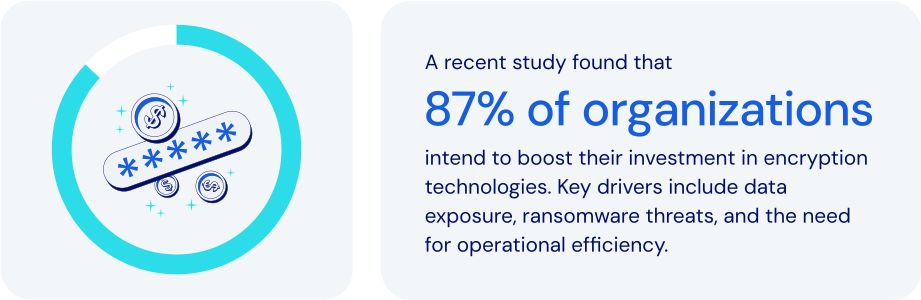
*Source: Everything Blockchain Inc. and Enterprise Strategy Group, 2024*
### How does password management fit in here?
Zero-Knowledge Encryption significantly enhances privacy and security. It is broadly used across critical applications in authentication, [passkeys](https://bitwarden.com/sv-se/resources/passkeys-faq/), digital signatures, and secure computations. Leading password and secrets management platforms leverage it as well. Specific features to look for:
- **Local encryption**: data is encrypted on the user's device before cloud storage, ensuring only the user holds the decryption key.
- **Master password usage**: a [master password](https://bitwarden.com/sv-se/blog/how-to-change-your-main-bitwarden-password/) or passkey serves as the exclusive key to encrypt and decrypt data. It is never stored or accessed by the provider.
- **PBKDF2 key strengthening**: derives encryption keys from user inputs using thousands of hashing iterations, enhancing resistance to brute-force attacks and supporting zero-knowledge encryption at scale.
- **End-to-end encryption (E2EE)**: ensures that data is [encrypted from each endpoint](https://bitwarden.com/sv-se/blog/why-end-to-end-encryption-is-crucial-for-developer-secrets-management/), whether in transit between devices and in storage, safeguarding against data breaches.
- **Secure credential sharing**: encrypted exchanges ensure that shared data remains protected. Only authorized recipients can access it.
- **Emergency access protocols**: securely enables trusted individuals to [recover critical credentials](https://bitwarden.com/sv-se/blog/bitwarden-launches-emergency-access/) without compromising zero-knowledge principles.
- **Vault timeout and auto-lock**: automatically locks access after inactivity, protecting data on potentially compromised or unattended devices.
Zero-Knowledge Encryption is such a powerful security model that no one—not even the password or secrets management provider itself—can access your stored data.
### How zero-knowledge encryption keeps today’s businesses safer
In today’s digital landscape, businesses face growing threats from data breaches, insider attacks, and credential theft. Implementing Zero-Knowledge Encryption is a crucial step in protecting sensitive data like passwords, customer information, and proprietary assets. It allows you to:
- **Maximize data privacy**: all data remains confidential and secure, even from other internal service provider threats as a core function of zero-knowledge encryption.
- **Mitigate data breach impact**: protects encrypted data from exposure, maintaining full security even if the encrypted data is stolen.
- **Enhance regulatory compliance**: supports adherence to stringent data privacy regulations including [ISO 27001](https://bitwarden.com/sv-se/resources/how-password-management-helps-companies-achieve-iso-27001-certification/), GDPR, [HIPAA](https://bitwarden.com/sv-se/blog/why-use-a-hipaa-compliant-password-manager/), [SOC 2](https://bitwarden.com/sv-se/resources/achieve-soc-2-password-compliance-with-bitwarden/), and PCI DSS.
- **Strengthen customer trust**: demonstrates a strong commitment to protecting sensitive customer data.
- **Safeguard critical credentials**: provides robust protection for even the most sensitive business credentials, including infrastructure secrets and proprietary information.
- **Support secure remote work**: enables secure credential access across various locations and devices without reliance on vulnerable methods.
- **Facilitate secure emergency access**: ensures authorized recovery of credentials during critical situations without compromising security.
- **Protect against supply chain attacks**: ensures all credentials remain secure, even if third-party infrastructure is compromised.
Businesses and organizations worldwide are employing Zero-Knowledge Encryption to enhance their security posture, manage sensitive data, and maintain rigorous privacy and [compliance standards](https://bitwarden.com/sv-se/compliance/).
### How Bitwarden leverages zero-knowledge encryption
Bitwarden is designed with Zero-Knowledge Encryption as its core security model. This architecture is fundamental to protecting passwords, secrets, and sensitive business data with unmatched privacy and security. No one—not even Bitwarden itself—can access or decrypt your stored data. Bitwarden integrates Zero-Knowledge Encryption through:
- **Comprehensive end-to-end encryption**: uses AES-256 to secure data every step of the way, from creation through transit to cloud storage.
- **Exclusive user-controlled master passwords**: uses strong, locally-held master passwords, with zero access by Bitwarden.
- **Secrets manager:** applies Zero-Knowledge Encryption to developer secrets, API keys, and CI/CD credentials.
- **Secure credential sharing tools**: provides encrypted, controlled access through [Bitwarden Send](https://bitwarden.com/sv-se/blog/bitwarden-send-how-it-works/) and team-based collections, where only the user and intended recipients are able to decrypt the data.
- **Robust emergency access capabilities**: securely facilitates business continuity through encrypted, designated recovery access processes. This is key as without a structured recovery mechanism, your data cannot be recovered.
- **Transparent, auditable**[**open source**](https://bitwarden.com/sv-se/blog/why-open-source-delivers-transparency-and-security-for-enterprises/)**architecture**: ensures continual verification and validation of its encryption methodology.
- **Self-hosting option for data sovereignty**: offers full control over encrypted data for organizations requiring the most stringent security controls, taking zero-knowledge even a step further by limiting data available outside their installation.
### The bottom line
By adopting Bitwarden, businesses gain an enterprise-ready solution that ensures data privacy, regulatory compliance, and peace of mind—all without compromising security or usability. It is the very definition of modern cybersecurity best practices.
Bitwarden uses the strongest encryption algorithm available anywhere. And because that encryption begins at the user’s device, you can be sure your data is fully encrypted before it ever leaves the endpoint. Just one more reason Bitwarden is regarded as the [most trusted name in password management](https://bitwarden.com/sv-se/media-spotlight/).
### What makes Bitwarden stand out from the pack?
Bitwarden goes above and beyond when it comes to encryption. Specifically:
- Bitwarden uses industry-standard encryption algorithms like AES-CBC and PBKDF2 SHA-256, along with advanced encryption algorithm options like Argon2. For more details, see the Bitwarden help article: [Security: Encryption](https://bitwarden.com/sv-se/help/what-encryption-is-used/).
- Bitwarden consistently encrypts all data within user vaults. Some password managers are known to not encrypt user URLs.
- Bitwarden uses multifactor encryption to provide additional server-side protection without forcing users to maintain additional passwords or secret keys. For more details, see these [Bitwarden blog posts: Bitwarden security fundamentals and multifactor encryption](https://bitwarden.com/sv-se/blog/bitwarden-security-fundamentals-and-multifactor-encryption/) and [Inside Bitwarden: The power of multifactor encryption](https://bitwarden.com/sv-se/blog/inside-bitwarden-the-power-of-multifactor-encryption/).
## Få kraftfull, pålitlig lösenordssäkerhet nu. Välj din plan.
## Personlig
### Enskild
**$0**
*per månad*
*Gratis för alltid - inget kreditkort krävs! *
Skaffa ett Bitwarden-valv
- Obegränsat antal enheter
- Hantering av lösenord
- Alla kärnfunktioner
- Alltid gratis
Dela valvobjekt med en annan användare.
[Kom igång idag](https://bitwarden.com/go/start-free/)
---
### Premie
**Less than $1**
*varje år*
*faktureras årligen*
Njut av premiumfunktioner
- Integrerad autentisering
- Bifogade filer
- Nödåtkomst
- Säkerhetsrapporter och mer
Dela valvobjekt med en annan användare
[Skapa ett premiumkonto](https://bitwarden.com/go/start-premium/)
---
### Familjer
**$3.33**
*per månad*
*Upp till 6 användare, 40 USD faktureras årligen*
Säkra dina familjeinloggningar
- 6 premiumkonton
- Obegränsad delning
- Obegränsade samlingar
- Organisationslagring
Dela valvobjekt mellan sex personer
[Starta gratis 7-dagars provperiod](https://bitwarden.com/go/start-families-trial/)
---
Priset visas i USD och baseras på en årsprenumeration. Skatter ingår ej.
## Företag
### Teams
*Robust skydd för team i tillväxt.*
**$4**
*per månad / per användare som faktureras årligen*
Premium features for all accounts, plus:
- Säker datadelning
- Händelseloggövervakning
- Katalogintegrering
- SCIM-stöd
Inkluderar premiumfunktioner för alla användare
[Starta en provversion](https://bitwarden.com/go/start-teams-trial/)
---
### Företag
*Avancerade funktioner för större organisationer*
**$6**
*per månad / per användare som faktureras årligen*
Teams features for all accounts, plus:
- Företagspolicyer
- Lösenordslös SSO
- Kontoåterställning
- Alternativ för självvärd
Inkluderar premiumfunktioner och gratis familjeplan för alla användare
[Starta en provversion](https://bitwarden.com/go/start-enterprise-trial/)
---
### Få en offert
*För företag med hundratals eller tusentals anställda kontakta försäljningen för en anpassad offert och se hur Bitwarden kan:*
- Minska cybersäkerhetsrisken
- Öka produktiviteten
- Integrera sömlöst
Bitwarden skalar med alla företagsstorlekar för att ge din organisation lösenordssäkerhet
[Kontakta försäljning](https://bitwarden.com/contact-sales/)
---
Priset visas i USD och baseras på en årsprenumeration. Skatter ingår ej.