---
URL: https://bitwarden.com/nl-nl/resources/10-tips-to-choosing-a-password-manager-for-your-team-webcast/
---
# On-Demand Webcast 10 Tips to Choosing a Password Manager for Your Team
Using a password manager individually is a security and productivity advantage for your digital life. Using a collaborative password manager at work can multiply those benefits across the organization.
Bringing a password manager to your company means driving buy-in, adoption, and ongoing enthusiasm for the solution.
We put together a webcast with tips we think are important when choosing a password manager for your team.
[](https://vimeo.com/432688741)
*[Watch on Vimeo](https://vimeo.com/432688741)*
If you don't have time to watch our web cast check out this [presentation](https://docs.google.com/presentation/d/e/2PACX-1vRLzuyOVaIto4eORdMKCTCtJIWIIyQELOs4K75S5srDgA7W5Ia1t36pXcLxfjJkALngy0ma2m4jwGi5/pub?start=false&loop=false&delayms=3000).
We have also compiled these tips as a document checklist [here](https://docs.google.com/document/d/1AQBeexuqlpKfbx_LV78-5-qwk_U2Zu_KJcIdOiPvvFU/edit).
## Profiteer nu van krachtige, vertrouwde wachtwoordbeveiliging. Kies uw plan.
## Persoonlijk
### Gratis
**$0**
*per maand*
*Altijd gratis*
Krijg een Bitwarden-kluis
- Onbeperkt aantal apparaten
- Beheer van wachtwoorden
- Alle kernfuncties
- Altijd gratis
Kluisitems met één andere gebruiker delen
[Begin vandaag](https://bitwarden.com/go/start-free/)
---
### Premium
**Less than $1**
*per maand*
*$10 jaarlijkse rekening*
Geniet van premium functies
- Bitwarden-authenticator
- Bestand bijlagen
- Noodtoegang
- Veiligheidsrapporten en meer
Kluisitems met één andere gebruiker delen
[Een premium account aanmaken](https://bitwarden.com/go/start-premium/)
---
### Gezinnen
**$3.33**
*per maand*
*Tot 6 gebruikers, $40 jaarlijkse rekening*
Inloggegevens van uw gezin beveiligen
- 6 premium-accounts
- Onbeperkt delen
- Onbeperkte collecties
- Opslag van de organisatie
Kluisitems tussen zes personen delen
[Gratis 7-daagse proefperiode beginnen](https://bitwarden.com/go/start-families-trial/)
---
De prijzen worden weergegeven in USD en zijn gebaseerd op een jaarabonnement. Belastingen niet inbegrepen.
## Bedrijf
### Teams
*Veerkrachtige bescherming voor groeiende teams*
**$4**
*per maand/per gebruiker, jaarlijkse rekening*
Deel gevoelige gegevens veilig met collega's, afdelingen of het hele bedrijf
- Gegevens veilig delen
- Gebeurtenislogboekbewaking
- Gidsintegratie
- SCIM-ondersteuning
Inclusief premium functies voor alle gebruikers
[Een proefperiode starten](https://bitwarden.com/go/start-teams-trial/)
---
### Enterprise
*Geavanceerde mogelijkheden voor grotere organisaties*
**$6**
*per maand/per gebruiker, jaarlijkse rekening*
Gebruik geavanceerde functies zoals bedrijfsbeleid, SSO zonder wachtwoord en accountherstel.
- Bedrijfsbeleid
- Wachtwoordloze SSO
- Account herstellen
- Zelf-host optie
Inclusief premium functies en gratis gezinsplan voor alle gebruikers
[Een proefperiode starten](https://bitwarden.com/go/start-enterprise-trial/)
---
### Een offerte aanvragen
*Voor bedrijven met honderden of duizenden werknemers, neem contact op met de verkoopafdeling voor een offerte op maat en ontdek hoe Bitwarden kan helpen:*
- Cyberbeveiligingsrisico's verminderen
- Productiviteit verhogen
- Naadloos integreren
Bitwarden schaalt met elk formaat bedrijf om wachtwoordbeveiliging naar uw organisatie te brengen
[Met de verkoopafdeling contact opnemen](https://bitwarden.com/contact-sales/)
---
Prijzen worden weergegeven in USD en zijn gebaseerd op een jaarabonnement
---
URL: https://bitwarden.com/nl-nl/resources/2021-password-decisions-survey/
---
# 2021 Password Decisions Survey
IT decision makers shed light on enterprise password management
---
## Thank you for your interest in the survey.
In a new survey of 400 US-based IT decision makers, 80 percent of respondents want their employers to mandate the use of an enterprise-wide password manager. The full results of the 2021 Password Decisions Survey shed light on the practical and logistical benefits of company standards for credential management.
Bitwarden partnered with Propeller Insights to poll 405 independent U.S.-based IT decision-makers across a wide range of industries, who play a key role in enterprise purchasing decisions. The findings illustrate 3 big themes:
- Employees want their employers to mandate the use of an enterprise-wide password manager
- IT decision-makers don’t always follow security best practices at work
- Two-factor authentication is highly favored for its effectiveness and versatility
## Download Full Survey
[Here](https://start.bitwarden.com/hubfs/PDF/2021-password-decisions-survey.pdf)
## Profiteer nu van krachtige, vertrouwde wachtwoordbeveiliging. Kies uw plan.
## Persoonlijk
### Gratis
**$0**
*per maand*
*Altijd gratis*
Krijg een Bitwarden-kluis
- Onbeperkt aantal apparaten
- Beheer van wachtwoorden
- Alle kernfuncties
- Altijd gratis
Kluisitems met één andere gebruiker delen
[Begin vandaag](https://bitwarden.com/go/start-free/)
---
### Premium
**Less than $1**
*per maand*
*$10 jaarlijkse rekening*
Geniet van premium functies
- Bitwarden-authenticator
- Bestand bijlagen
- Noodtoegang
- Veiligheidsrapporten en meer
Kluisitems met één andere gebruiker delen
[Een premium account aanmaken](https://bitwarden.com/go/start-premium/)
---
### Gezinnen
**$3.33**
*per maand*
*Tot 6 gebruikers, $40 jaarlijkse rekening*
Inloggegevens van uw gezin beveiligen
- 6 premium-accounts
- Onbeperkt delen
- Onbeperkte collecties
- Opslag van de organisatie
Kluisitems tussen zes personen delen
[Gratis 7-daagse proefperiode beginnen](https://bitwarden.com/go/start-families-trial/)
---
De prijzen worden weergegeven in USD en zijn gebaseerd op een jaarabonnement. Belastingen niet inbegrepen.
## Bedrijf
### Teams
*Veerkrachtige bescherming voor groeiende teams*
**$4**
*per maand/per gebruiker, jaarlijkse rekening*
Deel gevoelige gegevens veilig met collega's, afdelingen of het hele bedrijf
- Gegevens veilig delen
- Gebeurtenislogboekbewaking
- Gidsintegratie
- SCIM-ondersteuning
Inclusief premium functies voor alle gebruikers
[Een proefperiode starten](https://bitwarden.com/go/start-teams-trial/)
---
### Enterprise
*Geavanceerde mogelijkheden voor grotere organisaties*
**$6**
*per maand/per gebruiker, jaarlijkse rekening*
Gebruik geavanceerde functies zoals bedrijfsbeleid, SSO zonder wachtwoord en accountherstel.
- Bedrijfsbeleid
- Wachtwoordloze SSO
- Account herstellen
- Zelf-host optie
Inclusief premium functies en gratis gezinsplan voor alle gebruikers
[Een proefperiode starten](https://bitwarden.com/go/start-enterprise-trial/)
---
### Een offerte aanvragen
*Voor bedrijven met honderden of duizenden werknemers, neem contact op met de verkoopafdeling voor een offerte op maat en ontdek hoe Bitwarden kan helpen:*
- Cyberbeveiligingsrisico's verminderen
- Productiviteit verhogen
- Naadloos integreren
Bitwarden schaalt met elk formaat bedrijf om wachtwoordbeveiliging naar uw organisatie te brengen
[Met de verkoopafdeling contact opnemen](https://bitwarden.com/contact-sales/)
---
Prijzen worden weergegeven in USD en zijn gebaseerd op een jaarabonnement
---
URL: https://bitwarden.com/nl-nl/resources/2022-password-decisions-survey-newsletter-december-2021/
---
# December 2021 Spotlight: Password Decisions Survey
Welcome to the Bitwarden December newsletter, featuring product and company announcements, upcoming events, and top social fan favorites.
---
## Featured Article

To start, we have the results from our 2022 Password Decisions Survey. The survey sheds light on the practical and logistical benefits of company standards for password management. **Read the **[**Survey Overview**](https://bitwarden.com/nl-nl/blog/2022-password-decisions-survey/)** to learn more**.
## Enjoying this update? Subscribe today.
*Receive the latest product updates, hand-picked articles, community highlights, and more.*
[Contact form]
## More Bits and Bites

To learn more more about strategies for companies adopting passwordless technologies, read [Bitwarden and the Passwordless Revolution](https://bitwarden.com/nl-nl/blog/bitwarden-and-the-passwordless-revolution/).

For practical advice to keep your Bitwarden account safe, here are [7 Tips to Protect Your Bitwarden Account](https://bitwarden.com/nl-nl/blog/7-tips-to-protect-your-bitwarden-account/).

Access your vault from any browser anywhere using the fully-featured client on any device.[ Read the article](https://bitwarden.com/nl-nl/blog/why-the-bitwarden-web-vault-is-a-powerful-password-management-client/) to learn more.
## Industry News

**CISA Advice on Security Practices**
The Cybersecurity & Infrastructure Security Agency (CISA) offers [insights on what activities to be on the lookout for during the holiday season](https://www.cisa.gov/uscert/ncas/current-activity/2021/11/22/reminder-critical-infrastructure-stay-vigilant-against-threats). To help mitigate threats, CISA recommends using strong passwords and ensuring they are not reused across multiple accounts. This is a great reminder to leverage the [Bitwarden Vault Health Reports](https://bitwarden.com/nl-nl/help/reports/) feature to ensure your passwords are strong and unique.
## Upcoming Events

[**Open Source Security Summit**](https://hopin.com/events/open-source-security-summit-2021/registration)
**December 9th –– 9 am PT / 12 pm ET**
Registration is now open for the 2021 Open Source Security Summit! [Save your seat now](https://hopin.com/events/open-source-security-summit-2021/registration) for this free and virtual event featuring special guest speakers **Steve Wozniak, Nicole Perlroth, and Bruce Schneier**.
## Top Social Fan Favorites
You play an important role in contributing to a world free of breaches and hacks by sharing your knowledge and experience. Here are a couple of recent fan-favorite posts.
[Enjoying the Switch to Bitwarden](https://twitter.com/ChildishhAlbino/status/1465859632643985408)

[Spoiler: 2FA is very important](https://www.reddit.com/r/Bitwarden/comments/qxe8lo/why_2fa_is_very_important/)

That’s it for now. Let us know what you think about this newsletter including potential topics you’d like to see.
**Until next time,**
Team Bitwarden
## Profiteer nu van krachtige, vertrouwde wachtwoordbeveiliging. Kies uw plan.
## Persoonlijk
### Gratis
**$0**
*per maand*
*Altijd gratis*
Krijg een Bitwarden-kluis
- Onbeperkt aantal apparaten
- Beheer van wachtwoorden
- Alle kernfuncties
- Altijd gratis
Kluisitems met één andere gebruiker delen
[Begin vandaag](https://bitwarden.com/go/start-free/)
---
### Premium
**Less than $1**
*per maand*
*$10 jaarlijkse rekening*
Geniet van premium functies
- Bitwarden-authenticator
- Bestand bijlagen
- Noodtoegang
- Veiligheidsrapporten en meer
Kluisitems met één andere gebruiker delen
[Een premium account aanmaken](https://bitwarden.com/go/start-premium/)
---
### Gezinnen
**$3.33**
*per maand*
*Tot 6 gebruikers, $40 jaarlijkse rekening*
Inloggegevens van uw gezin beveiligen
- 6 premium-accounts
- Onbeperkt delen
- Onbeperkte collecties
- Opslag van de organisatie
Kluisitems tussen zes personen delen
[Gratis 7-daagse proefperiode beginnen](https://bitwarden.com/go/start-families-trial/)
---
De prijzen worden weergegeven in USD en zijn gebaseerd op een jaarabonnement. Belastingen niet inbegrepen.
## Bedrijf
### Teams
*Veerkrachtige bescherming voor groeiende teams*
**$4**
*per maand/per gebruiker, jaarlijkse rekening*
Deel gevoelige gegevens veilig met collega's, afdelingen of het hele bedrijf
- Gegevens veilig delen
- Gebeurtenislogboekbewaking
- Gidsintegratie
- SCIM-ondersteuning
Inclusief premium functies voor alle gebruikers
[Een proefperiode starten](https://bitwarden.com/go/start-teams-trial/)
---
### Enterprise
*Geavanceerde mogelijkheden voor grotere organisaties*
**$6**
*per maand/per gebruiker, jaarlijkse rekening*
Gebruik geavanceerde functies zoals bedrijfsbeleid, SSO zonder wachtwoord en accountherstel.
- Bedrijfsbeleid
- Wachtwoordloze SSO
- Account herstellen
- Zelf-host optie
Inclusief premium functies en gratis gezinsplan voor alle gebruikers
[Een proefperiode starten](https://bitwarden.com/go/start-enterprise-trial/)
---
### Een offerte aanvragen
*Voor bedrijven met honderden of duizenden werknemers, neem contact op met de verkoopafdeling voor een offerte op maat en ontdek hoe Bitwarden kan helpen:*
- Cyberbeveiligingsrisico's verminderen
- Productiviteit verhogen
- Naadloos integreren
Bitwarden schaalt met elk formaat bedrijf om wachtwoordbeveiliging naar uw organisatie te brengen
[Met de verkoopafdeling contact opnemen](https://bitwarden.com/contact-sales/)
---
Prijzen worden weergegeven in USD en zijn gebaseerd op een jaarabonnement
---
URL: https://bitwarden.com/nl-nl/resources/2022-password-decisions-survey/
---
# 2022 enquête over wachtwoordbeslissingen
IT-beslissers werpen licht op wachtwoordbeheer voor ondernemingen
---
## What will you learn in the 2022 Password Decisions Survey?
The 2022 Password Decisions Survey posed questions to IT decision makers about password sharing practices, technologies in use, security risks, and the Great Resignation. While there are bright spots, password and security practices remain a challenge many companies still need to address.
## Download Full Survey
[Here](https://start.bitwarden.com/hubfs/PDF/2022-password-decisions-survey.pdf)

In November 2021, Bitwarden partnered with Propeller Insights to poll over 400 independent IT decision makers across a wide range of industries who play a key role in enterprise purchasing decisions. The findings show an uptick in password manager usage, indicating its increasingly mainstream appeal. Concurrently, IT decision makers continue to struggle with adhering to security best practices and express security-related unease about remote work.
While password best practices are improving among IT decision makers, there is still a long way to go:
- 2FA (two-factor authentication) is now mainstream, with 88% of respondents using it at work
- Despite the increase in password manager use and 2FA, more than half (53%) of IT decision makers still share passwords with colleagues via email, a 14% jump from last year due in part to the sudden shift to remote work
- Nearly half (41%) share passwords over chat and 31% share passwords in conversation

Ransomware, phishing, and cyberattacks continue, yet many organizations still lack a mitigation strategy:
- More than half (54%) of IT decision makers admit their organization has experienced a cyberattack
- While two-thirds of organizations have a ransomware mitigation strategy in place, 25% do not have one or are not sure
- Phishing attacks remain a scourge: emails purporting to be from financial institutions (35%) or a government entity (22%) are the most common

Remote work and the Great Resignation are impacting cybersecurity:
- Almost two-thirds (61%) of respondents are “more concerned” about cybersecurity this year and attribute this to the fear that employees working remotely may be more lax about their overall security hygiene
- Almost half (48%) are working more hours than last year, with 58% faulting turnover (29%) and difficulty hiring (29%) as the primary culprits

## Profiteer nu van krachtige, vertrouwde wachtwoordbeveiliging. Kies uw plan.
## Persoonlijk
### Gratis
**$0**
*per maand*
*Altijd gratis*
Krijg een Bitwarden-kluis
- Onbeperkt aantal apparaten
- Beheer van wachtwoorden
- Alle kernfuncties
- Altijd gratis
Kluisitems met één andere gebruiker delen
[Begin vandaag](https://bitwarden.com/go/start-free/)
---
### Premium
**Less than $1**
*per maand*
*$10 jaarlijkse rekening*
Geniet van premium functies
- Bitwarden-authenticator
- Bestand bijlagen
- Noodtoegang
- Veiligheidsrapporten en meer
Kluisitems met één andere gebruiker delen
[Een premium account aanmaken](https://bitwarden.com/go/start-premium/)
---
### Gezinnen
**$3.33**
*per maand*
*Tot 6 gebruikers, $40 jaarlijkse rekening*
Inloggegevens van uw gezin beveiligen
- 6 premium-accounts
- Onbeperkt delen
- Onbeperkte collecties
- Opslag van de organisatie
Kluisitems tussen zes personen delen
[Gratis 7-daagse proefperiode beginnen](https://bitwarden.com/go/start-families-trial/)
---
De prijzen worden weergegeven in USD en zijn gebaseerd op een jaarabonnement. Belastingen niet inbegrepen.
## Bedrijf
### Teams
*Veerkrachtige bescherming voor groeiende teams*
**$4**
*per maand/per gebruiker, jaarlijkse rekening*
Deel gevoelige gegevens veilig met collega's, afdelingen of het hele bedrijf
- Gegevens veilig delen
- Gebeurtenislogboekbewaking
- Gidsintegratie
- SCIM-ondersteuning
Inclusief premium functies voor alle gebruikers
[Een proefperiode starten](https://bitwarden.com/go/start-teams-trial/)
---
### Enterprise
*Geavanceerde mogelijkheden voor grotere organisaties*
**$6**
*per maand/per gebruiker, jaarlijkse rekening*
Gebruik geavanceerde functies zoals bedrijfsbeleid, SSO zonder wachtwoord en accountherstel.
- Bedrijfsbeleid
- Wachtwoordloze SSO
- Account herstellen
- Zelf-host optie
Inclusief premium functies en gratis gezinsplan voor alle gebruikers
[Een proefperiode starten](https://bitwarden.com/go/start-enterprise-trial/)
---
### Een offerte aanvragen
*Voor bedrijven met honderden of duizenden werknemers, neem contact op met de verkoopafdeling voor een offerte op maat en ontdek hoe Bitwarden kan helpen:*
- Cyberbeveiligingsrisico's verminderen
- Productiviteit verhogen
- Naadloos integreren
Bitwarden schaalt met elk formaat bedrijf om wachtwoordbeveiliging naar uw organisatie te brengen
[Met de verkoopafdeling contact opnemen](https://bitwarden.com/contact-sales/)
---
Prijzen worden weergegeven in USD en zijn gebaseerd op een jaarabonnement
---
URL: https://bitwarden.com/nl-nl/resources/2022-report-sheds-light-on-evolving-enterprise-password-management/
---
# Rapport uit 2022 werpt licht op evoluerende strategieën voor wachtwoordbeheer door ondernemingen
De nieuwste trends op het gebied van wachtwoordbeheer van besluitvormers op het gebied van bedrijfsbeveiliging
---
451 Research, a division of S&P Global Market Intelligence Report, polled 400 enterprise security decision makers in the United States, United Kingdom, Japan, and Australia to understand enterprise adoption trends and password management preferences. Questions examined spending patterns, use cases, and sentiment of password managers, adoption, and standards.
As professionals actively seek to further mitigate the risks of cyber attacks in today’s interconnected world, results of the survey provide guidance on and understanding of current trends.
[Download the full report](https://start.bitwarden.com/hubfs/PDF/security-intentions-and-the-persistence-of-passwords.pdf)
[Read the blog](https://bitwarden.com/nl-nl/blog/451-research-password-management-report-a-new-asset-for-security-champions/)
## 7 key survey takeaways
#### **Security Concerns**
**1.**When it comes to password adoption, security concerns drive adoption more than convenience and user experience.
**2.**Despite confidence in password policies to stave off security threats, performing password audits isn’t yet commonplace.
> “About two in five (41%) respondents said they do not audit for password strength or reuse.”
> *-Page 6, Security Intentions and the Persistence of Passwords*

#### **Remote Work**
**3.**Risk is not commensurate with usage: third parties and remote workers are considered the highest risk user group, yet paradoxically the least likely to be deployed password management tools.
**4.**Remote work has made password management the most popular security technology, ahead of email security and remote access solutions.
> “More than half (57%) of all respondents use password management. Another 15% said they would be adopting password management.”
> *-Page 1, Security Intentions and the Persistence of Passwords*

#### **SSO**
**5.** The sheer number of and nature of modern-day applications means passwords have serious staying power - and security technologies need to reflect this.
> “A majority (55%) of respondents said password ubiquity keeps enterprises using passwords. Meanwhile, 56% of USA respondents said that only 34%-66% of their apps use single sign-on (SSO). Many apps not using SSO means more username and password combinations.”
> *-Page 2, Security Intentions and the Persistence of Passwords*

#### **Passwordless**
**6.** Passwordless authentication checks boxes for user experience and security.
> “It is not a panacea yet, given that the number of non-SSO-compliant applications being added is increasing faster than ever."
> *-Page 7, Security Intentions and the Persistence of Passwords*
> **
**7.**Passwordless still retains a broad umbrella definition for IT decision makers
For full survey results, [download the Security Intentions and the Persistence of Passwords report](https://start.bitwarden.com/hubfs/PDF/security-intentions-and-the-persistence-of-passwords.pdf).
## Profiteer nu van krachtige, vertrouwde wachtwoordbeveiliging. Kies uw plan.
## Persoonlijk
### Gratis
**$0**
*per maand*
*Altijd gratis*
Krijg een Bitwarden-kluis
- Onbeperkt aantal apparaten
- Beheer van wachtwoorden
- Alle kernfuncties
- Altijd gratis
Kluisitems met één andere gebruiker delen
[Begin vandaag](https://bitwarden.com/go/start-free/)
---
### Premium
**Less than $1**
*per maand*
*$10 jaarlijkse rekening*
Geniet van premium functies
- Bitwarden-authenticator
- Bestand bijlagen
- Noodtoegang
- Veiligheidsrapporten en meer
Kluisitems met één andere gebruiker delen
[Een premium account aanmaken](https://bitwarden.com/go/start-premium/)
---
### Gezinnen
**$3.33**
*per maand*
*Tot 6 gebruikers, $40 jaarlijkse rekening*
Inloggegevens van uw gezin beveiligen
- 6 premium-accounts
- Onbeperkt delen
- Onbeperkte collecties
- Opslag van de organisatie
Kluisitems tussen zes personen delen
[Gratis 7-daagse proefperiode beginnen](https://bitwarden.com/go/start-families-trial/)
---
De prijzen worden weergegeven in USD en zijn gebaseerd op een jaarabonnement. Belastingen niet inbegrepen.
## Bedrijf
### Teams
*Veerkrachtige bescherming voor groeiende teams*
**$4**
*per maand/per gebruiker, jaarlijkse rekening*
Deel gevoelige gegevens veilig met collega's, afdelingen of het hele bedrijf
- Gegevens veilig delen
- Gebeurtenislogboekbewaking
- Gidsintegratie
- SCIM-ondersteuning
Inclusief premium functies voor alle gebruikers
[Een proefperiode starten](https://bitwarden.com/go/start-teams-trial/)
---
### Enterprise
*Geavanceerde mogelijkheden voor grotere organisaties*
**$6**
*per maand/per gebruiker, jaarlijkse rekening*
Gebruik geavanceerde functies zoals bedrijfsbeleid, SSO zonder wachtwoord en accountherstel.
- Bedrijfsbeleid
- Wachtwoordloze SSO
- Account herstellen
- Zelf-host optie
Inclusief premium functies en gratis gezinsplan voor alle gebruikers
[Een proefperiode starten](https://bitwarden.com/go/start-enterprise-trial/)
---
### Een offerte aanvragen
*Voor bedrijven met honderden of duizenden werknemers, neem contact op met de verkoopafdeling voor een offerte op maat en ontdek hoe Bitwarden kan helpen:*
- Cyberbeveiligingsrisico's verminderen
- Productiviteit verhogen
- Naadloos integreren
Bitwarden schaalt met elk formaat bedrijf om wachtwoordbeveiliging naar uw organisatie te brengen
[Met de verkoopafdeling contact opnemen](https://bitwarden.com/contact-sales/)
---
Prijzen worden weergegeven in USD en zijn gebaseerd op een jaarabonnement
---
URL: https://bitwarden.com/nl-nl/resources/2023-password-decisions-survey-results/
---
# 2023 Wachtwoord Beslissingen Enquête Resultaten
IT-beslissers werpen een licht op wachtwoordbeheer binnen de onderneming.
---
## What will you learn in the 2023 Password Decisions Survey?
Bitwarden polled independent IT decision-makers across a range of industries who play a key role in enterprise purchasing decisions. This year’s findings show that passwordless technology is making its foray into business workflows, IT decision makers continue to look to the C-Suite to drive adoption of password management technologies, and that security concerns are influencing business decisions.
[**Download the full report**](https://start.bitwarden.com/hubfs/PDF/2023-password-decisions-survey.pdf)
## Passwordless technology is here
A majority (49%) of respondents are deploying or have plans to deploy passwordless technology.
- Of that percentage, two-thirds (66%) have 1-2 user groups or multiple teams going passwordless
- Around half (51%) are relying on the ‘something you are’ (biometrics, facial recognition, fingerprint, voice) form of passwordless authentication
- Overall, 41% say ‘better security’ is the primary reason to deploy passwordless technology

## Employees are seeking direction from the C-Suite
- A large majority (79%) of IT decision makers want their employer to require employees to use the same password manager across the organization
- When asked what makes a good password manager, 60% cite security, 56% cite the availability of two-factor authentication (2FA), and 40% cite ease-of-use

Most IT decision makers want their employer to require all employees to use the same password manager throughout the organization.
Note to employers: if offered a complementary family account, 71% said they’d also be very likely to use a password manager at home.
## Rise in cyberattacks and ransomware influences security spending and strategies
- A majority (60%) report their organization experienced a cyberattack within the past year and 49% report struggling with employees who use unauthorized devices or software without IT’s approval.
- Most (80%, up from 75% last year) report having a ransomware mitigation strategy
- Three-fourths report their organization has cyber insurance

## Did you know?
65% of respondents reported they were required to demonstrate they offered cyber awareness training to employees when they applied for cyber insurance and 61% had to demonstrate use of a password manager.
## Additional Resources
Read the blog for a more in-depth analysis of the [2023 Password Decisions Survey](https://bitwarden.com/nl-nl/blog/password-decisions-survey-2023/) results
View the full report: [2022 Password Decisions Survey](https://start.bitwarden.com/hubfs/PDF/2022-password-decisions-survey.pdf)
View the full report: [2021 Password Decisions Survey](https://start.bitwarden.com/hubfs/PDF/2021-password-decisions-survey.pdf)
Check out [The Survey Room](https://bitwarden.com/nl-nl/resources/the-survey-room/) for additional cybersecurity research
## Beveilig uw bedrijfsgegevens met end-to-end encryptie
Kies het juiste Bitwarden-plan voor uw bedrijf en probeer het vandaag nog gratis 7 dagen uit.
### Premium
**Less than $1**
*per maand*
*$10 jaarlijkse rekening*
Geniet van premium functies
- Bitwarden-authenticator
- Bestand bijlagen
- Noodtoegang
- Veiligheidsrapporten en meer
Kluisitems met één andere gebruiker delen
[Een premium account aanmaken](https://bitwarden.com/go/start-premium/)
---
### Gezinnen
**$3.33**
*per maand*
*Tot 6 gebruikers, $40 jaarlijkse rekening*
Inloggegevens van uw gezin beveiligen
- 6 premium-accounts
- Onbeperkt delen
- Onbeperkte collecties
- Opslag van de organisatie
Kluisitems tussen zes personen delen
[Gratis 7-daagse proefperiode beginnen](https://bitwarden.com/go/start-families-trial/)
---
### Bedrijfsplannen
**Starting at $4**
*per gebruiker/maand*
*Onbeperkt aantal gebruikers*
Geniet van zakelijke functies
- Onbeperkte collecties en kluisitems
- Tools voor directory-synchronisatie
- Zelf hosten, SSO-integratie, beleidsregels en meer inbegrepen in het Enterprise-plan
[Gratis 7-daagse proefperiode beginnen](https://bitwarden.com/go/start-secrets-teams-trial/)
---
Prijzen weergegeven in USD en gebaseerd op een jaarabonnement
---
URL: https://bitwarden.com/nl-nl/resources/2024-cybersecurity-pulse-survey/
---
# Bitwarden 2024 Cybersecurity Pulse Survey
Discover what keeps IT and cyber professionals up at night.
---
## What will you learn in the 2024 Cybersecurity Pulse Survey?
Bitwarden partnered with Researchscape International to survey over 1,100 IT and cybersecurity leaders across various industries, revealing the latest cybersecurity trends and threats. This year’s findings underscore rising concerns about generative AI risks, third-party supply chain vulnerabilities, and sophisticated social engineering tactics.
Despite increasingly advanced threats, consensus remains clear: mastering cybersecurity fundamentals, starting with strong password habits, is the best defense. IT decision makers agree that password managers remain a critical part of their security strategy, both at work and at home.
View the [**full presentation**](https://docs.google.com/presentation/d/1liu7z5Fqh-Rd3rdm9cy845J0mELMBMnC7nDcE-qnBZQ/edit#slide=id.g30e0c636176_0_59).
## Password managers play a critical role in security
- An overwhelming majority (92%) of respondents moderately or strongly agree that password managers are essential to their organization’s cybersecurity strategy.
- 63% of respondents agree that, without a password manager, their IT teams would struggle to teach and enforce best practices across their organizations.
- 79% of respondents have recommended using a password manager to family members, underscoring the universal benefits of this tool.

Passwordless authentication is also popular in the workplace - just 3% of respondents reported using no form of passwordless authentication at their company.
## Generative AI poses a significant threat
- 89% of respondents expressed concern over the security risks associated with employees incorporating generative AI into their daily workflows.
- 63% find it moderately or very challenging to maintain a strong security posture as more employees use generative AI tools.

Learn more about how organizations can balance innovation and data security in the age of AI in this [free eBook](https://bitwarden.com/nl-nl/data-security-in-age-of-ai/).
## Cybersecurity threats concern IT decision makers and business leadership alike
- 96% of business leaders discuss cybersecurity at least every month, and nearly half talk about it daily or multiple times a day.
- 55% of respondents expressed high concern about third-party supply chain attacks originating from vendors, partners, or customers.

## Read more:
[Building a cybersecurity culture in the workplace](https://bitwarden.com/nl-nl/blog/building-a-cybersecurity-culture-in-the-workplace/)
## Social engineering tactics are getting smarter
- Impersonation-based phishing attempts come in many forms; 46% of respondents reported receiving a phishing scam posing as their bank, 41% as their financial institution, and 36% as a government entity.
- 92% of companies have invested in cybersecurity training for their employees on best practices to identify and defend against social engineering scams.

## Read more:
[What to do if you think one of your online accounts has been hacked](https://bitwarden.com/nl-nl/blog/what-to-do-if-you-get-hacked/)
## Profiteer nu van krachtige, vertrouwde wachtwoordbeveiliging. Kies uw plan.
## Persoonlijk
### Gratis
**$0**
*per maand*
*Altijd gratis*
Krijg een Bitwarden-kluis
- Onbeperkt aantal apparaten
- Beheer van wachtwoorden
- Alle kernfuncties
- Altijd gratis
Kluisitems met één andere gebruiker delen
[Begin vandaag](https://bitwarden.com/go/start-free/)
---
### Premium
**Less than $1**
*per maand*
*$10 jaarlijkse rekening*
Geniet van premium functies
- Bitwarden-authenticator
- Bestand bijlagen
- Noodtoegang
- Veiligheidsrapporten en meer
Kluisitems met één andere gebruiker delen
[Een premium account aanmaken](https://bitwarden.com/go/start-premium/)
---
### Gezinnen
**$3.33**
*per maand*
*Tot 6 gebruikers, $40 jaarlijkse rekening*
Inloggegevens van uw gezin beveiligen
- 6 premium-accounts
- Onbeperkt delen
- Onbeperkte collecties
- Opslag van de organisatie
Kluisitems tussen zes personen delen
[Gratis 7-daagse proefperiode beginnen](https://bitwarden.com/go/start-families-trial/)
---
De prijzen worden weergegeven in USD en zijn gebaseerd op een jaarabonnement. Belastingen niet inbegrepen.
## Bedrijf
### Teams
*Veerkrachtige bescherming voor groeiende teams*
**$4**
*per maand/per gebruiker, jaarlijkse rekening*
Deel gevoelige gegevens veilig met collega's, afdelingen of het hele bedrijf
- Gegevens veilig delen
- Gebeurtenislogboekbewaking
- Gidsintegratie
- SCIM-ondersteuning
Inclusief premium functies voor alle gebruikers
[Een proefperiode starten](https://bitwarden.com/go/start-teams-trial/)
---
### Enterprise
*Geavanceerde mogelijkheden voor grotere organisaties*
**$6**
*per maand/per gebruiker, jaarlijkse rekening*
Gebruik geavanceerde functies zoals bedrijfsbeleid, SSO zonder wachtwoord en accountherstel.
- Bedrijfsbeleid
- Wachtwoordloze SSO
- Account herstellen
- Zelf-host optie
Inclusief premium functies en gratis gezinsplan voor alle gebruikers
[Een proefperiode starten](https://bitwarden.com/go/start-enterprise-trial/)
---
### Een offerte aanvragen
*Voor bedrijven met honderden of duizenden werknemers, neem contact op met de verkoopafdeling voor een offerte op maat en ontdek hoe Bitwarden kan helpen:*
- Cyberbeveiligingsrisico's verminderen
- Productiviteit verhogen
- Naadloos integreren
Bitwarden schaalt met elk formaat bedrijf om wachtwoordbeveiliging naar uw organisatie te brengen
[Met de verkoopafdeling contact opnemen](https://bitwarden.com/contact-sales/)
---
Prijzen worden weergegeven in USD en zijn gebaseerd op een jaarabonnement
---
URL: https://bitwarden.com/nl-nl/resources/451-research-newsletter-june-2022/
---
# Juni 2022 Spotlight: 451 Onderzoek Wachtwoordbeheer Rapport
Als wachtwoorden het primaire doel zijn van cybercriminelen, wat doen organisaties dan om de gegevens van medewerkers en bedrijven te beschermen? Het nieuwste onderzoek naar wachtwoordbeheer door 451 Research werpt licht op deze vraag.
---
## Featured Articles

To understand enterprise password management preferences and adoption trends, research and advisory firm 451 Research (part of S&P Global Market Intelligence) recently conducted a global study that polled senior enterprise security leaders in the United States, United Kingdom, Japan, and Australia. According to 51% of U.S. survey respondents, **preventing credential theft and account takeover attacks is the top reason for adopting password managers. **These findings offer guidance on navigating challenges and strengthening online security in the workplace. Visit our blog to [access the full report](https://bitwarden.com/nl-nl/blog/451-research-password-management-report-a-new-asset-for-security-champions/).

We're thrilled to share that Bitwarden has been recognized as a champion in the 2022 Password Management Emotional Footprint report from SoftwareReviews (a division of Info-Tech Research Group). This report is based entirely on real user reviews and is free of traditional ranking components such as market presence and analyst opinions. Bitwarden received high scores for customer experience, reliability, and product effectiveness. [Open the full report](https://start.bitwarden.com/hubfs/PDF/2022-pm-emotional-footprint-report.pdf) to learn more.
## Enjoying this update? Subscribe today.
*Receive the latest product updates, hand-picked articles, community highlights, and more.*
[Contact form]
## More Bits and Bites
1. [**Link Vault Item URLs for Quick Lookup and Sharing**
](https://bitwarden.com/nl-nl/blog/link-vault-item-urls-for-quick-lookup-and-sharing/)
Bitwarden users can now link directly to items within the Web Vault via URLs. This handy new feature offers convenience for team members, administrators, and individual users alike. Here’s how it works – you open up a shared item in your Vault, copy the unique URL for that item in your browser, and voilà! Now you can paste and share that URL with other employees that have access to the item to make collaboration faster and easier. [Read the article](https://bitwarden.com/nl-nl/blog/link-vault-item-urls-for-quick-lookup-and-sharing/) to learn more.
2. [**Add Privacy and Security Using Email Aliases**](https://bitwarden.com/nl-nl/blog/add-privacy-and-security-using-email-aliases-with-bitwarden/)
Bitwarden is introducing new integration options with three popular email forwarding services: **SimpleLogin**, **AnonAddy**, and **Firefox Relay**. Also known as a masked email, an email alias is an address with the purpose of forwarding any message it receives to your personal email. The combination of using email aliases alongside a password manager adds multiple layers of protection online. These new services can now be integrated in your Vault to enhance the level of privacy and security of your account. [Read the article](https://bitwarden.com/nl-nl/blog/add-privacy-and-security-using-email-aliases-with-bitwarden/) to learn more about these new integration options.
3. [**Configuring Bitwarden Clients for Offline Access**](https://bitwarden.com/nl-nl/blog/configuring-bitwarden-clients-for-offline-access/)
As long as you remain logged in, Bitwarden will cache a copy of your encrypted vault on your device. This means that even if you lose connectivity, you can still decrypt and access your Vault items. Offline access with Bitwarden is read-only, write access is available while online. [Learn more](https://bitwarden.com/nl-nl/blog/configuring-bitwarden-clients-for-offline-access/) about how to configure your Bitwarden applications for offline access by visiting our blog.
4. [**Shop the Bitwarden Store**
](https://bitwarden-shop.myshopify.com/)
The Bitwarden store is now open so come grab some cool merch! You can check out the store by going to [bitwarden.com/shop](https://bitwarden-shop.myshopify.com/).
## Top Social Favorites

Did you know about this fun fact? Special thanks to [u/Korat24](https://www.reddit.com/r/Bitwarden/comments/usgbl2/fun_fact_you_can_drag_and_drop_the_details_into/) for spreading the 'drag and drop' knowledge with the [r/Bitwarden](https://www.reddit.com/r/Bitwarden/comments/usgbl2/fun_fact_you_can_drag_and_drop_the_details_into/) community on Reddit. This is a tip worth saving!

The teams at [@TwistWork](https://twitter.com/twistwork) and [@Doist](https://twitter.com/doist) recently released their Async Toolkit which recommends the best tools for asynchronous collaboration and security, including Bitwarden! [Check out the toolkit](https://async.twist.com/async-collaboration-toolkit/) on their website to learn more.
## Updates voor de gemeenschap

Registreer je nu voor het [Bitwarden Community Forum](https://www.crowdcast.io/e/bitwarden-community) op 23 juni om 12PM ET-een virtuele, open plek voor feedback, vragen en het delen van succesverhalen! Kun je dit evenement niet bijwonen? Geen probleem. Schrijf je vandaag nog in en we sturen je later de opname om on demand te bekijken.
Hier zijn enkele andere manieren waarop u betrokken kunt raken bij de Bitwarden-community:
- **Help vertalen:**Sluit u aan bij de [Crowdin-gemeenschap](https://bitwarden.com/nl-nl/http://bitwarden.com/translate/) die Bitwarden heeft helpen vertalen in meer dan 50 talen over de hele wereld.
- **Beta-feedback**: [Test en deel feedback](https://bitwarden.com/nl-nl/help/secrets-manager-beta/) over de mobiele apps van Bitwarden voordat ze worden vrijgegeven in de app store.
- **Word een Power User**: Bekijk de on-demand trainingen in het [Bitwarden Learning Center](https://bitwarden.com/nl-nl/learning/). Door een Power User te worden, kunt u anderen in de community helpen hun online beveiliging te verbeteren.
- **Volg ons live:**Volg [BitwardenLive](https://www.twitch.tv/bitwardenlive) op Twitch om op de hoogte te blijven van live-evenementen, of registreer je voor komende lezingen en productdemonstraties op de pagina [Evenementen](https://bitwarden.com/nl-nl/events/).
That’s it for now. Let us know what you think about this newsletter including potential topics you’d like to see.
**Until next time,**
Team Bitwarden
## Profiteer nu van krachtige, vertrouwde wachtwoordbeveiliging. Kies uw plan.
## Persoonlijk
### Gratis
**$0**
*per maand*
*Altijd gratis*
Krijg een Bitwarden-kluis
- Onbeperkt aantal apparaten
- Beheer van wachtwoorden
- Alle kernfuncties
- Altijd gratis
Kluisitems met één andere gebruiker delen
[Begin vandaag](https://bitwarden.com/go/start-free/)
---
### Premium
**Less than $1**
*per maand*
*$10 jaarlijkse rekening*
Geniet van premium functies
- Bitwarden-authenticator
- Bestand bijlagen
- Noodtoegang
- Veiligheidsrapporten en meer
Kluisitems met één andere gebruiker delen
[Een premium account aanmaken](https://bitwarden.com/go/start-premium/)
---
### Gezinnen
**$3.33**
*per maand*
*Tot 6 gebruikers, $40 jaarlijkse rekening*
Inloggegevens van uw gezin beveiligen
- 6 premium-accounts
- Onbeperkt delen
- Onbeperkte collecties
- Opslag van de organisatie
Kluisitems tussen zes personen delen
[Gratis 7-daagse proefperiode beginnen](https://bitwarden.com/go/start-families-trial/)
---
De prijzen worden weergegeven in USD en zijn gebaseerd op een jaarabonnement. Belastingen niet inbegrepen.
## Bedrijf
### Teams
*Veerkrachtige bescherming voor groeiende teams*
**$4**
*per maand/per gebruiker, jaarlijkse rekening*
Deel gevoelige gegevens veilig met collega's, afdelingen of het hele bedrijf
- Gegevens veilig delen
- Gebeurtenislogboekbewaking
- Gidsintegratie
- SCIM-ondersteuning
Inclusief premium functies voor alle gebruikers
[Een proefperiode starten](https://bitwarden.com/go/start-teams-trial/)
---
### Enterprise
*Geavanceerde mogelijkheden voor grotere organisaties*
**$6**
*per maand/per gebruiker, jaarlijkse rekening*
Gebruik geavanceerde functies zoals bedrijfsbeleid, SSO zonder wachtwoord en accountherstel.
- Bedrijfsbeleid
- Wachtwoordloze SSO
- Account herstellen
- Zelf-host optie
Inclusief premium functies en gratis gezinsplan voor alle gebruikers
[Een proefperiode starten](https://bitwarden.com/go/start-enterprise-trial/)
---
### Een offerte aanvragen
*Voor bedrijven met honderden of duizenden werknemers, neem contact op met de verkoopafdeling voor een offerte op maat en ontdek hoe Bitwarden kan helpen:*
- Cyberbeveiligingsrisico's verminderen
- Productiviteit verhogen
- Naadloos integreren
Bitwarden schaalt met elk formaat bedrijf om wachtwoordbeveiliging naar uw organisatie te brengen
[Met de verkoopafdeling contact opnemen](https://bitwarden.com/contact-sales/)
---
Prijzen worden weergegeven in USD en zijn gebaseerd op een jaarabonnement
---
URL: https://bitwarden.com/nl-nl/resources/90-adoption-across-220-employees-in-4-months-one-agencys-success-story/
---
# 90% adoption across 220 employees in 4 months: one agency's success story
Facing rapid business growth, this marketing agency recognized that their existing password documents created serious risks and needed an enterprise-grade solution fast.
---
## Selecting Bitwarden
After evaluating several options, the agency selected Bitwarden Password Manager based on four primary factors:
- **Security**: The need to transition away from insecure password documents
- **Efficiency**: Updating shared passwords in a centralized vault instead of the cumbersome process of updating a document and everyone needing to log in again
- **Financial benefits**: Potential for lower insurance premiums through enhanced security practices
- **Competitive advantage**: Superior configurability and less intrusive user experience compared to alternatives like LastPass
Their decision was heavily influenced by the strong Bitwarden reputation within security communities (including forums and Reddit), robust admin features for password management and encryption, and preference for a cloud-based system over local solutions like KeePass.
## Read more:
[Why Bitwarden is the right password manager for global enterprises](https://bitwarden.com/nl-nl/blog/bitwarden-is-the-password-manager-for-global-enterprises/)
## The implementation environment
The agency’s technology ecosystem includes Google Workspace as its primary productivity suite. Their implementation approach incorporates:
- Small-team, working meetings via Google Meet to setup and introduce Bitwarden
- Custom video tutorials to support the training process
- Internal wikis for documentation (including a specialized wiki for Bitwarden resources)
## Password security change management
Rather than rushing deployment, the agency structured its rollout around changing their culture of security. This approach began with:
- **Building urgency** - The organization emphasized security importance, highlighting impacts to:
- Board security reporting requirements
- Insurance premium reductions through better security practices
- Company-wide vulnerability if any one person is compromised
- **Forming a coalition **
- A senior IT leader led the initiative as primary champion
- Support from a small team including senior technical staff
- Backing from executive leadership
- **Creating a clear vision**
- Communicated at all-hands meeting and follow-up email
- Goal: Eliminate password documents and plain text password sharing
- Emphasized benefits: shared vaults, automatic updates, autofill capability
- **Implementation approach**
- Rolled out team-by-team over 4 months
- Started with technical teams, then moved to less technical departments
- Prioritized teams with immediate password needs first
- Completed final implementations in Q1 2025
- **Training and adoption strategy**
- Small group training sessions (about 10 people per session)
- 30-minute hands-on training with screen sharing
- Every employee participated in approximately 25 total sessions
- The primary champion personally led all training sessions to emphasize importance
- **Maintaining adoption**
- Planning policies in Google Workspace to scan for password sharing
- Creating internal wiki articles for common use cases
- Celebrating short-term wins that demonstrate progress towards the larger change vision
- Removing legacy password documents to prevent regression
## Read more:
[How to foster user adoption for your new company password manager](https://bitwarden.com/nl-nl/blog/user-adoption-for-company-password-manager/)
## Clear communication channels
The rollout kicked off with an all-hands virtual meeting to introduce Bitwarden, followed by detailed email communications outlining the plan and objectives. An internal wiki served as the central hub for all onboarding resources, and feedback was actively collected through wiki comments and direct messages.
The implementation followed a team-by-team approach over four months, starting with technical teams before expanding to the rest of the organization.
## Practical implementation details
The organization used a multi-pronged approach to implementation:
- **Browser extension support**: Beyond simply mandating installation, the team provided browser-specific visual guides and hosted 1:1 live training sessions where employees set up together and where admin verified proper configuration.
- **Troubleshooting common issues**: The team proactively addressed friction points like conflicting autofill prompts between Bitwarden and native browser password managers. A dedicated Google Chat channel offered quick support for password-related challenges, preventing technical issues from derailing adoption.
- **Security policy alignment:**Password policies were updated to leverage Bitwarden while maintaining security standards. Requirements for complexity, expiration, and reuse were configured directly in Bitwarden's admin console, with clear communication about how the password generator simplifies compliance.
They reviewed the Bitwarden policy settings to align with company needs and established account recovery processes early in the implementation.
## Tip:
Learn more about enabling [account recovery](https://bitwarden.com/nl-nl/help/account-recovery/#what-is-account-recovery/) within your enterprise organization.
## Tracking adoption and success
Using built-in logs within Bitwarden, the implementation team monitored login activity and usage rates. They visualized adoption data through platforms like Domo to assess progress. Feedback was actively gathered through the internal wiki and direct communications, allowing them to address user experience issues and operational challenges promptly.
## Key lessons learned
The organization's experience yielded several valuable takeaways:
- **Create a clear rollout plan**: Communicate purpose and policies early in the process
- **Prioritize change management**: Focus on creating urgency, forming coalitions, and communicating vision
- **Engage with small group training**: Interactive sessions foster better engagement
- **Leverage internal knowledge base**: Curate and tailor documentation to company needs
- **Track adoption actively**: Monitor usage and encourage employee feedback
## Looking forward
The organization's successful implementation demonstrates that effective password manager adoption requires both technical excellence and thoughtful change management. By planning and focusing on a company-wide cultural shift toward better security practices, they ensured both administrators and end users understood the Bitwarden value and had a clear path to successful adoption.
Their approach serves as a blueprint for other small-to-medium sized organizations looking to enhance their security posture through modern password management solutions.
## Read more:
[Security advice for small and midsize businesses](https://bitwarden.com/nl-nl/blog/security-advice-for-small-and-midsize-businesses/)
## Profiteer nu van krachtige, vertrouwde wachtwoordbeveiliging. Kies uw plan.
## Persoonlijk
### Gratis
**$0**
*per maand*
*Altijd gratis*
Krijg een Bitwarden-kluis
- Onbeperkt aantal apparaten
- Beheer van wachtwoorden
- Alle kernfuncties
- Altijd gratis
Kluisitems met één andere gebruiker delen
[Begin vandaag](https://bitwarden.com/go/start-free/)
---
### Premium
**Less than $1**
*per maand*
*$10 jaarlijkse rekening*
Geniet van premium functies
- Bitwarden-authenticator
- Bestand bijlagen
- Noodtoegang
- Veiligheidsrapporten en meer
Kluisitems met één andere gebruiker delen
[Een premium account aanmaken](https://bitwarden.com/go/start-premium/)
---
### Gezinnen
**$3.33**
*per maand*
*Tot 6 gebruikers, $40 jaarlijkse rekening*
Inloggegevens van uw gezin beveiligen
- 6 premium-accounts
- Onbeperkt delen
- Onbeperkte collecties
- Opslag van de organisatie
Kluisitems tussen zes personen delen
[Gratis 7-daagse proefperiode beginnen](https://bitwarden.com/go/start-families-trial/)
---
De prijzen worden weergegeven in USD en zijn gebaseerd op een jaarabonnement. Belastingen niet inbegrepen.
## Bedrijf
### Teams
*Veerkrachtige bescherming voor groeiende teams*
**$4**
*per maand/per gebruiker, jaarlijkse rekening*
Deel gevoelige gegevens veilig met collega's, afdelingen of het hele bedrijf
- Gegevens veilig delen
- Gebeurtenislogboekbewaking
- Gidsintegratie
- SCIM-ondersteuning
Inclusief premium functies voor alle gebruikers
[Een proefperiode starten](https://bitwarden.com/go/start-teams-trial/)
---
### Enterprise
*Geavanceerde mogelijkheden voor grotere organisaties*
**$6**
*per maand/per gebruiker, jaarlijkse rekening*
Gebruik geavanceerde functies zoals bedrijfsbeleid, SSO zonder wachtwoord en accountherstel.
- Bedrijfsbeleid
- Wachtwoordloze SSO
- Account herstellen
- Zelf-host optie
Inclusief premium functies en gratis gezinsplan voor alle gebruikers
[Een proefperiode starten](https://bitwarden.com/go/start-enterprise-trial/)
---
### Een offerte aanvragen
*Voor bedrijven met honderden of duizenden werknemers, neem contact op met de verkoopafdeling voor een offerte op maat en ontdek hoe Bitwarden kan helpen:*
- Cyberbeveiligingsrisico's verminderen
- Productiviteit verhogen
- Naadloos integreren
Bitwarden schaalt met elk formaat bedrijf om wachtwoordbeveiliging naar uw organisatie te brengen
[Met de verkoopafdeling contact opnemen](https://bitwarden.com/contact-sales/)
---
Prijzen worden weergegeven in USD en zijn gebaseerd op een jaarabonnement
---
URL: https://bitwarden.com/nl-nl/resources/accessibility-on-bitwarden/
---
# Toegankelijkheid op Bitwarden
Bitwarden hecht veel waarde aan toegankelijkheid en volgt daarbij de richtlijnen van de WCAG AA om veilige, inclusieve en gebruiksvriendelijke ervaringen te bieden aan alle gebruikers.
---
Bitwarden erkent hoe belangrijk het is om toegankelijke producten te ontwikkelen en veiligheid voor iedereen te bieden. Dit geldt voor bevolkingsgroepen met alle mogelijkheden of die hulp nodig hebben bij het gebruik van Bitwarden.
Omdat Bitwarden streeft naar een eerlijkere en toegankelijkere ervaring voor iedereen, hanteert het de vereisten van de Web Content Accessibility Guidelines (WCAG) niveau AA om de ontwikkeling van toekomstige oplossingen te begeleiden. De toegankelijkheidsdoelen van Bitwarden omvatten het ontwikkelen van toegankelijke content die:
- Waarneembaar voor alle gebruikers met de vaardigheden en zintuigen die zij bezitten
- Bruikbaar voor alle gebruikers met de invoerapparaten of ondersteunende technologieën die zij gebruiken
- Begrijpelijk voor alle gebruikers, ongeacht hun cognitieve functies
- Robuust door de inhoud compatibel te maken met huidige en toekomstige gebruikersagenten, inclusief ondersteunende technologieën
### Producttoegankelijkheid in Bitwarden
Bitwarden sluit, waar mogelijk, aan bij de standaard toegankelijkheidsfuncties voor mobiel, desktop en browser.
De lettertype-, tekst- en pictogramgroottes van Bitwarden voldoen aan of overtreffen de minimale WCAG-vereisten.
Behalve bij bijschriften en afbeeldingen van tekst, kan de grootte van tekst zonder ondersteunende technologie tot 200 procent worden aangepast zonder dat er inhoud of functionaliteit verloren gaat.
Enkele toegankelijkheidsopties zijn:
- [Toegang tot de kluis met pincode](https://bitwarden.com/nl-nl/help/unlock-with-pin/), zodat gebruikers hun hoofdwachtwoord niet vaak opnieuw hoeven in te voeren
- Authenticatie met [hardwarematige beveiligingssleutels](https://bitwarden.com/nl-nl/help/setup-two-step-login-yubikey/) voor eenvoudigere toegang tot de kluis
- [Sneltoetsen](https://bitwarden.com/nl-nl/help/keyboard-shortcuts/) (hotkeys) om vooraf gedefinieerde taken sneller uit te voeren
- [Biometrie-ondersteuning](https://bitwarden.com/nl-nl/help/biometrics/) zoals TouchID, Windows Hello en Face ID op mobiel, desktop en browser
- Dankzij de [mogelijkheid om automatisch](https://bitwarden.com/nl-nl/help/auto-fill-browser/) gegevens in te vullen, wordt het invullen van gebruikersnamen en wachtwoorden efficiënter
- Snelle instellingsknoppen binnen het Android-platform voor visuele toegankelijkheid
- [Spraakopdrachten](https://bitwarden.com/nl-nl/blog/bitwarden-ios-app-intents-integration/) om snel Bitwarden-accountacties uit te voeren op iOS
### Bitwarden evalueren op toegankelijkheid
Gebruikers kunnen de toegankelijkheidsfuncties van enkele of alle Bitwarden-clienttoepassingen evalueren. U kunt dit doen met de gratis individuele versie of tijdens uw gratis zakelijke proefperiode om groepsfuncties en delen te beheren.
### Geef uw feedback via Github of de Bitwarden-community
De beste manier om de toegankelijkheid en bruikbaarheid van Bitwarden te verbeteren, is via feedback van klanten en de community. Bitwarden heeft daarom een toegankelijkheidslabel in GitHub-problemen aangemaakt om oplossingen te vinden. Om een probleem met de toegankelijkheid te melden, gaat u naar de [GitHub-pagina van Bitwarden](https://github.com/bitwarden) en voegt u een toegankelijkheidslabel toe aan uw melding. U kunt ook feedback delen in de [Bitwarden Community](https://community.bitwarden.com/).
## Profiteer nu van krachtige, vertrouwde wachtwoordbeveiliging. Kies uw plan.
## Persoonlijk
### Gratis
**$0**
*per maand*
*Altijd gratis*
Krijg een Bitwarden-kluis
- Onbeperkt aantal apparaten
- Beheer van wachtwoorden
- Alle kernfuncties
- Altijd gratis
Kluisitems met één andere gebruiker delen
[Begin vandaag](https://bitwarden.com/go/start-free/)
---
### Premium
**Less than $1**
*per maand*
*$10 jaarlijkse rekening*
Geniet van premium functies
- Bitwarden-authenticator
- Bestand bijlagen
- Noodtoegang
- Veiligheidsrapporten en meer
Kluisitems met één andere gebruiker delen
[Een premium account aanmaken](https://bitwarden.com/go/start-premium/)
---
### Gezinnen
**$3.33**
*per maand*
*Tot 6 gebruikers, $40 jaarlijkse rekening*
Inloggegevens van uw gezin beveiligen
- 6 premium-accounts
- Onbeperkt delen
- Onbeperkte collecties
- Opslag van de organisatie
Kluisitems tussen zes personen delen
[Gratis 7-daagse proefperiode beginnen](https://bitwarden.com/go/start-families-trial/)
---
De prijzen worden weergegeven in USD en zijn gebaseerd op een jaarabonnement. Belastingen niet inbegrepen.
## Bedrijf
### Teams
*Veerkrachtige bescherming voor groeiende teams*
**$4**
*per maand/per gebruiker, jaarlijkse rekening*
Deel gevoelige gegevens veilig met collega's, afdelingen of het hele bedrijf
- Gegevens veilig delen
- Gebeurtenislogboekbewaking
- Gidsintegratie
- SCIM-ondersteuning
Inclusief premium functies voor alle gebruikers
[Een proefperiode starten](https://bitwarden.com/go/start-teams-trial/)
---
### Enterprise
*Geavanceerde mogelijkheden voor grotere organisaties*
**$6**
*per maand/per gebruiker, jaarlijkse rekening*
Gebruik geavanceerde functies zoals bedrijfsbeleid, SSO zonder wachtwoord en accountherstel.
- Bedrijfsbeleid
- Wachtwoordloze SSO
- Account herstellen
- Zelf-host optie
Inclusief premium functies en gratis gezinsplan voor alle gebruikers
[Een proefperiode starten](https://bitwarden.com/go/start-enterprise-trial/)
---
### Een offerte aanvragen
*Voor bedrijven met honderden of duizenden werknemers, neem contact op met de verkoopafdeling voor een offerte op maat en ontdek hoe Bitwarden kan helpen:*
- Cyberbeveiligingsrisico's verminderen
- Productiviteit verhogen
- Naadloos integreren
Bitwarden schaalt met elk formaat bedrijf om wachtwoordbeveiliging naar uw organisatie te brengen
[Met de verkoopafdeling contact opnemen](https://bitwarden.com/contact-sales/)
---
Prijzen worden weergegeven in USD en zijn gebaseerd op een jaarabonnement
---
URL: https://bitwarden.com/nl-nl/resources/account-switching-on-bitwarden-newsletter-april-2022/
---
# April 2022 Spotlight: Account Switching on Bitwarden
The Account Switching feature rollout continues with newly released availability in the Bitwarden mobile and desktop applications. Users can now serve a RESTful API from the Command Line Interface (CLI), preserving an end-to-end encrypted environment.
---
## Featured Articles

In the spirit of continued support for developers, a new ‘serve’ command for the Bitwarden Command Line Interface (CLI) makes integrating workflows easier. It spins up a local web server providing a RESTful API to the CLI allowing operations on data within an encrypted vault. You can learn more about this exciting new feature in the latest [release blog](https://bitwarden.com/nl-nl/blog/bringing-restful-api-to-the-bitwarden-cli/).

Bitwarden desktop and mobile apps now have the ability to quickly switch between Bitwarden accounts, with multiple accounts logged in at once. Check out the blog about the Account Switching feature for answers to [frequently asked questions](https://bitwarden.com/nl-nl/blog/account-switching-phased-rollout-for-bitwarden-clients/#frequently-asked-questions/) as well as updates on the phased rollout across applications.
## Enjoying this update? Subscribe today.
*Receive the latest product updates, hand-picked articles, community highlights, and more.*
[Contact form]
## More Bits and Bites

Every year, World Backup Day reminds us how important it is to backup your data. Protecting your most treasured data across devices and online accounts starts with backing up your login credentials. In the [2022 World Backup Day blog](https://bitwarden.com/nl-nl/blog/world-backup-day/), learn how to protect your primary login for your password manager, as well as the sensitive information stored within your vault.

Wondering how certain companies fare when it comes to offering security-first password policies? So were we. From an end-user perspective, we evaluated the security-friendliness of password systems used by leading social media platforms and banking institutions. Check out the surprising results of the Industry Leaders Security Rankings initiative, now featuring the [Social Media](https://bitwarden.com/nl-nl/blog/industry-leaders-security-rankings-social-media-edition/) edition and [Banking](https://bitwarden.com/nl-nl/blog/industry-leaders-security-rankings-banking-edition/) edition.

In January 2022, New York State Attorney General Letitia James announced the results of an investigation into credential stuffing. As reported in the latest Bitwarden [blog](https://bitwarden.com/nl-nl/blog/new-york-takes-on-credential-stuffing-and-passwords/), the investigation revealed that over one million accounts were compromised in cyberattacks at 17 well-known companies, and it's been reported that credential stuffing will increase over the coming weeks.

During tax season, cybercriminals often prey on weak document security using a variety of phishing, vishing and smishing attacks. Read the [Tax Season blog](https://bitwarden.com/nl-nl/blog/tax-season-stay-secure-with-bitwarden-send/) to learn how Bitwarden Send can help ensure your tax documents and other sensitive information remain secure.
## Top Social Favorites
The social media community plays an important role in contributing to a world free of breaches and hacks by sharing helpful security tips and experiences. Here are recent highlights from our social community.

The team at [MakeUseOf](https://twitter.com/MUO_official) (MUO) created a list of the 7 Privacy-Focused Alternatives to Common Linux Software, including Bitwarden for password management! Read [the article](https://www.makeuseof.com/best-privacy-focused-alternatives-linux-apps/) to learn more.
That’s it for now. Let us know what you think about this newsletter including potential topics you’d like to see.
**Until next time,**
Team Bitwarden
## Profiteer nu van krachtige, vertrouwde wachtwoordbeveiliging. Kies uw plan.
## Persoonlijk
### Gratis
**$0**
*per maand*
*Altijd gratis*
Krijg een Bitwarden-kluis
- Onbeperkt aantal apparaten
- Beheer van wachtwoorden
- Alle kernfuncties
- Altijd gratis
Kluisitems met één andere gebruiker delen
[Begin vandaag](https://bitwarden.com/go/start-free/)
---
### Premium
**Less than $1**
*per maand*
*$10 jaarlijkse rekening*
Geniet van premium functies
- Bitwarden-authenticator
- Bestand bijlagen
- Noodtoegang
- Veiligheidsrapporten en meer
Kluisitems met één andere gebruiker delen
[Een premium account aanmaken](https://bitwarden.com/go/start-premium/)
---
### Gezinnen
**$3.33**
*per maand*
*Tot 6 gebruikers, $40 jaarlijkse rekening*
Inloggegevens van uw gezin beveiligen
- 6 premium-accounts
- Onbeperkt delen
- Onbeperkte collecties
- Opslag van de organisatie
Kluisitems tussen zes personen delen
[Gratis 7-daagse proefperiode beginnen](https://bitwarden.com/go/start-families-trial/)
---
De prijzen worden weergegeven in USD en zijn gebaseerd op een jaarabonnement. Belastingen niet inbegrepen.
## Bedrijf
### Teams
*Veerkrachtige bescherming voor groeiende teams*
**$4**
*per maand/per gebruiker, jaarlijkse rekening*
Deel gevoelige gegevens veilig met collega's, afdelingen of het hele bedrijf
- Gegevens veilig delen
- Gebeurtenislogboekbewaking
- Gidsintegratie
- SCIM-ondersteuning
Inclusief premium functies voor alle gebruikers
[Een proefperiode starten](https://bitwarden.com/go/start-teams-trial/)
---
### Enterprise
*Geavanceerde mogelijkheden voor grotere organisaties*
**$6**
*per maand/per gebruiker, jaarlijkse rekening*
Gebruik geavanceerde functies zoals bedrijfsbeleid, SSO zonder wachtwoord en accountherstel.
- Bedrijfsbeleid
- Wachtwoordloze SSO
- Account herstellen
- Zelf-host optie
Inclusief premium functies en gratis gezinsplan voor alle gebruikers
[Een proefperiode starten](https://bitwarden.com/go/start-enterprise-trial/)
---
### Een offerte aanvragen
*Voor bedrijven met honderden of duizenden werknemers, neem contact op met de verkoopafdeling voor een offerte op maat en ontdek hoe Bitwarden kan helpen:*
- Cyberbeveiligingsrisico's verminderen
- Productiviteit verhogen
- Naadloos integreren
Bitwarden schaalt met elk formaat bedrijf om wachtwoordbeveiliging naar uw organisatie te brengen
[Met de verkoopafdeling contact opnemen](https://bitwarden.com/contact-sales/)
---
Prijzen worden weergegeven in USD en zijn gebaseerd op een jaarabonnement
---
URL: https://bitwarden.com/nl-nl/resources/account-switching-on-bitwarden-phase-1-newsletter-march-2022/
---
# March 2022 Spotlight: Account Switching on Bitwarden Phase 1
An exciting new feature in the Bitwarden desktop app gives users the ability to quickly switch between Bitwarden accounts, with multiple accounts logged in at once. This will be available soon across other client applications.
---
## Featured Articles

For desktop users with multiple Bitwarden accounts, such as a personal and work account, you can now conveniently access vault items from either without having to log out and back in again. Check out [our blog](https://bitwarden.com/nl-nl/blog/account-switching-phased-rollout-for-bitwarden-clients/) to learn more about the exciting new Account Switching feature.

In our recent report on *The State of Password Security*, we assessed the online security advice offered by federal agencies today and scored them based on their use of best practice criteria. Read the [report summary](https://bitwarden.com/nl-nl/blog/the-state-of-password-security/) to find out how these agencies ranked from highest to lowest.
For more detail on our State of Password Security 2022 findings, download the [full PDF report](https://start.bitwarden.com/hubfs/PDF/the-state-of-password-security.pdf) or check out the [presentation deck](https://docs.google.com/presentation/d/e/2PACX-1vRMIEhHFxEBUsWf5-f8Qexv-6uWaDlt-VvItjouCHu0ogO1WDbkjuWY-nFYn3BvvRRwWYl6oAFNA0fq/embed?start=false&loop=false&delayms=3000).

Getting the most out of your Bitwarden experience has never been easier! [Bitwarden Courses](https://bitwarden.com/nl-nl/help/courses/) is now available to users of any knowledge level interested in becoming more proficient with password management. Read [our blog](https://bitwarden.com/nl-nl/blog/how-to-navigate-the-bitwarden-learning-center/) for more information.

The Bitwarden design philosophy is simple and based on the desire to provide an enjoyable and user friendly experience. It focuses on four main areas derived from our user values and company mission: simple, flexible, informed, and inclusive. Visit [our blog](https://bitwarden.com/nl-nl/blog/defining-the-bitwarden-design-philosophy/) to learn more.
## Enjoying this update? Subscribe today.
*Receive the latest product updates, hand-picked articles, community highlights, and more.*
[Contact form]
## Event Highlights

Join us live on March 25, 2022 at 12 pm ET for our latest [Bitwarden Vault Hours](https://www.crowdcast.io/e/bitwarden-vault-hours-22) online event where we answer all of your questions and discuss latest news in the world of Bitwarden and security technology.
## Top Social Fan Favorites
You play an important role in contributing to a world free of breaches and hacks by sharing your knowledge and experience. Here are recent highlights from our social community.
**Security Tips**

Our friends from [It's FOSS](https://twitter.com/itsfoss2) said it best, “There are some simple tools to enhance your privacy, without compromising the user experience.” It’s true! And they even made it easy by organizing their recommendations into categories, including Bitwarden for password management. Check out the [*12 Simple Tools to Protect Your Privacy*](https://itsfoss.com/privacy-tools/) to learn more.
That’s it for now. Let us know what you think about this newsletter including potential topics you’d like to see.
**Until next time,**
Team Bitwarden
## Profiteer nu van krachtige, vertrouwde wachtwoordbeveiliging. Kies uw plan.
## Persoonlijk
### Gratis
**$0**
*per maand*
*Altijd gratis*
Krijg een Bitwarden-kluis
- Onbeperkt aantal apparaten
- Beheer van wachtwoorden
- Alle kernfuncties
- Altijd gratis
Kluisitems met één andere gebruiker delen
[Begin vandaag](https://bitwarden.com/go/start-free/)
---
### Premium
**Less than $1**
*per maand*
*$10 jaarlijkse rekening*
Geniet van premium functies
- Bitwarden-authenticator
- Bestand bijlagen
- Noodtoegang
- Veiligheidsrapporten en meer
Kluisitems met één andere gebruiker delen
[Een premium account aanmaken](https://bitwarden.com/go/start-premium/)
---
### Gezinnen
**$3.33**
*per maand*
*Tot 6 gebruikers, $40 jaarlijkse rekening*
Inloggegevens van uw gezin beveiligen
- 6 premium-accounts
- Onbeperkt delen
- Onbeperkte collecties
- Opslag van de organisatie
Kluisitems tussen zes personen delen
[Gratis 7-daagse proefperiode beginnen](https://bitwarden.com/go/start-families-trial/)
---
De prijzen worden weergegeven in USD en zijn gebaseerd op een jaarabonnement. Belastingen niet inbegrepen.
## Bedrijf
### Teams
*Veerkrachtige bescherming voor groeiende teams*
**$4**
*per maand/per gebruiker, jaarlijkse rekening*
Deel gevoelige gegevens veilig met collega's, afdelingen of het hele bedrijf
- Gegevens veilig delen
- Gebeurtenislogboekbewaking
- Gidsintegratie
- SCIM-ondersteuning
Inclusief premium functies voor alle gebruikers
[Een proefperiode starten](https://bitwarden.com/go/start-teams-trial/)
---
### Enterprise
*Geavanceerde mogelijkheden voor grotere organisaties*
**$6**
*per maand/per gebruiker, jaarlijkse rekening*
Gebruik geavanceerde functies zoals bedrijfsbeleid, SSO zonder wachtwoord en accountherstel.
- Bedrijfsbeleid
- Wachtwoordloze SSO
- Account herstellen
- Zelf-host optie
Inclusief premium functies en gratis gezinsplan voor alle gebruikers
[Een proefperiode starten](https://bitwarden.com/go/start-enterprise-trial/)
---
### Een offerte aanvragen
*Voor bedrijven met honderden of duizenden werknemers, neem contact op met de verkoopafdeling voor een offerte op maat en ontdek hoe Bitwarden kan helpen:*
- Cyberbeveiligingsrisico's verminderen
- Productiviteit verhogen
- Naadloos integreren
Bitwarden schaalt met elk formaat bedrijf om wachtwoordbeveiliging naar uw organisatie te brengen
[Met de verkoopafdeling contact opnemen](https://bitwarden.com/contact-sales/)
---
Prijzen worden weergegeven in USD en zijn gebaseerd op een jaarabonnement
---
URL: https://bitwarden.com/nl-nl/resources/accuranker-secures-its-future-with-bitwarden-secrets-manager/
---
# AccuRanker stelt haar toekomst veilig met gebruiksvriendelijke Bitwarden Secrets Manager
Lees hoe SEO-softwarebedrijf AccuRanker een veilige geheimenbeheerstrategie ontwikkelde met Bitwarden.
---
## AccuRanker
Opgericht: 2013
Industrie: Computer software
Werknemers: 22
Locatie: Aarhus, Denemarken
[AccuRanker](https://www.accuranker.com/) is een softwarebedrijf dat SEO-tools (Search Engine Optimization) ontwikkelt die worden gebruikt door SEO- en marketingprofessionals binnen bedrijven. Het vlaggenschip van het bedrijf, AccuRanker genaamd, is een grootschalig platform voor het bijhouden van rangen dat diepgaande gegevensinzichten biedt voor marktleiders. Meer dan 32.000 klanten gebruiken AccuRanker om naadloos hun SEO prestaties te monitoren op talloze zoekwoorden en markten. AccuRanker, met hoofdkantoor in Denemarken en kantoren in de VS en het VK, is een snelgroeiende startup die bouwt aan een fundament van zekerheid voor toekomstige groei.
## Inhoudsopgave
[Situatie](https://bitwarden.com/nl-nl/resources/accuranker-secures-its-future-with-bitwarden-secrets-manager/#situation/)
[Oplossing: Eenvoudig te implementeren Bitwarden Secrets Manager](https://bitwarden.com/nl-nl/resources/accuranker-secures-its-future-with-bitwarden-secrets-manager/#solution-easy-to-implement-bitwarden-secrets-manager/)
[Aan de slag met Bitwarden](https://bitwarden.com/nl-nl/resources/accuranker-secures-its-future-with-bitwarden-secrets-manager/#get-started-with-bitwarden/)
## Situatie
Net als andere softwarebedrijven beheert AccuRanker [ontwikkelaarsgeheimen](https://bitwarden.com/nl-nl/blog/why-does-my-development-team-need-a-secrets-manager/) om de ontwikkeling van haar producten te vergemakkelijken. Geheimen' verwijzen naar digitale authenticatiegegevens voor gevoelige delen van het IT- en ontwikkelaarsecosysteem; voorbeelden van geheimen zijn databasewachtwoorden, SSL/TLS-certificaten, API-sleutels en privé-encryptiesleutels.
AccuRanker, een snelle start-up, ontdekte dat het steeds vaker suboptimale beveiligingspraktijken gebruikte, zoals het opslaan van geheimen in meerdere cloudomgevingen. De andere strategie van het bedrijf voor het beheren van geheimen was om ze op te slaan in .env-bestanden. Hoewel dit een veelgebruikte tactiek is onder ontwikkelaars, zijn .env-bestanden een onveilige methode voor het beheren van geheimen. Deze aanpak maakt het ook moeilijker voor ontwikkelteams om geheimen te beheren en ze up-to-date te houden in de hele organisatie.
Chief Technical Officer Henrik Refslund: "In het begin hadden we geen strategie voor hoe we om wilden gaan met het beheer van geheimen. Wat doe je met een nieuw geheim? We ontdekten dat we gewoon deden wat het handigst was, niet wat het veiligst was. We moesten hopen dat er geen lek was."
Op een gegeven moment overwoog AccuRanker om geheimenbeheeroplossing HashiCorp in te schakelen om de beveiliging te versterken. Hoewel het team onder de indruk was van de mogelijkheden van het product, realiseerden ze zich dat sommige functies overbodig waren voor hun behoeften en dat het algemene prijspunt te duur was.
## Oplossing: Eenvoudig te implementeren Bitwarden Secrets Manager
"We gebruiken de Bitwarden Password Manager al lange tijd en zijn erg tevreden over het product," zegt Refslund. "Toen we Bitwarden beter leerden kennen, ontdekten we dat het bedrijf ook een oplossing bood voor het beheer van geheimen."
Na alternatieven te hebben overwogen, koos AccuRanker voor de [Bitwarden Secrets Manager](https://bitwarden.com/nl-nl/help/secrets-manager-overview/). Het team werd aangetrokken door de lichtgewicht implementatie van het product, het gebruiksgemak en het feit dat het al bekend en tevreden was met de Bitwarden Password Manager. Refslund: "Bitwarden was onze beste keuze."
"We zijn nu zover dat we een goede strategie voor geheimenbeheer hebben die we in de hele organisatie implementeren," voegt Refslund toe. "We gaan in de richting van het beveiligen van al onze systemen en maken niet langer fouten zoals het per ongeluk vastleggen van onze geheimen in code. In wezen stellen we onze toekomst veilig terwijl we als startup blijven groeien."
### Aangepaste activiteiten stimuleren
Klanten van Bitwarden Secrets Manager hebben de optie om de [command-line interface (CLI)](https://bitwarden.com/nl-nl/blog/how-to-securely-store-your-secrets-manager-access-tokens-with-bash-scripting/) van het product te gebruiken, een krachtig hulpmiddel voor het ophalen en injecteren van geheimen. De Secrets Manager CLI kan gebruikt worden om klantenkluizen te organiseren met create, delete, edit en list commando's voor klantengeheimen en projecten. Het AccuRanker team maakte gebruik van deze functionaliteit en creëerde een op maat gemaakte CLI wrapper om te integreren met het backend systeem. Volgens backend engineer Phillip Kampmann: "We hebben nu toegang tot geheimen zoals encryptiesleutels via onze eigen interne API. In de toekomst zal de CLI-wrapper ook de automatische rotatie van sleutels mogelijk maken."
### Meer gebruikers, meer geavanceerde functies
Nu AccuRanker, in de woorden van Refslund, een "super, super eenvoudige [geheimen management] blauwdruk heeft die elke ontwikkelaar kan volgen," kijkt het team naar de toekomst. AccuRanker is van plan om meer geavanceerde functies zoals geheime rotatie te implementeren via de CLI wrapper die de klant kan bouwen. Het is ook bedoeld om meer gebruikers aan boord te krijgen en natuurlijk om meer geheimen te beveiligen.
## Aan de slag met Bitwarden
Lees meer over wat Bitwarden voor uw bedrijf kan betekenen en meld u aan voor een [gratis proefversie van 7 dagen](https://bitwarden.com/nl-nl/trial/)!
## Kies het plan dat bij je past
### Gratis
**$0**
*Altijd gratis*
Alles wat je nodig hebt om aan de slag te gaan.
- Onbeperkte geheimen
- Tot 2 gebruikers
- Tot 3 projecten
- Tot 3 machine accounts
[Aan de slag](https://bitwarden.com/go/start-secrets-free/)
---
### Teams
**$6**
*per maand / per gebruiker*
Ondersteun je volledige ontwikkelteam met extra bedrijfsfunctionaliteiten.
- Onbeperkt aantal geheimen, gebruikers en projecten
- Tot 20 machineaccounts
- $1 per extra machineaccount
[Gratis 7-daagse proefperiode beginnen](https://bitwarden.com/go/start-secrets-teams-trial/)
[Contact met verkoop](https://bitwarden.com/contact-sales-secrets-manager/)
---
### Onderneming
**$12**
*per maand / per gebruiker*
Ondersteunt bedrijfsbehoeften met geautomatiseerde provisioning en andere administratieve mogelijkheden.
- Onbeperkt aantal geheimen, gebruikers en projecten
- Tot 50 machineaccounts
- $1 per extra machineaccount
[Begin gratis 7-daagse proefperiode](https://bitwarden.com/go/start-secrets-enterprise-trial/)
[Contact met verkoop](https://bitwarden.com/contact-sales-secrets-manager/)
---
De prijzen worden weergegeven in USD en zijn gebaseerd op een jaarabonnement. Belastingen niet inbegrepen.
---
URL: https://bitwarden.com/nl-nl/resources/achieve-soc-2-password-compliance-with-bitwarden/
---
# Achieve SOC 2 password compliance with Bitwarden
Companies that provide services to other organizations and are seeking to boost their information security stance often complete a Service Organization Control 2 (SOC 2) audit, with a growing focus on meeting SOC 2 [password requirements](https://bitwarden.com/nl-nl/resources/the-state-of-password-security/). The SOC 2 certification process includes demonstrating adequate system access controls to ensure that sensitive data remains protected and secured at all times. SOC 2 reports are often requested by customers and business partners of outsourced solution providers, underscoring the importance of SOC 2 compliance. Many companies seeking SOC 2 compliance leverage solutions such as a SOC 2-compliant [password manager](https://bitwarden.com/nl-nl/blog/picking-the-right-password-for-your-password-manager/) to help meet requirements.
> Check out the [Resource Center](https://bitwarden.com/nl-nl/resources/) for more guides on how to achieve compliance with other security standards.
## Table of Contents
[A summary of SOC 2 trust services criteria](https://bitwarden.com/nl-nl/resources/achieve-soc-2-password-compliance-with-bitwarden/#a-summary-of-soc-2-trust-services-criteria/)
[Overview of the SOC 2 certification process](https://bitwarden.com/nl-nl/resources/achieve-soc-2-password-compliance-with-bitwarden/#overview-of-the-soc-2-certification-process/)
[The Security Principle: SOC 2 security controls and password requirements](https://bitwarden.com/nl-nl/resources/achieve-soc-2-password-compliance-with-bitwarden/#the-security-principle-soc-2-security-controls-and-password-requirements/)
[Explore Bitwarden to support SOC 2 compliance and password requirements](https://bitwarden.com/nl-nl/resources/achieve-soc-2-password-compliance-with-bitwarden/#explore-bitwarden-to-support-soc-2-compliance-and-password-requirements/)
## A summary of SOC 2 trust services criteria
SOC 2 reports are relevant to service organizations and pertain to the controls concerning aspects like security and privacy. The [American Institute of Certified Public Accountants](https://www.aicpa-cima.com/feed) (AICPA) introduced the [Service Organization Control or SOC 2 report](https://www.aicpa-cima.com/topic/audit-assurance/audit-and-assurance-greater-than-soc-2) to help evaluate service companies – i.e., financial firms, healthcare providers, cloud service providers, and SaaS providers – and their ability to maintain strong controls “relevant to security, availability, and processing integrity of the systems … to process users’ data and the confidentiality and privacy of the information processed by these systems.”
SOC 2 includes two types of reports:
- Type 1: Reports on a company’s system description and the suitability of the design of its controls.
- Type 2: Reports on a company’s system description and the suitability *and* operational effectiveness of its controls.
During SOC 2 audits, a service organization's controls are evaluated to ensure compliance with the security framework. Both SOC 2 report types detail how companies process data, but SOC 2 Type 2 more deeply describes data security controls in place, including [credential management](https://bitwarden.com/nl-nl/blog/credential-management-in-the-enterprise/). Both report types are restricted to certain entities (e.g., customers or auditors). However, companies may also produce a publicly available SOC 3 report, which summarizes some of the data security criteria found in the SOC 2 report.
[Check out the Bitwarden SOC 3 Report](https://assets.ctfassets.net/7rncvj1f8mw7/34OTRi66eNWAqiuM5xKXeN/f42d204c04bb43361a67f4ae7edaffef/bitwarden-2021-soc-3-report.pdf).
## Overview of the SOC 2 certification process
Companies seeking SOC 2 certification must pass an audit conducted by an accredited AICPA representative. The five Trust Services Criteria form the fundamental components of the SOC 2 compliance framework, including Security, Availability, Processing Integrity, Confidentiality, and Privacy. First developed in 2017, and last updated in late 2022 to “reflect an environment of ever-changing technologies, threats, and vulnerabilities … changing legal and regulatory requirements and related cultural expectations regarding privacy,” and “addressing data management, particularly when related to confidentiality,” the criteria is as follows:
- **Security** - Information and systems are protected against unauthorized access, unauthorized disclosure of information, and damage to systems that could compromise the availability, data integrity, confidentiality, and privacy of information or systems and affect the entity’s ability to achieve its objectives.
- **Availability** - Information and systems are available for operation and used to meet the entity’s objectives.
- **Processing integrity** - System processing is complete, valid, accurate, timely, and authorized to meet the entity’s objectives.
- **Confidentiality** - Information designated as confidential is protected to meet the entity’s objectives.
- **Privacy** - Personal information is collected, used, retained, disclosed, and disposed of to meet the entity’s objectives.
Internal controls play a crucial role in ensuring compliance with the Trust Services Criteria during audits.
Companies only have to comply with the principles that apply to them. For example, the Availability Principle typically applies to companies providing customers with colocation, data center, SaaS-based services, or hosting services.
## You might also like:
[The benefits of password managers for finance companies](https://bitwarden.com/nl-nl/blog/the-benefits-of-password-managers-for-finance-companies/)
## The Security Principle: SOC 2 security controls and password requirements
The Security Principle applies to most companies seeking SOC 2 compliance, focusing on protecting customer data. The bulk of the Security Principle requirements exist under section [CC6 of the Trust Services Criteria](https://www.aicpa-cima.com/topic/audit-assurance/audit-and-assurance-greater-than-soc-2), which also details SOC 2 password requirements. The following sections demonstrate how a password manager can support many key requirements.
SOC 2 controls are significant in mitigating data breaches and protecting sensitive information.
#### Infrastructure credentials management to protect customer data
> “The entity implements logical access security software, infrastructure, and architectures over protected information assets to protect them from security events to meet the entity's objectives.” - CC6.1 (Pg. 34-35)
Companies must demonstrate how they manage credentials for infrastructure and software, including removing access once it’s no longer needed or required. With a password manager, administrators can easily automate access, assign roles, and restrict users to read-only access for system credentials. [Granular access control](https://bitwarden.com/nl-nl/help/user-types-access-control/#granular-access-control/) allows administrators to hide credentials to prevent copying passwords, [TOTP](https://bitwarden.com/nl-nl/help/authenticator-keys/) seeds, or [custom fields](https://bitwarden.com/nl-nl/learning/using-custom-fields/).
An accredited CPA evaluates an organization's controls' design and operating effectiveness during a SOC 2 audit to ensure they align with the required standards for safeguarding sensitive data.
Companies must encrypt their data and protect [encryption](https://bitwarden.com/nl-nl/help/what-encryption-is-used/) keys at all times. With a 100% [end-to-end zero-knowledge encrypted password manager](https://bitwarden.com/nl-nl/blog/end-to-end-encryption-and-zero-knowledge/) using AES 256-bit encryption, companies protect their credentials and sensitive information that can be shared amongst employees, such as financial documents. Additionally, PBKDF2 SHA-256 strengthens encryption key protection by limiting key retrieval to only the user logging in with their [master password](https://bitwarden.com/nl-nl/help/master-password/).
#### Onboarding and succession
> “Prior to issuing system credentials and granting system access, the entity registers and authorizes new internal and external users whose access is administered by the entity. For those users whose access is administered by the entity, user system credentials are removed when user access is no longer authorized.” - CC6.2 (Pg. 36)
Companies must show how they register and authenticate new users, including levels of access. With a password manager, administrators can link their directory service ([LDAP](https://bitwarden.com/nl-nl/help/ldap-directory/)) to streamline [user onboarding and succession](https://bitwarden.com/nl-nl/blog/password-management-directory-connector/). Users and groups in your company LDAP sync with your password manager’s Organization, replicating the same structure. Better yet, whenever a new user is added to the LDAP, they are also created in the password manager–and vice versa, they are removed when de-provisioned from the LDAP.
Companies must authorize access to protected assets. A password manager with [Single Sign On](https://bitwarden.com/nl-nl/blog/configure-bitwarden-sso/) allows your existing [Identity](https://bitwarden.com/nl-nl/resources/charting-the-identity-and-access-management-landscape/) Provider to offer authentication for password manager users. Administrators can set password policies requiring users to log in through the Single Sign-On method to access credentials.
#### Granular access control
> “The entity authorizes, modifies, or removes access to data, software, functions, and other protected information assets based on roles, responsibilities, or the system design and changes, giving consideration to the concepts of least privilege and segregation of duties, to meet the entity’s objectives.” - CC6.3 (pg. 36)
Companies must demonstrate role-based access controls (RBAC). With a password manager, administrators can set [user types](https://bitwarden.com/nl-nl/help/user-types-access-control/) and create custom roles to assign granular control and user permissions for components of the password manager. Role-based access controls can be configured for functions such as who can manage users, access event logs, or import/export data.
Wondering how else to boost your company's security? Check out [Bitwarden Secrets Manager](https://bitwarden.com/nl-nl/products/secrets-manager/) to secure your developer secrets.
## Explore Bitwarden to support SOC 2 compliance and password requirements
Adding a password manager, such as Bitwarden, can demonstrate the commitment of service providers to protect customer data and SOC 2 auditors. Bitwarden offers enterprise-grade security, conducts regular third-party security audits, and [complies](https://bitwarden.com/nl-nl/compliance/) with major privacy and security standards, including SOC 2.
Bitwarden supports service organizations in meeting SOC 2 compliance requirements by ensuring effective controls are in place for safeguarding data.
Take advantage of an [all-access free Enterprise trial](https://bitwarden.com/nl-nl/pricing/business/) to see how Bitwarden can help service providers prepare for a SOC 2 security audit and meet SOC 2 password requirements.
## Read more:
[How to choose the best enterprise password manager for your business](https://bitwarden.com/nl-nl/blog/choose-the-best-enterprise-password-manager/)
## Profiteer nu van krachtige, vertrouwde wachtwoordbeveiliging. Kies uw plan.
## Persoonlijk
### Gratis
**$0**
*per maand*
*Altijd gratis*
Krijg een Bitwarden-kluis
- Onbeperkt aantal apparaten
- Beheer van wachtwoorden
- Alle kernfuncties
- Altijd gratis
Kluisitems met één andere gebruiker delen
[Begin vandaag](https://bitwarden.com/go/start-free/)
---
### Premium
**Less than $1**
*per maand*
*$10 jaarlijkse rekening*
Geniet van premium functies
- Bitwarden-authenticator
- Bestand bijlagen
- Noodtoegang
- Veiligheidsrapporten en meer
Kluisitems met één andere gebruiker delen
[Een premium account aanmaken](https://bitwarden.com/go/start-premium/)
---
### Gezinnen
**$3.33**
*per maand*
*Tot 6 gebruikers, $40 jaarlijkse rekening*
Inloggegevens van uw gezin beveiligen
- 6 premium-accounts
- Onbeperkt delen
- Onbeperkte collecties
- Opslag van de organisatie
Kluisitems tussen zes personen delen
[Gratis 7-daagse proefperiode beginnen](https://bitwarden.com/go/start-families-trial/)
---
De prijzen worden weergegeven in USD en zijn gebaseerd op een jaarabonnement. Belastingen niet inbegrepen.
## Bedrijf
### Teams
*Veerkrachtige bescherming voor groeiende teams*
**$4**
*per maand/per gebruiker, jaarlijkse rekening*
Deel gevoelige gegevens veilig met collega's, afdelingen of het hele bedrijf
- Gegevens veilig delen
- Gebeurtenislogboekbewaking
- Gidsintegratie
- SCIM-ondersteuning
Inclusief premium functies voor alle gebruikers
[Een proefperiode starten](https://bitwarden.com/go/start-teams-trial/)
---
### Enterprise
*Geavanceerde mogelijkheden voor grotere organisaties*
**$6**
*per maand/per gebruiker, jaarlijkse rekening*
Gebruik geavanceerde functies zoals bedrijfsbeleid, SSO zonder wachtwoord en accountherstel.
- Bedrijfsbeleid
- Wachtwoordloze SSO
- Account herstellen
- Zelf-host optie
Inclusief premium functies en gratis gezinsplan voor alle gebruikers
[Een proefperiode starten](https://bitwarden.com/go/start-enterprise-trial/)
---
### Een offerte aanvragen
*Voor bedrijven met honderden of duizenden werknemers, neem contact op met de verkoopafdeling voor een offerte op maat en ontdek hoe Bitwarden kan helpen:*
- Cyberbeveiligingsrisico's verminderen
- Productiviteit verhogen
- Naadloos integreren
Bitwarden schaalt met elk formaat bedrijf om wachtwoordbeveiliging naar uw organisatie te brengen
[Met de verkoopafdeling contact opnemen](https://bitwarden.com/contact-sales/)
---
Prijzen worden weergegeven in USD en zijn gebaseerd op een jaarabonnement
---
URL: https://bitwarden.com/nl-nl/resources/alpha-video-and-audio-inc/
---
# Alpha Video & Audio, Inc.
Alpha Video chose Bitwarden because of the open-source software approach and highly responsive support staff.
---
Alpha Video & Audio, Inc. is a US-based integrator of audiovisual, broadcast, and IPTV technologies. John Parker (JP), an IT administrator at Alpha Video for over 20 years, says Bitwarden was the ideal solution for their company because of the open-source software approach, no-nonsense interface, and a highly responsive support staff.
Alpha Video was using a bulkier password management solution, but wanted a less-busy interface to expand to their entire employee base. “We looked at our previous solution and decided the framework of it wasn’t necessary...Some people might take this as a dig, but I like the no-nonsense interface of Bitwarden. It’s really easy to navigate.”
When doing a stadium set up for an event, it’s not uncommon for the Alpha Video field team to be managing hundreds of IP addresses, on top of logins for media equipment and switches. At this scale, it’s impossible to manually manage passwords and log in information for all of the technology devices they need to operate.
Equally important, they wanted a solution that came with exceptional customer support, since they noticed support with their previous solution took days to get a response.
## Deploying a suite of Bitwarden solutions
Alpha Video retired their old solution, migrated, cleaned up the data, and implemented new best practices for how they were going to deploy Bitwarden across the organization.
## A Central, Secure Place for Sensitive Information
A unique use case for Alpha Video is having the ability to use Bitwarden as a secure place to hold important customer data.
As a systems integrator, the company needs to store many important credentials for dozens of clients. Bitwarden uses end-to-end encryption that allows Alpha Video to store clients’ credentials in templates, be put into Collections, and then can easily be shared with those throughout the company that need access.
Beyond the client database, Alpha Video also uses Bitwarden as a central place to securely store and share vendor information and financial details for specific teams.
Bitwarden search makes it easy to find anything you’re looking for. In fact, it’s one of JP’s favorite things about Bitwarden. “Bitwarden search allows you to put in a term and it delivers the stuff you’re actually looking for.”
JP offers a fun take on the [password generator](https://bitwarden.com/nl-nl/password-generator/) feature. Using the [passphrase](https://bitwarden.com/nl-nl/passphrase-generator/) option, he says he’s got some pretty good band names out of the combinations. “Believe it or not, I have a list of fictional band names that I’ve curated over the last four or five years.”

## Balancing Security and Convenience
As most IT professionals can agree, JP says management typically prefers convenience while security professionals want the utmost security. But you want to find a solution that balances both--like Bitwarden.
Rolling out a new security tool can take some time, but in the end, it makes JP’s life a lot easier. “Bitwarden made my life a heck of a lot easier. We’re not herding cats anymore.”
## Profiteer nu van krachtige, vertrouwde wachtwoordbeveiliging. Kies uw plan.
## Persoonlijk
### Gratis
**$0**
*per maand*
*Altijd gratis*
Krijg een Bitwarden-kluis
- Onbeperkt aantal apparaten
- Beheer van wachtwoorden
- Alle kernfuncties
- Altijd gratis
Kluisitems met één andere gebruiker delen
[Begin vandaag](https://bitwarden.com/go/start-free/)
---
### Premium
**Less than $1**
*per maand*
*$10 jaarlijkse rekening*
Geniet van premium functies
- Bitwarden-authenticator
- Bestand bijlagen
- Noodtoegang
- Veiligheidsrapporten en meer
Kluisitems met één andere gebruiker delen
[Een premium account aanmaken](https://bitwarden.com/go/start-premium/)
---
### Gezinnen
**$3.33**
*per maand*
*Tot 6 gebruikers, $40 jaarlijkse rekening*
Inloggegevens van uw gezin beveiligen
- 6 premium-accounts
- Onbeperkt delen
- Onbeperkte collecties
- Opslag van de organisatie
Kluisitems tussen zes personen delen
[Gratis 7-daagse proefperiode beginnen](https://bitwarden.com/go/start-families-trial/)
---
De prijzen worden weergegeven in USD en zijn gebaseerd op een jaarabonnement. Belastingen niet inbegrepen.
## Bedrijf
### Teams
*Veerkrachtige bescherming voor groeiende teams*
**$4**
*per maand/per gebruiker, jaarlijkse rekening*
Deel gevoelige gegevens veilig met collega's, afdelingen of het hele bedrijf
- Gegevens veilig delen
- Gebeurtenislogboekbewaking
- Gidsintegratie
- SCIM-ondersteuning
Inclusief premium functies voor alle gebruikers
[Een proefperiode starten](https://bitwarden.com/go/start-teams-trial/)
---
### Enterprise
*Geavanceerde mogelijkheden voor grotere organisaties*
**$6**
*per maand/per gebruiker, jaarlijkse rekening*
Gebruik geavanceerde functies zoals bedrijfsbeleid, SSO zonder wachtwoord en accountherstel.
- Bedrijfsbeleid
- Wachtwoordloze SSO
- Account herstellen
- Zelf-host optie
Inclusief premium functies en gratis gezinsplan voor alle gebruikers
[Een proefperiode starten](https://bitwarden.com/go/start-enterprise-trial/)
---
### Een offerte aanvragen
*Voor bedrijven met honderden of duizenden werknemers, neem contact op met de verkoopafdeling voor een offerte op maat en ontdek hoe Bitwarden kan helpen:*
- Cyberbeveiligingsrisico's verminderen
- Productiviteit verhogen
- Naadloos integreren
Bitwarden schaalt met elk formaat bedrijf om wachtwoordbeveiliging naar uw organisatie te brengen
[Met de verkoopafdeling contact opnemen](https://bitwarden.com/contact-sales/)
---
Prijzen worden weergegeven in USD en zijn gebaseerd op een jaarabonnement
---
URL: https://bitwarden.com/nl-nl/resources/application-and-employee-centric-credential-management/
---
# Application and employee-centric credential management
What you need to know
---
### **What exactly is application and employee-centric credential management?**
Application and Employee-Centric Credential Management is an integrated strategy for securely managing passwords and credentials. IT teams can use it to efficiently provision, manage, and update credentials while providing employees with intuitive self-service tools. The idea is to enhance security, improve productivity, and reduce credential-related risks.

### **How does password management fit in here?**
Password management solutions play a crucial role in enabling both application-centric and employee-centric credential management. This helps ensure security, efficiency, and compliance. Specific features to look for:
- **Centralized credential storage**: provides a secure, encrypted vault for both shared application logins and individual employee credentials.
- **Granular role-based access control (RBAC)**: minimizes unauthorized usage by restricting credential access based on clearly defined roles.
- **Application-specific credential organization**: uses collections or folders to categorize credentials by application, department, or project.
- **Secure credential sharing**: allows secure access to specific groups or individuals, including sharing of credentials to anyone.
- **Employee-Specific credential management**: provides secure vaults for individual employees' private work-related credentials.
- **Automated onboarding and succession**: integrates with directory services like SCIM or Active Directory, streamlining credential management throughout the employee experience.
- **Credential management for DevOps pipelines**: manages sensitive credentials like API keys and database passwords securely within CI/CD pipelines.
- **Multi-factor authentication (MFA)**: enhances security by integrating MFA for both application and employee account access.
- **Detailed audit logs**: maintains comprehensive tracking of credential access, changes, and sharing to support compliance and investigations.
- **Secure password generation**: automatically generates strong, unique passwords to comply with company policies that prevent reused and weak passwords.
- **Employee education**: promotes strong credential habits through integrated security awareness training within password managers.
This approach is designed with flexibility in mind—it can easily be tailored to fit the needs of both individual employees and specific business applications. A modern password management platform should be capable of supporting and enhancing these efforts.
### **How application and employee-centric credential management keeps today’s businesses safer**
Modern businesses rely on a growing number of applications, platforms, and user accounts to manage operations successfully. Unfortunately, this introduces new challenges in securing credentials across teams, departments, and individual employees. Sound credential management is crucial for businesses because it:
- **Enhances security**: centralized control and secure credential practices protect against phishing, credential stuffing, and unauthorized access.
- **Protects critical business applications**: reduces risk associated with manual or insecure credential handling by securing sensitive application logins.
- **Improves operational efficiency**: automated onboarding/succession and simplified credential management reduce administrative overhead.
- **Supports regulatory compliance**: comprehensive audit logging and security enforcement ensure adherence to compliance and protection regulations including ISO 27001, GDPR, HIPAA, and SOC 2.
- **Reduces IT support costs**: self-service recovery and auto-generated passwords minimize common credential issues like forgotten passwords.
- **Boosts employee productivity**: auto-fill and secure access across multiple applications/platforms streamlines workflows.
- **Facilitates secure collaboration**: allows teams to securely share and manage credentials for shared resources without compromising security.
- **Minimizes insider threats**: mitigates potential internal risks by instantly revoking credential access whenever an employee leaves or changes roles.
- **Supports remote workforce security**: secures credential access across remote and hybrid work environments.
By adopting a robust password manager, businesses can protect sensitive credentials, reduce security risks, and improve productivity across both applications and employees. It’s an effective way to keep a digital ecosystem secure, organized, and scalable.
### **How Bitwarden supports credential management**
By combining centralized storage, granular access control, and automated management features, Bitwarden streamlines credential security across internal teams and external applications alike. The platform effectively manages application and employee-centric credentials by providing:
- **Unified central vault**: easily manage and administer important credentials across employees.
- **Shared passwords**: share security with simple mechanisms for ongoing or one-time access.
- **Option for individual employee vaults**: provide employees with individual vaults for their own specific logins if desired.
- **Role-based and collection-based access control**: precise credential access can be tailored to specific roles and departments.
- **Automated lifecycle management**: helps at every stage, from streamlined onboarding to immediate credential revocation upon employee transition.
- **Secure DevOps secrets management**: provides for secure handling and automated rotation of sensitive infrastructure and API credentials.
- **Advanced security features**: best-in-class security includes comprehensive MFA integration, secure credential sharing, multifactor encryption, and phishing-resistant domain matching.
- **Comprehensive audit and compliance support**: detailed activity logs assist with regulatory compliance.
- **Cross-device access**: helps ensure business continuity and secure credential access across various platforms and devices.
### **The bottom line**
As organizations continue to adopt more cloud-based tools, SaaS platforms, and remote work environments, managing user credentials securely becomes increasingly complex. It also becomes more important than ever.
Bitwarden can help any organization secure their valuable credential ecosystem. It’s a great way to quickly achieve robust protection, improved productivity, and regulatory compliance. Just one more reason Bitwarden is regarded as the most trusted name in password management.
### **What makes Bitwarden stand out from the pack?**
Bitwarden provides value to both companies and their employees. From an administrative perspective, IT and security teams using Bitwarden have an option to dig deeper into the most important applications employees are using. This allows them to better understand the strength of credentials used, implementing mechanisms that encourage users to maintain the most secure behavior. Bitwarden refers to this approach as [Access Intelligence and Risk Insights](https://bitwarden.com/nl-nl/blog/introducing-bitwarden-access-intelligence-proactive-security-protection/). Bitwarden offers:
- The option to provide employees with individual vaults, along with access or an organization vault.
- Client applications translated into over 50 languages, creating a smooth user experience for all employees—especially those within global organizations.
- Friendly expert support for millions of users at businesses worldwide.
## In this article
[What exactly is application and employee-centric credential management?](https://bitwarden.com/nl-nl/resources/application-and-employee-centric-credential-management/#what-exactly-is-application-and-employee-centric-credential-management/)
[How does password management fit in here?](https://bitwarden.com/nl-nl/resources/application-and-employee-centric-credential-management/#how-does-password-management-fit-in-here/)
[How application and employee-centric credential management keeps today’s businesses safer](https://bitwarden.com/nl-nl/resources/application-and-employee-centric-credential-management/#how-application-and-employee-centric-credential-management-keeps-today-s-businesses-safer/)
[How Bitwarden supports credential management](https://bitwarden.com/nl-nl/resources/application-and-employee-centric-credential-management/#how-bitwarden-supports-credential-management/)
[The bottom line](https://bitwarden.com/nl-nl/resources/application-and-employee-centric-credential-management/#the-bottom-line/)
[What makes Bitwarden stand out from the pack?](https://bitwarden.com/nl-nl/resources/application-and-employee-centric-credential-management/#what-makes-bitwarden-stand-out-from-the-pack/)
[More security perspectives](https://bitwarden.com/nl-nl/resources/application-and-employee-centric-credential-management/#more-security-perspectives/)
## Profiteer nu van krachtige, vertrouwde wachtwoordbeveiliging. Kies uw plan.
## Persoonlijk
### Gratis
**$0**
*per maand*
*Altijd gratis*
Krijg een Bitwarden-kluis
- Onbeperkt aantal apparaten
- Beheer van wachtwoorden
- Alle kernfuncties
- Altijd gratis
Kluisitems met één andere gebruiker delen
[Begin vandaag](https://bitwarden.com/go/start-free/)
---
### Premium
**Less than $1**
*per maand*
*$10 jaarlijkse rekening*
Geniet van premium functies
- Bitwarden-authenticator
- Bestand bijlagen
- Noodtoegang
- Veiligheidsrapporten en meer
Kluisitems met één andere gebruiker delen
[Een premium account aanmaken](https://bitwarden.com/go/start-premium/)
---
### Gezinnen
**$3.33**
*per maand*
*Tot 6 gebruikers, $40 jaarlijkse rekening*
Inloggegevens van uw gezin beveiligen
- 6 premium-accounts
- Onbeperkt delen
- Onbeperkte collecties
- Opslag van de organisatie
Kluisitems tussen zes personen delen
[Gratis 7-daagse proefperiode beginnen](https://bitwarden.com/go/start-families-trial/)
---
De prijzen worden weergegeven in USD en zijn gebaseerd op een jaarabonnement. Belastingen niet inbegrepen.
## Bedrijf
### Teams
*Veerkrachtige bescherming voor groeiende teams*
**$4**
*per maand/per gebruiker, jaarlijkse rekening*
Deel gevoelige gegevens veilig met collega's, afdelingen of het hele bedrijf
- Gegevens veilig delen
- Gebeurtenislogboekbewaking
- Gidsintegratie
- SCIM-ondersteuning
Inclusief premium functies voor alle gebruikers
[Een proefperiode starten](https://bitwarden.com/go/start-teams-trial/)
---
### Enterprise
*Geavanceerde mogelijkheden voor grotere organisaties*
**$6**
*per maand/per gebruiker, jaarlijkse rekening*
Gebruik geavanceerde functies zoals bedrijfsbeleid, SSO zonder wachtwoord en accountherstel.
- Bedrijfsbeleid
- Wachtwoordloze SSO
- Account herstellen
- Zelf-host optie
Inclusief premium functies en gratis gezinsplan voor alle gebruikers
[Een proefperiode starten](https://bitwarden.com/go/start-enterprise-trial/)
---
### Een offerte aanvragen
*Voor bedrijven met honderden of duizenden werknemers, neem contact op met de verkoopafdeling voor een offerte op maat en ontdek hoe Bitwarden kan helpen:*
- Cyberbeveiligingsrisico's verminderen
- Productiviteit verhogen
- Naadloos integreren
Bitwarden schaalt met elk formaat bedrijf om wachtwoordbeveiliging naar uw organisatie te brengen
[Met de verkoopafdeling contact opnemen](https://bitwarden.com/contact-sales/)
---
Prijzen worden weergegeven in USD en zijn gebaseerd op een jaarabonnement
---
URL: https://bitwarden.com/nl-nl/resources/april-2024-spotlight-bitwarden-passkeys-for-mobile-apps-are-now-in-beta/
---
# April 2024 Spotlight: Join today! Bitwarden passkeys for mobile apps are now in beta
Learn about a feature highly requested by the Bitwarden community
---
## Featured Highlights
[](https://bitwarden.com/blog/how-to-export-your-bitwarden-vault/)
*Hoe u uw Bitwarden-kluis kunt exporteren*
Maintain peace of mind by having an encrypted, local backup of your vault! Learn how easy it is to [export your Bitwarden vault](https://bitwarden.com/nl-nl/blog/how-to-export-your-bitwarden-vault/) and take control of your digital security.
[](https://bitwarden.com/blog/bitwarden-passkeys-mobile)
*Social Media Cards Q2 2024.png*
Join the beta program for iOS and Android and experience the convenience and security of passkeys synced across your devices contribute by testing the feature and providing feedback. Get [all the details](https://bitwarden.com/nl-nl/blog/bitwarden-passkeys-mobile/) on this open beta program and how to experience it yourself.
## Enjoying this update? Subscribe today.
*Receive the latest product updates, hand-picked articles, community highlights, and more.*
[Contact form]
## More Bitwarden Bites
[**How a password manager can help organizations pass penetration tests**](https://bitwarden.com/nl-nl/blog/how-a-password-manager-can-help-organizations-pass-penetration-tests/)
Penetration testing, or pen testing, simulates a cyberattack to identify vulnerabilities in a company's systems in a safe, controlled, and well-documented environment. Rolling out an enterprise-wide password manager increases a company's chances of passing the pen test portion of a security audit. Learn more about it in this [article](https://bitwarden.com/nl-nl/blog/how-a-password-manager-can-help-organizations-pass-penetration-tests/).
[**World Backup Day - Top tips to protect your passwords**](https://bitwarden.com/nl-nl/blog/world-backup-day/)
On World Backup Day, we remember how important it is to back up our data. This [post](https://bitwarden.com/nl-nl/blog/world-backup-day/) discusses protecting your primary login for your password manager as well as the information within your vault.
## Cybersecurity News
[**World Password Day Survey 2024**](https://bitwarden.com/nl-nl/resources/world-password-day/)
The Bitwarden World Password Day survey, conducted in the spring of 2024, gathered insights from 2,400 individuals. The [survey results](https://bitwarden.com/nl-nl/resources/world-password-day/) detail password security habits at home and in the workplace, assess the perceived impacts of phishing and AI on online security, and capture user sentiment towards passkey adoption as an emerging authentication method.
[**West Coast media institution selects Bitwarden for ease of deployment and Active Directory integration**](https://bitwarden.com/nl-nl/resources/west-coast-media-institution-selects-bitwarden/)
When this media organization found their legacy password management solution had been breached, they selected Bitwarden to protect sensitive information and enable it to continue its mission of bringing original, high-quality programming to its viewers. Learn more about their Bitwarden deployment in this [resource](https://bitwarden.com/nl-nl/resources/west-coast-media-institution-selects-bitwarden/).
## Development Tips and Updates
[**Bitwarden releases magic links API**](https://bitwarden.com/nl-nl/blog/bitwarden-magic-links-api/)
In this [article](https://bitwarden.com/nl-nl/blog/bitwarden-magic-links-api/), learn how developers use Bitwarden Passwordless.dev plug-and-play SDKs to build magic links, one-time links to authenticate users. Integrating magic links into the authentication workflow improves user experience, increases security, and reduces support burdens associated with passwords.
[**Discover PasskeyIndex.io: Your Community Hub for Passkeys**](https://bitwarden.com/nl-nl/blog/discover-passkeyindex-io-your-community-hub-for-passkeys/)
Are you looking for a list of sites and platforms that support passkeys? Read this [blog](https://bitwarden.com/nl-nl/blog/discover-passkeyindex-io-your-community-hub-for-passkeys/) on PasskeyIndex.io – a community-driven platform dedicated to collecting and organizing a list of services that are passkey-enabled.
[**Bitwarden releases Android SDK for passkey development**](https://bitwarden.com/nl-nl/blog/bitwarden-android-sdk-for-passkey-development/)
To better serve the needs of developers looking to passkey-enable their Android applications, Bitwarden has released a new Android SDK that puts FIDO2 passkey development tools directly in the hands of developers. Take a look at this [guide](https://bitwarden.com/nl-nl/blog/bitwarden-android-sdk-for-passkey-development/) and get started with the Bitwarden Passwordless.dev Android SDK.
## Community Spotlight
This month’s newsletter spotlights u/Legal_Ad_5437 for beginning a crucial conversation - what happens when you become too old to remember things such as master passwords and secondary verification accounts? Read helpful advice from community members in this [Reddit post](https://www.reddit.com/r/Bitwarden/comments/1bxfqkb/digital_preparation_for_old_age/).

*Screenshot 2024-04-29 at 10.51.15 PM*
## Bitwarden Learning Center
Check out [Bitwarden 101](https://bitwarden.com/nl-nl/learning/pm-101-getting-started-as-a-user/) for a short video series on how to get started with Bitwarden Password Manager as an administrator or end user.
That’s it for now. For more product updates and online security tips, visit the Bitwarden [blog](https://bitwarden.com/nl-nl/blog/).
**Until next time,**
Team Bitwarden
## Hi readers!
Take this [two-minute](https://forms.bitwarden.com/newsletter) survey to help us improve the monthly Bitwarden Newsletter and deliver the information you care most about.
## Profiteer nu van krachtige, vertrouwde wachtwoordbeveiliging. Kies uw plan.
## Persoonlijk
### Gratis
**$0**
*per maand*
*Altijd gratis*
Krijg een Bitwarden-kluis
- Onbeperkt aantal apparaten
- Beheer van wachtwoorden
- Alle kernfuncties
- Altijd gratis
Kluisitems met één andere gebruiker delen
[Begin vandaag](https://bitwarden.com/go/start-free/)
---
### Premium
**Less than $1**
*per maand*
*$10 jaarlijkse rekening*
Geniet van premium functies
- Bitwarden-authenticator
- Bestand bijlagen
- Noodtoegang
- Veiligheidsrapporten en meer
Kluisitems met één andere gebruiker delen
[Een premium account aanmaken](https://bitwarden.com/go/start-premium/)
---
### Gezinnen
**$3.33**
*per maand*
*Tot 6 gebruikers, $40 jaarlijkse rekening*
Inloggegevens van uw gezin beveiligen
- 6 premium-accounts
- Onbeperkt delen
- Onbeperkte collecties
- Opslag van de organisatie
Kluisitems tussen zes personen delen
[Gratis 7-daagse proefperiode beginnen](https://bitwarden.com/go/start-families-trial/)
---
De prijzen worden weergegeven in USD en zijn gebaseerd op een jaarabonnement. Belastingen niet inbegrepen.
## Bedrijf
### Teams
*Veerkrachtige bescherming voor groeiende teams*
**$4**
*per maand/per gebruiker, jaarlijkse rekening*
Deel gevoelige gegevens veilig met collega's, afdelingen of het hele bedrijf
- Gegevens veilig delen
- Gebeurtenislogboekbewaking
- Gidsintegratie
- SCIM-ondersteuning
Inclusief premium functies voor alle gebruikers
[Een proefperiode starten](https://bitwarden.com/go/start-teams-trial/)
---
### Enterprise
*Geavanceerde mogelijkheden voor grotere organisaties*
**$6**
*per maand/per gebruiker, jaarlijkse rekening*
Gebruik geavanceerde functies zoals bedrijfsbeleid, SSO zonder wachtwoord en accountherstel.
- Bedrijfsbeleid
- Wachtwoordloze SSO
- Account herstellen
- Zelf-host optie
Inclusief premium functies en gratis gezinsplan voor alle gebruikers
[Een proefperiode starten](https://bitwarden.com/go/start-enterprise-trial/)
---
### Een offerte aanvragen
*Voor bedrijven met honderden of duizenden werknemers, neem contact op met de verkoopafdeling voor een offerte op maat en ontdek hoe Bitwarden kan helpen:*
- Cyberbeveiligingsrisico's verminderen
- Productiviteit verhogen
- Naadloos integreren
Bitwarden schaalt met elk formaat bedrijf om wachtwoordbeveiliging naar uw organisatie te brengen
[Met de verkoopafdeling contact opnemen](https://bitwarden.com/contact-sales/)
---
Prijzen worden weergegeven in USD en zijn gebaseerd op een jaarabonnement
---
URL: https://bitwarden.com/nl-nl/resources/april-2025-spotlight-just-released-world-password-day/
---
# April 2025 Spotlight: Just Released: World Password Day
Welcome to the Bitwarden April newsletter
---
### Featured Highlights
**Younger gen are the MFA champs!**According to Bitwarden survey results, younger generations are more likely to enable MFA, even when it’s not required. Bitwarden makes it easy for everyone to step up their security game with a standalone authenticator now on iOS and Android. Use this guide to better [secure your passwords with MFA](https://bitwarden.com/nl-nl/blog/basics-of-two-factor-authentication-with-bitwarden/).
**Don’t get phished**Phishing attacks are becoming more sophisticated and more common. [This blog covers the essentials](https://bitwarden.com/nl-nl/blog/what-is-a-common-indicator-of-phishing/), from how phishing works to practical steps you can take to stay protected. The more you know, the safer you stay.
**New wave of phishing scams with GenAI**AI can now craft convincing, personalized emails and messages with fewer red flags. It can even mimic the voices of people you know and trust. This short [video explains the latest AI-driven scams](https://www.youtube.com/watch?v=ExOdHDgtt1Y&t=1868s) and offers tips to help you keep your credentials safe.
### Reader Request
**Newsletter translations**Many email clients can easily translate emails, such as this newsletter, into your desired language. Here are [translation options for some popular email clients](https://bitwarden.com/nl-nl/translations/).
**Here’s how to turn on translations for Gmail:**
- Open the email you want to translate.
- In the top right corner, click the three vertical dots icon.
- Choose “Translate message” from the menu.
- Select the language you want to translate the email into.
### Pro Tips
**Have questions? We’ve got answers!**Introducing [smart search](https://bitwarden.com/nl-nl/smart-search/), an experimental AI-powered search tool designed to answer questions using only trusted information from bitwarden.com. Ask something like, “How do I copy all passwords to a file?” and you’ll get a clear, step-by-step answer in seconds. This quick, 1-minute video shows you [how to use the new Bitwarden smart search feature](https://www.youtube.com/watch?v=ExOdHDgtt1Y&t=2767s).
**How different generations handle password changes-and who’s really updating**When you’re prompted to change a password, do you create a brand new one? Or just tweak a few characters? The Bitwarden survey shows 62% across all generations admit they don’t fully update their passwords. Why? Password fatigue - they’re burned out from having to reset countless logins. Follow these guidelines to [create complex and secure passwords](https://bitwarden.com/nl-nl/blog/how-long-should-my-password-be/) without the stress.
**Have you tried a passphrase yet?**Another great way to create strong, unique passwords is by combining familiar, but unrelated words into a passphrase. With the [Bitwarden app](https://bitwarden.com/nl-nl/help/generator/), you can easily generate complex passwords, passphrases, and usernames. And for friends or family who aren’t yet using a password manager, Bitwarden offers free tools to help them get started, like a [password and passphrase generator](https://bitwarden.com/nl-nl/password-generator/), [username generator](https://bitwarden.com/nl-nl/username-generator/), and [password strength tester](https://bitwarden.com/nl-nl/password-strength/).
### What Others Are Saying
**Best Android password managers for 2025**As of April 2025 Android made up 72% of the world’s mobile operating systems, according to StatCounter. Now, with Android 16 being released June 3, [TechRepublic](https://www.techrepublic.com/article/best-android-password-manager/), [ZDNET](https://www.zdnet.com/article/best-password-manager-for-android/), and [Android Police](https://www.androidpolice.com/dont-use-1password-lastpass-use-open-source-app/) are all showcasing their expert-tested, must-have password managers for your Android device.
### In Case You Missed It
**Export with attachments option now available**Bitwarden premium users can now [export vault data along with file attachments](https://bitwarden.com/nl-nl/blog/upload-store-and-now-export-attached-files-in-your-secure-bitwarden-vault/) using a new ‘.zip (With Attachments)’ option. This update makes it easier to organize and move your data when needed. Not sure what to include as an attachment? Try adding a scanned passport to your Identity item for travel, saving health insurance cards with medical logins, or uploading insurance documents and emergency instructions to a Secure Note for your Emergency Contact to access, if they need them.
**Security readiness kit**Speaking of being ready for emergencies: Don’t let lost login info lock you out. The [Bitwarden security readiness kit](https://bitwarden.com/nl-nl/resources/bitwarden-security-readiness-kit/) helps keep your most important information safe and accessible. Download the template, fill it out, and store it securely, whether in an encrypted file, a thumb drive that lives in a safe, bank deposit box, or at a trusted relative’s house. A simple step today can save you a major headache tomorrow.
## Profiteer nu van krachtige, vertrouwde wachtwoordbeveiliging. Kies uw plan.
## Persoonlijk
### Gratis
**$0**
*per maand*
*Altijd gratis*
Krijg een Bitwarden-kluis
- Onbeperkt aantal apparaten
- Beheer van wachtwoorden
- Alle kernfuncties
- Altijd gratis
Kluisitems met één andere gebruiker delen
[Begin vandaag](https://bitwarden.com/go/start-free/)
---
### Premium
**Less than $1**
*per maand*
*$10 jaarlijkse rekening*
Geniet van premium functies
- Bitwarden-authenticator
- Bestand bijlagen
- Noodtoegang
- Veiligheidsrapporten en meer
Kluisitems met één andere gebruiker delen
[Een premium account aanmaken](https://bitwarden.com/go/start-premium/)
---
### Gezinnen
**$3.33**
*per maand*
*Tot 6 gebruikers, $40 jaarlijkse rekening*
Inloggegevens van uw gezin beveiligen
- 6 premium-accounts
- Onbeperkt delen
- Onbeperkte collecties
- Opslag van de organisatie
Kluisitems tussen zes personen delen
[Gratis 7-daagse proefperiode beginnen](https://bitwarden.com/go/start-families-trial/)
---
De prijzen worden weergegeven in USD en zijn gebaseerd op een jaarabonnement. Belastingen niet inbegrepen.
## Bedrijf
### Teams
*Veerkrachtige bescherming voor groeiende teams*
**$4**
*per maand/per gebruiker, jaarlijkse rekening*
Deel gevoelige gegevens veilig met collega's, afdelingen of het hele bedrijf
- Gegevens veilig delen
- Gebeurtenislogboekbewaking
- Gidsintegratie
- SCIM-ondersteuning
Inclusief premium functies voor alle gebruikers
[Een proefperiode starten](https://bitwarden.com/go/start-teams-trial/)
---
### Enterprise
*Geavanceerde mogelijkheden voor grotere organisaties*
**$6**
*per maand/per gebruiker, jaarlijkse rekening*
Gebruik geavanceerde functies zoals bedrijfsbeleid, SSO zonder wachtwoord en accountherstel.
- Bedrijfsbeleid
- Wachtwoordloze SSO
- Account herstellen
- Zelf-host optie
Inclusief premium functies en gratis gezinsplan voor alle gebruikers
[Een proefperiode starten](https://bitwarden.com/go/start-enterprise-trial/)
---
### Een offerte aanvragen
*Voor bedrijven met honderden of duizenden werknemers, neem contact op met de verkoopafdeling voor een offerte op maat en ontdek hoe Bitwarden kan helpen:*
- Cyberbeveiligingsrisico's verminderen
- Productiviteit verhogen
- Naadloos integreren
Bitwarden schaalt met elk formaat bedrijf om wachtwoordbeveiliging naar uw organisatie te brengen
[Met de verkoopafdeling contact opnemen](https://bitwarden.com/contact-sales/)
---
Prijzen worden weergegeven in USD en zijn gebaseerd op een jaarabonnement
---
URL: https://bitwarden.com/nl-nl/resources/are-passkeys-safer-than-passwords/
---
# Are passkeys safer than passwords?
Passkeys are a relatively new form of authentication that is considerably more secure than traditional passwords, learn more today!
---
Passkeys are a relatively new form of authentication that is considerably more secure than traditional passwords. By using passkeys, users don't have to enter a password to log into an app or website. Passkeys achieve this by leveraging public key cryptography and user verification methods (such as biometrics or PINs) to authenticate a user. With this method, private information remains safe, even from phishing or hacking attempts.
Ask any user, and they'll confirm how frustrating it is to have to deal with complicated passwords. And then, ask any member of an IT staff how frustrating it is to deal with end users who forget their passwords and require them to be changed. On top of that, changing and managing passwords consumes a lot of IT staff time, time which could be spent on more important tasks.
That's where passkeys come into play, and Bitwarden has support for passkeys built in.
But are passkeys truly safer than passwords?
## Are passkeys safer than passwords? Exploring the rise of passkeys
The initial seeds for passkeys were planted around 2018, when Google, Microsoft, and Apple began working on pre-passkey systems that were focused on key exchange protocols for the purpose of identification verification. Those early attempts came about due to the need for better ways to combat phishing attacks and other cybersecurity threats. After Apple introduced support, iCloud Keychain allowed users to sync and store passkeys across Apple devices.
Then, in 2019 development of passkeys truly began, thanks to collaboration between the World Wide Web Consortium (W3C), Apple, Google, Microsoft, Samsung, and others. The next step was leveraging biometrics (i.e. facial recognition and fingerprints) for authentication, such that users wouldn’t need to use sensitive information (passwords) that are far easier to steal. This involves the creation of a unique key based on factors like facial recognition. Passkeys can be set up on various devices, including Android devices and computers, to ensure compatibility across platforms. In the long run, passkeys are designed to replace passwords, offering a more secure and convenient authentication method.
Once passkeys started to become standardized, companies began employing them. Even password managers, such as Bitwarden, [include features](https://bitwarden.com/nl-nl/blog/bitwarden-launches-passkey-management/) for generating and storing passkeys so they can easily be managed. Users can store passkeys securely within password managers, and storing passkeys safely is essential for seamless access. Creating and utilizing passkeys is accomplished with the Bitwarden [web extensions and mobile apps](https://bitwarden.com/nl-nl/download/).
## What are passkeys, and how do they work?
Passkeys rely on public-key cryptography, where private keys are securely stored on your device and only a public key is shared with the website. They are not as complicated as one might think. Here’s how passkey work. When signing up for a website or app that supports passkeys, follow these steps:
1. **Device Setup** - This is done on your phone. When signing up for a site or app that supports passkeys, you’ll be prompted to set it up on your mobile device (like Android or iOS). This involves the creation of a unique key based on factors like facial recognition.
2. **Verify the key** - You will then be asked to verify the key via facial or fingerprint recognition to complete the setup process. This process may involve unlocking your device using biometrics.
3. **Using the passkey** - Once you have the passkey set up, the website or app associated with the key will ask for the associated passkey when attempting login. Logging in with a passkey typically requires only your username and biometric verification. Your phone will present options based on biometric data (Face ID/Touch ID). If the biometrics match what’s stored within the passkey, you are granted access.
Mobile apps and web extensions are available to help manage your passkeys. Web browsers are increasingly supporting passkey authentication for seamless login experiences. When you set up a new device, your passkeys can be synchronized to ensure continued access to your accounts.
> Learn more on [how passkeys work](https://bitwarden.com/nl-nl/blog/how-do-passkeys-work/).
## Passwordless authentication: A new era
We’re entering a new era of passwordless authentication, where accessing online accounts is both more secure and more convenient than ever before. Unlike traditional passwords, which often require users to remember complex combinations or rely on password managers to generate strong passwords, passkey technology allows you to authenticate with just a touch or a glance. By leveraging biometric authentication — such as fingerprint or facial recognition — users can securely log in without ever typing a password.
This shift is being driven by the growing number of data breaches and security vulnerabilities linked to traditional passwords. Hackers have become adept at exploiting weak or reused passwords, and even the most diligent users can fall victim to phishing attacks or brute force attempts. With passkeys, authentication requires something you are (like your fingerprint or face), making it far more difficult for attackers to gain unauthorized access.
Password managers are also evolving to support this new technology, helping users store and manage their passkeys alongside any remaining passwords. By combining the convenience of biometric authentication with the robust security of passkey technology, users can enjoy a seamless and secure experience across all their online accounts without the constant worry of remembering or protecting complex passwords.
## Are passkeys safer than passwords?
This is the big question, and it’s a legitimate one. With the continued rise of cybersecurity threats, ensuring accounts are locked down as tightly as possible has become an absolute must. However, using passwords alone leaves accounts vulnerable to brute force attacks and social engineering tactics.
Generally speaking, passkeys are safer than passwords, and there are some very specific reasons for this. The biggest reason is that users tend to work with very weak passwords that can be easily cracked. This is one of the key differences between traditional password systems and passkeys. This happens because most users want to take the path of least resistance, and typing password123 is much easier than 7rfw#ZVnPa4^pP. And given how hackers love an easy target, it makes sense that they would target users who employ traditional passwords.
On top of that, users tend to use the same password for multiple accounts/apps. Which means that a hacker only needs one successful attempt, and they can access multiple websites and apps associated with that reused login. This practice increases the risk of a data breach, as one compromised password can lead to multiple account compromises.
Passkeys don’t rely on the user to ensure each login credential is strong and unique, so they are generally considered a more secure option for authentication. Each passkey is unique to the creator, and because the private key is generated and stored on a device, the only way to access a passkey-protected account is with that device.
Another reason why passkeys are safer than passwords is that there’s no need to type a password on a keyboard or a phone. Unlike passwords, passkeys are not vulnerable to being stolen through phishing or brute force attacks. Imagine you have someone looking over your shoulder as you type that password. That person could memorize that password and use it against you. With passkeys, that’s not possible. Even if the bad actor were to steal your phone, they wouldn’t be able to use the passkeys without getting past the biometrics. No matching fingerprint or facial scan means no entry into the account or app. Passkeys are more secure than passwords because they protect users from common threats and reduce the need for two factor authentication.
Passkeys are designed to replace traditional passwords over time, offering a secure option that isn’t vulnerable to human error and, therefore, less vulnerable to cyberattacks.
## The role of password managers in a passwordless future
Password managers will begin to take on a bigger role with passkeys, thanks to centralized storage, with some managers adding features like biometric integration and user verification. And with centralized storage of passkeys, they would then become even easier to use.
Imagine all of your accounts are set up for passkey verification, and you lose your phone. What do you do? Password managers can store those passkeys and then seamlessly sync them from one phone to the next, requiring your biometrics to successfully hand off the keys from the password manager to the phone. In some cases, passkey transfers may require physical proximity between devices, such as using Bluetooth, to enhance security during the process.
With passkeys becoming more and more popular, you can count on password managers integrating with this improved authentication function. When that happens, the authentication process will be both easier and more secure.
## The future of online authentication
Looking ahead, the future of online authentication is set to become truly passwordless, with passkeys poised to replace traditional passwords as the standard for securing online accounts. The FIDO Alliance — an industry group that includes tech giants like Google, Microsoft, and Apple — is leading the charge in passkey adoption, ensuring that more companies and platforms support passkeys across multiple devices and operating systems.
Passkey technology relies on public key encryption, which means that your private key stays securely stored on your device, while only a public key is shared with the website or application. This approach eliminates the need to transmit or store passwords, dramatically reducing the risk of data breaches and security vulnerabilities. As more companies support passkeys, users will be able to authenticate seamlessly across all their devices, without juggling multiple complex passwords or worrying about password reuse.
Password managers will continue to play a vital role in this transition, helping users store and manage their passkeys as easily as they once managed passwords. With widespread adoption of passkeys, the authentication process will become more secure, user-friendly, and resistant to common threats like phishing attacks. As technology advances and more companies embrace passkey implementation, the vision of a passwordless future — where your digital privacy and security are stronger than ever — will soon become a reality.
> Effectively generate and manage passkeys using [Bitwarden](https://bitwarden.com/nl-nl/pricing/).
## Profiteer nu van krachtige, vertrouwde wachtwoordbeveiliging. Kies uw plan.
## Persoonlijk
### Gratis
**$0**
*per maand*
*Altijd gratis*
Krijg een Bitwarden-kluis
- Onbeperkt aantal apparaten
- Beheer van wachtwoorden
- Alle kernfuncties
- Altijd gratis
Kluisitems met één andere gebruiker delen
[Begin vandaag](https://bitwarden.com/go/start-free/)
---
### Premium
**Less than $1**
*per maand*
*$10 jaarlijkse rekening*
Geniet van premium functies
- Bitwarden-authenticator
- Bestand bijlagen
- Noodtoegang
- Veiligheidsrapporten en meer
Kluisitems met één andere gebruiker delen
[Een premium account aanmaken](https://bitwarden.com/go/start-premium/)
---
### Gezinnen
**$3.33**
*per maand*
*Tot 6 gebruikers, $40 jaarlijkse rekening*
Inloggegevens van uw gezin beveiligen
- 6 premium-accounts
- Onbeperkt delen
- Onbeperkte collecties
- Opslag van de organisatie
Kluisitems tussen zes personen delen
[Gratis 7-daagse proefperiode beginnen](https://bitwarden.com/go/start-families-trial/)
---
De prijzen worden weergegeven in USD en zijn gebaseerd op een jaarabonnement. Belastingen niet inbegrepen.
## Bedrijf
### Teams
*Veerkrachtige bescherming voor groeiende teams*
**$4**
*per maand/per gebruiker, jaarlijkse rekening*
Deel gevoelige gegevens veilig met collega's, afdelingen of het hele bedrijf
- Gegevens veilig delen
- Gebeurtenislogboekbewaking
- Gidsintegratie
- SCIM-ondersteuning
Inclusief premium functies voor alle gebruikers
[Een proefperiode starten](https://bitwarden.com/go/start-teams-trial/)
---
### Enterprise
*Geavanceerde mogelijkheden voor grotere organisaties*
**$6**
*per maand/per gebruiker, jaarlijkse rekening*
Gebruik geavanceerde functies zoals bedrijfsbeleid, SSO zonder wachtwoord en accountherstel.
- Bedrijfsbeleid
- Wachtwoordloze SSO
- Account herstellen
- Zelf-host optie
Inclusief premium functies en gratis gezinsplan voor alle gebruikers
[Een proefperiode starten](https://bitwarden.com/go/start-enterprise-trial/)
---
### Een offerte aanvragen
*Voor bedrijven met honderden of duizenden werknemers, neem contact op met de verkoopafdeling voor een offerte op maat en ontdek hoe Bitwarden kan helpen:*
- Cyberbeveiligingsrisico's verminderen
- Productiviteit verhogen
- Naadloos integreren
Bitwarden schaalt met elk formaat bedrijf om wachtwoordbeveiliging naar uw organisatie te brengen
[Met de verkoopafdeling contact opnemen](https://bitwarden.com/contact-sales/)
---
Prijzen worden weergegeven in USD en zijn gebaseerd op een jaarabonnement
---
URL: https://bitwarden.com/nl-nl/resources/are-passkeys-shareable-a-guide-to-passkey-sharing-and-secure-collaboration/
---
# Are passkeys shareable? A guide to passkey sharing and secure collaboration
Passkeys are gaining momentum as a modern, more convenient replacement for passwords. While they are simple, secure, and resistant to phishing, the ability to share passkeys was not something built in by design. And that can be a challenge for businesses that rely on shared access to applications and tools or families who need to log into the same services.
So, are passkeys shareable? The short answer is yes, when managed properly. Read on to[ learn more about passkeys](https://bitwarden.com/nl-nl/blog/what-are-passkeys-and-passkey-login/), how they differ from passwords, and how teams and families can share passkeys without compromising security.
## What are passkeys and how do they differ from passwords?
A passkey is a type of login credential built on a pair of cryptographic keys: a public key, stored on the website or app being used, and a private key, stored on the end-user’s device. For Bitwarden customers, that private key is stored in an end-to-end encrypted[ Bitwarden Vault.](https://bitwarden.com/nl-nl/help/storing-passkeys/) This ensures that saved passkeys remain protected in one secure location.
To log in, users simply authenticate with their device’s biometrics or through a PIN. This removes the need to create or remember passwords and reduces the risk of phishing or other social engineering designed to steal credentials via fake login pages or malicious links.
Because the private key is bound to the device, passkeys cannot be shared in the same way as a copied password. These cryptographic key pairs are what makes passkeys safer but also limits flexibility when multiple people need access.
For a complete overview, see the[ Passkeys FAQ](https://bitwarden.com/nl-nl/resources/passkeys-faq/).
## Is passkey sharing even possible?
Yes, passkeys can be shared, but not without the right platform. Native operating systems and browsers are starting to support synced passkeys across devices, but they do not provide a simple way to securely share passkeys with other trusted contacts. That’s because these systems are designed for personal use.
Synced passkeys for the same Google account, for instance, will move seamlessly between an individual user's Android device, iPad, and Windows PC, but they don’t extend beyond that account holder's devices. There’s no way to safely send a passkey to a family member or coworker without handing over the entire device login or relying on risky workarounds. They are convenient for individuals but impractical for families or organizations that need controlled, auditable sharing.
### **Why passkeys can’t simply be copied and shared**
Passkeys are designed to stay locked to the device or platform where they are generated. This hardware-level protection is what makes them so resilient to theft or phishing. Unlike a password that can be pasted into a text file or emailed, the private key of a passkey never leaves its secure enclave.
This is why solutions such as Bitwarden are necessary. Bitwarden makes passkey sharing practical without breaking the underlying security model.
## How to manage and share passkeys using Bitwarden
### **Step 1: Add new passkeys to the vault**
When a new passkey is created or saved, it can be stored directly in a Bitwarden Vault. Once inside, the passkey becomes available across all authorized devices, whether that’s a browser, desktop application, or mobile app. Centralizing passkeys this way not only streamlines access but also ensures they remain secure and recoverable if a device is lost or stolen.
[Learn more about passkey management](https://bitwarden.com/nl-nl/passwordless-passkeys/) in Bitwarden.
### **Step 2: Organize and manage passkeys**
Passkeys can be organized inside the vault just like passwords or other credentials. Users can update entries, attach notes, and group each passkey with related login information for each app or service.
Businesses can also enforce access policies in Bitwarden to manage passkeys and ensure consistent credential use across teams. For example, administrators can require two-step login for all members, control whether passkeys can be exported, and set standards for how and where credentials are stored. By standardizing these behaviors, companies reduce the risk of accidental data leaks and ensure that everyone follows the same security practices.
### **Step 3: Securely share passkeys with other members**
One of the biggest advantages of Bitwarden is the ability to share passkeys without weakening security. Families often want shared access to streaming platforms, online services, or school portals. Teams depend on shared logins for SaaS platforms, department tools, or client accounts.
By storing passkeys in a Bitwarden vault and[ managing vault items](https://bitwarden.com/nl-nl/help/managing-items/), users can share credentials safely, with end-to-end encryption ensuring that private keys are never exposed.
For end-users and families, this means everyone can log in with ease. For businesses, it gives administrators control to define who can access which passkeys, adjust permissions on demand, and revoke access.
### **Step 4: Use Bitwarden organizations to share access among group members**
To scale sharing securely, passkeys can be managed within a [Bitwarden organization](https://bitwarden.com/nl-nl/help/about-organizations/). A Bitwarden organization serves as the hub where administrators set up structure, assign permissions, and define sharing rules.
Collections can be created to group passkeys by family use case, project, or department. Members are granted access only to the collections they need, limiting unnecessary exposure. Permissions can be updated at any time, and revoked immediately when a group member leaves or changes roles.
For businesses, this framework also supports security policies that enforce consistency across teams. Families benefit from the same model on a smaller scale, sharing logins for tool portals or other apps and services while maintaining strong encryption and centralized control.
See the[ guide on sharing items in Bitwarden](https://bitwarden.com/nl-nl/help/sharing/) to see how it works in practice.
## Best practices for sharing passkeys and protecting shared passkeys
Sharing passkeys introduces new responsibilities for both families and organizations. To keep accounts safe, it is essential to apply structured security practices:
- **Grant least-privilege access -** Only provide access to the people who truly need it, and restrict permissions to the minimum required.
- **Monitor activity -** Use vault logs to see when shared passkeys are accessed and by whom. Regular reviews help spot unusual behavior early.
- **Rotate or revoke access promptly -** When roles change, a device is lost, or a team member leaves, update or revoke access immediately.
Following these best practices ensures that passkey sharing remains both convenient and secure. While these practices enhance everyday security, auditing and compliance checks help organizations prove those controls formally.
## Auditing and compliance checks for shared passkeys
For businesses, the ability to demonstrate proper controls is often as important as security itself. Regulatory frameworks such as SOC 2, HIPAA, and ISO 27001 require proof that sensitive data is being handled responsibly. That includes showing who has access to shared credentials and how that access is managed.
Bitwarden simplifies this by giving administrators visibility into vault activity and member access. Reports can be generated on demand, making it easier to document compliance during quarterly or annual audits.
This not only strengthens internal security but also ensures organizations can provide the evidence auditors and regulators require.
## Conclusion: The benefits of passkey sharing with Bitwarden
Passkeys are transforming authentication with stronger security and a smoother login experience. But because they are bound to individual devices, they are not naturally shareable. Bitwarden bridges that gap by enabling passkeys to be stored, managed, and shared securely across families and teams.
With Bitwarden, organizations and households alike gain:
- **Centralized access -** All shared passkeys live in one secure, searchable vault, helping households and organizations share access without risk.
- **Granular control -** Administrators and families can define who has access, adjust permissions instantly, and revoke them when needed.
- **Cross-platform support -** Shared passkeys work consistently across multiple platforms, operating systems, and devices.
- **Continuity and recovery -** Lost devices or departing team members no longer disrupt access, ensuring ongoing productivity and peace of mind.
These advantages extend well beyond convenience. For families, Bitwarden makes digital life easier. For businesses, it supports compliance and security standards while keeping pace with the shift to a passwordless future.
## Get started with Bitwarden passkeys
Bitwarden now supports logging in with passkeys and storing them in the encrypted vault. This makes it easier to adopt passkeys across accounts while retaining the flexibility to share securely.
[Explore how to log in with passkeys](https://bitwarden.com/nl-nl/help/login-with-passkeys/).
[Try Bitwarden for free](https://bitwarden.com/nl-nl/products/personal/) and see how organizations simplify sharing.
## Profiteer nu van krachtige, vertrouwde wachtwoordbeveiliging. Kies uw plan.
## Persoonlijk
### Gratis
**$0**
*per maand*
*Altijd gratis*
Krijg een Bitwarden-kluis
- Onbeperkt aantal apparaten
- Beheer van wachtwoorden
- Alle kernfuncties
- Altijd gratis
Kluisitems met één andere gebruiker delen
[Begin vandaag](https://bitwarden.com/go/start-free/)
---
### Premium
**Less than $1**
*per maand*
*$10 jaarlijkse rekening*
Geniet van premium functies
- Bitwarden-authenticator
- Bestand bijlagen
- Noodtoegang
- Veiligheidsrapporten en meer
Kluisitems met één andere gebruiker delen
[Een premium account aanmaken](https://bitwarden.com/go/start-premium/)
---
### Gezinnen
**$3.33**
*per maand*
*Tot 6 gebruikers, $40 jaarlijkse rekening*
Inloggegevens van uw gezin beveiligen
- 6 premium-accounts
- Onbeperkt delen
- Onbeperkte collecties
- Opslag van de organisatie
Kluisitems tussen zes personen delen
[Gratis 7-daagse proefperiode beginnen](https://bitwarden.com/go/start-families-trial/)
---
De prijzen worden weergegeven in USD en zijn gebaseerd op een jaarabonnement. Belastingen niet inbegrepen.
## Bedrijf
### Teams
*Veerkrachtige bescherming voor groeiende teams*
**$4**
*per maand/per gebruiker, jaarlijkse rekening*
Deel gevoelige gegevens veilig met collega's, afdelingen of het hele bedrijf
- Gegevens veilig delen
- Gebeurtenislogboekbewaking
- Gidsintegratie
- SCIM-ondersteuning
Inclusief premium functies voor alle gebruikers
[Een proefperiode starten](https://bitwarden.com/go/start-teams-trial/)
---
### Enterprise
*Geavanceerde mogelijkheden voor grotere organisaties*
**$6**
*per maand/per gebruiker, jaarlijkse rekening*
Gebruik geavanceerde functies zoals bedrijfsbeleid, SSO zonder wachtwoord en accountherstel.
- Bedrijfsbeleid
- Wachtwoordloze SSO
- Account herstellen
- Zelf-host optie
Inclusief premium functies en gratis gezinsplan voor alle gebruikers
[Een proefperiode starten](https://bitwarden.com/go/start-enterprise-trial/)
---
### Een offerte aanvragen
*Voor bedrijven met honderden of duizenden werknemers, neem contact op met de verkoopafdeling voor een offerte op maat en ontdek hoe Bitwarden kan helpen:*
- Cyberbeveiligingsrisico's verminderen
- Productiviteit verhogen
- Naadloos integreren
Bitwarden schaalt met elk formaat bedrijf om wachtwoordbeveiliging naar uw organisatie te brengen
[Met de verkoopafdeling contact opnemen](https://bitwarden.com/contact-sales/)
---
Prijzen worden weergegeven in USD en zijn gebaseerd op een jaarabonnement
---
URL: https://bitwarden.com/nl-nl/resources/assessing-password-solutions-for-least-privilege-access-a-9-point-framework/
---
# Assessing password solutions for least privilege access: A 9-point framework
Use this 9-point least privilege access evaluation framework to assess password manager capabilities. Download the accompanying Least privilege access vendor assessment worksheet to help make an informed decision and ask the right questions.
---
Evaluating password managers for [least privilege access](https://bitwarden.com/nl-nl/resources/integrating-least-privilege-access/) (LPA) is like preparing for a compliance audit. On paper, policies and permissions can look complete. But when tested, gaps surface and controls that appear strong often fail in practice.
Most password managers offer surface-level controls that resemble least privilege, but stop short of enforcing it. True enforcement capabilities depend on architecture and how access is governed, automated, and verified over time.
This framework serves as your vendor audit checklist. It defines nine architectural capabilities that help uncover whether a password solution can enforce least privilege access across your organization or falls short on its promises.
[Download the accompanying vendor analysis worksheet.](https://docs.google.com/spreadsheets/d/1DPWfjLA6WfBZSLSrEwVn9l5AiYQTnVG56K2P0kGYtgc/edit?gid=881622431#gid=881622431)
## The 9-point least privilege framework
### 1. Access control architecture
Every audit begins with control. Those who govern credentials, administrators, or employees define whether least privilege is enforceable or optional. Consumer-oriented tools often leave employees managing their own permissions, creating policy drift and inconsistent oversight. Enterprise-ready architectures centralize control, allowing IT and security teams to assign, restrict, and audit access with precision.
### 2. Credential lifecycle management
Least privilege erodes when credentials, including passwords and [passkeys](https://bitwarden.com/nl-nl/products/passwordless/), aren't managed through their full lifecycle, from creation to modification to retirement. Enterprise architectures that offer centralized management and control maintain a single source of truth, so updates and revocations apply everywhere those credentials are stored. Decentralized structures where sharing is handled on a user-user basis and ownership often leave outdated or orphaned access behind; gaps that audits inevitably uncover.
### 3. Oversight and audit capabilities
Oversight isn't just about recording events. It's about proving control. Basic logs help after an incident, but true audit capability means understanding who has access, why, and how that access changes over time. Enterprise password manager architecture provides [detailed reporting](https://bitwarden.com/nl-nl/blog/introducing-bitwarden-access-intelligence-proactive-security-protection/) that surfaces risk patterns proactively, giving security teams the evidence they need before an audit demands it.
### 4. Integration and provisioning
Access must align with the role, not the individual. [Directory integrations](https://bitwarden.com/nl-nl/integrations/#directory-integrations/) and automated provisioning ensure that permissions are adjusted as people move between roles, preventing privilege creep and stale account access. Manual updates, often delayed by days or weeks, leave open windows for misuse.
Effective architectures maintain tight alignment with identity providers through SAML or OIDC SSO, SCIM provisioning, group and role mapping, and just-in-time account creation. This role-based access control (RBAC) is critical for ensuring that only those that need rights and access receive them. When identity and vault state remain synchronized, least privilege stays current and enforceable.
### 5. Enterprise policies and controls
Policies that can be bypassed aren’t controls; they’re suggestions. True enterprise architectures enforce standards automatically, maintaining a consistent security posture without depending on individual compliance.
[Administrative policies](https://bitwarden.com/nl-nl/help/policies/) must cover authentication methods, device trust, recovery options, and passkey enrollment. Enforcement should be auditable and consistent across users, roles, and business units, allowing policy alignment to be verified rather than assumed.
### 6. Security and compliance standards
Verification should be transparent, not assumed. Trusted open source architectures allow independent review by security teams, individual professionals, and the community at large. Additionally, third-party audits and published certifications confirm that encryption, data handling, and operations meet regulatory and internal standards.
An enterprise-ready password manager should [demonstrate compliance](https://bitwarden.com/nl-nl/compliance/) through verifiable reports, rather than marketing claims, showing alignment with frameworks such as SOC 2, ISO 27001, GDPR, or HIPAA, as applicable.
### 7. Scalability and total cost of ownership
Least privilege only works if it scales. Enterprise architectures must support thousands of users and multiple business units without compromising the separation of policies or administrative control.
Pricing and licensing models should enable full deployment, not restrict it. When costs force shared accounts or partial adoption, least privilege breaks instantly, and no amount of policy can restore it.
### 8. User experience and adoption mechanics
Even the strongest controls fail if employees don't use the tool. Adoption determines whether least privilege exists in practice or only on paper. A password manager must seamlessly integrate into everyday workflows, allowing users to store, retrieve, and share credentials or passkeys with ease.
Post-implementation, evaluate adoption using measurable indicators such as activation rates, daily or weekly active users, and the percentage of organizational credentials managed in the vault. Low adoption signals shadow storage, inconsistent enforcement, and untracked access; all of which are incompatible with the principle of least privilege.
### 9. Secrets management
Machine credentials deserve the same discipline as human ones. A mature architecture separates secrets, such as API keys, service accounts, and automation credentials, from employee passwords while maintaining unified oversight.
Dedicated [secrets management](https://bitwarden.com/nl-nl/products/secrets-manager/) enforces environment-based permissions and access logging, thereby reducing exposure and ensuring machine access aligns with the principle of least privilege.
## Turning your evaluation into actionable results
When comparing vendors across these nine points, look for patterns rather than perfection. For each point, rate the solution based on how effectively it enforces least privilege using this rating scale:
- **(3) Strong:** Fully enforces least privilege through enterprise architecture and automation.
- **(2) Moderate:** Enforces least privilege with some manual steps or limited automation.
- **(1) Weak:** Cannot enforce least privilege consistently or across teams.
By using this framework and scoring rubric, underlying trends will emerge regarding how well each vendor supports least privilege principles – specifically, whether access controls are built into the architecture or vulnerabilities exist.
To help with your analysis, use the accompanying *Least privilege access vendor assessment*, which will help turn this framework into a measurable scoring model. Each of the nine categories can be rated and weighted to produce an overall least privilege enforcement score, providing a defensible, evidence-based result that withstands audit and executive review.
That score does more than compare vendors; it proves which architectures can enforce control when it matters most. It becomes the foundation for your business case, your audit narrative, and your confidence that least privilege isn’t just a policy on paper, but an achievable principle.
[Download the Least privilege access vendor assessment worksheet](https://docs.google.com/spreadsheets/d/1DPWfjLA6WfBZSLSrEwVn9l5AiYQTnVG56K2P0kGYtgc/edit?gid=881622431#gid=881622431).
[![[Example] Least privilege access vendor assessment](https://bitwarden.com/assets/5oiManHLKMvfMfohhpQj5F/9600c7a912207b915d814d34796a7f8f/2025.11.11_-_Vendor_Scoring_Checklist_2.png)](https://docs.google.com/spreadsheets/d/1DPWfjLA6WfBZSLSrEwVn9l5AiYQTnVG56K2P0kGYtgc/edit?gid=881622431#gid=881622431)
*[Example] Least privilege access vendor assessment*
## Profiteer nu van krachtige, vertrouwde wachtwoordbeveiliging. Kies uw plan.
## Persoonlijk
### Gratis
**$0**
*per maand*
*Altijd gratis*
Krijg een Bitwarden-kluis
- Onbeperkt aantal apparaten
- Beheer van wachtwoorden
- Alle kernfuncties
- Altijd gratis
Kluisitems met één andere gebruiker delen
[Begin vandaag](https://bitwarden.com/go/start-free/)
---
### Premium
**Less than $1**
*per maand*
*$10 jaarlijkse rekening*
Geniet van premium functies
- Bitwarden-authenticator
- Bestand bijlagen
- Noodtoegang
- Veiligheidsrapporten en meer
Kluisitems met één andere gebruiker delen
[Een premium account aanmaken](https://bitwarden.com/go/start-premium/)
---
### Gezinnen
**$3.33**
*per maand*
*Tot 6 gebruikers, $40 jaarlijkse rekening*
Inloggegevens van uw gezin beveiligen
- 6 premium-accounts
- Onbeperkt delen
- Onbeperkte collecties
- Opslag van de organisatie
Kluisitems tussen zes personen delen
[Gratis 7-daagse proefperiode beginnen](https://bitwarden.com/go/start-families-trial/)
---
De prijzen worden weergegeven in USD en zijn gebaseerd op een jaarabonnement. Belastingen niet inbegrepen.
## Bedrijf
### Teams
*Veerkrachtige bescherming voor groeiende teams*
**$4**
*per maand/per gebruiker, jaarlijkse rekening*
Deel gevoelige gegevens veilig met collega's, afdelingen of het hele bedrijf
- Gegevens veilig delen
- Gebeurtenislogboekbewaking
- Gidsintegratie
- SCIM-ondersteuning
Inclusief premium functies voor alle gebruikers
[Een proefperiode starten](https://bitwarden.com/go/start-teams-trial/)
---
### Enterprise
*Geavanceerde mogelijkheden voor grotere organisaties*
**$6**
*per maand/per gebruiker, jaarlijkse rekening*
Gebruik geavanceerde functies zoals bedrijfsbeleid, SSO zonder wachtwoord en accountherstel.
- Bedrijfsbeleid
- Wachtwoordloze SSO
- Account herstellen
- Zelf-host optie
Inclusief premium functies en gratis gezinsplan voor alle gebruikers
[Een proefperiode starten](https://bitwarden.com/go/start-enterprise-trial/)
---
### Een offerte aanvragen
*Voor bedrijven met honderden of duizenden werknemers, neem contact op met de verkoopafdeling voor een offerte op maat en ontdek hoe Bitwarden kan helpen:*
- Cyberbeveiligingsrisico's verminderen
- Productiviteit verhogen
- Naadloos integreren
Bitwarden schaalt met elk formaat bedrijf om wachtwoordbeveiliging naar uw organisatie te brengen
[Met de verkoopafdeling contact opnemen](https://bitwarden.com/contact-sales/)
---
Prijzen worden weergegeven in USD en zijn gebaseerd op een jaarabonnement
---
URL: https://bitwarden.com/nl-nl/resources/atea-onboarding-playbook/
---
# ATEA onboarding playbook
4000+ employees to Bitwarden across 88 offices
---
## Overview
Founded: 1968
Industry: IT infrastructure
Location: Northern Europe
Size: 8,500 employees
A country-by-country phased rollout that mandated no browser-extension password saving. Here are details on ATEA’s proven blueprint for enterprise onboarding success.
ATEA is a Nordic and Baltic IT infrastructure company with 8,500 employees and 88 offices across seven countries (Sweden, Norway, Denmark, Finland, Lithuania, Latvia and Estonia). ATEA offers a variety of hardware, software, and services that enable organizations to manage their IT operations. The company prides itself on specializing in the entire lifecycle of information technology.
## Table of Contents
[Situation: Need for password management solution with self-hosting capabilities and strong security features](https://bitwarden.com/nl-nl/resources/atea-onboarding-playbook/#situation-need-for-password-management-solution-with-self-hosting-capabilities-and-strong-security-features/)
[Solution: Implemented Bitwarden Password Manager with phased country-by-country rollout](https://bitwarden.com/nl-nl/resources/atea-onboarding-playbook/#solution-implemented-bitwarden-password-manager-with-phased-country-by-country-rollout/)
[Result: Measurable security improvements](https://bitwarden.com/nl-nl/resources/atea-onboarding-playbook/#result-measurable-security-improvements/)
## Situation: Need for password management solution with self-hosting capabilities and strong security features
Understanding that the size of ATEA, nature of its work, and reach across Northern Europe necessitated use of an enterprise-wide password manager, its security team developed and engaged in a thoughtful and detailed evaluation process for identifying the most appropriate solution.
#### Password management risk analysis
To narrow down its options, ATEA created a comprehensive risk analysis analyzing 10 different risks potentially present in enterprise-wide password management deployment. The team explored the potential implications of a server going down in one country, how it may impact users in other countries, or what might happen if employees opted not to use the password management solution. Other considerations included weighing what would happen if customer support was not speedy or robust.
#### Narrowing down key features
Concurrently, ATEA also identified what it considered the most important security features to look for in an enterprise-wide password manager and settled on the following must-haves:
- Self-hosted solution
- Active Directory integration for authentication and group access management
- Multi-factor authentication
- Separation of private credentials and work credentials
- Encryption and password policy enforcement
- Logging of credential usage
- Offline access
- Compatibility with browser extensions, desktop, and mobile apps
- Dark web monitoring
- Single-sign on (SSO) integration
- Passwordless authentication capabilities
## Solution: Implemented Bitwarden Password Manager with phased country-by-country rollout
Ultimately, ATEA narrowed down its selection to three solutions, with Bitwarden standing out from the pack for its passwordless authentication architecture. The same thoughtful and detailed approach that marked the ATEA selection process also extended to its deployment strategy.
#### Preliminary pilot program
ATEA kicked off its deployment by initiating a pilot program that enabled interested and engaged employees to test-drive the product. By starting with smaller user groups, ATEA was able to handle any issues before a larger-scale deployment, with ongoing updates and improvements made based on user feedback. It also coupled this with training calls with the Bitwarden customer support team, all with the goal of making the larger deployment process smoother and more seamless for employees.
#### Country-by-country rollout
Next, ATEA segued into the most important part of its deployment strategy: rolling out Bitwarden on a country-by-country basis. After implementing the password manager, it observed users interacting with the product and encouraged employees to ask questions about utilizing Bitwarden. The first week proved very successful, with disruptions primarily consisting of employees forgetting their master passwords and having to reset their accounts. ATEA prioritized rolling out Bitwarden to smaller countries first, with a focus on ironing out any technical or logistical issues, before offering the solution to larger countries.

[Embedded content sectionCta]####
Internal Q&A and service desk manual
Simultaneously, ATEA facilitated a Bitwarden-related Q&A.. Additionally, ATEA created a knowledge-based manual for its service desk to ensure its IT team was well-equipped with all the information needed to answer Bitwarden-related questions from employees. The content for these materials was pulled from the Bitwarden website and ascertained from the Bitwarden support team.
“It was very important to us that we have one single source of truth for employees that needed more information about how to set up their account or had other questions about deployment,” said Ieva Pudure, cybersecurity officer and product owner, ATEA.
#### Disabling browser-based password saving accelerated Bitwarden adoption
In an effort to incentivize adoption across the organization, ATEA limited its employees from defaulting to browser-based password managers by permanently disabling the option to save passwords in a browser.
“We don’t allow employees to save passwords in browsers,” said Mats Sundberg, cybersecurity officer, ATEA. “Even before we removed this option, employees were still opting to use Bitwarden. Overall, employees understand the benefits, which include add-ons such as a free family plan. They are also hearing positive feedback through word-of-mouth and getting good information about the product. People like Bitwarden.”
## Result: Measurable security improvements
Since the completion of its initial rollout, ATEA has seen considerable benefits, including:
- Fewer credential-related security incidents
- Significant decrease in service desk tickets
- Enhanced sharing capabilities among team members
- An overwhelmingly positive reception from its Bitwarden employee users
- Smooth transition and implementation for non-technical users
“Since deploying Bitwarden, we haven’t experienced negative employee feedback,” said Mats Sundberg. “We believe the employees are happy.”
“After having used Bitwarden for a year, I’d highly recommend the product,” said Ieva Pudure. “It’s easy to use, easy to update, and highly secure.”
#### Recommendations for a successful multi-country enterprise password management deployment
“For organizations interested in deploying an effective enterprise-wide password manager, I would advise them to research their options, conduct a thorough risk analysis to prepare for the risk, implement a pilot program to test-drive the product, and create a comprehensive Q&A to help answer questions,” said Ieva Pudure. “It would be wise for organizations to create one single source of truth where they can access information, instead of expecting employees to visit multiple sources or articles. Scattered, disorganized information will result in people giving.”
Ieva Pudure also strongly recommends a phased rollout approach, as it helps instill confidence, offers peace of mind, and isn’t too overwhelming for IT support teams and service desks.
#### Get started with Bitwarden
Learn more about what Bitwarden can do for your business and sign up for a [free 7-day trial.](https://bitwarden.com/nl-nl/http://bitwarden.com/trial/)
## Profiteer nu van krachtige, vertrouwde wachtwoordbeveiliging. Kies uw plan.
## Persoonlijk
### Gratis
**$0**
*per maand*
*Altijd gratis*
Krijg een Bitwarden-kluis
- Onbeperkt aantal apparaten
- Beheer van wachtwoorden
- Alle kernfuncties
- Altijd gratis
Kluisitems met één andere gebruiker delen
[Begin vandaag](https://bitwarden.com/go/start-free/)
---
### Premium
**Less than $1**
*per maand*
*$10 jaarlijkse rekening*
Geniet van premium functies
- Bitwarden-authenticator
- Bestand bijlagen
- Noodtoegang
- Veiligheidsrapporten en meer
Kluisitems met één andere gebruiker delen
[Een premium account aanmaken](https://bitwarden.com/go/start-premium/)
---
### Gezinnen
**$3.33**
*per maand*
*Tot 6 gebruikers, $40 jaarlijkse rekening*
Inloggegevens van uw gezin beveiligen
- 6 premium-accounts
- Onbeperkt delen
- Onbeperkte collecties
- Opslag van de organisatie
Kluisitems tussen zes personen delen
[Gratis 7-daagse proefperiode beginnen](https://bitwarden.com/go/start-families-trial/)
---
De prijzen worden weergegeven in USD en zijn gebaseerd op een jaarabonnement. Belastingen niet inbegrepen.
## Bedrijf
### Teams
*Veerkrachtige bescherming voor groeiende teams*
**$4**
*per maand/per gebruiker, jaarlijkse rekening*
Deel gevoelige gegevens veilig met collega's, afdelingen of het hele bedrijf
- Gegevens veilig delen
- Gebeurtenislogboekbewaking
- Gidsintegratie
- SCIM-ondersteuning
Inclusief premium functies voor alle gebruikers
[Een proefperiode starten](https://bitwarden.com/go/start-teams-trial/)
---
### Enterprise
*Geavanceerde mogelijkheden voor grotere organisaties*
**$6**
*per maand/per gebruiker, jaarlijkse rekening*
Gebruik geavanceerde functies zoals bedrijfsbeleid, SSO zonder wachtwoord en accountherstel.
- Bedrijfsbeleid
- Wachtwoordloze SSO
- Account herstellen
- Zelf-host optie
Inclusief premium functies en gratis gezinsplan voor alle gebruikers
[Een proefperiode starten](https://bitwarden.com/go/start-enterprise-trial/)
---
### Een offerte aanvragen
*Voor bedrijven met honderden of duizenden werknemers, neem contact op met de verkoopafdeling voor een offerte op maat en ontdek hoe Bitwarden kan helpen:*
- Cyberbeveiligingsrisico's verminderen
- Productiviteit verhogen
- Naadloos integreren
Bitwarden schaalt met elk formaat bedrijf om wachtwoordbeveiliging naar uw organisatie te brengen
[Met de verkoopafdeling contact opnemen](https://bitwarden.com/contact-sales/)
---
Prijzen worden weergegeven in USD en zijn gebaseerd op een jaarabonnement
---
URL: https://bitwarden.com/nl-nl/resources/august-2023-spotlight-bitwarden-secrets-manager-is-here/
---
# August 2023 Spotlight: Bitwarden Secrets Manager is here!
A simpler, faster way to secure and manage secrets
---
## Featured Highlights
[](https://bitwarden.com/blog/enable-passkeys-with-bitwarden-passwordless-dev/)
*Enable passkeys in .NET with Bitwarden Passwordless.dev*
With the recent release of the Bitwarden Passwordless.dev .NET SDK, here's a brief introduction to using it within your ASP.NET applications to [enable passkeys](https://bitwarden.com/nl-nl/blog/enable-passkeys-with-bitwarden-passwordless-dev/), a new W3C standard (WebAuthn), that eliminates the need for passwords and allows users to securely authenticate via on-device biometrics.
[](https://bitwarden.com/blog/enterprise-passwordless-sso-brings-better-productivity-and-user-sign-in/)
*Using trusted devices for enterprise passwordless SSO*
Using SSO with trusted devices, Bitwarden users are able to access their vaults quickly, forgoing the need for a password. Get started with this quick guide and learn how to [enable SSO](https://bitwarden.com/nl-nl/blog/enterprise-passwordless-sso-brings-better-productivity-and-user-sign-in/) with your trusted devices.
## Enjoying this update? Subscribe today.
*Receive the latest product updates, hand-picked articles, community highlights, and more.*
[Contact form]
## More Bits and Bites
[Two-step Login for X with Bitwarden](https://bitwarden.com/nl-nl/blog/two-step-login-with-twitter-and-bitwarden/)
Amidst the continual phishing attacks on prominent X accounts, setting up two-factor authentication, or two-step login, is the best defense. This post will walk you through setting up [two-step login for your X account](https://bitwarden.com/nl-nl/blog/two-step-login-with-twitter-and-bitwarden/) using Bitwarden and the built-in Bitwarden Authenticator.
[Developer Secrets Management Poll](https://bitwarden.com/nl-nl/resources/developers-secrets-management-poll/)
Bitwarden surveyed over 100 developers to gain insights into their practices, challenges, and concerns regarding secrets management and protecting machine-to-machine credentials at scale. Read about how the results of this [poll](https://bitwarden.com/nl-nl/resources/developers-secrets-management-poll/) illustrate the rapidly growing developer need for secrets management.
[How to choose the best enterprise password manager for your business](https://bitwarden.com/nl-nl/blog/choose-the-best-enterprise-password-manager/)
Given the number of options on the table, identifying the best password manager for your business can seem like a daunting task. But, it doesn’t have to be. This resource details the [key factors](https://bitwarden.com/nl-nl/blog/choose-the-best-enterprise-password-manager/) that should play a role in allowing IT decision makers (ITDMs) to narrow down the list of options and find a password manager that meets your business needs.
[Building a Strong Security Stack](https://bitwarden.com/nl-nl/blog/building-a-strong-security-stack/)
In celebration of Cybersecurity Awareness Month, a [survey](https://bitwarden.com/nl-nl/blog/building-a-strong-security-stack/) conducted on the Bitwarden community reveals users’ preferred cybersecurity applications.
[Passwordless Future: A Comprehensive Passkeys FAQ](https://bitwarden.com/nl-nl/resources/passkeys-faq/)
Passkeys offer a more convenient and robust way to access your accounts, reducing the risk associated with traditional and two-factor authentication. Whether you're new to passkeys or seeking to expand your knowledge, this [FAQ guide](https://bitwarden.com/nl-nl/resources/passkeys-faq/) has you covered.
[InMotion Hosting embraces Bitwarden as part of security-focused culture](https://bitwarden.com/nl-nl/resources/inmotion-hosting-embraces-bitwarden/)
InMotion Hosting is a Virginia-based web hosting service geared toward businesses. Previously, the company had relied on KeePass for its password management. Read about why InMotion made the[ switch to Bitwarden](https://bitwarden.com/nl-nl/resources/inmotion-hosting-embraces-bitwarden/).
## Media Spotlight
In this month’s newsletter edition, we’d like to feature award-winning author Jack Wallen, as he offers a comprehensive [how-to guide on creating custom fields](https://www.zdnet.com/article/how-to-create-custom-fields-in-bitwarden-password-manager-and-why-you-should/), and details how it allows for higher organization and specificity in your vault.
## Bitwarden 101
Check out [Bitwarden 101](https://bitwarden.com/nl-nl/learning/#tag:bitwarden-101/) for a short video series on how to get started with Bitwarden Password Manager as an administrator or end user.
## Join an Upcoming Event
[](https://bitwarden.com/open-source-security-summit/)
*Open Source Security Summit 2023*
The fourth annual Open Source Security Summit brings together business leaders, industry visionaries, and technology users to chart a path forward and highlight the future of open source security solutions at this free virtual event.[**Register now**](https://bitwarden.com/nl-nl/open-source-security-summit/) to explore advancements in open source security and how using open source tools can build trust with customers and consumers.
- [**Weekly Live Demo:**](https://bitwarden.com/nl-nl/bitwarden-demo/)**Every Wednesday at 12 pm EDT**
Join us for a live walkthrough of the Bitwarden Password Manager business features and capabilities and ask your questions during live Q&A.
- [**Vault Hours:**](https://www.crowdcast.io/c/bitwarden-vault-hours-35)**September 29 at 12 pm EDT**
In the Bitwarden version of “office hours”, join the collaborative conversation and ask questions or share live feedback with the Bitwarden team.
That’s it for now. For more product updates and online security tips, visit the Bitwarden [blog](https://bitwarden.com/nl-nl/blog/).
**Until next time,**
Team Bitwarden
## Bitwarden is Certified as a Best Place to Work in 2023!
Interested in joining the Bitwarden team? Visit [our careers page](https://bitwarden.com/nl-nl/careers/) to explore open roles.
## Profiteer nu van krachtige, vertrouwde wachtwoordbeveiliging. Kies uw plan.
## Persoonlijk
### Gratis
**$0**
*per maand*
*Altijd gratis*
Krijg een Bitwarden-kluis
- Onbeperkt aantal apparaten
- Beheer van wachtwoorden
- Alle kernfuncties
- Altijd gratis
Kluisitems met één andere gebruiker delen
[Begin vandaag](https://bitwarden.com/go/start-free/)
---
### Premium
**Less than $1**
*per maand*
*$10 jaarlijkse rekening*
Geniet van premium functies
- Bitwarden-authenticator
- Bestand bijlagen
- Noodtoegang
- Veiligheidsrapporten en meer
Kluisitems met één andere gebruiker delen
[Een premium account aanmaken](https://bitwarden.com/go/start-premium/)
---
### Gezinnen
**$3.33**
*per maand*
*Tot 6 gebruikers, $40 jaarlijkse rekening*
Inloggegevens van uw gezin beveiligen
- 6 premium-accounts
- Onbeperkt delen
- Onbeperkte collecties
- Opslag van de organisatie
Kluisitems tussen zes personen delen
[Gratis 7-daagse proefperiode beginnen](https://bitwarden.com/go/start-families-trial/)
---
De prijzen worden weergegeven in USD en zijn gebaseerd op een jaarabonnement. Belastingen niet inbegrepen.
## Bedrijf
### Teams
*Veerkrachtige bescherming voor groeiende teams*
**$4**
*per maand/per gebruiker, jaarlijkse rekening*
Deel gevoelige gegevens veilig met collega's, afdelingen of het hele bedrijf
- Gegevens veilig delen
- Gebeurtenislogboekbewaking
- Gidsintegratie
- SCIM-ondersteuning
Inclusief premium functies voor alle gebruikers
[Een proefperiode starten](https://bitwarden.com/go/start-teams-trial/)
---
### Enterprise
*Geavanceerde mogelijkheden voor grotere organisaties*
**$6**
*per maand/per gebruiker, jaarlijkse rekening*
Gebruik geavanceerde functies zoals bedrijfsbeleid, SSO zonder wachtwoord en accountherstel.
- Bedrijfsbeleid
- Wachtwoordloze SSO
- Account herstellen
- Zelf-host optie
Inclusief premium functies en gratis gezinsplan voor alle gebruikers
[Een proefperiode starten](https://bitwarden.com/go/start-enterprise-trial/)
---
### Een offerte aanvragen
*Voor bedrijven met honderden of duizenden werknemers, neem contact op met de verkoopafdeling voor een offerte op maat en ontdek hoe Bitwarden kan helpen:*
- Cyberbeveiligingsrisico's verminderen
- Productiviteit verhogen
- Naadloos integreren
Bitwarden schaalt met elk formaat bedrijf om wachtwoordbeveiliging naar uw organisatie te brengen
[Met de verkoopafdeling contact opnemen](https://bitwarden.com/contact-sales/)
---
Prijzen worden weergegeven in USD en zijn gebaseerd op een jaarabonnement
---
URL: https://bitwarden.com/nl-nl/resources/august-2024-spotlight-new-autofill-options-try-them-when-you-sign-up-for-the/
---
# Mei 2024 Spotlight: Bitwarden Authenticator en paskeys op mobiel! (3)
Naadloze beveiliging en wachtwoordloos gemak op je iOS- en Android-apparaten
---
Register now for the virtual fifth annual [Open Source Security Summit](https://bitwarden.com/nl-nl/open-source-security-summit/) and find out the latest industry trends from leaders in the field, network with fellow open source security peers, and immerse yourself among the top minds in security.
[](https://bitwarden.com/open-source-security-summit/)
*Open Source Security Summit 2024*
## Uitgelichte hoogtepunten (2)
[](https://bitwarden.com/blog/bitwarden-just-launched-a-new-authenticator-app-heres-what-it-means-to-users/)
*Authenticator blogkaart*
Bitwarden heeft een essentieel hulpmiddel gelanceerd om je online veiligheid te verbeteren: Bitwarden Authenticator, nu beschikbaar voor iOS en Android. De app slaat 2FA-codes op en voegt zo een extra verdedigingslaag toe aan je digitale leven. In deze [blog](https://bitwarden.com/nl-nl/blog/bitwarden-just-launched-a-new-authenticator-app-heres-what-it-means-to-users/) lees je hoe het werkt en wat er in het verschiet ligt voor de Bitwarden Authenticator.
[](https://bitwarden.com/blog/bitwarden-passkeys-mobile/)
*Passkeys gaan mobiel!*
Bitwarden lanceerde passkey management voor gebruikers van Bitwarden Password Manager om een sterke, veilige en wachtwoordloze methode te bieden voor het inloggen op websites en applicaties. Naast de Bitwarden browserextensie zijn er nu ook paskeys in de Bitwarden mobiele app op iOS en Android, waarmee de visie om het gebruik van paskeys overal waar u inlogt mogelijk te maken, is voltooid. Leer hoe u [aan de slag kunt met passkeys](https://bitwarden.com/nl-nl/blog/bitwarden-passkeys-mobile/) op uw mobiele apparaat.
## Geniet je van deze update? Abonneer je vandaag nog. (2)
*Ontvang de nieuwste productupdates, zorgvuldig geselecteerde artikelen, hoogtepunten uit de community en meer.*
[Contact form]
## Meer Bitwarden Hapjes (2)
[Hoe de Bitwarden Wachtzingenerator te gebruiken](https://bitwarden.com/nl-nl/blog/how-to-use-the-bitwarden-passphrase-generator/)
In plaats van een willekeurige tekenreeks (zoals i8bjKgvpxeFpkTA) kan Bitwarden een groep willekeurig gekozen woorden genereren om te gebruiken in plaats van een wachtwoord, zoals imitate-sanctity-idly-gas, dat beter te onthouden en moeilijker te kraken is. Gebruik deze [handige gids](https://bitwarden.com/nl-nl/blog/how-to-use-the-bitwarden-passphrase-generator/) om passphrases op te nemen in uw beveiligingstoolkit.
[Splunk gebruiken met Bitwarden Password Manager](https://bitwarden.com/nl-nl/blog/using-splunk-with-bitwarden-password-manager/)
Bitwarden integreert nu met Splunk Cloud voor verbeterde logging van gebeurtenissen en beveiliging, waardoor het eenvoudiger wordt om Bitwarden-gebeurtenissen in Splunk op te nemen met vooraf gemaakte dashboards voor authenticatiegebeurtenissen, gebeurtenissen met kluisitems en organisatiegebeurtenissen. Lees het [volledige artikel](https://bitwarden.com/nl-nl/blog/using-splunk-with-bitwarden-password-manager/) voor meer informatie over hoe deze integratie uw organisatie ten goede kan komen.
## Beveiligingscultuur en beste praktijken (2)
[Rapport over wachtwoordbeveiliging 2024](https://bitwarden.com/nl-nl/resources/the-state-of-password-security/)
Technologie gaat snel en online accounts zijn cruciaal voor zowel bedrijven als particulieren. Deze beoordeling informeert wachtwoordgebruikers over federale best practices en wijst op gebieden die voor verbetering vatbaar zijn. Hoewel sommige overheidsbenaderingen van wachtwoordbeveiliging solide zijn, moeten andere worden gemoderniseerd. Dit [rapport](https://bitwarden.com/nl-nl/resources/the-state-of-password-security/) consolideert en evalueert de opkomende consensus over best practices.
[Wat 's werelds grootste creditcardmaatschappijen zeggen over veiligheid](https://bitwarden.com/nl-nl/blog/what-the-worlds-largest-credit-card-companies-say-about-security/)
Of je nu opereert als individu of als onderdeel van een bedrijf, 's werelds grootste creditcardbedrijven - Visa, Mastercard en Chase - raden [verschillende best practices voor betere online bescherming aan.](https://bitwarden.com/nl-nl/blog/what-the-worlds-largest-credit-card-companies-say-about-security/)
[Bouwen aan een cultuur van cyberbeveiliging op de werkplek](https://bitwarden.com/nl-nl/blog/building-a-cybersecurity-culture-in-the-workplace/)
Organisaties zijn regelmatig het doelwit van cybercriminelen die misbruik willen maken van zwakke plekken in de beveiliging. In dit [artikel](https://bitwarden.com/nl-nl/blog/building-a-cybersecurity-culture-in-the-workplace/) worden risicovolle gewoonten die veel voorkomen op de werkplek onderzocht en worden strategieën beschreven voor het ontwikkelen van een sterke beveiligingscultuur, zoals het opleiden van werknemers over best practices voor het beveiligen van credentials en het regelmatig geven van cyberbewustzijnstrainingen.
## Bitwarden Leercentrum (3)

*Bitwarden beheer van referenties*
Bekijk [Bitwarden 101](https://bitwarden.com/nl-nl/learning/pm-101-getting-started-as-a-user/) voor een korte videoserie over hoe u als beheerder of eindgebruiker aan de slag kunt met Bitwarden Password Manager.
Dat is het voor nu. Ga voor meer productupdates en online beveiligingstips naar de [Bitwarden-blog](https://bitwarden.com/nl-nl/blog/).
**Tot de volgende keer,**
Team Bitwarden
## Hallo lezers! (2)
Vul deze [twee minuten durende](https://forms.bitwarden.com/newsletter) enquête in om ons te helpen de maandelijkse Bitwarden Nieuwsbrief te verbeteren en de informatie te leveren die u het belangrijkst vindt.
## Profiteer nu van krachtige, vertrouwde wachtwoordbeveiliging. Kies uw plan.
## Persoonlijk
### Gratis
**$0**
*per maand*
*Altijd gratis*
Krijg een Bitwarden-kluis
- Onbeperkt aantal apparaten
- Beheer van wachtwoorden
- Alle kernfuncties
- Altijd gratis
Kluisitems met één andere gebruiker delen
[Begin vandaag](https://bitwarden.com/go/start-free/)
---
### Premium
**Less than $1**
*per maand*
*$10 jaarlijkse rekening*
Geniet van premium functies
- Bitwarden-authenticator
- Bestand bijlagen
- Noodtoegang
- Veiligheidsrapporten en meer
Kluisitems met één andere gebruiker delen
[Een premium account aanmaken](https://bitwarden.com/go/start-premium/)
---
### Gezinnen
**$3.33**
*per maand*
*Tot 6 gebruikers, $40 jaarlijkse rekening*
Inloggegevens van uw gezin beveiligen
- 6 premium-accounts
- Onbeperkt delen
- Onbeperkte collecties
- Opslag van de organisatie
Kluisitems tussen zes personen delen
[Gratis 7-daagse proefperiode beginnen](https://bitwarden.com/go/start-families-trial/)
---
De prijzen worden weergegeven in USD en zijn gebaseerd op een jaarabonnement. Belastingen niet inbegrepen.
## Bedrijf
### Teams
*Veerkrachtige bescherming voor groeiende teams*
**$4**
*per maand/per gebruiker, jaarlijkse rekening*
Deel gevoelige gegevens veilig met collega's, afdelingen of het hele bedrijf
- Gegevens veilig delen
- Gebeurtenislogboekbewaking
- Gidsintegratie
- SCIM-ondersteuning
Inclusief premium functies voor alle gebruikers
[Een proefperiode starten](https://bitwarden.com/go/start-teams-trial/)
---
### Enterprise
*Geavanceerde mogelijkheden voor grotere organisaties*
**$6**
*per maand/per gebruiker, jaarlijkse rekening*
Gebruik geavanceerde functies zoals bedrijfsbeleid, SSO zonder wachtwoord en accountherstel.
- Bedrijfsbeleid
- Wachtwoordloze SSO
- Account herstellen
- Zelf-host optie
Inclusief premium functies en gratis gezinsplan voor alle gebruikers
[Een proefperiode starten](https://bitwarden.com/go/start-enterprise-trial/)
---
### Een offerte aanvragen
*Voor bedrijven met honderden of duizenden werknemers, neem contact op met de verkoopafdeling voor een offerte op maat en ontdek hoe Bitwarden kan helpen:*
- Cyberbeveiligingsrisico's verminderen
- Productiviteit verhogen
- Naadloos integreren
Bitwarden schaalt met elk formaat bedrijf om wachtwoordbeveiliging naar uw organisatie te brengen
[Met de verkoopafdeling contact opnemen](https://bitwarden.com/contact-sales/)
---
Prijzen worden weergegeven in USD en zijn gebaseerd op een jaarabonnement
---
URL: https://bitwarden.com/nl-nl/resources/automated-logic-solves-access-management-challenges-with-bitwarden/
---
# Automated Logic solves access management challenges with Bitwarden
Automated Logic selected Bitwarden Password Manager for its strong encryption and zero-knowledge model.
---
## Overview
[Automated Logic](https://www.automatedlogic.com/en/), a business unit of [Carrier](https://www.carrier.com/carrier/en/worldwide/) (a global provider of sustainable and intelligent building and cold chain solutions), is responsible for the designing, installing, and servicing building automation systems (also known as BASs).
The foundation of strong BASs rests on operational technology (OT) that makes modern buildings comfortable and efficient and reduces the cost of operation for their owner. This is accomplished through sensors that determine the current state of systems and occupants and then send signals to electromechanical equipment to affect the systems they control.
Automated Logic’s BASs are architected around Web Control, a central server that accesses customer networks so it can perform its building automation services. But, that access also presents security risks.
## Table of Contents
[Overview](https://bitwarden.com/nl-nl/resources/automated-logic-solves-access-management-challenges-with-bitwarden/#overview/)
[Watch the presentation](https://bitwarden.com/nl-nl/resources/automated-logic-solves-access-management-challenges-with-bitwarden/#watch-the-presentation/)
[Challenges of Access Management](https://bitwarden.com/nl-nl/resources/automated-logic-solves-access-management-challenges-with-bitwarden/#challenges-of-access-management/)
[Solution requirements](https://bitwarden.com/nl-nl/resources/automated-logic-solves-access-management-challenges-with-bitwarden/#solution-requirements/)
[Get started with Bitwarden](https://bitwarden.com/nl-nl/resources/automated-logic-solves-access-management-challenges-with-bitwarden/#get-started-with-bitwarden/)
## Watch the presentation
[](https://www.youtube.com/watch?v=jtBGfUBSyGw)
*[Watch on YouTube](https://www.youtube.com/watch?v=jtBGfUBSyGw)*
*Building Credential Management to Scale Business Management*
> Visit [opensourcesecuritysummit.com](https://bitwarden.com/nl-nl/open-source-security-summit/) to learn more about this annual conference.
## Challenges of Access Management
While the need to operate on customer networks and customer infrastructure was non-negotiable, Automated Logic found that it was being presented with inconsistent methods of access to customer networks. It had to keep track of shared, individual, and service account credentials - all of which were required to change regularly due to password rotation. The company also kept track of individual credentials associated with its application server and the databases it uses.
Automated Logic goes to market through field offices, which are managed by different sets of [employees](https://bitwarden.com/nl-nl/blog/employee-password-management-onboarding-and-beyond/). The employees had done the best they could to manage the credentials complexity. Unfortunately, the nature of the problem meant the company was still left in a sub-optimal state.
“There wasn’t any consistency in the way these credentials were tracked,” said Ed Horn, software product manager with Automated Logic. “Credentials were generated that were either predictable or outright reused. Most people can recognize that state of affairs carries with it a very specific and worrisome set of risks.”
Adds Horn, “As a service business, our ability to gain access to customer systems and be able to affect fixes or updates is critical to our success as a business. Having credentials in the hands of individuals, so only they have access, or having credentials that are poorly managed or inaccessible - that was enough to keep us up at night. So in an effort to ensure that access was reliable, the credentials were often created to be predictable. People who had legitimate business knowledge of these credentials would have knowledge of credentials for new customer sites and new installations, regardless of whether or not a legitimate business need had elapsed. And that is not a great situation.”
## Solution requirements
The leadership team at Automated Logic realized it needed a solution to its access management challenges. The solution they landed on was a password vault solution - specifically, Bitwarden.
Ahead of selecting Bitwarden, the team developed a list of requirements for their optimal password management vault. Those requirements included:
- Multi-device access
- [Strong encryption](https://bitwarden.com/nl-nl/blog/bitwarden-security-fundamentals-and-multifactor-encryption/)
- [Zero-knowledge model](https://bitwarden.com/nl-nl/blog/end-to-end-encryption-and-zero-knowledge/)
- Single-sign on integration
- Secure method of sharing credentials and notes
- Centralized management
- [Credential autofill](https://bitwarden.com/nl-nl/blog/what-is-bitwarden-autofill-and-how-do-you-use-it/) in Chrome and Edge browsers
Automated Logic conducted extensive research as it sought to identify the password management vault solution best suited to meet its needs. The team visited support forums (including Reddit) and perused feedback on social media before narrowing down its list to two partners. Automated Logic then engaged in comprehensive and thorough pilots with both solutions in order to make its final decision. Piloting the solutions was advantageous for many reasons, not least of which included the ability of Automated Logic employees to test out both options. Ultimately they decided to select Bitwarden as their password management solution, having landed on four compelling factors:
- User preference
- Admin preference
- Technology/reliability
- Partnership with the solution provider
> “In summary, it really all came down to a few things,” said Horn. “It’s user preference - that’s obvious. It's an admin and management preference, so how well it fits with your business. And certainly the thing everyone thinks about, is the technology right? Does it fit? But truly, at the end of the day our selection came down to partnership. And it was really about selecting a business partner to move us forward in our quest for better security.”
## Get started with Bitwarden
Ready to get started with Bitwarden? Sign up for a [free Bitwarden account](https://bitwarden.com/nl-nl/pricing/), or register for a [7-day free trial of our business plans](https://bitwarden.com/nl-nl/pricing/business/) to help keep your business and team safe online.
## Profiteer nu van krachtige, vertrouwde wachtwoordbeveiliging. Kies uw plan.
## Persoonlijk
### Gratis
**$0**
*per maand*
*Altijd gratis*
Krijg een Bitwarden-kluis
- Onbeperkt aantal apparaten
- Beheer van wachtwoorden
- Alle kernfuncties
- Altijd gratis
Kluisitems met één andere gebruiker delen
[Begin vandaag](https://bitwarden.com/go/start-free/)
---
### Premium
**Less than $1**
*per maand*
*$10 jaarlijkse rekening*
Geniet van premium functies
- Bitwarden-authenticator
- Bestand bijlagen
- Noodtoegang
- Veiligheidsrapporten en meer
Kluisitems met één andere gebruiker delen
[Een premium account aanmaken](https://bitwarden.com/go/start-premium/)
---
### Gezinnen
**$3.33**
*per maand*
*Tot 6 gebruikers, $40 jaarlijkse rekening*
Inloggegevens van uw gezin beveiligen
- 6 premium-accounts
- Onbeperkt delen
- Onbeperkte collecties
- Opslag van de organisatie
Kluisitems tussen zes personen delen
[Gratis 7-daagse proefperiode beginnen](https://bitwarden.com/go/start-families-trial/)
---
De prijzen worden weergegeven in USD en zijn gebaseerd op een jaarabonnement. Belastingen niet inbegrepen.
## Bedrijf
### Teams
*Veerkrachtige bescherming voor groeiende teams*
**$4**
*per maand/per gebruiker, jaarlijkse rekening*
Deel gevoelige gegevens veilig met collega's, afdelingen of het hele bedrijf
- Gegevens veilig delen
- Gebeurtenislogboekbewaking
- Gidsintegratie
- SCIM-ondersteuning
Inclusief premium functies voor alle gebruikers
[Een proefperiode starten](https://bitwarden.com/go/start-teams-trial/)
---
### Enterprise
*Geavanceerde mogelijkheden voor grotere organisaties*
**$6**
*per maand/per gebruiker, jaarlijkse rekening*
Gebruik geavanceerde functies zoals bedrijfsbeleid, SSO zonder wachtwoord en accountherstel.
- Bedrijfsbeleid
- Wachtwoordloze SSO
- Account herstellen
- Zelf-host optie
Inclusief premium functies en gratis gezinsplan voor alle gebruikers
[Een proefperiode starten](https://bitwarden.com/go/start-enterprise-trial/)
---
### Een offerte aanvragen
*Voor bedrijven met honderden of duizenden werknemers, neem contact op met de verkoopafdeling voor een offerte op maat en ontdek hoe Bitwarden kan helpen:*
- Cyberbeveiligingsrisico's verminderen
- Productiviteit verhogen
- Naadloos integreren
Bitwarden schaalt met elk formaat bedrijf om wachtwoordbeveiliging naar uw organisatie te brengen
[Met de verkoopafdeling contact opnemen](https://bitwarden.com/contact-sales/)
---
Prijzen worden weergegeven in USD en zijn gebaseerd op een jaarabonnement
---
URL: https://bitwarden.com/nl-nl/resources/automatic-login-workflow-through-sso-dashboards/
---
# Automatische aanmeldingsworkflow via SSO-dashboards
Configureer het bedrijfsbeleid Automatisch aanmelden van gebruikers voor toegestane applicaties om gebruikers een veilige aanmeldmethode met één klik te geven voor apps en sites die niet compatibel zijn met SSO.
---
## Gebruikers automatisch aanmelden voor toegestane applicaties
Met het bedrijfsbeleid **Automatisch aanmelden van gebruikers voor toegestane applicaties** kunnen beheerders een geautomatiseerde aanmeldworkflow instellen voor specifieke websites via hun IdP-service (Identity Provider). Eenmaal geconfigureerd kunnen gebruikers een website starten via hun IdP-dashboard, zoals via Okta of Rippling, en Bitwarden vult automatisch de formuliervelden met opgeslagen kluisgegevens en verzendt het formulier om de gebruiker aan te melden, zonder dat er extra handelingen nodig zijn. Dit zorgt voor een met één klik beveiligde stroom van dashboard naar website.
**Voordelen:**
- Breng SSO-ervaring naar niet-SSO-apps en -sites
- Gebruikersfouten verminderen
- Veilige controle over welke URL's worden ondersteund
- Stimuleer het gebruik van Bitwarden Password Manager

## Beleid voor bedrijven
[Bedrijfsbeleid](https://bitwarden.com/nl-nl/help/policies/) is beschikbaar voor bedrijfsplannen en kan worden gebruikt om de werking van uw Bitwarden-organisatie aan te passen en specifieke beveiligingsminima voor eindgebruikers af te dwingen.
## Een site instellen voor automatisch inloggen
Beheerders kunnen**Automatisch aanmelden van gebruikers voor toegestane applicaties**configureren als een bedrijfsbeleid in de beheerconsole binnen de Bitwarden web-app door te navigeren naar **Instellingen**> **Beleid**.

Schakel het beleid in op het scherm voor beleidsconfiguratie en geef de host-URL van je IdP op.
Maak in de dashboardinstellingen van je identity provider een bookmark/shortcut aan voor het dashboard van je gebruikers en maak deze beschikbaar voor je eindgebruikers.

Voeg in de URL van de bladwijzer de parameter `?autofill=1` toe.
In het voorbeeld in de bovenstaande afbeelding zou de URL zijn: `https://thisistheURLyouwanttolinkto.com?autofill=1`
Als een gebruiker nu op deze bladwijzer klikt, opent zijn browser de pagina, vult Bitwarden automatisch zijn gegevens in en verzendt het formulier om de gebruiker in te loggen.
## De veiligheid en het gemak van SSO toevoegen aan alle websites
Met dit beleid, uw IdP-configuratie en de Bitwarden Single-Sign On (SSO)-integratie kunt u de beveiliging en het gemak van SSO uitbreiden naar alle websites en applicaties waarvan uw bedrijf afhankelijk is.
**Bitwarden breidt SSO-beveiliging uit naar alles in je kluis**
Aangezien Bitwarden zelf [universeel integreert met SSO-providers](https://bitwarden.com/nl-nl/help/about-sso/), wordt de authenticatie voor de beveiligde kluis beperkt door de configuraties die u hebt gekozen via uw identiteitsprovider. [Directory-integratie via SCIM](https://bitwarden.com/nl-nl/help/about-scim/) zorgt ervoor dat toegang tot de Bitwarden-kluis automatisch wordt verstrekt en ingetrokken, zodat wijzigingen in uw directory automatisch worden doorgevoerd in uw Bitwarden-organisatie. Deze twee integraties resulteren in krachtige beveiligingscontroles die bepalen wie er op welk moment toegang heeft tot de beveiligde kluis en welke referenties erin zijn opgeslagen.
**Automatisch inloggen brengt SSO-gemak voor je gebruikers**
Gebruikers die gewend zijn aan SSO zullen de één-klik eenvoud van veilige, geautomatiseerde logins waarderen. Beheerders hebben controle over welke specifieke sites worden geconfigureerd, waardoor de beveiliging gehandhaafd blijft, de kans op fouten afneemt en medewerkers snel toegang hebben tot hun belangrijke applicaties.
Het **automatisch inloggen van gebruikers voor toegestane toepassingen** versterkt ook het gemak van het gebruik van Bitwarden voor dagelijkse taken, omdat de gebruikers uit eerste hand het gemak kunnen zien van autofill en het opslaan van veilige wachtwoorden.
## Bitwarden Single Sign-On Integratie
Er zijn meerdere opties beschikbaar voor Single Sign-On integratie. Leer hoe u de juiste SSO-aanmeldstrategie voor uw organisatie[ kiest](https://bitwarden.com/nl-nl/resources/choose-the-right-sso-login-strategy/).
## Begin vandaag nog met veiligheid en gemak
Bedrijfsbeleid is een belangrijk kenmerk van Bitwarden Enterprise-plannen. [Start een gratis proefversie van 7 dagen](https://bitwarden.com/nl-nl/pricing/business/) om te evalueren hoe Bitwarden kan helpen uw werknemers veilig te houden, SSO te verbeteren, te integreren met uw technologiestapel en uiteindelijk uw bedrijf veilig te houden.
## Profiteer nu van krachtige, vertrouwde wachtwoordbeveiliging. Kies uw plan.
## Persoonlijk
### Gratis
**$0**
*per maand*
*Altijd gratis*
Krijg een Bitwarden-kluis
- Onbeperkt aantal apparaten
- Beheer van wachtwoorden
- Alle kernfuncties
- Altijd gratis
Kluisitems met één andere gebruiker delen
[Begin vandaag](https://bitwarden.com/go/start-free/)
---
### Premium
**Less than $1**
*per maand*
*$10 jaarlijkse rekening*
Geniet van premium functies
- Bitwarden-authenticator
- Bestand bijlagen
- Noodtoegang
- Veiligheidsrapporten en meer
Kluisitems met één andere gebruiker delen
[Een premium account aanmaken](https://bitwarden.com/go/start-premium/)
---
### Gezinnen
**$3.33**
*per maand*
*Tot 6 gebruikers, $40 jaarlijkse rekening*
Inloggegevens van uw gezin beveiligen
- 6 premium-accounts
- Onbeperkt delen
- Onbeperkte collecties
- Opslag van de organisatie
Kluisitems tussen zes personen delen
[Gratis 7-daagse proefperiode beginnen](https://bitwarden.com/go/start-families-trial/)
---
De prijzen worden weergegeven in USD en zijn gebaseerd op een jaarabonnement. Belastingen niet inbegrepen.
## Bedrijf
### Teams
*Veerkrachtige bescherming voor groeiende teams*
**$4**
*per maand/per gebruiker, jaarlijkse rekening*
Deel gevoelige gegevens veilig met collega's, afdelingen of het hele bedrijf
- Gegevens veilig delen
- Gebeurtenislogboekbewaking
- Gidsintegratie
- SCIM-ondersteuning
Inclusief premium functies voor alle gebruikers
[Een proefperiode starten](https://bitwarden.com/go/start-teams-trial/)
---
### Enterprise
*Geavanceerde mogelijkheden voor grotere organisaties*
**$6**
*per maand/per gebruiker, jaarlijkse rekening*
Gebruik geavanceerde functies zoals bedrijfsbeleid, SSO zonder wachtwoord en accountherstel.
- Bedrijfsbeleid
- Wachtwoordloze SSO
- Account herstellen
- Zelf-host optie
Inclusief premium functies en gratis gezinsplan voor alle gebruikers
[Een proefperiode starten](https://bitwarden.com/go/start-enterprise-trial/)
---
### Een offerte aanvragen
*Voor bedrijven met honderden of duizenden werknemers, neem contact op met de verkoopafdeling voor een offerte op maat en ontdek hoe Bitwarden kan helpen:*
- Cyberbeveiligingsrisico's verminderen
- Productiviteit verhogen
- Naadloos integreren
Bitwarden schaalt met elk formaat bedrijf om wachtwoordbeveiliging naar uw organisatie te brengen
[Met de verkoopafdeling contact opnemen](https://bitwarden.com/contact-sales/)
---
Prijzen worden weergegeven in USD en zijn gebaseerd op een jaarabonnement
---
URL: https://bitwarden.com/nl-nl/resources/baiting-attacks-explained/
---
# Baiting attacks explained: How to recognize and prevent them
You've heard of phishing, but there are subcategories of social engineering attacks designed to deceive victims in more specific ways. One of which is baiting.
---
You've heard of phishing, but there are subcategories of social engineering attacks designed to deceive victims in more specific ways. One of which is baiting.
A baiting attack occurs when an attacker entices a victim into revealing sensitive information or installing malicious software by offering something that appears valuable or legitimate. The “bait” could be a fake website mimicking a trusted service (such as a bank, social media platform, or online retailer), or an email that appears to come from a familiar source.
Baiting messages often promise enticing rewards or urgent opportunities, such as free money transfers, contest winnings, or “important” downloads. Modern attackers may use artificial intelligence to make these lures more convincing, generating polished, highly targeted messages in seconds and in multiple languages, making them harder to detect.
## How to recognize and prevent baiting attacks
Baiting is a form of social engineering that relies on human psychology, particularly curiosity, greed, and fear. The attacker offers something of perceived value, then manipulates the victim into taking an action that compromises security.
For example, an email might claim a bank account password needs to be changed and include a seemingly legitimate link. Clicking it leads to a malicious website designed to capture login credentials or trigger a malware download. Other lures might exploit urgency, such as “Your account has been hacked, click here to recover it,” prompting victims to act before thinking.
If successful, these attacks can result in stolen personal or financial information, account takeovers, or malware infections that enable deeper breaches.
## Types of baiting attacks
Baiting attacks take several forms, each exploiting different vulnerabilities and delivery channels:
1. Physical baiting – One of the oldest methods, involving tangible items like infected USB drives or external hard drives intentionally left in public places. Plugging in the device can silently install malware, giving attackers access to sensitive systems or files.
2. Digital baiting – Conducted online, often through fake giveaways, free software offers, or malicious links. These are designed to trick users into downloading malware or entering personal information. Digital baiting can reach large audiences and is frequently disguised as a legitimate offer.
3. Spear baiting – A highly targeted form of baiting where attackers customize lures for a specific individual or organization. By tailoring the bait to the victim’s role, interests, or known challenges, attackers increase the likelihood of success.
Understanding these variations and the psychological triggers they exploit is critical to building defenses that prevent baiting attempts from succeeding.
## Baiting attack techniques
Baiting attack techniques rely on psychological manipulation, exploiting human curiosity, urgency, and the tendency to trust seemingly harmless offers. Common examples include free downloads – such as software, music, or movies – that lure victims to malicious websites or trick them into installing malware. These sites often look authentic but are engineered to steal personal information, login credentials, or even sensitive company information.
Another frequent tactic is manufacturing fictitious threats or urgent messages that pressure targets into acting quickly, such as clicking a malicious link or opening an infected attachment. Baiting often overlaps with phishing and other social engineering techniques like using persuasive language, spoofed branding, or targeted personalization to gain access to accounts, spread malware, or exfiltrate valuable data.
The underlying strategy is consistent: exploit trust and curiosity to bypass technical defenses and manipulate users into compromising their own security. Recognizing these tactics and resisting the urge to act on tempting or alarming messages is essential to preventing identity theft, data loss, or financial fraud.
## Real-world examples of baiting attacks
Several notable incidents illustrate the effectiveness of baiting:
- **Australian Taxation Office impersonation (2017):**Scammers mailed USB drives to small businesses, claiming they contained official tax documents. When recipients connected the devices, malware was installed that allowed attackers to steal financial data and compromise business systems.
- **Google Docs “Invitation” attack (2017):**Attackers sent millions of users what appeared to be a legitimate Google Docs share invitation. Clicking the link led to a malicious app authorization request that, if approved, gave attackers access to the victim’s Google account and contact list. The lure was a familiar, trusted service, making it a clear case of digital baiting.
- **Stuxnet USB incident (2010):**Infected USB drives were deliberately dropped near Iranian nuclear facilities. Employees who picked up and connected the drives unwittingly installed malware on critical systems, causing major operational disruptions and compromising sensitive data. This remains one of the most famous examples of physical baiting.
These cases underscore the danger of both physical and digital baiting, as well as the importance of awareness training, strict device handling policies, and proactive security measures to prevent similar breaches.
[Watch this interview](https://bitwarden.com/nl-nl/blog/open-source-security-summit-2021-recap/#nicole-perlroth/) with former NYT cybersecurity journalist Nicole Perlroth to learn more about Stuxnet.
## How to detect and avoid baiting attacks
Baiting attacks aim to capture credentials or install malware by deceiving the target into taking a harmful action. They share many traits with phishing and other social engineering tactics, relying on realistic-looking emails, websites, and downloads to manipulate victims. Advances in AI now make these lures more convincing, multilingual, and difficult to detect.
While baiting tactics continue to evolve, the following practices can help reduce risk.
### Be skeptical of unexpected messages and links
Treat unsolicited emails, texts, and direct messages with caution, even if they appear to come from a trusted brand or colleague. Attackers often build fake websites or embed malicious downloads to harvest credentials and infect devices. Always approach unexpected “free offers,” urgent alerts, or prize notifications with skepticism.
### Verify sender and link authenticity
Before clicking, hover over any link to confirm it matches the displayed URL. If an email client doesn’t show full links, copy and paste them into a text editor for review. Be cautious with links using HTTP instead of HTTPS, and remember that shortened URLs can obscure the true destination. Attackers may also use malicious QR codes in emails, printed materials, or even in public spaces to redirect victims to dangerous sites (a growing tactic known as quishing).
### Use strong passwords & two-factor authentication (2FA)
Weak or reused passwords make it easy for attackers to exploit stolen credentials from baiting schemes. Use strong and unique passwords for every account, at least 16 characters long and containing a mixture of uppercase, lowercase, numbers, and symbols. Enable 2FA wherever possible – whether via an authentication app, hardware security key, or SMS (the latter being less secure) – to add an additional verification layer before account access.
Learn more about being “politely paranoid” in this [ebook by hacker Rachel Tobac](https://bitwarden.com/nl-nl/rachel-tobac-ebook/#how-ai-has-changed-the-game/).
## Address the human factor
Baiting exploits curiosity, urgency, and gaps in security awareness. Even the best technical defenses can be bypassed if any employee plugs in an unknown USB drive, scans a rogue QR code, or clicks a malicious link.
Organizations should provide regular cybersecurity awareness training that explains how baiting works, reinforces secure handling of external devices, and teaches employees how to spot social engineering tactics. For companies with bring-your-own-device (BYOD) programs, it is equally important to ensure that personal devices meet the same security requirements as company-issued hardware, including encryption, security patches, and endpoint protection to prevent compromised personal devices from serving as an entry point for baiting attacks. Fostering a culture where employees pause and verify before acting can significantly reduce the success rate of baiting attacks.
## Layered security measures to combat baiting attacks
A layered security strategy is one of the most effective ways to defend against physical and digital baiting attacks. Multiple safeguards working together make it far more difficult for attackers to succeed.
### Technical controls:
- **Multifactor authentication (MFA)**: Adds an additional verification step for logins, making stolen credentials less useful for attackers.
- **Email security filtering**: Blocks suspicious senders and filters phishing content before it reaches inboxes.
- **Anti-phishing and anti-malware tools**: Scan emails, attachments, and downloads for malicious content; features like link protection and attachment sandboxing tools can neutralize threats before they execute.
- **Trusted web browsers**: Use browsers with built-in security and phishing protection (e.g., Brave, Firefox, DuckDuckGo, etc.).
- **Antivirus and endpoint detection**: Detect and remove malware, scan connected devices, and prevent malicious code execution.
- **Network security**: Deploy strong firewalls, intrusion detection/prevention systems, and apply regular software and OS updates to close vulnerabilities.
### Policies and training:
- **Security awareness training**: Provide regular education on baiting tactics, including simulating baiting exercises, so employees can recognize and report threats.
- **Clear policies**: Establish rules on device handling, external media, and BYOD usage to reduce physical and digital attack surfaces.
- **Proactive communication**: Keep employees updated on emerging threats and reinforce secure practices through regular reminders.
## Incident response plan
Even the best defenses can be bypassed, making an incident response plan critical for minimizing damage:
1. **Containment**: Isolate affected systems to stop the attack’s spread.
2. **Mitigation:**Remove any installed malware and close exploited vulnerabilities.
3. **Recovery:** Restore systems from secure backups and verify they are clean before reconnecting to the network.
4. **Investigation**: Determine how the attack occurred and identify gaps in defenses.
Effective protection against baiting attacks requires a multi-layered approach that combines robust technical controls with human awareness and organizational preparedness. Regular security training keeps employees vigilant against social engineering tactics, while strong access controls and data encryption limit potential damage from successful attacks. Most importantly, organizations should conduct regular drills of their incident response procedures and continuously update their security measures based on emerging threats and lessons learned from security incidents. This comprehensive strategy transforms cybersecurity from a reactive stance to a proactive defense that can adapt and strengthen over time.
## Ensure ongoing vigilance with Bitwarden and security awareness training
Finally, it's important to employ a powerful, user-friendly password manager like Bitwarden. With a password manager, businesses can be certain that staff are working with strong and unique passwords, which can be a very good first step against baiting attacks. Make sure to read up on [how to protect your digital footprint](https://bitwarden.com/nl-nl/blog/how-to-protect-your-digital-footprint/), [how to set up two-step login](https://bitwarden.com/nl-nl/help/setup-two-step-login-authenticator/), and [how to test the strength of passwords](https://bitwarden.com/nl-nl/password-strength/).
## Profiteer nu van krachtige, vertrouwde wachtwoordbeveiliging. Kies uw plan.
## Persoonlijk
### Gratis
**$0**
*per maand*
*Altijd gratis*
Krijg een Bitwarden-kluis
- Onbeperkt aantal apparaten
- Beheer van wachtwoorden
- Alle kernfuncties
- Altijd gratis
Kluisitems met één andere gebruiker delen
[Begin vandaag](https://bitwarden.com/go/start-free/)
---
### Premium
**Less than $1**
*per maand*
*$10 jaarlijkse rekening*
Geniet van premium functies
- Bitwarden-authenticator
- Bestand bijlagen
- Noodtoegang
- Veiligheidsrapporten en meer
Kluisitems met één andere gebruiker delen
[Een premium account aanmaken](https://bitwarden.com/go/start-premium/)
---
### Gezinnen
**$3.33**
*per maand*
*Tot 6 gebruikers, $40 jaarlijkse rekening*
Inloggegevens van uw gezin beveiligen
- 6 premium-accounts
- Onbeperkt delen
- Onbeperkte collecties
- Opslag van de organisatie
Kluisitems tussen zes personen delen
[Gratis 7-daagse proefperiode beginnen](https://bitwarden.com/go/start-families-trial/)
---
De prijzen worden weergegeven in USD en zijn gebaseerd op een jaarabonnement. Belastingen niet inbegrepen.
## Bedrijf
### Teams
*Veerkrachtige bescherming voor groeiende teams*
**$4**
*per maand/per gebruiker, jaarlijkse rekening*
Deel gevoelige gegevens veilig met collega's, afdelingen of het hele bedrijf
- Gegevens veilig delen
- Gebeurtenislogboekbewaking
- Gidsintegratie
- SCIM-ondersteuning
Inclusief premium functies voor alle gebruikers
[Een proefperiode starten](https://bitwarden.com/go/start-teams-trial/)
---
### Enterprise
*Geavanceerde mogelijkheden voor grotere organisaties*
**$6**
*per maand/per gebruiker, jaarlijkse rekening*
Gebruik geavanceerde functies zoals bedrijfsbeleid, SSO zonder wachtwoord en accountherstel.
- Bedrijfsbeleid
- Wachtwoordloze SSO
- Account herstellen
- Zelf-host optie
Inclusief premium functies en gratis gezinsplan voor alle gebruikers
[Een proefperiode starten](https://bitwarden.com/go/start-enterprise-trial/)
---
### Een offerte aanvragen
*Voor bedrijven met honderden of duizenden werknemers, neem contact op met de verkoopafdeling voor een offerte op maat en ontdek hoe Bitwarden kan helpen:*
- Cyberbeveiligingsrisico's verminderen
- Productiviteit verhogen
- Naadloos integreren
Bitwarden schaalt met elk formaat bedrijf om wachtwoordbeveiliging naar uw organisatie te brengen
[Met de verkoopafdeling contact opnemen](https://bitwarden.com/contact-sales/)
---
Prijzen worden weergegeven in USD en zijn gebaseerd op een jaarabonnement
---
URL: https://bitwarden.com/nl-nl/resources/become-a-cybersecurity-mvp-nfl-and-cisa/
---
# Become a cybersecurity MVP: The NFL and CISA on defying cybersecurity challenges
Tomás Maldonado, CISO at the National Football League, and Jeff Greene, executive assistant director of the cybersecurity division at Cybersecurity and Infrastructure Security Agency (CISA), joined Bitwarden CEO Michael Crandell for a fireside chat at the [Open Source Security Summit](https://bitwarden.com/nl-nl/open-source-security-summit/) to delve into security best practices, common mistakes and the breadth of resources available to organizations. They also discussed how individuals and organizations can outsmart cyber-criminals through frequent software patches, awareness of social engineering schemes, and using security tools such as multi-factor authentication and password managers.
After spending years as a security professional at high-profile financial firms, Maldonado held a CISO role at a chemical manufacturing firm and has experience working for highly regulated companies. Joked Maldonado, “The NFL put me through a cybersecurity combine.”
At CISA, Greene and his team are responsible for cybersecurity, reducing cyber threats, and, ultimately, cyber attacks at the federal, civilian, and executive levels. While each agency has its own CISO, CISA sets policy and has the authority to give directives. Greene, who has 15 years of cybersecurity experience, was previously a lawyer. Before transitioning to his current role, he held roles in the private sector and with the National Institute of Standards and Technology (NIST).
## Table of Contents
[Understanding cyber threats](https://bitwarden.com/nl-nl/resources/become-a-cybersecurity-mvp-nfl-and-cisa/#understanding-cyber-threats/)
[How the NFL and CISA identify cyber threats and collaborate on cybersecurity challenges](https://bitwarden.com/nl-nl/resources/become-a-cybersecurity-mvp-nfl-and-cisa/#how-the-nfl-and-cisa-identify-cyber-threats-and-collaborate-on-cybersecurity-challenges/)
[Preventing cyber attacks through constant collaboration](https://bitwarden.com/nl-nl/resources/become-a-cybersecurity-mvp-nfl-and-cisa/#preventing-cyber-attacks-through-constant-collaboration/)
[Mitigating human error, insider cyber threats](https://bitwarden.com/nl-nl/resources/become-a-cybersecurity-mvp-nfl-and-cisa/#mitigating-human-error-insider-cyber-threats/)
[Prioritizing security by design](https://bitwarden.com/nl-nl/resources/become-a-cybersecurity-mvp-nfl-and-cisa/#prioritizing-security-by-design/)
[The evolving security threat landscape, ransomware attacks, and success stories](https://bitwarden.com/nl-nl/resources/become-a-cybersecurity-mvp-nfl-and-cisa/#the-evolving-security-threat-landscape-ransomware-attacks-and-success-stories/)
## Understanding cyber threats
Understanding the nature and scope of cyber threats is crucial in the ever-evolving landscape of cybersecurity. Cybercriminals are constantly refining their tactics, making it imperative for security teams to stay one step ahead. New vulnerabilities and perennial issues like phishing and ransomware remain significant challenges as new technologies emerge.
Cyber threats come in various forms, each posing unique risks. Malware, for instance, is a formidable adversary, with attacks becoming increasingly sophisticated and stealthy. This category includes viruses, worms, ransomware, and cryptojacking, all of which can wreak havoc on systems and data.
Phishing attacks are another persistent threat targeting organizations of all sizes. These attacks often involve deceptive emails or messages that trick recipients into revealing sensitive information. Education, awareness, and robust security measures that detect and block these attempts are key to combating phishing.
Ransomware, a type of malware that encrypts data and demands payment for its release, is a significant concern. Organizations must be vigilant and employ comprehensive security protocols to prevent such attacks and mitigate their impact.
Preparing for these different types of cyber threats is essential for identifying potential attack vectors and organizing effective mitigation strategies. By understanding these threats and implementing proactive security measures, organizations can better protect their networks, systems, and sensitive data from cyber attacks.
## Read more:
[What is a cyberattack and how to stay secure](https://bitwarden.com/nl-nl/blog/what-is-a-cyberattack/)
## How the NFL and CISA identify cyber threats and collaborate on cybersecurity challenges
For years, the NFL and CISA have met 12-18 months before the Super Bowl. With the 2025 Super Bowl set to take place in New Orleans, the NFL has ensured that businesses offering services during the Super Bowl understand CISA's services, such as tabletop exercises, training, awareness campaigns, vulnerability scanning, and penetration testing.
The NFL and CISA also collaborate to identify and mitigate advanced persistent threats and sophisticated, prolonged cyberattacks that aim to steal sensitive information or sabotage operations. Cloud computing introduces unique cybersecurity challenges, making it crucial to secure cloud infrastructure against misconfigurations and inadequate access controls.
For example, a donut shop near the Super Bowl might take advantage of tools such as a public scan of the shop’s public-facing websites, to ensure there are no vulnerabilities open to exploitation. CISA can also offer baseline security goals that will give organizations ideas on improving their security.
CISA has cybersecurity advisors in every state who can engage with businesses that face potential threats. While the type of threat an energy company may face is likely more severe than that of a donut shop, even a donut shop is likely to handle large amounts of personal information and can benefit from vulnerability scans. CISA is also heavily focused on helping businesses prevent and triage ransomware attacks. Said Greene, “If we believe a business is under attack right now or being targeted, we’ll reach out directly and recommend counter-cyberattack measures they should be focusing on.”
[Password managers help safeguard against ransomware](https://bitwarden.com/nl-nl/blog/how-password-security-best-practices-safeguard-against-ransomware/) by enabling users to generate strong and unique passwords for each site they visit. This reduces the risk of password reuse and stops people from defaulting to weaker passwords simply because they’re easy to remember, reducing the likelihood of credential theft.
#### Cybersecurity challenges when managing sensitive data
Businesses that operate as an “organization of organizations" face many unique cybersecurity challenges. The NFL oversees 32 clubs, each operating its own additional lines of business.
“The security practices, protocols, and programs we’ve designed are aligned with NIST cybersecurity recommendations. Of course, we also ensure we’re taking advantage of the services offered by CISA. The individual clubs understand how the league can help them and also how they can locally benefit from government cybersecurity services.” ~ Tomás Maldonado
Individual clubs often work closely with local businesses and services, and they pass on the security best practices they observe to their supply chain providers.
## Read more:
[Why enterprises need a password manager](https://bitwarden.com/nl-nl/resources/why-enterprises-need-a-password-manager/)
## Preventing cyber attacks through constant collaboration
Preventing cyber attacks requires a comprehensive approach to mitigate risks and protect sensitive data. Companies must invest in solutions that safeguard their systems from both internal and external threats.
Password managers can help users generate and store complex passwords securely. Encouraging strong, unique passwords and cultivating a culture of cybersecurity can prevent cybercriminals from gaining access to systems and arm employees with the tools and resources to identify and escalate potential threats. Implementing multifactor authentication (2FA) adds an extra layer of security by requiring users to provide two forms of identification before accessing systems, reducing the risk of unauthorized access, even if passwords are compromised. Encrypting sensitive data ensures that it cannot be read without the decryption key, even if it is intercepted. Setting up alerts for suspicious or malicious activity allows security teams to respond quickly to potential threats. By investing in these solutions and adopting best practices, companies can effectively respond to cyber attacks and protect their sensitive data from being compromised.
“In the years since [SolarWinds], we’ve made incredible progress in deploying endpoint detection and response at 60+ federal agencies. Now, we can analyze cyber threats and connect those proverbial dots across agencies. We have been able to use our resources to detect malicious activity that evaded our endpoint detection technologies because when we put it all together, we realized something wasn’t right. We were able to stop what we consider some next-generation attacks.” ~ Jeff Greene
## Mitigating human error, insider cyber threats
Pivoting from corporate security and the opportunities and challenges present, Crandell pointed out that despite our sophisticated security technologies, human error remains one of the top causes of breaches. He asked Maldonado and Greene about strategies and practices that can be adopted to encourage better behavior.
“I try to drive awareness and education with my team about the types of threats we’re facing as an organization,” said Maldonado. “I also focus on security threats that people may face in their personal lives. While people may like to view their staff as the weakest link, I look at it through the lens of our staff being our greatest asset. If I have 15,000 people in my organization, I potentially have 15,000 security evangelists.”
“If I can reach them and make them more educated in cybersecurity, they may be good canaries or evangelists for certain security controls … Ultimately, people are well-intentioned and want to do the right thing.” ~ Tomás Maldonado
Maldonado also noted that people still rely heavily on [usernames](https://bitwarden.com/nl-nl/username-generator/) and passwords. He said the NFL has tried to shift from passwords to passphrases because he believes this will make it more challenging for adversaries to crack while simultaneously making it easier for individuals to remember.
Bitwarden users looking for an alternative to [passwords](https://bitwarden.com/nl-nl/password-generator/) made from randomly generated characters may also benefit from passphrases. Passphrases can be created using the [Bitwarden Passphrase Generator](https://bitwarden.com/nl-nl/passphrase-generator/) or the item creation pop-up within the vault.
## Prioritizing security by design
“If you teach people how to protect their personal information, whether it be credit card details or bank account data, they will transfer those skills - almost automatically - to their professional life,” said Greene. “But, all of this focuses on the short-term problem, and there is a longer-term fundamental problem … We should not be living in an environment where a momentary mistake can lead to a cyber-criminal emptying a bank account, stealing national security secrets, or taking down critical infrastructure. That’s happening because the software and technology we rely on are built insecurely.”
“In the short term, we need to do everything we’ve discussed, and in the long term, we need to change how this technology is built. We need it to be rock-solid from the front end. We need security-by-design.” ~ Jeff Greene
Examples of security by design include:
- Using multi-factor authentication.
- Reporting known vulnerabilities.
- Having a system to detect vulnerabilities.
- Ensuring no device or system comes with a default username and password.
Organizations should immediately change default usernames and passwords to strong and unique passwords or passphrases, preferably managed and secured by an encrypted end-to-end password manager like Bitwarden.
Greene also encourages everyone to check out the CISA website for more information on the official [Secure by Design](https://www.cisa.gov/securebydesign) pledge.
Check out the official [Secure by Design](https://www.cisa.gov/securebydesign) pledge.
## The evolving security threat landscape, ransomware attacks, and success stories
As cyber threats continue to evolve and become more sophisticated, the role of AI and machine learning in cybersecurity is becoming increasingly important. It is critical that businesses adopt technologies that can detect and respond to cyber threats in real time, significantly reducing the risk of data breaches and other cyber attacks. With real-time threat detection, AI and machine learning algorithms can quickly analyze vast amounts of data, identifying patterns and anomalies that may indicate a cyber threat. By analyzing historical data, AI can predict future cyber threats and help organizations prepare for potential attacks.
“As AI becomes more mainstream, security practitioners need to understand better the potential security risks posed by generative AI and how we can implement secure-by-design principles to lay a strong foundation for data security,” said Maldonado. He believes security by design principles must be integrated early as future developers learn to write code. “There’s an incentive for developers to learn how to code very quickly so they can release a product to the marketplace as fast as possible,” said Maldonado.
“We need to shift from a mindset of rewarding companies that release products quickly to rewarding companies that thoughtfully prioritize and build in security from the onset. It is possible for businesses to hit their market goals while protecting users from having their data compromised.” ~ Tomás Maldonado
This proactive approach allows security teams to stay ahead of cybercriminals and mitigate risks before they materialize. AI-driven systems can automatically respond to detected threats, neutralizing them before they cause significant damage. This reduces the burden on security teams and ensures a swift and effective response to cyber attacks. By leveraging AI and machine learning, organizations can enhance their cybersecurity posture and better protect their data from emerging threats.
“We are all empowered to improve the security of our digital lives and companies. As scary as it seems, most cyberattacks are not sophisticated, and most attackers are lazy. If you, as an individual or a small business, do the simple things - patch updates, have security tools such as password managers installed, and utilize multi-factor authentication - you will be ahead of most cyber-criminals.” ~ Jeff Greene
#### Get started with Bitwarden
Ready to become a cybersecurity MVP with password management? Get started with a 7-day [free business trial](https://bitwarden.com/nl-nl/pricing/business/), or sign up for a [free individual account](https://bitwarden.com/nl-nl/pricing/).
Check out this free eBook, [Balancing Security and Innovation in the Age of AI](https://bitwarden.com/nl-nl/data-security-in-age-of-ai/), to learn about the threats generative AI can pose to your data and if your IT team is prepared.
## Profiteer nu van krachtige, vertrouwde wachtwoordbeveiliging. Kies uw plan.
## Persoonlijk
### Gratis
**$0**
*per maand*
*Altijd gratis*
Krijg een Bitwarden-kluis
- Onbeperkt aantal apparaten
- Beheer van wachtwoorden
- Alle kernfuncties
- Altijd gratis
Kluisitems met één andere gebruiker delen
[Begin vandaag](https://bitwarden.com/go/start-free/)
---
### Premium
**Less than $1**
*per maand*
*$10 jaarlijkse rekening*
Geniet van premium functies
- Bitwarden-authenticator
- Bestand bijlagen
- Noodtoegang
- Veiligheidsrapporten en meer
Kluisitems met één andere gebruiker delen
[Een premium account aanmaken](https://bitwarden.com/go/start-premium/)
---
### Gezinnen
**$3.33**
*per maand*
*Tot 6 gebruikers, $40 jaarlijkse rekening*
Inloggegevens van uw gezin beveiligen
- 6 premium-accounts
- Onbeperkt delen
- Onbeperkte collecties
- Opslag van de organisatie
Kluisitems tussen zes personen delen
[Gratis 7-daagse proefperiode beginnen](https://bitwarden.com/go/start-families-trial/)
---
De prijzen worden weergegeven in USD en zijn gebaseerd op een jaarabonnement. Belastingen niet inbegrepen.
## Bedrijf
### Teams
*Veerkrachtige bescherming voor groeiende teams*
**$4**
*per maand/per gebruiker, jaarlijkse rekening*
Deel gevoelige gegevens veilig met collega's, afdelingen of het hele bedrijf
- Gegevens veilig delen
- Gebeurtenislogboekbewaking
- Gidsintegratie
- SCIM-ondersteuning
Inclusief premium functies voor alle gebruikers
[Een proefperiode starten](https://bitwarden.com/go/start-teams-trial/)
---
### Enterprise
*Geavanceerde mogelijkheden voor grotere organisaties*
**$6**
*per maand/per gebruiker, jaarlijkse rekening*
Gebruik geavanceerde functies zoals bedrijfsbeleid, SSO zonder wachtwoord en accountherstel.
- Bedrijfsbeleid
- Wachtwoordloze SSO
- Account herstellen
- Zelf-host optie
Inclusief premium functies en gratis gezinsplan voor alle gebruikers
[Een proefperiode starten](https://bitwarden.com/go/start-enterprise-trial/)
---
### Een offerte aanvragen
*Voor bedrijven met honderden of duizenden werknemers, neem contact op met de verkoopafdeling voor een offerte op maat en ontdek hoe Bitwarden kan helpen:*
- Cyberbeveiligingsrisico's verminderen
- Productiviteit verhogen
- Naadloos integreren
Bitwarden schaalt met elk formaat bedrijf om wachtwoordbeveiliging naar uw organisatie te brengen
[Met de verkoopafdeling contact opnemen](https://bitwarden.com/contact-sales/)
---
Prijzen worden weergegeven in USD en zijn gebaseerd op een jaarabonnement
---
URL: https://bitwarden.com/nl-nl/resources/best-for-businesses-centralized-ownership-in-bitwarden/
---
# Het beste voor bedrijven: het schaalbare deelmodel van Bitwarden (1)
Bitwarden biedt de beste methode om veilige samenwerking op schaal mogelijk te maken
---
> *Centralized ownership is one half of the Bitwarden architecture that enables full *[*Credential Lifecycle Management*](https://bitwarden.com/nl-nl/resources/credential-lifecycle-management/)*. The other, complementary component is the Bitwarden *[*scalable sharing model*](https://bitwarden.com/nl-nl/resources/best-for-businesses-the-bitwarden-scalable-sharing-model/)*.*
Enterprise password management solutions invariably store credentials and other sensitive data in a secure, encrypted vault.
Where Bitwarden is unique is that the “owner” of the item is the organization - the business account - itself. This allows for full management of the credential lifecycle from creation to succession and keeps businesses in control of shared credentials, providing several benefits over other vault structures.
[](https://bitwarden.com/resources/the-bitwarden-difference-what-makes-bitwarden-best-for-businesses/#how-the-bitwarden-architecture-is-better)
* Watch the explainer video*
## Quick view:
### 1. Businesses need to be able to manage stored credentials
Regardless of who created or shared a credential, a business needs to have control of it for reporting, managing access, and data loss prevention.
**Why?**
- Governing bodies require auditing of credentials for compliance
- Reporting and alerts for stored credentials involved in a breach must be updated
- When a user leaves the organization, shared credentials must not be lost or taken with the user
> Without a way for businesses to manage all credentials, they rely on the end users to ensure credential health and manage vault item succession plans.
### 2. Centralized data ownership keeps organizations in control
Items in Bitwarden belong to the organization, not individual employees. This allows for total visibility in reporting, easy management of access, seamless employee transitions, and zero data loss.
**How?**
- All shared items are stored in the organization vault
- This can also apply to unshared items with an [enterprise policy](https://bitwarden.com/nl-nl/help/policies/#enforce-organization-data-ownership/)
- Reporting and access are managed centrally in the vault
- No impact on stored items when users transition or collections are removed
**The Bitwarden model provides centralized data ownership, enabling full credential lifecycle management:**
✅ Reporting and breach monitoring applies to every stored item
✅ Administrator oversight of all shared items
✅ Zero data loss during employee transitions
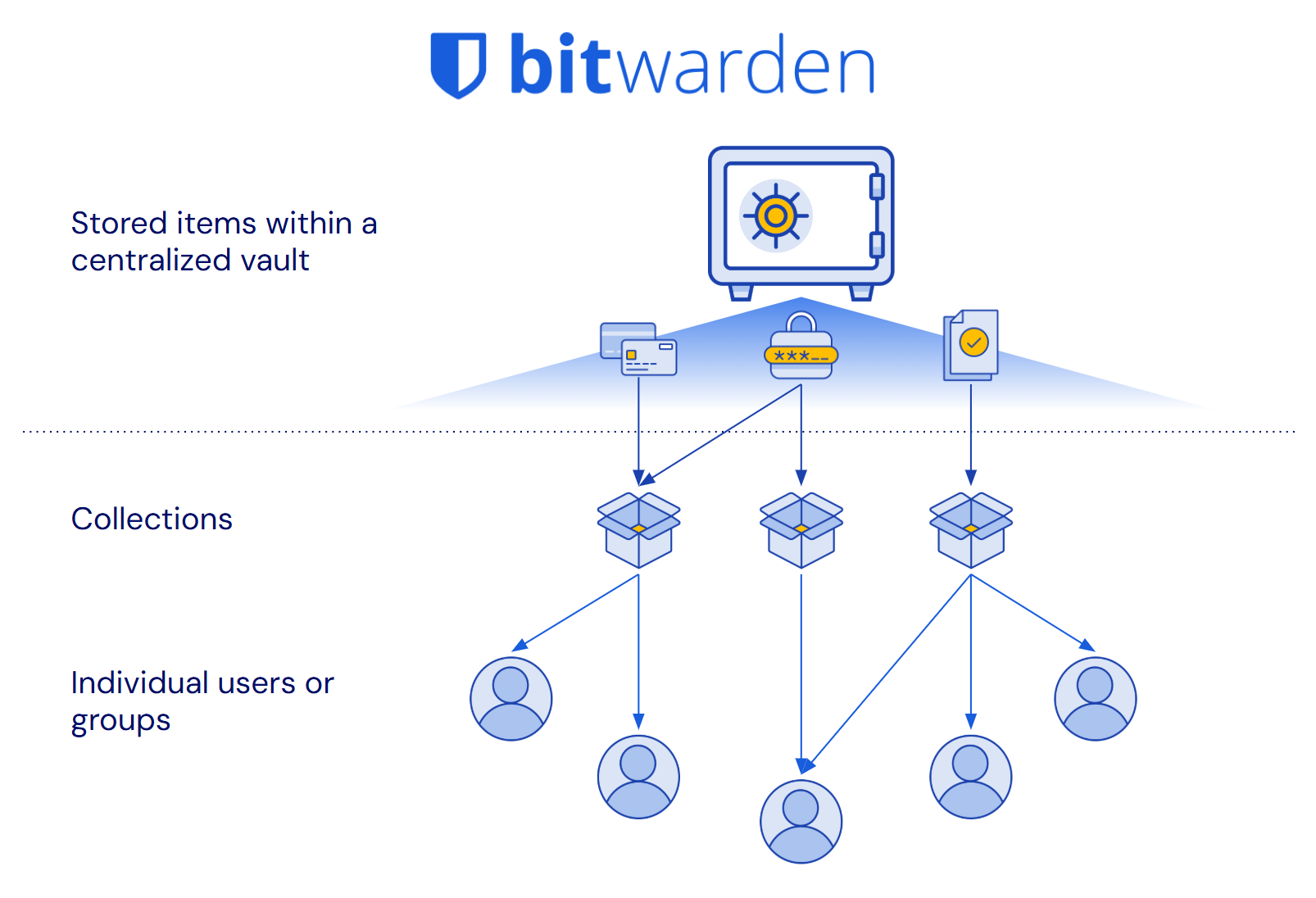
> The Bitwarden vault and all items within it are owned by the organization. **Vault items are independent of user status or assigned collections**. Centralized, secure, and built for business management.
### 3. Other password managers create ownership gaps
Not all password managers were built for the reporting and management needs of businesses. They require a blind trust of users to manage credential security.
Relying on users to manage their credentials means:
👎 Incomplete reporting on stored credentials
👎 Interrupted work when employees depart
👎 Items stored outside the control of the business
**What happens without centralized organization ownership?**
❌ Unnoticed breached and weak passwords
❌ Business disruption when employees transition
❌ Data loss / necessary recovery procedures
All this results in security gaps, loss of data, and administrative headaches.
> These ownership gaps directly undermine Data Loss Prevention and business continuity principles, creating unnecessary risk and operational disruption.
### Bitwarden makes it easy to manage credentials throughout the entire lifecycle:
✅ Complete organizational control
✅ Full reporting and risk insights
✅ Zero data loss when employees leave
## Lees de beveiligingsperspectieven van Bitwarden
Lees meer over schaalbaar wachtwoord delen en meer in de whitepaperserie Bitwarden Security Perspectives.
**Bitwarden-beveiligingsperspectieven:**
[Schaalbaar wachtwoord delen](https://bitwarden.com/nl-nl/resources/scalable-password-sharing/)
[Preventie van gegevensverlies](https://bitwarden.com/nl-nl/resources/data-loss-prevention/)
[Beheer van de levenscyclus van referenties](https://bitwarden.com/nl-nl/resources/credential-lifecycle-management-security-perspective/)
[Toegang met de minste privileges](https://bitwarden.com/nl-nl/resources/least-privilege-access/)
[Applicatie- en werknemergericht beheer van inloggegevens](https://bitwarden.com/nl-nl/resources/application-and-employee-centric-credential-management/)
[Wachtwoordbeheer voor wereldwijde organisaties](https://bitwarden.com/nl-nl/resources/password-management-for-global-organizations/)
## Deeper dive:
### **Centralized ownership and management**
Bitwarden was designed to help manage business needs at scale and provide complete [credential lifecycle management](https://bitwarden.com/nl-nl/resources/guide-enterprise-password-management-throughout-employee-lifecycle/). This is accomplished through a centralized vault for all shared items and a collections, which provides access control allowing for granular sharing with others. Every credential that is in the organization vault is owned directly by the organization, not individual employees. This offers many benefits, including clear reporting on credential access, easy recovery of deleted items, seamless employee transitions, and comprehensive audit trails for compliance.
> TIP: Enterprise plans can enact a policy that requires **all** vault items, including unshared items, be stored in the organization-owned vault. Learn more: [Enforce organization data ownership](https://bitwarden.com/nl-nl/help/policies/#enforce-organization-data-ownership/)
Other password management solutions were conceived as consumer-first products and they focused on direct user-to-user sharing, without centralized oversight. This architectural difference now introduces challenges when supporting business’s management needs at scale, resulting in processes that create data loss risk, complicate employee transitions, and make it impossible to maintain organizational control over business-critical credentials.
### **Bitwarden provides complete credential lifecycle management**
Having all credentials in an organization-owned, centralized vault allows for intuitive management that eliminates ownership gaps. In Bitwarden:
1. All shared items belong to the organization, not individual employees
2. The vault items exist independently of users or how they’re shared
This means that when an employee changes roles or leaves the company, **credentials they shared remain safely in the organization vault** and are still available to teammates. There's no need for complex vault transfers, account recoveries, or data loss concerns.
It also means that the organization has **oversight and control of the credential through its entire lifecycle**, from when it is created to when it is retired. This ensures that full, auditable reporting of the item, including for weakness and vulnerabilities, is available to the administrators of the organization.
The organization maintains true ownership of business credentials. All shared items, access controls, and audit trails remain under organizational control.
### **What other password managers try to do**
Other password managers have created obstacles to centralized ownership and attempt to solve the gap that are unintuitive and incomplete.
| **Workaround for other password managers** | **Description** | **The problem** |
|------|------|------|
| Policies to add admin access to folders | Attempt to recreate centralized ownership through a policy where admins are given access to a new shared folders by default | ⚠️ Item owners can still delete shared items/folders without authorization ⚠️ Personal vaults still exist outside admin view ⚠️ Requires complex configuration to set up |
| Account recovery for offboarding / succession | When employees leave, their entire vault must be transferred to another user | ⚠️ Violates least privilege by giving another user access to items they shouldn’t ⚠️ Time-consuming and error-prone process ⚠️ May not be possible if employee does not agree to the transfer |
| Reporting “scores” | A health “score” is assigned to users to flag for admin review | ⚠️ Scores are meaningless and unhelpful ⚠️ Does not provide a complete picture of vault health |
Each of these methods are **poor substitutes** for an architecture designed for true organizational ownership.
### **The cost of going without Bitwarden**
If you don't have organizational ownership like with Bitwarden, it’s difficult to get a complete reporting picture on the health of stored credentials. Additionally, employee departures expose your business to data loss while adding significant workload to your IT team. These have real impacts on business operations and costs.
**How other solutions increase risk**
- Malicious action disrupts business and cannot be easily reverted
- Incomplete credential health reporting leaves weaknesses exposed
- Possible data loss during staffing changes
**Other solutions require more IT resources**
- Deep reporting requires admin legwork and time
- Extra overhead pulls resources from other projects
- Additional staffing up may be needed for more admins or help desk support
## Try it for yourself!
When evaluating password managers, check for these important attributes:
1. Are shared items owned by the company or by individual employees?
2. What happens to shared credentials when an employee leaves?
3. Can administrators control and manage all shared items?
4. How can an admin recover a deleted item?
5. Can an admin generate security reports on all credentials saved by users?
## Profiteer nu van krachtige, vertrouwde wachtwoordbeveiliging. Kies uw plan.
## Persoonlijk
### Gratis
**$0**
*per maand*
*Altijd gratis*
Krijg een Bitwarden-kluis
- Onbeperkt aantal apparaten
- Beheer van wachtwoorden
- Alle kernfuncties
- Altijd gratis
Kluisitems met één andere gebruiker delen
[Begin vandaag](https://bitwarden.com/go/start-free/)
---
### Premium
**Less than $1**
*per maand*
*$10 jaarlijkse rekening*
Geniet van premium functies
- Bitwarden-authenticator
- Bestand bijlagen
- Noodtoegang
- Veiligheidsrapporten en meer
Kluisitems met één andere gebruiker delen
[Een premium account aanmaken](https://bitwarden.com/go/start-premium/)
---
### Gezinnen
**$3.33**
*per maand*
*Tot 6 gebruikers, $40 jaarlijkse rekening*
Inloggegevens van uw gezin beveiligen
- 6 premium-accounts
- Onbeperkt delen
- Onbeperkte collecties
- Opslag van de organisatie
Kluisitems tussen zes personen delen
[Gratis 7-daagse proefperiode beginnen](https://bitwarden.com/go/start-families-trial/)
---
De prijzen worden weergegeven in USD en zijn gebaseerd op een jaarabonnement. Belastingen niet inbegrepen.
## Bedrijf
### Teams
*Veerkrachtige bescherming voor groeiende teams*
**$4**
*per maand/per gebruiker, jaarlijkse rekening*
Deel gevoelige gegevens veilig met collega's, afdelingen of het hele bedrijf
- Gegevens veilig delen
- Gebeurtenislogboekbewaking
- Gidsintegratie
- SCIM-ondersteuning
Inclusief premium functies voor alle gebruikers
[Een proefperiode starten](https://bitwarden.com/go/start-teams-trial/)
---
### Enterprise
*Geavanceerde mogelijkheden voor grotere organisaties*
**$6**
*per maand/per gebruiker, jaarlijkse rekening*
Gebruik geavanceerde functies zoals bedrijfsbeleid, SSO zonder wachtwoord en accountherstel.
- Bedrijfsbeleid
- Wachtwoordloze SSO
- Account herstellen
- Zelf-host optie
Inclusief premium functies en gratis gezinsplan voor alle gebruikers
[Een proefperiode starten](https://bitwarden.com/go/start-enterprise-trial/)
---
### Een offerte aanvragen
*Voor bedrijven met honderden of duizenden werknemers, neem contact op met de verkoopafdeling voor een offerte op maat en ontdek hoe Bitwarden kan helpen:*
- Cyberbeveiligingsrisico's verminderen
- Productiviteit verhogen
- Naadloos integreren
Bitwarden schaalt met elk formaat bedrijf om wachtwoordbeveiliging naar uw organisatie te brengen
[Met de verkoopafdeling contact opnemen](https://bitwarden.com/contact-sales/)
---
Prijzen worden weergegeven in USD en zijn gebaseerd op een jaarabonnement
---
URL: https://bitwarden.com/nl-nl/resources/best-for-businesses-the-bitwarden-scalable-sharing-model/
---
# Het beste voor bedrijven: het schaalbare deelmodel van Bitwarden
Bitwarden biedt de beste methode om veilige samenwerking op schaal mogelijk te maken
---
Alle wachtwoordbeheerders op de markt maken hun belangrijkste belofte waar: het genereren, opslaan en automatisch invullen van sterke, veilige wachtwoorden. Het verschil zit in de manier waarop ze wachtwoorden met teamgenoten en collega's delen.
Bitwarden onderscheidt zich door de schaalbare architectuur voor het delen, die één bron van waarheid en volledige organisatie-eigenaarschap biedt voor deze gedeelde items.
[](https://bitwarden.com/resources/the-bitwarden-difference-what-makes-bitwarden-best-for-businesses/#how-the-bitwarden-architecture-is-better)
* Watch the explainer video*
## Snel bekijken:
### 1. Werknemers moeten wachtwoorden delen
Of het nu gaat om een project of om lopende werkzaamheden, teamleden moeten altijd inloggegevens en andere gevoelige informatie delen.
**Waarom?**
- Sommige applicaties en webapps, zoals sociale media, ondersteunen slechts één stoel
- Single Sign-On dekt niet alle online tools
- Niet alleen wachtwoorden: ook bedrijfscreditcards, beveiligde notities en SSH-sleutels moeten worden gedeeld
> Zonder een methode voor het veilig delen van gegevens sturen werknemers elkaar inloggegevens via chat, sms, e-mail, post-its of zelfs mondeling.
### 2. Deel op schaal met een gecentraliseerde Bitwarden-kluis
Organisaties in Bitwarden hebben één kluis en de organisatie is 'eigenaar' van elk item daarin. Alle delen worden beheerd via de kluis van de organisatie. Dit maakt eenvoudig en schaalbaar delen mogelijk.
**Hoe?**
1. Alle kluisitems moeten zich in minstens één verzameling (gedeelde map) bevinden
2. Beheerders kiezen hoe collecties worden beheerd en wie er toegang toe heeft
3. Logische stroom voor het toewijzen van items: organisatiekluis → verzamelingen → gebruikersgroepen
**Dankzij de gecentraliseerde architectuur van Bitwarden zijn kluisitems één bron van waarheid:**
✅ Werk een item één keer bij en het wordt overal bijgewerkt
✅ Verwijder een item, het is meteen verdwenen
✅ Delen is eenvoudig en schaalbaar

> De Bitwarden-kluis is logisch en overzichtelijk ingedeeld: gecentraliseerd en eenvoudig te beheren.
### 3. Andere wachtwoordbeheerders maken het moeilijker en onveiliger
Niet alle wachtwoordbeheerders zijn ontworpen voor schaalbaarheid. Oorspronkelijk waren ze ontworpen voor 1:1-deling, dus minder geschikt voor groeiende bedrijven.
Schalen vereist een tijdelijke oplossing:
👎 Dubbele items
👎 Meerdere gedeelde kluizen/mappen aanmaken
👎 Snelkoppelingen met beperkte synchronisatie
**Wat gebeurt er als andere wachtwoordbeheerders proberen te schalen?**
❌ Gedupliceerde inloggegevens zijn niet meer gesynchroniseerd
❌ Beheerders verliezen zicht op wat er gedeeld wordt
❌ Verweesde items blijven bestaan
Dit alles leidt tot hoofdpijn voor beheerders en **meer risico's.**
Deze tekortkomingen **ondermijnen rechtstreeks** de basisprincipes van beveiliging, zoals Least Privilege Access en Data Loss Prevention, waardoor het risico op onnodige blootstelling en datalekken toeneemt.
### Bitwarden maakt het delen tussen teams eenvoudiger en veiliger
✅ Minder administratieve overhead
✅ Voorkom onbedoelde overprivileges
✅ Zorgen voor administratief toezicht op de organisatiegegevens
## Lees de beveiligingsperspectieven van Bitwarden
Lees meer over schaalbaar wachtwoord delen en meer in de whitepaperserie Bitwarden Security Perspectives.
**Bitwarden-beveiligingsperspectieven:**
[Schaalbaar wachtwoord delen](https://bitwarden.com/nl-nl/resources/scalable-password-sharing/)
[Preventie van gegevensverlies](https://bitwarden.com/nl-nl/resources/data-loss-prevention/)
[Beheer van de levenscyclus van referenties](https://bitwarden.com/nl-nl/resources/credential-lifecycle-management-security-perspective/)
[Toegang met de minste privileges](https://bitwarden.com/nl-nl/resources/least-privilege-access/)
[Applicatie- en werknemergericht beheer van inloggegevens](https://bitwarden.com/nl-nl/resources/application-and-employee-centric-credential-management/)
[Wachtwoordbeheer voor wereldwijde organisaties](https://bitwarden.com/nl-nl/resources/password-management-for-global-organizations/)
## Dieper duiken:
### Gecentraliseerde architectuur
Bitwarden is ontworpen met bedrijven in gedachten. Het delen wordt beheerd vanuit een centrale kluis en alleen andere leden van dezelfde organisatie hebben er toegang toe. Elk gedeeld item is direct eigendom van de organisatie. Dit biedt veel voordelen, waaronder duidelijke rapportage over de beveiligingsstatus van de kluis, eenvoudig herstel van verwijderde items, soepelere offboarding en het maakt kluisexporten mogelijk voor back-ups/gegevensportabiliteit.
> TIP: Enterprise-abonnementen kunnen een beleid instellen dat vereist dat alle kluisitems, inclusief niet-gedeelde items, in de centrale kluis worden opgeslagen. Meer informatie: [Handhaaf het eigendom van organisatiegegevens](https://bitwarden.com/nl-nl/help/policies/#enforce-organization-data-ownership/)
Andere oplossingen voor wachtwoordbeheer zijn anders en waren oorspronkelijk bedoeld als producten voor consumenten. Al vroeg in de ontwikkeling besloten ze om prioriteit te geven aan 1:1-deling met andere gebruikers. Dit hoeven niet per se teamgenoten of collega's te zijn. Tegenwoordig hebben ze moeite om aan de deelbehoeften van grotere bedrijven te voldoen. Dit resulteert in een proces dat moeilijker te beheren is, risico's met zich meebrengt en niet gemakkelijk te begrijpen is. Hun architectuur vormt een uitdaging voor beheerders die toegang tot specifieke items moeten intrekken, verhoogt de overhead om ervoor te zorgen dat items worden gesynchroniseerd met duplicaten, bemoeilijkt offboarding en maakt het onmogelijk om te migreren naar een andere service als ze zich realiseren dat de oplossing niet voor hen werkt.
### Bitwarden biedt één bron van waarheid voor het delen op grote schaal
Door items in een centrale kluis te bewaren, kunt u ze intuïtief beheren en ze overzichtelijk en eenvoudig delen. In Bitwarden:
1. Alle items in de organisatiekluis worden toegewezen aan een of meer verzamelingen om te delen.
2. Toegangscollecties kunnen worden toegewezen aan individuele gebruikers en gebruikersgroepen.
**Belangrijk**: Items kunnen tot **meer dan één verzameling** behoren en gebruikers kunnen tot **meer dan één groep** behoren.
In een veelvoorkomende situatie waarin twee teams toegang tot één item nodig hebben, kan dat ene item worden toegewezen aan verzamelingen waartoe beide teams al toegang hebben. Het is niet nodig om een dubbel item te maken of het samenwerkende team toe te voegen aan de privéruimte van het andere team.
Wanneer dat item wordt bijgewerkt, bijvoorbeeld bij een wachtwoordrotatie, hebben beide teams direct de nieuwe inloggegevens. Hetzelfde geldt voor verwijderen of intrekken: ga eenvoudigweg naar het item en verwijder het uit de collecties of verwijder het volledig. De toegang wordt dan voor iedereen bijgewerkt. Dit proces is overzichtelijk en er zijn geen losse eindjes of sluiproutes die beheerd moeten worden.
Op deze manier **vormen kluisitems één bron van waarheid**. Alle mogelijkheden voor delen, toegang en de inhoud van items bevinden zich op één plek: het item zelf.

### Wat andere wachtwoordmanagers proberen te doen
Om de tekortkomingen in de architectuur te compenseren die het op schaal delen onmogelijk maken, hebben andere wachtwoordbeheerders oplossingen bedacht die alleen maar voor problemen zorgen en de risico's vergroten.
| **Oplossing voor andere wachtwoordbeheerders** | **Beschrijving** | **Het probleem** |
|------|------|------|
| Vertrouwen op duplicaten | Als u een item met meerdere teams wilt delen, moet u het item dupliceren en op elke gewenste locatie plaatsen. | ⚠️ Duplicaten moeten handmatig worden gewijzigd wanneer er een update moet worden uitgevoerd ⚠️ Wanneer de toegang tot een item moet worden beperkt of het item moet worden verwijderd, moet elk duplicaat afzonderlijk worden behandeld. |
| Het creëren van aparte ‘gezamenlijke kluizen’ | Een andere manier om één item met meerdere teams te delen, is door een nieuwe kluis/map te maken voor elk item dat met meerdere teams gedeeld moet worden. Zet het item vervolgens op die gedeelde locatie en wijs de teams die het item nodig hebben eraan toe. | ⚠️ Hierdoor worden kluizen/mappen enorm groot, is het beheer ervan verwarrend en kunnen er gemakkelijk fouten en onbedoelde toegang optreden. |
| Gebruik van "snelkoppelingen" | Sommige oplossingen bieden gebruikers de mogelijkheid om snelkoppelingen te maken naar items die beperkte synchronisatie op andere locaties bieden. | ⚠️ Deze snelkoppelingen kunnen worden verborgen voor toezicht van de beheerder en worden niet verwijderd wanneer het oorspronkelijke item wordt verwijderd. Dit kan leiden tot misbruik van inloggegevens en te veel privileges. |
Elk van deze methoden is een **slechte vervanging** voor een architectuur die is ontworpen voor gecentraliseerd eigendom en schaalbaar delen.
### De kosten van het werken zonder Bitwarden
Als u niet beschikt over een schaalbare oplossing voor het delen van gegevens zoals Bitwarden, loopt uw bedrijf extra risico's naarmate u groeit. Ook de werkdruk van uw IT-team neemt toe. Deze hebben daadwerkelijke gevolgen voor uw bedrijfsvoering en kosten.
#### Hoe andere oplossingen het risico vergroten
- Het delen van losse eindjes vergroot de kans op geschonden inloggegevens en kostbare herstelmaatregelen
- Onbedoelde overmatige privileges leiden tot mogelijk misbruik van inloggegevens
- Gegevens die niet langer onder toezicht staan, kunnen zonder waarschuwing in gevaar komen
#### Andere oplossingen vereisen meer IT-middelen
- Het implementeren van oplossingen voor delen betekent dat er meer overhead voor beheerders nodig is
- Extra werk trekt IT-bandbreedte weg van andere projecten
- Er is mogelijk extra personeel nodig voor meer beheerders of helpdeskondersteuning
## Probeer het zelf!
Let bij het evalueren van proofs of concept op de volgende belangrijke kenmerken:
1. Zijn gedeelde items in een kluis eigendom van het bedrijf of van de gebruiker?
2. Kan één item op meerdere locaties geplaatst worden?
3. Wat gebeurt er als dat item wordt bijgewerkt?
4. Kan een beheerder een item van de gedeelde lijst verwijderen?
5. Hoe kan een beheerder een verwijderd item herstellen?
## Profiteer nu van krachtige, vertrouwde wachtwoordbeveiliging. Kies uw plan.
## Persoonlijk
### Gratis
**$0**
*per maand*
*Altijd gratis*
Krijg een Bitwarden-kluis
- Onbeperkt aantal apparaten
- Beheer van wachtwoorden
- Alle kernfuncties
- Altijd gratis
Kluisitems met één andere gebruiker delen
[Begin vandaag](https://bitwarden.com/go/start-free/)
---
### Premium
**Less than $1**
*per maand*
*$10 jaarlijkse rekening*
Geniet van premium functies
- Bitwarden-authenticator
- Bestand bijlagen
- Noodtoegang
- Veiligheidsrapporten en meer
Kluisitems met één andere gebruiker delen
[Een premium account aanmaken](https://bitwarden.com/go/start-premium/)
---
### Gezinnen
**$3.33**
*per maand*
*Tot 6 gebruikers, $40 jaarlijkse rekening*
Inloggegevens van uw gezin beveiligen
- 6 premium-accounts
- Onbeperkt delen
- Onbeperkte collecties
- Opslag van de organisatie
Kluisitems tussen zes personen delen
[Gratis 7-daagse proefperiode beginnen](https://bitwarden.com/go/start-families-trial/)
---
De prijzen worden weergegeven in USD en zijn gebaseerd op een jaarabonnement. Belastingen niet inbegrepen.
## Bedrijf
### Teams
*Veerkrachtige bescherming voor groeiende teams*
**$4**
*per maand/per gebruiker, jaarlijkse rekening*
Deel gevoelige gegevens veilig met collega's, afdelingen of het hele bedrijf
- Gegevens veilig delen
- Gebeurtenislogboekbewaking
- Gidsintegratie
- SCIM-ondersteuning
Inclusief premium functies voor alle gebruikers
[Een proefperiode starten](https://bitwarden.com/go/start-teams-trial/)
---
### Enterprise
*Geavanceerde mogelijkheden voor grotere organisaties*
**$6**
*per maand/per gebruiker, jaarlijkse rekening*
Gebruik geavanceerde functies zoals bedrijfsbeleid, SSO zonder wachtwoord en accountherstel.
- Bedrijfsbeleid
- Wachtwoordloze SSO
- Account herstellen
- Zelf-host optie
Inclusief premium functies en gratis gezinsplan voor alle gebruikers
[Een proefperiode starten](https://bitwarden.com/go/start-enterprise-trial/)
---
### Een offerte aanvragen
*Voor bedrijven met honderden of duizenden werknemers, neem contact op met de verkoopafdeling voor een offerte op maat en ontdek hoe Bitwarden kan helpen:*
- Cyberbeveiligingsrisico's verminderen
- Productiviteit verhogen
- Naadloos integreren
Bitwarden schaalt met elk formaat bedrijf om wachtwoordbeveiliging naar uw organisatie te brengen
[Met de verkoopafdeling contact opnemen](https://bitwarden.com/contact-sales/)
---
Prijzen worden weergegeven in USD en zijn gebaseerd op een jaarabonnement
---
URL: https://bitwarden.com/nl-nl/resources/bitdefender-chose-bitwarden-for-open-source-model/
---
# Cybersecurity company Bitdefender chose Bitwarden for open source model
Bitdefender opted to go with Bitwarden Password Manager, citing the Bitwarden open source model as one of the main drivers for its decision.
---
## Overview
[Bitdefender](https://www.bitdefender.com/) is a Bucharest, Romania-based cybersecurity company serving over 100 clients all over the world. The company believes cybersecurity is mission-critical for [businesses of all sizes](https://bitwarden.com/nl-nl/blog/security-advice-for-small-and-midsize-businesses/) and has many solutions for how to stay secure. In its years working with customers across all industries, the company has also gleaned a number of insights about IT security habits and perceptions. In turn, this has helped inform Bitdefender about the most optimal strategies for its own protection against cyber-criminals.
Bitdefender understands the importance of ensuring all data is encrypted, running the latest operating systems, and staying on top of security updates. In order to best keep track of all the tools at its disposal, the team created a cybersecurity risk register. This register catalogs all internal technologies in use, their strengths and weaknesses, and has allowed Bitdefender to make smart financial choices for security budget allocation. One tool that was used internally was a password manager, leaving that responsibility to employees. After careful evaluation, it became clear that had to change and the solution that would meet their needs best is Bitwarden.
> Learn more about the annual [Open Source Security Summit](https://bitwarden.com/nl-nl/open-source-security-summit/).
## Table of Contents
[Overview](https://bitwarden.com/nl-nl/resources/bitdefender-chose-bitwarden-for-open-source-model/#overview/)
[Watch the presentation](https://bitwarden.com/nl-nl/resources/bitdefender-chose-bitwarden-for-open-source-model/#watch-the-presentation/)
[The critical role of authentication](https://bitwarden.com/nl-nl/resources/bitdefender-chose-bitwarden-for-open-source-model/#the-critical-role-of-authentication/)
[Bitwarden stands out among the competition](https://bitwarden.com/nl-nl/resources/bitdefender-chose-bitwarden-for-open-source-model/#bitwarden-stands-out-among-the-competition/)
[Get started with Bitwarden](https://bitwarden.com/nl-nl/resources/bitdefender-chose-bitwarden-for-open-source-model/#get-started-with-bitwarden/)
## Watch the presentation
[](https://vimeo.com/830271867)
*[Watch on Vimeo](https://vimeo.com/830271867)*
*Why Bitdefender chose Bitwarden for Password Management*
> Visit [opensourcesecuritysummit.com](https://bitwarden.com/nl-nl/open-source-security-summit/) to learn more about this annual conference.
## The critical role of authentication
There is a common refrain within the IT security world that it's a matter of “when, not if” an organization will experience a data breach. Consequently, an organization has a duty to limit the damage a particular compromised user, device, or account can do to its business. Ensuring minimal damage means prioritizing a robust, centralized authentication system that grants privileged access based on an employee’s role and on a ‘need to know’ basis. Most modern authentication systems also offer [single sign on](https://bitwarden.com/nl-nl/blog/bitwarden-password-manager-login-with-sso/) and [multi-factor authentication](https://bitwarden.com/nl-nl/blog/top-10-burning-questions-on-2fa/) tools, both of which add an extra layer of efficiency and security.
As it considered its authentication needs - and in part, due to its own internal cybersecurity training, which emphasized the importance of its employees using password managers - Bitdefender decided to put its money where its mouth was and deploy an enterprise-grade solution to protect every employee and the organization as a whole.
## Bitwarden stands out among the competition
After making a shortlist of candidates based on its requirements, Bitdefender opted to go with Bitwarden, citing the [Bitwarden open source model](https://bitwarden.com/nl-nl/blog/why-open-source-delivers-transparency-and-security-for-enterprises/) as one of the main drivers for its decision. Other deciding benefits included SSO and API integration, strong customer support, and [third-party audits](https://bitwarden.com/nl-nl/blog/third-party-security-audit/).
Bitdefender also knew it did not want to self-host and wanted to have the option of testing the solution before fully committing. The company initially purchased a small number of seats and was thrilled when Bitwarden was receptive to its iterative seat increase requests. Bitwarden put in place an automated onboarding process whereby Bitdefender employees simply click on a button stating they wanted to deploy Bitwarden. This model has allowed the Bitdefender team to keep its [budget](https://bitwarden.com/nl-nl/blog/why-your-it-budget-should-be-used-on-a-company-password-manager/) tight and ensure employees are committed to using Bitwarden in a productive fashion.
> Said Mihai Talmacel, an Information Security Engineer with Bitdefender, “credential vaults are an extremely sensitive security topic. So we had to go with the best.”
## Get started with Bitwarden
Ready to get started with Bitwarden? Sign up for a [free Bitwarden account](https://bitwarden.com/nl-nl/pricing/), or register for a [7-day free trial of our business plans](https://bitwarden.com/nl-nl/pricing/business/) to help keep your business and team safe online.
## Profiteer nu van krachtige, vertrouwde wachtwoordbeveiliging. Kies uw plan.
## Persoonlijk
### Gratis
**$0**
*per maand*
*Altijd gratis*
Krijg een Bitwarden-kluis
- Onbeperkt aantal apparaten
- Beheer van wachtwoorden
- Alle kernfuncties
- Altijd gratis
Kluisitems met één andere gebruiker delen
[Begin vandaag](https://bitwarden.com/go/start-free/)
---
### Premium
**Less than $1**
*per maand*
*$10 jaarlijkse rekening*
Geniet van premium functies
- Bitwarden-authenticator
- Bestand bijlagen
- Noodtoegang
- Veiligheidsrapporten en meer
Kluisitems met één andere gebruiker delen
[Een premium account aanmaken](https://bitwarden.com/go/start-premium/)
---
### Gezinnen
**$3.33**
*per maand*
*Tot 6 gebruikers, $40 jaarlijkse rekening*
Inloggegevens van uw gezin beveiligen
- 6 premium-accounts
- Onbeperkt delen
- Onbeperkte collecties
- Opslag van de organisatie
Kluisitems tussen zes personen delen
[Gratis 7-daagse proefperiode beginnen](https://bitwarden.com/go/start-families-trial/)
---
De prijzen worden weergegeven in USD en zijn gebaseerd op een jaarabonnement. Belastingen niet inbegrepen.
## Bedrijf
### Teams
*Veerkrachtige bescherming voor groeiende teams*
**$4**
*per maand/per gebruiker, jaarlijkse rekening*
Deel gevoelige gegevens veilig met collega's, afdelingen of het hele bedrijf
- Gegevens veilig delen
- Gebeurtenislogboekbewaking
- Gidsintegratie
- SCIM-ondersteuning
Inclusief premium functies voor alle gebruikers
[Een proefperiode starten](https://bitwarden.com/go/start-teams-trial/)
---
### Enterprise
*Geavanceerde mogelijkheden voor grotere organisaties*
**$6**
*per maand/per gebruiker, jaarlijkse rekening*
Gebruik geavanceerde functies zoals bedrijfsbeleid, SSO zonder wachtwoord en accountherstel.
- Bedrijfsbeleid
- Wachtwoordloze SSO
- Account herstellen
- Zelf-host optie
Inclusief premium functies en gratis gezinsplan voor alle gebruikers
[Een proefperiode starten](https://bitwarden.com/go/start-enterprise-trial/)
---
### Een offerte aanvragen
*Voor bedrijven met honderden of duizenden werknemers, neem contact op met de verkoopafdeling voor een offerte op maat en ontdek hoe Bitwarden kan helpen:*
- Cyberbeveiligingsrisico's verminderen
- Productiviteit verhogen
- Naadloos integreren
Bitwarden schaalt met elk formaat bedrijf om wachtwoordbeveiliging naar uw organisatie te brengen
[Met de verkoopafdeling contact opnemen](https://bitwarden.com/contact-sales/)
---
Prijzen worden weergegeven in USD en zijn gebaseerd op een jaarabonnement
---
URL: https://bitwarden.com/nl-nl/resources/bitwarden-2022-data-privacy-day-newsletter-february-2022/
---
# February 2022 Spotlight: Bitwarden Data Privacy Day Survey
Welcome to the Bitwarden February newsletter, featuring product and company announcements, upcoming events, and top social fan favorites.
---
## Featured Article
We recently revealed the results of the Bitwarden 2022 Data Privacy Day Survey. To see which apps the Bitwarden community favors for data privacy, or to take part in the survey, [read the full blog post](https://bitwarden.com/nl-nl/blog/data-privacy-day/).

## Enjoying this update? Subscribe today.
*Receive the latest product updates, hand-picked articles, community highlights, and more.*
[Contact form]
## Event Recap

Missed the 2022 Bitwarden roadmap review? Catch up with the Bitwarden product team as they present what’s on the 2022 roadmap and answer questions from the community. [Watch the recap](https://www.crowdcast.io/e/2022-bitwarden-roadmap) here.
## More Bits and Bites

As web3 technologies evolve, more control is put into the hands of users. However, with great power comes great responsibility. Users will need to find a secure and convenient way to manage sensitive credentials. Here are [five tips for using a password manager for web3](https://bitwarden.com/nl-nl/blog/what-the-future-of-web3-means-for-credentials/).

When it comes to new security tools, the best options are the ones that keep you safe and operating efficiently. To learn how Bitwarden can boost productivity, encourage collaboration, and save time while keeping your business secure, [read this article](https://bitwarden.com/nl-nl/blog/how-bitwarden-brings-value-to-your-business/).
## Industry News

Bitwarden Founder and Chief Technology Officer, Kyle Spearrin, recently spoke about cybersecurity and password management in Cybernews. Kyle explains that there is no one-size-fits-all security response, and approaches should be customized to the organization’s size, strategies, structure, existing tools, and available skills. [Read the article](https://cybernews.com/security/kyle-spearrin-bitwarden-complex-security-systems-alone-cannot-safeguard-businesses/) on Cybernews to learn more.
## Top Social Fan Favorites
You play an important role in contributing to a world free of breaches and hacks by sharing your knowledge and experience. Here is a recent favorite post of ours.

## Bitwarden Learning

New training presentations and resources are always being added to the [Bitwarden Learning center](https://bitwarden.com/nl-nl/http://bitwarden.com/learning/). Whether you’re a beginner, power user, administrator, or managed service provider, you’ll find something that fits your needs.
Are you an Enterprise or Teams customer interested in custom training? Fill out the [bitwarden.com/contact](https://bitwarden.com/nl-nl/contact/) form and one of our training specialists will reach out.
That’s it for now. Let us know what you think about this newsletter including potential topics you’d like to see.
**Until next time,**
Team Bitwarden
## Profiteer nu van krachtige, vertrouwde wachtwoordbeveiliging. Kies uw plan.
## Persoonlijk
### Gratis
**$0**
*per maand*
*Altijd gratis*
Krijg een Bitwarden-kluis
- Onbeperkt aantal apparaten
- Beheer van wachtwoorden
- Alle kernfuncties
- Altijd gratis
Kluisitems met één andere gebruiker delen
[Begin vandaag](https://bitwarden.com/go/start-free/)
---
### Premium
**Less than $1**
*per maand*
*$10 jaarlijkse rekening*
Geniet van premium functies
- Bitwarden-authenticator
- Bestand bijlagen
- Noodtoegang
- Veiligheidsrapporten en meer
Kluisitems met één andere gebruiker delen
[Een premium account aanmaken](https://bitwarden.com/go/start-premium/)
---
### Gezinnen
**$3.33**
*per maand*
*Tot 6 gebruikers, $40 jaarlijkse rekening*
Inloggegevens van uw gezin beveiligen
- 6 premium-accounts
- Onbeperkt delen
- Onbeperkte collecties
- Opslag van de organisatie
Kluisitems tussen zes personen delen
[Gratis 7-daagse proefperiode beginnen](https://bitwarden.com/go/start-families-trial/)
---
De prijzen worden weergegeven in USD en zijn gebaseerd op een jaarabonnement. Belastingen niet inbegrepen.
## Bedrijf
### Teams
*Veerkrachtige bescherming voor groeiende teams*
**$4**
*per maand/per gebruiker, jaarlijkse rekening*
Deel gevoelige gegevens veilig met collega's, afdelingen of het hele bedrijf
- Gegevens veilig delen
- Gebeurtenislogboekbewaking
- Gidsintegratie
- SCIM-ondersteuning
Inclusief premium functies voor alle gebruikers
[Een proefperiode starten](https://bitwarden.com/go/start-teams-trial/)
---
### Enterprise
*Geavanceerde mogelijkheden voor grotere organisaties*
**$6**
*per maand/per gebruiker, jaarlijkse rekening*
Gebruik geavanceerde functies zoals bedrijfsbeleid, SSO zonder wachtwoord en accountherstel.
- Bedrijfsbeleid
- Wachtwoordloze SSO
- Account herstellen
- Zelf-host optie
Inclusief premium functies en gratis gezinsplan voor alle gebruikers
[Een proefperiode starten](https://bitwarden.com/go/start-enterprise-trial/)
---
### Een offerte aanvragen
*Voor bedrijven met honderden of duizenden werknemers, neem contact op met de verkoopafdeling voor een offerte op maat en ontdek hoe Bitwarden kan helpen:*
- Cyberbeveiligingsrisico's verminderen
- Productiviteit verhogen
- Naadloos integreren
Bitwarden schaalt met elk formaat bedrijf om wachtwoordbeveiliging naar uw organisatie te brengen
[Met de verkoopafdeling contact opnemen](https://bitwarden.com/contact-sales/)
---
Prijzen worden weergegeven in USD en zijn gebaseerd op een jaarabonnement
---
URL: https://bitwarden.com/nl-nl/resources/bitwarden-across-industries/
---
# Bitwarden voor verschillende sectoren
Hoe Bitwarden kan helpen de uitdagingen aan te gaan waar industrieën en bedrijfssectoren vandaag de dag mee te maken hebben
---
## Bitwarden helps secure prominent companies across industries
Bitwarden serves tens of thousands of businesses and millions of end users globally. Regardless of their type of work, each of them benefits from the Bitwarden open source approach to trust, accountability, and security.
Interested in learning how Bitwarden can help your company? See how [Bitwarden brings value to your business](https://bitwarden.com/nl-nl/blog/how-bitwarden-brings-value-to-your-business/) and view more resources on specific industries below.

## Learn how Bitwarden can secure:
[Business Services](https://bitwarden.com/nl-nl/resources/bitwarden-across-industries/#business-services/)
- [Information Technology](https://bitwarden.com/nl-nl/resources/bitwarden-across-industries/#information-technology/)
- [Advertising & Marketing](https://bitwarden.com/nl-nl/resources/bitwarden-across-industries/#advertising-&-marketing/)
[Finance](https://bitwarden.com/nl-nl/resources/bitwarden-across-industries/#finance/)
[Government](https://bitwarden.com/nl-nl/resources/bitwarden-across-industries/#government/)
[Healthcare](https://bitwarden.com/nl-nl/resources/bitwarden-across-industries/#healthcare/)
[Insurance](https://bitwarden.com/nl-nl/resources/bitwarden-across-industries/#insurance/)
[Manufacturing](https://bitwarden.com/nl-nl/resources/bitwarden-across-industries/#manufacturing/)
[Media & Internet](https://bitwarden.com/nl-nl/resources/bitwarden-across-industries/#media-&-internet/)
[Public Utilities](https://bitwarden.com/nl-nl/resources/bitwarden-across-industries/#public-utilities/)
[Software](https://bitwarden.com/nl-nl/resources/bitwarden-across-industries/#software/)
[Telecommunications](https://bitwarden.com/nl-nl/resources/bitwarden-across-industries/#telecommunications/)
[Transportation & Travel](https://bitwarden.com/nl-nl/resources/bitwarden-across-industries/#transportation-&-travel/)
### Information Technology

Needs: Password security, user management, easy administration, secure file/text transfer, automation
Bitwarden Solutions:
- Provide password security to your organization with powerful administration tools and simple user management.
- Integrate with existing SSO systems and directories, and utilize APIs for automations.
- Boost productivity by enabling users to securely share logins and other data with specifically-assigned teams or user groups.
- Securely transmit text and files with Bitwarden Send to anyone inside or outside the organization using end-to-end encryption.
[Case study: How Intesys Uses Bitwarden for Business Collaboration](https://bitwarden.com/nl-nl/blog/case-study-intesys/)
[Case study: Managed Service Provider GreenLoop Delivers Intuitive Password Security for Their Clients](https://bitwarden.com/nl-nl/blog/managed-service-provider-greenloop-delivers-intuitive-password-security/)
[Blog: Securing Remote Work with a Password Manager](https://bitwarden.com/nl-nl/blog/securing-remote-work-password-manager/)
[Blog: Workplace tips on how to send documents securely over the internet](https://bitwarden.com/nl-nl/blog/workplace-tips-on-how-to-send-documents-securely-over-the-internet/)
[Resource: Choose the Right SSO Login Strategy](https://bitwarden.com/nl-nl/resources/choose-the-right-sso-login-strategy/)
## Bitwarden is trusted in IT by...
the worldwide leader in enterprise open source solutions for IT professionals
a leading data storage and disaster recovery solutions provider
a multinational identity and access management software company
### Advertising & Marketing

Needs: Sharing logins for tools, securing contractors, secure file/text transfer
Bitwarden Solutions:
- Collaborate on important social media accounts with shared logins and integrated two-factor authentication.
- Add productivity by simplifying login with autofill and reducing failed logins and password resets.
- Provide account teams and contractors a way to access the services and tools they need, without compromising access control.
- Use the Bitwarden Send feature to securely transmit encrypted sensitive client information and deliverables.
[Blog: Five Best Practices for Password Management](https://bitwarden.com/nl-nl/blog/five-best-practices-for-password-management/)
[Help article: Autofill a Login](https://bitwarden.com/nl-nl/help/getting-started-browserext/#auto-fill-a-login/)
[Webcast: Securing 3rd Party Contractors](https://start.bitwarden.com/replay-securing-3rd-party-agencies)
[Blog: Introducing Bitwarden Send for secure one-to-one information sharing](https://bitwarden.com/nl-nl/blog/introducing-bitwarden-send-for-secure-sharing/)
## Bitwarden is trusted in advertising & marketing by...
a European retail and tourism organization with over 12 million daily customers
a brand development and management company connecting with consumers around the world
a top 5 contextual online advertising network
## Financiën
Behoeften: Wachtwoordbeveiliging, gebruikersbeheer, veilige bestands-/textoverdracht, controleerbare logboeken

Bitwarden-oplossingen:
- Wachtwoordbeveiliging op alle niveaus van uw organisatie met robuuste tools voor gebruikers- en groepsbeheer.
- Houd gevoelige informatie veilig omdat kluisitems end-to-end versleuteld zijn, met een controleerbaar gebeurtenissenlogboek.
- Stuur veilig versleutelde gevoelige informatie naar iedereen, inclusief interne teams en eindklanten.
- Bitwarden hanteert compliance standaarden waaronder SOC 2, GDPR, Privacy Shield en CCPA.
[Hulpbron: SOX-nalevingsgids: Vereenvoudig naleving met Bitwarden voor verbeterde beveiliging en vertrouwelijkheid](https://bitwarden.com/nl-nl/resources/simplify-sox-compliance-with-bitwarden/)
[Blog: De voordelen van wachtwoordbeheerders voor financiële bedrijven](https://bitwarden.com/nl-nl/blog/the-benefits-of-password-managers-for-finance-companies/)
[Blog: Wat 's werelds grootste creditcardmaatschappijen zeggen over veiligheid](https://bitwarden.com/nl-nl/blog/what-the-worlds-largest-credit-card-companies-say-about-security/)
[Blog: Hoe de Gramm-Leach-Bliley Act van toepassing is op gegevensbeveiligingspraktijken](https://bitwarden.com/nl-nl/blog/gramm-leach-bliley-act-data-security-practices/)
[Blog: Introductie van Bitwarden Send voor het veilig één-op-één delen van informatie](https://bitwarden.com/nl-nl/blog/introducing-bitwarden-send-for-secure-sharing/)
[Help-artikel: Gebeurtenislogboeken](https://bitwarden.com/nl-nl/help/event-logs/)
## Bitwarden is trusted in finance by...
one of the largest banking institutions serving the southeast with approximately $8B in assets and over 100 branches
an independent wealth management and planning firm with over $200 billion under management
a Canadian financial group and trust company
a trusted regional credit union with billions in assets and thousands of customers
## Government
Needs: Security compliance, password security, secure sharing, self-hosting

Bitwarden Solutions:
- Use Bitwarden to secure government business and federal agencies with end-to-end, zero-knowledge protection for passwords and sensitive data.
- Utilize the same encryption standards and additional controls to securely send text and files.
- Deploy with the secure Bitwarden cloud or use a self-hosted deployment to satisfy more stringent policies, each accessible via computers and mobile device end-clients.
[Page: Bitwarden Security and Compliance](https://bitwarden.com/nl-nl/compliance/)
[Blog: What's Happening on The Hill: Federal Information Security Modernization Act](https://bitwarden.com/nl-nl/blog/whats-happening-on-the-hill-federal-information-security-modernization-act/)
[Blog: How State and Local Government Benefits from Password Management](https://bitwarden.com/nl-nl/blog/how-state-and-local-goverment-benefits-from-password-management/)
[Blog: Host Your Own Open Source Password Manager](https://bitwarden.com/nl-nl/blog/host-your-own-open-source-password-manager/)
[Blog: New York Takes on Credential Stuffing and Passwords](https://bitwarden.com/nl-nl/blog/new-york-takes-on-credential-stuffing-and-passwords/)
## Bitwarden is trusted in government by...
a prominent office within a branch of the U.S. Federal Government
U.S. State Governments and departments
multiple U.S. county governments on the eastern seaboard
the city government of a musical municipality
## Gezondheidszorg
Behoeften: Naleving, wachtwoordbeveiliging, controleerbare logboeken, veilige bestands-/textoverdracht

Bitwarden-oplossingen:
- Zorg voor wachtwoordbeveiliging op alle niveaus van je organisatie met robuuste tools voor gebruikers- en groepsbeheer.
- Houd gevoelige informatie veilig omdat kluisitems end-to-end versleuteld zijn, met een controleerbaar gebeurtenissenlogboek.
- Stuur veilig versleutelde gevoelige informatie naar iedereen, inclusief interne teams en eindklanten.
- Bitwarden hanteert compliance standaarden waaronder HIPAA, SOC 2, GDPR, Privacy Shield en CCPA.
[Blog: De gezondheidszorg: Een voornaam doelwit voor cyberaanvallen](https://bitwarden.com/nl-nl/blog/the-healthcare-industry-a-prime-target-for-cyberattacks/)
[Blog: Waarom een wachtwoordmanager gebruiken die voldoet aan de HIPAA-richtlijnen?](https://bitwarden.com/nl-nl/blog/why-use-a-hipaa-compliant-password-manager/)
[Blog: HIPAA wachtwoordvereisten uitgelegd](https://bitwarden.com/nl-nl/blog/hipaa-password-requirements/)
[Blog: Introductie van Bitwarden Send voor het veilig één-op-één delen van informatie](https://bitwarden.com/nl-nl/blog/introducing-bitwarden-send-for-secure-sharing/)
[Pagina: Bitwarden Veiligheid en Compliance](https://bitwarden.com/nl-nl/compliance/)
[Help-artikel: Gebeurtenislogboeken](https://bitwarden.com/nl-nl/help/event-logs/)
## Bitwarden is trusted in healthcare by...
one of the largest healthcare systems in the Pacific Northwest
a learning hospital system in France
one of the largest non-profit health care networks in a northeastern state
## Insurance
Needs: Sharing logins for tools, password security, user management, easy administration

Bitwarden Solutions:
- Increase team productivity with easy access shared logins to internal tools and secure workspaces.
- Keep sensitive information secure with end-to-end encrypted logins, tools to generate strong passwords, and reporting for exposed passwords and data breaches.
- Create user groups with assigned access to the correct internal systems.
- Add productivity by simplifying login with autofill and reducing failed logins and password resets
[Blog: Five Best Practices for Password Management](https://bitwarden.com/nl-nl/blog/five-best-practices-for-password-management/)
[Blog: Vault Security in the Bitwarden Password Manager](https://bitwarden.com/nl-nl/blog/vault-security-bitwarden-password-manager/)
[Help article: Groups](https://bitwarden.com/nl-nl/help/about-groups/)
[Help article: Autofill a Login](https://bitwarden.com/nl-nl/help/getting-started-browserext/#auto-fill-a-login/)
## Bitwarden is trusted in insurance by...
a Fortune 500 insurance provider to prevent password mayhem
a medical insurance marketplace that sells plans in all 50 states
a leading New Zealand insurance firm offering coverage for cars, homes, boats, and more
## Manufacturing
Needs: Strong password security, user management

Bitwarden Solutions:
- With manufacturing quickly moving to interconnected devices, keep all levels of the operation secure with password security and powerful user management controls.
- Create user groups with assigned access to the correct internal systems and cycle strong, generated shared passwords.
- Protect notated configurations of system-connected devices on field mobile devices with secure notes.
- Add productivity by simplifying login with autofill and reducing failed logins and password resets.
[Resource: Choose the Right SSO Login Strategy](https://bitwarden.com/nl-nl/resources/choose-the-right-sso-login-strategy/)
[Blog: Preparing for the Executive Order on Improving the Nation’s Cybersecurity](https://bitwarden.com/nl-nl/blog/preparing-for-the-executive-order-on-improving-the-nations-cybersecurity/)
[Blog: Strategies for Keeping Smart Devices Secure](https://bitwarden.com/nl-nl/blog/strategies-for-keeping-smart-devices-secure/)
[Help article: Autofill a Login](https://bitwarden.com/nl-nl/help/getting-started-browserext/#auto-fill-a-login/)
## Bitwarden is trusted in manufacturing by...
private organizations that assist with official NASA missions
the #1 HVAC company ranked by U.S. News & World report
a leading producer of advanced materials, chemicals and fibers
an international luxury automotive manufacturer with a 100 year heritage
## Media & Internet
Needs: Unlimited devices, cross-platform compatibility, secure file/text transfer, password security, secure notes

Bitwarden Solutions:
- Use Bitwarden on an unlimited number of devices and on browsers, mobile devices, and desktop applications and across operating systems.
- Securely send encrypted sensitive information to anyone, including internal teams and end clients.
- End-to-end encryption keeps vault items secure, and assign user groups to specific collections of passwords.
- Encrypt and store secure notes in the vault or as a file attachment.
[Case study: Golden Communications Streamlines Productivity with Intuitive Password Management](https://bitwarden.com/nl-nl/resources/marketing-agency-streamlines-productivity-with-password-management/)
[Case study: Global Language Platform Strengthens Password Sharing and Management with Bitwarden](https://bitwarden.com/nl-nl/blog/global-language-platform-strengthens-password-sharing-and-management/)
[Case study: University of Toronto Press Solves for Efficient Password Sharing with Bitwarden](https://bitwarden.com/nl-nl/blog/university-of-toronto-press-solves-for-efficient-password-sharing-with-bitwarden/)
[Blog: Vault Security in the Bitwarden Password Manager](https://bitwarden.com/nl-nl/blog/vault-security-bitwarden-password-manager/)
[Blog: Securing Remote Work with a Password Manager](https://bitwarden.com/nl-nl/blog/securing-remote-work-password-manager/)
## Bitwarden is trusted in media & internet by...
a home entertainment company specializing in high performance speaker systems and custom A/V installations
an industry-leading web hosting provider
the news arm of a large, family-owned international media group
## Public Utilities
Needs: Security compliance, password security, auditable logs

Bitwarden Solutions:
- With Bitwarden, protect passwords and sensitive data using end-to-end, zero-knowledge encryption.
- Control access to critical systems with easy user management and integrations into identity management services.
- View and export an auditable trail of event logs for user and admin activity.
- Review and evaluate the open source Bitwarden code for the best standard in trust and transparency.
[Page: Bitwarden Security and Compliance](https://bitwarden.com/nl-nl/compliance/)
[Blog: Preparing for the Executive Order on Improving the Nation’s Cybersecurity](https://bitwarden.com/nl-nl/blog/preparing-for-the-executive-order-on-improving-the-nations-cybersecurity/)
[Blog: How Better Password Security for Water Utilities Can Help Prevent Cybersecurity Incidents](https://bitwarden.com/nl-nl/blog/water-utilities-can-help-prevent-cybersecurity-incidents/)
[Help article: Event Logs](https://bitwarden.com/nl-nl/help/event-logs/)
## Bitwarden is trusted in public utilities by...
a water utility that serves 15 cities and more than 2 million people
a community-owned municipal electric and telecommunications company in the northeast
a gas and infrastructure company supplying an entire U.S. state
## Software
Needs: Secure sharing of logins, custom autofill, user management, auditable logs

Bitwarden Solutions:
- Increase team productivity with easy access shared logins to internal tools and secure workspaces.
- Robust custom fields autofill data from the encrypted vault into web applications, including SSH keys or other stored credentials.
- Provide password security to all levels of your organization with robust user and group management tools.
- Assign user groups to specific collections of credentials and use the auditable event log to track access and history.
[Case study: High-growth Delivery Startup Glovo Boosts Password Security and Compliance with Bitwarden](https://bitwarden.com/nl-nl/blog/high-growth-delivery-startup-glovo-boosts-password-security-compliance/)
[Blog: Create Custom Fields in a few Clicks](https://bitwarden.com/nl-nl/blog/easier-than-ever-create-custom-fields-in-a-few-clicks/)
[Help article: Autofill a Login](https://bitwarden.com/nl-nl/help/getting-started-browserext/#auto-fill-a-login/)
[Help article: Event Logs](https://bitwarden.com/nl-nl/help/event-logs/)
[Help article: Using Collections](https://bitwarden.com/nl-nl/help/about-collections/#using-collections/)
## Bitwarden is trusted in software by...
an augmented reality gaming company known for getting players to go outside and stop at points of interest
the leading omnichannel coupon and loyalty program technology company
a top 10 anti-malware and cybersecurity firm defending sensitive data worldwide
## Telecommunications
Needs: Password security, user management, secure sharing, securing contractors

Bitwarden Solutions:
- Keep sensitive information secure with end-to-end encrypted logins, tools to generate strong passwords, and reporting for exposed passwords and data breaches.
- Create user groups with assigned access to the correct internal systems.
- Use shared logins to increase team productivity with easy access to internal tools and secure workspaces.
- Set access controls easily with robust administration tools for multiple client teams and outside contractors.
[Blog: Vault Security in the Bitwarden Password Manager](https://bitwarden.com/nl-nl/blog/vault-security-bitwarden-password-manager/)
[Blog: Five Best Practices for Password Management](https://bitwarden.com/nl-nl/blog/five-best-practices-for-password-management/)
[Help article: Groups](https://bitwarden.com/nl-nl/help/about-groups/)
[Webcast: Securing 3rd Party Contractors](https://start.bitwarden.com/replay-securing-3rd-party-agencies)
## Bitwarden is trusted in telecommunications by...
a Fortune 100 networking and telecommunications company
a multinational radio communications company providing critical public safety infrastructure
a provider of cloud infrastructure and data center services
## Transportation & Travel
Needs: Password security, user management, secure login sharing

Bitwarden Solutions:
- With a decentralized workforce with varying access needs, keep all levels of the operation secure with password security and powerful user management controls.
- Assign user groups to specific collections of credentials that can be arranged by function, location, or division.
- Add productivity by simplifying login with autofill and reducing failed logins and password resets.
[Page: Install and Sync All of Your Devices](https://bitwarden.com/nl-nl/download/)
[Blog: Securing Remote Work with a Password Manager](https://bitwarden.com/nl-nl/blog/securing-remote-work-password-manager/)
[Help article: Using Collections](https://bitwarden.com/nl-nl/help/about-collections/#using-collections/)
[Help article: Autofill a Login](https://bitwarden.com/nl-nl/help/getting-started-browserext/#auto-fill-a-login/)
## Bitwarden is trusted in transportation & travel by...
one of the largest regional air travel companies with daily flights to 100 U.S. cities
a leading autonomous mobility developer jointly working with large automobile manufacturers
a travel company managing several popular ticketing websites for cheap trips
## Profiteer nu van krachtige, vertrouwde wachtwoordbeveiliging. Kies uw plan.
## Persoonlijk
### Gratis
**$0**
*per maand*
*Altijd gratis*
Krijg een Bitwarden-kluis
- Onbeperkt aantal apparaten
- Beheer van wachtwoorden
- Alle kernfuncties
- Altijd gratis
Kluisitems met één andere gebruiker delen
[Begin vandaag](https://bitwarden.com/go/start-free/)
---
### Premium
**Less than $1**
*per maand*
*$10 jaarlijkse rekening*
Geniet van premium functies
- Bitwarden-authenticator
- Bestand bijlagen
- Noodtoegang
- Veiligheidsrapporten en meer
Kluisitems met één andere gebruiker delen
[Een premium account aanmaken](https://bitwarden.com/go/start-premium/)
---
### Gezinnen
**$3.33**
*per maand*
*Tot 6 gebruikers, $40 jaarlijkse rekening*
Inloggegevens van uw gezin beveiligen
- 6 premium-accounts
- Onbeperkt delen
- Onbeperkte collecties
- Opslag van de organisatie
Kluisitems tussen zes personen delen
[Gratis 7-daagse proefperiode beginnen](https://bitwarden.com/go/start-families-trial/)
---
De prijzen worden weergegeven in USD en zijn gebaseerd op een jaarabonnement. Belastingen niet inbegrepen.
## Bedrijf
### Teams
*Veerkrachtige bescherming voor groeiende teams*
**$4**
*per maand/per gebruiker, jaarlijkse rekening*
Deel gevoelige gegevens veilig met collega's, afdelingen of het hele bedrijf
- Gegevens veilig delen
- Gebeurtenislogboekbewaking
- Gidsintegratie
- SCIM-ondersteuning
Inclusief premium functies voor alle gebruikers
[Een proefperiode starten](https://bitwarden.com/go/start-teams-trial/)
---
### Enterprise
*Geavanceerde mogelijkheden voor grotere organisaties*
**$6**
*per maand/per gebruiker, jaarlijkse rekening*
Gebruik geavanceerde functies zoals bedrijfsbeleid, SSO zonder wachtwoord en accountherstel.
- Bedrijfsbeleid
- Wachtwoordloze SSO
- Account herstellen
- Zelf-host optie
Inclusief premium functies en gratis gezinsplan voor alle gebruikers
[Een proefperiode starten](https://bitwarden.com/go/start-enterprise-trial/)
---
### Een offerte aanvragen
*Voor bedrijven met honderden of duizenden werknemers, neem contact op met de verkoopafdeling voor een offerte op maat en ontdek hoe Bitwarden kan helpen:*
- Cyberbeveiligingsrisico's verminderen
- Productiviteit verhogen
- Naadloos integreren
Bitwarden schaalt met elk formaat bedrijf om wachtwoordbeveiliging naar uw organisatie te brengen
[Met de verkoopafdeling contact opnemen](https://bitwarden.com/contact-sales/)
---
Prijzen worden weergegeven in USD en zijn gebaseerd op een jaarabonnement
---
URL: https://bitwarden.com/nl-nl/resources/bitwarden-and-the-system-for-cross-domain-identity-management-scim/
---
# Bitwarden en het systeem voor domeinoverkoepelend identiteitsbeheer (SCIM)
Hoe SCIM is geïmplementeerd in Bitwarden en veelgestelde vragen
---
## What is SCIM?
System for Cross-domain Identity Management (SCIM) is an industry open standard protocol that enables the automation of management and exchange of user identity information across IT systems or domains. SCIM utilizes a RESTful API, another standard, to run operations and commands on the database.
This makes it easy for IT administrators to provision and manage users for their IT systems, including any SaaS products, internal tools, and more. Rather than having to manually create an account for a new employee for all the different services their company uses, the IT admin would add the new user to their Identity Management system, which will use SCIM to automatically create the accounts for them.
Importantly, it works in reverse when a user leaves the company it closes the accounts for that worker, reducing security risks from their departure.
Finally, SCIM can also be used to assign users to specific groups so they may be provisioned for specific tools. For example, someone joining the Human Resources team could automatically have accounts created in their SaaS Human Resources portal (e.g. any human resources tool) with the permissions needed to manage employee details.
## Table of Contents
- [What is SCIM?](https://bitwarden.com/nl-nl/resources/bitwarden-and-the-system-for-cross-domain-identity-management-scim/#what-is-scim/)
- [How Bitwarden implements SCIM](https://bitwarden.com/nl-nl/resources/bitwarden-and-the-system-for-cross-domain-identity-management-scim/#how-bitwarden-implements-scim/)
- [SCIM and Single Sign-On](https://bitwarden.com/nl-nl/resources/bitwarden-and-the-system-for-cross-domain-identity-management-scim/#scim-and-single-sign-on/)
- [SCIM and the Bitwarden Directory Connector](https://bitwarden.com/nl-nl/resources/bitwarden-and-the-system-for-cross-domain-identity-management-scim/#scim-and-the-bitwarden-directory-connector/)
- [FAQ](https://bitwarden.com/nl-nl/resources/bitwarden-and-the-system-for-cross-domain-identity-management-scim/#faq/)
## How Bitwarden implements SCIM
Bitwarden servers provide a SCIM endpoint that, with a valid SCIM API Key, will accept requests from your Identity Provider (IdP) for user and group provisioning and directory synchronization. You will input the API Key and SCIM URL provided by your Bitwarden client into your IdP installation to enable Identity Provider → Bitwarden communication. Documentation for each supported service can be found in the Help Center: [Azure Active Directory](https://bitwarden.com/nl-nl/help/azure-ad-scim-integration/); [Okta](https://bitwarden.com/nl-nl/help/okta-scim-integration/); [OneLogin](https://bitwarden.com/nl-nl/help/onelogin-scim-integration/); [JumpCloud](https://bitwarden.com/nl-nl/help/jumpcloud-scim-integration/)

## SCIM and Single Sign-On
Using both SCIM and SSO together at your enterprise significantly eases credential management and automation while reducing overhead. They complement each other quite well. Using SSO will automate access to internal tools, including Bitwarden, while Bitwarden provides easy access to tools outside of SSO purview. With SCIM provisioning, an administrator can, with one action, provide or revoke access to all tools, including those which are not supported by either SSO or SCIM, with Bitwarden acting as an extension of those functions and gating those websites and tools.
## SCIM en de Bitwarden Directory Connector
Zowel SCIM als de Bitwarden Directory Connector bieden methoden om het aanmaken van gebruikers voor een Bitwarden-organisatie te automatiseren. Beide oplossingen zullen met succes gebruikersaccounts en rechten aanmaken op basis van de map.
De Bitwarden Directory Connector is een standalone applicatie die wordt gebruikt om gebruikers en groepen vanuit een bestaande directoryservice in één keer actief te synchroniseren met een Bitwarden-organisatie. Het zal gebruikers, groepen en groepassociaties opvragen en automatisch beschikbaar stellen vanuit de bronmap en accounts sluiten voor verwijderde gebruikers. Voor verdere updates moet de synchronisatie opnieuw worden uitgevoerd. Het werkt ook met on-premises Identity Provider-oplossingen. De Bitwarden Directory Connector is beschikbaar voor zowel Teams als Enterprise organisaties.
SCIM-ondersteuning is geïntegreerd in de Bitwarden Enterprise-plannen en stelt Bitwarden in staat om op elk gewenst moment updates te ontvangen van de Directory of Identity Provider, zoals nieuwe gebruikers en wijzigingen in groepen. Gebruikers worden automatisch voorzien of aangepast wanneer de Directory of Identity Provider een wijziging pusht. SCIM-ondersteuning is alleen beschikbaar voor Enterprise-organisaties.
| Oplossing | Hoe het werkt | Type synchronisatie | Synchroniseer schema | Partners en compatibiliteit |
|------|------|------|------|------|
| **SCIM** | Geïntegreerd in Bitwarden | Wijzigingen doorvoeren naar Bitwarden | Altijd aan | Azure AD, Okta, OneLogin, JumpCloud |
| **Bitwarden Directory Connector** | Standalone op een lokale machine | Vraagt directory op en haalt wijzigingen op | Synchronisatie-intervallen zijn aanpasbaar | Active Directory, Azure AS, Okta, OneLogin, Google Workspace en LDAP-gebaseerde directory, zelf gehoste IdP's |
SCIM support is available in Enterprise plans. The Bitwarden Directory Connector is available to both Teams and Enterprise plans.
## FAQ:
#### **V: Is SCIM hetzelfde als SSO?**
A: Nee. SSO gebruikt de informatie van de identiteitsproviders om het aanmelden te verifiëren, terwijl SCIM specifiek de levering en het beheer van gebruikers mogelijk maakt.
#### **V: Kan ik overschakelen van de Bitwarden Directory Connector naar SCIM?**
A: Ja, met aandacht voor de volgende items:
- Je moet SCIM integratie gebruiken met dezelfde directory die de Directory Connector gebruikte
- Alle gebruikers of groepen die in uw directory staan maar niet in Bitwarden zijn ingesteld, zullen worden ingesteld.
- Elke gebruiker of groep die al bestond in Bitwarden en niet in uw directory staat, blijft bestaan.
- Op dit moment kan SCIM alleen de toegang van gebruikers intrekken. De mogelijkheid om gebruikers volledig uit een organisatie te verwijderen zal in een toekomstige release worden toegevoegd.
- Zorg ervoor dat je alle scripts uitschakelt die je hebt gemaakt om Directory Connector automatisch uit te voeren.
Meer hulpmiddelen voor migratie zijn in ontwikkeling. Aanvullende documentatie is te vinden in [dit Helpcentrum-artikel](https://bitwarden.com/nl-nl/help/about-scim/#migrating-to-scim/).
#### **V: Wanneer moet ik de Directory Connector gebruiken in plaats van SCIM?**
A: SCIM-ondersteuning is alleen beschikbaar in Enterprise-plannen, dus Teams-plannen zullen Directory Connector blijven gebruiken voor geautomatiseerde provisioning.
Directory Connector is ook breed compatibel met directory's die gebruikmaken van standaardprotocollen en on-premises oplossingen voor identiteitsproviders.
#### **V: Werkt dit voor Cloud- en Self-hostinstallaties?**
A: Ja, SCIM is beschikbaar voor beide soorten Enterprise-installaties.
#### **V: Hoe begin ik met SCIM?**
A: Stap voor stap documentatie is beschikbaar in dit [Helpcentrum-artikel](https://bitwarden.com/nl-nl/help/about-scim/).
#### **V: Welke Identity Providers ondersteunt Bitwarden met SCIM?**
A: Azure AD, Okta, OneLogin en JumpCloud worden volledig ondersteund.
## Profiteer nu van krachtige, vertrouwde wachtwoordbeveiliging. Kies uw plan.
## Persoonlijk
### Gratis
**$0**
*per maand*
*Altijd gratis*
Krijg een Bitwarden-kluis
- Onbeperkt aantal apparaten
- Beheer van wachtwoorden
- Alle kernfuncties
- Altijd gratis
Kluisitems met één andere gebruiker delen
[Begin vandaag](https://bitwarden.com/go/start-free/)
---
### Premium
**Less than $1**
*per maand*
*$10 jaarlijkse rekening*
Geniet van premium functies
- Bitwarden-authenticator
- Bestand bijlagen
- Noodtoegang
- Veiligheidsrapporten en meer
Kluisitems met één andere gebruiker delen
[Een premium account aanmaken](https://bitwarden.com/go/start-premium/)
---
### Gezinnen
**$3.33**
*per maand*
*Tot 6 gebruikers, $40 jaarlijkse rekening*
Inloggegevens van uw gezin beveiligen
- 6 premium-accounts
- Onbeperkt delen
- Onbeperkte collecties
- Opslag van de organisatie
Kluisitems tussen zes personen delen
[Gratis 7-daagse proefperiode beginnen](https://bitwarden.com/go/start-families-trial/)
---
De prijzen worden weergegeven in USD en zijn gebaseerd op een jaarabonnement. Belastingen niet inbegrepen.
## Bedrijf
### Teams
*Veerkrachtige bescherming voor groeiende teams*
**$4**
*per maand/per gebruiker, jaarlijkse rekening*
Deel gevoelige gegevens veilig met collega's, afdelingen of het hele bedrijf
- Gegevens veilig delen
- Gebeurtenislogboekbewaking
- Gidsintegratie
- SCIM-ondersteuning
Inclusief premium functies voor alle gebruikers
[Een proefperiode starten](https://bitwarden.com/go/start-teams-trial/)
---
### Enterprise
*Geavanceerde mogelijkheden voor grotere organisaties*
**$6**
*per maand/per gebruiker, jaarlijkse rekening*
Gebruik geavanceerde functies zoals bedrijfsbeleid, SSO zonder wachtwoord en accountherstel.
- Bedrijfsbeleid
- Wachtwoordloze SSO
- Account herstellen
- Zelf-host optie
Inclusief premium functies en gratis gezinsplan voor alle gebruikers
[Een proefperiode starten](https://bitwarden.com/go/start-enterprise-trial/)
---
### Een offerte aanvragen
*Voor bedrijven met honderden of duizenden werknemers, neem contact op met de verkoopafdeling voor een offerte op maat en ontdek hoe Bitwarden kan helpen:*
- Cyberbeveiligingsrisico's verminderen
- Productiviteit verhogen
- Naadloos integreren
Bitwarden schaalt met elk formaat bedrijf om wachtwoordbeveiliging naar uw organisatie te brengen
[Met de verkoopafdeling contact opnemen](https://bitwarden.com/contact-sales/)
---
Prijzen worden weergegeven in USD en zijn gebaseerd op een jaarabonnement
---
URL: https://bitwarden.com/nl-nl/resources/bitwarden-broadcast-package/
---
# Bitwarden broadcast package
Keep your holiday secure
---
## Shop safely this holiday season with a password manager
The holiday season is upon us, and many have started shopping for family, friends, and neighbors. Unfortunately, this time of year also brings an uptick of scams and threats.
[](https://vimeo.com/1029746771)
*[Watch on Vimeo](https://vimeo.com/1029746771)*
[Download from Vimeo](https://vimeo.com/1029746771) | [Download from Google Drive](https://drive.google.com/drive/folders/1nZiUlOA5b5ljjnG29R_mqhKVn8uTIEts)
According to the National Retail Federation, 57% of consumers plan to shop online this holiday season. Amid this busy time of year, cybercriminals are on the lookout for your personally identifiable information. Common tactics include a phishy text or illegitimate website that aims to steal your email, password, or financial information.
[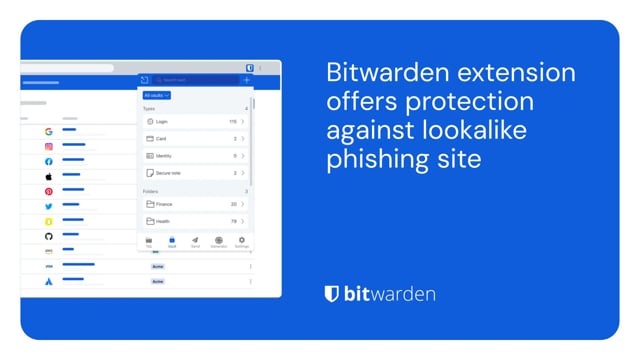](https://vimeo.com/1029820659)
*[Watch on Vimeo](https://vimeo.com/1029820659)*
[Download from Vimeo](https://vimeo.com/1029820659) | [Download from Google Drive](https://drive.google.com/drive/folders/1nZiUlOA5b5ljjnG29R_mqhKVn8uTIEts)
To ensure you are secure when making online purchases, utilize a password manager to help keep your data safe. A password manager can store your unique login, payment method, shipping address, and other sensitive information.
[](https://vimeo.com/1029819699)
*[Watch on Vimeo](https://vimeo.com/1029819699)*
[Download from Vimeo](https://vimeo.com/1029819699) | [Download from Google Drive](https://drive.google.com/drive/folders/1nZiUlOA5b5ljjnG29R_mqhKVn8uTIEts)
To give your loved ones the gift of security, Bitwarden offers a family plan that enables up to six members with the ability to share logins securely, while keeping everyone connected.
[](https://vimeo.com/1029835941)
*[Watch on Vimeo](https://vimeo.com/1029835941)*
[Download from Vimeo](https://vimeo.com/1029835941) | [Download from Google Drive](https://drive.google.com/drive/folders/1nZiUlOA5b5ljjnG29R_mqhKVn8uTIEts)
Visit the [press room](https://bitwarden.com/nl-nl/press-room/) for additional media assets and the latest Bitwarden news, case studies, and original research.
Email press@bitwarden.com to request a comment or to review Bitwarden.
---
URL: https://bitwarden.com/nl-nl/resources/bitwarden-business-insights-report/
---
# Elke seconde telt: 9 dagen om riskante referenties te repareren is te lang
Tweederde van de IT-beheerders zegt dat credential management cruciaal is. Waarom ontbreekt het velen dan aan de tools om dit te doen? Ontdek het in het nieuwste Bitwarden Business Insights-rapport.
---
## Samenvatting
Zwakke of gecompromitteerde wachtwoorden zijn eenvoudig te kraken of te kopen op dark web marktplaatsen. Deze zwakke referenties zijn het digitale equivalent van een voordeur met een sleutel in het slot: Het is triviaal voor aanvallers om ze te gebruiken om ongeoorloofd toegang te krijgen tot een organisatie.
Toch is het bijwerken van deze wachtwoorden een constante uitdaging. IT-beheerders hebben vaak geen zicht op welke wachtwoorden zwak, hergebruikt of gecompromitteerd zijn. Zelfs als ze risicovolle wachtwoorden kunnen identificeren, kan het een uitdaging voor ze zijn om gebruikers ervan te overtuigen hun wachtwoorden bij te werken of te vervangen door sterkere wachtwoorden. Slechte wachtwoordcontrole kan ook leiden tot ongecontroleerde toegang tot gevoelige systemen met hoge rechten, waardoor de organisatie nog meer beveiligingsrisico's loopt.
Om dit landschap te begrijpen, heeft Bitwarden een enquête gehouden onder IT-managers om inzicht te krijgen in hun pijnpunten met betrekking tot het inzichtelijk maken en herstellen van wachtwoordgezondheid. Deze bevindingen zijn gebundeld in het volgende rapport Bitwarden Business Insights 2025.
### Belangrijkste bevindingen
## Een kijkje in de keuken: Credential monitoring is nodig, maar vaak afwezig of ontbreekt het in de huidige toolset
Twee derde van de respondenten (67%) zegt dat credential access management erg belangrijk is voor hun organisatie. Bijna de helft (48%) geeft echter aan dat hun huidige systeem voor het bewaken van de gezondheid en toegang van wachtwoorden niet effectief is.
Dit gebrek aan effectieve bewaking en zichtbaarheid van de wachtwoordgezondheid draagt direct bij aan onvervulde beveiligingsdoelen en trage oplossingen.
Zo wil 53% van de IT-managers de beveiliging van credentials proactief aanpakken, maar zegt slechts 33% dat ze dat op dit moment doen. Ongeveer 60% van de IT-managers zegt dat hun huidige strategie voor het tijdig bijwerken van risicovolle referenties niet of nauwelijks effectief is.
Meestal (90% van de tijd) vragen respondenten hun werknemers om hun eigen referenties bij te werken en ze doen dit het vaakst via een e-mail (42%) of één-op-één gesprekken (36%).
Helaas meldt meer dan de helft van de IT-managers (51%) dat hun werknemers cyberbeveiligingsmaatregelen helemaal niet of slechts een beetje serieus nemen.
Als gevolg hiervan hebben werknemers gemiddeld 9 dagen nodig om hun risicovolle referenties bij te werken nadat ze zijn ontdekt, waardoor deze referenties open kwetsbaar blijven voor kwaadwillende actoren om te misbruiken. Eén organisatie meldde dat werknemers er een heel jaar over doen om risicovolle referenties bij te werken!
## Motivatie en prioriteiten stellen: De sleutels tot verbetering
De grootste uitdaging bij het veranderen van dit wijdverspreide probleem van inloggegevensbeheer en het implementeren van best practices voor wachtwoorden is het vinden van een manier om werknemers te motiveren hun gewoonten te veranderen, zoals 68% van de respondenten aangeeft.
Werknemers beschikken zelf mogelijk niet over de hulpmiddelen of informatie die ze nodig hebben. Van de IT-beheerders zegt 44% dat verwarring onder werknemers over het wijzigen van wachtwoorden een uitdaging is, en 36% klaagt over problemen met het bijhouden van de vooruitgang van werknemers in de richting van veiligere werkwijzen.
De topstrategie voor effectievere cyberbeveiliging, genoemd door de helft van de IT-managers (51%), is het duidelijker prioriteren van kritieke beveiligingsacties. Daarnaast wil bijna de helft meer intuïtieve workflows voor niet-technische mensen (46%) en regelmatiger beveiligingstrainingen (45%). Veertig procent zou graag inzicht hebben in wie cruciale beveiligingstaken niet heeft voltooid.
Door effectieve prioritering, workflows en training te combineren, kunnen deze managers hun werknemers beter laten zien hoe belangrijk het is om over veilige referenties te beschikken en kunnen ze zich richten op de referenties en geprivilegieerde gebruikers die het meeste risico lopen. Dat zou dan weer helpen om werknemers te motiveren en de tijd te verminderen om zwakke of gecompromitteerde wachtwoorden bij te werken. Door deze strategieën te implementeren, kunnen organisaties hun bedrijfsapplicaties, infrastructuur en accounts beter beschermen tegen kwaadwillende actoren.
## Bewaak de gezondheid van wachtwoorden en beheer toegang in de hele organisatie met Bitwarden
Bitwarden geeft IT-teams de tools die ze nodig hebben om de referenties van hun organisatie veilig te beheren met beveiligingsoplossingen voor toegang met de laagste privileges, wachtwoorden, geheimen en het beheer van wachtwoorden. Bitwarden wordt vertrouwd door tienduizenden bedrijven en miljoenen gebruikers over de hele wereld en maakt het gemakkelijk voor werknemers om sterke best practices voor wachtwoorden in te voeren en voor beheerders om organisatiekluizen te beheren.
Voor organisaties die worstelen met het identificeren van de gezondheid van wachtwoorden, biedt Bitwarden rapporten over de gezondheid van de kluis, waarmee IT-beheerders risicovolle referenties kunnen detecteren - waaronder blootgestelde, hergebruikte en zwakke wachtwoorden - die zijn gekoppeld aan hun organisatie. Dit is de eerste stap op weg naar een betere beveiliging van credentials.
Zodra risicovolle referenties zijn geïdentificeerd en medewerkers op de hoogte zijn gesteld, kunnen eindgebruikers met de ingebouwde Bitwarden-wachtwoordgenerator snel een inbreukmakend referentiesysteem vervangen door een sterk, uniek wachtwoord en dit veilig opslaan in de kluis van hun bedrijf.
Probeer deze beveiligingsfuncties uit met een gratis [7-daagse zakelijke proefversie van](https://bitwarden.com/nl-nl/go/start-enterprise-trial/) Bitwarden!
## Methodologie
Het Bitwarden-onderzoek richtte zich op IT-beheerders en -eigenaren bij bedrijven met een omzet van meer dan $1 miljoen. De antwoorden werden eind 2024 en begin 2025 verzameld, waarbij in totaal 108 reacties werden ontvangen.
## Profiteer nu van krachtige, vertrouwde wachtwoordbeveiliging. Kies uw plan.
## Persoonlijk
### Gratis
**$0**
*per maand*
*Altijd gratis*
Krijg een Bitwarden-kluis
- Onbeperkt aantal apparaten
- Beheer van wachtwoorden
- Alle kernfuncties
- Altijd gratis
Kluisitems met één andere gebruiker delen
[Begin vandaag](https://bitwarden.com/go/start-free/)
---
### Premium
**Less than $1**
*per maand*
*$10 jaarlijkse rekening*
Geniet van premium functies
- Bitwarden-authenticator
- Bestand bijlagen
- Noodtoegang
- Veiligheidsrapporten en meer
Kluisitems met één andere gebruiker delen
[Een premium account aanmaken](https://bitwarden.com/go/start-premium/)
---
### Gezinnen
**$3.33**
*per maand*
*Tot 6 gebruikers, $40 jaarlijkse rekening*
Inloggegevens van uw gezin beveiligen
- 6 premium-accounts
- Onbeperkt delen
- Onbeperkte collecties
- Opslag van de organisatie
Kluisitems tussen zes personen delen
[Gratis 7-daagse proefperiode beginnen](https://bitwarden.com/go/start-families-trial/)
---
De prijzen worden weergegeven in USD en zijn gebaseerd op een jaarabonnement. Belastingen niet inbegrepen.
## Bedrijf
### Teams
*Veerkrachtige bescherming voor groeiende teams*
**$4**
*per maand/per gebruiker, jaarlijkse rekening*
Deel gevoelige gegevens veilig met collega's, afdelingen of het hele bedrijf
- Gegevens veilig delen
- Gebeurtenislogboekbewaking
- Gidsintegratie
- SCIM-ondersteuning
Inclusief premium functies voor alle gebruikers
[Een proefperiode starten](https://bitwarden.com/go/start-teams-trial/)
---
### Enterprise
*Geavanceerde mogelijkheden voor grotere organisaties*
**$6**
*per maand/per gebruiker, jaarlijkse rekening*
Gebruik geavanceerde functies zoals bedrijfsbeleid, SSO zonder wachtwoord en accountherstel.
- Bedrijfsbeleid
- Wachtwoordloze SSO
- Account herstellen
- Zelf-host optie
Inclusief premium functies en gratis gezinsplan voor alle gebruikers
[Een proefperiode starten](https://bitwarden.com/go/start-enterprise-trial/)
---
### Een offerte aanvragen
*Voor bedrijven met honderden of duizenden werknemers, neem contact op met de verkoopafdeling voor een offerte op maat en ontdek hoe Bitwarden kan helpen:*
- Cyberbeveiligingsrisico's verminderen
- Productiviteit verhogen
- Naadloos integreren
Bitwarden schaalt met elk formaat bedrijf om wachtwoordbeveiliging naar uw organisatie te brengen
[Met de verkoopafdeling contact opnemen](https://bitwarden.com/contact-sales/)
---
Prijzen worden weergegeven in USD en zijn gebaseerd op een jaarabonnement
---
URL: https://bitwarden.com/nl-nl/resources/bitwarden-channel-partner-ascend-technology-group/
---
# Bitwarden Channel Partner of the Quarter: Ascend Technology Group
IT service provider boasts 97% client retention rate and full password management adoption.
---
## Overview
Founded: 2005
Size of company: 20 employees
Industry: IT services and support
Location: Omaha, Nebraska
Length of time using Bitwarden: 2 years
Based in Omaha, Nebraska, Ascend Technology Group is a managed service provider (MSP) offering IT services and support to clients in the Omaha area and nationwide. Ascend delivers concierge-level IT managed services, with specialties including small business technology, technical support, network support, and data security and protection. The company, which has been in operation for 20 years, boasts a 97% client retention rate and is committed to making life easier for businesses focused on doing their best work.
[](https://www.youtube.com/watch?v=Tt6qQeQfkj8)
*[Watch on YouTube](https://www.youtube.com/watch?v=Tt6qQeQfkj8)*
## Table of Contents
[Situation: Lack of confidence in status quo led to search for reputable, highly secure password manager](https://bitwarden.com/nl-nl/resources/bitwarden-channel-partner-ascend-technology-group/#situation-lack-of-confidence-in-status-quo-led-to-search-for-reputable-highly-secure-password-manager/)
[Solution: Bitwarden security architecture, infrastructure elevate it above competition](https://bitwarden.com/nl-nl/resources/bitwarden-channel-partner-ascend-technology-group/#solution-bitwarden-security-architecture-infrastructure-elevate-it-above-competition/)
[Get started with Bitwarden](https://bitwarden.com/nl-nl/resources/bitwarden-channel-partner-ascend-technology-group/#get-started-with-bitwarden/)
## Situation: Lack of confidence in status quo led to search for reputable, highly secure password manager
While Ascend did offer a password management tool as part of its security stack, most of its clients were not using any type of password manager. “Initially, there was the expectation that there would be friction or complications that would arise from using a password manager,” said John Gerdes, president of Ascend Technology Group.
Ascend, which initially promoted LastPass as its password manager of choice, ultimately decided to research other solutions and make a switch due to concerns about security practices.
## Read more:
[How to build the best security stack for your business](https://bitwarden.com/nl-nl/blog/best-cybersecurity-for-business/)
## Solution: Bitwarden security architecture, infrastructure elevate it above competition
Ascend opted to deploy Bitwarden internally after learning about its respected security architecture and zero-knowledge infrastructure. Zero-knowledge means that every piece of data stored in the Bitwarden Vault is secured with end-to-end AES-256 encryption and that the Bitwarden team cannot see anything stored within user vaults.
“We pushed Bitwarden out to our own employee base and after discovering how well it worked, started promoting it as part of our security stack and recommending it to clients,” said Gerdes. “Overall, the feedback has been very positive. As part of their engagement with Bitwarden, our clients are also learning password management best practices.”
Gerdes also noted that clients are especially pleased with the Bitwarden integration with two-step login, which requires authentication from a secondary device when a user logs in, and find the Bitwarden mobile application intuitive and well-designed.
#### Bitwarden MSP program delivers robust support and efficient services
Ascend, which is part of the [Bitwarden for MSP program](https://bitwarden.com/nl-nl/msp/), has seen deep and continued benefits in its collaboration with the Bitwarden team. “We always thought we received excellent support, but the new and improved Bitwarden MSP program has been highly beneficial for our clients. Billing is streamlined and onboarding has been quite straightforward, for both Ascend as a company and for our clients.”
#### Strong adoption starts with executive buy-in
The Ascend team is committed to receiving executive buy-in from its clients before promoting Bitwarden because it believes doing so is key to creating a culture of security. Initially, Ascend walks client executives through security breach scenarios to help them fully understand how much impact weak or reused passwords can have on businesses.
“Let’s say there is a breach of a low-stakes app that the executive uses,” said Gerdes. “While the breach may not seem business critical , we remind executives that people often reuse passwords across accounts, including those that may be more sensitive. Cybercriminals will discover reused passwords and eventually hit payload . Fortunately, password managers mitigate the need to reuse passwords. If there is a breach, it will only impact one individual account because that password is unique. Discussing these potential scenarios with clients helps them understand risks to the larger business, such as the accounting team, the procurement team, and so on.”
“Overall, Bitwarden has exceeded expectations. Clients are learning that having an Excel file on their desktop that says ‘passwords’ is not secure. They are understanding and adopting password best practices and thanks to Bitwarden, buying into the concept of unique passwords everywhere.”
Learn more about the [Bitwarden for MSP program](https://bitwarden.com/nl-nl/msp/).
## Get started with Bitwarden
Interested in becoming a member of the Bitwarden Partner Program? Find out more [here](https://bitwarden.com/nl-nl/partners/). You can also learn more about what Bitwarden can do for your business and sign up for a [free 7-day trial](https://bitwarden.com/nl-nl/trial/)!
## Read more:
[How to choose the best enterprise password manager for your business](https://bitwarden.com/nl-nl/blog/choose-the-best-enterprise-password-manager/)
## Profiteer nu van krachtige, vertrouwde wachtwoordbeveiliging. Kies uw plan.
## Persoonlijk
### Gratis
**$0**
*per maand*
*Altijd gratis*
Krijg een Bitwarden-kluis
- Onbeperkt aantal apparaten
- Beheer van wachtwoorden
- Alle kernfuncties
- Altijd gratis
Kluisitems met één andere gebruiker delen
[Begin vandaag](https://bitwarden.com/go/start-free/)
---
### Premium
**Less than $1**
*per maand*
*$10 jaarlijkse rekening*
Geniet van premium functies
- Bitwarden-authenticator
- Bestand bijlagen
- Noodtoegang
- Veiligheidsrapporten en meer
Kluisitems met één andere gebruiker delen
[Een premium account aanmaken](https://bitwarden.com/go/start-premium/)
---
### Gezinnen
**$3.33**
*per maand*
*Tot 6 gebruikers, $40 jaarlijkse rekening*
Inloggegevens van uw gezin beveiligen
- 6 premium-accounts
- Onbeperkt delen
- Onbeperkte collecties
- Opslag van de organisatie
Kluisitems tussen zes personen delen
[Gratis 7-daagse proefperiode beginnen](https://bitwarden.com/go/start-families-trial/)
---
De prijzen worden weergegeven in USD en zijn gebaseerd op een jaarabonnement. Belastingen niet inbegrepen.
## Bedrijf
### Teams
*Veerkrachtige bescherming voor groeiende teams*
**$4**
*per maand/per gebruiker, jaarlijkse rekening*
Deel gevoelige gegevens veilig met collega's, afdelingen of het hele bedrijf
- Gegevens veilig delen
- Gebeurtenislogboekbewaking
- Gidsintegratie
- SCIM-ondersteuning
Inclusief premium functies voor alle gebruikers
[Een proefperiode starten](https://bitwarden.com/go/start-teams-trial/)
---
### Enterprise
*Geavanceerde mogelijkheden voor grotere organisaties*
**$6**
*per maand/per gebruiker, jaarlijkse rekening*
Gebruik geavanceerde functies zoals bedrijfsbeleid, SSO zonder wachtwoord en accountherstel.
- Bedrijfsbeleid
- Wachtwoordloze SSO
- Account herstellen
- Zelf-host optie
Inclusief premium functies en gratis gezinsplan voor alle gebruikers
[Een proefperiode starten](https://bitwarden.com/go/start-enterprise-trial/)
---
### Een offerte aanvragen
*Voor bedrijven met honderden of duizenden werknemers, neem contact op met de verkoopafdeling voor een offerte op maat en ontdek hoe Bitwarden kan helpen:*
- Cyberbeveiligingsrisico's verminderen
- Productiviteit verhogen
- Naadloos integreren
Bitwarden schaalt met elk formaat bedrijf om wachtwoordbeveiliging naar uw organisatie te brengen
[Met de verkoopafdeling contact opnemen](https://bitwarden.com/contact-sales/)
---
Prijzen worden weergegeven in USD en zijn gebaseerd op een jaarabonnement
---
URL: https://bitwarden.com/nl-nl/resources/bitwarden-channel-partner-atb-technologies/
---
# Bitwarden Channel Partner of the Quarter: ATB Technologies, industry-leading St. Louis-based MSSP
Bitwarden is a strategic part of overall customer security stack offered by award-winning IT services firm.
---
## Overview
Founded: 2002
Size of company: 32
Industry: IT services and support
Location: St. Louis
Length of time using Bitwarden: 3 years
Number of clients: 35
Number of Bitwarden seats managed: Around 500
Based in St. Louis, Missouri, ATB Technologies is a managed service provider (MSP) offering IT services and support to over 30 clients in the St. Louis area. The company is selective and specific about the type of customers it brings on, with a focus on delivering an IT security service stack that meets a variety of needs. Operating in the manufacturing, non-profit, and financial services spaces, those customers were, as part of their overall security stack, seeking a password management solution that was comprehensive and easy-to-use.
## Table of Contents
[Situation: An opening for a well-rounded, intuitive, feature-rich password manager](https://bitwarden.com/nl-nl/resources/bitwarden-channel-partner-atb-technologies/#situation-an-opening-for-a-well-rounded-intuitive-feature-rich-password-manager/)
[Solution: Bitwarden delivers the goods to a diverse customer base](https://bitwarden.com/nl-nl/resources/bitwarden-channel-partner-atb-technologies/#solution-bitwarden-delivers-the-goods-to-a-diverse-customer-base/)
[Reciprocal relationship based on mutual respect](https://bitwarden.com/nl-nl/resources/bitwarden-channel-partner-atb-technologies/#reciprocal-relationship-based-on-mutual-respect/)
[“Bitwarden is strategic for our business”](https://bitwarden.com/nl-nl/resources/bitwarden-channel-partner-atb-technologies/#bitwarden-is-strategic-for-our-business/)
[Get started with Bitwarden](https://bitwarden.com/nl-nl/resources/bitwarden-channel-partner-atb-technologies/#get-started-with-bitwarden/)
## Situation: An opening for a well-rounded, intuitive, feature-rich password manager
Previously, ATB Technologies did not officially offer a password management tool as part of its security stack, although it did make suggestions to customers that were seeking one. “Initially, we dabbled with LastPass and Dashlane,” said Chris Miller, VP of sales and marketing at ATB Technologies. “We weren’t truly selling them as much as we were recommending them.” Over time, the company realized both solutions had inherent deficiencies, in that they weren’t particularly easy-to-use and missing certain features.
Said Miller, “Generally, we try to standardize the tools we can use across the board. In some cases, we give customers the option of ‘better’ and ‘best,’ especially if it comes down to cost. With password management, though, we were convinced it was important enough to offer one solution to all our clients.”
## Solution: Bitwarden delivers the goods to a diverse customer base
ATB Technologies chose Bitwarden as its one and only password management tool because it was drawn to the full suite of features Bitwarden provides. The team was particularly excited about the overall ease-of-use for users whose technical capabilities varied. “We have clients that are extremely sophisticated with technology and others who have budding skills,” said Miller.
Miller also cited the Bitwarden integration with [two-factor authentication](https://bitwarden.com/nl-nl/blog/basics-of-two-factor-authentication-with-bitwarden/) (2FA) technologies and its cross-platform reach, noting that the Chrome extension is particularly useful. “The Chrome extension has made life easy,” said Miller. “You login once, it’s there. It autofills passwords. The Bitwarden [Family for Enterprise](https://bitwarden.com/nl-nl/blog/how-to-protect-your-family-with-bitwarden-password-manager/) is also an added bonus. It’s nice to be able to share credentials with family members for personal reasons outside of the work setting.”
## Reciprocal relationship based on mutual respect
In terms of the partner relationship between ATB Technologies and Bitwarden, Miller appreciated that Bitwarden listened to company feedback from the onset. According to Miller, a big selling point was the Bitwarden team’s willingness to adjust aspects of its billing policy to meet ATB Technologies’ business requirements. “When we came up against challenges, Bitwarden helped us work through them,” said Miller.
Miller is also pleased with how Bitwarden has facilitated the overall onboarding and deployment process. “When we kick off the client onboarding process, we’re particularly focused on getting executive teams to buy into password management,” said Miller.” We emphasize how important it is for credential security and protecting critical data. For clients with a large user base, we’ve come up with a system for assisting them with Bitwarden deployment that seems to work well. Overall, the centralized nature of Bitwarden has made onboarding and offboarding more efficient.”
## “Bitwarden is strategic for our business”
“Bitwarden is a strategic, core part of the package we offer,” said Miller. “It’s a big piece of it and all the pieces make the whole. The fact that we can offer it, we can support it for the client’s needs, these are all advantages to our overall business. I can also attest to it from an internal perspective. In our support of customers, it is extremely important that ATB Technologies utilize strong and unique passwords.”
Miller enthusiastically recommends Bitwarden to other MSPs considering password management solutions. “In contrast to competing vendors, Bitwarden has shown its willingness to partner with us and listen to what we have to say. As a smaller organization, to be able to have a say and know that our feedback is taken into account is tremendous. Bitwarden has been a great product for us. It has the flexibility and security our team wanted.”
## Get started with Bitwarden
Interested in becoming a member of the Bitwarden Partner Program? Find out more [here](https://bitwarden.com/nl-nl/partners/). You can also learn more about what Bitwarden can do for your business and sign up for a [free 7-day trial](https://bitwarden.com/nl-nl/trial/)!
## Profiteer nu van krachtige, vertrouwde wachtwoordbeveiliging. Kies uw plan.
## Persoonlijk
### Gratis
**$0**
*per maand*
*Altijd gratis*
Krijg een Bitwarden-kluis
- Onbeperkt aantal apparaten
- Beheer van wachtwoorden
- Alle kernfuncties
- Altijd gratis
Kluisitems met één andere gebruiker delen
[Begin vandaag](https://bitwarden.com/go/start-free/)
---
### Premium
**Less than $1**
*per maand*
*$10 jaarlijkse rekening*
Geniet van premium functies
- Bitwarden-authenticator
- Bestand bijlagen
- Noodtoegang
- Veiligheidsrapporten en meer
Kluisitems met één andere gebruiker delen
[Een premium account aanmaken](https://bitwarden.com/go/start-premium/)
---
### Gezinnen
**$3.33**
*per maand*
*Tot 6 gebruikers, $40 jaarlijkse rekening*
Inloggegevens van uw gezin beveiligen
- 6 premium-accounts
- Onbeperkt delen
- Onbeperkte collecties
- Opslag van de organisatie
Kluisitems tussen zes personen delen
[Gratis 7-daagse proefperiode beginnen](https://bitwarden.com/go/start-families-trial/)
---
De prijzen worden weergegeven in USD en zijn gebaseerd op een jaarabonnement. Belastingen niet inbegrepen.
## Bedrijf
### Teams
*Veerkrachtige bescherming voor groeiende teams*
**$4**
*per maand/per gebruiker, jaarlijkse rekening*
Deel gevoelige gegevens veilig met collega's, afdelingen of het hele bedrijf
- Gegevens veilig delen
- Gebeurtenislogboekbewaking
- Gidsintegratie
- SCIM-ondersteuning
Inclusief premium functies voor alle gebruikers
[Een proefperiode starten](https://bitwarden.com/go/start-teams-trial/)
---
### Enterprise
*Geavanceerde mogelijkheden voor grotere organisaties*
**$6**
*per maand/per gebruiker, jaarlijkse rekening*
Gebruik geavanceerde functies zoals bedrijfsbeleid, SSO zonder wachtwoord en accountherstel.
- Bedrijfsbeleid
- Wachtwoordloze SSO
- Account herstellen
- Zelf-host optie
Inclusief premium functies en gratis gezinsplan voor alle gebruikers
[Een proefperiode starten](https://bitwarden.com/go/start-enterprise-trial/)
---
### Een offerte aanvragen
*Voor bedrijven met honderden of duizenden werknemers, neem contact op met de verkoopafdeling voor een offerte op maat en ontdek hoe Bitwarden kan helpen:*
- Cyberbeveiligingsrisico's verminderen
- Productiviteit verhogen
- Naadloos integreren
Bitwarden schaalt met elk formaat bedrijf om wachtwoordbeveiliging naar uw organisatie te brengen
[Met de verkoopafdeling contact opnemen](https://bitwarden.com/contact-sales/)
---
Prijzen worden weergegeven in USD en zijn gebaseerd op een jaarabonnement
---
URL: https://bitwarden.com/nl-nl/resources/bitwarden-channel-partner-convergence-networks/
---
# Bitwarden Channel Partner of the Quarter: Convergence Networks
## Overview
**Founded**: 2000
**Industry**: IT Services
**Location**: Northern U.S. and Canada
Based in the Northern U.S. and Canada, [Convergence Networks](https://hubs.li/Q03rf2p90) is a managed service provider (MSP) supporting small business clients in a wide variety of industries, including financial services, healthcare, manufacturing, and engineering. Its service offerings encompass cybersecurity solution suites that address IT security readiness, deliver network penetration testings, provide dark web monitoring, and enable a well-rounded strategy for combating data security threats.
## Situation: Dissatisfaction with previous password manager provider propelled Convergence towards new solution
Part of the Convergence Networks customer cybersecurity portfolio includes the provision of a password manager that could protect sensitive data. The company became concerned about the password management solution it had offered for a number of years because it had experienced several breaches in a short period of time. “As the person in charge of security, I was increasingly uncomfortable with the password security status quo and was interested in seeking out alternatives,” said John Stephens, chief information security officer (CISO) at Convergence Networks. The team researched alternatives but found a number of password management solutions lacking in their ability to support a diverse variety of endpoints and more complex use cases.
## Solution: Moving to Bitwarden was a ‘no-brainer’
Having previously had a positive experience with Bitwarden in a prior role, Convergence Networks IT Manager Josh Plumlee suggested the IT security team consider replacing its current offering. The benefits were immediately apparent. “When we really started looking at it, Bitwarden did everything the other solution did, but it was easier, more secure, and more economical,” said Stephens. “Quite frankly, it was a no-brainer to move to Bitwarden. We were able to deploy it internally to our entire organization and move the needle on the security suite offered to our clients, as well.”
Stephens cited the ability to share passwords as a major Bitwarden selling point, a capability he found lacking in other password managers. He also noted the ease and speed in which the solution could be deployed internally and across its client base. This was affirmed by Plumlee, who noted that even the subset of users who had never used a password manager before or saved passwords in Excel spreadsheets found the process straightforward due the Bitwarden integration with SSO solutions. Plumlee also had effusive words for the Bitwarden customer support team, stating the Convergence Networks team felt “very taken care of” and was able to get results in a timely fashion.
## Bitwarden event logs and reporting enable peace of mind
“The Bitwarden event logs were really important to us,” said Plumlee. “For example, we use Microsoft Azure AD for various departments. Within those departments, employees share passwords. In a few instances, we had an employee update a password within our previous password management database but not actually update it in the platform. With Bitwarden, we could determine who changed a record and recover accounts without having to go through the platform’s recovery.”
The [Bitwarden event](https://bitwarden.com/nl-nl/help/event-logs/) logs are time-stamped records of events that occur within a Bitwarden Teams or Enterprise organization. The event logs capture more than 60 different events, including password changes, login attempts, and administrative actions. Events are captured at both the Bitwarden client and server, with most events occurring at the client. Overall, Plumlee lauded the event logs as an important way for ensuring accountability and delineating privileged access.
## Overall results indicate a more efficient and secure workforce and client base
“The Microsoft integration with our previous password manager was pretty lackluster,” said Plumlee. “We’ve saved a very substantial amount of time since rolling out Bitwarden because we can do everything through our Microsoft tenant. We very rarely have to get into the Bitwarden platform to change something because we’ve been given the tools to build out through the Bitwarden integrations.”
Internally, the Convergence Networks team has also seen a 238% rise in the number of employees utilizing Bitwarden and a near 100% adoption rate across the organization. Externally, the company estimates it takes around 4 hours to deploy Bitwarden to clients - a dramatically improved deployment average from what it saw with its former password manager.
“Bitwarden is a reliable, reputable solution without a history of security vulnerabilities. Its ease of administration and deployment and its economic attractiveness make it the ideal password manager to offer to our clients,” said Stephens.
“It’s very useful to have pride in a platform through our own internal experiences because we can heartedly recommend it to our customers,” said Plumlee.
## Get started with Bitwarden
Interested in becoming a member of the Bitwarden partner program? Find out more [here](https://bitwarden.com/nl-nl/partners/become-a-partner/). You can also learn more about what Bitwarden can do for your business and sign up for a [free 7-day trial](https://bitwarden.com/nl-nl/trial/)!
## Profiteer nu van krachtige, vertrouwde wachtwoordbeveiliging. Kies uw plan.
## Persoonlijk
### Gratis
**$0**
*per maand*
*Altijd gratis*
Krijg een Bitwarden-kluis
- Onbeperkt aantal apparaten
- Beheer van wachtwoorden
- Alle kernfuncties
- Altijd gratis
Kluisitems met één andere gebruiker delen
[Begin vandaag](https://bitwarden.com/go/start-free/)
---
### Premium
**Less than $1**
*per maand*
*$10 jaarlijkse rekening*
Geniet van premium functies
- Bitwarden-authenticator
- Bestand bijlagen
- Noodtoegang
- Veiligheidsrapporten en meer
Kluisitems met één andere gebruiker delen
[Een premium account aanmaken](https://bitwarden.com/go/start-premium/)
---
### Gezinnen
**$3.33**
*per maand*
*Tot 6 gebruikers, $40 jaarlijkse rekening*
Inloggegevens van uw gezin beveiligen
- 6 premium-accounts
- Onbeperkt delen
- Onbeperkte collecties
- Opslag van de organisatie
Kluisitems tussen zes personen delen
[Gratis 7-daagse proefperiode beginnen](https://bitwarden.com/go/start-families-trial/)
---
De prijzen worden weergegeven in USD en zijn gebaseerd op een jaarabonnement. Belastingen niet inbegrepen.
## Bedrijf
### Teams
*Veerkrachtige bescherming voor groeiende teams*
**$4**
*per maand/per gebruiker, jaarlijkse rekening*
Deel gevoelige gegevens veilig met collega's, afdelingen of het hele bedrijf
- Gegevens veilig delen
- Gebeurtenislogboekbewaking
- Gidsintegratie
- SCIM-ondersteuning
Inclusief premium functies voor alle gebruikers
[Een proefperiode starten](https://bitwarden.com/go/start-teams-trial/)
---
### Enterprise
*Geavanceerde mogelijkheden voor grotere organisaties*
**$6**
*per maand/per gebruiker, jaarlijkse rekening*
Gebruik geavanceerde functies zoals bedrijfsbeleid, SSO zonder wachtwoord en accountherstel.
- Bedrijfsbeleid
- Wachtwoordloze SSO
- Account herstellen
- Zelf-host optie
Inclusief premium functies en gratis gezinsplan voor alle gebruikers
[Een proefperiode starten](https://bitwarden.com/go/start-enterprise-trial/)
---
### Een offerte aanvragen
*Voor bedrijven met honderden of duizenden werknemers, neem contact op met de verkoopafdeling voor een offerte op maat en ontdek hoe Bitwarden kan helpen:*
- Cyberbeveiligingsrisico's verminderen
- Productiviteit verhogen
- Naadloos integreren
Bitwarden schaalt met elk formaat bedrijf om wachtwoordbeveiliging naar uw organisatie te brengen
[Met de verkoopafdeling contact opnemen](https://bitwarden.com/contact-sales/)
---
Prijzen worden weergegeven in USD en zijn gebaseerd op een jaarabonnement
---
URL: https://bitwarden.com/nl-nl/resources/bitwarden-channel-partner-cybernet-evolution/
---
# Channel Partner of the Quarter: MSP leader Cybernet Evolution nears 100% password management adoption among clients
## Overview
**Founded:** 1996
**Location:** Southport, Gold Coast, Australia
**Industry:** Managed IT Services
**Number of clients:** 60
**Bitwarden seats managed:** 650
Australian-based managed service provider (MSP) IT leader Cybernet Evolution offers extensive security solutions to clients across various sectors, including automotive and sports clubs. In partnership with Bitwarden, Cybernet Evolution achieved nearly 100% adoption among its clients — demonstrating the accessibility and trust Bitwarden brings to organizations with varied digital security familiarity.
## Table of Contents
[Situation: A need for reliable, scalable password management](https://bitwarden.com/nl-nl/resources/bitwarden-channel-partner-cybernet-evolution/#situation-a-need-for-reliable-scalable-password-management/)
[Solution: Bitwarden delivers versatile, user-friendly password management](https://bitwarden.com/nl-nl/resources/bitwarden-channel-partner-cybernet-evolution/#solution-bitwarden-delivers-versatile-user-friendly-password-management/)
[Results: Enhanced client satisfaction and operational efficiency](https://bitwarden.com/nl-nl/resources/bitwarden-channel-partner-cybernet-evolution/#results-enhanced-client-satisfaction-and-operational-efficiency/)
## Situation: A need for reliable, scalable password management
Cybernet Evolution had previously offered password management solutions like LastPass and Myki, but challenges arose when Myki was acquired, and LastPass lacked MSP-focused functionality.
“We used both LastPass and Myki. LastPass made it difficult to acquire MSP licenses,” said Warrick Allwood, CEO of Cybernet Evolution. “Myki was eventually acquired. It was clear we needed a more scalable, reliable solution.”
The team wanted a password management solution that was [end-to-end, zero knowledge encrypted](https://bitwarden.com/nl-nl/blog/end-to-end-encryption-and-zero-knowledge/), straightforward to deploy across multiple devices and platforms, meeting their clients’ evolving security demands.
With clients spanning industries, including the automotive space and sports clubs, Cybernet Evolution also required a solution that could scale easily and align with their managed services model, integrating seamlessly without creating additional billing complexities.
“We needed something that was going to be easy to use as password management is one of the hardest things to onboard,” said Edwin Luck, technical director at Cybernet Evolution. “We come from a group of users that don’t have any password management experience. Password management is not just a solution but is part of a security policy we try to develop with our clients. Bitwarden is a seamless solution that helps us enforce this policy.”
## Solution: Bitwarden delivers versatile, user-friendly password management
Cybernet Evolution chose Bitwarden as their MSP password management tool, citing key features, including ease of use, device flexibility, and support for zero knowledge architecture. Cybernet Evolution is especially impressed by the Bitwarden:
- **Zero knowledge security model**: The Bitwarden approach to zero knowledge encryption ensures that the encryption key remains exclusively with the user, providing peace of mind and heightened security. “Zero knowledge was obviously the first thing that I was looking for in a solution,” said Luck. “Clients appreciate knowing that they hold their own encryption keys, which means no one, not even Bitwarden, ever has access to their data.”
- **Open source community**: As a solution backed by the open-source community, Bitwarden met Cybernet Evolution’s rigorous standards for transparency and trust.
- **Cross-platform compatibility**: Bitwarden supports desktop, browser, mobile, and tablet devices, enabling Cybernet Evolution to meet its clients’ diverse technical needs.
- **Features that fit organizations of every size**: From medium to large organizations, Bitwarden offers password management solutions tailored to all of Cybernet Evolution’s clients, regardless of their size.
Deployment and onboarding are streamlined, with the majority of Cybernet Evolution’s clients using the Bitwarden browser extension. Cybernet Evolution also provides in-person, 1:1 training to encourage high adoption and adherence to best practices.
## Read more:
[Why open source delivers transparency and security for enterprises](https://bitwarden.com/nl-nl/blog/why-open-source-delivers-transparency-and-security-for-enterprises/)
## Results: Enhanced client satisfaction and operational efficiency
Bitwarden quickly became a core part of Cybernet Evolution’s managed service stack, enhancing productivity and user satisfaction among their clients. The benefits included:
- **High adoption and ease of use**: Cybernet Evolution achieves nearly 100% adoption among their clients, thanks to mandatory training, most of which is delivered 1:1, in person.
- **Improved security practices**: Clients can seamlessly enforce strong password policies and utilize built-in time-based one-time passcode (TOTP) and multifactor authentication (MFA) capabilities, reducing security risks and simplifying access management.
- **Centralized credential control**: The Bitwarden collections organization feature provides Cybernet Evolution’s clients with greater control over shared passwords, enhancing collaboration while protecting critical business information.
Cybernet Evolution’s success with Bitwarden has not only strengthened their relationships with clients but also reaffirmed their commitment to delivering security solutions that are both practical and effective.
**“Bitwarden ticks all the boxes. It’s easy to use and it’s secure,”**said Warrick Allwood, sales director, Cybernet Evolution.
Allwood continued, “Bitwarden has been a great part of our managed services product suite. We get great feedback from our clients, who feel like they’re getting a great value, and have responded very positively to our managed service offerings.”
Cybernet Evolution is actively expanding, signaling a commitment to growth and reaching new markets. As the company continues to scale, Cybernet Evolution envisions Bitwarden as a key partner in their journey to deliver innovative security solutions to clients. With plans to explore advanced authentication technologies, such as passkeys, Cybernet Evolution is positioned to lead in providing seamless, future-ready security experiences.
### Get started with Bitwarden
Interested in becoming a member of the Bitwarden Partner Program? Find out more [here](https://bitwarden.com/nl-nl/partners/). You can also learn more about what Bitwarden can do for your business and sign up for a [free 7-day trial](https://bitwarden.com/nl-nl/trial/)!
## Profiteer nu van krachtige, vertrouwde wachtwoordbeveiliging. Kies uw plan.
## Persoonlijk
### Gratis
**$0**
*per maand*
*Altijd gratis*
Krijg een Bitwarden-kluis
- Onbeperkt aantal apparaten
- Beheer van wachtwoorden
- Alle kernfuncties
- Altijd gratis
Kluisitems met één andere gebruiker delen
[Begin vandaag](https://bitwarden.com/go/start-free/)
---
### Premium
**Less than $1**
*per maand*
*$10 jaarlijkse rekening*
Geniet van premium functies
- Bitwarden-authenticator
- Bestand bijlagen
- Noodtoegang
- Veiligheidsrapporten en meer
Kluisitems met één andere gebruiker delen
[Een premium account aanmaken](https://bitwarden.com/go/start-premium/)
---
### Gezinnen
**$3.33**
*per maand*
*Tot 6 gebruikers, $40 jaarlijkse rekening*
Inloggegevens van uw gezin beveiligen
- 6 premium-accounts
- Onbeperkt delen
- Onbeperkte collecties
- Opslag van de organisatie
Kluisitems tussen zes personen delen
[Gratis 7-daagse proefperiode beginnen](https://bitwarden.com/go/start-families-trial/)
---
De prijzen worden weergegeven in USD en zijn gebaseerd op een jaarabonnement. Belastingen niet inbegrepen.
## Bedrijf
### Teams
*Veerkrachtige bescherming voor groeiende teams*
**$4**
*per maand/per gebruiker, jaarlijkse rekening*
Deel gevoelige gegevens veilig met collega's, afdelingen of het hele bedrijf
- Gegevens veilig delen
- Gebeurtenislogboekbewaking
- Gidsintegratie
- SCIM-ondersteuning
Inclusief premium functies voor alle gebruikers
[Een proefperiode starten](https://bitwarden.com/go/start-teams-trial/)
---
### Enterprise
*Geavanceerde mogelijkheden voor grotere organisaties*
**$6**
*per maand/per gebruiker, jaarlijkse rekening*
Gebruik geavanceerde functies zoals bedrijfsbeleid, SSO zonder wachtwoord en accountherstel.
- Bedrijfsbeleid
- Wachtwoordloze SSO
- Account herstellen
- Zelf-host optie
Inclusief premium functies en gratis gezinsplan voor alle gebruikers
[Een proefperiode starten](https://bitwarden.com/go/start-enterprise-trial/)
---
### Een offerte aanvragen
*Voor bedrijven met honderden of duizenden werknemers, neem contact op met de verkoopafdeling voor een offerte op maat en ontdek hoe Bitwarden kan helpen:*
- Cyberbeveiligingsrisico's verminderen
- Productiviteit verhogen
- Naadloos integreren
Bitwarden schaalt met elk formaat bedrijf om wachtwoordbeveiliging naar uw organisatie te brengen
[Met de verkoopafdeling contact opnemen](https://bitwarden.com/contact-sales/)
---
Prijzen worden weergegeven in USD en zijn gebaseerd op een jaarabonnement
---
URL: https://bitwarden.com/nl-nl/resources/bitwarden-channel-partner-solveit/
---
# Bitwarden Channel Partner Solve iT reduces inbound service requests by 70% with Bitwarden
## Overview
Founded: 2016
Industry: IT services
Location: North Carolina
Based in Charlotte, North Carolina, Solve iT is a managed service provider (MSP) supporting clients in North and South Carolina, Pennsylvania, and New Jersey. With a focus on delivering services to businesses in the healthcare, financial services, manufacturing and non-profit sectors, Solve iT is particularly adept at managing compliance-related security needs through its array of customized solutions.
[](https://vimeo.com/1073385918)
*[Watch on Vimeo](https://vimeo.com/1073385918)*
## Situation: Frustration with previous solution lead Solve iT to research new password management tool
Solve iT clients were looking for an intuitive, well-designed, and easy-to-use password manager. While Solve iT initially offered Keeper as part of its service bundle, over time both Solve iT and its clients came to view the password solution as unwieldy and a bit too busy. “We continued to get feedback that the solution was invasive and hard to operate,” said Eddie Clark, president of Solve iT. “We knew we had to make a change.”
Clark researched a number of solutions and did some testing, but wasn’t sold on their overall approach, security, or usability. He was also concerned that some of the products had experienced breaches.
## Solution: Bitwarden “checks so many of the boxes that are important to our clients and to us”
In addition to offering a fully managed IT services package, Solve iT also offers co-managed IT services that supplement and enhance existing internal IT teams. “We really like working on these types of accounts because we’re not just dictating to teams, we’re getting feedback on what they like and what they don’t like. In one instance, a technician we were working with said he couldn’t get his users on board with Keeper and asked if the Solve iT team would consider switching to Bitwarden. We said of course - and we fell in love with Bitwarden after that.”
According to Clark, Bitwarden delivers a wide array of benefits. They include the ability to transfer a vault from one person to another, secure credential sharing between team members, ease of use, ease of transitioning from one product to another, and a much more straightforward deployment process.
“The fact that our clients are coming to us and asking to use it really says a lot. Bitwarden checks so many of the boxes that are important to our clients and to us.”
## Bitwarden autofill functionality, deployment process elevate it above the competition
“With our previous solution, we were coming from a painful place as far as autofill was concerned,” said Clark. “With Bitwarden, the way that autofill functions is solid. We’re very happy with it.”
Bitwarden currently includes an autofill feature in both the web browser extension and the mobile app. With autofill, users can automate the steps typically taken when utilizing a password manager: logging into the vault, locating the requisite entry for a website, app or service, copying the password, and pasting it into the password field.
Clark also has high praise for the Bitwarden deployment process. “We just don’t get support calls about Bitwarden. This is important because we are looking to grow our client base and keep our staff lean and mean. Our staff utilization for support calls decreased by around 70%. My team has gained a lot of time thanks to shifting over to intuitive products like Bitwarden. Because of this, we’ve been able to add more clients without raising our overhead.”
## Internal adoption reflects Solve iT focus on robust, yet usable, security
“Adoption within my own company was important,” said Clark. “My mother had been struggling with Keeper. When we converted her over to Bitwarden she had no problems. If a 74-year-old woman can deal with it, so can our clients and our sales team.”
He added, “Everyone at Solve iT uses Bitwarden. It is not optional. We have 100% internal adoption.”
“We’d absolutely recommend Bitwarden to others. I’m a member of a nationwide peer group and when we met recently, Bitwarden was part of my product recommendations. The price is right, the security is tight, and the overhead it takes to support the product is minimal. I can’t think of another product in our stack that requires as little maintenance.”
## Read more:
[How to foster user adoption for your new company password manager](https://bitwarden.com/nl-nl/blog/user-adoption-for-company-password-manager/)
## Get started with Bitwarden
Interested in becoming a member of the Bitwarden partner program? Find out more [here](https://bitwarden.com/nl-nl/partners/become-a-partner/). You can also learn more about what Bitwarden can do for your business and sign up for a [free 7-day trial](https://bitwarden.com/nl-nl/trial/)!
## Profiteer nu van krachtige, vertrouwde wachtwoordbeveiliging. Kies uw plan.
## Persoonlijk
### Gratis
**$0**
*per maand*
*Altijd gratis*
Krijg een Bitwarden-kluis
- Onbeperkt aantal apparaten
- Beheer van wachtwoorden
- Alle kernfuncties
- Altijd gratis
Kluisitems met één andere gebruiker delen
[Begin vandaag](https://bitwarden.com/go/start-free/)
---
### Premium
**Less than $1**
*per maand*
*$10 jaarlijkse rekening*
Geniet van premium functies
- Bitwarden-authenticator
- Bestand bijlagen
- Noodtoegang
- Veiligheidsrapporten en meer
Kluisitems met één andere gebruiker delen
[Een premium account aanmaken](https://bitwarden.com/go/start-premium/)
---
### Gezinnen
**$3.33**
*per maand*
*Tot 6 gebruikers, $40 jaarlijkse rekening*
Inloggegevens van uw gezin beveiligen
- 6 premium-accounts
- Onbeperkt delen
- Onbeperkte collecties
- Opslag van de organisatie
Kluisitems tussen zes personen delen
[Gratis 7-daagse proefperiode beginnen](https://bitwarden.com/go/start-families-trial/)
---
De prijzen worden weergegeven in USD en zijn gebaseerd op een jaarabonnement. Belastingen niet inbegrepen.
## Bedrijf
### Teams
*Veerkrachtige bescherming voor groeiende teams*
**$4**
*per maand/per gebruiker, jaarlijkse rekening*
Deel gevoelige gegevens veilig met collega's, afdelingen of het hele bedrijf
- Gegevens veilig delen
- Gebeurtenislogboekbewaking
- Gidsintegratie
- SCIM-ondersteuning
Inclusief premium functies voor alle gebruikers
[Een proefperiode starten](https://bitwarden.com/go/start-teams-trial/)
---
### Enterprise
*Geavanceerde mogelijkheden voor grotere organisaties*
**$6**
*per maand/per gebruiker, jaarlijkse rekening*
Gebruik geavanceerde functies zoals bedrijfsbeleid, SSO zonder wachtwoord en accountherstel.
- Bedrijfsbeleid
- Wachtwoordloze SSO
- Account herstellen
- Zelf-host optie
Inclusief premium functies en gratis gezinsplan voor alle gebruikers
[Een proefperiode starten](https://bitwarden.com/go/start-enterprise-trial/)
---
### Een offerte aanvragen
*Voor bedrijven met honderden of duizenden werknemers, neem contact op met de verkoopafdeling voor een offerte op maat en ontdek hoe Bitwarden kan helpen:*
- Cyberbeveiligingsrisico's verminderen
- Productiviteit verhogen
- Naadloos integreren
Bitwarden schaalt met elk formaat bedrijf om wachtwoordbeveiliging naar uw organisatie te brengen
[Met de verkoopafdeling contact opnemen](https://bitwarden.com/contact-sales/)
---
Prijzen worden weergegeven in USD en zijn gebaseerd op een jaarabonnement
---
URL: https://bitwarden.com/nl-nl/resources/bitwarden-directory-connector-blog-newsletter-august-2021/
---
# August 2021 Spotlight: Bitwarden Directory Connector Blog
Welcome to the Bitwarden August newsletter, featuring product and company announcements, upcoming events, and top social fan favorites.
---
## Featured Article
Some recent questions from the Bitwarden community focus on how to get the most from your directory services for onboarding, user succession, and beyond. We recently refreshed a [Bitwarden Directory Connector blog](https://bitwarden.com/nl-nl/blog/password-management-directory-connector/) and how it supports several directory services, including:
- Active Directory
- Azure Active Directory
- Google Workspace / G-Suite
- Okta
- OneLogin
## Enjoying this update? Subscribe today.
*Receive the latest product updates, hand-picked articles, community highlights, and more.*
[Contact form]
## More Bits and Bites
Secure password managers can help companies achieve ISO 27001 certification by meeting ISO controls, including identity and access management and secure log-on procedures. To learn more, [read this article](https://bitwarden.com/nl-nl/resources/how-password-management-helps-companies-achieve-iso-27001-certification/).
A new U.S. executive order announced a few months ago by the White House is driving many organizations to start preparing for better software supply chain visibility and security requirements. [Read this article](https://bitwarden.com/nl-nl/blog/preparing-for-the-executive-order-on-improving-the-nations-cybersecurity/) for more information.
Chances are, you subscribe to four or more streaming services and use them across different devices. Thankfully, your passwords can easily and securely travel with you. [Check out this blog ](https://bitwarden.com/nl-nl/blog/how-to-manage-all-your-streaming-apps-with-a-password-manager/) to learn more.
## Industry News

**More People Believe in Vampires Than in Twitter 2FA**
[Twitter's Transparency Report](https://transparency.twitter.com/en/reports/account-security.html#2020-jul-dec) found that only 2.3% of users have adopted two-factor authentication. That’s a lot less than the 13% of grown adults who [believe in vampires](https://www.8newsnow.com/news/local-news/45-of-americans-believe-in-ghosts-and-demons/), according to another survey. Either way, 'sink your teeth' into better security by enabling [2FA for Twitter with Bitwarden](https://bitwarden.com/nl-nl/blog/two-step-login-with-twitter-and-bitwarden/).
## Upcoming Events

[**Upcoming Training:**](https://vimeo.com/579562355)** Bitwarden Essentials for Power Users**
Thursday, August 12th, 9 am PST/12 noon EST
This session covers how Power Users can leverage Bitwarden from tips on autofill to using Bitwarden Send.
## Top Social Fan Favorites
You play an important role in contributing to a world free of breaches and hacks by sharing your knowledge and experience. Here are a couple of recent fan-favorite posts.
[**A LinkedIn Post on Securing AWS with Bitwarden**](https://www.linkedin.com/feed/update/urn%3Ali%3Aactivity%3A6820938735899738112/?actorCompanyId=24776937)

[**A Tweet Screaming for a Password Update**](https://twitter.com/TolkiCasts/status/1416397955053936641)

That’s it for now. Let us know what you think about this newsletter including potential topics you’d like to see.
**Until next time,**
Team Bitwarden
## Profiteer nu van krachtige, vertrouwde wachtwoordbeveiliging. Kies uw plan.
## Persoonlijk
### Gratis
**$0**
*per maand*
*Altijd gratis*
Krijg een Bitwarden-kluis
- Onbeperkt aantal apparaten
- Beheer van wachtwoorden
- Alle kernfuncties
- Altijd gratis
Kluisitems met één andere gebruiker delen
[Begin vandaag](https://bitwarden.com/go/start-free/)
---
### Premium
**Less than $1**
*per maand*
*$10 jaarlijkse rekening*
Geniet van premium functies
- Bitwarden-authenticator
- Bestand bijlagen
- Noodtoegang
- Veiligheidsrapporten en meer
Kluisitems met één andere gebruiker delen
[Een premium account aanmaken](https://bitwarden.com/go/start-premium/)
---
### Gezinnen
**$3.33**
*per maand*
*Tot 6 gebruikers, $40 jaarlijkse rekening*
Inloggegevens van uw gezin beveiligen
- 6 premium-accounts
- Onbeperkt delen
- Onbeperkte collecties
- Opslag van de organisatie
Kluisitems tussen zes personen delen
[Gratis 7-daagse proefperiode beginnen](https://bitwarden.com/go/start-families-trial/)
---
De prijzen worden weergegeven in USD en zijn gebaseerd op een jaarabonnement. Belastingen niet inbegrepen.
## Bedrijf
### Teams
*Veerkrachtige bescherming voor groeiende teams*
**$4**
*per maand/per gebruiker, jaarlijkse rekening*
Deel gevoelige gegevens veilig met collega's, afdelingen of het hele bedrijf
- Gegevens veilig delen
- Gebeurtenislogboekbewaking
- Gidsintegratie
- SCIM-ondersteuning
Inclusief premium functies voor alle gebruikers
[Een proefperiode starten](https://bitwarden.com/go/start-teams-trial/)
---
### Enterprise
*Geavanceerde mogelijkheden voor grotere organisaties*
**$6**
*per maand/per gebruiker, jaarlijkse rekening*
Gebruik geavanceerde functies zoals bedrijfsbeleid, SSO zonder wachtwoord en accountherstel.
- Bedrijfsbeleid
- Wachtwoordloze SSO
- Account herstellen
- Zelf-host optie
Inclusief premium functies en gratis gezinsplan voor alle gebruikers
[Een proefperiode starten](https://bitwarden.com/go/start-enterprise-trial/)
---
### Een offerte aanvragen
*Voor bedrijven met honderden of duizenden werknemers, neem contact op met de verkoopafdeling voor een offerte op maat en ontdek hoe Bitwarden kan helpen:*
- Cyberbeveiligingsrisico's verminderen
- Productiviteit verhogen
- Naadloos integreren
Bitwarden schaalt met elk formaat bedrijf om wachtwoordbeveiliging naar uw organisatie te brengen
[Met de verkoopafdeling contact opnemen](https://bitwarden.com/contact-sales/)
---
Prijzen worden weergegeven in USD en zijn gebaseerd op een jaarabonnement
---
URL: https://bitwarden.com/nl-nl/resources/bitwarden-enables-bjg-consulting-to-foster-a-security-culture/
---
# Bitwarden enables BJG Consulting to foster a security culture
BJG Consulting found that Bitwarden Password Manager "checks all the boxes" for creating a frictionless environment.
---
## Overview
Founded: 2008
Industry: Marketing
Locations: Washington and Florida
BJG Consulting is a communications and marketing consulting firm founded by Brianna J. Grantham. Headquartered in Seattle and Fort Myers, Florida, the organization offers its clients full-service marketing strategy consulting and plan development, proposal and RFP response support, and marketing content creation. Seeking to ensure 360° security for the organization and offer a robust defense against threats to data, BJG opted to deploy a password manager that would serve as a foundation for a strong security culture.
[](https://vimeo.com/1015900919)
*[Watch on Vimeo](https://vimeo.com/1015900919)*
## Table of Contents
[Situation: Laying the groundwork for security awareness and password management best practices](https://bitwarden.com/nl-nl/resources/bitwarden-enables-bjg-consulting-to-foster-a-security-culture/#situation-laying-the-groundwork-for-security-awareness-and-password-management-best-practices/)
[Solution: Bitwarden, the MVP of organizational cybersecurity for the security team](https://bitwarden.com/nl-nl/resources/bitwarden-enables-bjg-consulting-to-foster-a-security-culture/#solution-bitwarden-the-mvp-of-organizational-cybersecurity-for-the-security-team/)
[Building a strong security culture starts with leadership](https://bitwarden.com/nl-nl/resources/bitwarden-enables-bjg-consulting-to-foster-a-security-culture/#building-a-strong-security-culture-starts-with-leadership/)
[BJG understands the need for a security-first mindset](https://bitwarden.com/nl-nl/resources/bitwarden-enables-bjg-consulting-to-foster-a-security-culture/#bjg-understands-the-need-for-a-security-first-mindset/)
## Situation: Laying the groundwork for security awareness and password management best practices
Creating a solid security culture has its challenges. One of the most significant obstacles to a security culture is employee buy-in. Employees may view security awareness as a burden or an afterthought rather than an integral part of their job. To overcome this, organizations must communicate the importance of cybersecurity and provide regular security awareness training and initiatives. Deploying the right security tools can make life much easier for employees - and, by extension, help ensure data remains protected.
The BJG team believes home habits become organizational habits as personal behaviors transfer to the workplace and vice versa. If an employee writes down passwords on sticky notes at home, there’s a good chance they’re also bringing that behavior into the office.
> “It’s very important to solidify cybersecurity policies. This starts with determining who is in charge of setting policy and deciding what takes precedence. For example, how often do cybersecurity reviews of vendors need to happen? What intake reviews need to be done before a vendor can be onboarded? You need to conduct a risk assessment to determine where the risks lie and who needs to be involved in these decisions.” ~ Brianna J. Grantham
See what else IT professionals have to say about the cybersecurity trends and threats they observe in the workplace in the [2024 Cybersecurity Pulse Survey](https://bitwarden.com/nl-nl/resources/2024-cybersecurity-pulse-survey/).
## Solution: Bitwarden, the MVP of organizational cybersecurity for the security team
BJG is particularly focused on creating a frictionless environment because it wants to incentivize full-scale, consistent adoption of its security toolkit. “We don’t want people to get fatigued and stop using things,” said Grantham. “One of the many benefits of Bitwarden is that the user only needs to remember one good password.” Additionally, the comprehensive security measures built into Bitwarden Password Manager ensure multiple layers of protection are in place to safeguard data.
> “**Bitwarden checks all of the boxes**,” said Grantham. “I love Bitwarden because it is secure, has such a phenomenally user-friendly app, and offers plug-ins that make doing business much more seamless.”
Prior to using Bitwarden, Grantham personally relied on an alternative password manager but found it severely lacking. It was a headache to maintain, didn’t sync across devices, and wasn’t user-friendly.
Learn more about how [Bitwarden security fundamentals and multifactor encryption](https://bitwarden.com/nl-nl/blog/bitwarden-security-fundamentals-and-multifactor-encryption/) keep your vault information secure.
## Building a strong security culture starts with leadership
According to Grantham, Bitwarden has played a key role in helping build a strong security culture around the documentation of access management, ensuring that employees and clients understand that only the people who truly need access to something have access. Said Grantham, “The more people who have access, the more issues you may have.”
Grantham also believes that cultivating a continuous, sustainable security culture starts at the top. “Cybersecurity culture starts at home, top-down, and senior employees have to lead from the beginning,” said Grantham. “Individuals are cybersecurity. Organizations are only as secure as their members. And there is always room for improvement. Cybersecurity will only increase in its complexity and need. This is why ongoing employee education is crucial to ensure that staff are up-to-date with the latest security practices and can effectively contribute to the organization's security culture. That’s where we all have the opportunity to play our part and continue improving.”
## Read more:
[Building a cybersecurity culture in the workplace](https://bitwarden.com/nl-nl/blog/building-a-cybersecurity-culture-in-the-workplace/)
## BJG understands the need for a security-first mindset
Security awareness is no longer a luxury but a necessity. As technology advances and cyber threats evolve, organizations must prioritize security awareness to protect their assets, reputation, and customers. A security-first mindset is essential for creating a strong security culture where employees understand the importance of security and take proactive steps to prevent security risks.
Security awareness is not just about compliance; it’s about creating a security culture framework that permeates every aspect of an organization. It’s about empowering employees to make informed security decisions and to take ownership of their actions. By fostering a security-first mindset, organizations can reduce the risk of security breaches and external threats, protect sensitive information, and maintain customer trust.
## Start building your security culture with Bitwarden
Ready to start building a strong security culture? Sign up for a free [enterprise or teams trial](https://bitwarden.com/nl-nl/pricing/business/) today.
## Profiteer nu van krachtige, vertrouwde wachtwoordbeveiliging. Kies uw plan.
## Persoonlijk
### Gratis
**$0**
*per maand*
*Altijd gratis*
Krijg een Bitwarden-kluis
- Onbeperkt aantal apparaten
- Beheer van wachtwoorden
- Alle kernfuncties
- Altijd gratis
Kluisitems met één andere gebruiker delen
[Begin vandaag](https://bitwarden.com/go/start-free/)
---
### Premium
**Less than $1**
*per maand*
*$10 jaarlijkse rekening*
Geniet van premium functies
- Bitwarden-authenticator
- Bestand bijlagen
- Noodtoegang
- Veiligheidsrapporten en meer
Kluisitems met één andere gebruiker delen
[Een premium account aanmaken](https://bitwarden.com/go/start-premium/)
---
### Gezinnen
**$3.33**
*per maand*
*Tot 6 gebruikers, $40 jaarlijkse rekening*
Inloggegevens van uw gezin beveiligen
- 6 premium-accounts
- Onbeperkt delen
- Onbeperkte collecties
- Opslag van de organisatie
Kluisitems tussen zes personen delen
[Gratis 7-daagse proefperiode beginnen](https://bitwarden.com/go/start-families-trial/)
---
De prijzen worden weergegeven in USD en zijn gebaseerd op een jaarabonnement. Belastingen niet inbegrepen.
## Bedrijf
### Teams
*Veerkrachtige bescherming voor groeiende teams*
**$4**
*per maand/per gebruiker, jaarlijkse rekening*
Deel gevoelige gegevens veilig met collega's, afdelingen of het hele bedrijf
- Gegevens veilig delen
- Gebeurtenislogboekbewaking
- Gidsintegratie
- SCIM-ondersteuning
Inclusief premium functies voor alle gebruikers
[Een proefperiode starten](https://bitwarden.com/go/start-teams-trial/)
---
### Enterprise
*Geavanceerde mogelijkheden voor grotere organisaties*
**$6**
*per maand/per gebruiker, jaarlijkse rekening*
Gebruik geavanceerde functies zoals bedrijfsbeleid, SSO zonder wachtwoord en accountherstel.
- Bedrijfsbeleid
- Wachtwoordloze SSO
- Account herstellen
- Zelf-host optie
Inclusief premium functies en gratis gezinsplan voor alle gebruikers
[Een proefperiode starten](https://bitwarden.com/go/start-enterprise-trial/)
---
### Een offerte aanvragen
*Voor bedrijven met honderden of duizenden werknemers, neem contact op met de verkoopafdeling voor een offerte op maat en ontdek hoe Bitwarden kan helpen:*
- Cyberbeveiligingsrisico's verminderen
- Productiviteit verhogen
- Naadloos integreren
Bitwarden schaalt met elk formaat bedrijf om wachtwoordbeveiliging naar uw organisatie te brengen
[Met de verkoopafdeling contact opnemen](https://bitwarden.com/contact-sales/)
---
Prijzen worden weergegeven in USD en zijn gebaseerd op een jaarabonnement
---
URL: https://bitwarden.com/nl-nl/resources/bitwarden-enterprise-password-manager-implementation-guide/
---
# Bitwarden Enterprise wachtwoordmanager implementatiegids
Een hulpmiddel om u en uw team te helpen Bitwarden wachtwoordbeheer succesvol te lanceren in 4 fasen
---
## Enterprise implementation guide
### Fase 1: Opleiding
| **Stap en actie** | **Sleutelpersoon** | **Hulpartikelen en koppelingen** |
|------|------|------|
| **Stap 1: Beheerderstraining** Voorbeelden van speciale onderwerpen zijn onder andere: Overwegingen voor zelfgehoste omgevingen De geconfigureerde SSO aanmeldingsstroom demonstreren Aangepaste velden Aangepaste rollen Bitwarden tweestapslogin instellen (indien niet geconfigureerd met de SSO IdP) | Interne training / managers | [Bitwarden Leren](https://bitwarden.com/nl-nl/learning/) Persoonlijke trainingssessies zijn ook beschikbaar op aanvraag |
| **Stap 2: Training van teamleden** Een algemene trainingssessie voor eindgebruikers behandelt: Hoe importeer ik huidige wachtwoorden in Bitwarden? Bitwarden voor alle apparaten De Bitwarden Browseruitbreiding instellen Je account aanmaken Kennismaking met de Bitwarden-kluis Hoe de Bitwarden wachtwoordmanager te gebruiken Bitwarden Send | Alle niveaus | [Bitwarden Leren](https://bitwarden.com/nl-nl/learning/) Persoonlijke trainingssessies zijn ook beschikbaar op aanvraag |
| **Stap 3: Servicedesktraining** Optionele speciale trainingssessie om uw servicedeskteam klaar te stomen voor succes | Servicedesk, leads voor klantsucces | |
| **Voortdurend Onderwijs** Alle gebruikers kunnen profiteren van maandelijks nieuwe en bijgewerkte leerinhoud in het Bitwarden Learning Center Nieuwe gebruikers die na het inwerken instromen, kunnen gebruikmaken van de live Bitwarden Weekly Demo en Q&A of een vooraf opgenomen versie bekijken. | Alle niveaus | [Bitwarden Leren](https://bitwarden.com/nl-nl/learning/) [Bitwarden Live Wekelijkse Demo](https://bitwarden.com/nl-nl/bitwarden-demo/) [Bitwarden Demo voor teams en bedrijven](https://bitwarden.com/nl-nl/resources/videos/enterprise-demo/) |
### Fase 2: Uitrol
| **Stap en actie** | **Sleutelpersoon** | **Hulpartikelen en koppelingen** |
|------|------|------|
| **Stap 1: Organisator eigenaar identificeren** Maak een gratis gebruikersaccount aan op[ https://vault.bitwarden.com](https://vault.bitwarden.com/) met het e-mailadres dat bedoeld is voor Organisatie-eigendom en -beheer. De Eigenaar is de supergebruiker die alle aspecten van je organisatie kan beheren. Beslis of je de e-mail wilt koppelen aan een specifieke gebruiker of aan een team-inbox. | Organisatie Eigenaar | |
| **Stap 2: Een organisatie opzetten** Maak een **gratis** organisatie aan op Bitwarden Cloud op[ https://vault.bitwarden.com](https://vault.bitwarden.com/). Dit wordt gebruikt voor factureringsdoeleinden, zelfs als het zelf gehost wordt. Zodra de gratis organisatie is aangemaakt, laat je dit aan Bitwarden weten en wordt je plan voor je geüpgraded naar de Enterprise-status. Dit is vereist om de prijs te ontvangen die u is aangeboden. | Organisatie Eigenaar | [Organisaties](https://bitwarden.com/nl-nl/help/what-is-an-organization/) |
| **Stap 3: Bedrijfsbeleid configureren** De beste werkwijze is om alle beleidsregels in te schakelen en te configureren voordat de gebruikers aan boord gaan. Opmerking: Beleidsregels moeten worden ingeschakeld voordat gebruikers worden uitgenodigd. Als het 2FA-beleid wordt ingeschakeld nadat gebruikers zijn uitgenodigd, zal dit leiden tot dubbele inspanningen bij het onboarden van gebruikers. | Organisatie-eigenaars + beheerders | [Bedrijfsbeleid](https://bitwarden.com/nl-nl/help/policies/) |
| **Stap 4: Extra beheerders toevoegen** Voeg indien nodig beheerders toe aan de organisatie. We raden ook aan om een tweede Owner te configureren voor redundantie. | Organisatie-eigenaars + beheerders | [Gebruikersbeheer](https://bitwarden.com/nl-nl/help/managing-users/) |
| **Stap 5: Collecties maken die beheerders en gebruikers kunnen delen** Verzamelingen bevatten beveiligde items die worden gedeeld met groepen gebruikers. | Organisatie-eigenaars + beheerders | [Collecties](https://bitwarden.com/nl-nl/help/collections/) |
| **Stap 6: Groepen maken voor het beheren van gebruikers** Door Groepen te maken, kun je eenvoudig Collecties toewijzen. Let op: Als je besluit om Groepen en gebruikers van je Identity Provider of Directory Service te synchroniseren, moet je de toewijzing van gebruikers en Groepen mogelijk later opnieuw configureren. | Organisatie-eigenaars + beheerders | [Groepen](https://bitwarden.com/nl-nl/help/groups/) |
| **Stap 7: Collecties toewijzen aan groepen om te beginnen met het delen van wachtwoorden** Wijs groepen toe aan verzamelingen en test en demonstreer de opties 'Alleen lezen' en 'Wachtwoord verbergen'. | Organisatie-eigenaars + beheerders | [Lidrollen en machtigingen](https://bitwarden.com/nl-nl/help/user-types-access-control/) |
| **Stap 8: Items toevoegen aan testverzamelingen** Voeg handmatig items toe of importeer ze via CSV of JSON vanuit een andere toepassing voor wachtwoordbeheer. | Organisatie-eigenaars + beheerders | [Gegevens importeren naar uw kluis](https://bitwarden.com/nl-nl/help/import-data/) |
| **Stap 9: Aanmelding met SSO configureren** Een organisatie-ID maken Configureren om te werken met SAML 2.0 of OpenID Connect | Organisatie-eigenaars + beheerders | [Over inloggen met SSO](https://bitwarden.com/nl-nl/help/about-sso/#how-do-i-start-using-login-with-sso/) |
| **Stap 10: Je domein verifiëren** Bedrijfs- en/of andere e-maildomeinen verifiëren zodat uw gebruikers de Organisatie-ID niet hoeven in te voeren tijdens het Enterprise SSO-proces. | Organisatie-eigenaren + beheerders, DNS-providerbeheerder | [Domeinverificatie](https://bitwarden.com/nl-nl/help/claimed-domains/) |
| **Stap 11: Vraag uw gebruikers om de ingebouwde wachtwoordmanager van hun browser uit te schakelen** Ingebouwde wachtwoordmanagers voor browsers zijn kwetsbaarder voor beveiligingsrisico's en kunnen de Bitwarden-ervaring verstoren. | Alle gebruikers | [De ingebouwde wachtwoordmanager van een browser uitschakelen](https://bitwarden.com/nl-nl/help/disable-browser-autofill/) |
| **Integratie-ingenieur (optioneel)** Hulp bij het verder structureren van het beleid, de collecties en de groepen van de organisatie. | Organisatie-eigenaars + beheerders | [Collecties](https://bitwarden.com/nl-nl/help/about-collections/) [Groepen](https://bitwarden.com/nl-nl/help/about-groups/) |
### Fase 3: Inwerken
| **Stap en actie** | **Sleutelpersoon** | **Hulpartikelen en koppelingen** |
|------|------|------|
| **Stap 1: Tijdlijn bepalen voor uitrol naar eerste golf** | Senior leiderschap / beveiligingsteams | [Onboarding-workflows](https://bitwarden.com/nl-nl/help/onboarding-workflows/) |
| **Stap 2: Creëer interne berichtgeving / memo over Bitwarden uitrol** Bekijk de Bitwarden-tutorialvideo's op Youtube en de Bitwarden 101-videoserie in het Learning Center. | Interne training / managers | [Bitwarden op YouTube](https://www.youtube.com/bitwarden) |
| **Stap 3: Communiceer met interne leiders over het wachtwoordbeheerbeleid** | Interne leiders / Veiligheidsteams | |
| **Stap 4: Downloaden en inloggen op Bitwarden Client-toepassingen** Download en implementeer Bitwarden-clienttoepassingen om te controleren of de juiste configuratie voor het veilig delen van gegevens en de beoogde Enterprise Policies werken en of de onboarding-functie succesvol is. Opmerking: Sommige organisaties hebben al een beleid om clients te configureren via software voor apparaatbeheer. Opmerking: Self-hosted gebruikers moeten de omgeving van de client instellen:[ https://bitwarden.com/help/article/change-client-environment/](https://bitwarden.com/nl-nl/help/change-client-environment/) | Alle gebruikers | [Al je apparaten installeren en synchroniseren](https://bitwarden.com/nl-nl/download/) |
| **Stap 5: Directory Connector of SCIM configureren om gebruikers uit te nodigen** Begin met de Directory Connector of SCIM-integratie provisioning om te beginnen met het uitnodigen van gebruikers voor de organisatie Geef het script om de gebruikersacceptatiestap te omzeilen die kan worden ingevoerd in de CLI (optioneel). Beveiligde opstartprocedure herzien | Organisatie-eigenaars + beheerders | [Over SCIM](https://bitwarden.com/nl-nl/help/about-scim/) [Over Directory Connector](https://bitwarden.com/nl-nl/help/directory-sync/) |
| **Stap 6: Migratie van gebruikersaccounts** Instrueer gebruikers hoe ze kunnen migreren van hun huidige wachtwoordmanager naar Bitwarden. | Alle gebruikers | [Gegevens importeren naar uw kluis](https://bitwarden.com/nl-nl/help/import-data/) |
| **Voor grotere klanten biedt Bitwarden doorlopende bijeenkomsten met Customer Success Engagement Managers en leidinggevenden van Bitwarden.** Hulp bij verdere inzetpraktijken Vraag en antwoord sessies Check-in vergaderingen | Organisatie-eigenaren + beheerders + interne leiders / beveiligingsteams | [Collecties](https://bitwarden.com/nl-nl/help/about-collections/) [Groepen](https://bitwarden.com/nl-nl/help/about-groups/) |
### Fase 4: Ondersteuning, training, feedback, functieverzoeken
| **Stap en actie** | **Sleutelpersoon** | **Hulpartikelen en koppelingen** |
|------|------|------|
| **Lopend: Ondersteuningsverzoeken voor facturering** Neem contact op met Support voor snelle hulp bij facturering | Organisatie-eigenaren | [Bitwarden Helpcentrum](https://bitwarden.com/nl-nl/help/) |
| **Lopend: Technische ondersteuningsverzoeken** Neem contact op met Support voor snelle technische ondersteuning | Alle gebruikers | [Bitwarden Helpcentrum](https://bitwarden.com/nl-nl/help/) |
| **Voor grotere klanten biedt Bitwarden doorlopende bijeenkomsten met een Customer Success Engagement Manager en leidinggevenden van Bitwarden.** Regelmatige vergaderingen met de Customer Success Engagement Manager Periodieke vergaderingen met Bitwarden leidinggevenden en productteam Feedback en functieverzoeken van de eerste twee maanden van de implementatie beoordelen | Organisatie-eigenaren, beheerders, projectmanagers, servicedeskteams en eindgebruikers van grotere ondernemingen | |
### Extra test- en implementatiemiddelen
#### [Kritische functies voor wachtwoordbeheer in de onderneming](https://bitwarden.com/nl-nl/resources/critical-capabilities-for-enterprise-password-management/)
Bereid jezelf voor op het succes van de evaluatie van wachtwoordbeheer door deze gids te gebruiken
#### [Lijst met bedrijfsfuncties](https://bitwarden.com/nl-nl/help/enterprise-feature-list/)
Functies beschikbaar voor Bitwarden ondernemingsorganisaties in verschillende categorieën
#### [Checklist voor proof-of-concept](https://bitwarden.com/nl-nl/help/proof-of-concept/)
Ontworpen door Bitwarden product-, implementatie- en verkoopspecialisten om uw bedrijf te helpen bij het uitvoeren van een Bitwarden proof-of-concept trial.
#### [Bereid je testorganisatie voor op productie](https://bitwarden.com/nl-nl/help/prepare-your-org-for-prod/)
Gebruik deze gids om uw bedrijf voor te bereiden op een productie-implementatie
#### [Testcriteria voor uw gratis bedrijfsproef](https://bitwarden.com/nl-nl/resources/test-criteria-for-your-bitwarden-free-enterprise-trial/)
Bitwarden testcriteria om je team te helpen het meeste te halen uit de gratis proefervaring van je Enterprise.
## Profiteer nu van krachtige, vertrouwde wachtwoordbeveiliging. Kies uw plan.
## Persoonlijk
### Gratis
**$0**
*per maand*
*Altijd gratis*
Krijg een Bitwarden-kluis
- Onbeperkt aantal apparaten
- Beheer van wachtwoorden
- Alle kernfuncties
- Altijd gratis
Kluisitems met één andere gebruiker delen
[Begin vandaag](https://bitwarden.com/go/start-free/)
---
### Premium
**Less than $1**
*per maand*
*$10 jaarlijkse rekening*
Geniet van premium functies
- Bitwarden-authenticator
- Bestand bijlagen
- Noodtoegang
- Veiligheidsrapporten en meer
Kluisitems met één andere gebruiker delen
[Een premium account aanmaken](https://bitwarden.com/go/start-premium/)
---
### Gezinnen
**$3.33**
*per maand*
*Tot 6 gebruikers, $40 jaarlijkse rekening*
Inloggegevens van uw gezin beveiligen
- 6 premium-accounts
- Onbeperkt delen
- Onbeperkte collecties
- Opslag van de organisatie
Kluisitems tussen zes personen delen
[Gratis 7-daagse proefperiode beginnen](https://bitwarden.com/go/start-families-trial/)
---
De prijzen worden weergegeven in USD en zijn gebaseerd op een jaarabonnement. Belastingen niet inbegrepen.
## Bedrijf
### Teams
*Veerkrachtige bescherming voor groeiende teams*
**$4**
*per maand/per gebruiker, jaarlijkse rekening*
Deel gevoelige gegevens veilig met collega's, afdelingen of het hele bedrijf
- Gegevens veilig delen
- Gebeurtenislogboekbewaking
- Gidsintegratie
- SCIM-ondersteuning
Inclusief premium functies voor alle gebruikers
[Een proefperiode starten](https://bitwarden.com/go/start-teams-trial/)
---
### Enterprise
*Geavanceerde mogelijkheden voor grotere organisaties*
**$6**
*per maand/per gebruiker, jaarlijkse rekening*
Gebruik geavanceerde functies zoals bedrijfsbeleid, SSO zonder wachtwoord en accountherstel.
- Bedrijfsbeleid
- Wachtwoordloze SSO
- Account herstellen
- Zelf-host optie
Inclusief premium functies en gratis gezinsplan voor alle gebruikers
[Een proefperiode starten](https://bitwarden.com/go/start-enterprise-trial/)
---
### Een offerte aanvragen
*Voor bedrijven met honderden of duizenden werknemers, neem contact op met de verkoopafdeling voor een offerte op maat en ontdek hoe Bitwarden kan helpen:*
- Cyberbeveiligingsrisico's verminderen
- Productiviteit verhogen
- Naadloos integreren
Bitwarden schaalt met elk formaat bedrijf om wachtwoordbeveiliging naar uw organisatie te brengen
[Met de verkoopafdeling contact opnemen](https://bitwarden.com/contact-sales/)
---
Prijzen worden weergegeven in USD en zijn gebaseerd op een jaarabonnement
---
URL: https://bitwarden.com/nl-nl/resources/bitwarden-initial-setup-tutorial-edge-browser-and-sso/
---
# Bitwarden initial setup tutorial - Edge browser and SSO
Easily get started using the Bitwarden Password Manager Edge extension
---
## #1 Download the Bitwarden Edge browser extension.
Install the extension to securely manage your passwords in Edge download by going to [https://bitwarden.com/download/](https://bitwarden.com/nl-nl/download/) | Watch [short video](https://vimeo.com/1062571480#t=0m07s&end=0m38s&share=copy)
####

####
## #2 Pin the Bitwarden browser extension to the taskbar for easy access.
Keep Bitwarden readily accessible by pinning it to your browser toolbar. | [Watch short video](https://vimeo.com/1062571480#t=0m41s&end=1m01s&share=copy)

## #3 Turn off the built-in browser password manager
Prevent conflicts and ensure a seamless experience by disabling the browser's password manager. | Watch[ short video](https://vimeo.com/1062571480#t=1m08s&end=1m56s&share=copy)

## #4 Sign in with Enterprise SSO (If your organization is using SSO)
Quickly access Bitwarden using your company’s Single Sign-On (SSO). | Watch [short video](https://vimeo.com/1065602373#t=4m29s&end=5m21s&share=copy)

## #5 Save your first item in the Bitwarden extension
Start securing your credentials by adding your first login entry. | Watch [short video](https://vimeo.com/1062571480#t=2m53s&end=3m51s&share=copy)

## Profiteer nu van krachtige, vertrouwde wachtwoordbeveiliging. Kies uw plan.
## Persoonlijk
### Gratis
**$0**
*per maand*
*Altijd gratis*
Krijg een Bitwarden-kluis
- Onbeperkt aantal apparaten
- Beheer van wachtwoorden
- Alle kernfuncties
- Altijd gratis
Kluisitems met één andere gebruiker delen
[Begin vandaag](https://bitwarden.com/go/start-free/)
---
### Premium
**Less than $1**
*per maand*
*$10 jaarlijkse rekening*
Geniet van premium functies
- Bitwarden-authenticator
- Bestand bijlagen
- Noodtoegang
- Veiligheidsrapporten en meer
Kluisitems met één andere gebruiker delen
[Een premium account aanmaken](https://bitwarden.com/go/start-premium/)
---
### Gezinnen
**$3.33**
*per maand*
*Tot 6 gebruikers, $40 jaarlijkse rekening*
Inloggegevens van uw gezin beveiligen
- 6 premium-accounts
- Onbeperkt delen
- Onbeperkte collecties
- Opslag van de organisatie
Kluisitems tussen zes personen delen
[Gratis 7-daagse proefperiode beginnen](https://bitwarden.com/go/start-families-trial/)
---
De prijzen worden weergegeven in USD en zijn gebaseerd op een jaarabonnement. Belastingen niet inbegrepen.
## Bedrijf
### Teams
*Veerkrachtige bescherming voor groeiende teams*
**$4**
*per maand/per gebruiker, jaarlijkse rekening*
Deel gevoelige gegevens veilig met collega's, afdelingen of het hele bedrijf
- Gegevens veilig delen
- Gebeurtenislogboekbewaking
- Gidsintegratie
- SCIM-ondersteuning
Inclusief premium functies voor alle gebruikers
[Een proefperiode starten](https://bitwarden.com/go/start-teams-trial/)
---
### Enterprise
*Geavanceerde mogelijkheden voor grotere organisaties*
**$6**
*per maand/per gebruiker, jaarlijkse rekening*
Gebruik geavanceerde functies zoals bedrijfsbeleid, SSO zonder wachtwoord en accountherstel.
- Bedrijfsbeleid
- Wachtwoordloze SSO
- Account herstellen
- Zelf-host optie
Inclusief premium functies en gratis gezinsplan voor alle gebruikers
[Een proefperiode starten](https://bitwarden.com/go/start-enterprise-trial/)
---
### Een offerte aanvragen
*Voor bedrijven met honderden of duizenden werknemers, neem contact op met de verkoopafdeling voor een offerte op maat en ontdek hoe Bitwarden kan helpen:*
- Cyberbeveiligingsrisico's verminderen
- Productiviteit verhogen
- Naadloos integreren
Bitwarden schaalt met elk formaat bedrijf om wachtwoordbeveiliging naar uw organisatie te brengen
[Met de verkoopafdeling contact opnemen](https://bitwarden.com/contact-sales/)
---
Prijzen worden weergegeven in USD en zijn gebaseerd op een jaarabonnement
---
URL: https://bitwarden.com/nl-nl/resources/bitwarden-machado-msp/
---
# Channel partner of the quarter: Machado, veteran-owned IT consulting firm
Strong partnership, satisfied customers make Bitwarden a “solution we can stand behind”
---
## Machado, veteran-owned IT consulting firm
#### Overview
Founded: 2001
Size of company: 30+ employees
Industry: IT Consulting and Services
Location: Massachusetts
Length of time using Bitwarden: 2 years
Number of clients: 105
Number of Bitwarden seats managed: 400
Machado, a Massachusetts-based, veteran-owned IT consulting firm, offers bundled IT and cybersecurity services to business customers across various industries. While the company sells an array of IT security services, its password management offering was limited. Customers were following poor password management practices that could have lead to data breaches, so the Machado team knew it was time to provide stronger password security solutions.
#### Situation: Concern about insecure password storage prompted search for enterprise password manager
Over the years, Machado had taken note of customers storing their passwords insecurely. As high-profile data breaches continued to pile up, password security became increasingly top-of-mind for customers concerned about their own legal, financial, and reputational risks.
“Between ransomware attacks and business email compromises, securing credentials is of utmost importance,” said Max Kaplan, director of engineering at Machado. “If you aren’t securing your credentials, what are you doing?”
Despite the inherent risks, the Machado team found that a number of customers were still storing their passwords in Excel spreadsheets. “While customers recognized and acknowledged the risks of doing this, they also weren’t sure where to start in terms of course-correction,” said Kaplan. “Some customers defaulted to storing their passwords within browser-based password managers. But, not only does this not extend to applications that aren’t websites, it also doesn’t enable organizational oversight or any sense of containment. Those passwords are just in a browser.”
Machado considered a few options as it was evaluating the best password management solution for its customers. “We knew we wanted a solution that was easy to use, since technological comfort levels and abilities tend to vary. Having some measure of provider management was important, as we didn’t want to deal with having a hundred separate accounts that require separate credentials,” said Kaplan
The Machado team also sought a password management provider that was transparent about its product roadmap and technical architecture and of course, friendly to managed services providers (MSPs) like Machado. “A lot of the enterprise-focused password management companies seem very closed off. They’re a bit inflexible, not open about their product direction, and not open about their code,” said Kaplan.
#### Solution: Bitwarden, easy-to-use and accessible for customers
While Machado briefly considered other password manager solutions to sell to customers, Kaplan’s own personal positive experience with Bitwarden and the software’s overall reputation helped propel Bitwarden to the front of the line.
“I already had experience with Bitwarden and was really impressed with its overall capabilities,” said Kaplan. “Some employees were familiar with LastPass, but when we did a feature-to-feature comparison of the two businesses, we quickly realized Bitwarden was the company we wanted to work with. LastPass just isn’t as MSP-focused.”
Said Kaplan, “As our customers can attest, Bitwarden is easy-to-use and easy to adopt.”
Kaplan cites that there are “many different ways to use Bitwarden, such as through the desktop, mobile application, and web extensions” as a major selling point. He lauds the centralized nature of the product, password-sharing capabilities, and secure password generation as important factors that have helped customers instill a strong password security culture.
#### Collaborative partnership with Bitwarden and seamless customer deployment
Kaplan is particularly appreciative of how laser-focused the Bitwarden team is on ensuring its partners have what they need to best serve their customers. “When we first came on board, the Bitwarden partner program was in its early stages,” said Kaplan. “And yet immediately, we saw the level of work, dedication, and resources Bitwarden was putting into partner success.”
Machado has also found the Bitwarden deployment process, in the words of Kaplan, ‘extremely easy.’
Said Kaplan, “We’re able to get things spun up very quickly. We offer SSO (single sign-on) and system for cross-domain identity management (SCIM) provisioning with every single customer we set up. Between that and the time it takes to get the users provisioned in the environment, the desktop clients deployed and the web extensions deployed, we’re talking just a couple hours. It’s pretty amazing.”
#### Bitwarden: “A solution we can stand behind”
“In the past, we didn’t have a solution we could wholeheartedly stand behind,” said Kaplan. “Usually we would end up directing customers towards whatever solution was big at the time. But, we didn’t support it. It was just a recommendation. Now we have a solution we stand behind, wholeheartedly support, and believe in. Bitwarden is something we can easily recommend, resell, and provide to our clients.”
“The product itself is fantastic. What more can you ask for?”
#### Get started with Bitwarden
Interested in becoming a member of the Bitwarden Partner Program? Find out more [here](https://bitwarden.com/nl-nl/msp/). You can also learn more about what Bitwarden can do for your business and sign up for a [free 7-day trial](https://bitwarden.com/nl-nl/pricing/business/).
## Profiteer nu van krachtige, vertrouwde wachtwoordbeveiliging. Kies uw plan.
## Persoonlijk
### Gratis
**$0**
*per maand*
*Altijd gratis*
Krijg een Bitwarden-kluis
- Onbeperkt aantal apparaten
- Beheer van wachtwoorden
- Alle kernfuncties
- Altijd gratis
Kluisitems met één andere gebruiker delen
[Begin vandaag](https://bitwarden.com/go/start-free/)
---
### Premium
**Less than $1**
*per maand*
*$10 jaarlijkse rekening*
Geniet van premium functies
- Bitwarden-authenticator
- Bestand bijlagen
- Noodtoegang
- Veiligheidsrapporten en meer
Kluisitems met één andere gebruiker delen
[Een premium account aanmaken](https://bitwarden.com/go/start-premium/)
---
### Gezinnen
**$3.33**
*per maand*
*Tot 6 gebruikers, $40 jaarlijkse rekening*
Inloggegevens van uw gezin beveiligen
- 6 premium-accounts
- Onbeperkt delen
- Onbeperkte collecties
- Opslag van de organisatie
Kluisitems tussen zes personen delen
[Gratis 7-daagse proefperiode beginnen](https://bitwarden.com/go/start-families-trial/)
---
De prijzen worden weergegeven in USD en zijn gebaseerd op een jaarabonnement. Belastingen niet inbegrepen.
## Bedrijf
### Teams
*Veerkrachtige bescherming voor groeiende teams*
**$4**
*per maand/per gebruiker, jaarlijkse rekening*
Deel gevoelige gegevens veilig met collega's, afdelingen of het hele bedrijf
- Gegevens veilig delen
- Gebeurtenislogboekbewaking
- Gidsintegratie
- SCIM-ondersteuning
Inclusief premium functies voor alle gebruikers
[Een proefperiode starten](https://bitwarden.com/go/start-teams-trial/)
---
### Enterprise
*Geavanceerde mogelijkheden voor grotere organisaties*
**$6**
*per maand/per gebruiker, jaarlijkse rekening*
Gebruik geavanceerde functies zoals bedrijfsbeleid, SSO zonder wachtwoord en accountherstel.
- Bedrijfsbeleid
- Wachtwoordloze SSO
- Account herstellen
- Zelf-host optie
Inclusief premium functies en gratis gezinsplan voor alle gebruikers
[Een proefperiode starten](https://bitwarden.com/go/start-enterprise-trial/)
---
### Een offerte aanvragen
*Voor bedrijven met honderden of duizenden werknemers, neem contact op met de verkoopafdeling voor een offerte op maat en ontdek hoe Bitwarden kan helpen:*
- Cyberbeveiligingsrisico's verminderen
- Productiviteit verhogen
- Naadloos integreren
Bitwarden schaalt met elk formaat bedrijf om wachtwoordbeveiliging naar uw organisatie te brengen
[Met de verkoopafdeling contact opnemen](https://bitwarden.com/contact-sales/)
---
Prijzen worden weergegeven in USD en zijn gebaseerd op een jaarabonnement
---
URL: https://bitwarden.com/nl-nl/resources/bitwarden-okta-enhance-security-with-plug-and-play-integration/
---
# Bitwarden and Okta: Enhance security with plug and play integration
Bitwarden and Okta together deliver a comprehensive identity access management (IAM) and single sign-on (SSO) solution for centralized SaaS applications and individual employee empowerment.
---
## Overview
With a rise in software-as-a-service (SaaS) applications deployed by enterprises, as well as a sharp uptick in cybercrime, many businesses rely on Identity Access Management (IAM) and single sign-on (SSO) solutions like **Okta**to improve their cybersecurity posture. Besides a reduction in the number of employee login IDs and passwords, consolidating access through SSO helps to improve the user experience and enhance productivity. By integrating Okta and Bitwarden, businesses can securely provision all password management data, including apps that haven’t assimilated to the SSO system.
However, organizations may still have logistical and security gaps due to applications or services that do not support logging in with SSO. A password manager like **Bitwarden** enables employees to protect work accounts with strong and unique passwords, securely share sensitive information, and extend SSO deployments with integrated password encryption. Furthermore, by integrating Bitwarden with Okta, IT managers have complete oversight and control of different tools and applications various teams within a company are using.
Integrating Bitwarden and Okta together deliver a comprehensive identity and access management strategy from centralized SaaS applications to individual employee empowerment. The integration is simple and secure and takes minimal time for administrators to configure.
## The benefits of Bitwarden and Okta for SSO and user provisioning
- Reduce the number of passwords and credentials needed by employees, decreasing the surface area of a potential cyberattack.
- Simplify platform access for employees in order to streamline user onboarding and succession.
- Standardize authentication across browser, mobile, desktop, and command line interfaces.
- Integrate into existing workflows without disruption while maintaining security.
- Automatically provision and deprovision users in Bitwarden through SCIM or Bitwarden Directory Connector for easy user access management for IT systems, SaaS products, internal tools, and more.
- Strengthen overall enterprise security by identifying and eliminating weak or reused passwords.
## Integration Details: Authenticating into Bitwarden
By using Okta to authenticate into Bitwarden, users can access the wide world of applications and services that are not available via SSO. For businesses using Okta, Bitwarden integrates through industry standard interfaces. This provides customers the ability to use Okta as their identity provider while still achieving the ease and security of password management.
Bitwarden offers the following implementation options for Okta:
- Okta SSO SAML implementation
- Okta SSO OIDC implementation
- Okta directory integration and user provisioning via Bitwarden Directory Connector
- Okta directory integration and user provisioning via SCIM
With SSO and non-encrypted applications, users authenticate with Okta credentials to access multiple applications. To maintain zero knowledge encryption for sensitive passwords, Bitwarden separates authentication and decryption into two discrete steps: authentication through Okta, then decryption and vault access through a Bitwarden master password. As a result, decryption keys never pass through Bitwarden servers.

## Bitwarden Extends Beyond SSO
Bitwarden delivers comprehensive access and security beyond SSO offerings, including:
- Generate, **strong and unique passwords** for all enterprise accounts
- **Securely share** credentials across teams and functions
- Save and protect passwords and data with **end to end encryption**
- Maintain comprehensive enterprise **compliance**

## Resources
[Okta SAML Implementation](https://bitwarden.com/nl-nl/help/saml-okta/)
[Okta SCIM Integration](https://bitwarden.com/nl-nl/help/okta-scim-integration/)
[Configure Your Organization using Login with SSO](https://bitwarden.com/nl-nl/blog/configure-bitwarden-sso/)
[Setting up Login with SSO](https://bitwarden.com/nl-nl/help/using-sso/)
[Login with SSO and Customer-Managed Encryption](https://bitwarden.com/nl-nl/help/about-key-connector/)
[Bitwarden and the System for Cross-domain Identity Management (SCIM)](https://bitwarden.com/nl-nl/resources/bitwarden-and-the-system-for-cross-domain-identity-management-scim/)
## Profiteer nu van krachtige, vertrouwde wachtwoordbeveiliging. Kies uw plan.
## Persoonlijk
### Gratis
**$0**
*per maand*
*Altijd gratis*
Krijg een Bitwarden-kluis
- Onbeperkt aantal apparaten
- Beheer van wachtwoorden
- Alle kernfuncties
- Altijd gratis
Kluisitems met één andere gebruiker delen
[Begin vandaag](https://bitwarden.com/go/start-free/)
---
### Premium
**Less than $1**
*per maand*
*$10 jaarlijkse rekening*
Geniet van premium functies
- Bitwarden-authenticator
- Bestand bijlagen
- Noodtoegang
- Veiligheidsrapporten en meer
Kluisitems met één andere gebruiker delen
[Een premium account aanmaken](https://bitwarden.com/go/start-premium/)
---
### Gezinnen
**$3.33**
*per maand*
*Tot 6 gebruikers, $40 jaarlijkse rekening*
Inloggegevens van uw gezin beveiligen
- 6 premium-accounts
- Onbeperkt delen
- Onbeperkte collecties
- Opslag van de organisatie
Kluisitems tussen zes personen delen
[Gratis 7-daagse proefperiode beginnen](https://bitwarden.com/go/start-families-trial/)
---
De prijzen worden weergegeven in USD en zijn gebaseerd op een jaarabonnement. Belastingen niet inbegrepen.
## Bedrijf
### Teams
*Veerkrachtige bescherming voor groeiende teams*
**$4**
*per maand/per gebruiker, jaarlijkse rekening*
Deel gevoelige gegevens veilig met collega's, afdelingen of het hele bedrijf
- Gegevens veilig delen
- Gebeurtenislogboekbewaking
- Gidsintegratie
- SCIM-ondersteuning
Inclusief premium functies voor alle gebruikers
[Een proefperiode starten](https://bitwarden.com/go/start-teams-trial/)
---
### Enterprise
*Geavanceerde mogelijkheden voor grotere organisaties*
**$6**
*per maand/per gebruiker, jaarlijkse rekening*
Gebruik geavanceerde functies zoals bedrijfsbeleid, SSO zonder wachtwoord en accountherstel.
- Bedrijfsbeleid
- Wachtwoordloze SSO
- Account herstellen
- Zelf-host optie
Inclusief premium functies en gratis gezinsplan voor alle gebruikers
[Een proefperiode starten](https://bitwarden.com/go/start-enterprise-trial/)
---
### Een offerte aanvragen
*Voor bedrijven met honderden of duizenden werknemers, neem contact op met de verkoopafdeling voor een offerte op maat en ontdek hoe Bitwarden kan helpen:*
- Cyberbeveiligingsrisico's verminderen
- Productiviteit verhogen
- Naadloos integreren
Bitwarden schaalt met elk formaat bedrijf om wachtwoordbeveiliging naar uw organisatie te brengen
[Met de verkoopafdeling contact opnemen](https://bitwarden.com/contact-sales/)
---
Prijzen worden weergegeven in USD en zijn gebaseerd op een jaarabonnement
---
URL: https://bitwarden.com/nl-nl/resources/bitwarden-overview/
---
# Overzicht Bitwarden - de meest betrouwbare open source wachtwoordmanager voor bedrijven
Bitwarden biedt de makkelijkste en veiligste manier voor teams en individuen om gevoelige gegevens op te slaan en te delen vanaf elk apparaat.
---
## Enterprise wachtwoordbeheer dat meegroeit met uw bedrijf
**Vertrouwde beveiliging**
Je privégegevens worden beschermd met end-to-end encryptie voordat ze je apparaat verlaten.
**Open source transparantie**
De broncode, functies en beveiliging van de infrastructuur van Bitwarden worden doorgelicht en verbeterd door onze wereldwijde community.
**Wereldwijde toegang**
Overal toegang tot Bitwarden, met elk platform, in meer dan 50 talen.
## Je team sterker maken en kwetsbaarheden wegnemen
Pas wachtwoordvereisten en administratieve beleidsregels **aan en controleer**deze zodat werknemers een goede wachtwoordhygiëne kunnen hanteren.
**Bewaak en beheer**kwetsbaarheden in de beveiliging met behulp van de Bitwarden Vault Health Reports met bruikbare inzichten in blootgestelde, hergebruikte, zwakke of mogelijk gecompromitteerde wachtwoorden en identificeer alle items in uw kluis met inactieve 2FA.
Dankzij de **veilige synchronisatiefuncties in de cloud**hebben jij en je team overal en op elk apparaat toegang tot de kluisgegevens.
## Bitwarden Send
Een vertrouwde manier om veilig informatie rechtstreeks met iedereen te delen.
- Verzend eenvoudig tekst of bestanden, inclusief wachtwoorden, factureringsgegevens of zakelijke documenten, volledig versleuteld.
- Deel gevoelige gegevens binnen uw Bitwarden Vault vanuit elke browser, mobiel apparaat of desktopapplicatie.
- Stel verwijderingstijden in zodat je informatie niet blijft hangen.

## Naleving
#### GDPR
Bitwarden voldoet aan de GDPR en de huidige toepasselijke EU-regels voor gegevensbescherming. Daarnaast gebruikt Bitwarden en voldoet aan de Standaard Contractuele Clausules (VCA's) van de EU.
#### Privacyschild
Bitwarden voldoet aan de EU-VS, Zwitsers-Amerikaanse Privacy Shield Frameworks.
#### HIPAA
Bitwarden is officieel HIPAA-compliant na ontvangst van een HIPAA Security Rule Assessment Report van AuditOne in december 2020.
#### CCPA
Bitwarden voldoet aan de California Consumer Privacy Act (CCPA).
#### TAA
Bitwarden voldoet aan de Trade Agreements Act (TAA).
## Bitwarden voor bedrijven Highlights
| Functie | Beschrijving |
|------|------|
| **Inloggen met SSO** | Maak gebruik van uw bestaande Identity Provider om uw Bitwarden Organisatie gebruikers te authenticeren via SAML 2.0 of OpenID Connect (OIDC). |
| **Rolgebaseerde toegangscontrole** | Wijs rolgebaseerde toegang toe aan gebruikers van de organisatie, inclusief een aangepaste rol en granulaire machtigingen (bijv. Verberg wachtwoorden, Alleen-lezen). |
| **Directory-synchronisatie** | Gebruik SCIM-ondersteuning of de Directory Connector om de provisioning van gebruikers en groepen te stroomlijnen en de synchronisatie met uw directoryservice te behouden. |
| **Webtoepassing** | Volledig versleutelde cloud webapp op https://vault.bitwarden.com. |
| **Mobiele apps** | Beschikbaar voor iOS en Android. |
| **CLI** | Volledig uitgerust en zelf gedocumenteerd commandoregeltool. |
| **2FA op organisatieniveau** | Schakel 2FA via Duo in voor uw hele organisatie. |
| **Biometrische verificatie** | - Android (vingerafdruk- of gezichtsontgrendeling) en iOS (Touch ID en Face ID) - Windows Desktop Apps (Windows Hello met PIN, gezichtsherkenning en meer) en macOS Desktop Apps (Touch ID) - Browseruitbreidingen voor Chromium, Firefox 87+ en Safari |
| **Administratie voor accountherstel** | Aangewezen beheerders kunnen het hoofdwachtwoord van gebruikers opnieuw instellen en accounts herstellen. |
| **Ondernemingsbeleid** | Beveiligingsregels afdwingen voor alle gebruikers, bijvoorbeeld het gebruik van tweestaps-login verplicht stellen. |
| **Gebeurtenislogboeken** | Ontvang tijdgestempelde records van gebeurtenissen die plaatsvinden binnen uw Organization Vault voor eenvoudig gebruik in de Web Vault of invoer door andere systemen. |
| **Programmatisch toegankelijk** | Publieke en private API's voor organisaties. |
| **Opdrachtregelinterface** | Volledig uitgerust en zelf gedocumenteerd commandoregeltool. |
| **Ondersteuning voor uitbreidbaarheid** | Automatiseer workflows door API en CLI te combineren. |
| **Beveiligingsaudits door derden** | Gecontroleerd door externe beveiligingsbedrijven, met gepubliceerde rapporten die beschikbaar zijn op https://bitwarden.com/compliance/ |
| **Gratis familieplannen voor alle gebruikers** | Medewerkers kunnen Bitwarden gratis mee naar huis nemen voor hun familie om thuis te oefenen met goede wachtwoordbeveiliging. |
## Profiteer nu van krachtige, vertrouwde wachtwoordbeveiliging. Kies uw plan.
## Persoonlijk
### Gratis
**$0**
*per maand*
*Altijd gratis*
Krijg een Bitwarden-kluis
- Onbeperkt aantal apparaten
- Beheer van wachtwoorden
- Alle kernfuncties
- Altijd gratis
Kluisitems met één andere gebruiker delen
[Begin vandaag](https://bitwarden.com/go/start-free/)
---
### Premium
**Less than $1**
*per maand*
*$10 jaarlijkse rekening*
Geniet van premium functies
- Bitwarden-authenticator
- Bestand bijlagen
- Noodtoegang
- Veiligheidsrapporten en meer
Kluisitems met één andere gebruiker delen
[Een premium account aanmaken](https://bitwarden.com/go/start-premium/)
---
### Gezinnen
**$3.33**
*per maand*
*Tot 6 gebruikers, $40 jaarlijkse rekening*
Inloggegevens van uw gezin beveiligen
- 6 premium-accounts
- Onbeperkt delen
- Onbeperkte collecties
- Opslag van de organisatie
Kluisitems tussen zes personen delen
[Gratis 7-daagse proefperiode beginnen](https://bitwarden.com/go/start-families-trial/)
---
De prijzen worden weergegeven in USD en zijn gebaseerd op een jaarabonnement. Belastingen niet inbegrepen.
## Bedrijf
### Teams
*Veerkrachtige bescherming voor groeiende teams*
**$4**
*per maand/per gebruiker, jaarlijkse rekening*
Deel gevoelige gegevens veilig met collega's, afdelingen of het hele bedrijf
- Gegevens veilig delen
- Gebeurtenislogboekbewaking
- Gidsintegratie
- SCIM-ondersteuning
Inclusief premium functies voor alle gebruikers
[Een proefperiode starten](https://bitwarden.com/go/start-teams-trial/)
---
### Enterprise
*Geavanceerde mogelijkheden voor grotere organisaties*
**$6**
*per maand/per gebruiker, jaarlijkse rekening*
Gebruik geavanceerde functies zoals bedrijfsbeleid, SSO zonder wachtwoord en accountherstel.
- Bedrijfsbeleid
- Wachtwoordloze SSO
- Account herstellen
- Zelf-host optie
Inclusief premium functies en gratis gezinsplan voor alle gebruikers
[Een proefperiode starten](https://bitwarden.com/go/start-enterprise-trial/)
---
### Een offerte aanvragen
*Voor bedrijven met honderden of duizenden werknemers, neem contact op met de verkoopafdeling voor een offerte op maat en ontdek hoe Bitwarden kan helpen:*
- Cyberbeveiligingsrisico's verminderen
- Productiviteit verhogen
- Naadloos integreren
Bitwarden schaalt met elk formaat bedrijf om wachtwoordbeveiliging naar uw organisatie te brengen
[Met de verkoopafdeling contact opnemen](https://bitwarden.com/contact-sales/)
---
Prijzen worden weergegeven in USD en zijn gebaseerd op een jaarabonnement
---
URL: https://bitwarden.com/nl-nl/resources/bitwarden-posters/
---
# Bitwarden Posters
## Download Bitwarden Posters

### Security on a sliver platter.

### Easy onboarding and takeoff with password management.

### It's a piece of cake Bitwarden makes passwords easy.

### Say no to Post-It notes.

### Don't rely on luck for your password security

### Blast off! Share easily, safely, securely.

For Bitwarden customers interested in receiving a set of posters, please reach out to your account executive.
## Download all posters
[Here](https://drive.google.com/drive/folders/128eati9TVCA30c1TNcZQkbBG0jhAulmg?usp=drive_link)
## Profiteer nu van krachtige, vertrouwde wachtwoordbeveiliging. Kies uw plan.
## Persoonlijk
### Gratis
**$0**
*per maand*
*Altijd gratis*
Krijg een Bitwarden-kluis
- Onbeperkt aantal apparaten
- Beheer van wachtwoorden
- Alle kernfuncties
- Altijd gratis
Kluisitems met één andere gebruiker delen
[Begin vandaag](https://bitwarden.com/go/start-free/)
---
### Premium
**Less than $1**
*per maand*
*$10 jaarlijkse rekening*
Geniet van premium functies
- Bitwarden-authenticator
- Bestand bijlagen
- Noodtoegang
- Veiligheidsrapporten en meer
Kluisitems met één andere gebruiker delen
[Een premium account aanmaken](https://bitwarden.com/go/start-premium/)
---
### Gezinnen
**$3.33**
*per maand*
*Tot 6 gebruikers, $40 jaarlijkse rekening*
Inloggegevens van uw gezin beveiligen
- 6 premium-accounts
- Onbeperkt delen
- Onbeperkte collecties
- Opslag van de organisatie
Kluisitems tussen zes personen delen
[Gratis 7-daagse proefperiode beginnen](https://bitwarden.com/go/start-families-trial/)
---
De prijzen worden weergegeven in USD en zijn gebaseerd op een jaarabonnement. Belastingen niet inbegrepen.
## Bedrijf
### Teams
*Veerkrachtige bescherming voor groeiende teams*
**$4**
*per maand/per gebruiker, jaarlijkse rekening*
Deel gevoelige gegevens veilig met collega's, afdelingen of het hele bedrijf
- Gegevens veilig delen
- Gebeurtenislogboekbewaking
- Gidsintegratie
- SCIM-ondersteuning
Inclusief premium functies voor alle gebruikers
[Een proefperiode starten](https://bitwarden.com/go/start-teams-trial/)
---
### Enterprise
*Geavanceerde mogelijkheden voor grotere organisaties*
**$6**
*per maand/per gebruiker, jaarlijkse rekening*
Gebruik geavanceerde functies zoals bedrijfsbeleid, SSO zonder wachtwoord en accountherstel.
- Bedrijfsbeleid
- Wachtwoordloze SSO
- Account herstellen
- Zelf-host optie
Inclusief premium functies en gratis gezinsplan voor alle gebruikers
[Een proefperiode starten](https://bitwarden.com/go/start-enterprise-trial/)
---
### Een offerte aanvragen
*Voor bedrijven met honderden of duizenden werknemers, neem contact op met de verkoopafdeling voor een offerte op maat en ontdek hoe Bitwarden kan helpen:*
- Cyberbeveiligingsrisico's verminderen
- Productiviteit verhogen
- Naadloos integreren
Bitwarden schaalt met elk formaat bedrijf om wachtwoordbeveiliging naar uw organisatie te brengen
[Met de verkoopafdeling contact opnemen](https://bitwarden.com/contact-sales/)
---
Prijzen worden weergegeven in USD en zijn gebaseerd op een jaarabonnement
---
URL: https://bitwarden.com/nl-nl/resources/bitwarden-reviewers-guide/
---
# Bitwarden reviewer's guide
## Introducing Bitwarden
This guide is intended for consumer tech journalists and reviewers evaluating Bitwarden for product reviews, comparison pieces, or broader stories around credential management and security. It outlines key user workflows and differentiators to support quick impressions and in-depth evaluations.
Estimated time to review Bitwarden Password Manager:
- Quick walkthrough (15 - 30 minutes):
- A hands-on introduction to the core Bitwarden experience: [account creation](https://bitwarden.com/nl-nl/help/create-bitwarden-account/), [importing credentials](https://bitwarden.com/nl-nl/help/import-data/), [autofill testing](https://bitwarden.com/nl-nl/help/auto-fill-browser/), and [syncing across mobile and desktop](https://bitwarden.com/nl-nl/help/vault-sync/).
- Ideal for usability and feature-overview coverage.
- In-depth evaluation (45 - 90 minutes):
- A more comprehensive look at key value adds for individuals, teams, families: testing secure sharing with [Bitwarden Send](https://bitwarden.com/nl-nl/help/create-send/), [creating and storing passkeys](https://bitwarden.com/nl-nl/help/storing-passkeys/), exploring the [password generator](https://bitwarden.com/nl-nl/help/generator/), and reviewing mobile/desktop parity.
- Suitable for reviewers looking to highlight everyday security features or compare top password managers.
## Product strengths and trust differentiators
Bitwarden empowers individuals, teams, and businesses to manage credentials and sensitive information across devices with simplicity and security. Trusted by over 10 million users worldwide, Bitwarden combines strong encryption, seamless UX, and trusted open-source transparency.
#### Built on trust and transparency
- Bitwarden is the only widely adopted password manager that is fully open source across its core platform, mobile and desktop apps, browser extensions, and command-line interface (CLI) — allowing anyone to inspect the code and contribute.
#### End-to-end encryption
- All data is encrypted locally before it leaves the device. Bitwarden uses **256-bit AES**with zero-knowledge encryption. Bitwarden cannot see your data, and neither can anyone else.
- The master key to access encrypted data is in the hands of the user. Master passwords are protected using **PBKDF2** or **Argon2** to resist brute-force attacks.
#### Third-party audits
- Multiple **annual security audits** by independent firms, such as Cure53, ensure that Bitwarden is secure at every layer.
#### Public security documentation
- Bitwarden shares detailed [security whitepapers](https://bitwarden.com/nl-nl/help/bitwarden-security-white-paper/), [public roadmaps](https://community.bitwarden.com/t/bitwarden-roadmap/69396), and documentation about how the products work.
- The code is available publicly on [GitHub](https://github.com/bitwarden/) for anyone to inspect.
#### Security architecture at a glance
- Encryption: Zero-knowledge, end-to-end encryption with AES-256, Argon2 or PBKDF2 protection
- [Compliance](https://bitwarden.com/nl-nl/compliance/): SOC 2 Type II, ISO/IEC 27001 certified, and aligned with GDPR, HIPAA, and CCPA
- Hosting flexibility: Bitwarden supports both cloud-hosted and [self-hosted deployment](https://bitwarden.com/nl-nl/help/self-host-bitwarden/)
Check out the [Bitwarden Security Whitepaper](https://bitwarden.com/nl-nl/help/bitwarden-security-white-paper/).
## Your passwords, anywhere you need them
Bitwarden is available on every major platform:
- [**Desktop**](https://bitwarden.com/nl-nl/download/#downloads-desktop/): Windows, macOS, Linux
- [**Mobile**](https://bitwarden.com/nl-nl/download/#downloads-mobile/): iOS, Android
- [**Browser Extensions**](https://bitwarden.com/nl-nl/download/#downloads-web-browser/): Chrome, Firefox, Safari, Edge, Brave, Vivaldi, and more
- [**CLI**](https://bitwarden.com/nl-nl/download/#downloads-command-line-interface/): Secure access for DevOps, IT admins, and power users
- **Self-host**: The Bitwarden server can be self-hosted on your own architecture on a variety of platforms, accessible by the other Bitwarden clients.
#### Autofill everywhere
- Log into websites with [one tap](https://bitwarden.com/nl-nl/help/auto-fill-browser/#inline-autofill-menu/) or a quick [keyboard shortcut](https://bitwarden.com/nl-nl/help/keyboard-shortcuts/). Bitwarden autofills credentials while protecting them with end-to-end encryption.
#### Sync across devices
- Your vault syncs automatically across all logged-in devices so users always have access when needed.
#### Biometric login
- Supports Face ID, Touch ID, Windows Hello, and Android biometric authentication.
[](https://www.youtube.com/watch?v=dgkp7KtnuQg)
*Bitwarden password security: At work, at home, and on the go!*
## More than passwords
Bitwarden securely stores a wide range of sensitive information:
- Logins
- Credit cards
- Secure notes
- Identities
#### Password generator
Create secure passwords, passphrases, and usernames using customizable criteria.
#### Secure sharing with Bitwarden Send
[Send encrypted text or files](https://bitwarden.com/nl-nl/blog/how-to-share-files-and-sensitive-information-securely/) with anyone using expiring links with access controls.

## What sets Bitwarden apart
| **Feature** | **Bitwarden** |
|------|------|
| Trusted open source | ✅ Yes |
| End-to-end, sero-knowledge encryption | ✅ Yes |
| Unlimited items synced across unlimited devices | ✅ Yes |
| Transparent security audits | ✅ Yes |
| Secrets management | ✅ Bitwarden Secrets Manager |
| Passkey developer SDK | ✅ Passwordless.dev |
Explore [Bitwarden Secrets Manager](https://bitwarden.com/nl-nl/products/secrets-manager/) for securing developer and DevOps teams.
## User profiles: Who is Bitwarden for?
Bitwarden is built for anyone looking to secure and streamline their digital life, from individuals to enterprises. Example use cases include:
- **Security-conscious users** seeking trusted, open source alternative to built-in tools
- **Families** managing shared logins for school, streaming, etc.
- **Travelers** needing secure access across multiple locations and devices
- **Freelancers** managing multiple client credentials
- **IT teams**enforcing policy-driven credential management
## How to get started
1. **Sign up**:
- Create a free individual account at [bitwarden.com](https://bitwarden.com/nl-nl/http://bitwarden.com/). Bitwarden offers Free, Premium (for individuals), Family, Teams, and Enterprise plans. [Compare plans here](https://bitwarden.com/nl-nl/pricing/) for the right fit.
- The solution guides new users through a simple, intuitive onboarding process, highlighting key steps like vault creation and fundamental security practices.
2. **Download the apps**:
- Mobile: iOS / Android
- Desktop: macOS / Windows / Linux
- Browser extensions: Chrome, Safari, Firefox, Edge, and more
- [Command Line Interface](https://bitwarden.com/nl-nl/help/cli/) (CLI): For advanced users and developers
1. **What to note:**Bitwarden apps work seamlessly across platforms. Unlike Apple Keychain or Google Password Manager, Bitwarden is platform-agnostic, fully open source, and built for portability and trusted transparency.
3. **Explore your vault**:
- Import credentials from browsers or other password managers (e.g., Chrome, LastPass, Dashlane, or 1Password) or generate new ones using the Bitwarden [password generator](https://bitwarden.com/nl-nl/password-generator/).
- The web vault and desktop app include robust import tools with field mapping support.
4. **Testing the browser extension:**
- Most users interact with Bitwarden through the [browser extension](https://bitwarden.com/nl-nl/download/), which combines convenience with strong security, enabling users to manage credentials within the browser workflow.
- Reviewers should test the following features:
1. Autofill accuracy and form recognition
2. Quick search and vault access
3. Editing entries, TOTP, folders, and custom fields
4. Security controls: vault timeout, app lock, biometric unlock
5. **Try advanced features**:
- Enable [two-factor authentication](https://bitwarden.com/nl-nl/help/setup-two-step-login/) (2FA) (TOTP or hardware keys)
- Test [biometric unlock](https://bitwarden.com/nl-nl/help/biometrics/) or [PIN unlock](https://bitwarden.com/nl-nl/help/unlock-with-pin/) on supported devices
- Save and sync a passkey to experience cross-device synchronization
6. **Sync and export options: **
- Bitwarden supports [encrypted vault exports](https://bitwarden.com/nl-nl/help/encrypted-export/) for users who want an extra layer of control over their data
- The vault can be accessed offline through locally cached data, ensuring availability without an internet connection
- Cross-platform syncing ensures credentials are always available across mobile, desktop, browser environments
7. **Test sharing use cases**:
- For Teams or Family plan reviewers, explore shared collections to simulate access control and permission management in a shared vault environment.
- Use [Bitwarden Send](https://bitwarden.com/nl-nl/products/send/) to share a note or password securely.
Explore the Bitwarden [password generator](https://bitwarden.com/nl-nl/password-generator/).
## Community-driven innovation
The Bitwarden mission is rooted in trust, inclusion, and responsible community-driven innovation. It empowers users while prioritizing security and privacy.
- 10M+ users in 180+ countries
- 50,000+ business customers
- Leader in G2 [Enterprise Grid Report](https://bitwarden.com/nl-nl/blog/bitwarden-g2-enterprise-grid/)
- Leader in [Software Reviews](https://www.softwarereviews.com/categories/password-management) Data Quadrant and Emotional Footprint reports
#### About Bitwarden
Bitwarden equips enterprises and individuals with the power to securely manage and share information online with trusted open source security solutions. With a password manager for everyone, users can easily manage their entire online identity anywhere. Bitwarden Secrets Manager and Passwordless.dev enhance developer secrets security and streamline passkey development for end users and workforce authentication. Founded in 2016, Bitwarden serves over 50,000 businesses and more than 10 million users worldwide across 180 countries in 50+ languages. The company is headquartered in Santa Barbara, California. Learn more at [bitwarden.com](https://bitwarden.com/nl-nl/http://bitwarden.com/)**.**
## Press resources
[Video Overview](https://www.youtube.com/watch?v=dgkp7KtnuQg)
[Product Page](https://bitwarden.com/nl-nl/products/personal/)
[Media Kit](https://bitwarden.com/nl-nl/press-room/)
[Brand Guidelines](https://bitwarden.com/nl-nl/brand/)
Questions: press@bitwarden.com
## Profiteer nu van krachtige, vertrouwde wachtwoordbeveiliging. Kies uw plan.
## Persoonlijk
### Gratis
**$0**
*per maand*
*Altijd gratis*
Krijg een Bitwarden-kluis
- Onbeperkt aantal apparaten
- Beheer van wachtwoorden
- Alle kernfuncties
- Altijd gratis
Kluisitems met één andere gebruiker delen
[Begin vandaag](https://bitwarden.com/go/start-free/)
---
### Premium
**Less than $1**
*per maand*
*$10 jaarlijkse rekening*
Geniet van premium functies
- Bitwarden-authenticator
- Bestand bijlagen
- Noodtoegang
- Veiligheidsrapporten en meer
Kluisitems met één andere gebruiker delen
[Een premium account aanmaken](https://bitwarden.com/go/start-premium/)
---
### Gezinnen
**$3.33**
*per maand*
*Tot 6 gebruikers, $40 jaarlijkse rekening*
Inloggegevens van uw gezin beveiligen
- 6 premium-accounts
- Onbeperkt delen
- Onbeperkte collecties
- Opslag van de organisatie
Kluisitems tussen zes personen delen
[Gratis 7-daagse proefperiode beginnen](https://bitwarden.com/go/start-families-trial/)
---
De prijzen worden weergegeven in USD en zijn gebaseerd op een jaarabonnement. Belastingen niet inbegrepen.
## Bedrijf
### Teams
*Veerkrachtige bescherming voor groeiende teams*
**$4**
*per maand/per gebruiker, jaarlijkse rekening*
Deel gevoelige gegevens veilig met collega's, afdelingen of het hele bedrijf
- Gegevens veilig delen
- Gebeurtenislogboekbewaking
- Gidsintegratie
- SCIM-ondersteuning
Inclusief premium functies voor alle gebruikers
[Een proefperiode starten](https://bitwarden.com/go/start-teams-trial/)
---
### Enterprise
*Geavanceerde mogelijkheden voor grotere organisaties*
**$6**
*per maand/per gebruiker, jaarlijkse rekening*
Gebruik geavanceerde functies zoals bedrijfsbeleid, SSO zonder wachtwoord en accountherstel.
- Bedrijfsbeleid
- Wachtwoordloze SSO
- Account herstellen
- Zelf-host optie
Inclusief premium functies en gratis gezinsplan voor alle gebruikers
[Een proefperiode starten](https://bitwarden.com/go/start-enterprise-trial/)
---
### Een offerte aanvragen
*Voor bedrijven met honderden of duizenden werknemers, neem contact op met de verkoopafdeling voor een offerte op maat en ontdek hoe Bitwarden kan helpen:*
- Cyberbeveiligingsrisico's verminderen
- Productiviteit verhogen
- Naadloos integreren
Bitwarden schaalt met elk formaat bedrijf om wachtwoordbeveiliging naar uw organisatie te brengen
[Met de verkoopafdeling contact opnemen](https://bitwarden.com/contact-sales/)
---
Prijzen worden weergegeven in USD en zijn gebaseerd op een jaarabonnement
---
URL: https://bitwarden.com/nl-nl/resources/bitwarden-secrets-manager-available-in-beta-march-2023/
---
# March 2023 Spotlight: Bitwarden Secrets Manager - Now available in Beta
Learn how Bitwarden Secrets Manager serves developer, DevOps, and IT teams across the entire development lifecycle.
---
## Featured Highlights

Bitwarden Secrets Manager delivers a secure, end-to-end encrypted solution for storing, managing, automating, and sharing secrets at scale and is now available in open beta. With one central location for secure secrets storage, Bitwarden minimizes the hard coding of secrets, prevents unauthorized access to privileged systems, and enables developers to be more productive. Learn more about how [Bitwarden Secrets Manager](https://bitwarden.com/nl-nl/blog/bitwarden-brings-open-source-security-to-secrets-management/) empowers teams across the entire development lifecycle.

As a critical infrastructure and security solution, Bitwarden empowers users with the tools and resources they need to safely manage their data online. To do that successfully, the Bitwarden architecture meets the highest security standards which are upheld through annual third-party audits conducted by external security experts. The Bitwarden security audits cover all aspects of the product and service including IPs, servers, web applications, and source code. Read the summary of the [2022 security assessment report](https://bitwarden.com/nl-nl/blog/third-party-security-audit/) to learn more.
## Enjoying this update? Subscribe today.
*Receive the latest product updates, hand-picked articles, community highlights, and more.*
[Contact form]
## More Bits and Bites
[**Hacker’s Guide to VIP Security**](https://bitwarden.com/nl-nl/blog/hackers-guide-to-vip-security/)
Before hackers hack, they do their research. According to whitehat hacker and CEO of SocialProof Security, Rachel Tobac, it only takes one email, a 30-second call, **or** one social media direct message to hack VIPs of an organization and gain access to sensitive business data such as bank information. Learn more about the information cyber criminals look for, the primary principles they use when selecting a target, and how you can [keep your team secure](https://bitwarden.com/nl-nl/blog/hackers-guide-to-vip-security/).
[**Password sharing best practices for teams**](https://bitwarden.com/nl-nl/blog/password-sharing-best-practices-for-teams/)
Passwords are essential for businesses and individuals to function in the modern era. When you have to share passwords among departments or teams, every user involved must follow best practices to ensure those credentials don't wind up in the wrong hands. Learn important password sharing [best practices](https://bitwarden.com/nl-nl/blog/password-sharing-best-practices-for-teams/) and how Bitwarden makes this process easy to scale across teams and organizations.
[**Why Bitwarden is the password manager for global enterprises**](https://bitwarden.com/nl-nl/blog/bitwarden-is-the-password-manager-for-global-enterprises/)
With an internationally dispersed workforce, global enterprises have unique needs when it comes to password management. With more than 50 supported languages, self-hosting capabilities, flexible integration options, and open source transparency, Bitwarden is the optimal choice for password management on a global scale. Learn more about how Bitwarden empowers users around the world to [protect business accounts](https://bitwarden.com/nl-nl/blog/bitwarden-is-the-password-manager-for-global-enterprises/) and secure sensitive information.
[**How to convince your business to invest in a password management solution**](https://bitwarden.com/nl-nl/blog/convince-your-business-to-invest-in-a-password-management-solution/)
What happens when it comes time to convince your team or company to adopt a password management solution? You might find yourself up against a challenge, but if you go into that first meeting ready with a few important points, you'll have a much easier time making the case. Learn more about how to [make a convincing argument](https://bitwarden.com/nl-nl/blog/convince-your-business-to-invest-in-a-password-management-solution/) for a business password manager.
[**How a password manager adds to productivity at the office**](https://bitwarden.com/nl-nl/blog/how-a-password-manager-adds-to-productivity-at-the-office/)
In this modern age of technology, a password manager offers a considerable boost to productivity for teams that need to work efficiently and collaboratively, without compromising security. Not only does it strengthen employees account security and streamline access controls, but more advanced solutions like Bitwarden also enable users to securely share vault entries like corporate credit cards. Learn more about how password management [improves productivity](https://bitwarden.com/nl-nl/blog/how-a-password-manager-adds-to-productivity-at-the-office/) across teams and organizations.
[**Two-step Login for Twitter with Bitwarden**](https://bitwarden.com/nl-nl/blog/two-step-login-with-twitter-and-bitwarden/)
Phishing attacks reached an all time high throughout the pandemic, including the July 2020 high profile attacks on prominent Twitter accounts. While these attacks did not directly involve end-user security, it always helps to have reminders to boost safety and protection of our accounts. Read the article to learn [how to set up two-step login](https://bitwarden.com/nl-nl/blog/two-step-login-with-twitter-and-bitwarden/) for your Twitter account using Bitwarden and the built in Bitwarden Authenticator.
## Community Spotlight
As an open-source project, the global community plays an important role in contributing to a world free of breaches and hacks. In this month’s issue, we’d like to extend a special thanks to community leader **dh024** for creating an extensive guide to [backing up your vault](https://community.bitwarden.com/t/how-to-a-users-guide-to-backing-up-your-bitwarden-vault/44083). Visit the [Community Tips](https://community.bitwarden.com/docs) section of the forums for more helpful advice from members of the Bitwarden community.

## Upcoming Events
- [Weekly Live Demo](https://bitwarden.com/nl-nl/bitwarden-demo/): Every Wednesday at 12 pm EDT
Live walkthrough of Bitwarden business features and capabilities.
- [Bitwarden Vault Hours](https://www.crowdcast.io/e/vault-hours-33): 3/31 at 12 pm EDT
In the Bitwarden version of office hours, gather with security enthusiasts for a live discussion.
- [Bitwarden Brilliance](https://www.twitch.tv/BitwardenLive): 4/6 at 3 pm EDT
Technical sessions with live Q&A hosted by the Bitwarden Integrations team.
- [Managed Service Provider Demo](https://us02web.zoom.us/webinar/register/WN_O8g5q0NJQrKQwAGTTCUPVg): 4/13 at 12 pm EDT (or[ 4/27 at 2 pm EDT](https://us02web.zoom.us/webinar/register/WN_QysBFnv1TpS9XyfA_ENFaQ))
Live overview of Bitwarden features and capabilities designed for managed service providers.
That’s it for now. Let us know what you think about this newsletter including potential topics you’d like to see.
**Until next time,**
Team Bitwarden
## Bitwarden is Certified as a Best Place to Work in 2023!
Interested in joining the Bitwarden team? Visit [our careers page](https://bitwarden.com/nl-nl/careers/) to explore open roles.
## Profiteer nu van krachtige, vertrouwde wachtwoordbeveiliging. Kies uw plan.
## Persoonlijk
### Gratis
**$0**
*per maand*
*Altijd gratis*
Krijg een Bitwarden-kluis
- Onbeperkt aantal apparaten
- Beheer van wachtwoorden
- Alle kernfuncties
- Altijd gratis
Kluisitems met één andere gebruiker delen
[Begin vandaag](https://bitwarden.com/go/start-free/)
---
### Premium
**Less than $1**
*per maand*
*$10 jaarlijkse rekening*
Geniet van premium functies
- Bitwarden-authenticator
- Bestand bijlagen
- Noodtoegang
- Veiligheidsrapporten en meer
Kluisitems met één andere gebruiker delen
[Een premium account aanmaken](https://bitwarden.com/go/start-premium/)
---
### Gezinnen
**$3.33**
*per maand*
*Tot 6 gebruikers, $40 jaarlijkse rekening*
Inloggegevens van uw gezin beveiligen
- 6 premium-accounts
- Onbeperkt delen
- Onbeperkte collecties
- Opslag van de organisatie
Kluisitems tussen zes personen delen
[Gratis 7-daagse proefperiode beginnen](https://bitwarden.com/go/start-families-trial/)
---
De prijzen worden weergegeven in USD en zijn gebaseerd op een jaarabonnement. Belastingen niet inbegrepen.
## Bedrijf
### Teams
*Veerkrachtige bescherming voor groeiende teams*
**$4**
*per maand/per gebruiker, jaarlijkse rekening*
Deel gevoelige gegevens veilig met collega's, afdelingen of het hele bedrijf
- Gegevens veilig delen
- Gebeurtenislogboekbewaking
- Gidsintegratie
- SCIM-ondersteuning
Inclusief premium functies voor alle gebruikers
[Een proefperiode starten](https://bitwarden.com/go/start-teams-trial/)
---
### Enterprise
*Geavanceerde mogelijkheden voor grotere organisaties*
**$6**
*per maand/per gebruiker, jaarlijkse rekening*
Gebruik geavanceerde functies zoals bedrijfsbeleid, SSO zonder wachtwoord en accountherstel.
- Bedrijfsbeleid
- Wachtwoordloze SSO
- Account herstellen
- Zelf-host optie
Inclusief premium functies en gratis gezinsplan voor alle gebruikers
[Een proefperiode starten](https://bitwarden.com/go/start-enterprise-trial/)
---
### Een offerte aanvragen
*Voor bedrijven met honderden of duizenden werknemers, neem contact op met de verkoopafdeling voor een offerte op maat en ontdek hoe Bitwarden kan helpen:*
- Cyberbeveiligingsrisico's verminderen
- Productiviteit verhogen
- Naadloos integreren
Bitwarden schaalt met elk formaat bedrijf om wachtwoordbeveiliging naar uw organisatie te brengen
[Met de verkoopafdeling contact opnemen](https://bitwarden.com/contact-sales/)
---
Prijzen worden weergegeven in USD en zijn gebaseerd op een jaarabonnement
---
URL: https://bitwarden.com/nl-nl/resources/bitwarden-secrets-manager-right-choice-for-secure-secrets-management/
---
# Waarom Bitwarden Secrets Manager de juiste keuze is voor veilig geheimenbeheer
## Solution overview: Bitwarden Secrets Manager
It’s no secret that businesses are more susceptible to unauthorized access and data breaches than ever before. According to GitGuardian, 5 million credentials and other critical secrets are leaked on GitHub every year and Forbes reports that the cost of these secret leaks is expected to reach $10.5 trillion globally in 2025.
[Bitwarden Secrets Manager](https://bitwarden.com/nl-nl/products/secrets-manager/) is an end-to-end encrypted secrets management solution for IT, DevOps, and development teams to easily store, share, manage, and automate infrastructure secrets at scale. Bitwarden Secrets Manager securely facilitates the programmatic machine-to-machine interactions necessary for your development pipelines.
## Table of Contents
[Solution overview: Bitwarden Secrets Manager](https://bitwarden.com/nl-nl/resources/bitwarden-secrets-manager-right-choice-for-secure-secrets-management/#solution-overview-bitwarden-secrets-manager/)
[Why Bitwarden Secrets Manager](https://bitwarden.com/nl-nl/resources/bitwarden-secrets-manager-right-choice-for-secure-secrets-management/#why-bitwarden-secrets-manager/)
[How it compares to other solutions](https://bitwarden.com/nl-nl/resources/bitwarden-secrets-manager-right-choice-for-secure-secrets-management/#how-it-compares-to-other-solutions/)
[Bitwarden company overview](https://bitwarden.com/nl-nl/resources/bitwarden-secrets-manager-right-choice-for-secure-secrets-management/#bitwarden-company-overview/)
## Why Bitwarden Secrets Manager
Bitwarden Secrets Manager is the right choice for your secrets management needs with:
- **Strong security** - Other competitors use weak encryption methods. Bitwarden has a strong security posture with zero-knowledge, [end-to-end encryption](https://bitwarden.com/nl-nl/blog/why-end-to-end-encryption-is-crucial-for-developer-secrets-management/), and open source security.
- **Predictable pricing** - Bitwarden offers a predictable user-based pricing structure that is easy to plan for. Every Secrets Manager plan supports the ability to store and secure unlimited secrets.
- **Consolidated security vendor** - Bitwarden Secrets Manager seamlessly works alongside Bitwarden Password Manager, allowing your team to manage your company’s important credentials — all from one location.
- **Deployment flexibility** - Bitwarden Secrets Manager is a flexible solution that supports the management of secrets from any environment and out-of-the-box integrations to fit your tech stack.
- **Trust**- Bitwarden is trusted by millions of individuals and businesses across the globe to secure their privileged credentials and are regularly reviewed by third-party security experts.
## How it compares to other solutions
#### Cloud providers
Cloud providers like AWS Secrets Manager, Azure Key Vault, and Google Secrets Manager struggle to meet start-up, SMBs, and enterprise secrets management needs.
In general, cloud providers are:
- **Restrictive** - Secrets management cloud providers are limited to storing only code and infrastructure secrets from within their cloud ecosystem. If your team utilizes any other developer platform across their development environment, this solution would not align with your needs.
- **Expensive and unpredictable** - Bitwarden offers a transparent and predictable user-based pricing structure that is easy to plan for. Usage-based pricing offered by AWS, Google, and Azure, is complicated, difficult to predict, and too expensive for small to medium-sized businesses.
- **Not scalable** - As your business grows, so does your development ecosystem and secrets management usage. Usage-based pricing offered by cloud providers makes it expensive to scale your secrets management with your business growth.
- **Weaker security** - While cloud providers typically encrypt customer data at rest and in transit, Bitwarden has a strong security posture with zero knowledge, end-to-end encryption, open source security, and annual third-party security audits protecting all secrets in your vault.
#### HashiCorp Vault
Bitwarden Secrets Manager and HashiCorp offerings can complement each other and many successful Bitwarden customers use both. Bitwarden may be a better choice for companies with limited IT capacity and a desire to secure the entire organization with the same software vendor.
In general, HashiCorp comes with:
- **Secondary security focus** - HashiCorp primarily focuses on cloud infrastructure solutions with a secondary focus on security offerings. Bitwarden is 100% focused on security solutions for businesses and individuals.
- **High IT overhead** - HashiCorp requires high IT overhead to maintain availability and disaster recovery for their offering. Bitwarden is does not require additional IT support for operations.
- **No longer open source** - In 2023, HashiCorp moved from an open-source (OSS) license to a “source-available” business license for their products — therefore alienating many of their long-time users and advocates. Bitwarden Secrets Manager is open-source and active in OSS communities.
- **Complex** - Hashicorp is a complex solution with dispersed vault/cluster architecture while Bitwarden offers an intuitive, centralized, and streamlined interface that is easier for end-users and admins to navigate.
- **Future product innovation in question**- With the 2024 acquisition of HashiCorp by IBM, customers are expressing concerns over how HashiCorp will be run and innovation slowdown within a large corporation. Bitwarden is an established start-up that values quick innovation.
- **Slow deployment** - While HashiCorp offers little documentation to get started and requires about three months on average to deploy, Bitwarden supports new users for quick deployment with comprehensive and up-to-date documentation.
- **Unpredictable pricing** - HashiCorp has an expensive tiered pricing based on “client” count. Bitwarden offers a transparent and predictable user-based pricing structure that is easy to plan for.
## Bitwarden company overview
Bitwarden empowers enterprises, businesses, developers, and individuals to safely store and share sensitive information. Founded in 2016, Bitwarden has become a credential management leader with a transparent, open-source approach to password management, secrets management, and passwordless innovations. Zero-knowledge, end-to-end encryption is at the heart of everything we do at Bitwarden, ensuring everyone, everywhere can protect their sensitive information, collaborate securely, and work productively.
### Key customers
Reputable organizations who are trailblazers in their [respective industries](https://bitwarden.com/nl-nl/resources/bitwarden-across-industries/) put their trust in Bitwarden Secrets Manager.
#### AccuRanker
- Computer software company
- 32k customers globally
- Adopted Bitwarden to secure digital authentication credentials
- Read the full [case study](https://bitwarden.com/nl-nl/resources/accuranker-secures-its-future-with-bitwarden-secrets-manager/)
#### Titanom Technologies
- IT Services and IT Consulting
- Over 100 secrets to manage
- Adopted Bitwarden to enforce a source of truth for machine secrets
- Read the full [case study](https://bitwarden.com/nl-nl/resources/titanom-technologies-bitwarden-secrets-manager/)
### Bitwarden product portfolio
Are you ready for complete business security? Secure everything across your organization with Bitwarden credential management solutions for infrastructure secrets, passwords, and passwordless experiences.
[**Bitwarden Password Manager**](https://bitwarden.com/nl-nl/products/business/) - Secure and share sensitive information for teams, enterprises, and everyone
[**Bitwarden Passwordless.dev**](https://bitwarden.com/nl-nl/products/passwordless/) - Build passkeys for end user and workforce authentication across external and internal apps
[**Bitwarden Secrets Manager**](https://bitwarden.com/nl-nl/products/secrets-manager/) - Protect critical machine credentials for DevOps, IT, and development teams
---
URL: https://bitwarden.com/nl-nl/resources/bitwarden-security-impact-report/
---
# Bitwarden Security Impact Report
Mandates, communication, and leadership combine to streamline password management adoption
---
## 2025 Report: Mandates, communication, and leadership combine to streamline password management adoption
### Executive Summary
Bitwarden, the most trusted password manager, is used by millions of individuals and organizations to securely store their sensitive information and enhance their security posture. IT leaders praise Bitwarden for “smooth” and "easy” implementations to their organization.
But how do you get employees actually using and enjoying the benefits of password management? In 2025, Bitwarden surveyed IT managers and enterprise users to find out.
> The bottom line? Leadership is critical to adoption success. Company-wide password management mandate more than doubles regular usage.
However, it’s not enough to simply lay down the law: Communicating the “why” of the deployment, providing training materials, using technical enforcement methods like preventing users from storing passwords in their browsers, and ensuring buy-in from leadership are all crucial for ensuring regular usage.
#### By the numbers
- 99% of Bitwarden enterprise customers reported that Bitwarden has improved their company’s security posture
- 35% say the biggest challenge to password management was user resistance
- 2.4x more employees use Bitwarden regularly when it is mandated company-wide, compared to organizations without a mandate
- 43% reported that technical enforcement is one of the most effective techniques for encouraging usage
- 38% reported that executive announcements (via email or company-wide meetings) were the most effective communications strategy

### Bitwarden improves your security posture
Much like [last year’s Security Impact report](https://bitwarden.com/nl-nl/resources/bitwarden-security-impact-report/#2024-report-enterprise-password-management-leads-to-better-security/), nearly all respondents said that Bitwarden has improved their company’s security posture, once it’s been deployed and is in place long enough to determine an effect.
- 99% of customers that have fully rolled out Bitwarden said that their company’s security posture had improved.
- 68% attributed their security posture improvements to eliminating at-risk, weak, or reused passwords.
- 55% reported that they have increased awareness amongst employees of the importance of using strong, unique passwords across accounts.
“When we first adopted Bitwarden, we had some users with over 200 passwords that were reused. It is much better now,” said one respondent.
Another survey respondent noted, “It’s a no-brainer. Do it. This is such an easy win for your security posture. It’s easy and effective. Your overall security posture will be significantly higher once this is completely rolled out.”

### Company-wide mandates help drive adoption
When deploying a new password manager, the biggest challenge is getting users onboard with the new way of managing passwords and logging in to the services they use every day.
> **Key insight:**Your biggest security threat could be your own employees. 1 in 3 companies say the biggest challenge faced was getting employees to use a password manager.
> In companies with a company-wide mandate, 79% of users were actively using Bitwarden. That’s more than twice the adoption rate of companies with department-level mandates.
“Before Bitwarden, people had all kinds of logins to websites stored in the browser. We stopped that,” said Tony Manzo, IT Manager at MDI Hospital. “We mandated no more password storage in browsers. If you do want to store passwords, use a password manager. 75% to 80% of our employees now take advantage of that function.”
Mandates alone are not enough. Communicating the “why” for moving to Bitwarden and providing training sessions and documentation will all help overcome resistance.
“I’d advise clear communication of the policy’s purpose to gain buy-in, choosing a user-friendly tool like Bitwarden to ease adoption, and providing thorough training to address usability challenges,” said one survey respondent. “Ensure IT support is ready for setup issues and emphasize security benefits to motivate compliance.”

### How to stop password resistance now
Technical enforcement and department-by-department rollouts are also effective tools for driving adoption.
#### Say ‘No’ to browser-based password managers
[Remove access to browser-based password storage ](https://bitwarden.com/nl-nl/blog/why-companies-are-looking-beyond-browser-based-password-managers/)and other password managers. If users want to store a password, they need to use Bitwarden. This approach was rated “very effective” at driving adoption by 43% of respondents.
#### Stop ‘hand-delivering’ passwords
When employees ask for passwords or credentials, make them go through Bitwarden instead.
“Every time someone would want a password shared, IT would send it through Bitwarden. That's how we helped a lot of the users that didn't implement it at first,” said Kyle Morrison, IT Specialist at Securly. “Bitwarden was the only way they could have this shared password, in the collection with all your other teammates. That's where everything's stored and that's where everything's going to be stored for the future.”
#### Win department by department
Customers recommend conquering one department, then expanding. The phased rollout approach, department by department, was rated “very effective” by 35% of respondents.
“One of the best ways that we addressed any kind of employee resistance to using a password manager was phased rollouts based on departments,” said Michael Young, IT Support Specialist at Point North Insurance Group. “We started with our accounting team and then they were basically the pilot group for it. Then we just rolled it out to everyone.”
#### Use every communication tool available to support rollout
Successful teams didn’t just send one email – they used every communication tool available to communicate the why, how, and when surrounding Bitwarden rollout. Cover your employees with support from every channel.

> **Fun fact!**The most popular knowledge management tool was Confluence, cited by 40% of people taking the survey. The most common form of communicating a Bitwarden rollout was email, cited by 75% of respondents.
#### Multiple strategies advised
When asked what advice they would give to other companies considering a top-down mandate for their password management strategy, Bitwarden customers gave a variety of recommendations, with the majority of respondents suggesting a mandate and dedicated training.

#### IT champions Bitwarden, but execs provide leadership
In 81% of the cases reported in our survey, IT or security teams are the champions of Bitwarden deployment, but winning executive buy-in is also necessary.
> **Key insight:**38% of customers say that executive announcements, either in company meetings or emails, were the most effective communications strategy for getting everyone aligned.
“The C-suite was on board right from the start. Bitwarden was optional but the CEO, CFO and the CTO said, ‘Hey, you need to get on Bitwarden.’ That helped from an employee’s perspective,” said Kyle Morrison, IT Specialist at Securly.
But it’s not enough for execs to communicate: They also need to demonstrate [leadership, not just management](https://www.youtube.com/watch?v=SEfgCqnMl5E). In other words, they need to model and inspire the organization to make the change.
“Once we showed management how easy it was to autocomplete their credentials, they were all in at that point. Bitwarden wasn’t a hard sale at all,” said one respondent.
### Methodology
Bitwarden surveyed enterprise customers, including end users and IT admins from May 12th to June 10th 2025 and received 111 responses, including 81 IT administrators, 14 department heads, 4 executive leaders, and 7 end users. Follow-up questions were sent to selected IT admins to ask them more specific questions about how they’re using Bitwarden.
To find out more about how Bitwarden can improve your organization’s security posture and password management adoption, [start a free 7-day business trial](https://bitwarden.com/nl-nl/go/start-enterprise-trial/) today.
## ———————————————————
## 2024 Report: Enterprise Password management leads to better security
> Download the summary presentation [here](https://docs.google.com/presentation/d/e/2PACX-1vSJdBpfuGho-pBNk-RuICPmM-fNb_mJ2JoevlXtNk2JDg7WSTz89KrcPclCq_4O_NlkYo32OXajoxeI/embed?start=false&loop=false&delayms=3000).
### Executive summary
Bitwarden offers the easiest and safest way for enterprises, teams, and individuals to store and share login credentials and sensitive information from any device. Trusted by millions of users, Bitwarden protects online information with end-to-end encryption and a trusted open-source architecture. Bitwarden also supports global accessibility for more than 50 languages.
Bitwarden Password Manager empowers administrators to securely grant credential access and sharing across their workforce, monitor and manage credential usage and vulnerabilities via Bitwarden vault health reports, and securely store and sync all login credentials – including [passwords](https://bitwarden.com/nl-nl/password-generator/), passkeys or [passphrases](https://bitwarden.com/nl-nl/passphrase-generator/) – in the cloud.
> In 2024, Bitwarden surveyed enterprise end users and IT admins about the impact Bitwarden Password Manager has had on their lives and organizations.
> **Key findings:**
> 96% of all respondents say Bitwarden **has improved their security posture**
> 88% of admins using Bitwarden are rolling out **regular password security training**
> 81% of all customers have **reduced reused passwords since using Bitwarden**
> 45% say they’ve eliminated **more than 15 reused passwords**
Overall, respondents said that Bitwarden helps them:
- Mitigate security risks
- Improve overall security culture
- Identify and fix exposed and reused passwords

### Bitwarden mitigates security risks
**Key finding: 96% of all respondents say Bitwarden has improved their security posture**
For IT administrators and end-users alike, passwords remain one of the biggest security risks. If an attacker can discover a user’s password, it could give them access to everything the user can do on their computer — and the company’s network. That, in turn, could lead to a host of threats, ranging from data theft to ransomware.
Attackers can use several avenues of attack. Passwords that are weak (too short or too easy to guess) are subject to brute-force attacks, where the hackers simply try many different common passwords in quick succession until something works.
Reused passwords introduce another layer of weakness. If a user has the same password for multiple services — which is common, because people find it hard to memorize many different passwords — then an attacker has only to get one password and they suddenly have access to many resources.
Finally, if a password has been cracked or stolen, it may wind up on a list of known passwords shared with other hackers. Unless the user changes the password, these compromised passwords allow any number of hackers access to the user’s account.
With Bitwarden, users have multiple options they can use to eliminate at-risk passwords, including the Bitwarden password and passphrase generator for strong and unique passwords for every website, or by creating passkeys for sites where they are supported.
Fortunately, the vast majority (96%) of all respondents — end-users and IT admins alike — say Bitwarden has been able to improve their security posture, reducing the number of weak, reused, and compromised passwords.
More than three-fifths of IT admins reported that their organization has mitigated security risks and that they have been able to prevent breaches using Bitwarden. In addition, many have been able to reduce known security threats.
> “Bitwarden has become an invaluable tool in our corporate security infrastructure. And it’s intuitive, easy to use, deploy and manage.” — IT admin at CoreTec Pro

### Bitwarden improves security culture
**Key finding: 88% of admins using Bitwarden are rolling out regular password security training**
Password security training is essential for maintaining a strong security posture. Without training, employees will choose passwords that are too easy to guess, like simple sequences of numbers, the word “password,” or their own birthdates.
As the [U.S. Cybersecurity and Infrastructure Security Agency (CISA) says](https://www.cisa.gov/secure-our-world/use-strong-passwords), choosing a simplistic password that is easy for attackers to guess is “like locking the door but leaving the key in the lock.”
Passwords need to be:
- Long enough that they’re difficult to crack (16 characters is great)
- Comprised of a random string of numbers or a passphrase made out of random words
- Unique (not used for more than one account)
Regular employee training is key for helping employees understand the importance of good passwords and the criteria that they need to use when choosing a password.
Because it’s difficult to think of and remember good passwords for the vast number of accounts people have today, a password manager like Bitwarden is crucial.
Many IT admins have found that deploying Bitwarden facilitates training and reinforcement of good password policies. Since rolling out Bitwarden, 88% of IT admins surveyed say they have already incorporated regular password security training in their organizations, or plan to do so soon.
> “Storing credentials using Bitwarden has been a godsend. It’s made it very easy to find what we need and also makes for easy password changes, tightening our security posture. By storing credentials, we were able to do a complete credential refresh across the business, which removed multiple repeatedly used passwords.” — IT admin at thechange.co.uk
### Bitwarden reduces exposed and reused passwords
**Key finding: 81% of respondents have reduced the number of reused passwords in their organization**
Compromised passwords are among the greatest security threats facing any organization. These are passwords obtained by attackers, either through brute-force attacks, guessing, hacking, or other means.
According to the [2024 Verizon Data Breach Investigations Report](https://www.verizon.com/business/resources/reports/dbir/#resources), 98% of all web application attacks in 2023 happened because of weak or stolen passwords (77% via stolen credentials and 21% via brute force attacks, which usually leverage easily guessable passwords).
Once stolen, passwords often appear in online marketplaces — the Verizon report authors found thousands of users’ passwords offered for sale per day, for about $10 each, often appearing within a day of when they were stolen.
People who reuse their passwords multiply the problem. Once a password is stolen, it then renders all of the accounts where it’s used vulnerable.
While some big tech companies, such as Google and Apple, now offer warnings if they detect a password that has appeared in one of these marketplaces, organizations need a more comprehensive solution. That’s where Bitwarden comes in. Through comprehensive password management, IT admins and end users can discover which of their passwords might have been exposed in a data breach — and which are being reused.
As a result, more than four-fifths (81%) of Bitwarden customers have been able to reduce the number of reused passwords. Almost half (45%) say they’ve eliminated more than 15 reused passwords, and 16.5% say they’ve been able to eliminate more than 45. What’s more, 11% of IT admins say they’ve been able to identify and eliminate more than 12 compromised passwords. That’s a big impact!
> “It was eye-opening and alarming for users to see how many times they used the same password. After we implemented Bitwarden, we updated the frequency and complexity of our domain accounts. We also required the use of stronger and unique passwords and increased the frequency of password rotation.” — IT team at RiverStreet Networks

### Take control of your security
Bitwarden has a large, positive impact on both end-users and the organizations that use it. Respondents to our survey noted that it helps them mitigate security risks, improve their overall security culture, and identify and fix passwords that have been compromised or that are being reused.
IT admins appreciated the way that Bitwarden improves their organization’s security posture, facilitates user education, and gives them more control.
For IT admins, here are the top benefits they cited:
- Reducing security threats by giving me more control over my credentials and logins
- Enabling me to have strong and unique passwords across all my accounts
End-users also appreciate the security and control Bitwarden gives them. The top benefits cited by end users are the same, although in a different order:
- Enabling me to have strong and unique passwords across all my accounts
- Reducing security threats by giving me more control over my credentials and logins
In short, Bitwarden has a demonstrably positive effect on improving companies’ security posture and security culture. And both end-users and IT admins alike are enthusiastic about how it enables them to have greater control and reduce security threats.
For enterprises that are exploring passwordless authentication, Bitwarden also offers passkey management for all users, and passkey APIs and developer toolkits for developers to easily deploy passkey authentication.
To find out more about how Bitwarden can improve your organization’s security posture and culture by reducing password reuse, [start a free 7-day business trial](https://bitwarden.com/nl-nl/pricing/business/) today.

### About Bitwarden vault health reports
Bitwarden vault health reports leverage dark web monitoring, data breach monitoring, and other services to keep individuals and organizations secure. These reports flag exposed, compromised, reused, or weak passwords, alerting end-users and admins to the need to correct these security vulnerabilities. They also help identify any unsecured websites, sites where multifactor authentication is available but is not being used, and any data breaches associated with vault websites.
### Methodology
Bitwarden surveyed enterprise customers, including end users and IT admins from June to September 2024 and received 116 responses, including 87 IT administrators and 29 end users. Follow-up questions were sent to select IT admins to ask them more specific questions about how they’re using Bitwarden.
## Profiteer nu van krachtige, vertrouwde wachtwoordbeveiliging. Kies uw plan.
## Persoonlijk
### Gratis
**$0**
*per maand*
*Altijd gratis*
Krijg een Bitwarden-kluis
- Onbeperkt aantal apparaten
- Beheer van wachtwoorden
- Alle kernfuncties
- Altijd gratis
Kluisitems met één andere gebruiker delen
[Begin vandaag](https://bitwarden.com/go/start-free/)
---
### Premium
**Less than $1**
*per maand*
*$10 jaarlijkse rekening*
Geniet van premium functies
- Bitwarden-authenticator
- Bestand bijlagen
- Noodtoegang
- Veiligheidsrapporten en meer
Kluisitems met één andere gebruiker delen
[Een premium account aanmaken](https://bitwarden.com/go/start-premium/)
---
### Gezinnen
**$3.33**
*per maand*
*Tot 6 gebruikers, $40 jaarlijkse rekening*
Inloggegevens van uw gezin beveiligen
- 6 premium-accounts
- Onbeperkt delen
- Onbeperkte collecties
- Opslag van de organisatie
Kluisitems tussen zes personen delen
[Gratis 7-daagse proefperiode beginnen](https://bitwarden.com/go/start-families-trial/)
---
De prijzen worden weergegeven in USD en zijn gebaseerd op een jaarabonnement. Belastingen niet inbegrepen.
## Bedrijf
### Teams
*Veerkrachtige bescherming voor groeiende teams*
**$4**
*per maand/per gebruiker, jaarlijkse rekening*
Deel gevoelige gegevens veilig met collega's, afdelingen of het hele bedrijf
- Gegevens veilig delen
- Gebeurtenislogboekbewaking
- Gidsintegratie
- SCIM-ondersteuning
Inclusief premium functies voor alle gebruikers
[Een proefperiode starten](https://bitwarden.com/go/start-teams-trial/)
---
### Enterprise
*Geavanceerde mogelijkheden voor grotere organisaties*
**$6**
*per maand/per gebruiker, jaarlijkse rekening*
Gebruik geavanceerde functies zoals bedrijfsbeleid, SSO zonder wachtwoord en accountherstel.
- Bedrijfsbeleid
- Wachtwoordloze SSO
- Account herstellen
- Zelf-host optie
Inclusief premium functies en gratis gezinsplan voor alle gebruikers
[Een proefperiode starten](https://bitwarden.com/go/start-enterprise-trial/)
---
### Een offerte aanvragen
*Voor bedrijven met honderden of duizenden werknemers, neem contact op met de verkoopafdeling voor een offerte op maat en ontdek hoe Bitwarden kan helpen:*
- Cyberbeveiligingsrisico's verminderen
- Productiviteit verhogen
- Naadloos integreren
Bitwarden schaalt met elk formaat bedrijf om wachtwoordbeveiliging naar uw organisatie te brengen
[Met de verkoopafdeling contact opnemen](https://bitwarden.com/contact-sales/)
---
Prijzen worden weergegeven in USD en zijn gebaseerd op een jaarabonnement
---
URL: https://bitwarden.com/nl-nl/resources/bitwarden-security-readiness-kit/
---
# Bitwarden security readiness kit
Keep your Bitwarden login information in a safe place with this form
---
## Bitwarden security readiness kit
A password manager is great for remembering all your logins, but you still need to keep track of the details for logging into that password manager! Some items to keep tabs on include the account email address, master password, two-step login (2FA) details, recovery codes, and more.
Use the **Bitwarden security readiness kit** to record these details. It was arranged with cooperation and input from users in the Bitwarden community to help keep necessary login information in one location in case of an emergency. Make a copy or download the document in either [fillable PDF format](https://start.bitwarden.com/hubfs/PDF/bitwarden-security-readiness-kit.pdf) or [ODT file](https://start.bitwarden.com/hubfs/PDF/Bitwarden%20security%20readiness%20kit%20upload.odt), then fill it out and store it in a safe place, such as in an encrypted file, on a thumb drive that goes into a safe, or even print it out and keep it at a trusted relative’s house or in a safe deposit box at a bank.
See an example of a filled out security readiness kit below:

Download the Bitwarden security readiness kit - [Fillable PDF](https://start.bitwarden.com/hubfs/PDF/bitwarden-security-readiness-kit.pdf) ; [ODT file](https://start.bitwarden.com/hubfs/PDF/Bitwarden%20security%20readiness%20kit%20upload.odt)
Be sure to update your Bitwarden security readiness kit any time you make changes to your login information. This form may also change in the future to accommodate new community contributions and other updates.
Credit for assisting and championing this form of document goes to u/djasonpenney on the [Bitwarden subreddit](https://www.reddit.com/r/Bitwarden/), and @shainave and @shub on the [Bitwarden community forums](https://community.bitwarden.com).
## Quick links
- Download the Bitwarden security readiness kit
- [Fillable PDF](https://start.bitwarden.com/hubfs/PDF/bitwarden-security-readiness-kit.pdf)
- [ODT file](https://start.bitwarden.com/hubfs/PDF/Bitwarden%20security%20readiness%20kit%20upload.odt)
- [Bitwarden Password Generator](https://bitwarden.com/nl-nl/password-generator/)
- [Blog: Picking the right password for your password manager](https://bitwarden.com/nl-nl/blog/picking-the-right-password-for-your-password-manager/)
- [Help: Two-step login](https://bitwarden.com/nl-nl/help/bitwarden-field-guide-two-step-login/)
## Profiteer nu van krachtige, vertrouwde wachtwoordbeveiliging. Kies uw plan.
## Persoonlijk
### Gratis
**$0**
*per maand*
*Altijd gratis*
Krijg een Bitwarden-kluis
- Onbeperkt aantal apparaten
- Beheer van wachtwoorden
- Alle kernfuncties
- Altijd gratis
Kluisitems met één andere gebruiker delen
[Begin vandaag](https://bitwarden.com/go/start-free/)
---
### Premium
**Less than $1**
*per maand*
*$10 jaarlijkse rekening*
Geniet van premium functies
- Bitwarden-authenticator
- Bestand bijlagen
- Noodtoegang
- Veiligheidsrapporten en meer
Kluisitems met één andere gebruiker delen
[Een premium account aanmaken](https://bitwarden.com/go/start-premium/)
---
### Gezinnen
**$3.33**
*per maand*
*Tot 6 gebruikers, $40 jaarlijkse rekening*
Inloggegevens van uw gezin beveiligen
- 6 premium-accounts
- Onbeperkt delen
- Onbeperkte collecties
- Opslag van de organisatie
Kluisitems tussen zes personen delen
[Gratis 7-daagse proefperiode beginnen](https://bitwarden.com/go/start-families-trial/)
---
De prijzen worden weergegeven in USD en zijn gebaseerd op een jaarabonnement. Belastingen niet inbegrepen.
## Bedrijf
### Teams
*Veerkrachtige bescherming voor groeiende teams*
**$4**
*per maand/per gebruiker, jaarlijkse rekening*
Deel gevoelige gegevens veilig met collega's, afdelingen of het hele bedrijf
- Gegevens veilig delen
- Gebeurtenislogboekbewaking
- Gidsintegratie
- SCIM-ondersteuning
Inclusief premium functies voor alle gebruikers
[Een proefperiode starten](https://bitwarden.com/go/start-teams-trial/)
---
### Enterprise
*Geavanceerde mogelijkheden voor grotere organisaties*
**$6**
*per maand/per gebruiker, jaarlijkse rekening*
Gebruik geavanceerde functies zoals bedrijfsbeleid, SSO zonder wachtwoord en accountherstel.
- Bedrijfsbeleid
- Wachtwoordloze SSO
- Account herstellen
- Zelf-host optie
Inclusief premium functies en gratis gezinsplan voor alle gebruikers
[Een proefperiode starten](https://bitwarden.com/go/start-enterprise-trial/)
---
### Een offerte aanvragen
*Voor bedrijven met honderden of duizenden werknemers, neem contact op met de verkoopafdeling voor een offerte op maat en ontdek hoe Bitwarden kan helpen:*
- Cyberbeveiligingsrisico's verminderen
- Productiviteit verhogen
- Naadloos integreren
Bitwarden schaalt met elk formaat bedrijf om wachtwoordbeveiliging naar uw organisatie te brengen
[Met de verkoopafdeling contact opnemen](https://bitwarden.com/contact-sales/)
---
Prijzen worden weergegeven in USD en zijn gebaseerd op een jaarabonnement
---
URL: https://bitwarden.com/nl-nl/resources/bitwarden-vendor-report/
---
# Bitwarden Enterprise Verkopersrapport
Ontdek hoe Bitwarden een bekwame partner is voor uw beveiligingsbehoeften.
---
Bitwarden brings security to tens of thousands of businesses globally, providing them with a world-class product, enterprise-level service, and a trusted partnership. Companies considering Bitwarden may have questions about how Bitwarden operates, for their own department or for procurement requirements. This vendor report helps as an evaluation tool for those looking to bring valuable Bitwarden password security to their business.
[](https://bitwarden.com/blog/how-bitwarden-brings-value-to-your-business/)
## Table of Contents
[Product Strategy](https://bitwarden.com/nl-nl/resources/bitwarden-vendor-report/#product-strategy/)
[Company business model](https://bitwarden.com/nl-nl/resources/bitwarden-vendor-report/#company-business-model/)
[Understanding of the market and customer needs](https://bitwarden.com/nl-nl/resources/bitwarden-vendor-report/#understanding-of-the-market-and-customer-needs/)
[Password Manager Security](https://bitwarden.com/nl-nl/resources/bitwarden-vendor-report/#password-manager-security/)
[User Interface](https://bitwarden.com/nl-nl/resources/bitwarden-vendor-report/#user-interface/)
[Availability](https://bitwarden.com/nl-nl/resources/bitwarden-vendor-report/#availability/)
[Proof of concept (POC) and functional testing](https://bitwarden.com/nl-nl/resources/bitwarden-vendor-report/#proof-of-concept-poc-and-functional-testing/)
[Get started with Bitwarden](https://bitwarden.com/nl-nl/resources/bitwarden-vendor-report/#get-started-with-bitwarden/)
## Product Strategy
#### Overall quality, response, and professionalism
Bitwarden outscored competitors in the 3rd party [Software Reviews Data Quadrant Report](https://start.bitwarden.com/hubfs/PDF/2021-pm-data-quadrant.pdf) for Vendor Capability Satisfaction and Product Feature Satisfaction. Bitwarden receives high marks and [reviews on G2](https://www.g2.com/products/bitwarden/reviews).
#### Sustained product development and roadmap
Bitwarden has a track record of commercial success since 2016, a strong community following, and a history of delivering on password management and beyond.
A [public roadmap](https://bitwarden.com/nl-nl/roadmap/) is updated quarterly and details updates to the Bitwarden Password Manager product. New products coming in 2023 include Bitwarden Secrets Manager for developer secrets and Passwordless.dev, enabling any developer to easily add passwordless authentication to their application.
#### Product release process
Bitwarden adheres to a 5-week product development and launch cycle, with launch windows [published ahead of time](https://status.bitwarden.com). The launch team has strict controls on the process, with extensive QA and regression testing beforehand. All updates to the code are visible on [GitHub](https://github.com/bitwarden), with major updates documented in the [Help Center release notes](https://bitwarden.com/nl-nl/help/releasenotes/).
## Bedrijfsmodel
#### Organisatiestructuur
De Bitwarden-organisatie wordt geleid door CEO Michael Crandell, ondersteund door oprichter en CTO Kyle Spearrin, CFO Stephen Morrison en CCO Gary Orenstein. De heer Spearrin leidt de engineering organisatie, inclusief QA en DevOps, en het productteam. De heer Orenstein staat aan het hoofd van verkoop, marketing en succes bij klanten. Bitwarden is een groeiende organisatie en is actief bezig toptalent aan het bedrijf toe te [voegen](https://bitwarden.com/nl-nl/careers/#open-positions/).
#### Financiële levensvatbaarheid
Bitwarden heeft miljoenen gebruikers, tienduizenden zakelijke klanten en ontving onlangs een [ groei-investering van $100M](https://bitwarden.com/nl-nl/blog/accelerating-value-for-bitwarden-users-bitwarden-raises-usd100-million/) om het sterke en groeiende bedrijf verder te ontwikkelen.
#### Ervaring met vele soorten bedrijven
Bitwarden werkt met klanten van alle groottes, waaronder enkele van 's werelds grootste bedrijven en organisaties, [in vele sectoren](https://bitwarden.com/nl-nl/resources/bitwarden-across-industries/). Openbare materialen van klanten worden geplaatst [op de pagina met beoordelingen en succesverhalen](https://bitwarden.com/nl-nl/case-studies/).
#### Ervaring met partnerschap
Bitwarden ondersteunt [partnerschappen en integraties](https://bitwarden.com/nl-nl/partners/) met kanaal- en technologieoplossingen. Bitwarden is onlangs [een samenwerking aangegaan met DuckDuckGo](https://bitwarden.com/nl-nl/blog/the-first-external-password-manager-built-into-duckduckgo-for-mac/) om een oplossing voor wachtwoordbeheer te bieden voor hun nieuwe browser.
## Read more
Learn about Bitwarden executives and cybersecurity experts [Michael Crandell and Gary Orenstein](https://bitwarden.com/nl-nl/resources/speakers/).
## Understanding of the market and customer needs
#### Bitwarden objectives and vision
Bitwarden [envisions](https://bitwarden.com/nl-nl/about/) a world where nobody gets hacked, where everyone has access to the basic tools necessary to be safe online. This includes both businesses and individuals. The Bitwarden business offering serves all employees, scales easily, fosters secure collaboration, and provides cross-platform availability. Enterprise users benefit from a complimentary Bitwarden families account to help secure their loved ones.
#### Investigation for company needs
The Bitwarden team meets with customers to deeply understand customer needs and their operating model, including discussions with support teams and integration engineers. Further escalation and tailored solutions are available.
## Password Manager Security
#### Zero knowledge architecture
Bitwarden delivers an end-to-end, [zero-knowledge encryption architecture.](https://bitwarden.com/nl-nl/help/is-bitwarden-audited/#zero-knowledge-encryption/) This means that nobody at Bitwarden or anyone else can view any sensitive data in your vault, and [all vault data is encrypted](https://bitwarden.com/nl-nl/help/vault-data/).
#### Encryption at rest
[Two additional rounds of encryption](https://bitwarden.com/nl-nl/blog/bitwarden-security-fundamentals-and-multifactor-encryption/) execute on stored data, securely hosted on Microsoft Azure servers.
#### High-trust encryption standards
[Bitwarden employs AES-256 CBC](https://bitwarden.com/nl-nl/help/what-encryption-is-used/#aes-cbc/) for vault data and encryption key.
#### High level of entropy for encryption
User-input master passwords are hashed and cryptographically stretched to a [256 bit master key.](https://bitwarden.com/nl-nl/help/bitwarden-security-white-paper/#overview-of-the-master-password-hashing,-key-derivation,-and-encryption-process/)
#### High level of KDF iterations
By default, Bitwarden utilizes PBKDF2 for key-derivation with [600,000 iterations](https://bitwarden.com/nl-nl/help/kdf-algorithms/#pbkdf2/) which may be set higher by end-users.
#### Code auditing and penetration testing
Bitwarden code is open source and third party audited, with report results [published online](https://bitwarden.com/nl-nl/compliance/).
#### Compliance
The Bitwarden Security and Compliance Program is based on the ISO 27001 Information Security Management System (ISMS). The [Bitwarden Security Whitepaper](https://bitwarden.com/nl-nl/help/bitwarden-security-white-paper/) provides an in-depth view of Bitwarden compliance and security.
Bitwarden also completes a wide range of [compliance certifications](https://bitwarden.com/nl-nl/compliance/) including SOC 2, GDPR, CCPA, HIPAA as well as penetration testing, code testing, and other third party audits.
#### Administrative capabilities
Users with administrative roles have a wide range of management tools available, showcased in the [Proof-of-Concept checklist](https://bitwarden.com/nl-nl/help/proof-of-concept/), and include account creation, system-wide policy creation, Login with SSO, [Admin Password Reset](https://bitwarden.com/nl-nl/help/admin-reset/), group and user sync, event logs and vault health reporting.
#### Export logging for SIEM functionality
Bitwarden allows for the exporting of audit logs and the use of multiple APIs to [pull data into SIEM tools](https://bitwarden.com/nl-nl/help/event-logs/#siem-and-external-systems-integrations/), such as Splunk for automated monitoring.
#### Detailed information on data security
The [Bitwarden Security Whitepaper](https://bitwarden.com/nl-nl/help/bitwarden-security-white-paper/) provides in-depth details of the security behind Bitwarden, including encryption, dataflows, cloud security, and more.
#### Backup longevity
Bitwarden maintains point-in-time restore (PITR) policies for disaster recovery. [Data storage on Bitwarden servers](https://bitwarden.com/nl-nl/help/data-storage/#on-bitwarden-servers/) is configured for a strict 7-day retention policy for PITR with no long-term retention.
#### Stored PII data and maintenance
[Administrative data](https://bitwarden.com/nl-nl/help/administrative-data/) allows for account maintenance and service.
## Naleving Bitwarden
Bitwarden voldoet aan de vereisten voor GDPR, Privacy Shield, CCPA, HIPAA en TAA. SOC 2, SOC 3 en de resultaten van audits door derden worden [online gepubliceerd](https://bitwarden.com/nl-nl/compliance/).
## User Interface
#### Ease of use and autofill
[Autofill](https://bitwarden.com/nl-nl/help/auto-fill-browser/) functions in [browser extensions](https://bitwarden.com/nl-nl/help/getting-started-browserext/) and [mobile apps](https://bitwarden.com/nl-nl/help/getting-started-mobile/). In browser extensions, a hotkey, context window, or interaction with the extension triggers autofill. These methods are non-intrusive to the coding of the web page being viewed.
On mobile, Bitwarden acts as an autofill service provider, and integrates into the mobile device operating system.
[Custom fields](https://bitwarden.com/nl-nl/help/auto-fill-custom-fields/) for autofill may also be created as part of a vault item.
#### Administrator policies
[Enterprise policies](https://bitwarden.com/nl-nl/help/policies/) allow Enterprise organizations to enforce security rules for all users. Additional policies can be utilized through [Login with SSO](https://bitwarden.com/nl-nl/help/about-sso/), taking advantage of your existing IdP authentication functionality.
#### Control and audit data sharing
Share within an organization via [groups](https://bitwarden.com/nl-nl/help/about-groups/) and [collections](https://bitwarden.com/nl-nl/help/about-collections/). [Bitwarden Send](https://bitwarden.com/nl-nl/help/about-send/) offers a way to transmit data securely to anyone and maintains zero-knowledge encryption. If desired, Send can be disabled via [an organization-wide Enterprise policy](https://bitwarden.com/nl-nl/help/policies/#remove-send/).
Permissions determine what actions a user can take with the items in a particular collection. [User roles](https://bitwarden.com/nl-nl/help/user-types-access-control/#member-role/) are set at an individual-member level, and [permissions](https://bitwarden.com/nl-nl/help/user-types-access-control/#permissions/) can either be set for an individual member or for a group as a whole.
[Event logs](https://bitwarden.com/nl-nl/help/event-logs/) record over 50 different types of events. The event logs screen captures a timestamp for the event, client app information including application type and IP, the user connected to the event, and an event description.
#### Dark web and breach reports
[Reports](https://bitwarden.com/nl-nl/help/reports/) detail data breaches and more for individual user vaults and to admins for organization vaults.
#### Ability to use 1 credential for multiple URLs
Credentials [may have multiple URIs](https://bitwarden.com/nl-nl/help/uri-match-detection/) assigned for use on multiple sites.
#### Ability to use multiple credentials for 1 URL
The user interface for Bitwarden clients lists the available logins for a website. The [autofill hotkey](https://bitwarden.com/nl-nl/help/auto-fill-browser/#using-keyboard-shortcuts/) can also be used to cycle through credentials quickly.
#### Re-authentication timers
Turning on the Vault timeout policy will implement a maximum [vault timeout](https://bitwarden.com/nl-nl/help/vault-timeout/#vault-timeout-time-constraint/) duration and timeout action.
#### Random password generation
Bitwarden clients include a built-in [password generator](https://bitwarden.com/nl-nl/help/generator/) to easily create strong, unique passwords and save them to the vault. The [web-based Bitwarden generator](https://bitwarden.com/nl-nl/help/generator/) offers the same generation logic as a free utility for anyone.
#### Timebound sharing capability
[Bitwarden Send](https://bitwarden.com/nl-nl/help/about-send/) can be used to distribute one-off and time-bound files or attachments. [Bitwarden Secrets Manager](https://bitwarden.com/nl-nl/products/secrets-manager/) enables advanced lifecycle credential management.

## Availability
#### Reliability of applications and service
Real time system updates and historical uptime are posted on the [Bitwarden Status](https://status.bitwarden.com/) page. Bitwarden is approved and recommended in major app stores, passing performance and reliability requirements for each marketplace.
#### Compatibility
Bitwarden is [available](https://bitwarden.com/nl-nl/download/) on all modern devices and platforms, including desktop (Windows, MacOS and Linux), browser extension (Google Chrome, Mozilla Firefox, Safari, Microsoft Edge, Brave, Safari, Vivaldi, Tor Browser and Opera), mobile (iOS and Android), Command Line Interface (CLI), and by using the [web vault](https://vault.bitwarden.com/).
#### Global languages
Bitwarden is translated into [more than 50 languages](https://bitwarden.com/nl-nl/help/localization/#currently-supported-languages/) worldwide.
#### Deployment flexibility
Bitwarden provides cloud hosting which suits the majority of businesses served. [Self-hosting](https://bitwarden.com/nl-nl/help/self-host-an-organization/) is available for organizations that have the IT resources to maintain a server and manage regular backups and recovery.
## Proof of concept (POC) and functional testing
Bitwarden has composed a [proof-of-concept checklist](https://bitwarden.com/nl-nl/help/proof-of-concept/) to help evaluation teams get started. Including resources on:
- Policies
- SSO
- Migration
- Managed Devices

## Get started with Bitwarden
Start a 7-day trial of Bitwarden today to begin evaluating how Bitwarden can help secure your business. Representatives are available through the [contact form](https://bitwarden.com/nl-nl/contact-sales/) to help with additional questions and more product documentation is available in the [Help Center](https://bitwarden.com/nl-nl/help/).
## Profiteer nu van krachtige, vertrouwde wachtwoordbeveiliging. Kies uw plan.
## Persoonlijk
### Gratis
**$0**
*per maand*
*Altijd gratis*
Krijg een Bitwarden-kluis
- Onbeperkt aantal apparaten
- Beheer van wachtwoorden
- Alle kernfuncties
- Altijd gratis
Kluisitems met één andere gebruiker delen
[Begin vandaag](https://bitwarden.com/go/start-free/)
---
### Premium
**Less than $1**
*per maand*
*$10 jaarlijkse rekening*
Geniet van premium functies
- Bitwarden-authenticator
- Bestand bijlagen
- Noodtoegang
- Veiligheidsrapporten en meer
Kluisitems met één andere gebruiker delen
[Een premium account aanmaken](https://bitwarden.com/go/start-premium/)
---
### Gezinnen
**$3.33**
*per maand*
*Tot 6 gebruikers, $40 jaarlijkse rekening*
Inloggegevens van uw gezin beveiligen
- 6 premium-accounts
- Onbeperkt delen
- Onbeperkte collecties
- Opslag van de organisatie
Kluisitems tussen zes personen delen
[Gratis 7-daagse proefperiode beginnen](https://bitwarden.com/go/start-families-trial/)
---
De prijzen worden weergegeven in USD en zijn gebaseerd op een jaarabonnement. Belastingen niet inbegrepen.
## Bedrijf
### Teams
*Veerkrachtige bescherming voor groeiende teams*
**$4**
*per maand/per gebruiker, jaarlijkse rekening*
Deel gevoelige gegevens veilig met collega's, afdelingen of het hele bedrijf
- Gegevens veilig delen
- Gebeurtenislogboekbewaking
- Gidsintegratie
- SCIM-ondersteuning
Inclusief premium functies voor alle gebruikers
[Een proefperiode starten](https://bitwarden.com/go/start-teams-trial/)
---
### Enterprise
*Geavanceerde mogelijkheden voor grotere organisaties*
**$6**
*per maand/per gebruiker, jaarlijkse rekening*
Gebruik geavanceerde functies zoals bedrijfsbeleid, SSO zonder wachtwoord en accountherstel.
- Bedrijfsbeleid
- Wachtwoordloze SSO
- Account herstellen
- Zelf-host optie
Inclusief premium functies en gratis gezinsplan voor alle gebruikers
[Een proefperiode starten](https://bitwarden.com/go/start-enterprise-trial/)
---
### Een offerte aanvragen
*Voor bedrijven met honderden of duizenden werknemers, neem contact op met de verkoopafdeling voor een offerte op maat en ontdek hoe Bitwarden kan helpen:*
- Cyberbeveiligingsrisico's verminderen
- Productiviteit verhogen
- Naadloos integreren
Bitwarden schaalt met elk formaat bedrijf om wachtwoordbeveiliging naar uw organisatie te brengen
[Met de verkoopafdeling contact opnemen](https://bitwarden.com/contact-sales/)
---
Prijzen worden weergegeven in USD en zijn gebaseerd op een jaarabonnement
---
URL: https://bitwarden.com/nl-nl/resources/business-password-manager-comparison-report/
---
# Wat is het NIST Cybersecurity Framework? De ultieme gids (1)
This comprehensive third-party analysis is designed to help enterprises select the most effective password management solution by comparing the leading business providers: Bitwarden, Dashlane, 1Password, and Keeper.
---
## Executive summary
**The 2024 Password Manager Comparison Report was produced by the SoftwareReviews division of Info-Tech Research Group, an independent technology research and advisory firm with over two decades of experience.**

This comprehensive third-party analysis is designed to help enterprises make informed decisions when selecting a password management solution. It features a detailed evaluation of the leading business providers: Bitwarden, Dashlane, 1Password, and Keeper.
The report highlights Bitwarden as the leading solution in the password management market, significantly outshining competitors Dashlane, 1Password, and Keeper. Bitwarden leads with a composite score of 9.1 and an impressive customer experience score of 9.4. Notably, 99% of Bitwarden users plan to renew, showcasing the platform's exceptional reliability and user satisfaction. The following report highlights and key takeaways underscore why Bitwarden is the perfect choice for enterprise businesses.
## Table of Contents
[Executive summary](https://bitwarden.com/nl-nl/resources/business-password-manager-comparison-report/#executive-summary/)
[Report highlights](https://bitwarden.com/nl-nl/resources/business-password-manager-comparison-report/#report-highlights/)
[About the report](https://bitwarden.com/nl-nl/resources/business-password-manager-comparison-report/#about-the-report/)
[About SoftwareReviews](https://bitwarden.com/nl-nl/resources/business-password-manager-comparison-report/#about-softwarereviews/)

## Report highlights
#### User satisfaction and advanced features
The Bitwarden Password Manager is praised for its ease of use and robust security features. Key features such as multi-factor authentication (MFA), single sign-on, and data tracking and audit trails (security [event logs](https://bitwarden.com/nl-nl/help/event-logs/)) are built into the platform and seamlessly integrate with your existing technology environment, making Bitwarden a comprehensive and user-friendly solution for both individuals and organizations.
High Bitwarden satisfaction scores reflect the password manager’s ability to meet and exceed user expectations, making it the top choice for enterprises prioritizing security and usability.

#### Business value and seamless implementation
Bitwarden excels compared to Dashlane, Keeper, and 1Password in delivering business value and effectively supporting organizational goals and objectives. This makes Bitwarden a strategic asset for enterprises aiming to enhance employee productivity and secure sensitive information across the entire organization.
With leading scores in ease of implementation, data integration, and IT administration, Bitwarden ensures a smooth deployment process to deliver value immediately and minimize business disruptions. Using [login with SSO](https://bitwarden.com/nl-nl/resources/choose-the-right-sso-login-strategy/), for example, Bitwarden admins can leverage their existing identity provider to authenticate users using the SAML 2.0 or Open ID Connect (OIDC) protocols, thus facilitating a seamless deployment process and reducing friction for end users.

#### Vendor support and comprehensive training
Bitwarden sets the standard for vendor support, providing reliable, round-the-clock assistance that ensures optimal software performance. This is crucial for enterprises where efficient issue resolution and continuous support are essential.
Proper training guarantees that users can fully utilize the system's capabilities, resulting in higher efficiency, productivity, and satisfaction. Empowering customers to adopt best practices from the start minimizes the chances of user error and significantly speeds up the time to see a return on investment. Bitwarden outperformed Dashlane, Keeper, and 1Password in [customer training support](https://bitwarden.com/nl-nl/products/business-support/) by empowering users to maximize the platform’s potential, leading to increased efficiency and productivity for its users.

#### Long-term satisfaction and commitment to innovation
The results of the report demonstrate the Bitwarden commitment to continuous improvement and innovation, which are key factors in high user satisfaction ratings. Regular updates and enhancements ensure the software evolves with changing business needs, making it a future-proof solution for enterprises.
What makes Bitwarden unique is that all Bitwarden applications and components are [open source](https://bitwarden.com/nl-nl/open-source/). Being open source means anyone can access and inspect the code at any time, and it is publicly viewable on [GitHub](https://github.com/bitwarden/). This maximizes the number of individuals examining the code for improvements, and with more eyes on the code, any vulnerabilities can be identified and addressed quickly, leading to stronger security than closed source products that rely on “security through obscurity.”
Being open source, Bitwarden has developed a global community of cybersecurity experts and software enthusiasts who regularly contribute to the code base, significantly accelerating innovation time. The dedication to maximizing trust and fueling innovation allows Bitwarden to anticipate and adapt to future challenges, making it the top choice for enterprise businesses in need of a robust and future-proof password management solution.

## About the report
The [2024 Password Manager Comparison Report](https://drive.google.com/file/d/1FgOk38VtT1Vl8i10JeMd658A9jEoNIRE/view?usp=sharing) was produced by the SoftwareReviews division of the respected technology research and advisory firm Info-Tech Research Group.
The report evaluates each password management solution based on over 100 data points, including customer satisfaction, user experience, business value, and vendor support. This extensive data collection ensures a thorough and objective analysis of each platform's strengths and weaknesses.
The data is sourced directly from real users who have hands-on experience with each evaluated solution, from procurement and implementation to everyday use. This real-world feedback provides valuable insights into each platform's actual performance and user satisfaction.
## About SoftwareReviews
[SoftwareReviews](https://www.softwarereviews.com/) is a division of Info-Tech Research Group, a renowned technology research and advisory firm with over two decades of experience. SoftwareReviews leverages this expertise to provide practical advisory services and data-driven insights to software buyers and providers.
## Profiteer nu van krachtige, vertrouwde wachtwoordbeveiliging. Kies uw plan.
## Persoonlijk
### Gratis
**$0**
*per maand*
*Altijd gratis*
Krijg een Bitwarden-kluis
- Onbeperkt aantal apparaten
- Beheer van wachtwoorden
- Alle kernfuncties
- Altijd gratis
Kluisitems met één andere gebruiker delen
[Begin vandaag](https://bitwarden.com/go/start-free/)
---
### Premium
**Less than $1**
*per maand*
*$10 jaarlijkse rekening*
Geniet van premium functies
- Bitwarden-authenticator
- Bestand bijlagen
- Noodtoegang
- Veiligheidsrapporten en meer
Kluisitems met één andere gebruiker delen
[Een premium account aanmaken](https://bitwarden.com/go/start-premium/)
---
### Gezinnen
**$3.33**
*per maand*
*Tot 6 gebruikers, $40 jaarlijkse rekening*
Inloggegevens van uw gezin beveiligen
- 6 premium-accounts
- Onbeperkt delen
- Onbeperkte collecties
- Opslag van de organisatie
Kluisitems tussen zes personen delen
[Gratis 7-daagse proefperiode beginnen](https://bitwarden.com/go/start-families-trial/)
---
De prijzen worden weergegeven in USD en zijn gebaseerd op een jaarabonnement. Belastingen niet inbegrepen.
## Bedrijf
### Teams
*Veerkrachtige bescherming voor groeiende teams*
**$4**
*per maand/per gebruiker, jaarlijkse rekening*
Deel gevoelige gegevens veilig met collega's, afdelingen of het hele bedrijf
- Gegevens veilig delen
- Gebeurtenislogboekbewaking
- Gidsintegratie
- SCIM-ondersteuning
Inclusief premium functies voor alle gebruikers
[Een proefperiode starten](https://bitwarden.com/go/start-teams-trial/)
---
### Enterprise
*Geavanceerde mogelijkheden voor grotere organisaties*
**$6**
*per maand/per gebruiker, jaarlijkse rekening*
Gebruik geavanceerde functies zoals bedrijfsbeleid, SSO zonder wachtwoord en accountherstel.
- Bedrijfsbeleid
- Wachtwoordloze SSO
- Account herstellen
- Zelf-host optie
Inclusief premium functies en gratis gezinsplan voor alle gebruikers
[Een proefperiode starten](https://bitwarden.com/go/start-enterprise-trial/)
---
### Een offerte aanvragen
*Voor bedrijven met honderden of duizenden werknemers, neem contact op met de verkoopafdeling voor een offerte op maat en ontdek hoe Bitwarden kan helpen:*
- Cyberbeveiligingsrisico's verminderen
- Productiviteit verhogen
- Naadloos integreren
Bitwarden schaalt met elk formaat bedrijf om wachtwoordbeveiliging naar uw organisatie te brengen
[Met de verkoopafdeling contact opnemen](https://bitwarden.com/contact-sales/)
---
Prijzen worden weergegeven in USD en zijn gebaseerd op een jaarabonnement
---
URL: https://bitwarden.com/nl-nl/resources/charting-the-identity-and-access-management-landscape/
---
# Landschap voor Identiteits- en Toegangsbeheer
Ontdek de zes primaire elementen van Identity and Access Management en hoe u deze kunt toepassen in uw organisatie.
---

Om te kunnen groeien, moet elk bedrijf, elke onderneming of organisatie een systematische methode hebben om werknemers of leden te regelen. Tegenwoordig valt die methode vaak onder de noemer Identity and Access Management (IAM), of ook wel Identity Credential Access Management (ICAM). In beide gevallen schetst het algemene kader hoe nieuwe medewerkers in de organisatie worden opgenomen en hoe de opvolging en het verwijderen van accounts wordt beheerd wanneer dat nodig is.
Elementen van Identity and Access Management zijn van toepassing op alle bedrijven, ongeacht hun grootte. Het is nooit te vroeg om na te denken over hoe een organisatie medewerkers of leden moet managen en behouden.
In deze paper verkennen we de zes primaire elementen van Identity and Access Management en hoe je ze kunt toepassen in jouw organisatie.
## Zes elementen van Identiteits- en toegangsbeheer

In een aantal industrie- en analistenrapporten vallen de primaire gebieden van Identity and Access Management uiteen in
- Wachtwoordbeheer
- Geavanceerde verificatie
- Bevoorrading
- Adresboekdiensten
- Enkelvoudig aanmelden
- Controle, naleving, bestuur
## Begin met wachtwoordbeheer
Elke organisatie begint met één of meer individuen en het is zinvol om te beginnen met wachtwoordbeheer en werknemers vanaf het begin in te schakelen.
Bijvoorbeeld, nog **voordat** mensen beginnen met het aanmaken van nieuwe accounts, moeten ze de mogelijkheid hebben om lange en unieke wachtwoorden te genereren voor elke website of service die ze nodig hebben. Een wachtwoordmanager met een ingebouwde wachtwoordgenerator maakt dit gemakkelijk. Vanaf de eerste dag plaatsen werknemers zichzelf in de beste positie om te slagen door accounts gescheiden en veilig te houden met lange en unieke wachtwoorden.
### Delen toevoegen aan wachtwoordbeheer voor teamsamenwerking
Zodra individuen een wachtwoordmanager hebben om lange en unieke wachtwoorden te genereren en deze te bewaren voor gemakkelijke toegang, kun je doorgaan met het veilig delen van wachtwoorden binnen een team.
Bedrijfsgerichte wachtwoordmanagers maken het beheer van organisaties en veilig, gestructureerd delen tussen groepen gebruikers mogelijk. Deze groepen kunnen worden toegewezen aan verschillende verzamelingen van gevoelige items zoals bedrijfslogins, gedeelde creditcards of wifi-wachtwoorden op kantoor.
Door een end-to-end versleuteld platform voor veilig delen op te zetten, legt elke organisatie de juiste basis voor de veiligheid van werknemers en bedrijven.
## Geavanceerde verificatie integreren
Met een lang, complex, willekeurig en uniek wachtwoord per account, plaatsen gebruikers zichzelf in een sterke positie om beschermd te blijven. Een nog sterkere stap is om tweestaps-login, of twee-factor authenticatie, toe te voegen aan zowel de login voor je wachtwoordmanager als aan andere websites en diensten.
Met uw wachtwoordmanager kan tweestapslogin worden geconfigureerd met authenticatietoepassingen, beveiligingssleutels, e-mail of sms. Merk op dat sms'en tegenwoordig wordt beschouwd als een van de meer vatbare methodes om te hacken, omdat SIM jacking steeds vaker wordt gebruikt als inbraakstrategie.
Welke weg gebruikers ook kiezen, zorg ervoor dat iedereen de vertakkingen van tweestaps inloggen begrijpt, een kopie van de herstelcodes voor tweestaps inloggen op de website bewaart als die worden aangeboden, en een methode heeft om een back-up te maken van de verificatiesleutels die worden aangeboden tijdens het registratieproces voor tweestaps inloggen.
### Een wachtwoordmanager met ingebouwde tweestapslogin gebruiken
Sommige wachtwoordmanagers bieden ingebouwde verificatiemiddelen. Dit levert enorm gemak op voor gebruikers, vooral in gedeelde omgevingen. Gebruikers kunnen nu een login delen, inclusief de twee-staps login-sequentie, en hoeven zich geen zorgen te maken dat ze elkaar moeten bellen of sms'en om de geheime code te achterhalen.
Natuurlijk kunnen sommigen zich afvragen wat het nut is van een ingebouwde authenticatiestap in je wachtwoordmanager, en of dat de waarde van authenticatie teniet doet. Uiteindelijk hebben gebruikers keuzes en kunnen werkgevers voorlichting geven over voorkeursmethoden. Dit zijn de redenen voor een geïntegreerde aanpak
1. Uw wachtwoordmanager Vault moet zelf tweestapsaanmelding hebben via een andere methode. (Belangrijk: u moet de ingebouwde authenticator van uw wachtwoordbeheerder niet gebruiken om uw wachtwoordbeheeraccount te beveiligen). Daarom zijn uw kluis en accounts momenteel beschermd met een hoog beveiligingsniveau en in feite met tweestapslogin.
2. Als tweestapslogin is ingeschakeld voor websites en applicaties, is dat veiliger dan wanneer het niet is ingeschakeld. Een strakkere bundeling van tweestapslogin maakt het gemakkelijker om het vaker te gebruiken, wat betere beveiligingspraktijken bevordert.
3. Als je een item moet delen, kun je dat doen met tweestapsaanmelding ingeschakeld, wat weer voor betere beveiliging zorgt. Dit is een samenwerking en een twee-staps login-beweging.
4. Je hoeft niet te onthouden welke authenticatie-app je hebt gebruikt, want die blijft ingebouwd.
5. U kunt altijd kiezen, op individuele basis, welke login u intern wilt verifiëren binnen de authenticator van uw wachtwoordmanager, of extern met behulp van een aparte authenticator-app.
## Meer lezen
[De basis van twee-factor authenticatie met Bitwarden](https://bitwarden.com/nl-nl/blog/basics-of-two-factor-authentication-with-bitwarden/)
### Evolueren naar wachtwoordloos
Als de wereld overgaat op wachtwoordloos, zorg er dan voor dat uw wachtwoordmanager en algemene Identity and Access Management-strategie wachtwoordloze opties bevat. Bijvoorbeeld
- Ervoor zorgen dat je kunt inloggen op apparaten met biometrie en autofill-functies kunt inschakelen voor referenties met biometrie.
- Voor Single Sign On, ook later besproken, onderzoekt u opties die wachtwoordloze ervaringen bieden
- Overweeg het gebruik van beveiligingssleutels in uw hele organisatie
- Denk bij het inzetten van beveiligingssleutels aan redundante opties, back-up- en herstelprocedures als sleutels zoekraken of als sleutels zijn gekoppeld aan bedrijfskritische gebruikersaccounts.
- Het kan bijvoorbeeld zinvol zijn voor een medewerker om de locatie van een back-up beveiligingssleutel(s) in zijn wachtwoordbeheerkluis te vermelden, die alleen kan worden bekeken bij accountovername en toegang in noodgevallen.
## Meer lezen
[Toegang tot uw Bitwarden kluis zonder wachtwoord](https://bitwarden.com/nl-nl/blog/access-your-bitwarden-vault-without-a-password/)
[Hoe u wachtwoordloos kunt werken met Bitwarden](https://bitwarden.com/nl-nl/blog/how-to-go-passwordless-with-bitwarden/)
## Voorzieningen voor succes
Hoe sneller werknemers aan de slag gaan binnen een nieuw bedrijf, hoe sneller ze productief kunnen zijn en kunnen bijdragen aan het succes. Het zal geen verrassing zijn dat provisioning een groot deel van het budget van Identity and Access Management in beslag neemt, maar verspreid blijft over een aantal systemen en tools.
Bedrijven passen hun onboardingprocessen vaak aan op basis van de primaire systemen die ze gebruiken, zoals e-mail, berichtendiensten, directory services en Single Sign On, waarover we binnenkort meer zullen vertellen.
Om werknemers de beste inwerkervaring te bieden en ervoor te zorgen dat de wachtwoordmanager in een algemeen kader past, moet u op zoek gaan naar wachtwoordmanagers die het volgende bieden
- Een robuuste application programming interface (API) voor integratie met bestaande systemen
- Een volledig uitgeruste opdrachtregelinterface die scripting voor aangepaste processen mogelijk maakt
- De mogelijkheid om te integreren met bestaande Identificatie- en Toegangsbeheersystemen zoals
- Adresboekdiensten
- Enkelvoudig aanmelden
- Auditing en aanmeldingen
## Adreslijstservices voor groepsorganisaties
Grotere bedrijven zetten vaak directoryservices in om werknemers per afdeling georganiseerd te houden. Er kunnen bijvoorbeeld groepen zijn gebaseerd op verkoop, marketing, techniek, IT en financiën. Deze bestaande directoryservices bieden een manier om werknemers op functie te rangschikken, nieuwe werknemers snel aan de juiste groepen toe te voegen en indien nodig accounts op te heffen.
Wachtwoordbeheerders op bedrijfsniveau integreren met directoryservices om groepen gebruikers te regelen binnen de organisatiekluis voor wachtwoordbeheer. Als een groep financiële medewerkers toegang heeft tot een specifieke set referenties voor fiscale diensten, krijgt een nieuw lid van die groep automatisch toegang tot die referenties.
Sommige bedrijven gebruiken ook adresboekgroepen om ad-hoc teams te faciliteren. Er kan bijvoorbeeld een afdelingsoverschrijdend tijgerteam worden gevormd rond een nieuw bedrijfsinitiatief. Het team kan een eigen wachtwoordbeheergroep aanvragen. Met directory-integratie kan dit nieuwe tijgergedeelte worden gesynchroniseerd met de wachtwoordbeheerapplicatie en snel een set veilige referenties mogelijk maken.
## Inloggen met SSO voor uniforme toegang
Met de hausse in software-as-a-service (SaaS) toepassingen, maakten veel bedrijven gebruik van Single Sign On om uniforme toegang tot website accounts mogelijk te maken. Single Sign On vereist natuurlijk dat de website of dienst die functie beschikbaar heeft. Hoewel veel websites voor bedrijven Single Sign On bieden, is er nog een wereld aan websites en diensten die dat niet doen. Een wachtwoordmanager vult dat gat en meer.
Sommige wachtwoordmanagers kunnen ook integreren met Single Sign On, waardoor bedrijven gebruikers automatisch kunnen aanmelden bij een organisatie.
Natuurlijk is een [end-to-end versleutelde](https://bitwarden.com/nl-nl/blog/end-to-end-encryption-and-zero-knowledge/) applicatie zoals een wachtwoordmanager een beetje anders dan de typische SaaS-service. Aangezien een wachtwoordmanager beveiligingsmodel met zero-knowledge encryptie garandeert dat de provider niets kan zien in je kluis, krijgt de context van Single Sign On een andere smaak.
Het uitgangspunt van een wachtwoordmanager is dat de eindgebruiker de sleutel bezit voor het versleutelen en ontsleutelen van zijn gegevens. De wachtwoordmanager kent de sleutel niet en kan deze niet aan de gebruiker geven als hij deze kwijtraakt. Op dezelfde manier kan een wachtwoordbeheerder niet zomaar blindelings een ontcijferingssleutel aan een andere externe dienst (zoals een identiteitsaanbieder) geven en erop vertrouwen dat die andere dienst de sleutel veilig bewaart.
Dit erkennende, maakt een veilig model om te integreren met bestaande Identity Providers de authenticatie mogelijk via de Identity Provider, maar behoudt de versleuteling en ontsleuteling met een hoofdwachtwoord dat door de gebruiker wordt bewaard, specifiek voor de wachtwoordmanager. Dit zorgt ervoor dat derden geen toegang hebben om de kluis van de eindgebruiker te ontsleutelen. Het betekent ook dat het hoofdwachtwoord voor encryptie en decryptie uniek moet zijn voor de wachtwoordmanager.
Deze aanpak zorgt er ook voor dat gebruikers kunnen profiteren van elke clienttoepassing die wordt aangeboden door de wachtwoordmanager in browsers, mobiele besturingssystemen, desktopbesturingssystemen, webtoegang en opdrachtregelinterfaces.
## Meer lezen
[Onboarding en opvolging met directoryservices en eenmalige aanmelding](https://bitwarden.com/nl-nl/help/onboarding-and-succession/)
## Auditing voor naleving en bestuur
Op grotere schaal moeten bedrijven hun systemen bewaken, inclusief de toegang en het gebruik door werknemers. Vaak zetten bedrijven logging- en auditoplossingen in als ontvangers van informatie uit verschillende bronnen. Populaire logging- en analysesystemen voor bedrijven zijn Splunk en Kibana van Elastic.
Robuuste wachtwoordbeheersystemen leveren de logboekinformatie via API's (Application Programming Interfaces) die de bestaande logboeksystemen kunnen voeden. Dit levert
- Eén plek voor IT- en beveiligingsteams om informatie te verzamelen
- De mogelijkheid om gebeurtenissen te correleren tussen een wachtwoordmanager en andere elementen van een algemene Identity and Access management aanpak
- De optie om bestaande waarschuwingen te voeden
## Een geïntegreerde oplossing voor Identiteits- en toegangsbeheer leveren
Bedrijven hebben keuzes bij het inzetten van de juiste mix van Identity en Access Management tools en kunnen uitbreiden als ze groeien. Ongeacht het stadium waarin je je bevindt, zouden alle bedrijven hun werknemers in staat moeten stellen om hun referenties veilig te beheren, lange en willekeurige wachtwoorden te genereren wanneer dat nodig is en het end-to-end versleuteld delen van gevoelige informatie mogelijk te maken.
Om deze mogelijkheden naar uw eigen bedrijf te brengen, kunt u vandaag nog beginnen met een [gratis zakelijke Bitwarden-test](https://bitwarden.com/nl-nl/pricing/business/).
## Profiteer nu van krachtige, vertrouwde wachtwoordbeveiliging. Kies uw plan.
## Persoonlijk
### Gratis
**$0**
*per maand*
*Altijd gratis*
Krijg een Bitwarden-kluis
- Onbeperkt aantal apparaten
- Beheer van wachtwoorden
- Alle kernfuncties
- Altijd gratis
Kluisitems met één andere gebruiker delen
[Begin vandaag](https://bitwarden.com/go/start-free/)
---
### Premium
**Less than $1**
*per maand*
*$10 jaarlijkse rekening*
Geniet van premium functies
- Bitwarden-authenticator
- Bestand bijlagen
- Noodtoegang
- Veiligheidsrapporten en meer
Kluisitems met één andere gebruiker delen
[Een premium account aanmaken](https://bitwarden.com/go/start-premium/)
---
### Gezinnen
**$3.33**
*per maand*
*Tot 6 gebruikers, $40 jaarlijkse rekening*
Inloggegevens van uw gezin beveiligen
- 6 premium-accounts
- Onbeperkt delen
- Onbeperkte collecties
- Opslag van de organisatie
Kluisitems tussen zes personen delen
[Gratis 7-daagse proefperiode beginnen](https://bitwarden.com/go/start-families-trial/)
---
De prijzen worden weergegeven in USD en zijn gebaseerd op een jaarabonnement. Belastingen niet inbegrepen.
## Bedrijf
### Teams
*Veerkrachtige bescherming voor groeiende teams*
**$4**
*per maand/per gebruiker, jaarlijkse rekening*
Deel gevoelige gegevens veilig met collega's, afdelingen of het hele bedrijf
- Gegevens veilig delen
- Gebeurtenislogboekbewaking
- Gidsintegratie
- SCIM-ondersteuning
Inclusief premium functies voor alle gebruikers
[Een proefperiode starten](https://bitwarden.com/go/start-teams-trial/)
---
### Enterprise
*Geavanceerde mogelijkheden voor grotere organisaties*
**$6**
*per maand/per gebruiker, jaarlijkse rekening*
Gebruik geavanceerde functies zoals bedrijfsbeleid, SSO zonder wachtwoord en accountherstel.
- Bedrijfsbeleid
- Wachtwoordloze SSO
- Account herstellen
- Zelf-host optie
Inclusief premium functies en gratis gezinsplan voor alle gebruikers
[Een proefperiode starten](https://bitwarden.com/go/start-enterprise-trial/)
---
### Een offerte aanvragen
*Voor bedrijven met honderden of duizenden werknemers, neem contact op met de verkoopafdeling voor een offerte op maat en ontdek hoe Bitwarden kan helpen:*
- Cyberbeveiligingsrisico's verminderen
- Productiviteit verhogen
- Naadloos integreren
Bitwarden schaalt met elk formaat bedrijf om wachtwoordbeveiliging naar uw organisatie te brengen
[Met de verkoopafdeling contact opnemen](https://bitwarden.com/contact-sales/)
---
Prijzen worden weergegeven in USD en zijn gebaseerd op een jaarabonnement
---
URL: https://bitwarden.com/nl-nl/resources/choose-the-right-sso-login-strategy/
---
# Kies de juiste SSO aanmeldstrategie
Waarom zero knowledge encryptie fundamenteel is voor de manier waarop Bitwarden SSO-integraties ontwerpt.
---
With cybersecurity as a top priority, many businesses deploy single sign-on (SSO) to reduce the number of employee login IDs and passwords. In addition to increasing security, single-click access through SSO helps improve the user experience and enhance productivity.
Bitwarden understands why enterprises choose to adopt SSO, and offers multiple authentication options to deliver the right configuration for each company’s needs.
*These implementation offerings align with Bitwarden foundational design goals and our engineering approach, which starts with the concept of zero knowledge encryption. *
## Additional Resources
Guide: [Enterprise Reference Guide to Bitwarden Authentication](https://bitwarden.com/nl-nl/resources/reference-guide-bitwarden-authentication/)
Help Article: [How to Deploy Login with SSO and Customer Managed Encryption with a Key Connector](https://bitwarden.com/nl-nl/help/about-key-connector/)
Blog: [How Zero Knowledge Paves the Way to End-End-Encryption](https://bitwarden.com/nl-nl/blog/end-to-end-encryption-and-zero-knowledge/)
Explore Bitwarden Login with SSO and customer managed encryption with a [free 7-day business trial.](https://bitwarden.com/nl-nl/pricing/business/)
## Zero Knowledge Encryption: The Definitive Security Approach
Bitwarden builds on the principle of zero knowledge encryption, which means that everything you store in a Bitwarden vault is encrypted and cannot be viewed by anyone but yourself or authorized users within your company. Most password managers implement a zero knowledge encryption approach albeit to varying degrees. Bitwarden combines end-to-end encryption and complete zero knowledge encryption so nobody, not even Bitwarden, has access.
> ***Quick Reference***
> *In ****end-to-end encryption****, encryption and decryption occurs at the device level. Vault data is encrypted before leaving the phone or computer and decrypted at the destination.* *Bitwarden uses AES-CBC 256 bit encryption, salted hashing, and PBKDF2 SHA-256 to protect all vault data. *
*With**** zero-knowledge encryption, ****Bitwarden team members cannot access any of your information. Instead, your data remains end-to-end encrypted with your email and master password. *Of course, not all commercial applications and services are built - or need to be built - with this framework. In non-encrypted applications, usernames and passwords provide access. With no encryption protocol in place, software providers can access any user data stored within the application.
When a user logs into Bitwarden, an encrypted application, two things happen: authentication and decryption. The user must first authenticate themselves to access encrypted vault data, which is then decrypted locally with the user’s key, derived from their master password. For the majority of Bitwarden users, their master password enables both of those steps. It serves as the authentication agent as well as the decryption key.
Businesses looking to leverage SSO with Bitwarden should consider the flexible options Bitwarden provides.
## Uniquely Handling SSO with Encrypted Applications
With SSO and non-encrypted applications, users authenticate with one set of credentials to access multiple applications. In many cases, that’s all corporate end-users need. SSO only takes care of authentication in these cases as there is no encrypted information.
To maintain zero knowledge encryption, Bitwarden separates authentication and decryption into two discrete steps for SSO: authentication through the SSO provider, then decryption and vault access through a master password. As a result, decryption keys never pass through Bitwarden servers and users maintain credentials for SSO, and their own decryption key for Bitwarden.
## Zero Knowledge Encryptie handhaven met SSO
Om een reeks bedrijven met verschillende IT-middelen en ecosystemen zo goed mogelijk van dienst te zijn, biedt Bitwarden twee implementatieopties voor het integreren van de oplossing met SSO.
### SSO met vertrouwde apparaten
Deze optie biedt een wachtwoordloze bedrijfservaring voor werknemers via een vertrouwd apparaatmodel, waardoor het algehele aanmeldproces eenvoudiger, sneller en schaalbaarder wordt. Zodra hun apparaten zijn geregistreerd en bevestigd, hoeft een gebruiker alleen nog maar te worden geverifieerd met de SSO om toegang te krijgen tot versleutelde kluisgegevens. Een versleutelingssleutel die wordt gebruikt als onderdeel van het ontsleutelingsproces is veilig opgeslagen op het apparaat, dus zodra de SSO-service de gebruiker heeft geverifieerd, kan het apparaat de gegevens ontsleutelen zonder extra gebruikersinvoer.
Lees [hier](https://bitwarden.com/nl-nl/help/about-trusted-devices/) meer over SSO met vertrouwde apparaten
### Inloggen met SSO
Inloggen met SSO gebruikt de SSO-provider voor verificatie en vervolgens een Bitwarden-hoofdwachtwoord van de gebruiker om zijn gegevens te ontsleutelen. Dit is de eenvoudigste implementatieoptie voor IT-teams om het SSO-authenticatieproces te behouden en een uniek wachtwoord te behouden voor ontsleuteling met een zero-knowledge encryptiemodel.
Meer informatie over inloggen met SSO [hier](https://bitwarden.com/nl-nl/help/about-sso/)
### Inloggen met SSO en door de klant beheerde encryptie
Deze optie integreert de stappen om gebruikersgegevens te ontsleutelen, waarbij IT-beheerders een key connector-applicatie (of een sleutelbeheerserver) implementeren en beheren om de versleutelingscodes van gebruikers te bewaren voor Bitwarden-kluizen.
Via een zelf gehoste keyserver kunnen bedrijven de sleutels opslaan, beheren en automatisch leveren om de gegevens van gebruikers te ontsleutelen als ze zich aanmelden bij Bitwarden via SSO. Het proces handhaaft nul-kennisversleuteling aan de Bitwarden-kant en is naadloos voor gebruikers: ze loggen in via SSO en hebben direct toegang tot hun ontsleutelde Bitwarden-kluis, alles in één stap.
Omdat de keyserver gevoelige gebruikersgegevens bevat, is het cruciaal dat bedrijven begrijpen hoe ze de server moeten implementeren, back-uppen en onderhouden en een strikt beveiligingsbeleid moeten implementeren. Het beheer van cryptografische sleutels is ongelooflijk gevoelig en wordt alleen aanbevolen voor bedrijven met een team en een infrastructuur die al veilig een keyserver heeft geïmplementeerd en beheerd.
### De meest uitgebreide SSO-integratiemogelijkheden die er zijn
Bitwarden zet zich in om bedrijven te beschermen en wachtwoordbeveiliging eenvoudig te maken voor eindgebruikers. De SSO-opties van Bitwarden bevorderen en stimuleren gebruikersadoptie en vereenvoudigen de gebruikerservaring terwijl ze trouw blijven aan de zero-knowledge encryptiebenadering.
Als je voor Bitwarden kiest, krijg je de flexibiliteit om elke identiteitsprovider te gebruiken die de SAML- of OpenID-standaarden ondersteunt. De unieke combinatie van het kiezen van je eigen identiteitsprovider, gekoppeld aan de SSO-opties die Bitwarden biedt, betekent dat bedrijven het juiste authenticatie- en decoderingsmodel kunnen inzetten met een vertrouwde, open source benadering.
## Profiteer nu van krachtige, vertrouwde wachtwoordbeveiliging. Kies uw plan.
## Persoonlijk
### Gratis
**$0**
*per maand*
*Altijd gratis*
Krijg een Bitwarden-kluis
- Onbeperkt aantal apparaten
- Beheer van wachtwoorden
- Alle kernfuncties
- Altijd gratis
Kluisitems met één andere gebruiker delen
[Begin vandaag](https://bitwarden.com/go/start-free/)
---
### Premium
**Less than $1**
*per maand*
*$10 jaarlijkse rekening*
Geniet van premium functies
- Bitwarden-authenticator
- Bestand bijlagen
- Noodtoegang
- Veiligheidsrapporten en meer
Kluisitems met één andere gebruiker delen
[Een premium account aanmaken](https://bitwarden.com/go/start-premium/)
---
### Gezinnen
**$3.33**
*per maand*
*Tot 6 gebruikers, $40 jaarlijkse rekening*
Inloggegevens van uw gezin beveiligen
- 6 premium-accounts
- Onbeperkt delen
- Onbeperkte collecties
- Opslag van de organisatie
Kluisitems tussen zes personen delen
[Gratis 7-daagse proefperiode beginnen](https://bitwarden.com/go/start-families-trial/)
---
De prijzen worden weergegeven in USD en zijn gebaseerd op een jaarabonnement. Belastingen niet inbegrepen.
## Bedrijf
### Teams
*Veerkrachtige bescherming voor groeiende teams*
**$4**
*per maand/per gebruiker, jaarlijkse rekening*
Deel gevoelige gegevens veilig met collega's, afdelingen of het hele bedrijf
- Gegevens veilig delen
- Gebeurtenislogboekbewaking
- Gidsintegratie
- SCIM-ondersteuning
Inclusief premium functies voor alle gebruikers
[Een proefperiode starten](https://bitwarden.com/go/start-teams-trial/)
---
### Enterprise
*Geavanceerde mogelijkheden voor grotere organisaties*
**$6**
*per maand/per gebruiker, jaarlijkse rekening*
Gebruik geavanceerde functies zoals bedrijfsbeleid, SSO zonder wachtwoord en accountherstel.
- Bedrijfsbeleid
- Wachtwoordloze SSO
- Account herstellen
- Zelf-host optie
Inclusief premium functies en gratis gezinsplan voor alle gebruikers
[Een proefperiode starten](https://bitwarden.com/go/start-enterprise-trial/)
---
### Een offerte aanvragen
*Voor bedrijven met honderden of duizenden werknemers, neem contact op met de verkoopafdeling voor een offerte op maat en ontdek hoe Bitwarden kan helpen:*
- Cyberbeveiligingsrisico's verminderen
- Productiviteit verhogen
- Naadloos integreren
Bitwarden schaalt met elk formaat bedrijf om wachtwoordbeveiliging naar uw organisatie te brengen
[Met de verkoopafdeling contact opnemen](https://bitwarden.com/contact-sales/)
---
Prijzen worden weergegeven in USD en zijn gebaseerd op een jaarabonnement
---
URL: https://bitwarden.com/nl-nl/resources/creating-a-strong-password-policy/
---
# Creating a strong password policy: A practical guide for organizations
Organizations prevent data breaches effectively by implementing strong password policies. These password security policies balance protection requirements with user-friendly solutions to minimize employee resistance. This guide provides straightforward, industry-standard password policy best practices for developing comprehensive password rules that streamline processes and enhance organizational security confidence.
## Password security policy fundamentals
Password security protects user accounts and sensitive data from unauthorized access. Organizations should implement robust password security policies to prevent brute force attacks and security breaches related to weak passwords. The National Institute of Standards and Technology (NIST) provides password policy guidelines that establish recommendations for password length, complexity, and management practices. Following these password policy best practices helps organizations safeguard digital assets while maintaining effective security protocols.
## Read more:
[Review NIST recommendations for password security](https://bitwarden.com/nl-nl/blog/3-tips-from-nist-to-keep-passwords-secure/)
## Core requirements for a strong password policy
Organizations should develop password policy templates that establish baseline rules based on recognized frameworks, such as NIST. A strong password policy should include specific guidelines on minimum password length — [NIST recommends](https://bitwarden.com/nl-nl/blog/3-tips-from-nist-to-keep-passwords-secure/) passwords of at least 15 characters, which significantly increases resistance to brute force attacks. Without automated tools like password managers, creating and remembering such lengthy passwords can become a significant burden for employees, often leading to compromised security practices.
Corporate password policies typically require strong, complex passwords that incorporate a variety of character types. [Free assessment tools](https://bitwarden.com/nl-nl/password-strength/) help employees [evaluate password strength](https://bitwarden.com/nl-nl/password-generator/) to meet complexity requirements in your password security policy, though these tools lack the integrated management capabilities that enterprise solutions provide. Best practices for password policy include requiring employees to use non-guessable password combinations that resist social engineering attempts. This practice becomes sustainable only when supported by organizational systems that remove the cognitive burden from staff.
NIST password policy best practices discourage mandatory periodic password changes. When corporate password policies require frequent password updates, employees often create easily guessable passwords or reuse old ones for memorability. Organizations should focus on using strong and unique passwords, requiring changes only when a compromise occurs, as recommended in modern password security policy frameworks.
Two-factor authentication (2FA) provides an essential additional security layer in any strong password policy. This technique requires users to verify identity with a secondary token beyond username and password, typically from another device. Without physical access to this secondary device, attackers cannot access systems, even if their credentials are compromised.
## Implementing enterprise-wide password storage policy
Organizations most effectively meet password security policy requirements by [deploying enterprise-wide password managers](https://bitwarden.com/nl-nl/resources/five-best-practices-for-password-management-white-paper/). These tools allow users to create, store, and autofill strong, unique passwords across their accounts, addressing key concerns about password storage policies. Password managers can prevent credential reuse across organizational systems, addressing one of the most common vulnerabilities that attackers exploit to gain widespread access from a single breach point. They eliminate reliance on memory for password management, reducing the cognitive load that typically drives employees toward insecure practices like writing passwords on notes or using simple variations.
Enterprise password managers enable consistent password policy enforcement through centralized management dashboards, giving security teams visibility into compliance and potential vulnerabilities. They support privileged access management by controlling which employees can access sensitive systems and documenting precise access patterns that regulatory frameworks increasingly require.
Most enterprise-grade password managers integrate with 2FA technology, operate across platforms, meet compliance requirements, and undergo regular third-party security audits. These solutions also facilitate secure password sharing between team members, eliminating risky practices such as recording passwords in spreadsheets or sharing them through messaging platforms that violate password storage best practices.
Strong password policies combined with enterprise password managers protect sensitive data and standardize employee practices. This approach helps organizations meet regulatory requirements under frameworks like [HIPAA](https://bitwarden.com/nl-nl/blog/why-use-a-hipaa-compliant-password-manager/), GDPR, and [SOX](https://bitwarden.com/nl-nl/resources/simplify-sox-compliance-with-bitwarden/), reducing compliance-related stress by implementing comprehensive password security policies.
> [Learn safe methods for password sharing](https://bitwarden.com/nl-nl/blog/password-sharing-best-practices-for-teams/) in this blog.
Password managers help organizations meet regulatory requirements under frameworks like [HIPAA](https://bitwarden.com/nl-nl/blog/why-use-a-hipaa-compliant-password-manager/), GDPR, and [SOX](https://bitwarden.com/nl-nl/resources/simplify-sox-compliance-with-bitwarden/).
## Promoting user adoption of password policy
Establishing password policies is only the first step; organizations must also actively encourage the adoption and awareness of best practices for password security. Leaders asking "How do we ensure employees follow the password policy?" should consider creating environments where employees feel comfortable asking questions about technology implementation. Acknowledging that seemingly simple security tools often present unexpected challenges is also essential.
Organizations should provide clear password policy templates and instructions for technology implementation, including two-factor authentication (2FA) and password managers, along with documentation that addresses common scenarios employees encounter during their daily workflows.
Conducting gradual, hands-on training that explains both how and why password policies exist helps build employee understanding, rather than mechanical compliance that breaks down in unexpected situations. Demonstrating leadership commitment by having executives participate in password policy training sessions signals the organization's prioritization of security, making it clear that password management is not just an IT department concern but a business-critical function deserving of resources and attention.
> [Get practical cybersecurity advice for your team](https://bitwarden.com/nl-nl/blog/cybersecurity-tips-for-employees/) in this blog.
## Practical password policy training strategies
Organizations can improve strong password policy adoption through interactive training sessions with regular reminders to build a positive security culture, framing password security as a collaborative effort rather than a restrictive mandate. Comprehensive authentication education, including the implementation of multifactor authentication, helps employees understand how layered security approaches protect both organizational assets and their work products.
Live demonstrations of security risks associated with poor password practices create compelling visual evidence of what happens during credential compromise, making abstract risks concrete and immediate. Promoting free password assessment tools introduces basic security concepts, although these point solutions lack the holistic protection offered by integrated password management platforms.
Consistent reinforcement of fundamental password policy principles, while discouraging risky behaviors like using public Wi-Fi or clicking on suspicious links, builds an overall security mindset that complements technological solutions like password managers.
## Read more:
[Understand broader digital defense strategies](https://bitwarden.com/nl-nl/blog/how-to-protect-your-digital-footprint/)
## Business benefits of strong password policies
Strong password policies serve as business enablers by protecting valuable data from exfiltration that could cause financial, legal, or reputational damage. Organizations that implement robust password security policies can prevent the use of compromised passwords, closing one of the most frequently exploited attack vectors that leads to costly data breaches and operational disruptions.
Improved operational [efficiency emerges when employees](https://bitwarden.com/nl-nl/blog/cybersecurity-tips-for-employees/) no longer waste productive time struggling with password creation, recall, or recovery processes that enterprise password management automates entirely. Organizations see reduced IT support requirements for password resets — a significant cost center for many help desks that consumes technical resources better deployed on strategic initiatives.
Decreased risky employee behaviors result from having secure password storage policy alternatives that improve user experience rather than degrade it, aligning security goals with employee productivity needs. Organizations should track metrics, such as password reset frequency, to measure the effectiveness of their password policy. Frequent resets often indicate employees rely on memory rather than password managers. Leaders should maintain awareness of security incidents, such as phishing success rates, and stay informed about emerging password policy best practices and regulatory changes.
Password policy updates should remain minimal once strong foundations are in place, as employees typically resist frequent changes. When updates become necessary, organizations should communicate changes clearly to maintain engagement and reduce enterprise security risks.
## Read more:
[Discover methods to gauge password resilience](https://bitwarden.com/nl-nl/blog/how-strong-is-my-password/)
[Download a white paper on password management best practices](https://bitwarden.com/nl-nl/resources/five-best-practices-for-password-management-white-paper/)
## Get started with Bitwarden
Implementing and maintaining effective password policies requires three essential steps:
- Establishing clear password policy requirements
- Providing practical training with corporate password policy examples
- Measuring effectiveness through behavioral metrics
Strong password policies ultimately support broader enterprise security and operational objectives. Organizations should start by implementing one section of their new password policy and explore additional password security resources to maintain momentum in building a comprehensive password security framework.
Bitwarden empowers organizations to implement robust password policies through its comprehensive security framework. The platform offers secure password generation and management in encrypted vaults while enabling administrators to enforce enterprise-wide security policies, including password complexity requirements and vault timeout limits. Bitwarden strengthens authentication through mandatory two-factor authentication and provides centralized management tools with corporate reporting capabilities, streamlining security governance. The solution integrates seamlessly with existing infrastructure through SSO and SCIM directory services for automated user provisioning. It maintains compliance with industry standards, such as SOC 2, GDPR, and HIPAA, through regular security audits.
These features collectively enable businesses to establish, maintain, and enforce strong password policies that significantly enhance their cybersecurity posture. Get started today with a [free trial](https://bitwarden.com/nl-nl/pricing/business/).
[Explore secure password creation techniques](https://bitwarden.com/nl-nl/password-generator/) with the Bitwarden Password Generator, or [assess the effectiveness of your passwords](https://bitwarden.com/nl-nl/password-strength/) with the Bitwarden Password Strength Testing Tool.
## Profiteer nu van krachtige, vertrouwde wachtwoordbeveiliging. Kies uw plan.
## Persoonlijk
### Gratis
**$0**
*per maand*
*Altijd gratis*
Krijg een Bitwarden-kluis
- Onbeperkt aantal apparaten
- Beheer van wachtwoorden
- Alle kernfuncties
- Altijd gratis
Kluisitems met één andere gebruiker delen
[Begin vandaag](https://bitwarden.com/go/start-free/)
---
### Premium
**Less than $1**
*per maand*
*$10 jaarlijkse rekening*
Geniet van premium functies
- Bitwarden-authenticator
- Bestand bijlagen
- Noodtoegang
- Veiligheidsrapporten en meer
Kluisitems met één andere gebruiker delen
[Een premium account aanmaken](https://bitwarden.com/go/start-premium/)
---
### Gezinnen
**$3.33**
*per maand*
*Tot 6 gebruikers, $40 jaarlijkse rekening*
Inloggegevens van uw gezin beveiligen
- 6 premium-accounts
- Onbeperkt delen
- Onbeperkte collecties
- Opslag van de organisatie
Kluisitems tussen zes personen delen
[Gratis 7-daagse proefperiode beginnen](https://bitwarden.com/go/start-families-trial/)
---
De prijzen worden weergegeven in USD en zijn gebaseerd op een jaarabonnement. Belastingen niet inbegrepen.
## Bedrijf
### Teams
*Veerkrachtige bescherming voor groeiende teams*
**$4**
*per maand/per gebruiker, jaarlijkse rekening*
Deel gevoelige gegevens veilig met collega's, afdelingen of het hele bedrijf
- Gegevens veilig delen
- Gebeurtenislogboekbewaking
- Gidsintegratie
- SCIM-ondersteuning
Inclusief premium functies voor alle gebruikers
[Een proefperiode starten](https://bitwarden.com/go/start-teams-trial/)
---
### Enterprise
*Geavanceerde mogelijkheden voor grotere organisaties*
**$6**
*per maand/per gebruiker, jaarlijkse rekening*
Gebruik geavanceerde functies zoals bedrijfsbeleid, SSO zonder wachtwoord en accountherstel.
- Bedrijfsbeleid
- Wachtwoordloze SSO
- Account herstellen
- Zelf-host optie
Inclusief premium functies en gratis gezinsplan voor alle gebruikers
[Een proefperiode starten](https://bitwarden.com/go/start-enterprise-trial/)
---
### Een offerte aanvragen
*Voor bedrijven met honderden of duizenden werknemers, neem contact op met de verkoopafdeling voor een offerte op maat en ontdek hoe Bitwarden kan helpen:*
- Cyberbeveiligingsrisico's verminderen
- Productiviteit verhogen
- Naadloos integreren
Bitwarden schaalt met elk formaat bedrijf om wachtwoordbeveiliging naar uw organisatie te brengen
[Met de verkoopafdeling contact opnemen](https://bitwarden.com/contact-sales/)
---
Prijzen worden weergegeven in USD en zijn gebaseerd op een jaarabonnement
---
URL: https://bitwarden.com/nl-nl/resources/credential-lifecycle-management-security-perspective/
---
# Credential lifecycle management
What you need to know
---
### **What exactly is credential lifecycle management?**
Credential Lifecycle Management refers to the process of creating, deploying, managing, and retiring credentials throughout their lifespan. The idea is to ensure utmost confidentiality, integrity, and availability of sensitive data while minimizing the risk of unauthorized access or misuse.

### **How does password management fit in here?**
By integrating a strong password management platform into the credential lifecycle, businesses gain a structured, automated solution that continues to evolve over time. Password management can significantly reduce security risks across every stage of the lifecycle. Specific features to look for:
- **Credential creation**: uses automated tools to generate strong and unique passwords that help prevent breaches from reused or weak credentials.
- **Secure storage**: leverages end-to-end AES-256 encryption and zero-knowledge encryption to securely store credentials.
- **Secure credential usage**: defends against phishing attacks by implementing auto-fill protection and domain verification.
- **Easily rotate credential**: credential updates, when needed, automatically sync across users and devices to ensure everyone has the right password.
- **Credential retirement**: safely revokes and archives credentials once they’re no longer required (especially important during employee succession or role transitions).
- **Multi-factor authentication (MFA)**: strengthens access control by introducing additional verification layers.
- **Automated onboarding and succession**: streamlines user credential management through integrations with directory services like Active Directory (AD) or SCIM.
- **Audit logs**: maintains detailed activity logs for accountability and compliance.
- **Password health reporting**: identifies weak, reused, or compromised passwords for proactive remediation.
- **Secrets management**: securely manages infrastructure credentials like API keys and cloud tokens. This is essential for DevOps workflows.
An ideal password management solution will cover the comprehensive management of credentials from creation, deployment, and management to eventual retirement.
### **How credential lifecycle management keeps today’s businesses safer**
It’s critically important that every organization establish policies and procedures for the secure issuance, storage, and use of credentials. The same guidance applies for monitoring and controlling access to sensitive information. This allows you to:
- **Enhance security**: reducing exposure from weak, reused, or compromised credentials protects against credential-related cyber threats.
- **Prevent insider threats**: immediately revoking access when an employee departs or changes roles helps mitigate many internal security risks.
- **Support regulatory compliance**: comprehensive tracking and reporting facilitates compliance with industry standards like ISO 27001, GDPR, HIPAA, and SOC 2.
- **Improve operational efficiency**: significantly reduce administrative overhead and errors by automating onboarding and succession.
- **Minimize credential sprawl and shadow IT risks**: centralizing credential management helps eliminate unauthorized or unmanaged zombie accounts.
- **Streamline shared credential management**: provides secure and controlled access to shared resources.
- **Protect DevOps environments**: securely manages sensitive development credentials while automating injection into workflows.
- **Reduce human error**: automating secure practices helps prevent common credential management mistakes.
- **Lower IT support costs**: adopting self-service and automated password management decreases the number of password-related support tickets.
- **Ensure business continuity**: establishing emergency access protocols helps ensure that critical operations remain unaffected during unexpected absences.
- **Facilitate scalability**: managing growing volumes of credentials efficiently makes it easier to accommodate organizational growth.
As organizations adopt more cloud services, expand their workforce, and embrace hybrid or remote work environments, effectively managing the credential lifecycle becomes increasingly important.
### **How Bitwarden supports credential lifecycle management**
By addressing each stage of the credential lifecycle—from creation all the way through to succession—Bitwarden ensures that businesses can manage employee, application, and infrastructure credentials with security, efficiency, and scalability. Key benefits include:
- **Strong password creation**: automated generation of highly secure, unique passwords adhering to organizational security standards.
- **Secure, centralized storage**: leveraging AES-256 end-to-end encryption and zero-knowledge principles in a vault that can be centrally managed by IT and security teams ensures comprehensive credential protection.
- **Secure usage features**: include auto-fill protection, MFA integration, and phishing-resistant domain identification.
- **Efficient credential succession**: automatically revoking access upon employee departure.
- **Granular access control**: using Role-Based Access Control and collections to strictly control credential visibility and permissions.
- **Comprehensive audit and compliance tools**: detailed logs and reporting to facilitate compliance audits and forensic analyses.
- **Cross-device access**: providing reliable access to credentials across multiple platforms, helping to ensure business continuity.
- **Emergency access features**: provide emergency credential access without risking security compromises.
- **Advanced secrets management**: securely storing and automating sensitive DevOps credentials, enhancing CI/CD security.
### **The bottom line**
Establishing a healthy, secure credential lifecycle is now an absolute must for every company and organization. This can play a critically important role in enhancing overall cybersecurity posture and operational resilience.
Bitwarden makes it easier than ever to implement a credential lifecycle that meets modern standards and protects against modern threats. Just one more reason Bitwarden is regarded as the most trusted name in password management.
### **What makes Bitwarden stand out from the pack?**
Bitwarden excels where other password managers fall short by offering centralized vault control and treating credentials as dynamic data. This enables flexible credential lifecycle management, bolstering security and enforcing least privilege practices. Key features include:
- Organizational credentials can exist in multiple areas simultaneously, ensuring precise and secure sharing with the appropriate individuals.
- Complete consolidation and control of credentials, for streamlined and secure administration.
- Unlike decentralized models that leave credentials out of administrator oversight while creating security vulnerabilities with orphaned records, Bitwarden uses a centralized approach that enhances security.
## In this article
[What exactly is credential lifecycle management?](https://bitwarden.com/nl-nl/resources/credential-lifecycle-management-security-perspective/#what-exactly-is-credential-lifecycle-management/)
[How does password management fit in here?](https://bitwarden.com/nl-nl/resources/credential-lifecycle-management-security-perspective/#how-does-password-management-fit-in-here/)
[How credential lifecycle management keeps today’s businesses safer](https://bitwarden.com/nl-nl/resources/credential-lifecycle-management-security-perspective/#how-credential-lifecycle-management-keeps-today-s-businesses-safer/)
[How Bitwarden supports credential lifecycle management](https://bitwarden.com/nl-nl/resources/credential-lifecycle-management-security-perspective/#how-bitwarden-supports-credential-lifecycle-management/)
[The bottom line](https://bitwarden.com/nl-nl/resources/credential-lifecycle-management-security-perspective/#the-bottom-line/)
[What makes Bitwarden stand out from the pack?](https://bitwarden.com/nl-nl/resources/credential-lifecycle-management-security-perspective/#what-makes-bitwarden-stand-out-from-the-pack/)
[More security perspectives](https://bitwarden.com/nl-nl/resources/credential-lifecycle-management-security-perspective/#more-security-perspectives/)
## Profiteer nu van krachtige, vertrouwde wachtwoordbeveiliging. Kies uw plan.
## Persoonlijk
### Gratis
**$0**
*per maand*
*Altijd gratis*
Krijg een Bitwarden-kluis
- Onbeperkt aantal apparaten
- Beheer van wachtwoorden
- Alle kernfuncties
- Altijd gratis
Kluisitems met één andere gebruiker delen
[Begin vandaag](https://bitwarden.com/go/start-free/)
---
### Premium
**Less than $1**
*per maand*
*$10 jaarlijkse rekening*
Geniet van premium functies
- Bitwarden-authenticator
- Bestand bijlagen
- Noodtoegang
- Veiligheidsrapporten en meer
Kluisitems met één andere gebruiker delen
[Een premium account aanmaken](https://bitwarden.com/go/start-premium/)
---
### Gezinnen
**$3.33**
*per maand*
*Tot 6 gebruikers, $40 jaarlijkse rekening*
Inloggegevens van uw gezin beveiligen
- 6 premium-accounts
- Onbeperkt delen
- Onbeperkte collecties
- Opslag van de organisatie
Kluisitems tussen zes personen delen
[Gratis 7-daagse proefperiode beginnen](https://bitwarden.com/go/start-families-trial/)
---
De prijzen worden weergegeven in USD en zijn gebaseerd op een jaarabonnement. Belastingen niet inbegrepen.
## Bedrijf
### Teams
*Veerkrachtige bescherming voor groeiende teams*
**$4**
*per maand/per gebruiker, jaarlijkse rekening*
Deel gevoelige gegevens veilig met collega's, afdelingen of het hele bedrijf
- Gegevens veilig delen
- Gebeurtenislogboekbewaking
- Gidsintegratie
- SCIM-ondersteuning
Inclusief premium functies voor alle gebruikers
[Een proefperiode starten](https://bitwarden.com/go/start-teams-trial/)
---
### Enterprise
*Geavanceerde mogelijkheden voor grotere organisaties*
**$6**
*per maand/per gebruiker, jaarlijkse rekening*
Gebruik geavanceerde functies zoals bedrijfsbeleid, SSO zonder wachtwoord en accountherstel.
- Bedrijfsbeleid
- Wachtwoordloze SSO
- Account herstellen
- Zelf-host optie
Inclusief premium functies en gratis gezinsplan voor alle gebruikers
[Een proefperiode starten](https://bitwarden.com/go/start-enterprise-trial/)
---
### Een offerte aanvragen
*Voor bedrijven met honderden of duizenden werknemers, neem contact op met de verkoopafdeling voor een offerte op maat en ontdek hoe Bitwarden kan helpen:*
- Cyberbeveiligingsrisico's verminderen
- Productiviteit verhogen
- Naadloos integreren
Bitwarden schaalt met elk formaat bedrijf om wachtwoordbeveiliging naar uw organisatie te brengen
[Met de verkoopafdeling contact opnemen](https://bitwarden.com/contact-sales/)
---
Prijzen worden weergegeven in USD en zijn gebaseerd op een jaarabonnement
---
URL: https://bitwarden.com/nl-nl/resources/credential-lifecycle-management/
---
# The credential lifecycle: Stay ahead to strengthen your security and access management
## Credential lifecycle management starts with centralized ownership
Managing credentials is one of the most important aspects of maintaining and safeguarding business security and data. However, many organizations are still struggling with how to handle credentials beyond their initial creation.
Just as every employee experiences a user “lifecycle” that starts with hiring and onboarding, credentials also have a life cycle, from creation to deletion. This is part of a comprehensive process known as identity lifecycle management, which is also a key component of maintaining security and access control, ensuring authorized users have proper access to digital assets, systems, tools, applications, and resources to be successful and secure.
The first step in establishing effective credential management is establishing centralized credential ownership. Without a clear ownership structure, credentials become scattered, untracked, or even lost when employees change roles or leave.
**By centralizing ownership, organizations gain:**
- Full visibility to make sure all user credentials are accounted for and meet security policies
- Comprehensive reporting where insights into all credentials are available for audits and compliance
- Complete event logging where every action taken on credential usage is tracked
- Seamless offboarding so credentials are easily transferred to another user when an employee leaves, preventing orphaned or inaccessible credentials

## What is the credential lifecycle?
Much like every employee has a journey within their organization, digital credentials also undergo a journey that starts with creation, with several stages in between, and ends in deletion.
**The main phases of the credential lifecycle include:**
Credential controls
- Build a centralized approach to credential management. Define key policies for how credentials are created, shared, and managed. These include policies around collection management, individual vault policies so credentials are organized and compliant from the start.
Credential creation
- Creating any credential – whether it’s a password, secret, SSH key, API key, passkey, or any other sensitive information. For example, setting a policy around password length ensures credentials follow standard and secure creation processes.
Credential management
- Ensure your users and teams are sharing credentials that follow secure guidelines and policies. This means, only the right people have the right credentials at the right time.
Credential monitoring and reporting
- Monitor for risks by tracking how credentials are used, accessed, and any other patterns that could signal security risks. Bitwarden vault health and member access reports help you stay on top of credential health.
Credential transfers
- For offloaded users or users changing departments, their credentials may need to be transferred to new owners. This is an important part of the offboarding, deprovisioning, or departmental change process to ensure access is reassigned quickly.
Credential deletion
- When a credential is no longer needed, it needs to be properly and permanently deleted so it’s not lingering in the system without admin oversight.
## Challenges for companies without centralized controls
Without a well defined credential management strategy that starts with centralized credential control, many organizations leave themselves vulnerable to data breaches, credential misuse, and unauthorized access. Here are some examples:
#### Lack of visibility and oversight
According to Forrester, 80% of data breaches are caused by misusing privileged accounts. Imagine your organization has just experienced a data breach – what happens if you need to conduct a security audit of the access rights of users inside and outside your organization? Mismanaging digital credentials can lead to significant security risks, making it crucial to have robust policies and tools in place to protect and manage these credentials effectively.
#### The SSO security gap
The credential lifecycle takes into account that not all applications support SSO. Many legacy systems, third party services, and cloud applications do not integrate with SSO providers. Employees also often need to access external vendor portals, partner sites, or other SaaS tools that are not connected to their organization’s SSO system. Not to mention unapproved applications – employees often sign up for SaaS tools independently, without admin approval. As such, these applications wouldn’t be integrated with the SSO system. This is where credential management provides redundancy and business continuity, ensuring full coverage and admin oversight across all applications and use cases.
#### Offboarding risk
A recent study by Wing Security found that 63% of businesses may have former employees with access to organizational data. Offboarding employees may at surface seem like a simple admin task. But without proper processes that take into account not only data but credential access, organizations are at risk for:
- Data breaches
- Intellectual property theft
- Offboarded users who still have access to credentials
- Lost or forgotten credentials left by offboarded users
- Shared credentials that can no longer be accessed by current users
By controlling ownership from the start, organizations can proactively manage security risks, streamline access, and maintain complete oversight throughout the entire credential lifecycle.
## Credential lifecycle management with Bitwarden
#### A modern approach to secure sharing
Competing password managers fail to treat credentials as dynamic pieces of data. For example, some vendors force users into a rigid sharing model, making it impossible to assign individual vault credentials to multiple vaults. A marketing team that needs just one credential from the product team will need to be assigned to the entire product team vault.
Others completely lack the ability for centralized vault control and management. This de-centralized model where every credential is owned by an individual user means users may have private credentials not visible to admins, leading to orphaned records and posing major security risks. Managing all of this – while fine for smaller companies – becomes nearly impossible to scale on the enterprise level.
Bitwarden offers a better way, one that takes into account the fact that enterprise credentials are vital, dynamic sources of data and that enterprises require both security and flexibility for credential management. By emphasizing the importance of digital credentials in secure sharing practices, Bitwarden ensures that sensitive information is protected from cyber threats through robust policies and tools.
Unlike competitors with rigid sharing models or completely de-centralized vaults, Bitwarden allows credentials to securely live in multiple vaults simultaneously, without compromising security. This means teams can access the credentials they need without unnecessary exposure to entire vaults. In addition, Bitwarden offers comprehensive administrative controls, so organizations can centrally manage credentials while still allowing user-centric usage as needed. This balance makes Bitwarden more enterprise-friendly, scalable, and adaptable.
## Full control with Bitwarden
#### Start of the lifecycle
**Full control from day one**
Bitwarden enterprise and collection management policies give you an opportunity at initial set up to immediately determine who has access to what. Establishing these policies right at the start sets you up for greater consistency down the road. For example, customers who choose to turn on the **Enforce organization data ownership policy** prevents employees from saving vault items to a personal vault, giving admins complete oversight over credentials.
With the Bitwarden **password generator**, admins can enforce strong password policies and enable end users to easily and securely create those passwords that align with those policies. Likewise, the password generator works seamlessly with the browser extension autofill feature, allowing users to create a strong and unique password right at account set up and saved directly within their vaults. As users visit a login page, Bitwarden immediately recognizes the stored credential - now, instead of manually typing passwords, the autofill feature inserts credentials securely.
#### Everything in between the lifecycle
**Secure sharing**
Bitwarden offers the most comprehensive and robust **collection management settings** on the market. These collection settings offer a range of management strategies for collections and vault items. Want complete control over all organizational credentials and full administrative oversight? Or is your strategy to lean more into a flexible, user self-serve experience that supports least privilege? These settings allow you to adjust according to your company’s policies.
**Monitoring and reporting**
With Bitwarden vault health reports, member access reports, and event logs, admins gain full visibility into all credentials in use, including details such as which have been shared, who’s accessing them, and whether they are at risk (weak, reused, breach-related passwords, missing MFA, and more)
#### End of the lifecycle
**Offboarding credential recovery and transfer**
When a user offboards, their accounts are revoked to prevent unauthorized access. The following Bitwarden features give admins full visibility and control over how to reassign or transfer credentials when an employee leaves the company or changes departments:
- Member access reports provide details on all items a user had access to
- Event logs and SIEM show what credentials a user recently accessed
- Unmanaged collections are presented so admins know what needs to be reassigned, minimizing orphaned credentials
- Enforce organization data ownership policy - ensure all collections and items are under admin oversight
**Credential deletion**
When a credential is no longer needed, the Bitwarden functionalities around least privilege access, robust credential management, and administrative control make it easy to securely delete credentials from the system, ensuring no unused credentials are left to compromise security. Use the Bitwarden event log feature to track and confirm that a credential was successfully and permanently deleted.

## Credential lifecycle planning starts today
Don’t let credential lifecycle management planning be an afterthought – many organizations fail to address it until an employee leaves or a data breach occurs. Think ahead to stay ahead. Here are tips to get your teams started.
#### Ask questions
- How do we currently manage credentials when an employee leaves the company or moves to a new role?
- How do we track shared credentials across teams?
- How do we know what applications are being accessed outside our identity provider? Are we able to prevent unauthorized access?
- What happens if a credential is mishandled or shared with the wrong person?
#### Consider long-term benefits
- Establishing a credential lifecycle plan can save time and reduce security risks, especially during high-risk events such as offboarding.
- Credential management helps enforce zero trust, which trusts no one and assumes a breach is constantly imminent or has occurred, requiring every user to pass a verification process before they are given access.
- In a time when employee turnover is reaching heights (a recent Fast Company article calls it an “employee exodus,”) your team needs to consider how you manage your workforce, their security, and – most importantly – their credentials. This isn’t just an HR shift, but an organizational security concern.
## Bitwarden prepares you for today, tomorrow, and beyond

*Bitwarden stands out with credential lifecycle management *
The credential lifecycle is too often overlooked and conversations around who owns organization credentials start too late. In reality, these are essential aspects of identity and access management. Bitwarden provides built-in functionalities for enterprise password management that helps organizations prepare well beyond merely credential creation and deletion. Bitwarden also integrates modern credential management tools to enhance security and flexibility. These enterprise features help establish best practices around reporting, sharing, and transferring, ensuring organizations protect their data from beginning to end. Learn more by starting a [free 7-day business trial](https://bitwarden.com/nl-nl/go/start-enterprise-trial/).
## Definitions
#### Privileged access management (PAM)
Privileged access management (PAM) is a critical component of credential management that focuses on controlling and monitoring access to sensitive systems and data. PAM solutions provide granular access control, ensuring that only authorized users can perform specific actions within systems. They also track and log all activities, creating an audit trail for security and compliance purposes. By implementing PAM, organizations can mitigate security risks, protect sensitive data, and ensure that user access is limited to only the permissions necessary to perform their job functions. This approach not only enhances security but also helps organizations comply with regulatory requirements and maintain a robust security posture.
#### Access management and credential management
Access management and credential management are closely related concepts that work together to ensure secure access to systems and data. Access management involves controlling who can access which digital assets and what they can do within systems once authenticated. Credential management, on the other hand, involves the secure handling of user credentials, including passwords, certificates, tokens, and keys. By implementing a credential management system and access management policies, organizations can ensure that user identities are verified, access privileges are limited, and sensitive data is protected from unauthorized access. This integrated approach helps maintain a secure and efficient environment, reducing the risk of data breaches and ensuring that only authorized users can access critical systems and information.
## Profiteer nu van krachtige, vertrouwde wachtwoordbeveiliging. Kies uw plan.
## Persoonlijk
### Gratis
**$0**
*per maand*
*Altijd gratis*
Krijg een Bitwarden-kluis
- Onbeperkt aantal apparaten
- Beheer van wachtwoorden
- Alle kernfuncties
- Altijd gratis
Kluisitems met één andere gebruiker delen
[Begin vandaag](https://bitwarden.com/go/start-free/)
---
### Premium
**Less than $1**
*per maand*
*$10 jaarlijkse rekening*
Geniet van premium functies
- Bitwarden-authenticator
- Bestand bijlagen
- Noodtoegang
- Veiligheidsrapporten en meer
Kluisitems met één andere gebruiker delen
[Een premium account aanmaken](https://bitwarden.com/go/start-premium/)
---
### Gezinnen
**$3.33**
*per maand*
*Tot 6 gebruikers, $40 jaarlijkse rekening*
Inloggegevens van uw gezin beveiligen
- 6 premium-accounts
- Onbeperkt delen
- Onbeperkte collecties
- Opslag van de organisatie
Kluisitems tussen zes personen delen
[Gratis 7-daagse proefperiode beginnen](https://bitwarden.com/go/start-families-trial/)
---
De prijzen worden weergegeven in USD en zijn gebaseerd op een jaarabonnement. Belastingen niet inbegrepen.
## Bedrijf
### Teams
*Veerkrachtige bescherming voor groeiende teams*
**$4**
*per maand/per gebruiker, jaarlijkse rekening*
Deel gevoelige gegevens veilig met collega's, afdelingen of het hele bedrijf
- Gegevens veilig delen
- Gebeurtenislogboekbewaking
- Gidsintegratie
- SCIM-ondersteuning
Inclusief premium functies voor alle gebruikers
[Een proefperiode starten](https://bitwarden.com/go/start-teams-trial/)
---
### Enterprise
*Geavanceerde mogelijkheden voor grotere organisaties*
**$6**
*per maand/per gebruiker, jaarlijkse rekening*
Gebruik geavanceerde functies zoals bedrijfsbeleid, SSO zonder wachtwoord en accountherstel.
- Bedrijfsbeleid
- Wachtwoordloze SSO
- Account herstellen
- Zelf-host optie
Inclusief premium functies en gratis gezinsplan voor alle gebruikers
[Een proefperiode starten](https://bitwarden.com/go/start-enterprise-trial/)
---
### Een offerte aanvragen
*Voor bedrijven met honderden of duizenden werknemers, neem contact op met de verkoopafdeling voor een offerte op maat en ontdek hoe Bitwarden kan helpen:*
- Cyberbeveiligingsrisico's verminderen
- Productiviteit verhogen
- Naadloos integreren
Bitwarden schaalt met elk formaat bedrijf om wachtwoordbeveiliging naar uw organisatie te brengen
[Met de verkoopafdeling contact opnemen](https://bitwarden.com/contact-sales/)
---
Prijzen worden weergegeven in USD en zijn gebaseerd op een jaarabonnement
---
URL: https://bitwarden.com/nl-nl/resources/critical-capabilities-for-enterprise-password-management/
---
# Critical Capabilities for Enterprise Password Management
## Table of Contents
- [Integrate with your existing environment(s)](https://bitwarden.com/nl-nl/resources/critical-capabilities-for-enterprise-password-management/#integrate-with-your-existing-environment-s/)
- [Deployment options](https://bitwarden.com/nl-nl/resources/critical-capabilities-for-enterprise-password-management/#deployment-options/)
- [Corporate Password Policies](https://bitwarden.com/nl-nl/resources/critical-capabilities-for-enterprise-password-management/#corporate-password-policies/)
- [Client compatibility](https://bitwarden.com/nl-nl/resources/critical-capabilities-for-enterprise-password-management/#client-compatibility/)
- [Security and Encryption](https://bitwarden.com/nl-nl/resources/critical-capabilities-for-enterprise-password-management/#security-and-encryption/)
- [Auditing and Logging](https://bitwarden.com/nl-nl/resources/critical-capabilities-for-enterprise-password-management/#auditing-and-logging/)
- [Integration](https://bitwarden.com/nl-nl/resources/critical-capabilities-for-enterprise-password-management/#integration/)
- [Authentication](https://bitwarden.com/nl-nl/resources/critical-capabilities-for-enterprise-password-management/#authentication/)
- [Import and Export](https://bitwarden.com/nl-nl/resources/critical-capabilities-for-enterprise-password-management/#import-and-export/)
- [Secure Sharing](https://bitwarden.com/nl-nl/resources/critical-capabilities-for-enterprise-password-management/#secure-sharing/)
- [Useability, Autofill and Biometrics, Offline access, Search](https://bitwarden.com/nl-nl/resources/critical-capabilities-for-enterprise-password-management/#useability-autofill-and-biometrics-offline-access-search/)
- [Secrets Management](https://bitwarden.com/nl-nl/resources/critical-capabilities-for-enterprise-password-management/#secrets-management/)
- [Passwordless for developers](https://bitwarden.com/nl-nl/resources/critical-capabilities-for-enterprise-password-management/#passwordless-for-developers/)
- [Compliance](https://bitwarden.com/nl-nl/resources/critical-capabilities-for-enterprise-password-management/#compliance/)
- [Purchasing](https://bitwarden.com/nl-nl/resources/critical-capabilities-for-enterprise-password-management/#purchasing/)
- [Implementation](https://bitwarden.com/nl-nl/resources/critical-capabilities-for-enterprise-password-management/#implementation/)
## Critical Capabilities for Enterprise Password Management
Set yourself up for success by including all of the following in an evaluation of enterprise password management.
### Integrate with your existing environment(s)
| **Feature** | **Detail** | **Impact** |
|------|------|------|
| Broad SSO compatibility | SAML | Support wide range of existing identity providers |
| | OIDC | Support modern identity systems |
| | Login with SSO (and decrypt with password manager password) | Additional security via authenticating with SSO and decrypting with main password |
| | SSO with trusted devices | Use trusted devices to store users’ password manager passwords for easy retention |
| | Customer managed encryption | Complete control with a key connector to retain user vault encryption locally with self-hosted deployments |
| | Clear role mapping for users | Tightly managed role assignment for onboarding to ensure utmost security |
| SCIM provisioning | SCIM endpoint for onboarding | Automate user rollout to accelerate your security posture. Operate natively without requiring a bridge |
| Principal User Names | Support accounts without an email address | Establish accounts by User Principal Name (UPN) where desired without requiring a user email ID |
### Deployment options
| Feature | Detail | Impact |
|------|------|------|
| Cloud deployment | Simple SaaS service | Easily launch password management for any size organization |
| Self-hosted deployment | On-premises option | Complete control over password management in a private environment |
| Centralized client configuration options | Desktop and mobile deployment and configuration options, compatibility with device and mobility management systems | Central configuration and roll out of the Mac App and extension, the Windows App, the Linux App, the managed Chrome/Edge/Firefox browser extensions, and the mobile apps (preconfigured with optional self-hosted server URL) delivers the enterprise administration companies expect Full client list at [bitwarden.com/download](https://bitwarden.com/nl-nl/download/) |
### Corporate Password Policies
| Feature | Detail | Impact |
|------|------|------|
| Generate passwords | Abide by company policy | Ensure employee generated passwords meet company policies |
| Policy options | Length, min numbers, min special chars, upper case, lower case, [passphrase](https://bitwarden.com/nl-nl/passphrase-generator/) options | Maintain compliance with existing company policies |
| Main password manager password policy | Policy for master passwords | Ensure employees' passwords for their password manager is strong |
| Account recovery administration | Automatic enrollment | Guarantee that administrators have the ability to help employees when needed with account recovery, ensuring all individual credentials remain accessible |
### Client compatibility
| Feature | Detail | Impact |
|------|------|------|
| Comprehensive browser extension support | Supports all major browsers | Delivers maximum flexibility for broad adoption within any organization, including options to deploy centrally for company-controlled browsers |
| | Chrome | |
| | Firefox | |
| | Safari | |
| | Edge | |
| | Brave | |
| | Opera | |
| | Vivaldi | |
| | DuckDuckGo for Mac | |
| | Tor | |
| Comprehensive mobile app support | Support all major platforms and application download paths | Deliver maximum flexibility for the highest adoption |
| | iOS Apple App Store | |
| | Android Google Play Store | |
| | F-Droid | |
| | Direct from GitHub | |
| Comprehensive desktop app support | Supports all major desktop operating systems | Deliver maximum flexibility for the highest adoption |
| | Windows | |
| | MacOS | |
| | Linux | |
| Web app support | Functions available in stand alone web app | Ensure credential access securely in any environment |
| Command Line Interface (CLI) | Fully featured CLI | Easily enable programmatic actions and integration to fit existing enterprise workflows |
### Security and Encryption
| Feature | Detail | Impact |
|------|------|------|
| Trusted open source architecture | Ability to see and examine codebase | Provide the utmost in trust and transparency for a mission critical software solution |
| Minimum vault encryption 256-bit (AES-CBC or similar) | Including PBKDF2 SHA-256 or Argon2 | Strong encryption protects data should it get into the wrong hands. Advanced algorithms such as Argon 2 provide advanced encryption methods |
| Zero-knowledge encryption | Entire Vault is encrypted | |
| Breach reports | Integrate with services like HIBP | Breach reports help identify potential risk areas, warning users of breached sites and reused passwords |
| | Exposed Passwords report | Identifies passwords that have been uncovered in known data breaches that were released publicly or sold on the dark web by hackers |
| | Reused Passwords report | Identifies non-unique passwords in your vault |
| | Weak Passwords report | Identifies weak passwords that can easily be guessed by hackers and automated tools that are used to crack passwords |
| | Unsecured Websites report | Identifies login items that use unsecured (http://) schemes in URIs/URLs |
| | Inactive 2FA report | Identifies login items where: Two-factor authentication (2FA) via TOTP is available from the service, and you have not stored a TOTP authenticator key |
### Auditing and Logging
| Feature | Detail | Impact |
|------|------|------|
| Full audit trail | Viewable and exportable logs of relevant events | Comprehensive event coverage ensures detail to identify auditable steps |
| SIEM Integration | Easy API access | Integrate with existing systems to collect event log information for fast analysis |
### Integration
| Feature | Detail | Impact |
|------|------|------|
| Fully featured CLI | Command Line Interface | Enable programmatic integrations with existing company workflows, including handling of encrypted items. Easily handle bulk operations |
| Robust API | Application Programming Interface | Enable programmatic integrations for managing members, collections, groups, event logs, and policies |
### Authentication
| Feature | Detail | Impact |
|------|------|------|
| Multifactor authentication for the password manager | Including authenticator app, WebAuthn, Yubico, email, Duo | Adding multifactor authentication delivers an additional layer of security |
| Ability to store MFA tokens | Store TOTP codes within password manager | Allow for multifactor authentication logins to be easily shared while retaining MFA |
| Integration with Duo | Out of box functionality | Additional security with existing multifactor solutions |
### Import and Export
| Feature | Detail | Impact |
|------|------|------|
| Import Passwords | Import from all major password managers across .csv and .json formats | Quickly consolidate disparate solutions into a unified enterprise password manager |
| Encrypted Exports | Export in account encrypted, independently encrypted, and unencrypted formats | Robust export mechanisms serve as backups and freedom to migrate if desired |
### Secure Sharing
| Feature | Detail | Impact |
|------|------|------|
| Share items with a user or a group of users | Include organization of multiple items in shared folders | Secure sharing keeps sensitive information protected with controlled access |
| Send and receive encrypted passwords externally with a limited lifespan | Handle encrypted sensitive information with automatic removal | Sensitive information shared through email and messaging channels is not encrypted and could be exposed. Using encrypted, limited lifespan methods reduces risk |
| Quickly revoke access when needed | Disassociate user from company credentials | With employee succession, removing access quickly ensures smoother transitions |
### Useability, Autofill and Biometrics, Offline access, Search
| Feature | Detail | Impact |
|------|------|------|
| Client app localization | Language support | |
| Browser extension and mobile apps can autofill [username](https://bitwarden.com/nl-nl/username-generator/) and [password](https://bitwarden.com/nl-nl/password-generator/) | Including options for managing Uniform Resource Identifiers (URIs) | Autofill provides user convenience and serves as a means to recognize and prevent phishing |
| Browser extension and mobile apps can autofill MFA tokens | For accounts with integrated multifactor authentication | For fast, secure logins |
| Biometric access across mobile, browser extension and desktop apps | Fingerprint or face identification | Convenience and security of biometrics leads to broader adoption and more use |
| Account switching | In-App account selector | Provide simple switching between multiple Bitwarden accounts |
| Offline vault access | Vault remains accessible offline in browser extension, mobile, and desktop apps | Ensure business continuity with read access to the vault even if connection to the server is interrupted |
| Intelligent Search | Including options for advanced search | Detailed search including wildcards allows for quick retrieval of logins within a large vault |
| Individual vault | User-specific credentials | Allow for an individual vault that cannot be accessed by others |
### Secrets Management
| Feature | Detail | Impact |
|------|------|------|
| Secrets Management Option | i.e. non human interaction for certificates or API key handling | Availability of a secrets management platform for use cases beyond general password management |
### Passwordless for developers
| Feature | Detail | Impact |
|------|------|------|
| Passwordless and passkey infrastructure | Passkey software development kit to enable websites and enterprise apps | Rapidly transform your company to a passwordless organization, freeing employee and IT time to focus on their primary objectives |
### Compliance
| Feature | Detail | Impact |
|------|------|------|
| SOC 2 and SOC 3 reports | Third party audits | Audited validation of business practices |
| HIPAA | Including the option to sign a business associates agreement | Compliance for healthcare related companies |
| GDPR | Data privacy | Assure data privacy |
| Annual security assessments | Network and security scans | Audited security reports showcase detailed attention to security |
| Independent security researcher program | Such as HackerOne | Proactively identify potential issues |
### Purchasing
| Feature | Detail | Impact |
|------|------|------|
| Simple purchasing process | Direct or through channel | Easy to procure |
| Billed via invoice | 30-day terms | Flexibility of an invoiced model |
| Complimentary Family plan for Enterprise users | Employee benefit | Security at work and at home leads to better overall habits |
### Implementation
| Feature | Detail | Impact |
|------|------|------|
| Comprehensive documentation | Publicly accessible on web | Easily understand product operations and self-serve product knowledge |
| Online training | Pre-recorded and live | Provide accelerated ramp for administrators as well as end users |
| Onboarding templates | Admin enablement | Pre-built email templates facilitate employee onboarding |
| 24x7x365 Support | Business and end user | Support for Administrators and Users around the clock |
| Integration support | Deployment success | Detailed technical expertise ensures smooth deployments |
Have questions or comments on this list? Please contact us via [bitwarden.com/help.](https://bitwarden.com/nl-nl/help/)
Want to see Bitwarden in action? Join our live demo via [bitwarden.com/weekly](https://bitwarden.com/nl-nl/bitwarden-demo/).
## Profiteer nu van krachtige, vertrouwde wachtwoordbeveiliging. Kies uw plan.
## Persoonlijk
### Gratis
**$0**
*per maand*
*Altijd gratis*
Krijg een Bitwarden-kluis
- Onbeperkt aantal apparaten
- Beheer van wachtwoorden
- Alle kernfuncties
- Altijd gratis
Kluisitems met één andere gebruiker delen
[Begin vandaag](https://bitwarden.com/go/start-free/)
---
### Premium
**Less than $1**
*per maand*
*$10 jaarlijkse rekening*
Geniet van premium functies
- Bitwarden-authenticator
- Bestand bijlagen
- Noodtoegang
- Veiligheidsrapporten en meer
Kluisitems met één andere gebruiker delen
[Een premium account aanmaken](https://bitwarden.com/go/start-premium/)
---
### Gezinnen
**$3.33**
*per maand*
*Tot 6 gebruikers, $40 jaarlijkse rekening*
Inloggegevens van uw gezin beveiligen
- 6 premium-accounts
- Onbeperkt delen
- Onbeperkte collecties
- Opslag van de organisatie
Kluisitems tussen zes personen delen
[Gratis 7-daagse proefperiode beginnen](https://bitwarden.com/go/start-families-trial/)
---
De prijzen worden weergegeven in USD en zijn gebaseerd op een jaarabonnement. Belastingen niet inbegrepen.
## Bedrijf
### Teams
*Veerkrachtige bescherming voor groeiende teams*
**$4**
*per maand/per gebruiker, jaarlijkse rekening*
Deel gevoelige gegevens veilig met collega's, afdelingen of het hele bedrijf
- Gegevens veilig delen
- Gebeurtenislogboekbewaking
- Gidsintegratie
- SCIM-ondersteuning
Inclusief premium functies voor alle gebruikers
[Een proefperiode starten](https://bitwarden.com/go/start-teams-trial/)
---
### Enterprise
*Geavanceerde mogelijkheden voor grotere organisaties*
**$6**
*per maand/per gebruiker, jaarlijkse rekening*
Gebruik geavanceerde functies zoals bedrijfsbeleid, SSO zonder wachtwoord en accountherstel.
- Bedrijfsbeleid
- Wachtwoordloze SSO
- Account herstellen
- Zelf-host optie
Inclusief premium functies en gratis gezinsplan voor alle gebruikers
[Een proefperiode starten](https://bitwarden.com/go/start-enterprise-trial/)
---
### Een offerte aanvragen
*Voor bedrijven met honderden of duizenden werknemers, neem contact op met de verkoopafdeling voor een offerte op maat en ontdek hoe Bitwarden kan helpen:*
- Cyberbeveiligingsrisico's verminderen
- Productiviteit verhogen
- Naadloos integreren
Bitwarden schaalt met elk formaat bedrijf om wachtwoordbeveiliging naar uw organisatie te brengen
[Met de verkoopafdeling contact opnemen](https://bitwarden.com/contact-sales/)
---
Prijzen worden weergegeven in USD en zijn gebaseerd op een jaarabonnement
---
URL: https://bitwarden.com/nl-nl/resources/cybersecurity-awareness-month-2025-poll/
---
# Cybersecurity Awareness Month 2025 Poll: It’s 10 PM. Do you know what your child is doing online?
42% of children ages 3-5 have unintentionally shared personal data online, highlighting risks for the youngest internet users.
---
For Cybersecurity Awareness Month 2025, Bitwarden partnered with ResearchScape to survey over 1,000 US parents with children ages 2 to 20 to understand how families navigate online safety. The findings reveal a growing disconnect: while parents express high concern about AI-enhanced threats and children's digital exposure, their own security practices and monitoring habits often fall short of protecting their families.
Children today are online earlier than ever, using tablets, smartphones, gaming devices, and smartwatches. Despite widespread awareness of risks like phishing, malware, and data breaches, consistent action remains limited. This survey highlights critical gaps in password security, parental monitoring, and education around emerging AI-driven scams.
View the [full presentation](https://docs.google.com/presentation/d/1ue69cSB3urdePiDAd5e_-lvsvITPVxQPdmKGAp1xCLU/edit?slide=id.g38abd4b2585_0_140#slide=id.g38abd4b2585_0_140).
## Young children are already online and at risk
Children as young as 3-5 years old are already online with their own devices, navigating the internet and inadvertently putting themselves at risk.
- Nearly 80% of children ages 3-12 have their own internet-connected tablet, making device access nearly universal by early elementary school.
- 42% of parents with children ages 3-5 report their child has unintentionally shared personal information online, exposing the youngest users to significant privacy and security risks.
- Over a quarter (28%) of 3-5 year-olds browse online with minimal or no supervision from their parents.
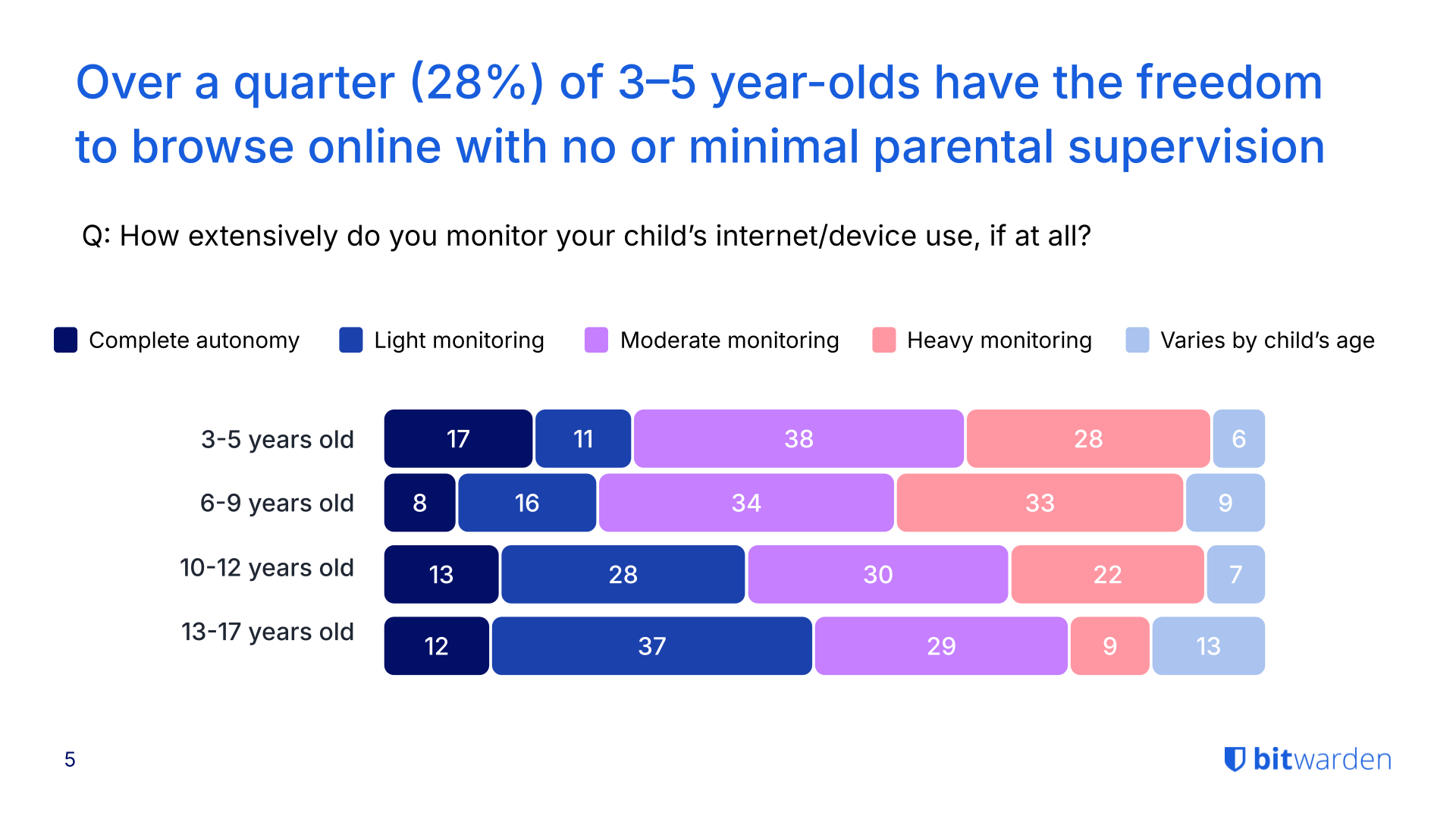
## The Gen Z paradox: highest concern, lowest oversight
Gen Z parents express the most concern about their children's online safety, yet often take the least action to protect them.
- 80% of Gen Z parents fear their kids will fall victim to AI-enhanced online threats—the highest rate across all generations surveyed.
- Despite this concern, 37% of Gen Z parents give their child full autonomy or only lightly monitor their online activity.
- This lack of oversight correlates with the highest incident rates: Gen Z households reported the most malware infections (44%), unauthorized in-app purchases (41%), phishing attempts (40%), and unintentional data sharing (36%).
- 98% of Gen Z parents say they've had conversations with their kids about online safety, but monitoring and enforcement remain inconsistent.
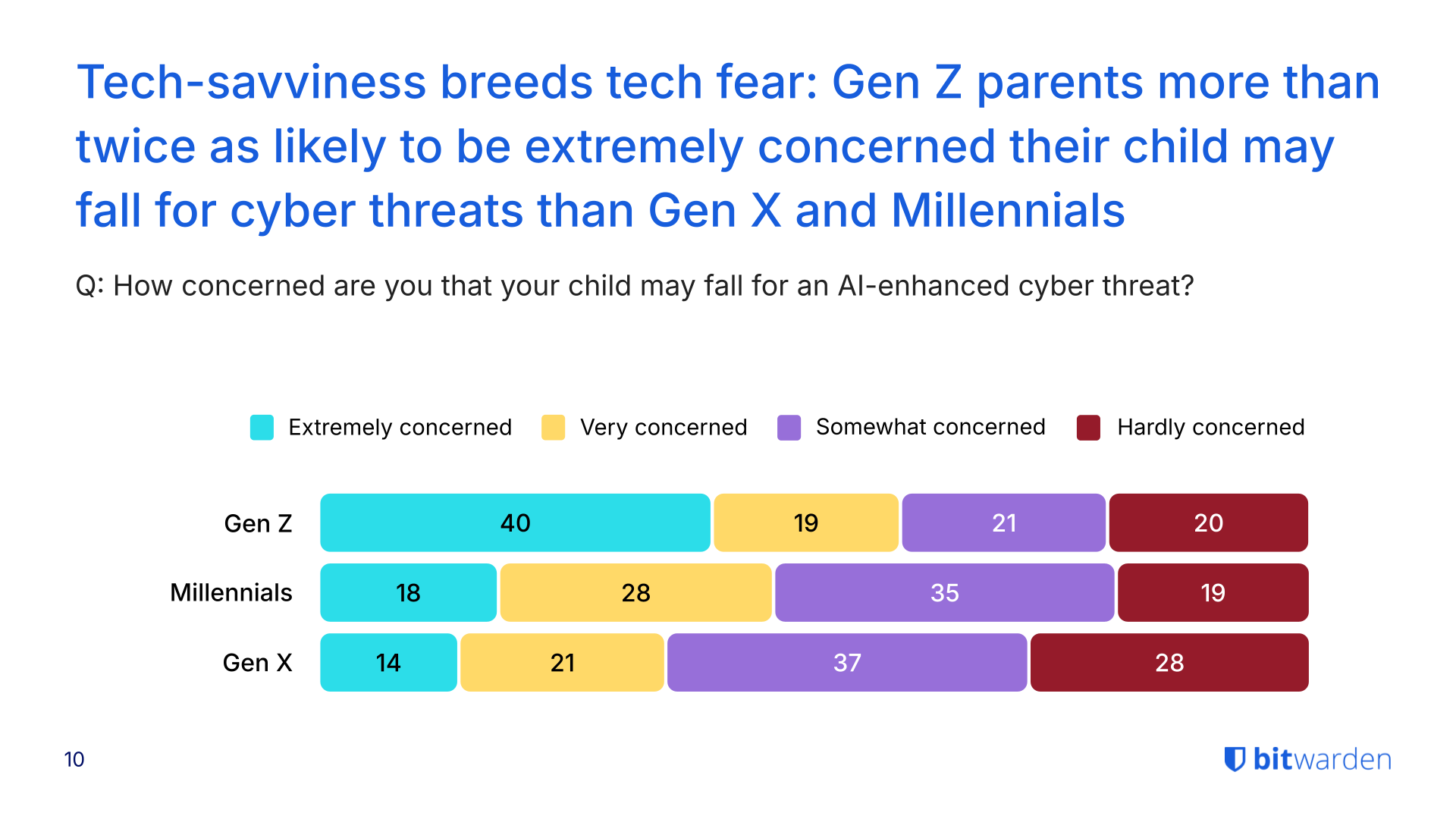
See more findings about the security habits of different generations in the [2025 World Password Day survey](https://bitwarden.com/nl-nl/resources/world-password-day/).
## Parents' own security habits create household vulnerabilities
While parents worry about their children's safety, many fail to model secure behavior themselves—creating risks that extend across the entire household. [Previous research](https://bitwarden.com/nl-nl/resources/world-password-day/) shows 72% of Gen Z adults reuse passwords despite 79% acknowledging the risks, a habit that compounds family-wide security weaknesses.
- 28% of Gen Z parents admit to sharing passwords verbally or through text or email, methods that leave credentials exposed to interception.
- More than half of Gen Z parents (56%) do not use a password manager, and nearly two-thirds (64%) do not use a VPN for added protection.
- Only 16% of families overall use a password manager with shared vaults to securely manage credentials across the household. Among Gen Z parents, this rises slightly to 25%, still leaving three out of four families without secure credential sharing.
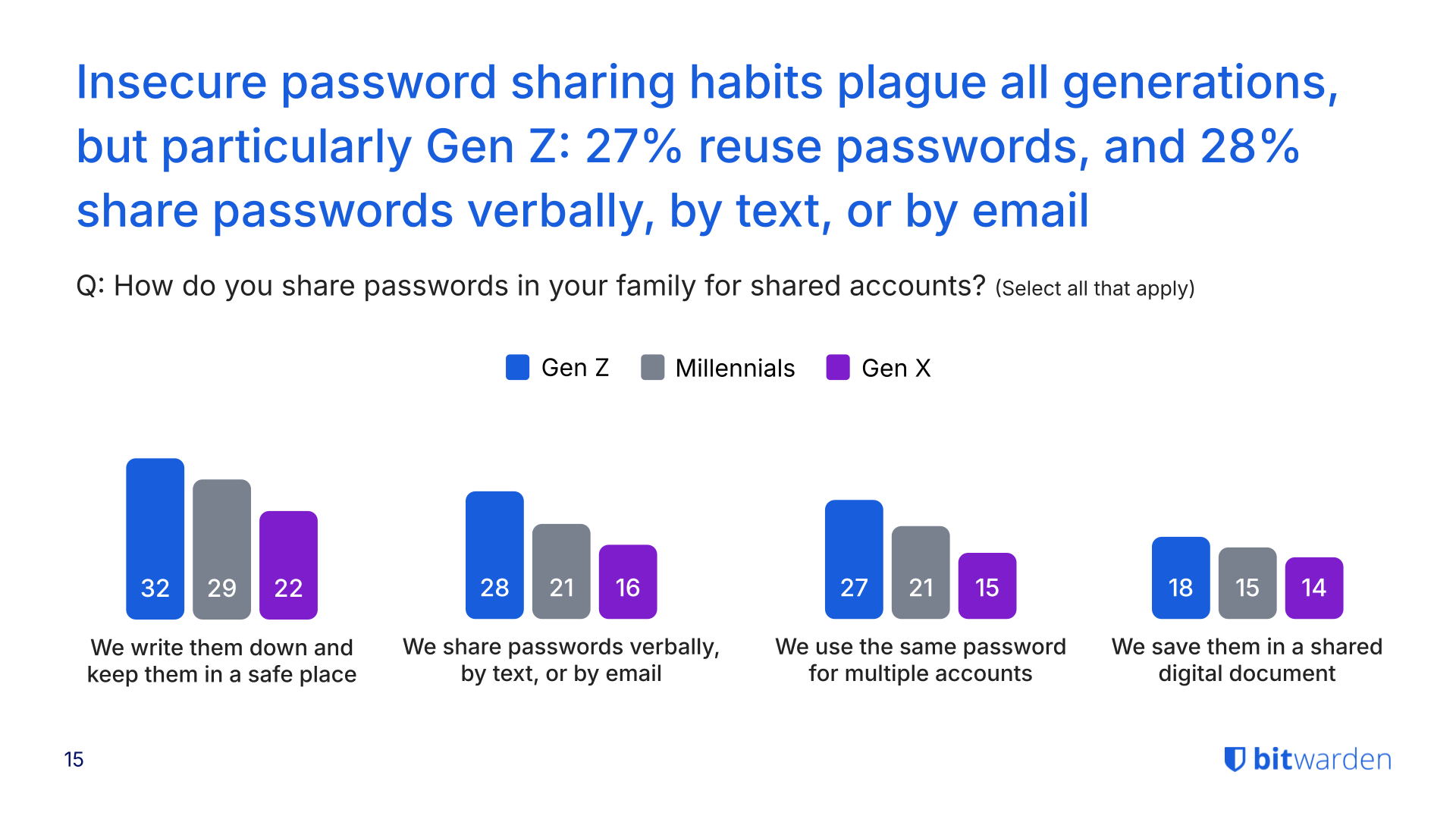
## AI scams heighten risks, but education lags
The rise of generative AI has made online threats harder to detect, yet many families haven't discussed how to spot these sophisticated scams.
- 78% of parents across all households are concerned about their child falling victim to an AI-enhanced scam that mimics voices, crafts personalized messages, or generates convincing phishing content.
- Despite these concerns, nearly half (43%) of parents haven't talked with their kids about how to recognize AI-enabled threats.
- 44% of Gen Z parents report their child or family experiencing malware or a virus from downloads.
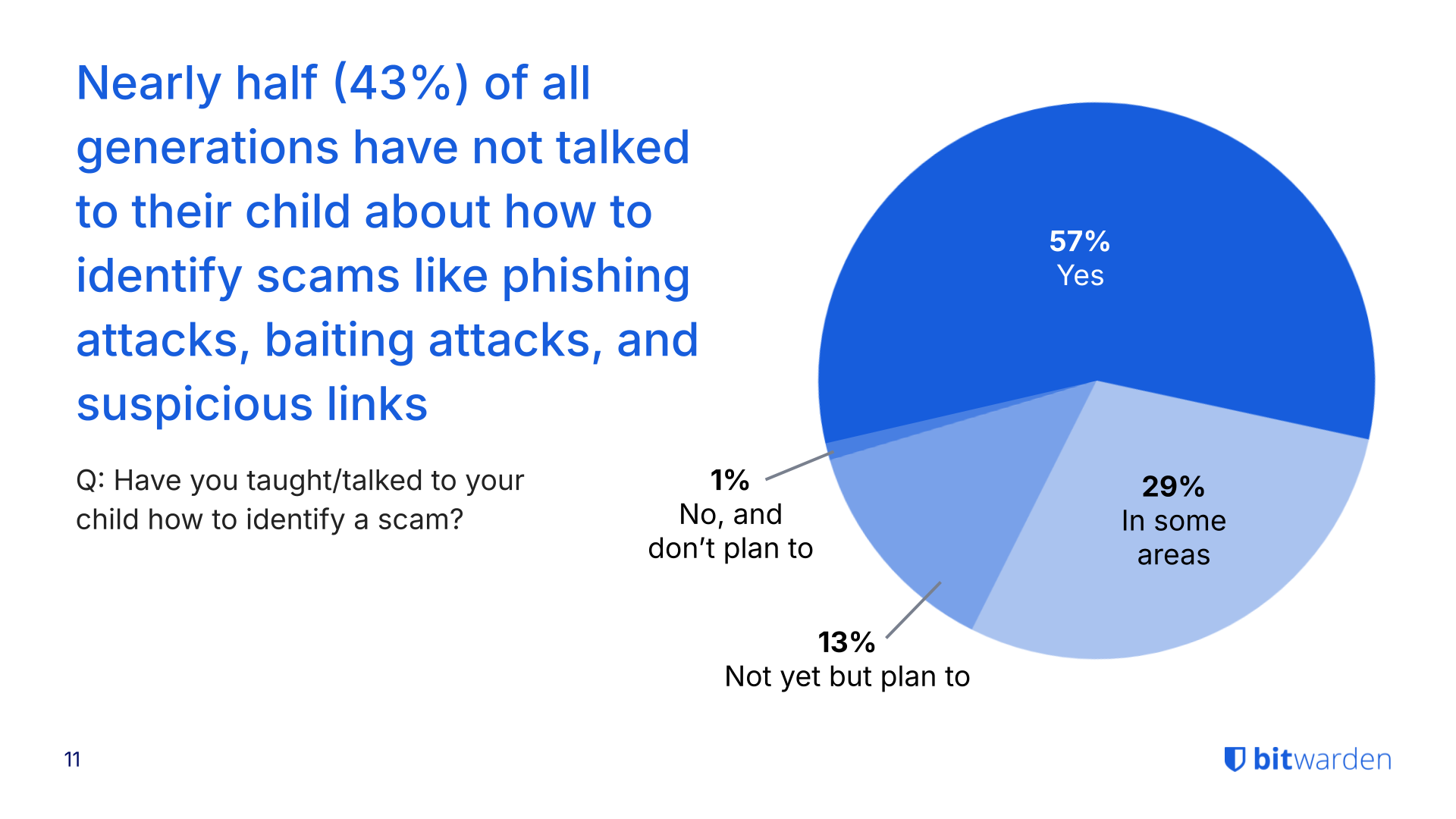
## Profiteer nu van krachtige, vertrouwde wachtwoordbeveiliging. Kies uw plan.
## Persoonlijk
### Gratis
**$0**
*per maand*
*Altijd gratis*
Krijg een Bitwarden-kluis
- Onbeperkt aantal apparaten
- Beheer van wachtwoorden
- Alle kernfuncties
- Altijd gratis
Kluisitems met één andere gebruiker delen
[Begin vandaag](https://bitwarden.com/go/start-free/)
---
### Premium
**Less than $1**
*per maand*
*$10 jaarlijkse rekening*
Geniet van premium functies
- Bitwarden-authenticator
- Bestand bijlagen
- Noodtoegang
- Veiligheidsrapporten en meer
Kluisitems met één andere gebruiker delen
[Een premium account aanmaken](https://bitwarden.com/go/start-premium/)
---
### Gezinnen
**$3.33**
*per maand*
*Tot 6 gebruikers, $40 jaarlijkse rekening*
Inloggegevens van uw gezin beveiligen
- 6 premium-accounts
- Onbeperkt delen
- Onbeperkte collecties
- Opslag van de organisatie
Kluisitems tussen zes personen delen
[Gratis 7-daagse proefperiode beginnen](https://bitwarden.com/go/start-families-trial/)
---
De prijzen worden weergegeven in USD en zijn gebaseerd op een jaarabonnement. Belastingen niet inbegrepen.
## Bedrijf
### Teams
*Veerkrachtige bescherming voor groeiende teams*
**$4**
*per maand/per gebruiker, jaarlijkse rekening*
Deel gevoelige gegevens veilig met collega's, afdelingen of het hele bedrijf
- Gegevens veilig delen
- Gebeurtenislogboekbewaking
- Gidsintegratie
- SCIM-ondersteuning
Inclusief premium functies voor alle gebruikers
[Een proefperiode starten](https://bitwarden.com/go/start-teams-trial/)
---
### Enterprise
*Geavanceerde mogelijkheden voor grotere organisaties*
**$6**
*per maand/per gebruiker, jaarlijkse rekening*
Gebruik geavanceerde functies zoals bedrijfsbeleid, SSO zonder wachtwoord en accountherstel.
- Bedrijfsbeleid
- Wachtwoordloze SSO
- Account herstellen
- Zelf-host optie
Inclusief premium functies en gratis gezinsplan voor alle gebruikers
[Een proefperiode starten](https://bitwarden.com/go/start-enterprise-trial/)
---
### Een offerte aanvragen
*Voor bedrijven met honderden of duizenden werknemers, neem contact op met de verkoopafdeling voor een offerte op maat en ontdek hoe Bitwarden kan helpen:*
- Cyberbeveiligingsrisico's verminderen
- Productiviteit verhogen
- Naadloos integreren
Bitwarden schaalt met elk formaat bedrijf om wachtwoordbeveiliging naar uw organisatie te brengen
[Met de verkoopafdeling contact opnemen](https://bitwarden.com/contact-sales/)
---
Prijzen worden weergegeven in USD en zijn gebaseerd op een jaarabonnement
---
URL: https://bitwarden.com/nl-nl/resources/cybersecurity-awareness-month-newsletter-october-2021/
---
# October 2021 Spotlight: Cybersecurity Awareness Month
Welcome to the Bitwarden October newsletter, featuring product and company announcements, upcoming events, and top social fan favorites.
---
## Featured Article

It’s [Cybersecurity Awareness Month](https://bitwarden.com/nl-nl/blog/cybersecurity-awareness-month-resource-hub/) and we’re celebrating by sharing several resources to help everyone stay safe online! We’ll be posting daily tips on how to #BeCyberSmart, including how to transmit encrypted data securely, enable two-factor authentication across accounts, and more. Follow along in our Cybersecurity Awareness Month** **[Resource Hub](https://bitwarden.com/nl-nl/blog/cybersecurity-awareness-month-resource-hub/)**.**
## Enjoying this update? Subscribe today.
*Receive the latest product updates, hand-picked articles, community highlights, and more.*
[Contact form]
## More Bits and Bites

The Service Organization Control 2 or SOC 2 audit demonstrates the use of adequate systems access controls for protecting and securing sensitive data at all times. Evaluation criteria also includes password security. To learn more, [read this article](https://bitwarden.com/nl-nl/blog/comply-with-soc-2-password-requirements/).

Craig Pearce, an entrepreneur behind several successful startups, reveals an interesting use case for a password manager. When selling a company, Craig says it’s all about smoothly handing over the keys (or master password).[ Read the Q&A ](https://bitwarden.com/nl-nl/blog/q-and-a-with-craig-pearce-entrepreneur/)for more information.

A recent Bitwarden release now supports the use of FIDO2 hardware security keys on mobile for two-step login. You can also set Bitwarden to remember your device for 30 days once your identity is verified through the FIDO2 Webauthn protocols. To learn more, [read the blog](https://bitwarden.com/nl-nl/blog/fido2-security-key-support-enabled-for-mobile-clients/).
## Industry News

**A Case of Ransomware “Fowl” Play**
An investigation following a ransomware attack of a farm-service provider revealed several hundred incidents of breached credentials. Some passwords such as ‘chicken1’ were reused several times, allowing hackers to easily gain access. It’s a strong reminder to not “chicken out” on using a password manager with [vault health reports](https://bitwarden.com/nl-nl/help/reports/#exposed-passwords-report/) which identify exposed or reused passwords.[ Read this article](https://www.zdnet.com/article/after-ransomware-attack-company-finds-650-breached-credentials-from-new-cooperative-ceo-employees/) for more on the Fowl Ransomware Attack.
## Upcoming Events

[**Live Weekly Demo**](https://bitwarden.com/nl-nl/bitwarden-demo/)
Every Wednesday, 9 am PT/ 12 noon ET
Participate in a product tour and open Q&A for the Bitwarden Teams and Enterprise plans. We also offer an [on-demand demo](https://bitwarden.com/nl-nl/enterprise-demo/) available 24/7.
## Top Social Fan Favorites
You play an important role in contributing to a world free of breaches and hacks by sharing your knowledge and experience. Here are a couple of recent fan-favorite posts.
[**A Twitter Thread on Making the Switch**](https://twitter.com/Sethran/status/1443376042899607558)

[**A LinkedIn Post Featuring A Familiar Face**](https://www.linkedin.com/feed/update/urn%3Ali%3Aactivity%3A6843612030151233536/?actorCompanyId=24776937)

That’s it for now. Let us know what you think about this newsletter including potential topics you’d like to see.
**Until next time,**
Team Bitwarden
## Profiteer nu van krachtige, vertrouwde wachtwoordbeveiliging. Kies uw plan.
## Persoonlijk
### Gratis
**$0**
*per maand*
*Altijd gratis*
Krijg een Bitwarden-kluis
- Onbeperkt aantal apparaten
- Beheer van wachtwoorden
- Alle kernfuncties
- Altijd gratis
Kluisitems met één andere gebruiker delen
[Begin vandaag](https://bitwarden.com/go/start-free/)
---
### Premium
**Less than $1**
*per maand*
*$10 jaarlijkse rekening*
Geniet van premium functies
- Bitwarden-authenticator
- Bestand bijlagen
- Noodtoegang
- Veiligheidsrapporten en meer
Kluisitems met één andere gebruiker delen
[Een premium account aanmaken](https://bitwarden.com/go/start-premium/)
---
### Gezinnen
**$3.33**
*per maand*
*Tot 6 gebruikers, $40 jaarlijkse rekening*
Inloggegevens van uw gezin beveiligen
- 6 premium-accounts
- Onbeperkt delen
- Onbeperkte collecties
- Opslag van de organisatie
Kluisitems tussen zes personen delen
[Gratis 7-daagse proefperiode beginnen](https://bitwarden.com/go/start-families-trial/)
---
De prijzen worden weergegeven in USD en zijn gebaseerd op een jaarabonnement. Belastingen niet inbegrepen.
## Bedrijf
### Teams
*Veerkrachtige bescherming voor groeiende teams*
**$4**
*per maand/per gebruiker, jaarlijkse rekening*
Deel gevoelige gegevens veilig met collega's, afdelingen of het hele bedrijf
- Gegevens veilig delen
- Gebeurtenislogboekbewaking
- Gidsintegratie
- SCIM-ondersteuning
Inclusief premium functies voor alle gebruikers
[Een proefperiode starten](https://bitwarden.com/go/start-teams-trial/)
---
### Enterprise
*Geavanceerde mogelijkheden voor grotere organisaties*
**$6**
*per maand/per gebruiker, jaarlijkse rekening*
Gebruik geavanceerde functies zoals bedrijfsbeleid, SSO zonder wachtwoord en accountherstel.
- Bedrijfsbeleid
- Wachtwoordloze SSO
- Account herstellen
- Zelf-host optie
Inclusief premium functies en gratis gezinsplan voor alle gebruikers
[Een proefperiode starten](https://bitwarden.com/go/start-enterprise-trial/)
---
### Een offerte aanvragen
*Voor bedrijven met honderden of duizenden werknemers, neem contact op met de verkoopafdeling voor een offerte op maat en ontdek hoe Bitwarden kan helpen:*
- Cyberbeveiligingsrisico's verminderen
- Productiviteit verhogen
- Naadloos integreren
Bitwarden schaalt met elk formaat bedrijf om wachtwoordbeveiliging naar uw organisatie te brengen
[Met de verkoopafdeling contact opnemen](https://bitwarden.com/contact-sales/)
---
Prijzen worden weergegeven in USD en zijn gebaseerd op een jaarabonnement
---
URL: https://bitwarden.com/nl-nl/resources/cybersecurity-awareness-month/
---
# Cyberbewustzijnsmaand
## Eenvoudige cyberbeveiliging: 4 stappen naar online veiligheid
> "Cybersecurity Awareness Month, elke oktober, is een samenwerking tussen de overheid en het bedrijfsleven om het bewustzijn over digitale veiligheid te vergroten en iedereen in staat te stellen om hun persoonlijke gegevens te beschermen tegen digitale vormen van criminaliteit."
- [Nationale alliantie voor cyberveiligheid](https://staysafeonline.org/programs/cybersecurity-awareness-month/)
## Stap 1. Sterke en unieke wachtwoorden vormen de basis van cyberbeveiliging
Dagelijks logt de gemiddelde persoon in op Instagram, TikTok, [apps voor bankieren](https://bitwarden.com/nl-nl/resources/the-survey-room/#industry-leaders-security-rankings/), werkaccounts, persoonlijke e-mail, e-commercesites en accounts voor ridesharing. We kunnen wel zeggen dat we in een online wereld leven.
Hoe kunnen gebruikers veilig blijven als ze zoveel informatie delen? Het is eigenlijk heel eenvoudig. Het gebruik van sterke en unieke wachtwoorden helpt je gegevens te beschermen. Weet je niet zeker of je wachtwoorden sterk genoeg zijn? Test [hun sterkte](https://bitwarden.com/nl-nl/password-strength/) en leer meer over [wachtwoordbeheer](https://bitwarden.com/nl-nl/blog/world-password-day-strong-passwords-heroes-internet-security/). Je kunt nu ook [aan de slag](https://bitwarden.com/nl-nl/products/personal/) met een volledig gratis account voor onbeperkt inloggen op een onbeperkt aantal apparaten.
[](https://vimeo.com/752654111)
*[Watch on Vimeo](https://vimeo.com/752654111)*
## Stap 2. Multi-Factor Authenticatie gebruiken
Authenticatie met twee factoren (2FA), inloggen in twee stappen of multifactorauthenticatie (MFA) verwijst naar de afzonderlijke methoden om iemands identiteit te verifiëren om toegang te krijgen tot een account. Dit kan inhouden dat je je aanmeldt bij een account met een wachtwoord en dan opnieuw bevestigt met een verificatiecode. Voor een meer gedetailleerde uitleg kun je dit bericht over [de Top 10 Brandende Vragen over 2FA](https://bitwarden.com/nl-nl/blog/top-10-burning-questions-on-2fa/) lezen en voor meer informatie over verschillende methoden voor 2FA/MFA kun je dit [hulpartikel over tweestaps inloggen](https://bitwarden.com/nl-nl/help/setup-two-step-login/) lezen. Eenvoudig gezegd biedt tweestapslogin de extra beschermingslaag die iedereen nodig heeft.
[](https://vimeo.com/752706739)
*[Watch on Vimeo](https://vimeo.com/752706739)*
> Bezoek [The Survey Room](https://bitwarden.com/nl-nl/resources/the-survey-room/): een verzameling onderzoeken en rapporten over wachtwoordbeheer en beveiliging voor bedrijven en particulieren.
## Did you know?
Passkey 2FA is included in every Bitwarden plan, including free! All users can secure their Bitwarden account with a hardware security key or other [FIDO2 WebAuthn](https://bitwarden.com/nl-nl/blog/fido2-webauthn-2fa-in-all-bitwarden-plans/) credential generator.
## Stap 3. Houd je software up-to-date
Cybersecurity Awareness Month herinnert iedereen eraan om op de hoogte te blijven van software-updates. Doorgaans worden met updates beveiligingslekken verholpen, bugs verwijderd en functies toegevoegd die informatie beter kunnen beveiligen. Hoewel het verleidelijk is om de updates achterwege te laten, kunnen een paar minuten updaten uren hoofdpijn als gevolg van een gestolen identiteit voorkomen.
Software-updates helpen ook om [ransomware-aanvallen](https://bitwarden.com/nl-nl/blog/accelerate-ransomware-mitigation-with-password-management/) te voorkomen. Doorgaans proberen cybercriminelen die zich richten op losgeld kwetsbaarheden uit te buiten - inclusief kwetsbaarheden zoals verouderde software.
[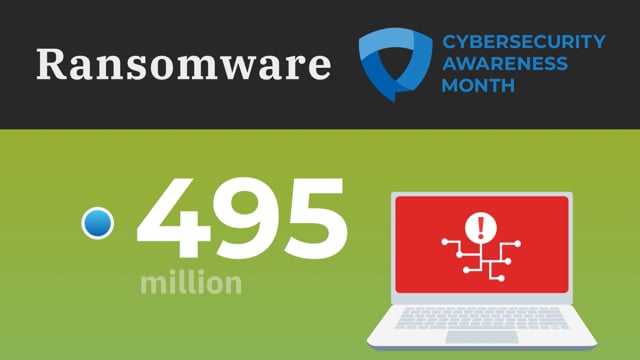](https://vimeo.com/752707997)
*[Watch on Vimeo](https://vimeo.com/752707997)*
## Stap 4. Weet hoe u phishingzwendel herkent
Leer hoe u alert kunt blijven op phishingaanvallen, waarmee wordt bedoeld dat mensen worden misleid om waardevolle gegevens te delen of met malware geïnfecteerde websites te bezoeken. Gebruikers moeten controleren of e-mails van de juiste afzender komen, met de muis over links gaan om te zien of ze naar de juiste website gaan en vermijden om bijlagen te openen van mensen die ze niet kennen. Wees vooral voorzichtig op mobiele apparaten die niet altijd de hover-optie hebben om het exacte e-mailadres en de linkbestemmingen te zien.
Daarnaast kunnen hulpmiddelen zoals wachtwoordmanagers helpen. Lees meer over hoe [wachtwoordmanagers phishing helpen voorkomen](https://bitwarden.com/nl-nl/blog/how-password-managers-help-prevent-phishing/).
[](https://vimeo.com/752708367)
*[Watch on Vimeo](https://vimeo.com/752708367)*
## Aanvullende bronnen
- [7 stappen om online een veilig en privé profiel aan te maken](https://bitwarden.com/nl-nl/blog/7-steps-to-create-a-secure-and-private-profile-online/)
- [De Onderzoekskamer](https://bitwarden.com/nl-nl/resources/the-survey-room/)
- [Waarom bedrijven een wachtwoordmanager nodig hebben](https://bitwarden.com/nl-nl/resources/why-enterprises-need-a-password-manager/)
- [Wat wachtwoordloze toepassing betekent voor bedrijven](https://bitwarden.com/nl-nl/blog/what-passwordless-adoption-means-to-enterprises/)
- [In aanmerking komen voor cyberverzekering met veilig wachtwoordbeheer](https://bitwarden.com/nl-nl/resources/qualifying-for-cyber-insurance-with-secure-password-management/)
- [De voordelen van wachtwoordbeheer als service](https://bitwarden.com/nl-nl/blog/the-benefits-of-offering-password-management-as-a-service/)
- [Versnelde waarde voor Bitwarden-gebruikers - Bitwarden haalt $100 miljoen op](https://bitwarden.com/nl-nl/blog/accelerating-value-for-bitwarden-users-bitwarden-raises-usd100-million/)
- [Lees wat de experts zeggen over Bitwarden](https://bitwarden.com/nl-nl/media-spotlight/)
Volg ons deze Cybersecurity Awareness Month voor verschillende Twitter Spaces met het Bitwarden team over een aantal spannende cybersecurity onderwerpen! Volg ons op [Twitter](https://twitter.com/Bitwarden) zodat je niets mist.
## Profiteer nu van krachtige, vertrouwde wachtwoordbeveiliging. Kies uw plan.
## Persoonlijk
### Gratis
**$0**
*per maand*
*Altijd gratis*
Krijg een Bitwarden-kluis
- Onbeperkt aantal apparaten
- Beheer van wachtwoorden
- Alle kernfuncties
- Altijd gratis
Kluisitems met één andere gebruiker delen
[Begin vandaag](https://bitwarden.com/go/start-free/)
---
### Premium
**Less than $1**
*per maand*
*$10 jaarlijkse rekening*
Geniet van premium functies
- Bitwarden-authenticator
- Bestand bijlagen
- Noodtoegang
- Veiligheidsrapporten en meer
Kluisitems met één andere gebruiker delen
[Een premium account aanmaken](https://bitwarden.com/go/start-premium/)
---
### Gezinnen
**$3.33**
*per maand*
*Tot 6 gebruikers, $40 jaarlijkse rekening*
Inloggegevens van uw gezin beveiligen
- 6 premium-accounts
- Onbeperkt delen
- Onbeperkte collecties
- Opslag van de organisatie
Kluisitems tussen zes personen delen
[Gratis 7-daagse proefperiode beginnen](https://bitwarden.com/go/start-families-trial/)
---
De prijzen worden weergegeven in USD en zijn gebaseerd op een jaarabonnement. Belastingen niet inbegrepen.
## Bedrijf
### Teams
*Veerkrachtige bescherming voor groeiende teams*
**$4**
*per maand/per gebruiker, jaarlijkse rekening*
Deel gevoelige gegevens veilig met collega's, afdelingen of het hele bedrijf
- Gegevens veilig delen
- Gebeurtenislogboekbewaking
- Gidsintegratie
- SCIM-ondersteuning
Inclusief premium functies voor alle gebruikers
[Een proefperiode starten](https://bitwarden.com/go/start-teams-trial/)
---
### Enterprise
*Geavanceerde mogelijkheden voor grotere organisaties*
**$6**
*per maand/per gebruiker, jaarlijkse rekening*
Gebruik geavanceerde functies zoals bedrijfsbeleid, SSO zonder wachtwoord en accountherstel.
- Bedrijfsbeleid
- Wachtwoordloze SSO
- Account herstellen
- Zelf-host optie
Inclusief premium functies en gratis gezinsplan voor alle gebruikers
[Een proefperiode starten](https://bitwarden.com/go/start-enterprise-trial/)
---
### Een offerte aanvragen
*Voor bedrijven met honderden of duizenden werknemers, neem contact op met de verkoopafdeling voor een offerte op maat en ontdek hoe Bitwarden kan helpen:*
- Cyberbeveiligingsrisico's verminderen
- Productiviteit verhogen
- Naadloos integreren
Bitwarden schaalt met elk formaat bedrijf om wachtwoordbeveiliging naar uw organisatie te brengen
[Met de verkoopafdeling contact opnemen](https://bitwarden.com/contact-sales/)
---
Prijzen worden weergegeven in USD en zijn gebaseerd op een jaarabonnement
---
URL: https://bitwarden.com/nl-nl/resources/data-loss-prevention/
---
# Data loss prevention
What you need to know
---
### What exactly is data loss prevention?
Data Loss Prevention (DLP) refers to strategies and tools designed to identify, monitor, and protect sensitive data from threats like unauthorized disclosure, accidental leakage, or theft. One of the most important aspects is preventing the unauthorized transfer of sensitive information outside of secure environments. This is commonly known as data exfiltration. DLP combines policies and data loss prevention software to prevent data exfiltration.
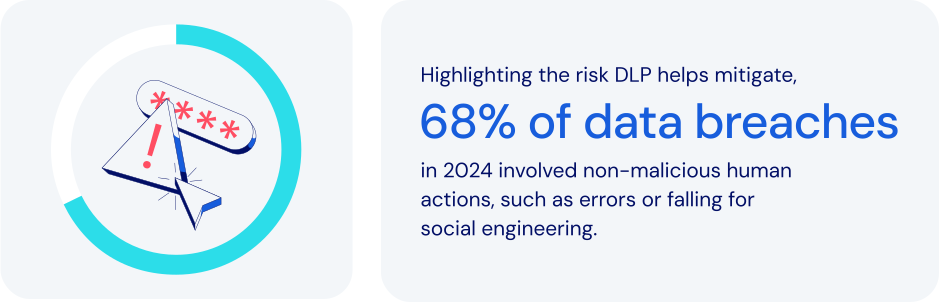
*Source: Verizon 2024 DBIR*
### How does password management fit in here?
Within broader data loss prevention programs, password management secures identities that control access to sensitive data. It helps an organization [secure employee credentials](https://bitwarden.com/nl-nl/blog/user-adoption-for-company-password-manager/), manage access to sensitive information, and mitigate human error. Specific features to look for:
- **Centralized credential management:** securely stores credentials in encrypted, centralized vaults. This prevents unauthorized access while minimizing risks from unmanaged accounts.
- **Role-Based Access Control (RBAC):** assigning credentials based on [individual or group roles](https://bitwarden.com/nl-nl/blog/easy-secure-sharing-how-to-set-up-user-groups-and-collections/) reduces insider threats by ensuring that employees can only access the specific information they need to get their work done.
- **Secure secrets management:** centralizing critical infrastructure credentials minimizes exposure of sensitive API keys and cloud tokens.
- **Encrypted passwords sharing:** secure methods for [password sharing](https://bitwarden.com/nl-nl/blog/password-sharing-best-practices-for-teams/) help prevent exposure risks posed by insecure channels like email or messaging apps.
- **Multi-factor authentication (MFA):** requiring [additional verification](https://bitwarden.com/nl-nl/blog/basics-of-two-factor-authentication-with-bitwarden/) adds a crucial layer of security. This significantly reduces the risk of credential theft.
- **Automated offboarding:** immediately revoking access when an employee leaves helps protect against data theft.
- **Audit and activity monitoring:** detailed logging supports incident response and data loss prevention best practices. This helps improve both incident response and compliance efforts.
Together, these features help maximize the effectiveness of Data Loss Prevention. These systems play a vital role by classifying critical data, monitoring its use, and [enforcing policies](https://bitwarden.com/nl-nl/help/policies/#what-are-enterprise-policies/) that prevent improper sharing. They also help to ensure compliance with data protection regulations, maintaining confidentiality and safeguarding valuable intellectual property.
### How data loss prevention keeps today’s businesses safer
Using password management to implement Data Loss Prevention is a powerful way to protect against the growing risks posed by cyberthreats, insider breaches, and regulatory compliance pressures. Core data loss prevention best practices enable you to:
- **Protect sensitive information:** many businesses routinely handle sensitive data like [financial records](https://bitwarden.com/nl-nl/blog/how-to-better-manage-your-financial-information-in-bitwarden/), customer information, or intellectual property. It’s imperative to safeguard against unauthorized data leakage or theft.
- **Mitigate insider threats:** controlling data access through role-based permissions helps companies reduce the risk of any employee leaking data, either accidentally or intentionally.
- **Prevent cyberattacks:** an important component of any effective security strategy is protection against common breach threats like [phishing](https://bitwarden.com/nl-nl/blog/top-types-of-phishing-attacks-to-watch-out-for/), malware, and credential stuffing.
- **Ensure regulatory compliance:** by adhering closely to stringent regulations like GDPR, [HIPAA](https://bitwarden.com/nl-nl/blog/why-use-a-hipaa-compliant-password-manager/), and PCI DSS, companies can avoid costly legal penalties.
- **Preserve reputation:** in today’s world, maintaining customer trust and brand integrity are critical factors in ensuring business continuity.
- **Reduce costs:** data breach responses, regulatory fines, and lost productivity are all expenses that any business seeks to avoid.
### How Bitwarden supports data loss prevention
Bitwarden strengthens existing data loss prevention solutions and integrates alongside data loss prevention software by protecting credentials and secrets. Bitwarden helps achieve data loss prevention through a comprehensive set of password management and security solutions. These include:
- [**Zero-knowledge encryption**](https://bitwarden.com/nl-nl/blog/end-to-end-encryption-and-zero-knowledge/)**:** complements DLP software by ensuring only authorized users can decrypt credentials tied to sensitive workflows..
- **Centralized credential vaults:** prevents credentials from being fragmented and exposed across insecure locations.
- **Advanced access control:** restricts credentials based on employee roles and responsibilities, minimizing over-permissioning.
- **Secure credential sharing:** facilitates encrypted and time-limited credential sharing, eliminating many unsafe sharing practices.
- **Proactive security monitoring:** quickly [alerts users about compromised credentials](https://bitwarden.com/nl-nl/blog/introducing-bitwarden-access-intelligence-proactive-security-protection/), encouraging timely password rotations to prevent unauthorized data access.
- **Comprehensive audit trails:** logging credential access attempts, password changes, and unusual activity directly supports compliance audits and forensic investigations.
- **Robust MFA integration:** strengthens login processes, ensuring only verified users can gain access to critical data.
- **Automated credential management:** automates employee onboarding, succession, and transitions, to align with DLP best practices.
### The bottom line
Now more than ever, organizations need to take a proactive approach toward securing their sensitive data. It’s critical to minimize the risk of external cyberthreats, insider breaches, and regulatory compliance pressures.
Bitwarden offers a powerful, user-friendly platform with a robust feature set. Together, these tools can significantly strengthen Data Loss Prevention efforts while preventing data exfiltration. Just one more reason Bitwarden is regarded as the most trusted name in password management.
### What makes Bitwarden stand out from the pack?
Bitwarden uniquely enables customers to implement effective Data Loss Prevention strategies through an intelligent combination of:
- A user-friendly approach and coverage across all devices, to enhance broad employee adoption for maximum protection.
- Companies can choose from a wide variety of policies and deployment configurations designed to protect sensitive information. Options range from highly centralized to [more flexible approaches](https://bitwarden.com/nl-nl/blog/new-deployment-option-for-self-hosting-bitwarden/).
- An option for centralized data ownership provides utmost protection and continuity for large organizations.
## Profiteer nu van krachtige, vertrouwde wachtwoordbeveiliging. Kies uw plan.
## Persoonlijk
### Gratis
**$0**
*per maand*
*Altijd gratis*
Krijg een Bitwarden-kluis
- Onbeperkt aantal apparaten
- Beheer van wachtwoorden
- Alle kernfuncties
- Altijd gratis
Kluisitems met één andere gebruiker delen
[Begin vandaag](https://bitwarden.com/go/start-free/)
---
### Premium
**Less than $1**
*per maand*
*$10 jaarlijkse rekening*
Geniet van premium functies
- Bitwarden-authenticator
- Bestand bijlagen
- Noodtoegang
- Veiligheidsrapporten en meer
Kluisitems met één andere gebruiker delen
[Een premium account aanmaken](https://bitwarden.com/go/start-premium/)
---
### Gezinnen
**$3.33**
*per maand*
*Tot 6 gebruikers, $40 jaarlijkse rekening*
Inloggegevens van uw gezin beveiligen
- 6 premium-accounts
- Onbeperkt delen
- Onbeperkte collecties
- Opslag van de organisatie
Kluisitems tussen zes personen delen
[Gratis 7-daagse proefperiode beginnen](https://bitwarden.com/go/start-families-trial/)
---
De prijzen worden weergegeven in USD en zijn gebaseerd op een jaarabonnement. Belastingen niet inbegrepen.
## Bedrijf
### Teams
*Veerkrachtige bescherming voor groeiende teams*
**$4**
*per maand/per gebruiker, jaarlijkse rekening*
Deel gevoelige gegevens veilig met collega's, afdelingen of het hele bedrijf
- Gegevens veilig delen
- Gebeurtenislogboekbewaking
- Gidsintegratie
- SCIM-ondersteuning
Inclusief premium functies voor alle gebruikers
[Een proefperiode starten](https://bitwarden.com/go/start-teams-trial/)
---
### Enterprise
*Geavanceerde mogelijkheden voor grotere organisaties*
**$6**
*per maand/per gebruiker, jaarlijkse rekening*
Gebruik geavanceerde functies zoals bedrijfsbeleid, SSO zonder wachtwoord en accountherstel.
- Bedrijfsbeleid
- Wachtwoordloze SSO
- Account herstellen
- Zelf-host optie
Inclusief premium functies en gratis gezinsplan voor alle gebruikers
[Een proefperiode starten](https://bitwarden.com/go/start-enterprise-trial/)
---
### Een offerte aanvragen
*Voor bedrijven met honderden of duizenden werknemers, neem contact op met de verkoopafdeling voor een offerte op maat en ontdek hoe Bitwarden kan helpen:*
- Cyberbeveiligingsrisico's verminderen
- Productiviteit verhogen
- Naadloos integreren
Bitwarden schaalt met elk formaat bedrijf om wachtwoordbeveiliging naar uw organisatie te brengen
[Met de verkoopafdeling contact opnemen](https://bitwarden.com/contact-sales/)
---
Prijzen worden weergegeven in USD en zijn gebaseerd op een jaarabonnement
---
URL: https://bitwarden.com/nl-nl/resources/december-2023-spotlight-happy-new-year-from-bitwarden/
---
# December 2023 Spotlight: Happy New Year from Bitwarden!
Read the December newsletter for the latest Bitwarden updates
---
## Featured Highlights
**Reflecting on 2023: A Year of Security Milestones**
Many new features and milestones were made possible with support from the Bitwarden Community. Here are some highlights:
Bitwarden Password Manager
- [Bitwarden on Apple Watch](https://bitwarden.com/nl-nl/help/apple-watch-totp/)
. Use Apple Watch to access TOTP login codes
- [SSO with trusted devices](https://bitwarden.com/nl-nl/help/about-trusted-devices/)
. Authenticate using SSO and decrypt your vault without entering a master password
- [Save passkeys to your vault](https://bitwarden.com/nl-nl/help/storing-passkeys/)
. Store and log in with passkeys using the Bitwarden browser extension
- [FIDO2 WebAuthn now a free two-step login option](https://bitwarden.com/nl-nl/help/setup-two-step-login-fido/)
. Every Bitwarden user can now use passkeys and hardware keys as 2FA
Bitwarden Secrets Manager
- [Support for self-hosting](https://bitwarden.com/nl-nl/help/manage-your-secrets-org/#self-hosting/)
. Enterprise organizations can now self-host Secrets Manager
- [New event log view](https://bitwarden.com/nl-nl/help/service-accounts/#service-account-events/)
. Directly access event logs from the service accounts view
- [Additional SDKs](https://github.com/bitwarden/sdk-sm/tree/main/languages)
. Execute custom operations with your preferred development language
**New Year, New Features: What's in Store for January? **
Heading into January here’s what to expect:
Bitwarden Password Manager
- Inline auto-fill
- Login with passkeys
- Browser account switching
Bitwarden Secrets Manager
- Ansible integration
## Enjoying this update? Subscribe today.
*Receive the latest product updates, hand-picked articles, community highlights, and more.*
[Contact form]
## More Bits and Bites
Is improving digital security part of your New Year’s resolution? Here are a few article suggestions to start the year right:
[Cybersecurity tips for employees](https://bitwarden.com/nl-nl/blog/cybersecurity-tips-for-employees/)
The average employee likely stores, manages, and transmits large amounts of data throughout the day. This might be done via email or when logging into enterprise-wide applications. Given that, employees are often a prime target for cybercriminals. This article provides a few simple and straightforward [cybersecurity tips](https://bitwarden.com/nl-nl/blog/cybersecurity-tips-for-employees/) for employees to help them stay safe online.
[How to share sensitive information securely](https://bitwarden.com/nl-nl/blog/how-to-share-sensitive-information-securely/)
From passwords, identities, credit cards, and more, your password manager has you covered for creating and saving strong and unique passwords. However, many password managers can do quite a bit more. Not only can you store that sensitive information, you can also share it with colleagues, family, friends, and just about anyone who needs it. Read this [brief guide](https://bitwarden.com/nl-nl/blog/how-to-share-sensitive-information-securely/) on utilizing Bitwarden Send.
[The most effective strategy for achieving password strength](https://bitwarden.com/nl-nl/blog/the-most-effective-strategy-for-achieving-password-strength/)
While coming up with a strong and unique password may sound straightforward enough, it can be a challenge when creating passwords for tens and in some cases, hundreds, of accounts and applications. This blog post discusses [solutions available for the security-conscious](https://bitwarden.com/nl-nl/blog/the-most-effective-strategy-for-achieving-password-strength/) to gauge the strength of their passwords
[Self-host Bitwarden in Kubernetes](https://bitwarden.com/nl-nl/blog/self-host-bitwarden-in-kubernetes/)
Kubernetes has become a cornerstone in modern cloud computing, able to orchestrate complex container architectures efficiently. Learn about how customers can add Bitwarden to their Kubernetes deployment in this [article](https://bitwarden.com/nl-nl/blog/self-host-bitwarden-in-kubernetes/).
## Community Spotlight
**Best of the Bitwarden Community in 2023**
Bitwarden values the contributions of the community. Here are a few posts that stood out in the past year.
Community member [u/Altruistic_Garlic_51](https://www.reddit.com/user/Altruistic_Garlic_51/) describes how the Bitwarden password history feature saved their day.
[](https://www.reddit.com/r/Bitwarden/comments/14jiaga/today_bw_saved_my_life/)
*Today BW saved my life*
Bitwarden authenticator or a separate app? This Reddit user discusses both two options and comes to a smart conclusion for everyone - add 2FA for all your accounts!
[](https://www.reddit.com/r/Bitwarden/comments/10qfts6/on_using_bitwarden_for_totp/)
*Using BW for TOTP*
You’ve been hacked - what next? In this [post](https://www.reddit.com/r/Bitwarden/comments/14b6wlw/so_you_think_you_have_been_hacked/), Reddit user [djasonpenney](https://www.reddit.com/user/djasonpenney/) discusses how to handle potential hacking incidents.
[](https://www.reddit.com/r/Bitwarden/comments/14b6wlw/so_you_think_you_have_been_hacked/)
*So you think you have been hacked*
## Bitwarden 101
Check out [Bitwarden 101](https://bitwarden.com/nl-nl/learning/#tag:bitwarden-101/) for a short video series on how to get started with Bitwarden Password Manager as an administrator or end user.
We'd like to thank the Bitwarden Community for helping us rank first in the Summer and Fall 2023 Enterprise Grid Report. If you would like to leave an honest review (and receive a $25 Amazon gift card in return), you can do so [here](https://www.g2.com/contributor/bitwarden-vendor?secure%5Bpage_id%5D=bitwarden-vendor&secure%5Brewards%5D=true&secure%5Btoken%5D=31838aa378af8204ed6f2811cb4f5dbce9e9ac3231c4065a2693ae8a6d8a68c1).
## Join an Upcoming Event
- [**Vault Hours**](https://www.crowdcast.io/c/vault-hours-37)
**January 26 at 8 am PST**
Live conversations, feedback, and questions with the Bitwarden team.
That’s it for now. For more product updates and online security tips, visit the Bitwarden [blog](https://bitwarden.com/nl-nl/blog/).
**Until next time,**
Team Bitwarden
## Hi readers!
Take this [two-minute](https://forms.bitwarden.com/newsletter) survey to help us improve the monthly Bitwarden Newsletter and deliver the information you care most about.
## Profiteer nu van krachtige, vertrouwde wachtwoordbeveiliging. Kies uw plan.
## Persoonlijk
### Gratis
**$0**
*per maand*
*Altijd gratis*
Krijg een Bitwarden-kluis
- Onbeperkt aantal apparaten
- Beheer van wachtwoorden
- Alle kernfuncties
- Altijd gratis
Kluisitems met één andere gebruiker delen
[Begin vandaag](https://bitwarden.com/go/start-free/)
---
### Premium
**Less than $1**
*per maand*
*$10 jaarlijkse rekening*
Geniet van premium functies
- Bitwarden-authenticator
- Bestand bijlagen
- Noodtoegang
- Veiligheidsrapporten en meer
Kluisitems met één andere gebruiker delen
[Een premium account aanmaken](https://bitwarden.com/go/start-premium/)
---
### Gezinnen
**$3.33**
*per maand*
*Tot 6 gebruikers, $40 jaarlijkse rekening*
Inloggegevens van uw gezin beveiligen
- 6 premium-accounts
- Onbeperkt delen
- Onbeperkte collecties
- Opslag van de organisatie
Kluisitems tussen zes personen delen
[Gratis 7-daagse proefperiode beginnen](https://bitwarden.com/go/start-families-trial/)
---
De prijzen worden weergegeven in USD en zijn gebaseerd op een jaarabonnement. Belastingen niet inbegrepen.
## Bedrijf
### Teams
*Veerkrachtige bescherming voor groeiende teams*
**$4**
*per maand/per gebruiker, jaarlijkse rekening*
Deel gevoelige gegevens veilig met collega's, afdelingen of het hele bedrijf
- Gegevens veilig delen
- Gebeurtenislogboekbewaking
- Gidsintegratie
- SCIM-ondersteuning
Inclusief premium functies voor alle gebruikers
[Een proefperiode starten](https://bitwarden.com/go/start-teams-trial/)
---
### Enterprise
*Geavanceerde mogelijkheden voor grotere organisaties*
**$6**
*per maand/per gebruiker, jaarlijkse rekening*
Gebruik geavanceerde functies zoals bedrijfsbeleid, SSO zonder wachtwoord en accountherstel.
- Bedrijfsbeleid
- Wachtwoordloze SSO
- Account herstellen
- Zelf-host optie
Inclusief premium functies en gratis gezinsplan voor alle gebruikers
[Een proefperiode starten](https://bitwarden.com/go/start-enterprise-trial/)
---
### Een offerte aanvragen
*Voor bedrijven met honderden of duizenden werknemers, neem contact op met de verkoopafdeling voor een offerte op maat en ontdek hoe Bitwarden kan helpen:*
- Cyberbeveiligingsrisico's verminderen
- Productiviteit verhogen
- Naadloos integreren
Bitwarden schaalt met elk formaat bedrijf om wachtwoordbeveiliging naar uw organisatie te brengen
[Met de verkoopafdeling contact opnemen](https://bitwarden.com/contact-sales/)
---
Prijzen worden weergegeven in USD en zijn gebaseerd op een jaarabonnement
---
URL: https://bitwarden.com/nl-nl/resources/delivery-startup-glovo-on-password-management-newsletter-january-2022/
---
# January 2022 Spotlight: Delivery Startup Glovo on Password Management
Welcome to the Bitwarden January newsletter, featuring product and company announcements, upcoming events, and top social fan favorites.
---
## Featured Article

Delivery Startup Glovo realized they had a problem with weak passwords throughout their organization. Implementing password complexity requirements led to the unsecure practice of writing passwords down. [Read the article](https://bitwarden.com/nl-nl/blog/high-growth-delivery-startup-glovo-boosts-password-security-compliance/) to learn how Glovo overcame these security challenges and made their password management more secure by implementing Bitwarden.
## Enjoying this update? Subscribe today.
*Receive the latest product updates, hand-picked articles, community highlights, and more.*
[Contact form]
## Event Recap

Thank you to everyone who joined us for the second annual Open Source Security Summit! Audience members heard great insights from industry leaders Tutanota and Mattermost, captivating conversations with celebrity guests Steve Wozniak, Nicole Perlroth, and Bruce Schneier, and passionate, informative conversations with experts about the intersection of open source software and security. If you missed the summit, [check out our recap](https://bitwarden.com/nl-nl/blog/open-source-security-summit-2021-recap/) and watch some of the recordings.
## More Bits and Bites

Bitwarden now provides complimentary families plans to employees on an enterprise plan, enabling them to bring password security home to their loved ones. [Learn more about it here](https://bitwarden.com/nl-nl/blog/how-to-protect-your-family-with-bitwarden-password-manager/).

While you can take steps to secure your sensitive data online at any time, these holidays help keep cybersecurity top of mind throughout the year. [Check out the 2022 Cybersecurity Awareness Holidays](https://bitwarden.com/nl-nl/blog/cybersecurity-awareness-holidays/) and mark your calendars!

Two-factor authentication (2FA) is sometimes referred to as two-step login, two-step verification, or multi-factor authentication. Regardless of the name, the process involves using more than one method to unlock an account. If you're ready to add 2FA as an added security step for your accounts, [here are ten burning questions answered.](https://bitwarden.com/nl-nl/blog/top-10-burning-questions-on-2fa/)
## Industry News

**More than 90% of IT decision makers reuse passwords**
A significant majority of IT professionals use the same password across multiple sites, and over half share passwords with colleagues over email. A survey of over 400 IT decision makers highlighted password management practices and perceptions about password security. [Read the article](https://www.techcentral.ie/more-than-90-of-it-decision-makers-reuse-passwords/) to learn more.
## Top Social Fan Favorites
You play an important role in contributing to a world free of breaches and hacks by sharing your knowledge and experience. Here are a couple of recent fan-favorite posts.
[**Why 2FA Matters**](https://www.reddit.com/r/Bitwarden/comments/ryywcm/when_does_2fa_matter_if_you_have_secure_passwords/)

That’s it for now. Let us know what you think about this newsletter including potential topics you’d like to see.
**Until next time,**
Team Bitwarden
## Profiteer nu van krachtige, vertrouwde wachtwoordbeveiliging. Kies uw plan.
## Persoonlijk
### Gratis
**$0**
*per maand*
*Altijd gratis*
Krijg een Bitwarden-kluis
- Onbeperkt aantal apparaten
- Beheer van wachtwoorden
- Alle kernfuncties
- Altijd gratis
Kluisitems met één andere gebruiker delen
[Begin vandaag](https://bitwarden.com/go/start-free/)
---
### Premium
**Less than $1**
*per maand*
*$10 jaarlijkse rekening*
Geniet van premium functies
- Bitwarden-authenticator
- Bestand bijlagen
- Noodtoegang
- Veiligheidsrapporten en meer
Kluisitems met één andere gebruiker delen
[Een premium account aanmaken](https://bitwarden.com/go/start-premium/)
---
### Gezinnen
**$3.33**
*per maand*
*Tot 6 gebruikers, $40 jaarlijkse rekening*
Inloggegevens van uw gezin beveiligen
- 6 premium-accounts
- Onbeperkt delen
- Onbeperkte collecties
- Opslag van de organisatie
Kluisitems tussen zes personen delen
[Gratis 7-daagse proefperiode beginnen](https://bitwarden.com/go/start-families-trial/)
---
De prijzen worden weergegeven in USD en zijn gebaseerd op een jaarabonnement. Belastingen niet inbegrepen.
## Bedrijf
### Teams
*Veerkrachtige bescherming voor groeiende teams*
**$4**
*per maand/per gebruiker, jaarlijkse rekening*
Deel gevoelige gegevens veilig met collega's, afdelingen of het hele bedrijf
- Gegevens veilig delen
- Gebeurtenislogboekbewaking
- Gidsintegratie
- SCIM-ondersteuning
Inclusief premium functies voor alle gebruikers
[Een proefperiode starten](https://bitwarden.com/go/start-teams-trial/)
---
### Enterprise
*Geavanceerde mogelijkheden voor grotere organisaties*
**$6**
*per maand/per gebruiker, jaarlijkse rekening*
Gebruik geavanceerde functies zoals bedrijfsbeleid, SSO zonder wachtwoord en accountherstel.
- Bedrijfsbeleid
- Wachtwoordloze SSO
- Account herstellen
- Zelf-host optie
Inclusief premium functies en gratis gezinsplan voor alle gebruikers
[Een proefperiode starten](https://bitwarden.com/go/start-enterprise-trial/)
---
### Een offerte aanvragen
*Voor bedrijven met honderden of duizenden werknemers, neem contact op met de verkoopafdeling voor een offerte op maat en ontdek hoe Bitwarden kan helpen:*
- Cyberbeveiligingsrisico's verminderen
- Productiviteit verhogen
- Naadloos integreren
Bitwarden schaalt met elk formaat bedrijf om wachtwoordbeveiliging naar uw organisatie te brengen
[Met de verkoopafdeling contact opnemen](https://bitwarden.com/contact-sales/)
---
Prijzen worden weergegeven in USD en zijn gebaseerd op een jaarabonnement
---
URL: https://bitwarden.com/nl-nl/resources/developers-secrets-management-poll/
---
# Beheer Poll Geheimen Ontwikkelaar
Ontwikkel- en DevOps-teams zien de wildgroei aan geheimen als een bedreiging voor de beveiliging.
---
## About the poll
Bitwarden surveyed over 100 developers to gain insights into their practices, challenges, and concerns regarding secrets management and protecting machine-to-machine credentials at scale. The results of this poll illustrate the rapidly growing developer need for secrets management to help protect privileged credentials and prevent data breaches.

Reducing secrets sprawl – which occurs as microservices and tech stacks expand – is also a common reason for developers and DevOps teams to adopt a secrets management solution. With a secrets manager, organizations can centrally secure, manage, and access secrets and other developer credentials, thereby reducing secrets sprawl across development ecosystems.

[**Download the slide deck**](https://docs.google.com/presentation/d/1CXvKo0XAYD5LiFGzMz_KDrfQT9kRptzpMawd9wpl0Us/edit#slide=id.g25ee0b25c36_0_110) to view the full results.
Managing secrets with a dedicated solution saves time and mitigates risks in various developer processes. By incorporating secrets management, organizations can further streamline operations and regain valuable time while ensuring a higher level of security.
**Visit**[**bitwarden.com/secrets**](https://bitwarden.com/nl-nl/secrets/)**to learn more.**
## Profiteer nu van krachtige, vertrouwde wachtwoordbeveiliging. Kies uw plan.
## Persoonlijk
### Gratis
**$0**
*per maand*
*Altijd gratis*
Krijg een Bitwarden-kluis
- Onbeperkt aantal apparaten
- Beheer van wachtwoorden
- Alle kernfuncties
- Altijd gratis
Kluisitems met één andere gebruiker delen
[Begin vandaag](https://bitwarden.com/go/start-free/)
---
### Premium
**Less than $1**
*per maand*
*$10 jaarlijkse rekening*
Geniet van premium functies
- Bitwarden-authenticator
- Bestand bijlagen
- Noodtoegang
- Veiligheidsrapporten en meer
Kluisitems met één andere gebruiker delen
[Een premium account aanmaken](https://bitwarden.com/go/start-premium/)
---
### Gezinnen
**$3.33**
*per maand*
*Tot 6 gebruikers, $40 jaarlijkse rekening*
Inloggegevens van uw gezin beveiligen
- 6 premium-accounts
- Onbeperkt delen
- Onbeperkte collecties
- Opslag van de organisatie
Kluisitems tussen zes personen delen
[Gratis 7-daagse proefperiode beginnen](https://bitwarden.com/go/start-families-trial/)
---
De prijzen worden weergegeven in USD en zijn gebaseerd op een jaarabonnement. Belastingen niet inbegrepen.
## Bedrijf
### Teams
*Veerkrachtige bescherming voor groeiende teams*
**$4**
*per maand/per gebruiker, jaarlijkse rekening*
Deel gevoelige gegevens veilig met collega's, afdelingen of het hele bedrijf
- Gegevens veilig delen
- Gebeurtenislogboekbewaking
- Gidsintegratie
- SCIM-ondersteuning
Inclusief premium functies voor alle gebruikers
[Een proefperiode starten](https://bitwarden.com/go/start-teams-trial/)
---
### Enterprise
*Geavanceerde mogelijkheden voor grotere organisaties*
**$6**
*per maand/per gebruiker, jaarlijkse rekening*
Gebruik geavanceerde functies zoals bedrijfsbeleid, SSO zonder wachtwoord en accountherstel.
- Bedrijfsbeleid
- Wachtwoordloze SSO
- Account herstellen
- Zelf-host optie
Inclusief premium functies en gratis gezinsplan voor alle gebruikers
[Een proefperiode starten](https://bitwarden.com/go/start-enterprise-trial/)
---
### Een offerte aanvragen
*Voor bedrijven met honderden of duizenden werknemers, neem contact op met de verkoopafdeling voor een offerte op maat en ontdek hoe Bitwarden kan helpen:*
- Cyberbeveiligingsrisico's verminderen
- Productiviteit verhogen
- Naadloos integreren
Bitwarden schaalt met elk formaat bedrijf om wachtwoordbeveiliging naar uw organisatie te brengen
[Met de verkoopafdeling contact opnemen](https://bitwarden.com/contact-sales/)
---
Prijzen worden weergegeven in USD en zijn gebaseerd op een jaarabonnement
---
URL: https://bitwarden.com/nl-nl/resources/easy-export-access-import-encrypted-backups-newsletter-october-2022/
---
# October 2022 Spotlight: New backup options for your Bitwarden vault
In this month’s issue, learn how to take advantage of additional options for backing up your Bitwarden vault, and explore the password security ranking results of the top five e-commerce sites in the US.
---
## Featured Highlights

For the second consecutive year, Bitwarden has been recognized as a gold medalist and leader in the [Password Management Data Quadrant report](https://bitwarden.com/nl-nl/blog/bitwarden-earns-gold-medal-in-2022-password-management-data-quadrant-report/) from SoftwareReviews, a division of IT research and advisory firm Info-Tech Research Group. The award is based on the collective knowledge of real users, and placement is based on user satisfaction with product features, vendor experience, capabilities, and emotional sentiment.

Bitwarden partnered with Propeller Insights to poll 800 independent IT decision-makers across a variety of industries who play a key role in enterprise purchasing decisions. This year’s findings illustrate several themes including how cybersecurity concerns are influencing business decisions. Additionally, results revealed that passwordless technology is making its foray into business workflows, with 49% either deploying or having plans to deploy passwordless technology. [Read the summary](https://bitwarden.com/nl-nl/blog/password-decisions-survey-2023/) for more 2023 Password Decisions Survey insights.
## Enjoying this update? Subscribe today.
*Receive the latest product updates, hand-picked articles, community highlights, and more.*
[Contact form]
## More Bits and Bites
[**Industry Leaders Security Rankings: Personal Email Services Edition**](https://bitwarden.com/nl-nl/blog/industry-leaders-security-rankings-personal-email-services-edition/)
Nearly everyone uses a personal email service, which is why it’s particularly important that email services support the use of strong and unique passwords. Bitwarden recently examined the top five personal email services ranked by total volume of users (they are Gmail, Yahoo! Mail, Microsoft Outlook, iCloud, and AOL). Read [the results](https://bitwarden.com/nl-nl/blog/industry-leaders-security-rankings-personal-email-services-edition/) to find out if your personal email service is password-friendly.
[**Industry Leaders Security Rankings: Health and Fitness Apps Edition**](https://bitwarden.com/nl-nl/blog/industry-leaders-security-rankings-health-and-fitness-apps/)
Research and Markets recently predicted that the fitness app market will grow to $23.98 billion by 2026, which is why it is so critical that fitness applications take the necessary steps now to protect consumer data. Bitwarden recently examined the password security methods of the top five health and fitness apps, as ranked by app usage (they are Nike Run Club, Planet Fitness, Calm, Fitbit, and My Fitness Pal). Check out [the results](https://bitwarden.com/nl-nl/blog/industry-leaders-security-rankings-health-and-fitness-apps/) to see how your fitness app ranked.
[**Developers Weigh in on Password Best Practices**](https://bitwarden.com/nl-nl/blog/developers-password-best-practices/)
Developers comprise a special breed of inquisitive problem-solvers. Their deep systems knowledge gives them an acute awareness of the cyberthreats around us and how to protect themselves against data breaches and identity theft. Who better, then, to share password security advice? See how a community of developers [answered the question](https://bitwarden.com/nl-nl/blog/developers-password-best-practices/), “What do you know about password security that you'd like others to know as well?”
[**Five Best Practices for Business Password Management**](https://bitwarden.com/nl-nl/blog/five-best-practices-for-password-management/)
While many organizations are striving to make cybersecurity a top priority, a key part of that effort involves educating and empowering general users about password security best practices. One of the easiest ways to enable good password hygiene is to deploy a strong password management solution across your organization. Dive into the top password [security best practices](https://bitwarden.com/nl-nl/blog/five-best-practices-for-password-management/) for the workplace.
[**How to use the Bitwarden data breach report**](https://bitwarden.com/nl-nl/blog/how-to-use-the-data-breach-report-in-bitwarden/)
Hackers are always finding new ways to break into accounts, which means data breaches are becoming the norm. According to Firewall Times, there were over 130 companies compromised in August 2022 alone. Thankfully, Bitwarden has a handy report to help keep you up to date with data breaches that may put your online data at risk. Learn how the [data breach report](https://bitwarden.com/nl-nl/blog/how-to-use-the-data-breach-report-in-bitwarden/) works.
[**Why spend your remaining IT budget on a company password manager**](https://bitwarden.com/nl-nl/blog/why-your-it-budget-should-be-used-on-a-company-password-manager/)
Introducing password security to your company is an important investment to safeguard your sensitive credentials, protecting the IT team, executives and all employees. Read [the article](https://bitwarden.com/nl-nl/blog/why-your-it-budget-should-be-used-on-a-company-password-manager/) to discover the value of a company password manager and how you can put that remaining budget to use now and planahead for next year.
## Community Spotlight
There is nothing we appreciate more than seeing Bitwarden community members help other users by answering their questions or offering best practice tips. Here is a recent exchange from members of the Bitwarden community on Reddit:
**u/sanjosanjo** on Reddit asked:
“Family plan with up to 6 users: does that mean 6 different vaults?”
**u/djasonpenney** responded with:
“A Family is essentially an [Organization](https://bitwarden.com/nl-nl/help/getting-started-organizations/) with six members. With a Free or Premium plan you create a very limited Organization that allows you to share with one other person.
The basic element of sharing is a Collection. You move a vault entry into a Collection, and then people you have shared that Collection with can see that entry.”
Huge shout out to **u/djasonpenney**for helping others get the most out of Bitwarden!
Visit [bitwarden.com/getinvolved](https://bitwarden.com/nl-nl/http://bitwarden.com/getinvolved/) to learn more ways you can get involved in the Bitwarden community, and be sure to [subscribe](https://bitwarden.com/nl-nl/help/releasenotes/#release-announcements/) to get product updates delivered straight to your inbox.
## Upcoming Events

Join us to explore advancements in open source security and how using such tools can build trust with customers and consumers. For the third annual Open Source Security Summit, we will bring together users, business leaders, and industry visionaries to chart a path forward and highlight the future of open source security solutions. [Register now](https://hopin.com/events/open-source-security-summit-2022/registration) for this free virtual event!
**More Upcoming Events**
- [Bitwarden Brilliance: CLI Installation & Encrypted Backups](https://www.twitch.tv/BitwardenLive): 12/1 @ 12 pm EDT
- [Monthly Vault Hours](https://www.crowdcast.io/e/bitwarden-vault-hours-30): 12/2 @ 12 pm EDT
- [Weekly Live Demo](https://bitwarden.com/nl-nl/bitwarden-demo/): Every Wednesday at 12 pm EDT
- [2022 Bitwarden Developer Forum](https://www.crowdcast.io/e/2022bitwardendevforum/register): 12/15 @ 12 pm ET
That’s it for now. Let us know what you think about this newsletter including potential topics you’d like to see.
**Until next time,**
Team Bitwarden
## Bitwarden is Certified as a Best Place to Work in 2022!
Interested in joining the Bitwarden team? Visit [our careers page](https://bitwarden.com/nl-nl/careers/) to explore open roles.
## Profiteer nu van krachtige, vertrouwde wachtwoordbeveiliging. Kies uw plan.
## Persoonlijk
### Gratis
**$0**
*per maand*
*Altijd gratis*
Krijg een Bitwarden-kluis
- Onbeperkt aantal apparaten
- Beheer van wachtwoorden
- Alle kernfuncties
- Altijd gratis
Kluisitems met één andere gebruiker delen
[Begin vandaag](https://bitwarden.com/go/start-free/)
---
### Premium
**Less than $1**
*per maand*
*$10 jaarlijkse rekening*
Geniet van premium functies
- Bitwarden-authenticator
- Bestand bijlagen
- Noodtoegang
- Veiligheidsrapporten en meer
Kluisitems met één andere gebruiker delen
[Een premium account aanmaken](https://bitwarden.com/go/start-premium/)
---
### Gezinnen
**$3.33**
*per maand*
*Tot 6 gebruikers, $40 jaarlijkse rekening*
Inloggegevens van uw gezin beveiligen
- 6 premium-accounts
- Onbeperkt delen
- Onbeperkte collecties
- Opslag van de organisatie
Kluisitems tussen zes personen delen
[Gratis 7-daagse proefperiode beginnen](https://bitwarden.com/go/start-families-trial/)
---
De prijzen worden weergegeven in USD en zijn gebaseerd op een jaarabonnement. Belastingen niet inbegrepen.
## Bedrijf
### Teams
*Veerkrachtige bescherming voor groeiende teams*
**$4**
*per maand/per gebruiker, jaarlijkse rekening*
Deel gevoelige gegevens veilig met collega's, afdelingen of het hele bedrijf
- Gegevens veilig delen
- Gebeurtenislogboekbewaking
- Gidsintegratie
- SCIM-ondersteuning
Inclusief premium functies voor alle gebruikers
[Een proefperiode starten](https://bitwarden.com/go/start-teams-trial/)
---
### Enterprise
*Geavanceerde mogelijkheden voor grotere organisaties*
**$6**
*per maand/per gebruiker, jaarlijkse rekening*
Gebruik geavanceerde functies zoals bedrijfsbeleid, SSO zonder wachtwoord en accountherstel.
- Bedrijfsbeleid
- Wachtwoordloze SSO
- Account herstellen
- Zelf-host optie
Inclusief premium functies en gratis gezinsplan voor alle gebruikers
[Een proefperiode starten](https://bitwarden.com/go/start-enterprise-trial/)
---
### Een offerte aanvragen
*Voor bedrijven met honderden of duizenden werknemers, neem contact op met de verkoopafdeling voor een offerte op maat en ontdek hoe Bitwarden kan helpen:*
- Cyberbeveiligingsrisico's verminderen
- Productiviteit verhogen
- Naadloos integreren
Bitwarden schaalt met elk formaat bedrijf om wachtwoordbeveiliging naar uw organisatie te brengen
[Met de verkoopafdeling contact opnemen](https://bitwarden.com/contact-sales/)
---
Prijzen worden weergegeven in USD en zijn gebaseerd op een jaarabonnement
---
URL: https://bitwarden.com/nl-nl/resources/email-for-admin-to-users/
---
# Voorbeeldmail naar zakelijke gebruikers over gratis Bitwarden Families-plannen
Voorbeeld e-mail om werknemers van de onderneming kennis te laten maken met het gratis familieplan voor gebruikers
---
*Aan: Medewerkers*
*Betreft: Gratis Bitwarden familieplan voor alle gebruikers*
Beste [bedrijf] werknemers,
We gebruiken Bitwarden voor veilig wachtwoordbeheer en het delen van veilige informatie tussen teams en de organisatie. Goed wachtwoordbeheer is een belangrijk onderdeel van onze beveiligingsstrategie en we zijn blij dat we samen veilige wachtwoordgewoonten kunnen oefenen.
We kunnen het wachtwoordbeheer nu delen met jou en je familie. Via ons zakelijke Bitwarden-abonnement kan elke werknemer die is aangesloten op onze Bitwarden-instance een gratis Bitwarden-familieplan inwisselen met behulp van een persoonlijk e-mailadres en vijf extra familieleden uitnodigen om lid te worden. Elke gebruiker in het familieplan heeft toegang tot het veilig delen van wachtwoorden en premium functies, zoals geavanceerd inloggen in twee stappen, toegang in noodgevallen, versleutelde bestandsbijlagen en meer.
We hopen dat elke werknemer gebruik zal maken van deze mogelijkheid om zichzelf en hun gezin te beschermen. Beveiliging van internet en wachtwoorden is belangrijk, zowel op kantoor als thuis, en het is een gedeelde verantwoordelijkheid om zowel privé als op het werk veilig te blijven.
Om het gratis familieplan in te wisselen, logt u in op de Bitwarden-webkluis en volgt u de instructies op het scherm. Een walkthrough van Bitwarden is [hier](https://bitwarden.com/nl-nl/help/families-for-enterprise/).
Hartelijk dank,
[Naam IT-beheerder, titel]
## Veelgestelde vragen
**V: Wat is een Bitwarden-gezinsplan?**
A: Het gezinsplan werkt net als de bedrijfsorganisatie, maar dan voor zes personen. Dit betekent dat je al bekend bent met het opslaan en delen van logins met anderen en de premium functies die inbegrepen zijn. Nu kun je diezelfde voordelen uitbreiden naar je gezinsleden. Meer informatie is beschikbaar [hier](https://bitwarden.com/nl-nl/pricing/).
**V: Waarom biedt Bitwarden dit aan?**
A: Als u thuis goede beveiligingsgewoonten voor wachtwoorden hanteert, versterkt u het beveiligingsbeleid op het werk. Dit leidt tot een algehele veiligere werkplek, terwijl u en uw gezin er ook profijt van hebben. Bitwarden biedt deze aanvullende plannen om waarde toe te voegen aan hun bedrijfsaanbod en tegelijkertijd de beveiliging voor iedereen te verbeteren.
**V: Moet ik inwisselen met mijn persoonlijke e-mailadres?**
A: Ja. Je huidige werkaccount kan bedrijfsbeleidsregels hebben die niet van toepassing zijn op een aparte gezinsaccount. Als best practice raden we dit plan aan voor persoonlijk gebruik en om privé en werk gescheiden te houden.
**V: Wat als ik mijn werk- en privéaccounts op dezelfde computer wil gebruiken?**
A: Over het algemeen is het aan te raden om werk- en privéapparaten van elkaar te scheiden. U kunt echter inloggen op elk Bitwarden-account vanaf elk apparaat. In 2022 introduceert Bitwarden een nieuwe functie voor het wisselen van accounts, waardoor het eenvoudiger wordt om beide accounts op hetzelfde apparaat te gebruiken.
**V: Wat gebeurt er als ik al een Bitwarden-account en -plan heb?**
A: Uw Bitwarden-abonnement wordt geüpgraded naar een gezinsabonnement. Als je al geabonneerd bent op een gezinsabonnement, krijg je een evenredig tegoed voor toekomstig gebruik.
**V: Wat gebeurt er als ik niet langer in aanmerking kom voor het gratis gezinsplan van Bitwarden?**
A: Als je niet langer een actieve enterprise gebruiker bent, blijft je gezinsabonnement geldig tot de verlengingsdatum. Voor die tijd ontvang je een e-mail om je op de hoogte te stellen van de aankomende verlenging en je betalingsmethode in je bestand zal automatisch worden gedebiteerd op die datum.
**V: Waar kan ik meer te weten komen over Bitwarden en hoe ik het kan gebruiken?**
A: De [Bitwarden-website](https://bitwarden.com/nl-nl/) en het zeer uitgebreide [Helpcentrum](https://bitwarden.com/nl-nl/help/) hebben beide veel leermiddelen. Bitwarden ondersteuning kan ook worden bereikt via hun [Contactformulier](https://bitwarden.com/nl-nl/contact/).
The [Bitwarden website](https://bitwarden.com/nl-nl/) and the very thorough [Help Center](https://bitwarden.com/nl-nl/help/) both have plenty of learning resources. Bitwarden support can also be reached through their [Contact form](https://bitwarden.com/nl-nl/contact/).
## Profiteer nu van krachtige, vertrouwde wachtwoordbeveiliging. Kies uw plan.
## Persoonlijk
### Gratis
**$0**
*per maand*
*Altijd gratis*
Krijg een Bitwarden-kluis
- Onbeperkt aantal apparaten
- Beheer van wachtwoorden
- Alle kernfuncties
- Altijd gratis
Kluisitems met één andere gebruiker delen
[Begin vandaag](https://bitwarden.com/go/start-free/)
---
### Premium
**Less than $1**
*per maand*
*$10 jaarlijkse rekening*
Geniet van premium functies
- Bitwarden-authenticator
- Bestand bijlagen
- Noodtoegang
- Veiligheidsrapporten en meer
Kluisitems met één andere gebruiker delen
[Een premium account aanmaken](https://bitwarden.com/go/start-premium/)
---
### Gezinnen
**$3.33**
*per maand*
*Tot 6 gebruikers, $40 jaarlijkse rekening*
Inloggegevens van uw gezin beveiligen
- 6 premium-accounts
- Onbeperkt delen
- Onbeperkte collecties
- Opslag van de organisatie
Kluisitems tussen zes personen delen
[Gratis 7-daagse proefperiode beginnen](https://bitwarden.com/go/start-families-trial/)
---
De prijzen worden weergegeven in USD en zijn gebaseerd op een jaarabonnement. Belastingen niet inbegrepen.
## Bedrijf
### Teams
*Veerkrachtige bescherming voor groeiende teams*
**$4**
*per maand/per gebruiker, jaarlijkse rekening*
Deel gevoelige gegevens veilig met collega's, afdelingen of het hele bedrijf
- Gegevens veilig delen
- Gebeurtenislogboekbewaking
- Gidsintegratie
- SCIM-ondersteuning
Inclusief premium functies voor alle gebruikers
[Een proefperiode starten](https://bitwarden.com/go/start-teams-trial/)
---
### Enterprise
*Geavanceerde mogelijkheden voor grotere organisaties*
**$6**
*per maand/per gebruiker, jaarlijkse rekening*
Gebruik geavanceerde functies zoals bedrijfsbeleid, SSO zonder wachtwoord en accountherstel.
- Bedrijfsbeleid
- Wachtwoordloze SSO
- Account herstellen
- Zelf-host optie
Inclusief premium functies en gratis gezinsplan voor alle gebruikers
[Een proefperiode starten](https://bitwarden.com/go/start-enterprise-trial/)
---
### Een offerte aanvragen
*Voor bedrijven met honderden of duizenden werknemers, neem contact op met de verkoopafdeling voor een offerte op maat en ontdek hoe Bitwarden kan helpen:*
- Cyberbeveiligingsrisico's verminderen
- Productiviteit verhogen
- Naadloos integreren
Bitwarden schaalt met elk formaat bedrijf om wachtwoordbeveiliging naar uw organisatie te brengen
[Met de verkoopafdeling contact opnemen](https://bitwarden.com/contact-sales/)
---
Prijzen worden weergegeven in USD en zijn gebaseerd op een jaarabonnement
---
URL: https://bitwarden.com/nl-nl/resources/endpoint-protection-with-a-strong-password-manager/
---
# Endpoint protection starts with a strong password manager
When an endpoint device becomes compromised, it can expose the organization to numerous cybersecurity threats. Learn how password management can protect you.
---
Every laptop, smartphone, and tablet connected to a network represents both productivity and potential risk. When an endpoint device becomes compromised, it can expose the organization to numerous cybersecurity threats. Attackers often use a single device to gain a foothold, then move laterally through systems to access more sensitive and valuable data or infrastructure. As the traditional network perimeter has shifted, endpoints now represent the frontline in the war against cybercriminals. This makes endpoint protection an essential component of any comprehensive security strategy.
However, effective protection requires more than antivirus tools and software patches. It also requires a complete understanding of how users access systems and how identities are managed across their devices.
Strong password management is one of the most overlooked components of endpoint protection. When done right, it reduces complexity, enforces consistency, and helps administrators build a secure foundation for users. Keep reading to learn practical strategies for hardening your endpoint environment using endpoint protection solutions such as robust password management, deployment best practices, and scalable security habits that align with how people work.
## Introduction to endpoint security
With evolving cybersecurity threats, securing endpoints is more important than ever. With employees accessing the corporate network from a wide range of endpoint devices onsite, from home, or on the go, organizations face an expanding attack surface and increasingly sophisticated security threats. Endpoint protection solutions are designed to address these challenges by providing a comprehensive approach to securing every device that connects to the network.
A robust endpoint security solution offers more than just basic protection; it delivers a centralized management console that gives security teams the visibility and control needed to monitor, detect, and respond to dynamic security incidents across the organization. This centralized management is essential for maintaining consistent security policies, managing data access, and ensuring that sensitive data remains protected, no matter where or how it is accessed.
Effective endpoint security combines prevention, detection, and response capabilities to mitigate threats before they can impact the business. By integrating advanced endpoint protection solutions, organizations can safeguard their endpoints, support remote work, and maintain the integrity of their corporate networks in an ever-evolving threat landscape.
## Endpoint detection to access current endpoint security vulnerabilities
Protecting endpoints begins with understanding them. That means gaining full visibility into the devices connected to the network, including their types, operating systems, connection methods, and potential exposure points. In hybrid work environments, many organizations support remote access, personal devices, and mixed operating systems, making it more challenging to detect risks using traditional asset management tools alone.
Start by mapping the endpoint ecosystem. Document the devices in use across teams — desktops, laptops, phones, tablets — and note how often each is updated. Pay attention to how credentials are stored and shared. Are users relying on personal password managers, spreadsheets, or memory? Are the same passwords being reused across applications?
Organizations can’t secure what they can’t see, and in many cases, that visibility isn’t achieved until it’s too late. A proactive audit brings risks into focus, allowing teams to address them before attackers do.
Once the device environment is mapped, it’s time to examine the protections in place. This includes verifying whether encryption is enabled correctly, whether security updates are deployed consistently, and whether authentication practices, such as multi-factor authentication, are implemented across all endpoints. Each of these layers plays a role in securing access and reducing the risk of compromise. The following sections outline how to evaluate and strengthen these controls as part of a comprehensive endpoint protection strategy.
### Endpoint protection features: encryption and access controls
Full-disk encryption and strong access policies are two of the most effective ways to protect data on endpoint devices. Yet these measures are often inconsistently applied, especially in hybrid environments where users rely on personal hardware and move between work, home, and public locations.
Audit device-level encryption settings across the environment. Ensure encryption is enabled by default and integrated with user authentication, so only authorized users can unlock device data. Evaluate how users access their devices: Are they required to log in with a passcode or biometric verification? Do they have full administrative privileges, or are their permissions limited to reduce risk?
These baseline controls provide an essential layer of protection that can dramatically reduce the risk of data exposure from lost, stolen, or decommissioned devices.
> Check out this post to gain a better [understanding of the encryption methods that protect your data](https://bitwarden.com/nl-nl/blog/how-password-security-best-practices-safeguard-against-ransomware/).
### Identify policy gaps and rapid update processes
Unpatched systems remain one of the most common entry points for attackers. Yet many teams still struggle to maintain consistent patching across diverse endpoints, especially when software updates are left to individual users.
Review update policies and patch cadence, particularly for your most critical devices. These efforts go hand-in-hand with endpoint detection to proactively uncover risks before they escalate. Are OS and browser updates automated? Are critical apps and browser extensions centrally deployed and monitored? Teams using Bitwarden can simplify this process by deploying [desktop apps](https://bitwarden.com/nl-nl/help/deploy-desktop-apps-with-intune/) and [browser extensions](https://bitwarden.com/nl-nl/help/deploy-browser-extensions-with-intune/) with Microsoft Intune, ensuring a seamless rollout across devices.
A patch tomorrow can’t stop an exploit today, but by tightening update workflows, organizations can establish a more resilient foundation — one that closes gaps faster and with less manual effort.
## Strengthen endpoint protection with a password management strategy
One of the challenges of password management is scale. Password policies that rely on manual enforcement tend to break down as organizations grow. Remote teams, third-party vendors, and cloud apps multiply quickly, and without the right system in place, it becomes difficult to manage who has access to what.
A dedicated password manager like Bitwarden brings that access under control. Teams can organize credentials in shared collections, assign access based on roles or departments, and apply policies that encourage strong password practices across the organization. Admins gain visibility into password hygiene, while users get a secure and convenient way to log in without resorting to risky workarounds such as sticky notes, email, or spreadsheets.
This level of consistency makes it harder for weak or compromised passwords to slip through and plays a key role in preventing common attack methods, including phishing and credential stuffing.
These password practices are a critical complement to endpoint protection software and foundational to broader [ransomware protection](https://bitwarden.com/nl-nl/blog/how-password-security-best-practices-safeguard-against-ransomware/) programs, helping reduce exposure from credential reuse and unauthorized access.
### Implement a dedicated password manager for business to protect your corporate network
Without a centralized password manager, teams often fall back on risky habits, like reusing passwords, storing them in spreadsheets, or relying on personal tools outside of IT visibility. This increases the chance of credential compromise and complicates onboarding, offboarding, and auditing access across the corporate network.
Bitwarden offers several business-grade capabilities designed to streamline credential management at scale and reduce administrative overhead. For example:
- **Directory integration** (via SCIM or Directory Connector) ensures that user provisioning stays in sync with the organization’s identity provider, so when someone joins or leaves the organization, their access updates automatically.
- **Vault health reports** provide insights into weak, reused, or exposed passwords across the organization, giving admins actionable data to improve security posture.
- **Shared collections** make it easy to organize credentials by department, team, or function while controlling who can view or edit.
- **Customizable policies** enable administrators to enforce rules regarding 2FA, password length, vault export, and more, establishing a secure baseline without relying on manual compliance.
For organizations managing hundreds or thousands of credentials, these features reduce complexity, boost efficiency, and help maintain consistent, scalable access control.
> Explore how a password manager fits into a modern [security stack](https://bitwarden.com/nl-nl/blog/building-a-strong-security-stack/) and grows with an organization’s needs.
### Set strong master passwords and enforce two-factor authentication
A password manager is only as secure as the credentials used to access it. That’s why it’s crucial to establish robust, memorable master passwords and complement them with multi-factor authentication.
Bitwarden offers built-in guidance for creating secure master passwords along with tools to help users recover access without compromising organizational security. For IT teams, these protections scale easily across departments.
Admins can require two-factor authentication (2FA) for all users, using methods like TOTP, Duo, or FIDO2 security keys. These settings can be enforced through admin policies and monitored via event logs. When deployed together, these safeguards create a secure front door that limits risk, even if an endpoint device is lost, shared, or compromised.
> For practical guidance,[ learn how to create a robust master password and implement two-factor authentication](https://bitwarden.com/nl-nl/help/setup-two-step-login-authenticator/).
## Sustain endpoint protection with ongoing tools and best practices
Endpoint protection isn’t a one-time configuration effort. It’s a continuous process of managing access, adapting to new risks, and maintaining alignment across teams. As the organization grows, the challenge becomes not just securing endpoints but doing so without introducing friction for users.
The most successful security programs focus on simplicity, seamless integration, and ongoing awareness and training across teams. Bitwarden supports this effort through advanced capabilities like Single Sign-On (SSO), secure secrets management, and features that reinforce healthy security habits at scale.
### Integrate SSO and secrets management
Single Sign-On (SSO) simplifies user access by allowing team members to log in once and gain access to multiple systems. This reduces the need for multiple passwords, cuts down on credential reuse, and improves overall user experience. Bitwarden supports SAML and OIDC-based SSO integrations with major identity providers, allowing organizations to maintain strong authentication without relying solely on user-generated passwords.
For DevOps and engineering teams, [Bitwarden Secrets Manager](https://bitwarden.com/nl-nl/resources/bitwarden-secrets-manager-right-choice-for-secure-secrets-management/) offers a secure method for managing API keys, database credentials, and other sensitive configuration data used in CI/CD pipelines or containerized environments. Secrets are encrypted end-to-end and stored in a centralized vault, reducing the risk of leaks from environment files or hardcoded scripts.
> Explore [SSO integration benefits](https://bitwarden.com/nl-nl/help/sso-faqs/) and [secure secrets management solutions](https://bitwarden.com/nl-nl/resources/bitwarden-secrets-manager-right-choice-for-secure-secrets-management/) to help strengthen endpoint protection beyond traditional password practices.
### Encourage continuous team training
Even the best tools can’t prevent human error or stop a well-crafted phishing email. That’s why endpoint protection also depends on people, specifically, their ability to recognize threats and follow secure practices in real time. Ongoing training helps reinforce these habits and reduces the likelihood of accidental compromise.
Consider incorporating bite-sized security refreshers into onboarding processes, quarterly meetings, or team stand-ups. Training topics may include how to identify phishing attempts, prevent credential sharing, or securely store work-related passwords. Phishing simulations, short video modules, and policy check-ins all help normalize good behavior.
Bitwarden can support this effort by providing visibility into password hygiene across teams. Features like vault health reports, which include weak password alerts and breach monitoring, can help administrators identify patterns and reinforce secure behaviors where needed. These tools also support alignment with common compliance frameworks, including [ISO 27001](https://bitwarden.com/nl-nl/resources/how-password-management-helps-companies-achieve-iso-27001-certification/), which emphasizes ongoing training and access management as key components of a resilient security program.
For users outside the core IT-managed environment, such as contractors, freelancers, or individuals using secondary devices at home, [personal password management tools](https://bitwarden.com/nl-nl/products/personal/) can help secure their credentials and endpoints.
## Manage passwords easily with Bitwarden
Endpoint protection works best when visibility, control, and usability are integrated seamlessly. Strong password management practices lay the foundation. With the right tools, that foundation can scale to support policy-driven access, cross-team alignment, and long-term resilience.
To build a stronger endpoint security strategy:
- **Identify** vulnerabilities across endpoints to prioritize risks
- **Deploy** secure password and authentication safeguards at scale
- **Sustain** protection with integrations, user training, and secrets management
Bitwarden makes this approach achievable for teams of any size. [Explore business security solutions](https://bitwarden.com/nl-nl/products/business/) or [discover secure secrets management tools](https://bitwarden.com/nl-nl/resources/bitwarden-secrets-manager-right-choice-for-secure-secrets-management/) that can help any organization grow with confidence, starting at the endpoint.
## Profiteer nu van krachtige, vertrouwde wachtwoordbeveiliging. Kies uw plan.
## Persoonlijk
### Gratis
**$0**
*per maand*
*Altijd gratis*
Krijg een Bitwarden-kluis
- Onbeperkt aantal apparaten
- Beheer van wachtwoorden
- Alle kernfuncties
- Altijd gratis
Kluisitems met één andere gebruiker delen
[Begin vandaag](https://bitwarden.com/go/start-free/)
---
### Premium
**Less than $1**
*per maand*
*$10 jaarlijkse rekening*
Geniet van premium functies
- Bitwarden-authenticator
- Bestand bijlagen
- Noodtoegang
- Veiligheidsrapporten en meer
Kluisitems met één andere gebruiker delen
[Een premium account aanmaken](https://bitwarden.com/go/start-premium/)
---
### Gezinnen
**$3.33**
*per maand*
*Tot 6 gebruikers, $40 jaarlijkse rekening*
Inloggegevens van uw gezin beveiligen
- 6 premium-accounts
- Onbeperkt delen
- Onbeperkte collecties
- Opslag van de organisatie
Kluisitems tussen zes personen delen
[Gratis 7-daagse proefperiode beginnen](https://bitwarden.com/go/start-families-trial/)
---
De prijzen worden weergegeven in USD en zijn gebaseerd op een jaarabonnement. Belastingen niet inbegrepen.
## Bedrijf
### Teams
*Veerkrachtige bescherming voor groeiende teams*
**$4**
*per maand/per gebruiker, jaarlijkse rekening*
Deel gevoelige gegevens veilig met collega's, afdelingen of het hele bedrijf
- Gegevens veilig delen
- Gebeurtenislogboekbewaking
- Gidsintegratie
- SCIM-ondersteuning
Inclusief premium functies voor alle gebruikers
[Een proefperiode starten](https://bitwarden.com/go/start-teams-trial/)
---
### Enterprise
*Geavanceerde mogelijkheden voor grotere organisaties*
**$6**
*per maand/per gebruiker, jaarlijkse rekening*
Gebruik geavanceerde functies zoals bedrijfsbeleid, SSO zonder wachtwoord en accountherstel.
- Bedrijfsbeleid
- Wachtwoordloze SSO
- Account herstellen
- Zelf-host optie
Inclusief premium functies en gratis gezinsplan voor alle gebruikers
[Een proefperiode starten](https://bitwarden.com/go/start-enterprise-trial/)
---
### Een offerte aanvragen
*Voor bedrijven met honderden of duizenden werknemers, neem contact op met de verkoopafdeling voor een offerte op maat en ontdek hoe Bitwarden kan helpen:*
- Cyberbeveiligingsrisico's verminderen
- Productiviteit verhogen
- Naadloos integreren
Bitwarden schaalt met elk formaat bedrijf om wachtwoordbeveiliging naar uw organisatie te brengen
[Met de verkoopafdeling contact opnemen](https://bitwarden.com/contact-sales/)
---
Prijzen worden weergegeven in USD en zijn gebaseerd op een jaarabonnement
---
URL: https://bitwarden.com/nl-nl/resources/enhancing-power-grid-security-meeting-nerc-cip-requirements-with-bitwarden/
---
# Enhancing power grid security: Meeting NERC CIP requirements with Bitwarden
## Overview
The [North American Electric Reliability Corporation](https://www.nerc.com/Pages/default.aspx) (NERC) is a non-profit international regulatory body dedicated to setting compliance standards that help reduce risks to the electricity grid and power systems serving hundreds of millions of people in the United States, Canada, and part of Mexico.
The NERC [Critical Infrastructure Protection](https://www.nerc.com/pa/Stand/Pages/Cyber-Security-Permanent.aspx) (CIP) requirements outline why a cybersecurity framework designed to protect and secure critical assets is vital for the dependable and effective delivery of electricity across North America’s bulk electric system (BES). These standards are enforced as regulations, making them a legal requirement.
The Federal Energy Regulatory Commission (FERC) plays a crucial role in enforcing these NERC CIP standards to enhance the security and reliability of the electric grid, particularly after significant blackouts in history.
NERC cited an [uptick in cyber threats](https://www.reuters.com/technology/cybersecurity/us-electric-grid-growing-more-vulnerable-cyberattacks-regulator-says-2024-04-04/) against North American power grids, stating in a webcast that the “grids' virtual and physical weak spots, or points in software or hardware that are susceptible to cyber criminals, grew to a range of 23,000 to 24,000.”
This article elaborates on the nature of rising threats to the power grid. It also explores how enterprise-grade password management enhances security resilience for the energy sector, strengthens [password security](https://bitwarden.com/nl-nl/how-secure-is-my-password/), and ensures access controls that limit internal and external threats in compliance with NERC CIP standards.
## Table of Contents
[The power grid as an attack vector](https://bitwarden.com/nl-nl/resources/enhancing-power-grid-security-meeting-nerc-cip-requirements-with-bitwarden/#the-power-grid-as-an-attack-vector/)
[Breaking down NERC CIP standards for critical infrastructure protection](https://bitwarden.com/nl-nl/resources/enhancing-power-grid-security-meeting-nerc-cip-requirements-with-bitwarden/#breaking-down-nerc-cip-standards-for-critical-infrastructure-protection/)
[Why Bitwarden is the best password solution for bulk electric system](https://bitwarden.com/nl-nl/resources/enhancing-power-grid-security-meeting-nerc-cip-requirements-with-bitwarden/#why-bitwarden-is-the-best-password-solution-for-bulk-electric-system/)
[Get started with Bitwarden](https://bitwarden.com/nl-nl/resources/enhancing-power-grid-security-meeting-nerc-cip-requirements-with-bitwarden/#get-started-with-bitwarden/)
## The power grid as an attack vector
The power grid is a critical component of economic growth, affecting both infrastructure and national security. Simply put, without a functioning bulk power system, society would grind to a halt. This also makes it an exceptionally attractive target for cybercriminals.
A recent finding by the [Government Accountability Office (GAO)](https://www.gao.gov/blog/securing-u.s.-electricity-grid-cyberattacks) reveals the mounting challenges for securing operational technology in the energy industry, noting:
> “There are several points of vulnerability in the U.S.'s system of electricity grids. For example, grid distribution systems — which carry electricity from transmission systems to consumers — have grown more vulnerable, in part because their operational technology increasingly allows remote access and connections to business networks. This could allow threat actors to access those systems and potentially disrupt operations.
> Nations and criminal groups pose the most significant cyber threats to U.S. critical infrastructure, according to the Director of National Intelligence’s 2022 Annual Threat Assessment. These threat actors are increasingly capable of attacking the grid.”
Recent attacks against the power grid exploit physical and cybersecurity vulnerabilities. NERC [referred to cyber threats](https://www.eenews.net/articles/tensions-at-home-and-abroad-pose-growing-threat-to-us-grid/) as “more difficult to directly quantify.” As noted above, security weaknesses in the power system have increased, leading to an average of 60 additional cyberattacks per day.
## Breaking down NERC CIP standards for critical infrastructure protection
There are 13 NERC CIP requirements relevant to power grid companies:
- [BES cyber system categorization](https://www.nerc.com/pa/Stand/Reliability%20Standards/CIP-002-5.1a.pdf): Requires organizations to identify assets that could compromise the larger BES in the event of a cyberattack and to categorize and secure those assets accordingly. This includes identifying and securing 'BES cyber assets' and 'critical cyber assets' to ensure the reliable operation of the BES.
- [Security management controls](https://www.nerc.com/pa/Stand/Reliability%20Standards/CIP-003-8.pdf): Organizations must implement security management controls, such as training personnel and reporting security incidents, that protect BES cyber systems against compromise.
- [Personnel and training](https://www.nerc.com/pa/Stand/Reliability%20Standards/CIP-004-6.pdf): Individuals accessing BES cyber systems must be given a risk assessment and trained in security awareness.
- [Electronic security perimeters](https://www.nerc.com/pa/Stand/Reliability%20Standards/CIP-005-6.pdf): Organizations must define and then protect electronic security perimeters (ESPs) that protect BES assets.
- [Physical security of BES cyber systems](https://www.nerc.com/pa/Stand/Reliability%20Standards/CIP-006-6.pdf): Teams must have a physical security plan to protect BES cyber systems from compromise.
- [System security management](https://www.nerc.com/pa/Stand/Reliability%20Standards/CIP-007-6.pdf): This standard specifies the technical, operational, and procedural requirements necessary for protecting BES cyberinfrastructure, such as monitoring for and removing malicious code and changing known default passwords.
- [Incident reporting and response planning](https://www.nerc.com/pa/Stand/Reliability%20Standards/CIP-008-6.pdf): Describes incident response requirements, such as how frequently to document and how long to retain evidence of incidents.
- [Recovery plans for BES cyber systems](https://www.nerc.com/pa/Stand/Reliability%20Standards/CIP-009-6.pdf): Addresses recovery plan requirements to support the continued stability of the BES in the event of an incident.
- [Configuration change management and vulnerability](https://www.nerc.com/pa/Stand/Reliability%20Standards/CIP-010-3.pdf): To prevent and detect unauthorized changes to BES cyber systems, organizations must follow the specifications for when and how to set configurations.
- [Information Protection](https://www.nerc.com/pa/Stand/Reliability%20Standards/CIP-011-2.pdf): Companies must protect information critical to the operation of the BES during storage, use, and transit.
- [Communications Between Control Centers](https://www.nerc.com/pa/Stand/Reliability%20Standards/CIP-012-1.pdf): Data transmitted between control centers must be protected at all times.
- [Supply Chain Risk Management](https://www.nerc.com/pa/Stand/Reliability%20Standards/CIP-013-1.pdf): Organizations must implement security controls to mitigate supply chain risk.
- [Physical Security](https://www.ferc.gov/media/reliability-standard-cip-014-3): Organizations must put in place a plan to protect their physical locations and substations from physical attacks.
The NERC CIP compliance checklist is quite extensive. Focusing here on password security recommendations, the guidelines recommend that organizations:
- Revoke access to shared accounts in order to prevent a situation where passwords on substation and generation devices are constantly changed due to staff turnover.
- Use a password manager to ensure strong and [unique passwords](https://bitwarden.com/nl-nl/password-generator/) for accounts to help mitigate the risk of successful password spraying or credential stuffing attacks, as well as to minimize insecure or accidental [password sharing](https://bitwarden.com/nl-nl/blog/password-sharing-best-practices-for-teams/) with unauthorized individuals.
- Implement multifactor authentication to further bolster security.
- Prevent online password attacks by limiting the number of guesses an attacker can make.
Use a password manager to ensure strong and [unique passwords](https://bitwarden.com/nl-nl/password-generator/) for accounts to help mitigate the risk of successful password spraying or credential stuffing attacks.
## Why Bitwarden is the best password solution for bulk electric system
A successful [cyberattack](https://bitwarden.com/nl-nl/blog/what-is-a-cyberattack/) against an electric grid system could grind operations and critical power supply to a halt. Fortunately, NERC CIP compliance software, such as Bitwarden, is the first line of defense against cybercriminals. By enabling energy suppliers to generate and manage strong and unique passwords, Bitwarden reduces their vulnerability to password-related breaches. Other key benefits include:
- **Role-based access controls** that allow administrators to customize and issue granular permissions, as well as [control who has access ](https://bitwarden.com/nl-nl/help/user-types-access-control/)to certain functions. By limiting user access based on necessity, power grid organizations maintain control over sensitive systems.
- An **end-to-end encrypted vault** that protects not just passwords but company cards and other personally identifiable information (PII).
- **Multifactor authentication capabilities** empower organizations with a second authentication layer to deter brute-force attacks or insider threats.
- **Password-sharing capabilities** enable teams and departments to safely generate, manage, and share complex passwords and other sensitive data from any location or device.
- **Seamless and flexible integration options** include Single Sign On (SSO) with identity providers and directory services (including [SCIM](https://bitwarden.com/nl-nl/help/about-scim/)).
- **Easy onboarding** with a centralized admin console where enterprise policies can be enabled and users are automatically provided.
- **Cross-platform access** with an unlimited number of devices.
- **Vulnerability reports** that reveal weak or reused passwords and detailed event logs to monitor user and group access to sensitive data with audit trails.
- **Regular**[**third-party security audits**](https://bitwarden.com/nl-nl/blog/third-party-security-audit/), cryptographic analysis, and penetration testing of Bitwarden to ensure the password manager upholds the highest security standards.
Because the bulk electric system powers the economy, impacts national security, and propels everyday life, it is vitally important that credentials used by energy providers remain highly protected with strong and unique passwords. Implementing an enterprise-wide password manager will also greatly benefit organizations that need to meet stringent and legally binding NERC CIP requirements.
### Get started with Bitwarden
To explore Bitwarden business features and capabilities, get started with a [free trial today](https://bitwarden.com/nl-nl/pricing/business/).
## Did you know?
Using an enterprise-wide password manager like Bitwarden not only offers your company strong security, it also includes seamless and flexible integration with Single Sign On (SSO) options.
## Profiteer nu van krachtige, vertrouwde wachtwoordbeveiliging. Kies uw plan.
## Persoonlijk
### Gratis
**$0**
*per maand*
*Altijd gratis*
Krijg een Bitwarden-kluis
- Onbeperkt aantal apparaten
- Beheer van wachtwoorden
- Alle kernfuncties
- Altijd gratis
Kluisitems met één andere gebruiker delen
[Begin vandaag](https://bitwarden.com/go/start-free/)
---
### Premium
**Less than $1**
*per maand*
*$10 jaarlijkse rekening*
Geniet van premium functies
- Bitwarden-authenticator
- Bestand bijlagen
- Noodtoegang
- Veiligheidsrapporten en meer
Kluisitems met één andere gebruiker delen
[Een premium account aanmaken](https://bitwarden.com/go/start-premium/)
---
### Gezinnen
**$3.33**
*per maand*
*Tot 6 gebruikers, $40 jaarlijkse rekening*
Inloggegevens van uw gezin beveiligen
- 6 premium-accounts
- Onbeperkt delen
- Onbeperkte collecties
- Opslag van de organisatie
Kluisitems tussen zes personen delen
[Gratis 7-daagse proefperiode beginnen](https://bitwarden.com/go/start-families-trial/)
---
De prijzen worden weergegeven in USD en zijn gebaseerd op een jaarabonnement. Belastingen niet inbegrepen.
## Bedrijf
### Teams
*Veerkrachtige bescherming voor groeiende teams*
**$4**
*per maand/per gebruiker, jaarlijkse rekening*
Deel gevoelige gegevens veilig met collega's, afdelingen of het hele bedrijf
- Gegevens veilig delen
- Gebeurtenislogboekbewaking
- Gidsintegratie
- SCIM-ondersteuning
Inclusief premium functies voor alle gebruikers
[Een proefperiode starten](https://bitwarden.com/go/start-teams-trial/)
---
### Enterprise
*Geavanceerde mogelijkheden voor grotere organisaties*
**$6**
*per maand/per gebruiker, jaarlijkse rekening*
Gebruik geavanceerde functies zoals bedrijfsbeleid, SSO zonder wachtwoord en accountherstel.
- Bedrijfsbeleid
- Wachtwoordloze SSO
- Account herstellen
- Zelf-host optie
Inclusief premium functies en gratis gezinsplan voor alle gebruikers
[Een proefperiode starten](https://bitwarden.com/go/start-enterprise-trial/)
---
### Een offerte aanvragen
*Voor bedrijven met honderden of duizenden werknemers, neem contact op met de verkoopafdeling voor een offerte op maat en ontdek hoe Bitwarden kan helpen:*
- Cyberbeveiligingsrisico's verminderen
- Productiviteit verhogen
- Naadloos integreren
Bitwarden schaalt met elk formaat bedrijf om wachtwoordbeveiliging naar uw organisatie te brengen
[Met de verkoopafdeling contact opnemen](https://bitwarden.com/contact-sales/)
---
Prijzen worden weergegeven in USD en zijn gebaseerd op een jaarabonnement
---
URL: https://bitwarden.com/nl-nl/resources/enterprise-password-management-best-practices-for-a-secure-organization/
---
# Enterprise password management: Best practices for a secure organization
## Overview
Large organizations depend on hundreds, sometimes thousands, of logins to access apps, systems, and data. Managing those passwords securely is one of the most important ways to reduce the risk of a data breach. That’s where enterprise password management comes in.
Enterprise password management software helps businesses store, manage, and protect passwords across their teams. They reduce the chance of weak or reused passwords and make it easier for employees to access the tools they need without sacrificing security.
This guide covers how enterprise password management works and what it takes to implement it successfully, from choosing the right tool to setting policies, automating access, and monitoring ongoing security
## Why password management matters
When employees reuse passwords or share them in unsecured ways, it creates risk. Passwords can be stolen, guessed, or exposed in data breaches. If even one weak or reused password is compromised, it can open the door to sensitive information.
An enterprise password manager helps solve this by storing privileged credentials in one secure vault. It can automatically generate strong passwords, simplify sharing within teams, and ensure access is given only to the right people. By using a password manager, companies also meet compliance standards like HIPAA or SOC 2, which require secure access controls and clear audit trails.
Learn more about how [enterprise-grade business password solutions](https://bitwarden.com/nl-nl/blog/how-enterprise-password-vaults-strengthen-security-for-organizations/) can secure your organization.
## What to look for in an enterprise password manager
A reliable enterprise password management software does more than just store passwords. It helps teams stay secure and organized at scale. The right solution should offer features that protect credentials, simplify access, and support long-term growth.
Look for a password manager that includes:
- **Password generation and strength checks** to create and maintain strong, unique passwords.
- **Single sign-on (SSO)** support for simplified, secure login across applications.
- **Multi-factor authentication (MFA)** to protect accounts with an extra layer of security.
- **Secure password sharing and access controls** for managing team credentials safely.
- **Integration with identity platforms** like Azure Active Directory, Okta, or OneLogin.
- **Reporting**that gives visibility into weak, reused, and compromised passwords.
- **Scalability and compliance tools** that support organizational growth and meet standards like SOC 2 and ISO 27001.
- **User-friendly design and dependable support** to ensure easy rollout and ongoing success.
Choosing a solution with these capabilities helps organizations stay secure while keeping access simple and efficient for everyone.
If you have an existing password management solution like LastPass, this help center article makes [migrating from LastPass](https://bitwarden.com/nl-nl/help/import-from-lastpass/) easy. Also, check out these [tips for importing credentials from other systems](https://bitwarden.com/nl-nl/learning/importing-passwords-from-other-password-managers/).
## Building a strong foundation
Setting up an enterprise password management system starts with defining an organization’s password security policies. These might include requiring strong, unique passwords for every account, limiting who has access to shared credentials, and using MFA to protect logins.
Centralizing passwords in a secure vault helps eliminate scattered documents, sticky notes, or risky spreadsheet storage. A unified vault makes it easier for security teams to manage access and track usage.
Single sign-on (SSO) can simplify things further by allowing users to access multiple applications with a single secure login. This streamlines access without adding to password fatigue and helps prevent weak or reused credentials. Even with Single Sign-On (SSO), [companies still need password managers](https://bitwarden.com/nl-nl/resources/why-enterprises-need-a-password-manager/) because SSO doesn't cover all applications. Password managers provide encrypted storage for credentials, help generate strong passwords, enable secure sharing between teams, and offer additional phishing protection. Together, they create a more complete security approach than either solution alone.
> Tip: Check out these [frequently asked questions about SSO](https://bitwarden.com/nl-nl/help/sso-faqs/).
## Read more:
[Integrating SSO with OneLogin](https://bitwarden.com/nl-nl/help/saml-onelogin/)
## Automating access and provisioning
Manually creating accounts and assigning passwords can be time-consuming and error-prone, especially in large organizations. Automating user provisioning solves this. By connecting an enterprise password manager to systems like Azure AD or an HR platform, organizations can automatically create or remove access when employees join or leave. This speeds up onboarding, reduces human error, and limits the chance of forgotten or lingering credentials.
Teams can also group users by department or role, applying shared password collections and enforcing MFA consistently. These processes save time and support smoother day-to-day operations.
## Read more:
[Understanding SCIM provisioning](https://bitwarden.com/nl-nl/help/about-scim/)
## Managing application passwords
Not all credentials belong to people. Applications, servers, and services often need their own passwords to communicate with each other. Managing these application passwords securely is just as important as protecting user logins. A reliable enterprise password manager stores these types of credentials securely. Integration with identity providers allows these systems to fit into broader access controls.
By protecting both user and application credentials, organizations reduce the risk of unauthorized access to their most sensitive systems.
## Ongoing oversight and monitoring
Strong password policies aren’t set once — they require ongoing attention for a secure password management solution. A password manager should include tools to monitor vault activity, assess password health, and detect security issues like password reuse or suspicious login attempts. Regular audits help identify unnecessary access or permission creep. Real-time alerts can catch credential exposure early. Breach monitoring helps detect if passwords have been compromised in third-party data leaks.
Some organizations also extend this oversight by [exploring secure secrets management](https://bitwarden.com/nl-nl/products/secrets-manager/), used to protect sensitive credentials like API keys or system tokens beyond basic passwords.
## Getting started
Enterprise password management software is about more than just keeping track of logins. It’s a combination of smart security policies, automation, and oversight that helps businesses stay secure while keeping teams productive.
For organizations just getting started, launching a pilot program is a helpful first step. Evaluate current password habits, import existing credentials, and begin rolling out shared vaults and MFA across teams.
The best enterprise password manager supports growth, improves security posture, and simplifies the way users access critical resources.
## Start a free trial with Bitwarden
Strengthen your enterprise security with Bitwarden. Create a [free account](https://bitwarden.com/nl-nl/pricing/) or start a [7-day trial of business plans](https://bitwarden.com/nl-nl/pricing/business/) to protect your team. Want to learn more? Join a [live weekly demo](https://bitwarden.com/nl-nl/weekly/) and connect directly with the Bitwarden team.
## Profiteer nu van krachtige, vertrouwde wachtwoordbeveiliging. Kies uw plan.
## Persoonlijk
### Gratis
**$0**
*per maand*
*Altijd gratis*
Krijg een Bitwarden-kluis
- Onbeperkt aantal apparaten
- Beheer van wachtwoorden
- Alle kernfuncties
- Altijd gratis
Kluisitems met één andere gebruiker delen
[Begin vandaag](https://bitwarden.com/go/start-free/)
---
### Premium
**Less than $1**
*per maand*
*$10 jaarlijkse rekening*
Geniet van premium functies
- Bitwarden-authenticator
- Bestand bijlagen
- Noodtoegang
- Veiligheidsrapporten en meer
Kluisitems met één andere gebruiker delen
[Een premium account aanmaken](https://bitwarden.com/go/start-premium/)
---
### Gezinnen
**$3.33**
*per maand*
*Tot 6 gebruikers, $40 jaarlijkse rekening*
Inloggegevens van uw gezin beveiligen
- 6 premium-accounts
- Onbeperkt delen
- Onbeperkte collecties
- Opslag van de organisatie
Kluisitems tussen zes personen delen
[Gratis 7-daagse proefperiode beginnen](https://bitwarden.com/go/start-families-trial/)
---
De prijzen worden weergegeven in USD en zijn gebaseerd op een jaarabonnement. Belastingen niet inbegrepen.
## Bedrijf
### Teams
*Veerkrachtige bescherming voor groeiende teams*
**$4**
*per maand/per gebruiker, jaarlijkse rekening*
Deel gevoelige gegevens veilig met collega's, afdelingen of het hele bedrijf
- Gegevens veilig delen
- Gebeurtenislogboekbewaking
- Gidsintegratie
- SCIM-ondersteuning
Inclusief premium functies voor alle gebruikers
[Een proefperiode starten](https://bitwarden.com/go/start-teams-trial/)
---
### Enterprise
*Geavanceerde mogelijkheden voor grotere organisaties*
**$6**
*per maand/per gebruiker, jaarlijkse rekening*
Gebruik geavanceerde functies zoals bedrijfsbeleid, SSO zonder wachtwoord en accountherstel.
- Bedrijfsbeleid
- Wachtwoordloze SSO
- Account herstellen
- Zelf-host optie
Inclusief premium functies en gratis gezinsplan voor alle gebruikers
[Een proefperiode starten](https://bitwarden.com/go/start-enterprise-trial/)
---
### Een offerte aanvragen
*Voor bedrijven met honderden of duizenden werknemers, neem contact op met de verkoopafdeling voor een offerte op maat en ontdek hoe Bitwarden kan helpen:*
- Cyberbeveiligingsrisico's verminderen
- Productiviteit verhogen
- Naadloos integreren
Bitwarden schaalt met elk formaat bedrijf om wachtwoordbeveiliging naar uw organisatie te brengen
[Met de verkoopafdeling contact opnemen](https://bitwarden.com/contact-sales/)
---
Prijzen worden weergegeven in USD en zijn gebaseerd op een jaarabonnement
---
URL: https://bitwarden.com/nl-nl/resources/enterprise-trial-guide/
---
# Bitwarden Enterprise testgids
Een stap-voor-stap handleiding om alles uit uw gratis Enterprise proefversie te halen.
---
## Enterprise Trial Overview
Welcome to your 7-day enterprise trial! Adopting password management is a game changer. It establishes a critical digital security foundation across every single individual within your organization.
This guide is for Bitwarden administrators trialing the Enterprise plan. It is designed to help maximize your Bitwarden experience and set your organization up for password management success.
## Build your admin foundation
### Day 1
#### Invite key team members
Bitwarden is easy and approachable for people of all technical skill levels. Encouraging Bitwarden use across your business helps secure your entire organization. For increased Bitwarden adoption and a strong proof-of-concept, Bitwarden recommends including at least 3 team members in your trial experience.
**Here’s how to invite new members to your organization:**
- Log in to the Bitwarden web app.
- Open the Admin Console using the product switcher:

- In the Admin Console, select Members from the navigation and use the **Invite member** button:

- In the **Role** tab, enter the **email** of your second member, which should match the email they [signed up for Bitwarden](https://bitwarden.com/nl-nl/help/getting-started-organizations/#sign-up-for-bitwarden-again/) with, if they have already created an account. Then, select a [Member role](https://bitwarden.com/nl-nl/help/user-types-access-control/#user-types/) depending on the level of permissions needed.

- Select **Save** to send the invitation to the designated email address.
Once your invitation is sent, inform your new member and help them [accept the invitation](https://bitwarden.com/nl-nl/help/getting-started-organizations/#accept/).
> Bitwarden provides on-demand support for you and your team members in the Learning Center. [Share this guide](https://bitwarden.com/nl-nl/learning/getting-started-as-a-team-member/) with new members as you invite them to your organization in Bitwarden.
### Day 2
#### Configure enterprise policies
Bitwarden makes it easy admins to quickly enact the right enterprise policies for their organization.
**Enable policies for your business:**
- Open the Admin Console using the product switcher.
- View Policies from the Admin Console by navigating to **Settings** → **Policies**:

- Review and determine which [policies](https://bitwarden.com/nl-nl/help/policies/#session-timeout/) are right for your business.
- Click on the selected policies and check **Turn on** before saving.
And just like that, you’ve added custom security policies for your entire organization.
> Rolling out to a larger team? Our [POC checklist](https://bitwarden.com/nl-nl/help/proof-of-concept/) helps technical evaluators assess fit, security policies, and integrations. [Talk to Sales](https://bitwarden.com/nl-nl/contact-sales/) to customize your rollout plan.
### Day 3
#### Set up security monitoring (vault health reports)
Bitwarden system admins get a bird's eye view of their entire organization plus the ability to see events related to individual member security with ready-made reports and over 50 different types of logged events.
**Conduct your security audit: **
- Open the Admin Console using the product switcher.
- Click the Reporting dropdown in the vertical navigation bar.
- Toggle between Reports and Event logs
- In the Reports tab, view specific reports like Exposed passwords or Inactive two-step login.

- In the Event logs tab, update the date range for your audit and view or export events.
> Pro tip: Want to see activity for a specific item or user? Click the three dots next to an item or member name, then choose Event logs for a focused view.
There you have it! Take actionable steps toward improving security health for the whole company and for individual users with just a few clicks.
### Day 4
#### Organize secure password sharing (create Collections)
A Collection is a shared space where businesses store vault items (logins, notes, cards, and identities for secure sharing). Admins assign access to Collections by individual or group. This allows employees to quickly access the passwords they need, whenever they need them.
#### 4.1. Invite a member
Before a member can be added to a collection, they must first be invited to your Bitwarden organization.
- Log in to the Bitwarden web app and open the Admin Console.
- Navigate to **Members** and select **Invite member**.
- Enter the email address of the person you wish to invite, and assign them the appropriate role.
- Select **Save** to send the invitation. Once accepted, the member will be eligible to receive collection access.
#### 4.2. Create your first collection:
- Log in to the Bitwarden web app, select the **New**, and choose **Collection** from the dropdown:

- In the **Collection info** tab give your collection a **Name**, and choose the **organization** it should belong to.
#### 4.3. Manage access:
- In the **Access** tab, assign access to any existing members or [groups](https://bitwarden.com/nl-nl/help/about-groups/). For each selection, assign the appropriate level of [permission](https://bitwarden.com/nl-nl/help/user-types-access-control/#permissions/). As the creator of the collection, you will have the Manage collection permission.
- Select **Save** to finish creating your collection.
#### 4.4. Add an item:
To start securely sharing credentials, add items to your collection. These can include logins, secure notes, credit cards, or identities. To add an item:
- Log in to the Bitwarden web app and select your organization from the Vault view.
- Click **+ Add Item** and select the appropriate item type.
- Fill in the details, then scroll down to the **Collections** field.
- Select the collection(s) where this item should be stored.
- Choose access permissions and select **Save**.
Your item is now securely stored and accessible by team members with access to the collection.
#### 4.5. Assign an item to multiple collections:
Some items may need to be shared across teams or departments. Bitwarden allows you to assign a single item to more than one collection for greater flexibility. To assign an item to multiple collections:
- Edit an existing item or create a new one within your organization vault.
- In the **Collections** field, check the boxes for each collection you want the item to appear in.
- Save your changes to update access across all selected collections.
Items can now be viewed and accessed by any team member who has permissions for at least one of the selected collections.
> [Talk to a Bitwarden expert.](https://bitwarden.com/nl-nl/contact-sales/)
Now you’ve laid the foundation for quick and secure password sharing within Bitwarden! As you continue to create collections, add credentials, and invite members, the time saved by using Collections will compound.
### Day 5
#### Download Bitwarden on all your devices
Bitwarden is available everywhere. To get the most out of the password manager make sure you have it installed on any devices you might use for work.
[Download Bitwarden on all your devices](https://bitwarden.com/nl-nl/download/) to unleash the full power of open source password management
> Pro tip: use the Browser Extension to [detect and save new logins](https://bitwarden.com/nl-nl/learning/browser-extension/#select-folder-from-save-bar/), [autofill usernames and passwords](https://bitwarden.com/nl-nl/help/auto-fill-browser/), and [quickly insert 2FA codes](https://bitwarden.com/nl-nl/help/integrated-authenticator/#use-generated-codes/).
## Table of Contents
[Build your admin foundation](https://bitwarden.com/nl-nl/resources/enterprise-trial-guide/#build-your-admin-foundation/)
1. [Invite key team members](https://bitwarden.com/nl-nl/resources/enterprise-trial-guide/#1-invite-key-team-members/)
2. [ Configure enterprise policies](https://bitwarden.com/nl-nl/resources/enterprise-trial-guide/#2-configure-enterprise-policies/)
3. [Set up security monitoring (vault health reports)](https://bitwarden.com/nl-nl/resources/enterprise-trial-guide/#3-set-up-security-monitoring-vault-health-reports/)
4. [Organize secure password sharing (create Collections)](https://bitwarden.com/nl-nl/resources/enterprise-trial-guide/#4-organize-secure-password-sharing-create-collections/)
5. [Download Bitwarden on all your devices](https://bitwarden.com/nl-nl/resources/enterprise-trial-guide/#5-download-bitwarden-on-all-your-devices/)
[Ensure end user success](https://bitwarden.com/nl-nl/resources/enterprise-trial-guide/#ensure-end-user-success/)
1. [Test Bitwarden across devices (desktop, mobile, browser)](https://bitwarden.com/nl-nl/resources/enterprise-trial-guide/#1-test-bitwarden-across-devices-desktop-mobile-browser/)
2. [Test key end-user functions](https://bitwarden.com/nl-nl/resources/enterprise-trial-guide/#2-test-key-end-user-functions/)
3. [Drive engagement and adoption by highlighting time savings](https://bitwarden.com/nl-nl/resources/enterprise-trial-guide/#3-drive-engagement-and-adoption-by-highlighting-time-savings/)
4. [Showcase security improvements](https://bitwarden.com/nl-nl/resources/enterprise-trial-guide/#4-showcase-security-improvements/)
[Training and Deployment](https://bitwarden.com/nl-nl/resources/enterprise-trial-guide/#training-and-deployment/)
## Ensure end user success
Future adoption depends on day-to-day usability. By testing common workflows your end users will interact with daily, you’ll have a chance to verify key functions and ensure Bitwarden improves the everyday experience of your team members. Here’s a recommended testing checklist:
### Step 1
#### Test Bitwarden across devices (desktop, mobile, browser)
Bitwarden is most effective when it seamlessly supports your team across all their work environments. Testing on multiple devices ensures smooth syncing and highlights everyday usability.
**What to test:**
- Log in on desktop, mobile, and via browser extension
- Add or edit an item and confirm instant syncing across devices
- Try platform-specific actions like autofill in the browser or app unlock on mobile
Resources: [https://bitwarden.com/download/ ](https://bitwarden.com/nl-nl/download/)
### Step 2
#### Test key end-user functions
#### 2.1. Password generation and storage
Strong, unique passwords are critical for organizational security. Bitwarden simplifies this with built-in tools that help users generate and store secure credentials, no sticky notes or reused passwords required.
**What to test:**
- [Generate strong passwords with the in-app generator ](https://bitwarden.com/nl-nl/help/generator/#generate-a-password/)
- [Generate strong passwords directly within new login items (recommended for seamless storage)](https://bitwarden.com/nl-nl/help/managing-items/)
- [Generate usernames for added privacy](https://bitwarden.com/nl-nl/help/generator/#generate-a-username/)
#### 2.2. Autofill
Autofill is one of Bitwarden’s most loved features. It streamlines access by logging users into websites with a single click or hotkeys like Ctrl/CMD + Shift + L. Autofill also supports credit cards, identities, and custom fields, reducing friction and saving time across the board.
**What to test: **
- Autofill logins using the browser extension
- Autofill on Android
- Autofill on iOS
- Autofill saved credit cards and identities
- Autofill custom fields
Resources: [https://bitwarden.com/help/auto-fill-ios/#setup-auto-fill](https://bitwarden.com/nl-nl/help/auto-fill-ios/#setup-auto-fill/)
#### 2.3. Secure sharing
Bitwarden makes secure sharing simple, whether it’s internal sharing with teams or external sharing with trusted vendors. Replace risky channels like email or spreadsheets with encrypted, auditable sharing tools.
**What to test: **
- [Share internally through Collections ](https://bitwarden.com/nl-nl/help/sharing/)
- [Share externally through Bitwarden Send](https://bitwarden.com/nl-nl/help/about-send/)
#### 2.4. Two-factor authentication (2FA)
Enforcing 2FA to log in to Bitwarden strengthens your organization’s security posture. Bitwarden supports multiple 2FA options for logging into user vaults, and goes a step further by offering a built-in authenticator for securing your team’s stored logins.
**What to test: **
- [Log into Bitwarden using 2FA](https://bitwarden.com/nl-nl/help/setup-two-step-login/)
- [Download and use the free Bitwarden Authenticator app](https://bitwarden.com/nl-nl/products/authenticator/)
- [Use the built-in authenticator for logins stored in your vault](https://bitwarden.com/nl-nl/help/bitwarden-field-guide-two-step-login/#securing-important-websites/)
### Step 3
#### Drive engagement and adoption by highlighting time savings
As you roll out Bitwarden across your organization, focus on these three high-impact areas that deliver immediate time savings. Focusing on these features will help you build a compelling use case for your end users, helping with a more successful company-wide adoption.
#### 3.1. Autofill across all sites
Autofill reduces login friction, cuts down on password reset requests, and helps users experience the value of Bitwarden from day one.
> Tip: Deploy autofill across commonly visited internal and external websites; from there, compare time spent logging in manually and with Bitwarden autofill. Resource: [https://bitwarden.com/help/auto-fill-browser/](https://bitwarden.com/nl-nl/help/auto-fill-browser/)
#### 3.2. Eliminate password resets
The average employee spends 11 hours per year just remembering or resetting passwords. At scale, this strains IT resources and hampers productivity. Bitwarden empowers users to securely store and retrieve credentials, reducing forgotten passwords and help desk tickets.
> Tip:** **Have users store critical work logins in the vault and practice retrieving them. Test “forgot password” scenarios. How often are they still needed when using Bitwarden?
#### 3.3. Secure credential sharing
If your team is still using sticky notes or spreadsheets, give them a better way to store and share login credentials with individual colleagues or entire teams.
> Tip: Have end-users practice moving credentials to organization collections and between collections.
Resources:
- [Move an item to an organization](https://bitwarden.com/nl-nl/help/sharing/)
- [Move an item between collections](https://bitwarden.com/nl-nl/help/about-collections/#move-an-item-between-collections/)
### Step 4
#### Showcase security improvements
#### 4.1. Remove weak, reused passwords
Bitwarden helps users adopt stronger password habits by making secure behavior the path of least resistance. Built-in tools for generating and updating credentials reduce password reuse and encourage long-term security improvements across the organization.
Resources:
- Use [Vault Health Reports](https://bitwarden.com/nl-nl/help/reports/) to identify and remediate vulnerable credentials.
- [Run the Exposed Passwords report](https://bitwarden.com/nl-nl/help/reports/#exposed-passwords-report/)
- [Run the Reused Passwords report](https://bitwarden.com/nl-nl/help/reports/#reused-passwords-report/)
- [Run the Inactive 2FA report](https://bitwarden.com/nl-nl/help/reports/#inactive-2fa-report/)
#### 4.2. Protect against phishing attempts
Bitwarden defends against phishing by matching login URIs in the browser extension. If a site’s domain doesn’t match the stored credential, Bitwarden won’t autofill, prompting users to double-check before entering sensitive info. Admins can configure URI match detection levels to fit their organization’s risk tolerance.
Resource: [Understand URI match detection](https://bitwarden.com/nl-nl/help/uri-match-detection/)
## Training en inzet
#### **De weg bereiden voor een succesvolle implementatie**
1. **Neem deel aan een live training of bekijk on-demand**
Onze wekelijkse [live demo's](https://bitwarden.com/nl-nl/bitwarden-demo/) en [on-demand trainingsopties](https://bitwarden.com/nl-nl/resources/training-table-of-contents/) zijn een geweldige plek voor jou en je medewerkers om expertise op te bouwen.
2. **Gebruikers voorlichten en duidelijke verwachtingen stellen**
Informeer eindgebruikers over het belang van veilige wachtwoordpraktijken (zowel thuis als op het werk) en communiceer over de stappen in het implementatieproces zodat ze zich beter kunnen voorbereiden op verandering.
3. **Maak gebruik van het Helpcentrum**
In het [Helpcentrum](https://bitwarden.com/nl-nl/help/) vindt u antwoorden op uw Bitwarden-vragen en op de Bitwarden [Community-forums](https://community.bitwarden.com/) kunt u kennis en tips delen met andere gebruikers die geïnteresseerd zijn in beveiliging.
## Profiteer nu van krachtige, vertrouwde wachtwoordbeveiliging. Kies uw plan.
## Persoonlijk
### Gratis
**$0**
*per maand*
*Altijd gratis*
Krijg een Bitwarden-kluis
- Onbeperkt aantal apparaten
- Beheer van wachtwoorden
- Alle kernfuncties
- Altijd gratis
Kluisitems met één andere gebruiker delen
[Begin vandaag](https://bitwarden.com/go/start-free/)
---
### Premium
**Less than $1**
*per maand*
*$10 jaarlijkse rekening*
Geniet van premium functies
- Bitwarden-authenticator
- Bestand bijlagen
- Noodtoegang
- Veiligheidsrapporten en meer
Kluisitems met één andere gebruiker delen
[Een premium account aanmaken](https://bitwarden.com/go/start-premium/)
---
### Gezinnen
**$3.33**
*per maand*
*Tot 6 gebruikers, $40 jaarlijkse rekening*
Inloggegevens van uw gezin beveiligen
- 6 premium-accounts
- Onbeperkt delen
- Onbeperkte collecties
- Opslag van de organisatie
Kluisitems tussen zes personen delen
[Gratis 7-daagse proefperiode beginnen](https://bitwarden.com/go/start-families-trial/)
---
De prijzen worden weergegeven in USD en zijn gebaseerd op een jaarabonnement. Belastingen niet inbegrepen.
## Bedrijf
### Teams
*Veerkrachtige bescherming voor groeiende teams*
**$4**
*per maand/per gebruiker, jaarlijkse rekening*
Deel gevoelige gegevens veilig met collega's, afdelingen of het hele bedrijf
- Gegevens veilig delen
- Gebeurtenislogboekbewaking
- Gidsintegratie
- SCIM-ondersteuning
Inclusief premium functies voor alle gebruikers
[Een proefperiode starten](https://bitwarden.com/go/start-teams-trial/)
---
### Enterprise
*Geavanceerde mogelijkheden voor grotere organisaties*
**$6**
*per maand/per gebruiker, jaarlijkse rekening*
Gebruik geavanceerde functies zoals bedrijfsbeleid, SSO zonder wachtwoord en accountherstel.
- Bedrijfsbeleid
- Wachtwoordloze SSO
- Account herstellen
- Zelf-host optie
Inclusief premium functies en gratis gezinsplan voor alle gebruikers
[Een proefperiode starten](https://bitwarden.com/go/start-enterprise-trial/)
---
### Een offerte aanvragen
*Voor bedrijven met honderden of duizenden werknemers, neem contact op met de verkoopafdeling voor een offerte op maat en ontdek hoe Bitwarden kan helpen:*
- Cyberbeveiligingsrisico's verminderen
- Productiviteit verhogen
- Naadloos integreren
Bitwarden schaalt met elk formaat bedrijf om wachtwoordbeveiliging naar uw organisatie te brengen
[Met de verkoopafdeling contact opnemen](https://bitwarden.com/contact-sales/)
---
Prijzen worden weergegeven in USD en zijn gebaseerd op een jaarabonnement
---
URL: https://bitwarden.com/nl-nl/resources/evolving-beyond-browser-based-password-management/
---
# Evolving beyond browser-based password management
What you need to know
---
### Why leave browser-based password management behind?
Browser-based password managers have long provided basic convenience. But by modern standards, they lack the robust security, functionality, and scalability that today’s businesses require. Limitations include vulnerability to browser exploits, inadequate encryption, poor cross-platform compatibility, and lack of centralized management controls. Fortunately, credential management has come a long way.
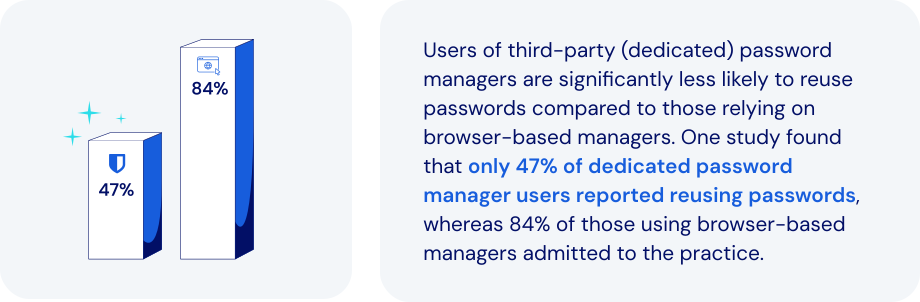
*Source: USENIX Association*
### What makes the dedicated password manager a better alternative?
Dedicated password management platforms overcome the shortcomings of [browser-based solutions](https://bitwarden.com/nl-nl/blog/make-way-for-your-password-manager/). They also introduce important new features, enhanced security, and portability. Specific features to look for:
- **Advanced encryption**: end-to-end AES-256 encryption and [zero-knowledge](https://bitwarden.com/nl-nl/blog/end-to-end-encryption-and-zero-knowledge/) principles can protect credentials far more effectively.
- **Cross-platform support**: seamless integration extends across all major browsers, mobile devices, and operating systems.
- **Centralized credential vault**: provides secure storage and management for passwords, [credit cards, secure notes](https://bitwarden.com/nl-nl/help/managing-items/), and infrastructure secrets like API keys.
- **Secure credential sharing**: encrypted and controlled sharing options include secure transmission to anyone.
- **Enhanced security features**: robust [MFA integration](https://bitwarden.com/nl-nl/blog/basics-of-two-factor-authentication-with-bitwarden/), phishing-resistant auto-fill protection, and breach reports all help proactively manage security risks.
- **Role-based access control (RBAC)**: allows precise control of credential access based on specific user roles and responsibilities.
- **Comprehensive audit and reporting**: detailed activity logs and compliance reporting improves visibility and regulatory adherence.
- **Secrets management**: secure handling of [DevOps credentials, API keys, and other infrastructure secrets](https://bitwarden.com/nl-nl/blog/flexible-bitwarden-secrets-manager/) is critical within development pipelines.
### How dedicated password managers keep today’s businesses safer
The password managers built into browsers like Chrome, Firefox, and Safari may offer basic password-saving features. But dedicated password managers provide far more comprehensive, secure, and efficient solutions for managing credentials. Today’s leading solutions allow you to:
- **Strengthen cybersecurity**: safeguard against browser vulnerabilities, malware, phishing, and credential theft.
- **Improve credential habits**: encourage [stronger password practices](https://bitwarden.com/nl-nl/blog/five-best-practices-for-password-management/) and proactive management of weak or compromised passwords.
- **Enhance credential control**: provide IT teams with centralized management, visibility, and enforcement capabilities.
- **Facilitate secure collaboration**: enable [secure credential sharing within teams](https://bitwarden.com/nl-nl/blog/password-sharing-best-practices-for-teams/), including the option to share hidden passwords.
- **Ensure regulatory compliance**: simplify adherence to standards like [ISO 27001](https://bitwarden.com/nl-nl/resources/how-password-management-helps-companies-achieve-iso-27001-certification/), SOC 2, HIPAA, and GDPR through audit-ready security practices.
- **Support operational continuity**: ensure ongoing access to critical credentials, minimizing operational disruptions.
- **Reduce IT overhead**: minimize password-related support requests by adding automation and self-service capabilities.
- **Secure infrastructure credentials**: leverage specialized solutions for secure management and automated injection of DevOps secrets.
Adopting best practices for password and credential management allows a business to address security gaps, improve access control, and enhance employee productivity.
### How Bitwarden helps support modernization
Bitwarden offers a comprehensive, secure, scalable solution. They also provide businesses with a clear path for embracing a more robust, enterprise-grade approach to credential security. Bitwarden facilitates a seamless, secure, successful transition by:
- **Offering a centralized, secure vault**: securely storing and managing credentials, infrastructure secrets, and sensitive information with AES-256 encryption.
- **Ensuring cross-browser and device compatibility**: allowing users consistent, secure access across diverse devices and platforms.
- **Enabling secure credential sharing**: providing robust tools like [Bitwarden Send](https://bitwarden.com/nl-nl/blog/bitwarden-send-how-it-works/) for encrypted credential sharing to anyone.
- **Implementing strong security measures**: leveraging MFA, domain matching, and breach monitoring to protect against credential theft and phishing.
- **Automating credential management**: integrating with directory services like AD and SCIM for efficient employee onboarding, offboarding, and automated credential provisioning.
- **Providing detailed audit and compliance tools**: comprehensive logging and reporting enhances security oversight and regulatory compliance.
- **Securing DevOps and IT credentials**: specialized management of DevOps secrets, including automated rotation and secure injection in [development pipelines](https://bitwarden.com/nl-nl/blog/why-does-my-development-team-need-a-secrets-manager/).
### The bottom line
By migrating to the enterprise-grade protection of Bitwarden, businesses can significantly improve their security posture within a very short time frame. This represents an opportunity to address security gaps, improve access control, and enhance employee productivity.
You’ll also be streamlining every facet of the credential management processes. Just one more reason Bitwarden is regarded as the most trusted name in password management.
### What makes Bitwarden stand out from the pack?
Bitwarden provides administrators a seamless, secure way to wean employees off of browser-based password managers in favor of a centrally-managed enterprise password manager. Unlike other password management offerings:
- Bitwarden's browser plugin supports nine browsers: Chrome, Edge, Firefox, Safari, Opera, Brave, Vivaldi, Tor, and DuckDuckGo. This represents the largest number of supported browsers for a password manager's browser-based plugin.
- Administrators can automate the deployment of Bitwarden browser extensions to end users via Microsoft Intune. Read more about this option in our deep dive: [Deploy Browser Extensions with Intune](https://bitwarden.com/nl-nl/help/deploy-browser-extensions-with-intune/).
## Profiteer nu van krachtige, vertrouwde wachtwoordbeveiliging. Kies uw plan.
## Persoonlijk
### Gratis
**$0**
*per maand*
*Altijd gratis*
Krijg een Bitwarden-kluis
- Onbeperkt aantal apparaten
- Beheer van wachtwoorden
- Alle kernfuncties
- Altijd gratis
Kluisitems met één andere gebruiker delen
[Begin vandaag](https://bitwarden.com/go/start-free/)
---
### Premium
**Less than $1**
*per maand*
*$10 jaarlijkse rekening*
Geniet van premium functies
- Bitwarden-authenticator
- Bestand bijlagen
- Noodtoegang
- Veiligheidsrapporten en meer
Kluisitems met één andere gebruiker delen
[Een premium account aanmaken](https://bitwarden.com/go/start-premium/)
---
### Gezinnen
**$3.33**
*per maand*
*Tot 6 gebruikers, $40 jaarlijkse rekening*
Inloggegevens van uw gezin beveiligen
- 6 premium-accounts
- Onbeperkt delen
- Onbeperkte collecties
- Opslag van de organisatie
Kluisitems tussen zes personen delen
[Gratis 7-daagse proefperiode beginnen](https://bitwarden.com/go/start-families-trial/)
---
De prijzen worden weergegeven in USD en zijn gebaseerd op een jaarabonnement. Belastingen niet inbegrepen.
## Bedrijf
### Teams
*Veerkrachtige bescherming voor groeiende teams*
**$4**
*per maand/per gebruiker, jaarlijkse rekening*
Deel gevoelige gegevens veilig met collega's, afdelingen of het hele bedrijf
- Gegevens veilig delen
- Gebeurtenislogboekbewaking
- Gidsintegratie
- SCIM-ondersteuning
Inclusief premium functies voor alle gebruikers
[Een proefperiode starten](https://bitwarden.com/go/start-teams-trial/)
---
### Enterprise
*Geavanceerde mogelijkheden voor grotere organisaties*
**$6**
*per maand/per gebruiker, jaarlijkse rekening*
Gebruik geavanceerde functies zoals bedrijfsbeleid, SSO zonder wachtwoord en accountherstel.
- Bedrijfsbeleid
- Wachtwoordloze SSO
- Account herstellen
- Zelf-host optie
Inclusief premium functies en gratis gezinsplan voor alle gebruikers
[Een proefperiode starten](https://bitwarden.com/go/start-enterprise-trial/)
---
### Een offerte aanvragen
*Voor bedrijven met honderden of duizenden werknemers, neem contact op met de verkoopafdeling voor een offerte op maat en ontdek hoe Bitwarden kan helpen:*
- Cyberbeveiligingsrisico's verminderen
- Productiviteit verhogen
- Naadloos integreren
Bitwarden schaalt met elk formaat bedrijf om wachtwoordbeveiliging naar uw organisatie te brengen
[Met de verkoopafdeling contact opnemen](https://bitwarden.com/contact-sales/)
---
Prijzen worden weergegeven in USD en zijn gebaseerd op een jaarabonnement
---
URL: https://bitwarden.com/nl-nl/resources/example-email-to-users-regarding-kdf-iterations-setting/
---
# Example email to users regarding KDF Iterations setting
Email template for admins to send to employees with instructions for updating KDF Iterations settings
---
*To: Employees*
*Subject: Action needed - new encryption standards for Bitwarden*
*[Company]* Bitwarden users,
We use Bitwarden for secure password management as part of our security protocol. It has become an essential tool for ensuring the security of our organization and maintaining good credential practices.
Earlier this year new security recommendations were put out by industry groups in response to increased hacking threats. As encryption-cracking devices become more powerful, encryption settings need to become stronger - all a part of the constant arms race between security professionals and hackers.
Bitwarden is abiding by these new recommendations, and when you log into the Bitwarden web app you may see a message saying your KDF Iterations setting is too low. This setting is part of the encryption process and everyone that uses Bitwarden needs to update it.
Follow these directions to ensure vault security:
1. Export your vault to create a backup. Follow the [instructions here](https://bitwarden.com/nl-nl/help/encrypted-export/#create-an-encrypted-export/) under **Create an encrypted export** for Web vault. Use the **Password protected**option and choose a password you remember, like your current master password.
2. Update your KDF iterations setting
1. Log into the Bitwarden web app at *[vault.bitwarden.com or your company’s self-hosted URL]*
2. Go to Account Settings (click on the round icon in the upper right)
3. Go to Security > Keys tab
4. In the KDF iterations box, change the number to 600000
5. Click the Change KDF button and confirm with your master password
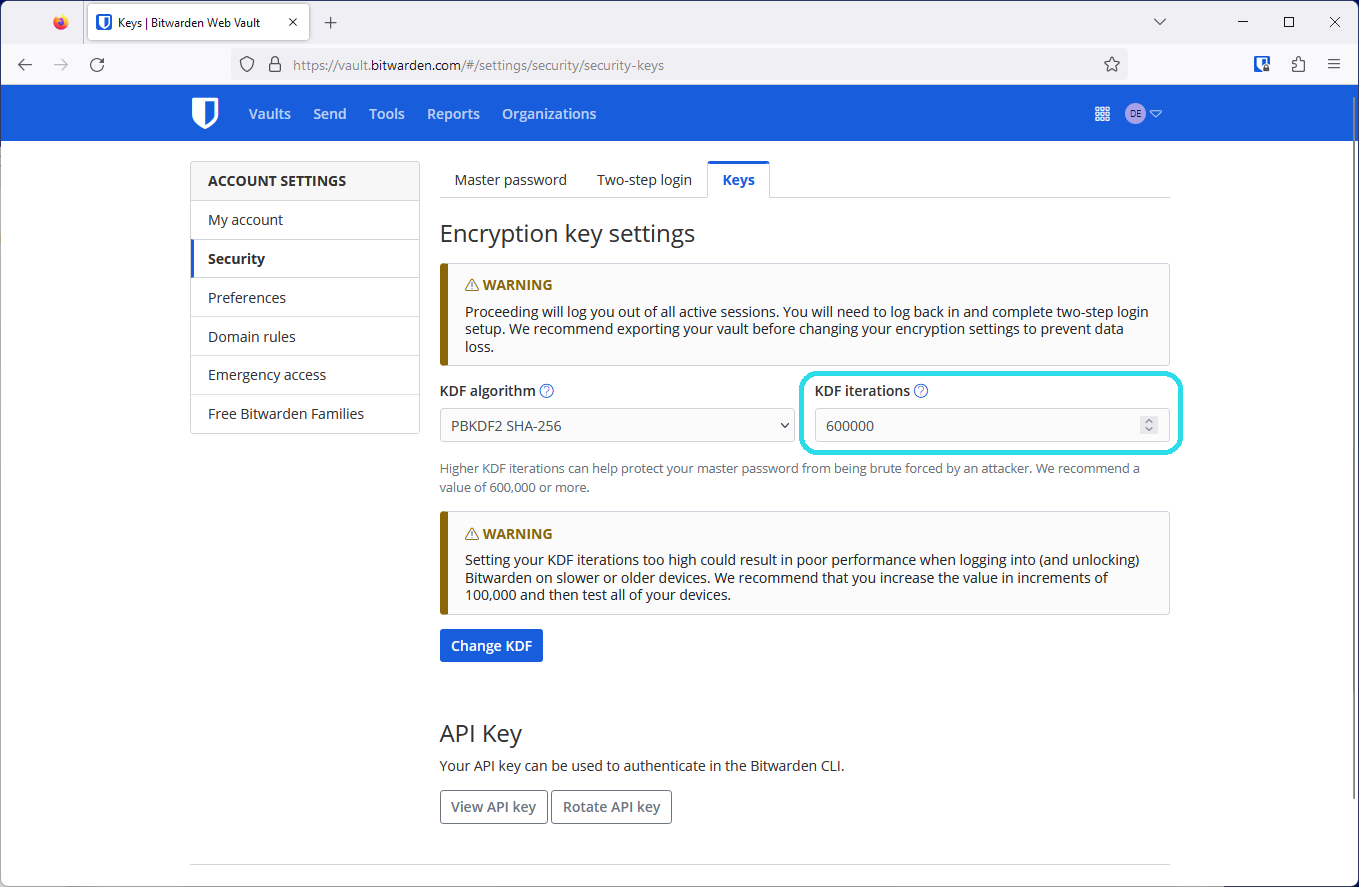
3. Log back in again on all your devices
This setting cannot be changed by admins as it is protected by your master password in your end-to-end encrypted Bitwarden account. Thank you for taking action, updating these settings, and being a part of *[Company’s] *security!
*[IT admin name, title]*
## Frequently asked questions
**Q:** **What is a KDF iteration and what does it do?
A:** A KDF iteration is part of the encryption process and refers to how many times the key derivation function algorithm runs before you can access your vault. Combined with a strong master password, a higher amount of iterations improves your vault’s resistance to hackers. Learn more about encryption security in this blog: [Bitwarden security fundamentals and multifactor encryption](https://bitwarden.com/nl-nl/blog/bitwarden-security-fundamentals-and-multifactor-encryption/)
**Q: What recommendations changed and why?
A:**The [OWASP Foundation](https://owasp.org/) is a respected leader in open security standards made up of teams of security professionals and encryption experts. Due to advances in hardware available to hackers today, OWASP increased their recommendations for the iterations settings for the [PBKDF2 algorithm](https://bitwarden.com/nl-nl/help/kdf-algorithms/#pbkdf2/) to improve resistance to brute-force hacking attempts.
**Q: What do I need to do?
A:**Update your KDF Iterations setting to 600,000 at minimum. Ensure [you’ve backed up your vault](https://bitwarden.com/nl-nl/help/encrypted-export/), then make the change in the Account Settings > Security > Keys window in the web app. In all it should take less than five minutes to update this setting.
**Q: Is this something the admins can do for me?
A:**Because the process of changing KDF iterations uses your master password, only the logged in user can change these settings.
**Q: Do all organization members need to update their KDF iterations to keep the organization secure?
A:**It is recommended that every member of an organization update their KDF iterations to provide the best security for the organization and their individual vaults.
**Q: Why should I back up my vault?**
**A:**Changing KDF iterations will log you out of Bitwarden on every device, so having a backup of your vault is helpful in case you cannot log back in. It is good practice to keep your master password and two-step login recovery codes in a safe place. For more information, please visit [Guide: How to create and store a backup of your Bitwarden vault.](https://bitwarden.com/nl-nl/resources/guide-how-to-create-and-store-a-backup-of-your-bitwarden-vault/)
**Q: What are other actions I can take to improve my account security?
A:**The best way to improve your security is to ensure that you have a [long, strong master password](https://bitwarden.com/nl-nl/blog/how-long-should-my-password-be/). After this, [enable two-step login](https://bitwarden.com/nl-nl/help/setup-two-step-login/) for a second factor of protection.
## Profiteer nu van krachtige, vertrouwde wachtwoordbeveiliging. Kies uw plan.
## Persoonlijk
### Gratis
**$0**
*per maand*
*Altijd gratis*
Krijg een Bitwarden-kluis
- Onbeperkt aantal apparaten
- Beheer van wachtwoorden
- Alle kernfuncties
- Altijd gratis
Kluisitems met één andere gebruiker delen
[Begin vandaag](https://bitwarden.com/go/start-free/)
---
### Premium
**Less than $1**
*per maand*
*$10 jaarlijkse rekening*
Geniet van premium functies
- Bitwarden-authenticator
- Bestand bijlagen
- Noodtoegang
- Veiligheidsrapporten en meer
Kluisitems met één andere gebruiker delen
[Een premium account aanmaken](https://bitwarden.com/go/start-premium/)
---
### Gezinnen
**$3.33**
*per maand*
*Tot 6 gebruikers, $40 jaarlijkse rekening*
Inloggegevens van uw gezin beveiligen
- 6 premium-accounts
- Onbeperkt delen
- Onbeperkte collecties
- Opslag van de organisatie
Kluisitems tussen zes personen delen
[Gratis 7-daagse proefperiode beginnen](https://bitwarden.com/go/start-families-trial/)
---
De prijzen worden weergegeven in USD en zijn gebaseerd op een jaarabonnement. Belastingen niet inbegrepen.
## Bedrijf
### Teams
*Veerkrachtige bescherming voor groeiende teams*
**$4**
*per maand/per gebruiker, jaarlijkse rekening*
Deel gevoelige gegevens veilig met collega's, afdelingen of het hele bedrijf
- Gegevens veilig delen
- Gebeurtenislogboekbewaking
- Gidsintegratie
- SCIM-ondersteuning
Inclusief premium functies voor alle gebruikers
[Een proefperiode starten](https://bitwarden.com/go/start-teams-trial/)
---
### Enterprise
*Geavanceerde mogelijkheden voor grotere organisaties*
**$6**
*per maand/per gebruiker, jaarlijkse rekening*
Gebruik geavanceerde functies zoals bedrijfsbeleid, SSO zonder wachtwoord en accountherstel.
- Bedrijfsbeleid
- Wachtwoordloze SSO
- Account herstellen
- Zelf-host optie
Inclusief premium functies en gratis gezinsplan voor alle gebruikers
[Een proefperiode starten](https://bitwarden.com/go/start-enterprise-trial/)
---
### Een offerte aanvragen
*Voor bedrijven met honderden of duizenden werknemers, neem contact op met de verkoopafdeling voor een offerte op maat en ontdek hoe Bitwarden kan helpen:*
- Cyberbeveiligingsrisico's verminderen
- Productiviteit verhogen
- Naadloos integreren
Bitwarden schaalt met elk formaat bedrijf om wachtwoordbeveiliging naar uw organisatie te brengen
[Met de verkoopafdeling contact opnemen](https://bitwarden.com/contact-sales/)
---
Prijzen worden weergegeven in USD en zijn gebaseerd op een jaarabonnement
---
URL: https://bitwarden.com/nl-nl/resources/feb-2025-spotlight-just-released-bitwarden-security-readiness-kit/
---
# February 2025 Spotlight: Just Released! Bitwarden Security Readiness Kit
Welcome to the Bitwarden February newsletter
---
### Featured Highlights
**Security readiness kit**Don’t let lost login info lock you out. [The Bitwarden security readiness kit](https://bitwarden.com/nl-nl/resources/bitwarden-security-readiness-kit/) helps keep your most important information safe and accessible. Download the template, fill it out, and store it securely, whether in an encrypted file, a thumb drive that lives in a safe, bank deposit box, or at a trusted relative’s house. A simple step today can save you a major headache tomorrow.
**How to protect against ransomware**Part of maintaining good security is to use a password manager, ensuring there are no cracks in your defenses. Strong passwords are wonderful, but do you also have multi-factor authentication set up? Be sure your passwords are strong and unique, and at least 15 characters long. Go through these [ransomware quick tips](https://bitwarden.com/nl-nl/blog/how-password-security-best-practices-safeguard-against-ransomware/) for more ideas on how to keep your home and office safe.
**Bring Bitwarden to work**Love using Bitwarden at home? Bring that same security and convenience to the office with easy access to logins, corporate cards, and more all in one place. Ready to get rid of the password chaos and make work easier? [Bitwarden can help](https://bitwarden.com/nl-nl/go/bring-bitwarden-to-work/)!
### Readers Requests
**PRF WebAuthn and its role in passkeys**Bitwarden uses the latest WebAuthn PRF extension to enhance passkey functionality. This emerging standard allows users to access their vaults effortlessly without compromising security. See how [PRF is revolutionizing passwordless authentication](https://bitwarden.com/nl-nl/blog/prf-webauthn-and-its-role-in-passkeys/).
**Password manager tips for iPhone**Start with a 101 guide on how to [set Bitwarden up on iOS](https://bitwarden.com/nl-nl/help/getting-started-mobile/). Then, set Bitwarden as your [default password manager](https://bitwarden.com/nl-nl/help/integrated-authenticator/), which prevents Apple from automatically trying to save all your passwords. From there, learn how to [autofill passwords](https://bitwarden.com/nl-nl/help/auto-fill-ios/) or start using [passkeys](https://bitwarden.com/nl-nl/help/storing-passkeys/).
**Password manager tips for Android**Whether you’re just getting started with [Bitwarden on your Android device](https://bitwarden.com/nl-nl/help/getting-started-mobile/) or you need extra tips, we’ve got guides. See how to [autofill on Android](https://bitwarden.com/nl-nl/help/auto-fill-android/) or start using [passkeys on your phone](https://bitwarden.com/nl-nl/help/storing-passkeys/).
### Bitwarden Bites
**Travel smarter with Bitwarden**
Have you added your passport number to your vault for easy access when tax-free shopping? Or maybe you want to securely share your hotel or locker code with your travel partner. [This one-minute Japan travel video](https://www.youtube.com/watch?v=5yns3v-StOI) showcases the awesome ways Bitwarden password manager can make your travels safer and easier.
**Start your digital estate planning**
A tough, but necessary conversation to have: if a family member passed away today, would you be able to access important accounts? [This short digital estate planning segment](https://www.youtube.com/watch?v=98SYR5iDvKw&t=1592s) will help guide you through what information should be stored in the vault, how to ensure someone is able to access it, and more.
**Recent product updates to know about**Get up to speed on all the password manager [recent product updates](https://www.youtube.com/watch?v=98SYR5iDvKw&t=1002s). This short segment updates on web app device approvals and inline autofill TOTP codes. Plus, there are five new browser UI customizations available that allow users to play with workflows from the original UI.
### What Others Are Saying
**Essential tips from a Bitwarden fan**Security and privacy researcher Sooraj Sathyanarayanan crafted this stellar [Bitwarden security guide](https://gist.github.com/iAnonymous3000/27c5c7f30b0a8b82ca492f1664e41567) that he describes as “the essentials and some pro-level tricks to make your account a fortress.”
### In Case You Missed It
**A fan favorite on social media: How long should a password be?**The [ultimate guide to passwords](https://bitwarden.com/nl-nl/blog/how-long-should-my-password-be/) covering length, character types, randomness, and more. Check out this colorful infographic from the guide that reveals how quickly weak passwords can be cracked versus those built to last a lifetime (or longer!). Are your passwords strong enough to last centuries?
## Profiteer nu van krachtige, vertrouwde wachtwoordbeveiliging. Kies uw plan.
## Persoonlijk
### Gratis
**$0**
*per maand*
*Altijd gratis*
Krijg een Bitwarden-kluis
- Onbeperkt aantal apparaten
- Beheer van wachtwoorden
- Alle kernfuncties
- Altijd gratis
Kluisitems met één andere gebruiker delen
[Begin vandaag](https://bitwarden.com/go/start-free/)
---
### Premium
**Less than $1**
*per maand*
*$10 jaarlijkse rekening*
Geniet van premium functies
- Bitwarden-authenticator
- Bestand bijlagen
- Noodtoegang
- Veiligheidsrapporten en meer
Kluisitems met één andere gebruiker delen
[Een premium account aanmaken](https://bitwarden.com/go/start-premium/)
---
### Gezinnen
**$3.33**
*per maand*
*Tot 6 gebruikers, $40 jaarlijkse rekening*
Inloggegevens van uw gezin beveiligen
- 6 premium-accounts
- Onbeperkt delen
- Onbeperkte collecties
- Opslag van de organisatie
Kluisitems tussen zes personen delen
[Gratis 7-daagse proefperiode beginnen](https://bitwarden.com/go/start-families-trial/)
---
De prijzen worden weergegeven in USD en zijn gebaseerd op een jaarabonnement. Belastingen niet inbegrepen.
## Bedrijf
### Teams
*Veerkrachtige bescherming voor groeiende teams*
**$4**
*per maand/per gebruiker, jaarlijkse rekening*
Deel gevoelige gegevens veilig met collega's, afdelingen of het hele bedrijf
- Gegevens veilig delen
- Gebeurtenislogboekbewaking
- Gidsintegratie
- SCIM-ondersteuning
Inclusief premium functies voor alle gebruikers
[Een proefperiode starten](https://bitwarden.com/go/start-teams-trial/)
---
### Enterprise
*Geavanceerde mogelijkheden voor grotere organisaties*
**$6**
*per maand/per gebruiker, jaarlijkse rekening*
Gebruik geavanceerde functies zoals bedrijfsbeleid, SSO zonder wachtwoord en accountherstel.
- Bedrijfsbeleid
- Wachtwoordloze SSO
- Account herstellen
- Zelf-host optie
Inclusief premium functies en gratis gezinsplan voor alle gebruikers
[Een proefperiode starten](https://bitwarden.com/go/start-enterprise-trial/)
---
### Een offerte aanvragen
*Voor bedrijven met honderden of duizenden werknemers, neem contact op met de verkoopafdeling voor een offerte op maat en ontdek hoe Bitwarden kan helpen:*
- Cyberbeveiligingsrisico's verminderen
- Productiviteit verhogen
- Naadloos integreren
Bitwarden schaalt met elk formaat bedrijf om wachtwoordbeveiliging naar uw organisatie te brengen
[Met de verkoopafdeling contact opnemen](https://bitwarden.com/contact-sales/)
---
Prijzen worden weergegeven in USD en zijn gebaseerd op een jaarabonnement
---
URL: https://bitwarden.com/nl-nl/resources/february-2023-spotlight-bitwarden-adds-multifactor-encryption/
---
# February 2023 Spotlight: Bitwarden adds multifactor encryption
Beyond security enhancements, Bitwarden will soon launch Secrets Manager Beta, an easier way for teams to manage secrets at scale.
---
## Featured Highlights

Coming in Spring 2023, the new Bitwarden Secrets Manager delivers a simpler, easier way for developers, devops, and cybersecurity teams to secure and manage secrets at scale. The beta offering will include easy onboarding and deployment, centralized management of developer and infrastructure secrets, and powerful, open source security with end-to-end encryption. Sign up to [become a beta tester](https://btwrdn.com/secrets-beta-signup) and receive more information on Bitwarden Secrets Manager!

A strong master password provides the first and most important level of protection to safeguard your vault data. Beyond this, Bitwarden adds additional layers of encryption and protection – called multifactor encryption – when your vault syncs with the Bitwarden cloud. Learn how [multifactor encryption](https://bitwarden.com/nl-nl/blog/bitwarden-security-fundamentals-and-multifactor-encryption/) works to reinforce security and protect your vault information.
## Enjoying this update? Subscribe today.
*Receive the latest product updates, hand-picked articles, community highlights, and more.*
[Contact form]
## More Bits and Bites
[**Access your Bitwarden vault without a password**](https://bitwarden.com/nl-nl/blog/access-your-bitwarden-vault-without-a-password/)
In the latest release, Bitwarden extended the **Log in with device** capability to let you log in without using your master password in your browser extensions, desktop app, and more. Learn how [this enhanced feature](https://bitwarden.com/nl-nl/blog/access-your-bitwarden-vault-without-a-password/) works, how it maintains security, and what the future of passwordless looks like for Bitwarden users around the world.
[**How to create custom fields for Bitwarden vault entries**](https://bitwarden.com/nl-nl/blog/how-to-create-custom-fields-for-bitwarden-vault-entries/)
There are a variety of vault entry options that come out of box with your Bitwarden account such as Name, Username, Password, Authenticator Key, URL, and more. But let’s say you need to add an entry that’s unique, such as an SSH key or custom fields to auto-populate web forms. Bitwarden makes this easy with the ability to create custom fields. Follow the simple [step by step process](https://bitwarden.com/nl-nl/blog/how-to-create-custom-fields-for-bitwarden-vault-entries/) to get started.
[**Bitwarden design: updating admin views in the web vault**](https://bitwarden.com/nl-nl/blog/bitwarden-design-admin-views-in-the-web-vault/)
In the latest February release, Bitwarden built a series of updates to improve usability for organization administrators and owners. Improvements were made to the Vault page, the Members Page, and the Groups page to make navigating and managing your Bitwarden organization faster and easier. New columns were added to each of them to show listed items’ attributes at a glance. Read the article to learn more about [the latest updates](https://bitwarden.com/nl-nl/blog/bitwarden-design-admin-views-in-the-web-vault/) to the Bitwarden design.
[**Pepper for your password**](https://bitwarden.com/nl-nl/blog/pepper-for-your-password/)
For those vault items that need serious care, some users might opt to go the peppering route to give them an added layer of security. Peppering involves adding or subtracting a string of characters to a password entry that isn't part of the password but is known only by you. Although peppering is a very simple idea to implement, it does have a few implications that you must take into consideration. Learn more about the [two types of peppering](https://bitwarden.com/nl-nl/blog/pepper-for-your-password/) and the caveats to be aware of.
[**Filling in digit-specific passwords**](https://bitwarden.com/nl-nl/blog/filling-in-digit-specific-passwords/)
With cybercrime on the rise, institutions invent new and creative ways to strengthen account authentication, such as prompting users to enter *specific password characters* upon logging in. In this example, if your password is b!tw@ard3nr0k$, your bank may prompt you to enter the 2nd, 8th, 10th, and 13th characters of your password which would be !, t, r, and $. While this may make it harder to crack, it undoubtedly adds friction to the user login experience. Fortunately, Bitwarden now offers an easy way for users to quickly identify [digit-specific password](https://bitwarden.com/nl-nl/blog/filling-in-digit-specific-passwords/) characters in the browser extension app.
## Community Spotlight
As an open-source project, the global [Bitwarden community](https://community.bitwarden.com/) plays an important role in contributing to a world free of breaches and hacks. Special thanks to the following community members that shared useful tips to help others get the most out of their Bitwarden experience.
Big thank you to community member, [Bernd Schoolmann](https://community.bitwarden.com/u/quexten/summary), for partnering with Bitwarden to implement an additional option for encryption, Argon2, as well as Argon2 KDF configuration options. Below are the links to explore the updates yourself!

[https://github.com/bitwarden/clients/pull/4468](https://github.com/bitwarden/clients/pull/4468)

[https://github.com/bitwarden/mobile/pull/2293](https://github.com/bitwarden/mobile/pull/2293)
1. Thank you **@frikeer** for [sharing](https://www.reddit.com/r/Bitwarden/comments/11d4ph4/comment/ja7fnc2/?utm_source=share&utm_medium=web2x&context=3) your approach to auto-pasting TOTP codes.
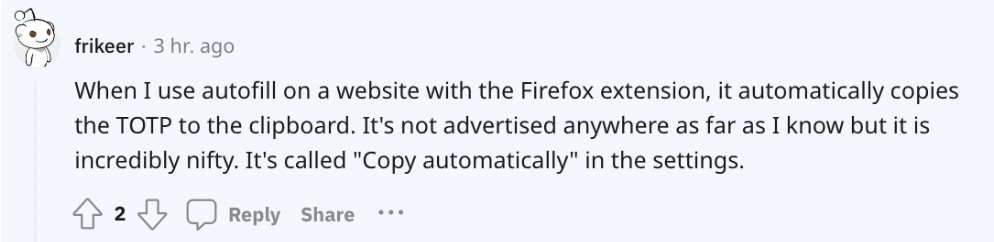
2. Thank you **@jvh@twit.social** for [commenting](https://twit.social/@jvh/109864428975216867) on how you simplify two-factor authentication with Bitwarden.
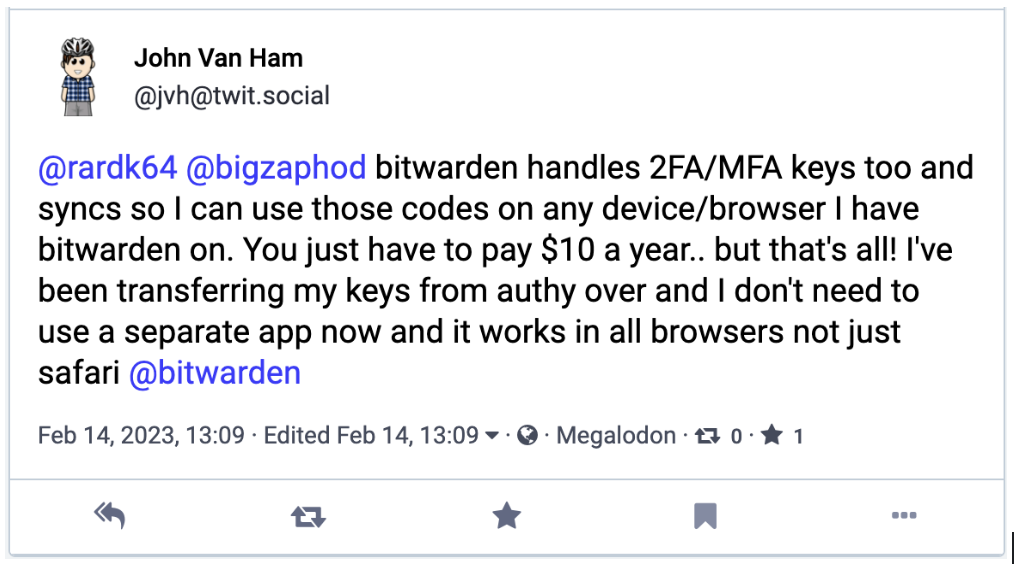
## Upcoming Events
- [Weekly Live Demo](https://bitwarden.com/nl-nl/bitwarden-demo/): Every Wednesday at 12 pm EDT
- [Hacker’s Guide to VIP Security](https://hopin.com/events/hackers-guide-to-vip-security/registration): 3/9 at 12 pm EDT
- [Managed Service Provider (MSP) Demo](https://us02web.zoom.us/webinar/register/WN_brb8B0x9TGqE5DA-FS6iDA): 3/16 at 12 pm EDT
- [Managed Service Provider (MSP) Demo](https://us02web.zoom.us/webinar/register/WN_Bvqb2kORTR22I-giFiVOhw): 3/23 at 12 pm EDT
- [Monthly Vault Hours](https://www.crowdcast.io/e/vault-hours-33): 3/31 at 12 pm EDT
That’s it for now. Let us know what you think about this newsletter including potential topics you’d like to see.
**Until next time,**
Team Bitwarden
## Bitwarden is Certified as a Best Place to Work in 2023!
Interested in joining the Bitwarden team? Visit [our careers page](https://bitwarden.com/nl-nl/careers/) to explore open roles.
## Profiteer nu van krachtige, vertrouwde wachtwoordbeveiliging. Kies uw plan.
## Persoonlijk
### Gratis
**$0**
*per maand*
*Altijd gratis*
Krijg een Bitwarden-kluis
- Onbeperkt aantal apparaten
- Beheer van wachtwoorden
- Alle kernfuncties
- Altijd gratis
Kluisitems met één andere gebruiker delen
[Begin vandaag](https://bitwarden.com/go/start-free/)
---
### Premium
**Less than $1**
*per maand*
*$10 jaarlijkse rekening*
Geniet van premium functies
- Bitwarden-authenticator
- Bestand bijlagen
- Noodtoegang
- Veiligheidsrapporten en meer
Kluisitems met één andere gebruiker delen
[Een premium account aanmaken](https://bitwarden.com/go/start-premium/)
---
### Gezinnen
**$3.33**
*per maand*
*Tot 6 gebruikers, $40 jaarlijkse rekening*
Inloggegevens van uw gezin beveiligen
- 6 premium-accounts
- Onbeperkt delen
- Onbeperkte collecties
- Opslag van de organisatie
Kluisitems tussen zes personen delen
[Gratis 7-daagse proefperiode beginnen](https://bitwarden.com/go/start-families-trial/)
---
De prijzen worden weergegeven in USD en zijn gebaseerd op een jaarabonnement. Belastingen niet inbegrepen.
## Bedrijf
### Teams
*Veerkrachtige bescherming voor groeiende teams*
**$4**
*per maand/per gebruiker, jaarlijkse rekening*
Deel gevoelige gegevens veilig met collega's, afdelingen of het hele bedrijf
- Gegevens veilig delen
- Gebeurtenislogboekbewaking
- Gidsintegratie
- SCIM-ondersteuning
Inclusief premium functies voor alle gebruikers
[Een proefperiode starten](https://bitwarden.com/go/start-teams-trial/)
---
### Enterprise
*Geavanceerde mogelijkheden voor grotere organisaties*
**$6**
*per maand/per gebruiker, jaarlijkse rekening*
Gebruik geavanceerde functies zoals bedrijfsbeleid, SSO zonder wachtwoord en accountherstel.
- Bedrijfsbeleid
- Wachtwoordloze SSO
- Account herstellen
- Zelf-host optie
Inclusief premium functies en gratis gezinsplan voor alle gebruikers
[Een proefperiode starten](https://bitwarden.com/go/start-enterprise-trial/)
---
### Een offerte aanvragen
*Voor bedrijven met honderden of duizenden werknemers, neem contact op met de verkoopafdeling voor een offerte op maat en ontdek hoe Bitwarden kan helpen:*
- Cyberbeveiligingsrisico's verminderen
- Productiviteit verhogen
- Naadloos integreren
Bitwarden schaalt met elk formaat bedrijf om wachtwoordbeveiliging naar uw organisatie te brengen
[Met de verkoopafdeling contact opnemen](https://bitwarden.com/contact-sales/)
---
Prijzen worden weergegeven in USD en zijn gebaseerd op een jaarabonnement
---
URL: https://bitwarden.com/nl-nl/resources/february-2024-spotlight-inline-auto-fill-menu-is-now-live/
---
# February 2024 Spotlight: Inline auto-fill menu is now live!
Learn about a feature highly requested by the Bitwarden community
---
## Featured Highlights
[](https://bitwarden.com/blog/how-to-export-your-bitwarden-vault/)
*Hoe u uw Bitwarden-kluis kunt exporteren*
Maintain peace of mind by having an encrypted, local backup of your vault! Learn how easy it is to [export your Bitwarden vault](https://bitwarden.com/nl-nl/blog/how-to-export-your-bitwarden-vault/) and take control of your digital security.
[](https://bitwarden.com/blog/bitwarden-passkeys-mobile)
*Social Media Cards Q2 2024.png*
Join the beta program for iOS and Android and experience the convenience and security of passkeys synced across your devices contribute by testing the feature and providing feedback. Get [all the details](https://bitwarden.com/nl-nl/blog/bitwarden-passkeys-mobile/) on this open beta program and how to experience it yourself.
## Enjoying this update? Subscribe today.
*Receive the latest product updates, hand-picked articles, community highlights, and more.*
[Contact form]
## More Bitwarden Bites
[**How a password manager can help organizations pass penetration tests**](https://bitwarden.com/nl-nl/blog/how-a-password-manager-can-help-organizations-pass-penetration-tests/)
Penetration testing, or pen testing, simulates a cyberattack to identify vulnerabilities in a company's systems in a safe, controlled, and well-documented environment. Rolling out an enterprise-wide password manager increases a company's chances of passing the pen test portion of a security audit. Learn more about it in this [article](https://bitwarden.com/nl-nl/blog/how-a-password-manager-can-help-organizations-pass-penetration-tests/).
[**World Backup Day - Top tips to protect your passwords**](https://bitwarden.com/nl-nl/blog/world-backup-day/)
On World Backup Day, we remember how important it is to back up our data. This [post](https://bitwarden.com/nl-nl/blog/world-backup-day/) discusses protecting your primary login for your password manager as well as the information within your vault.
## Cybersecurity News
[**World Password Day Survey 2024**](https://bitwarden.com/nl-nl/resources/world-password-day/)
The Bitwarden World Password Day survey, conducted in the spring of 2024, gathered insights from 2,400 individuals. The [survey results](https://bitwarden.com/nl-nl/resources/world-password-day/) detail password security habits at home and in the workplace, assess the perceived impacts of phishing and AI on online security, and capture user sentiment towards passkey adoption as an emerging authentication method.
[**West Coast media institution selects Bitwarden for ease of deployment and Active Directory integration**](https://bitwarden.com/nl-nl/resources/west-coast-media-institution-selects-bitwarden/)
When this media organization found their legacy password management solution had been breached, they selected Bitwarden to protect sensitive information and enable it to continue its mission of bringing original, high-quality programming to its viewers. Learn more about their Bitwarden deployment in this [resource](https://bitwarden.com/nl-nl/resources/west-coast-media-institution-selects-bitwarden/).
## Development Tips and Updates
[**Bitwarden releases magic links API**](https://bitwarden.com/nl-nl/blog/bitwarden-magic-links-api/)
In this [article](https://bitwarden.com/nl-nl/blog/bitwarden-magic-links-api/), learn how developers use Bitwarden Passwordless.dev plug-and-play SDKs to build magic links, one-time links to authenticate users. Integrating magic links into the authentication workflow improves user experience, increases security, and reduces support burdens associated with passwords.
[**Discover PasskeyIndex.io: Your Community Hub for Passkeys**](https://bitwarden.com/nl-nl/blog/discover-passkeyindex-io-your-community-hub-for-passkeys/)
Are you looking for a list of sites and platforms that support passkeys? Read this [blog](https://bitwarden.com/nl-nl/blog/discover-passkeyindex-io-your-community-hub-for-passkeys/) on PasskeyIndex.io – a community-driven platform dedicated to collecting and organizing a list of services that are passkey-enabled.
[**Bitwarden releases Android SDK for passkey development**](https://bitwarden.com/nl-nl/blog/bitwarden-android-sdk-for-passkey-development/)
To better serve the needs of developers looking to passkey-enable their Android applications, Bitwarden has released a new Android SDK that puts FIDO2 passkey development tools directly in the hands of developers. Take a look at this [guide](https://bitwarden.com/nl-nl/blog/bitwarden-android-sdk-for-passkey-development/) and get started with the Bitwarden Passwordless.dev Android SDK.
## Community Spotlight
This month’s newsletter spotlights u/Legal_Ad_5437 for beginning a crucial conversation - what happens when you become too old to remember things such as master passwords and secondary verification accounts? Read helpful advice from community members in this [Reddit post](https://www.reddit.com/r/Bitwarden/comments/1bxfqkb/digital_preparation_for_old_age/).

*Screenshot 2024-04-29 at 10.51.15 PM*
## Bitwarden Learning Center
Check out [Bitwarden 101](https://bitwarden.com/nl-nl/learning/pm-101-getting-started-as-a-user/) for a short video series on how to get started with Bitwarden Password Manager as an administrator or end user.
That’s it for now. For more product updates and online security tips, visit the Bitwarden [blog](https://bitwarden.com/nl-nl/blog/).
**Until next time,**
Team Bitwarden
## Hi readers!
Take this [two-minute](https://forms.bitwarden.com/newsletter) survey to help us improve the monthly Bitwarden Newsletter and deliver the information you care most about.
## Profiteer nu van krachtige, vertrouwde wachtwoordbeveiliging. Kies uw plan.
## Persoonlijk
### Gratis
**$0**
*per maand*
*Altijd gratis*
Krijg een Bitwarden-kluis
- Onbeperkt aantal apparaten
- Beheer van wachtwoorden
- Alle kernfuncties
- Altijd gratis
Kluisitems met één andere gebruiker delen
[Begin vandaag](https://bitwarden.com/go/start-free/)
---
### Premium
**Less than $1**
*per maand*
*$10 jaarlijkse rekening*
Geniet van premium functies
- Bitwarden-authenticator
- Bestand bijlagen
- Noodtoegang
- Veiligheidsrapporten en meer
Kluisitems met één andere gebruiker delen
[Een premium account aanmaken](https://bitwarden.com/go/start-premium/)
---
### Gezinnen
**$3.33**
*per maand*
*Tot 6 gebruikers, $40 jaarlijkse rekening*
Inloggegevens van uw gezin beveiligen
- 6 premium-accounts
- Onbeperkt delen
- Onbeperkte collecties
- Opslag van de organisatie
Kluisitems tussen zes personen delen
[Gratis 7-daagse proefperiode beginnen](https://bitwarden.com/go/start-families-trial/)
---
De prijzen worden weergegeven in USD en zijn gebaseerd op een jaarabonnement. Belastingen niet inbegrepen.
## Bedrijf
### Teams
*Veerkrachtige bescherming voor groeiende teams*
**$4**
*per maand/per gebruiker, jaarlijkse rekening*
Deel gevoelige gegevens veilig met collega's, afdelingen of het hele bedrijf
- Gegevens veilig delen
- Gebeurtenislogboekbewaking
- Gidsintegratie
- SCIM-ondersteuning
Inclusief premium functies voor alle gebruikers
[Een proefperiode starten](https://bitwarden.com/go/start-teams-trial/)
---
### Enterprise
*Geavanceerde mogelijkheden voor grotere organisaties*
**$6**
*per maand/per gebruiker, jaarlijkse rekening*
Gebruik geavanceerde functies zoals bedrijfsbeleid, SSO zonder wachtwoord en accountherstel.
- Bedrijfsbeleid
- Wachtwoordloze SSO
- Account herstellen
- Zelf-host optie
Inclusief premium functies en gratis gezinsplan voor alle gebruikers
[Een proefperiode starten](https://bitwarden.com/go/start-enterprise-trial/)
---
### Een offerte aanvragen
*Voor bedrijven met honderden of duizenden werknemers, neem contact op met de verkoopafdeling voor een offerte op maat en ontdek hoe Bitwarden kan helpen:*
- Cyberbeveiligingsrisico's verminderen
- Productiviteit verhogen
- Naadloos integreren
Bitwarden schaalt met elk formaat bedrijf om wachtwoordbeveiliging naar uw organisatie te brengen
[Met de verkoopafdeling contact opnemen](https://bitwarden.com/contact-sales/)
---
Prijzen worden weergegeven in USD en zijn gebaseerd op een jaarabonnement
---
URL: https://bitwarden.com/nl-nl/resources/five-best-practices-for-password-management-white-paper/
---
# Vijf best practices voor wachtwoordbeheer door ondernemingen
Leer de best practices voor enterprise wachtwoordbeheer in deze whitepaper.
---
Terwijl organisaties van beveiliging een prioriteit blijven maken, bestaat een belangrijk deel van die inspanning uit het opleiden en informeren van algemene gebruikers over best practices. Kijk eens naar enkele van deze statistieken uit het Yubico 2019 State of Password and Security Authentication Security Behaviors [Report:](https://www.yubico.com/blog/yubico-releases-the-2019-state-of-password-and-authentication-security-behaviors-report/)
- 2 op de 3 respondenten deelt wachtwoorden met collega's
- 51% van de deelnemers zegt wachtwoorden te hergebruiken voor persoonlijke en zakelijke accounts
- 57% zegt zijn wachtwoord niet te hebben gewijzigd na een phishingpoging
Om verandering te brengen in een onderneming, moeten beveiligings- en IT-teams werknemers informeren over best practices. Wat betreft wachtwoordbeheer is een van de eenvoudigste manieren om een goede wachtwoordhygiëne aan te moedigen het inzetten van een oplossing voor wachtwoordbeheer op uw werkplek. Hier zijn enkele best practices om toe te passen.
### 1. Gebruik een oplossing voor wachtwoordbeheer
Gedurende de dag bezoeken de meeste mensen veel verschillende sites waarvoor wachtwoorden nodig zijn. Het onthouden van veel unieke en voldoende sterke wachtwoorden (of wachtzinnen) is vrijwel onmogelijk. Een wachtwoordmanager vereenvoudigt het gebruik van wachtwoorden op verschillende sites om gebruikers veiliger te houden. Er zijn een aantal goede wachtwoordmanagers. Geef de voorkeur aan platformonafhankelijke diensten die gratis of tegen een zeer lage prijs aan particulieren worden aangeboden. De meeste wachtwoordbeheerders zijn in de loop der jaren ook uitgebreid.
### 2. Kies een tool die je gemakkelijk in je hele organisatie kunt inzetten
Wachtwoordmanagers moeten eenvoudig te gebruiken zijn voor elk gebruikersniveau, van beginner tot gevorderde. Als je een groot of verspreid personeelsbestand overweegt, moeten de applicaties intuïtief in gebruik zijn en gemakkelijk te implementeren. Of u nu kiest voor de Bitwarden Cloud of voor uw eigen zelf gehoste Bitwarden-instantie, het opstarten van Bitwarden is eenvoudig. En Bitwarden Directory Connector werkt met de meest gebruikte directoryservices van dit moment, zoals Azure, Active Directory, Google, Okta en anderen, om uw Bitwarden-gebruikers in-sync te houden met uw teams en medewerkers.
### 3. Wijzig wachtwoorden alleen als u mogelijk bent gecompromitteerd
De dagen dat je je wachtwoord elke drie maanden moest veranderen zijn voorbij. Je zou ze nu alleen moeten veranderen als je denkt dat je bent gecompromitteerd. Het National Institute of Standards and Technology [(NIST)](https://pages.nist.gov/800-63-3/sp800-63b.html) raadt gebruikers niet aan om wachtwoorden vaak te veranderen. Dit leidt in feite tot gedrag dat na verloop van tijd kan resulteren in zwakkere wachtwoorden. U kunt bepalen of een wachtwoord gecompromitteerd is door te verwijzen naar tastbaar bewijs, zoals creditcardfraude, of door een hulpmiddel te gebruiken (zoals uw wachtwoordmanager) dat kan vertellen of uw wachtwoord blootgesteld is bij een inbreuk.
### 4. Gebruik sterke, unieke wachtwoorden
Door sterke, unieke wachtwoorden te gebruiken voor elke service die je online gebruikt, beperk je de impact van datalekken. Een sterk wachtwoord betekent niet per se het toevoegen van speciale tekens of cijfers aan een gewoon woord of naam, het betekent het vergroten van de entropie, of willekeurigheid van het wachtwoord. Een eenvoudige tactiek voor het maken van een sterk wachtwoord is het gebruik van een wachtwoordzin. Een wachtwoordzin combineert schijnbaar ongerelateerde woorden of zinnen die de gebruiker gemakkelijk kan onthouden, maar die anders moeilijk te raden zouden zijn door een aanvaller. Wachtzinnen hebben een hoge mate van entropie en zijn tegelijkertijd makkelijk te onthouden.
### 5. Schakel waar mogelijk authenticatie met twee factoren in
Nu authenticatie met twee factoren (2FA) steeds gebruikelijker wordt op websites van consumenten en bedrijven, bevat een goede wachtwoordmanager manieren om deze functie uit te breiden. Het gebruik van 2FA verhoogt de veiligheid van je account door je te verplichten om een ander token in te voeren dan alleen je hoofdwachtwoord. Zelfs als iemand uw hoofdwachtwoord ontdekt, kan hij niet inloggen op uw wachtwoordmanager zonder toegang tot het extra token. Als u aan de slag wilt met een wachtwoordmanager, kunt u zich hier aanmelden voor een [gratis Bitwarden-account.](https://bitwarden.com/nl-nl/go/start-free/)
## Profiteer nu van krachtige, vertrouwde wachtwoordbeveiliging. Kies uw plan.
## Persoonlijk
### Gratis
**$0**
*per maand*
*Altijd gratis*
Krijg een Bitwarden-kluis
- Onbeperkt aantal apparaten
- Beheer van wachtwoorden
- Alle kernfuncties
- Altijd gratis
Kluisitems met één andere gebruiker delen
[Begin vandaag](https://bitwarden.com/go/start-free/)
---
### Premium
**Less than $1**
*per maand*
*$10 jaarlijkse rekening*
Geniet van premium functies
- Bitwarden-authenticator
- Bestand bijlagen
- Noodtoegang
- Veiligheidsrapporten en meer
Kluisitems met één andere gebruiker delen
[Een premium account aanmaken](https://bitwarden.com/go/start-premium/)
---
### Gezinnen
**$3.33**
*per maand*
*Tot 6 gebruikers, $40 jaarlijkse rekening*
Inloggegevens van uw gezin beveiligen
- 6 premium-accounts
- Onbeperkt delen
- Onbeperkte collecties
- Opslag van de organisatie
Kluisitems tussen zes personen delen
[Gratis 7-daagse proefperiode beginnen](https://bitwarden.com/go/start-families-trial/)
---
De prijzen worden weergegeven in USD en zijn gebaseerd op een jaarabonnement. Belastingen niet inbegrepen.
## Bedrijf
### Teams
*Veerkrachtige bescherming voor groeiende teams*
**$4**
*per maand/per gebruiker, jaarlijkse rekening*
Deel gevoelige gegevens veilig met collega's, afdelingen of het hele bedrijf
- Gegevens veilig delen
- Gebeurtenislogboekbewaking
- Gidsintegratie
- SCIM-ondersteuning
Inclusief premium functies voor alle gebruikers
[Een proefperiode starten](https://bitwarden.com/go/start-teams-trial/)
---
### Enterprise
*Geavanceerde mogelijkheden voor grotere organisaties*
**$6**
*per maand/per gebruiker, jaarlijkse rekening*
Gebruik geavanceerde functies zoals bedrijfsbeleid, SSO zonder wachtwoord en accountherstel.
- Bedrijfsbeleid
- Wachtwoordloze SSO
- Account herstellen
- Zelf-host optie
Inclusief premium functies en gratis gezinsplan voor alle gebruikers
[Een proefperiode starten](https://bitwarden.com/go/start-enterprise-trial/)
---
### Een offerte aanvragen
*Voor bedrijven met honderden of duizenden werknemers, neem contact op met de verkoopafdeling voor een offerte op maat en ontdek hoe Bitwarden kan helpen:*
- Cyberbeveiligingsrisico's verminderen
- Productiviteit verhogen
- Naadloos integreren
Bitwarden schaalt met elk formaat bedrijf om wachtwoordbeveiliging naar uw organisatie te brengen
[Met de verkoopafdeling contact opnemen](https://bitwarden.com/contact-sales/)
---
Prijzen worden weergegeven in USD en zijn gebaseerd op een jaarabonnement
---
URL: https://bitwarden.com/nl-nl/resources/global-language-platform-strengthens-password-sharing-and-management-with-bitwarden/
---
# Global language platform strengthens password sharing and management with Bitwarden
Brent Long is the IT administrator for DMM Eikaiwa, one of the largest online English class providers in the world. He recently shared his experience on how his team uses Bitwarden to manage and secure passwords across a distributed company.
---
## Q: What is DMM Eikaiwa and your role here?
DMM Eikaiwa operates across more than 120 countries globally with 10,000 teachers and ranked as the number one online English class provider in Japan. Outside of Japan, we operate under the brand names Engoo and Bibo.
As the IT administrator, I'm responsible for ensuring that all of our remote employees from locations around the world, including Japan, Taiwan, Korea, Thailand, the Philippines, and European countries, comply with our security policy and properly install and use software security solutions such as Bitwarden.
We handle the personal information of many individual customers and instructors, so we have strict security standards, including password management.
DMM Eikaiwa is not just a school, but a platform. Because our products are used by corporate clients and other English schools, we provide strict security measures for our major clients, and secure password management with Bitwarden is one of those.
## Q: Why did you choose Bitwarden?
As our business grows and our membership increases, our exposure to security risks go up. For this reason, we have focused over the past year on strengthening our security, including password management.
Before Bitwarden, we were using another password manager, but when they made changes to their plan we decided it was time to search for a new password manager that was effective both in price and functionality.
At the time, we were experiencing problems with unauthorized password sharing among employees without the knowledge of our IT department. As a result, one of the goals for a new password manager was to help us reduce such risk factors.
Bitwarden enables our IT and security departments to share passwords and manage access for their employees. This is the main reaason why we switched to Bitwarden a year ago.
Currently, all of the more than 250 full- and part-time employees use Bitwarden. Any employee with access to customer information is required to manage their passwords in Bitwarden.
## Q: What has changed as a result of using Bitwarden?
In the past, there were occasions when employees would hand in sticky notes with passwords written on them. We eliminated that practice after conducting security training for all employees. Some used to write all their passwords in Excel or memorize 10 or 20 passwords, but now Bitwarden provides everyone in the company a way to easily and securely manage passwords. The Bitwarden policy for requiring two-factor authentication is also globally enforced and adds another layer of security.
When employees need to share passwords, they now do so through Bitwarden. This is more secure and the IT department can track the status of sharing. And, of course, there are no more weak and reused passwords.
People unfamiliar with password management software may initially reject it. But once they learn that taking five minutes to familiarize themselves with it can save them a large amount of time and effort in the rest of their lives, they all use it eagerly. That's why training employees and communicating the benefits of a password manager are so important.
## Q: What benefits have you experienced with Bitwarden?
Our IT department performs unannounced security checks. We do not directly see the passwords that our employees are using, but instead we ask them to show the Bitwarden password strength report to verify that the passwords they are using are strong enough and that they are not being used repeatedly.
What makes Bitwarden great for IT administrators is how easy it is to add or remove internal users. In our company, employees access as many as 200 different services through IDs and passwords. When an employee leaves the company, all IDs and passwords that the employee had access to can be instantly ascertained by IT. From there, we can easily delete or reset credentials.
With Bitarden, we no longer have to remember passwords and can use unique, strong passwords for different software and service accounts, which has dramatically increased security. We can access all our passwords at any time, whether at the office or at home, on any device or browser.
I personally use Bitwarden at home with my family. I have created a family collection and share necessary passwords among family members, knowing that everything is secure.
## Get started with Bitwarden
**About DMM Eikaiwa**
DMM Eikaiwa is an online English conversation service that allows you to take one-on-one lessons 24 hours a day, 365 days a year, anywhere from your computer, tablet or smartphone. With more than 10,000 English tutors from 120 countries around the world, including native English-speaking countries, Asia, Europe, and Latin America, you can learn not only the language but also cultures, customs, and diverse values from all over the world. We have a lineup of more than 10,000 free lesson materials that can be selected by English level and purpose, such as kids, business, and travel. In addition, our unique lesson system allows you to do everything needed for lessons, such as video calls, viewing materials, chatting, and taking notes, on a single screen in your web browser. There is no need to go back and forth between multiple screens for a comfortable lesson experience.
Global companies like DMM Eikaiwa trust Bitwarden to deliver cross platform compatibility, comprehensive IT admin controls, and enterprise scalability. Start a [Bitwarden Trial](https://bitwarden.com/nl-nl/pricing/business/) today.
## Profiteer nu van krachtige, vertrouwde wachtwoordbeveiliging. Kies uw plan.
## Persoonlijk
### Gratis
**$0**
*per maand*
*Altijd gratis*
Krijg een Bitwarden-kluis
- Onbeperkt aantal apparaten
- Beheer van wachtwoorden
- Alle kernfuncties
- Altijd gratis
Kluisitems met één andere gebruiker delen
[Begin vandaag](https://bitwarden.com/go/start-free/)
---
### Premium
**Less than $1**
*per maand*
*$10 jaarlijkse rekening*
Geniet van premium functies
- Bitwarden-authenticator
- Bestand bijlagen
- Noodtoegang
- Veiligheidsrapporten en meer
Kluisitems met één andere gebruiker delen
[Een premium account aanmaken](https://bitwarden.com/go/start-premium/)
---
### Gezinnen
**$3.33**
*per maand*
*Tot 6 gebruikers, $40 jaarlijkse rekening*
Inloggegevens van uw gezin beveiligen
- 6 premium-accounts
- Onbeperkt delen
- Onbeperkte collecties
- Opslag van de organisatie
Kluisitems tussen zes personen delen
[Gratis 7-daagse proefperiode beginnen](https://bitwarden.com/go/start-families-trial/)
---
De prijzen worden weergegeven in USD en zijn gebaseerd op een jaarabonnement. Belastingen niet inbegrepen.
## Bedrijf
### Teams
*Veerkrachtige bescherming voor groeiende teams*
**$4**
*per maand/per gebruiker, jaarlijkse rekening*
Deel gevoelige gegevens veilig met collega's, afdelingen of het hele bedrijf
- Gegevens veilig delen
- Gebeurtenislogboekbewaking
- Gidsintegratie
- SCIM-ondersteuning
Inclusief premium functies voor alle gebruikers
[Een proefperiode starten](https://bitwarden.com/go/start-teams-trial/)
---
### Enterprise
*Geavanceerde mogelijkheden voor grotere organisaties*
**$6**
*per maand/per gebruiker, jaarlijkse rekening*
Gebruik geavanceerde functies zoals bedrijfsbeleid, SSO zonder wachtwoord en accountherstel.
- Bedrijfsbeleid
- Wachtwoordloze SSO
- Account herstellen
- Zelf-host optie
Inclusief premium functies en gratis gezinsplan voor alle gebruikers
[Een proefperiode starten](https://bitwarden.com/go/start-enterprise-trial/)
---
### Een offerte aanvragen
*Voor bedrijven met honderden of duizenden werknemers, neem contact op met de verkoopafdeling voor een offerte op maat en ontdek hoe Bitwarden kan helpen:*
- Cyberbeveiligingsrisico's verminderen
- Productiviteit verhogen
- Naadloos integreren
Bitwarden schaalt met elk formaat bedrijf om wachtwoordbeveiliging naar uw organisatie te brengen
[Met de verkoopafdeling contact opnemen](https://bitwarden.com/contact-sales/)
---
Prijzen worden weergegeven in USD en zijn gebaseerd op een jaarabonnement
---
URL: https://bitwarden.com/nl-nl/resources/global-survey-on-password-management-newsletter-may-2021/
---
# May 2021 Spotlight: Global Survey on Password Management
Welcome to the Bitwarden May newsletter, featuring product and company announcements, upcoming events, and top social fan favorites.
---
## Featured Article

In celebration of World Password Day, we released the [2021 Global Survey on Password Management](https://bitwarden.com/nl-nl/blog/world-password-day-survey-2021/) revealing the top 3 factors when choosing a password manager are: 1. Security, 2. Ease of use, and 3. Price. Would you agree? Share your thoughts on what matters most to you using the hashtag #WorldPasswordDay on [Twitter](https://ctt.ac/bVA6b).
## Enjoying this update? Subscribe today.
[Contact form]
*Receive the latest product updates, hand-picked articles, community highlights, and more.*
## More Bits and Bites

A new guide shows how password management touches the employee lifecycle from [onboarding and beyond](https://bitwarden.com/nl-nl/blog/employee-password-management-onboarding-and-beyond/). For Bitwarden users, a new technical [white paper](https://start.bitwarden.com/hubfs/PDF/employee-onboarding-and-succession.pdf) highlights useful product onboarding tips.

It's easy to get started with Bitwarden! Listen to our [on-demand recording](https://www.crowdcast.io/e/bitwarden-for-beginners/register) where we cover password security, getting started with a password manager, and more.

In March, Bitwarden launched [Send](https://bitwarden.com/nl-nl/blog/introducing-bitwarden-send-for-secure-sharing/), an innovative feature for one-to-one secure information sharing that retains end-to-end encryption.
## Upcoming Events

**Vault Hours**
Join us on [May 28th](https://www.crowdcast.io/e/bitwarden-vault-hours-12/register) for our next Vault Hours, where you ask the questions and we share best practices for using Bitwarden.
## Top Social Fan Favorites
You play an important role in contributing to a world free of breaches and hacks by sharing your knowledge and experience. Here are a couple of recent fan-favorite posts.
[**Pro Tips on Twitter**](https://twitter.com/nickdevore/status/1379801640677466115)

[**Bitwarden GIF on Reddit**](https://www.reddit.com/r/Bitwarden/comments/mfldly/i_found_this_gif_on_bitwardens_website_and_this/)

That’s it for now. Let us know what you think about this newsletter including potential topics you’d like to see.
**Until next time,**
Team Bitwarden
## Profiteer nu van krachtige, vertrouwde wachtwoordbeveiliging. Kies uw plan.
## Persoonlijk
### Gratis
**$0**
*per maand*
*Altijd gratis*
Krijg een Bitwarden-kluis
- Onbeperkt aantal apparaten
- Beheer van wachtwoorden
- Alle kernfuncties
- Altijd gratis
Kluisitems met één andere gebruiker delen
[Begin vandaag](https://bitwarden.com/go/start-free/)
---
### Premium
**Less than $1**
*per maand*
*$10 jaarlijkse rekening*
Geniet van premium functies
- Bitwarden-authenticator
- Bestand bijlagen
- Noodtoegang
- Veiligheidsrapporten en meer
Kluisitems met één andere gebruiker delen
[Een premium account aanmaken](https://bitwarden.com/go/start-premium/)
---
### Gezinnen
**$3.33**
*per maand*
*Tot 6 gebruikers, $40 jaarlijkse rekening*
Inloggegevens van uw gezin beveiligen
- 6 premium-accounts
- Onbeperkt delen
- Onbeperkte collecties
- Opslag van de organisatie
Kluisitems tussen zes personen delen
[Gratis 7-daagse proefperiode beginnen](https://bitwarden.com/go/start-families-trial/)
---
De prijzen worden weergegeven in USD en zijn gebaseerd op een jaarabonnement. Belastingen niet inbegrepen.
## Bedrijf
### Teams
*Veerkrachtige bescherming voor groeiende teams*
**$4**
*per maand/per gebruiker, jaarlijkse rekening*
Deel gevoelige gegevens veilig met collega's, afdelingen of het hele bedrijf
- Gegevens veilig delen
- Gebeurtenislogboekbewaking
- Gidsintegratie
- SCIM-ondersteuning
Inclusief premium functies voor alle gebruikers
[Een proefperiode starten](https://bitwarden.com/go/start-teams-trial/)
---
### Enterprise
*Geavanceerde mogelijkheden voor grotere organisaties*
**$6**
*per maand/per gebruiker, jaarlijkse rekening*
Gebruik geavanceerde functies zoals bedrijfsbeleid, SSO zonder wachtwoord en accountherstel.
- Bedrijfsbeleid
- Wachtwoordloze SSO
- Account herstellen
- Zelf-host optie
Inclusief premium functies en gratis gezinsplan voor alle gebruikers
[Een proefperiode starten](https://bitwarden.com/go/start-enterprise-trial/)
---
### Een offerte aanvragen
*Voor bedrijven met honderden of duizenden werknemers, neem contact op met de verkoopafdeling voor een offerte op maat en ontdek hoe Bitwarden kan helpen:*
- Cyberbeveiligingsrisico's verminderen
- Productiviteit verhogen
- Naadloos integreren
Bitwarden schaalt met elk formaat bedrijf om wachtwoordbeveiliging naar uw organisatie te brengen
[Met de verkoopafdeling contact opnemen](https://bitwarden.com/contact-sales/)
---
Prijzen worden weergegeven in USD en zijn gebaseerd op een jaarabonnement
---
URL: https://bitwarden.com/nl-nl/resources/guide-enterprise-password-management-throughout-employee-lifecycle/
---
# Een gids voor wachtwoordbeheer door de hele levenscyclus van werknemers
## Defining the Employee Lifecycle for Password Management
New types of security challenges, or exploits to mitigate, arise every day, leading to a constantly evolving information technology (IT) stack. Fortunately, select security tools can easily integrate into your company’s existing stack while improving employee productivity and security.
When adding new tools to your roster, consider how you will manage access throughout the employee lifecycle. For example, a new employee should gain access to specific systems from day one, and others may be introduced later. At the other end of the spectrum, access must be revoked immediately for a terminated employee.
Comprehensive password management enhances company and individual security and fosters collaboration and enhanced productivity. This guide illuminates how password management touches each stage of the employee lifecycle.
### Stages of the Employee Lifecycle
Password management touches nearly every single part of your business and is most significant during three major stages of an employee’s lifecycle.
- Onboarding
- Succession and Promotion
- Offboarding
#### Onboarding New Employees
From granting access to corporate and departmental systems, setting new employee milestones, or scheduling training, effective onboarding takes time and attention. Onboarding new employees efficiently speeds integration and helps the business deliver faster results.
In larger companies, human resources and IT teams might grant access to enterprise-wide systems, including options for [Single Sign On (SSO)](https://bitwarden.com/nl-nl/blog/configure-bitwarden-sso/) to select services. However, the universe of employee credentials often goes far beyond those within such systems. Also, mid-size companies may not have implemented an SSO system and have an even greater need for employees to get started with the proper digital security practices.
From the new employee’s perspective, accessing and setting up the necessary software or applications without the right tools can cause friction and confusion, leading to poor practices. In the absence of a secure process, such as a password manager, sharing log-in credentials with new employees is often managed using at-risk methods, such as email or messaging apps.
The pressure to be successful at work, both for the individual and the team, often means co-workers are going to share necessary log-in information with one another; it's just a matter of whether or not they are enabled to do so safely.
A recent survey of IT decision-makers revealed nearly [60% of teams ](https://bitwarden.com/nl-nl/blog/password-decisions-survey-2021/)would share company passwords to colleagues through unsecure methods, despite the risk. And 80% of IT decision-makers want to mandate the use of an enterprise-wide password manager, with practicality being a major reason. Another critical factor is a password manager emphasizes data security as better password practices reduce risky behavior.
Introducing a password manager early in the onboarding process drives adoption and minimizes the friction of accessing new systems.
#### Succession and Promotion
Scaling your business also demands flexible technology for growth—including password management. Expansion might include increasing team sizes, creating new roles or departments, or acquisitions.
Sometimes existing employees will move into new roles, which might require a transition in software ownership or updating user access levels. With a password management system in place, moving transitioning employees into new groups with new shared folders or updating role access could just take a few clicks.
For one law firm, RMWBH, Attorneys and Counselors at Law, this often happens when managing a large caseload across attorneys and paralegals.
If one paralegal is working on a case with a huge trial date coming up, they can pass it off to the next paralegal without bothering the original user. Managing over 10,000 passwords is automated across a series of shared folders that enable automatic distribution, taking the process time down from days to just hours
## Table of Contents
[Defining the Employee Lifecycle for Password Management](https://bitwarden.com/nl-nl/resources/guide-enterprise-password-management-throughout-employee-lifecycle/#defining-the-employee-lifecycle-for-password-management/)
- [Stages of the Employee Lifecycle](https://bitwarden.com/nl-nl/resources/guide-enterprise-password-management-throughout-employee-lifecycle/#stages-of-the-employee-lifecycle/)
- Onboarding New Employees
- Succession and Promotion
- Offboarding Employees
[Different Types of Password Managers](https://bitwarden.com/nl-nl/resources/guide-enterprise-password-management-throughout-employee-lifecycle/#different-types-of-password-managers/)
- [Integration between password managers, Identity and Access Management and Identity Providers](https://bitwarden.com/nl-nl/resources/guide-enterprise-password-management-throughout-employee-lifecycle/#integration-between-password-managers,-identity-and-access-management,-and-identity-providers/)
[Understanding Password Management End-User Types](https://bitwarden.com/nl-nl/resources/guide-enterprise-password-management-throughout-employee-lifecycle/#understanding-password-management-end-user-types/)
[Evaluation of Password Management Functionality](https://bitwarden.com/nl-nl/resources/guide-enterprise-password-management-throughout-employee-lifecycle/#evaluation-of-password-management-functionality/)
#### Offboarding Employees
When employees leave a company on their terms or through termination, the offboarding process includes concluding or transitioning projects and turning off system access.For some companies without a password management system, someone might change the passwords to all shared log-ins upon an employee’s last day. Maybe this includes updating a spreadsheet of log-in credentials and sharing with other team members needing access. This can be compromising as unencrypted spreadsheets and shared documents lack the security and fine-grained access control to manage passwords.Companies want to maintain institutional knowledge in the event of an employee transition. Italian digital transformation company, Intesys, found themselves in search of a centralized solution. “We needed a centralized solution to manage provision and deprovision user access to credentials,” Mirko Spezie, company senior system specialist, said. By leveraging shared folders called “collections” in their password management system, the Intesys team could easily and securely reassign access to the appropriate team members.
Beyond these password management examples at each stage of the employee lifecycle, it’s important to note that not all password management systems are the same.
## Case Study
Read the Intesys Case Study [Here](https://bitwarden.com/nl-nl/blog/case-study-intesys/)
## Different Types of Password Managers
Password managers take many forms and come from different companies in the technology ecosystem. Across the spectrum, it’s important to know the differences and what’s best for your organization when [picking the right password manager](https://bitwarden.com/nl-nl/blog/picking-the-right-password-manager/).
| Password Managers for the Workplace | How it Works | **Drawbacks** |
|------|------|------|
| From Major Operating System Vendors | Microsoft, Apple, and Google offer convenience when using their platform and devices. | For truly cross-platform needs, these solutions fall short in comprehensive coverage. They further focus on individual credential management and not sharing across teams. |
| From Browser Providers | Browsers often prompt users to save their passwords as a function built-in within the browser. | Many employees use different browsers simultaneously across multiple projects. However, passwords can’t be synced across browsers. |
| Proprietary | An independent proprietary system provides password management as a service. | Proprietary password managers can be more expensive and rigid, leaving little room to customize integrations or deployment options. |
| Open Source | An independent open source system provides flexibility, can be implemented in the cloud or self-hosted, and is 100% transparent regarding security since the code is open. | Some companies are still learning about the benefits of combining security and open source for infrastructure solutions. |
### Integration Between Password Managers, Identity and Access Management, and Identity Providers
The most useful password managers fit seamlessly with companies' existing Identity and Access Management strategies, as well as their existing Identity Providers.
#### Identity and Access Management (IAM)
According to [CSOonline.com](https://www.csoonline.com/article/2120384/what-is-iam-identity-and-access-management-explained.html), IAM provides “...IT managers with tools and technologies for controlling user access to critical information within an organization.” Typically, IAM describes access path levels to enterprise-wide tools and systems. Password management software is a foundational piece of an overall IAM approach, enabling team members to store and share log-in credentials.
Password management incorporates self-service enablement for security and collaboration, specifically for log-in credentials and sensitive information. For example, users could retain specific website subscriptions or hold credit card information or secure notes documenting procedures for particular credentials. Empowering employees to own their individual security fortifies the company’s overall security stance.
#### Identity Providers (IdPs)
Identity providers (IdP) further complement password managers. Identity providers maintain centralized employee credentials, often combined with two-factor authentication, most commonly in the form of Single Sign On (SSO). Using this approach, enterprise-wide tools and systems simplify the log-in process for employees through the IdP.
With a goal to integrate with existing solutions, password managers using a company's existing Identity Provider provide a fast path to success. Password managers empower employees to manage and share credentials securely, including those that might be unique to individual employees or teams.
## Technical White Paper
Employee Onboarding And Succession With Bitwarden
[Get the White Paper](https://assets.ctfassets.net/7rncvj1f8mw7/2jJs117dLdXW8vnuGydfbs/7f16af88c949d73e404a79d367d8f79c/WHITE-PAPER-employee-onboarding-and-succession.pdf)
## Understanding Password Management End-User Types
Introducing a new password management system to your organization requires understanding a range of prior experiences. This might include everything from prior password manager users to pen and paper users. Understanding end-user types, especially during employee onboarding, helps customize the rollout approach.
**The Novice**
They store passwords on a notepad, sticky notes, or on a spreadsheet. General password hygiene could be better, with many passwords being reused and shared through unsecured methods, such as chat messages or email. They might require some hand-holding at the beginning on how to use a password manager and on cybersecurity best practices in general. Getting them on board early and providing training will be key to retaining regular use of the password manager as intended.
**The Password Management Aficionado**
They’ve used the same [free password manager](https://bitwarden.com/nl-nl/pricing/) for years and are incredibly familiar with the concept. They might have even mentioned it to the IT team once or twice before and probably use it to store their own work passwords. Getting them to use an enterprise password manager will be easy, and they might even show other team members how to use it. They might be an excellent champion to add to your training program.
**The Team Lead**
They currently have little to no oversight of how their team shares passwords. They want to quickly provide access to systems and sensitive information for their team and manage updates. Some team leads might have used a password manager before, having a good overall understanding of the concept and its benefits. They might need help organizing their team and passwords within the password management system itself.
**The Executive User**
They may or may not have used a password manager previously, but their biggest obstacle is time. They have packed schedules, with minimal openings to learn a new tool. If they don’t personally see the value in a password manager early on, they might be hesitant to approve the continued use of one enterprise-wide. On the other hand, an executive brought into a security-first approach could become a power user and champion of employee empowerment for secure credentials management. The suitable secure sharing models easily allow an executive assistant to help with credential management for one or more senior executives.They may or may not have used a password manager previously, but their biggest obstacle is time. They have packed schedules, with minimal openings to learn a new tool. If they don’t personally see the value in a password manager early on, they might be hesitant to approve the continued use of one enterprise-wide. On the other hand, an executive brought into a security-first approach could become a power user and champion of employee empowerment for secure credentials management. The suitable secure sharing models easily allow an executive assistant to help with credential management for one or more senior executives.
## Evaluation of Password Management Functionality
Not all enterprise password management systems are the same. Some must-haves you should look out for include:
**End-to-end encryption** Data should be fully encrypted before it ever leaves your device.
**Enterprise-grade security** Look for regular third-party security audits and if the password manager is compliant with major privacy and security standards such as GDPR, CCPA, HIPAA, and SOC 2.
**Flexible deployment options** Look for the ability to leverage a cloud-based system to get up and running quickly and an option to self-host if that fits your needs.
**Customizable approach** You should be able to set password requirements and administrative policies that will empower employees to practice good password hygiene.
**Easy syncing and integrations** Streamline user onboarding and access management from your existing directory service and Identity Provider.
**Scalability across the enterprise** Access to critical data should be available across locations, browsers, and devices, with broad translations for a global audience.
Bitwarden offers many of these features and provides the advantage of being an open-source platform. Regular audits support this transparent foundation, with continuous improvements for enhanced security.
No matter your company’s size, everyone benefits from using a password manager, especially one that allows you to address every part of the employee life cycle. Get started today with a [free trial for your business](https://bitwarden.com/nl-nl/go/start-enterprise-trial/).
## Profiteer nu van krachtige, vertrouwde wachtwoordbeveiliging. Kies uw plan.
## Persoonlijk
### Gratis
**$0**
*per maand*
*Altijd gratis*
Krijg een Bitwarden-kluis
- Onbeperkt aantal apparaten
- Beheer van wachtwoorden
- Alle kernfuncties
- Altijd gratis
Kluisitems met één andere gebruiker delen
[Begin vandaag](https://bitwarden.com/go/start-free/)
---
### Premium
**Less than $1**
*per maand*
*$10 jaarlijkse rekening*
Geniet van premium functies
- Bitwarden-authenticator
- Bestand bijlagen
- Noodtoegang
- Veiligheidsrapporten en meer
Kluisitems met één andere gebruiker delen
[Een premium account aanmaken](https://bitwarden.com/go/start-premium/)
---
### Gezinnen
**$3.33**
*per maand*
*Tot 6 gebruikers, $40 jaarlijkse rekening*
Inloggegevens van uw gezin beveiligen
- 6 premium-accounts
- Onbeperkt delen
- Onbeperkte collecties
- Opslag van de organisatie
Kluisitems tussen zes personen delen
[Gratis 7-daagse proefperiode beginnen](https://bitwarden.com/go/start-families-trial/)
---
De prijzen worden weergegeven in USD en zijn gebaseerd op een jaarabonnement. Belastingen niet inbegrepen.
## Bedrijf
### Teams
*Veerkrachtige bescherming voor groeiende teams*
**$4**
*per maand/per gebruiker, jaarlijkse rekening*
Deel gevoelige gegevens veilig met collega's, afdelingen of het hele bedrijf
- Gegevens veilig delen
- Gebeurtenislogboekbewaking
- Gidsintegratie
- SCIM-ondersteuning
Inclusief premium functies voor alle gebruikers
[Een proefperiode starten](https://bitwarden.com/go/start-teams-trial/)
---
### Enterprise
*Geavanceerde mogelijkheden voor grotere organisaties*
**$6**
*per maand/per gebruiker, jaarlijkse rekening*
Gebruik geavanceerde functies zoals bedrijfsbeleid, SSO zonder wachtwoord en accountherstel.
- Bedrijfsbeleid
- Wachtwoordloze SSO
- Account herstellen
- Zelf-host optie
Inclusief premium functies en gratis gezinsplan voor alle gebruikers
[Een proefperiode starten](https://bitwarden.com/go/start-enterprise-trial/)
---
### Een offerte aanvragen
*Voor bedrijven met honderden of duizenden werknemers, neem contact op met de verkoopafdeling voor een offerte op maat en ontdek hoe Bitwarden kan helpen:*
- Cyberbeveiligingsrisico's verminderen
- Productiviteit verhogen
- Naadloos integreren
Bitwarden schaalt met elk formaat bedrijf om wachtwoordbeveiliging naar uw organisatie te brengen
[Met de verkoopafdeling contact opnemen](https://bitwarden.com/contact-sales/)
---
Prijzen worden weergegeven in USD en zijn gebaseerd op een jaarabonnement
---
URL: https://bitwarden.com/nl-nl/resources/guide-how-to-create-and-store-a-backup-of-your-bitwarden-vault/
---
# Handleiding: Een back-up maken en opslaan van uw Bitwarden-kluis
Stap-voor-stap handleiding voor het maken van een versleutelde back-up van uw Bitwarden kluis
---
## Backing up your vault
Maintaining a backup of your Bitwarden vault plays a critical role in ensuring the security of your secrets and passwords, but comes with the responsibility of managing a file full of very sensitive information. This guide breaks down the steps of one method for creating an encrypted backup of your vault on a USB thumb drive. A backup will prove invaluable if you find yourself unable to log into your Bitwarden account or in some other unforeseen circumstance.
### Overview
Bitwarden users can download their vaults for use as a backup as well as to import their passwords into another vault. This downloaded vault copy contains all the usernames, passwords, URIs and other details in a human-readable format.
Once downloaded, the backup of the vault can be stored, moved, copied and deleted but remember - this file must be protected as it contains plain-text copies of all the usernames and passwords from the vault. This guide aims to provide a simple and effective way to safely manage this data so that it’s accessible in case of emergency, but remains secure in case it falls into the wrong hands.
**What You’ll Need**
Before getting started, here’s a list of what’s needed:
- Somewhere to store your backup! A USB thumb drive is perhaps the most convenient way to do this and what this guide covers, but any kind of storage media will work just as well
- A Bitwarden vault to be exported
- Somewhere to store your password
- An encryption & decryption tool
## Table of Contents
- [Overview](https://bitwarden.com/nl-nl/resources/guide-how-to-create-and-store-a-backup-of-your-bitwarden-vault/#overview/)
- [Exporting your Bitwarden vault](https://bitwarden.com/nl-nl/resources/guide-how-to-create-and-store-a-backup-of-your-bitwarden-vault/#exporting-your-bitwarden-vault/)
- [Preparing your encrypted media](https://bitwarden.com/nl-nl/resources/guide-how-to-create-and-store-a-backup-of-your-bitwarden-vault/#preparing-your-encrypted-media/)
- [Encrypted volumes vs. encrypted devices](https://bitwarden.com/nl-nl/resources/guide-how-to-create-and-store-a-backup-of-your-bitwarden-vault/#encrypted-volumes-vs-encrypted-devices/)
- [Formatting the USB thumb drive](https://bitwarden.com/nl-nl/resources/guide-how-to-create-and-store-a-backup-of-your-bitwarden-vault/#formatting-the-usb-thumb-drive/)
- [Using a third-party encryption tool](https://bitwarden.com/nl-nl/resources/guide-how-to-create-and-store-a-backup-of-your-bitwarden-vault/#using-a-third-party-encryption-tool/)
- [Creating an encrypted volume on your USB stick with VeraCrypt](https://bitwarden.com/nl-nl/resources/guide-how-to-create-and-store-a-backup-of-your-bitwarden-vault/#creating-an-encrypted-volume-on-your-usb-stick-with-veracrypt/)
- [Encrypting your vault with PeaZip](https://bitwarden.com/nl-nl/resources/guide-how-to-create-and-store-a-backup-of-your-bitwarden-vault/#encrypting-your-vault-with-peazip/)
- [Adding useful information (metadata) to the non-encrypted volume](https://bitwarden.com/nl-nl/resources/guide-how-to-create-and-store-a-backup-of-your-bitwarden-vault/#adding-useful-information-metadata-to-the-non-encrypted-volume/)
- [Managing the password that is protecting your encrypted media](https://bitwarden.com/nl-nl/resources/guide-how-to-create-and-store-a-backup-of-your-bitwarden-vault/#managing-the-password-that-is-protecting-your-encrypted-media/)
- [Next steps](https://bitwarden.com/nl-nl/resources/guide-how-to-create-and-store-a-backup-of-your-bitwarden-vault/#next-steps/)
- [Testing your backup](https://bitwarden.com/nl-nl/resources/guide-how-to-create-and-store-a-backup-of-your-bitwarden-vault/#testing-your-backup/)
- [Additional backup copies](https://bitwarden.com/nl-nl/resources/guide-how-to-create-and-store-a-backup-of-your-bitwarden-vault/#additional-backup-copies/)
- [Cleaning up](https://bitwarden.com/nl-nl/resources/guide-how-to-create-and-store-a-backup-of-your-bitwarden-vault/#cleaning-up/)
## Exporting your Bitwarden vault
To begin you will need to download your vault, which can be done using the guide here: [Help: Export Your Data](https://bitwarden.com/nl-nl/help/export-your-data/#export-a-personal-vault/)
Because this vault copy is intended for use as a backup to restore a Bitwarden vault in case of being locked out, it’s best to choose the .json export format. When importing a Bitwarden .json vault file, it will give you a vault identical to the original vault at the time it was exported.
At the end of the export, a .json file will be downloaded to your computer. It’s very important not to forget about this file afterwards! Anybody with access to your computer would be able to open the file and read the entire vault contents, including all the credentials and secrets contained within.

## TIP:
Vault exports do not include file attachments, items in the trash or Sends. You will need to export these manually.
#### What about the .json (Encrypted) option?
The encrypted .json option is a great tool for creating backups! However the files are not human-readable and offer less flexibility (but more security) than exporting an unencrypted file and manipulating that.
The exported files from Encrypted Export can be imported into your specific Bitwarden account only (Account backup) or into any other Bitwarden account (Password protected). They cannot be used by third-party encryption tools, even if you provide them the correct password.
## TIP:
Learn more about Encrypted Exports in the [Help Center!](https://bitwarden.com/nl-nl/help/encrypted-export/)
## Preparing your encrypted media
### **Encrypted volumes vs. encrypted devices**
The safest way to store a backup is to have the sensitive file stored on some sort of encrypted media, such as a USB thumb drive.
You have two main options when preparing your media:
- Encrypt the entirety of the media: nothing on the media will be visible without the correct credentials
- Encrypt only a portion of the media: the unencrypted portions of the media will be visible to those without the correct credentials, but the encrypted volume will be reserved for those with the password
For the purposes of storing your vault backup, a useful technique is to create an encrypted volume onto an unencrypted USB drive (instead of encrypting the whole drive). This ensures that the USB stick is detected normally by computers, and allows for storage of unencrypted files and folders alongside the encrypted files.
The unencrypted space can then be used to store instructions such as where to find the decryption password, and copies of the decryption tools for macOS and Windows. The benefit is that a user plugging the drive into their machine five years in the future, long after they have forgotten the purpose of the backup, will immediately understand the contents and how to use them. An unauthorized user on the other hand will understand the contents, but will not be able to access them as they will lack the required credentials.
### Formatting the USB thumb drive
Most USB thumb drives come preformatted and ready for your computer to use. If it has not or you would like to change advanced file settings, the following section provides an explanation and instructions on how to do that.
All storage designed to be read by computers must use one of many file systems. Popular file systems include FAT, exFAT, APFS, ext4, and NTFS amongst others. The filesystem on a device gives instructions to the computer as to what, where, and how to access files that are contained on the device. Different operating systems prefer different file systems, e.g. a Windows PC probably uses NTFS, whereas an Apple device probably uses APFS. Different devices cannot always easily read file systems that they are not designed to use.


When preparing your USB drive, you will be asked to select a file system. For the reasons stated above, no matter whether you’re using macOS or Windows (or Linux), it’s probably best to format the USB stick using the exFAT file system and the GUID partition table. exFAT is a good balance between modern features and compatibility. These options will ensure that your USB drive will work on pretty much any machine that you plug it in to.
It is best practice to use a cleanly formatted USB drive. Guides for both macOS and Windows can be found easily online.
## Important!
Formatting a USB drive will delete everything stored on it!
## Using a third party encryption tool
Once we are in possession of our freshly formatted media, it’s time to use an encryption tool to either encrypt the entire USB drive, or to create an encrypted volume on the drive.
Encryption tools are common in computing today, and serve many useful functions. The traffic that you send via the web is routinely encrypted to ensure that nobody gaining access can read it, and the entire hard drives of many entire computers and phones are encrypted so that the data will remain secure should the device be lost or stolen.
Bitwarden recommends using a tool that can encrypt and decrypt a small collection of files, as well as an entire device (USB drives, internal drives, etc). Once encrypted, this device will be used to store your Bitwarden vault export.
There are many encryption tools available on the internet. Popular options include VeraCrypt, PeaZip, and 7-Zip for file storage, though many more exist. This guide will detail how to use both VeraCrypt and PeaZip to backup your Bitwarden vault.
### **Creating an encrypted volume on your USB stick with VeraCrypt**
VeraCrypt has an excellent first time tutorial to follow, which can be found on their website.
In order to prepare your USB drive, you should follow the VeraCrypt tutorial, but take note of the following recommendations:
- In order to be able to place unencrypted files alongside the encrypted Bitwarden vault (as opposed to encrypting the entire USB drive), the ‘Create an encrypted file container’ option should be chosen at Step 3.
- When you are asked to create a password, this should be a different password from your Bitwarden vault master password. We will discuss where to safely store this password later in the article.
Once you’ve completed the Final Step of the VeraCrypt tutorial, you’ll be ready to back up your files onto your newly encrypted media!
#### **Transferring your vault to your VeraCrypt encrypted media**
You should now have available in your File Explorer / Finder a USB drive, which has space for unencrypted content, while also containing an encrypted volume. Note that the encrypted volume appears as a separate drive, despite actually being a “folder” located on the USB drive.

Copy the file from your computer to the new encrypted volume. NOTE: It is critical that you store your vault inside the encrypted volume (NO NAME), and not the non-encrypted volume (PhotoFinish in the below example case):


###
### Encrypting your vault with PeaZip
PeaZip is another choice for creating an encrypted zip file, into which you can place your vault export, as well as any other files that you would like to store securely.
Firstly, download and install peazip following the instructions found at https://peazip.github.io/
Once the program is opened, select the Add menu button, and then choose Protect with password, 7Z format from the dropdown that appears:

You will be prompted to create a password for your encrypted zip file. Please ensure that you use a different password from that protecting your Bitwarden vault!
Once this is done, you can drag and drop your Bitwarden vault export file, along with any other files that you wish to be securely stored, into the PeaZip storage area.

Clicking the OK button will create the password protected .7z file, ready for copying onto your USB drive.

As with any secure file, you should always test that the password functionality has worked, i.e. that you can unlock the secure archive, and also that you are actually requested to enter a password to view your files!

PeaZip also features a useful Secure Delete function that can be used to ensure that your vault export is not retrievable once deleted. In the below screenshot, it is being used to delete both the unencrypted vault export and the encrypted copy on the mac desktop, after the file has been copied onto the USB drive.

### **Adding useful information (metadata) to the non-encrypted volume**
In the above examples, a README file has been placed into the non-encrypted storage, available to anybody plugging the drive into their computer without the password. In addition, downloaded copies of the encryption tool for Windows and macOS have been placed on the stick for convenience.

## Managing the password that is protecting your encrypted media
There are a lot of good options (and a lot of animated discussion!) as to where to store the password to your encrypted vault backup. Here are some popular suggestions from the community:
- In the Bitwarden vault of a trusted family member or friend
- Physically printed, and stored somewhere like a safe or a bank vault
- In the form of concatenated answers to questions contained in the README
The last option is interesting, as it potentially frees you up from having to store your USB-Stick password anywhere at all! For example, your README could contain a statement similar to:
> The decryption key is the answers to the following questions, separated by ‘-’ characters. There are no spaces between the answers and the answer is entirely lowercase.
**
*Q1, What is the best password manager?
Q2, Where did you live in December 2008? (Country)
Q3, What is your favorite color?
Q4, What is the more adventurous form of your favorite sport?
Q5, What is your favorite animal?*
And an example password based on the above would be:
*bitwarden-china-orange-splitboarding-horse*
## Next steps
### Testing your backup
It is important to test your newly created backup before you need it - both that it can be decrypted by those with appropriate credentials, as well as that it cannot be read by those without!
Try plugging your USB stick into a different computer, and ensuring that your vault backup has not been inadvertently left in an unencrypted format. You should test not only that the vault backup is accessible, but also that your password is needed in order to view it!
### Additional backup copies
You now have a USB drive with an encrypted Bitwarden vault and the password to decrypt it! With safe storage of the vault and key, you will benefit from excellent protection that will help to ensure continued access to your online identities.
It is feasible however, that this backup could also let you down in some way. You could lose access to your stored password if that trusted family member or friend forgot their own vault master password, or if the USB drive was lost or damaged.
A simple solution to this would be a second vault backup, using a second password storage method. This time, the password could be stored in a different friend’s vault, or printed and stored in a second location.
### Cleaning up
Remember that original copy of the vault that we downloaded?

It needs to be deleted carefully. Make sure that you take a moment to not only delete it from your desktop, but also to erase it from your recycle bin and trash folder, so that it can’t simply be restored and read by anybody with access to your computer.

And there you have it! Your vault is backed up and that backup is secure. Rest easy knowing that your online accounts are safe, secure, and that you’re ready for anything!
## Profiteer nu van krachtige, vertrouwde wachtwoordbeveiliging. Kies uw plan.
## Persoonlijk
### Gratis
**$0**
*per maand*
*Altijd gratis*
Krijg een Bitwarden-kluis
- Onbeperkt aantal apparaten
- Beheer van wachtwoorden
- Alle kernfuncties
- Altijd gratis
Kluisitems met één andere gebruiker delen
[Begin vandaag](https://bitwarden.com/go/start-free/)
---
### Premium
**Less than $1**
*per maand*
*$10 jaarlijkse rekening*
Geniet van premium functies
- Bitwarden-authenticator
- Bestand bijlagen
- Noodtoegang
- Veiligheidsrapporten en meer
Kluisitems met één andere gebruiker delen
[Een premium account aanmaken](https://bitwarden.com/go/start-premium/)
---
### Gezinnen
**$3.33**
*per maand*
*Tot 6 gebruikers, $40 jaarlijkse rekening*
Inloggegevens van uw gezin beveiligen
- 6 premium-accounts
- Onbeperkt delen
- Onbeperkte collecties
- Opslag van de organisatie
Kluisitems tussen zes personen delen
[Gratis 7-daagse proefperiode beginnen](https://bitwarden.com/go/start-families-trial/)
---
De prijzen worden weergegeven in USD en zijn gebaseerd op een jaarabonnement. Belastingen niet inbegrepen.
## Bedrijf
### Teams
*Veerkrachtige bescherming voor groeiende teams*
**$4**
*per maand/per gebruiker, jaarlijkse rekening*
Deel gevoelige gegevens veilig met collega's, afdelingen of het hele bedrijf
- Gegevens veilig delen
- Gebeurtenislogboekbewaking
- Gidsintegratie
- SCIM-ondersteuning
Inclusief premium functies voor alle gebruikers
[Een proefperiode starten](https://bitwarden.com/go/start-teams-trial/)
---
### Enterprise
*Geavanceerde mogelijkheden voor grotere organisaties*
**$6**
*per maand/per gebruiker, jaarlijkse rekening*
Gebruik geavanceerde functies zoals bedrijfsbeleid, SSO zonder wachtwoord en accountherstel.
- Bedrijfsbeleid
- Wachtwoordloze SSO
- Account herstellen
- Zelf-host optie
Inclusief premium functies en gratis gezinsplan voor alle gebruikers
[Een proefperiode starten](https://bitwarden.com/go/start-enterprise-trial/)
---
### Een offerte aanvragen
*Voor bedrijven met honderden of duizenden werknemers, neem contact op met de verkoopafdeling voor een offerte op maat en ontdek hoe Bitwarden kan helpen:*
- Cyberbeveiligingsrisico's verminderen
- Productiviteit verhogen
- Naadloos integreren
Bitwarden schaalt met elk formaat bedrijf om wachtwoordbeveiliging naar uw organisatie te brengen
[Met de verkoopafdeling contact opnemen](https://bitwarden.com/contact-sales/)
---
Prijzen worden weergegeven in USD en zijn gebaseerd op een jaarabonnement
---
URL: https://bitwarden.com/nl-nl/resources/high-growth-delivery-startup-glovo-boosts-password-security-and-compliance-with-bitwarden/
---
# Casestudy: Snelgroeiende leveringsstartup Glovo verbetert wachtwoordbeveiliging en compliance met Bitwarden
Open source transparantie, end-to-end encryptie en cross-platform toegankelijkheid waren redenen waarom Glovo voor Bitwarden koos voor veilig wachtwoordbeheer.
---
## Bedrijfsoverzicht
**Profiel van de klant**
- Opgericht: 2015
- Industrie: Consumentendiensten; Product
- Werknemers: +3,000
- Locatie: Barcelona, Spanje
Glovo is actief in 25 landen en heeft een huidige waarde van bijna $1 miljard. Het is één van de snelst groeiende startups van Europa. Glovo is gevestigd in Spanje en levert bestellingen van restaurants, apotheken en andere producten aan 4,3 miljoen stedelijke gebruikers. Het bedrijf wil een plaats veroveren in de top van de "quick-commerce" markt in Europa met zijn handige bestel-app en ultrasnelle levertijden van minder dan een uur. In het afgelopen jaar heeft Glovo het aantal werknemers meer dan verdubbeld tot meer dan 3000.
## Situatie
Toen Alexander Antukh in augustus 2020 bij Glovo kwam werken als directeur beveiliging, gebruikten sommige medewerkers persoonlijke wachtwoordbeheerders, terwijl de meesten helemaal niets gebruikten. Zwakke wachtwoorden kwamen vaak voor en medewerkers deelden ze binnen hun teams, vaak via de berichtenplatforms van het bedrijf.
"Wachtwoorden waren bijna nutteloos," zei Antukh. "Ja, er is een wachtwoord, maar als iedereen het weet, of als je het gemakkelijk kunt vinden in de wachtwoordlijsten door middel van forcering, dan is het geen goede bescherming."
Het beveiligingsteam begon met het eisen van complexere wachtwoorden, maar uiteindelijk kwam er een nieuwe uitdaging. Omdat de complexe wachtwoorden moeilijker te onthouden waren, schreven mensen ze op of sloegen ze op hun computer op, wat het nut van een sterk wachtwoord negatief beïnvloed.
## Oplossing: Bitwarden maakt wachtwoordbeheer eenvoudig en consistent
Antukh was al een Bitwarden-gebruiker voordat hij zijn avontuur bij Glovo startte. Hij voelde zich vooral aangetrokken tot de transparantie en beveiligingsaudits door derden die onlosmakelijk verbonden zijn aan een open source-oplossing.
"Bitwarden zegt expliciet: 'Je hoeft ons niet eens te vertrouwen. De reden hiervan is dat je het zelf kunt hosten'. Dat is zeer aantrekkelijk," zei Antukh. "Dus ik besloot het te proberen en ik ben er nooit mee gestopt"
Bij Glovo hield Antukh een pleidooi voor Bitwarden. Hij prees de end-to-end-encryptie van de oplossing en de platformonafhankelijke toegankelijkheid, waardoor gebruikers Bitwarden vanaf elk apparaat kunnen gebruiken. Hij sprak over flexibele integratiemogelijkheden die het eenvoudig maken om tools toe te voegen zoals twee-factor authenticatie of single sign-on (SSO). En hij liet zien hoe Bitwarden beveiligingsaudits en compliance met gedetailleerde eventlogs zou vereenvoudigen en de productiviteit van medewerkers zou verhogen.
Antukh's argument voor Bitwarden overtuigde de bedrijfsleiders. Glovo kocht een flexibel abonnement dat kan worden opgeschaald in de toekomst.
## Waarom heeft Glovo voor Bitwarden gekozen?
- Open source transparantie
- Platform- en apparaatoverkoepelend
- Uitstekende klantenondersteuning
- Beveiligingsaudits door derden
Antukh waardeert het open source karakter van Bitwarden dat "transparantie brengt in hoe het helpt om de veiligheid te verifiëren en om openlijk te zeggen: 'Dit is hoe we werken. Dit zijn onze waarden."
Naast transparantie is prestatie essentieel. Omdat Glovo snel groeit, heeft Antukh een wachtwoordbeheerder op bedrijfsniveau nodig die de groei kan bijhouden.
"We hebben gemerkt dat [Bitwarden] heel gemakkelijk is om mee te werken," zei hij. "Toen we onze eerste collecties maakten, toen we het toegangslogboek konden controleren, toen er granulaire machtigingen waren en ik het werk inschatte voor nieuwe functies zoals Bitwarden Send. Het was allemaal erg nuttig. De gebruikerservaring is ook heel goed."
## Eenvoudige integratie met SSO zonder impact op de beveiliging
Glovo gebruikt Bitwarden met SSO, waardoor werknemers één set referenties kunnen gebruiken om toegang te krijgen tot meerdere cloud-applicaties. Bitwarden integreert met SSO om de gebruikerservaring van toegang tot applicaties te verbeteren, terwijl de nul-kennis encryptie benadering van wachtwoordbeveiliging behouden blijft.
## Handige functies om naleving te vereenvoudigen
Bitwarden biedt audit trails waarmee de beveiligingsteams van Glovo de toegang van gebruikers en groepen tot gevoelige gegevens kunnen volgen. Antukh waardeert het feit dat auditlogs geïnspecteerd kunnen worden en dat ze gebruikt kunnen worden voor compliance doeleinden. Daarnaast waardeert hij dat het gemakkelijk is om de permissies in te stellen zoals zij dat willen.
## Moeiteloze wachtwoordbeveiliging voor gemoedsrust
Toen Glovo Bitwarden inzette, kregen de medewerkers een eerste instructie over het belang van het gebruik ervan. Het bedrijf heeft het gebruik zien toenemen naarmate mensen zich meer zorgen maakten over de veiligheid van hun wachtwoorden en onnodig of onveilig delen beperkten. Als ze nu wachtwoorden delen, doen ze dat via Bitwarden.
"We zagen steeds meer beveiligingskampioenen in ons bedrijf. Medewerkers die geen deel uitmaken van het security-team, maar die Bitwarden ook begonnen te promoten", aldus Antukh. "Toen mensen eenmaal begonnen te ervaren dat gebruiksgemak en veiligheid samen kunnen gaan met Bitwarden, was de aanpassing vanzelfsprekend."
## Bouwen aan een veiligere toekomst
Bitwarden is een essentiële oplossing binnen het beveiligingsecosysteem van Glovo. Antukh kijkt ernaar uit om de gegevensbescherming van het bedrijf verder te versterken. Het team heeft onlangs een audit van de volwassenheid van de beveiliging afgerond, waarbij Antukh belangrijke gebieden heeft geïdentificeerd die voor verbetering vatbaar zijn.
"Zodra we die strategie hebben ontwikkeld, gaan we er het komende jaar mee aan de slag," zei hij. "Het zal vooral te maken hebben met hoe we processen verbeteren, hoe we toegangsbeheer en gebruikersbeheer verbeteren. En Bitwarden zal daar zeker een belangrijk onderdeel van zijn."
Om te zien wat Bitwarden voor jouw bedrijf kan betekenen, kun je [vandaag nog een gratis proefversie starten](https://bitwarden.com/nl-nl/pricing/business/).
## Profiteer nu van krachtige, vertrouwde wachtwoordbeveiliging. Kies uw plan.
## Persoonlijk
### Gratis
**$0**
*per maand*
*Altijd gratis*
Krijg een Bitwarden-kluis
- Onbeperkt aantal apparaten
- Beheer van wachtwoorden
- Alle kernfuncties
- Altijd gratis
Kluisitems met één andere gebruiker delen
[Begin vandaag](https://bitwarden.com/go/start-free/)
---
### Premium
**Less than $1**
*per maand*
*$10 jaarlijkse rekening*
Geniet van premium functies
- Bitwarden-authenticator
- Bestand bijlagen
- Noodtoegang
- Veiligheidsrapporten en meer
Kluisitems met één andere gebruiker delen
[Een premium account aanmaken](https://bitwarden.com/go/start-premium/)
---
### Gezinnen
**$3.33**
*per maand*
*Tot 6 gebruikers, $40 jaarlijkse rekening*
Inloggegevens van uw gezin beveiligen
- 6 premium-accounts
- Onbeperkt delen
- Onbeperkte collecties
- Opslag van de organisatie
Kluisitems tussen zes personen delen
[Gratis 7-daagse proefperiode beginnen](https://bitwarden.com/go/start-families-trial/)
---
De prijzen worden weergegeven in USD en zijn gebaseerd op een jaarabonnement. Belastingen niet inbegrepen.
## Bedrijf
### Teams
*Veerkrachtige bescherming voor groeiende teams*
**$4**
*per maand/per gebruiker, jaarlijkse rekening*
Deel gevoelige gegevens veilig met collega's, afdelingen of het hele bedrijf
- Gegevens veilig delen
- Gebeurtenislogboekbewaking
- Gidsintegratie
- SCIM-ondersteuning
Inclusief premium functies voor alle gebruikers
[Een proefperiode starten](https://bitwarden.com/go/start-teams-trial/)
---
### Enterprise
*Geavanceerde mogelijkheden voor grotere organisaties*
**$6**
*per maand/per gebruiker, jaarlijkse rekening*
Gebruik geavanceerde functies zoals bedrijfsbeleid, SSO zonder wachtwoord en accountherstel.
- Bedrijfsbeleid
- Wachtwoordloze SSO
- Account herstellen
- Zelf-host optie
Inclusief premium functies en gratis gezinsplan voor alle gebruikers
[Een proefperiode starten](https://bitwarden.com/go/start-enterprise-trial/)
---
### Een offerte aanvragen
*Voor bedrijven met honderden of duizenden werknemers, neem contact op met de verkoopafdeling voor een offerte op maat en ontdek hoe Bitwarden kan helpen:*
- Cyberbeveiligingsrisico's verminderen
- Productiviteit verhogen
- Naadloos integreren
Bitwarden schaalt met elk formaat bedrijf om wachtwoordbeveiliging naar uw organisatie te brengen
[Met de verkoopafdeling contact opnemen](https://bitwarden.com/contact-sales/)
---
Prijzen worden weergegeven in USD en zijn gebaseerd op een jaarabonnement
---
URL: https://bitwarden.com/nl-nl/resources/how-a-password-manager-enables-nis2-compliance/
---
# How a password manager enables NIS2 compliance
NIS2 is an expansion of the previous EU cybersecurity directive, NIS, which was adopted in 2016 as a set of requirements for securing network and information systems across the EU. NIS2 was introduced in 2020 and came into effect on January 16, 2023. As of October 17, 2024, all member states must meet its requirements.
The directive mandates businesses identified as operators of essential services to implement appropriate measures to enhance cybersecurity and comply with legal obligations. NIS2 encompasses several organizations that were not part of the original directive, expanding the affected sectors from 7 to 15 to protect even more vital areas. The list of entities included under NIS2 now includes:
- Energy
- Health
- Transportation
- Finance
- Water Supply
- Digital Infrastructure
- Public Administration
- Digital Providers
- Postal Services
- Waste Management
- Space
- Foods
- Manufacturing
- Chemicals
- Research
On top of that, NIS2 increases the requirements for enforcing cybersecurity, includes stricter rules for incident reporting, and has more severe penalties for noncompliance. Relevant authorities play a crucial role in supervising compliance and facilitating incident reporting across vital sectors of the economy and society. According to the official site, it takes approximately 12 months for the typical NIS2 compliance process, which includes security assessments, auditing, consulting, and tool implementation.
## Table of Contents
[What was missing from the original NIS legislation?](https://bitwarden.com/nl-nl/resources/how-a-password-manager-enables-nis2-compliance/#what-was-missing-from-the-original-nis-legislation/)
[What are the NIS2 directive requirements?](https://bitwarden.com/nl-nl/resources/how-a-password-manager-enables-nis2-compliance/#what-are-the-nis2-directive-requirements/)
[How an enterprise-wide password manager can help with NIS2 compliance](https://bitwarden.com/nl-nl/resources/how-a-password-manager-enables-nis2-compliance/#how-an-enterprise-wide-password-manager-can-help-with-nis2-compliance/)
[Meet the NIS2 cybersecurity risk management directive with Bitwarden](https://bitwarden.com/nl-nl/resources/how-a-password-manager-enables-nis2-compliance/#meet-the-nis2-cybersecurity-risk-management-directive-with-bitwarden/)
[FAQs](https://bitwarden.com/nl-nl/resources/how-a-password-manager-enables-nis2-compliance/#faqs/)
## What was missing from the original NIS legislation?
The biggest issue with the original NIS was that it was too broad, too vague, and lacked viable enforcement capabilities. This became obvious during the early days of the COVID pandemic, when many businesses across the EU switched to remote work, greatly increasing the attack surface for most businesses.
When this happened, the following became apparent:
- Cybersecurity resilience of businesses in the EU was ineffective.
- Cybersecurity resilience was inconsistent.
- Understanding of cybersecurity threats was poor.
- There was a severe lack of joint response.
- NIS was not written in a way that considered the implications of rapid digitization.
NIS2 is an attempt to change all of that.
NIS2 aims to address these issues through a more coordinated institutional and regulatory approach, emphasizing the need for a unified response to evolving cybersecurity threats across EU Member States.
## You might also like:
[What is the NIST Cybersecurity Framework? The Ultimate Guide](https://bitwarden.com/nl-nl/resources/nist-cybersecurity-framework/)
## What are the NIS2 directive requirements?
There are four areas the requirements can be broken into:
- Risk management.
- Corporate accountability.
- Reporting obligations.
- Business continuity.
NIS2 requires organizations to implement ten different baseline security measures, which are:
- Risk assessments and security policies for information systems to enhance cybersecurity capabilities.
- Policies for the use of cryptography and [encryption](https://bitwarden.com/nl-nl/blog/why-end-to-end-encryption-is-crucial-for-developer-secrets-management/).
- Security around the procurement of systems and their development and operation.
- Security procedures for employees with access to sensitive and important data.
- Policies governing the use of MFA and other [authentication](https://bitwarden.com/nl-nl/help/about-sso/) solutions.
- Policies and procedures for evaluating the effectiveness of security measures.
- A plan for handling cybersecurity incidents.
- Cybersecurity training and basic computer hygiene.
- A plan for managing business operations during and after a security incident.
- Security around supply chains.
Bitwarden encrypts sensitive data as soon as it's entered in any Bitwarden client. Learn more about how [end-to-end encryption](https://bitwarden.com/nl-nl/resources/zero-knowledge-encryption-white-paper/) paves the way for zero knowledge architecture and why this keeps your information secure.
## How an enterprise-wide password manager can help with NIS2 compliance
Given how broad the scope is for NIS2, you might be wondering how a password manager can help with compliance. First, password managers are a cost-effective solution that can be successfully and safely rolled out quickly. On top of that, an enterprise-grade password manager can have an immediate and profound impact on your business security.
With the right password manager, organizations can apply various [user types](https://bitwarden.com/nl-nl/help/user-types-access-control/) and access controls to ensure the right users can access the correct data (and nothing more). Along with that access control, enterprise-level password managers also include reporting and monitoring tools so those responsible can view detailed events and access logs.
With the right password manager, you'll also find integrated two-factor authentication built-in for an added layer of security. But even before that, a solid password manager solution goes a long way to protect against credential attacks. Users will no longer have to memorize or re-use passwords for multiple accounts and can [securely](https://bitwarden.com/nl-nl/blog/how-to-share-files-and-sensitive-information-securely/) share passwords with team members.
The right password manager can help create a culture of security within a business by enabling users to easily and efficiently leverage strong and [unique passwords](https://bitwarden.com/nl-nl/password-generator/). Credentials that are too long and challenging to memorize are more likely to be secure than passwords created from memory. It's important that businesses choose a password manager capable of living up to the stringent requirements of NIS2. Password managers like Bitwarden offer end-to-end encryption, which lays the groundwork for applications with zero knowledge architectures.
Remember, password managers are an effective means of improving cybersecurity and ensuring compliance with several relevant frameworks, such as ISO/IEC 27001 and ISAE 3402. Password managers can directly help achieve the three major objectives of NIS2 because they directly impact cybersecurity resilience through stronger passwords, reduce inconsistencies in resilience through secure password sharing and using a single, secure platform for password protection, as well as improve situational awareness by encouraging a culture of security by making users aware of how strong passwords — and strong password protection — can prevent incidents.
### Meet the NIS2 cybersecurity risk management directive with Bitwarden
Now that NIS2 is national law, your business should already be deep into the compliance process. If your organization falls under the NIS2 directory, you must immediately take steps to determine how to meet the NIS2 requirements. A great place to start with this is by deploying an enterprise-wide password manager to vastly strengthen your organization's security posture in the evolving cybersecurity threat landscape. The right password manager can help prevent credential attacks, give you control over what team members have access to what resources, define roles to make all of this even easier, and monitor activity and events.
Get started today with a [free business trial](https://bitwarden.com/nl-nl/pricing/business/).
## Read more:
[How password management helps companies achieve ISO 27001 certification](https://bitwarden.com/nl-nl/resources/how-password-management-helps-companies-achieve-iso-27001-certification/)
## FAQs
#### What is the NIS2?
NIS2 emphasizes cybersecurity risk management processes, which are designed to require businesses to adopt measures to prevent or mitigate cybersecurity threats. It covers risks and measures related to AI, including cybersecurity testing, documentation, and mitigation strategies.
#### What is the difference between NIST and NIS2?
Unlike NIS2, the [NIST Cyber Security Framework](https://bitwarden.com/nl-nl/resources/nist-cybersecurity-framework/) does not contain an actionable list. Using a NIST-specific cybersecurity resilience framework can aid organizations in preparing to comply with the information security directive effectively.
#### What is the NIS2 implementing act?
The NIS2 Directive now encompasses medium and large public and private entities in more critical sectors for cyber resilience.
#### What is the NIS2 network and information systems?
NIS2, as an EU-wide legislation, emphasizes cybersecurity risk management processes designed to meet the challenge of the evolving cybersecurity threat landscape. The design requires businesses to adopt measures to prevent or mitigate cybersecurity threats. It covers risks and measures related to AI, including cybersecurity testing, documentation, and mitigation strategies.
NIS2 encompasses many more organizations that were not part of the original NIS directive. This includes operators of essential services within critical sectors like healthcare, energy, and transport. The European Union aims to harmonize cybersecurity measures and practices throughout its member states.
It also distinguishes between essential and important entities when setting requirements.
Learn more about [Bitwarden security and compliance](https://bitwarden.com/nl-nl/compliance/).
## Profiteer nu van krachtige, vertrouwde wachtwoordbeveiliging. Kies uw plan.
## Persoonlijk
### Gratis
**$0**
*per maand*
*Altijd gratis*
Krijg een Bitwarden-kluis
- Onbeperkt aantal apparaten
- Beheer van wachtwoorden
- Alle kernfuncties
- Altijd gratis
Kluisitems met één andere gebruiker delen
[Begin vandaag](https://bitwarden.com/go/start-free/)
---
### Premium
**Less than $1**
*per maand*
*$10 jaarlijkse rekening*
Geniet van premium functies
- Bitwarden-authenticator
- Bestand bijlagen
- Noodtoegang
- Veiligheidsrapporten en meer
Kluisitems met één andere gebruiker delen
[Een premium account aanmaken](https://bitwarden.com/go/start-premium/)
---
### Gezinnen
**$3.33**
*per maand*
*Tot 6 gebruikers, $40 jaarlijkse rekening*
Inloggegevens van uw gezin beveiligen
- 6 premium-accounts
- Onbeperkt delen
- Onbeperkte collecties
- Opslag van de organisatie
Kluisitems tussen zes personen delen
[Gratis 7-daagse proefperiode beginnen](https://bitwarden.com/go/start-families-trial/)
---
De prijzen worden weergegeven in USD en zijn gebaseerd op een jaarabonnement. Belastingen niet inbegrepen.
## Bedrijf
### Teams
*Veerkrachtige bescherming voor groeiende teams*
**$4**
*per maand/per gebruiker, jaarlijkse rekening*
Deel gevoelige gegevens veilig met collega's, afdelingen of het hele bedrijf
- Gegevens veilig delen
- Gebeurtenislogboekbewaking
- Gidsintegratie
- SCIM-ondersteuning
Inclusief premium functies voor alle gebruikers
[Een proefperiode starten](https://bitwarden.com/go/start-teams-trial/)
---
### Enterprise
*Geavanceerde mogelijkheden voor grotere organisaties*
**$6**
*per maand/per gebruiker, jaarlijkse rekening*
Gebruik geavanceerde functies zoals bedrijfsbeleid, SSO zonder wachtwoord en accountherstel.
- Bedrijfsbeleid
- Wachtwoordloze SSO
- Account herstellen
- Zelf-host optie
Inclusief premium functies en gratis gezinsplan voor alle gebruikers
[Een proefperiode starten](https://bitwarden.com/go/start-enterprise-trial/)
---
### Een offerte aanvragen
*Voor bedrijven met honderden of duizenden werknemers, neem contact op met de verkoopafdeling voor een offerte op maat en ontdek hoe Bitwarden kan helpen:*
- Cyberbeveiligingsrisico's verminderen
- Productiviteit verhogen
- Naadloos integreren
Bitwarden schaalt met elk formaat bedrijf om wachtwoordbeveiliging naar uw organisatie te brengen
[Met de verkoopafdeling contact opnemen](https://bitwarden.com/contact-sales/)
---
Prijzen worden weergegeven in USD en zijn gebaseerd op een jaarabonnement
---
URL: https://bitwarden.com/nl-nl/resources/how-intesys-uses-bitwarden-for-business-collaboration/
---
# Hoe Intesys Bitwarden gebruikt voor bedrijfssamenwerking
Intesys koos voornamelijk voor Bitwarden vanwege het open source karakter van de software en de mogelijkheid om deze on-premises te gebruiken.
---
For over 25 years, Intesys has helped medium and large businesses digitally transform their processes through design, development, and implementation with open architecture enterprise applications. Intesys, a Digital Transformation Partner, based in Italy, offers specialized solutions for their unique clients in all different industries.
The 80 Intesys employees work closely in teams associated with client projects. They depend on a password management solution that allows them to securely share passwords for varying periods of time (some projects last a few months, while others extend to a few years). They chose Bitwarden primarily because of the open source nature of the software and the opportunity to use it on-premises.
“We love enterprise-class open source software because we don’t like to hopelessly bind up to close, rigid and unchangeable premium brand IT solutions,” Alberto Gaiga, Intesys CEO said in an interview.

## A password manager for team collaboration
Previous to Bitwarden, Intesys used a different open source password solution that was not architected for sharing or team use. Alberto said they had notes scattered in the company file system and a bunch of password manager applications installed on personal workstations; a far from simple situation for IT administrators to organize and manage.

Their IT team was also concerned around the security when provisioning and deprovisioning users, and what happens to data (credential and more generally all digital assets) when the user leaves the company. “We needed a centralized solution to manage provision and deprovision user access to credentials,” Mirko Spezie, company senior system specialist, said.
Bitwarden offers Intesys a seamless way to securely on-board and off-board users. Bitwarden Directory Connector allows Teams and Enterprise users to sync their existing Directory Services with Bitwarden user seats.
Additionally, with Bitwarden, Intesys no longer has to worry about what happens to both personal and project-specific credentials when an employee leaves the organization. With Bitwarden Collections, teams can store customer-specific data in the Organizational Vault, which is owned by the Intensys organization.
Intesys projects are organized by client, and so are their Bitwarden Collections. They can extend Collection permissions to specific team members who need to work on a client’s account, and in turn, the employee has secure access to the client passwords.
## A “Swiss Army Knife” for every day at work
Alberto said, “Bitwarden is a solution to the enterprise-class headache. No more uncertainty and process approximation around password management. No more unsecured sharing. It has all the functionality you expect from an open source platform.”
Mirko described Bitwarden as a “Swiss Army Knife” for a day in the life of developing. From the open source approach, to cloud and on-premises availability, to API access, to streamlined provisioning, to collaborative sharing, Bitwarden delivers value for users, admins, and CEOs alike.
## Profiteer nu van krachtige, vertrouwde wachtwoordbeveiliging. Kies uw plan.
## Persoonlijk
### Gratis
**$0**
*per maand*
*Altijd gratis*
Krijg een Bitwarden-kluis
- Onbeperkt aantal apparaten
- Beheer van wachtwoorden
- Alle kernfuncties
- Altijd gratis
Kluisitems met één andere gebruiker delen
[Begin vandaag](https://bitwarden.com/go/start-free/)
---
### Premium
**Less than $1**
*per maand*
*$10 jaarlijkse rekening*
Geniet van premium functies
- Bitwarden-authenticator
- Bestand bijlagen
- Noodtoegang
- Veiligheidsrapporten en meer
Kluisitems met één andere gebruiker delen
[Een premium account aanmaken](https://bitwarden.com/go/start-premium/)
---
### Gezinnen
**$3.33**
*per maand*
*Tot 6 gebruikers, $40 jaarlijkse rekening*
Inloggegevens van uw gezin beveiligen
- 6 premium-accounts
- Onbeperkt delen
- Onbeperkte collecties
- Opslag van de organisatie
Kluisitems tussen zes personen delen
[Gratis 7-daagse proefperiode beginnen](https://bitwarden.com/go/start-families-trial/)
---
De prijzen worden weergegeven in USD en zijn gebaseerd op een jaarabonnement. Belastingen niet inbegrepen.
## Bedrijf
### Teams
*Veerkrachtige bescherming voor groeiende teams*
**$4**
*per maand/per gebruiker, jaarlijkse rekening*
Deel gevoelige gegevens veilig met collega's, afdelingen of het hele bedrijf
- Gegevens veilig delen
- Gebeurtenislogboekbewaking
- Gidsintegratie
- SCIM-ondersteuning
Inclusief premium functies voor alle gebruikers
[Een proefperiode starten](https://bitwarden.com/go/start-teams-trial/)
---
### Enterprise
*Geavanceerde mogelijkheden voor grotere organisaties*
**$6**
*per maand/per gebruiker, jaarlijkse rekening*
Gebruik geavanceerde functies zoals bedrijfsbeleid, SSO zonder wachtwoord en accountherstel.
- Bedrijfsbeleid
- Wachtwoordloze SSO
- Account herstellen
- Zelf-host optie
Inclusief premium functies en gratis gezinsplan voor alle gebruikers
[Een proefperiode starten](https://bitwarden.com/go/start-enterprise-trial/)
---
### Een offerte aanvragen
*Voor bedrijven met honderden of duizenden werknemers, neem contact op met de verkoopafdeling voor een offerte op maat en ontdek hoe Bitwarden kan helpen:*
- Cyberbeveiligingsrisico's verminderen
- Productiviteit verhogen
- Naadloos integreren
Bitwarden schaalt met elk formaat bedrijf om wachtwoordbeveiliging naar uw organisatie te brengen
[Met de verkoopafdeling contact opnemen](https://bitwarden.com/contact-sales/)
---
Prijzen worden weergegeven in USD en zijn gebaseerd op een jaarabonnement
---
URL: https://bitwarden.com/nl-nl/resources/how-password-management-helps-companies-achieve-iso-27001-certification/
---
# Hoe wachtwoordbeheer bedrijven helpt ISO 27001-certificering te behalen
## Wat is ISO 27001?
Update: Vanaf maart 27001 is Bitwarden ISO 27001-gecertificeerd in overeenstemming met de ISO 27001-controlesets rondom gegevensbeveiliging.
ISO 27001, een internationale norm, legt de basis voor het creëren, onderhouden en ontwikkelen van beheersystemen voor informatiebeveiliging (ISMS), inclusief gegevensbeheer. Bedrijven die ISO 27001-naleving of -certificering nastreven, moeten overwegen [ISO 27001-wachtwoordbeheer](https://bitwarden.com/nl-nl/help/bitwarden-security-white-paper/) toe te voegen aan hun toolset.
De internationale [ISO-groep (International Organization for Standardization)](https://www.iso.org/home.html) ontwikkelt en publiceert wereldwijd technische, industriële en commerciële normen. De [ISO 27001-norm](https://www.iso.org/isoiec-27001-information-security.html) voor ISMS, die voor het laatst is bijgewerkt in oktober 2022, biedt een kader voor gegevensbeveiliging dat bestaat uit 93 controlesets. Om ISO 27001 gecertificeerd te worden, moeten bedrijven aantonen dat ze aan al deze criteria voldoen.
> Om gecertificeerd te worden als ISO 27001-bedrijf, moet u voldoen aan 93 controlesets.
Het ISO 27001-certificeringsproces bestaat uit een audit die wordt uitgevoerd door [onafhankelijke certificeringsinstanties](https://www.iaf.nu/articles/IAF_MEMBERS_SIGNATORIES/4) die het beleid en de procedures voor gegevensbeveiliging van bedrijven beoordelen, evenals de manier waarop deze worden toegepast. Het kan een lang proces zijn, maar het slagen voor een ISO 27001 certificeringsaudit toont aan dat uw bedrijf een beveiligingsrisicobeoordeling heeft uitgevoerd om potentiële bedreigingen te identificeren en beveiligingscontroles heeft geïntroduceerd om te beschermen tegen datalekken.
## Inhoudsopgave
[Wat is ISO 27001?](https://bitwarden.com/nl-nl/resources/how-password-management-helps-companies-achieve-iso-27001-certification/#what-is-iso-27001/)
[De voordelen van ISO 27001 certificering en naleving](https://bitwarden.com/nl-nl/resources/how-password-management-helps-companies-achieve-iso-27001-certification/#the-benefits-of-iso-27001-certification-and-compliance/)
[De ISO 27001 controlesets](https://bitwarden.com/nl-nl/resources/how-password-management-helps-companies-achieve-iso-27001-certification/#the-iso-27001-control-sets/)
[ISO 27001 certificering behalen met behulp van een wachtwoordmanager](https://bitwarden.com/nl-nl/resources/how-password-management-helps-companies-achieve-iso-27001-certification/#achieve-iso-27001-certification-with-the-help-of-a-password-manager/)
[Aan de slag met Bitwarden](https://bitwarden.com/nl-nl/resources/how-password-management-helps-companies-achieve-iso-27001-certification/#get-started-with-bitwarden/)
## De voordelen van ISO 27001 certificering en naleving
ISO 27001-certificering geeft organisaties een concurrentievoordeel bij het aantrekken en behouden van klanten, omdat certificering aantoont dat de informatiebeveiliging goed is geregeld. Certificering kan ook leveranciers en andere belanghebbenden aantrekken en behouden die zich zorgen maken over de manier waarop hun informatie wordt beheerd en beschermd.
Zelfs de voorbereiding op het auditproces kan het bestaande ISO 27001-beleid versterken en de interne systemen, structuren en dagelijkse bedrijfsprocessen verbeteren. Het risicobeheerproces kan organisaties ook helpen om beter te voldoen aan wetten op het gebied van gegevensbescherming, zoals CCPA en GDPR, en boetes voor niet-naleving of reputatieschade als gevolg van een vermijdbare gegevensinbreuk te voorkomen.
Lees meer over hoe uw bedrijf zijn cyberbeveiligingspraktijken kan versterken om te slagen voor [beveiligingsaudits](https://bitwarden.com/nl-nl/blog/how-a-password-manager-can-help-organizations-pass-penetration-tests/).
## De ISO 27001 controlesets
De 93 controlesets staan in Bijlage A en vallen onder 4 grotere thema's. Om ISO 27001 gecertificeerd te worden, moeten bedrijven aantonen dat ze aan deze controles voldoen. De categorieën zijn:
- Organisatorische controles (37 controles)
- Mensen controles (8 controles)
- Fysieke controles (14 controles)
- Technologische controles (34 controles)
De vorige versie van ISO bevatte 114 controles verdeeld over 14 categorieën. Die versie bevatte ook bepalingen over veilig inloggen en wachtwoordbeheersystemen.
De controle op veilig aanmelden specificeerde "toegang tot systemen en applicaties moet worden gecontroleerd door een veilige aanmeldprocedure wanneer dit wordt vereist door het toegangscontrolebeleid". Met een wachtwoordmanager profiteren gebruikers van het toevoegen van een extra beveiligingslaag aan aanmeldingen en hebben ze één plek om [tweefactorauthenticatie](https://bitwarden.com/nl-nl/blog/basics-of-two-factor-authentication-with-bitwarden/) te helpen beheren en integreren voor alle websites die dit ondersteunen.
De controle van het wachtwoordbeheersysteem stelt dat "wachtwoordbeheersystemen coöperatief moeten zijn om de kwaliteit van wachtwoorden te waarborgen". ISO raadt aan om een [wachtwoordmanager](https://bitwarden.com/nl-nl/products/business/) te gebruiken waarmee gebruikers sterke en unieke wachtwoorden kunnen aanmaken en waarmee ze veilig kunnen samenwerken.
> Wachtwoordbeheerders bepalen de sterkte van wachtwoorden, dwingen 2FA af en gebruiken eventlogs om gebruikersactiviteiten te monitoren - allemaal mogelijkheden die bedrijven nodig hebben om te voldoen aan de ISO-vereisten voor toegangscontrole, bescherming van PII en endpointbeveiliging.
In de nieuwste versie van ISO 27001 wordt wachtwoordbeheer behandeld in Bijlage A 5.17. Er zijn veel aanvullende Bijlage A-vereisten waaraan kan worden voldaan of die kunnen worden ondersteund door een wachtwoordmanager te gebruiken. Voorbeelden zijn niet uitputtend:
- **Bijlage A 5.3, Scheiding van taken**: Tegenstrijdige taken en tegenstrijdige verantwoordelijkheidsgebieden moeten worden gescheiden.
- **Bijlage A 5.14, Informatieoverdracht**: Regels, procedures of overeenkomsten voor informatieoverdracht moeten aanwezig zijn voor alle soorten overdrachtsfaciliteiten binnen de organisatie en tussen de organisatie en andere partijen.
- **Bijlage A 5.15, Toegangscontrole**: Regels om de fysieke en logische toegang tot informatie en andere bijbehorende bedrijfsmiddelen te controleren, moeten worden opgesteld en geïmplementeerd op basis van bedrijfs- en informatiebeveiligingseisen.
- **Bijlage A 5.16, Identiteitsbeheer**: De volledige levenscyclus van identiteiten moet worden beheerd.
- **Bijlage A 5.17, Authenticatiegegevens**: De toewijzing en het beheer van authenticatie-informatie wordt gecontroleerd door een beheerproces, met inbegrip van het adviseren van personeel over de beste praktijken voor het omgaan met authenticatie-informatie.
- Een [gedetailleerde inleiding](https://www.isms.online/iso-27001/annex-a/5-17-authentication-information-2022/#:~:text=Annex%20A%205.17%20Guidance%20on%20Password%20Management%20Systems&text=Organisations%20should%20abide%20by%20industry,to%20change%20passwords%20when%20appropriate) over deze criteria geeft aanbevelingen voor wachtwoorden met advies over het beheren van wachtwoorden, inclusief de mogelijkheid om veilige wachtwoorden te maken. Daarnaast raadt de doelstelling organisaties aan om zwakke, veelgebruikte of gecompromitteerde referenties te vermijden.
> Gezien deze criteria zouden organisaties idealiter een wachtwoordbeheersysteem implementeren dat hen in staat stelt om te rapporteren over en bruikbare inzichten te krijgen in blootgestelde, hergebruikte, zwakke of mogelijk gecompromitteerde wachtwoorden.
- **Bijlage A 5.34, Privacy en bescherming van persoonlijke identificeerbare informatie (PII)**: De organisatie moet de vereisten met betrekking tot het behoud van privacy en de bescherming van PII identificeren en naleven volgens de toepasselijke wet- en regelgeving en contractuele vereisten.
- **Bijlage A 8.1, Eindpuntapparatuur van de gebruiker**: Informatie die is opgeslagen op, verwerkt door of toegankelijk is via eindpuntapparatuur van gebruikers moet worden beschermd.
- **Bijlage A 8.4, Toegang tot broncode**: Lees- en schrijftoegang tot broncode, ontwikkeltools en softwarebibliotheken moet op passende wijze worden beheerd.
- **Bijlage A 8.5, Beveiligde authenticatie**: Veilige authenticatietechnologieën en -procedures worden geïmplementeerd op basis van informatiebeperkingen en het themaspecifieke beleid inzake toegangscontrole.
- Dit doel [richt zich op het gebruik van multi-factor authenticatie](https://www.isms.online/iso-27001/annex-a/8-5-secure-authentication-2022/#:~:text=Purpose%20of%20ISO%2027001%3A2022%20Annex%20A%208.5&text=Annex%20A%208.5%20provides%20organisations,via%20a%20secure%20login%20gateway) om veilig in te loggen op systemen. Met een wachtwoordmanager profiteren gebruikers van het toevoegen van een extra beveiligingslaag aan aanmeldingen en hebben ze ook één plek om tweefactorauthenticatie (2FA) te helpen beheren en integreren voor alle websites die dit ondersteunen. De doelstelling benadrukt ook dat wachtwoorden te allen tijde vertrouwelijk moeten worden behandeld, wat een sterk pleidooi is voor een volledig versleutelde wachtwoordkluis.
> Met wachtwoordbeheersystemen kunnen organisaties alle items in hun kluizen identificeren met inactieve 2FA.
- **Bijlage A 8.11, Afscherming van gegevens**: Afscherming van gegevens moet worden gebruikt in overeenstemming met het onderwerpspecifieke beleid van de organisatie inzake toegangscontrole en ander gerelateerd onderwerpspecifiek beleid en bedrijfsvereisten, rekening houdend met toepasselijke wetgeving.
- **Bijlage A 8.12, Lekkage van gegevens**: Maatregelen ter voorkoming van datalekken moeten worden toegepast op systemen, netwerken en andere apparaten die gevoelige informatie verwerken, opslaan of verzenden.
## Wist je dat?
Bitwarden biedt [Vault Health Reports](https://bitwarden.com/nl-nl/blog/stay-secure-with-vault-health-reports/) waarmee sterke cyberbeveiligingspraktijken kunnen worden gestimuleerd en waarmee werknemers accounts met een zwakke beveiliging kunnen identificeren.
## ISO 27001 certificering behalen met behulp van een wachtwoordmanager
Een wachtwoordbeheersysteem ondersteunt de vele vereisten van Bijlage A die hierboven zijn opgesomd, en met veel van de vereisten die zijn opgenomen in de algemene controlesets.
Gebruikers kunnen verificatiegegevens geheim houden, best practices voor[ ](https://bitwarden.com/nl-nl/blog/developers-password-best-practices/)wachtwoorden toepassen zoals het [genereren van sterke, unieke wachtwoorden](https://bitwarden.com/nl-nl/password-generator/) en[ wachtwoorden veilig](https://bitwarden.com/nl-nl/blog/whats-the-right-way-to-share-passwords/) delen met een wachtwoordmanager die gevoelige informatie beveiligt met end-to-end encryptie. Door te beperken wie bepaalde gevoelige of kritieke informatie kan zien, helpen wachtwoordbeheerders ook bij het scheiden van taken en het beperken van bedreigingen van binnenuit.
Organisaties die wachtwoordmanagers gebruiken, stellen eisen aan de sterkte van wachtwoorden, dwingen [tweefactorauthenticatie (2FA)](https://bitwarden.com/nl-nl/products/authenticator/) af en gebruiken eventlogs om gebruikersactiviteiten te monitoren - allemaal mogelijkheden die bedrijven moeten realiseren om te voldoen aan de ISO-vereisten voor toegangscontrole, bescherming van PII en endpointbeveiliging. De meeste gerenommeerde wachtwoordmanagers faciliteren ook [SSO-integratie](https://bitwarden.com/nl-nl/resources/choose-the-right-sso-login-strategy/), zodat beheerders de tools hebben die ze nodig hebben om de toegang en het verificatieproces te beheren. Deze mogelijkheid helpt om te voldoen aan de ISO-vereiste voor veilige authenticatie.
Bij het evalueren van wachtwoordbeheerders voor het ondersteunen van ISO 27001-certificering, moeten organisaties evalueren of de software voldoet aan enterprise-grade [beveiligings- en nalevingsstandaarden](https://bitwarden.com/nl-nl/compliance/), zoals SOC2 type 2-naleving, GDPR-naleving, het Data Privacy Framework en HIPAA. Bedrijven moeten een oplossing kiezen die [end-to-end zero-knowledge encryptie](https://bitwarden.com/nl-nl/blog/end-to-end-encryption-and-zero-knowledge/) biedt.
### Aan de slag met Bitwarden
Geïnteresseerd in het gebruik van de Bitwarden ISO 27001-compliant wachtwoordmanager om te voldoen aan de ISO 27001-normen voor beheersystemen voor informatiebeveiliging? Start vandaag nog een [gratis proefperiode](https://bitwarden.com/nl-nl/go/start-enterprise-trial/) met Bitwarden!
## Casestudies:
Inventory Hive, een toonaangevend softwareplatform voor vastgoedinspectie en virtuele rondleidingen in het Verenigd Koninkrijk, heeft met Bitwarden de[ ISO 27001-certificering ](https://bitwarden.com/nl-nl/resources/inventory-hive-enhances-password-security/#achieving-iso-27001-certification-with-bitwarden/)behaald.
Zowel Bitwarden Secrets Manager als Bitwarden Password Manager [stellen Titanom Technologies](https://bitwarden.com/nl-nl/resources/titanom-technologies-bitwarden-secrets-manager/) in staat om cybersecurity veerkracht aan te tonen en in aanmerking te komen voor ISO 27001 certificering.
## Profiteer nu van krachtige, vertrouwde wachtwoordbeveiliging. Kies uw plan.
## Persoonlijk
### Gratis
**$0**
*per maand*
*Altijd gratis*
Krijg een Bitwarden-kluis
- Onbeperkt aantal apparaten
- Beheer van wachtwoorden
- Alle kernfuncties
- Altijd gratis
Kluisitems met één andere gebruiker delen
[Begin vandaag](https://bitwarden.com/go/start-free/)
---
### Premium
**Less than $1**
*per maand*
*$10 jaarlijkse rekening*
Geniet van premium functies
- Bitwarden-authenticator
- Bestand bijlagen
- Noodtoegang
- Veiligheidsrapporten en meer
Kluisitems met één andere gebruiker delen
[Een premium account aanmaken](https://bitwarden.com/go/start-premium/)
---
### Gezinnen
**$3.33**
*per maand*
*Tot 6 gebruikers, $40 jaarlijkse rekening*
Inloggegevens van uw gezin beveiligen
- 6 premium-accounts
- Onbeperkt delen
- Onbeperkte collecties
- Opslag van de organisatie
Kluisitems tussen zes personen delen
[Gratis 7-daagse proefperiode beginnen](https://bitwarden.com/go/start-families-trial/)
---
De prijzen worden weergegeven in USD en zijn gebaseerd op een jaarabonnement. Belastingen niet inbegrepen.
## Bedrijf
### Teams
*Veerkrachtige bescherming voor groeiende teams*
**$4**
*per maand/per gebruiker, jaarlijkse rekening*
Deel gevoelige gegevens veilig met collega's, afdelingen of het hele bedrijf
- Gegevens veilig delen
- Gebeurtenislogboekbewaking
- Gidsintegratie
- SCIM-ondersteuning
Inclusief premium functies voor alle gebruikers
[Een proefperiode starten](https://bitwarden.com/go/start-teams-trial/)
---
### Enterprise
*Geavanceerde mogelijkheden voor grotere organisaties*
**$6**
*per maand/per gebruiker, jaarlijkse rekening*
Gebruik geavanceerde functies zoals bedrijfsbeleid, SSO zonder wachtwoord en accountherstel.
- Bedrijfsbeleid
- Wachtwoordloze SSO
- Account herstellen
- Zelf-host optie
Inclusief premium functies en gratis gezinsplan voor alle gebruikers
[Een proefperiode starten](https://bitwarden.com/go/start-enterprise-trial/)
---
### Een offerte aanvragen
*Voor bedrijven met honderden of duizenden werknemers, neem contact op met de verkoopafdeling voor een offerte op maat en ontdek hoe Bitwarden kan helpen:*
- Cyberbeveiligingsrisico's verminderen
- Productiviteit verhogen
- Naadloos integreren
Bitwarden schaalt met elk formaat bedrijf om wachtwoordbeveiliging naar uw organisatie te brengen
[Met de verkoopafdeling contact opnemen](https://bitwarden.com/contact-sales/)
---
Prijzen worden weergegeven in USD en zijn gebaseerd op een jaarabonnement
---
URL: https://bitwarden.com/nl-nl/resources/how-secure-is-my-password-manager/
---
# How secure is my password manager?
A password manager directly protects your digital identity by securely containing access to important accounts and sensitive information. The tool you select must have a foundation of strong encryption, trusted open development, and modern security practices.
## Why password security matters
Every online account is a potential entry point for bad actors. With the growing number of services requiring authentication, and without the right tools, creating and remembering [strong, unique passwords](https://bitwarden.com/nl-nl/blog/how-long-should-my-password-be/) has become increasingly difficult. Password managers solve this by generating and managing secure credentials for each account.
A strong and unique password remains a key defense against unauthorized access. Using a password manager helps ensure that passwords are long, complex, randomly generated, and unique to each online account.
## What makes a password manager secure?
Modern password managers rely on [AES-256 encryption](https://bitwarden.com/nl-nl/help/bitwarden-security-white-paper/), a globally recognized standard also used by banks and government institutions. This level of encryption renders stored data unreadable without the proper credentials.
Trusted solutions also meet independent compliance standards such as [SOC 2](https://bitwarden.com/nl-nl/resources/achieve-soc-2-password-compliance-with-bitwarden/) and [ISO 27001](https://bitwarden.com/nl-nl/resources/how-password-management-helps-companies-achieve-iso-27001-certification/), which require routine audits, security controls, and ongoing assessments. These safeguards offer a clear, measurable way to answer: How secure is my password manager?
Some platforms also use internal tools to scan for weak or compromised passwords, helping users avoid common security pitfalls.
## Understanding password strength
Password strength goes beyond complexity—it’s about randomness. A strong and unique password typically includes:
- At least 12-14 characters or more.
- A mix of uppercase and lowercase letters, numbers, and special characters.
- No dictionary words, names, or identifiable patterns; therefore, random.
- Unique to the specific website or application, meaning it is only used once.
Avoid reusing passwords or relying on familiar combinations. Use a [password strength checker](https://bitwarden.com/nl-nl/password-strength/) to evaluate existing credentials and get guidance on where to improve.
## Why open source enhances trust
[Open source password managers](https://bitwarden.com/nl-nl/blog/why-open-source-delivers-transparency-and-security-for-enterprises/) allow independent researchers and security professionals to review the codebase continually. This transparency increases trust and ensures any potential vulnerabilities can be identified and addressed quickly.
Many open source tools offer options to process data locally, providing an extra degree of security and protection via self-hosting. For users asking “how secure is my password manager?” or “how hackable is my password?”, open source platforms offer greater visibility and options into how your data is handled and protected.
## Strategies that strengthen password security
Security improves when layered. These steps can significantly reduce exposure to attacks:
- **Enable**[**two-factor authentication**](https://bitwarden.com/nl-nl/blog/basics-of-two-factor-authentication-with-bitwarden/)**(2FA):** Adds a second verification step, such as a code from an app or a hardware security key.
- **Run password strength checks:** Identify reused, weak, or outdated passwords across accounts.
- **Use built-in security reports:** Prioritize password updates based on risk level.
- **Plan for account recovery:** Protect recovery methods and confirm they’re up to date.
Each layer supports stronger defenses and helps answer the question: How secure is my password?
## Protecting personal information
Password managers support privacy by safeguarding login credentials and keeping personal information secure. To further reduce risk:
- Avoid logging into accounts on public Wi-Fi.
- Use a VPN to encrypt internet traffic.
- Be cautious when entering sensitive data on shared or unknown devices.
- Enable 2FA on accounts whenever possible.
- Monitor activity across accounts and credit reports for unusual behavior.
Small habits go a long way in preventing unauthorized access and identity theft.
## Staying ahead of online threats
Data breaches, phishing attacks, and password cracking methods like brute force are common tactics used by attackers. Secure passwords and modern password managers help defend against these threats.
Additional steps include:
- Keep software and devices up to date.
- Use 2FA across all major accounts.
- Avoid password reuse.
- Review your security settings regularly.
Combining these practices creates stronger resistance against evolving digital threats.
## Quick actions to improve security
Get started with a few practical steps:
- Review password strength across your vault.
- Replace any reused or weak credentials.
- Set up and secure your account recovery options.
- Turn on two-factor authentication.
Each action builds another layer of defense.
## How secure is your password manager?
The strength of a password manager depends on encryption, transparency, and layered security practices. Trusted open standards and transparent development increase confidence and reduce the risk of attack.
Password managers also serve teams and organizations by protecting shared credentials and securing sensitive business data.
## Get started with Bitwarden
Strengthen your digital security with Bitwarden. Create a [free account](https://bitwarden.com/nl-nl/pricing/) or start a [7-day trial of business plans](https://bitwarden.com/nl-nl/pricing/business/) to protect your team. Want to learn more? Join a live weekly demo and connect directly with the Bitwarden team.
## Profiteer nu van krachtige, vertrouwde wachtwoordbeveiliging. Kies uw plan.
## Persoonlijk
### Gratis
**$0**
*per maand*
*Altijd gratis*
Krijg een Bitwarden-kluis
- Onbeperkt aantal apparaten
- Beheer van wachtwoorden
- Alle kernfuncties
- Altijd gratis
Kluisitems met één andere gebruiker delen
[Begin vandaag](https://bitwarden.com/go/start-free/)
---
### Premium
**Less than $1**
*per maand*
*$10 jaarlijkse rekening*
Geniet van premium functies
- Bitwarden-authenticator
- Bestand bijlagen
- Noodtoegang
- Veiligheidsrapporten en meer
Kluisitems met één andere gebruiker delen
[Een premium account aanmaken](https://bitwarden.com/go/start-premium/)
---
### Gezinnen
**$3.33**
*per maand*
*Tot 6 gebruikers, $40 jaarlijkse rekening*
Inloggegevens van uw gezin beveiligen
- 6 premium-accounts
- Onbeperkt delen
- Onbeperkte collecties
- Opslag van de organisatie
Kluisitems tussen zes personen delen
[Gratis 7-daagse proefperiode beginnen](https://bitwarden.com/go/start-families-trial/)
---
De prijzen worden weergegeven in USD en zijn gebaseerd op een jaarabonnement. Belastingen niet inbegrepen.
## Bedrijf
### Teams
*Veerkrachtige bescherming voor groeiende teams*
**$4**
*per maand/per gebruiker, jaarlijkse rekening*
Deel gevoelige gegevens veilig met collega's, afdelingen of het hele bedrijf
- Gegevens veilig delen
- Gebeurtenislogboekbewaking
- Gidsintegratie
- SCIM-ondersteuning
Inclusief premium functies voor alle gebruikers
[Een proefperiode starten](https://bitwarden.com/go/start-teams-trial/)
---
### Enterprise
*Geavanceerde mogelijkheden voor grotere organisaties*
**$6**
*per maand/per gebruiker, jaarlijkse rekening*
Gebruik geavanceerde functies zoals bedrijfsbeleid, SSO zonder wachtwoord en accountherstel.
- Bedrijfsbeleid
- Wachtwoordloze SSO
- Account herstellen
- Zelf-host optie
Inclusief premium functies en gratis gezinsplan voor alle gebruikers
[Een proefperiode starten](https://bitwarden.com/go/start-enterprise-trial/)
---
### Een offerte aanvragen
*Voor bedrijven met honderden of duizenden werknemers, neem contact op met de verkoopafdeling voor een offerte op maat en ontdek hoe Bitwarden kan helpen:*
- Cyberbeveiligingsrisico's verminderen
- Productiviteit verhogen
- Naadloos integreren
Bitwarden schaalt met elk formaat bedrijf om wachtwoordbeveiliging naar uw organisatie te brengen
[Met de verkoopafdeling contact opnemen](https://bitwarden.com/contact-sales/)
---
Prijzen worden weergegeven in USD en zijn gebaseerd op een jaarabonnement
---
URL: https://bitwarden.com/nl-nl/resources/how-secure-is-my-password-safe-or-vault/
---
# How secure is my password safe or vault?
Discover the robust protection behind password managers and secure sharing.
---
## Weighing the security of a password safe or manager
When users ask, "How secure is my password safe?" and ponder whether it's safe to store passwords in a password manager, the concern reflects a hesitation to store sensitive credentials in digital password managers and fears about consolidating everything in one potentially vulnerable location. Password managers, such as Bitwarden, are security tools designed to efficiently manage and protect your credentials. Modern password managers can be accessed and synced across multiple devices and browsers, making it convenient and secure to manage your login information anywhere.
The question "How secure is your password?" becomes even more pressing when considering entrusting a single application with all login information. This guide demonstrates how reliable, open-source password managers like Bitwarden safeguard personal data and alleviate concerns about potential breaches through advanced encryption methods, robust multi-factor authentication, and the transparency that comes with open-source development.
Concerns about online storage security are a legitimate concern that warrants a thorough examination. Rather than ruminating on "how hackable is my password" when stored digitally, this guide provides clear, step-by-step explanations of the security measures that make reputable password managers far safer than personal storage methods, offering the peace of mind needed to make an informed decision.
Ready to discover the security-focused steps that protect credentials?
## Understanding core encryption and security protocols
Encryption serves as the [cornerstone of password manager security](https://bitwarden.com/nl-nl/help/what-encryption-is-used/), with top-tier ciphers such as 256-bit AES (Advanced Encryption Standard) creating virtually impenetrable barriers around sensitive data. This military-grade encryption transforms readable information into seemingly random characters — including letters, digits, and symbols — that would take billions of years to crack using current technology, making it the gold standard for protecting digital assets. Many password managers also utilize a database of leaked or commonly used passwords to help users avoid compromised choices and ensure that their password is not easily cracked.
While many online discussions about password management security lack concrete, real-world examples, understanding how encryption withstands actual malicious attempts is helpful for the average person. When cybercriminals target password managers, they encounter layers of cryptographic protection that render stolen data useless without the proper decryption keys.
### How master password protection works in Bitwarden
Consider a typical user scenario: When someone logs into their password vault, they enter a master password that never leaves their device and is never transmitted to the password manager's servers. For maximum security, users should create a complex password that includes uppercase and lowercase letters, numbers, and symbols. This master password generates a unique encryption key that unlocks the vault locally, meaning the service provider cannot access user data even if they want to — a process [known as zero-knowledge architecture](https://bitwarden.com/nl-nl/resources/zero-knowledge-encryption/).
The master password undergoes multiple rounds of cryptographic hashing, creating a complex mathematical puzzle that can only be solved by the original password. Even if someone gains access to the encrypted vault file, they face the same computational impossibility that protects military communications and banking systems worldwide. Keep in mind that not all password managers operate in this way, and each potential solution should be thoroughly evaluated to ensure it meets security expectations.
### Why single points of failure don't apply
Many individuals fear that if a single password fails, everything becomes exposed — a concern that stems from misunderstanding how modern encryption works. When encryption standards remain robust, user data remains shielded even during worst-case scenarios, such as data breaches or server compromises.
The mathematical complexity of 256-bit encryption means that breaking it would require more computational power than exists on Earth, making the "single point of failure" argument irrelevant when proper cryptographic practices are followed. This level of protection ensures that encrypted password vaults remain secure regardless of external threats or internal vulnerabilities. Additionally, using a combination of uppercase and lowercase letters, numbers, and special characters in passwords further enhances security, making them even more resistant to brute-force attacks.
### Comparing local vs. cloud storage security
Some may worry about storing sensitive data in the cloud, viewing it as inherently less secure than local storage. However, this concern overlooks the fundamental protection that end-to-end encryption provides, regardless of where data resides.
When password managers implement proper end-to-end encryption, data remains protected throughout its entire journey — from the user's device to cloud servers and back again. The encryption occurs locally on the user's device before any data transmission, meaning cloud servers only store encrypted information that appears as meaningless gibberish to anyone without the decryption key.
Concerns about cloud vulnerability are unlikely to materialize when robust encryption standards are in place. With military-grade ciphers protecting the data, the physical location — whether local or cloud-based — is far less of a weak point than the strength of the encryption itself.
Understanding the encryption behind password vaults helps users appreciate why location matters less than cryptographic protection. Modern password managers use the same encryption standards that protect government communications and financial transactions worldwide.
### Testing current password security
Readers can evaluate their stored [passwords using security checkers](https://bitwarden.com/nl-nl/password-security-checker/) to assess the strength of their existing passwords and identify potential vulnerabilities in their current setup. A strength checker evaluates how long it might take to crack your password based on its complexity, length, and exposure. These tools can estimate the time it would take to crack your password, helping users understand the importance of choosing strong, unpredictable passwords. They determine whether passwords meet modern security standards and identify areas that need improvement.
Confirming encryption quality and testing password strength builds confidence in security decisions, allowing users to make informed choices about their digital protection strategy.
## Multi-factor authentication and protective features
While encryption provides the foundation of password manager security, it represents just one layer of defense in a comprehensive protection strategy. The most secure password managers implement multiple security barriers to ensure that even if one protection fails, others remain intact, safeguarding user data.
### The multi-factor authentication advantage
Multi-factor authentication (MFA) and two-step login processes offer significant advantages because they create multiple verification checkpoints, making unauthorized access nearly impossible. MFA requires users to provide two or more verification factors — something they know (such as a password), something they have (like a phone or hardware key), or something they are (like biometric data). This approach means that even if someone discovers a master password, they still cannot access the vault without the additional authentication factor.
### Quick MFA implementation steps
Setting up multi-factor authentication involves straightforward steps that users can complete in a few clicks:
- **Enable two-step login to block unauthorized attempts** - Most password managers, including Bitwarden, offer this option in security settings, requiring just a few clicks to activate.
- **Choose authentication methods** - Hardware keys, such as YubiKey, provide the highest security, while authenticator apps like Bitwarden Authenticator offer excellent protection with greater convenience.
- **Regularly update authentication methods to keep intruders at bay** - Review connected devices to ensure continued security.
**Keep recovery codes in a safe place to prevent lockouts** - [Store backup codes](https://bitwarden.com/nl-nl/resources/bitwarden-security-readiness-kit/) separately from your password manager to maintain access during device failures.
### Balancing security and convenience
Many users struggle with the perceived trade-off between security and convenience, worrying that additional protection steps will slow down their daily workflow. However, MFA typically adds only seconds to the login process while providing exponentially more protection against unauthorized access.
Modern authentication methods streamline the security process through biometric readers, push notifications, and hardware keys that require just a tap or touch. These technologies make the security-convenience balance much more favorable than traditional password-only approaches.
### Taking immediate action
Take a moment to [boost account security with two-step authentication](https://bitwarden.com/nl-nl/help/setup-two-step-login-fido/). This simple step dramatically reduces vulnerability to cyber threats while maintaining the ease of use that makes password managers practical for daily use.
Adopting MFA serves as a critical trust factor, allowing users to feel even more confident about storing sensitive data digitally. When multiple security layers protect valuable information, the digital vault becomes far more secure than traditional password storage methods, regardless of potential threats or vulnerabilities.
## Why open source matters for security
Beyond multi-factor authentication, transparency serves as another fundamental pillar of trust in password manager security. While encryption and MFA provide technical protection, open-source development creates accountability that closed-source solutions cannot match.
### Community-driven security verification
The [Bitwarden open-source model](https://bitwarden.com/nl-nl/open-source/) enables continuous security checks by community experts worldwide. Unlike proprietary software that relies solely on internal security teams, open-source password managers benefit from thousands of independent developers who can examine, test, and improve the codebase.
This transparency model creates a stark contrast with traditional software development. Many companies pass internal audits and claim robust security. Still, open source means real-time oversight from a global community of developers who have no financial incentive to hide problems or vulnerabilities.
### The power of the collective security review
When security researchers, ethical hackers, and developers from around the world can examine every line of code, the likelihood of undetected vulnerabilities drops dramatically. This community-driven approach has historically identified and resolved security issues faster than traditional closed-source development cycles.
### Open-source best practices
Understanding how to leverage open source advantages helps users make informed security decisions:
- **Do:** Inspect or refer to publicly available security audits for assurance; these documents provide independent verification of security claims.
- **Do:** Recognize frequent updates as a sign of an engaged developer community actively working to improve security and functionality.
- **Don't:** Overlook contributor-driven improvements that reinforce trustworthiness; community contributions often address real-world security concerns that internal teams might have.
### Building trust through transparency
Readers who are uncertain about trusting software can find reassurance in the transparency of open-source code, which addresses concerns about unknown or hidden vulnerabilities. When source code remains publicly accessible, users can verify security claims rather than simply trusting marketing promises. This collaborative approach ensures that security improvements benefit from diverse expertise and perspectives.
### The confidence factor
Open-source development fosters user confidence through ongoing code transparency and regular security audits, which provide verifiable proof of security measures. This approach enables users to rely on community-verified security rather than trusting closed systems where vulnerabilities may remain hidden until exploited by malicious actors.
The transparency inherent in open-source development creates a compelling case for choosing community-audited solutions over proprietary alternatives that lack the same level of accountability and oversight. Learn more about what [makes a password manager strong](https://bitwarden.com/nl-nl/blog/how-strong-is-my-password/) and how community contributions help elevate its effectiveness.
## Store passwords safely with Bitwarden
The question "How secure is my password safe?" finds its answer through three critical security pillars: zero knowledge, military-grade encryption that renders data unreadable to unauthorized parties, multi-factor authentication that creates multiple verification barriers, and open-source transparency that enables continuous community oversight. These interconnected safeguards ensure that password managers serve as robust digital fortresses, far exceeding the security of traditional password storage methods. When appropriately implemented by reputable providers such as Bitwarden, these security measures collectively address every aspect of password safety, from initial storage through daily access.
[Learn best practices](https://bitwarden.com/nl-nl/learning/managing-your-vault/) for managing your vault securely.
## Get started with Bitwarden
Ready to take the next step in password security? Start a free trial and discover the peace of mind that comes with robust, open-source protection.
## Profiteer nu van krachtige, vertrouwde wachtwoordbeveiliging. Kies uw plan.
## Persoonlijk
### Gratis
**$0**
*per maand*
*Altijd gratis*
Krijg een Bitwarden-kluis
- Onbeperkt aantal apparaten
- Beheer van wachtwoorden
- Alle kernfuncties
- Altijd gratis
Kluisitems met één andere gebruiker delen
[Begin vandaag](https://bitwarden.com/go/start-free/)
---
### Premium
**Less than $1**
*per maand*
*$10 jaarlijkse rekening*
Geniet van premium functies
- Bitwarden-authenticator
- Bestand bijlagen
- Noodtoegang
- Veiligheidsrapporten en meer
Kluisitems met één andere gebruiker delen
[Een premium account aanmaken](https://bitwarden.com/go/start-premium/)
---
### Gezinnen
**$3.33**
*per maand*
*Tot 6 gebruikers, $40 jaarlijkse rekening*
Inloggegevens van uw gezin beveiligen
- 6 premium-accounts
- Onbeperkt delen
- Onbeperkte collecties
- Opslag van de organisatie
Kluisitems tussen zes personen delen
[Gratis 7-daagse proefperiode beginnen](https://bitwarden.com/go/start-families-trial/)
---
De prijzen worden weergegeven in USD en zijn gebaseerd op een jaarabonnement. Belastingen niet inbegrepen.
## Bedrijf
### Teams
*Veerkrachtige bescherming voor groeiende teams*
**$4**
*per maand/per gebruiker, jaarlijkse rekening*
Deel gevoelige gegevens veilig met collega's, afdelingen of het hele bedrijf
- Gegevens veilig delen
- Gebeurtenislogboekbewaking
- Gidsintegratie
- SCIM-ondersteuning
Inclusief premium functies voor alle gebruikers
[Een proefperiode starten](https://bitwarden.com/go/start-teams-trial/)
---
### Enterprise
*Geavanceerde mogelijkheden voor grotere organisaties*
**$6**
*per maand/per gebruiker, jaarlijkse rekening*
Gebruik geavanceerde functies zoals bedrijfsbeleid, SSO zonder wachtwoord en accountherstel.
- Bedrijfsbeleid
- Wachtwoordloze SSO
- Account herstellen
- Zelf-host optie
Inclusief premium functies en gratis gezinsplan voor alle gebruikers
[Een proefperiode starten](https://bitwarden.com/go/start-enterprise-trial/)
---
### Een offerte aanvragen
*Voor bedrijven met honderden of duizenden werknemers, neem contact op met de verkoopafdeling voor een offerte op maat en ontdek hoe Bitwarden kan helpen:*
- Cyberbeveiligingsrisico's verminderen
- Productiviteit verhogen
- Naadloos integreren
Bitwarden schaalt met elk formaat bedrijf om wachtwoordbeveiliging naar uw organisatie te brengen
[Met de verkoopafdeling contact opnemen](https://bitwarden.com/contact-sales/)
---
Prijzen worden weergegeven in USD en zijn gebaseerd op een jaarabonnement
---
URL: https://bitwarden.com/nl-nl/resources/how-to-create-strong-password-ideas-for-better-security/
---
# How to create strong password ideas for better security
Strong password ideas are essential for protecting your accounts and personal data. This guide covers practical and effective strategies for online account security to help you create strong password ideas and enhance your overall digital security.
## Why strong password ideas matter
With the average user managing hundreds of accounts, using a unique, strong password for each one is crucial. A weak or reused password can compromise multiple accounts if one is breached, so it's essential to use strong passwords to keep your accounts safe from brute force attacks.
A brute force attack is a method used by malicious actors who deploy software to systematically try every possible password combination until the correct one is found. These attacks can crack simple passwords in minutes, highlighting the importance of creating strong and unique passwords to enhance security.
Using secure passwords helps protect sensitive logins and the data they secure, like bank accounts, email, and social security numbers.
[Weak credentials account for 46%](https://services.google.com/fh/files/misc/threat_horizons_report_h1_2025.pdf) of unauthorized access to cloud environments.
## What makes a password strong?
A strong password idea should be:
- **Long** – At least 14 characters.
- **Varied** – Uses a combination of letters, numbers, and symbols.
- **Random** – Doesn’t include dictionary words, patterns, or personal information.
- **Unique** – Not reused across other accounts.
## Key components of a strong password idea
#### 1. Length
Longer passwords are more secure. An 8-character password can be cracked in minutes. A 16-character password could take billions of years.
#### 2. Character variety
Use a combination of:
- Uppercase and lowercase letters
- Numbers
- Symbols
This variety makes passwords more complex and harder to guess.
#### 3. Randomness
Avoid predictable patterns, common passwords, or personal details, like names or birthdates. Random, machine-generated passwords are significantly more secure.
#### 4. Unique
Each password should be unique, meaning it is not used for any other account. It should also not have any personal information, like dates, names, or the user’s favorite car. A unique password should not be linked to the user.
**Try it:** Use the [Bitwarden Password Strength Checker](https://bitwarden.com/nl-nl/password-strength/) to assess your current passwords.
## How to generate strong passwords
Memorizing secure passwords can be challenging. According to a [global survey](https://bitwarden.com/nl-nl/resources/world-password-day/):
- 25% of people reuse passwords across 11–20+ accounts.
- 36% use personal information in their passwords that can be found on social media or public forums.
Regularly updating created passwords is essential to enhance security against evolving cyber threats. Here are two easy methods for generating strong password ideas.
#### Option 1: Use a passphrase
A passphrase combines unrelated words into a single, memorable string.
- **Example**: Anew-Slather-Unseated-Uncle-Sandy
- Add character transformations for extra strength: ShyL!0nS33S@w-p00l
You can also adapt phrases you’ll remember:
- “I love eating pizza on Fridays!” → ILoEaPiOnFr!
#### Option 2: Use a password generator
Password managers often include built-in password or passphrase generators. These tools create secure, random credentials instantly.
**Try it:** Use the [Bitwarden Password Generator](https://bitwarden.com/nl-nl/password-generator/) for strong, secure suggestions.
## Common password mistakes to avoid
There are several common mistakes to avoid when creating strong password ideas.
| Mistake | Why it's risky | What to do instead |
|------|------|------|
| Reusing passwords | A breach in one account puts all reused accounts at risk. | Use unique passwords for each account. |
| Using personal info | Names, birthdays, and addresses are easy for hackers to find and guess. | Keep passwords random and unrelated to your life. |
| Using common words or patterns | Passwords like 123456 or qwerty are among the first that hackers try. | Use password generators and avoid predictable patterns. |
Identifying a weak password is crucial. They are often short, predictable, or based on personal information, all of which makes them easy targets for bad actors.
**Tip:** Regularly review and update [weak or reused passwords](https://bitwarden.com/nl-nl/blog/stay-secure-with-vault-health-reports/).
## Use a password manager for better security
A password manager makes it easy to generate, store, and manage all your passwords securely, ensuring they are strong and unique for every account.
#### Key benefits
- **Autofill login info**: Save time and reduce errors.
- **Phishing protection**: Won’t autofill credentials on suspicious or fake websites.
- **Built-in password generator**: Instantly create secure passwords or passphrases.
- **Customizable options**: Adjust length and character types to meet account requirements.
- **End-to-end encryption**: Data is encrypted before leaving the device.
- **Password audits**: Identify weak, reused, or breached passwords.
- **Secure sharing**: Safely share credentials with family or coworkers.
- **Two-factor authentication (2FA) support**: Adds an extra layer of security.
Learn more about how [Bitwarden keeps your data secure](https://bitwarden.com/nl-nl/help/security/).
## Enable two-factor authentication (2FA)
[Adding 2FA to your accounts](https://bitwarden.com/nl-nl/blog/basics-of-two-factor-authentication-with-bitwarden/) is a simple way to significantly boost security once a strong password is in place. Many online accounts, including those with sensitive information like online banking, typically offer this additional layer of security to protect users from unauthorized access. It requires a second form of verification, such as a code from an app, in addition to the password.
Many password managers support 2FA directly or integrate with authentication apps for convenience.
## Make security easier
Strong password ideas don’t need to be difficult. A trusted password manager can reduce mental load, simplify your workflow, and improve your overall digital hygiene.
- Store everything securely in one encrypted vault.
- Create strong passwords with one click.
- Get notified about weak or compromised credentials.
- Sync your data across devices.
Get started today! [Easily keep track of passwords with Bitwarden](https://bitwarden.com/nl-nl/http://bitwarden.com/).
## Profiteer nu van krachtige, vertrouwde wachtwoordbeveiliging. Kies uw plan.
## Persoonlijk
### Gratis
**$0**
*per maand*
*Altijd gratis*
Krijg een Bitwarden-kluis
- Onbeperkt aantal apparaten
- Beheer van wachtwoorden
- Alle kernfuncties
- Altijd gratis
Kluisitems met één andere gebruiker delen
[Begin vandaag](https://bitwarden.com/go/start-free/)
---
### Premium
**Less than $1**
*per maand*
*$10 jaarlijkse rekening*
Geniet van premium functies
- Bitwarden-authenticator
- Bestand bijlagen
- Noodtoegang
- Veiligheidsrapporten en meer
Kluisitems met één andere gebruiker delen
[Een premium account aanmaken](https://bitwarden.com/go/start-premium/)
---
### Gezinnen
**$3.33**
*per maand*
*Tot 6 gebruikers, $40 jaarlijkse rekening*
Inloggegevens van uw gezin beveiligen
- 6 premium-accounts
- Onbeperkt delen
- Onbeperkte collecties
- Opslag van de organisatie
Kluisitems tussen zes personen delen
[Gratis 7-daagse proefperiode beginnen](https://bitwarden.com/go/start-families-trial/)
---
De prijzen worden weergegeven in USD en zijn gebaseerd op een jaarabonnement. Belastingen niet inbegrepen.
## Bedrijf
### Teams
*Veerkrachtige bescherming voor groeiende teams*
**$4**
*per maand/per gebruiker, jaarlijkse rekening*
Deel gevoelige gegevens veilig met collega's, afdelingen of het hele bedrijf
- Gegevens veilig delen
- Gebeurtenislogboekbewaking
- Gidsintegratie
- SCIM-ondersteuning
Inclusief premium functies voor alle gebruikers
[Een proefperiode starten](https://bitwarden.com/go/start-teams-trial/)
---
### Enterprise
*Geavanceerde mogelijkheden voor grotere organisaties*
**$6**
*per maand/per gebruiker, jaarlijkse rekening*
Gebruik geavanceerde functies zoals bedrijfsbeleid, SSO zonder wachtwoord en accountherstel.
- Bedrijfsbeleid
- Wachtwoordloze SSO
- Account herstellen
- Zelf-host optie
Inclusief premium functies en gratis gezinsplan voor alle gebruikers
[Een proefperiode starten](https://bitwarden.com/go/start-enterprise-trial/)
---
### Een offerte aanvragen
*Voor bedrijven met honderden of duizenden werknemers, neem contact op met de verkoopafdeling voor een offerte op maat en ontdek hoe Bitwarden kan helpen:*
- Cyberbeveiligingsrisico's verminderen
- Productiviteit verhogen
- Naadloos integreren
Bitwarden schaalt met elk formaat bedrijf om wachtwoordbeveiliging naar uw organisatie te brengen
[Met de verkoopafdeling contact opnemen](https://bitwarden.com/contact-sales/)
---
Prijzen worden weergegeven in USD en zijn gebaseerd op een jaarabonnement
---
URL: https://bitwarden.com/nl-nl/resources/how-to-implement-zero-trust-architecture/
---
# What does zero trust mean? How to implement Zero Trust Architecture
## Overview
Traditional security models, which rely on perimeter-based defenses, often leave organizations vulnerable to internal and external threats. Zero trust architecture presents a modern approach, addressing the core struggle of technology leaders: balancing stringent security needs with operational efficiency. This guide will explain what zero trust means, walk through its core components, and provide a roadmap for adopting a zero trust security model.
### What is zero trust?
Zero trust is an architectural approach that assumes all users, devices, and data are potential threats until proven otherwise. The concept has evolved, but its core idea remains the same: verify the identity of every user, device, or process before granting access to sensitive resources.
The idea behind zero trust is that all users, whether they are inside or outside of an organization, be authenticated, authorized, and continually validated before being granted (or retaining) access to applications and data.
The benefits of adopting zero trust include:
- Greatly improved security: Zero trust reduces the attack surface of your organization by limiting access to sensitive resources.
- Reduced risk: Zero trust minimizes risk from insider threats, lateral movement, or external attacks.
- Compliance and regulatory requirements: Zero trust aligns with regulatory requirements for data protection and confidentiality.
Some of the common use cases for zero trust are:
- Cloud services: Used for securing cloud-based applications and data.
- IoT devices: Protect your IoT devices and networks from unauthorized access.
- Remote workforce: Ensures organizational security when employees work remotely or use public Wi-Fi.
- Data centers: Enhances network segmentation and isolation for sensitive resources.
Of course, zero trust does come with its share of challenges. First off, zero trust requires complex infrastructure, policies, and procedures in order to manage identity verification, access control, and monitoring. There's also the fact that zero trust can be rather resource intensive, requiring advanced security tools and expertise. Finally, there's user adoption, which can mean your organization users will have to adopt different processes for authentication.
Zero trust also employs the following concepts:
- **Microsegmentation** is a network segmentation technique used to isolate sensitive resources from the LAN by breaking them into smaller zones (or segments). This reduces the attack surface and limits lateral movement.
- L**east privilege access**is an approach to granting users and applications only the necessary permissions needed to perform their tasks. This principle aims to minimize the risk of unauthorized access, data breaches, and other security incidents.
Here's how zero trust works:
- Step 1 - Authentication: Users or devices attempt to authenticate themselves through a secure channel (e.g., VPN).
- Step 2 - Authorization: The system verifies the identity of the user or device against known credentials.
- Step 3 - Access control: If authentication is successful, access is granted based on pre-defined policies and least privilege principles.
- Step 4 - Monitoring and enforcement: Network activity is continually monitored, and security rules applied to prevent unauthorized access.
### Examples of zero trust
- Example 1: An employee working remotely requires access to sensitive customer data. Under a zero trust model, their identity is verified through MFA, their device's security posture is checked, and their access is limited only to the necessary data, regardless of their physical location.
- Example 2: Cloud providers like AWS, Azure, and Google Cloud use zero-trust principles in their security models.
- Example 3: Companies segment their networks into smaller zones based on users' location and access rights.
- Example 4: Implementing Identity-Driven Security solutions that verify users' identities before granting them access to sensitive resources.
- Example 5: Applying zero trust principles to endpoint devices like laptops, desktops, and mobile devices.
## Table of Contents
[Overview](https://bitwarden.com/nl-nl/resources/how-to-implement-zero-trust-architecture/#overview/)
- [What is zero trust?](https://bitwarden.com/nl-nl/resources/how-to-implement-zero-trust-architecture/#what-is-zero-trust/)
- [Examples of zero trust](https://bitwarden.com/nl-nl/resources/how-to-implement-zero-trust-architecture/#examples-of-zero-trust/)
[Key components of a Zero Trust Architecture](https://bitwarden.com/nl-nl/resources/how-to-implement-zero-trust-architecture/#key-components-of-a-zero-trust-architecture/)
[Implementing a zero trust security model: A step-by-step roadmap](https://bitwarden.com/nl-nl/resources/how-to-implement-zero-trust-architecture/#implementing-a-zero-trust-security-model-a-step-by-step-roadmap/)
[Bitwarden supports zero trust transformations](https://bitwarden.com/nl-nl/resources/how-to-implement-zero-trust-architecture/#bitwarden-supports-zero-trust-transformations/)
## Key components of a Zero Trust Architecture
There are five primary components of Zero Trust Architecture.
#### Identity management
This component is responsible for verifying user identities and ensuring that all users are authenticated and authorized before accessing sensitive resources.
#### Access control policies
Access control policies establish rules-based access controls to ensure that only trusted users can access specific resources.
#### Encryption and key management
This ensures encryption of both data in transit and at rest, using secure key management practices.
#### Network segmentation (microsegmentation)
Network segmentation divides the network into smaller, isolated segments based on user roles or sensitive data types.
#### Endpoint security
This component protects endpoint devices, like laptops, desktops, and mobile devices with robust security measures to prevent lateral movement attacks.
#### Monitoring and incident response
To achieve zero trust, teams must continuously monitor system activity for suspicious behavior, as well as have an incident response plan in place to contain and remediate breaches.
#### Multi-factor authentication (MFA)
Adding MFA gives organizations an extra layer of security by requiring multiple forms of verification, further reducing the risk of unauthorized access, a core component of zero trust.
#### Zero-knowledge encryption
Zero-knowledge encryption ensures that only the user has access to their data.
Suggestion: Zero-knowledge encryption keeps data private so that only the intended users/system can see or use it, without exposing the data itself at any point. It can be an important component in a zero trust system.
> Read how end-to-end encryption paves the way for zero knowledge in [this white paper](https://bitwarden.com/nl-nl/resources/zero-knowledge-encryption-white-paper/).
#### Least privilege access
Least privilege access grants users only the minimum access necessary to perform their tasks, limiting the potential damage from a compromised account.
## Read more:
[Additional enterprise options for least privilege access control](https://bitwarden.com/nl-nl/blog/additional-enterprise-options-for-least-privileged-access-control/#flexible-collections-options-for-your-organization/)
## Implementing a zero trust security model: A step-by-step roadmap
Implementing zero trust is a strategic journey, not a simple software installation/configuration, and this section will guide technology leaders in planning a phased approach. Even before you decide to adopt zero trust security, it's important to have a roadmap for success. That roadmap should consist of at least five steps, including the following.
#### Step 1: Assessment and planning
During this phase, it's important to identify stakeholders, including IT teams, management, and users, to ensure buy-in and support for the new model.
#### Step 2: Identity and access management implementation
Deploy an identity management platform that provides real-time user profiling and threat intelligence, such as Okta Identity Cloud, CyberArk Idaptive, ForgeRock Identity Platform, SailPoint IdentityIQ, or IBM Identity and Access Management.
#### Step 3: Network microsegmentation
Implement network segmentation using VLANs, subnets, or other techniques to isolate sensitive data and/or resources.
#### Step 4: Continuous monitoring and threat response
Implement a Security Information Events Management (SIEM) system to monitor security-related events and provide real-time threat analysis and intelligence.
#### Step 5: Iteration and optimization
It's important to understand that each iteration of a zero-trust deployment will constantly evolve to work with an ever-changing landscape. With each new iteration, the platform should be further optimized through analysis and monitoring.
Once these steps are complete, determine how your team will handle training and testing, maintenance, and endpoint security.
#### Dos of zero trust
- **Implement multi-factor authentication (MFA)**: Always require users to provide multiple forms of authentication, such as passwords, 2FA codes, tokens, or biometric data.
- **Use encryption**: The encryption of sensitive data both in transit and at rest should be considered a must to prevent unauthorized access.
- **Segment network traffic**: Divide the network into smaller segments based on user roles or sensitivity levels to reduce the organization's attack surface.
- **Implement access controls**: Establish rules-based access controls to ensure only authorized users can access specific resources within your organization.
- **Monitor system activity**: Continuously monitor system activity for suspicious behavior and make sure the required teams can respond quickly to any and all potential security incidents.
- **Use artificial intelligence (AI) and machine learning (ML)**: Leverage AI/ML-powered security tools to detect anomalies in system activity and prevent potential breaches, as these types of systems can detect issues faster than their human counterparts.
- **Conduct regular security audits**: Perform regular security audits to identify vulnerabilities and ensure compliance with organizational policies. These are also a necessity for iteration and optimization.
#### Don'ts of zero trust
- **Don't overly restrict access**: Avoid overly restrictive access controls that hinder legitimate user activities, such as email or file sharing, as this can lead to a deluge of issues.
- **Don't neglect endpoint security**: Endpoint security failures can lead to lateral movement attacks across your LAN as well as data breaches. Deploy robust security measures to all endpoints.
- **Don't ignore identity management**: Identity management is key to zero trust, and failing to properly manage identities can result in unauthorized access to sensitive resources.
- **Don't depend on firewalls alone**: Firewalls are a good source of *basic* device and network security, but when used alone, they may not be sufficient to prevent advanced threats.
- **Don't fail to continuously monitor the organization's security posture**: Zero trust is an ever-evolving concept. Continuously monitor security posture to keep the organization ahead of ever-evolving threats.
- **Don't ignore incident response plans**: It's important to have plans for when incidents occur. If there is not an incident response plan in place, the organization might be too slow in its response to an event.
- **Don't neglect user education**: Zero trust may be a brand new concept to users, so it's important to educate them on this new policy to help promote and ease user adoption.
## Read more:
[The credential lifecycle: Stay ahead to strengthen your security and access management](https://bitwarden.com/nl-nl/resources/credential-lifecycle-management/)
## Bitwarden supports zero trust transformations
Zero Trust Architecture offers a fundamental shift in how organizations approach cybersecurity, moving from a perimeter-centric view to a data-centric one. Technology leaders can significantly strengthen their security posture by understanding its core principles and implementing features like multi-factor authentication and zero-knowledge encryption.
The zero trust security model helps to deliver increased security, improved incident response, enhanced compliance, reduced risk from outsider threats, reduced security operations cost, improved user experience, better protection against advanced threats, data loss prevention, and future-proof security.
Begin your zero trust journey today by reviewing your current security infrastructure and identifying areas where Bitwarden can immediately enhance your security posture.
To get started, review these resources:
- [Additional enterprise options for least privilege access control](https://bitwarden.com/nl-nl/blog/additional-enterprise-options-for-least-privileged-access-control/#flexible-collections-options-for-your-organization/)
- [Accelerate audits with the Member Access report](https://bitwarden.com/nl-nl/blog/accelerate-audits-with-the-member-access-report/)
- [The credential lifecycle: Stay ahead to strengthen your security and access management](https://bitwarden.com/nl-nl/resources/credential-lifecycle-management/)
- [Every second counts: 9 days to fix at-risk credentials is too long](https://bitwarden.com/nl-nl/resources/bitwarden-business-insights-report/)
- [How end-to-end encryption paves the way for zero knowledge - White Paper](https://bitwarden.com/nl-nl/resources/zero-knowledge-encryption-white-paper/)
## Profiteer nu van krachtige, vertrouwde wachtwoordbeveiliging. Kies uw plan.
## Persoonlijk
### Gratis
**$0**
*per maand*
*Altijd gratis*
Krijg een Bitwarden-kluis
- Onbeperkt aantal apparaten
- Beheer van wachtwoorden
- Alle kernfuncties
- Altijd gratis
Kluisitems met één andere gebruiker delen
[Begin vandaag](https://bitwarden.com/go/start-free/)
---
### Premium
**Less than $1**
*per maand*
*$10 jaarlijkse rekening*
Geniet van premium functies
- Bitwarden-authenticator
- Bestand bijlagen
- Noodtoegang
- Veiligheidsrapporten en meer
Kluisitems met één andere gebruiker delen
[Een premium account aanmaken](https://bitwarden.com/go/start-premium/)
---
### Gezinnen
**$3.33**
*per maand*
*Tot 6 gebruikers, $40 jaarlijkse rekening*
Inloggegevens van uw gezin beveiligen
- 6 premium-accounts
- Onbeperkt delen
- Onbeperkte collecties
- Opslag van de organisatie
Kluisitems tussen zes personen delen
[Gratis 7-daagse proefperiode beginnen](https://bitwarden.com/go/start-families-trial/)
---
De prijzen worden weergegeven in USD en zijn gebaseerd op een jaarabonnement. Belastingen niet inbegrepen.
## Bedrijf
### Teams
*Veerkrachtige bescherming voor groeiende teams*
**$4**
*per maand/per gebruiker, jaarlijkse rekening*
Deel gevoelige gegevens veilig met collega's, afdelingen of het hele bedrijf
- Gegevens veilig delen
- Gebeurtenislogboekbewaking
- Gidsintegratie
- SCIM-ondersteuning
Inclusief premium functies voor alle gebruikers
[Een proefperiode starten](https://bitwarden.com/go/start-teams-trial/)
---
### Enterprise
*Geavanceerde mogelijkheden voor grotere organisaties*
**$6**
*per maand/per gebruiker, jaarlijkse rekening*
Gebruik geavanceerde functies zoals bedrijfsbeleid, SSO zonder wachtwoord en accountherstel.
- Bedrijfsbeleid
- Wachtwoordloze SSO
- Account herstellen
- Zelf-host optie
Inclusief premium functies en gratis gezinsplan voor alle gebruikers
[Een proefperiode starten](https://bitwarden.com/go/start-enterprise-trial/)
---
### Een offerte aanvragen
*Voor bedrijven met honderden of duizenden werknemers, neem contact op met de verkoopafdeling voor een offerte op maat en ontdek hoe Bitwarden kan helpen:*
- Cyberbeveiligingsrisico's verminderen
- Productiviteit verhogen
- Naadloos integreren
Bitwarden schaalt met elk formaat bedrijf om wachtwoordbeveiliging naar uw organisatie te brengen
[Met de verkoopafdeling contact opnemen](https://bitwarden.com/contact-sales/)
---
Prijzen worden weergegeven in USD en zijn gebaseerd op een jaarabonnement
---
URL: https://bitwarden.com/nl-nl/resources/how-to-strengthen-multi-cloud-security/
---
# How to strengthen multi-cloud security through password best practices
Managing security in a multi-cloud architecture requires a strategic multi-cloud approach, as organizations must address the complexity of integrating and securing multiple cloud platforms simultaneously.
---
## Introduction to multi-cloud security
For enterprises with multiple clouds, each with its own infrastructure and management tools (AWS, Azure, GCP, and even on-premise solutions). That setup poses several unique challenges within the realm of cybersecurity. Why? Each platform uses different tools for tasks such as user authentication and security enforcement. Managing security in a multi-cloud architecture requires a strategic multi-cloud approach, as organizations must address the complexity of integrating and securing multiple cloud platforms simultaneously.
Without strong, consistent [password policies](https://bitwarden.com/nl-nl/resources/creating-a-strong-password-policy/) across all environments, vulnerabilities are created. This could also cause issues with shadow IT, compliance concerns, and security gaps. By unifying security practices across all clouds, enterprises not only reduce complications but also save time. Adopting a comprehensive security framework and working to enforce security policies consistently across all cloud platforms is essential for effective risk management.
## What is cloud security?
Cloud security encompasses the set of practices, technologies, and policies designed to safeguard cloud computing environments — including infrastructure, applications, and data — from a wide range of security risks and threats. As organizations increasingly rely on cloud services to store sensitive data and run critical applications, ensuring the confidentiality, integrity, and availability of these resources becomes paramount. I recommend reading how Bitwarden approaches [cloud security](https://bitwarden.com/nl-nl/blog/how-bitwarden-protects-cloud-users/).
In a multi-cloud environment, where businesses leverage multiple cloud service providers and platforms, the complexity of cloud security increases significantly. Each cloud provider may have its own security protocols, management tools, and compliance requirements, making it essential to adopt a comprehensive approach to managing security across all cloud environments. This means organizations must implement robust [identity and access management](https://bitwarden.com/nl-nl/resources/identity-and-access-management-iam-best-practices/) systems to control who can access cloud resources, as well as enforce consistent security policies and [security controls](https://bitwarden.com/nl-nl/blog/bitwarden-security-and-compliance-program/) across different cloud providers.
A key component of effective cloud security is cloud security posture management (CSPM), which helps organizations identify and remediate security gaps, misconfigurations, and vulnerabilities within their cloud infrastructure. CSPM tools provide centralized visibility and security management, enabling security teams to [monitor security events](https://bitwarden.com/nl-nl/resources/monitor-bitwarden-events-using-microsoft-sentinel/) and maintain a strong security posture across multiple cloud environments.
To further protect sensitive data and applications, organizations should deploy advanced security measures such as [multi-factor authentication](https://bitwarden.com/nl-nl/blog/basics-of-two-factor-authentication-with-bitwarden/), web application firewalls, and [encryption](https://bitwarden.com/nl-nl/blog/why-end-to-end-encryption-is-crucial-for-developer-secrets-management/). These controls help defend against data breaches, unauthorized access, and other security threats that can arise in a multi-cloud world. Real-time monitoring and threat intelligence are also critical, allowing security teams to detect and respond to emerging threats quickly and effectively.
Managing security in a multi-cloud or hybrid cloud environment requires a coordinated effort, with security teams leveraging access management systems, network security protocols, and consistent security policies to minimize security vulnerabilities. By prioritizing comprehensive cloud security solutions and adopting best practices for security management, organizations can confidently embrace multi-cloud strategies while protecting their cloud infrastructure and sensitive data from evolving cyber threats.
Ultimately, cloud security is not just a technical requirement — it’s a strategic imperative for any organization operating across multiple cloud platforms. By implementing robust security measures and maintaining centralized management and visibility, businesses can ensure the secure and compliant use of cloud services, no matter how complex their cloud architecture becomes.
## Establishing consistent password policies across all clouds
A uniform password policy that applies to all cloud environments should serve as the backbone of multi-cloud security. On top of that, consistent password practices are key. It is also essential to enforce security policies consistently across all cloud environments, not just for passwords but for all aspects of security. To establish consistent password practices, consider the following:
- Require strong passwords across all clouds. The best method of enforcing this is by using a reliable password manager.
- Implement policies that ensure consistent password complexity, length, and randomness across all cloud environments.
- Employ multi-factor authentication.
- Create comprehensive logging and monitoring systems across all clouds to identify unusual activity or suspicious behavior.
One thing to keep in mind is the benefits of consistent password practices in multi-cloud environments, which include an enhanced security posture, improved compliance, reduced cost of breaches, and simplified management.
## Assessing password strength
Companies should make it a regular practice to assess the strength of passwords being used. When weak or repeated passwords are found, it's essential to ensure those are changed such that they meet new password policies.
At the same time, transition to a single source of password policy enforcement. To do this, consider using a centralized password management platform to simplify the oversight. The benefits of using a single source of password policy enforcement include:
- **Centralized control and consistency** - Serving as a single source of truth.
- **Streamlined deployment and management** - Easier implementation and scaling.
- **Enhanced user experience** - Simplified password management.
- **Greater visibility and reporting** - Real-time insights and security gap identification.
- **Reduce costs and time** - Increased productivity.
## The addition of two-factor authentication
Adding 2FA is essential for bridging gaps and enhancing the overall security of a multi-cloud environment. With 2FA added into the mix, enterprises are better positioned to avoid credential theft and brute force attacks by adding a second layer of protection to make users less vulnerable to account takeover.
2FA fills specific gaps by protecting against rogue accounts (shadow IT), streamlining security workflows, and ensuring consistent security across platforms. With 2FA added into the mix, accounts will be more difficult to compromise, helping to mitigate the risks associated with multi-cloud environments.
## Streamline access and identity management for multi-cloud security
For companies looking to achieve streamlined multi‑cloud security, consider the following:
### Single Sign-On (SSO) & federated identity
A universal login allows employees to use a single set of credentials across all cloud environments, which eliminates the need for separate accounts and reduces onboarding friction. Bitwarden recently enhanced this with [integrated password security via SSO,](https://bitwarden.com/nl-nl/blog/bitwarden-password-manager-login-with-sso/) enabling access using your existing identity provider such as Okta or Azure AD.
### Identity management-as-a-service
This offers centralized control of identity management, including role-based access control and automated provisioning. Bitwarden works seamlessly with IAM platforms, enabling **federated identity** and SSO integration. These tools help secure access and improve user experience across cloud environments.
### Cloud-native identity providers
A cloud-native identity provider provides self-service access, enabling users to manage their own identities. For example, Bitwarden paired with **Azure Active Directory** allows automated provisioning and de-provisioning, simplifying onboarding and deactivation across services.
### Zero-trust security model
Shifting toward a zero-trust security model makes it possible to verify identities consistently across cloud platforms. The Bitwarden guide on [implementing Zero Trust architecture](https://bitwarden.com/nl-nl/resources/how-to-implement-zero-trust-architecture/#bitwarden-supports-zero-trust-transformations/) walks through core principles like micro‑segmentation, continuous identity verification, and least privilege access.
## Maintain consistent password policies through Bitwarden
With Bitwarden, businesses are better prepared to employ consistent password policies, two-factor authentication, and integrated identity management. Enterprises also gain centralized management, master password protection, password strength rules, account sharing management, integration options (such as with Single Sign-On providers), consistent password management across teams & devices, and reduced security headaches.
## Profiteer nu van krachtige, vertrouwde wachtwoordbeveiliging. Kies uw plan.
## Persoonlijk
### Gratis
**$0**
*per maand*
*Altijd gratis*
Krijg een Bitwarden-kluis
- Onbeperkt aantal apparaten
- Beheer van wachtwoorden
- Alle kernfuncties
- Altijd gratis
Kluisitems met één andere gebruiker delen
[Begin vandaag](https://bitwarden.com/go/start-free/)
---
### Premium
**Less than $1**
*per maand*
*$10 jaarlijkse rekening*
Geniet van premium functies
- Bitwarden-authenticator
- Bestand bijlagen
- Noodtoegang
- Veiligheidsrapporten en meer
Kluisitems met één andere gebruiker delen
[Een premium account aanmaken](https://bitwarden.com/go/start-premium/)
---
### Gezinnen
**$3.33**
*per maand*
*Tot 6 gebruikers, $40 jaarlijkse rekening*
Inloggegevens van uw gezin beveiligen
- 6 premium-accounts
- Onbeperkt delen
- Onbeperkte collecties
- Opslag van de organisatie
Kluisitems tussen zes personen delen
[Gratis 7-daagse proefperiode beginnen](https://bitwarden.com/go/start-families-trial/)
---
De prijzen worden weergegeven in USD en zijn gebaseerd op een jaarabonnement. Belastingen niet inbegrepen.
## Bedrijf
### Teams
*Veerkrachtige bescherming voor groeiende teams*
**$4**
*per maand/per gebruiker, jaarlijkse rekening*
Deel gevoelige gegevens veilig met collega's, afdelingen of het hele bedrijf
- Gegevens veilig delen
- Gebeurtenislogboekbewaking
- Gidsintegratie
- SCIM-ondersteuning
Inclusief premium functies voor alle gebruikers
[Een proefperiode starten](https://bitwarden.com/go/start-teams-trial/)
---
### Enterprise
*Geavanceerde mogelijkheden voor grotere organisaties*
**$6**
*per maand/per gebruiker, jaarlijkse rekening*
Gebruik geavanceerde functies zoals bedrijfsbeleid, SSO zonder wachtwoord en accountherstel.
- Bedrijfsbeleid
- Wachtwoordloze SSO
- Account herstellen
- Zelf-host optie
Inclusief premium functies en gratis gezinsplan voor alle gebruikers
[Een proefperiode starten](https://bitwarden.com/go/start-enterprise-trial/)
---
### Een offerte aanvragen
*Voor bedrijven met honderden of duizenden werknemers, neem contact op met de verkoopafdeling voor een offerte op maat en ontdek hoe Bitwarden kan helpen:*
- Cyberbeveiligingsrisico's verminderen
- Productiviteit verhogen
- Naadloos integreren
Bitwarden schaalt met elk formaat bedrijf om wachtwoordbeveiliging naar uw organisatie te brengen
[Met de verkoopafdeling contact opnemen](https://bitwarden.com/contact-sales/)
---
Prijzen worden weergegeven in USD en zijn gebaseerd op een jaarabonnement
---
URL: https://bitwarden.com/nl-nl/resources/iam-strategy-guide/
---
# Identity and Access Management Strategy Guide
An identity and access management (IAM) strategy creates a structured approach that secures access, aligns with digital transformation goals.
---
Business growth increases the complexity of managing identities across platforms. An identity and access management (IAM) strategy creates a structured approach that secures access, aligns with digital transformation goals, and defines clear objectives for implementation. A well-defined strategy strengthens governance, streamlines processes, and mitigates security and compliance risks. Access management solutions are integral to an effective IAM strategy, enhancing security and enabling compliance.
## What is an identity and access management strategy?
Identity and access management (IAM) is the set of processes, technologies, and policies used to control access to systems, applications, networks, and data.
An IAM strategy ensures only authorized users can authenticate and gain access to critical systems and information. It is a cornerstone of IT security, protecting the confidentiality, integrity, and availability of digital assets.
A strong IAM framework aligns security objectives with business priorities, reduces risk, supports regulatory compliance, and enforces least-privilege access. Modern IAM platforms further automate workflows, streamline user lifecycle management, and strengthen access controls, ensuring organizations remain secure while improving operational efficiency.
## Key components of an effective IAM strategy
An effective IAM strategy combines policies, technologies, and governance practices that work together to secure digital resources. The most important components include:
- **User identification**: Create unique accounts for employees, contractors, and partners to prevent unauthorized access.
- **Authentication**: Validate user identity with methods such as passwords, biometrics, and one-time codes. Strong strategies combine multiple authentication factors to resist credential theft.
- **Authorization**: Define access rights based on roles, permissions, and organizational structure to enforce least-privilege access.
- **Accountability**: Monitor user activity, log access events, and enforce compliance requirements to ensure transparency and traceability.
- **Role-based access control (RBAC)**: Assign permissions according to a user’s role or job function to simplify administration and reduce manual oversight. User roles are used to define permissions and access policies within the IAM framework.
- **Privileged access management (PAM)**: Apply stricter controls to high-value user accounts and sensitive systems, limiting the risk of misused privileged credentials and of privilege escalation and lateral movement.
- **Multi factor authentication (MFA):** Require two or more verification methods (e.g., passwords, biometrics, tokens) to strengthen security during user authentication and reduce reliance on single credentials.
- **Single sign-on (SSO)**: This technology enables users to secure access to multiple applications or systems with one set of credentials, allowing users to access multiple applications with a single login, improving security and usability.
- **Access systems and IAM platforms**: Provide the infrastructure to integrate authentication methods, manage provisioning, and enforce policies across the organization. IAM tools are essential for managing digital identities and access controls.
Together, these elements ensure digital identities are managed securely, sensitive data is protected, and compliance requirements are consistently enforced.
## IAM objectives
Clear objectives are the foundation of an effective identity and access management strategy. These objectives should align with the organization’s security posture and broader business goals. An IAM system helps ensure users access organizational resources appropriately by granting, modifying, or revoking permissions as needed. The primary aim is to ensure only authorized users can access critical systems and data, reducing the risk of breaches.
Core IAM objectives include:
- **Efficient identity management**: Govern accounts and permissions with RBAC, attribute-based access control (ABAC), and least-privilege models.
- **Strong authentication practices**: Enterprise-wide adoption of modern authentication methods, such as multifactor or passwordless, to reduce credential theft risks, meet compliance mandates, and strengthen overall security posture.
- **Access policy development**: Define consistent rules for user access that protect identities and sensitive resources.
- **Regular audits and reviews**: Verify that users retain appropriate access to organizational resources, confirm the organization's security posture is maintained, detect anomalies, and support compliance.
Defining these objectives helps organizations build resilience, minimize unauthorized access, and maintain regulatory alignment.
## How to implement an IAM strategy
Successful IAM implementation requires planning, stakeholder alignment, and ongoing oversight. Recommended steps include:
- **Assess organizational needs**: Identify roles, access requirements, regulatory obligations, and evaluate existing IAM processes and tools.
- **Define a clear strategy**: Establish goals, policies, user categories (employees, contractors, partners), access levels, and security requirements.
- **Select the right solution**: Evaluate and choose an IAM solution that scales, integrates with current systems, supports compliance, and provides a positive user experience.
- **Implement core components**: Configure authentication, establish role-based access, enforce least-privilege principles, and manage identities effectively throughout the user lifecycle.
- **Configure access controls**: Build privilege management aligned with business processes to restrict access to sensitive resources and minimize unauthorized access using IAM.
- **Integrate across systems**: Connect IAM systems and identity management systems to applications, databases, networks, and cloud services for unified visibility and control.
- **Roll out in phases**: Deploy gradually, test thoroughly, and monitor adoption and security performance.
- **Audit and refine**: Continuously review access rights, perform risk assessments, and adjust to meet evolving compliance or business needs.
Effective IAM implementation improves security, streamlines IT operations, and reduces manual effort while ensuring consistent access control across the organization.
## Digital identities and access management
Every user, device, and system in an organization carries a digital identity that defines how it interacts with resources. Managing these identities across their lifecycle, from creation and modification to suspension and removal, is central to a strong IAM strategy.
Access management builds on this foundation by governing how identities are authenticated, authorized, and provisioned. Modern platforms streamline these processes through automated provisioning, centralized policy enforcement, and rapid deprovisioning when roles change or users depart. This reduces administrative overhead, ensures consistency, and limits opportunities for credential misuse.
Effective digital identity and access management also generates audit trails, enforces standardized policies, and enables quick responses to access requests or incidents. When integrated effectively, it preserves security and operational continuity while supporting business agility, and helps control and monitor access to sensitive information.
## Best practices for optimizing and maintaining IAM strategy
Implementing IAM is only the first step. Maintaining effectiveness requires continuous evaluation, adaptation, and alignment with evolving threats and technologies. A sustainable identity and access management strategy goes beyond initial deployment by embedding practices that monitor risk, streamline administration, and reinforce organizational security over time. IAM enhances security by providing robust access controls and supporting identity protection, which are essential for preventing identity-driven breaches and safeguarding organizational resources.
### **Stay current on emerging trends**
Regularly track new IAM approaches and technologies through industry research, publications, analyst reports, and events. Engaging with peers at conferences or workshops helps identify evolving threats and emerging best practices.
### **Implement continuous monitoring framework**
Automate account provisioning and de-provisioning, monitor for suspicious activity with intrusion detection systems (IDS), and generate access logs to support audit trails. Regular reviews help identify vulnerabilities and confirm users retain only the permissions necessary for their roles.
### **Strengthen user awareness**
Provide regular training on secure authentication practices, phishing prevention, and reporting suspicious activity. Clear, accessible resources empower users to recognize risks and act quickly.
**Review and refine IAM Policies**
Continuously evaluate existing policies against organizational needs and regulatory changes. Update and refine policies to keep pace with new requirements and risks.
### **Maintain an incident response plan**
Establish documented procedures for addressing breaches or unauthorized access attempts. Regularly test response plans through exercises to ensure teams can act decisively when incidents occur.
### **Adopt a zero trust architecture**
Apply continuous verification of identities and enforce access controls at every stage of the user lifecycle. Zero trust reduces reliance on perimeter defenses and ensures sensitive information is only available to authenticated and authorized users.
## Bitwarden and IAM
Password managers are a critical component to identity and access management strategies, helping organizations strengthen authentication and protect sensitive credentials. Bitwarden enables teams to:
- Securely manage passwords, API keys, and other secrets in an encrypted vault.
- Enforce strong, unique credentials across accounts to reduce risk of compromise.
- Maintain auditable records of password usage to support regulatory requirements.
- Integrate with IAM platforms to extend access controls and support MFA.
Including a password manager as part of an IAM strategy reduces reliance on weak or reused credentials, simplifies authentication, and enhances overall access governance. Additionally, controlling access to Bitwarden via SSO provides automated coverage to SSO-disconnected websites and apps. To learn more about how Bitwarden can support your IAM program, explore the following [IAM best practices](https://bitwarden.com/nl-nl/resources/identity-and-access-management-iam-best-practices/) or contact the Bitwarden team directly.
## Conclusion
Identity and access management has become a foundational element for modern security frameworks. A well-defined IAM strategy protects critical systems, strengthens resilience, and ensures organizations can adapt to evolving risks without slowing business operations.
The most effective programs treat IAM as an ongoing practice rather than a one-time implementation. By aligning access controls with business priorities, embedding continuous monitoring, and evolving authentication models, organizations build both security and agility into their operations.
Digital identities are multiplying rapidly, and IAM provides the structure to safeguard sensitive resources while enabling long-term growth.
## Profiteer nu van krachtige, vertrouwde wachtwoordbeveiliging. Kies uw plan.
## Persoonlijk
### Gratis
**$0**
*per maand*
*Altijd gratis*
Krijg een Bitwarden-kluis
- Onbeperkt aantal apparaten
- Beheer van wachtwoorden
- Alle kernfuncties
- Altijd gratis
Kluisitems met één andere gebruiker delen
[Begin vandaag](https://bitwarden.com/go/start-free/)
---
### Premium
**Less than $1**
*per maand*
*$10 jaarlijkse rekening*
Geniet van premium functies
- Bitwarden-authenticator
- Bestand bijlagen
- Noodtoegang
- Veiligheidsrapporten en meer
Kluisitems met één andere gebruiker delen
[Een premium account aanmaken](https://bitwarden.com/go/start-premium/)
---
### Gezinnen
**$3.33**
*per maand*
*Tot 6 gebruikers, $40 jaarlijkse rekening*
Inloggegevens van uw gezin beveiligen
- 6 premium-accounts
- Onbeperkt delen
- Onbeperkte collecties
- Opslag van de organisatie
Kluisitems tussen zes personen delen
[Gratis 7-daagse proefperiode beginnen](https://bitwarden.com/go/start-families-trial/)
---
De prijzen worden weergegeven in USD en zijn gebaseerd op een jaarabonnement. Belastingen niet inbegrepen.
## Bedrijf
### Teams
*Veerkrachtige bescherming voor groeiende teams*
**$4**
*per maand/per gebruiker, jaarlijkse rekening*
Deel gevoelige gegevens veilig met collega's, afdelingen of het hele bedrijf
- Gegevens veilig delen
- Gebeurtenislogboekbewaking
- Gidsintegratie
- SCIM-ondersteuning
Inclusief premium functies voor alle gebruikers
[Een proefperiode starten](https://bitwarden.com/go/start-teams-trial/)
---
### Enterprise
*Geavanceerde mogelijkheden voor grotere organisaties*
**$6**
*per maand/per gebruiker, jaarlijkse rekening*
Gebruik geavanceerde functies zoals bedrijfsbeleid, SSO zonder wachtwoord en accountherstel.
- Bedrijfsbeleid
- Wachtwoordloze SSO
- Account herstellen
- Zelf-host optie
Inclusief premium functies en gratis gezinsplan voor alle gebruikers
[Een proefperiode starten](https://bitwarden.com/go/start-enterprise-trial/)
---
### Een offerte aanvragen
*Voor bedrijven met honderden of duizenden werknemers, neem contact op met de verkoopafdeling voor een offerte op maat en ontdek hoe Bitwarden kan helpen:*
- Cyberbeveiligingsrisico's verminderen
- Productiviteit verhogen
- Naadloos integreren
Bitwarden schaalt met elk formaat bedrijf om wachtwoordbeveiliging naar uw organisatie te brengen
[Met de verkoopafdeling contact opnemen](https://bitwarden.com/contact-sales/)
---
Prijzen worden weergegeven in USD en zijn gebaseerd op een jaarabonnement
---
URL: https://bitwarden.com/nl-nl/resources/identity-and-access-management-iam-best-practices/
---
# Identity and Access Management (IAM) best practices
Identity and Access Management, or IAM, helps organizations control who can access digital systems and information. It’s a key part of keeping data safe — whether for a university, business, or any organization that manages personal or private information.
IAM protects user identities, manages permissions, and makes sure only the right people can access the right systems. This guide outlines best practices for building a strong IAM system, integrating it with other tools, and using it to improve security.
## What is IAM?
IAM is a way to manage user accounts, passwords, and access permissions across an organization. It ensures that only authorized users can access sensitive systems, apps, or data. IAM tools also make it easier to manage large groups of users — like students, staff, or employees — without sacrificing security.
A secure IAM setup helps prevent unauthorized access, protects digital assets, and supports compliance with data protection laws.
### 1. Start with a strong foundation
An effective IAM system begins with a clear structure. This means organizing user accounts, setting up basic security rules, and using tools like multi-factor authentication (MFA) to add extra protection.
**Foundational steps:**
- **Centralize directories:** Keep user accounts in one place to simplify management.
- **Set access rules:** Assign permissions based on role, like student, teacher, or admin.
- **Follow security frameworks:** Align with standards like GDPR or HIPAA to protect user data and meet legal requirements.
Tools like single sign-on (SSO) allow users to log in once and access everything they need — no need for multiple passwords.
### 2. Understand key IAM components
A full IAM system includes several tools that work together:
- **Identity management:** Add, remove, and update user accounts.
- **Access control:** Decide what each user can see or do.
- **Authentication:** Confirm a user’s identity through passwords, MFA, or biometrics.
- **Provisioning and deprovisioning:** Automate account setup for onboarding and succession.
- **Single sign-on (SSO):** Let users log in once and access multiple systems securely.
Together, these features create a secure, easy-to-manage system for handling access.
### 3. Automate where you can
Automation reduces mistakes and saves time. When IAM systems connect to tools like HR platforms or student record systems, accounts can be created or removed automatically.
**Integration tips:**
- Connect IAM with **Active Directory** or similar systems to manage accounts from one place.
- Sync with **HR or student systems** to automate account setup and removal.
- Make sure IAM works with all **enterprise tools and apps**, including cloud services like AWS and Google Cloud.
- Enable **multi-factor authentication (MFA)** to meet new requirements from providers like Google.
Standardizing how users are added, updated, and removed improves both security and efficiency.
### 4. Use advanced IAM techniques
As threats become more sophisticated, IAM needs to go beyond the basics. Advanced strategies help detect and respond to risky behavior in real time.
**Best practices:**
- **Review access regularly:** Check who has access and remove anything outdated.
- **Audit permissions:** Use reporting tools to find excessive or unusual access.
- **Use adaptive authentication:** Adjust login requirements based on behavior (e.g., location or device).
- **Consider biometric options:** Features like facial recognition can add security while staying user-friendly.
These steps make it harder for unauthorized users to gain access — even if they have a password.
### 5. Ensure security and compliance
IAM helps protect data from breaches and supports compliance with laws like GDPR and HIPAA. It also makes it easier to generate reports, run audits, and prove that systems are secure.
**Key benefits:**
- Reduce the risk of unauthorized access.
- Monitor and log activity across systems.
- Demonstrate compliance to stakeholders and regulators.
Maintaining a strong IAM system shows that an organization takes data privacy seriously.
### 6. Use federation and single sign-on (SSO)
**Identity federation** allows users to log in across different systems — even from other organizations — using a shared identity. This is common in higher education or business partnerships.
**Single Sign-On (SSO)** reduces password fatigue by letting users log in once to access everything they need.
These tools make the user experience smoother while reducing the risk of password-related threats.
### 7. Monitor and improve
IAM systems should be monitored regularly to spot risks and improve over time. Many platforms include built-in tools like:
- **Activity logs** to track user behavior.
- **Automated alerts** for unusual activity.
- **Analytics** that identify patterns or trends.
Ongoing monitoring helps identify weaknesses, adapt to changes, and maintain trust.
## Read more:
[Easily integrate Single Sign-On security with flexible solutions](https://bitwarden.com/nl-nl/blog/easily-integrate-single-sign-on-security-with-flexible-solutions/)
## Getting started with IAM
Secure IAM programs are built on a strong foundation, connected to the right tools, and supported by regular monitoring. IT and security teams play a key role in setting up and maintaining these systems, but everyone benefits — from students and employees to administrators and customers.
Strong identity practices reduce risk, improve user experience, and help organizations scale securely.
Bitwarden integrates with Identity Access Management systems through its [support for single sign-on](https://bitwarden.com/nl-nl/blog/bitwarden-password-manager-login-with-sso/) (SSO) solutions. By [integrating with systems like Okta](https://bitwarden.com/nl-nl/resources/bitwarden-okta-enhance-security-with-plug-and-play-integration/), Bitwarden provides a comprehensive IAM and SSO solution that centralizes access to SaaS applications and empowers individual employees. This integration helps reduce the number of login credentials employees need, thereby decreasing the potential surface area for cyberattacks and improving user experience and productivity.
[Login with trusted devices](https://bitwarden.com/nl-nl/blog/easily-integrate-single-sign-on-security-with-flexible-solutions/) (SSO) allows users to authenticate through their existing identity provider, leveraging protocols like SAML 2.0 or OpenID Connect. This integration provides flexibility for identity management and enhances security by allowing organizations to apply their existing SSO security controls to access password-based applications within the Bitwarden Vault. Additionally, Bitwarden supports directory integration through SCIM, which automatically provisions and revokes access to the Bitwarden vault, ensuring that changes in your directory are reflected in your Bitwarden organization.
## Read more:
[Bitwarden and Okta: Enhance security with plug and play integration](https://bitwarden.com/nl-nl/resources/bitwarden-okta-enhance-security-with-plug-and-play-integration/)
## Start a free trial with Bitwarden
Strengthen your digital security with Bitwarden. Create a free account or start a 7-day trial of business plans to protect your team. Want to learn more? Join a live weekly demo and connect directly with the Bitwarden team.
## Profiteer nu van krachtige, vertrouwde wachtwoordbeveiliging. Kies uw plan.
## Persoonlijk
### Gratis
**$0**
*per maand*
*Altijd gratis*
Krijg een Bitwarden-kluis
- Onbeperkt aantal apparaten
- Beheer van wachtwoorden
- Alle kernfuncties
- Altijd gratis
Kluisitems met één andere gebruiker delen
[Begin vandaag](https://bitwarden.com/go/start-free/)
---
### Premium
**Less than $1**
*per maand*
*$10 jaarlijkse rekening*
Geniet van premium functies
- Bitwarden-authenticator
- Bestand bijlagen
- Noodtoegang
- Veiligheidsrapporten en meer
Kluisitems met één andere gebruiker delen
[Een premium account aanmaken](https://bitwarden.com/go/start-premium/)
---
### Gezinnen
**$3.33**
*per maand*
*Tot 6 gebruikers, $40 jaarlijkse rekening*
Inloggegevens van uw gezin beveiligen
- 6 premium-accounts
- Onbeperkt delen
- Onbeperkte collecties
- Opslag van de organisatie
Kluisitems tussen zes personen delen
[Gratis 7-daagse proefperiode beginnen](https://bitwarden.com/go/start-families-trial/)
---
De prijzen worden weergegeven in USD en zijn gebaseerd op een jaarabonnement. Belastingen niet inbegrepen.
## Bedrijf
### Teams
*Veerkrachtige bescherming voor groeiende teams*
**$4**
*per maand/per gebruiker, jaarlijkse rekening*
Deel gevoelige gegevens veilig met collega's, afdelingen of het hele bedrijf
- Gegevens veilig delen
- Gebeurtenislogboekbewaking
- Gidsintegratie
- SCIM-ondersteuning
Inclusief premium functies voor alle gebruikers
[Een proefperiode starten](https://bitwarden.com/go/start-teams-trial/)
---
### Enterprise
*Geavanceerde mogelijkheden voor grotere organisaties*
**$6**
*per maand/per gebruiker, jaarlijkse rekening*
Gebruik geavanceerde functies zoals bedrijfsbeleid, SSO zonder wachtwoord en accountherstel.
- Bedrijfsbeleid
- Wachtwoordloze SSO
- Account herstellen
- Zelf-host optie
Inclusief premium functies en gratis gezinsplan voor alle gebruikers
[Een proefperiode starten](https://bitwarden.com/go/start-enterprise-trial/)
---
### Een offerte aanvragen
*Voor bedrijven met honderden of duizenden werknemers, neem contact op met de verkoopafdeling voor een offerte op maat en ontdek hoe Bitwarden kan helpen:*
- Cyberbeveiligingsrisico's verminderen
- Productiviteit verhogen
- Naadloos integreren
Bitwarden schaalt met elk formaat bedrijf om wachtwoordbeveiliging naar uw organisatie te brengen
[Met de verkoopafdeling contact opnemen](https://bitwarden.com/contact-sales/)
---
Prijzen worden weergegeven in USD en zijn gebaseerd op een jaarabonnement
---
URL: https://bitwarden.com/nl-nl/resources/inmotion-hosting-embraces-bitwarden/
---
# InMotion Hosting omarmt Bitwarden als onderdeel van beveiligingsgerichte cultuur
InMotion found that Bitwarden Password Manager provides subtle security to users by presenting them with convenience while remaining ultra-secure. Bitwarden makes the secure path the easier path, which boosts user adoption.
---
InMotion Hosting is een [webhostingservice uit Virginia](https://www.inmotionhosting.com/)die zich richt op bedrijven. Het bedrijf had, volgens InMotion Hosting SysOps Senior Platform Security Engineer Noah Ablaseau, het gebruik van wachtwoordbeheer al enige tijd intern verplicht gesteld. Voorheen vertrouwde InMotion op KeePass voor het wachtwoordbeheer. Na verloop van tijd ontstonden er hobbels waardoor het bedrijf een verandering moest doorvoeren.
"In de loop der jaren hebben we een aantal problemen geïdentificeerd met dit soort persoonlijk wachtwoordbeheer, zoals met back-ups van KeePass die de organisatie verlaten", zegt Ablaseau. "Het was een beetje te technisch voor onze niet-technische gebruikers en we hebben gemerkt dat gebruikers vaak veiligheid inruilen voor gemak als ze aan hun lot worden overgelaten. Als we het hebben over [de noodzaak van] [unieke wachtwoorden](https://bitwarden.com/nl-nl/blog/how-long-should-my-password-be/) voor elk afzonderlijk wachtwoord - als je geen optie krijgt om dat gemakkelijk te maken, is het heel gemakkelijk om gewoon lui te zijn."
In plaats van de handdoek voor wachtwoordbeheer in de ring te gooien, koos InMotion voor een nieuwe oplossing om in de hele organisatie te implementeren. Bij het onderzoeken van de opties stelde InMotion bepaalde criteria vast. Specifiek gewenst:
- Gecentraliseerd beheer en opslag
- [Administratief toezicht](https://bitwarden.com/nl-nl/help/policies/#what-are-enterprise-policies/)
- Gebruik van wachtwoorden bijhouden via [gebeurtenislogboeken](https://bitwarden.com/nl-nl/help/event-logs/)
- De mogelijkheid om [strenge eisen af te dwingen](https://bitwarden.com/nl-nl/help/policies/#master-password-requirements/) voor het aanmaken van hoofdwachtwoorden
InMotion heeft dat allemaal gevonden in Bitwarden dat, zoals Ablaseau beschrijft, op subtiele wijze veiligheid biedt aan gebruikers doordat ze gemak wordt geboden terwijl het ultraveilig blijft. Bitwarden maakt het veilige pad het gemakkelijkste pad en stimuleert zo de gebruikersadoptie.
Bij het stimuleren van de adoptie van Bitwarden door eindgebruikers onderkende InMotion de realiteit dat gebruikers de zwakste schakel zijn in de beveiliging van organisaties. Ablaseau: "De vraag is hoe je dat probleem aanpakt. Naar mijn mening is het begrijpen van gebruikers en hun behoeften een van de belangrijkste onderdelen om aan de slag te gaan. Het werkt niet als je gewoon een beveiligingsoptie naar je personeel gooit en hoopt dat ze die accepteren." Om de acceptatie te bevorderen, moeten bedrijven feedback verzamelen, gebruikers volgen en in het algemeen openstaan voor de behoeften van hun specifieke team.
InMotion zet zich in voor het bevorderen van een [cultuur die gericht is op beveiliging](https://bitwarden.com/nl-nl/blog/build-an-online-security-culture-by-adopting-a-health-security-routine/), wat volgens Ablaseau het beste kan worden gecultiveerd door de dialoog open te houden en een klimaat te scheppen waarin gebruikers naar voren kunnen komen en toe kunnen geven wanneer ze een fout hebben gemaakt, zoals het klikken op een dubieus uitziende link. Gelukkig helpt het gebruik van een uitgebreid wachtwoordbeheerprogramma - in dit geval Bitwarden - om de gevolgen van fouten te beperken.
## Inhoudsopgave
[Bekijk het interview](https://bitwarden.com/nl-nl/resources/inmotion-hosting-embraces-bitwarden/#watch-the-full-interview/)
[Aan de slag met Bitwarden](https://bitwarden.com/nl-nl/resources/inmotion-hosting-embraces-bitwarden/#get-started-with-bitwarden/)
## Bekijk het volledige interview!
[](https://www.youtube.com/watch?v=cGyKYiVI0FM)
*[Watch on YouTube](https://www.youtube.com/watch?v=cGyKYiVI0FM)*
> Bezoek [opensourcesecuritysummit.com](https://bitwarden.com/nl-nl/open-source-security-summit/) voor meer informatie over deze jaarlijkse conferentie.
## Aan de slag met Bitwarden
Klaar om uw bedrijfsbeveiliging te verbeteren met Bitwarden? Breng veiligheid *en* gemak naar je team door vandaag nog een [7-daagse proefperiode](https://bitwarden.com/nl-nl/pricing/business/) te starten.
## Profiteer nu van krachtige, vertrouwde wachtwoordbeveiliging. Kies uw plan.
## Persoonlijk
### Gratis
**$0**
*per maand*
*Altijd gratis*
Krijg een Bitwarden-kluis
- Onbeperkt aantal apparaten
- Beheer van wachtwoorden
- Alle kernfuncties
- Altijd gratis
Kluisitems met één andere gebruiker delen
[Begin vandaag](https://bitwarden.com/go/start-free/)
---
### Premium
**Less than $1**
*per maand*
*$10 jaarlijkse rekening*
Geniet van premium functies
- Bitwarden-authenticator
- Bestand bijlagen
- Noodtoegang
- Veiligheidsrapporten en meer
Kluisitems met één andere gebruiker delen
[Een premium account aanmaken](https://bitwarden.com/go/start-premium/)
---
### Gezinnen
**$3.33**
*per maand*
*Tot 6 gebruikers, $40 jaarlijkse rekening*
Inloggegevens van uw gezin beveiligen
- 6 premium-accounts
- Onbeperkt delen
- Onbeperkte collecties
- Opslag van de organisatie
Kluisitems tussen zes personen delen
[Gratis 7-daagse proefperiode beginnen](https://bitwarden.com/go/start-families-trial/)
---
De prijzen worden weergegeven in USD en zijn gebaseerd op een jaarabonnement. Belastingen niet inbegrepen.
## Bedrijf
### Teams
*Veerkrachtige bescherming voor groeiende teams*
**$4**
*per maand/per gebruiker, jaarlijkse rekening*
Deel gevoelige gegevens veilig met collega's, afdelingen of het hele bedrijf
- Gegevens veilig delen
- Gebeurtenislogboekbewaking
- Gidsintegratie
- SCIM-ondersteuning
Inclusief premium functies voor alle gebruikers
[Een proefperiode starten](https://bitwarden.com/go/start-teams-trial/)
---
### Enterprise
*Geavanceerde mogelijkheden voor grotere organisaties*
**$6**
*per maand/per gebruiker, jaarlijkse rekening*
Gebruik geavanceerde functies zoals bedrijfsbeleid, SSO zonder wachtwoord en accountherstel.
- Bedrijfsbeleid
- Wachtwoordloze SSO
- Account herstellen
- Zelf-host optie
Inclusief premium functies en gratis gezinsplan voor alle gebruikers
[Een proefperiode starten](https://bitwarden.com/go/start-enterprise-trial/)
---
### Een offerte aanvragen
*Voor bedrijven met honderden of duizenden werknemers, neem contact op met de verkoopafdeling voor een offerte op maat en ontdek hoe Bitwarden kan helpen:*
- Cyberbeveiligingsrisico's verminderen
- Productiviteit verhogen
- Naadloos integreren
Bitwarden schaalt met elk formaat bedrijf om wachtwoordbeveiliging naar uw organisatie te brengen
[Met de verkoopafdeling contact opnemen](https://bitwarden.com/contact-sales/)
---
Prijzen worden weergegeven in USD en zijn gebaseerd op een jaarabonnement
---
URL: https://bitwarden.com/nl-nl/resources/inside-open-source-releases-at-bitwarden-with-trey-greer-newsletter-june-2021/
---
# June 2021 Spotlight: Inside open source releases at Bitwarden with Trey Greer
Welcome to the Bitwarden June newsletter, featuring product and company announcements, upcoming events, and top social fan favorites.
---
## Featured Article

This month, we’re featuring Bitwarden community evangelist Trey Greer who you might know from our [community forums](https://community.bitwarden.com/) or weekly [live demos](https://bitwarden.com/nl-nl/bitwarden-demo/). Trey recently wrote about what goes into [**open source product releases**](https://bitwarden.com/nl-nl/blog/open-source-password-manager-releases-bitwarden/) at Bitwarden, including how your input helps drive the evolution of Bitwarden.
Thank you for your continued feedback!
## Enjoying this update? Subscribe today.
*Receive the latest product updates, hand-picked articles, community highlights, and more.*
[Contact form]
## More Bits and Bites
Looking for a way to bring Bitwarden to work?[ Our newest video](https://bitwarden.com/nl-nl/resources/videos/bitwarden-for-business/) details how Bitwarden empowers teams and entire companies to store and share passwords securely.

In May, Bitwarden released new features including FIDO2 WebAuthn support, biometrics for Safari, and the option to hide email addresses when using Bitwarden Send. [Read this article](https://bitwarden.com/nl-nl/blog/new-product-release-fido2-safari-biometrics-and-more/) to learn more.
## Industry News

**U.S. Cybersecurity Executive Order**
New U.S. legislation requires government agencies to improve cybersecurity efforts with practices like multifactor authentication and data encryption. A password manager can help with that for sure! [Read the brief here](https://www.whitehouse.gov/briefing-room/presidential-actions/2021/05/12/executive-order-on-improving-the-nations-cybersecurity/).
## Upcoming Events

**Vault Hours**
[June 25](https://www.crowdcast.io/bitwarden) is the next Bitwarden Vault Hours. You ask the questions, Bitwarden experts provide the answers.
## Top Social Fan Favorites
You play an important role in contributing to a world free of breaches and hacks by sharing your knowledge and experience. Here are a couple of recent fan-favorite posts.
[**LinkedIn Post on the Ideal Privacy Toolkit**](https://www.linkedin.com/posts/activity-6802624522307592192-7m9O)

[**Reddit Post on What to Store in Vaults**](https://www.reddit.com/r/Bitwarden/comments/nd21sm/new_thread_what_do_you_store_in_your_vault/)

That’s it for now. Let us know what you think about this newsletter including potential topics you’d like to see.
**Until next time,**
Team Bitwarden
## Profiteer nu van krachtige, vertrouwde wachtwoordbeveiliging. Kies uw plan.
## Persoonlijk
### Gratis
**$0**
*per maand*
*Altijd gratis*
Krijg een Bitwarden-kluis
- Onbeperkt aantal apparaten
- Beheer van wachtwoorden
- Alle kernfuncties
- Altijd gratis
Kluisitems met één andere gebruiker delen
[Begin vandaag](https://bitwarden.com/go/start-free/)
---
### Premium
**Less than $1**
*per maand*
*$10 jaarlijkse rekening*
Geniet van premium functies
- Bitwarden-authenticator
- Bestand bijlagen
- Noodtoegang
- Veiligheidsrapporten en meer
Kluisitems met één andere gebruiker delen
[Een premium account aanmaken](https://bitwarden.com/go/start-premium/)
---
### Gezinnen
**$3.33**
*per maand*
*Tot 6 gebruikers, $40 jaarlijkse rekening*
Inloggegevens van uw gezin beveiligen
- 6 premium-accounts
- Onbeperkt delen
- Onbeperkte collecties
- Opslag van de organisatie
Kluisitems tussen zes personen delen
[Gratis 7-daagse proefperiode beginnen](https://bitwarden.com/go/start-families-trial/)
---
De prijzen worden weergegeven in USD en zijn gebaseerd op een jaarabonnement. Belastingen niet inbegrepen.
## Bedrijf
### Teams
*Veerkrachtige bescherming voor groeiende teams*
**$4**
*per maand/per gebruiker, jaarlijkse rekening*
Deel gevoelige gegevens veilig met collega's, afdelingen of het hele bedrijf
- Gegevens veilig delen
- Gebeurtenislogboekbewaking
- Gidsintegratie
- SCIM-ondersteuning
Inclusief premium functies voor alle gebruikers
[Een proefperiode starten](https://bitwarden.com/go/start-teams-trial/)
---
### Enterprise
*Geavanceerde mogelijkheden voor grotere organisaties*
**$6**
*per maand/per gebruiker, jaarlijkse rekening*
Gebruik geavanceerde functies zoals bedrijfsbeleid, SSO zonder wachtwoord en accountherstel.
- Bedrijfsbeleid
- Wachtwoordloze SSO
- Account herstellen
- Zelf-host optie
Inclusief premium functies en gratis gezinsplan voor alle gebruikers
[Een proefperiode starten](https://bitwarden.com/go/start-enterprise-trial/)
---
### Een offerte aanvragen
*Voor bedrijven met honderden of duizenden werknemers, neem contact op met de verkoopafdeling voor een offerte op maat en ontdek hoe Bitwarden kan helpen:*
- Cyberbeveiligingsrisico's verminderen
- Productiviteit verhogen
- Naadloos integreren
Bitwarden schaalt met elk formaat bedrijf om wachtwoordbeveiliging naar uw organisatie te brengen
[Met de verkoopafdeling contact opnemen](https://bitwarden.com/contact-sales/)
---
Prijzen worden weergegeven in USD en zijn gebaseerd op een jaarabonnement
---
URL: https://bitwarden.com/nl-nl/resources/integrating-bitwarden-with-single-sign-on/
---
# Integrating Bitwarden with Single Sign-On
Integrate Bitwarden with your identity provider to extend Single Sign-On (SSO) security across all applications. Maintain zero knowledge encryption, automate user provisioning with SCIM, and protect every credential.
---
## Comprehensive coverage through SSO and password management
Single Sign-On delivers powerful authentication for applications that support it, but up to two-thirds of business applications fall outside SSO coverage. Legacy systems, vendor portals, personal SaaS tools, and emerging applications require traditional authentication. This creates security blind spots where employees resort to weak or reused passwords.
Bitwarden complements existing SSO deployments rather than replacing them. By integrating Bitwarden with your identity provider, organizations extend security policies across both SSO-enabled applications and the tools that require traditional credentials. The result is comprehensive credential security without gaps, regardless of apps’ authentication methods.
### **How Bitwarden integrates with SSO providers**
Bitwarden works with any identity provider supporting SAML 2.0 or OpenID Connect (OIDC) for logging in with SSO. This includes Microsoft Entra ID, Okta, Ping Identity, Google Workspace, and other standards-compliant providers. Using a business’s existing SSO to log into Bitwarden allows organizations to add complete credential coverage without having to reconfigure their setup or switch to a different solution.
#### **Zero-knowledge architecture**
The integration preserves zero-knowledge encryption through architectural separation. Your identity provider handles authentication while Bitwarden manages credential storage and vault decryption. This split means that your encryption key is never exposed to your identity provider, and it cannot access vault data. Encryption keys remain exclusively under organizational or user control, never passing through external servers.
With authentication managed through the IdP, this design enables SSO authentication to control access to the Bitwarden vault itself, **extending SSO protections to every credential stored within, even for applications that lack SSO support**.
#### **Flexible decryption approaches**
With the zero knowledge, end-to-end encrypted design, the keys used for encrypting user and organization vaults are kept with the organization through one of three methods. Organizations select the decryption method that matches security requirements and user experience goals.
**Main password decryption**: After SSO authentication, users enter their Bitwarden master password to decrypt vault contents. This maintains user-controlled encryption while leveraging SSO for authentication.
**SSO with trusted devices**: Registered devices store encryption keys, eliminating the need for a master password after SSO authentication. This creates a passwordless experience while preserving zero-knowledge encryption.
> See the end-user guide for [getting started with SSO with trusted devices](https://bitwarden.com/nl-nl/resources/user-guide-starting-bitwarden-with-sso-with-trusted-devices/)
**Key Connector**: Self-hosted organizations can deploy Key Connector to manage decryption keys on infrastructure they control, maintaining zero-knowledge principles while centralizing key management, so that users do not have to enter master passwords. This is an advanced option and requires significant IT resources and knowledge to implement securely.
> Learn more: [Choosing the right SSO strategy](https://bitwarden.com/nl-nl/resources/choose-the-right-sso-login-strategy/)
### **Automated user provisioning**
Manual account management becomes impractical at enterprise scale. Bitwarden offers two automated provisioning options that synchronize with existing directory services.
#### **SCIM provisioning**
System for Cross-domain Identity Management (SCIM) enables real-time directory synchronization. When IT adds employees to the directory, [SCIM automatically creates Bitwarden accounts](https://bitwarden.com/nl-nl/blog/streamline-employee-onboarding-to-bitwarden-with-scim-support/) with appropriate group memberships. When employees depart, SCIM immediately revokes access. This automation closes the security gaps that manual processes create during employee transitions.
SCIM integration is available for Microsoft Entra ID, Okta, OneLogin, JumpCloud, and Ping Identity.
#### **Directory Connector**
Organizations using directory services without SCIM support can deploy Directory Connector, a standalone application that syncs users and groups from LDAP, Active Directory, and other directory systems on a scheduled basis. This provides automated provisioning for environments where SCIM is not available.
### **Bitwarden addresses SSO coverage gaps**
SSO and Bitwarden together deliver comprehensive protection across different credential types.
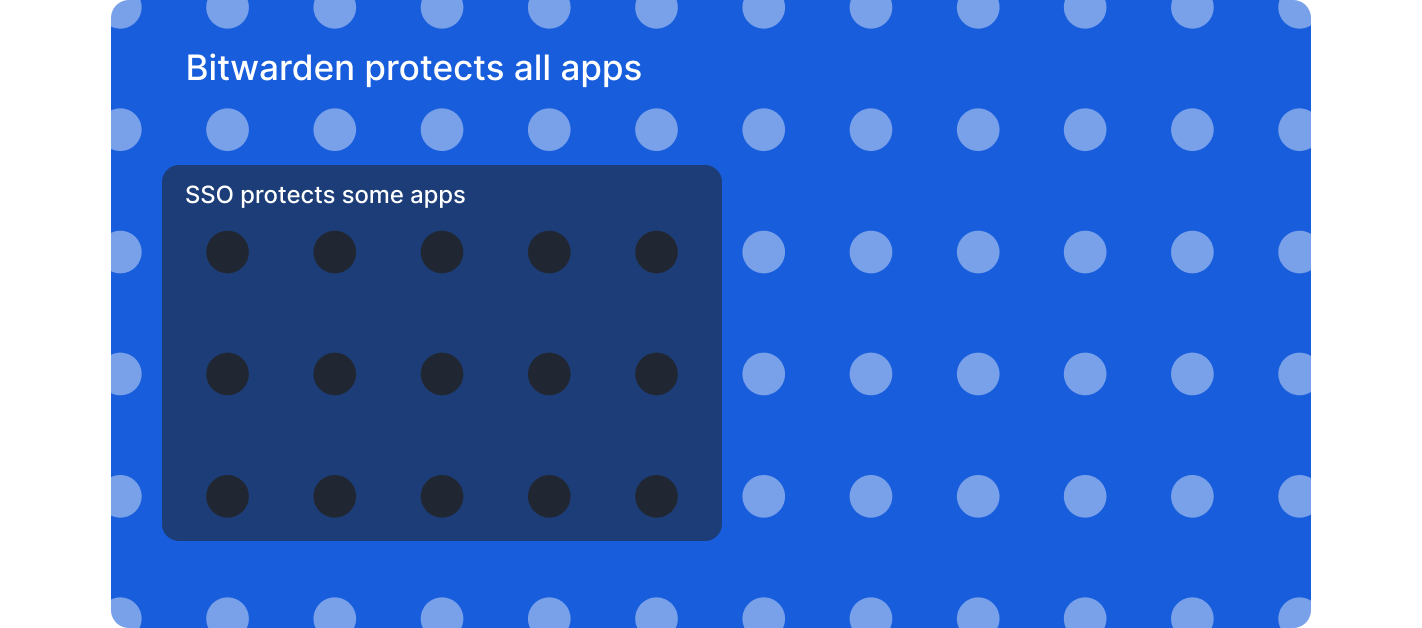
**Non-SSO applications**: Bitwarden generates strong, unique passwords and stores credentials securely with the same organizational oversight as SSO, and access can be revoked through the IdP and SCIM systems.
**Vendor and contractor sharing**: Securely share credentials with external parties through encrypted collections with granular access controls and audit trails by temporarily inviting users that aren’t within the IdP
**Enterprise policy enforcement**: Require SSO authentication for non-admin users, enforce account recovery enrollment, restrict users to single organization membership, and mandate two-step login.
**Granular access controls**: Role-based access controls, custom roles, and collection-based permissions support least-privilege principles across shared credentials.
**Comprehensive audit trails**: Event logs capture credential access, sharing, modifications, and policy changes across all users and applications.
**Password policy enforcement**: Generate complex passwords that meet organizational standards and identify weak, reused, or compromised credentials across all systems.
### **Why Bitwarden complements SSO**
Organizations that implement SSO and Bitwarden together gain complete credential security across their application landscape. Rather than accepting security blind spots or limiting tool choices, the combination protects SSO investments by extending authentication policies to applications outside SSO coverage. This comprehensive approach eliminates weak and reused passwords across all systems while maintaining visibility into credential health organization-wide, which significantly reduces credential-related incidents.
The integration streamlines both onboarding and succession planning. Automated provisioning ensures employees gain access quickly when they join, while synchronized deprovisioning triggers immediate credential revocation when they depart. For organizations working with external partners, the solution enables secure collaboration by allowing teams to share credentials with vendors and contractors through encrypted channels that provide granular permissions and comprehensive audit trails.
From a compliance perspective, detailed logging and reporting demonstrate comprehensive credential management across all systems, not just SSO-enabled applications. This helps organizations maintain their compliance requirements. At the same time, the solution improves employee experience by allowing seamless credential access across devices while IT maintains centralized control and enforces consistent security standards throughout the organization.
Organizations already using SSO can add Bitwarden without disrupting existing authentication systems. The integration works within current infrastructure to deliver unified access management that covers all applications.
Ready to close SSO gaps? [Start a 7-day Enterprise free trial](https://bitwarden.com/nl-nl/go/start-enterprise-trial/) to test SSO integration, or [contact the sales team ](https://bitwarden.com/nl-nl/contact-sales/)to discuss extending security across your complete application environment.
## Profiteer nu van krachtige, vertrouwde wachtwoordbeveiliging. Kies uw plan.
## Persoonlijk
### Gratis
**$0**
*per maand*
*Altijd gratis*
Krijg een Bitwarden-kluis
- Onbeperkt aantal apparaten
- Beheer van wachtwoorden
- Alle kernfuncties
- Altijd gratis
Kluisitems met één andere gebruiker delen
[Begin vandaag](https://bitwarden.com/go/start-free/)
---
### Premium
**Less than $1**
*per maand*
*$10 jaarlijkse rekening*
Geniet van premium functies
- Bitwarden-authenticator
- Bestand bijlagen
- Noodtoegang
- Veiligheidsrapporten en meer
Kluisitems met één andere gebruiker delen
[Een premium account aanmaken](https://bitwarden.com/go/start-premium/)
---
### Gezinnen
**$3.33**
*per maand*
*Tot 6 gebruikers, $40 jaarlijkse rekening*
Inloggegevens van uw gezin beveiligen
- 6 premium-accounts
- Onbeperkt delen
- Onbeperkte collecties
- Opslag van de organisatie
Kluisitems tussen zes personen delen
[Gratis 7-daagse proefperiode beginnen](https://bitwarden.com/go/start-families-trial/)
---
De prijzen worden weergegeven in USD en zijn gebaseerd op een jaarabonnement. Belastingen niet inbegrepen.
## Bedrijf
### Teams
*Veerkrachtige bescherming voor groeiende teams*
**$4**
*per maand/per gebruiker, jaarlijkse rekening*
Deel gevoelige gegevens veilig met collega's, afdelingen of het hele bedrijf
- Gegevens veilig delen
- Gebeurtenislogboekbewaking
- Gidsintegratie
- SCIM-ondersteuning
Inclusief premium functies voor alle gebruikers
[Een proefperiode starten](https://bitwarden.com/go/start-teams-trial/)
---
### Enterprise
*Geavanceerde mogelijkheden voor grotere organisaties*
**$6**
*per maand/per gebruiker, jaarlijkse rekening*
Gebruik geavanceerde functies zoals bedrijfsbeleid, SSO zonder wachtwoord en accountherstel.
- Bedrijfsbeleid
- Wachtwoordloze SSO
- Account herstellen
- Zelf-host optie
Inclusief premium functies en gratis gezinsplan voor alle gebruikers
[Een proefperiode starten](https://bitwarden.com/go/start-enterprise-trial/)
---
### Een offerte aanvragen
*Voor bedrijven met honderden of duizenden werknemers, neem contact op met de verkoopafdeling voor een offerte op maat en ontdek hoe Bitwarden kan helpen:*
- Cyberbeveiligingsrisico's verminderen
- Productiviteit verhogen
- Naadloos integreren
Bitwarden schaalt met elk formaat bedrijf om wachtwoordbeveiliging naar uw organisatie te brengen
[Met de verkoopafdeling contact opnemen](https://bitwarden.com/contact-sales/)
---
Prijzen worden weergegeven in USD en zijn gebaseerd op een jaarabonnement
---
URL: https://bitwarden.com/nl-nl/resources/inventory-hive-enhances-password-security/
---
# Vastgoedbeheerplatform Inventory Hive verbetert wachtwoordbeveiliging met Bitwarden
Inventory Hive is een van de toonaangevende softwareplatforms voor vastgoedinspecties en virtuele rondleidingen in het Verenigd Koninkrijk. Met de hulp van Bitwarden heeft Inventory Hive zijn wachtwoordbeveiliging verbeterd.
---
## Inventaris Hive
**Opgericht:** 2015
**Industrie:** Software voor vastgoedbeheer
**Locatie:** Lichfield, Verenigd Koninkrijk
Inventory Hive is een van de toonaangevende Britse softwareplatforms voor vastgoedinspecties en virtuele rondleidingen. Met hun software voor vastgoedinventarisatie is het eenvoudig om op elk apparaat vastgoedinventarissen en huurdersrapporten te maken, beheren en op te slaan.
### Situatie
Als snelgroeiende startup had [Inventory Hive](https://www.inventoryhive.co.uk/) geen wachtwoordbeheersysteem opgezet toen ze net begonnen. Zowel hun personeel als hun technische stack was klein en ze gebruikten slechts een beperkt aantal platforms en logins.
Maar het bedrijf groeide snel en ze realiseerden zich al snel dat ze wachtwoordbeveiligingspraktijken moesten instellen die veilig en gemakkelijk te gebruiken waren. Als cloudgebaseerd bedrijf met hun zinnen gezet op langdurige partnerschappen met grote, volwassen bedrijven, moesten ze proactief zijn en al in een vroeg stadium een waterdichte wachtwoordbeveiliging instellen.
"We wilden er zeker van zijn dat we onze wachtwoorden effectiever konden beheren naarmate het bedrijf groeide," legt marketingmanager Mitch Handley uit. "Het was een kwestie van potentiële problemen in de kiem smoren door al in een vroeg stadium te beginnen met een goede praktijk om ervoor te zorgen dat ons bedrijf veilig bleef."
## Inhoudsopgave
- [Situatie](https://bitwarden.com/nl-nl/resources/inventory-hive-enhances-password-security/#situation/)
- [Inventarisatie Hive wachtwoordbeleid: "U moet Bitwarden gebruiken". ](https://bitwarden.com/nl-nl/resources/inventory-hive-enhances-password-security/#inventory-hive-password-policy/)
- [Waarom heeft Inventory Hive voor Bitwarden gekozen?](https://bitwarden.com/nl-nl/resources/inventory-hive-enhances-password-security/#why-did-inventory-hive-choose-bitwarden/)
- [ISO 27001 certificering behalen met Bitwarden](https://bitwarden.com/nl-nl/resources/inventory-hive-enhances-password-security/#achieving-iso-27001-certification-with-bitwarden/)
- [Gevoelige informatie veilig verzenden ](https://bitwarden.com/nl-nl/resources/inventory-hive-enhances-password-security/#securely-transmitting-sensitive-information/)
- [Teamoverschrijdende samenwerking](https://bitwarden.com/nl-nl/resources/inventory-hive-enhances-password-security/#cross-team-collaboration/)
- [Alle bedrijfwachtwoorden beveiligd](https://bitwarden.com/nl-nl/resources/inventory-hive-enhances-password-security/#all-company-passwords-secured/)
- [Het vertrouwen van de klant versterken](https://bitwarden.com/nl-nl/resources/inventory-hive-enhances-password-security/#strengthening-customer-trust/)
- [Aan de slag met Bitwarden](https://bitwarden.com/nl-nl/resources/inventory-hive-enhances-password-security/#get-started-with-bitwarden/)
### Inventaris Hive wachtwoordbeleid
"Je moet Bitwarden gebruiken."
Inventory Hive koos al snel voor Bitwarden vanwege de gebruiksvriendelijke interface, schaalbare prijzen en bovenal de beveiligingsfuncties van wereldklasse.
Omdat Inventory Hive Bitwarden al in een vroeg stadium onderdeel maakte van hun infrastructuur, hebben ze hun beveiligingspraktijken rond de oplossing kunnen bouwen.
"Ons beleid voor wachtwoordbeheer is gebaseerd op de Bitwarden-software", legt Mitch uit. "In ons wachtwoordbeleid staat in de eerste zin: 'je moet Bitwarden gebruiken.' Het is de basis waarop we de rest van het beveiligingsbeleid van het bedrijf hebben gebouwd."
### Waarom heeft Inventory Hive voor Bitwarden gekozen?
- Gebruiksvriendelijke interface
- Cross-platform toegang
- Sterke wachtwoordgenerator
- ISO 27001 certificering
- [Veilig wachtwoord delen](https://bitwarden.com/nl-nl/blog/whats-the-right-way-to-share-passwords/) met collecties
- Flexibel prijsmodel
Deze kenmerken waren enkele van de redenen waarom Inventory Hive Bitwarden koos voor hun wachtwoordbeheer.
### ISO 27001 certificering behalen met Bitwarden
Als onderdeel van hun voortdurende inspanningen om klant- en partnergegevens te beschermen, werd Inventory Hive in 2021 ISO 27001 gecertificeerd.
De Bitwarden wachtwoordmanager hielp Inventory Hive bij het opzetten van een veilig wachtwoordbeleid, wat een cruciale vereiste was voor het verkrijgen van hun certificering.
"We hebben een rigoureuze beoordeling van onze informatiebeveiligingsbeheerprocessen ondergaan, waaronder een audit van ons beleid, onze praktijken en onze procedures," zegt Mitch. "Bitwarden heeft een grote rol gespeeld om ervoor te zorgen dat we alle vereiste procedures volgden en gecertificeerd konden worden."
### Gevoelige informatie veilig verzenden
Voor Mitch is een van de meest waardevolle tools op het platform [Bitwarden Send](https://bitwarden.com/nl-nl/products/send/), waarmee Inventory Hive gemakkelijk gevoelige marketinggegevens en spreadsheets veilig kan delen met zijn collega's, zonder zich zorgen te hoeven maken over inbreuken of menselijke fouten. Met Bitwarden Send kunnen gebruikers eenvoudig volledig versleutelde bestanden en tekst verzenden van en naar elk apparaat, die de ontvanger kan openen met een apart beveiligd wachtwoord.
"Het is makkelijk om slechte gewoontes te krijgen en beveiligde spreadsheets of gegevens via e-mail te versturen, waar ze gehackt kunnen worden, of je kunt dat bestand zelfs naar het verkeerde e-mailadres sturen," zegt Mitch. "De end-to-end-encryptie met Bitwarden Send geeft ons die extra beschermingslaag. Als iemand een bestand verkeerd verstuurt, is het nog steeds beveiligd met een wachtwoord."
### Teamoverschrijdende samenwerking
Bitwarden toegangsbeheer stelt gebruikers in staat om wachtwoorden gemakkelijk te delen zonder de veiligheid in gevaar te brengen, wat vooral handig is als er dringende zaken aan de orde zijn en medewerkers ziek of op vakantie zijn.
"Toen ons supportteam met ziekteverlof was, moest ik inloggen op ons platform om alle supporttickets die binnenkwamen te beheren," zegt Mitch. "Het is duidelijk dat ik hun login niet heb. Maar omdat ze het deelden op het beveiligde Bitwarden Inventory Hive team, kon ik hun login vinden en die tickets gaan beheren."
### Alle bedrijfwachtwoorden beveiligd
Tegenwoordig gebruikt Inventory Hive Bitwarden om alle bedrijfwachtwoorden te beveiligen. "Het is best veel voor de grootte van ons bedrijf," zegt hij. "Ik denk niet dat mensen zich realiseren op hoeveel verschillende platforms ze op een dag inloggen. Als je dat vermenigvuldigt met al onze medewerkers, zie je hoezeer we vertrouwen op Bitwarden voor onze wachtwoordbeveiliging."
### Het vertrouwen van de klant versterken
Met de Bitwarden wachtwoordmanager en de ISO-certificering heeft Inventory Hive een sterk beveiligingsfundament opgebouwd, het vertrouwen van klanten versterkt en potentiële partners laten zien dat ze beveiliging serieus nemen. Als Brits bedrijf waarvan de partners vaak extra bezorgd zijn over GDPR-compliance, is dit bijzonder waardevol gebleken.
"Een van de eerste vragen die klanten ons nu stellen is over ons beveiligingsbeleid," zegt Mitch. "Dat ze ISO-gecertificeerd zijn, geeft ze vertrouwen. Ze weten dat hun gegevens bij ons veilig zijn."
En het beste van alles? Deze verbeterde beveiliging heeft het voor Inventory Hive mogelijk gemaakt om die partnerschappen aan te gaan met de grote, volwassen bedrijven waar ze naar op zoek waren.
"We hebben een behoorlijk aantal grote blue-chip bedrijven die we momenteel onboarden of waarmee we binnenkort onboarden. En dat komt allemaal door ons beveiligingsbeleid en onze certificering. Zonder Bitwarden hadden we deze klanten nooit aan boord gekregen."
### Aan de slag met Bitwarden
Als u meer wilt weten over wat Bitwarden voor uw bedrijf kan betekenen, start dan een [gratis zakelijke proefperiode](https://bitwarden.com/nl-nl/trial/) van 7 dagen!
## Profiteer nu van krachtige, vertrouwde wachtwoordbeveiliging. Kies uw plan.
## Persoonlijk
### Gratis
**$0**
*per maand*
*Altijd gratis*
Krijg een Bitwarden-kluis
- Onbeperkt aantal apparaten
- Beheer van wachtwoorden
- Alle kernfuncties
- Altijd gratis
Kluisitems met één andere gebruiker delen
[Begin vandaag](https://bitwarden.com/go/start-free/)
---
### Premium
**Less than $1**
*per maand*
*$10 jaarlijkse rekening*
Geniet van premium functies
- Bitwarden-authenticator
- Bestand bijlagen
- Noodtoegang
- Veiligheidsrapporten en meer
Kluisitems met één andere gebruiker delen
[Een premium account aanmaken](https://bitwarden.com/go/start-premium/)
---
### Gezinnen
**$3.33**
*per maand*
*Tot 6 gebruikers, $40 jaarlijkse rekening*
Inloggegevens van uw gezin beveiligen
- 6 premium-accounts
- Onbeperkt delen
- Onbeperkte collecties
- Opslag van de organisatie
Kluisitems tussen zes personen delen
[Gratis 7-daagse proefperiode beginnen](https://bitwarden.com/go/start-families-trial/)
---
De prijzen worden weergegeven in USD en zijn gebaseerd op een jaarabonnement. Belastingen niet inbegrepen.
## Bedrijf
### Teams
*Veerkrachtige bescherming voor groeiende teams*
**$4**
*per maand/per gebruiker, jaarlijkse rekening*
Deel gevoelige gegevens veilig met collega's, afdelingen of het hele bedrijf
- Gegevens veilig delen
- Gebeurtenislogboekbewaking
- Gidsintegratie
- SCIM-ondersteuning
Inclusief premium functies voor alle gebruikers
[Een proefperiode starten](https://bitwarden.com/go/start-teams-trial/)
---
### Enterprise
*Geavanceerde mogelijkheden voor grotere organisaties*
**$6**
*per maand/per gebruiker, jaarlijkse rekening*
Gebruik geavanceerde functies zoals bedrijfsbeleid, SSO zonder wachtwoord en accountherstel.
- Bedrijfsbeleid
- Wachtwoordloze SSO
- Account herstellen
- Zelf-host optie
Inclusief premium functies en gratis gezinsplan voor alle gebruikers
[Een proefperiode starten](https://bitwarden.com/go/start-enterprise-trial/)
---
### Een offerte aanvragen
*Voor bedrijven met honderden of duizenden werknemers, neem contact op met de verkoopafdeling voor een offerte op maat en ontdek hoe Bitwarden kan helpen:*
- Cyberbeveiligingsrisico's verminderen
- Productiviteit verhogen
- Naadloos integreren
Bitwarden schaalt met elk formaat bedrijf om wachtwoordbeveiliging naar uw organisatie te brengen
[Met de verkoopafdeling contact opnemen](https://bitwarden.com/contact-sales/)
---
Prijzen worden weergegeven in USD en zijn gebaseerd op een jaarabonnement
---
URL: https://bitwarden.com/nl-nl/resources/it-services-provider-iolap-achieves-safer-password-security-practices-and/
---
# IT services provider iOLAP achieves safer password security practices and efficient admin control with Bitwarden
Bitwarden enables iOLAP to mitigate insecure password practices and achieve centralized integration with Microsoft Entra ID
---
#### Overview
Founded: 2000
Industry: IT Services
Employees: 300
Size of IT team: 5
Locations: Texas and Croatia
Bitwarden Seats: Almost 300
iOLAP is an end-to-end IT services provider delivering solutions to customers all over the world, ranging from start-ups to Fortune 500 to Fortune 100 clients. Headquartered in Texas and with European headquarters in Croatia, iOLAP needed a centralized password management solution to cut down on data security risks. The company determined the best course of action was to employ an enterprise-wide password manager with a reputation for safety, business-friendly features, and administrative control.
#### Situation: Need for secure, centralized solution
Besides helping oversee day-to-day IT operations at iOLAP, systems administrators also grappled with password-related challenges across the organization. Employees were saving passwords through browser-based password managers, which the IT team wanted to discourage because they didn’t believe browser-based password managers were as secure as centralized, enterprise-wide password managers. Employees were also using a variety of password managers, which made it impossible to securely share passwords and secrets across teams.
System administrators realized they needed to come up with a better solution, one that would help facilitate more secure password habits and centralize overall password management. They started researching products, with an eye towards a password manager that was feature-rich, offered active directory integration, and that enabled an intuitive user experience.
#### Solution: Bitwarden for reputation, features, seamless integration
“In considering enterprise-wide centralized password managers, Bitwarden was the first provider that came to mind,” said the iOLAP systems administrator team. “While we looked at one of the competitors of Bitwarden, we ultimately ruled it out because of their pricing structure and because they had experienced breaches that left us skeptical of their overall reputation. We were also very happy with Bitwarden features and of course, the product’s password-sharing capabilities”.
The systems administrator team noted that although the team did consider other providers, there was overwhelming agreement that Bitwarden was the best option.
“The availability of Bitwarden Collections was important, because there are a number of projects that require password sharing,” said the systems administrator team.
Bitwarden Collections, which are essentially shared folders, enables organizations to share sensitive data easily, securely, and in a scalable manner. This is accomplished through the segmentation of sensitive data into Collections. Collections can be organized in a number of different ways, including by business function and application access levels.
Said the systems administrator team, “We were also thrilled with Bitwarden Send, which allows us to safely send critical data. It’s much safer than using plain text or anything like that. As we’re an IT services firm, we put Bitwarden Send to good use. For example, we might use it to share credentials when we sign on with new clients”.
Additionally, the iOLAP team deploys the Bitwarden browser extensions so users can access Bitwarden autofill through the browser of their choice, leverages the Bitwarden Vault Health Report to monitor any breached passwords, and relies on the [Bitwarden Password Generator to create strong passwords](https://bitwarden.com/nl-nl/password-generator/) from the onset.
Added the systems administrator team, “Another incredibly important, non-negotiable capability was Bitwarden’s seamless integration with Microsoft Entra ID.”
#### Bitwarden integration with Entra ID facilitates streamlined user management
Entra ID (formerly Azure Active Directory) is a cloud-based identity and access management service that helps IT administrators control access to applications, resources, and tools based on business requirements. Bitwarden enables connection to Entra ID through the Bitwarden Directory Connector application, which automatically provisions users, groups, and group associations in an enterprise’s Bitwarden organization by pulling from a selection of directory services.
While not exhaustive, the combined Bitwarden and Entra ID benefits include automatic provisioning of users, a simplified process for IT administrators to onboard and manage users, and the automatic revocation of access from departing employees who might pose a security risk.
At the time iOLAP was considering password management providers, Bitwarden competitors did not offer this level of integration with Entra ID.
“It was very important that we be able to connect Microsoft Entra ID to Bitwarden,” said the systems administrator team. “Group creation, user access, user creation - all of this is done through Entra ID and then synced to Bitwarden. Once all the relevant information is synced from Entra ID, the iOLAP IT team connects users to our Collections, which includes all company-wide credentials. It’s a pretty cool feature and has allowed us to save time and focus on important business priorities in lieu of having to spend hours manually provisioning users.”
#### Easy onboarding has accelerated overall Bitwarden adoption
Said the systems administrator team, “The nature of our business, which is IT services, means our employees possess more advanced technological skills than the average person. A lot of them had personal experience with different password managers, so onboarding was pretty straightforward. Once they started using Bitwarden, they realized how easy it was and have since incorporated it into their personal lives.”
Added one of the systems administrators, “I’m one of those people, as well. I was using the Chrome browser-based password manager and switched to Bitwarden because it’s markedly superior. I have it on my mobile phone, work account, and personal account. Overall, I strongly recommend Bitwarden to colleagues, friends, and family.”
#### Get started with Bitwarden
Learn more about what Bitwarden can do for your business and sign up for a [free 7-day trial.](https://bitwarden.com/nl-nl/pricing/business/)
## Profiteer nu van krachtige, vertrouwde wachtwoordbeveiliging. Kies uw plan.
## Persoonlijk
### Gratis
**$0**
*per maand*
*Altijd gratis*
Krijg een Bitwarden-kluis
- Onbeperkt aantal apparaten
- Beheer van wachtwoorden
- Alle kernfuncties
- Altijd gratis
Kluisitems met één andere gebruiker delen
[Begin vandaag](https://bitwarden.com/go/start-free/)
---
### Premium
**Less than $1**
*per maand*
*$10 jaarlijkse rekening*
Geniet van premium functies
- Bitwarden-authenticator
- Bestand bijlagen
- Noodtoegang
- Veiligheidsrapporten en meer
Kluisitems met één andere gebruiker delen
[Een premium account aanmaken](https://bitwarden.com/go/start-premium/)
---
### Gezinnen
**$3.33**
*per maand*
*Tot 6 gebruikers, $40 jaarlijkse rekening*
Inloggegevens van uw gezin beveiligen
- 6 premium-accounts
- Onbeperkt delen
- Onbeperkte collecties
- Opslag van de organisatie
Kluisitems tussen zes personen delen
[Gratis 7-daagse proefperiode beginnen](https://bitwarden.com/go/start-families-trial/)
---
De prijzen worden weergegeven in USD en zijn gebaseerd op een jaarabonnement. Belastingen niet inbegrepen.
## Bedrijf
### Teams
*Veerkrachtige bescherming voor groeiende teams*
**$4**
*per maand/per gebruiker, jaarlijkse rekening*
Deel gevoelige gegevens veilig met collega's, afdelingen of het hele bedrijf
- Gegevens veilig delen
- Gebeurtenislogboekbewaking
- Gidsintegratie
- SCIM-ondersteuning
Inclusief premium functies voor alle gebruikers
[Een proefperiode starten](https://bitwarden.com/go/start-teams-trial/)
---
### Enterprise
*Geavanceerde mogelijkheden voor grotere organisaties*
**$6**
*per maand/per gebruiker, jaarlijkse rekening*
Gebruik geavanceerde functies zoals bedrijfsbeleid, SSO zonder wachtwoord en accountherstel.
- Bedrijfsbeleid
- Wachtwoordloze SSO
- Account herstellen
- Zelf-host optie
Inclusief premium functies en gratis gezinsplan voor alle gebruikers
[Een proefperiode starten](https://bitwarden.com/go/start-enterprise-trial/)
---
### Een offerte aanvragen
*Voor bedrijven met honderden of duizenden werknemers, neem contact op met de verkoopafdeling voor een offerte op maat en ontdek hoe Bitwarden kan helpen:*
- Cyberbeveiligingsrisico's verminderen
- Productiviteit verhogen
- Naadloos integreren
Bitwarden schaalt met elk formaat bedrijf om wachtwoordbeveiliging naar uw organisatie te brengen
[Met de verkoopafdeling contact opnemen](https://bitwarden.com/contact-sales/)
---
Prijzen worden weergegeven in USD en zijn gebaseerd op een jaarabonnement
---
URL: https://bitwarden.com/nl-nl/resources/january-2023-spotlight-bitwarden-acquires-passwordless-dev/
---
# January 2023 Spotlight: Bitwarden acquires passwordless.dev
The acquisition is a key milestone in rounding out the Bitwarden commitment to offering open source, scalable, and secure passwordless solutions to all users.
---
## Featured Highlights

On January 18, 2023, [Bitwarden announced](https://bitwarden.com/nl-nl/blog/bitwarden-extends-passwordless-leadership-with-acquisition/) that it has acquired European-based startup Passwordless.dev, a significant milestone in rounding out the Bitwarden commitment to offering open source, scalable, and secure passwordless solutions to every business and end user. Through its comprehensive API framework, Passwordless.dev trims down the development work around cryptographic operations, technical flows, and more – what used to take weeks can now be accomplished in minutes.

In the latest release, the Bitwarden Authenticator TOTP generator became available on your Apple Watch device! This allows for quick access to generated verification codes for logging into your accounts that support two-factor authentication. Get started by installing the latest version of the Bitwarden iOS app from the Apple App Store. More [step-by-step instructions](https://bitwarden.com/nl-nl/help/apple-watch-totp/) on how to leverage this new feature are available in the Help Center.
## Enjoying this update? Subscribe today.
*Receive the latest product updates, hand-picked articles, community highlights, and more.*
[Contact form]
## More Bits and Bites
[**Data Privacy Day**](https://bitwarden.com/nl-nl/blog/data-privacy-day/)
This year, The National Cybersecurity Alliance is advocating for holding organizations responsible for keeping individuals’ personal information safe throughout Data Privacy Week. They also encourage individuals to “Own Your Privacy” by learning more about how to protect their data online. [Learn more](https://bitwarden.com/nl-nl/blog/data-privacy-day/) about what you can do to protect your privacy in 2023 and beyond.
[**The Bitwarden tech stack: Built for security and scalability**](https://bitwarden.com/nl-nl/blog/the-bitwarden-tech-stack-built-for-security-and-scalability/)
Bitwarden selects tools and platforms with a security-first vision across open source and commercial technologies. Across server, browser, mobile, and desktop applications, the Bitwarden technology stack is core to developing and maintaining the secure password management you know and love. [In this article](https://bitwarden.com/nl-nl/blog/the-bitwarden-tech-stack-built-for-security-and-scalability/), learn how and why Bitwarden selected current technologies in use and how these adopted applications help support high performance, security, and scalability.
[**Bitwarden Open Source Security Explained**](https://bitwarden.com/nl-nl/blog/bitwarden-open-source-security-explained/)
As the CEO of HackerOne, Mårten Mickos, once said, “In software, when you make the source code open, you unleash collaboration and innovation otherwise not possible. In security, when you make vulnerabilities and their fixes open, you unleash collaboration and risk reduction otherwise not possible.” Open source codebases like Bitwarden undergo continuous inspection and enhancement by developers, users, and security researchers around the world. Get answers to the most [frequently asked questions](https://bitwarden.com/nl-nl/blog/bitwarden-open-source-security-explained/) about how being open source strengthens Bitwarden security, transparency, and privacy.
[**How to create Bitwarden custom fields in a few clicks**](https://bitwarden.com/nl-nl/blog/easier-than-ever-create-custom-fields-in-a-few-clicks/)
Bitwarden users can create custom fields and choose to “Copy Custom Field Name” in their browser’s context (or right-click) menu. This capability greatly simplifies the creation of password manager custom fields and makes it easier than ever for Bitwarden users to add more data fields to vault items. Learn the steps to [create a custom field](https://bitwarden.com/nl-nl/blog/easier-than-ever-create-custom-fields-in-a-few-clicks/) and start taking advantage of this new feature.
[**Top 5 ways business executives can stay safe online**](https://bitwarden.com/nl-nl/blog/top-5-ways-business-executives-can-stay-safe-online/)
According to Rachel Tobac, a hacker and the CEO of SocialProof Security, “It only takes one email, a 30-second call, **or** one social media DM to hack VIPs and gain access to their money, data, and systems.” There has never been a better time for business leaders to take control of their online security, and here are [the top five ways](https://bitwarden.com/nl-nl/blog/top-5-ways-business-executives-can-stay-safe-online/) that senior executives can better protect themselves.
[**Mark Your Calendar with These Cybersecurity Awareness Holidays**](https://bitwarden.com/nl-nl/blog/cybersecurity-awareness-holidays/)No matter what time of year, it’s important to take action to keep ourselves and others safe online, through backing up data, securing your passwords, and more. Take a look at [these cybersecurity holidays](https://bitwarden.com/nl-nl/blog/cybersecurity-awareness-holidays/) that highlight important ways to stay safe, and remember to mark them on your calendar!
## Get Involved in the Community
As an open-source project, Bitwarden wouldn’t be what it is today without its global community support. Visit the [Community Forums](https://community.bitwarden.com/) for general community discussion and the product roadmap. Here are a few ways you can get involved:
- **Request a new feature:**Go to the [Feature Requests](https://community.bitwarden.com/c/feature-requests/) category of the Community Forums. (Pro tip: search existing feature requests before making a new one.)
- **Write code for a new feature:** Make a new post in the [Github Contributions](https://community.bitwarden.com/c/github-contributions/) category of the Community Forums. Be sure to include a description of your proposed contribution, screenshots, and links to any relevant feature requests.
- **Report a bug or submit a bug fix:** Use Github issues and pull requests to report issues.
- **Help other users:**Go to the [Ask the Bitwarden Community](https://community.bitwarden.com/c/support/) category on the Community Forums.
- **Helps us translate Bitwarden:**Help [translate Bitwarden](https://contributing.bitwarden.com/contributing/#localization-l10n) to make the platform more accessible in other languages.
- **Report a security concern or vulnerability:** Security audits and feedback are always welcome. If the issue is sensitive, please [contact us](https://bitwarden.com/nl-nl/contact/) directly or submit a report through our [HackerOne Program](https://hackerone.com/bitwarden/).
## Upcoming Events

It only takes one email, a 30-second call, or one social media DM for her to hack VIPs and gain access to your money, data, and systems. Meet Rachel Tobac, who executes these social engineering attacks for a living and uses her real-life ethical hacking stories to keep VIPs up to date on the methods criminals are using to trick people. [Register now](https://hopin.com/events/hackers-guide-to-vip-security/registration) for this free virtual event on March 9 and learn how to defend against the latest executive-based manipulation methods.
**More Upcoming Events**
- [Monthly Vault Hours](https://bitwarden.com/nl-nl/events/vault-hours-31-jan-27/): 1/27 @ 12 pm EDT
- [Weekly Live Demo](https://bitwarden.com/nl-nl/events/weekly-demo/): Every Wednesday at 12 pm EDT
- [Bitwarden Brilliance: Unified Self-hosted](https://www.twitch.tv/BitwardenLive): 2/2 @ 12 pm EDT
- [Managed Service Provider (MSP) Demo](https://us02web.zoom.us/webinar/register/WN_wk91rY6NRGOJQH_adHdiNA): 2/9 @ 12 pm EDT
- [Managed Service Provider (MSP) Demo](https://us02web.zoom.us/webinar/register/WN_3m2nIDulSv-Lvwp1hHxWCA): 2/23 @ 2 pm EDT
That’s it for now. Let us know what you think about this newsletter including potential topics you’d like to see.
**Until next time,**
Team Bitwarden
## Bitwarden is Certified as a Best Place to Work in 2022!
Interested in joining the Bitwarden team? Visit [our careers page](https://bitwarden.com/nl-nl/careers/) to explore open roles.
## Profiteer nu van krachtige, vertrouwde wachtwoordbeveiliging. Kies uw plan.
## Persoonlijk
### Gratis
**$0**
*per maand*
*Altijd gratis*
Krijg een Bitwarden-kluis
- Onbeperkt aantal apparaten
- Beheer van wachtwoorden
- Alle kernfuncties
- Altijd gratis
Kluisitems met één andere gebruiker delen
[Begin vandaag](https://bitwarden.com/go/start-free/)
---
### Premium
**Less than $1**
*per maand*
*$10 jaarlijkse rekening*
Geniet van premium functies
- Bitwarden-authenticator
- Bestand bijlagen
- Noodtoegang
- Veiligheidsrapporten en meer
Kluisitems met één andere gebruiker delen
[Een premium account aanmaken](https://bitwarden.com/go/start-premium/)
---
### Gezinnen
**$3.33**
*per maand*
*Tot 6 gebruikers, $40 jaarlijkse rekening*
Inloggegevens van uw gezin beveiligen
- 6 premium-accounts
- Onbeperkt delen
- Onbeperkte collecties
- Opslag van de organisatie
Kluisitems tussen zes personen delen
[Gratis 7-daagse proefperiode beginnen](https://bitwarden.com/go/start-families-trial/)
---
De prijzen worden weergegeven in USD en zijn gebaseerd op een jaarabonnement. Belastingen niet inbegrepen.
## Bedrijf
### Teams
*Veerkrachtige bescherming voor groeiende teams*
**$4**
*per maand/per gebruiker, jaarlijkse rekening*
Deel gevoelige gegevens veilig met collega's, afdelingen of het hele bedrijf
- Gegevens veilig delen
- Gebeurtenislogboekbewaking
- Gidsintegratie
- SCIM-ondersteuning
Inclusief premium functies voor alle gebruikers
[Een proefperiode starten](https://bitwarden.com/go/start-teams-trial/)
---
### Enterprise
*Geavanceerde mogelijkheden voor grotere organisaties*
**$6**
*per maand/per gebruiker, jaarlijkse rekening*
Gebruik geavanceerde functies zoals bedrijfsbeleid, SSO zonder wachtwoord en accountherstel.
- Bedrijfsbeleid
- Wachtwoordloze SSO
- Account herstellen
- Zelf-host optie
Inclusief premium functies en gratis gezinsplan voor alle gebruikers
[Een proefperiode starten](https://bitwarden.com/go/start-enterprise-trial/)
---
### Een offerte aanvragen
*Voor bedrijven met honderden of duizenden werknemers, neem contact op met de verkoopafdeling voor een offerte op maat en ontdek hoe Bitwarden kan helpen:*
- Cyberbeveiligingsrisico's verminderen
- Productiviteit verhogen
- Naadloos integreren
Bitwarden schaalt met elk formaat bedrijf om wachtwoordbeveiliging naar uw organisatie te brengen
[Met de verkoopafdeling contact opnemen](https://bitwarden.com/contact-sales/)
---
Prijzen worden weergegeven in USD en zijn gebaseerd op een jaarabonnement
---
URL: https://bitwarden.com/nl-nl/resources/january-2024-spotlight-just-released-log-in-with-passkeys/
---
# January 2024 Spotlight: Just released - Log in with passkeys
Learn why passkeys are stronger and more secure than passwords.
---
## Featured Highlights
[](https://bitwarden.com/data-security-in-age-of-ai/)
*Balancing Security and Innovation*
It's not a question of if AI is a threat to your data. It's a question of how serious the threat is and if your IT team is prepared. Our new eBook, [Balancing Security and Innovation in the Age of AI,](https://bitwarden.com/nl-nl/data-security-in-age-of-ai/) presents findings from our recent survey of 710 IT professionals to help address the dilemma of balancing innovation while staying secure.
[](https://bitwarden.com/blog/log-into-bitwarden-with-a-passkey/)
*Log into Bitwarden with a passkey*
Following the most recent January release, all Bitwarden users can now [log into their web vaults with a passkey](https://bitwarden.com/nl-nl/blog/log-into-bitwarden-with-a-passkey/), without typing in a username or password. Passkeys are stronger and more secure than passwords, cannot be guessed, and are resistant to phishing. Learn how this beta implementation allows passkeys to be used as part of the encryption process, providing convenience and end-to-end encryption.
## Enjoying this update? Subscribe today.
*Receive the latest product updates, hand-picked articles, community highlights, and more.*
[Contact form]
## More Bits and Bites
[**Switch between Bitwarden accounts quickly and easily**](https://bitwarden.com/nl-nl/blog/account-switching-phased-rollout-for-bitwarden-clients/)
The Bitwarden Password Manager browser extension, desktop, and mobile apps can quickly switch between Bitwarden accounts, with multiple accounts logged in at once. Refer to our [brief how-to and FAQs](https://bitwarden.com/nl-nl/blog/account-switching-phased-rollout-for-bitwarden-clients/) for more information.
[**Survey Findings: Security Perceptions in the Age of AI**](https://bitwarden.com/nl-nl/ai-and-cybersecurity-report/)
Bitwarden partnered with The Starr Conspiracy research firm to poll 710 IT professionals to understand security perceptions in the age of AI. The findings show a significant gap between how secure IT professionals feel and their actual security posture. [Get the full report](https://bitwarden.com/nl-nl/ai-and-cybersecurity-report/).
[**Stay secure with Vault Health Reports in the Bitwarden Password Manager**](https://bitwarden.com/nl-nl/blog/stay-secure-with-vault-health-reports/)
Are any of your passwords being used across multiple sites? Have you ever wondered if a password of yours has been exposed or found to be part of a data breach? How would you go about finding out all of this information? If your password manager of choice is Bitwarden, those details are at your fingertips. In this [guide](https://bitwarden.com/nl-nl/blog/stay-secure-with-vault-health-reports/), read about how the information offered in the Bitwarden Reports section can ensure your general digital security.
[**Evolving trends in secrets management**](https://bitwarden.com/nl-nl/resources/presentations/evolving-trends-in-secrets-management/)
A rapid evolution in secrets management is underway as businesses look to speed and secure DevOps pipelines, mitigate the increased number of applications and ecosystems used by developers, and prevent secret-related data breaches. Check out [the presentation](https://bitwarden.com/nl-nl/resources/presentations/evolving-trends-in-secrets-management/) for insight into the evolving trends in secrets management.
[**Secure your business with a team password manager**](https://bitwarden.com/nl-nl/blog/secure-your-business-with-a-team-password-manager/#:~:text=A%20password%20manager%20for%20teams,for%20individual%20and%20team%20passwords./)
With so many businesses operating remotely, IT business leaders need to be even more diligent about fostering strong security practices. Get [more information](https://bitwarden.com/nl-nl/blog/secure-your-business-with-a-team-password-manager/#:~:text=A%20password%20manager%20for%20teams,for%20individual%20and%20team%20passwords./) about what a team password manager is and why it is beneficial to remote employees.
[**Mark Your Calendar with These Cybersecurity Awareness Holidays**](https://bitwarden.com/nl-nl/blog/cybersecurity-awareness-holidays/)
No matter what time of year, it’s important to take action to keep ourselves and others safe online, through backing up data, securing your passwords, and more. Take a look at these [cybersecurity holidays](https://bitwarden.com/nl-nl/blog/cybersecurity-awareness-holidays/) that highlight important ways to stay safe.
[**Titanom Technologies protects developer secrets with Bitwarden Secrets Manager**](https://bitwarden.com/nl-nl/resources/titanom-technologies-bitwarden-secrets-manager/)
In this [case study](https://bitwarden.com/nl-nl/resources/titanom-technologies-bitwarden-secrets-manager/), learn about how educational software company Titanom Technologies bolstered developer security and increased productivity by deploying Bitwarden Secrets Manager.
## Community Spotlight
To be secure in the online world, we need each other. That is why the global community is key to the Bitwarden mission of achieving security for all. This month's newsletter [**spotlights a user story**](https://www.reddit.com/r/Bitwarden/comments/196m5u2/forgot_master_password_lucky_moment/) that reminds us of the importance of storing your master password in a safe place, and adding an emergency contact just in case.
[](https://www.reddit.com/r/Bitwarden/comments/196m5u2/forgot_master_password_lucky_moment/)
*forgot master password*
## Join Bitwarden Live
[](https://events.ringcentral.com/events/cybersecurity-according-to-a-hacker/registration)
*Webcast - Feb. 29th - VIP Protection in the Digital Age: Cybersecurity According to a Hacker*
Join ethical hacker and CEO Rachel Tobac for a fireside chat on the VIP's guide to staying safe online - plus a live hack demo! During this webcast event, you will learn how to be aware of social engineering attacks and ways to prevent them, and the best practices for ongoing digital safety and security in the face of threats. [**Save your seat!**](https://events.ringcentral.com/events/cybersecurity-according-to-a-hacker/registration)
## More Upcoming Events
- [**Weekly Live Demo:**](https://bitwarden.com/nl-nl/bitwarden-demo/)**Every Wednesday at 9 am PST**
Join us for a live walkthrough of the Bitwarden Password Manager business features and capabilities and ask your questions during live Q&A.
- [**Managed Service Provider (MSP) Demo:**](https://us02web.zoom.us/webinar/register/WN__C_hKlBZTVO_ATWLOlWdXQ#/registration)**February 8 at 8 am PST**
Join us for an admin training session for MSPs to learn the best practices to

## Bitwarden Learning Center
Check out [Bitwarden 101](https://bitwarden.com/nl-nl/learning/pm-101-getting-started-as-a-user/) for a short video series on how to get started with Bitwarden Password Manager as an administrator or end user.
That’s it for now. For more product updates and online security tips, visit the Bitwarden [blog](https://bitwarden.com/nl-nl/blog/).
**Until next time,**
Team Bitwarden
## Hi readers!
Take this [two-minute](https://forms.bitwarden.com/newsletter) survey to help us improve the monthly Bitwarden Newsletter and deliver the information you care most about.
## Profiteer nu van krachtige, vertrouwde wachtwoordbeveiliging. Kies uw plan.
## Persoonlijk
### Gratis
**$0**
*per maand*
*Altijd gratis*
Een Bitwarden-kluis krijgen.
- Onbeperkte apparaten
- Beheer van wachtwoordcode
- Alle kernfuncties
- Altijd gratis
Kluisitems met één andere gebruiker delen
[Begin vandaag](https://bitwarden.com/go/start-free/)
---
### Premium
**Less than $1**
*per maand*
*$10 jaarlijkse rekening*
Geniet van premium functies
- Bitwarden-authenticator
- Bestand bijlagen
- Noodtoegang
- Veiligheidsrapporten en meer
Kluisitems met één andere gebruiker delen
[Een premium account aanmaken](https://bitwarden.com/go/start-premium/)
---
### Gezinnen
**$3.33**
*per maand*
*Tot 6 gebruikers, $40 jaarlijkse rekening*
Inloggegevens van uw gezin beveiligen
- 6 premium-accounts
- Onbeperkt delen
- Onbeperkte collecties
- Opslag van de organisatie
Kluisitems tussen zes personen delen
[Gratis 7-daagse proefperiode beginnen](https://bitwarden.com/go/start-families-trial/)
---
De prijzen worden weergegeven in USD en zijn gebaseerd op een jaarabonnement. Belastingen niet inbegrepen.
## Bedrijf
### Teams
*Veerkrachtige bescherming voor groeiende teams*
**$4**
*per maand/per gebruiker, jaarlijkse rekening*
Deel gevoelige gegevens veilig met collega's, afdelingen of het hele bedrijf
- Gegevens veilig delen
- Gebeurtenislogboekbewaking
- Gidsintegratie
- SCIM-ondersteuning
Inclusief premium functies voor alle gebruikers
[Een proefperiode starten](https://bitwarden.com/go/start-teams-trial/)
---
### Enterprise
*Geavanceerde mogelijkheden voor grotere organisaties*
**$6**
*per maand/per gebruiker, jaarlijkse rekening*
Gebruik geavanceerde functies zoals bedrijfsbeleid, SSO zonder wachtwoord en accountherstel.
- Bedrijfsbeleid
- Wachtwoordloze SSO
- Account herstellen
- Zelf-host optie
Inclusief premium functies en gratis gezinsplan voor alle gebruikers
[Een proefperiode starten](https://bitwarden.com/go/start-enterprise-trial/)
---
### Een offerte aanvragen
*Voor bedrijven met honderden of duizenden werknemers, neem contact op met de verkoopafdeling voor een offerte op maat en ontdek hoe Bitwarden kan helpen:*
- Cyberbeveiligingsrisico's verminderen
- Productiviteit verhogen
- Naadloos integreren
Bitwarden schaalt met elk formaat bedrijf om wachtwoordbeveiliging naar uw organisatie te brengen
[Met de verkoopafdeling contact opnemen](https://bitwarden.com/contact-sales/)
---
Prijzen worden weergegeven in USD en zijn gebaseerd op een jaarabonnement
---
URL: https://bitwarden.com/nl-nl/resources/july-2023-spotlight-bitwarden-is-the-1-password-manager-in-g2-2023-enterprise-grid/
---
# Juli 2023 Spotlight: Bitwarden is de #1 wachtwoordmanager in G2 2023 Enterprise Grid
Bitwarden loopt verder voor op de concurrentie en neemt een aanzienlijke voorsprong in de editie van zomer 2023
---
## Featured Highlights
[](https://bitwarden.com/blog/easily-integrate-single-sign-on-security-with-flexible-solutions/)
*Bitwarden SSO*
SSO with trusted devices, a new passwordless SSO offering debuting later this Fall, gives enterprises complete flexibility in where and how encryption keys are kept, all while maintaining secure, end-to-end, zero knowledge encryption. Read this [guide](https://bitwarden.com/nl-nl/blog/easily-integrate-single-sign-on-security-with-flexible-solutions/) for an overview of each Single Sign-On solution.
[](https://bitwarden.com/blog/bitwarden-g2-2023-enterprise-grid/)
*Bitwarden is the #1 password manager in G2 2023 Enterprise Grid hero*
Bitwarden has been recognized as the highest-performing password manager in the latest G2 Enterprise Grid report. Consistently recognized as an Enterprise Grid Leader in the past five reports, Bitwarden has furthered its position ahead of [competitors](https://bitwarden.com/nl-nl/bitwarden-alternatives/), establishing a significant lead in the Summer 2023 report. Read this [blog](https://bitwarden.com/nl-nl/blog/bitwarden-g2-2023-enterprise-grid/) to learn why enterprises love Bitwarden.
## Enjoying this update? Subscribe today.
*Receive the latest product updates, hand-picked articles, community highlights, and more.*
[Contact form]
## Security’s Got Talent
[](https://bitwarden.com/talent/)
*Security's Got Talent*
Do you love your password manager? Share your story in a short video by August 13th for the chance to win big in this contest with $25,000 in available prizes and $7,000 going to first place! Visit [bitwarden.com/talent](https://bitwarden.com/nl-nl/http://bitwarden.com/talent/) to check out the contest rules and submit your entry.
## More Bits and Bites
[**SOS Software Service and Bitwarden align on pan-European distribution strategy**](https://bitwarden.com/nl-nl/blog/sos-software-service-and-bitwarden-align-on-pan-european-distribution-strategy/)
Bitwarden and SOS Software Service will work together to bring Bitwarden Password Manager to European customers as part of a strategic distribution plan. Learn more about this [alignment](https://bitwarden.com/nl-nl/blog/sos-software-service-and-bitwarden-align-on-pan-european-distribution-strategy/) and how it expands the availability of Bitwarden to European customers, providing new opportunities for SOS resellers and partners.
[**How enterprise password vaults strengthen security for organizations**](https://bitwarden.com/nl-nl/blog/how-enterprise-password-vaults-strengthen-security-for-organizations/)
Discover the concept of an enterprise password vault and its role in boosting security through the prevention of unauthorized access, the promotion of strong password practices, and the facilitation of secure file and information sharing among employees. Explore the details in this [article](https://bitwarden.com/nl-nl/blog/how-enterprise-password-vaults-strengthen-security-for-organizations/).
[**How to share files and sensitive information securely**](https://bitwarden.com/nl-nl/blog/how-to-share-files-and-sensitive-information-securely/)
When emails are sent via plain text, it means the email and any associated attachments aren't encrypted, so anyone capable of intercepting those emails can read the content within without having to jump through any hoops. Learn how to secure your emails by encrypting them with Bitwarden Send with these [tips](https://bitwarden.com/nl-nl/blog/how-to-share-files-and-sensitive-information-securely/).
[**What are passkeys?**](https://bitwarden.com/nl-nl/blog/what-are-passkeys-and-passkey-login/)
With passkeys, you’ll never create a weak password again, because you’ll never need to create a password again. Passkeys allow you to quickly create and sign into accounts – with no password needed. This [single-step, secure login method](https://bitwarden.com/nl-nl/blog/what-are-passkeys-and-passkey-login/) replaces traditional authentication as well as the 2FA process.
[**Why every startup needs a password manager**](https://bitwarden.com/nl-nl/blog/why-every-startup-needs-a-password-manager/)
Most startups begin with a small collection of people doing their best to get something off the ground. That means thinking big, but it’s important to not skip over something as critical to the safety of your business as your passwords. Thus, a password manager is often a tool that is added along the way as startups grow. This [blog](https://bitwarden.com/nl-nl/blog/why-every-startup-needs-a-password-manager/) discusses how to enable your team to be productive in secure collaboration.
[**How to determine your password health**](https://bitwarden.com/nl-nl/blog/is-my-password-compromised/)
According to the Bitwarden 2023 World Password Day Survey, a majority (68%) of respondents manage passwords for 10+ sites or apps and yet 84% of respondents also reuse passwords. Close to a quarter (20%) were also affected by data breaches within the past 18 months. Based on these discoveries, determine whether your passwords have been compromised and familiarize yourself with password generation best practices in this [guide](https://bitwarden.com/nl-nl/blog/is-my-password-compromised/).
[**How strong is my password?**](https://bitwarden.com/nl-nl/blog/how-strong-is-my-password/)
If you’re using services or subscriptions that require a password - and that would be most people, at this point - you’ve probably noticed that most sites have password requirements. In this [article](https://bitwarden.com/nl-nl/blog/how-strong-is-my-password/), learn how to use the Bitwarden Password Strength Testing Tool.
## Want to recommend Bitwarden to your Business?
Share the benefits of Bitwarden with your team, IT department, and business leadership.
[**Bring Bitwarden to Work >**](https://bitwarden.com/nl-nl/go/bring-bitwarden-to-work/)
## Community Spotlight
We love hearing stories like the one shared by this Reddit user (u/**mrmcsquishy**) in their post titled "Today BW Saved My Life!". Not only is this a great story, but it also offers a valuable closing tip on using emergency access. We encourage our Bitwarden community to share their own experiences and tips in [Security's Got Talent](https://bitwarden.com/nl-nl/http://bitwarden.com/talent/) or within the Bitwarden [community](https://community.bitwarden.com/). Tell us how Bitwarden has influenced you, and let's continue supporting each other in our journey to safer and more secure digital lives!
## Bitwarden 101
Check out [Bitwarden 101](https://bitwarden.com/nl-nl/learning/#tag:bitwarden-101/) for a short video series on how to get started with Bitwarden Password Manager as an administrator or end user.
## Join an Upcoming Event
- [**Weekly Live Demo**](https://bitwarden.com/nl-nl/bitwarden-demo/)**: ** Every Wednesday at 12 pm EDT
Join us for a live walkthrough of the Bitwarden Password Manager business features and capabilities and ask your questions during live Q&A
- [**Managed Service Provider Demo**](https://bitwarden.com/nl-nl/events/bitwarden-admin-training-for-msps-session-1/)**:** August 10 at 12 pm EDT
Learn about the Bitwarden Password Manager features and capabilities designed for managed service providers and their clients
That’s it for now. For more product updates and online security tips, visit the Bitwarden [blog](https://bitwarden.com/nl-nl/blog/).
**Until next time,**
Team Bitwarden
## Bitwarden is Certified as a Best Place to Work in 2023!
Interested in joining the Bitwarden team? Visit [our careers page](https://bitwarden.com/nl-nl/careers/) to explore open roles.
## Profiteer nu van krachtige, vertrouwde wachtwoordbeveiliging. Kies uw plan.
## Persoonlijk
### Gratis
**$0**
*per maand*
*Altijd gratis*
Krijg een Bitwarden-kluis
- Onbeperkt aantal apparaten
- Beheer van wachtwoorden
- Alle kernfuncties
- Altijd gratis
Kluisitems met één andere gebruiker delen
[Begin vandaag](https://bitwarden.com/go/start-free/)
---
### Premium
**Less than $1**
*per maand*
*$10 jaarlijkse rekening*
Geniet van premium functies
- Bitwarden-authenticator
- Bestand bijlagen
- Noodtoegang
- Veiligheidsrapporten en meer
Kluisitems met één andere gebruiker delen
[Een premium account aanmaken](https://bitwarden.com/go/start-premium/)
---
### Gezinnen
**$3.33**
*per maand*
*Tot 6 gebruikers, $40 jaarlijkse rekening*
Inloggegevens van uw gezin beveiligen
- 6 premium-accounts
- Onbeperkt delen
- Onbeperkte collecties
- Opslag van de organisatie
Kluisitems tussen zes personen delen
[Gratis 7-daagse proefperiode beginnen](https://bitwarden.com/go/start-families-trial/)
---
De prijzen worden weergegeven in USD en zijn gebaseerd op een jaarabonnement. Belastingen niet inbegrepen.
## Bedrijf
### Teams
*Veerkrachtige bescherming voor groeiende teams*
**$4**
*per maand/per gebruiker, jaarlijkse rekening*
Deel gevoelige gegevens veilig met collega's, afdelingen of het hele bedrijf
- Gegevens veilig delen
- Gebeurtenislogboekbewaking
- Gidsintegratie
- SCIM-ondersteuning
Inclusief premium functies voor alle gebruikers
[Een proefperiode starten](https://bitwarden.com/go/start-teams-trial/)
---
### Enterprise
*Geavanceerde mogelijkheden voor grotere organisaties*
**$6**
*per maand/per gebruiker, jaarlijkse rekening*
Gebruik geavanceerde functies zoals bedrijfsbeleid, SSO zonder wachtwoord en accountherstel.
- Bedrijfsbeleid
- Wachtwoordloze SSO
- Account herstellen
- Zelf-host optie
Inclusief premium functies en gratis gezinsplan voor alle gebruikers
[Een proefperiode starten](https://bitwarden.com/go/start-enterprise-trial/)
---
### Een offerte aanvragen
*Voor bedrijven met honderden of duizenden werknemers, neem contact op met de verkoopafdeling voor een offerte op maat en ontdek hoe Bitwarden kan helpen:*
- Cyberbeveiligingsrisico's verminderen
- Productiviteit verhogen
- Naadloos integreren
Bitwarden schaalt met elk formaat bedrijf om wachtwoordbeveiliging naar uw organisatie te brengen
[Met de verkoopafdeling contact opnemen](https://bitwarden.com/contact-sales/)
---
Prijzen worden weergegeven in USD en zijn gebaseerd op een jaarabonnement
---
URL: https://bitwarden.com/nl-nl/resources/july-2024-spotlight-your-chance-to-help-shape-the-bitwarden-mobile/
---
# Mei 2024 Spotlight: Bitwarden Authenticator en paskeys op mobiel! (1)
Naadloze beveiliging en wachtwoordloos gemak op je iOS- en Android-apparaten
---
This is your chance to help shape the Bitwarden mobile experience. The beta rollout of native apps for iOS and Android is here and your feedback matters! [Join the beta program today](https://bitwarden.com/nl-nl/blog/native-mobile-apps/) and help make the mobile experience even better!
[](https://bitwarden.com/blog/native-mobile-apps/)
*Bitwarden releases phased beta for native mobile apps*
*Interested in receiving Bitwarden release notes? *[*Subscribe *](https://bitwarden.com/nl-nl/help/releasenotes/#release-announcements/)*to get the updates delivered to your inbox. *
## Uitgelichte hoogtepunten (1)
[](https://bitwarden.com/blog/bitwarden-just-launched-a-new-authenticator-app-heres-what-it-means-to-users/)
*Authenticator blogkaart*
Bitwarden heeft een essentieel hulpmiddel gelanceerd om je online veiligheid te verbeteren: Bitwarden Authenticator, nu beschikbaar voor iOS en Android. De app slaat 2FA-codes op en voegt zo een extra verdedigingslaag toe aan je digitale leven. In deze [blog](https://bitwarden.com/nl-nl/blog/bitwarden-just-launched-a-new-authenticator-app-heres-what-it-means-to-users/) lees je hoe het werkt en wat er in het verschiet ligt voor de Bitwarden Authenticator.
[](https://bitwarden.com/blog/bitwarden-passkeys-mobile/)
*Passkeys gaan mobiel!*
Bitwarden lanceerde passkey management voor gebruikers van Bitwarden Password Manager om een sterke, veilige en wachtwoordloze methode te bieden voor het inloggen op websites en applicaties. Naast de Bitwarden browserextensie zijn er nu ook paskeys in de Bitwarden mobiele app op iOS en Android, waarmee de visie om het gebruik van paskeys overal waar u inlogt mogelijk te maken, is voltooid. Leer hoe u [aan de slag kunt met passkeys](https://bitwarden.com/nl-nl/blog/bitwarden-passkeys-mobile/) op uw mobiele apparaat.
## Geniet je van deze update? Abonneer je vandaag nog. (1)
*Ontvang de nieuwste productupdates, zorgvuldig geselecteerde artikelen, hoogtepunten uit de community en meer.*
[Contact form]
## Meer Bitwarden Hapjes (1)
[Hoe de Bitwarden Wachtzingenerator te gebruiken](https://bitwarden.com/nl-nl/blog/how-to-use-the-bitwarden-passphrase-generator/)
In plaats van een willekeurige tekenreeks (zoals i8bjKgvpxeFpkTA) kan Bitwarden een groep willekeurig gekozen woorden genereren om te gebruiken in plaats van een wachtwoord, zoals imitate-sanctity-idly-gas, dat beter te onthouden en moeilijker te kraken is. Gebruik deze [handige gids](https://bitwarden.com/nl-nl/blog/how-to-use-the-bitwarden-passphrase-generator/) om passphrases op te nemen in uw beveiligingstoolkit.
[Splunk gebruiken met Bitwarden Password Manager](https://bitwarden.com/nl-nl/blog/using-splunk-with-bitwarden-password-manager/)
Bitwarden integreert nu met Splunk Cloud voor verbeterde logging van gebeurtenissen en beveiliging, waardoor het eenvoudiger wordt om Bitwarden-gebeurtenissen in Splunk op te nemen met vooraf gemaakte dashboards voor authenticatiegebeurtenissen, gebeurtenissen met kluisitems en organisatiegebeurtenissen. Lees het [volledige artikel](https://bitwarden.com/nl-nl/blog/using-splunk-with-bitwarden-password-manager/) voor meer informatie over hoe deze integratie uw organisatie ten goede kan komen.
## Beveiligingscultuur en beste praktijken (1)
[Rapport over wachtwoordbeveiliging 2024](https://bitwarden.com/nl-nl/resources/the-state-of-password-security/)
Technologie gaat snel en online accounts zijn cruciaal voor zowel bedrijven als particulieren. Deze beoordeling informeert wachtwoordgebruikers over federale best practices en wijst op gebieden die voor verbetering vatbaar zijn. Hoewel sommige overheidsbenaderingen van wachtwoordbeveiliging solide zijn, moeten andere worden gemoderniseerd. Dit [rapport](https://bitwarden.com/nl-nl/resources/the-state-of-password-security/) consolideert en evalueert de opkomende consensus over best practices.
[Wat 's werelds grootste creditcardmaatschappijen zeggen over veiligheid](https://bitwarden.com/nl-nl/blog/what-the-worlds-largest-credit-card-companies-say-about-security/)
Of je nu opereert als individu of als onderdeel van een bedrijf, 's werelds grootste creditcardbedrijven - Visa, Mastercard en Chase - raden [verschillende best practices voor betere online bescherming aan.](https://bitwarden.com/nl-nl/blog/what-the-worlds-largest-credit-card-companies-say-about-security/)
[Bouwen aan een cultuur van cyberbeveiliging op de werkplek](https://bitwarden.com/nl-nl/blog/building-a-cybersecurity-culture-in-the-workplace/)
Organisaties zijn regelmatig het doelwit van cybercriminelen die misbruik willen maken van zwakke plekken in de beveiliging. In dit [artikel](https://bitwarden.com/nl-nl/blog/building-a-cybersecurity-culture-in-the-workplace/) worden risicovolle gewoonten die veel voorkomen op de werkplek onderzocht en worden strategieën beschreven voor het ontwikkelen van een sterke beveiligingscultuur, zoals het opleiden van werknemers over best practices voor het beveiligen van credentials en het regelmatig geven van cyberbewustzijnstrainingen.
## 2024 Open Source Security Summit
[](https://bitwarden.com/open-source-security-summit/)
*Open Source Security Summit 2024*
The fifth annual [Open Source Security Summit](https://bitwarden.com/nl-nl/open-source-security-summit/) is less than two months away! Headline speakers for this year’s free virtual event include renowned security experts [Kim Zetter](https://twitter.com/KimZetter), Daniel Miessler, and friendly hacker Keren Elazari.
Explore advancements in open source software with leading industry experts, and learn how open source software strengthens security and builds trust with consumers. The Summit engages a community of like-minded enthusiasts sharing their ideas and tactics to make open source security more attainable and easily available to both software developers and users.
## Bitwarden Leercentrum (1)

*Bitwarden beheer van referenties*
Bekijk [Bitwarden 101](https://bitwarden.com/nl-nl/learning/pm-101-getting-started-as-a-user/) voor een korte videoserie over hoe u als beheerder of eindgebruiker aan de slag kunt met Bitwarden Password Manager.
Dat is het voor nu. Ga voor meer productupdates en online beveiligingstips naar de [Bitwarden-blog](https://bitwarden.com/nl-nl/blog/).
**Tot de volgende keer,**
Team Bitwarden
## Hallo lezers! (1)
Vul deze [twee minuten durende](https://forms.bitwarden.com/newsletter) enquête in om ons te helpen de maandelijkse Bitwarden Nieuwsbrief te verbeteren en de informatie te leveren die u het belangrijkst vindt.
## Profiteer nu van krachtige, vertrouwde wachtwoordbeveiliging. Kies uw plan.
## Persoonlijk
### Gratis
**$0**
*per maand*
*Altijd gratis*
Krijg een Bitwarden-kluis
- Onbeperkt aantal apparaten
- Beheer van wachtwoorden
- Alle kernfuncties
- Altijd gratis
Kluisitems met één andere gebruiker delen
[Begin vandaag](https://bitwarden.com/go/start-free/)
---
### Premium
**Less than $1**
*per maand*
*$10 jaarlijkse rekening*
Geniet van premium functies
- Bitwarden-authenticator
- Bestand bijlagen
- Noodtoegang
- Veiligheidsrapporten en meer
Kluisitems met één andere gebruiker delen
[Een premium account aanmaken](https://bitwarden.com/go/start-premium/)
---
### Gezinnen
**$3.33**
*per maand*
*Tot 6 gebruikers, $40 jaarlijkse rekening*
Inloggegevens van uw gezin beveiligen
- 6 premium-accounts
- Onbeperkt delen
- Onbeperkte collecties
- Opslag van de organisatie
Kluisitems tussen zes personen delen
[Gratis 7-daagse proefperiode beginnen](https://bitwarden.com/go/start-families-trial/)
---
De prijzen worden weergegeven in USD en zijn gebaseerd op een jaarabonnement. Belastingen niet inbegrepen.
## Bedrijf
### Teams
*Veerkrachtige bescherming voor groeiende teams*
**$4**
*per maand/per gebruiker, jaarlijkse rekening*
Deel gevoelige gegevens veilig met collega's, afdelingen of het hele bedrijf
- Gegevens veilig delen
- Gebeurtenislogboekbewaking
- Gidsintegratie
- SCIM-ondersteuning
Inclusief premium functies voor alle gebruikers
[Een proefperiode starten](https://bitwarden.com/go/start-teams-trial/)
---
### Enterprise
*Geavanceerde mogelijkheden voor grotere organisaties*
**$6**
*per maand/per gebruiker, jaarlijkse rekening*
Gebruik geavanceerde functies zoals bedrijfsbeleid, SSO zonder wachtwoord en accountherstel.
- Bedrijfsbeleid
- Wachtwoordloze SSO
- Account herstellen
- Zelf-host optie
Inclusief premium functies en gratis gezinsplan voor alle gebruikers
[Een proefperiode starten](https://bitwarden.com/go/start-enterprise-trial/)
---
### Een offerte aanvragen
*Voor bedrijven met honderden of duizenden werknemers, neem contact op met de verkoopafdeling voor een offerte op maat en ontdek hoe Bitwarden kan helpen:*
- Cyberbeveiligingsrisico's verminderen
- Productiviteit verhogen
- Naadloos integreren
Bitwarden schaalt met elk formaat bedrijf om wachtwoordbeveiliging naar uw organisatie te brengen
[Met de verkoopafdeling contact opnemen](https://bitwarden.com/contact-sales/)
---
Prijzen worden weergegeven in USD en zijn gebaseerd op een jaarabonnement
---
URL: https://bitwarden.com/nl-nl/resources/june-2024-spotlight-want-to-be-part-of-the-bitwarden-password-manager-beta/
---
# Mei 2024 Spotlight: Bitwarden Authenticator en paskeys op mobiel! (2)
Naadloze beveiliging en wachtwoordloos gemak op je iOS- en Android-apparaten
---
Register now for the virtual fifth annual [Open Source Security Summit](https://bitwarden.com/nl-nl/open-source-security-summit/) and find out the latest industry trends from leaders in the field, network with fellow open source security peers, and immerse yourself among the top minds in security.
[](https://bitwarden.com/open-source-security-summit/)
*Open Source Security Summit 2024*
## Uitgelichte hoogtepunten (2)
[](https://bitwarden.com/blog/bitwarden-just-launched-a-new-authenticator-app-heres-what-it-means-to-users/)
*Authenticator blogkaart*
Bitwarden heeft een essentieel hulpmiddel gelanceerd om je online veiligheid te verbeteren: Bitwarden Authenticator, nu beschikbaar voor iOS en Android. De app slaat 2FA-codes op en voegt zo een extra verdedigingslaag toe aan je digitale leven. In deze [blog](https://bitwarden.com/nl-nl/blog/bitwarden-just-launched-a-new-authenticator-app-heres-what-it-means-to-users/) lees je hoe het werkt en wat er in het verschiet ligt voor de Bitwarden Authenticator.
[](https://bitwarden.com/blog/bitwarden-passkeys-mobile/)
*Passkeys gaan mobiel!*
Bitwarden lanceerde passkey management voor gebruikers van Bitwarden Password Manager om een sterke, veilige en wachtwoordloze methode te bieden voor het inloggen op websites en applicaties. Naast de Bitwarden browserextensie zijn er nu ook paskeys in de Bitwarden mobiele app op iOS en Android, waarmee de visie om het gebruik van paskeys overal waar u inlogt mogelijk te maken, is voltooid. Leer hoe u [aan de slag kunt met passkeys](https://bitwarden.com/nl-nl/blog/bitwarden-passkeys-mobile/) op uw mobiele apparaat.
## Geniet je van deze update? Abonneer je vandaag nog. (2)
*Ontvang de nieuwste productupdates, zorgvuldig geselecteerde artikelen, hoogtepunten uit de community en meer.*
[Contact form]
## Meer Bitwarden Hapjes (2)
[Hoe de Bitwarden Wachtzingenerator te gebruiken](https://bitwarden.com/nl-nl/blog/how-to-use-the-bitwarden-passphrase-generator/)
In plaats van een willekeurige tekenreeks (zoals i8bjKgvpxeFpkTA) kan Bitwarden een groep willekeurig gekozen woorden genereren om te gebruiken in plaats van een wachtwoord, zoals imitate-sanctity-idly-gas, dat beter te onthouden en moeilijker te kraken is. Gebruik deze [handige gids](https://bitwarden.com/nl-nl/blog/how-to-use-the-bitwarden-passphrase-generator/) om passphrases op te nemen in uw beveiligingstoolkit.
[Splunk gebruiken met Bitwarden Password Manager](https://bitwarden.com/nl-nl/blog/using-splunk-with-bitwarden-password-manager/)
Bitwarden integreert nu met Splunk Cloud voor verbeterde logging van gebeurtenissen en beveiliging, waardoor het eenvoudiger wordt om Bitwarden-gebeurtenissen in Splunk op te nemen met vooraf gemaakte dashboards voor authenticatiegebeurtenissen, gebeurtenissen met kluisitems en organisatiegebeurtenissen. Lees het [volledige artikel](https://bitwarden.com/nl-nl/blog/using-splunk-with-bitwarden-password-manager/) voor meer informatie over hoe deze integratie uw organisatie ten goede kan komen.
## Beveiligingscultuur en beste praktijken (2)
[Rapport over wachtwoordbeveiliging 2024](https://bitwarden.com/nl-nl/resources/the-state-of-password-security/)
Technologie gaat snel en online accounts zijn cruciaal voor zowel bedrijven als particulieren. Deze beoordeling informeert wachtwoordgebruikers over federale best practices en wijst op gebieden die voor verbetering vatbaar zijn. Hoewel sommige overheidsbenaderingen van wachtwoordbeveiliging solide zijn, moeten andere worden gemoderniseerd. Dit [rapport](https://bitwarden.com/nl-nl/resources/the-state-of-password-security/) consolideert en evalueert de opkomende consensus over best practices.
[Wat 's werelds grootste creditcardmaatschappijen zeggen over veiligheid](https://bitwarden.com/nl-nl/blog/what-the-worlds-largest-credit-card-companies-say-about-security/)
Of je nu opereert als individu of als onderdeel van een bedrijf, 's werelds grootste creditcardbedrijven - Visa, Mastercard en Chase - raden [verschillende best practices voor betere online bescherming aan.](https://bitwarden.com/nl-nl/blog/what-the-worlds-largest-credit-card-companies-say-about-security/)
[Bouwen aan een cultuur van cyberbeveiliging op de werkplek](https://bitwarden.com/nl-nl/blog/building-a-cybersecurity-culture-in-the-workplace/)
Organisaties zijn regelmatig het doelwit van cybercriminelen die misbruik willen maken van zwakke plekken in de beveiliging. In dit [artikel](https://bitwarden.com/nl-nl/blog/building-a-cybersecurity-culture-in-the-workplace/) worden risicovolle gewoonten die veel voorkomen op de werkplek onderzocht en worden strategieën beschreven voor het ontwikkelen van een sterke beveiligingscultuur, zoals het opleiden van werknemers over best practices voor het beveiligen van credentials en het regelmatig geven van cyberbewustzijnstrainingen.
## 2024 Open Source Security Summit
[](https://bitwarden.com/open-source-security-summit/)
*Open Source Security Summit 2024*
The fifth annual [Open Source Security Summit](https://bitwarden.com/nl-nl/open-source-security-summit/) is less than two months away! Headline speakers for this year’s free virtual event include renowned security experts [Kim Zetter](https://twitter.com/KimZetter), Daniel Miessler, and friendly hacker Keren Elazari.
Explore advancements in open source software with leading industry experts, and learn how open source software strengthens security and builds trust with consumers. The Summit engages a community of like-minded enthusiasts sharing their ideas and tactics to make open source security more attainable and easily available to both software developers and users.
## Bitwarden Leercentrum (2)

*Bitwarden beheer van referenties*
Bekijk [Bitwarden 101](https://bitwarden.com/nl-nl/learning/pm-101-getting-started-as-a-user/) voor een korte videoserie over hoe u als beheerder of eindgebruiker aan de slag kunt met Bitwarden Password Manager.
Dat is het voor nu. Ga voor meer productupdates en online beveiligingstips naar de [Bitwarden-blog](https://bitwarden.com/nl-nl/blog/).
**Tot de volgende keer,**
Team Bitwarden
## Hallo lezers! (2)
Vul deze [twee minuten durende](https://forms.bitwarden.com/newsletter) enquête in om ons te helpen de maandelijkse Bitwarden Nieuwsbrief te verbeteren en de informatie te leveren die u het belangrijkst vindt.
## Profiteer nu van krachtige, vertrouwde wachtwoordbeveiliging. Kies uw plan.
## Persoonlijk
### Gratis
**$0**
*per maand*
*Altijd gratis*
Krijg een Bitwarden-kluis
- Onbeperkt aantal apparaten
- Beheer van wachtwoorden
- Alle kernfuncties
- Altijd gratis
Kluisitems met één andere gebruiker delen
[Begin vandaag](https://bitwarden.com/go/start-free/)
---
### Premium
**Less than $1**
*per maand*
*$10 jaarlijkse rekening*
Geniet van premium functies
- Bitwarden-authenticator
- Bestand bijlagen
- Noodtoegang
- Veiligheidsrapporten en meer
Kluisitems met één andere gebruiker delen
[Een premium account aanmaken](https://bitwarden.com/go/start-premium/)
---
### Gezinnen
**$3.33**
*per maand*
*Tot 6 gebruikers, $40 jaarlijkse rekening*
Inloggegevens van uw gezin beveiligen
- 6 premium-accounts
- Onbeperkt delen
- Onbeperkte collecties
- Opslag van de organisatie
Kluisitems tussen zes personen delen
[Gratis 7-daagse proefperiode beginnen](https://bitwarden.com/go/start-families-trial/)
---
De prijzen worden weergegeven in USD en zijn gebaseerd op een jaarabonnement. Belastingen niet inbegrepen.
## Bedrijf
### Teams
*Veerkrachtige bescherming voor groeiende teams*
**$4**
*per maand/per gebruiker, jaarlijkse rekening*
Deel gevoelige gegevens veilig met collega's, afdelingen of het hele bedrijf
- Gegevens veilig delen
- Gebeurtenislogboekbewaking
- Gidsintegratie
- SCIM-ondersteuning
Inclusief premium functies voor alle gebruikers
[Een proefperiode starten](https://bitwarden.com/go/start-teams-trial/)
---
### Enterprise
*Geavanceerde mogelijkheden voor grotere organisaties*
**$6**
*per maand/per gebruiker, jaarlijkse rekening*
Gebruik geavanceerde functies zoals bedrijfsbeleid, SSO zonder wachtwoord en accountherstel.
- Bedrijfsbeleid
- Wachtwoordloze SSO
- Account herstellen
- Zelf-host optie
Inclusief premium functies en gratis gezinsplan voor alle gebruikers
[Een proefperiode starten](https://bitwarden.com/go/start-enterprise-trial/)
---
### Een offerte aanvragen
*Voor bedrijven met honderden of duizenden werknemers, neem contact op met de verkoopafdeling voor een offerte op maat en ontdek hoe Bitwarden kan helpen:*
- Cyberbeveiligingsrisico's verminderen
- Productiviteit verhogen
- Naadloos integreren
Bitwarden schaalt met elk formaat bedrijf om wachtwoordbeveiliging naar uw organisatie te brengen
[Met de verkoopafdeling contact opnemen](https://bitwarden.com/contact-sales/)
---
Prijzen worden weergegeven in USD en zijn gebaseerd op een jaarabonnement
---
URL: https://bitwarden.com/nl-nl/resources/lastpass-migration-kit/
---
# LastPass Migratie Kit voor organisaties
In deze kit behandelen we het meest voorkomende migratieproces van LastPass naar Bitwarden, inclusief stapsgewijze instructies voor het verplaatsen van systemen en het aan boord nemen van gebruikers.
---
### Inleiding
Overstappen op een nieuw wachtwoordbeheersysteem kan een ontmoedigende taak lijken, vooral als je verantwoordelijk bent voor honderden tot duizenden gebruikers in je organisatie. Daarom hebben we deze kit samengesteld om je in elke fase van je migratietraject te helpen.
In deze kit behandelen we de meest voorkomende migratiestappen van LastPass naar Bitwarden, inclusief stapsgewijze instructies voor het eenvoudig en efficiënt verplaatsen van systemen en het in dienst nemen van gebruikers. Begin met navigeren naar waar je je in het migratieproces bevindt met behulp van de inhoudsopgave.
[](https://bitwarden.com/resources/marketing-agency-streamlines-productivity-with-password-management/)
*Bitwarden Case Study with Golden Communications*
### Aan de slag
#### Bitwarden voor bedrijven
Met Bitwarden kunnen teams en bedrijven eenvoudig veilig wachtwoorden delen met collega's. Beperk het risico op cyberbeveiliging door een sterk wachtwoordbeleid in te voeren voor alle medewerkers en activiteiten te controleren met auditlogs. Bitwarden integreert naadloos met uw bestaande beveiligingspakket en ondersteunt SSO en integratie met directoryservices. Functies zoals wachtwoordloze verificatie, biometrische ontgrendeling, ondersteuning van beveiligingssleutels en automatisch ingevulde referenties maken het gemakkelijk voor werknemers om toegang te krijgen tot hun belangrijke accounts, waardoor de productiviteit van je bedrijf wordt gewaarborgd.
Kies het juiste plan voor je bedrijf om aan de slag te gaan.
- [Voor Teams ($4 per gebruiker/maand*)](https://bitwarden.com/nl-nl/go/start-teams-trial/): Deel privégegevens veilig met collega's, afdelingen of het hele bedrijf.
- [Voor bedrijven ($6 per gebruiker/maand*)](https://bitwarden.com/nl-nl/go/start-enterprise-trial/): Geavanceerde functionaliteiten, waaronder bedrijfsbeleid, SSO-integratie, SCIM-ondersteuning en meer.
**de prijs is gebaseerd op een jaarabonnement*
#### Bitwarden voor jou
Personen die de functies van Bitwarden willen verkennen, raden we aan te beginnen met een gratis plan dat alle toeters en bellen bevat die u nodig hebt om uw online beveiliging te versterken. Maak gebruik van de [importopties](https://bitwarden.com/nl-nl/help/import-data/) om snel en gemakkelijk over te stappen naar Bitwarden.
## Table of Contents
- [Introduction](https://bitwarden.com/nl-nl/resources/lastpass-migration-kit/#introduction/)
- [Getting started](https://bitwarden.com/nl-nl/resources/lastpass-migration-kit/#getting-started/)
- [LastPass Enterprise Migration Guide](https://bitwarden.com/nl-nl/resources/lastpass-migration-kit/#lastpass-enterprise-migration-guide/)
- [Step 1: Create and configure your Bitwarden organization](https://bitwarden.com/nl-nl/resources/lastpass-migration-kit/#step-1-setup-your-organization/)
- [Step 2: Import your data into Bitwarden](https://bitwarden.com/nl-nl/resources/lastpass-migration-kit/#step-2-import-to-your-organization/)
- [Step 3: Onboard your users](https://bitwarden.com/nl-nl/resources/lastpass-migration-kit/#step-3-onboard-users/)
- [Step 4: Configure access to collections and vault items](https://bitwarden.com/nl-nl/resources/lastpass-migration-kit/#step-4-configure-access-to-collections-and-items/)
- [Additional Migration Journey Resources](https://bitwarden.com/nl-nl/resources/lastpass-migration-kit/#additional-migration-journey-resources/)
- [Migration support](https://bitwarden.com/nl-nl/resources/lastpass-migration-kit/#migration-support/)
## LastPass Enterprise Migration Guide
Securely migrating your passwords and other sensitive information to Bitwarden is a straightforward and secure process. This guide describes the best practices for safely migrating data from Lastpass to a Bitwarden [Teams or Enterprise organization](https://bitwarden.com/nl-nl/help/about-organizations/), building an infrastructure for security based on simple and scalable methods. The steps in this guide are listed in the recommended order for ease of use and smooth user onboarding.
Start migrating from LastPass to Bitwarden by following these simple steps:
1. [Create and configure your Bitwarden organization](https://bitwarden.com/nl-nl/resources/lastpass-migration-kit/#step-1-setup-your-organization/)
2. [Import your data into Bitwarden](https://bitwarden.com/nl-nl/resources/lastpass-migration-kit/#step-2-import-to-your-organization/)
3. [Onboard your users](https://bitwarden.com/nl-nl/resources/lastpass-migration-kit/#step-3-onboard-users/)
4. [Configure access to collections and vault items](https://bitwarden.com/nl-nl/resources/lastpass-migration-kit/#step-4-configure-access-to-collections-and-items/)
## Pro Tip
If you need assistance during your migration, our [Customer Success team is here to help](https://bitwarden.com/nl-nl/contact/)!
### Step 1: Setup your organization
Bitwarden organizations relate users and vault items together for [secure sharing](https://bitwarden.com/nl-nl/help/sharing/) of logins, notes, cards, and identities.
1. **Create your organization**. Start by creating your organization. To learn how, check out [this article](https://bitwarden.com/nl-nl/help/about-organizations/#create-an-organization/). To self-host Bitwarden, create an organization on the Bitwarden cloud, generate a [license key](https://bitwarden.com/nl-nl/host/), and use the key to [unlock organizations](https://bitwarden.com/nl-nl/help/licensing-on-premise/#organization-license/) on your server.
2. **Onboard administrative users**. With your organization created, further setup procedures can be made easier by onboarding some [administrative users](https://bitwarden.com/nl-nl/help/user-types-access-control/). It's important that you **do not begin end-user onboarding** at this point, as there are a few steps left to prepare your organization. Learn how to invite admins [here](https://bitwarden.com/nl-nl/help/managing-users/#onboard-users/).
3. **Configure identity services**. Enterprise organizations support [logging in with single sign-on](https://bitwarden.com/nl-nl/help/about-sso/) (SSO) using either SAML 2.0 or OpenID Connect (OIDC). To configure SSO, open the organization's **Settings **→ **Single Sign-On **screen, accessible by [organization owners and admins](https://bitwarden.com/nl-nl/help/user-types-access-control/).
4. **Enable enterprise policies**. [Enterprise policies](https://bitwarden.com/nl-nl/help/policies/) enable organizations to implement rules for users, for example requiring use of two-step login. It is highly recommended that you configure policies before onboarding users.
## Tip
It's important that you create your organization first and [import data to it directly](https://bitwarden.com/nl-nl/help/import-to-org/), rather than importing the data to an individual account and then [moving items](https://bitwarden.com/nl-nl/help/sharing/) to the organization secondarily.
### Step 2: Import to your organization
Data can be imported directly from LastPass or using an [exported file](https://bitwarden.com/nl-nl/help/import-from-lastpass/#export-from-lastpass/) from LastPass. If you're a member of a team using SSO with LastPass, a LastPass administrator will need to complete a short setup procedure before you can use the **Direct import** option ([learn more](https://bitwarden.com/nl-nl/help/import-from-lastpass/#direct-import-with-sso/)).
To import data to your organization using the **Direct import** method:
1. Log in to the Password Manager browser extension or desktop app.
2. In the browser extension, select the **Settings** tab and choose the **Import items** option**.** Or, in the desktop app, select **File **> **Import data**.
3. Complete the following fields from the drop down menus:
- **Import destination: **Select the import destination, such as the organizational vault that you have access to.
- **Folder or Collection: **Select if you would like the imported content moved to a specific collection that you have access to.
- [**File format**](https://bitwarden.com/nl-nl/help/import-faqs/#q-what-file-formats-does-bitwarden-support-for-import/)**:** Select **LastPass**.
- In the LastPass Instructions box, choose the **Import directly from LastPass** option.
- Enter your **LastPass email** .
4. Select the **Import data **button to trigger the import.
5. You will be prompted for your LastPass master password or, if your LastPass account uses SSO, to log in to your IdP. In either case, follow the prompts to log in to your LastPass account.
## Tip
If your LastPass account has multi-factor authentication activated, you will be prompted to enter a one-time passcode from your authenticator app. If you use Duo for MFA, only in-app approval is supported to fulfill your MFA requirement.
## Tip
You should also recommend to employees that they export their individually-owned data from your existing password manager and prepare it for import into Bitwarden. Learn more [here](https://bitwarden.com/nl-nl/help/import-data/).
### Step 3: Onboard users
Bitwarden supports manual onboarding via the web vault and automated onboarding through SCIM integrations or syncing from your existing directory service:
#### Manual onboarding
To ensure the security of your organization, Bitwarden applies a 3-step process for onboarding a new member, [invite](https://bitwarden.com/nl-nl/help/managing-users/) → [accept](https://bitwarden.com/nl-nl/help/managing-users/) → [confirm](https://bitwarden.com/nl-nl/help/managing-users/). Learn how to invite new users [here](https://bitwarden.com/nl-nl/help/managing-users/#onboard-users/).
#### Automated onboarding
Automated user onboarding is available through SCIM integrations with [Azure AD](https://bitwarden.com/nl-nl/help/azure-ad-scim-integration/), [Okta](https://bitwarden.com/nl-nl/help/okta-scim-integration/), [OneLogin](https://bitwarden.com/nl-nl/help/onelogin-scim-integration/), and [JumpCloud](https://bitwarden.com/nl-nl/help/jumpcloud-scim-integration/), or using [Directory Connector](https://bitwarden.com/nl-nl/help/directory-sync/), a standalone application available in a [desktop app](https://bitwarden.com/nl-nl/help/directory-sync-desktop/) and [CLI](https://bitwarden.com/nl-nl/help/directory-sync-cli/) tool that will synchronize users and groups from your existing directory service.
Whichever you use, users are automatically invited to join the organization and can be confirmed manually or automatically using the [Bitwarden CLI tool](https://bitwarden.com/nl-nl/help/cli/#confirm/).
### Step 4: Configure access to collections and items
Share vault items with your end-users by configuring access through collections, groups, and group-level or user-level permissions:
#### Collections
Bitwarden empowers organizations to share sensitive data easily, securely, and in a scalable manner. This is accomplished by segmenting shared secrets, items, logins, etc. into **collections**.
Collections can organize secure items in many ways, including by business function, group assignment, application access levels, or even security protocols. Collections function like shared folders, allowing for consistent access control and sharing amongst groups of users.
Shared folders from LastPass can be imported as collections into Bitwarden by using the organization import template found [here](https://assets.ctfassets.net/7rncvj1f8mw7/4DdJLATeuhMYlE581pPErF/ef60b56917b58f59141ae9aa58b5a46d/bitwarden_export_org.csv) and placing the name of the shared folder in the `collections` column.
Collections can be shared with both groups and individual users. Limiting the number of individual users that can access a collection will make management more efficient for admins. Learn more [here](https://bitwarden.com/nl-nl/help/about-collections/).
#### Groups
Using groups for sharing is the most effective way to provide credential and secret access. Groups, like users, can be synced to your organization using SCIM or Directory Connector.
#### Permissions
Permissions for Bitwarden collections can be assigned on the group or user-level. This means that each group or user can be configured with different permissions for the same collection. Collection permissions options include options:
- Can view
- Can view, except passwords
- Can edit
- Can edit, except passwords
- Grant access to all current and future collections
Learn more about permissions [here](https://bitwarden.com/nl-nl/help/user-types-access-control/#permissions/). Bitwarden uses a union of permissions to determine final access permissions for a user and a collection. For example:
- User A is part of the Tier 1 Support group, which has access to the Support collection, with can view permission.
- User A is also a member of the Support Management group, which has access to the Support collection, with can edit access.
- In this scenario, User A will be able to edit to the Collection.
## Note
Nested collections do not inherit the permissions of the top level collection. See [using groups](https://bitwarden.com/nl-nl/help/about-groups/#using-groups/) to designate permissions.
### Additional Migration Journey Resources
If you have more questions about your migration journey or need help, feel free to [reach out to us](https://bitwarden.com/nl-nl/contact/) or check out these additional resources below:
- [Free 7-Day Enterprise Trial](https://vault.bitwarden.com/?__hstc=42558970.f0535bce836d8af622e48447fa95c795.1669661219784.1678973526724.1679061795018.17&__hssc=42558970.2.1679061795018&__hsfp=946643799#/register?org=enterprise)
- [Bitwarden Community Forums](https://community.bitwarden.com/?__hstc=42558970.f0535bce836d8af622e48447fa95c795.1669661219784.1678973526724.1679061795018.17&__hssc=42558970.2.1679061795018&__hsfp=946643799)
- [Reddit Community](https://www.reddit.com/r/Bitwarden/)
- [Contact Us](https://bitwarden.com/nl-nl/contact/) | [Twitter](https://twitter.com/bitwarden) | [Facebook](https://www.facebook.com/bitwarden/) | [LinkedIn](https://www.linkedin.com/company/bitwarden1) | [YouTube](https://www.youtube.com/channel/UCId9a_jQqvJre0_dE2lE_Rw)
### Migration support
The Bitwarden Customer Success team is available 24/7 with priority support for your organizations. If you need assistance or have questions, please do not hesitate to [contact us](https://bitwarden.com/nl-nl/contact/).
## Profiteer nu van krachtige, vertrouwde wachtwoordbeveiliging. Kies uw plan.
## Persoonlijk
### Gratis
**$0**
*per maand*
*Altijd gratis*
Krijg een Bitwarden-kluis
- Onbeperkt aantal apparaten
- Beheer van wachtwoorden
- Alle kernfuncties
- Altijd gratis
Kluisitems met één andere gebruiker delen
[Begin vandaag](https://bitwarden.com/go/start-free/)
---
### Premium
**Less than $1**
*per maand*
*$10 jaarlijkse rekening*
Geniet van premium functies
- Bitwarden-authenticator
- Bestand bijlagen
- Noodtoegang
- Veiligheidsrapporten en meer
Kluisitems met één andere gebruiker delen
[Een premium account aanmaken](https://bitwarden.com/go/start-premium/)
---
### Gezinnen
**$3.33**
*per maand*
*Tot 6 gebruikers, $40 jaarlijkse rekening*
Inloggegevens van uw gezin beveiligen
- 6 premium-accounts
- Onbeperkt delen
- Onbeperkte collecties
- Opslag van de organisatie
Kluisitems tussen zes personen delen
[Gratis 7-daagse proefperiode beginnen](https://bitwarden.com/go/start-families-trial/)
---
De prijzen worden weergegeven in USD en zijn gebaseerd op een jaarabonnement. Belastingen niet inbegrepen.
## Bedrijf
### Teams
*Veerkrachtige bescherming voor groeiende teams*
**$4**
*per maand/per gebruiker, jaarlijkse rekening*
Deel gevoelige gegevens veilig met collega's, afdelingen of het hele bedrijf
- Gegevens veilig delen
- Gebeurtenislogboekbewaking
- Gidsintegratie
- SCIM-ondersteuning
Inclusief premium functies voor alle gebruikers
[Een proefperiode starten](https://bitwarden.com/go/start-teams-trial/)
---
### Enterprise
*Geavanceerde mogelijkheden voor grotere organisaties*
**$6**
*per maand/per gebruiker, jaarlijkse rekening*
Gebruik geavanceerde functies zoals bedrijfsbeleid, SSO zonder wachtwoord en accountherstel.
- Bedrijfsbeleid
- Wachtwoordloze SSO
- Account herstellen
- Zelf-host optie
Inclusief premium functies en gratis gezinsplan voor alle gebruikers
[Een proefperiode starten](https://bitwarden.com/go/start-enterprise-trial/)
---
### Een offerte aanvragen
*Voor bedrijven met honderden of duizenden werknemers, neem contact op met de verkoopafdeling voor een offerte op maat en ontdek hoe Bitwarden kan helpen:*
- Cyberbeveiligingsrisico's verminderen
- Productiviteit verhogen
- Naadloos integreren
Bitwarden schaalt met elk formaat bedrijf om wachtwoordbeveiliging naar uw organisatie te brengen
[Met de verkoopafdeling contact opnemen](https://bitwarden.com/contact-sales/)
---
Prijzen worden weergegeven in USD en zijn gebaseerd op een jaarabonnement
---
URL: https://bitwarden.com/nl-nl/resources/least-privilege-access/
---
# Least privilege access
What you need to know
---
### What exactly is least privilege access?
Least Privilege Access (LPA), also known as the Principle of Least Privilege, is a security approach designed to limit permissions for users, processes, and applications. The idea is to allow access to only the specific items needed to accomplish a task. One of the most effective ways to implement this is through Role-Based Access Control. This least privilege access control model grants only the permissions required to complete a task, following the principles of least privilege access
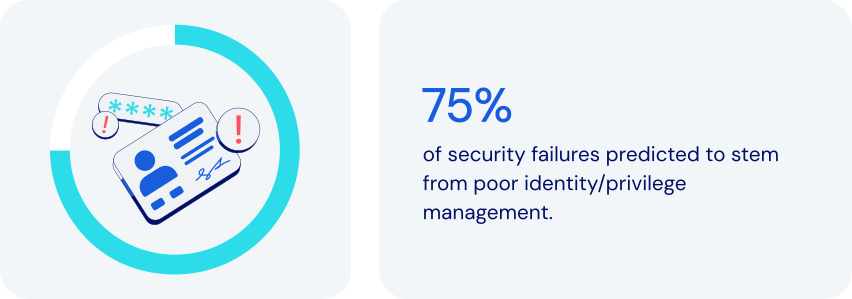
*Source: Gartner*
### How does password management fit in here?
Password management plays a critical role in making Least Privilege Access work. It helps ensure that individual users aren’t inadvertently given unnecessary access to sensitive information. Specific features to look for:
- **Role-based access control (RBAC) framework:** a robust password manager will provide a comprehensive RBAC framework, assigning appropriate access levels.
- **Granular permission control:** advanced password managers allow fine‑tune shared credential rights to enforce least privilege access control. Examples include read-only access, write access, and managerial access.
- **Credential sharing with hidden passwords:** a password manager can facilitate [secure sharing](https://bitwarden.com/nl-nl/blog/how-to-share-passwords-at-work-at-home-or-on-the-go/) by letting users autofill passwords without actually seeing them.
- **Encrypted secure ephemeral sharing:** some password managers allow for sharing of sensitive items with specified people for a limited time.
- **Audit trails and monitoring:** by [logging events](https://bitwarden.com/nl-nl/help/event-logs/), a password manager can help pinpoint details of unauthorized activities.
- **Enforced strong passwords:** this feature reduces the risk of compromise by generating only [complex passwords](https://bitwarden.com/nl-nl/blog/how-long-should-my-password-be/).
- **Zero-knowledge principles:** ensures the highest level of protection by enforcing complete end-to-end encryption for all items in a vault.
Together, these features help maximize the effectiveness of Least Privilege Access. They help you reduce security risks while ensuring that employees have whatever access they need to get their work done.
### How least privilege access keeps today’s businesses safer
Using password management to implement Least Privilege Access is a proven approach to enhance security, minimize risk, and streamline access control. It allows you to:
- **Reduce the risk of data breaches:** limiting access reduces the attack surface. Even if one individual is compromised, potential damage is contained.
- **Prevent insider threats:** restricting the access of any individual reduces the risk and scope of internal data theft or sabotage.
- **Strengthen compliance and auditing:** providing audit logs to prove adherence to principles of least privilege access. Monitoring access also promotes compliance with regulations like [ISO 27001](https://bitwarden.com/nl-nl/resources/how-password-management-helps-companies-achieve-iso-27001-certification/), GDPR, [HIPAA](https://bitwarden.com/nl-nl/blog/why-use-a-hipaa-compliant-password-manager/), and [SOC 2](https://bitwarden.com/nl-nl/resources/achieve-soc-2-password-compliance-with-bitwarden/).
- **Limit credential sharing risks:** using [end-to-end encryption](https://bitwarden.com/nl-nl/resources/zero-knowledge-encryption-white-paper/) when sharing credentials limits access to specifically selected recipients.
- **Streamline employee onboarding and succession**: simplify access management while providing for immediate revocation of credential access.
- **Enhance productivity:** reduce time spent on password issues, including forgotten passwords and [time-consuming password resets](https://bitwarden.com/nl-nl/resources/world-password-day/).
- **Support**[**remote and hybrid workforces**](https://bitwarden.com/nl-nl/blog/securing-remote-work-password-manager/)**:** easily secure access across any device, anywhere.
- **Protect against credential reuse attacks**: reduce exploitation risks by encouraging strong, unique passwords.
Least Privilege Access is a powerful way for businesses and organizations to reduce security risks, improve efficiency, and ensure regulatory compliance.
### How Bitwarden supports least privilege access
Bitwarden helps achieve Least Privilege Access through a comprehensive set of security features, access controls, and management tools. These include:
- **Role-based access control:** offers custom roles and [granular permissions](https://bitwarden.com/nl-nl/resources/telecommunications-firm-achieves-password-management-adoption/), assigning minimum necessary privileges. Roles include Admin, Owner, and User, along with a full set of options for Custom Roles
- **Collections for grouped access:** organizes credentials by function, granting access only to those teams, departments, or individuals who need it.
- **Granular sharing controls:** allows admins to assign permissions for Read-Only, Read and Write, or Manager.
- **Encrypted vaults for secure storage:** all data is end-to-end encrypted.
- **Audit logs and activity monitoring:** provides detailed logs for every access event.
- **Account recovery:** allows [approved administrators](https://bitwarden.com/nl-nl/help/account-recovery/#recover-an-account/) to gain critical credentials in emergencies.
- **SSO integration:** helps strengthen identity verification.
- **Enforced security policies:** supports [policies](https://bitwarden.com/nl-nl/help/policies/) like master password strength and 2FA requirements.
- **Administrator access limiting:** allows a range of options for limiting admin visibility to stored shared items.
### The bottom line
Even in an age of increasingly sophisticated cyberthreats, it’s possible to improve security without compromising productivity. Now you can ensure that employees have precisely the access they need to get the job done.
Bitwarden offers a thoughtful combination of role-based controls, secure sharing, and robust monitoring. Together, they directly support today’s best practices for Least Privilege Access principles. Adopting the principles of least privilege access reduces attack surface without hurting productivity. Just one more reason Bitwarden is regarded as the most trusted name in password management.
### Why does Bitwarden stand out among alternatives?
Bitwarden Password Manager is built with the needs of modern enterprises in mind, including, scalability, wide integration compatibility, centralized management, and flexibility to enact a principle of least privilege:
- Bitwarden allows organizations to choose the level of least privilege that works for them with options for adjusting administrator visibility to shared items.
- All items shared in Bitwarden are owned by the organization, providing centralized management access control.
- Powerful APIs allow for integration into other tools, including [SIEM tools](https://bitwarden.com/nl-nl/help/microsoft-sentinel-siem/) for real-time security alerts.
- Policy automation integrates with SIEM and IAM to extend least privilege access control across tools.
- Reporting to easily spot over-privileged users for streamlined auditing and remediation.
## Profiteer nu van krachtige, vertrouwde wachtwoordbeveiliging. Kies uw plan.
## Persoonlijk
### Gratis
**$0**
*per maand*
*Altijd gratis*
Krijg een Bitwarden-kluis
- Onbeperkt aantal apparaten
- Beheer van wachtwoorden
- Alle kernfuncties
- Altijd gratis
Kluisitems met één andere gebruiker delen
[Begin vandaag](https://bitwarden.com/go/start-free/)
---
### Premium
**Less than $1**
*per maand*
*$10 jaarlijkse rekening*
Geniet van premium functies
- Bitwarden-authenticator
- Bestand bijlagen
- Noodtoegang
- Veiligheidsrapporten en meer
Kluisitems met één andere gebruiker delen
[Een premium account aanmaken](https://bitwarden.com/go/start-premium/)
---
### Gezinnen
**$3.33**
*per maand*
*Tot 6 gebruikers, $40 jaarlijkse rekening*
Inloggegevens van uw gezin beveiligen
- 6 premium-accounts
- Onbeperkt delen
- Onbeperkte collecties
- Opslag van de organisatie
Kluisitems tussen zes personen delen
[Gratis 7-daagse proefperiode beginnen](https://bitwarden.com/go/start-families-trial/)
---
De prijzen worden weergegeven in USD en zijn gebaseerd op een jaarabonnement. Belastingen niet inbegrepen.
## Bedrijf
### Teams
*Veerkrachtige bescherming voor groeiende teams*
**$4**
*per maand/per gebruiker, jaarlijkse rekening*
Deel gevoelige gegevens veilig met collega's, afdelingen of het hele bedrijf
- Gegevens veilig delen
- Gebeurtenislogboekbewaking
- Gidsintegratie
- SCIM-ondersteuning
Inclusief premium functies voor alle gebruikers
[Een proefperiode starten](https://bitwarden.com/go/start-teams-trial/)
---
### Enterprise
*Geavanceerde mogelijkheden voor grotere organisaties*
**$6**
*per maand/per gebruiker, jaarlijkse rekening*
Gebruik geavanceerde functies zoals bedrijfsbeleid, SSO zonder wachtwoord en accountherstel.
- Bedrijfsbeleid
- Wachtwoordloze SSO
- Account herstellen
- Zelf-host optie
Inclusief premium functies en gratis gezinsplan voor alle gebruikers
[Een proefperiode starten](https://bitwarden.com/go/start-enterprise-trial/)
---
### Een offerte aanvragen
*Voor bedrijven met honderden of duizenden werknemers, neem contact op met de verkoopafdeling voor een offerte op maat en ontdek hoe Bitwarden kan helpen:*
- Cyberbeveiligingsrisico's verminderen
- Productiviteit verhogen
- Naadloos integreren
Bitwarden schaalt met elk formaat bedrijf om wachtwoordbeveiliging naar uw organisatie te brengen
[Met de verkoopafdeling contact opnemen](https://bitwarden.com/contact-sales/)
---
Prijzen worden weergegeven in USD en zijn gebaseerd op een jaarabonnement
---
URL: https://bitwarden.com/nl-nl/resources/major-utilities-firm-benefits-from-comprehensive-bitwarden-security-solution/
---
# Major utilities firm benefits from comprehensive Bitwarden security solution
Learn how North American Energy Systems made seamless transition to the Bitwarden Password Manager.
---
Founded: 1980
Industry: Utilities
Employees: Over 4,000
Location: Issaquah, Washington
North American Energy Systems (NAES) is an independent services provider enabling energy facilities worldwide to optimize their performance. NAES has over 4,000 employees responsible for managing more than 50,000 megawatts (MW) of power generation. The company offers services in operations, maintenance, fabrication, grid management, regulatory compliance, and technical support. Headquartered in Issaquah, Washington, NAES has nine offices throughout the United States.
> Learn more about the annual [Open Source Security Summit](https://bitwarden.com/nl-nl/open-source-security-summit/).
## Table of Contents
[Situation](https://bitwarden.com/nl-nl/resources/major-utilities-firm-benefits-from-comprehensive-bitwarden-security-solution/#situation/)
[Solution: Zero knowledge architecture and a commitment to end-to-end encryption](https://bitwarden.com/nl-nl/resources/major-utilities-firm-benefits-from-comprehensive-bitwarden-security-solution/#solution-zero-knowledge-architecture-and-a-commitment-to-end-to-end-encryption/)
[The role of open source in inspiring excellence](https://bitwarden.com/nl-nl/resources/major-utilities-firm-benefits-from-comprehensive-bitwarden-security-solution/#the-role-of-open-source-in-inspiring-excellence/)
## Situation
Over time, NAES has continued to add new firms to the NAES Family of Companies in order to expand its capabilities and industry experience, with the goal of offering a portfolio of services covering the entire life cycle of power-generating plants and other industrial facilities. NAES subsidiaries consist of both US-based and global businesses.
The distributed nature of NAES, coupled with the sheer amount of data the company holds, necessitated deployment of an [enterprise-wide password manager](https://bitwarden.com/nl-nl/blog/choose-the-best-enterprise-password-manager/). Said Jimmy Chong, Cyber Security Engineer at NAES, “In the past, we were using LastPass. But, a breach against the company dented our confidence in the company and generated concerns about whether or not LastPass was reliable. So, we decided to look for another password management solution.”
NAES sought out a cloud-based password vault that offered straightforward [browser integration](https://bitwarden.com/nl-nl/help/getting-started-browserext/). The company was also intent on finding a solution that provided solid customer support, data breach reporting, family plans for employees who also wanted to use their password managers for personal activity, and strong integration with [Microsoft Azure](https://bitwarden.com/nl-nl/resources/using-bitwarden-with-azure-active-directory/) and [SSO support](https://bitwarden.com/nl-nl/blog/enterprise-passwordless-sso-brings-better-productivity-and-user-sign-in/). Said Chong, “We use Microsoft MFA as part of our multi-factor authentication solution. It was critically important the password manager option we settled on would support this.”
## Solution: Zero knowledge architecture and a commitment to end-to-end encryption
NAES chose Bitwarden because it met all of the company’s criteria, and then some.
> Said Chong, “The Bitwarden zero knowledge architecture was very important to us, as was the AES 256 encryption and the fact that the product is protected by end-to-end encryption. We liked the third party auditing, because it validates that the [Bitwarden security posture](https://bitwarden.com/nl-nl/help/bitwarden-security-white-paper/) is sound. We were also quite pleased with the cost.
> Since deploying Bitwarden, we’ve received overwhelmingly positive feedback.”
Chong described the transition from LastPass to Bitwarden as “seamless,” noting the company is thrilled with the solution.
## The role of open source in inspiring excellence
NAES considers the [open source](https://bitwarden.com/nl-nl/blog/why-open-source-delivers-transparency-and-security-for-enterprises/) nature of Bitwarden a huge draw. Where closed systems might run into code-related vulnerabilities that take longer to patch, open source software enables dedicated community members to immediately suggest patches. The freedom and flexibility inherent in open source means there are typically multiple eyes on source code, a benefit that Chong believes inspires excellence in software development.
> Said Chong, “We’re a utilities company, so obviously security is a huge concern for us. Having a number of eyes on the code gives us peace of mind. Overall, we find the open source community innovative and passionate. Sometimes, the fixes they offer are simple. Other times, they’re a bit more complex. Either way, we greatly value their commitment.”
*Watch the presentation*
[](https://vimeo.com/896626898)
*[Watch on Vimeo](https://vimeo.com/896626898)*
## Profiteer nu van krachtige, vertrouwde wachtwoordbeveiliging. Kies uw plan.
## Persoonlijk
### Gratis
**$0**
*per maand*
*Altijd gratis*
Krijg een Bitwarden-kluis
- Onbeperkt aantal apparaten
- Beheer van wachtwoorden
- Alle kernfuncties
- Altijd gratis
Kluisitems met één andere gebruiker delen
[Begin vandaag](https://bitwarden.com/go/start-free/)
---
### Premium
**Less than $1**
*per maand*
*$10 jaarlijkse rekening*
Geniet van premium functies
- Bitwarden-authenticator
- Bestand bijlagen
- Noodtoegang
- Veiligheidsrapporten en meer
Kluisitems met één andere gebruiker delen
[Een premium account aanmaken](https://bitwarden.com/go/start-premium/)
---
### Gezinnen
**$3.33**
*per maand*
*Tot 6 gebruikers, $40 jaarlijkse rekening*
Inloggegevens van uw gezin beveiligen
- 6 premium-accounts
- Onbeperkt delen
- Onbeperkte collecties
- Opslag van de organisatie
Kluisitems tussen zes personen delen
[Gratis 7-daagse proefperiode beginnen](https://bitwarden.com/go/start-families-trial/)
---
De prijzen worden weergegeven in USD en zijn gebaseerd op een jaarabonnement. Belastingen niet inbegrepen.
## Bedrijf
### Teams
*Veerkrachtige bescherming voor groeiende teams*
**$4**
*per maand/per gebruiker, jaarlijkse rekening*
Deel gevoelige gegevens veilig met collega's, afdelingen of het hele bedrijf
- Gegevens veilig delen
- Gebeurtenislogboekbewaking
- Gidsintegratie
- SCIM-ondersteuning
Inclusief premium functies voor alle gebruikers
[Een proefperiode starten](https://bitwarden.com/go/start-teams-trial/)
---
### Enterprise
*Geavanceerde mogelijkheden voor grotere organisaties*
**$6**
*per maand/per gebruiker, jaarlijkse rekening*
Gebruik geavanceerde functies zoals bedrijfsbeleid, SSO zonder wachtwoord en accountherstel.
- Bedrijfsbeleid
- Wachtwoordloze SSO
- Account herstellen
- Zelf-host optie
Inclusief premium functies en gratis gezinsplan voor alle gebruikers
[Een proefperiode starten](https://bitwarden.com/go/start-enterprise-trial/)
---
### Een offerte aanvragen
*Voor bedrijven met honderden of duizenden werknemers, neem contact op met de verkoopafdeling voor een offerte op maat en ontdek hoe Bitwarden kan helpen:*
- Cyberbeveiligingsrisico's verminderen
- Productiviteit verhogen
- Naadloos integreren
Bitwarden schaalt met elk formaat bedrijf om wachtwoordbeveiliging naar uw organisatie te brengen
[Met de verkoopafdeling contact opnemen](https://bitwarden.com/contact-sales/)
---
Prijzen worden weergegeven in USD en zijn gebaseerd op een jaarabonnement
---
URL: https://bitwarden.com/nl-nl/resources/managed-service-provider-greenloop-delivers-intuitive-password-security-for-their-clients/
---
# Managed Service Provider GreenLoop Delivers Intuitive Password Security for Their Clients
Secure sharing of team logins, an intuitive UI, and clear documentation were among the reasons GreenLoop chose to deploy Bitwarden to its managed service clients.
---
## Company Overview
- Founded: 2011
- Employees: 25
- Location: Phoenix, AZ
[GreenLoop IT Solutions](https://greenloopsolutions.com/) was founded with the purpose of bringing premium IT support and consulting services to small and medium businesses that value efficiency and strong customer relationships with their vendors.
## Situation
At the beginning of 2021, GreenLoop decided to add a password management solution to their general security offering that covers the [National Institute of Standards and Technology (NIST)](https://bitwarden.com/nl-nl/blog/3-tips-from-nist-to-keep-passwords-secure/) cybersecurity framework. They saw the need for a solution that could protect their clients’ logins and sensitive information, and allow them to securely share account details.
After successfully convincing many of their clients to use a password manager, their initial choice of vendor announced it was shutting down in early 2022. GreenLoop needed to quickly find a new partner and migrate their clients’ information out of the defunct solution within six weeks, and so began an intensive vendor comparison.
## Solution
**Bitwarden Emerges as First Choice to Protect Clients’ Passwords**
The [zero-knowledge](https://bitwarden.com/nl-nl/blog/end-to-end-encryption-and-zero-knowledge/) encryption architecture from Bitwarden ultimately allowed it to stand head and shoulders above the rest of the options GreenLoop evaluated. The ability to decentralize encryption, so that decryption keys never pass through Bitwarden servers, was very appealing to GreenLoop as it offered an additional layer of privacy and protection for their clients.
They were impressed that Bitwarden users can create Collections in order to securely share passwords across the organization from a central vault. In fact, GreenLoop said that of all the channel-friendly credential management vendors they evaluated, Bitwarden had by far the best implementation of centralized credential sharing across users. Other competing solutions did not directly solve the problem without cumbersome workarounds.
## Why did GreenLoop choose Bitwarden?
- [Collections](https://bitwarden.com/nl-nl/blog/making-the-move-with-organization-sharing/) for secure sharing of team logins and credentials
- Intuitive UI that non-technical clients could understand and use
- Thorough, clear documentation and learning materials
- Integrated one-time-password (OTP) codes
- Open-source, open development
“The goal is to hand off password management to the clients,” said Tyler Bradshaw, Director of Account Management at GreenLoop. “MSPs don’t need to be super involved in, say, who you want to share your Staples password with. Enabling our clients to securely manage their passwords themselves is the model we’ve found to work the best, and that was certainly a challenge–more so with (our previous vendor) than with Bitwarden.”
## Results
GreenLoop’s clients are mostly [small businesses](https://bitwarden.com/nl-nl/blog/cybersecurity-advice-for-small-businesses-from-the-ncsc/) with limited knowledge or understanding of cybersecurity issues. “Our number one success criteria was that transition with existing clients went smoothly enough that we didn’t lose credibility with them,” said Stephen Moody, GreenLoop’s CTO. “In fact, we’ve gained some credibility with them by moving them to Bitwarden, which is easier to use. To be able to not only provide our clients with a better user experience, but strengthen their password management and overall security - this is priceless for the GreenLoop team.”
To learn about the Bitwarden MSP Program and how Bitwarden can scale your business, contact us [today](https://bitwarden.com/nl-nl/partners/).
## Profiteer nu van krachtige, vertrouwde wachtwoordbeveiliging. Kies uw plan.
## Persoonlijk
### Gratis
**$0**
*per maand*
*Altijd gratis*
Krijg een Bitwarden-kluis
- Onbeperkt aantal apparaten
- Beheer van wachtwoorden
- Alle kernfuncties
- Altijd gratis
Kluisitems met één andere gebruiker delen
[Begin vandaag](https://bitwarden.com/go/start-free/)
---
### Premium
**Less than $1**
*per maand*
*$10 jaarlijkse rekening*
Geniet van premium functies
- Bitwarden-authenticator
- Bestand bijlagen
- Noodtoegang
- Veiligheidsrapporten en meer
Kluisitems met één andere gebruiker delen
[Een premium account aanmaken](https://bitwarden.com/go/start-premium/)
---
### Gezinnen
**$3.33**
*per maand*
*Tot 6 gebruikers, $40 jaarlijkse rekening*
Inloggegevens van uw gezin beveiligen
- 6 premium-accounts
- Onbeperkt delen
- Onbeperkte collecties
- Opslag van de organisatie
Kluisitems tussen zes personen delen
[Gratis 7-daagse proefperiode beginnen](https://bitwarden.com/go/start-families-trial/)
---
De prijzen worden weergegeven in USD en zijn gebaseerd op een jaarabonnement. Belastingen niet inbegrepen.
## Bedrijf
### Teams
*Veerkrachtige bescherming voor groeiende teams*
**$4**
*per maand/per gebruiker, jaarlijkse rekening*
Deel gevoelige gegevens veilig met collega's, afdelingen of het hele bedrijf
- Gegevens veilig delen
- Gebeurtenislogboekbewaking
- Gidsintegratie
- SCIM-ondersteuning
Inclusief premium functies voor alle gebruikers
[Een proefperiode starten](https://bitwarden.com/go/start-teams-trial/)
---
### Enterprise
*Geavanceerde mogelijkheden voor grotere organisaties*
**$6**
*per maand/per gebruiker, jaarlijkse rekening*
Gebruik geavanceerde functies zoals bedrijfsbeleid, SSO zonder wachtwoord en accountherstel.
- Bedrijfsbeleid
- Wachtwoordloze SSO
- Account herstellen
- Zelf-host optie
Inclusief premium functies en gratis gezinsplan voor alle gebruikers
[Een proefperiode starten](https://bitwarden.com/go/start-enterprise-trial/)
---
### Een offerte aanvragen
*Voor bedrijven met honderden of duizenden werknemers, neem contact op met de verkoopafdeling voor een offerte op maat en ontdek hoe Bitwarden kan helpen:*
- Cyberbeveiligingsrisico's verminderen
- Productiviteit verhogen
- Naadloos integreren
Bitwarden schaalt met elk formaat bedrijf om wachtwoordbeveiliging naar uw organisatie te brengen
[Met de verkoopafdeling contact opnemen](https://bitwarden.com/contact-sales/)
---
Prijzen worden weergegeven in USD en zijn gebaseerd op een jaarabonnement
---
URL: https://bitwarden.com/nl-nl/resources/march-2025-spotlight-5-ways-to-get-started-with-passkeys/
---
# March 2025 Spotlight: 5 ways to get started with passkeys
Welcome to the Bitwarden March newsletter
---
It’s AI Fools Week! A new holiday from the National Cybersecurity Alliance reminds everyone to be aware of AI cyberthreats, including the growing amount of misinformation from AI-generated content. And to be aware of what you share: a recent survey found 38% of users shared sensitive work information with AI. Whether it’s deepfakes, phishing emails, or AI-powered robocalls, we have you covered on how to stay safe.
### Featured Highlights
**Demo: How to log in using a passkey**You’re ready to join the passkey revolution and looking for where to start. The latest [Vault Hours](https://www.youtube.com/watch?v=5y4FfqvfmM4&t=1511s) showcases key features of passkeys and walks you through a passkey user's journey from discovery to full adoption. Then, stay tuned for a 2-minute demo on how to actually log into Bitwarden using a passkey. Lastly, check out this popular [passkey FAQ](https://bitwarden.com/nl-nl/resources/passkeys-faq/).
**Passkeys and the evolution of authentication**Passkeys are redefining how we access and protect our online accounts. Take today’s realistic AI-generated phishing attacks. Passkeys can significantly reduce these threats by eliminating the need for users to remember complex credentials in the first place. See [how passkeys are shaping the future](https://bitwarden.com/nl-nl/blog/passkeys-and-the-evolution-of-authentication-a-secure-seamless-future/), plus watch this 1-minute video on [using passkeys with Bitwarden](https://www.youtube.com/watch?v=3wh52KY89bU).
**It’s almost April 15. Have you started your taxes?**Were you planning to send your tax documents through cloud drives, email, or messaging apps? This is your year to try Bitwarden Send. Get complete end-to-end encryption of any text or file. Control who has access and for how long. And you can even send it to non-Bitwarden users. Here’s a [quick how-to guide](https://bitwarden.com/nl-nl/blog/tax-season-stay-secure-with-bitwarden-send/).
### Hot Topics
**How to set up two-step login**Even if malicious actors discover your username and password, two-step login can prevent them from accessing your accounts, buying you time to reset your credentials. Check out this [guide to two-step login](https://bitwarden.com/nl-nl/help/bitwarden-field-guide-two-step-login/).
**How to use Bitwarden on Android**In this new 3-minute video, find out everything you need to know about [mastering the basics of Bitwarden on Android](https://www.youtube.com/watch?v=5NqZt-Ifq7g), from setting up your autofill preferences to logging into a website with the app, using biometrics, and more.
**NIST top 3 password recommendations**Did you know? The National Institute of Standards and Technology (NIST) recommends you avoid periodically changing passwords in the name of safety. Frequent password changes can lead to weaker passwords when people start to fall back on old or easily guessable passwords. See their [top recommendations for personal questions, password complexity, and securing passwords](https://bitwarden.com/nl-nl/blog/3-tips-from-nist-to-keep-passwords-secure/).
### Where To Find Us
**RSA Conference 2025**If you’re part of the cybersecurity community, interested in preventing cyberattacks, or want to stay on top of the latest cybersecurity trends, join Bitwarden at the [RSA Conference ](https://bitwarden.com/nl-nl/blog/rsac/)in San Francisco! Be sure to come visit Booth #1167.
### Reader Request
**Translations of this newsletter to other languages**Many email clients provide translation options – search through their documentation for instructions.
**Here’s how to turn on translations for Gmail:**
- Open the email you want to translate.
- In the top right corner, click the three vertical dots icon.
- Choose “Translate message” from the menu.
- Select the language you want to translate the email into.
## Profiteer nu van krachtige, vertrouwde wachtwoordbeveiliging. Kies uw plan.
## Persoonlijk
### Gratis
**$0**
*per maand*
*Altijd gratis*
Krijg een Bitwarden-kluis
- Onbeperkt aantal apparaten
- Beheer van wachtwoorden
- Alle kernfuncties
- Altijd gratis
Kluisitems met één andere gebruiker delen
[Begin vandaag](https://bitwarden.com/go/start-free/)
---
### Premium
**Less than $1**
*per maand*
*$10 jaarlijkse rekening*
Geniet van premium functies
- Bitwarden-authenticator
- Bestand bijlagen
- Noodtoegang
- Veiligheidsrapporten en meer
Kluisitems met één andere gebruiker delen
[Een premium account aanmaken](https://bitwarden.com/go/start-premium/)
---
### Gezinnen
**$3.33**
*per maand*
*Tot 6 gebruikers, $40 jaarlijkse rekening*
Inloggegevens van uw gezin beveiligen
- 6 premium-accounts
- Onbeperkt delen
- Onbeperkte collecties
- Opslag van de organisatie
Kluisitems tussen zes personen delen
[Gratis 7-daagse proefperiode beginnen](https://bitwarden.com/go/start-families-trial/)
---
De prijzen worden weergegeven in USD en zijn gebaseerd op een jaarabonnement. Belastingen niet inbegrepen.
## Bedrijf
### Teams
*Veerkrachtige bescherming voor groeiende teams*
**$4**
*per maand/per gebruiker, jaarlijkse rekening*
Deel gevoelige gegevens veilig met collega's, afdelingen of het hele bedrijf
- Gegevens veilig delen
- Gebeurtenislogboekbewaking
- Gidsintegratie
- SCIM-ondersteuning
Inclusief premium functies voor alle gebruikers
[Een proefperiode starten](https://bitwarden.com/go/start-teams-trial/)
---
### Enterprise
*Geavanceerde mogelijkheden voor grotere organisaties*
**$6**
*per maand/per gebruiker, jaarlijkse rekening*
Gebruik geavanceerde functies zoals bedrijfsbeleid, SSO zonder wachtwoord en accountherstel.
- Bedrijfsbeleid
- Wachtwoordloze SSO
- Account herstellen
- Zelf-host optie
Inclusief premium functies en gratis gezinsplan voor alle gebruikers
[Een proefperiode starten](https://bitwarden.com/go/start-enterprise-trial/)
---
### Een offerte aanvragen
*Voor bedrijven met honderden of duizenden werknemers, neem contact op met de verkoopafdeling voor een offerte op maat en ontdek hoe Bitwarden kan helpen:*
- Cyberbeveiligingsrisico's verminderen
- Productiviteit verhogen
- Naadloos integreren
Bitwarden schaalt met elk formaat bedrijf om wachtwoordbeveiliging naar uw organisatie te brengen
[Met de verkoopafdeling contact opnemen](https://bitwarden.com/contact-sales/)
---
Prijzen worden weergegeven in USD en zijn gebaseerd op een jaarabonnement
---
URL: https://bitwarden.com/nl-nl/resources/marketing-agency-streamlines-productivity-with-password-management/
---
# Golden Communications stroomlijnt productiviteit met intuïtief wachtwoordbeheer
Lees hoe Golden Communications, een bureau voor websiteontwikkeling, de productiviteit van wachtwoordbeheer voor medewerkers verhoogde door over te stappen van LastPass naar Bitwarden.
---
## Gouden communicatie
**Opgericht:** 1996
**Branche:** websiteontwerp en beheerde webservices
**Werknemers:** ~ 50
**Credentials om te beheren:** 3000+
**Locatie:** Newport Beach, CA
[Golden Communications](https://www.goldencomm.com/) is gespecialiseerd in marketingbureaudiensten, waaronder professioneel websiteontwerp, beheerde webdiensten en digitale marktdiensten. Met het hoofdkantoor in Newport Beach, CA, ondersteunen Golden Communications en haar 50 medewerkers honderden klanten, van starters tot MKB's tot Fortune 500-bedrijven. Met vier locaties op drie continenten is het groeiende bureau trots op het feit dat het een wereldwijd bedrijf is met een gevarieerde klantenkring.
### Situatie
Golden Communications moest meer dan 3000 referenties beheren en veilig opslaan die gekoppeld waren aan de website en cloud hosting ecosystemen van hun klanten. Om deze uitdaging aan te gaan, gebruikte het team van Golden Communications aanvankelijk LastPass voor wachtwoordbeheer.
Hoewel de oplossing een aantal initiële uitdagingen oploste, introduceerde het ook nieuwe problemen voor het team.
Het eerste probleem was de laadtijd van LastPass, wat betekende dat werknemers niet snel toegang hadden tot hun wachtwoorden wanneer ze die nodig hadden, wat een negatieve invloed had op de productiviteit van gebruikers.
"De drijvende kracht achter de overstap van LastPass was het gebrek aan snelheid, vooral op de Chrome-extensie," zegt Chief Technical Officer Andrew Nguyen. "Het was pijnlijk traag voor onze gebruikers die in de loop der jaren verschillende keren klaagden."
De administratieve en eindgebruikersfunctionaliteit van LastPass was ook complex en moeilijk te gebruiken. "Hun beheerconsole was erg verwarrend", zegt Anya Pitre, vertegenwoordiger klantenservices. "Soms verwijderde ik mensen en stuurde ik een e-mail naar het hele bedrijf dat iemand was verwijderd. En ik kon er niet achter komen hoe ik dat uit kon zetten."
Golden Communications zou ook regelmatig kostbare bedrijfstijd gebruiken om problemen op te lossen met het gebruik van de oplossing op meerdere apparaten. Nguyen: "Eens per week of eens per twee weken gebruikt een teamlid een ander type apparaat dat niet zo goed werkt, tenzij je weet hoe je bepaalde tips en trucs moet toepassen. Het is erg vermoeiend om door dat proces te moeten gaan."
Tot slot pasten de prijsopties van LastPass niet bij de behoeften van een groeiend bedrijf. Om te kunnen profiteren van de bedrijfsspecifieke beveiligingsfuncties die het bedrijf nodig had, was Golden Communications gedwongen om extra seats aan te schaffen, zelfs als ze die niet nodig hadden.
"We moesten een minimum aantal stoelen kopen om bepaalde zakelijke functies te krijgen, dus uiteindelijk betaalden we voor onnodige stoelen die we niet gebruikten, wat ik een beetje belachelijk vond."
## Inhoudsopgave
[Situatie](https://bitwarden.com/nl-nl/resources/marketing-agency-streamlines-productivity-with-password-management/#situation/)
[Oplossing: Intuïtief en gestroomlijnd wachtwoordbeheer](https://bitwarden.com/nl-nl/resources/marketing-agency-streamlines-productivity-with-password-management/#solution-intuitive-and-streamlined-password-management/)
[De productiviteit van werknemers bevorderen](https://bitwarden.com/nl-nl/resources/marketing-agency-streamlines-productivity-with-password-management/#facilitating-productivity-for-employees/)
[Een eenvoudige migratie naar Bitwarden](https://bitwarden.com/nl-nl/resources/marketing-agency-streamlines-productivity-with-password-management/#an-easy-migration-to-bitwarden/)
[Intuïtief toegangsbeheer](https://bitwarden.com/nl-nl/resources/marketing-agency-streamlines-productivity-with-password-management/#intuitive-access-management/)
[Wachtwoordbeheer op maat voor agentschappen](https://bitwarden.com/nl-nl/resources/marketing-agency-streamlines-productivity-with-password-management/#password-management-tailored-for-agencies/)
[Een productieve en veilige toekomst met Bitwarden](https://bitwarden.com/nl-nl/resources/marketing-agency-streamlines-productivity-with-password-management/#a-productive-and-secure-future-with-bitwarden/)
[Aan de slag met Bitwarden](https://bitwarden.com/nl-nl/resources/marketing-agency-streamlines-productivity-with-password-management/#get-started-with-bitwarden/)
## Oplossing: Intuïtief en gestroomlijnd wachtwoordbeheer
Een paar teamleden van Golden Communications hadden een persoonlijke account bij Bitwarden en raadden het aan Nguyen aan. "Ze gebruiken Bitwarden al jaren en ze vinden het erg prettig voor persoonlijk gebruik", zegt Nguyen, "Pitre en ik hebben ons aangemeld om een testrit te maken en te zien of Bitwarden alles was wat ze beweerden dat het was."
Na het zien van het verschil in snelheid, intuïtiviteit en prijs, besloot Nguyen dat het tijd was om over te stappen van LastPass naar Bitwarden.
### De productiviteit van werknemers bevorderen
Met Bitwarden heeft Golden Communications een hogere productiviteit ervaren met snellere laadtijden op de [Chrome-browserextensie](https://chrome.google.com/webstore/detail/bitwarden-free-password-m/nngceckbapebfimnlniiiahkandclblb), waardoor medewerkers zich kunnen concentreren op wat het belangrijkst is - hun klanten. "Ik vind de Bitwarden Chrome-extensie erg leuk, hij is makkelijk te gebruiken en eenvoudig te navigeren," zei Pitre.
Bitwarden heeft ook de behoefte aan extra ondersteuning en vragen van het team van Nguyen geminimaliseerd.
### Een eenvoudige migratie naar Bitwarden
Toen Golden Communications besloot over te stappen op Bitwarden, was de migratie eenvoudig. Nguyen vertelt: "Toen we LastPass exporteerden en importeerden naar Bitwarden, verliep de overgang heel soepel. Ik was onder de indruk omdat we bergen gegevens hadden die we migreerden en het was heel eenvoudig."
De naadloze import werd voornamelijk mogelijk gemaakt door de openbare API en opdrachtregelinterface van Bitwarden. "We gebruikten een opdrachtregel om duizenden mappen in een fractie van een seconde te verwijderen, het was een soepel en eenvoudig proces," zei Nguyen.
## Waarom koos Golden Communications voor Bitwarden?
- Snelle Chrome-browserextensie
- Intuïtieve gebruikersinterface
- Concurrerende prijzen voor het MKB
- Openbare API voor een efficiënte migratie
- [](https://bitwarden.com/nl-nl/help/about-sso/)Inloggen met SSO-integratie
### Intuïtief toegangsbeheer
Met Bitwarden kan het team nu eenvoudig navigeren door de administratieve instellingen. Pitre zei: "Het is zeker makkelijk geweest om door de administratie te navigeren. In tegenstelling tot LastPass, dat een heleboel verschillende beleidsregels heeft die je moet in- of uitschakelen, biedt Bitwarden een veel meer gestroomlijnde ervaring."
Het inwerkproces voor nieuwe medewerkers is ook eenvoudiger geworden met Bitwarden. Nguyen merkte op dat de UI met uitleg van Bitwarden het voor nieuwe werknemers gemakkelijker maakte om de wachtwoordmanager te gebruiken.
### Wachtwoordbeheer op maat voor agentschappen
Golden Communications had een flexibel wachtwoordbeheersysteem nodig dat kon worden aangepast aan hun specifieke behoeften als agentschap. Golden Communications moest meer dan 3000 referenties beheren en had regelmatig toegang tot websites en servers van klanten met alternatieve inloggegevens, naast de standaard gebruikersnamen of wachtwoorden.
Met de Bitwarden aangepaste velden kan Golden Communications die informatie nu eenvoudig automatisch invullen. Volgens Nguyen "zijn er veel andere labels die bij de website horen, niet alleen het gebruik van een wachtwoord, maar ook andere aspecten ervan. Dit aangepaste veld kan erg handig voor ons zijn."
Nguyen en zijn team maakten ook gebruik van de flexibele administratieve en organisatorische opzet in Bitwarden door collecties en gebruikersgroepen te gebruiken die pasten bij de behoeften van hun organisatie. "We gebruiken in wezen collecties voor al onze klanten," zei Pitre. Het team wijst vervolgens voor elke afdeling een gebruikersgroep aan waarvoor ze toegangsrechten definiëren, zodat alle klantinformatie overzichtelijk blijft.
### Een productieve en veilige toekomst met Bitwarden
Naarmate Golden Communications het gebruik van Bitwarden blijft uitbreiden, kijkt Nguyen uit naar de mogelijkheid van twee-factor authenticatie (2FA) via Duo en de integratie van single sign-on. "We hebben eigenlijk een Duo-account voor iedereen hier bij Golden Comm," zei Nguyen, "En hopelijk zullen we met Bitwarden, twee-factor authenticatie en single sign-on een strakke beveiliging handhaven."
## Aan de slag met Bitwarden
Lees meer over wat Bitwarden voor uw bedrijf kan betekenen en meld u aan voor een [gratis proefversie van 7 dagen](https://bitwarden.com/nl-nl/trial/)!
---
URL: https://bitwarden.com/nl-nl/resources/may-2024-spotlight-join-today-bitwarden-passkeys-for-mobile-apps-are-now/
---
# Mei 2024 Spotlight: Bitwarden Authenticator en paskeys op mobiel!
Naadloze beveiliging en wachtwoordloos gemak op je iOS- en Android-apparaten
---
## Uitgelichte hoogtepunten
[](https://bitwarden.com/blog/bitwarden-just-launched-a-new-authenticator-app-heres-what-it-means-to-users/)
*Authenticator blogkaart*
Bitwarden heeft een essentieel hulpmiddel gelanceerd om je online veiligheid te verbeteren: Bitwarden Authenticator, nu beschikbaar voor iOS en Android. De app slaat 2FA-codes op en voegt zo een extra verdedigingslaag toe aan je digitale leven. In deze [blog](https://bitwarden.com/nl-nl/blog/bitwarden-just-launched-a-new-authenticator-app-heres-what-it-means-to-users/) lees je hoe het werkt en wat er in het verschiet ligt voor de Bitwarden Authenticator.
[](https://bitwarden.com/blog/bitwarden-passkeys-mobile/)
*Passkeys gaan mobiel!*
Bitwarden lanceerde passkey management voor gebruikers van Bitwarden Password Manager om een sterke, veilige en wachtwoordloze methode te bieden voor het inloggen op websites en applicaties. Naast de Bitwarden browserextensie zijn er nu ook paskeys in de Bitwarden mobiele app op iOS en Android, waarmee de visie om het gebruik van paskeys overal waar u inlogt mogelijk te maken, is voltooid. Leer hoe u [aan de slag kunt met passkeys](https://bitwarden.com/nl-nl/blog/bitwarden-passkeys-mobile/) op uw mobiele apparaat.
## Enjoying this update? Subscribe today.
*Receive the latest product updates, hand-picked articles, community highlights, and more.*
[Contact form]
## More Bitwarden Bites
[**How to use the Bitwarden Passphrase Generator**](https://bitwarden.com/nl-nl/blog/how-to-use-the-bitwarden-passphrase-generator/)
Instead of a random string of characters (such as i8bjKgvpxeFpkTA), Bitwarden can generate a group of randomly selected words to be used in place of a [password](https://bitwarden.com/nl-nl/password-generator/), such as imitate-sanctity-idly-gas, which is more memorable and difficult to crack. Use this [helpful guide](https://bitwarden.com/nl-nl/blog/how-to-use-the-bitwarden-passphrase-generator/) to incorporate [passphrases](https://bitwarden.com/nl-nl/passphrase-generator/) into your security toolkit.
[**Using Splunk with Bitwarden Password Manager**](https://bitwarden.com/nl-nl/blog/using-splunk-with-bitwarden-password-manager/)
Bitwarden now integrates with Splunk Cloud for enhanced event and security logging, simplifying bringing Bitwarden events into Splunk with pre-built dashboards for authentication events, vault item events, and organization events. Read the [full article](https://bitwarden.com/nl-nl/blog/using-splunk-with-bitwarden-password-manager/) to learn more how this integration can benefit your organization.
## Security Culture and Best Practices
[**The State of Password Security 2024 Report**](https://bitwarden.com/nl-nl/resources/the-state-of-password-security/)
Technology moves fast, and online accounts are crucial for both businesses and individuals. This assessment educates password users on federal best practices and highlights areas for improvement. While some government approaches to password security are solid, others need modernization. This [report](https://bitwarden.com/nl-nl/resources/the-state-of-password-security/) consolidates and evaluates the emerging consensus on best practices.
[**What the World’s Largest Credit Card Companies Say About Security**](https://bitwarden.com/nl-nl/blog/what-the-worlds-largest-credit-card-companies-say-about-security/)
Whether you are operating as an individual or part of a business, the world’s largest credit card companies - Visa, Mastercard, and Chase - recommend [several security best practices for better online protection.](https://bitwarden.com/nl-nl/blog/what-the-worlds-largest-credit-card-companies-say-about-security/)
[**Building a Cybersecurity Culture in the Workplace**](https://bitwarden.com/nl-nl/blog/building-a-cybersecurity-culture-in-the-workplace/)
Organizations are regularly targeted by cyber criminals aiming to exploit security vulnerabilities. This [article](https://bitwarden.com/nl-nl/blog/building-a-cybersecurity-culture-in-the-workplace/) explores risky habits that are common in the workplace and outlines strategies for developing a strong security culture, such as educating employees about credential security best practices and conducting regular cyber awareness training.
## Development Tips and Updates
[**Bitwarden transitions from Manifest v2 to v3**](https://bitwarden.com/nl-nl/blog/bitwarden-manifest-v3/)
Bitwarden new browser extension upgrade utilizes service workers, which are more efficient and secure. This transition to Manifest v3 brings enhanced performance, stronger security, and better resource management. In this [article](https://bitwarden.com/nl-nl/blog/bitwarden-manifest-v3/), learn how encrypted local storage and real-time data synchronization ensure your browser extension remains secure and efficient.
## Compliance and Audits
[**Bitwarden Upholds High Security Standards with Third-Party Audits**](https://bitwarden.com/nl-nl/blog/third-party-security-audit/)
Annual third-party security audits are conducted by external security experts like Cure53 and Insight Risk Consulting. These audits reinforce Bitwarden security and help customers comply with enterprise security requirements. Take a look at the [Bitwarden 2023 Security Assessment.](https://bitwarden.com/nl-nl/blog/third-party-security-audit/)
## Community Spotlight
[](https://www.reddit.com/r/Bitwarden/comments/1d21wk9/review_my_bitwarden_presentation/)
*Review my Bitwarden presentation*
This month’s spotlight features a community member who wants to help their parents stay more secure online. u/immunetosound even created an educational presentation for their folks! They’re asking the Bitwarden community for tips. Readers, will you help out? [Join the conversation and offer your insights.](https://www.reddit.com/r/Bitwarden/comments/1d21wk9/review_my_bitwarden_presentation/)
## Bitwarden Learning Center

*Bitwarden beheer van referenties*
Check out [Bitwarden 101](https://bitwarden.com/nl-nl/learning/pm-101-getting-started-as-a-user/) for a short video series on how to get started with Bitwarden Password Manager as an administrator or end user.
That’s it for now. For more product updates and online security tips, visit the Bitwarden [blog](https://bitwarden.com/nl-nl/blog/).
**Until next time,**
Team Bitwarden
## Hi readers!
Take this [two-minute](https://forms.bitwarden.com/newsletter) survey to help us improve the monthly Bitwarden Newsletter and deliver the information you care most about.
## Profiteer nu van krachtige, vertrouwde wachtwoordbeveiliging. Kies uw plan.
## Persoonlijk
### Gratis
**$0**
*per maand*
*Altijd gratis*
Krijg een Bitwarden-kluis
- Onbeperkt aantal apparaten
- Beheer van wachtwoorden
- Alle kernfuncties
- Altijd gratis
Kluisitems met één andere gebruiker delen
[Begin vandaag](https://bitwarden.com/go/start-free/)
---
### Premium
**Less than $1**
*per maand*
*$10 jaarlijkse rekening*
Geniet van premium functies
- Bitwarden-authenticator
- Bestand bijlagen
- Noodtoegang
- Veiligheidsrapporten en meer
Kluisitems met één andere gebruiker delen
[Een premium account aanmaken](https://bitwarden.com/go/start-premium/)
---
### Gezinnen
**$3.33**
*per maand*
*Tot 6 gebruikers, $40 jaarlijkse rekening*
Inloggegevens van uw gezin beveiligen
- 6 premium-accounts
- Onbeperkt delen
- Onbeperkte collecties
- Opslag van de organisatie
Kluisitems tussen zes personen delen
[Gratis 7-daagse proefperiode beginnen](https://bitwarden.com/go/start-families-trial/)
---
De prijzen worden weergegeven in USD en zijn gebaseerd op een jaarabonnement. Belastingen niet inbegrepen.
## Bedrijf
### Teams
*Veerkrachtige bescherming voor groeiende teams*
**$4**
*per maand/per gebruiker, jaarlijkse rekening*
Deel gevoelige gegevens veilig met collega's, afdelingen of het hele bedrijf
- Gegevens veilig delen
- Gebeurtenislogboekbewaking
- Gidsintegratie
- SCIM-ondersteuning
Inclusief premium functies voor alle gebruikers
[Een proefperiode starten](https://bitwarden.com/go/start-teams-trial/)
---
### Enterprise
*Geavanceerde mogelijkheden voor grotere organisaties*
**$6**
*per maand/per gebruiker, jaarlijkse rekening*
Gebruik geavanceerde functies zoals bedrijfsbeleid, SSO zonder wachtwoord en accountherstel.
- Bedrijfsbeleid
- Wachtwoordloze SSO
- Account herstellen
- Zelf-host optie
Inclusief premium functies en gratis gezinsplan voor alle gebruikers
[Een proefperiode starten](https://bitwarden.com/go/start-enterprise-trial/)
---
### Een offerte aanvragen
*Voor bedrijven met honderden of duizenden werknemers, neem contact op met de verkoopafdeling voor een offerte op maat en ontdek hoe Bitwarden kan helpen:*
- Cyberbeveiligingsrisico's verminderen
- Productiviteit verhogen
- Naadloos integreren
Bitwarden schaalt met elk formaat bedrijf om wachtwoordbeveiliging naar uw organisatie te brengen
[Met de verkoopafdeling contact opnemen](https://bitwarden.com/contact-sales/)
---
Prijzen worden weergegeven in USD en zijn gebaseerd op een jaarabonnement
---
URL: https://bitwarden.com/nl-nl/resources/monitor-bitwarden-events-using-microsoft-sentinel/
---
# Monitor Bitwarden events using Microsoft Sentinel SIEM
Discover how Bitwarden integrates with Microsoft Sentinel to deliver robust security information and event management (SIEM), helping defend against malicious attacks and network breaches
---
## Using Microsoft Sentinel with Bitwarden password manager for enhanced security monitoring
Monitoring security events from Bitwarden in a centralized platform is essential for organizations that manage sensitive credentials. [Microsoft Sentinel](https://azure.microsoft.com/en-us/products/microsoft-sentinel), a cloud-native security information and event management (SIEM) system, provides real-time insights into security risks and enables proactive monitoring. In this quick overview, you’ll learn about the benefits of integrating Bitwarden with Microsoft Sentinel to improve your organization's security posture.
### Why integrate Bitwarden with Microsoft Sentinel?
Some of the key benefits of Integrating Bitwarden with Microsoft Sentinel include:
1. **Enhanced threat detection** Integrating Bitwarden with Sentinel allows for continuous monitoring of Bitwarden activities, such as password changes, unauthorized access attempts, and configuration changes. By collecting these events, Sentinel can correlate them with other security data from across your organization, enabling better detection of suspicious activity.
2. **Streamlined incident response** Security teams can set up automated alerts in Sentinel when potential threats are identified within Bitwarden. For example, Sentinel can notify your team if there’s unusual login behavior, repeated failed login attempts, or changes to administrative permissions. This enables quicker responses to potential breaches or misuse of sensitive information.
3. **Centralized security management** Managing security events across multiple tools and platforms can be challenging. By bringing Bitwarden events into Sentinel’s centralized dashboard, organizations can simplify their security operations and gain full visibility into credential-related activities alongside other critical security events.
4. **Compliance reporting** For organizations that need to meet stringent security standards or regulatory requirements, the integration helps ensure compliance. Sentinel can log Bitwarden activities, making it easier to track and report on access and usage of credentials, helping organizations meet audit and compliance requirements.
### Key Bitwarden events to monitor
The following Bitwarden events logs can provide valuable insights into your organization’s security when analyzed through Microsoft Sentinel:
- **Login attempts**: Track user login activity to detect suspicious or unauthorized access attempts.
- **Failed logins**: Monitor failed login attempts, which may indicate brute force attacks or unauthorized access attempts.
- **Collection and item access**: Analyze when users or admins access Bitwarden vaults, including specific collections or sensitive credential items.
- **Password changes**: Log password changes to detect any unusual patterns, such as mass changes across multiple accounts.
- **Admin actions**: Keep an eye on administrative activities, including account management, collection creation, and policy updates.
These events provide critical information that security teams can act upon to prevent credential-related incidents.
## Did you know?
Bitwarden records more than 60 types of events that are logged in perpetuity and can be passed to Microsoft Sentinel for analysis and integration into existing security systems.
## Integration details: Using Bitwarden with Microsoft Sentinel
Bitwarden integrates seamlessly into [Microsoft Sentinel](https://azure.microsoft.com/en-us/products/microsoft-sentinel) through its SIEM functionality, enabling organizations to track and analyze Bitwarden event logs in real-time. By using the custom logs connector in Microsoft Sentinel, Bitwarden events can be ingested and monitored directly within the platform. Follow the steps in the Bitwarden Help Center for Sentinel SIEM integration to connect your organization and start receiving event data.
Once connected, custom dashboards can be built in Sentinel to monitor critical Bitwarden events such as authentication attempts, vault access, and administrative actions. Use Sentinel’s automation features and playbooks to respond to security incidents proactively.
Alternatively, the [**Bitwarden public API**](https://bitwarden.com/nl-nl/help/api/) can be used to export event data for custom SIEM integrations. The **Public API** offers insights into your organization and users, while the [Vault Management API ](https://bitwarden.com/nl-nl/help/bitwarden-apis/#vault-management-api/)provides encrypted vault data. Both APIs work together to provide a comprehensive view of your organization’s security activities.
## Additional Resources
- [Event Logs](https://bitwarden.com/nl-nl/help/event-logs/)
- [Event Logs in Onboarding and Succession](https://bitwarden.com/nl-nl/help/onboarding-and-succession/#event-logs/)
- [Bitwarden Public API](https://bitwarden.com/nl-nl/help/public-api/)
- [Bitwarden Vault Management API](https://bitwarden.com/nl-nl/help/cli/#serve/)
## Profiteer nu van krachtige, vertrouwde wachtwoordbeveiliging. Kies uw plan.
## Persoonlijk
### Gratis
**$0**
*per maand*
*Altijd gratis*
Krijg een Bitwarden-kluis
- Onbeperkt aantal apparaten
- Beheer van wachtwoorden
- Alle kernfuncties
- Altijd gratis
Kluisitems met één andere gebruiker delen
[Begin vandaag](https://bitwarden.com/go/start-free/)
---
### Premium
**Less than $1**
*per maand*
*$10 jaarlijkse rekening*
Geniet van premium functies
- Bitwarden-authenticator
- Bestand bijlagen
- Noodtoegang
- Veiligheidsrapporten en meer
Kluisitems met één andere gebruiker delen
[Een premium account aanmaken](https://bitwarden.com/go/start-premium/)
---
### Gezinnen
**$3.33**
*per maand*
*Tot 6 gebruikers, $40 jaarlijkse rekening*
Inloggegevens van uw gezin beveiligen
- 6 premium-accounts
- Onbeperkt delen
- Onbeperkte collecties
- Opslag van de organisatie
Kluisitems tussen zes personen delen
[Gratis 7-daagse proefperiode beginnen](https://bitwarden.com/go/start-families-trial/)
---
De prijzen worden weergegeven in USD en zijn gebaseerd op een jaarabonnement. Belastingen niet inbegrepen.
## Bedrijf
### Teams
*Veerkrachtige bescherming voor groeiende teams*
**$4**
*per maand/per gebruiker, jaarlijkse rekening*
Deel gevoelige gegevens veilig met collega's, afdelingen of het hele bedrijf
- Gegevens veilig delen
- Gebeurtenislogboekbewaking
- Gidsintegratie
- SCIM-ondersteuning
Inclusief premium functies voor alle gebruikers
[Een proefperiode starten](https://bitwarden.com/go/start-teams-trial/)
---
### Enterprise
*Geavanceerde mogelijkheden voor grotere organisaties*
**$6**
*per maand/per gebruiker, jaarlijkse rekening*
Gebruik geavanceerde functies zoals bedrijfsbeleid, SSO zonder wachtwoord en accountherstel.
- Bedrijfsbeleid
- Wachtwoordloze SSO
- Account herstellen
- Zelf-host optie
Inclusief premium functies en gratis gezinsplan voor alle gebruikers
[Een proefperiode starten](https://bitwarden.com/go/start-enterprise-trial/)
---
### Een offerte aanvragen
*Voor bedrijven met honderden of duizenden werknemers, neem contact op met de verkoopafdeling voor een offerte op maat en ontdek hoe Bitwarden kan helpen:*
- Cyberbeveiligingsrisico's verminderen
- Productiviteit verhogen
- Naadloos integreren
Bitwarden schaalt met elk formaat bedrijf om wachtwoordbeveiliging naar uw organisatie te brengen
[Met de verkoopafdeling contact opnemen](https://bitwarden.com/contact-sales/)
---
Prijzen worden weergegeven in USD en zijn gebaseerd op een jaarabonnement
---
URL: https://bitwarden.com/nl-nl/resources/monitor-bitwarden-events-using-splunk-for-siem-management/
---
# Bitwarden-gebeurtenissen bewaken met Splunk voor SIEM-beheer
Leer hoe Bitwarden en Splunk samenwerken om beveiligingsinformatie en -gebeurtenissenbeheer (SIEM) te bieden voor verdediging tegen kwaadwillige aanvallen en netwerkinbreuken.
---
Splunk is een beveiligings- en observatietool die wordt gebruikt om inzicht te bieden in grote hoeveelheden gegevens voor multi-cloud en on-premise implementaties. De oplossing biedt inzicht in kritieke meetgegevens zoals uptime, anomalieën, uitval, verdachte activiteiten en meer. Met deze inzichten in cloudobservabiliteit kan Splunk schadelijke activiteiten detecteren en IT-, DevOps- en SRE-teams op de hoogte stellen wanneer zich een gebeurtenis voordoet op het gebied van gegevensbeveiliging.
Bitwarden en [Splunk](https://www.splunk.com/) integreren samen om beveiligingsinformatie en gebeurtenisbeheer (SIEM) te bieden voor verdediging tegen kwaadwillige aanvallen en netwerkinbreuken. SIEM-technologie identificeert potentiële bedreigingen voor onlinetoepassingen en biedt tegelijkertijd compliance- en beveiligingsbeheer voor cloudinfrastructuurgegevens in bijna realtime. Dit wordt bereikt door het loggen van een verzameling gedetailleerde gebeurtenissen die plaatsvinden in verschillende gegevensbronnen.
Met Bitwarden en Splunk kan gedetailleerde informatie over activiteiten op het gebied van wachtwoordbeheer worden verzameld en weergegeven in visuele dashboards voor eenvoudige monitoring. Samen bieden de twee samen waardevolle inzichten in een bepaalde Bitwarden-organisatie, waaronder informatie over gebruikersactiviteiten, wachtwoordwijzigingen, gedeelde wachtwoorden en meer. In combinatie met monitoring van andere infrastructuur, apps en netwerken biedt Splunk een holistisch beeld van de bedrijfsbeveiliging.

## Inhoudsopgave
[De voordelen van Bitwarden en Splunk samen](https://bitwarden.com/nl-nl/resources/monitor-bitwarden-events-using-splunk-for-siem-management/#the-benefits-of-bitwarden-and-splunk-together-include/)
[Integratiedetails: De officiële Bitwarden Splunk-app](https://bitwarden.com/nl-nl/resources/monitor-bitwarden-events-using-splunk-for-siem-management/#integration-details-the-official-bitwarden-splunk-app/)
[](https://bitwarden.com/resources/presentations/security-incident-and-event-management-siem/)
## De voordelen van Bitwarden en Splunk samen zijn onder andere
- Waarschuwingen voor verdachte activiteiten en gedetailleerde rapporten uit Bitwarden-logboeken
- Breidt SIEM-toezicht uit naar website- en applicatiegegevens
- Visuele dashboards en zoekmacro's voor gebeurtenissen voor eenvoudige monitoring
- Registratie van specifieke credentialtoegang door gebruikers
- Inzicht in de gebruikersadoptie van beveiligingsprogramma's van het bedrijf
- Offboarding-rapporten met een lijst van referenties waartoe een voormalige werknemer toegang had, voor een betere beveiliging en toegangscontrole
## Wist je dat?
Bitwarden registreert meer dan 60 soorten gebeurtenissen die permanent worden gelogd en kunnen worden doorgegeven aan Splunk voor analyse en integratie in bestaande beveiligingssystemen.
## Integratiedetails: De officiële Bitwarden Splunk-app
Bitwarden integreert eenvoudig in Splunk Enterprise self-hosted, Splunk Cloud Classic en Splunk Cloud Victoria installaties via de officiële Bitwarden Event Logs app die beschikbaar is in de [gebruikersinterface](https://bitwarden.com/nl-nl/help/splunk-siem/#install-the-splunk-bitwarden-app/). De app kan ook worden [gevonden op Splunkbase](https://splunkbase.splunk.com/app/6592)**.**Volg de stappen in de Splunk SIEM [integratiedocumentatie](https://bitwarden.com/nl-nl/help/splunk-siem/) van het Bitwarden Helpcentrum. Zodra uw Bitwarden-organisatie is verbonden met Splunk, worden drie vooraf gedefinieerde dashboards weergegeven: Authenticatiegebeurtenissen, Vault-itemgebeurtenissen en Organisatiegebeurtenissen. Er kunnen andere aangepaste dashboards worden gebouwd om gebruik te maken van deze gegevens.
U kunt ook de Bitwarden API-integratie gebruiken om SIEM-functionaliteit in te stellen door gebeurtenisgegevens uit uw organisatie te exporteren. [De Openbare API](https://bitwarden.com/nl-nl/help/api/) kan informatie verschaffen over je organisatie en gebruikers. De [Vault Management API](https://bitwarden.com/nl-nl/help/bitwarden-apis/#vault-management-api/) biedt toegang tot informatie over versleutelde gegevens en wordt gehost in de Bitwarden CLI-client met behulp van de opdracht `serve `op een eigen eindpunt. Gecombineerd geven deze twee API's een volledig beeld van je organisatie en kluis.
## Aanvullende bronnen
- [Splunk gebruiken met Bitwarden](https://bitwarden.com/nl-nl/blog/using-splunk-with-bitwarden-password-manager/#splunk-and-bitwarden-expanding-siem-coverage/)
- [Gebeurtenislogboeken](https://bitwarden.com/nl-nl/help/event-logs/)
- [Gebeurtenislogboeken bij onboarding en opvolging](https://bitwarden.com/nl-nl/help/onboarding-and-succession/#event-logs/)
- [Splunk SIEM](https://bitwarden.com/nl-nl/help/splunk-siem/)
- [Openbare API van Bitwarden](https://bitwarden.com/nl-nl/help/public-api/)
- [Bitwarden Kluisbeheer API](https://bitwarden.com/nl-nl/help/cli/#serve/)
## Profiteer nu van krachtige, vertrouwde wachtwoordbeveiliging. Kies uw plan.
## Persoonlijk
### Gratis
**$0**
*per maand*
*Altijd gratis*
Krijg een Bitwarden-kluis
- Onbeperkt aantal apparaten
- Beheer van wachtwoorden
- Alle kernfuncties
- Altijd gratis
Kluisitems met één andere gebruiker delen
[Begin vandaag](https://bitwarden.com/go/start-free/)
---
### Premium
**Less than $1**
*per maand*
*$10 jaarlijkse rekening*
Geniet van premium functies
- Bitwarden-authenticator
- Bestand bijlagen
- Noodtoegang
- Veiligheidsrapporten en meer
Kluisitems met één andere gebruiker delen
[Een premium account aanmaken](https://bitwarden.com/go/start-premium/)
---
### Gezinnen
**$3.33**
*per maand*
*Tot 6 gebruikers, $40 jaarlijkse rekening*
Inloggegevens van uw gezin beveiligen
- 6 premium-accounts
- Onbeperkt delen
- Onbeperkte collecties
- Opslag van de organisatie
Kluisitems tussen zes personen delen
[Gratis 7-daagse proefperiode beginnen](https://bitwarden.com/go/start-families-trial/)
---
De prijzen worden weergegeven in USD en zijn gebaseerd op een jaarabonnement. Belastingen niet inbegrepen.
## Bedrijf
### Teams
*Veerkrachtige bescherming voor groeiende teams*
**$4**
*per maand/per gebruiker, jaarlijkse rekening*
Deel gevoelige gegevens veilig met collega's, afdelingen of het hele bedrijf
- Gegevens veilig delen
- Gebeurtenislogboekbewaking
- Gidsintegratie
- SCIM-ondersteuning
Inclusief premium functies voor alle gebruikers
[Een proefperiode starten](https://bitwarden.com/go/start-teams-trial/)
---
### Enterprise
*Geavanceerde mogelijkheden voor grotere organisaties*
**$6**
*per maand/per gebruiker, jaarlijkse rekening*
Gebruik geavanceerde functies zoals bedrijfsbeleid, SSO zonder wachtwoord en accountherstel.
- Bedrijfsbeleid
- Wachtwoordloze SSO
- Account herstellen
- Zelf-host optie
Inclusief premium functies en gratis gezinsplan voor alle gebruikers
[Een proefperiode starten](https://bitwarden.com/go/start-enterprise-trial/)
---
### Een offerte aanvragen
*Voor bedrijven met honderden of duizenden werknemers, neem contact op met de verkoopafdeling voor een offerte op maat en ontdek hoe Bitwarden kan helpen:*
- Cyberbeveiligingsrisico's verminderen
- Productiviteit verhogen
- Naadloos integreren
Bitwarden schaalt met elk formaat bedrijf om wachtwoordbeveiliging naar uw organisatie te brengen
[Met de verkoopafdeling contact opnemen](https://bitwarden.com/contact-sales/)
---
Prijzen worden weergegeven in USD en zijn gebaseerd op een jaarabonnement
---
URL: https://bitwarden.com/nl-nl/resources/more-inline-autofill-updates-just-released-newsletter-november-2024/
---
# November 2024 Spotlight: More inline autofill updates just released
Welcome to the Bitwarden November newsletter
---
### Featured Highlights
**New - inline autofill passwords**Inline autofill is a favorite method to autofill logins, credit cards, identities, and even passkeys. Now you can generate secure passwords with just one click. Plus, you have the option to choose what types of data are suggested to be autofilled. Start using [inline autofill](https://bitwarden.com/nl-nl/blog/create-a-strong-password-for-a-new-login-with-one-click/) today.
**Preview the new browser extension UI!**In October, Bitwarden shared news of an upcoming update to the browser extension design. Experience a preview version of the extension available through this direct link for the [Chrome web store](https://chromewebstore.google.com/detail/bitwarden-password-manage/hccnnhgbibccigepcmlgppchkpfdophk). You can also [watch the walkthrough](https://www.youtube.com/watch?v=ZtKi5__K7NE&t=431s) from the Bitwarden design team and read the posts on [Reddit](https://www.reddit.com/r/Bitwarden/comments/1gka81s/upcoming_improvements_to_the_extension_preview/).
### Bitwarden Bites: Get The Latest Product Updates
**Passkey updates from FIDO Authenticate conference**
The FIDO Alliance, which includes Amazon, Google, Microsoft, Bitwarden, and many more, recently introduced the credential exchange protocol to help standardize passkey portability across services and platforms - a huge step forward for the industry. Get all the latest passkey innovations and how they impact you in your favorite format: [video](https://www.youtube.com/watch?v=ZtKi5__K7NE&t=905s) or [blog](https://bitwarden.com/nl-nl/blog/insights-from-fido-authenticate-2024-on-passkey-adoption-strategies-and/).
**Self-host Bitwarden Password Manager**Do you need to maintain data sovereignty for policy, personal preference, or other? Self-hosting might be your answer. Whether on a personal or business plan, you can self-host Bitwarden Password Manager. See if [self-hosting](https://bitwarden.com/nl-nl/self-hosted-password-manager-on-premises/) is right for you.
### Quick Tips: How-Tos for Popular Use Cases
**Store passkeys in Bitwarden Password Manager**
Did you know? If you use a Bitwarden browser extension or mobile app, you can safely save your passkeys within Password Manager. To get started, check out this [step-by-step guide to storing your passkeys](https://bitwarden.com/nl-nl/help/storing-passkeys/).
**Use Bitwarden on Apple Watch**Once you have the Bitwarden app installed on your iOS mobile device, you only need to ‘Connect to Watch’ to begin synching with Bitwarden. This convenient connection makes it easy to access TOTP codes quickly. Use this short guide to get all the benefits of [Bitwarden Password Manager on your Apple Watch](https://bitwarden.com/nl-nl/help/apple-watch-totp/).
**Access Bitwarden while in Firefox Private Windows**
If you prefer to keep your search history private, but still want to use Bitwarden Password Manager, you can! This simple two-step process shows you how to use your Bitwarden Password Manager while browsing [Firefox private windows](https://bitwarden.com/nl-nl/help/private-mode/).
### What Others Are Saying
**Passkey adoption is up - what's next?**
Thanks to the FIDO Alliance, much-needed guidelines are rolling out to make passkey usage across tech sites more consistent. Additionally, Microsoft is working on a passkey plugin for Windows 11 to allow users to store their passkeys in third-party password managers, like Bitwarden, for more secure sign-in. Stay ahead of the curve with the latest coverage from [Fast Company](https://www.fastcompany.com/91220674/is-this-the-beginning-of-the-end-for-the-password) and [TechRadar](https://www.techradar.com/pro/microsoft-could-soon-add-third-party-passkeys-to-windows-11).
**Best password managers of 2024 round up**You’ve found your favorite password manager, but maybe friends or family are still on the fence. If anyone needs a nudge to start protecting their digital life, send them these top password manager picks of 2024 from [PC World](https://www.pcworld.com/article/394076/best-free-password-managers.html), [CNET](https://www.cnet.com/tech/services-and-software/best-password-manager/), and [ZDNet](https://www.zdnet.com/article/best-free-password-manager/).
### In Case You Missed It
**Five essential password manager features**Bitwarden Password Manager offers many features. To make the most of it, [test out some of these tips](https://bitwarden.com/nl-nl/blog/unlock-the-full-potential-of-bitwarden-five-password-manager-tips/), including customizing your password vault item names with keywords (such as EMAIL), or using boolean fields as a checklist for vault entries.
That’s it for now. For more product updates and online security tips, visit the Bitwarden blog.
**Until next time,**Team Bitwarden
## Profiteer nu van krachtige, vertrouwde wachtwoordbeveiliging. Kies uw plan.
## Persoonlijk
### Gratis
**$0**
*per maand*
*Altijd gratis*
Krijg een Bitwarden-kluis
- Onbeperkt aantal apparaten
- Beheer van wachtwoorden
- Alle kernfuncties
- Altijd gratis
Kluisitems met één andere gebruiker delen
[Begin vandaag](https://bitwarden.com/go/start-free/)
---
### Premium
**Less than $1**
*per maand*
*$10 jaarlijkse rekening*
Geniet van premium functies
- Bitwarden-authenticator
- Bestand bijlagen
- Noodtoegang
- Veiligheidsrapporten en meer
Kluisitems met één andere gebruiker delen
[Een premium account aanmaken](https://bitwarden.com/go/start-premium/)
---
### Gezinnen
**$3.33**
*per maand*
*Tot 6 gebruikers, $40 jaarlijkse rekening*
Inloggegevens van uw gezin beveiligen
- 6 premium-accounts
- Onbeperkt delen
- Onbeperkte collecties
- Opslag van de organisatie
Kluisitems tussen zes personen delen
[Gratis 7-daagse proefperiode beginnen](https://bitwarden.com/go/start-families-trial/)
---
De prijzen worden weergegeven in USD en zijn gebaseerd op een jaarabonnement. Belastingen niet inbegrepen.
## Bedrijf
### Teams
*Veerkrachtige bescherming voor groeiende teams*
**$4**
*per maand/per gebruiker, jaarlijkse rekening*
Deel gevoelige gegevens veilig met collega's, afdelingen of het hele bedrijf
- Gegevens veilig delen
- Gebeurtenislogboekbewaking
- Gidsintegratie
- SCIM-ondersteuning
Inclusief premium functies voor alle gebruikers
[Een proefperiode starten](https://bitwarden.com/go/start-teams-trial/)
---
### Enterprise
*Geavanceerde mogelijkheden voor grotere organisaties*
**$6**
*per maand/per gebruiker, jaarlijkse rekening*
Gebruik geavanceerde functies zoals bedrijfsbeleid, SSO zonder wachtwoord en accountherstel.
- Bedrijfsbeleid
- Wachtwoordloze SSO
- Account herstellen
- Zelf-host optie
Inclusief premium functies en gratis gezinsplan voor alle gebruikers
[Een proefperiode starten](https://bitwarden.com/go/start-enterprise-trial/)
---
### Een offerte aanvragen
*Voor bedrijven met honderden of duizenden werknemers, neem contact op met de verkoopafdeling voor een offerte op maat en ontdek hoe Bitwarden kan helpen:*
- Cyberbeveiligingsrisico's verminderen
- Productiviteit verhogen
- Naadloos integreren
Bitwarden schaalt met elk formaat bedrijf om wachtwoordbeveiliging naar uw organisatie te brengen
[Met de verkoopafdeling contact opnemen](https://bitwarden.com/contact-sales/)
---
Prijzen worden weergegeven in USD en zijn gebaseerd op een jaarabonnement
---
URL: https://bitwarden.com/nl-nl/resources/move-to-bitwarden-from-other-password-manager/
---
# Hoe stap je over van een andere wachtwoordmanager naar Bitwarden?
Leer hoe u eenvoudig kunt migreren van een andere wachtwoordmanager naar Bitwarden.
---

## Table of Contents
[Bitwarden for you](https://bitwarden.com/nl-nl/resources/move-to-bitwarden-from-other-password-manager/#bitwarden-for-you/)
[Bitwarden for your business](https://bitwarden.com/nl-nl/resources/move-to-bitwarden-from-other-password-manager/#bitwarden-for-your-business/)
[How Bitwarden compares](https://bitwarden.com/nl-nl/resources/move-to-bitwarden-from-other-password-manager/#how-bitwarden-compares/)
[How to move your data to Bitwarden](https://bitwarden.com/nl-nl/resources/move-to-bitwarden-from-other-password-manager/#how-to-move-your-data-to-bitwarden/)
[FAQs](https://bitwarden.com/nl-nl/resources/move-to-bitwarden-from-other-password-manager/#faqs/)
[Learn more about Bitwarden](https://bitwarden.com/nl-nl/resources/move-to-bitwarden-from-other-password-manager/#learn-more-about-bitwarden/)
## Bitwarden for you
Bitwarden empowers [you and your loved ones](https://bitwarden.com/nl-nl/products/personal/) to conveniently manage and protect all aspects of online life, including logins, identities, credit cards, notes, and TOTP codes. Backed by end-to-end AES 256-bit encryption, Bitwarden creates a secure vault with all entered fields fully encrypted and allows you to securely access unlimited passwords from anywhere, on any device. For additional layers of protection, vault health reports improve overall security and detect potential data breaches or weak passwords.
[**Plans and pricing for you >**](https://bitwarden.com/nl-nl/pricing/)
## Bitwarden for your business
Bitwarden enables [teams and enterprises](https://bitwarden.com/nl-nl/products/business/) to easily facilitate secure password sharing among colleagues. Reduce cybersecurity risk by enacting strong password policies for all employees and monitor activity with audit logs. Bitwarden integrates seamlessly with your existing security stack and supports SSO and directory service integrations. Passwordless authentication, biometric unlock, security key support, and credential autofill makes it easy for employees to access their important accounts, ensuring productivity for your company.
[**Plans and pricing for your business >**](https://bitwarden.com/nl-nl/pricing/business/)
## How Bitwarden compares
See how Bitwarden ranks against other password management solutions for personal and business users.
- [
G2 Enterprise Grid Report](https://bitwarden.com/nl-nl/blog/bitwarden-named-password-manager-leader-in-g2-enterprise-grid-report/): Bitwarden received the highest satisfaction score and was named the leader in the 2022 Enterprise Grid Report.
- [Password Management Data Quadrant Report](https://bitwarden.com/nl-nl/go/password-management-data-quadrant-report/): Bitwarden outperformed all other password management providers as the leader in the Data Quadrant Report. This report analyzed providers based on features, ease of implementation, vendor support, usability, and business value created.
- [Software Reviews Emotional Footprint Report](https://bitwarden.com/nl-nl/blog/bitwarden-takes-lead-in-customer-experience-industry-ranking/): Bitwarden was recognized as the champion in the 2022 Emotional Footprint Report with a composite score of 9.2/10 for customer experience and perfect scores around reliability and product effectiveness.
## Hoe u uw gegevens naar Bitwarden kunt verplaatsen
### Van LastPass
**NIEUW! Naadloos importeren van LastPass naar Bitwarden met alleen uw login**
Bitwarden maakt het makkelijker dan ooit om je persoonlijke of zakelijke inloggegevens te importeren - alles wat je nodig hebt zijn je LastPass inloggegevens! Met de LastPass-importeur kunt u gegevens van LastPass rechtstreeks migreren naar Bitwarden met behulp van browserextensies of desktop-apps. Ontdek in [dit helpartikel](https://bitwarden.com/nl-nl/http://bitwarden.com/help/import-from-lastpass/) hoe je dit nieuwe importproces gebruikt.
Je kunt ook deze [handige gids](https://bitwarden.com/nl-nl/help/lastpass-enterprise-migration-guide/) over dit onderwerp raadplegen met stapsgewijze instructies om aan de slag te gaan.
Bezoek de [pagina Bitwarden vs. LastPass](https://go.bitwarden.com/compare-lastpass-bitwarden-features-pricing/) om te zien hoe de functies en prijzen van deze oplossingen zich tot elkaar verhouden. Voor meer vergelijkingen, zie hoe Info-Tech Research Group LastPass en Bitwarden rangschikte in het Software Reviews [Password Management Data Quadrant Report](https://bitwarden.com/nl-nl/bitwarden-vs-lastpass/). Lees tot slot hoe [Golden Communications](https://bitwarden.com/nl-nl/resources/marketing-agency-streamlines-productivity-with-password-management/) de productiviteit heeft gestroomlijnd door over te stappen van LastPass naar Bitwarden.
### Van 1Password
Als u wilt migreren van 1Password naar Bitwarden, raadpleegt u deze [handige gids](https://bitwarden.com/nl-nl/help/import-from-1password/) over dit onderwerp met stapsgewijze instructies om aan de slag te gaan.
Bezoek de [Bitwarden vs. 1Password pagina](https://go.bitwarden.com/compare-1password-vs-bitwarden-features-pricing/) om te zien hoe de functies en prijzen van deze oplossingen zich tot elkaar verhouden. Voor meer vergelijkingen, zie hoe Info-Tech Research Group 1Password en Bitwarden rangschikte in het Software Reviews [Password Management Data Quadrant Report](https://bitwarden.com/nl-nl/bitwarden-vs-1password/).
### **Van Keeper**
Om van Keeper naar Bitwarden te migreren, exporteer je eerst je kluisgegevens vanuit Keeper. Als uw gegevensbestand klaar is, kunt u het importeren in Bitwarden met behulp van deze [handige handleiding](https://bitwarden.com/nl-nl/help/import-data/).
Bekijk hoe de Info-Tech Research Group Keeper en Bitwarden heeft gerangschikt in het Software Reviews [Password Management Data Quadrant-rapport](https://bitwarden.com/nl-nl/bitwarden-vs-keeper/).
### **Van Dashlane**
Als u wilt migreren van Dashlane naar Bitwarden, raadpleegt u deze [handige gids](https://bitwarden.com/nl-nl/help/import-from-dashlane/) over dit onderwerp met stapsgewijze instructies om aan de slag te gaan.
Bezoek de [pagina Bitwarden vs. Dashlane](https://go.bitwarden.com/compare-dashlane-vs-bitwarden-features-pricing/) om te zien hoe de functies en prijzen van deze oplossingen zich tot elkaar verhouden. Voor meer vergelijkingen, zie hoe Info-Tech Research Group Dashlane en Bitwarden rangschikte in het Software Reviews [Password Management Data Quadrant Report](https://bitwarden.com/nl-nl/bitwarden-vs-dashlane/).
### Migreren van andere wachtwoordbeheeroplossingen
Bitwarden ondersteunt een uitgebreide lijst met importopties van browsergebaseerde en speciale wachtwoordbeheeroplossingen. Bekijk alle out-of-box importbestandsformaten die door Bitwarden worden ondersteund, zoals Kaspersky, KeePass, Nordpass en meer!
[Embedded content sectionCta]
## FAQs
### Zijn URL's versleuteld in Bitwarden?
Ja, alle URL's worden versleuteld in de Bitwarden-kluis en nooit gedeeld met derden. Voor meer informatie over het Bitwarden businessmodel, zie het bericht [Waarde definiëren en behouden voor Bitwarden-gebruikers](https://bitwarden.com/nl-nl/blog/defining-and-sustaining-value-for-bitwarden-users/).
### Welke gegevens zijn versleuteld in mijn Bitwarden-kluis?
Alle kluisgegevens in elk Bitwarden-account zijn [end-to-end versleuteld](https://bitwarden.com/nl-nl/help/what-encryption-is-used/) met AES-CBC 256-bits versleuteling voordat ze ergens worden opgeslagen.
Versleutelde [kluisgegevens](https://bitwarden.com/nl-nl/help/vault-data/) omvatten, maar zijn niet beperkt tot:
- Namen van mappen, collecties, items en bijlagen
- Alle velden voor alle itemtypes (logins, creditcards, identiteiten en beveiligde notities)
- Alle combinaties aangepaste veldnaam/waarde
### Wat zijn administratieve gegevens?
Administratieve gegevens bevatten informatie met betrekking tot uw Bitwarden-account, waaronder het aanmaken van een account, het gebruik van de Bitwarden-service en ondersteuning, en facturering. Lees meer over administratieve gegevens in dit [helpartikel](https://bitwarden.com/nl-nl/help/administrative-data/).
### Wat is het back-up- en bewaarbeleid bij Bitwarden?
Bitwarden onderhoudt geautomatiseerde back-ups voor noodherstel, die werken in overeenstemming met het dataretentiebeleid van het bedrijf. Bitwarden-databases gebruiken gegevensversleuteling en back-ups worden in rust versleuteld.
Als een gebruiker [een Bitwarden-account of -organisatie verwijdert](https://bitwarden.com/nl-nl/help/delete-your-account/), wordt het account of de organisatie in kwestie permanent verwijderd, inclusief alle gegevens die ermee zijn geassocieerd. Lees meer over hoe Bitwarden uw gegevens opslaat in dit [helpartikel](https://bitwarden.com/nl-nl/help/data-storage/).
### Heb ik een Premium account nodig om wachtwoorden te delen?
Je kunt gratis delen! Elk account kan een gratis organisatie voor 2 personen maken, waarbij u één andere Bitwarden-gebruiker kunt uitnodigen om wachtwoorden met u beiden te delen. Als je lid wordt van een Family-, Teams- of Enterprise-organisatie, word je automatisch gratis geüpgraded naar een premium account.
###
### Hoe kan ik upgraden naar een gezinsabonnement?
Upgrade je individuele account eenvoudig naar een Families-abonnement door de stappen in dit [Help-artikel](https://bitwarden.com/nl-nl/help/upgrade-from-individual-to-org/) te volgen.
### Hoe importeer ik mijn gegevens in Bitwarden?
Als u gegevens wilt importeren in uw individuele Bitwarden-kluis vanuit een andere oplossing voor wachtwoordbeheer of vanuit een bestand, raadpleeg dan dit [artikel](https://bitwarden.com/nl-nl/help/import-data/) voor instructies.
Als u gegevens rechtstreeks vanuit een andere oplossing voor wachtwoordbeheer of vanuit een ander bestand wilt importeren in een Bitwarden-organisatie, raadpleeg dan dit [artikel](https://bitwarden.com/nl-nl/help/import-to-org/) voor instructies.
Als u fouten ondervindt tijdens het importeren van gegevens in een individueel Bitwarden-account of organisatie, raadpleeg dan dit [helpartikel](https://bitwarden.com/nl-nl/help/import-data/#troubleshooting/) voor het oplossen van problemen.
Je kunt altijd kluisgegevens toevoegen aan een individuele kluis of organisatie door handmatig een kluisitem aan te maken. Leer in dit [helpartikel](https://bitwarden.com/nl-nl/help/managing-items/#manage-vault-items/) hoe je kluisitems beheert.
### Wat is een Bitwarden-organisatie?
Een [organisatie](https://bitwarden.com/nl-nl/help/about-organizations/) relateert Bitwarden-gebruikers en kluisitems van een bepaalde entiteit (familie, bedrijf, team, onderneming of groep mensen). Leden van een organisatie krijgen toegang tot een organisatiekluis, waar kluisitems zoals logins, identiteiten, creditcards en beveiligde notities kunnen worden gedeeld tussen gebruikers.
Bitwarden biedt een verscheidenheid aan organisaties om te voldoen aan de behoeften van uw bedrijf of gezin. Voor een uitsplitsing per functie van elk organisatietype, zie het Help-artikel [over Bitwarden plannen](https://bitwarden.com/nl-nl/help/about-bitwarden-plans/).
### Hoe kan ik kluisitems veilig delen?
De primaire methode voor het delen van kluisitems in Bitwarden is via [verzamelingen](https://bitwarden.com/nl-nl/help/about-collections/#what-are-collections/). Collecties zijn organisatie-equivalenten van mappen waarin kluisitems kunnen worden gegroepeerd en veilig gedeeld. Leer in dit [helpartikel](https://bitwarden.com/nl-nl/help/about-collections/) hoe je collecties gebruikt, aanmaakt en beheert.
### Kan ik Bitwarden buiten de cloud hosten?
Ja, Bitwarden biedt verschillende opties voor het zelf hosten van uw wachtwoordbeheer. Vind meer informatie over het zelf hosten van Bitwarden met deze bronnen:
- [ Helpcentrum: Veelgestelde vragen over hosting](https://bitwarden.com/nl-nl/help/hosting-faqs/)
- [Blog: Bitwarden zelf hosten op DigitalOcean](https://bitwarden.com/nl-nl/blog/digitalocean-marketplace/)
- [Helpcentrum: Installeren en implementeren - Linux](https://bitwarden.com/nl-nl/help/install-on-premise-linux/)
- [Helpcentrum: Installeren en implementeren - Windows](https://bitwarden.com/nl-nl/help/install-on-premise-windows/)
- [Helpcentrum: Installeren en implementeren - Handmatig](https://bitwarden.com/nl-nl/help/install-on-premise-manual/)
- [Helpcentrum: Installeren en implementeren - Offline (Linux)](https://bitwarden.com/nl-nl/help/install-and-deploy-offline/)
- [Helpcentrum: Installeren en implementeren - Offline (Windows)](https://bitwarden.com/nl-nl/help/install-and-deploy-offline-windows/)
- [Helpcentrum: Installeren en implementeren - Unified (Beta)](https://bitwarden.com/nl-nl/help/install-and-deploy-lite/)
### Hoe kan ik ervoor zorgen dat de Bitwarden browserextensie mijn gegevens automatisch invult?
Gebruikers moeten zich ervan bewust zijn dat autofill op pageload standaard is uitgeschakeld. Ga naar dit [Helpcentrum-artikel](https://bitwarden.com/nl-nl/help/auto-fill-browser/#on-page-load/) om te leren hoe je deze functionaliteit inschakelt. Als je nog steeds problemen hebt met het automatisch invullen van referenties vanuit de browserextensie voor een specifieke website, probeer dan een [gekoppeld aangepast veld](https://bitwarden.com/nl-nl/help/auto-fill-custom-fields/#using-linked-custom-fields/) in te stellen om automatisch invullen te forceren. U moet ook de ingebouwde wachtwoordmanager van uw browser uitschakelen om ervoor te zorgen dat het automatisch invullen met Bitwarden werkt zoals bedoeld. Bekijk dit [helpartikel](https://bitwarden.com/nl-nl/help/auto-fill-browser/) voor meer informatie over het gebruik van autofill op de Bitwarden browserextensie.
### Hoe schakel ik websitepictogrammen uit in Bitwarden?
Voor privacybewuste personen die niet willen dat een Bitwarden-kluis namens hen icoonverzoeken indient, kunnen deze verzoeken worden uitgeschakeld onder instellingen. Lees meer over het uitschakelen van websitepictogrammen voor uw Bitwarden-account in deze [handige handleiding](https://bitwarden.com/nl-nl/help/website-icons/#disabling-website-icons/).
### Hoe voldoet Bitwarden aan de beveiligingsstandaarden?
Bitwarden voldoet aan de GDPR-, HIPAA-, Privacy Shield- en [CCPA-privacynormen](https://bitwarden.com/nl-nl/help/is-bitwarden-audited/#privacy/) en voert regelmatig [beveiligingsaudits](https://bitwarden.com/nl-nl/help/is-bitwarden-audited/#third-party-security-audits/) uit door toonaangevende beveiligingsbedrijven, Cure53 en Insight Risk Consulting. Bitwarden is [SOC 2-compliant](https://bitwarden.com/nl-nl/help/is-bitwarden-audited/#soc-2-type-2-and-soc-3/) en de open source codebase wordt regelmatig beoordeeld en onderzocht door een wereldwijd betrokken gemeenschap. Lees meer over de beveiliging van Bitwarden op onze [compliance pagina](https://bitwarden.com/nl-nl/compliance/).
## Meer informatie over Bitwarden
Bekijk deze bronnen voor meer informatie over hoe Bitwarden uw gevoelige informatie online kan beveiligen.
- [Helpcentrum](https://bitwarden.com/nl-nl/help/)
- [Leercentrum](https://bitwarden.com/nl-nl/learning/)
- [Bitwarden 101 video's](https://www.youtube.com/watch?v=GNg45GhZFv8&list=PL-IZTwAxWO4VKISOqPdMBXAtKBAu0gd4_)
- [Live wekelijkse teams en bedrijfsdemo](https://bitwarden.com/nl-nl/bitwarden-demo/)
- [Prijzen](https://bitwarden.com/nl-nl/pricing/business/)
## Profiteer nu van krachtige, vertrouwde wachtwoordbeveiliging. Kies uw plan.
## Persoonlijk
### Gratis
**$0**
*per maand*
*Altijd gratis*
Krijg een Bitwarden-kluis
- Onbeperkt aantal apparaten
- Beheer van wachtwoorden
- Alle kernfuncties
- Altijd gratis
Kluisitems met één andere gebruiker delen
[Begin vandaag](https://bitwarden.com/go/start-free/)
---
### Premium
**Less than $1**
*per maand*
*$10 jaarlijkse rekening*
Geniet van premium functies
- Bitwarden-authenticator
- Bestand bijlagen
- Noodtoegang
- Veiligheidsrapporten en meer
Kluisitems met één andere gebruiker delen
[Een premium account aanmaken](https://bitwarden.com/go/start-premium/)
---
### Gezinnen
**$3.33**
*per maand*
*Tot 6 gebruikers, $40 jaarlijkse rekening*
Inloggegevens van uw gezin beveiligen
- 6 premium-accounts
- Onbeperkt delen
- Onbeperkte collecties
- Opslag van de organisatie
Kluisitems tussen zes personen delen
[Gratis 7-daagse proefperiode beginnen](https://bitwarden.com/go/start-families-trial/)
---
De prijzen worden weergegeven in USD en zijn gebaseerd op een jaarabonnement. Belastingen niet inbegrepen.
## Bedrijf
### Teams
*Veerkrachtige bescherming voor groeiende teams*
**$4**
*per maand/per gebruiker, jaarlijkse rekening*
Deel gevoelige gegevens veilig met collega's, afdelingen of het hele bedrijf
- Gegevens veilig delen
- Gebeurtenislogboekbewaking
- Gidsintegratie
- SCIM-ondersteuning
Inclusief premium functies voor alle gebruikers
[Een proefperiode starten](https://bitwarden.com/go/start-teams-trial/)
---
### Enterprise
*Geavanceerde mogelijkheden voor grotere organisaties*
**$6**
*per maand/per gebruiker, jaarlijkse rekening*
Gebruik geavanceerde functies zoals bedrijfsbeleid, SSO zonder wachtwoord en accountherstel.
- Bedrijfsbeleid
- Wachtwoordloze SSO
- Account herstellen
- Zelf-host optie
Inclusief premium functies en gratis gezinsplan voor alle gebruikers
[Een proefperiode starten](https://bitwarden.com/go/start-enterprise-trial/)
---
### Een offerte aanvragen
*Voor bedrijven met honderden of duizenden werknemers, neem contact op met de verkoopafdeling voor een offerte op maat en ontdek hoe Bitwarden kan helpen:*
- Cyberbeveiligingsrisico's verminderen
- Productiviteit verhogen
- Naadloos integreren
Bitwarden schaalt met elk formaat bedrijf om wachtwoordbeveiliging naar uw organisatie te brengen
[Met de verkoopafdeling contact opnemen](https://bitwarden.com/contact-sales/)
---
Prijzen worden weergegeven in USD en zijn gebaseerd op een jaarabonnement
---
URL: https://bitwarden.com/nl-nl/resources/msp-yellow-arrow-achieves-100-internal-adoption/
---
# MSP yellow arrow achieves 100% internal adoption
## Overview
**Founded**: 2017
**Industry**: IT Services
**Location**: The Netherlands
**Number of Seats**: 750+
Based in the Netherlands, yellow arrow is a managed service provider (MSP) supporting organizations in the education and financial industries. The company focuses on enabling a modern workplace, achieving progress through data and process automation, and fostering security so customers can prioritize their business goals with peace of mind.
## Table of Contents
- [Situation: Fragmented and incomplete password management strategy](https://bitwarden.com/nl-nl/resources/msp-yellow-arrow-achieves-100-internal-adoption/#situation-fragmented-and-incomplete-password-management-strategy/)
- [Solution: “Outstanding features” set Bitwarden apart from the competition](https://bitwarden.com/nl-nl/resources/msp-yellow-arrow-achieves-100-internal-adoption/#solution-outstanding-features-set-bitwarden-apart-from-the-competition/)
- [SSO integration with Microsoft offers seamless access](https://bitwarden.com/nl-nl/resources/msp-yellow-arrow-achieves-100-internal-adoption/#sso-integration-with-microsoft-offers-seamless-access/)
- [100% internal adoption paves way for external enthusiasm](https://bitwarden.com/nl-nl/resources/msp-yellow-arrow-achieves-100-internal-adoption/#100-internal-adoption-paves-way-for-external-enthusiasm/)
## Situation: Fragmented and incomplete password management strategy
While yellow arrow knew it needed to strengthen internal security and protect its customers, the company relied on a basic password manager and phone-based MFA. However, as the organization grew and security threats increased, it became clear they needed significant improvements. The existing solution lacked the comprehensiveness and degree of protection yellow arrow desired for both internal operations and customer environments. "We knew our company and our customers deserved a much more robust password management strategy," said Tim Krijgsman, chief information security officer (CISO) and managed service team lead at yellow arrow. "To help narrow it down, we focused only on solutions that were clearly built with privacy in mind."
## Solution: “Outstanding features” set Bitwarden apart from the competition
After considering competing options, yellow arrow chose Bitwarden for its open source infrastructure, zero knowledge architecture, and competitive pricing. An additional factor that influenced its selection was centralized multi-factor authentication (MFA) token management, which allows yellow arrow to manage access to client environments in a secure, scalable, and controlled way.
Krijgsman also cited the need for a secure method to share API keys and passwords with customers, which yellow arrow found in Bitwarden Send. With Bitwarden Send, users may securely transmit text up to 1000 encrypted characters or files up to 500 MB (or 100 MB on mobile). Every Send is given a randomly generated and secure link, which can be shared with anyone via text, email, or other communication channels.
"The overall security, ease-of-use, and outstanding features differentiate Bitwarden from the competition," said Krijgsman. "Specific examples include the Bitwarden single sign-on (SSO) architecture, secure password sharing, MFA capabilities, and the ability to utilize enterprise-grade central policies within Bitwarden."
## SSO integration with Microsoft offers seamless access
“One of the many things we appreciate about Bitwarden is its system for cross-domain identity management (SCIM) connection, which we can sync with Entra ID to enable SSO,” said Krijgsman. “Because we are an MSP and we are a Microsoft-focused company, all of our customers are using Entra ID as the basic identity provider.”
Login with SSO is the Bitwarden solution for single sign-on. Using login with SSO, organizations utilize their existing identity provider (in this case, Microsoft) to authenticate users with Bitwarden. The Microsoft Entra ID SCIM integration can be used to automatically provision and de-provision members and groups within a Bitwarden organization. Krijgsman believes the Bitwarden SCIM has reduced the time yellow arrow IT admins spend provisioning and de-provisioning user accounts and granting access permissions.
## 100% internal adoption paves way for external enthusiasm
“Our internal adoption of Bitwarden, which is now at 100%, went incredibly smoothly,” said Krijgsman. “We were able to work out kinks early on, although it’s safe to say Bitwarden was easy to implement and not overly technical.” Krijgsman noted that a number of customers were using Excel spreadsheets to save passwords and that making the transition to Bitwarden was an immediate improvement over the status quo. According to Krijgsman, the Bitwarden extension and SSO integration made Bitwarden adoption even more intuitive and straightforward for customers. “Naturally, many customers want the path of least resistance when it comes to deploying new solutions,” said Krijgsman. “Between the Bitwarden extension and its SSO and MFA capabilities, Bitwarden continues to make a strong case for its value to our customers.”
Krijgsman said yellow arrow approaches customer deployment by first identifying ‘ambassadors’ who share their positive Bitwarden experiences with their colleagues. This initial phase is followed by a pilot of Bitwarden and then full adoption. “Having champions who can speak to the considerable benefits of Bitwarden works very well,” said Krijgsman, who believes yellow arrow will continue to see adoption among the many customers focused on cultivating a more secure modern workplace.
"There are a lot of other solutions. But there are not a lot of solutions that even come close in terms of functionality. Choosing Bitwarden is a no brainer."
## Get started with Bitwarden
Interested in becoming a member of the Bitwarden partner program? Find out more [here](https://bitwarden.com/nl-nl/partners/become-a-partner/). You can also learn more about what Bitwarden can do for your business and sign up for a [free 7-day trial](https://bitwarden.com/nl-nl/trial/)!
## Profiteer nu van krachtige, vertrouwde wachtwoordbeveiliging. Kies uw plan.
## Persoonlijk
### Gratis
**$0**
*per maand*
*Altijd gratis*
Krijg een Bitwarden-kluis
- Onbeperkt aantal apparaten
- Beheer van wachtwoorden
- Alle kernfuncties
- Altijd gratis
Kluisitems met één andere gebruiker delen
[Begin vandaag](https://bitwarden.com/go/start-free/)
---
### Premium
**Less than $1**
*per maand*
*$10 jaarlijkse rekening*
Geniet van premium functies
- Bitwarden-authenticator
- Bestand bijlagen
- Noodtoegang
- Veiligheidsrapporten en meer
Kluisitems met één andere gebruiker delen
[Een premium account aanmaken](https://bitwarden.com/go/start-premium/)
---
### Gezinnen
**$3.33**
*per maand*
*Tot 6 gebruikers, $40 jaarlijkse rekening*
Inloggegevens van uw gezin beveiligen
- 6 premium-accounts
- Onbeperkt delen
- Onbeperkte collecties
- Opslag van de organisatie
Kluisitems tussen zes personen delen
[Gratis 7-daagse proefperiode beginnen](https://bitwarden.com/go/start-families-trial/)
---
De prijzen worden weergegeven in USD en zijn gebaseerd op een jaarabonnement. Belastingen niet inbegrepen.
## Bedrijf
### Teams
*Veerkrachtige bescherming voor groeiende teams*
**$4**
*per maand/per gebruiker, jaarlijkse rekening*
Deel gevoelige gegevens veilig met collega's, afdelingen of het hele bedrijf
- Gegevens veilig delen
- Gebeurtenislogboekbewaking
- Gidsintegratie
- SCIM-ondersteuning
Inclusief premium functies voor alle gebruikers
[Een proefperiode starten](https://bitwarden.com/go/start-teams-trial/)
---
### Enterprise
*Geavanceerde mogelijkheden voor grotere organisaties*
**$6**
*per maand/per gebruiker, jaarlijkse rekening*
Gebruik geavanceerde functies zoals bedrijfsbeleid, SSO zonder wachtwoord en accountherstel.
- Bedrijfsbeleid
- Wachtwoordloze SSO
- Account herstellen
- Zelf-host optie
Inclusief premium functies en gratis gezinsplan voor alle gebruikers
[Een proefperiode starten](https://bitwarden.com/go/start-enterprise-trial/)
---
### Een offerte aanvragen
*Voor bedrijven met honderden of duizenden werknemers, neem contact op met de verkoopafdeling voor een offerte op maat en ontdek hoe Bitwarden kan helpen:*
- Cyberbeveiligingsrisico's verminderen
- Productiviteit verhogen
- Naadloos integreren
Bitwarden schaalt met elk formaat bedrijf om wachtwoordbeveiliging naar uw organisatie te brengen
[Met de verkoopafdeling contact opnemen](https://bitwarden.com/contact-sales/)
---
Prijzen worden weergegeven in USD en zijn gebaseerd op een jaarabonnement
---
URL: https://bitwarden.com/nl-nl/resources/nasa-goddard-soars-with-bitwarden/
---
# NASA Goddard Space Flight Center Soars with Bitwarden
NASA Goddard Space Flight Center enhanced security with Bitwarden Password Manager, which met all of their requirements, including search, a password and passphrase generator, encrypted storage, and a management backend.
---
### Upgrade overview
When LINUX systems engineer Mark Miller first joined the [NASA Goddard Space Flight Center](https://www.nasa.gov/goddard), NASA Goddard was managing passwords with a tool called Cryptvault. While a ‘good enough’ tool, it was written in ColdFusion (CFML), over 15 years old, and created by a developer who had long departed the organization. It was also locked into one system and had an associated encryption that was written for a limited 32-bit code base. When the time came for NASA Goddard to migrate away from other legacy systems, the IT team started looking for a replacement password management.
Identifying a secure, holistic way to share secure information and passwords was a critical task for teams at NASA Goddard. While government agencies have always been targets of cybercrime, particularly by nation-state actors, the [2022 SonicWall Cyber Threat Report](https://blog.sonicwall.com/en-us/2022/03/cyberattacks-on-government-skyrocketed-in-2021/) showed a large increase in all forms of cyberattacks against the U.S. government. And, the link between weak passwords and data breaches is undeniable, with a succession of [Verizon Data Breach Reports](https://www.verizon.com/business/solutions/secure-your-business/business-security-tips/) highlighting the connection. Real-world examples also prove illustrative: just look at [SolarWinds ](https://www.businessinsider.com/solarwinds-hack-explained-government-agencies-cyber-security-2020-12)and [Colonial Pipeline](https://www.bloomberg.com/news/articles/2021-06-04/hackers-breached-colonial-pipeline-using-compromised-password) for more evidence.
## Table of Contents
[Upgrade overview](https://bitwarden.com/nl-nl/resources/nasa-goddard-soars-with-bitwarden/#upgrade-overview/)
[System requirements](https://bitwarden.com/nl-nl/resources/nasa-goddard-soars-with-bitwarden/#system-requirements/)
[Benefits of Bitwarden](https://bitwarden.com/nl-nl/resources/nasa-goddard-soars-with-bitwarden/#benefits-of-bitwarden/)
[Watch the presentation](https://bitwarden.com/nl-nl/resources/nasa-goddard-soars-with-bitwarden/#watch-the-presentation/)
[Get started with Bitwarden](https://bitwarden.com/nl-nl/resources/nasa-goddard-soars-with-bitwarden/#get-started-with-bitwarden/)
### System requirements
Mark’s team at NASA Goddard sought out a site that could support multiple users, offered an intuitive Web UI, and was easy to share. Also very critical was a platform that enabled local data storage. While cloud technology offers extensive benefits, it doesn’t give organizations control over their own local data. The need for local storage eliminated a lot of contenders because many password management vendors are only available in the cloud.
While the team considered building a password management tool in house, it lacked the security experience and coding expertise to pull something together. Additionally, the development team was already committed to existing projects and didn’t have the bandwidth to take on more. Cost was also a major consideration. Enter Bitwarden.
Bitwarden met all of the requirements NASA needed. It offered new, unexpected features - such as search and a [password generator](https://bitwarden.com/nl-nl/password-generator/)/[passphrase generator](https://bitwarden.com/nl-nl/passphrase-generator/)/[username generator](https://bitwarden.com/nl-nl/username-generator/), - and encrypted storage, along with a management backend.
### Benefits of Bitwarden
In the event someone leaves the organization, Bitwarden offers an excellent way to transfer information to the replacement employee. It also created a culture of ‘process’, a huge boon for the IT team. Putting a process into password management means that it becomes second nature for the team, as they grow accustomed to inputting their passwords into the password manager in a coherent and organized fashion. It also obviated the need to save credentials across systems and browsers.
In the future, the team is eager to make use of the [Bitwarden SSO enterprise integration](https://bitwarden.com/nl-nl/help/about-sso/). It is also considering whether organization devices - such as phones used onsite - are eligible for Bitwarden. Lastly, it is considering expansion possibilities for other NASA divisions.
“Passwords are here to stay,” said Miller. “They are not going anywhere. There are just too many service accounts or API keys or other secure credentials that need to be shared within an organization in order to keep that organization operational.”
### Watch the presentation
[](https://www.youtube.com/watch?v=OmzrucfUCrs)
*[Watch on YouTube](https://www.youtube.com/watch?v=OmzrucfUCrs)*
> Visit [opensourcesecuritysummit.com](https://bitwarden.com/nl-nl/open-source-security-summit/) to learn more about this annual conference.
### Get started with Bitwarden
Ready to get started with Bitwarden? Sign up for a [free Bitwarden account](https://bitwarden.com/nl-nl/pricing/), or register for a [7-day free trial of our business plans](https://bitwarden.com/nl-nl/pricing/business/) to help keep your business and team safe online.
## Profiteer nu van krachtige, vertrouwde wachtwoordbeveiliging. Kies uw plan.
## Persoonlijk
### Gratis
**$0**
*per maand*
*Altijd gratis*
Krijg een Bitwarden-kluis
- Onbeperkt aantal apparaten
- Beheer van wachtwoorden
- Alle kernfuncties
- Altijd gratis
Kluisitems met één andere gebruiker delen
[Begin vandaag](https://bitwarden.com/go/start-free/)
---
### Premium
**Less than $1**
*per maand*
*$10 jaarlijkse rekening*
Geniet van premium functies
- Bitwarden-authenticator
- Bestand bijlagen
- Noodtoegang
- Veiligheidsrapporten en meer
Kluisitems met één andere gebruiker delen
[Een premium account aanmaken](https://bitwarden.com/go/start-premium/)
---
### Gezinnen
**$3.33**
*per maand*
*Tot 6 gebruikers, $40 jaarlijkse rekening*
Inloggegevens van uw gezin beveiligen
- 6 premium-accounts
- Onbeperkt delen
- Onbeperkte collecties
- Opslag van de organisatie
Kluisitems tussen zes personen delen
[Gratis 7-daagse proefperiode beginnen](https://bitwarden.com/go/start-families-trial/)
---
De prijzen worden weergegeven in USD en zijn gebaseerd op een jaarabonnement. Belastingen niet inbegrepen.
## Bedrijf
### Teams
*Veerkrachtige bescherming voor groeiende teams*
**$4**
*per maand/per gebruiker, jaarlijkse rekening*
Deel gevoelige gegevens veilig met collega's, afdelingen of het hele bedrijf
- Gegevens veilig delen
- Gebeurtenislogboekbewaking
- Gidsintegratie
- SCIM-ondersteuning
Inclusief premium functies voor alle gebruikers
[Een proefperiode starten](https://bitwarden.com/go/start-teams-trial/)
---
### Enterprise
*Geavanceerde mogelijkheden voor grotere organisaties*
**$6**
*per maand/per gebruiker, jaarlijkse rekening*
Gebruik geavanceerde functies zoals bedrijfsbeleid, SSO zonder wachtwoord en accountherstel.
- Bedrijfsbeleid
- Wachtwoordloze SSO
- Account herstellen
- Zelf-host optie
Inclusief premium functies en gratis gezinsplan voor alle gebruikers
[Een proefperiode starten](https://bitwarden.com/go/start-enterprise-trial/)
---
### Een offerte aanvragen
*Voor bedrijven met honderden of duizenden werknemers, neem contact op met de verkoopafdeling voor een offerte op maat en ontdek hoe Bitwarden kan helpen:*
- Cyberbeveiligingsrisico's verminderen
- Productiviteit verhogen
- Naadloos integreren
Bitwarden schaalt met elk formaat bedrijf om wachtwoordbeveiliging naar uw organisatie te brengen
[Met de verkoopafdeling contact opnemen](https://bitwarden.com/contact-sales/)
---
Prijzen worden weergegeven in USD en zijn gebaseerd op een jaarabonnement
---
URL: https://bitwarden.com/nl-nl/resources/need-a-quick-recap-catch-up-on-what-you-missed-newsletter-december-2024/
---
# December 2024 Spotlight: Need a quick recap? Catch up on what you missed!
Welcome to the Bitwarden December newsletter
---
### Questions and Requests from Real Users
**Questions from the community**Is it safe to store credit card information on Bitwarden when not a premium member? Should you use more than one password manager in case you forget your master password to one of them? Get the full [answer to those questions](https://www.youtube.com/watch?v=Ow_cjkEKyxY&t=1225s) and more in the November Bitwarden Vault Hours.
**The triangle of security success**Whether you are an experienced user or password management newbie, it's important to set a secure foundation for continued protection. This [basic how-to guide](https://bitwarden.com/nl-nl/resources/presentations/the-triangle-of-security-success/) details how to set up your password manager, email account, and authenticator for reliable access and security. The guide helps you prepare against all-too common security mistakes.
**How to adjust vault timeout settings**The vault timeout determines how long Bitwarden can be inactive before timing out. Instead of staying in default mode, [personalize the timeout time](https://bitwarden.com/nl-nl/help/vault-timeout/) and action for each app (web app, browser extension, mobile, and desktop). It’s the little adjustments that can make a big difference.
### Top Blog Posts of 2024
**Explore the new browser extension settings such as one-click copy buttons**
The latest browser extension update comes with new settings. You can now customize extension UI width and spacing, set autofill preferences, and choose your copy actions. [Read on](https://bitwarden.com/nl-nl/blog/bringing-intuitive-workflows-and-visual-updates-to-the-bitwarden-browser/) to learn more.
**Bitwarden continues phased rollout for native mobile apps**
The iOS native mobile app has fully rolled out, so if you have an Apple device, you’re already on the new app. The Android native app launched in October with a phased rollout, gradually ramping up to be available to everyone in the new year. [This blog post](https://bitwarden.com/nl-nl/blog/native-mobile-apps/) details the native mobile apps.
**How to use the Bitwarden forwarded email alias generator**When you sign up for online services or subscriptions, do you typically use your personal email? This can expose your email to being sold by vendors or shared with third parties, leading to spam. Enter: [Bitwarden forwarded email alias generator](https://bitwarden.com/nl-nl/blog/how-to-use-the-bitwarden-forwarded-email-alias-generator/). You can integrate with email alias services to better protect your privacy.
### Top Social Posts of 2024
**Harry Mack and Bitwarden at RSA Conference 2024**
With over 376K views, [Harry Mack’s impressive freestyle rap](https://www.instagram.com/reel/C8NStUyScl6/) incorporating 10 random words from the audience was a definite fan favorite on Instagram. See why commenters were calling him the GOAT.
**What is your favorite #cybersecurity tool (after Bitwarden) and why?**This question got more than 45K views on X and a lot of great answers. If you’re in the market to u[p your cybersecurity game](https://x.com/Bitwarden/status/1847322753088508070), these comments from the community might offer inspiration to help you stay secure.
**How to use the Bitwarden Integrated Authenticator**
This quick (2:27 minute) [how-to video](https://www.youtube.com/watch?v=sMShYi7R674) had more than 7K views on YouTube. If you haven’t started using the Bitwarden Integrated Authenticator, take two minutes to get caught up!
### In Case You Missed It
**How to talk to your family about password security**We all know having our personal information secure online is a must, but it’s also common to see pushback when you introduce something new, like a password manager. If you’re facing resistance, this blog post is for you. It dives into ways of [explaining what a password manager is](https://bitwarden.com/nl-nl/blog/how-to-protect-your-family-with-bitwarden-password-manager/), why it’s safe, and how it can help make life easier compared to using a spreadsheet or sticky notes.
That’s it for now. For more product updates and online security tips, visit the Bitwarden blog.
**Until next time,**Team Bitwarden
## Profiteer nu van krachtige, vertrouwde wachtwoordbeveiliging. Kies uw plan.
## Persoonlijk
### Gratis
**$0**
*per maand*
*Altijd gratis*
Krijg een Bitwarden-kluis
- Onbeperkt aantal apparaten
- Beheer van wachtwoorden
- Alle kernfuncties
- Altijd gratis
Kluisitems met één andere gebruiker delen
[Begin vandaag](https://bitwarden.com/go/start-free/)
---
### Premium
**Less than $1**
*per maand*
*$10 jaarlijkse rekening*
Geniet van premium functies
- Bitwarden-authenticator
- Bestand bijlagen
- Noodtoegang
- Veiligheidsrapporten en meer
Kluisitems met één andere gebruiker delen
[Een premium account aanmaken](https://bitwarden.com/go/start-premium/)
---
### Gezinnen
**$3.33**
*per maand*
*Tot 6 gebruikers, $40 jaarlijkse rekening*
Inloggegevens van uw gezin beveiligen
- 6 premium-accounts
- Onbeperkt delen
- Onbeperkte collecties
- Opslag van de organisatie
Kluisitems tussen zes personen delen
[Gratis 7-daagse proefperiode beginnen](https://bitwarden.com/go/start-families-trial/)
---
De prijzen worden weergegeven in USD en zijn gebaseerd op een jaarabonnement. Belastingen niet inbegrepen.
## Bedrijf
### Teams
*Veerkrachtige bescherming voor groeiende teams*
**$4**
*per maand/per gebruiker, jaarlijkse rekening*
Deel gevoelige gegevens veilig met collega's, afdelingen of het hele bedrijf
- Gegevens veilig delen
- Gebeurtenislogboekbewaking
- Gidsintegratie
- SCIM-ondersteuning
Inclusief premium functies voor alle gebruikers
[Een proefperiode starten](https://bitwarden.com/go/start-teams-trial/)
---
### Enterprise
*Geavanceerde mogelijkheden voor grotere organisaties*
**$6**
*per maand/per gebruiker, jaarlijkse rekening*
Gebruik geavanceerde functies zoals bedrijfsbeleid, SSO zonder wachtwoord en accountherstel.
- Bedrijfsbeleid
- Wachtwoordloze SSO
- Account herstellen
- Zelf-host optie
Inclusief premium functies en gratis gezinsplan voor alle gebruikers
[Een proefperiode starten](https://bitwarden.com/go/start-enterprise-trial/)
---
### Een offerte aanvragen
*Voor bedrijven met honderden of duizenden werknemers, neem contact op met de verkoopafdeling voor een offerte op maat en ontdek hoe Bitwarden kan helpen:*
- Cyberbeveiligingsrisico's verminderen
- Productiviteit verhogen
- Naadloos integreren
Bitwarden schaalt met elk formaat bedrijf om wachtwoordbeveiliging naar uw organisatie te brengen
[Met de verkoopafdeling contact opnemen](https://bitwarden.com/contact-sales/)
---
Prijzen worden weergegeven in USD en zijn gebaseerd op een jaarabonnement
---
URL: https://bitwarden.com/nl-nl/resources/new-enterprise-policies-and-options-to-customize-vault-newsletter-november-2021/
---
# November 2021 Spotlight: New Enterprise Policies and Options to Customize Vault Behavior and User Management
Welcome to the Bitwarden November newsletter, featuring product and company announcements, upcoming events, and top social fan favorites.
---
## Featured Article

To start, the latest Bitwarden release introduces important enhancements for Bitwarden enterprise users, including new policies like vault timeout, along with additional user management capabilities. [Learn more about the latest Bitwarden release](https://bitwarden.com/nl-nl/blog/new-bitwarden-enterprise-policies-and-options-to-customize-vault-behavior-and-user-management/)** **in our blog.
## Enjoying this update? Subscribe today.
*Receive the latest product updates, hand-picked articles, community highlights, and more.*
[Contact form]
## More Bits and Bites

This Bitwarden webcast explored ways for companies to get ahead of the IT trends that could impact their cyber defenses in 2022 and beyond. [Get the recap here.](https://bitwarden.com/nl-nl/blog/2022-it-security-trends-webcast-recap/)

From generating long, complex passwords to setting up two-factor authentication, [learn how you can protect your Twitch account](https://bitwarden.com/nl-nl/blog/protecting-your-twitch-account-with-bitwarden/) by using a password manager like Bitwarden.

A recent poll reveals the top cybersecurity apps the Bitwarden community uses to protect their online information. [Explore the results](https://bitwarden.com/nl-nl/blog/building-a-strong-security-stack/) in our blog.
## Industry News

**The Government’s Plan to “Zero” in on Phishing Prevention**
A plan announced by the U.S. government greatly enhances phishing prevention by leveraging hardware security keys and implementing “zero trust” architectures. U.S. federal agencies are encouraged to use tools such as Yubikey and WebAuthn via the [FIDO2](https://bitwarden.com/nl-nl/blog/fido2-security-key-support-enabled-for-mobile-clients/) authentication protocol. [Read this article](https://www.vice.com/en/article/93yemz/white-house-omb-phishing-plan) on the "Fed Up Response to Phishing".
## Upcoming Events

[**Open Source Security Summit**](https://hopin.com/events/open-source-security-summit-2021/registration)
**December 9th –– 9 am PT / 12 pm ET**
Registration is now open for the 2021 Open Source Security Summit! [Save your seat now](https://hopin.com/events/open-source-security-summit-2021/registration) for this free and virtual event featuring special guest speakers **Steve Wozniak, Nicole Perlroth, and Bruce Schneier**.
## Top Social Fan Favorites
You play an important role in contributing to a world free of breaches and hacks by sharing your knowledge and experience. Here are a couple of recent fan-favorite posts.
[**A Savvy User Brings Dark Mode to Bitwarden**](https://twitter.com/dltmurphy/status/1453343594153185281)

[**A Valuable Tip On How to Prevent Phishing Attacks**](https://www.reddit.com/r/Bitwarden/comments/qfjy2r/how_bitwardens_uri_check_helped_save_my_personal/)

That’s it for now. Let us know what you think about this newsletter including potential topics you’d like to see.
**Until next time,**
Team Bitwarden
## Profiteer nu van krachtige, vertrouwde wachtwoordbeveiliging. Kies uw plan.
## Persoonlijk
### Gratis
**$0**
*per maand*
*Altijd gratis*
Krijg een Bitwarden-kluis
- Onbeperkt aantal apparaten
- Beheer van wachtwoorden
- Alle kernfuncties
- Altijd gratis
Kluisitems met één andere gebruiker delen
[Begin vandaag](https://bitwarden.com/go/start-free/)
---
### Premium
**Less than $1**
*per maand*
*$10 jaarlijkse rekening*
Geniet van premium functies
- Bitwarden-authenticator
- Bestand bijlagen
- Noodtoegang
- Veiligheidsrapporten en meer
Kluisitems met één andere gebruiker delen
[Een premium account aanmaken](https://bitwarden.com/go/start-premium/)
---
### Gezinnen
**$3.33**
*per maand*
*Tot 6 gebruikers, $40 jaarlijkse rekening*
Inloggegevens van uw gezin beveiligen
- 6 premium-accounts
- Onbeperkt delen
- Onbeperkte collecties
- Opslag van de organisatie
Kluisitems tussen zes personen delen
[Gratis 7-daagse proefperiode beginnen](https://bitwarden.com/go/start-families-trial/)
---
De prijzen worden weergegeven in USD en zijn gebaseerd op een jaarabonnement. Belastingen niet inbegrepen.
## Bedrijf
### Teams
*Veerkrachtige bescherming voor groeiende teams*
**$4**
*per maand/per gebruiker, jaarlijkse rekening*
Deel gevoelige gegevens veilig met collega's, afdelingen of het hele bedrijf
- Gegevens veilig delen
- Gebeurtenislogboekbewaking
- Gidsintegratie
- SCIM-ondersteuning
Inclusief premium functies voor alle gebruikers
[Een proefperiode starten](https://bitwarden.com/go/start-teams-trial/)
---
### Enterprise
*Geavanceerde mogelijkheden voor grotere organisaties*
**$6**
*per maand/per gebruiker, jaarlijkse rekening*
Gebruik geavanceerde functies zoals bedrijfsbeleid, SSO zonder wachtwoord en accountherstel.
- Bedrijfsbeleid
- Wachtwoordloze SSO
- Account herstellen
- Zelf-host optie
Inclusief premium functies en gratis gezinsplan voor alle gebruikers
[Een proefperiode starten](https://bitwarden.com/go/start-enterprise-trial/)
---
### Een offerte aanvragen
*Voor bedrijven met honderden of duizenden werknemers, neem contact op met de verkoopafdeling voor een offerte op maat en ontdek hoe Bitwarden kan helpen:*
- Cyberbeveiligingsrisico's verminderen
- Productiviteit verhogen
- Naadloos integreren
Bitwarden schaalt met elk formaat bedrijf om wachtwoordbeveiliging naar uw organisatie te brengen
[Met de verkoopafdeling contact opnemen](https://bitwarden.com/contact-sales/)
---
Prijzen worden weergegeven in USD en zijn gebaseerd op een jaarabonnement
---
URL: https://bitwarden.com/nl-nl/resources/newest-release-announcements-and-the-bitwarden-essentials-training-program-newsletter-july-2021/
---
# Juli 2021 Spotlight: Aankondigingen van de nieuwste release en het Bitwarden Essentials Trainingsprogramma
Welkom bij de Bitwarden-nieuwsbrief van juli, met product- en bedrijfsaankondigingen, aankomende evenementen en topfavorieten.
---
## Featured
The newest Bitwarden release includes Admin Password Reset, Password Reprompt, Event Log Exports, and new Bulk Actions for enterprise users. Explore more details in these [release announcements](https://bitwarden.com/nl-nl/help/releasenotes/#2021-06-29/).
We’ve also kicked off a new [Bitwarden Essentials](https://bitwarden.com/nl-nl/learning/pm-101-getting-started-as-a-user/) training program covering Introduction to Bitwarden, Power Users Training, and Admin Training.
Sign up for an upcoming session!
## Enjoying this update? Subscribe today.
*Receive the latest product updates, hand-picked articles, community highlights, and more.*
[Contact form]
## More Bits and Bites
Building a security culture starts by developing and sticking to a healthy security routine. Leverage your password manager health reports consistently to check your personal and workplace accounts. To learn more, [read this article](https://bitwarden.com/nl-nl/blog/build-an-online-security-culture-by-adopting-a-health-security-routine/).
In June, Bitwarden released Admin Password Reset, allowing Enterprise Plan administrators to reset forgotten user passwords. It maintains a zero-knowledge encryption model while enhancing scalability. [Read the blog here](https://bitwarden.com/nl-nl/blog/admin-password-reset-is-out/).

Our new help note lists the best shortcuts for browsers and desktop applications. [Learn how to more swiftly CTRL your next actions with Bitwarden](https://bitwarden.com/nl-nl/help/keyboard-shortcuts/).
## Industry News

**It’s Time to Update Your LinkedIn Password**
A recent LinkedIn breach exposed personally identifiable information of more than 92% of users. While passwords are not part of the breach, it’s not a bad idea to update your LinkedIn password and [enable 2FA](https://bitwarden.com/nl-nl/blog/two-step-login-with-twitter-and-bitwarden/) like you might have done for Twitter back in 2020. To learn more about the breach, [read this article](https://9to5mac.com/2021/06/29/linkedin-breach/).
## Upcoming Events

[**New Webcast:**](https://www.crowdcast.io/e/employee-security-training/register)** An Employee Security Training Starter Kit**
Friday, July 9th, 9 am PST/12 noon EST
This session covers security awareness training basics and aligns with what we use at Bitwarden.
## Top Social Fan Favorites
You play an important role in contributing to a world free of breaches and hacks by sharing your knowledge and experience. Here are a couple of recent fan-favorite posts.
[**A Tweet and Medium Post on Storing TOTP/2FA Codes**](https://jamesrcridland.medium.com/should-you-store-your-2fa-totp-tokens-in-your-password-manager-9798199b728)

[**A ProtonMail Post on Easier Internet Security**](https://www.linkedin.com/feed/update/urn%3Ali%3Aactivity%3A6815245146381156354/?actorCompanyId=24776937)

That’s it for now. Let us know what you think about this newsletter including potential topics you’d like to see.
**Until next time,**
Team Bitwarden
## Profiteer nu van krachtige, vertrouwde wachtwoordbeveiliging. Kies uw plan.
## Persoonlijk
### Gratis
**$0**
*per maand*
*Altijd gratis*
Krijg een Bitwarden-kluis
- Onbeperkt aantal apparaten
- Beheer van wachtwoorden
- Alle kernfuncties
- Altijd gratis
Kluisitems met één andere gebruiker delen
[Begin vandaag](https://bitwarden.com/go/start-free/)
---
### Premium
**Less than $1**
*per maand*
*$10 jaarlijkse rekening*
Geniet van premium functies
- Bitwarden-authenticator
- Bestand bijlagen
- Noodtoegang
- Veiligheidsrapporten en meer
Kluisitems met één andere gebruiker delen
[Een premium account aanmaken](https://bitwarden.com/go/start-premium/)
---
### Gezinnen
**$3.33**
*per maand*
*Tot 6 gebruikers, $40 jaarlijkse rekening*
Inloggegevens van uw gezin beveiligen
- 6 premium-accounts
- Onbeperkt delen
- Onbeperkte collecties
- Opslag van de organisatie
Kluisitems tussen zes personen delen
[Gratis 7-daagse proefperiode beginnen](https://bitwarden.com/go/start-families-trial/)
---
De prijzen worden weergegeven in USD en zijn gebaseerd op een jaarabonnement. Belastingen niet inbegrepen.
## Bedrijf
### Teams
*Veerkrachtige bescherming voor groeiende teams*
**$4**
*per maand/per gebruiker, jaarlijkse rekening*
Deel gevoelige gegevens veilig met collega's, afdelingen of het hele bedrijf
- Gegevens veilig delen
- Gebeurtenislogboekbewaking
- Gidsintegratie
- SCIM-ondersteuning
Inclusief premium functies voor alle gebruikers
[Een proefperiode starten](https://bitwarden.com/go/start-teams-trial/)
---
### Enterprise
*Geavanceerde mogelijkheden voor grotere organisaties*
**$6**
*per maand/per gebruiker, jaarlijkse rekening*
Gebruik geavanceerde functies zoals bedrijfsbeleid, SSO zonder wachtwoord en accountherstel.
- Bedrijfsbeleid
- Wachtwoordloze SSO
- Account herstellen
- Zelf-host optie
Inclusief premium functies en gratis gezinsplan voor alle gebruikers
[Een proefperiode starten](https://bitwarden.com/go/start-enterprise-trial/)
---
### Een offerte aanvragen
*Voor bedrijven met honderden of duizenden werknemers, neem contact op met de verkoopafdeling voor een offerte op maat en ontdek hoe Bitwarden kan helpen:*
- Cyberbeveiligingsrisico's verminderen
- Productiviteit verhogen
- Naadloos integreren
Bitwarden schaalt met elk formaat bedrijf om wachtwoordbeveiliging naar uw organisatie te brengen
[Met de verkoopafdeling contact opnemen](https://bitwarden.com/contact-sales/)
---
Prijzen worden weergegeven in USD en zijn gebaseerd op een jaarabonnement
---
URL: https://bitwarden.com/nl-nl/resources/nist-cybersecurity-framework/
---
# Wat is het NIST Cybersecurity Framework? De ultieme gids
## Geschiedenis van NIST
Het National Institute of Standards and Technology (NIST) biedt richtlijnen en best practices voor organisaties om bedrijven, non-profits en andere particuliere instellingen te helpen het risicobeheer voor cyberbeveiliging te verbeteren. NIST maakt deel uit van het Amerikaanse Ministerie van Handel en is een van de oudste (natuurkundige) wetenschapslaboratoria van het land.
In 2013 vaardigde de president Uitvoeringsbevel 13636 uit waarin stond:
> "Het is het beleid van de Verenigde Staten om de veiligheid en veerkracht van de kritieke infrastructuur van de natie te verbeteren en een cyberomgeving te handhaven die efficiëntie, innovatie en economische welvaart aanmoedigt en tegelijkertijd de veiligheid, beveiliging, vertrouwelijkheid van zakelijke gegevens, privacy en burgerlijke vrijheden bevordert."
Deze Executive Order stelde [bepaalde vereisten](https://www.nist.gov/cyberframework/history-and-creation-framework) vast die NIST toepaste op hun cyberbeveiligingsraamwerk, waaronder:
- Beveiligingsnormen en -richtlijnen identificeren die van toepassing zijn op alle sectoren van kritieke infrastructuur.
- Een geprioriteerde, flexibele, herhaalbare, prestatiegerichte en kosteneffectieve aanpak bieden.
- Eigenaren en beheerders van kritieke infrastructuur helpen bij het identificeren, beoordelen en beheren van cyberrisico's.
- Technische innovatie mogelijk maken en rekening houden met organisatorische verschillen.
- Bieden van begeleiding die technologieneutraal is en kritieke infrastructuursectoren in staat stelt te profiteren van een concurrerende markt voor producten en diensten.
- Richtlijnen opnemen voor het meten van de prestaties van de implementatie van het Cybersecurity Framework.
- Identificeer gebieden voor verbetering die moeten worden aangepakt door toekomstige samenwerking met bepaalde sectoren en organisaties die normen ontwikkelen.
Waarom is dit zo belangrijk geworden?
Simpel gezegd hebben bedrijven en andere organisaties dagelijks te maken met toenemende cyberbeveiligingsbedreigingen. Zonder één enkele bron van waarheid zou het voor bedrijven bijna onmogelijk zijn om een grondig, effectief raamwerk te ontwikkelen waarmee ze effectieve maatregelen kunnen implementeren om beveiligingsrisico's te beperken. Daarom is het NIST Cybersecurity Framework zo cruciaal geworden voor bedrijven; het moedigt efficiënte, innovatieve en veerkrachtige oplossingen aan om de beveiliging te handhaven.
## Inhoudsopgave
[Geschiedenis van NIST](https://bitwarden.com/nl-nl/resources/nist-cybersecurity-framework/#history-of-nist/)
[Wat is het NIST Cybersecurity Framework?](https://bitwarden.com/nl-nl/resources/nist-cybersecurity-framework/#what-is-the-nist-cybersecurity-framework/)
[De geschiedenis van het NIST Cybersecurity Framework verkennen](https://bitwarden.com/nl-nl/resources/nist-cybersecurity-framework/#exploring-the-history-of-the-nist-cybersecurity-framework/)
[De kernfuncties van het NIST Cybersecurity Framework](https://bitwarden.com/nl-nl/resources/nist-cybersecurity-framework/#exploring-the-history-of-the-nist-cybersecurity-framework/)
[Het NIST-cyberbeveiligingsraamwerk implementeren](https://bitwarden.com/nl-nl/resources/nist-cybersecurity-framework/#implementing-the-nist-cybersecurity-framework/)
[Voordelen van het aannemen van het NIST Cybersecurity Framework](https://bitwarden.com/nl-nl/resources/nist-cybersecurity-framework/#benefits-of-adopting-the-nist-cybersecurity-framework/)
[Uitdagingen en overwegingen bij de invoering van kaders](https://bitwarden.com/nl-nl/resources/nist-cybersecurity-framework/#challenges-and-considerations-in-framework-adoption/)
[NIST Cybersecurity Framework profielen en niveaus](https://bitwarden.com/nl-nl/resources/nist-cybersecurity-framework/#nist-cybersecurity-framework-profiles-and-tiers/)
[Bijwerken en evolueren met het NIST Framework](https://bitwarden.com/nl-nl/resources/nist-cybersecurity-framework/#updating-and-evolving-with-the-nist-framework/)
[Bitwarden inzetten voor een sterkere cyberbeveiliging](https://bitwarden.com/nl-nl/resources/nist-cybersecurity-framework/#leveraging-bitwarden-for-a-stronger-cybersecurity-posture/)
## Wat is het NIST Cybersecurity Framework?
Het NIST Cybersecurity Framework helpt organisaties van alle soorten om de risico's van cyberbeveiliging beter te begrijpen, te beheren en te verminderen. Het eindresultaat van het volgen van deze richtlijnen is een betere bescherming van netwerken en gegevens. Het NIST Cybersecurity Framework is zo opgesplitst dat elk bedrijf of organisatie het kan implementeren om beter te begrijpen waar tijd en middelen naartoe moeten voor een betere bescherming van de cyberbeveiliging. Het gaat erom bedrijven in staat te stellen hun gegevens, de gegevens van hun klanten, hun netwerken en hun werknemers effectiever te beschermen.
Hoewel het [NIST Cybersecurity Framework](https://www.nist.gov/cyberframework) is ontwikkeld door een organisatie in de Verenigde Staten, is het opgesteld met het idee van wereldwijde adoptie. Daarom is het in vele talen vertaald en overgenomen door overheden, bedrijven en organisaties over de hele wereld.
Sinds NIST Cybersecurity Framework 1.1 hebben veel organisaties en overheden het framework met succes overgenomen, waaronder:
- [Saoedische Aramco](https://www.nist.gov/cyberframework/success-stories/saudi-aramco)
- [Overheid van Bermuda](https://www.nist.gov/cyberframework/success-stories/government-bermuda)
- [Israëlisch Nationaal Cyberdirectoraat](https://www.nist.gov/cyberframework/success-stories/israel-national-cyber-directorate-version-20)
- [Cimpress-FAIR](https://www.nist.gov/cyberframework/success-stories/cimpress-fair)
- [Multi-State - Centrum voor informatie-uitwisseling en analyse](https://www.nist.gov/cyberframework/success-stories/ms-isac)
- [Universiteit van Kansas](https://www.nist.gov/cyberframework/success-stories/university-kansas-medical-center)
- [Universiteit van Pittsburgh](https://www.nist.gov/node/1332326/university-pittsburg-information-technology)
- [ISACA](https://www.nist.gov/node/1332326/isaca)
- [Japans sectoroverschrijdend forum](https://www.nist.gov/node/1332326/japanese-cross-sector-forum)
- [Universiteit van Chicago](https://www.nist.gov/node/1332326/university-chicago)
- [Autoriteit voor de rivier de Lower Colorado](https://www.nist.gov/cyberframework/success-stories/lower-colorado-river-authority)
- [Optische Cyberoplossingen](https://www.nist.gov/cyberframework/success-story-optic-cyber-solutions)
De nieuwste versie van het NIST Cybersecurity Framework (CSF) is gericht op doelgroepen, industriesectoren en organisaties van alle soorten en maten; van kleine scholen en non-profitorganisaties tot grote ondernemingen. Het raamwerk is zo ontworpen dat elke organisatie, ongeacht de mate van geavanceerdheid op het gebied van cyberbeveiliging, kan profiteren van de informatie die het biedt.
Volgens NIST-directeur en Under Secretary of Commerce for Standards and Technology, Laurie E. Locascio:
> "Het CSF is voor veel organisaties een essentieel hulpmiddel geweest om te anticiperen op en om te gaan met cyberbeveiligingsbedreigingen... CSF 2.0, dat voortbouwt op eerdere versies, gaat niet alleen over één document. Het gaat om een pakket hulpmiddelen dat kan worden aangepast en individueel of in combinatie kan worden gebruikt naarmate de behoeften van een organisatie op het gebied van cyberbeveiliging veranderen en de mogelijkheden van de organisatie zich ontwikkelen."
## De geschiedenis van het NIST Cybersecurity Framework verkennen
De nieuwste evolutie van het NIST Cybersecurity Framework richt zich niet alleen op kritieke infrastructuur, maar op alle organisaties (van elke omvang) binnen elke sector.
Toen het NIST Cybersecurity Framework werd gemaakt, ging het om een voortdurende betrokkenheid bij belanghebbenden in de overheid, het bedrijfsleven en de academische wereld. Om dit raamwerk te creëren heeft NIST gebruik gemaakt van outreach en workshops in het hele land, evenals een Request For Information (RFI) en een Request For Comment (RFC). Hun oorspronkelijke doel was drieledig:
- Bestaande cyberbeveiligingsstandaarden, richtlijnen, raamwerken en best practices identificeren.
- Geef hiaten met hoge prioriteit op.
- Actieplannen ontwikkelen om deze lacunes aan te pakken.
De commentaarperiode voor het verzamelen van informatie eindigde op 8 april 2013 en NIST ontving meer dan 270 reacties op het verzoek om informatie. Op basis van deze reacties ontwikkelde NIST de agenda voor de eerste workshop over het Cybersecurity Framework, die plaatsvond in Washington DC met als doel belangstelling te wekken, het bewustzijn te vergroten en inzicht te verschaffen in het gezamenlijke ontwikkelingsproces. De onderwerpen van de workshop waren onder andere het Executive Order, de doelen voor de ontwikkeling en het herbevestigen van het proces dat gebruikt zou worden om het raamwerk te ontwikkelen.
De tweede workshop vond plaats tussen 29 en 31 mei 2013 en werd gehouden aan de Carnegie Mellon University met een agenda die gebaseerd was op de analyse van de eerste RFI. Het doel was om de informatie die ze hadden ontvangen verder te definiëren en te verduidelijken en om het debat over verschillende veiligheidsonderwerpen aan te moedigen. Na afloop van deze workshop analyseerde NIST de verzamelde informatie en maakte samenvattingen die werden gedeeld met de industrieën en werden gebruikt om het eerste concept van het Cybersecurity Framework op te stellen.
Het eerste ontwerp van het NIST Cybersecurity Framework werd uitgebracht op 2 juli 2013.
NIST heeft na de publicatie verschillende workshops gehouden om de oorspronkelijke publicatie te bespreken en te verfijnen. Op 12 februari 2014 werd versie 1.0 van het NIST Cybersecurity Framework uitgebracht.
## De kernfuncties van het NIST Cybersecurity Framework
Het NIST Cybersecurity Framework bestaat uit verschillende kernfuncties, die een algemeen overzicht geven van de best practices. Deze functies zijn niet bedoeld als procedurele stappen, maar worden gebruikt om de dynamische aard van cyberbeveiligingsrisico's aan te pakken.
#### Regeren
Deze functie levert resultaten op die helpen informeren over wat een organisatie kan doen om de overige functies prioriteit te geven in de context van haar missie en de verwachtingen van belanghebbenden.
#### Identificeer
De identificatiefunctie doet een beroep op de noodzaak om een organisatorisch inzicht te ontwikkelen in de risico's van cyberbeveiliging voor systemen, bedrijfsmiddelen, gegevens en capaciteiten. Dit element richt zich op het bedrijf, zodat het zijn inspanningen kan prioriteren op een manier die consistent is met zijn risicomanagementstrategie.
#### Bescherm
Deze functie ondersteunt het vermogen van een organisatie om bedrijfsmiddelen te beveiligen en de kans op en de impact van een cyberbeveiligingsgebeurtenis te voorkomen of te verkleinen.
#### opsporen
Deze functie maakt de tijdige ontdekking en analyse mogelijk van anomalieën, compromisindicatoren en andere ongunstige gebeurtenissen die erop wijzen dat er een cyberbeveiligingsgebeurtenis heeft plaatsgevonden of zal plaatsvinden.
#### Reageer op
Deze functie helpt de gevolgen van een cyberbeveiligingsincident te beperken en omvat incidentbeheer, analyse, beperking, rapportage en communicatie.
#### Herstel
Deze functie richt zich op het tijdig herstellen van de normale bedrijfsactiviteiten om de gevolgen van een cyberbeveiligingsincident te beperken en de noodzakelijke (en gepaste) communicatie tijdens het herstel mogelijk te maken.
Het uiteindelijke doel van deze functies is om een strategisch overzicht op hoog niveau te bieden van hoe een organisatie zich voorbereidt op, reageert op en herstelt van cyberbeveiligingsgebeurtenissen.
## Het NIST-cyberbeveiligingsraamwerk implementeren
Nu je goed weet wat het NIST Cybersecurity Framework doet en hoe het zich heeft ontwikkeld, vraag je je waarschijnlijk af hoe je het het beste kunt implementeren.
NIST beveelt een 7-stappen aanpak aan voor implementatie, die er als volgt uitziet:
1. **Stel prioriteiten en bereik** - Stel prioriteiten bij de doelstellingen en bedrijfsmiddelen van uw organisatie die moeten worden beschermd.
2. **Oriënteren** - Maak jezelf en je team vertrouwd met de processen, systemen en componenten binnen het toepassingsgebied, evenals met de belangrijkste compliance-regels waaraan ze zich moeten houden.
3. **Maak een huidig profiel** - Geef aan welke controle-uitkomsten van het raamwerk al worden bereikt binnen uw organisatie, en maak vervolgens een lijst van wat nog moet worden geïntegreerd.
4. **Voer een risicobeoordeling uit** - Analyseer uw operationele omgeving om de waarschijnlijkheid van cyberbeveiligingsgebeurtenissen te bepalen, evenals de impact die ze kunnen hebben.
5. **Maak een doelprofiel**- Richt u op de beoordeling van de categorieën en subcategorieën van het Cybersecurity Framework om uw gewenste cyberbeveiligingsresultaten te helpen beschrijven.
6. **Hiaten bepalen, analyseren en prioriteren** - Bepaal de hiaten in uw organisatie op het gebied van cyberbeveiliging. Op basis van deze analyse kun je vervolgens een geprioriteerd plan opstellen om deze behoeften aan te pakken.
7. **Implementeer je actieplan** - Onderneem actie en implementeer het plan dat je hebt gemaakt om alle problemen aan te pakken die in de vorige stappen zijn ontdekt.
Een ding om in gedachten te houden is dat het raamwerk niet inflexibel is. In feite biedt het framework genoeg flexibiliteit om te integreren met je bestaande beveiligingsprocessen. Je zou moeten zien hoe dat werkt binnen de zeven stappen die hierboven zijn opgesomd.
## Voordelen van het aannemen van het NIST Cybersecurity Framework
Door de manier waarop NIST de zeven stappen voor het implementeren van het raamwerk uiteenzet, krijgen organisaties een uitgebreid overzicht van de risico's waar ze vatbaar voor zijn, hoe ze moeten plannen op basis van die risico's, hoe ze de communicatie binnen de hele organisatie kunnen verbeteren en de naleving kunnen versterken. De voorlichting over de zwakke punten van een organisatie en hoe deze te beperken, is een van de cruciale voordelen van het NIST Framework.
> Volgens de [Federal Trade Commission](https://www.ftc.gov/business-guidance/small-businesses/cybersecurity/nist-framework)"helpt het NIST Framework bedrijven van elke omvang om hun risico's op het gebied van cyberbeveiliging beter te begrijpen, te beheren en te beperken en hun netwerken en gegevens te beschermen".
NIST begrijpt dat elke organisatie anders is en geeft zelfs [3 tips om je wachtwoorden veilig te houden](https://bitwarden.com/nl-nl/blog/3-tips-from-nist-to-keep-passwords-secure/) (die als universeel beschouwd moeten worden).
## Uitdagingen en overwegingen bij de invoering van kaders
Het NIST Cybersecurity Framework kan complex zijn. Het is belangrijk om de kernfuncties volledig te begrijpen voordat je verder kunt gaan met de zeven stappen die hierboven zijn opgesomd. Om blijvend succes te garanderen, is het essentieel om een [cyberbeveiligingscultuur](https://bitwarden.com/nl-nl/blog/building-a-cybersecurity-culture-in-the-workplace/) binnen uw organisatie te stimuleren, anders zult u op weerstand stuiten tegen wat een drastische verandering in processen en systemen zou kunnen zijn.
Andere uitdagingen zijn onder andere:
- Beperkte middelen - het kan zijn dat je momenteel niet het personeel hebt dat deze veranderingen kan doorvoeren.
- U zult waarschijnlijk tijd moeten besteden aan het aanpassen van het Cybersecurity Framework zodat het beter past bij uw organisatie.
- Bedreigingen veranderen voortdurend, wat betekent dat uw beveiligingspraktijken gelijke tred moeten houden.
- U wilt het Cybersecurity Framework integreren met bestaande processen.
- Het kan een uitdaging zijn om de betrokkenheid van belanghebbenden te stimuleren, wat direct verband houdt met het bevorderen van een cyberbeveiligingscultuur die aan deze eisen kan voldoen.
## NIST Cybersecurity Framework profielen en niveaus
Er zijn vier NIST-implementatieniveaus:
- **Tier 1** **Gedeeltelijk** - Bedrijven met on-demand of nul beveiligingsprocedures.
- **Tier 2**: **Risico-geïnformeerd** - Bedrijven die zich bewust zijn van de bedreigingen waarmee ze worden geconfronteerd en een aantal beleidsmaatregelen hebben genomen, maar geen gecoördineerde strategie hebben.
- **Herhaalbaar** **op niveau 3** - Bedrijven met best practices op het gebied van risicobeheer en cyberbeveiliging die de goedkeuring van het management hebben gekregen. Deze bedrijven meten zichzelf vaak met concurrenten en werken zelfs samen met andere organisaties om ervoor te zorgen dat hun werkwijzen op elkaar zijn afgestemd.
- **Tier 4** **Adaptief** - Bedrijven in sterk gereguleerde sectoren (zoals het bankwezen en de gezondheidszorg) die routinematig bijdragen aan een breed risicobewustzijn.
Volgens NIST is het Cybersecurity Framework Profile "de afstemming van de functies, categorieën en subcategorieën op de bedrijfsvereisten, risicotolerantie en middelen van de organisatie." Deze profielen helpen organisaties bij het opstellen van een stappenplan om de risico's voor cyberbeveiliging te beperken.
NIST biedt een aanpasbaar Cybersecurity Framework [Organizational Profile Template](https://www.nist.gov/profiles-0), evenals een lijst met [gemeenschapsprofielen](https://www.nist.gov/cyberframework/csf-11-archive/community-profiles) die kunnen worden gebruikt.
## Bijwerken en evolueren met het NIST Framework
Houd in gedachten dat het NIST Cybersecurity Framework is ontworpen als een levend document dat afhankelijk is van regelmatige updates die het steeds veranderende landschap van cyberbeveiliging en opkomende bedreigingen weerspiegelen. Daarom is het cruciaal dat organisaties op de hoogte blijven van de nieuwste bedreigingen, zodat het Cybersecurity Framework kan worden aangepast aan de huidige behoeften en voortdurend kan worden verbeterd.
Om ervoor te zorgen dat uw organisatie in staat is om mee te evolueren met het NIST Cybersecurity Framework, kunt u overwegen [hoe u de beste cyberbeveiligingstechnologie voor uw bedrijf kunt bouwen](https://bitwarden.com/nl-nl/blog/best-cybersecurity-for-business/), als een manier om ervoor te zorgen dat u in staat bent om gebruik te maken van de beste technologie die in staat is om mee te evolueren met het Cybersecurity Framework.
## Bitwarden inzetten voor een sterkere cyberbeveiliging
Het spreekt voor zich dat beveiliging een van de belangrijkste aandachtsgebieden voor organisaties is geworden. Zonder robuuste praktijken voor risicobeheer op het gebied van cyberbeveiliging kunnen bedrijven het slachtoffer worden van allerlei bedreigingen in het wild. Met behulp van het NIST Cybersecurity Framework en zorgvuldige planning/communicatie kan de beveiliging van uw organisatie enorm verbeteren. Benader het NIST Cybersecurity Framework grondig, volg de 7 stappen en wees altijd klaar om bij te werken en te evolueren zodat je organisatie beter beschermd is tegen cyberbeveiligingsrisico's.
Klaar om vandaag nog aan de slag te gaan? Overweeg het gebruik van een oplossing voor wachtwoordbeheer om uw organisatie op de juiste manier te starten. Bekijk [de plannen van Bitwarden Business](https://bitwarden.com/nl-nl/products/business/), [neem contact op met de verkoopafdeling](https://bitwarden.com/nl-nl/contact-sales/) en [vergelijk de prijzen van de plannen](https://bitwarden.com/nl-nl/pricing/business/).
## Profiteer nu van krachtige, vertrouwde wachtwoordbeveiliging. Kies uw plan.
## Persoonlijk
### Gratis
**$0**
*per maand*
*Altijd gratis*
Krijg een Bitwarden-kluis
- Onbeperkt aantal apparaten
- Beheer van wachtwoorden
- Alle kernfuncties
- Altijd gratis
Kluisitems met één andere gebruiker delen
[Begin vandaag](https://bitwarden.com/go/start-free/)
---
### Premium
**Less than $1**
*per maand*
*$10 jaarlijkse rekening*
Geniet van premium functies
- Bitwarden-authenticator
- Bestand bijlagen
- Noodtoegang
- Veiligheidsrapporten en meer
Kluisitems met één andere gebruiker delen
[Een premium account aanmaken](https://bitwarden.com/go/start-premium/)
---
### Gezinnen
**$3.33**
*per maand*
*Tot 6 gebruikers, $40 jaarlijkse rekening*
Inloggegevens van uw gezin beveiligen
- 6 premium-accounts
- Onbeperkt delen
- Onbeperkte collecties
- Opslag van de organisatie
Kluisitems tussen zes personen delen
[Gratis 7-daagse proefperiode beginnen](https://bitwarden.com/go/start-families-trial/)
---
De prijzen worden weergegeven in USD en zijn gebaseerd op een jaarabonnement. Belastingen niet inbegrepen.
## Bedrijf
### Teams
*Veerkrachtige bescherming voor groeiende teams*
**$4**
*per maand/per gebruiker, jaarlijkse rekening*
Deel gevoelige gegevens veilig met collega's, afdelingen of het hele bedrijf
- Gegevens veilig delen
- Gebeurtenislogboekbewaking
- Gidsintegratie
- SCIM-ondersteuning
Inclusief premium functies voor alle gebruikers
[Een proefperiode starten](https://bitwarden.com/go/start-teams-trial/)
---
### Enterprise
*Geavanceerde mogelijkheden voor grotere organisaties*
**$6**
*per maand/per gebruiker, jaarlijkse rekening*
Gebruik geavanceerde functies zoals bedrijfsbeleid, SSO zonder wachtwoord en accountherstel.
- Bedrijfsbeleid
- Wachtwoordloze SSO
- Account herstellen
- Zelf-host optie
Inclusief premium functies en gratis gezinsplan voor alle gebruikers
[Een proefperiode starten](https://bitwarden.com/go/start-enterprise-trial/)
---
### Een offerte aanvragen
*Voor bedrijven met honderden of duizenden werknemers, neem contact op met de verkoopafdeling voor een offerte op maat en ontdek hoe Bitwarden kan helpen:*
- Cyberbeveiligingsrisico's verminderen
- Productiviteit verhogen
- Naadloos integreren
Bitwarden schaalt met elk formaat bedrijf om wachtwoordbeveiliging naar uw organisatie te brengen
[Met de verkoopafdeling contact opnemen](https://bitwarden.com/contact-sales/)
---
Prijzen worden weergegeven in USD en zijn gebaseerd op een jaarabonnement
---
URL: https://bitwarden.com/nl-nl/resources/november-2023-spotlight-hot-off-the-press-enterprise-self-hosting-now-available/
---
# November 2023 Spotlight: Vers van de pers - Enterprise zelf-hosting nu beschikbaar
Lees de nieuwsbrief van november voor de laatste Bitwarden-updates
---
## Featured Highlights
[](https://bitwarden.com/data-security-in-age-of-ai/)
*Balancing Security and Innovation*
It's not a question of if AI is a threat to your data. It's a question of how serious the threat is and if your IT team is prepared. Our new eBook, [Balancing Security and Innovation in the Age of AI,](https://bitwarden.com/nl-nl/data-security-in-age-of-ai/) presents findings from our recent survey of 710 IT professionals to help address the dilemma of balancing innovation while staying secure.
[](https://bitwarden.com/blog/log-into-bitwarden-with-a-passkey/)
*Log into Bitwarden with a passkey*
Following the most recent January release, all Bitwarden users can now [log into their web vaults with a passkey](https://bitwarden.com/nl-nl/blog/log-into-bitwarden-with-a-passkey/), without typing in a username or password. Passkeys are stronger and more secure than passwords, cannot be guessed, and are resistant to phishing. Learn how this beta implementation allows passkeys to be used as part of the encryption process, providing convenience and end-to-end encryption.
## Enjoying this update? Subscribe today.
*Receive the latest product updates, hand-picked articles, community highlights, and more.*
[Contact form]
## More Bits and Bites
[**Switch between Bitwarden accounts quickly and easily**](https://bitwarden.com/nl-nl/blog/account-switching-phased-rollout-for-bitwarden-clients/)
The Bitwarden Password Manager browser extension, desktop, and mobile apps can quickly switch between Bitwarden accounts, with multiple accounts logged in at once. Refer to our [brief how-to and FAQs](https://bitwarden.com/nl-nl/blog/account-switching-phased-rollout-for-bitwarden-clients/) for more information.
[**Survey Findings: Security Perceptions in the Age of AI**](https://bitwarden.com/nl-nl/ai-and-cybersecurity-report/)
Bitwarden partnered with The Starr Conspiracy research firm to poll 710 IT professionals to understand security perceptions in the age of AI. The findings show a significant gap between how secure IT professionals feel and their actual security posture. [Get the full report](https://bitwarden.com/nl-nl/ai-and-cybersecurity-report/).
[**Stay secure with Vault Health Reports in the Bitwarden Password Manager**](https://bitwarden.com/nl-nl/blog/stay-secure-with-vault-health-reports/)
Are any of your passwords being used across multiple sites? Have you ever wondered if a password of yours has been exposed or found to be part of a data breach? How would you go about finding out all of this information? If your password manager of choice is Bitwarden, those details are at your fingertips. In this [guide](https://bitwarden.com/nl-nl/blog/stay-secure-with-vault-health-reports/), read about how the information offered in the Bitwarden Reports section can ensure your general digital security.
[**Evolving trends in secrets management**](https://bitwarden.com/nl-nl/resources/presentations/evolving-trends-in-secrets-management/)
A rapid evolution in secrets management is underway as businesses look to speed and secure DevOps pipelines, mitigate the increased number of applications and ecosystems used by developers, and prevent secret-related data breaches. Check out [the presentation](https://bitwarden.com/nl-nl/resources/presentations/evolving-trends-in-secrets-management/) for insight into the evolving trends in secrets management.
[**Secure your business with a team password manager**](https://bitwarden.com/nl-nl/blog/secure-your-business-with-a-team-password-manager/#:~:text=A%20password%20manager%20for%20teams,for%20individual%20and%20team%20passwords./)
With so many businesses operating remotely, IT business leaders need to be even more diligent about fostering strong security practices. Get [more information](https://bitwarden.com/nl-nl/blog/secure-your-business-with-a-team-password-manager/#:~:text=A%20password%20manager%20for%20teams,for%20individual%20and%20team%20passwords./) about what a team password manager is and why it is beneficial to remote employees.
[**Mark Your Calendar with These Cybersecurity Awareness Holidays**](https://bitwarden.com/nl-nl/blog/cybersecurity-awareness-holidays/)
No matter what time of year, it’s important to take action to keep ourselves and others safe online, through backing up data, securing your passwords, and more. Take a look at these [cybersecurity holidays](https://bitwarden.com/nl-nl/blog/cybersecurity-awareness-holidays/) that highlight important ways to stay safe.
[**Titanom Technologies protects developer secrets with Bitwarden Secrets Manager**](https://bitwarden.com/nl-nl/resources/titanom-technologies-bitwarden-secrets-manager/)
In this [case study](https://bitwarden.com/nl-nl/resources/titanom-technologies-bitwarden-secrets-manager/), learn about how educational software company Titanom Technologies bolstered developer security and increased productivity by deploying Bitwarden Secrets Manager.
## Community Spotlight
To be secure in the online world, we need each other. That is why the global community is key to the Bitwarden mission of achieving security for all. This month's newsletter [**spotlights a user story**](https://www.reddit.com/r/Bitwarden/comments/196m5u2/forgot_master_password_lucky_moment/) that reminds us of the importance of storing your master password in a safe place, and adding an emergency contact just in case.
[](https://www.reddit.com/r/Bitwarden/comments/196m5u2/forgot_master_password_lucky_moment/)
*forgot master password*
## Join Bitwarden Live
[](https://events.ringcentral.com/events/cybersecurity-according-to-a-hacker/registration)
*Webcast - Feb. 29th - VIP Protection in the Digital Age: Cybersecurity According to a Hacker*
Join ethical hacker and CEO Rachel Tobac for a fireside chat on the VIP's guide to staying safe online - plus a live hack demo! During this webcast event, you will learn how to be aware of social engineering attacks and ways to prevent them, and the best practices for ongoing digital safety and security in the face of threats. [**Save your seat!**](https://events.ringcentral.com/events/cybersecurity-according-to-a-hacker/registration)
## More Upcoming Events
- [**Weekly Live Demo:**](https://bitwarden.com/nl-nl/bitwarden-demo/)**Every Wednesday at 9 am PST**
Join us for a live walkthrough of the Bitwarden Password Manager business features and capabilities and ask your questions during live Q&A.
- [**Managed Service Provider (MSP) Demo:**](https://us02web.zoom.us/webinar/register/WN__C_hKlBZTVO_ATWLOlWdXQ#/registration)**February 8 at 8 am PST**
Join us for an admin training session for MSPs to learn the best practices to

That’s it for now. For more product updates and online security tips, visit the Bitwarden [blog](https://bitwarden.com/nl-nl/blog/).
**Until next time,**
Team Bitwarden
## Hi readers!
Take this [two-minute](https://forms.bitwarden.com/newsletter) survey to help us improve the monthly Bitwarden Newsletter and deliver the information you care most about.
## Profiteer nu van krachtige, vertrouwde wachtwoordbeveiliging. Kies uw plan.
## Persoonlijk
### Gratis
**$0**
*per maand*
*Altijd gratis*
Krijg een Bitwarden-kluis
- Onbeperkt aantal apparaten
- Beheer van wachtwoorden
- Alle kernfuncties
- Altijd gratis
Kluisitems met één andere gebruiker delen
[Begin vandaag](https://bitwarden.com/go/start-free/)
---
### Premium
**Less than $1**
*per maand*
*$10 jaarlijkse rekening*
Geniet van premium functies
- Bitwarden-authenticator
- Bestand bijlagen
- Noodtoegang
- Veiligheidsrapporten en meer
Kluisitems met één andere gebruiker delen
[Een premium account aanmaken](https://bitwarden.com/go/start-premium/)
---
### Gezinnen
**$3.33**
*per maand*
*Tot 6 gebruikers, $40 jaarlijkse rekening*
Inloggegevens van uw gezin beveiligen
- 6 premium-accounts
- Onbeperkt delen
- Onbeperkte collecties
- Opslag van de organisatie
Kluisitems tussen zes personen delen
[Gratis 7-daagse proefperiode beginnen](https://bitwarden.com/go/start-families-trial/)
---
De prijzen worden weergegeven in USD en zijn gebaseerd op een jaarabonnement. Belastingen niet inbegrepen.
## Bedrijf
### Teams
*Veerkrachtige bescherming voor groeiende teams*
**$4**
*per maand/per gebruiker, jaarlijkse rekening*
Deel gevoelige gegevens veilig met collega's, afdelingen of het hele bedrijf
- Gegevens veilig delen
- Gebeurtenislogboekbewaking
- Gidsintegratie
- SCIM-ondersteuning
Inclusief premium functies voor alle gebruikers
[Een proefperiode starten](https://bitwarden.com/go/start-teams-trial/)
---
### Enterprise
*Geavanceerde mogelijkheden voor grotere organisaties*
**$6**
*per maand/per gebruiker, jaarlijkse rekening*
Gebruik geavanceerde functies zoals bedrijfsbeleid, SSO zonder wachtwoord en accountherstel.
- Bedrijfsbeleid
- Wachtwoordloze SSO
- Account herstellen
- Zelf-host optie
Inclusief premium functies en gratis gezinsplan voor alle gebruikers
[Een proefperiode starten](https://bitwarden.com/go/start-enterprise-trial/)
---
### Een offerte aanvragen
*Voor bedrijven met honderden of duizenden werknemers, neem contact op met de verkoopafdeling voor een offerte op maat en ontdek hoe Bitwarden kan helpen:*
- Cyberbeveiligingsrisico's verminderen
- Productiviteit verhogen
- Naadloos integreren
Bitwarden schaalt met elk formaat bedrijf om wachtwoordbeveiliging naar uw organisatie te brengen
[Met de verkoopafdeling contact opnemen](https://bitwarden.com/contact-sales/)
---
Prijzen worden weergegeven in USD en zijn gebaseerd op een jaarabonnement
---
URL: https://bitwarden.com/nl-nl/resources/ocrolus-guards-against-credential-theft-and-password-reuse-with-bitwarden/
---
# Ocrolus guards against credential theft and password reuse with Bitwarden password management
Ocrolus builds a successful security program with Bitwarden Password Manager.
---
Many businesses employ two-factor authentication (2FA) or single sign-on (SSO), but may not offer their employees a business password management solution. Findings from the [2023 Bitwarden World Password Day Survey](https://bitwarden.com/nl-nl/resources/world-password-day/) support this: only 23% of respondents said they were required to use a password manager in the workplace.
According to Julian Cohen, VP of Security and Chief Information Security Officer (CISO) at [Ocrolus](https://www.ocrolus.com/), a New York-based document automation software provider, more businesses should consider deploying password managers. In the case of Ocrolus, the company opted to deploy Bitwarden.
Says Cohen, “With credential theft and password reuse being used for account takeover and quickly becoming one of the most commonly used attacks against organizations, we put together a comprehensive plan for account security that of course includes things like [2FA](https://bitwarden.com/nl-nl/blog/top-10-burning-questions-on-2fa/), [SSO](https://bitwarden.com/nl-nl/blog/enterprise-passwordless-sso-brings-better-productivity-and-user-sign-in/), and compromised credentials monitoring. But for users’ main SSO accounts or for systems that don’t support SSO or 2FA or other shadow IT systems, or just one-off accounts…the most effective control is a password manager.”
Cohen advises employees to use a [unique and random password](https://bitwarden.com/nl-nl/blog/how-long-should-my-password-be/) for each account. He believes the easiest way to do so is to leverage one generated by a password manager. As password managers also store the passwords, he considers the technology to be a “low friction” and effective way to keep passwords secure.
Other findings from the [World Password Day Survey](https://bitwarden.com/nl-nl/resources/world-password-day/) lend credence to this notion. The vast majority, 85%, of global respondents reuse passwords across multiple sites and 58% rely on memory for their passwords. One-fifth (20%) of global respondents report being affected by a data breach in the past 18 months. While being caught up in a data breach may not be preventable, they tend to have a ripple effect for those who reuse their passwords.
Getting people to adopt new tools, especially those for security, helps keep companies protected and secure. On the flip side, it also requires extra steps from IT and users. Ocrolus relied on the [Bitwarden SCIM (System for cross-domain identity management)](https://bitwarden.com/nl-nl/help/about-scim/) to automatically provision members and groups. It also provides training and documentation for users on how to use Bitwarden and explains to users why it is effective.
“We get a lot of support from our techops team at Ocrolus,” says Cohen. “They provide technical support for Bitwarden, use it themselves, and when provisioning new accounts and storing shared credentials.”
In considering how Ocrolus has built a successful security program - a program that now includes Bitwarden - Cohen believes the company has benefited by having a good inventory and situational awareness of where things are, understanding the riskiest parts of the organization, and focusing on prioritization.
“You can always engineer yourself to death in trying to secure something or try to implement every kind of tool,” says Cohen. “What I always do is start with my adversaries. If we can understand who our adversaries are, how they plan and operate, what their goals and motivations are, and what their resources and constraints are, we’ll be able to understand what our adversaries are likely to see and how they plan and operate.”
In doing this, believes Cohen, companies can better understand what types of attacks they are likely to see so they can use that information to determine the best security tools to implement. In many instances, that toolset likely includes a password management solution.
## Table of Contents
[Watch the interview](https://bitwarden.com/nl-nl/resources/ocrolus-guards-against-credential-theft-and-password-reuse-with-bitwarden/#watch-the-full-interview/)
[Get started with Bitwarden](https://bitwarden.com/nl-nl/resources/ocrolus-guards-against-credential-theft-and-password-reuse-with-bitwarden/#get-started-with-bitwarden/)
Learn more about the annual [Open Source Security Summit](https://bitwarden.com/nl-nl/open-source-security-summit/).
## Watch the full interview!
[](https://www.youtube.com/watch?v=cGyKYiVI0FM)
*[Watch on YouTube](https://www.youtube.com/watch?v=cGyKYiVI0FM)*
> Visit [opensourcesecuritysummit.com](https://bitwarden.com/nl-nl/open-source-security-summit/) to learn more about this annual conference.
## Get started with Bitwarden
Ready to try out Bitwarden for your business? Start a [7-day business trial](https://bitwarden.com/nl-nl/pricing/business/) today to keep your team and company colleagues protected online.
## Profiteer nu van krachtige, vertrouwde wachtwoordbeveiliging. Kies uw plan.
## Persoonlijk
### Gratis
**$0**
*per maand*
*Altijd gratis*
Krijg een Bitwarden-kluis
- Onbeperkt aantal apparaten
- Beheer van wachtwoorden
- Alle kernfuncties
- Altijd gratis
Kluisitems met één andere gebruiker delen
[Begin vandaag](https://bitwarden.com/go/start-free/)
---
### Premium
**Less than $1**
*per maand*
*$10 jaarlijkse rekening*
Geniet van premium functies
- Bitwarden-authenticator
- Bestand bijlagen
- Noodtoegang
- Veiligheidsrapporten en meer
Kluisitems met één andere gebruiker delen
[Een premium account aanmaken](https://bitwarden.com/go/start-premium/)
---
### Gezinnen
**$3.33**
*per maand*
*Tot 6 gebruikers, $40 jaarlijkse rekening*
Inloggegevens van uw gezin beveiligen
- 6 premium-accounts
- Onbeperkt delen
- Onbeperkte collecties
- Opslag van de organisatie
Kluisitems tussen zes personen delen
[Gratis 7-daagse proefperiode beginnen](https://bitwarden.com/go/start-families-trial/)
---
De prijzen worden weergegeven in USD en zijn gebaseerd op een jaarabonnement. Belastingen niet inbegrepen.
## Bedrijf
### Teams
*Veerkrachtige bescherming voor groeiende teams*
**$4**
*per maand/per gebruiker, jaarlijkse rekening*
Deel gevoelige gegevens veilig met collega's, afdelingen of het hele bedrijf
- Gegevens veilig delen
- Gebeurtenislogboekbewaking
- Gidsintegratie
- SCIM-ondersteuning
Inclusief premium functies voor alle gebruikers
[Een proefperiode starten](https://bitwarden.com/go/start-teams-trial/)
---
### Enterprise
*Geavanceerde mogelijkheden voor grotere organisaties*
**$6**
*per maand/per gebruiker, jaarlijkse rekening*
Gebruik geavanceerde functies zoals bedrijfsbeleid, SSO zonder wachtwoord en accountherstel.
- Bedrijfsbeleid
- Wachtwoordloze SSO
- Account herstellen
- Zelf-host optie
Inclusief premium functies en gratis gezinsplan voor alle gebruikers
[Een proefperiode starten](https://bitwarden.com/go/start-enterprise-trial/)
---
### Een offerte aanvragen
*Voor bedrijven met honderden of duizenden werknemers, neem contact op met de verkoopafdeling voor een offerte op maat en ontdek hoe Bitwarden kan helpen:*
- Cyberbeveiligingsrisico's verminderen
- Productiviteit verhogen
- Naadloos integreren
Bitwarden schaalt met elk formaat bedrijf om wachtwoordbeveiliging naar uw organisatie te brengen
[Met de verkoopafdeling contact opnemen](https://bitwarden.com/contact-sales/)
---
Prijzen worden weergegeven in USD en zijn gebaseerd op een jaarabonnement
---
URL: https://bitwarden.com/nl-nl/resources/october-2023-spotlight-bitwarden-introduces-passkey-two-step-login-for-all/
---
# Spotlight van oktober 2023: Bitwarden introduceert passkey tweestapslogin voor alle gebruikers
Passkey tweestapslogin, inclusief het gebruik van FIDO2-beveiligingssleutels, is nu beschikbaar voor alle Bitwarden-gebruikers.
---
## Featured Highlights
[](https://bitwarden.com/resources/security-survey-developer-secrets-and-the-future-of-passkeys/)
*PUBLIC Developer Survey 2024 - Results*
Bitwarden launched a survey of over 600 developers, and the results highlight a move towards modern authentication like passkeys in work applications. However, it also shows risky practices continue despite regular security training. [Check out the full results](https://bitwarden.com/nl-nl/resources/security-survey-developer-secrets-and-the-future-of-passkeys/) for more insights, including the risk of the use of generative AI in cyberattacks.
[](https://bitwarden.com/blog/fido2-webauthn-2fa-in-all-bitwarden-plans/)
*fido2 webauthn.png*
Everyone deserves to stay secure online. Bitwarden envisions a world where no one gets hacked and offers a fully-featured free password manager for individual use. In this [blog post](https://bitwarden.com/nl-nl/blog/fido2-webauthn-2fa-in-all-bitwarden-plans/) about the September 2023 release, learn how Bitwarden brings passkey two-step login to all users while logging in to Bitwarden.
## Enjoying this update? Subscribe today.
*Receive the latest product updates, hand-picked articles, community highlights, and more.*
[Contact form]
## More Bits and Bites
[**What is smishing? How to help your team identify and avoid SMS phishing attacks**](https://bitwarden.com/nl-nl/blog/what-is-smishing/)
A shorthand for SMS phishing attacks, smishing refers to a fraud scheme in which would-be cyber criminals send individuals a text message that urges them to click on a link or download information. Protect your business from smishing attacks with these helpful [tips](https://bitwarden.com/nl-nl/blog/what-is-smishing/).
[**How the Gramm-Leach-Bliley Act governs data security practices**](https://bitwarden.com/nl-nl/blog/gramm-leach-bliley-act-data-security-practices/)
Enacted by Congress in 1999, the Gramm-Leach-Bliley Act (GLBA) initially addressed modernizing the financial industry. It also laid out privacy and security requirements for financial institutions managing information on behalf of their customers. While the GLBA scope is expansive, this [article](https://bitwarden.com/nl-nl/blog/gramm-leach-bliley-act-data-security-practices/) centers on its regulation of data security practices and how an enterprise-wide password manager facilitates compliance.
[**How to protect your digital footprint**](https://bitwarden.com/nl-nl/blog/how-to-protect-your-digital-footprint/)
In an interview with Authority Magazine, Bitwarden CTO Kyle Spearrin stated: “Be careful with the breadcrumbs that you leave behind in your digital footprints. Try to use best practices for cleaning up your digital waste, and don’t share more information than necessary on the internet.” Check out these [recommendations](https://bitwarden.com/nl-nl/blog/how-to-protect-your-digital-footprint/) for protecting your digital footprint.
[**Use Panther with Bitwarden for SIEM to monitor Bitwarden events**](https://bitwarden.com/nl-nl/resources/use-panther-with-bitwarden-for-siem-to-monitor-bitwarden-events/)
Panther is a cloud-native SIEM solution that is able to process large amounts of data, allowing security teams to investigate security concerns for their infrastructure quickly and in a manner that’s easily understood. Panther detects suspicious activity and generates alerts for IT, DevOps, and site reliability engineering teams when a potential threat is identified. This [resource](https://bitwarden.com/nl-nl/resources/use-panther-with-bitwarden-for-siem-to-monitor-bitwarden-events/) details the benefits of using Panther and Bitwarden together.
[**Making Sense of SEC Cyber Reporting Rules**](https://bitwarden.com/nl-nl/blog/making-sense-of-sec-cyber-reporting-rules/)
In July 2023, the Securities and Exchange Commission (SEC) adopted rules requiring companies to disclose “material cybersecurity incidents” within four days of discovering the incident, and to provide an annual update about their “cybersecurity risk management, strategy, and governance”. Read about how these [rules](https://bitwarden.com/nl-nl/blog/making-sense-of-sec-cyber-reporting-rules/) affect publicly traded companies.
[**How to build the best cybersecurity tech stack for your business**](https://bitwarden.com/nl-nl/blog/best-cybersecurity-for-business/)
According to the Bitwarden 2023 Password Decisions Survey polling independent IT decision makers across a range of industries, 60% report their organization experienced a cyberattack within the past year. To protect your business from cyber criminals, read this discussion of [cybersecurity technologies](https://bitwarden.com/nl-nl/blog/best-cybersecurity-for-business/) - firewall security, AV software, security information and event management (SIEM), and password security.
## Community Spotlight
[](https://www.reddit.com/r/Bitwarden/comments/17h8x4b/dont_get_yourself_locked_out_series_1/)
*ArmadilloMuch2491 Spotlight voor de gemeenschap*
We deeply value the creativity of the Bitwarden community, especially when it comes to aiding others in getting a better grasp of the Bitwarden product.
In this month’s newsletter, we’d like to spotlight Reddit user, [ArmadilloMuch2491](https://www.reddit.com/user/ArmadilloMuch2491/), for their illustrated infographic series on how to secure your Bitwarden backups. We invite you to participate in the discussion [here](https://www.reddit.com/r/Bitwarden/comments/17h8x4b/dont_get_yourself_locked_out_series_1/).
## Bitwarden 101
Check out [Bitwarden 101](https://bitwarden.com/nl-nl/learning/#tag:bitwarden-101/) for a short video series on how to get started with Bitwarden Password Manager as an administrator or end user.
## Join an Upcoming Event
[](https://bitwarden.com/open-source-security-summit/)
*Open Source Security Summit 2023*
The fourth annual Open Source Security Summit brings together business leaders, industry visionaries, and technology users to chart a path forward and highlight the future of open source security solutions at this free virtual event.[**Register now**](https://bitwarden.com/nl-nl/open-source-security-summit/) to explore advancements in open source security and how using open source tools can build trust with customers and consumers.
**More Upcoming Events**
- [**Weekly Live Demo:**](https://bitwarden.com/nl-nl/bitwarden-demo/)**Every Wednesday at 12 pm EDT**
Join us for a live walkthrough of the Bitwarden Password Manager business features and capabilities and ask your questions during live Q&A.
- [**Bitwarden and Passkeys:**](https://bitwarden.com/nl-nl/bitwarden-demo/)**November 9 at 12 pm EDT**Join the Bitwarden team for a discussion on passkeys. Learn about the benefits of passwordless, passkeys as a passwordless solution, how passkeys can be used with Bitwarden, and how to easily add passkeys to your own website or app.
- [**Managed Service Provider (MSP) Demo:**](https://us02web.zoom.us/webinar/register/WN__C_hKlBZTVO_ATWLOlWdXQ#/registration)**November 9 at 12 pm EDT**Join us for an admin training session for MSPs to learn the best practices to get your clients up and running quickly.
- [**Vault Hours:**](https://www.crowdcast.io/c/bitwarden-vault-hours-35)**November 10 at 12 pm EDT**
In the Bitwarden version of “office hours”, join the collaborative conversation and ask questions or share live feedback with the Bitwarden team.
- [**Open Source Security Summit**](https://bitwarden.com/nl-nl/open-source-security-summit/):**December 7 at 10 am EDT**
Register now for this annual celebration of open source solutions and discussions on the future of security with industry leaders like Brian Krebs, Zack Kass from OpenAI, and white hat hacker Rachel Tobac.
That’s it for now. For more product updates and online security tips, visit the Bitwarden [blog](https://bitwarden.com/nl-nl/blog/).
**Until next time,**
Team Bitwarden
## Bitwarden is Certified as a Best Place to Work in 2023!
Interested in joining the Bitwarden team? Visit [our careers page](https://bitwarden.com/nl-nl/careers/) to explore open roles.
## Profiteer nu van krachtige, vertrouwde wachtwoordbeveiliging. Kies uw plan.
## Persoonlijk
### Gratis
**$0**
*per maand*
*Altijd gratis*
Krijg een Bitwarden-kluis
- Onbeperkt aantal apparaten
- Beheer van wachtwoorden
- Alle kernfuncties
- Altijd gratis
Kluisitems met één andere gebruiker delen
[Begin vandaag](https://bitwarden.com/go/start-free/)
---
### Premium
**Less than $1**
*per maand*
*$10 jaarlijkse rekening*
Geniet van premium functies
- Bitwarden-authenticator
- Bestand bijlagen
- Noodtoegang
- Veiligheidsrapporten en meer
Kluisitems met één andere gebruiker delen
[Een premium account aanmaken](https://bitwarden.com/go/start-premium/)
---
### Gezinnen
**$3.33**
*per maand*
*Tot 6 gebruikers, $40 jaarlijkse rekening*
Inloggegevens van uw gezin beveiligen
- 6 premium-accounts
- Onbeperkt delen
- Onbeperkte collecties
- Opslag van de organisatie
Kluisitems tussen zes personen delen
[Gratis 7-daagse proefperiode beginnen](https://bitwarden.com/go/start-families-trial/)
---
De prijzen worden weergegeven in USD en zijn gebaseerd op een jaarabonnement. Belastingen niet inbegrepen.
## Bedrijf
### Teams
*Veerkrachtige bescherming voor groeiende teams*
**$4**
*per maand/per gebruiker, jaarlijkse rekening*
Deel gevoelige gegevens veilig met collega's, afdelingen of het hele bedrijf
- Gegevens veilig delen
- Gebeurtenislogboekbewaking
- Gidsintegratie
- SCIM-ondersteuning
Inclusief premium functies voor alle gebruikers
[Een proefperiode starten](https://bitwarden.com/go/start-teams-trial/)
---
### Enterprise
*Geavanceerde mogelijkheden voor grotere organisaties*
**$6**
*per maand/per gebruiker, jaarlijkse rekening*
Gebruik geavanceerde functies zoals bedrijfsbeleid, SSO zonder wachtwoord en accountherstel.
- Bedrijfsbeleid
- Wachtwoordloze SSO
- Account herstellen
- Zelf-host optie
Inclusief premium functies en gratis gezinsplan voor alle gebruikers
[Een proefperiode starten](https://bitwarden.com/go/start-enterprise-trial/)
---
### Een offerte aanvragen
*Voor bedrijven met honderden of duizenden werknemers, neem contact op met de verkoopafdeling voor een offerte op maat en ontdek hoe Bitwarden kan helpen:*
- Cyberbeveiligingsrisico's verminderen
- Productiviteit verhogen
- Naadloos integreren
Bitwarden schaalt met elk formaat bedrijf om wachtwoordbeveiliging naar uw organisatie te brengen
[Met de verkoopafdeling contact opnemen](https://bitwarden.com/contact-sales/)
---
Prijzen worden weergegeven in USD en zijn gebaseerd op een jaarabonnement
---
URL: https://bitwarden.com/nl-nl/resources/omega-systems-enhances-enterprise-security-and-user-experience/
---
# Omega Systems enhances enterprise security and user experience with Bitwarden
## Overview
**Founded:** 2002
**Location:** Reading, PA
**Industry:** IT Services and Consulting
**Number of internal users:** 191
Omega Systems is an award-winning IT managed services provider (MSP) delivering cloud, cybersecurity and compliance services to modern businesses. With 191 employees across six locations in the Northeast and Mid-Atlantic regions of the United States, the company delivers 24/7 IT support and cybersecurity services, including managed detection and response (MDR), cloud hosting, data protection, regulatory compliance, and virtual CISO consulting.
## Table of Contents
[The challenge: Disparate password management tools and lack of standardization](https://bitwarden.com/nl-nl/resources/omega-systems-enhances-enterprise-security-and-user-experience/#the-challenge-disparate-password-management-tools-and-lack-of-standardization/)
[The solution: Standardizing on Bitwarden for scalability and security](https://bitwarden.com/nl-nl/resources/omega-systems-enhances-enterprise-security-and-user-experience/#the-solution-standardizing-on-bitwarden-for-scalability-and-security/)
[Scaling secure access during rapid growth](https://bitwarden.com/nl-nl/resources/omega-systems-enhances-enterprise-security-and-user-experience/#scaling-secure-access-during-rapid-growth/)
[Enhancing security through adoption and user-centered design](https://bitwarden.com/nl-nl/resources/omega-systems-enhances-enterprise-security-and-user-experience/#enhancing-security-through-adoption-and-user-centered-design/)
## The challenge: Disparate password management tools and lack of standardization
Before adopting Bitwarden, Omega Systems relied on a fragmented mix of tools, including KeePass, browser-based password managers, and other password managers like LastPass and Keeper, often inherited through acquisitions. With no unified solution or corporate mandate, credential management became increasingly complex and unsustainable, resulting in tool sprawl and increased risk.
## The solution: Standardizing on Bitwarden for scalability and security
During the proof-of-concept phase, Omega Systems evaluated several solutions, including NordPass and LastPass, but ultimately chose Bitwarden as its enterprise-wide password manager, citing several key advantages.
- **Transparency through open source**: The trusted Bitwarden open source architecture provides Omega Systems with full visibility into the codebase, aligning with its security-first philosophy and fostering confidence, control, and trust across the organization.
- **Streamlined onboarding and user lifecycle management**: Comprehensive documentation and SCIM integration enabled Omega to accelerate user onboarding and offboarding, reduce manual errors, and enhance internal alignment on credential management processes.
- **Flexible deployment and centralized client management**: Bitwarden hybrid deployment options support both cloud and self-hosted environments, giving Omega the flexibility to serve distributed teams and regulated industries, while the provider portal allows centralized control over client environments.
- **Seamless integration with core security tools**: Bitwarden integrates with key systems in the Omega stack—including Duo for SSO, Adlumin for MDR, and Microsoft Entra ID—ensuring consistent identity and threat management across the entire security infrastructure.
**Granular access control with clear auditability**: Credentials are logically grouped into collections based on roles and departments, supporting least privilege access and making it easy for Omega to audit and manage who has access to specific resources.
## Read more:
[Why open source delivers transparency and security for enterprises](https://bitwarden.com/nl-nl/blog/why-open-source-delivers-transparency-and-security-for-enterprises/)
## Scaling secure access during rapid growth
With Omega continuing to grow both organically and through acquisitions, centralizing access management has become a top priority. Bitwarden plays a critical role in this strategy, providing a unified and scalable solution for managing credentials across new business units.
The team is currently completing its fourth deployment within an acquired company, underscoring the ability for Bitwarden to scale consistently across a growing organization. By standardizing credential management, Omega is strengthening its security posture while enabling smoother transitions during periods of expansion.
## Read more:
[How to foster user adoption for your new company password manager](https://bitwarden.com/nl-nl/blog/user-adoption-for-company-password-manager/)
## Enhancing security through adoption and user-centered design
To uphold strong security practices across the organization, Omega has made Bitwarden adoption a standard requirement. As part of this initiative, native browser password storage has been disabled to ensure all employees use a centralized, secure solution for managing credentials.
Employees report a significantly better experience using Bitwarden. The intuitive browser extension, combined with time-saving features like autofill and secure credential sharing through Bitwarden Send, has made daily workflows more efficient. The platform’s passkey functionality is also receiving praise for its smooth performance. One employee shared, “As a heavy passkey user, Bitwarden has made the passkey experience seamless across systems and devices.”
Mobile usability is another standout feature. The Bitwarden mobile app delivers a seamless experience, complementing the desktop and browser integrations. Additionally, users value the inclusion of a complimentary family plan available through the Enterprise tier, extending secure practices beyond the workplace.
## Get started with Bitwarden
By deploying Bitwarden, Omega Systems has consolidated their approach to password management, enhanced employee usability, and strengthened their cybersecurity posture. With secure workflows and robust enterprise capabilities, the platform supports Omega’s continued growth through acquisitions and managed services.
Interested in becoming a member of the Bitwarden Partner Program? Find out more at [bitwarden.com/partners](https://bitwarden.com/nl-nl/partners/). Learn more about what Bitwarden can do for your business and [sign up](https://bitwarden.com/nl-nl/go/start-enterprise-trial/) for a free 7-day trial.
## Profiteer nu van krachtige, vertrouwde wachtwoordbeveiliging. Kies uw plan.
## Persoonlijk
### Gratis
**$0**
*per maand*
*Altijd gratis*
Krijg een Bitwarden-kluis
- Onbeperkt aantal apparaten
- Beheer van wachtwoorden
- Alle kernfuncties
- Altijd gratis
Kluisitems met één andere gebruiker delen
[Begin vandaag](https://bitwarden.com/go/start-free/)
---
### Premium
**Less than $1**
*per maand*
*$10 jaarlijkse rekening*
Geniet van premium functies
- Bitwarden-authenticator
- Bestand bijlagen
- Noodtoegang
- Veiligheidsrapporten en meer
Kluisitems met één andere gebruiker delen
[Een premium account aanmaken](https://bitwarden.com/go/start-premium/)
---
### Gezinnen
**$3.33**
*per maand*
*Tot 6 gebruikers, $40 jaarlijkse rekening*
Inloggegevens van uw gezin beveiligen
- 6 premium-accounts
- Onbeperkt delen
- Onbeperkte collecties
- Opslag van de organisatie
Kluisitems tussen zes personen delen
[Gratis 7-daagse proefperiode beginnen](https://bitwarden.com/go/start-families-trial/)
---
De prijzen worden weergegeven in USD en zijn gebaseerd op een jaarabonnement. Belastingen niet inbegrepen.
## Bedrijf
### Teams
*Veerkrachtige bescherming voor groeiende teams*
**$4**
*per maand/per gebruiker, jaarlijkse rekening*
Deel gevoelige gegevens veilig met collega's, afdelingen of het hele bedrijf
- Gegevens veilig delen
- Gebeurtenislogboekbewaking
- Gidsintegratie
- SCIM-ondersteuning
Inclusief premium functies voor alle gebruikers
[Een proefperiode starten](https://bitwarden.com/go/start-teams-trial/)
---
### Enterprise
*Geavanceerde mogelijkheden voor grotere organisaties*
**$6**
*per maand/per gebruiker, jaarlijkse rekening*
Gebruik geavanceerde functies zoals bedrijfsbeleid, SSO zonder wachtwoord en accountherstel.
- Bedrijfsbeleid
- Wachtwoordloze SSO
- Account herstellen
- Zelf-host optie
Inclusief premium functies en gratis gezinsplan voor alle gebruikers
[Een proefperiode starten](https://bitwarden.com/go/start-enterprise-trial/)
---
### Een offerte aanvragen
*Voor bedrijven met honderden of duizenden werknemers, neem contact op met de verkoopafdeling voor een offerte op maat en ontdek hoe Bitwarden kan helpen:*
- Cyberbeveiligingsrisico's verminderen
- Productiviteit verhogen
- Naadloos integreren
Bitwarden schaalt met elk formaat bedrijf om wachtwoordbeveiliging naar uw organisatie te brengen
[Met de verkoopafdeling contact opnemen](https://bitwarden.com/contact-sales/)
---
Prijzen worden weergegeven in USD en zijn gebaseerd op een jaarabonnement
---
URL: https://bitwarden.com/nl-nl/resources/passkey-vs-password-whats-the-difference/
---
# Passkey vs password: What's the difference?
## Overview
Most professionals manage various accounts, from banking to social media, shopping, and everything in between. Modern password managers have made maintaining strong, unique credentials for every account both secure and convenient. As technology evolves, so do authentication methods. Enter: passkeys.
Enterprises may manage thousands of credentials used by global teams on a daily basis. When businesses need high-confidence authentication while maintaining efficient, secure collaboration, understanding both options helps inform the best choice for their specific needs.
Both passwords and passkeys have their strengths when users leverage strong and unique credentials for every account. While passkeys offer certain advantages through their cryptographic architecture, passwords managed through reliable password managers remain a trusted and secure authentication method. Passkeys have some bonus inherent security features, such as resistance to phishing and brute-force attacks.
This comparison explores both authentication approaches, examining their features, implementation considerations, and implications for enterprise security, helping decision-makers understand the available options.
## What are passkeys?
Passkeys use public key cryptography, asymmetric encryption, and biometric verification to provide a more secure authentication method than traditional passwords. Unlike passwords (which need to be remembered), passkeys are cryptographic key pairs where the private key remains securely stored on the user's device and the public key is stored on the service's server. Authentication happens when the device proves possession of the private key. No shared secret is transmitted across the internet during login.
From a user's perspective, logging in with a passkey typically means using the device's built-in authentication method, such as a fingerprint, face scan, or PIN. This creates both a simpler user experience and stronger security.
## Read more:
[Living the passwordless life with Bitwarden biometrics](https://bitwarden.com/nl-nl/blog/living-the-passwordless-life/)
## The essential difference: Passwords vs passkeys
Both passwords and passkeys serve as authentication methods, each with distinct characteristics.
- Passwords, when properly managed with a password manager, provide secure authentication based on something you know. Password managers eliminate the need to remember complex passwords while ensuring users have strong, unique credentials for each account.
- Passkeys are phishing-resistant and offer built-in multifactor authentication. They use cryptographic key pairs where only the user's device holds the private key. Authentication occurs by proving possession of this key, often using a fingerprint or facial recognition.
A password and passkey manager transforms both security and the user experience, eliminating the need to remember complex passwords while significantly reducing vulnerability to common attacks.
## Direct comparison: Passwords vs passkeys
| **Feature** | **Traditional passwords with a password manager** | **Passkeys** |
|------|------|------|
| **Authentication basis** | Something you know (memorized secret) | Something you have (device) + Something you are (biometrics) |
| **Security model** | Encrypted password storage | Public/private key cryptography |
| **Vulnerability to phishing** | Dependent on each user’s vigilance and adherence to best practices | Very low |
| **Vulnerability to data breaches** | Dependent on each user’s vigilance and adherence to best practices | Very low |
| **Need for memorization** | No, as long as the user has a password manager | No |
| **Typical user verification** | Type characters or autofill | Fingerprint, face scan, or device PIN |
| **Cross-device usage** | Requires sync or re-entry | Requires initial setup per device |
| **MFA requirement** | A separate step is needed for authentication | Two-factor authentication is built in by design |
| **Password fatigue** | Low, when using a password manager | None |
| **IT support burden** | Moderate, when managed centrally | Low |
## Current adoption status
Passkeys aren't just theoretical—they're already here. Over [95% of iOS and Android devices](https://www.biometricupdate.com) are passkey-ready, and more than 90% of all iOS and Android devices have passkey functionality enabled. Passkeys have been used over 1 billion times across [400 million accounts](https://www.pcmag.com/news/google-passkey-authentications-top-1-billion-across-400-million-accounts). Major platforms, including Google, Apple, Microsoft, and the FIDO Alliance, have standardized passkey implementation. Many popular services, including Google, PayPal, eBay, and Best Buy, now support passkey authentication.
Given the widespread use of mobile devices as a primary means of web interaction, passkeys are already viable for mass adoption. It is important to use a supported browser to ensure compatibility with passkeys.
## The day-to-day user experience with passkeys
Whether a team uses a password manager or passkeys, both methods offer a streamlined user experience and enhanced security. For those using passwords without a password manager, switching to passkeys brings several noticeable daily changes.
| **User experience** | **Traditional passwords without a password manager** | **With passkeys** |
|------|------|------|
| **Password generation** | Users struggle to remember dozens of complex passwords, creating a poor user experience | Users simply use their fingerprint, face, or device PIN to authenticate |
| **Login process** | Users type or copy/paste a long string of characters, often making errors | Users receive a prompt to authenticate with biometrics—just one touch or glance |
| **Anxiety** | Users worry about creating strong enough passwords or forgetting their credentials | The system handles security without requiring users to create or remember anything |
| **Authentication** | Average login time is [12-15 seconds](https://securityintelligence.com/biometric-authentication-finding-balance-ux-security/) when typing manually | Login typically takes [2-3 seconds](https://incode.com/blog/how-biometrics-elevate-the-user-experience/) using biometrics |
| **Password resets** | The average user resets [3-4 passwords monthly](https://www.helpnetsecurity.com/2019/12/11/forgot-password/) due to forgetting them | Since nothing needs to be remembered, password resets become virtually extinct |
| **Cross-device experience** | Users must either sync passwords across devices or remember them for each device | After initial device setup, authentication flows smoothly between authorized devices |
| **Account recovery changes** | Users typically receive a reset link via email or SMS | Recovery typically uses alternate devices, backup codes, or account recovery services |
| **Phishing resistance** | Users must vigilantly check website URLs to avoid entering credentials on fake sites | Phishing protection is built in as passkeys are linked to specific domains |
## Implementation considerations
When evaluating a password and passkey manager, organizations need to consider a variety of factors.
#### Scalability
**With passkeys**
Organizations should deploy a centralized identity management system that supports FIDO2 standards. Gradually roll out this system to high-value applications, while establishing clear key management protocols and recovery procedures for lost devices. Scaling can be limited by the need for specialized hardware in some implementations, incompatibility with legacy systems that don't support the FIDO2 standard, and challenges with account recovery when users lose access to their authenticated devices.
**With a password manager**
Organizations should use a comprehensive deployment strategy that includes centralized administration tools, single sign-on integration, and automated user provisioning, along with consistent training programs, to ensure proper adoption across departments. Scaling limitations include managing the administrative overhead for large user bases, addressing integration challenges with diverse tech stacks, and navigating the user adoption hurdle as employees must adapt to new workflows and security practices.
#### Multifactor authentication
By design, passkeys have MFA built in by requiring both a private key and optional biometric verification for access, which reduces phishing risks. Implementing passkey authentication at scale requires adherence to key management best practices for secure distribution, storage, and revocation of private keys.
Organizations can integrate a password manager with additional verification methods, such as time-based one-time passwords (TOTP), hardware security keys, or biometric authentication.
#### Backward compatibility
Systems need to support both password and passkey authentication methods for users at different stages of adoption.
#### Vendor considerations
Organizations should evaluate potential vendor lock-in concerns and ensure that the chosen password and passkey solutions follow open standards to maintain flexibility.
#### User education
The biggest hurdle for most new users is understanding how password managers and passkeys work. Planning for proper training and gradual rollout is essential.
#### Regulatory compliance
All passkey-based authentication systems must comply with relevant regulations, such as GDPR, HIPAA/HITECH Act, and PCI-DSS standards.
Password managers must meet specific requirements including end-to-end encryption of stored credentials, comprehensive access controls with role-based permissions, detailed audit logging capabilities for all credential access events, secure sharing protocols that maintain the principle of least privilege, and certification for relevant standards such as SOC 2, ISO 27001, GDPR, HIPAA, and CCPA depending on industry and jurisdiction.
Check out this [passkeys FAQ](https://bitwarden.com/nl-nl/resources/passkeys-faq/).
## Enterprise security and compliance
#### Which is safer to use: passwords or passkeys?
The short answer: As long as a robust password manager is in place, both passwords and passkeys can meet enterprise security requirements.
Security and regulatory compliance concern technology leaders for several reasons:
- **Reputation risk:** Security breaches and compliance failures damage consumer trust and affect the bottom line.
- **Regulatory penalties**: Non-compliance can result in fines, penalties, and legal action.
- **Liability concerns**: Companies may be held liable for security breaches resulting from non-compliance.
- **Complex data protection laws:** Regulations like GDPR, CCPA, and HIPAA/HITECH require robust security measures.
- **Compliance fatigue**: Managing compliance across different jurisdictions is a challenge for many organizations.
- **Supply chain risks:** Companies must ensure that suppliers and partners also maintain compliance.
- **Global presence challenges**: Companies operating globally face unique security and compliance challenges due to varying regional regulations.
#### Passkey security features
Passkeys utilize modern cryptography to meet the high security standards expected by enterprises, regulatory bodies, and end users alike.
Passkeys utilize encrypted data to enhance security, ensuring that access is safeguarded through public key cryptography and unique keys. By adopting passkeys, organizations can achieve compliance without complicating user workflows while significantly reducing the likelihood of account compromise.
**Advanced cryptography** includes keyless encryption, public-key infrastructure, quantum-resistant cryptography, high-strength key exchange protocols, secure authentication methods, and secure key storage and management.
**Protection against common attacks**: Passkeys provide built-in protection from phishing, password cracking, and compromise attempts.
**Compliance with standards:** This includes the FIDO standards like FIDO2– a widely adopted standard for secure authentication and biometric verification, the USSDAI – an international standard for secure storage devices, and ISO 29115 – a global standard for software security testing and validation.
#### Password manager security features
**End-to-end encryption** ensures that passwords are encrypted on the device before being transmitted and remain encrypted until the user accesses them on an authorized device, preventing anyone, including the password manager provider, from seeing the unencrypted data.
**Multi-factor authentication support**adds an extra layer of security by requiring something you know (password) plus something you have (like a mobile device) or something you are (biometric data) before granting access to the password vault.
**Centralized administration** allows IT teams to manage password policies, user access, and security controls across an entire organization from a single dashboard.
**Compliance with industry standards**demonstrates that a password manager adheres to established security frameworks like SOC 2, ISO 27001, or GDPR, ensuring it follows recognized best practices for protecting sensitive data.
**Audit trails and reporting** provide detailed logs of who accessed what passwords and when, enabling security teams to monitor for suspicious activities and maintain accountability.
## Cost and maintenance comparison
#### The financial impact of unmanaged credentials
For a medium-sized enterprise with 5,000 employees, password-related costs can [exceed $1 million annually](https://blog.hypr.com/how-much-does-a-password-reset-cost).
- **IT support**: The average [cost per password reset is $70](https://www.okta.com/blog/2019/08/how-much-are-password-resets-costing-your-company/), with help desk staff spending [30-50%](https://www.okta.com/blog/2019/08/how-much-are-password-resets-costing-your-company/) of their time on password-related issues. Weak passwords further exacerbate these costs by making accounts more vulnerable to compromise, necessitating additional support and security measures.
- **Lost productivity**: Employees lose [20-30 minutes](https://agio.com/your-employees-are-wasting-30-of-their-time-resetting-passwords/) per password reset incident. Large organizations spend an average of [$5.2 million](https://www.bleepingcomputer.com/news/security/password-reset-calls-are-costing-your-org-big-money/) per year on password resets. Password-related inquiries comprise [20-50%](https://www.techtarget.com/searchenterprisedesktop/tip/Resetting-passwords-in-the-enterprise-without-the-help-desk) of all help desk calls.
- **Security paradox**: Increased security measures often lead to decreased actual security, as complex password requirements result in predictable patterns that are easier for attackers to guess. A [recent Bitwarden survey](https://bitwarden.com/nl-nl/resources/world-password-day/) showed that 38% of users change their password completely when prompted to make an update; the other 62% only change it by a few characters or a single character, or reuse an existing password.
#### Potential savings with passkeys
Where possible, transitioning from passwords to passkeys can lead to significant cost savings and security improvements:
- **Reduced operational costs** include up to [90% savings](https://www.bleepingcomputer.com/news/security/the-true-and-surprising-cost-of-forgotten-passwords/) on SMS-related expenses for authentication, drastically reduced need for password resets and related IT support, and simplified account recovery processes.
- **Enhanced security benefits** include protection against phishing attacks, eliminating vulnerabilities from password reuse, and a reduced risk of large-scale data breaches, since passkeys are not stored in centralized databases. However, the need for strong passwords persists on platforms that do not yet support passkeys. Using strong passwords with a password manager can help maintain security.
- **An improved user experience** means that authentication via biometric sensors or PINs eliminates the need to remember complex passwords, which provides seamless authentication across devices without requiring re-enrollment and reduced account abandonment rates.
- **Long-term benefits**include single-step multifactor authentication without the complexity of passwords and OTP, as well as consistent security across all enterprise applications and services.
## Integration with existing systems
The ability to integrate with existing tech stacks plays a crucial role in the seamless transition for large-scale businesses. Platforms like Bitwarden Password Manager facilitate the integration of passkeys, which enhances security and simplifies user access to accounts.
#### Passkey integration capabilities
Passkeys leverage existing identity provider infrastructure while potentially reducing administrative burdens related to password resets and credential management. Identity providers like [Okta](https://bitwarden.com/nl-nl/resources/bitwarden-okta-enhance-security-with-plug-and-play-integration/), Google Workspace, and [Azure AD](https://bitwarden.com/nl-nl/resources/using-bitwarden-with-azure-active-directory/) can issue passkeys for single sign-on experiences across multiple applications, often incorporating biometric verification as part of the authentication flow.
The technology supports unique capabilities such as shared device access through one-time QR code scanning without storing sensitive credentials, though it requires compatible browsers and platforms. As an emerging technology with growing support, passkeys offer the potential for a simplified long-term authentication architecture while maintaining strong security guarantees.
#### Password manager integration capabilities
Password managers integrate with identity systems using protocols like SAML, OAuth 2.0, and OIDC to facilitate single sign-on experiences, while browser extensions and mobile applications provide auto-fill capabilities across websites and applications. They also support the enforcement of password policies and complexity requirements while providing comprehensive audit trails for compliance purposes. Password managers implement robust encryption and can integrate with multi-factor authentication systems to create defense-in-depth security architectures suitable for enterprise environments.
Explore identity provider integrations with Bitwarden such as [Okta](https://bitwarden.com/nl-nl/resources/bitwarden-okta-enhance-security-with-plug-and-play-integration/) and [Azure AD](https://bitwarden.com/nl-nl/resources/using-bitwarden-with-azure-active-directory/).
## Implementation planning
When planning to roll out a password and passkey manager, organizations should:
- **Assess current infrastructure** to evaluate existing authentication systems and identify integration requirements.
- **Phase the rollout**by considering implementing passkeys for specific applications or user groups first.
- **Verify service compatibility** by checking which applications and services in the ecosystem support passkeys.
- **Plan a transition strategy** to prepare for a period where both passwords and passkeys are supported.
- **Determine an onboarding and education plan**to improve adoption.
#### User experience and adoption
Ultimately, success depends on user adoption. When addressing potential hesitation from customers, clients, or employees, emphasize the ease and convenience of making passkeys and using a password manager. Users can log in without needing to remember complex passwords or reset credentials, thus enhancing the overall user experience and boosting security.
**Benefits to communicate**
1. **Simplified login experience**: Eliminate the need to remember complex passwords or constantly reset forgotten ones.
2. **Enhanced productivity**: No more time lost to password resets or login difficulties.
3. **Reduced frustration**: Employees no longer need to remember passwords.
4. **Improved security**: Passkeys are phishing-resistant and enhance safety in the event of a data breach, and password managers signal to users they may be on a suspicious website by not autofilling credentials on lookalike sites.
#### Implementation guidance by organization size
**For small businesses**
- Begin with password management rollout and utilize built-in passkey support from major identity providers. Ensure that your web browsers are compatible with passkey technology and have team members install the password manager extension to facilitate seamless integration and enhance security.
- Prioritize customer-facing and high-value applications for initial implementation.
- Leverage managed passkey solutions to minimize technical overhead.
**For mid-size organizations**
- Develop a phased implementation plan starting with high-value applications.
- Establish clear key management protocols and responsibility assignments.
- Invest in user training and support resources.
**For enterprise organizations**
- Create a comprehensive passkey governance structure.
- Implement a robust key management infrastructure with appropriate redundancy and recovery strategies. Develop detailed migration timelines that involve appropriate stakeholders. Phased implementations and rollouts are a safe bet.
- Establish metrics to measure implementation success and security improvements.
## Read more:
[How to foster user adoption for your new company password manager](https://bitwarden.com/nl-nl/blog/user-adoption-for-company-password-manager/)
## The path forward
A password and passkey manager is a secure authentication solution. Password managers have proven their value in enterprise environments, providing robust security and convenience. Passkeys add another layer of options for organizations seeking to enhance their authentication strategies. They offer significant benefits for securing online accounts by reducing vulnerabilities and allowing quick access. The benefits of higher security, ease of use, and better reliability will more than justify the investment.
Whether you choose to maintain a password manager infrastructure, implement passkeys, or adopt a hybrid approach, both methods offer paths to secure, efficient authentication. Begin planning your passkey implementation today to future-proof your authentication strategy and position your organization at the forefront of secure, modern access.
To learn more, explore the Bitwarden approach to authentication management and see how a trusted provider supports both password management and passkey deployment, helping organizations make informed decisions about their authentication strategy.
Get started managing passkeys in Bitwarden with a [free account](https://bitwarden.com/nl-nl/pricing/) or a [7-day free enterprise trial](https://bitwarden.com/nl-nl/pricing/business/).
## Profiteer nu van krachtige, vertrouwde wachtwoordbeveiliging. Kies uw plan.
## Persoonlijk
### Gratis
**$0**
*per maand*
*Altijd gratis*
Krijg een Bitwarden-kluis
- Onbeperkt aantal apparaten
- Beheer van wachtwoorden
- Alle kernfuncties
- Altijd gratis
Kluisitems met één andere gebruiker delen
[Begin vandaag](https://bitwarden.com/go/start-free/)
---
### Premium
**Less than $1**
*per maand*
*$10 jaarlijkse rekening*
Geniet van premium functies
- Bitwarden-authenticator
- Bestand bijlagen
- Noodtoegang
- Veiligheidsrapporten en meer
Kluisitems met één andere gebruiker delen
[Een premium account aanmaken](https://bitwarden.com/go/start-premium/)
---
### Gezinnen
**$3.33**
*per maand*
*Tot 6 gebruikers, $40 jaarlijkse rekening*
Inloggegevens van uw gezin beveiligen
- 6 premium-accounts
- Onbeperkt delen
- Onbeperkte collecties
- Opslag van de organisatie
Kluisitems tussen zes personen delen
[Gratis 7-daagse proefperiode beginnen](https://bitwarden.com/go/start-families-trial/)
---
De prijzen worden weergegeven in USD en zijn gebaseerd op een jaarabonnement. Belastingen niet inbegrepen.
## Bedrijf
### Teams
*Veerkrachtige bescherming voor groeiende teams*
**$4**
*per maand/per gebruiker, jaarlijkse rekening*
Deel gevoelige gegevens veilig met collega's, afdelingen of het hele bedrijf
- Gegevens veilig delen
- Gebeurtenislogboekbewaking
- Gidsintegratie
- SCIM-ondersteuning
Inclusief premium functies voor alle gebruikers
[Een proefperiode starten](https://bitwarden.com/go/start-teams-trial/)
---
### Enterprise
*Geavanceerde mogelijkheden voor grotere organisaties*
**$6**
*per maand/per gebruiker, jaarlijkse rekening*
Gebruik geavanceerde functies zoals bedrijfsbeleid, SSO zonder wachtwoord en accountherstel.
- Bedrijfsbeleid
- Wachtwoordloze SSO
- Account herstellen
- Zelf-host optie
Inclusief premium functies en gratis gezinsplan voor alle gebruikers
[Een proefperiode starten](https://bitwarden.com/go/start-enterprise-trial/)
---
### Een offerte aanvragen
*Voor bedrijven met honderden of duizenden werknemers, neem contact op met de verkoopafdeling voor een offerte op maat en ontdek hoe Bitwarden kan helpen:*
- Cyberbeveiligingsrisico's verminderen
- Productiviteit verhogen
- Naadloos integreren
Bitwarden schaalt met elk formaat bedrijf om wachtwoordbeveiliging naar uw organisatie te brengen
[Met de verkoopafdeling contact opnemen](https://bitwarden.com/contact-sales/)
---
Prijzen worden weergegeven in USD en zijn gebaseerd op een jaarabonnement
---
URL: https://bitwarden.com/nl-nl/resources/passkeys-faq/
---
# Wachtwoordloze toekomst: Een uitgebreide wachtwoordsleutel FAQ
## Overzicht Passkey
#### Wat is een passkey en hoe werkt het?
Paskeys zijn een vorm van verificatie waarmee je snel accounts kunt aanmaken en aanmelden - zonder dat je een minder veilig wachtwoord hoeft te gebruiken. Deze veilige aanmeldingsmethode in één stap vervangt traditionele verificatiemethoden en het proces van authenticatie met twee factoren (2FA). Sterker nog, met passkeys maak je nooit meer een zwak wachtwoord, omdat je nooit meer een wachtwoord hoeft te maken.

#### Vervangen passkeys fysieke hardwaresleutels, zoals Yubikeys?
Een moderne Yubikey kan worden gebruikt als een soort loper. Specifiek gaat het om wat bekend staat als een beveiligingssleutel of "apparaatgebonden wachtwoord" - waarbij de sleutel zelf op het kleine apparaat staat en nooit wordt gesynchroniseerd of geback-upt. Hierdoor kunnen ze moeilijker te gebruiken zijn dan een gesynchroniseerde Passkey, maar ze kunnen nuttig zijn in bepaalde scenario's.
#### Zijn sneltoetsen hetzelfde als wachtwoorden zonder wachtwoord?
Ja. Omdat voor passkeys geen wachtwoord nodig is, worden ze beschouwd als een authenticatiemethode zonder wachtwoord. Merk op dat Passkeys over het algemeen veiliger zijn dan andere manieren van wachtwoordloze authenticatie die gemakkelijker kunnen worden gephisht.
#### Wat is de beste manier om sneltoetsen te gebruiken?
Het gebruik van een passkey is veel eenvoudiger dan je zou denken. Wanneer je je aanmeldt voor een nieuwe account, maak je in plaats van een traditionele gebruikersnaam en wachtwoord (en de extra aanmeldingsprocedure in twee stappen), een enkele passkey aan. Die passkey kan worden gekoppeld aan de biometrische gegevens op je apparaat (zoals een vingerafdrukscanner) of een pincode als de passkey gebruikersverificatie vereist. Dus wanneer je inlogt op je account, hoef je je alleen te verifiëren via biometrie of PIN om toegang te krijgen. Biometrische gegevens worden alleen lokaal op je apparaat gebruikt en worden nooit naar de website gestuurd.
#### Wat is het proces om een passkey in te stellen? Hoe verandert dat proces als ik in de toekomst naar een site of app ga?
Wanneer een website of app die voorheen een traditionele gebruikersnaam/wachtwoord gebruikte ondersteuning biedt voor passkeys, is het vaak voldoende om met één klik op de knop je eerste passkey aan te maken. Het proces is net zo eenvoudig als het ontgrendelen van je apparaat. Op de achtergrond, wanneer je een passkey aanmaakt, zal het een paar cryptografische sleutels genereren. De eerste is de publieke sleutel, die wordt opgeslagen op de website waarvoor je de account aanmaakt. De tweede is de privésleutel, die is opgeslagen op uw apparaat of in uw Bitwarden kluis. Dit sleutelpaar wordt op je apparaat beschermd door je biometrische vingerafdruk of gezichtsscan.
#### Welke informatie is vereist bij het instellen van een passkey?
Wanneer je een paswoord aanmaakt voor een site, moet je eerst inloggen met je bestaande gebruikersnaam en wachtwoord. De server stuurt dan een verzoek naar je browser om specifieke coderingsinformatie te verstrekken. Je moet het verzoek dan goedkeuren met bijvoorbeeld biometrische gegevens (vingerafdrukscanner of gezichtsontgrendeling) of de PIN-code van je apparaat. Na succesvolle verificatie zal je apparaat het sleutelpaar genereren en de publieke sleutel naar de site sturen. En dat is alle informatie die je nodig hebt om een passkey in te stellen.
#### Waar worden mijn wachtwoorden opgeslagen?
De publieke sleutel wordt opgeslagen op de website en de privésleutel wordt opgeslagen op uw apparaat of in uw wachtwoordleverancier, bijv. uw Bitwarden Vault.
## Table of Contents
[Passkey overview](https://bitwarden.com/nl-nl/resources/passkeys-faq/#passkey-overview/)
[Passkey security](https://bitwarden.com/nl-nl/resources/passkeys-faq/#passkey-security/)
[Using passkeys with Bitwarden](https://bitwarden.com/nl-nl/resources/passkeys-faq/#using-passkeys-with-bitwarden/)
## Additional Resources
[Page: Innovating in passwordless](https://bitwarden.com/nl-nl/passwordless-passkeys/)
[Blog: Bitwarden launches passkey management](https://bitwarden.com/nl-nl/blog/bitwarden-launches-passkey-management/)
[Blog: Log into Bitwarden with a passkey](https://bitwarden.com/nl-nl/blog/log-into-bitwarden-with-a-passkey/)
[Blog: What are passkeys?](https://bitwarden.com/nl-nl/blog/what-are-passkeys-and-passkey-login/)
[Blog: How do passkeys work?](https://bitwarden.com/nl-nl/blog/how-do-passkeys-work/)
[Product: Passwordless.dev](https://bitwarden.com/nl-nl/products/passwordless/)
[Webcast: Passkeys and Bitwarden](https://bitwarden.com/nl-nl/events/passkeys-and-bitwarden/)
[Webcast: Passkeys & you](https://bitwarden.com/nl-nl/events/passkeys-and-you/)
## Passkey security
#### From a security perspective, how do passwords and passkeys compare?
Passkeys are more secure than the traditional username/password authentication method for a number of reasons. First and foremost, you won't be able to use easy-to-crack passwords, such as “*password*.” Also, 2FA is built into the passkey and the only way someone could access your account would be to have both the private key and your biometric login or device pin code.
#### Do I need 2FA with my passkey?
No, because 2FA is built into the passkey that is provided to the website during the login process. Each website may choose to include an additional step for logging in, though most do not.
#### Can my passkey be hacked?
Nothing is 100% foolproof. However, hacking a passkey would require considerable effort to not only gain access to the device where the private key is stored but to also break into your device, e.g. recreating your biometric login (fingerprint or face) or device pin code. Because of this, passkeys are far more secure than traditional methods.
#### What happens if I lose my phone? How do I recover my passkey with nothing like a password to identify myself?
Passkeys are often able to sync across your devices, however not all platforms support this yet. Bitwarden will allow you to store your passkeys in your vault that is backed up and syncs between all your devices. Should you somehow lose your passkeys, most sites should have recovery options, so you can create a new passkey for your account. This will, of course, be on a site-by-site basis.
#### What happens if my device is stolen? Can a thief gain access to passkeys in that way?
The only way a thief could successfully use your passkeys on your device is if they can also unlock your device, effectively gaining full access to your data. However, each use of a passkey often requires user verification such as biometrics or re-entry of your device pin, so stealing your device while unlocked would not be enough.
## Using passkeys with Bitwarden
#### Google recently announced passkey support. Is this the same thing that Bitwarden is announcing?
Partly. Google announced that it has added support for passkey authentication for Workspaces accounts, meaning users can sign into their Google Workspace with a passkey instead of their usual password. Similarly, Bitwarden users will be able to access their Bitwarden accounts with a passkey instead of their master password.
Bitwarden also announced that users will be able to save, store, and manage registered passkeys associated with the websites and applications they use right within their vaults. So, Google now makes it possible to use passkeys for accounts and Bitwarden is capable of storing passkeys in vaults.
#### Do I use the same passkey regardless of the browser I’m on or will each site require a different passkey depending on the browser or device?
The passkeys stored in Bitwarden are synced passkeys, meaning that any browser where you are logged into the Bitwarden extension or where you have the Bitwarden mobile app installed, you can access your accounts using the same passkeys without needing to create new ones. If you don’t store your passkeys in Bitwarden it will depend on how well the browser integrates with your device OS (where the passkeys are stored).
### What are some examples of sites that support passkeys?
The growing list of sites that support passkeys at the moment include Best Buy, Cloudflare, eBay, Google, Kayak, PayPal, and GitHub. A community-sourced Passkey Index is available on [GitHub](https://github.com/bitwarden/passkeys-index/tree/main).
### How will I use passkeys with Bitwarden? Do I still need a master password?
Users can use a passkey to access their accounts without a master password for the web app using supported browsers. Passkeys can also be created and stored in Bitwarden vaults for accessing sites supporting passkeys.
#### Can passkeys be used across platforms? If not, are there any issues with having different passkeys depending on the platform you’re using?
There are two types of passkeys, device-bound passkeys and synced passkeys. Device-bound passkeys are limited to the device where they were created. Synced passkeys can be stored inside a passkey provider like Bitwarden, and used wherever they are logged in.
#### Will I be locked into using passkeys if I adopt it?
That will depend on the site or the account. Some sites may only choose to offer passkey authentication, while others may offer traditional username/password authentication, username/password/2FA authentication.
#### Can passkeys be shared with other trusted individuals?
That depends on the platform. Some platforms, including Bitwarden, make it possible to share passkeys with trusted individuals.
#### Is there support, such as a live chat representative to speak with if I’m having trouble with my passkey?
That will depend on the site. If a site supports passkey authentication and they offer support, they will be able to answer your questions regarding passkey authentication for that particular site.
#### If I no longer want to use my passkey, can I remove it?
Yes. This will be done in the same way you would remove a password on your device.
## Profiteer nu van krachtige, vertrouwde wachtwoordbeveiliging. Kies uw plan.
## Persoonlijk
### Gratis
**$0**
*per maand*
*Altijd gratis*
Krijg een Bitwarden-kluis
- Onbeperkt aantal apparaten
- Beheer van wachtwoorden
- Alle kernfuncties
- Altijd gratis
Kluisitems met één andere gebruiker delen
[Begin vandaag](https://bitwarden.com/go/start-free/)
---
### Premium
**Less than $1**
*per maand*
*$10 jaarlijkse rekening*
Geniet van premium functies
- Bitwarden-authenticator
- Bestand bijlagen
- Noodtoegang
- Veiligheidsrapporten en meer
Kluisitems met één andere gebruiker delen
[Een premium account aanmaken](https://bitwarden.com/go/start-premium/)
---
### Gezinnen
**$3.33**
*per maand*
*Tot 6 gebruikers, $40 jaarlijkse rekening*
Inloggegevens van uw gezin beveiligen
- 6 premium-accounts
- Onbeperkt delen
- Onbeperkte collecties
- Opslag van de organisatie
Kluisitems tussen zes personen delen
[Gratis 7-daagse proefperiode beginnen](https://bitwarden.com/go/start-families-trial/)
---
De prijzen worden weergegeven in USD en zijn gebaseerd op een jaarabonnement. Belastingen niet inbegrepen.
## Bedrijf
### Teams
*Veerkrachtige bescherming voor groeiende teams*
**$4**
*per maand/per gebruiker, jaarlijkse rekening*
Deel gevoelige gegevens veilig met collega's, afdelingen of het hele bedrijf
- Gegevens veilig delen
- Gebeurtenislogboekbewaking
- Gidsintegratie
- SCIM-ondersteuning
Inclusief premium functies voor alle gebruikers
[Een proefperiode starten](https://bitwarden.com/go/start-teams-trial/)
---
### Enterprise
*Geavanceerde mogelijkheden voor grotere organisaties*
**$6**
*per maand/per gebruiker, jaarlijkse rekening*
Gebruik geavanceerde functies zoals bedrijfsbeleid, SSO zonder wachtwoord en accountherstel.
- Bedrijfsbeleid
- Wachtwoordloze SSO
- Account herstellen
- Zelf-host optie
Inclusief premium functies en gratis gezinsplan voor alle gebruikers
[Een proefperiode starten](https://bitwarden.com/go/start-enterprise-trial/)
---
### Een offerte aanvragen
*Voor bedrijven met honderden of duizenden werknemers, neem contact op met de verkoopafdeling voor een offerte op maat en ontdek hoe Bitwarden kan helpen:*
- Cyberbeveiligingsrisico's verminderen
- Productiviteit verhogen
- Naadloos integreren
Bitwarden schaalt met elk formaat bedrijf om wachtwoordbeveiliging naar uw organisatie te brengen
[Met de verkoopafdeling contact opnemen](https://bitwarden.com/contact-sales/)
---
Prijzen worden weergegeven in USD en zijn gebaseerd op een jaarabonnement
---
URL: https://bitwarden.com/nl-nl/resources/password-management-for-global-organizations/
---
# Password management for global organizations
What you need to know
---
### What exactly is password management for global organizations?
Password management for global organizations involves systematically managing, storing, and securing passwords and sensitive credentials across multiple global locations and teams. The idea is to centralize control while reducing security risks.
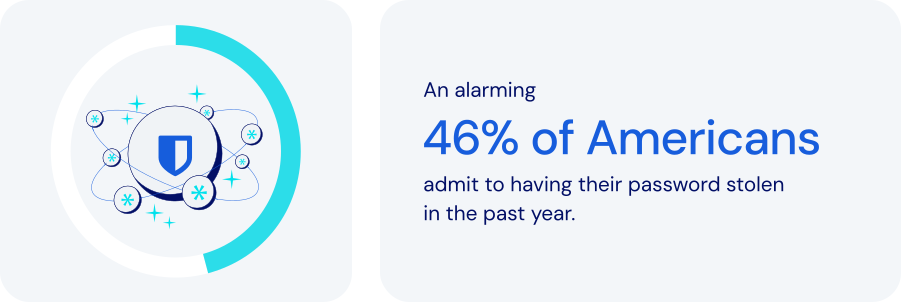
*Source: Forbes Advisor*
### How does password management fit into global operations?
Every global enterprise needs the ability to provide employees, partners, and customers with secure access to important resources while fully complying with international data protection standards. A robust password management platform is critical. Specific features to look for:
- **Centralized credential storage**: secure, encrypted vaults provide unified global access to passwords, replacing insecure channels like email or spreadsheets.
- **Role-Based Access Control (RBAC)**: ensuring that employees have [precise access](https://bitwarden.com/nl-nl/resources/telecommunications-firm-achieves-password-management-adoption/) based on their roles or locations can significantly reduce unauthorized access risks.
- **Structured organization with collections**: [organizing credentials](https://bitwarden.com/nl-nl/help/teams-enterprise-migration-guide/#collections/) by region, department, or project helps facilitate secure, controlled access across global teams.
- **Secure credential sharing**: enabling users to share credentials securely, including hidden credentials, helps strengthen security across teams.
- **Automated provisioning with SCIM**: automatically granting or revoking access to credentials based on employment status simplifies both [employee onboarding and offboarding](https://bitwarden.com/nl-nl/resources/guide-enterprise-password-management-throughout-employee-lifecycle/).
- **Localization and time-zone controls**: multilingual support allows for usability and security tailored to regional needs.
- **Cross-Device remote access**: flexible, secure access from web, desktop, mobile apps, and browser extensions is essential for global and mobile teams.
- **Granular permissions**: flexible permission settings allow access levels to be tailored to specific employee roles.
- **Compliance and audit capabilities**: detailed logs and monitoring facilitate adherence to global standards like [ISO 27001](https://bitwarden.com/nl-nl/resources/how-password-management-helps-companies-achieve-iso-27001-certification/), GDPR, CCPA, and SOC 2.
- **Threat detection**: by constantly monitoring credentials against breaches, a password manager can help administrators identify potential threats.
Beyond efficiency and productivity, these features also provide security and documentation tools that make it easier to maintain full compliance across multiple countries, time zones, and cultures.
### How password management keeps global enterprises safer
For global organizations with distributed teams, diverse departments, and complex IT ecosystems, effective password management is crucial for maintaining security, improving collaboration, and ensuring scalability. A platform expressly designed for large-scale environments should allow you to:
- **Enhance security and reduce risk**: centralized management prevents security breaches, reduces insider threats, and ensures data integrity.
- **Boost operational efficiency**: automating password distribution and management can significantly reduce [administrative overhead](https://bitwarden.com/nl-nl/resources/marketing-agency-streamlines-productivity-with-password-management/).
- **Scale easily**: a robust password management system should seamlessly accommodate growth, ensuring continuous security in the face of geographic expansion.
- **Manage risk and compliance**: meeting stringent international regulatory requirements is an important way companies can avoid fines and reputational damage.
- **Improve collaboration**: simple, secure credential access promotes efficient collaboration across geographically dispersed teams.
### How Bitwarden supports global password management
Bitwarden specifically addresses the needs of global organizations with a comprehensive set of security features, access controls, and management tools. These include:
- **Unified Global Vault**: provides a centralized, encrypted vault to securely manage all credentials worldwide.
- **Advanced Role-Based Access Control**: helps minimize risk by precisely controlling user permissions based on specific roles.
- **Comprehensive System for Shared Collections**: effectively organizes credentials for teams across regions and departments.
- **Automated SCIM Integration**: streamlines user onboarding and succession, ensuring immediate updates to credential access.
- **Multi-language and Device Accessibility**: supports over 50 languages, with cross-device support, enabling secure remote access for international teams.
- **Real-Time Password Updates**: helps maintain security continuity by allowing for quick updates to passwords that sync across all systems.
- **Compliance and Auditing Tools**: maintain detailed [audit logs](https://bitwarden.com/nl-nl/help/is-bitwarden-audited/#third-party-security-audits/) to help ensure regulatory compliance.
- **Proactive Threat Management**: integrates with [existing SIEM systems](https://bitwarden.com/nl-nl/help/splunk-siem/) for real-time breach monitoring, allowing rapid response to security threats.
### The bottom line
Enterprises operating multinationally face a wide range of unique security threats. Increased connectivity may make the world seem smaller, but the challenges are no less complex.
Bitwarden enables businesses to manage access and credentials across distributed teams, multiple locations, and complex infrastructures. Every facet of the platform is designed to support business growth and operational excellence worldwide. Just one more reason Bitwarden is regarded as the most trusted name in password management.
### What makes Bitwarden stand out from the pack?
Bitwarden provides the industry's most scalable and comprehensive offerings for global organizations.
Unlike other password management solutions, Bitwarden:
- Has cloud offerings across the U.S. and Europe.
- Provides options to [self-host](https://bitwarden.com/nl-nl/self-hosted-password-manager-on-premises/) in air-gapped, local, and private cloud environments.
- Offers provider portal options tailored for [MSPs](https://bitwarden.com/nl-nl/msp/) and large enterprises, enabling the management of multiple Bitwarden instances for various clients or constituents. For large organizations, this can involve centralized Bitwarden administration across different business units.
- Delivers a trusted open-source solution that encourages adoption.
- Translates client applications into over 50 languages, showcasing suitability for global employees.
- Allows companies to manage multiple instances across business units.
## Profiteer nu van krachtige, vertrouwde wachtwoordbeveiliging. Kies uw plan.
## Persoonlijk
### Gratis
**$0**
*per maand*
*Altijd gratis*
Krijg een Bitwarden-kluis
- Onbeperkt aantal apparaten
- Beheer van wachtwoorden
- Alle kernfuncties
- Altijd gratis
Kluisitems met één andere gebruiker delen
[Begin vandaag](https://bitwarden.com/go/start-free/)
---
### Premium
**Less than $1**
*per maand*
*$10 jaarlijkse rekening*
Geniet van premium functies
- Bitwarden-authenticator
- Bestand bijlagen
- Noodtoegang
- Veiligheidsrapporten en meer
Kluisitems met één andere gebruiker delen
[Een premium account aanmaken](https://bitwarden.com/go/start-premium/)
---
### Gezinnen
**$3.33**
*per maand*
*Tot 6 gebruikers, $40 jaarlijkse rekening*
Inloggegevens van uw gezin beveiligen
- 6 premium-accounts
- Onbeperkt delen
- Onbeperkte collecties
- Opslag van de organisatie
Kluisitems tussen zes personen delen
[Gratis 7-daagse proefperiode beginnen](https://bitwarden.com/go/start-families-trial/)
---
De prijzen worden weergegeven in USD en zijn gebaseerd op een jaarabonnement. Belastingen niet inbegrepen.
## Bedrijf
### Teams
*Veerkrachtige bescherming voor groeiende teams*
**$4**
*per maand/per gebruiker, jaarlijkse rekening*
Deel gevoelige gegevens veilig met collega's, afdelingen of het hele bedrijf
- Gegevens veilig delen
- Gebeurtenislogboekbewaking
- Gidsintegratie
- SCIM-ondersteuning
Inclusief premium functies voor alle gebruikers
[Een proefperiode starten](https://bitwarden.com/go/start-teams-trial/)
---
### Enterprise
*Geavanceerde mogelijkheden voor grotere organisaties*
**$6**
*per maand/per gebruiker, jaarlijkse rekening*
Gebruik geavanceerde functies zoals bedrijfsbeleid, SSO zonder wachtwoord en accountherstel.
- Bedrijfsbeleid
- Wachtwoordloze SSO
- Account herstellen
- Zelf-host optie
Inclusief premium functies en gratis gezinsplan voor alle gebruikers
[Een proefperiode starten](https://bitwarden.com/go/start-enterprise-trial/)
---
### Een offerte aanvragen
*Voor bedrijven met honderden of duizenden werknemers, neem contact op met de verkoopafdeling voor een offerte op maat en ontdek hoe Bitwarden kan helpen:*
- Cyberbeveiligingsrisico's verminderen
- Productiviteit verhogen
- Naadloos integreren
Bitwarden schaalt met elk formaat bedrijf om wachtwoordbeveiliging naar uw organisatie te brengen
[Met de verkoopafdeling contact opnemen](https://bitwarden.com/contact-sales/)
---
Prijzen worden weergegeven in USD en zijn gebaseerd op een jaarabonnement
---
URL: https://bitwarden.com/nl-nl/resources/password-management-maturity-model/
---
# Password Management Maturity Model
from Bitwarden
---

Organizations that wish to strengthen security by deploying an [enterprise-wide password manager](https://bitwarden.com/nl-nl/blog/choose-the-best-enterprise-password-manager/) can ensure better resilience by assessing key areas for improvement through the following password management maturity model. This framework helps organizations understand their password manager maturity level — based on their current operations — and identify what steps are necessary to improve their existing classification.
## Table of Contents
[Level 1: Open opportunity](https://bitwarden.com/nl-nl/resources/password-management-maturity-model/#level-1-open-opportunity/)
[Level 2: Launch](https://bitwarden.com/nl-nl/resources/password-management-maturity-model/#level-2-launch/)
[Level 3: Evolve](https://bitwarden.com/nl-nl/resources/password-management-maturity-model/#level-3-evolve/)
[Level 4: Proactive](https://bitwarden.com/nl-nl/resources/password-management-maturity-model/#level-4-proactive/)
[Level 5: Leader](https://bitwarden.com/nl-nl/resources/password-management-maturity-model/#level-5-leader/)
[Password Management Maturity Model](https://bitwarden.com/nl-nl/resources/password-management-maturity-model/#password-management-maturity-model/)
## Level 1: Open opportunity
### The wild west of weak passwords, reused passwords, and potentially compromised passwords

Organizations in the Level 1 category have not deployed an enterprise-wide password manager. The lack of a centralized password management system increases the risk of compromised passwords, as employees may use weak or reused passwords without proper oversight. Instead, employees take a siloed, ad-hoc approach to securing company passwords. This may involve using [browser-based password managers](https://bitwarden.com/nl-nl/blog/why-companies-are-looking-beyond-browser-based-password-managers/), Excel spreadsheets, sharing passwords via Slack, or writing them down on paper and sticky notes. This environment is unlikely to foster a robust security culture or emphasize security best practices. Company-wide training is infrequent or non-existent. When it comes to overall technical maturity, there is a strong likelihood that sensitive or critical data, when shared, is unencrypted and at risk.
- **Password Manager Deployment**: A Level 1 organization has no password manager processes in place, leaving employees to their individual habits.
- **Security Culture**: A Level 1 organization does not emphasize [security best practices](https://bitwarden.com/nl-nl/blog/building-a-cybersecurity-culture-in-the-workplace/) and has minimal security awareness.
- **Technical Maturity**: A Level 1 organization shares sensitive information insecurely, often unencrypted.
Level 1 organizations are starting from the ground up with plenty of opportunities for quick improvements through simple actions that can provide an immediate security boost. The priority next step for a company to improve security is to require one team to use a password manager, typically IT, and then make a plan for a wide-scale rollout.
Level 1 organizations are starting from the ground up with plenty of opportunities for quick improvements through simple actions that can provide an immediate security boost.
## Level 2: Launch
### Wading into the world of free password managers

Level 2 indicates a slightly more mature, but still growing, approach towards strong password security and management. Organizations at this stage are not using an enterprise-wide password manager, and [password security practices](https://bitwarden.com/nl-nl/blog/6-things-to-keep-your-passwords-secure/) are decentralized, with employees relying on a combination of browser-based password managers and other built-in password management tools. Some organizations might start with a free password manager before moving to a more centralized solution. Security best practices are a cursory focus during employee onboarding but are not a consistent focus for the organization. Technical maturity at this level is characterized by a mix of encryption practices - some information is encrypted, some isn’t - and two-factor authentication is used sparingly for enhanced identity verification. Organizations seeking to progress from Level 2 to Level 3 should focus on increased awareness and education to establish fundamental credential security practices some of the time.
- **Password Manager Deployment**: Level 2 companies feature decentralized password management or ad hoc use of built-in password managers, such as Apple keychain or those built into browsers.
- **Security Culture**: Level 2 companies place limited emphasis on password security best practices.
- **Technical Maturity**: Level 2 companies contain inconsistent approaches to sharing encrypted information and using [multifactor authentication](https://bitwarden.com/nl-nl/blog/basics-of-two-factor-authentication-with-bitwarden/) (2FA).
Level 2 companies place a slightly larger emphasis on data security, but overall practices remain decentralized. The immediate next step to improve security is to select a centralized, cross-platform password manager that works across all employee devices and begin a phased rollout.
Level 2 companies place a slightly larger emphasis on data security, but overall practices remain decentralized.
## Level 3: Evolve
### Exploration of other password managers and the start of protecting sensitive data

Moving from Level 2 to Level 3 represents a significant step toward securing your business. Limited teams within the organization rely on a stand-alone password manager, but overall deployment remains minimal. Security training is more frequent and consistent, and employees experience more frequent alerts when engaging in obvious and potentially risky security practices. From a technical maturity standpoint, employees who collectively utilize a password management solution have coverage across all company-issued devices and are able to share passwords and other sensitive information securely. Using an encrypted password vault can significantly enhance security by securely storing sensitive information. The ability to securely share data between colleagues marks a departure from Level 2.
- **Password Manager Deployment**: Level 3 companies have some measure of centralized password management, with one or two teams utilizing stand-alone password managers in favor of built-in tools.
- **Security Culture**: Level 3 companies place an increased emphasis on security culture but don’t have tools or systems in place for concrete accountability.
- **Technical Maturity**: Level 3 teams using a centralized password manager benefit from cross-platform coverage across devices and [secure sharing between employees](https://bitwarden.com/nl-nl/blog/password-sharing-best-practices-for-teams/).
Level 3 companies are moving in a more centralized, albeit spotty, direction toward prioritizing data security. The next step to improve security is to broaden password management coverage from a phased rollout into a company-wide rollout.
Level 3 companies are moving in a more centralized, albeit spotty, direction toward prioritizing data security.
## Level 4: Proactive
### Getting serious about all your passwords and ensuring employees use an encrypted vault

Level 4 is marked by the universal adoption of an enterprise-wide password manager, with a [deployment initiated across the organization](https://bitwarden.com/nl-nl/blog/deployment-strategies-for-password-managers/). It is crucial to create a strong master password to secure the password manager. All employees are urged to use the company password manager to create, store, and share passwords with other team members. Additionally, security training is normalized and accepted by the entire organization, with management tracking and incentivizing participation through detailed training modules. Level 4 technical maturity indicates enterprise-wide password management with directory services integration and single sign-on. Integration with directory services (which may include Active Directory/Entra, Google Workspace, or OneLogin) syncs users and groups from an external directory to the password manager. [Integration with single sign-on](https://bitwarden.com/nl-nl/blog/easily-integrate-single-sign-on-security-with-flexible-solutions/) enables organizations to leverage their existing identity provider to authenticate users with their enterprise password manager.
- **Password Manager Deployment**: Level 4 companies have deployed a stand-alone password manager across the organization, with teams heavily encouraged to completely eschew built-in tools and ad-hoc practices.
- **Security Culture**: Level 4 companies offer regular security training and incentivize attendance with participation metrics.
- **Technical Maturity**: Level 4 companies have integrated password managers with IT workflows, including directory services and single sign-on (SSO).
Level 4 companies have taken a much more uniform, concrete approach to data security, with a focus on ensuring universal coverage. The next step to improve security is to mandate enterprise-wide password management across the organization. Once that is in progress, enable [passwordless authentication](https://bitwarden.com/nl-nl/blog/enterprise-passwordless-sso-brings-better-productivity-and-user-sign-in/) and require multifactor authentication (2FA) for all teams.
Level 4 companies have taken a much more uniform, concrete approach to data security, with a focus on ensuring universal coverage.
## Level 5: Leader
### A password-managing powerhouse using a strong master password, unique passwords, and passwordless authentication

At this stage, an organization has undergone full-scale adoption of an enterprise-wide password manager integrated into organizational workflows. This password vault is used for securely storing and managing sensitive information, including passwords, credit card details, and personal data. Company-wide password management adoption is mandated, with restrictions on alternative password storage methods. Enterprises at this stage offer employees password management family plans to cultivate a 360° security culture, emphasizing personal and professional password management habits. Security training is required for the entire organization, and employees are encouraged to report suspicious cybersecurity activities. Technical maturity is characterized by comprehensive coverage and reporting. The enterprise-wide password manager enables passwordless options from biometrics to [passkeys](https://bitwarden.com/nl-nl/blog/what-are-passkeys-and-passkey-login/), while developers use APIs for integration with other tools, such as SIEM, in order to ensure an effective security stack. Automated scripting with APIs is utilized to enhance administrative control and simplify complex workflows.
- **Password Manager Deployment**: Level 5 companies require all employees to use a stand-alone password manager.
- **Security Culture**: Level 5 companies have instituted mandatory security training, with employees taking the initiative to flag suspicious activity to the IT department.
- **Technical Maturity**: Level 5 companies have embraced an enterprise-wide password manager that offers passwordless authentication, requires multifactor authentication (2FA), and encourages developers to utilize APIs for integration with other tools.
Level 5 companies have a comprehensive, sophisticated, enterprise-wide password management system in place. Companies interested in progressing beyond this point should explore [secrets management tools](https://bitwarden.com/nl-nl/go/secrets-manager/) that secure infrastructure and machine secrets.
At this stage, an organization has undergone full-scale adoption of an enterprise-wide password manager integrated into organizational workflows.
## Password Management Maturity Model

## Profiteer nu van krachtige, vertrouwde wachtwoordbeveiliging. Kies uw plan.
## Persoonlijk
### Gratis
**$0**
*per maand*
*Altijd gratis*
Krijg een Bitwarden-kluis
- Onbeperkt aantal apparaten
- Beheer van wachtwoorden
- Alle kernfuncties
- Altijd gratis
Kluisitems met één andere gebruiker delen
[Begin vandaag](https://bitwarden.com/go/start-free/)
---
### Premium
**Less than $1**
*per maand*
*$10 jaarlijkse rekening*
Geniet van premium functies
- Bitwarden-authenticator
- Bestand bijlagen
- Noodtoegang
- Veiligheidsrapporten en meer
Kluisitems met één andere gebruiker delen
[Een premium account aanmaken](https://bitwarden.com/go/start-premium/)
---
### Gezinnen
**$3.33**
*per maand*
*Tot 6 gebruikers, $40 jaarlijkse rekening*
Inloggegevens van uw gezin beveiligen
- 6 premium-accounts
- Onbeperkt delen
- Onbeperkte collecties
- Opslag van de organisatie
Kluisitems tussen zes personen delen
[Gratis 7-daagse proefperiode beginnen](https://bitwarden.com/go/start-families-trial/)
---
De prijzen worden weergegeven in USD en zijn gebaseerd op een jaarabonnement. Belastingen niet inbegrepen.
## Bedrijf
### Teams
*Veerkrachtige bescherming voor groeiende teams*
**$4**
*per maand/per gebruiker, jaarlijkse rekening*
Deel gevoelige gegevens veilig met collega's, afdelingen of het hele bedrijf
- Gegevens veilig delen
- Gebeurtenislogboekbewaking
- Gidsintegratie
- SCIM-ondersteuning
Inclusief premium functies voor alle gebruikers
[Een proefperiode starten](https://bitwarden.com/go/start-teams-trial/)
---
### Enterprise
*Geavanceerde mogelijkheden voor grotere organisaties*
**$6**
*per maand/per gebruiker, jaarlijkse rekening*
Gebruik geavanceerde functies zoals bedrijfsbeleid, SSO zonder wachtwoord en accountherstel.
- Bedrijfsbeleid
- Wachtwoordloze SSO
- Account herstellen
- Zelf-host optie
Inclusief premium functies en gratis gezinsplan voor alle gebruikers
[Een proefperiode starten](https://bitwarden.com/go/start-enterprise-trial/)
---
### Een offerte aanvragen
*Voor bedrijven met honderden of duizenden werknemers, neem contact op met de verkoopafdeling voor een offerte op maat en ontdek hoe Bitwarden kan helpen:*
- Cyberbeveiligingsrisico's verminderen
- Productiviteit verhogen
- Naadloos integreren
Bitwarden schaalt met elk formaat bedrijf om wachtwoordbeveiliging naar uw organisatie te brengen
[Met de verkoopafdeling contact opnemen](https://bitwarden.com/contact-sales/)
---
Prijzen worden weergegeven in USD en zijn gebaseerd op een jaarabonnement
---
URL: https://bitwarden.com/nl-nl/resources/password-management-small-business/
---
# Small Business Password Management
## What is small business password management and why is it so important?
Most data breaches covered by the media become international news because they deal with global organizations or large well-known enterprises. However, small and medium businesses (SMBs) have most of the same challenges and concerns around data security that enterprises do—just on a smaller scale. They’re also working with smaller budgets and smaller IT teams (if they have in-house IT expertise).
While corporate data from the world’s biggest enterprises might be the most attractive target for many hackers and other malicious actors, SMBs are still at high risk of ransomware, data theft, phishing attacks, and much more. According to a recent [Cumulus Global report](https://www.cumulusglobal.com/the-state-of-smb-cyber-security/), 43% of small and medium businesses have been the target of a cyber attack. Why? Hackers often view SMB data as “low-hanging fruit” because they assume smaller businesses don't have the robust security or protection that big corporations can afford.
No matter how small your business or your security budget, there is a lot you can do to protect your company data—and it all starts with **passwords**.

43% of small and medium businesses have been the target of a cyber attack
[Cumulus Global report](https://www.cumulusglobal.com/the-state-of-smb-cyber-security/)
## How password overload leads to increased security risks
Today, web users need a password for practically every site they visit online, and every application they use in their daily work. The issue with needing so many passwords is that it’s impossible to remember them all. People will use the same password or a small collection of passwords across dozens or even hundreds of online accounts to overcome that challenge. Reused passwords also tend to be ones that are easy to remember by using personal information, such as birthdays, anniversaries, or the names of children or pets.
It is so risky to reuse easy-to-remember passwords because hackers can easily gain access to that information through social media sites. And by reusing passwords across multiple sites, hacker computers can brute-force one account password and then use that information to gain access to all other accounts with the same credentials.
The key takeaway is that passwords are big business for hackers. In fact, a majority of data breaches and security incidents are caused by threat actors gaining access to weak passwords. Business and personal email account passwords, for example, are particularly desirable to hackers because they can use your email to reset passwords on other sites and gain access to confidential documents without your knowledge. The solution is to take password management seriously by making it part of your overall business security strategy.

## Why business password managers should be a critical part of every SMB security strategy
A password manager is one of the best ways to protect your entire company from password theft or misuse. Password managers are computer programs that store, encrypt, and manage login information for users, including usernames and passwords. They can log you into those sites and applications automatically and keep them protected from hackers. A single master password is typically used to get into the password database, so that’s just one password to remember. A password manager will also help you generate strong, unique passwords that aren’t based on personal information. Because the password information is stored and managed in a central repository, you can access it on virtually any device you use, whether it’s a desktop computer, laptop, smartphone, or tablet.
With a small business password manager, everyone in your company is freed from having to remember their login information for every single website and application they use. The way it typically works is, when you visit a website, instead of typing a username and password into the site’s entry screen, you can simply type your master password into the password manager. The password manager system then automatically enters the website login information for you. With your master password, you can easily and efficiently access every account or website you have. Passwords aren’t the only information you can store, either.
Small business password managers can also store other private data, such as corporate credit card numbers. The applications can also protect against phishing in cases where you accidentally mistype a website name and go to a fake site operated by a malicious actor. Say you wanted to log into your bank account at citibank.com, but in your hurry you typed citibnak.com. If a hacker had set up a phishing site at the misspelled site, you might think you were on a legitimate bank site. Without a password manager, you might try to log in with your username and password—and now the hacker has that information. A password manager, however, would detect the misspelled URL and not enter your login information, alerting you to the problem.
## Why relying on your browser-based password manager is risky
Most of today’s web browsers, including Chrome and Firefox, have built-in password managers, but they don’t compare to the protection and security of a dedicated application. Here’s why:
- Some browsers don’t encrypt your password data, leaving that information easily accessible to anyone who knows where to look.
- Browser-based password managers are designed for individual use, which means they don’t support the sharing of credentials among work partners or teams.
- Browser-based password managers lack important features such as password generator, and cross-platform support, meaning you won’t be able to access passwords on all your devices.
- For businesses, the ability to log events and conduct audits is important. Browser-based password managers don’t provide these capabilities.
## The benefits of using a password manager for SMB security
- No more passwords to memorize—just a single master password.
- Your passwords will be highly secure and unique across every site, application, and user.
- Access passwords and other secured data from practically anywhere, on any device; this is especially beneficial for remote workers and employees who travel from site to site.
- Save time with auto-filled login information; some managers can also auto-fill other data such as name, address, phone, email, and so on.
- Protect your company and personal data; with strong unique passwords, your accounts are essentially siloed from each other, so if a hacker gets into one, they don’t get into everything.
## Important considerations when choosing your small business password manager
Based in the U.K., the National Cyber Security Centre (NCSC) has some recommendations for SMBs that want to improve password security and are looking for a password manager. The two most important things you can do to protect company data are:
1. Use a **strong, unique password for your email**—using three random words, for instance.
2. Turn on **two-step verification** for your email, so you will use a password and then a secondary identification, such as a code you receive by text.
When selecting a password manager for your small business, be sure to find one that makes it effortless to create strong, unique passwords for every account; supports two-step verification; streamlines and simplifies the backup of all stored passwords and other data.
Other considerations for choosing the best small business password manager include the following:
- **Ease of use.** Because everyone in the company will use it, your password manager should be simple and user-friendly. The application won’t help if people don’t use it.
- **Integration.** A password manager that doesn’t interoperate with your existing IT infrastructure won’t be of much use. SMBs typically have small IT teams if they have them at all, so whatever helps streamline management and operations is a plus.
- **Simple admin management.** Administrative controls are important, and a password manager shouldn’t add complexity to IT’s workload.
- **Reporting capabilities.** A good password manager will provide a variety of report options that allow you to gain insight into adoption and usage across the company and any issues to address.
- **Compliance support.** As industry and governmental regulations continue to evolve around data security, it’s important to be able to set policies within the password manager to monitor that users are staying compliant.

## Why Bitwarden is the top business password manager for SMBs
In July 2022, TechRepublic named Bitwarden the "[Best Password Manager for SMBs](https://www.techrepublic.com/article/best-tech-products-companies/)." TechRepublic writer Jack Wallen said he ranked Bitwarden as number one “not only because it’s open-source, but because it offers a perfect blend of simplicity and advanced features. Bitwarden works incredibly well on every platform and every browser.” Even on the free tier, he said, “you still get unlimited passwords and just enough features to make Bitwarden a perfect platform for those new to using a password manager.”
Trusted by thousands of businesses and millions of end users globally for secure password storage and sharing, Bitwarden allows SMBs to store logins, secure notes, and more; collaborate and share securely across teams and departments; and access login data anywhere on any device.
As Wallen mentioned, the Bitwarden commitment to open source software makes the password manager a leader in trust and security—especially because Bitwarden source code can be inspected and reviewed by anyone. This means businesses don’t just have to trust that the software is secure; you can [inspect the code](https://github.com/bitwarden) to verify that yourself. Bitwarden also participates in an independent security researchers program and regularly employs third-party auditors, such as [Cure53](https://cure53.de/), for penetration testing and official security assessments.
The open source nature of Bitwarden paired with industry-leading security protocols such as end-to-end AES-256-bit encryption, salted hashing, and PBKDF2 SHA-256 sets Bitwarden apart from other solutions. Bitwarden seals your data with zero-knowledge encryption before it ever leaves your device, and only you have access to it. Not even the Bitwarden team can view the private information stored in your vault.
## How to get started with Bitwarden
**Step 1.** [Choose the plan](https://bitwarden.com/nl-nl/pricing/business/) that best fits your business (or personal) needs.
**Step 2.** Start your [free 7-day trial](https://bitwarden.com/nl-nl/go/start-enterprise-trial/) and **remember to store your master password in a safe place**.
**Step 3.** Explore the [download options](https://bitwarden.com/nl-nl/download/) to access your Bitwarden vault across all preferred browsers and devices.
*Have questions or need assistance? *[*Contact sales*](https://bitwarden.com/nl-nl/contact-sales/)* to get more information on features, pricing, and deployment options.*
## Profiteer nu van krachtige, vertrouwde wachtwoordbeveiliging. Kies uw plan.
## Persoonlijk
### Gratis
**$0**
*per maand*
*Altijd gratis*
Krijg een Bitwarden-kluis
- Onbeperkt aantal apparaten
- Beheer van wachtwoorden
- Alle kernfuncties
- Altijd gratis
Kluisitems met één andere gebruiker delen
[Begin vandaag](https://bitwarden.com/go/start-free/)
---
### Premium
**Less than $1**
*per maand*
*$10 jaarlijkse rekening*
Geniet van premium functies
- Bitwarden-authenticator
- Bestand bijlagen
- Noodtoegang
- Veiligheidsrapporten en meer
Kluisitems met één andere gebruiker delen
[Een premium account aanmaken](https://bitwarden.com/go/start-premium/)
---
### Gezinnen
**$3.33**
*per maand*
*Tot 6 gebruikers, $40 jaarlijkse rekening*
Inloggegevens van uw gezin beveiligen
- 6 premium-accounts
- Onbeperkt delen
- Onbeperkte collecties
- Opslag van de organisatie
Kluisitems tussen zes personen delen
[Gratis 7-daagse proefperiode beginnen](https://bitwarden.com/go/start-families-trial/)
---
De prijzen worden weergegeven in USD en zijn gebaseerd op een jaarabonnement. Belastingen niet inbegrepen.
## Bedrijf
### Teams
*Veerkrachtige bescherming voor groeiende teams*
**$4**
*per maand/per gebruiker, jaarlijkse rekening*
Deel gevoelige gegevens veilig met collega's, afdelingen of het hele bedrijf
- Gegevens veilig delen
- Gebeurtenislogboekbewaking
- Gidsintegratie
- SCIM-ondersteuning
Inclusief premium functies voor alle gebruikers
[Een proefperiode starten](https://bitwarden.com/go/start-teams-trial/)
---
### Enterprise
*Geavanceerde mogelijkheden voor grotere organisaties*
**$6**
*per maand/per gebruiker, jaarlijkse rekening*
Gebruik geavanceerde functies zoals bedrijfsbeleid, SSO zonder wachtwoord en accountherstel.
- Bedrijfsbeleid
- Wachtwoordloze SSO
- Account herstellen
- Zelf-host optie
Inclusief premium functies en gratis gezinsplan voor alle gebruikers
[Een proefperiode starten](https://bitwarden.com/go/start-enterprise-trial/)
---
### Een offerte aanvragen
*Voor bedrijven met honderden of duizenden werknemers, neem contact op met de verkoopafdeling voor een offerte op maat en ontdek hoe Bitwarden kan helpen:*
- Cyberbeveiligingsrisico's verminderen
- Productiviteit verhogen
- Naadloos integreren
Bitwarden schaalt met elk formaat bedrijf om wachtwoordbeveiliging naar uw organisatie te brengen
[Met de verkoopafdeling contact opnemen](https://bitwarden.com/contact-sales/)
---
Prijzen worden weergegeven in USD en zijn gebaseerd op een jaarabonnement
---
URL: https://bitwarden.com/nl-nl/resources/password-manager-sync/
---
# Why Password Manager Sync is Important for Security
Optimize password manager sync for enhanced multi-cloud security. Streamline access, boost productivity, and empower your tech strategy today!
---
## Een fundamentele laag voor veilige, consistente toegang in multi-cloud omgevingen
### Wachtwoordbeheer synchronisatie versterkt multi-cloud beveiliging
Technologieteams die inloggegevens en andere gevoelige informatie beheren over meerdere cloud-infrastructuurproviders, zoals AWS, Azure en Google Cloud Platform, worden geconfronteerd met toenemende complexiteit naarmate het gebruik groeit. Dit komt doordat elke omgeving zijn eigen unieke authenticatie, geheimenbeheer en toegangsbeheervereisten met zich meebrengt. Zonder een consistente aanpak voor veilig wachtwoordbeheer en synchronisatie van inloggegevens kunnen deze gefragmenteerde systemen gemakkelijk uitgroeien tot een nachtmerrie voor productiviteit en beveiliging, waardoor het risico op toegangsfouten, verkeerde configuraties en beveiligingskwetsbaarheden toeneemt.
Hier komt wachtwoordbeheer synchronisatie van pas. Een moderne, cloud-gebaseerde wachtwoordmanager met versleutelde synchronisatie zorgt ervoor dat inloggegevens consistent, actueel en veilig blijven over multi-cloud platforms en apparaten. Het vereenvoudigt wachtwoordupdates, ondersteunt accountherstel en helpt ervoor te zorgen dat unieke wachtwoorden worden gebruikt voor alle diensten. Voor organisaties die werken met hybride of multi-cloud infrastructuur, fungeert een gesynchroniseerde wachtwoordkluis zowel als productiviteitsversterker als een kritieke verdedigingslaag.
Deze post onderzoekt hoe synchronisatie van wachtwoordbeheerders de multi-cloud beveiliging versterkt door centralisatie van inloggegevensbeheer, wat zorgt voor verbeterde toegangsconsistentie en vermindering van de risico's die gepaard gaan met hergebruik en verouderde wachtwoorden. Het biedt ook best practices voor synchronisatie tussen apparaten, het handhaven van toegangsbeleid en het mogelijk maken van veilige samenwerking in snel veranderende cloudomgevingen.
## How password manager sync works to deliver secure passwords and centralized access
Password manager sync ensures that all authorized devices, users, and platforms have access to the same up-to-date, secure passwords automatically and securely. When passwords are changed, revoked, or generated, the sync process ensures that every linked device reflects that change.
In multi-cloud environments where infrastructure is dynamic and cross-functional teams need access to shared systems, syncing plays a critical role in both productivity and risk mitigation. If a device is lost or replaced, users can recover their credentials instantly through a secure, encrypted vault synced via the cloud. Within organizational settings, administrators can assist in recovery using Bitwarden’s [Account recovery administration policy](https://bitwarden.com/nl-nl/help/policies/#account-recovery-administration/). Syncing also enables centralized updates during security incidents, reducing the risk of inconsistent access control or overlooked systems.
This syncing capability, when combined with a zero-knowledge encryption model and role-based access controls, helps organizations maintain consistent, enforceable security policies without adding friction to day-to-day workflows.
## Real-world example: Password manager sync in action
When deployed across teams, synced password manager access improves both coordination and response times, reducing the daily friction of managing credentials across different cloud services and platforms. Instead of chasing expired credentials or searching through messages for the latest login, teams receive secure updates automatically. For example, if a DevOps engineer updates root credentials for a cloud project, those changes appear immediately in each authorized password vault, eliminating manual distribution, minimizing disruption, and helping teams to stay focused on higher-priority work.
Sync also simplifies recovery workflows. In the event of device loss or replacement, users can restore access by signing in to their account on a new device. The encrypted vault is then synced from the cloud, allowing credentials to be recovered securely and without disruption.
For more information on how syncing works, refer to the[ Vault Sync Guide](https://bitwarden.com/nl-nl/help/vault-sync/).
## How to use password manager sync across all platforms
After understanding what password manager sync enables, the next step is putting it into practice. Bitwarden, one of the most trusted cloud-based password managers, offers secure syncing across desktop, mobile, and browser environments, giving teams consistent access to shared credentials while maintaining strong encryption and centralized control.
Each Bitwarden app is built to maintain a sync with the vault, so when a password is created, changed, or shared, the update propagates instantly to all authorized devices. This eliminates version drift and reduces the risk of access errors across environments like AWS, Azure, and GCP.
### **Sync across desktop, mobile, and browsers**
To begin, [download Bitwarden](https://bitwarden.com/nl-nl/download/) for the preferred platform and choose from one of the dedicated setup guides below:
- [Desktop Setup](https://bitwarden.com/nl-nl/help/getting-started-desktop/) – Covers installation, vault login, and sync behavior across Windows, macOS, and Linux.
- [Mobile App Guide](https://bitwarden.com/nl-nl/help/getting-started-mobile/) – Enables secure, synced access on the go with biometric authentication, PIN unlock, and mobile autofill.
- [Browser Extension Setup](https://bitwarden.com/nl-nl/help/auto-fill-browser/) – Offers inline autofill, password generation, and synced vault access across major browsers.
These platform-specific options give teams the flexibility to access and manage their credentials wherever they work. Once users are signed into a Bitwarden client and granted access to vault items through [Collections](https://bitwarden.com/nl-nl/help/about-collections/), real-time syncing ensures updates made in one location are reflected across all authorized devices. This helps users stay focused on high-priority tasks instead of chasing outdated logins.
Try syncing the first set of multi-cloud credentials now: [Import Passwords](https://bitwarden.com/nl-nl/help/import-data/).
## Best practices for using a secure password manager in multi-cloud environments
In complex, multi-cloud environments, syncing credentials is only one part of the equation. Without policies in place to manage how credentials are accessed and by whom, even a well-synced system can fall short. Security leaders need to pair syncing with access management, encryption enforcement, and operational best practices that support secure collaboration at scale.
Bitwarden supports these needs through vault-based access policies, role permissions, and end-to-end encryption, giving administrators the tools to align password sync with their organization’s security requirements.
### **Use role-based access and access management to share passwords securely**
[Bitwarden Organizations](https://bitwarden.com/nl-nl/products/organizations/) provides a structured way to manage shared credentials while enforcing access segmentation. Credentials can be grouped into Collections by cloud provider, environment, or project team, with access assigned based on a user’s role or responsibilities. This ensures that team members only see the credentials relevant to their work, minimizing unnecessary exposure and improving audit visibility.
In high-velocity infrastructure teams, this structure reduces the need for ad hoc credential sharing and simplifies onboarding. Instead of provisioning passwords manually for each new cloud account or service, administrators can assign vault access based on team role, supporting security and simplifying operations.
### **Enforce end-to-end encryption and multifactor authentication standards**
Security is only as strong as the protections surrounding credential sync. Bitwarden ensures all vault data is encrypted on the device before syncing, using a zero-knowledge encryption model that prevents even Bitwarden from accessing stored credentials.
- Strong master password policies to help defend against brute-force or credential-stuffing attacks
- [Two-factor authentication](https://bitwarden.com/nl-nl/help/setup-two-step-login/) via Bitwarden or your existing identity provider (e.g., login with SSO)
- Session timeouts or reauthentication requirements for sensitive vault actions
To streamline authentication, Bitwarden also supports [TOTP Sync Setup](https://bitwarden.com/nl-nl/help/totp-sync/) for time-based one-time passwords within the vault.
These measures help prevent unauthorized access and ensure credentials and other sensitive data, such as secure notes, remain protected even if a device is lost or compromised.
### **Example: Synchronized access with policy enforcement**
A cloud infrastructure team managing projects in AWS and GCP maintains distinct Collections for each platform. When a lead engineer updates the access credentials for a production deployment, Bitwarden syncs the changes across all authorized users — while access remains restricted to only those assigned to the production team. There is no need to notify individuals manually, no risk of outdated credentials being used, and no loss of audit visibility.
For IT administrators and cloud security leads, this approach reduces complexity while preserving control. Instead of relying on fragmented systems or unsecured channels to distribute passwords, teams operate from a centralized, encrypted source of truth, with sync and policy enforcement working together to support secure collaboration.
Explore the [Bitwarden web vault](https://vault.bitwarden.com/) for secure, consistent access.
## Streamline workflows with autofill, password generator tools, and web browser extensions
Navigating between cloud portals, infrastructure dashboards, and third-party services often means entering credentials dozens of times a day. Bitwarden browser extensions and mobile auto-fill features turn password manager sync into a real-time productivity asset, reducing manual entry and minimizing the risk of errors or delays.
The Bitwarden browser extension provides secure access to the vault directly within Chrome, Firefox, Edge, Safari, and other supported browsers. Once enabled, it allows users to store passwords, autofill credentials into login fields, and update entries as needed, with changes syncing immediately across all authorized devices.
Mobile users can also configure auto-fill for Android and iOS devices to ensure secure, on-the-go access:
[**Set up Android auto-fill**](https://bitwarden.com/nl-nl/help/auto-fill-android/) for synced credential use across mobile apps and browsers.
[**Configure iOS auto-fill**](https://bitwarden.com/nl-nl/help/auto-fill-android/) to streamline access to secure apps and cloud dashboards.
For infrastructure teams managing multiple cloud accounts, auto-fill accelerates repetitive tasks without sacrificing security. A project manager, for instance, can move between AWS, Azure, and Google Cloud logins without delays or duplicated effort, knowing every credential is synced, encrypted, and up to date.
Auto-fill and sync work in tandem to improve speed and reduce cognitive load, while vault data remains encrypted on the device and never stored in the browser.
Discover how[ Bitwarden keeps your vault secure](https://bitwarden.com/nl-nl/blog/vault-security-bitwarden-password-manager/).
## Leverage the power of multi-device password sync with Bitwarden
For organizations managing infrastructure across multiple cloud platforms, password manager sync plays a vital role in maintaining secure, consistent access. A synced vault helps enforce credential policies, reduce login friction, and ensure that updates are available in real time, supporting both operational agility and risk reduction.
Bitwarden enables this through encrypted, cross-platform syncing with built-in support for role-based access, auto-fill, and secure credential sharing. These features help security teams manage passwords and other secrets at scale while maintaining centralized oversight and control.
Start syncing cloud credentials securely and efficiently.[ Sign up for Bitwarden](https://bitwarden.com/nl-nl/pricing/) today or learn more on the[ Bitwarden Tools and Features](https://bitwarden.com/nl-nl/tools-and-features/) page.
## Profiteer nu van krachtige, vertrouwde wachtwoordbeveiliging. Kies uw plan.
## Persoonlijk
### Gratis
**$0**
*per maand*
*Altijd gratis*
Krijg een Bitwarden-kluis
- Onbeperkt aantal apparaten
- Beheer van wachtwoorden
- Alle kernfuncties
- Altijd gratis
Kluisitems met één andere gebruiker delen
[Begin vandaag](https://bitwarden.com/go/start-free/)
---
### Premium
**Less than $1**
*per maand*
*$10 jaarlijkse rekening*
Geniet van premium functies
- Bitwarden-authenticator
- Bestand bijlagen
- Noodtoegang
- Veiligheidsrapporten en meer
Kluisitems met één andere gebruiker delen
[Een premium account aanmaken](https://bitwarden.com/go/start-premium/)
---
### Gezinnen
**$3.33**
*per maand*
*Tot 6 gebruikers, $40 jaarlijkse rekening*
Inloggegevens van uw gezin beveiligen
- 6 premium-accounts
- Onbeperkt delen
- Onbeperkte collecties
- Opslag van de organisatie
Kluisitems tussen zes personen delen
[Gratis 7-daagse proefperiode beginnen](https://bitwarden.com/go/start-families-trial/)
---
De prijzen worden weergegeven in USD en zijn gebaseerd op een jaarabonnement. Belastingen niet inbegrepen.
## Bedrijf
### Teams
*Veerkrachtige bescherming voor groeiende teams*
**$4**
*per maand/per gebruiker, jaarlijkse rekening*
Deel gevoelige gegevens veilig met collega's, afdelingen of het hele bedrijf
- Gegevens veilig delen
- Gebeurtenislogboekbewaking
- Gidsintegratie
- SCIM-ondersteuning
Inclusief premium functies voor alle gebruikers
[Een proefperiode starten](https://bitwarden.com/go/start-teams-trial/)
---
### Enterprise
*Geavanceerde mogelijkheden voor grotere organisaties*
**$6**
*per maand/per gebruiker, jaarlijkse rekening*
Gebruik geavanceerde functies zoals bedrijfsbeleid, SSO zonder wachtwoord en accountherstel.
- Bedrijfsbeleid
- Wachtwoordloze SSO
- Account herstellen
- Zelf-host optie
Inclusief premium functies en gratis gezinsplan voor alle gebruikers
[Een proefperiode starten](https://bitwarden.com/go/start-enterprise-trial/)
---
### Een offerte aanvragen
*Voor bedrijven met honderden of duizenden werknemers, neem contact op met de verkoopafdeling voor een offerte op maat en ontdek hoe Bitwarden kan helpen:*
- Cyberbeveiligingsrisico's verminderen
- Productiviteit verhogen
- Naadloos integreren
Bitwarden schaalt met elk formaat bedrijf om wachtwoordbeveiliging naar uw organisatie te brengen
[Met de verkoopafdeling contact opnemen](https://bitwarden.com/contact-sales/)
---
Prijzen worden weergegeven in USD en zijn gebaseerd op een jaarabonnement
---
URL: https://bitwarden.com/nl-nl/resources/password-sharing-best-practices/
---
# Password sharing best practices
## Share passwords securely and protect sensitive information
With the sheer number of online accounts created for work, shopping, entertainment, and communication, it’s easy to lose track of passwords or fall into the trap of reusing the same one across multiple sites. This can put sensitive information, such as confidential data and credit card details, at risk.
Password sharing, when done securely, offers significant advantages for both individuals and teams. In a professional setting, it enables team members to access shared accounts — such as social media platforms, project management tools, or client portals — without compromising security. For families and individuals, it means everyone can enjoy streaming services or online subscriptions without the hassle of managing multiple logins.
In the interest of convenience, people often resort to sharing passwords via unsafe means such as unencrypted email platforms, spreadsheets, text messages, or sticky notes. These methods are not secure. Fortunately, it is entirely possible to source practical and effective solutions for those who want to protect sensitive data while also striking a balance between usability and security. The key to safe password sharing lies in using a password manager that allows users to share passwords through secure links and end-to-end encryption.
## How to safely share passwords verbally or over email
### Sharing passwords verbally
Many people will default to sharing passwords verbally or via email, so it’s worth addressing how to engage in both non-digital and digital sharing methods safely. When sharing sensitive information verbally or via email or messaging platform, remember to be politely paranoid and use two-factor communication to verify someone’s identity before fulfilling a request.
Verbally sharing passwords should be done in person or over a secure call, with the understanding that there are potential risks involved (e.g., overheard conversations). This strategy is likely best suited for those sharing a limited number of passwords with 1-2 people, rather than a larger group. It also may not be as quick and convenient as sharing digitally.
### Sharing passwords via email or a messaging platform
Those who are busy with family obligations or remote workflows may find it tempting to share passwords via email. However, for cases where sensitive information must be shared digitally via email or a messaging platform, security experts recommend using dedicated encrypted communication tools, such as Bitwarden Send. Services like this create encrypted links that can be password-protected, set to expire automatically, and deleted after viewing, providing robust security specifically designed for sensitive information.
## Secure password sharing with a dedicated password manager
The most secure option for [sharing passwords](https://bitwarden.com/nl-nl/blog/how-to-share-passwords-at-work-at-home-or-on-the-go/) is to use a dedicated password manager. Bitwarden is architected with end-to-end encryption to secure all credentials and critical data in an encrypted vault. Only the Bitwarden user can decrypt their vault by entering their unique master password. Nobody else, not even Bitwarden staff, can access user passwords or any other information in the vault.
Bitwarden offers advanced sharing features with user-friendly solutions. Users who wish to share passwords with a team or their family can create an Organization for that group. Within an Organization, users can further organize their vault with collections, which are groups of related logins that can be shared with specific users. This setup is most advantageous for businesses and families that need to securely share multiple passwords. Admins can easily control access levels for each user within an Organization to prevent full-company access to highly sensitive credentials, or for parents to limit children’s access to logins for certain streaming services.
[Bitwarden Send](https://bitwarden.com/nl-nl/products/send/) is the most appropriate solution for [secure file sharing](https://bitwarden.com/nl-nl/blog/how-to-share-files-and-sensitive-information-securely/) outside of a password manager. Bitwarden Send enables users to create a new Send that includes a file with sensitive information. You can make a secure one-time link to deliver sensitive information, and once the link is viewed, the content is deleted and cannot be retrieved or reaccessed. Bitwarden Send allows users to:
- Send secure texts and secure links
- Send files
- Set an automatic deletion date
- Set an expiration date so that links expire after a certain time or a specified number of accesses, and expired links are no longer valid
- Set a maximum access count
- Create a password that users will need to access the send
- Add notes
- Hide your email address from recipients using Bitwarden Send
- Manually deactivate the Send so no one can access it
## Key advantages of a password manager
There are numerous benefits to utilizing a comprehensive password manager at work and home. They include:
- Enhanced security that stems from enabling users to create, store, and manage strong, unique passwords, thus reducing the risk of data breaches caused by weak or reused passwords
- Centralized approach that organizes credentials and makes it easier for administrators to grant or revoke access as needed
- Reduced ongoing risk of relying on plain-text files or manual logs
- Ability to update shared passwords instantly without multiple messages
- Convenience with features such as autofill for login, which streamlines the process of logging into accounts
- Cross-platform accessibility via mobile devices, laptops, and desktop computers
- Meeting compliance requirements that may necessitate the use of a password manager or another solution that allows for strong internal controls and reduced cybersecurity risks
For those interested in more advanced password management options, Bitwarden offers a [secrets management solution](https://bitwarden.com/nl-nl/products/secrets-manager/) for developers and DevOps teams who are keen on securing their infrastructure and machine secrets. The Bitwarden Secrets Manager centralizes secret storage in a single, end-to-end encrypted solution that offers audit trails of secret access operations and minimizes the risk of data breaches and data leaks.
## Password management for teams
Effective password management is crucial for teams, particularly in business environments where multiple individuals require access to shared resources. IT teams and administrators can utilize password managers to securely store and distribute credentials, ensuring that sensitive information is accessible only to authorized team members. With features that allow the generation of unique passwords for each account, password managers help prevent the common pitfall of password reuse, which can lead to data breaches.
Onboarding new team members becomes more streamlined, as access to necessary accounts and confidential information can be granted quickly and securely. Additionally, password managers make it easy to share sensitive information, such as credit card numbers, confidential files, or client credentials, without exposing data to unnecessary risk. By centralizing password management, teams can maintain better control over who has access to what, protect their accounts, and ensure that all shared information is managed securely and efficiently.
## Additional best practices
Besides dedicated password managers, users should also follow commonsensical tips to ensure that password sharing is as secure as possible. These include:
- Using strong and unique passwords and passphrases
- Never reusing passwords or passphrases
- Always confirming receipt identity
- Only sharing passwords with those who need access
- When possible, utilize two-factor authentication (2FA) to add an extra layer of security
- When clicking on a link, verify that it is a secure link arriving from a trusted source
While convenient, standard messaging applications, such as Slack, WhatsApp, or Microsoft, do not offer the same level of security as dedicated password managers. Readers curious about the scaling process of sharing passwords can read more in this article about [team-focused password sharing strategies](https://bitwarden.com/nl-nl/blog/password-sharing-best-practices-for-teams/).
## Securely share sensitive information with Bitwarden
Password sharing is an everyday necessity in both personal and professional life, but it must be approached with security in mind. By utilizing a password manager equipped with secure password-sharing features such as end-to-end encryption, safe links, and robust access controls, users can confidently and securely share sensitive information without exposing themselves to unnecessary risk. Users can also share passwords in a secure verbal exchange, encrypted emails, or lean on offline password vaults. Overall, these solutions empower users who want to avoid insecure password exchanges that may lead to data breaches or the theft of valuable data. Learn more about [methods for safely sharing passwords at work and at home](https://bitwarden.com/nl-nl/blog/password-sharing-best-practices-for-teams/) to take ownership, feel a sense of agency, and safeguard data.
## Profiteer nu van krachtige, vertrouwde wachtwoordbeveiliging. Kies uw plan.
## Persoonlijk
### Gratis
**$0**
*per maand*
*Altijd gratis*
Krijg een Bitwarden-kluis
- Onbeperkt aantal apparaten
- Beheer van wachtwoorden
- Alle kernfuncties
- Altijd gratis
Kluisitems met één andere gebruiker delen
[Begin vandaag](https://bitwarden.com/go/start-free/)
---
### Premium
**Less than $1**
*per maand*
*$10 jaarlijkse rekening*
Geniet van premium functies
- Bitwarden-authenticator
- Bestand bijlagen
- Noodtoegang
- Veiligheidsrapporten en meer
Kluisitems met één andere gebruiker delen
[Een premium account aanmaken](https://bitwarden.com/go/start-premium/)
---
### Gezinnen
**$3.33**
*per maand*
*Tot 6 gebruikers, $40 jaarlijkse rekening*
Inloggegevens van uw gezin beveiligen
- 6 premium-accounts
- Onbeperkt delen
- Onbeperkte collecties
- Opslag van de organisatie
Kluisitems tussen zes personen delen
[Gratis 7-daagse proefperiode beginnen](https://bitwarden.com/go/start-families-trial/)
---
De prijzen worden weergegeven in USD en zijn gebaseerd op een jaarabonnement. Belastingen niet inbegrepen.
## Bedrijf
### Teams
*Veerkrachtige bescherming voor groeiende teams*
**$4**
*per maand/per gebruiker, jaarlijkse rekening*
Deel gevoelige gegevens veilig met collega's, afdelingen of het hele bedrijf
- Gegevens veilig delen
- Gebeurtenislogboekbewaking
- Gidsintegratie
- SCIM-ondersteuning
Inclusief premium functies voor alle gebruikers
[Een proefperiode starten](https://bitwarden.com/go/start-teams-trial/)
---
### Enterprise
*Geavanceerde mogelijkheden voor grotere organisaties*
**$6**
*per maand/per gebruiker, jaarlijkse rekening*
Gebruik geavanceerde functies zoals bedrijfsbeleid, SSO zonder wachtwoord en accountherstel.
- Bedrijfsbeleid
- Wachtwoordloze SSO
- Account herstellen
- Zelf-host optie
Inclusief premium functies en gratis gezinsplan voor alle gebruikers
[Een proefperiode starten](https://bitwarden.com/go/start-enterprise-trial/)
---
### Een offerte aanvragen
*Voor bedrijven met honderden of duizenden werknemers, neem contact op met de verkoopafdeling voor een offerte op maat en ontdek hoe Bitwarden kan helpen:*
- Cyberbeveiligingsrisico's verminderen
- Productiviteit verhogen
- Naadloos integreren
Bitwarden schaalt met elk formaat bedrijf om wachtwoordbeveiliging naar uw organisatie te brengen
[Met de verkoopafdeling contact opnemen](https://bitwarden.com/contact-sales/)
---
Prijzen worden weergegeven in USD en zijn gebaseerd op een jaarabonnement
---
URL: https://bitwarden.com/nl-nl/resources/passwordless-authentication/
---
# Passwordless authentication
What you need to know
---
### What exactly is passwordless authentication?
Passwordless Authentication refers to a range of sophisticated login methods that move beyond traditional passwords. Instead, they leverage biometrics, physical security devices, or software-centric cryptographic keys known as passkeys. Passkeys are a particularly popular approach. These use public-key cryptography.

*Source: Fidoalliance.org*
### How does password management fit in here?
Modern password management platforms securely generate, store, and synchronize [passkeys](https://bitwarden.com/nl-nl/blog/what-are-passkeys-and-passkey-login/) according to FIDO2 and WebAuthn standards. This simplifies user access across devices while easing the transition away from traditional passwords. Specific features to look for:
- **Secure generation and storage**: automatically creates and securely stores passkeys (FIDO2/WebAuthn) and cryptographic keys.
- **Cross-device synchronization**: ensures passkeys and credentials stay in sync across trusted devices.
- [**Biometric integration**](https://bitwarden.com/nl-nl/blog/living-the-passwordless-life/): supports Face ID, Touch ID, Windows Hello, and Android Biometrics.
- **Legacy system compatibility**: manages traditional passwords alongside passkeys.
- [**Phishing protection**](https://bitwarden.com/nl-nl/blog/how-do-passkeys-work/): prevents credential exposure through domain-specific credential autofill.
Together, these features help maximize the effectiveness of Passwordless Authentication. They also make it easier for everyone within an organization to get on board with newer, more secure technology.
### How passwordless authentication keeps today’s businesses safer
By eliminating traditional password vulnerabilities, Passwordless Authentication strengthens cybersecurity while reducing associated risks and costs. It can also drive significant improvements in [user experience](https://bitwarden.com/nl-nl/products/passwordless/), compliance, and operational efficiency.
The benefits of passwordless authentication include:
- **Enhanced security with passwordless authentication solutions**: mitigate phishing, credential stuffing, and brute-force attacks.
- **Improved user experience**: streamline authentication using either biometric or device-based methods.
- **Reduced IT costs**: minimize password resets and related support requests.
- **Compliance assurance**: support regulatory compliance for [ISO 27001](https://bitwarden.com/nl-nl/resources/how-password-management-helps-companies-achieve-iso-27001-certification/), GDPR, SOC 2, HIPAA, and PCI DSS.
- **Efficient onboarding/offboarding**: simplify [employee transitions](https://bitwarden.com/nl-nl/resources/guide-enterprise-password-management-throughout-employee-lifecycle/) without password vulnerability issues.
- **Remote work security**: provide secure authentication from anywhere.
- **Competitive advantage**: demonstrate proactive cybersecurity leadership.
Passwordless Authentication offers a powerful way for businesses and organizations to reduce security risks, improve efficiency, and streamline access.
### How Bitwarden delivers passwordless authentication solutions and passkeys
Bitwarden helps businesses transition to passwordless authentication solutions by securely managing passkeys alongside legacy credentials, all through a robust integrated platform. This comprehensive set of security features, access controls, and management tools includes:
- **Passwordless SSO**: devices that have been designated as trusted are able to authenticate and login with [Single Sign-On](https://bitwarden.com/nl-nl/blog/bitwarden-password-manager-login-with-sso/) without entering a password. Enable passkey‑based login for trusted devices via SSO without entering a password.
- **Comprehensive passkey support**: provides [secure passkey generation](https://bitwarden.com/nl-nl/blog/bitwarden-launches-passkey-management/), management, and synchronization.
- **Biometric unlock**: vaults that have timed-out and locked can be quickly unlocked with a fingerprint or facial recognition.
- [**FIDO2/WebAuthn**](https://bitwarden.com/nl-nl/blog/fido2-webauthn-2fa-in-all-bitwarden-plans/)**integration**: ensures secure, phishing-resistant domain-bound authentication and multifactor authentication.
- **Flexible Deployment**: supports cloud-based and self-hosted environments to address specific business needs.
- **Emergency access and recovery**: quickly provides secure [recovery](https://bitwarden.com/nl-nl/blog/how-to-retrieve-your-bitwarden-recovery-code/) options and fallback mechanisms to reduce downtime if a device storing passkeys is lost or damaged.
- **Audit and compliance monitoring**: maintains detailed logs that track passkey usage, logins, and access attempts for compliance adherence.
- [**Multi-factor authentication**](https://bitwarden.com/nl-nl/blog/basics-of-two-factor-authentication-with-bitwarden/)**(MFA)**: integrates additional authentication layers for even stronger security.
### The bottom line
By adopting Bitwarden for passwordless and passkey authentication, businesses of any size can enhance security, improve employee experience, and reduce the burden of password management. And they can do it all while ensuring seamless compatibility with both modern and legacy systems. As organizations evaluate passwordless authentication solutions, combining passkeys with policy controls streamlines adoption.
Bitwarden offers both cloud and self-hosted deployment options. So even those organizations held to the world’s most stringent security and compliance standards can benefit from today’s most advanced authentication tools. Just one more reason Bitwarden is regarded as the [most trusted name in password management](https://bitwarden.com/nl-nl/media-spotlight/).
### What makes Bitwarden stand out from the pack?
Passkeys, biometrics, and trusted devices represent the future of information security. Most Bitwarden users already enjoy a password-free experience today; using automatic password generation and autofill lets Bitwarden do all of the work.
Bitwarden remains on the leading edge for passwordless authentication in these areas:
- Passwordless login options, including the popular Login with SSO and trusted devices. Since 2020, Bitwarden has provided more SSO integrations than any competitor in the password management space, offering users greater choice.
- Universal passkey support. This includes managing passkeys for 3rd party applications, [using a passkey as 2FA](https://bitwarden.com/nl-nl/blog/fido2-webauthn-2fa-in-all-bitwarden-plans/) for Bitwarden, and logging into Bitwarden via passkey.
- Biometric unlock options, including face and fingerprint recognition.
- For companies looking to implement passkey infrastructure, Bitwarden offers solutions with [Passwordless.dev](https://bitwarden.com/nl-nl/products/passwordless/).
## Profiteer nu van krachtige, vertrouwde wachtwoordbeveiliging. Kies uw plan.
## Persoonlijk
### Gratis
**$0**
*per maand*
*Altijd gratis*
Krijg een Bitwarden-kluis
- Onbeperkt aantal apparaten
- Beheer van wachtwoorden
- Alle kernfuncties
- Altijd gratis
Kluisitems met één andere gebruiker delen
[Begin vandaag](https://bitwarden.com/go/start-free/)
---
### Premium
**Less than $1**
*per maand*
*$10 jaarlijkse rekening*
Geniet van premium functies
- Bitwarden-authenticator
- Bestand bijlagen
- Noodtoegang
- Veiligheidsrapporten en meer
Kluisitems met één andere gebruiker delen
[Een premium account aanmaken](https://bitwarden.com/go/start-premium/)
---
### Gezinnen
**$3.33**
*per maand*
*Tot 6 gebruikers, $40 jaarlijkse rekening*
Inloggegevens van uw gezin beveiligen
- 6 premium-accounts
- Onbeperkt delen
- Onbeperkte collecties
- Opslag van de organisatie
Kluisitems tussen zes personen delen
[Gratis 7-daagse proefperiode beginnen](https://bitwarden.com/go/start-families-trial/)
---
De prijzen worden weergegeven in USD en zijn gebaseerd op een jaarabonnement. Belastingen niet inbegrepen.
## Bedrijf
### Teams
*Veerkrachtige bescherming voor groeiende teams*
**$4**
*per maand/per gebruiker, jaarlijkse rekening*
Deel gevoelige gegevens veilig met collega's, afdelingen of het hele bedrijf
- Gegevens veilig delen
- Gebeurtenislogboekbewaking
- Gidsintegratie
- SCIM-ondersteuning
Inclusief premium functies voor alle gebruikers
[Een proefperiode starten](https://bitwarden.com/go/start-teams-trial/)
---
### Enterprise
*Geavanceerde mogelijkheden voor grotere organisaties*
**$6**
*per maand/per gebruiker, jaarlijkse rekening*
Gebruik geavanceerde functies zoals bedrijfsbeleid, SSO zonder wachtwoord en accountherstel.
- Bedrijfsbeleid
- Wachtwoordloze SSO
- Account herstellen
- Zelf-host optie
Inclusief premium functies en gratis gezinsplan voor alle gebruikers
[Een proefperiode starten](https://bitwarden.com/go/start-enterprise-trial/)
---
### Een offerte aanvragen
*Voor bedrijven met honderden of duizenden werknemers, neem contact op met de verkoopafdeling voor een offerte op maat en ontdek hoe Bitwarden kan helpen:*
- Cyberbeveiligingsrisico's verminderen
- Productiviteit verhogen
- Naadloos integreren
Bitwarden schaalt met elk formaat bedrijf om wachtwoordbeveiliging naar uw organisatie te brengen
[Met de verkoopafdeling contact opnemen](https://bitwarden.com/contact-sales/)
---
Prijzen worden weergegeven in USD en zijn gebaseerd op een jaarabonnement
---
URL: https://bitwarden.com/nl-nl/resources/preview-the-browser-extension-ui-refresh-newsletter-october-2024/
---
# October 2024 Spotlight: Preview the browser extension UI refresh
Welcome to the Bitwarden October newsletter
---
### Featured Highlights
**Here’s what’s ahead for Bitwarden**Are you looking for a user interface refresh? Browser extension and mobile app redesigns are in the works (see a preview of the browser extension UI update below). Hoping for more passkey support? It’s on the way! Explore the [latest roadmap](https://community.bitwarden.com) in the Bitwarden Community Forums.
**Preview the new browser extension UI**After months of careful design and execution, impactful updates to the [browser extension user interface](https://bitwarden.com/nl-nl/blog/bringing-intuitive-workflows-and-visual-updates-to-the-bitwarden-browser/) are about to roll out. Over the years, many features have been added to the extension, requiring a more streamlined, intuitive, and modern design. Be one of the first to access a preview through a special unlisted extension in the [Chrome web store](https://chromewebstore.google.com/detail/bitwarden-password-manage/nngceckbapebfimnlniiiahkandclblb).
### Bitwarden Bites: Quick Video Guides in 4 Minutes or Less
**Unlock your vault with biometrics (4 min)**
Biometrics aren’t just for your phone. Use the password-free login feature to unlock Bitwarden on your desktop and browser, too! All you need is your face or fingerprint. Enable [Unlock with Biometrics](https://bitwarden.com/nl-nl/learning/unlock-your-vault-with-biometrics/) in a few minutes or less to save yourself more time later.
**Enabling two-step login for your Bitwarden account (1 min 30 sec)**
Two-step login, also called two-factor authentication (2FA), is the most important step to protect your online data (other than using a strong master password). In under two minutes, watch this easy-to-follow guide on [two-step login](https://bitwarden.com/nl-nl/learning/enable-two-step-login/).
**How to use custom fields (2 min 30 sec)**Custom field types are a powerful feature for collecting and storing additional data, such as adding an SSH key to a login item in your vault or associating a business with a corporate credit card. [Using custom fields](https://bitwarden.com/nl-nl/learning/using-custom-fields/), you can store up to 5,000 characters in any vault item type: Login, Card, Identity, or Secure Note.
### Don’t Miss Out: Top 3 Most Popular Blogs of the Month
**Self host your own open source password manager**
Announced in October: “Deploying Bitwarden to your [own hosted environment](https://bitwarden.com/nl-nl/blog/host-your-own-open-source-password-manager/) is now a first-class feature.” Anyone from an individual user to a full-blown business can enjoy using Bitwarden on their own servers with no dependency on the Bitwarden cloud-hosted servers.
**How to share passwords at work, at home, or on the go**
Need to share passwords with friends and family? Try Bitwarden Send. Sharing with clients and co-workers? Create a Collection within a Bitwarden Organization. Check out this quick guide [to sharing passwords](https://bitwarden.com/nl-nl/blog/how-to-share-passwords-at-work-at-home-or-on-the-go/) with anyone, anywhere.
**Passkeys go mobile!**
This one is still a fan favorite for good reason. Passkeys became available to the Bitwarden iOS and Android apps in May. If you haven’t started using [passkeys in mobile apps](https://bitwarden.com/nl-nl/blog/bitwarden-passkeys-mobile/) yet, this how-to will bring you up to speed.
### In Case You Missed It
**Must-see moments from the 2024 Open Source Security Summit**Keren Elazari, keynote speaker: “People used to say software is eating the world. What is happening now is - AI is eating software.” What does the future of cybersecurity look like? Elazari, a friendly hacker, and Kim Zetter, award-winning journalist and author reporting on national and cyber security, break down the [intersection of AI, LLMs, and cybersecurity.](https://bitwarden.com/nl-nl/blog/highlights-from-the-open-source-security-summit-2024/)
That’s it for now. For more product updates and online security tips, visit the Bitwarden blog.
**Until next time,**
Team Bitwarden
## Profiteer nu van krachtige, vertrouwde wachtwoordbeveiliging. Kies uw plan.
## Persoonlijk
### Gratis
**$0**
*per maand*
*Altijd gratis*
Krijg een Bitwarden-kluis
- Onbeperkt aantal apparaten
- Beheer van wachtwoorden
- Alle kernfuncties
- Altijd gratis
Kluisitems met één andere gebruiker delen
[Begin vandaag](https://bitwarden.com/go/start-free/)
---
### Premium
**Less than $1**
*per maand*
*$10 jaarlijkse rekening*
Geniet van premium functies
- Bitwarden-authenticator
- Bestand bijlagen
- Noodtoegang
- Veiligheidsrapporten en meer
Kluisitems met één andere gebruiker delen
[Een premium account aanmaken](https://bitwarden.com/go/start-premium/)
---
### Gezinnen
**$3.33**
*per maand*
*Tot 6 gebruikers, $40 jaarlijkse rekening*
Inloggegevens van uw gezin beveiligen
- 6 premium-accounts
- Onbeperkt delen
- Onbeperkte collecties
- Opslag van de organisatie
Kluisitems tussen zes personen delen
[Gratis 7-daagse proefperiode beginnen](https://bitwarden.com/go/start-families-trial/)
---
De prijzen worden weergegeven in USD en zijn gebaseerd op een jaarabonnement. Belastingen niet inbegrepen.
## Bedrijf
### Teams
*Veerkrachtige bescherming voor groeiende teams*
**$4**
*per maand/per gebruiker, jaarlijkse rekening*
Deel gevoelige gegevens veilig met collega's, afdelingen of het hele bedrijf
- Gegevens veilig delen
- Gebeurtenislogboekbewaking
- Gidsintegratie
- SCIM-ondersteuning
Inclusief premium functies voor alle gebruikers
[Een proefperiode starten](https://bitwarden.com/go/start-teams-trial/)
---
### Enterprise
*Geavanceerde mogelijkheden voor grotere organisaties*
**$6**
*per maand/per gebruiker, jaarlijkse rekening*
Gebruik geavanceerde functies zoals bedrijfsbeleid, SSO zonder wachtwoord en accountherstel.
- Bedrijfsbeleid
- Wachtwoordloze SSO
- Account herstellen
- Zelf-host optie
Inclusief premium functies en gratis gezinsplan voor alle gebruikers
[Een proefperiode starten](https://bitwarden.com/go/start-enterprise-trial/)
---
### Een offerte aanvragen
*Voor bedrijven met honderden of duizenden werknemers, neem contact op met de verkoopafdeling voor een offerte op maat en ontdek hoe Bitwarden kan helpen:*
- Cyberbeveiligingsrisico's verminderen
- Productiviteit verhogen
- Naadloos integreren
Bitwarden schaalt met elk formaat bedrijf om wachtwoordbeveiliging naar uw organisatie te brengen
[Met de verkoopafdeling contact opnemen](https://bitwarden.com/contact-sales/)
---
Prijzen worden weergegeven in USD en zijn gebaseerd op een jaarabonnement
---
URL: https://bitwarden.com/nl-nl/resources/product-roadmap-newsletter-july-2022/
---
# July 2022 Spotlight: Updates to the Bitwarden Product Roadmap
To continue the Bitwarden tradition of open communication and transparency, the 2022 product roadmap has been updated and is now available on the Community Forums.
---
## Featured Articles

The fundamentals of securing your online accounts involves strong, unique passwords. But are you pairing that with a [randomly generated username](https://bitwarden.com/nl-nl/blog/how-to-use-the-bitwarden-username-generator-and-why-you-should/) for added privacy and protection? Find out why generating username aliases is growing in popularity among security champions today and how Bitwarden is making it easy to integrate into your everyday life online.

If you're interested in exploring the latest password security risks and adoption trends, Bitwarden recently published [The Survey Room](https://bitwarden.com/nl-nl/blog/the-survey-room/)—a complete list of third-party survey reports that represent the opinions of IT decision makers, security enthusiasts, and Bitwarden community members. These data-driven insights are designed to help you make smart, security-first decisions.
## Enjoying this update? Subscribe today.
*Receive the latest product updates, hand-picked articles, community highlights, and more.*
[Contact form]
## More Bits and Bites
[**An introduction to the Bitwarden Web UI**](https://bitwarden.com/nl-nl/blog/an-introduction-to-the-bitwarden-web-ui/)
If your primary Bitwarden client is the browser extension or mobile app, you may not know that the Bitwarden Web Vault includes additional features, such as the ability to manage organizations and access Vault Health Reports. [Learn more](https://bitwarden.com/nl-nl/blog/an-introduction-to-the-bitwarden-web-ui/) about the Bitwarden Web Vault and see what's what.
[**How to use security keys with Bitwarden**](https://bitwarden.com/nl-nl/blog/how-to-use-security-keys-with-bitwarden/)
Two factor authentication is critical to online security. Bitwarden makes it easy for you to integrate physical security keys (such as Solokeys and Yubikeys) to strengthen your online protection. Unlike traditional 2FA (where a 6-digit key is sent to your smartphone via SMS or a 2FA app on your smartphone), you authenticate using a physical key that is registered through the Bitwarden web-based interface. How do you use physical keys with Bitwarden? [This article](https://bitwarden.com/nl-nl/blog/how-to-use-security-keys-with-bitwarden/) walks you through the process.
[**Cybersecurity Advice for Small Businesses from the NCSC**](https://bitwarden.com/nl-nl/blog/cybersecurity-advice-for-small-businesses-from-the-ncsc/)
Recognizing that many small and medium-sized businesses may not have a budget for a dedicated IT security team, the National Cyber Security Centre (NCSC) has developed a campaign that shares practical recommendations for keeping data secure and preventing unauthorized access. Check out [the NCSC tips](https://bitwarden.com/nl-nl/blog/cybersecurity-advice-for-small-businesses-from-the-ncsc/) for SMBs.
[**The EU is on top of it: Cybersecurity Advice from ENISA**](https://bitwarden.com/nl-nl/blog/the-eu-is-on-top-of-it-cybersecurity-advice-from-enisa/)
In June, the European Union Agency for Cybersecurity (ENISA) kicked off its cyber health campaign by sharing tips on how individuals and organizations can better protect their data and prevent threats such as phishing and other cyberattacks. Read [the highlights](https://bitwarden.com/nl-nl/blog/the-eu-is-on-top-of-it-cybersecurity-advice-from-enisa/) from the ENISA cyber health tips.
[**Bitwarden Design: Updating the Web Vault Experience**](https://bitwarden.com/nl-nl/blog/bitwarden-design-updating-the-web-vault-experience/)
The recent Bitwarden vault refresh incorporated important user feedback, comments, suggestions, and other data-driven insights. Dive into the [feedback and research](https://bitwarden.com/nl-nl/blog/bitwarden-design-updating-the-web-vault-experience/) that drove the latest refresh of the Bitwarden web vault experience.
## Next up on the Product Roadmap

The updated [2022 Product Roadmap](https://community.bitwarden.com/t/bitwarden-roadmap/12865) is now available in the online Community Forums. The roadmap is divided into four key pillars of focus: Vault Experience, Business Enablement, MSP and Reseller Functionality, and Increasing Developer Productivity. For a more in depth overview of the roadmap, watch the latest [Vault Hours](https://www.crowdcast.io/e/bitwarden-vault-hours-25) recording on demand.
## Community Spotlight

The community plays an important role in contributing to a world free of breaches and hacks by sharing helpful security tips and experiences. Bitwarden recently hosted the first online Community Forum event––an open venue for feedback, questions, and sharing success stories.
Special thanks to the **2022 Bitwarden Community Forum Award winners** for the work they have done to enhance the Bitwarden community and codebase for all users. For those that were unable to join the live event, [the recording](https://www.crowdcast.io/e/bitwarden-community) is now available to view on demand.
That’s it for now.
**Until next time,**
Team Bitwarden
## Profiteer nu van krachtige, vertrouwde wachtwoordbeveiliging. Kies uw plan.
## Persoonlijk
### Gratis
**$0**
*per maand*
*Altijd gratis*
Krijg een Bitwarden-kluis
- Onbeperkt aantal apparaten
- Beheer van wachtwoorden
- Alle kernfuncties
- Altijd gratis
Kluisitems met één andere gebruiker delen
[Begin vandaag](https://bitwarden.com/go/start-free/)
---
### Premium
**Less than $1**
*per maand*
*$10 jaarlijkse rekening*
Geniet van premium functies
- Bitwarden-authenticator
- Bestand bijlagen
- Noodtoegang
- Veiligheidsrapporten en meer
Kluisitems met één andere gebruiker delen
[Een premium account aanmaken](https://bitwarden.com/go/start-premium/)
---
### Gezinnen
**$3.33**
*per maand*
*Tot 6 gebruikers, $40 jaarlijkse rekening*
Inloggegevens van uw gezin beveiligen
- 6 premium-accounts
- Onbeperkt delen
- Onbeperkte collecties
- Opslag van de organisatie
Kluisitems tussen zes personen delen
[Gratis 7-daagse proefperiode beginnen](https://bitwarden.com/go/start-families-trial/)
---
De prijzen worden weergegeven in USD en zijn gebaseerd op een jaarabonnement. Belastingen niet inbegrepen.
## Bedrijf
### Teams
*Veerkrachtige bescherming voor groeiende teams*
**$4**
*per maand/per gebruiker, jaarlijkse rekening*
Deel gevoelige gegevens veilig met collega's, afdelingen of het hele bedrijf
- Gegevens veilig delen
- Gebeurtenislogboekbewaking
- Gidsintegratie
- SCIM-ondersteuning
Inclusief premium functies voor alle gebruikers
[Een proefperiode starten](https://bitwarden.com/go/start-teams-trial/)
---
### Enterprise
*Geavanceerde mogelijkheden voor grotere organisaties*
**$6**
*per maand/per gebruiker, jaarlijkse rekening*
Gebruik geavanceerde functies zoals bedrijfsbeleid, SSO zonder wachtwoord en accountherstel.
- Bedrijfsbeleid
- Wachtwoordloze SSO
- Account herstellen
- Zelf-host optie
Inclusief premium functies en gratis gezinsplan voor alle gebruikers
[Een proefperiode starten](https://bitwarden.com/go/start-enterprise-trial/)
---
### Een offerte aanvragen
*Voor bedrijven met honderden of duizenden werknemers, neem contact op met de verkoopafdeling voor een offerte op maat en ontdek hoe Bitwarden kan helpen:*
- Cyberbeveiligingsrisico's verminderen
- Productiviteit verhogen
- Naadloos integreren
Bitwarden schaalt met elk formaat bedrijf om wachtwoordbeveiliging naar uw organisatie te brengen
[Met de verkoopafdeling contact opnemen](https://bitwarden.com/contact-sales/)
---
Prijzen worden weergegeven in USD en zijn gebaseerd op een jaarabonnement
---
URL: https://bitwarden.com/nl-nl/resources/pros-and-cons-of-passwordless-authentication/
---
# Pros and cons of passwordless authentication
## Working with Bitwarden for both password and passwordless authentication
Bitwarden Password Manager serves as a trusted ally for traditional password authentication. The platform also provides built-in support for passkeys, SSO via trusted device recognition, and seamless integration with existing ecosystems.
Traditional password authentication follows a simple process: users enter their username and password to access services. However, password-based logins remain vulnerable to brute force attacks and other security threats. [Two-factor authentication (2FA)](https://bitwarden.com/nl-nl/help/setup-two-step-login/) strengthens account protection, but it also creates additional login friction, which drives the need for [passwordless solutions](https://bitwarden.com/nl-nl/products/passwordless/).
## What is passwordless authentication and its benefits?
Passwordless authentication eliminates the need for users to enter passwords when logging into sites, services, or applications. This modern approach addresses the limitations and vulnerabilities of traditional password-based systems.
Several passwordless authentication methods exist:
- Biometric authentication (facial recognition, fingerprint scanning, voice recognition)
- One-time passwords (OTPs) via SMS or email
- Magic links
- Physical security keys
- Passkeys using public key cryptography
- Hardware tokens that generate unique codes
- Authenticator apps with time-based codes or push notifications
[Passkeys](https://bitwarden.com/nl-nl/blog/how-do-passkeys-work/) utilize cryptographic key pairs to authenticate users securely, eliminating the need to transmit private keys and representing a significant advancement in authentication technology.
## Why is passwordless authentication important?
The benefits of passwordless authentication include enhanced security, improved user experience, and significant operational advantages, making it a superior choice over traditional password-based methods.
Passwordless authentication offers superior protection by reducing attack surfaces and eliminating weak passwords that can allow hackers to gain unauthorized access to user accounts. Organizations experience fewer data breaches and phishing attacks when implementing these solutions compared to traditional password management.
Passwordless authentication also eliminates the challenges associated with forgotten passwords or password fatigue. The streamlined authentication process saves time and reduces frustration, eliminating the need for frequent password reset requests. This allows IT teams to spend less time resetting passwords for end users, enabling them to focus on more strategic tasks. Organizations achieve cost efficiency by reducing operational burdens and support expenses associated with traditional password management.
Most importantly, technology leaders reduce the risk of employee account compromises that could expose sensitive company data. Passwordless authentication reduces password-related security incidents and strengthens overall organizational security posture.
## Passwordless authentication methods
Biometric authentication leverages unique physical characteristics that are difficult to replicate while providing seamless login experiences. Organizations can implement various combinations of authentication factors based on their specific security requirements and user needs.
Modern passwordless solutions adapt dynamically to risk factors, providing appropriate security levels without compromising user convenience. These systems integrate seamlessly with existing infrastructure, supporting both scalability and user retention goals.
## Implementation challenges and solutions of passwordless authentication
Passwordless solutions provide enhanced security and introduce more secure authentication methods, significantly reducing vulnerabilities and mitigating common cyber threats. However, implementing passwordless authentication can present some challenges.
Hardware and software compatibility may be one such issue. Organizations with legacy systems may need to implement alternative authentication methods, such as biometrics, hardware tokens, or mobile devices, to bridge compatibility gaps while maintaining security standards. Low-quality biometric sensors can also create slow and inaccurate authentication experiences, so organizations should invest in reliable hardware to ensure a smooth implementation.
Key compromise, device theft, and malware infections may also pose potential threats. Robust identity verification processes and standardized protocols help mitigate these risks, ensuring that bad actors don’t gain access to sensitive information.
Another challenge is the initial setup, which can require significant time and cost investments, especially across multiple systems. Organizations should thoroughly research, develop standardized protocols, and build upon established standards, such as FIDO2, for effective implementation.
Despite these potential challenges, adopting passwordless authentication provides numerous benefits. Users will enjoy a simplified login process, saving time and creating a user-friendly authentication experience that eliminates the need to remember multiple passwords. Overall, passwordless solutions enhance security and user experience across various platforms and applications.
## Use cases for passwordless authentication
Passwordless authentication is transforming security practices across a wide range of industries. In the financial services industry, banks are increasingly utilizing biometric authentication, such as facial recognition and fingerprint scanning, to secure online banking transactions, ensuring that only authorized users can access sensitive financial data. Healthcare providers are also turning to biometric authentication to protect patient records and comply with strict privacy regulations, making it easier for medical staff to access information quickly and securely.
E-commerce platforms benefit from passwordless authentication by simplifying the checkout process, which helps reduce cart abandonment and enhances the overall user experience. Additionally, organizations handling sensitive data — such as personally identifiable information (PII) or confidential business records — can implement multi-factor authentication (MFA) that combines biometric authentication with other authentication factors for even greater security. By leveraging these advanced authentication methods, businesses can provide secure access to critical resources while delivering a frictionless experience for users.
## Best practices for implementing passwordless authentication
Organizations should select robust passwordless authentication methods that align with their specific needs. Incorporating multi-factor authentication adds an extra layer of protection, making it even harder for unauthorized users to gain access, while ensuring compatibility across devices and platforms provides a consistent user experience.
User education about the benefits and proper usage of passwordless authentication drives adoption and reduces confusion. Regular monitoring of authentication attempts and analysis of usage patterns helps detect and prevent potential security threats, ensuring your authentication method remains both secure and user-friendly.
## Phishing and brute force attacks: how passwordless authentication helps
Passwordless authentication provides robust protection against phishing and brute force attacks by eliminating the reliance on static passwords. Since users no longer enter passwords, phishing attacks that attempt to trick users into revealing their credentials become far less effective. Similarly, brute force attacks that rely on guessing or cracking passwords are rendered ineffective when biometric authentication methods or other passwordless authentication methods are in place.
By adopting passwordless authentication, organizations can also reduce the risk of credential theft and password reuse, two common vulnerabilities in traditional password-based systems. With no passwords to steal or reuse, attackers have fewer opportunities to gain unauthorized access. Ultimately, passwordless authentication methods provide a more secure and resilient defense against some of the most prevalent threats facing modern authentication processes.
## Working with Bitwarden to implement passwordless authentication and password authentication
Bitwarden supports both traditional password authentication and comprehensive passwordless strategies, offering secure authentication methods including [passkeys](https://bitwarden.com/nl-nl/passwordless-passkeys/), device recognition, and integration with existing ecosystems like SSO for organizations.
These features protect sensitive data and reduce security breach risks from credential stuffing, password theft, and related attacks. Bitwarden addresses challenges users face with multiple accounts and password reuse, making passwordless authentication both safe and adaptable to user preferences.
Additionally, Bitwarden supports authenticator-based verification ([two-step login methods](https://bitwarden.com/nl-nl/help/setup-two-step-login/)) and a dedicated [Bitwarden Authenticator](https://bitwarden.com/nl-nl/products/authenticator/) app, providing robust and flexible security solutions for organizations transitioning from password-based to passwordless authentication.
Learn more about how Bitwarden can help organizations transition from password-based authentication to passwordless solutions.
## Profiteer nu van krachtige, vertrouwde wachtwoordbeveiliging. Kies uw plan.
## Persoonlijk
### Gratis
**$0**
*per maand*
*Altijd gratis*
Krijg een Bitwarden-kluis
- Onbeperkt aantal apparaten
- Beheer van wachtwoorden
- Alle kernfuncties
- Altijd gratis
Kluisitems met één andere gebruiker delen
[Begin vandaag](https://bitwarden.com/go/start-free/)
---
### Premium
**Less than $1**
*per maand*
*$10 jaarlijkse rekening*
Geniet van premium functies
- Bitwarden-authenticator
- Bestand bijlagen
- Noodtoegang
- Veiligheidsrapporten en meer
Kluisitems met één andere gebruiker delen
[Een premium account aanmaken](https://bitwarden.com/go/start-premium/)
---
### Gezinnen
**$3.33**
*per maand*
*Tot 6 gebruikers, $40 jaarlijkse rekening*
Inloggegevens van uw gezin beveiligen
- 6 premium-accounts
- Onbeperkt delen
- Onbeperkte collecties
- Opslag van de organisatie
Kluisitems tussen zes personen delen
[Gratis 7-daagse proefperiode beginnen](https://bitwarden.com/go/start-families-trial/)
---
De prijzen worden weergegeven in USD en zijn gebaseerd op een jaarabonnement. Belastingen niet inbegrepen.
## Bedrijf
### Teams
*Veerkrachtige bescherming voor groeiende teams*
**$4**
*per maand/per gebruiker, jaarlijkse rekening*
Deel gevoelige gegevens veilig met collega's, afdelingen of het hele bedrijf
- Gegevens veilig delen
- Gebeurtenislogboekbewaking
- Gidsintegratie
- SCIM-ondersteuning
Inclusief premium functies voor alle gebruikers
[Een proefperiode starten](https://bitwarden.com/go/start-teams-trial/)
---
### Enterprise
*Geavanceerde mogelijkheden voor grotere organisaties*
**$6**
*per maand/per gebruiker, jaarlijkse rekening*
Gebruik geavanceerde functies zoals bedrijfsbeleid, SSO zonder wachtwoord en accountherstel.
- Bedrijfsbeleid
- Wachtwoordloze SSO
- Account herstellen
- Zelf-host optie
Inclusief premium functies en gratis gezinsplan voor alle gebruikers
[Een proefperiode starten](https://bitwarden.com/go/start-enterprise-trial/)
---
### Een offerte aanvragen
*Voor bedrijven met honderden of duizenden werknemers, neem contact op met de verkoopafdeling voor een offerte op maat en ontdek hoe Bitwarden kan helpen:*
- Cyberbeveiligingsrisico's verminderen
- Productiviteit verhogen
- Naadloos integreren
Bitwarden schaalt met elk formaat bedrijf om wachtwoordbeveiliging naar uw organisatie te brengen
[Met de verkoopafdeling contact opnemen](https://bitwarden.com/contact-sales/)
---
Prijzen worden weergegeven in USD en zijn gebaseerd op een jaarabonnement
---
URL: https://bitwarden.com/nl-nl/resources/public-government-agency-moves-to-bitwarden/
---
# Public government agency moves to Bitwarden for its secure, scalable sharing model
The City of Albany, Oregon, upholds security-first reputation with on-premises password management.
---
## Overview
Size of company: 500 employees
Industry: Government
Locations/offices: 1
Number of seats purchased: 12, with plans to expand initially to 100, then 300
Members of the IT team: 12
Albany is the 11th largest city in the state of Oregon. Similar to other local governments, it oversees important municipal functions such as public safety and public works operations. The nature of its scope and reach also means it must store and transfer sensitive data, mandating the need for a password management solution that easily and securely manages credentials and high-value information.
Previously using Keeper, the Albany IT team had two key requirements for their next password manager: The ability to self host, and a secure and sharing model that worked at scale. Recognizing that Keeper was not a viable long-term option for protecting high-value secrets within the public sector, the IT team decided to replace it with a solution that met its criteria: Bitwarden.
## Table of Contents
[Overview](https://bitwarden.com/nl-nl/resources/public-government-agency-moves-to-bitwarden/#overview/)
[Solution: Bitwarden Collections foster visibility, enable customization](https://bitwarden.com/nl-nl/resources/public-government-agency-moves-to-bitwarden/#solution-bitwarden-collections-foster-visibility-enable-customization/)
[Bitwarden self-host option enables the City of Albany to uphold public agency reputation](https://bitwarden.com/nl-nl/resources/public-government-agency-moves-to-bitwarden/#bitwarden-self-host-option-enables-the-city-of-albany-to-uphold-public-agency-reputation/)
[Bitwarden implementation: “Zero to online in 15 minutes”](https://bitwarden.com/nl-nl/resources/public-government-agency-moves-to-bitwarden/#bitwarden-implementation-zero-to-online-in-15-minutes/)
[Get started with Bitwarden](https://bitwarden.com/nl-nl/resources/public-government-agency-moves-to-bitwarden/#get-started-with-bitwarden/)
## Solution: Bitwarden Collections foster visibility, enable customization
Bitwarden Collections and its centralized structure, along with the ability to assign role-based access, was a huge selling point for Albany.
“With Bitwarden, a single item can be placed in more than one location at once,” said Sean Park, Chief Information Officer (CIO) with the city of Albany. “Updating it in one location updates it everywhere.”
According to Park, without a scalable sharing model where items act as a single source of truth, administrators implement high-touch workarounds such as duplicating items to make them available for separate user groups. Whenever a change is made or if the original item is deleted, the admin team had to constantly review any shared folders for old or outdated logins. Not only is this tedious, it poses serious security risks.
Park cited Keeper’s ‘lack of visibility’ as a sizable problem, noting Bitwarden offers granularity and a 360-degree view of employee access. “We’re thrilled with the Bitwarden Collection structure,” said Park. “The Bitwarden “search” function also works incredibly well. From a discovery standpoint, someone wanting to find a set of credentials can easily find them.”
In addition to making it easy to source credentials, the Bitwarden scalable sharing model through collections enables organizations to nest credentials in a way that makes hierarchical sense from a security perspective. Said Park, “We can limit access to credentials on a need-to-know, privileged basis, which is important for government agencies.”
## Bitwarden self-host option enables City of Albany to uphold public agency reputation
Another driving factor behind the decision to embrace Bitwarden was the ability to host the Bitwarden software on-premises and its fast and intuitive interface. “On the IT side, which holds the crown jewel of credentials for Albany, we knew we needed to self host,” said Park.
Albany prides itself on creating and maintaining a culture of security, especially in light of the fact that it is responsible for securing vast troves of critical data. “There is a public agency reputation at the state level with other cities and counties - we get together twice a year to talk about this - and the ability to have a secure on-premises password management solution backed by a vendor dedicated to the on-premises model is of paramount importance,” said Park.
According to Park, another big selling point is the Bitwarden commitment toward regularly conducting comprehensive third-party security audits with credible firms: “It is important to us that audit reports are available. The fact that Bitwarden embraces them and publishes the reports plays to the notion that open source security is a huge priority. The Bitwarden SOC audits, in particular, are really critical to me and our network security team. Bitwarden thoroughly embodies the security mindset.”
## Bitwarden implementation: “Zero to online in 15 minutes”
“With Bitwarden it’s much easier to store credentials where they need to be,” said Park. “We all use Bitwarden a little bit differently. Some use the desktop app, some use the browser extension. Whenever I come across a new credential, it takes 10 seconds to add it. We didn’t have that capability before.”
Park also described the installation and maintenance of Bitwarden as ‘dead simple’ and lauded the fact that users can go from ‘zero to online in about 15 minutes’.
“I can’t say the same about the rest of the competition, said Park. “We recommend Bitwarden for ease-of-use, accessibility, security, transparency, and the fact that it’s open source. While cost is a consideration too, the other criteria trumps it. It’s more important to us than cost, because good security costs money. Bitwarden has been a great choice for us.”
## Get started with Bitwarden
Learn more about what Bitwarden can do for your business and sign up for a [free 7-day trial](https://bitwarden.com/nl-nl/trial/)!
## Profiteer nu van krachtige, vertrouwde wachtwoordbeveiliging. Kies uw plan.
## Persoonlijk
### Gratis
**$0**
*per maand*
*Altijd gratis*
Krijg een Bitwarden-kluis
- Onbeperkt aantal apparaten
- Beheer van wachtwoorden
- Alle kernfuncties
- Altijd gratis
Kluisitems met één andere gebruiker delen
[Begin vandaag](https://bitwarden.com/go/start-free/)
---
### Premium
**Less than $1**
*per maand*
*$10 jaarlijkse rekening*
Geniet van premium functies
- Bitwarden-authenticator
- Bestand bijlagen
- Noodtoegang
- Veiligheidsrapporten en meer
Kluisitems met één andere gebruiker delen
[Een premium account aanmaken](https://bitwarden.com/go/start-premium/)
---
### Gezinnen
**$3.33**
*per maand*
*Tot 6 gebruikers, $40 jaarlijkse rekening*
Inloggegevens van uw gezin beveiligen
- 6 premium-accounts
- Onbeperkt delen
- Onbeperkte collecties
- Opslag van de organisatie
Kluisitems tussen zes personen delen
[Gratis 7-daagse proefperiode beginnen](https://bitwarden.com/go/start-families-trial/)
---
De prijzen worden weergegeven in USD en zijn gebaseerd op een jaarabonnement. Belastingen niet inbegrepen.
## Bedrijf
### Teams
*Veerkrachtige bescherming voor groeiende teams*
**$4**
*per maand/per gebruiker, jaarlijkse rekening*
Deel gevoelige gegevens veilig met collega's, afdelingen of het hele bedrijf
- Gegevens veilig delen
- Gebeurtenislogboekbewaking
- Gidsintegratie
- SCIM-ondersteuning
Inclusief premium functies voor alle gebruikers
[Een proefperiode starten](https://bitwarden.com/go/start-teams-trial/)
---
### Enterprise
*Geavanceerde mogelijkheden voor grotere organisaties*
**$6**
*per maand/per gebruiker, jaarlijkse rekening*
Gebruik geavanceerde functies zoals bedrijfsbeleid, SSO zonder wachtwoord en accountherstel.
- Bedrijfsbeleid
- Wachtwoordloze SSO
- Account herstellen
- Zelf-host optie
Inclusief premium functies en gratis gezinsplan voor alle gebruikers
[Een proefperiode starten](https://bitwarden.com/go/start-enterprise-trial/)
---
### Een offerte aanvragen
*Voor bedrijven met honderden of duizenden werknemers, neem contact op met de verkoopafdeling voor een offerte op maat en ontdek hoe Bitwarden kan helpen:*
- Cyberbeveiligingsrisico's verminderen
- Productiviteit verhogen
- Naadloos integreren
Bitwarden schaalt met elk formaat bedrijf om wachtwoordbeveiliging naar uw organisatie te brengen
[Met de verkoopafdeling contact opnemen](https://bitwarden.com/contact-sales/)
---
Prijzen worden weergegeven in USD en zijn gebaseerd op een jaarabonnement
---
URL: https://bitwarden.com/nl-nl/resources/qualifying-for-cyber-insurance-with-secure-password-management/
---
# In aanmerking komen voor cyberverzekering met veilig wachtwoordbeheer
## De beveiligingsuitdagingen
Voor bedrijven betekent een steeds groter wordende online voetafdruk een onophoudelijke schat aan gegevens voor cybercriminelen en een voortdurende herinnering aan onfortuinlijke datalekken. Volgens het [2021 Annual Data Breach Report](https://www.idtheftcenter.org/post/identity-theft-resource-center-2021-annual-data-breach-report-sets-new-record-for-number-of-compromises/) van het Identity Theft Resource Center is het totale aantal datalekken (1.862) met meer dan 68% gestegen ten opzichte van 2020.
Bedrijven die te maken hebben met datalekken worden geconfronteerd met een groot aantal uitdagingen na het lek. Vaak krijgen ze te maken met reputatieschade en boze klanten, lagere inkomsten en in sommige gevallen juridische onderzoeken.
Onzekere beveiligingspraktijken plaatsen bedrijven ook in een unieke kwetsbare positie. Uit de tweede jaarlijkse [Bitwarden 2022 Password Decisions Survey](https://start.bitwarden.com/hubfs/PDF/2022-password-decisions-survey.pdf) blijkt dat 92% van de IT-beslissers wachtwoorden hergebruikt op meerdere sites. Vergeleken met vorig jaar is het aantal respondenten dat wachtwoorden deelt via e-mail omhooggeschoten van 39% naar 53%, deels als gevolg van de plotselinge aanpassing aan werken op afstand en het toegenomen personeelsverloop. En 30% neemt zijn toevlucht tot schaduw-IT, ook al is de impact op de beveiliging op de lange termijn potentieel ruïneus.
## De beveiligingsoplossingen
Met inbreuken zoals bij Solar Winds en Colonial Pipeline in het middelpunt van de belangstelling, ligt er een voortdurende nadruk op de [stappen die bedrijven kunnen nemen om zichzelf te beschermen](https://bitwarden.com/nl-nl/blog/security-advice-for-small-and-midsize-businesses/) tegen de gevolgen van een datalek. Een optie die een paar jaar geleden nog als 'leuk om te hebben' werd beschouwd, maar nu steeds meer als een noodzaak wordt gezien, is een cyberverzekering.
In zijn [cyberverzekeringsrapport](https://www.gao.gov/products/gao-21-477) voor 2021 ontdekte de Government Accountability Office (GAO) dat uit gegevens van een wereldwijde verzekeringsmakelaar bleek dat het aandeel bestaande klanten dat koos voor dekking voor cyberverzekeringen steeg van 26% in 2016 tot 47% in 2020.
Volgens de [Federal Trade Commission](https://www.ftc.gov/business-guidance/small-businesses/cybersecurity/cyber-insurance) moeten bedrijven die risico lopen op cyberaanvallen eerst beslissen of ze een first-party dekking (beschermt uw gegevens, inclusief informatie over werknemers en klanten), third-party dekking (beschermt u tegen aansprakelijkheid als een derde partij een claim tegen u indient), of beide willen inzetten. Een first party-dekking omvat bijvoorbeeld doorgaans (onder andere) de kosten van een bedrijf in verband met juridisch advies, herstel en vervanging van verloren of gestolen gegevens, gederfde inkomsten door bedrijfsonderbreking en vergoedingen, boetes en straffen in verband met de inbreuk. Ondertussen kan de dekking van derden betalingen aan consumenten, kosten voor claims en schikkingen en boekhoudkundige kosten omvatten.
Dit klinkt allemaal ideaal, en dat is het ook, in een dergelijk veiligheidsklimaat. Maar een cyberverzekeraar vinden die je dekt, is geen garantie. In de meeste gevallen moeten bedrijven aantonen dat ze te goeder trouw proberen hun kritieke gegevens te beschermen. Dit is heel begrijpelijk. Zoals Marsh opmerkt in zijn [State of the US Cyber Insurance Market Report](https://www.marsh.com/us/services/cyber-risk/insights/the-state-of-the-us-cyber-insurance-market.html):
> "Cyberaanvallen, waaronder ransomware, zijn het afgelopen jaar sterk toegenomen, wat heeft bijgedragen aan een steeds moeilijkere cyberverzekeringsmarkt die wordt gekenmerkt door stijgende tarieven, verminderde bereidheid van verzekeraars, strengere acceptatievoorwaarden en een toegenomen focus op systeemrisico's."
## Cyberrisico minimaliseren met Bitwarden
Een zekere strategie om systeemrisico's te verminderen en een cyberverzekeraar te laten zien dat je beveiliging serieus neemt? Gebruik een wachtwoordmanager. [Wachtwoordbeheerders](https://bitwarden.com/nl-nl/blog/choosing-the-right-password-manager-for-your-business/) zijn een van de meest eenvoudige, alledaagse technologieën die bedrijven kunnen gebruiken om hun gegevens te beschermen.
Hier zijn enkele redenen waarom u Bitwarden nader zou moeten bekijken als u geen wachtwoordmanager gebruikt, maar wel in aanmerking wilt komen voor een cyberverzekering:
- Met Bitwarden kunnen gebruikers [sterke en unieke wachtwoorden](https://bitwarden.com/nl-nl/blog/world-password-day-strong-passwords-heroes-internet-security/) genereren
- Bitwarden geeft gebruikers toegang tot wachtwoorden vanaf elk apparaat - een must-have voor externe en hybride werkplekken
- Bitwarden stelt teams snel in staat om wachtwoorden eenvoudig en veilig te delen tussen collega's
- Bitwarden zorgt voor een eerste verdedigingslinie tegen datalekken door een [sterk wachtwoordbeleid](https://bitwarden.com/nl-nl/blog/employee-password-management-onboarding-and-beyond/) voor werknemers af te dwingen
- Bitwarden is gebouwd op open source beveiliging, maakt gebruik van end-to-end encryptie en wordt gecontroleerd door derde partijen die officiële beveiligingsbeoordelingen en penetratietests uitvoeren.
- Veel makelaars en providers bieden gunstige tarieven aan bedrijven die wachtwoordbeheerders hebben ingezet voor al hun werknemers.
Het gebruik van een oplossing voor het beheer van zakelijke wachtwoorden zoals Bitwarden helpt om te voldoen aan de eisen voor cyberverzekeringen en verlaagt de premies voor cyberverzekeringen. Verbeter je cyberbeveiliging vandaag nog met een [gratis proefversie voor bedrijven](https://bitwarden.com/nl-nl/pricing/business/) of een [gratis individuele account](https://bitwarden.com/nl-nl/pricing/).
## Get started with Bitwarden
> [92%](https://bitwarden.com/nl-nl/resources/2024-cybersecurity-pulse-survey/) of IT and cybersecurity leaders agree that password managers are essential to their organization's security strategy.
Using Bitwarden demonstrates the proactive security posture that cyber insurers increasingly require. With vault health reports and automated credential management, organizations can demonstrate to insurers that they have the visibility and control necessary to minimize password-related risks.
**Ready to strengthen your position?** Start with a [free enterprise trial](https://bitwarden.com/nl-nl/pricing/business/) or [free individual account](https://bitwarden.com/nl-nl/pricing/) today.
## Profiteer nu van krachtige, vertrouwde wachtwoordbeveiliging. Kies uw plan.
## Persoonlijk
### Gratis
**$0**
*per maand*
*Altijd gratis*
Krijg een Bitwarden-kluis
- Onbeperkt aantal apparaten
- Beheer van wachtwoorden
- Alle kernfuncties
- Altijd gratis
Kluisitems met één andere gebruiker delen
[Begin vandaag](https://bitwarden.com/go/start-free/)
---
### Premium
**Less than $1**
*per maand*
*$10 jaarlijkse rekening*
Geniet van premium functies
- Bitwarden-authenticator
- Bestand bijlagen
- Noodtoegang
- Veiligheidsrapporten en meer
Kluisitems met één andere gebruiker delen
[Een premium account aanmaken](https://bitwarden.com/go/start-premium/)
---
### Gezinnen
**$3.33**
*per maand*
*Tot 6 gebruikers, $40 jaarlijkse rekening*
Inloggegevens van uw gezin beveiligen
- 6 premium-accounts
- Onbeperkt delen
- Onbeperkte collecties
- Opslag van de organisatie
Kluisitems tussen zes personen delen
[Gratis 7-daagse proefperiode beginnen](https://bitwarden.com/go/start-families-trial/)
---
De prijzen worden weergegeven in USD en zijn gebaseerd op een jaarabonnement. Belastingen niet inbegrepen.
## Bedrijf
### Teams
*Veerkrachtige bescherming voor groeiende teams*
**$4**
*per maand/per gebruiker, jaarlijkse rekening*
Deel gevoelige gegevens veilig met collega's, afdelingen of het hele bedrijf
- Gegevens veilig delen
- Gebeurtenislogboekbewaking
- Gidsintegratie
- SCIM-ondersteuning
Inclusief premium functies voor alle gebruikers
[Een proefperiode starten](https://bitwarden.com/go/start-teams-trial/)
---
### Enterprise
*Geavanceerde mogelijkheden voor grotere organisaties*
**$6**
*per maand/per gebruiker, jaarlijkse rekening*
Gebruik geavanceerde functies zoals bedrijfsbeleid, SSO zonder wachtwoord en accountherstel.
- Bedrijfsbeleid
- Wachtwoordloze SSO
- Account herstellen
- Zelf-host optie
Inclusief premium functies en gratis gezinsplan voor alle gebruikers
[Een proefperiode starten](https://bitwarden.com/go/start-enterprise-trial/)
---
### Een offerte aanvragen
*Voor bedrijven met honderden of duizenden werknemers, neem contact op met de verkoopafdeling voor een offerte op maat en ontdek hoe Bitwarden kan helpen:*
- Cyberbeveiligingsrisico's verminderen
- Productiviteit verhogen
- Naadloos integreren
Bitwarden schaalt met elk formaat bedrijf om wachtwoordbeveiliging naar uw organisatie te brengen
[Met de verkoopafdeling contact opnemen](https://bitwarden.com/contact-sales/)
---
Prijzen worden weergegeven in USD en zijn gebaseerd op een jaarabonnement
---
URL: https://bitwarden.com/nl-nl/resources/reference-guide-bitwarden-authentication/
---
# Enterprise referentiegids voor Bitwarden-authenticatie
Kritische mogelijkheden van het Bitwarden-verificatie- en SSO-aanbod toelichten
---
| Type verificatie | Wat is het? | **Overwegingen bij de implementatie** ***Alle opties voor het gebruik van authenticatie zijn in lijn met het Bitwarden end-to-end, zero knowledge encryptiemodel*** |
|------|------|------|
| SSO met vertrouwde apparaten | Voor een wachtwoordloze ervaring gebruiken werknemers hun SSO-referenties om zich in één stap te verifiëren en te ontsleutelen. Geregistreerde, vertrouwde apparaten kunnen vaults ontsleutelen en nieuwe apparaten bevestigen en accepteren. Als een apparaat eenmaal is vertrouwd, hoeft het niet meer te worden goedgekeurd. | Door deze optie te selecteren kunnen werknemers inloggen en hun kluis ontsleutelen zonder dat ze een wachtwoord nodig hebben. Vertrouwde apparaten worden geregistreerd en kunnen aanmeldingen bevestigen en het vertrouwen uitbreiden naar andere apparaten. Bij het aanmaken van een account zal de SSO-provider de gebruiker authenticeren en de aanmeldcliënt registreren als het eerste vertrouwde apparaat, waardoor deze de kluis kan ontsleutelen. Extra vertrouwde apparaten kunnen worden geregistreerd met goedkeuring van de Bitwarden desktop app, mobiele app, web app of door een Bitwarden beheerder. Elk vertrouwd apparaat heeft een individuele apparaatcoderingssleutel en end-to-end codering en beveiliging van nul-kennis wordt gehandhaafd op alle apparaten. Extra bronnen: [SSO instellen met vertrouwde apparaten](https://bitwarden.com/nl-nl/help/setup-sso-with-trusted-devices/) [Zakelijke wachtwoordloze SSO zorgt voor betere productiviteit en gebruikerservaring voor werknemers](https://bitwarden.com/nl-nl/blog/enterprise-passwordless-sso-brings-better-productivity-and-user-sign-in/) |
| Inloggen met SSO | Gebruikersauthenticatie wordt gescheiden van kluisdecodering door gebruik te maken van de identiteitsprovider van uw bedrijf om gebruikers te authenticeren in hun Bitwarden-kluis en hoofdwachtwoorden te gebruiken voor het decoderen van kluisgegevens. | Deze optie ondersteunt identiteitsproviders die de standaarden SAML 2.0 of OpenID Connect gebruiken. Als u deze optie selecteert, betekent dit dat wanneer een medewerker inlogt bij Bitwarden met behulp van SSO, hij zijn hoofdwachtwoord moet gebruiken om de kluis te ontsleutelen, waardoor de kritieke gegevens en geheimen van uw bedrijf worden beschermd. Extra bronnen: [Uw organisatie configureren met Inloggen met SSO](https://bitwarden.com/nl-nl/blog/configure-bitwarden-sso/) [Inloggen met SSO instellen](https://bitwarden.com/nl-nl/help/using-sso/) |
| Inloggen met SSO en door de klant beheerde encryptie | Werknemers gebruiken hun SSO-referenties om zich in één stap te verifiëren en te ontsleutelen. Deze optie verschuift het bewaren van de hoofdwachtwoorden van gebruikers naar bedrijven die een sleutelconnector moeten implementeren om de gebruikerssleutels op te slaan. | Voor bedrijven met breed geaccepteerde SSO-implementaties en de wens om authenticatie en ontsleuteling te integreren in een on-premise oplossing, biedt Bitwarden SSO met door de klant beheerde versleuteling. In dit scenario beheren bedrijven een key connector agent. Hiervoor is een verbinding met een database nodig die versleutelde gebruikerssleutels opslaat en een RSA sleutelpaar om die sleutels te versleutelen en te ontsleutelen. Deze aanpak handhaaft een zero knowledge-encryptiearchitectuur omdat er op geen enkel punt ontcijferingssleutels door Bitwarden-servers gaan. Het beheer van cryptografische sleutels is ongelooflijk gevoelig en wordt alleen aanbevolen voor bedrijven met een team en een infrastructuur die al op een veilige manier een keyserver heeft geïmplementeerd en beheerd. SSO met door de klant beheerde encryptie is beschikbaar voor klanten die Bitwarden zelf hosten. Extra bronnen: [Whitepaper: Kies de juiste SSO aanmeldstrategie](https://bitwarden.com/nl-nl/resources/choose-the-right-sso-login-strategy/) [Hulpartikel: Inloggen met SSO en klantbeheer ](https://bitwarden.com/nl-nl/help/about-key-connector/) [Encryptie - de sleutelconnector inzetten](https://bitwarden.com/nl-nl/help/about-key-connector/) |
| Inloggen met Bitwarden | Werknemers gebruiken hun e-mailadres en hoofdwachtwoord om in te loggen en hun Bitwarden-kluis te ontsleutelen. | Voor bedrijven die snel aan de slag willen, biedt inloggen met Bitwarden werknemers de mogelijkheid om hun unieke e-mailadres en hoofdwachtwoord te gebruiken om toegang te krijgen tot hun kluis. Het is perfect voor bedrijven die authenticatie nog niet centraal beheren of een identiteitsprovider gebruiken. Beheerders kunnen werknemers handmatig uitnodigen voor Organisaties en gedeelde verzamelingen, of de Bitwarden Directory Connector gebruiken om LDAP-groepen te synchroniseren. Extra bronnen: [Vijf best practices voor wachtwoordbeheer](https://bitwarden.com/nl-nl/blog/five-best-practices-for-password-management/) [Aan de slag met Bitwarden](https://bitwarden.com/nl-nl/learning/getting-started-as-an-individual-user/) |
| Inloggen met apparaat | Werknemers gebruiken hun e-mail om in te loggen en bevestigen vervolgens de inlog vanaf een tweede, geverifieerd apparaat (mobiele app of desktop app) dat de encryptiesleutel van de kluis veilig deelt na goedkeuring. | Inloggen met apparaat is een optie die beschikbaar is voor alle werknemers nadat ze ten minste één keer op het apparaat hebben ingelogd met e-mail en hoofdwachtwoord. Hierdoor kunnen medewerkers snel weer inloggen op al hun Bitwarden-klanten nadat ze eerst zijn ingelogd op hun mobiele of desktop app. Extra bronnen: [Help-artikel: Inloggen met apparaat](https://bitwarden.com/nl-nl/help/log-in-with-device/) |
## Profiteer nu van krachtige, vertrouwde wachtwoordbeveiliging. Kies uw plan.
## Persoonlijk
### Gratis
**$0**
*per maand*
*Altijd gratis*
Krijg een Bitwarden-kluis
- Onbeperkt aantal apparaten
- Beheer van wachtwoorden
- Alle kernfuncties
- Altijd gratis
Kluisitems met één andere gebruiker delen
[Begin vandaag](https://bitwarden.com/go/start-free/)
---
### Premium
**Less than $1**
*per maand*
*$10 jaarlijkse rekening*
Geniet van premium functies
- Bitwarden-authenticator
- Bestand bijlagen
- Noodtoegang
- Veiligheidsrapporten en meer
Kluisitems met één andere gebruiker delen
[Een premium account aanmaken](https://bitwarden.com/go/start-premium/)
---
### Gezinnen
**$3.33**
*per maand*
*Tot 6 gebruikers, $40 jaarlijkse rekening*
Inloggegevens van uw gezin beveiligen
- 6 premium-accounts
- Onbeperkt delen
- Onbeperkte collecties
- Opslag van de organisatie
Kluisitems tussen zes personen delen
[Gratis 7-daagse proefperiode beginnen](https://bitwarden.com/go/start-families-trial/)
---
De prijzen worden weergegeven in USD en zijn gebaseerd op een jaarabonnement. Belastingen niet inbegrepen.
## Bedrijf
### Teams
*Veerkrachtige bescherming voor groeiende teams*
**$4**
*per maand/per gebruiker, jaarlijkse rekening*
Deel gevoelige gegevens veilig met collega's, afdelingen of het hele bedrijf
- Gegevens veilig delen
- Gebeurtenislogboekbewaking
- Gidsintegratie
- SCIM-ondersteuning
Inclusief premium functies voor alle gebruikers
[Een proefperiode starten](https://bitwarden.com/go/start-teams-trial/)
---
### Enterprise
*Geavanceerde mogelijkheden voor grotere organisaties*
**$6**
*per maand/per gebruiker, jaarlijkse rekening*
Gebruik geavanceerde functies zoals bedrijfsbeleid, SSO zonder wachtwoord en accountherstel.
- Bedrijfsbeleid
- Wachtwoordloze SSO
- Account herstellen
- Zelf-host optie
Inclusief premium functies en gratis gezinsplan voor alle gebruikers
[Een proefperiode starten](https://bitwarden.com/go/start-enterprise-trial/)
---
### Een offerte aanvragen
*Voor bedrijven met honderden of duizenden werknemers, neem contact op met de verkoopafdeling voor een offerte op maat en ontdek hoe Bitwarden kan helpen:*
- Cyberbeveiligingsrisico's verminderen
- Productiviteit verhogen
- Naadloos integreren
Bitwarden schaalt met elk formaat bedrijf om wachtwoordbeveiliging naar uw organisatie te brengen
[Met de verkoopafdeling contact opnemen](https://bitwarden.com/contact-sales/)
---
Prijzen worden weergegeven in USD en zijn gebaseerd op een jaarabonnement
---
URL: https://bitwarden.com/nl-nl/resources/resource-collections-management-settings/
---
# Hulpbron: Instellingen voor collectiebeheer
Flexibele opties voor het beheren van organisatiecollecties die passen bij uw bedrijf
---
## Flexibele opties voor het beheren van organisatiecollecties
Bitwarden Password Manager organisatie-eigenaren hebben toegang tot drie schakelbare instellingen voor collectiebeheer. Elk van deze heeft invloed op het gedrag van collecties en biedt verschillende flexibele opties voor hoe collecties en kluis-items beheerd kunnen worden. Dit maakt een reeks strategieën voor beheertoegang mogelijk, waaronder volledige zelfbediening, een beleid van minimale privileges en strikt beheerstoezicht.
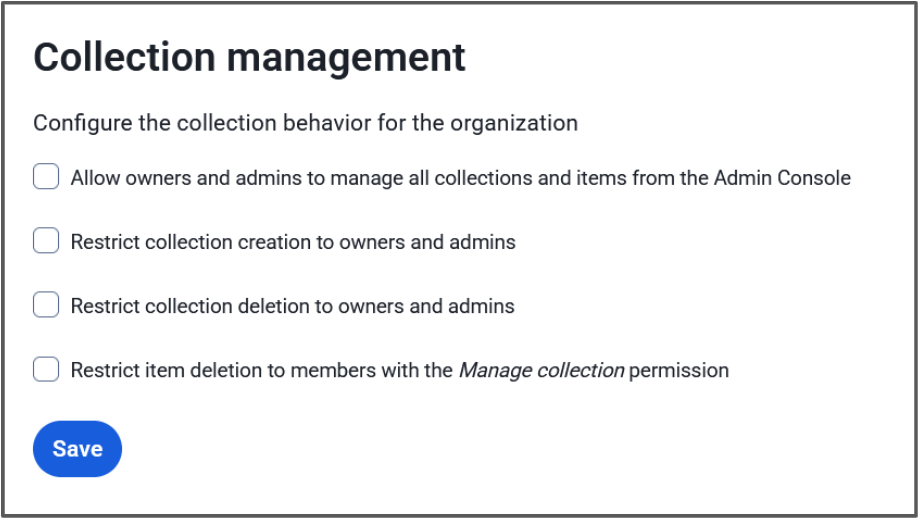
**Eigenaren en beheerders kunnen alle collecties en items beheren**
Als deze instelling is aangevinkt, hebben beheerdersrollen de mogelijkheid om alle collecties en kluisitems erin te bekijken, te bewerken en te beheren. Als deze instelling niet is aangevinkt, hebben beheerdersrollen alleen toegang tot collecties waar ze directe collectierechten aan toegewezen hebben.
**Beperk het aanmaken van collecties tot eigenaars en beheerders**
Als deze optie is ingeschakeld, zijn beheerdersrollen de enige leden in de organisaties die collecties kunnen maken. Als deze optie uit staat, hebben alle leden in de organisatie de mogelijkheid om collecties aan te maken.
**Beperk het verwijderen van collecties tot eigenaars en beheerders**
Als deze optie aan staat, zijn beheerdersrollen de enige leden in de organisaties die collecties kunnen verwijderen. Als deze optie uit staat, hebben alle leden in de organisatie met de machtiging **Kan beheren** voor een collectie de mogelijkheid om die collectie te verwijderen.
## Additional Resources
[Blog: Additional enterprise options for least privileged access control](https://bitwarden.com/nl-nl/blog/additional-enterprise-options-for-least-privileged-access-control/)
[Help: About Collections](https://bitwarden.com/nl-nl/help/about-collections/)
[Help: Collection Management](https://bitwarden.com/nl-nl/help/collection-management/)
## How these settings affect your organization
**All options checked**
Owners and Administrators have access to everything in the organization vault, and only they can create and delete collections.
- Empowers the administrator to set up collections as the organization needs
- Gives administrators the visibility and access to make changes to all vault items
**First option unchecked, second and third option checked**
Administrators will be able to see that a collection exists, but cannot access it or the items therein unless they have been given permissions by a user with the **Manage collection** permission for that collection. Admins alone can create a collection and they’ll automatically receive the **Manage collection** permission, but can then pass that off to a designated collection manager to populate. Only admins will be able to delete collections, regardless of **Manage collection** permissions.
- Great middle ground between full admin control and user self-serve
- Admins can create the structure of the organization and then let the users work in that space
- Helps adhere to a policy of least-privilege - administrators can be assigned to low-sensitivity collections, but not to confidential ones
**First option checked, second and third options unchecked**
Users can create and delete their own collections, and administrators are able to access those collections. This allows for a self-serve approach with admin supervision.
- Users can handle their own work without contacting administrators
- Admins can intervene in case something unexpected comes up, such as the collection manager going out on leave
- Users will automatically receive the **Manage collection** permission for organizations they create, and the **Manage collection** permission is required to delete a collection
> **Tip:** Get more granular control by adjusting the second or third options to choose whether to allow users to create OR delete collections.
**Fourth option checked/unchecked**The fourth option adjusts the permission level for deleting items. Leaving this unchecked is beneficial for self-serve setups where team members are able to manage themselves with minimal interaction with admins. Checking this will require escalation to users with the **Manage collection** permission to delete items, which is useful when an item is shared in more than one collection and admins have an opportunity to simply remove it from the collection to ensure to disruption to users utilizing the other collection.
**All options unchecked**
This is the default for new organizations. Administrators will only be able to see that a collection exists and the collection structure of the organization. Users can create and delete their own collections without needing to contact administrators. Administrators cannot see the contained vault items unless a user with the **Manage collection** permission assigns them permission. Users with the **Edit items** collection can send collection items to the organization trash.
- Allows for full user self-serve
- Useful for large organizations with many small teams with lots of collections
- Helps adhere to a principle of least-privilege policy
A great use-case for this setup would be for the [Enforce organization data ownership policy](https://bitwarden.com/nl-nl/help/policies/#enforce-organization-data-ownership/), where a user must store their own passwords in the organization vault, but can do so inside a private collection.
> **Tip:** Administrators will automatically receive access to orphaned collections if there are no users with **Manage collection**access.
## Get started with Bitwarden
Start a [free 7-day business trial](https://bitwarden.com/nl-nl/pricing/business/) and experience the flexibility of Bitwarden collections and the other great benefits of a business password manager today!
## Profiteer nu van krachtige, vertrouwde wachtwoordbeveiliging. Kies uw plan.
## Persoonlijk
### Gratis
**$0**
*per maand*
*Altijd gratis*
Krijg een Bitwarden-kluis
- Onbeperkt aantal apparaten
- Beheer van wachtwoorden
- Alle kernfuncties
- Altijd gratis
Kluisitems met één andere gebruiker delen
[Begin vandaag](https://bitwarden.com/go/start-free/)
---
### Premium
**Less than $1**
*per maand*
*$10 jaarlijkse rekening*
Geniet van premium functies
- Bitwarden-authenticator
- Bestand bijlagen
- Noodtoegang
- Veiligheidsrapporten en meer
Kluisitems met één andere gebruiker delen
[Een premium account aanmaken](https://bitwarden.com/go/start-premium/)
---
### Gezinnen
**$3.33**
*per maand*
*Tot 6 gebruikers, $40 jaarlijkse rekening*
Inloggegevens van uw gezin beveiligen
- 6 premium-accounts
- Onbeperkt delen
- Onbeperkte collecties
- Opslag van de organisatie
Kluisitems tussen zes personen delen
[Gratis 7-daagse proefperiode beginnen](https://bitwarden.com/go/start-families-trial/)
---
De prijzen worden weergegeven in USD en zijn gebaseerd op een jaarabonnement. Belastingen niet inbegrepen.
## Bedrijf
### Teams
*Veerkrachtige bescherming voor groeiende teams*
**$4**
*per maand/per gebruiker, jaarlijkse rekening*
Deel gevoelige gegevens veilig met collega's, afdelingen of het hele bedrijf
- Gegevens veilig delen
- Gebeurtenislogboekbewaking
- Gidsintegratie
- SCIM-ondersteuning
Inclusief premium functies voor alle gebruikers
[Een proefperiode starten](https://bitwarden.com/go/start-teams-trial/)
---
### Enterprise
*Geavanceerde mogelijkheden voor grotere organisaties*
**$6**
*per maand/per gebruiker, jaarlijkse rekening*
Gebruik geavanceerde functies zoals bedrijfsbeleid, SSO zonder wachtwoord en accountherstel.
- Bedrijfsbeleid
- Wachtwoordloze SSO
- Account herstellen
- Zelf-host optie
Inclusief premium functies en gratis gezinsplan voor alle gebruikers
[Een proefperiode starten](https://bitwarden.com/go/start-enterprise-trial/)
---
### Een offerte aanvragen
*Voor bedrijven met honderden of duizenden werknemers, neem contact op met de verkoopafdeling voor een offerte op maat en ontdek hoe Bitwarden kan helpen:*
- Cyberbeveiligingsrisico's verminderen
- Productiviteit verhogen
- Naadloos integreren
Bitwarden schaalt met elk formaat bedrijf om wachtwoordbeveiliging naar uw organisatie te brengen
[Met de verkoopafdeling contact opnemen](https://bitwarden.com/contact-sales/)
---
Prijzen worden weergegeven in USD en zijn gebaseerd op een jaarabonnement
---
URL: https://bitwarden.com/nl-nl/resources/scalable-password-sharing/
---
# Scalable password sharing
What you need to know
---
### What exactly is scalable password sharing?
Scalable Password Sharing is a security practice designed to safely distribute passwords and credentials among a large number of authorized personnel. It’s typically implemented through a centralized password management system that ensures secure, compliant access to sensitive information at scale, even as an organization’s teams grow and evolve.
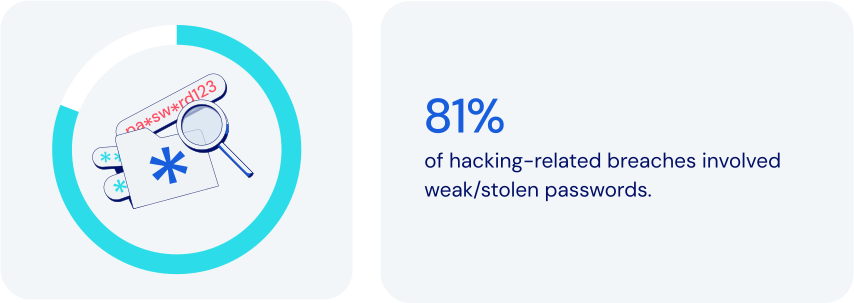
### How does password management fit in here?
Password management platforms empower Scalable Password Sharing by providing secure, flexible, tightly-controlled environments for centralized credentials management. Specific features to look for:
- **Centralized credential storage:**storing passwords in an encrypted vault managed by IT and security operations eliminates insecure sharing through vulnerable channels like email or spreadsheets.
- **Role-Based Access Control (RBAC):**the ability to assign granular permissions based on specific roles helps make for efficient onboarding as teams expand.
- **Secure password sharing:**programmatic credential access allowing team members to collaborate maintains security, enforces policies, and keeps an auditable trail of [event logs](https://bitwarden.com/nl-nl/help/event-logs/).
- **Organized group access:**grouping credentials by department or project can significantly streamline project workflows and [employee onboarding](https://bitwarden.com/nl-nl/blog/streamline-employee-onboarding-to-bitwarden-with-scim-support/).
- **Temporary and time-based access:**limited-duration credential access is especially important when working with outside contractors.
- **Real-Time access updates:**instant credential updates across all authorized personnel help prevent security gaps from outdated credentials.
- **Detailed activity logging:**comprehensive tracking of credential usage allows suspicious activities to be detected and flagged quickly.
- **Cross-Platform support:**accessibility across browsers, mobile, and desktop platforms helps facilitate secure, flexible work environments.
Together, these features help maximize the effectiveness of Scalable Password Sharing. It’s critically important that an organization’s leadership plan for safe, secure growth. That includes the ability to efficiently handle a significant number of users and credentials amidst increasing organizational needs.
### How scalable password sharing keeps today’s businesses safer
By modern standards, traditional methods of password sharing are notoriously insecure and ineffective. Using password management to implement Scalable Password Sharing allows you to:
- **Centralize security and control:**unified oversight can significantly reduce vulnerabilities.
- **Streamline**[**onboarding and offboarding**](https://bitwarden.com/nl-nl/resources/guide-enterprise-password-management-throughout-employee-lifecycle/)**:**accelerating employee transitions means less administrative effort and greater efficiency.
- **Simplify sharing management:**reduced need for duplicating credentials and easy removal of shared items eliminates orphaned or out-of-date items that could lead to exposure.
- **Reduce risk:**limiting exposure of sensitive credentials lowers the likelihood of potential breaches.
- **Tailor permissions:**adjusting permissions to reflect organizational structure and project requirements can boost flexibility and security.
- **Improve operational scalability:**seamless credential management enables [growing organizations](https://bitwarden.com/nl-nl/blog/bitwarden-is-the-password-manager-for-global-enterprises/) to expand more securely without sacrificing visibility or control.
### How Bitwarden supports scalable password sharing
Bitwarden addresses the challenges of Scalable Password Sharing with a robust feature set designed specifically for secure, efficient credential management. These include:
- **Centralized encrypted vault**: stores all sensitive information securely in a single location, enabling simple oversight and management by administrators.
- **Organized collections**: credentials can be grouped according to roles, departments, or projects. Can also provide automatic credential access upon onboarding.
- **Sharing to many**: items in Bitwarden vaults can be assigned to one or more [collections](https://bitwarden.com/nl-nl/blog/easy-secure-sharing-how-to-set-up-user-groups-and-collections/). Collections can then be assigned to one or more individual users or user groups, all without needing to duplicate items.
- **Granular role-based access control**: ensures minimal necessary access while simplifying permission assignments.
- **Automated user provisioning**: integrates with identity management systems like [SCIM](https://bitwarden.com/nl-nl/help/about-scim/) and Active Directory to assign or remove credentials automatically upon employment changes.
- **Real-Time credential synchronization**: updates user credentials automatically, preventing use of outdated credentials.
- **Time-Limited access management**: enables temporary credential sharing for short-term engagements, complete with user-definable automatic expiration.
- **Detailed audit and compliance logs**: supports quick identification of unauthorized or suspicious activities.
- **Multi-Device accessibility**: enables secure remote work and travel with seamless, secure credential access via browsers, mobile apps, and desktop applications.
- **Emergency and backup access**: maintains continuity and reduces operational risks during critical absences via authorized emergency credential retrieval.
- **Enforced security protocols**: adds consistency for password complexity, vault timeout rules and use of [two-factor authentication](https://bitwarden.com/nl-nl/blog/basics-of-two-factor-authentication-with-bitwarden/) (2FA).
### The bottom line
Though most businesses actively work to achieve growth, scaling does introduce distinct security risks. It’s important to integrate advanced features like role-based access control, two-factor authentication, real-time activity tracking, and detailed audit logs.
Bitwarden offers a powerful, comprehensive platform that allows you to promote consistency and security while maintaining complete visibility and control. Just one more reason Bitwarden is regarded as the [most trusted name in password management](https://bitwarden.com/nl-nl/media-spotlight/).
### What makes Bitwarden stand out from the pack?
Bitwarden has always taken a scalable approach to managing secure sharing, with these considerations in mind:
- Sharing with Least Privilege Access significantly simplifies access compared to other solutions.
- Bitwarden Collections function like shared folders, offering strong access management for secure large-scale sharing. One key feature: the ability to include a single item across multiple collections.
- Bitwarden Collections offer granular access control, allowing admins to easily manage permissions for users and groups within a collection.
- Other solutions require adding employees to areas where they may receive unnecessary permissions, [needlessly increasing exposure](https://bitwarden.com/nl-nl/blog/additional-enterprise-options-for-least-privileged-access-control/#flexible-collections-options-for-your-organization/).
- Other solutions often lead to copying of credentials, taking them out of sync, and to some extent, rendering them useless.
## Profiteer nu van krachtige, vertrouwde wachtwoordbeveiliging. Kies uw plan.
## Persoonlijk
### Gratis
**$0**
*per maand*
*Altijd gratis*
Krijg een Bitwarden-kluis
- Onbeperkt aantal apparaten
- Beheer van wachtwoorden
- Alle kernfuncties
- Altijd gratis
Kluisitems met één andere gebruiker delen
[Begin vandaag](https://bitwarden.com/go/start-free/)
---
### Premium
**Less than $1**
*per maand*
*$10 jaarlijkse rekening*
Geniet van premium functies
- Bitwarden-authenticator
- Bestand bijlagen
- Noodtoegang
- Veiligheidsrapporten en meer
Kluisitems met één andere gebruiker delen
[Een premium account aanmaken](https://bitwarden.com/go/start-premium/)
---
### Gezinnen
**$3.33**
*per maand*
*Tot 6 gebruikers, $40 jaarlijkse rekening*
Inloggegevens van uw gezin beveiligen
- 6 premium-accounts
- Onbeperkt delen
- Onbeperkte collecties
- Opslag van de organisatie
Kluisitems tussen zes personen delen
[Gratis 7-daagse proefperiode beginnen](https://bitwarden.com/go/start-families-trial/)
---
De prijzen worden weergegeven in USD en zijn gebaseerd op een jaarabonnement. Belastingen niet inbegrepen.
## Bedrijf
### Teams
*Veerkrachtige bescherming voor groeiende teams*
**$4**
*per maand/per gebruiker, jaarlijkse rekening*
Deel gevoelige gegevens veilig met collega's, afdelingen of het hele bedrijf
- Gegevens veilig delen
- Gebeurtenislogboekbewaking
- Gidsintegratie
- SCIM-ondersteuning
Inclusief premium functies voor alle gebruikers
[Een proefperiode starten](https://bitwarden.com/go/start-teams-trial/)
---
### Enterprise
*Geavanceerde mogelijkheden voor grotere organisaties*
**$6**
*per maand/per gebruiker, jaarlijkse rekening*
Gebruik geavanceerde functies zoals bedrijfsbeleid, SSO zonder wachtwoord en accountherstel.
- Bedrijfsbeleid
- Wachtwoordloze SSO
- Account herstellen
- Zelf-host optie
Inclusief premium functies en gratis gezinsplan voor alle gebruikers
[Een proefperiode starten](https://bitwarden.com/go/start-enterprise-trial/)
---
### Een offerte aanvragen
*Voor bedrijven met honderden of duizenden werknemers, neem contact op met de verkoopafdeling voor een offerte op maat en ontdek hoe Bitwarden kan helpen:*
- Cyberbeveiligingsrisico's verminderen
- Productiviteit verhogen
- Naadloos integreren
Bitwarden schaalt met elk formaat bedrijf om wachtwoordbeveiliging naar uw organisatie te brengen
[Met de verkoopafdeling contact opnemen](https://bitwarden.com/contact-sales/)
---
Prijzen worden weergegeven in USD en zijn gebaseerd op een jaarabonnement
---
URL: https://bitwarden.com/nl-nl/resources/scim-support-is-now-available-newsletter-september-2022/
---
# September 2022 Spotlight: SCIM-ondersteuning is nu beschikbaar!
Het nummer van deze maand staat vol met spannend nieuws, zoals de introductie van SCIM-ondersteuning om het onboarden van werknemers te vereenvoudigen en updates over een nieuwe financieringsronde om de waarde voor Bitwarden-gebruikers te verhogen.
---
## Featured Highlights

Now supported in the Bitwarden Enterprise plan, the System for Cross-domain Identity Management (SCIM) is an industry-open standard protocol that enables the automation of management and exchange of user identity information. By simply adding new users to an existing identity provider (IdP) or directory, SCIM automatically creates new employee accounts across all company tools and SaaS services. SCIM can also be used with groups to assign users specific roles, or it can work in reverse to automatically de-provision accounts. Check out [the latest blog](https://bitwarden.com/nl-nl/blog/streamline-employee-onboarding-to-bitwarden-with-scim-support/) to learn how to enable SCIM with Bitwarden.

Bitwarden recently secured a $100 million growth investment to accelerate value for users around the world. In a [Q&A](https://bitwarden.com/nl-nl/blog/accelerating-value-for-bitwarden-users-bitwarden-raises-usd100-million/), CEO Michael Crandell stated, “This investment represents a strong affirmation of the existing Bitwarden business model, and a commitment to continue our core values. We plan to continue to innovate even faster in creating new ways to help people and businesses operate online simply and safely.” Read the [article](https://bitwarden.com/nl-nl/blog/accelerating-value-for-bitwarden-users-bitwarden-raises-usd100-million/) to learn more.
## Enjoying this update? Subscribe today.
*Receive the latest product updates, hand-picked articles, community highlights, and more.*
[Contact form]
## More Bits and Bites
[**Tactical security plan for a new team using Bitwarden**](https://bitwarden.com/nl-nl/blog/tactical-security-plan-for-a-new-team-using-bitwarden/)
In addition to storing account credentials, the best password managers available make it possible for team members to securely share all types of sensitive information. With Bitwarden, you can share private information with your teams, family, or friends. And the best part is that recipients only have access to the item shared for the amount of time determined by the sender, thus ensuring the information cannot be accessed later by an unauthorized user. Explore how to [enable your teams](https://bitwarden.com/nl-nl/blog/tactical-security-plan-for-a-new-team-using-bitwarden/) to be safer and more productive online.
[**Security advice for small and midsize businesses**](https://bitwarden.com/nl-nl/blog/security-advice-for-small-and-midsize-businesses/)
Did you know that 43% of cyberattacks target small to medium-sized businesses? The National Cybersecurity Alliance, a non-profit co-leading Cybersecurity Awareness Month, recently shared an article about small and midsize businesses maintaining cybersecurity and avoiding data breaches. Read [the blog](https://bitwarden.com/nl-nl/blog/security-advice-for-small-and-midsize-businesses/) to learn about the top online security recommendations for SMBs.
[**Strategies for keeping smart devices secure**](https://bitwarden.com/nl-nl/blog/strategies-for-keeping-smart-devices-secure/)
Statista estimates there are 11.3 billion smart devices worldwide and predicts that number will grow to 29.4 by 2030. While these wirelessly connected devices can give users insights into all facets of life, they pose risks if not properly secured. In fact, over the past few years, there have been numerous high-profile instances of smart device-related vulnerabilities. The good news is there are steps you can take today to keep your devices secure. Read [the article](https://bitwarden.com/nl-nl/blog/strategies-for-keeping-smart-devices-secure/) to learn more.
[**Using Bitwarden with Yubico**](https://bitwarden.com/nl-nl/resources/using-bitwarden-with-yubico/)
When it comes to two-factor authentication, some methods are more secure than others. One of the most secure methods for 2FA is security keys. A physical security key like the YubiKey from Yubico can save time and reduce errors while offering extra-strong security. Using a YubiKey to protect your employees’ Bitwarden vaults provides maximum protection for sensitive company data. To learn more, check out the [free guide](https://bitwarden.com/nl-nl/resources/using-bitwarden-with-yubico/).
[**A better password workflow for new Bitwarden users**](https://bitwarden.com/nl-nl/blog/a-better-password-workflow-with-bitwarden/)
New to password management and interested in learning the best workflow to secure your online profile using Bitwarden? There are simple steps you can take today to ensure you're using the strongest passwords for all your online accounts in a way that is both sustainable and easy to manage. Read [the blog](https://bitwarden.com/nl-nl/blog/a-better-password-workflow-with-bitwarden/) to learn more.
## Community Spotlight

Backups are a popular topic on the Bitwarden Community Forums and community leader [dh024](https://community.bitwarden.com/u/dh024/summary) recently crafted a comprehensive overview. Stay protected with this [**user’s guide**](https://community.bitwarden.com/t/how-to-a-users-guide-to-backing-up-your-bitwarden-vault/44083?utm_source=twitter&utm_medium=social) to backing up your Bitwarden vault.
Calling all developers and security enthusiasts! What have you learned about passwords and password security that you wish everyone knew? Share your answer on [Reddit](https://www.reddit.com/r/Bitwarden/comments/wvw4ik/calling_all_developers_and_security_enthusiasts/), the [Bitwarden Community Forums](https://community.bitwarden.com/t/calling-all-developers-and-security-enthusiasts-share-your-insights/43918), or [Mastodon](https://fosstodon.org/web/@bitwarden/108873663362114875).
## Want to get involved in the Bitwarden community?
Visit [bitwarden.com/getinvolved](https://bitwarden.com/nl-nl/http://bitwarden.com/getinvolved/) to find out how to get started.
## Join a Live Event

Join industry experts sharing best practices on managing cybersecurity risks tied to 3rd-party freelancers and agency relationships. Get tangible action items to protect your company’s sensitive information when transitioning these groups. Click here to save your seat!
**More Upcoming Events**
- Weekly Live Demo: Every Wednesday at 12 pm EDT
- EMEA Live Demo: September 15, 2022 at 3 pm GMT
- APAC Live Demo: September 16, 2022 at 10 am AEST
- MSP Live Demo: September 29, 2022 at 12 pm EDT
- Monthly Vault Hours: September 30, 2022 at 12 pm EDT
That’s it for now. Let us know what you think about this newsletter including potential topics you’d like to see.
**Until next time,**
Team Bitwarden
## Bitwarden is Certified as a Best Place to Work in 2022!
Interested in joining the Bitwarden team? Visit [our careers page](https://bitwarden.com/nl-nl/careers/) to explore open roles.
## Profiteer nu van krachtige, vertrouwde wachtwoordbeveiliging. Kies uw plan.
## Persoonlijk
### Gratis
**$0**
*per maand*
*Altijd gratis*
Krijg een Bitwarden-kluis
- Onbeperkt aantal apparaten
- Beheer van wachtwoorden
- Alle kernfuncties
- Altijd gratis
Kluisitems met één andere gebruiker delen
[Begin vandaag](https://bitwarden.com/go/start-free/)
---
### Premium
**Less than $1**
*per maand*
*$10 jaarlijkse rekening*
Geniet van premium functies
- Bitwarden-authenticator
- Bestand bijlagen
- Noodtoegang
- Veiligheidsrapporten en meer
Kluisitems met één andere gebruiker delen
[Een premium account aanmaken](https://bitwarden.com/go/start-premium/)
---
### Gezinnen
**$3.33**
*per maand*
*Tot 6 gebruikers, $40 jaarlijkse rekening*
Inloggegevens van uw gezin beveiligen
- 6 premium-accounts
- Onbeperkt delen
- Onbeperkte collecties
- Opslag van de organisatie
Kluisitems tussen zes personen delen
[Gratis 7-daagse proefperiode beginnen](https://bitwarden.com/go/start-families-trial/)
---
De prijzen worden weergegeven in USD en zijn gebaseerd op een jaarabonnement. Belastingen niet inbegrepen.
## Bedrijf
### Teams
*Veerkrachtige bescherming voor groeiende teams*
**$4**
*per maand/per gebruiker, jaarlijkse rekening*
Deel gevoelige gegevens veilig met collega's, afdelingen of het hele bedrijf
- Gegevens veilig delen
- Gebeurtenislogboekbewaking
- Gidsintegratie
- SCIM-ondersteuning
Inclusief premium functies voor alle gebruikers
[Een proefperiode starten](https://bitwarden.com/go/start-teams-trial/)
---
### Enterprise
*Geavanceerde mogelijkheden voor grotere organisaties*
**$6**
*per maand/per gebruiker, jaarlijkse rekening*
Gebruik geavanceerde functies zoals bedrijfsbeleid, SSO zonder wachtwoord en accountherstel.
- Bedrijfsbeleid
- Wachtwoordloze SSO
- Account herstellen
- Zelf-host optie
Inclusief premium functies en gratis gezinsplan voor alle gebruikers
[Een proefperiode starten](https://bitwarden.com/go/start-enterprise-trial/)
---
### Een offerte aanvragen
*Voor bedrijven met honderden of duizenden werknemers, neem contact op met de verkoopafdeling voor een offerte op maat en ontdek hoe Bitwarden kan helpen:*
- Cyberbeveiligingsrisico's verminderen
- Productiviteit verhogen
- Naadloos integreren
Bitwarden schaalt met elk formaat bedrijf om wachtwoordbeveiliging naar uw organisatie te brengen
[Met de verkoopafdeling contact opnemen](https://bitwarden.com/contact-sales/)
---
Prijzen worden weergegeven in USD en zijn gebaseerd op een jaarabonnement
---
URL: https://bitwarden.com/nl-nl/resources/secure-your-business-with-bitwarden-and-duo/
---
# Beveilig uw bedrijf met Bitwarden en Duo
Ontdek hoe Bitwarden integreert met Duo voor meerdere oplossingen: Duo MFA voor inloggen in twee stappen en Duo SSO voor inloggen met SSO.
---
Businesses rely on third-party applications and software as a service (SaaS) products as a part of operations to increase productivity and efficiency. As SaaS products become more common, so have cyber attacks targeting these accounts and the employees that utilize them. These attacks could potentially result in the leakage of sensitive information and disruption to operations, causing harm to businesses and their customers.
In the [2023 Password Decisions Survey](https://bitwarden.com/nl-nl/blog/password-decisions-survey-2023/#rise-in-cyberattacks-from-last-year,-ransomware-a-business-consideration/), 60% of respondents reported that they were the target of a cyberattack. A combination of defenses, like [**Bitwarden Password Manager**](https://bitwarden.com/nl-nl/products/business/)**,**multi-factor authentication, and single sign-on, helps reduce risk of successful attacks by hardening access to critical systems. These provide multiple levels of authentication and tools to create, store, and share strong passwords for all departments of a company and deflect credential stuffing, phishing, and ransomware attacks, keeping your business secure.
To provide this enhanced security, Bitwarden integrates with **Duo**for multiple solutions: Duo MFA for **two-step login**, and Duo SSO for **Login with SSO**.

## Table of Contents
[Duo for Multi-factor Authentication](https://bitwarden.com/nl-nl/resources/secure-your-business-with-bitwarden-and-duo/#duo-for-multi-factor-authentication/)
[Duo for Single Sign-On](https://bitwarden.com/nl-nl/resources/secure-your-business-with-bitwarden-and-duo/#duo-for-single-sign-on/)
[Summary](https://bitwarden.com/nl-nl/resources/secure-your-business-with-bitwarden-and-duo/#summary/)
[Resources](https://bitwarden.com/nl-nl/resources/secure-your-business-with-bitwarden-and-duo/#resources/)
## Duo for Multi-factor Authentication
To further protect credentials maintained within an organization vault, Bitwarden supports [Duo MFA](https://duo.com/product/multi-factor-authentication-mfa) for [two-step login](https://bitwarden.com/nl-nl/help/setup-two-step-login-duo/), also known as two-factor authentication (2FA) or multi-factor authentication (MFA). Duo MFA can be used both individually and enacted across the Bitwarden organization with the applicable Enterprise Policy, ensuring secure two-step login for all employees.

## Benefits of Bitwarden and Duo MFA
- Protection against stolen passwords, phishing attempts, and social engineering.
- Strengthen overall enterprise security by protecting passwords and logins within Bitwarden secured by Duo MFA.
- Deploy for individuals or the entire organization.
- Quick and easy setup.
## Duo for Single Sign-On
Using [Login with SSO](https://bitwarden.com/nl-nl/help/about-sso/) with Bitwarden provides additional convenience and security for credentials throughout the organization. [Duo SSO](https://duo.com/product/single-sign-on-sso) with Bitwarden allows for secure authentication into Bitwarden accounts and by extension, the stored credentials within, providing full oversight and control of the tools and applications that teams are using. Bitwarden is compatible with Duo through SAML 2.0 or OpenID Connect (OIDC). To maintain zero-knowledge encryption, Bitwarden separates authentication and decryption into two discrete steps: authentication through Duo, then decryption and vault access through a Bitwarden master password. As a result, decryption keys never pass through Bitwarden or Duo servers.

*Single Sign-On flow to access Bitwarden*
## Benefits of Bitwarden and Duo SSO
- SSO provides a reduction of the number of passwords and credentials needed by employees, decreasing the surface area of a potential cyberattack.
- SSO security is extended to credentials stored within a Bitwarden vault.
- Easy integration into existing workflows without disruption.
- Additional security options for user authentication.
## Summary
The Bitwarden and Duo integration brings additional security to businesses and teams in two ways: as a form of multi-factor authentication (MFA) and as a Single Sign-On (SSO) provider. In addition, the MFA functionality can be used for individuals and also enforced across the organization. Using just one or both integrations can drastically improve your business’s security posture, and deploying the solutions is simple and straightforward.
## Resources
- [Two-step Login via Duo](https://bitwarden.com/nl-nl/help/setup-two-step-login-duo/)
- [Field Guide to Two-Step Login](https://bitwarden.com/nl-nl/help/bitwarden-field-guide-two-step-login/)
- [Configure Your Organization using Login with SSO](https://bitwarden.com/nl-nl/blog/configure-bitwarden-sso/)
- [Setting up Login with SSO](https://bitwarden.com/nl-nl/help/using-sso/)
- [Login with SSO and Customer-Managed Encryption](https://bitwarden.com/nl-nl/help/about-key-connector/)
Looking to learn more? Check out the Bitwarden [Help Center](https://bitwarden.com/nl-nl/help/) and documentation or [contact sales](https://bitwarden.com/nl-nl/contact-sales/) directly!
## Profiteer nu van krachtige, vertrouwde wachtwoordbeveiliging. Kies uw plan.
## Persoonlijk
### Gratis
**$0**
*per maand*
*Altijd gratis*
Krijg een Bitwarden-kluis
- Onbeperkt aantal apparaten
- Beheer van wachtwoorden
- Alle kernfuncties
- Altijd gratis
Kluisitems met één andere gebruiker delen
[Begin vandaag](https://bitwarden.com/go/start-free/)
---
### Premium
**Less than $1**
*per maand*
*$10 jaarlijkse rekening*
Geniet van premium functies
- Bitwarden-authenticator
- Bestand bijlagen
- Noodtoegang
- Veiligheidsrapporten en meer
Kluisitems met één andere gebruiker delen
[Een premium account aanmaken](https://bitwarden.com/go/start-premium/)
---
### Gezinnen
**$3.33**
*per maand*
*Tot 6 gebruikers, $40 jaarlijkse rekening*
Inloggegevens van uw gezin beveiligen
- 6 premium-accounts
- Onbeperkt delen
- Onbeperkte collecties
- Opslag van de organisatie
Kluisitems tussen zes personen delen
[Gratis 7-daagse proefperiode beginnen](https://bitwarden.com/go/start-families-trial/)
---
De prijzen worden weergegeven in USD en zijn gebaseerd op een jaarabonnement. Belastingen niet inbegrepen.
## Bedrijf
### Teams
*Veerkrachtige bescherming voor groeiende teams*
**$4**
*per maand/per gebruiker, jaarlijkse rekening*
Deel gevoelige gegevens veilig met collega's, afdelingen of het hele bedrijf
- Gegevens veilig delen
- Gebeurtenislogboekbewaking
- Gidsintegratie
- SCIM-ondersteuning
Inclusief premium functies voor alle gebruikers
[Een proefperiode starten](https://bitwarden.com/go/start-teams-trial/)
---
### Enterprise
*Geavanceerde mogelijkheden voor grotere organisaties*
**$6**
*per maand/per gebruiker, jaarlijkse rekening*
Gebruik geavanceerde functies zoals bedrijfsbeleid, SSO zonder wachtwoord en accountherstel.
- Bedrijfsbeleid
- Wachtwoordloze SSO
- Account herstellen
- Zelf-host optie
Inclusief premium functies en gratis gezinsplan voor alle gebruikers
[Een proefperiode starten](https://bitwarden.com/go/start-enterprise-trial/)
---
### Een offerte aanvragen
*Voor bedrijven met honderden of duizenden werknemers, neem contact op met de verkoopafdeling voor een offerte op maat en ontdek hoe Bitwarden kan helpen:*
- Cyberbeveiligingsrisico's verminderen
- Productiviteit verhogen
- Naadloos integreren
Bitwarden schaalt met elk formaat bedrijf om wachtwoordbeveiliging naar uw organisatie te brengen
[Met de verkoopafdeling contact opnemen](https://bitwarden.com/contact-sales/)
---
Prijzen worden weergegeven in USD en zijn gebaseerd op een jaarabonnement
---
URL: https://bitwarden.com/nl-nl/resources/security-champion-spotlight-bounds-law/
---
# Beveiligingskampioen in de schijnwerpers: Open source medewerker maakt einde aan vergeten wachtwoorden
Bryce Bounds bracht Bitwarden naar Bounds Law Offices en ontdekte onmiddellijk probleemgebieden met hun wachtwoorden die eerder over het hoofd werden gezien met hun vorige oplossing.
---
## Kampioen veiligheid
**Naam:**Bryce Bounds
**Bitwarden gebruiker sinds:** 2021
**Locatie:**Fort Lauderdale, Florida
**Industrie**: Overheid
### Beveiligingsfanaat vindt open source tools voor wachtwoordbeheer
In 2021 had Bryce Bounds moeite om de honderden wachtwoorden te onthouden waarmee hij jongleerde tussen zijn persoonlijke accounts en zijn rol als architect voor de lokale overheid. Bryce herinnert zich: "Het kwam op een punt dat geen enkel aantal permutaties van hetzelfde wachtwoord met speciale tekens eraan toegevoegd zou dekken wat ik nodig had. Het was te veel om bij te houden." Bryce realiseerde zich dat hij een wachtwoordmanager nodig had om te helpen.
Als betrokken lid van de open source software gemeenschap en regelmatig bijdragers aan verschillende open source projecten, wist Bryce dat hij een wachtwoordmanager wilde die open source net zo waardeerde als hijzelf. "Ik heb in de loop der jaren bijgedragen aan mijn deel van de projecten, zoals OpenWRT's hardware debugging tot Blogger vroege code," zei Bryce. "Ik hecht waarde aan open source oplossingen die controleerbaar zijn en naar behoefte kunnen worden aangepast met gebruikerscontrole als prioriteit."
Hij vond een onofficiële vork van derden die gebruik maakte van de open source code van Bitwarden op de populaire zelf-hosting subreddit van Reddit en startte een Docker-instantie om te beginnen met het organiseren van zijn wachtwoorden. Daarmee begon zijn reis met Bitwarden Password Manager.
## Inhoudsopgave
[Beveiligingsfanaat vindt open source tools voor wachtwoordbeheer](https://bitwarden.com/nl-nl/resources/security-champion-spotlight-bounds-law/#security-enthusiast-finds-open-source-tools-for-password-management/)
[Uitdagingen voor wachtwoordbeheer bij Bounds Law Offices](https://bitwarden.com/nl-nl/resources/security-champion-spotlight-bounds-law/#password-management-challenges-at-bounds-law-offices/)
[Bitwarden aanbevelen](https://bitwarden.com/nl-nl/resources/security-champion-spotlight-bounds-law/#recommending-bitwarden/)
[Bitwarden bij Bounds Advocatenkantoren](https://bitwarden.com/nl-nl/resources/security-champion-spotlight-bounds-law/#bitwarden-at-bounds-law-offices/)
[Bitwarden aanbevelen op uw werkplek](https://bitwarden.com/nl-nl/resources/security-champion-spotlight-bounds-law/#recommend-bitwarden-to-your-workplace/)
## Uitdagingen voor wachtwoordbeheer bij Bounds Law Offices
Terwijl Bryce succes had met het beheren van zijn wachtwoorden in zijn werk en privéleven, had het bedrijf van zijn familie moeite met het beheren van hun wachtwoorden in een bedrijfsomgeving.
[Bounds Law Offices](http://www.bounds.law) gebruikte een consumentenoplossing om hun wachtwoorden te beheren, maar de software had ernstige tekortkomingen. "Het was niet ingesteld op multi-user," zei Bryce. "Dit voorkwam elke vorm van wachtwoordcontrole als werknemers het product misbruikten, omdat elke machine was aangemeld op hetzelfde account."
Bryce legt uit: "Een medewerker vergat een wachtwoord, drukte op reset wachtwoord en veranderde het en sloeg het nieuwe wachtwoord op in het systeem, wat resulteerde in meerdere records van hetzelfde account met steeds andere wachtwoorden, tot het punt dat de wachtwoorddatabase meer dan 300 vermeldingen had," aldus Bryce.
Omdat het advocatenkantoor veel medewerkers zonder technische ervaring had, was het voor Bounds Law Offices belangrijk om een oplossing te vinden waarmee accountlogins eenvoudig automatisch konden worden ingevuld. "De uitdaging waarmee ik werd belast was het vinden van een alternatief systeem dat automatisch kan invullen en ons kan vertellen dat een wachtwoord is bijgewerkt of gewijzigd," zei Bryce.
## Bitwarden aanbevelen
Bryce Bounds dacht meteen aan Bitwarden Password Manager, dat zakelijke mogelijkheden bood buiten wat beschikbaar was met het onofficiële project van derden - inclusief SSO-integraties (Single Sign-on) en organisatorische [verzamelingen](https://bitwarden.com/nl-nl/help/about-collections/) met administratieve controle en auditing.
Het bedrijf "was al aan het overschakelen van iedereen die inlogde met lokale werkstationaccounts naar Microsoft Azure AD, dus de integratie van Bitwarden SSO maakte de overgang van wachtwoordbeheerders naadloos voor eindgebruikers."
De toewijding aan compliance, transparantie en beveiliging was ook een groot verkoopargument voor Bitwarden. "Bounds Advocatenkantoren] hebben veel HIPAA- en PII-gegevens. Je kunt die beveiliging niet zomaar achterlaten met een wachtwoord in een Excel spreadsheet of plakbriefjes onder het toetsenbord," aldus Bryce.
Bitwarden beveiliging en privacy compliance zoals SOC 2, GDPR en HIPAA afgestemd op de compliance-eisen van de ethische richtlijnen voor advocaten van de American Bar Association. Naast de open source-transparantie van Bitwarden en audits door derden, hielpen deze nalevingseisen het bedrijf te vertrouwen dat Bitwarden hun gevoelige informatie zal beschermen.
Meer informatie over de beveiliging en compliance van[ ](https://bitwarden.com/nl-nl/compliance/)Bitwarden.
## Bitwarden bij Bounds Advocatenkantoren
#### Slechte wachtwoordpraktijken een halt toeroepen
Met Bitwarden was Bounds Law Offices in staat om onmiddellijk probleemgebieden met hun wachtwoorden te identificeren die eerder over het hoofd werden gezien met hun vorige oplossing.
Omdat verschillende medewerkers van Bounds Law elke keer dat ze inlogden op accounts een nieuw wachtwoord hadden aangemaakt, in plaats van gebruik te maken van wat al in hun vorige consumentenoplossing stond, waren er aanvankelijk veel dubbele vermeldingen in Bitwarden. Met de [auditlogs van](https://bitwarden.com/nl-nl/help/event-logs/) Bitwarden "konden we zien wie er steeds inlogde en wachtwoorden veranderde", aldus Bryce. Ongeveer 70% van de 300 geïmporteerde wachtwoorden waren niet langer geldig en waren sindsdien gewijzigd. Met Bitwarden voorkwam Bounds Law Offices dat deze slechte wachtwoordpraktijken doorgingen.
#### Geef inlogrechten aan degenen die ze nodig hebben
Bitwarden-collecties stelden Bounds Advocatenkantoren in staat om hun logins per functie te organiseren en toegangsrechten per rol toe te wijzen. "We hebben alles van een monolithische container naar georganiseerde containers gebracht met verschillende toegangspolicies afhankelijk van wie toegang nodig had tot welke wachtwoord/gebruikersnaam combinaties," aldus Bryce. Hierdoor kon het bedrijf ervoor zorgen dat alleen diegenen toegang kregen die toegang nodig hadden tot een bepaald wachtwoord of gebruikersnaam.
## Bitwarden aanbevelen op uw werkplek
Deel Bitwarden met uw collega's, IT-team, leidinggevenden of al het bovenstaande met deze [e-mailsjablonen](https://bitwarden.com/nl-nl/go/bring-bitwarden-to-work/#bbtw-want-to-recommend-bitwarden/), waarin de belangrijkste redenen om een wachtwoordmanager zoals Bitwarden te gebruiken worden uitgelegd!
Als u klaar bent om aan de slag te gaan met de open source wachtwoordmanager die door miljoenen wordt vertrouwd, start dan vandaag nog een [gratis 7-daagse proefversie](https://bitwarden.com/nl-nl/go/start-enterprise-trial/)!
## Lees meer:
[Hoe kiest u de beste wachtwoordmanager voor uw bedrijf?](https://bitwarden.com/nl-nl/blog/choose-the-best-enterprise-password-manager/)
## Profiteer nu van krachtige, vertrouwde wachtwoordbeveiliging. Kies uw plan.
## Persoonlijk
### Gratis
**$0**
*per maand*
*Altijd gratis*
Krijg een Bitwarden-kluis
- Onbeperkt aantal apparaten
- Beheer van wachtwoorden
- Alle kernfuncties
- Altijd gratis
Kluisitems met één andere gebruiker delen
[Begin vandaag](https://bitwarden.com/go/start-free/)
---
### Premium
**Less than $1**
*per maand*
*$10 jaarlijkse rekening*
Geniet van premium functies
- Bitwarden-authenticator
- Bestand bijlagen
- Noodtoegang
- Veiligheidsrapporten en meer
Kluisitems met één andere gebruiker delen
[Een premium account aanmaken](https://bitwarden.com/go/start-premium/)
---
### Gezinnen
**$3.33**
*per maand*
*Tot 6 gebruikers, $40 jaarlijkse rekening*
Inloggegevens van uw gezin beveiligen
- 6 premium-accounts
- Onbeperkt delen
- Onbeperkte collecties
- Opslag van de organisatie
Kluisitems tussen zes personen delen
[Gratis 7-daagse proefperiode beginnen](https://bitwarden.com/go/start-families-trial/)
---
De prijzen worden weergegeven in USD en zijn gebaseerd op een jaarabonnement. Belastingen niet inbegrepen.
## Bedrijf
### Teams
*Veerkrachtige bescherming voor groeiende teams*
**$4**
*per maand/per gebruiker, jaarlijkse rekening*
Deel gevoelige gegevens veilig met collega's, afdelingen of het hele bedrijf
- Gegevens veilig delen
- Gebeurtenislogboekbewaking
- Gidsintegratie
- SCIM-ondersteuning
Inclusief premium functies voor alle gebruikers
[Een proefperiode starten](https://bitwarden.com/go/start-teams-trial/)
---
### Enterprise
*Geavanceerde mogelijkheden voor grotere organisaties*
**$6**
*per maand/per gebruiker, jaarlijkse rekening*
Gebruik geavanceerde functies zoals bedrijfsbeleid, SSO zonder wachtwoord en accountherstel.
- Bedrijfsbeleid
- Wachtwoordloze SSO
- Account herstellen
- Zelf-host optie
Inclusief premium functies en gratis gezinsplan voor alle gebruikers
[Een proefperiode starten](https://bitwarden.com/go/start-enterprise-trial/)
---
### Een offerte aanvragen
*Voor bedrijven met honderden of duizenden werknemers, neem contact op met de verkoopafdeling voor een offerte op maat en ontdek hoe Bitwarden kan helpen:*
- Cyberbeveiligingsrisico's verminderen
- Productiviteit verhogen
- Naadloos integreren
Bitwarden schaalt met elk formaat bedrijf om wachtwoordbeveiliging naar uw organisatie te brengen
[Met de verkoopafdeling contact opnemen](https://bitwarden.com/contact-sales/)
---
Prijzen worden weergegeven in USD en zijn gebaseerd op een jaarabonnement
---
URL: https://bitwarden.com/nl-nl/resources/security-champion-spotlight-cloudbunker-consulting/
---
# Beveiligingskampioen in de spotlight: Lange tijd Bitwarden-gebruiker helpt bedrijven online veilig te blijven
Lou Hill, beveiligingsingenieur en oprichter van een IT-adviesbureau, is sinds 2016 klant van Bitwarden. Hij heeft Bitwarden aan talloze familieleden, vrienden en bedrijven voorgesteld.
---
## Kampioen veiligheid
**Naam:**Lou Hill
**Bitwarden klant sinds:** 2016
**Locatie:**Layton, Utah
**Industrie**: IT-diensten en advies
Type klant: persoonlijk, zakelijk en MSP
### Bijna tien jaar vertrouwen: Een originele Bitwarden-kampioen
Lou Hill, een beveiligingsingenieur en oprichter van een IT-adviesbureau, is sinds 2016 klant van Bitwarden. Toen Hill zijn zoektocht naar een wachtwoordbeheerder begon, wist hij dat hij een oplossing wilde die aan zijn hoge veiligheidsnormen voldeed. "Ik ben erg geïnteresseerd in privacy, encryptie en het garanderen dat alles uiterst veilig is", aldus Hill. "Toen ik leveranciers aan het beoordelen was, was Bitwarden veel beter dan alle andere oplossingen. “Het was de meest privé en veilige wachtwoordbeheerder die er was!”
Nadat hij Bitwarden had gebruikt voor zijn persoonlijke wachtwoorden en gevoelige informatie, was Hill er snel bij om Bitwarden ook op zijn werk te implementeren. "Het bedrijf waar ik voor werkte, gebruikte geen gecentraliseerd wachtwoordbeheerplatform," legt Hill uit. Hill kende de risico's van onveilig wachtwoordbeheer en nam het heft in eigen handen. "Ik heb lange tijd twee verschillende versies van Bitwarden gebruikt: één voor werk en één voor privé. Dat was echt een goede manier om werk en privé te scheiden, maar toch controle te houden over beide," zei Hill.
Hill liet het daar niet bij, al snel raadde hij Bitwarden ook aan zijn familie aan en hielp hen bij het verkrijgen van een sterke wachtwoordbeveiliging. "Ik stelde mijn ouders, mijn neef en allerlei andere mensen voor aan Bitwarden," herinnert Hill zich. "Er zijn waarschijnlijk veel mensen die het door mij gebruiken."
## Bitwarden-gebruikscases bij Cloudbunker
In 2020 richtte Hill [Cloudbunker Consulting](https://cloudbunker.io/) op, een bedrijf dat gespecialiseerd is in IT- en cyberbeveiligingsdiensten en dat zijn klanten helpt hun bedrijven te beschermen met de beste beveiligingstechnologie op de markt.
Cloudbunker heeft Bitwarden geadopteerd voor wachtwoordbeheer in drie use cases:
1. Dagelijkse wachtwoorden beheren voor Cloudbunker-medewerkers
2. Wachtwoorden beheren voor Cloudbunker om toegang te krijgen tot clientapplicaties
3. Beheren van Bitwarden implementaties voor klanten als een Managed Service Provider (MSP)
### Use case 1: Cloudbunker wachtwoorden beheren
"Voordat ik hier fulltime ging werken bij Cloudbunker, heb ik een upgrade uitgevoerd naar het businessplan van Bitwarden," herinnert Hill zich. Bitwarden hielp bij het bouwen van de basis van de beveiliging van Cloudbunker en naarmate het bedrijf groeide, werden werknemers geleidelijk overgezet naar Bitwarden voor veilig wachtwoordbeheer.
#### Gebruiksgemak en gemak
Gemak en gebruiksvriendelijkheid waren de sleutel tot het succes van Cloudbunker met Bitwarden. "Het gebruiksgemak van Bitwarden is echt geweldig," zei Hill. "Bitwarden is een van de weinige producten die je veiligheid enorm vergroot, maar ook alles handiger maakt." Hill schrijft dit gebruiksgemak toe aan "de mogelijkheid om eenvoudig en snel de informatie te verkrijgen die je nodig hebt uit een kluis en autofill". Deze gestroomlijnde toegang is cruciaal voor de dagelijkse werkzaamheden omdat Cloudbunker hun dagelijkse wachtwoorden opslaat in Bitwarden, naast creditcards, postadressen en notities. "Je kunt allerlei soorten informatie opslaan," zei Hill. "We gebruiken het voor zakelijke creditcards. We gebruiken identiteiten ook om adressen en contactgegevens van klanten automatisch in te vullen. Veilige notities zijn ook geweldig."
#### Inzicht in beveiliging en rapportage
Bitwarden vault health rapporten hielpen Cloudbunker bij het identificeren en herstellen van risicovolle wachtwoorden in hun organisatie. "Met de Bitwarden-rapporten over hergebruikte, blootgelegde en zwakke wachtwoorden kunnen we inzicht krijgen in wie meer training nodig heeft om wachtwoorden veilig op te slaan en te genereren", legt Hill uit. Dankzij dergelijke rapporten kon Cloudbunker een einde maken aan omslachtige wachtwoordbeheerpraktijken en ervoor zorgen dat werknemers de wachtwoordrichtlijnen blijven volgen.
### Use Case 2: Wachtwoorden voor clienttoepassingen beheren
Terwijl Cloudbunker al vroeg Bitwarden gebruikte om de dagelijkse interne wachtwoorden te beheren, gebruikten ze ook een andere oplossing om de toegang van Cloudbunker tot clienttoepassingen te beheren. Deze clientapplicaties werden ingezet en beheerd door Cloudbunker, dus het was belangrijk voor de medewerkers van Cloudbunker om veilige en betrouwbare toegang te hebben tot deze logins voor voortdurende IT-ondersteuning.
De oorspronkelijke oplossing was traag en moeilijk te gebruiken, waardoor de productiviteit van zijn team werd beïnvloed. "Het aanmeldproces was intensief," zei Hill, "Het was ook traag om in te loggen en door het portaal te navigeren." Hill zag ook dat zijn werknemers moeite hadden met de oplossing vanwege het gebrek aan gebruiksgemak.
#### Bitwarden beveiliging uitbreiden
Gewapend met ervaring in het gebruik van Bitwarden voor privé en werk, dacht Hill dat Bitwarden perfect zou zijn om de bestaande oplossing die ze gebruikten voor het opslaan van wachtwoorden voor klantapplicaties te vervangen. Het team van Cloudbunker gebruikte Bitwarden al voor het beveiligen van de dagelijkse wachtwoorden, dus het was een gemakkelijke overgang om ook de wachtwoorden van klanten op te slaan. "Overstappen was eenvoudig," zei Hill, "gewoon wachtwoorden exporteren en importeren. Geen probleem." Zodra de wachtwoorden van de klanten waren geïmporteerd, "werd Bitwarden ons wachtwoordportaal voor alle klanten, wachtwoorden en accounts van Cloudbunker", aldus Hill.
#### Toegang met laagste privileges afdwingen
Met collecties was het voor Cloudbunker eenvoudig om wachtwoorden per klant te organiseren en toegang toe te wijzen aan de medewerkers die het nodig hebben. "We gebruiken collecties voor elk bedrijf dat we beheren," zegt Hill, "Vervolgens delen we die collectie intern en geven we gebruikers rechten. Slechts een paar van ons hebben toegang tot ze allemaal." Deze benadering van rechtenbeheer zorgt voor toegang met de laagste privileges in de Cloudbunker-organisatie.
### Use case 3: Bitwarden aanbieden als managed service provider (MSP)
Na het zien van het succes van Bitwarden bij Cloudbunker, dacht Hill dat hun klanten ook zouden profiteren van veilig wachtwoordbeheer met Bitwarden. Na deelname aan het Bitwarden-partnerprogramma voor MSP's werd Bitwarden al snel de standaardoplossing voor Cloudbunker-klanten. "Bitwarden is onze primaire aanbeveling voor wachtwoordbeheer," zegt Hill.
#### Cloudbunker klanten houden van Bitwarden
Of klanten nu doorgewinterde gebruikers zijn of nieuwkomers op het gebied van wachtwoordmanagers, "elke keer als we Bitwarden implementeren, zijn mensen stomverbaasd over hoe geweldig het is", aldus Hill. "Ze zijn geschokt over hoeveel makkelijker wachtwoordbeheer kan zijn."
Hill herinnerde zich een recente klant van Cloudbunker die vóór Bitwarden zag dat werknemers regelmatig wachtwoorden op een onveilige plek zoals plakbriefjes bewaarden of hun wachtwoorden helemaal vergaten. Ook de interne productiviteit nam toe: "Bitwarden is veel eenvoudiger te beheren en sneller! De productiviteit is absoluut gestegen."
#### Een einde maken aan onveilige wachtwoorden
Bij het onboarden van een nieuwe klant gebruikt Cloudbunker de kluisstatusrapporten van Bitwarden om zwakke, hergebruikte of blootgestelde wachtwoorden te controleren en bij te werken. "Het is ongelooflijk hoeveel zwakke wachtwoorden klanten hebben", aldus Hill. "Met de kluisstatusrapporten van Bitwarden kunnen we laten zien hoe onveilig hun wachtwoorden nu zijn en hoe eenvoudig het is om ze te verbeteren." Hill herinnert zich een klant die, na de migratie naar Bitwarden, ontdekte hoe onveilig hun wachtwoordbeheer was. "86% van hun wachtwoorden was onveilig", zei Hill, "en ze hadden honderden en honderden wachtwoorden." Het was geweldig om te zien hoeveel.” Door onveilige wachtwoorden al in een vroeg stadium te identificeren, zorgt Cloudbunker ervoor dat zijn klanten succesvol wachtwoordbeheer kunnen uitvoeren.
## Toekomst met Bitwarden
Cloudbunker is van plan om Bitwarden in te zetten voor al hun klanten en hen te beschermen tegen brute force-aanvallen en datalekken met veilig wachtwoordbeheer. "We staan op het punt Bitwarden te lanceren voor de rest van onze klanten, wat neerkomt op ongeveer 200 gebruikers in de komende drie of vier maanden," aldus Hill. Naast het implementeren van Bitwarden voor klanten van Cloudbunker, zal het Cloudbunker-team naar verwachting snel groeien, wat betekent dat nieuwe werknemers van Cloudbunker ook zullen worden ingewerkt op Bitwarden. "Het doel is om volgend jaar te verdubbelen," zei Hill. "Bitwarden schaalt met ons mee als we groeien."
Hill kijkt uit naar deze mooie toekomst met Bitwarden. "Ik vertrouw Bitwarden veel meer dan andere beveiligingsbedrijven," zei hij. "Bitwarden heeft alle mogelijkheden die ons wachtwoordbeheer toekomstbestendig maken."
## Breng Bitwarden aan het werk
Klaar om uw bedrijf te beschermen met veilig wachtwoordbeheer? Deel de voordelen van Bitwarden met je collega's, IT-teams en leidinggevenden met deze [e-mailsjablonen](https://bitwarden.com/nl-nl/go/bring-bitwarden-to-work/#bbtw-want-to-recommend-bitwarden/).
Ontdek hoe Bitwarden beveiligingsuitdagingen aanpakt met een [gratis 7-daagse proefversie](https://bitwarden.com/nl-nl/go/start-enterprise-trial/)! Meld je vandaag nog aan.
## Lees meer:
[Hoe kiest u de beste wachtwoordmanager voor uw bedrijf?](https://bitwarden.com/nl-nl/blog/choose-the-best-enterprise-password-manager/)
## Profiteer nu van krachtige, vertrouwde wachtwoordbeveiliging. Kies uw plan.
## Persoonlijk
### Gratis
**$0**
*per maand*
*Altijd gratis*
Krijg een Bitwarden-kluis
- Onbeperkt aantal apparaten
- Beheer van wachtwoorden
- Alle kernfuncties
- Altijd gratis
Kluisitems met één andere gebruiker delen
[Begin vandaag](https://bitwarden.com/go/start-free/)
---
### Premium
**Less than $1**
*per maand*
*$10 jaarlijkse rekening*
Geniet van premium functies
- Bitwarden-authenticator
- Bestand bijlagen
- Noodtoegang
- Veiligheidsrapporten en meer
Kluisitems met één andere gebruiker delen
[Een premium account aanmaken](https://bitwarden.com/go/start-premium/)
---
### Gezinnen
**$3.33**
*per maand*
*Tot 6 gebruikers, $40 jaarlijkse rekening*
Inloggegevens van uw gezin beveiligen
- 6 premium-accounts
- Onbeperkt delen
- Onbeperkte collecties
- Opslag van de organisatie
Kluisitems tussen zes personen delen
[Gratis 7-daagse proefperiode beginnen](https://bitwarden.com/go/start-families-trial/)
---
De prijzen worden weergegeven in USD en zijn gebaseerd op een jaarabonnement. Belastingen niet inbegrepen.
## Bedrijf
### Teams
*Veerkrachtige bescherming voor groeiende teams*
**$4**
*per maand/per gebruiker, jaarlijkse rekening*
Deel gevoelige gegevens veilig met collega's, afdelingen of het hele bedrijf
- Gegevens veilig delen
- Gebeurtenislogboekbewaking
- Gidsintegratie
- SCIM-ondersteuning
Inclusief premium functies voor alle gebruikers
[Een proefperiode starten](https://bitwarden.com/go/start-teams-trial/)
---
### Enterprise
*Geavanceerde mogelijkheden voor grotere organisaties*
**$6**
*per maand/per gebruiker, jaarlijkse rekening*
Gebruik geavanceerde functies zoals bedrijfsbeleid, SSO zonder wachtwoord en accountherstel.
- Bedrijfsbeleid
- Wachtwoordloze SSO
- Account herstellen
- Zelf-host optie
Inclusief premium functies en gratis gezinsplan voor alle gebruikers
[Een proefperiode starten](https://bitwarden.com/go/start-enterprise-trial/)
---
### Een offerte aanvragen
*Voor bedrijven met honderden of duizenden werknemers, neem contact op met de verkoopafdeling voor een offerte op maat en ontdek hoe Bitwarden kan helpen:*
- Cyberbeveiligingsrisico's verminderen
- Productiviteit verhogen
- Naadloos integreren
Bitwarden schaalt met elk formaat bedrijf om wachtwoordbeveiliging naar uw organisatie te brengen
[Met de verkoopafdeling contact opnemen](https://bitwarden.com/contact-sales/)
---
Prijzen worden weergegeven in USD en zijn gebaseerd op een jaarabonnement
---
URL: https://bitwarden.com/nl-nl/resources/security-champion-spotlight-how-this-events-pro-revamped-security/
---
# Security champion spotlight: How this events pro revamped security by bringing Bitwarden to work
Oliver Needham discovered Bitwarden in 2021 when searching for an alternative to his existing password manager solution. He has since been a integral part of implementing Bitwarden in his company, Storm Events.
---
## Security champion
**Name:**Oliver Needham
**Bitwarden customer since:** 2021
**Location:**Peterborough, UK
**Industry**: Events services
**Bitwarden seats managed:** 40
## Table of Contents
[Bitwarden at home](https://bitwarden.com/nl-nl/resources/security-champion-spotlight-how-this-events-pro-revamped-security/#bitwarden-at-home/)
[Password management challenges at work](https://bitwarden.com/nl-nl/resources/security-champion-spotlight-how-this-events-pro-revamped-security/#password-management-challenges-at-work/)
[Recommending Bitwarden for Storm Events](https://bitwarden.com/nl-nl/resources/security-champion-spotlight-how-this-events-pro-revamped-security/#recommending-bitwarden-for-storm-events/)
[Enhanced password security and streamlined onboarding at Storm Events](https://bitwarden.com/nl-nl/resources/security-champion-spotlight-how-this-events-pro-revamped-security/#enhanced-password-security-and-streamlined-onboarding-at-storm-events/)
[Recommend Bitwarden to your workplace](https://bitwarden.com/nl-nl/resources/security-champion-spotlight-how-this-events-pro-revamped-security/#recommend-bitwarden-to-your-workplace/)
## Bitwarden at home
Oliver Needham discovered Bitwarden in 2021 when searching for an alternative to his existing password manager solution. "I saw someone else was using Bitwarden," said Needham, "and it being open source and cost effective was appealing."
After testing it out, Needham discovered that the Bitwarden cross-platform functionality solved an ongoing challenge he had when sharing passwords with his wife. "I'm an Android user, my wife is an iPhone user. She was storing all her usernames and passwords in iCloud. We needed somewhere we could both access them."
By storing their shared passwords in Bitwarden, Needham and his wife were able to tackle everyday projects easily. "When we needed to log in to pay the water bill or something like that, we could use Bitwarden."
Needham and his partner also leveraged Bitwarden integrated authenticator, which generates time-based codes for two-factor authentication (2FA). "We could keep one-time passcodes in the same place rather than having to use too many different apps," said Needham, making it easy for his family to stay secure.
## Password management challenges at work
As a virtual events administrator at Storm Events in Peterborough, UK, Oliver Needham saw a need for Bitwarden outside his personal life.
[Storm Events](https://storm-events.co.uk/) was storing their passwords in solutions not designed for password management, making it difficult to manage, update, and track changes. “We were storing passwords in Monday.com and a spreadsheet. It was a terrible way to use it,” said Needham. “When people would update passwords, you wouldn't know that it was updated.”
Storm Events required access to many different Zoom accounts for their clients, and this system of password management wasn’t cutting it. “I was really struggling,” Needham recalls.
The digital events company desperately needed a way to track password history and manage employee access to critical passwords.
## Read more:
[Building a cybersecurity culture in the workplace](https://bitwarden.com/nl-nl/blog/building-a-cybersecurity-culture-in-the-workplace/)
## Recommending Bitwarden for Storm Events
When Storm Events added a password best practices module to their information security training program, Needham saw an opportunity to adopt Bitwarden at the organization. Needham reached out to his colleagues and said, “I use [Bitwarden] every day in my personal life. Can we just try it?”
After sharing more information on how easy Bitwarden is to use and its robust data protection like GDPR and zero-knowledge encryption, Bitwarden was the clear choice over other solutions in the market, like Dashlane and 1Password. Needham’s glowing reviews and personal experience also made Bitwarden more appealing to Storm Events. “The company hadn't heard of Bitwarden. They were talking about Dashlane and 1Password,” said Needham, but he pushed back, “Yeah, but I've used this, and I know it works.”
The Storm Events team started with a proof-of-concept to test Bitwarden, and Needham says there weren't any objections once colleagues got into the product. “We brought in other people that maybe hadn't used a password manager before. When they said it was really easy to use, I knew it was the right product,” said Needham.
#### Demonstrating initiative
By proactively suggesting and implementing a solution that boosted overall workplace security, Needham showcased his leadership skills. “Introducing Bitwarden cemented that I'm the person who will try new things and get it done,” said Needham
He took initiative by identifying an organization-wide challenge that was hindering their productivity, and presenting a solution. Needham recounts, “I found this pain point and said, ‘Hey, can we try this?’ It has easily been one of the best things I've done at the company, and I'm very proud of our implementation!”
## Enhanced password security and streamlined onboarding at Storm Events
#### Solving password management challenges with Bitwarden
“There was quite a lot of buy-in early on from lots of different people, which made it a lot easier to get other people on board later,” said Needham.
Since deployment, Storm Events has solved multiple password management-related challenges across the organization. “It now means we don't have the same password for shared accounts,” said Needham, “we're able to rotate them easily on platforms that require it, and now when anyone asks for a password, they usually check Bitwarden first.”
#### Streamlined access management
With Bitwarden, Storm Events can now easily and safely share passwords across teams and employees via [collections](https://bitwarden.com/nl-nl/help/about-collections/), ensuring only those who need them are granted access. Collections are the primary method for grouping items and managing access permissions in Bitwarden. Needham emphasized, “Collections are really useful to segment everything. We can see who has access to these usernames and passwords as well.”
In combination with user groups, collections have also made it easy for Storm Events to onboard new employees and assign access to key logins. “As soon as we've got a new member that comes on, they’ll go into these particular groups, and then they’ll have 90% of what they need access to,” said Needham. “I don't have to worry that they’ve got what they need.” Storm Events has doubled its number of employees since Needham was hired, so this onboarding flow was crucial for scaling quickly.
#### Password history grants visibility into changes
One of the key challenges Storm Events wanted to address with their password management solution was automatically tracking password updates and changes. With password history logs built into Bitwarden, Needham explained, “Storm Events can now see that someone changed the password at a certain date. We get much more of a story of our accounts than we did when using other [password management] methods.”
Bitwarden empowers the Storm Events team to track down who made the password changes and why, ensuring reliable password management visibility across the organization.
#### Replace reused passwords with strong alternatives
Storm Events leverages [Bitwarden vault health reports](https://bitwarden.com/nl-nl/help/reports/) to identify reused passwords across the organization. Said Needham, “We, as an organization, were reusing passwords across multiple Zoom accounts. It'd be the same password each time.” Now with Bitwarden, Storm Events has replaced those Zoom passwords with strong, randomly generated passwords, protecting Zoom accounts from unauthorized access and enhancing resistance to brute force attacks. “We immediately increased the security of those passwords,” said Needham, “so everything, all the passwords, got better.”
#### Enhanced trust with external clients
Storm Events works closely with third-party clients, vendors, and suppliers who sometimes require additional security checks before engaging in business. With Bitwarden, Needham and his team have made this process easier than ever before. “Other organizations [will ask us], do you use Password Manager?” said Needham. Storm Events can now say, “Yes! Bitwarden!”
Bitwarden [security information](https://bitwarden.com/nl-nl/help/bitwarden-security-white-paper/) and [third-party audits](https://bitwarden.com/nl-nl/help/is-bitwarden-audited/) are easy to find and share, which not only saves Needham time but reflects well on Storm Events’ internal security. “I get a lot of confidence in being able to say, ‘We've got this area secure,’ and being able to do that well,” boasts Needham.
Learn more about [Bitwarden enterprise features](https://bitwarden.com/nl-nl/help/enterprise-feature-list/).
## Recommend Bitwarden to your workplace
Ready to reap the benefits of Bitwarden Password Manager workplace? Share Bitwarden with your colleagues, IT team, or leadership today with these [free email templates](https://bitwarden.com/nl-nl/go/bring-bitwarden-to-work/#bbtw-want-to-recommend-bitwarden/), outlining everything they need to know about Bitwarden and why it is the best choice for businesses everywhere!
See Bitwarden in action and check out all the enterprise-ready security features available in a business plan by starting a [free 7-day trial](https://bitwarden.com/nl-nl/go/start-enterprise-trial/).
## Profiteer nu van krachtige, vertrouwde wachtwoordbeveiliging. Kies uw plan.
## Persoonlijk
### Gratis
**$0**
*per maand*
*Altijd gratis*
Krijg een Bitwarden-kluis
- Onbeperkt aantal apparaten
- Beheer van wachtwoorden
- Alle kernfuncties
- Altijd gratis
Kluisitems met één andere gebruiker delen
[Begin vandaag](https://bitwarden.com/go/start-free/)
---
### Premium
**Less than $1**
*per maand*
*$10 jaarlijkse rekening*
Geniet van premium functies
- Bitwarden-authenticator
- Bestand bijlagen
- Noodtoegang
- Veiligheidsrapporten en meer
Kluisitems met één andere gebruiker delen
[Een premium account aanmaken](https://bitwarden.com/go/start-premium/)
---
### Gezinnen
**$3.33**
*per maand*
*Tot 6 gebruikers, $40 jaarlijkse rekening*
Inloggegevens van uw gezin beveiligen
- 6 premium-accounts
- Onbeperkt delen
- Onbeperkte collecties
- Opslag van de organisatie
Kluisitems tussen zes personen delen
[Gratis 7-daagse proefperiode beginnen](https://bitwarden.com/go/start-families-trial/)
---
De prijzen worden weergegeven in USD en zijn gebaseerd op een jaarabonnement. Belastingen niet inbegrepen.
## Bedrijf
### Teams
*Veerkrachtige bescherming voor groeiende teams*
**$4**
*per maand/per gebruiker, jaarlijkse rekening*
Deel gevoelige gegevens veilig met collega's, afdelingen of het hele bedrijf
- Gegevens veilig delen
- Gebeurtenislogboekbewaking
- Gidsintegratie
- SCIM-ondersteuning
Inclusief premium functies voor alle gebruikers
[Een proefperiode starten](https://bitwarden.com/go/start-teams-trial/)
---
### Enterprise
*Geavanceerde mogelijkheden voor grotere organisaties*
**$6**
*per maand/per gebruiker, jaarlijkse rekening*
Gebruik geavanceerde functies zoals bedrijfsbeleid, SSO zonder wachtwoord en accountherstel.
- Bedrijfsbeleid
- Wachtwoordloze SSO
- Account herstellen
- Zelf-host optie
Inclusief premium functies en gratis gezinsplan voor alle gebruikers
[Een proefperiode starten](https://bitwarden.com/go/start-enterprise-trial/)
---
### Een offerte aanvragen
*Voor bedrijven met honderden of duizenden werknemers, neem contact op met de verkoopafdeling voor een offerte op maat en ontdek hoe Bitwarden kan helpen:*
- Cyberbeveiligingsrisico's verminderen
- Productiviteit verhogen
- Naadloos integreren
Bitwarden schaalt met elk formaat bedrijf om wachtwoordbeveiliging naar uw organisatie te brengen
[Met de verkoopafdeling contact opnemen](https://bitwarden.com/contact-sales/)
---
Prijzen worden weergegeven in USD en zijn gebaseerd op een jaarabonnement
---
URL: https://bitwarden.com/nl-nl/resources/security-survey-developer-secrets-and-the-future-of-passkeys/
---
# Morgen decoderen: Ontwikkelaarsgeheimen, beveiliging en de toekomst van paskeys
Bitwarden ondervroeg meer dan 600 ontwikkelaars om te begrijpen hoe zij aankijken tegen best practices op het gebied van beveiliging en hoe zij deze implementeren.
---
In dit eerste onderzoek heeft Bitwarden meer dan 600 ontwikkelaars ondervraagd om te begrijpen hoe zij aankijken tegen best practices op het gebied van beveiliging en hoe zij deze toepassen. De enquête peilde ook naar houdingen en adoptiepraktijken met betrekking tot IT-beveiligingstechnologieën en -trends, waaronder wachtwoordloze authenticatie, geheimenbeheer en de cyberbeveiligingsrisico's in verband met de opkomst van generatieve AI.
## Table of Contents
[Secure-by-design](https://bitwarden.com/nl-nl/resources/security-survey-developer-secrets-and-the-future-of-passkeys/#developers-value-secure-by-design-but-fall-short-of-best-practices/)
[Generative AI](https://bitwarden.com/nl-nl/resources/security-survey-developer-secrets-and-the-future-of-passkeys/#generative-ai-offers-both-promise-and-peril/)
[Passkeys](https://bitwarden.com/nl-nl/resources/security-survey-developer-secrets-and-the-future-of-passkeys/#passkeys-while-valuable-wont-replace-passwords/)
[Resources](https://bitwarden.com/nl-nl/resources/security-survey-developer-secrets-and-the-future-of-passkeys/#additional-resources/)
## Developers value secure-by-design but fall short of best practices
- Almost all (94%) cite ‘secure by design’ principles as **very** or**extremely**important in the development process.
- Although ‘secure-by-design' principles are important to developers, 26% claim implementation is **too time consuming** and 18% say they’re **too understaffed** and working tight deadlines.
- And, practices like hard-coding secrets in source code (65%) and keeping secrets in clear text (55%) prevail.

## Generative AI offers both promise and peril
- Over three-fourths (78%) strongly or somewhat believe generative AI will make maintaining [data security](https://bitwarden.com/nl-nl/blog/gramm-leach-bliley-act-data-security-practices/) more challenging.
- Most (83%) have significantly or somewhat invested in AI technology. However, unsecure use is prevalent: 30% have entered developer secrets into a generative AI platform, 24% have entered privileged credentials, and 25% have entered social security numbers.
- Over a third (38%) believe AI will pose the biggest cyber threat 5 years from now, followed by ransomware (19%) and poor cyber hygiene (16%).

## AI: A Renewed Need for Cybersecurity
Survey finds 78% of developers identify AI as a security risk, yet they continue to input sensitive credential, financial and health data into AI platforms.
## Passkeys, while valuable, won’t replace passwords
- A majority (88%) have a highly favorable or favorable attitude towards [passkeys](https://bitwarden.com/nl-nl/blog/how-do-passkeys-work/) and passwordless features.
- Over two-thirds (68%) of developers have used passkeys for accessing work applications; 60% for accessing personal applications.
- But while [FIDO2](https://bitwarden.com/nl-nl/blog/fido2-webauthn-2fa-in-all-bitwarden-plans/) and passkeys have received attention as a potential password alternative, just 36% think they will replace passwords.

## Passwordless Authentication: Balancing Security and Convenience
68% of developers have embraced passkeys for work applications, indicating a shift towards modern authentication technologies. Over a third (36%) see FIDO2 and passkeys as likely successors to passwords.
## Additional Resources
View the full report: [Decoding Tomorrow: Developer Secrets, Security and the Future of Passkeys](https://docs.google.com/presentation/d/1AoEg_q3z7gXaYm1KurpLE2WCjwc_hYYVLlFAIyStlsc/edit#slide=id.g284bbf5bf14_0_100)
Check out [The Survey Room](https://bitwarden.com/nl-nl/resources/the-survey-room/) for additional cybersecurity research or visit [bitwarden.com/secrets/](https://bitwarden.com/nl-nl/http://bitwarden.com/secrets/) to learn more about coding securely.
## Bedrijf
### Teams
*Veerkrachtige bescherming voor groeiende teams*
**$4**
*per maand/per gebruiker, jaarlijkse rekening*
Deel gevoelige gegevens veilig met collega's, afdelingen of het hele bedrijf
- Gegevens veilig delen
- Gebeurtenislogboekbewaking
- Gidsintegratie
- SCIM-ondersteuning
Inclusief premium functies voor alle gebruikers
[Een proefperiode starten](https://bitwarden.com/go/start-teams-trial/)
---
### Enterprise
*Geavanceerde mogelijkheden voor grotere organisaties*
**$6**
*per maand/per gebruiker, jaarlijkse rekening*
Gebruik geavanceerde functies zoals bedrijfsbeleid, SSO zonder wachtwoord en accountherstel.
- Bedrijfsbeleid
- Wachtwoordloze SSO
- Account herstellen
- Zelf-host optie
Inclusief premium functies en gratis gezinsplan voor alle gebruikers
[Een proefperiode starten](https://bitwarden.com/go/start-enterprise-trial/)
---
### Een offerte aanvragen
*Voor bedrijven met honderden of duizenden werknemers, neem contact op met de verkoopafdeling voor een offerte op maat en ontdek hoe Bitwarden kan helpen:*
- Cyberbeveiligingsrisico's verminderen
- Productiviteit verhogen
- Naadloos integreren
Bitwarden schaalt met elk formaat bedrijf om wachtwoordbeveiliging naar uw organisatie te brengen
[Met de verkoopafdeling contact opnemen](https://bitwarden.com/contact-sales/)
---
Prijzen worden weergegeven in USD en zijn gebaseerd op een jaarabonnement
---
URL: https://bitwarden.com/nl-nl/resources/securitys-got-talent/
---
# Security's Got Talent!
Share your story in this short video contest! How has your password manager changed your life?
---
[**Check out this blog to celebrate the winners**](https://bitwarden.com/nl-nl/blog/securitys-got-talent-recap/)**of the*****Security's Got Talent*****short video competition! This contest closed August 13, 2023.**
Welcome to the Bitwarden *Security’s Got Talent* short video competition! This contest entails submitting a 1 minute video explaining how using Bitwarden has improved or changed your life. In a world where the average person has tens, if not hundreds, of passwords, we don’t think it’s hyperbole to recognize the role password managers can play in bringing some much-needed sanity, peace of mind, and efficiency to our online lives.
To help keep things as objective as possible, we’ve developed a set of rules governing the contest. Scroll down to learn more about the rules, categories, prizes, and requisite disclaimers.
[](https://www.youtube.com/watch?v=GPPDgC6B80A)
*[Watch on YouTube](https://www.youtube.com/watch?v=GPPDgC6B80A)*
## Table of contents
- [Contest categories and prizes](https://bitwarden.com/nl-nl/resources/securitys-got-talent/#contest-categories-and-prizes/)
- [Contest rules for video submissions](https://bitwarden.com/nl-nl/resources/securitys-got-talent/#contest-rules-for-video-submissions/)
- [Who can compete?](https://bitwarden.com/nl-nl/resources/securitys-got-talent/#who-can-compete/)
- [Video requirements](https://bitwarden.com/nl-nl/resources/securitys-got-talent/#video-requirements/)
- [How to submit your video](https://bitwarden.com/nl-nl/resources/securitys-got-talent/#how-to-submit-your-video/)
- [How will I know if I’ve won?](https://bitwarden.com/nl-nl/resources/securitys-got-talent/#how-will-i-know-if-ive-won/)
- [How will the videos be graded?](https://bitwarden.com/nl-nl/resources/securitys-got-talent/#how-will-the-videos-be-graded/)
- [What can I do to improve my chances of winning?](https://bitwarden.com/nl-nl/resources/securitys-got-talent/#what-can-i-do-to-improve-my-chances-of-winning/)
- [Meet the judges](https://bitwarden.com/nl-nl/resources/securitys-got-talent/#meet-the-judges/)
## Contest categories and prizes
$25,000 in total prizes
- Best Video Overall
- Gold: $7,000 prize
- Silver: $5,500 prize
- Bronze: $3,500 prize
- Best Technical Explanation: $3,000
- Best Visuals: $2,000
- Most Creative Video: $2,000
- Most Enthusiastic Video: $2,000
Winners will be announced at the live event on August 23rd. [Register now](https://hopin.com/events/securitys-got-talent)!
## Contest rules for video submissions
### Who can compete?
- Anyone 18 years or older, anywhere in the world, is encouraged to participate
- Only one video submission per participant will be considered
- Bitwarden employees and associated vendors cannot participate
### Video requirements
- Video must be uploaded to YouTube
- Video must be 90 seconds or under
- Video dimension requirements: 16x9, 9x16, or square
- Use [this graphic template](https://drive.google.com/drive/folders/1Vdp73-IbHcb8PS6hu4UHJ6hvg4hw_HTZ?usp=sharing) for the thumbnail of your video
- Use #securitysgottalent as the first hashtag in your video description
- Make sure your video and audio are copyright free and you own all rights to your submission
- You may have as many people participate in making your video as you would like, however, only one person can receive the prize should your video be selected
- You do not have to be visible in your video if you don't want to, feel free to get creative!
- Subscribe and follow Bitwarden on [YouTube](https://www.youtube.com/c/Bitwarden/videos), [Twitter](https://twitter.com/Bitwarden), [LinkedIn](https://www.linkedin.com/company/bitwarden1/), [Instagram](https://www.instagram.com/bitwarden/), and [Facebook](https://www.facebook.com/bitwarden) to stay up-to-date on the competition
Mentioning Bitwarden by name is not required, however, mentioning or showing other password managers will disqualify your video from the competition.* *By submitting your video to this competition you grant Bitwarden the right to use your video on our official channels.
### How to submit your video
1. Email the link to your YouTube video to [social@bitwarden.com](mailto:social@bitwarden.com) by the end of the day on **August 13, 2023** 11:59 p.m. PT
2. Make the subject line in your email “Bitwarden Security’s Got Talent Submission”
3. Include a copy of the raw file of your video (you can upload it to a service like Google Drive or Dropbox)
4. Include where you first heard about this competition
Bitwarden reserves the rights to your video once it is submitted to this competition. By submitting to this contest, your video may be featured by Bitwarden.
### How will I know if I’ve won?
- Winners will be notified via the email address used for the submission
- Winners will be announced on August 23, 2023 at a live virtual event featuring white hat hacker and competition judge Rachel Tobac. [Register now](https://hopin.com/events/securitys-got-talent)!
### How will the videos be graded?
All videos will be reviewed and judged by a panel of cybersecurity and password manager experts. The final decision will be made through a combination of the panelists' votes and the number of likes on your YouTube video.
### What can I do to improve my chances of winning?
Get out there and promote your video! A significant portion of the final decision will take into account the most popular YouTube videos submitted to this competition. Make sure you include the hashtag #securitysgottalent on your social media posts!
**Check out this**[**Video Contest Playlist**](https://www.youtube.com/watch?v=km2Kl3HLviU&list=PL-IZTwAxWO4XXXRxklnbXVMpGaSi0m-lv&index=2)**for examples and to like your favorites!**
The judges will take into account the most popular videos to determine the winners.
## Meet the judges

[](https://www.youtube.com/watch?v=7D4Ay12m_vs)
*[Watch on YouTube](https://www.youtube.com/watch?v=7D4Ay12m_vs)*
Follow Rachel Tobac on [Twitter](https://twitter.com/RachelTobac) & [LinkedIn](https://www.linkedin.com/in/racheltobac/)
Follow Michael Crandell on [LinkedIn](https://www.linkedin.com/in/michaelcrandell/)
Follow Brian Gentry on [LinkedIn](https://www.linkedin.com/in/brian-gentry-774b62a/)
---
URL: https://bitwarden.com/nl-nl/resources/self-host-bitwarden-on-kubernetes-using-a-helm-chart/
---
# Bitwarden zelf hosten op Kubernetes met behulp van een Helm grafiek
Zelf Bitwarden hosten in een public cloud of on-prem in een private cloud in een Kubernetes-installatie met behulp van een door Bitwarden ontwikkelde Helm chart.
---
Voor klanten die Bitwarden zelf willen hosten in een public cloud of on-prem in een private cloud in een Kubernetes-installatie, is er een door Bitwarden ontwikkelde Helm-chart die het implementatieproces ondersteunt en kan worden gebruikt voor verschillende soorten Kubernetes-omgevingen.
Self-hosting Bitwarden geeft klanten meer controle over de manier waarop hun gegevens worden opgeslagen en beveiligd, waarbij klanten zelf verantwoordelijk zijn voor zowel serveronderhoud als gegevensbeveiliging. Dit kan van cruciaal belang zijn voor klanten in sectoren met strenge normen en beleidsregels voor gegevensbeheer.

**Kubernetes**, vaak aangeduid als K8s, is een open-source container orchestrator met veel belangrijke mogelijkheden voor cloud computing, waaronder schaling, load balancing en self-healing. **Helm** is een pakketbeheerder voor Kubernetes en vereenvoudigt het proces van het definiëren, installeren en upgraden van Kubernetes-applicaties. Een **Helm chart** is een verzameling YAML-bestanden die een gerelateerde set Kubernetes-bronnen beschrijven, inclusief configuratie-instructies en maps, en kan worden gebruikt om zowel eenvoudige als complexe applicaties te implementeren.
## Inhoudsopgave
[De voordelen van het gebruik van Helm om Bitwarden te installeren in Kubernetes](https://bitwarden.com/nl-nl/resources/self-host-bitwarden-on-kubernetes-using-a-helm-chart/#the-benefits-of-using-the-helm-chart-to-install-bitwarden-to-kubernetes/)
[Integratie details](https://bitwarden.com/nl-nl/resources/self-host-bitwarden-on-kubernetes-using-a-helm-chart/#integration-details/)
## De voordelen van het gebruik van Helm om Bitwarden te installeren in Kubernetes
- Installeer Bitwarden in uw bestaande Kubernetes-infrastructuur
- Zelf Bitwarden Password Manager en Bitwarden Secrets Manager hosten voor extra controle over hoe uw gegevens worden beheerd
- Profiteer van de voordelen van het gebruik van Kubernetes, zoals ondersteuning voor multi- en hybride clouds
## Integratie details
De methode voor het installeren van Bitwarden in een Kubernetes-implementatie verschilt per cloudprovider. Instructies en documentatie zijn beschikbaar voor een [generieke installatie](https://bitwarden.com/nl-nl/help/self-host-with-helm/), [Azure AKS](https://bitwarden.com/nl-nl/help/azure-aks-deployment/), [OpenShift](https://bitwarden.com/nl-nl/help/openshift-deployment/) en [AWS EKS](https://bitwarden.com/nl-nl/help/aws-eks-deployment/).
De Bitwarden clients (web, mobiel, browser, desktop apps, CLI) kunnen worden geconfigureerd om te verwijzen naar het self-host installatieadres, waardoor installatie en updaten voor eindgebruikers eenvoudig is.
## Aanvullende bronnen:
- [Help: Zelf hosten met Helm](https://bitwarden.com/nl-nl/help/self-host-with-helm/)
- [Help: Zelf een organisatie hosten](https://bitwarden.com/nl-nl/help/self-host-an-organization/)
- [Help: Veelgestelde vragen over hosting](https://bitwarden.com/nl-nl/help/hosting-faqs/)
- [Blog: Bitwarden zelf hosten in Kubernetes](https://bitwarden.com/nl-nl/blog/self-host-bitwarden-in-kubernetes/)
- [Blog: Nu beschikbaar: Enterprise zelf-hosting voor Bitwarden Secrets Manager](https://bitwarden.com/nl-nl/blog/enterprise-self-hosting-for-bitwarden-secrets-manager/)
## Profiteer nu van krachtige, vertrouwde wachtwoordbeveiliging. Kies uw plan.
## Persoonlijk
### Gratis
**$0**
*per maand*
*Altijd gratis*
Krijg een Bitwarden-kluis
- Onbeperkt aantal apparaten
- Beheer van wachtwoorden
- Alle kernfuncties
- Altijd gratis
Kluisitems met één andere gebruiker delen
[Begin vandaag](https://bitwarden.com/go/start-free/)
---
### Premium
**Less than $1**
*per maand*
*$10 jaarlijkse rekening*
Geniet van premium functies
- Bitwarden-authenticator
- Bestand bijlagen
- Noodtoegang
- Veiligheidsrapporten en meer
Kluisitems met één andere gebruiker delen
[Een premium account aanmaken](https://bitwarden.com/go/start-premium/)
---
### Gezinnen
**$3.33**
*per maand*
*Tot 6 gebruikers, $40 jaarlijkse rekening*
Inloggegevens van uw gezin beveiligen
- 6 premium-accounts
- Onbeperkt delen
- Onbeperkte collecties
- Opslag van de organisatie
Kluisitems tussen zes personen delen
[Gratis 7-daagse proefperiode beginnen](https://bitwarden.com/go/start-families-trial/)
---
De prijzen worden weergegeven in USD en zijn gebaseerd op een jaarabonnement. Belastingen niet inbegrepen.
## Bedrijf
### Teams
*Veerkrachtige bescherming voor groeiende teams*
**$4**
*per maand/per gebruiker, jaarlijkse rekening*
Deel gevoelige gegevens veilig met collega's, afdelingen of het hele bedrijf
- Gegevens veilig delen
- Gebeurtenislogboekbewaking
- Gidsintegratie
- SCIM-ondersteuning
Inclusief premium functies voor alle gebruikers
[Een proefperiode starten](https://bitwarden.com/go/start-teams-trial/)
---
### Enterprise
*Geavanceerde mogelijkheden voor grotere organisaties*
**$6**
*per maand/per gebruiker, jaarlijkse rekening*
Gebruik geavanceerde functies zoals bedrijfsbeleid, SSO zonder wachtwoord en accountherstel.
- Bedrijfsbeleid
- Wachtwoordloze SSO
- Account herstellen
- Zelf-host optie
Inclusief premium functies en gratis gezinsplan voor alle gebruikers
[Een proefperiode starten](https://bitwarden.com/go/start-enterprise-trial/)
---
### Een offerte aanvragen
*Voor bedrijven met honderden of duizenden werknemers, neem contact op met de verkoopafdeling voor een offerte op maat en ontdek hoe Bitwarden kan helpen:*
- Cyberbeveiligingsrisico's verminderen
- Productiviteit verhogen
- Naadloos integreren
Bitwarden schaalt met elk formaat bedrijf om wachtwoordbeveiliging naar uw organisatie te brengen
[Met de verkoopafdeling contact opnemen](https://bitwarden.com/contact-sales/)
---
Prijzen worden weergegeven in USD en zijn gebaseerd op een jaarabonnement
---
URL: https://bitwarden.com/nl-nl/resources/setting-up-administrative-accounts-with-lesser-privileges/
---
# Administratieve accounts met minder privileges instellen
## Setting up administrative accounts with lesser privileges
Bitwarden [member roles](https://bitwarden.com/nl-nl/help/user-types-access-control/) include four pre-defined permissions sets including a configurable Custom member role (Enterprise only). Owners and Admins have full administrative access by default to prevent lockout and allow for user account administration.
To limit the day-to-day access a user has to the entire Organization, Owner account(s) can be set up with service account email addresses - these are not accessed regularly, but only to perform tasks that require access to all vault data at once - and Admin account(s) can be downgraded to the Custom member role with a specific permissions set.
This guide assumes that you have already determined a storage and approval mechanism for the Owner account(s). It is recommended to remain logged into an Owner account while modifying the Admin account(s) to Custom role(s).
### **Defining your custom member role**
The below Custom member role will replace your users’ Admin member role:

**Check any of the following boxes:**
- Access event logs
- Access reports
- Create new collections
- Manage groups
- Manage SSO
- Manage policies
Note that none of the options above provide access to additional vault items.
### **Using the Owner member role as a service account**
Now that the Admin users have been downgraded, several tasks can only be accomplished via the Owner account(s) due to the cryptographic or API permissions these tasks require. These tasks are:
- Import/Export of the organization vault
- Editing/Deleting unassigned collections
- Account recovery
- Manual user onboarding/offboarding
- Accessing the organization API key
### **Department Head/Manager permissions**
Once you have changed your Admin users to this Custom member role, you will need to designate people to manage access to each collection. There are two ways to configure this, depending on how much access you want to give to the "department head".
#### **Can manage Collection permission **
Grant the department heads the can manage [permission](https://bitwarden.com/nl-nl/help/user-types-access-control/#permissions/) for any collection you would like them to manage.
#### **Allowing Department Heads to create new collections**
If your "department head" needs to be able to create new collections in addition to managing their currently assigned collections, you will have two options.
#### **Allow all users to create collections**
Within the Admin Console, navigate to **Settings > Organization info**. From there, you will be able to decide whether you want Collection creation and deletion restricted to owners and admins. If you would like all users to be able to create collections, uncheck this box and save.

#### **Restrict collection creation to designated members**
To allow department heads to create new collections when the Collection management option is checked, you will need to additionally grant those members the following Custom role:

These members will still need to be granted the Can manage permission for any existing collections, but will immediately be granted Can manage for any new collection they create.
### Additional Resources
#### Learning Center Modules
- Video Series: [Getting started as an administrator](https://bitwarden.com/nl-nl/learning/pm-101-getting-started-as-an-administrator/)
- [Scaling Members, Groups, and Collections](https://bitwarden.com/nl-nl/learning/scaling-user-roles-groups-and-collections/)
#### Help Articles
- [Member Roles and Permissions](https://bitwarden.com/nl-nl/help/user-types-access-control/)
## Profiteer nu van krachtige, vertrouwde wachtwoordbeveiliging. Kies uw plan.
## Persoonlijk
### Gratis
**$0**
*per maand*
*Altijd gratis*
Krijg een Bitwarden-kluis
- Onbeperkt aantal apparaten
- Beheer van wachtwoorden
- Alle kernfuncties
- Altijd gratis
Kluisitems met één andere gebruiker delen
[Begin vandaag](https://bitwarden.com/go/start-free/)
---
### Premium
**Less than $1**
*per maand*
*$10 jaarlijkse rekening*
Geniet van premium functies
- Bitwarden-authenticator
- Bestand bijlagen
- Noodtoegang
- Veiligheidsrapporten en meer
Kluisitems met één andere gebruiker delen
[Een premium account aanmaken](https://bitwarden.com/go/start-premium/)
---
### Gezinnen
**$3.33**
*per maand*
*Tot 6 gebruikers, $40 jaarlijkse rekening*
Inloggegevens van uw gezin beveiligen
- 6 premium-accounts
- Onbeperkt delen
- Onbeperkte collecties
- Opslag van de organisatie
Kluisitems tussen zes personen delen
[Gratis 7-daagse proefperiode beginnen](https://bitwarden.com/go/start-families-trial/)
---
De prijzen worden weergegeven in USD en zijn gebaseerd op een jaarabonnement. Belastingen niet inbegrepen.
## Bedrijf
### Teams
*Veerkrachtige bescherming voor groeiende teams*
**$4**
*per maand/per gebruiker, jaarlijkse rekening*
Deel gevoelige gegevens veilig met collega's, afdelingen of het hele bedrijf
- Gegevens veilig delen
- Gebeurtenislogboekbewaking
- Gidsintegratie
- SCIM-ondersteuning
Inclusief premium functies voor alle gebruikers
[Een proefperiode starten](https://bitwarden.com/go/start-teams-trial/)
---
### Enterprise
*Geavanceerde mogelijkheden voor grotere organisaties*
**$6**
*per maand/per gebruiker, jaarlijkse rekening*
Gebruik geavanceerde functies zoals bedrijfsbeleid, SSO zonder wachtwoord en accountherstel.
- Bedrijfsbeleid
- Wachtwoordloze SSO
- Account herstellen
- Zelf-host optie
Inclusief premium functies en gratis gezinsplan voor alle gebruikers
[Een proefperiode starten](https://bitwarden.com/go/start-enterprise-trial/)
---
### Een offerte aanvragen
*Voor bedrijven met honderden of duizenden werknemers, neem contact op met de verkoopafdeling voor een offerte op maat en ontdek hoe Bitwarden kan helpen:*
- Cyberbeveiligingsrisico's verminderen
- Productiviteit verhogen
- Naadloos integreren
Bitwarden schaalt met elk formaat bedrijf om wachtwoordbeveiliging naar uw organisatie te brengen
[Met de verkoopafdeling contact opnemen](https://bitwarden.com/contact-sales/)
---
Prijzen worden weergegeven in USD en zijn gebaseerd op een jaarabonnement
---
URL: https://bitwarden.com/nl-nl/resources/simplify-sox-compliance-with-bitwarden/
---
# SOX Compliance Guide: Simplify Compliance with Bitwarden for Enhanced Security and Confidentiality
Master SOX compliance and strengthen security with our free guide. Learn how Bitwarden simplifies the compliance process and ensures top-notch security and confidentiality in your financial reporting.
---
Welcome to the world of Sarbanes-Oxley Act (SOX) compliance, where security and confidentiality reign supreme. Bitwarden is your trusted ally in navigating the complexities of SOX requirements, offering a comprehensive suite of features designed to bolster your organization's security posture.
## What is SOX Compliance?
The Sarbanes-Oxley Act (SOX) is a U.S. law enacted in 2002 and its primary goal is to protect investors by improving the accuracy and reliability of corporate disclosures in financial statements and other documents provided by public companies.
SOX compliance involves adhering to a set of requirements designed to ensure the integrity of financial reporting. Key aspects include:
- **Corporate Responsibility:** Senior executives must certify the accuracy of financial reports and accept accountability for any misrepresentations.
- **Enhanced Financial Disclosures:** Companies are required to provide comprehensive and clear financial statements.
- **Internal Controls:** Companies must establish robust internal controls for financial reporting and regularly assess their effectiveness, including controls to prevent fraud and ensure financial operations are conducted as represented.
- **Auditor Independence:**The law sets stricter rules for auditors to ensure their independence from the companies they audit, aiming to prevent conflicts of interest.
SOX compliance is mandatory for all public companies in the U.S. and international companies that have registered equity or debt securities with the Securities and Exchange Commission (SEC).
## How to Simplify SOX Compliance with Bitwarden
### **1. Enhanced Security and Access Control**
Bitwarden empowers you to fortify your defenses with complex and unique passwords across all accounts and services. Say goodbye to weak or reused passwords, as the Bitwarden robust password policies ensure every password is strong and unique, reducing the risk of breaches and unauthorized access.
Learn more about password policies
[https://bitwarden.com/help/reports/#reused-passwords-report](https://bitwarden.com/nl-nl/help/reports/#reused-passwords-report/)
[https://bitwarden.com/help/onboarding-and-succession/#enterprise-policies](https://bitwarden.com/nl-nl/help/onboarding-and-succession/#enterprise-policies/)
### **2. Audit and Monitoring Capabilities**
SOX compliance demands meticulous record-keeping, and Bitwarden delivers with detailed audit logs and reporting features. Track user activities, access to vaults, password changes, and critical events effortlessly, with no retention period constraints, ensuring transparency and accountability for external auditors.
Explore audit logs and reporting
[https://bitwarden.com/help/event-logs/](https://bitwarden.com/nl-nl/help/event-logs/)
### **3. Secure Sharing and Collaboration**
Collaboration shouldn't compromise security, and Bitwarden ensures it doesn't. Safely share passwords and sensitive information within teams, maintaining data confidentiality and integrity crucial for SOX compliance. Controlled sharing features empower your teams without compromising security standards.
Discover secure sharing with Bitwarden
[https://bitwarden.com/help/about-groups/](https://bitwarden.com/nl-nl/help/about-groups/)
[https://bitwarden.com/help/about-collections/](https://bitwarden.com/nl-nl/help/about-collections/)
### **4. Centralized Management and Policy Enforcement**
Managing credentials and enforcing policies is streamlined with the Bitwarden centralized approach. IT teams can implement organization-wide policies, manage user access, and monitor compliance effortlessly. Seamless integrations with SSO and SCIM simplify user management directly from your IdP.
Explore centralized management and policies
[https://bitwarden.com/help/policies/](https://bitwarden.com/nl-nl/help/policies/)
[https://bitwarden.com/help/about-scim/](https://bitwarden.com/nl-nl/help/about-scim/)
[https://bitwarden.com/help/about-sso/](https://bitwarden.com/nl-nl/help/about-sso/)
### **5. Data Protection and Encryption**
SOX mandates robust data protection, and Bitwarden delivers with strong encryption methods for data in transit and at rest. Your passwords and sensitive information remain shielded from unauthorized access, aligning seamlessly with SOX's stringent security requirements.
Learn about the Bitwarden security measures
[https://bitwarden.com/help/bitwarden-security-white-paper/](https://bitwarden.com/nl-nl/help/bitwarden-security-white-paper/)
## :Conclusion: Use a Trusted Password Manager to Streamline SOX Compliance
Bitwarden is not just a password manager; it's your strategic partner in achieving and maintaining SOX compliance. With enhanced security, monitoring capabilities, secure sharing, centralized management, and robust data protection, Bitwarden ensures your organization's integrity and confidentiality, bolstering your cybersecurity stance.
---
URL: https://bitwarden.com/nl-nl/resources/stay-safe-online-this-cybersecurity-awareness-month-newsletter-september-2024/
---
# September 2024 Spotlight: Stay safe online this Cybersecurity Awareness Month
Welcome to the Bitwarden September newsletter
---
### Featured Highlights
**How to respond if an online account is hacked**If you notice messages you didn't send or a login from an unfamiliar device, it could mean [your account has been compromised](https://bitwarden.com/nl-nl/blog/what-to-do-if-you-get-hacked/). These five steps can help you minimize the damage and get proactive about your account security.
**Should you be using passkeys?**In the simplest terms, a passkey is a way to log in to accounts without using a password. Because there is no password to steal, passkeys are a phishing-resistant way to lock down your online accounts. In just 8 minutes, you can learn [how passkeys work](https://www.youtube.com/watch?v=HWNnLuhv03Q&t=1104s&utm_campaign=%5BOps%5D%20Newsletter&utm_source=hs_email&utm_medium=email&_hsenc=p2ANqtz-8bYlfHV1x_rqSN85tUFjW2HwXAjooJba_73Yy8Fg_WgmZH4iSQXPpl2hM2NgLbDVm9ehI_) and how they enhance your security. Bonus: the Bitwarden [inline autofill menu](https://bitwarden.com/nl-nl/blog/inline-autofill-for-cards-and-identities/#login-with-passkeys/) now matches passkeys saved in your vault for sites that support passkey autofill!
### Bitwarden Bites: Top password manager FAQs you should know
**Is there a way for someone to access my Bitwarden vault items in case of an emergency?**
There is! Users with a Premium subscription can proactively assign trusted emergency contacts with access to their vault in an emergency situation. To set yours up, check out the [Emergency Access](https://bitwarden.com/nl-nl/help/emergency-access/) feature.
**I need an old password! Can I view the history of a password that I changed in Bitwarden?**
Yes! You can view the last five passwords for any login item stored in your Bitwarden vault. Open the item in question and select the number next to [‘password history’](https://bitwarden.com/nl-nl/help/product-faqs/) near the bottom of the window.
**Can I personalize the theme style of the Bitwarden app?**You can! The Bitwarden web vault, browser extension, desktop app, and mobile app come packed with varying [dark and light themes](https://bitwarden.com/nl-nl/help/change-theme/). Find your new favorite theme in the Preferences section under Settings.
Find more [password manager FAQs!](https://bitwarden.com/nl-nl/help/product-faqs/)
### In Case You Missed It
2024 Open Source Security Summit must-see momentsThe [2024 Open Source Security Summit](https://bitwarden.com/nl-nl/open-source-security-summit/) was a smash hit last week. With thought-provoking talks ranging from “The future of cyber security and trust: the hacker’s perspective” to “Benefits of open source flexibility for AI,” summit speakers shared valuable insights on the industry’s hottest topics. Keep an eye on the Bitwarden social channels over the coming month to catch up on what you missed.
That’s it for now. For more product updates and online security tips, visit the [Bitwarden blog](https://bitwarden.com/nl-nl/blog/).
**Until next time,**Team Bitwarden
## Profiteer nu van krachtige, vertrouwde wachtwoordbeveiliging. Kies uw plan.
## Persoonlijk
### Gratis
**$0**
*per maand*
*Altijd gratis*
Krijg een Bitwarden-kluis
- Onbeperkt aantal apparaten
- Beheer van wachtwoorden
- Alle kernfuncties
- Altijd gratis
Kluisitems met één andere gebruiker delen
[Begin vandaag](https://bitwarden.com/go/start-free/)
---
### Premium
**Less than $1**
*per maand*
*$10 jaarlijkse rekening*
Geniet van premium functies
- Bitwarden-authenticator
- Bestand bijlagen
- Noodtoegang
- Veiligheidsrapporten en meer
Kluisitems met één andere gebruiker delen
[Een premium account aanmaken](https://bitwarden.com/go/start-premium/)
---
### Gezinnen
**$3.33**
*per maand*
*Tot 6 gebruikers, $40 jaarlijkse rekening*
Inloggegevens van uw gezin beveiligen
- 6 premium-accounts
- Onbeperkt delen
- Onbeperkte collecties
- Opslag van de organisatie
Kluisitems tussen zes personen delen
[Gratis 7-daagse proefperiode beginnen](https://bitwarden.com/go/start-families-trial/)
---
De prijzen worden weergegeven in USD en zijn gebaseerd op een jaarabonnement. Belastingen niet inbegrepen.
## Bedrijf
### Teams
*Veerkrachtige bescherming voor groeiende teams*
**$4**
*per maand/per gebruiker, jaarlijkse rekening*
Deel gevoelige gegevens veilig met collega's, afdelingen of het hele bedrijf
- Gegevens veilig delen
- Gebeurtenislogboekbewaking
- Gidsintegratie
- SCIM-ondersteuning
Inclusief premium functies voor alle gebruikers
[Een proefperiode starten](https://bitwarden.com/go/start-teams-trial/)
---
### Enterprise
*Geavanceerde mogelijkheden voor grotere organisaties*
**$6**
*per maand/per gebruiker, jaarlijkse rekening*
Gebruik geavanceerde functies zoals bedrijfsbeleid, SSO zonder wachtwoord en accountherstel.
- Bedrijfsbeleid
- Wachtwoordloze SSO
- Account herstellen
- Zelf-host optie
Inclusief premium functies en gratis gezinsplan voor alle gebruikers
[Een proefperiode starten](https://bitwarden.com/go/start-enterprise-trial/)
---
### Een offerte aanvragen
*Voor bedrijven met honderden of duizenden werknemers, neem contact op met de verkoopafdeling voor een offerte op maat en ontdek hoe Bitwarden kan helpen:*
- Cyberbeveiligingsrisico's verminderen
- Productiviteit verhogen
- Naadloos integreren
Bitwarden schaalt met elk formaat bedrijf om wachtwoordbeveiliging naar uw organisatie te brengen
[Met de verkoopafdeling contact opnemen](https://bitwarden.com/contact-sales/)
---
Prijzen worden weergegeven in USD en zijn gebaseerd op een jaarabonnement
---
URL: https://bitwarden.com/nl-nl/resources/streamline-security-and-protect-your-organization-info-tech-report/
---
# Streamline security and protect your organization
Explore third-party insights in a report by Info-Tech Research Group. Uncover emerging security trends, credential risks, and why Bitwarden stands out as a top-rated solution for enterprise password management.
---
## Explore key insights
Based on real-world feedback from over 700 IT and business professionals, the Streamline Security and Protect Your Organization report, developed in partnership with Info-Tech Research Group and its division SoftwareReviews, provides an in-depth look at the state of enterprise password management. The report outlines emerging cybersecurity trends, the risks of weak credential practices, and how leading organizations are using Bitwarden to improve security, efficiency, and user satisfaction.
More than 99% of identity attacks are password related.
Source: Microsoft
## Bitwarden is a Gold Medalist in the SoftwareReviews Data Quadrant
The SoftwareReviews Data Quadrant evaluates password managers based on user experience and vendor relationships, using feedback from IT and business professionals. Bitwarden ranks as a top performer with a 9.1/10 composite score, outperforming competitors.

Bitwarden provides powerful tools to help businesses secure passwords, streamline access, and enforce security policies with ease. With advanced security features, organizations can protect data, boost productivity, and maintain administrative control.
## Why customers choose Bitwarden
### Top-rated support, continuous innovation, and trusted open source security
Bitwarden consistently ranks above competitors in customer support and feature development, ensuring organizations benefit from quality service and an evolving secure platform.

### Ranked 1st in delivering business value
Users rate Bitwarden as the easiest password manager to implement, integrate, and administer, making it the best solution for admins and end users to get up and running quickly.

## SoftwareReviews named Bitwarden an Emotional Footprint Champion
The Emotional Footprint measures user sentiment and satisfaction, focusing on vendor relationships. Bitwarden leads the industry with a +95 Net Emotional Footprint Score, reflecting strong customer trust and long-term value.
SoftwareReviews data shows that vendor relationships play a more significant role in satisfaction than features or cost. Bitwarden consistently ranks at the top for customer trust, support, and ongoing innovation.

## About Info-Tech Research Group and SoftwareReviews
This report was developed by Info-Tech Research Group and its division SoftwareReviews, which specializes in IT research and advisory services. SoftwareReviews provides data-driven insights based on in-depth customer feedback and analysis to help technology leaders choose the right software.
SoftwareReviews evaluated 13 vendors using 711 validated user reviews for the Password Management category. Rankings and results are based entirely on real user feedback, collected through a proprietary survey methodology that measures business value, user experience, and emotional sentiment.
Bitwarden’s position in the report reflects its performance across multiple dimensions, including product features, customer satisfaction, and relationship strength.
## Get started with Bitwarden
Start your [7-day free business trial](https://bitwarden.com/nl-nl/go/start-enterprise-trial/) or [create a free individual account](https://vault.bitwarden.com/#/signup) to see how Bitwarden can strengthen your security.
[Download the report](https://start.bitwarden.com/hubfs/%5BGM%5D%20Gated%20Assets/Streamline%20security%20and%20protect%20your%20organization.pdf) and explore why Bitwarden is a top-rated solution.
## Profiteer nu van krachtige, vertrouwde wachtwoordbeveiliging. Kies uw plan.
## Persoonlijk
### Gratis
**$0**
*per maand*
*Altijd gratis*
Krijg een Bitwarden-kluis
- Onbeperkt aantal apparaten
- Beheer van wachtwoorden
- Alle kernfuncties
- Altijd gratis
Kluisitems met één andere gebruiker delen
[Begin vandaag](https://bitwarden.com/go/start-free/)
---
### Premium
**Less than $1**
*per maand*
*$10 jaarlijkse rekening*
Geniet van premium functies
- Bitwarden-authenticator
- Bestand bijlagen
- Noodtoegang
- Veiligheidsrapporten en meer
Kluisitems met één andere gebruiker delen
[Een premium account aanmaken](https://bitwarden.com/go/start-premium/)
---
### Gezinnen
**$3.33**
*per maand*
*Tot 6 gebruikers, $40 jaarlijkse rekening*
Inloggegevens van uw gezin beveiligen
- 6 premium-accounts
- Onbeperkt delen
- Onbeperkte collecties
- Opslag van de organisatie
Kluisitems tussen zes personen delen
[Gratis 7-daagse proefperiode beginnen](https://bitwarden.com/go/start-families-trial/)
---
De prijzen worden weergegeven in USD en zijn gebaseerd op een jaarabonnement. Belastingen niet inbegrepen.
## Bedrijf
### Teams
*Veerkrachtige bescherming voor groeiende teams*
**$4**
*per maand/per gebruiker, jaarlijkse rekening*
Deel gevoelige gegevens veilig met collega's, afdelingen of het hele bedrijf
- Gegevens veilig delen
- Gebeurtenislogboekbewaking
- Gidsintegratie
- SCIM-ondersteuning
Inclusief premium functies voor alle gebruikers
[Een proefperiode starten](https://bitwarden.com/go/start-teams-trial/)
---
### Enterprise
*Geavanceerde mogelijkheden voor grotere organisaties*
**$6**
*per maand/per gebruiker, jaarlijkse rekening*
Gebruik geavanceerde functies zoals bedrijfsbeleid, SSO zonder wachtwoord en accountherstel.
- Bedrijfsbeleid
- Wachtwoordloze SSO
- Account herstellen
- Zelf-host optie
Inclusief premium functies en gratis gezinsplan voor alle gebruikers
[Een proefperiode starten](https://bitwarden.com/go/start-enterprise-trial/)
---
### Een offerte aanvragen
*Voor bedrijven met honderden of duizenden werknemers, neem contact op met de verkoopafdeling voor een offerte op maat en ontdek hoe Bitwarden kan helpen:*
- Cyberbeveiligingsrisico's verminderen
- Productiviteit verhogen
- Naadloos integreren
Bitwarden schaalt met elk formaat bedrijf om wachtwoordbeveiliging naar uw organisatie te brengen
[Met de verkoopafdeling contact opnemen](https://bitwarden.com/contact-sales/)
---
Prijzen worden weergegeven in USD en zijn gebaseerd op een jaarabonnement
---
URL: https://bitwarden.com/nl-nl/resources/successful-top-down-approach-with-your-password-manager/
---
# 9 steps to a successful top-down approach with your password manager
## Mandate security from the top. Exec leadership drives stronger adoption and resilience
When implementing a password manager, some companies opt to make using the new tool optional rather than required for employees. Companies that go this route often face hurdles around adoption of their password manager, and they see fewer employees develop the habit of using a password manager to secure all their sensitive information.
Meanwhile, other companies elect to require the password manager company-wide, **approaching the roll-out as a top-down initiative with a C-suite level mandate**. This requires thoughtful change management, and when successful, the key goal of improved cyber security is met with the global implementation of a company-wide password manager. "Change management" means managing the change—this is something that happens when new policies or processes are mandated across an employee base.
**Bitwarden data and surveys of customers have shown that companies that take this approach have higher adoption rates for their password manager—and are thus more secure.** They are able to ease the burden of employee provisioning & deprovisioning, create and enforce company-wide credential policies, and reduce risk with the use of shared credentials—to name just a few of the benefits of requiring adoption of a password manager company-wide.
Here are seven proven principles to follow when implementing a password manager across the entire organization:
## #1: Announce company-wide, through multiple channels
Take advantage of [these pre-written email templates](https://bitwarden.com/nl-nl/help/welcome-email-templates/) that will help you announce the roll-out of Bitwarden Password Manager to your end-users and IT team. It’s also important for employees to see high-level executives talk about security on all-hands or town hall calls and presentations to help jump-start buy-in.
## #2: Consider a practical approach to making password management a workplace requirement
Implementing any requirements across an organization requires flexibility, clear communication, and consistency. Instituting password management is a common path for enterprises that are taking security seriously. Those setting the requirements need to clearly document and communicate these policies; employees need a way to understand and acknowledge what’s expected of them. Consider [Why bring Bitwarden to your entire business ](https://bitwarden.com/nl-nl/resources/why-bring-bitwarden-to-your-entire-business/)– it might convince you to do so.
## #3: Create a documented rollout plan
Use our detailed roll-out guides to help make Bitwarden a success at your organization. Read through [Rolling out the Bitwarden Password Manager to your Organization](https://bitwarden.com/nl-nl/learning/rolling-out-bitwarden-to-your-organization/) and use the [Bitwarden Enterprise Password Manager Implementation Guide](https://bitwarden.com/nl-nl/resources/bitwarden-enterprise-password-manager-implementation-guide/) to help you structure and schedule the key phases of your rollout.
## #4: Enact company-wide training
Have your IT department set up training sessions across the company in order to support all employees learning how to use the new password manager. These can be organized by departments or teams, and they can be virtual training sessions available to everyone.
## #5: Place critical passwords within Bitwarden
Companies can add an element of hands-on learning by storing passwords that employees need for their daily work in the new password manager and asking them to access the password manager in order to get the login credentials. This ensures that they will follow through on logging into Bitwarden and is a fun way to help employees learn how to use their new password manager.
## #6: Move your team away from browser-based password managers
There are many reasons to discourage, or even prohibit, employees from using browser-based password managers: lack of cross-browser support, limited device compatibility and secure sharing. Probably the most important issue is that of security. Browser-based password managers simply lack critical security features such as advanced multifactor encryption and authentication to protect your credentials. Also, keep in mind that browsers are built to give you access to websites and not to protect your credentials with end-to-end encryption. Learn more about why companies are looking beyond browser-based password managers [here](https://bitwarden.com/nl-nl/blog/why-companies-are-looking-beyond-browser-based-password-managers/).
**Additional resources**
[Instructions](https://bitwarden.com/nl-nl/help/deactivate-browser-password-managers/) on how to deactivate browser password managers using device management
[Instructions](https://bitwarden.com/nl-nl/help/browserext-deploy/) on how to automate deployment of Bitwarden browser extensions to users with an endpoint management platform or group policy
## #7: Install Bitwarden on managed devices
Make your password manager part of the default software suite given to all employees on their professional computers. This reduces the friction of users needing to install the software themselves and sends the message that cyber security is a core priority at your company. Here’s a [useful guide](https://bitwarden.com/nl-nl/help/browserext-deploy/) on how to deploy the Bitwarden browser extension company-wide.
## #8: Build a security culture
Prioritize building a [cybersecurity culture](https://bitwarden.com/nl-nl/blog/building-a-cybersecurity-culture-in-the-workplace/) in the workplace by implementing key strategies, such as ensuring credential security best practices and regular cyber awareness training. Cybersecurity and strong password management practices is not a set-it-and-forget-it thing—it requires regular training, reminders, check-ins, and educational opportunities.
## #9: Turn your leaders into champions
Organizations that want to promote a robust, top-down cybersecurity culture should ensure that the reasoning for the need for a password manager is understood by C-level executives, and that VPs, directors, and other people leaders share this information with and encourage their own reports to use Bitwarden. Provide them special training in Bitwarden geared toward leaders, such as how to manage a team collection, and use this as an opportunity to practice change management skills.
## Wide adoption for high ROI
Some organizations may worry about the cost of implementing a password manager company-wide, but history shows that data breaches are far more expensive. According to IBM’s Cost of a Data Breach Report 2024, the average cost of a breach in 2024 is $4.88M USD - a 10% increase over last year and the highest total ever.
What’s more, a relaxed, inconsistent approach to cybersecurity on the part of an organization can lead to the exposure of highly sensitive information—nearly 10 billion passwords were publicly uploaded and exposed in the rockyou2024.txt file. Organizations that make their password manager rollout a top-down initiative with a C-suite level mandate are poised to potentially save millions, while protecting their company’s most sensitive information and optimizing their employees’ time.
## Profiteer nu van krachtige, vertrouwde wachtwoordbeveiliging. Kies uw plan.
## Persoonlijk
### Gratis
**$0**
*per maand*
*Altijd gratis*
Krijg een Bitwarden-kluis
- Onbeperkt aantal apparaten
- Beheer van wachtwoorden
- Alle kernfuncties
- Altijd gratis
Kluisitems met één andere gebruiker delen
[Begin vandaag](https://bitwarden.com/go/start-free/)
---
### Premium
**Less than $1**
*per maand*
*$10 jaarlijkse rekening*
Geniet van premium functies
- Bitwarden-authenticator
- Bestand bijlagen
- Noodtoegang
- Veiligheidsrapporten en meer
Kluisitems met één andere gebruiker delen
[Een premium account aanmaken](https://bitwarden.com/go/start-premium/)
---
### Gezinnen
**$3.33**
*per maand*
*Tot 6 gebruikers, $40 jaarlijkse rekening*
Inloggegevens van uw gezin beveiligen
- 6 premium-accounts
- Onbeperkt delen
- Onbeperkte collecties
- Opslag van de organisatie
Kluisitems tussen zes personen delen
[Gratis 7-daagse proefperiode beginnen](https://bitwarden.com/go/start-families-trial/)
---
De prijzen worden weergegeven in USD en zijn gebaseerd op een jaarabonnement. Belastingen niet inbegrepen.
## Bedrijf
### Teams
*Veerkrachtige bescherming voor groeiende teams*
**$4**
*per maand/per gebruiker, jaarlijkse rekening*
Deel gevoelige gegevens veilig met collega's, afdelingen of het hele bedrijf
- Gegevens veilig delen
- Gebeurtenislogboekbewaking
- Gidsintegratie
- SCIM-ondersteuning
Inclusief premium functies voor alle gebruikers
[Een proefperiode starten](https://bitwarden.com/go/start-teams-trial/)
---
### Enterprise
*Geavanceerde mogelijkheden voor grotere organisaties*
**$6**
*per maand/per gebruiker, jaarlijkse rekening*
Gebruik geavanceerde functies zoals bedrijfsbeleid, SSO zonder wachtwoord en accountherstel.
- Bedrijfsbeleid
- Wachtwoordloze SSO
- Account herstellen
- Zelf-host optie
Inclusief premium functies en gratis gezinsplan voor alle gebruikers
[Een proefperiode starten](https://bitwarden.com/go/start-enterprise-trial/)
---
### Een offerte aanvragen
*Voor bedrijven met honderden of duizenden werknemers, neem contact op met de verkoopafdeling voor een offerte op maat en ontdek hoe Bitwarden kan helpen:*
- Cyberbeveiligingsrisico's verminderen
- Productiviteit verhogen
- Naadloos integreren
Bitwarden schaalt met elk formaat bedrijf om wachtwoordbeveiliging naar uw organisatie te brengen
[Met de verkoopafdeling contact opnemen](https://bitwarden.com/contact-sales/)
---
Prijzen worden weergegeven in USD en zijn gebaseerd op een jaarabonnement
---
URL: https://bitwarden.com/nl-nl/resources/superior-experience-drives-high-password-manager-adoption-among-employees/
---
# Superior experience drives high password manager adoption among employees
Mid-Sized credit union increases Bitwarden adoption rate by more than 15 percent over the competitor
---
## Mid-Sized credit union increases Bitwarden adoption rate by more than 15 percent over the competitor
### Overview
Founded: 1935
Industry: Credit Union
Employees: 600
Size of IT team: 3
Locations: Michigan
Bitwarden seats: 750
This mid-sized Michigan-based credit union provides innovative financial solutions through its almost 30 branch locations. Headquartered in Michigan and with additional locations in Illinois and Wisconsin, the organization initially lacked a centralized password management solution and consequently dealt with employees insecurely storing passwords through browsers or on Excel spreadsheets. The organization deployed a password management product but grew dissatisfied with its functionality and subpar customer service. The business sought out a solution that would allow it to self-host and offered strong customer support, intuitive functionality, and a stellar reputation.
#### Situation: Challenges with previous solution and need for self-hosting
“Before I started with the credit union, employees were using browser password managers or worse, Excel spreadsheets,” said a company information security specialist. “In 2019 we made the decision to onboard LastPass. Unfortunately, the way users were provisioned within the product was very frustrating. We also had multiple support requests get assigned to people that didn’t seem to understand what I was requesting. Ultimately, they wouldn’t address our challenges and close the tickets. Our issues with this product drove us to start looking for a new vendor and just as we did, LastPass disclosed it had experienced a breach.”
The breach, coupled with outages, led the credit union to start searching for a new product that they could self host and not be impacted by cloud outages or online infrastructure deficiencies. The company researched new solutions but discounted some of them for a variety of reasons: they were too technical, didn’t offer a self-hosting option, and didn’t offer enough control over the password vault.
#### Solution: Bitwarden offers a seamless all-around experience
“We did a lot of research after the breach and came across a number of glowing Reddit reviews of Bitwarden, a solution that offered the self-hosting option we required,” said the information security specialist.
“We also experienced a lot of frustration with our previous solution’s onboarding process. New hires often wouldn’t get onboarded in a timely manner and we were heartened to receive feedback that the Bitwarden onboarding process was much smoother. When we were looking into Bitwarden we came across Bitwarden Send and Bitwarden Directory Connector. These features transferred the responsibility of account creation and onboarding from IT to the employee. Given the size of our IT department and complexities we have with new hire onboarding, we needed something stronger. With Bitwarden it has been more or less seamless.”
Bitwarden self-hosting is available to individual users who want more control over their data and business organizations with policies that require data be kept on-premise. Relying on self-hosting removes dependency on the cloud-hosted servers..
The credit union also greatly values Bitwarden encryption capabilities. Specifically, the information security specialist called out the encryption of secure notes and Bitwarden efforts to continue supporting the strongest encryption standards possible. He also touted Bitwarden biometric capabilities. Said the information security specialist, “We’re rolling out Windows Hello within our organization. Being able to unlock your extension with biometrics is really helpful.”
Another benefit cited includes the “uncomfortably easy” nature of the Bitwarden deployment process. The information security specialist is appreciative of the robust customer service support offered by Bitwarden, noting he typically receives a response within a day and often within a few hours. Said the information security specialist, “It used to take us an hour or two of trying to get everyone trained into LastPass. One or two members of the IT team would get involved in that training session and have to help, which clearly diverted resources. Now, we’re not doing that at all. We’re saving hours of employee time and hours of IT time.”
The ease of deployment and onboarding has resulted in almost 70% of the credit union employees being enrolled within the Bitwarden organization, an adoption number that well-exceeds that of LastPass by 15 percent.”
#### Bitwarden Send feature saves time, reduces friction
“We are huge fans of the Bitwarden Send feature,” said the information security specialist. “For internal password resets, it's so handy. If we need to do an account recovery for the Bitwarden Vault, Bitwarden Send makes it so easy. We have so many layers of protection now that we didn’t have with LastPass. Plus, it provides a secure mechanism for doing password resets for other internal systems. For example, if an admin account password expires we can get that reset and send it over. For IT purposes, this feature is really helpful.”
Bitwarden Send enables users to quickly and securely transmit information to other individuals. Users can share text and files within the Bitwarden Vault from any browser, mobile device, and desktop application. Users may also enable auto-delete to ensure information is deleted after a set period of time.
#### Bitwarden Collections offer structured, methodical, intentional solution
“We love Bitwarden Collections,” said the information security specialist. “There can be one account shared across three different teams for the same purpose. If one employee on one team updates a password, you don’t have to worry about the other ones not being updated. They’re all updated the same way. This is really helpful when you have multiple teams assigned multiple tasks who may need to access the same systems and need the same set of passwords."
The information security specialist said that prior to Bitwarden, the credit union had a large number of shared folders that didn’t need to exist because they were duplicating information. Following Bitwarden deployment, the IT team opted to instead associate passwords with locations (branches) and job responsibilities. Utilizing active directory, Entra ID, and the Bitwarden Directory Connector, the credit union gave each branch access to its branch collection. The IT team also created departmental collections (for example, IT) and more limited collections based on titles (for example, IT Support or IT Infrastructure). This allows the information security specialist to limit access based on responsibilities but if necessary, also share passwords with the larger departmental group.
Said the information security specialist, “It’s very structured and methodical and intentional now, whereas before it was just the wild west of folders.”
#### Far superior password manager has increased overall satisfaction
“There’s just a lot about Bitwarden that we’re realizing is way better than LastPass. We’ve also heard quite a bit of feedback from our employees saying how much better Bitwarden is overall,” said the information security specialist.
“I’ve switched to Bitwarden in my personal life and recommend it to my family. I’m a big fan. Bitwarden is just seamless. I hop across a lot of browsers and being able to have one source of truth of where my data lives, being able to get passwords on my phone - it’s honestly great."
#### Get started with Bitwarden
Learn more about what Bitwarden can do for your business and sign up for a [free 7-day trial. ](https://bitwarden.com/nl-nl/pricing/business/)
## Profiteer nu van krachtige, vertrouwde wachtwoordbeveiliging. Kies uw plan.
## Persoonlijk
### Gratis
**$0**
*per maand*
*Altijd gratis*
Krijg een Bitwarden-kluis
- Onbeperkt aantal apparaten
- Beheer van wachtwoorden
- Alle kernfuncties
- Altijd gratis
Kluisitems met één andere gebruiker delen
[Begin vandaag](https://bitwarden.com/go/start-free/)
---
### Premium
**Less than $1**
*per maand*
*$10 jaarlijkse rekening*
Geniet van premium functies
- Bitwarden-authenticator
- Bestand bijlagen
- Noodtoegang
- Veiligheidsrapporten en meer
Kluisitems met één andere gebruiker delen
[Een premium account aanmaken](https://bitwarden.com/go/start-premium/)
---
### Gezinnen
**$3.33**
*per maand*
*Tot 6 gebruikers, $40 jaarlijkse rekening*
Inloggegevens van uw gezin beveiligen
- 6 premium-accounts
- Onbeperkt delen
- Onbeperkte collecties
- Opslag van de organisatie
Kluisitems tussen zes personen delen
[Gratis 7-daagse proefperiode beginnen](https://bitwarden.com/go/start-families-trial/)
---
De prijzen worden weergegeven in USD en zijn gebaseerd op een jaarabonnement. Belastingen niet inbegrepen.
## Bedrijf
### Teams
*Veerkrachtige bescherming voor groeiende teams*
**$4**
*per maand/per gebruiker, jaarlijkse rekening*
Deel gevoelige gegevens veilig met collega's, afdelingen of het hele bedrijf
- Gegevens veilig delen
- Gebeurtenislogboekbewaking
- Gidsintegratie
- SCIM-ondersteuning
Inclusief premium functies voor alle gebruikers
[Een proefperiode starten](https://bitwarden.com/go/start-teams-trial/)
---
### Enterprise
*Geavanceerde mogelijkheden voor grotere organisaties*
**$6**
*per maand/per gebruiker, jaarlijkse rekening*
Gebruik geavanceerde functies zoals bedrijfsbeleid, SSO zonder wachtwoord en accountherstel.
- Bedrijfsbeleid
- Wachtwoordloze SSO
- Account herstellen
- Zelf-host optie
Inclusief premium functies en gratis gezinsplan voor alle gebruikers
[Een proefperiode starten](https://bitwarden.com/go/start-enterprise-trial/)
---
### Een offerte aanvragen
*Voor bedrijven met honderden of duizenden werknemers, neem contact op met de verkoopafdeling voor een offerte op maat en ontdek hoe Bitwarden kan helpen:*
- Cyberbeveiligingsrisico's verminderen
- Productiviteit verhogen
- Naadloos integreren
Bitwarden schaalt met elk formaat bedrijf om wachtwoordbeveiliging naar uw organisatie te brengen
[Met de verkoopafdeling contact opnemen](https://bitwarden.com/contact-sales/)
---
Prijzen worden weergegeven in USD en zijn gebaseerd op een jaarabonnement
---
URL: https://bitwarden.com/nl-nl/resources/teams-trial-emails/
---
# Bitwarden Teams Proefgids
Een stap-voor-stap handleiding om het meeste uit je gratis Teams proefversie te halen.
---
## Get started in 5 simple steps
Take these key actions during your trial to ensure a smooth onboarding experience for you and your team.
#### **1. Save your first login**
In your Bitwarden Vault you can store logins, credit cards, identities, and secure notes; these are known as Items. Logins are the most commonly stored Item-type and consist of a username, a password, the website domain associated with the login, and more.
**Follow these steps to create and save your first login:**
1. Log in to the [web app](https://vault.bitwarden.com/#/login)
2. In the default **All vaults** view click the **New** button at the top right of your screen and select **Item**
3. Select item type **Login** from the dropdown

4. Fill in the required fields from memory, referencing your current password manager, or just make one up for practice!
5. **Save** the item
And just like that, you’ve created your first login. If you’ve been storing passwords in a notebook or on your notes app, you’ll need to do this for every new login. Start with your most sensitive ones (ie financial accounts) first!
If you’re coming over from another password manager, Bitwarden makes it easy to [import items directly into your vault](https://bitwarden.com/nl-nl/help/import-data/) from most password managers or web browsers.
#### **2. Create your first collection**
A Collection is a shared space where businesses store vault items (logins, notes, cards, and identities) for secure sharing. Admins assign access to Collections by individual, role, or team. This allows employees to quickly access the passwords they need, whenever they need them.
For example, a Marketing Team might have a Marketing Collection that includes social media logins, credit cards for paid media channels, and secure notes with confidential team information.
Collections are the primary means to quick and secure sharing across teams and individuals.
**To create a collection:**
1. Log in to the Bitwarden web app, select the **New**button, and choose **Collection** from the dropdown:

2. In the **Collection info** tab give your collection a **Name**, and choose the **organization** it should belong to.
3. In the **Access** tab, assign access to any existing members or [groups](https://bitwarden.com/nl-nl/help/about-groups/). For each selection, assign the appropriate level of [permission](https://bitwarden.com/nl-nl/help/user-types-access-control/#permissions/). As the creator of the collection, you will have **can manage** permission.
4. Select **Save** to finish creating your collection.
During your trial, consider creating a few key Collections that you know you’ll need going forward. This will give you a head-start on your onboarding and enable you to quickly give access to the right people in your organization when you are ready.
#### **3. Invite new members**
Members are the people on your team who will be using the Bitwarden Password Manager.
Bitwarden is known for being easy to use and approachable for people of all technical skill levels. By encouraging and enabling Bitwarden use across your business, you are taking a significant step toward securing your organization.
**Here’s how to invite new members to your organization:**
1. Log in to the Bitwarden web app.
2. Open the Admin Console using the product switcher:

3. In the Admin Console, select **Members** from the navigation and use the **Invite member** button:
4. In the **Role** tab, enter the **Email** of your second member, which should match the email they [signed up for Bitwarden](https://bitwarden.com/nl-nl/help/getting-started-organizations/#sign-up-for-bitwarden-again/) with. Then, select a [Member role](https://bitwarden.com/nl-nl/help/user-types-access-control/#user-types/).
5. In the **Collections** tab, select which collections to allow this user access to, as well as what the level of permission for each to give them.
6. Select **Save** to send the invitation to the designated email address.
Once your invitation is sent, inform your new member and help them [accept the invitation](https://bitwarden.com/nl-nl/help/getting-started-organizations/#accept/).
Bitwarden provides on-demand support for Members in the Learning Center. [Here’s a simple guide](https://bitwarden.com/nl-nl/learning/getting-started-as-a-team-member/) to share with new team members as you invite them to use Bitwarden.
####
**4. Audit employee password practices**
As the Admin for your organization, it is important to understand and improve employee password habits. Bitwarden makes this easy with Vault Health Reports.
Every Member in your organization has access to their own individual Vault Health Reports, but as the Admin you get a bird’s eye view of the entire organization’s password health (not their passwords).
**To run any vault health report at the organization level follow the steps below:**
1. Log in to the Bitwarden web app.
2. Open the Admin Console using the product switcher:
3. In your organization, select Reporting → Reports from the navigation

4. Click on any report to run it.
Just like that, you can see which employees are using exposed, reused, or weak passwords and for which accounts.
**Pro tip:** help members level up their own password security practices by encouraging them to run each of these reports in their own Vaults and correcting any issues that pop up.
#### **5. Download Bitwarden on all your devices**
Bitwarden is available everywhere. To get the most out of the password manager make sure you have it installed on any devices you might use for work.
[Download Bitwarden on all your devices](https://bitwarden.com/nl-nl/download/) to unleash the full power of open source password management
**Pro tip:** use the Browser Extension to [detect and save new logins](https://bitwarden.com/nl-nl/learning/browser-extension/#select-folder-from-save-bar/), [autofill usernames and passwords](https://bitwarden.com/nl-nl/help/auto-fill-browser/), and [quickly insert 2FA codes](https://bitwarden.com/nl-nl/help/integrated-authenticator/#use-generated-codes/).
## Belangrijkste functies en voordelen
#### Test deze topfuncties voor teams
| [Kluis voor gezondheidsrapporten](https://bitwarden.com/nl-nl/help/reports/) Krijg inzicht in blootgestelde, zwakke en hergebruikte wachtwoorden, onbeveiligde websites, gegevenslekken en meer. | [Met iedereen delen](https://bitwarden.com/nl-nl/products/send/) Gebruik Bitwarden Send om veilig versleutelde informatie direct met iedereen te delen. |
|------|------|
| [Gebeurtenis- en controlelogboeken](https://bitwarden.com/nl-nl/help/event-logs/) Krijg een overzicht van gebruikersactiviteiten met exporteerbare en van tijdstempels voorziene gebeurtenislogboeken van je organisatiekluis. | [Toegangscontrole voor gebruikers](https://bitwarden.com/nl-nl/help/user-types-access-control/) Stel gebruikersrechten in voor het openen, bewerken of lezen van items in een collectie. |
| [Inloggen in twee stappen](https://bitwarden.com/nl-nl/help/setup-two-step-login/) Verbeter de beveiliging door eindgebruikers te verplichten om in twee stappen in te loggen om toegang te krijgen tot hun kluizen. | [Directory-synchronisatie](https://bitwarden.com/nl-nl/help/directory-sync/) U kunt eenvoudig accounts aanmaken en verwijderen door uw bestaande directoryservice te koppelen aan uw Bitwarden-organisatie. |
| [API-toegang](https://bitwarden.com/nl-nl/help/public-api/) Automatiseer het beheer van leden, verzamelingen, groepen, gebeurtenislogboeken en beleidsregels via de openbare API van Bitwarden. | [Training en ondersteuning met prioriteit](https://bitwarden.com/nl-nl/learning/) Krijg toegang tot training voor eigenaars, beheerders en eindgebruikers en krijg 24/7 ondersteuning wanneer je die nodig hebt. |
Bekijk [hier](https://bitwarden.com/nl-nl/help/enterprise-feature-list/) de volledige lijst met zakelijke functies van Bitwarden (let op: sommige functies zijn mogelijk alleen beschikbaar in het Enterprise-plan).
## Training and Deployment
#### **Set the stage for a successful deployment across your team**
1. **Join a live training or watch on-demand**
Our weekly [live demos](https://bitwarden.com/nl-nl/bitwarden-demo/) and [on-demand training](https://bitwarden.com/nl-nl/resources/training-table-of-contents/) options are a great place for you and your employees to build expertise.
2. **Educate users and set clear expectations**
Educate end-users about the importance of adopting secure password practices (both at home and in the workplace) and communicate the steps in the deployment process so they can better prepare for change.
3. **Take advantage of the Help Center**
The [Help Center](https://bitwarden.com/nl-nl/help/) is your go-to destination for answers to your Bitwarden questions, and join the Bitwarden Community [forums](https://community.bitwarden.com/) to share knowledge and tips with other security-minded users.
## Profiteer nu van krachtige, vertrouwde wachtwoordbeveiliging. Kies uw plan.
## Persoonlijk
### Gratis
**$0**
*per maand*
*Altijd gratis*
Krijg een Bitwarden-kluis
- Onbeperkt aantal apparaten
- Beheer van wachtwoorden
- Alle kernfuncties
- Altijd gratis
Kluisitems met één andere gebruiker delen
[Begin vandaag](https://bitwarden.com/go/start-free/)
---
### Premium
**Less than $1**
*per maand*
*$10 jaarlijkse rekening*
Geniet van premium functies
- Bitwarden-authenticator
- Bestand bijlagen
- Noodtoegang
- Veiligheidsrapporten en meer
Kluisitems met één andere gebruiker delen
[Een premium account aanmaken](https://bitwarden.com/go/start-premium/)
---
### Gezinnen
**$3.33**
*per maand*
*Tot 6 gebruikers, $40 jaarlijkse rekening*
Inloggegevens van uw gezin beveiligen
- 6 premium-accounts
- Onbeperkt delen
- Onbeperkte collecties
- Opslag van de organisatie
Kluisitems tussen zes personen delen
[Gratis 7-daagse proefperiode beginnen](https://bitwarden.com/go/start-families-trial/)
---
De prijzen worden weergegeven in USD en zijn gebaseerd op een jaarabonnement. Belastingen niet inbegrepen.
## Bedrijf
### Teams
*Veerkrachtige bescherming voor groeiende teams*
**$4**
*per maand/per gebruiker, jaarlijkse rekening*
Deel gevoelige gegevens veilig met collega's, afdelingen of het hele bedrijf
- Gegevens veilig delen
- Gebeurtenislogboekbewaking
- Gidsintegratie
- SCIM-ondersteuning
Inclusief premium functies voor alle gebruikers
[Een proefperiode starten](https://bitwarden.com/go/start-teams-trial/)
---
### Enterprise
*Geavanceerde mogelijkheden voor grotere organisaties*
**$6**
*per maand/per gebruiker, jaarlijkse rekening*
Gebruik geavanceerde functies zoals bedrijfsbeleid, SSO zonder wachtwoord en accountherstel.
- Bedrijfsbeleid
- Wachtwoordloze SSO
- Account herstellen
- Zelf-host optie
Inclusief premium functies en gratis gezinsplan voor alle gebruikers
[Een proefperiode starten](https://bitwarden.com/go/start-enterprise-trial/)
---
### Een offerte aanvragen
*Voor bedrijven met honderden of duizenden werknemers, neem contact op met de verkoopafdeling voor een offerte op maat en ontdek hoe Bitwarden kan helpen:*
- Cyberbeveiligingsrisico's verminderen
- Productiviteit verhogen
- Naadloos integreren
Bitwarden schaalt met elk formaat bedrijf om wachtwoordbeveiliging naar uw organisatie te brengen
[Met de verkoopafdeling contact opnemen](https://bitwarden.com/contact-sales/)
---
Prijzen worden weergegeven in USD en zijn gebaseerd op een jaarabonnement
---
URL: https://bitwarden.com/nl-nl/resources/technology-consulting-firm-leans-on-bitwarden-to-navigate-data-complexities/
---
# Technology consulting firm leans on Bitwarden to navigate data complexities
Learn how Hylaine organized and secured sensitive internal and customer information with the Bitwarden Password Manager.
---
Founded: 2017
Industry: Technology Consulting
Employees: 100+
Location: Charlotte, North Carolina
Hylaine is a technology consulting company that enables businesses - ranging from startups to established enterprises - to meet their digital transformation goals. Services offered by Hylaine include application development, business intelligence, project management, and others. Headquartered in North Carolina and with offices in Georgia, Texas, and Indiana, Hylaine boasts an industry-low attrition rate and an employee base that averages 13 years of experience in various sectors and technologies.
Technology consulting is a dynamic industry that relies on community connections and word-of-mouth to draw in its clientele, which typically consist of businesses seeking to address an array of technological challenges. Because of that, companies like Hylaine prioritize hiring consultants who are naturally curious strivers. These employees are adaptable and responsive to a diverse clientele that has differing business goals. According to Vice President of Technology Ryan McElroy, some customers subscribe to the notion of “move fast and break things,” while others are more traditional and strongly committed to security and governance.
## Table of Contents
[Situation](https://bitwarden.com/nl-nl/resources/technology-consulting-firm-leans-on-bitwarden-to-navigate-data-complexities/#situation/)
[Solution: Advanced features and ability to enable collections and user groups](https://bitwarden.com/nl-nl/resources/technology-consulting-firm-leans-on-bitwarden-to-navigate-data-complexities/#solution-advanced-features-and-ability-to-enable-collections-and-user-groups/)
[Get started with Bitwarden](https://bitwarden.com/nl-nl/resources/technology-consulting-firm-leans-on-bitwarden-to-navigate-data-complexities/#get-started-with-bitwarden/)
Learn more about the annual [Open Source Security Summit](https://bitwarden.com/nl-nl/open-source-security-summit/).
## Situation
For Hylaine, meeting the needs of clients involves tapping consultants that can serve as scrum masters, project managers, and program managers. For clients with application development concerns, Hylaine consultants are well-versed in programming languages and able to build software to help a customer solve problems. On the business development side, consultants consist of programmers who specialize in data, building new ETL (“extract, transform, load”) pipelines, and designing data warehouses from scratch. Each Hylaine consulting team and project is custom-tailored, with teams often consisting of different consultants from multiple practice areas.
McElroy, who was involved with Hylaine early on, wanted to take a fresh look at how Hylaine organized and secured its considerable and wide-ranging knowledge and data. In his evaluation, he identified different information stores across the company. There were firm-level assets that detailed HR policies and business best practices; assets related to business lessons learned; client histories and onboarding; and client enterprise architectures. Hylaine also stored data pertaining to client projects and of course, very sensitive client data that needed to be segmented and protected.
## Solution: Advanced features and ability to enable collections and user groups
Said McElroy, “We try to make projects available to almost anyone in the [organization](https://bitwarden.com/nl-nl/blog/password-sharing-with-organizations/). We want consultants to be able to move from project to project and be able to help each other when necessary. As part of our whole-firm approach, we believe leaders should instantly get whatever they need. But, in certain cases some client secrets have to be locked down and accessed only on a need-to-know basis. This critical information is provided by clients that trust us to utilize the [highest security standards](https://bitwarden.com/nl-nl/blog/bitwarden-security-fundamentals-and-multifactor-encryption/) to protect their data.”
> Upon deciding to reorient and strengthen its internal data security protocols, Hylaine chose to deploy the Bitwarden Password Manager across the organization. Said McElroy, “We started receiving feedback that the decision to integrate Bitwarden was a great example of how seriously we were taking security and our commitment to organizing our data, regardless of the chaos of consulting work.”
Hylaine immediately benefited from the ability to cordon off sensitive data to certain teams, opting to use the Bitwarden collection and folder architecture when necessary. “One limitation to our previous password management tool was that when we provided access to a client folder, everyone who was assigned to that client would get all the information in it,” said McElroy, “whereas with Bitwarden, there is a granularity there that allows us to be even more prescriptive.”
Hylaine is also thrilled with the “one stop shop” nature of Bitwarden, in that it makes everyday tasks - such as accessing the WiFi password - a straightforward process. The intuitive, easily accessible Bitwarden Password Manager also negates the need for a conflicting repository that contains sensitive information.
Hylaine is similarly pleased with [Bitwarden Send](https://bitwarden.com/nl-nl/blog/what-is-bitwarden-send-and-why-should-you-be-using-it/). Previously, the company relied on file drops and instant messaging to communicate sensitive data. Said McElroy, “The Bitwarden Password Manager and the Bitwarden Send feature has been a far superior solution. It is a specialized tool that is really fit for our purposes.”
## Get started with Bitwarden
Learn more about what Bitwarden can do for your team with a 7-day [free business trial](https://bitwarden.com/nl-nl/trial/)! Still have questions? Sign up for our [free weekly demo](https://bitwarden.com/nl-nl/events/weekly-demo/).
## Profiteer nu van krachtige, vertrouwde wachtwoordbeveiliging. Kies uw plan.
## Persoonlijk
### Gratis
**$0**
*per maand*
*Altijd gratis*
Krijg een Bitwarden-kluis
- Onbeperkt aantal apparaten
- Beheer van wachtwoorden
- Alle kernfuncties
- Altijd gratis
Kluisitems met één andere gebruiker delen
[Begin vandaag](https://bitwarden.com/go/start-free/)
---
### Premium
**Less than $1**
*per maand*
*$10 jaarlijkse rekening*
Geniet van premium functies
- Bitwarden-authenticator
- Bestand bijlagen
- Noodtoegang
- Veiligheidsrapporten en meer
Kluisitems met één andere gebruiker delen
[Een premium account aanmaken](https://bitwarden.com/go/start-premium/)
---
### Gezinnen
**$3.33**
*per maand*
*Tot 6 gebruikers, $40 jaarlijkse rekening*
Inloggegevens van uw gezin beveiligen
- 6 premium-accounts
- Onbeperkt delen
- Onbeperkte collecties
- Opslag van de organisatie
Kluisitems tussen zes personen delen
[Gratis 7-daagse proefperiode beginnen](https://bitwarden.com/go/start-families-trial/)
---
De prijzen worden weergegeven in USD en zijn gebaseerd op een jaarabonnement. Belastingen niet inbegrepen.
## Bedrijf
### Teams
*Veerkrachtige bescherming voor groeiende teams*
**$4**
*per maand/per gebruiker, jaarlijkse rekening*
Deel gevoelige gegevens veilig met collega's, afdelingen of het hele bedrijf
- Gegevens veilig delen
- Gebeurtenislogboekbewaking
- Gidsintegratie
- SCIM-ondersteuning
Inclusief premium functies voor alle gebruikers
[Een proefperiode starten](https://bitwarden.com/go/start-teams-trial/)
---
### Enterprise
*Geavanceerde mogelijkheden voor grotere organisaties*
**$6**
*per maand/per gebruiker, jaarlijkse rekening*
Gebruik geavanceerde functies zoals bedrijfsbeleid, SSO zonder wachtwoord en accountherstel.
- Bedrijfsbeleid
- Wachtwoordloze SSO
- Account herstellen
- Zelf-host optie
Inclusief premium functies en gratis gezinsplan voor alle gebruikers
[Een proefperiode starten](https://bitwarden.com/go/start-enterprise-trial/)
---
### Een offerte aanvragen
*Voor bedrijven met honderden of duizenden werknemers, neem contact op met de verkoopafdeling voor een offerte op maat en ontdek hoe Bitwarden kan helpen:*
- Cyberbeveiligingsrisico's verminderen
- Productiviteit verhogen
- Naadloos integreren
Bitwarden schaalt met elk formaat bedrijf om wachtwoordbeveiliging naar uw organisatie te brengen
[Met de verkoopafdeling contact opnemen](https://bitwarden.com/contact-sales/)
---
Prijzen worden weergegeven in USD en zijn gebaseerd op een jaarabonnement
---
URL: https://bitwarden.com/nl-nl/resources/telecommunications-firm-achieves-password-management-adoption/
---
# Telecommunications firm achieves 100% password management adoption with Bitwarden
Granular access controls with Bitwarden Collections helps RiverStreet Networks define permissions and secure credentials for their distributed workforce.
---
### Overview
Founded: 2014
Industry: Telecommunications
Employees: 200
Size of IT team: 3
Locations: North Carolina and Virginia
Bitwarden users: 250
RiverStreet Networks is a telecommunications firm offering services to rural communities in the American Southeast. Headquartered in North Carolina, the organization provides fiber internet, internet, security, surveillance, telecommunications, communications, and business solutions to its customers. Like most successful companies, RiverStreet needed a way to safely manage and store the passwords that were critical to protecting sensitive data. The business researched a solution that would enable secure sharing of credentials and an organizational structure that would allow for granular permissions.
### Situation: Lack of enterprise-wide solution led to insecure password practices
While some RiverStreet Networks employees were individually using a password solution, it had not been deployed to the larger organization. Over time, the RiverStreet Networks IT team realized it needed to make a change in order to guard against potential data theft.
“We had a lot of users with sticky notes on their desk and users who were sticking them under their keyboards and putting them in their desk drawers,” said the the RiverStreet IT Team. “We also noticed most users had the same password for all accounts.”
With a security shift top-of-mind, the RiverStreet IT team began reviewing solutions. They focused on several, including 1Password, Dashlane, and Keeper.
### Solution: Bitwarden for superior customer service, secure encrypted sharing, and granular role-based access controls
After weighing internet research, considering word-of-mouth, and reading reviews in publications such as PC Magazine, RiverStreet Networks settled on Bitwarden as its password manager of choice. According to the RiverStreet IT team, Bitwarden offered a much stronger enterprise solution than its runner-up, Dashlane.
“There is so much we value in Bitwarden,” said the RiverStreet IT team. “To start, the customer service is first-class. Any question we had, we had a response within an hour. And the documentation is second-to-none. The solution is also easy to use and its cross-platform availability and web browser option make doing business quicker and more convenient for our employees out in the field, who often alternate between devices.”
RiverStreet Networks is particularly appreciative of [user access controls](https://bitwarden.com/nl-nl/blog/additional-enterprise-options-for-least-privileged-access-control/#flexible-collections-options-for-your-organization/) for Bitwarden Collections, which enables organizations to grant permissions to specific users and groups. “The ability to drill down on permissions in such a granular manner has made privileged access control much easier,” said the RiverStreet IT team.
The team is also heavily reliant on Bitwarden Send, a feature that allows users a secure, simple way to share information directly with another person. Employees can easily transmit text or files including passwords, business documents, and financial information. Organizations can also set more advanced security parameters by specifying a deletion date, expiration, and maximum access count, among other options. “We sometimes have to send information to individuals outside our organization and have major peace of mind knowing that information is [encrypted end-to-end](https://bitwarden.com/nl-nl/blog/end-to-end-encryption-and-zero-knowledge/),” said the RiverStreet IT team.
RiverStreet Networks also relies on the Bitwarden [integration with Duo Security](https://bitwarden.com/nl-nl/help/setup-two-step-login-duo/) for organization-wide two-factor authentication (2FA) to further shore up its security. The 2FA option adds an extra layer of protection to the Bitwarden vault because it requires authentication from a secondary device when a user logs in. According to the RiverStreet IT team, which has overseen Bitwarden 2FA integration with Duo Security, “Utilizing 2FA isn’t optional. If an employee is logging into Bitwarden, they’re using 2FA.”
### Easy deployment to distributed team results in 100% adoption
The RiverStreet IT team estimates it took about two months to deploy Bitwarden to RiverStreet’s distributed employee base. They started by ensuring IT was comfortable using Bitwarden and then led the charge in pushing it out to groups. While RiverStreet has numerous employees in the field, a setup that can sometimes make deployment more challenging, the overall transition proved straightforward. “The only pain point we had was scheduling time with our employees to set up their Bitwarden accounts,” said the RiverStreet IT team.
RiverStreet took a hands-on route and manually trained its team members on how to use Bitwarden, a decision that paid off in dividends. Said the RiverStreet IT team, “We have 100% adoption, meaning all employees have an account.”
### “Eye-opening” review of previous password habits leads to major improvements
As RiverStreet began its Bitwarden rollout, it utilized the Bitwarden [vault health reports](https://bitwarden.com/nl-nl/blog/stay-secure-with-vault-health-reports/) to check for redundant and weak passwords. “It was eye-opening and alarming for users to see how many times they used the same password,” said the RiverStreet IT team. “After we implemented Bitwarden, we updated the frequency and complexity of our domain accounts. We also required the use of stronger and unique passwords and increased the frequency of password rotation.”
The RiverStreet IT team notes that in the past, employees frequently forgot their passwords and had to reset them. Since deploying Bitwarden, this challenge has been virtually eliminated. They also cite the Bitwarden Account Recovery option as a pivotal tool in alleviating a potentially risky situation.
“We have used the feature several times,” said the RiverStreet IT Team. “When a user left the company, being able to recover their account was a game-changer. Thanks to the Bitwarden account recovery, we are able to seamlessly move forward.”
As it continues on its path of growth, RiverStreet has plans to deploy Bitwarden across its newly acquired subsidiaries. When asked what is working well with Bitwarden: “Everything,” says the customer team.
### Get started with Bitwarden
Learn more about what Bitwarden can do for your business and sign up for a [free 7-day trial](https://bitwarden.com/nl-nl/trial/)!
## Table of Contents
[Overview](https://bitwarden.com/nl-nl/resources/telecommunications-firm-achieves-password-management-adoption/#overview/)
[Situation: Lack of enterprise-wide solution led to insecure password practices](https://bitwarden.com/nl-nl/resources/telecommunications-firm-achieves-password-management-adoption/#situation-lack-of-enterprise-wide-solution-led-to-insecure-password-practices/)
[Solution: Bitwarden for superior customer service, secure encrypted sharing, and granular role-based access controls](https://bitwarden.com/nl-nl/resources/telecommunications-firm-achieves-password-management-adoption/#solution-bitwarden-for-superior-customer-service-secure-encrypted-sharing-and-granular-role-based-access-controls/)
[Easy deployment to distributed team results in 100% adoption](https://bitwarden.com/nl-nl/resources/telecommunications-firm-achieves-password-management-adoption/#easy-deployment-to-distributed-team-results-in-100-adoption/)
[“Eye-opening” review of previous password habits leads to major improvements](https://bitwarden.com/nl-nl/resources/telecommunications-firm-achieves-password-management-adoption/#eye-opening-review-of-previous-password-habits-leads-to-major-improvements/)
[Get started with Bitwarden](https://bitwarden.com/nl-nl/resources/telecommunications-firm-achieves-password-management-adoption/#get-started-with-bitwarden/)
## Profiteer nu van krachtige, vertrouwde wachtwoordbeveiliging. Kies uw plan.
## Persoonlijk
### Gratis
**$0**
*per maand*
*Altijd gratis*
Krijg een Bitwarden-kluis
- Onbeperkt aantal apparaten
- Beheer van wachtwoorden
- Alle kernfuncties
- Altijd gratis
Kluisitems met één andere gebruiker delen
[Begin vandaag](https://bitwarden.com/go/start-free/)
---
### Premium
**Less than $1**
*per maand*
*$10 jaarlijkse rekening*
Geniet van premium functies
- Bitwarden-authenticator
- Bestand bijlagen
- Noodtoegang
- Veiligheidsrapporten en meer
Kluisitems met één andere gebruiker delen
[Een premium account aanmaken](https://bitwarden.com/go/start-premium/)
---
### Gezinnen
**$3.33**
*per maand*
*Tot 6 gebruikers, $40 jaarlijkse rekening*
Inloggegevens van uw gezin beveiligen
- 6 premium-accounts
- Onbeperkt delen
- Onbeperkte collecties
- Opslag van de organisatie
Kluisitems tussen zes personen delen
[Gratis 7-daagse proefperiode beginnen](https://bitwarden.com/go/start-families-trial/)
---
De prijzen worden weergegeven in USD en zijn gebaseerd op een jaarabonnement. Belastingen niet inbegrepen.
## Bedrijf
### Teams
*Veerkrachtige bescherming voor groeiende teams*
**$4**
*per maand/per gebruiker, jaarlijkse rekening*
Deel gevoelige gegevens veilig met collega's, afdelingen of het hele bedrijf
- Gegevens veilig delen
- Gebeurtenislogboekbewaking
- Gidsintegratie
- SCIM-ondersteuning
Inclusief premium functies voor alle gebruikers
[Een proefperiode starten](https://bitwarden.com/go/start-teams-trial/)
---
### Enterprise
*Geavanceerde mogelijkheden voor grotere organisaties*
**$6**
*per maand/per gebruiker, jaarlijkse rekening*
Gebruik geavanceerde functies zoals bedrijfsbeleid, SSO zonder wachtwoord en accountherstel.
- Bedrijfsbeleid
- Wachtwoordloze SSO
- Account herstellen
- Zelf-host optie
Inclusief premium functies en gratis gezinsplan voor alle gebruikers
[Een proefperiode starten](https://bitwarden.com/go/start-enterprise-trial/)
---
### Een offerte aanvragen
*Voor bedrijven met honderden of duizenden werknemers, neem contact op met de verkoopafdeling voor een offerte op maat en ontdek hoe Bitwarden kan helpen:*
- Cyberbeveiligingsrisico's verminderen
- Productiviteit verhogen
- Naadloos integreren
Bitwarden schaalt met elk formaat bedrijf om wachtwoordbeveiliging naar uw organisatie te brengen
[Met de verkoopafdeling contact opnemen](https://bitwarden.com/contact-sales/)
---
Prijzen worden weergegeven in USD en zijn gebaseerd op een jaarabonnement
---
URL: https://bitwarden.com/nl-nl/resources/test-criteria-for-your-bitwarden-free-enterprise-trial/
---
# Testcriteria voor uw Bitwarden gratis zakelijke proefversie
Een proefperiode gaat snel voorbij, dus het is belangrijk om functies te testen die uw bedrijf het meest beïnvloeden. Leer hoe.
---
## Test criteria for your Bitwarden free enterprise trial
Adopting password management is a game changer – it establishes a critical digital security foundation across every single individual within your organization.
If you’ve signed on for a Bitwarden Password Manager free enterprise trial, you’ll be able to access what this leading, open source, end-to-end encrypted password management solution can do. The following testing criteria is designed to help you make the most out of your trial.
### **Ensure end users are focused on the right things**
A trial goes by quickly, so it’s important to test features that impact end users the most.
| **Try it out** | **Why it matters** | **Resources** |
|------|------|------|
| Generate a strong and unique password | Strong and unique passwords are essential to end user security and Bitwarden makes it easy to do so, right within your vault. Tip: Bitwarden can also generate usernames for added privacy and security. | [Learn how to generate passwords](https://bitwarden.com/nl-nl/help/generator/#generate-a-password/) |
| Save a password (and more) | Bitwarden stores more than usernames and passwords. Log into your vault and practice saving your first item – it’s quick, easy, and much more secure. | [Learn how to save](https://bitwarden.com/nl-nl/help/managing-items/) |
| Set up 2FA | Is there such a thing as too much security? Nope! Set up 2FA for your Bitwarden account. It adds another layer of security and there are many 2FA options from which to choose – pick one that best suits you. | [2FA to protect your account](https://bitwarden.com/nl-nl/help/setup-two-step-login/) |
| Set up the browser extension | Organize and edit logins, save passwords, and sign into websites – you’ll experience first hand how seamlessly Bitwarden integrates with your favorite browser (Bitwarden supports most of them!) | [Experience Bitwarden in your browser](https://bitwarden.com/nl-nl/help/getting-started-browserext/) |
| Autofill is auto-amazing | A favorite feature among users, autofill logs you into a website in one click (or try hot keys! Ctrl/CMD +Shift +L) In addition to usernames and passwords, it also fills out other secure items such as credit cards, identities, and more. | [Set up autofill ](https://bitwarden.com/nl-nl/help/auto-fill-ios/#setup-auto-fill/) |
| Share a login credential | If your team is still using sticky notes or spreadsheets, give them a better way to store and share login credentials with individual colleagues or entire teams. | [Learn how to share](https://bitwarden.com/nl-nl/help/sharing/) |
| Share a login credential externally | With the Bitwarden Send feature, share login credentials or secure notes to anyone outside of your organization, even someone who doesn’t use Bitwarden. Every send is encrypted, ephemeral, and private – you remain in complete control of your data. | [Try Bitwarden Send](https://bitwarden.com/nl-nl/help/about-send/) |
| Import items into your vault | Make the smart move (from another password manager) and bring your items into Bitwarden – the entire process is smooth and easy. You’ll be glad you did it! | [Make the move](https://bitwarden.com/nl-nl/resources/move-to-bitwarden-from-other-password-manager/) |
### **Admins and owners need to get deeper**
Not only will this cohort explore enterprise capabilities, they’ll be responsible for educating and inspiring everyone else to get on board with Bitwarden.
| **Ensure trial success** | **Why it matters** | **Resources ** |
|------|------|------|
| Review the Bitwarden proof of concept | This checklist was created by the best of Bitwarden – product, implementation, and sales specialists who have guided thousands of companies through successful trials, implementation, onboarding and beyond. Get familiar with the POC even before a trial starts. | [Review proof of concept](https://bitwarden.com/nl-nl/help/proof-of-concept/) |
| Build your security squad | If you end up with Bitwarden, you’re not going to be the only one using it. Now is a great time to build your cohort and implementation champions to explore the free trial with you. Afterall, security is everyone’s responsibility. | [Motivate your team to use strong passwords](https://bitwarden.com/nl-nl/blog/how-to-motivate-employees-to-use-strong-passwords/) |
| Learn admin basics | Experience critical admin functionalities before a trial begins – knowing how to start is the biggest hurdle. These basics help you make the necessary decisions around your trial. Remember, efficiency is a time and money saver. | [Get started as an admin](https://bitwarden.com/nl-nl/learning/pm-101-getting-started-as-an-administrator/) |
### Start a trial and ensure adoption success
A Bitwarden enterprise trial opens up features and functionalities you may not have otherwise known existed. [Start one today](https://bitwarden.com/nl-nl/pricing/business/) and experience the power of Bitwarden.
## Profiteer nu van krachtige, vertrouwde wachtwoordbeveiliging. Kies uw plan.
## Persoonlijk
### Gratis
**$0**
*per maand*
*Altijd gratis*
Krijg een Bitwarden-kluis
- Onbeperkt aantal apparaten
- Beheer van wachtwoorden
- Alle kernfuncties
- Altijd gratis
Kluisitems met één andere gebruiker delen
[Begin vandaag](https://bitwarden.com/go/start-free/)
---
### Premium
**Less than $1**
*per maand*
*$10 jaarlijkse rekening*
Geniet van premium functies
- Bitwarden-authenticator
- Bestand bijlagen
- Noodtoegang
- Veiligheidsrapporten en meer
Kluisitems met één andere gebruiker delen
[Een premium account aanmaken](https://bitwarden.com/go/start-premium/)
---
### Gezinnen
**$3.33**
*per maand*
*Tot 6 gebruikers, $40 jaarlijkse rekening*
Inloggegevens van uw gezin beveiligen
- 6 premium-accounts
- Onbeperkt delen
- Onbeperkte collecties
- Opslag van de organisatie
Kluisitems tussen zes personen delen
[Gratis 7-daagse proefperiode beginnen](https://bitwarden.com/go/start-families-trial/)
---
De prijzen worden weergegeven in USD en zijn gebaseerd op een jaarabonnement. Belastingen niet inbegrepen.
## Bedrijf
### Teams
*Veerkrachtige bescherming voor groeiende teams*
**$4**
*per maand/per gebruiker, jaarlijkse rekening*
Deel gevoelige gegevens veilig met collega's, afdelingen of het hele bedrijf
- Gegevens veilig delen
- Gebeurtenislogboekbewaking
- Gidsintegratie
- SCIM-ondersteuning
Inclusief premium functies voor alle gebruikers
[Een proefperiode starten](https://bitwarden.com/go/start-teams-trial/)
---
### Enterprise
*Geavanceerde mogelijkheden voor grotere organisaties*
**$6**
*per maand/per gebruiker, jaarlijkse rekening*
Gebruik geavanceerde functies zoals bedrijfsbeleid, SSO zonder wachtwoord en accountherstel.
- Bedrijfsbeleid
- Wachtwoordloze SSO
- Account herstellen
- Zelf-host optie
Inclusief premium functies en gratis gezinsplan voor alle gebruikers
[Een proefperiode starten](https://bitwarden.com/go/start-enterprise-trial/)
---
### Een offerte aanvragen
*Voor bedrijven met honderden of duizenden werknemers, neem contact op met de verkoopafdeling voor een offerte op maat en ontdek hoe Bitwarden kan helpen:*
- Cyberbeveiligingsrisico's verminderen
- Productiviteit verhogen
- Naadloos integreren
Bitwarden schaalt met elk formaat bedrijf om wachtwoordbeveiliging naar uw organisatie te brengen
[Met de verkoopafdeling contact opnemen](https://bitwarden.com/contact-sales/)
---
Prijzen worden weergegeven in USD en zijn gebaseerd op een jaarabonnement
---
URL: https://bitwarden.com/nl-nl/resources/the-bitwarden-difference-what-makes-bitwarden-best-for-businesses/
---
# The Bitwarden difference: What makes Bitwarden best for businesses
Learn what makes Bitwarden architecture unique and better for businesses than other password managers. This short explainer video breaks it down, and provides additional resources.
---
## The password manager built for business
**Every business needs from a password manager:**
1. Control of vault items when necessary
2. Oversight of access and sharing
3. Visibility of reporting on credential health
In addition to the trusted, open source security model, the very framework that Bitwarden is built upon was designed to meet these needs and be the most capable password manager for businesses.
The Bitwarden architecture is different from other password managers and provides full [credential management lifecycle](https://bitwarden.com/nl-nl/resources/credential-lifecycle-management/), stemming from centralized ownership and a scalable sharing model, that gives businesses the control and oversight they need.
### How the Bitwarden architecture is better
Enabling credential lifecycle management comes from two important structures in how data is organized in Bitwarden that is unique from other leading password managers. Learn about both in this 11-minute explainer video:
[](https://vimeo.com/1125300088)
*[Watch on Vimeo](https://vimeo.com/1125300088)*
### 1. Centralized ownership of credentials
Every shared item saved in Bitwarden is in a singular, central vault. Every item within it is owned by the organization. Meanwhile, other password managers may instead use multiple vaults, or rely on decentralized models that places trust and faith on end-users to manage user-owned items.
**Bitwarden Advantages:**
- Full-picture reporting
- Easy employee succession/offboarding
- Simple item management
> [Learn more about centralized ownership >](https://bitwarden.com/nl-nl/resources/best-for-businesses-centralized-ownership-in-bitwarden/)
### 2. Scalable sharing model (collections)
Access to items stored in the central vault is granted to users through collections. Each item must belong to a collection, then the collection is assigned to users or groups. This model allows for precise access control at any scale of business. Other password managers struggle, and will have to share through shortcuts, duplicates, or granting too much access to another team’s vault.
**Bitwarden Advantages:**
- Easy sharing across teams - no duplicates/shortcuts
- Simple, logical access management
- Access is independent of the vault item content
> [Learn more about the scalable sharing model >](https://bitwarden.com/nl-nl/resources/best-for-businesses-the-bitwarden-scalable-sharing-model/)
Interested in trying Bitwarden for your business? Start a free trial below, or [contact sales](https://bitwarden.com/nl-nl/contact-sales/) for more information today! Want to see Bitwarden in action? Sign up for the [weekly live demo and deep dive](https://bitwarden.com/nl-nl/events/weekly-demo/).
## Profiteer nu van krachtige, vertrouwde wachtwoordbeveiliging. Kies uw plan.
## Persoonlijk
### Gratis
**$0**
*per maand*
*Altijd gratis*
Krijg een Bitwarden-kluis
- Onbeperkt aantal apparaten
- Beheer van wachtwoorden
- Alle kernfuncties
- Altijd gratis
Kluisitems met één andere gebruiker delen
[Begin vandaag](https://bitwarden.com/go/start-free/)
---
### Premium
**Less than $1**
*per maand*
*$10 jaarlijkse rekening*
Geniet van premium functies
- Bitwarden-authenticator
- Bestand bijlagen
- Noodtoegang
- Veiligheidsrapporten en meer
Kluisitems met één andere gebruiker delen
[Een premium account aanmaken](https://bitwarden.com/go/start-premium/)
---
### Gezinnen
**$3.33**
*per maand*
*Tot 6 gebruikers, $40 jaarlijkse rekening*
Inloggegevens van uw gezin beveiligen
- 6 premium-accounts
- Onbeperkt delen
- Onbeperkte collecties
- Opslag van de organisatie
Kluisitems tussen zes personen delen
[Gratis 7-daagse proefperiode beginnen](https://bitwarden.com/go/start-families-trial/)
---
De prijzen worden weergegeven in USD en zijn gebaseerd op een jaarabonnement. Belastingen niet inbegrepen.
## Bedrijf
### Teams
*Veerkrachtige bescherming voor groeiende teams*
**$4**
*per maand/per gebruiker, jaarlijkse rekening*
Deel gevoelige gegevens veilig met collega's, afdelingen of het hele bedrijf
- Gegevens veilig delen
- Gebeurtenislogboekbewaking
- Gidsintegratie
- SCIM-ondersteuning
Inclusief premium functies voor alle gebruikers
[Een proefperiode starten](https://bitwarden.com/go/start-teams-trial/)
---
### Enterprise
*Geavanceerde mogelijkheden voor grotere organisaties*
**$6**
*per maand/per gebruiker, jaarlijkse rekening*
Gebruik geavanceerde functies zoals bedrijfsbeleid, SSO zonder wachtwoord en accountherstel.
- Bedrijfsbeleid
- Wachtwoordloze SSO
- Account herstellen
- Zelf-host optie
Inclusief premium functies en gratis gezinsplan voor alle gebruikers
[Een proefperiode starten](https://bitwarden.com/go/start-enterprise-trial/)
---
### Een offerte aanvragen
*Voor bedrijven met honderden of duizenden werknemers, neem contact op met de verkoopafdeling voor een offerte op maat en ontdek hoe Bitwarden kan helpen:*
- Cyberbeveiligingsrisico's verminderen
- Productiviteit verhogen
- Naadloos integreren
Bitwarden schaalt met elk formaat bedrijf om wachtwoordbeveiliging naar uw organisatie te brengen
[Met de verkoopafdeling contact opnemen](https://bitwarden.com/contact-sales/)
---
Prijzen worden weergegeven in USD en zijn gebaseerd op een jaarabonnement
---
URL: https://bitwarden.com/nl-nl/resources/the-new-bitwarden-provider-portal-newsletter-september-2021/
---
# September 2021 Spotlight: The New Bitwarden Provider Portal
Welcome to the Bitwarden September newsletter, featuring product and company announcements, upcoming events, and top social fan favorites.
---
## Featured Article

First, important news for the Managed Service Provider (MSP) community. The new Bitwarden Provider Portal enables MSPs to scale password management across their entire client base. Easy to deploy and manage, Bitwarden enhances MSP security offerings and makes onboarding new clients simpler than ever. Learn more about the [Provider Portal here](https://bitwarden.com/nl-nl/blog/new-tools-for-managed-service-providers/).
## Enjoying this update? Subscribe today.
*Receive the latest product updates, hand-picked articles, community highlights, and more.*
[Contact form]
## More Bits and Bites

This highly anticipated security feature allows users to activate items in their vault to prompt them for their master password before accessing or editing a hidden field. To learn more, [read this article on password reprompt](https://bitwarden.com/nl-nl/blog/six-ways-password-reprompt-delivers-the-right-bitwarden-security-for-you/).

Password managers can play a role in each stage of an incident response plan. Security response playbooks can leverage password manager features such as timestamped event logs for analysis and more. To learn more, [read this article on Security Response Playbooks](https://bitwarden.com/nl-nl/blog/how-a-password-manager-fits-into-your-security-response-playbook/).

Many users create Organizations within Bitwarden for secure sharing of Logins, Notes, Cards, and Identities with other users. Options vary from free two-person sharing to fully-featured Enterprise options. [See the help note](https://bitwarden.com/nl-nl/help/about-organizations/) here.
## Industry News

**T-Mobile Data Breach Highlights SMS-Based 2FA Security Flaws**
The data breach exposed the personal data of over 100 million people. Protect yourself: set a PIN on your wireless account, use an authenticator app wherever possible to prevent SIM swapping attacks, and of course, change your wireless account's password and any reused passwords. To learn more, [read this article](https://www.wired.com/story/t-mobile-hack-data-phishing/).
## Upcoming Events

[**Live Weekly Demo**](https://bitwarden.com/nl-nl/bitwarden-demo/)
Every Wednesday, 9 am PT/ 12 noon ET
Participate in a product tour and open Q&A for the Bitwarden Teams and Enterprise plans. We also offer an [on-demand demo](https://bitwarden.com/nl-nl/enterprise-demo/) available 24/7.
## Top Social Fan Favorites
You play an important role in contributing to a world free of breaches and hacks by sharing your knowledge and experience. Here are a couple of recent fan-favorite posts.
[**A Reddit Post About Yours Truly**](https://www.reddit.com/r/Bitwarden/comments/papijg/what_makes_bitwarden_so_great/)

[**A Tweet on Daily Tech Tools**](https://twitter.com/zheano/status/1429439981148377091)

That’s it for now. Let us know what you think about this newsletter including potential topics you’d like to see.
**Until next time,**
Team Bitwarden
## Profiteer nu van krachtige, vertrouwde wachtwoordbeveiliging. Kies uw plan.
## Persoonlijk
### Gratis
**$0**
*per maand*
*Altijd gratis*
Krijg een Bitwarden-kluis
- Onbeperkt aantal apparaten
- Beheer van wachtwoorden
- Alle kernfuncties
- Altijd gratis
Kluisitems met één andere gebruiker delen
[Begin vandaag](https://bitwarden.com/go/start-free/)
---
### Premium
**Less than $1**
*per maand*
*$10 jaarlijkse rekening*
Geniet van premium functies
- Bitwarden-authenticator
- Bestand bijlagen
- Noodtoegang
- Veiligheidsrapporten en meer
Kluisitems met één andere gebruiker delen
[Een premium account aanmaken](https://bitwarden.com/go/start-premium/)
---
### Gezinnen
**$3.33**
*per maand*
*Tot 6 gebruikers, $40 jaarlijkse rekening*
Inloggegevens van uw gezin beveiligen
- 6 premium-accounts
- Onbeperkt delen
- Onbeperkte collecties
- Opslag van de organisatie
Kluisitems tussen zes personen delen
[Gratis 7-daagse proefperiode beginnen](https://bitwarden.com/go/start-families-trial/)
---
De prijzen worden weergegeven in USD en zijn gebaseerd op een jaarabonnement. Belastingen niet inbegrepen.
## Bedrijf
### Teams
*Veerkrachtige bescherming voor groeiende teams*
**$4**
*per maand/per gebruiker, jaarlijkse rekening*
Deel gevoelige gegevens veilig met collega's, afdelingen of het hele bedrijf
- Gegevens veilig delen
- Gebeurtenislogboekbewaking
- Gidsintegratie
- SCIM-ondersteuning
Inclusief premium functies voor alle gebruikers
[Een proefperiode starten](https://bitwarden.com/go/start-teams-trial/)
---
### Enterprise
*Geavanceerde mogelijkheden voor grotere organisaties*
**$6**
*per maand/per gebruiker, jaarlijkse rekening*
Gebruik geavanceerde functies zoals bedrijfsbeleid, SSO zonder wachtwoord en accountherstel.
- Bedrijfsbeleid
- Wachtwoordloze SSO
- Account herstellen
- Zelf-host optie
Inclusief premium functies en gratis gezinsplan voor alle gebruikers
[Een proefperiode starten](https://bitwarden.com/go/start-enterprise-trial/)
---
### Een offerte aanvragen
*Voor bedrijven met honderden of duizenden werknemers, neem contact op met de verkoopafdeling voor een offerte op maat en ontdek hoe Bitwarden kan helpen:*
- Cyberbeveiligingsrisico's verminderen
- Productiviteit verhogen
- Naadloos integreren
Bitwarden schaalt met elk formaat bedrijf om wachtwoordbeveiliging naar uw organisatie te brengen
[Met de verkoopafdeling contact opnemen](https://bitwarden.com/contact-sales/)
---
Prijzen worden weergegeven in USD en zijn gebaseerd op een jaarabonnement
---
URL: https://bitwarden.com/nl-nl/resources/the-state-of-password-security/
---
# Rapport over wachtwoordbeveiliging 2024
Hoe federale instanties wachtwoordbeveiliging aanpakken
---
## De status van wachtwoordbeveiliging binnen Amerikaanse federale agentschappen beoordelen
De afgelopen jaren heeft de federale overheid van de Verenigde Staten veel aandacht besteed aan cyberbeveiliging, waarbij veel instanties het voortouw hebben genomen in het opleiden van overheidsorganisaties en grote en kleine bedrijven, evenals consumenten.
Maar als het op wachtwoordbeveiliging aankomt, zingt niet elk bureau hetzelfde liedje. Een van de belangrijkste groepen, het National Institute of Standards and Technology (NIST), "ontwikkelt cyberbeveiligingsnormen, richtlijnen, best practices en andere middelen om te voldoen aan de behoeften van de Amerikaanse industrie, federale instanties en het bredere publiek."
De NIST-pagina over cyberbeveiliging zegt verder dat "sommige NIST-opdrachten op het gebied van cyberbeveiliging worden gedefinieerd door federale wetten, uitvoerende orders en beleid. Het Office of Management and Budget (OMB) schrijft bijvoorbeeld voor dat alle federale agentschappen de cyberbeveiligingsnormen en -richtlijnen van NIST voor niet-nationale beveiligingssystemen moeten implementeren."
Helaas zijn de aanbevelingen van NIST nog niet door alle federale agentschappen geaccepteerd en geïmplementeerd. En hoewel NIST de standaarden opstelt die instanties beweren te volgen, heeft zelfs NIST zijn eigen zwakke punt in de vorm van een ongeorganiseerde website.
2024 is het derde jaar dat Bitwarden deze analyse uitvoert. In de loop van drie jaar is de NIST-website ongeorganiseerd gebleven, hoewel de inhoud zeer degelijk is. Er zijn ook een paar positieve ontwikkelingen geweest. Het Witte Huis heeft de verspreiding van beveiligingsadviezen voor wachtwoorden verbeterd en is van 'Ruimte voor verbetering' naar 'Goed' gegaan. Andere instanties die zich in een betere richting hebben ontwikkeld wat betreft hun aanbevelingen voor wachtwoordbeveiliging en algemene cyberbeveiligingshouding zijn de Cybersecurity and Infrastructure Security Association (CISA), het Federal Bureau of Investigation (FBI), de Federal Trade Commission (FTC) en de Small Business Administration (SBA).
Dit jaar heeft Bitwarden ook de Securities and Exchange Commission (SEC) aan dit rapport toegevoegd. Vorig jaar heeft de SEC regels aangenomen die bedrijven verplichten om materiële cyberbeveiligingsincidenten openbaar te maken. Gezien de rol van de SEC bij het afdwingen van de naleving van cyberbeveiligingsregels, zal dit rapport het eigen wachtwoordbeveiligingsadvies van de SEC beoordelen.
Technologie gaat snel. Voor bedrijven en particulieren is een groot deel van ons leven nu online in een groot aantal accounts die variëren van leuke entertainmentsites tot serieuze financiële zaken zoals onze bankrekeningen.
Het doel van deze beoordeling is om iedereen die wachtwoorden gebruikt te betrekken en voor te lichten over de best practices van de federale overheid en waar ruimte is voor verbetering. Er zijn velen binnen de federale overheid die een solide educatieve aanpak hebben voor wachtwoordbeveiliging, en er zijn anderen die misschien een beetje hulp nodig hebben om te moderniseren.
Gelukkig groeit er consensus over best practices voor wachtwoordbeveiliging. Dit rapport consolideert en beoordeelt de details.
[Embedded content sectionCta]
**Bekijk de**[Presentatie over wachtwoordbeveiliging](https://docs.google.com/presentation/d/e/2PACX-1vRMIEhHFxEBUsWf5-f8Qexv-6uWaDlt-VvItjouCHu0ogO1WDbkjuWY-nFYn3BvvRRwWYl6oAFNA0fq/embed?start=false&loop=false&delayms=3000)
## Inhoudsopgave
[Richtlijn voor wachtwoordbeveiligingsclassificatiesysteem](https://bitwarden.com/nl-nl/resources/the-state-of-password-security/#guideline-to-password-security-rating-system/)
[Nationaal instituut voor standaarden en technologie (NIST)](https://bitwarden.com/nl-nl/resources/the-state-of-password-security/#national-institute-of-standards-and-technology-nist/)
[Het Witte Huis](https://bitwarden.com/nl-nl/resources/the-state-of-password-security/#the-white-house/)
[Agentschap voor de beveiliging van cybersecurity en infrastructuur (CISA)](https://bitwarden.com/nl-nl/resources/the-state-of-password-security/#cybersecurity-and-infrastructure-security-agency-cisa/)
[De nationale veiligheidsdienst (NSA)](https://bitwarden.com/nl-nl/resources/the-state-of-password-security/#the-national-security-agency-nsa/)
[Ministerie van Binnenlandse Veiligheid](https://bitwarden.com/nl-nl/resources/the-state-of-password-security/#department-of-homeland-security/)
[Federal Bureau of Investigation (FBI)](https://bitwarden.com/nl-nl/resources/the-state-of-password-security/#federal-bureau-of-investigation-fbi/)
[Federale Handelscommissie (FTC)](https://bitwarden.com/nl-nl/resources/the-state-of-password-security/#federal-trade-commission-ftc/)
[Ministerie van Handel](https://bitwarden.com/nl-nl/resources/the-state-of-password-security/#department-of-commerce/)
[Federale Communicatie Commissie (FCC)](https://bitwarden.com/nl-nl/resources/the-state-of-password-security/#federal-communications-commission-fcc/)
[Small Business Administration (SBA)](https://bitwarden.com/nl-nl/resources/the-state-of-password-security/#small-business-administration-sba/)
[Securities and Exchange Commission (SEC)](https://bitwarden.com/nl-nl/resources/the-state-of-password-security/#securities-and-exchange-commission-sec/)
[Samenvatting](https://bitwarden.com/nl-nl/resources/the-state-of-password-security/#summary/)
[Aanvullende bronnen](https://bitwarden.com/nl-nl/resources/the-state-of-password-security/#additional-resources/)
## Richtlijn voor wachtwoordbeveiligingsclassificatiesysteem
Het beoordelingssysteem rangschikt bureaus op basis van de volgende criteria:

- Raadt het gebruik van een wachtwoordmanager aan
- Wijst op het belang van sterke wachtwoorden
- Noemt behoefte aan 2FA/MFA om wachtwoordbeveiliging verder te ondersteunen
- Het algemene beveiligingsadvies is up-to-date en voldoet aan de NIST-richtlijnen
- Geeft aanbevelingen voor wachtwoordbeveiliging op een duidelijke, begrijpelijke en gemakkelijk te vinden manier

- Raadt het gebruik van een wachtwoordmanager aan
- Wijst op het belang van sterke wachtwoorden
- Noemt behoefte aan 2FA/MFA om wachtwoordbeveiliging verder te ondersteunen
- Het algemene beveiligingsadvies is up-to-date en voldoet aan de NIST-richtlijnen
- Geeft geen duidelijke, begrijpelijke en gemakkelijk te vinden aanbevelingen voor wachtwoordbeveiliging

- Raadt het gebruik van een wachtwoordmanager niet aan
- Wijst op het belang van sterke wachtwoorden
- Noemt behoefte aan 2FA/MFA om wachtwoordbeveiliging verder te ondersteunen
- Het algemene beveiligingsadvies is niet up-to-date en voldoet niet aan de NIST-richtlijnen
- Geeft geen duidelijke, begrijpelijke en gemakkelijk te vinden aanbevelingen voor wachtwoordbeveiliging

- Raadt het gebruik van een wachtwoordmanager niet aan
- Wijst op het belang van sterke wachtwoorden
- Noemt niet consequent de behoefte aan 2FA/MFA om wachtwoordbeveiliging verder te ondersteunen
- Het algemene beveiligingsadvies is niet up-to-date en voldoet niet aan de NIST-richtlijnen
- Geeft geen duidelijke, begrijpelijke en gemakkelijk te vinden aanbevelingen voor wachtwoordbeveiliging

- Raadt het gebruik van een wachtwoordmanager niet aan
- Het belang van sterke wachtwoorden wordt niet genoemd
- Noemt niet de noodzaak van 2FA/MFA om wachtwoordbeveiliging verder te ondersteunen
- Het algemene beveiligingsadvies is niet up-to-date en voldoet niet aan de NIST-richtlijnen
- Geeft geen duidelijke, begrijpelijke en gemakkelijk te vinden aanbevelingen voor wachtwoordbeveiliging
## Nationaal instituut voor standaarden en technologie (NIST)
### **NIST-raamwerk voor risicobeheer | IA-5(18)**
#### **Advies van het agentschap:**
- Authenticatiebeheer | Wachtwoordbeheerders
- Gebruik maken van [Opdracht: door organisatie gedefinieerde wachtwoordbeheerders] om wachtwoorden te genereren en te beheren; en
- Bescherm de wachtwoorden met [opdracht: organisatiegedefinieerde controles].
- Voor systemen waar statische wachtwoorden worden gebruikt, is het vaak een uitdaging om ervoor te zorgen dat de wachtwoorden voldoende complex zijn en dat dezelfde wachtwoorden niet op meerdere systemen worden gebruikt. Een wachtwoordmanager is een oplossing voor dit probleem omdat het automatisch sterke en verschillende wachtwoorden genereert en opslaat voor verschillende accounts. Een potentieel risico van het gebruik van wachtwoordbeheerders is dat aanvallers zich kunnen richten op de verzameling wachtwoorden die door de wachtwoordbeheerder zijn gegenereerd. Daarom moet het verzamelen van wachtwoorden worden beschermd, inclusief het versleutelen van de wachtwoorden en het offline opslaan van de verzameling in een token.
- [Referentie](https://csrc.nist.gov/Projects/risk-management/sp800-53-controls/release-search#!/control?version=5.1&number=IA-5)
### **Richtlijnen digitale identiteit**
#### **Advies van het agentschap:**
- Opgeslagen geheimen DIENEN minstens 8 tekens lang te zijn indien gekozen door de abonnee. Opgeslagen geheimen die willekeurig door de CDV of verificateur worden gekozen DIENEN minstens 6 tekens lang te zijn en mogen volledig numeriek zijn. Indien het CDV of de verificateur een gekozen geheime code weigert op basis van de zwarte lijst van gecompromitteerde waarden, DIENT de abonnee een andere geheime code te kiezen. Er ZOU geen andere complexiteitsvereisten voor gememoriseerde geheimen opgelegd moeten worden. Een reden hiervoor wordt gegeven in [Bijlage A](https://pages.nist.gov/800-63-3/sp800-63b.html#appA) Sterkte van gememoriseerde geheimen.
- Verificateurs DIENEN te eisen dat de door de abonnee gekozen gememoriseerde geheimen ten minste 8 tekens lang zijn. Verificateurs ZOUEN door de abonnee gekozen gememoriseerde geheimen met een lengte van ten minste 64 tekens moeten toestaan. Alle ASCII [[RFC 20]](https://pages.nist.gov/800-63-3/sp800-63b.html#RFC20) afdruktekens en het spatieteken ZOU acceptabel moeten zijn in opgeslagen geheimen. Unicode [[ISO/ISC 10646]](https://pages.nist.gov/800-63-3/sp800-63b.html#ISOIEC10646) tekens ZOUDEN ook geaccepteerd moeten worden. Om rekening te houden met mogelijke typefouten, mogen verificateurs meerdere opeenvolgende spaties vóór de verificatie vervangen door een enkele spatie, op voorwaarde dat het resultaat ten minste 8 tekens lang is. Het geheim DIENT NIET te worden ingekort. Voor de bovenstaande lengtevereisten DIENT elk Unicode-codepunt als een enkel teken te worden geteld.
- Opgeslagen geheimen die willekeurig gekozen worden door de CDV (bv. bij de inschrijving) of door de verificateur (bv. wanneer een gebruiker een nieuwe PIN-code aanvraagt) DIENEN minstens 6 tekens lang te zijn en DIENEN gegenereerd te worden met een goedgekeurde willekeurige bitgenerator [[SP 800-90Ar1]](https://pages.nist.gov/800-63-3/sp800-63b.html#SP800-90Ar1).
- Geheime verificateurs DIENEN NIET toe te staan dat de abonnee een "hint" opslaat die toegankelijk is voor een niet-geauthenticeerde eiser. Verificateurs DIENEN abonnees NIET te vragen om specifieke soorten informatie te gebruiken (bijv. "Wat was de naam van uw eerste huisdier?") bij het kiezen van gememoriseerde geheimen.
- Bij het verwerken van verzoeken om opgeslagen geheimen vast te leggen en te wijzigen, DIENEN verificateurs de toekomstige geheimen te vergelijken met een lijst die waarden bevat waarvan bekend is dat ze vaak gebruikt, verwacht of gecompromitteerd zijn. De lijst KAN bijvoorbeeld bestaan uit, maar is niet beperkt tot:
- Wachtwoorden verkregen uit eerdere inbreuken.
- Woordenboekwoorden.
- Herhalende of opeenvolgende tekens (bijv. 'aaaaaa', '1234abcd').
- Contextspecifieke woorden, zoals de naam van de service, de gebruikersnaam en afgeleiden daarvan.
- Indien het gekozen geheim op de lijst staat, DIENT het CDV of de verificateur de abonnee te informeren dat hij een ander geheim moet kiezen, DIENT de reden voor de weigering te geven en DIENT van de abonnee te eisen dat hij een andere waarde kiest.
- Verificateurs ZOU de abonnee begeleiding moeten bieden, zoals een wachtwoordsterktemeter [[Meters]](https://pages.nist.gov/800-63-3/sp800-63b.html#meters), om de gebruiker te helpen bij het kiezen van een sterk in het geheugen opgeslagen geheim. Dit is vooral belangrijk na de afwijzing van een gememoriseerd geheim op de bovenstaande lijst, omdat het triviale wijzigingen van op de lijst voorkomende (en waarschijnlijk zeer zwakke) gememoriseerde geheimen ontmoedigt [[Zwarte lijsten]](https://pages.nist.gov/800-63-3/sp800-63b.html#blacklists).
- Verificateurs DIENEN een snelheidsbeperkend mechanisme te implementeren dat effectief het aantal mislukte authenticatiepogingen beperkt die kunnen worden gedaan op de rekening van de abonnee, zoals beschreven in [paragraaf 5.2.2](https://pages.nist.gov/800-63-3/sp800-63b.html#throttle).
- Verificateurs ZOUDEN GEEN andere samenstellingsregels mogen opleggen (bijv. het vereisen van mengsels van verschillende soorten tekens of het verbieden van opeenvolgend herhaalde tekens) voor gememoriseerde geheimen. Verificateurs ZOU NIET mogen eisen dat opgeslagen geheimen willekeurig worden gewijzigd (bijv. periodiek). Verificateurs DIENEN echter een wijziging af te dwingen als er bewijs is van compromittering van de authenticator.
- Verificateurs ZOU moeten toestaan dat eisers de functionaliteit "plakken" gebruiken bij het invoeren van een gememoriseerd geheim. Dit vergemakkelijkt het gebruik van wachtwoordmanagers, die veel gebruikt worden en in veel gevallen de kans vergroten dat gebruikers kiezen voor sterkere onthouden geheimen.
- Om de eiser te helpen bij het succesvol invoeren van een gememoriseerde code, ZOU de verificateur een optie moeten bieden om de code weer te geven - in plaats van een reeks punten of sterretjes - totdat deze is ingevoerd. Hierdoor kan de aanvrager zijn invoer verifiëren als hij zich op een locatie bevindt waar zijn scherm waarschijnlijk niet wordt waargenomen. De verificateur KAN ook toestaan dat het apparaat van de gebruiker individuele ingevoerde tekens korte tijd weergeeft nadat elk teken is ingetikt om de juiste invoer te verifiëren. Dit is vooral van toepassing op mobiele apparaten.
- De verificateur DIENT goedgekeurde encryptie en een geauthenticeerd beveiligd kanaal te gebruiken bij het opvragen van gememoriseerde geheimen om weerstand te bieden tegen afluisteren en MitM-aanvallen.
- Verificateurs DIENEN opgeslagen geheimen op te slaan in een vorm die bestand is tegen offline aanvallen. Gememoriseerde geheimen DIENEN gezouten en gehasht te worden met een geschikte eenrichtingssleutelafleidingsfunctie. Functies voor het afleiden van sleutels nemen een wachtwoord, een salt en een kostenfactor als invoer en genereren vervolgens een hash van een wachtwoord. Hun doel is om elke poging om een wachtwoord te raden door een aanvaller die een hashbestand met wachtwoorden heeft verkregen, duur te maken en daardoor de kosten van een aanval om het wachtwoord te raden hoog of onbetaalbaar te maken. Voorbeelden van geschikte sleutelafleidingsfuncties zijn wachtwoordgebaseerde sleutelafleidingsfunctie 2 (PBKDF2) [[SP 800-132]](https://pages.nist.gov/800-63-3/sp800-63b.html#SP800-132) en Balloon [[BALLOON]](https://pages.nist.gov/800-63-3/sp800-63b.html#balloon). Een geheugenharde functie ZOU gebruikt moeten worden omdat het de kosten van een aanval verhoogt. De sleutelafleidingsfunctie DIENT een goedgekeurde eenrichtingsfunctie te gebruiken zoals Keyed Hash Message Authentication Code (HMAC) [[FIPS 198-1]](https://pages.nist.gov/800-63-3/sp800-63b.html#FIPS198-1), elke goedgekeurde hashfunctie in [SP 800-107](https://pages.nist.gov/800-63-3/sp800-63b.html#SP800-107), Secure Hash Algorithm 3 (SHA-3) [[FIPS 202]](https://pages.nist.gov/800-63-3/sp800-63b.html#FIPS202), CMAC [[SP 800-38B]](https://pages.nist.gov/800-63-3/sp800-63b.html#SP800-38B) of Keccak Message Authentication Code (KMAC), Customizable SHAKE (cSHAKE), of ParallelHash [[SP 800-185]](https://pages.nist.gov/800-63-3/sp800-63b.html#SP800-185). De gekozen uitgangslengte van de sleutelafleidingsfunctie ZOU dezelfde MOETEN zijn als de lengte van de uitgang van de onderliggende eenrichtingsfunctie.
- De salt DIENT minstens 32 bits lang te zijn en wordt willekeurig gekozen om zoutwaardebotsingen tussen opgeslagen hashes te minimaliseren. Zowel de zoutwaarde als de resulterende hash DIENT voor elke abonnee te worden opgeslagen met behulp van een geheime authenticator.
- Voor PBKDF2 is de kostenfactor een iteratieteller: hoe vaker de PBKDF2-functie iteratief is, hoe langer het duurt om de hash van het wachtwoord te berekenen. Daarom ZOU het aantal iteraties zo groot moeten zijn als de prestaties van de verificatieserver toelaten, meestal minstens 10.000 iteraties.
- Daarnaast ZOU een verificateur een extra iteratie van een sleutelafleidingsfunctie moeten uitvoeren met een zoutwaarde die geheim is en alleen bekend is bij de verificateur. Indien een salt-waarde wordt gebruikt, DIENT deze te worden gegenereerd door een goedgekeurde willekeurige bitgenerator [[SP 800-90Ar1]](https://pages.nist.gov/800-63-3/sp800-63b.html#SP800-90Ar1) en ten minste de minimale beveiligingssterkte te bieden die is opgegeven in de laatste herziening van [SP 800-131A](https://pages.nist.gov/800-63-3/sp800-63b.html#SP800-131A) (112 bits op de datum van deze publicatie). De geheime zoutwaarde DIENT afzonderlijk van de gehashte opgeslagen geheimen te worden opgeslagen (bv. in een gespecialiseerd apparaat zoals een hardware beveiligingsmodule). Met deze extra iteratie zijn brute-force aanvallen op de gehashte gememoriseerde geheimen onpraktisch zolang de geheime zoutwaarde geheim blijft.
- [Cybersecurity Maand 2023 Blogreeks](https://www.nist.gov/blogs/cybersecurity-insights/cybersecurity-awareness-month-2023-blog-series-using-strong-passwords)
- Advies agentschap
- Wachtwoorden zijn nog steeds het meest gebruikte authenticatiemechanisme om toegang te krijgen tot interessante bronnen. Wachtwoorden zijn de belangrijkste verdediging om de vertrouwelijkheid en integriteit van gegevens te beschermen tegen cybercriminelen en datalekken. Goede, sterke wachtwoorden helpen mensen om online veilig en privé te blijven.
- [Referentie](https://pages.nist.gov/800-63-3/sp800-63b.html#memsecret)

## Nationaal instituut voor standaarden en technologie (NIST)
**Algehele Bitwarden beoordeling: Zeer goed**
- Raadt het gebruik van een wachtwoordmanager aan
- Wijst op het belang van sterke wachtwoorden
- Noemt behoefte aan 2FA/MFA om wachtwoordbeveiliging verder te ondersteunen
- Het algemene beveiligingsadvies is up-to-date en voldoet aan de NIST-richtlijnen (NIST stelt de norm voor beveiligingsadvies van de federale overheid)
- Geeft geen duidelijke, begrijpelijke en gemakkelijk te vinden aanbevelingen voor wachtwoordbeveiliging
Hoewel het advies grondig is en de normen vaststelt voor instanties, is de toegang tot wachtwoordrichtlijnen via de website niet intuïtief. Het advies is verstopt in erg lange PDF's en geschreven op een manier die niet gebruiksvriendelijk is.
## Agentschap voor de beveiliging van cybersecurity en infrastructuur (CISA)
### Cyberlessen

- [Referentie](https://www.cisa.gov/be-cyber-smart/cyber-lessons)
### Ransomware stoppen
#### Advies van het agentschap:
- Een wachtwoordbeleid implementeren dat unieke wachtwoorden van minstens 15 tekens vereist
- Wachtwoordbeheerders kunnen je helpen bij het ontwikkelen en beheren van veilige wachtwoorden. Beveilig en beperk de toegang tot wachtwoordmanagers die in gebruik zijn en schakel alle beveiligingsfuncties in die beschikbaar zijn op het product dat in gebruik is, zoals MFA.
- [Referentie](https://www.cisa.gov/stopransomware/ransomware-guide)
### Beveilig onze wereld: Sterke wachtwoorden vereisen
#### Advies van het agentschap:
- Kleine tot middelgrote bedrijven zijn regelmatig het doelwit van kwaadwillende hackers en een veelvoorkomend toegangspunt voor digitale dieven zijn gestolen of zwakke wachtwoorden.
- Maar het goede nieuws is dat u uw bedrijf veilig kunt houden door werknemers te verplichten sterke wachtwoorden en wachtwoordmanagers te gebruiken.
- Geef het goede voorbeeld door lange, willekeurige, unieke wachtwoorden te gebruiken voor al je persoonlijke en zakelijke accounts - en gebruik een wachtwoordmanager om ze te onthouden! Werk dan samen met je IT-medewerkers of -provider om werknemers te verplichten sterke wachtwoorden te gebruiken om toegang te krijgen tot je systemen. Zo blijven je gegevens veilig en beschermd.
- [Referentie](https://www.cisa.gov/secure-our-world/require-strong-passwords)
### Beveilig onze wereld: Zwakke wachtwoorden
#### Advies van het agentschap:
- Laat een wachtwoordmanager het werk doen! Een wachtwoordmanager maakt wachtwoorden voor ons aan, slaat ze op en vult ze automatisch aan. Dan hoeven we maar één sterk wachtwoord te onthouden - voor de wachtwoordmanager zelf. Zoek in betrouwbare bronnen voor "wachtwoordmanagers" zoals Consumer Reports, dat een selectie van goed beoordeelde wachtwoordmanagers biedt. Lees recensies om opties te vergelijken en een gerenommeerd programma voor jou te vinden.
- [Referentie](https://www.cisa.gov/sites/default/files/2023-08/Secure-Our-World-Passwords-Tip-Sheet.pdf)

## Agentschap voor de beveiliging van cybersecurity en infrastructuur (CISA)
**Algehele Bitwarden beoordeling: Zeer goed**
- Raadt het gebruik van een wachtwoordmanager aan
- Wijst op het belang van sterke wachtwoorden
- Noemt behoefte aan 2FA/MFA om wachtwoordbeveiliging verder te ondersteunen
- Het algemene beveiligingsadvies is up-to-date en voldoet aan de NIST-richtlijnen
- Geeft geen duidelijke, begrijpelijke en gemakkelijk te vinden aanbevelingen voor wachtwoordbeveiliging
## De nationale veiligheidsdienst (NSA)
### Ransomware stoppen
#### Advies van het agentschap:
- Een wachtwoordbeleid implementeren dat unieke wachtwoorden van minstens 15 tekens vereist
- Wachtwoordbeheerders kunnen je helpen bij het ontwikkelen en beheren van veilige wachtwoorden. Beveilig en beperk de toegang tot wachtwoordmanagers die in gebruik zijn en schakel alle beveiligingsfuncties in die beschikbaar zijn op het product dat in gebruik is, zoals MFA.
- [Referentie](https://www.cisa.gov/stopransomware/ransomware-guide)
### Cisco-wachtwoordtypen: Best Practices
#### **Advies van het agentschap:**
- De toename van het aantal compromitteringen van netwerkinfrastructuren in de afgelopen jaren herinnert ons eraan dat authenticatie van netwerkapparaten een belangrijke overweging is. Netwerkapparaten kunnen in gevaar komen door:
- Slechte wachtwoordkeuze (kwetsbaar voor brute force password spraying)
- Routerconfiguratiebestanden (die gehashte wachtwoorden bevatten) die via niet-versleutelde e-mail worden verzonden, of
- Hergebruikte wachtwoorden (waarbij wachtwoorden van een gecompromitteerd apparaat kunnen worden gebruikt om andere apparaten te compromitteren).
- Het gebruik van wachtwoorden op zichzelf verhoogt het risico op uitbuiting van apparaten. Hoewel NSA multi-factor authenticatie sterk aanbeveelt voor beheerders die kritieke apparaten beheren, moeten soms alleen wachtwoorden worden gebruikt. Het kiezen van goede algoritmen voor het opslaan van wachtwoorden kan uitbuiting veel moeilijker maken.
- Om zoveel mogelijk bescherming te bieden, gebruik je sterke wachtwoorden om te voorkomen dat ze worden gekraakt en omgezet in platte tekst. Voldoe aan een wachtwoordbeleid dat:
- Bestaat uit een combinatie van kleine letters en hoofdletters, symbolen en cijfers;
- Minimaal 15 alfanumerieke tekens bevat; en
- Patronen die dat niet zijn:
- Een toetsenbordwandeling
- Hetzelfde als een gebruikersnaam
- Het standaard wachtwoord
- Hetzelfde als een wachtwoord dat ergens anders wordt gebruikt
- Met betrekking tot het netwerk, de organisatie, de locatie of andere functie-identificatoren
- Rechtstreeks uit een woordenboek, veelgebruikte acroniemen of gemakkelijk te raden
- [Referentie](https://media.defense.gov/2022/Feb/17/2002940795/-1/-1/1/CSI_CISCO_PASSWORD_TYPES_BEST_PRACTICES_20220217.PDF)
### Veilig blijven op sociale media
#### **Advies van het agentschap:**
- Beveilig en versterk je wachtwoorden
- Gebruik unieke en sterke wachtwoorden voor elke online account. Het hergebruiken van wachtwoorden voor meerdere accounts kan gegevens van alle accounts blootleggen als het wachtwoord wordt ontdekt. Zorg ervoor dat je wachtwoord lang en complex genoeg is en een combinatie van letters, cijfers en speciale tekens bevat. Implementeer waar mogelijk multi-factor authenticatie met behulp van een authenticatietoken of -app, zodat iemand geen toegang kan krijgen tot je account, zelfs niet als je wachtwoord gecompromitteerd is. Deel nooit wachtwoorden en vermijd het gebruik van informatie die geraden kan worden op basis van je social media-profielen of openbare informatie.
- [Referentie](https://media.defense.gov/2021/Aug/06/2002824387/-1/-1/0/CSI_KEEPING_SAFE_ON_SOCIAL_MEDIA_20210806.PDF)
### Veilige oplossingen voor multifactor-authenticatie selecteren
#### **Advies van het agentschap:**
- Eén antwoord, multi-factor authenticatiemechanismen vereisen activering van het apparaat, ofwel met een PIN/wachtwoord of biometrisch. Het apparaat biedt 'wat je hebt' en activering van het apparaat impliceert dat 'wat-je-weet' of 'wat-je-zijn' is geverifieerd.
- Aan de andere kant bevatten authenticators in meerdere stappen vaak een wachtwoord om te voorzien in 'wat-je-weet' en een andere authenticator die voorziet in 'wat-je-hebt'. Amerikaanse overheidsinstellingen moeten eisen overwegen voor PIN/wachtwoord activering en voor de wachtwoorden die direct worden gebruikt om 'wat-je-weet' te verstrekken. De richtlijnen in SP 800-63-3 Deel B geven aan dat in het geheugen opgeslagen geheimen (zowel voor activering als voor authenticatie met één factor) ten minste 6 tot 8 tekens moeten bevatten, en bevelen een hogere wachtwoordsterkte aan voor door de gebruiker geselecteerde wachtwoorden. Houd er bij het bepalen van wachtwoordvereisten rekening mee dat apparaten met meerdere factoren strenge drempelwaarden moeten integreren om aanvallen waarbij wachtwoorden worden geraden aan te pakken, terwijl verificateurs minder strenge drempelmechanismen kunnen gebruiken die garanderen dat wachtwoorden die direct worden gebruikt een hogere sterkte hebben.
- [Referentie](https://media.defense.gov/2020/Sep/22/2002502665/-1/-1/0/Multifactor_Authentication_Solutions_UOO17091520_V1.1%20-%20Copy.PDF)

## De nationale veiligheidsdienst (NSA)
**Algehele Bitwarden-beoordeling: Goed**
- Raadt het gebruik van een wachtwoordmanager niet aan
- Wijst op het belang van sterke wachtwoorden
- Noemt behoefte aan 2FA/MFA om wachtwoordbeveiliging verder te ondersteunen
- Het algemene beveiligingsadvies is niet up-to-date en voldoet niet aan de NIST-richtlijnen
- Geeft geen duidelijke, begrijpelijke en gemakkelijk te vinden aanbevelingen voor wachtwoordbeveiliging
## Ministerie van Binnenlandse Veiligheid
*CISA valt onder het DHS*
### Cyberbeveiligingspagina
#### **Advies van het agentschap:**
- President Biden heeft van cyberbeveiliging, een cruciaal onderdeel van de missie van het Department of Homeland Security (DHS), een topprioriteit gemaakt voor de regering Biden-Harris op alle overheidsniveaus.
- Om de inzet van de president kracht bij te zetten en om aan te geven dat het verbeteren van de veerkracht van het land op het gebied van cyberbeveiliging een topprioriteit is voor het DHS, heeft minister Mayorkas in zijn eerste maand als minister een oproep gedaan voor actie op het gebied van cyberbeveiliging. Deze oproep tot actie richtte zich op het aanpakken van de onmiddellijke dreiging van ransomware en op het opbouwen van een robuuster en diverser personeelsbestand.
- In maart 2021 schetste minister Mayorkas zijn bredere visie en een routekaart voor de cyberbeveiligingsinspanningen van het ministerie in een virtuele toespraak die werd georganiseerd door RSA Conference, in samenwerking met Hampton University en de Girl Scouts of the USA.
- Na zijn presentatie werd de [minister vergezeld door Judith Batty, interim CEO van de Girls Scouts, voor een fireside chat](https://www.dhs.gov/medialibrary/assets/videos/24095) over de ongekende cyberbeveiligingsuitdagingen waar de Verenigde Staten momenteel voor staan. Dr. Chutima Boonthum-Denecke van de afdeling Computerwetenschappen van Hampton University introduceerde de secretaris en leidde het programma af met vragen en antwoorden.
- [Overzicht van de cyberbeveiligingssprints van het DHS](https://www.dhs.gov/topics/cybersecurity#:~:text=Overview%20of%20DHS%20Cybersecurity%20Sprints)
- [Overzicht van aanvullende lopende prioriteiten op het gebied van cyberbeveiliging](https://www.dhs.gov/topics/cybersecurity#:~:text=Overview%20of%20Additional%20Ongoing%20Cybersecurity%20Priorities)
- [Aanvullende informatie](https://www.dhs.gov/topics/cybersecurity#:~:text=Additional%20Information)
- [Referentie](https://www.dhs.gov/topic/cybersecurity)

## Ministerie van Binnenlandse Veiligheid
**Algehele Bitwarden-beoordeling: Ruimte voor verbetering**
- Raadt het gebruik van een wachtwoordmanager niet aan
- Het belang van sterke wachtwoorden wordt niet genoemd
- Biedt onnauwkeurig en misleidend advies over wachtwoordbeveiliging OF maakt geen melding van wachtwoorden of wachtwoordbeveiliging
- Geeft niet duidelijk advies over wachtwoorden
- Noemt niet consequent de behoefte aan 2FA/MFA om wachtwoordbeveiliging verder te ondersteunen
- Het algemene beveiligingsadvies is niet up-to-date en voldoet niet aan de NIST-richtlijnen
- Geeft geen duidelijke, begrijpelijke en gemakkelijk te vinden aanbevelingen voor wachtwoordbeveiliging
## Federal Bureau of Investigation (FBI)
### De cyberbedreiging
#### **Advies van het agentschap:**
- Internetdelicten en cyberinbraken worden steeds geraffineerder en om ze te voorkomen moet elke gebruiker van een verbonden apparaat zich ervan bewust zijn en op zijn hoede zijn.
- Houd systemen en software up-to-date en installeer een sterk, gerenommeerd antivirusprogramma.
- Wees voorzichtig wanneer je verbinding maakt met een openbaar Wi-Fi-netwerk en voer geen gevoelige transacties uit, waaronder aankopen, wanneer je je op een openbaar netwerk bevindt.
- Maak een sterke en unieke wachtwoordzin voor elke online account en wijzig deze wachtwoordzinnen regelmatig.
- Stel multi-factor authenticatie in op alle accounts die dit toestaan.
- Bestudeer het e-mailadres in alle correspondentie en bestudeer de URL's van websites voordat u op een bericht reageert of een site bezoekt.
- Klik niet op iets in ongevraagde e-mails of sms-berichten.
- Wees voorzichtig met de informatie die je deelt in online profielen en sociale media accounts. Het delen van namen van huisdieren, scholen en familieleden kan scammers de hints geven die ze nodig hebben om je wachtwoorden of de antwoorden op de beveiligingsvragen van je account te raden.
- Stuur geen betalingen naar onbekende mensen of organisaties die op zoek zijn naar geldelijke steun en dring aan op onmiddellijke actie.
- [Referentie](https://www.fbi.gov/investigate/cyber#What-You%20Should%20Know)
### **Oplichting en veiligheid op internet**
#### **Advies van het agentschap:**
- **Houd uw firewall ingeschakeld**
Een firewall helpt je computer te beschermen tegen hackers die toegang proberen te krijgen om de computer te laten crashen, informatie te wissen of zelfs wachtwoorden of andere gevoelige informatie te stelen. Software firewalls worden algemeen aanbevolen voor afzonderlijke computers. De software is voorverpakt op sommige besturingssystemen of kan worden aangeschaft voor afzonderlijke computers. Voor meerdere netwerkcomputers bieden hardwarerouters meestal firewallbescherming.
- **Installeer of update je antivirussoftware**
Antivirussoftware is ontworpen om te voorkomen dat schadelijke softwareprogramma's zich op je computer nestelen. Als het schadelijke code detecteert, zoals een virus of een worm, werkt het om het onschadelijk te maken of te verwijderen. Virussen kunnen computers infecteren zonder dat de gebruiker het weet. De meeste soorten antivirussoftware kunnen zo worden ingesteld dat ze automatisch worden bijgewerkt.
- **Installeer of update uw antispywaretechnologie**
Spyware is precies hoe het klinkt: software die stiekem op je computer wordt geïnstalleerd om anderen te laten meekijken met jouw activiteiten op de computer. Sommige spyware verzamelt informatie over u zonder uw toestemming of produceert ongewenste pop-upadvertenties op uw webbrowser. Sommige besturingssystemen bieden gratis spywarebescherming en er is goedkope software beschikbaar om te downloaden op het internet of in uw plaatselijke computerwinkel. Wees op je hoede voor advertenties op het internet die downloadbare antispyware aanbieden- in sommige gevallen kunnen deze producten nep zijn en spyware of andere kwaadaardige code bevatten. Het is net als boodschappen doen - koop waar je vertrouwen in hebt.
- **Houd je besturingssysteem up-to-date**
Besturingssystemen van computers worden periodiek bijgewerkt om te blijven voldoen aan technologische vereisten en om veiligheidslekken te repareren. Zorg ervoor dat je de updates installeert om ervoor te zorgen dat je computer de nieuwste bescherming heeft.
- **Wees voorzichtig met wat je downloadt**
Het achteloos downloaden van e-mailbijlagen kan zelfs de meest waakzame antivirussoftware omzeilen. Open nooit een e-mailbijlage van iemand die je niet kent en wees op je hoede voor doorgestuurde bijlagen van mensen die je wel kent. Ze kunnen onbewust kwaadaardige code hebben verspreid.
- **Schakel uw computer uit**
Met de groei van snelle internetverbindingen kiezen veel mensen ervoor om hun computer aan te laten staan en klaar te maken voor actie. Het nadeel is dat computers kwetsbaarder worden als ze "altijd aan" staan. Naast firewallbeveiliging, die is ontworpen om ongewenste aanvallen af te weren, zorgt het uitschakelen van de computer er ook voor dat de verbinding van een aanvaller wordt verbroken, of het nu gaat om spyware of een botnet dat de bronnen van uw computer gebruikt om andere onwetende gebruikers te bereiken.
- [Referentie](https://www.fbi.gov/scams-and-safety/on-the-internet)

## Federal Bureau of Investigation (FBI)
**Algehele Bitwarden-beoordeling: Goed**
- Raadt het gebruik van een wachtwoordmanager niet aan
- Wijst op het belang van sterke wachtwoorden
- Noemt de behoefte aan 2FA/MFA om wachtwoordbeveiliging verder te ondersteunen
- Het algemene beveiligingsadvies is niet up-to-date en voldoet niet aan de NIST-richtlijnen
- Geeft geen duidelijke, begrijpelijke en gemakkelijk te vinden aanbevelingen voor wachtwoordbeveiliging
## Federale Handelscommissie (FTC)
### Sterke wachtwoorden maken en andere manieren om je accounts te beschermen
#### Advies van het agentschap:
- Een andere optie is om een wachtwoordmanager van derden te gebruiken om een sterk wachtwoord te maken - en het te onthouden. Lees de recensies van experts om een goede wachtwoordmanager te vinden. Zorg ervoor dat het wachtwoord dat je gebruikt met de wachtwoordmanager sterk en veilig is. Een webbrowser, mobiele browser en wachtwoordmanager kunnen allemaal je wachtwoorden voor je opslaan.
- Een sterk wachtwoord is een belangrijke eerste stap in het beschermen van je account tegen hackers. Maar zelfs sterke wachtwoorden zijn kwetsbaar voor cyberaanvallen. Het gebruik van [multi-factor authenticatie](https://consumer.ftc.gov/articles/use-two-factor-authentication-protect-your-accounts) betekent dat een hacker die je wachtwoord steelt niet kan inloggen op je account zonder een andere authenticatiefactor.
- De meest voorkomende vorm van multifactor-authenticatie is een [verificatiewachtwoord dat je per sms of e-mail ontvangt](https://consumer.ftc.gov/articles/use-two-factor-authentication-protect-your-accounts#OTP). Deze eenmalige toegangscode is meestal zes cijfers of langer en verloopt automatisch. Maar dit is de minst veilige vorm van twee-factor authenticatie, dus kies een veiligere methode zoals een [authenticatie app](https://consumer.ftc.gov/articles/use-two-factor-authentication-protect-your-accounts#app) of een [beveiligingssleutel](https://consumer.ftc.gov/articles/use-two-factor-authentication-protect-your-accounts#key) voor meer bescherming, als je de optie hebt.
- [Referentie](https://consumer.ftc.gov/articles/creating-strong-passwords-and-other-ways-protect-your-accounts)
### Checklist voor wachtwoorden
#### **Advies van het agentschap:**
- **Zorg ervoor dat je wachtwoord lang en sterk is.** Dat betekent minstens 12 tekens. Een wachtwoord langer maken is over het algemeen de makkelijkste manier om het sterker te maken. Overweeg om een wachtwoordzin van willekeurige woorden te gebruiken zodat je wachtwoord beter te onthouden is, maar vermijd het gebruik van veelvoorkomende woorden of zinnen. Als de service die je gebruikt geen lange wachtwoorden toestaat, kun je je wachtwoord sterker maken door hoofdletters, kleine letters, cijfers en symbolen te combineren.
- **Gebruik wachtwoorden die je voor andere accounts hebt gebruikt niet opnieuw.** Gebruik verschillende wachtwoorden voor verschillende accounts. Op die manier, als een hacker je wachtwoord voor één account krijgt, kunnen ze het niet gebruiken om bij je andere accounts te komen.
- **Gebruik meerfactorauthenticatie als dat mogelijk is.**Sommige accounts bieden extra beveiliging door iets extra's te vereisen naast een wachtwoord om je aan te melden bij je account. Dit wordt multifactorauthenticatie genoemd. De "iets extra's" die je nodig hebt om je aan te melden bij je account vallen in twee categorieën:
- Iets dat je hebt - zoals een wachtwoord dat je krijgt via een authenticatie-app of een beveiligingssleutel.
- Iets wat je bent - zoals een scan van je vingerafdruk, je netvlies of je gezicht.
- **Overweeg een wachtwoordmanager.** De meeste mensen hebben moeite om al hun wachtwoorden bij te houden. Hoe langer en ingewikkelder een wachtwoord is, hoe sterker het is, maar een langer wachtwoord kan ook moeilijker te onthouden zijn. Overweeg om je wachtwoorden en beveiligingsvragen op te slaan in een gerenommeerde wachtwoordmanager. Om een goede wachtwoordmanager te vinden, zoekt u op onafhankelijke beoordelingssites en vraagt u vrienden en familie welke zij gebruiken. Zorg ervoor dat je een sterk wachtwoord gebruikt om de informatie in je wachtwoordmanager te beveiligen.
- **Kies beveiligingsvragen waar alleen jij het antwoord op weet.** Als een site u vraagt om beveiligingsvragen te beantwoorden, vermijd dan antwoorden die beschikbaar zijn in openbare documenten of gemakkelijk online te vinden zijn, zoals uw postcode, geboorteplaats of de meisjesnaam van uw moeder. En gebruik geen vragen met een beperkt aantal antwoorden die aanvallers gemakkelijk kunnen raden - zoals de kleur van je eerste auto. Je kunt zelfs onzinantwoorden gebruiken om het raden moeilijker te maken - maar als je dat doet, zorg er dan voor dat je kunt onthouden wat je gebruikt.
- **Wijzig wachtwoorden snel als er een lek is.** Als een bedrijf je vertelt dat er een datalek is geweest waarbij een hacker je wachtwoord heeft kunnen achterhalen, verander dan meteen het wachtwoord dat je gebruikt bij dat bedrijf en bij elke account die een soortgelijk wachtwoord gebruikt.
- [Referentie](https://www.consumer.ftc.gov/articles/password-checklist)

## Federale Handelscommissie (FTC)
**Algehele Bitwarden-beoordeling: Uitstekend**
- Beveelt het gebruik van wachtwoordbeheer aan
- Wijst op het belang van sterke wachtwoorden
- Noemt behoefte aan 2FA/MFA om wachtwoordbeveiliging verder te ondersteunen
- Het algemene beveiligingsadvies is up-to-date en voldoet aan de NIST-richtlijnen
- Geeft aanbevelingen voor wachtwoordbeveiliging op een duidelijke, begrijpelijke en gemakkelijk te vinden manier
## Ministerie van Handel
### Nationale Maand van de Cyberveiligheid: Jezelf online beschermen
#### Advies van het agentschap:
- Voorheen was het gebruikelijk om wachtwoorden te maken met speciale tekens, hoofdletters, cijfers, letters en allerlei willekeurige regels, waaronder het verplichten om je wachtwoord meerdere keren per jaar te veranderen. [Onderzoek](https://pages.nist.gov/800-63-3/sp800-63b.html) toont aan dat ieder van ons hetzelfde deed als reactie - wachtwoorden gebruiken of variaties van hetzelfde wachtwoord maken omdat we tientallen unieke wachtwoorden moesten onthouden voor elke site, login of applicatie.
- Onze natuurlijke instincten creëerden een zwakke plek in onze online beveiliging en cybercriminelen profiteerden hiervan. Onderzoek naar het gebruik van wachtwoorden heeft de inherente zwakte aangetoond van de verwachting dat gebruikers willekeurig complexe wachtwoorden onthouden en het belang van het gebruik van multifactorauthenticatie (MFA) om onze privégegevens te beschermen. Wat belangrijk is, is dat ons denken over dit onderwerp is geëvolueerd en we hebben de volgende praktijken geïdentificeerd om onszelf beter te beschermen:
- Als je een wachtwoord moet gebruiken, gebruik dan een langer wachtwoord (15 of meer tekens) of zelfs een wachtwoordzin, omdat deze meer bescherming bieden dan een korter, willekeurig complex wachtwoord. Wachtzinnen hebben als bijkomend voordeel dat ze gemakkelijk te onthouden zijn.
- Het gebruik van MFA (zoals een eenmalige code die naar je wordt gemaild of een authenticatie-app op je telefoon) voegt een tweede, cruciale laag toe om je te beschermen tegen een gecompromitteerd wachtwoord. MFA moet worden ingesteld wanneer het beschikbaar is. Het duurt maar een paar tellen en geeft je gemoedsrust.
- Wachtwoordbeheerders, beschermd door één heel sterk, lang wachtwoord met MFA ingeschakeld, stellen ons in staat om unieke wachtwoorden aan te maken voor elke site zonder dat we ze allemaal hoeven te onthouden.
- [Referentie](https://www.commerce.gov/news/blog/2023/10/national-cybersecurity-month-protecting-yourself-online)
### NIST valt onder het ministerie van Handel
#### **Advies van het agentschap:**
- Het waarborgen van de veiligheid van onze onderling verbonden wereldwijde netwerken en de apparaten en gegevens die op deze netwerken zijn aangesloten, is een van de belangrijkste uitdagingen van ons tijdperk.
- Het ministerie van Handel heeft als taak het bewustzijn en de bescherming op het gebied van cyberbeveiliging te verbeteren, de privacy te beschermen, de openbare veiligheid te handhaven, de economische en nationale veiligheid te ondersteunen en Amerikanen in staat te stellen hun online veiligheid beter te beheren.
- [NIST brengt versie 1.0 van Privacy Framework uit](https://www.nist.gov/news-events/news/2020/01/nist-releases-version-10-privacy-framework)
- [NIST biedt 'snelstartgids' voor zijn catalogus met beveiligings- en privacywaarborgen](https://www.nist.gov/news-events/news/2020/10/nist-offers-quick-start-guide-its-security-and-privacy-safeguards-catalog)
- [Cyberbeveiligingshoek voor kleine bedrijven](https://www.nist.gov/itl/smallbusinesscyber)
- [Referentie](https://www.commerce.gov/issues/cybersecurity)

## Ministerie van Handel
**Algehele Bitwarden beoordeling: Zeer goed**
- Raadt het gebruik van een wachtwoordmanager aan
- Wijst op het belang van sterke wachtwoorden
- Noemt behoefte aan 2FA/MFA om wachtwoordbeveiliging verder te ondersteunen
- Het algemene beveiligingsadvies is up-to-date en voldoet aan de NIST-richtlijnen
- Geeft geen duidelijke, begrijpelijke en gemakkelijk te vinden aanbevelingen voor wachtwoordbeveiliging
## Federale Communicatie Commissie (FCC)
### **Cyberbeveiligingstipensheet voor kleine bedrijven**
- Train werknemers in beveiligingsprincipes. Stel basisbeveiligingspraktijken en -beleidsregels op voor werknemers, zoals het verplicht stellen van sterke wachtwoorden en het opstellen van richtlijnen voor gepast internetgebruik, waarin de straffen voor het overtreden van het bedrijfsbeleid voor cyberbeveiliging gedetailleerd worden beschreven. Stel gedragsregels op die beschrijven hoe om te gaan met klantinformatie en andere belangrijke gegevens en hoe deze te beschermen.
- Eis van werknemers dat ze unieke wachtwoorden gebruiken en wachtwoorden elke drie maanden wijzigen. Overweeg om multifactorauthenticatie te implementeren waarbij naast een wachtwoord aanvullende informatie nodig is om toegang te krijgen. Informeer bij uw leveranciers die gevoelige gegevens verwerken, met name financiële instellingen, of zij multi-factor authenticatie aanbieden voor uw account.
- [Referentie](https://www.fcc.gov/general/cybersecurity-small-business)


## Federale Communicatie Commissie (FCC)
**Algehele Bitwarden-beoordeling: Redelijk**
- Raadt het gebruik van een wachtwoordmanager niet aan
- Wijst op het belang van sterke wachtwoorden
- Koppelingen naar inhoud die zich richt op wachtwoordbeveiliging
- De inhoud is echter duidelijk verouderd en zou overzichtelijker kunnen zijn
- Noemt niet consequent de behoefte aan 2FA/MFA om wachtwoordbeveiliging verder te ondersteunen
- Het algemene beveiligingsadvies is niet up-to-date en voldoet niet aan de NIST-richtlijnen
- Tegen de NIST-richtlijnen in wordt aanbevolen wachtwoorden elke drie maanden te wijzigen
- Geeft geen duidelijke, begrijpelijke en gemakkelijk te vinden aanbevelingen voor wachtwoordbeveiliging
## Small Business Administration (SBA)
### Beste praktijken voor het voorkomen van cyberaanvallen
#### **Advies van het agentschap:**
- Medewerkers en hun werkgerelateerde communicatie zijn een belangrijke oorzaak van datalekken bij kleine bedrijven, omdat ze rechtstreeks toegang hebben tot je systemen. Door werknemers te trainen in de basispraktijken voor internetgebruik kunnen cyberaanvallen voor een groot deel worden voorkomen.
- Andere trainingsonderwerpen die aan bod komen zijn onder andere:
- Phishing e-mails herkennen
- Goede internetgebruiken
- Verdachte downloads vermijden
- Verificatiehulpmiddelen inschakelen (bijv. sterke wachtwoorden, Multi-Factor Authenticatie, etc.)
- Gevoelige informatie van leveranciers en klanten beschermen
- [Referentie](https://www.sba.gov/business-guide/manage-your-business/strengthen-your-cybersecurity#section-header-2)


## Small Business Administration (SBA)
**Algehele Bitwarden-beoordeling: Goed**
- Raadt het gebruik van een wachtwoordmanager niet aan
- Wijst op het belang van sterke wachtwoorden
- Noemt de behoefte aan 2FA/MFA om wachtwoordbeveiliging verder te ondersteunen
- Het algemene beveiligingsadvies is niet up-to-date en voldoet niet aan de NIST-richtlijnen
- Geeft geen duidelijke, begrijpelijke en gemakkelijk te vinden aanbevelingen voor wachtwoordbeveiliging
## Securities and Exchange Commission (SEC)
In juli 2023 heeft de SEC "[definitieve regels aangenomen](https://www.sec.gov/news/statement/gerding-cybersecurity-disclosure-20231214) die openbare bedrijven verplichten om zowel materiële cyberbeveiligingsincidenten die ze meemaken als, op jaarbasis, materiële informatie over hun risicobeheer, strategie en bestuur op het gebied van cyberbeveiliging openbaar te maken". Gezien de rol van de SEC bij het afdwingen van cyberbeveiliging, lijkt het verstandig om het eigen wachtwoordbeveiligingsadvies van de SEC te beoordelen.
Een zoekopdracht naar "wachtwoordbeveiliging" op de website SEC.gov levert 12 documenten op, die allemaal van jaren geleden lijken te zijn. Er is een pagina gewijd aan cyberbeveiliging, maar deze biedt vrij algemene aanbevelingen die zijn overgenomen van CISA. Een risicowaarschuwing voor cyberbeveiliging uit 2020 getiteld "Cybersecurity: Safeguarding Client Accounts against Credential Compromise" leidt naar een PDF waarin credential stuffing wordt besproken. Hoewel het woord "wachtwoord" overal wordt gebruikt, wordt "wachtwoordbeveiliging" niet expliciet genoemd. In de onderstaande context wordt verwezen naar "sterke wachtwoorden":
### Cyberbeveiliging: Accounts van klanten beveiligen tegen inbreuken op referenties
#### Advies van het agentschap:
- OCIE-medewerkers moedigen bedrijven aan om bij hun voorbereiding op aanvallen met "credential stuffing" na te denken over hun huidige werkwijzen (bijv. MFA en andere hierboven beschreven werkwijzen) en mogelijke beperkingen van die werkwijzen, en om te overwegen of de klanten en medewerkers van het bedrijf goed zijn geïnformeerd over hoe ze hun accounts beter kunnen beveiligen. Geïnformeerde klanten De meeste bedrijven verplichten klanten en personeel om sterke wachtwoorden aan te maken en te gebruiken. Het gebruik van wachtwoorden is echter minder effectief als klanten en/of medewerkers wachtwoorden van andere sites hergebruiken. Om effectiever te zijn, hebben sommige bedrijven klanten en medewerkers geïnformeerd en aangemoedigd om sterke, unieke wachtwoorden aan te maken en wachtwoorden te wijzigen als er aanwijzingen zijn dat hun wachtwoord is gecompromitteerd.


## Securities and Exchange Commission (SEC)
**Algehele Bitwarden-beoordeling: Redelijk**
- Raadt het gebruik van een wachtwoordmanager niet aan
- Wijst op het belang van sterke wachtwoorden
- Koppelingen naar gedateerde inhoud waarin sterke wachtwoorden worden erkend, maar die veel explicieter zou kunnen zijn
- Noemt niet consequent de behoefte aan 2FA/MFA om wachtwoordbeveiliging verder te ondersteunen
- Hoewel er naar 2FA/MFA wordt verwezen in de PDF waarnaar hierboven wordt verwezen, is het geen uitgebreid advies en moet je even zoeken om het te vinden.
- Het algemene beveiligingsadvies is niet up-to-date en voldoet niet aan de NIST-richtlijnen
- Geeft geen duidelijke, begrijpelijke en gemakkelijk te vinden aanbevelingen voor wachtwoordbeveiliging
## Het Witte Huis
### Een proclamatie over de Maand van de Bewustwording van cyberbeveiliging, 2023
#### Advies van het agentschap:
- "Ik roep de mensen, bedrijven en instellingen van de Verenigde Staten op om het belang van cyberbeveiliging te erkennen en ernaar te handelen en de Cybersecurity Awareness Month in acht te nemen ter ondersteuning van onze nationale veiligheid en veerkracht. Ik roep ook bedrijven en instellingen op om actie te ondernemen om het Amerikaanse volk beter te beschermen tegen cyberdreigingen en nieuwe kansen te creëren voor Amerikaanse werknemers om goedbetaalde cyberbanen na te streven. Amerikanen kunnen ook direct actie ondernemen om zichzelf beter te beschermen, zoals het inschakelen van multifactor authenticatie, het updaten van software op computers en apparaten, het gebruiken van sterke wachtwoorden en voorzichtig zijn met het klikken op links die er verdacht uitzien."
- [Referentie](https://bidenwhitehouse.archives.gov/briefing-room/presidential-actions/2023/09/29/a-proclamation-on-cybersecurity-awareness-month-2023/)
### Een Digital-First publieke ervaring bieden
#### Advies van het agentschap:
- Agentschappen moeten ervoor zorgen dat websites die authenticatie van het publiek vereisen, compatibel zijn met veelgebruikte wachtwoordbeheerders en mogen het "plakken" van wachtwoorden of andere geautomatiseerde, client-side hulpmechanismen niet verhinderen.
- [Referentie](https://www.whitehouse.gov/wp-content/uploads/2023/09/M-23-22-Delivering-a-Digital-First-Public-Experience.pdf)
### Verslag van het Witte Huis-symposium over de modernisering van multifactorauthenticatie
#### Advies van het agentschap:
- "Je hebt meer nodig dan een wachtwoord om online veilig te blijven en dat is waar multi-factor authenticatie een rol speelt om ervoor te zorgen dat je gegevens beter beschermd zijn tegen kwaadwillende cyberactoren," zegt CISA Executive Director Brandon Wales. "CISA heeft organisaties consequent aangespoord om MFA te implementeren voor alle gebruikers om ervoor te zorgen dat kritieke gegevens moeilijker toegankelijk zijn. Het symposium van vandaag gaat over samenkomen om de visie in kaart te brengen die we allemaal nastreven om werkelijkheid te maken."
- [Referentie](https://bidenwhitehouse.archives.gov/omb/briefing-room/2023/07/18/readout-of-white-house-multifactor-authentication-modernization-symposium/)
#### De regering Biden-Harris kondigt een etiketteringsprogramma voor cyberveiligheid aan voor slimme apparaten om Amerikaanse consumenten te beschermen
#### Advies agentschap
- Op grond van haar bevoegdheid om draadloze communicatieapparatuur te reguleren, zal de FCC naar verwachting commentaar vragen over de uitrol van het voorgestelde vrijwillige programma voor het labelen van cyberbeveiliging, dat naar verwachting in 2024 van start zal gaan. Zoals voorgesteld zou het programma gebruikmaken van inspanningen van belanghebbenden om producten te certificeren en labelen, op basis van specifieke criteria voor cyberbeveiliging die zijn gepubliceerd door het National Institute of Standards and Technology (NIST) en die bijvoorbeeld unieke en sterke standaardwachtwoorden, gegevensbescherming, software-updates en mogelijkheden voor incidentdetectie vereisen.
- [Referentie](https://bidenwhitehouse.archives.gov/briefing-room/statements-releases/2023/07/18/biden-harris-administration-announces-cybersecurity-labeling-program-for-smart-devices-to-protect-american-consumers/)

## Het Witte Huis
**Algehele Bitwarden-beoordeling: Goed**
- Raadt het gebruik van een wachtwoordmanager niet aan
- In een mededeling van 2022 over de Cybersecurity Awareness Month raadde het Witte Huis het gebruik van een wachtwoordmanager aan. Het Witte Huis had de kans om hetzelfde te doen in de 2023 Cybersecurity Awareness blog. Dat deden ze niet. Hoewel de blog 'het gebruik van sterke wachtwoorden' aanbeveelt, wordt er niets gezegd over wachtwoordmanagers.
- Wijst op het belang van sterke wachtwoorden
- Noemt behoefte aan 2FA/MFA om wachtwoordbeveiliging verder te ondersteunen
- Het algemene beveiligingsadvies is niet up-to-date en voldoet niet aan de NIST-richtlijnen
- In eerdere mededelingen heeft het Witte Huis aanbevolen om wachtwoorden te veranderen, in tegenstelling tot het advies van NIST. Wachtwoorden moeten alleen worden gewijzigd als ze zwak, hergebruikt of gecompromitteerd zijn. Een sterk en uniek wachtwoord hoef je misschien nooit te veranderen, tenzij je vermoedt dat het gecompromitteerd is.
- Geeft geen duidelijke, begrijpelijke en gemakkelijk te vinden aanbevelingen voor wachtwoordbeveiliging
- Geen speciale pagina over cyberbeveiliging
## Samenvatting
Er zijn veel stappen die u kunt nemen om veilig online te blijven, maar de eenvoudigste actie met de grootste en meest directe impact op uw veiligheid is het gebruik van een wachtwoordmanager. Kies een cross-platform wachtwoordmanager met [zero knowledge end-to-end encryptie](https://bitwarden.com/nl-nl/blog/end-to-end-encryption-and-zero-knowledge/) die onbeperkt unieke en sterke wachtwoorden kan genereren en opslaan. U kunt aan de slag met Bitwarden met een [gratis account](https://bitwarden.com/nl-nl/pricing/) of kiezen voor Premium voor minder dan $10/jaar om geavanceerde functies te krijgen.
## Aanvullende bronnen
- Bekijk de [presentatie over wachtwoordbeveiliging](https://docs.google.com/presentation/d/e/2PACX-1vRMIEhHFxEBUsWf5-f8Qexv-6uWaDlt-VvItjouCHu0ogO1WDbkjuWY-nFYn3BvvRRwWYl6oAFNA0fq/embed?start=false&loop=false&delayms=3000)
**
## Profiteer nu van krachtige, vertrouwde wachtwoordbeveiliging. Kies uw plan.
## Persoonlijk
### Gratis
**$0**
*per maand*
*Altijd gratis*
Krijg een Bitwarden-kluis
- Onbeperkt aantal apparaten
- Beheer van wachtwoorden
- Alle kernfuncties
- Altijd gratis
Kluisitems met één andere gebruiker delen
[Begin vandaag](https://bitwarden.com/go/start-free/)
---
### Premium
**Less than $1**
*per maand*
*$10 jaarlijkse rekening*
Geniet van premium functies
- Bitwarden-authenticator
- Bestand bijlagen
- Noodtoegang
- Veiligheidsrapporten en meer
Kluisitems met één andere gebruiker delen
[Een premium account aanmaken](https://bitwarden.com/go/start-premium/)
---
### Gezinnen
**$3.33**
*per maand*
*Tot 6 gebruikers, $40 jaarlijkse rekening*
Inloggegevens van uw gezin beveiligen
- 6 premium-accounts
- Onbeperkt delen
- Onbeperkte collecties
- Opslag van de organisatie
Kluisitems tussen zes personen delen
[Gratis 7-daagse proefperiode beginnen](https://bitwarden.com/go/start-families-trial/)
---
De prijzen worden weergegeven in USD en zijn gebaseerd op een jaarabonnement. Belastingen niet inbegrepen.
## Bedrijf
### Teams
*Veerkrachtige bescherming voor groeiende teams*
**$4**
*per maand/per gebruiker, jaarlijkse rekening*
Deel gevoelige gegevens veilig met collega's, afdelingen of het hele bedrijf
- Gegevens veilig delen
- Gebeurtenislogboekbewaking
- Gidsintegratie
- SCIM-ondersteuning
Inclusief premium functies voor alle gebruikers
[Een proefperiode starten](https://bitwarden.com/go/start-teams-trial/)
---
### Enterprise
*Geavanceerde mogelijkheden voor grotere organisaties*
**$6**
*per maand/per gebruiker, jaarlijkse rekening*
Gebruik geavanceerde functies zoals bedrijfsbeleid, SSO zonder wachtwoord en accountherstel.
- Bedrijfsbeleid
- Wachtwoordloze SSO
- Account herstellen
- Zelf-host optie
Inclusief premium functies en gratis gezinsplan voor alle gebruikers
[Een proefperiode starten](https://bitwarden.com/go/start-enterprise-trial/)
---
### Een offerte aanvragen
*Voor bedrijven met honderden of duizenden werknemers, neem contact op met de verkoopafdeling voor een offerte op maat en ontdek hoe Bitwarden kan helpen:*
- Cyberbeveiligingsrisico's verminderen
- Productiviteit verhogen
- Naadloos integreren
Bitwarden schaalt met elk formaat bedrijf om wachtwoordbeveiliging naar uw organisatie te brengen
[Met de verkoopafdeling contact opnemen](https://bitwarden.com/contact-sales/)
---
Prijzen worden weergegeven in USD en zijn gebaseerd op een jaarabonnement
---
URL: https://bitwarden.com/nl-nl/resources/the-transformative-role-of-open-source-in-enabling-security/
---
# De transformerende rol van open source in beveiliging
MaRS Discovery District omarmt open source-wachtwoordbeheer met Bitwarden.
---
## Overzicht
[MaRS Discovery District](https://www.marsdd.com/) is een Canadese innovatie-en adviesversneller die diensten biedt aan meer dan 1.400 Canadese wetenschaps- en technologiebedrijven in elke fase van hun groei, van start-up tot scale-up. Shane Rodness is een systeembeheerder (sysadmin) bij MaRS Discovery District met een passie voor het benutten van automatisering op spannende manieren en het creëren van veiligere omgevingen voor de organisatie. Rodness, die ervaring heeft met LINUX en Mac en cloud- en on-premises technologieën, is vooral toegewijd aan het omarmen van open source als een hulpmiddel voor het mogelijk maken van veiligere omgevingen.
### Bekijk de presentatie
[](https://www.youtube.com/watch?v=m5kw381yBOo)
*[Watch on YouTube](https://www.youtube.com/watch?v=m5kw381yBOo)*
*Hoe open source organisaties kan helpen veiligere omgevingen te bouwen*
> Bezoek [opensourcesecuritysummit.com](https://bitwarden.com/nl-nl/open-source-security-summit/) voor meer informatie over deze jaarlijkse conferentie.
## Inhoudsopgave
[Overzicht](https://bitwarden.com/nl-nl/resources/the-transformative-role-of-open-source-in-enabling-security/#overview/)
[Bekijk de presentatie](https://bitwarden.com/nl-nl/resources/the-transformative-role-of-open-source-in-enabling-security/#watch-the-presentation/)
[Uitdagingen voor systeembeheerders en mogelijkheden van open source](https://bitwarden.com/nl-nl/resources/the-transformative-role-of-open-source-in-enabling-security/#sysadmin-challenges-open-source-opportunities/)
[De evolutie van open source-beveiliging](https://bitwarden.com/nl-nl/resources/the-transformative-role-of-open-source-in-enabling-security/#the-evolution-of-open-source-security/)
[Aan de slag met Bitwarden](https://bitwarden.com/nl-nl/resources/the-transformative-role-of-open-source-in-enabling-security/#get-started-with-bitwarden/)
## Uitdagingen voor systeembeheerders en mogelijkheden van open source
Rodness zegt dat veel systeembeheerders tegenwoordig voor nieuwe uitdagingen staan. Ze omvatten de door pandemieën veroorzaakte continue verschuiving in werknemersomgevingen (die nieuwe aanvalsvectoren openen) en tools en diensten die worden gebruikt voor digitale transformatie die hebben bewezen een extra uitdaging te zijn (zie de hack van [SolarWinds inbreuk](https://www.techtarget.com/whatis/feature/SolarWinds-hack-explained-Everything-you-need-to-know)). Maar toen organisaties zich aanpasten aan de pandemie en leden van de IT-beveiligingscommunity samenkwamen om de kwetsbaarheden te beoordelen die tot de hack van SolarWinds hebben geleid, realiseerden ze zich dat open source-gegenereerde patches bijzonder effectief waren.
"Open source is altijd een geschenk geweest voor systeembeheerders en IT-professionals overal ter wereld," zegt Rodness. "Er zijn tegenwoordig talloze open source-hulpmiddelen, -diensten en -systemen die al in vrijwel elke omgeving worden gebruikt."
Volgens Rodness zijn er vier belangrijke voordelen van open source:
- [Community](https://bitwarden.com/nl-nl/blog/community-guide/): Stelt iedereen die wil bijdragen, deelnemen en teruggeven in staat om dit op een open en transparante manier te doen, wat iedereen ten goede komt
- Samenwerking: Door iedereen een bijdrage te laten leveren, werken mensen samen om de beste ideeën te identificeren en die ideeën te verbeteren om bestaande projecten te versterken en problemen op te lossen
- [Transparantie](https://bitwarden.com/nl-nl/blog/why-open-source-delivers-transparency-and-security-for-enterprises/): Het proces is beschikbaar voor peer-review, wat diep vertrouwen schept
- Toegang: Het wegnemen van barrières geeft mensen toegang tot hulpmiddelen die transformerend kunnen werken
## De evolutie van open source-beveiliging
De beveiligingsuitdagingen die onlosmakelijk verbonden zijn aan een moderne, technologiegedreven maatschappij, gekoppeld aan de mogelijkheid om open source te gebruiken, hebben een omgeving gecreëerd waarin meer bedrijven investeren in die tools en ontwikkelmethoden, waardoor een nieuwe standaard is ontstaan waarin open source synoniem is aan beveiliging.
Bitwarden, zegt Rodness, is een uitstekend voorbeeld van een product dat effectief gebruik maakt van open source-principes. Rodness gelooft dat Bitwarden een ongelooflijk krachtig hulpmiddel is voor organisaties. Het product versterkt de algehele beveiliging van een bedrijf en heeft een uitstekende [opdrachtregelinterface](https://bitwarden.com/nl-nl/help/cli/) die kan worden gebruikt voor een groot aantal automatiseringen.
Andere open source-hulpmiddelen die hij noemt zijn Wazuh en ELK; OSQuery, dat krachtige eindsysteembewaking biedt; OpenSCAP, dat helpt bij configuratiebenchmarking; en traditionele industriebenchmarks zoals endmark, wireshark en snort. Deze tools, zegt Rodness, blijven gedijen en groeien naarmate meer organisaties de open source-filosofie omarmen.
Als Rodness naar de toekomst kijkt, denkt hij dat het werklandschap zal blijven verschuiven. Hij is ook geïnteresseerd in de trend naar [wachtwoordloze](https://bitwarden.com/nl-nl/blog/access-your-bitwarden-vault-without-a-password/) omgevingen en is zich ervan bewust dat beveiligingsrisico's constant zullen blijven. Daarmee blijft hij de bewezen voordelen van het gebruik van open source benadrukken.
## Aan de slag met Bitwarden
Klaar om aan de slag te gaan met Bitwarden? Meld je aan voor een [gratis Bitwarden-account](https://bitwarden.com/nl-nl/pricing/) of registreer je voor een [gratis proefperiode van 7 dagen van ons bedrijfsabonnement](https://bitwarden.com/nl-nl/pricing/business/) om je bedrijf en team online te beschermen.
## Profiteer nu van krachtige, vertrouwde wachtwoordbeveiliging. Kies uw plan.
## Persoonlijk
### Gratis
**$0**
*per maand*
*Altijd gratis*
Krijg een Bitwarden-kluis
- Onbeperkt aantal apparaten
- Beheer van wachtwoorden
- Alle kernfuncties
- Altijd gratis
Kluisitems met één andere gebruiker delen
[Begin vandaag](https://bitwarden.com/go/start-free/)
---
### Premium
**Less than $1**
*per maand*
*$10 jaarlijkse rekening*
Geniet van premium functies
- Bitwarden-authenticator
- Bestand bijlagen
- Noodtoegang
- Veiligheidsrapporten en meer
Kluisitems met één andere gebruiker delen
[Een premium account aanmaken](https://bitwarden.com/go/start-premium/)
---
### Gezinnen
**$3.33**
*per maand*
*Tot 6 gebruikers, $40 jaarlijkse rekening*
Inloggegevens van uw gezin beveiligen
- 6 premium-accounts
- Onbeperkt delen
- Onbeperkte collecties
- Opslag van de organisatie
Kluisitems tussen zes personen delen
[Gratis 7-daagse proefperiode beginnen](https://bitwarden.com/go/start-families-trial/)
---
De prijzen worden weergegeven in USD en zijn gebaseerd op een jaarabonnement. Belastingen niet inbegrepen.
## Bedrijf
### Teams
*Veerkrachtige bescherming voor groeiende teams*
**$4**
*per maand/per gebruiker, jaarlijkse rekening*
Deel gevoelige gegevens veilig met collega's, afdelingen of het hele bedrijf
- Gegevens veilig delen
- Gebeurtenislogboekbewaking
- Gidsintegratie
- SCIM-ondersteuning
Inclusief premium functies voor alle gebruikers
[Een proefperiode starten](https://bitwarden.com/go/start-teams-trial/)
---
### Enterprise
*Geavanceerde mogelijkheden voor grotere organisaties*
**$6**
*per maand/per gebruiker, jaarlijkse rekening*
Gebruik geavanceerde functies zoals bedrijfsbeleid, SSO zonder wachtwoord en accountherstel.
- Bedrijfsbeleid
- Wachtwoordloze SSO
- Account herstellen
- Zelf-host optie
Inclusief premium functies en gratis gezinsplan voor alle gebruikers
[Een proefperiode starten](https://bitwarden.com/go/start-enterprise-trial/)
---
### Een offerte aanvragen
*Voor bedrijven met honderden of duizenden werknemers, neem contact op met de verkoopafdeling voor een offerte op maat en ontdek hoe Bitwarden kan helpen:*
- Cyberbeveiligingsrisico's verminderen
- Productiviteit verhogen
- Naadloos integreren
Bitwarden schaalt met elk formaat bedrijf om wachtwoordbeveiliging naar uw organisatie te brengen
[Met de verkoopafdeling contact opnemen](https://bitwarden.com/contact-sales/)
---
Prijzen worden weergegeven in USD en zijn gebaseerd op een jaarabonnement
---
URL: https://bitwarden.com/nl-nl/resources/the-true-meaning-of-passwordless-authentication-newsletter-august-2022/
---
# Augustus 2022 Spotlight: Wachtwoordloos is een blijvertje.
In deze nieuwsbrief leest u verder over de ware betekenis van authenticatie zonder wachtwoord en hoe u uw bedrijf hierop kunt voorbereiden. En duik in alles wat er gebeurt in de Bitwarden-beveiligingssfeer en -community.
---
## Featured Highlights

Many small businesses don’t have the budget to hire cybersecurity experts or the resources to implement enterprise-grade security systems. GreenLoop IT Solutions, a managed service provider that brings premium IT support and consulting services to small and medium businesses, is revealing how they are addressing this challenge by leveraging Bitwarden to manage and [protect all their clients’ passwords](https://bitwarden.com/nl-nl/blog/managed-service-provider-greenloop-delivers-intuitive-password-security/). By offering this valuable and easy-to-use security solution, GreenLoop ensures that all of their clients’ information is accessible when needed and kept safe from malicious actors.

**Passwordless authentication** in general means authenticating a user identity without requiring a password. Moving from a password-dependent workplace to a passwordless one requires taking into consideration the work habits of your user communities – employees, executives and senior leadership, and mobile or remote workers. For enterprises seeking to adopt passwordless, IT leaders from across the industry are recommending [steps you can take today](https://bitwarden.com/nl-nl/blog/what-passwordless-adoption-means-to-enterprises/) that will set your business up for success in the future.
## Enjoying this update? Subscribe today.
*Receive the latest product updates, hand-picked articles, community highlights, and more.*
[Contact form]
## More Bits and Bites
[**Princeton Grades the Password Policies of Most Popular Websites**](https://bitwarden.com/nl-nl/blog/princeton-grades-password-policies-of-most-popular-websites/)
Princeton University researchers released a study detailing the password policies of 120 of the most popular English-language websites in the world, including Google, Twitch, Yahoo, and Canva. For the study, the researchers reverse-engineered each website’s password policies to determine if they were following established best practices for creating stronger and more secure passwords. Check out [the results](https://bitwarden.com/nl-nl/blog/princeton-grades-password-policies-of-most-popular-websites/) to uncover which of the top 120 websites are following these best practices to protect your private information (and which are not).
[**Have you been pwned?**](https://bitwarden.com/nl-nl/blog/have-you-been-pwned/)
We hear about data breaches all the time, but have you ever wondered if you've been a victim? The truth is, most of us have. It's important to know where your information has been exposed to malicious actors so that you can take appropriate action. The Bitwarden [Data Breach Report](https://bitwarden.com/nl-nl/blog/have-you-been-pwned/) can help you uncover the truth of whether your email address has ever been compromised.
[**Why use a HIPAA-compliant Password Manager?**](https://bitwarden.com/nl-nl/blog/why-use-a-hipaa-compliant-password-manager/)
As more healthcare providers move to electronic records and other technologies, it's imperative for patient medical information to be protected. If you're using Bitwarden to store your electronic Protected Health Information, rest assured that Bitwarden is HIPAA compliant and, as an end-to-end encrypted platform, cannot view or decrypt patient records or any data in your vault. Learn more about the value of choosing a HIPAA-compliant password manager by [visiting our blog](https://bitwarden.com/nl-nl/blog/why-use-a-hipaa-compliant-password-manager/).
[**Password Sharing with Organizations**](https://bitwarden.com/nl-nl/blog/password-sharing-with-organizations/)
The ability to securely share passwords was one of the most requested features since Bitwarden began . Password sharing has many applications both in your personal life and workplace. If you are a business, you may have hundreds of logins that need to be securely shared with users across teams and departments, each in their own unique way. Learn how you can use Bitwarden to [securely share passwords](https://bitwarden.com/nl-nl/blog/password-sharing-with-organizations/) with friends, family members, clients, or colleagues.
[**7 steps to create a secure (and private) profile online**](https://bitwarden.com/nl-nl/blog/7-steps-to-create-a-secure-and-private-profile-online/)
Whether due to the unfortunate rise of data breaches, geopolitical conflict, or policy developments with privacy implications, internet users should have the tools to create a secure and private online profile. Fortunately, there are simple ways to better protect yourself online that do not require technical expertise. Follow these [seven easy steps](https://bitwarden.com/nl-nl/blog/7-steps-to-create-a-secure-and-private-profile-online/) to strengthen the security and privacy of your online experience.
## Community Spotlight

The community plays an important role in contributing to a world free of breaches and hacks. Big shoutout and thank you to the following Bitwarden community members that contributed to the upcoming August 2022 release:
- [Patrick H. Lauke](https://github.com/patrickhlauke)
- Browser: suppress user-select for most interface elements
- Desktop: suppress user-select for most interface elements
- Use correct icon for checked/unchecked boolean
- [Donkeykong307](https://github.com/Donkeykong307)
- Opera GX Autofill Support on Android
- [Vincentvidal](https://github.com/vincentvidal)
- Add support for iodé Browser
- [Pedro da Rocha Pires](https://github.com/darochapires)
- Settings option to allow screen capture on Android
Follow the [Bitwarden Community](https://twitter.com/i/communities/1551061385336979457) on Twitter, a community space within Twitter to get updates and chat with other like-minded security enthusiasts.
## Upcoming Events
- [Weekly Live Demo](https://bitwarden.com/nl-nl/bitwarden-demo/): Every Wednesday at 12 pm EDT
- EMEA Live Demo: August 18, 2022 at 3 pm CEST
- APAC Live Demo: August 19, 2022 at 10 am AEST (Australia)
- [MSP Live Demo](https://bitwarden.com/nl-nl/http://bitwarden.com/msp/): August 25, 2022 at 9 am EDT
- [Monthly Vault Hours](https://www.crowdcast.io/e/bitwarden-vault-hours-27): August 26, 2022 at 12 pm EDT
That’s it for now. Let us know what you think about this newsletter including potential topics you’d like to see.
**Until next time,**
Team Bitwarden
## Profiteer nu van krachtige, vertrouwde wachtwoordbeveiliging. Kies uw plan.
## Persoonlijk
### Gratis
**$0**
*per maand*
*Altijd gratis*
Krijg een Bitwarden-kluis
- Onbeperkt aantal apparaten
- Beheer van wachtwoorden
- Alle kernfuncties
- Altijd gratis
Kluisitems met één andere gebruiker delen
[Begin vandaag](https://bitwarden.com/go/start-free/)
---
### Premium
**Less than $1**
*per maand*
*$10 jaarlijkse rekening*
Geniet van premium functies
- Bitwarden-authenticator
- Bestand bijlagen
- Noodtoegang
- Veiligheidsrapporten en meer
Kluisitems met één andere gebruiker delen
[Een premium account aanmaken](https://bitwarden.com/go/start-premium/)
---
### Gezinnen
**$3.33**
*per maand*
*Tot 6 gebruikers, $40 jaarlijkse rekening*
Inloggegevens van uw gezin beveiligen
- 6 premium-accounts
- Onbeperkt delen
- Onbeperkte collecties
- Opslag van de organisatie
Kluisitems tussen zes personen delen
[Gratis 7-daagse proefperiode beginnen](https://bitwarden.com/go/start-families-trial/)
---
De prijzen worden weergegeven in USD en zijn gebaseerd op een jaarabonnement. Belastingen niet inbegrepen.
## Bedrijf
### Teams
*Veerkrachtige bescherming voor groeiende teams*
**$4**
*per maand/per gebruiker, jaarlijkse rekening*
Deel gevoelige gegevens veilig met collega's, afdelingen of het hele bedrijf
- Gegevens veilig delen
- Gebeurtenislogboekbewaking
- Gidsintegratie
- SCIM-ondersteuning
Inclusief premium functies voor alle gebruikers
[Een proefperiode starten](https://bitwarden.com/go/start-teams-trial/)
---
### Enterprise
*Geavanceerde mogelijkheden voor grotere organisaties*
**$6**
*per maand/per gebruiker, jaarlijkse rekening*
Gebruik geavanceerde functies zoals bedrijfsbeleid, SSO zonder wachtwoord en accountherstel.
- Bedrijfsbeleid
- Wachtwoordloze SSO
- Account herstellen
- Zelf-host optie
Inclusief premium functies en gratis gezinsplan voor alle gebruikers
[Een proefperiode starten](https://bitwarden.com/go/start-enterprise-trial/)
---
### Een offerte aanvragen
*Voor bedrijven met honderden of duizenden werknemers, neem contact op met de verkoopafdeling voor een offerte op maat en ontdek hoe Bitwarden kan helpen:*
- Cyberbeveiligingsrisico's verminderen
- Productiviteit verhogen
- Naadloos integreren
Bitwarden schaalt met elk formaat bedrijf om wachtwoordbeveiliging naar uw organisatie te brengen
[Met de verkoopafdeling contact opnemen](https://bitwarden.com/contact-sales/)
---
Prijzen worden weergegeven in USD en zijn gebaseerd op een jaarabonnement
---
URL: https://bitwarden.com/nl-nl/resources/titanom-technologies-bitwarden-secrets-manager/
---
# Titanom Technologies beschermt ontwikkelaarsgeheimen met Bitwarden Secrets Manager
Het educatieve softwarebedrijf Titanom Technologies heeft de beveiliging van ontwikkelaars verbeterd en de productiviteit verhoogd door Bitwarden Secrets Manager in te zetten.
---
## Titanom Technologieën
- Opgericht: 2020
- Industrie: IT-diensten en IT-consultancy
- Werknemers: ~ 50
- Te beheren referenties: 100+
- Locatie: Germering, Duitsland
Titanom Technologies is gespecialiseerd in het ontwikkelen van traditionele en AI-gestuurde software voor de onderwijssector. Titanom Technologies, met hoofdkantoor in Germering, Duitsland, werkt nauw samen met gevestigde bedrijven, waaronder een belangrijke uitgever van educatieve literatuur in Duitsland, om dynamische software-ecosystemen te implementeren die klaslokalen transformeren.
## Inhoudsopgave
[Situatie](https://bitwarden.com/nl-nl/resources/titanom-technologies-bitwarden-secrets-manager/#situation/)
[Oplossing: Bitwarden Geheimen Manager](https://bitwarden.com/nl-nl/resources/titanom-technologies-bitwarden-secrets-manager/#solution-bitwarden-secrets-manager/)
[Aan de slag met Bitwarden](https://bitwarden.com/nl-nl/resources/titanom-technologies-bitwarden-secrets-manager/#get-started-with-bitwarden/)
## Situatie
Als softwarebedrijf moest Titanom Technologies geheimen van ontwikkelaars veilig opslaan, beheren en inzetten om zijn producten veilig te kunnen maken. Geheimen' verwijzen naar digitale authenticatiegegevens voor gevoelige delen van het IT- en ontwikkelaarsecosysteem, waaronder SSL/TLS-certificaten, API-sleutels, databasewachtwoorden en privé-encryptiesleutels. Aanvankelijk beheerde Titanom zijn honderden geheimen lokaal, door middel van .env bestanden.
Hoewel het gebruikelijk is onder ontwikkelaars, kan het standaard gebruiken van .env bestanden een logge en gedecentraliseerde geheimen omgeving creëren binnen een organisatie. Het opslaan van geheimen als platte tekst omgevingsvariabelen in .env bestanden maakt het moeilijk voor ontwikkelteams om toegang tot geheimen te beheren en ze up-to-date te houden binnen de organisatie.
"In het begin gebruikten we .env-bestanden lokaal en had ik geen controle over de geheimen. We hadden veel verouderde geheimen op machines van ontwikkelaars en geen manier om te weten waar ze waren," zegt Jannis Morgenstern, hoofd IT.
Toen hun bedrijf Bitwarden Password Manager ging gebruiken voor het veilig opslaan en delen van wachtwoorden en andere gevoelige informatie, begon Titanom Technologies ook hun ontwikkelaarsgeheimen in die oplossing op te slaan. "We begonnen de Bitwarden Password Manager te gebruiken, voornamelijk voor aanmeldingen en creditcards, en we sloegen geheimen op in de beveiligde notitiesectie," zei Morgenstern.
Hoewel Bitwarden Password Manager Titanom Technologies hielp bij het beveiligen van hun wachtwoorden, had het team een oplossing nodig die op maat gemaakt was voor ontwikkelaarsgeheimen. "We ervoeren een tijdverlies in de communicatie wanneer teamleden geheimen uitwisselden en kwamen tot het besef dat er een betere manier was."
## Oplossing: Bitwarden Geheimen Manager
Titanom Technologies wist dat het zijn geheimenbeheer moest verbeteren. Toen het bedrijf opties overwoog, hechtte het veel waarde aan een oplossing die gebruiksvriendelijk, intuïtief en zeer veilig was. Titanom Technologies, dat de voordelen van Bitwarden Password Manager al had ervaren, koos voor de implementatie van Bitwarden Secrets Manager.
De Bitwarden Secrets Manager is een open source en end-to-end oplossing voor het beheer van versleutelde geheimen voor ontwikkelings-, DevOps- en IT-teams. Met de Bitwarden Secrets Manager kunnen bedrijven een onbeperkt aantal geheimen centraal beheren gedurende de hele ontwikkelingscyclus. De oplossing stelt teams in staat om veilig geheimen te delen, op te halen en te implementeren, waardoor het delen van geheimen in platte tekst of via .env-bestanden niet meer nodig is. Andere voordelen zijn de mogelijkheid om granulaire toegangsrechten te definiëren en aangepaste toepassingen te ontwikkelen die aan uw behoeften voldoen.
"Ik heb ook andere secrets manager-oplossingen uitgeprobeerd, maar Bitwarden Secrets Manager bood de kernfuncties die nodig zijn om de beveiliging van infrastructuurgeheimen op schaal te garanderen," aldus Morgenstern.
### Eenvoudig beheer van geheimen "dat gewoon werkt
Om het ontwikkelteam vertrouwd te maken met Bitwarden Secrets Manager, maakte Morgenstern gebruik van bestaande [helpdocumentatie](https://bitwarden.com/nl-nl/help/secrets-manager-overview/) en maakte hij zijn eigen 'how to'-gids. Morgenstern vertelt dat het team ongelooflijk ontvankelijk was voor de nieuwe oplossingen en de eenvoudige functionaliteit waardeerde.
"Het team vond het leuk dat alles gewoon werkte," zei Morgenstern. "Ze hoefden niets handmatig te doen, behalve één toegangstoken instellen. De ervaring van ontwikkelaars is sindsdien sterk verbeterd."
### SDK voor IT-leiderschap en productiviteit van ontwikkelaars
Titanom Technologies koos ervoor om haar ervaring met Bitwarden Secrets Manager verder te versterken door de ontwikkeling van een aangepaste CLI, gefaciliteerd door de Bitwarden Secrets Manager software development kit (SDK) voor Rust.
"Ik heb een CLI ontwikkeld die een configuratiebestand van een project leest, alle geheimen opvraagt bij Secrets Manager en ze vervolgens in een proces injecteert. Op deze manier hoef je ze niet handmatig op te geven in een configuratiebestand."
Morgenstern gelooft dat deze aangepaste CLI, aangedreven door de Bitwarden Secrets Manager Rust SDK, de werkdruk van het leiderschap en de productiviteit van de ontwikkelaars heeft verminderd. "Ik kan je zeker vertellen dat mijn werkdruk is afgenomen, waarschijnlijk met één tot drie uur per week. De productiviteit is ook toegenomen, deels dankzij de tool die ik heb ontwikkeld."
### Uitgebreide beveiligingsdekking
Hoewel Titanom Technologies nooit geheimen heeft gelekt naar externe partijen, heeft de aanpak van vóór Secretrets-Manager ertoe geleid dat er per ongeluk geheimen werden gecommit op GitHub. Sinds ze Bitwarden Secrets Manager hebben geïmplementeerd, profiteren ze van de extra beveiliging voor ontwikkelaars die de tool biedt, samen met de veelzijdige beveiligingsdekking die Bitwarden Password Manager al biedt.
> Morgenstern: "Op dit moment is het bijna onmogelijk om onze geheimen te lekken. Het is gewoon één ding minder waar we ons zorgen over hoeven te maken."
### Voldoen aan wereldwijde beveiligingsstandaarden
Titanom Technologies is van plan om in de toekomst de hele organisatie over te zetten naar Bitwarden Secrets Manager en te upgraden naar het bedrijfsplan als ze streven naar het behalen van [ISO 27001 certificering](https://www.iso.org/standard/27001) - een internationale norm voor informatiebeveiliging, cyberveiligheid en privacybescherming.
Eenmaal opgewaardeerd naar het enterprise plan, zal Titanom gebruik maken van [ondernemingsbeleid](https://bitwarden.com/nl-nl/help/policies/) om beveiligingsregels af te dwingen voor alle gebruikers, zoals het instellen van wachtwoordsterkte, waardoor het bedrijf voldoet aan de ISO-normen.
"Ik wil richtlijnen instellen voor de wachtwoordgenerator over hoe sterk het wachtwoord moet zijn. Dat is nu heel belangrijk voor ons om de ISO 27001-certificering te behalen," zei Morgenstern.
Zowel Bitwarden Secrets Manager als Bitwarden Password Manager stellen Titanom Technologies in staat om cybersecurity veerkracht aan te tonen en in aanmerking te komen voor deze lovenswaardige certificering.
## Aan de slag met Bitwarden
Lees meer over wat Bitwarden Secrets Manager voor uw bedrijf kan betekenen en [neem contact op met verkoop](https://bitwarden.com/nl-nl/contact-sales-secrets-manager/) voor een gratis proefversie van 7 dagen!
## Kies het plan dat bij je past
### Gratis
**$0**
*Altijd gratis*
Alles wat je nodig hebt om aan de slag te gaan.
- Onbeperkte geheimen
- Tot 2 gebruikers
- Tot 3 projecten
- Tot 3 machine accounts
[Aan de slag](https://bitwarden.com/go/start-secrets-free/)
---
### Teams
**$6**
*per maand / per gebruiker*
Ondersteun je volledige ontwikkelteam met extra bedrijfsfunctionaliteiten.
- Onbeperkt aantal geheimen, gebruikers en projecten
- Tot 20 machineaccounts
- $1 per extra machineaccount
[Gratis 7-daagse proefperiode beginnen](https://bitwarden.com/go/start-secrets-teams-trial/)
[Contact met verkoop](https://bitwarden.com/contact-sales-secrets-manager/)
---
### Onderneming
**$12**
*per maand / per gebruiker*
Ondersteunt bedrijfsbehoeften met geautomatiseerde provisioning en andere administratieve mogelijkheden.
- Onbeperkt aantal geheimen, gebruikers en projecten
- Tot 50 machineaccounts
- $1 per extra machineaccount
[Begin gratis 7-daagse proefperiode](https://bitwarden.com/go/start-secrets-enterprise-trial/)
[Contact met verkoop](https://bitwarden.com/contact-sales-secrets-manager/)
---
De prijzen worden weergegeven in USD en zijn gebaseerd op een jaarabonnement. Belastingen niet inbegrepen.
---
URL: https://bitwarden.com/nl-nl/resources/top-tips-to-avoid-scams-deal-with-identity-theft-newsletter-january-2025/
---
# January 2025 Spotlight: Top tips to avoid scams, deal with identity theft, and customize the new UI
Welcome to the Bitwarden January newsletter
---
### Featured Highlights
**Popular data privacy apps to know about**Last week was Data Privacy Week and we polled the Bitwarden community for their favorite data privacy apps. [Check out the survey results](https://bitwarden.com/nl-nl/blog/data-privacy-day/) for inspiration to help you stay secure.
**Share some love through the gift of security**Identity theft can happen to anyone. Even to family members of cybersecurity experts. The senior director of product marketing at Bitwarden shares a story about when her mother experienced [identity theft](https://www.youtube.com/watch?v=SQEQaqZSypo&t=903s) and how you can help your own family and friends prevent it.
**Four reasons why students need password managers**All students, even the little ones in elementary school, can learn strong password habits that will last them a lifetime. [Help students learn to protect themselves online](https://www.youtube.com/watch?v=Mzz6Ai1nhz0) today to build a better internet for tomorrow.
### Bitwarden Bites: GIF Tips for the New Browser Extension UI
**Change the default width:**Need more space? Go to Settings > Appearance to check out wide, extra wide, or compact mode.
**Use 1-click copy:**Want 1-click copy for username and password? Go to Settings > Appearance to check the box for ‘Show quick copy options on Vault.’
**The many ways to autofill your logins:**Want autofill options? Try inline autofill, keyboard shortcuts, context menu, and fill button. Get [how-tos](https://bitwarden.com/nl-nl/help/auto-fill-card-id/) for each.
Find all the new browser extension UI updates, tips, and more in the [latest blog post](https://bitwarden.com/nl-nl/blog/bringing-intuitive-workflows-and-visual-updates-to-the-bitwarden-browser/).
### Quick Tips: How-Tos for Common Scenarios
**How to access your Bitwarden vault without a password**
Instead of using your main Bitwarden password to log in, Bitwarden allows you to [use another device or enable biometrics](https://bitwarden.com/nl-nl/blog/access-your-bitwarden-vault-without-a-password/) for a faster login experience. In the latest update you can now get approval from the web app. Give it a go!
**How to create a folder in Bitwarden**
If your list of credentials is growing into the double and triple digits, it’s probably time to start [organizing them in folders](https://bitwarden.com/nl-nl/blog/how-to-create-a-folder-in-bitwarden/). And, did you know you can even create nested folders? Nested folders are subfolders nested within an existing parent folder for levels of organization.
### What Others Are Saying
**Top recommended free apps and browser extensions**As you secure and organize your digital life, check out these lists from [The New York Times](https://www.nytimes.com/wirecutter/reviews/our-favorite-ad-blockers-and-browser-extensions-to-protect-privacy/#it-starts-with-the-browser) and [Android Authority ](https://www.androidauthority.com/free-apps-i-cant-live-without-3511890/)featuring their favorite apps and extensions designed to streamline and protect your online experience. And for Linux users, check out a special list of top 10 recommended apps from [ZDNET](https://www.zdnet.com/article/10-linux-apps-i-install-on-every-new-machine-and-why-you-should-too/). There are some hidden gems in these lists!
### In Case You Missed It
**Updated Bitwarden roadmap**The [Bitwarden roadmap](https://community.bitwarden.com/t/bitwarden-roadmap/69396) has been updated as of January 2025. Find upcoming new features for personal users, business users, and passkeys. You can also leave a comment below the roadmap with your questions or requests. Lots of updates are on the way for Bitwarden users!
## Profiteer nu van krachtige, vertrouwde wachtwoordbeveiliging. Kies uw plan.
## Persoonlijk
### Gratis
**$0**
*per maand*
*Altijd gratis*
Krijg een Bitwarden-kluis
- Onbeperkt aantal apparaten
- Beheer van wachtwoorden
- Alle kernfuncties
- Altijd gratis
Kluisitems met één andere gebruiker delen
[Begin vandaag](https://bitwarden.com/go/start-free/)
---
### Premium
**Less than $1**
*per maand*
*$10 jaarlijkse rekening*
Geniet van premium functies
- Bitwarden-authenticator
- Bestand bijlagen
- Noodtoegang
- Veiligheidsrapporten en meer
Kluisitems met één andere gebruiker delen
[Een premium account aanmaken](https://bitwarden.com/go/start-premium/)
---
### Gezinnen
**$3.33**
*per maand*
*Tot 6 gebruikers, $40 jaarlijkse rekening*
Inloggegevens van uw gezin beveiligen
- 6 premium-accounts
- Onbeperkt delen
- Onbeperkte collecties
- Opslag van de organisatie
Kluisitems tussen zes personen delen
[Gratis 7-daagse proefperiode beginnen](https://bitwarden.com/go/start-families-trial/)
---
De prijzen worden weergegeven in USD en zijn gebaseerd op een jaarabonnement. Belastingen niet inbegrepen.
## Bedrijf
### Teams
*Veerkrachtige bescherming voor groeiende teams*
**$4**
*per maand/per gebruiker, jaarlijkse rekening*
Deel gevoelige gegevens veilig met collega's, afdelingen of het hele bedrijf
- Gegevens veilig delen
- Gebeurtenislogboekbewaking
- Gidsintegratie
- SCIM-ondersteuning
Inclusief premium functies voor alle gebruikers
[Een proefperiode starten](https://bitwarden.com/go/start-teams-trial/)
---
### Enterprise
*Geavanceerde mogelijkheden voor grotere organisaties*
**$6**
*per maand/per gebruiker, jaarlijkse rekening*
Gebruik geavanceerde functies zoals bedrijfsbeleid, SSO zonder wachtwoord en accountherstel.
- Bedrijfsbeleid
- Wachtwoordloze SSO
- Account herstellen
- Zelf-host optie
Inclusief premium functies en gratis gezinsplan voor alle gebruikers
[Een proefperiode starten](https://bitwarden.com/go/start-enterprise-trial/)
---
### Een offerte aanvragen
*Voor bedrijven met honderden of duizenden werknemers, neem contact op met de verkoopafdeling voor een offerte op maat en ontdek hoe Bitwarden kan helpen:*
- Cyberbeveiligingsrisico's verminderen
- Productiviteit verhogen
- Naadloos integreren
Bitwarden schaalt met elk formaat bedrijf om wachtwoordbeveiliging naar uw organisatie te brengen
[Met de verkoopafdeling contact opnemen](https://bitwarden.com/contact-sales/)
---
Prijzen worden weergegeven in USD en zijn gebaseerd op een jaarabonnement
---
URL: https://bitwarden.com/nl-nl/resources/trailblazing-msp-integrasul-boosts-business-strategy-with-bitwarden/
---
# Trailblazing MSP Integrasul Boosts Business Strategy with Bitwarden
Brazil-based MSP Integrasul overcomes cultural resistance to new solutions, deploying Bitwarden internally and for customers. Learn how this trailblazing partner used cross-platform support to differentiate their services.
---
## Overview
**Founded**: 1999
**Industry**: IT security services
**Location**: Brazil
Based in Brazil, Integrasul is a managed service provider (MSP) offering information security services to clients. Originally a developer of unified threat management (UTM) and firewall security software, Integrasul transitioned to supporting customer IT security needs across diverse industries, including government, financial services, healthcare, and the automotive sector. Integrasul also offers red team/blue team cybersecurity services.
## Situation: Password reuse and cultural skepticism about password managers
Integrasul chief technology innovation officer (CTIO) Dino Salvati found himself contending with a workforce that had been relying on insecure methods for password management, such as using easy-to-memorize passwords or utilizing the same password for many different sites. He set out to identify a password manager that could be deployed internally and also offered to his customer base, since Integrasul understood that protecting critical data was increasingly important for its clients. Wanting to ensure any password manager he selected was feature-rich and appropriate for his customers to self-manage, Salvati tested them for personal use first.
Owing to a culture resistance against password managers in Brazil, Salvati was told by colleagues and family members that using a password manager would create inefficiencies and slow down workflow. Ultimately, he was able to convince them otherwise. “I was actually able to persuade my wife first,” said Salvati. “She came to realize that it's much easier and faster to use a password manager because you don’t have to think about passwords.”
## Solution: Bitwarden offers numerous benefits for internal and external deployment
Salvati evaluated three competing password management solutions before choosing Bitwarden for internal use and external sales. He noted that a key differentiator of Bitwarden was its free tier accessibility. The “free tier was very helpful in that it enabled testing without commitment,” said Salvati. “This is in contrast to other providers that require an upfront investment.”
Integrasul ultimately selected Bitwarden because of its trusted open source architecture, excellent reputation within the market, emphasis on enabling customers to meet compliance requirements, and cross-platform support. “We use Linux inside our company so when we first started using the solution internally, we knew we needed a password manager that could support it,” said Salvati. “Given its device and platform versatility, offering it to customers was a no-brainer.”
The MSP partnership with Bitwarden has been highly successful, with Salvati touting the Bitwarden MSP portal functionality and ability to self-serve onboarding of clients. He also lauded the responsive and hands-on support from the Bitwarden channel management team.
## Breaking down cultural barriers to password management solutions
The decision to offer Bitwarden to customers sets Integrasul apart from other MSPs, because of the generally skeptical attitude among Brazilians about password managers. “Password management solutions are not common in the Brazilian market,” said Tales Sausen, head of inside sales at Integrasul. “Integrasul is a trailblazer in this area. Because of this unique value proposition, we’ve found that selling Bitwarden is an entry point to selling a broader portfolio. Doing so is enabling us to break a cultural barrier and create market differentiation in the Brazilian cybersecurity landscape.”
## Customer experiences and results indicate satisfaction with Bitwarden
When it comes to Bitwarden deployment and onboarding, Integrasul offers a self-managed model where customers control their own environments. In turn, Integrasul provides support and training. While smaller customers are focused on foundational password security needs, larger customers have technical requirements that include creating password policies and satisfying compliance regulations. According to Salvati, smaller customers find Bitwarden “very easy to use and manage,” while larger customers are pleased with its technical prowess.
Overall customer satisfaction with Bitwarden is reflected in the high retention of the product among both smaller and larger organizations. With Bitwarden proving highly popular among customers, the Integrasul team believes Bitwarden is beneficial for its overarching business strategy. “Bitwarden has opened doors,” said Salvati. “We’ve found that it supports broader security culture development and is an important complement to core services our customers are already using.”
## Get started with Bitwarden
Interested in becoming a member of the Bitwarden partner program? Find out more [here](https://bitwarden.com/nl-nl/partners/become-a-partner/). You can also learn more about what Bitwarden can do for your business and sign up for a [free 7-day trial](https://bitwarden.com/nl-nl/trial/)!
## Profiteer nu van krachtige, vertrouwde wachtwoordbeveiliging. Kies uw plan.
## Persoonlijk
### Gratis
**$0**
*per maand*
*Altijd gratis*
Krijg een Bitwarden-kluis
- Onbeperkt aantal apparaten
- Beheer van wachtwoorden
- Alle kernfuncties
- Altijd gratis
Kluisitems met één andere gebruiker delen
[Begin vandaag](https://bitwarden.com/go/start-free/)
---
### Premium
**Less than $1**
*per maand*
*$10 jaarlijkse rekening*
Geniet van premium functies
- Bitwarden-authenticator
- Bestand bijlagen
- Noodtoegang
- Veiligheidsrapporten en meer
Kluisitems met één andere gebruiker delen
[Een premium account aanmaken](https://bitwarden.com/go/start-premium/)
---
### Gezinnen
**$3.33**
*per maand*
*Tot 6 gebruikers, $40 jaarlijkse rekening*
Inloggegevens van uw gezin beveiligen
- 6 premium-accounts
- Onbeperkt delen
- Onbeperkte collecties
- Opslag van de organisatie
Kluisitems tussen zes personen delen
[Gratis 7-daagse proefperiode beginnen](https://bitwarden.com/go/start-families-trial/)
---
De prijzen worden weergegeven in USD en zijn gebaseerd op een jaarabonnement. Belastingen niet inbegrepen.
## Bedrijf
### Teams
*Veerkrachtige bescherming voor groeiende teams*
**$4**
*per maand/per gebruiker, jaarlijkse rekening*
Deel gevoelige gegevens veilig met collega's, afdelingen of het hele bedrijf
- Gegevens veilig delen
- Gebeurtenislogboekbewaking
- Gidsintegratie
- SCIM-ondersteuning
Inclusief premium functies voor alle gebruikers
[Een proefperiode starten](https://bitwarden.com/go/start-teams-trial/)
---
### Enterprise
*Geavanceerde mogelijkheden voor grotere organisaties*
**$6**
*per maand/per gebruiker, jaarlijkse rekening*
Gebruik geavanceerde functies zoals bedrijfsbeleid, SSO zonder wachtwoord en accountherstel.
- Bedrijfsbeleid
- Wachtwoordloze SSO
- Account herstellen
- Zelf-host optie
Inclusief premium functies en gratis gezinsplan voor alle gebruikers
[Een proefperiode starten](https://bitwarden.com/go/start-enterprise-trial/)
---
### Een offerte aanvragen
*Voor bedrijven met honderden of duizenden werknemers, neem contact op met de verkoopafdeling voor een offerte op maat en ontdek hoe Bitwarden kan helpen:*
- Cyberbeveiligingsrisico's verminderen
- Productiviteit verhogen
- Naadloos integreren
Bitwarden schaalt met elk formaat bedrijf om wachtwoordbeveiliging naar uw organisatie te brengen
[Met de verkoopafdeling contact opnemen](https://bitwarden.com/contact-sales/)
---
Prijzen worden weergegeven in USD en zijn gebaseerd op een jaarabonnement
---
URL: https://bitwarden.com/nl-nl/resources/trusted-security-solutions/
---
# Trusted security solutions
What you need to know
---
### What exactly are trusted security solutions?
Trusted Security Solutions refers to products and services that have been independently verified to meet strict [security standards](https://bitwarden.com/nl-nl/help/bitwarden-security-white-paper/#auditability-and-compliance/). In most cases, this relies on the transparency of an open source solution. Trusted solutions can come in many forms, from firewalls, intrusion detection systems, and anti-virus software to encryption technologies and identity management solutions. They typically share transparent open-source architectures, along with rigorous testing through professional audits, bug bounty programs, and community reviewers. These solutions also retain strong industry certifications.

*Source: 2024 State of Open Source in Financial Services report by the Linux Foundation. *
### How does password management fit in here?
Password management platforms play a vital role in protecting sensitive credentials. Users of these solutions deserve the utmost in transparency to develop trust. The most effective Trusted Security Solutions make use of many ways to achieve this, including:
- **Open-source transparency**: allowing global scrutiny ensures quick identification and remediation of vulnerabilities.
- **Proven encryption standards**: adopting AES-256 encryption and [end-to-end encryption](https://bitwarden.com/nl-nl/blog/end-to-end-encryption-and-zero-knowledge/) allows for comprehensive data security.
- **Secure development practices**: using frameworks like OWASP minimizes security vulnerabilities at the foundational coding level.
- **Rigorous third-party audits**: regular security audits validate effectiveness, proactively identify vulnerabilities, and demonstrate reliability.
- **Compliance with industry standards**: these solutions align with GDPR, [HIPAA](https://bitwarden.com/nl-nl/blog/why-use-a-hipaa-compliant-password-manager/), [SOC 2](https://bitwarden.com/nl-nl/resources/achieve-soc-2-password-compliance-with-bitwarden/), and [ISO 27001](https://bitwarden.com/nl-nl/resources/how-password-management-helps-companies-achieve-iso-27001-certification/), simplifying compliance and regulatory adherence.
- **Secure authentication integration**: incorporating standards like [FIDO2/WebAuthn](https://bitwarden.com/nl-nl/blog/fido2-webauthn-2fa-in-all-bitwarden-plans/), SAML, and OAuth 2.0 further strengthens authentication security.
- **Phishing resistance**: features like URL autofill protection and domain matching significantly reduce the risks posed by credential phishing.
- **Secure backup and recovery**: [emergency access](https://bitwarden.com/nl-nl/blog/bitwarden-launches-emergency-access/) and secure backups ensure full data recovery without compromising security.
- **Advanced role-based access control controls (RBAC)**: granular access management aligns credentials with the principle of Least Privilege Access.
- **Continuous community improvement**: open-source development allows the security community to rapidly address emerging threats and vulnerabilities.
Using a trusted security solutions approach, password managers can provide companies with proven, highly-secure methods for protecting their most sensitive data.
### How trusted security solutions keep today’s business safer
In today’s digital landscape, businesses everywhere face a growing number of increasingly sophisticated cyber threats. From phishing and ransomware to data breaches and insider attacks, the threats continue to evolve. Choosing trusted security solutions allows you to:
- **Enhance security while reducing risk**: transparency and ongoing involvement of the global security community help minimize vulnerabilities.
- **Increase credibility and trust**: established vendors maintain a reputation for secure, highly reliable products.
- **Adapt to evolving threats**: continuous updates ensure protection against new and emerging cyber threats.
- **Maintain compliance**: these solutions simplify adherence to stringent security standards and regulations.
- **Reduce vendor lock-in risks**: open-source solutions offer greater flexibility, control, and integration options.
- **Scale easily**: modular architectures scale effortlessly to keep pace with organizational growth.
- **Adopt advanced passwordless authentication**: support for passkeys and biometric solutions significantly enhances login security.
- **Be proactive on threat intelligence**: trusted vendors allow monitoring and response to threats, maximizing security integrity.
- **Improve**[**user adoption**](https://bitwarden.com/nl-nl/blog/user-adoption-for-company-password-manager/): transparent, intuitive solutions increase employee trust, adoption, and productivity.
Organizations of all sizes choose Trusted Security Solutions to protect sensitive data and systems from unauthorized access, use, disclosure, modification, or destruction.
### How Bitwarden supports trusted security solutions
By combining transparency, proven security frameworks, and modern authentication methods, Bitwarden empowers businesses to protect sensitive credentials while ensuring reliability, compliance, and user confidence. Bitwarden exemplifies trusted security with:
- **Open-source transparency**: the open-source model invites continuous peer review, removing hidden vulnerabilities.
- **Robust encryption protocols**: employing AES-256 encryption, PBKDF2 key strengthening, and zero-knowledge principles protects data comprehensively.
- **Regular independent security audits**: conducting frequent third-party assessments ensures ongoing validation of security measures.
- **Regulatory compliance**: achieving SOC 2, GDPR, HIPAA, and other certifications demonstrates commitment to high security standards.
- **Advanced authentication support**: integration of passwordless authentication methods, biometrics, and hardware keys like [YubiKey](https://bitwarden.com/nl-nl/resources/using-bitwarden-with-yubico/) strengthens security.
- **Granular role-based access control and secure sharing**: facilitates precise control of credential access and secure sharing mechanisms.
- **Comprehensive audit logs**: provides detailed tracking of activities, supporting accountability, compliance, and risk management.
- **Flexible deployment options**: cloud and self-hosted solutions accommodate a broad range of organizational needs.
- **Active development and support**: continuous updates ensure that Bitwarden remains secure, even against the newest emerging threats.
### The bottom line
Bitwarden leverages the best of today’s Trusted Security Solutions to provide [businesses](https://bitwarden.com/nl-nl/blog/bitwarden-is-the-password-manager-for-global-enterprises/) with a secure, reliable, transparent platform that continues to grow and evolve. As an open-source solution, Bitwarden customers benefit from continuous updates, driven by both their core development team and the global security community.
This comprehensive set of cyber tools is purpose-built to enhance security posture, regulatory compliance, and operational efficiency. Just one more reason Bitwarden is regarded as the most trusted name in password management.
### What makes Bitwarden stand out from the pack?
Among enterprise password managers, Bitwarden is the only provider with a trusted open-source architecture. This provides unmatched transparency while ensuring that Bitwarden customers understand completely how their sensitive information is handled.
Specifically:
- Bitwarden is the only enterprise password manager with a trusted open source architecture, ensuring the most transparent approach to maintaining the highest degree of security.
- No other leading competitor offers this option
- If you can’t see or know what your password manager is doing with your sensitive information, how can you trust it?
## In this article
[What exactly are trusted security solutions?](https://bitwarden.com/nl-nl/resources/trusted-security-solutions/#what-exactly-are-trusted-security-solutions/)
[How does password management fit in here?](https://bitwarden.com/nl-nl/resources/trusted-security-solutions/#how-does-password-management-fit-in-here/)
[How trusted security solutions keep today’s business safer](https://bitwarden.com/nl-nl/resources/trusted-security-solutions/#how-trusted-security-solutions-keep-today-s-business-safer/)
[How Bitwarden supports trusted security solutions](https://bitwarden.com/nl-nl/resources/trusted-security-solutions/#how-bitwarden-supports-trusted-security-solutions/)
[The bottom line](https://bitwarden.com/nl-nl/resources/trusted-security-solutions/#the-bottom-line/)
[What makes Bitwarden stand out from the pack?](https://bitwarden.com/nl-nl/resources/trusted-security-solutions/#what-makes-bitwarden-stand-out-from-the-pack/)
[More security perspectives](https://bitwarden.com/nl-nl/resources/trusted-security-solutions/#more-security-perspectives/)
## Profiteer nu van krachtige, vertrouwde wachtwoordbeveiliging. Kies uw plan.
## Persoonlijk
### Gratis
**$0**
*per maand*
*Altijd gratis*
Krijg een Bitwarden-kluis
- Onbeperkt aantal apparaten
- Beheer van wachtwoorden
- Alle kernfuncties
- Altijd gratis
Kluisitems met één andere gebruiker delen
[Begin vandaag](https://bitwarden.com/go/start-free/)
---
### Premium
**Less than $1**
*per maand*
*$10 jaarlijkse rekening*
Geniet van premium functies
- Bitwarden-authenticator
- Bestand bijlagen
- Noodtoegang
- Veiligheidsrapporten en meer
Kluisitems met één andere gebruiker delen
[Een premium account aanmaken](https://bitwarden.com/go/start-premium/)
---
### Gezinnen
**$3.33**
*per maand*
*Tot 6 gebruikers, $40 jaarlijkse rekening*
Inloggegevens van uw gezin beveiligen
- 6 premium-accounts
- Onbeperkt delen
- Onbeperkte collecties
- Opslag van de organisatie
Kluisitems tussen zes personen delen
[Gratis 7-daagse proefperiode beginnen](https://bitwarden.com/go/start-families-trial/)
---
De prijzen worden weergegeven in USD en zijn gebaseerd op een jaarabonnement. Belastingen niet inbegrepen.
## Bedrijf
### Teams
*Veerkrachtige bescherming voor groeiende teams*
**$4**
*per maand/per gebruiker, jaarlijkse rekening*
Deel gevoelige gegevens veilig met collega's, afdelingen of het hele bedrijf
- Gegevens veilig delen
- Gebeurtenislogboekbewaking
- Gidsintegratie
- SCIM-ondersteuning
Inclusief premium functies voor alle gebruikers
[Een proefperiode starten](https://bitwarden.com/go/start-teams-trial/)
---
### Enterprise
*Geavanceerde mogelijkheden voor grotere organisaties*
**$6**
*per maand/per gebruiker, jaarlijkse rekening*
Gebruik geavanceerde functies zoals bedrijfsbeleid, SSO zonder wachtwoord en accountherstel.
- Bedrijfsbeleid
- Wachtwoordloze SSO
- Account herstellen
- Zelf-host optie
Inclusief premium functies en gratis gezinsplan voor alle gebruikers
[Een proefperiode starten](https://bitwarden.com/go/start-enterprise-trial/)
---
### Een offerte aanvragen
*Voor bedrijven met honderden of duizenden werknemers, neem contact op met de verkoopafdeling voor een offerte op maat en ontdek hoe Bitwarden kan helpen:*
- Cyberbeveiligingsrisico's verminderen
- Productiviteit verhogen
- Naadloos integreren
Bitwarden schaalt met elk formaat bedrijf om wachtwoordbeveiliging naar uw organisatie te brengen
[Met de verkoopafdeling contact opnemen](https://bitwarden.com/contact-sales/)
---
Prijzen worden weergegeven in USD en zijn gebaseerd op een jaarabonnement
---
URL: https://bitwarden.com/nl-nl/resources/university-of-toronto-press-solves-for-efficient-password-sharing-with-bitwarden/
---
# University of Toronto Press Solves for Efficient Password Sharing with Bitwarden
Robust password management, secure sharing, and powerful application commands simplify workflows and enhance security for one of North America’s largest university presses.
---
## Company Overview
**Customer profile**
- Founded: 1901
- Industry: Publishing, Retail
- End Users: 250-300
- Location: Toronto, Ontario
Founded in 1901, University of Toronto Press (UTP) is Canada’s leading academic publisher and one of the largest university presses in North America. Each year, UTP publishes approximately 180 new scholarly, course, and general interest books. UTP has a reputation for excellence that stems from the publication of influential authors and outstanding research.
## Situation
UTP operations were beleaguered by an often overlooked challenge: passwords. While the team was familiar with password managers, the problem was everyone was using a different one. Shane Rodness, associate network administrator, describes: “The team was using password managers, but since everyone was using the password manager of their choice...there was a mixture of people using different [managers]. We couldn’t share passwords.”
In short, password management was left to the users, and it resulted in a jumbled mixture of solutions: several popular password managers and obscure localized managers were in use, and none were able to talk to each other. “There was no centralized control, no centralized user management, and definitely no way to share passwords in a secure and scalable way,” Rodness said.
## Solution: Bitwarden Simplifies Password Sharing Across Teams
Rodness and the rest of the UTP IT department sat down to evaluate the different password management options. In the end, the clear choice that met all their needs was Bitwarden. In particular, the way that Bitwarden handles sharing through [collections](https://bitwarden.com/nl-nl/blog/whats-the-right-way-to-share-passwords/), which can be thought of as shared folders of passwords that are assigned to specific user groups. Rodness explained: “The biggest challenge we had was securely sharing passwords and secrets - this was something we needed to solve for. Bitwarden collections for secure sharing allowed us to scale password management in an eloquent way - it checked so many boxes.”
**Why did UTP choose Bitwarden?**
- Open source
- Cross platform/device
- Groups/Collections
- Security audits
- Secure sharing
UTP arranged their passwords into team-focused collections, which can be thought of as a shared folder of passwords in a Bitwarden organization. A Developer collection was assigned to the developer team, one was created for the retail support team, and so on, with a separate collection for privileged administrators. With each collection created, Rodness and team gave the users permission to add new passwords for sharing amongst themselves without IT intervention, “We were able to divide collections into teams and create a structure that really worked for us.”
Between groups and collections, Bitwarden offers an efficient solution for sharing passwords, and a way for UTP to manage passwords at scale. This flexibility enables a variety of solutions such as organizing by team, department, function, or more.
## Securely sending secrets - solving an unknown problem
While evaluating Bitwarden, Rodness took a close look at [Bitwarden Send](https://bitwarden.com/nl-nl/blog/workplace-tips-on-how-to-send-documents-securely-over-the-internet/), a powerful built-in feature for one-to-one encrypted sharing of text or files.
Rodness explained, “Bitwarden Send solved a problem that we didn’t know we had. Right now we’re using Bitwarden within the IT department, but if we need to communicate a password to an end user [that hasn’t been set up in Bitwarden], that’s where Bitwarden Send comes in and it solved that problem effectively.”
[The way Bitwarden Send works](https://bitwarden.com/nl-nl/blog/bitwarden-send-how-it-works/) is that it encrypts a file or block of text and generates a link of the encrypted information on the Bitwarden Cloud. The user generating the Send can relay the link to the recipient through a trusted channel such as internal Instant Message. Upon clicking the link, the content downloads and decrypts locally. As only the encrypted file is hosted, Bitwarden cannot see the file contents. Other settings available with Bitwarden Send include limiting the number of downloads, assigning an expiration date, adding password protection, and more.
“Bitwarden Send is an outstanding way to send text, passwords, and information securely. I can’t say enough great things.”
## Automation in the Command Line Interface: a hidden gem
The Command Line Interface (CLI) allows technical users quick and easy access to all functions available in other Bitwarden client applications. This enables scripting and automating Bitwarden functions, as Rodness describes: “[Bitwarden] CLI is an integral part of my scripting process for user onboarding and password sharing. The CLI allows me to generate that password and save it in whatever variable I want.
I can then use Bitwarden Send within that CLI to generate a link that is passed along to a manager or employee. All of this can be automated, which makes my life easier. As someone who writes scripts designed for automation, to be able to leverage Bitwarden within the CLI is a phenomenal thing.”
## Improvements in workflow, productivity, and overall security
With a unified system for password management, Bitwarden Send, and automation through the Command Line Interface, the IT team has seen an improvement across internal operations. The UTP team estimates that they save 10 hours of IT time per week.
“There are absolutely improvements in productivity, there’s improvements in the workflow. Bitwarden allows me to be more productive and have quicker solutions that are also more secure. I am able to leverage Bitwarden in any of my automations.”
With 120 years of publishing leadership, UTP plans to remain an important part of the greater academic publishing community. As IT complexity and security risks have grown, protecting UTP employees from insecure passwords and data breaches is more important than ever.
“There are multiple layers of security and password management is 100 percent a part of that,'' said Rodness. “Everyone is concerned about internal security - we’re always looking for ways to improve processes. Bitwarden has become a critical piece of our security posture.”
To see more about what Bitwarden is able to do for businesses, visit [bitwarden.com](https://bitwarden.com/nl-nl/) today!
## Profiteer nu van krachtige, vertrouwde wachtwoordbeveiliging. Kies uw plan.
## Persoonlijk
### Gratis
**$0**
*per maand*
*Altijd gratis*
Krijg een Bitwarden-kluis
- Onbeperkt aantal apparaten
- Beheer van wachtwoorden
- Alle kernfuncties
- Altijd gratis
Kluisitems met één andere gebruiker delen
[Begin vandaag](https://bitwarden.com/go/start-free/)
---
### Premium
**Less than $1**
*per maand*
*$10 jaarlijkse rekening*
Geniet van premium functies
- Bitwarden-authenticator
- Bestand bijlagen
- Noodtoegang
- Veiligheidsrapporten en meer
Kluisitems met één andere gebruiker delen
[Een premium account aanmaken](https://bitwarden.com/go/start-premium/)
---
### Gezinnen
**$3.33**
*per maand*
*Tot 6 gebruikers, $40 jaarlijkse rekening*
Inloggegevens van uw gezin beveiligen
- 6 premium-accounts
- Onbeperkt delen
- Onbeperkte collecties
- Opslag van de organisatie
Kluisitems tussen zes personen delen
[Gratis 7-daagse proefperiode beginnen](https://bitwarden.com/go/start-families-trial/)
---
De prijzen worden weergegeven in USD en zijn gebaseerd op een jaarabonnement. Belastingen niet inbegrepen.
## Bedrijf
### Teams
*Veerkrachtige bescherming voor groeiende teams*
**$4**
*per maand/per gebruiker, jaarlijkse rekening*
Deel gevoelige gegevens veilig met collega's, afdelingen of het hele bedrijf
- Gegevens veilig delen
- Gebeurtenislogboekbewaking
- Gidsintegratie
- SCIM-ondersteuning
Inclusief premium functies voor alle gebruikers
[Een proefperiode starten](https://bitwarden.com/go/start-teams-trial/)
---
### Enterprise
*Geavanceerde mogelijkheden voor grotere organisaties*
**$6**
*per maand/per gebruiker, jaarlijkse rekening*
Gebruik geavanceerde functies zoals bedrijfsbeleid, SSO zonder wachtwoord en accountherstel.
- Bedrijfsbeleid
- Wachtwoordloze SSO
- Account herstellen
- Zelf-host optie
Inclusief premium functies en gratis gezinsplan voor alle gebruikers
[Een proefperiode starten](https://bitwarden.com/go/start-enterprise-trial/)
---
### Een offerte aanvragen
*Voor bedrijven met honderden of duizenden werknemers, neem contact op met de verkoopafdeling voor een offerte op maat en ontdek hoe Bitwarden kan helpen:*
- Cyberbeveiligingsrisico's verminderen
- Productiviteit verhogen
- Naadloos integreren
Bitwarden schaalt met elk formaat bedrijf om wachtwoordbeveiliging naar uw organisatie te brengen
[Met de verkoopafdeling contact opnemen](https://bitwarden.com/contact-sales/)
---
Prijzen worden weergegeven in USD en zijn gebaseerd op een jaarabonnement
---
URL: https://bitwarden.com/nl-nl/resources/use-panther-with-bitwarden-for-siem-to-monitor-bitwarden-events/
---
# Gebruik Panther met Bitwarden voor SIEM om Bitwarden-gebeurtenissen te monitoren
Leer hoe Panther Bitwarden-events kan monitoren om beveiligingsinformatie en event management (SIEM) te bieden om waarschuwingen te genereren en onderzoek naar verdachte activiteiten te stroomlijnen.
---
Panther is a cloud-native SIEM solution that is able to process large amounts of data, allowing security teams to investigate security concerns for their infrastructure quickly and in a manner that’s easily understood. Panther detects suspicious activity and generates alerts for IT, DevOps, and SRE teams when a potential threat is identified.
Bitwarden integrates with [Panther](https://panther.com/) to furnish event logs for security information and event management (SIEM), as a defense against malevolent attacks and intrusions into the network and other IT assets. SIEM technology aggregates events from data sources to detect possible threats in real-time, while also helping ensure compliance and security oversight for data within cloud infrastructure.
With Bitwarden and Panther, detailed information on activity within Bitwarden Password Manager and Secrets Manager can be gathered and analyzed for easy monitoring and alerts. Together, the two integrate to provide valuable insights into a given Bitwarden organization, including information such as user activity, password changes, shared passwords, and more. Panther ingests this data and combines it with the monitoring of other infrastructure, apps, and networking, to provide alerts and streamline investigation into suspicious activities.

## The benefits of Bitwarden and Panther together include
- Alerts for suspicious activity and detailed reports from Bitwarden logs
- Expands SIEM oversight to website and application credentials
- Visual dashboards and event search macros for easy monitoring
- Records of specific credential access by users
- Insights into user adoption of company security tools
- Offboarding reports that list credentials a former employee had access to, ensuring tighter security and access control
## Did you know?
Bitwarden records more than 50 types of events that are logged in perpetuity and can be passed to Panther for analysis and integration into existing security systems.
## Integration Details
Panther connects to Bitwarden through an API key and OAuth 2.0 credentials. Panther has designed an integration within the Panther application catalog, accessible within `Log Sources` in the Panther Dashboard Overview. Once connected to the Bitwarden organization, even logs will automatically flow into Panther. Note that Panther integration is only available for Bitwarden cloud hosted organizations.
Alternatively, use Bitwarden API integration to set up SIEM functionality with any provider by exporting event data from your organization. [The Public API](https://bitwarden.com/nl-nl/help/api/) can provide information about your organization and users. The [Vault Management API](https://bitwarden.com/nl-nl/help/bitwarden-apis/#vault-management-api/) provides access to information about encrypted data and is hosted within the Bitwarden CLI client using the serve command on an owned endpoint. Combined, these two APIs will provide a full view of your organization and vault.
## Additional Resources
- [Panther SIEM](https://bitwarden.com/nl-nl/help/panther-siem/)
- [Event Logs](https://bitwarden.com/nl-nl/help/event-logs/)
- [Event Logs in Onboarding and Succession](https://bitwarden.com/nl-nl/help/onboarding-and-succession/#event-logs/)
- [Bitwarden Public API](https://bitwarden.com/nl-nl/help/public-api/)
- [Bitwarden Vault Management API](https://bitwarden.com/nl-nl/help/cli/#serve/)
## Profiteer nu van krachtige, vertrouwde wachtwoordbeveiliging. Kies uw plan.
## Persoonlijk
### Gratis
**$0**
*per maand*
*Altijd gratis*
Krijg een Bitwarden-kluis
- Onbeperkt aantal apparaten
- Beheer van wachtwoorden
- Alle kernfuncties
- Altijd gratis
Kluisitems met één andere gebruiker delen
[Begin vandaag](https://bitwarden.com/go/start-free/)
---
### Premium
**Less than $1**
*per maand*
*$10 jaarlijkse rekening*
Geniet van premium functies
- Bitwarden-authenticator
- Bestand bijlagen
- Noodtoegang
- Veiligheidsrapporten en meer
Kluisitems met één andere gebruiker delen
[Een premium account aanmaken](https://bitwarden.com/go/start-premium/)
---
### Gezinnen
**$3.33**
*per maand*
*Tot 6 gebruikers, $40 jaarlijkse rekening*
Inloggegevens van uw gezin beveiligen
- 6 premium-accounts
- Onbeperkt delen
- Onbeperkte collecties
- Opslag van de organisatie
Kluisitems tussen zes personen delen
[Gratis 7-daagse proefperiode beginnen](https://bitwarden.com/go/start-families-trial/)
---
De prijzen worden weergegeven in USD en zijn gebaseerd op een jaarabonnement. Belastingen niet inbegrepen.
## Bedrijf
### Teams
*Veerkrachtige bescherming voor groeiende teams*
**$4**
*per maand/per gebruiker, jaarlijkse rekening*
Deel gevoelige gegevens veilig met collega's, afdelingen of het hele bedrijf
- Gegevens veilig delen
- Gebeurtenislogboekbewaking
- Gidsintegratie
- SCIM-ondersteuning
Inclusief premium functies voor alle gebruikers
[Een proefperiode starten](https://bitwarden.com/go/start-teams-trial/)
---
### Enterprise
*Geavanceerde mogelijkheden voor grotere organisaties*
**$6**
*per maand/per gebruiker, jaarlijkse rekening*
Gebruik geavanceerde functies zoals bedrijfsbeleid, SSO zonder wachtwoord en accountherstel.
- Bedrijfsbeleid
- Wachtwoordloze SSO
- Account herstellen
- Zelf-host optie
Inclusief premium functies en gratis gezinsplan voor alle gebruikers
[Een proefperiode starten](https://bitwarden.com/go/start-enterprise-trial/)
---
### Een offerte aanvragen
*Voor bedrijven met honderden of duizenden werknemers, neem contact op met de verkoopafdeling voor een offerte op maat en ontdek hoe Bitwarden kan helpen:*
- Cyberbeveiligingsrisico's verminderen
- Productiviteit verhogen
- Naadloos integreren
Bitwarden schaalt met elk formaat bedrijf om wachtwoordbeveiliging naar uw organisatie te brengen
[Met de verkoopafdeling contact opnemen](https://bitwarden.com/contact-sales/)
---
Prijzen worden weergegeven in USD en zijn gebaseerd op een jaarabonnement
---
URL: https://bitwarden.com/nl-nl/resources/user-guide-starting-bitwarden-with-sso-with-trusted-devices/
---
# Gebruikershandleiding: Bitwarden starten met SSO met vertrouwde apparaten
Bent u een nieuwe Bitwarden-gebruiker die is uitgenodigd voor een organisatie die SSO met vertrouwde apparaten gebruikt? Deze handleiding helpt u op weg!
---
## Uw account aanmaken en inloggen bij Bitwarden-apps
Hallo! Welkom bij Bitwarden!
Deze handleiding helpt u bij het aanmaken van uw Bitwarden-account en bij het toetreden tot de Bitwarden-organisatie van uw bedrijf. De installatie bestaat uit drie delen. Deze stappen zouden minder dan 20 minuten in beslag moeten nemen.
> Let op: deze handleiding is alleen van toepassing op organisaties die SSO implementeren met vertrouwde apparaten.
### Deel 1: Uw Bitwarden-account aanmaken
1. U ontvangt een e-mailuitnodiging van Bitwarden of van uw IT-afdeling. Als de uitnodiging van Bitwarden afkomstig is, klikt u op **Nu lid worden van organisatie**. Als de uitnodiging van uw IT-afdeling afkomstig is, volgt u de instructies die zij hebben verstrekt.

*Email invitation from Bitwarden*
2. U wordt doorgestuurd naar de Bitwarden-webapp. Voer uw e-mailadres in en klik op **Eenmalige aanmelding gebruiken** om het aanmeldingsproces en het aanmaken van het account te starten.
*Select Use single sign-on after entering your email address*
3. U wordt nu doorgestuurd naar uw SSO-inloggegevens (Azure/Okta/JumpCloud enz.). Log in met uw SSO-gegevens. Dit is het wachtwoord dat u gebruikt om in te loggen bij andere bedrijfstools, zoals Outlook.
> Let op: Als u om een SSO-ID wordt gevraagd, raadpleeg dan de instructies van uw beheerder of neem contact op met uw IT-team voor ondersteuning.
Na voltooiing wordt u gevraagd of het apparaat moet worden onthouden. Zorg ervoor dat het vakje is aangevinkt en ga verder.
U wordt nu doorgestuurd naar uw zojuist aangemaakte Bitwarden-account in de Bitwarden-webapp! Sluit deze niet, want de webapp wordt gebruikt om andere aanmeldingen goed te keuren.
*Your new Bitwarden vault*
Op dit moment maakt u nog geen deel uit van de organisatie van uw bedrijf - uw beheerder moet u bevestigen. U ontvangt een e-mail wanneer dit gebeurt.
### Deel 2: Download de Bitwarden-applicaties
#### Browser-extensie:
1. Terwijl u wacht op bevestiging, downloadt u de Bitwarden-extensie voor uw browser en installeert u deze, als deze nog niet voor u is geïnstalleerd door uw IT-afdeling. U vindt de Bitwarden-browserextensie in de extensie-/add-on-store van uw browser. Snelkoppelingen vindt u op [bitwarden.com/download](https://bitwarden.com/nl-nl/download/).
2. Na installatie opent u de extensie (meestal te vinden achter het puzzelstukpictogram in uw browser) en logt u in door uw e-mailadres in te voeren en '**Eenmalige aanmelding gebruiken**' te selecteren.
*Use Single Sign-On for the browser extension*
3. U wordt doorgestuurd naar uw SSO-inloggegevens. Voer uw SSO-gegevens in als daarom wordt gevraagd.
4. Bitwarden vraagt u om de nieuwe aanmelding goed te keuren.
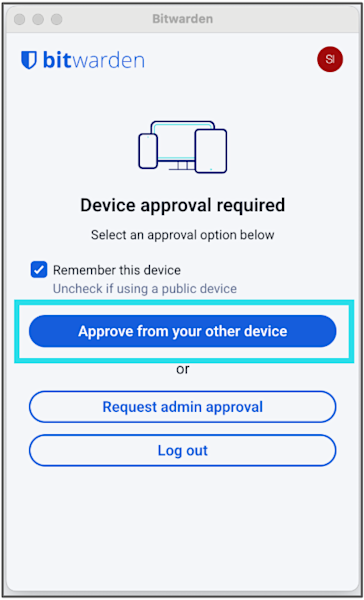
*Approve the extension from another device*
Er zijn verschillende opties. Selecteer '**Goedkeuren**' op uw andere apparaat, in dit geval de webapp waarop u nog steeds bent ingelogd. Ga terug naar de Bitwarden-webapp, ga naar **Instellingen > Beveiliging > Apparaten**, selecteer de vermelde inlogpoging en selecteer **'Toegang bevestige**n'.

*Use the web app to approve and trust the login from your extension*

*Click the Confirm access button to complete the login*
U bent nu ingelogd op de extensie!
U kunt de extensie gebruiken om in de toekomst nieuwe aanmeldingen te [bevestigen](https://bitwarden.com/nl-nl/help/add-a-trusted-device/#tab-mobile-app-5agRuaqyKm9ApnAZAMhUwD/).

*Browser extension successfully logged in and trusted*
#### Mobiele app:
1. Download de mobiele Bitwarden-app naar uw telefoon vanuit de Google Play Store of Apple App Store
2. Open de mobiele app, voer uw e-mailadres in en selecteer **Doorgaan**.

3. Selecteer op het volgende scherm **Enterprise** **Single Sign-On**.

*Log into the mobile app using SSO*
4. U wordt doorgestuurd naar uw SSO-inloggegevens. Voer uw SSO-referenties in als daarom wordt gevraagd.
5. Om de nieuwe login zelf goed te keuren, navigeert u in de Bitwarden-webapp naar **Instellingen > Beveiliging > Apparaten**, selecteert u de login en selecteert u **'Toegang bevestige**n'. U kunt het apparaat ook goedkeuren via de browserextensie waarmee u zojuist bent ingelogd.

*Use the web app again to approve the mobile app login and confirm the trusted device*
U bent nu klaar voor mobiel gebruik!
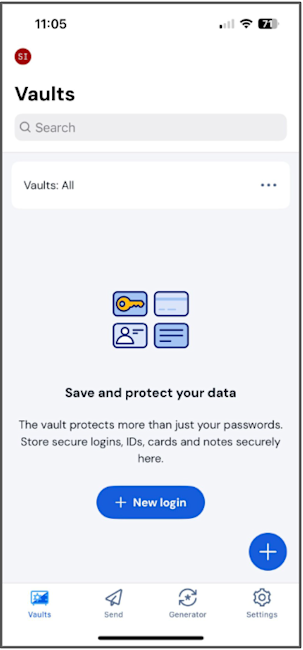
*Mobile app successfully logged in and trusted*
U kunt de Bitwarden-app gebruiken om [nieuwe logins te bevestigen](https://bitwarden.com/nl-nl/help/add-a-trusted-device/#tab-mobile-app-5agRuaqyKm9ApnAZAMhUwD/) als u hier in de toekomst om wordt gevraagd.
### Deel 3: Pas uw voorkeuren aan in de extensie en de mobiele app
1. Zet de [browserextensie](https://bitwarden.com/nl-nl/help/getting-started-browserext/#pin-the-extension/) vast voor eenvoudige toegang. Het pictogram geeft aan of u bent ingelogd (grijs versus blauw pictogram) en toont een teller als u een item hebt opgeslagen voor de website die u bezoekt.
2. Pas de time-outinstellingen aan (indien beschikbaar) voor zowel de mobiele app als de extensie (uw beheerder kan deze voor u instellen). Begrijp het verschil tussen [het vergrendelen van de kluis en uitloggen](https://bitwarden.com/nl-nl/help/vault-timeout/).
3. Stel [biometrische ontgrendeling](https://bitwarden.com/nl-nl/help/biometrics/#enable-unlock-with-biometrics/) in voor de mobiele app
4. Stel [pincodeontgrendeling](https://bitwarden.com/nl-nl/help/unlock-with-pin/#enable-unlock-with-pin/) in voor de browserextensie
5. Schakel de [ingebouwde wachtwoordbeheerder van uw browser](https://bitwarden.com/nl-nl/blog/make-way-for-your-password-manager/) uit.
Dat is alles wat u nodig hebt om uw account aan te maken en voor de eerste keer in te loggen! Wacht nu tot u bent bevestigd in uw organisatie en u kunt Bitwarden gaan gebruiken om uw wachtwoorden en andere gevoelige gegevens te beveiligen.
## Additional resources
Check out the [Bitwarden Help Center guides](https://bitwarden.com/nl-nl/help/get-to-know-password-manager/) and refer to your IT manager’s onboarding materials, or explore the following articles.
**For users**
- [Vault Items](https://bitwarden.com/nl-nl/help/managing-items/)
- [Integrated Authenticator](https://bitwarden.com/nl-nl/help/integrated-authenticator/)
- [Sharing](https://bitwarden.com/nl-nl/help/sharing/)
- [Collections](https://bitwarden.com/nl-nl/help/about-collections/)
- [Get to know Password Manager](https://bitwarden.com/nl-nl/help/get-to-know-password-manager/)
**For admins**
- [Organizations Quick Start](https://bitwarden.com/nl-nl/help/getting-started-organizations/)
- [End User Onboarding](https://bitwarden.com/nl-nl/help/customer-success-hub/)
- [Bitwarden for Business Admins](https://bitwarden.com/nl-nl/help/courses/bitwarden-for-business-admins/)
---
URL: https://bitwarden.com/nl-nl/resources/using-bitwarden-with-azure-active-directory/
---
# Using Bitwarden with Azure Active Directory
Bitwarden and Azure AD together can help enterprises streamline employee onboarding and user management with seamless, automated provisioning.
---
## Overview
The rise of software-as-a-service means that each department within an enterprise, whether finance, marketing, or HR, has an ever-growing number of applications and services that teams use every day. A cloud-based identity and access management service like Microsoft’s **Azure Active Directory** (Azure AD) helps IT administrators control access to applications, resources, and tools based on business requirements.
A password management solution like **Bitwarden** makes it easier for employees to generate and use strong and unique passwords for all enterprise accounts, and to ensure sensitive data is end-to-end encrypted. Using an enterprise password manager also allows employees to securely share passwords across the organization from a secure vault. Sharing through Bitwarden Collections – which gathers logins, notes, cards, and more from an Organization – is the most powerful and scalable when paired with user groups. This gives enterprises that have hundreds of logins the ability to securely share them across teams and functions as needed.
Bitwarden and Azure AD together can help enterprises streamline employee onboarding and user management with seamless, automated provisioning.
## Combined Bitwarden and Azure AD Benefits
- Seamless, automated provisioning of users from a centralized directory
- Simplify the process for IT administrators to onboard and manage users for any SaaS products, internal tools, and more
- Reduce security risks from employee departure by automatically revoking their access to the Organization vault and shared Collections
## How it Works
There are two different ways to enable Bitwarden to work with Azure AD.
**SCIM support** enables Bitwarden to receive updates, such as new users and modifications to groups from Azure AD at any time. It will automatically provision users when Azure AD pushes a change.
The **Bitwarden Directory Connector** is a standalone application that actively syncs users and groups to a Bitwarden Organization from Azure AD. Syncing only occurs when the application is running. It is also the only way to connect to the on-premise version of Active Directory.

*Bitwarden Enterprise Organizations and Directory Services Diagram*
## Resources
[Streamline Employee Onboarding to Bitwarden with SCIM Support](https://bitwarden.com/nl-nl/blog/streamline-employee-onboarding-to-bitwarden-with-scim-support/)
[Azure AD SCIM Integration](https://bitwarden.com/nl-nl/help/azure-ad-scim-integration/)
[Get the Most from your Directory Services with Bitwarden](https://bitwarden.com/nl-nl/blog/password-management-directory-connector/)
[Sync with Azure AD](https://bitwarden.com/nl-nl/help/azure-active-directory/)
## Profiteer nu van krachtige, vertrouwde wachtwoordbeveiliging. Kies uw plan.
## Persoonlijk
### Gratis
**$0**
*per maand*
*Altijd gratis*
Krijg een Bitwarden-kluis
- Onbeperkt aantal apparaten
- Beheer van wachtwoorden
- Alle kernfuncties
- Altijd gratis
Kluisitems met één andere gebruiker delen
[Begin vandaag](https://bitwarden.com/go/start-free/)
---
### Premium
**Less than $1**
*per maand*
*$10 jaarlijkse rekening*
Geniet van premium functies
- Bitwarden-authenticator
- Bestand bijlagen
- Noodtoegang
- Veiligheidsrapporten en meer
Kluisitems met één andere gebruiker delen
[Een premium account aanmaken](https://bitwarden.com/go/start-premium/)
---
### Gezinnen
**$3.33**
*per maand*
*Tot 6 gebruikers, $40 jaarlijkse rekening*
Inloggegevens van uw gezin beveiligen
- 6 premium-accounts
- Onbeperkt delen
- Onbeperkte collecties
- Opslag van de organisatie
Kluisitems tussen zes personen delen
[Gratis 7-daagse proefperiode beginnen](https://bitwarden.com/go/start-families-trial/)
---
De prijzen worden weergegeven in USD en zijn gebaseerd op een jaarabonnement. Belastingen niet inbegrepen.
## Bedrijf
### Teams
*Veerkrachtige bescherming voor groeiende teams*
**$4**
*per maand/per gebruiker, jaarlijkse rekening*
Deel gevoelige gegevens veilig met collega's, afdelingen of het hele bedrijf
- Gegevens veilig delen
- Gebeurtenislogboekbewaking
- Gidsintegratie
- SCIM-ondersteuning
Inclusief premium functies voor alle gebruikers
[Een proefperiode starten](https://bitwarden.com/go/start-teams-trial/)
---
### Enterprise
*Geavanceerde mogelijkheden voor grotere organisaties*
**$6**
*per maand/per gebruiker, jaarlijkse rekening*
Gebruik geavanceerde functies zoals bedrijfsbeleid, SSO zonder wachtwoord en accountherstel.
- Bedrijfsbeleid
- Wachtwoordloze SSO
- Account herstellen
- Zelf-host optie
Inclusief premium functies en gratis gezinsplan voor alle gebruikers
[Een proefperiode starten](https://bitwarden.com/go/start-enterprise-trial/)
---
### Een offerte aanvragen
*Voor bedrijven met honderden of duizenden werknemers, neem contact op met de verkoopafdeling voor een offerte op maat en ontdek hoe Bitwarden kan helpen:*
- Cyberbeveiligingsrisico's verminderen
- Productiviteit verhogen
- Naadloos integreren
Bitwarden schaalt met elk formaat bedrijf om wachtwoordbeveiliging naar uw organisatie te brengen
[Met de verkoopafdeling contact opnemen](https://bitwarden.com/contact-sales/)
---
Prijzen worden weergegeven in USD en zijn gebaseerd op een jaarabonnement
---
URL: https://bitwarden.com/nl-nl/resources/using-bitwarden-with-yubico/
---
# Bitwarden gebruiken met Yubico
Het gebruik van een YubiKey om de Bitwarden-kluizen van uw medewerkers te beveiligen biedt maximale bescherming voor de gevoelige logins van uw organisatie.
---
## Overzicht
Een wachtwoordmanager zoals **Bitwarden** biedt sterke wachtwoordbeveiliging met krachtige beheertools en eenvoudig gebruikersbeheer. Voor extra bescherming kun je echter overwegen om twee-factor authenticatie (ook bekend als 2FA) in te stellen voor je organisatie om te beschermen tegen credential stuffing of brute force aanvallen.
Als het gaat om twee-factor authenticatie, zijn sommige methoden veiliger dan andere. SMS staat er bijvoorbeeld om bekend dat het gevoelig is voor SIM-kaping, en authenticatie-apps bieden nog een extra beveiligingsniveau. Een van de veiligste methoden voor 2FA zijn beveiligingssleutels. Een fysieke beveiligingssleutel zoals de**YubiKey van Yubico** kan tijd besparen en fouten verminderen, terwijl hij extra sterke beveiliging biedt.
Het gebruik van een YubiKey om de Bitwarden-kluizen van uw werknemers te beveiligen biedt maximale bescherming voor gevoelige bedrijfsgegevens.

## Gecombineerde voordelen van Bitwarden en Yubico
- De algehele beveiliging van de onderneming versterken met moderne verificatie en sterke unieke wachtwoorden
- Bescherm de gevoelige gegevens in uw applicaties en online services
- Risico's van gecompromitteerde wachtwoorden en minder veilige methoden voor authenticatie met twee factoren neutraliseren
## Hoe het werkt
Het registreren van een YubiKey bij Bitwarden kost slechts een paar klikken in het tabblad Tweestaps-Login onder Beveiliging in Accountinstellingen. U kunt kiezen voor YubiKey OTP of, als uw YubiKey dit ondersteunt, FIDO2 WebAuthn.
Steek de sleutel in het apparaat waar u op dat moment mee werkt, typ een naam voor de sleutel in het Bitwarden 2FA login popup venster en klik op Read Key (Sleutel lezen). Zodra de sleutel geregistreerd is, verschijnt hij in de lijst onder de naam die je eraan gegeven hebt.
Om in te loggen in uw Bitwarden-kluis op elke app, nadat u uw e-mailadres en hoofdwachtwoord hebt ingevoerd, wordt u gevraagd om uw YubiKey in de USB-poort van uw computer te steken of om uw YubiKey tegen de achterkant van uw NFC-apparaat te houden. Omdat u met Bitwarden meerdere sleutels kunt gebruiken, bent u beschermd als uw enkele sleutel wordt achtergelaten of kwijtraakt.
## Bronnen
[Inloggen in twee stappen via YubiKey](https://bitwarden.com/nl-nl/help/setup-two-step-login-yubikey/)
[Hoe beveiligingssleutels gebruiken met Bitwarden](https://bitwarden.com/nl-nl/blog/how-to-use-security-keys-with-bitwarden/)
[Top 10 brandende vragen over 2FA](https://bitwarden.com/nl-nl/blog/top-10-burning-questions-on-2fa/)
## Profiteer nu van krachtige, vertrouwde wachtwoordbeveiliging. Kies uw plan.
## Persoonlijk
### Gratis
**$0**
*per maand*
*Altijd gratis*
Krijg een Bitwarden-kluis
- Onbeperkt aantal apparaten
- Beheer van wachtwoorden
- Alle kernfuncties
- Altijd gratis
Kluisitems met één andere gebruiker delen
[Begin vandaag](https://bitwarden.com/go/start-free/)
---
### Premium
**Less than $1**
*per maand*
*$10 jaarlijkse rekening*
Geniet van premium functies
- Bitwarden-authenticator
- Bestand bijlagen
- Noodtoegang
- Veiligheidsrapporten en meer
Kluisitems met één andere gebruiker delen
[Een premium account aanmaken](https://bitwarden.com/go/start-premium/)
---
### Gezinnen
**$3.33**
*per maand*
*Tot 6 gebruikers, $40 jaarlijkse rekening*
Inloggegevens van uw gezin beveiligen
- 6 premium-accounts
- Onbeperkt delen
- Onbeperkte collecties
- Opslag van de organisatie
Kluisitems tussen zes personen delen
[Gratis 7-daagse proefperiode beginnen](https://bitwarden.com/go/start-families-trial/)
---
De prijzen worden weergegeven in USD en zijn gebaseerd op een jaarabonnement. Belastingen niet inbegrepen.
## Bedrijf
### Teams
*Veerkrachtige bescherming voor groeiende teams*
**$4**
*per maand/per gebruiker, jaarlijkse rekening*
Deel gevoelige gegevens veilig met collega's, afdelingen of het hele bedrijf
- Gegevens veilig delen
- Gebeurtenislogboekbewaking
- Gidsintegratie
- SCIM-ondersteuning
Inclusief premium functies voor alle gebruikers
[Een proefperiode starten](https://bitwarden.com/go/start-teams-trial/)
---
### Enterprise
*Geavanceerde mogelijkheden voor grotere organisaties*
**$6**
*per maand/per gebruiker, jaarlijkse rekening*
Gebruik geavanceerde functies zoals bedrijfsbeleid, SSO zonder wachtwoord en accountherstel.
- Bedrijfsbeleid
- Wachtwoordloze SSO
- Account herstellen
- Zelf-host optie
Inclusief premium functies en gratis gezinsplan voor alle gebruikers
[Een proefperiode starten](https://bitwarden.com/go/start-enterprise-trial/)
---
### Een offerte aanvragen
*Voor bedrijven met honderden of duizenden werknemers, neem contact op met de verkoopafdeling voor een offerte op maat en ontdek hoe Bitwarden kan helpen:*
- Cyberbeveiligingsrisico's verminderen
- Productiviteit verhogen
- Naadloos integreren
Bitwarden schaalt met elk formaat bedrijf om wachtwoordbeveiliging naar uw organisatie te brengen
[Met de verkoopafdeling contact opnemen](https://bitwarden.com/contact-sales/)
---
Prijzen worden weergegeven in USD en zijn gebaseerd op een jaarabonnement
---
URL: https://bitwarden.com/nl-nl/resources/web-hosting-company-opts-for-open-source-password-management-approach/
---
# Web hosting company opts for open source password management approach
Learn how domain registrar Namecheap fostered collaboration and transparency with the Bitwarden Password Manager.
---
## Namecheap
Founded: 2000
Industry: IT Service Management
Employees: 3,000
Location: Phoenix, Arizona
Namecheap is an ICANN accredited domain registrar and web hosting company currently managing over 17 million domains. Headquartered in Phoenix, Arizona, with offices in Portugal, Ukraine, and India, Namecheap also encompasses a distributed employee base that spans 22 countries. The company has over 3 million customers and is the world’s second-largest domain retailer.
> Learn more about the annual [Open Source Security Summit](https://bitwarden.com/nl-nl/open-source-security-summit/).
## Table of Contents
[Situation](https://bitwarden.com/nl-nl/resources/web-hosting-company-opts-for-open-source-password-management-approach/#situation/)
[Solution: Open source password manager enabling continuous improvement](https://bitwarden.com/nl-nl/resources/web-hosting-company-opts-for-open-source-password-management-approach/#solution-open-source-password-manager-enabling-continuous-improvement/)
[Strategic rollout, smooth transition](https://bitwarden.com/nl-nl/resources/web-hosting-company-opts-for-open-source-password-management-approach/#strategic-rollout-smooth-transition/)
[Transparency and control offer benefits](https://bitwarden.com/nl-nl/resources/web-hosting-company-opts-for-open-source-password-management-approach/#transparency-and-control-offer-benefits/)
[Get started with Bitwarden](https://bitwarden.com/nl-nl/resources/web-hosting-company-opts-for-open-source-password-management-approach/#get-started-with-bitwarden/)
## Situation
Namecheap became aware its passwords were scattered across various platforms, from KeePass instances used by some of the more technical employees to various proprietary password managers. This approach was neither convenient nor secure. These practices made it logistically challenging to keep track of different company systems and employee behavior. It also led to employees frequently sharing passwords via insecure methods.
With its commitments to enhancing operational efficiency and strengthening cybersecurity top-of-mind, Namecheap embarked on a search for the optimal password management solution. Said Chief Technical Officer Sergii Smirnov, “We were seeking a user-friendly tool that ensured a uniform experience across the organization. We are also committed to protecting privacy and freedom and place a high value on our customers’ right to safety and privacy. Ultimately, we needed a partner that could uphold these standards.”
## Solution: Open source password manager enabling continuous improvement
After weighing the options, Namecheap enthusiastically elected to go with Bitwarden. Said Smirnov, “A key factor in our decision to choose Bitwarden was its open source nature. Open source technology invites broad rotation and continuous improvement from a global community of experts. We see this investment validated year after year, in the way Bitwarden and the open source community interact and how vulnerabilities are identified and addressed promptly.”
Namecheap believes the open source approach not only enhances security tools, but ensures technology evolves in response to the real-world needs of its users. In the company’s view, this contrasts sharply with closed source projects where potential vulnerabilities might remain hidden. In such environments, the lack of external review can create security blind spots that manifest in the form of breaches and supply chain weaknesses.
> “Our decision to integrate Bitwarden is deeply rooted in our belief in the power and potential of open source software,” said Smirnov. “Open source represents more than just the technology choice. It's a forward-thinking approach that embodies innovation, collaboration, and transparency. We see open source software as the future of technological development.”
## Strategic rollout, smooth transition
Namecheap opted to strategically deploy Bitwarden in stages. The company started with a test group to eliminate operational issues early on. Utilizing the Bitwarden API, the Namecheap technical team crafted custom scripts to automate the onboarding process. This helped enable self-paced implementation, allowing employees across the world to set up Bitwarden at their own pace.
Following the initial small-scale rollout, Namecheap transitioned to deploying Bitwarden across business units. While processed in stages, within two months the team had successfully onboarded all employees.
> Said Smirnov, “Our switch to Bitwarden as our password manager, covering nearly 3,000 employees, was remarkably smooth. Many had been anticipating this upgrade and the satisfaction with the functionality, convenience, and security features that Bitwarden offers is a testament to the product’s overall strength.”
## Transparency and control offer benefits
In contrast to its former piecemeal and random approach to password security, Namecheap now has control over where and how passwords are stored and protected. The company has also capitalized on Bitwarden tools that allow it to assess password strength and quality and enabled two-factor authentication across the organization, a move that further strengthens the Namecheap security framework.
## Get started with Bitwarden
Learn more about what Bitwarden can do for your business and sign up for a [free 7-day trial](https://bitwarden.com/nl-nl/trial/)! Got questions? Join our [free weekly demo](https://bitwarden.com/nl-nl/events/weekly-demo/).
## Profiteer nu van krachtige, vertrouwde wachtwoordbeveiliging. Kies uw plan.
## Persoonlijk
### Gratis
**$0**
*per maand*
*Altijd gratis*
Krijg een Bitwarden-kluis
- Onbeperkt aantal apparaten
- Beheer van wachtwoorden
- Alle kernfuncties
- Altijd gratis
Kluisitems met één andere gebruiker delen
[Begin vandaag](https://bitwarden.com/go/start-free/)
---
### Premium
**Less than $1**
*per maand*
*$10 jaarlijkse rekening*
Geniet van premium functies
- Bitwarden-authenticator
- Bestand bijlagen
- Noodtoegang
- Veiligheidsrapporten en meer
Kluisitems met één andere gebruiker delen
[Een premium account aanmaken](https://bitwarden.com/go/start-premium/)
---
### Gezinnen
**$3.33**
*per maand*
*Tot 6 gebruikers, $40 jaarlijkse rekening*
Inloggegevens van uw gezin beveiligen
- 6 premium-accounts
- Onbeperkt delen
- Onbeperkte collecties
- Opslag van de organisatie
Kluisitems tussen zes personen delen
[Gratis 7-daagse proefperiode beginnen](https://bitwarden.com/go/start-families-trial/)
---
De prijzen worden weergegeven in USD en zijn gebaseerd op een jaarabonnement. Belastingen niet inbegrepen.
## Bedrijf
### Teams
*Veerkrachtige bescherming voor groeiende teams*
**$4**
*per maand/per gebruiker, jaarlijkse rekening*
Deel gevoelige gegevens veilig met collega's, afdelingen of het hele bedrijf
- Gegevens veilig delen
- Gebeurtenislogboekbewaking
- Gidsintegratie
- SCIM-ondersteuning
Inclusief premium functies voor alle gebruikers
[Een proefperiode starten](https://bitwarden.com/go/start-teams-trial/)
---
### Enterprise
*Geavanceerde mogelijkheden voor grotere organisaties*
**$6**
*per maand/per gebruiker, jaarlijkse rekening*
Gebruik geavanceerde functies zoals bedrijfsbeleid, SSO zonder wachtwoord en accountherstel.
- Bedrijfsbeleid
- Wachtwoordloze SSO
- Account herstellen
- Zelf-host optie
Inclusief premium functies en gratis gezinsplan voor alle gebruikers
[Een proefperiode starten](https://bitwarden.com/go/start-enterprise-trial/)
---
### Een offerte aanvragen
*Voor bedrijven met honderden of duizenden werknemers, neem contact op met de verkoopafdeling voor een offerte op maat en ontdek hoe Bitwarden kan helpen:*
- Cyberbeveiligingsrisico's verminderen
- Productiviteit verhogen
- Naadloos integreren
Bitwarden schaalt met elk formaat bedrijf om wachtwoordbeveiliging naar uw organisatie te brengen
[Met de verkoopafdeling contact opnemen](https://bitwarden.com/contact-sales/)
---
Prijzen worden weergegeven in USD en zijn gebaseerd op een jaarabonnement
---
URL: https://bitwarden.com/nl-nl/resources/west-coast-media-institution-selects-bitwarden/
---
# Westkust media-instelling kiest Bitwarden voor implementatiegemak en integratie met Active Directory
Deze media-instelling koos Bitwarden vanwege de zakelijke functies, de integratie met Active Directory en de eenvoudige interface.
---
## Overzicht
Opgericht: 1953
Branche: Non-profit nieuwsmedia
Werknemers: 500
Omvang IT-team: 14
Locatie: Westkust
Bitwarden Zitplaatsen: 85
Deze mediaorganisatie doet verslag van lokaal, nationaal en internationaal nieuws en produceert tv, radio, digitale media en educatieve programma's. De organisatie, met het hoofdkantoor aan de westkust, zag haar beveiliging in gevaar komen toen haar oude wachtwoordbeheeroplossing werd gekraakt. De organisatie was op zoek naar een nieuwe oplossing voor wachtwoordbeheer die gevoelige informatie zou beschermen en het mogelijk zou maken om door te gaan met haar missie om originele programma's van hoge kwaliteit aan haar kijkers te bieden.
## Inhoudsopgave
[Overzicht](https://bitwarden.com/nl-nl/resources/west-coast-media-institution-selects-bitwarden/#overview/)
[Situatie: Ransomware en datalekken](https://bitwarden.com/nl-nl/resources/west-coast-media-institution-selects-bitwarden/#situation-ransomware-and-data-breaches/)
[Bitwarden stimuleert betere wachtwoordbeveiligingsgewoonten in teams](https://bitwarden.com/nl-nl/resources/west-coast-media-institution-selects-bitwarden/#bitwarden-fosters-better-password-security-habits-across-teams/)
[Aan de slag met Bitwarden](https://bitwarden.com/nl-nl/resources/west-coast-media-institution-selects-bitwarden/#get-started-with-bitwarden/)
## Situatie: Ransomware en datalekken
Toen een Bitwarden-klant en hoofd IT-beveiligingsengineer voor de mediaorganisatie bij het bedrijf kwam werken, in een positie die was ontstaan als gevolg van een schadelijke ransomware-aanval, ontdekte hij dat LastPass na de aanval was ingezet om wachtwoorden te beheren en te beschermen. Kort nadat hij bij de organisatie kwam, werd LastPass getroffen door een grote inbreuk.
De mediaorganisatie had ook te maken gehad met een inbreuk op haar HR-software toen een externe partij het wachtwoord van een van de medewerkers raadde. De hacker kon inloggen als de werknemer en vervolgens 92% van het salaris van de werknemer omleiden naar een andere bankrekening.
Met deze incidenten in het achterhoofd besloot het team op zoek te gaan naar een nieuwe optie voor wachtwoordbeheer die de algehele beveiliging van de organisatie zou versterken en [het risico op gegevensschendingen](https://bitwarden.com/nl-nl/blog/what-is-a-cyberattack/) zou verkleinen.
## Oplossing: Bitwarden voor eenvoud en eenvoudige implementatie
"We hebben Bitwarden, 1Password en Dashlane onderzocht," zei de Bitwarden-klant. "Wat het beheer van ondernemingswachtwoorden betreft, waren 1Password en Dashlane niet goed genoeg omdat ze niet zo gestroomlijnd waren en niet zoveel mogelijkheden boden als Bitwarden."
"Tijdens onze evaluaties kwam Bitwarden steeds weer als beste uit de bus. We waren vooral blij met de zakelijke functies van Bitwarden, de integratie van Active Directory en de eenvoudige interface. De algemene gebruikerservaring, de prijs en de authenticatiemogelijkheden waren ook belangrijke factoren."
Bitwarden erkent dat gebruikersdirectory's een cruciaal onderdeel vormen van het toegangsbeheer van gebruikers en biedt daarom een Directory Connector-app die automatisch gebruikers, groepen en groepsassociaties instelt, waardoor het voor klanten eenvoudig wordt om gebruikers in te stellen, aan te nemen en te beheren.
De klant vond Bitwarden vooral aantrekkelijk vanwege de naadloze integratie met [Microsoft Active Directory](https://bitwarden.com/nl-nl/resources/using-bitwarden-with-azure-active-directory/) - een directoryservice die informatie over het object op het netwerk opslaat, waardoor het gemakkelijk te vinden en te gebruiken is voor beheerders en gebruikers. Sommige van de opgeslagen gegevens kunnen namen, wachtwoorden en andere identificatiegegevens zoals telefoonnummers bevatten.
"Active Directory is onze centrale authenticatiebron. Alles wat een hefboomeffect kan hebben, is fantastisch," zei de klant. "Het IT-team vond het geweldig dat de interface van Bitwarden eenvoudig was. Met Bitwarden is er niet veel drukte en krijg je heel snel wat je nodig hebt."
Voorafgaand aan de onboarding van nieuwe gebruikers naar Bitwarden ontdekte de klant dat medewerkers Slack gebruikten als wachtwoordopslagplaats en ook wachtwoorden opsloegen in spreadsheets. Het IT-team stond te popelen om de overstap naar Bitwarden te maken en kondigde de werknemers aan dat ze een Bitwarden-account moesten aanmaken en stelde een deadline vast voor het stopzetten van de toegang tot LastPass enterprise.
"We hadden weinig tot geen problemen met de implementatie", aldus de klant. "Sinds de implementatie van Bitwarden is de tijd die IT-beheerders besteden [aan het in- en uitstappen van medewerkers](https://bitwarden.com/nl-nl/blog/employee-password-management-onboarding-and-beyond/) en het beheren van wachtwoordaanvragen afgenomen."
De klant was ook erg blij met de beschikbaarheid van het [Bitwarden Families-plan](https://bitwarden.com/nl-nl/blog/how-to-protect-your-family-with-bitwarden-password-manager/), dat gratis wordt aangeboden aan alle Bitwarden Enterprise-gebruikers, zodat ze hun persoonlijke gegevens ook buiten het werk kunnen beschermen.
## Bitwarden stimuleert betere wachtwoordbeveiligingsgewoonten in teams
Met het gebruik van Bitwarden Collections is het voor de organisatie eenvoudiger geworden om groepen medewerkers te organiseren op basis van hun expertisegebieden en machtigingen toe te kennen op basis van de toegangsbehoefte van een medewerker. De klant heeft ook gemerkt dat onveilige wachtwoordpraktijken, zoals het delen van wachtwoorden via Slack, in de loop der tijd zijn afgenomen.
"We hebben vooruitgang gezien," zei de klant. "We documenteren ook veel educatieve beveiligingsinformatie, soms rechtstreeks van de Bitwarden-website, en sturen deze naar werknemers zodat ze beter begrijpen hoe ze sterke wachtwoorden kunnen maken. Deze leermiddelen maken het makkelijker voor werknemers om te profiteren van Bitwarden."
De mediaorganisatie is ook tevreden over de [Bitwarden time-based one-time password (TOTP)](https://bitwarden.com/nl-nl/help/integrated-authenticator/) functie.
"De TOTP-functie is echt handig omdat deze ingebouwd is. Als we onmiddellijk een wachtwoord nodig hebben, kunnen we TOTP snel inschakelen en hoeven we niet te wachten tot iemand terug is van vakantie of weer op kantoor is. We doen dit ook als we bang zijn dat een wachtwoord gecompromitteerd is."
"Ik hou van een slanke interface. Bitwarden biedt dat. Het heeft precies wat we nodig hebben."
## Aan de slag met Bitwarden
Lees meer over wat Bitwarden voor uw bedrijf kan betekenen en meld u aan voor een [gratis 7-dagen proefabonnement](https://bitwarden.com/nl-nl/trial/)!
## Profiteer nu van krachtige, vertrouwde wachtwoordbeveiliging. Kies uw plan.
## Persoonlijk
### Gratis
**$0**
*per maand*
*Altijd gratis*
Krijg een Bitwarden-kluis
- Onbeperkt aantal apparaten
- Beheer van wachtwoorden
- Alle kernfuncties
- Altijd gratis
Kluisitems met één andere gebruiker delen
[Begin vandaag](https://bitwarden.com/go/start-free/)
---
### Premium
**Less than $1**
*per maand*
*$10 jaarlijkse rekening*
Geniet van premium functies
- Bitwarden-authenticator
- Bestand bijlagen
- Noodtoegang
- Veiligheidsrapporten en meer
Kluisitems met één andere gebruiker delen
[Een premium account aanmaken](https://bitwarden.com/go/start-premium/)
---
### Gezinnen
**$3.33**
*per maand*
*Tot 6 gebruikers, $40 jaarlijkse rekening*
Inloggegevens van uw gezin beveiligen
- 6 premium-accounts
- Onbeperkt delen
- Onbeperkte collecties
- Opslag van de organisatie
Kluisitems tussen zes personen delen
[Gratis 7-daagse proefperiode beginnen](https://bitwarden.com/go/start-families-trial/)
---
De prijzen worden weergegeven in USD en zijn gebaseerd op een jaarabonnement. Belastingen niet inbegrepen.
## Bedrijf
### Teams
*Veerkrachtige bescherming voor groeiende teams*
**$4**
*per maand/per gebruiker, jaarlijkse rekening*
Deel gevoelige gegevens veilig met collega's, afdelingen of het hele bedrijf
- Gegevens veilig delen
- Gebeurtenislogboekbewaking
- Gidsintegratie
- SCIM-ondersteuning
Inclusief premium functies voor alle gebruikers
[Een proefperiode starten](https://bitwarden.com/go/start-teams-trial/)
---
### Enterprise
*Geavanceerde mogelijkheden voor grotere organisaties*
**$6**
*per maand/per gebruiker, jaarlijkse rekening*
Gebruik geavanceerde functies zoals bedrijfsbeleid, SSO zonder wachtwoord en accountherstel.
- Bedrijfsbeleid
- Wachtwoordloze SSO
- Account herstellen
- Zelf-host optie
Inclusief premium functies en gratis gezinsplan voor alle gebruikers
[Een proefperiode starten](https://bitwarden.com/go/start-enterprise-trial/)
---
### Een offerte aanvragen
*Voor bedrijven met honderden of duizenden werknemers, neem contact op met de verkoopafdeling voor een offerte op maat en ontdek hoe Bitwarden kan helpen:*
- Cyberbeveiligingsrisico's verminderen
- Productiviteit verhogen
- Naadloos integreren
Bitwarden schaalt met elk formaat bedrijf om wachtwoordbeveiliging naar uw organisatie te brengen
[Met de verkoopafdeling contact opnemen](https://bitwarden.com/contact-sales/)
---
Prijzen worden weergegeven in USD en zijn gebaseerd op een jaarabonnement
---
URL: https://bitwarden.com/nl-nl/resources/what-are-security-controls/
---
# What are security controls?
Commonly overlooked areas when establishing security resilience at work and at home.
---
## What are security controls?
Security controls are the backbone of any robust security strategy, serving as the measures organizations implement to safeguard their assets — people, property, or data — from a myriad of security risks and threats. These controls are meticulously designed to prevent, detect, counteract, or minimize the impact of security incidents on physical property, information, computer systems, or other valuable assets. By understanding and implementing effective security controls, organizations can create a fortified environment that ensures the safety and integrity of their operations.
### SaaS landscape and the state of BYOD
Bree Fowler, senior writer at CNET, led a panel discussion at the 2024 Bitwarden Open Source Security Summit between Schlomo Schapiro, principal engineer at Tektit Consulting, and Bjoern Sjut, managing director for productivity and IT at Front Row. The conversation explored the current trends and challenges of security resilience and employee adoption. It featured recommendations from both experts on how to improve overall security through strategic and thoughtful security controls.
Schapiro started the conversation by underscoring the threat posed by software-as-a-service (SaaS) technologies.
> “Most companies completely ignore or underestimate the threat posed by their current SaaS landscape,” said Schapiro. “They essentially put blind trust in their SaaS vendors and give up full ownership of their perimeter. It’s one of the biggest mistakes companies make. They let their perimeter become a thin fence with lots of holes, which are ultimately holes that hackers can exploit. As an industry, we need to catch up with reality.”
Sjut also highlighted the importance of perimeters, noting the huge shift towards cloud applications has made perimeters more opaque. His main concern, however, lay in the fact that people are much more mobile. “If we don’t want to arm everyone with dedicated, specific devices, we have to deal with the challenges posed by a bring your own device (BYOD) environment. In conjunction with these cloud tools, it means we have more attack vectors on the devices and through applications.”
While BYOD devices can pose security risks, organizations can bolster their defenses with tools like password managers. Bitwarden offers cross-platform access for mobile, browser, and desktop applications, enabling an environment of unlimited passwords and devices.
[](https://vimeo.com/1015905668)
*[Watch on Vimeo](https://vimeo.com/1015905668)*
*Watch the session*
## Table of Contents
[What are security controls?](https://bitwarden.com/nl-nl/resources/what-are-security-controls/#what-are-security-controls/)
[SaaS landscape and the state of BYOD](https://bitwarden.com/nl-nl/resources/what-are-security-controls/#saas-landscape-and-the-state-of-byod/)
[Putting the pieces together to balance security measures and productivity](https://bitwarden.com/nl-nl/resources/what-are-security-controls/#putting-the-pieces-together-to-balance-security-measures-and-productivity/)
[Security awareness training: Mitigating friction while accounting for human vulnerabilities](https://bitwarden.com/nl-nl/resources/what-are-security-controls/#security-awareness-training-mitigating-friction-while-accounting-for-human-vulnerabilities/)
[Mistakes companies make when establishing security resilience - and what they can do differently](https://bitwarden.com/nl-nl/resources/what-are-security-controls/#mistakes-companies-make-when-establishing-security-resilience-and-what-they-can-do-differently/)
[What are the types of security controls?](https://bitwarden.com/nl-nl/resources/what-are-security-controls/#what-are-the-types-of-security-controls/)
[Get started with Bitwarden](https://bitwarden.com/nl-nl/resources/what-are-security-controls/#get-started-with-bitwarden/)
## Putting the pieces together to balance security measures and productivity
Most organizations grapple with many moving parts to strengthen security. To prevent important things from falling through the cracks, Shapiro believes that “companies need to ensure that every application introduced into their stack uses federated authentication against their primary identity provider. One of the worst-case scenarios is having accounts or applications that aren’t well understood, which stay active after an employee has left the organization.”
Sjut emphasizes that security should not be restricted to “an enterprise feature. As an industry, we should all advocate for built-in security so we don’t end up in a position where we have to plug holes with many different measures.”
Security professionals must put all the pieces together and figure out what works best for them. Controls are essential to mitigate business risks and ensure security effectively.
> “We want to find the right balance between security and productivity. I think a mistake many companies make is putting a security goal on the agenda that can lock people out of being productive. This makes them less secure in the long run because employees build up their own shadow IT that is completely outside the bounds of company security controls. In our view, it’s about balance, coupled with a risk-based approach.” ~ Bjoern Sjut
If organizations want their security departments to be effective, they must embrace and enable users to do their jobs efficiently.
> “It’s always important to be approachable as an IT department. You want to create an environment where the path of least resistance from the user doesn’t circumvent your security.” ~ Schlomo Schapiro
Employees who cannot share relevant work files with clients or team members are more likely to circumvent security protocols. The only way to protect against that is to ensure “employees feel supported in their productivity. It really is about collaboration and finding the right balance between productivity and security (Sjut).”
Password managers can help users navigate the tightrope of security and productivity. They offer a fast and efficient avenue for creating, managing, and securing passwords. Reputable password managers such as Bitwarden also include MFA tools users can leverage for an extra layer of security, like the built-in Bitwarden Authenticator or the stand-alone Bitwarden Authenticator app.
## Read more:
[How to build the best cybersecurity tech stack for your business](https://bitwarden.com/nl-nl/blog/best-cybersecurity-for-business/)
## Security awareness training: Mitigating friction while accounting for human vulnerabilities
People naturally tend to avoid friction, including friction caused by security policies. Fowler asked Schapiro and Sjut how they best incentivize employees to avoid circumventing security best practices.
> “My personal recommendation is to think of your users as citizen developers. It is important to enable your employees to make use of the systems you provide. It is important to be approachable, reach out with a helping hand, and put user enablement first.” ~ Schlomo Schapiro
Sjut noted that in many companies, it can be challenging for users to figure out how they should get access to a tool they need. This is particularly prevalent in mid-size companies because the company may be large enough to lose sight of all the tools available but not large enough where there is corporate oversight.
> “In my opinion, a lot of companies manage their IT incorrectly. They don’t manage it as a defender of the status quo. They manage it more as a facility management unit to keep the lights on. Very few IT organizations have the goal of making people more productive.” ~ Bjoern Sjut
## Mistakes companies make when establishing security resilience - and what they can do differently
Schapiro emphasized the importance of having control over SaaS perimeters and having a solid plan in place for retrieving backups – including routine test runs to make sure everyone understands their role. Organizations must focus on protecting and maintaining critical systems to prevent breaches and ensure they remain functional and secure against potential attacks.
Sjut said that in addition to backups, many companies don’t really have a robust understanding of identity, including with people they collaborate with such as freelancers.
“The amount of personal Google accounts used to manage Google Analytics data is baffling to me,” said Sjut. “Most companies need to deal with digital identities. My general sense is that there’s rarely someone who feels responsible for digital identities within the organization. Businesses need to understand their core identity provider, how the identities work, and if they have them under control. The more people log into cloud applications on a personally owned device without the employer understanding that identity, the more difficult it is to mitigate damages.”
## What are the types of security controls?
#### Physical security controls
Security controls can be broadly categorized into three main types: physical, technical, and administrative controls. Each type plays a pivotal role in creating a comprehensive security framework. By integrating these three types of controls, organizations can create a multi-layered defense strategy that addresses various security aspects.
- Physical controls include measures like access control systems, surveillance cameras, and alarm systems.
- Technical controls encompass tools and technologies such as password managers, firewalls, intrusion detection systems, and encryption.
- Administrative controls involve policies, procedures, and training programs designed to manage and govern an organization's overall security posture.
#### Technical security controls
Technical security controls are critical for safeguarding an organization’s digital assets, including computer systems, networks, and data. These controls involve a range of technologies and practices designed to prevent, detect, and respond to cyber threats, including encryption, firewalls, access controls, antivirus, and malware detection. They are indispensable for protecting against cyber threats such as hacking, malware, and ransomware and ensuring the integrity and confidentiality of digital assets.
Password managers like Bitwarden provide [reporting on password health](https://bitwarden.com/nl-nl/blog/stay-secure-with-vault-health-reports/), exposed or reused passwords, weak passwords, unsecured websites, inactive two-step logins, and known data breaches.
#### Administrative security controls
Administrative security controls are measures designed to manage and govern an organization’s security posture through policies, procedures, and training. These controls are essential for guiding employee behavior and ensuring compliance with security standards. Administrative security controls are crucial for protecting against insider threats, social engineering, and compliance failures and for ensuring a comprehensive approach to security management.
- Clear guidelines around security policies and procedures help employees understand their roles and responsibilities in maintaining security, ensuring consistent application of security measures.
- Educating employees on security best practices and potential threats helps create a security-conscious culture and reduces the risk of human error.
- Incident response plans enable organizations to respond swiftly to security incidents, minimizing damage and ensuring a coordinated response.
- Adhering to compliance and regulatory requirements, such as HIPAA and PCI-DSS, ensures that organizations meet their legal obligations and protect sensitive information.
- Routinely identifying and mitigating security risks helps organizations avoid potential threats and maintain a robust security posture.
### Get started with Bitwarden
Security controls are indispensable measures organizations must implement to protect their assets from a wide range of security risks and threats. Understanding the different types of security controls — physical, technical, and administrative — and their functions is crucial for developing an effective security strategy. Additionally, being aware of commonly overlooked areas, such as security awareness training and physical security controls, can help organizations address potential vulnerabilities. By adopting a comprehensive approach that includes a combination of these controls, organizations can ensure the confidentiality, integrity, and availability of their information and assets, thereby enhancing their overall security resilience.
## You might also like:
[Strengthen business IT security with best practices for 360° security](https://bitwarden.com/nl-nl/blog/strengthen-business-it-security-with-best-practices-for-360-security/)
## Profiteer nu van krachtige, vertrouwde wachtwoordbeveiliging. Kies uw plan.
## Persoonlijk
### Gratis
**$0**
*per maand*
*Altijd gratis*
Krijg een Bitwarden-kluis
- Onbeperkt aantal apparaten
- Beheer van wachtwoorden
- Alle kernfuncties
- Altijd gratis
Kluisitems met één andere gebruiker delen
[Begin vandaag](https://bitwarden.com/go/start-free/)
---
### Premium
**Less than $1**
*per maand*
*$10 jaarlijkse rekening*
Geniet van premium functies
- Bitwarden-authenticator
- Bestand bijlagen
- Noodtoegang
- Veiligheidsrapporten en meer
Kluisitems met één andere gebruiker delen
[Een premium account aanmaken](https://bitwarden.com/go/start-premium/)
---
### Gezinnen
**$3.33**
*per maand*
*Tot 6 gebruikers, $40 jaarlijkse rekening*
Inloggegevens van uw gezin beveiligen
- 6 premium-accounts
- Onbeperkt delen
- Onbeperkte collecties
- Opslag van de organisatie
Kluisitems tussen zes personen delen
[Gratis 7-daagse proefperiode beginnen](https://bitwarden.com/go/start-families-trial/)
---
De prijzen worden weergegeven in USD en zijn gebaseerd op een jaarabonnement. Belastingen niet inbegrepen.
## Bedrijf
### Teams
*Veerkrachtige bescherming voor groeiende teams*
**$4**
*per maand/per gebruiker, jaarlijkse rekening*
Deel gevoelige gegevens veilig met collega's, afdelingen of het hele bedrijf
- Gegevens veilig delen
- Gebeurtenislogboekbewaking
- Gidsintegratie
- SCIM-ondersteuning
Inclusief premium functies voor alle gebruikers
[Een proefperiode starten](https://bitwarden.com/go/start-teams-trial/)
---
### Enterprise
*Geavanceerde mogelijkheden voor grotere organisaties*
**$6**
*per maand/per gebruiker, jaarlijkse rekening*
Gebruik geavanceerde functies zoals bedrijfsbeleid, SSO zonder wachtwoord en accountherstel.
- Bedrijfsbeleid
- Wachtwoordloze SSO
- Account herstellen
- Zelf-host optie
Inclusief premium functies en gratis gezinsplan voor alle gebruikers
[Een proefperiode starten](https://bitwarden.com/go/start-enterprise-trial/)
---
### Een offerte aanvragen
*Voor bedrijven met honderden of duizenden werknemers, neem contact op met de verkoopafdeling voor een offerte op maat en ontdek hoe Bitwarden kan helpen:*
- Cyberbeveiligingsrisico's verminderen
- Productiviteit verhogen
- Naadloos integreren
Bitwarden schaalt met elk formaat bedrijf om wachtwoordbeveiliging naar uw organisatie te brengen
[Met de verkoopafdeling contact opnemen](https://bitwarden.com/contact-sales/)
---
Prijzen worden weergegeven in USD en zijn gebaseerd op een jaarabonnement
---
URL: https://bitwarden.com/nl-nl/resources/what-is-an-otp/
---
# What is an OTP?
## What does OTP mean in security and passwords?
You may have seen the term OTP, or one-time password, when logging into a [bank account](https://bitwarden.com/nl-nl/blog/industry-leaders-security-rankings-banking-edition/), email, or social media platform. In the world of digital security, OTPs help protect your accounts by providing an extra layer of verification during login or transactions.
Understanding how OTPs work and how to manage them securely can help keep your personal information safe online. Tools like Bitwarden make it easier to use and store OTPs alongside your passwords, so you don’t have to choose between security and convenience.
## What is an OTP, and why does it matter?
A one-time password is exactly what it sounds like: a temporary code that can only be used once. There are two types. The one most people are familiar with is timed one-time passwords, TOTPs. They are usually sent to your email, phone, or generated by an app. TOTPs expire after a short period and are part of a security method called [multi-factor authentication](https://bitwarden.com/nl-nl/blog/basics-of-two-factor-authentication-with-bitwarden/) (MFA).
Multi-factor authentication combines something you know, like your password, with something you have, like a one-time code. This makes it much harder for someone else to access your account, even if they know your password.
## Common types of one-time passwords
There are two main kinds of OTPs you might come across:
- Time-based one-time passwords (TOTP): These refresh every 30 to 60 seconds and are typically generated by authenticator apps like Bitwarden Authenticator. They're often used for banking, email, and other services where timing is key.
- HMAC-based one-time passwords (HOTP): These hash-based message authentication codes only change when requested — usually when you log in — and stay valid until used. These are often used as emergency recovery codes for logging in.
Both types offer strong protection because they are temporary and can’t be reused. That means even if someone gets access to an old code, it won’t work again.
## Why OTPs are safer than static passwords alone
Unlike a regular password that stays the same until you change it, OTPs are designed to be short-lived. Their single-use nature reduces the risk of someone reusing a stolen password or guessing their way into your account. OTPs are a key part of making sure your accounts are protected — even if your account password is compromised.
## Where you might use an OTP
One-time passwords are often used during logins that involve sensitive information. For example:
- Using [government services](https://bitwarden.com/nl-nl/blog/how-state-and-local-goverment-benefits-from-password-management/) online
- Logging into [financial accounts](https://bitwarden.com/nl-nl/blog/how-to-better-manage-your-financial-information-in-bitwarden/)
- Accessing [health records](https://bitwarden.com/nl-nl/blog/the-healthcare-industry-a-prime-target-for-cyberattacks/)
- Changing account settings
- Logging into social accounts
- Signing into email from a new device
- Making online purchases
In each case, the OTP adds an extra checkpoint to verify your identity.
## How OTPs are delivered
You might receive an OTP in different ways:
- **Hardware security keys (most secure)**: Physical devices that generate codes and must be in your possession.
- **Authenticator apps (very secure)**: These work offline and generate codes directly within the software. Bitwarden offers two options:
- The standalone [Bitwarden Authenticator app](https://bitwarden.com/nl-nl/products/authenticator/) for iOS and Android
- Integrated TOTP generation within Bitwarden Password Manager for Premium, Families, Teams, or Enterprise users
- **Email (secure)**: A code sent to the email associated with the account. Make sure this email account is protected by a strong and unique password and two-factor authentication!
- **SMS text messages (less secure)**: A text sent to the phone number associated with the account.
Users often prefer authenticator apps because they work offline and are more secure than SMS-based codes, which can be vulnerable to SIM swapping and interception.
## Common OTP challenges and solutions
Users might encounter practical challenges even when they understand OTP and its benefits. Fortunately, the right tools can address these issues.
## Best practices for using OTPs
Users should consider the following recommended practices to maximize what OTP means for security while minimizing potential hassles.
- Set up TOTPs by scanning QR codes in the Bitwarden mobile app or manually entering the TOTP seed.
- The Bitwarden browser extension also has a camera icon that can scan on-screen QR codes.
- Use the Bitwarden autofill capability to streamline the login process.
- Consider the standalone Bitwarden Authenticator for those who prefer a dedicated app.
- Regularly export TOTP seeds as a backup precaution.
- When using the integrated Bitwarden solution, TOTP are included in password manager backups.
Make sure to save a backup of TOTP seeds to ensure continuous access to accounts. Following these guidelines helps maintain [strong password practices](https://bitwarden.com/nl-nl/blog/how-long-should-my-password-be/) while keeping the authentication process smooth and trouble-free.
## How OTPs fit into your security strategy
OTPs are just one piece of a strong security setup. Combine them with a password manager, strong and unique passwords, regular software updates, and secure sharing practices. This layered approach gives you better protection against account takeovers and phishing attacks.
### How Bitwarden helps you use OTPs
Bitwarden makes implementing OTP for enhanced security easy with two approaches that simplify your workflow, especially if you're juggling multiple accounts, and help you stay consistent with your security habits.
#### Standalone Bitwarden Authenticator
The standalone [Bitwarden Authenticator](https://bitwarden.com/nl-nl/help/bitwarden-authenticator/) is an open source mobile app for iOS and Android that generates 6-digit TOTPs. It works independently of the password manager, enabling easy QR code scanning to set up 2FA.
#### Bitwarden Password Manager built-in authenticator
For an all-in-one solution, the Bitwarden Password Manager includes integrated TOTP functionality for Premium, Families, Teams, or Enterprise users. This integration automatically generates and fills TOTPs during login, streamlining the authentication process.
The autofill feature works seamlessly with the Bitwarden browser extensions and mobile apps. Examples include integrating TOTP generation directly into Bitwarden Password Manager and automatically filling both the password and current TOTP code.
## Take the next step with OTP security
Adding OTPs to your login process doesn’t have to be complicated. With [Bitwarden](https://bitwarden.com/nl-nl/products/business/), you can keep all your login information, including your one-time passwords, in one secure place.
Discover the [integrated authenticator solution](https://bitwarden.com/nl-nl/help/integrated-authenticator/). For those who prefer a separate authenticator app, the open source Bitwarden Authenticator provides a robust solution for managing 2FA needs.
[Get started with Bitwarden](https://bitwarden.com/nl-nl/products/business/) today to better protect what matters most with OTP security. Feel the peace of mind that comes with knowing your accounts are secure.
## Profiteer nu van krachtige, vertrouwde wachtwoordbeveiliging. Kies uw plan.
## Persoonlijk
### Gratis
**$0**
*per maand*
*Altijd gratis*
Krijg een Bitwarden-kluis
- Onbeperkt aantal apparaten
- Beheer van wachtwoorden
- Alle kernfuncties
- Altijd gratis
Kluisitems met één andere gebruiker delen
[Begin vandaag](https://bitwarden.com/go/start-free/)
---
### Premium
**Less than $1**
*per maand*
*$10 jaarlijkse rekening*
Geniet van premium functies
- Bitwarden-authenticator
- Bestand bijlagen
- Noodtoegang
- Veiligheidsrapporten en meer
Kluisitems met één andere gebruiker delen
[Een premium account aanmaken](https://bitwarden.com/go/start-premium/)
---
### Gezinnen
**$3.33**
*per maand*
*Tot 6 gebruikers, $40 jaarlijkse rekening*
Inloggegevens van uw gezin beveiligen
- 6 premium-accounts
- Onbeperkt delen
- Onbeperkte collecties
- Opslag van de organisatie
Kluisitems tussen zes personen delen
[Gratis 7-daagse proefperiode beginnen](https://bitwarden.com/go/start-families-trial/)
---
De prijzen worden weergegeven in USD en zijn gebaseerd op een jaarabonnement. Belastingen niet inbegrepen.
## Bedrijf
### Teams
*Veerkrachtige bescherming voor groeiende teams*
**$4**
*per maand/per gebruiker, jaarlijkse rekening*
Deel gevoelige gegevens veilig met collega's, afdelingen of het hele bedrijf
- Gegevens veilig delen
- Gebeurtenislogboekbewaking
- Gidsintegratie
- SCIM-ondersteuning
Inclusief premium functies voor alle gebruikers
[Een proefperiode starten](https://bitwarden.com/go/start-teams-trial/)
---
### Enterprise
*Geavanceerde mogelijkheden voor grotere organisaties*
**$6**
*per maand/per gebruiker, jaarlijkse rekening*
Gebruik geavanceerde functies zoals bedrijfsbeleid, SSO zonder wachtwoord en accountherstel.
- Bedrijfsbeleid
- Wachtwoordloze SSO
- Account herstellen
- Zelf-host optie
Inclusief premium functies en gratis gezinsplan voor alle gebruikers
[Een proefperiode starten](https://bitwarden.com/go/start-enterprise-trial/)
---
### Een offerte aanvragen
*Voor bedrijven met honderden of duizenden werknemers, neem contact op met de verkoopafdeling voor een offerte op maat en ontdek hoe Bitwarden kan helpen:*
- Cyberbeveiligingsrisico's verminderen
- Productiviteit verhogen
- Naadloos integreren
Bitwarden schaalt met elk formaat bedrijf om wachtwoordbeveiliging naar uw organisatie te brengen
[Met de verkoopafdeling contact opnemen](https://bitwarden.com/contact-sales/)
---
Prijzen worden weergegeven in USD en zijn gebaseerd op een jaarabonnement
---
URL: https://bitwarden.com/nl-nl/resources/what-is-data-exfiltration/
---
# What is data exfiltration?
## Understanding data exfiltration: A guide for tech leaders
Data exfiltration can cause major financial, legal, and reputational damage, from leaked customer information to stolen trade secrets. This guide helps technology leaders understand what data exfiltration is, why it matters, and how to prevent it with practical, real-world strategies like continuous monitoring, employee training, and access control.
## What is data exfiltration?
At its core, data exfiltration refers to the unauthorized transfer of data from your network. Often, the person stealing the data does so quietly and with malicious intent, like selling, exploiting, or using the information to cause further damage.
This type of breach can involve:
- Personal customer information
- Internal business documents
- Intellectual property, such as product designs or code
Not all data exfiltration is malicious. In some cases, unintentional exfiltration occurs when employees send sensitive data to personal email accounts or upload files to unsanctioned cloud services. Negligent exfiltration can result from misconfigured permissions, overly broad access rights, or poor security habits, leading to accidental exposure or unauthorized downloads. Regardless of intent, the result is the same: sensitive information leaving the organization and increasing its exposure risks.
Data can be exfiltrated in many ways, including through email, cloud storage platforms, or removable devices. In other words, it’s a digital break-in. The goal isn’t just to gain entry, but to take something valuable on the way out. That’s why it’s critical to monitor how data moves across systems. When organizations understand how attackers operate and where vulnerabilities exist, they’re better prepared to implement safeguards and protect sensitive assets.
Preventing data exfiltration starts with a well-rounded strategy. This includes deploying data loss prevention (DLP) tools, performing regular [security audits](https://bitwarden.com/nl-nl/blog/why-open-source-delivers-transparency-and-security-for-enterprises/), and training employees to handle sensitive information responsibly. Since threats can come from multiple sources — including insider actions, human error, or technical gaps — strong access controls and layered security practices are essential to reducing risk.
## Why it matters
When data is exfiltrated, it puts an entire business at risk. Enterprise data breaches frequently involve some form of exfiltration. Whether discovered quickly or after months of dwell time, the consequences are real: lost trust, financial penalties, and operational disruptions.
For regulated industries, the stakes can be even higher. Noncompliance with privacy laws or security frameworks (like GDPR, [HIPAA](https://bitwarden.com/nl-nl/blog/the-healthcare-industry-a-prime-target-for-cyberattacks/), or PCI DSS) can result in fines, investigations, or reputational fallout.
As a tech leader, staying ahead of these threats helps protect company data and the people who rely on it, including customers, partners, and employees.
## Exfiltration vs. infiltration
Infiltration is when a bad actor gets inside a system, like a hacker breaking into a computer or exploiting a network vulnerability. Exfiltration is what happens after: they take the data and get out.
Think of it as the difference between sneaking into a building and stealing a file from a locked cabinet once you’re inside.
## What kind of data gets targeted?
Cybercriminals don’t just want “data,” they want data with value. That often includes:
- **Intellectual property** – Product designs, source code, formulas, or engineering blueprints. Losing this kind of data can adversely impact revenue, R&D investments, and marketing positioning.
- **Customer information** – Names, addresses, Social Security numbers, or credit card details can be sold or used for fraud, identity theft, or phishing. When this kind of data is exposed, privacy violations and regulatory consequences often follow.
- **Trade secrets**– Internal strategies, product roadmaps, supplier agreements, and confidential communications can reveal competitive advantages or weaken negotiating power.
## Techniques used by attackers
Cybercriminals continue to evolve their techniques. Some exfiltration methods are straightforward, like emailing a file or uploading it to cloud storage. Others are more covert. For example:
- Embedding data within images using [steganography](https://thehackernews.com/2025/03/steganography-explained-how-xworm-hides.html)
- Using custom malware to exfiltrate data in small, unnoticed packets
- Leveraging legitimate tools like remote desktop software
Regardless of methodology, the goal is the same: to remove sensitive data without detection.
## Preventing data exfiltration
Prevention starts with:
- Limiting who can access what data based on roles and responsibilities
- Monitoring systems and endpoints for unusual behavior or access patterns
- [Training employees to recognize phishing attempts](https://bitwarden.com/nl-nl/blog/building-a-cybersecurity-culture-in-the-workplace/) and other suspicious activity
- Using tools like Data Loss Prevention (DLP) systems, Endpoint Detection and Response (EDR), and CAST (Cloud Access Security Broker) solutions
- Encrypting data at rest and in transit
Building multiple layers of defense ensures that even if one control fails, others remain in place to stop or slow exfiltration attempts.
## Meeting legal and compliance expectations
Regulations like GDPR, HIPAA, and PCI DSS are designed to protect sensitive data, and organizations are expected to meet their requirements. Preventing data exfiltration is critical to staying compliant and avoiding legal exposure.
Following security standards such as [NIST](https://bitwarden.com/nl-nl/resources/nist-cybersecurity-framework/), [ISO 27001](https://bitwarden.com/nl-nl/resources/how-password-management-helps-companies-achieve-iso-27001-certification/), or CIS Controls enables a strong foundation for compliance and risk mitigation. Aligning with these frameworks also gives technology leaders confidence when collaboratingrisk with legal, executive, or regulatory teams.
## Bitwarden: A trusted ally in data protection
Understanding data exfiltration is the first step in defending against it. The next step is putting the right tools in place.
Bitwarden helps organizations take control of who has access to what. By securely managing passwords, enforcing multi-factor authentication, and simplifying access controls, Bitwarden reduces the risk of stolen credentials — a common starting point for exfiltration.
Bitwarden supports a strong security posture, whether you’re protecting a [global business](https://bitwarden.com/nl-nl/blog/bitwarden-is-the-password-manager-for-global-enterprises/) or helping a startup scale securely. It’s a vital part of keeping sensitive data exactly where it belongs: safe and in your hands.
## Profiteer nu van krachtige, vertrouwde wachtwoordbeveiliging. Kies uw plan.
## Persoonlijk
### Gratis
**$0**
*per maand*
*Altijd gratis*
Krijg een Bitwarden-kluis
- Onbeperkt aantal apparaten
- Beheer van wachtwoorden
- Alle kernfuncties
- Altijd gratis
Kluisitems met één andere gebruiker delen
[Begin vandaag](https://bitwarden.com/go/start-free/)
---
### Premium
**Less than $1**
*per maand*
*$10 jaarlijkse rekening*
Geniet van premium functies
- Bitwarden-authenticator
- Bestand bijlagen
- Noodtoegang
- Veiligheidsrapporten en meer
Kluisitems met één andere gebruiker delen
[Een premium account aanmaken](https://bitwarden.com/go/start-premium/)
---
### Gezinnen
**$3.33**
*per maand*
*Tot 6 gebruikers, $40 jaarlijkse rekening*
Inloggegevens van uw gezin beveiligen
- 6 premium-accounts
- Onbeperkt delen
- Onbeperkte collecties
- Opslag van de organisatie
Kluisitems tussen zes personen delen
[Gratis 7-daagse proefperiode beginnen](https://bitwarden.com/go/start-families-trial/)
---
De prijzen worden weergegeven in USD en zijn gebaseerd op een jaarabonnement. Belastingen niet inbegrepen.
## Bedrijf
### Teams
*Veerkrachtige bescherming voor groeiende teams*
**$4**
*per maand/per gebruiker, jaarlijkse rekening*
Deel gevoelige gegevens veilig met collega's, afdelingen of het hele bedrijf
- Gegevens veilig delen
- Gebeurtenislogboekbewaking
- Gidsintegratie
- SCIM-ondersteuning
Inclusief premium functies voor alle gebruikers
[Een proefperiode starten](https://bitwarden.com/go/start-teams-trial/)
---
### Enterprise
*Geavanceerde mogelijkheden voor grotere organisaties*
**$6**
*per maand/per gebruiker, jaarlijkse rekening*
Gebruik geavanceerde functies zoals bedrijfsbeleid, SSO zonder wachtwoord en accountherstel.
- Bedrijfsbeleid
- Wachtwoordloze SSO
- Account herstellen
- Zelf-host optie
Inclusief premium functies en gratis gezinsplan voor alle gebruikers
[Een proefperiode starten](https://bitwarden.com/go/start-enterprise-trial/)
---
### Een offerte aanvragen
*Voor bedrijven met honderden of duizenden werknemers, neem contact op met de verkoopafdeling voor een offerte op maat en ontdek hoe Bitwarden kan helpen:*
- Cyberbeveiligingsrisico's verminderen
- Productiviteit verhogen
- Naadloos integreren
Bitwarden schaalt met elk formaat bedrijf om wachtwoordbeveiliging naar uw organisatie te brengen
[Met de verkoopafdeling contact opnemen](https://bitwarden.com/contact-sales/)
---
Prijzen worden weergegeven in USD en zijn gebaseerd op een jaarabonnement
---
URL: https://bitwarden.com/nl-nl/resources/what-is-password-hashing/
---
# What is password hashing?
Security affects everyone, from individual users to enterprise organizations. Without robust security measures, data remains vulnerable, supply chains face breach risks, and users constantly react to compromised credentials. Fortunately, most modern operating systems and services implement strong security foundations, with the password hash serving as a cornerstone technology.
While a password hash may not be something users think about daily, it underpins nearly all security mechanisms in modern computing environments.
## Understanding what is hashing
A password hash transforms a user's password into a fixed-length string of jumbled characters that cannot be easily reversed or deciphered. When someone creates an account on any platform — whether a website, operating system, email service, or banking portal — their password is typically run through a hash password function before being stored in the service's database.
The essence of a password hash lies in its protective qualities. By converting passwords into seemingly random character strings, systems store authentication data in a format that remains secure even if a database is compromised. Even when hackers gain unauthorized access to servers, they face the significant challenge of reverse-engineering these password hashes — a process requiring substantial computational resources and expertise.
The core characteristics that make a password hash effective include irreversibility, consistency, and collision resistance. Unlike encryption, hashing operates as a one-way process, making it extremely difficult to derive the original password from its hash. The same password always generates identical hash output when processed with the same parameters. Modern algorithms such as bcrypt, Argon2, and SHA-256 minimize the possibility of different passwords producing identical hashes.
> [Understand your account encryption key](https://bitwarden.com/nl-nl/help/account-encryption-key/).
## The password hash process
The technical workflow to hash password inputs follows a straightforward but secure pattern. A user creates their plaintext password during account setup. The system processes this password through a password hasher function combined with a random "salt" value to generate the final hash. Only the password hash, not the original password, is stored in the system database. During subsequent login attempts, the system applies the same hashing process to the entered password and compares the result with the stored hash. Login succeeds only when the newly generated hash matches the stored hash exactly.
In this process, a "salt" plays a crucial role. A salt is a random string of characters added to the plaintext password before hashing, resulting in a structure similar to:
> Original Password: AyL*fZ%W!C^X@7RC + Salt Value: $random_SaltValue$ = Hashed Password
## The critical importance of salt values
Salting significantly enhances password security by protecting against two primary attack vectors. Rainbow table attacks use precomputed tables of password hashes to reverse-engineer passwords from stolen hash databases. By adding unique salts to each password, systems render these precomputed tables ineffective.
Brute-force attacks employ trial-and-error methods that systematically test possible combinations until finding the correct password. Salting makes this approach exponentially more difficult by requiring attackers to crack each password individually rather than leveraging patterns across multiple accounts.
> [Evaluate your password security](https://bitwarden.com/nl-nl/how-secure-is-my-password/).
## Why organizations should implement password hash protection
The password hash serves as the underlying process that significantly increases the difficulty for malicious actors attempting to access systems. Even when attackers employ sophisticated brute-force methods, properly hashed passwords remain secure.
Additionally, password hash protection prevents attackers from directly leveraging stolen credentials in the event of a data breach. Without hashing, compromised passwords would appear in plain text, potentially compromising multiple accounts when users reuse credentials across services. The combination of hashing with salting provides enhanced resistance against both brute-force and rainbow table attacks.
## Read more:
[Explore NIST guidelines for stronger passwords](https://bitwarden.com/nl-nl/blog/3-tips-from-nist-to-keep-passwords-secure/).
## Essential password hash tools
Several proven tools support effective password hash implementations:
#### Password hashing algorithms
- PBKDF2 (Password-Based Key Derivation Function 2) is a widely adopted and trusted method for deriving cryptographic keys from passwords, using salt values to enhance security.
- Argon2 offers a memory-hard password hashing algorithm specifically designed to resist brute-force and GPU-based attacks.
- Bcrypt provides an open-source, adaptive password hashing algorithm balanced for performance and security.
- SHA-256 and SHA-512 serve as widely used hash functions that convert variable-sized inputs into fixed-size outputs.
#### Password hash libraries
- Bcrypt offers developers an accessible interface for implementing and verifying passwords with the bcrypt algorithm.
- Argon2-cffi implements the Argon2 password hashing algorithm in a secure, reliable manner.
- Hashlib provides various hash functions, including SHA-256 and SHA-512, for general-purpose hashing.
#### Security services
- [Bitwarden Secrets Manager](https://bitwarden.com/nl-nl/products/secrets-manager/) manages secrets securely, including password storage and handling.
- Google Cloud Key Management Service enables organizations to generate, distribute, and use cryptographic keys for password hashing securely.
#### Password managers
Password managers complement password hashing systems. While servers handle the hashing of passwords, password managers help users create, store, and use strong, unique passwords without needing to memorize them. Solutions like Bitwarden generate complex passwords that maximize the security benefits of proper hashing algorithms. By encouraging the use of unique passwords for each service, password managers effectively neutralize the risk of credential reuse across multiple platforms — a common vulnerability that even strong hashing cannot protect against when users employ identical passwords across services.
> [Try out the password security checker tool](https://bitwarden.com/nl-nl/password-security-checker/)!
## Scaling password hashing for growing organizations
As applications grow in size and complexity, organizations face increasing challenges in managing password hashing securely. Effective scaling strategies include implementing distributed password hashing systems that allow applications to scale by distributing password hashes across multiple servers or databases. Authentication platforms like Auth0 and Stytch support this approach effectively.
Effective scaling of password hashing requires organizations to address several factors:
- Organizations must handle large volumes of user data efficiently while maintaining security and privacy.
- Plan for increased traffic and authentication requests, and regularly monitor system performance.
- Staying current with security patches and updates is essential, as is using secure, modern hash functions.
- Implementing unique salt values for each password and iterating the hashing process appropriately provides additional protection.
- Many organizations benefit from leveraging specialized services like Authgear and compromised password detection tools like Enzoic.
- Encouraging organization-wide password manager adoption complements server-side hashing for a comprehensive security approach.
## Password hash best practices
Organizations seeking to implement effective password hashing systems should follow the following essential practices, many of which work harmoniously with password manager adoption.
#### Select strong, proven password hashing functions
Organizations should choose well-established algorithms like bcrypt, Argon2, or PBKDF2 that have undergone extensive testing and review by the cryptographic community as reliable password hashing options.
#### Balance security and performance with work factors
Adjusting the computational requirements of hash functions allows organizations to balance security against performance needs. Higher work factors increase resistance to brute-force attacks, but reduce overall system performance. Finding the optimal balance depends on each organization's specific requirements.
#### Implement unique salt values
Using randomly generated salt values for each user's password prevents attackers from leveraging precomputed hash databases and makes brute-force attempts significantly less efficient.
#### Store salt values properly
Organizations should generate a separate random value for each user's password and store it alongside the hashed password to prevent rainbow table attacks.
#### Apply iterative hashing
Increasing computational overhead through multiple hashing iterations slows down brute-force attempts while maintaining reasonable performance for legitimate authentication.
#### Employ memory-hard hash functions
Algorithms like Argon2 consume computational resources in ways that resist GPU-based attacks, ensuring stronger password protection.
#### Maintain updated dependencies
Organizations must regularly update and patch all dependencies used in password hashing implementation, especially libraries or frameworks that might contain security vulnerabilities.
By implementing comprehensive password hash strategies, organizations create a solid foundation for their broader security architecture, protecting both their systems and their users' sensitive information from increasingly sophisticated cyber threats.
For optimal results, organizations should encourage employees and users to adopt password managers alongside these password hashing implementations. This creates a powerful two-pronged approach where strong passwords are both generated and stored securely by users while being properly protected through hashing on the server side.
## Read more:
[Learn about master password best practices](https://bitwarden.com/nl-nl/help/master-password/).
## Get started with Bitwarden
Password managers like Bitwarden complement password hashing technologies by addressing security from the user side, while hashing protects from the server side. These tools work together by enabling the generation of complex, unique passwords that maximize the effectiveness of hashing algorithms while solving the human tendency to create weak or reused passwords.
Password managers implement their own encryption before passwords are transmitted, creating a zero-knowledge security model that parallels the server's hashing protection. Many password managers also include breach monitoring to alert users when credentials appear in data breaches, providing an additional protection layer beyond server-side hashing. This creates a comprehensive security approach — strong, unique passwords protected by client-side encryption before being secured again through server-side hashing, effectively closing security gaps that either solution alone cannot address.
## Read more:
[Discover the encryption methods behind Bitwarden](https://bitwarden.com/nl-nl/help/what-encryption-is-used/).
## Profiteer nu van krachtige, vertrouwde wachtwoordbeveiliging. Kies uw plan.
## Persoonlijk
### Gratis
**$0**
*per maand*
*Altijd gratis*
Krijg een Bitwarden-kluis
- Onbeperkt aantal apparaten
- Beheer van wachtwoorden
- Alle kernfuncties
- Altijd gratis
Kluisitems met één andere gebruiker delen
[Begin vandaag](https://bitwarden.com/go/start-free/)
---
### Premium
**Less than $1**
*per maand*
*$10 jaarlijkse rekening*
Geniet van premium functies
- Bitwarden-authenticator
- Bestand bijlagen
- Noodtoegang
- Veiligheidsrapporten en meer
Kluisitems met één andere gebruiker delen
[Een premium account aanmaken](https://bitwarden.com/go/start-premium/)
---
### Gezinnen
**$3.33**
*per maand*
*Tot 6 gebruikers, $40 jaarlijkse rekening*
Inloggegevens van uw gezin beveiligen
- 6 premium-accounts
- Onbeperkt delen
- Onbeperkte collecties
- Opslag van de organisatie
Kluisitems tussen zes personen delen
[Gratis 7-daagse proefperiode beginnen](https://bitwarden.com/go/start-families-trial/)
---
De prijzen worden weergegeven in USD en zijn gebaseerd op een jaarabonnement. Belastingen niet inbegrepen.
## Bedrijf
### Teams
*Veerkrachtige bescherming voor groeiende teams*
**$4**
*per maand/per gebruiker, jaarlijkse rekening*
Deel gevoelige gegevens veilig met collega's, afdelingen of het hele bedrijf
- Gegevens veilig delen
- Gebeurtenislogboekbewaking
- Gidsintegratie
- SCIM-ondersteuning
Inclusief premium functies voor alle gebruikers
[Een proefperiode starten](https://bitwarden.com/go/start-teams-trial/)
---
### Enterprise
*Geavanceerde mogelijkheden voor grotere organisaties*
**$6**
*per maand/per gebruiker, jaarlijkse rekening*
Gebruik geavanceerde functies zoals bedrijfsbeleid, SSO zonder wachtwoord en accountherstel.
- Bedrijfsbeleid
- Wachtwoordloze SSO
- Account herstellen
- Zelf-host optie
Inclusief premium functies en gratis gezinsplan voor alle gebruikers
[Een proefperiode starten](https://bitwarden.com/go/start-enterprise-trial/)
---
### Een offerte aanvragen
*Voor bedrijven met honderden of duizenden werknemers, neem contact op met de verkoopafdeling voor een offerte op maat en ontdek hoe Bitwarden kan helpen:*
- Cyberbeveiligingsrisico's verminderen
- Productiviteit verhogen
- Naadloos integreren
Bitwarden schaalt met elk formaat bedrijf om wachtwoordbeveiliging naar uw organisatie te brengen
[Met de verkoopafdeling contact opnemen](https://bitwarden.com/contact-sales/)
---
Prijzen worden weergegeven in USD en zijn gebaseerd op een jaarabonnement
---
URL: https://bitwarden.com/nl-nl/resources/what-is-single-sign-on-authentication/
---
# What is single sign-on authentication?
Single sign-on authentication enables users to access multiple applications with one set of credentials, for example, a username and password. For enterprises managing thousands of employees, SSO reduces credential tracking from potentially thousands of logins to just one per user. This creates faster, more secure access while balancing security with convenience.
Organizations that implement SSO authentication find that their employees experience less frustration with login processes and enjoy smoother daily operations. Consider an enterprise managing 1,000 employees, each needing access to four different systems — that's 4,000 credentials to track without single sign-on (SSO), but only 1,000 with it.
## Key SSO terminology
The single sign-on (SSO) ecosystem includes several important concepts. Authentication verifies a user's identity, while authorization determines what resources they can access. Tokenization uses digital tokens to manage access securely across multiple systems. An SSO gateway connects users with various applications through a central login mechanism. Identity Providers issue and manage user credentials, while Service Providers rely on them for authentication. Protocols like OpenID Connect (OIDC) and SAML 2.0 facilitate SSO functionality across diverse systems.
## How SSO authentication works
SSO single sign-on centralizes the authentication process. Users sign in once, and the system authenticates them across all supported platforms. The process begins when a user logs in and the system verifies their identity. The system then issues a secure token, which is stored on the device. When accessing another application, the system validates the token without requiring additional login steps. This seamless verification process occurs behind the scenes, creating a frictionless experience for end users while maintaining security protocols. This token-based authentication is what makes single sign-on authentication particularly effective for enterprises with complex application ecosystems.
## Common SSO solutions
Organizations can choose from several SSO authentication implementation options. Directory services like Active Directory and LDAP provide centralized user management for traditional enterprise environments. IAM systems manage both identities and permissions, offering granular control over user access across systems. SSO gateways such as Okta and OneLogin act as intermediaries, connecting users to multiple services through a central authentication portal.
When evaluating single sign-on for their organization, IT leaders should consider these options based on their existing infrastructure and security requirements.
## Read more:
[Integrating OneLogin with SAML](https://bitwarden.com/nl-nl/help/saml-onelogin/)
## Business benefits of single sign-on
SSO enhances user experience by minimizing login steps and reducing password fatigue, resulting in more productive and satisfied teams. The centralized login system improves security by reducing vulnerable access points and simplifying monitoring efforts. Organizations reduce IT costs as fewer password-related help desk calls allow support teams to focus on more critical tasks.
Businesses meet regulatory standards more efficiently with centralized identity systems that streamline compliance requirements. The platform also enables secure access to resources on mobile devices, supporting today's distributed workforce.
## Enterprise strategy and SSO authentication
Password fatigue creates more than user complaints — it generates operational issues. Multiple logins slow down employees and burden IT teams with support requests. When users struggle to access necessary tools, productivity declines. SSO minimizes these distractions, helping teams stay focused and efficient.
This fatigue often leads to risky behaviors, such as reusing passwords and creating weak passwords. Recent surveys highlight that 72% of Gen Z reuse passwords, and 35% rarely update passwords even after a data breach. This behavior stems partly from the overwhelming number of passwords people need to remember, with [7 in 10 Americans feeling overwhelmed](https://bitwarden.com/nl-nl/blog/7-in-10-americans-are-overwhelmed-by-passwords/) by this task. To combat password fatigue, many organizations now turn to SSO authentication combined with password managers, which dramatically reduces the likelihood of password reuse and enhances security.
Even with SSO authentication in place, businesses still face password challenges. While SSO centralizes access to connected applications, employees still interact with numerous systems outside the SSO ecosystem that require separate credentials. These non-SSO applications — vendor portals, legacy systems, personal accounts used for work — create security gaps that password managers effectively close. Organizations implementing SSO without complementary password management often discover this critical vulnerability only after experiencing a security incident.
Password fatigue often leads to risky behaviors, such as reusing passwords and creating weak passwords. Read more about generational cybersecurity trends in the [World Password Day 2025 survey](https://bitwarden.com/nl-nl/resources/world-password-day/).
## Implementation considerations for single sign-on (SSO)
#### Costs
SSO implementation can involve several expenses. Though some [solutions like Bitwarden include SSO](https://bitwarden.com/nl-nl/resources/choose-the-right-sso-login-strategy/) in the enterprise plan, many SaaS tools charge a premium for enabling SSO capabilities, sometimes referred to as the "SSO tax." Organizations often need to upgrade to higher-tier plans to access this functionality. Additional costs include configuration, maintenance, integration tools like SAML or SCIM, and staff training.
These implementation challenges explain why many organizations deploy SSO incrementally, creating a hybrid environment where password managers remain essential for managing credentials across both SSO and non-SSO systems. Despite these upfront expenses, the long-term savings in time, security improvements, and productivity gains typically justify the investment for most enterprises.
#### Best practices
Organizations can implement strong password policies and multi-factor authentication to protect against credential theft. Teams should optimize the login experience across all key applications and maintain regular system updates with the latest security patches. Choosing a scalable platform ensures the SSO solution grows with the business and handles increased authentication traffic. Adopting centralized Identity and Access Management streamlines permissions and simplifies oversight. Regular security audits help detect vulnerabilities early and maintain compliance standards. Monitoring system performance and user behavior supports ongoing reliability and security.
[Solutions like Bitwarden include SSO](https://bitwarden.com/nl-nl/resources/choose-the-right-sso-login-strategy/) in the enterprise plan.
## Getting started with SSO authentication
A phased rollout allows for controlled testing and refinement before full deployment. Organizations should begin with an established SSO single sign on solution like Microsoft Entra ID or Keycloak to ease implementation challenges. Thorough testing helps identify potential issues before they affect the entire organization. Comprehensive training for IT staff, developers, and end users ensures smooth adoption. Regular audits and updates maintain system performance and security over time. SSO authentication implementations succeed most often when organizations approach the project with realistic timelines and clear success metrics.
> Get started with this [practical guide to using single sign-on](https://bitwarden.com/nl-nl/help/using-sso/) or see this FAQ for [answers to common SSO queries](https://bitwarden.com/nl-nl/help/sso-faqs/).
> Check out these guides for [setting up SSO with Microsoft Entra ID](https://bitwarden.com/nl-nl/help/saml-microsoft-entra-id/) or [using Keycloak for streamlined SSO](https://bitwarden.com/nl-nl/help/saml-keycloak/).
## Business value of single sign-on
SSO enhances security by centralizing authentication, streamlines access across platforms, and supports business growth through scalability. It reduces IT overhead from password resets, boosts employee satisfaction through simplified access, and aligns technical infrastructure with long-term business goals. Organizations maximize their SSO investment by integrating solutions like password managers with SAML protocols and consulting with trusted providers for tailored deployment plans.
## Read more:
[Step-by-step SAML SSO configuration guide](https://bitwarden.com/nl-nl/help/configure-sso-saml/)
## SSO and password management
Businesses increasingly integrate SSO with password management capabilities, allowing users to authenticate through their existing SSO identity provider. This integration supports protocols such as SAML 2.0 and OpenID Connect, offering flexibility and security for enterprise environments. This implementation represents the ideal scenario where SSO authentication works in conjunction with other security tools to create a comprehensive authentication ecosystem that strikes a balance between security and user convenience.
Despite SSO's many benefits, it cannot completely eliminate password challenges. Most organizations find that many of their applications don’t support SSO integration, leaving a substantial portion of their digital ecosystem requiring traditional password management.
Password managers fill this critical gap by securing credentials for both SSO and non-SSO applications while enforcing password complexity requirements. They also provide emergency access protocols, secure password sharing capabilities, and robust credential management for temporary vendors and contractors — all essential functions that SSO alone cannot deliver. The combination of SSO for streamlined authentication and password managers for comprehensive credential security creates the most resilient security posture.
## Conclusion
Single sign-on authentication represents a critical component in modern enterprise security architecture. As organizations expand, the need for streamlined, secure access management becomes increasingly important. SSO addresses both security concerns and user experience challenges by centralizing authentication processes and reducing password fatigue. However, security experts consistently recommend implementing SSO alongside robust password management solutions rather than viewing them as competing technologies.
Forward-thinking organizations implement SSO as part of a comprehensive identity management strategy that includes password management tools, recognizing that simplified access translates to improved productivity, reduced security risks, and lower operational costs. The reality of mixed cloud applications, legacy systems, and third-party platforms — demands this layered approach. Organizations achieve optimal security when SSO handles authentication for supported systems while password managers secure the remainder of the digital landscape. As remote work and cloud services continue to proliferate, this dual approach of SSO single sign-on with password management will remain essential for businesses aiming to balance security requirements with operational efficiency.
Get started with [enterprise-grade SSO solutions](https://bitwarden.com/nl-nl/products/business/).
## Profiteer nu van krachtige, vertrouwde wachtwoordbeveiliging. Kies uw plan.
## Persoonlijk
### Gratis
**$0**
*per maand*
*Altijd gratis*
Krijg een Bitwarden-kluis
- Onbeperkt aantal apparaten
- Beheer van wachtwoorden
- Alle kernfuncties
- Altijd gratis
Kluisitems met één andere gebruiker delen
[Begin vandaag](https://bitwarden.com/go/start-free/)
---
### Premium
**Less than $1**
*per maand*
*$10 jaarlijkse rekening*
Geniet van premium functies
- Bitwarden-authenticator
- Bestand bijlagen
- Noodtoegang
- Veiligheidsrapporten en meer
Kluisitems met één andere gebruiker delen
[Een premium account aanmaken](https://bitwarden.com/go/start-premium/)
---
### Gezinnen
**$3.33**
*per maand*
*Tot 6 gebruikers, $40 jaarlijkse rekening*
Inloggegevens van uw gezin beveiligen
- 6 premium-accounts
- Onbeperkt delen
- Onbeperkte collecties
- Opslag van de organisatie
Kluisitems tussen zes personen delen
[Gratis 7-daagse proefperiode beginnen](https://bitwarden.com/go/start-families-trial/)
---
De prijzen worden weergegeven in USD en zijn gebaseerd op een jaarabonnement. Belastingen niet inbegrepen.
## Bedrijf
### Teams
*Veerkrachtige bescherming voor groeiende teams*
**$4**
*per maand/per gebruiker, jaarlijkse rekening*
Deel gevoelige gegevens veilig met collega's, afdelingen of het hele bedrijf
- Gegevens veilig delen
- Gebeurtenislogboekbewaking
- Gidsintegratie
- SCIM-ondersteuning
Inclusief premium functies voor alle gebruikers
[Een proefperiode starten](https://bitwarden.com/go/start-teams-trial/)
---
### Enterprise
*Geavanceerde mogelijkheden voor grotere organisaties*
**$6**
*per maand/per gebruiker, jaarlijkse rekening*
Gebruik geavanceerde functies zoals bedrijfsbeleid, SSO zonder wachtwoord en accountherstel.
- Bedrijfsbeleid
- Wachtwoordloze SSO
- Account herstellen
- Zelf-host optie
Inclusief premium functies en gratis gezinsplan voor alle gebruikers
[Een proefperiode starten](https://bitwarden.com/go/start-enterprise-trial/)
---
### Een offerte aanvragen
*Voor bedrijven met honderden of duizenden werknemers, neem contact op met de verkoopafdeling voor een offerte op maat en ontdek hoe Bitwarden kan helpen:*
- Cyberbeveiligingsrisico's verminderen
- Productiviteit verhogen
- Naadloos integreren
Bitwarden schaalt met elk formaat bedrijf om wachtwoordbeveiliging naar uw organisatie te brengen
[Met de verkoopafdeling contact opnemen](https://bitwarden.com/contact-sales/)
---
Prijzen worden weergegeven in USD en zijn gebaseerd op een jaarabonnement
---
URL: https://bitwarden.com/nl-nl/resources/why-bring-bitwarden-to-your-entire-business/
---
# Waarom Bitwarden voor uw hele bedrijf
Misschien gebruikt u Bitwarden met succes voor een kleiner team in uw bedrijf, maar er zijn heel goede redenen om veilig wachtwoordbeheer uit te breiden naar uw hele organisatie.
---
## 1. The threat of cyberattacks and the costs of a breach keep growing
- Every year the amount of compromised accounts **continues to rise astronomically** ([Surfshark, 2024](https://surfshark.com/research/study/data-breach-recap-2024)).
- The costs associated with breaches are also increasing.
- More alarming,**88% of breaches** for basic web applications came from compromised credentials such as from being stolen/phished or stuffed ([Verizon, 2025](https://www.verizon.com/business/resources/reports/dbir/)).
> In 2024, [IBM reported](https://www.ibm.com/reports/data-breach) that the average breach cost in the U.S. was now up to $9.36 Million.
## 2. Too many apps and websites are not SSO enabled and lack protection
### 2. Te veel apps en websites zijn niet voorzien van SSO en missen bescherming
- Tussen**een en twee derde** van de bedrijfskritische apps is niet voorzien van SSO ([451 Onderzoek](https://bitwarden.com/nl-nl/blog/451-research-a-new-password-management-report-for-security-champions/)).
- Ongedekte apps zijn onder andere cloudopslagwebsites op gebruikersniveau, berichtenapps en zelfs oudere interne applicaties.
- Bitwarden [maakt gebruik van SSO](https://bitwarden.com/nl-nl/blog/easily-integrate-single-sign-on-security-with-flexible-solutions/) en breidt de beveiliging van uw identiteitsprovider **uit** naar alle referenties die zijn opgeslagen in een Bitwarden-kluis.
## 3. Expanding Bitwarden usage to your entire business is easy
[](https://bitwarden.com/resources/presentations/securing-your-entire-business-with-a-password-manager/)
## Securing your entire business with a password manager
[View full presentation](https://bitwarden.com/nl-nl/resources/presentations/securing-your-entire-business-with-a-password-manager/)
## Aanvullende bronnen
[Blog: Hoe Bitwarden waarde toevoegt aan uw bedrijf](https://bitwarden.com/nl-nl/blog/how-bitwarden-brings-value-to-your-business/)
[Hulpbron: Kies de juiste SSO-aanmeldstrategie](https://bitwarden.com/nl-nl/resources/choose-the-right-sso-login-strategy/)
[Bitwarden Leren](https://bitwarden.com/nl-nl/help/courses/)
[Bitwarden Uitrolgids](https://bitwarden.com/nl-nl/learning/rolling-out-bitwarden-to-your-organization/)
[Blog: Hoe u de gebruikersadoptie voor uw nieuwe wachtwoordmanager bevordert](https://bitwarden.com/nl-nl/blog/user-adoption-for-company-password-manager/)
[Hulpbron: Bitwarden in verschillende sectoren](https://bitwarden.com/nl-nl/resources/bitwarden-across-industries/)
## Profiteer nu van krachtige, vertrouwde wachtwoordbeveiliging. Kies uw plan.
## Persoonlijk
### Gratis
**$0**
*per maand*
*Altijd gratis*
Krijg een Bitwarden-kluis
- Onbeperkt aantal apparaten
- Beheer van wachtwoorden
- Alle kernfuncties
- Altijd gratis
Kluisitems met één andere gebruiker delen
[Begin vandaag](https://bitwarden.com/go/start-free/)
---
### Premium
**Less than $1**
*per maand*
*$10 jaarlijkse rekening*
Geniet van premium functies
- Bitwarden-authenticator
- Bestand bijlagen
- Noodtoegang
- Veiligheidsrapporten en meer
Kluisitems met één andere gebruiker delen
[Een premium account aanmaken](https://bitwarden.com/go/start-premium/)
---
### Gezinnen
**$3.33**
*per maand*
*Tot 6 gebruikers, $40 jaarlijkse rekening*
Inloggegevens van uw gezin beveiligen
- 6 premium-accounts
- Onbeperkt delen
- Onbeperkte collecties
- Opslag van de organisatie
Kluisitems tussen zes personen delen
[Gratis 7-daagse proefperiode beginnen](https://bitwarden.com/go/start-families-trial/)
---
De prijzen worden weergegeven in USD en zijn gebaseerd op een jaarabonnement. Belastingen niet inbegrepen.
## Bedrijf
### Teams
*Veerkrachtige bescherming voor groeiende teams*
**$4**
*per maand/per gebruiker, jaarlijkse rekening*
Deel gevoelige gegevens veilig met collega's, afdelingen of het hele bedrijf
- Gegevens veilig delen
- Gebeurtenislogboekbewaking
- Gidsintegratie
- SCIM-ondersteuning
Inclusief premium functies voor alle gebruikers
[Een proefperiode starten](https://bitwarden.com/go/start-teams-trial/)
---
### Enterprise
*Geavanceerde mogelijkheden voor grotere organisaties*
**$6**
*per maand/per gebruiker, jaarlijkse rekening*
Gebruik geavanceerde functies zoals bedrijfsbeleid, SSO zonder wachtwoord en accountherstel.
- Bedrijfsbeleid
- Wachtwoordloze SSO
- Account herstellen
- Zelf-host optie
Inclusief premium functies en gratis gezinsplan voor alle gebruikers
[Een proefperiode starten](https://bitwarden.com/go/start-enterprise-trial/)
---
### Een offerte aanvragen
*Voor bedrijven met honderden of duizenden werknemers, neem contact op met de verkoopafdeling voor een offerte op maat en ontdek hoe Bitwarden kan helpen:*
- Cyberbeveiligingsrisico's verminderen
- Productiviteit verhogen
- Naadloos integreren
Bitwarden schaalt met elk formaat bedrijf om wachtwoordbeveiliging naar uw organisatie te brengen
[Met de verkoopafdeling contact opnemen](https://bitwarden.com/contact-sales/)
---
Prijzen worden weergegeven in USD en zijn gebaseerd op een jaarabonnement
---
URL: https://bitwarden.com/nl-nl/resources/why-educational-institutions-must-prioritize-password-management/
---
# Safeguarding higher ed data: Why educational institutions must prioritize password management
## Safeguarding higher ed data: Why educational institutions must prioritize password management
Schools and universities are increasingly becoming targets for cyberattacks. Just consider these grim facts:
- Microsoft registered nearly [4.5 million cyberattacks](https://agile-ed.com/resources/the-importance-of-cybersecurity-in-education/) in the U.S. in April, 2023, with 80% of attacks targeting educational institutions, according to the Microsoft Global Threat Activity Tracker.
- Education was the [third most-targeted sector in Q2 2024](https://www.k12six.org/map), based on the number of analyzed events.
- Universities are prime targets, facing an average of 2,507 cyberattacks per week, according to a 2023 [report from Check Point](https://blog.checkpoint.com/research/global-cyberattacks-continue-to-rise/).
- K-12 institutions are hardly immune. K12 Security Information eXchange (K12 SIX) tracks cyber incidents targeting the U.S. primary education community. They logged [over 1,600 such incidents](https://www.k12six.org/map) from 2016 through 2022, with a sharp spike in 2020 and 2021.
- A [record number of ransomware attacks](https://www.cybersecuritydive.com/news/ransomware-schools-2023/725808/) hit schools and universities in 2023, according to Comparitech.
- Monetary losses to school districts range [from $50,000 to $1 million,](https://www.gao.gov/blog/cyberattacks-increase-k-12-schools-here-whats-being-done) the U.S. government’s General Accounting Office reports.
What's behind this massive surge in activity? Simply put, cybercriminals are taking advantage of the education sector’s quick adoption of e-learning.
Unlike retail stores and businesses, which have been operating online for years and have had time to build expertise and a strong security culture, educators had to move to digital platforms very rapidly during the COVID-19 pandemic. That has led to a gap between educational institutions' technologies and their ability to defend them.
Complicating matters: Many students and staff regularly bring their own devices onto the institution’s network and are often reluctant to practice basic cybersecurity hygiene.
Add all this together, and you have a perfect storm of vulnerability. Cybercriminals know this, and they've wasted no time in getting to work attacking schools worldwide.
Fortunately, there's a simple step that every educational institution can take to increase their security posture: Implement strong password management.
#### Why education needs strong password management
[Password management improves organizational security](https://bitwarden.com/nl-nl/resources/bitwarden-security-impact-report/), according to a recent survey of Bitwarden users. In educational institutions, it gives users a way to manage scores of passwords securely. Instead of writing them down on pieces of paper stuck to their monitors, users can now store passwords securely in an encrypted vault. And because the passwords can be more easily managed that way, it’s far easier for users to give every one of their online services a unique password, which eliminates password reuse — a major vulnerability.
A good password manager can help students and staff create more secure passwords. Rather than using short, easy-to-guess words, the password manager can generate long strings of random letters, numbers, and special characters, which are virtually impossible for hackers to crack. A weak password, with 5-7 characters, can take only seconds to crack. A strong password with 16 or more characters would take centuries.
What’s more, a password manager gives a simple, manageable way for educational institutions to share passwords among staff members who need to use shared accounts. With a modern password manager, every user has their own personal vault, where their login credentials are stored in a secure, encrypted form. The organization can also enable shared vaults, which are accessible to specified users. These vaults enable organizations to share login credentials among multiple users securely and with continual oversight.
IT administrators also value the way that password management software helps them implement regular security training and elevate the overall security culture at their organizations. The password manager becomes the focal point of their efforts to promote good security hygiene, reminding people of how important it is to use good passwords and not to reuse the same password with multiple online accounts.
Finally, with a modern password manager, IT managers and end users can get alerts when a user’s password appears on a list of compromised passwords. This happens when attackers gain access to a password and share that information on “dark web” marketplaces. If those passwords are being reused, this becomes a major vulnerability, as every service where the user employs that password is now easy for hackers to access.
#### Additional benefits of strong password management
There are education-specific compliance and security requirements that strong password management can help meet.
**Compliance with the Family Educational Rights and Privacy Act (FERPA).** This act means educators and school administrators are responsible for keeping student data safe. It’s difficult to do that without strong password management.
**Securing access to educational platforms.**Whatever digital platform your school or university uses, you want to ensure it’s as secure as possible. You can only do that if you know users have sound password management. Whether they’re using Google Classroom, Canvas, Blackboard, Class Dojo, or another platform, secure access is crucial.
**Protecting your student’s data.**Educational institutions are the guardians of many kinds of personally identifiable information (PII), including names, dates of birth, grades, attendance records, disciplinary records, home addresses, and Social Security numbers. If the systems storing this information aren’t secured with strong passwords, all that data is potentially vulnerable.
**Secure sharing and collaboration among educators.** Teachers and staff often share account logins. Ensuring that they have the ability to do that securely is important. Passing around slips of paper with login details, or sending them by email, opens these accounts to compromise.
**Management of both professional and personal accounts.** It’s not only school accounts that need to be secured. Staff and students alike all have websites and apps they use for personal reasons, and those need to be secured as well. [K-12 students use an average of 72 different apps](https://www.govtech.com/education/k-12/report-k-12-students-now-use-72-separate-apps-for-school) — how many use the same password?
#### Bitwarden: The right solution for higher ed
A password manager is the easiest way to create, store, and retrieve strong, unique passwords while reducing susceptibility to social engineering attacks.
For IT security administrators, Bitwarden gives you the ability to control who has access to your critical applications, and facilitate easy and secure sharing of credentials. Create Collections of passwords to allow users – your educators, visiting professors, and administrators – to share items with other members of the same organization. Typically, these will be named based on departments or areas of responsibility. Each member of the organization may have different Collections available to them based on their role.
Educators, teachers, and professors can ensure e-learning applications that facilitate course management, content delivery, and interaction among students are protected by strong and unique passwords secured within an end-to-end encrypted Bitwarden vault. Without strong credentials and multifactor encryption, educators are putting personal information, addresses, educational records, payment details, and intellectual property at risk.
For students, Bitwarden provides a convenient, secure way to store passwords for all the online services you use — not just school-related websites. Install the Bitwarden browser extension and mobile app to make using Bitwarden as convenient as possible — with these, you’ll have access to your logins wherever you go.
Bitwarden gives higher ed institutions greater control over their credentials, which improve overall security. For those exploring passwordless authentication, Bitwarden also offers passkey management for all users, and passkey APIs and developer toolkits for developers to easily deploy passkey authentication.
To find out more about how Bitwarden can improve your school or university's security, [start a free 7-day business trial today](https://bitwarden.com/nl-nl/pricing/business/).
## Profiteer nu van krachtige, vertrouwde wachtwoordbeveiliging. Kies uw plan.
## Persoonlijk
### Gratis
**$0**
*per maand*
*Altijd gratis*
Krijg een Bitwarden-kluis
- Onbeperkt aantal apparaten
- Beheer van wachtwoorden
- Alle kernfuncties
- Altijd gratis
Kluisitems met één andere gebruiker delen
[Begin vandaag](https://bitwarden.com/go/start-free/)
---
### Premium
**Less than $1**
*per maand*
*$10 jaarlijkse rekening*
Geniet van premium functies
- Bitwarden-authenticator
- Bestand bijlagen
- Noodtoegang
- Veiligheidsrapporten en meer
Kluisitems met één andere gebruiker delen
[Een premium account aanmaken](https://bitwarden.com/go/start-premium/)
---
### Gezinnen
**$3.33**
*per maand*
*Tot 6 gebruikers, $40 jaarlijkse rekening*
Inloggegevens van uw gezin beveiligen
- 6 premium-accounts
- Onbeperkt delen
- Onbeperkte collecties
- Opslag van de organisatie
Kluisitems tussen zes personen delen
[Gratis 7-daagse proefperiode beginnen](https://bitwarden.com/go/start-families-trial/)
---
De prijzen worden weergegeven in USD en zijn gebaseerd op een jaarabonnement. Belastingen niet inbegrepen.
## Bedrijf
### Teams
*Veerkrachtige bescherming voor groeiende teams*
**$4**
*per maand/per gebruiker, jaarlijkse rekening*
Deel gevoelige gegevens veilig met collega's, afdelingen of het hele bedrijf
- Gegevens veilig delen
- Gebeurtenislogboekbewaking
- Gidsintegratie
- SCIM-ondersteuning
Inclusief premium functies voor alle gebruikers
[Een proefperiode starten](https://bitwarden.com/go/start-teams-trial/)
---
### Enterprise
*Geavanceerde mogelijkheden voor grotere organisaties*
**$6**
*per maand/per gebruiker, jaarlijkse rekening*
Gebruik geavanceerde functies zoals bedrijfsbeleid, SSO zonder wachtwoord en accountherstel.
- Bedrijfsbeleid
- Wachtwoordloze SSO
- Account herstellen
- Zelf-host optie
Inclusief premium functies en gratis gezinsplan voor alle gebruikers
[Een proefperiode starten](https://bitwarden.com/go/start-enterprise-trial/)
---
### Een offerte aanvragen
*Voor bedrijven met honderden of duizenden werknemers, neem contact op met de verkoopafdeling voor een offerte op maat en ontdek hoe Bitwarden kan helpen:*
- Cyberbeveiligingsrisico's verminderen
- Productiviteit verhogen
- Naadloos integreren
Bitwarden schaalt met elk formaat bedrijf om wachtwoordbeveiliging naar uw organisatie te brengen
[Met de verkoopafdeling contact opnemen](https://bitwarden.com/contact-sales/)
---
Prijzen worden weergegeven in USD en zijn gebaseerd op een jaarabonnement
---
URL: https://bitwarden.com/nl-nl/resources/why-enterprises-need-a-password-manager/
---
# Waarom bedrijven een wachtwoordmanager nodig hebben
Bedrijven die investeren in cyberbeveiliging kunnen het zich niet veroorloven om wachtwoordbeheer te negeren. Lees verder om te leren waarom.
---
### Introduction
Smart cybersecurity superheroes need the right tools for the job. Building a comprehensive security stack with password management is critical for success. Here are 5 reasons why.
### Because stolen passwords have negative impacts
- The average cost of a data breach is $9.24 million, and stolen or compromised credentials are often to blame.
- Data records containing usernames and passwords are often root causes for perpetrating new breaches - two billion such records were compromised in 2021, an increase of 35 percent over 2020.
- Over half of all records breached were a result of unauthorized access where bad actors gained entry to an organization with passwords that were weak, shared, or previously exposed. (Source: [Forgerock Identity Breach Report](https://www.forgerock.com/resources/view/135321466/analyst-report/forgerock-identity-breach-report-2022.pdf))
- 81 percent of hacking-related breaches succeeded through stolen passwords or weak passwords (Source: [Verizon Breach Report](https://www.verizon.com/about/news/verizon-2021-data-breach-investigations-report))
### Because most companies suffer from unauthorized access via weak or stolen passwords
- A Ticketmaster employee hacked into a competitor’s accounts with login credentials stolen from a previous employer
- DailyQuiz suffered a breach where attackers stole account information from 8.3 million users, including passwords stored in plaintext, and sold it on the dark web
- A weak password may have allowed the infiltration of cybersecurity firm, SolarWinds, resulting in the hacking of several U.S. government departments
- An attack on Microsoft Exchange email servers, at least partially due to stolen passwords, impacted businesses and government agencies across the U.S.
- Attackers gained access to GoDaddy servers with a compromised password, exposing email addresses and customer details of 1.2 million WordPress users.
- Throughout the pandemic as companies went virtual, Zoom had been the target of cybercriminals who were amassing stolen login credentials and trying to sell them on underground forums.
### Because your employees need tools to help them practice better password habits
- In a [recent survey](https://start.bitwarden.com/hubfs/PDF/2022-password-decisions-survey.pdf) of 400 independent IT decision-makers across various industries, Bitwarden found that 92 percent of respondents reuse their passwords across at least 1-5 sites.
- The average person has created dozens of password-protected profiles to access business systems, websites, and smartphone applications.
- It’s natural for employees to take shortcuts to minimize frustration and password fatigue, like reusing passwords across business and personal accounts and sharing passwords with coworkers.
- A password manager is a great way to enhance a security culture throughout your organization. Not only is it easy to deploy, it’s accessible and easy to use by everyone. This, in turn, empowers employees to be more aware of their online routines
### Because password managers are the front lines of defense critical to your overall security stack
#### "Why do we need a password manager if we have SSO?"
- While Single Sign On (SSO) is a popular way for businesses to centralize access control for critical applications, services, and tools, SSO isn't necessarily enough to protect employee credentials and accounts.
- Not all SaaS applications support SSO, which means organizations still have to manage access control through individual logins.
- A password manager enables secure sharing across teams and functions.
- The only way to ensure all your credentials are secured is to use SSO with a password manager.
#### "Why do we need a password manager if we have firewalls?"
- Firewalls are critical to network security, often sitting at an organization's network perimeter to prevent external threats, or within the network to guard against internal threats.
- Firewalls inspect internet traffic coming in and out an organization's network and looks for malicious traffic.
- Because a significant portion of data breaches involve issues with password and credential safety, password management is probably the most important network security safeguard.
- Firewalls block malware by filtering data coming in and out of your system.
- Password managers, on the other hand, can be integrated at every level of your architecture, not just at the perimeter.
#### "Why do we need a password manager if we have email security?"
- Email is a top choice among attackers to launch phishing and ransomware.
- Email security solutions include a blend of techniques to prevent attacks such as URL analysis, source verification and authentication, fraud protection, malware detection in email attachments, and more.
- Email security cannot protect against unauthorized access to an organization's accounts and applications if a cybercriminal has access to login credentials.
- A locked door is useless if a criminal has the key.
- A password manager stores and secures these 'keys' (login credentials) using end-to-end encryption.
- A password manager provides additional phishing protection by retaining known and confirmed URLs. It can show you whether a site visited is stored within the password manager by showing an icon in the browser bar. If an employee accidentally lands on a malicious site, the known login icon would not appear.
### Because a password manager is critical to staying safe online
- Widespread use of passwords without the proper tools causes weak password choices, password reuse, and insecure sharing of credentials.
- Within organizations, the needs for centralized and shared resources can be resolved with a password manager.
- Cyberattacks can be minimized or prevented by proper password management use.
- Phishing attacks, for example, can be prevented with a password manager - a phishing scam might trick an employee into clicking on a malicious link, but it can’t trick a password manager.
- A password manager is the only way for your employees to secure sensitive information with an end-to-end encrypted vault.
- A password manager makes it easy for employees to generate and store unique passwords for all their work (and personal) accounts.
- A password manager can show your IT security team whether there are weak and reused passwords that could be compromised.
- A cybersecurity strategy that includes password management can minimize organizational risk for data theft, ransomware attacks, and other cyber threats with substantial financial and reputation repercussions.
## Why Use a Password Manager?
- [Because stolen passwords have negative impacts](https://bitwarden.com/nl-nl/resources/why-enterprises-need-a-password-manager/#because-stolen-passwords-have-negative-impacts/)
- [Because most companies suffer from unauthorized access via week or stolen passwords](https://bitwarden.com/nl-nl/resources/why-enterprises-need-a-password-manager/#because-most-companies-suffer-from-unauthorized-access-via-week-or-stolen-passwords/)
- [Because your employees need tools to help them practice better password habits](https://bitwarden.com/nl-nl/resources/why-enterprises-need-a-password-manager/#because-your-employees-need-tools-to-help-them-practice-better-password-habits/)
- [Because password managers are the front lines of defense critical to the enterprise security stack](https://bitwarden.com/nl-nl/resources/why-enterprises-need-a-password-manager/#because-your-employees-need-tools-to-help-them-practice-better-password-habits/)
- [Because a password manager is critical to staying safe online](https://bitwarden.com/nl-nl/resources/why-enterprises-need-a-password-manager/#because-a-password-manager-is-critical-to-staying-safe-online/)
#### Password manager market landscape
- Globally, password management is a [$1.38 billion business](https://www.persistencemarketresearch.com/market-research/password-management-software-market.asp), and with an ever-evolving and expanding cybersecurity risk landscape, it is expected to reach $5.86 billion over the next decade.
- Worldwide, the market experienced a compound annual growth [rate (CAGR) of 11.8% from 2016-2020](https://www.persistencemarketresearch.com/market-research/password-management-software-market.asp), intensified by increased remote work and personal online activities during pandemic lockdowns.
- With ongoing hybrid work models, a global reliance on website logins across industries, and continued growth of mobile apps and software-as-a-service (SaaS) platforms, the market expects a CAGR of 14.2% through 2031.
## Profiteer nu van krachtige, vertrouwde wachtwoordbeveiliging. Kies uw plan.
## Persoonlijk
### Gratis
**$0**
*per maand*
*Altijd gratis*
Krijg een Bitwarden-kluis
- Onbeperkt aantal apparaten
- Beheer van wachtwoorden
- Alle kernfuncties
- Altijd gratis
Kluisitems met één andere gebruiker delen
[Begin vandaag](https://bitwarden.com/go/start-free/)
---
### Premium
**Less than $1**
*per maand*
*$10 jaarlijkse rekening*
Geniet van premium functies
- Bitwarden-authenticator
- Bestand bijlagen
- Noodtoegang
- Veiligheidsrapporten en meer
Kluisitems met één andere gebruiker delen
[Een premium account aanmaken](https://bitwarden.com/go/start-premium/)
---
### Gezinnen
**$3.33**
*per maand*
*Tot 6 gebruikers, $40 jaarlijkse rekening*
Inloggegevens van uw gezin beveiligen
- 6 premium-accounts
- Onbeperkt delen
- Onbeperkte collecties
- Opslag van de organisatie
Kluisitems tussen zes personen delen
[Gratis 7-daagse proefperiode beginnen](https://bitwarden.com/go/start-families-trial/)
---
De prijzen worden weergegeven in USD en zijn gebaseerd op een jaarabonnement. Belastingen niet inbegrepen.
## Bedrijf
### Teams
*Veerkrachtige bescherming voor groeiende teams*
**$4**
*per maand/per gebruiker, jaarlijkse rekening*
Deel gevoelige gegevens veilig met collega's, afdelingen of het hele bedrijf
- Gegevens veilig delen
- Gebeurtenislogboekbewaking
- Gidsintegratie
- SCIM-ondersteuning
Inclusief premium functies voor alle gebruikers
[Een proefperiode starten](https://bitwarden.com/go/start-teams-trial/)
---
### Enterprise
*Geavanceerde mogelijkheden voor grotere organisaties*
**$6**
*per maand/per gebruiker, jaarlijkse rekening*
Gebruik geavanceerde functies zoals bedrijfsbeleid, SSO zonder wachtwoord en accountherstel.
- Bedrijfsbeleid
- Wachtwoordloze SSO
- Account herstellen
- Zelf-host optie
Inclusief premium functies en gratis gezinsplan voor alle gebruikers
[Een proefperiode starten](https://bitwarden.com/go/start-enterprise-trial/)
---
### Een offerte aanvragen
*Voor bedrijven met honderden of duizenden werknemers, neem contact op met de verkoopafdeling voor een offerte op maat en ontdek hoe Bitwarden kan helpen:*
- Cyberbeveiligingsrisico's verminderen
- Productiviteit verhogen
- Naadloos integreren
Bitwarden schaalt met elk formaat bedrijf om wachtwoordbeveiliging naar uw organisatie te brengen
[Met de verkoopafdeling contact opnemen](https://bitwarden.com/contact-sales/)
---
Prijzen worden weergegeven in USD en zijn gebaseerd op een jaarabonnement
---
URL: https://bitwarden.com/nl-nl/resources/why-healthcare-data-security-is-a-business-priority/
---
# Why healthcare data security is a business priority
## Why the healthcare industry is a top target for cyberattacks
The healthcare industry has emerged as a prime target for cyberattacks, particularly due to the value of electronic health records (EHR). Healthcare providers are prime targets for malicious attackers for many reasons. They have access to immense amounts of valuable digital patient information on the black market, as well as a very complex IT environment comprising various connected devices, outdated operating systems and software, and a sprawling third-party software supply chain network. These issues are compounded by a lack of funding for trained security teams and technology and insufficient government guidance, leaving the sector vulnerable to persistent cyberthreats.
This article will dive deeper into why the healthcare industry is a top target for cyberattacks, backed by statistics from trusted sources and research-driven reports. Read on to learn why every healthcare organization needs a [strong password manager](https://bitwarden.com/nl-nl/pricing/) to protect its bottom line and achieve stronger healthcare data security.
### The importance of healthcare data security
Healthcare data security is paramount in today’s digital age, where sensitive patient information is increasingly stored and transmitted electronically. Protecting this data from unauthorized access, use, or disclosure is not just a regulatory requirement but a fundamental aspect of maintaining patient trust and the reputation of healthcare organizations. Effective data security measures ensure the confidentiality, integrity, compliance, and availability of sensitive healthcare information. Each of these is crucial for delivering quality care and safeguarding patient privacy. By prioritizing healthcare data security, organizations can mitigate risks, prevent data breaches, and foster a secure environment for both patients and healthcare providers.
### The vulnerability of healthcare data
The data security challenges facing the healthcare industry are multifactorial. Healthcare records are a treasure trove of sensitive information, including personal identifiers, medical history, insurance details, and even financial data. Cybercriminals aim to monetize this type of information on the dark web, making healthcare organizations an attractive target.
Historically, the healthcare industry has [lagged behind](https://www.healthcareitnews.com/news/how-best-manage-or-dump-legacy-healthcare-it-systems) when it comes to digital transformation and updating systems. This leads to a corresponding lag in updating legacy software and patching existing operating systems and connected devices, creating a weakened organizational security posture. The increasing use of electronic health records (EHR) and patient portals has created a bigger attack surface.
Similar to other highly regulated industries, the healthcare space is underfunded and understaffed to properly tackle security threats, resulting in vulnerability blind spots. A complex IT environment comprising connected devices and disparate third-party vendors requires careful monitoring to ensure security resilience. When IT teams are ill-equipped, healthcare institutions find themselves increasingly vulnerable to incidents that can cause widespread outages that risk patients’ lives and their data.
Government agencies have recently released more [guidance](https://www.hhs.gov/hipaa/for-professionals/security/guidance/cybersecurity/index.html) aligning with the National Institute of Standards and Technology (NIST) cybersecurity framework to harden healthcare security posture and prioritize healthcare data security. High-profile attacks like the [Change Healthcare](https://www.modernhealthcare.com/politics-policy/congress-change-healthcare-hearing-bills-aha-ahip) ransomware attack disrupted insurance claims and electronic pharmacy refills, indicating there’s more work to be done. Deterrent measures such as public-private sector information sharing, general security education and awareness, and greater investment in security teams must be priorities, rather than afterthoughts.
Recent data highlights the healthcare industry’s vulnerability to cyberattacks and data breaches. IBM’s [report](https://newsroom.ibm.com/2020-07-29-IBM-Report-Compromised-Employee-Accounts-Led-to-Most-Expensive-Data-Breaches-Over-Past-Year) on the average cost of a data breach revealed that the healthcare industry experiences the most costly data breaches. And to make matters worse, public reports of hacking incidents targeting healthcare data are increasing rapidly.
The annual data breach [report](https://www.idtheftcenter.org/publication/2023-data-breach-report/) published by the Identity Theft Resource Center (ITRC) revealed the healthcare sector has led all industries in the number of reported breach incidents every year for the past five years.
### Challenges facing healthcare data managers
Healthcare data managers are on the front lines of protecting sensitive healthcare data, facing a myriad of challenges in an ever-evolving digital landscape. The sheer volume and complexity of healthcare data, driven by the widespread adoption of electronic health records (EHRs) and the proliferation of connected devices, make data management and security increasingly difficult. These advancements, while beneficial, introduce new vulnerabilities, such as data breaches and unauthorized access. Additionally, compliance with regulations like the Health Insurance Portability and Accountability Act (HIPAA) adds another layer of complexity, requiring significant time and resources to ensure adherence. Protecting sensitive healthcare data in this environment demands robust security strategies and continued vigilance.
### Common healthcare data threats
Healthcare data is susceptible to a variety of threats, each posing significant risks to patient privacy and organizational integrity. Data breaches, often resulting from unauthorized access, theft, or loss of sensitive patient data, are a primary concern. Ransomware attacks, where threat actors demand a ransom to restore access to compromised systems, can severely disrupt healthcare operations. Phishing scams, which trick individuals into revealing sensitive information like login credentials or financial details, are also prevalent. Healthcare organizations must remain proactive, implementing comprehensive security measures and awareness training to protect against these threats and ensure the safety of patient data.
## Table of Contents
[Why the healthcare industry is a top target for cyberattacks](https://bitwarden.com/nl-nl/resources/why-healthcare-data-security-is-a-business-priority/#why-the-healthcare-industry-is-a-top-target-for-cyberattacks/)
[Data shows ransomware attacks on healthcare data are on the rise](https://bitwarden.com/nl-nl/resources/why-healthcare-data-security-is-a-business-priority/#data-shows-ransomware-attacks-on-healthcare-data-are-on-the-rise/)
[How password managers mitigate threats targeting healthcare data](https://bitwarden.com/nl-nl/resources/why-healthcare-data-security-is-a-business-priority/#how-password-managers-mitigate-threats-targeting-healthcare-data/)
[Why Bitwarden is the trusted cybersecurity solution for healthcare organizations](https://bitwarden.com/nl-nl/resources/why-healthcare-data-security-is-a-business-priority/#why-bitwarden-is-the-trusted-cybersecurity-solution-for-healthcare-organizations/)
## Data shows ransomware attacks on healthcare data are on the rise
The vulnerabilities discussed above have led to a rise in healthcare industry ransomware attacks. Attackers encrypt critical patient data and demand hefty ransoms for decryption keys, causing downtime and compromising patient care. In [November 2023](https://www.fiercehealthcare.com/health-tech/ardent-health-services-hit-ransomware-attack-forcing-hospital-ers-divert-ambulances), Nashville-based Ardent Health Services was targeted by a ransomware attack that forced it to divert ambulances and reschedule elective procedures. In November 2023, a US Department of Health and Human Services (HHS) [hearing](https://www.hhs.gov/about/news/2023/11/03/department-health-human-services-actions-support-rural-america-rural-health-care-providers.html) revealed that the vulnerabilities plaguing larger health systems are even worse in rural areas lacking the infrastructure of major metro area counterparts.
In 2023, [reports revealed](https://www.healthcaredive.com/news/healthcare-ransomware-costs-comparitech-77-billion/698044/) that ransomware attacks cost healthcare facilities $77.5 billion in downtime. Organizations like Tenet Healthcare reported a $100 million loss attributed to a ransomware attack, and Scripps Health estimated losses of nearly $113 million primarily due to lost revenue and recovery costs.
Healthcare facilities can mitigate ransomware-related damage by minimizing their attack surfaces. Simple tactical ways include patching vulnerabilities and updating software, training and educating employees who handle the most critical data, and engaging in strategic [pentesting](https://bitwarden.com/nl-nl/blog/how-a-password-manager-can-help-organizations-pass-penetration-tests/) to assess areas of weakness. Organizations should also ensure they leverage one of the most effective security tools: an [enterprise-wide password manager](https://bitwarden.com/nl-nl/products/business/) to protect patient data.
## Read more:
[How to choose the best enterprise password manager for your business](https://bitwarden.com/nl-nl/blog/choose-the-best-enterprise-password-manager/)
## How password managers mitigate threats targeting healthcare data
Another recent report [revealed](https://bishopfox.com/ponemon-2023-report) that 42% of healthcare organizations experienced a cyberattack due to insecure system entry points. To combat these threats effectively, every healthcare organization needs to prioritize cybersecurity measures, and password managers are a cost-efficient solution that can be implemented quickly for immediate impact.
Implementing a [HIPAA-compliant password manager](https://bitwarden.com/nl-nl/blog/hipaa-password-requirements/) like Bitwarden enables healthcare organizations to generate and manage strong and unique passwords for various systems and accounts, reducing the vulnerability to password-related breaches. Other key benefits include:
- Strengthening authentication with seamless single-sign-on (SSO) and directory integration options.
- Enforcing strong password policies such as minimum password length and two-factor authentication adds an extra layer of security.
- Protecting against credential stuffing and brute force attacks by eliminating the need to memorize or reuse weak passwords for multiple accounts and ensuring employees can share credentials securely.
- Simplifying compliance with data protection regulations like HIPAA.
Additionally, password managers allow for the enforcement of robust password policies, like [two-factor authentication](https://bitwarden.com/nl-nl/blog/top-10-burning-questions-on-2fa/) (2FA), adding an extra layer of security. By centralizing and encrypting login credentials, healthcare organizations can mitigate the risk of unauthorized access and credential-stuffing attacks.
### Other best practices for protecting healthcare data
Protecting healthcare data requires a comprehensive approach that encompasses robust security measures, employee training, and regulatory compliance. Along with implementing an enterprise-wide password manager, key best practices include:
- **Implementing data encryption**: Protect sensitive data both in transit and at rest to prevent unauthorized access.
- **Using antivirus software**: Detect and prevent malware that could compromise healthcare systems.
- **Providing employee training**: Educate staff on security best practices and raise awareness about potential threats.
- **Conducting regular security audits**: Perform risk assessments to identify and address vulnerabilities.
- **Ensuring regulatory compliance**: Adhere to regulations such as HIPAA and the Health Information Trust Alliance (HITRUST) to maintain data protection standards.
By following these best practices, healthcare organizations can effectively protect sensitive patient data, maintain compliance, and uphold the trust of their patients.
## Why Bitwarden is the trusted cybersecurity solution for healthcare organizations
Bitwarden is an open source, enterprise-grade password manager that simplifies the process of generating, storing, and securely sharing unique passwords on any device. For larger healthcare entities that require centralized control over password security, Bitwarden supports advanced features like flexible [Single Sign-On (SSO)](https://bitwarden.com/nl-nl/blog/enterprise-passwordless-sso-brings-better-productivity-and-user-sign-in/) integration options, LDAP directory service connectors, API access, custom management roles, and activity monitoring through detailed event and audit logs.
HIPAA regulations stipulate that systems used for storing personal health information (PHI) must adhere to HIPAA compliance even when data is encrypted. That’s why Bitwarden has committed to achieving HIPAA compliance, [certified by a third-party auditor](https://bitwarden.com/nl-nl/blog/why-use-a-hipaa-compliant-password-manager/), to serve as a trusted Business Associate for healthcare organizations subject to HIPAA regulations.
### Get started with Bitwarden
To explore Bitwarden business features and capabilities, get started with a [free trial today](https://bitwarden.com/nl-nl/go/start-enterprise-trial/).
## You may also like:
[Why use a HIPAA-compliant password manager](https://bitwarden.com/nl-nl/blog/why-use-a-hipaa-compliant-password-manager/)
[HIPAA Password Requirements Explained](https://bitwarden.com/nl-nl/blog/hipaa-password-requirements/)
## Profiteer nu van krachtige, vertrouwde wachtwoordbeveiliging. Kies uw plan.
## Persoonlijk
### Gratis
**$0**
*per maand*
*Altijd gratis*
Krijg een Bitwarden-kluis
- Onbeperkt aantal apparaten
- Beheer van wachtwoorden
- Alle kernfuncties
- Altijd gratis
Kluisitems met één andere gebruiker delen
[Begin vandaag](https://bitwarden.com/go/start-free/)
---
### Premium
**Less than $1**
*per maand*
*$10 jaarlijkse rekening*
Geniet van premium functies
- Bitwarden-authenticator
- Bestand bijlagen
- Noodtoegang
- Veiligheidsrapporten en meer
Kluisitems met één andere gebruiker delen
[Een premium account aanmaken](https://bitwarden.com/go/start-premium/)
---
### Gezinnen
**$3.33**
*per maand*
*Tot 6 gebruikers, $40 jaarlijkse rekening*
Inloggegevens van uw gezin beveiligen
- 6 premium-accounts
- Onbeperkt delen
- Onbeperkte collecties
- Opslag van de organisatie
Kluisitems tussen zes personen delen
[Gratis 7-daagse proefperiode beginnen](https://bitwarden.com/go/start-families-trial/)
---
De prijzen worden weergegeven in USD en zijn gebaseerd op een jaarabonnement. Belastingen niet inbegrepen.
## Bedrijf
### Teams
*Veerkrachtige bescherming voor groeiende teams*
**$4**
*per maand/per gebruiker, jaarlijkse rekening*
Deel gevoelige gegevens veilig met collega's, afdelingen of het hele bedrijf
- Gegevens veilig delen
- Gebeurtenislogboekbewaking
- Gidsintegratie
- SCIM-ondersteuning
Inclusief premium functies voor alle gebruikers
[Een proefperiode starten](https://bitwarden.com/go/start-teams-trial/)
---
### Enterprise
*Geavanceerde mogelijkheden voor grotere organisaties*
**$6**
*per maand/per gebruiker, jaarlijkse rekening*
Gebruik geavanceerde functies zoals bedrijfsbeleid, SSO zonder wachtwoord en accountherstel.
- Bedrijfsbeleid
- Wachtwoordloze SSO
- Account herstellen
- Zelf-host optie
Inclusief premium functies en gratis gezinsplan voor alle gebruikers
[Een proefperiode starten](https://bitwarden.com/go/start-enterprise-trial/)
---
### Een offerte aanvragen
*Voor bedrijven met honderden of duizenden werknemers, neem contact op met de verkoopafdeling voor een offerte op maat en ontdek hoe Bitwarden kan helpen:*
- Cyberbeveiligingsrisico's verminderen
- Productiviteit verhogen
- Naadloos integreren
Bitwarden schaalt met elk formaat bedrijf om wachtwoordbeveiliging naar uw organisatie te brengen
[Met de verkoopafdeling contact opnemen](https://bitwarden.com/contact-sales/)
---
Prijzen worden weergegeven in USD en zijn gebaseerd op een jaarabonnement
---
URL: https://bitwarden.com/nl-nl/resources/world-password-day-2024/
---
# World Password Day Survey 2024
## Overview
The Bitwarden World Password Day survey, conducted in Spring 2024, gathered insights from 2,400 individuals from the US, UK, Australia, France, Germany, and Japan to delve into current user password practices. The survey examines password security habits at home and in the workplace, assesses the perceived impacts of phishing and AI on online security, and captures user sentiment towards passkey adoption as an emerging authentication method.
> [View the presentation](https://docs.google.com/presentation/d/1vBgysMX8WfpDjYXYh7TJ-pyW3NCmpwcu1SNT9OdCP_E/edit#slide=id.g1f7e17628c0_0_128) for a comprehensive exploration of the survey findings.

## Table of Contents
[Key takeaways](https://bitwarden.com/nl-nl/resources/world-password-day-2024/#key-takeaways/)
[Individuals reveal risky password practices at home](https://bitwarden.com/nl-nl/resources/world-password-day-2024/#individuals-reveal-risky-password-practices-at-home/)
[Discrepancy between cybersecurity confidence and behaviors](https://bitwarden.com/nl-nl/resources/world-password-day-2024/#discrepancy-between-cybersecurity-confidence-and-behaviors/)
[Weak personal password habits compromise workplace security](https://bitwarden.com/nl-nl/resources/world-password-day-2024/#weak-personal-password-habits-compromise-workplace-security/)
[Stronger cybersecurity habits on the rise](https://bitwarden.com/nl-nl/resources/world-password-day-2024/#stronger-cybersecurity-habits-on-the-rise/)
[Progress in passkey adoption](https://bitwarden.com/nl-nl/resources/world-password-day-2024/#progress-in-passkey-adoption/)
## Key takeaways
- 25% of global respondents reuse passwords across 11-20+ sites or apps at home, and 36% incorporate personal information into their passwords, raising concerns about password strength and security.
- A majority of respondents continue to use memory (54%) and pen and paper (33%) for password management, underscoring a reliance on outdated and potentially insecure practices.
- Almost a third of respondents (32%) feel unprepared or uncertain about defending against AI-enhanced cyber threats, highlighting a gap in cybersecurity readiness.
- 37% view their workplace security habits as risky, with notable percentages storing passwords insecurely (35%) or using weak credentials (39%), indicating areas for improvement in organizational cybersecurity practices.
- Although 45% of global respondents are adopting passkeys, there is a lack of understanding (41% are “not very well informed” or “not at all") about the privacy and security benefits of passkeys.
## Individuals reveal risky password practices at home
The survey shows that a quarter (25%) of global respondents reuse passwords across 11-20+ accounts, with more than a third (36%) admitting to using personal information in their credentials that is publicly accessible on social media (60%) platforms and online forums (30%). These practices reveal a significant gap between recommended security practices and actual user behavior, highlighting how weak password habits and password reuse significantly heighten cybersecurity risks and identity theft.

## Discrepancy between cybersecurity confidence and behaviors
There is a critical need for enhanced awareness and education about better cybersecurity habits at home and at work. Despite 60% of users claiming they feel confident in being able to identify a phishing attack and 68% feeling prepared to identify and mitigate AI-enhanced cyberattacks, a substantial number of respondents still resort to risky password management methods. Fifty-four percent of individuals rely on memory and 33% use pen and paper to manage their passwords at home. Nearly half of respondents (41%) reveal they very frequently or somewhat frequently access personal and work data on public networks, increasing their vulnerability.
These behaviors have clear consequences, with nearly a fifth (19%) of global users admitting to experiencing security breaches, and 23% confirming their passwords have been stolen or compromised in the past. This underscores the cognitive dissonance between users’ security postures and their actual practices.

## Weak personal password habits compromise workplace security
The survey’s findings illustrate that individual password habits at work mirror those at home. The majority of respondents admit to relying on memory (53%) and pen and paper (34%) for their workplace accounts. Almost half (48%) reveal that they somewhat frequently or very frequently reuse passwords across workplace platforms or accounts.
Additionally, 48% of respondents say they receive regular security training focused on safeguarding login credentials against common threats, citing that they are confident (43%) or somewhat confident (50%) in counteracting those threats. Their behavior, however, paints a different picture with more than a third (37%) classifying their workplace security habits as somewhat or very risky. Though the global average is higher than the US percentage (23%) of respondents classifying their workplace security habits as risky, US users persist in using weak or personal-info based passwords (44%), storing work passwords insecurely (45%), not using 2FA (23%), and sharing passwords insecurely (32%).

## Stronger cybersecurity habits on the rise
Despite password security challenges, the survey reveals encouraging trends, demonstrating that users are increasingly adopting more responsible cybersecurity behaviors. Fifty-one percent of respondents globally (and 56% of US individuals) that have adopted a password manager at home report becoming more security conscious at work, and 45% say they reuse passwords less frequently. This extends beyond personal use, with 28% sharing the benefits of password management software within the workplace. The positive influence of using password managers at work is evident in respondents’ personal lives, with 52% acknowledging increased security awareness at home, alongside a reduced frequency of password reuse (41%).
Adoption of two-factor authentication (2FA) is on the rise, with 40% of global respondents using it for most personal accounts and a similar percentage (41%) for most workplace accounts. There is growing awareness of its importance as a secondary security layer, with 57% of all respondents using 2FA to enhance their security posture as a result of an increase in phishing attacks. The growing frequency of cyberattacks targeting employees’ credentials has not gone unnoticed either. Sixty-five percent of respondents have made some improvements or have increased safeguards to enhance security posture, showcasing a commitment to stronger cybersecurity practices across personal and professional settings.

## Progress in passkey adoption
Forty-five percent of global survey respondents have adopted passkeys, indicating a continued shift toward passwordless authentication. However, more than forty percent of respondents still lack a full understanding of their security advantages, signaling a need for more education on the security benefits of passkeys over traditional passwords. Despite growing adoption, concerns about privacy and security persist. Users express apprehensions regarding data misuse (31%), monitoring uncertainties (31%), unauthorized access (31%), and secure storage doubts (29%). Transparent communication and strong security assurances are essential to address these issues, boost user confidence, and promote broader acceptance of passkeys.
If organizations adopted passkeys, 62% of respondents feel their trust in their company’s security resilience would increase, and 66% would be more inclined to use passkeys personally if their workplace implemented them. Fifty-one percent of respondents foresee passkeys and passwords coexisting and 17% anticipate passkeys will make passwords obsolete. Regardless of individuals’ outlook on the future of passkeys, a majority (56%) feel the industry needs to enhance its efforts in educating the public about the benefits of passkey technology.

## Profiteer nu van krachtige, vertrouwde wachtwoordbeveiliging. Kies uw plan.
## Persoonlijk
### Gratis
**$0**
*per maand*
*Altijd gratis*
Krijg een Bitwarden-kluis
- Onbeperkt aantal apparaten
- Beheer van wachtwoorden
- Alle kernfuncties
- Altijd gratis
Kluisitems met één andere gebruiker delen
[Begin vandaag](https://bitwarden.com/go/start-free/)
---
### Premium
**Less than $1**
*per maand*
*$10 jaarlijkse rekening*
Geniet van premium functies
- Bitwarden-authenticator
- Bestand bijlagen
- Noodtoegang
- Veiligheidsrapporten en meer
Kluisitems met één andere gebruiker delen
[Een premium account aanmaken](https://bitwarden.com/go/start-premium/)
---
### Gezinnen
**$3.33**
*per maand*
*Tot 6 gebruikers, $40 jaarlijkse rekening*
Inloggegevens van uw gezin beveiligen
- 6 premium-accounts
- Onbeperkt delen
- Onbeperkte collecties
- Opslag van de organisatie
Kluisitems tussen zes personen delen
[Gratis 7-daagse proefperiode beginnen](https://bitwarden.com/go/start-families-trial/)
---
De prijzen worden weergegeven in USD en zijn gebaseerd op een jaarabonnement. Belastingen niet inbegrepen.
## Bedrijf
### Teams
*Veerkrachtige bescherming voor groeiende teams*
**$4**
*per maand/per gebruiker, jaarlijkse rekening*
Deel gevoelige gegevens veilig met collega's, afdelingen of het hele bedrijf
- Gegevens veilig delen
- Gebeurtenislogboekbewaking
- Gidsintegratie
- SCIM-ondersteuning
Inclusief premium functies voor alle gebruikers
[Een proefperiode starten](https://bitwarden.com/go/start-teams-trial/)
---
### Enterprise
*Geavanceerde mogelijkheden voor grotere organisaties*
**$6**
*per maand/per gebruiker, jaarlijkse rekening*
Gebruik geavanceerde functies zoals bedrijfsbeleid, SSO zonder wachtwoord en accountherstel.
- Bedrijfsbeleid
- Wachtwoordloze SSO
- Account herstellen
- Zelf-host optie
Inclusief premium functies en gratis gezinsplan voor alle gebruikers
[Een proefperiode starten](https://bitwarden.com/go/start-enterprise-trial/)
---
### Een offerte aanvragen
*Voor bedrijven met honderden of duizenden werknemers, neem contact op met de verkoopafdeling voor een offerte op maat en ontdek hoe Bitwarden kan helpen:*
- Cyberbeveiligingsrisico's verminderen
- Productiviteit verhogen
- Naadloos integreren
Bitwarden schaalt met elk formaat bedrijf om wachtwoordbeveiliging naar uw organisatie te brengen
[Met de verkoopafdeling contact opnemen](https://bitwarden.com/contact-sales/)
---
Prijzen worden weergegeven in USD en zijn gebaseerd op een jaarabonnement
---
URL: https://bitwarden.com/nl-nl/resources/world-password-day-global-survey-full-report/
---
# 2022 World Password Day Global Survey Full Report
## Introduction
This marks the second year of the Bitwarden annual [World Password Day survey](https://bitwarden.com/nl-nl/blog/world-password-day-survey-2022/). The survey, conducted independently by Propeller Insights, surveyed 2,000 internet users globally on how they view and manage their own password security.
The stats and regional breakdowns below illustrate attitudes towards data breaches, personal password and workplace password habits, and remote work and return to office expectations. The first section, focusing on the big picture, includes some of the most compelling global themes and stats.
While the survey polled respondents in the United States, Germany, the United Kingdom, Australia, and Japan, this current report provides a global overview and focuses on findings from the United States, United Kingdom, and Japan.
> For the most current data, visit the [World Password Day](https://bitwarden.com/nl-nl/resources/world-password-day/) resource page.
**Table of Contents**
[Data Breaches](https://bitwarden.com/nl-nl/resources/world-password-day-global-survey-full-report/#data-breaches/)
[Password Habits](https://bitwarden.com/nl-nl/resources/world-password-day-global-survey-full-report/#password-habits/)
[Workplace Password Practices](https://bitwarden.com/nl-nl/resources/world-password-day-global-survey-full-report/#workplace-password-practices/)
[Personal Preferences](https://bitwarden.com/nl-nl/resources/world-password-day-global-survey-full-report/#personal-preferences/)
[Return to the Office and Remote Work](https://bitwarden.com/nl-nl/resources/world-password-day-global-survey-full-report/#return-to-the-office-and-remote-work/)
[Download](https://bitwarden.com/nl-nl/resources/world-password-day/) the full slide presentation.
### Big Picture Themes
- [Security best practices](https://bitwarden.com/nl-nl/resources/five-best-practices-for-password-management-white-paper/) are getting through. People prioritize security over ease of use, price, and operating system flexibility. Password manager usage is up - but actions speak louder than words and work remains.
- Too many people still rely on memory for passwords, reuse them, and need to reset them frequently.
- Employers should also be more proactive about implementing password security best practices. As people embrace passwords, employers - despite the latest geopolitical realities, data threats, and documented breaches - still shy away from requiring password managers.
- Memory is notoriously unreliable, a factor that is driving people to use password managers.
### Big Picture Stats
- Percentage of people in each region who claim to have experienced a data breach:
- United States - 31%
- United Kingdom - 35%
- Australia - 23%
- Germany - 19%
- Japan - 10%
- People are paying heed to the headlines: globally, 35% of respondents are more worried about cyberattacks this year than last year.
- Trust issues: globally, 28% of respondents are most worried their spouse will be affected by a data breach, [followed by parents](https://bitwarden.com/nl-nl/blog/bringing-bitwarden-home-to-mom/) at 22%.
- Almost all (90%) of global respondents are ‘somewhat’ or ‘very’ familiar with password security best practices - but does being familiar mean putting into practice? Not exactly.
- A majority of global respondents (32%) reuse passwords across 5-10 sites.
- Almost one-fourth (21%) of respondents reset their passwords every day or multiple times a week.
- Over half (55%) of global respondents rely on their memories to manage passwords.
- Over two-thirds (68%) of global respondents believe it is more important for a password to be secure than easy to remember - yet over half still rely on their memory to manage passwords.
- People know they should be secure, but still try to use their memories. However, there are tools readily available, at no cost, to help them.
- Memory is notoriously unreliable: Of the one-third of global respondents who use password managers, a majority (51%) started because they ‘kept forgetting’ their passwords.
- 2FA has gone global and this is a win for all: a majority (83%) of global respondents are ‘somewhat’ or ‘very’ familiar with 2FA.
- Despite documented data breaches and the [ongoing risk of cyberattacks](https://bitwarden.com/nl-nl/blog/how-a-password-manager-fits-into-your-security-response-playbook/), password managers in the workplace have yet to truly take off. Only one-quarter (25%) of respondents are required to use a password manager at work.
- Proactivity, please: A majority (64%) of global respondents believe workplaces should[ provide employees with a password manager](https://bitwarden.com/nl-nl/blog/how-to-motivate-employees-to-use-strong-passwords/) to protect credentials.
- Globally, most employees (68%) expect to return to the office - and the vast majority (83%) of global respondents believe employers should provide security tools and training specifically for remote work.
- The sizable number (59%) of UK respondents who rely on ‘memory’ for password management may also explain the 35% who need to reset their passwords every day or multiple times a week.
- A notable 35% of UK respondents reset their passwords every day or multiple times a week.
- Only 10% of Japanese respondents need to reset their passwords every day or multiple times a week.
- A little over half (52%) of Japanese respondents use 2FA for work accounts, yet 72% use it for personal accounts. In other countries, a higher percentage of respondents use 2FA for work accounts.
- Less than one-fourth (22%) of Japanese respondents use a password manager - lower than other regions.


## Data Breaches
Data breaches are a real and ongoing threat. According to the nonprofit [Identity Theft Research Center](https://www.idtheftcenter.org/wp-content/uploads/2022/04/20220413_One-Pager_Q1-2022-Data-Breach-Analysis.pdf), reported data breaches increased 14% in the first quarter of this year (404, up from 353 in Q1 2021). Almost all (92%) were the results of cyberattacks (versus system or human error). Phishing and ransomware attacks remain the first and second causes of data breaches.
Understandably, this climate is reflected in the below findings.
### Global Themes for Data Breaches
- Breaches are real and impact consumers, not just [big companies](https://bitwarden.com/nl-nl/blog/what-the-worlds-largest-credit-card-companies-say-about-security/).
- Respondents are most concerned about a spouse being affected by a data breach.
### Global Stats for Data Breaches
- Almost one-fourth (23%) of global respondents have been affected by a data breach.
- Over one-third (35%) of UK respondents have been affected by a data breach.
- Only 10% of Japanese respondents believe they’ve been affected by a data breach - but 16% also say they aren’t sure or don’t know.
- Globally, 35% of respondents are more [worried about cyberattacks](https://bitwarden.com/nl-nl/blog/the-state-of-password-security/) this year than last year.
- In the UK, 34% are more worried about cyberattacks this year than last year.
- In Japan, 34% are more worried about cyberattacks this year than last year.
- Globally, 28% of respondents are most worried their spouse will be affected by a data breach, followed by a parent at 22%.
- In the UK, respondents are almost equally worried about parents (30%) and spouses (29%) being affected by a data breach.
- In Japan, 30% of respondents are most worried about their spouse being affected by a data breach.
### US Stats for Data Breaches
- Almost one-third (31%) of US respondents experienced a data breach last year, a number comparable to last year’s findings.
- Over half (53%) were notified by the organization that was breached.
- Over one-third (36%) are more worried about cyberattacks than they were last year.
- Almost one-third (31%) are most worried about a spouse being affected by a data breach, followed by a parent (20%) and child (18%).
- This is a solvable problem. [Bitwarden 2-person Organizations](https://bitwarden.com/nl-nl/help/getting-started-organizations/), available for free, enable users to share an unlimited number of passwords with a spouse, partner, or trusted loved one, at no cost.

## Password Habits
This section gets to the heart of respondents' attitudes about and behavior with passwords in their personal lives. The findings are both encouraging and inconsistent, in that respondents value security, are very familiar with and use two-factor authentication, and generally use passwords that are the right length. And yet, they still engage in habits that have the potential to stymie the more positive behaviors.
### Global Themes for Password Habits
- Two-factor authentication has gone global.
- Memories are unreliable, a factor that is driving people to use password managers, and evidenced by the almost quarter of global respondents who reset their passwords everyday or multiple times a day.
- People understand the concept of security best practices - but there’s still work to be done.
- When it comes to passwords, users believe it is more important a password be secure than easy to remember.
- A majority of respondents are managing passwords across 10-25 sites, which may help explain why the majority is also reusing passwords across at least 5-10 sites.

### Global Stats for Password Habits
- Over half (60%) of global respondents use passwords that are between 9-15 characters.
- Almost all (90%) of global respondents are ‘somewhat’ or ‘very’ familiar with password security best practices.
- A majority (83%) of global respondents are ‘somewhat’ or ‘very’ familiar with 2FA.
- Almost three-fourths (73%) of global respondents use [2FA for work](https://bitwarden.com/nl-nl/blog/top-10-burning-questions-on-2fa/); over three-fourths (78%) use it for personal accounts.
- Over two-thirds (68%) of respondents believe it is more important for a password to be secure than easy to remember.
- A majority 41% of global respondents manage passwords across 10-25 sites.
- A majority of global respondents (32%) reuse passwords across 5-10 sites.
- Over half (55%) of global respondents rely on their memories to manage passwords.
- Over half (53%) of respondents never share their passwords with anyone in their personal life.
- Over one-third (34%) of respondents claim to use a password manager.
- Eventually, memory reaches its limit: of the one-third of global respondents who use password managers, a majority (51%) started because they ‘kept forgetting’ their passwords.
- Almost one-fourth (21%) of respondents reset their passwords every day or multiple times a week.

### Big Themes in the US for Password Habits
- 2FA has gone mainstream among consumers - both at home and in the workplace.
- When it comes to passwords, users believe it is more important a password be secure than easy to remember.
- A majority of respondents are managing passwords across 10-25 sites, which may help explain why the majority is also reusing passwords across at least 5-10 sites.
### US Stats for Password Habits
- Over half of US respondents (60%) [use passwords between 9-15 characters](https://bitwarden.com/nl-nl/blog/is-the-longest-password-always-the-best/). Over a quarter (26%) average between 6-8 characters - even though the ideal length is at least 14 characters.
- Over half of US respondents (60%) are ‘very familiar’ with password security best practices.
- While 56% of US respondents are ‘very familiar’ with 2FA, 44% are only ‘somewhat familiar’ or had not heard of it at all.
- A whopping 79% of US respondents use 2FA for workplace accounts and 77% use it for personal accounts.
- A majority of U.S. respondents (67%) believe it is more important for a password to be secure than easy to remember.
- A little less than half (41%) of U.S. respondents manage passwords across 10-25 sites.
- One-third (33%) of U.S. respondents re-use passwords across 5-10 sites.
- Among U.S. respondents, there is an almost even split between those who reset their passwords once-a-month (37%) and those who ‘rarely’ reset their passwords (also 30%).
- Almost half of U.S. respondents (49%) rely on their memory to manage passwords.
- A little less than half (44%) of U.S. respondents currently use a password manager.
- Nearly half (45%) of US respondents never [share passwords with family and friends](https://bitwarden.com/nl-nl/blog/stay-secure-by-avoiding-7-common-password-sharing-mistakes/) and over half (57%) never share with work colleagues. This may be due to the fact that the most popular methods for password management (memory, computer document) aren’t particularly conducive towards effective sharing.


### Big Themes in the UK for Password Habits
- The concept of password security deeply resonates in the UK.
- 2FA has gone mainstream at work and at home.
- A majority of respondents are managing passwords across 10-25 sites, which may help explain why the majority is also reusing passwords across at least 5-10 sites.
- The sizable number of UK respondents who rely on ‘memory’ for password management may also explain the 35% who need to reset their passwords every day or multiple times a week.
### UK Stats for Password Habits
- Almost three-fourths (70%) of UK respondents use passwords between 9-15 characters.
- Almost all (99%) of UK respondents are ‘somewhat’ or ‘very’ familiar with password security best practices.
- Almost all (92%) of UK respondents are ‘somewhat’ or ‘very’ familiar with 2FA.
- Most (82%) of UK respondents use 2FA for work, while 81% use it for personal accounts.
- A majority (45%) of UK respondents manage passwords across 10-25 sites.
- A majority (36%) of UK respondents reuse passwords across 5-10 sites.
- A notable 35% of UK respondents reset their passwords every day or multiple times a week.
- 59% of UK respondents rely on memory to manage their passwords.
- A little less than half (43%) of UK respondents claim to never share their passwords with anyone in their personal life.
- Over one-third (37%) of UK respondents currently use a password manager.

### Big Themes in Japan for Password Habits
- 2FA still has [room to grow in Japan](https://bitwarden.com/nl-nl/blog/global-language-platform-strengthens-password-sharing-and-management/).
- Respondents rely less on memory for password management and limit password reset - which may help explain why only 10% need to reset their passwords every day or multiple times a week.
###
Japan Stats for Password Habits
- A little over half (52%) of Japanese respondents use passwords between 9-15 characters.
- Close to three-fourths (74%) of Japanese respondents are ‘somewhat’ or ‘very’ familiar with password security best practices.
- More than half (60%) of Japanese respondents are ‘somewhat’ or ‘very’ familiar with 2FA.
- A little over half (52%) of Japanese respondents use 2FA for work accounts, yet 72% use it for personal accounts.
- A majority (44%) of Japanese respondents manage passwords across 10 or fewer accounts.
- A majority (36%) of Japanese respondents reuse passwords across 1-5 sites.
- Only 10% of Japanese respondents need to reset their passwords every day or multiple times a week.
- Less than half (43%) of Japanese respondents rely on memory to manage their passwords.
- Two-thirds (66%) of Japanese respondents claim to never share their passwords with anyone in their personal life.
- Less than one-fourth (22%) of Japanese respondents use a password manager.
## Workplace Password Practices
The percentage of [employers requiring password manager](https://bitwarden.com/nl-nl/blog/why-companies-are-looking-beyond-browser-based-password-managers/) usage in the workplace is objectively small. Despite their documented effectiveness and low cost, password managers surprisingly haven’t yet become a common workplace staple. Employers should pay heed to the fact that employees want to be protected. From a cybersecurity standpoint, it's unlikely things will get much better, so the time to make these changes is now.
### Global Themes for Workplace Password Practices
- Despite documented data breaches and the [ongoing risk of cyberattacks](https://bitwarden.com/nl-nl/blog/paving-a-path-to-stronger-cybersecurity-at-work/), password managers in the workplace have yet to truly take off.
### Global Stats for Workplace Password Practices
- One-quarter (25%) of respondents are required to use a password manager at work.
- A majority (64%) of respondents believe workplaces should provide employees with a password manager to protect credentials.

### Big Themes in the US for Workplace Password Practices
- Despite their documented effectiveness, password managers haven’t become a common workplace staple.
- Employees want employers to equip them with password manager software.
### US Stats for Workplace Password Practices
- Only 32% of respondents are required to use a password manager at work.
- Of the employees who work for organizations that do not require a password manager, 41% would like their employer to provide password manager software.
- Overall, 68% of respondents believe employers should provide employees with a password manager.
### Big Themes in the UK for Workplace Password Practices
- While only one-third are required to use a password manager at work, the majority believe workplaces should take an active role in offering password management tools.
### UK Stats for Workplace Password Practices
- Over one-third (34%) are required to use a password manager at work.
- Almost three-fourths (69%) believe workplaces should provide employees with a password manager to protect credentials.
### Big Themes in Japan for Workplace Password Practices
- The percentage of Japanese respondents required to use a password manager is small - yet the majority believe workplaces should take an active role in offering password management tools.
###
Japan Stats for Workplace Password Practices
- Only 14% of Japanese respondents are required to use a password manager at work.
- Over half (56%) of respondents believe workplaces should provide employees with a password manager to protect credentials.

## Personal Preferences
Simply put, respondents want some of the people closest to them - their[ spouses and parents](https://bitwarden.com/nl-nl/blog/how-to-protect-your-family-with-bitwarden-password-manager/) - to start using password managers.
###
US Theme for Personal Preferences
Add ‘using a password manager’ to the spouse wish list.
- Over one-third (36%) of US respondents want their spouse to start using a password manager, followed by a parent (selected by 18%).
### Global Themes for Personal Preferences
Spouses and parents are highest on the ‘please use a password manager’ wish list.
- Globally, 33% of respondents would most like their spouse to start using a password manager.
- In the UK, 38% of respondents would most like their spouse to start using a password manager.
- In Japan, 28% would most like their spouse to start using a password manager, closely followed by a parent at 22%.

## Return to the Office and Remote Work
While there has been much debate about the merits of returning to work versus a hybrid approach versus continuing with remote work, the findings are clear: most people expect to return to the office. But, those who are remote expect to be supplied with the tools and education they need to keep their data protected.
### US Themes for Return to the Office and Remote Work
Most employees expect to return to work - and those who are remote expect to be better protected.
- Almost two-thirds (72%) of employees expect to go back to the office full-time.
- Most US respondents (85%) believe [employers should provide security tools](https://bitwarden.com/nl-nl/blog/build-an-online-security-culture-by-adopting-a-health-security-routine/) and training specifically for remote work.
### Global Themes for Return to the Office and Remote Work
Globally, most employees expect to return to work - and those who are remote expect to be better protected.
- Globally, over two-thirds (68%) of respondents expect to go back to the office full-time.
- In the UK, 60% of respondents expect to go back to the office full-time.
- In Japan, 64% expect to go back to the office full-time.
- The vast majority (83%) of global respondents believe [employers should provide security tools](https://bitwarden.com/nl-nl/blog/the-benefits-of-password-managers-for-finance-companies/) and training specifically for remote work.
- The vast majority (84%) of UK respondents believe employers should provide security tools and training specifically for remote work.
- Almost three-fourths (73%) of Japanese respondents believe employers should provide security tools and training specifically for remote work.


## Keep yourself and your company protected
Get started with your own [basic free or premium account](https://bitwarden.com/nl-nl/pricing/), or enable your colleagues with a [business organization](https://bitwarden.com/nl-nl/pricing/business/).
## Profiteer nu van krachtige, vertrouwde wachtwoordbeveiliging. Kies uw plan.
## Persoonlijk
### Gratis
**$0**
*per maand*
*Altijd gratis*
Krijg een Bitwarden-kluis
- Onbeperkt aantal apparaten
- Beheer van wachtwoorden
- Alle kernfuncties
- Altijd gratis
Kluisitems met één andere gebruiker delen
[Begin vandaag](https://bitwarden.com/go/start-free/)
---
### Premium
**Less than $1**
*per maand*
*$10 jaarlijkse rekening*
Geniet van premium functies
- Bitwarden-authenticator
- Bestand bijlagen
- Noodtoegang
- Veiligheidsrapporten en meer
Kluisitems met één andere gebruiker delen
[Een premium account aanmaken](https://bitwarden.com/go/start-premium/)
---
### Gezinnen
**$3.33**
*per maand*
*Tot 6 gebruikers, $40 jaarlijkse rekening*
Inloggegevens van uw gezin beveiligen
- 6 premium-accounts
- Onbeperkt delen
- Onbeperkte collecties
- Opslag van de organisatie
Kluisitems tussen zes personen delen
[Gratis 7-daagse proefperiode beginnen](https://bitwarden.com/go/start-families-trial/)
---
De prijzen worden weergegeven in USD en zijn gebaseerd op een jaarabonnement. Belastingen niet inbegrepen.
## Bedrijf
### Teams
*Veerkrachtige bescherming voor groeiende teams*
**$4**
*per maand/per gebruiker, jaarlijkse rekening*
Deel gevoelige gegevens veilig met collega's, afdelingen of het hele bedrijf
- Gegevens veilig delen
- Gebeurtenislogboekbewaking
- Gidsintegratie
- SCIM-ondersteuning
Inclusief premium functies voor alle gebruikers
[Een proefperiode starten](https://bitwarden.com/go/start-teams-trial/)
---
### Enterprise
*Geavanceerde mogelijkheden voor grotere organisaties*
**$6**
*per maand/per gebruiker, jaarlijkse rekening*
Gebruik geavanceerde functies zoals bedrijfsbeleid, SSO zonder wachtwoord en accountherstel.
- Bedrijfsbeleid
- Wachtwoordloze SSO
- Account herstellen
- Zelf-host optie
Inclusief premium functies en gratis gezinsplan voor alle gebruikers
[Een proefperiode starten](https://bitwarden.com/go/start-enterprise-trial/)
---
### Een offerte aanvragen
*Voor bedrijven met honderden of duizenden werknemers, neem contact op met de verkoopafdeling voor een offerte op maat en ontdek hoe Bitwarden kan helpen:*
- Cyberbeveiligingsrisico's verminderen
- Productiviteit verhogen
- Naadloos integreren
Bitwarden schaalt met elk formaat bedrijf om wachtwoordbeveiliging naar uw organisatie te brengen
[Met de verkoopafdeling contact opnemen](https://bitwarden.com/contact-sales/)
---
Prijzen worden weergegeven in USD en zijn gebaseerd op een jaarabonnement
---
URL: https://bitwarden.com/nl-nl/resources/world-password-day-newsletter-may-2022/
---
# May 2022 Spotlight: World Password Day
Today is World Password Day! To celebrate, Bitwarden released the 2022 Global Survey bringing you insight into the current state of password management. Learn more about the survey results below.
---
## Featured Articles

Bitwarden [recently announced](https://bitwarden.com/nl-nl/blog/whats-in-a-user-name/) its newest Vault feature, a community-requested favorite,** the username generator**. Just like your passwords, usernames play an important role in securing your digital life, and the Bitwarden username generator helps you create secure usernames for all your accounts which can then be safely stored in your Vault. Check out the Bitwarden [blog](https://bitwarden.com/nl-nl/blog/whats-in-a-user-name/) to learn more.

DMM Eikaiwa, one of the largest online English class providers in the world, recently [shared their experience](https://bitwarden.com/nl-nl/blog/global-language-platform-strengthens-password-sharing-and-management/) on how their team uses Bitwarden to manage and secure passwords across a distributed company. Read the Bitwarden [blog](https://bitwarden.com/nl-nl/blog/global-language-platform-strengthens-password-sharing-and-management/) to learn how the global language platform is strengthening password sharing and management.
## Enjoying this update? Subscribe today.
*Receive the latest product updates, hand-picked articles, community highlights, and more.*
[Contact form]
## More Bits and Bites

[This year’s findings](https://bitwarden.com/nl-nl/blog/world-password-day-survey-2022/) of the World Password Day Global Survey showed nearly all respondents (90%) identify themselves as being ‘somewhat’ or ‘very’ familiar with password security best practices - but does being familiar mean putting into practice? Not quite. 84% of respondents admit to reusing passwords across more than one site, and 55% say they rely on memory to manage passwords. Learn more about the results on the Bitwarden [blog](https://bitwarden.com/nl-nl/blog/world-password-day-survey-2022/).

For those who are ready to push beyond the basics of password management, there are [a few extra steps](https://bitwarden.com/nl-nl/blog/3-tips-for-extra-security-with-your-bitwarden-account/) you can take to enhance your account security even further, such as using a unique email address to strengthen your primary login credentials. Read the Bitwarden [blog](https://bitwarden.com/nl-nl/blog/3-tips-for-extra-security-with-your-bitwarden-account/) to learn more.

Interested in self-hosting Bitwarden? [Get started](https://bitwarden.com/nl-nl/blog/digitalocean-marketplace/) quickly and easily by installing a Bitwarden 1-click Droplet via the DigitalOcean Marketplace, giving you the freedom to get back to the important stuff. As a bonus, new DigitalOcean users instantly receive **$100 of free credit** by using the Bitwarden [Partner link](https://marketplace.digitalocean.com/apps/bitwarden?refcode=512986b01931). Check out the [blog](https://bitwarden.com/nl-nl/blog/digitalocean-marketplace/) to learn more.

Many of today's employees are on their own when it comes to handling tasks like creating passwords for the services they use. When this happens, people generally resort to less than perfect choices, such as relying on web browsers to capture and store passwords. But is your browser really the right place to store all of that information? Many industry experts [advise against this](https://bitwarden.com/nl-nl/blog/why-companies-are-looking-beyond-browser-based-password-managers/). Learn more about why companies are moving beyond browser-based password managers on the Bitwarden [blog](https://bitwarden.com/nl-nl/blog/why-companies-are-looking-beyond-browser-based-password-managers/).
## Community Spotlight

A big shoutout to Bitwarden community member Patrick Lauke for making accessibility [contributions](https://community.bitwarden.com/c/github-contributions/7) to Bitwarden code. Congratulations, Patrick, you are the Bitwarden Contributor of the Month! 👏
The good news is, you don’t need to be a coder to participate in the Bitwarden community. Here are other ways to get involved:
- **Help Translate:**Join the [Crowdin](https://bitwarden.com/nl-nl/http://bitwarden.com/translate/) community that has helped translate Bitwarden into over 40 languages around the world.
- **Beta Feedback**: Test and [share feedback](https://community.bitwarden.com/t/about-the-beta-program/39185) on the Bitwarden mobile apps before they're released to the app store.
- **Bring Questions to Vault Hours:**Join the upcoming [Vault Hours](https://www.crowdcast.io/e/bitwarden-vault-hours-24) event where we answer all of your questions and discuss the latest news in the world of Bitwarden and security technology.
That’s it for now. Let us know what you think about this newsletter including potential topics you’d like to see.
**Until next time,**
Team Bitwarden
## Profiteer nu van krachtige, vertrouwde wachtwoordbeveiliging. Kies uw plan.
## Persoonlijk
### Gratis
**$0**
*per maand*
*Altijd gratis*
Krijg een Bitwarden-kluis
- Onbeperkt aantal apparaten
- Beheer van wachtwoorden
- Alle kernfuncties
- Altijd gratis
Kluisitems met één andere gebruiker delen
[Begin vandaag](https://bitwarden.com/go/start-free/)
---
### Premium
**Less than $1**
*per maand*
*$10 jaarlijkse rekening*
Geniet van premium functies
- Bitwarden-authenticator
- Bestand bijlagen
- Noodtoegang
- Veiligheidsrapporten en meer
Kluisitems met één andere gebruiker delen
[Een premium account aanmaken](https://bitwarden.com/go/start-premium/)
---
### Gezinnen
**$3.33**
*per maand*
*Tot 6 gebruikers, $40 jaarlijkse rekening*
Inloggegevens van uw gezin beveiligen
- 6 premium-accounts
- Onbeperkt delen
- Onbeperkte collecties
- Opslag van de organisatie
Kluisitems tussen zes personen delen
[Gratis 7-daagse proefperiode beginnen](https://bitwarden.com/go/start-families-trial/)
---
De prijzen worden weergegeven in USD en zijn gebaseerd op een jaarabonnement. Belastingen niet inbegrepen.
## Bedrijf
### Teams
*Veerkrachtige bescherming voor groeiende teams*
**$4**
*per maand/per gebruiker, jaarlijkse rekening*
Deel gevoelige gegevens veilig met collega's, afdelingen of het hele bedrijf
- Gegevens veilig delen
- Gebeurtenislogboekbewaking
- Gidsintegratie
- SCIM-ondersteuning
Inclusief premium functies voor alle gebruikers
[Een proefperiode starten](https://bitwarden.com/go/start-teams-trial/)
---
### Enterprise
*Geavanceerde mogelijkheden voor grotere organisaties*
**$6**
*per maand/per gebruiker, jaarlijkse rekening*
Gebruik geavanceerde functies zoals bedrijfsbeleid, SSO zonder wachtwoord en accountherstel.
- Bedrijfsbeleid
- Wachtwoordloze SSO
- Account herstellen
- Zelf-host optie
Inclusief premium functies en gratis gezinsplan voor alle gebruikers
[Een proefperiode starten](https://bitwarden.com/go/start-enterprise-trial/)
---
### Een offerte aanvragen
*Voor bedrijven met honderden of duizenden werknemers, neem contact op met de verkoopafdeling voor een offerte op maat en ontdek hoe Bitwarden kan helpen:*
- Cyberbeveiligingsrisico's verminderen
- Productiviteit verhogen
- Naadloos integreren
Bitwarden schaalt met elk formaat bedrijf om wachtwoordbeveiliging naar uw organisatie te brengen
[Met de verkoopafdeling contact opnemen](https://bitwarden.com/contact-sales/)
---
Prijzen worden weergegeven in USD en zijn gebaseerd op een jaarabonnement
---
URL: https://bitwarden.com/nl-nl/resources/world-password-day-survey-april-may-2023/
---
# April/Mei 2023 Spotlight: Wereld Wachtwoord Dag enquête
De resultaten zijn onthutsend: 20% van de respondenten meldt dat ze zijn getroffen door een datalek.
---
## Featured Highlights
[](https://bitwarden.com/resources/automated-logic-solves-access-management-challenges-with-bitwarden/)
*Automated Logic lost uitdagingen toegangsbeheer op met Bitwarden*
The leadership team at Automated Logic, a business unit of Carrier, a global provider of sustainable and intelligent building solutions, realized it needed a solution to its access management challenges. After determining that a password manager was the solution they needed, the team developed a list of requirements including multi-device access, zero-knowledge encryption, single-sign on integration, centralized management, and more. [Read the full story](https://bitwarden.com/nl-nl/resources/automated-logic-solves-access-management-challenges-with-bitwarden/) about how Automatic Logic solves their security challenges with Bitwarden.
[](https://bitwarden.com/resources/world-password-day/)
*World Password Day - Global Survey 2023*
For the third year in a row, Bitwarden surveyed over 2,000 internet users around the world to learn how they view and manage their passwords and their take on passwordless security. The results are in and (spoiler alert) 19% of respondents still admit to using the word “password” as their primary password to safeguard online accounts, and 20% reported they have been affected by data breaches. The survey also explored sentiments around passwordless technology including methods such as biometrics, passkeys, or security keys. [See the results](https://bitwarden.com/nl-nl/resources/world-password-day/) of the 2023 World Password Day Survey to learn more.
## Enjoying this update? Subscribe today.
*Receive the latest product updates, hand-picked articles, community highlights, and more.*
[Contact form]
## More Bits and Bites
[**Two methods for saving a new account login to your Bitwarden vault**](https://bitwarden.com/nl-nl/blog/two-methods-for-saving-a-new-account-login-to-your-bitwarden-vault/)
Signing up for an account on a new website or application is pretty simple — enter username/email, create a password, confirm password. But how do you create a strong login and make sure that it’s securely saved in your Bitwarden vault for later access? Learn about the [methods for saving passwords](https://bitwarden.com/nl-nl/blog/two-methods-for-saving-a-new-account-login-to-your-bitwarden-vault/) and new features that have been added to the autosave banner!
[**How to change your main Bitwarden password**](https://bitwarden.com/nl-nl/blog/how-to-change-your-main-bitwarden-password/)
Your Bitwarden master password is the key to all of your vault entries, such as login credentials, cards, and secure notes. That master password should be strong and unique but also one you can memorize. If you are concerned that your Bitwarden master password may be too weak or fear it has been compromised in some way, you'll want to change it. [Read the article](https://bitwarden.com/nl-nl/blog/how-to-change-your-main-bitwarden-password/) to learn how.
[**How to create a subset of credentials on your device**](https://bitwarden.com/nl-nl/blog/how-to-create-a-subset-of-credentials-on-your-device/)
What do you do if your vault is jam packed with entries and you find it's become a bit too much for your everyday needs? Or maybe you have a desire to create a subset of credentials for your account when traveling, for example, so you have access to two completely different vaults. Explore the recommended approaches to [creating a subset of credentials](https://bitwarden.com/nl-nl/blog/how-to-create-a-subset-of-credentials-on-your-device/) on your device.
[**How to use the Bitwarden built-in password history tool**](https://bitwarden.com/nl-nl/blog/how-to-use-the-bitwarden-built-in-password-history-tool/)
The Bitwarden password history tool offers a secure way to see the recent passwords you have generated in your vault. This comes in handy if you generate a password for a new entry and accidentally close it without saving. If you know that was the most recent password you generated, you can easily find it again using this tool. [Read the article](https://bitwarden.com/nl-nl/blog/how-to-use-the-bitwarden-built-in-password-history-tool/) to learn how to use this feature on the desktop application, and where to access the password history tool from the browser extension, mobile app, and web vault.
[**World Backup Day - Top tips to protect your passwords**](https://bitwarden.com/nl-nl/blog/world-backup-day/)
On World Backup Day, we remember how important it is to backup our data. Perhaps that is your treasured digital photographs, or the novel you’ve been writing for the past several years. In almost every case, it means backing up sensitive information such as logins, passwords, secure notes, and other items. [Get expert tips](https://bitwarden.com/nl-nl/blog/world-backup-day/) on how to protect the primary login for your password manager, as well as the information within your vault.
[**Combating cyber threats in collegiate and professional sports**](https://bitwarden.com/nl-nl/blog/combating-cyber-threats-in-collegiate-and-professional-sports/)
Travon Walker, the first pick in the 2022 NFL Draft, signed a four-year, $37.4 million contract with a $24.4 million signing bonus. That is a staggering amount of money. As the public is made aware of these massive contracts, hackers and bad actors lurk in the shadows ready to capitalize on the ill-equipped. This is why it is paramount that all college and professional athletes use a password manager to improve their online security. Learn more about the progress needed to [combating rising cyber threats](https://bitwarden.com/nl-nl/blog/combating-cyber-threats-in-collegiate-and-professional-sports/) in the sports industry.
## Community Spotlight
The global Bitwarden community plays an important role in contributing to a world free of breaches and hacks. This month, we’d like to thank Reddit user [**eixhc**](https://www.reddit.com/r/Bitwarden/comments/138eh43/comment/jiy0itf/?utm_source=share&utm_medium=web2x&context=3) for detailing how they maximize their Bitwarden experience when using hardware keys. Check out the post [on Reddit](https://www.reddit.com/r/Bitwarden/comments/138eh43/comment/jiy0itf/?utm_source=share&utm_medium=web2x&context=3) and share your own cool tips on how to get the most out of Bitwarden.
[](https://www.reddit.com/r/Bitwarden/comments/138eh43/comment/jiy0itf/?utm_source=share&utm_medium=web2x&context=3)
*Reddit user eixhc details how they maximize their Bitwarden experience when using hardware keys*
## Calling all developers: Secrets Manager beta is live
Head over to the Bitwarden subreddit to learn what a “secret” is, how it can improve your developer pipeline. [Join the conversation](https://www.reddit.com/r/Bitwarden/comments/134mxq1/secrets_manager_beta_let_us_know_your_thoughts/)!
## Join Bitwarden Live
[](https://bitwarden.com/events/securing-developer-secrets-with-bitwarden-secrets-manager/)
*Securing your developer secrets with Bitwarden Secrets Manager*
Calling all developers, DevOps engineers and IT specialists! The Bitwarden team is hosting a virtual secrets management event on May 25, 2023 at 11 am EDT. [Register now](https://bitwarden.com/nl-nl/events/securing-developer-secrets-with-bitwarden-secrets-manager/) to get a live demo of the new Bitwarden Secrets Manager and learn why end-to-end encryption is crucial to securing the entire developer lifecycle.
## More Upcoming Events
- [Weekly Live Demo:](https://bitwarden.com/nl-nl/bitwarden-demo/) Every Wednesday at 12 pm EDT
Join us for a live walkthrough of the Bitwarden Password Manager business features and capabilities and ask your questions during live Q&A
- [Managed Service Provider Demo:](https://bitwarden.com/nl-nl/events/tag/msp/) May 11 and May 25 at 12 pm EDT
Learn about the Bitwarden Password Manager features and capabilities designed for managed service providers and their clients
That’s it for now. Let us know what you think about this newsletter including potential topics you’d like to see.
**Until next time,**
Team Bitwarden
## Bitwarden is Certified as a Best Place to Work in 2023!
Interested in joining the Bitwarden team? Visit [our careers page](https://bitwarden.com/nl-nl/careers/) to explore open roles.
## Profiteer nu van krachtige, vertrouwde wachtwoordbeveiliging. Kies uw plan.
## Persoonlijk
### Gratis
**$0**
*per maand*
*Altijd gratis*
Krijg een Bitwarden-kluis
- Onbeperkt aantal apparaten
- Beheer van wachtwoorden
- Alle kernfuncties
- Altijd gratis
Kluisitems met één andere gebruiker delen
[Begin vandaag](https://bitwarden.com/go/start-free/)
---
### Premium
**Less than $1**
*per maand*
*$10 jaarlijkse rekening*
Geniet van premium functies
- Bitwarden-authenticator
- Bestand bijlagen
- Noodtoegang
- Veiligheidsrapporten en meer
Kluisitems met één andere gebruiker delen
[Een premium account aanmaken](https://bitwarden.com/go/start-premium/)
---
### Gezinnen
**$3.33**
*per maand*
*Tot 6 gebruikers, $40 jaarlijkse rekening*
Inloggegevens van uw gezin beveiligen
- 6 premium-accounts
- Onbeperkt delen
- Onbeperkte collecties
- Opslag van de organisatie
Kluisitems tussen zes personen delen
[Gratis 7-daagse proefperiode beginnen](https://bitwarden.com/go/start-families-trial/)
---
De prijzen worden weergegeven in USD en zijn gebaseerd op een jaarabonnement. Belastingen niet inbegrepen.
## Bedrijf
### Teams
*Veerkrachtige bescherming voor groeiende teams*
**$4**
*per maand/per gebruiker, jaarlijkse rekening*
Deel gevoelige gegevens veilig met collega's, afdelingen of het hele bedrijf
- Gegevens veilig delen
- Gebeurtenislogboekbewaking
- Gidsintegratie
- SCIM-ondersteuning
Inclusief premium functies voor alle gebruikers
[Een proefperiode starten](https://bitwarden.com/go/start-teams-trial/)
---
### Enterprise
*Geavanceerde mogelijkheden voor grotere organisaties*
**$6**
*per maand/per gebruiker, jaarlijkse rekening*
Gebruik geavanceerde functies zoals bedrijfsbeleid, SSO zonder wachtwoord en accountherstel.
- Bedrijfsbeleid
- Wachtwoordloze SSO
- Account herstellen
- Zelf-host optie
Inclusief premium functies en gratis gezinsplan voor alle gebruikers
[Een proefperiode starten](https://bitwarden.com/go/start-enterprise-trial/)
---
### Een offerte aanvragen
*Voor bedrijven met honderden of duizenden werknemers, neem contact op met de verkoopafdeling voor een offerte op maat en ontdek hoe Bitwarden kan helpen:*
- Cyberbeveiligingsrisico's verminderen
- Productiviteit verhogen
- Naadloos integreren
Bitwarden schaalt met elk formaat bedrijf om wachtwoordbeveiliging naar uw organisatie te brengen
[Met de verkoopafdeling contact opnemen](https://bitwarden.com/contact-sales/)
---
Prijzen worden weergegeven in USD en zijn gebaseerd op een jaarabonnement
---
URL: https://bitwarden.com/nl-nl/resources/world-password-day/
---
# World Password Day 2025 Survey: 72% of Gen Z reuse passwords
79% of Gen Z admit password reuse is risky, yet 59% recycle an existing password when updating accounts with companies that disclose data breaches.
---
## 2025 World Password Day Results
This annual global survey of over 2,300 employed adults in the United States, Australia, the United Kingdom, Germany, France, and Japan highlights generational trends in password habits.
> [View the presentation](https://bitwarden.com/nl-nl/resources/presentations/world-password-day-2025-results/) for a comprehensive exploration of the survey findings.
### Password fatigue leads to password reuse
Gen Z is the first generation to be raised fully online, but their status as digital natives has not made them inherently security conscious. According to the survey, the extent of their online exposure has likely contributed to password fatigue. 35% of Gen Z respondents revealed they never or rarely update passwords after a data breach at a company with which they have an account. Only 10% reported that they always update compromised passwords. When prompted to update a login, 38% of Gen Z and 31% of Millennials only change a single character or simply recycle an existing password.
Password reuse is rampant, with 72% of Gen Z reusing passwords, contrasting with only 42% of Boomers – a significant generational disconnect. Yet despite their behavior, 79% of Gen Z respondents believe password reuse is risky. 59% of Gen Z also reuse existing passwords when updating an account with a company that has experienced a data breach, compared to just 23% of Boomers. Even more revealing, 55% of respondents have abandoned an account or created a new one simply to avoid going through the password reset process, while 30% of Gen Z often or always forget passwords to important accounts.

### Younger generations rely on multifactor authentication (MFA) while using weak passwords
More than 80% of younger generations are at least somewhat likely to enable MFA even when it is not required, compared with only 51% of Boomers. This suggests that Gen Z and Millennials may compensate for poor password habits by relying on MFA as a security safety net. MFA is certainly a valuable layer of protection, but it isn’t a substitute for unique, strong passwords. If the password – the first factor – is compromised or weak, the account will remain vulnerable, particularly when MFA is enabled with SMS, which is susceptible to SIM swapping attacks.

### Password stress
Passwords can reveal the nature of interpersonal behaviors. 44% of Gen Z say they’ve changed a streaming service password to remove access from a family member or friend as an emotional response to something they said or did. Credential ownership and digital boundaries are increasingly shaped by personal decisions and relationships, particularly among Gen Z and Millennials, who are more likely to share account access to online platforms.
Password stress varies across age groups. 62% of Gen Z report some level of stress around managing passwords despite growing up online. When security habits must be maintained across dozens of accounts, even digital natives feel the strain.

### Password sharing across generations
At 46%, Gen Z is most likely to use password management software. Yet, insecure sharing habits continue. 25% of Gen Z share passwords via text, 19% share screenshots, and 19% share verbally. Just 13% of respondents report using a password manager to share credentials securely, surfacing a lack of alignment between how passwords are stored and shared.
On the other end of the spectrum, 67% of Boomers say they don’t share passwords, and just 7% share via text message. Although younger generations are trending toward adopting modern password management and MFA tools, risky behaviors undermine best practices.

### Gen X: Opportunities for enablement
While Gen Z shows signs of risk-taking and password fatigue, Gen X reveals another challenge: a lack of confidence in password managers. Only 33% of Gen X use a password manager, trailing behind 39% of Millennials and 46% of Gen Z.
21% of Gen X admit they don’t know how to set up or don’t trust a password manager, even though they often hold leadership roles and are in the prime of their careers. Although most have general security risk awareness, the contrast of security habits by Gen X highlights an opportunity for enablement and education, particularly for a generation of leaders who influence security policies and behaviors for both the workplace and at home.

Read the [full report](https://bitwarden.com/nl-nl/resources/presentations/world-password-day-2025-results/).
## 2024 World Password Day Results
The 2024 Bitwarden World Password Day survey gathered insights from 2,400 individuals from the US, UK, Australia, France, Germany, and Japan to delve into current user password practices. The survey examined password security habits at home and in the workplace, assessed the perceived impacts of phishing and AI on online security, and captured user sentiment towards passkey adoption as an emerging authentication method.
Key findings:
- 36% of global respondents incorporate personal information into their passwords
- Almost a third of respondents (32%) feel unprepared or uncertain about defending against AI-enhanced cyber threats
- 37% view their workplace security habits as risky, with notable percentages storing passwords insecurely (35%) or using weak credentials (39%)
- Although 45% of global respondents are adopting passkeys, there is a lack of understanding (41% are “not very well informed” or “not at all") about their privacy and security benefits
View the [full results](https://bitwarden.com/nl-nl/resources/world-password-day-2024/) of the World Password Day Global Survey for 2024.
## 2023 World Password Day Results
For the third annual World Password Day Survey, Bitwarden surveyed over 2,000 internet users globally (United States, United Kingdom, Australia, Germany, France, and Japan) on their password security practices. Additionally, the 2023 survey included questions about passwordless technology.
Key findings:
- 56% are excited about passwordless authentication options such as biometrics, passkeys, or security keys
- Best practices are still diluted by bad habits, with 85% reusing passwords across multiple sites and 58% relying on memory for their passwords
- 52% use easily identifiable information in their passwords, such as company/brand names, well-known song lyrics, pet names, and names of loved ones
View the [full results](https://docs.google.com/presentation/d/1ARiP0NzPRVEEKTJoNZHJGx6rZhTVBwiPFUp6Rb_pnIw/edit#slide=id.g232aeb7ad4e_0_22) of the World Password Day Global Survey for 2023.
## 2022 World Password Day Results
Bitwarden partnered with Propeller Insights to poll over 2,000 consumers in the United States, United Kingdom, Germany, Japan, and Australia. While receptive to the importance of security, individuals continue to struggle with embracing habits that could better protect their data.
Almost all (90%) of global respondents are ‘somewhat’ or ‘very’ familiar with password security best practices - but does being familiar mean putting into practice? Not quite.
- A majority of global respondents (84%) reuse passwords across more than 1 site
- Almost one fifth (21%) of respondents reset their passwords every day or multiple times a week
- Over half (55%) of global respondents rely on their memories to manage passwords
View full results of the World Password Day Global Survey for 2022 [here](https://docs.google.com/presentation/d/e/2PACX-1vR8taxCTJGfJjQgeeIgoB9aoyl6COap1KlesP5QfwPyhBNi4reM6R0KwUfF4V9gzGFmkhxHLik5seBL/pub?start=false&loop=false&delayms=3000) or open presentation for download options [here](https://docs.google.com/presentation/d/1KaJtB4SBaZjeUiXrWzuioGKQgUWGm1oWPnWvb0FF6iw/edit?usp=sharing).
Read the World Password Day 2022 Full Report [here](https://bitwarden.com/nl-nl/resources/world-password-day-global-survey-full-report/).
## 2021 World Password Day Results
Bitwarden conducted its first World Password Day global survey in 2021 to assess the state of password management and security habits. Over 1600 internet users were polled in the United States, United Kingdom, Japan, and Australia.
Key findings:
- Data breaches run rampant: a quarter globally (24%) report being a victim of a data breach in the last 18 months, with the US reporting the highest percentage (33%)
- Memory has its drawbacks: the majority (59%) rely on their memory to remember passwords, and 56% reset their passwords from as frequently as every day to once a month
- More than half never share passwords for personal or work use
View full results of the World Password Day Global Survey for 2021 [here](https://docs.google.com/presentation/d/16lVP0KxbUZqup9c2NAKivKj7Im7TsBUpRoBq_CzDInw/edit#slide=id.gd394e02ceb_0_3267) or read the blog [here](https://bitwarden.com/nl-nl/blog/world-password-day-survey-2021/).
## Profiteer nu van krachtige, vertrouwde wachtwoordbeveiliging. Kies uw plan.
## Persoonlijk
### Gratis
**$0**
*per maand*
*Altijd gratis*
Krijg een Bitwarden-kluis
- Onbeperkt aantal apparaten
- Beheer van wachtwoorden
- Alle kernfuncties
- Altijd gratis
Kluisitems met één andere gebruiker delen
[Begin vandaag](https://bitwarden.com/go/start-free/)
---
### Premium
**Less than $1**
*per maand*
*$10 jaarlijkse rekening*
Geniet van premium functies
- Bitwarden-authenticator
- Bestand bijlagen
- Noodtoegang
- Veiligheidsrapporten en meer
Kluisitems met één andere gebruiker delen
[Een premium account aanmaken](https://bitwarden.com/go/start-premium/)
---
### Gezinnen
**$3.33**
*per maand*
*Tot 6 gebruikers, $40 jaarlijkse rekening*
Inloggegevens van uw gezin beveiligen
- 6 premium-accounts
- Onbeperkt delen
- Onbeperkte collecties
- Opslag van de organisatie
Kluisitems tussen zes personen delen
[Gratis 7-daagse proefperiode beginnen](https://bitwarden.com/go/start-families-trial/)
---
De prijzen worden weergegeven in USD en zijn gebaseerd op een jaarabonnement. Belastingen niet inbegrepen.
## Bedrijf
### Teams
*Veerkrachtige bescherming voor groeiende teams*
**$4**
*per maand/per gebruiker, jaarlijkse rekening*
Deel gevoelige gegevens veilig met collega's, afdelingen of het hele bedrijf
- Gegevens veilig delen
- Gebeurtenislogboekbewaking
- Gidsintegratie
- SCIM-ondersteuning
Inclusief premium functies voor alle gebruikers
[Een proefperiode starten](https://bitwarden.com/go/start-teams-trial/)
---
### Enterprise
*Geavanceerde mogelijkheden voor grotere organisaties*
**$6**
*per maand/per gebruiker, jaarlijkse rekening*
Gebruik geavanceerde functies zoals bedrijfsbeleid, SSO zonder wachtwoord en accountherstel.
- Bedrijfsbeleid
- Wachtwoordloze SSO
- Account herstellen
- Zelf-host optie
Inclusief premium functies en gratis gezinsplan voor alle gebruikers
[Een proefperiode starten](https://bitwarden.com/go/start-enterprise-trial/)
---
### Een offerte aanvragen
*Voor bedrijven met honderden of duizenden werknemers, neem contact op met de verkoopafdeling voor een offerte op maat en ontdek hoe Bitwarden kan helpen:*
- Cyberbeveiligingsrisico's verminderen
- Productiviteit verhogen
- Naadloos integreren
Bitwarden schaalt met elk formaat bedrijf om wachtwoordbeveiliging naar uw organisatie te brengen
[Met de verkoopafdeling contact opnemen](https://bitwarden.com/contact-sales/)
---
Prijzen worden weergegeven in USD en zijn gebaseerd op een jaarabonnement
---
URL: https://bitwarden.com/nl-nl/resources/zero-knowledge-encryption-white-paper/
---
# Hoe End-to-End Encryptie de weg vrijmaakt voor Zero Knowledge - White Paper
Bitwarden maakt wachtwoordbeheer mogelijk met zero-knowledge encryptie
---
Nu een steeds groter deel van ons dagelijks en professionele leven online gaat, hangt de beveiliging van zowel personen als bedrijven af van ons allemaal. Cyberaanvallen en datalekken gaan helaas door, waarbij wachtwoordbeheer vaak wordt genoemd als een eenvoudige stap om risico's te beperken.
Maar hoe kun je een bedrijf vertrouwen om al je geheimen geheim te houden? Het antwoord ligt in end-to-end encryptie, die de basis legt voor toepassingen met 'zero knowledge' architecturen.
In een recent artikel op [Tech Radar](https://www.techradar.com/news/5-things-you-need-to-consider-before-buying-a-password-manager) schreef auteur Christian Rigg,
> Zero knowledge verwijst naar beleid en architectuur die de mogelijkheid voor een wachtwoordmanager om toegang te krijgen tot uw wachtwoord elimineren.
Hoewel dit een perfecte uitleg is van nul-kennis voor een breed publiek, zullen beveiligingsexperts verschillen in de interpretatie van nul-kennis. We weten dat we nul kennis willen als het gaat om het veilig omgaan met versleutelde wachtwoorden met wachtwoordmanagers, maar wat betekent dat precies?
## Begin met sterke end-to-endencryptie
De basis van een veilige architectuur begint met encryptie, met name end-to-end encryptie. Bij Bitwarden versleutelen we uw gevoelige gegevens onmiddellijk zodra u ze invoert in een Bitwarden-client. Voordat de gegevens op je apparaat worden opgeslagen, worden ze gecodeerd. Er bestaat niet zoiets als onversleutelde Vault-gegevens, behalve wanneer u de controle hebt en de informatie bekijkt in een Bitwarden-client waar u uw e-mailadres en hoofdwachtwoord hebt ingevoerd.
Vanaf daar blijven alle Vault-gegevens versleuteld wanneer ze naar de Bitwarden Cloud of een zelf gehoste Bitwarden-server worden verzonden. Wanneer de gegevens naar andere clients worden gesynchroniseerd, blijven ze versleuteld totdat het unieke e-mailadres en hoofdwachtwoord opnieuw worden ingevoerd.
Dit betekent dat Bitwarden als bedrijf uw wachtwoorden **niet** kan zien, ze blijven end-to-end versleuteld met uw individuele e-mail en hoofdwachtwoord. We slaan uw hoofdwachtwoord nooit op en hebben geen toegang tot uw wachtwoord.
Voor kluisgegevens gebruikt Bitwarden AES 256-bits versleuteling, een industriestandaard die als onbreekbaar wordt beschouwd. Voor uw hoofdwachtwoord wordt PBKDF2 SHA-256 gebruikt om de sleutel af te leiden die uw kluisgegevens codeert. Ga voor meer informatie over de beveiliging van Bitwarden naar onze [FAQ over beveiliging.](https://bitwarden.com/nl-nl/help/security/)
Het belangrijkste detail van end-to-end versleuteling is natuurlijk de sleutel om te ontsleutelen. Zolang dit **alleen** bij de eindgebruiker blijft, kan een oplossing evolueren naar een zero knowledge architectuur.
Er zijn gevallen waarin software- en serviceproviders versleuteling promoten, maar de sleutel behouden. Deze gevallen kwalificeren vanuit ons perspectief niet als nulkennis, omdat de software- en serviceproviders technisch gezien de mogelijkheid hebben om de gegevens te ontsleutelen.
## Geef gebruikers sleutelcontrole voor nul-kennis encryptie
Als gebruikers controle hebben over de versleutelingscode, hebben ze controle over de toegang tot de gegevens en kunnen ze versleutelde gegevens verstrekken aan een wachtwoordbeheerder zonder dat het wachtwoordbeheerbedrijf toegang heeft tot of kennis heeft van die gegevens.
Dit is de basis waarop goed ontworpen wachtwoordmanagers werken. Ze zorgen voor sterke en unieke wachtwoorden die alleen voor jou toegankelijk zijn. Hiervoor is nul kennis van de geheime gegevens nodig en daarom moeten gebruikers de encryptiesleutel controleren. We noemen dit nul-kennis encryptie.
Maar er is informatie buiten de geheime kluisgegevens die gedeeld kan worden met een software- of serviceprovider. Een e-mailadres kan bijvoorbeeld dienen als unieke klantidentificatie. Je zou kunnen beweren dat dit geen nulkennis is, en dat zou juist zijn.
Nulkennis moet minimaal betrekking hebben op geheime gegevens. In het geval van een wachtwoordmanager betekent dit alle informatie binnen de wachtwoordkluis. Tegelijkertijd is het belangrijk om de realiteit van software, diensten en gebruikers te erkennen en dat er waarschijnlijk enige kennis tussen de partijen moet worden uitgewisseld om een commerciële relatie te laten bestaan.
In de wereld van wachtwoordbeheerders kan die grens vaag zijn. Er zijn bijvoorbeeld wachtwoordmanagers (niet Bitwarden) die onversleutelde URL's en websites bewaren waarvoor je wachtwoorden opslaat. Hoewel ze beweren dat dit de gebruikers ten goede komt, levert het deze bedrijven uiteindelijk gedetailleerde informatie op over welke websites gebruikers bezoeken, wanneer ze dat doen en elke keer dat ze inloggen.
Bitwarden heeft een conservatieve kijk op wat gevoelige gegevens zijn en versleutelt daarom alle informatie in je Vault, inclusief de websites die je bezoekt en zelfs de namen van je individuele items en mappen. We gebruiken de term zero knowledge-encryptie omdat alleen jij de sleutels van je Vault hebt en je hele vault versleuteld is. Bitwarden kan uw wachtwoorden, uw websites of iets anders dat u in uw kluis plaatst niet zien. Bitwarden kent ook uw hoofdwachtwoord niet. Zorg er dus goed voor, want als het zoekraakt, kan het Bitwarden-team het niet voor u terughalen.
## Nul vertrouwen als beschermende mentaliteit
Het zero trust-model ontstond aanvankelijk als een manier voor organisaties om verder te gaan dan het traditionele denken in interne en externe bedreigingen voor hun IT-activiteiten. Vandaag de dag moeten bedrijven zich beschermen tegen bedreigingen van zowel binnen **als** buitenaf. Zero Trust-modellen maken vaak gebruik van technologieën zoals identiteits- en toegangsbeheer, encryptie, multifactorauthenticatie en machtigingen.
Natuurlijk, tussen wachtwoordbeheerders en gebruikers die software of diensten gebruiken, zal er waarschijnlijk op zijn minst **een** element van vertrouwen zijn tussen de twee partijen. De aanbieder van wachtwoordbeheer vertrouwt erop dat de gebruiker de servicevoorwaarden niet zal schenden en de gebruiker vertrouwt erop dat de aanbieder van wachtwoordbeheer zich aan zijn aanbod houdt. Iedereen is echter beter af als de grenzen van het vereiste vertrouwen beperkt zijn, zodat zelfs de mogelijkheid dat gevoelige gegevens worden gecompromitteerd helemaal wordt uitgesloten, vandaar het zero trust model.
Hoewel we klaar staan om onze klanten te ondersteunen met een vertrouwde relatie, kunnen we de afhankelijkheid van impliciet vertrouwen verminderen door middel van het Bitwarden self-hosted aanbod. Deze implementatie biedt bedrijven meer flexibiliteit en controle over hun infrastructuur. Het draaien van je eigen Bitwarden-instantie kan plaatsvinden op een airgap-netwerk, waardoor de risico's nog verder worden verkleind doordat de verbinding met het internet wordt verbroken.
Bij Bitwarden nemen we deze vertrouwensrelatie met onze gebruikers serieus. We hebben onze oplossing ook veilig gebouwd met end-to-end encryptie voor alle Vault-gegevens, inclusief website-URL's, zodat je gevoelige gegevens "zero trust" beveiligd zijn.
## Veilig encryptiegebruik begrijpen en toepassen
We willen dat onze gebruikers goed geïnformeerd zijn over beveiligingspraktijken in het algemeen en over de voordelen die Bitwarden biedt. Zoek bij versleuteling naar een volledige end-to-end versleutelingsarchitectuur waarbij alleen de eindgebruiker de sleutel behoudt en zorg ervoor dat alle gevoelige gegevens met behulp van die architectuur worden versleuteld.
Voor velen is het makkelijker om nulkennis te begrijpen dan end-to-end encryptie, en wij houden van makkelijk! Maar we begrijpen ook de complexiteit van deze termen en streven naar duidelijke definities. We hopen dat dit artikel onze filosofie en aanpak helpt verduidelijken.
Als u vandaag nog een zero knowledge-encryptieoplossing wilt proberen, kunt u zich hier aanmelden voor [een gratis Bitwarden-account](https://bitwarden.com/nl-nl/go/start-free/).
## Profiteer nu van krachtige, vertrouwde wachtwoordbeveiliging. Kies uw plan.
## Persoonlijk
### Gratis
**$0**
*per maand*
*Altijd gratis*
Krijg een Bitwarden-kluis
- Onbeperkt aantal apparaten
- Beheer van wachtwoorden
- Alle kernfuncties
- Altijd gratis
Kluisitems met één andere gebruiker delen
[Begin vandaag](https://bitwarden.com/go/start-free/)
---
### Premium
**Less than $1**
*per maand*
*$10 jaarlijkse rekening*
Geniet van premium functies
- Bitwarden-authenticator
- Bestand bijlagen
- Noodtoegang
- Veiligheidsrapporten en meer
Kluisitems met één andere gebruiker delen
[Een premium account aanmaken](https://bitwarden.com/go/start-premium/)
---
### Gezinnen
**$3.33**
*per maand*
*Tot 6 gebruikers, $40 jaarlijkse rekening*
Inloggegevens van uw gezin beveiligen
- 6 premium-accounts
- Onbeperkt delen
- Onbeperkte collecties
- Opslag van de organisatie
Kluisitems tussen zes personen delen
[Gratis 7-daagse proefperiode beginnen](https://bitwarden.com/go/start-families-trial/)
---
De prijzen worden weergegeven in USD en zijn gebaseerd op een jaarabonnement. Belastingen niet inbegrepen.
## Bedrijf
### Teams
*Veerkrachtige bescherming voor groeiende teams*
**$4**
*per maand/per gebruiker, jaarlijkse rekening*
Deel gevoelige gegevens veilig met collega's, afdelingen of het hele bedrijf
- Gegevens veilig delen
- Gebeurtenislogboekbewaking
- Gidsintegratie
- SCIM-ondersteuning
Inclusief premium functies voor alle gebruikers
[Een proefperiode starten](https://bitwarden.com/go/start-teams-trial/)
---
### Enterprise
*Geavanceerde mogelijkheden voor grotere organisaties*
**$6**
*per maand/per gebruiker, jaarlijkse rekening*
Gebruik geavanceerde functies zoals bedrijfsbeleid, SSO zonder wachtwoord en accountherstel.
- Bedrijfsbeleid
- Wachtwoordloze SSO
- Account herstellen
- Zelf-host optie
Inclusief premium functies en gratis gezinsplan voor alle gebruikers
[Een proefperiode starten](https://bitwarden.com/go/start-enterprise-trial/)
---
### Een offerte aanvragen
*Voor bedrijven met honderden of duizenden werknemers, neem contact op met de verkoopafdeling voor een offerte op maat en ontdek hoe Bitwarden kan helpen:*
- Cyberbeveiligingsrisico's verminderen
- Productiviteit verhogen
- Naadloos integreren
Bitwarden schaalt met elk formaat bedrijf om wachtwoordbeveiliging naar uw organisatie te brengen
[Met de verkoopafdeling contact opnemen](https://bitwarden.com/contact-sales/)
---
Prijzen worden weergegeven in USD en zijn gebaseerd op een jaarabonnement
---
URL: https://bitwarden.com/nl-nl/resources/zero-knowledge-encryption/
---
# Zero-knowledge encryption
What you need to know
---
### What exactly is zero-knowledge encryption?
Zero Knowledge Encryption is a cryptographic technique that allows one party to prove knowledge of a secret to another party without actually revealing the secret itself. This is achieved through mathematical algorithms that ensure only the authorized user can access the encrypted data, thus aligning with a zero-knowledge encryption model where even the provider has no access to your plaintext. Your data is inaccessible to anyone else.
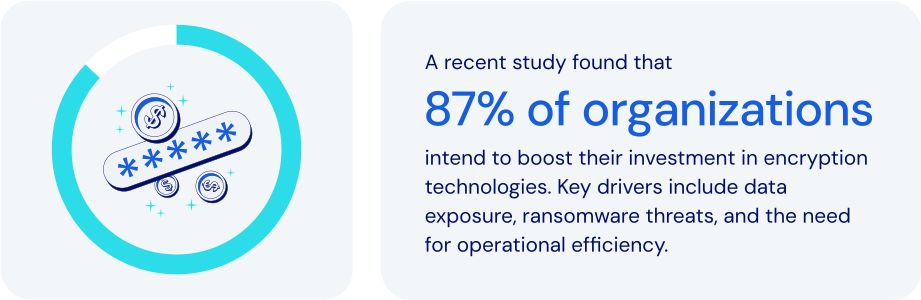
*Source: Everything Blockchain Inc. and Enterprise Strategy Group, 2024*
### How does password management fit in here?
Zero-Knowledge Encryption significantly enhances privacy and security. It is broadly used across critical applications in authentication, [passkeys](https://bitwarden.com/nl-nl/resources/passkeys-faq/), digital signatures, and secure computations. Leading password and secrets management platforms leverage it as well. Specific features to look for:
- **Local encryption**: data is encrypted on the user's device before cloud storage, ensuring only the user holds the decryption key.
- **Master password usage**: a [master password](https://bitwarden.com/nl-nl/blog/how-to-change-your-main-bitwarden-password/) or passkey serves as the exclusive key to encrypt and decrypt data. It is never stored or accessed by the provider.
- **PBKDF2 key strengthening**: derives encryption keys from user inputs using thousands of hashing iterations, enhancing resistance to brute-force attacks and supporting zero-knowledge encryption at scale.
- **End-to-end encryption (E2EE)**: ensures that data is [encrypted from each endpoint](https://bitwarden.com/nl-nl/blog/why-end-to-end-encryption-is-crucial-for-developer-secrets-management/), whether in transit between devices and in storage, safeguarding against data breaches.
- **Secure credential sharing**: encrypted exchanges ensure that shared data remains protected. Only authorized recipients can access it.
- **Emergency access protocols**: securely enables trusted individuals to [recover critical credentials](https://bitwarden.com/nl-nl/blog/bitwarden-launches-emergency-access/) without compromising zero-knowledge principles.
- **Vault timeout and auto-lock**: automatically locks access after inactivity, protecting data on potentially compromised or unattended devices.
Zero-Knowledge Encryption is such a powerful security model that no one—not even the password or secrets management provider itself—can access your stored data.
### How zero-knowledge encryption keeps today’s businesses safer
In today’s digital landscape, businesses face growing threats from data breaches, insider attacks, and credential theft. Implementing Zero-Knowledge Encryption is a crucial step in protecting sensitive data like passwords, customer information, and proprietary assets. It allows you to:
- **Maximize data privacy**: all data remains confidential and secure, even from other internal service provider threats as a core function of zero-knowledge encryption.
- **Mitigate data breach impact**: protects encrypted data from exposure, maintaining full security even if the encrypted data is stolen.
- **Enhance regulatory compliance**: supports adherence to stringent data privacy regulations including [ISO 27001](https://bitwarden.com/nl-nl/resources/how-password-management-helps-companies-achieve-iso-27001-certification/), GDPR, [HIPAA](https://bitwarden.com/nl-nl/blog/why-use-a-hipaa-compliant-password-manager/), [SOC 2](https://bitwarden.com/nl-nl/resources/achieve-soc-2-password-compliance-with-bitwarden/), and PCI DSS.
- **Strengthen customer trust**: demonstrates a strong commitment to protecting sensitive customer data.
- **Safeguard critical credentials**: provides robust protection for even the most sensitive business credentials, including infrastructure secrets and proprietary information.
- **Support secure remote work**: enables secure credential access across various locations and devices without reliance on vulnerable methods.
- **Facilitate secure emergency access**: ensures authorized recovery of credentials during critical situations without compromising security.
- **Protect against supply chain attacks**: ensures all credentials remain secure, even if third-party infrastructure is compromised.
Businesses and organizations worldwide are employing Zero-Knowledge Encryption to enhance their security posture, manage sensitive data, and maintain rigorous privacy and [compliance standards](https://bitwarden.com/nl-nl/compliance/).
### How Bitwarden leverages zero-knowledge encryption
Bitwarden is designed with Zero-Knowledge Encryption as its core security model. This architecture is fundamental to protecting passwords, secrets, and sensitive business data with unmatched privacy and security. No one—not even Bitwarden itself—can access or decrypt your stored data. Bitwarden integrates Zero-Knowledge Encryption through:
- **Comprehensive end-to-end encryption**: uses AES-256 to secure data every step of the way, from creation through transit to cloud storage.
- **Exclusive user-controlled master passwords**: uses strong, locally-held master passwords, with zero access by Bitwarden.
- **Secrets manager:** applies Zero-Knowledge Encryption to developer secrets, API keys, and CI/CD credentials.
- **Secure credential sharing tools**: provides encrypted, controlled access through [Bitwarden Send](https://bitwarden.com/nl-nl/blog/bitwarden-send-how-it-works/) and team-based collections, where only the user and intended recipients are able to decrypt the data.
- **Robust emergency access capabilities**: securely facilitates business continuity through encrypted, designated recovery access processes. This is key as without a structured recovery mechanism, your data cannot be recovered.
- **Transparent, auditable**[**open source**](https://bitwarden.com/nl-nl/blog/why-open-source-delivers-transparency-and-security-for-enterprises/)**architecture**: ensures continual verification and validation of its encryption methodology.
- **Self-hosting option for data sovereignty**: offers full control over encrypted data for organizations requiring the most stringent security controls, taking zero-knowledge even a step further by limiting data available outside their installation.
### The bottom line
By adopting Bitwarden, businesses gain an enterprise-ready solution that ensures data privacy, regulatory compliance, and peace of mind—all without compromising security or usability. It is the very definition of modern cybersecurity best practices.
Bitwarden uses the strongest encryption algorithm available anywhere. And because that encryption begins at the user’s device, you can be sure your data is fully encrypted before it ever leaves the endpoint. Just one more reason Bitwarden is regarded as the [most trusted name in password management](https://bitwarden.com/nl-nl/media-spotlight/).
### What makes Bitwarden stand out from the pack?
Bitwarden goes above and beyond when it comes to encryption. Specifically:
- Bitwarden uses industry-standard encryption algorithms like AES-CBC and PBKDF2 SHA-256, along with advanced encryption algorithm options like Argon2. For more details, see the Bitwarden help article: [Security: Encryption](https://bitwarden.com/nl-nl/help/what-encryption-is-used/).
- Bitwarden consistently encrypts all data within user vaults. Some password managers are known to not encrypt user URLs.
- Bitwarden uses multifactor encryption to provide additional server-side protection without forcing users to maintain additional passwords or secret keys. For more details, see these [Bitwarden blog posts: Bitwarden security fundamentals and multifactor encryption](https://bitwarden.com/nl-nl/blog/bitwarden-security-fundamentals-and-multifactor-encryption/) and [Inside Bitwarden: The power of multifactor encryption](https://bitwarden.com/nl-nl/blog/inside-bitwarden-the-power-of-multifactor-encryption/).
## Profiteer nu van krachtige, vertrouwde wachtwoordbeveiliging. Kies uw plan.
## Persoonlijk
### Gratis
**$0**
*per maand*
*Altijd gratis*
Krijg een Bitwarden-kluis
- Onbeperkt aantal apparaten
- Beheer van wachtwoorden
- Alle kernfuncties
- Altijd gratis
Kluisitems met één andere gebruiker delen
[Begin vandaag](https://bitwarden.com/go/start-free/)
---
### Premium
**Less than $1**
*per maand*
*$10 jaarlijkse rekening*
Geniet van premium functies
- Bitwarden-authenticator
- Bestand bijlagen
- Noodtoegang
- Veiligheidsrapporten en meer
Kluisitems met één andere gebruiker delen
[Een premium account aanmaken](https://bitwarden.com/go/start-premium/)
---
### Gezinnen
**$3.33**
*per maand*
*Tot 6 gebruikers, $40 jaarlijkse rekening*
Inloggegevens van uw gezin beveiligen
- 6 premium-accounts
- Onbeperkt delen
- Onbeperkte collecties
- Opslag van de organisatie
Kluisitems tussen zes personen delen
[Gratis 7-daagse proefperiode beginnen](https://bitwarden.com/go/start-families-trial/)
---
De prijzen worden weergegeven in USD en zijn gebaseerd op een jaarabonnement. Belastingen niet inbegrepen.
## Bedrijf
### Teams
*Veerkrachtige bescherming voor groeiende teams*
**$4**
*per maand/per gebruiker, jaarlijkse rekening*
Deel gevoelige gegevens veilig met collega's, afdelingen of het hele bedrijf
- Gegevens veilig delen
- Gebeurtenislogboekbewaking
- Gidsintegratie
- SCIM-ondersteuning
Inclusief premium functies voor alle gebruikers
[Een proefperiode starten](https://bitwarden.com/go/start-teams-trial/)
---
### Enterprise
*Geavanceerde mogelijkheden voor grotere organisaties*
**$6**
*per maand/per gebruiker, jaarlijkse rekening*
Gebruik geavanceerde functies zoals bedrijfsbeleid, SSO zonder wachtwoord en accountherstel.
- Bedrijfsbeleid
- Wachtwoordloze SSO
- Account herstellen
- Zelf-host optie
Inclusief premium functies en gratis gezinsplan voor alle gebruikers
[Een proefperiode starten](https://bitwarden.com/go/start-enterprise-trial/)
---
### Een offerte aanvragen
*Voor bedrijven met honderden of duizenden werknemers, neem contact op met de verkoopafdeling voor een offerte op maat en ontdek hoe Bitwarden kan helpen:*
- Cyberbeveiligingsrisico's verminderen
- Productiviteit verhogen
- Naadloos integreren
Bitwarden schaalt met elk formaat bedrijf om wachtwoordbeveiliging naar uw organisatie te brengen
[Met de verkoopafdeling contact opnemen](https://bitwarden.com/contact-sales/)
---
Prijzen worden weergegeven in USD en zijn gebaseerd op een jaarabonnement