---
URL: https://bitwarden.com/fr-fr/resources/10-tips-to-choosing-a-password-manager-for-your-team-webcast/
---
# On-Demand Webcast 10 Tips to Choosing a Password Manager for Your Team
Using a password manager individually is a security and productivity advantage for your digital life. Using a collaborative password manager at work can multiply those benefits across the organization.
Bringing a password manager to your company means driving buy-in, adoption, and ongoing enthusiasm for the solution.
We put together a webcast with tips we think are important when choosing a password manager for your team.
[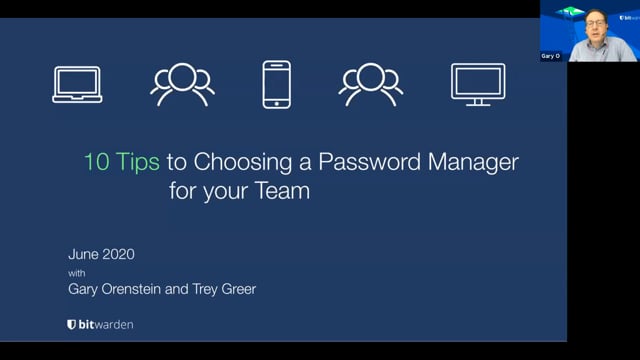](https://vimeo.com/432688741)
*[Watch on Vimeo](https://vimeo.com/432688741)*
If you don't have time to watch our web cast check out this [presentation](https://docs.google.com/presentation/d/e/2PACX-1vRLzuyOVaIto4eORdMKCTCtJIWIIyQELOs4K75S5srDgA7W5Ia1t36pXcLxfjJkALngy0ma2m4jwGi5/pub?start=false&loop=false&delayms=3000).
We have also compiled these tips as a document checklist [here](https://docs.google.com/document/d/1AQBeexuqlpKfbx_LV78-5-qwk_U2Zu_KJcIdOiPvvFU/edit).
## Obtenez dès maintenant une sécurité de mot de passe puissante et fiable. Choisissez votre plan.
## Personnel
### Gratuit
**$0** *par mois*
*Gratuit pour toujours*
Profitez d'un coffre-fort Bitwarden
- Nombre illimité d'appareils
- Gestion des clés d'accès
- Toutes les fonctions essentielles
- Gratuit à vie
Partager des éléments du coffre-fort avec un autre utilisateur
[Commencez dès aujourd'hui](https://bitwarden.com/go/start-free/)
---
### Premium
**Less than $1** *par mois*
*$10 facturés annuellement*
Profitez des fonctionnalités premium
- Bitwarden Authenticator
- Pièces jointes
- Accès d'urgence
- Rapports de sécurité et plus encore
Partager des éléments du coffre-fort avec un autre utilisateur
[Créer un compte premium](https://bitwarden.com/go/start-premium/)
---
### Familles
**$3.33** *par mois*
*Jusqu'à 6 utilisateurs, 40 $ facturés annuellement*
Sécuriser vos identifiants familiaux
- 6 comptes premium
- Partage illimité
- Collections illimitées
- Organisation du stockage
Partager les éléments du coffre-fort entre six personnes
[Essai gratuit de 7 jours](https://bitwarden.com/go/start-families-trial/)
---
Les prix sont indiqués en USD et sont basés sur un abonnement annuel. Les taxes ne sont pas incluses.
## Entreprises
### Équipes
*Protection résiliente pour les équipes en croissance*
**$4** *par mois / par utilisateur facturé annuellement*
Partagez des données sensibles en toute sécurité avec des collègues, à travers les départements ou l'ensemble de l'entreprise
- Partage sécurisé des données
- Surveillance du journal des événements
- Intégration de l'annuaire
- Soutien au SCIM
Inclut des fonctionnalités premium pour tous les utilisateurs
[Commencer un essai](https://bitwarden.com/go/start-teams-trial/)
---
### Entreprise
*Fonctionnalités avancées pour les grandes organisations*
**$6** *par mois / par utilisateur facturé annuellement*
Utilisez des fonctionnalités avancées, notamment des politiques d'entreprise, la connexion sans mot de passe unique (SSO) et la récupération de compte.
- Politiques de sécurité de l'entreprise
- SSO sans mot de passe
- Recouvrement de compte
- Option d’autohébergement
Inclut des fonctionnalités premium et un plan familial gratuit pour tous les utilisateurs
[Commencer un essai](https://bitwarden.com/go/start-enterprise-trial/)
---
### Obtenez un devis
*Pour les entreprises comptant des centaines ou des milliers d'employés, veuillez contacter notre service commercial pour obtenir un devis personnalisé et voir comment Bitwarden peut vous aider :*
- Réduire le risque de cybersécurité
- Augmenter la productivité
- Intégrer de manière transparente
Bitwarden s'adapte à toutes les tailles d'entreprise pour garantir la sécurité des mots de passe au sein de votre organisation.
[Contacter le service commercial](https://bitwarden.com/contact-sales/)
---
Tarification indiquée en USD et basée sur un abonnement annuel
---
URL: https://bitwarden.com/fr-fr/resources/2021-password-decisions-survey/
---
# 2021 Password Decisions Survey
IT decision makers shed light on enterprise password management
---
## Thank you for your interest in the survey.
In a new survey of 400 US-based IT decision makers, 80 percent of respondents want their employers to mandate the use of an enterprise-wide password manager. The full results of the 2021 Password Decisions Survey shed light on the practical and logistical benefits of company standards for credential management.
Bitwarden partnered with Propeller Insights to poll 405 independent U.S.-based IT decision-makers across a wide range of industries, who play a key role in enterprise purchasing decisions. The findings illustrate 3 big themes:
- Employees want their employers to mandate the use of an enterprise-wide password manager
- IT decision-makers don’t always follow security best practices at work
- Two-factor authentication is highly favored for its effectiveness and versatility
## Download Full Survey
[Here](https://start.bitwarden.com/hubfs/PDF/2021-password-decisions-survey.pdf)
## Obtenez dès maintenant une sécurité de mot de passe puissante et fiable. Choisissez votre plan.
## Personnel
### Gratuit
**$0** *par mois*
*Gratuit pour toujours*
Profitez d'un coffre-fort Bitwarden
- Nombre illimité d'appareils
- Gestion des clés d'accès
- Toutes les fonctions essentielles
- Gratuit à vie
Partager des éléments du coffre-fort avec un autre utilisateur
[Commencez dès aujourd'hui](https://bitwarden.com/go/start-free/)
---
### Premium
**Less than $1** *par mois*
*$10 facturés annuellement*
Profitez des fonctionnalités premium
- Bitwarden Authenticator
- Pièces jointes
- Accès d'urgence
- Rapports de sécurité et plus encore
Partager des éléments du coffre-fort avec un autre utilisateur
[Créer un compte premium](https://bitwarden.com/go/start-premium/)
---
### Familles
**$3.33** *par mois*
*Jusqu'à 6 utilisateurs, 40 $ facturés annuellement*
Sécuriser vos identifiants familiaux
- 6 comptes premium
- Partage illimité
- Collections illimitées
- Organisation du stockage
Partager les éléments du coffre-fort entre six personnes
[Essai gratuit de 7 jours](https://bitwarden.com/go/start-families-trial/)
---
Les prix sont indiqués en USD et sont basés sur un abonnement annuel. Les taxes ne sont pas incluses.
## Entreprises
### Équipes
*Protection résiliente pour les équipes en croissance*
**$4** *par mois / par utilisateur facturé annuellement*
Partagez des données sensibles en toute sécurité avec des collègues, à travers les départements ou l'ensemble de l'entreprise
- Partage sécurisé des données
- Surveillance du journal des événements
- Intégration de l'annuaire
- Soutien au SCIM
Inclut des fonctionnalités premium pour tous les utilisateurs
[Commencer un essai](https://bitwarden.com/go/start-teams-trial/)
---
### Entreprise
*Fonctionnalités avancées pour les grandes organisations*
**$6** *par mois / par utilisateur facturé annuellement*
Utilisez des fonctionnalités avancées, notamment des politiques d'entreprise, la connexion sans mot de passe unique (SSO) et la récupération de compte.
- Politiques de sécurité de l'entreprise
- SSO sans mot de passe
- Recouvrement de compte
- Option d’autohébergement
Inclut des fonctionnalités premium et un plan familial gratuit pour tous les utilisateurs
[Commencer un essai](https://bitwarden.com/go/start-enterprise-trial/)
---
### Obtenez un devis
*Pour les entreprises comptant des centaines ou des milliers d'employés, veuillez contacter notre service commercial pour obtenir un devis personnalisé et voir comment Bitwarden peut vous aider :*
- Réduire le risque de cybersécurité
- Augmenter la productivité
- Intégrer de manière transparente
Bitwarden s'adapte à toutes les tailles d'entreprise pour garantir la sécurité des mots de passe au sein de votre organisation.
[Contacter le service commercial](https://bitwarden.com/contact-sales/)
---
Tarification indiquée en USD et basée sur un abonnement annuel
---
URL: https://bitwarden.com/fr-fr/resources/2022-password-decisions-survey-newsletter-december-2021/
---
# December 2021 Spotlight: Password Decisions Survey
Welcome to the Bitwarden December newsletter, featuring product and company announcements, upcoming events, and top social fan favorites.
---
## Featured Article

To start, we have the results from our 2022 Password Decisions Survey. The survey sheds light on the practical and logistical benefits of company standards for password management. **Read the **[**Survey Overview**](https://bitwarden.com/fr-fr/blog/2022-password-decisions-survey/)** to learn more**.
## Enjoying this update? Subscribe today.
*Receive the latest product updates, hand-picked articles, community highlights, and more.*
[Contact form]
## More Bits and Bites

To learn more more about strategies for companies adopting passwordless technologies, read [Bitwarden and the Passwordless Revolution](https://bitwarden.com/fr-fr/blog/bitwarden-and-the-passwordless-revolution/).

For practical advice to keep your Bitwarden account safe, here are [7 Tips to Protect Your Bitwarden Account](https://bitwarden.com/fr-fr/blog/7-tips-to-protect-your-bitwarden-account/).

Access your vault from any browser anywhere using the fully-featured client on any device.[ Read the article](https://bitwarden.com/fr-fr/blog/why-the-bitwarden-web-vault-is-a-powerful-password-management-client/) to learn more.
## Industry News

**CISA Advice on Security Practices**
The Cybersecurity & Infrastructure Security Agency (CISA) offers [insights on what activities to be on the lookout for during the holiday season](https://www.cisa.gov/uscert/ncas/current-activity/2021/11/22/reminder-critical-infrastructure-stay-vigilant-against-threats). To help mitigate threats, CISA recommends using strong passwords and ensuring they are not reused across multiple accounts. This is a great reminder to leverage the [Bitwarden Vault Health Reports](https://bitwarden.com/fr-fr/help/reports/) feature to ensure your passwords are strong and unique.
## Upcoming Events

[**Open Source Security Summit**](https://hopin.com/events/open-source-security-summit-2021/registration)
**December 9th –– 9 am PT / 12 pm ET**
Registration is now open for the 2021 Open Source Security Summit! [Save your seat now](https://hopin.com/events/open-source-security-summit-2021/registration) for this free and virtual event featuring special guest speakers **Steve Wozniak, Nicole Perlroth, and Bruce Schneier**.
## Top Social Fan Favorites
You play an important role in contributing to a world free of breaches and hacks by sharing your knowledge and experience. Here are a couple of recent fan-favorite posts.
[Enjoying the Switch to Bitwarden](https://twitter.com/ChildishhAlbino/status/1465859632643985408)

[Spoiler: 2FA is very important](https://www.reddit.com/r/Bitwarden/comments/qxe8lo/why_2fa_is_very_important/)

That’s it for now. Let us know what you think about this newsletter including potential topics you’d like to see.
**Until next time,**
Team Bitwarden
## Obtenez dès maintenant une sécurité de mot de passe puissante et fiable. Choisissez votre plan.
## Personnel
### Gratuit
**$0** *par mois*
*Gratuit pour toujours*
Profitez d'un coffre-fort Bitwarden
- Nombre illimité d'appareils
- Gestion des clés d'accès
- Toutes les fonctions essentielles
- Gratuit à vie
Partager des éléments du coffre-fort avec un autre utilisateur
[Commencez dès aujourd'hui](https://bitwarden.com/go/start-free/)
---
### Premium
**Less than $1** *par mois*
*$10 facturés annuellement*
Profitez des fonctionnalités premium
- Bitwarden Authenticator
- Pièces jointes
- Accès d'urgence
- Rapports de sécurité et plus encore
Partager des éléments du coffre-fort avec un autre utilisateur
[Créer un compte premium](https://bitwarden.com/go/start-premium/)
---
### Familles
**$3.33** *par mois*
*Jusqu'à 6 utilisateurs, 40 $ facturés annuellement*
Sécuriser vos identifiants familiaux
- 6 comptes premium
- Partage illimité
- Collections illimitées
- Organisation du stockage
Partager les éléments du coffre-fort entre six personnes
[Essai gratuit de 7 jours](https://bitwarden.com/go/start-families-trial/)
---
Les prix sont indiqués en USD et sont basés sur un abonnement annuel. Les taxes ne sont pas incluses.
## Entreprises
### Équipes
*Protection résiliente pour les équipes en croissance*
**$4** *par mois / par utilisateur facturé annuellement*
Partagez des données sensibles en toute sécurité avec des collègues, à travers les départements ou l'ensemble de l'entreprise
- Partage sécurisé des données
- Surveillance du journal des événements
- Intégration de l'annuaire
- Soutien au SCIM
Inclut des fonctionnalités premium pour tous les utilisateurs
[Commencer un essai](https://bitwarden.com/go/start-teams-trial/)
---
### Entreprise
*Fonctionnalités avancées pour les grandes organisations*
**$6** *par mois / par utilisateur facturé annuellement*
Utilisez des fonctionnalités avancées, notamment des politiques d'entreprise, la connexion sans mot de passe unique (SSO) et la récupération de compte.
- Politiques de sécurité de l'entreprise
- SSO sans mot de passe
- Recouvrement de compte
- Option d’autohébergement
Inclut des fonctionnalités premium et un plan familial gratuit pour tous les utilisateurs
[Commencer un essai](https://bitwarden.com/go/start-enterprise-trial/)
---
### Obtenez un devis
*Pour les entreprises comptant des centaines ou des milliers d'employés, veuillez contacter notre service commercial pour obtenir un devis personnalisé et voir comment Bitwarden peut vous aider :*
- Réduire le risque de cybersécurité
- Augmenter la productivité
- Intégrer de manière transparente
Bitwarden s'adapte à toutes les tailles d'entreprise pour garantir la sécurité des mots de passe au sein de votre organisation.
[Contacter le service commercial](https://bitwarden.com/contact-sales/)
---
Tarification indiquée en USD et basée sur un abonnement annuel
---
URL: https://bitwarden.com/fr-fr/resources/2022-password-decisions-survey/
---
# Enquête sur les décisions relatives aux mots de passe en 2022
Les décideurs informatiques font la lumière sur la gestion des mots de passe en entreprise
---
## What will you learn in the 2022 Password Decisions Survey?
The 2022 Password Decisions Survey posed questions to IT decision makers about password sharing practices, technologies in use, security risks, and the Great Resignation. While there are bright spots, password and security practices remain a challenge many companies still need to address.
## Download Full Survey
[Here](https://start.bitwarden.com/hubfs/PDF/2022-password-decisions-survey.pdf)

In November 2021, Bitwarden partnered with Propeller Insights to poll over 400 independent IT decision makers across a wide range of industries who play a key role in enterprise purchasing decisions. The findings show an uptick in password manager usage, indicating its increasingly mainstream appeal. Concurrently, IT decision makers continue to struggle with adhering to security best practices and express security-related unease about remote work.
While password best practices are improving among IT decision makers, there is still a long way to go:
- 2FA (two-factor authentication) is now mainstream, with 88% of respondents using it at work
- Despite the increase in password manager use and 2FA, more than half (53%) of IT decision makers still share passwords with colleagues via email, a 14% jump from last year due in part to the sudden shift to remote work
- Nearly half (41%) share passwords over chat and 31% share passwords in conversation

Ransomware, phishing, and cyberattacks continue, yet many organizations still lack a mitigation strategy:
- More than half (54%) of IT decision makers admit their organization has experienced a cyberattack
- While two-thirds of organizations have a ransomware mitigation strategy in place, 25% do not have one or are not sure
- Phishing attacks remain a scourge: emails purporting to be from financial institutions (35%) or a government entity (22%) are the most common

Remote work and the Great Resignation are impacting cybersecurity:
- Almost two-thirds (61%) of respondents are “more concerned” about cybersecurity this year and attribute this to the fear that employees working remotely may be more lax about their overall security hygiene
- Almost half (48%) are working more hours than last year, with 58% faulting turnover (29%) and difficulty hiring (29%) as the primary culprits

## Obtenez dès maintenant une sécurité de mot de passe puissante et fiable. Choisissez votre plan.
## Personnel
### Gratuit
**$0** *par mois*
*Gratuit pour toujours*
Profitez d'un coffre-fort Bitwarden
- Nombre illimité d'appareils
- Gestion des clés d'accès
- Toutes les fonctions essentielles
- Gratuit à vie
Partager des éléments du coffre-fort avec un autre utilisateur
[Commencez dès aujourd'hui](https://bitwarden.com/go/start-free/)
---
### Premium
**Less than $1** *par mois*
*$10 facturés annuellement*
Profitez des fonctionnalités premium
- Bitwarden Authenticator
- Pièces jointes
- Accès d'urgence
- Rapports de sécurité et plus encore
Partager des éléments du coffre-fort avec un autre utilisateur
[Créer un compte premium](https://bitwarden.com/go/start-premium/)
---
### Familles
**$3.33** *par mois*
*Jusqu'à 6 utilisateurs, 40 $ facturés annuellement*
Sécuriser vos identifiants familiaux
- 6 comptes premium
- Partage illimité
- Collections illimitées
- Organisation du stockage
Partager les éléments du coffre-fort entre six personnes
[Essai gratuit de 7 jours](https://bitwarden.com/go/start-families-trial/)
---
Les prix sont indiqués en USD et sont basés sur un abonnement annuel. Les taxes ne sont pas incluses.
## Entreprises
### Équipes
*Protection résiliente pour les équipes en croissance*
**$4** *par mois / par utilisateur facturé annuellement*
Partagez des données sensibles en toute sécurité avec des collègues, à travers les départements ou l'ensemble de l'entreprise
- Partage sécurisé des données
- Surveillance du journal des événements
- Intégration de l'annuaire
- Soutien au SCIM
Inclut des fonctionnalités premium pour tous les utilisateurs
[Commencer un essai](https://bitwarden.com/go/start-teams-trial/)
---
### Entreprise
*Fonctionnalités avancées pour les grandes organisations*
**$6** *par mois / par utilisateur facturé annuellement*
Utilisez des fonctionnalités avancées, notamment des politiques d'entreprise, la connexion sans mot de passe unique (SSO) et la récupération de compte.
- Politiques de sécurité de l'entreprise
- SSO sans mot de passe
- Recouvrement de compte
- Option d’autohébergement
Inclut des fonctionnalités premium et un plan familial gratuit pour tous les utilisateurs
[Commencer un essai](https://bitwarden.com/go/start-enterprise-trial/)
---
### Obtenez un devis
*Pour les entreprises comptant des centaines ou des milliers d'employés, veuillez contacter notre service commercial pour obtenir un devis personnalisé et voir comment Bitwarden peut vous aider :*
- Réduire le risque de cybersécurité
- Augmenter la productivité
- Intégrer de manière transparente
Bitwarden s'adapte à toutes les tailles d'entreprise pour garantir la sécurité des mots de passe au sein de votre organisation.
[Contacter le service commercial](https://bitwarden.com/contact-sales/)
---
Tarification indiquée en USD et basée sur un abonnement annuel
---
URL: https://bitwarden.com/fr-fr/resources/2022-report-sheds-light-on-evolving-enterprise-password-management/
---
# Le rapport 2022 met en lumière l'évolution des stratégies de gestion des mots de passe des entreprises
Les dernières tendances en matière de gestion des mots de passe par les décideurs en matière de sécurité des entreprises
---
451 Research, a division of S&P Global Market Intelligence Report, polled 400 enterprise security decision makers in the United States, United Kingdom, Japan, and Australia to understand enterprise adoption trends and password management preferences. Questions examined spending patterns, use cases, and sentiment of password managers, adoption, and standards.
As professionals actively seek to further mitigate the risks of cyber attacks in today’s interconnected world, results of the survey provide guidance on and understanding of current trends.
[Download the full report](https://start.bitwarden.com/hubfs/PDF/security-intentions-and-the-persistence-of-passwords.pdf)
[Read the blog](https://bitwarden.com/fr-fr/blog/451-research-password-management-report-a-new-asset-for-security-champions/)
## 7 key survey takeaways
#### **Security Concerns**
**1.**When it comes to password adoption, security concerns drive adoption more than convenience and user experience.
**2.**Despite confidence in password policies to stave off security threats, performing password audits isn’t yet commonplace.
> “About two in five (41%) respondents said they do not audit for password strength or reuse.”
> *-Page 6, Security Intentions and the Persistence of Passwords*

#### **Remote Work**
**3.**Risk is not commensurate with usage: third parties and remote workers are considered the highest risk user group, yet paradoxically the least likely to be deployed password management tools.
**4.**Remote work has made password management the most popular security technology, ahead of email security and remote access solutions.
> “More than half (57%) of all respondents use password management. Another 15% said they would be adopting password management.”
> *-Page 1, Security Intentions and the Persistence of Passwords*

#### **SSO**
**5.** The sheer number of and nature of modern-day applications means passwords have serious staying power - and security technologies need to reflect this.
> “A majority (55%) of respondents said password ubiquity keeps enterprises using passwords. Meanwhile, 56% of USA respondents said that only 34%-66% of their apps use single sign-on (SSO). Many apps not using SSO means more username and password combinations.”
> *-Page 2, Security Intentions and the Persistence of Passwords*

#### **Passwordless**
**6.** Passwordless authentication checks boxes for user experience and security.
> “It is not a panacea yet, given that the number of non-SSO-compliant applications being added is increasing faster than ever."
> *-Page 7, Security Intentions and the Persistence of Passwords*
> **
**7.**Passwordless still retains a broad umbrella definition for IT decision makers
For full survey results, [download the Security Intentions and the Persistence of Passwords report](https://start.bitwarden.com/hubfs/PDF/security-intentions-and-the-persistence-of-passwords.pdf).
## Obtenez dès maintenant une sécurité de mot de passe puissante et fiable. Choisissez votre plan.
## Personnel
### Gratuit
**$0** *par mois*
*Gratuit pour toujours*
Profitez d'un coffre-fort Bitwarden
- Nombre illimité d'appareils
- Gestion des clés d'accès
- Toutes les fonctions essentielles
- Gratuit à vie
Partager des éléments du coffre-fort avec un autre utilisateur
[Commencez dès aujourd'hui](https://bitwarden.com/go/start-free/)
---
### Premium
**Less than $1** *par mois*
*$10 facturés annuellement*
Profitez des fonctionnalités premium
- Bitwarden Authenticator
- Pièces jointes
- Accès d'urgence
- Rapports de sécurité et plus encore
Partager des éléments du coffre-fort avec un autre utilisateur
[Créer un compte premium](https://bitwarden.com/go/start-premium/)
---
### Familles
**$3.33** *par mois*
*Jusqu'à 6 utilisateurs, 40 $ facturés annuellement*
Sécuriser vos identifiants familiaux
- 6 comptes premium
- Partage illimité
- Collections illimitées
- Organisation du stockage
Partager les éléments du coffre-fort entre six personnes
[Essai gratuit de 7 jours](https://bitwarden.com/go/start-families-trial/)
---
Les prix sont indiqués en USD et sont basés sur un abonnement annuel. Les taxes ne sont pas incluses.
## Entreprises
### Équipes
*Protection résiliente pour les équipes en croissance*
**$4** *par mois / par utilisateur facturé annuellement*
Partagez des données sensibles en toute sécurité avec des collègues, à travers les départements ou l'ensemble de l'entreprise
- Partage sécurisé des données
- Surveillance du journal des événements
- Intégration de l'annuaire
- Soutien au SCIM
Inclut des fonctionnalités premium pour tous les utilisateurs
[Commencer un essai](https://bitwarden.com/go/start-teams-trial/)
---
### Entreprise
*Fonctionnalités avancées pour les grandes organisations*
**$6** *par mois / par utilisateur facturé annuellement*
Utilisez des fonctionnalités avancées, notamment des politiques d'entreprise, la connexion sans mot de passe unique (SSO) et la récupération de compte.
- Politiques de sécurité de l'entreprise
- SSO sans mot de passe
- Recouvrement de compte
- Option d’autohébergement
Inclut des fonctionnalités premium et un plan familial gratuit pour tous les utilisateurs
[Commencer un essai](https://bitwarden.com/go/start-enterprise-trial/)
---
### Obtenez un devis
*Pour les entreprises comptant des centaines ou des milliers d'employés, veuillez contacter notre service commercial pour obtenir un devis personnalisé et voir comment Bitwarden peut vous aider :*
- Réduire le risque de cybersécurité
- Augmenter la productivité
- Intégrer de manière transparente
Bitwarden s'adapte à toutes les tailles d'entreprise pour garantir la sécurité des mots de passe au sein de votre organisation.
[Contacter le service commercial](https://bitwarden.com/contact-sales/)
---
Tarification indiquée en USD et basée sur un abonnement annuel
---
URL: https://bitwarden.com/fr-fr/resources/2023-password-decisions-survey-results/
---
# Résultats de l'enquête sur les décisions relatives aux mots de passe pour 2023
Les décideurs informatiques font la lumière sur la gestion des mots de passe en entreprise.
---
## What will you learn in the 2023 Password Decisions Survey?
Bitwarden polled independent IT decision-makers across a range of industries who play a key role in enterprise purchasing decisions. This year’s findings show that passwordless technology is making its foray into business workflows, IT decision makers continue to look to the C-Suite to drive adoption of password management technologies, and that security concerns are influencing business decisions.
[**Download the full report**](https://start.bitwarden.com/hubfs/PDF/2023-password-decisions-survey.pdf)
## Passwordless technology is here
A majority (49%) of respondents are deploying or have plans to deploy passwordless technology.
- Of that percentage, two-thirds (66%) have 1-2 user groups or multiple teams going passwordless
- Around half (51%) are relying on the ‘something you are’ (biometrics, facial recognition, fingerprint, voice) form of passwordless authentication
- Overall, 41% say ‘better security’ is the primary reason to deploy passwordless technology

## Employees are seeking direction from the C-Suite
- A large majority (79%) of IT decision makers want their employer to require employees to use the same password manager across the organization
- When asked what makes a good password manager, 60% cite security, 56% cite the availability of two-factor authentication (2FA), and 40% cite ease-of-use

Most IT decision makers want their employer to require all employees to use the same password manager throughout the organization.
Note to employers: if offered a complementary family account, 71% said they’d also be very likely to use a password manager at home.
## Rise in cyberattacks and ransomware influences security spending and strategies
- A majority (60%) report their organization experienced a cyberattack within the past year and 49% report struggling with employees who use unauthorized devices or software without IT’s approval.
- Most (80%, up from 75% last year) report having a ransomware mitigation strategy
- Three-fourths report their organization has cyber insurance

## Did you know?
65% of respondents reported they were required to demonstrate they offered cyber awareness training to employees when they applied for cyber insurance and 61% had to demonstrate use of a password manager.
## Additional Resources
Read the blog for a more in-depth analysis of the [2023 Password Decisions Survey](https://bitwarden.com/fr-fr/blog/password-decisions-survey-2023/) results
View the full report: [2022 Password Decisions Survey](https://start.bitwarden.com/hubfs/PDF/2022-password-decisions-survey.pdf)
View the full report: [2021 Password Decisions Survey](https://start.bitwarden.com/hubfs/PDF/2021-password-decisions-survey.pdf)
Check out [The Survey Room](https://bitwarden.com/fr-fr/resources/the-survey-room/) for additional cybersecurity research
## Sécurisez vos données d'entreprise avec un chiffrement de bout en bout
Choisissez le plan Bitwarden qui convient à votre entreprise et commencez votre essai gratuit de 7 jours dès aujourd'hui.
### Premium
**Less than $1** *par mois*
*$10 facturés annuellement*
Profitez des fonctionnalités premium
- Bitwarden Authenticator
- Pièces jointes
- Accès d'urgence
- Rapports de sécurité et plus encore
Partager des éléments du coffre-fort avec un autre utilisateur
[Créer un compte premium](https://bitwarden.com/go/start-premium/)
---
### Familles
**$3.33** *par mois*
*Jusqu'à 6 utilisateurs, 40 $ facturés annuellement*
Sécuriser vos identifiants familiaux
- 6 comptes premium
- Partage illimité
- Collections illimitées
- Organisation du stockage
Partager les éléments du coffre-fort entre six personnes
[Essai gratuit de 7 jours](https://bitwarden.com/go/start-families-trial/)
---
### Plans d'entreprise
**Starting at $4** *par utilisateur/mois*
*Utilisateurs illimités*
Bénéficier de fonctionnalités professionnelles
- Nombre illimité de collections et d'éléments du coffre-fort
- Outils de synchronisation des répertoires
- L'auto-hébergement, l'intégration SSO, les politiques, et plus encore, sont inclus dans le plan Entreprise.
[Débuter l'essai gratuit de 7 jours](https://bitwarden.com/go/start-secrets-teams-trial/)
---
Les prix sont indiqués en USD et sont basés sur un abonnement annuel
---
URL: https://bitwarden.com/fr-fr/resources/2024-cybersecurity-pulse-survey/
---
# Bitwarden 2024 Cybersecurity Pulse Survey
Discover what keeps IT and cyber professionals up at night.
---
## What will you learn in the 2024 Cybersecurity Pulse Survey?
Bitwarden partnered with Researchscape International to survey over 1,100 IT and cybersecurity leaders across various industries, revealing the latest cybersecurity trends and threats. This year’s findings underscore rising concerns about generative AI risks, third-party supply chain vulnerabilities, and sophisticated social engineering tactics.
Despite increasingly advanced threats, consensus remains clear: mastering cybersecurity fundamentals, starting with strong password habits, is the best defense. IT decision makers agree that password managers remain a critical part of their security strategy, both at work and at home.
View the [**full presentation**](https://docs.google.com/presentation/d/1liu7z5Fqh-Rd3rdm9cy845J0mELMBMnC7nDcE-qnBZQ/edit#slide=id.g30e0c636176_0_59).
## Password managers play a critical role in security
- An overwhelming majority (92%) of respondents moderately or strongly agree that password managers are essential to their organization’s cybersecurity strategy.
- 63% of respondents agree that, without a password manager, their IT teams would struggle to teach and enforce best practices across their organizations.
- 79% of respondents have recommended using a password manager to family members, underscoring the universal benefits of this tool.

Passwordless authentication is also popular in the workplace - just 3% of respondents reported using no form of passwordless authentication at their company.
## Generative AI poses a significant threat
- 89% of respondents expressed concern over the security risks associated with employees incorporating generative AI into their daily workflows.
- 63% find it moderately or very challenging to maintain a strong security posture as more employees use generative AI tools.

Learn more about how organizations can balance innovation and data security in the age of AI in this [free eBook](https://bitwarden.com/fr-fr/data-security-in-age-of-ai/).
## Cybersecurity threats concern IT decision makers and business leadership alike
- 96% of business leaders discuss cybersecurity at least every month, and nearly half talk about it daily or multiple times a day.
- 55% of respondents expressed high concern about third-party supply chain attacks originating from vendors, partners, or customers.

## Read more:
[Building a cybersecurity culture in the workplace](https://bitwarden.com/fr-fr/blog/building-a-cybersecurity-culture-in-the-workplace/)
## Social engineering tactics are getting smarter
- Impersonation-based phishing attempts come in many forms; 46% of respondents reported receiving a phishing scam posing as their bank, 41% as their financial institution, and 36% as a government entity.
- 92% of companies have invested in cybersecurity training for their employees on best practices to identify and defend against social engineering scams.

## Read more:
[What to do if you think one of your online accounts has been hacked](https://bitwarden.com/fr-fr/blog/what-to-do-if-you-get-hacked/)
## Obtenez dès maintenant une sécurité de mot de passe puissante et fiable. Choisissez votre plan.
## Personnel
### Gratuit
**$0** *par mois*
*Gratuit pour toujours*
Profitez d'un coffre-fort Bitwarden
- Nombre illimité d'appareils
- Gestion des clés d'accès
- Toutes les fonctions essentielles
- Gratuit à vie
Partager des éléments du coffre-fort avec un autre utilisateur
[Commencez dès aujourd'hui](https://bitwarden.com/go/start-free/)
---
### Premium
**Less than $1** *par mois*
*$10 facturés annuellement*
Profitez des fonctionnalités premium
- Bitwarden Authenticator
- Pièces jointes
- Accès d'urgence
- Rapports de sécurité et plus encore
Partager des éléments du coffre-fort avec un autre utilisateur
[Créer un compte premium](https://bitwarden.com/go/start-premium/)
---
### Familles
**$3.33** *par mois*
*Jusqu'à 6 utilisateurs, 40 $ facturés annuellement*
Sécuriser vos identifiants familiaux
- 6 comptes premium
- Partage illimité
- Collections illimitées
- Organisation du stockage
Partager les éléments du coffre-fort entre six personnes
[Essai gratuit de 7 jours](https://bitwarden.com/go/start-families-trial/)
---
Les prix sont indiqués en USD et sont basés sur un abonnement annuel. Les taxes ne sont pas incluses.
## Entreprises
### Équipes
*Protection résiliente pour les équipes en croissance*
**$4** *par mois / par utilisateur facturé annuellement*
Partagez des données sensibles en toute sécurité avec des collègues, à travers les départements ou l'ensemble de l'entreprise
- Partage sécurisé des données
- Surveillance du journal des événements
- Intégration de l'annuaire
- Soutien au SCIM
Inclut des fonctionnalités premium pour tous les utilisateurs
[Commencer un essai](https://bitwarden.com/go/start-teams-trial/)
---
### Entreprise
*Fonctionnalités avancées pour les grandes organisations*
**$6** *par mois / par utilisateur facturé annuellement*
Utilisez des fonctionnalités avancées, notamment des politiques d'entreprise, la connexion sans mot de passe unique (SSO) et la récupération de compte.
- Politiques de sécurité de l'entreprise
- SSO sans mot de passe
- Recouvrement de compte
- Option d’autohébergement
Inclut des fonctionnalités premium et un plan familial gratuit pour tous les utilisateurs
[Commencer un essai](https://bitwarden.com/go/start-enterprise-trial/)
---
### Obtenez un devis
*Pour les entreprises comptant des centaines ou des milliers d'employés, veuillez contacter notre service commercial pour obtenir un devis personnalisé et voir comment Bitwarden peut vous aider :*
- Réduire le risque de cybersécurité
- Augmenter la productivité
- Intégrer de manière transparente
Bitwarden s'adapte à toutes les tailles d'entreprise pour garantir la sécurité des mots de passe au sein de votre organisation.
[Contacter le service commercial](https://bitwarden.com/contact-sales/)
---
Tarification indiquée en USD et basée sur un abonnement annuel
---
URL: https://bitwarden.com/fr-fr/resources/451-research-newsletter-june-2022/
---
# Juin 2022 : Rapport de 451 Research sur la gestion des mots de passe
Si les mots de passe sont la principale cible des cybercriminels, que font les entreprises pour protéger les données de leurs employés et de leurs activités ? La dernière étude sur la gestion des mots de passe en entreprise réalisée
---
## Featured Articles

To understand enterprise password management preferences and adoption trends, research and advisory firm 451 Research (part of S&P Global Market Intelligence) recently conducted a global study that polled senior enterprise security leaders in the United States, United Kingdom, Japan, and Australia. According to 51% of U.S. survey respondents, **preventing credential theft and account takeover attacks is the top reason for adopting password managers. **These findings offer guidance on navigating challenges and strengthening online security in the workplace. Visit our blog to [access the full report](https://bitwarden.com/fr-fr/blog/451-research-password-management-report-a-new-asset-for-security-champions/).

We're thrilled to share that Bitwarden has been recognized as a champion in the 2022 Password Management Emotional Footprint report from SoftwareReviews (a division of Info-Tech Research Group). This report is based entirely on real user reviews and is free of traditional ranking components such as market presence and analyst opinions. Bitwarden received high scores for customer experience, reliability, and product effectiveness. [Open the full report](https://start.bitwarden.com/hubfs/PDF/2022-pm-emotional-footprint-report.pdf) to learn more.
## Enjoying this update? Subscribe today.
*Receive the latest product updates, hand-picked articles, community highlights, and more.*
[Contact form]
## More Bits and Bites
1. [**Link Vault Item URLs for Quick Lookup and Sharing**
](https://bitwarden.com/fr-fr/blog/link-vault-item-urls-for-quick-lookup-and-sharing/)
Bitwarden users can now link directly to items within the Web Vault via URLs. This handy new feature offers convenience for team members, administrators, and individual users alike. Here’s how it works – you open up a shared item in your Vault, copy the unique URL for that item in your browser, and voilà! Now you can paste and share that URL with other employees that have access to the item to make collaboration faster and easier. [Read the article](https://bitwarden.com/fr-fr/blog/link-vault-item-urls-for-quick-lookup-and-sharing/) to learn more.
2. [**Add Privacy and Security Using Email Aliases**](https://bitwarden.com/fr-fr/blog/add-privacy-and-security-using-email-aliases-with-bitwarden/)
Bitwarden is introducing new integration options with three popular email forwarding services: **SimpleLogin**, **AnonAddy**, and **Firefox Relay**. Also known as a masked email, an email alias is an address with the purpose of forwarding any message it receives to your personal email. The combination of using email aliases alongside a password manager adds multiple layers of protection online. These new services can now be integrated in your Vault to enhance the level of privacy and security of your account. [Read the article](https://bitwarden.com/fr-fr/blog/add-privacy-and-security-using-email-aliases-with-bitwarden/) to learn more about these new integration options.
3. [**Configuring Bitwarden Clients for Offline Access**](https://bitwarden.com/fr-fr/blog/configuring-bitwarden-clients-for-offline-access/)
As long as you remain logged in, Bitwarden will cache a copy of your encrypted vault on your device. This means that even if you lose connectivity, you can still decrypt and access your Vault items. Offline access with Bitwarden is read-only, write access is available while online. [Learn more](https://bitwarden.com/fr-fr/blog/configuring-bitwarden-clients-for-offline-access/) about how to configure your Bitwarden applications for offline access by visiting our blog.
4. [**Shop the Bitwarden Store**
](https://bitwarden-shop.myshopify.com/)
The Bitwarden store is now open so come grab some cool merch! You can check out the store by going to [bitwarden.com/shop](https://bitwarden-shop.myshopify.com/).
## Top Social Favorites

Did you know about this fun fact? Special thanks to [u/Korat24](https://www.reddit.com/r/Bitwarden/comments/usgbl2/fun_fact_you_can_drag_and_drop_the_details_into/) for spreading the 'drag and drop' knowledge with the [r/Bitwarden](https://www.reddit.com/r/Bitwarden/comments/usgbl2/fun_fact_you_can_drag_and_drop_the_details_into/) community on Reddit. This is a tip worth saving!

The teams at [@TwistWork](https://twitter.com/twistwork) and [@Doist](https://twitter.com/doist) recently released their Async Toolkit which recommends the best tools for asynchronous collaboration and security, including Bitwarden! [Check out the toolkit](https://async.twist.com/async-collaboration-toolkit/) on their website to learn more.
## Mises à jour communautaires

Inscrivez-vous dès maintenant au [Forum de la communauté Bitwarden](https://www.crowdcast.io/e/bitwarden-community) qui se tiendra le 23 juin à 12 heures (heure de Paris). Il s'agit d'un lieu virtuel et ouvert pour recueillir des commentaires, poser des questions et partager des expériences réussies. Vous ne pouvez pas vous joindre à nous pour cet événement ? Il n'y a pas de problème. Inscrivez-vous aujourd'hui et nous vous enverrons l'enregistrement plus tard pour que vous puissiez le regarder à la demande.
Voici quelques autres façons de vous impliquer dans la communauté Bitwarden :
- **Aidez-nous à traduire :**Rejoignez la communauté [Crowdin](https://bitwarden.com/fr-fr/http://bitwarden.com/translate/) qui a aidé à traduire Bitwarden dans plus de 50 langues à travers le monde.
- **Bêta Feedback**: [Testez et partagez vos commentaires](https://bitwarden.com/fr-fr/help/secrets-manager-beta/) sur les applications mobiles Bitwarden avant qu'elles ne soient publiées sur l'app store.
- **Devenez un utilisateur expérimenté**: consultez les sessions de formation à la demande dans le [Centre d'apprentissage Bitwarden](https://bitwarden.com/fr-fr/learning/). En devenant un utilisateur expérimenté, vous pouvez aider les autres membres de la communauté à renforcer leur sécurité en ligne.
- **Rejoignez-nous en direct :**Suivez [BitwardenLive](https://www.twitch.tv/bitwardenlive) sur Twitch pour être informé des événements en direct, ou inscrivez-vous aux prochaines conférences et démonstrations de produits sur la page [Événements](https://bitwarden.com/fr-fr/events/).
That’s it for now. Let us know what you think about this newsletter including potential topics you’d like to see.
**Until next time,**
Team Bitwarden
## Obtenez dès maintenant une sécurité de mot de passe puissante et fiable. Choisissez votre plan.
## Personnel
### Gratuit
**$0** *par mois*
*Gratuit pour toujours*
Profitez d'un coffre-fort Bitwarden
- Nombre illimité d'appareils
- Gestion des clés d'accès
- Toutes les fonctions essentielles
- Gratuit à vie
Partager des éléments du coffre-fort avec un autre utilisateur
[Commencez dès aujourd'hui](https://bitwarden.com/go/start-free/)
---
### Premium
**Less than $1** *par mois*
*$10 facturés annuellement*
Profitez des fonctionnalités premium
- Bitwarden Authenticator
- Pièces jointes
- Accès d'urgence
- Rapports de sécurité et plus encore
Partager des éléments du coffre-fort avec un autre utilisateur
[Créer un compte premium](https://bitwarden.com/go/start-premium/)
---
### Familles
**$3.33** *par mois*
*Jusqu'à 6 utilisateurs, 40 $ facturés annuellement*
Sécuriser vos identifiants familiaux
- 6 comptes premium
- Partage illimité
- Collections illimitées
- Organisation du stockage
Partager les éléments du coffre-fort entre six personnes
[Essai gratuit de 7 jours](https://bitwarden.com/go/start-families-trial/)
---
Les prix sont indiqués en USD et sont basés sur un abonnement annuel. Les taxes ne sont pas incluses.
## Entreprises
### Équipes
*Protection résiliente pour les équipes en croissance*
**$4** *par mois / par utilisateur facturé annuellement*
Partagez des données sensibles en toute sécurité avec des collègues, à travers les départements ou l'ensemble de l'entreprise
- Partage sécurisé des données
- Surveillance du journal des événements
- Intégration de l'annuaire
- Soutien au SCIM
Inclut des fonctionnalités premium pour tous les utilisateurs
[Commencer un essai](https://bitwarden.com/go/start-teams-trial/)
---
### Entreprise
*Fonctionnalités avancées pour les grandes organisations*
**$6** *par mois / par utilisateur facturé annuellement*
Utilisez des fonctionnalités avancées, notamment des politiques d'entreprise, la connexion sans mot de passe unique (SSO) et la récupération de compte.
- Politiques de sécurité de l'entreprise
- SSO sans mot de passe
- Recouvrement de compte
- Option d’autohébergement
Inclut des fonctionnalités premium et un plan familial gratuit pour tous les utilisateurs
[Commencer un essai](https://bitwarden.com/go/start-enterprise-trial/)
---
### Obtenez un devis
*Pour les entreprises comptant des centaines ou des milliers d'employés, veuillez contacter notre service commercial pour obtenir un devis personnalisé et voir comment Bitwarden peut vous aider :*
- Réduire le risque de cybersécurité
- Augmenter la productivité
- Intégrer de manière transparente
Bitwarden s'adapte à toutes les tailles d'entreprise pour garantir la sécurité des mots de passe au sein de votre organisation.
[Contacter le service commercial](https://bitwarden.com/contact-sales/)
---
Tarification indiquée en USD et basée sur un abonnement annuel
---
URL: https://bitwarden.com/fr-fr/resources/90-adoption-across-220-employees-in-4-months-one-agencys-success-story/
---
# 90% adoption across 220 employees in 4 months: one agency's success story
Facing rapid business growth, this marketing agency recognized that their existing password documents created serious risks and needed an enterprise-grade solution fast.
---
## Selecting Bitwarden
After evaluating several options, the agency selected Bitwarden Password Manager based on four primary factors:
- **Security**: The need to transition away from insecure password documents
- **Efficiency**: Updating shared passwords in a centralized vault instead of the cumbersome process of updating a document and everyone needing to log in again
- **Financial benefits**: Potential for lower insurance premiums through enhanced security practices
- **Competitive advantage**: Superior configurability and less intrusive user experience compared to alternatives like LastPass
Their decision was heavily influenced by the strong Bitwarden reputation within security communities (including forums and Reddit), robust admin features for password management and encryption, and preference for a cloud-based system over local solutions like KeePass.
## Read more:
[Why Bitwarden is the right password manager for global enterprises](https://bitwarden.com/fr-fr/blog/bitwarden-is-the-password-manager-for-global-enterprises/)
## The implementation environment
The agency’s technology ecosystem includes Google Workspace as its primary productivity suite. Their implementation approach incorporates:
- Small-team, working meetings via Google Meet to setup and introduce Bitwarden
- Custom video tutorials to support the training process
- Internal wikis for documentation (including a specialized wiki for Bitwarden resources)
## Password security change management
Rather than rushing deployment, the agency structured its rollout around changing their culture of security. This approach began with:
- **Building urgency** - The organization emphasized security importance, highlighting impacts to:
- Board security reporting requirements
- Insurance premium reductions through better security practices
- Company-wide vulnerability if any one person is compromised
- **Forming a coalition **
- A senior IT leader led the initiative as primary champion
- Support from a small team including senior technical staff
- Backing from executive leadership
- **Creating a clear vision**
- Communicated at all-hands meeting and follow-up email
- Goal: Eliminate password documents and plain text password sharing
- Emphasized benefits: shared vaults, automatic updates, autofill capability
- **Implementation approach**
- Rolled out team-by-team over 4 months
- Started with technical teams, then moved to less technical departments
- Prioritized teams with immediate password needs first
- Completed final implementations in Q1 2025
- **Training and adoption strategy**
- Small group training sessions (about 10 people per session)
- 30-minute hands-on training with screen sharing
- Every employee participated in approximately 25 total sessions
- The primary champion personally led all training sessions to emphasize importance
- **Maintaining adoption**
- Planning policies in Google Workspace to scan for password sharing
- Creating internal wiki articles for common use cases
- Celebrating short-term wins that demonstrate progress towards the larger change vision
- Removing legacy password documents to prevent regression
## Read more:
[How to foster user adoption for your new company password manager](https://bitwarden.com/fr-fr/blog/user-adoption-for-company-password-manager/)
## Clear communication channels
The rollout kicked off with an all-hands virtual meeting to introduce Bitwarden, followed by detailed email communications outlining the plan and objectives. An internal wiki served as the central hub for all onboarding resources, and feedback was actively collected through wiki comments and direct messages.
The implementation followed a team-by-team approach over four months, starting with technical teams before expanding to the rest of the organization.
## Practical implementation details
The organization used a multi-pronged approach to implementation:
- **Browser extension support**: Beyond simply mandating installation, the team provided browser-specific visual guides and hosted 1:1 live training sessions where employees set up together and where admin verified proper configuration.
- **Troubleshooting common issues**: The team proactively addressed friction points like conflicting autofill prompts between Bitwarden and native browser password managers. A dedicated Google Chat channel offered quick support for password-related challenges, preventing technical issues from derailing adoption.
- **Security policy alignment:**Password policies were updated to leverage Bitwarden while maintaining security standards. Requirements for complexity, expiration, and reuse were configured directly in Bitwarden's admin console, with clear communication about how the password generator simplifies compliance.
They reviewed the Bitwarden policy settings to align with company needs and established account recovery processes early in the implementation.
## Tip:
Learn more about enabling [account recovery](https://bitwarden.com/fr-fr/help/account-recovery/#what-is-account-recovery/) within your enterprise organization.
## Tracking adoption and success
Using built-in logs within Bitwarden, the implementation team monitored login activity and usage rates. They visualized adoption data through platforms like Domo to assess progress. Feedback was actively gathered through the internal wiki and direct communications, allowing them to address user experience issues and operational challenges promptly.
## Key lessons learned
The organization's experience yielded several valuable takeaways:
- **Create a clear rollout plan**: Communicate purpose and policies early in the process
- **Prioritize change management**: Focus on creating urgency, forming coalitions, and communicating vision
- **Engage with small group training**: Interactive sessions foster better engagement
- **Leverage internal knowledge base**: Curate and tailor documentation to company needs
- **Track adoption actively**: Monitor usage and encourage employee feedback
## Looking forward
The organization's successful implementation demonstrates that effective password manager adoption requires both technical excellence and thoughtful change management. By planning and focusing on a company-wide cultural shift toward better security practices, they ensured both administrators and end users understood the Bitwarden value and had a clear path to successful adoption.
Their approach serves as a blueprint for other small-to-medium sized organizations looking to enhance their security posture through modern password management solutions.
## Read more:
[Security advice for small and midsize businesses](https://bitwarden.com/fr-fr/blog/security-advice-for-small-and-midsize-businesses/)
## Obtenez dès maintenant une sécurité de mot de passe puissante et fiable. Choisissez votre plan.
## Personnel
### Gratuit
**$0** *par mois*
*Gratuit pour toujours*
Profitez d'un coffre-fort Bitwarden
- Nombre illimité d'appareils
- Gestion des clés d'accès
- Toutes les fonctions essentielles
- Gratuit à vie
Partager des éléments du coffre-fort avec un autre utilisateur
[Commencez dès aujourd'hui](https://bitwarden.com/go/start-free/)
---
### Premium
**Less than $1** *par mois*
*$10 facturés annuellement*
Profitez des fonctionnalités premium
- Bitwarden Authenticator
- Pièces jointes
- Accès d'urgence
- Rapports de sécurité et plus encore
Partager des éléments du coffre-fort avec un autre utilisateur
[Créer un compte premium](https://bitwarden.com/go/start-premium/)
---
### Familles
**$3.33** *par mois*
*Jusqu'à 6 utilisateurs, 40 $ facturés annuellement*
Sécuriser vos identifiants familiaux
- 6 comptes premium
- Partage illimité
- Collections illimitées
- Organisation du stockage
Partager les éléments du coffre-fort entre six personnes
[Essai gratuit de 7 jours](https://bitwarden.com/go/start-families-trial/)
---
Les prix sont indiqués en USD et sont basés sur un abonnement annuel. Les taxes ne sont pas incluses.
## Entreprises
### Équipes
*Protection résiliente pour les équipes en croissance*
**$4** *par mois / par utilisateur facturé annuellement*
Partagez des données sensibles en toute sécurité avec des collègues, à travers les départements ou l'ensemble de l'entreprise
- Partage sécurisé des données
- Surveillance du journal des événements
- Intégration de l'annuaire
- Soutien au SCIM
Inclut des fonctionnalités premium pour tous les utilisateurs
[Commencer un essai](https://bitwarden.com/go/start-teams-trial/)
---
### Entreprise
*Fonctionnalités avancées pour les grandes organisations*
**$6** *par mois / par utilisateur facturé annuellement*
Utilisez des fonctionnalités avancées, notamment des politiques d'entreprise, la connexion sans mot de passe unique (SSO) et la récupération de compte.
- Politiques de sécurité de l'entreprise
- SSO sans mot de passe
- Recouvrement de compte
- Option d’autohébergement
Inclut des fonctionnalités premium et un plan familial gratuit pour tous les utilisateurs
[Commencer un essai](https://bitwarden.com/go/start-enterprise-trial/)
---
### Obtenez un devis
*Pour les entreprises comptant des centaines ou des milliers d'employés, veuillez contacter notre service commercial pour obtenir un devis personnalisé et voir comment Bitwarden peut vous aider :*
- Réduire le risque de cybersécurité
- Augmenter la productivité
- Intégrer de manière transparente
Bitwarden s'adapte à toutes les tailles d'entreprise pour garantir la sécurité des mots de passe au sein de votre organisation.
[Contacter le service commercial](https://bitwarden.com/contact-sales/)
---
Tarification indiquée en USD et basée sur un abonnement annuel
---
URL: https://bitwarden.com/fr-fr/resources/accessibility-on-bitwarden/
---
# Accessibilité sur Bitwarden
Bitwarden s’engage en faveur de l’accessibilité, en suivant les directives WCAG AA pour offrir des expériences sécurisées, inclusives et conviviales à tous les utilisateurs.
---
Bitwarden reconnaît l’importance de créer des produits accessibles et d’assurer la sécurité pour tous. Cela inclut les populations ayant toutes les capacités ou qui peuvent avoir besoin d’aide pour utiliser Bitwarden.
S’engageant à créer une expérience plus équitable et accessible pour tous, Bitwarden utilise les exigences du niveau AA des directives d’accessibilité des contenus Web (WCAG) pour guider le développement de solutions futures. Les objectifs d’accessibilité de Bitwarden comprennent le développement de contenu accessible qui est :
- Perceptible par tous les utilisateurs avec les capacités et les sens qu’ils possèdent
- Utilisable par tous les utilisateurs avec les appareils d’entrée ou les technologies d’assistance qu’ils utilisent
- Compréhensible par tous les utilisateurs, quelles que soient leurs fonctions cognitives
- Robuste en rendant le contenu compatible avec les agents utilisateurs actuels et futurs, y compris les technologies d’assistance
### Accessibilité des produits dans Bitwarden
Bitwarden s’aligne, dans la mesure du possible, sur les fonctionnalités d’accessibilité natives sur les appareils mobiles, les ordinateurs de bureau et les navigateurs.
Les tailles de police, de texte et d’icône de Bitwarden sont conformes ou dépassent les exigences minimales des WCAG.
En dehors des légendes et des images de texte, le texte peut être redimensionné sans technologie d’assistance jusqu’à 200 % sans perte de contenu ou de fonctionnalité.
Les options d’accessibilité sélectionnées sont les suivantes :
- [Accès au coffre-fort avec code PIN](https://bitwarden.com/fr-fr/help/unlock-with-pin/) afin que les utilisateurs n’aient pas besoin de ressaisir fréquemment les mots de passe principaux
- Authentification à l’aide [de clés de sécurité matérielles](https://bitwarden.com/fr-fr/help/setup-two-step-login-yubikey/) pour un accès plus facile au coffre-fort
- Raccourcis [clavier (raccourcis](https://bitwarden.com/fr-fr/help/keyboard-shortcuts/) clavier) pour réaliser plus rapidement des tâches prédéfinies
- Prise en charge de [la biométrie](https://bitwarden.com/fr-fr/help/biometrics/) telle que TouchID, Windows Hello et Face ID sur les appareils mobiles, les ordinateurs de bureau et les navigateurs
- La [fonction de remplissage automatique](https://bitwarden.com/fr-fr/help/auto-fill-browser/) rend le remplissage des noms d’utilisateur et des mots de passe plus efficace
- Boutons de réglage rapide au sein de la plate-forme Android pour une accessibilité visuelle
- [Commandes vocales](https://bitwarden.com/fr-fr/blog/bitwarden-ios-app-intents-integration/) pour effectuer rapidement des actions de compte Bitwarden sur iOS
### Évaluation de l’accessibilité de Bitwarden
Les utilisateurs peuvent évaluer les fonctionnalités d’accessibilité sur certaines ou toutes les applications clientes Bitwarden. Cela peut être accompli à l’aide de la version gratuite individuelle ou pendant votre essai professionnel gratuit pour gérer les fonctions de groupe et le partage.
### Donnez votre avis via Github ou la communauté Bitwarden
La meilleure façon d’améliorer l’accessibilité et la convivialité de Bitwarden est de recueillir les commentaires des clients et de la communauté. Dans cette mesure, Bitwarden a créé une étiquette d’accessibilité dans les problèmes GitHub pour résoudre les problèmes. Pour signaler un problème d’accessibilité, rendez-vous sur la page [GitHub de Bitwarden](https://github.com/bitwarden) et ajoutez une étiquette d’accessibilité à votre rapport. Vous pouvez également partager vos commentaires sur la [communauté Bitwarden](https://community.bitwarden.com/).
## Obtenez dès maintenant une sécurité de mot de passe puissante et fiable. Choisissez votre plan.
## Personnel
### Gratuit
**$0** *par mois*
*Gratuit pour toujours*
Profitez d'un coffre-fort Bitwarden
- Nombre illimité d'appareils
- Gestion des clés d'accès
- Toutes les fonctions essentielles
- Gratuit à vie
Partager des éléments du coffre-fort avec un autre utilisateur
[Commencez dès aujourd'hui](https://bitwarden.com/go/start-free/)
---
### Premium
**Less than $1** *par mois*
*$10 facturés annuellement*
Profitez des fonctionnalités premium
- Bitwarden Authenticator
- Pièces jointes
- Accès d'urgence
- Rapports de sécurité et plus encore
Partager des éléments du coffre-fort avec un autre utilisateur
[Créer un compte premium](https://bitwarden.com/go/start-premium/)
---
### Familles
**$3.33** *par mois*
*Jusqu'à 6 utilisateurs, 40 $ facturés annuellement*
Sécuriser vos identifiants familiaux
- 6 comptes premium
- Partage illimité
- Collections illimitées
- Organisation du stockage
Partager les éléments du coffre-fort entre six personnes
[Essai gratuit de 7 jours](https://bitwarden.com/go/start-families-trial/)
---
Les prix sont indiqués en USD et sont basés sur un abonnement annuel. Les taxes ne sont pas incluses.
## Entreprises
### Équipes
*Protection résiliente pour les équipes en croissance*
**$4** *par mois / par utilisateur facturé annuellement*
Partagez des données sensibles en toute sécurité avec des collègues, à travers les départements ou l'ensemble de l'entreprise
- Partage sécurisé des données
- Surveillance du journal des événements
- Intégration de l'annuaire
- Soutien au SCIM
Inclut des fonctionnalités premium pour tous les utilisateurs
[Commencer un essai](https://bitwarden.com/go/start-teams-trial/)
---
### Entreprise
*Fonctionnalités avancées pour les grandes organisations*
**$6** *par mois / par utilisateur facturé annuellement*
Utilisez des fonctionnalités avancées, notamment des politiques d'entreprise, la connexion sans mot de passe unique (SSO) et la récupération de compte.
- Politiques de sécurité de l'entreprise
- SSO sans mot de passe
- Recouvrement de compte
- Option d’autohébergement
Inclut des fonctionnalités premium et un plan familial gratuit pour tous les utilisateurs
[Commencer un essai](https://bitwarden.com/go/start-enterprise-trial/)
---
### Obtenez un devis
*Pour les entreprises comptant des centaines ou des milliers d'employés, veuillez contacter notre service commercial pour obtenir un devis personnalisé et voir comment Bitwarden peut vous aider :*
- Réduire le risque de cybersécurité
- Augmenter la productivité
- Intégrer de manière transparente
Bitwarden s'adapte à toutes les tailles d'entreprise pour garantir la sécurité des mots de passe au sein de votre organisation.
[Contacter le service commercial](https://bitwarden.com/contact-sales/)
---
Tarification indiquée en USD et basée sur un abonnement annuel
---
URL: https://bitwarden.com/fr-fr/resources/account-switching-on-bitwarden-newsletter-april-2022/
---
# April 2022 Spotlight: Account Switching on Bitwarden
The Account Switching feature rollout continues with newly released availability in the Bitwarden mobile and desktop applications. Users can now serve a RESTful API from the Command Line Interface (CLI), preserving an end-to-end encrypted environment.
---
## Featured Articles

In the spirit of continued support for developers, a new ‘serve’ command for the Bitwarden Command Line Interface (CLI) makes integrating workflows easier. It spins up a local web server providing a RESTful API to the CLI allowing operations on data within an encrypted vault. You can learn more about this exciting new feature in the latest [release blog](https://bitwarden.com/fr-fr/blog/bringing-restful-api-to-the-bitwarden-cli/).

Bitwarden desktop and mobile apps now have the ability to quickly switch between Bitwarden accounts, with multiple accounts logged in at once. Check out the blog about the Account Switching feature for answers to [frequently asked questions](https://bitwarden.com/fr-fr/blog/account-switching-phased-rollout-for-bitwarden-clients/#frequently-asked-questions/) as well as updates on the phased rollout across applications.
## Enjoying this update? Subscribe today.
*Receive the latest product updates, hand-picked articles, community highlights, and more.*
[Contact form]
## More Bits and Bites

Every year, World Backup Day reminds us how important it is to backup your data. Protecting your most treasured data across devices and online accounts starts with backing up your login credentials. In the [2022 World Backup Day blog](https://bitwarden.com/fr-fr/blog/world-backup-day/), learn how to protect your primary login for your password manager, as well as the sensitive information stored within your vault.

Wondering how certain companies fare when it comes to offering security-first password policies? So were we. From an end-user perspective, we evaluated the security-friendliness of password systems used by leading social media platforms and banking institutions. Check out the surprising results of the Industry Leaders Security Rankings initiative, now featuring the [Social Media](https://bitwarden.com/fr-fr/blog/industry-leaders-security-rankings-social-media-edition/) edition and [Banking](https://bitwarden.com/fr-fr/blog/industry-leaders-security-rankings-banking-edition/) edition.

In January 2022, New York State Attorney General Letitia James announced the results of an investigation into credential stuffing. As reported in the latest Bitwarden [blog](https://bitwarden.com/fr-fr/blog/new-york-takes-on-credential-stuffing-and-passwords/), the investigation revealed that over one million accounts were compromised in cyberattacks at 17 well-known companies, and it's been reported that credential stuffing will increase over the coming weeks.

During tax season, cybercriminals often prey on weak document security using a variety of phishing, vishing and smishing attacks. Read the [Tax Season blog](https://bitwarden.com/fr-fr/blog/tax-season-stay-secure-with-bitwarden-send/) to learn how Bitwarden Send can help ensure your tax documents and other sensitive information remain secure.
## Top Social Favorites
The social media community plays an important role in contributing to a world free of breaches and hacks by sharing helpful security tips and experiences. Here are recent highlights from our social community.

The team at [MakeUseOf](https://twitter.com/MUO_official) (MUO) created a list of the 7 Privacy-Focused Alternatives to Common Linux Software, including Bitwarden for password management! Read [the article](https://www.makeuseof.com/best-privacy-focused-alternatives-linux-apps/) to learn more.
That’s it for now. Let us know what you think about this newsletter including potential topics you’d like to see.
**Until next time,**
Team Bitwarden
## Obtenez dès maintenant une sécurité de mot de passe puissante et fiable. Choisissez votre plan.
## Personnel
### Gratuit
**$0** *par mois*
*Gratuit pour toujours*
Profitez d'un coffre-fort Bitwarden
- Nombre illimité d'appareils
- Gestion des clés d'accès
- Toutes les fonctions essentielles
- Gratuit à vie
Partager des éléments du coffre-fort avec un autre utilisateur
[Commencez dès aujourd'hui](https://bitwarden.com/go/start-free/)
---
### Premium
**Less than $1** *par mois*
*$10 facturés annuellement*
Profitez des fonctionnalités premium
- Bitwarden Authenticator
- Pièces jointes
- Accès d'urgence
- Rapports de sécurité et plus encore
Partager des éléments du coffre-fort avec un autre utilisateur
[Créer un compte premium](https://bitwarden.com/go/start-premium/)
---
### Familles
**$3.33** *par mois*
*Jusqu'à 6 utilisateurs, 40 $ facturés annuellement*
Sécuriser vos identifiants familiaux
- 6 comptes premium
- Partage illimité
- Collections illimitées
- Organisation du stockage
Partager les éléments du coffre-fort entre six personnes
[Essai gratuit de 7 jours](https://bitwarden.com/go/start-families-trial/)
---
Les prix sont indiqués en USD et sont basés sur un abonnement annuel. Les taxes ne sont pas incluses.
## Entreprises
### Équipes
*Protection résiliente pour les équipes en croissance*
**$4** *par mois / par utilisateur facturé annuellement*
Partagez des données sensibles en toute sécurité avec des collègues, à travers les départements ou l'ensemble de l'entreprise
- Partage sécurisé des données
- Surveillance du journal des événements
- Intégration de l'annuaire
- Soutien au SCIM
Inclut des fonctionnalités premium pour tous les utilisateurs
[Commencer un essai](https://bitwarden.com/go/start-teams-trial/)
---
### Entreprise
*Fonctionnalités avancées pour les grandes organisations*
**$6** *par mois / par utilisateur facturé annuellement*
Utilisez des fonctionnalités avancées, notamment des politiques d'entreprise, la connexion sans mot de passe unique (SSO) et la récupération de compte.
- Politiques de sécurité de l'entreprise
- SSO sans mot de passe
- Recouvrement de compte
- Option d’autohébergement
Inclut des fonctionnalités premium et un plan familial gratuit pour tous les utilisateurs
[Commencer un essai](https://bitwarden.com/go/start-enterprise-trial/)
---
### Obtenez un devis
*Pour les entreprises comptant des centaines ou des milliers d'employés, veuillez contacter notre service commercial pour obtenir un devis personnalisé et voir comment Bitwarden peut vous aider :*
- Réduire le risque de cybersécurité
- Augmenter la productivité
- Intégrer de manière transparente
Bitwarden s'adapte à toutes les tailles d'entreprise pour garantir la sécurité des mots de passe au sein de votre organisation.
[Contacter le service commercial](https://bitwarden.com/contact-sales/)
---
Tarification indiquée en USD et basée sur un abonnement annuel
---
URL: https://bitwarden.com/fr-fr/resources/account-switching-on-bitwarden-phase-1-newsletter-march-2022/
---
# March 2022 Spotlight: Account Switching on Bitwarden Phase 1
An exciting new feature in the Bitwarden desktop app gives users the ability to quickly switch between Bitwarden accounts, with multiple accounts logged in at once. This will be available soon across other client applications.
---
## Featured Articles

For desktop users with multiple Bitwarden accounts, such as a personal and work account, you can now conveniently access vault items from either without having to log out and back in again. Check out [our blog](https://bitwarden.com/fr-fr/blog/account-switching-phased-rollout-for-bitwarden-clients/) to learn more about the exciting new Account Switching feature.

In our recent report on *The State of Password Security*, we assessed the online security advice offered by federal agencies today and scored them based on their use of best practice criteria. Read the [report summary](https://bitwarden.com/fr-fr/blog/the-state-of-password-security/) to find out how these agencies ranked from highest to lowest.
For more detail on our State of Password Security 2022 findings, download the [full PDF report](https://start.bitwarden.com/hubfs/PDF/the-state-of-password-security.pdf) or check out the [presentation deck](https://docs.google.com/presentation/d/e/2PACX-1vRMIEhHFxEBUsWf5-f8Qexv-6uWaDlt-VvItjouCHu0ogO1WDbkjuWY-nFYn3BvvRRwWYl6oAFNA0fq/embed?start=false&loop=false&delayms=3000).

Getting the most out of your Bitwarden experience has never been easier! [Bitwarden Courses](https://bitwarden.com/fr-fr/help/courses/) is now available to users of any knowledge level interested in becoming more proficient with password management. Read [our blog](https://bitwarden.com/fr-fr/blog/how-to-navigate-the-bitwarden-learning-center/) for more information.

The Bitwarden design philosophy is simple and based on the desire to provide an enjoyable and user friendly experience. It focuses on four main areas derived from our user values and company mission: simple, flexible, informed, and inclusive. Visit [our blog](https://bitwarden.com/fr-fr/blog/defining-the-bitwarden-design-philosophy/) to learn more.
## Enjoying this update? Subscribe today.
*Receive the latest product updates, hand-picked articles, community highlights, and more.*
[Contact form]
## Event Highlights

Join us live on March 25, 2022 at 12 pm ET for our latest [Bitwarden Vault Hours](https://www.crowdcast.io/e/bitwarden-vault-hours-22) online event where we answer all of your questions and discuss latest news in the world of Bitwarden and security technology.
## Top Social Fan Favorites
You play an important role in contributing to a world free of breaches and hacks by sharing your knowledge and experience. Here are recent highlights from our social community.
**Security Tips**

Our friends from [It's FOSS](https://twitter.com/itsfoss2) said it best, “There are some simple tools to enhance your privacy, without compromising the user experience.” It’s true! And they even made it easy by organizing their recommendations into categories, including Bitwarden for password management. Check out the [*12 Simple Tools to Protect Your Privacy*](https://itsfoss.com/privacy-tools/) to learn more.
That’s it for now. Let us know what you think about this newsletter including potential topics you’d like to see.
**Until next time,**
Team Bitwarden
## Obtenez dès maintenant une sécurité de mot de passe puissante et fiable. Choisissez votre plan.
## Personnel
### Gratuit
**$0** *par mois*
*Gratuit pour toujours*
Profitez d'un coffre-fort Bitwarden
- Nombre illimité d'appareils
- Gestion des clés d'accès
- Toutes les fonctions essentielles
- Gratuit à vie
Partager des éléments du coffre-fort avec un autre utilisateur
[Commencez dès aujourd'hui](https://bitwarden.com/go/start-free/)
---
### Premium
**Less than $1** *par mois*
*$10 facturés annuellement*
Profitez des fonctionnalités premium
- Bitwarden Authenticator
- Pièces jointes
- Accès d'urgence
- Rapports de sécurité et plus encore
Partager des éléments du coffre-fort avec un autre utilisateur
[Créer un compte premium](https://bitwarden.com/go/start-premium/)
---
### Familles
**$3.33** *par mois*
*Jusqu'à 6 utilisateurs, 40 $ facturés annuellement*
Sécuriser vos identifiants familiaux
- 6 comptes premium
- Partage illimité
- Collections illimitées
- Organisation du stockage
Partager les éléments du coffre-fort entre six personnes
[Essai gratuit de 7 jours](https://bitwarden.com/go/start-families-trial/)
---
Les prix sont indiqués en USD et sont basés sur un abonnement annuel. Les taxes ne sont pas incluses.
## Entreprises
### Équipes
*Protection résiliente pour les équipes en croissance*
**$4** *par mois / par utilisateur facturé annuellement*
Partagez des données sensibles en toute sécurité avec des collègues, à travers les départements ou l'ensemble de l'entreprise
- Partage sécurisé des données
- Surveillance du journal des événements
- Intégration de l'annuaire
- Soutien au SCIM
Inclut des fonctionnalités premium pour tous les utilisateurs
[Commencer un essai](https://bitwarden.com/go/start-teams-trial/)
---
### Entreprise
*Fonctionnalités avancées pour les grandes organisations*
**$6** *par mois / par utilisateur facturé annuellement*
Utilisez des fonctionnalités avancées, notamment des politiques d'entreprise, la connexion sans mot de passe unique (SSO) et la récupération de compte.
- Politiques de sécurité de l'entreprise
- SSO sans mot de passe
- Recouvrement de compte
- Option d’autohébergement
Inclut des fonctionnalités premium et un plan familial gratuit pour tous les utilisateurs
[Commencer un essai](https://bitwarden.com/go/start-enterprise-trial/)
---
### Obtenez un devis
*Pour les entreprises comptant des centaines ou des milliers d'employés, veuillez contacter notre service commercial pour obtenir un devis personnalisé et voir comment Bitwarden peut vous aider :*
- Réduire le risque de cybersécurité
- Augmenter la productivité
- Intégrer de manière transparente
Bitwarden s'adapte à toutes les tailles d'entreprise pour garantir la sécurité des mots de passe au sein de votre organisation.
[Contacter le service commercial](https://bitwarden.com/contact-sales/)
---
Tarification indiquée en USD et basée sur un abonnement annuel
---
URL: https://bitwarden.com/fr-fr/resources/accuranker-secures-its-future-with-bitwarden-secrets-manager/
---
# AccuRanker assure son avenir grâce au gestionnaire de secrets Bitwarden, facile à utiliser
Découvrez comment l'entreprise AccuRanker, spécialisée dans les logiciels de référencement, a développé une stratégie de gestion sécurisée des secrets avec Bitwarden.
---
## AccuRanker
Date de création : 2013
Industrie : Logiciels informatiques
Employés : 22
Lieu : Aarhus, Danemark
[AccuRanker](https://www.accuranker.com/) est une société de services logiciels qui développe des outils d'optimisation des moteurs de recherche (SEO) utilisés par les professionnels du SEO et du marketing au sein des entreprises. L'outil phare de la société, également appelé AccuRanker, est une plateforme de suivi des classements à grande échelle qui fournit des informations approfondies aux leaders du secteur. Plus de 32 000 clients utilisent AccuRanker pour contrôler de manière transparente leurs performances SEO sur d'innombrables mots-clés et marchés. Basée au Danemark et disposant de bureaux aux États-Unis et au Royaume-Uni, AccuRanker est une startup à croissance rapide qui construit une base de sécurité pour sa croissance future.
## Table des matières
[Situation](https://bitwarden.com/fr-fr/resources/accuranker-secures-its-future-with-bitwarden-secrets-manager/#situation/)
[Solution : Gestionnaire de secrets Bitwarden facile à mettre en œuvre](https://bitwarden.com/fr-fr/resources/accuranker-secures-its-future-with-bitwarden-secrets-manager/#solution-easy-to-implement-bitwarden-secrets-manager/)
[Démarrer avec Bitwarden](https://bitwarden.com/fr-fr/resources/accuranker-secures-its-future-with-bitwarden-secrets-manager/#get-started-with-bitwarden/)
## Situation
Comme d'autres éditeurs de logiciels, AccuRanker gère les [secrets des développeurs](https://bitwarden.com/fr-fr/blog/why-does-my-development-team-need-a-secrets-manager/) pour faciliter le développement de ses produits. Les "secrets" désignent les références d'authentification numérique pour les parties sensibles de l'écosystème informatique et des développeurs ; les mots de passe des bases de données, les certificats SSL/TLS, les clés API et les clés de cryptage privées sont autant d'exemples de secrets.
AccuRanker, une start-up au rythme effréné, a constaté qu'elle adoptait de plus en plus souvent des pratiques de sécurité sous-optimales, telles que le stockage de secrets dans plusieurs environnements en nuage. L'autre stratégie de l'entreprise pour gérer les secrets consistait à les stocker dans des fichiers .env. Bien qu'il s'agisse d'une tactique courante chez les développeurs, les fichiers .env constituent une méthode peu sûre de gestion des secrets. Cette approche complique également la tâche des équipes de développement qui doivent gérer les secrets et les tenir à jour dans l'ensemble de l'organisation.
Henrik Refslund, directeur technique, a déclaré : "Au début, nous n'avions pas de stratégie sur la façon dont nous voulions gérer les secrets. Lorsque vous avez un nouveau secret, qu'en faites-vous ? Nous avons constaté que nous faisions ce qui était le plus pratique, et non le plus sûr. Nous nous sommes retrouvés dans une position où nous espérions qu'il n'y avait pas de fuite".
À un moment donné, AccuRanker a envisagé d'intégrer la solution de gestion des secrets HashiCorp pour renforcer sa sécurité. Bien que l'équipe ait été impressionnée par les capacités du produit, elle s'est rendu compte que certaines fonctionnalités étaient superflues par rapport à ses besoins et que le prix global était trop élevé.
## Solution : Gestionnaire de secrets Bitwarden facile à mettre en œuvre
"Nous utilisons le gestionnaire de mots de passe Bitwarden depuis longtemps et nous apprécions vraiment le produit", a déclaré M. Refslund. "Au fur et à mesure que nous nous sommes familiarisés avec Bitwarden, nous avons découvert que l'entreprise proposait également une solution de gestion des secrets.
Après avoir envisagé d'autres solutions, AccuRanker a opté pour le [Bitwarden Secrets Manager](https://bitwarden.com/fr-fr/help/secrets-manager-overview/). L'équipe a été attirée par la légèreté de la mise en œuvre du produit, sa facilité d'utilisation et le fait qu'elle connaissait déjà le gestionnaire de mots de passe Bitwarden et en était satisfaite. Selon M. Refslund, "Bitwarden était notre meilleur choix".
"Nous en sommes au stade où nous avons une stratégie de gestion des secrets que nous mettons en œuvre dans l'ensemble de l'organisation", a ajouté M. Refslund. "Nous nous dirigeons vers la sécurisation de tous nos systèmes et nous ne commettons plus d'erreurs telles que l'introduction accidentelle de nos secrets dans le code. Essentiellement, nous assurons notre avenir alors que nous continuons à nous développer en tant que startup".
### Favoriser les opérations sur mesure
Les clients de Bitwarden Secrets Manager ont la possibilité d'utiliser l'[interface de ligne de commande (CLI)](https://bitwarden.com/fr-fr/blog/how-to-securely-store-your-secrets-manager-access-tokens-with-bash-scripting/) du produit, un outil puissant pour récupérer et injecter des secrets. L'interface de gestion des secrets peut être utilisée pour organiser les coffres-forts des clients à l'aide de commandes de création, de suppression, d'édition et de liste pour les secrets et les projets des clients. L'équipe d'AccuRanker a capitalisé sur cette fonctionnalité, en créant un wrapper CLI sur mesure pour s'intégrer à son système dorsal. Selon Phillip Kampmann, ingénieur backend, "nous sommes désormais en mesure d'accéder à des secrets tels que les clés de chiffrement par l'intermédiaire de notre propre API interne. À l'avenir, l'enveloppe CLI permettra également la rotation automatique des clés".
### Plus d'utilisateurs, plus de fonctions avancées
Maintenant qu'AccuRanker dispose, selon les termes de Refslund, d'un "schéma directeur [de gestion des secrets] super, super simple que chaque développeur peut suivre", l'équipe se tourne vers l'avenir. AccuRanker prévoit de mettre en œuvre des fonctions plus avancées, telles que la rotation secrète, par le biais d'un wrapper CLI conçu par le client. Il est également prévu d'embarquer davantage d'utilisateurs et, bien sûr, de sécuriser davantage de secrets.
## Démarrer avec Bitwarden
Découvrez ce que Bitwarden peut faire pour votre entreprise et inscrivez-vous pour un [essai gratuit de 7 jours](https://bitwarden.com/fr-fr/trial/)!
## Choisissez le forfait qui correspond à vos besoins
### Gratuit
**$0** *Gratuit pour toujours*
Tout ce dont vous avez besoin pour démarrer.
- Nombre illimité de secrets
- Jusqu'à 2 utilisateurs
- Jusqu'à 3 projets
- Jusqu'à 3 comptes de machine
[S'inscrire maintenant](https://bitwarden.com/go/start-secrets-free/)
---
### Équipes
**$6** *par mois / par utilisateur*
Soutient la totalité de votre équipe de développement avec des fonctionnalités commerciales supplémentaires.
- Nombre illimité de secrets et de projets
- Jusqu'à 20 comptes de machine
- 1 $ par compte de machine supplémentaire
[Débuter l'essai gratuit de 7 jours](https://bitwarden.com/go/start-secrets-teams-trial/)
[Contactez le service commercial](https://bitwarden.com/contact-sales-secrets-manager/)
---
### Enterprise
**$12** *par mois / par utilisateur*
Soutient les besoins de l'entreprise avec un provisionnement automatisé et d'autres capacités administratives.
- Nombre illimité de secrets et de projets
- Jusqu'à 50 comptes de machine
- 1 $ par compte de machine supplémentaire
[Débuter l'essai gratuit de 7 jours](https://bitwarden.com/go/start-secrets-enterprise-trial/)
[Contactez le service commercial](https://bitwarden.com/contact-sales-secrets-manager/)
---
Les prix sont indiqués en USD et sont basés sur un abonnement annuel. Taxes non incluses.
---
URL: https://bitwarden.com/fr-fr/resources/achieve-soc-2-password-compliance-with-bitwarden/
---
# Achieve SOC 2 password compliance with Bitwarden
Companies that provide services to other organizations and are seeking to boost their information security stance often complete a Service Organization Control 2 (SOC 2) audit, with a growing focus on meeting SOC 2 [password requirements](https://bitwarden.com/fr-fr/resources/the-state-of-password-security/). The SOC 2 certification process includes demonstrating adequate system access controls to ensure that sensitive data remains protected and secured at all times. SOC 2 reports are often requested by customers and business partners of outsourced solution providers, underscoring the importance of SOC 2 compliance. Many companies seeking SOC 2 compliance leverage solutions such as a SOC 2-compliant [password manager](https://bitwarden.com/fr-fr/blog/picking-the-right-password-for-your-password-manager/) to help meet requirements.
> Check out the [Resource Center](https://bitwarden.com/fr-fr/resources/) for more guides on how to achieve compliance with other security standards.
## Table of Contents
[A summary of SOC 2 trust services criteria](https://bitwarden.com/fr-fr/resources/achieve-soc-2-password-compliance-with-bitwarden/#a-summary-of-soc-2-trust-services-criteria/)
[Overview of the SOC 2 certification process](https://bitwarden.com/fr-fr/resources/achieve-soc-2-password-compliance-with-bitwarden/#overview-of-the-soc-2-certification-process/)
[The Security Principle: SOC 2 security controls and password requirements](https://bitwarden.com/fr-fr/resources/achieve-soc-2-password-compliance-with-bitwarden/#the-security-principle-soc-2-security-controls-and-password-requirements/)
[Explore Bitwarden to support SOC 2 compliance and password requirements](https://bitwarden.com/fr-fr/resources/achieve-soc-2-password-compliance-with-bitwarden/#explore-bitwarden-to-support-soc-2-compliance-and-password-requirements/)
## A summary of SOC 2 trust services criteria
SOC 2 reports are relevant to service organizations and pertain to the controls concerning aspects like security and privacy. The [American Institute of Certified Public Accountants](https://www.aicpa-cima.com/feed) (AICPA) introduced the [Service Organization Control or SOC 2 report](https://www.aicpa-cima.com/topic/audit-assurance/audit-and-assurance-greater-than-soc-2) to help evaluate service companies – i.e., financial firms, healthcare providers, cloud service providers, and SaaS providers – and their ability to maintain strong controls “relevant to security, availability, and processing integrity of the systems … to process users’ data and the confidentiality and privacy of the information processed by these systems.”
SOC 2 includes two types of reports:
- Type 1: Reports on a company’s system description and the suitability of the design of its controls.
- Type 2: Reports on a company’s system description and the suitability *and* operational effectiveness of its controls.
During SOC 2 audits, a service organization's controls are evaluated to ensure compliance with the security framework. Both SOC 2 report types detail how companies process data, but SOC 2 Type 2 more deeply describes data security controls in place, including [credential management](https://bitwarden.com/fr-fr/blog/credential-management-in-the-enterprise/). Both report types are restricted to certain entities (e.g., customers or auditors). However, companies may also produce a publicly available SOC 3 report, which summarizes some of the data security criteria found in the SOC 2 report.
[Check out the Bitwarden SOC 3 Report](https://assets.ctfassets.net/7rncvj1f8mw7/34OTRi66eNWAqiuM5xKXeN/f42d204c04bb43361a67f4ae7edaffef/bitwarden-2021-soc-3-report.pdf).
## Overview of the SOC 2 certification process
Companies seeking SOC 2 certification must pass an audit conducted by an accredited AICPA representative. The five Trust Services Criteria form the fundamental components of the SOC 2 compliance framework, including Security, Availability, Processing Integrity, Confidentiality, and Privacy. First developed in 2017, and last updated in late 2022 to “reflect an environment of ever-changing technologies, threats, and vulnerabilities … changing legal and regulatory requirements and related cultural expectations regarding privacy,” and “addressing data management, particularly when related to confidentiality,” the criteria is as follows:
- **Security** - Information and systems are protected against unauthorized access, unauthorized disclosure of information, and damage to systems that could compromise the availability, data integrity, confidentiality, and privacy of information or systems and affect the entity’s ability to achieve its objectives.
- **Availability** - Information and systems are available for operation and used to meet the entity’s objectives.
- **Processing integrity** - System processing is complete, valid, accurate, timely, and authorized to meet the entity’s objectives.
- **Confidentiality** - Information designated as confidential is protected to meet the entity’s objectives.
- **Privacy** - Personal information is collected, used, retained, disclosed, and disposed of to meet the entity’s objectives.
Internal controls play a crucial role in ensuring compliance with the Trust Services Criteria during audits.
Companies only have to comply with the principles that apply to them. For example, the Availability Principle typically applies to companies providing customers with colocation, data center, SaaS-based services, or hosting services.
## You might also like:
[The benefits of password managers for finance companies](https://bitwarden.com/fr-fr/blog/the-benefits-of-password-managers-for-finance-companies/)
## The Security Principle: SOC 2 security controls and password requirements
The Security Principle applies to most companies seeking SOC 2 compliance, focusing on protecting customer data. The bulk of the Security Principle requirements exist under section [CC6 of the Trust Services Criteria](https://www.aicpa-cima.com/topic/audit-assurance/audit-and-assurance-greater-than-soc-2), which also details SOC 2 password requirements. The following sections demonstrate how a password manager can support many key requirements.
SOC 2 controls are significant in mitigating data breaches and protecting sensitive information.
#### Infrastructure credentials management to protect customer data
> “The entity implements logical access security software, infrastructure, and architectures over protected information assets to protect them from security events to meet the entity's objectives.” - CC6.1 (Pg. 34-35)
Companies must demonstrate how they manage credentials for infrastructure and software, including removing access once it’s no longer needed or required. With a password manager, administrators can easily automate access, assign roles, and restrict users to read-only access for system credentials. [Granular access control](https://bitwarden.com/fr-fr/help/user-types-access-control/#granular-access-control/) allows administrators to hide credentials to prevent copying passwords, [TOTP](https://bitwarden.com/fr-fr/help/authenticator-keys/) seeds, or [custom fields](https://bitwarden.com/fr-fr/learning/using-custom-fields/).
An accredited CPA evaluates an organization's controls' design and operating effectiveness during a SOC 2 audit to ensure they align with the required standards for safeguarding sensitive data.
Companies must encrypt their data and protect [encryption](https://bitwarden.com/fr-fr/help/what-encryption-is-used/) keys at all times. With a 100% [end-to-end zero-knowledge encrypted password manager](https://bitwarden.com/fr-fr/blog/end-to-end-encryption-and-zero-knowledge/) using AES 256-bit encryption, companies protect their credentials and sensitive information that can be shared amongst employees, such as financial documents. Additionally, PBKDF2 SHA-256 strengthens encryption key protection by limiting key retrieval to only the user logging in with their [master password](https://bitwarden.com/fr-fr/help/master-password/).
#### Onboarding and succession
> “Prior to issuing system credentials and granting system access, the entity registers and authorizes new internal and external users whose access is administered by the entity. For those users whose access is administered by the entity, user system credentials are removed when user access is no longer authorized.” - CC6.2 (Pg. 36)
Companies must show how they register and authenticate new users, including levels of access. With a password manager, administrators can link their directory service ([LDAP](https://bitwarden.com/fr-fr/help/ldap-directory/)) to streamline [user onboarding and succession](https://bitwarden.com/fr-fr/blog/password-management-directory-connector/). Users and groups in your company LDAP sync with your password manager’s Organization, replicating the same structure. Better yet, whenever a new user is added to the LDAP, they are also created in the password manager–and vice versa, they are removed when de-provisioned from the LDAP.
Companies must authorize access to protected assets. A password manager with [Single Sign On](https://bitwarden.com/fr-fr/blog/configure-bitwarden-sso/) allows your existing [Identity](https://bitwarden.com/fr-fr/resources/charting-the-identity-and-access-management-landscape/) Provider to offer authentication for password manager users. Administrators can set password policies requiring users to log in through the Single Sign-On method to access credentials.
#### Granular access control
> “The entity authorizes, modifies, or removes access to data, software, functions, and other protected information assets based on roles, responsibilities, or the system design and changes, giving consideration to the concepts of least privilege and segregation of duties, to meet the entity’s objectives.” - CC6.3 (pg. 36)
Companies must demonstrate role-based access controls (RBAC). With a password manager, administrators can set [user types](https://bitwarden.com/fr-fr/help/user-types-access-control/) and create custom roles to assign granular control and user permissions for components of the password manager. Role-based access controls can be configured for functions such as who can manage users, access event logs, or import/export data.
Wondering how else to boost your company's security? Check out [Bitwarden Secrets Manager](https://bitwarden.com/fr-fr/products/secrets-manager/) to secure your developer secrets.
## Explore Bitwarden to support SOC 2 compliance and password requirements
Adding a password manager, such as Bitwarden, can demonstrate the commitment of service providers to protect customer data and SOC 2 auditors. Bitwarden offers enterprise-grade security, conducts regular third-party security audits, and [complies](https://bitwarden.com/fr-fr/compliance/) with major privacy and security standards, including SOC 2.
Bitwarden supports service organizations in meeting SOC 2 compliance requirements by ensuring effective controls are in place for safeguarding data.
Take advantage of an [all-access free Enterprise trial](https://bitwarden.com/fr-fr/pricing/business/) to see how Bitwarden can help service providers prepare for a SOC 2 security audit and meet SOC 2 password requirements.
## Read more:
[How to choose the best enterprise password manager for your business](https://bitwarden.com/fr-fr/blog/choose-the-best-enterprise-password-manager/)
## Obtenez dès maintenant une sécurité de mot de passe puissante et fiable. Choisissez votre plan.
## Personnel
### Gratuit
**$0** *par mois*
*Gratuit pour toujours*
Profitez d'un coffre-fort Bitwarden
- Nombre illimité d'appareils
- Gestion des clés d'accès
- Toutes les fonctions essentielles
- Gratuit à vie
Partager des éléments du coffre-fort avec un autre utilisateur
[Commencez dès aujourd'hui](https://bitwarden.com/go/start-free/)
---
### Premium
**Less than $1** *par mois*
*$10 facturés annuellement*
Profitez des fonctionnalités premium
- Bitwarden Authenticator
- Pièces jointes
- Accès d'urgence
- Rapports de sécurité et plus encore
Partager des éléments du coffre-fort avec un autre utilisateur
[Créer un compte premium](https://bitwarden.com/go/start-premium/)
---
### Familles
**$3.33** *par mois*
*Jusqu'à 6 utilisateurs, 40 $ facturés annuellement*
Sécuriser vos identifiants familiaux
- 6 comptes premium
- Partage illimité
- Collections illimitées
- Organisation du stockage
Partager les éléments du coffre-fort entre six personnes
[Essai gratuit de 7 jours](https://bitwarden.com/go/start-families-trial/)
---
Les prix sont indiqués en USD et sont basés sur un abonnement annuel. Les taxes ne sont pas incluses.
## Entreprises
### Équipes
*Protection résiliente pour les équipes en croissance*
**$4** *par mois / par utilisateur facturé annuellement*
Partagez des données sensibles en toute sécurité avec des collègues, à travers les départements ou l'ensemble de l'entreprise
- Partage sécurisé des données
- Surveillance du journal des événements
- Intégration de l'annuaire
- Soutien au SCIM
Inclut des fonctionnalités premium pour tous les utilisateurs
[Commencer un essai](https://bitwarden.com/go/start-teams-trial/)
---
### Entreprise
*Fonctionnalités avancées pour les grandes organisations*
**$6** *par mois / par utilisateur facturé annuellement*
Utilisez des fonctionnalités avancées, notamment des politiques d'entreprise, la connexion sans mot de passe unique (SSO) et la récupération de compte.
- Politiques de sécurité de l'entreprise
- SSO sans mot de passe
- Recouvrement de compte
- Option d’autohébergement
Inclut des fonctionnalités premium et un plan familial gratuit pour tous les utilisateurs
[Commencer un essai](https://bitwarden.com/go/start-enterprise-trial/)
---
### Obtenez un devis
*Pour les entreprises comptant des centaines ou des milliers d'employés, veuillez contacter notre service commercial pour obtenir un devis personnalisé et voir comment Bitwarden peut vous aider :*
- Réduire le risque de cybersécurité
- Augmenter la productivité
- Intégrer de manière transparente
Bitwarden s'adapte à toutes les tailles d'entreprise pour garantir la sécurité des mots de passe au sein de votre organisation.
[Contacter le service commercial](https://bitwarden.com/contact-sales/)
---
Tarification indiquée en USD et basée sur un abonnement annuel
---
URL: https://bitwarden.com/fr-fr/resources/alpha-video-and-audio-inc/
---
# Alpha Video & Audio, Inc.
Alpha Video chose Bitwarden because of the open-source software approach and highly responsive support staff.
---
Alpha Video & Audio, Inc. is a US-based integrator of audiovisual, broadcast, and IPTV technologies. John Parker (JP), an IT administrator at Alpha Video for over 20 years, says Bitwarden was the ideal solution for their company because of the open-source software approach, no-nonsense interface, and a highly responsive support staff.
Alpha Video was using a bulkier password management solution, but wanted a less-busy interface to expand to their entire employee base. “We looked at our previous solution and decided the framework of it wasn’t necessary...Some people might take this as a dig, but I like the no-nonsense interface of Bitwarden. It’s really easy to navigate.”
When doing a stadium set up for an event, it’s not uncommon for the Alpha Video field team to be managing hundreds of IP addresses, on top of logins for media equipment and switches. At this scale, it’s impossible to manually manage passwords and log in information for all of the technology devices they need to operate.
Equally important, they wanted a solution that came with exceptional customer support, since they noticed support with their previous solution took days to get a response.
## Deploying a suite of Bitwarden solutions
Alpha Video retired their old solution, migrated, cleaned up the data, and implemented new best practices for how they were going to deploy Bitwarden across the organization.
## A Central, Secure Place for Sensitive Information
A unique use case for Alpha Video is having the ability to use Bitwarden as a secure place to hold important customer data.
As a systems integrator, the company needs to store many important credentials for dozens of clients. Bitwarden uses end-to-end encryption that allows Alpha Video to store clients’ credentials in templates, be put into Collections, and then can easily be shared with those throughout the company that need access.
Beyond the client database, Alpha Video also uses Bitwarden as a central place to securely store and share vendor information and financial details for specific teams.
Bitwarden search makes it easy to find anything you’re looking for. In fact, it’s one of JP’s favorite things about Bitwarden. “Bitwarden search allows you to put in a term and it delivers the stuff you’re actually looking for.”
JP offers a fun take on the [password generator](https://bitwarden.com/fr-fr/password-generator/) feature. Using the [passphrase](https://bitwarden.com/fr-fr/passphrase-generator/) option, he says he’s got some pretty good band names out of the combinations. “Believe it or not, I have a list of fictional band names that I’ve curated over the last four or five years.”

## Balancing Security and Convenience
As most IT professionals can agree, JP says management typically prefers convenience while security professionals want the utmost security. But you want to find a solution that balances both--like Bitwarden.
Rolling out a new security tool can take some time, but in the end, it makes JP’s life a lot easier. “Bitwarden made my life a heck of a lot easier. We’re not herding cats anymore.”
## Obtenez dès maintenant une sécurité de mot de passe puissante et fiable. Choisissez votre plan.
## Personnel
### Gratuit
**$0** *par mois*
*Gratuit pour toujours*
Profitez d'un coffre-fort Bitwarden
- Nombre illimité d'appareils
- Gestion des clés d'accès
- Toutes les fonctions essentielles
- Gratuit à vie
Partager des éléments du coffre-fort avec un autre utilisateur
[Commencez dès aujourd'hui](https://bitwarden.com/go/start-free/)
---
### Premium
**Less than $1** *par mois*
*$10 facturés annuellement*
Profitez des fonctionnalités premium
- Bitwarden Authenticator
- Pièces jointes
- Accès d'urgence
- Rapports de sécurité et plus encore
Partager des éléments du coffre-fort avec un autre utilisateur
[Créer un compte premium](https://bitwarden.com/go/start-premium/)
---
### Familles
**$3.33** *par mois*
*Jusqu'à 6 utilisateurs, 40 $ facturés annuellement*
Sécuriser vos identifiants familiaux
- 6 comptes premium
- Partage illimité
- Collections illimitées
- Organisation du stockage
Partager les éléments du coffre-fort entre six personnes
[Essai gratuit de 7 jours](https://bitwarden.com/go/start-families-trial/)
---
Les prix sont indiqués en USD et sont basés sur un abonnement annuel. Les taxes ne sont pas incluses.
## Entreprises
### Équipes
*Protection résiliente pour les équipes en croissance*
**$4** *par mois / par utilisateur facturé annuellement*
Partagez des données sensibles en toute sécurité avec des collègues, à travers les départements ou l'ensemble de l'entreprise
- Partage sécurisé des données
- Surveillance du journal des événements
- Intégration de l'annuaire
- Soutien au SCIM
Inclut des fonctionnalités premium pour tous les utilisateurs
[Commencer un essai](https://bitwarden.com/go/start-teams-trial/)
---
### Entreprise
*Fonctionnalités avancées pour les grandes organisations*
**$6** *par mois / par utilisateur facturé annuellement*
Utilisez des fonctionnalités avancées, notamment des politiques d'entreprise, la connexion sans mot de passe unique (SSO) et la récupération de compte.
- Politiques de sécurité de l'entreprise
- SSO sans mot de passe
- Recouvrement de compte
- Option d’autohébergement
Inclut des fonctionnalités premium et un plan familial gratuit pour tous les utilisateurs
[Commencer un essai](https://bitwarden.com/go/start-enterprise-trial/)
---
### Obtenez un devis
*Pour les entreprises comptant des centaines ou des milliers d'employés, veuillez contacter notre service commercial pour obtenir un devis personnalisé et voir comment Bitwarden peut vous aider :*
- Réduire le risque de cybersécurité
- Augmenter la productivité
- Intégrer de manière transparente
Bitwarden s'adapte à toutes les tailles d'entreprise pour garantir la sécurité des mots de passe au sein de votre organisation.
[Contacter le service commercial](https://bitwarden.com/contact-sales/)
---
Tarification indiquée en USD et basée sur un abonnement annuel
---
URL: https://bitwarden.com/fr-fr/resources/application-and-employee-centric-credential-management/
---
# Application and employee-centric credential management
What you need to know
---
### **What exactly is application and employee-centric credential management?**
Application and Employee-Centric Credential Management is an integrated strategy for securely managing passwords and credentials. IT teams can use it to efficiently provision, manage, and update credentials while providing employees with intuitive self-service tools. The idea is to enhance security, improve productivity, and reduce credential-related risks.

### **How does password management fit in here?**
Password management solutions play a crucial role in enabling both application-centric and employee-centric credential management. This helps ensure security, efficiency, and compliance. Specific features to look for:
- **Centralized credential storage**: provides a secure, encrypted vault for both shared application logins and individual employee credentials.
- **Granular role-based access control (RBAC)**: minimizes unauthorized usage by restricting credential access based on clearly defined roles.
- **Application-specific credential organization**: uses collections or folders to categorize credentials by application, department, or project.
- **Secure credential sharing**: allows secure access to specific groups or individuals, including sharing of credentials to anyone.
- **Employee-Specific credential management**: provides secure vaults for individual employees' private work-related credentials.
- **Automated onboarding and succession**: integrates with directory services like SCIM or Active Directory, streamlining credential management throughout the employee experience.
- **Credential management for DevOps pipelines**: manages sensitive credentials like API keys and database passwords securely within CI/CD pipelines.
- **Multi-factor authentication (MFA)**: enhances security by integrating MFA for both application and employee account access.
- **Detailed audit logs**: maintains comprehensive tracking of credential access, changes, and sharing to support compliance and investigations.
- **Secure password generation**: automatically generates strong, unique passwords to comply with company policies that prevent reused and weak passwords.
- **Employee education**: promotes strong credential habits through integrated security awareness training within password managers.
This approach is designed with flexibility in mind—it can easily be tailored to fit the needs of both individual employees and specific business applications. A modern password management platform should be capable of supporting and enhancing these efforts.
### **How application and employee-centric credential management keeps today’s businesses safer**
Modern businesses rely on a growing number of applications, platforms, and user accounts to manage operations successfully. Unfortunately, this introduces new challenges in securing credentials across teams, departments, and individual employees. Sound credential management is crucial for businesses because it:
- **Enhances security**: centralized control and secure credential practices protect against phishing, credential stuffing, and unauthorized access.
- **Protects critical business applications**: reduces risk associated with manual or insecure credential handling by securing sensitive application logins.
- **Improves operational efficiency**: automated onboarding/succession and simplified credential management reduce administrative overhead.
- **Supports regulatory compliance**: comprehensive audit logging and security enforcement ensure adherence to compliance and protection regulations including ISO 27001, GDPR, HIPAA, and SOC 2.
- **Reduces IT support costs**: self-service recovery and auto-generated passwords minimize common credential issues like forgotten passwords.
- **Boosts employee productivity**: auto-fill and secure access across multiple applications/platforms streamlines workflows.
- **Facilitates secure collaboration**: allows teams to securely share and manage credentials for shared resources without compromising security.
- **Minimizes insider threats**: mitigates potential internal risks by instantly revoking credential access whenever an employee leaves or changes roles.
- **Supports remote workforce security**: secures credential access across remote and hybrid work environments.
By adopting a robust password manager, businesses can protect sensitive credentials, reduce security risks, and improve productivity across both applications and employees. It’s an effective way to keep a digital ecosystem secure, organized, and scalable.
### **How Bitwarden supports credential management**
By combining centralized storage, granular access control, and automated management features, Bitwarden streamlines credential security across internal teams and external applications alike. The platform effectively manages application and employee-centric credentials by providing:
- **Unified central vault**: easily manage and administer important credentials across employees.
- **Shared passwords**: share security with simple mechanisms for ongoing or one-time access.
- **Option for individual employee vaults**: provide employees with individual vaults for their own specific logins if desired.
- **Role-based and collection-based access control**: precise credential access can be tailored to specific roles and departments.
- **Automated lifecycle management**: helps at every stage, from streamlined onboarding to immediate credential revocation upon employee transition.
- **Secure DevOps secrets management**: provides for secure handling and automated rotation of sensitive infrastructure and API credentials.
- **Advanced security features**: best-in-class security includes comprehensive MFA integration, secure credential sharing, multifactor encryption, and phishing-resistant domain matching.
- **Comprehensive audit and compliance support**: detailed activity logs assist with regulatory compliance.
- **Cross-device access**: helps ensure business continuity and secure credential access across various platforms and devices.
### **The bottom line**
As organizations continue to adopt more cloud-based tools, SaaS platforms, and remote work environments, managing user credentials securely becomes increasingly complex. It also becomes more important than ever.
Bitwarden can help any organization secure their valuable credential ecosystem. It’s a great way to quickly achieve robust protection, improved productivity, and regulatory compliance. Just one more reason Bitwarden is regarded as the most trusted name in password management.
### **What makes Bitwarden stand out from the pack?**
Bitwarden provides value to both companies and their employees. From an administrative perspective, IT and security teams using Bitwarden have an option to dig deeper into the most important applications employees are using. This allows them to better understand the strength of credentials used, implementing mechanisms that encourage users to maintain the most secure behavior. Bitwarden refers to this approach as [Access Intelligence and Risk Insights](https://bitwarden.com/fr-fr/blog/introducing-bitwarden-access-intelligence-proactive-security-protection/). Bitwarden offers:
- The option to provide employees with individual vaults, along with access or an organization vault.
- Client applications translated into over 50 languages, creating a smooth user experience for all employees—especially those within global organizations.
- Friendly expert support for millions of users at businesses worldwide.
## In this article
[What exactly is application and employee-centric credential management?](https://bitwarden.com/fr-fr/resources/application-and-employee-centric-credential-management/#what-exactly-is-application-and-employee-centric-credential-management/)
[How does password management fit in here?](https://bitwarden.com/fr-fr/resources/application-and-employee-centric-credential-management/#how-does-password-management-fit-in-here/)
[How application and employee-centric credential management keeps today’s businesses safer](https://bitwarden.com/fr-fr/resources/application-and-employee-centric-credential-management/#how-application-and-employee-centric-credential-management-keeps-today-s-businesses-safer/)
[How Bitwarden supports credential management](https://bitwarden.com/fr-fr/resources/application-and-employee-centric-credential-management/#how-bitwarden-supports-credential-management/)
[The bottom line](https://bitwarden.com/fr-fr/resources/application-and-employee-centric-credential-management/#the-bottom-line/)
[What makes Bitwarden stand out from the pack?](https://bitwarden.com/fr-fr/resources/application-and-employee-centric-credential-management/#what-makes-bitwarden-stand-out-from-the-pack/)
[More security perspectives](https://bitwarden.com/fr-fr/resources/application-and-employee-centric-credential-management/#more-security-perspectives/)
## Obtenez dès maintenant une sécurité de mot de passe puissante et fiable. Choisissez votre plan.
## Personnel
### Gratuit
**$0**
*par mois*
*Gratuit pour toujours*
Profitez d'un coffre-fort Bitwarden
- Nombre illimité d'appareils
- Gestion des clés d'accès
- Toutes les fonctions essentielles
- Gratuit à vie
Partager des éléments du coffre-fort avec un autre utilisateur
[Commencez dès aujourd'hui](https://bitwarden.com/go/start-free/)
---
### Premium
**Less than $1**
*par mois*
*$10 facturés annuellement*
Profitez des fonctionnalités premium
- Bitwarden Authenticator
- Pièces jointes
- Accès d'urgence
- Rapports de sécurité et plus encore
Partager des éléments du coffre-fort avec un autre utilisateur
[Créer un compte premium](https://bitwarden.com/go/start-premium/)
---
### Familles
**$3.33**
*par mois*
*Jusqu'à 6 utilisateurs, 40 $ facturés annuellement*
Sécuriser vos identifiants familiaux
- 6 comptes premium
- Partage illimité
- Collections illimitées
- Organisation du stockage
Partager les éléments du coffre-fort entre six personnes
[Essai gratuit de 7 jours](https://bitwarden.com/go/start-families-trial/)
---
Les prix sont indiqués en USD et sont basés sur un abonnement annuel. Les taxes ne sont pas incluses.
## Entreprises
### Équipes
*Protection résiliente pour les équipes en croissance*
**$4**
*par mois / par utilisateur facturé annuellement*
Partagez des données sensibles en toute sécurité avec des collègues, à travers les départements ou l'ensemble de l'entreprise
- Partage sécurisé des données
- Surveillance du journal des événements
- Intégration de l'annuaire
- Soutien au SCIM
Inclut des fonctionnalités premium pour tous les utilisateurs
[Commencer un essai](https://bitwarden.com/go/start-teams-trial/)
---
### Entreprise
*Fonctionnalités avancées pour les grandes organisations*
**$6**
*par mois / par utilisateur facturé annuellement*
Utilisez des fonctionnalités avancées, notamment des politiques d'entreprise, la connexion sans mot de passe unique (SSO) et la récupération de compte.
- Politiques de sécurité de l'entreprise
- SSO sans mot de passe
- Recouvrement de compte
- Option d’autohébergement
Inclut des fonctionnalités premium et un plan familial gratuit pour tous les utilisateurs
[Commencer un essai](https://bitwarden.com/go/start-enterprise-trial/)
---
### Obtenez un devis
*Pour les entreprises comptant des centaines ou des milliers d'employés, veuillez contacter notre service commercial pour obtenir un devis personnalisé et voir comment Bitwarden peut vous aider :*
- Réduire le risque de cybersécurité
- Augmenter la productivité
- Intégrer de manière transparente
Bitwarden s'adapte à toutes les tailles d'entreprise pour garantir la sécurité des mots de passe au sein de votre organisation.
[Contacter le service commercial](https://bitwarden.com/contact-sales/)
---
Tarification indiquée en USD et basée sur un abonnement annuel
---
URL: https://bitwarden.com/fr-fr/resources/april-2024-spotlight-bitwarden-passkeys-for-mobile-apps-are-now-in-beta/
---
# April 2024 Spotlight: Join today! Bitwarden passkeys for mobile apps are now in beta
Learn about a feature highly requested by the Bitwarden community
---
## Featured Highlights
[](https://bitwarden.com/blog/how-to-export-your-bitwarden-vault/)
*Comment exporter votre coffre-fort Bitwarden*
Maintain peace of mind by having an encrypted, local backup of your vault! Learn how easy it is to [export your Bitwarden vault](https://bitwarden.com/fr-fr/blog/how-to-export-your-bitwarden-vault/) and take control of your digital security.
[](https://bitwarden.com/blog/bitwarden-passkeys-mobile)
*Social Media Cards Q2 2024.png*
Join the beta program for iOS and Android and experience the convenience and security of passkeys synced across your devices contribute by testing the feature and providing feedback. Get [all the details](https://bitwarden.com/fr-fr/blog/bitwarden-passkeys-mobile/) on this open beta program and how to experience it yourself.
## Enjoying this update? Subscribe today.
*Receive the latest product updates, hand-picked articles, community highlights, and more.*
[Contact form]
## More Bitwarden Bites
[**How a password manager can help organizations pass penetration tests**](https://bitwarden.com/fr-fr/blog/how-a-password-manager-can-help-organizations-pass-penetration-tests/)
Penetration testing, or pen testing, simulates a cyberattack to identify vulnerabilities in a company's systems in a safe, controlled, and well-documented environment. Rolling out an enterprise-wide password manager increases a company's chances of passing the pen test portion of a security audit. Learn more about it in this [article](https://bitwarden.com/fr-fr/blog/how-a-password-manager-can-help-organizations-pass-penetration-tests/).
[**World Backup Day - Top tips to protect your passwords**](https://bitwarden.com/fr-fr/blog/world-backup-day/)
On World Backup Day, we remember how important it is to back up our data. This [post](https://bitwarden.com/fr-fr/blog/world-backup-day/) discusses protecting your primary login for your password manager as well as the information within your vault.
## Cybersecurity News
[**World Password Day Survey 2024**](https://bitwarden.com/fr-fr/resources/world-password-day/)
The Bitwarden World Password Day survey, conducted in the spring of 2024, gathered insights from 2,400 individuals. The [survey results](https://bitwarden.com/fr-fr/resources/world-password-day/) detail password security habits at home and in the workplace, assess the perceived impacts of phishing and AI on online security, and capture user sentiment towards passkey adoption as an emerging authentication method.
[**West Coast media institution selects Bitwarden for ease of deployment and Active Directory integration**](https://bitwarden.com/fr-fr/resources/west-coast-media-institution-selects-bitwarden/)
When this media organization found their legacy password management solution had been breached, they selected Bitwarden to protect sensitive information and enable it to continue its mission of bringing original, high-quality programming to its viewers. Learn more about their Bitwarden deployment in this [resource](https://bitwarden.com/fr-fr/resources/west-coast-media-institution-selects-bitwarden/).
## Development Tips and Updates
[**Bitwarden releases magic links API**](https://bitwarden.com/fr-fr/blog/bitwarden-magic-links-api/)
In this [article](https://bitwarden.com/fr-fr/blog/bitwarden-magic-links-api/), learn how developers use Bitwarden Passwordless.dev plug-and-play SDKs to build magic links, one-time links to authenticate users. Integrating magic links into the authentication workflow improves user experience, increases security, and reduces support burdens associated with passwords.
[**Discover PasskeyIndex.io: Your Community Hub for Passkeys**](https://bitwarden.com/fr-fr/blog/discover-passkeyindex-io-your-community-hub-for-passkeys/)
Are you looking for a list of sites and platforms that support passkeys? Read this [blog](https://bitwarden.com/fr-fr/blog/discover-passkeyindex-io-your-community-hub-for-passkeys/) on PasskeyIndex.io – a community-driven platform dedicated to collecting and organizing a list of services that are passkey-enabled.
[**Bitwarden releases Android SDK for passkey development**](https://bitwarden.com/fr-fr/blog/bitwarden-android-sdk-for-passkey-development/)
To better serve the needs of developers looking to passkey-enable their Android applications, Bitwarden has released a new Android SDK that puts FIDO2 passkey development tools directly in the hands of developers. Take a look at this [guide](https://bitwarden.com/fr-fr/blog/bitwarden-android-sdk-for-passkey-development/) and get started with the Bitwarden Passwordless.dev Android SDK.
## Community Spotlight
This month’s newsletter spotlights u/Legal_Ad_5437 for beginning a crucial conversation - what happens when you become too old to remember things such as master passwords and secondary verification accounts? Read helpful advice from community members in this [Reddit post](https://www.reddit.com/r/Bitwarden/comments/1bxfqkb/digital_preparation_for_old_age/).

*Screenshot 2024-04-29 at 10.51.15 PM*
## Bitwarden Learning Center
Check out [Bitwarden 101](https://bitwarden.com/fr-fr/learning/pm-101-getting-started-as-a-user/) for a short video series on how to get started with Bitwarden Password Manager as an administrator or end user.
That’s it for now. For more product updates and online security tips, visit the Bitwarden [blog](https://bitwarden.com/fr-fr/blog/).
**Until next time,**
Team Bitwarden
## Hi readers!
Take this [two-minute](https://forms.bitwarden.com/newsletter) survey to help us improve the monthly Bitwarden Newsletter and deliver the information you care most about.
## Obtenez dès maintenant une sécurité de mot de passe puissante et fiable. Choisissez votre plan.
## Personnel
### Gratuit
**$0** *par mois*
*Gratuit pour toujours*
Profitez d'un coffre-fort Bitwarden
- Nombre illimité d'appareils
- Gestion des clés d'accès
- Toutes les fonctions essentielles
- Gratuit à vie
Partager des éléments du coffre-fort avec un autre utilisateur
[Commencez dès aujourd'hui](https://bitwarden.com/go/start-free/)
---
### Premium
**Less than $1** *par mois*
*$10 facturés annuellement*
Profitez des fonctionnalités premium
- Bitwarden Authenticator
- Pièces jointes
- Accès d'urgence
- Rapports de sécurité et plus encore
Partager des éléments du coffre-fort avec un autre utilisateur
[Créer un compte premium](https://bitwarden.com/go/start-premium/)
---
### Familles
**$3.33** *par mois*
*Jusqu'à 6 utilisateurs, 40 $ facturés annuellement*
Sécuriser vos identifiants familiaux
- 6 comptes premium
- Partage illimité
- Collections illimitées
- Organisation du stockage
Partager les éléments du coffre-fort entre six personnes
[Essai gratuit de 7 jours](https://bitwarden.com/go/start-families-trial/)
---
Les prix sont indiqués en USD et sont basés sur un abonnement annuel. Les taxes ne sont pas incluses.
## Entreprises
### Équipes
*Protection résiliente pour les équipes en croissance*
**$4** *par mois / par utilisateur facturé annuellement*
Partagez des données sensibles en toute sécurité avec des collègues, à travers les départements ou l'ensemble de l'entreprise
- Partage sécurisé des données
- Surveillance du journal des événements
- Intégration de l'annuaire
- Soutien au SCIM
Inclut des fonctionnalités premium pour tous les utilisateurs
[Commencer un essai](https://bitwarden.com/go/start-teams-trial/)
---
### Entreprise
*Fonctionnalités avancées pour les grandes organisations*
**$6** *par mois / par utilisateur facturé annuellement*
Utilisez des fonctionnalités avancées, notamment des politiques d'entreprise, la connexion sans mot de passe unique (SSO) et la récupération de compte.
- Politiques de sécurité de l'entreprise
- SSO sans mot de passe
- Recouvrement de compte
- Option d’autohébergement
Inclut des fonctionnalités premium et un plan familial gratuit pour tous les utilisateurs
[Commencer un essai](https://bitwarden.com/go/start-enterprise-trial/)
---
### Obtenez un devis
*Pour les entreprises comptant des centaines ou des milliers d'employés, veuillez contacter notre service commercial pour obtenir un devis personnalisé et voir comment Bitwarden peut vous aider :*
- Réduire le risque de cybersécurité
- Augmenter la productivité
- Intégrer de manière transparente
Bitwarden s'adapte à toutes les tailles d'entreprise pour garantir la sécurité des mots de passe au sein de votre organisation.
[Contacter le service commercial](https://bitwarden.com/contact-sales/)
---
Tarification indiquée en USD et basée sur un abonnement annuel
---
URL: https://bitwarden.com/fr-fr/resources/april-2025-spotlight-just-released-world-password-day/
---
# April 2025 Spotlight: Just Released: World Password Day
Welcome to the Bitwarden April newsletter
---
### Featured Highlights
**Younger gen are the MFA champs!**According to Bitwarden survey results, younger generations are more likely to enable MFA, even when it’s not required. Bitwarden makes it easy for everyone to step up their security game with a standalone authenticator now on iOS and Android. Use this guide to better [secure your passwords with MFA](https://bitwarden.com/fr-fr/blog/basics-of-two-factor-authentication-with-bitwarden/).
**Don’t get phished**Phishing attacks are becoming more sophisticated and more common. [This blog covers the essentials](https://bitwarden.com/fr-fr/blog/what-is-a-common-indicator-of-phishing/), from how phishing works to practical steps you can take to stay protected. The more you know, the safer you stay.
**New wave of phishing scams with GenAI**AI can now craft convincing, personalized emails and messages with fewer red flags. It can even mimic the voices of people you know and trust. This short [video explains the latest AI-driven scams](https://www.youtube.com/watch?v=ExOdHDgtt1Y&t=1868s) and offers tips to help you keep your credentials safe.
### Reader Request
**Newsletter translations**Many email clients can easily translate emails, such as this newsletter, into your desired language. Here are [translation options for some popular email clients](https://bitwarden.com/fr-fr/translations/).
**Here’s how to turn on translations for Gmail:**
- Open the email you want to translate.
- In the top right corner, click the three vertical dots icon.
- Choose “Translate message” from the menu.
- Select the language you want to translate the email into.
### Pro Tips
**Have questions? We’ve got answers!**Introducing [smart search](https://bitwarden.com/fr-fr/smart-search/), an experimental AI-powered search tool designed to answer questions using only trusted information from bitwarden.com. Ask something like, “How do I copy all passwords to a file?” and you’ll get a clear, step-by-step answer in seconds. This quick, 1-minute video shows you [how to use the new Bitwarden smart search feature](https://www.youtube.com/watch?v=ExOdHDgtt1Y&t=2767s).
**How different generations handle password changes-and who’s really updating**When you’re prompted to change a password, do you create a brand new one? Or just tweak a few characters? The Bitwarden survey shows 62% across all generations admit they don’t fully update their passwords. Why? Password fatigue - they’re burned out from having to reset countless logins. Follow these guidelines to [create complex and secure passwords](https://bitwarden.com/fr-fr/blog/how-long-should-my-password-be/) without the stress.
**Have you tried a passphrase yet?**Another great way to create strong, unique passwords is by combining familiar, but unrelated words into a passphrase. With the [Bitwarden app](https://bitwarden.com/fr-fr/help/generator/), you can easily generate complex passwords, passphrases, and usernames. And for friends or family who aren’t yet using a password manager, Bitwarden offers free tools to help them get started, like a [password and passphrase generator](https://bitwarden.com/fr-fr/password-generator/), [username generator](https://bitwarden.com/fr-fr/username-generator/), and [password strength tester](https://bitwarden.com/fr-fr/password-strength/).
### What Others Are Saying
**Best Android password managers for 2025**As of April 2025 Android made up 72% of the world’s mobile operating systems, according to StatCounter. Now, with Android 16 being released June 3, [TechRepublic](https://www.techrepublic.com/article/best-android-password-manager/), [ZDNET](https://www.zdnet.com/article/best-password-manager-for-android/), and [Android Police](https://www.androidpolice.com/dont-use-1password-lastpass-use-open-source-app/) are all showcasing their expert-tested, must-have password managers for your Android device.
### In Case You Missed It
**Export with attachments option now available**Bitwarden premium users can now [export vault data along with file attachments](https://bitwarden.com/fr-fr/blog/upload-store-and-now-export-attached-files-in-your-secure-bitwarden-vault/) using a new ‘.zip (With Attachments)’ option. This update makes it easier to organize and move your data when needed. Not sure what to include as an attachment? Try adding a scanned passport to your Identity item for travel, saving health insurance cards with medical logins, or uploading insurance documents and emergency instructions to a Secure Note for your Emergency Contact to access, if they need them.
**Security readiness kit**Speaking of being ready for emergencies: Don’t let lost login info lock you out. The [Bitwarden security readiness kit](https://bitwarden.com/fr-fr/resources/bitwarden-security-readiness-kit/) helps keep your most important information safe and accessible. Download the template, fill it out, and store it securely, whether in an encrypted file, a thumb drive that lives in a safe, bank deposit box, or at a trusted relative’s house. A simple step today can save you a major headache tomorrow.
## Obtenez dès maintenant une sécurité de mot de passe puissante et fiable. Choisissez votre plan.
## Personnel
### Gratuit
**$0** *par mois*
*Gratuit pour toujours*
Profitez d'un coffre-fort Bitwarden
- Nombre illimité d'appareils
- Gestion des clés d'accès
- Toutes les fonctions essentielles
- Gratuit à vie
Partager des éléments du coffre-fort avec un autre utilisateur
[Commencez dès aujourd'hui](https://bitwarden.com/go/start-free/)
---
### Premium
**Less than $1** *par mois*
*$10 facturés annuellement*
Profitez des fonctionnalités premium
- Bitwarden Authenticator
- Pièces jointes
- Accès d'urgence
- Rapports de sécurité et plus encore
Partager des éléments du coffre-fort avec un autre utilisateur
[Créer un compte premium](https://bitwarden.com/go/start-premium/)
---
### Familles
**$3.33** *par mois*
*Jusqu'à 6 utilisateurs, 40 $ facturés annuellement*
Sécuriser vos identifiants familiaux
- 6 comptes premium
- Partage illimité
- Collections illimitées
- Organisation du stockage
Partager les éléments du coffre-fort entre six personnes
[Essai gratuit de 7 jours](https://bitwarden.com/go/start-families-trial/)
---
Les prix sont indiqués en USD et sont basés sur un abonnement annuel. Les taxes ne sont pas incluses.
## Entreprises
### Équipes
*Protection résiliente pour les équipes en croissance*
**$4** *par mois / par utilisateur facturé annuellement*
Partagez des données sensibles en toute sécurité avec des collègues, à travers les départements ou l'ensemble de l'entreprise
- Partage sécurisé des données
- Surveillance du journal des événements
- Intégration de l'annuaire
- Soutien au SCIM
Inclut des fonctionnalités premium pour tous les utilisateurs
[Commencer un essai](https://bitwarden.com/go/start-teams-trial/)
---
### Entreprise
*Fonctionnalités avancées pour les grandes organisations*
**$6** *par mois / par utilisateur facturé annuellement*
Utilisez des fonctionnalités avancées, notamment des politiques d'entreprise, la connexion sans mot de passe unique (SSO) et la récupération de compte.
- Politiques de sécurité de l'entreprise
- SSO sans mot de passe
- Recouvrement de compte
- Option d’autohébergement
Inclut des fonctionnalités premium et un plan familial gratuit pour tous les utilisateurs
[Commencer un essai](https://bitwarden.com/go/start-enterprise-trial/)
---
### Obtenez un devis
*Pour les entreprises comptant des centaines ou des milliers d'employés, veuillez contacter notre service commercial pour obtenir un devis personnalisé et voir comment Bitwarden peut vous aider :*
- Réduire le risque de cybersécurité
- Augmenter la productivité
- Intégrer de manière transparente
Bitwarden s'adapte à toutes les tailles d'entreprise pour garantir la sécurité des mots de passe au sein de votre organisation.
[Contacter le service commercial](https://bitwarden.com/contact-sales/)
---
Tarification indiquée en USD et basée sur un abonnement annuel
---
URL: https://bitwarden.com/fr-fr/resources/are-passkeys-safer-than-passwords/
---
# Are passkeys safer than passwords?
Passkeys are a relatively new form of authentication that is considerably more secure than traditional passwords, learn more today!
---
Passkeys are a relatively new form of authentication that is considerably more secure than traditional passwords. By using passkeys, users don't have to enter a password to log into an app or website. Passkeys achieve this by leveraging public key cryptography and user verification methods (such as biometrics or PINs) to authenticate a user. With this method, private information remains safe, even from phishing or hacking attempts.
Ask any user, and they'll confirm how frustrating it is to have to deal with complicated passwords. And then, ask any member of an IT staff how frustrating it is to deal with end users who forget their passwords and require them to be changed. On top of that, changing and managing passwords consumes a lot of IT staff time, time which could be spent on more important tasks.
That's where passkeys come into play, and Bitwarden has support for passkeys built in.
But are passkeys truly safer than passwords?
## Are passkeys safer than passwords? Exploring the rise of passkeys
The initial seeds for passkeys were planted around 2018, when Google, Microsoft, and Apple began working on pre-passkey systems that were focused on key exchange protocols for the purpose of identification verification. Those early attempts came about due to the need for better ways to combat phishing attacks and other cybersecurity threats. After Apple introduced support, iCloud Keychain allowed users to sync and store passkeys across Apple devices.
Then, in 2019 development of passkeys truly began, thanks to collaboration between the World Wide Web Consortium (W3C), Apple, Google, Microsoft, Samsung, and others. The next step was leveraging biometrics (i.e. facial recognition and fingerprints) for authentication, such that users wouldn’t need to use sensitive information (passwords) that are far easier to steal. This involves the creation of a unique key based on factors like facial recognition. Passkeys can be set up on various devices, including Android devices and computers, to ensure compatibility across platforms. In the long run, passkeys are designed to replace passwords, offering a more secure and convenient authentication method.
Once passkeys started to become standardized, companies began employing them. Even password managers, such as Bitwarden, [include features](https://bitwarden.com/fr-fr/blog/bitwarden-launches-passkey-management/) for generating and storing passkeys so they can easily be managed. Users can store passkeys securely within password managers, and storing passkeys safely is essential for seamless access. Creating and utilizing passkeys is accomplished with the Bitwarden [web extensions and mobile apps](https://bitwarden.com/fr-fr/download/).
## What are passkeys, and how do they work?
Passkeys rely on public-key cryptography, where private keys are securely stored on your device and only a public key is shared with the website. They are not as complicated as one might think. Here’s how passkey work. When signing up for a website or app that supports passkeys, follow these steps:
1. **Device Setup** - This is done on your phone. When signing up for a site or app that supports passkeys, you’ll be prompted to set it up on your mobile device (like Android or iOS). This involves the creation of a unique key based on factors like facial recognition.
2. **Verify the key** - You will then be asked to verify the key via facial or fingerprint recognition to complete the setup process. This process may involve unlocking your device using biometrics.
3. **Using the passkey** - Once you have the passkey set up, the website or app associated with the key will ask for the associated passkey when attempting login. Logging in with a passkey typically requires only your username and biometric verification. Your phone will present options based on biometric data (Face ID/Touch ID). If the biometrics match what’s stored within the passkey, you are granted access.
Mobile apps and web extensions are available to help manage your passkeys. Web browsers are increasingly supporting passkey authentication for seamless login experiences. When you set up a new device, your passkeys can be synchronized to ensure continued access to your accounts.
> Learn more on [how passkeys work](https://bitwarden.com/fr-fr/blog/how-do-passkeys-work/).
## Passwordless authentication: A new era
We’re entering a new era of passwordless authentication, where accessing online accounts is both more secure and more convenient than ever before. Unlike traditional passwords, which often require users to remember complex combinations or rely on password managers to generate strong passwords, passkey technology allows you to authenticate with just a touch or a glance. By leveraging biometric authentication — such as fingerprint or facial recognition — users can securely log in without ever typing a password.
This shift is being driven by the growing number of data breaches and security vulnerabilities linked to traditional passwords. Hackers have become adept at exploiting weak or reused passwords, and even the most diligent users can fall victim to phishing attacks or brute force attempts. With passkeys, authentication requires something you are (like your fingerprint or face), making it far more difficult for attackers to gain unauthorized access.
Password managers are also evolving to support this new technology, helping users store and manage their passkeys alongside any remaining passwords. By combining the convenience of biometric authentication with the robust security of passkey technology, users can enjoy a seamless and secure experience across all their online accounts without the constant worry of remembering or protecting complex passwords.
## Are passkeys safer than passwords?
This is the big question, and it’s a legitimate one. With the continued rise of cybersecurity threats, ensuring accounts are locked down as tightly as possible has become an absolute must. However, using passwords alone leaves accounts vulnerable to brute force attacks and social engineering tactics.
Generally speaking, passkeys are safer than passwords, and there are some very specific reasons for this. The biggest reason is that users tend to work with very weak passwords that can be easily cracked. This is one of the key differences between traditional password systems and passkeys. This happens because most users want to take the path of least resistance, and typing password123 is much easier than 7rfw#ZVnPa4^pP. And given how hackers love an easy target, it makes sense that they would target users who employ traditional passwords.
On top of that, users tend to use the same password for multiple accounts/apps. Which means that a hacker only needs one successful attempt, and they can access multiple websites and apps associated with that reused login. This practice increases the risk of a data breach, as one compromised password can lead to multiple account compromises.
Passkeys don’t rely on the user to ensure each login credential is strong and unique, so they are generally considered a more secure option for authentication. Each passkey is unique to the creator, and because the private key is generated and stored on a device, the only way to access a passkey-protected account is with that device.
Another reason why passkeys are safer than passwords is that there’s no need to type a password on a keyboard or a phone. Unlike passwords, passkeys are not vulnerable to being stolen through phishing or brute force attacks. Imagine you have someone looking over your shoulder as you type that password. That person could memorize that password and use it against you. With passkeys, that’s not possible. Even if the bad actor were to steal your phone, they wouldn’t be able to use the passkeys without getting past the biometrics. No matching fingerprint or facial scan means no entry into the account or app. Passkeys are more secure than passwords because they protect users from common threats and reduce the need for two factor authentication.
Passkeys are designed to replace traditional passwords over time, offering a secure option that isn’t vulnerable to human error and, therefore, less vulnerable to cyberattacks.
## The role of password managers in a passwordless future
Password managers will begin to take on a bigger role with passkeys, thanks to centralized storage, with some managers adding features like biometric integration and user verification. And with centralized storage of passkeys, they would then become even easier to use.
Imagine all of your accounts are set up for passkey verification, and you lose your phone. What do you do? Password managers can store those passkeys and then seamlessly sync them from one phone to the next, requiring your biometrics to successfully hand off the keys from the password manager to the phone. In some cases, passkey transfers may require physical proximity between devices, such as using Bluetooth, to enhance security during the process.
With passkeys becoming more and more popular, you can count on password managers integrating with this improved authentication function. When that happens, the authentication process will be both easier and more secure.
## The future of online authentication
Looking ahead, the future of online authentication is set to become truly passwordless, with passkeys poised to replace traditional passwords as the standard for securing online accounts. The FIDO Alliance — an industry group that includes tech giants like Google, Microsoft, and Apple — is leading the charge in passkey adoption, ensuring that more companies and platforms support passkeys across multiple devices and operating systems.
Passkey technology relies on public key encryption, which means that your private key stays securely stored on your device, while only a public key is shared with the website or application. This approach eliminates the need to transmit or store passwords, dramatically reducing the risk of data breaches and security vulnerabilities. As more companies support passkeys, users will be able to authenticate seamlessly across all their devices, without juggling multiple complex passwords or worrying about password reuse.
Password managers will continue to play a vital role in this transition, helping users store and manage their passkeys as easily as they once managed passwords. With widespread adoption of passkeys, the authentication process will become more secure, user-friendly, and resistant to common threats like phishing attacks. As technology advances and more companies embrace passkey implementation, the vision of a passwordless future — where your digital privacy and security are stronger than ever — will soon become a reality.
> Effectively generate and manage passkeys using [Bitwarden](https://bitwarden.com/fr-fr/pricing/).
## Obtenez dès maintenant une sécurité de mot de passe puissante et fiable. Choisissez votre plan.
## Personnel
### Gratuit
**$0** *par mois*
*Gratuit pour toujours*
Profitez d'un coffre-fort Bitwarden
- Nombre illimité d'appareils
- Gestion des clés d'accès
- Toutes les fonctions essentielles
- Gratuit à vie
Partager des éléments du coffre-fort avec un autre utilisateur
[Commencez dès aujourd'hui](https://bitwarden.com/go/start-free/)
---
### Premium
**Less than $1** *par mois*
*$10 facturés annuellement*
Profitez des fonctionnalités premium
- Bitwarden Authenticator
- Pièces jointes
- Accès d'urgence
- Rapports de sécurité et plus encore
Partager des éléments du coffre-fort avec un autre utilisateur
[Créer un compte premium](https://bitwarden.com/go/start-premium/)
---
### Familles
**$3.33** *par mois*
*Jusqu'à 6 utilisateurs, 40 $ facturés annuellement*
Sécuriser vos identifiants familiaux
- 6 comptes premium
- Partage illimité
- Collections illimitées
- Organisation du stockage
Partager les éléments du coffre-fort entre six personnes
[Essai gratuit de 7 jours](https://bitwarden.com/go/start-families-trial/)
---
Les prix sont indiqués en USD et sont basés sur un abonnement annuel. Les taxes ne sont pas incluses.
## Entreprises
### Équipes
*Protection résiliente pour les équipes en croissance*
**$4** *par mois / par utilisateur facturé annuellement*
Partagez des données sensibles en toute sécurité avec des collègues, à travers les départements ou l'ensemble de l'entreprise
- Partage sécurisé des données
- Surveillance du journal des événements
- Intégration de l'annuaire
- Soutien au SCIM
Inclut des fonctionnalités premium pour tous les utilisateurs
[Commencer un essai](https://bitwarden.com/go/start-teams-trial/)
---
### Entreprise
*Fonctionnalités avancées pour les grandes organisations*
**$6** *par mois / par utilisateur facturé annuellement*
Utilisez des fonctionnalités avancées, notamment des politiques d'entreprise, la connexion sans mot de passe unique (SSO) et la récupération de compte.
- Politiques de sécurité de l'entreprise
- SSO sans mot de passe
- Recouvrement de compte
- Option d’autohébergement
Inclut des fonctionnalités premium et un plan familial gratuit pour tous les utilisateurs
[Commencer un essai](https://bitwarden.com/go/start-enterprise-trial/)
---
### Obtenez un devis
*Pour les entreprises comptant des centaines ou des milliers d'employés, veuillez contacter notre service commercial pour obtenir un devis personnalisé et voir comment Bitwarden peut vous aider :*
- Réduire le risque de cybersécurité
- Augmenter la productivité
- Intégrer de manière transparente
Bitwarden s'adapte à toutes les tailles d'entreprise pour garantir la sécurité des mots de passe au sein de votre organisation.
[Contacter le service commercial](https://bitwarden.com/contact-sales/)
---
Tarification indiquée en USD et basée sur un abonnement annuel
---
URL: https://bitwarden.com/fr-fr/resources/are-passkeys-shareable-a-guide-to-passkey-sharing-and-secure-collaboration/
---
# Are passkeys shareable? A guide to passkey sharing and secure collaboration
Passkeys are gaining momentum as a modern, more convenient replacement for passwords. While they are simple, secure, and resistant to phishing, the ability to share passkeys was not something built in by design. And that can be a challenge for businesses that rely on shared access to applications and tools or families who need to log into the same services.
So, are passkeys shareable? The short answer is yes, when managed properly. Read on to[ learn more about passkeys](https://bitwarden.com/fr-fr/blog/what-are-passkeys-and-passkey-login/), how they differ from passwords, and how teams and families can share passkeys without compromising security.
## What are passkeys and how do they differ from passwords?
A passkey is a type of login credential built on a pair of cryptographic keys: a public key, stored on the website or app being used, and a private key, stored on the end-user’s device. For Bitwarden customers, that private key is stored in an end-to-end encrypted[ Bitwarden Vault.](https://bitwarden.com/fr-fr/help/storing-passkeys/) This ensures that saved passkeys remain protected in one secure location.
To log in, users simply authenticate with their device’s biometrics or through a PIN. This removes the need to create or remember passwords and reduces the risk of phishing or other social engineering designed to steal credentials via fake login pages or malicious links.
Because the private key is bound to the device, passkeys cannot be shared in the same way as a copied password. These cryptographic key pairs are what makes passkeys safer but also limits flexibility when multiple people need access.
For a complete overview, see the[ Passkeys FAQ](https://bitwarden.com/fr-fr/resources/passkeys-faq/).
## Is passkey sharing even possible?
Yes, passkeys can be shared, but not without the right platform. Native operating systems and browsers are starting to support synced passkeys across devices, but they do not provide a simple way to securely share passkeys with other trusted contacts. That’s because these systems are designed for personal use.
Synced passkeys for the same Google account, for instance, will move seamlessly between an individual user's Android device, iPad, and Windows PC, but they don’t extend beyond that account holder's devices. There’s no way to safely send a passkey to a family member or coworker without handing over the entire device login or relying on risky workarounds. They are convenient for individuals but impractical for families or organizations that need controlled, auditable sharing.
### **Why passkeys can’t simply be copied and shared**
Passkeys are designed to stay locked to the device or platform where they are generated. This hardware-level protection is what makes them so resilient to theft or phishing. Unlike a password that can be pasted into a text file or emailed, the private key of a passkey never leaves its secure enclave.
This is why solutions such as Bitwarden are necessary. Bitwarden makes passkey sharing practical without breaking the underlying security model.
## How to manage and share passkeys using Bitwarden
### **Step 1: Add new passkeys to the vault**
When a new passkey is created or saved, it can be stored directly in a Bitwarden Vault. Once inside, the passkey becomes available across all authorized devices, whether that’s a browser, desktop application, or mobile app. Centralizing passkeys this way not only streamlines access but also ensures they remain secure and recoverable if a device is lost or stolen.
[Learn more about passkey management](https://bitwarden.com/fr-fr/passwordless-passkeys/) in Bitwarden.
### **Step 2: Organize and manage passkeys**
Passkeys can be organized inside the vault just like passwords or other credentials. Users can update entries, attach notes, and group each passkey with related login information for each app or service.
Businesses can also enforce access policies in Bitwarden to manage passkeys and ensure consistent credential use across teams. For example, administrators can require two-step login for all members, control whether passkeys can be exported, and set standards for how and where credentials are stored. By standardizing these behaviors, companies reduce the risk of accidental data leaks and ensure that everyone follows the same security practices.
### **Step 3: Securely share passkeys with other members**
One of the biggest advantages of Bitwarden is the ability to share passkeys without weakening security. Families often want shared access to streaming platforms, online services, or school portals. Teams depend on shared logins for SaaS platforms, department tools, or client accounts.
By storing passkeys in a Bitwarden vault and[ managing vault items](https://bitwarden.com/fr-fr/help/managing-items/), users can share credentials safely, with end-to-end encryption ensuring that private keys are never exposed.
For end-users and families, this means everyone can log in with ease. For businesses, it gives administrators control to define who can access which passkeys, adjust permissions on demand, and revoke access.
### **Step 4: Use Bitwarden organizations to share access among group members**
To scale sharing securely, passkeys can be managed within a [Bitwarden organization](https://bitwarden.com/fr-fr/help/about-organizations/). A Bitwarden organization serves as the hub where administrators set up structure, assign permissions, and define sharing rules.
Collections can be created to group passkeys by family use case, project, or department. Members are granted access only to the collections they need, limiting unnecessary exposure. Permissions can be updated at any time, and revoked immediately when a group member leaves or changes roles.
For businesses, this framework also supports security policies that enforce consistency across teams. Families benefit from the same model on a smaller scale, sharing logins for tool portals or other apps and services while maintaining strong encryption and centralized control.
See the[ guide on sharing items in Bitwarden](https://bitwarden.com/fr-fr/help/sharing/) to see how it works in practice.
## Best practices for sharing passkeys and protecting shared passkeys
Sharing passkeys introduces new responsibilities for both families and organizations. To keep accounts safe, it is essential to apply structured security practices:
- **Grant least-privilege access -** Only provide access to the people who truly need it, and restrict permissions to the minimum required.
- **Monitor activity -** Use vault logs to see when shared passkeys are accessed and by whom. Regular reviews help spot unusual behavior early.
- **Rotate or revoke access promptly -** When roles change, a device is lost, or a team member leaves, update or revoke access immediately.
Following these best practices ensures that passkey sharing remains both convenient and secure. While these practices enhance everyday security, auditing and compliance checks help organizations prove those controls formally.
## Auditing and compliance checks for shared passkeys
For businesses, the ability to demonstrate proper controls is often as important as security itself. Regulatory frameworks such as SOC 2, HIPAA, and ISO 27001 require proof that sensitive data is being handled responsibly. That includes showing who has access to shared credentials and how that access is managed.
Bitwarden simplifies this by giving administrators visibility into vault activity and member access. Reports can be generated on demand, making it easier to document compliance during quarterly or annual audits.
This not only strengthens internal security but also ensures organizations can provide the evidence auditors and regulators require.
## Conclusion: The benefits of passkey sharing with Bitwarden
Passkeys are transforming authentication with stronger security and a smoother login experience. But because they are bound to individual devices, they are not naturally shareable. Bitwarden bridges that gap by enabling passkeys to be stored, managed, and shared securely across families and teams.
With Bitwarden, organizations and households alike gain:
- **Centralized access -** All shared passkeys live in one secure, searchable vault, helping households and organizations share access without risk.
- **Granular control -** Administrators and families can define who has access, adjust permissions instantly, and revoke them when needed.
- **Cross-platform support -** Shared passkeys work consistently across multiple platforms, operating systems, and devices.
- **Continuity and recovery -** Lost devices or departing team members no longer disrupt access, ensuring ongoing productivity and peace of mind.
These advantages extend well beyond convenience. For families, Bitwarden makes digital life easier. For businesses, it supports compliance and security standards while keeping pace with the shift to a passwordless future.
## Get started with Bitwarden passkeys
Bitwarden now supports logging in with passkeys and storing them in the encrypted vault. This makes it easier to adopt passkeys across accounts while retaining the flexibility to share securely.
[Explore how to log in with passkeys](https://bitwarden.com/fr-fr/help/login-with-passkeys/).
[Try Bitwarden for free](https://bitwarden.com/fr-fr/products/personal/) and see how organizations simplify sharing.
## Obtenez dès maintenant une sécurité de mot de passe puissante et fiable. Choisissez votre plan.
## Personnel
### Gratuit
**$0** *par mois*
*Gratuit pour toujours*
Profitez d'un coffre-fort Bitwarden
- Nombre illimité d'appareils
- Gestion des clés d'accès
- Toutes les fonctions essentielles
- Gratuit à vie
Partager des éléments du coffre-fort avec un autre utilisateur
[Commencez dès aujourd'hui](https://bitwarden.com/go/start-free/)
---
### Premium
**Less than $1** *par mois*
*$10 facturés annuellement*
Profitez des fonctionnalités premium
- Bitwarden Authenticator
- Pièces jointes
- Accès d'urgence
- Rapports de sécurité et plus encore
Partager des éléments du coffre-fort avec un autre utilisateur
[Créer un compte premium](https://bitwarden.com/go/start-premium/)
---
### Familles
**$3.33** *par mois*
*Jusqu'à 6 utilisateurs, 40 $ facturés annuellement*
Sécuriser vos identifiants familiaux
- 6 comptes premium
- Partage illimité
- Collections illimitées
- Organisation du stockage
Partager les éléments du coffre-fort entre six personnes
[Essai gratuit de 7 jours](https://bitwarden.com/go/start-families-trial/)
---
Les prix sont indiqués en USD et sont basés sur un abonnement annuel. Les taxes ne sont pas incluses.
## Entreprises
### Équipes
*Protection résiliente pour les équipes en croissance*
**$4** *par mois / par utilisateur facturé annuellement*
Partagez des données sensibles en toute sécurité avec des collègues, à travers les départements ou l'ensemble de l'entreprise
- Partage sécurisé des données
- Surveillance du journal des événements
- Intégration de l'annuaire
- Soutien au SCIM
Inclut des fonctionnalités premium pour tous les utilisateurs
[Commencer un essai](https://bitwarden.com/go/start-teams-trial/)
---
### Entreprise
*Fonctionnalités avancées pour les grandes organisations*
**$6** *par mois / par utilisateur facturé annuellement*
Utilisez des fonctionnalités avancées, notamment des politiques d'entreprise, la connexion sans mot de passe unique (SSO) et la récupération de compte.
- Politiques de sécurité de l'entreprise
- SSO sans mot de passe
- Recouvrement de compte
- Option d’autohébergement
Inclut des fonctionnalités premium et un plan familial gratuit pour tous les utilisateurs
[Commencer un essai](https://bitwarden.com/go/start-enterprise-trial/)
---
### Obtenez un devis
*Pour les entreprises comptant des centaines ou des milliers d'employés, veuillez contacter notre service commercial pour obtenir un devis personnalisé et voir comment Bitwarden peut vous aider :*
- Réduire le risque de cybersécurité
- Augmenter la productivité
- Intégrer de manière transparente
Bitwarden s'adapte à toutes les tailles d'entreprise pour garantir la sécurité des mots de passe au sein de votre organisation.
[Contacter le service commercial](https://bitwarden.com/contact-sales/)
---
Tarification indiquée en USD et basée sur un abonnement annuel
---
URL: https://bitwarden.com/fr-fr/resources/assessing-password-solutions-for-least-privilege-access-a-9-point-framework/
---
# Assessing password solutions for least privilege access: A 9-point framework
Use this 9-point least privilege access evaluation framework to assess password manager capabilities. Download the accompanying Least privilege access vendor assessment worksheet to help make an informed decision and ask the right questions.
---
Evaluating password managers for [least privilege access](https://bitwarden.com/fr-fr/resources/integrating-least-privilege-access/) (LPA) is like preparing for a compliance audit. On paper, policies and permissions can look complete. But when tested, gaps surface and controls that appear strong often fail in practice.
Most password managers offer surface-level controls that resemble least privilege, but stop short of enforcing it. True enforcement capabilities depend on architecture and how access is governed, automated, and verified over time.
This framework serves as your vendor audit checklist. It defines nine architectural capabilities that help uncover whether a password solution can enforce least privilege access across your organization or falls short on its promises.
[Download the accompanying vendor analysis worksheet.](https://docs.google.com/spreadsheets/d/1DPWfjLA6WfBZSLSrEwVn9l5AiYQTnVG56K2P0kGYtgc/edit?gid=881622431#gid=881622431)
## The 9-point least privilege framework
### 1. Access control architecture
Every audit begins with control. Those who govern credentials, administrators, or employees define whether least privilege is enforceable or optional. Consumer-oriented tools often leave employees managing their own permissions, creating policy drift and inconsistent oversight. Enterprise-ready architectures centralize control, allowing IT and security teams to assign, restrict, and audit access with precision.
### 2. Credential lifecycle management
Least privilege erodes when credentials, including passwords and [passkeys](https://bitwarden.com/fr-fr/products/passwordless/), aren't managed through their full lifecycle, from creation to modification to retirement. Enterprise architectures that offer centralized management and control maintain a single source of truth, so updates and revocations apply everywhere those credentials are stored. Decentralized structures where sharing is handled on a user-user basis and ownership often leave outdated or orphaned access behind; gaps that audits inevitably uncover.
### 3. Oversight and audit capabilities
Oversight isn't just about recording events. It's about proving control. Basic logs help after an incident, but true audit capability means understanding who has access, why, and how that access changes over time. Enterprise password manager architecture provides [detailed reporting](https://bitwarden.com/fr-fr/blog/introducing-bitwarden-access-intelligence-proactive-security-protection/) that surfaces risk patterns proactively, giving security teams the evidence they need before an audit demands it.
### 4. Integration and provisioning
Access must align with the role, not the individual. [Directory integrations](https://bitwarden.com/fr-fr/integrations/#directory-integrations/) and automated provisioning ensure that permissions are adjusted as people move between roles, preventing privilege creep and stale account access. Manual updates, often delayed by days or weeks, leave open windows for misuse.
Effective architectures maintain tight alignment with identity providers through SAML or OIDC SSO, SCIM provisioning, group and role mapping, and just-in-time account creation. This role-based access control (RBAC) is critical for ensuring that only those that need rights and access receive them. When identity and vault state remain synchronized, least privilege stays current and enforceable.
### 5. Enterprise policies and controls
Policies that can be bypassed aren’t controls; they’re suggestions. True enterprise architectures enforce standards automatically, maintaining a consistent security posture without depending on individual compliance.
[Administrative policies](https://bitwarden.com/fr-fr/help/policies/) must cover authentication methods, device trust, recovery options, and passkey enrollment. Enforcement should be auditable and consistent across users, roles, and business units, allowing policy alignment to be verified rather than assumed.
### 6. Security and compliance standards
Verification should be transparent, not assumed. Trusted open source architectures allow independent review by security teams, individual professionals, and the community at large. Additionally, third-party audits and published certifications confirm that encryption, data handling, and operations meet regulatory and internal standards.
An enterprise-ready password manager should [demonstrate compliance](https://bitwarden.com/fr-fr/compliance/) through verifiable reports, rather than marketing claims, showing alignment with frameworks such as SOC 2, ISO 27001, GDPR, or HIPAA, as applicable.
### 7. Scalability and total cost of ownership
Least privilege only works if it scales. Enterprise architectures must support thousands of users and multiple business units without compromising the separation of policies or administrative control.
Pricing and licensing models should enable full deployment, not restrict it. When costs force shared accounts or partial adoption, least privilege breaks instantly, and no amount of policy can restore it.
### 8. User experience and adoption mechanics
Even the strongest controls fail if employees don't use the tool. Adoption determines whether least privilege exists in practice or only on paper. A password manager must seamlessly integrate into everyday workflows, allowing users to store, retrieve, and share credentials or passkeys with ease.
Post-implementation, evaluate adoption using measurable indicators such as activation rates, daily or weekly active users, and the percentage of organizational credentials managed in the vault. Low adoption signals shadow storage, inconsistent enforcement, and untracked access; all of which are incompatible with the principle of least privilege.
### 9. Secrets management
Machine credentials deserve the same discipline as human ones. A mature architecture separates secrets, such as API keys, service accounts, and automation credentials, from employee passwords while maintaining unified oversight.
Dedicated [secrets management](https://bitwarden.com/fr-fr/products/secrets-manager/) enforces environment-based permissions and access logging, thereby reducing exposure and ensuring machine access aligns with the principle of least privilege.
## Turning your evaluation into actionable results
When comparing vendors across these nine points, look for patterns rather than perfection. For each point, rate the solution based on how effectively it enforces least privilege using this rating scale:
- **(3) Strong:** Fully enforces least privilege through enterprise architecture and automation.
- **(2) Moderate:** Enforces least privilege with some manual steps or limited automation.
- **(1) Weak:** Cannot enforce least privilege consistently or across teams.
By using this framework and scoring rubric, underlying trends will emerge regarding how well each vendor supports least privilege principles – specifically, whether access controls are built into the architecture or vulnerabilities exist.
To help with your analysis, use the accompanying *Least privilege access vendor assessment*, which will help turn this framework into a measurable scoring model. Each of the nine categories can be rated and weighted to produce an overall least privilege enforcement score, providing a defensible, evidence-based result that withstands audit and executive review.
That score does more than compare vendors; it proves which architectures can enforce control when it matters most. It becomes the foundation for your business case, your audit narrative, and your confidence that least privilege isn’t just a policy on paper, but an achievable principle.
[Download the Least privilege access vendor assessment worksheet](https://docs.google.com/spreadsheets/d/1DPWfjLA6WfBZSLSrEwVn9l5AiYQTnVG56K2P0kGYtgc/edit?gid=881622431#gid=881622431).
[![[Example] Least privilege access vendor assessment](https://bitwarden.com/assets/5oiManHLKMvfMfohhpQj5F/9600c7a912207b915d814d34796a7f8f/2025.11.11_-_Vendor_Scoring_Checklist_2.png)](https://docs.google.com/spreadsheets/d/1DPWfjLA6WfBZSLSrEwVn9l5AiYQTnVG56K2P0kGYtgc/edit?gid=881622431#gid=881622431)
*[Example] Least privilege access vendor assessment*
## Obtenez dès maintenant une sécurité de mot de passe puissante et fiable. Choisissez votre plan.
## Personnel
### Gratuit
**$0** *par mois*
*Gratuit pour toujours*
Profitez d'un coffre-fort Bitwarden
- Nombre illimité d'appareils
- Gestion des clés d'accès
- Toutes les fonctions essentielles
- Gratuit à vie
Partager des éléments du coffre-fort avec un autre utilisateur
[Commencez dès aujourd'hui](https://bitwarden.com/go/start-free/)
---
### Premium
**Less than $1** *par mois*
*$10 facturés annuellement*
Profitez des fonctionnalités premium
- Bitwarden Authenticator
- Pièces jointes
- Accès d'urgence
- Rapports de sécurité et plus encore
Partager des éléments du coffre-fort avec un autre utilisateur
[Créer un compte premium](https://bitwarden.com/go/start-premium/)
---
### Familles
**$3.33** *par mois*
*Jusqu'à 6 utilisateurs, 40 $ facturés annuellement*
Sécuriser vos identifiants familiaux
- 6 comptes premium
- Partage illimité
- Collections illimitées
- Organisation du stockage
Partager les éléments du coffre-fort entre six personnes
[Essai gratuit de 7 jours](https://bitwarden.com/go/start-families-trial/)
---
Les prix sont indiqués en USD et sont basés sur un abonnement annuel. Les taxes ne sont pas incluses.
## Entreprises
### Équipes
*Protection résiliente pour les équipes en croissance*
**$4** *par mois / par utilisateur facturé annuellement*
Partagez des données sensibles en toute sécurité avec des collègues, à travers les départements ou l'ensemble de l'entreprise
- Partage sécurisé des données
- Surveillance du journal des événements
- Intégration de l'annuaire
- Soutien au SCIM
Inclut des fonctionnalités premium pour tous les utilisateurs
[Commencer un essai](https://bitwarden.com/go/start-teams-trial/)
---
### Entreprise
*Fonctionnalités avancées pour les grandes organisations*
**$6** *par mois / par utilisateur facturé annuellement*
Utilisez des fonctionnalités avancées, notamment des politiques d'entreprise, la connexion sans mot de passe unique (SSO) et la récupération de compte.
- Politiques de sécurité de l'entreprise
- SSO sans mot de passe
- Recouvrement de compte
- Option d’autohébergement
Inclut des fonctionnalités premium et un plan familial gratuit pour tous les utilisateurs
[Commencer un essai](https://bitwarden.com/go/start-enterprise-trial/)
---
### Obtenez un devis
*Pour les entreprises comptant des centaines ou des milliers d'employés, veuillez contacter notre service commercial pour obtenir un devis personnalisé et voir comment Bitwarden peut vous aider :*
- Réduire le risque de cybersécurité
- Augmenter la productivité
- Intégrer de manière transparente
Bitwarden s'adapte à toutes les tailles d'entreprise pour garantir la sécurité des mots de passe au sein de votre organisation.
[Contacter le service commercial](https://bitwarden.com/contact-sales/)
---
Tarification indiquée en USD et basée sur un abonnement annuel
---
URL: https://bitwarden.com/fr-fr/resources/atea-onboarding-playbook/
---
# ATEA onboarding playbook
4000+ employees to Bitwarden across 88 offices
---
## Overview
Founded: 1968
Industry: IT infrastructure
Location: Northern Europe
Size: 8,500 employees
A country-by-country phased rollout that mandated no browser-extension password saving. Here are details on ATEA’s proven blueprint for enterprise onboarding success.
ATEA is a Nordic and Baltic IT infrastructure company with 8,500 employees and 88 offices across seven countries (Sweden, Norway, Denmark, Finland, Lithuania, Latvia and Estonia). ATEA offers a variety of hardware, software, and services that enable organizations to manage their IT operations. The company prides itself on specializing in the entire lifecycle of information technology.
## Table of Contents
[Situation: Need for password management solution with self-hosting capabilities and strong security features](https://bitwarden.com/fr-fr/resources/atea-onboarding-playbook/#situation-need-for-password-management-solution-with-self-hosting-capabilities-and-strong-security-features/)
[Solution: Implemented Bitwarden Password Manager with phased country-by-country rollout](https://bitwarden.com/fr-fr/resources/atea-onboarding-playbook/#solution-implemented-bitwarden-password-manager-with-phased-country-by-country-rollout/)
[Result: Measurable security improvements](https://bitwarden.com/fr-fr/resources/atea-onboarding-playbook/#result-measurable-security-improvements/)
## Situation: Need for password management solution with self-hosting capabilities and strong security features
Understanding that the size of ATEA, nature of its work, and reach across Northern Europe necessitated use of an enterprise-wide password manager, its security team developed and engaged in a thoughtful and detailed evaluation process for identifying the most appropriate solution.
#### Password management risk analysis
To narrow down its options, ATEA created a comprehensive risk analysis analyzing 10 different risks potentially present in enterprise-wide password management deployment. The team explored the potential implications of a server going down in one country, how it may impact users in other countries, or what might happen if employees opted not to use the password management solution. Other considerations included weighing what would happen if customer support was not speedy or robust.
#### Narrowing down key features
Concurrently, ATEA also identified what it considered the most important security features to look for in an enterprise-wide password manager and settled on the following must-haves:
- Self-hosted solution
- Active Directory integration for authentication and group access management
- Multi-factor authentication
- Separation of private credentials and work credentials
- Encryption and password policy enforcement
- Logging of credential usage
- Offline access
- Compatibility with browser extensions, desktop, and mobile apps
- Dark web monitoring
- Single-sign on (SSO) integration
- Passwordless authentication capabilities
## Solution: Implemented Bitwarden Password Manager with phased country-by-country rollout
Ultimately, ATEA narrowed down its selection to three solutions, with Bitwarden standing out from the pack for its passwordless authentication architecture. The same thoughtful and detailed approach that marked the ATEA selection process also extended to its deployment strategy.
#### Preliminary pilot program
ATEA kicked off its deployment by initiating a pilot program that enabled interested and engaged employees to test-drive the product. By starting with smaller user groups, ATEA was able to handle any issues before a larger-scale deployment, with ongoing updates and improvements made based on user feedback. It also coupled this with training calls with the Bitwarden customer support team, all with the goal of making the larger deployment process smoother and more seamless for employees.
#### Country-by-country rollout
Next, ATEA segued into the most important part of its deployment strategy: rolling out Bitwarden on a country-by-country basis. After implementing the password manager, it observed users interacting with the product and encouraged employees to ask questions about utilizing Bitwarden. The first week proved very successful, with disruptions primarily consisting of employees forgetting their master passwords and having to reset their accounts. ATEA prioritized rolling out Bitwarden to smaller countries first, with a focus on ironing out any technical or logistical issues, before offering the solution to larger countries.

[Embedded content sectionCta]####
Internal Q&A and service desk manual
Simultaneously, ATEA facilitated a Bitwarden-related Q&A.. Additionally, ATEA created a knowledge-based manual for its service desk to ensure its IT team was well-equipped with all the information needed to answer Bitwarden-related questions from employees. The content for these materials was pulled from the Bitwarden website and ascertained from the Bitwarden support team.
“It was very important to us that we have one single source of truth for employees that needed more information about how to set up their account or had other questions about deployment,” said Ieva Pudure, cybersecurity officer and product owner, ATEA.
#### Disabling browser-based password saving accelerated Bitwarden adoption
In an effort to incentivize adoption across the organization, ATEA limited its employees from defaulting to browser-based password managers by permanently disabling the option to save passwords in a browser.
“We don’t allow employees to save passwords in browsers,” said Mats Sundberg, cybersecurity officer, ATEA. “Even before we removed this option, employees were still opting to use Bitwarden. Overall, employees understand the benefits, which include add-ons such as a free family plan. They are also hearing positive feedback through word-of-mouth and getting good information about the product. People like Bitwarden.”
## Result: Measurable security improvements
Since the completion of its initial rollout, ATEA has seen considerable benefits, including:
- Fewer credential-related security incidents
- Significant decrease in service desk tickets
- Enhanced sharing capabilities among team members
- An overwhelmingly positive reception from its Bitwarden employee users
- Smooth transition and implementation for non-technical users
“Since deploying Bitwarden, we haven’t experienced negative employee feedback,” said Mats Sundberg. “We believe the employees are happy.”
“After having used Bitwarden for a year, I’d highly recommend the product,” said Ieva Pudure. “It’s easy to use, easy to update, and highly secure.”
#### Recommendations for a successful multi-country enterprise password management deployment
“For organizations interested in deploying an effective enterprise-wide password manager, I would advise them to research their options, conduct a thorough risk analysis to prepare for the risk, implement a pilot program to test-drive the product, and create a comprehensive Q&A to help answer questions,” said Ieva Pudure. “It would be wise for organizations to create one single source of truth where they can access information, instead of expecting employees to visit multiple sources or articles. Scattered, disorganized information will result in people giving.”
Ieva Pudure also strongly recommends a phased rollout approach, as it helps instill confidence, offers peace of mind, and isn’t too overwhelming for IT support teams and service desks.
#### Get started with Bitwarden
Learn more about what Bitwarden can do for your business and sign up for a [free 7-day trial.](https://bitwarden.com/fr-fr/http://bitwarden.com/trial/)
## Obtenez dès maintenant une sécurité de mot de passe puissante et fiable. Choisissez votre plan.
## Personnel
### Gratuit
**$0** *par mois*
*Gratuit pour toujours*
Profitez d'un coffre-fort Bitwarden
- Nombre illimité d'appareils
- Gestion des clés d'accès
- Toutes les fonctions essentielles
- Gratuit à vie
Partager des éléments du coffre-fort avec un autre utilisateur
[Commencez dès aujourd'hui](https://bitwarden.com/go/start-free/)
---
### Premium
**Less than $1** *par mois*
*$10 facturés annuellement*
Profitez des fonctionnalités premium
- Bitwarden Authenticator
- Pièces jointes
- Accès d'urgence
- Rapports de sécurité et plus encore
Partager des éléments du coffre-fort avec un autre utilisateur
[Créer un compte premium](https://bitwarden.com/go/start-premium/)
---
### Familles
**$3.33** *par mois*
*Jusqu'à 6 utilisateurs, 40 $ facturés annuellement*
Sécuriser vos identifiants familiaux
- 6 comptes premium
- Partage illimité
- Collections illimitées
- Organisation du stockage
Partager les éléments du coffre-fort entre six personnes
[Essai gratuit de 7 jours](https://bitwarden.com/go/start-families-trial/)
---
Les prix sont indiqués en USD et sont basés sur un abonnement annuel. Les taxes ne sont pas incluses.
## Entreprises
### Équipes
*Protection résiliente pour les équipes en croissance*
**$4** *par mois / par utilisateur facturé annuellement*
Partagez des données sensibles en toute sécurité avec des collègues, à travers les départements ou l'ensemble de l'entreprise
- Partage sécurisé des données
- Surveillance du journal des événements
- Intégration de l'annuaire
- Soutien au SCIM
Inclut des fonctionnalités premium pour tous les utilisateurs
[Commencer un essai](https://bitwarden.com/go/start-teams-trial/)
---
### Entreprise
*Fonctionnalités avancées pour les grandes organisations*
**$6** *par mois / par utilisateur facturé annuellement*
Utilisez des fonctionnalités avancées, notamment des politiques d'entreprise, la connexion sans mot de passe unique (SSO) et la récupération de compte.
- Politiques de sécurité de l'entreprise
- SSO sans mot de passe
- Recouvrement de compte
- Option d’autohébergement
Inclut des fonctionnalités premium et un plan familial gratuit pour tous les utilisateurs
[Commencer un essai](https://bitwarden.com/go/start-enterprise-trial/)
---
### Obtenez un devis
*Pour les entreprises comptant des centaines ou des milliers d'employés, veuillez contacter notre service commercial pour obtenir un devis personnalisé et voir comment Bitwarden peut vous aider :*
- Réduire le risque de cybersécurité
- Augmenter la productivité
- Intégrer de manière transparente
Bitwarden s'adapte à toutes les tailles d'entreprise pour garantir la sécurité des mots de passe au sein de votre organisation.
[Contacter le service commercial](https://bitwarden.com/contact-sales/)
---
Tarification indiquée en USD et basée sur un abonnement annuel
---
URL: https://bitwarden.com/fr-fr/resources/august-2023-spotlight-bitwarden-secrets-manager-is-here/
---
# August 2023 Spotlight: Bitwarden Secrets Manager is here!
A simpler, faster way to secure and manage secrets
---
## Featured Highlights
[](https://bitwarden.com/blog/enable-passkeys-with-bitwarden-passwordless-dev/)
*Enable passkeys in .NET with Bitwarden Passwordless.dev*
With the recent release of the Bitwarden Passwordless.dev .NET SDK, here's a brief introduction to using it within your ASP.NET applications to [enable passkeys](https://bitwarden.com/fr-fr/blog/enable-passkeys-with-bitwarden-passwordless-dev/), a new W3C standard (WebAuthn), that eliminates the need for passwords and allows users to securely authenticate via on-device biometrics.
[](https://bitwarden.com/blog/enterprise-passwordless-sso-brings-better-productivity-and-user-sign-in/)
*Using trusted devices for enterprise passwordless SSO*
Using SSO with trusted devices, Bitwarden users are able to access their vaults quickly, forgoing the need for a password. Get started with this quick guide and learn how to [enable SSO](https://bitwarden.com/fr-fr/blog/enterprise-passwordless-sso-brings-better-productivity-and-user-sign-in/) with your trusted devices.
## Enjoying this update? Subscribe today.
*Receive the latest product updates, hand-picked articles, community highlights, and more.*
[Contact form]
## More Bits and Bites
[Two-step Login for X with Bitwarden](https://bitwarden.com/fr-fr/blog/two-step-login-with-twitter-and-bitwarden/)
Amidst the continual phishing attacks on prominent X accounts, setting up two-factor authentication, or two-step login, is the best defense. This post will walk you through setting up [two-step login for your X account](https://bitwarden.com/fr-fr/blog/two-step-login-with-twitter-and-bitwarden/) using Bitwarden and the built-in Bitwarden Authenticator.
[Developer Secrets Management Poll](https://bitwarden.com/fr-fr/resources/developers-secrets-management-poll/)
Bitwarden surveyed over 100 developers to gain insights into their practices, challenges, and concerns regarding secrets management and protecting machine-to-machine credentials at scale. Read about how the results of this [poll](https://bitwarden.com/fr-fr/resources/developers-secrets-management-poll/) illustrate the rapidly growing developer need for secrets management.
[How to choose the best enterprise password manager for your business](https://bitwarden.com/fr-fr/blog/choose-the-best-enterprise-password-manager/)
Given the number of options on the table, identifying the best password manager for your business can seem like a daunting task. But, it doesn’t have to be. This resource details the [key factors](https://bitwarden.com/fr-fr/blog/choose-the-best-enterprise-password-manager/) that should play a role in allowing IT decision makers (ITDMs) to narrow down the list of options and find a password manager that meets your business needs.
[Building a Strong Security Stack](https://bitwarden.com/fr-fr/blog/building-a-strong-security-stack/)
In celebration of Cybersecurity Awareness Month, a [survey](https://bitwarden.com/fr-fr/blog/building-a-strong-security-stack/) conducted on the Bitwarden community reveals users’ preferred cybersecurity applications.
[Passwordless Future: A Comprehensive Passkeys FAQ](https://bitwarden.com/fr-fr/resources/passkeys-faq/)
Passkeys offer a more convenient and robust way to access your accounts, reducing the risk associated with traditional and two-factor authentication. Whether you're new to passkeys or seeking to expand your knowledge, this [FAQ guide](https://bitwarden.com/fr-fr/resources/passkeys-faq/) has you covered.
[InMotion Hosting embraces Bitwarden as part of security-focused culture](https://bitwarden.com/fr-fr/resources/inmotion-hosting-embraces-bitwarden/)
InMotion Hosting is a Virginia-based web hosting service geared toward businesses. Previously, the company had relied on KeePass for its password management. Read about why InMotion made the[ switch to Bitwarden](https://bitwarden.com/fr-fr/resources/inmotion-hosting-embraces-bitwarden/).
## Media Spotlight
In this month’s newsletter edition, we’d like to feature award-winning author Jack Wallen, as he offers a comprehensive [how-to guide on creating custom fields](https://www.zdnet.com/article/how-to-create-custom-fields-in-bitwarden-password-manager-and-why-you-should/), and details how it allows for higher organization and specificity in your vault.
## Bitwarden 101
Check out [Bitwarden 101](https://bitwarden.com/fr-fr/learning/#tag:bitwarden-101/) for a short video series on how to get started with Bitwarden Password Manager as an administrator or end user.
## Join an Upcoming Event
[](https://bitwarden.com/open-source-security-summit/)
*Open Source Security Summit 2023*
The fourth annual Open Source Security Summit brings together business leaders, industry visionaries, and technology users to chart a path forward and highlight the future of open source security solutions at this free virtual event.[**Register now**](https://bitwarden.com/fr-fr/open-source-security-summit/) to explore advancements in open source security and how using open source tools can build trust with customers and consumers.
- [**Weekly Live Demo:**](https://bitwarden.com/fr-fr/bitwarden-demo/)**Every Wednesday at 12 pm EDT**
Join us for a live walkthrough of the Bitwarden Password Manager business features and capabilities and ask your questions during live Q&A.
- [**Vault Hours:**](https://www.crowdcast.io/c/bitwarden-vault-hours-35)**September 29 at 12 pm EDT**
In the Bitwarden version of “office hours”, join the collaborative conversation and ask questions or share live feedback with the Bitwarden team.
That’s it for now. For more product updates and online security tips, visit the Bitwarden [blog](https://bitwarden.com/fr-fr/blog/).
**Until next time,**
Team Bitwarden
## Bitwarden is Certified as a Best Place to Work in 2023!
Interested in joining the Bitwarden team? Visit [our careers page](https://bitwarden.com/fr-fr/careers/) to explore open roles.
## Obtenez dès maintenant une sécurité de mot de passe puissante et fiable. Choisissez votre plan.
## Personnel
### Gratuit
**$0** *par mois*
*Gratuit pour toujours*
Profitez d'un coffre-fort Bitwarden
- Nombre illimité d'appareils
- Gestion des clés d'accès
- Toutes les fonctions essentielles
- Gratuit à vie
Partager des éléments du coffre-fort avec un autre utilisateur
[Commencez dès aujourd'hui](https://bitwarden.com/go/start-free/)
---
### Premium
**Less than $1** *par mois*
*$10 facturés annuellement*
Profitez des fonctionnalités premium
- Bitwarden Authenticator
- Pièces jointes
- Accès d'urgence
- Rapports de sécurité et plus encore
Partager des éléments du coffre-fort avec un autre utilisateur
[Créer un compte premium](https://bitwarden.com/go/start-premium/)
---
### Familles
**$3.33** *par mois*
*Jusqu'à 6 utilisateurs, 40 $ facturés annuellement*
Sécuriser vos identifiants familiaux
- 6 comptes premium
- Partage illimité
- Collections illimitées
- Organisation du stockage
Partager les éléments du coffre-fort entre six personnes
[Essai gratuit de 7 jours](https://bitwarden.com/go/start-families-trial/)
---
Les prix sont indiqués en USD et sont basés sur un abonnement annuel. Les taxes ne sont pas incluses.
## Entreprises
### Équipes
*Protection résiliente pour les équipes en croissance*
**$4** *par mois / par utilisateur facturé annuellement*
Partagez des données sensibles en toute sécurité avec des collègues, à travers les départements ou l'ensemble de l'entreprise
- Partage sécurisé des données
- Surveillance du journal des événements
- Intégration de l'annuaire
- Soutien au SCIM
Inclut des fonctionnalités premium pour tous les utilisateurs
[Commencer un essai](https://bitwarden.com/go/start-teams-trial/)
---
### Entreprise
*Fonctionnalités avancées pour les grandes organisations*
**$6** *par mois / par utilisateur facturé annuellement*
Utilisez des fonctionnalités avancées, notamment des politiques d'entreprise, la connexion sans mot de passe unique (SSO) et la récupération de compte.
- Politiques de sécurité de l'entreprise
- SSO sans mot de passe
- Recouvrement de compte
- Option d’autohébergement
Inclut des fonctionnalités premium et un plan familial gratuit pour tous les utilisateurs
[Commencer un essai](https://bitwarden.com/go/start-enterprise-trial/)
---
### Obtenez un devis
*Pour les entreprises comptant des centaines ou des milliers d'employés, veuillez contacter notre service commercial pour obtenir un devis personnalisé et voir comment Bitwarden peut vous aider :*
- Réduire le risque de cybersécurité
- Augmenter la productivité
- Intégrer de manière transparente
Bitwarden s'adapte à toutes les tailles d'entreprise pour garantir la sécurité des mots de passe au sein de votre organisation.
[Contacter le service commercial](https://bitwarden.com/contact-sales/)
---
Tarification indiquée en USD et basée sur un abonnement annuel
---
URL: https://bitwarden.com/fr-fr/resources/august-2024-spotlight-new-autofill-options-try-them-when-you-sign-up-for-the/
---
# Mai 2024 Coup de projecteur : Bitwarden Authenticator et passkeys sur mobile ! (3)
Sécurité transparente et commodité sans mot de passe sur vos appareils iOS et Android
---
Register now for the virtual fifth annual [Open Source Security Summit](https://bitwarden.com/fr-fr/open-source-security-summit/) and find out the latest industry trends from leaders in the field, network with fellow open source security peers, and immerse yourself among the top minds in security.
[](https://bitwarden.com/open-source-security-summit/)
*Open Source Security Summit 2024*
## Faits marquants (2)
[](https://bitwarden.com/blog/bitwarden-just-launched-a-new-authenticator-app-heres-what-it-means-to-users/)
*Authenticator blog card*
Bitwarden a lancé un outil essentiel pour renforcer votre sécurité en ligne : Bitwarden Authenticator, désormais disponible pour iOS et Android. L'application stocke les codes 2FA, ajoutant une couche de défense supplémentaire à votre vie numérique. Dans ce [blog](https://bitwarden.com/fr-fr/blog/bitwarden-just-launched-a-new-authenticator-app-heres-what-it-means-to-users/), découvrez comment il fonctionne et ce que nous réserve l'Authenticateur Bitwarden.
[](https://bitwarden.com/blog/bitwarden-passkeys-mobile/)
*Passkeys devient mobile !*
Bitwarden a lancé la gestion des clés d'accès pour les utilisateurs du gestionnaire de mots de passe Bitwarden afin de fournir une méthode solide, sécurisée et sans mot de passe pour se connecter à des sites web et à des applications. Aujourd'hui, en plus de l'extension de navigateur Bitwarden, les passkeys sont disponibles dans l'application mobile Bitwarden sur iOS et Android, complétant ainsi la vision qui consiste à faciliter l'utilisation des passkeys où que vous vous connectiez. Découvrez comment [utiliser les passkeys](https://bitwarden.com/fr-fr/blog/bitwarden-passkeys-mobile/) sur votre appareil mobile.
## Vous appréciez cette mise à jour ? Abonnez-vous dès aujourd'hui. (2)
*Recevez les dernières mises à jour de produits, des articles triés sur le volet, les points forts de la communauté, et bien plus encore.*
[Contact form]
## Plus de morsures de Bitwarden (2)
[Comment utiliser le générateur de phrases de passe Bitwarden ?](https://bitwarden.com/fr-fr/blog/how-to-use-the-bitwarden-passphrase-generator/)
Au lieu d'une chaîne aléatoire de caractères (telle que i8bjKgvpxeFpkTA), Bitwarden peut générer un groupe de mots choisis au hasard à utiliser à la place d'un mot de passe, tel que imitate-sanctity-idly-gas, qui est plus mémorable et plus difficile à craquer. Utilisez ce [guide utile](https://bitwarden.com/fr-fr/blog/how-to-use-the-bitwarden-passphrase-generator/) pour intégrer les phrases de passe dans votre boîte à outils de sécurité.
[Utilisation de Splunk avec le gestionnaire de mots de passe Bitwarden](https://bitwarden.com/fr-fr/blog/using-splunk-with-bitwarden-password-manager/)
Bitwarden s'intègre désormais à Splunk Cloud pour une meilleure journalisation des événements et de la sécurité, ce qui simplifie l'intégration des événements Bitwarden dans Splunk grâce à des tableaux de bord prédéfinis pour les événements d'authentification, les événements liés aux éléments du coffre-fort et les événements liés à l'organisation. Lisez l'[article complet](https://bitwarden.com/fr-fr/blog/using-splunk-with-bitwarden-password-manager/) pour savoir comment cette intégration peut profiter à votre organisation.
## Culture de la sécurité et bonnes pratiques (2)
[Rapport sur l'état de la sécurité des mots de passe 2024](https://bitwarden.com/fr-fr/resources/the-state-of-password-security/)
La technologie évolue rapidement et les comptes en ligne sont essentiels pour les entreprises comme pour les particuliers. Cette évaluation informe les utilisateurs de mots de passe sur les meilleures pratiques fédérales et met en évidence les points à améliorer. Si certaines approches gouvernementales en matière de sécurité des mots de passe sont solides, d'autres doivent être modernisées. Ce [rapport](https://bitwarden.com/fr-fr/resources/the-state-of-password-security/) consolide et évalue le consensus émergeant sur les meilleures pratiques.
[Ce que les plus grandes sociétés de cartes de crédit du monde disent à propos de la sécurité](https://bitwarden.com/fr-fr/blog/what-the-worlds-largest-credit-card-companies-say-about-security/)
Que vous soyez un particulier ou une entreprise, les plus grandes sociétés de cartes de crédit au monde - Visa, Mastercard et Chase - recommandent [plusieurs bonnes pratiques de sécurité pour une meilleure protection en ligne](https://bitwarden.com/fr-fr/blog/what-the-worlds-largest-credit-card-companies-say-about-security/).
[Créer une culture de la cybersécurité sur le lieu de travail](https://bitwarden.com/fr-fr/blog/building-a-cybersecurity-culture-in-the-workplace/)
Les organisations sont régulièrement la cible de cybercriminels qui cherchent à exploiter les failles de sécurité. Cet [article](https://bitwarden.com/fr-fr/blog/building-a-cybersecurity-culture-in-the-workplace/) explore les habitudes risquées qui sont courantes sur le lieu de travail et présente des stratégies pour développer une culture de la sécurité forte, comme la formation des employés aux meilleures pratiques en matière de sécurité des informations d'identification et l'organisation de formations régulières de sensibilisation à la cybercriminalité.
## Centre d'apprentissage Bitwarden (3)

*Gestion des justificatifs d'identité Bitwarden*
Consultez [Bitwarden 101](https://bitwarden.com/fr-fr/learning/pm-101-getting-started-as-a-user/) pour une courte série de vidéos sur la façon de démarrer avec le gestionnaire de mots de passe Bitwarden en tant qu'administrateur ou utilisateur final.
C'est tout pour l'instant. Pour plus de mises à jour de produits et de conseils de sécurité en ligne, visitez le [blog de](https://bitwarden.com/fr-fr/blog/) Bitwarden.
**Jusqu'à la prochaine fois,**
Équipe Bitwarden
## Bonjour à tous les lecteurs ! (2)
Répondez à cette enquête de [deux minutes](https://forms.bitwarden.com/newsletter) pour nous aider à améliorer la lettre d'information mensuelle de Bitwarden et à vous fournir les informations qui vous intéressent le plus.
## Obtenez dès maintenant une sécurité de mot de passe puissante et fiable. Choisissez votre plan.
## Personnel
### Gratuit
**$0** *par mois*
*Gratuit pour toujours*
Profitez d'un coffre-fort Bitwarden
- Nombre illimité d'appareils
- Gestion des clés d'accès
- Toutes les fonctions essentielles
- Gratuit à vie
Partager des éléments du coffre-fort avec un autre utilisateur
[Commencez dès aujourd'hui](https://bitwarden.com/go/start-free/)
---
### Premium
**Less than $1** *par mois*
*$10 facturés annuellement*
Profitez des fonctionnalités premium
- Bitwarden Authenticator
- Pièces jointes
- Accès d'urgence
- Rapports de sécurité et plus encore
Partager des éléments du coffre-fort avec un autre utilisateur
[Créer un compte premium](https://bitwarden.com/go/start-premium/)
---
### Familles
**$3.33** *par mois*
*Jusqu'à 6 utilisateurs, 40 $ facturés annuellement*
Sécuriser vos identifiants familiaux
- 6 comptes premium
- Partage illimité
- Collections illimitées
- Organisation du stockage
Partager les éléments du coffre-fort entre six personnes
[Essai gratuit de 7 jours](https://bitwarden.com/go/start-families-trial/)
---
Les prix sont indiqués en USD et sont basés sur un abonnement annuel. Les taxes ne sont pas incluses.
## Entreprises
### Équipes
*Protection résiliente pour les équipes en croissance*
**$4** *par mois / par utilisateur facturé annuellement*
Partagez des données sensibles en toute sécurité avec des collègues, à travers les départements ou l'ensemble de l'entreprise
- Partage sécurisé des données
- Surveillance du journal des événements
- Intégration de l'annuaire
- Soutien au SCIM
Inclut des fonctionnalités premium pour tous les utilisateurs
[Commencer un essai](https://bitwarden.com/go/start-teams-trial/)
---
### Entreprise
*Fonctionnalités avancées pour les grandes organisations*
**$6** *par mois / par utilisateur facturé annuellement*
Utilisez des fonctionnalités avancées, notamment des politiques d'entreprise, la connexion sans mot de passe unique (SSO) et la récupération de compte.
- Politiques de sécurité de l'entreprise
- SSO sans mot de passe
- Recouvrement de compte
- Option d’autohébergement
Inclut des fonctionnalités premium et un plan familial gratuit pour tous les utilisateurs
[Commencer un essai](https://bitwarden.com/go/start-enterprise-trial/)
---
### Obtenez un devis
*Pour les entreprises comptant des centaines ou des milliers d'employés, veuillez contacter notre service commercial pour obtenir un devis personnalisé et voir comment Bitwarden peut vous aider :*
- Réduire le risque de cybersécurité
- Augmenter la productivité
- Intégrer de manière transparente
Bitwarden s'adapte à toutes les tailles d'entreprise pour garantir la sécurité des mots de passe au sein de votre organisation.
[Contacter le service commercial](https://bitwarden.com/contact-sales/)
---
Tarification indiquée en USD et basée sur un abonnement annuel
---
URL: https://bitwarden.com/fr-fr/resources/automated-logic-solves-access-management-challenges-with-bitwarden/
---
# Automated Logic solves access management challenges with Bitwarden
Automated Logic selected Bitwarden Password Manager for its strong encryption and zero-knowledge model.
---
## Overview
[Automated Logic](https://www.automatedlogic.com/en/), a business unit of [Carrier](https://www.carrier.com/carrier/en/worldwide/) (a global provider of sustainable and intelligent building and cold chain solutions), is responsible for the designing, installing, and servicing building automation systems (also known as BASs).
The foundation of strong BASs rests on operational technology (OT) that makes modern buildings comfortable and efficient and reduces the cost of operation for their owner. This is accomplished through sensors that determine the current state of systems and occupants and then send signals to electromechanical equipment to affect the systems they control.
Automated Logic’s BASs are architected around Web Control, a central server that accesses customer networks so it can perform its building automation services. But, that access also presents security risks.
## Table of Contents
[Overview](https://bitwarden.com/fr-fr/resources/automated-logic-solves-access-management-challenges-with-bitwarden/#overview/)
[Watch the presentation](https://bitwarden.com/fr-fr/resources/automated-logic-solves-access-management-challenges-with-bitwarden/#watch-the-presentation/)
[Challenges of Access Management](https://bitwarden.com/fr-fr/resources/automated-logic-solves-access-management-challenges-with-bitwarden/#challenges-of-access-management/)
[Solution requirements](https://bitwarden.com/fr-fr/resources/automated-logic-solves-access-management-challenges-with-bitwarden/#solution-requirements/)
[Get started with Bitwarden](https://bitwarden.com/fr-fr/resources/automated-logic-solves-access-management-challenges-with-bitwarden/#get-started-with-bitwarden/)
## Watch the presentation
[](https://www.youtube.com/watch?v=jtBGfUBSyGw)
*[Watch on YouTube](https://www.youtube.com/watch?v=jtBGfUBSyGw)*
*Building Credential Management to Scale Business Management*
> Visit [opensourcesecuritysummit.com](https://bitwarden.com/fr-fr/open-source-security-summit/) to learn more about this annual conference.
## Challenges of Access Management
While the need to operate on customer networks and customer infrastructure was non-negotiable, Automated Logic found that it was being presented with inconsistent methods of access to customer networks. It had to keep track of shared, individual, and service account credentials - all of which were required to change regularly due to password rotation. The company also kept track of individual credentials associated with its application server and the databases it uses.
Automated Logic goes to market through field offices, which are managed by different sets of [employees](https://bitwarden.com/fr-fr/blog/employee-password-management-onboarding-and-beyond/). The employees had done the best they could to manage the credentials complexity. Unfortunately, the nature of the problem meant the company was still left in a sub-optimal state.
“There wasn’t any consistency in the way these credentials were tracked,” said Ed Horn, software product manager with Automated Logic. “Credentials were generated that were either predictable or outright reused. Most people can recognize that state of affairs carries with it a very specific and worrisome set of risks.”
Adds Horn, “As a service business, our ability to gain access to customer systems and be able to affect fixes or updates is critical to our success as a business. Having credentials in the hands of individuals, so only they have access, or having credentials that are poorly managed or inaccessible - that was enough to keep us up at night. So in an effort to ensure that access was reliable, the credentials were often created to be predictable. People who had legitimate business knowledge of these credentials would have knowledge of credentials for new customer sites and new installations, regardless of whether or not a legitimate business need had elapsed. And that is not a great situation.”
## Solution requirements
The leadership team at Automated Logic realized it needed a solution to its access management challenges. The solution they landed on was a password vault solution - specifically, Bitwarden.
Ahead of selecting Bitwarden, the team developed a list of requirements for their optimal password management vault. Those requirements included:
- Multi-device access
- [Strong encryption](https://bitwarden.com/fr-fr/blog/bitwarden-security-fundamentals-and-multifactor-encryption/)
- [Zero-knowledge model](https://bitwarden.com/fr-fr/blog/end-to-end-encryption-and-zero-knowledge/)
- Single-sign on integration
- Secure method of sharing credentials and notes
- Centralized management
- [Credential autofill](https://bitwarden.com/fr-fr/blog/what-is-bitwarden-autofill-and-how-do-you-use-it/) in Chrome and Edge browsers
Automated Logic conducted extensive research as it sought to identify the password management vault solution best suited to meet its needs. The team visited support forums (including Reddit) and perused feedback on social media before narrowing down its list to two partners. Automated Logic then engaged in comprehensive and thorough pilots with both solutions in order to make its final decision. Piloting the solutions was advantageous for many reasons, not least of which included the ability of Automated Logic employees to test out both options. Ultimately they decided to select Bitwarden as their password management solution, having landed on four compelling factors:
- User preference
- Admin preference
- Technology/reliability
- Partnership with the solution provider
> “In summary, it really all came down to a few things,” said Horn. “It’s user preference - that’s obvious. It's an admin and management preference, so how well it fits with your business. And certainly the thing everyone thinks about, is the technology right? Does it fit? But truly, at the end of the day our selection came down to partnership. And it was really about selecting a business partner to move us forward in our quest for better security.”
## Get started with Bitwarden
Ready to get started with Bitwarden? Sign up for a [free Bitwarden account](https://bitwarden.com/fr-fr/pricing/), or register for a [7-day free trial of our business plans](https://bitwarden.com/fr-fr/pricing/business/) to help keep your business and team safe online.
## Obtenez dès maintenant une sécurité de mot de passe puissante et fiable. Choisissez votre plan.
## Personnel
### Gratuit
**$0**
*par mois*
*Gratuit pour toujours*
Profitez d'un coffre-fort Bitwarden
- Nombre illimité d'appareils
- Gestion des clés d'accès
- Toutes les fonctions essentielles
- Gratuit à vie
Partager des éléments du coffre-fort avec un autre utilisateur
[Commencez dès aujourd'hui](https://bitwarden.com/go/start-free/)
---
### Premium
**Less than $1**
*par mois*
*$10 facturés annuellement*
Profitez des fonctionnalités premium
- Bitwarden Authenticator
- Pièces jointes
- Accès d'urgence
- Rapports de sécurité et plus encore
Partager des éléments du coffre-fort avec un autre utilisateur
[Créer un compte premium](https://bitwarden.com/go/start-premium/)
---
### Familles
**$3.33**
*par mois*
*Jusqu'à 6 utilisateurs, 40 $ facturés annuellement*
Sécuriser vos identifiants familiaux
- 6 comptes premium
- Partage illimité
- Collections illimitées
- Organisation du stockage
Partager les éléments du coffre-fort entre six personnes
[Essai gratuit de 7 jours](https://bitwarden.com/go/start-families-trial/)
---
Les prix sont indiqués en USD et sont basés sur un abonnement annuel. Les taxes ne sont pas incluses.
## Entreprises
### Équipes
*Protection résiliente pour les équipes en croissance*
**$4**
*par mois / par utilisateur facturé annuellement*
Partagez des données sensibles en toute sécurité avec des collègues, à travers les départements ou l'ensemble de l'entreprise
- Partage sécurisé des données
- Surveillance du journal des événements
- Intégration de l'annuaire
- Soutien au SCIM
Inclut des fonctionnalités premium pour tous les utilisateurs
[Commencer un essai](https://bitwarden.com/go/start-teams-trial/)
---
### Entreprise
*Fonctionnalités avancées pour les grandes organisations*
**$6**
*par mois / par utilisateur facturé annuellement*
Utilisez des fonctionnalités avancées, notamment des politiques d'entreprise, la connexion sans mot de passe unique (SSO) et la récupération de compte.
- Politiques de sécurité de l'entreprise
- SSO sans mot de passe
- Recouvrement de compte
- Option d’autohébergement
Inclut des fonctionnalités premium et un plan familial gratuit pour tous les utilisateurs
[Commencer un essai](https://bitwarden.com/go/start-enterprise-trial/)
---
### Obtenez un devis
*Pour les entreprises comptant des centaines ou des milliers d'employés, veuillez contacter notre service commercial pour obtenir un devis personnalisé et voir comment Bitwarden peut vous aider :*
- Réduire le risque de cybersécurité
- Augmenter la productivité
- Intégrer de manière transparente
Bitwarden s'adapte à toutes les tailles d'entreprise pour garantir la sécurité des mots de passe au sein de votre organisation.
[Contacter le service commercial](https://bitwarden.com/contact-sales/)
---
Tarification indiquée en USD et basée sur un abonnement annuel
---
URL: https://bitwarden.com/fr-fr/resources/automatic-login-workflow-through-sso-dashboards/
---
# Flux de connexion automatique grâce aux tableaux de bord SSO
Configurez la politique d'entreprise, connectez automatiquement les utilisateurs aux applications autorisées, pour offrir aux utilisateurs une méthode de connexion sécurisée en un clic pour les applications et les sites déconnectés de SSO.
---
## Connexion automatique des utilisateurs aux applications autorisées
La stratégie d'entreprise " **Connecter automatiquement les utilisateurs aux applications autorisées** " permet aux administrateurs de mettre en place un processus de connexion automatisé pour des sites web spécifiques par le biais de leur fournisseur d'identité (IdP). Une fois configuré, les utilisateurs peuvent lancer un site web via leur tableau de bord IdP, comme Okta ou Rippling, et Bitwarden remplit automatiquement les champs du formulaire avec les informations d'identification stockées dans le coffre-fort et soumet le formulaire pour connecter l'utilisateur, sans aucune action supplémentaire requise. Cela permet de passer du tableau de bord au site web en un seul clic et en toute sécurité.
**Avantages :**
- Apporter l'expérience SSO aux applications et sites non-SSO
- Réduire les erreurs d'utilisation
- Contrôle sécurisé des URL pris en charge
- Encourager l'utilisation du gestionnaire de mots de passe Bitwarden

## Politiques de sécurité de l’entreprise
Disponibles pour les plans d'entreprise, les [politiques d'entreprise](https://bitwarden.com/fr-fr/help/policies/) peuvent être utilisées pour modifier le mode de fonctionnement de votre organisation Bitwarden et appliquer des minimums de sécurité spécifiques pour les utilisateurs finaux.
## Mise en place d'un site pour la connexion automatique
Les administrateurs peuvent configurer la**connexion automatique des utilisateurs pour les applications autorisées**en tant que politique d'entreprise dans la console d'administration de l'application web Bitwarden en naviguant vers **Paramètres**> **Politiques**.

Dans l'écran de configuration de la politique, activez la politique et indiquez l'URL de l'hôte de votre IdP.
Dans les paramètres du tableau de bord de votre fournisseur d'identité, il suffit de créer un signet/raccourci pour le tableau de bord de vos utilisateurs et de le mettre à la disposition de vos utilisateurs finaux.

Dans l'URL du signet, ajoutez l'URL avec le paramètre `?autofill=1`.
Dans l'exemple de l'image ci-dessus, l'URL serait `: https://thisistheURLyouwanttolinkto.com?autofill=1`
Désormais, lorsqu'un utilisateur clique sur ce signet, son navigateur lance la page, Bitwarden remplit automatiquement ses informations d'identification et soumet le formulaire pour connecter l'utilisateur.
## Ajouter la sécurité et la commodité du SSO à tous les sites web
Cette politique, la configuration de votre IdP et l'intégration du Single-Sign On (SSO) de Bitwarden vous permettent d'étendre la sécurité et le confort du SSO à tous les sites web et à toutes les applications dont votre entreprise dépend.
**Bitwarden étend la sécurité SSO à tout ce qui se trouve dans votre coffre-fort**
Comme Bitwarden lui-même [s'intègre universellement aux fournisseurs SSO](https://bitwarden.com/fr-fr/help/about-sso/), l'authentification au coffre-fort sécurisé est limitée par les configurations que vous avez choisies par l'intermédiaire de votre fournisseur d'identité. L'[intégration de l'annuaire par le biais du SCIM](https://bitwarden.com/fr-fr/help/about-scim/) fournit et révoque automatiquement l'accès au coffre-fort de Bitwarden, ce qui garantit que les changements dans votre annuaire sont automatiquement répercutés dans votre organisation Bitwarden. Ces deux intégrations se traduisent par de puissants contrôles de sécurité qui déterminent qui peut accéder au coffre-fort sécurisé à tout moment, et les informations d'identification qui y sont stockées.
**Les connexions automatiques apportent la commodité du SSO à vos utilisateurs**
Les utilisateurs habitués au SSO apprécieront la simplicité des connexions sécurisées et automatisées en un seul clic. Les administrateurs ont le contrôle sur la configuration des sites spécifiques, ce qui permet de maintenir la sécurité tout en réduisant le risque d'erreurs et en garantissant que les employés peuvent accéder rapidement à leurs applications critiques.
L'utilisation de l'option **Connecter automatiquement les utilisateurs pour les applications autorisées** renforce également la facilité d'utilisation de Bitwarden pour les tâches quotidiennes, car les utilisateurs sont en mesure de constater par eux-mêmes la commodité du remplissage automatique et du stockage de mots de passe sécurisés.
## Intégration de l'authentification unique Bitwarden
Plusieurs options sont disponibles pour l'intégration de l'authentification unique. Apprenez à[ choisir la bonne stratégie de connexion SSO](https://bitwarden.com/fr-fr/resources/choose-the-right-sso-login-strategy/) pour votre organisation.
## Commencez dès aujourd'hui à bénéficier de la sécurité et de la commodité
Les politiques d'entreprise sont une caractéristique clé des plans d'entreprise Bitwarden. [Commencez un essai gratuit de 7 jours](https://bitwarden.com/fr-fr/pricing/business/) pour évaluer comment Bitwarden peut vous aider à assurer la sécurité de vos employés, à augmenter le SSO, à s'intégrer à votre pile technologique et, en fin de compte, à assurer la sécurité de votre entreprise.
## Obtenez dès maintenant une sécurité de mot de passe puissante et fiable. Choisissez votre plan.
## Personnel
### Gratuit
**$0** *par mois*
*Gratuit pour toujours*
Profitez d'un coffre-fort Bitwarden
- Nombre illimité d'appareils
- Gestion des clés d'accès
- Toutes les fonctions essentielles
- Gratuit à vie
Partager des éléments du coffre-fort avec un autre utilisateur
[Commencez dès aujourd'hui](https://bitwarden.com/go/start-free/)
---
### Premium
**Less than $1** *par mois*
*$10 facturés annuellement*
Profitez des fonctionnalités premium
- Bitwarden Authenticator
- Pièces jointes
- Accès d'urgence
- Rapports de sécurité et plus encore
Partager des éléments du coffre-fort avec un autre utilisateur
[Créer un compte premium](https://bitwarden.com/go/start-premium/)
---
### Familles
**$3.33** *par mois*
*Jusqu'à 6 utilisateurs, 40 $ facturés annuellement*
Sécuriser vos identifiants familiaux
- 6 comptes premium
- Partage illimité
- Collections illimitées
- Organisation du stockage
Partager les éléments du coffre-fort entre six personnes
[Essai gratuit de 7 jours](https://bitwarden.com/go/start-families-trial/)
---
Les prix sont indiqués en USD et sont basés sur un abonnement annuel. Les taxes ne sont pas incluses.
## Entreprises
### Équipes
*Protection résiliente pour les équipes en croissance*
**$4** *par mois / par utilisateur facturé annuellement*
Partagez des données sensibles en toute sécurité avec des collègues, à travers les départements ou l'ensemble de l'entreprise
- Partage sécurisé des données
- Surveillance du journal des événements
- Intégration de l'annuaire
- Soutien au SCIM
Inclut des fonctionnalités premium pour tous les utilisateurs
[Commencer un essai](https://bitwarden.com/go/start-teams-trial/)
---
### Entreprise
*Fonctionnalités avancées pour les grandes organisations*
**$6** *par mois / par utilisateur facturé annuellement*
Utilisez des fonctionnalités avancées, notamment des politiques d'entreprise, la connexion sans mot de passe unique (SSO) et la récupération de compte.
- Politiques de sécurité de l'entreprise
- SSO sans mot de passe
- Recouvrement de compte
- Option d’autohébergement
Inclut des fonctionnalités premium et un plan familial gratuit pour tous les utilisateurs
[Commencer un essai](https://bitwarden.com/go/start-enterprise-trial/)
---
### Obtenez un devis
*Pour les entreprises comptant des centaines ou des milliers d'employés, veuillez contacter notre service commercial pour obtenir un devis personnalisé et voir comment Bitwarden peut vous aider :*
- Réduire le risque de cybersécurité
- Augmenter la productivité
- Intégrer de manière transparente
Bitwarden s'adapte à toutes les tailles d'entreprise pour garantir la sécurité des mots de passe au sein de votre organisation.
[Contacter le service commercial](https://bitwarden.com/contact-sales/)
---
Tarification indiquée en USD et basée sur un abonnement annuel
---
URL: https://bitwarden.com/fr-fr/resources/baiting-attacks-explained/
---
# Baiting attacks explained: How to recognize and prevent them
You've heard of phishing, but there are subcategories of social engineering attacks designed to deceive victims in more specific ways. One of which is baiting.
---
You've heard of phishing, but there are subcategories of social engineering attacks designed to deceive victims in more specific ways. One of which is baiting.
A baiting attack occurs when an attacker entices a victim into revealing sensitive information or installing malicious software by offering something that appears valuable or legitimate. The “bait” could be a fake website mimicking a trusted service (such as a bank, social media platform, or online retailer), or an email that appears to come from a familiar source.
Baiting messages often promise enticing rewards or urgent opportunities, such as free money transfers, contest winnings, or “important” downloads. Modern attackers may use artificial intelligence to make these lures more convincing, generating polished, highly targeted messages in seconds and in multiple languages, making them harder to detect.
## How to recognize and prevent baiting attacks
Baiting is a form of social engineering that relies on human psychology, particularly curiosity, greed, and fear. The attacker offers something of perceived value, then manipulates the victim into taking an action that compromises security.
For example, an email might claim a bank account password needs to be changed and include a seemingly legitimate link. Clicking it leads to a malicious website designed to capture login credentials or trigger a malware download. Other lures might exploit urgency, such as “Your account has been hacked, click here to recover it,” prompting victims to act before thinking.
If successful, these attacks can result in stolen personal or financial information, account takeovers, or malware infections that enable deeper breaches.
## Types of baiting attacks
Baiting attacks take several forms, each exploiting different vulnerabilities and delivery channels:
1. Physical baiting – One of the oldest methods, involving tangible items like infected USB drives or external hard drives intentionally left in public places. Plugging in the device can silently install malware, giving attackers access to sensitive systems or files.
2. Digital baiting – Conducted online, often through fake giveaways, free software offers, or malicious links. These are designed to trick users into downloading malware or entering personal information. Digital baiting can reach large audiences and is frequently disguised as a legitimate offer.
3. Spear baiting – A highly targeted form of baiting where attackers customize lures for a specific individual or organization. By tailoring the bait to the victim’s role, interests, or known challenges, attackers increase the likelihood of success.
Understanding these variations and the psychological triggers they exploit is critical to building defenses that prevent baiting attempts from succeeding.
## Baiting attack techniques
Baiting attack techniques rely on psychological manipulation, exploiting human curiosity, urgency, and the tendency to trust seemingly harmless offers. Common examples include free downloads – such as software, music, or movies – that lure victims to malicious websites or trick them into installing malware. These sites often look authentic but are engineered to steal personal information, login credentials, or even sensitive company information.
Another frequent tactic is manufacturing fictitious threats or urgent messages that pressure targets into acting quickly, such as clicking a malicious link or opening an infected attachment. Baiting often overlaps with phishing and other social engineering techniques like using persuasive language, spoofed branding, or targeted personalization to gain access to accounts, spread malware, or exfiltrate valuable data.
The underlying strategy is consistent: exploit trust and curiosity to bypass technical defenses and manipulate users into compromising their own security. Recognizing these tactics and resisting the urge to act on tempting or alarming messages is essential to preventing identity theft, data loss, or financial fraud.
## Real-world examples of baiting attacks
Several notable incidents illustrate the effectiveness of baiting:
- **Australian Taxation Office impersonation (2017):**Scammers mailed USB drives to small businesses, claiming they contained official tax documents. When recipients connected the devices, malware was installed that allowed attackers to steal financial data and compromise business systems.
- **Google Docs “Invitation” attack (2017):**Attackers sent millions of users what appeared to be a legitimate Google Docs share invitation. Clicking the link led to a malicious app authorization request that, if approved, gave attackers access to the victim’s Google account and contact list. The lure was a familiar, trusted service, making it a clear case of digital baiting.
- **Stuxnet USB incident (2010):**Infected USB drives were deliberately dropped near Iranian nuclear facilities. Employees who picked up and connected the drives unwittingly installed malware on critical systems, causing major operational disruptions and compromising sensitive data. This remains one of the most famous examples of physical baiting.
These cases underscore the danger of both physical and digital baiting, as well as the importance of awareness training, strict device handling policies, and proactive security measures to prevent similar breaches.
[Watch this interview](https://bitwarden.com/fr-fr/blog/open-source-security-summit-2021-recap/#nicole-perlroth/) with former NYT cybersecurity journalist Nicole Perlroth to learn more about Stuxnet.
## How to detect and avoid baiting attacks
Baiting attacks aim to capture credentials or install malware by deceiving the target into taking a harmful action. They share many traits with phishing and other social engineering tactics, relying on realistic-looking emails, websites, and downloads to manipulate victims. Advances in AI now make these lures more convincing, multilingual, and difficult to detect.
While baiting tactics continue to evolve, the following practices can help reduce risk.
### Be skeptical of unexpected messages and links
Treat unsolicited emails, texts, and direct messages with caution, even if they appear to come from a trusted brand or colleague. Attackers often build fake websites or embed malicious downloads to harvest credentials and infect devices. Always approach unexpected “free offers,” urgent alerts, or prize notifications with skepticism.
### Verify sender and link authenticity
Before clicking, hover over any link to confirm it matches the displayed URL. If an email client doesn’t show full links, copy and paste them into a text editor for review. Be cautious with links using HTTP instead of HTTPS, and remember that shortened URLs can obscure the true destination. Attackers may also use malicious QR codes in emails, printed materials, or even in public spaces to redirect victims to dangerous sites (a growing tactic known as quishing).
### Use strong passwords & two-factor authentication (2FA)
Weak or reused passwords make it easy for attackers to exploit stolen credentials from baiting schemes. Use strong and unique passwords for every account, at least 16 characters long and containing a mixture of uppercase, lowercase, numbers, and symbols. Enable 2FA wherever possible – whether via an authentication app, hardware security key, or SMS (the latter being less secure) – to add an additional verification layer before account access.
Learn more about being “politely paranoid” in this [ebook by hacker Rachel Tobac](https://bitwarden.com/fr-fr/rachel-tobac-ebook/#how-ai-has-changed-the-game/).
## Address the human factor
Baiting exploits curiosity, urgency, and gaps in security awareness. Even the best technical defenses can be bypassed if any employee plugs in an unknown USB drive, scans a rogue QR code, or clicks a malicious link.
Organizations should provide regular cybersecurity awareness training that explains how baiting works, reinforces secure handling of external devices, and teaches employees how to spot social engineering tactics. For companies with bring-your-own-device (BYOD) programs, it is equally important to ensure that personal devices meet the same security requirements as company-issued hardware, including encryption, security patches, and endpoint protection to prevent compromised personal devices from serving as an entry point for baiting attacks. Fostering a culture where employees pause and verify before acting can significantly reduce the success rate of baiting attacks.
## Layered security measures to combat baiting attacks
A layered security strategy is one of the most effective ways to defend against physical and digital baiting attacks. Multiple safeguards working together make it far more difficult for attackers to succeed.
### Technical controls:
- **Multifactor authentication (MFA)**: Adds an additional verification step for logins, making stolen credentials less useful for attackers.
- **Email security filtering**: Blocks suspicious senders and filters phishing content before it reaches inboxes.
- **Anti-phishing and anti-malware tools**: Scan emails, attachments, and downloads for malicious content; features like link protection and attachment sandboxing tools can neutralize threats before they execute.
- **Trusted web browsers**: Use browsers with built-in security and phishing protection (e.g., Brave, Firefox, DuckDuckGo, etc.).
- **Antivirus and endpoint detection**: Detect and remove malware, scan connected devices, and prevent malicious code execution.
- **Network security**: Deploy strong firewalls, intrusion detection/prevention systems, and apply regular software and OS updates to close vulnerabilities.
### Policies and training:
- **Security awareness training**: Provide regular education on baiting tactics, including simulating baiting exercises, so employees can recognize and report threats.
- **Clear policies**: Establish rules on device handling, external media, and BYOD usage to reduce physical and digital attack surfaces.
- **Proactive communication**: Keep employees updated on emerging threats and reinforce secure practices through regular reminders.
## Incident response plan
Even the best defenses can be bypassed, making an incident response plan critical for minimizing damage:
1. **Containment**: Isolate affected systems to stop the attack’s spread.
2. **Mitigation:**Remove any installed malware and close exploited vulnerabilities.
3. **Recovery:** Restore systems from secure backups and verify they are clean before reconnecting to the network.
4. **Investigation**: Determine how the attack occurred and identify gaps in defenses.
Effective protection against baiting attacks requires a multi-layered approach that combines robust technical controls with human awareness and organizational preparedness. Regular security training keeps employees vigilant against social engineering tactics, while strong access controls and data encryption limit potential damage from successful attacks. Most importantly, organizations should conduct regular drills of their incident response procedures and continuously update their security measures based on emerging threats and lessons learned from security incidents. This comprehensive strategy transforms cybersecurity from a reactive stance to a proactive defense that can adapt and strengthen over time.
## Ensure ongoing vigilance with Bitwarden and security awareness training
Finally, it's important to employ a powerful, user-friendly password manager like Bitwarden. With a password manager, businesses can be certain that staff are working with strong and unique passwords, which can be a very good first step against baiting attacks. Make sure to read up on [how to protect your digital footprint](https://bitwarden.com/fr-fr/blog/how-to-protect-your-digital-footprint/), [how to set up two-step login](https://bitwarden.com/fr-fr/help/setup-two-step-login-authenticator/), and [how to test the strength of passwords](https://bitwarden.com/fr-fr/password-strength/).
## Obtenez dès maintenant une sécurité de mot de passe puissante et fiable. Choisissez votre plan.
## Personnel
### Gratuit
**$0** *par mois*
*Gratuit pour toujours*
Profitez d'un coffre-fort Bitwarden
- Nombre illimité d'appareils
- Gestion des clés d'accès
- Toutes les fonctions essentielles
- Gratuit à vie
Partager des éléments du coffre-fort avec un autre utilisateur
[Commencez dès aujourd'hui](https://bitwarden.com/go/start-free/)
---
### Premium
**Less than $1** *par mois*
*$10 facturés annuellement*
Profitez des fonctionnalités premium
- Bitwarden Authenticator
- Pièces jointes
- Accès d'urgence
- Rapports de sécurité et plus encore
Partager des éléments du coffre-fort avec un autre utilisateur
[Créer un compte premium](https://bitwarden.com/go/start-premium/)
---
### Familles
**$3.33** *par mois*
*Jusqu'à 6 utilisateurs, 40 $ facturés annuellement*
Sécuriser vos identifiants familiaux
- 6 comptes premium
- Partage illimité
- Collections illimitées
- Organisation du stockage
Partager les éléments du coffre-fort entre six personnes
[Essai gratuit de 7 jours](https://bitwarden.com/go/start-families-trial/)
---
Les prix sont indiqués en USD et sont basés sur un abonnement annuel. Les taxes ne sont pas incluses.
## Entreprises
### Équipes
*Protection résiliente pour les équipes en croissance*
**$4** *par mois / par utilisateur facturé annuellement*
Partagez des données sensibles en toute sécurité avec des collègues, à travers les départements ou l'ensemble de l'entreprise
- Partage sécurisé des données
- Surveillance du journal des événements
- Intégration de l'annuaire
- Soutien au SCIM
Inclut des fonctionnalités premium pour tous les utilisateurs
[Commencer un essai](https://bitwarden.com/go/start-teams-trial/)
---
### Entreprise
*Fonctionnalités avancées pour les grandes organisations*
**$6** *par mois / par utilisateur facturé annuellement*
Utilisez des fonctionnalités avancées, notamment des politiques d'entreprise, la connexion sans mot de passe unique (SSO) et la récupération de compte.
- Politiques de sécurité de l'entreprise
- SSO sans mot de passe
- Recouvrement de compte
- Option d’autohébergement
Inclut des fonctionnalités premium et un plan familial gratuit pour tous les utilisateurs
[Commencer un essai](https://bitwarden.com/go/start-enterprise-trial/)
---
### Obtenez un devis
*Pour les entreprises comptant des centaines ou des milliers d'employés, veuillez contacter notre service commercial pour obtenir un devis personnalisé et voir comment Bitwarden peut vous aider :*
- Réduire le risque de cybersécurité
- Augmenter la productivité
- Intégrer de manière transparente
Bitwarden s'adapte à toutes les tailles d'entreprise pour garantir la sécurité des mots de passe au sein de votre organisation.
[Contacter le service commercial](https://bitwarden.com/contact-sales/)
---
Tarification indiquée en USD et basée sur un abonnement annuel
---
URL: https://bitwarden.com/fr-fr/resources/become-a-cybersecurity-mvp-nfl-and-cisa/
---
# Become a cybersecurity MVP: The NFL and CISA on defying cybersecurity challenges
Tomás Maldonado, CISO at the National Football League, and Jeff Greene, executive assistant director of the cybersecurity division at Cybersecurity and Infrastructure Security Agency (CISA), joined Bitwarden CEO Michael Crandell for a fireside chat at the [Open Source Security Summit](https://bitwarden.com/fr-fr/open-source-security-summit/) to delve into security best practices, common mistakes and the breadth of resources available to organizations. They also discussed how individuals and organizations can outsmart cyber-criminals through frequent software patches, awareness of social engineering schemes, and using security tools such as multi-factor authentication and password managers.
After spending years as a security professional at high-profile financial firms, Maldonado held a CISO role at a chemical manufacturing firm and has experience working for highly regulated companies. Joked Maldonado, “The NFL put me through a cybersecurity combine.”
At CISA, Greene and his team are responsible for cybersecurity, reducing cyber threats, and, ultimately, cyber attacks at the federal, civilian, and executive levels. While each agency has its own CISO, CISA sets policy and has the authority to give directives. Greene, who has 15 years of cybersecurity experience, was previously a lawyer. Before transitioning to his current role, he held roles in the private sector and with the National Institute of Standards and Technology (NIST).
## Table of Contents
[Understanding cyber threats](https://bitwarden.com/fr-fr/resources/become-a-cybersecurity-mvp-nfl-and-cisa/#understanding-cyber-threats/)
[How the NFL and CISA identify cyber threats and collaborate on cybersecurity challenges](https://bitwarden.com/fr-fr/resources/become-a-cybersecurity-mvp-nfl-and-cisa/#how-the-nfl-and-cisa-identify-cyber-threats-and-collaborate-on-cybersecurity-challenges/)
[Preventing cyber attacks through constant collaboration](https://bitwarden.com/fr-fr/resources/become-a-cybersecurity-mvp-nfl-and-cisa/#preventing-cyber-attacks-through-constant-collaboration/)
[Mitigating human error, insider cyber threats](https://bitwarden.com/fr-fr/resources/become-a-cybersecurity-mvp-nfl-and-cisa/#mitigating-human-error-insider-cyber-threats/)
[Prioritizing security by design](https://bitwarden.com/fr-fr/resources/become-a-cybersecurity-mvp-nfl-and-cisa/#prioritizing-security-by-design/)
[The evolving security threat landscape, ransomware attacks, and success stories](https://bitwarden.com/fr-fr/resources/become-a-cybersecurity-mvp-nfl-and-cisa/#the-evolving-security-threat-landscape-ransomware-attacks-and-success-stories/)
## Understanding cyber threats
Understanding the nature and scope of cyber threats is crucial in the ever-evolving landscape of cybersecurity. Cybercriminals are constantly refining their tactics, making it imperative for security teams to stay one step ahead. New vulnerabilities and perennial issues like phishing and ransomware remain significant challenges as new technologies emerge.
Cyber threats come in various forms, each posing unique risks. Malware, for instance, is a formidable adversary, with attacks becoming increasingly sophisticated and stealthy. This category includes viruses, worms, ransomware, and cryptojacking, all of which can wreak havoc on systems and data.
Phishing attacks are another persistent threat targeting organizations of all sizes. These attacks often involve deceptive emails or messages that trick recipients into revealing sensitive information. Education, awareness, and robust security measures that detect and block these attempts are key to combating phishing.
Ransomware, a type of malware that encrypts data and demands payment for its release, is a significant concern. Organizations must be vigilant and employ comprehensive security protocols to prevent such attacks and mitigate their impact.
Preparing for these different types of cyber threats is essential for identifying potential attack vectors and organizing effective mitigation strategies. By understanding these threats and implementing proactive security measures, organizations can better protect their networks, systems, and sensitive data from cyber attacks.
## Read more:
[What is a cyberattack and how to stay secure](https://bitwarden.com/fr-fr/blog/what-is-a-cyberattack/)
## How the NFL and CISA identify cyber threats and collaborate on cybersecurity challenges
For years, the NFL and CISA have met 12-18 months before the Super Bowl. With the 2025 Super Bowl set to take place in New Orleans, the NFL has ensured that businesses offering services during the Super Bowl understand CISA's services, such as tabletop exercises, training, awareness campaigns, vulnerability scanning, and penetration testing.
The NFL and CISA also collaborate to identify and mitigate advanced persistent threats and sophisticated, prolonged cyberattacks that aim to steal sensitive information or sabotage operations. Cloud computing introduces unique cybersecurity challenges, making it crucial to secure cloud infrastructure against misconfigurations and inadequate access controls.
For example, a donut shop near the Super Bowl might take advantage of tools such as a public scan of the shop’s public-facing websites, to ensure there are no vulnerabilities open to exploitation. CISA can also offer baseline security goals that will give organizations ideas on improving their security.
CISA has cybersecurity advisors in every state who can engage with businesses that face potential threats. While the type of threat an energy company may face is likely more severe than that of a donut shop, even a donut shop is likely to handle large amounts of personal information and can benefit from vulnerability scans. CISA is also heavily focused on helping businesses prevent and triage ransomware attacks. Said Greene, “If we believe a business is under attack right now or being targeted, we’ll reach out directly and recommend counter-cyberattack measures they should be focusing on.”
[Password managers help safeguard against ransomware](https://bitwarden.com/fr-fr/blog/how-password-security-best-practices-safeguard-against-ransomware/) by enabling users to generate strong and unique passwords for each site they visit. This reduces the risk of password reuse and stops people from defaulting to weaker passwords simply because they’re easy to remember, reducing the likelihood of credential theft.
#### Cybersecurity challenges when managing sensitive data
Businesses that operate as an “organization of organizations" face many unique cybersecurity challenges. The NFL oversees 32 clubs, each operating its own additional lines of business.
“The security practices, protocols, and programs we’ve designed are aligned with NIST cybersecurity recommendations. Of course, we also ensure we’re taking advantage of the services offered by CISA. The individual clubs understand how the league can help them and also how they can locally benefit from government cybersecurity services.” ~ Tomás Maldonado
Individual clubs often work closely with local businesses and services, and they pass on the security best practices they observe to their supply chain providers.
## Read more:
[Why enterprises need a password manager](https://bitwarden.com/fr-fr/resources/why-enterprises-need-a-password-manager/)
## Preventing cyber attacks through constant collaboration
Preventing cyber attacks requires a comprehensive approach to mitigate risks and protect sensitive data. Companies must invest in solutions that safeguard their systems from both internal and external threats.
Password managers can help users generate and store complex passwords securely. Encouraging strong, unique passwords and cultivating a culture of cybersecurity can prevent cybercriminals from gaining access to systems and arm employees with the tools and resources to identify and escalate potential threats. Implementing multifactor authentication (2FA) adds an extra layer of security by requiring users to provide two forms of identification before accessing systems, reducing the risk of unauthorized access, even if passwords are compromised. Encrypting sensitive data ensures that it cannot be read without the decryption key, even if it is intercepted. Setting up alerts for suspicious or malicious activity allows security teams to respond quickly to potential threats. By investing in these solutions and adopting best practices, companies can effectively respond to cyber attacks and protect their sensitive data from being compromised.
“In the years since [SolarWinds], we’ve made incredible progress in deploying endpoint detection and response at 60+ federal agencies. Now, we can analyze cyber threats and connect those proverbial dots across agencies. We have been able to use our resources to detect malicious activity that evaded our endpoint detection technologies because when we put it all together, we realized something wasn’t right. We were able to stop what we consider some next-generation attacks.” ~ Jeff Greene
## Mitigating human error, insider cyber threats
Pivoting from corporate security and the opportunities and challenges present, Crandell pointed out that despite our sophisticated security technologies, human error remains one of the top causes of breaches. He asked Maldonado and Greene about strategies and practices that can be adopted to encourage better behavior.
“I try to drive awareness and education with my team about the types of threats we’re facing as an organization,” said Maldonado. “I also focus on security threats that people may face in their personal lives. While people may like to view their staff as the weakest link, I look at it through the lens of our staff being our greatest asset. If I have 15,000 people in my organization, I potentially have 15,000 security evangelists.”
“If I can reach them and make them more educated in cybersecurity, they may be good canaries or evangelists for certain security controls … Ultimately, people are well-intentioned and want to do the right thing.” ~ Tomás Maldonado
Maldonado also noted that people still rely heavily on [usernames](https://bitwarden.com/fr-fr/username-generator/) and passwords. He said the NFL has tried to shift from passwords to passphrases because he believes this will make it more challenging for adversaries to crack while simultaneously making it easier for individuals to remember.
Bitwarden users looking for an alternative to [passwords](https://bitwarden.com/fr-fr/password-generator/) made from randomly generated characters may also benefit from passphrases. Passphrases can be created using the [Bitwarden Passphrase Generator](https://bitwarden.com/fr-fr/passphrase-generator/) or the item creation pop-up within the vault.
## Prioritizing security by design
“If you teach people how to protect their personal information, whether it be credit card details or bank account data, they will transfer those skills - almost automatically - to their professional life,” said Greene. “But, all of this focuses on the short-term problem, and there is a longer-term fundamental problem … We should not be living in an environment where a momentary mistake can lead to a cyber-criminal emptying a bank account, stealing national security secrets, or taking down critical infrastructure. That’s happening because the software and technology we rely on are built insecurely.”
“In the short term, we need to do everything we’ve discussed, and in the long term, we need to change how this technology is built. We need it to be rock-solid from the front end. We need security-by-design.” ~ Jeff Greene
Examples of security by design include:
- Using multi-factor authentication.
- Reporting known vulnerabilities.
- Having a system to detect vulnerabilities.
- Ensuring no device or system comes with a default username and password.
Organizations should immediately change default usernames and passwords to strong and unique passwords or passphrases, preferably managed and secured by an encrypted end-to-end password manager like Bitwarden.
Greene also encourages everyone to check out the CISA website for more information on the official [Secure by Design](https://www.cisa.gov/securebydesign) pledge.
Check out the official [Secure by Design](https://www.cisa.gov/securebydesign) pledge.
## The evolving security threat landscape, ransomware attacks, and success stories
As cyber threats continue to evolve and become more sophisticated, the role of AI and machine learning in cybersecurity is becoming increasingly important. It is critical that businesses adopt technologies that can detect and respond to cyber threats in real time, significantly reducing the risk of data breaches and other cyber attacks. With real-time threat detection, AI and machine learning algorithms can quickly analyze vast amounts of data, identifying patterns and anomalies that may indicate a cyber threat. By analyzing historical data, AI can predict future cyber threats and help organizations prepare for potential attacks.
“As AI becomes more mainstream, security practitioners need to understand better the potential security risks posed by generative AI and how we can implement secure-by-design principles to lay a strong foundation for data security,” said Maldonado. He believes security by design principles must be integrated early as future developers learn to write code. “There’s an incentive for developers to learn how to code very quickly so they can release a product to the marketplace as fast as possible,” said Maldonado.
“We need to shift from a mindset of rewarding companies that release products quickly to rewarding companies that thoughtfully prioritize and build in security from the onset. It is possible for businesses to hit their market goals while protecting users from having their data compromised.” ~ Tomás Maldonado
This proactive approach allows security teams to stay ahead of cybercriminals and mitigate risks before they materialize. AI-driven systems can automatically respond to detected threats, neutralizing them before they cause significant damage. This reduces the burden on security teams and ensures a swift and effective response to cyber attacks. By leveraging AI and machine learning, organizations can enhance their cybersecurity posture and better protect their data from emerging threats.
“We are all empowered to improve the security of our digital lives and companies. As scary as it seems, most cyberattacks are not sophisticated, and most attackers are lazy. If you, as an individual or a small business, do the simple things - patch updates, have security tools such as password managers installed, and utilize multi-factor authentication - you will be ahead of most cyber-criminals.” ~ Jeff Greene
#### Get started with Bitwarden
Ready to become a cybersecurity MVP with password management? Get started with a 7-day [free business trial](https://bitwarden.com/fr-fr/pricing/business/), or sign up for a [free individual account](https://bitwarden.com/fr-fr/pricing/).
Check out this free eBook, [Balancing Security and Innovation in the Age of AI](https://bitwarden.com/fr-fr/data-security-in-age-of-ai/), to learn about the threats generative AI can pose to your data and if your IT team is prepared.
## Obtenez dès maintenant une sécurité de mot de passe puissante et fiable. Choisissez votre plan.
## Personnel
### Gratuit
**$0** *par mois*
*Gratuit pour toujours*
Profitez d'un coffre-fort Bitwarden
- Nombre illimité d'appareils
- Gestion des clés d'accès
- Toutes les fonctions essentielles
- Gratuit à vie
Partager des éléments du coffre-fort avec un autre utilisateur
[Commencez dès aujourd'hui](https://bitwarden.com/go/start-free/)
---
### Premium
**Less than $1** *par mois*
*$10 facturés annuellement*
Profitez des fonctionnalités premium
- Bitwarden Authenticator
- Pièces jointes
- Accès d'urgence
- Rapports de sécurité et plus encore
Partager des éléments du coffre-fort avec un autre utilisateur
[Créer un compte premium](https://bitwarden.com/go/start-premium/)
---
### Familles
**$3.33** *par mois*
*Jusqu'à 6 utilisateurs, 40 $ facturés annuellement*
Sécuriser vos identifiants familiaux
- 6 comptes premium
- Partage illimité
- Collections illimitées
- Organisation du stockage
Partager les éléments du coffre-fort entre six personnes
[Essai gratuit de 7 jours](https://bitwarden.com/go/start-families-trial/)
---
Les prix sont indiqués en USD et sont basés sur un abonnement annuel. Les taxes ne sont pas incluses.
## Entreprises
### Équipes
*Protection résiliente pour les équipes en croissance*
**$4** *par mois / par utilisateur facturé annuellement*
Partagez des données sensibles en toute sécurité avec des collègues, à travers les départements ou l'ensemble de l'entreprise
- Partage sécurisé des données
- Surveillance du journal des événements
- Intégration de l'annuaire
- Soutien au SCIM
Inclut des fonctionnalités premium pour tous les utilisateurs
[Commencer un essai](https://bitwarden.com/go/start-teams-trial/)
---
### Entreprise
*Fonctionnalités avancées pour les grandes organisations*
**$6** *par mois / par utilisateur facturé annuellement*
Utilisez des fonctionnalités avancées, notamment des politiques d'entreprise, la connexion sans mot de passe unique (SSO) et la récupération de compte.
- Politiques de sécurité de l'entreprise
- SSO sans mot de passe
- Recouvrement de compte
- Option d’autohébergement
Inclut des fonctionnalités premium et un plan familial gratuit pour tous les utilisateurs
[Commencer un essai](https://bitwarden.com/go/start-enterprise-trial/)
---
### Obtenez un devis
*Pour les entreprises comptant des centaines ou des milliers d'employés, veuillez contacter notre service commercial pour obtenir un devis personnalisé et voir comment Bitwarden peut vous aider :*
- Réduire le risque de cybersécurité
- Augmenter la productivité
- Intégrer de manière transparente
Bitwarden s'adapte à toutes les tailles d'entreprise pour garantir la sécurité des mots de passe au sein de votre organisation.
[Contacter le service commercial](https://bitwarden.com/contact-sales/)
---
Tarification indiquée en USD et basée sur un abonnement annuel
---
URL: https://bitwarden.com/fr-fr/resources/best-for-businesses-centralized-ownership-in-bitwarden/
---
# Idéal pour les entreprises : le modèle de partage évolutif Bitwarden (1)
Bitwarden offre la meilleure méthode pour permettre une collaboration sécurisée à grande échelle
---
> *Centralized ownership is one half of the Bitwarden architecture that enables full *[*Credential Lifecycle Management*](https://bitwarden.com/fr-fr/resources/credential-lifecycle-management/)*. The other, complementary component is the Bitwarden *[*scalable sharing model*](https://bitwarden.com/fr-fr/resources/best-for-businesses-the-bitwarden-scalable-sharing-model/)*.*
Enterprise password management solutions invariably store credentials and other sensitive data in a secure, encrypted vault.
Where Bitwarden is unique is that the “owner” of the item is the organization - the business account - itself. This allows for full management of the credential lifecycle from creation to succession and keeps businesses in control of shared credentials, providing several benefits over other vault structures.
[](https://bitwarden.com/resources/the-bitwarden-difference-what-makes-bitwarden-best-for-businesses/#how-the-bitwarden-architecture-is-better)
* Watch the explainer video*
## Quick view:
### 1. Businesses need to be able to manage stored credentials
Regardless of who created or shared a credential, a business needs to have control of it for reporting, managing access, and data loss prevention.
**Why?**
- Governing bodies require auditing of credentials for compliance
- Reporting and alerts for stored credentials involved in a breach must be updated
- When a user leaves the organization, shared credentials must not be lost or taken with the user
> Without a way for businesses to manage all credentials, they rely on the end users to ensure credential health and manage vault item succession plans.
### 2. Centralized data ownership keeps organizations in control
Items in Bitwarden belong to the organization, not individual employees. This allows for total visibility in reporting, easy management of access, seamless employee transitions, and zero data loss.
**How?**
- All shared items are stored in the organization vault
- This can also apply to unshared items with an [enterprise policy](https://bitwarden.com/fr-fr/help/policies/#enforce-organization-data-ownership/)
- Reporting and access are managed centrally in the vault
- No impact on stored items when users transition or collections are removed
**The Bitwarden model provides centralized data ownership, enabling full credential lifecycle management:**
✅ Reporting and breach monitoring applies to every stored item
✅ Administrator oversight of all shared items
✅ Zero data loss during employee transitions
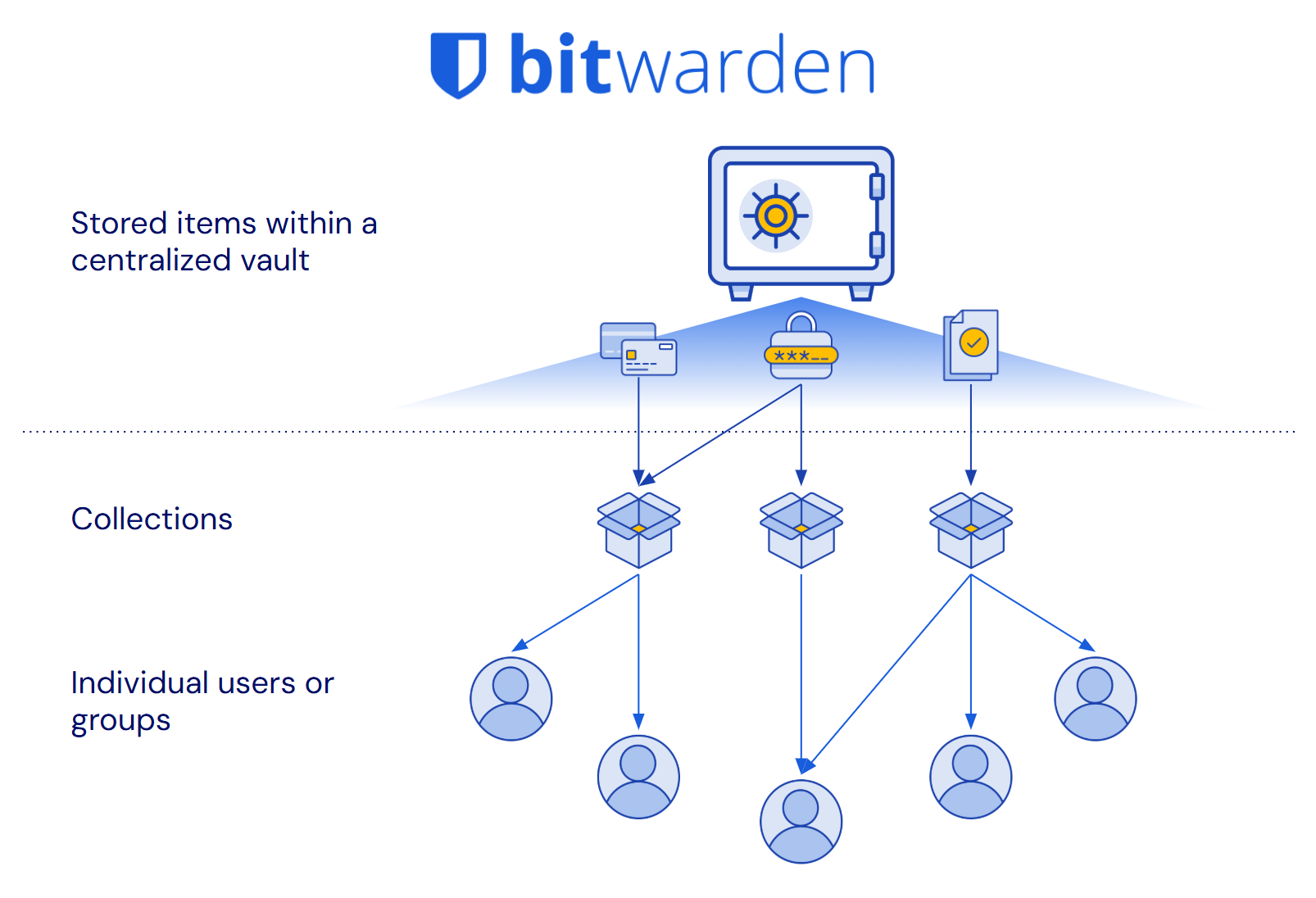
> The Bitwarden vault and all items within it are owned by the organization. **Vault items are independent of user status or assigned collections**. Centralized, secure, and built for business management.
### 3. Other password managers create ownership gaps
Not all password managers were built for the reporting and management needs of businesses. They require a blind trust of users to manage credential security.
Relying on users to manage their credentials means:
👎 Incomplete reporting on stored credentials
👎 Interrupted work when employees depart
👎 Items stored outside the control of the business
**What happens without centralized organization ownership?**
❌ Unnoticed breached and weak passwords
❌ Business disruption when employees transition
❌ Data loss / necessary recovery procedures
All this results in security gaps, loss of data, and administrative headaches.
> These ownership gaps directly undermine Data Loss Prevention and business continuity principles, creating unnecessary risk and operational disruption.
### Bitwarden makes it easy to manage credentials throughout the entire lifecycle:
✅ Complete organizational control
✅ Full reporting and risk insights
✅ Zero data loss when employees leave
## Lire les perspectives de sécurité de Bitwarden
Pour en savoir plus sur le partage de mots de passe évolutif et plus encore, consultez la série de livres blancs Bitwarden Security Perspectives.
**Perspectives de sécurité de Bitwarden :**
[Partage de mot de passe évolutif](https://bitwarden.com/fr-fr/resources/scalable-password-sharing/)
[Prévention des pertes de données](https://bitwarden.com/fr-fr/resources/data-loss-prevention/)
[Gestion du cycle de vie des identifiants](https://bitwarden.com/fr-fr/resources/credential-lifecycle-management-security-perspective/)
[Accès au moindre privilège](https://bitwarden.com/fr-fr/resources/least-privilege-access/)
[Gestion des informations d’identification centrée sur les applications et les employés](https://bitwarden.com/fr-fr/resources/application-and-employee-centric-credential-management/)
[Gestion des mots de passe pour les organisations internationales](https://bitwarden.com/fr-fr/resources/password-management-for-global-organizations/)
## Deeper dive:
### **Centralized ownership and management**
Bitwarden was designed to help manage business needs at scale and provide complete [credential lifecycle management](https://bitwarden.com/fr-fr/resources/guide-enterprise-password-management-throughout-employee-lifecycle/). This is accomplished through a centralized vault for all shared items and a collections, which provides access control allowing for granular sharing with others. Every credential that is in the organization vault is owned directly by the organization, not individual employees. This offers many benefits, including clear reporting on credential access, easy recovery of deleted items, seamless employee transitions, and comprehensive audit trails for compliance.
> TIP: Enterprise plans can enact a policy that requires **all** vault items, including unshared items, be stored in the organization-owned vault. Learn more: [Enforce organization data ownership](https://bitwarden.com/fr-fr/help/policies/#enforce-organization-data-ownership/)
Other password management solutions were conceived as consumer-first products and they focused on direct user-to-user sharing, without centralized oversight. This architectural difference now introduces challenges when supporting business’s management needs at scale, resulting in processes that create data loss risk, complicate employee transitions, and make it impossible to maintain organizational control over business-critical credentials.
### **Bitwarden provides complete credential lifecycle management**
Having all credentials in an organization-owned, centralized vault allows for intuitive management that eliminates ownership gaps. In Bitwarden:
1. All shared items belong to the organization, not individual employees
2. The vault items exist independently of users or how they’re shared
This means that when an employee changes roles or leaves the company, **credentials they shared remain safely in the organization vault** and are still available to teammates. There's no need for complex vault transfers, account recoveries, or data loss concerns.
It also means that the organization has **oversight and control of the credential through its entire lifecycle**, from when it is created to when it is retired. This ensures that full, auditable reporting of the item, including for weakness and vulnerabilities, is available to the administrators of the organization.
The organization maintains true ownership of business credentials. All shared items, access controls, and audit trails remain under organizational control.
### **What other password managers try to do**
Other password managers have created obstacles to centralized ownership and attempt to solve the gap that are unintuitive and incomplete.
| **Workaround for other password managers** | **Description** | **The problem** |
|------|------|------|
| Policies to add admin access to folders | Attempt to recreate centralized ownership through a policy where admins are given access to a new shared folders by default | ⚠️ Item owners can still delete shared items/folders without authorization ⚠️ Personal vaults still exist outside admin view ⚠️ Requires complex configuration to set up |
| Account recovery for offboarding / succession | When employees leave, their entire vault must be transferred to another user | ⚠️ Violates least privilege by giving another user access to items they shouldn’t ⚠️ Time-consuming and error-prone process ⚠️ May not be possible if employee does not agree to the transfer |
| Reporting “scores” | A health “score” is assigned to users to flag for admin review | ⚠️ Scores are meaningless and unhelpful ⚠️ Does not provide a complete picture of vault health |
Each of these methods are **poor substitutes** for an architecture designed for true organizational ownership.
### **The cost of going without Bitwarden**
If you don't have organizational ownership like with Bitwarden, it’s difficult to get a complete reporting picture on the health of stored credentials. Additionally, employee departures expose your business to data loss while adding significant workload to your IT team. These have real impacts on business operations and costs.
**How other solutions increase risk**
- Malicious action disrupts business and cannot be easily reverted
- Incomplete credential health reporting leaves weaknesses exposed
- Possible data loss during staffing changes
**Other solutions require more IT resources**
- Deep reporting requires admin legwork and time
- Extra overhead pulls resources from other projects
- Additional staffing up may be needed for more admins or help desk support
## Try it for yourself!
When evaluating password managers, check for these important attributes:
1. Are shared items owned by the company or by individual employees?
2. What happens to shared credentials when an employee leaves?
3. Can administrators control and manage all shared items?
4. How can an admin recover a deleted item?
5. Can an admin generate security reports on all credentials saved by users?
## Obtenez dès maintenant une sécurité de mot de passe puissante et fiable. Choisissez votre plan.
## Personnel
### Gratuit
**$0** *par mois*
*Gratuit pour toujours*
Profitez d'un coffre-fort Bitwarden
- Nombre illimité d'appareils
- Gestion des clés d'accès
- Toutes les fonctions essentielles
- Gratuit à vie
Partager des éléments du coffre-fort avec un autre utilisateur
[Commencez dès aujourd'hui](https://bitwarden.com/go/start-free/)
---
### Premium
**Less than $1** *par mois*
*$10 facturés annuellement*
Profitez des fonctionnalités premium
- Bitwarden Authenticator
- Pièces jointes
- Accès d'urgence
- Rapports de sécurité et plus encore
Partager des éléments du coffre-fort avec un autre utilisateur
[Créer un compte premium](https://bitwarden.com/go/start-premium/)
---
### Familles
**$3.33** *par mois*
*Jusqu'à 6 utilisateurs, 40 $ facturés annuellement*
Sécuriser vos identifiants familiaux
- 6 comptes premium
- Partage illimité
- Collections illimitées
- Organisation du stockage
Partager les éléments du coffre-fort entre six personnes
[Essai gratuit de 7 jours](https://bitwarden.com/go/start-families-trial/)
---
Les prix sont indiqués en USD et sont basés sur un abonnement annuel. Les taxes ne sont pas incluses.
## Entreprises
### Équipes
*Protection résiliente pour les équipes en croissance*
**$4** *par mois / par utilisateur facturé annuellement*
Partagez des données sensibles en toute sécurité avec des collègues, à travers les départements ou l'ensemble de l'entreprise
- Partage sécurisé des données
- Surveillance du journal des événements
- Intégration de l'annuaire
- Soutien au SCIM
Inclut des fonctionnalités premium pour tous les utilisateurs
[Commencer un essai](https://bitwarden.com/go/start-teams-trial/)
---
### Entreprise
*Fonctionnalités avancées pour les grandes organisations*
**$6** *par mois / par utilisateur facturé annuellement*
Utilisez des fonctionnalités avancées, notamment des politiques d'entreprise, la connexion sans mot de passe unique (SSO) et la récupération de compte.
- Politiques de sécurité de l'entreprise
- SSO sans mot de passe
- Recouvrement de compte
- Option d’autohébergement
Inclut des fonctionnalités premium et un plan familial gratuit pour tous les utilisateurs
[Commencer un essai](https://bitwarden.com/go/start-enterprise-trial/)
---
### Obtenez un devis
*Pour les entreprises comptant des centaines ou des milliers d'employés, veuillez contacter notre service commercial pour obtenir un devis personnalisé et voir comment Bitwarden peut vous aider :*
- Réduire le risque de cybersécurité
- Augmenter la productivité
- Intégrer de manière transparente
Bitwarden s'adapte à toutes les tailles d'entreprise pour garantir la sécurité des mots de passe au sein de votre organisation.
[Contacter le service commercial](https://bitwarden.com/contact-sales/)
---
Tarification indiquée en USD et basée sur un abonnement annuel
---
URL: https://bitwarden.com/fr-fr/resources/best-for-businesses-the-bitwarden-scalable-sharing-model/
---
# Idéal pour les entreprises : le modèle de partage évolutif Bitwarden
Bitwarden offre la meilleure méthode pour permettre une collaboration sécurisée à grande échelle
---
Tous les gestionnaires de mots de passe du marché tiennent leur promesse principale de générer, d’enregistrer et de remplir automatiquement des mots de passe forts et sécurisés. Là où ils divergent, c’est dans leur approche de la façon dont les mots de passe sont partagés avec les coéquipiers et les collègues.
Bitwarden se distingue par son architecture de partage évolutive qui fournit une source unique de vérité et la pleine propriété de l’organisation pour ces éléments partagés.
[](https://bitwarden.com/resources/the-bitwarden-difference-what-makes-bitwarden-best-for-businesses/#how-the-bitwarden-architecture-is-better)
* Watch the explainer video*
## Aperçu rapide :
### 1. Les employés doivent partager leurs mots de passe
Que ce soit pour un projet ou des opérations en cours, les coéquipiers devront partager leurs identifiants et autres informations sensibles.
**Pourquoi ?**
- Certaines applications et applications Web, telles que les réseaux sociaux, ne prennent en charge qu’un seul poste
- L’authentification unique ne couvre pas tous les outils en ligne
- Pas seulement des mots de passe : les cartes de crédit de l’entreprise, les notes sécurisées et les clés SSH doivent également être partagées
> Sans méthode de partage sécurisé, les employés s’enverront des informations d’identification par chat, SMS, e-mail, post-it ou même bouche-à-oreille.
### 2. Partagez à grande échelle avec un coffre-fort Bitwarden centralisé
Les organisations dans Bitwarden disposent d’un seul coffre-fort, et l’organisation « possède » chaque élément qu’il contient. Tout le partage est géré via le coffre-fort de l’organisation. Cela permet un partage facile et évolutif.
**Comment?**
1. Tous les éléments du coffre-fort doivent se trouver dans au moins une collection (dossier partagé)
2. Les administrateurs choisissent la façon dont les collections sont gérées et qui y a accès
3. Flux logique pour l’affectation d’éléments : coffre-fort d’organisation → collections → groupes d’utilisateurs
**L’architecture centralisée de Bitwarden fait des éléments du coffre-fort une source unique de vérité :**
✅ Mettez à jour un élément une fois et il est mis à jour partout
✅ Supprimez un élément, il a disparu immédiatement
✅ Le partage est simple et évolutif

> Le coffre-fort Bitwarden est organisé de manière logique et claire, centralisé et facile à gérer.
### 3. D’autres gestionnaires de mots de passe rendent la tâche plus difficile et dangereuse
Tous les gestionnaires de mots de passe n’ont pas été conçus pour évoluer. Ils ont été conçus à l’origine pour le partage 1:1 - moins utile pour les entreprises en croissance.
La mise à l’échelle nécessite une solution de contournement :
👎 Objets en double
👎 Création de plusieurs coffres-forts/dossiers partagés
👎 Raccourcis avec synchronisation limitée
**Que se passe-t-il lorsque d’autres gestionnaires de mots de passe tentent d’évoluer ?**
❌ Les informations d’identification dupliquées ne sont plus synchronisées
❌ Les administrateurs perdent de la visibilité sur ce qui est partagé
❌ Les éléments orphelins persistent
Tout cela se traduit par un casse-tête pour les administrateurs et **plus de risques.**
> Ces lacunes **sapent directement** les principes de sécurité fondamentaux tels que l’accès au moindre privilège et la prévention des pertes de données, augmentant ainsi le risque d’exposition inutile et de fuite de données.
### Bitwarden rend le partage entre les équipes plus facile et plus sûr
✅ Réduction des frais administratifs
✅ Prévention des privilèges excessifs involontaires
✅ Assurer la supervision administrative des informations d’identification de l’organisation
## Lire les perspectives de sécurité de Bitwarden
Pour en savoir plus sur le partage de mots de passe évolutif et plus encore, consultez la série de livres blancs Bitwarden Security Perspectives.
**Perspectives de sécurité de Bitwarden :**
[Partage de mot de passe évolutif](https://bitwarden.com/fr-fr/resources/scalable-password-sharing/)
[Prévention des pertes de données](https://bitwarden.com/fr-fr/resources/data-loss-prevention/)
[Gestion du cycle de vie des identifiants](https://bitwarden.com/fr-fr/resources/credential-lifecycle-management-security-perspective/)
[Accès au moindre privilège](https://bitwarden.com/fr-fr/resources/least-privilege-access/)
[Gestion des informations d’identification centrée sur les applications et les employés](https://bitwarden.com/fr-fr/resources/application-and-employee-centric-credential-management/)
[Gestion des mots de passe pour les organisations internationales](https://bitwarden.com/fr-fr/resources/password-management-for-global-organizations/)
## Plongée plus profonde :
### Architecture centralisée
Bitwarden a été conçu en pensant aux entreprises. Le partage est géré à partir d’un coffre-fort centralisé, et seuls les autres membres de la même organisation peuvent y accéder. Tout élément partagé appartient directement à l’organisation. Cela offre de nombreux avantages, notamment des rapports clairs sur l’état de la sécurité du coffre-fort, une récupération facile des éléments supprimés, un désembarquement plus fluide et permet des exportations du coffre-fort pour les sauvegardes/portabilité des données.
> ASTUCE : Les plans d’entreprise peuvent adopter une politique qui exige que tous les éléments du coffre-fort, y compris les éléments non partagés, soient stockés dans le coffre-fort centralisé. En savoir plus : [Appliquer la propriété des données de l’organisation](https://bitwarden.com/fr-fr/help/policies/#enforce-organization-data-ownership/)
D’autres solutions de gestion des mots de passe sont différentes et ont été conçues à l’origine comme des produits destinés au consommateur. Dès le début de leur développement, ils ont décidé de donner la priorité au partage 1:1 avec d’autres utilisateurs qui ne devaient pas nécessairement être des coéquipiers ou des collègues. Aujourd’hui, elles ont du mal à répondre aux besoins de partage des grandes entreprises, ce qui entraîne un processus plus difficile à gérer, qui introduit des risques et qui n’est pas facile à comprendre. Leur architecture crée des défis pour les administrateurs qui doivent révoquer l’accès à des éléments spécifiques, ajoute de la surcharge pour s’assurer que les éléments sont synchronisés avec les doublons, complique la désintégration et rend impossible la migration vers un autre service lorsqu’ils se rendent compte que la solution ne fonctionne pas pour eux.
### Bitwarden fournit une source unique de vérité pour le partage à grande échelle
Le fait d’avoir des éléments dans un coffre-fort centralisé permet une gestion intuitive qui rend le partage propre et facile. Dans Bitwarden :
1. Tous les éléments du coffre-fort de l’organisation sont attribués à une ou plusieurs collections pour le partage.
2. Les collections d’accès peuvent être attribuées à des utilisateurs individuels et à des groupes d’utilisateurs.
**Important** : les éléments peuvent appartenir à **plus d’une collection** et les utilisateurs peuvent appartenir à **plus d’un groupe.**
Ainsi, dans une situation courante où deux équipes ont besoin d’accéder à un seul élément, cet élément peut être attribué à des collections auxquelles chacune de ces équipes a déjà accès. Il n’est pas nécessaire de créer un élément en double ou d’ajouter l’équipe collaboratrice à l’espace privé de l’autre équipe.
Lorsque cet élément est mis à jour, par exemple dans le cadre d’une rotation de mot de passe, les deux équipes disposent immédiatement des nouvelles informations d’identification. Il en va de même pour la suppression ou la révocation - il suffit d’aller à l’élément et de le supprimer des collections ou de le supprimer entièrement, et l’accès est mis à jour pour tout le monde. Ce processus est propre et ne laisse aucun orphelin ni raccourci à gérer.
De cette façon, **les éléments du coffre-fort sont une source unique de vérité**. Tout le partage, l’accès et le contenu de l’élément se trouvent au même endroit, l’élément lui-même.

### Ce que les autres gestionnaires de mots de passe essaient de faire
Afin de pallier les lacunes de l’architecture qui rendent impossible le partage évolutif, d’autres gestionnaires de mots de passe ont concocté des solutions de contournement qui finissent par causer des maux de tête et augmenter les risques.
| **Solution de contournement pour d’autres gestionnaires de mots de passe** | **Description** | **Le problème** |
|------|------|------|
| S’appuyer sur les doublons | Pour partager un élément entre plusieurs équipes, l’élément doit être dupliqué et placé à chaque emplacement nécessaire. | ⚠️ Les doublons doivent être modifiés manuellement chaque fois qu’une mise à jour doit être effectuée ⚠️ Lorsque l’accès à l’élément doit être restreint ou supprimé, chaque doublon doit être traité séparément. |
| Création de « voûtes communes » séparées | Une autre façon de partager un élément entre plusieurs équipes consiste à créer un coffre-fort/dossier pour chaque élément qui doit être partagé entre les équipes, à placer l’élément dans cet emplacement partagé, puis à lui attribuer chaque équipe qui en a besoin. | ⚠️ Cela prolifère massivement des coffres-forts/dossiers, est déroutant à gérer et peut facilement introduire des erreurs et des accès accidentels. |
| Utilisation des « raccourcis » | Certaines solutions permettent aux utilisateurs de créer des raccourcis vers des éléments qui offrent une synchronisation limitée dans d’autres emplacements. | ⚠️ Ces raccourcis peuvent être cachés à l’abri de la surveillance de l’administrateur et ne sont pas supprimés lorsque l’élément d’origine est supprimé, ce qui ouvre la voie à une utilisation abusive des informations d’identification et à des privilèges excessifs. |
Chacune de ces méthodes est un **piètre substitut** à une architecture conçue pour une propriété centralisée et un partage évolutif.
### Le coût de l’absence de Bitwarden
Si vous ne disposez pas d’une solution de partage évolutive comme Bitwarden, au fur et à mesure de votre croissance, vous exposez votre entreprise à des risques supplémentaires tout en augmentant la charge de travail de votre équipe informatique. Ceux-ci ont des impacts réels sur vos opérations et vos coûts commerciaux.
#### Comment d’autres solutions augmentent les risques
- Le partage des derniers détails augmente les risques de violation des informations d’identification et de remédiation coûteuse
- Un excès de privilèges involontaire peut entraîner une utilisation abusive des informations d’identification
- Les identifiants qui perdent la surveillance peuvent être compromis sans préavis
#### D’autres solutions nécessitent plus de ressources informatiques
- La mise en œuvre de solutions de contournement du partage signifie une augmentation des frais d’administration requis
- Le travail supplémentaire permet de puiser dans la bande passante informatique d’autres projets
- Du personnel supplémentaire peut être nécessaire pour plus d’administrateurs ou le support du service d’assistance
## Essayez-le par vous-même !
Lors de l’évaluation des preuves de concept, vérifiez les attributs importants suivants :
1. Les éléments partagés dans un coffre-fort appartiennent-ils à l’entreprise ou à l’utilisateur ?
2. Un article peut-il être placé à plusieurs endroits ?
3. Que se passe-t-il lorsque cet élément est mis à jour ?
4. Un administrateur peut-il supprimer un élément du partage ?
5. Comment un administrateur peut-il récupérer un élément supprimé ?
## Obtenez dès maintenant une sécurité de mot de passe puissante et fiable. Choisissez votre plan.
## Personnel
### Gratuit
**$0**
*par mois*
*Gratuit pour toujours*
Profitez d'un coffre-fort Bitwarden
- Nombre illimité d'appareils
- Gestion des clés d'accès
- Toutes les fonctions essentielles
- Gratuit à vie
Partager des éléments du coffre-fort avec un autre utilisateur
[Commencez dès aujourd'hui](https://bitwarden.com/go/start-free/)
---
### Premium
**Less than $1**
*par mois*
*$10 facturés annuellement*
Profitez des fonctionnalités premium
- Bitwarden Authenticator
- Pièces jointes
- Accès d'urgence
- Rapports de sécurité et plus encore
Partager des éléments du coffre-fort avec un autre utilisateur
[Créer un compte premium](https://bitwarden.com/go/start-premium/)
---
### Familles
**$3.33**
*par mois*
*Jusqu'à 6 utilisateurs, 40 $ facturés annuellement*
Sécuriser vos identifiants familiaux
- 6 comptes premium
- Partage illimité
- Collections illimitées
- Organisation du stockage
Partager les éléments du coffre-fort entre six personnes
[Essai gratuit de 7 jours](https://bitwarden.com/go/start-families-trial/)
---
Les prix sont indiqués en USD et sont basés sur un abonnement annuel. Les taxes ne sont pas incluses.
## Entreprises
### Équipes
*Protection résiliente pour les équipes en croissance*
**$4**
*par mois / par utilisateur facturé annuellement*
Partagez des données sensibles en toute sécurité avec des collègues, à travers les départements ou l'ensemble de l'entreprise
- Partage sécurisé des données
- Surveillance du journal des événements
- Intégration de l'annuaire
- Soutien au SCIM
Inclut des fonctionnalités premium pour tous les utilisateurs
[Commencer un essai](https://bitwarden.com/go/start-teams-trial/)
---
### Entreprise
*Fonctionnalités avancées pour les grandes organisations*
**$6**
*par mois / par utilisateur facturé annuellement*
Utilisez des fonctionnalités avancées, notamment des politiques d'entreprise, la connexion sans mot de passe unique (SSO) et la récupération de compte.
- Politiques de sécurité de l'entreprise
- SSO sans mot de passe
- Recouvrement de compte
- Option d’autohébergement
Inclut des fonctionnalités premium et un plan familial gratuit pour tous les utilisateurs
[Commencer un essai](https://bitwarden.com/go/start-enterprise-trial/)
---
### Obtenez un devis
*Pour les entreprises comptant des centaines ou des milliers d'employés, veuillez contacter notre service commercial pour obtenir un devis personnalisé et voir comment Bitwarden peut vous aider :*
- Réduire le risque de cybersécurité
- Augmenter la productivité
- Intégrer de manière transparente
Bitwarden s'adapte à toutes les tailles d'entreprise pour garantir la sécurité des mots de passe au sein de votre organisation.
[Contacter le service commercial](https://bitwarden.com/contact-sales/)
---
Tarification indiquée en USD et basée sur un abonnement annuel
---
URL: https://bitwarden.com/fr-fr/resources/bitdefender-chose-bitwarden-for-open-source-model/
---
# Cybersecurity company Bitdefender chose Bitwarden for open source model
Bitdefender opted to go with Bitwarden Password Manager, citing the Bitwarden open source model as one of the main drivers for its decision.
---
## Overview
[Bitdefender](https://www.bitdefender.com/) is a Bucharest, Romania-based cybersecurity company serving over 100 clients all over the world. The company believes cybersecurity is mission-critical for [businesses of all sizes](https://bitwarden.com/fr-fr/blog/security-advice-for-small-and-midsize-businesses/) and has many solutions for how to stay secure. In its years working with customers across all industries, the company has also gleaned a number of insights about IT security habits and perceptions. In turn, this has helped inform Bitdefender about the most optimal strategies for its own protection against cyber-criminals.
Bitdefender understands the importance of ensuring all data is encrypted, running the latest operating systems, and staying on top of security updates. In order to best keep track of all the tools at its disposal, the team created a cybersecurity risk register. This register catalogs all internal technologies in use, their strengths and weaknesses, and has allowed Bitdefender to make smart financial choices for security budget allocation. One tool that was used internally was a password manager, leaving that responsibility to employees. After careful evaluation, it became clear that had to change and the solution that would meet their needs best is Bitwarden.
> Learn more about the annual [Open Source Security Summit](https://bitwarden.com/fr-fr/open-source-security-summit/).
## Table of Contents
[Overview](https://bitwarden.com/fr-fr/resources/bitdefender-chose-bitwarden-for-open-source-model/#overview/)
[Watch the presentation](https://bitwarden.com/fr-fr/resources/bitdefender-chose-bitwarden-for-open-source-model/#watch-the-presentation/)
[The critical role of authentication](https://bitwarden.com/fr-fr/resources/bitdefender-chose-bitwarden-for-open-source-model/#the-critical-role-of-authentication/)
[Bitwarden stands out among the competition](https://bitwarden.com/fr-fr/resources/bitdefender-chose-bitwarden-for-open-source-model/#bitwarden-stands-out-among-the-competition/)
[Get started with Bitwarden](https://bitwarden.com/fr-fr/resources/bitdefender-chose-bitwarden-for-open-source-model/#get-started-with-bitwarden/)
## Watch the presentation
[](https://vimeo.com/830271867)
*[Watch on Vimeo](https://vimeo.com/830271867)*
*Why Bitdefender chose Bitwarden for Password Management*
> Visit [opensourcesecuritysummit.com](https://bitwarden.com/fr-fr/open-source-security-summit/) to learn more about this annual conference.
## The critical role of authentication
There is a common refrain within the IT security world that it's a matter of “when, not if” an organization will experience a data breach. Consequently, an organization has a duty to limit the damage a particular compromised user, device, or account can do to its business. Ensuring minimal damage means prioritizing a robust, centralized authentication system that grants privileged access based on an employee’s role and on a ‘need to know’ basis. Most modern authentication systems also offer [single sign on](https://bitwarden.com/fr-fr/blog/bitwarden-password-manager-login-with-sso/) and [multi-factor authentication](https://bitwarden.com/fr-fr/blog/top-10-burning-questions-on-2fa/) tools, both of which add an extra layer of efficiency and security.
As it considered its authentication needs - and in part, due to its own internal cybersecurity training, which emphasized the importance of its employees using password managers - Bitdefender decided to put its money where its mouth was and deploy an enterprise-grade solution to protect every employee and the organization as a whole.
## Bitwarden stands out among the competition
After making a shortlist of candidates based on its requirements, Bitdefender opted to go with Bitwarden, citing the [Bitwarden open source model](https://bitwarden.com/fr-fr/blog/why-open-source-delivers-transparency-and-security-for-enterprises/) as one of the main drivers for its decision. Other deciding benefits included SSO and API integration, strong customer support, and [third-party audits](https://bitwarden.com/fr-fr/blog/third-party-security-audit/).
Bitdefender also knew it did not want to self-host and wanted to have the option of testing the solution before fully committing. The company initially purchased a small number of seats and was thrilled when Bitwarden was receptive to its iterative seat increase requests. Bitwarden put in place an automated onboarding process whereby Bitdefender employees simply click on a button stating they wanted to deploy Bitwarden. This model has allowed the Bitdefender team to keep its [budget](https://bitwarden.com/fr-fr/blog/why-your-it-budget-should-be-used-on-a-company-password-manager/) tight and ensure employees are committed to using Bitwarden in a productive fashion.
> Said Mihai Talmacel, an Information Security Engineer with Bitdefender, “credential vaults are an extremely sensitive security topic. So we had to go with the best.”
## Get started with Bitwarden
Ready to get started with Bitwarden? Sign up for a [free Bitwarden account](https://bitwarden.com/fr-fr/pricing/), or register for a [7-day free trial of our business plans](https://bitwarden.com/fr-fr/pricing/business/) to help keep your business and team safe online.
## Obtenez dès maintenant une sécurité de mot de passe puissante et fiable. Choisissez votre plan.
## Personnel
### Gratuit
**$0** *par mois*
*Gratuit pour toujours*
Profitez d'un coffre-fort Bitwarden
- Nombre illimité d'appareils
- Gestion des clés d'accès
- Toutes les fonctions essentielles
- Gratuit à vie
Partager des éléments du coffre-fort avec un autre utilisateur
[Commencez dès aujourd'hui](https://bitwarden.com/go/start-free/)
---
### Premium
**Less than $1** *par mois*
*$10 facturés annuellement*
Profitez des fonctionnalités premium
- Bitwarden Authenticator
- Pièces jointes
- Accès d'urgence
- Rapports de sécurité et plus encore
Partager des éléments du coffre-fort avec un autre utilisateur
[Créer un compte premium](https://bitwarden.com/go/start-premium/)
---
### Familles
**$3.33** *par mois*
*Jusqu'à 6 utilisateurs, 40 $ facturés annuellement*
Sécuriser vos identifiants familiaux
- 6 comptes premium
- Partage illimité
- Collections illimitées
- Organisation du stockage
Partager les éléments du coffre-fort entre six personnes
[Essai gratuit de 7 jours](https://bitwarden.com/go/start-families-trial/)
---
Les prix sont indiqués en USD et sont basés sur un abonnement annuel. Les taxes ne sont pas incluses.
## Entreprises
### Équipes
*Protection résiliente pour les équipes en croissance*
**$4** *par mois / par utilisateur facturé annuellement*
Partagez des données sensibles en toute sécurité avec des collègues, à travers les départements ou l'ensemble de l'entreprise
- Partage sécurisé des données
- Surveillance du journal des événements
- Intégration de l'annuaire
- Soutien au SCIM
Inclut des fonctionnalités premium pour tous les utilisateurs
[Commencer un essai](https://bitwarden.com/go/start-teams-trial/)
---
### Entreprise
*Fonctionnalités avancées pour les grandes organisations*
**$6** *par mois / par utilisateur facturé annuellement*
Utilisez des fonctionnalités avancées, notamment des politiques d'entreprise, la connexion sans mot de passe unique (SSO) et la récupération de compte.
- Politiques de sécurité de l'entreprise
- SSO sans mot de passe
- Recouvrement de compte
- Option d’autohébergement
Inclut des fonctionnalités premium et un plan familial gratuit pour tous les utilisateurs
[Commencer un essai](https://bitwarden.com/go/start-enterprise-trial/)
---
### Obtenez un devis
*Pour les entreprises comptant des centaines ou des milliers d'employés, veuillez contacter notre service commercial pour obtenir un devis personnalisé et voir comment Bitwarden peut vous aider :*
- Réduire le risque de cybersécurité
- Augmenter la productivité
- Intégrer de manière transparente
Bitwarden s'adapte à toutes les tailles d'entreprise pour garantir la sécurité des mots de passe au sein de votre organisation.
[Contacter le service commercial](https://bitwarden.com/contact-sales/)
---
Tarification indiquée en USD et basée sur un abonnement annuel
---
URL: https://bitwarden.com/fr-fr/resources/bitwarden-2022-data-privacy-day-newsletter-february-2022/
---
# February 2022 Spotlight: Bitwarden Data Privacy Day Survey
Welcome to the Bitwarden February newsletter, featuring product and company announcements, upcoming events, and top social fan favorites.
---
## Featured Article
We recently revealed the results of the Bitwarden 2022 Data Privacy Day Survey. To see which apps the Bitwarden community favors for data privacy, or to take part in the survey, [read the full blog post](https://bitwarden.com/fr-fr/blog/data-privacy-day/).

## Enjoying this update? Subscribe today.
*Receive the latest product updates, hand-picked articles, community highlights, and more.*
[Contact form]
## Event Recap

Missed the 2022 Bitwarden roadmap review? Catch up with the Bitwarden product team as they present what’s on the 2022 roadmap and answer questions from the community. [Watch the recap](https://www.crowdcast.io/e/2022-bitwarden-roadmap) here.
## More Bits and Bites

As web3 technologies evolve, more control is put into the hands of users. However, with great power comes great responsibility. Users will need to find a secure and convenient way to manage sensitive credentials. Here are [five tips for using a password manager for web3](https://bitwarden.com/fr-fr/blog/what-the-future-of-web3-means-for-credentials/).

When it comes to new security tools, the best options are the ones that keep you safe and operating efficiently. To learn how Bitwarden can boost productivity, encourage collaboration, and save time while keeping your business secure, [read this article](https://bitwarden.com/fr-fr/blog/how-bitwarden-brings-value-to-your-business/).
## Industry News

Bitwarden Founder and Chief Technology Officer, Kyle Spearrin, recently spoke about cybersecurity and password management in Cybernews. Kyle explains that there is no one-size-fits-all security response, and approaches should be customized to the organization’s size, strategies, structure, existing tools, and available skills. [Read the article](https://cybernews.com/security/kyle-spearrin-bitwarden-complex-security-systems-alone-cannot-safeguard-businesses/) on Cybernews to learn more.
## Top Social Fan Favorites
You play an important role in contributing to a world free of breaches and hacks by sharing your knowledge and experience. Here is a recent favorite post of ours.

## Bitwarden Learning

New training presentations and resources are always being added to the [Bitwarden Learning center](https://bitwarden.com/fr-fr/http://bitwarden.com/learning/). Whether you’re a beginner, power user, administrator, or managed service provider, you’ll find something that fits your needs.
Are you an Enterprise or Teams customer interested in custom training? Fill out the [bitwarden.com/contact](https://bitwarden.com/fr-fr/contact/) form and one of our training specialists will reach out.
That’s it for now. Let us know what you think about this newsletter including potential topics you’d like to see.
**Until next time,**
Team Bitwarden
## Obtenez dès maintenant une sécurité de mot de passe puissante et fiable. Choisissez votre plan.
## Personnel
### Gratuit
**$0** *par mois*
*Gratuit pour toujours*
Profitez d'un coffre-fort Bitwarden
- Nombre illimité d'appareils
- Gestion des clés d'accès
- Toutes les fonctions essentielles
- Gratuit à vie
Partager des éléments du coffre-fort avec un autre utilisateur
[Commencez dès aujourd'hui](https://bitwarden.com/go/start-free/)
---
### Premium
**Less than $1** *par mois*
*$10 facturés annuellement*
Profitez des fonctionnalités premium
- Bitwarden Authenticator
- Pièces jointes
- Accès d'urgence
- Rapports de sécurité et plus encore
Partager des éléments du coffre-fort avec un autre utilisateur
[Créer un compte premium](https://bitwarden.com/go/start-premium/)
---
### Familles
**$3.33** *par mois*
*Jusqu'à 6 utilisateurs, 40 $ facturés annuellement*
Sécuriser vos identifiants familiaux
- 6 comptes premium
- Partage illimité
- Collections illimitées
- Organisation du stockage
Partager les éléments du coffre-fort entre six personnes
[Essai gratuit de 7 jours](https://bitwarden.com/go/start-families-trial/)
---
Les prix sont indiqués en USD et sont basés sur un abonnement annuel. Les taxes ne sont pas incluses.
## Entreprises
### Équipes
*Protection résiliente pour les équipes en croissance*
**$4** *par mois / par utilisateur facturé annuellement*
Partagez des données sensibles en toute sécurité avec des collègues, à travers les départements ou l'ensemble de l'entreprise
- Partage sécurisé des données
- Surveillance du journal des événements
- Intégration de l'annuaire
- Soutien au SCIM
Inclut des fonctionnalités premium pour tous les utilisateurs
[Commencer un essai](https://bitwarden.com/go/start-teams-trial/)
---
### Entreprise
*Fonctionnalités avancées pour les grandes organisations*
**$6** *par mois / par utilisateur facturé annuellement*
Utilisez des fonctionnalités avancées, notamment des politiques d'entreprise, la connexion sans mot de passe unique (SSO) et la récupération de compte.
- Politiques de sécurité de l'entreprise
- SSO sans mot de passe
- Recouvrement de compte
- Option d’autohébergement
Inclut des fonctionnalités premium et un plan familial gratuit pour tous les utilisateurs
[Commencer un essai](https://bitwarden.com/go/start-enterprise-trial/)
---
### Obtenez un devis
*Pour les entreprises comptant des centaines ou des milliers d'employés, veuillez contacter notre service commercial pour obtenir un devis personnalisé et voir comment Bitwarden peut vous aider :*
- Réduire le risque de cybersécurité
- Augmenter la productivité
- Intégrer de manière transparente
Bitwarden s'adapte à toutes les tailles d'entreprise pour garantir la sécurité des mots de passe au sein de votre organisation.
[Contacter le service commercial](https://bitwarden.com/contact-sales/)
---
Tarification indiquée en USD et basée sur un abonnement annuel
---
URL: https://bitwarden.com/fr-fr/resources/bitwarden-across-industries/
---
# Bitwarden dans tous les secteurs d'activité
Comment Bitwarden peut aider à relever les défis auxquels sont confrontés les industries et les secteurs d'activité aujourd'hui
---
## Bitwarden helps secure prominent companies across industries
Bitwarden serves tens of thousands of businesses and millions of end users globally. Regardless of their type of work, each of them benefits from the Bitwarden open source approach to trust, accountability, and security.
Interested in learning how Bitwarden can help your company? See how [Bitwarden brings value to your business](https://bitwarden.com/fr-fr/blog/how-bitwarden-brings-value-to-your-business/) and view more resources on specific industries below.

## Learn how Bitwarden can secure:
[Business Services](https://bitwarden.com/fr-fr/resources/bitwarden-across-industries/#business-services/)
- [Information Technology](https://bitwarden.com/fr-fr/resources/bitwarden-across-industries/#information-technology/)
- [Advertising & Marketing](https://bitwarden.com/fr-fr/resources/bitwarden-across-industries/#advertising-&-marketing/)
[Finance](https://bitwarden.com/fr-fr/resources/bitwarden-across-industries/#finance/)
[Government](https://bitwarden.com/fr-fr/resources/bitwarden-across-industries/#government/)
[Healthcare](https://bitwarden.com/fr-fr/resources/bitwarden-across-industries/#healthcare/)
[Insurance](https://bitwarden.com/fr-fr/resources/bitwarden-across-industries/#insurance/)
[Manufacturing](https://bitwarden.com/fr-fr/resources/bitwarden-across-industries/#manufacturing/)
[Media & Internet](https://bitwarden.com/fr-fr/resources/bitwarden-across-industries/#media-&-internet/)
[Public Utilities](https://bitwarden.com/fr-fr/resources/bitwarden-across-industries/#public-utilities/)
[Software](https://bitwarden.com/fr-fr/resources/bitwarden-across-industries/#software/)
[Telecommunications](https://bitwarden.com/fr-fr/resources/bitwarden-across-industries/#telecommunications/)
[Transportation & Travel](https://bitwarden.com/fr-fr/resources/bitwarden-across-industries/#transportation-&-travel/)
### Information Technology

Needs: Password security, user management, easy administration, secure file/text transfer, automation
Bitwarden Solutions:
- Provide password security to your organization with powerful administration tools and simple user management.
- Integrate with existing SSO systems and directories, and utilize APIs for automations.
- Boost productivity by enabling users to securely share logins and other data with specifically-assigned teams or user groups.
- Securely transmit text and files with Bitwarden Send to anyone inside or outside the organization using end-to-end encryption.
[Case study: How Intesys Uses Bitwarden for Business Collaboration](https://bitwarden.com/fr-fr/blog/case-study-intesys/)
[Case study: Managed Service Provider GreenLoop Delivers Intuitive Password Security for Their Clients](https://bitwarden.com/fr-fr/blog/managed-service-provider-greenloop-delivers-intuitive-password-security/)
[Blog: Securing Remote Work with a Password Manager](https://bitwarden.com/fr-fr/blog/securing-remote-work-password-manager/)
[Blog: Workplace tips on how to send documents securely over the internet](https://bitwarden.com/fr-fr/blog/workplace-tips-on-how-to-send-documents-securely-over-the-internet/)
[Resource: Choose the Right SSO Login Strategy](https://bitwarden.com/fr-fr/resources/choose-the-right-sso-login-strategy/)
## Bitwarden is trusted in IT by...
the worldwide leader in enterprise open source solutions for IT professionals
a leading data storage and disaster recovery solutions provider
a multinational identity and access management software company
### Advertising & Marketing

Needs: Sharing logins for tools, securing contractors, secure file/text transfer
Bitwarden Solutions:
- Collaborate on important social media accounts with shared logins and integrated two-factor authentication.
- Add productivity by simplifying login with autofill and reducing failed logins and password resets.
- Provide account teams and contractors a way to access the services and tools they need, without compromising access control.
- Use the Bitwarden Send feature to securely transmit encrypted sensitive client information and deliverables.
[Blog: Five Best Practices for Password Management](https://bitwarden.com/fr-fr/blog/five-best-practices-for-password-management/)
[Help article: Autofill a Login](https://bitwarden.com/fr-fr/help/getting-started-browserext/#auto-fill-a-login/)
[Webcast: Securing 3rd Party Contractors](https://start.bitwarden.com/replay-securing-3rd-party-agencies)
[Blog: Introducing Bitwarden Send for secure one-to-one information sharing](https://bitwarden.com/fr-fr/blog/introducing-bitwarden-send-for-secure-sharing/)
## Bitwarden is trusted in advertising & marketing by...
a European retail and tourism organization with over 12 million daily customers
a brand development and management company connecting with consumers around the world
a top 5 contextual online advertising network
## Finances
Besoins : Sécurité des mots de passe, gestion des utilisateurs, transfert sécurisé de fichiers/textes, journaux vérifiables

Solutions Bitwarden :
- Sécurité des mots de passe à tous les niveaux de votre organisation grâce à des outils robustes de gestion des utilisateurs et des groupes.
- Les informations sensibles sont sécurisées car les éléments de la chambre forte sont chiffrés de bout en bout, avec un journal d'événements vérifiable.
- Envoyez en toute sécurité des informations sensibles cryptées à n'importe qui, y compris aux équipes internes et aux clients finaux.
- Bitwarden maintient des normes de conformité, notamment SOC 2, GDPR, Privacy Shield et CCPA.
[Ressources : Guide de conformité SOX : Simplifier la conformité avec Bitwarden pour une sécurité et une confidentialité accrues](https://bitwarden.com/fr-fr/resources/simplify-sox-compliance-with-bitwarden/)
[Blog : Les avantages des gestionnaires de mots de passe pour les sociétés financières](https://bitwarden.com/fr-fr/blog/the-benefits-of-password-managers-for-finance-companies/)
[Blog : Ce que les plus grandes sociétés de cartes de crédit du monde disent à propos de la sécurité](https://bitwarden.com/fr-fr/blog/what-the-worlds-largest-credit-card-companies-say-about-security/)
[Blog : Comment la loi Gramm-Leach-Bliley régit les pratiques en matière de sécurité des données](https://bitwarden.com/fr-fr/blog/gramm-leach-bliley-act-data-security-practices/)
[Blog : Présentation de Bitwarden Send pour un partage d'informations sécurisé entre deux personnes](https://bitwarden.com/fr-fr/blog/introducing-bitwarden-send-for-secure-sharing/)
[Article d'aide : Journaux d'événements](https://bitwarden.com/fr-fr/help/event-logs/)
## Bitwarden is trusted in finance by...
one of the largest banking institutions serving the southeast with approximately $8B in assets and over 100 branches
an independent wealth management and planning firm with over $200 billion under management
a Canadian financial group and trust company
a trusted regional credit union with billions in assets and thousands of customers
## Government
Needs: Security compliance, password security, secure sharing, self-hosting

Bitwarden Solutions:
- Use Bitwarden to secure government business and federal agencies with end-to-end, zero-knowledge protection for passwords and sensitive data.
- Utilize the same encryption standards and additional controls to securely send text and files.
- Deploy with the secure Bitwarden cloud or use a self-hosted deployment to satisfy more stringent policies, each accessible via computers and mobile device end-clients.
[Page: Bitwarden Security and Compliance](https://bitwarden.com/fr-fr/compliance/)
[Blog: What's Happening on The Hill: Federal Information Security Modernization Act](https://bitwarden.com/fr-fr/blog/whats-happening-on-the-hill-federal-information-security-modernization-act/)
[Blog: How State and Local Government Benefits from Password Management](https://bitwarden.com/fr-fr/blog/how-state-and-local-goverment-benefits-from-password-management/)
[Blog: Host Your Own Open Source Password Manager](https://bitwarden.com/fr-fr/blog/host-your-own-open-source-password-manager/)
[Blog: New York Takes on Credential Stuffing and Passwords](https://bitwarden.com/fr-fr/blog/new-york-takes-on-credential-stuffing-and-passwords/)
## Bitwarden is trusted in government by...
a prominent office within a branch of the U.S. Federal Government
U.S. State Governments and departments
multiple U.S. county governments on the eastern seaboard
the city government of a musical municipality
## Soins de santé
Besoins : Conformité, sécurité des mots de passe, journaux vérifiables, transfert sécurisé de fichiers/textes

Solutions Bitwarden :
- Assurez la sécurité des mots de passe à tous les niveaux de votre organisation grâce à des outils robustes de gestion des utilisateurs et des groupes.
- Les informations sensibles sont sécurisées car les éléments de la chambre forte sont chiffrés de bout en bout, avec un journal d'événements vérifiable.
- Envoyez en toute sécurité des informations sensibles cryptées à n'importe qui, y compris aux équipes internes et aux clients finaux.
- Bitwarden maintient des normes de conformité, notamment HIPAA, SOC 2, GDPR, Privacy Shield et CCPA.
[Blog : Le secteur de la santé : Une cible privilégiée pour les cyberattaques](https://bitwarden.com/fr-fr/blog/the-healthcare-industry-a-prime-target-for-cyberattacks/)
[Blog : Pourquoi utiliser un gestionnaire de mots de passe conforme à l'HIPAA ?](https://bitwarden.com/fr-fr/blog/why-use-a-hipaa-compliant-password-manager/)
[Blog : Explication des exigences HIPAA en matière de mots de passe](https://bitwarden.com/fr-fr/blog/hipaa-password-requirements/)
[Blog : Présentation de Bitwarden Send pour un partage d'informations sécurisé entre deux personnes](https://bitwarden.com/fr-fr/blog/introducing-bitwarden-send-for-secure-sharing/)
[Page : Sécurité et conformité de Bitwarden](https://bitwarden.com/fr-fr/compliance/)
[Article d'aide : Journaux d'événements](https://bitwarden.com/fr-fr/help/event-logs/)
## Bitwarden is trusted in healthcare by...
one of the largest healthcare systems in the Pacific Northwest
a learning hospital system in France
one of the largest non-profit health care networks in a northeastern state
## Insurance
Needs: Sharing logins for tools, password security, user management, easy administration

Bitwarden Solutions:
- Increase team productivity with easy access shared logins to internal tools and secure workspaces.
- Keep sensitive information secure with end-to-end encrypted logins, tools to generate strong passwords, and reporting for exposed passwords and data breaches.
- Create user groups with assigned access to the correct internal systems.
- Add productivity by simplifying login with autofill and reducing failed logins and password resets
[Blog: Five Best Practices for Password Management](https://bitwarden.com/fr-fr/blog/five-best-practices-for-password-management/)
[Blog: Vault Security in the Bitwarden Password Manager](https://bitwarden.com/fr-fr/blog/vault-security-bitwarden-password-manager/)
[Help article: Groups](https://bitwarden.com/fr-fr/help/about-groups/)
[Help article: Autofill a Login](https://bitwarden.com/fr-fr/help/getting-started-browserext/#auto-fill-a-login/)
## Bitwarden is trusted in insurance by...
a Fortune 500 insurance provider to prevent password mayhem
a medical insurance marketplace that sells plans in all 50 states
a leading New Zealand insurance firm offering coverage for cars, homes, boats, and more
## Manufacturing
Needs: Strong password security, user management

Bitwarden Solutions:
- With manufacturing quickly moving to interconnected devices, keep all levels of the operation secure with password security and powerful user management controls.
- Create user groups with assigned access to the correct internal systems and cycle strong, generated shared passwords.
- Protect notated configurations of system-connected devices on field mobile devices with secure notes.
- Add productivity by simplifying login with autofill and reducing failed logins and password resets.
[Resource: Choose the Right SSO Login Strategy](https://bitwarden.com/fr-fr/resources/choose-the-right-sso-login-strategy/)
[Blog: Preparing for the Executive Order on Improving the Nation’s Cybersecurity](https://bitwarden.com/fr-fr/blog/preparing-for-the-executive-order-on-improving-the-nations-cybersecurity/)
[Blog: Strategies for Keeping Smart Devices Secure](https://bitwarden.com/fr-fr/blog/strategies-for-keeping-smart-devices-secure/)
[Help article: Autofill a Login](https://bitwarden.com/fr-fr/help/getting-started-browserext/#auto-fill-a-login/)
## Bitwarden is trusted in manufacturing by...
private organizations that assist with official NASA missions
the #1 HVAC company ranked by U.S. News & World report
a leading producer of advanced materials, chemicals and fibers
an international luxury automotive manufacturer with a 100 year heritage
## Media & Internet
Needs: Unlimited devices, cross-platform compatibility, secure file/text transfer, password security, secure notes

Bitwarden Solutions:
- Use Bitwarden on an unlimited number of devices and on browsers, mobile devices, and desktop applications and across operating systems.
- Securely send encrypted sensitive information to anyone, including internal teams and end clients.
- End-to-end encryption keeps vault items secure, and assign user groups to specific collections of passwords.
- Encrypt and store secure notes in the vault or as a file attachment.
[Case study: Golden Communications Streamlines Productivity with Intuitive Password Management](https://bitwarden.com/fr-fr/resources/marketing-agency-streamlines-productivity-with-password-management/)
[Case study: Global Language Platform Strengthens Password Sharing and Management with Bitwarden](https://bitwarden.com/fr-fr/blog/global-language-platform-strengthens-password-sharing-and-management/)
[Case study: University of Toronto Press Solves for Efficient Password Sharing with Bitwarden](https://bitwarden.com/fr-fr/blog/university-of-toronto-press-solves-for-efficient-password-sharing-with-bitwarden/)
[Blog: Vault Security in the Bitwarden Password Manager](https://bitwarden.com/fr-fr/blog/vault-security-bitwarden-password-manager/)
[Blog: Securing Remote Work with a Password Manager](https://bitwarden.com/fr-fr/blog/securing-remote-work-password-manager/)
## Bitwarden is trusted in media & internet by...
a home entertainment company specializing in high performance speaker systems and custom A/V installations
an industry-leading web hosting provider
the news arm of a large, family-owned international media group
## Public Utilities
Needs: Security compliance, password security, auditable logs

Bitwarden Solutions:
- With Bitwarden, protect passwords and sensitive data using end-to-end, zero-knowledge encryption.
- Control access to critical systems with easy user management and integrations into identity management services.
- View and export an auditable trail of event logs for user and admin activity.
- Review and evaluate the open source Bitwarden code for the best standard in trust and transparency.
[Page: Bitwarden Security and Compliance](https://bitwarden.com/fr-fr/compliance/)
[Blog: Preparing for the Executive Order on Improving the Nation’s Cybersecurity](https://bitwarden.com/fr-fr/blog/preparing-for-the-executive-order-on-improving-the-nations-cybersecurity/)
[Blog: How Better Password Security for Water Utilities Can Help Prevent Cybersecurity Incidents](https://bitwarden.com/fr-fr/blog/water-utilities-can-help-prevent-cybersecurity-incidents/)
[Help article: Event Logs](https://bitwarden.com/fr-fr/help/event-logs/)
## Bitwarden is trusted in public utilities by...
a water utility that serves 15 cities and more than 2 million people
a community-owned municipal electric and telecommunications company in the northeast
a gas and infrastructure company supplying an entire U.S. state
## Software
Needs: Secure sharing of logins, custom autofill, user management, auditable logs

Bitwarden Solutions:
- Increase team productivity with easy access shared logins to internal tools and secure workspaces.
- Robust custom fields autofill data from the encrypted vault into web applications, including SSH keys or other stored credentials.
- Provide password security to all levels of your organization with robust user and group management tools.
- Assign user groups to specific collections of credentials and use the auditable event log to track access and history.
[Case study: High-growth Delivery Startup Glovo Boosts Password Security and Compliance with Bitwarden](https://bitwarden.com/fr-fr/blog/high-growth-delivery-startup-glovo-boosts-password-security-compliance/)
[Blog: Create Custom Fields in a few Clicks](https://bitwarden.com/fr-fr/blog/easier-than-ever-create-custom-fields-in-a-few-clicks/)
[Help article: Autofill a Login](https://bitwarden.com/fr-fr/help/getting-started-browserext/#auto-fill-a-login/)
[Help article: Event Logs](https://bitwarden.com/fr-fr/help/event-logs/)
[Help article: Using Collections](https://bitwarden.com/fr-fr/help/about-collections/#using-collections/)
## Bitwarden is trusted in software by...
an augmented reality gaming company known for getting players to go outside and stop at points of interest
the leading omnichannel coupon and loyalty program technology company
a top 10 anti-malware and cybersecurity firm defending sensitive data worldwide
## Telecommunications
Needs: Password security, user management, secure sharing, securing contractors

Bitwarden Solutions:
- Keep sensitive information secure with end-to-end encrypted logins, tools to generate strong passwords, and reporting for exposed passwords and data breaches.
- Create user groups with assigned access to the correct internal systems.
- Use shared logins to increase team productivity with easy access to internal tools and secure workspaces.
- Set access controls easily with robust administration tools for multiple client teams and outside contractors.
[Blog: Vault Security in the Bitwarden Password Manager](https://bitwarden.com/fr-fr/blog/vault-security-bitwarden-password-manager/)
[Blog: Five Best Practices for Password Management](https://bitwarden.com/fr-fr/blog/five-best-practices-for-password-management/)
[Help article: Groups](https://bitwarden.com/fr-fr/help/about-groups/)
[Webcast: Securing 3rd Party Contractors](https://start.bitwarden.com/replay-securing-3rd-party-agencies)
## Bitwarden is trusted in telecommunications by...
a Fortune 100 networking and telecommunications company
a multinational radio communications company providing critical public safety infrastructure
a provider of cloud infrastructure and data center services
## Transportation & Travel
Needs: Password security, user management, secure login sharing

Bitwarden Solutions:
- With a decentralized workforce with varying access needs, keep all levels of the operation secure with password security and powerful user management controls.
- Assign user groups to specific collections of credentials that can be arranged by function, location, or division.
- Add productivity by simplifying login with autofill and reducing failed logins and password resets.
[Page: Install and Sync All of Your Devices](https://bitwarden.com/fr-fr/download/)
[Blog: Securing Remote Work with a Password Manager](https://bitwarden.com/fr-fr/blog/securing-remote-work-password-manager/)
[Help article: Using Collections](https://bitwarden.com/fr-fr/help/about-collections/#using-collections/)
[Help article: Autofill a Login](https://bitwarden.com/fr-fr/help/getting-started-browserext/#auto-fill-a-login/)
## Bitwarden is trusted in transportation & travel by...
one of the largest regional air travel companies with daily flights to 100 U.S. cities
a leading autonomous mobility developer jointly working with large automobile manufacturers
a travel company managing several popular ticketing websites for cheap trips
## Obtenez dès maintenant une sécurité de mot de passe puissante et fiable. Choisissez votre plan.
## Personnel
### Gratuit
**$0** *par mois*
*Gratuit pour toujours*
Profitez d'un coffre-fort Bitwarden
- Nombre illimité d'appareils
- Gestion des clés d'accès
- Toutes les fonctions essentielles
- Gratuit à vie
Partager des éléments du coffre-fort avec un autre utilisateur
[Commencez dès aujourd'hui](https://bitwarden.com/go/start-free/)
---
### Premium
**Less than $1** *par mois*
*$10 facturés annuellement*
Profitez des fonctionnalités premium
- Bitwarden Authenticator
- Pièces jointes
- Accès d'urgence
- Rapports de sécurité et plus encore
Partager des éléments du coffre-fort avec un autre utilisateur
[Créer un compte premium](https://bitwarden.com/go/start-premium/)
---
### Familles
**$3.33** *par mois*
*Jusqu'à 6 utilisateurs, 40 $ facturés annuellement*
Sécuriser vos identifiants familiaux
- 6 comptes premium
- Partage illimité
- Collections illimitées
- Organisation du stockage
Partager les éléments du coffre-fort entre six personnes
[Essai gratuit de 7 jours](https://bitwarden.com/go/start-families-trial/)
---
Les prix sont indiqués en USD et sont basés sur un abonnement annuel. Les taxes ne sont pas incluses.
## Entreprises
### Équipes
*Protection résiliente pour les équipes en croissance*
**$4** *par mois / par utilisateur facturé annuellement*
Partagez des données sensibles en toute sécurité avec des collègues, à travers les départements ou l'ensemble de l'entreprise
- Partage sécurisé des données
- Surveillance du journal des événements
- Intégration de l'annuaire
- Soutien au SCIM
Inclut des fonctionnalités premium pour tous les utilisateurs
[Commencer un essai](https://bitwarden.com/go/start-teams-trial/)
---
### Entreprise
*Fonctionnalités avancées pour les grandes organisations*
**$6** *par mois / par utilisateur facturé annuellement*
Utilisez des fonctionnalités avancées, notamment des politiques d'entreprise, la connexion sans mot de passe unique (SSO) et la récupération de compte.
- Politiques de sécurité de l'entreprise
- SSO sans mot de passe
- Recouvrement de compte
- Option d’autohébergement
Inclut des fonctionnalités premium et un plan familial gratuit pour tous les utilisateurs
[Commencer un essai](https://bitwarden.com/go/start-enterprise-trial/)
---
### Obtenez un devis
*Pour les entreprises comptant des centaines ou des milliers d'employés, veuillez contacter notre service commercial pour obtenir un devis personnalisé et voir comment Bitwarden peut vous aider :*
- Réduire le risque de cybersécurité
- Augmenter la productivité
- Intégrer de manière transparente
Bitwarden s'adapte à toutes les tailles d'entreprise pour garantir la sécurité des mots de passe au sein de votre organisation.
[Contacter le service commercial](https://bitwarden.com/contact-sales/)
---
Tarification indiquée en USD et basée sur un abonnement annuel
---
URL: https://bitwarden.com/fr-fr/resources/bitwarden-and-the-system-for-cross-domain-identity-management-scim/
---
# Bitwarden et le système de gestion des identités interdomaines (SCIM)
Comment le SCIM est mis en œuvre dans Bitwarden et questions fréquemment posées
---
## What is SCIM?
System for Cross-domain Identity Management (SCIM) is an industry open standard protocol that enables the automation of management and exchange of user identity information across IT systems or domains. SCIM utilizes a RESTful API, another standard, to run operations and commands on the database.
This makes it easy for IT administrators to provision and manage users for their IT systems, including any SaaS products, internal tools, and more. Rather than having to manually create an account for a new employee for all the different services their company uses, the IT admin would add the new user to their Identity Management system, which will use SCIM to automatically create the accounts for them.
Importantly, it works in reverse when a user leaves the company it closes the accounts for that worker, reducing security risks from their departure.
Finally, SCIM can also be used to assign users to specific groups so they may be provisioned for specific tools. For example, someone joining the Human Resources team could automatically have accounts created in their SaaS Human Resources portal (e.g. any human resources tool) with the permissions needed to manage employee details.
## Table of Contents
- [What is SCIM?](https://bitwarden.com/fr-fr/resources/bitwarden-and-the-system-for-cross-domain-identity-management-scim/#what-is-scim/)
- [How Bitwarden implements SCIM](https://bitwarden.com/fr-fr/resources/bitwarden-and-the-system-for-cross-domain-identity-management-scim/#how-bitwarden-implements-scim/)
- [SCIM and Single Sign-On](https://bitwarden.com/fr-fr/resources/bitwarden-and-the-system-for-cross-domain-identity-management-scim/#scim-and-single-sign-on/)
- [SCIM and the Bitwarden Directory Connector](https://bitwarden.com/fr-fr/resources/bitwarden-and-the-system-for-cross-domain-identity-management-scim/#scim-and-the-bitwarden-directory-connector/)
- [FAQ](https://bitwarden.com/fr-fr/resources/bitwarden-and-the-system-for-cross-domain-identity-management-scim/#faq/)
## How Bitwarden implements SCIM
Bitwarden servers provide a SCIM endpoint that, with a valid SCIM API Key, will accept requests from your Identity Provider (IdP) for user and group provisioning and directory synchronization. You will input the API Key and SCIM URL provided by your Bitwarden client into your IdP installation to enable Identity Provider → Bitwarden communication. Documentation for each supported service can be found in the Help Center: [Azure Active Directory](https://bitwarden.com/fr-fr/help/azure-ad-scim-integration/); [Okta](https://bitwarden.com/fr-fr/help/okta-scim-integration/); [OneLogin](https://bitwarden.com/fr-fr/help/onelogin-scim-integration/); [JumpCloud](https://bitwarden.com/fr-fr/help/jumpcloud-scim-integration/)

## SCIM and Single Sign-On
Using both SCIM and SSO together at your enterprise significantly eases credential management and automation while reducing overhead. They complement each other quite well. Using SSO will automate access to internal tools, including Bitwarden, while Bitwarden provides easy access to tools outside of SSO purview. With SCIM provisioning, an administrator can, with one action, provide or revoke access to all tools, including those which are not supported by either SSO or SCIM, with Bitwarden acting as an extension of those functions and gating those websites and tools.
## SCIM et le connecteur d'annuaire Bitwarden
Le SCIM et le Bitwarden Directory Connector offrent tous deux des méthodes pour automatiser le provisionnement des utilisateurs d'une organisation Bitwarden. L'une ou l'autre de ces solutions permet de créer des comptes d'utilisateurs et des autorisations sur la base du répertoire.
Le connecteur d'annuaire Bitwarden est une application autonome utilisée pour synchroniser activement des utilisateurs et des groupes avec une organisation Bitwarden à partir d'un service d'annuaire existant en une seule opération. Il demande et provisionne automatiquement les utilisateurs, les groupes et les associations de groupes à partir du répertoire source et ferme les comptes des utilisateurs supprimés. Pour les mises à jour ultérieures, il faudra relancer l'opération de synchronisation. Il fonctionne également avec des solutions de fournisseurs d'identité sur site. Le connecteur d'annuaire Bitwarden est disponible pour les équipes et les entreprises.
Le support SCIM est intégré dans les plans Bitwarden Enterprise et permet à Bitwarden de recevoir à tout moment les mises à jour de l'annuaire ou du fournisseur d'identité, telles que les nouveaux utilisateurs et les modifications apportées aux groupes. Il provisionne ou modifie automatiquement les utilisateurs lorsque le répertoire ou le fournisseur d'identité apporte un changement. La prise en charge du SCIM n'est disponible que pour les entreprises.
| Solution | Fonctionnement | Type de synchronisation | Calendrier de synchronisation | Partenaires et compatibilité |
|------|------|------|------|------|
| **SCIM** | Intégré dans Bitwarden | Pousser les changements vers Bitwarden | Toujours en service | Azure AD, Okta, OneLogin, JumpCloud |
| **Connecteur d'annuaire Bitwarden** | Autonome sur une machine locale | Interroger le répertoire et en extraire les modifications | Les intervalles de synchronisation sont personnalisables | Active Directory, Azure AS, Okta, OneLogin, Google Workspace et annuaire basé sur LDAP, IdP auto-hébergés |
SCIM support is available in Enterprise plans. The Bitwarden Directory Connector is available to both Teams and Enterprise plans.
## FAQ :
#### **Q : Le SCIM est-il identique au SSO ?**
Le SSO utilise les informations des fournisseurs d'identité pour authentifier la connexion, alors que le SCIM permet spécifiquement la mise à disposition et la gestion des utilisateurs.
#### **Q : Puis-je passer du Bitwarden Directory Connector au SCIM ?**
R : Oui, si l'on est conscient des éléments suivants :
- Vous devez utiliser l'intégration SCIM avec le même répertoire que celui utilisé par le Directory Connector.
- Tous les utilisateurs ou groupes qui se trouvent dans votre répertoire mais qui ne sont pas provisionnés dans Bitwarden le seront.
- Tout utilisateur ou groupe qui existait déjà dans Bitwarden et qui n'est pas dans votre répertoire sera conservé.
- Pour l'instant, le SCIM ne peut que révoquer l'accès des utilisateurs. La possibilité de supprimer complètement des utilisateurs d'une organisation sera ajoutée dans une prochaine version.
- Veillez à désactiver tous les scripts que vous avez pu créer et qui automatiseraient l'exécution de Directory Connector.
D'autres outils d'aide à la migration sont en cours de développement. Une documentation supplémentaire est disponible dans [cet article du Centre d'aide](https://bitwarden.com/fr-fr/help/about-scim/#migrating-to-scim/).
#### **Q : Quand dois-je utiliser Directory Connector au lieu de SCIM ?**
R : La prise en charge du SCIM n'est disponible que dans les plans Enterprise. Les plans Teams continueront donc à utiliser Directory Connector pour le provisionnement automatisé.
Directory Connector est également largement compatible avec les annuaires utilisant des protocoles standard et les solutions de fournisseurs d'identité sur site.
#### **Q : Cela fonctionne-t-il pour les installations en nuage et les installations autonomes ?**
R : Oui, le SCIM est disponible pour les deux types d'installations Enterprise.
#### **Q : Comment puis-je commencer à utiliser le SCIM ?**
R : Une documentation étape par étape est disponible dans cet [article du Centre d'aide](https://bitwarden.com/fr-fr/help/about-scim/).
#### **Q : Quels fournisseurs d'identité Bitwarden prend-il en charge avec SCIM ?**
R : Azure AD, Okta, OneLogin et JumpCloud sont entièrement pris en charge.
## Obtenez dès maintenant une sécurité de mot de passe puissante et fiable. Choisissez votre plan.
## Personnel
### Gratuit
**$0**
*par mois*
*Gratuit pour toujours*
Profitez d'un coffre-fort Bitwarden
- Nombre illimité d'appareils
- Gestion des clés d'accès
- Toutes les fonctions essentielles
- Gratuit à vie
Partager des éléments du coffre-fort avec un autre utilisateur
[Commencez dès aujourd'hui](https://bitwarden.com/go/start-free/)
---
### Premium
**Less than $1**
*par mois*
*$10 facturés annuellement*
Profitez des fonctionnalités premium
- Bitwarden Authenticator
- Pièces jointes
- Accès d'urgence
- Rapports de sécurité et plus encore
Partager des éléments du coffre-fort avec un autre utilisateur
[Créer un compte premium](https://bitwarden.com/go/start-premium/)
---
### Familles
**$3.33**
*par mois*
*Jusqu'à 6 utilisateurs, 40 $ facturés annuellement*
Sécuriser vos identifiants familiaux
- 6 comptes premium
- Partage illimité
- Collections illimitées
- Organisation du stockage
Partager les éléments du coffre-fort entre six personnes
[Essai gratuit de 7 jours](https://bitwarden.com/go/start-families-trial/)
---
Les prix sont indiqués en USD et sont basés sur un abonnement annuel. Les taxes ne sont pas incluses.
## Entreprises
### Équipes
*Protection résiliente pour les équipes en croissance*
**$4**
*par mois / par utilisateur facturé annuellement*
Partagez des données sensibles en toute sécurité avec des collègues, à travers les départements ou l'ensemble de l'entreprise
- Partage sécurisé des données
- Surveillance du journal des événements
- Intégration de l'annuaire
- Soutien au SCIM
Inclut des fonctionnalités premium pour tous les utilisateurs
[Commencer un essai](https://bitwarden.com/go/start-teams-trial/)
---
### Entreprise
*Fonctionnalités avancées pour les grandes organisations*
**$6**
*par mois / par utilisateur facturé annuellement*
Utilisez des fonctionnalités avancées, notamment des politiques d'entreprise, la connexion sans mot de passe unique (SSO) et la récupération de compte.
- Politiques de sécurité de l'entreprise
- SSO sans mot de passe
- Recouvrement de compte
- Option d’autohébergement
Inclut des fonctionnalités premium et un plan familial gratuit pour tous les utilisateurs
[Commencer un essai](https://bitwarden.com/go/start-enterprise-trial/)
---
### Obtenez un devis
*Pour les entreprises comptant des centaines ou des milliers d'employés, veuillez contacter notre service commercial pour obtenir un devis personnalisé et voir comment Bitwarden peut vous aider :*
- Réduire le risque de cybersécurité
- Augmenter la productivité
- Intégrer de manière transparente
Bitwarden s'adapte à toutes les tailles d'entreprise pour garantir la sécurité des mots de passe au sein de votre organisation.
[Contacter le service commercial](https://bitwarden.com/contact-sales/)
---
Tarification indiquée en USD et basée sur un abonnement annuel
---
URL: https://bitwarden.com/fr-fr/resources/bitwarden-broadcast-package/
---
# Bitwarden broadcast package
Keep your holiday secure
---
## Shop safely this holiday season with a password manager
The holiday season is upon us, and many have started shopping for family, friends, and neighbors. Unfortunately, this time of year also brings an uptick of scams and threats.
[](https://vimeo.com/1029746771)
*[Watch on Vimeo](https://vimeo.com/1029746771)*
[Download from Vimeo](https://vimeo.com/1029746771) | [Download from Google Drive](https://drive.google.com/drive/folders/1nZiUlOA5b5ljjnG29R_mqhKVn8uTIEts)
According to the National Retail Federation, 57% of consumers plan to shop online this holiday season. Amid this busy time of year, cybercriminals are on the lookout for your personally identifiable information. Common tactics include a phishy text or illegitimate website that aims to steal your email, password, or financial information.
[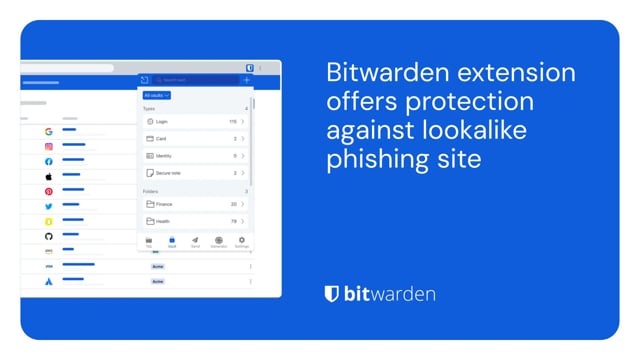](https://vimeo.com/1029820659)
*[Watch on Vimeo](https://vimeo.com/1029820659)*
[Download from Vimeo](https://vimeo.com/1029820659) | [Download from Google Drive](https://drive.google.com/drive/folders/1nZiUlOA5b5ljjnG29R_mqhKVn8uTIEts)
To ensure you are secure when making online purchases, utilize a password manager to help keep your data safe. A password manager can store your unique login, payment method, shipping address, and other sensitive information.
[](https://vimeo.com/1029819699)
*[Watch on Vimeo](https://vimeo.com/1029819699)*
[Download from Vimeo](https://vimeo.com/1029819699) | [Download from Google Drive](https://drive.google.com/drive/folders/1nZiUlOA5b5ljjnG29R_mqhKVn8uTIEts)
To give your loved ones the gift of security, Bitwarden offers a family plan that enables up to six members with the ability to share logins securely, while keeping everyone connected.
[](https://vimeo.com/1029835941)
*[Watch on Vimeo](https://vimeo.com/1029835941)*
[Download from Vimeo](https://vimeo.com/1029835941) | [Download from Google Drive](https://drive.google.com/drive/folders/1nZiUlOA5b5ljjnG29R_mqhKVn8uTIEts)
Visit the [press room](https://bitwarden.com/fr-fr/press-room/) for additional media assets and the latest Bitwarden news, case studies, and original research.
Email press@bitwarden.com to request a comment or to review Bitwarden.
---
URL: https://bitwarden.com/fr-fr/resources/bitwarden-business-insights-report/
---
# Chaque seconde compte : 9 jours pour corriger les diplômes à risque, c'est trop long
Deux tiers des administrateurs informatiques affirment que la gestion des informations d'identification est cruciale. Alors pourquoi tant d'entre eux n'ont-ils pas les outils pour le faire ? Découvrez-le dans le dernier rapport Bitwarden Business Insights.
---
## Résumé
Les mots de passe faibles ou compromis sont faciles à craquer ou à acheter sur les marchés du dark web. Ces identifiants fragiles sont l'équivalent numérique d'une porte d'entrée dont la clé aurait été oubliée dans la serrure : Il est facile pour les attaquants de les utiliser pour pénétrer illégalement dans une organisation.
Pourtant, la mise à jour de ces mots de passe est un défi permanent. Les administrateurs informatiques manquent souvent de visibilité sur les mots de passe qui sont faibles, réutilisés ou compromis. Même lorsqu'ils parviennent à identifier les mots de passe à risque, il leur est parfois difficile de convaincre les utilisateurs de mettre à jour leurs informations d'identification ou de les remplacer par des mots de passe plus robustes. Une mauvaise surveillance des mots de passe peut également conduire à un accès incontrôlé à des systèmes sensibles et à haut privilège, ce qui expose l'organisation à des risques de sécurité encore plus importants.
Pour comprendre ce paysage, Bitwarden a mené une enquête auprès des responsables informatiques afin de connaître leurs points faibles en matière de visibilité et de remédiation de l'état des mots de passe. Ces résultats ont été compilés dans le rapport Bitwarden Business Insights 2025.
### Principales conclusions
## Un examen plus approfondi : La surveillance des données d'identification est nécessaire, mais elle est souvent absente ou insuffisante dans les outils actuels.
Deux tiers des personnes interrogées (67%) déclarent que la gestion de l'accès aux informations d'identification est très importante pour leur organisation. Cependant, près de la moitié (48 %) déclarent que leur système actuel de contrôle de la santé et de l'accès aux mots de passe est inefficace.
Ce manque de surveillance et de visibilité de l'état des mots de passe contribue directement à la non-réalisation des objectifs de sécurité et à la lenteur de la résolution des problèmes.
Par exemple, 53 % des responsables informatiques souhaitent s'attaquer de manière proactive à la sécurité liée aux informations d'identification, mais seuls 33 % d'entre eux déclarent le faire actuellement. Environ 60 % des responsables informatiques déclarent que leur stratégie actuelle de mise à jour des informations d'identification à risque en temps voulu n'est que peu efficace, voire totalement inefficace.
En général (90 % du temps), les personnes interrogées demandent aux employés de mettre à jour leurs propres informations d'identification, et elles le font le plus souvent par courrier électronique (42 %) ou dans le cadre d'entretiens individuels (36 %).
Malheureusement, plus de la moitié des responsables informatiques (51 %) déclarent que leurs employés ne prennent pas ou peu au sérieux les mesures de cybersécurité.
En conséquence, les employés mettent en moyenne 9 jours pour mettre à jour leurs informations d'identification à risque après la détection, laissant ces informations d'identification comme des vulnérabilités ouvertes que les acteurs malveillants peuvent exploiter. Une organisation a signalé que les employés mettent une année entière à mettre à jour les informations d'identification à risque !
## Motivation et définition des priorités : Les clés de l'amélioration
Le plus grand défi à relever pour résoudre ce problème généralisé de gestion des informations d'identification et mettre en œuvre les meilleures pratiques en matière de mots de passe est de trouver un moyen de motiver les employés à changer leurs habitudes, comme l'indiquent 68 % des personnes interrogées.
Les employés eux-mêmes peuvent ne pas disposer des outils ou des informations dont ils ont besoin. Parmi les administrateurs informatiques, 44 % déclarent que la confusion des employés sur la manière de modifier les mots de passe constitue un défi, et 36 % se plaignent de la difficulté à suivre les progrès des employés vers des pratiques plus sûres.
La principale stratégie pour une cybersécurité plus efficace, citée par la moitié des responsables informatiques (51 %), consiste à hiérarchiser plus clairement les actions de sécurité essentielles. En outre, près de la moitié d'entre eux souhaiteraient des flux de travail plus intuitifs pour les personnes non techniques (46 %) et des formations plus régulières en matière de sécurité (45 %). Quarante pour cent souhaiteraient avoir une visibilité sur les personnes qui n'ont pas accompli des tâches de sécurité cruciales.
La combinaison d'une hiérarchisation efficace, de flux de travail et d'une formation aiderait ces responsables à mieux démontrer aux employés l'intérêt de disposer d'informations d'identification sécurisées - et leur permettrait de se concentrer sur les informations d'identification et les utilisateurs privilégiés les plus à risque. Cela contribuerait à motiver les employés et à réduire le temps nécessaire à la mise à jour des mots de passe faibles ou compromis. La mise en œuvre de ces stratégies aidera les entreprises à mieux protéger leurs applications, leur infrastructure et leurs comptes contre les acteurs malveillants.
## Contrôler la santé des mots de passe et gérer les accès dans l'ensemble de l'organisation avec Bitwarden
Bitwarden fournit aux équipes informatiques les outils dont elles ont besoin pour gérer en toute sécurité les informations d'identification de leur organisation grâce à des solutions de sécurité pour les accès les moins privilégiés, les mots de passe, les secrets et la gestion des clés d'accès. Bénéficiant de la confiance de dizaines de milliers d'entreprises et de millions d'utilisateurs dans le monde entier, Bitwarden permet aux employés d'adopter facilement de bonnes pratiques en matière de mots de passe et aux administrateurs de gérer les coffres-forts de l'organisation.
Pour les organisations qui ont du mal à identifier la santé des mots de passe, Bitwarden propose des rapports sur la santé des coffres-forts, qui permettent aux administrateurs informatiques de détecter les informations d'identification à risque - y compris les mots de passe exposés, réutilisés et faibles - associées à leur organisation. Il s'agit là d'une première étape vers le renforcement du dispositif de sécurité lié aux informations d'identification.
Une fois que les informations d'identification à risque ont été identifiées et que les employés ont été avertis, le générateur de mot de passe Bitwarden intégré permet aux utilisateurs finaux de remplacer rapidement une information d'identification incriminée par un mot de passe fort et unique et de l'enregistrer en toute sécurité dans le coffre-fort de leur entreprise.
Testez ces fonctions de sécurité avec un essai gratuit de [7 jours de](https://bitwarden.com/fr-fr/go/start-enterprise-trial/) Bitwarden !
## Méthodologie
L'enquête Bitwarden a ciblé les administrateurs et propriétaires informatiques des entreprises dont le chiffre d'affaires est supérieur à 1 million de dollars. Les réponses ont été recueillies à la fin de 2024 et au début de 2025, et 108 réponses ont été reçues au total.
## Obtenez dès maintenant une sécurité de mot de passe puissante et fiable. Choisissez votre plan.
## Personnel
### Gratuit
**$0** *par mois*
*Gratuit pour toujours*
Profitez d'un coffre-fort Bitwarden
- Nombre illimité d'appareils
- Gestion des clés d'accès
- Toutes les fonctions essentielles
- Gratuit à vie
Partager des éléments du coffre-fort avec un autre utilisateur
[Commencez dès aujourd'hui](https://bitwarden.com/go/start-free/)
---
### Premium
**Less than $1** *par mois*
*$10 facturés annuellement*
Profitez des fonctionnalités premium
- Bitwarden Authenticator
- Pièces jointes
- Accès d'urgence
- Rapports de sécurité et plus encore
Partager des éléments du coffre-fort avec un autre utilisateur
[Créer un compte premium](https://bitwarden.com/go/start-premium/)
---
### Familles
**$3.33** *par mois*
*Jusqu'à 6 utilisateurs, 40 $ facturés annuellement*
Sécuriser vos identifiants familiaux
- 6 comptes premium
- Partage illimité
- Collections illimitées
- Organisation du stockage
Partager les éléments du coffre-fort entre six personnes
[Essai gratuit de 7 jours](https://bitwarden.com/go/start-families-trial/)
---
Les prix sont indiqués en USD et sont basés sur un abonnement annuel. Les taxes ne sont pas incluses.
## Entreprises
### Équipes
*Protection résiliente pour les équipes en croissance*
**$4** *par mois / par utilisateur facturé annuellement*
Partagez des données sensibles en toute sécurité avec des collègues, à travers les départements ou l'ensemble de l'entreprise
- Partage sécurisé des données
- Surveillance du journal des événements
- Intégration de l'annuaire
- Soutien au SCIM
Inclut des fonctionnalités premium pour tous les utilisateurs
[Commencer un essai](https://bitwarden.com/go/start-teams-trial/)
---
### Entreprise
*Fonctionnalités avancées pour les grandes organisations*
**$6** *par mois / par utilisateur facturé annuellement*
Utilisez des fonctionnalités avancées, notamment des politiques d'entreprise, la connexion sans mot de passe unique (SSO) et la récupération de compte.
- Politiques de sécurité de l'entreprise
- SSO sans mot de passe
- Recouvrement de compte
- Option d’autohébergement
Inclut des fonctionnalités premium et un plan familial gratuit pour tous les utilisateurs
[Commencer un essai](https://bitwarden.com/go/start-enterprise-trial/)
---
### Obtenez un devis
*Pour les entreprises comptant des centaines ou des milliers d'employés, veuillez contacter notre service commercial pour obtenir un devis personnalisé et voir comment Bitwarden peut vous aider :*
- Réduire le risque de cybersécurité
- Augmenter la productivité
- Intégrer de manière transparente
Bitwarden s'adapte à toutes les tailles d'entreprise pour garantir la sécurité des mots de passe au sein de votre organisation.
[Contacter le service commercial](https://bitwarden.com/contact-sales/)
---
Tarification indiquée en USD et basée sur un abonnement annuel
---
URL: https://bitwarden.com/fr-fr/resources/bitwarden-channel-partner-ascend-technology-group/
---
# Bitwarden Channel Partner of the Quarter: Ascend Technology Group
IT service provider boasts 97% client retention rate and full password management adoption.
---
## Overview
Founded: 2005
Size of company: 20 employees
Industry: IT services and support
Location: Omaha, Nebraska
Length of time using Bitwarden: 2 years
Based in Omaha, Nebraska, Ascend Technology Group is a managed service provider (MSP) offering IT services and support to clients in the Omaha area and nationwide. Ascend delivers concierge-level IT managed services, with specialties including small business technology, technical support, network support, and data security and protection. The company, which has been in operation for 20 years, boasts a 97% client retention rate and is committed to making life easier for businesses focused on doing their best work.
[](https://www.youtube.com/watch?v=Tt6qQeQfkj8)
*[Watch on YouTube](https://www.youtube.com/watch?v=Tt6qQeQfkj8)*
## Table of Contents
[Situation: Lack of confidence in status quo led to search for reputable, highly secure password manager](https://bitwarden.com/fr-fr/resources/bitwarden-channel-partner-ascend-technology-group/#situation-lack-of-confidence-in-status-quo-led-to-search-for-reputable-highly-secure-password-manager/)
[Solution: Bitwarden security architecture, infrastructure elevate it above competition](https://bitwarden.com/fr-fr/resources/bitwarden-channel-partner-ascend-technology-group/#solution-bitwarden-security-architecture-infrastructure-elevate-it-above-competition/)
[Get started with Bitwarden](https://bitwarden.com/fr-fr/resources/bitwarden-channel-partner-ascend-technology-group/#get-started-with-bitwarden/)
## Situation: Lack of confidence in status quo led to search for reputable, highly secure password manager
While Ascend did offer a password management tool as part of its security stack, most of its clients were not using any type of password manager. “Initially, there was the expectation that there would be friction or complications that would arise from using a password manager,” said John Gerdes, president of Ascend Technology Group.
Ascend, which initially promoted LastPass as its password manager of choice, ultimately decided to research other solutions and make a switch due to concerns about security practices.
## Read more:
[How to build the best security stack for your business](https://bitwarden.com/fr-fr/blog/best-cybersecurity-for-business/)
## Solution: Bitwarden security architecture, infrastructure elevate it above competition
Ascend opted to deploy Bitwarden internally after learning about its respected security architecture and zero-knowledge infrastructure. Zero-knowledge means that every piece of data stored in the Bitwarden Vault is secured with end-to-end AES-256 encryption and that the Bitwarden team cannot see anything stored within user vaults.
“We pushed Bitwarden out to our own employee base and after discovering how well it worked, started promoting it as part of our security stack and recommending it to clients,” said Gerdes. “Overall, the feedback has been very positive. As part of their engagement with Bitwarden, our clients are also learning password management best practices.”
Gerdes also noted that clients are especially pleased with the Bitwarden integration with two-step login, which requires authentication from a secondary device when a user logs in, and find the Bitwarden mobile application intuitive and well-designed.
#### Bitwarden MSP program delivers robust support and efficient services
Ascend, which is part of the [Bitwarden for MSP program](https://bitwarden.com/fr-fr/msp/), has seen deep and continued benefits in its collaboration with the Bitwarden team. “We always thought we received excellent support, but the new and improved Bitwarden MSP program has been highly beneficial for our clients. Billing is streamlined and onboarding has been quite straightforward, for both Ascend as a company and for our clients.”
#### Strong adoption starts with executive buy-in
The Ascend team is committed to receiving executive buy-in from its clients before promoting Bitwarden because it believes doing so is key to creating a culture of security. Initially, Ascend walks client executives through security breach scenarios to help them fully understand how much impact weak or reused passwords can have on businesses.
“Let’s say there is a breach of a low-stakes app that the executive uses,” said Gerdes. “While the breach may not seem business critical , we remind executives that people often reuse passwords across accounts, including those that may be more sensitive. Cybercriminals will discover reused passwords and eventually hit payload . Fortunately, password managers mitigate the need to reuse passwords. If there is a breach, it will only impact one individual account because that password is unique. Discussing these potential scenarios with clients helps them understand risks to the larger business, such as the accounting team, the procurement team, and so on.”
“Overall, Bitwarden has exceeded expectations. Clients are learning that having an Excel file on their desktop that says ‘passwords’ is not secure. They are understanding and adopting password best practices and thanks to Bitwarden, buying into the concept of unique passwords everywhere.”
Learn more about the [Bitwarden for MSP program](https://bitwarden.com/fr-fr/msp/).
## Get started with Bitwarden
Interested in becoming a member of the Bitwarden Partner Program? Find out more [here](https://bitwarden.com/fr-fr/partners/). You can also learn more about what Bitwarden can do for your business and sign up for a [free 7-day trial](https://bitwarden.com/fr-fr/trial/)!
## Read more:
[How to choose the best enterprise password manager for your business](https://bitwarden.com/fr-fr/blog/choose-the-best-enterprise-password-manager/)
## Obtenez dès maintenant une sécurité de mot de passe puissante et fiable. Choisissez votre plan.
## Personnel
### Gratuit
**$0**
*par mois*
*Gratuit pour toujours*
Profitez d'un coffre-fort Bitwarden
- Nombre illimité d'appareils
- Gestion des clés d'accès
- Toutes les fonctions essentielles
- Gratuit à vie
Partager des éléments du coffre-fort avec un autre utilisateur
[Commencez dès aujourd'hui](https://bitwarden.com/go/start-free/)
---
### Premium
**Less than $1**
*par mois*
*$10 facturés annuellement*
Profitez des fonctionnalités premium
- Bitwarden Authenticator
- Pièces jointes
- Accès d'urgence
- Rapports de sécurité et plus encore
Partager des éléments du coffre-fort avec un autre utilisateur
[Créer un compte premium](https://bitwarden.com/go/start-premium/)
---
### Familles
**$3.33**
*par mois*
*Jusqu'à 6 utilisateurs, 40 $ facturés annuellement*
Sécuriser vos identifiants familiaux
- 6 comptes premium
- Partage illimité
- Collections illimitées
- Organisation du stockage
Partager les éléments du coffre-fort entre six personnes
[Essai gratuit de 7 jours](https://bitwarden.com/go/start-families-trial/)
---
Les prix sont indiqués en USD et sont basés sur un abonnement annuel. Les taxes ne sont pas incluses.
## Entreprises
### Équipes
*Protection résiliente pour les équipes en croissance*
**$4**
*par mois / par utilisateur facturé annuellement*
Partagez des données sensibles en toute sécurité avec des collègues, à travers les départements ou l'ensemble de l'entreprise
- Partage sécurisé des données
- Surveillance du journal des événements
- Intégration de l'annuaire
- Soutien au SCIM
Inclut des fonctionnalités premium pour tous les utilisateurs
[Commencer un essai](https://bitwarden.com/go/start-teams-trial/)
---
### Entreprise
*Fonctionnalités avancées pour les grandes organisations*
**$6**
*par mois / par utilisateur facturé annuellement*
Utilisez des fonctionnalités avancées, notamment des politiques d'entreprise, la connexion sans mot de passe unique (SSO) et la récupération de compte.
- Politiques de sécurité de l'entreprise
- SSO sans mot de passe
- Recouvrement de compte
- Option d’autohébergement
Inclut des fonctionnalités premium et un plan familial gratuit pour tous les utilisateurs
[Commencer un essai](https://bitwarden.com/go/start-enterprise-trial/)
---
### Obtenez un devis
*Pour les entreprises comptant des centaines ou des milliers d'employés, veuillez contacter notre service commercial pour obtenir un devis personnalisé et voir comment Bitwarden peut vous aider :*
- Réduire le risque de cybersécurité
- Augmenter la productivité
- Intégrer de manière transparente
Bitwarden s'adapte à toutes les tailles d'entreprise pour garantir la sécurité des mots de passe au sein de votre organisation.
[Contacter le service commercial](https://bitwarden.com/contact-sales/)
---
Tarification indiquée en USD et basée sur un abonnement annuel
---
URL: https://bitwarden.com/fr-fr/resources/bitwarden-channel-partner-atb-technologies/
---
# Bitwarden Channel Partner of the Quarter: ATB Technologies, industry-leading St. Louis-based MSSP
Bitwarden is a strategic part of overall customer security stack offered by award-winning IT services firm.
---
## Overview
Founded: 2002
Size of company: 32
Industry: IT services and support
Location: St. Louis
Length of time using Bitwarden: 3 years
Number of clients: 35
Number of Bitwarden seats managed: Around 500
Based in St. Louis, Missouri, ATB Technologies is a managed service provider (MSP) offering IT services and support to over 30 clients in the St. Louis area. The company is selective and specific about the type of customers it brings on, with a focus on delivering an IT security service stack that meets a variety of needs. Operating in the manufacturing, non-profit, and financial services spaces, those customers were, as part of their overall security stack, seeking a password management solution that was comprehensive and easy-to-use.
## Table of Contents
[Situation: An opening for a well-rounded, intuitive, feature-rich password manager](https://bitwarden.com/fr-fr/resources/bitwarden-channel-partner-atb-technologies/#situation-an-opening-for-a-well-rounded-intuitive-feature-rich-password-manager/)
[Solution: Bitwarden delivers the goods to a diverse customer base](https://bitwarden.com/fr-fr/resources/bitwarden-channel-partner-atb-technologies/#solution-bitwarden-delivers-the-goods-to-a-diverse-customer-base/)
[Reciprocal relationship based on mutual respect](https://bitwarden.com/fr-fr/resources/bitwarden-channel-partner-atb-technologies/#reciprocal-relationship-based-on-mutual-respect/)
[“Bitwarden is strategic for our business”](https://bitwarden.com/fr-fr/resources/bitwarden-channel-partner-atb-technologies/#bitwarden-is-strategic-for-our-business/)
[Get started with Bitwarden](https://bitwarden.com/fr-fr/resources/bitwarden-channel-partner-atb-technologies/#get-started-with-bitwarden/)
## Situation: An opening for a well-rounded, intuitive, feature-rich password manager
Previously, ATB Technologies did not officially offer a password management tool as part of its security stack, although it did make suggestions to customers that were seeking one. “Initially, we dabbled with LastPass and Dashlane,” said Chris Miller, VP of sales and marketing at ATB Technologies. “We weren’t truly selling them as much as we were recommending them.” Over time, the company realized both solutions had inherent deficiencies, in that they weren’t particularly easy-to-use and missing certain features.
Said Miller, “Generally, we try to standardize the tools we can use across the board. In some cases, we give customers the option of ‘better’ and ‘best,’ especially if it comes down to cost. With password management, though, we were convinced it was important enough to offer one solution to all our clients.”
## Solution: Bitwarden delivers the goods to a diverse customer base
ATB Technologies chose Bitwarden as its one and only password management tool because it was drawn to the full suite of features Bitwarden provides. The team was particularly excited about the overall ease-of-use for users whose technical capabilities varied. “We have clients that are extremely sophisticated with technology and others who have budding skills,” said Miller.
Miller also cited the Bitwarden integration with [two-factor authentication](https://bitwarden.com/fr-fr/blog/basics-of-two-factor-authentication-with-bitwarden/) (2FA) technologies and its cross-platform reach, noting that the Chrome extension is particularly useful. “The Chrome extension has made life easy,” said Miller. “You login once, it’s there. It autofills passwords. The Bitwarden [Family for Enterprise](https://bitwarden.com/fr-fr/blog/how-to-protect-your-family-with-bitwarden-password-manager/) is also an added bonus. It’s nice to be able to share credentials with family members for personal reasons outside of the work setting.”
## Reciprocal relationship based on mutual respect
In terms of the partner relationship between ATB Technologies and Bitwarden, Miller appreciated that Bitwarden listened to company feedback from the onset. According to Miller, a big selling point was the Bitwarden team’s willingness to adjust aspects of its billing policy to meet ATB Technologies’ business requirements. “When we came up against challenges, Bitwarden helped us work through them,” said Miller.
Miller is also pleased with how Bitwarden has facilitated the overall onboarding and deployment process. “When we kick off the client onboarding process, we’re particularly focused on getting executive teams to buy into password management,” said Miller.” We emphasize how important it is for credential security and protecting critical data. For clients with a large user base, we’ve come up with a system for assisting them with Bitwarden deployment that seems to work well. Overall, the centralized nature of Bitwarden has made onboarding and offboarding more efficient.”
## “Bitwarden is strategic for our business”
“Bitwarden is a strategic, core part of the package we offer,” said Miller. “It’s a big piece of it and all the pieces make the whole. The fact that we can offer it, we can support it for the client’s needs, these are all advantages to our overall business. I can also attest to it from an internal perspective. In our support of customers, it is extremely important that ATB Technologies utilize strong and unique passwords.”
Miller enthusiastically recommends Bitwarden to other MSPs considering password management solutions. “In contrast to competing vendors, Bitwarden has shown its willingness to partner with us and listen to what we have to say. As a smaller organization, to be able to have a say and know that our feedback is taken into account is tremendous. Bitwarden has been a great product for us. It has the flexibility and security our team wanted.”
## Get started with Bitwarden
Interested in becoming a member of the Bitwarden Partner Program? Find out more [here](https://bitwarden.com/fr-fr/partners/). You can also learn more about what Bitwarden can do for your business and sign up for a [free 7-day trial](https://bitwarden.com/fr-fr/trial/)!
## Obtenez dès maintenant une sécurité de mot de passe puissante et fiable. Choisissez votre plan.
## Personnel
### Gratuit
**$0** *par mois*
*Gratuit pour toujours*
Profitez d'un coffre-fort Bitwarden
- Nombre illimité d'appareils
- Gestion des clés d'accès
- Toutes les fonctions essentielles
- Gratuit à vie
Partager des éléments du coffre-fort avec un autre utilisateur
[Commencez dès aujourd'hui](https://bitwarden.com/go/start-free/)
---
### Premium
**Less than $1** *par mois*
*$10 facturés annuellement*
Profitez des fonctionnalités premium
- Bitwarden Authenticator
- Pièces jointes
- Accès d'urgence
- Rapports de sécurité et plus encore
Partager des éléments du coffre-fort avec un autre utilisateur
[Créer un compte premium](https://bitwarden.com/go/start-premium/)
---
### Familles
**$3.33** *par mois*
*Jusqu'à 6 utilisateurs, 40 $ facturés annuellement*
Sécuriser vos identifiants familiaux
- 6 comptes premium
- Partage illimité
- Collections illimitées
- Organisation du stockage
Partager les éléments du coffre-fort entre six personnes
[Essai gratuit de 7 jours](https://bitwarden.com/go/start-families-trial/)
---
Les prix sont indiqués en USD et sont basés sur un abonnement annuel. Les taxes ne sont pas incluses.
## Entreprises
### Équipes
*Protection résiliente pour les équipes en croissance*
**$4** *par mois / par utilisateur facturé annuellement*
Partagez des données sensibles en toute sécurité avec des collègues, à travers les départements ou l'ensemble de l'entreprise
- Partage sécurisé des données
- Surveillance du journal des événements
- Intégration de l'annuaire
- Soutien au SCIM
Inclut des fonctionnalités premium pour tous les utilisateurs
[Commencer un essai](https://bitwarden.com/go/start-teams-trial/)
---
### Entreprise
*Fonctionnalités avancées pour les grandes organisations*
**$6** *par mois / par utilisateur facturé annuellement*
Utilisez des fonctionnalités avancées, notamment des politiques d'entreprise, la connexion sans mot de passe unique (SSO) et la récupération de compte.
- Politiques de sécurité de l'entreprise
- SSO sans mot de passe
- Recouvrement de compte
- Option d’autohébergement
Inclut des fonctionnalités premium et un plan familial gratuit pour tous les utilisateurs
[Commencer un essai](https://bitwarden.com/go/start-enterprise-trial/)
---
### Obtenez un devis
*Pour les entreprises comptant des centaines ou des milliers d'employés, veuillez contacter notre service commercial pour obtenir un devis personnalisé et voir comment Bitwarden peut vous aider :*
- Réduire le risque de cybersécurité
- Augmenter la productivité
- Intégrer de manière transparente
Bitwarden s'adapte à toutes les tailles d'entreprise pour garantir la sécurité des mots de passe au sein de votre organisation.
[Contacter le service commercial](https://bitwarden.com/contact-sales/)
---
Tarification indiquée en USD et basée sur un abonnement annuel
---
URL: https://bitwarden.com/fr-fr/resources/bitwarden-channel-partner-convergence-networks/
---
# Bitwarden Channel Partner of the Quarter: Convergence Networks
## Overview
**Founded**: 2000
**Industry**: IT Services
**Location**: Northern U.S. and Canada
Based in the Northern U.S. and Canada, [Convergence Networks](https://hubs.li/Q03rf2p90) is a managed service provider (MSP) supporting small business clients in a wide variety of industries, including financial services, healthcare, manufacturing, and engineering. Its service offerings encompass cybersecurity solution suites that address IT security readiness, deliver network penetration testings, provide dark web monitoring, and enable a well-rounded strategy for combating data security threats.
## Situation: Dissatisfaction with previous password manager provider propelled Convergence towards new solution
Part of the Convergence Networks customer cybersecurity portfolio includes the provision of a password manager that could protect sensitive data. The company became concerned about the password management solution it had offered for a number of years because it had experienced several breaches in a short period of time. “As the person in charge of security, I was increasingly uncomfortable with the password security status quo and was interested in seeking out alternatives,” said John Stephens, chief information security officer (CISO) at Convergence Networks. The team researched alternatives but found a number of password management solutions lacking in their ability to support a diverse variety of endpoints and more complex use cases.
## Solution: Moving to Bitwarden was a ‘no-brainer’
Having previously had a positive experience with Bitwarden in a prior role, Convergence Networks IT Manager Josh Plumlee suggested the IT security team consider replacing its current offering. The benefits were immediately apparent. “When we really started looking at it, Bitwarden did everything the other solution did, but it was easier, more secure, and more economical,” said Stephens. “Quite frankly, it was a no-brainer to move to Bitwarden. We were able to deploy it internally to our entire organization and move the needle on the security suite offered to our clients, as well.”
Stephens cited the ability to share passwords as a major Bitwarden selling point, a capability he found lacking in other password managers. He also noted the ease and speed in which the solution could be deployed internally and across its client base. This was affirmed by Plumlee, who noted that even the subset of users who had never used a password manager before or saved passwords in Excel spreadsheets found the process straightforward due the Bitwarden integration with SSO solutions. Plumlee also had effusive words for the Bitwarden customer support team, stating the Convergence Networks team felt “very taken care of” and was able to get results in a timely fashion.
## Bitwarden event logs and reporting enable peace of mind
“The Bitwarden event logs were really important to us,” said Plumlee. “For example, we use Microsoft Azure AD for various departments. Within those departments, employees share passwords. In a few instances, we had an employee update a password within our previous password management database but not actually update it in the platform. With Bitwarden, we could determine who changed a record and recover accounts without having to go through the platform’s recovery.”
The [Bitwarden event](https://bitwarden.com/fr-fr/help/event-logs/) logs are time-stamped records of events that occur within a Bitwarden Teams or Enterprise organization. The event logs capture more than 60 different events, including password changes, login attempts, and administrative actions. Events are captured at both the Bitwarden client and server, with most events occurring at the client. Overall, Plumlee lauded the event logs as an important way for ensuring accountability and delineating privileged access.
## Overall results indicate a more efficient and secure workforce and client base
“The Microsoft integration with our previous password manager was pretty lackluster,” said Plumlee. “We’ve saved a very substantial amount of time since rolling out Bitwarden because we can do everything through our Microsoft tenant. We very rarely have to get into the Bitwarden platform to change something because we’ve been given the tools to build out through the Bitwarden integrations.”
Internally, the Convergence Networks team has also seen a 238% rise in the number of employees utilizing Bitwarden and a near 100% adoption rate across the organization. Externally, the company estimates it takes around 4 hours to deploy Bitwarden to clients - a dramatically improved deployment average from what it saw with its former password manager.
“Bitwarden is a reliable, reputable solution without a history of security vulnerabilities. Its ease of administration and deployment and its economic attractiveness make it the ideal password manager to offer to our clients,” said Stephens.
“It’s very useful to have pride in a platform through our own internal experiences because we can heartedly recommend it to our customers,” said Plumlee.
## Get started with Bitwarden
Interested in becoming a member of the Bitwarden partner program? Find out more [here](https://bitwarden.com/fr-fr/partners/become-a-partner/). You can also learn more about what Bitwarden can do for your business and sign up for a [free 7-day trial](https://bitwarden.com/fr-fr/trial/)!
## Obtenez dès maintenant une sécurité de mot de passe puissante et fiable. Choisissez votre plan.
## Personnel
### Gratuit
**$0** *par mois*
*Gratuit pour toujours*
Profitez d'un coffre-fort Bitwarden
- Nombre illimité d'appareils
- Gestion des clés d'accès
- Toutes les fonctions essentielles
- Gratuit à vie
Partager des éléments du coffre-fort avec un autre utilisateur
[Commencez dès aujourd'hui](https://bitwarden.com/go/start-free/)
---
### Premium
**Less than $1** *par mois*
*$10 facturés annuellement*
Profitez des fonctionnalités premium
- Bitwarden Authenticator
- Pièces jointes
- Accès d'urgence
- Rapports de sécurité et plus encore
Partager des éléments du coffre-fort avec un autre utilisateur
[Créer un compte premium](https://bitwarden.com/go/start-premium/)
---
### Familles
**$3.33** *par mois*
*Jusqu'à 6 utilisateurs, 40 $ facturés annuellement*
Sécuriser vos identifiants familiaux
- 6 comptes premium
- Partage illimité
- Collections illimitées
- Organisation du stockage
Partager les éléments du coffre-fort entre six personnes
[Essai gratuit de 7 jours](https://bitwarden.com/go/start-families-trial/)
---
Les prix sont indiqués en USD et sont basés sur un abonnement annuel. Les taxes ne sont pas incluses.
## Entreprises
### Équipes
*Protection résiliente pour les équipes en croissance*
**$4** *par mois / par utilisateur facturé annuellement*
Partagez des données sensibles en toute sécurité avec des collègues, à travers les départements ou l'ensemble de l'entreprise
- Partage sécurisé des données
- Surveillance du journal des événements
- Intégration de l'annuaire
- Soutien au SCIM
Inclut des fonctionnalités premium pour tous les utilisateurs
[Commencer un essai](https://bitwarden.com/go/start-teams-trial/)
---
### Entreprise
*Fonctionnalités avancées pour les grandes organisations*
**$6** *par mois / par utilisateur facturé annuellement*
Utilisez des fonctionnalités avancées, notamment des politiques d'entreprise, la connexion sans mot de passe unique (SSO) et la récupération de compte.
- Politiques de sécurité de l'entreprise
- SSO sans mot de passe
- Recouvrement de compte
- Option d’autohébergement
Inclut des fonctionnalités premium et un plan familial gratuit pour tous les utilisateurs
[Commencer un essai](https://bitwarden.com/go/start-enterprise-trial/)
---
### Obtenez un devis
*Pour les entreprises comptant des centaines ou des milliers d'employés, veuillez contacter notre service commercial pour obtenir un devis personnalisé et voir comment Bitwarden peut vous aider :*
- Réduire le risque de cybersécurité
- Augmenter la productivité
- Intégrer de manière transparente
Bitwarden s'adapte à toutes les tailles d'entreprise pour garantir la sécurité des mots de passe au sein de votre organisation.
[Contacter le service commercial](https://bitwarden.com/contact-sales/)
---
Tarification indiquée en USD et basée sur un abonnement annuel
---
URL: https://bitwarden.com/fr-fr/resources/bitwarden-channel-partner-cybernet-evolution/
---
# Channel Partner of the Quarter: MSP leader Cybernet Evolution nears 100% password management adoption among clients
## Overview
**Founded:** 1996
**Location:** Southport, Gold Coast, Australia
**Industry:** Managed IT Services
**Number of clients:** 60
**Bitwarden seats managed:** 650
Australian-based managed service provider (MSP) IT leader Cybernet Evolution offers extensive security solutions to clients across various sectors, including automotive and sports clubs. In partnership with Bitwarden, Cybernet Evolution achieved nearly 100% adoption among its clients — demonstrating the accessibility and trust Bitwarden brings to organizations with varied digital security familiarity.
## Table of Contents
[Situation: A need for reliable, scalable password management](https://bitwarden.com/fr-fr/resources/bitwarden-channel-partner-cybernet-evolution/#situation-a-need-for-reliable-scalable-password-management/)
[Solution: Bitwarden delivers versatile, user-friendly password management](https://bitwarden.com/fr-fr/resources/bitwarden-channel-partner-cybernet-evolution/#solution-bitwarden-delivers-versatile-user-friendly-password-management/)
[Results: Enhanced client satisfaction and operational efficiency](https://bitwarden.com/fr-fr/resources/bitwarden-channel-partner-cybernet-evolution/#results-enhanced-client-satisfaction-and-operational-efficiency/)
## Situation: A need for reliable, scalable password management
Cybernet Evolution had previously offered password management solutions like LastPass and Myki, but challenges arose when Myki was acquired, and LastPass lacked MSP-focused functionality.
“We used both LastPass and Myki. LastPass made it difficult to acquire MSP licenses,” said Warrick Allwood, CEO of Cybernet Evolution. “Myki was eventually acquired. It was clear we needed a more scalable, reliable solution.”
The team wanted a password management solution that was [end-to-end, zero knowledge encrypted](https://bitwarden.com/fr-fr/blog/end-to-end-encryption-and-zero-knowledge/), straightforward to deploy across multiple devices and platforms, meeting their clients’ evolving security demands.
With clients spanning industries, including the automotive space and sports clubs, Cybernet Evolution also required a solution that could scale easily and align with their managed services model, integrating seamlessly without creating additional billing complexities.
“We needed something that was going to be easy to use as password management is one of the hardest things to onboard,” said Edwin Luck, technical director at Cybernet Evolution. “We come from a group of users that don’t have any password management experience. Password management is not just a solution but is part of a security policy we try to develop with our clients. Bitwarden is a seamless solution that helps us enforce this policy.”
## Solution: Bitwarden delivers versatile, user-friendly password management
Cybernet Evolution chose Bitwarden as their MSP password management tool, citing key features, including ease of use, device flexibility, and support for zero knowledge architecture. Cybernet Evolution is especially impressed by the Bitwarden:
- **Zero knowledge security model**: The Bitwarden approach to zero knowledge encryption ensures that the encryption key remains exclusively with the user, providing peace of mind and heightened security. “Zero knowledge was obviously the first thing that I was looking for in a solution,” said Luck. “Clients appreciate knowing that they hold their own encryption keys, which means no one, not even Bitwarden, ever has access to their data.”
- **Open source community**: As a solution backed by the open-source community, Bitwarden met Cybernet Evolution’s rigorous standards for transparency and trust.
- **Cross-platform compatibility**: Bitwarden supports desktop, browser, mobile, and tablet devices, enabling Cybernet Evolution to meet its clients’ diverse technical needs.
- **Features that fit organizations of every size**: From medium to large organizations, Bitwarden offers password management solutions tailored to all of Cybernet Evolution’s clients, regardless of their size.
Deployment and onboarding are streamlined, with the majority of Cybernet Evolution’s clients using the Bitwarden browser extension. Cybernet Evolution also provides in-person, 1:1 training to encourage high adoption and adherence to best practices.
## Read more:
[Why open source delivers transparency and security for enterprises](https://bitwarden.com/fr-fr/blog/why-open-source-delivers-transparency-and-security-for-enterprises/)
## Results: Enhanced client satisfaction and operational efficiency
Bitwarden quickly became a core part of Cybernet Evolution’s managed service stack, enhancing productivity and user satisfaction among their clients. The benefits included:
- **High adoption and ease of use**: Cybernet Evolution achieves nearly 100% adoption among their clients, thanks to mandatory training, most of which is delivered 1:1, in person.
- **Improved security practices**: Clients can seamlessly enforce strong password policies and utilize built-in time-based one-time passcode (TOTP) and multifactor authentication (MFA) capabilities, reducing security risks and simplifying access management.
- **Centralized credential control**: The Bitwarden collections organization feature provides Cybernet Evolution’s clients with greater control over shared passwords, enhancing collaboration while protecting critical business information.
Cybernet Evolution’s success with Bitwarden has not only strengthened their relationships with clients but also reaffirmed their commitment to delivering security solutions that are both practical and effective.
**“Bitwarden ticks all the boxes. It’s easy to use and it’s secure,”**said Warrick Allwood, sales director, Cybernet Evolution.
Allwood continued, “Bitwarden has been a great part of our managed services product suite. We get great feedback from our clients, who feel like they’re getting a great value, and have responded very positively to our managed service offerings.”
Cybernet Evolution is actively expanding, signaling a commitment to growth and reaching new markets. As the company continues to scale, Cybernet Evolution envisions Bitwarden as a key partner in their journey to deliver innovative security solutions to clients. With plans to explore advanced authentication technologies, such as passkeys, Cybernet Evolution is positioned to lead in providing seamless, future-ready security experiences.
### Get started with Bitwarden
Interested in becoming a member of the Bitwarden Partner Program? Find out more [here](https://bitwarden.com/fr-fr/partners/). You can also learn more about what Bitwarden can do for your business and sign up for a [free 7-day trial](https://bitwarden.com/fr-fr/trial/)!
## Obtenez dès maintenant une sécurité de mot de passe puissante et fiable. Choisissez votre plan.
## Personnel
### Gratuit
**$0** *par mois*
*Gratuit pour toujours*
Profitez d'un coffre-fort Bitwarden
- Nombre illimité d'appareils
- Gestion des clés d'accès
- Toutes les fonctions essentielles
- Gratuit à vie
Partager des éléments du coffre-fort avec un autre utilisateur
[Commencez dès aujourd'hui](https://bitwarden.com/go/start-free/)
---
### Premium
**Less than $1** *par mois*
*$10 facturés annuellement*
Profitez des fonctionnalités premium
- Bitwarden Authenticator
- Pièces jointes
- Accès d'urgence
- Rapports de sécurité et plus encore
Partager des éléments du coffre-fort avec un autre utilisateur
[Créer un compte premium](https://bitwarden.com/go/start-premium/)
---
### Familles
**$3.33** *par mois*
*Jusqu'à 6 utilisateurs, 40 $ facturés annuellement*
Sécuriser vos identifiants familiaux
- 6 comptes premium
- Partage illimité
- Collections illimitées
- Organisation du stockage
Partager les éléments du coffre-fort entre six personnes
[Essai gratuit de 7 jours](https://bitwarden.com/go/start-families-trial/)
---
Les prix sont indiqués en USD et sont basés sur un abonnement annuel. Les taxes ne sont pas incluses.
## Entreprises
### Équipes
*Protection résiliente pour les équipes en croissance*
**$4** *par mois / par utilisateur facturé annuellement*
Partagez des données sensibles en toute sécurité avec des collègues, à travers les départements ou l'ensemble de l'entreprise
- Partage sécurisé des données
- Surveillance du journal des événements
- Intégration de l'annuaire
- Soutien au SCIM
Inclut des fonctionnalités premium pour tous les utilisateurs
[Commencer un essai](https://bitwarden.com/go/start-teams-trial/)
---
### Entreprise
*Fonctionnalités avancées pour les grandes organisations*
**$6** *par mois / par utilisateur facturé annuellement*
Utilisez des fonctionnalités avancées, notamment des politiques d'entreprise, la connexion sans mot de passe unique (SSO) et la récupération de compte.
- Politiques de sécurité de l'entreprise
- SSO sans mot de passe
- Recouvrement de compte
- Option d’autohébergement
Inclut des fonctionnalités premium et un plan familial gratuit pour tous les utilisateurs
[Commencer un essai](https://bitwarden.com/go/start-enterprise-trial/)
---
### Obtenez un devis
*Pour les entreprises comptant des centaines ou des milliers d'employés, veuillez contacter notre service commercial pour obtenir un devis personnalisé et voir comment Bitwarden peut vous aider :*
- Réduire le risque de cybersécurité
- Augmenter la productivité
- Intégrer de manière transparente
Bitwarden s'adapte à toutes les tailles d'entreprise pour garantir la sécurité des mots de passe au sein de votre organisation.
[Contacter le service commercial](https://bitwarden.com/contact-sales/)
---
Tarification indiquée en USD et basée sur un abonnement annuel
---
URL: https://bitwarden.com/fr-fr/resources/bitwarden-channel-partner-solveit/
---
# Bitwarden Channel Partner Solve iT reduces inbound service requests by 70% with Bitwarden
## Overview
Founded: 2016
Industry: IT services
Location: North Carolina
Based in Charlotte, North Carolina, Solve iT is a managed service provider (MSP) supporting clients in North and South Carolina, Pennsylvania, and New Jersey. With a focus on delivering services to businesses in the healthcare, financial services, manufacturing and non-profit sectors, Solve iT is particularly adept at managing compliance-related security needs through its array of customized solutions.
[](https://vimeo.com/1073385918)
*[Watch on Vimeo](https://vimeo.com/1073385918)*
## Situation: Frustration with previous solution lead Solve iT to research new password management tool
Solve iT clients were looking for an intuitive, well-designed, and easy-to-use password manager. While Solve iT initially offered Keeper as part of its service bundle, over time both Solve iT and its clients came to view the password solution as unwieldy and a bit too busy. “We continued to get feedback that the solution was invasive and hard to operate,” said Eddie Clark, president of Solve iT. “We knew we had to make a change.”
Clark researched a number of solutions and did some testing, but wasn’t sold on their overall approach, security, or usability. He was also concerned that some of the products had experienced breaches.
## Solution: Bitwarden “checks so many of the boxes that are important to our clients and to us”
In addition to offering a fully managed IT services package, Solve iT also offers co-managed IT services that supplement and enhance existing internal IT teams. “We really like working on these types of accounts because we’re not just dictating to teams, we’re getting feedback on what they like and what they don’t like. In one instance, a technician we were working with said he couldn’t get his users on board with Keeper and asked if the Solve iT team would consider switching to Bitwarden. We said of course - and we fell in love with Bitwarden after that.”
According to Clark, Bitwarden delivers a wide array of benefits. They include the ability to transfer a vault from one person to another, secure credential sharing between team members, ease of use, ease of transitioning from one product to another, and a much more straightforward deployment process.
“The fact that our clients are coming to us and asking to use it really says a lot. Bitwarden checks so many of the boxes that are important to our clients and to us.”
## Bitwarden autofill functionality, deployment process elevate it above the competition
“With our previous solution, we were coming from a painful place as far as autofill was concerned,” said Clark. “With Bitwarden, the way that autofill functions is solid. We’re very happy with it.”
Bitwarden currently includes an autofill feature in both the web browser extension and the mobile app. With autofill, users can automate the steps typically taken when utilizing a password manager: logging into the vault, locating the requisite entry for a website, app or service, copying the password, and pasting it into the password field.
Clark also has high praise for the Bitwarden deployment process. “We just don’t get support calls about Bitwarden. This is important because we are looking to grow our client base and keep our staff lean and mean. Our staff utilization for support calls decreased by around 70%. My team has gained a lot of time thanks to shifting over to intuitive products like Bitwarden. Because of this, we’ve been able to add more clients without raising our overhead.”
## Internal adoption reflects Solve iT focus on robust, yet usable, security
“Adoption within my own company was important,” said Clark. “My mother had been struggling with Keeper. When we converted her over to Bitwarden she had no problems. If a 74-year-old woman can deal with it, so can our clients and our sales team.”
He added, “Everyone at Solve iT uses Bitwarden. It is not optional. We have 100% internal adoption.”
“We’d absolutely recommend Bitwarden to others. I’m a member of a nationwide peer group and when we met recently, Bitwarden was part of my product recommendations. The price is right, the security is tight, and the overhead it takes to support the product is minimal. I can’t think of another product in our stack that requires as little maintenance.”
## Read more:
[How to foster user adoption for your new company password manager](https://bitwarden.com/fr-fr/blog/user-adoption-for-company-password-manager/)
## Get started with Bitwarden
Interested in becoming a member of the Bitwarden partner program? Find out more [here](https://bitwarden.com/fr-fr/partners/become-a-partner/). You can also learn more about what Bitwarden can do for your business and sign up for a [free 7-day trial](https://bitwarden.com/fr-fr/trial/)!
## Obtenez dès maintenant une sécurité de mot de passe puissante et fiable. Choisissez votre plan.
## Personnel
### Gratuit
**$0** *par mois*
*Gratuit pour toujours*
Profitez d'un coffre-fort Bitwarden
- Nombre illimité d'appareils
- Gestion des clés d'accès
- Toutes les fonctions essentielles
- Gratuit à vie
Partager des éléments du coffre-fort avec un autre utilisateur
[Commencez dès aujourd'hui](https://bitwarden.com/go/start-free/)
---
### Premium
**Less than $1** *par mois*
*$10 facturés annuellement*
Profitez des fonctionnalités premium
- Bitwarden Authenticator
- Pièces jointes
- Accès d'urgence
- Rapports de sécurité et plus encore
Partager des éléments du coffre-fort avec un autre utilisateur
[Créer un compte premium](https://bitwarden.com/go/start-premium/)
---
### Familles
**$3.33** *par mois*
*Jusqu'à 6 utilisateurs, 40 $ facturés annuellement*
Sécuriser vos identifiants familiaux
- 6 comptes premium
- Partage illimité
- Collections illimitées
- Organisation du stockage
Partager les éléments du coffre-fort entre six personnes
[Essai gratuit de 7 jours](https://bitwarden.com/go/start-families-trial/)
---
Les prix sont indiqués en USD et sont basés sur un abonnement annuel. Les taxes ne sont pas incluses.
## Entreprises
### Équipes
*Protection résiliente pour les équipes en croissance*
**$4** *par mois / par utilisateur facturé annuellement*
Partagez des données sensibles en toute sécurité avec des collègues, à travers les départements ou l'ensemble de l'entreprise
- Partage sécurisé des données
- Surveillance du journal des événements
- Intégration de l'annuaire
- Soutien au SCIM
Inclut des fonctionnalités premium pour tous les utilisateurs
[Commencer un essai](https://bitwarden.com/go/start-teams-trial/)
---
### Entreprise
*Fonctionnalités avancées pour les grandes organisations*
**$6** *par mois / par utilisateur facturé annuellement*
Utilisez des fonctionnalités avancées, notamment des politiques d'entreprise, la connexion sans mot de passe unique (SSO) et la récupération de compte.
- Politiques de sécurité de l'entreprise
- SSO sans mot de passe
- Recouvrement de compte
- Option d’autohébergement
Inclut des fonctionnalités premium et un plan familial gratuit pour tous les utilisateurs
[Commencer un essai](https://bitwarden.com/go/start-enterprise-trial/)
---
### Obtenez un devis
*Pour les entreprises comptant des centaines ou des milliers d'employés, veuillez contacter notre service commercial pour obtenir un devis personnalisé et voir comment Bitwarden peut vous aider :*
- Réduire le risque de cybersécurité
- Augmenter la productivité
- Intégrer de manière transparente
Bitwarden s'adapte à toutes les tailles d'entreprise pour garantir la sécurité des mots de passe au sein de votre organisation.
[Contacter le service commercial](https://bitwarden.com/contact-sales/)
---
Tarification indiquée en USD et basée sur un abonnement annuel
---
URL: https://bitwarden.com/fr-fr/resources/bitwarden-directory-connector-blog-newsletter-august-2021/
---
# August 2021 Spotlight: Bitwarden Directory Connector Blog
Welcome to the Bitwarden August newsletter, featuring product and company announcements, upcoming events, and top social fan favorites.
---
## Featured Article
Some recent questions from the Bitwarden community focus on how to get the most from your directory services for onboarding, user succession, and beyond. We recently refreshed a [Bitwarden Directory Connector blog](https://bitwarden.com/fr-fr/blog/password-management-directory-connector/) and how it supports several directory services, including:
- Active Directory
- Azure Active Directory
- Google Workspace / G-Suite
- Okta
- OneLogin
## Enjoying this update? Subscribe today.
*Receive the latest product updates, hand-picked articles, community highlights, and more.*
[Contact form]
## More Bits and Bites
Secure password managers can help companies achieve ISO 27001 certification by meeting ISO controls, including identity and access management and secure log-on procedures. To learn more, [read this article](https://bitwarden.com/fr-fr/resources/how-password-management-helps-companies-achieve-iso-27001-certification/).
A new U.S. executive order announced a few months ago by the White House is driving many organizations to start preparing for better software supply chain visibility and security requirements. [Read this article](https://bitwarden.com/fr-fr/blog/preparing-for-the-executive-order-on-improving-the-nations-cybersecurity/) for more information.
Chances are, you subscribe to four or more streaming services and use them across different devices. Thankfully, your passwords can easily and securely travel with you. [Check out this blog ](https://bitwarden.com/fr-fr/blog/how-to-manage-all-your-streaming-apps-with-a-password-manager/) to learn more.
## Industry News

**More People Believe in Vampires Than in Twitter 2FA**
[Twitter's Transparency Report](https://transparency.twitter.com/en/reports/account-security.html#2020-jul-dec) found that only 2.3% of users have adopted two-factor authentication. That’s a lot less than the 13% of grown adults who [believe in vampires](https://www.8newsnow.com/news/local-news/45-of-americans-believe-in-ghosts-and-demons/), according to another survey. Either way, 'sink your teeth' into better security by enabling [2FA for Twitter with Bitwarden](https://bitwarden.com/fr-fr/blog/two-step-login-with-twitter-and-bitwarden/).
## Upcoming Events

[**Upcoming Training:**](https://vimeo.com/579562355)** Bitwarden Essentials for Power Users**
Thursday, August 12th, 9 am PST/12 noon EST
This session covers how Power Users can leverage Bitwarden from tips on autofill to using Bitwarden Send.
## Top Social Fan Favorites
You play an important role in contributing to a world free of breaches and hacks by sharing your knowledge and experience. Here are a couple of recent fan-favorite posts.
[**A LinkedIn Post on Securing AWS with Bitwarden**](https://www.linkedin.com/feed/update/urn%3Ali%3Aactivity%3A6820938735899738112/?actorCompanyId=24776937)

[**A Tweet Screaming for a Password Update**](https://twitter.com/TolkiCasts/status/1416397955053936641)

That’s it for now. Let us know what you think about this newsletter including potential topics you’d like to see.
**Until next time,**
Team Bitwarden
## Obtenez dès maintenant une sécurité de mot de passe puissante et fiable. Choisissez votre plan.
## Personnel
### Gratuit
**$0** *par mois*
*Gratuit pour toujours*
Profitez d'un coffre-fort Bitwarden
- Nombre illimité d'appareils
- Gestion des clés d'accès
- Toutes les fonctions essentielles
- Gratuit à vie
Partager des éléments du coffre-fort avec un autre utilisateur
[Commencez dès aujourd'hui](https://bitwarden.com/go/start-free/)
---
### Premium
**Less than $1** *par mois*
*$10 facturés annuellement*
Profitez des fonctionnalités premium
- Bitwarden Authenticator
- Pièces jointes
- Accès d'urgence
- Rapports de sécurité et plus encore
Partager des éléments du coffre-fort avec un autre utilisateur
[Créer un compte premium](https://bitwarden.com/go/start-premium/)
---
### Familles
**$3.33** *par mois*
*Jusqu'à 6 utilisateurs, 40 $ facturés annuellement*
Sécuriser vos identifiants familiaux
- 6 comptes premium
- Partage illimité
- Collections illimitées
- Organisation du stockage
Partager les éléments du coffre-fort entre six personnes
[Essai gratuit de 7 jours](https://bitwarden.com/go/start-families-trial/)
---
Les prix sont indiqués en USD et sont basés sur un abonnement annuel. Les taxes ne sont pas incluses.
## Entreprises
### Équipes
*Protection résiliente pour les équipes en croissance*
**$4** *par mois / par utilisateur facturé annuellement*
Partagez des données sensibles en toute sécurité avec des collègues, à travers les départements ou l'ensemble de l'entreprise
- Partage sécurisé des données
- Surveillance du journal des événements
- Intégration de l'annuaire
- Soutien au SCIM
Inclut des fonctionnalités premium pour tous les utilisateurs
[Commencer un essai](https://bitwarden.com/go/start-teams-trial/)
---
### Entreprise
*Fonctionnalités avancées pour les grandes organisations*
**$6** *par mois / par utilisateur facturé annuellement*
Utilisez des fonctionnalités avancées, notamment des politiques d'entreprise, la connexion sans mot de passe unique (SSO) et la récupération de compte.
- Politiques de sécurité de l'entreprise
- SSO sans mot de passe
- Recouvrement de compte
- Option d’autohébergement
Inclut des fonctionnalités premium et un plan familial gratuit pour tous les utilisateurs
[Commencer un essai](https://bitwarden.com/go/start-enterprise-trial/)
---
### Obtenez un devis
*Pour les entreprises comptant des centaines ou des milliers d'employés, veuillez contacter notre service commercial pour obtenir un devis personnalisé et voir comment Bitwarden peut vous aider :*
- Réduire le risque de cybersécurité
- Augmenter la productivité
- Intégrer de manière transparente
Bitwarden s'adapte à toutes les tailles d'entreprise pour garantir la sécurité des mots de passe au sein de votre organisation.
[Contacter le service commercial](https://bitwarden.com/contact-sales/)
---
Tarification indiquée en USD et basée sur un abonnement annuel
---
URL: https://bitwarden.com/fr-fr/resources/bitwarden-enables-bjg-consulting-to-foster-a-security-culture/
---
# Bitwarden enables BJG Consulting to foster a security culture
BJG Consulting found that Bitwarden Password Manager "checks all the boxes" for creating a frictionless environment.
---
## Overview
Founded: 2008
Industry: Marketing
Locations: Washington and Florida
BJG Consulting is a communications and marketing consulting firm founded by Brianna J. Grantham. Headquartered in Seattle and Fort Myers, Florida, the organization offers its clients full-service marketing strategy consulting and plan development, proposal and RFP response support, and marketing content creation. Seeking to ensure 360° security for the organization and offer a robust defense against threats to data, BJG opted to deploy a password manager that would serve as a foundation for a strong security culture.
[](https://vimeo.com/1015900919)
*[Watch on Vimeo](https://vimeo.com/1015900919)*
## Table of Contents
[Situation: Laying the groundwork for security awareness and password management best practices](https://bitwarden.com/fr-fr/resources/bitwarden-enables-bjg-consulting-to-foster-a-security-culture/#situation-laying-the-groundwork-for-security-awareness-and-password-management-best-practices/)
[Solution: Bitwarden, the MVP of organizational cybersecurity for the security team](https://bitwarden.com/fr-fr/resources/bitwarden-enables-bjg-consulting-to-foster-a-security-culture/#solution-bitwarden-the-mvp-of-organizational-cybersecurity-for-the-security-team/)
[Building a strong security culture starts with leadership](https://bitwarden.com/fr-fr/resources/bitwarden-enables-bjg-consulting-to-foster-a-security-culture/#building-a-strong-security-culture-starts-with-leadership/)
[BJG understands the need for a security-first mindset](https://bitwarden.com/fr-fr/resources/bitwarden-enables-bjg-consulting-to-foster-a-security-culture/#bjg-understands-the-need-for-a-security-first-mindset/)
## Situation: Laying the groundwork for security awareness and password management best practices
Creating a solid security culture has its challenges. One of the most significant obstacles to a security culture is employee buy-in. Employees may view security awareness as a burden or an afterthought rather than an integral part of their job. To overcome this, organizations must communicate the importance of cybersecurity and provide regular security awareness training and initiatives. Deploying the right security tools can make life much easier for employees - and, by extension, help ensure data remains protected.
The BJG team believes home habits become organizational habits as personal behaviors transfer to the workplace and vice versa. If an employee writes down passwords on sticky notes at home, there’s a good chance they’re also bringing that behavior into the office.
> “It’s very important to solidify cybersecurity policies. This starts with determining who is in charge of setting policy and deciding what takes precedence. For example, how often do cybersecurity reviews of vendors need to happen? What intake reviews need to be done before a vendor can be onboarded? You need to conduct a risk assessment to determine where the risks lie and who needs to be involved in these decisions.” ~ Brianna J. Grantham
See what else IT professionals have to say about the cybersecurity trends and threats they observe in the workplace in the [2024 Cybersecurity Pulse Survey](https://bitwarden.com/fr-fr/resources/2024-cybersecurity-pulse-survey/).
## Solution: Bitwarden, the MVP of organizational cybersecurity for the security team
BJG is particularly focused on creating a frictionless environment because it wants to incentivize full-scale, consistent adoption of its security toolkit. “We don’t want people to get fatigued and stop using things,” said Grantham. “One of the many benefits of Bitwarden is that the user only needs to remember one good password.” Additionally, the comprehensive security measures built into Bitwarden Password Manager ensure multiple layers of protection are in place to safeguard data.
> “**Bitwarden checks all of the boxes**,” said Grantham. “I love Bitwarden because it is secure, has such a phenomenally user-friendly app, and offers plug-ins that make doing business much more seamless.”
Prior to using Bitwarden, Grantham personally relied on an alternative password manager but found it severely lacking. It was a headache to maintain, didn’t sync across devices, and wasn’t user-friendly.
Learn more about how [Bitwarden security fundamentals and multifactor encryption](https://bitwarden.com/fr-fr/blog/bitwarden-security-fundamentals-and-multifactor-encryption/) keep your vault information secure.
## Building a strong security culture starts with leadership
According to Grantham, Bitwarden has played a key role in helping build a strong security culture around the documentation of access management, ensuring that employees and clients understand that only the people who truly need access to something have access. Said Grantham, “The more people who have access, the more issues you may have.”
Grantham also believes that cultivating a continuous, sustainable security culture starts at the top. “Cybersecurity culture starts at home, top-down, and senior employees have to lead from the beginning,” said Grantham. “Individuals are cybersecurity. Organizations are only as secure as their members. And there is always room for improvement. Cybersecurity will only increase in its complexity and need. This is why ongoing employee education is crucial to ensure that staff are up-to-date with the latest security practices and can effectively contribute to the organization's security culture. That’s where we all have the opportunity to play our part and continue improving.”
## Read more:
[Building a cybersecurity culture in the workplace](https://bitwarden.com/fr-fr/blog/building-a-cybersecurity-culture-in-the-workplace/)
## BJG understands the need for a security-first mindset
Security awareness is no longer a luxury but a necessity. As technology advances and cyber threats evolve, organizations must prioritize security awareness to protect their assets, reputation, and customers. A security-first mindset is essential for creating a strong security culture where employees understand the importance of security and take proactive steps to prevent security risks.
Security awareness is not just about compliance; it’s about creating a security culture framework that permeates every aspect of an organization. It’s about empowering employees to make informed security decisions and to take ownership of their actions. By fostering a security-first mindset, organizations can reduce the risk of security breaches and external threats, protect sensitive information, and maintain customer trust.
## Start building your security culture with Bitwarden
Ready to start building a strong security culture? Sign up for a free [enterprise or teams trial](https://bitwarden.com/fr-fr/pricing/business/) today.
## Obtenez dès maintenant une sécurité de mot de passe puissante et fiable. Choisissez votre plan.
## Personnel
### Gratuit
**$0** *par mois*
*Gratuit pour toujours*
Profitez d'un coffre-fort Bitwarden
- Nombre illimité d'appareils
- Gestion des clés d'accès
- Toutes les fonctions essentielles
- Gratuit à vie
Partager des éléments du coffre-fort avec un autre utilisateur
[Commencez dès aujourd'hui](https://bitwarden.com/go/start-free/)
---
### Premium
**Less than $1** *par mois*
*$10 facturés annuellement*
Profitez des fonctionnalités premium
- Bitwarden Authenticator
- Pièces jointes
- Accès d'urgence
- Rapports de sécurité et plus encore
Partager des éléments du coffre-fort avec un autre utilisateur
[Créer un compte premium](https://bitwarden.com/go/start-premium/)
---
### Familles
**$3.33** *par mois*
*Jusqu'à 6 utilisateurs, 40 $ facturés annuellement*
Sécuriser vos identifiants familiaux
- 6 comptes premium
- Partage illimité
- Collections illimitées
- Organisation du stockage
Partager les éléments du coffre-fort entre six personnes
[Essai gratuit de 7 jours](https://bitwarden.com/go/start-families-trial/)
---
Les prix sont indiqués en USD et sont basés sur un abonnement annuel. Les taxes ne sont pas incluses.
## Entreprises
### Équipes
*Protection résiliente pour les équipes en croissance*
**$4** *par mois / par utilisateur facturé annuellement*
Partagez des données sensibles en toute sécurité avec des collègues, à travers les départements ou l'ensemble de l'entreprise
- Partage sécurisé des données
- Surveillance du journal des événements
- Intégration de l'annuaire
- Soutien au SCIM
Inclut des fonctionnalités premium pour tous les utilisateurs
[Commencer un essai](https://bitwarden.com/go/start-teams-trial/)
---
### Entreprise
*Fonctionnalités avancées pour les grandes organisations*
**$6** *par mois / par utilisateur facturé annuellement*
Utilisez des fonctionnalités avancées, notamment des politiques d'entreprise, la connexion sans mot de passe unique (SSO) et la récupération de compte.
- Politiques de sécurité de l'entreprise
- SSO sans mot de passe
- Recouvrement de compte
- Option d’autohébergement
Inclut des fonctionnalités premium et un plan familial gratuit pour tous les utilisateurs
[Commencer un essai](https://bitwarden.com/go/start-enterprise-trial/)
---
### Obtenez un devis
*Pour les entreprises comptant des centaines ou des milliers d'employés, veuillez contacter notre service commercial pour obtenir un devis personnalisé et voir comment Bitwarden peut vous aider :*
- Réduire le risque de cybersécurité
- Augmenter la productivité
- Intégrer de manière transparente
Bitwarden s'adapte à toutes les tailles d'entreprise pour garantir la sécurité des mots de passe au sein de votre organisation.
[Contacter le service commercial](https://bitwarden.com/contact-sales/)
---
Tarification indiquée en USD et basée sur un abonnement annuel
---
URL: https://bitwarden.com/fr-fr/resources/bitwarden-enterprise-password-manager-implementation-guide/
---
# Guide de mise en œuvre du gestionnaire de mots de passe Bitwarden Enterprise
Une ressource pour vous aider, vous et votre équipe, à lancer avec succès le gestionnaire de mots de passe Bitwarden en 4 phases
---
## Enterprise implementation guide
### Phase 1 : Formation
| **Étape et action** | **Personne clé** | **Articles d'aide et liens** |
|------|------|------|
| **Étape 1 : Formation de l'administrateur** Des exemples de sujets spéciaux incluent, mais ne sont pas limités à : Considérations pour les environnements auto-hébergés Démonstration du flux de connexion SSO configuré Champs personnalisés Rôles personnalisés Configuration de la connexion en deux étapes de Bitwarden (si elle n'est pas configurée avec l'IdP SSO) | Formation interne / managers | [Apprentissage du bitwarden](https://bitwarden.com/fr-fr/learning/) Des sessions de formation personnalisées sont également disponibles sur demande |
| **Étape 2 : Formation des membres de l'équipe** Une session de formation générale pour les utilisateurs finaux couvrira les points suivants Comment importer les mots de passe actuels dans Bitwarden ? Bitwarden pour tous les appareils Configuration de l'extension de navigateur Bitwarden Création de votre compte Faire connaissance avec le coffre-fort de Bitwarden Comment utiliser le gestionnaire de mots de passe Bitwarden Bitwarden Send | Tous les niveaux | [Apprentissage du bitwarden](https://bitwarden.com/fr-fr/learning/) Des sessions de formation personnalisées sont également disponibles sur demande |
| **Étape 3 : Formation du service d'assistance** Session de formation optionnelle dédiée pour préparer votre équipe de service desk à la réussite. | Service desk, responsables de la réussite des clients | |
| **Formation continue** Tous les utilisateurs peuvent bénéficier d'un contenu d'apprentissage mensuel nouveau et mis à jour dans le Centre d'apprentissage Bitwarden. Les nouveaux utilisateurs recrutés après l'intégration initiale peuvent profiter de la démonstration hebdomadaire en direct de Bitwarden et des questions-réponses, ou regarder une version préenregistrée. | Tous les niveaux | [Apprentissage du bitwarden](https://bitwarden.com/fr-fr/learning/) [Démonstration hebdomadaire en direct de Bitwarden](https://bitwarden.com/fr-fr/bitwarden-demo/) [Démonstration de Bitwarden pour les équipes et les entreprises](https://bitwarden.com/fr-fr/resources/videos/enterprise-demo/) |
### Phase 2 : Déploiement
| **Étape et action** | **Personne clé** | **Articles d'aide et liens** |
|------|------|------|
| **Étape 1 : Identifier le propriétaire de l'organisation** Créez un compte utilisateur gratuit sur[ https://vault.bitwarden.com](https://vault.bitwarden.com/) en utilisant l'adresse électronique destinée à la propriété et à l'administration de l'organisation. Le propriétaire est le super-utilisateur qui peut contrôler tous les aspects de votre organisation. Décidez si vous souhaitez que l'e-mail soit associé à un utilisateur spécifique ou à la boîte de réception d'une équipe. | Propriétaire de l'organisation | |
| **Étape 2 : Créer une organisation** Créer une organisation **gratuite** sur Bitwarden Cloud à l'adresse suivante[ https://vault.bitwarden.com](https://vault.bitwarden.com/). Il sera utilisé à des fins de facturation, même si le site est hébergé par l'utilisateur lui-même. Une fois l'organisation gratuite créée, faites-le savoir à Bitwarden et votre plan sera mis à niveau vers le statut Entreprise. Ceci est nécessaire pour que vous puissiez bénéficier du tarif qui vous a été proposé. | Propriétaire de l'organisation | [Organisations](https://bitwarden.com/fr-fr/help/what-is-an-organization/) |
| **Étape 3 : Configuration des politiques d'entreprise** La meilleure pratique consiste à activer et à configurer toutes les politiques avant le début de l'intégration des utilisateurs. Note : Toute politique doit être activée avant l'invitation de l'utilisateur. L'activation de la politique 2FA après l'invitation de l'utilisateur entraînera une duplication des efforts d'intégration des utilisateurs. | Propriétaires et administrateurs d'organisations | [Politiques de sécurité de l'entreprise](https://bitwarden.com/fr-fr/help/policies/) |
| **Étape 4 : Ajouter des administrateurs supplémentaires** Ajoutez des administrateurs à l'organisation si nécessaire. Nous recommandons également de configurer un deuxième propriétaire pour la redondance. | Propriétaires et administrateurs d'organisations | [Gestion des utilisateurs](https://bitwarden.com/fr-fr/help/managing-users/) |
| **Étape 5 : Créer des collections à partager par les administrateurs et les utilisateurs** Les collections contiennent des éléments sécurisés qui sont partagés avec des groupes d'utilisateurs. | Propriétaires et administrateurs d'organisations | [Collections](https://bitwarden.com/fr-fr/help/collections/) |
| **Étape 6 : Créer des groupes pour gérer les utilisateurs** La création de groupes permet d'attribuer facilement des collections. Remarque : si vous décidez de synchroniser les groupes et les utilisateurs de votre fournisseur d'identité ou de votre service d'annuaire, il se peut que vous deviez reconfigurer les affectations d'utilisateurs et de groupes ultérieurement. | Propriétaires et administrateurs d'organisations | [Groupes](https://bitwarden.com/fr-fr/help/groups/) |
| **Étape 7 : Affecter les collections à des groupes pour commencer à partager les mots de passe** Attribuer des groupes aux collections, en veillant à tester et à démontrer les options "Lecture seule" et "Masquer le mot de passe". | Propriétaires et administrateurs d'organisations | [Rôles et autorisations des membres](https://bitwarden.com/fr-fr/help/user-types-access-control/) |
| **Étape 8 : Ajouter des éléments aux collections de test** Ajoutez des éléments manuellement ou importez-les via CSV ou JSON à partir d'une autre application de gestion de mots de passe. | Propriétaires et administrateurs d'organisations | [Importer des données dans votre chambre forte](https://bitwarden.com/fr-fr/help/import-data/) |
| **Étape 9 : Configuration de la connexion avec SSO** Créer un identifiant d'organisation Configurer pour fonctionner avec SAML 2.0 ou OpenID Connect | Propriétaires et administrateurs d'organisations | [A propos de la connexion avec SSO](https://bitwarden.com/fr-fr/help/about-sso/#how-do-i-start-using-login-with-sso/) |
| **Étape 10 : Vérifier votre domaine** Vérifier l'entreprise et/ou d'autres domaines de messagerie pour permettre à vos utilisateurs de ne pas saisir l'identifiant de l'organisation au cours de la procédure Enterprise SSO. | Propriétaires et administrateurs d'organisations, administrateur du fournisseur DNS | [Vérification du domaine](https://bitwarden.com/fr-fr/help/claimed-domains/) |
| **Étape 11 : Demandez à vos utilisateurs de désactiver le gestionnaire de mot de passe intégré à leur navigateur** Les gestionnaires de mots de passe intégrés aux navigateurs sont plus vulnérables aux menaces de sécurité et peuvent interférer avec l'expérience Bitwarden. | Tous les utilisateurs | [Désactiver le gestionnaire de mot de passe intégré au navigateur](https://bitwarden.com/fr-fr/help/disable-browser-autofill/) |
| **Ingénieur d'intégration (optionnel)** Aide à la structuration des politiques, des collections et des groupes de l'organisation. | Propriétaires et administrateurs d'organisations | [Collections](https://bitwarden.com/fr-fr/help/about-collections/) [Groupes](https://bitwarden.com/fr-fr/help/about-groups/) |
### Phase 3 : L'intégration
| **Étape et action** | **Personne clé** | **Articles d'aide et liens** |
|------|------|------|
| **Étape 1 : Déterminer le calendrier de mise en œuvre de la première vague de projets** | Cadres supérieurs / équipes de sécurité | [Flux de travail pour l'accueil des nouveaux arrivants](https://bitwarden.com/fr-fr/help/onboarding-workflows/) |
| **Étape 2 : Créer un message interne / un mémo sur le déploiement de Bitwarden** Consultez les vidéos tutorielles de Bitwarden sur Youtube et la série de vidéos Bitwarden 101 dans le Centre d'apprentissage. | Formation interne / managers | [Bitwarden sur YouTube](https://www.youtube.com/bitwarden) |
| **Étape 3 : Communiquer avec les responsables internes sur les politiques de gestion des mots de passe** | Responsables internes / équipes de sécurité | |
| **Étape 4 : Télécharger et se connecter aux applications client Bitwarden** Télécharger et mettre en œuvre les applications client Bitwarden pour confirmer la bonne configuration du partage sécurisé des données, les politiques d'entreprise prévues et la réussite de la fonction d'intégration. Note : Certaines organisations ont déjà mis en place une politique de configuration des clients par le biais d'un logiciel de gestion des appareils. Note : Les utilisateurs auto-hébergés devront définir l'environnement du client :[ https://bitwarden.com/help/article/change-client-environment/](https://bitwarden.com/fr-fr/help/change-client-environment/) | Tous les utilisateurs | [Installez et synchronisez tous vos appareils](https://bitwarden.com/fr-fr/download/) |
| **Étape 5 : Configurer Directory Connector ou SCIM pour inviter des utilisateurs** Commencez le provisionnement de Directory Connector ou de l'intégration SCIM pour commencer à inviter des utilisateurs dans l'organisation. Fournir le script permettant de contourner l'étape d'acceptation de l'utilisateur qui peut être saisie dans l'interface de programmation (facultatif). Examiner la procédure d'abandon de poste sécurisée | Propriétaires et administrateurs d'organisations | [À propos du SCIM](https://bitwarden.com/fr-fr/help/about-scim/) [À propos de Directory Connector](https://bitwarden.com/fr-fr/help/directory-sync/) |
| **Étape 6 : Migration des comptes d'utilisateurs** Indiquer aux utilisateurs comment migrer de leur gestionnaire de mots de passe actuel vers Bitwarden. | Tous les utilisateurs | [Importer des données dans votre chambre forte](https://bitwarden.com/fr-fr/help/import-data/) |
| **Pour les clients plus importants, Bitwarden propose des réunions régulières avec les responsables de l'engagement de la réussite des clients et les dirigeants de Bitwarden.** Assistance pour toute autre pratique de déploiement Séances de questions-réponses Réunions d'enregistrement | Propriétaires de l'organisation + administrateurs + responsables internes / équipes de sécurité | [Collections](https://bitwarden.com/fr-fr/help/about-collections/) [Groupes](https://bitwarden.com/fr-fr/help/about-groups/) |
### Phase 4 : Assistance, formation, retour d'information, demandes de fonctionnalités
| **Étape et action** | **Personne clé** | **Articles d'aide et liens** |
|------|------|------|
| **En cours : Demandes d'aide à la facturation** Contacter le service d'assistance pour une aide à la facturation accélérée | Propriétaires de l'organisation | [Centre d'aide Bitwarden](https://bitwarden.com/fr-fr/help/) |
| **En cours : Demandes d'assistance technique** Contacter le service d'assistance pour une assistance technique accélérée | Tous les utilisateurs | [Centre d'aide Bitwarden](https://bitwarden.com/fr-fr/help/) |
| **Pour les clients plus importants, Bitwarden propose des réunions régulières avec un responsable de l'engagement de la réussite des clients et des cadres de Bitwarden** Réunions régulières avec le responsable de l'engagement de la réussite des clients Réunions périodiques avec les dirigeants de Bitwarden et l'équipe produit Examiner le retour d'information et les demandes de fonctionnalités des deux premiers mois de déploiement | Propriétaires d'organisations, administrateurs, chefs de projet, équipes de service desk et utilisateurs finaux des grandes entreprises. | |
### Ressources supplémentaires pour les essais et la mise en œuvre
#### [Capacités essentielles pour la gestion des mots de passe en entreprise](https://bitwarden.com/fr-fr/resources/critical-capabilities-for-enterprise-password-management/)
Ce guide vous aidera à mener à bien l'évaluation de la gestion des mots de passe de l'entreprise.
#### [Liste des caractéristiques de l'entreprise](https://bitwarden.com/fr-fr/help/enterprise-feature-list/)
Fonctionnalités disponibles pour les entreprises Bitwarden dans plusieurs catégories
#### [Liste de contrôle pour la démonstration du concept](https://bitwarden.com/fr-fr/help/proof-of-concept/)
Conçu par les spécialistes des produits, de la mise en œuvre et des ventes de Bitwarden pour aider votre entreprise à mener un essai de validation de concept Bitwarden.
#### [Préparer l'organisation de l'essai à la production](https://bitwarden.com/fr-fr/help/prepare-your-org-for-prod/)
Utilisez ce guide pour aider votre entreprise à se préparer à une mise en production.
#### [Critères de test pour votre essai gratuit en entreprise](https://bitwarden.com/fr-fr/resources/test-criteria-for-your-bitwarden-free-enterprise-trial/)
Critères de test Bitwarden pour aider votre équipe à tirer le meilleur parti de l'expérience d'essai gratuit d'Enterprise.
## Obtenez dès maintenant une sécurité de mot de passe puissante et fiable. Choisissez votre plan.
## Personnel
### Gratuit
**$0** *par mois*
*Gratuit pour toujours*
Profitez d'un coffre-fort Bitwarden
- Nombre illimité d'appareils
- Gestion des clés d'accès
- Toutes les fonctions essentielles
- Gratuit à vie
Partager des éléments du coffre-fort avec un autre utilisateur
[Commencez dès aujourd'hui](https://bitwarden.com/go/start-free/)
---
### Premium
**Less than $1** *par mois*
*$10 facturés annuellement*
Profitez des fonctionnalités premium
- Bitwarden Authenticator
- Pièces jointes
- Accès d'urgence
- Rapports de sécurité et plus encore
Partager des éléments du coffre-fort avec un autre utilisateur
[Créer un compte premium](https://bitwarden.com/go/start-premium/)
---
### Familles
**$3.33** *par mois*
*Jusqu'à 6 utilisateurs, 40 $ facturés annuellement*
Sécuriser vos identifiants familiaux
- 6 comptes premium
- Partage illimité
- Collections illimitées
- Organisation du stockage
Partager les éléments du coffre-fort entre six personnes
[Essai gratuit de 7 jours](https://bitwarden.com/go/start-families-trial/)
---
Les prix sont indiqués en USD et sont basés sur un abonnement annuel. Les taxes ne sont pas incluses.
## Entreprises
### Équipes
*Protection résiliente pour les équipes en croissance*
**$4** *par mois / par utilisateur facturé annuellement*
Partagez des données sensibles en toute sécurité avec des collègues, à travers les départements ou l'ensemble de l'entreprise
- Partage sécurisé des données
- Surveillance du journal des événements
- Intégration de l'annuaire
- Soutien au SCIM
Inclut des fonctionnalités premium pour tous les utilisateurs
[Commencer un essai](https://bitwarden.com/go/start-teams-trial/)
---
### Entreprise
*Fonctionnalités avancées pour les grandes organisations*
**$6** *par mois / par utilisateur facturé annuellement*
Utilisez des fonctionnalités avancées, notamment des politiques d'entreprise, la connexion sans mot de passe unique (SSO) et la récupération de compte.
- Politiques de sécurité de l'entreprise
- SSO sans mot de passe
- Recouvrement de compte
- Option d’autohébergement
Inclut des fonctionnalités premium et un plan familial gratuit pour tous les utilisateurs
[Commencer un essai](https://bitwarden.com/go/start-enterprise-trial/)
---
### Obtenez un devis
*Pour les entreprises comptant des centaines ou des milliers d'employés, veuillez contacter notre service commercial pour obtenir un devis personnalisé et voir comment Bitwarden peut vous aider :*
- Réduire le risque de cybersécurité
- Augmenter la productivité
- Intégrer de manière transparente
Bitwarden s'adapte à toutes les tailles d'entreprise pour garantir la sécurité des mots de passe au sein de votre organisation.
[Contacter le service commercial](https://bitwarden.com/contact-sales/)
---
Tarification indiquée en USD et basée sur un abonnement annuel
---
URL: https://bitwarden.com/fr-fr/resources/bitwarden-initial-setup-tutorial-edge-browser-and-sso/
---
# Bitwarden initial setup tutorial - Edge browser and SSO
Easily get started using the Bitwarden Password Manager Edge extension
---
## #1 Download the Bitwarden Edge browser extension.
Install the extension to securely manage your passwords in Edge download by going to [https://bitwarden.com/download/](https://bitwarden.com/fr-fr/download/) | Watch [short video](https://vimeo.com/1062571480#t=0m07s&end=0m38s&share=copy)
####

####
## #2 Pin the Bitwarden browser extension to the taskbar for easy access.
Keep Bitwarden readily accessible by pinning it to your browser toolbar. | [Watch short video](https://vimeo.com/1062571480#t=0m41s&end=1m01s&share=copy)

## #3 Turn off the built-in browser password manager
Prevent conflicts and ensure a seamless experience by disabling the browser's password manager. | Watch[ short video](https://vimeo.com/1062571480#t=1m08s&end=1m56s&share=copy)

## #4 Sign in with Enterprise SSO (If your organization is using SSO)
Quickly access Bitwarden using your company’s Single Sign-On (SSO). | Watch [short video](https://vimeo.com/1065602373#t=4m29s&end=5m21s&share=copy)

## #5 Save your first item in the Bitwarden extension
Start securing your credentials by adding your first login entry. | Watch [short video](https://vimeo.com/1062571480#t=2m53s&end=3m51s&share=copy)

## Obtenez dès maintenant une sécurité de mot de passe puissante et fiable. Choisissez votre plan.
## Personnel
### Gratuit
**$0** *par mois*
*Gratuit pour toujours*
Profitez d'un coffre-fort Bitwarden
- Nombre illimité d'appareils
- Gestion des clés d'accès
- Toutes les fonctions essentielles
- Gratuit à vie
Partager des éléments du coffre-fort avec un autre utilisateur
[Commencez dès aujourd'hui](https://bitwarden.com/go/start-free/)
---
### Premium
**Less than $1** *par mois*
*$10 facturés annuellement*
Profitez des fonctionnalités premium
- Bitwarden Authenticator
- Pièces jointes
- Accès d'urgence
- Rapports de sécurité et plus encore
Partager des éléments du coffre-fort avec un autre utilisateur
[Créer un compte premium](https://bitwarden.com/go/start-premium/)
---
### Familles
**$3.33** *par mois*
*Jusqu'à 6 utilisateurs, 40 $ facturés annuellement*
Sécuriser vos identifiants familiaux
- 6 comptes premium
- Partage illimité
- Collections illimitées
- Organisation du stockage
Partager les éléments du coffre-fort entre six personnes
[Essai gratuit de 7 jours](https://bitwarden.com/go/start-families-trial/)
---
Les prix sont indiqués en USD et sont basés sur un abonnement annuel. Les taxes ne sont pas incluses.
## Entreprises
### Équipes
*Protection résiliente pour les équipes en croissance*
**$4** *par mois / par utilisateur facturé annuellement*
Partagez des données sensibles en toute sécurité avec des collègues, à travers les départements ou l'ensemble de l'entreprise
- Partage sécurisé des données
- Surveillance du journal des événements
- Intégration de l'annuaire
- Soutien au SCIM
Inclut des fonctionnalités premium pour tous les utilisateurs
[Commencer un essai](https://bitwarden.com/go/start-teams-trial/)
---
### Entreprise
*Fonctionnalités avancées pour les grandes organisations*
**$6** *par mois / par utilisateur facturé annuellement*
Utilisez des fonctionnalités avancées, notamment des politiques d'entreprise, la connexion sans mot de passe unique (SSO) et la récupération de compte.
- Politiques de sécurité de l'entreprise
- SSO sans mot de passe
- Recouvrement de compte
- Option d’autohébergement
Inclut des fonctionnalités premium et un plan familial gratuit pour tous les utilisateurs
[Commencer un essai](https://bitwarden.com/go/start-enterprise-trial/)
---
### Obtenez un devis
*Pour les entreprises comptant des centaines ou des milliers d'employés, veuillez contacter notre service commercial pour obtenir un devis personnalisé et voir comment Bitwarden peut vous aider :*
- Réduire le risque de cybersécurité
- Augmenter la productivité
- Intégrer de manière transparente
Bitwarden s'adapte à toutes les tailles d'entreprise pour garantir la sécurité des mots de passe au sein de votre organisation.
[Contacter le service commercial](https://bitwarden.com/contact-sales/)
---
Tarification indiquée en USD et basée sur un abonnement annuel
---
URL: https://bitwarden.com/fr-fr/resources/bitwarden-machado-msp/
---
# Channel partner of the quarter: Machado, veteran-owned IT consulting firm
Strong partnership, satisfied customers make Bitwarden a “solution we can stand behind”
---
## Machado, veteran-owned IT consulting firm
#### Overview
Founded: 2001
Size of company: 30+ employees
Industry: IT Consulting and Services
Location: Massachusetts
Length of time using Bitwarden: 2 years
Number of clients: 105
Number of Bitwarden seats managed: 400
Machado, a Massachusetts-based, veteran-owned IT consulting firm, offers bundled IT and cybersecurity services to business customers across various industries. While the company sells an array of IT security services, its password management offering was limited. Customers were following poor password management practices that could have lead to data breaches, so the Machado team knew it was time to provide stronger password security solutions.
#### Situation: Concern about insecure password storage prompted search for enterprise password manager
Over the years, Machado had taken note of customers storing their passwords insecurely. As high-profile data breaches continued to pile up, password security became increasingly top-of-mind for customers concerned about their own legal, financial, and reputational risks.
“Between ransomware attacks and business email compromises, securing credentials is of utmost importance,” said Max Kaplan, director of engineering at Machado. “If you aren’t securing your credentials, what are you doing?”
Despite the inherent risks, the Machado team found that a number of customers were still storing their passwords in Excel spreadsheets. “While customers recognized and acknowledged the risks of doing this, they also weren’t sure where to start in terms of course-correction,” said Kaplan. “Some customers defaulted to storing their passwords within browser-based password managers. But, not only does this not extend to applications that aren’t websites, it also doesn’t enable organizational oversight or any sense of containment. Those passwords are just in a browser.”
Machado considered a few options as it was evaluating the best password management solution for its customers. “We knew we wanted a solution that was easy to use, since technological comfort levels and abilities tend to vary. Having some measure of provider management was important, as we didn’t want to deal with having a hundred separate accounts that require separate credentials,” said Kaplan
The Machado team also sought a password management provider that was transparent about its product roadmap and technical architecture and of course, friendly to managed services providers (MSPs) like Machado. “A lot of the enterprise-focused password management companies seem very closed off. They’re a bit inflexible, not open about their product direction, and not open about their code,” said Kaplan.
#### Solution: Bitwarden, easy-to-use and accessible for customers
While Machado briefly considered other password manager solutions to sell to customers, Kaplan’s own personal positive experience with Bitwarden and the software’s overall reputation helped propel Bitwarden to the front of the line.
“I already had experience with Bitwarden and was really impressed with its overall capabilities,” said Kaplan. “Some employees were familiar with LastPass, but when we did a feature-to-feature comparison of the two businesses, we quickly realized Bitwarden was the company we wanted to work with. LastPass just isn’t as MSP-focused.”
Said Kaplan, “As our customers can attest, Bitwarden is easy-to-use and easy to adopt.”
Kaplan cites that there are “many different ways to use Bitwarden, such as through the desktop, mobile application, and web extensions” as a major selling point. He lauds the centralized nature of the product, password-sharing capabilities, and secure password generation as important factors that have helped customers instill a strong password security culture.
#### Collaborative partnership with Bitwarden and seamless customer deployment
Kaplan is particularly appreciative of how laser-focused the Bitwarden team is on ensuring its partners have what they need to best serve their customers. “When we first came on board, the Bitwarden partner program was in its early stages,” said Kaplan. “And yet immediately, we saw the level of work, dedication, and resources Bitwarden was putting into partner success.”
Machado has also found the Bitwarden deployment process, in the words of Kaplan, ‘extremely easy.’
Said Kaplan, “We’re able to get things spun up very quickly. We offer SSO (single sign-on) and system for cross-domain identity management (SCIM) provisioning with every single customer we set up. Between that and the time it takes to get the users provisioned in the environment, the desktop clients deployed and the web extensions deployed, we’re talking just a couple hours. It’s pretty amazing.”
#### Bitwarden: “A solution we can stand behind”
“In the past, we didn’t have a solution we could wholeheartedly stand behind,” said Kaplan. “Usually we would end up directing customers towards whatever solution was big at the time. But, we didn’t support it. It was just a recommendation. Now we have a solution we stand behind, wholeheartedly support, and believe in. Bitwarden is something we can easily recommend, resell, and provide to our clients.”
“The product itself is fantastic. What more can you ask for?”
#### Get started with Bitwarden
Interested in becoming a member of the Bitwarden Partner Program? Find out more [here](https://bitwarden.com/fr-fr/msp/). You can also learn more about what Bitwarden can do for your business and sign up for a [free 7-day trial](https://bitwarden.com/fr-fr/pricing/business/).
## Obtenez dès maintenant une sécurité de mot de passe puissante et fiable. Choisissez votre plan.
## Personnel
### Gratuit
**$0** *par mois*
*Gratuit pour toujours*
Profitez d'un coffre-fort Bitwarden
- Nombre illimité d'appareils
- Gestion des clés d'accès
- Toutes les fonctions essentielles
- Gratuit à vie
Partager des éléments du coffre-fort avec un autre utilisateur
[Commencez dès aujourd'hui](https://bitwarden.com/go/start-free/)
---
### Premium
**Less than $1** *par mois*
*$10 facturés annuellement*
Profitez des fonctionnalités premium
- Bitwarden Authenticator
- Pièces jointes
- Accès d'urgence
- Rapports de sécurité et plus encore
Partager des éléments du coffre-fort avec un autre utilisateur
[Créer un compte premium](https://bitwarden.com/go/start-premium/)
---
### Familles
**$3.33** *par mois*
*Jusqu'à 6 utilisateurs, 40 $ facturés annuellement*
Sécuriser vos identifiants familiaux
- 6 comptes premium
- Partage illimité
- Collections illimitées
- Organisation du stockage
Partager les éléments du coffre-fort entre six personnes
[Essai gratuit de 7 jours](https://bitwarden.com/go/start-families-trial/)
---
Les prix sont indiqués en USD et sont basés sur un abonnement annuel. Les taxes ne sont pas incluses.
## Entreprises
### Équipes
*Protection résiliente pour les équipes en croissance*
**$4** *par mois / par utilisateur facturé annuellement*
Partagez des données sensibles en toute sécurité avec des collègues, à travers les départements ou l'ensemble de l'entreprise
- Partage sécurisé des données
- Surveillance du journal des événements
- Intégration de l'annuaire
- Soutien au SCIM
Inclut des fonctionnalités premium pour tous les utilisateurs
[Commencer un essai](https://bitwarden.com/go/start-teams-trial/)
---
### Entreprise
*Fonctionnalités avancées pour les grandes organisations*
**$6** *par mois / par utilisateur facturé annuellement*
Utilisez des fonctionnalités avancées, notamment des politiques d'entreprise, la connexion sans mot de passe unique (SSO) et la récupération de compte.
- Politiques de sécurité de l'entreprise
- SSO sans mot de passe
- Recouvrement de compte
- Option d’autohébergement
Inclut des fonctionnalités premium et un plan familial gratuit pour tous les utilisateurs
[Commencer un essai](https://bitwarden.com/go/start-enterprise-trial/)
---
### Obtenez un devis
*Pour les entreprises comptant des centaines ou des milliers d'employés, veuillez contacter notre service commercial pour obtenir un devis personnalisé et voir comment Bitwarden peut vous aider :*
- Réduire le risque de cybersécurité
- Augmenter la productivité
- Intégrer de manière transparente
Bitwarden s'adapte à toutes les tailles d'entreprise pour garantir la sécurité des mots de passe au sein de votre organisation.
[Contacter le service commercial](https://bitwarden.com/contact-sales/)
---
Tarification indiquée en USD et basée sur un abonnement annuel
---
URL: https://bitwarden.com/fr-fr/resources/bitwarden-okta-enhance-security-with-plug-and-play-integration/
---
# Bitwarden and Okta: Enhance security with plug and play integration
Bitwarden and Okta together deliver a comprehensive identity access management (IAM) and single sign-on (SSO) solution for centralized SaaS applications and individual employee empowerment.
---
## Overview
With a rise in software-as-a-service (SaaS) applications deployed by enterprises, as well as a sharp uptick in cybercrime, many businesses rely on Identity Access Management (IAM) and single sign-on (SSO) solutions like **Okta**to improve their cybersecurity posture. Besides a reduction in the number of employee login IDs and passwords, consolidating access through SSO helps to improve the user experience and enhance productivity. By integrating Okta and Bitwarden, businesses can securely provision all password management data, including apps that haven’t assimilated to the SSO system.
However, organizations may still have logistical and security gaps due to applications or services that do not support logging in with SSO. A password manager like **Bitwarden** enables employees to protect work accounts with strong and unique passwords, securely share sensitive information, and extend SSO deployments with integrated password encryption. Furthermore, by integrating Bitwarden with Okta, IT managers have complete oversight and control of different tools and applications various teams within a company are using.
Integrating Bitwarden and Okta together deliver a comprehensive identity and access management strategy from centralized SaaS applications to individual employee empowerment. The integration is simple and secure and takes minimal time for administrators to configure.
## The benefits of Bitwarden and Okta for SSO and user provisioning
- Reduce the number of passwords and credentials needed by employees, decreasing the surface area of a potential cyberattack.
- Simplify platform access for employees in order to streamline user onboarding and succession.
- Standardize authentication across browser, mobile, desktop, and command line interfaces.
- Integrate into existing workflows without disruption while maintaining security.
- Automatically provision and deprovision users in Bitwarden through SCIM or Bitwarden Directory Connector for easy user access management for IT systems, SaaS products, internal tools, and more.
- Strengthen overall enterprise security by identifying and eliminating weak or reused passwords.
## Integration Details: Authenticating into Bitwarden
By using Okta to authenticate into Bitwarden, users can access the wide world of applications and services that are not available via SSO. For businesses using Okta, Bitwarden integrates through industry standard interfaces. This provides customers the ability to use Okta as their identity provider while still achieving the ease and security of password management.
Bitwarden offers the following implementation options for Okta:
- Okta SSO SAML implementation
- Okta SSO OIDC implementation
- Okta directory integration and user provisioning via Bitwarden Directory Connector
- Okta directory integration and user provisioning via SCIM
With SSO and non-encrypted applications, users authenticate with Okta credentials to access multiple applications. To maintain zero knowledge encryption for sensitive passwords, Bitwarden separates authentication and decryption into two discrete steps: authentication through Okta, then decryption and vault access through a Bitwarden master password. As a result, decryption keys never pass through Bitwarden servers.

## Bitwarden Extends Beyond SSO
Bitwarden delivers comprehensive access and security beyond SSO offerings, including:
- Generate, **strong and unique passwords** for all enterprise accounts
- **Securely share** credentials across teams and functions
- Save and protect passwords and data with **end to end encryption**
- Maintain comprehensive enterprise **compliance**

## Resources
[Okta SAML Implementation](https://bitwarden.com/fr-fr/help/saml-okta/)
[Okta SCIM Integration](https://bitwarden.com/fr-fr/help/okta-scim-integration/)
[Configure Your Organization using Login with SSO](https://bitwarden.com/fr-fr/blog/configure-bitwarden-sso/)
[Setting up Login with SSO](https://bitwarden.com/fr-fr/help/using-sso/)
[Login with SSO and Customer-Managed Encryption](https://bitwarden.com/fr-fr/help/about-key-connector/)
[Bitwarden and the System for Cross-domain Identity Management (SCIM)](https://bitwarden.com/fr-fr/resources/bitwarden-and-the-system-for-cross-domain-identity-management-scim/)
## Obtenez dès maintenant une sécurité de mot de passe puissante et fiable. Choisissez votre plan.
## Personnel
### Gratuit
**$0** *par mois*
*Gratuit pour toujours*
Profitez d'un coffre-fort Bitwarden
- Nombre illimité d'appareils
- Gestion des clés d'accès
- Toutes les fonctions essentielles
- Gratuit à vie
Partager des éléments du coffre-fort avec un autre utilisateur
[Commencez dès aujourd'hui](https://bitwarden.com/go/start-free/)
---
### Premium
**Less than $1** *par mois*
*$10 facturés annuellement*
Profitez des fonctionnalités premium
- Bitwarden Authenticator
- Pièces jointes
- Accès d'urgence
- Rapports de sécurité et plus encore
Partager des éléments du coffre-fort avec un autre utilisateur
[Créer un compte premium](https://bitwarden.com/go/start-premium/)
---
### Familles
**$3.33** *par mois*
*Jusqu'à 6 utilisateurs, 40 $ facturés annuellement*
Sécuriser vos identifiants familiaux
- 6 comptes premium
- Partage illimité
- Collections illimitées
- Organisation du stockage
Partager les éléments du coffre-fort entre six personnes
[Essai gratuit de 7 jours](https://bitwarden.com/go/start-families-trial/)
---
Les prix sont indiqués en USD et sont basés sur un abonnement annuel. Les taxes ne sont pas incluses.
## Entreprises
### Équipes
*Protection résiliente pour les équipes en croissance*
**$4** *par mois / par utilisateur facturé annuellement*
Partagez des données sensibles en toute sécurité avec des collègues, à travers les départements ou l'ensemble de l'entreprise
- Partage sécurisé des données
- Surveillance du journal des événements
- Intégration de l'annuaire
- Soutien au SCIM
Inclut des fonctionnalités premium pour tous les utilisateurs
[Commencer un essai](https://bitwarden.com/go/start-teams-trial/)
---
### Entreprise
*Fonctionnalités avancées pour les grandes organisations*
**$6** *par mois / par utilisateur facturé annuellement*
Utilisez des fonctionnalités avancées, notamment des politiques d'entreprise, la connexion sans mot de passe unique (SSO) et la récupération de compte.
- Politiques de sécurité de l'entreprise
- SSO sans mot de passe
- Recouvrement de compte
- Option d’autohébergement
Inclut des fonctionnalités premium et un plan familial gratuit pour tous les utilisateurs
[Commencer un essai](https://bitwarden.com/go/start-enterprise-trial/)
---
### Obtenez un devis
*Pour les entreprises comptant des centaines ou des milliers d'employés, veuillez contacter notre service commercial pour obtenir un devis personnalisé et voir comment Bitwarden peut vous aider :*
- Réduire le risque de cybersécurité
- Augmenter la productivité
- Intégrer de manière transparente
Bitwarden s'adapte à toutes les tailles d'entreprise pour garantir la sécurité des mots de passe au sein de votre organisation.
[Contacter le service commercial](https://bitwarden.com/contact-sales/)
---
Tarification indiquée en USD et basée sur un abonnement annuel
---
URL: https://bitwarden.com/fr-fr/resources/bitwarden-overview/
---
# Présentation de Bitwarden - le gestionnaire de mots de passe open source le plus fiable pour les entreprises
Bitwarden est le moyen le plus simple et le plus sûr pour les équipes et les individus de stocker et de partager des données sensibles à partir de n'importe quel appareil.
---
## Une gestion des mots de passe d'entreprise qui évolue avec votre activité
**Sécurité de confiance**
Vos informations privées sont protégées par un cryptage de bout en bout avant qu'elles ne quittent votre appareil.
**Transparence de l'open source**
Le code source, les fonctionnalités et la sécurité de l'infrastructure de Bitwarden sont vérifiés et améliorés par notre communauté mondiale.
**Accès mondial**
Accédez à Bitwarden de n'importe où, avec n'importe quelle plateforme, dans plus de 50 langues.
## Renforcez votre équipe et éliminez les vulnérabilités
**Personnalisez et contrôlez les**exigences en matière de mots de passe et les politiques administratives qui permettront aux employés de pratiquer une bonne hygiène en matière de mots de passe.
**Surveillez et gérez les**vulnérabilités de sécurité à l'aide des rapports de santé du coffre-fort Bitwarden, avec des informations exploitables sur les mots de passe exposés, réutilisés, faibles ou potentiellement compromis, et identifiez tous les éléments de votre coffre-fort dont l'authentification 2FA est inactive.
Les fonctions de **synchronisation sécurisée dans le nuage**vous permettent, à vous et à votre équipe, d'accéder aux données du coffre-fort depuis n'importe quel endroit, sur n'importe quel appareil.
## Bitwarden Send
Un moyen sûr de partager des informations directement avec n'importe qui.
- Transmettez facilement du texte ou des fichiers, y compris des mots de passe, des références de facturation ou des documents commerciaux entièrement cryptés.
- Partagez des données sensibles dans votre coffre-fort Bitwarden à partir de n'importe quel navigateur, appareil mobile ou application de bureau.
- Fixez des délais de suppression afin que vos informations ne restent pas dans le système.

## Conformité
#### GDPR
Bitwarden se conforme au GDPR et aux règles de protection des données de l'UE actuellement en vigueur. En outre, Bitwarden utilise et respecte les clauses contractuelles types (CCN) de l'UE.
#### Bouclier de protection de la vie privée
Bitwarden se conforme aux cadres du bouclier de protection de la vie privée UE-États-Unis et Suisse-États-Unis.
#### HIPAA
Bitwarden est officiellement conforme à la loi HIPAA après avoir reçu un rapport d'évaluation de la règle de sécurité HIPAA de la part d'AuditOne en décembre 2020.
#### CCPA
Bitwarden est conforme à la loi californienne sur la protection de la vie privée des consommateurs (CCPA).
#### TAA
Bitwarden est conforme à la loi sur les accords commerciaux (Trade Agreements Act, TAA).
## Bitwarden for Business Faits marquants
| Fonctionnalité | Description |
|------|------|
| **Connexion avec SSO** | Tirez parti de votre fournisseur d'identité existant pour authentifier les utilisateurs de votre organisation Bitwarden via SAML 2.0 ou OpenID Connect (OIDC). |
| **Contrôle d'accès basé sur les rôles** | Attribuer un accès basé sur les rôles aux utilisateurs de l'organisation, y compris un rôle personnalisé et des autorisations granulaires (par exemple, masquer les mots de passe, lecture seule). |
| **Synchronisation des répertoires** | Utilisez le support SCIM ou le Directory Connector pour rationaliser le provisionnement des utilisateurs et des groupes et maintenir la synchronisation avec votre service d'annuaire. |
| **Application Web** | Application web en nuage entièrement cryptée à l'adresse https://vault.bitwarden.com. |
| **Applications mobiles** | Disponible pour iOS et Android. |
| **CLI** | Outil en ligne de commande entièrement fonctionnel et auto-documenté. |
| **2FA au niveau de l'organisation** | Activez 2FA via Duo pour l'ensemble de votre organisation. |
| **Authentification biométrique** | - Android (déverrouillage par empreinte digitale ou déverrouillage par visage) et iOS (Touch ID et Face ID) - Applications de bureau Windows (Windows Hello avec PIN, reconnaissance faciale, etc.) et applications de bureau macOS (Touch ID) - Extensions de navigateur Chromium, Firefox 87+ et Safari |
| **Administration du recouvrement des comptes** | Les administrateurs désignés peuvent réinitialiser le mot de passe principal des utilisateurs et récupérer les comptes. |
| **Politiques d'entreprise** | Appliquer des règles de sécurité à tous les utilisateurs, par exemple en rendant obligatoire l'utilisation de la connexion en deux étapes. |
| **Journaux d'événements** | Obtenez des enregistrements horodatés des événements qui se produisent dans votre coffre-fort d'entreprise pour faciliter leur utilisation dans le coffre-fort Web ou leur ingestion par d'autres systèmes. |
| **Accessible par le biais d'un programme** | API publiques et privées pour les organisations. |
| **Interface en Ligne de Commande** | Outil en ligne de commande entièrement fonctionnel et auto-documenté. |
| **Soutien à l'extensibilité** | Automatiser les flux de travail en combinant API et CLI. |
| **Audits de sécurité par des tiers** | Audités par des sociétés de sécurité tierces, les rapports publiés sont disponibles à l'adresse https://bitwarden.com/compliance/. |
| **Plans familiaux gratuits pour tous les utilisateurs** | Les employés peuvent apporter gratuitement Bitwarden à leur famille pour pratiquer la sécurité des mots de passe à la maison. |
## Obtenez dès maintenant une sécurité de mot de passe puissante et fiable. Choisissez votre plan.
## Personnel
### Gratuit
**$0** *par mois*
*Gratuit pour toujours*
Profitez d'un coffre-fort Bitwarden
- Nombre illimité d'appareils
- Gestion des clés d'accès
- Toutes les fonctions essentielles
- Gratuit à vie
Partager des éléments du coffre-fort avec un autre utilisateur
[Commencez dès aujourd'hui](https://bitwarden.com/go/start-free/)
---
### Premium
**Less than $1** *par mois*
*$10 facturés annuellement*
Profitez des fonctionnalités premium
- Bitwarden Authenticator
- Pièces jointes
- Accès d'urgence
- Rapports de sécurité et plus encore
Partager des éléments du coffre-fort avec un autre utilisateur
[Créer un compte premium](https://bitwarden.com/go/start-premium/)
---
### Familles
**$3.33** *par mois*
*Jusqu'à 6 utilisateurs, 40 $ facturés annuellement*
Sécuriser vos identifiants familiaux
- 6 comptes premium
- Partage illimité
- Collections illimitées
- Organisation du stockage
Partager les éléments du coffre-fort entre six personnes
[Essai gratuit de 7 jours](https://bitwarden.com/go/start-families-trial/)
---
Les prix sont indiqués en USD et sont basés sur un abonnement annuel. Les taxes ne sont pas incluses.
## Entreprises
### Équipes
*Protection résiliente pour les équipes en croissance*
**$4** *par mois / par utilisateur facturé annuellement*
Partagez des données sensibles en toute sécurité avec des collègues, à travers les départements ou l'ensemble de l'entreprise
- Partage sécurisé des données
- Surveillance du journal des événements
- Intégration de l'annuaire
- Soutien au SCIM
Inclut des fonctionnalités premium pour tous les utilisateurs
[Commencer un essai](https://bitwarden.com/go/start-teams-trial/)
---
### Entreprise
*Fonctionnalités avancées pour les grandes organisations*
**$6** *par mois / par utilisateur facturé annuellement*
Utilisez des fonctionnalités avancées, notamment des politiques d'entreprise, la connexion sans mot de passe unique (SSO) et la récupération de compte.
- Politiques de sécurité de l'entreprise
- SSO sans mot de passe
- Recouvrement de compte
- Option d’autohébergement
Inclut des fonctionnalités premium et un plan familial gratuit pour tous les utilisateurs
[Commencer un essai](https://bitwarden.com/go/start-enterprise-trial/)
---
### Obtenez un devis
*Pour les entreprises comptant des centaines ou des milliers d'employés, veuillez contacter notre service commercial pour obtenir un devis personnalisé et voir comment Bitwarden peut vous aider :*
- Réduire le risque de cybersécurité
- Augmenter la productivité
- Intégrer de manière transparente
Bitwarden s'adapte à toutes les tailles d'entreprise pour garantir la sécurité des mots de passe au sein de votre organisation.
[Contacter le service commercial](https://bitwarden.com/contact-sales/)
---
Tarification indiquée en USD et basée sur un abonnement annuel
---
URL: https://bitwarden.com/fr-fr/resources/bitwarden-posters/
---
# Bitwarden Posters
## Download Bitwarden Posters

### Security on a sliver platter.

### Easy onboarding and takeoff with password management.

### It's a piece of cake Bitwarden makes passwords easy.

### Say no to Post-It notes.

### Don't rely on luck for your password security

### Blast off! Share easily, safely, securely.

For Bitwarden customers interested in receiving a set of posters, please reach out to your account executive.
## Download all posters
[Here](https://drive.google.com/drive/folders/128eati9TVCA30c1TNcZQkbBG0jhAulmg?usp=drive_link)
## Obtenez dès maintenant une sécurité de mot de passe puissante et fiable. Choisissez votre plan.
## Personnel
### Gratuit
**$0** *par mois*
*Gratuit pour toujours*
Profitez d'un coffre-fort Bitwarden
- Nombre illimité d'appareils
- Gestion des clés d'accès
- Toutes les fonctions essentielles
- Gratuit à vie
Partager des éléments du coffre-fort avec un autre utilisateur
[Commencez dès aujourd'hui](https://bitwarden.com/go/start-free/)
---
### Premium
**Less than $1** *par mois*
*$10 facturés annuellement*
Profitez des fonctionnalités premium
- Bitwarden Authenticator
- Pièces jointes
- Accès d'urgence
- Rapports de sécurité et plus encore
Partager des éléments du coffre-fort avec un autre utilisateur
[Créer un compte premium](https://bitwarden.com/go/start-premium/)
---
### Familles
**$3.33** *par mois*
*Jusqu'à 6 utilisateurs, 40 $ facturés annuellement*
Sécuriser vos identifiants familiaux
- 6 comptes premium
- Partage illimité
- Collections illimitées
- Organisation du stockage
Partager les éléments du coffre-fort entre six personnes
[Essai gratuit de 7 jours](https://bitwarden.com/go/start-families-trial/)
---
Les prix sont indiqués en USD et sont basés sur un abonnement annuel. Les taxes ne sont pas incluses.
## Entreprises
### Équipes
*Protection résiliente pour les équipes en croissance*
**$4** *par mois / par utilisateur facturé annuellement*
Partagez des données sensibles en toute sécurité avec des collègues, à travers les départements ou l'ensemble de l'entreprise
- Partage sécurisé des données
- Surveillance du journal des événements
- Intégration de l'annuaire
- Soutien au SCIM
Inclut des fonctionnalités premium pour tous les utilisateurs
[Commencer un essai](https://bitwarden.com/go/start-teams-trial/)
---
### Entreprise
*Fonctionnalités avancées pour les grandes organisations*
**$6** *par mois / par utilisateur facturé annuellement*
Utilisez des fonctionnalités avancées, notamment des politiques d'entreprise, la connexion sans mot de passe unique (SSO) et la récupération de compte.
- Politiques de sécurité de l'entreprise
- SSO sans mot de passe
- Recouvrement de compte
- Option d’autohébergement
Inclut des fonctionnalités premium et un plan familial gratuit pour tous les utilisateurs
[Commencer un essai](https://bitwarden.com/go/start-enterprise-trial/)
---
### Obtenez un devis
*Pour les entreprises comptant des centaines ou des milliers d'employés, veuillez contacter notre service commercial pour obtenir un devis personnalisé et voir comment Bitwarden peut vous aider :*
- Réduire le risque de cybersécurité
- Augmenter la productivité
- Intégrer de manière transparente
Bitwarden s'adapte à toutes les tailles d'entreprise pour garantir la sécurité des mots de passe au sein de votre organisation.
[Contacter le service commercial](https://bitwarden.com/contact-sales/)
---
Tarification indiquée en USD et basée sur un abonnement annuel
---
URL: https://bitwarden.com/fr-fr/resources/bitwarden-reviewers-guide/
---
# Bitwarden reviewer's guide
## Introducing Bitwarden
This guide is intended for consumer tech journalists and reviewers evaluating Bitwarden for product reviews, comparison pieces, or broader stories around credential management and security. It outlines key user workflows and differentiators to support quick impressions and in-depth evaluations.
Estimated time to review Bitwarden Password Manager:
- Quick walkthrough (15 - 30 minutes):
- A hands-on introduction to the core Bitwarden experience: [account creation](https://bitwarden.com/fr-fr/help/create-bitwarden-account/), [importing credentials](https://bitwarden.com/fr-fr/help/import-data/), [autofill testing](https://bitwarden.com/fr-fr/help/auto-fill-browser/), and [syncing across mobile and desktop](https://bitwarden.com/fr-fr/help/vault-sync/).
- Ideal for usability and feature-overview coverage.
- In-depth evaluation (45 - 90 minutes):
- A more comprehensive look at key value adds for individuals, teams, families: testing secure sharing with [Bitwarden Send](https://bitwarden.com/fr-fr/help/create-send/), [creating and storing passkeys](https://bitwarden.com/fr-fr/help/storing-passkeys/), exploring the [password generator](https://bitwarden.com/fr-fr/help/generator/), and reviewing mobile/desktop parity.
- Suitable for reviewers looking to highlight everyday security features or compare top password managers.
## Product strengths and trust differentiators
Bitwarden empowers individuals, teams, and businesses to manage credentials and sensitive information across devices with simplicity and security. Trusted by over 10 million users worldwide, Bitwarden combines strong encryption, seamless UX, and trusted open-source transparency.
#### Built on trust and transparency
- Bitwarden is the only widely adopted password manager that is fully open source across its core platform, mobile and desktop apps, browser extensions, and command-line interface (CLI) — allowing anyone to inspect the code and contribute.
#### End-to-end encryption
- All data is encrypted locally before it leaves the device. Bitwarden uses **256-bit AES**with zero-knowledge encryption. Bitwarden cannot see your data, and neither can anyone else.
- The master key to access encrypted data is in the hands of the user. Master passwords are protected using **PBKDF2** or **Argon2** to resist brute-force attacks.
#### Third-party audits
- Multiple **annual security audits** by independent firms, such as Cure53, ensure that Bitwarden is secure at every layer.
#### Public security documentation
- Bitwarden shares detailed [security whitepapers](https://bitwarden.com/fr-fr/help/bitwarden-security-white-paper/), [public roadmaps](https://community.bitwarden.com/t/bitwarden-roadmap/69396), and documentation about how the products work.
- The code is available publicly on [GitHub](https://github.com/bitwarden/) for anyone to inspect.
#### Security architecture at a glance
- Encryption: Zero-knowledge, end-to-end encryption with AES-256, Argon2 or PBKDF2 protection
- [Compliance](https://bitwarden.com/fr-fr/compliance/): SOC 2 Type II, ISO/IEC 27001 certified, and aligned with GDPR, HIPAA, and CCPA
- Hosting flexibility: Bitwarden supports both cloud-hosted and [self-hosted deployment](https://bitwarden.com/fr-fr/help/self-host-bitwarden/)
Check out the [Bitwarden Security Whitepaper](https://bitwarden.com/fr-fr/help/bitwarden-security-white-paper/).
## Your passwords, anywhere you need them
Bitwarden is available on every major platform:
- [**Desktop**](https://bitwarden.com/fr-fr/download/#downloads-desktop/): Windows, macOS, Linux
- [**Mobile**](https://bitwarden.com/fr-fr/download/#downloads-mobile/): iOS, Android
- [**Browser Extensions**](https://bitwarden.com/fr-fr/download/#downloads-web-browser/): Chrome, Firefox, Safari, Edge, Brave, Vivaldi, and more
- [**CLI**](https://bitwarden.com/fr-fr/download/#downloads-command-line-interface/): Secure access for DevOps, IT admins, and power users
- **Self-host**: The Bitwarden server can be self-hosted on your own architecture on a variety of platforms, accessible by the other Bitwarden clients.
#### Autofill everywhere
- Log into websites with [one tap](https://bitwarden.com/fr-fr/help/auto-fill-browser/#inline-autofill-menu/) or a quick [keyboard shortcut](https://bitwarden.com/fr-fr/help/keyboard-shortcuts/). Bitwarden autofills credentials while protecting them with end-to-end encryption.
#### Sync across devices
- Your vault syncs automatically across all logged-in devices so users always have access when needed.
#### Biometric login
- Supports Face ID, Touch ID, Windows Hello, and Android biometric authentication.
[](https://www.youtube.com/watch?v=dgkp7KtnuQg)
*Bitwarden password security: At work, at home, and on the go!*
## More than passwords
Bitwarden securely stores a wide range of sensitive information:
- Logins
- Credit cards
- Secure notes
- Identities
#### Password generator
Create secure passwords, passphrases, and usernames using customizable criteria.
#### Secure sharing with Bitwarden Send
[Send encrypted text or files](https://bitwarden.com/fr-fr/blog/how-to-share-files-and-sensitive-information-securely/) with anyone using expiring links with access controls.

## What sets Bitwarden apart
| **Feature** | **Bitwarden** |
|------|------|
| Trusted open source | ✅ Yes |
| End-to-end, sero-knowledge encryption | ✅ Yes |
| Unlimited items synced across unlimited devices | ✅ Yes |
| Transparent security audits | ✅ Yes |
| Secrets management | ✅ Bitwarden Secrets Manager |
| Passkey developer SDK | ✅ Passwordless.dev |
Explore [Bitwarden Secrets Manager](https://bitwarden.com/fr-fr/products/secrets-manager/) for securing developer and DevOps teams.
## User profiles: Who is Bitwarden for?
Bitwarden is built for anyone looking to secure and streamline their digital life, from individuals to enterprises. Example use cases include:
- **Security-conscious users** seeking trusted, open source alternative to built-in tools
- **Families** managing shared logins for school, streaming, etc.
- **Travelers** needing secure access across multiple locations and devices
- **Freelancers** managing multiple client credentials
- **IT teams**enforcing policy-driven credential management
## How to get started
1. **Sign up**:
- Create a free individual account at [bitwarden.com](https://bitwarden.com/fr-fr/http://bitwarden.com/). Bitwarden offers Free, Premium (for individuals), Family, Teams, and Enterprise plans. [Compare plans here](https://bitwarden.com/fr-fr/pricing/) for the right fit.
- The solution guides new users through a simple, intuitive onboarding process, highlighting key steps like vault creation and fundamental security practices.
2. **Download the apps**:
- Mobile: iOS / Android
- Desktop: macOS / Windows / Linux
- Browser extensions: Chrome, Safari, Firefox, Edge, and more
- [Command Line Interface](https://bitwarden.com/fr-fr/help/cli/) (CLI): For advanced users and developers
1. **What to note:**Bitwarden apps work seamlessly across platforms. Unlike Apple Keychain or Google Password Manager, Bitwarden is platform-agnostic, fully open source, and built for portability and trusted transparency.
3. **Explore your vault**:
- Import credentials from browsers or other password managers (e.g., Chrome, LastPass, Dashlane, or 1Password) or generate new ones using the Bitwarden [password generator](https://bitwarden.com/fr-fr/password-generator/).
- The web vault and desktop app include robust import tools with field mapping support.
4. **Testing the browser extension:**
- Most users interact with Bitwarden through the [browser extension](https://bitwarden.com/fr-fr/download/), which combines convenience with strong security, enabling users to manage credentials within the browser workflow.
- Reviewers should test the following features:
1. Autofill accuracy and form recognition
2. Quick search and vault access
3. Editing entries, TOTP, folders, and custom fields
4. Security controls: vault timeout, app lock, biometric unlock
5. **Try advanced features**:
- Enable [two-factor authentication](https://bitwarden.com/fr-fr/help/setup-two-step-login/) (2FA) (TOTP or hardware keys)
- Test [biometric unlock](https://bitwarden.com/fr-fr/help/biometrics/) or [PIN unlock](https://bitwarden.com/fr-fr/help/unlock-with-pin/) on supported devices
- Save and sync a passkey to experience cross-device synchronization
6. **Sync and export options: **
- Bitwarden supports [encrypted vault exports](https://bitwarden.com/fr-fr/help/encrypted-export/) for users who want an extra layer of control over their data
- The vault can be accessed offline through locally cached data, ensuring availability without an internet connection
- Cross-platform syncing ensures credentials are always available across mobile, desktop, browser environments
7. **Test sharing use cases**:
- For Teams or Family plan reviewers, explore shared collections to simulate access control and permission management in a shared vault environment.
- Use [Bitwarden Send](https://bitwarden.com/fr-fr/products/send/) to share a note or password securely.
Explore the Bitwarden [password generator](https://bitwarden.com/fr-fr/password-generator/).
## Community-driven innovation
The Bitwarden mission is rooted in trust, inclusion, and responsible community-driven innovation. It empowers users while prioritizing security and privacy.
- 10M+ users in 180+ countries
- 50,000+ business customers
- Leader in G2 [Enterprise Grid Report](https://bitwarden.com/fr-fr/blog/bitwarden-g2-enterprise-grid/)
- Leader in [Software Reviews](https://www.softwarereviews.com/categories/password-management) Data Quadrant and Emotional Footprint reports
#### About Bitwarden
Bitwarden equips enterprises and individuals with the power to securely manage and share information online with trusted open source security solutions. With a password manager for everyone, users can easily manage their entire online identity anywhere. Bitwarden Secrets Manager and Passwordless.dev enhance developer secrets security and streamline passkey development for end users and workforce authentication. Founded in 2016, Bitwarden serves over 50,000 businesses and more than 10 million users worldwide across 180 countries in 50+ languages. The company is headquartered in Santa Barbara, California. Learn more at [bitwarden.com](https://bitwarden.com/fr-fr/http://bitwarden.com/)**.**
## Press resources
[Video Overview](https://www.youtube.com/watch?v=dgkp7KtnuQg)
[Product Page](https://bitwarden.com/fr-fr/products/personal/)
[Media Kit](https://bitwarden.com/fr-fr/press-room/)
[Brand Guidelines](https://bitwarden.com/fr-fr/brand/)
Questions: press@bitwarden.com
## Obtenez dès maintenant une sécurité de mot de passe puissante et fiable. Choisissez votre plan.
## Personnel
### Gratuit
**$0** *par mois*
*Gratuit pour toujours*
Profitez d'un coffre-fort Bitwarden
- Nombre illimité d'appareils
- Gestion des clés d'accès
- Toutes les fonctions essentielles
- Gratuit à vie
Partager des éléments du coffre-fort avec un autre utilisateur
[Commencez dès aujourd'hui](https://bitwarden.com/go/start-free/)
---
### Premium
**Less than $1** *par mois*
*$10 facturés annuellement*
Profitez des fonctionnalités premium
- Bitwarden Authenticator
- Pièces jointes
- Accès d'urgence
- Rapports de sécurité et plus encore
Partager des éléments du coffre-fort avec un autre utilisateur
[Créer un compte premium](https://bitwarden.com/go/start-premium/)
---
### Familles
**$3.33** *par mois*
*Jusqu'à 6 utilisateurs, 40 $ facturés annuellement*
Sécuriser vos identifiants familiaux
- 6 comptes premium
- Partage illimité
- Collections illimitées
- Organisation du stockage
Partager les éléments du coffre-fort entre six personnes
[Essai gratuit de 7 jours](https://bitwarden.com/go/start-families-trial/)
---
Les prix sont indiqués en USD et sont basés sur un abonnement annuel. Les taxes ne sont pas incluses.
## Entreprises
### Équipes
*Protection résiliente pour les équipes en croissance*
**$4** *par mois / par utilisateur facturé annuellement*
Partagez des données sensibles en toute sécurité avec des collègues, à travers les départements ou l'ensemble de l'entreprise
- Partage sécurisé des données
- Surveillance du journal des événements
- Intégration de l'annuaire
- Soutien au SCIM
Inclut des fonctionnalités premium pour tous les utilisateurs
[Commencer un essai](https://bitwarden.com/go/start-teams-trial/)
---
### Entreprise
*Fonctionnalités avancées pour les grandes organisations*
**$6** *par mois / par utilisateur facturé annuellement*
Utilisez des fonctionnalités avancées, notamment des politiques d'entreprise, la connexion sans mot de passe unique (SSO) et la récupération de compte.
- Politiques de sécurité de l'entreprise
- SSO sans mot de passe
- Recouvrement de compte
- Option d’autohébergement
Inclut des fonctionnalités premium et un plan familial gratuit pour tous les utilisateurs
[Commencer un essai](https://bitwarden.com/go/start-enterprise-trial/)
---
### Obtenez un devis
*Pour les entreprises comptant des centaines ou des milliers d'employés, veuillez contacter notre service commercial pour obtenir un devis personnalisé et voir comment Bitwarden peut vous aider :*
- Réduire le risque de cybersécurité
- Augmenter la productivité
- Intégrer de manière transparente
Bitwarden s'adapte à toutes les tailles d'entreprise pour garantir la sécurité des mots de passe au sein de votre organisation.
[Contacter le service commercial](https://bitwarden.com/contact-sales/)
---
Tarification indiquée en USD et basée sur un abonnement annuel
---
URL: https://bitwarden.com/fr-fr/resources/bitwarden-secrets-manager-available-in-beta-march-2023/
---
# March 2023 Spotlight: Bitwarden Secrets Manager - Now available in Beta
Learn how Bitwarden Secrets Manager serves developer, DevOps, and IT teams across the entire development lifecycle.
---
## Featured Highlights

Bitwarden Secrets Manager delivers a secure, end-to-end encrypted solution for storing, managing, automating, and sharing secrets at scale and is now available in open beta. With one central location for secure secrets storage, Bitwarden minimizes the hard coding of secrets, prevents unauthorized access to privileged systems, and enables developers to be more productive. Learn more about how [Bitwarden Secrets Manager](https://bitwarden.com/fr-fr/blog/bitwarden-brings-open-source-security-to-secrets-management/) empowers teams across the entire development lifecycle.

As a critical infrastructure and security solution, Bitwarden empowers users with the tools and resources they need to safely manage their data online. To do that successfully, the Bitwarden architecture meets the highest security standards which are upheld through annual third-party audits conducted by external security experts. The Bitwarden security audits cover all aspects of the product and service including IPs, servers, web applications, and source code. Read the summary of the [2022 security assessment report](https://bitwarden.com/fr-fr/blog/third-party-security-audit/) to learn more.
## Enjoying this update? Subscribe today.
*Receive the latest product updates, hand-picked articles, community highlights, and more.*
[Contact form]
## More Bits and Bites
[**Hacker’s Guide to VIP Security**](https://bitwarden.com/fr-fr/blog/hackers-guide-to-vip-security/)
Before hackers hack, they do their research. According to whitehat hacker and CEO of SocialProof Security, Rachel Tobac, it only takes one email, a 30-second call, **or** one social media direct message to hack VIPs of an organization and gain access to sensitive business data such as bank information. Learn more about the information cyber criminals look for, the primary principles they use when selecting a target, and how you can [keep your team secure](https://bitwarden.com/fr-fr/blog/hackers-guide-to-vip-security/).
[**Password sharing best practices for teams**](https://bitwarden.com/fr-fr/blog/password-sharing-best-practices-for-teams/)
Passwords are essential for businesses and individuals to function in the modern era. When you have to share passwords among departments or teams, every user involved must follow best practices to ensure those credentials don't wind up in the wrong hands. Learn important password sharing [best practices](https://bitwarden.com/fr-fr/blog/password-sharing-best-practices-for-teams/) and how Bitwarden makes this process easy to scale across teams and organizations.
[**Why Bitwarden is the password manager for global enterprises**](https://bitwarden.com/fr-fr/blog/bitwarden-is-the-password-manager-for-global-enterprises/)
With an internationally dispersed workforce, global enterprises have unique needs when it comes to password management. With more than 50 supported languages, self-hosting capabilities, flexible integration options, and open source transparency, Bitwarden is the optimal choice for password management on a global scale. Learn more about how Bitwarden empowers users around the world to [protect business accounts](https://bitwarden.com/fr-fr/blog/bitwarden-is-the-password-manager-for-global-enterprises/) and secure sensitive information.
[**How to convince your business to invest in a password management solution**](https://bitwarden.com/fr-fr/blog/convince-your-business-to-invest-in-a-password-management-solution/)
What happens when it comes time to convince your team or company to adopt a password management solution? You might find yourself up against a challenge, but if you go into that first meeting ready with a few important points, you'll have a much easier time making the case. Learn more about how to [make a convincing argument](https://bitwarden.com/fr-fr/blog/convince-your-business-to-invest-in-a-password-management-solution/) for a business password manager.
[**How a password manager adds to productivity at the office**](https://bitwarden.com/fr-fr/blog/how-a-password-manager-adds-to-productivity-at-the-office/)
In this modern age of technology, a password manager offers a considerable boost to productivity for teams that need to work efficiently and collaboratively, without compromising security. Not only does it strengthen employees account security and streamline access controls, but more advanced solutions like Bitwarden also enable users to securely share vault entries like corporate credit cards. Learn more about how password management [improves productivity](https://bitwarden.com/fr-fr/blog/how-a-password-manager-adds-to-productivity-at-the-office/) across teams and organizations.
[**Two-step Login for Twitter with Bitwarden**](https://bitwarden.com/fr-fr/blog/two-step-login-with-twitter-and-bitwarden/)
Phishing attacks reached an all time high throughout the pandemic, including the July 2020 high profile attacks on prominent Twitter accounts. While these attacks did not directly involve end-user security, it always helps to have reminders to boost safety and protection of our accounts. Read the article to learn [how to set up two-step login](https://bitwarden.com/fr-fr/blog/two-step-login-with-twitter-and-bitwarden/) for your Twitter account using Bitwarden and the built in Bitwarden Authenticator.
## Community Spotlight
As an open-source project, the global community plays an important role in contributing to a world free of breaches and hacks. In this month’s issue, we’d like to extend a special thanks to community leader **dh024** for creating an extensive guide to [backing up your vault](https://community.bitwarden.com/t/how-to-a-users-guide-to-backing-up-your-bitwarden-vault/44083). Visit the [Community Tips](https://community.bitwarden.com/docs) section of the forums for more helpful advice from members of the Bitwarden community.

## Upcoming Events
- [Weekly Live Demo](https://bitwarden.com/fr-fr/bitwarden-demo/): Every Wednesday at 12 pm EDT
Live walkthrough of Bitwarden business features and capabilities.
- [Bitwarden Vault Hours](https://www.crowdcast.io/e/vault-hours-33): 3/31 at 12 pm EDT
In the Bitwarden version of office hours, gather with security enthusiasts for a live discussion.
- [Bitwarden Brilliance](https://www.twitch.tv/BitwardenLive): 4/6 at 3 pm EDT
Technical sessions with live Q&A hosted by the Bitwarden Integrations team.
- [Managed Service Provider Demo](https://us02web.zoom.us/webinar/register/WN_O8g5q0NJQrKQwAGTTCUPVg): 4/13 at 12 pm EDT (or[ 4/27 at 2 pm EDT](https://us02web.zoom.us/webinar/register/WN_QysBFnv1TpS9XyfA_ENFaQ))
Live overview of Bitwarden features and capabilities designed for managed service providers.
That’s it for now. Let us know what you think about this newsletter including potential topics you’d like to see.
**Until next time,**
Team Bitwarden
## Bitwarden is Certified as a Best Place to Work in 2023!
Interested in joining the Bitwarden team? Visit [our careers page](https://bitwarden.com/fr-fr/careers/) to explore open roles.
## Obtenez dès maintenant une sécurité de mot de passe puissante et fiable. Choisissez votre plan.
## Personnel
### Gratuit
**$0** *par mois*
*Gratuit pour toujours*
Profitez d'un coffre-fort Bitwarden
- Nombre illimité d'appareils
- Gestion des clés d'accès
- Toutes les fonctions essentielles
- Gratuit à vie
Partager des éléments du coffre-fort avec un autre utilisateur
[Commencez dès aujourd'hui](https://bitwarden.com/go/start-free/)
---
### Premium
**Less than $1** *par mois*
*$10 facturés annuellement*
Profitez des fonctionnalités premium
- Bitwarden Authenticator
- Pièces jointes
- Accès d'urgence
- Rapports de sécurité et plus encore
Partager des éléments du coffre-fort avec un autre utilisateur
[Créer un compte premium](https://bitwarden.com/go/start-premium/)
---
### Familles
**$3.33** *par mois*
*Jusqu'à 6 utilisateurs, 40 $ facturés annuellement*
Sécuriser vos identifiants familiaux
- 6 comptes premium
- Partage illimité
- Collections illimitées
- Organisation du stockage
Partager les éléments du coffre-fort entre six personnes
[Essai gratuit de 7 jours](https://bitwarden.com/go/start-families-trial/)
---
Les prix sont indiqués en USD et sont basés sur un abonnement annuel. Les taxes ne sont pas incluses.
## Entreprises
### Équipes
*Protection résiliente pour les équipes en croissance*
**$4** *par mois / par utilisateur facturé annuellement*
Partagez des données sensibles en toute sécurité avec des collègues, à travers les départements ou l'ensemble de l'entreprise
- Partage sécurisé des données
- Surveillance du journal des événements
- Intégration de l'annuaire
- Soutien au SCIM
Inclut des fonctionnalités premium pour tous les utilisateurs
[Commencer un essai](https://bitwarden.com/go/start-teams-trial/)
---
### Entreprise
*Fonctionnalités avancées pour les grandes organisations*
**$6** *par mois / par utilisateur facturé annuellement*
Utilisez des fonctionnalités avancées, notamment des politiques d'entreprise, la connexion sans mot de passe unique (SSO) et la récupération de compte.
- Politiques de sécurité de l'entreprise
- SSO sans mot de passe
- Recouvrement de compte
- Option d’autohébergement
Inclut des fonctionnalités premium et un plan familial gratuit pour tous les utilisateurs
[Commencer un essai](https://bitwarden.com/go/start-enterprise-trial/)
---
### Obtenez un devis
*Pour les entreprises comptant des centaines ou des milliers d'employés, veuillez contacter notre service commercial pour obtenir un devis personnalisé et voir comment Bitwarden peut vous aider :*
- Réduire le risque de cybersécurité
- Augmenter la productivité
- Intégrer de manière transparente
Bitwarden s'adapte à toutes les tailles d'entreprise pour garantir la sécurité des mots de passe au sein de votre organisation.
[Contacter le service commercial](https://bitwarden.com/contact-sales/)
---
Tarification indiquée en USD et basée sur un abonnement annuel
---
URL: https://bitwarden.com/fr-fr/resources/bitwarden-secrets-manager-right-choice-for-secure-secrets-management/
---
# Pourquoi Bitwarden Secrets Manager est le bon choix pour la gestion sécurisée des secrets
## Solution overview: Bitwarden Secrets Manager
It’s no secret that businesses are more susceptible to unauthorized access and data breaches than ever before. According to GitGuardian, 5 million credentials and other critical secrets are leaked on GitHub every year and Forbes reports that the cost of these secret leaks is expected to reach $10.5 trillion globally in 2025.
[Bitwarden Secrets Manager](https://bitwarden.com/fr-fr/products/secrets-manager/) is an end-to-end encrypted secrets management solution for IT, DevOps, and development teams to easily store, share, manage, and automate infrastructure secrets at scale. Bitwarden Secrets Manager securely facilitates the programmatic machine-to-machine interactions necessary for your development pipelines.
## Table of Contents
[Solution overview: Bitwarden Secrets Manager](https://bitwarden.com/fr-fr/resources/bitwarden-secrets-manager-right-choice-for-secure-secrets-management/#solution-overview-bitwarden-secrets-manager/)
[Why Bitwarden Secrets Manager](https://bitwarden.com/fr-fr/resources/bitwarden-secrets-manager-right-choice-for-secure-secrets-management/#why-bitwarden-secrets-manager/)
[How it compares to other solutions](https://bitwarden.com/fr-fr/resources/bitwarden-secrets-manager-right-choice-for-secure-secrets-management/#how-it-compares-to-other-solutions/)
[Bitwarden company overview](https://bitwarden.com/fr-fr/resources/bitwarden-secrets-manager-right-choice-for-secure-secrets-management/#bitwarden-company-overview/)
## Why Bitwarden Secrets Manager
Bitwarden Secrets Manager is the right choice for your secrets management needs with:
- **Strong security** - Other competitors use weak encryption methods. Bitwarden has a strong security posture with zero-knowledge, [end-to-end encryption](https://bitwarden.com/fr-fr/blog/why-end-to-end-encryption-is-crucial-for-developer-secrets-management/), and open source security.
- **Predictable pricing** - Bitwarden offers a predictable user-based pricing structure that is easy to plan for. Every Secrets Manager plan supports the ability to store and secure unlimited secrets.
- **Consolidated security vendor** - Bitwarden Secrets Manager seamlessly works alongside Bitwarden Password Manager, allowing your team to manage your company’s important credentials — all from one location.
- **Deployment flexibility** - Bitwarden Secrets Manager is a flexible solution that supports the management of secrets from any environment and out-of-the-box integrations to fit your tech stack.
- **Trust**- Bitwarden is trusted by millions of individuals and businesses across the globe to secure their privileged credentials and are regularly reviewed by third-party security experts.
## How it compares to other solutions
#### Cloud providers
Cloud providers like AWS Secrets Manager, Azure Key Vault, and Google Secrets Manager struggle to meet start-up, SMBs, and enterprise secrets management needs.
In general, cloud providers are:
- **Restrictive** - Secrets management cloud providers are limited to storing only code and infrastructure secrets from within their cloud ecosystem. If your team utilizes any other developer platform across their development environment, this solution would not align with your needs.
- **Expensive and unpredictable** - Bitwarden offers a transparent and predictable user-based pricing structure that is easy to plan for. Usage-based pricing offered by AWS, Google, and Azure, is complicated, difficult to predict, and too expensive for small to medium-sized businesses.
- **Not scalable** - As your business grows, so does your development ecosystem and secrets management usage. Usage-based pricing offered by cloud providers makes it expensive to scale your secrets management with your business growth.
- **Weaker security** - While cloud providers typically encrypt customer data at rest and in transit, Bitwarden has a strong security posture with zero knowledge, end-to-end encryption, open source security, and annual third-party security audits protecting all secrets in your vault.
#### HashiCorp Vault
Bitwarden Secrets Manager and HashiCorp offerings can complement each other and many successful Bitwarden customers use both. Bitwarden may be a better choice for companies with limited IT capacity and a desire to secure the entire organization with the same software vendor.
In general, HashiCorp comes with:
- **Secondary security focus** - HashiCorp primarily focuses on cloud infrastructure solutions with a secondary focus on security offerings. Bitwarden is 100% focused on security solutions for businesses and individuals.
- **High IT overhead** - HashiCorp requires high IT overhead to maintain availability and disaster recovery for their offering. Bitwarden is does not require additional IT support for operations.
- **No longer open source** - In 2023, HashiCorp moved from an open-source (OSS) license to a “source-available” business license for their products — therefore alienating many of their long-time users and advocates. Bitwarden Secrets Manager is open-source and active in OSS communities.
- **Complex** - Hashicorp is a complex solution with dispersed vault/cluster architecture while Bitwarden offers an intuitive, centralized, and streamlined interface that is easier for end-users and admins to navigate.
- **Future product innovation in question**- With the 2024 acquisition of HashiCorp by IBM, customers are expressing concerns over how HashiCorp will be run and innovation slowdown within a large corporation. Bitwarden is an established start-up that values quick innovation.
- **Slow deployment** - While HashiCorp offers little documentation to get started and requires about three months on average to deploy, Bitwarden supports new users for quick deployment with comprehensive and up-to-date documentation.
- **Unpredictable pricing** - HashiCorp has an expensive tiered pricing based on “client” count. Bitwarden offers a transparent and predictable user-based pricing structure that is easy to plan for.
## Bitwarden company overview
Bitwarden empowers enterprises, businesses, developers, and individuals to safely store and share sensitive information. Founded in 2016, Bitwarden has become a credential management leader with a transparent, open-source approach to password management, secrets management, and passwordless innovations. Zero-knowledge, end-to-end encryption is at the heart of everything we do at Bitwarden, ensuring everyone, everywhere can protect their sensitive information, collaborate securely, and work productively.
### Key customers
Reputable organizations who are trailblazers in their [respective industries](https://bitwarden.com/fr-fr/resources/bitwarden-across-industries/) put their trust in Bitwarden Secrets Manager.
#### AccuRanker
- Computer software company
- 32k customers globally
- Adopted Bitwarden to secure digital authentication credentials
- Read the full [case study](https://bitwarden.com/fr-fr/resources/accuranker-secures-its-future-with-bitwarden-secrets-manager/)
#### Titanom Technologies
- IT Services and IT Consulting
- Over 100 secrets to manage
- Adopted Bitwarden to enforce a source of truth for machine secrets
- Read the full [case study](https://bitwarden.com/fr-fr/resources/titanom-technologies-bitwarden-secrets-manager/)
### Bitwarden product portfolio
Are you ready for complete business security? Secure everything across your organization with Bitwarden credential management solutions for infrastructure secrets, passwords, and passwordless experiences.
[**Bitwarden Password Manager**](https://bitwarden.com/fr-fr/products/business/) - Secure and share sensitive information for teams, enterprises, and everyone
[**Bitwarden Passwordless.dev**](https://bitwarden.com/fr-fr/products/passwordless/) - Build passkeys for end user and workforce authentication across external and internal apps
[**Bitwarden Secrets Manager**](https://bitwarden.com/fr-fr/products/secrets-manager/) - Protect critical machine credentials for DevOps, IT, and development teams
---
URL: https://bitwarden.com/fr-fr/resources/bitwarden-security-impact-report/
---
# Bitwarden Security Impact Report
Mandates, communication, and leadership combine to streamline password management adoption
---
## 2025 Report: Mandates, communication, and leadership combine to streamline password management adoption
### Executive Summary
Bitwarden, the most trusted password manager, is used by millions of individuals and organizations to securely store their sensitive information and enhance their security posture. IT leaders praise Bitwarden for “smooth” and "easy” implementations to their organization.
But how do you get employees actually using and enjoying the benefits of password management? In 2025, Bitwarden surveyed IT managers and enterprise users to find out.
> The bottom line? Leadership is critical to adoption success. Company-wide password management mandate more than doubles regular usage.
However, it’s not enough to simply lay down the law: Communicating the “why” of the deployment, providing training materials, using technical enforcement methods like preventing users from storing passwords in their browsers, and ensuring buy-in from leadership are all crucial for ensuring regular usage.
#### By the numbers
- 99% of Bitwarden enterprise customers reported that Bitwarden has improved their company’s security posture
- 35% say the biggest challenge to password management was user resistance
- 2.4x more employees use Bitwarden regularly when it is mandated company-wide, compared to organizations without a mandate
- 43% reported that technical enforcement is one of the most effective techniques for encouraging usage
- 38% reported that executive announcements (via email or company-wide meetings) were the most effective communications strategy

### Bitwarden improves your security posture
Much like [last year’s Security Impact report](https://bitwarden.com/fr-fr/resources/bitwarden-security-impact-report/#2024-report-enterprise-password-management-leads-to-better-security/), nearly all respondents said that Bitwarden has improved their company’s security posture, once it’s been deployed and is in place long enough to determine an effect.
- 99% of customers that have fully rolled out Bitwarden said that their company’s security posture had improved.
- 68% attributed their security posture improvements to eliminating at-risk, weak, or reused passwords.
- 55% reported that they have increased awareness amongst employees of the importance of using strong, unique passwords across accounts.
“When we first adopted Bitwarden, we had some users with over 200 passwords that were reused. It is much better now,” said one respondent.
Another survey respondent noted, “It’s a no-brainer. Do it. This is such an easy win for your security posture. It’s easy and effective. Your overall security posture will be significantly higher once this is completely rolled out.”

### Company-wide mandates help drive adoption
When deploying a new password manager, the biggest challenge is getting users onboard with the new way of managing passwords and logging in to the services they use every day.
> **Key insight:**Your biggest security threat could be your own employees. 1 in 3 companies say the biggest challenge faced was getting employees to use a password manager.
> In companies with a company-wide mandate, 79% of users were actively using Bitwarden. That’s more than twice the adoption rate of companies with department-level mandates.
“Before Bitwarden, people had all kinds of logins to websites stored in the browser. We stopped that,” said Tony Manzo, IT Manager at MDI Hospital. “We mandated no more password storage in browsers. If you do want to store passwords, use a password manager. 75% to 80% of our employees now take advantage of that function.”
Mandates alone are not enough. Communicating the “why” for moving to Bitwarden and providing training sessions and documentation will all help overcome resistance.
“I’d advise clear communication of the policy’s purpose to gain buy-in, choosing a user-friendly tool like Bitwarden to ease adoption, and providing thorough training to address usability challenges,” said one survey respondent. “Ensure IT support is ready for setup issues and emphasize security benefits to motivate compliance.”

### How to stop password resistance now
Technical enforcement and department-by-department rollouts are also effective tools for driving adoption.
#### Say ‘No’ to browser-based password managers
[Remove access to browser-based password storage ](https://bitwarden.com/fr-fr/blog/why-companies-are-looking-beyond-browser-based-password-managers/)and other password managers. If users want to store a password, they need to use Bitwarden. This approach was rated “very effective” at driving adoption by 43% of respondents.
#### Stop ‘hand-delivering’ passwords
When employees ask for passwords or credentials, make them go through Bitwarden instead.
“Every time someone would want a password shared, IT would send it through Bitwarden. That's how we helped a lot of the users that didn't implement it at first,” said Kyle Morrison, IT Specialist at Securly. “Bitwarden was the only way they could have this shared password, in the collection with all your other teammates. That's where everything's stored and that's where everything's going to be stored for the future.”
#### Win department by department
Customers recommend conquering one department, then expanding. The phased rollout approach, department by department, was rated “very effective” by 35% of respondents.
“One of the best ways that we addressed any kind of employee resistance to using a password manager was phased rollouts based on departments,” said Michael Young, IT Support Specialist at Point North Insurance Group. “We started with our accounting team and then they were basically the pilot group for it. Then we just rolled it out to everyone.”
#### Use every communication tool available to support rollout
Successful teams didn’t just send one email – they used every communication tool available to communicate the why, how, and when surrounding Bitwarden rollout. Cover your employees with support from every channel.

> **Fun fact!**The most popular knowledge management tool was Confluence, cited by 40% of people taking the survey. The most common form of communicating a Bitwarden rollout was email, cited by 75% of respondents.
#### Multiple strategies advised
When asked what advice they would give to other companies considering a top-down mandate for their password management strategy, Bitwarden customers gave a variety of recommendations, with the majority of respondents suggesting a mandate and dedicated training.

#### IT champions Bitwarden, but execs provide leadership
In 81% of the cases reported in our survey, IT or security teams are the champions of Bitwarden deployment, but winning executive buy-in is also necessary.
> **Key insight:**38% of customers say that executive announcements, either in company meetings or emails, were the most effective communications strategy for getting everyone aligned.
“The C-suite was on board right from the start. Bitwarden was optional but the CEO, CFO and the CTO said, ‘Hey, you need to get on Bitwarden.’ That helped from an employee’s perspective,” said Kyle Morrison, IT Specialist at Securly.
But it’s not enough for execs to communicate: They also need to demonstrate [leadership, not just management](https://www.youtube.com/watch?v=SEfgCqnMl5E). In other words, they need to model and inspire the organization to make the change.
“Once we showed management how easy it was to autocomplete their credentials, they were all in at that point. Bitwarden wasn’t a hard sale at all,” said one respondent.
### Methodology
Bitwarden surveyed enterprise customers, including end users and IT admins from May 12th to June 10th 2025 and received 111 responses, including 81 IT administrators, 14 department heads, 4 executive leaders, and 7 end users. Follow-up questions were sent to selected IT admins to ask them more specific questions about how they’re using Bitwarden.
To find out more about how Bitwarden can improve your organization’s security posture and password management adoption, [start a free 7-day business trial](https://bitwarden.com/fr-fr/go/start-enterprise-trial/) today.
## ———————————————————
## 2024 Report: Enterprise Password management leads to better security
> Download the summary presentation [here](https://docs.google.com/presentation/d/e/2PACX-1vSJdBpfuGho-pBNk-RuICPmM-fNb_mJ2JoevlXtNk2JDg7WSTz89KrcPclCq_4O_NlkYo32OXajoxeI/embed?start=false&loop=false&delayms=3000).
### Executive summary
Bitwarden offers the easiest and safest way for enterprises, teams, and individuals to store and share login credentials and sensitive information from any device. Trusted by millions of users, Bitwarden protects online information with end-to-end encryption and a trusted open-source architecture. Bitwarden also supports global accessibility for more than 50 languages.
Bitwarden Password Manager empowers administrators to securely grant credential access and sharing across their workforce, monitor and manage credential usage and vulnerabilities via Bitwarden vault health reports, and securely store and sync all login credentials – including [passwords](https://bitwarden.com/fr-fr/password-generator/), passkeys or [passphrases](https://bitwarden.com/fr-fr/passphrase-generator/) – in the cloud.
> In 2024, Bitwarden surveyed enterprise end users and IT admins about the impact Bitwarden Password Manager has had on their lives and organizations.
> **Key findings:**
> 96% of all respondents say Bitwarden **has improved their security posture**
> 88% of admins using Bitwarden are rolling out **regular password security training**
> 81% of all customers have **reduced reused passwords since using Bitwarden**
> 45% say they’ve eliminated **more than 15 reused passwords**
Overall, respondents said that Bitwarden helps them:
- Mitigate security risks
- Improve overall security culture
- Identify and fix exposed and reused passwords

### Bitwarden mitigates security risks
**Key finding: 96% of all respondents say Bitwarden has improved their security posture**
For IT administrators and end-users alike, passwords remain one of the biggest security risks. If an attacker can discover a user’s password, it could give them access to everything the user can do on their computer — and the company’s network. That, in turn, could lead to a host of threats, ranging from data theft to ransomware.
Attackers can use several avenues of attack. Passwords that are weak (too short or too easy to guess) are subject to brute-force attacks, where the hackers simply try many different common passwords in quick succession until something works.
Reused passwords introduce another layer of weakness. If a user has the same password for multiple services — which is common, because people find it hard to memorize many different passwords — then an attacker has only to get one password and they suddenly have access to many resources.
Finally, if a password has been cracked or stolen, it may wind up on a list of known passwords shared with other hackers. Unless the user changes the password, these compromised passwords allow any number of hackers access to the user’s account.
With Bitwarden, users have multiple options they can use to eliminate at-risk passwords, including the Bitwarden password and passphrase generator for strong and unique passwords for every website, or by creating passkeys for sites where they are supported.
Fortunately, the vast majority (96%) of all respondents — end-users and IT admins alike — say Bitwarden has been able to improve their security posture, reducing the number of weak, reused, and compromised passwords.
More than three-fifths of IT admins reported that their organization has mitigated security risks and that they have been able to prevent breaches using Bitwarden. In addition, many have been able to reduce known security threats.
> “Bitwarden has become an invaluable tool in our corporate security infrastructure. And it’s intuitive, easy to use, deploy and manage.” — IT admin at CoreTec Pro

### Bitwarden improves security culture
**Key finding: 88% of admins using Bitwarden are rolling out regular password security training**
Password security training is essential for maintaining a strong security posture. Without training, employees will choose passwords that are too easy to guess, like simple sequences of numbers, the word “password,” or their own birthdates.
As the [U.S. Cybersecurity and Infrastructure Security Agency (CISA) says](https://www.cisa.gov/secure-our-world/use-strong-passwords), choosing a simplistic password that is easy for attackers to guess is “like locking the door but leaving the key in the lock.”
Passwords need to be:
- Long enough that they’re difficult to crack (16 characters is great)
- Comprised of a random string of numbers or a passphrase made out of random words
- Unique (not used for more than one account)
Regular employee training is key for helping employees understand the importance of good passwords and the criteria that they need to use when choosing a password.
Because it’s difficult to think of and remember good passwords for the vast number of accounts people have today, a password manager like Bitwarden is crucial.
Many IT admins have found that deploying Bitwarden facilitates training and reinforcement of good password policies. Since rolling out Bitwarden, 88% of IT admins surveyed say they have already incorporated regular password security training in their organizations, or plan to do so soon.
> “Storing credentials using Bitwarden has been a godsend. It’s made it very easy to find what we need and also makes for easy password changes, tightening our security posture. By storing credentials, we were able to do a complete credential refresh across the business, which removed multiple repeatedly used passwords.” — IT admin at thechange.co.uk
### Bitwarden reduces exposed and reused passwords
**Key finding: 81% of respondents have reduced the number of reused passwords in their organization**
Compromised passwords are among the greatest security threats facing any organization. These are passwords obtained by attackers, either through brute-force attacks, guessing, hacking, or other means.
According to the [2024 Verizon Data Breach Investigations Report](https://www.verizon.com/business/resources/reports/dbir/#resources), 98% of all web application attacks in 2023 happened because of weak or stolen passwords (77% via stolen credentials and 21% via brute force attacks, which usually leverage easily guessable passwords).
Once stolen, passwords often appear in online marketplaces — the Verizon report authors found thousands of users’ passwords offered for sale per day, for about $10 each, often appearing within a day of when they were stolen.
People who reuse their passwords multiply the problem. Once a password is stolen, it then renders all of the accounts where it’s used vulnerable.
While some big tech companies, such as Google and Apple, now offer warnings if they detect a password that has appeared in one of these marketplaces, organizations need a more comprehensive solution. That’s where Bitwarden comes in. Through comprehensive password management, IT admins and end users can discover which of their passwords might have been exposed in a data breach — and which are being reused.
As a result, more than four-fifths (81%) of Bitwarden customers have been able to reduce the number of reused passwords. Almost half (45%) say they’ve eliminated more than 15 reused passwords, and 16.5% say they’ve been able to eliminate more than 45. What’s more, 11% of IT admins say they’ve been able to identify and eliminate more than 12 compromised passwords. That’s a big impact!
> “It was eye-opening and alarming for users to see how many times they used the same password. After we implemented Bitwarden, we updated the frequency and complexity of our domain accounts. We also required the use of stronger and unique passwords and increased the frequency of password rotation.” — IT team at RiverStreet Networks

### Take control of your security
Bitwarden has a large, positive impact on both end-users and the organizations that use it. Respondents to our survey noted that it helps them mitigate security risks, improve their overall security culture, and identify and fix passwords that have been compromised or that are being reused.
IT admins appreciated the way that Bitwarden improves their organization’s security posture, facilitates user education, and gives them more control.
For IT admins, here are the top benefits they cited:
- Reducing security threats by giving me more control over my credentials and logins
- Enabling me to have strong and unique passwords across all my accounts
End-users also appreciate the security and control Bitwarden gives them. The top benefits cited by end users are the same, although in a different order:
- Enabling me to have strong and unique passwords across all my accounts
- Reducing security threats by giving me more control over my credentials and logins
In short, Bitwarden has a demonstrably positive effect on improving companies’ security posture and security culture. And both end-users and IT admins alike are enthusiastic about how it enables them to have greater control and reduce security threats.
For enterprises that are exploring passwordless authentication, Bitwarden also offers passkey management for all users, and passkey APIs and developer toolkits for developers to easily deploy passkey authentication.
To find out more about how Bitwarden can improve your organization’s security posture and culture by reducing password reuse, [start a free 7-day business trial](https://bitwarden.com/fr-fr/pricing/business/) today.

### About Bitwarden vault health reports
Bitwarden vault health reports leverage dark web monitoring, data breach monitoring, and other services to keep individuals and organizations secure. These reports flag exposed, compromised, reused, or weak passwords, alerting end-users and admins to the need to correct these security vulnerabilities. They also help identify any unsecured websites, sites where multifactor authentication is available but is not being used, and any data breaches associated with vault websites.
### Methodology
Bitwarden surveyed enterprise customers, including end users and IT admins from June to September 2024 and received 116 responses, including 87 IT administrators and 29 end users. Follow-up questions were sent to select IT admins to ask them more specific questions about how they’re using Bitwarden.
## Obtenez dès maintenant une sécurité de mot de passe puissante et fiable. Choisissez votre plan.
## Personnel
### Gratuit
**$0** *par mois*
*Gratuit pour toujours*
Profitez d'un coffre-fort Bitwarden
- Nombre illimité d'appareils
- Gestion des clés d'accès
- Toutes les fonctions essentielles
- Gratuit à vie
Partager des éléments du coffre-fort avec un autre utilisateur
[Commencez dès aujourd'hui](https://bitwarden.com/go/start-free/)
---
### Premium
**Less than $1** *par mois*
*$10 facturés annuellement*
Profitez des fonctionnalités premium
- Bitwarden Authenticator
- Pièces jointes
- Accès d'urgence
- Rapports de sécurité et plus encore
Partager des éléments du coffre-fort avec un autre utilisateur
[Créer un compte premium](https://bitwarden.com/go/start-premium/)
---
### Familles
**$3.33** *par mois*
*Jusqu'à 6 utilisateurs, 40 $ facturés annuellement*
Sécuriser vos identifiants familiaux
- 6 comptes premium
- Partage illimité
- Collections illimitées
- Organisation du stockage
Partager les éléments du coffre-fort entre six personnes
[Essai gratuit de 7 jours](https://bitwarden.com/go/start-families-trial/)
---
Les prix sont indiqués en USD et sont basés sur un abonnement annuel. Les taxes ne sont pas incluses.
## Entreprises
### Équipes
*Protection résiliente pour les équipes en croissance*
**$4** *par mois / par utilisateur facturé annuellement*
Partagez des données sensibles en toute sécurité avec des collègues, à travers les départements ou l'ensemble de l'entreprise
- Partage sécurisé des données
- Surveillance du journal des événements
- Intégration de l'annuaire
- Soutien au SCIM
Inclut des fonctionnalités premium pour tous les utilisateurs
[Commencer un essai](https://bitwarden.com/go/start-teams-trial/)
---
### Entreprise
*Fonctionnalités avancées pour les grandes organisations*
**$6** *par mois / par utilisateur facturé annuellement*
Utilisez des fonctionnalités avancées, notamment des politiques d'entreprise, la connexion sans mot de passe unique (SSO) et la récupération de compte.
- Politiques de sécurité de l'entreprise
- SSO sans mot de passe
- Recouvrement de compte
- Option d’autohébergement
Inclut des fonctionnalités premium et un plan familial gratuit pour tous les utilisateurs
[Commencer un essai](https://bitwarden.com/go/start-enterprise-trial/)
---
### Obtenez un devis
*Pour les entreprises comptant des centaines ou des milliers d'employés, veuillez contacter notre service commercial pour obtenir un devis personnalisé et voir comment Bitwarden peut vous aider :*
- Réduire le risque de cybersécurité
- Augmenter la productivité
- Intégrer de manière transparente
Bitwarden s'adapte à toutes les tailles d'entreprise pour garantir la sécurité des mots de passe au sein de votre organisation.
[Contacter le service commercial](https://bitwarden.com/contact-sales/)
---
Tarification indiquée en USD et basée sur un abonnement annuel
---
URL: https://bitwarden.com/fr-fr/resources/bitwarden-security-readiness-kit/
---
# Bitwarden security readiness kit
Keep your Bitwarden login information in a safe place with this form
---
## Bitwarden security readiness kit
A password manager is great for remembering all your logins, but you still need to keep track of the details for logging into that password manager! Some items to keep tabs on include the account email address, master password, two-step login (2FA) details, recovery codes, and more.
Use the **Bitwarden security readiness kit** to record these details. It was arranged with cooperation and input from users in the Bitwarden community to help keep necessary login information in one location in case of an emergency. Make a copy or download the document in either [fillable PDF format](https://start.bitwarden.com/hubfs/PDF/bitwarden-security-readiness-kit.pdf) or [ODT file](https://start.bitwarden.com/hubfs/PDF/Bitwarden%20security%20readiness%20kit%20upload.odt), then fill it out and store it in a safe place, such as in an encrypted file, on a thumb drive that goes into a safe, or even print it out and keep it at a trusted relative’s house or in a safe deposit box at a bank.
See an example of a filled out security readiness kit below:

Download the Bitwarden security readiness kit - [Fillable PDF](https://start.bitwarden.com/hubfs/PDF/bitwarden-security-readiness-kit.pdf) ; [ODT file](https://start.bitwarden.com/hubfs/PDF/Bitwarden%20security%20readiness%20kit%20upload.odt)
Be sure to update your Bitwarden security readiness kit any time you make changes to your login information. This form may also change in the future to accommodate new community contributions and other updates.
Credit for assisting and championing this form of document goes to u/djasonpenney on the [Bitwarden subreddit](https://www.reddit.com/r/Bitwarden/), and @shainave and @shub on the [Bitwarden community forums](https://community.bitwarden.com).
## Quick links
- Download the Bitwarden security readiness kit
- [Fillable PDF](https://start.bitwarden.com/hubfs/PDF/bitwarden-security-readiness-kit.pdf)
- [ODT file](https://start.bitwarden.com/hubfs/PDF/Bitwarden%20security%20readiness%20kit%20upload.odt)
- [Bitwarden Password Generator](https://bitwarden.com/fr-fr/password-generator/)
- [Blog: Picking the right password for your password manager](https://bitwarden.com/fr-fr/blog/picking-the-right-password-for-your-password-manager/)
- [Help: Two-step login](https://bitwarden.com/fr-fr/help/bitwarden-field-guide-two-step-login/)
## Obtenez dès maintenant une sécurité de mot de passe puissante et fiable. Choisissez votre plan.
## Personnel
### Gratuit
**$0** *par mois*
*Gratuit pour toujours*
Profitez d'un coffre-fort Bitwarden
- Nombre illimité d'appareils
- Gestion des clés d'accès
- Toutes les fonctions essentielles
- Gratuit à vie
Partager des éléments du coffre-fort avec un autre utilisateur
[Commencez dès aujourd'hui](https://bitwarden.com/go/start-free/)
---
### Premium
**Less than $1** *par mois*
*$10 facturés annuellement*
Profitez des fonctionnalités premium
- Bitwarden Authenticator
- Pièces jointes
- Accès d'urgence
- Rapports de sécurité et plus encore
Partager des éléments du coffre-fort avec un autre utilisateur
[Créer un compte premium](https://bitwarden.com/go/start-premium/)
---
### Familles
**$3.33** *par mois*
*Jusqu'à 6 utilisateurs, 40 $ facturés annuellement*
Sécuriser vos identifiants familiaux
- 6 comptes premium
- Partage illimité
- Collections illimitées
- Organisation du stockage
Partager les éléments du coffre-fort entre six personnes
[Essai gratuit de 7 jours](https://bitwarden.com/go/start-families-trial/)
---
Les prix sont indiqués en USD et sont basés sur un abonnement annuel. Les taxes ne sont pas incluses.
## Entreprises
### Équipes
*Protection résiliente pour les équipes en croissance*
**$4** *par mois / par utilisateur facturé annuellement*
Partagez des données sensibles en toute sécurité avec des collègues, à travers les départements ou l'ensemble de l'entreprise
- Partage sécurisé des données
- Surveillance du journal des événements
- Intégration de l'annuaire
- Soutien au SCIM
Inclut des fonctionnalités premium pour tous les utilisateurs
[Commencer un essai](https://bitwarden.com/go/start-teams-trial/)
---
### Entreprise
*Fonctionnalités avancées pour les grandes organisations*
**$6** *par mois / par utilisateur facturé annuellement*
Utilisez des fonctionnalités avancées, notamment des politiques d'entreprise, la connexion sans mot de passe unique (SSO) et la récupération de compte.
- Politiques de sécurité de l'entreprise
- SSO sans mot de passe
- Recouvrement de compte
- Option d’autohébergement
Inclut des fonctionnalités premium et un plan familial gratuit pour tous les utilisateurs
[Commencer un essai](https://bitwarden.com/go/start-enterprise-trial/)
---
### Obtenez un devis
*Pour les entreprises comptant des centaines ou des milliers d'employés, veuillez contacter notre service commercial pour obtenir un devis personnalisé et voir comment Bitwarden peut vous aider :*
- Réduire le risque de cybersécurité
- Augmenter la productivité
- Intégrer de manière transparente
Bitwarden s'adapte à toutes les tailles d'entreprise pour garantir la sécurité des mots de passe au sein de votre organisation.
[Contacter le service commercial](https://bitwarden.com/contact-sales/)
---
Tarification indiquée en USD et basée sur un abonnement annuel
---
URL: https://bitwarden.com/fr-fr/resources/bitwarden-vendor-report/
---
# Rapport sur les fournisseurs de Bitwarden Enterprise
Découvrez comment Bitwarden est un partenaire capable de répondre à vos besoins en matière de sécurité.
---
Bitwarden brings security to tens of thousands of businesses globally, providing them with a world-class product, enterprise-level service, and a trusted partnership. Companies considering Bitwarden may have questions about how Bitwarden operates, for their own department or for procurement requirements. This vendor report helps as an evaluation tool for those looking to bring valuable Bitwarden password security to their business.
[](https://bitwarden.com/blog/how-bitwarden-brings-value-to-your-business/)
## Table of Contents
[Product Strategy](https://bitwarden.com/fr-fr/resources/bitwarden-vendor-report/#product-strategy/)
[Company business model](https://bitwarden.com/fr-fr/resources/bitwarden-vendor-report/#company-business-model/)
[Understanding of the market and customer needs](https://bitwarden.com/fr-fr/resources/bitwarden-vendor-report/#understanding-of-the-market-and-customer-needs/)
[Password Manager Security](https://bitwarden.com/fr-fr/resources/bitwarden-vendor-report/#password-manager-security/)
[User Interface](https://bitwarden.com/fr-fr/resources/bitwarden-vendor-report/#user-interface/)
[Availability](https://bitwarden.com/fr-fr/resources/bitwarden-vendor-report/#availability/)
[Proof of concept (POC) and functional testing](https://bitwarden.com/fr-fr/resources/bitwarden-vendor-report/#proof-of-concept-poc-and-functional-testing/)
[Get started with Bitwarden](https://bitwarden.com/fr-fr/resources/bitwarden-vendor-report/#get-started-with-bitwarden/)
## Product Strategy
#### Overall quality, response, and professionalism
Bitwarden outscored competitors in the 3rd party [Software Reviews Data Quadrant Report](https://start.bitwarden.com/hubfs/PDF/2021-pm-data-quadrant.pdf) for Vendor Capability Satisfaction and Product Feature Satisfaction. Bitwarden receives high marks and [reviews on G2](https://www.g2.com/products/bitwarden/reviews).
#### Sustained product development and roadmap
Bitwarden has a track record of commercial success since 2016, a strong community following, and a history of delivering on password management and beyond.
A [public roadmap](https://bitwarden.com/fr-fr/roadmap/) is updated quarterly and details updates to the Bitwarden Password Manager product. New products coming in 2023 include Bitwarden Secrets Manager for developer secrets and Passwordless.dev, enabling any developer to easily add passwordless authentication to their application.
#### Product release process
Bitwarden adheres to a 5-week product development and launch cycle, with launch windows [published ahead of time](https://status.bitwarden.com). The launch team has strict controls on the process, with extensive QA and regression testing beforehand. All updates to the code are visible on [GitHub](https://github.com/bitwarden), with major updates documented in the [Help Center release notes](https://bitwarden.com/fr-fr/help/releasenotes/).
## Modèle d'entreprise
#### Structure organisationnelle
L'organisation Bitwarden est dirigée par le PDG Michael Crandell, assisté par le fondateur et directeur technique Kyle Spearrin, le directeur financier Stephen Morrison et le directeur des opérations Gary Orenstein. M. Spearrin dirige l'organisation de l'ingénierie, y compris l'assurance qualité et le DevOps, ainsi que l'équipe de produits. M. Orenstein dirige les ventes, le marketing et la réussite des clients. Bitwarden est une organisation en pleine croissance qui [recrute activement les meilleurs talents](https://bitwarden.com/fr-fr/careers/#open-positions/).
#### Viabilité financière
Bitwarden compte des millions d'utilisateurs, des dizaines de milliers d'entreprises clientes et a récemment reçu un [ investissement de croissance de 100 millions de dollars](https://bitwarden.com/fr-fr/blog/accelerating-value-for-bitwarden-users-bitwarden-raises-usd100-million/) pour poursuivre le développement de cette entreprise solide et en pleine croissance.
#### Expérience avec de nombreux types d'entreprises
Bitwarden travaille avec des clients de toutes tailles, y compris certaines des plus grandes entreprises et organisations du monde, [dans de nombreux secteurs](https://bitwarden.com/fr-fr/resources/bitwarden-across-industries/). Les documents destinés aux clients publics sont affichés sur la [page des commentaires et des réussites](https://bitwarden.com/fr-fr/case-studies/).
#### Expérience de partenariat
Bitwarden soutient les [partenariats et les intégrations](https://bitwarden.com/fr-fr/partners/) avec les canaux et les solutions technologiques. Bitwarden s'est récemment [associé à DuckDuckGo](https://bitwarden.com/fr-fr/blog/the-first-external-password-manager-built-into-duckduckgo-for-mac/) pour fournir une solution de gestion des mots de passe pour leur nouveau navigateur.
## Read more
Learn about Bitwarden executives and cybersecurity experts [Michael Crandell and Gary Orenstein](https://bitwarden.com/fr-fr/resources/speakers/).
## Understanding of the market and customer needs
#### Bitwarden objectives and vision
Bitwarden [envisions](https://bitwarden.com/fr-fr/about/) a world where nobody gets hacked, where everyone has access to the basic tools necessary to be safe online. This includes both businesses and individuals. The Bitwarden business offering serves all employees, scales easily, fosters secure collaboration, and provides cross-platform availability. Enterprise users benefit from a complimentary Bitwarden families account to help secure their loved ones.
#### Investigation for company needs
The Bitwarden team meets with customers to deeply understand customer needs and their operating model, including discussions with support teams and integration engineers. Further escalation and tailored solutions are available.
## Password Manager Security
#### Zero knowledge architecture
Bitwarden delivers an end-to-end, [zero-knowledge encryption architecture.](https://bitwarden.com/fr-fr/help/is-bitwarden-audited/#zero-knowledge-encryption/) This means that nobody at Bitwarden or anyone else can view any sensitive data in your vault, and [all vault data is encrypted](https://bitwarden.com/fr-fr/help/vault-data/).
#### Encryption at rest
[Two additional rounds of encryption](https://bitwarden.com/fr-fr/blog/bitwarden-security-fundamentals-and-multifactor-encryption/) execute on stored data, securely hosted on Microsoft Azure servers.
#### High-trust encryption standards
[Bitwarden employs AES-256 CBC](https://bitwarden.com/fr-fr/help/what-encryption-is-used/#aes-cbc/) for vault data and encryption key.
#### High level of entropy for encryption
User-input master passwords are hashed and cryptographically stretched to a [256 bit master key.](https://bitwarden.com/fr-fr/help/bitwarden-security-white-paper/#overview-of-the-master-password-hashing,-key-derivation,-and-encryption-process/)
#### High level of KDF iterations
By default, Bitwarden utilizes PBKDF2 for key-derivation with [600,000 iterations](https://bitwarden.com/fr-fr/help/kdf-algorithms/#pbkdf2/) which may be set higher by end-users.
#### Code auditing and penetration testing
Bitwarden code is open source and third party audited, with report results [published online](https://bitwarden.com/fr-fr/compliance/).
#### Compliance
The Bitwarden Security and Compliance Program is based on the ISO 27001 Information Security Management System (ISMS). The [Bitwarden Security Whitepaper](https://bitwarden.com/fr-fr/help/bitwarden-security-white-paper/) provides an in-depth view of Bitwarden compliance and security.
Bitwarden also completes a wide range of [compliance certifications](https://bitwarden.com/fr-fr/compliance/) including SOC 2, GDPR, CCPA, HIPAA as well as penetration testing, code testing, and other third party audits.
#### Administrative capabilities
Users with administrative roles have a wide range of management tools available, showcased in the [Proof-of-Concept checklist](https://bitwarden.com/fr-fr/help/proof-of-concept/), and include account creation, system-wide policy creation, Login with SSO, [Admin Password Reset](https://bitwarden.com/fr-fr/help/admin-reset/), group and user sync, event logs and vault health reporting.
#### Export logging for SIEM functionality
Bitwarden allows for the exporting of audit logs and the use of multiple APIs to [pull data into SIEM tools](https://bitwarden.com/fr-fr/help/event-logs/#siem-and-external-systems-integrations/), such as Splunk for automated monitoring.
#### Detailed information on data security
The [Bitwarden Security Whitepaper](https://bitwarden.com/fr-fr/help/bitwarden-security-white-paper/) provides in-depth details of the security behind Bitwarden, including encryption, dataflows, cloud security, and more.
#### Backup longevity
Bitwarden maintains point-in-time restore (PITR) policies for disaster recovery. [Data storage on Bitwarden servers](https://bitwarden.com/fr-fr/help/data-storage/#on-bitwarden-servers/) is configured for a strict 7-day retention policy for PITR with no long-term retention.
#### Stored PII data and maintenance
[Administrative data](https://bitwarden.com/fr-fr/help/administrative-data/) allows for account maintenance and service.
## Conformité du bitwarden
Bitwarden est conforme aux normes GDPR, Privacy Shield, CCPA, HIPAA et TAA. Les normes SOC 2 et SOC 3 ainsi que les résultats des audits effectués par des tiers sont [publiés en ligne](https://bitwarden.com/fr-fr/compliance/).
## User Interface
#### Ease of use and autofill
[Autofill](https://bitwarden.com/fr-fr/help/auto-fill-browser/) functions in [browser extensions](https://bitwarden.com/fr-fr/help/getting-started-browserext/) and [mobile apps](https://bitwarden.com/fr-fr/help/getting-started-mobile/). In browser extensions, a hotkey, context window, or interaction with the extension triggers autofill. These methods are non-intrusive to the coding of the web page being viewed.
On mobile, Bitwarden acts as an autofill service provider, and integrates into the mobile device operating system.
[Custom fields](https://bitwarden.com/fr-fr/help/auto-fill-custom-fields/) for autofill may also be created as part of a vault item.
#### Administrator policies
[Enterprise policies](https://bitwarden.com/fr-fr/help/policies/) allow Enterprise organizations to enforce security rules for all users. Additional policies can be utilized through [Login with SSO](https://bitwarden.com/fr-fr/help/about-sso/), taking advantage of your existing IdP authentication functionality.
#### Control and audit data sharing
Share within an organization via [groups](https://bitwarden.com/fr-fr/help/about-groups/) and [collections](https://bitwarden.com/fr-fr/help/about-collections/). [Bitwarden Send](https://bitwarden.com/fr-fr/help/about-send/) offers a way to transmit data securely to anyone and maintains zero-knowledge encryption. If desired, Send can be disabled via [an organization-wide Enterprise policy](https://bitwarden.com/fr-fr/help/policies/#remove-send/).
Permissions determine what actions a user can take with the items in a particular collection. [User roles](https://bitwarden.com/fr-fr/help/user-types-access-control/#member-role/) are set at an individual-member level, and [permissions](https://bitwarden.com/fr-fr/help/user-types-access-control/#permissions/) can either be set for an individual member or for a group as a whole.
[Event logs](https://bitwarden.com/fr-fr/help/event-logs/) record over 50 different types of events. The event logs screen captures a timestamp for the event, client app information including application type and IP, the user connected to the event, and an event description.
#### Dark web and breach reports
[Reports](https://bitwarden.com/fr-fr/help/reports/) detail data breaches and more for individual user vaults and to admins for organization vaults.
#### Ability to use 1 credential for multiple URLs
Credentials [may have multiple URIs](https://bitwarden.com/fr-fr/help/uri-match-detection/) assigned for use on multiple sites.
#### Ability to use multiple credentials for 1 URL
The user interface for Bitwarden clients lists the available logins for a website. The [autofill hotkey](https://bitwarden.com/fr-fr/help/auto-fill-browser/#using-keyboard-shortcuts/) can also be used to cycle through credentials quickly.
#### Re-authentication timers
Turning on the Vault timeout policy will implement a maximum [vault timeout](https://bitwarden.com/fr-fr/help/vault-timeout/#vault-timeout-time-constraint/) duration and timeout action.
#### Random password generation
Bitwarden clients include a built-in [password generator](https://bitwarden.com/fr-fr/help/generator/) to easily create strong, unique passwords and save them to the vault. The [web-based Bitwarden generator](https://bitwarden.com/fr-fr/help/generator/) offers the same generation logic as a free utility for anyone.
#### Timebound sharing capability
[Bitwarden Send](https://bitwarden.com/fr-fr/help/about-send/) can be used to distribute one-off and time-bound files or attachments. [Bitwarden Secrets Manager](https://bitwarden.com/fr-fr/products/secrets-manager/) enables advanced lifecycle credential management.

## Availability
#### Reliability of applications and service
Real time system updates and historical uptime are posted on the [Bitwarden Status](https://status.bitwarden.com/) page. Bitwarden is approved and recommended in major app stores, passing performance and reliability requirements for each marketplace.
#### Compatibility
Bitwarden is [available](https://bitwarden.com/fr-fr/download/) on all modern devices and platforms, including desktop (Windows, MacOS and Linux), browser extension (Google Chrome, Mozilla Firefox, Safari, Microsoft Edge, Brave, Safari, Vivaldi, Tor Browser and Opera), mobile (iOS and Android), Command Line Interface (CLI), and by using the [web vault](https://vault.bitwarden.com/).
#### Global languages
Bitwarden is translated into [more than 50 languages](https://bitwarden.com/fr-fr/help/localization/#currently-supported-languages/) worldwide.
#### Deployment flexibility
Bitwarden provides cloud hosting which suits the majority of businesses served. [Self-hosting](https://bitwarden.com/fr-fr/help/self-host-an-organization/) is available for organizations that have the IT resources to maintain a server and manage regular backups and recovery.
## Proof of concept (POC) and functional testing
Bitwarden has composed a [proof-of-concept checklist](https://bitwarden.com/fr-fr/help/proof-of-concept/) to help evaluation teams get started. Including resources on:
- Policies
- SSO
- Migration
- Managed Devices

## Get started with Bitwarden
Start a 7-day trial of Bitwarden today to begin evaluating how Bitwarden can help secure your business. Representatives are available through the [contact form](https://bitwarden.com/fr-fr/contact-sales/) to help with additional questions and more product documentation is available in the [Help Center](https://bitwarden.com/fr-fr/help/).
## Obtenez dès maintenant une sécurité de mot de passe puissante et fiable. Choisissez votre plan.
## Personnel
### Gratuit
**$0** *par mois*
*Gratuit pour toujours*
Profitez d'un coffre-fort Bitwarden
- Nombre illimité d'appareils
- Gestion des clés d'accès
- Toutes les fonctions essentielles
- Gratuit à vie
Partager des éléments du coffre-fort avec un autre utilisateur
[Commencez dès aujourd'hui](https://bitwarden.com/go/start-free/)
---
### Premium
**Less than $1** *par mois*
*$10 facturés annuellement*
Profitez des fonctionnalités premium
- Bitwarden Authenticator
- Pièces jointes
- Accès d'urgence
- Rapports de sécurité et plus encore
Partager des éléments du coffre-fort avec un autre utilisateur
[Créer un compte premium](https://bitwarden.com/go/start-premium/)
---
### Familles
**$3.33** *par mois*
*Jusqu'à 6 utilisateurs, 40 $ facturés annuellement*
Sécuriser vos identifiants familiaux
- 6 comptes premium
- Partage illimité
- Collections illimitées
- Organisation du stockage
Partager les éléments du coffre-fort entre six personnes
[Essai gratuit de 7 jours](https://bitwarden.com/go/start-families-trial/)
---
Les prix sont indiqués en USD et sont basés sur un abonnement annuel. Les taxes ne sont pas incluses.
## Entreprises
### Équipes
*Protection résiliente pour les équipes en croissance*
**$4** *par mois / par utilisateur facturé annuellement*
Partagez des données sensibles en toute sécurité avec des collègues, à travers les départements ou l'ensemble de l'entreprise
- Partage sécurisé des données
- Surveillance du journal des événements
- Intégration de l'annuaire
- Soutien au SCIM
Inclut des fonctionnalités premium pour tous les utilisateurs
[Commencer un essai](https://bitwarden.com/go/start-teams-trial/)
---
### Entreprise
*Fonctionnalités avancées pour les grandes organisations*
**$6** *par mois / par utilisateur facturé annuellement*
Utilisez des fonctionnalités avancées, notamment des politiques d'entreprise, la connexion sans mot de passe unique (SSO) et la récupération de compte.
- Politiques de sécurité de l'entreprise
- SSO sans mot de passe
- Recouvrement de compte
- Option d’autohébergement
Inclut des fonctionnalités premium et un plan familial gratuit pour tous les utilisateurs
[Commencer un essai](https://bitwarden.com/go/start-enterprise-trial/)
---
### Obtenez un devis
*Pour les entreprises comptant des centaines ou des milliers d'employés, veuillez contacter notre service commercial pour obtenir un devis personnalisé et voir comment Bitwarden peut vous aider :*
- Réduire le risque de cybersécurité
- Augmenter la productivité
- Intégrer de manière transparente
Bitwarden s'adapte à toutes les tailles d'entreprise pour garantir la sécurité des mots de passe au sein de votre organisation.
[Contacter le service commercial](https://bitwarden.com/contact-sales/)
---
Tarification indiquée en USD et basée sur un abonnement annuel
---
URL: https://bitwarden.com/fr-fr/resources/business-password-manager-comparison-report/
---
# Qu'est-ce que le cadre de cybersécurité du NIST ? Le guide ultime (1)
This comprehensive third-party analysis is designed to help enterprises select the most effective password management solution by comparing the leading business providers: Bitwarden, Dashlane, 1Password, and Keeper.
---
## Executive summary
**The 2024 Password Manager Comparison Report was produced by the SoftwareReviews division of Info-Tech Research Group, an independent technology research and advisory firm with over two decades of experience.**

This comprehensive third-party analysis is designed to help enterprises make informed decisions when selecting a password management solution. It features a detailed evaluation of the leading business providers: Bitwarden, Dashlane, 1Password, and Keeper.
The report highlights Bitwarden as the leading solution in the password management market, significantly outshining competitors Dashlane, 1Password, and Keeper. Bitwarden leads with a composite score of 9.1 and an impressive customer experience score of 9.4. Notably, 99% of Bitwarden users plan to renew, showcasing the platform's exceptional reliability and user satisfaction. The following report highlights and key takeaways underscore why Bitwarden is the perfect choice for enterprise businesses.
## Table of Contents
[Executive summary](https://bitwarden.com/fr-fr/resources/business-password-manager-comparison-report/#executive-summary/)
[Report highlights](https://bitwarden.com/fr-fr/resources/business-password-manager-comparison-report/#report-highlights/)
[About the report](https://bitwarden.com/fr-fr/resources/business-password-manager-comparison-report/#about-the-report/)
[About SoftwareReviews](https://bitwarden.com/fr-fr/resources/business-password-manager-comparison-report/#about-softwarereviews/)

## Report highlights
#### User satisfaction and advanced features
The Bitwarden Password Manager is praised for its ease of use and robust security features. Key features such as multi-factor authentication (MFA), single sign-on, and data tracking and audit trails (security [event logs](https://bitwarden.com/fr-fr/help/event-logs/)) are built into the platform and seamlessly integrate with your existing technology environment, making Bitwarden a comprehensive and user-friendly solution for both individuals and organizations.
High Bitwarden satisfaction scores reflect the password manager’s ability to meet and exceed user expectations, making it the top choice for enterprises prioritizing security and usability.

#### Business value and seamless implementation
Bitwarden excels compared to Dashlane, Keeper, and 1Password in delivering business value and effectively supporting organizational goals and objectives. This makes Bitwarden a strategic asset for enterprises aiming to enhance employee productivity and secure sensitive information across the entire organization.
With leading scores in ease of implementation, data integration, and IT administration, Bitwarden ensures a smooth deployment process to deliver value immediately and minimize business disruptions. Using [login with SSO](https://bitwarden.com/fr-fr/resources/choose-the-right-sso-login-strategy/), for example, Bitwarden admins can leverage their existing identity provider to authenticate users using the SAML 2.0 or Open ID Connect (OIDC) protocols, thus facilitating a seamless deployment process and reducing friction for end users.

#### Vendor support and comprehensive training
Bitwarden sets the standard for vendor support, providing reliable, round-the-clock assistance that ensures optimal software performance. This is crucial for enterprises where efficient issue resolution and continuous support are essential.
Proper training guarantees that users can fully utilize the system's capabilities, resulting in higher efficiency, productivity, and satisfaction. Empowering customers to adopt best practices from the start minimizes the chances of user error and significantly speeds up the time to see a return on investment. Bitwarden outperformed Dashlane, Keeper, and 1Password in [customer training support](https://bitwarden.com/fr-fr/products/business-support/) by empowering users to maximize the platform’s potential, leading to increased efficiency and productivity for its users.

#### Long-term satisfaction and commitment to innovation
The results of the report demonstrate the Bitwarden commitment to continuous improvement and innovation, which are key factors in high user satisfaction ratings. Regular updates and enhancements ensure the software evolves with changing business needs, making it a future-proof solution for enterprises.
What makes Bitwarden unique is that all Bitwarden applications and components are [open source](https://bitwarden.com/fr-fr/open-source/). Being open source means anyone can access and inspect the code at any time, and it is publicly viewable on [GitHub](https://github.com/bitwarden/). This maximizes the number of individuals examining the code for improvements, and with more eyes on the code, any vulnerabilities can be identified and addressed quickly, leading to stronger security than closed source products that rely on “security through obscurity.”
Being open source, Bitwarden has developed a global community of cybersecurity experts and software enthusiasts who regularly contribute to the code base, significantly accelerating innovation time. The dedication to maximizing trust and fueling innovation allows Bitwarden to anticipate and adapt to future challenges, making it the top choice for enterprise businesses in need of a robust and future-proof password management solution.

## About the report
The [2024 Password Manager Comparison Report](https://drive.google.com/file/d/1FgOk38VtT1Vl8i10JeMd658A9jEoNIRE/view?usp=sharing) was produced by the SoftwareReviews division of the respected technology research and advisory firm Info-Tech Research Group.
The report evaluates each password management solution based on over 100 data points, including customer satisfaction, user experience, business value, and vendor support. This extensive data collection ensures a thorough and objective analysis of each platform's strengths and weaknesses.
The data is sourced directly from real users who have hands-on experience with each evaluated solution, from procurement and implementation to everyday use. This real-world feedback provides valuable insights into each platform's actual performance and user satisfaction.
## About SoftwareReviews
[SoftwareReviews](https://www.softwarereviews.com/) is a division of Info-Tech Research Group, a renowned technology research and advisory firm with over two decades of experience. SoftwareReviews leverages this expertise to provide practical advisory services and data-driven insights to software buyers and providers.
## Obtenez dès maintenant une sécurité de mot de passe puissante et fiable. Choisissez votre plan.
## Personnel
### Gratuit
**$0** *par mois*
*Gratuit pour toujours*
Profitez d'un coffre-fort Bitwarden
- Nombre illimité d'appareils
- Gestion des clés d'accès
- Toutes les fonctions essentielles
- Gratuit à vie
Partager des éléments du coffre-fort avec un autre utilisateur
[Commencez dès aujourd'hui](https://bitwarden.com/go/start-free/)
---
### Premium
**Less than $1** *par mois*
*$10 facturés annuellement*
Profitez des fonctionnalités premium
- Bitwarden Authenticator
- Pièces jointes
- Accès d'urgence
- Rapports de sécurité et plus encore
Partager des éléments du coffre-fort avec un autre utilisateur
[Créer un compte premium](https://bitwarden.com/go/start-premium/)
---
### Familles
**$3.33** *par mois*
*Jusqu'à 6 utilisateurs, 40 $ facturés annuellement*
Sécuriser vos identifiants familiaux
- 6 comptes premium
- Partage illimité
- Collections illimitées
- Organisation du stockage
Partager les éléments du coffre-fort entre six personnes
[Essai gratuit de 7 jours](https://bitwarden.com/go/start-families-trial/)
---
Les prix sont indiqués en USD et sont basés sur un abonnement annuel. Les taxes ne sont pas incluses.
## Entreprises
### Équipes
*Protection résiliente pour les équipes en croissance*
**$4** *par mois / par utilisateur facturé annuellement*
Partagez des données sensibles en toute sécurité avec des collègues, à travers les départements ou l'ensemble de l'entreprise
- Partage sécurisé des données
- Surveillance du journal des événements
- Intégration de l'annuaire
- Soutien au SCIM
Inclut des fonctionnalités premium pour tous les utilisateurs
[Commencer un essai](https://bitwarden.com/go/start-teams-trial/)
---
### Entreprise
*Fonctionnalités avancées pour les grandes organisations*
**$6** *par mois / par utilisateur facturé annuellement*
Utilisez des fonctionnalités avancées, notamment des politiques d'entreprise, la connexion sans mot de passe unique (SSO) et la récupération de compte.
- Politiques de sécurité de l'entreprise
- SSO sans mot de passe
- Recouvrement de compte
- Option d’autohébergement
Inclut des fonctionnalités premium et un plan familial gratuit pour tous les utilisateurs
[Commencer un essai](https://bitwarden.com/go/start-enterprise-trial/)
---
### Obtenez un devis
*Pour les entreprises comptant des centaines ou des milliers d'employés, veuillez contacter notre service commercial pour obtenir un devis personnalisé et voir comment Bitwarden peut vous aider :*
- Réduire le risque de cybersécurité
- Augmenter la productivité
- Intégrer de manière transparente
Bitwarden s'adapte à toutes les tailles d'entreprise pour garantir la sécurité des mots de passe au sein de votre organisation.
[Contacter le service commercial](https://bitwarden.com/contact-sales/)
---
Tarification indiquée en USD et basée sur un abonnement annuel
---
URL: https://bitwarden.com/fr-fr/resources/charting-the-identity-and-access-management-landscape/
---
# Le paysage de la gestion des identités et des accès
Découvrez les six principaux éléments de la gestion des identités et des accès et la manière dont vous pouvez les appliquer à votre organisation.
---

Pour se développer, toute société, entreprise ou organisation doit disposer d'une méthode systématique pour recruter ses employés ou ses membres. Aujourd'hui, cette méthode s'inscrit souvent dans le cadre de la gestion des identités et des accès (IAM), parfois connue sous le nom de gestion des identités et des accès (ICAM). Dans les deux cas, le cadre général décrit la manière d'intégrer les nouveaux employés dans l'organisation, de gérer les successions et de supprimer les comptes si nécessaire.
Les éléments de la gestion des identités et des accès concernent toutes les entreprises, quelle que soit leur taille. Il n'est jamais trop tôt pour commencer à réfléchir à la manière dont une organisation doit gérer et conserver ses employés ou ses membres.
Dans ce document, nous explorons les six principaux éléments de la gestion des identités et des accès, et la manière dont vous pouvez les appliquer à votre organisation.
## Six éléments de la gestion des identités et des accès

Selon un certain nombre de rapports sectoriels et d'analystes, les principaux domaines de la gestion des identités et des accès sont les suivants
- Gestion des mots de passe
- Authentification avancée
- Provisionnement
- Services d'annuaire
- Signature unique
- Audit, conformité, gouvernance
## Commencer par la gestion des mots de passe
Toute organisation commence par une ou plusieurs personnes, et il est logique de commencer par la gestion des mots de passe et d'habiliter les employés dès le départ.
Par exemple, avant même **de** commencer à créer de nouveaux comptes, les individus doivent pouvoir générer des mots de passe longs et uniques pour chaque site web ou service dont ils ont besoin. Un gestionnaire de mots de passe doté d'un générateur de mots de passe intégré facilite cette tâche. Dès le premier jour, les employés se mettent dans les meilleures conditions pour réussir en séparant et en sécurisant leurs comptes à l'aide de mots de passe longs et uniques.
### Ajouter le partage à la gestion des mots de passe pour une collaboration d'équipe
Une fois que les personnes disposent d'un gestionnaire de mots de passe pour générer des mots de passe longs et uniques, et les conserver pour un accès facile, vous pouvez passer au partage sécurisé des informations d'identification au sein d'une équipe.
Les gestionnaires de mots de passe orientés vers l'entreprise permettent de gérer des organisations et un partage sécurisé et structuré entre des groupes d'utilisateurs. Ces groupes peuvent être affectés à différentes collections d'éléments sensibles, tels que les identifiants de l'entreprise, les cartes de crédit partagées ou les mots de passe de la connexion wifi du bureau.
En établissant une plateforme cryptée de bout en bout pour un partage sécurisé, chaque organisation pose les bases adéquates pour la sécurité des employés et de l'entreprise.
## Intégrer l'authentification avancée
Avec un mot de passe long, complexe, aléatoire et unique par compte, les utilisateurs se mettent en position de force pour rester protégés. Une mesure encore plus efficace consiste à ajouter la connexion en deux étapes, ou l'authentification à deux facteurs, à la fois à la connexion à votre gestionnaire de mots de passe et à d'autres sites web et services.
Avec votre gestionnaire de mots de passe, la connexion en deux étapes peut être configurée avec des applications d'authentification, des clés de sécurité, des courriels ou des SMS. Notez que de nos jours, les SMS sont considérés comme l'une des méthodes les plus sensibles au piratage, en raison de la prévalence de l'utilisation de la carte SIM comme stratégie d'intrusion.
Quelle que soit la voie choisie par les utilisateurs, il faut s'assurer que chacun comprend les ramifications de la connexion en deux étapes, conserve une copie des codes de récupération de la connexion en deux étapes sur le site web si elle est proposée, et dispose d'une méthode pour sauvegarder les clés d'authentification proposées au cours du processus d'enregistrement de la connexion en deux étapes.
### Utilisation d'un gestionnaire de mots de passe avec connexion en deux étapes intégrée
Certains gestionnaires de mots de passe proposent des authentificateurs intégrés. Les utilisateurs bénéficient ainsi d'une grande facilité d'utilisation, en particulier dans les environnements partagés. Les utilisateurs peuvent désormais partager un identifiant, y compris la séquence de connexion en deux étapes, sans avoir à s'appeler ou à s'envoyer des SMS pour connaître le code secret.
Bien sûr, certains pourraient s'interroger sur l'intérêt d'inclure une étape d'authentification intégrée dans votre gestionnaire de mots de passe, et se demander si cela n'annule pas la valeur de l'authentification. En fin de compte, les utilisateurs ont le choix et les employeurs peuvent informer sur les pratiques préférées. Voici les raisons de poursuivre une approche intégrée
1. Le coffre-fort de votre gestionnaire de mots de passe doit lui-même permettre une connexion en deux étapes à l'aide d'une autre méthode. (Important : vous ne devez pas utiliser l'authentificateur intégré de votre gestionnaire de mots de passe pour protéger votre compte de gestionnaire de mots de passe). Par conséquent, votre chambre forte et vos comptes sont actuellement protégés par un niveau de sécurité élevé et, en fait, par une connexion en deux étapes.
2. L'activation de la connexion en deux étapes pour les sites web et les applications offre plus de sécurité que si elle n'est pas activée. L'intégration plus étroite de la connexion en deux étapes facilite son utilisation plus fréquente, ce qui favorise l'adoption de meilleures pratiques en matière de sécurité.
3. Si vous devez partager un élément, vous pouvez le faire en activant la connexion en deux étapes, ce qui, là encore, renforce la sécurité. Il s'agit d'une collaboration et d'un mouvement de pouvoir en deux étapes.
4. Vous n'avez pas besoin de vous souvenir de l'application d'authentification que vous avez utilisée, puisqu'elle reste intégrée.
5. Vous pouvez toujours choisir, au cas par cas, quelle connexion authentifier en interne dans l'authentificateur de votre gestionnaire de mots de passe, ou en externe à l'aide d'une application d'authentificateur distincte.
## En savoir plus
[Les bases de l'authentification à deux facteurs avec Bitwarden](https://bitwarden.com/fr-fr/blog/basics-of-two-factor-authentication-with-bitwarden/)
### Évolution vers l'absence de mot de passe
Alors que le monde évolue vers l'absence de mot de passe, assurez-vous que votre gestionnaire de mot de passe et votre stratégie globale de gestion des identités et des accès comportent des options sans mot de passe. Par exemple
- Assurez-vous que vous pouvez vous connecter à des appareils biométriques et activez les fonctions de remplissage automatique pour les informations d'identification biométriques.
- Pour l'authentification unique (Single Sign On), également abordée plus loin, il convient d'explorer les options qui offrent des expériences sans mot de passe
- Envisager l'utilisation de clés de sécurité dans l'ensemble de l'organisation
- Lors du déploiement des clés de sécurité, il faut penser à des options redondantes, ainsi qu'à des procédures de sauvegarde et de récupération en cas de disparition des clés, ou si les clés sont liées à des comptes d'utilisateurs critiques pour l'entreprise.
- Par exemple, il peut être judicieux pour un employé d'indiquer l'emplacement de toute clé de sécurité de secours dans son coffre-fort de gestion des mots de passe, accessible uniquement en cas de reprise de compte et d'accès d'urgence
## En savoir plus
[Accédez à votre coffre-fort Bitwarden sans mot de passe](https://bitwarden.com/fr-fr/blog/access-your-bitwarden-vault-without-a-password/)
[Comment se passer de mot de passe avec Bitwarden](https://bitwarden.com/fr-fr/blog/how-to-go-passwordless-with-bitwarden/)
## Dispositions pour la réussite
Plus vite les employés s'intègrent dans une nouvelle entreprise, plus vite ils peuvent être productifs et contribuer au succès. Sans surprise, le provisionnement occupe une part importante du budget de la gestion des identités et des accès, mais reste réparti entre un certain nombre de systèmes et d'outils.
Les entreprises personnalisent souvent leurs processus d'intégration en fonction des principaux systèmes en place, tels que le courrier électronique, la messagerie, les services d'annuaire et l'authentification unique (Single Sign On), dont nous parlerons plus en détail dans quelques instants.
Pour faciliter l'intégration des employés et faire en sorte que le gestionnaire de mots de passe s'intègre dans un cadre général, il faut rechercher des gestionnaires de mots de passe qui offrent les avantages suivants
- Une interface de programmation d'applications (API) robuste pour s'intégrer aux systèmes existants
- Une interface de ligne de commande complète qui permet de créer des scripts pour des processus personnalisés.
- La capacité de s'intégrer aux systèmes existants de gestion de l'identification et de l'accès, tels que
- Services d'annuaire
- Signature unique
- Audit et ouverture de session
## Services d'annuaire pour l'organisation de groupes
Les grandes entreprises déploient souvent des services d'annuaire pour organiser les employés par département. Par exemple, il peut y avoir des groupes basés sur les ventes, le marketing, l'ingénierie, l'informatique et la finance. Ces services d'annuaire existants permettent de classer les employés par fonction, d'ajouter rapidement de nouveaux employés aux groupes appropriés et de déprovisionner les comptes si nécessaire.
Les gestionnaires de mots de passe au niveau de l'entreprise s'intègrent aux services d'annuaire pour organiser des groupes d'utilisateurs au sein du coffre-fort de l'organisation de gestion des mots de passe. Si un groupe d'employés des finances a accès à un ensemble spécifique d'informations d'identification des services fiscaux, un nouveau membre de ce groupe aura automatiquement accès à ces informations d'identification.
Certaines entreprises utilisent également des groupes d'annuaire pour faciliter le travail d'équipes ad hoc. Par exemple, une équipe de tigres interdépartementale peut se former autour d'une nouvelle initiative commerciale. L'équipe peut demander la création de son propre groupe de gestion des mots de passe. Grâce à l'intégration de l'annuaire, cette nouvelle équipe de tigres peut être synchronisée avec l'application de gestion des mots de passe et mettre rapidement en place un ensemble d'informations d'identification sécurisées.
## Connexion avec SSO pour un accès unifié
Avec l'essor des applications SaaS (Software-as-a-Service), de nombreuses entreprises ont tiré parti de l'authentification unique pour permettre un accès unifié aux comptes des sites web. Bien entendu, l'authentification unique exige que le site web ou le service dispose de cette fonction. Si de nombreux sites web destinés aux entreprises proposent l'authentification unique, il reste un monde de sites web et de services qui ne le font pas. Un gestionnaire de mots de passe comble cette lacune et bien plus encore.
Certains gestionnaires de mots de passe peuvent également s'intégrer à l'authentification unique, ce qui permet aux entreprises de fournir automatiquement des utilisateurs à l'organisation.
Bien entendu, une application [chiffrée de bout en bout](https://bitwarden.com/fr-fr/blog/end-to-end-encryption-and-zero-knowledge/) telle qu'un gestionnaire de mots de passe est un peu différente d'un service SaaS classique. Étant donné qu'un modèle de sécurité de gestionnaire de mots de passe avec cryptage à connaissance nulle garantit que le fournisseur ne peut rien voir dans votre coffre-fort, le contexte de l'authentification unique prend une tournure différente.
Le principe de base d'un gestionnaire de mots de passe est que l'utilisateur final détient la clé pour crypter et décrypter ses données. Le gestionnaire de mots de passe ne connaît pas la clé et ne peut pas la fournir à l'utilisateur en cas de perte. De même, un gestionnaire de mots de passe ne peut pas donner aveuglément la clé de déchiffrement d'un utilisateur final à un autre service tiers (tel qu'un fournisseur d'identité) et compter sur cet autre fournisseur pour conserver la clé en toute sécurité.
C'est pourquoi un modèle sécurisé d'intégration avec les fournisseurs d'identité existants permet l'authentification par le fournisseur d'identité, mais conserve le cryptage et le décryptage à l'aide d'un mot de passe principal conservé par l'utilisateur, spécifique au gestionnaire de mots de passe. Cela garantit qu'aucun tiers n'a accès au décryptage du coffre-fort de l'utilisateur final. Cela signifie également que le mot de passe principal de cryptage et de décryptage doit être unique pour le gestionnaire de mots de passe.
Cette approche garantit également que les utilisateurs peuvent bénéficier de chaque application client offerte par le gestionnaire de mots de passe à travers les navigateurs, les systèmes d'exploitation mobiles, les systèmes d'exploitation de bureau, l'accès au web et les interfaces de ligne de commande.
## En savoir plus
[Onboarding et succession avec les services d'annuaire et l'authentification unique (Single Sign On)](https://bitwarden.com/fr-fr/help/onboarding-and-succession/)
## Audit de conformité et de gouvernance
À plus grande échelle, les entreprises doivent surveiller leurs systèmes, y compris l'accès et l'utilisation par les employés. Les entreprises déploient souvent des solutions de journalisation et d'audit en tant que récepteurs d'informations provenant de diverses sources. Les systèmes de journalisation et d'analyse d'entreprise les plus répandus sont Splunk et Kibana d'Elastic.
Les systèmes robustes de gestion des mots de passe fournissent les informations de journalisation via des interfaces de programmation d'applications (API) qui peuvent alimenter les systèmes de journalisation existants. Cela permet d'obtenir
- Un lieu unique où les équipes informatiques et de sécurité peuvent collecter des informations
- La capacité de corréler les événements entre un gestionnaire de mots de passe et d'autres éléments d'une approche globale de la gestion des identités et des accès.
- La possibilité d'alimenter les alertes existantes
## Fournir une solution intégrée de gestion des identités et des accès
Les entreprises ont le choix lorsqu'elles déploient la bonne combinaison d'outils de gestion des identités et des accès, et peuvent s'étendre au fur et à mesure de leur croissance. Quel que soit leur stade d'avancement, toutes les entreprises devraient donner aux employés les moyens de gérer les informations d'identification en toute sécurité, de générer des mots de passe longs et aléatoires en cas de besoin et de faciliter le partage crypté de bout en bout des informations sensibles.
Pour faire bénéficier votre entreprise de ces fonctionnalités, commencez dès aujourd'hui par un [essai gratuit de Bitwarden](https://bitwarden.com/fr-fr/pricing/business/).
## Obtenez dès maintenant une sécurité de mot de passe puissante et fiable. Choisissez votre plan.
## Personnel
### Gratuit
**$0** *par mois*
*Gratuit pour toujours*
Profitez d'un coffre-fort Bitwarden
- Nombre illimité d'appareils
- Gestion des clés d'accès
- Toutes les fonctions essentielles
- Gratuit à vie
Partager des éléments du coffre-fort avec un autre utilisateur
[Commencez dès aujourd'hui](https://bitwarden.com/go/start-free/)
---
### Premium
**Less than $1** *par mois*
*$10 facturés annuellement*
Profitez des fonctionnalités premium
- Bitwarden Authenticator
- Pièces jointes
- Accès d'urgence
- Rapports de sécurité et plus encore
Partager des éléments du coffre-fort avec un autre utilisateur
[Créer un compte premium](https://bitwarden.com/go/start-premium/)
---
### Familles
**$3.33** *par mois*
*Jusqu'à 6 utilisateurs, 40 $ facturés annuellement*
Sécuriser vos identifiants familiaux
- 6 comptes premium
- Partage illimité
- Collections illimitées
- Organisation du stockage
Partager les éléments du coffre-fort entre six personnes
[Essai gratuit de 7 jours](https://bitwarden.com/go/start-families-trial/)
---
Les prix sont indiqués en USD et sont basés sur un abonnement annuel. Les taxes ne sont pas incluses.
## Entreprises
### Équipes
*Protection résiliente pour les équipes en croissance*
**$4** *par mois / par utilisateur facturé annuellement*
Partagez des données sensibles en toute sécurité avec des collègues, à travers les départements ou l'ensemble de l'entreprise
- Partage sécurisé des données
- Surveillance du journal des événements
- Intégration de l'annuaire
- Soutien au SCIM
Inclut des fonctionnalités premium pour tous les utilisateurs
[Commencer un essai](https://bitwarden.com/go/start-teams-trial/)
---
### Entreprise
*Fonctionnalités avancées pour les grandes organisations*
**$6** *par mois / par utilisateur facturé annuellement*
Utilisez des fonctionnalités avancées, notamment des politiques d'entreprise, la connexion sans mot de passe unique (SSO) et la récupération de compte.
- Politiques de sécurité de l'entreprise
- SSO sans mot de passe
- Recouvrement de compte
- Option d’autohébergement
Inclut des fonctionnalités premium et un plan familial gratuit pour tous les utilisateurs
[Commencer un essai](https://bitwarden.com/go/start-enterprise-trial/)
---
### Obtenez un devis
*Pour les entreprises comptant des centaines ou des milliers d'employés, veuillez contacter notre service commercial pour obtenir un devis personnalisé et voir comment Bitwarden peut vous aider :*
- Réduire le risque de cybersécurité
- Augmenter la productivité
- Intégrer de manière transparente
Bitwarden s'adapte à toutes les tailles d'entreprise pour garantir la sécurité des mots de passe au sein de votre organisation.
[Contacter le service commercial](https://bitwarden.com/contact-sales/)
---
Tarification indiquée en USD et basée sur un abonnement annuel
---
URL: https://bitwarden.com/fr-fr/resources/choose-the-right-sso-login-strategy/
---
# Choisir la bonne stratégie de connexion SSO
Pourquoi le cryptage sans connaissance est fondamental dans la façon dont Bitwarden conçoit les intégrations SSO.
---
With cybersecurity as a top priority, many businesses deploy single sign-on (SSO) to reduce the number of employee login IDs and passwords. In addition to increasing security, single-click access through SSO helps improve the user experience and enhance productivity.
Bitwarden understands why enterprises choose to adopt SSO, and offers multiple authentication options to deliver the right configuration for each company’s needs.
*These implementation offerings align with Bitwarden foundational design goals and our engineering approach, which starts with the concept of zero knowledge encryption. *
## Additional Resources
Guide: [Enterprise Reference Guide to Bitwarden Authentication](https://bitwarden.com/fr-fr/resources/reference-guide-bitwarden-authentication/)
Help Article: [How to Deploy Login with SSO and Customer Managed Encryption with a Key Connector](https://bitwarden.com/fr-fr/help/about-key-connector/)
Blog: [How Zero Knowledge Paves the Way to End-End-Encryption](https://bitwarden.com/fr-fr/blog/end-to-end-encryption-and-zero-knowledge/)
Explore Bitwarden Login with SSO and customer managed encryption with a [free 7-day business trial.](https://bitwarden.com/fr-fr/pricing/business/)
## Zero Knowledge Encryption: The Definitive Security Approach
Bitwarden builds on the principle of zero knowledge encryption, which means that everything you store in a Bitwarden vault is encrypted and cannot be viewed by anyone but yourself or authorized users within your company. Most password managers implement a zero knowledge encryption approach albeit to varying degrees. Bitwarden combines end-to-end encryption and complete zero knowledge encryption so nobody, not even Bitwarden, has access.
> ***Quick Reference***
> *In ****end-to-end encryption****, encryption and decryption occurs at the device level. Vault data is encrypted before leaving the phone or computer and decrypted at the destination.* *Bitwarden uses AES-CBC 256 bit encryption, salted hashing, and PBKDF2 SHA-256 to protect all vault data. *
*With**** zero-knowledge encryption, ****Bitwarden team members cannot access any of your information. Instead, your data remains end-to-end encrypted with your email and master password. *Of course, not all commercial applications and services are built - or need to be built - with this framework. In non-encrypted applications, usernames and passwords provide access. With no encryption protocol in place, software providers can access any user data stored within the application.
When a user logs into Bitwarden, an encrypted application, two things happen: authentication and decryption. The user must first authenticate themselves to access encrypted vault data, which is then decrypted locally with the user’s key, derived from their master password. For the majority of Bitwarden users, their master password enables both of those steps. It serves as the authentication agent as well as the decryption key.
Businesses looking to leverage SSO with Bitwarden should consider the flexible options Bitwarden provides.
## Uniquely Handling SSO with Encrypted Applications
With SSO and non-encrypted applications, users authenticate with one set of credentials to access multiple applications. In many cases, that’s all corporate end-users need. SSO only takes care of authentication in these cases as there is no encrypted information.
To maintain zero knowledge encryption, Bitwarden separates authentication and decryption into two discrete steps for SSO: authentication through the SSO provider, then decryption and vault access through a master password. As a result, decryption keys never pass through Bitwarden servers and users maintain credentials for SSO, and their own decryption key for Bitwarden.
## Maintenir le chiffrement sans connaissance avec le SSO
Afin de répondre au mieux aux besoins d'un large éventail d'entreprises disposant de ressources informatiques et d'écosystèmes différents, Bitwarden propose deux options de déploiement pour l'intégration de sa solution avec le SSO.
### SSO avec des dispositifs de confiance
Cette option permet aux employés de bénéficier d'une expérience d'entreprise sans mot de passe grâce à un modèle d'appareil de confiance, ce qui facilite, accélère et élargit le processus de connexion global. Une fois ses appareils enregistrés et confirmés, l'utilisateur n'a plus qu'à s'authentifier auprès du SSO pour accéder aux données cryptées du coffre-fort. Une clé de cryptage utilisée dans le cadre du processus de décryptage est stockée en toute sécurité sur l'appareil, de sorte qu'une fois que le service SSO a authentifié l'utilisateur, l'appareil est en mesure de décrypter les données sans intervention supplémentaire de l'utilisateur.
Pour en savoir plus sur le SSO avec des appareils de confiance [, cliquez ici](https://bitwarden.com/fr-fr/help/about-trusted-devices/).
### Connexion avec SSO
La connexion avec SSO utilise le fournisseur SSO pour l'authentification, puis un mot de passe maître Bitwarden de l'utilisateur pour décrypter ses données. Il s'agit de l'option de déploiement la plus simple pour les équipes informatiques qui conservent le processus d'authentification SSO et un mot de passe unique pour le décryptage avec un modèle de cryptage à connaissance nulle.
En savoir plus sur la connexion avec SSO [ici](https://bitwarden.com/fr-fr/help/about-sso/)
### Connexion avec SSO et cryptage géré par le client
Cette option intègre les étapes de décryptage des données de l'utilisateur, où les administrateurs informatiques déploient et gèrent une application de connecteur de clés (ou un serveur de gestion des clés) pour conserver les clés de cryptage de l'utilisateur pour les coffres-forts Bitwarden.
Grâce à un serveur de clés auto-hébergé, les entreprises stockent, gèrent et fournissent automatiquement les clés permettant de décrypter les données des utilisateurs lorsqu'ils se connectent à Bitwarden par le biais du SSO. Le processus maintient un cryptage sans connaissance du côté de Bitwarden, et est transparent pour les utilisateurs - ils se connectent via SSO et accèdent immédiatement à leur coffre-fort Bitwarden décrypté, le tout en une seule étape.
Le serveur de clés contenant des données sensibles sur les utilisateurs, il est essentiel que les entreprises sachent comment déployer, sauvegarder et maintenir le serveur et mettre en œuvre des politiques de sécurité rigoureuses. La gestion des clés cryptographiques est extrêmement sensible et n'est recommandée qu'aux entreprises disposant d'une équipe et utilisant une infrastructure qui a déjà déployé et géré un serveur de clés en toute sécurité.
### Les options d'intégration SSO les plus complètes du marché
Bitwarden s'engage à protéger les entreprises et à faciliter la sécurité des mots de passe pour les utilisateurs finaux. Les options SSO de Bitwarden favorisent et stimulent l'adoption par les utilisateurs et simplifient l'expérience utilisateur tout en restant fidèles à l'approche du chiffrement sans connaissance.
En choisissant Bitwarden, vous bénéficiez de la flexibilité d'utiliser n'importe quel fournisseur d'identité supportant les standards SAML ou OpenID. La combinaison unique du choix de votre propre fournisseur d'identité et des options SSO offertes par Bitwarden signifie que les entreprises peuvent déployer le bon modèle d'authentification et de décryptage avec une approche fiable et open source.
## Obtenez dès maintenant une sécurité de mot de passe puissante et fiable. Choisissez votre plan.
## Personnel
### Gratuit
**$0** *par mois*
*Gratuit pour toujours*
Profitez d'un coffre-fort Bitwarden
- Nombre illimité d'appareils
- Gestion des clés d'accès
- Toutes les fonctions essentielles
- Gratuit à vie
Partager des éléments du coffre-fort avec un autre utilisateur
[Commencez dès aujourd'hui](https://bitwarden.com/go/start-free/)
---
### Premium
**Less than $1** *par mois*
*$10 facturés annuellement*
Profitez des fonctionnalités premium
- Bitwarden Authenticator
- Pièces jointes
- Accès d'urgence
- Rapports de sécurité et plus encore
Partager des éléments du coffre-fort avec un autre utilisateur
[Créer un compte premium](https://bitwarden.com/go/start-premium/)
---
### Familles
**$3.33** *par mois*
*Jusqu'à 6 utilisateurs, 40 $ facturés annuellement*
Sécuriser vos identifiants familiaux
- 6 comptes premium
- Partage illimité
- Collections illimitées
- Organisation du stockage
Partager les éléments du coffre-fort entre six personnes
[Essai gratuit de 7 jours](https://bitwarden.com/go/start-families-trial/)
---
Les prix sont indiqués en USD et sont basés sur un abonnement annuel. Les taxes ne sont pas incluses.
## Entreprises
### Équipes
*Protection résiliente pour les équipes en croissance*
**$4** *par mois / par utilisateur facturé annuellement*
Partagez des données sensibles en toute sécurité avec des collègues, à travers les départements ou l'ensemble de l'entreprise
- Partage sécurisé des données
- Surveillance du journal des événements
- Intégration de l'annuaire
- Soutien au SCIM
Inclut des fonctionnalités premium pour tous les utilisateurs
[Commencer un essai](https://bitwarden.com/go/start-teams-trial/)
---
### Entreprise
*Fonctionnalités avancées pour les grandes organisations*
**$6** *par mois / par utilisateur facturé annuellement*
Utilisez des fonctionnalités avancées, notamment des politiques d'entreprise, la connexion sans mot de passe unique (SSO) et la récupération de compte.
- Politiques de sécurité de l'entreprise
- SSO sans mot de passe
- Recouvrement de compte
- Option d’autohébergement
Inclut des fonctionnalités premium et un plan familial gratuit pour tous les utilisateurs
[Commencer un essai](https://bitwarden.com/go/start-enterprise-trial/)
---
### Obtenez un devis
*Pour les entreprises comptant des centaines ou des milliers d'employés, veuillez contacter notre service commercial pour obtenir un devis personnalisé et voir comment Bitwarden peut vous aider :*
- Réduire le risque de cybersécurité
- Augmenter la productivité
- Intégrer de manière transparente
Bitwarden s'adapte à toutes les tailles d'entreprise pour garantir la sécurité des mots de passe au sein de votre organisation.
[Contacter le service commercial](https://bitwarden.com/contact-sales/)
---
Tarification indiquée en USD et basée sur un abonnement annuel
---
URL: https://bitwarden.com/fr-fr/resources/creating-a-strong-password-policy/
---
# Creating a strong password policy: A practical guide for organizations
Organizations prevent data breaches effectively by implementing strong password policies. These password security policies balance protection requirements with user-friendly solutions to minimize employee resistance. This guide provides straightforward, industry-standard password policy best practices for developing comprehensive password rules that streamline processes and enhance organizational security confidence.
## Password security policy fundamentals
Password security protects user accounts and sensitive data from unauthorized access. Organizations should implement robust password security policies to prevent brute force attacks and security breaches related to weak passwords. The National Institute of Standards and Technology (NIST) provides password policy guidelines that establish recommendations for password length, complexity, and management practices. Following these password policy best practices helps organizations safeguard digital assets while maintaining effective security protocols.
## Read more:
[Review NIST recommendations for password security](https://bitwarden.com/fr-fr/blog/3-tips-from-nist-to-keep-passwords-secure/)
## Core requirements for a strong password policy
Organizations should develop password policy templates that establish baseline rules based on recognized frameworks, such as NIST. A strong password policy should include specific guidelines on minimum password length — [NIST recommends](https://bitwarden.com/fr-fr/blog/3-tips-from-nist-to-keep-passwords-secure/) passwords of at least 15 characters, which significantly increases resistance to brute force attacks. Without automated tools like password managers, creating and remembering such lengthy passwords can become a significant burden for employees, often leading to compromised security practices.
Corporate password policies typically require strong, complex passwords that incorporate a variety of character types. [Free assessment tools](https://bitwarden.com/fr-fr/password-strength/) help employees [evaluate password strength](https://bitwarden.com/fr-fr/password-generator/) to meet complexity requirements in your password security policy, though these tools lack the integrated management capabilities that enterprise solutions provide. Best practices for password policy include requiring employees to use non-guessable password combinations that resist social engineering attempts. This practice becomes sustainable only when supported by organizational systems that remove the cognitive burden from staff.
NIST password policy best practices discourage mandatory periodic password changes. When corporate password policies require frequent password updates, employees often create easily guessable passwords or reuse old ones for memorability. Organizations should focus on using strong and unique passwords, requiring changes only when a compromise occurs, as recommended in modern password security policy frameworks.
Two-factor authentication (2FA) provides an essential additional security layer in any strong password policy. This technique requires users to verify identity with a secondary token beyond username and password, typically from another device. Without physical access to this secondary device, attackers cannot access systems, even if their credentials are compromised.
## Implementing enterprise-wide password storage policy
Organizations most effectively meet password security policy requirements by [deploying enterprise-wide password managers](https://bitwarden.com/fr-fr/resources/five-best-practices-for-password-management-white-paper/). These tools allow users to create, store, and autofill strong, unique passwords across their accounts, addressing key concerns about password storage policies. Password managers can prevent credential reuse across organizational systems, addressing one of the most common vulnerabilities that attackers exploit to gain widespread access from a single breach point. They eliminate reliance on memory for password management, reducing the cognitive load that typically drives employees toward insecure practices like writing passwords on notes or using simple variations.
Enterprise password managers enable consistent password policy enforcement through centralized management dashboards, giving security teams visibility into compliance and potential vulnerabilities. They support privileged access management by controlling which employees can access sensitive systems and documenting precise access patterns that regulatory frameworks increasingly require.
Most enterprise-grade password managers integrate with 2FA technology, operate across platforms, meet compliance requirements, and undergo regular third-party security audits. These solutions also facilitate secure password sharing between team members, eliminating risky practices such as recording passwords in spreadsheets or sharing them through messaging platforms that violate password storage best practices.
Strong password policies combined with enterprise password managers protect sensitive data and standardize employee practices. This approach helps organizations meet regulatory requirements under frameworks like [HIPAA](https://bitwarden.com/fr-fr/blog/why-use-a-hipaa-compliant-password-manager/), GDPR, and [SOX](https://bitwarden.com/fr-fr/resources/simplify-sox-compliance-with-bitwarden/), reducing compliance-related stress by implementing comprehensive password security policies.
> [Learn safe methods for password sharing](https://bitwarden.com/fr-fr/blog/password-sharing-best-practices-for-teams/) in this blog.
Password managers help organizations meet regulatory requirements under frameworks like [HIPAA](https://bitwarden.com/fr-fr/blog/why-use-a-hipaa-compliant-password-manager/), GDPR, and [SOX](https://bitwarden.com/fr-fr/resources/simplify-sox-compliance-with-bitwarden/).
## Promoting user adoption of password policy
Establishing password policies is only the first step; organizations must also actively encourage the adoption and awareness of best practices for password security. Leaders asking "How do we ensure employees follow the password policy?" should consider creating environments where employees feel comfortable asking questions about technology implementation. Acknowledging that seemingly simple security tools often present unexpected challenges is also essential.
Organizations should provide clear password policy templates and instructions for technology implementation, including two-factor authentication (2FA) and password managers, along with documentation that addresses common scenarios employees encounter during their daily workflows.
Conducting gradual, hands-on training that explains both how and why password policies exist helps build employee understanding, rather than mechanical compliance that breaks down in unexpected situations. Demonstrating leadership commitment by having executives participate in password policy training sessions signals the organization's prioritization of security, making it clear that password management is not just an IT department concern but a business-critical function deserving of resources and attention.
> [Get practical cybersecurity advice for your team](https://bitwarden.com/fr-fr/blog/cybersecurity-tips-for-employees/) in this blog.
## Practical password policy training strategies
Organizations can improve strong password policy adoption through interactive training sessions with regular reminders to build a positive security culture, framing password security as a collaborative effort rather than a restrictive mandate. Comprehensive authentication education, including the implementation of multifactor authentication, helps employees understand how layered security approaches protect both organizational assets and their work products.
Live demonstrations of security risks associated with poor password practices create compelling visual evidence of what happens during credential compromise, making abstract risks concrete and immediate. Promoting free password assessment tools introduces basic security concepts, although these point solutions lack the holistic protection offered by integrated password management platforms.
Consistent reinforcement of fundamental password policy principles, while discouraging risky behaviors like using public Wi-Fi or clicking on suspicious links, builds an overall security mindset that complements technological solutions like password managers.
## Read more:
[Understand broader digital defense strategies](https://bitwarden.com/fr-fr/blog/how-to-protect-your-digital-footprint/)
## Business benefits of strong password policies
Strong password policies serve as business enablers by protecting valuable data from exfiltration that could cause financial, legal, or reputational damage. Organizations that implement robust password security policies can prevent the use of compromised passwords, closing one of the most frequently exploited attack vectors that leads to costly data breaches and operational disruptions.
Improved operational [efficiency emerges when employees](https://bitwarden.com/fr-fr/blog/cybersecurity-tips-for-employees/) no longer waste productive time struggling with password creation, recall, or recovery processes that enterprise password management automates entirely. Organizations see reduced IT support requirements for password resets — a significant cost center for many help desks that consumes technical resources better deployed on strategic initiatives.
Decreased risky employee behaviors result from having secure password storage policy alternatives that improve user experience rather than degrade it, aligning security goals with employee productivity needs. Organizations should track metrics, such as password reset frequency, to measure the effectiveness of their password policy. Frequent resets often indicate employees rely on memory rather than password managers. Leaders should maintain awareness of security incidents, such as phishing success rates, and stay informed about emerging password policy best practices and regulatory changes.
Password policy updates should remain minimal once strong foundations are in place, as employees typically resist frequent changes. When updates become necessary, organizations should communicate changes clearly to maintain engagement and reduce enterprise security risks.
## Read more:
[Discover methods to gauge password resilience](https://bitwarden.com/fr-fr/blog/how-strong-is-my-password/)
[Download a white paper on password management best practices](https://bitwarden.com/fr-fr/resources/five-best-practices-for-password-management-white-paper/)
## Get started with Bitwarden
Implementing and maintaining effective password policies requires three essential steps:
- Establishing clear password policy requirements
- Providing practical training with corporate password policy examples
- Measuring effectiveness through behavioral metrics
Strong password policies ultimately support broader enterprise security and operational objectives. Organizations should start by implementing one section of their new password policy and explore additional password security resources to maintain momentum in building a comprehensive password security framework.
Bitwarden empowers organizations to implement robust password policies through its comprehensive security framework. The platform offers secure password generation and management in encrypted vaults while enabling administrators to enforce enterprise-wide security policies, including password complexity requirements and vault timeout limits. Bitwarden strengthens authentication through mandatory two-factor authentication and provides centralized management tools with corporate reporting capabilities, streamlining security governance. The solution integrates seamlessly with existing infrastructure through SSO and SCIM directory services for automated user provisioning. It maintains compliance with industry standards, such as SOC 2, GDPR, and HIPAA, through regular security audits.
These features collectively enable businesses to establish, maintain, and enforce strong password policies that significantly enhance their cybersecurity posture. Get started today with a [free trial](https://bitwarden.com/fr-fr/pricing/business/).
[Explore secure password creation techniques](https://bitwarden.com/fr-fr/password-generator/) with the Bitwarden Password Generator, or [assess the effectiveness of your passwords](https://bitwarden.com/fr-fr/password-strength/) with the Bitwarden Password Strength Testing Tool.
## Obtenez dès maintenant une sécurité de mot de passe puissante et fiable. Choisissez votre plan.
## Personnel
### Gratuit
**$0**
*par mois*
*Gratuit pour toujours*
Profitez d'un coffre-fort Bitwarden
- Nombre illimité d'appareils
- Gestion des clés d'accès
- Toutes les fonctions essentielles
- Gratuit à vie
Partager des éléments du coffre-fort avec un autre utilisateur
[Commencez dès aujourd'hui](https://bitwarden.com/go/start-free/)
---
### Premium
**Less than $1**
*par mois*
*$10 facturés annuellement*
Profitez des fonctionnalités premium
- Bitwarden Authenticator
- Pièces jointes
- Accès d'urgence
- Rapports de sécurité et plus encore
Partager des éléments du coffre-fort avec un autre utilisateur
[Créer un compte premium](https://bitwarden.com/go/start-premium/)
---
### Familles
**$3.33**
*par mois*
*Jusqu'à 6 utilisateurs, 40 $ facturés annuellement*
Sécuriser vos identifiants familiaux
- 6 comptes premium
- Partage illimité
- Collections illimitées
- Organisation du stockage
Partager les éléments du coffre-fort entre six personnes
[Essai gratuit de 7 jours](https://bitwarden.com/go/start-families-trial/)
---
Les prix sont indiqués en USD et sont basés sur un abonnement annuel. Les taxes ne sont pas incluses.
## Entreprises
### Équipes
*Protection résiliente pour les équipes en croissance*
**$4**
*par mois / par utilisateur facturé annuellement*
Partagez des données sensibles en toute sécurité avec des collègues, à travers les départements ou l'ensemble de l'entreprise
- Partage sécurisé des données
- Surveillance du journal des événements
- Intégration de l'annuaire
- Soutien au SCIM
Inclut des fonctionnalités premium pour tous les utilisateurs
[Commencer un essai](https://bitwarden.com/go/start-teams-trial/)
---
### Entreprise
*Fonctionnalités avancées pour les grandes organisations*
**$6**
*par mois / par utilisateur facturé annuellement*
Utilisez des fonctionnalités avancées, notamment des politiques d'entreprise, la connexion sans mot de passe unique (SSO) et la récupération de compte.
- Politiques de sécurité de l'entreprise
- SSO sans mot de passe
- Recouvrement de compte
- Option d’autohébergement
Inclut des fonctionnalités premium et un plan familial gratuit pour tous les utilisateurs
[Commencer un essai](https://bitwarden.com/go/start-enterprise-trial/)
---
### Obtenez un devis
*Pour les entreprises comptant des centaines ou des milliers d'employés, veuillez contacter notre service commercial pour obtenir un devis personnalisé et voir comment Bitwarden peut vous aider :*
- Réduire le risque de cybersécurité
- Augmenter la productivité
- Intégrer de manière transparente
Bitwarden s'adapte à toutes les tailles d'entreprise pour garantir la sécurité des mots de passe au sein de votre organisation.
[Contacter le service commercial](https://bitwarden.com/contact-sales/)
---
Tarification indiquée en USD et basée sur un abonnement annuel
---
URL: https://bitwarden.com/fr-fr/resources/credential-lifecycle-management-security-perspective/
---
# Credential lifecycle management
What you need to know
---
### **What exactly is credential lifecycle management?**
Credential Lifecycle Management refers to the process of creating, deploying, managing, and retiring credentials throughout their lifespan. The idea is to ensure utmost confidentiality, integrity, and availability of sensitive data while minimizing the risk of unauthorized access or misuse.

### **How does password management fit in here?**
By integrating a strong password management platform into the credential lifecycle, businesses gain a structured, automated solution that continues to evolve over time. Password management can significantly reduce security risks across every stage of the lifecycle. Specific features to look for:
- **Credential creation**: uses automated tools to generate strong and unique passwords that help prevent breaches from reused or weak credentials.
- **Secure storage**: leverages end-to-end AES-256 encryption and zero-knowledge encryption to securely store credentials.
- **Secure credential usage**: defends against phishing attacks by implementing auto-fill protection and domain verification.
- **Easily rotate credential**: credential updates, when needed, automatically sync across users and devices to ensure everyone has the right password.
- **Credential retirement**: safely revokes and archives credentials once they’re no longer required (especially important during employee succession or role transitions).
- **Multi-factor authentication (MFA)**: strengthens access control by introducing additional verification layers.
- **Automated onboarding and succession**: streamlines user credential management through integrations with directory services like Active Directory (AD) or SCIM.
- **Audit logs**: maintains detailed activity logs for accountability and compliance.
- **Password health reporting**: identifies weak, reused, or compromised passwords for proactive remediation.
- **Secrets management**: securely manages infrastructure credentials like API keys and cloud tokens. This is essential for DevOps workflows.
An ideal password management solution will cover the comprehensive management of credentials from creation, deployment, and management to eventual retirement.
### **How credential lifecycle management keeps today’s businesses safer**
It’s critically important that every organization establish policies and procedures for the secure issuance, storage, and use of credentials. The same guidance applies for monitoring and controlling access to sensitive information. This allows you to:
- **Enhance security**: reducing exposure from weak, reused, or compromised credentials protects against credential-related cyber threats.
- **Prevent insider threats**: immediately revoking access when an employee departs or changes roles helps mitigate many internal security risks.
- **Support regulatory compliance**: comprehensive tracking and reporting facilitates compliance with industry standards like ISO 27001, GDPR, HIPAA, and SOC 2.
- **Improve operational efficiency**: significantly reduce administrative overhead and errors by automating onboarding and succession.
- **Minimize credential sprawl and shadow IT risks**: centralizing credential management helps eliminate unauthorized or unmanaged zombie accounts.
- **Streamline shared credential management**: provides secure and controlled access to shared resources.
- **Protect DevOps environments**: securely manages sensitive development credentials while automating injection into workflows.
- **Reduce human error**: automating secure practices helps prevent common credential management mistakes.
- **Lower IT support costs**: adopting self-service and automated password management decreases the number of password-related support tickets.
- **Ensure business continuity**: establishing emergency access protocols helps ensure that critical operations remain unaffected during unexpected absences.
- **Facilitate scalability**: managing growing volumes of credentials efficiently makes it easier to accommodate organizational growth.
As organizations adopt more cloud services, expand their workforce, and embrace hybrid or remote work environments, effectively managing the credential lifecycle becomes increasingly important.
### **How Bitwarden supports credential lifecycle management**
By addressing each stage of the credential lifecycle—from creation all the way through to succession—Bitwarden ensures that businesses can manage employee, application, and infrastructure credentials with security, efficiency, and scalability. Key benefits include:
- **Strong password creation**: automated generation of highly secure, unique passwords adhering to organizational security standards.
- **Secure, centralized storage**: leveraging AES-256 end-to-end encryption and zero-knowledge principles in a vault that can be centrally managed by IT and security teams ensures comprehensive credential protection.
- **Secure usage features**: include auto-fill protection, MFA integration, and phishing-resistant domain identification.
- **Efficient credential succession**: automatically revoking access upon employee departure.
- **Granular access control**: using Role-Based Access Control and collections to strictly control credential visibility and permissions.
- **Comprehensive audit and compliance tools**: detailed logs and reporting to facilitate compliance audits and forensic analyses.
- **Cross-device access**: providing reliable access to credentials across multiple platforms, helping to ensure business continuity.
- **Emergency access features**: provide emergency credential access without risking security compromises.
- **Advanced secrets management**: securely storing and automating sensitive DevOps credentials, enhancing CI/CD security.
### **The bottom line**
Establishing a healthy, secure credential lifecycle is now an absolute must for every company and organization. This can play a critically important role in enhancing overall cybersecurity posture and operational resilience.
Bitwarden makes it easier than ever to implement a credential lifecycle that meets modern standards and protects against modern threats. Just one more reason Bitwarden is regarded as the most trusted name in password management.
### **What makes Bitwarden stand out from the pack?**
Bitwarden excels where other password managers fall short by offering centralized vault control and treating credentials as dynamic data. This enables flexible credential lifecycle management, bolstering security and enforcing least privilege practices. Key features include:
- Organizational credentials can exist in multiple areas simultaneously, ensuring precise and secure sharing with the appropriate individuals.
- Complete consolidation and control of credentials, for streamlined and secure administration.
- Unlike decentralized models that leave credentials out of administrator oversight while creating security vulnerabilities with orphaned records, Bitwarden uses a centralized approach that enhances security.
## In this article
[What exactly is credential lifecycle management?](https://bitwarden.com/fr-fr/resources/credential-lifecycle-management-security-perspective/#what-exactly-is-credential-lifecycle-management/)
[How does password management fit in here?](https://bitwarden.com/fr-fr/resources/credential-lifecycle-management-security-perspective/#how-does-password-management-fit-in-here/)
[How credential lifecycle management keeps today’s businesses safer](https://bitwarden.com/fr-fr/resources/credential-lifecycle-management-security-perspective/#how-credential-lifecycle-management-keeps-today-s-businesses-safer/)
[How Bitwarden supports credential lifecycle management](https://bitwarden.com/fr-fr/resources/credential-lifecycle-management-security-perspective/#how-bitwarden-supports-credential-lifecycle-management/)
[The bottom line](https://bitwarden.com/fr-fr/resources/credential-lifecycle-management-security-perspective/#the-bottom-line/)
[What makes Bitwarden stand out from the pack?](https://bitwarden.com/fr-fr/resources/credential-lifecycle-management-security-perspective/#what-makes-bitwarden-stand-out-from-the-pack/)
[More security perspectives](https://bitwarden.com/fr-fr/resources/credential-lifecycle-management-security-perspective/#more-security-perspectives/)
## Obtenez dès maintenant une sécurité de mot de passe puissante et fiable. Choisissez votre plan.
## Personnel
### Gratuit
**$0**
*par mois*
*Gratuit pour toujours*
Profitez d'un coffre-fort Bitwarden
- Nombre illimité d'appareils
- Gestion des clés d'accès
- Toutes les fonctions essentielles
- Gratuit à vie
Partager des éléments du coffre-fort avec un autre utilisateur
[Commencez dès aujourd'hui](https://bitwarden.com/go/start-free/)
---
### Premium
**Less than $1**
*par mois*
*$10 facturés annuellement*
Profitez des fonctionnalités premium
- Bitwarden Authenticator
- Pièces jointes
- Accès d'urgence
- Rapports de sécurité et plus encore
Partager des éléments du coffre-fort avec un autre utilisateur
[Créer un compte premium](https://bitwarden.com/go/start-premium/)
---
### Familles
**$3.33**
*par mois*
*Jusqu'à 6 utilisateurs, 40 $ facturés annuellement*
Sécuriser vos identifiants familiaux
- 6 comptes premium
- Partage illimité
- Collections illimitées
- Organisation du stockage
Partager les éléments du coffre-fort entre six personnes
[Essai gratuit de 7 jours](https://bitwarden.com/go/start-families-trial/)
---
Les prix sont indiqués en USD et sont basés sur un abonnement annuel. Les taxes ne sont pas incluses.
## Entreprises
### Équipes
*Protection résiliente pour les équipes en croissance*
**$4**
*par mois / par utilisateur facturé annuellement*
Partagez des données sensibles en toute sécurité avec des collègues, à travers les départements ou l'ensemble de l'entreprise
- Partage sécurisé des données
- Surveillance du journal des événements
- Intégration de l'annuaire
- Soutien au SCIM
Inclut des fonctionnalités premium pour tous les utilisateurs
[Commencer un essai](https://bitwarden.com/go/start-teams-trial/)
---
### Entreprise
*Fonctionnalités avancées pour les grandes organisations*
**$6**
*par mois / par utilisateur facturé annuellement*
Utilisez des fonctionnalités avancées, notamment des politiques d'entreprise, la connexion sans mot de passe unique (SSO) et la récupération de compte.
- Politiques de sécurité de l'entreprise
- SSO sans mot de passe
- Recouvrement de compte
- Option d’autohébergement
Inclut des fonctionnalités premium et un plan familial gratuit pour tous les utilisateurs
[Commencer un essai](https://bitwarden.com/go/start-enterprise-trial/)
---
### Obtenez un devis
*Pour les entreprises comptant des centaines ou des milliers d'employés, veuillez contacter notre service commercial pour obtenir un devis personnalisé et voir comment Bitwarden peut vous aider :*
- Réduire le risque de cybersécurité
- Augmenter la productivité
- Intégrer de manière transparente
Bitwarden s'adapte à toutes les tailles d'entreprise pour garantir la sécurité des mots de passe au sein de votre organisation.
[Contacter le service commercial](https://bitwarden.com/contact-sales/)
---
Tarification indiquée en USD et basée sur un abonnement annuel
---
URL: https://bitwarden.com/fr-fr/resources/credential-lifecycle-management/
---
# The credential lifecycle: Stay ahead to strengthen your security and access management
## Credential lifecycle management starts with centralized ownership
Managing credentials is one of the most important aspects of maintaining and safeguarding business security and data. However, many organizations are still struggling with how to handle credentials beyond their initial creation.
Just as every employee experiences a user “lifecycle” that starts with hiring and onboarding, credentials also have a life cycle, from creation to deletion. This is part of a comprehensive process known as identity lifecycle management, which is also a key component of maintaining security and access control, ensuring authorized users have proper access to digital assets, systems, tools, applications, and resources to be successful and secure.
The first step in establishing effective credential management is establishing centralized credential ownership. Without a clear ownership structure, credentials become scattered, untracked, or even lost when employees change roles or leave.
**By centralizing ownership, organizations gain:**
- Full visibility to make sure all user credentials are accounted for and meet security policies
- Comprehensive reporting where insights into all credentials are available for audits and compliance
- Complete event logging where every action taken on credential usage is tracked
- Seamless offboarding so credentials are easily transferred to another user when an employee leaves, preventing orphaned or inaccessible credentials

## What is the credential lifecycle?
Much like every employee has a journey within their organization, digital credentials also undergo a journey that starts with creation, with several stages in between, and ends in deletion.
**The main phases of the credential lifecycle include:**
Credential controls
- Build a centralized approach to credential management. Define key policies for how credentials are created, shared, and managed. These include policies around collection management, individual vault policies so credentials are organized and compliant from the start.
Credential creation
- Creating any credential – whether it’s a password, secret, SSH key, API key, passkey, or any other sensitive information. For example, setting a policy around password length ensures credentials follow standard and secure creation processes.
Credential management
- Ensure your users and teams are sharing credentials that follow secure guidelines and policies. This means, only the right people have the right credentials at the right time.
Credential monitoring and reporting
- Monitor for risks by tracking how credentials are used, accessed, and any other patterns that could signal security risks. Bitwarden vault health and member access reports help you stay on top of credential health.
Credential transfers
- For offloaded users or users changing departments, their credentials may need to be transferred to new owners. This is an important part of the offboarding, deprovisioning, or departmental change process to ensure access is reassigned quickly.
Credential deletion
- When a credential is no longer needed, it needs to be properly and permanently deleted so it’s not lingering in the system without admin oversight.
## Challenges for companies without centralized controls
Without a well defined credential management strategy that starts with centralized credential control, many organizations leave themselves vulnerable to data breaches, credential misuse, and unauthorized access. Here are some examples:
#### Lack of visibility and oversight
According to Forrester, 80% of data breaches are caused by misusing privileged accounts. Imagine your organization has just experienced a data breach – what happens if you need to conduct a security audit of the access rights of users inside and outside your organization? Mismanaging digital credentials can lead to significant security risks, making it crucial to have robust policies and tools in place to protect and manage these credentials effectively.
#### The SSO security gap
The credential lifecycle takes into account that not all applications support SSO. Many legacy systems, third party services, and cloud applications do not integrate with SSO providers. Employees also often need to access external vendor portals, partner sites, or other SaaS tools that are not connected to their organization’s SSO system. Not to mention unapproved applications – employees often sign up for SaaS tools independently, without admin approval. As such, these applications wouldn’t be integrated with the SSO system. This is where credential management provides redundancy and business continuity, ensuring full coverage and admin oversight across all applications and use cases.
#### Offboarding risk
A recent study by Wing Security found that 63% of businesses may have former employees with access to organizational data. Offboarding employees may at surface seem like a simple admin task. But without proper processes that take into account not only data but credential access, organizations are at risk for:
- Data breaches
- Intellectual property theft
- Offboarded users who still have access to credentials
- Lost or forgotten credentials left by offboarded users
- Shared credentials that can no longer be accessed by current users
By controlling ownership from the start, organizations can proactively manage security risks, streamline access, and maintain complete oversight throughout the entire credential lifecycle.
## Credential lifecycle management with Bitwarden
#### A modern approach to secure sharing
Competing password managers fail to treat credentials as dynamic pieces of data. For example, some vendors force users into a rigid sharing model, making it impossible to assign individual vault credentials to multiple vaults. A marketing team that needs just one credential from the product team will need to be assigned to the entire product team vault.
Others completely lack the ability for centralized vault control and management. This de-centralized model where every credential is owned by an individual user means users may have private credentials not visible to admins, leading to orphaned records and posing major security risks. Managing all of this – while fine for smaller companies – becomes nearly impossible to scale on the enterprise level.
Bitwarden offers a better way, one that takes into account the fact that enterprise credentials are vital, dynamic sources of data and that enterprises require both security and flexibility for credential management. By emphasizing the importance of digital credentials in secure sharing practices, Bitwarden ensures that sensitive information is protected from cyber threats through robust policies and tools.
Unlike competitors with rigid sharing models or completely de-centralized vaults, Bitwarden allows credentials to securely live in multiple vaults simultaneously, without compromising security. This means teams can access the credentials they need without unnecessary exposure to entire vaults. In addition, Bitwarden offers comprehensive administrative controls, so organizations can centrally manage credentials while still allowing user-centric usage as needed. This balance makes Bitwarden more enterprise-friendly, scalable, and adaptable.
## Full control with Bitwarden
#### Start of the lifecycle
**Full control from day one**
Bitwarden enterprise and collection management policies give you an opportunity at initial set up to immediately determine who has access to what. Establishing these policies right at the start sets you up for greater consistency down the road. For example, customers who choose to turn on the **Enforce organization data ownership policy** prevents employees from saving vault items to a personal vault, giving admins complete oversight over credentials.
With the Bitwarden **password generator**, admins can enforce strong password policies and enable end users to easily and securely create those passwords that align with those policies. Likewise, the password generator works seamlessly with the browser extension autofill feature, allowing users to create a strong and unique password right at account set up and saved directly within their vaults. As users visit a login page, Bitwarden immediately recognizes the stored credential - now, instead of manually typing passwords, the autofill feature inserts credentials securely.
#### Everything in between the lifecycle
**Secure sharing**
Bitwarden offers the most comprehensive and robust **collection management settings** on the market. These collection settings offer a range of management strategies for collections and vault items. Want complete control over all organizational credentials and full administrative oversight? Or is your strategy to lean more into a flexible, user self-serve experience that supports least privilege? These settings allow you to adjust according to your company’s policies.
**Monitoring and reporting**
With Bitwarden vault health reports, member access reports, and event logs, admins gain full visibility into all credentials in use, including details such as which have been shared, who’s accessing them, and whether they are at risk (weak, reused, breach-related passwords, missing MFA, and more)
#### End of the lifecycle
**Offboarding credential recovery and transfer**
When a user offboards, their accounts are revoked to prevent unauthorized access. The following Bitwarden features give admins full visibility and control over how to reassign or transfer credentials when an employee leaves the company or changes departments:
- Member access reports provide details on all items a user had access to
- Event logs and SIEM show what credentials a user recently accessed
- Unmanaged collections are presented so admins know what needs to be reassigned, minimizing orphaned credentials
- Enforce organization data ownership policy - ensure all collections and items are under admin oversight
**Credential deletion**
When a credential is no longer needed, the Bitwarden functionalities around least privilege access, robust credential management, and administrative control make it easy to securely delete credentials from the system, ensuring no unused credentials are left to compromise security. Use the Bitwarden event log feature to track and confirm that a credential was successfully and permanently deleted.

## Credential lifecycle planning starts today
Don’t let credential lifecycle management planning be an afterthought – many organizations fail to address it until an employee leaves or a data breach occurs. Think ahead to stay ahead. Here are tips to get your teams started.
#### Ask questions
- How do we currently manage credentials when an employee leaves the company or moves to a new role?
- How do we track shared credentials across teams?
- How do we know what applications are being accessed outside our identity provider? Are we able to prevent unauthorized access?
- What happens if a credential is mishandled or shared with the wrong person?
#### Consider long-term benefits
- Establishing a credential lifecycle plan can save time and reduce security risks, especially during high-risk events such as offboarding.
- Credential management helps enforce zero trust, which trusts no one and assumes a breach is constantly imminent or has occurred, requiring every user to pass a verification process before they are given access.
- In a time when employee turnover is reaching heights (a recent Fast Company article calls it an “employee exodus,”) your team needs to consider how you manage your workforce, their security, and – most importantly – their credentials. This isn’t just an HR shift, but an organizational security concern.
## Bitwarden prepares you for today, tomorrow, and beyond

*Bitwarden stands out with credential lifecycle management *
The credential lifecycle is too often overlooked and conversations around who owns organization credentials start too late. In reality, these are essential aspects of identity and access management. Bitwarden provides built-in functionalities for enterprise password management that helps organizations prepare well beyond merely credential creation and deletion. Bitwarden also integrates modern credential management tools to enhance security and flexibility. These enterprise features help establish best practices around reporting, sharing, and transferring, ensuring organizations protect their data from beginning to end. Learn more by starting a [free 7-day business trial](https://bitwarden.com/fr-fr/go/start-enterprise-trial/).
## Definitions
#### Privileged access management (PAM)
Privileged access management (PAM) is a critical component of credential management that focuses on controlling and monitoring access to sensitive systems and data. PAM solutions provide granular access control, ensuring that only authorized users can perform specific actions within systems. They also track and log all activities, creating an audit trail for security and compliance purposes. By implementing PAM, organizations can mitigate security risks, protect sensitive data, and ensure that user access is limited to only the permissions necessary to perform their job functions. This approach not only enhances security but also helps organizations comply with regulatory requirements and maintain a robust security posture.
#### Access management and credential management
Access management and credential management are closely related concepts that work together to ensure secure access to systems and data. Access management involves controlling who can access which digital assets and what they can do within systems once authenticated. Credential management, on the other hand, involves the secure handling of user credentials, including passwords, certificates, tokens, and keys. By implementing a credential management system and access management policies, organizations can ensure that user identities are verified, access privileges are limited, and sensitive data is protected from unauthorized access. This integrated approach helps maintain a secure and efficient environment, reducing the risk of data breaches and ensuring that only authorized users can access critical systems and information.
## Obtenez dès maintenant une sécurité de mot de passe puissante et fiable. Choisissez votre plan.
## Personnel
### Gratuit
**$0** *par mois*
*Gratuit pour toujours*
Profitez d'un coffre-fort Bitwarden
- Nombre illimité d'appareils
- Gestion des clés d'accès
- Toutes les fonctions essentielles
- Gratuit à vie
Partager des éléments du coffre-fort avec un autre utilisateur
[Commencez dès aujourd'hui](https://bitwarden.com/go/start-free/)
---
### Premium
**Less than $1** *par mois*
*$10 facturés annuellement*
Profitez des fonctionnalités premium
- Bitwarden Authenticator
- Pièces jointes
- Accès d'urgence
- Rapports de sécurité et plus encore
Partager des éléments du coffre-fort avec un autre utilisateur
[Créer un compte premium](https://bitwarden.com/go/start-premium/)
---
### Familles
**$3.33** *par mois*
*Jusqu'à 6 utilisateurs, 40 $ facturés annuellement*
Sécuriser vos identifiants familiaux
- 6 comptes premium
- Partage illimité
- Collections illimitées
- Organisation du stockage
Partager les éléments du coffre-fort entre six personnes
[Essai gratuit de 7 jours](https://bitwarden.com/go/start-families-trial/)
---
Les prix sont indiqués en USD et sont basés sur un abonnement annuel. Les taxes ne sont pas incluses.
## Entreprises
### Équipes
*Protection résiliente pour les équipes en croissance*
**$4** *par mois / par utilisateur facturé annuellement*
Partagez des données sensibles en toute sécurité avec des collègues, à travers les départements ou l'ensemble de l'entreprise
- Partage sécurisé des données
- Surveillance du journal des événements
- Intégration de l'annuaire
- Soutien au SCIM
Inclut des fonctionnalités premium pour tous les utilisateurs
[Commencer un essai](https://bitwarden.com/go/start-teams-trial/)
---
### Entreprise
*Fonctionnalités avancées pour les grandes organisations*
**$6** *par mois / par utilisateur facturé annuellement*
Utilisez des fonctionnalités avancées, notamment des politiques d'entreprise, la connexion sans mot de passe unique (SSO) et la récupération de compte.
- Politiques de sécurité de l'entreprise
- SSO sans mot de passe
- Recouvrement de compte
- Option d’autohébergement
Inclut des fonctionnalités premium et un plan familial gratuit pour tous les utilisateurs
[Commencer un essai](https://bitwarden.com/go/start-enterprise-trial/)
---
### Obtenez un devis
*Pour les entreprises comptant des centaines ou des milliers d'employés, veuillez contacter notre service commercial pour obtenir un devis personnalisé et voir comment Bitwarden peut vous aider :*
- Réduire le risque de cybersécurité
- Augmenter la productivité
- Intégrer de manière transparente
Bitwarden s'adapte à toutes les tailles d'entreprise pour garantir la sécurité des mots de passe au sein de votre organisation.
[Contacter le service commercial](https://bitwarden.com/contact-sales/)
---
Tarification indiquée en USD et basée sur un abonnement annuel
---
URL: https://bitwarden.com/fr-fr/resources/critical-capabilities-for-enterprise-password-management/
---
# Critical Capabilities for Enterprise Password Management
## Table of Contents
- [Integrate with your existing environment(s)](https://bitwarden.com/fr-fr/resources/critical-capabilities-for-enterprise-password-management/#integrate-with-your-existing-environment-s/)
- [Deployment options](https://bitwarden.com/fr-fr/resources/critical-capabilities-for-enterprise-password-management/#deployment-options/)
- [Corporate Password Policies](https://bitwarden.com/fr-fr/resources/critical-capabilities-for-enterprise-password-management/#corporate-password-policies/)
- [Client compatibility](https://bitwarden.com/fr-fr/resources/critical-capabilities-for-enterprise-password-management/#client-compatibility/)
- [Security and Encryption](https://bitwarden.com/fr-fr/resources/critical-capabilities-for-enterprise-password-management/#security-and-encryption/)
- [Auditing and Logging](https://bitwarden.com/fr-fr/resources/critical-capabilities-for-enterprise-password-management/#auditing-and-logging/)
- [Integration](https://bitwarden.com/fr-fr/resources/critical-capabilities-for-enterprise-password-management/#integration/)
- [Authentication](https://bitwarden.com/fr-fr/resources/critical-capabilities-for-enterprise-password-management/#authentication/)
- [Import and Export](https://bitwarden.com/fr-fr/resources/critical-capabilities-for-enterprise-password-management/#import-and-export/)
- [Secure Sharing](https://bitwarden.com/fr-fr/resources/critical-capabilities-for-enterprise-password-management/#secure-sharing/)
- [Useability, Autofill and Biometrics, Offline access, Search](https://bitwarden.com/fr-fr/resources/critical-capabilities-for-enterprise-password-management/#useability-autofill-and-biometrics-offline-access-search/)
- [Secrets Management](https://bitwarden.com/fr-fr/resources/critical-capabilities-for-enterprise-password-management/#secrets-management/)
- [Passwordless for developers](https://bitwarden.com/fr-fr/resources/critical-capabilities-for-enterprise-password-management/#passwordless-for-developers/)
- [Compliance](https://bitwarden.com/fr-fr/resources/critical-capabilities-for-enterprise-password-management/#compliance/)
- [Purchasing](https://bitwarden.com/fr-fr/resources/critical-capabilities-for-enterprise-password-management/#purchasing/)
- [Implementation](https://bitwarden.com/fr-fr/resources/critical-capabilities-for-enterprise-password-management/#implementation/)
## Critical Capabilities for Enterprise Password Management
Set yourself up for success by including all of the following in an evaluation of enterprise password management.
### Integrate with your existing environment(s)
| **Feature** | **Detail** | **Impact** |
|------|------|------|
| Broad SSO compatibility | SAML | Support wide range of existing identity providers |
| | OIDC | Support modern identity systems |
| | Login with SSO (and decrypt with password manager password) | Additional security via authenticating with SSO and decrypting with main password |
| | SSO with trusted devices | Use trusted devices to store users’ password manager passwords for easy retention |
| | Customer managed encryption | Complete control with a key connector to retain user vault encryption locally with self-hosted deployments |
| | Clear role mapping for users | Tightly managed role assignment for onboarding to ensure utmost security |
| SCIM provisioning | SCIM endpoint for onboarding | Automate user rollout to accelerate your security posture. Operate natively without requiring a bridge |
| Principal User Names | Support accounts without an email address | Establish accounts by User Principal Name (UPN) where desired without requiring a user email ID |
### Deployment options
| Feature | Detail | Impact |
|------|------|------|
| Cloud deployment | Simple SaaS service | Easily launch password management for any size organization |
| Self-hosted deployment | On-premises option | Complete control over password management in a private environment |
| Centralized client configuration options | Desktop and mobile deployment and configuration options, compatibility with device and mobility management systems | Central configuration and roll out of the Mac App and extension, the Windows App, the Linux App, the managed Chrome/Edge/Firefox browser extensions, and the mobile apps (preconfigured with optional self-hosted server URL) delivers the enterprise administration companies expect Full client list at [bitwarden.com/download](https://bitwarden.com/fr-fr/download/) |
### Corporate Password Policies
| Feature | Detail | Impact |
|------|------|------|
| Generate passwords | Abide by company policy | Ensure employee generated passwords meet company policies |
| Policy options | Length, min numbers, min special chars, upper case, lower case, [passphrase](https://bitwarden.com/fr-fr/passphrase-generator/) options | Maintain compliance with existing company policies |
| Main password manager password policy | Policy for master passwords | Ensure employees' passwords for their password manager is strong |
| Account recovery administration | Automatic enrollment | Guarantee that administrators have the ability to help employees when needed with account recovery, ensuring all individual credentials remain accessible |
### Client compatibility
| Feature | Detail | Impact |
|------|------|------|
| Comprehensive browser extension support | Supports all major browsers | Delivers maximum flexibility for broad adoption within any organization, including options to deploy centrally for company-controlled browsers |
| | Chrome | |
| | Firefox | |
| | Safari | |
| | Edge | |
| | Brave | |
| | Opera | |
| | Vivaldi | |
| | DuckDuckGo for Mac | |
| | Tor | |
| Comprehensive mobile app support | Support all major platforms and application download paths | Deliver maximum flexibility for the highest adoption |
| | iOS Apple App Store | |
| | Android Google Play Store | |
| | F-Droid | |
| | Direct from GitHub | |
| Comprehensive desktop app support | Supports all major desktop operating systems | Deliver maximum flexibility for the highest adoption |
| | Windows | |
| | MacOS | |
| | Linux | |
| Web app support | Functions available in stand alone web app | Ensure credential access securely in any environment |
| Command Line Interface (CLI) | Fully featured CLI | Easily enable programmatic actions and integration to fit existing enterprise workflows |
### Security and Encryption
| Feature | Detail | Impact |
|------|------|------|
| Trusted open source architecture | Ability to see and examine codebase | Provide the utmost in trust and transparency for a mission critical software solution |
| Minimum vault encryption 256-bit (AES-CBC or similar) | Including PBKDF2 SHA-256 or Argon2 | Strong encryption protects data should it get into the wrong hands. Advanced algorithms such as Argon 2 provide advanced encryption methods |
| Zero-knowledge encryption | Entire Vault is encrypted | |
| Breach reports | Integrate with services like HIBP | Breach reports help identify potential risk areas, warning users of breached sites and reused passwords |
| | Exposed Passwords report | Identifies passwords that have been uncovered in known data breaches that were released publicly or sold on the dark web by hackers |
| | Reused Passwords report | Identifies non-unique passwords in your vault |
| | Weak Passwords report | Identifies weak passwords that can easily be guessed by hackers and automated tools that are used to crack passwords |
| | Unsecured Websites report | Identifies login items that use unsecured (http://) schemes in URIs/URLs |
| | Inactive 2FA report | Identifies login items where: Two-factor authentication (2FA) via TOTP is available from the service, and you have not stored a TOTP authenticator key |
### Auditing and Logging
| Feature | Detail | Impact |
|------|------|------|
| Full audit trail | Viewable and exportable logs of relevant events | Comprehensive event coverage ensures detail to identify auditable steps |
| SIEM Integration | Easy API access | Integrate with existing systems to collect event log information for fast analysis |
### Integration
| Feature | Detail | Impact |
|------|------|------|
| Fully featured CLI | Command Line Interface | Enable programmatic integrations with existing company workflows, including handling of encrypted items. Easily handle bulk operations |
| Robust API | Application Programming Interface | Enable programmatic integrations for managing members, collections, groups, event logs, and policies |
### Authentication
| Feature | Detail | Impact |
|------|------|------|
| Multifactor authentication for the password manager | Including authenticator app, WebAuthn, Yubico, email, Duo | Adding multifactor authentication delivers an additional layer of security |
| Ability to store MFA tokens | Store TOTP codes within password manager | Allow for multifactor authentication logins to be easily shared while retaining MFA |
| Integration with Duo | Out of box functionality | Additional security with existing multifactor solutions |
### Import and Export
| Feature | Detail | Impact |
|------|------|------|
| Import Passwords | Import from all major password managers across .csv and .json formats | Quickly consolidate disparate solutions into a unified enterprise password manager |
| Encrypted Exports | Export in account encrypted, independently encrypted, and unencrypted formats | Robust export mechanisms serve as backups and freedom to migrate if desired |
### Secure Sharing
| Feature | Detail | Impact |
|------|------|------|
| Share items with a user or a group of users | Include organization of multiple items in shared folders | Secure sharing keeps sensitive information protected with controlled access |
| Send and receive encrypted passwords externally with a limited lifespan | Handle encrypted sensitive information with automatic removal | Sensitive information shared through email and messaging channels is not encrypted and could be exposed. Using encrypted, limited lifespan methods reduces risk |
| Quickly revoke access when needed | Disassociate user from company credentials | With employee succession, removing access quickly ensures smoother transitions |
### Useability, Autofill and Biometrics, Offline access, Search
| Feature | Detail | Impact |
|------|------|------|
| Client app localization | Language support | |
| Browser extension and mobile apps can autofill [username](https://bitwarden.com/fr-fr/username-generator/) and [password](https://bitwarden.com/fr-fr/password-generator/) | Including options for managing Uniform Resource Identifiers (URIs) | Autofill provides user convenience and serves as a means to recognize and prevent phishing |
| Browser extension and mobile apps can autofill MFA tokens | For accounts with integrated multifactor authentication | For fast, secure logins |
| Biometric access across mobile, browser extension and desktop apps | Fingerprint or face identification | Convenience and security of biometrics leads to broader adoption and more use |
| Account switching | In-App account selector | Provide simple switching between multiple Bitwarden accounts |
| Offline vault access | Vault remains accessible offline in browser extension, mobile, and desktop apps | Ensure business continuity with read access to the vault even if connection to the server is interrupted |
| Intelligent Search | Including options for advanced search | Detailed search including wildcards allows for quick retrieval of logins within a large vault |
| Individual vault | User-specific credentials | Allow for an individual vault that cannot be accessed by others |
### Secrets Management
| Feature | Detail | Impact |
|------|------|------|
| Secrets Management Option | i.e. non human interaction for certificates or API key handling | Availability of a secrets management platform for use cases beyond general password management |
### Passwordless for developers
| Feature | Detail | Impact |
|------|------|------|
| Passwordless and passkey infrastructure | Passkey software development kit to enable websites and enterprise apps | Rapidly transform your company to a passwordless organization, freeing employee and IT time to focus on their primary objectives |
### Compliance
| Feature | Detail | Impact |
|------|------|------|
| SOC 2 and SOC 3 reports | Third party audits | Audited validation of business practices |
| HIPAA | Including the option to sign a business associates agreement | Compliance for healthcare related companies |
| GDPR | Data privacy | Assure data privacy |
| Annual security assessments | Network and security scans | Audited security reports showcase detailed attention to security |
| Independent security researcher program | Such as HackerOne | Proactively identify potential issues |
### Purchasing
| Feature | Detail | Impact |
|------|------|------|
| Simple purchasing process | Direct or through channel | Easy to procure |
| Billed via invoice | 30-day terms | Flexibility of an invoiced model |
| Complimentary Family plan for Enterprise users | Employee benefit | Security at work and at home leads to better overall habits |
### Implementation
| Feature | Detail | Impact |
|------|------|------|
| Comprehensive documentation | Publicly accessible on web | Easily understand product operations and self-serve product knowledge |
| Online training | Pre-recorded and live | Provide accelerated ramp for administrators as well as end users |
| Onboarding templates | Admin enablement | Pre-built email templates facilitate employee onboarding |
| 24x7x365 Support | Business and end user | Support for Administrators and Users around the clock |
| Integration support | Deployment success | Detailed technical expertise ensures smooth deployments |
Have questions or comments on this list? Please contact us via [bitwarden.com/help.](https://bitwarden.com/fr-fr/help/)
Want to see Bitwarden in action? Join our live demo via [bitwarden.com/weekly](https://bitwarden.com/fr-fr/bitwarden-demo/).
## Obtenez dès maintenant une sécurité de mot de passe puissante et fiable. Choisissez votre plan.
## Personnel
### Gratuit
**$0** *par mois*
*Gratuit pour toujours*
Profitez d'un coffre-fort Bitwarden
- Nombre illimité d'appareils
- Gestion des clés d'accès
- Toutes les fonctions essentielles
- Gratuit à vie
Partager des éléments du coffre-fort avec un autre utilisateur
[Commencez dès aujourd'hui](https://bitwarden.com/go/start-free/)
---
### Premium
**Less than $1** *par mois*
*$10 facturés annuellement*
Profitez des fonctionnalités premium
- Bitwarden Authenticator
- Pièces jointes
- Accès d'urgence
- Rapports de sécurité et plus encore
Partager des éléments du coffre-fort avec un autre utilisateur
[Créer un compte premium](https://bitwarden.com/go/start-premium/)
---
### Familles
**$3.33** *par mois*
*Jusqu'à 6 utilisateurs, 40 $ facturés annuellement*
Sécuriser vos identifiants familiaux
- 6 comptes premium
- Partage illimité
- Collections illimitées
- Organisation du stockage
Partager les éléments du coffre-fort entre six personnes
[Essai gratuit de 7 jours](https://bitwarden.com/go/start-families-trial/)
---
Les prix sont indiqués en USD et sont basés sur un abonnement annuel. Les taxes ne sont pas incluses.
## Entreprises
### Équipes
*Protection résiliente pour les équipes en croissance*
**$4** *par mois / par utilisateur facturé annuellement*
Partagez des données sensibles en toute sécurité avec des collègues, à travers les départements ou l'ensemble de l'entreprise
- Partage sécurisé des données
- Surveillance du journal des événements
- Intégration de l'annuaire
- Soutien au SCIM
Inclut des fonctionnalités premium pour tous les utilisateurs
[Commencer un essai](https://bitwarden.com/go/start-teams-trial/)
---
### Entreprise
*Fonctionnalités avancées pour les grandes organisations*
**$6** *par mois / par utilisateur facturé annuellement*
Utilisez des fonctionnalités avancées, notamment des politiques d'entreprise, la connexion sans mot de passe unique (SSO) et la récupération de compte.
- Politiques de sécurité de l'entreprise
- SSO sans mot de passe
- Recouvrement de compte
- Option d’autohébergement
Inclut des fonctionnalités premium et un plan familial gratuit pour tous les utilisateurs
[Commencer un essai](https://bitwarden.com/go/start-enterprise-trial/)
---
### Obtenez un devis
*Pour les entreprises comptant des centaines ou des milliers d'employés, veuillez contacter notre service commercial pour obtenir un devis personnalisé et voir comment Bitwarden peut vous aider :*
- Réduire le risque de cybersécurité
- Augmenter la productivité
- Intégrer de manière transparente
Bitwarden s'adapte à toutes les tailles d'entreprise pour garantir la sécurité des mots de passe au sein de votre organisation.
[Contacter le service commercial](https://bitwarden.com/contact-sales/)
---
Tarification indiquée en USD et basée sur un abonnement annuel
---
URL: https://bitwarden.com/fr-fr/resources/cybersecurity-awareness-month-2025-poll/
---
# Cybersecurity Awareness Month 2025 Poll: It’s 10 PM. Do you know what your child is doing online?
42% of children ages 3-5 have unintentionally shared personal data online, highlighting risks for the youngest internet users.
---
For Cybersecurity Awareness Month 2025, Bitwarden partnered with ResearchScape to survey over 1,000 US parents with children ages 2 to 20 to understand how families navigate online safety. The findings reveal a growing disconnect: while parents express high concern about AI-enhanced threats and children's digital exposure, their own security practices and monitoring habits often fall short of protecting their families.
Children today are online earlier than ever, using tablets, smartphones, gaming devices, and smartwatches. Despite widespread awareness of risks like phishing, malware, and data breaches, consistent action remains limited. This survey highlights critical gaps in password security, parental monitoring, and education around emerging AI-driven scams.
View the [full presentation](https://docs.google.com/presentation/d/1ue69cSB3urdePiDAd5e_-lvsvITPVxQPdmKGAp1xCLU/edit?slide=id.g38abd4b2585_0_140#slide=id.g38abd4b2585_0_140).
## Young children are already online and at risk
Children as young as 3-5 years old are already online with their own devices, navigating the internet and inadvertently putting themselves at risk.
- Nearly 80% of children ages 3-12 have their own internet-connected tablet, making device access nearly universal by early elementary school.
- 42% of parents with children ages 3-5 report their child has unintentionally shared personal information online, exposing the youngest users to significant privacy and security risks.
- Over a quarter (28%) of 3-5 year-olds browse online with minimal or no supervision from their parents.
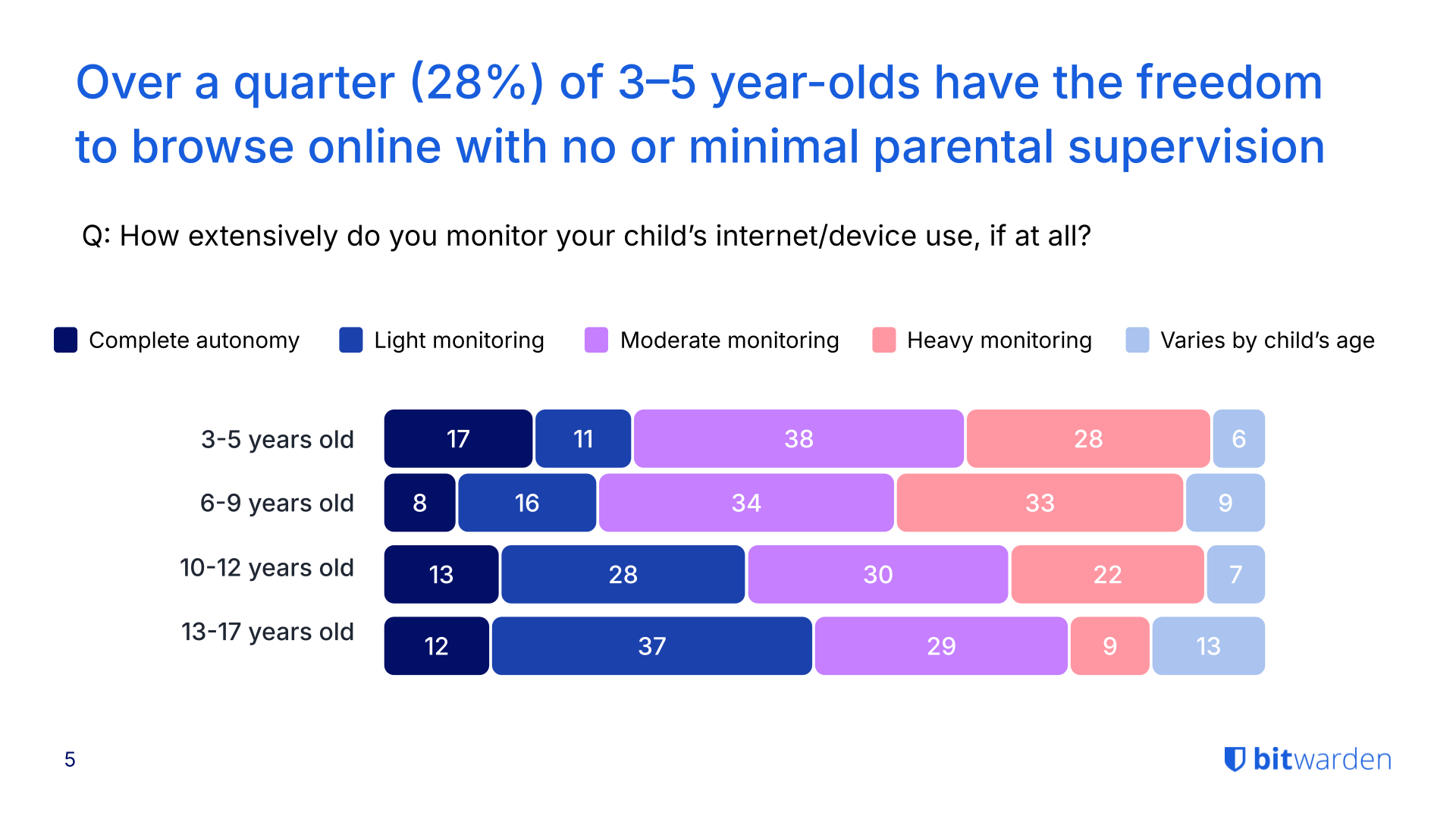
## The Gen Z paradox: highest concern, lowest oversight
Gen Z parents express the most concern about their children's online safety, yet often take the least action to protect them.
- 80% of Gen Z parents fear their kids will fall victim to AI-enhanced online threats—the highest rate across all generations surveyed.
- Despite this concern, 37% of Gen Z parents give their child full autonomy or only lightly monitor their online activity.
- This lack of oversight correlates with the highest incident rates: Gen Z households reported the most malware infections (44%), unauthorized in-app purchases (41%), phishing attempts (40%), and unintentional data sharing (36%).
- 98% of Gen Z parents say they've had conversations with their kids about online safety, but monitoring and enforcement remain inconsistent.
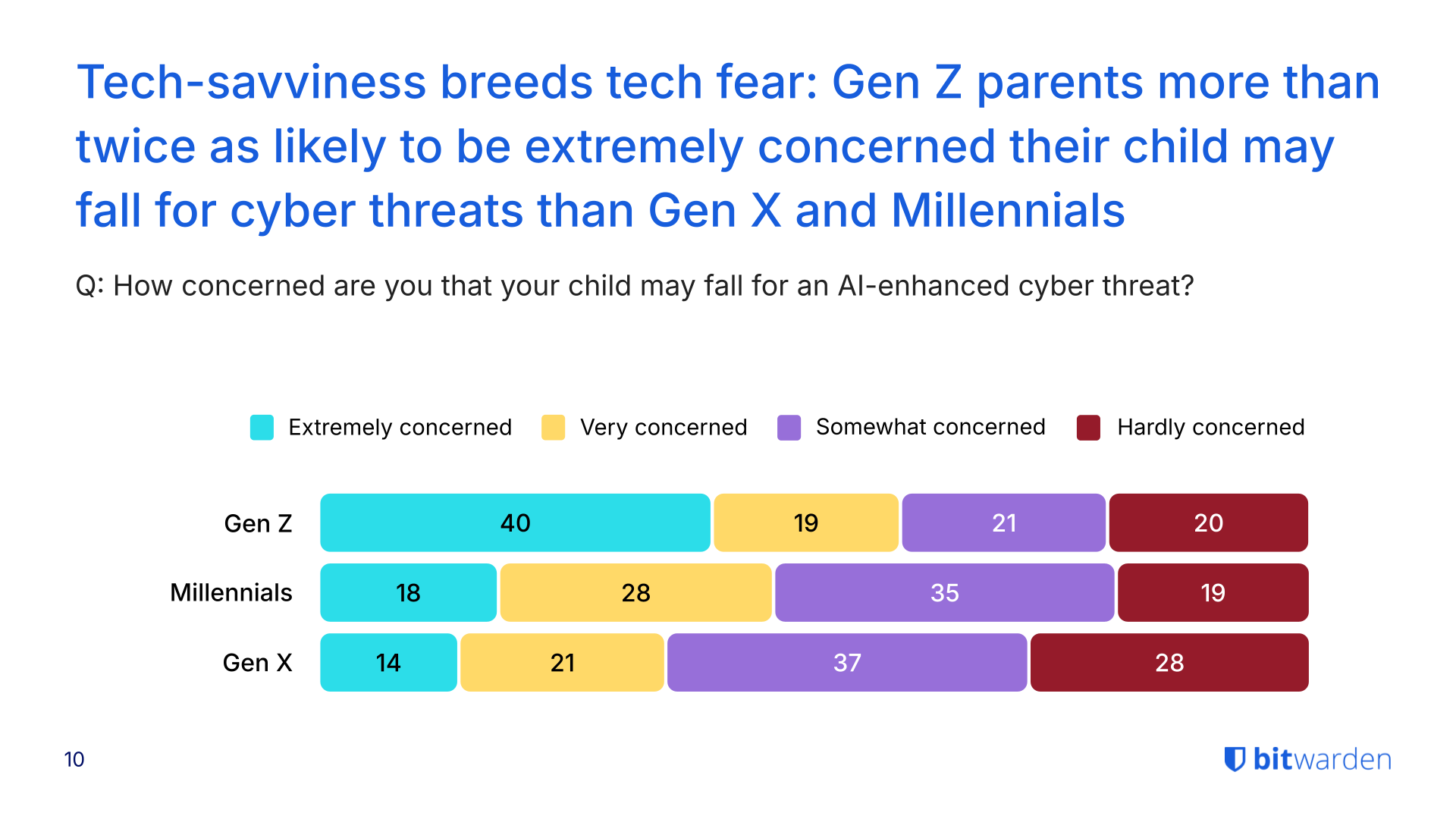
See more findings about the security habits of different generations in the [2025 World Password Day survey](https://bitwarden.com/fr-fr/resources/world-password-day/).
## Parents' own security habits create household vulnerabilities
While parents worry about their children's safety, many fail to model secure behavior themselves—creating risks that extend across the entire household. [Previous research](https://bitwarden.com/fr-fr/resources/world-password-day/) shows 72% of Gen Z adults reuse passwords despite 79% acknowledging the risks, a habit that compounds family-wide security weaknesses.
- 28% of Gen Z parents admit to sharing passwords verbally or through text or email, methods that leave credentials exposed to interception.
- More than half of Gen Z parents (56%) do not use a password manager, and nearly two-thirds (64%) do not use a VPN for added protection.
- Only 16% of families overall use a password manager with shared vaults to securely manage credentials across the household. Among Gen Z parents, this rises slightly to 25%, still leaving three out of four families without secure credential sharing.
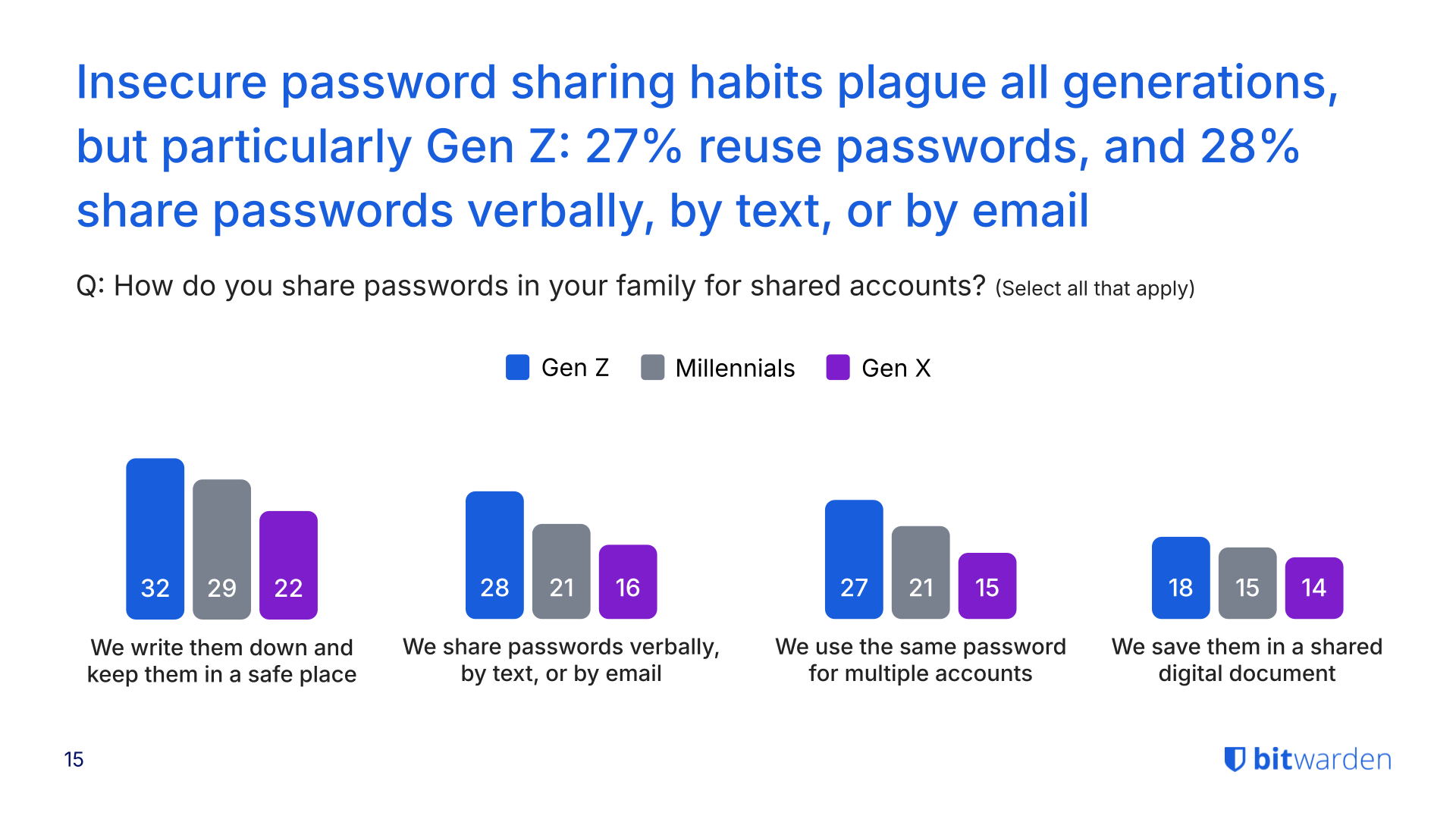
## AI scams heighten risks, but education lags
The rise of generative AI has made online threats harder to detect, yet many families haven't discussed how to spot these sophisticated scams.
- 78% of parents across all households are concerned about their child falling victim to an AI-enhanced scam that mimics voices, crafts personalized messages, or generates convincing phishing content.
- Despite these concerns, nearly half (43%) of parents haven't talked with their kids about how to recognize AI-enabled threats.
- 44% of Gen Z parents report their child or family experiencing malware or a virus from downloads.
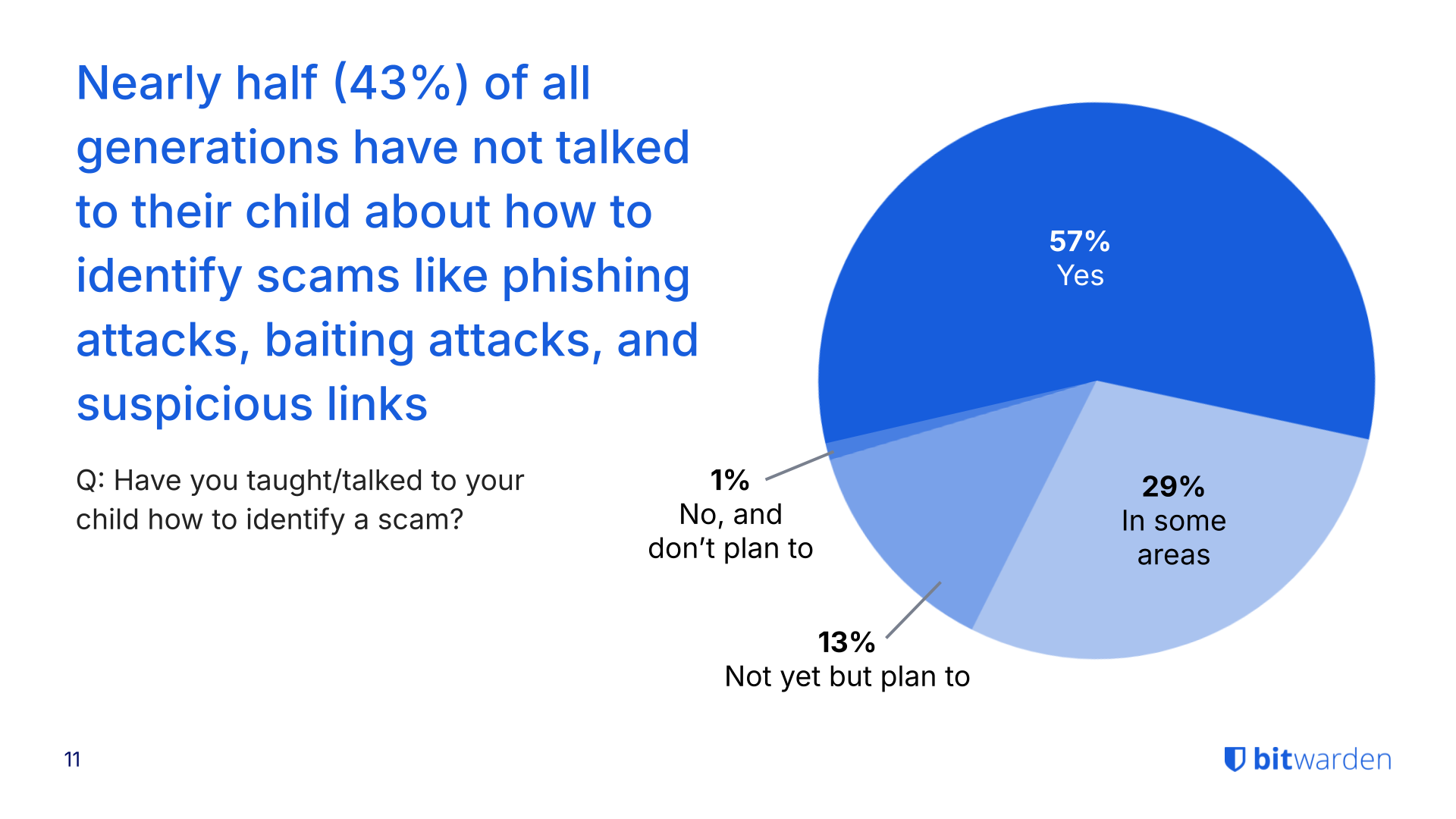
## Obtenez dès maintenant une sécurité de mot de passe puissante et fiable. Choisissez votre plan.
## Personnel
### Gratuit
**$0** *par mois*
*Gratuit pour toujours*
Profitez d'un coffre-fort Bitwarden
- Nombre illimité d'appareils
- Gestion des clés d'accès
- Toutes les fonctions essentielles
- Gratuit à vie
Partager des éléments du coffre-fort avec un autre utilisateur
[Commencez dès aujourd'hui](https://bitwarden.com/go/start-free/)
---
### Premium
**Less than $1** *par mois*
*$10 facturés annuellement*
Profitez des fonctionnalités premium
- Bitwarden Authenticator
- Pièces jointes
- Accès d'urgence
- Rapports de sécurité et plus encore
Partager des éléments du coffre-fort avec un autre utilisateur
[Créer un compte premium](https://bitwarden.com/go/start-premium/)
---
### Familles
**$3.33** *par mois*
*Jusqu'à 6 utilisateurs, 40 $ facturés annuellement*
Sécuriser vos identifiants familiaux
- 6 comptes premium
- Partage illimité
- Collections illimitées
- Organisation du stockage
Partager les éléments du coffre-fort entre six personnes
[Essai gratuit de 7 jours](https://bitwarden.com/go/start-families-trial/)
---
Les prix sont indiqués en USD et sont basés sur un abonnement annuel. Les taxes ne sont pas incluses.
## Entreprises
### Équipes
*Protection résiliente pour les équipes en croissance*
**$4** *par mois / par utilisateur facturé annuellement*
Partagez des données sensibles en toute sécurité avec des collègues, à travers les départements ou l'ensemble de l'entreprise
- Partage sécurisé des données
- Surveillance du journal des événements
- Intégration de l'annuaire
- Soutien au SCIM
Inclut des fonctionnalités premium pour tous les utilisateurs
[Commencer un essai](https://bitwarden.com/go/start-teams-trial/)
---
### Entreprise
*Fonctionnalités avancées pour les grandes organisations*
**$6** *par mois / par utilisateur facturé annuellement*
Utilisez des fonctionnalités avancées, notamment des politiques d'entreprise, la connexion sans mot de passe unique (SSO) et la récupération de compte.
- Politiques de sécurité de l'entreprise
- SSO sans mot de passe
- Recouvrement de compte
- Option d’autohébergement
Inclut des fonctionnalités premium et un plan familial gratuit pour tous les utilisateurs
[Commencer un essai](https://bitwarden.com/go/start-enterprise-trial/)
---
### Obtenez un devis
*Pour les entreprises comptant des centaines ou des milliers d'employés, veuillez contacter notre service commercial pour obtenir un devis personnalisé et voir comment Bitwarden peut vous aider :*
- Réduire le risque de cybersécurité
- Augmenter la productivité
- Intégrer de manière transparente
Bitwarden s'adapte à toutes les tailles d'entreprise pour garantir la sécurité des mots de passe au sein de votre organisation.
[Contacter le service commercial](https://bitwarden.com/contact-sales/)
---
Tarification indiquée en USD et basée sur un abonnement annuel
---
URL: https://bitwarden.com/fr-fr/resources/cybersecurity-awareness-month-newsletter-october-2021/
---
# October 2021 Spotlight: Cybersecurity Awareness Month
Welcome to the Bitwarden October newsletter, featuring product and company announcements, upcoming events, and top social fan favorites.
---
## Featured Article

It’s [Cybersecurity Awareness Month](https://bitwarden.com/fr-fr/blog/cybersecurity-awareness-month-resource-hub/) and we’re celebrating by sharing several resources to help everyone stay safe online! We’ll be posting daily tips on how to #BeCyberSmart, including how to transmit encrypted data securely, enable two-factor authentication across accounts, and more. Follow along in our Cybersecurity Awareness Month** **[Resource Hub](https://bitwarden.com/fr-fr/blog/cybersecurity-awareness-month-resource-hub/)**.**
## Enjoying this update? Subscribe today.
*Receive the latest product updates, hand-picked articles, community highlights, and more.*
[Contact form]
## More Bits and Bites

The Service Organization Control 2 or SOC 2 audit demonstrates the use of adequate systems access controls for protecting and securing sensitive data at all times. Evaluation criteria also includes password security. To learn more, [read this article](https://bitwarden.com/fr-fr/blog/comply-with-soc-2-password-requirements/).

Craig Pearce, an entrepreneur behind several successful startups, reveals an interesting use case for a password manager. When selling a company, Craig says it’s all about smoothly handing over the keys (or master password).[ Read the Q&A ](https://bitwarden.com/fr-fr/blog/q-and-a-with-craig-pearce-entrepreneur/)for more information.

A recent Bitwarden release now supports the use of FIDO2 hardware security keys on mobile for two-step login. You can also set Bitwarden to remember your device for 30 days once your identity is verified through the FIDO2 Webauthn protocols. To learn more, [read the blog](https://bitwarden.com/fr-fr/blog/fido2-security-key-support-enabled-for-mobile-clients/).
## Industry News

**A Case of Ransomware “Fowl” Play**
An investigation following a ransomware attack of a farm-service provider revealed several hundred incidents of breached credentials. Some passwords such as ‘chicken1’ were reused several times, allowing hackers to easily gain access. It’s a strong reminder to not “chicken out” on using a password manager with [vault health reports](https://bitwarden.com/fr-fr/help/reports/#exposed-passwords-report/) which identify exposed or reused passwords.[ Read this article](https://www.zdnet.com/article/after-ransomware-attack-company-finds-650-breached-credentials-from-new-cooperative-ceo-employees/) for more on the Fowl Ransomware Attack.
## Upcoming Events

[**Live Weekly Demo**](https://bitwarden.com/fr-fr/bitwarden-demo/)
Every Wednesday, 9 am PT/ 12 noon ET
Participate in a product tour and open Q&A for the Bitwarden Teams and Enterprise plans. We also offer an [on-demand demo](https://bitwarden.com/fr-fr/enterprise-demo/) available 24/7.
## Top Social Fan Favorites
You play an important role in contributing to a world free of breaches and hacks by sharing your knowledge and experience. Here are a couple of recent fan-favorite posts.
[**A Twitter Thread on Making the Switch**](https://twitter.com/Sethran/status/1443376042899607558)

[**A LinkedIn Post Featuring A Familiar Face**](https://www.linkedin.com/feed/update/urn%3Ali%3Aactivity%3A6843612030151233536/?actorCompanyId=24776937)

That’s it for now. Let us know what you think about this newsletter including potential topics you’d like to see.
**Until next time,**
Team Bitwarden
## Obtenez dès maintenant une sécurité de mot de passe puissante et fiable. Choisissez votre plan.
## Personnel
### Gratuit
**$0** *par mois*
*Gratuit pour toujours*
Profitez d'un coffre-fort Bitwarden
- Nombre illimité d'appareils
- Gestion des clés d'accès
- Toutes les fonctions essentielles
- Gratuit à vie
Partager des éléments du coffre-fort avec un autre utilisateur
[Commencez dès aujourd'hui](https://bitwarden.com/go/start-free/)
---
### Premium
**Less than $1** *par mois*
*$10 facturés annuellement*
Profitez des fonctionnalités premium
- Bitwarden Authenticator
- Pièces jointes
- Accès d'urgence
- Rapports de sécurité et plus encore
Partager des éléments du coffre-fort avec un autre utilisateur
[Créer un compte premium](https://bitwarden.com/go/start-premium/)
---
### Familles
**$3.33** *par mois*
*Jusqu'à 6 utilisateurs, 40 $ facturés annuellement*
Sécuriser vos identifiants familiaux
- 6 comptes premium
- Partage illimité
- Collections illimitées
- Organisation du stockage
Partager les éléments du coffre-fort entre six personnes
[Essai gratuit de 7 jours](https://bitwarden.com/go/start-families-trial/)
---
Les prix sont indiqués en USD et sont basés sur un abonnement annuel. Les taxes ne sont pas incluses.
## Entreprises
### Équipes
*Protection résiliente pour les équipes en croissance*
**$4** *par mois / par utilisateur facturé annuellement*
Partagez des données sensibles en toute sécurité avec des collègues, à travers les départements ou l'ensemble de l'entreprise
- Partage sécurisé des données
- Surveillance du journal des événements
- Intégration de l'annuaire
- Soutien au SCIM
Inclut des fonctionnalités premium pour tous les utilisateurs
[Commencer un essai](https://bitwarden.com/go/start-teams-trial/)
---
### Entreprise
*Fonctionnalités avancées pour les grandes organisations*
**$6** *par mois / par utilisateur facturé annuellement*
Utilisez des fonctionnalités avancées, notamment des politiques d'entreprise, la connexion sans mot de passe unique (SSO) et la récupération de compte.
- Politiques de sécurité de l'entreprise
- SSO sans mot de passe
- Recouvrement de compte
- Option d’autohébergement
Inclut des fonctionnalités premium et un plan familial gratuit pour tous les utilisateurs
[Commencer un essai](https://bitwarden.com/go/start-enterprise-trial/)
---
### Obtenez un devis
*Pour les entreprises comptant des centaines ou des milliers d'employés, veuillez contacter notre service commercial pour obtenir un devis personnalisé et voir comment Bitwarden peut vous aider :*
- Réduire le risque de cybersécurité
- Augmenter la productivité
- Intégrer de manière transparente
Bitwarden s'adapte à toutes les tailles d'entreprise pour garantir la sécurité des mots de passe au sein de votre organisation.
[Contacter le service commercial](https://bitwarden.com/contact-sales/)
---
Tarification indiquée en USD et basée sur un abonnement annuel
---
URL: https://bitwarden.com/fr-fr/resources/cybersecurity-awareness-month/
---
# Mois de la sensibilisation à la cybersécurité
## Cybersécurité simple : 4 étapes pour la sécurité en ligne
> "Le mois de la sensibilisation à la cybersécurité, qui a lieu chaque année en octobre, est le fruit d'une collaboration entre les pouvoirs publics et le secteur privé. Il vise à sensibiliser le public à la sécurité numérique et à donner à chacun les moyens de protéger ses données personnelles contre les formes numériques de criminalité.
- [Alliance nationale pour la cybersécurité](https://staysafeonline.org/programs/cybersecurity-awareness-month/)
## Étape 1. Des mots de passe forts et uniques constituent la base de la cybersécurité
Chaque jour, l'individu moyen se connecte à une variante ou une autre d'Instagram, de TikTok, d'[applications bancaires](https://bitwarden.com/fr-fr/resources/the-survey-room/#industry-leaders-security-rankings/), de comptes professionnels, de courriels personnels, de sites de commerce électronique et de comptes de covoiturage. On peut dire que nous vivons dans un monde en ligne.
Les utilisateurs partageant autant d'informations, comment peuvent-ils rester en sécurité ? En fait, c'est très simple. L'utilisation de mots de passe forts et uniques permet de protéger vos données. Vous ne savez pas si vos mots de passe sont suffisamment forts ? Testez [leur force](https://bitwarden.com/fr-fr/password-strength/) et apprenez-en plus sur la [gestion des mots de passe](https://bitwarden.com/fr-fr/blog/world-password-day-strong-passwords-heroes-internet-security/). Vous pouvez également [commencer dès maintenant](https://bitwarden.com/fr-fr/products/personal/) avec un compte gratuit complet pour un nombre illimité de connexions sur un nombre illimité d'appareils.
[](https://vimeo.com/752654111)
*[Watch on Vimeo](https://vimeo.com/752654111)*
## Étape 2. Utiliser l'authentification multifactorielle
L'authentification à deux facteurs (2FA), la connexion en deux étapes ou l'authentification à plusieurs facteurs (MFA) désignent les différentes méthodes de vérification de l'identité d'une personne pour accéder à un compte. Il peut s'agir de se connecter à un compte à l'aide d'un mot de passe, puis de le confirmer à nouveau à l'aide d'un code d'authentification. Pour une explication plus détaillée, consultez cet article sur les [10 questions les plus brûlantes sur le 2FA](https://bitwarden.com/fr-fr/blog/top-10-burning-questions-on-2fa/) et pour en savoir plus sur les différentes méthodes de 2FA/MFA, consultez cet [article d'aide sur la connexion en deux étapes](https://bitwarden.com/fr-fr/help/setup-two-step-login/). En d'autres termes, la connexion en deux étapes offre la couche de protection supplémentaire dont tout le monde a besoin.
[](https://vimeo.com/752706739)
*[Watch on Vimeo](https://vimeo.com/752706739)*
> Visitez [The Survey Room](https://bitwarden.com/fr-fr/resources/the-survey-room/): une collection d'enquêtes et de rapports sur la gestion des mots de passe et la sécurité concernant les entreprises et les particuliers.
## Did you know?
Passkey 2FA is included in every Bitwarden plan, including free! All users can secure their Bitwarden account with a hardware security key or other [FIDO2 WebAuthn](https://bitwarden.com/fr-fr/blog/fido2-webauthn-2fa-in-all-bitwarden-plans/) credential generator.
## Étape 3. Maintenez votre logiciel à jour
Le mois de la sensibilisation à la cybersécurité rappelle à chacun de se tenir au courant des mises à jour de logiciels. En règle générale, les mises à jour corrigent les failles de sécurité, suppriment les bogues et ajoutent des fonctionnalités susceptibles de mieux sécuriser les informations. S'il est tentant de renoncer aux mises à jour, quelques minutes suffisent pour éviter des heures de maux de tête dus à une usurpation d'identité.
Les mises à jour de logiciels permettent également de prévenir les [attaques de ransomware](https://bitwarden.com/fr-fr/blog/accelerate-ransomware-mitigation-with-password-management/). En règle générale, les cybercriminels axés sur les rançons tentent d'exploiter les vulnérabilités, y compris celles des logiciels obsolètes.
[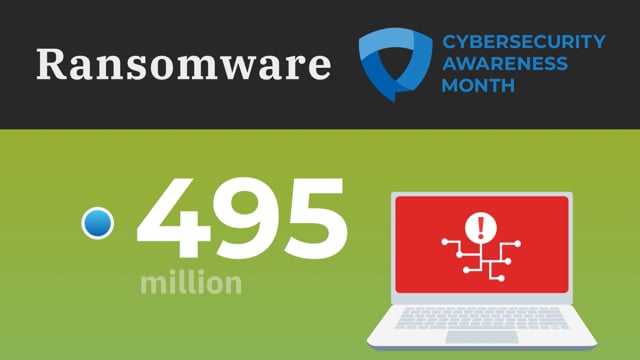](https://vimeo.com/752707997)
*[Watch on Vimeo](https://vimeo.com/752707997)*
## Étape 4. Savoir repérer une escroquerie par hameçonnage
Apprenez à rester vigilant face aux attaques de phishing, qui consistent à inciter les gens à partager des données précieuses ou à visiter des sites web infectés par des logiciels malveillants. Les utilisateurs doivent s'assurer que les courriels proviennent du bon expéditeur, survoler les liens pour vérifier qu'ils mènent au bon site web et éviter d'ouvrir les pièces jointes provenant de personnes qu'ils ne connaissent pas. Soyez particulièrement vigilant sur les appareils mobiles qui ne disposent pas toujours de l'option de survol pour voir l'adresse e-mail exacte et les destinations des liens.
En outre, des outils tels que les gestionnaires de mots de passe peuvent être utiles. En savoir plus sur la façon dont [les gestionnaires de mots de passe aident à prévenir le phishing](https://bitwarden.com/fr-fr/blog/how-password-managers-help-prevent-phishing/).
[](https://vimeo.com/752708367)
*[Watch on Vimeo](https://vimeo.com/752708367)*
## Ressources complémentaires
- [7 étapes pour créer un profil sécurisé et privé en ligne](https://bitwarden.com/fr-fr/blog/7-steps-to-create-a-secure-and-private-profile-online/)
- [La salle d'enquête](https://bitwarden.com/fr-fr/resources/the-survey-room/)
- [Pourquoi les entreprises ont besoin d'un gestionnaire de mots de passe](https://bitwarden.com/fr-fr/resources/why-enterprises-need-a-password-manager/)
- [Ce que l'adoption sans mot de passe signifie pour les entreprises](https://bitwarden.com/fr-fr/blog/what-passwordless-adoption-means-to-enterprises/)
- [La gestion sécurisée des mots de passe permet de bénéficier d'une cyber-assurance](https://bitwarden.com/fr-fr/resources/qualifying-for-cyber-insurance-with-secure-password-management/)
- [Les avantages de la gestion des mots de passe en tant que service](https://bitwarden.com/fr-fr/blog/the-benefits-of-offering-password-management-as-a-service/)
- [Accélérer la valeur pour les utilisateurs de Bitwarden - Bitwarden lève 100 millions de dollars](https://bitwarden.com/fr-fr/blog/accelerating-value-for-bitwarden-users-bitwarden-raises-usd100-million/)
- [Découvrez ce que les experts disent de Bitwarden](https://bitwarden.com/fr-fr/media-spotlight/)
Rejoignez-nous pendant le mois de la sensibilisation à la cybersécurité pour plusieurs espaces Twitter avec l'équipe Bitwarden sur des sujets passionnants liés à la cybersécurité ! Suivez-nous sur [Twitter](https://twitter.com/Bitwarden) pour ne rien manquer.
## Obtenez dès maintenant une sécurité de mot de passe puissante et fiable. Choisissez votre plan.
## Personnel
### Gratuit
**$0** *par mois*
*Gratuit pour toujours*
Profitez d'un coffre-fort Bitwarden
- Nombre illimité d'appareils
- Gestion des clés d'accès
- Toutes les fonctions essentielles
- Gratuit à vie
Partager des éléments du coffre-fort avec un autre utilisateur
[Commencez dès aujourd'hui](https://bitwarden.com/go/start-free/)
---
### Premium
**Less than $1** *par mois*
*$10 facturés annuellement*
Profitez des fonctionnalités premium
- Bitwarden Authenticator
- Pièces jointes
- Accès d'urgence
- Rapports de sécurité et plus encore
Partager des éléments du coffre-fort avec un autre utilisateur
[Créer un compte premium](https://bitwarden.com/go/start-premium/)
---
### Familles
**$3.33** *par mois*
*Jusqu'à 6 utilisateurs, 40 $ facturés annuellement*
Sécuriser vos identifiants familiaux
- 6 comptes premium
- Partage illimité
- Collections illimitées
- Organisation du stockage
Partager les éléments du coffre-fort entre six personnes
[Essai gratuit de 7 jours](https://bitwarden.com/go/start-families-trial/)
---
Les prix sont indiqués en USD et sont basés sur un abonnement annuel. Les taxes ne sont pas incluses.
## Entreprises
### Équipes
*Protection résiliente pour les équipes en croissance*
**$4** *par mois / par utilisateur facturé annuellement*
Partagez des données sensibles en toute sécurité avec des collègues, à travers les départements ou l'ensemble de l'entreprise
- Partage sécurisé des données
- Surveillance du journal des événements
- Intégration de l'annuaire
- Soutien au SCIM
Inclut des fonctionnalités premium pour tous les utilisateurs
[Commencer un essai](https://bitwarden.com/go/start-teams-trial/)
---
### Entreprise
*Fonctionnalités avancées pour les grandes organisations*
**$6** *par mois / par utilisateur facturé annuellement*
Utilisez des fonctionnalités avancées, notamment des politiques d'entreprise, la connexion sans mot de passe unique (SSO) et la récupération de compte.
- Politiques de sécurité de l'entreprise
- SSO sans mot de passe
- Recouvrement de compte
- Option d’autohébergement
Inclut des fonctionnalités premium et un plan familial gratuit pour tous les utilisateurs
[Commencer un essai](https://bitwarden.com/go/start-enterprise-trial/)
---
### Obtenez un devis
*Pour les entreprises comptant des centaines ou des milliers d'employés, veuillez contacter notre service commercial pour obtenir un devis personnalisé et voir comment Bitwarden peut vous aider :*
- Réduire le risque de cybersécurité
- Augmenter la productivité
- Intégrer de manière transparente
Bitwarden s'adapte à toutes les tailles d'entreprise pour garantir la sécurité des mots de passe au sein de votre organisation.
[Contacter le service commercial](https://bitwarden.com/contact-sales/)
---
Tarification indiquée en USD et basée sur un abonnement annuel
---
URL: https://bitwarden.com/fr-fr/resources/data-loss-prevention/
---
# Data loss prevention
What you need to know
---
### What exactly is data loss prevention?
Data Loss Prevention (DLP) refers to strategies and tools designed to identify, monitor, and protect sensitive data from threats like unauthorized disclosure, accidental leakage, or theft. One of the most important aspects is preventing the unauthorized transfer of sensitive information outside of secure environments. This is commonly known as data exfiltration. DLP combines policies and data loss prevention software to prevent data exfiltration.
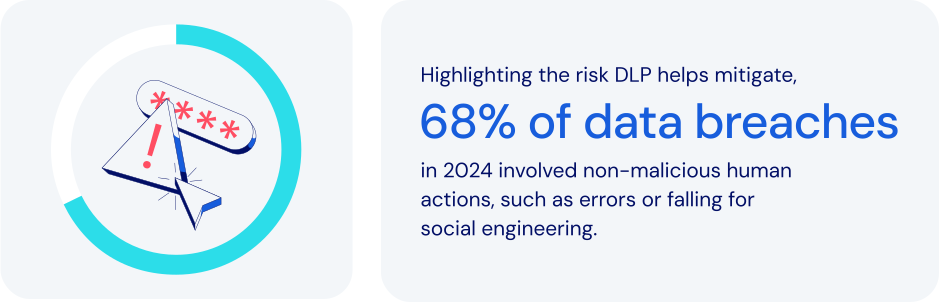
*Source: Verizon 2024 DBIR*
### How does password management fit in here?
Within broader data loss prevention programs, password management secures identities that control access to sensitive data. It helps an organization [secure employee credentials](https://bitwarden.com/fr-fr/blog/user-adoption-for-company-password-manager/), manage access to sensitive information, and mitigate human error. Specific features to look for:
- **Centralized credential management:** securely stores credentials in encrypted, centralized vaults. This prevents unauthorized access while minimizing risks from unmanaged accounts.
- **Role-Based Access Control (RBAC):** assigning credentials based on [individual or group roles](https://bitwarden.com/fr-fr/blog/easy-secure-sharing-how-to-set-up-user-groups-and-collections/) reduces insider threats by ensuring that employees can only access the specific information they need to get their work done.
- **Secure secrets management:** centralizing critical infrastructure credentials minimizes exposure of sensitive API keys and cloud tokens.
- **Encrypted passwords sharing:** secure methods for [password sharing](https://bitwarden.com/fr-fr/blog/password-sharing-best-practices-for-teams/) help prevent exposure risks posed by insecure channels like email or messaging apps.
- **Multi-factor authentication (MFA):** requiring [additional verification](https://bitwarden.com/fr-fr/blog/basics-of-two-factor-authentication-with-bitwarden/) adds a crucial layer of security. This significantly reduces the risk of credential theft.
- **Automated offboarding:** immediately revoking access when an employee leaves helps protect against data theft.
- **Audit and activity monitoring:** detailed logging supports incident response and data loss prevention best practices. This helps improve both incident response and compliance efforts.
Together, these features help maximize the effectiveness of Data Loss Prevention. These systems play a vital role by classifying critical data, monitoring its use, and [enforcing policies](https://bitwarden.com/fr-fr/help/policies/#what-are-enterprise-policies/) that prevent improper sharing. They also help to ensure compliance with data protection regulations, maintaining confidentiality and safeguarding valuable intellectual property.
### How data loss prevention keeps today’s businesses safer
Using password management to implement Data Loss Prevention is a powerful way to protect against the growing risks posed by cyberthreats, insider breaches, and regulatory compliance pressures. Core data loss prevention best practices enable you to:
- **Protect sensitive information:** many businesses routinely handle sensitive data like [financial records](https://bitwarden.com/fr-fr/blog/how-to-better-manage-your-financial-information-in-bitwarden/), customer information, or intellectual property. It’s imperative to safeguard against unauthorized data leakage or theft.
- **Mitigate insider threats:** controlling data access through role-based permissions helps companies reduce the risk of any employee leaking data, either accidentally or intentionally.
- **Prevent cyberattacks:** an important component of any effective security strategy is protection against common breach threats like [phishing](https://bitwarden.com/fr-fr/blog/top-types-of-phishing-attacks-to-watch-out-for/), malware, and credential stuffing.
- **Ensure regulatory compliance:** by adhering closely to stringent regulations like GDPR, [HIPAA](https://bitwarden.com/fr-fr/blog/why-use-a-hipaa-compliant-password-manager/), and PCI DSS, companies can avoid costly legal penalties.
- **Preserve reputation:** in today’s world, maintaining customer trust and brand integrity are critical factors in ensuring business continuity.
- **Reduce costs:** data breach responses, regulatory fines, and lost productivity are all expenses that any business seeks to avoid.
### How Bitwarden supports data loss prevention
Bitwarden strengthens existing data loss prevention solutions and integrates alongside data loss prevention software by protecting credentials and secrets. Bitwarden helps achieve data loss prevention through a comprehensive set of password management and security solutions. These include:
- [**Zero-knowledge encryption**](https://bitwarden.com/fr-fr/blog/end-to-end-encryption-and-zero-knowledge/)**:** complements DLP software by ensuring only authorized users can decrypt credentials tied to sensitive workflows..
- **Centralized credential vaults:** prevents credentials from being fragmented and exposed across insecure locations.
- **Advanced access control:** restricts credentials based on employee roles and responsibilities, minimizing over-permissioning.
- **Secure credential sharing:** facilitates encrypted and time-limited credential sharing, eliminating many unsafe sharing practices.
- **Proactive security monitoring:** quickly [alerts users about compromised credentials](https://bitwarden.com/fr-fr/blog/introducing-bitwarden-access-intelligence-proactive-security-protection/), encouraging timely password rotations to prevent unauthorized data access.
- **Comprehensive audit trails:** logging credential access attempts, password changes, and unusual activity directly supports compliance audits and forensic investigations.
- **Robust MFA integration:** strengthens login processes, ensuring only verified users can gain access to critical data.
- **Automated credential management:** automates employee onboarding, succession, and transitions, to align with DLP best practices.
### The bottom line
Now more than ever, organizations need to take a proactive approach toward securing their sensitive data. It’s critical to minimize the risk of external cyberthreats, insider breaches, and regulatory compliance pressures.
Bitwarden offers a powerful, user-friendly platform with a robust feature set. Together, these tools can significantly strengthen Data Loss Prevention efforts while preventing data exfiltration. Just one more reason Bitwarden is regarded as the most trusted name in password management.
### What makes Bitwarden stand out from the pack?
Bitwarden uniquely enables customers to implement effective Data Loss Prevention strategies through an intelligent combination of:
- A user-friendly approach and coverage across all devices, to enhance broad employee adoption for maximum protection.
- Companies can choose from a wide variety of policies and deployment configurations designed to protect sensitive information. Options range from highly centralized to [more flexible approaches](https://bitwarden.com/fr-fr/blog/new-deployment-option-for-self-hosting-bitwarden/).
- An option for centralized data ownership provides utmost protection and continuity for large organizations.
## Obtenez dès maintenant une sécurité de mot de passe puissante et fiable. Choisissez votre plan.
## Personnel
### Gratuit
**$0** *par mois*
*Gratuit pour toujours*
Profitez d'un coffre-fort Bitwarden
- Nombre illimité d'appareils
- Gestion des clés d'accès
- Toutes les fonctions essentielles
- Gratuit à vie
Partager des éléments du coffre-fort avec un autre utilisateur
[Commencez dès aujourd'hui](https://bitwarden.com/go/start-free/)
---
### Premium
**Less than $1** *par mois*
*$10 facturés annuellement*
Profitez des fonctionnalités premium
- Bitwarden Authenticator
- Pièces jointes
- Accès d'urgence
- Rapports de sécurité et plus encore
Partager des éléments du coffre-fort avec un autre utilisateur
[Créer un compte premium](https://bitwarden.com/go/start-premium/)
---
### Familles
**$3.33** *par mois*
*Jusqu'à 6 utilisateurs, 40 $ facturés annuellement*
Sécuriser vos identifiants familiaux
- 6 comptes premium
- Partage illimité
- Collections illimitées
- Organisation du stockage
Partager les éléments du coffre-fort entre six personnes
[Essai gratuit de 7 jours](https://bitwarden.com/go/start-families-trial/)
---
Les prix sont indiqués en USD et sont basés sur un abonnement annuel. Les taxes ne sont pas incluses.
## Entreprises
### Équipes
*Protection résiliente pour les équipes en croissance*
**$4** *par mois / par utilisateur facturé annuellement*
Partagez des données sensibles en toute sécurité avec des collègues, à travers les départements ou l'ensemble de l'entreprise
- Partage sécurisé des données
- Surveillance du journal des événements
- Intégration de l'annuaire
- Soutien au SCIM
Inclut des fonctionnalités premium pour tous les utilisateurs
[Commencer un essai](https://bitwarden.com/go/start-teams-trial/)
---
### Entreprise
*Fonctionnalités avancées pour les grandes organisations*
**$6** *par mois / par utilisateur facturé annuellement*
Utilisez des fonctionnalités avancées, notamment des politiques d'entreprise, la connexion sans mot de passe unique (SSO) et la récupération de compte.
- Politiques de sécurité de l'entreprise
- SSO sans mot de passe
- Recouvrement de compte
- Option d’autohébergement
Inclut des fonctionnalités premium et un plan familial gratuit pour tous les utilisateurs
[Commencer un essai](https://bitwarden.com/go/start-enterprise-trial/)
---
### Obtenez un devis
*Pour les entreprises comptant des centaines ou des milliers d'employés, veuillez contacter notre service commercial pour obtenir un devis personnalisé et voir comment Bitwarden peut vous aider :*
- Réduire le risque de cybersécurité
- Augmenter la productivité
- Intégrer de manière transparente
Bitwarden s'adapte à toutes les tailles d'entreprise pour garantir la sécurité des mots de passe au sein de votre organisation.
[Contacter le service commercial](https://bitwarden.com/contact-sales/)
---
Tarification indiquée en USD et basée sur un abonnement annuel
---
URL: https://bitwarden.com/fr-fr/resources/december-2023-spotlight-happy-new-year-from-bitwarden/
---
# December 2023 Spotlight: Happy New Year from Bitwarden!
Read the December newsletter for the latest Bitwarden updates
---
## Featured Highlights
**Reflecting on 2023: A Year of Security Milestones**
Many new features and milestones were made possible with support from the Bitwarden Community. Here are some highlights:
Bitwarden Password Manager
- [Bitwarden on Apple Watch](https://bitwarden.com/fr-fr/help/apple-watch-totp/)
. Use Apple Watch to access TOTP login codes
- [SSO with trusted devices](https://bitwarden.com/fr-fr/help/about-trusted-devices/)
. Authenticate using SSO and decrypt your vault without entering a master password
- [Save passkeys to your vault](https://bitwarden.com/fr-fr/help/storing-passkeys/)
. Store and log in with passkeys using the Bitwarden browser extension
- [FIDO2 WebAuthn now a free two-step login option](https://bitwarden.com/fr-fr/help/setup-two-step-login-fido/)
. Every Bitwarden user can now use passkeys and hardware keys as 2FA
Bitwarden Secrets Manager
- [Support for self-hosting](https://bitwarden.com/fr-fr/help/manage-your-secrets-org/#self-hosting/)
. Enterprise organizations can now self-host Secrets Manager
- [New event log view](https://bitwarden.com/fr-fr/help/service-accounts/#service-account-events/)
. Directly access event logs from the service accounts view
- [Additional SDKs](https://github.com/bitwarden/sdk-sm/tree/main/languages)
. Execute custom operations with your preferred development language
**New Year, New Features: What's in Store for January? **
Heading into January here’s what to expect:
Bitwarden Password Manager
- Inline auto-fill
- Login with passkeys
- Browser account switching
Bitwarden Secrets Manager
- Ansible integration
## Enjoying this update? Subscribe today.
*Receive the latest product updates, hand-picked articles, community highlights, and more.*
[Contact form]
## More Bits and Bites
Is improving digital security part of your New Year’s resolution? Here are a few article suggestions to start the year right:
[Cybersecurity tips for employees](https://bitwarden.com/fr-fr/blog/cybersecurity-tips-for-employees/)
The average employee likely stores, manages, and transmits large amounts of data throughout the day. This might be done via email or when logging into enterprise-wide applications. Given that, employees are often a prime target for cybercriminals. This article provides a few simple and straightforward [cybersecurity tips](https://bitwarden.com/fr-fr/blog/cybersecurity-tips-for-employees/) for employees to help them stay safe online.
[How to share sensitive information securely](https://bitwarden.com/fr-fr/blog/how-to-share-sensitive-information-securely/)
From passwords, identities, credit cards, and more, your password manager has you covered for creating and saving strong and unique passwords. However, many password managers can do quite a bit more. Not only can you store that sensitive information, you can also share it with colleagues, family, friends, and just about anyone who needs it. Read this [brief guide](https://bitwarden.com/fr-fr/blog/how-to-share-sensitive-information-securely/) on utilizing Bitwarden Send.
[The most effective strategy for achieving password strength](https://bitwarden.com/fr-fr/blog/the-most-effective-strategy-for-achieving-password-strength/)
While coming up with a strong and unique password may sound straightforward enough, it can be a challenge when creating passwords for tens and in some cases, hundreds, of accounts and applications. This blog post discusses [solutions available for the security-conscious](https://bitwarden.com/fr-fr/blog/the-most-effective-strategy-for-achieving-password-strength/) to gauge the strength of their passwords
[Self-host Bitwarden in Kubernetes](https://bitwarden.com/fr-fr/blog/self-host-bitwarden-in-kubernetes/)
Kubernetes has become a cornerstone in modern cloud computing, able to orchestrate complex container architectures efficiently. Learn about how customers can add Bitwarden to their Kubernetes deployment in this [article](https://bitwarden.com/fr-fr/blog/self-host-bitwarden-in-kubernetes/).
## Community Spotlight
**Best of the Bitwarden Community in 2023**
Bitwarden values the contributions of the community. Here are a few posts that stood out in the past year.
Community member [u/Altruistic_Garlic_51](https://www.reddit.com/user/Altruistic_Garlic_51/) describes how the Bitwarden password history feature saved their day.
[](https://www.reddit.com/r/Bitwarden/comments/14jiaga/today_bw_saved_my_life/)
*Today BW saved my life*
Bitwarden authenticator or a separate app? This Reddit user discusses both two options and comes to a smart conclusion for everyone - add 2FA for all your accounts!
[](https://www.reddit.com/r/Bitwarden/comments/10qfts6/on_using_bitwarden_for_totp/)
*Using BW for TOTP*
You’ve been hacked - what next? In this [post](https://www.reddit.com/r/Bitwarden/comments/14b6wlw/so_you_think_you_have_been_hacked/), Reddit user [djasonpenney](https://www.reddit.com/user/djasonpenney/) discusses how to handle potential hacking incidents.
[](https://www.reddit.com/r/Bitwarden/comments/14b6wlw/so_you_think_you_have_been_hacked/)
*So you think you have been hacked*
## Bitwarden 101
Check out [Bitwarden 101](https://bitwarden.com/fr-fr/learning/#tag:bitwarden-101/) for a short video series on how to get started with Bitwarden Password Manager as an administrator or end user.
We'd like to thank the Bitwarden Community for helping us rank first in the Summer and Fall 2023 Enterprise Grid Report. If you would like to leave an honest review (and receive a $25 Amazon gift card in return), you can do so [here](https://www.g2.com/contributor/bitwarden-vendor?secure%5Bpage_id%5D=bitwarden-vendor&secure%5Brewards%5D=true&secure%5Btoken%5D=31838aa378af8204ed6f2811cb4f5dbce9e9ac3231c4065a2693ae8a6d8a68c1).
## Join an Upcoming Event
- [**Vault Hours**](https://www.crowdcast.io/c/vault-hours-37)
**January 26 at 8 am PST**
Live conversations, feedback, and questions with the Bitwarden team.
That’s it for now. For more product updates and online security tips, visit the Bitwarden [blog](https://bitwarden.com/fr-fr/blog/).
**Until next time,**
Team Bitwarden
## Hi readers!
Take this [two-minute](https://forms.bitwarden.com/newsletter) survey to help us improve the monthly Bitwarden Newsletter and deliver the information you care most about.
## Obtenez dès maintenant une sécurité de mot de passe puissante et fiable. Choisissez votre plan.
## Personnel
### Gratuit
**$0** *par mois*
*Gratuit pour toujours*
Profitez d'un coffre-fort Bitwarden
- Nombre illimité d'appareils
- Gestion des clés d'accès
- Toutes les fonctions essentielles
- Gratuit à vie
Partager des éléments du coffre-fort avec un autre utilisateur
[Commencez dès aujourd'hui](https://bitwarden.com/go/start-free/)
---
### Premium
**Less than $1** *par mois*
*$10 facturés annuellement*
Profitez des fonctionnalités premium
- Bitwarden Authenticator
- Pièces jointes
- Accès d'urgence
- Rapports de sécurité et plus encore
Partager des éléments du coffre-fort avec un autre utilisateur
[Créer un compte premium](https://bitwarden.com/go/start-premium/)
---
### Familles
**$3.33** *par mois*
*Jusqu'à 6 utilisateurs, 40 $ facturés annuellement*
Sécuriser vos identifiants familiaux
- 6 comptes premium
- Partage illimité
- Collections illimitées
- Organisation du stockage
Partager les éléments du coffre-fort entre six personnes
[Essai gratuit de 7 jours](https://bitwarden.com/go/start-families-trial/)
---
Les prix sont indiqués en USD et sont basés sur un abonnement annuel. Les taxes ne sont pas incluses.
## Entreprises
### Équipes
*Protection résiliente pour les équipes en croissance*
**$4** *par mois / par utilisateur facturé annuellement*
Partagez des données sensibles en toute sécurité avec des collègues, à travers les départements ou l'ensemble de l'entreprise
- Partage sécurisé des données
- Surveillance du journal des événements
- Intégration de l'annuaire
- Soutien au SCIM
Inclut des fonctionnalités premium pour tous les utilisateurs
[Commencer un essai](https://bitwarden.com/go/start-teams-trial/)
---
### Entreprise
*Fonctionnalités avancées pour les grandes organisations*
**$6** *par mois / par utilisateur facturé annuellement*
Utilisez des fonctionnalités avancées, notamment des politiques d'entreprise, la connexion sans mot de passe unique (SSO) et la récupération de compte.
- Politiques de sécurité de l'entreprise
- SSO sans mot de passe
- Recouvrement de compte
- Option d’autohébergement
Inclut des fonctionnalités premium et un plan familial gratuit pour tous les utilisateurs
[Commencer un essai](https://bitwarden.com/go/start-enterprise-trial/)
---
### Obtenez un devis
*Pour les entreprises comptant des centaines ou des milliers d'employés, veuillez contacter notre service commercial pour obtenir un devis personnalisé et voir comment Bitwarden peut vous aider :*
- Réduire le risque de cybersécurité
- Augmenter la productivité
- Intégrer de manière transparente
Bitwarden s'adapte à toutes les tailles d'entreprise pour garantir la sécurité des mots de passe au sein de votre organisation.
[Contacter le service commercial](https://bitwarden.com/contact-sales/)
---
Tarification indiquée en USD et basée sur un abonnement annuel
---
URL: https://bitwarden.com/fr-fr/resources/delivery-startup-glovo-on-password-management-newsletter-january-2022/
---
# January 2022 Spotlight: Delivery Startup Glovo on Password Management
Welcome to the Bitwarden January newsletter, featuring product and company announcements, upcoming events, and top social fan favorites.
---
## Featured Article

Delivery Startup Glovo realized they had a problem with weak passwords throughout their organization. Implementing password complexity requirements led to the unsecure practice of writing passwords down. [Read the article](https://bitwarden.com/fr-fr/blog/high-growth-delivery-startup-glovo-boosts-password-security-compliance/) to learn how Glovo overcame these security challenges and made their password management more secure by implementing Bitwarden.
## Enjoying this update? Subscribe today.
*Receive the latest product updates, hand-picked articles, community highlights, and more.*
[Contact form]
## Event Recap

Thank you to everyone who joined us for the second annual Open Source Security Summit! Audience members heard great insights from industry leaders Tutanota and Mattermost, captivating conversations with celebrity guests Steve Wozniak, Nicole Perlroth, and Bruce Schneier, and passionate, informative conversations with experts about the intersection of open source software and security. If you missed the summit, [check out our recap](https://bitwarden.com/fr-fr/blog/open-source-security-summit-2021-recap/) and watch some of the recordings.
## More Bits and Bites

Bitwarden now provides complimentary families plans to employees on an enterprise plan, enabling them to bring password security home to their loved ones. [Learn more about it here](https://bitwarden.com/fr-fr/blog/how-to-protect-your-family-with-bitwarden-password-manager/).

While you can take steps to secure your sensitive data online at any time, these holidays help keep cybersecurity top of mind throughout the year. [Check out the 2022 Cybersecurity Awareness Holidays](https://bitwarden.com/fr-fr/blog/cybersecurity-awareness-holidays/) and mark your calendars!

Two-factor authentication (2FA) is sometimes referred to as two-step login, two-step verification, or multi-factor authentication. Regardless of the name, the process involves using more than one method to unlock an account. If you're ready to add 2FA as an added security step for your accounts, [here are ten burning questions answered.](https://bitwarden.com/fr-fr/blog/top-10-burning-questions-on-2fa/)
## Industry News

**More than 90% of IT decision makers reuse passwords**
A significant majority of IT professionals use the same password across multiple sites, and over half share passwords with colleagues over email. A survey of over 400 IT decision makers highlighted password management practices and perceptions about password security. [Read the article](https://www.techcentral.ie/more-than-90-of-it-decision-makers-reuse-passwords/) to learn more.
## Top Social Fan Favorites
You play an important role in contributing to a world free of breaches and hacks by sharing your knowledge and experience. Here are a couple of recent fan-favorite posts.
[**Why 2FA Matters**](https://www.reddit.com/r/Bitwarden/comments/ryywcm/when_does_2fa_matter_if_you_have_secure_passwords/)

That’s it for now. Let us know what you think about this newsletter including potential topics you’d like to see.
**Until next time,**
Team Bitwarden
## Obtenez dès maintenant une sécurité de mot de passe puissante et fiable. Choisissez votre plan.
## Personnel
### Gratuit
**$0** *par mois*
*Gratuit pour toujours*
Profitez d'un coffre-fort Bitwarden
- Nombre illimité d'appareils
- Gestion des clés d'accès
- Toutes les fonctions essentielles
- Gratuit à vie
Partager des éléments du coffre-fort avec un autre utilisateur
[Commencez dès aujourd'hui](https://bitwarden.com/go/start-free/)
---
### Premium
**Less than $1** *par mois*
*$10 facturés annuellement*
Profitez des fonctionnalités premium
- Bitwarden Authenticator
- Pièces jointes
- Accès d'urgence
- Rapports de sécurité et plus encore
Partager des éléments du coffre-fort avec un autre utilisateur
[Créer un compte premium](https://bitwarden.com/go/start-premium/)
---
### Familles
**$3.33** *par mois*
*Jusqu'à 6 utilisateurs, 40 $ facturés annuellement*
Sécuriser vos identifiants familiaux
- 6 comptes premium
- Partage illimité
- Collections illimitées
- Organisation du stockage
Partager les éléments du coffre-fort entre six personnes
[Essai gratuit de 7 jours](https://bitwarden.com/go/start-families-trial/)
---
Les prix sont indiqués en USD et sont basés sur un abonnement annuel. Les taxes ne sont pas incluses.
## Entreprises
### Équipes
*Protection résiliente pour les équipes en croissance*
**$4** *par mois / par utilisateur facturé annuellement*
Partagez des données sensibles en toute sécurité avec des collègues, à travers les départements ou l'ensemble de l'entreprise
- Partage sécurisé des données
- Surveillance du journal des événements
- Intégration de l'annuaire
- Soutien au SCIM
Inclut des fonctionnalités premium pour tous les utilisateurs
[Commencer un essai](https://bitwarden.com/go/start-teams-trial/)
---
### Entreprise
*Fonctionnalités avancées pour les grandes organisations*
**$6** *par mois / par utilisateur facturé annuellement*
Utilisez des fonctionnalités avancées, notamment des politiques d'entreprise, la connexion sans mot de passe unique (SSO) et la récupération de compte.
- Politiques de sécurité de l'entreprise
- SSO sans mot de passe
- Recouvrement de compte
- Option d’autohébergement
Inclut des fonctionnalités premium et un plan familial gratuit pour tous les utilisateurs
[Commencer un essai](https://bitwarden.com/go/start-enterprise-trial/)
---
### Obtenez un devis
*Pour les entreprises comptant des centaines ou des milliers d'employés, veuillez contacter notre service commercial pour obtenir un devis personnalisé et voir comment Bitwarden peut vous aider :*
- Réduire le risque de cybersécurité
- Augmenter la productivité
- Intégrer de manière transparente
Bitwarden s'adapte à toutes les tailles d'entreprise pour garantir la sécurité des mots de passe au sein de votre organisation.
[Contacter le service commercial](https://bitwarden.com/contact-sales/)
---
Tarification indiquée en USD et basée sur un abonnement annuel
---
URL: https://bitwarden.com/fr-fr/resources/developers-secrets-management-poll/
---
# Sondage sur la gestion des secrets des développeurs
Les développeurs et les équipes DevOps considèrent la prolifération des secrets comme une menace pour la sécurité.
---
## About the poll
Bitwarden surveyed over 100 developers to gain insights into their practices, challenges, and concerns regarding secrets management and protecting machine-to-machine credentials at scale. The results of this poll illustrate the rapidly growing developer need for secrets management to help protect privileged credentials and prevent data breaches.

Reducing secrets sprawl – which occurs as microservices and tech stacks expand – is also a common reason for developers and DevOps teams to adopt a secrets management solution. With a secrets manager, organizations can centrally secure, manage, and access secrets and other developer credentials, thereby reducing secrets sprawl across development ecosystems.

[**Download the slide deck**](https://docs.google.com/presentation/d/1CXvKo0XAYD5LiFGzMz_KDrfQT9kRptzpMawd9wpl0Us/edit#slide=id.g25ee0b25c36_0_110) to view the full results.
Managing secrets with a dedicated solution saves time and mitigates risks in various developer processes. By incorporating secrets management, organizations can further streamline operations and regain valuable time while ensuring a higher level of security.
**Visit**[**bitwarden.com/secrets**](https://bitwarden.com/fr-fr/secrets/)**to learn more.**
## Obtenez dès maintenant une sécurité de mot de passe puissante et fiable. Choisissez votre plan.
## Personnel
### Gratuit
**$0** *par mois*
*Gratuit pour toujours*
Profitez d'un coffre-fort Bitwarden
- Nombre illimité d'appareils
- Gestion des clés d'accès
- Toutes les fonctions essentielles
- Gratuit à vie
Partager des éléments du coffre-fort avec un autre utilisateur
[Commencez dès aujourd'hui](https://bitwarden.com/go/start-free/)
---
### Premium
**Less than $1** *par mois*
*$10 facturés annuellement*
Profitez des fonctionnalités premium
- Bitwarden Authenticator
- Pièces jointes
- Accès d'urgence
- Rapports de sécurité et plus encore
Partager des éléments du coffre-fort avec un autre utilisateur
[Créer un compte premium](https://bitwarden.com/go/start-premium/)
---
### Familles
**$3.33** *par mois*
*Jusqu'à 6 utilisateurs, 40 $ facturés annuellement*
Sécuriser vos identifiants familiaux
- 6 comptes premium
- Partage illimité
- Collections illimitées
- Organisation du stockage
Partager les éléments du coffre-fort entre six personnes
[Essai gratuit de 7 jours](https://bitwarden.com/go/start-families-trial/)
---
Les prix sont indiqués en USD et sont basés sur un abonnement annuel. Les taxes ne sont pas incluses.
## Entreprises
### Équipes
*Protection résiliente pour les équipes en croissance*
**$4** *par mois / par utilisateur facturé annuellement*
Partagez des données sensibles en toute sécurité avec des collègues, à travers les départements ou l'ensemble de l'entreprise
- Partage sécurisé des données
- Surveillance du journal des événements
- Intégration de l'annuaire
- Soutien au SCIM
Inclut des fonctionnalités premium pour tous les utilisateurs
[Commencer un essai](https://bitwarden.com/go/start-teams-trial/)
---
### Entreprise
*Fonctionnalités avancées pour les grandes organisations*
**$6** *par mois / par utilisateur facturé annuellement*
Utilisez des fonctionnalités avancées, notamment des politiques d'entreprise, la connexion sans mot de passe unique (SSO) et la récupération de compte.
- Politiques de sécurité de l'entreprise
- SSO sans mot de passe
- Recouvrement de compte
- Option d’autohébergement
Inclut des fonctionnalités premium et un plan familial gratuit pour tous les utilisateurs
[Commencer un essai](https://bitwarden.com/go/start-enterprise-trial/)
---
### Obtenez un devis
*Pour les entreprises comptant des centaines ou des milliers d'employés, veuillez contacter notre service commercial pour obtenir un devis personnalisé et voir comment Bitwarden peut vous aider :*
- Réduire le risque de cybersécurité
- Augmenter la productivité
- Intégrer de manière transparente
Bitwarden s'adapte à toutes les tailles d'entreprise pour garantir la sécurité des mots de passe au sein de votre organisation.
[Contacter le service commercial](https://bitwarden.com/contact-sales/)
---
Tarification indiquée en USD et basée sur un abonnement annuel
---
URL: https://bitwarden.com/fr-fr/resources/easy-export-access-import-encrypted-backups-newsletter-october-2022/
---
# October 2022 Spotlight: New backup options for your Bitwarden vault
In this month’s issue, learn how to take advantage of additional options for backing up your Bitwarden vault, and explore the password security ranking results of the top five e-commerce sites in the US.
---
## Featured Highlights

For the second consecutive year, Bitwarden has been recognized as a gold medalist and leader in the [Password Management Data Quadrant report](https://bitwarden.com/fr-fr/blog/bitwarden-earns-gold-medal-in-2022-password-management-data-quadrant-report/) from SoftwareReviews, a division of IT research and advisory firm Info-Tech Research Group. The award is based on the collective knowledge of real users, and placement is based on user satisfaction with product features, vendor experience, capabilities, and emotional sentiment.

Bitwarden partnered with Propeller Insights to poll 800 independent IT decision-makers across a variety of industries who play a key role in enterprise purchasing decisions. This year’s findings illustrate several themes including how cybersecurity concerns are influencing business decisions. Additionally, results revealed that passwordless technology is making its foray into business workflows, with 49% either deploying or having plans to deploy passwordless technology. [Read the summary](https://bitwarden.com/fr-fr/blog/password-decisions-survey-2023/) for more 2023 Password Decisions Survey insights.
## Enjoying this update? Subscribe today.
*Receive the latest product updates, hand-picked articles, community highlights, and more.*
[Contact form]
## More Bits and Bites
[**Industry Leaders Security Rankings: Personal Email Services Edition**](https://bitwarden.com/fr-fr/blog/industry-leaders-security-rankings-personal-email-services-edition/)
Nearly everyone uses a personal email service, which is why it’s particularly important that email services support the use of strong and unique passwords. Bitwarden recently examined the top five personal email services ranked by total volume of users (they are Gmail, Yahoo! Mail, Microsoft Outlook, iCloud, and AOL). Read [the results](https://bitwarden.com/fr-fr/blog/industry-leaders-security-rankings-personal-email-services-edition/) to find out if your personal email service is password-friendly.
[**Industry Leaders Security Rankings: Health and Fitness Apps Edition**](https://bitwarden.com/fr-fr/blog/industry-leaders-security-rankings-health-and-fitness-apps/)
Research and Markets recently predicted that the fitness app market will grow to $23.98 billion by 2026, which is why it is so critical that fitness applications take the necessary steps now to protect consumer data. Bitwarden recently examined the password security methods of the top five health and fitness apps, as ranked by app usage (they are Nike Run Club, Planet Fitness, Calm, Fitbit, and My Fitness Pal). Check out [the results](https://bitwarden.com/fr-fr/blog/industry-leaders-security-rankings-health-and-fitness-apps/) to see how your fitness app ranked.
[**Developers Weigh in on Password Best Practices**](https://bitwarden.com/fr-fr/blog/developers-password-best-practices/)
Developers comprise a special breed of inquisitive problem-solvers. Their deep systems knowledge gives them an acute awareness of the cyberthreats around us and how to protect themselves against data breaches and identity theft. Who better, then, to share password security advice? See how a community of developers [answered the question](https://bitwarden.com/fr-fr/blog/developers-password-best-practices/), “What do you know about password security that you'd like others to know as well?”
[**Five Best Practices for Business Password Management**](https://bitwarden.com/fr-fr/blog/five-best-practices-for-password-management/)
While many organizations are striving to make cybersecurity a top priority, a key part of that effort involves educating and empowering general users about password security best practices. One of the easiest ways to enable good password hygiene is to deploy a strong password management solution across your organization. Dive into the top password [security best practices](https://bitwarden.com/fr-fr/blog/five-best-practices-for-password-management/) for the workplace.
[**How to use the Bitwarden data breach report**](https://bitwarden.com/fr-fr/blog/how-to-use-the-data-breach-report-in-bitwarden/)
Hackers are always finding new ways to break into accounts, which means data breaches are becoming the norm. According to Firewall Times, there were over 130 companies compromised in August 2022 alone. Thankfully, Bitwarden has a handy report to help keep you up to date with data breaches that may put your online data at risk. Learn how the [data breach report](https://bitwarden.com/fr-fr/blog/how-to-use-the-data-breach-report-in-bitwarden/) works.
[**Why spend your remaining IT budget on a company password manager**](https://bitwarden.com/fr-fr/blog/why-your-it-budget-should-be-used-on-a-company-password-manager/)
Introducing password security to your company is an important investment to safeguard your sensitive credentials, protecting the IT team, executives and all employees. Read [the article](https://bitwarden.com/fr-fr/blog/why-your-it-budget-should-be-used-on-a-company-password-manager/) to discover the value of a company password manager and how you can put that remaining budget to use now and planahead for next year.
## Community Spotlight
There is nothing we appreciate more than seeing Bitwarden community members help other users by answering their questions or offering best practice tips. Here is a recent exchange from members of the Bitwarden community on Reddit:
**u/sanjosanjo** on Reddit asked:
“Family plan with up to 6 users: does that mean 6 different vaults?”
**u/djasonpenney** responded with:
“A Family is essentially an [Organization](https://bitwarden.com/fr-fr/help/getting-started-organizations/) with six members. With a Free or Premium plan you create a very limited Organization that allows you to share with one other person.
The basic element of sharing is a Collection. You move a vault entry into a Collection, and then people you have shared that Collection with can see that entry.”
Huge shout out to **u/djasonpenney**for helping others get the most out of Bitwarden!
Visit [bitwarden.com/getinvolved](https://bitwarden.com/fr-fr/http://bitwarden.com/getinvolved/) to learn more ways you can get involved in the Bitwarden community, and be sure to [subscribe](https://bitwarden.com/fr-fr/help/releasenotes/#release-announcements/) to get product updates delivered straight to your inbox.
## Upcoming Events

Join us to explore advancements in open source security and how using such tools can build trust with customers and consumers. For the third annual Open Source Security Summit, we will bring together users, business leaders, and industry visionaries to chart a path forward and highlight the future of open source security solutions. [Register now](https://hopin.com/events/open-source-security-summit-2022/registration) for this free virtual event!
**More Upcoming Events**
- [Bitwarden Brilliance: CLI Installation & Encrypted Backups](https://www.twitch.tv/BitwardenLive): 12/1 @ 12 pm EDT
- [Monthly Vault Hours](https://www.crowdcast.io/e/bitwarden-vault-hours-30): 12/2 @ 12 pm EDT
- [Weekly Live Demo](https://bitwarden.com/fr-fr/bitwarden-demo/): Every Wednesday at 12 pm EDT
- [2022 Bitwarden Developer Forum](https://www.crowdcast.io/e/2022bitwardendevforum/register): 12/15 @ 12 pm ET
That’s it for now. Let us know what you think about this newsletter including potential topics you’d like to see.
**Until next time,**
Team Bitwarden
## Bitwarden is Certified as a Best Place to Work in 2022!
Interested in joining the Bitwarden team? Visit [our careers page](https://bitwarden.com/fr-fr/careers/) to explore open roles.
## Obtenez dès maintenant une sécurité de mot de passe puissante et fiable. Choisissez votre plan.
## Personnel
### Gratuit
**$0** *par mois*
*Gratuit pour toujours*
Profitez d'un coffre-fort Bitwarden
- Nombre illimité d'appareils
- Gestion des clés d'accès
- Toutes les fonctions essentielles
- Gratuit à vie
Partager des éléments du coffre-fort avec un autre utilisateur
[Commencez dès aujourd'hui](https://bitwarden.com/go/start-free/)
---
### Premium
**Less than $1** *par mois*
*$10 facturés annuellement*
Profitez des fonctionnalités premium
- Bitwarden Authenticator
- Pièces jointes
- Accès d'urgence
- Rapports de sécurité et plus encore
Partager des éléments du coffre-fort avec un autre utilisateur
[Créer un compte premium](https://bitwarden.com/go/start-premium/)
---
### Familles
**$3.33** *par mois*
*Jusqu'à 6 utilisateurs, 40 $ facturés annuellement*
Sécuriser vos identifiants familiaux
- 6 comptes premium
- Partage illimité
- Collections illimitées
- Organisation du stockage
Partager les éléments du coffre-fort entre six personnes
[Essai gratuit de 7 jours](https://bitwarden.com/go/start-families-trial/)
---
Les prix sont indiqués en USD et sont basés sur un abonnement annuel. Les taxes ne sont pas incluses.
## Entreprises
### Équipes
*Protection résiliente pour les équipes en croissance*
**$4** *par mois / par utilisateur facturé annuellement*
Partagez des données sensibles en toute sécurité avec des collègues, à travers les départements ou l'ensemble de l'entreprise
- Partage sécurisé des données
- Surveillance du journal des événements
- Intégration de l'annuaire
- Soutien au SCIM
Inclut des fonctionnalités premium pour tous les utilisateurs
[Commencer un essai](https://bitwarden.com/go/start-teams-trial/)
---
### Entreprise
*Fonctionnalités avancées pour les grandes organisations*
**$6** *par mois / par utilisateur facturé annuellement*
Utilisez des fonctionnalités avancées, notamment des politiques d'entreprise, la connexion sans mot de passe unique (SSO) et la récupération de compte.
- Politiques de sécurité de l'entreprise
- SSO sans mot de passe
- Recouvrement de compte
- Option d’autohébergement
Inclut des fonctionnalités premium et un plan familial gratuit pour tous les utilisateurs
[Commencer un essai](https://bitwarden.com/go/start-enterprise-trial/)
---
### Obtenez un devis
*Pour les entreprises comptant des centaines ou des milliers d'employés, veuillez contacter notre service commercial pour obtenir un devis personnalisé et voir comment Bitwarden peut vous aider :*
- Réduire le risque de cybersécurité
- Augmenter la productivité
- Intégrer de manière transparente
Bitwarden s'adapte à toutes les tailles d'entreprise pour garantir la sécurité des mots de passe au sein de votre organisation.
[Contacter le service commercial](https://bitwarden.com/contact-sales/)
---
Tarification indiquée en USD et basée sur un abonnement annuel
---
URL: https://bitwarden.com/fr-fr/resources/email-for-admin-to-users/
---
# Exemple d'e-mail aux utilisateurs professionnels concernant les plans de gratuité pour les familles Bitwarden
Exemple d'e-mail pour présenter aux employés d'une entreprise le plan familial gratuit pour les utilisateurs
---
*A : Employés*
*Objet : Plan familial Bitwarden gratuit pour tous les utilisateurs*
Chers employés de [l'entreprise],
Nous utilisons Bitwarden pour la gestion sécurisée des mots de passe et le partage d'informations sécurisées entre les équipes et l'organisation. Une bonne gestion des mots de passe est un élément important de notre stratégie de sécurité et nous sommes heureux qu'ensemble nous puissions adopter des habitudes sûres en matière de mots de passe.
Nous pouvons désormais partager la gestion des mots de passe avec vous et votre famille. Grâce à notre abonnement Bitwarden entreprise, chaque employé connecté à notre instance Bitwarden peut obtenir un plan Bitwarden famille gratuit en utilisant son adresse électronique personnelle et inviter cinq autres membres de sa famille à s'inscrire. Chaque utilisateur du plan familial aura accès au partage sécurisé des mots de passe et aux fonctionnalités premium, telles que la connexion avancée en deux étapes, l'accès d'urgence, les pièces jointes cryptées, et bien plus encore.
Nous espérons que chaque employé profitera de cette opportunité pour se protéger et protéger sa famille. La sécurité de l'internet et des mots de passe est importante tant au bureau qu'à la maison, et rester en sécurité dans notre vie personnelle et professionnelle est une responsabilité partagée.
Pour utiliser le plan familial gratuit, connectez-vous au coffre-fort web de Bitwarden et suivez les instructions qui s'affichent à l'écran. Un guide de Bitwarden est disponible [ici](https://bitwarden.com/fr-fr/help/families-for-enterprise/).
Nous vous remercions,
[Nom de l'administrateur informatique, titre]
## Questions fréquemment posées
**Q : Qu'est-ce qu'un plan familial Bitwarden ?**
R : Le plan familial fonctionne comme l'organisation de l'entreprise, mais pour six personnes. Cela signifie que vous êtes déjà familiarisé avec le stockage et le partage de logins avec d'autres personnes, ainsi qu'avec les fonctionnalités premium incluses. Vous pouvez désormais faire bénéficier les membres de votre famille de ces mêmes avantages. Plus d'informations sont disponibles [ici](https://bitwarden.com/fr-fr/pricing/).
**Q : Pourquoi Bitwarden propose-t-il ce service ?**
R : L'adoption de bonnes habitudes en matière de sécurité des mots de passe à la maison renforce les politiques de sécurité au travail, ce qui rend le lieu de travail plus sûr tout en étant bénéfique pour vous et votre famille. Bitwarden propose ces plans complémentaires afin d'ajouter de la valeur à son offre pour les entreprises tout en renforçant la sécurité pour tous.
**Q : Dois-je effectuer le remboursement avec mon adresse électronique personnelle ?**
R : Oui. Votre compte professionnel actuel peut avoir des politiques d'entreprise qui ne s'appliquent pas à un compte familial séparé. En tant que meilleure pratique, nous recommandons ce plan pour un usage personnel et pour maintenir une séparation entre vie privée et vie professionnelle.
**Q : Que se passe-t-il si je veux utiliser mon compte professionnel et mon compte personnel sur le même ordinateur ?**
R : En général, il est recommandé de séparer les appareils professionnels et personnels. Cependant, vous pouvez vous connecter à n'importe quel compte Bitwarden à partir de n'importe quel appareil. En 2022, Bitwarden introduira une nouvelle fonctionnalité de changement de compte qui facilitera l'utilisation des deux comptes sur le même appareil.
**Q : Que se passe-t-il si j'ai déjà un compte et un plan Bitwarden ?**
R : Votre plan Bitwarden sera mis à niveau vers un plan familial. Si vous êtes déjà abonné à un plan familial, vous recevrez un crédit au prorata pour une utilisation future.
**Q : Que se passe-t-il si je ne suis plus éligible à l'offre gratuite pour les familles de Bitwarden ?**
R : Si vous n'êtes plus un utilisateur actif de l'entreprise, votre plan familial restera en place jusqu'à la date de renouvellement. Avant cette date, vous recevrez un courrier électronique vous informant du prochain renouvellement, et votre mode de paiement sera automatiquement débité à cette date.
**Q : Où puis-je en savoir plus sur Bitwarden et comment l'utiliser ?**
R : Le [site web de Bitwarden](https://bitwarden.com/fr-fr/) et le très complet [Centre d'aide](https://bitwarden.com/fr-fr/help/) contiennent tous deux de nombreuses ressources d'apprentissage. L'assistance Bitwarden peut également être contactée par le biais de leur [formulaire de contact](https://bitwarden.com/fr-fr/contact/).
The [Bitwarden website](https://bitwarden.com/fr-fr/) and the very thorough [Help Center](https://bitwarden.com/fr-fr/help/) both have plenty of learning resources. Bitwarden support can also be reached through their [Contact form](https://bitwarden.com/fr-fr/contact/).
## Obtenez dès maintenant une sécurité de mot de passe puissante et fiable. Choisissez votre plan.
## Personnel
### Gratuit
**$0**
*par mois*
*Gratuit pour toujours*
Profitez d'un coffre-fort Bitwarden
- Nombre illimité d'appareils
- Gestion des clés d'accès
- Toutes les fonctions essentielles
- Gratuit à vie
Partager des éléments du coffre-fort avec un autre utilisateur
[Commencez dès aujourd'hui](https://bitwarden.com/go/start-free/)
---
### Premium
**Less than $1**
*par mois*
*$10 facturés annuellement*
Profitez des fonctionnalités premium
- Bitwarden Authenticator
- Pièces jointes
- Accès d'urgence
- Rapports de sécurité et plus encore
Partager des éléments du coffre-fort avec un autre utilisateur
[Créer un compte premium](https://bitwarden.com/go/start-premium/)
---
### Familles
**$3.33**
*par mois*
*Jusqu'à 6 utilisateurs, 40 $ facturés annuellement*
Sécuriser vos identifiants familiaux
- 6 comptes premium
- Partage illimité
- Collections illimitées
- Organisation du stockage
Partager les éléments du coffre-fort entre six personnes
[Essai gratuit de 7 jours](https://bitwarden.com/go/start-families-trial/)
---
Les prix sont indiqués en USD et sont basés sur un abonnement annuel. Les taxes ne sont pas incluses.
## Entreprises
### Équipes
*Protection résiliente pour les équipes en croissance*
**$4**
*par mois / par utilisateur facturé annuellement*
Partagez des données sensibles en toute sécurité avec des collègues, à travers les départements ou l'ensemble de l'entreprise
- Partage sécurisé des données
- Surveillance du journal des événements
- Intégration de l'annuaire
- Soutien au SCIM
Inclut des fonctionnalités premium pour tous les utilisateurs
[Commencer un essai](https://bitwarden.com/go/start-teams-trial/)
---
### Entreprise
*Fonctionnalités avancées pour les grandes organisations*
**$6**
*par mois / par utilisateur facturé annuellement*
Utilisez des fonctionnalités avancées, notamment des politiques d'entreprise, la connexion sans mot de passe unique (SSO) et la récupération de compte.
- Politiques de sécurité de l'entreprise
- SSO sans mot de passe
- Recouvrement de compte
- Option d’autohébergement
Inclut des fonctionnalités premium et un plan familial gratuit pour tous les utilisateurs
[Commencer un essai](https://bitwarden.com/go/start-enterprise-trial/)
---
### Obtenez un devis
*Pour les entreprises comptant des centaines ou des milliers d'employés, veuillez contacter notre service commercial pour obtenir un devis personnalisé et voir comment Bitwarden peut vous aider :*
- Réduire le risque de cybersécurité
- Augmenter la productivité
- Intégrer de manière transparente
Bitwarden s'adapte à toutes les tailles d'entreprise pour garantir la sécurité des mots de passe au sein de votre organisation.
[Contacter le service commercial](https://bitwarden.com/contact-sales/)
---
Tarification indiquée en USD et basée sur un abonnement annuel
---
URL: https://bitwarden.com/fr-fr/resources/endpoint-protection-with-a-strong-password-manager/
---
# Endpoint protection starts with a strong password manager
When an endpoint device becomes compromised, it can expose the organization to numerous cybersecurity threats. Learn how password management can protect you.
---
Every laptop, smartphone, and tablet connected to a network represents both productivity and potential risk. When an endpoint device becomes compromised, it can expose the organization to numerous cybersecurity threats. Attackers often use a single device to gain a foothold, then move laterally through systems to access more sensitive and valuable data or infrastructure. As the traditional network perimeter has shifted, endpoints now represent the frontline in the war against cybercriminals. This makes endpoint protection an essential component of any comprehensive security strategy.
However, effective protection requires more than antivirus tools and software patches. It also requires a complete understanding of how users access systems and how identities are managed across their devices.
Strong password management is one of the most overlooked components of endpoint protection. When done right, it reduces complexity, enforces consistency, and helps administrators build a secure foundation for users. Keep reading to learn practical strategies for hardening your endpoint environment using endpoint protection solutions such as robust password management, deployment best practices, and scalable security habits that align with how people work.
## Introduction to endpoint security
With evolving cybersecurity threats, securing endpoints is more important than ever. With employees accessing the corporate network from a wide range of endpoint devices onsite, from home, or on the go, organizations face an expanding attack surface and increasingly sophisticated security threats. Endpoint protection solutions are designed to address these challenges by providing a comprehensive approach to securing every device that connects to the network.
A robust endpoint security solution offers more than just basic protection; it delivers a centralized management console that gives security teams the visibility and control needed to monitor, detect, and respond to dynamic security incidents across the organization. This centralized management is essential for maintaining consistent security policies, managing data access, and ensuring that sensitive data remains protected, no matter where or how it is accessed.
Effective endpoint security combines prevention, detection, and response capabilities to mitigate threats before they can impact the business. By integrating advanced endpoint protection solutions, organizations can safeguard their endpoints, support remote work, and maintain the integrity of their corporate networks in an ever-evolving threat landscape.
## Endpoint detection to access current endpoint security vulnerabilities
Protecting endpoints begins with understanding them. That means gaining full visibility into the devices connected to the network, including their types, operating systems, connection methods, and potential exposure points. In hybrid work environments, many organizations support remote access, personal devices, and mixed operating systems, making it more challenging to detect risks using traditional asset management tools alone.
Start by mapping the endpoint ecosystem. Document the devices in use across teams — desktops, laptops, phones, tablets — and note how often each is updated. Pay attention to how credentials are stored and shared. Are users relying on personal password managers, spreadsheets, or memory? Are the same passwords being reused across applications?
Organizations can’t secure what they can’t see, and in many cases, that visibility isn’t achieved until it’s too late. A proactive audit brings risks into focus, allowing teams to address them before attackers do.
Once the device environment is mapped, it’s time to examine the protections in place. This includes verifying whether encryption is enabled correctly, whether security updates are deployed consistently, and whether authentication practices, such as multi-factor authentication, are implemented across all endpoints. Each of these layers plays a role in securing access and reducing the risk of compromise. The following sections outline how to evaluate and strengthen these controls as part of a comprehensive endpoint protection strategy.
### Endpoint protection features: encryption and access controls
Full-disk encryption and strong access policies are two of the most effective ways to protect data on endpoint devices. Yet these measures are often inconsistently applied, especially in hybrid environments where users rely on personal hardware and move between work, home, and public locations.
Audit device-level encryption settings across the environment. Ensure encryption is enabled by default and integrated with user authentication, so only authorized users can unlock device data. Evaluate how users access their devices: Are they required to log in with a passcode or biometric verification? Do they have full administrative privileges, or are their permissions limited to reduce risk?
These baseline controls provide an essential layer of protection that can dramatically reduce the risk of data exposure from lost, stolen, or decommissioned devices.
> Check out this post to gain a better [understanding of the encryption methods that protect your data](https://bitwarden.com/fr-fr/blog/how-password-security-best-practices-safeguard-against-ransomware/).
### Identify policy gaps and rapid update processes
Unpatched systems remain one of the most common entry points for attackers. Yet many teams still struggle to maintain consistent patching across diverse endpoints, especially when software updates are left to individual users.
Review update policies and patch cadence, particularly for your most critical devices. These efforts go hand-in-hand with endpoint detection to proactively uncover risks before they escalate. Are OS and browser updates automated? Are critical apps and browser extensions centrally deployed and monitored? Teams using Bitwarden can simplify this process by deploying [desktop apps](https://bitwarden.com/fr-fr/help/deploy-desktop-apps-with-intune/) and [browser extensions](https://bitwarden.com/fr-fr/help/deploy-browser-extensions-with-intune/) with Microsoft Intune, ensuring a seamless rollout across devices.
A patch tomorrow can’t stop an exploit today, but by tightening update workflows, organizations can establish a more resilient foundation — one that closes gaps faster and with less manual effort.
## Strengthen endpoint protection with a password management strategy
One of the challenges of password management is scale. Password policies that rely on manual enforcement tend to break down as organizations grow. Remote teams, third-party vendors, and cloud apps multiply quickly, and without the right system in place, it becomes difficult to manage who has access to what.
A dedicated password manager like Bitwarden brings that access under control. Teams can organize credentials in shared collections, assign access based on roles or departments, and apply policies that encourage strong password practices across the organization. Admins gain visibility into password hygiene, while users get a secure and convenient way to log in without resorting to risky workarounds such as sticky notes, email, or spreadsheets.
This level of consistency makes it harder for weak or compromised passwords to slip through and plays a key role in preventing common attack methods, including phishing and credential stuffing.
These password practices are a critical complement to endpoint protection software and foundational to broader [ransomware protection](https://bitwarden.com/fr-fr/blog/how-password-security-best-practices-safeguard-against-ransomware/) programs, helping reduce exposure from credential reuse and unauthorized access.
### Implement a dedicated password manager for business to protect your corporate network
Without a centralized password manager, teams often fall back on risky habits, like reusing passwords, storing them in spreadsheets, or relying on personal tools outside of IT visibility. This increases the chance of credential compromise and complicates onboarding, offboarding, and auditing access across the corporate network.
Bitwarden offers several business-grade capabilities designed to streamline credential management at scale and reduce administrative overhead. For example:
- **Directory integration** (via SCIM or Directory Connector) ensures that user provisioning stays in sync with the organization’s identity provider, so when someone joins or leaves the organization, their access updates automatically.
- **Vault health reports** provide insights into weak, reused, or exposed passwords across the organization, giving admins actionable data to improve security posture.
- **Shared collections** make it easy to organize credentials by department, team, or function while controlling who can view or edit.
- **Customizable policies** enable administrators to enforce rules regarding 2FA, password length, vault export, and more, establishing a secure baseline without relying on manual compliance.
For organizations managing hundreds or thousands of credentials, these features reduce complexity, boost efficiency, and help maintain consistent, scalable access control.
> Explore how a password manager fits into a modern [security stack](https://bitwarden.com/fr-fr/blog/building-a-strong-security-stack/) and grows with an organization’s needs.
### Set strong master passwords and enforce two-factor authentication
A password manager is only as secure as the credentials used to access it. That’s why it’s crucial to establish robust, memorable master passwords and complement them with multi-factor authentication.
Bitwarden offers built-in guidance for creating secure master passwords along with tools to help users recover access without compromising organizational security. For IT teams, these protections scale easily across departments.
Admins can require two-factor authentication (2FA) for all users, using methods like TOTP, Duo, or FIDO2 security keys. These settings can be enforced through admin policies and monitored via event logs. When deployed together, these safeguards create a secure front door that limits risk, even if an endpoint device is lost, shared, or compromised.
> For practical guidance,[ learn how to create a robust master password and implement two-factor authentication](https://bitwarden.com/fr-fr/help/setup-two-step-login-authenticator/).
## Sustain endpoint protection with ongoing tools and best practices
Endpoint protection isn’t a one-time configuration effort. It’s a continuous process of managing access, adapting to new risks, and maintaining alignment across teams. As the organization grows, the challenge becomes not just securing endpoints but doing so without introducing friction for users.
The most successful security programs focus on simplicity, seamless integration, and ongoing awareness and training across teams. Bitwarden supports this effort through advanced capabilities like Single Sign-On (SSO), secure secrets management, and features that reinforce healthy security habits at scale.
### Integrate SSO and secrets management
Single Sign-On (SSO) simplifies user access by allowing team members to log in once and gain access to multiple systems. This reduces the need for multiple passwords, cuts down on credential reuse, and improves overall user experience. Bitwarden supports SAML and OIDC-based SSO integrations with major identity providers, allowing organizations to maintain strong authentication without relying solely on user-generated passwords.
For DevOps and engineering teams, [Bitwarden Secrets Manager](https://bitwarden.com/fr-fr/resources/bitwarden-secrets-manager-right-choice-for-secure-secrets-management/) offers a secure method for managing API keys, database credentials, and other sensitive configuration data used in CI/CD pipelines or containerized environments. Secrets are encrypted end-to-end and stored in a centralized vault, reducing the risk of leaks from environment files or hardcoded scripts.
> Explore [SSO integration benefits](https://bitwarden.com/fr-fr/help/sso-faqs/) and [secure secrets management solutions](https://bitwarden.com/fr-fr/resources/bitwarden-secrets-manager-right-choice-for-secure-secrets-management/) to help strengthen endpoint protection beyond traditional password practices.
### Encourage continuous team training
Even the best tools can’t prevent human error or stop a well-crafted phishing email. That’s why endpoint protection also depends on people, specifically, their ability to recognize threats and follow secure practices in real time. Ongoing training helps reinforce these habits and reduces the likelihood of accidental compromise.
Consider incorporating bite-sized security refreshers into onboarding processes, quarterly meetings, or team stand-ups. Training topics may include how to identify phishing attempts, prevent credential sharing, or securely store work-related passwords. Phishing simulations, short video modules, and policy check-ins all help normalize good behavior.
Bitwarden can support this effort by providing visibility into password hygiene across teams. Features like vault health reports, which include weak password alerts and breach monitoring, can help administrators identify patterns and reinforce secure behaviors where needed. These tools also support alignment with common compliance frameworks, including [ISO 27001](https://bitwarden.com/fr-fr/resources/how-password-management-helps-companies-achieve-iso-27001-certification/), which emphasizes ongoing training and access management as key components of a resilient security program.
For users outside the core IT-managed environment, such as contractors, freelancers, or individuals using secondary devices at home, [personal password management tools](https://bitwarden.com/fr-fr/products/personal/) can help secure their credentials and endpoints.
## Manage passwords easily with Bitwarden
Endpoint protection works best when visibility, control, and usability are integrated seamlessly. Strong password management practices lay the foundation. With the right tools, that foundation can scale to support policy-driven access, cross-team alignment, and long-term resilience.
To build a stronger endpoint security strategy:
- **Identify** vulnerabilities across endpoints to prioritize risks
- **Deploy** secure password and authentication safeguards at scale
- **Sustain** protection with integrations, user training, and secrets management
Bitwarden makes this approach achievable for teams of any size. [Explore business security solutions](https://bitwarden.com/fr-fr/products/business/) or [discover secure secrets management tools](https://bitwarden.com/fr-fr/resources/bitwarden-secrets-manager-right-choice-for-secure-secrets-management/) that can help any organization grow with confidence, starting at the endpoint.
## Obtenez dès maintenant une sécurité de mot de passe puissante et fiable. Choisissez votre plan.
## Personnel
### Gratuit
**$0** *par mois*
*Gratuit pour toujours*
Profitez d'un coffre-fort Bitwarden
- Nombre illimité d'appareils
- Gestion des clés d'accès
- Toutes les fonctions essentielles
- Gratuit à vie
Partager des éléments du coffre-fort avec un autre utilisateur
[Commencez dès aujourd'hui](https://bitwarden.com/go/start-free/)
---
### Premium
**Less than $1** *par mois*
*$10 facturés annuellement*
Profitez des fonctionnalités premium
- Bitwarden Authenticator
- Pièces jointes
- Accès d'urgence
- Rapports de sécurité et plus encore
Partager des éléments du coffre-fort avec un autre utilisateur
[Créer un compte premium](https://bitwarden.com/go/start-premium/)
---
### Familles
**$3.33** *par mois*
*Jusqu'à 6 utilisateurs, 40 $ facturés annuellement*
Sécuriser vos identifiants familiaux
- 6 comptes premium
- Partage illimité
- Collections illimitées
- Organisation du stockage
Partager les éléments du coffre-fort entre six personnes
[Essai gratuit de 7 jours](https://bitwarden.com/go/start-families-trial/)
---
Les prix sont indiqués en USD et sont basés sur un abonnement annuel. Les taxes ne sont pas incluses.
## Entreprises
### Équipes
*Protection résiliente pour les équipes en croissance*
**$4** *par mois / par utilisateur facturé annuellement*
Partagez des données sensibles en toute sécurité avec des collègues, à travers les départements ou l'ensemble de l'entreprise
- Partage sécurisé des données
- Surveillance du journal des événements
- Intégration de l'annuaire
- Soutien au SCIM
Inclut des fonctionnalités premium pour tous les utilisateurs
[Commencer un essai](https://bitwarden.com/go/start-teams-trial/)
---
### Entreprise
*Fonctionnalités avancées pour les grandes organisations*
**$6** *par mois / par utilisateur facturé annuellement*
Utilisez des fonctionnalités avancées, notamment des politiques d'entreprise, la connexion sans mot de passe unique (SSO) et la récupération de compte.
- Politiques de sécurité de l'entreprise
- SSO sans mot de passe
- Recouvrement de compte
- Option d’autohébergement
Inclut des fonctionnalités premium et un plan familial gratuit pour tous les utilisateurs
[Commencer un essai](https://bitwarden.com/go/start-enterprise-trial/)
---
### Obtenez un devis
*Pour les entreprises comptant des centaines ou des milliers d'employés, veuillez contacter notre service commercial pour obtenir un devis personnalisé et voir comment Bitwarden peut vous aider :*
- Réduire le risque de cybersécurité
- Augmenter la productivité
- Intégrer de manière transparente
Bitwarden s'adapte à toutes les tailles d'entreprise pour garantir la sécurité des mots de passe au sein de votre organisation.
[Contacter le service commercial](https://bitwarden.com/contact-sales/)
---
Tarification indiquée en USD et basée sur un abonnement annuel
---
URL: https://bitwarden.com/fr-fr/resources/enhancing-power-grid-security-meeting-nerc-cip-requirements-with-bitwarden/
---
# Enhancing power grid security: Meeting NERC CIP requirements with Bitwarden
## Overview
The [North American Electric Reliability Corporation](https://www.nerc.com/Pages/default.aspx) (NERC) is a non-profit international regulatory body dedicated to setting compliance standards that help reduce risks to the electricity grid and power systems serving hundreds of millions of people in the United States, Canada, and part of Mexico.
The NERC [Critical Infrastructure Protection](https://www.nerc.com/pa/Stand/Pages/Cyber-Security-Permanent.aspx) (CIP) requirements outline why a cybersecurity framework designed to protect and secure critical assets is vital for the dependable and effective delivery of electricity across North America’s bulk electric system (BES). These standards are enforced as regulations, making them a legal requirement.
The Federal Energy Regulatory Commission (FERC) plays a crucial role in enforcing these NERC CIP standards to enhance the security and reliability of the electric grid, particularly after significant blackouts in history.
NERC cited an [uptick in cyber threats](https://www.reuters.com/technology/cybersecurity/us-electric-grid-growing-more-vulnerable-cyberattacks-regulator-says-2024-04-04/) against North American power grids, stating in a webcast that the “grids' virtual and physical weak spots, or points in software or hardware that are susceptible to cyber criminals, grew to a range of 23,000 to 24,000.”
This article elaborates on the nature of rising threats to the power grid. It also explores how enterprise-grade password management enhances security resilience for the energy sector, strengthens [password security](https://bitwarden.com/fr-fr/how-secure-is-my-password/), and ensures access controls that limit internal and external threats in compliance with NERC CIP standards.
## Table of Contents
[The power grid as an attack vector](https://bitwarden.com/fr-fr/resources/enhancing-power-grid-security-meeting-nerc-cip-requirements-with-bitwarden/#the-power-grid-as-an-attack-vector/)
[Breaking down NERC CIP standards for critical infrastructure protection](https://bitwarden.com/fr-fr/resources/enhancing-power-grid-security-meeting-nerc-cip-requirements-with-bitwarden/#breaking-down-nerc-cip-standards-for-critical-infrastructure-protection/)
[Why Bitwarden is the best password solution for bulk electric system](https://bitwarden.com/fr-fr/resources/enhancing-power-grid-security-meeting-nerc-cip-requirements-with-bitwarden/#why-bitwarden-is-the-best-password-solution-for-bulk-electric-system/)
[Get started with Bitwarden](https://bitwarden.com/fr-fr/resources/enhancing-power-grid-security-meeting-nerc-cip-requirements-with-bitwarden/#get-started-with-bitwarden/)
## The power grid as an attack vector
The power grid is a critical component of economic growth, affecting both infrastructure and national security. Simply put, without a functioning bulk power system, society would grind to a halt. This also makes it an exceptionally attractive target for cybercriminals.
A recent finding by the [Government Accountability Office (GAO)](https://www.gao.gov/blog/securing-u.s.-electricity-grid-cyberattacks) reveals the mounting challenges for securing operational technology in the energy industry, noting:
> “There are several points of vulnerability in the U.S.'s system of electricity grids. For example, grid distribution systems — which carry electricity from transmission systems to consumers — have grown more vulnerable, in part because their operational technology increasingly allows remote access and connections to business networks. This could allow threat actors to access those systems and potentially disrupt operations.
> Nations and criminal groups pose the most significant cyber threats to U.S. critical infrastructure, according to the Director of National Intelligence’s 2022 Annual Threat Assessment. These threat actors are increasingly capable of attacking the grid.”
Recent attacks against the power grid exploit physical and cybersecurity vulnerabilities. NERC [referred to cyber threats](https://www.eenews.net/articles/tensions-at-home-and-abroad-pose-growing-threat-to-us-grid/) as “more difficult to directly quantify.” As noted above, security weaknesses in the power system have increased, leading to an average of 60 additional cyberattacks per day.
## Breaking down NERC CIP standards for critical infrastructure protection
There are 13 NERC CIP requirements relevant to power grid companies:
- [BES cyber system categorization](https://www.nerc.com/pa/Stand/Reliability%20Standards/CIP-002-5.1a.pdf): Requires organizations to identify assets that could compromise the larger BES in the event of a cyberattack and to categorize and secure those assets accordingly. This includes identifying and securing 'BES cyber assets' and 'critical cyber assets' to ensure the reliable operation of the BES.
- [Security management controls](https://www.nerc.com/pa/Stand/Reliability%20Standards/CIP-003-8.pdf): Organizations must implement security management controls, such as training personnel and reporting security incidents, that protect BES cyber systems against compromise.
- [Personnel and training](https://www.nerc.com/pa/Stand/Reliability%20Standards/CIP-004-6.pdf): Individuals accessing BES cyber systems must be given a risk assessment and trained in security awareness.
- [Electronic security perimeters](https://www.nerc.com/pa/Stand/Reliability%20Standards/CIP-005-6.pdf): Organizations must define and then protect electronic security perimeters (ESPs) that protect BES assets.
- [Physical security of BES cyber systems](https://www.nerc.com/pa/Stand/Reliability%20Standards/CIP-006-6.pdf): Teams must have a physical security plan to protect BES cyber systems from compromise.
- [System security management](https://www.nerc.com/pa/Stand/Reliability%20Standards/CIP-007-6.pdf): This standard specifies the technical, operational, and procedural requirements necessary for protecting BES cyberinfrastructure, such as monitoring for and removing malicious code and changing known default passwords.
- [Incident reporting and response planning](https://www.nerc.com/pa/Stand/Reliability%20Standards/CIP-008-6.pdf): Describes incident response requirements, such as how frequently to document and how long to retain evidence of incidents.
- [Recovery plans for BES cyber systems](https://www.nerc.com/pa/Stand/Reliability%20Standards/CIP-009-6.pdf): Addresses recovery plan requirements to support the continued stability of the BES in the event of an incident.
- [Configuration change management and vulnerability](https://www.nerc.com/pa/Stand/Reliability%20Standards/CIP-010-3.pdf): To prevent and detect unauthorized changes to BES cyber systems, organizations must follow the specifications for when and how to set configurations.
- [Information Protection](https://www.nerc.com/pa/Stand/Reliability%20Standards/CIP-011-2.pdf): Companies must protect information critical to the operation of the BES during storage, use, and transit.
- [Communications Between Control Centers](https://www.nerc.com/pa/Stand/Reliability%20Standards/CIP-012-1.pdf): Data transmitted between control centers must be protected at all times.
- [Supply Chain Risk Management](https://www.nerc.com/pa/Stand/Reliability%20Standards/CIP-013-1.pdf): Organizations must implement security controls to mitigate supply chain risk.
- [Physical Security](https://www.ferc.gov/media/reliability-standard-cip-014-3): Organizations must put in place a plan to protect their physical locations and substations from physical attacks.
The NERC CIP compliance checklist is quite extensive. Focusing here on password security recommendations, the guidelines recommend that organizations:
- Revoke access to shared accounts in order to prevent a situation where passwords on substation and generation devices are constantly changed due to staff turnover.
- Use a password manager to ensure strong and [unique passwords](https://bitwarden.com/fr-fr/password-generator/) for accounts to help mitigate the risk of successful password spraying or credential stuffing attacks, as well as to minimize insecure or accidental [password sharing](https://bitwarden.com/fr-fr/blog/password-sharing-best-practices-for-teams/) with unauthorized individuals.
- Implement multifactor authentication to further bolster security.
- Prevent online password attacks by limiting the number of guesses an attacker can make.
Use a password manager to ensure strong and [unique passwords](https://bitwarden.com/fr-fr/password-generator/) for accounts to help mitigate the risk of successful password spraying or credential stuffing attacks.
## Why Bitwarden is the best password solution for bulk electric system
A successful [cyberattack](https://bitwarden.com/fr-fr/blog/what-is-a-cyberattack/) against an electric grid system could grind operations and critical power supply to a halt. Fortunately, NERC CIP compliance software, such as Bitwarden, is the first line of defense against cybercriminals. By enabling energy suppliers to generate and manage strong and unique passwords, Bitwarden reduces their vulnerability to password-related breaches. Other key benefits include:
- **Role-based access controls** that allow administrators to customize and issue granular permissions, as well as [control who has access ](https://bitwarden.com/fr-fr/help/user-types-access-control/)to certain functions. By limiting user access based on necessity, power grid organizations maintain control over sensitive systems.
- An **end-to-end encrypted vault** that protects not just passwords but company cards and other personally identifiable information (PII).
- **Multifactor authentication capabilities** empower organizations with a second authentication layer to deter brute-force attacks or insider threats.
- **Password-sharing capabilities** enable teams and departments to safely generate, manage, and share complex passwords and other sensitive data from any location or device.
- **Seamless and flexible integration options** include Single Sign On (SSO) with identity providers and directory services (including [SCIM](https://bitwarden.com/fr-fr/help/about-scim/)).
- **Easy onboarding** with a centralized admin console where enterprise policies can be enabled and users are automatically provided.
- **Cross-platform access** with an unlimited number of devices.
- **Vulnerability reports** that reveal weak or reused passwords and detailed event logs to monitor user and group access to sensitive data with audit trails.
- **Regular**[**third-party security audits**](https://bitwarden.com/fr-fr/blog/third-party-security-audit/), cryptographic analysis, and penetration testing of Bitwarden to ensure the password manager upholds the highest security standards.
Because the bulk electric system powers the economy, impacts national security, and propels everyday life, it is vitally important that credentials used by energy providers remain highly protected with strong and unique passwords. Implementing an enterprise-wide password manager will also greatly benefit organizations that need to meet stringent and legally binding NERC CIP requirements.
### Get started with Bitwarden
To explore Bitwarden business features and capabilities, get started with a [free trial today](https://bitwarden.com/fr-fr/pricing/business/).
## Did you know?
Using an enterprise-wide password manager like Bitwarden not only offers your company strong security, it also includes seamless and flexible integration with Single Sign On (SSO) options.
## Obtenez dès maintenant une sécurité de mot de passe puissante et fiable. Choisissez votre plan.
## Personnel
### Gratuit
**$0** *par mois*
*Gratuit pour toujours*
Profitez d'un coffre-fort Bitwarden
- Nombre illimité d'appareils
- Gestion des clés d'accès
- Toutes les fonctions essentielles
- Gratuit à vie
Partager des éléments du coffre-fort avec un autre utilisateur
[Commencez dès aujourd'hui](https://bitwarden.com/go/start-free/)
---
### Premium
**Less than $1** *par mois*
*$10 facturés annuellement*
Profitez des fonctionnalités premium
- Bitwarden Authenticator
- Pièces jointes
- Accès d'urgence
- Rapports de sécurité et plus encore
Partager des éléments du coffre-fort avec un autre utilisateur
[Créer un compte premium](https://bitwarden.com/go/start-premium/)
---
### Familles
**$3.33** *par mois*
*Jusqu'à 6 utilisateurs, 40 $ facturés annuellement*
Sécuriser vos identifiants familiaux
- 6 comptes premium
- Partage illimité
- Collections illimitées
- Organisation du stockage
Partager les éléments du coffre-fort entre six personnes
[Essai gratuit de 7 jours](https://bitwarden.com/go/start-families-trial/)
---
Les prix sont indiqués en USD et sont basés sur un abonnement annuel. Les taxes ne sont pas incluses.
## Entreprises
### Équipes
*Protection résiliente pour les équipes en croissance*
**$4** *par mois / par utilisateur facturé annuellement*
Partagez des données sensibles en toute sécurité avec des collègues, à travers les départements ou l'ensemble de l'entreprise
- Partage sécurisé des données
- Surveillance du journal des événements
- Intégration de l'annuaire
- Soutien au SCIM
Inclut des fonctionnalités premium pour tous les utilisateurs
[Commencer un essai](https://bitwarden.com/go/start-teams-trial/)
---
### Entreprise
*Fonctionnalités avancées pour les grandes organisations*
**$6** *par mois / par utilisateur facturé annuellement*
Utilisez des fonctionnalités avancées, notamment des politiques d'entreprise, la connexion sans mot de passe unique (SSO) et la récupération de compte.
- Politiques de sécurité de l'entreprise
- SSO sans mot de passe
- Recouvrement de compte
- Option d’autohébergement
Inclut des fonctionnalités premium et un plan familial gratuit pour tous les utilisateurs
[Commencer un essai](https://bitwarden.com/go/start-enterprise-trial/)
---
### Obtenez un devis
*Pour les entreprises comptant des centaines ou des milliers d'employés, veuillez contacter notre service commercial pour obtenir un devis personnalisé et voir comment Bitwarden peut vous aider :*
- Réduire le risque de cybersécurité
- Augmenter la productivité
- Intégrer de manière transparente
Bitwarden s'adapte à toutes les tailles d'entreprise pour garantir la sécurité des mots de passe au sein de votre organisation.
[Contacter le service commercial](https://bitwarden.com/contact-sales/)
---
Tarification indiquée en USD et basée sur un abonnement annuel
---
URL: https://bitwarden.com/fr-fr/resources/enterprise-password-management-best-practices-for-a-secure-organization/
---
# Enterprise password management: Best practices for a secure organization
## Overview
Large organizations depend on hundreds, sometimes thousands, of logins to access apps, systems, and data. Managing those passwords securely is one of the most important ways to reduce the risk of a data breach. That’s where enterprise password management comes in.
Enterprise password management software helps businesses store, manage, and protect passwords across their teams. They reduce the chance of weak or reused passwords and make it easier for employees to access the tools they need without sacrificing security.
This guide covers how enterprise password management works and what it takes to implement it successfully, from choosing the right tool to setting policies, automating access, and monitoring ongoing security
## Why password management matters
When employees reuse passwords or share them in unsecured ways, it creates risk. Passwords can be stolen, guessed, or exposed in data breaches. If even one weak or reused password is compromised, it can open the door to sensitive information.
An enterprise password manager helps solve this by storing privileged credentials in one secure vault. It can automatically generate strong passwords, simplify sharing within teams, and ensure access is given only to the right people. By using a password manager, companies also meet compliance standards like HIPAA or SOC 2, which require secure access controls and clear audit trails.
Learn more about how [enterprise-grade business password solutions](https://bitwarden.com/fr-fr/blog/how-enterprise-password-vaults-strengthen-security-for-organizations/) can secure your organization.
## What to look for in an enterprise password manager
A reliable enterprise password management software does more than just store passwords. It helps teams stay secure and organized at scale. The right solution should offer features that protect credentials, simplify access, and support long-term growth.
Look for a password manager that includes:
- **Password generation and strength checks** to create and maintain strong, unique passwords.
- **Single sign-on (SSO)** support for simplified, secure login across applications.
- **Multi-factor authentication (MFA)** to protect accounts with an extra layer of security.
- **Secure password sharing and access controls** for managing team credentials safely.
- **Integration with identity platforms** like Azure Active Directory, Okta, or OneLogin.
- **Reporting**that gives visibility into weak, reused, and compromised passwords.
- **Scalability and compliance tools** that support organizational growth and meet standards like SOC 2 and ISO 27001.
- **User-friendly design and dependable support** to ensure easy rollout and ongoing success.
Choosing a solution with these capabilities helps organizations stay secure while keeping access simple and efficient for everyone.
If you have an existing password management solution like LastPass, this help center article makes [migrating from LastPass](https://bitwarden.com/fr-fr/help/import-from-lastpass/) easy. Also, check out these [tips for importing credentials from other systems](https://bitwarden.com/fr-fr/learning/importing-passwords-from-other-password-managers/).
## Building a strong foundation
Setting up an enterprise password management system starts with defining an organization’s password security policies. These might include requiring strong, unique passwords for every account, limiting who has access to shared credentials, and using MFA to protect logins.
Centralizing passwords in a secure vault helps eliminate scattered documents, sticky notes, or risky spreadsheet storage. A unified vault makes it easier for security teams to manage access and track usage.
Single sign-on (SSO) can simplify things further by allowing users to access multiple applications with a single secure login. This streamlines access without adding to password fatigue and helps prevent weak or reused credentials. Even with Single Sign-On (SSO), [companies still need password managers](https://bitwarden.com/fr-fr/resources/why-enterprises-need-a-password-manager/) because SSO doesn't cover all applications. Password managers provide encrypted storage for credentials, help generate strong passwords, enable secure sharing between teams, and offer additional phishing protection. Together, they create a more complete security approach than either solution alone.
> Tip: Check out these [frequently asked questions about SSO](https://bitwarden.com/fr-fr/help/sso-faqs/).
## Read more:
[Integrating SSO with OneLogin](https://bitwarden.com/fr-fr/help/saml-onelogin/)
## Automating access and provisioning
Manually creating accounts and assigning passwords can be time-consuming and error-prone, especially in large organizations. Automating user provisioning solves this. By connecting an enterprise password manager to systems like Azure AD or an HR platform, organizations can automatically create or remove access when employees join or leave. This speeds up onboarding, reduces human error, and limits the chance of forgotten or lingering credentials.
Teams can also group users by department or role, applying shared password collections and enforcing MFA consistently. These processes save time and support smoother day-to-day operations.
## Read more:
[Understanding SCIM provisioning](https://bitwarden.com/fr-fr/help/about-scim/)
## Managing application passwords
Not all credentials belong to people. Applications, servers, and services often need their own passwords to communicate with each other. Managing these application passwords securely is just as important as protecting user logins. A reliable enterprise password manager stores these types of credentials securely. Integration with identity providers allows these systems to fit into broader access controls.
By protecting both user and application credentials, organizations reduce the risk of unauthorized access to their most sensitive systems.
## Ongoing oversight and monitoring
Strong password policies aren’t set once — they require ongoing attention for a secure password management solution. A password manager should include tools to monitor vault activity, assess password health, and detect security issues like password reuse or suspicious login attempts. Regular audits help identify unnecessary access or permission creep. Real-time alerts can catch credential exposure early. Breach monitoring helps detect if passwords have been compromised in third-party data leaks.
Some organizations also extend this oversight by [exploring secure secrets management](https://bitwarden.com/fr-fr/products/secrets-manager/), used to protect sensitive credentials like API keys or system tokens beyond basic passwords.
## Getting started
Enterprise password management software is about more than just keeping track of logins. It’s a combination of smart security policies, automation, and oversight that helps businesses stay secure while keeping teams productive.
For organizations just getting started, launching a pilot program is a helpful first step. Evaluate current password habits, import existing credentials, and begin rolling out shared vaults and MFA across teams.
The best enterprise password manager supports growth, improves security posture, and simplifies the way users access critical resources.
## Start a free trial with Bitwarden
Strengthen your enterprise security with Bitwarden. Create a [free account](https://bitwarden.com/fr-fr/pricing/) or start a [7-day trial of business plans](https://bitwarden.com/fr-fr/pricing/business/) to protect your team. Want to learn more? Join a [live weekly demo](https://bitwarden.com/fr-fr/weekly/) and connect directly with the Bitwarden team.
## Obtenez dès maintenant une sécurité de mot de passe puissante et fiable. Choisissez votre plan.
## Personnel
### Gratuit
**$0** *par mois*
*Gratuit pour toujours*
Profitez d'un coffre-fort Bitwarden
- Nombre illimité d'appareils
- Gestion des clés d'accès
- Toutes les fonctions essentielles
- Gratuit à vie
Partager des éléments du coffre-fort avec un autre utilisateur
[Commencez dès aujourd'hui](https://bitwarden.com/go/start-free/)
---
### Premium
**Less than $1** *par mois*
*$10 facturés annuellement*
Profitez des fonctionnalités premium
- Bitwarden Authenticator
- Pièces jointes
- Accès d'urgence
- Rapports de sécurité et plus encore
Partager des éléments du coffre-fort avec un autre utilisateur
[Créer un compte premium](https://bitwarden.com/go/start-premium/)
---
### Familles
**$3.33** *par mois*
*Jusqu'à 6 utilisateurs, 40 $ facturés annuellement*
Sécuriser vos identifiants familiaux
- 6 comptes premium
- Partage illimité
- Collections illimitées
- Organisation du stockage
Partager les éléments du coffre-fort entre six personnes
[Essai gratuit de 7 jours](https://bitwarden.com/go/start-families-trial/)
---
Les prix sont indiqués en USD et sont basés sur un abonnement annuel. Les taxes ne sont pas incluses.
## Entreprises
### Équipes
*Protection résiliente pour les équipes en croissance*
**$4** *par mois / par utilisateur facturé annuellement*
Partagez des données sensibles en toute sécurité avec des collègues, à travers les départements ou l'ensemble de l'entreprise
- Partage sécurisé des données
- Surveillance du journal des événements
- Intégration de l'annuaire
- Soutien au SCIM
Inclut des fonctionnalités premium pour tous les utilisateurs
[Commencer un essai](https://bitwarden.com/go/start-teams-trial/)
---
### Entreprise
*Fonctionnalités avancées pour les grandes organisations*
**$6** *par mois / par utilisateur facturé annuellement*
Utilisez des fonctionnalités avancées, notamment des politiques d'entreprise, la connexion sans mot de passe unique (SSO) et la récupération de compte.
- Politiques de sécurité de l'entreprise
- SSO sans mot de passe
- Recouvrement de compte
- Option d’autohébergement
Inclut des fonctionnalités premium et un plan familial gratuit pour tous les utilisateurs
[Commencer un essai](https://bitwarden.com/go/start-enterprise-trial/)
---
### Obtenez un devis
*Pour les entreprises comptant des centaines ou des milliers d'employés, veuillez contacter notre service commercial pour obtenir un devis personnalisé et voir comment Bitwarden peut vous aider :*
- Réduire le risque de cybersécurité
- Augmenter la productivité
- Intégrer de manière transparente
Bitwarden s'adapte à toutes les tailles d'entreprise pour garantir la sécurité des mots de passe au sein de votre organisation.
[Contacter le service commercial](https://bitwarden.com/contact-sales/)
---
Tarification indiquée en USD et basée sur un abonnement annuel
---
URL: https://bitwarden.com/fr-fr/resources/enterprise-trial-guide/
---
# Guide d'essai de Bitwarden Enterprise
Un guide étape par étape pour tirer le meilleur parti de votre essai gratuit d'Enterprise.
---
## Enterprise Trial Overview
Welcome to your 7-day enterprise trial! Adopting password management is a game changer. It establishes a critical digital security foundation across every single individual within your organization.
This guide is for Bitwarden administrators trialing the Enterprise plan. It is designed to help maximize your Bitwarden experience and set your organization up for password management success.
## Build your admin foundation
### Day 1
#### Invite key team members
Bitwarden is easy and approachable for people of all technical skill levels. Encouraging Bitwarden use across your business helps secure your entire organization. For increased Bitwarden adoption and a strong proof-of-concept, Bitwarden recommends including at least 3 team members in your trial experience.
**Here’s how to invite new members to your organization:**
- Log in to the Bitwarden web app.
- Open the Admin Console using the product switcher:

- In the Admin Console, select Members from the navigation and use the **Invite member** button:

- In the **Role** tab, enter the **email** of your second member, which should match the email they [signed up for Bitwarden](https://bitwarden.com/fr-fr/help/getting-started-organizations/#sign-up-for-bitwarden-again/) with, if they have already created an account. Then, select a [Member role](https://bitwarden.com/fr-fr/help/user-types-access-control/#user-types/) depending on the level of permissions needed.

- Select **Save** to send the invitation to the designated email address.
Once your invitation is sent, inform your new member and help them [accept the invitation](https://bitwarden.com/fr-fr/help/getting-started-organizations/#accept/).
> Bitwarden provides on-demand support for you and your team members in the Learning Center. [Share this guide](https://bitwarden.com/fr-fr/learning/getting-started-as-a-team-member/) with new members as you invite them to your organization in Bitwarden.
### Day 2
#### Configure enterprise policies
Bitwarden makes it easy admins to quickly enact the right enterprise policies for their organization.
**Enable policies for your business:**
- Open the Admin Console using the product switcher.
- View Policies from the Admin Console by navigating to **Settings** → **Policies**:

- Review and determine which [policies](https://bitwarden.com/fr-fr/help/policies/#session-timeout/) are right for your business.
- Click on the selected policies and check **Turn on** before saving.
And just like that, you’ve added custom security policies for your entire organization.
> Rolling out to a larger team? Our [POC checklist](https://bitwarden.com/fr-fr/help/proof-of-concept/) helps technical evaluators assess fit, security policies, and integrations. [Talk to Sales](https://bitwarden.com/fr-fr/contact-sales/) to customize your rollout plan.
### Day 3
#### Set up security monitoring (vault health reports)
Bitwarden system admins get a bird's eye view of their entire organization plus the ability to see events related to individual member security with ready-made reports and over 50 different types of logged events.
**Conduct your security audit: **
- Open the Admin Console using the product switcher.
- Click the Reporting dropdown in the vertical navigation bar.
- Toggle between Reports and Event logs
- In the Reports tab, view specific reports like Exposed passwords or Inactive two-step login.

- In the Event logs tab, update the date range for your audit and view or export events.
> Pro tip: Want to see activity for a specific item or user? Click the three dots next to an item or member name, then choose Event logs for a focused view.
There you have it! Take actionable steps toward improving security health for the whole company and for individual users with just a few clicks.
### Day 4
#### Organize secure password sharing (create Collections)
A Collection is a shared space where businesses store vault items (logins, notes, cards, and identities for secure sharing). Admins assign access to Collections by individual or group. This allows employees to quickly access the passwords they need, whenever they need them.
#### 4.1. Invite a member
Before a member can be added to a collection, they must first be invited to your Bitwarden organization.
- Log in to the Bitwarden web app and open the Admin Console.
- Navigate to **Members** and select **Invite member**.
- Enter the email address of the person you wish to invite, and assign them the appropriate role.
- Select **Save** to send the invitation. Once accepted, the member will be eligible to receive collection access.
#### 4.2. Create your first collection:
- Log in to the Bitwarden web app, select the **New**, and choose **Collection** from the dropdown:

- In the **Collection info** tab give your collection a **Name**, and choose the **organization** it should belong to.
#### 4.3. Manage access:
- In the **Access** tab, assign access to any existing members or [groups](https://bitwarden.com/fr-fr/help/about-groups/). For each selection, assign the appropriate level of [permission](https://bitwarden.com/fr-fr/help/user-types-access-control/#permissions/). As the creator of the collection, you will have the Manage collection permission.
- Select **Save** to finish creating your collection.
#### 4.4. Add an item:
To start securely sharing credentials, add items to your collection. These can include logins, secure notes, credit cards, or identities. To add an item:
- Log in to the Bitwarden web app and select your organization from the Vault view.
- Click **+ Add Item** and select the appropriate item type.
- Fill in the details, then scroll down to the **Collections** field.
- Select the collection(s) where this item should be stored.
- Choose access permissions and select **Save**.
Your item is now securely stored and accessible by team members with access to the collection.
#### 4.5. Assign an item to multiple collections:
Some items may need to be shared across teams or departments. Bitwarden allows you to assign a single item to more than one collection for greater flexibility. To assign an item to multiple collections:
- Edit an existing item or create a new one within your organization vault.
- In the **Collections** field, check the boxes for each collection you want the item to appear in.
- Save your changes to update access across all selected collections.
Items can now be viewed and accessed by any team member who has permissions for at least one of the selected collections.
> [Talk to a Bitwarden expert.](https://bitwarden.com/fr-fr/contact-sales/)
Now you’ve laid the foundation for quick and secure password sharing within Bitwarden! As you continue to create collections, add credentials, and invite members, the time saved by using Collections will compound.
### Day 5
#### Download Bitwarden on all your devices
Bitwarden is available everywhere. To get the most out of the password manager make sure you have it installed on any devices you might use for work.
[Download Bitwarden on all your devices](https://bitwarden.com/fr-fr/download/) to unleash the full power of open source password management
> Pro tip: use the Browser Extension to [detect and save new logins](https://bitwarden.com/fr-fr/learning/browser-extension/#select-folder-from-save-bar/), [autofill usernames and passwords](https://bitwarden.com/fr-fr/help/auto-fill-browser/), and [quickly insert 2FA codes](https://bitwarden.com/fr-fr/help/integrated-authenticator/#use-generated-codes/).
## Table of Contents
[Build your admin foundation](https://bitwarden.com/fr-fr/resources/enterprise-trial-guide/#build-your-admin-foundation/)
1. [Invite key team members](https://bitwarden.com/fr-fr/resources/enterprise-trial-guide/#1-invite-key-team-members/)
2. [ Configure enterprise policies](https://bitwarden.com/fr-fr/resources/enterprise-trial-guide/#2-configure-enterprise-policies/)
3. [Set up security monitoring (vault health reports)](https://bitwarden.com/fr-fr/resources/enterprise-trial-guide/#3-set-up-security-monitoring-vault-health-reports/)
4. [Organize secure password sharing (create Collections)](https://bitwarden.com/fr-fr/resources/enterprise-trial-guide/#4-organize-secure-password-sharing-create-collections/)
5. [Download Bitwarden on all your devices](https://bitwarden.com/fr-fr/resources/enterprise-trial-guide/#5-download-bitwarden-on-all-your-devices/)
[Ensure end user success](https://bitwarden.com/fr-fr/resources/enterprise-trial-guide/#ensure-end-user-success/)
1. [Test Bitwarden across devices (desktop, mobile, browser)](https://bitwarden.com/fr-fr/resources/enterprise-trial-guide/#1-test-bitwarden-across-devices-desktop-mobile-browser/)
2. [Test key end-user functions](https://bitwarden.com/fr-fr/resources/enterprise-trial-guide/#2-test-key-end-user-functions/)
3. [Drive engagement and adoption by highlighting time savings](https://bitwarden.com/fr-fr/resources/enterprise-trial-guide/#3-drive-engagement-and-adoption-by-highlighting-time-savings/)
4. [Showcase security improvements](https://bitwarden.com/fr-fr/resources/enterprise-trial-guide/#4-showcase-security-improvements/)
[Training and Deployment](https://bitwarden.com/fr-fr/resources/enterprise-trial-guide/#training-and-deployment/)
## Ensure end user success
Future adoption depends on day-to-day usability. By testing common workflows your end users will interact with daily, you’ll have a chance to verify key functions and ensure Bitwarden improves the everyday experience of your team members. Here’s a recommended testing checklist:
### Step 1
#### Test Bitwarden across devices (desktop, mobile, browser)
Bitwarden is most effective when it seamlessly supports your team across all their work environments. Testing on multiple devices ensures smooth syncing and highlights everyday usability.
**What to test:**
- Log in on desktop, mobile, and via browser extension
- Add or edit an item and confirm instant syncing across devices
- Try platform-specific actions like autofill in the browser or app unlock on mobile
Resources: [https://bitwarden.com/download/ ](https://bitwarden.com/fr-fr/download/)
### Step 2
#### Test key end-user functions
#### 2.1. Password generation and storage
Strong, unique passwords are critical for organizational security. Bitwarden simplifies this with built-in tools that help users generate and store secure credentials, no sticky notes or reused passwords required.
**What to test:**
- [Generate strong passwords with the in-app generator ](https://bitwarden.com/fr-fr/help/generator/#generate-a-password/)
- [Generate strong passwords directly within new login items (recommended for seamless storage)](https://bitwarden.com/fr-fr/help/managing-items/)
- [Generate usernames for added privacy](https://bitwarden.com/fr-fr/help/generator/#generate-a-username/)
#### 2.2. Autofill
Autofill is one of Bitwarden’s most loved features. It streamlines access by logging users into websites with a single click or hotkeys like Ctrl/CMD + Shift + L. Autofill also supports credit cards, identities, and custom fields, reducing friction and saving time across the board.
**What to test: **
- Autofill logins using the browser extension
- Autofill on Android
- Autofill on iOS
- Autofill saved credit cards and identities
- Autofill custom fields
Resources: [https://bitwarden.com/help/auto-fill-ios/#setup-auto-fill](https://bitwarden.com/fr-fr/help/auto-fill-ios/#setup-auto-fill/)
#### 2.3. Secure sharing
Bitwarden makes secure sharing simple, whether it’s internal sharing with teams or external sharing with trusted vendors. Replace risky channels like email or spreadsheets with encrypted, auditable sharing tools.
**What to test: **
- [Share internally through Collections ](https://bitwarden.com/fr-fr/help/sharing/)
- [Share externally through Bitwarden Send](https://bitwarden.com/fr-fr/help/about-send/)
#### 2.4. Two-factor authentication (2FA)
Enforcing 2FA to log in to Bitwarden strengthens your organization’s security posture. Bitwarden supports multiple 2FA options for logging into user vaults, and goes a step further by offering a built-in authenticator for securing your team’s stored logins.
**What to test: **
- [Log into Bitwarden using 2FA](https://bitwarden.com/fr-fr/help/setup-two-step-login/)
- [Download and use the free Bitwarden Authenticator app](https://bitwarden.com/fr-fr/products/authenticator/)
- [Use the built-in authenticator for logins stored in your vault](https://bitwarden.com/fr-fr/help/bitwarden-field-guide-two-step-login/#securing-important-websites/)
### Step 3
#### Drive engagement and adoption by highlighting time savings
As you roll out Bitwarden across your organization, focus on these three high-impact areas that deliver immediate time savings. Focusing on these features will help you build a compelling use case for your end users, helping with a more successful company-wide adoption.
#### 3.1. Autofill across all sites
Autofill reduces login friction, cuts down on password reset requests, and helps users experience the value of Bitwarden from day one.
> Tip: Deploy autofill across commonly visited internal and external websites; from there, compare time spent logging in manually and with Bitwarden autofill. Resource: [https://bitwarden.com/help/auto-fill-browser/](https://bitwarden.com/fr-fr/help/auto-fill-browser/)
#### 3.2. Eliminate password resets
The average employee spends 11 hours per year just remembering or resetting passwords. At scale, this strains IT resources and hampers productivity. Bitwarden empowers users to securely store and retrieve credentials, reducing forgotten passwords and help desk tickets.
> Tip:** **Have users store critical work logins in the vault and practice retrieving them. Test “forgot password” scenarios. How often are they still needed when using Bitwarden?
#### 3.3. Secure credential sharing
If your team is still using sticky notes or spreadsheets, give them a better way to store and share login credentials with individual colleagues or entire teams.
> Tip: Have end-users practice moving credentials to organization collections and between collections.
Resources:
- [Move an item to an organization](https://bitwarden.com/fr-fr/help/sharing/)
- [Move an item between collections](https://bitwarden.com/fr-fr/help/about-collections/#move-an-item-between-collections/)
### Step 4
#### Showcase security improvements
#### 4.1. Remove weak, reused passwords
Bitwarden helps users adopt stronger password habits by making secure behavior the path of least resistance. Built-in tools for generating and updating credentials reduce password reuse and encourage long-term security improvements across the organization.
Resources:
- Use [Vault Health Reports](https://bitwarden.com/fr-fr/help/reports/) to identify and remediate vulnerable credentials.
- [Run the Exposed Passwords report](https://bitwarden.com/fr-fr/help/reports/#exposed-passwords-report/)
- [Run the Reused Passwords report](https://bitwarden.com/fr-fr/help/reports/#reused-passwords-report/)
- [Run the Inactive 2FA report](https://bitwarden.com/fr-fr/help/reports/#inactive-2fa-report/)
#### 4.2. Protect against phishing attempts
Bitwarden defends against phishing by matching login URIs in the browser extension. If a site’s domain doesn’t match the stored credential, Bitwarden won’t autofill, prompting users to double-check before entering sensitive info. Admins can configure URI match detection levels to fit their organization’s risk tolerance.
Resource: [Understand URI match detection](https://bitwarden.com/fr-fr/help/uri-match-detection/)
## Formation et déploiement
#### **Préparer le terrain pour un déploiement réussi**
1. **Participez à une formation en direct ou regardez-la à la demande**
Nos démonstrations hebdomadaires [en direct](https://bitwarden.com/fr-fr/bitwarden-demo/) et nos options de [formation à la demande](https://bitwarden.com/fr-fr/resources/training-table-of-contents/) sont un excellent moyen pour vous et vos employés d'acquérir de l'expertise.
2. **Former les utilisateurs et définir des attentes claires**
Sensibiliser les utilisateurs finaux à l'importance d'adopter des pratiques de sécurisation des mots de passe (à la fois à la maison et sur le lieu de travail) et communiquer les étapes du processus de déploiement afin qu'ils puissent mieux se préparer au changement.
3. **Tirez parti du centre d'aide**
Le [centre d'aide](https://bitwarden.com/fr-fr/help/) est votre destination privilégiée pour répondre à vos questions sur Bitwarden. Rejoignez les [forums de](https://community.bitwarden.com/) la communauté Bitwarden pour partager vos connaissances et vos astuces avec d'autres utilisateurs soucieux de la sécurité.
## Obtenez dès maintenant une sécurité de mot de passe puissante et fiable. Choisissez votre plan.
## Personnel
### Gratuit
**$0** *par mois*
*Gratuit pour toujours*
Profitez d'un coffre-fort Bitwarden
- Nombre illimité d'appareils
- Gestion des clés d'accès
- Toutes les fonctions essentielles
- Gratuit à vie
Partager des éléments du coffre-fort avec un autre utilisateur
[Commencez dès aujourd'hui](https://bitwarden.com/go/start-free/)
---
### Premium
**Less than $1** *par mois*
*$10 facturés annuellement*
Profitez des fonctionnalités premium
- Bitwarden Authenticator
- Pièces jointes
- Accès d'urgence
- Rapports de sécurité et plus encore
Partager des éléments du coffre-fort avec un autre utilisateur
[Créer un compte premium](https://bitwarden.com/go/start-premium/)
---
### Familles
**$3.33** *par mois*
*Jusqu'à 6 utilisateurs, 40 $ facturés annuellement*
Sécuriser vos identifiants familiaux
- 6 comptes premium
- Partage illimité
- Collections illimitées
- Organisation du stockage
Partager les éléments du coffre-fort entre six personnes
[Essai gratuit de 7 jours](https://bitwarden.com/go/start-families-trial/)
---
Les prix sont indiqués en USD et sont basés sur un abonnement annuel. Les taxes ne sont pas incluses.
## Entreprises
### Équipes
*Protection résiliente pour les équipes en croissance*
**$4** *par mois / par utilisateur facturé annuellement*
Partagez des données sensibles en toute sécurité avec des collègues, à travers les départements ou l'ensemble de l'entreprise
- Partage sécurisé des données
- Surveillance du journal des événements
- Intégration de l'annuaire
- Soutien au SCIM
Inclut des fonctionnalités premium pour tous les utilisateurs
[Commencer un essai](https://bitwarden.com/go/start-teams-trial/)
---
### Entreprise
*Fonctionnalités avancées pour les grandes organisations*
**$6** *par mois / par utilisateur facturé annuellement*
Utilisez des fonctionnalités avancées, notamment des politiques d'entreprise, la connexion sans mot de passe unique (SSO) et la récupération de compte.
- Politiques de sécurité de l'entreprise
- SSO sans mot de passe
- Recouvrement de compte
- Option d’autohébergement
Inclut des fonctionnalités premium et un plan familial gratuit pour tous les utilisateurs
[Commencer un essai](https://bitwarden.com/go/start-enterprise-trial/)
---
### Obtenez un devis
*Pour les entreprises comptant des centaines ou des milliers d'employés, veuillez contacter notre service commercial pour obtenir un devis personnalisé et voir comment Bitwarden peut vous aider :*
- Réduire le risque de cybersécurité
- Augmenter la productivité
- Intégrer de manière transparente
Bitwarden s'adapte à toutes les tailles d'entreprise pour garantir la sécurité des mots de passe au sein de votre organisation.
[Contacter le service commercial](https://bitwarden.com/contact-sales/)
---
Tarification indiquée en USD et basée sur un abonnement annuel
---
URL: https://bitwarden.com/fr-fr/resources/evolving-beyond-browser-based-password-management/
---
# Evolving beyond browser-based password management
What you need to know
---
### Why leave browser-based password management behind?
Browser-based password managers have long provided basic convenience. But by modern standards, they lack the robust security, functionality, and scalability that today’s businesses require. Limitations include vulnerability to browser exploits, inadequate encryption, poor cross-platform compatibility, and lack of centralized management controls. Fortunately, credential management has come a long way.
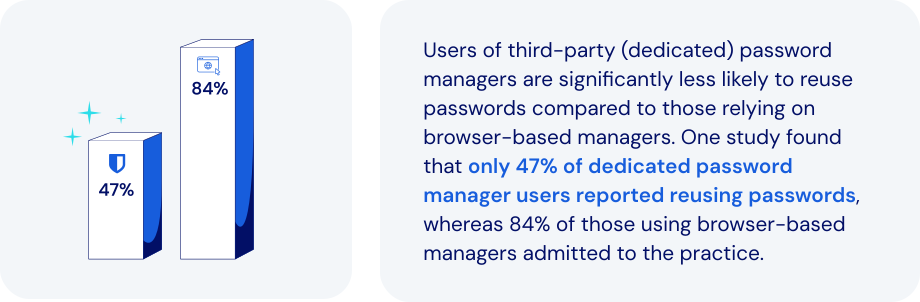
*Source: USENIX Association*
### What makes the dedicated password manager a better alternative?
Dedicated password management platforms overcome the shortcomings of [browser-based solutions](https://bitwarden.com/fr-fr/blog/make-way-for-your-password-manager/). They also introduce important new features, enhanced security, and portability. Specific features to look for:
- **Advanced encryption**: end-to-end AES-256 encryption and [zero-knowledge](https://bitwarden.com/fr-fr/blog/end-to-end-encryption-and-zero-knowledge/) principles can protect credentials far more effectively.
- **Cross-platform support**: seamless integration extends across all major browsers, mobile devices, and operating systems.
- **Centralized credential vault**: provides secure storage and management for passwords, [credit cards, secure notes](https://bitwarden.com/fr-fr/help/managing-items/), and infrastructure secrets like API keys.
- **Secure credential sharing**: encrypted and controlled sharing options include secure transmission to anyone.
- **Enhanced security features**: robust [MFA integration](https://bitwarden.com/fr-fr/blog/basics-of-two-factor-authentication-with-bitwarden/), phishing-resistant auto-fill protection, and breach reports all help proactively manage security risks.
- **Role-based access control (RBAC)**: allows precise control of credential access based on specific user roles and responsibilities.
- **Comprehensive audit and reporting**: detailed activity logs and compliance reporting improves visibility and regulatory adherence.
- **Secrets management**: secure handling of [DevOps credentials, API keys, and other infrastructure secrets](https://bitwarden.com/fr-fr/blog/flexible-bitwarden-secrets-manager/) is critical within development pipelines.
### How dedicated password managers keep today’s businesses safer
The password managers built into browsers like Chrome, Firefox, and Safari may offer basic password-saving features. But dedicated password managers provide far more comprehensive, secure, and efficient solutions for managing credentials. Today’s leading solutions allow you to:
- **Strengthen cybersecurity**: safeguard against browser vulnerabilities, malware, phishing, and credential theft.
- **Improve credential habits**: encourage [stronger password practices](https://bitwarden.com/fr-fr/blog/five-best-practices-for-password-management/) and proactive management of weak or compromised passwords.
- **Enhance credential control**: provide IT teams with centralized management, visibility, and enforcement capabilities.
- **Facilitate secure collaboration**: enable [secure credential sharing within teams](https://bitwarden.com/fr-fr/blog/password-sharing-best-practices-for-teams/), including the option to share hidden passwords.
- **Ensure regulatory compliance**: simplify adherence to standards like [ISO 27001](https://bitwarden.com/fr-fr/resources/how-password-management-helps-companies-achieve-iso-27001-certification/), SOC 2, HIPAA, and GDPR through audit-ready security practices.
- **Support operational continuity**: ensure ongoing access to critical credentials, minimizing operational disruptions.
- **Reduce IT overhead**: minimize password-related support requests by adding automation and self-service capabilities.
- **Secure infrastructure credentials**: leverage specialized solutions for secure management and automated injection of DevOps secrets.
Adopting best practices for password and credential management allows a business to address security gaps, improve access control, and enhance employee productivity.
### How Bitwarden helps support modernization
Bitwarden offers a comprehensive, secure, scalable solution. They also provide businesses with a clear path for embracing a more robust, enterprise-grade approach to credential security. Bitwarden facilitates a seamless, secure, successful transition by:
- **Offering a centralized, secure vault**: securely storing and managing credentials, infrastructure secrets, and sensitive information with AES-256 encryption.
- **Ensuring cross-browser and device compatibility**: allowing users consistent, secure access across diverse devices and platforms.
- **Enabling secure credential sharing**: providing robust tools like [Bitwarden Send](https://bitwarden.com/fr-fr/blog/bitwarden-send-how-it-works/) for encrypted credential sharing to anyone.
- **Implementing strong security measures**: leveraging MFA, domain matching, and breach monitoring to protect against credential theft and phishing.
- **Automating credential management**: integrating with directory services like AD and SCIM for efficient employee onboarding, offboarding, and automated credential provisioning.
- **Providing detailed audit and compliance tools**: comprehensive logging and reporting enhances security oversight and regulatory compliance.
- **Securing DevOps and IT credentials**: specialized management of DevOps secrets, including automated rotation and secure injection in [development pipelines](https://bitwarden.com/fr-fr/blog/why-does-my-development-team-need-a-secrets-manager/).
### The bottom line
By migrating to the enterprise-grade protection of Bitwarden, businesses can significantly improve their security posture within a very short time frame. This represents an opportunity to address security gaps, improve access control, and enhance employee productivity.
You’ll also be streamlining every facet of the credential management processes. Just one more reason Bitwarden is regarded as the most trusted name in password management.
### What makes Bitwarden stand out from the pack?
Bitwarden provides administrators a seamless, secure way to wean employees off of browser-based password managers in favor of a centrally-managed enterprise password manager. Unlike other password management offerings:
- Bitwarden's browser plugin supports nine browsers: Chrome, Edge, Firefox, Safari, Opera, Brave, Vivaldi, Tor, and DuckDuckGo. This represents the largest number of supported browsers for a password manager's browser-based plugin.
- Administrators can automate the deployment of Bitwarden browser extensions to end users via Microsoft Intune. Read more about this option in our deep dive: [Deploy Browser Extensions with Intune](https://bitwarden.com/fr-fr/help/deploy-browser-extensions-with-intune/).
## Obtenez dès maintenant une sécurité de mot de passe puissante et fiable. Choisissez votre plan.
## Personnel
### Gratuit
**$0**
*par mois*
*Gratuit pour toujours*
Profitez d'un coffre-fort Bitwarden
- Nombre illimité d'appareils
- Gestion des clés d'accès
- Toutes les fonctions essentielles
- Gratuit à vie
Partager des éléments du coffre-fort avec un autre utilisateur
[Commencez dès aujourd'hui](https://bitwarden.com/go/start-free/)
---
### Premium
**Less than $1**
*par mois*
*$10 facturés annuellement*
Profitez des fonctionnalités premium
- Bitwarden Authenticator
- Pièces jointes
- Accès d'urgence
- Rapports de sécurité et plus encore
Partager des éléments du coffre-fort avec un autre utilisateur
[Créer un compte premium](https://bitwarden.com/go/start-premium/)
---
### Familles
**$3.33**
*par mois*
*Jusqu'à 6 utilisateurs, 40 $ facturés annuellement*
Sécuriser vos identifiants familiaux
- 6 comptes premium
- Partage illimité
- Collections illimitées
- Organisation du stockage
Partager les éléments du coffre-fort entre six personnes
[Essai gratuit de 7 jours](https://bitwarden.com/go/start-families-trial/)
---
Les prix sont indiqués en USD et sont basés sur un abonnement annuel. Les taxes ne sont pas incluses.
## Entreprises
### Équipes
*Protection résiliente pour les équipes en croissance*
**$4**
*par mois / par utilisateur facturé annuellement*
Partagez des données sensibles en toute sécurité avec des collègues, à travers les départements ou l'ensemble de l'entreprise
- Partage sécurisé des données
- Surveillance du journal des événements
- Intégration de l'annuaire
- Soutien au SCIM
Inclut des fonctionnalités premium pour tous les utilisateurs
[Commencer un essai](https://bitwarden.com/go/start-teams-trial/)
---
### Entreprise
*Fonctionnalités avancées pour les grandes organisations*
**$6**
*par mois / par utilisateur facturé annuellement*
Utilisez des fonctionnalités avancées, notamment des politiques d'entreprise, la connexion sans mot de passe unique (SSO) et la récupération de compte.
- Politiques de sécurité de l'entreprise
- SSO sans mot de passe
- Recouvrement de compte
- Option d’autohébergement
Inclut des fonctionnalités premium et un plan familial gratuit pour tous les utilisateurs
[Commencer un essai](https://bitwarden.com/go/start-enterprise-trial/)
---
### Obtenez un devis
*Pour les entreprises comptant des centaines ou des milliers d'employés, veuillez contacter notre service commercial pour obtenir un devis personnalisé et voir comment Bitwarden peut vous aider :*
- Réduire le risque de cybersécurité
- Augmenter la productivité
- Intégrer de manière transparente
Bitwarden s'adapte à toutes les tailles d'entreprise pour garantir la sécurité des mots de passe au sein de votre organisation.
[Contacter le service commercial](https://bitwarden.com/contact-sales/)
---
Tarification indiquée en USD et basée sur un abonnement annuel
---
URL: https://bitwarden.com/fr-fr/resources/example-email-to-users-regarding-kdf-iterations-setting/
---
# Example email to users regarding KDF Iterations setting
Email template for admins to send to employees with instructions for updating KDF Iterations settings
---
*To: Employees*
*Subject: Action needed - new encryption standards for Bitwarden*
*[Company]* Bitwarden users,
We use Bitwarden for secure password management as part of our security protocol. It has become an essential tool for ensuring the security of our organization and maintaining good credential practices.
Earlier this year new security recommendations were put out by industry groups in response to increased hacking threats. As encryption-cracking devices become more powerful, encryption settings need to become stronger - all a part of the constant arms race between security professionals and hackers.
Bitwarden is abiding by these new recommendations, and when you log into the Bitwarden web app you may see a message saying your KDF Iterations setting is too low. This setting is part of the encryption process and everyone that uses Bitwarden needs to update it.
Follow these directions to ensure vault security:
1. Export your vault to create a backup. Follow the [instructions here](https://bitwarden.com/fr-fr/help/encrypted-export/#create-an-encrypted-export/) under **Create an encrypted export** for Web vault. Use the **Password protected**option and choose a password you remember, like your current master password.
2. Update your KDF iterations setting
1. Log into the Bitwarden web app at *[vault.bitwarden.com or your company’s self-hosted URL]*
2. Go to Account Settings (click on the round icon in the upper right)
3. Go to Security > Keys tab
4. In the KDF iterations box, change the number to 600000
5. Click the Change KDF button and confirm with your master password
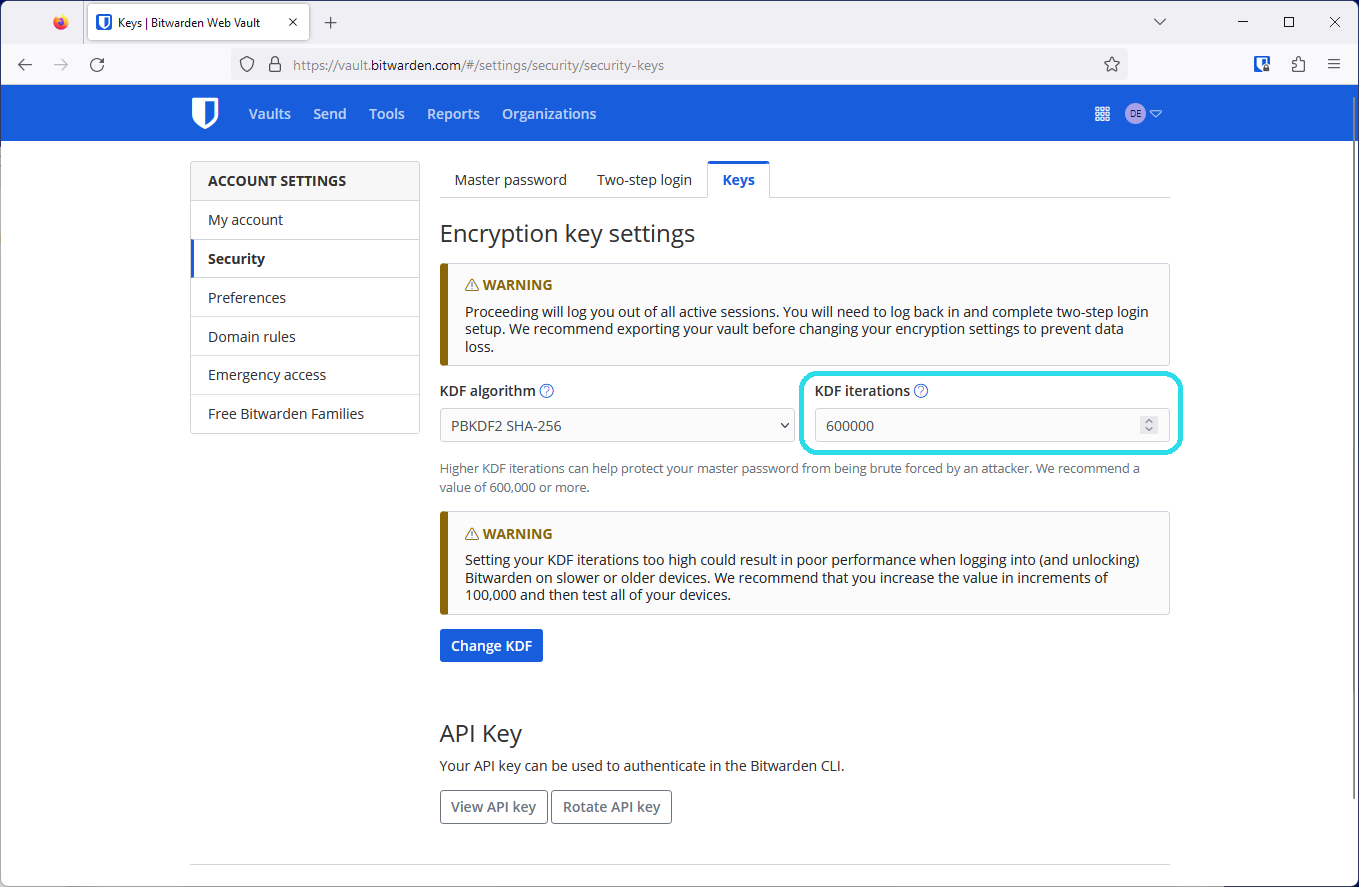
3. Log back in again on all your devices
This setting cannot be changed by admins as it is protected by your master password in your end-to-end encrypted Bitwarden account. Thank you for taking action, updating these settings, and being a part of *[Company’s] *security!
*[IT admin name, title]*
## Frequently asked questions
**Q:** **What is a KDF iteration and what does it do?
A:** A KDF iteration is part of the encryption process and refers to how many times the key derivation function algorithm runs before you can access your vault. Combined with a strong master password, a higher amount of iterations improves your vault’s resistance to hackers. Learn more about encryption security in this blog: [Bitwarden security fundamentals and multifactor encryption](https://bitwarden.com/fr-fr/blog/bitwarden-security-fundamentals-and-multifactor-encryption/)
**Q: What recommendations changed and why?
A:**The [OWASP Foundation](https://owasp.org/) is a respected leader in open security standards made up of teams of security professionals and encryption experts. Due to advances in hardware available to hackers today, OWASP increased their recommendations for the iterations settings for the [PBKDF2 algorithm](https://bitwarden.com/fr-fr/help/kdf-algorithms/#pbkdf2/) to improve resistance to brute-force hacking attempts.
**Q: What do I need to do?
A:**Update your KDF Iterations setting to 600,000 at minimum. Ensure [you’ve backed up your vault](https://bitwarden.com/fr-fr/help/encrypted-export/), then make the change in the Account Settings > Security > Keys window in the web app. In all it should take less than five minutes to update this setting.
**Q: Is this something the admins can do for me?
A:**Because the process of changing KDF iterations uses your master password, only the logged in user can change these settings.
**Q: Do all organization members need to update their KDF iterations to keep the organization secure?
A:**It is recommended that every member of an organization update their KDF iterations to provide the best security for the organization and their individual vaults.
**Q: Why should I back up my vault?**
**A:**Changing KDF iterations will log you out of Bitwarden on every device, so having a backup of your vault is helpful in case you cannot log back in. It is good practice to keep your master password and two-step login recovery codes in a safe place. For more information, please visit [Guide: How to create and store a backup of your Bitwarden vault.](https://bitwarden.com/fr-fr/resources/guide-how-to-create-and-store-a-backup-of-your-bitwarden-vault/)
**Q: What are other actions I can take to improve my account security?
A:**The best way to improve your security is to ensure that you have a [long, strong master password](https://bitwarden.com/fr-fr/blog/how-long-should-my-password-be/). After this, [enable two-step login](https://bitwarden.com/fr-fr/help/setup-two-step-login/) for a second factor of protection.
## Obtenez dès maintenant une sécurité de mot de passe puissante et fiable. Choisissez votre plan.
## Personnel
### Gratuit
**$0** *par mois*
*Gratuit pour toujours*
Profitez d'un coffre-fort Bitwarden
- Nombre illimité d'appareils
- Gestion des clés d'accès
- Toutes les fonctions essentielles
- Gratuit à vie
Partager des éléments du coffre-fort avec un autre utilisateur
[Commencez dès aujourd'hui](https://bitwarden.com/go/start-free/)
---
### Premium
**Less than $1** *par mois*
*$10 facturés annuellement*
Profitez des fonctionnalités premium
- Bitwarden Authenticator
- Pièces jointes
- Accès d'urgence
- Rapports de sécurité et plus encore
Partager des éléments du coffre-fort avec un autre utilisateur
[Créer un compte premium](https://bitwarden.com/go/start-premium/)
---
### Familles
**$3.33** *par mois*
*Jusqu'à 6 utilisateurs, 40 $ facturés annuellement*
Sécuriser vos identifiants familiaux
- 6 comptes premium
- Partage illimité
- Collections illimitées
- Organisation du stockage
Partager les éléments du coffre-fort entre six personnes
[Essai gratuit de 7 jours](https://bitwarden.com/go/start-families-trial/)
---
Les prix sont indiqués en USD et sont basés sur un abonnement annuel. Les taxes ne sont pas incluses.
## Entreprises
### Équipes
*Protection résiliente pour les équipes en croissance*
**$4** *par mois / par utilisateur facturé annuellement*
Partagez des données sensibles en toute sécurité avec des collègues, à travers les départements ou l'ensemble de l'entreprise
- Partage sécurisé des données
- Surveillance du journal des événements
- Intégration de l'annuaire
- Soutien au SCIM
Inclut des fonctionnalités premium pour tous les utilisateurs
[Commencer un essai](https://bitwarden.com/go/start-teams-trial/)
---
### Entreprise
*Fonctionnalités avancées pour les grandes organisations*
**$6** *par mois / par utilisateur facturé annuellement*
Utilisez des fonctionnalités avancées, notamment des politiques d'entreprise, la connexion sans mot de passe unique (SSO) et la récupération de compte.
- Politiques de sécurité de l'entreprise
- SSO sans mot de passe
- Recouvrement de compte
- Option d’autohébergement
Inclut des fonctionnalités premium et un plan familial gratuit pour tous les utilisateurs
[Commencer un essai](https://bitwarden.com/go/start-enterprise-trial/)
---
### Obtenez un devis
*Pour les entreprises comptant des centaines ou des milliers d'employés, veuillez contacter notre service commercial pour obtenir un devis personnalisé et voir comment Bitwarden peut vous aider :*
- Réduire le risque de cybersécurité
- Augmenter la productivité
- Intégrer de manière transparente
Bitwarden s'adapte à toutes les tailles d'entreprise pour garantir la sécurité des mots de passe au sein de votre organisation.
[Contacter le service commercial](https://bitwarden.com/contact-sales/)
---
Tarification indiquée en USD et basée sur un abonnement annuel
---
URL: https://bitwarden.com/fr-fr/resources/feb-2025-spotlight-just-released-bitwarden-security-readiness-kit/
---
# February 2025 Spotlight: Just Released! Bitwarden Security Readiness Kit
Welcome to the Bitwarden February newsletter
---
### Featured Highlights
**Security readiness kit**Don’t let lost login info lock you out. [The Bitwarden security readiness kit](https://bitwarden.com/fr-fr/resources/bitwarden-security-readiness-kit/) helps keep your most important information safe and accessible. Download the template, fill it out, and store it securely, whether in an encrypted file, a thumb drive that lives in a safe, bank deposit box, or at a trusted relative’s house. A simple step today can save you a major headache tomorrow.
**How to protect against ransomware**Part of maintaining good security is to use a password manager, ensuring there are no cracks in your defenses. Strong passwords are wonderful, but do you also have multi-factor authentication set up? Be sure your passwords are strong and unique, and at least 15 characters long. Go through these [ransomware quick tips](https://bitwarden.com/fr-fr/blog/how-password-security-best-practices-safeguard-against-ransomware/) for more ideas on how to keep your home and office safe.
**Bring Bitwarden to work**Love using Bitwarden at home? Bring that same security and convenience to the office with easy access to logins, corporate cards, and more all in one place. Ready to get rid of the password chaos and make work easier? [Bitwarden can help](https://bitwarden.com/fr-fr/go/bring-bitwarden-to-work/)!
### Readers Requests
**PRF WebAuthn and its role in passkeys**Bitwarden uses the latest WebAuthn PRF extension to enhance passkey functionality. This emerging standard allows users to access their vaults effortlessly without compromising security. See how [PRF is revolutionizing passwordless authentication](https://bitwarden.com/fr-fr/blog/prf-webauthn-and-its-role-in-passkeys/).
**Password manager tips for iPhone**Start with a 101 guide on how to [set Bitwarden up on iOS](https://bitwarden.com/fr-fr/help/getting-started-mobile/). Then, set Bitwarden as your [default password manager](https://bitwarden.com/fr-fr/help/integrated-authenticator/), which prevents Apple from automatically trying to save all your passwords. From there, learn how to [autofill passwords](https://bitwarden.com/fr-fr/help/auto-fill-ios/) or start using [passkeys](https://bitwarden.com/fr-fr/help/storing-passkeys/).
**Password manager tips for Android**Whether you’re just getting started with [Bitwarden on your Android device](https://bitwarden.com/fr-fr/help/getting-started-mobile/) or you need extra tips, we’ve got guides. See how to [autofill on Android](https://bitwarden.com/fr-fr/help/auto-fill-android/) or start using [passkeys on your phone](https://bitwarden.com/fr-fr/help/storing-passkeys/).
### Bitwarden Bites
**Travel smarter with Bitwarden**
Have you added your passport number to your vault for easy access when tax-free shopping? Or maybe you want to securely share your hotel or locker code with your travel partner. [This one-minute Japan travel video](https://www.youtube.com/watch?v=5yns3v-StOI) showcases the awesome ways Bitwarden password manager can make your travels safer and easier.
**Start your digital estate planning**
A tough, but necessary conversation to have: if a family member passed away today, would you be able to access important accounts? [This short digital estate planning segment](https://www.youtube.com/watch?v=98SYR5iDvKw&t=1592s) will help guide you through what information should be stored in the vault, how to ensure someone is able to access it, and more.
**Recent product updates to know about**Get up to speed on all the password manager [recent product updates](https://www.youtube.com/watch?v=98SYR5iDvKw&t=1002s). This short segment updates on web app device approvals and inline autofill TOTP codes. Plus, there are five new browser UI customizations available that allow users to play with workflows from the original UI.
### What Others Are Saying
**Essential tips from a Bitwarden fan**Security and privacy researcher Sooraj Sathyanarayanan crafted this stellar [Bitwarden security guide](https://gist.github.com/iAnonymous3000/27c5c7f30b0a8b82ca492f1664e41567) that he describes as “the essentials and some pro-level tricks to make your account a fortress.”
### In Case You Missed It
**A fan favorite on social media: How long should a password be?**The [ultimate guide to passwords](https://bitwarden.com/fr-fr/blog/how-long-should-my-password-be/) covering length, character types, randomness, and more. Check out this colorful infographic from the guide that reveals how quickly weak passwords can be cracked versus those built to last a lifetime (or longer!). Are your passwords strong enough to last centuries?
## Obtenez dès maintenant une sécurité de mot de passe puissante et fiable. Choisissez votre plan.
## Personnel
### Gratuit
**$0** *par mois*
*Gratuit pour toujours*
Profitez d'un coffre-fort Bitwarden
- Nombre illimité d'appareils
- Gestion des clés d'accès
- Toutes les fonctions essentielles
- Gratuit à vie
Partager des éléments du coffre-fort avec un autre utilisateur
[Commencez dès aujourd'hui](https://bitwarden.com/go/start-free/)
---
### Premium
**Less than $1** *par mois*
*$10 facturés annuellement*
Profitez des fonctionnalités premium
- Bitwarden Authenticator
- Pièces jointes
- Accès d'urgence
- Rapports de sécurité et plus encore
Partager des éléments du coffre-fort avec un autre utilisateur
[Créer un compte premium](https://bitwarden.com/go/start-premium/)
---
### Familles
**$3.33** *par mois*
*Jusqu'à 6 utilisateurs, 40 $ facturés annuellement*
Sécuriser vos identifiants familiaux
- 6 comptes premium
- Partage illimité
- Collections illimitées
- Organisation du stockage
Partager les éléments du coffre-fort entre six personnes
[Essai gratuit de 7 jours](https://bitwarden.com/go/start-families-trial/)
---
Les prix sont indiqués en USD et sont basés sur un abonnement annuel. Les taxes ne sont pas incluses.
## Entreprises
### Équipes
*Protection résiliente pour les équipes en croissance*
**$4** *par mois / par utilisateur facturé annuellement*
Partagez des données sensibles en toute sécurité avec des collègues, à travers les départements ou l'ensemble de l'entreprise
- Partage sécurisé des données
- Surveillance du journal des événements
- Intégration de l'annuaire
- Soutien au SCIM
Inclut des fonctionnalités premium pour tous les utilisateurs
[Commencer un essai](https://bitwarden.com/go/start-teams-trial/)
---
### Entreprise
*Fonctionnalités avancées pour les grandes organisations*
**$6** *par mois / par utilisateur facturé annuellement*
Utilisez des fonctionnalités avancées, notamment des politiques d'entreprise, la connexion sans mot de passe unique (SSO) et la récupération de compte.
- Politiques de sécurité de l'entreprise
- SSO sans mot de passe
- Recouvrement de compte
- Option d’autohébergement
Inclut des fonctionnalités premium et un plan familial gratuit pour tous les utilisateurs
[Commencer un essai](https://bitwarden.com/go/start-enterprise-trial/)
---
### Obtenez un devis
*Pour les entreprises comptant des centaines ou des milliers d'employés, veuillez contacter notre service commercial pour obtenir un devis personnalisé et voir comment Bitwarden peut vous aider :*
- Réduire le risque de cybersécurité
- Augmenter la productivité
- Intégrer de manière transparente
Bitwarden s'adapte à toutes les tailles d'entreprise pour garantir la sécurité des mots de passe au sein de votre organisation.
[Contacter le service commercial](https://bitwarden.com/contact-sales/)
---
Tarification indiquée en USD et basée sur un abonnement annuel
---
URL: https://bitwarden.com/fr-fr/resources/february-2023-spotlight-bitwarden-adds-multifactor-encryption/
---
# February 2023 Spotlight: Bitwarden adds multifactor encryption
Beyond security enhancements, Bitwarden will soon launch Secrets Manager Beta, an easier way for teams to manage secrets at scale.
---
## Featured Highlights

Coming in Spring 2023, the new Bitwarden Secrets Manager delivers a simpler, easier way for developers, devops, and cybersecurity teams to secure and manage secrets at scale. The beta offering will include easy onboarding and deployment, centralized management of developer and infrastructure secrets, and powerful, open source security with end-to-end encryption. Sign up to [become a beta tester](https://btwrdn.com/secrets-beta-signup) and receive more information on Bitwarden Secrets Manager!

A strong master password provides the first and most important level of protection to safeguard your vault data. Beyond this, Bitwarden adds additional layers of encryption and protection – called multifactor encryption – when your vault syncs with the Bitwarden cloud. Learn how [multifactor encryption](https://bitwarden.com/fr-fr/blog/bitwarden-security-fundamentals-and-multifactor-encryption/) works to reinforce security and protect your vault information.
## Enjoying this update? Subscribe today.
*Receive the latest product updates, hand-picked articles, community highlights, and more.*
[Contact form]
## More Bits and Bites
[**Access your Bitwarden vault without a password**](https://bitwarden.com/fr-fr/blog/access-your-bitwarden-vault-without-a-password/)
In the latest release, Bitwarden extended the **Log in with device** capability to let you log in without using your master password in your browser extensions, desktop app, and more. Learn how [this enhanced feature](https://bitwarden.com/fr-fr/blog/access-your-bitwarden-vault-without-a-password/) works, how it maintains security, and what the future of passwordless looks like for Bitwarden users around the world.
[**How to create custom fields for Bitwarden vault entries**](https://bitwarden.com/fr-fr/blog/how-to-create-custom-fields-for-bitwarden-vault-entries/)
There are a variety of vault entry options that come out of box with your Bitwarden account such as Name, Username, Password, Authenticator Key, URL, and more. But let’s say you need to add an entry that’s unique, such as an SSH key or custom fields to auto-populate web forms. Bitwarden makes this easy with the ability to create custom fields. Follow the simple [step by step process](https://bitwarden.com/fr-fr/blog/how-to-create-custom-fields-for-bitwarden-vault-entries/) to get started.
[**Bitwarden design: updating admin views in the web vault**](https://bitwarden.com/fr-fr/blog/bitwarden-design-admin-views-in-the-web-vault/)
In the latest February release, Bitwarden built a series of updates to improve usability for organization administrators and owners. Improvements were made to the Vault page, the Members Page, and the Groups page to make navigating and managing your Bitwarden organization faster and easier. New columns were added to each of them to show listed items’ attributes at a glance. Read the article to learn more about [the latest updates](https://bitwarden.com/fr-fr/blog/bitwarden-design-admin-views-in-the-web-vault/) to the Bitwarden design.
[**Pepper for your password**](https://bitwarden.com/fr-fr/blog/pepper-for-your-password/)
For those vault items that need serious care, some users might opt to go the peppering route to give them an added layer of security. Peppering involves adding or subtracting a string of characters to a password entry that isn't part of the password but is known only by you. Although peppering is a very simple idea to implement, it does have a few implications that you must take into consideration. Learn more about the [two types of peppering](https://bitwarden.com/fr-fr/blog/pepper-for-your-password/) and the caveats to be aware of.
[**Filling in digit-specific passwords**](https://bitwarden.com/fr-fr/blog/filling-in-digit-specific-passwords/)
With cybercrime on the rise, institutions invent new and creative ways to strengthen account authentication, such as prompting users to enter *specific password characters* upon logging in. In this example, if your password is b!tw@ard3nr0k$, your bank may prompt you to enter the 2nd, 8th, 10th, and 13th characters of your password which would be !, t, r, and $. While this may make it harder to crack, it undoubtedly adds friction to the user login experience. Fortunately, Bitwarden now offers an easy way for users to quickly identify [digit-specific password](https://bitwarden.com/fr-fr/blog/filling-in-digit-specific-passwords/) characters in the browser extension app.
## Community Spotlight
As an open-source project, the global [Bitwarden community](https://community.bitwarden.com/) plays an important role in contributing to a world free of breaches and hacks. Special thanks to the following community members that shared useful tips to help others get the most out of their Bitwarden experience.
Big thank you to community member, [Bernd Schoolmann](https://community.bitwarden.com/u/quexten/summary), for partnering with Bitwarden to implement an additional option for encryption, Argon2, as well as Argon2 KDF configuration options. Below are the links to explore the updates yourself!

[https://github.com/bitwarden/clients/pull/4468](https://github.com/bitwarden/clients/pull/4468)

[https://github.com/bitwarden/mobile/pull/2293](https://github.com/bitwarden/mobile/pull/2293)
1. Thank you **@frikeer** for [sharing](https://www.reddit.com/r/Bitwarden/comments/11d4ph4/comment/ja7fnc2/?utm_source=share&utm_medium=web2x&context=3) your approach to auto-pasting TOTP codes.
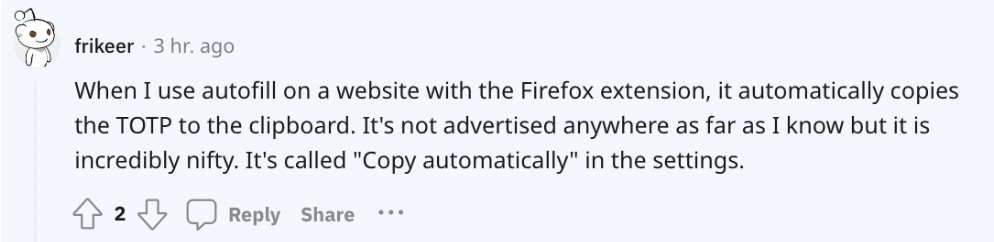
2. Thank you **@jvh@twit.social** for [commenting](https://twit.social/@jvh/109864428975216867) on how you simplify two-factor authentication with Bitwarden.
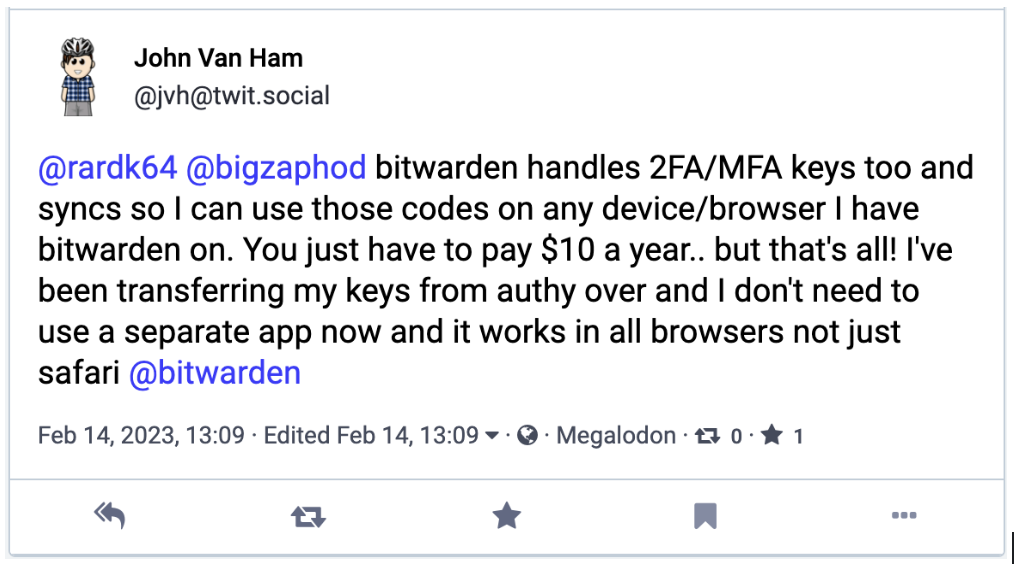
## Upcoming Events
- [Weekly Live Demo](https://bitwarden.com/fr-fr/bitwarden-demo/): Every Wednesday at 12 pm EDT
- [Hacker’s Guide to VIP Security](https://hopin.com/events/hackers-guide-to-vip-security/registration): 3/9 at 12 pm EDT
- [Managed Service Provider (MSP) Demo](https://us02web.zoom.us/webinar/register/WN_brb8B0x9TGqE5DA-FS6iDA): 3/16 at 12 pm EDT
- [Managed Service Provider (MSP) Demo](https://us02web.zoom.us/webinar/register/WN_Bvqb2kORTR22I-giFiVOhw): 3/23 at 12 pm EDT
- [Monthly Vault Hours](https://www.crowdcast.io/e/vault-hours-33): 3/31 at 12 pm EDT
That’s it for now. Let us know what you think about this newsletter including potential topics you’d like to see.
**Until next time,**
Team Bitwarden
## Bitwarden is Certified as a Best Place to Work in 2023!
Interested in joining the Bitwarden team? Visit [our careers page](https://bitwarden.com/fr-fr/careers/) to explore open roles.
## Obtenez dès maintenant une sécurité de mot de passe puissante et fiable. Choisissez votre plan.
## Personnel
### Gratuit
**$0** *par mois*
*Gratuit pour toujours*
Profitez d'un coffre-fort Bitwarden
- Nombre illimité d'appareils
- Gestion des clés d'accès
- Toutes les fonctions essentielles
- Gratuit à vie
Partager des éléments du coffre-fort avec un autre utilisateur
[Commencez dès aujourd'hui](https://bitwarden.com/go/start-free/)
---
### Premium
**Less than $1** *par mois*
*$10 facturés annuellement*
Profitez des fonctionnalités premium
- Bitwarden Authenticator
- Pièces jointes
- Accès d'urgence
- Rapports de sécurité et plus encore
Partager des éléments du coffre-fort avec un autre utilisateur
[Créer un compte premium](https://bitwarden.com/go/start-premium/)
---
### Familles
**$3.33** *par mois*
*Jusqu'à 6 utilisateurs, 40 $ facturés annuellement*
Sécuriser vos identifiants familiaux
- 6 comptes premium
- Partage illimité
- Collections illimitées
- Organisation du stockage
Partager les éléments du coffre-fort entre six personnes
[Essai gratuit de 7 jours](https://bitwarden.com/go/start-families-trial/)
---
Les prix sont indiqués en USD et sont basés sur un abonnement annuel. Les taxes ne sont pas incluses.
## Entreprises
### Équipes
*Protection résiliente pour les équipes en croissance*
**$4** *par mois / par utilisateur facturé annuellement*
Partagez des données sensibles en toute sécurité avec des collègues, à travers les départements ou l'ensemble de l'entreprise
- Partage sécurisé des données
- Surveillance du journal des événements
- Intégration de l'annuaire
- Soutien au SCIM
Inclut des fonctionnalités premium pour tous les utilisateurs
[Commencer un essai](https://bitwarden.com/go/start-teams-trial/)
---
### Entreprise
*Fonctionnalités avancées pour les grandes organisations*
**$6** *par mois / par utilisateur facturé annuellement*
Utilisez des fonctionnalités avancées, notamment des politiques d'entreprise, la connexion sans mot de passe unique (SSO) et la récupération de compte.
- Politiques de sécurité de l'entreprise
- SSO sans mot de passe
- Recouvrement de compte
- Option d’autohébergement
Inclut des fonctionnalités premium et un plan familial gratuit pour tous les utilisateurs
[Commencer un essai](https://bitwarden.com/go/start-enterprise-trial/)
---
### Obtenez un devis
*Pour les entreprises comptant des centaines ou des milliers d'employés, veuillez contacter notre service commercial pour obtenir un devis personnalisé et voir comment Bitwarden peut vous aider :*
- Réduire le risque de cybersécurité
- Augmenter la productivité
- Intégrer de manière transparente
Bitwarden s'adapte à toutes les tailles d'entreprise pour garantir la sécurité des mots de passe au sein de votre organisation.
[Contacter le service commercial](https://bitwarden.com/contact-sales/)
---
Tarification indiquée en USD et basée sur un abonnement annuel
---
URL: https://bitwarden.com/fr-fr/resources/february-2024-spotlight-inline-auto-fill-menu-is-now-live/
---
# February 2024 Spotlight: Inline auto-fill menu is now live!
Learn about a feature highly requested by the Bitwarden community
---
## Featured Highlights
[](https://bitwarden.com/blog/how-to-export-your-bitwarden-vault/)
*Comment exporter votre coffre-fort Bitwarden*
Maintain peace of mind by having an encrypted, local backup of your vault! Learn how easy it is to [export your Bitwarden vault](https://bitwarden.com/fr-fr/blog/how-to-export-your-bitwarden-vault/) and take control of your digital security.
[](https://bitwarden.com/blog/bitwarden-passkeys-mobile)
*Social Media Cards Q2 2024.png*
Join the beta program for iOS and Android and experience the convenience and security of passkeys synced across your devices contribute by testing the feature and providing feedback. Get [all the details](https://bitwarden.com/fr-fr/blog/bitwarden-passkeys-mobile/) on this open beta program and how to experience it yourself.
## Enjoying this update? Subscribe today.
*Receive the latest product updates, hand-picked articles, community highlights, and more.*
[Contact form]
## More Bitwarden Bites
[**How a password manager can help organizations pass penetration tests**](https://bitwarden.com/fr-fr/blog/how-a-password-manager-can-help-organizations-pass-penetration-tests/)
Penetration testing, or pen testing, simulates a cyberattack to identify vulnerabilities in a company's systems in a safe, controlled, and well-documented environment. Rolling out an enterprise-wide password manager increases a company's chances of passing the pen test portion of a security audit. Learn more about it in this [article](https://bitwarden.com/fr-fr/blog/how-a-password-manager-can-help-organizations-pass-penetration-tests/).
[**World Backup Day - Top tips to protect your passwords**](https://bitwarden.com/fr-fr/blog/world-backup-day/)
On World Backup Day, we remember how important it is to back up our data. This [post](https://bitwarden.com/fr-fr/blog/world-backup-day/) discusses protecting your primary login for your password manager as well as the information within your vault.
## Cybersecurity News
[**World Password Day Survey 2024**](https://bitwarden.com/fr-fr/resources/world-password-day/)
The Bitwarden World Password Day survey, conducted in the spring of 2024, gathered insights from 2,400 individuals. The [survey results](https://bitwarden.com/fr-fr/resources/world-password-day/) detail password security habits at home and in the workplace, assess the perceived impacts of phishing and AI on online security, and capture user sentiment towards passkey adoption as an emerging authentication method.
[**West Coast media institution selects Bitwarden for ease of deployment and Active Directory integration**](https://bitwarden.com/fr-fr/resources/west-coast-media-institution-selects-bitwarden/)
When this media organization found their legacy password management solution had been breached, they selected Bitwarden to protect sensitive information and enable it to continue its mission of bringing original, high-quality programming to its viewers. Learn more about their Bitwarden deployment in this [resource](https://bitwarden.com/fr-fr/resources/west-coast-media-institution-selects-bitwarden/).
## Development Tips and Updates
[**Bitwarden releases magic links API**](https://bitwarden.com/fr-fr/blog/bitwarden-magic-links-api/)
In this [article](https://bitwarden.com/fr-fr/blog/bitwarden-magic-links-api/), learn how developers use Bitwarden Passwordless.dev plug-and-play SDKs to build magic links, one-time links to authenticate users. Integrating magic links into the authentication workflow improves user experience, increases security, and reduces support burdens associated with passwords.
[**Discover PasskeyIndex.io: Your Community Hub for Passkeys**](https://bitwarden.com/fr-fr/blog/discover-passkeyindex-io-your-community-hub-for-passkeys/)
Are you looking for a list of sites and platforms that support passkeys? Read this [blog](https://bitwarden.com/fr-fr/blog/discover-passkeyindex-io-your-community-hub-for-passkeys/) on PasskeyIndex.io – a community-driven platform dedicated to collecting and organizing a list of services that are passkey-enabled.
[**Bitwarden releases Android SDK for passkey development**](https://bitwarden.com/fr-fr/blog/bitwarden-android-sdk-for-passkey-development/)
To better serve the needs of developers looking to passkey-enable their Android applications, Bitwarden has released a new Android SDK that puts FIDO2 passkey development tools directly in the hands of developers. Take a look at this [guide](https://bitwarden.com/fr-fr/blog/bitwarden-android-sdk-for-passkey-development/) and get started with the Bitwarden Passwordless.dev Android SDK.
## Community Spotlight
This month’s newsletter spotlights u/Legal_Ad_5437 for beginning a crucial conversation - what happens when you become too old to remember things such as master passwords and secondary verification accounts? Read helpful advice from community members in this [Reddit post](https://www.reddit.com/r/Bitwarden/comments/1bxfqkb/digital_preparation_for_old_age/).

*Screenshot 2024-04-29 at 10.51.15 PM*
## Bitwarden Learning Center
Check out [Bitwarden 101](https://bitwarden.com/fr-fr/learning/pm-101-getting-started-as-a-user/) for a short video series on how to get started with Bitwarden Password Manager as an administrator or end user.
That’s it for now. For more product updates and online security tips, visit the Bitwarden [blog](https://bitwarden.com/fr-fr/blog/).
**Until next time,**
Team Bitwarden
## Hi readers!
Take this [two-minute](https://forms.bitwarden.com/newsletter) survey to help us improve the monthly Bitwarden Newsletter and deliver the information you care most about.
## Obtenez dès maintenant une sécurité de mot de passe puissante et fiable. Choisissez votre plan.
## Personnel
### Gratuit
**$0** *par mois*
*Gratuit pour toujours*
Profitez d'un coffre-fort Bitwarden
- Nombre illimité d'appareils
- Gestion des clés d'accès
- Toutes les fonctions essentielles
- Gratuit à vie
Partager des éléments du coffre-fort avec un autre utilisateur
[Commencez dès aujourd'hui](https://bitwarden.com/go/start-free/)
---
### Premium
**Less than $1** *par mois*
*$10 facturés annuellement*
Profitez des fonctionnalités premium
- Bitwarden Authenticator
- Pièces jointes
- Accès d'urgence
- Rapports de sécurité et plus encore
Partager des éléments du coffre-fort avec un autre utilisateur
[Créer un compte premium](https://bitwarden.com/go/start-premium/)
---
### Familles
**$3.33** *par mois*
*Jusqu'à 6 utilisateurs, 40 $ facturés annuellement*
Sécuriser vos identifiants familiaux
- 6 comptes premium
- Partage illimité
- Collections illimitées
- Organisation du stockage
Partager les éléments du coffre-fort entre six personnes
[Essai gratuit de 7 jours](https://bitwarden.com/go/start-families-trial/)
---
Les prix sont indiqués en USD et sont basés sur un abonnement annuel. Les taxes ne sont pas incluses.
## Entreprises
### Équipes
*Protection résiliente pour les équipes en croissance*
**$4** *par mois / par utilisateur facturé annuellement*
Partagez des données sensibles en toute sécurité avec des collègues, à travers les départements ou l'ensemble de l'entreprise
- Partage sécurisé des données
- Surveillance du journal des événements
- Intégration de l'annuaire
- Soutien au SCIM
Inclut des fonctionnalités premium pour tous les utilisateurs
[Commencer un essai](https://bitwarden.com/go/start-teams-trial/)
---
### Entreprise
*Fonctionnalités avancées pour les grandes organisations*
**$6** *par mois / par utilisateur facturé annuellement*
Utilisez des fonctionnalités avancées, notamment des politiques d'entreprise, la connexion sans mot de passe unique (SSO) et la récupération de compte.
- Politiques de sécurité de l'entreprise
- SSO sans mot de passe
- Recouvrement de compte
- Option d’autohébergement
Inclut des fonctionnalités premium et un plan familial gratuit pour tous les utilisateurs
[Commencer un essai](https://bitwarden.com/go/start-enterprise-trial/)
---
### Obtenez un devis
*Pour les entreprises comptant des centaines ou des milliers d'employés, veuillez contacter notre service commercial pour obtenir un devis personnalisé et voir comment Bitwarden peut vous aider :*
- Réduire le risque de cybersécurité
- Augmenter la productivité
- Intégrer de manière transparente
Bitwarden s'adapte à toutes les tailles d'entreprise pour garantir la sécurité des mots de passe au sein de votre organisation.
[Contacter le service commercial](https://bitwarden.com/contact-sales/)
---
Tarification indiquée en USD et basée sur un abonnement annuel
---
URL: https://bitwarden.com/fr-fr/resources/five-best-practices-for-password-management-white-paper/
---
# Cinq bonnes pratiques pour la gestion des mots de passe en entreprise
Ce livre blanc présente les meilleures pratiques en matière de gestion des mots de passe d'entreprise.
---
Alors que les organisations continuent à faire de la sécurité une priorité, une partie importante de cet effort consiste à éduquer et à responsabiliser les utilisateurs généraux sur les meilleures pratiques. Voici quelques statistiques tirées du rapport Yubico 2019 State of Password and Security Authentication Security Behaviors [Report (Rapport sur](https://www.yubico.com/blog/yubico-releases-the-2019-state-of-password-and-authentication-security-behaviors-report/) l'état des comportements en matière de mots de passe et d'authentification) :
- 2 personnes interrogées sur 3 partagent leurs mots de passe avec leurs collègues
- 51% des participants déclarent réutiliser les mots de passe sur leurs comptes personnels et professionnels.
- 57% ont déclaré ne pas avoir modifié leurs mots de passe après avoir subi une tentative d'hameçonnage.
Pour faire évoluer une entreprise, les équipes chargées de la sécurité et de l'informatique doivent former les employés aux meilleures pratiques. En ce qui concerne la gestion des mots de passe, l'un des moyens les plus simples d'encourager une bonne hygiène des mots de passe est de déployer une solution de gestion des mots de passe sur votre lieu de travail. Voici quelques bonnes pratiques à adopter.
### 1. Utiliser une solution de gestion des mots de passe
Tout au long de la journée, la plupart des gens visitent de nombreux sites différents qui nécessitent des mots de passe. Il est pratiquement impossible de mémoriser un grand nombre de mots de passe (ou phrases de passe) uniques et suffisamment forts. Un gestionnaire de mots de passe simplifie l'utilisation des mots de passe sur différents sites afin de renforcer la sécurité des utilisateurs. Il existe un certain nombre de gestionnaires de mots de passe efficaces. Donnez la priorité à ceux qui fonctionnent sur plusieurs plates-formes et qui offrent des services aux particuliers gratuitement ou à un prix très bas. La plupart des fonctionnalités des gestionnaires de mots de passe se sont également développées au fil des ans.
### 2. Choisissez un outil que vous pouvez facilement déployer au sein de votre organisation
Les gestionnaires de mots de passe doivent être faciles à utiliser pour tous les niveaux d'utilisateurs, du débutant au plus expérimenté. Si l'on considère une base d'employés importante ou distribuée, les applications doivent être intuitives pour l'utilisateur et faciles à déployer. Par exemple, que vous choisissiez le Bitwarden Cloud ou que vous déployiez votre propre instance hébergée, il est facile de mettre Bitwarden en place et de le faire fonctionner. Bitwarden Directory Connector fonctionne avec les services d'annuaire les plus utilisés aujourd'hui, tels qu'Azure, Active Directory, Google, Okta et d'autres, pour que les utilisateurs de Bitwarden restent en phase avec vos équipes et vos employés.
### 3. Ne changez vos mots de passe que lorsque vous risquez d'avoir été compromis
L'époque où l'on changeait son mot de passe tous les trois mois est révolue. Vous ne devez désormais les modifier que si vous pensez avoir été compromis. Le National Institute of Standards and Technology [(NIST)](https://pages.nist.gov/800-63-3/sp800-63b.html) ne recommande pas aux utilisateurs de modifier fréquemment leurs mots de passe. Cela conduit en fait à un comportement qui peut aboutir à des mots de passe plus faibles au fil du temps. Vous pouvez déterminer si un mot de passe a été compromis en vous référant à des preuves tangibles, telles qu'une fraude à la carte de crédit, ou en utilisant un outil (comme votre gestionnaire de mots de passe) qui peut déterminer si votre mot de passe a été exposé lors d'une violation.
### 4. Utiliser des mots de passe forts et uniques
L'utilisation de mots de passe forts et uniques pour chaque service que vous utilisez en ligne permet de minimiser l'impact des violations de données. Un mot de passe fort ne signifie pas nécessairement qu'il suffit d'ajouter des caractères spéciaux ou des chiffres à un mot ou à un nom courant, mais qu'il faut augmenter l'entropie du mot de passe, c'est-à-dire son caractère aléatoire. Une tactique simple pour créer un mot de passe fort consiste à utiliser une phrase de passe. Une phrase de passe combine des mots ou des phrases apparemment sans rapport qui sont facilement mémorisables par l'utilisateur, mais qui seraient autrement difficiles à deviner par un pirate. Les phrases de passe ont un degré élevé d'entropie tout en étant faciles à mémoriser.
### 5. Activer l'authentification à deux facteurs chaque fois que cela est possible
L'authentification à deux facteurs (2FA) étant de plus en plus répandue sur les sites web grand public et professionnels, un bon gestionnaire de mots de passe comprendra des moyens d'étendre cette fonction. L'utilisation de 2FA augmente la sécurité de votre compte en vous demandant d'entrer un autre jeton en plus de votre mot de passe principal. Même si quelqu'un découvrait votre mot de passe principal, il ne pourrait pas se connecter à votre gestionnaire de mots de passe sans avoir accès au jeton supplémentaire. Si vous souhaitez commencer à utiliser un gestionnaire de mots de passe, vous pouvez ouvrir un compte Bitwarden gratuit [ici](https://bitwarden.com/fr-fr/go/start-free/).
## Obtenez dès maintenant une sécurité de mot de passe puissante et fiable. Choisissez votre plan.
## Personnel
### Gratuit
**$0** *par mois*
*Gratuit pour toujours*
Profitez d'un coffre-fort Bitwarden
- Nombre illimité d'appareils
- Gestion des clés d'accès
- Toutes les fonctions essentielles
- Gratuit à vie
Partager des éléments du coffre-fort avec un autre utilisateur
[Commencez dès aujourd'hui](https://bitwarden.com/go/start-free/)
---
### Premium
**Less than $1** *par mois*
*$10 facturés annuellement*
Profitez des fonctionnalités premium
- Bitwarden Authenticator
- Pièces jointes
- Accès d'urgence
- Rapports de sécurité et plus encore
Partager des éléments du coffre-fort avec un autre utilisateur
[Créer un compte premium](https://bitwarden.com/go/start-premium/)
---
### Familles
**$3.33** *par mois*
*Jusqu'à 6 utilisateurs, 40 $ facturés annuellement*
Sécuriser vos identifiants familiaux
- 6 comptes premium
- Partage illimité
- Collections illimitées
- Organisation du stockage
Partager les éléments du coffre-fort entre six personnes
[Essai gratuit de 7 jours](https://bitwarden.com/go/start-families-trial/)
---
Les prix sont indiqués en USD et sont basés sur un abonnement annuel. Les taxes ne sont pas incluses.
## Entreprises
### Équipes
*Protection résiliente pour les équipes en croissance*
**$4** *par mois / par utilisateur facturé annuellement*
Partagez des données sensibles en toute sécurité avec des collègues, à travers les départements ou l'ensemble de l'entreprise
- Partage sécurisé des données
- Surveillance du journal des événements
- Intégration de l'annuaire
- Soutien au SCIM
Inclut des fonctionnalités premium pour tous les utilisateurs
[Commencer un essai](https://bitwarden.com/go/start-teams-trial/)
---
### Entreprise
*Fonctionnalités avancées pour les grandes organisations*
**$6** *par mois / par utilisateur facturé annuellement*
Utilisez des fonctionnalités avancées, notamment des politiques d'entreprise, la connexion sans mot de passe unique (SSO) et la récupération de compte.
- Politiques de sécurité de l'entreprise
- SSO sans mot de passe
- Recouvrement de compte
- Option d’autohébergement
Inclut des fonctionnalités premium et un plan familial gratuit pour tous les utilisateurs
[Commencer un essai](https://bitwarden.com/go/start-enterprise-trial/)
---
### Obtenez un devis
*Pour les entreprises comptant des centaines ou des milliers d'employés, veuillez contacter notre service commercial pour obtenir un devis personnalisé et voir comment Bitwarden peut vous aider :*
- Réduire le risque de cybersécurité
- Augmenter la productivité
- Intégrer de manière transparente
Bitwarden s'adapte à toutes les tailles d'entreprise pour garantir la sécurité des mots de passe au sein de votre organisation.
[Contacter le service commercial](https://bitwarden.com/contact-sales/)
---
Tarification indiquée en USD et basée sur un abonnement annuel
---
URL: https://bitwarden.com/fr-fr/resources/global-language-platform-strengthens-password-sharing-and-management-with-bitwarden/
---
# Global language platform strengthens password sharing and management with Bitwarden
Brent Long is the IT administrator for DMM Eikaiwa, one of the largest online English class providers in the world. He recently shared his experience on how his team uses Bitwarden to manage and secure passwords across a distributed company.
---
## Q: What is DMM Eikaiwa and your role here?
DMM Eikaiwa operates across more than 120 countries globally with 10,000 teachers and ranked as the number one online English class provider in Japan. Outside of Japan, we operate under the brand names Engoo and Bibo.
As the IT administrator, I'm responsible for ensuring that all of our remote employees from locations around the world, including Japan, Taiwan, Korea, Thailand, the Philippines, and European countries, comply with our security policy and properly install and use software security solutions such as Bitwarden.
We handle the personal information of many individual customers and instructors, so we have strict security standards, including password management.
DMM Eikaiwa is not just a school, but a platform. Because our products are used by corporate clients and other English schools, we provide strict security measures for our major clients, and secure password management with Bitwarden is one of those.
## Q: Why did you choose Bitwarden?
As our business grows and our membership increases, our exposure to security risks go up. For this reason, we have focused over the past year on strengthening our security, including password management.
Before Bitwarden, we were using another password manager, but when they made changes to their plan we decided it was time to search for a new password manager that was effective both in price and functionality.
At the time, we were experiencing problems with unauthorized password sharing among employees without the knowledge of our IT department. As a result, one of the goals for a new password manager was to help us reduce such risk factors.
Bitwarden enables our IT and security departments to share passwords and manage access for their employees. This is the main reaason why we switched to Bitwarden a year ago.
Currently, all of the more than 250 full- and part-time employees use Bitwarden. Any employee with access to customer information is required to manage their passwords in Bitwarden.
## Q: What has changed as a result of using Bitwarden?
In the past, there were occasions when employees would hand in sticky notes with passwords written on them. We eliminated that practice after conducting security training for all employees. Some used to write all their passwords in Excel or memorize 10 or 20 passwords, but now Bitwarden provides everyone in the company a way to easily and securely manage passwords. The Bitwarden policy for requiring two-factor authentication is also globally enforced and adds another layer of security.
When employees need to share passwords, they now do so through Bitwarden. This is more secure and the IT department can track the status of sharing. And, of course, there are no more weak and reused passwords.
People unfamiliar with password management software may initially reject it. But once they learn that taking five minutes to familiarize themselves with it can save them a large amount of time and effort in the rest of their lives, they all use it eagerly. That's why training employees and communicating the benefits of a password manager are so important.
## Q: What benefits have you experienced with Bitwarden?
Our IT department performs unannounced security checks. We do not directly see the passwords that our employees are using, but instead we ask them to show the Bitwarden password strength report to verify that the passwords they are using are strong enough and that they are not being used repeatedly.
What makes Bitwarden great for IT administrators is how easy it is to add or remove internal users. In our company, employees access as many as 200 different services through IDs and passwords. When an employee leaves the company, all IDs and passwords that the employee had access to can be instantly ascertained by IT. From there, we can easily delete or reset credentials.
With Bitarden, we no longer have to remember passwords and can use unique, strong passwords for different software and service accounts, which has dramatically increased security. We can access all our passwords at any time, whether at the office or at home, on any device or browser.
I personally use Bitwarden at home with my family. I have created a family collection and share necessary passwords among family members, knowing that everything is secure.
## Get started with Bitwarden
**About DMM Eikaiwa**
DMM Eikaiwa is an online English conversation service that allows you to take one-on-one lessons 24 hours a day, 365 days a year, anywhere from your computer, tablet or smartphone. With more than 10,000 English tutors from 120 countries around the world, including native English-speaking countries, Asia, Europe, and Latin America, you can learn not only the language but also cultures, customs, and diverse values from all over the world. We have a lineup of more than 10,000 free lesson materials that can be selected by English level and purpose, such as kids, business, and travel. In addition, our unique lesson system allows you to do everything needed for lessons, such as video calls, viewing materials, chatting, and taking notes, on a single screen in your web browser. There is no need to go back and forth between multiple screens for a comfortable lesson experience.
Global companies like DMM Eikaiwa trust Bitwarden to deliver cross platform compatibility, comprehensive IT admin controls, and enterprise scalability. Start a [Bitwarden Trial](https://bitwarden.com/fr-fr/pricing/business/) today.
## Obtenez dès maintenant une sécurité de mot de passe puissante et fiable. Choisissez votre plan.
## Personnel
### Gratuit
**$0** *par mois*
*Gratuit pour toujours*
Profitez d'un coffre-fort Bitwarden
- Nombre illimité d'appareils
- Gestion des clés d'accès
- Toutes les fonctions essentielles
- Gratuit à vie
Partager des éléments du coffre-fort avec un autre utilisateur
[Commencez dès aujourd'hui](https://bitwarden.com/go/start-free/)
---
### Premium
**Less than $1** *par mois*
*$10 facturés annuellement*
Profitez des fonctionnalités premium
- Bitwarden Authenticator
- Pièces jointes
- Accès d'urgence
- Rapports de sécurité et plus encore
Partager des éléments du coffre-fort avec un autre utilisateur
[Créer un compte premium](https://bitwarden.com/go/start-premium/)
---
### Familles
**$3.33** *par mois*
*Jusqu'à 6 utilisateurs, 40 $ facturés annuellement*
Sécuriser vos identifiants familiaux
- 6 comptes premium
- Partage illimité
- Collections illimitées
- Organisation du stockage
Partager les éléments du coffre-fort entre six personnes
[Essai gratuit de 7 jours](https://bitwarden.com/go/start-families-trial/)
---
Les prix sont indiqués en USD et sont basés sur un abonnement annuel. Les taxes ne sont pas incluses.
## Entreprises
### Équipes
*Protection résiliente pour les équipes en croissance*
**$4** *par mois / par utilisateur facturé annuellement*
Partagez des données sensibles en toute sécurité avec des collègues, à travers les départements ou l'ensemble de l'entreprise
- Partage sécurisé des données
- Surveillance du journal des événements
- Intégration de l'annuaire
- Soutien au SCIM
Inclut des fonctionnalités premium pour tous les utilisateurs
[Commencer un essai](https://bitwarden.com/go/start-teams-trial/)
---
### Entreprise
*Fonctionnalités avancées pour les grandes organisations*
**$6** *par mois / par utilisateur facturé annuellement*
Utilisez des fonctionnalités avancées, notamment des politiques d'entreprise, la connexion sans mot de passe unique (SSO) et la récupération de compte.
- Politiques de sécurité de l'entreprise
- SSO sans mot de passe
- Recouvrement de compte
- Option d’autohébergement
Inclut des fonctionnalités premium et un plan familial gratuit pour tous les utilisateurs
[Commencer un essai](https://bitwarden.com/go/start-enterprise-trial/)
---
### Obtenez un devis
*Pour les entreprises comptant des centaines ou des milliers d'employés, veuillez contacter notre service commercial pour obtenir un devis personnalisé et voir comment Bitwarden peut vous aider :*
- Réduire le risque de cybersécurité
- Augmenter la productivité
- Intégrer de manière transparente
Bitwarden s'adapte à toutes les tailles d'entreprise pour garantir la sécurité des mots de passe au sein de votre organisation.
[Contacter le service commercial](https://bitwarden.com/contact-sales/)
---
Tarification indiquée en USD et basée sur un abonnement annuel
---
URL: https://bitwarden.com/fr-fr/resources/global-survey-on-password-management-newsletter-may-2021/
---
# May 2021 Spotlight: Global Survey on Password Management
Welcome to the Bitwarden May newsletter, featuring product and company announcements, upcoming events, and top social fan favorites.
---
## Featured Article

In celebration of World Password Day, we released the [2021 Global Survey on Password Management](https://bitwarden.com/fr-fr/blog/world-password-day-survey-2021/) revealing the top 3 factors when choosing a password manager are: 1. Security, 2. Ease of use, and 3. Price. Would you agree? Share your thoughts on what matters most to you using the hashtag #WorldPasswordDay on [Twitter](https://ctt.ac/bVA6b).
## Enjoying this update? Subscribe today.
[Contact form]
*Receive the latest product updates, hand-picked articles, community highlights, and more.*
## More Bits and Bites

A new guide shows how password management touches the employee lifecycle from [onboarding and beyond](https://bitwarden.com/fr-fr/blog/employee-password-management-onboarding-and-beyond/). For Bitwarden users, a new technical [white paper](https://start.bitwarden.com/hubfs/PDF/employee-onboarding-and-succession.pdf) highlights useful product onboarding tips.

It's easy to get started with Bitwarden! Listen to our [on-demand recording](https://www.crowdcast.io/e/bitwarden-for-beginners/register) where we cover password security, getting started with a password manager, and more.

In March, Bitwarden launched [Send](https://bitwarden.com/fr-fr/blog/introducing-bitwarden-send-for-secure-sharing/), an innovative feature for one-to-one secure information sharing that retains end-to-end encryption.
## Upcoming Events

**Vault Hours**
Join us on [May 28th](https://www.crowdcast.io/e/bitwarden-vault-hours-12/register) for our next Vault Hours, where you ask the questions and we share best practices for using Bitwarden.
## Top Social Fan Favorites
You play an important role in contributing to a world free of breaches and hacks by sharing your knowledge and experience. Here are a couple of recent fan-favorite posts.
[**Pro Tips on Twitter**](https://twitter.com/nickdevore/status/1379801640677466115)

[**Bitwarden GIF on Reddit**](https://www.reddit.com/r/Bitwarden/comments/mfldly/i_found_this_gif_on_bitwardens_website_and_this/)

That’s it for now. Let us know what you think about this newsletter including potential topics you’d like to see.
**Until next time,**
Team Bitwarden
## Obtenez dès maintenant une sécurité de mot de passe puissante et fiable. Choisissez votre plan.
## Personnel
### Gratuit
**$0** *par mois*
*Gratuit pour toujours*
Profitez d'un coffre-fort Bitwarden
- Nombre illimité d'appareils
- Gestion des clés d'accès
- Toutes les fonctions essentielles
- Gratuit à vie
Partager des éléments du coffre-fort avec un autre utilisateur
[Commencez dès aujourd'hui](https://bitwarden.com/go/start-free/)
---
### Premium
**Less than $1** *par mois*
*$10 facturés annuellement*
Profitez des fonctionnalités premium
- Bitwarden Authenticator
- Pièces jointes
- Accès d'urgence
- Rapports de sécurité et plus encore
Partager des éléments du coffre-fort avec un autre utilisateur
[Créer un compte premium](https://bitwarden.com/go/start-premium/)
---
### Familles
**$3.33** *par mois*
*Jusqu'à 6 utilisateurs, 40 $ facturés annuellement*
Sécuriser vos identifiants familiaux
- 6 comptes premium
- Partage illimité
- Collections illimitées
- Organisation du stockage
Partager les éléments du coffre-fort entre six personnes
[Essai gratuit de 7 jours](https://bitwarden.com/go/start-families-trial/)
---
Les prix sont indiqués en USD et sont basés sur un abonnement annuel. Les taxes ne sont pas incluses.
## Entreprises
### Équipes
*Protection résiliente pour les équipes en croissance*
**$4** *par mois / par utilisateur facturé annuellement*
Partagez des données sensibles en toute sécurité avec des collègues, à travers les départements ou l'ensemble de l'entreprise
- Partage sécurisé des données
- Surveillance du journal des événements
- Intégration de l'annuaire
- Soutien au SCIM
Inclut des fonctionnalités premium pour tous les utilisateurs
[Commencer un essai](https://bitwarden.com/go/start-teams-trial/)
---
### Entreprise
*Fonctionnalités avancées pour les grandes organisations*
**$6** *par mois / par utilisateur facturé annuellement*
Utilisez des fonctionnalités avancées, notamment des politiques d'entreprise, la connexion sans mot de passe unique (SSO) et la récupération de compte.
- Politiques de sécurité de l'entreprise
- SSO sans mot de passe
- Recouvrement de compte
- Option d’autohébergement
Inclut des fonctionnalités premium et un plan familial gratuit pour tous les utilisateurs
[Commencer un essai](https://bitwarden.com/go/start-enterprise-trial/)
---
### Obtenez un devis
*Pour les entreprises comptant des centaines ou des milliers d'employés, veuillez contacter notre service commercial pour obtenir un devis personnalisé et voir comment Bitwarden peut vous aider :*
- Réduire le risque de cybersécurité
- Augmenter la productivité
- Intégrer de manière transparente
Bitwarden s'adapte à toutes les tailles d'entreprise pour garantir la sécurité des mots de passe au sein de votre organisation.
[Contacter le service commercial](https://bitwarden.com/contact-sales/)
---
Tarification indiquée en USD et basée sur un abonnement annuel
---
URL: https://bitwarden.com/fr-fr/resources/guide-enterprise-password-management-throughout-employee-lifecycle/
---
# Un guide pour la gestion des mots de passe d'entreprise tout au long du cycle de vie des employés
## Defining the Employee Lifecycle for Password Management
New types of security challenges, or exploits to mitigate, arise every day, leading to a constantly evolving information technology (IT) stack. Fortunately, select security tools can easily integrate into your company’s existing stack while improving employee productivity and security.
When adding new tools to your roster, consider how you will manage access throughout the employee lifecycle. For example, a new employee should gain access to specific systems from day one, and others may be introduced later. At the other end of the spectrum, access must be revoked immediately for a terminated employee.
Comprehensive password management enhances company and individual security and fosters collaboration and enhanced productivity. This guide illuminates how password management touches each stage of the employee lifecycle.
### Stages of the Employee Lifecycle
Password management touches nearly every single part of your business and is most significant during three major stages of an employee’s lifecycle.
- Onboarding
- Succession and Promotion
- Offboarding
#### Onboarding New Employees
From granting access to corporate and departmental systems, setting new employee milestones, or scheduling training, effective onboarding takes time and attention. Onboarding new employees efficiently speeds integration and helps the business deliver faster results.
In larger companies, human resources and IT teams might grant access to enterprise-wide systems, including options for [Single Sign On (SSO)](https://bitwarden.com/fr-fr/blog/configure-bitwarden-sso/) to select services. However, the universe of employee credentials often goes far beyond those within such systems. Also, mid-size companies may not have implemented an SSO system and have an even greater need for employees to get started with the proper digital security practices.
From the new employee’s perspective, accessing and setting up the necessary software or applications without the right tools can cause friction and confusion, leading to poor practices. In the absence of a secure process, such as a password manager, sharing log-in credentials with new employees is often managed using at-risk methods, such as email or messaging apps.
The pressure to be successful at work, both for the individual and the team, often means co-workers are going to share necessary log-in information with one another; it's just a matter of whether or not they are enabled to do so safely.
A recent survey of IT decision-makers revealed nearly [60% of teams ](https://bitwarden.com/fr-fr/blog/password-decisions-survey-2021/)would share company passwords to colleagues through unsecure methods, despite the risk. And 80% of IT decision-makers want to mandate the use of an enterprise-wide password manager, with practicality being a major reason. Another critical factor is a password manager emphasizes data security as better password practices reduce risky behavior.
Introducing a password manager early in the onboarding process drives adoption and minimizes the friction of accessing new systems.
#### Succession and Promotion
Scaling your business also demands flexible technology for growth—including password management. Expansion might include increasing team sizes, creating new roles or departments, or acquisitions.
Sometimes existing employees will move into new roles, which might require a transition in software ownership or updating user access levels. With a password management system in place, moving transitioning employees into new groups with new shared folders or updating role access could just take a few clicks.
For one law firm, RMWBH, Attorneys and Counselors at Law, this often happens when managing a large caseload across attorneys and paralegals.
If one paralegal is working on a case with a huge trial date coming up, they can pass it off to the next paralegal without bothering the original user. Managing over 10,000 passwords is automated across a series of shared folders that enable automatic distribution, taking the process time down from days to just hours
## Table of Contents
[Defining the Employee Lifecycle for Password Management](https://bitwarden.com/fr-fr/resources/guide-enterprise-password-management-throughout-employee-lifecycle/#defining-the-employee-lifecycle-for-password-management/)
- [Stages of the Employee Lifecycle](https://bitwarden.com/fr-fr/resources/guide-enterprise-password-management-throughout-employee-lifecycle/#stages-of-the-employee-lifecycle/)
- Onboarding New Employees
- Succession and Promotion
- Offboarding Employees
[Different Types of Password Managers](https://bitwarden.com/fr-fr/resources/guide-enterprise-password-management-throughout-employee-lifecycle/#different-types-of-password-managers/)
- [Integration between password managers, Identity and Access Management and Identity Providers](https://bitwarden.com/fr-fr/resources/guide-enterprise-password-management-throughout-employee-lifecycle/#integration-between-password-managers,-identity-and-access-management,-and-identity-providers/)
[Understanding Password Management End-User Types](https://bitwarden.com/fr-fr/resources/guide-enterprise-password-management-throughout-employee-lifecycle/#understanding-password-management-end-user-types/)
[Evaluation of Password Management Functionality](https://bitwarden.com/fr-fr/resources/guide-enterprise-password-management-throughout-employee-lifecycle/#evaluation-of-password-management-functionality/)
#### Offboarding Employees
When employees leave a company on their terms or through termination, the offboarding process includes concluding or transitioning projects and turning off system access.For some companies without a password management system, someone might change the passwords to all shared log-ins upon an employee’s last day. Maybe this includes updating a spreadsheet of log-in credentials and sharing with other team members needing access. This can be compromising as unencrypted spreadsheets and shared documents lack the security and fine-grained access control to manage passwords.Companies want to maintain institutional knowledge in the event of an employee transition. Italian digital transformation company, Intesys, found themselves in search of a centralized solution. “We needed a centralized solution to manage provision and deprovision user access to credentials,” Mirko Spezie, company senior system specialist, said. By leveraging shared folders called “collections” in their password management system, the Intesys team could easily and securely reassign access to the appropriate team members.
Beyond these password management examples at each stage of the employee lifecycle, it’s important to note that not all password management systems are the same.
## Case Study
Read the Intesys Case Study [Here](https://bitwarden.com/fr-fr/blog/case-study-intesys/)
## Different Types of Password Managers
Password managers take many forms and come from different companies in the technology ecosystem. Across the spectrum, it’s important to know the differences and what’s best for your organization when [picking the right password manager](https://bitwarden.com/fr-fr/blog/picking-the-right-password-manager/).
| Password Managers for the Workplace | How it Works | **Drawbacks** |
|------|------|------|
| From Major Operating System Vendors | Microsoft, Apple, and Google offer convenience when using their platform and devices. | For truly cross-platform needs, these solutions fall short in comprehensive coverage. They further focus on individual credential management and not sharing across teams. |
| From Browser Providers | Browsers often prompt users to save their passwords as a function built-in within the browser. | Many employees use different browsers simultaneously across multiple projects. However, passwords can’t be synced across browsers. |
| Proprietary | An independent proprietary system provides password management as a service. | Proprietary password managers can be more expensive and rigid, leaving little room to customize integrations or deployment options. |
| Open Source | An independent open source system provides flexibility, can be implemented in the cloud or self-hosted, and is 100% transparent regarding security since the code is open. | Some companies are still learning about the benefits of combining security and open source for infrastructure solutions. |
### Integration Between Password Managers, Identity and Access Management, and Identity Providers
The most useful password managers fit seamlessly with companies' existing Identity and Access Management strategies, as well as their existing Identity Providers.
#### Identity and Access Management (IAM)
According to [CSOonline.com](https://www.csoonline.com/article/2120384/what-is-iam-identity-and-access-management-explained.html), IAM provides “...IT managers with tools and technologies for controlling user access to critical information within an organization.” Typically, IAM describes access path levels to enterprise-wide tools and systems. Password management software is a foundational piece of an overall IAM approach, enabling team members to store and share log-in credentials.
Password management incorporates self-service enablement for security and collaboration, specifically for log-in credentials and sensitive information. For example, users could retain specific website subscriptions or hold credit card information or secure notes documenting procedures for particular credentials. Empowering employees to own their individual security fortifies the company’s overall security stance.
#### Identity Providers (IdPs)
Identity providers (IdP) further complement password managers. Identity providers maintain centralized employee credentials, often combined with two-factor authentication, most commonly in the form of Single Sign On (SSO). Using this approach, enterprise-wide tools and systems simplify the log-in process for employees through the IdP.
With a goal to integrate with existing solutions, password managers using a company's existing Identity Provider provide a fast path to success. Password managers empower employees to manage and share credentials securely, including those that might be unique to individual employees or teams.
## Technical White Paper
Employee Onboarding And Succession With Bitwarden
[Get the White Paper](https://assets.ctfassets.net/7rncvj1f8mw7/2jJs117dLdXW8vnuGydfbs/7f16af88c949d73e404a79d367d8f79c/WHITE-PAPER-employee-onboarding-and-succession.pdf)
## Understanding Password Management End-User Types
Introducing a new password management system to your organization requires understanding a range of prior experiences. This might include everything from prior password manager users to pen and paper users. Understanding end-user types, especially during employee onboarding, helps customize the rollout approach.
**The Novice**
They store passwords on a notepad, sticky notes, or on a spreadsheet. General password hygiene could be better, with many passwords being reused and shared through unsecured methods, such as chat messages or email. They might require some hand-holding at the beginning on how to use a password manager and on cybersecurity best practices in general. Getting them on board early and providing training will be key to retaining regular use of the password manager as intended.
**The Password Management Aficionado**
They’ve used the same [free password manager](https://bitwarden.com/fr-fr/pricing/) for years and are incredibly familiar with the concept. They might have even mentioned it to the IT team once or twice before and probably use it to store their own work passwords. Getting them to use an enterprise password manager will be easy, and they might even show other team members how to use it. They might be an excellent champion to add to your training program.
**The Team Lead**
They currently have little to no oversight of how their team shares passwords. They want to quickly provide access to systems and sensitive information for their team and manage updates. Some team leads might have used a password manager before, having a good overall understanding of the concept and its benefits. They might need help organizing their team and passwords within the password management system itself.
**The Executive User**
They may or may not have used a password manager previously, but their biggest obstacle is time. They have packed schedules, with minimal openings to learn a new tool. If they don’t personally see the value in a password manager early on, they might be hesitant to approve the continued use of one enterprise-wide. On the other hand, an executive brought into a security-first approach could become a power user and champion of employee empowerment for secure credentials management. The suitable secure sharing models easily allow an executive assistant to help with credential management for one or more senior executives.They may or may not have used a password manager previously, but their biggest obstacle is time. They have packed schedules, with minimal openings to learn a new tool. If they don’t personally see the value in a password manager early on, they might be hesitant to approve the continued use of one enterprise-wide. On the other hand, an executive brought into a security-first approach could become a power user and champion of employee empowerment for secure credentials management. The suitable secure sharing models easily allow an executive assistant to help with credential management for one or more senior executives.
## Evaluation of Password Management Functionality
Not all enterprise password management systems are the same. Some must-haves you should look out for include:
**End-to-end encryption** Data should be fully encrypted before it ever leaves your device.
**Enterprise-grade security** Look for regular third-party security audits and if the password manager is compliant with major privacy and security standards such as GDPR, CCPA, HIPAA, and SOC 2.
**Flexible deployment options** Look for the ability to leverage a cloud-based system to get up and running quickly and an option to self-host if that fits your needs.
**Customizable approach** You should be able to set password requirements and administrative policies that will empower employees to practice good password hygiene.
**Easy syncing and integrations** Streamline user onboarding and access management from your existing directory service and Identity Provider.
**Scalability across the enterprise** Access to critical data should be available across locations, browsers, and devices, with broad translations for a global audience.
Bitwarden offers many of these features and provides the advantage of being an open-source platform. Regular audits support this transparent foundation, with continuous improvements for enhanced security.
No matter your company’s size, everyone benefits from using a password manager, especially one that allows you to address every part of the employee life cycle. Get started today with a [free trial for your business](https://bitwarden.com/fr-fr/go/start-enterprise-trial/).
## Obtenez dès maintenant une sécurité de mot de passe puissante et fiable. Choisissez votre plan.
## Personnel
### Gratuit
**$0**
*par mois*
*Gratuit pour toujours*
Profitez d'un coffre-fort Bitwarden
- Nombre illimité d'appareils
- Gestion des clés d'accès
- Toutes les fonctions essentielles
- Gratuit à vie
Partager des éléments du coffre-fort avec un autre utilisateur
[Commencez dès aujourd'hui](https://bitwarden.com/go/start-free/)
---
### Premium
**Less than $1**
*par mois*
*$10 facturés annuellement*
Profitez des fonctionnalités premium
- Bitwarden Authenticator
- Pièces jointes
- Accès d'urgence
- Rapports de sécurité et plus encore
Partager des éléments du coffre-fort avec un autre utilisateur
[Créer un compte premium](https://bitwarden.com/go/start-premium/)
---
### Familles
**$3.33**
*par mois*
*Jusqu'à 6 utilisateurs, 40 $ facturés annuellement*
Sécuriser vos identifiants familiaux
- 6 comptes premium
- Partage illimité
- Collections illimitées
- Organisation du stockage
Partager les éléments du coffre-fort entre six personnes
[Essai gratuit de 7 jours](https://bitwarden.com/go/start-families-trial/)
---
Les prix sont indiqués en USD et sont basés sur un abonnement annuel. Les taxes ne sont pas incluses.
## Entreprises
### Équipes
*Protection résiliente pour les équipes en croissance*
**$4**
*par mois / par utilisateur facturé annuellement*
Partagez des données sensibles en toute sécurité avec des collègues, à travers les départements ou l'ensemble de l'entreprise
- Partage sécurisé des données
- Surveillance du journal des événements
- Intégration de l'annuaire
- Soutien au SCIM
Inclut des fonctionnalités premium pour tous les utilisateurs
[Commencer un essai](https://bitwarden.com/go/start-teams-trial/)
---
### Entreprise
*Fonctionnalités avancées pour les grandes organisations*
**$6**
*par mois / par utilisateur facturé annuellement*
Utilisez des fonctionnalités avancées, notamment des politiques d'entreprise, la connexion sans mot de passe unique (SSO) et la récupération de compte.
- Politiques de sécurité de l'entreprise
- SSO sans mot de passe
- Recouvrement de compte
- Option d’autohébergement
Inclut des fonctionnalités premium et un plan familial gratuit pour tous les utilisateurs
[Commencer un essai](https://bitwarden.com/go/start-enterprise-trial/)
---
### Obtenez un devis
*Pour les entreprises comptant des centaines ou des milliers d'employés, veuillez contacter notre service commercial pour obtenir un devis personnalisé et voir comment Bitwarden peut vous aider :*
- Réduire le risque de cybersécurité
- Augmenter la productivité
- Intégrer de manière transparente
Bitwarden s'adapte à toutes les tailles d'entreprise pour garantir la sécurité des mots de passe au sein de votre organisation.
[Contacter le service commercial](https://bitwarden.com/contact-sales/)
---
Tarification indiquée en USD et basée sur un abonnement annuel
---
URL: https://bitwarden.com/fr-fr/resources/guide-how-to-create-and-store-a-backup-of-your-bitwarden-vault/
---
# Guide : Comment créer et stocker une sauvegarde de votre coffre-fort Bitwarden
Guide étape par étape pour créer une sauvegarde cryptée de votre coffre-fort Bitwarden
---
## Backing up your vault
Maintaining a backup of your Bitwarden vault plays a critical role in ensuring the security of your secrets and passwords, but comes with the responsibility of managing a file full of very sensitive information. This guide breaks down the steps of one method for creating an encrypted backup of your vault on a USB thumb drive. A backup will prove invaluable if you find yourself unable to log into your Bitwarden account or in some other unforeseen circumstance.
### Overview
Bitwarden users can download their vaults for use as a backup as well as to import their passwords into another vault. This downloaded vault copy contains all the usernames, passwords, URIs and other details in a human-readable format.
Once downloaded, the backup of the vault can be stored, moved, copied and deleted but remember - this file must be protected as it contains plain-text copies of all the usernames and passwords from the vault. This guide aims to provide a simple and effective way to safely manage this data so that it’s accessible in case of emergency, but remains secure in case it falls into the wrong hands.
**What You’ll Need**
Before getting started, here’s a list of what’s needed:
- Somewhere to store your backup! A USB thumb drive is perhaps the most convenient way to do this and what this guide covers, but any kind of storage media will work just as well
- A Bitwarden vault to be exported
- Somewhere to store your password
- An encryption & decryption tool
## Table of Contents
- [Overview](https://bitwarden.com/fr-fr/resources/guide-how-to-create-and-store-a-backup-of-your-bitwarden-vault/#overview/)
- [Exporting your Bitwarden vault](https://bitwarden.com/fr-fr/resources/guide-how-to-create-and-store-a-backup-of-your-bitwarden-vault/#exporting-your-bitwarden-vault/)
- [Preparing your encrypted media](https://bitwarden.com/fr-fr/resources/guide-how-to-create-and-store-a-backup-of-your-bitwarden-vault/#preparing-your-encrypted-media/)
- [Encrypted volumes vs. encrypted devices](https://bitwarden.com/fr-fr/resources/guide-how-to-create-and-store-a-backup-of-your-bitwarden-vault/#encrypted-volumes-vs-encrypted-devices/)
- [Formatting the USB thumb drive](https://bitwarden.com/fr-fr/resources/guide-how-to-create-and-store-a-backup-of-your-bitwarden-vault/#formatting-the-usb-thumb-drive/)
- [Using a third-party encryption tool](https://bitwarden.com/fr-fr/resources/guide-how-to-create-and-store-a-backup-of-your-bitwarden-vault/#using-a-third-party-encryption-tool/)
- [Creating an encrypted volume on your USB stick with VeraCrypt](https://bitwarden.com/fr-fr/resources/guide-how-to-create-and-store-a-backup-of-your-bitwarden-vault/#creating-an-encrypted-volume-on-your-usb-stick-with-veracrypt/)
- [Encrypting your vault with PeaZip](https://bitwarden.com/fr-fr/resources/guide-how-to-create-and-store-a-backup-of-your-bitwarden-vault/#encrypting-your-vault-with-peazip/)
- [Adding useful information (metadata) to the non-encrypted volume](https://bitwarden.com/fr-fr/resources/guide-how-to-create-and-store-a-backup-of-your-bitwarden-vault/#adding-useful-information-metadata-to-the-non-encrypted-volume/)
- [Managing the password that is protecting your encrypted media](https://bitwarden.com/fr-fr/resources/guide-how-to-create-and-store-a-backup-of-your-bitwarden-vault/#managing-the-password-that-is-protecting-your-encrypted-media/)
- [Next steps](https://bitwarden.com/fr-fr/resources/guide-how-to-create-and-store-a-backup-of-your-bitwarden-vault/#next-steps/)
- [Testing your backup](https://bitwarden.com/fr-fr/resources/guide-how-to-create-and-store-a-backup-of-your-bitwarden-vault/#testing-your-backup/)
- [Additional backup copies](https://bitwarden.com/fr-fr/resources/guide-how-to-create-and-store-a-backup-of-your-bitwarden-vault/#additional-backup-copies/)
- [Cleaning up](https://bitwarden.com/fr-fr/resources/guide-how-to-create-and-store-a-backup-of-your-bitwarden-vault/#cleaning-up/)
## Exporting your Bitwarden vault
To begin you will need to download your vault, which can be done using the guide here: [Help: Export Your Data](https://bitwarden.com/fr-fr/help/export-your-data/#export-a-personal-vault/)
Because this vault copy is intended for use as a backup to restore a Bitwarden vault in case of being locked out, it’s best to choose the .json export format. When importing a Bitwarden .json vault file, it will give you a vault identical to the original vault at the time it was exported.
At the end of the export, a .json file will be downloaded to your computer. It’s very important not to forget about this file afterwards! Anybody with access to your computer would be able to open the file and read the entire vault contents, including all the credentials and secrets contained within.

## TIP:
Vault exports do not include file attachments, items in the trash or Sends. You will need to export these manually.
#### What about the .json (Encrypted) option?
The encrypted .json option is a great tool for creating backups! However the files are not human-readable and offer less flexibility (but more security) than exporting an unencrypted file and manipulating that.
The exported files from Encrypted Export can be imported into your specific Bitwarden account only (Account backup) or into any other Bitwarden account (Password protected). They cannot be used by third-party encryption tools, even if you provide them the correct password.
## TIP:
Learn more about Encrypted Exports in the [Help Center!](https://bitwarden.com/fr-fr/help/encrypted-export/)
## Preparing your encrypted media
### **Encrypted volumes vs. encrypted devices**
The safest way to store a backup is to have the sensitive file stored on some sort of encrypted media, such as a USB thumb drive.
You have two main options when preparing your media:
- Encrypt the entirety of the media: nothing on the media will be visible without the correct credentials
- Encrypt only a portion of the media: the unencrypted portions of the media will be visible to those without the correct credentials, but the encrypted volume will be reserved for those with the password
For the purposes of storing your vault backup, a useful technique is to create an encrypted volume onto an unencrypted USB drive (instead of encrypting the whole drive). This ensures that the USB stick is detected normally by computers, and allows for storage of unencrypted files and folders alongside the encrypted files.
The unencrypted space can then be used to store instructions such as where to find the decryption password, and copies of the decryption tools for macOS and Windows. The benefit is that a user plugging the drive into their machine five years in the future, long after they have forgotten the purpose of the backup, will immediately understand the contents and how to use them. An unauthorized user on the other hand will understand the contents, but will not be able to access them as they will lack the required credentials.
### Formatting the USB thumb drive
Most USB thumb drives come preformatted and ready for your computer to use. If it has not or you would like to change advanced file settings, the following section provides an explanation and instructions on how to do that.
All storage designed to be read by computers must use one of many file systems. Popular file systems include FAT, exFAT, APFS, ext4, and NTFS amongst others. The filesystem on a device gives instructions to the computer as to what, where, and how to access files that are contained on the device. Different operating systems prefer different file systems, e.g. a Windows PC probably uses NTFS, whereas an Apple device probably uses APFS. Different devices cannot always easily read file systems that they are not designed to use.


When preparing your USB drive, you will be asked to select a file system. For the reasons stated above, no matter whether you’re using macOS or Windows (or Linux), it’s probably best to format the USB stick using the exFAT file system and the GUID partition table. exFAT is a good balance between modern features and compatibility. These options will ensure that your USB drive will work on pretty much any machine that you plug it in to.
It is best practice to use a cleanly formatted USB drive. Guides for both macOS and Windows can be found easily online.
## Important!
Formatting a USB drive will delete everything stored on it!
## Using a third party encryption tool
Once we are in possession of our freshly formatted media, it’s time to use an encryption tool to either encrypt the entire USB drive, or to create an encrypted volume on the drive.
Encryption tools are common in computing today, and serve many useful functions. The traffic that you send via the web is routinely encrypted to ensure that nobody gaining access can read it, and the entire hard drives of many entire computers and phones are encrypted so that the data will remain secure should the device be lost or stolen.
Bitwarden recommends using a tool that can encrypt and decrypt a small collection of files, as well as an entire device (USB drives, internal drives, etc). Once encrypted, this device will be used to store your Bitwarden vault export.
There are many encryption tools available on the internet. Popular options include VeraCrypt, PeaZip, and 7-Zip for file storage, though many more exist. This guide will detail how to use both VeraCrypt and PeaZip to backup your Bitwarden vault.
### **Creating an encrypted volume on your USB stick with VeraCrypt**
VeraCrypt has an excellent first time tutorial to follow, which can be found on their website.
In order to prepare your USB drive, you should follow the VeraCrypt tutorial, but take note of the following recommendations:
- In order to be able to place unencrypted files alongside the encrypted Bitwarden vault (as opposed to encrypting the entire USB drive), the ‘Create an encrypted file container’ option should be chosen at Step 3.
- When you are asked to create a password, this should be a different password from your Bitwarden vault master password. We will discuss where to safely store this password later in the article.
Once you’ve completed the Final Step of the VeraCrypt tutorial, you’ll be ready to back up your files onto your newly encrypted media!
#### **Transferring your vault to your VeraCrypt encrypted media**
You should now have available in your File Explorer / Finder a USB drive, which has space for unencrypted content, while also containing an encrypted volume. Note that the encrypted volume appears as a separate drive, despite actually being a “folder” located on the USB drive.

Copy the file from your computer to the new encrypted volume. NOTE: It is critical that you store your vault inside the encrypted volume (NO NAME), and not the non-encrypted volume (PhotoFinish in the below example case):


###
### Encrypting your vault with PeaZip
PeaZip is another choice for creating an encrypted zip file, into which you can place your vault export, as well as any other files that you would like to store securely.
Firstly, download and install peazip following the instructions found at https://peazip.github.io/
Once the program is opened, select the Add menu button, and then choose Protect with password, 7Z format from the dropdown that appears:

You will be prompted to create a password for your encrypted zip file. Please ensure that you use a different password from that protecting your Bitwarden vault!
Once this is done, you can drag and drop your Bitwarden vault export file, along with any other files that you wish to be securely stored, into the PeaZip storage area.

Clicking the OK button will create the password protected .7z file, ready for copying onto your USB drive.

As with any secure file, you should always test that the password functionality has worked, i.e. that you can unlock the secure archive, and also that you are actually requested to enter a password to view your files!

PeaZip also features a useful Secure Delete function that can be used to ensure that your vault export is not retrievable once deleted. In the below screenshot, it is being used to delete both the unencrypted vault export and the encrypted copy on the mac desktop, after the file has been copied onto the USB drive.

### **Adding useful information (metadata) to the non-encrypted volume**
In the above examples, a README file has been placed into the non-encrypted storage, available to anybody plugging the drive into their computer without the password. In addition, downloaded copies of the encryption tool for Windows and macOS have been placed on the stick for convenience.

## Managing the password that is protecting your encrypted media
There are a lot of good options (and a lot of animated discussion!) as to where to store the password to your encrypted vault backup. Here are some popular suggestions from the community:
- In the Bitwarden vault of a trusted family member or friend
- Physically printed, and stored somewhere like a safe or a bank vault
- In the form of concatenated answers to questions contained in the README
The last option is interesting, as it potentially frees you up from having to store your USB-Stick password anywhere at all! For example, your README could contain a statement similar to:
> The decryption key is the answers to the following questions, separated by ‘-’ characters. There are no spaces between the answers and the answer is entirely lowercase.
**
*Q1, What is the best password manager?
Q2, Where did you live in December 2008? (Country)
Q3, What is your favorite color?
Q4, What is the more adventurous form of your favorite sport?
Q5, What is your favorite animal?*
And an example password based on the above would be:
*bitwarden-china-orange-splitboarding-horse*
## Next steps
### Testing your backup
It is important to test your newly created backup before you need it - both that it can be decrypted by those with appropriate credentials, as well as that it cannot be read by those without!
Try plugging your USB stick into a different computer, and ensuring that your vault backup has not been inadvertently left in an unencrypted format. You should test not only that the vault backup is accessible, but also that your password is needed in order to view it!
### Additional backup copies
You now have a USB drive with an encrypted Bitwarden vault and the password to decrypt it! With safe storage of the vault and key, you will benefit from excellent protection that will help to ensure continued access to your online identities.
It is feasible however, that this backup could also let you down in some way. You could lose access to your stored password if that trusted family member or friend forgot their own vault master password, or if the USB drive was lost or damaged.
A simple solution to this would be a second vault backup, using a second password storage method. This time, the password could be stored in a different friend’s vault, or printed and stored in a second location.
### Cleaning up
Remember that original copy of the vault that we downloaded?

It needs to be deleted carefully. Make sure that you take a moment to not only delete it from your desktop, but also to erase it from your recycle bin and trash folder, so that it can’t simply be restored and read by anybody with access to your computer.

And there you have it! Your vault is backed up and that backup is secure. Rest easy knowing that your online accounts are safe, secure, and that you’re ready for anything!
## Obtenez dès maintenant une sécurité de mot de passe puissante et fiable. Choisissez votre plan.
## Personnel
### Gratuit
**$0** *par mois*
*Gratuit pour toujours*
Profitez d'un coffre-fort Bitwarden
- Nombre illimité d'appareils
- Gestion des clés d'accès
- Toutes les fonctions essentielles
- Gratuit à vie
Partager des éléments du coffre-fort avec un autre utilisateur
[Commencez dès aujourd'hui](https://bitwarden.com/go/start-free/)
---
### Premium
**Less than $1** *par mois*
*$10 facturés annuellement*
Profitez des fonctionnalités premium
- Bitwarden Authenticator
- Pièces jointes
- Accès d'urgence
- Rapports de sécurité et plus encore
Partager des éléments du coffre-fort avec un autre utilisateur
[Créer un compte premium](https://bitwarden.com/go/start-premium/)
---
### Familles
**$3.33** *par mois*
*Jusqu'à 6 utilisateurs, 40 $ facturés annuellement*
Sécuriser vos identifiants familiaux
- 6 comptes premium
- Partage illimité
- Collections illimitées
- Organisation du stockage
Partager les éléments du coffre-fort entre six personnes
[Essai gratuit de 7 jours](https://bitwarden.com/go/start-families-trial/)
---
Les prix sont indiqués en USD et sont basés sur un abonnement annuel. Les taxes ne sont pas incluses.
## Entreprises
### Équipes
*Protection résiliente pour les équipes en croissance*
**$4** *par mois / par utilisateur facturé annuellement*
Partagez des données sensibles en toute sécurité avec des collègues, à travers les départements ou l'ensemble de l'entreprise
- Partage sécurisé des données
- Surveillance du journal des événements
- Intégration de l'annuaire
- Soutien au SCIM
Inclut des fonctionnalités premium pour tous les utilisateurs
[Commencer un essai](https://bitwarden.com/go/start-teams-trial/)
---
### Entreprise
*Fonctionnalités avancées pour les grandes organisations*
**$6** *par mois / par utilisateur facturé annuellement*
Utilisez des fonctionnalités avancées, notamment des politiques d'entreprise, la connexion sans mot de passe unique (SSO) et la récupération de compte.
- Politiques de sécurité de l'entreprise
- SSO sans mot de passe
- Recouvrement de compte
- Option d’autohébergement
Inclut des fonctionnalités premium et un plan familial gratuit pour tous les utilisateurs
[Commencer un essai](https://bitwarden.com/go/start-enterprise-trial/)
---
### Obtenez un devis
*Pour les entreprises comptant des centaines ou des milliers d'employés, veuillez contacter notre service commercial pour obtenir un devis personnalisé et voir comment Bitwarden peut vous aider :*
- Réduire le risque de cybersécurité
- Augmenter la productivité
- Intégrer de manière transparente
Bitwarden s'adapte à toutes les tailles d'entreprise pour garantir la sécurité des mots de passe au sein de votre organisation.
[Contacter le service commercial](https://bitwarden.com/contact-sales/)
---
Tarification indiquée en USD et basée sur un abonnement annuel
---
URL: https://bitwarden.com/fr-fr/resources/high-growth-delivery-startup-glovo-boosts-password-security-and-compliance-with-bitwarden/
---
# Étude de cas – Glovo, une entreprise de livraison en pleine croissance, renforce la sécurité et la conformité des mots de passe grâce à Bitwarden
La transparence de l’open source, le cryptage de bout en bout et l’accessibilité multiplateforme sont les raisons pour lesquelles Glovo a choisi Bitwarden pour la gestion sécurisée des mots de passe.
---
## Présentation de l’entreprise
**Profil du client**
- Date de création : 2015
- Secteur : services aux consommateurs, produits
- Employés : + de 3 000
- Lieu : Barcelone, Espagne
Présente dans 25 pays et évaluée à près d’un milliard de dollars, Glovo est l’une des start-ups européennes qui connaissent la croissance la plus rapide. Basée en Espagne, Glovo livre à domicile des commandes de restaurants, d’articles d’épicerie, de produits pharmaceutiques et autres produits à 4,3 millions d’utilisateurs urbains. L’entreprise a pour objectif de se positionner parmi les leaders du marché du commerce rapide en Europe grâce à son application de commande pratique et à ses délais de livraison ultra-rapides de moins d’une heure. Au cours de l’année écoulée, Glovo a plus que doublé le nombre de ses employés pour atteindre plus de 3 000.
## Situation
Lorsqu’Alexander Antukh a rejoint Glovo en août 2020 en tant que directeur de la sécurité, certains employés utilisaient des gestionnaires de mots de passe personnels, et la plupart n’utilisaient rien du tout. Les mots de passe faibles étaient fréquents et partagés entre les équipes, souvent par le biais des plateformes de messagerie de l’entreprise.
« Les mots de passe étaient presque inutiles, raconte Antukh. Oui, il y a un mot de passe, mais si tout le monde le connaît ou si l’on peut facilement le trouver dans les listes de mots de passe par force brute, ce n’est pas une très bonne protection. »
L’équipe de sécurité a commencé à exiger des mots de passe plus complexes, mais un nouveau défi a surgit. Comme les mots de passe complexes étaient plus difficiles à retenir, les personnes les écrivaient ou les stockaient sur leur ordinateur, ce qui était contraire à l’objectif de créer un mot de passe fort.
## Solution : Bitwarden rend la gestion des mots de passe simple et cohérente
Antukh était déjà un utilisateur de Bitwarden avant de rejoindre Glovo. Il était particulièrement sensible à la transparence et aux audits de sécurité réalisés par des tiers, inhérents à une solution open source.
« Bitwarden dit explicitement : “ Vous n’avez même pas à nous faire confiance. C’est comme ça que nous travaillons, vous pouvez l’héberger vous-même. ” C’est vraiment attrayant, explique Antukh. J’ai donc décidé de l’essayer et j’y suis toujours resté fidèle. »
Chez Glovo, Antukh a plaidé en faveur de Bitwarden. Il a souligné le cryptage de bout en bout de la solution et son accessibilité multiplateforme qui permet aux utilisateurs d’accéder à Bitwarden à partir de n’importe quel appareil. Il a parlé des capacités d’intégration flexibles qui facilitent l’ajout d’outils tels que l’authentification à deux facteurs ou l’authentification unique (SSO). Il a également montré comment Bitwarden simplifierait les audits de sécurité et la conformité grâce à des journaux d’événements détaillés, tout en augmentant la productivité des employés.
Les arguments d’Antukh en faveur de Bitwarden ont convaincu les dirigeants de l’entreprise. Glovo a acheté un abonnement flexible qui peut évoluer dans le temps.
## Pourquoi Glovo a-t-il choisi Bitwarden ?
- Transparence de l’open source
- Multiplateforme et multiappareil
- Solide assistance client
- Audits de sécurité effectués par des tiers
Antukh apprécie la nature open source de Bitwarden, qui « apporte de la transparence en aidant à vérifier la sécurité et à dire ouvertement : Voici comment nous fonctionnons. Voilà ce que sont nos valeurs. ».
Outre la transparence, la performance est essentielle. Glovo se développant rapidement, Antukh avait besoin d’un gestionnaire de mots de passe de qualité professionnelle qui puisse évoluer.
« Nous trouvons [Bitwarden] très facile à utiliser, déclare-t-il. Lorsque nous avons créé nos premières collections, lorsque nous avons pu auditer le journal des accès, lorsqu’il y avait des autorisations granulaires, et j’ai vu le travail pour de nouvelles fonctionnalités telles que Bitwarden Send – tout cela a été très utile. L’expérience utilisateur est également très positive. »
## Intégration simple avec SSO sans compromettre la sécurité
Glovo utilise Bitwarden avec SSO, ce qui permet aux employés d’utiliser un seul jeu d’identifiants pour accéder à plusieurs applications cloud. Bitwarden s’intègre avec SSO pour améliorer l’expérience utilisateur lors de l’accès aux applications, tout en conservant l’approche de cryptage zero-knowledge pour la sécurité des mots de passe.
## Fonctions pratiques pour simplifier la mise en conformité
Bitwarden fournit des pistes d’audit qui permettent aux équipes de sécurité de Glovo de suivre l’accès des utilisateurs et des groupes aux données sensibles. Antukh a apprécié « le fait que nous puissions inspecter les journaux d’audit et que nous puissions les utiliser à des fins de conformité. C’est facile, et c’est intéressant de pouvoir définir les autorisations comme nous le souhaitons. »
## Protection facile par mot de passe pour garder l’esprit tranquille
Lorsque Glovo a déployé Bitwarden, les employés ont reçu des instructions initiales sur l’importance de son utilisation. L’entreprise a constaté une augmentation constante de l’adoption par les employés qui se soucient davantage de la sécurité de leurs mots de passe et réduisent les partages inutiles ou non sécurisés. Désormais, lorsqu’ils partagent leurs mots de passe, ils le font par l’intermédiaire de Bitwarden.
« Nous avons constaté que de plus en plus de défenseurs de la sécurité – des personnes véritablement soucieuses de la sécurité dans notre entreprise et qui ne font pas partie de l’équipe de sécurité – ont également commencé à promouvoir Bitwarden, affirme Antukh. Une fois que les employés ont découvert que la sécurité pouvait être facile à mettre en œuvre avec Bitwarden, l’adoption s’est faite naturellement. »
## Construire un avenir plus sûr
Bitwarden est une solution essentielle au sein de l’écosystème de sécurité de Glovo. Antukh se réjouit à l’idée de renforcer encore davantage la protection des données de l’entreprise. L’équipe a récemment réalisé un audit de maturité de la sécurité, au cours duquel Antukh a identifié les principaux domaines à améliorer.
« Une fois que nous aurons élaboré cette stratégie, nous la mettrons en œuvre au cours de l’année prochaine, a-t-il déclaré. Il s’agira principalement d’améliorer les processus, la gestion de l’accès et la gestion des utilisateurs. Et il ne fait aucun doute que Bitwarden jouera un rôle important dans cette amélioration. »
Pour voir ce que Bitwarden peut faire pour votre entreprise, [commencez un essai gratuit dès aujourd’hui](https://bitwarden.com/fr-fr/pricing/business/).
## Obtenez dès maintenant une sécurité de mot de passe puissante et fiable. Choisissez votre plan.
## Personnel
### Gratuit
**$0** *par mois*
*Gratuit pour toujours*
Profitez d'un coffre-fort Bitwarden
- Nombre illimité d'appareils
- Gestion des clés d'accès
- Toutes les fonctions essentielles
- Gratuit à vie
Partager des éléments du coffre-fort avec un autre utilisateur
[Commencez dès aujourd'hui](https://bitwarden.com/go/start-free/)
---
### Premium
**Less than $1** *par mois*
*$10 facturés annuellement*
Profitez des fonctionnalités premium
- Bitwarden Authenticator
- Pièces jointes
- Accès d'urgence
- Rapports de sécurité et plus encore
Partager des éléments du coffre-fort avec un autre utilisateur
[Créer un compte premium](https://bitwarden.com/go/start-premium/)
---
### Familles
**$3.33** *par mois*
*Jusqu'à 6 utilisateurs, 40 $ facturés annuellement*
Sécuriser vos identifiants familiaux
- 6 comptes premium
- Partage illimité
- Collections illimitées
- Organisation du stockage
Partager les éléments du coffre-fort entre six personnes
[Essai gratuit de 7 jours](https://bitwarden.com/go/start-families-trial/)
---
Les prix sont indiqués en USD et sont basés sur un abonnement annuel. Les taxes ne sont pas incluses.
## Entreprises
### Équipes
*Protection résiliente pour les équipes en croissance*
**$4** *par mois / par utilisateur facturé annuellement*
Partagez des données sensibles en toute sécurité avec des collègues, à travers les départements ou l'ensemble de l'entreprise
- Partage sécurisé des données
- Surveillance du journal des événements
- Intégration de l'annuaire
- Soutien au SCIM
Inclut des fonctionnalités premium pour tous les utilisateurs
[Commencer un essai](https://bitwarden.com/go/start-teams-trial/)
---
### Entreprise
*Fonctionnalités avancées pour les grandes organisations*
**$6** *par mois / par utilisateur facturé annuellement*
Utilisez des fonctionnalités avancées, notamment des politiques d'entreprise, la connexion sans mot de passe unique (SSO) et la récupération de compte.
- Politiques de sécurité de l'entreprise
- SSO sans mot de passe
- Recouvrement de compte
- Option d’autohébergement
Inclut des fonctionnalités premium et un plan familial gratuit pour tous les utilisateurs
[Commencer un essai](https://bitwarden.com/go/start-enterprise-trial/)
---
### Obtenez un devis
*Pour les entreprises comptant des centaines ou des milliers d'employés, veuillez contacter notre service commercial pour obtenir un devis personnalisé et voir comment Bitwarden peut vous aider :*
- Réduire le risque de cybersécurité
- Augmenter la productivité
- Intégrer de manière transparente
Bitwarden s'adapte à toutes les tailles d'entreprise pour garantir la sécurité des mots de passe au sein de votre organisation.
[Contacter le service commercial](https://bitwarden.com/contact-sales/)
---
Tarification indiquée en USD et basée sur un abonnement annuel
---
URL: https://bitwarden.com/fr-fr/resources/hillbrook-security-peace-of-mind/
---
# From credential chaos to peace of mind: how Bitwarden solidified security at Hillbrook Anglican School
Departmental control and simple transfer sequences solve critical challenges for Australian educational institution.
---
## Overview
**Founded**: 1986
**Size**: 250 employees
**Industry**: Education
**Location**: Enoggera, Australia
**Previous solution**: LastPass
Hillbrook Anglican School teaches 900 students in grades 7-12 at its campus in the suburbs of Brisbane, Australia. In addition to its student body and teaching faculty, Hillbrook Anglican School also includes departments encompassing IT, finance, enrollments, and marketing. The school is well-respected for its strong academics and comprehensive curriculum. With a holistic view towards maintaining its stellar reputation, Hillbrook sought a robust password management solution for keeping sensitive student and administrative information secure.
## Situation: Previous password manager fell short of Hillbrook standards
Due to prominent data breaches affecting their prior solution, Lee Pickering, Hillbrook Anglican School Director of IT, grew increasingly concerned about their reliance on the tool. Pickering also noticed a serious shortcoming when managing credentials saved by previous staff members. Taking ownership of these passwords proved exceptionally difficult and time-consuming. Pickering and the IT team researched alternatives, narrowing their search down to reliable and secure password managers that were worth the school’s time, money, and energy.
## Solution: Bitwarden reputation, features, and functionality set it apart from competitors
Pickering understood Bitwarden, having used it at his prior employer. He knew it was a platform-agnostic solution that offered considerable flexibility and ultimately chose to deploy it across the Hillbrook administration. Benefits that stood out included personal and organizational vault functionality with the ability to transfer data between them, Bitwarden Collections, which enabled departmental segmentation, and the ability to offer department managers ownership over their collection and sub-collections. Hillbrook currently breaks out Bitwarden Collections by department such as IT, finance, or marketing. “Although IT sits over the top of everything, we enable departmental managers to control their passwords, which allows for a large degree of autonomy,” said Pickering. “Bitwarden just works so well for our needs.”
## Overcoming long-standing challenges and enabling more efficient workflow
With Bitwarden in place, Pickering has newfound peace of mind across the board. “Now, staff can come and go without password ownership hurdles,” he said. “It’s much easier to retain passwords when staff leave.” That Bitwarden meets the Australian “Essential Eight” cybersecurity framework was also critical, as was the ability to comply with NIST international standards.
Since deploying Bitwarden, Hillbrook experiences easier and secure cross-department password sharing, eliminating the need to write down passwords or send them via email. Concurrently, the staff has moved away from a reliance on browser-based password managers — a common but risky strategy for managing passwords — in favor of the Bitwarden browser extension. “There was some initial hesitation about rollout due to the habit of saving passwords in browsers, but the Bitwarden browser extension really took that sting away,” said Pickering. Alongside its transition from browser password managers, Hillbrook integrated Microsoft Entra ID with Bitwarden for seamless SSO, with MFA in place for most users. Staff have also come to rely on Bitwarden for storing notes and credit card information for organizational use.
## Smooth deployment and onboarding pave way for future expansion
The Hillbrook IT team took a transparent and communicative approach towards onboarding. “IT was on board first and we proved it worked quite well,” said Pickering. “We then rolled it out to our finance team with other departments coming on board soon after. Overall, onboarding was smooth and our staff were very supportive.” Pickering focuses on educating users about the benefits of Bitwarden at first touch and emphasizes the importance of making the master password as strong as possible. With a nod to ‘Lord of the Rings,’ Pickering said he often positions the master password as “the one password to rule them all.”
Hillbrook is planning to expand its Bitwarden seats tenfold, with future rollout encompassing its teaching staff. This will include comprehensive training and onboarding, especially for teachers who haven’t used a password manager. “We’ll share information about what’s coming down the pipeline, videos about the product, demo it during all-teacher sessions, and hold one-on-one sessions about how the product functions. Our goal is to assist with the initial journey so it will be less overwhelming.”
Pickering strongly recommends Bitwarden to other organizations, including educational institutions. “The flexibility of the system, ease of taking ownership during staff transitions, and considerable security improvements Bitwarden offers have made our lives much easier and stress-free.”
## Get started with Bitwarden
Learn more about what Bitwarden can do for your school or business and sign up for a [free 7-day trial](https://bitwarden.com/fr-fr/go/start-enterprise-trial/)!
## Obtenez dès maintenant une sécurité de mot de passe puissante et fiable. Choisissez votre plan.
## Personnel
### Gratuit
**$0** *par mois*
*Gratuit pour toujours*
Profitez d'un coffre-fort Bitwarden
- Nombre illimité d'appareils
- Gestion des clés d'accès
- Toutes les fonctions essentielles
- Gratuit à vie
Partager des éléments du coffre-fort avec un autre utilisateur
[Commencez dès aujourd'hui](https://bitwarden.com/go/start-free/)
---
### Premium
**Less than $1** *par mois*
*$10 facturés annuellement*
Profitez des fonctionnalités premium
- Bitwarden Authenticator
- Pièces jointes
- Accès d'urgence
- Rapports de sécurité et plus encore
Partager des éléments du coffre-fort avec un autre utilisateur
[Créer un compte premium](https://bitwarden.com/go/start-premium/)
---
### Familles
**$3.33** *par mois*
*Jusqu'à 6 utilisateurs, 40 $ facturés annuellement*
Sécuriser vos identifiants familiaux
- 6 comptes premium
- Partage illimité
- Collections illimitées
- Organisation du stockage
Partager les éléments du coffre-fort entre six personnes
[Essai gratuit de 7 jours](https://bitwarden.com/go/start-families-trial/)
---
Les prix sont indiqués en USD et sont basés sur un abonnement annuel. Les taxes ne sont pas incluses.
## Entreprises
### Équipes
*Protection résiliente pour les équipes en croissance*
**$4** *par mois / par utilisateur facturé annuellement*
Partagez des données sensibles en toute sécurité avec des collègues, à travers les départements ou l'ensemble de l'entreprise
- Partage sécurisé des données
- Surveillance du journal des événements
- Intégration de l'annuaire
- Soutien au SCIM
Inclut des fonctionnalités premium pour tous les utilisateurs
[Commencer un essai](https://bitwarden.com/go/start-teams-trial/)
---
### Entreprise
*Fonctionnalités avancées pour les grandes organisations*
**$6** *par mois / par utilisateur facturé annuellement*
Utilisez des fonctionnalités avancées, notamment des politiques d'entreprise, la connexion sans mot de passe unique (SSO) et la récupération de compte.
- Politiques de sécurité de l'entreprise
- SSO sans mot de passe
- Recouvrement de compte
- Option d’autohébergement
Inclut des fonctionnalités premium et un plan familial gratuit pour tous les utilisateurs
[Commencer un essai](https://bitwarden.com/go/start-enterprise-trial/)
---
### Obtenez un devis
*Pour les entreprises comptant des centaines ou des milliers d'employés, veuillez contacter notre service commercial pour obtenir un devis personnalisé et voir comment Bitwarden peut vous aider :*
- Réduire le risque de cybersécurité
- Augmenter la productivité
- Intégrer de manière transparente
Bitwarden s'adapte à toutes les tailles d'entreprise pour garantir la sécurité des mots de passe au sein de votre organisation.
[Contacter le service commercial](https://bitwarden.com/contact-sales/)
---
Tarification indiquée en USD et basée sur un abonnement annuel
---
URL: https://bitwarden.com/fr-fr/resources/how-a-password-manager-enables-nis2-compliance/
---
# How a password manager enables NIS2 compliance
NIS2 is an expansion of the previous EU cybersecurity directive, NIS, which was adopted in 2016 as a set of requirements for securing network and information systems across the EU. NIS2 was introduced in 2020 and came into effect on January 16, 2023. As of October 17, 2024, all member states must meet its requirements.
The directive mandates businesses identified as operators of essential services to implement appropriate measures to enhance cybersecurity and comply with legal obligations. NIS2 encompasses several organizations that were not part of the original directive, expanding the affected sectors from 7 to 15 to protect even more vital areas. The list of entities included under NIS2 now includes:
- Energy
- Health
- Transportation
- Finance
- Water Supply
- Digital Infrastructure
- Public Administration
- Digital Providers
- Postal Services
- Waste Management
- Space
- Foods
- Manufacturing
- Chemicals
- Research
On top of that, NIS2 increases the requirements for enforcing cybersecurity, includes stricter rules for incident reporting, and has more severe penalties for noncompliance. Relevant authorities play a crucial role in supervising compliance and facilitating incident reporting across vital sectors of the economy and society. According to the official site, it takes approximately 12 months for the typical NIS2 compliance process, which includes security assessments, auditing, consulting, and tool implementation.
## Table of Contents
[What was missing from the original NIS legislation?](https://bitwarden.com/fr-fr/resources/how-a-password-manager-enables-nis2-compliance/#what-was-missing-from-the-original-nis-legislation/)
[What are the NIS2 directive requirements?](https://bitwarden.com/fr-fr/resources/how-a-password-manager-enables-nis2-compliance/#what-are-the-nis2-directive-requirements/)
[How an enterprise-wide password manager can help with NIS2 compliance](https://bitwarden.com/fr-fr/resources/how-a-password-manager-enables-nis2-compliance/#how-an-enterprise-wide-password-manager-can-help-with-nis2-compliance/)
[Meet the NIS2 cybersecurity risk management directive with Bitwarden](https://bitwarden.com/fr-fr/resources/how-a-password-manager-enables-nis2-compliance/#meet-the-nis2-cybersecurity-risk-management-directive-with-bitwarden/)
[FAQs](https://bitwarden.com/fr-fr/resources/how-a-password-manager-enables-nis2-compliance/#faqs/)
## What was missing from the original NIS legislation?
The biggest issue with the original NIS was that it was too broad, too vague, and lacked viable enforcement capabilities. This became obvious during the early days of the COVID pandemic, when many businesses across the EU switched to remote work, greatly increasing the attack surface for most businesses.
When this happened, the following became apparent:
- Cybersecurity resilience of businesses in the EU was ineffective.
- Cybersecurity resilience was inconsistent.
- Understanding of cybersecurity threats was poor.
- There was a severe lack of joint response.
- NIS was not written in a way that considered the implications of rapid digitization.
NIS2 is an attempt to change all of that.
NIS2 aims to address these issues through a more coordinated institutional and regulatory approach, emphasizing the need for a unified response to evolving cybersecurity threats across EU Member States.
## You might also like:
[What is the NIST Cybersecurity Framework? The Ultimate Guide](https://bitwarden.com/fr-fr/resources/nist-cybersecurity-framework/)
## What are the NIS2 directive requirements?
There are four areas the requirements can be broken into:
- Risk management.
- Corporate accountability.
- Reporting obligations.
- Business continuity.
NIS2 requires organizations to implement ten different baseline security measures, which are:
- Risk assessments and security policies for information systems to enhance cybersecurity capabilities.
- Policies for the use of cryptography and [encryption](https://bitwarden.com/fr-fr/blog/why-end-to-end-encryption-is-crucial-for-developer-secrets-management/).
- Security around the procurement of systems and their development and operation.
- Security procedures for employees with access to sensitive and important data.
- Policies governing the use of MFA and other [authentication](https://bitwarden.com/fr-fr/help/about-sso/) solutions.
- Policies and procedures for evaluating the effectiveness of security measures.
- A plan for handling cybersecurity incidents.
- Cybersecurity training and basic computer hygiene.
- A plan for managing business operations during and after a security incident.
- Security around supply chains.
Bitwarden encrypts sensitive data as soon as it's entered in any Bitwarden client. Learn more about how [end-to-end encryption](https://bitwarden.com/fr-fr/resources/zero-knowledge-encryption-white-paper/) paves the way for zero knowledge architecture and why this keeps your information secure.
## How an enterprise-wide password manager can help with NIS2 compliance
Given how broad the scope is for NIS2, you might be wondering how a password manager can help with compliance. First, password managers are a cost-effective solution that can be successfully and safely rolled out quickly. On top of that, an enterprise-grade password manager can have an immediate and profound impact on your business security.
With the right password manager, organizations can apply various [user types](https://bitwarden.com/fr-fr/help/user-types-access-control/) and access controls to ensure the right users can access the correct data (and nothing more). Along with that access control, enterprise-level password managers also include reporting and monitoring tools so those responsible can view detailed events and access logs.
With the right password manager, you'll also find integrated two-factor authentication built-in for an added layer of security. But even before that, a solid password manager solution goes a long way to protect against credential attacks. Users will no longer have to memorize or re-use passwords for multiple accounts and can [securely](https://bitwarden.com/fr-fr/blog/how-to-share-files-and-sensitive-information-securely/) share passwords with team members.
The right password manager can help create a culture of security within a business by enabling users to easily and efficiently leverage strong and [unique passwords](https://bitwarden.com/fr-fr/password-generator/). Credentials that are too long and challenging to memorize are more likely to be secure than passwords created from memory. It's important that businesses choose a password manager capable of living up to the stringent requirements of NIS2. Password managers like Bitwarden offer end-to-end encryption, which lays the groundwork for applications with zero knowledge architectures.
Remember, password managers are an effective means of improving cybersecurity and ensuring compliance with several relevant frameworks, such as ISO/IEC 27001 and ISAE 3402. Password managers can directly help achieve the three major objectives of NIS2 because they directly impact cybersecurity resilience through stronger passwords, reduce inconsistencies in resilience through secure password sharing and using a single, secure platform for password protection, as well as improve situational awareness by encouraging a culture of security by making users aware of how strong passwords — and strong password protection — can prevent incidents.
### Meet the NIS2 cybersecurity risk management directive with Bitwarden
Now that NIS2 is national law, your business should already be deep into the compliance process. If your organization falls under the NIS2 directory, you must immediately take steps to determine how to meet the NIS2 requirements. A great place to start with this is by deploying an enterprise-wide password manager to vastly strengthen your organization's security posture in the evolving cybersecurity threat landscape. The right password manager can help prevent credential attacks, give you control over what team members have access to what resources, define roles to make all of this even easier, and monitor activity and events.
Get started today with a [free business trial](https://bitwarden.com/fr-fr/pricing/business/).
## Read more:
[How password management helps companies achieve ISO 27001 certification](https://bitwarden.com/fr-fr/resources/how-password-management-helps-companies-achieve-iso-27001-certification/)
## FAQs
#### What is the NIS2?
NIS2 emphasizes cybersecurity risk management processes, which are designed to require businesses to adopt measures to prevent or mitigate cybersecurity threats. It covers risks and measures related to AI, including cybersecurity testing, documentation, and mitigation strategies.
#### What is the difference between NIST and NIS2?
Unlike NIS2, the [NIST Cyber Security Framework](https://bitwarden.com/fr-fr/resources/nist-cybersecurity-framework/) does not contain an actionable list. Using a NIST-specific cybersecurity resilience framework can aid organizations in preparing to comply with the information security directive effectively.
#### What is the NIS2 implementing act?
The NIS2 Directive now encompasses medium and large public and private entities in more critical sectors for cyber resilience.
#### What is the NIS2 network and information systems?
NIS2, as an EU-wide legislation, emphasizes cybersecurity risk management processes designed to meet the challenge of the evolving cybersecurity threat landscape. The design requires businesses to adopt measures to prevent or mitigate cybersecurity threats. It covers risks and measures related to AI, including cybersecurity testing, documentation, and mitigation strategies.
NIS2 encompasses many more organizations that were not part of the original NIS directive. This includes operators of essential services within critical sectors like healthcare, energy, and transport. The European Union aims to harmonize cybersecurity measures and practices throughout its member states.
It also distinguishes between essential and important entities when setting requirements.
Learn more about [Bitwarden security and compliance](https://bitwarden.com/fr-fr/compliance/).
## Obtenez dès maintenant une sécurité de mot de passe puissante et fiable. Choisissez votre plan.
## Personnel
### Gratuit
**$0** *par mois*
*Gratuit pour toujours*
Profitez d'un coffre-fort Bitwarden
- Nombre illimité d'appareils
- Gestion des clés d'accès
- Toutes les fonctions essentielles
- Gratuit à vie
Partager des éléments du coffre-fort avec un autre utilisateur
[Commencez dès aujourd'hui](https://bitwarden.com/go/start-free/)
---
### Premium
**Less than $1** *par mois*
*$10 facturés annuellement*
Profitez des fonctionnalités premium
- Bitwarden Authenticator
- Pièces jointes
- Accès d'urgence
- Rapports de sécurité et plus encore
Partager des éléments du coffre-fort avec un autre utilisateur
[Créer un compte premium](https://bitwarden.com/go/start-premium/)
---
### Familles
**$3.33** *par mois*
*Jusqu'à 6 utilisateurs, 40 $ facturés annuellement*
Sécuriser vos identifiants familiaux
- 6 comptes premium
- Partage illimité
- Collections illimitées
- Organisation du stockage
Partager les éléments du coffre-fort entre six personnes
[Essai gratuit de 7 jours](https://bitwarden.com/go/start-families-trial/)
---
Les prix sont indiqués en USD et sont basés sur un abonnement annuel. Les taxes ne sont pas incluses.
## Entreprises
### Équipes
*Protection résiliente pour les équipes en croissance*
**$4** *par mois / par utilisateur facturé annuellement*
Partagez des données sensibles en toute sécurité avec des collègues, à travers les départements ou l'ensemble de l'entreprise
- Partage sécurisé des données
- Surveillance du journal des événements
- Intégration de l'annuaire
- Soutien au SCIM
Inclut des fonctionnalités premium pour tous les utilisateurs
[Commencer un essai](https://bitwarden.com/go/start-teams-trial/)
---
### Entreprise
*Fonctionnalités avancées pour les grandes organisations*
**$6** *par mois / par utilisateur facturé annuellement*
Utilisez des fonctionnalités avancées, notamment des politiques d'entreprise, la connexion sans mot de passe unique (SSO) et la récupération de compte.
- Politiques de sécurité de l'entreprise
- SSO sans mot de passe
- Recouvrement de compte
- Option d’autohébergement
Inclut des fonctionnalités premium et un plan familial gratuit pour tous les utilisateurs
[Commencer un essai](https://bitwarden.com/go/start-enterprise-trial/)
---
### Obtenez un devis
*Pour les entreprises comptant des centaines ou des milliers d'employés, veuillez contacter notre service commercial pour obtenir un devis personnalisé et voir comment Bitwarden peut vous aider :*
- Réduire le risque de cybersécurité
- Augmenter la productivité
- Intégrer de manière transparente
Bitwarden s'adapte à toutes les tailles d'entreprise pour garantir la sécurité des mots de passe au sein de votre organisation.
[Contacter le service commercial](https://bitwarden.com/contact-sales/)
---
Tarification indiquée en USD et basée sur un abonnement annuel
---
URL: https://bitwarden.com/fr-fr/resources/how-intesys-uses-bitwarden-for-business-collaboration/
---
# Comment Intesys utilise Bitwarden pour la collaboration d'entreprise
Intesys a choisi Bitwarden principalement en raison de la nature open source du logiciel et de la possibilité de l'utiliser sur site.
---
For over 25 years, Intesys has helped medium and large businesses digitally transform their processes through design, development, and implementation with open architecture enterprise applications. Intesys, a Digital Transformation Partner, based in Italy, offers specialized solutions for their unique clients in all different industries.
The 80 Intesys employees work closely in teams associated with client projects. They depend on a password management solution that allows them to securely share passwords for varying periods of time (some projects last a few months, while others extend to a few years). They chose Bitwarden primarily because of the open source nature of the software and the opportunity to use it on-premises.
“We love enterprise-class open source software because we don’t like to hopelessly bind up to close, rigid and unchangeable premium brand IT solutions,” Alberto Gaiga, Intesys CEO said in an interview.

## A password manager for team collaboration
Previous to Bitwarden, Intesys used a different open source password solution that was not architected for sharing or team use. Alberto said they had notes scattered in the company file system and a bunch of password manager applications installed on personal workstations; a far from simple situation for IT administrators to organize and manage.

Their IT team was also concerned around the security when provisioning and deprovisioning users, and what happens to data (credential and more generally all digital assets) when the user leaves the company. “We needed a centralized solution to manage provision and deprovision user access to credentials,” Mirko Spezie, company senior system specialist, said.
Bitwarden offers Intesys a seamless way to securely on-board and off-board users. Bitwarden Directory Connector allows Teams and Enterprise users to sync their existing Directory Services with Bitwarden user seats.
Additionally, with Bitwarden, Intesys no longer has to worry about what happens to both personal and project-specific credentials when an employee leaves the organization. With Bitwarden Collections, teams can store customer-specific data in the Organizational Vault, which is owned by the Intensys organization.
Intesys projects are organized by client, and so are their Bitwarden Collections. They can extend Collection permissions to specific team members who need to work on a client’s account, and in turn, the employee has secure access to the client passwords.
## A “Swiss Army Knife” for every day at work
Alberto said, “Bitwarden is a solution to the enterprise-class headache. No more uncertainty and process approximation around password management. No more unsecured sharing. It has all the functionality you expect from an open source platform.”
Mirko described Bitwarden as a “Swiss Army Knife” for a day in the life of developing. From the open source approach, to cloud and on-premises availability, to API access, to streamlined provisioning, to collaborative sharing, Bitwarden delivers value for users, admins, and CEOs alike.
## Obtenez dès maintenant une sécurité de mot de passe puissante et fiable. Choisissez votre plan.
## Personnel
### Gratuit
**$0** *par mois*
*Gratuit pour toujours*
Profitez d'un coffre-fort Bitwarden
- Nombre illimité d'appareils
- Gestion des clés d'accès
- Toutes les fonctions essentielles
- Gratuit à vie
Partager des éléments du coffre-fort avec un autre utilisateur
[Commencez dès aujourd'hui](https://bitwarden.com/go/start-free/)
---
### Premium
**Less than $1** *par mois*
*$10 facturés annuellement*
Profitez des fonctionnalités premium
- Bitwarden Authenticator
- Pièces jointes
- Accès d'urgence
- Rapports de sécurité et plus encore
Partager des éléments du coffre-fort avec un autre utilisateur
[Créer un compte premium](https://bitwarden.com/go/start-premium/)
---
### Familles
**$3.33** *par mois*
*Jusqu'à 6 utilisateurs, 40 $ facturés annuellement*
Sécuriser vos identifiants familiaux
- 6 comptes premium
- Partage illimité
- Collections illimitées
- Organisation du stockage
Partager les éléments du coffre-fort entre six personnes
[Essai gratuit de 7 jours](https://bitwarden.com/go/start-families-trial/)
---
Les prix sont indiqués en USD et sont basés sur un abonnement annuel. Les taxes ne sont pas incluses.
## Entreprises
### Équipes
*Protection résiliente pour les équipes en croissance*
**$4** *par mois / par utilisateur facturé annuellement*
Partagez des données sensibles en toute sécurité avec des collègues, à travers les départements ou l'ensemble de l'entreprise
- Partage sécurisé des données
- Surveillance du journal des événements
- Intégration de l'annuaire
- Soutien au SCIM
Inclut des fonctionnalités premium pour tous les utilisateurs
[Commencer un essai](https://bitwarden.com/go/start-teams-trial/)
---
### Entreprise
*Fonctionnalités avancées pour les grandes organisations*
**$6** *par mois / par utilisateur facturé annuellement*
Utilisez des fonctionnalités avancées, notamment des politiques d'entreprise, la connexion sans mot de passe unique (SSO) et la récupération de compte.
- Politiques de sécurité de l'entreprise
- SSO sans mot de passe
- Recouvrement de compte
- Option d’autohébergement
Inclut des fonctionnalités premium et un plan familial gratuit pour tous les utilisateurs
[Commencer un essai](https://bitwarden.com/go/start-enterprise-trial/)
---
### Obtenez un devis
*Pour les entreprises comptant des centaines ou des milliers d'employés, veuillez contacter notre service commercial pour obtenir un devis personnalisé et voir comment Bitwarden peut vous aider :*
- Réduire le risque de cybersécurité
- Augmenter la productivité
- Intégrer de manière transparente
Bitwarden s'adapte à toutes les tailles d'entreprise pour garantir la sécurité des mots de passe au sein de votre organisation.
[Contacter le service commercial](https://bitwarden.com/contact-sales/)
---
Tarification indiquée en USD et basée sur un abonnement annuel
---
URL: https://bitwarden.com/fr-fr/resources/how-password-management-helps-companies-achieve-iso-27001-certification/
---
# Comment la gestion des mots de passe aide les entreprises à obtenir la certification ISO 27001
## Qu'est-ce que la norme ISO 27001 ?
Mise à jour : Depuis mars 27001, Bitwarden est certifié ISO 27001 en conformité avec les ensembles de contrôles ISO 27001 relatifs à la sécurité des données.
La norme internationale ISO 27001 jette les bases de la création, du maintien et du développement de systèmes de gestion de la sécurité de l'information (SGSI), y compris la gestion des données. Les entreprises qui souhaitent obtenir la conformité ou la certification ISO 27001 devraient envisager d'ajouter la [gestion des mots de passe ISO 27001](https://bitwarden.com/fr-fr/help/bitwarden-security-white-paper/) à leur panoplie d'outils.
Le groupe mondial de l'[Organisation internationale de normalisation (ISO)](https://www.iso.org/home.html) élabore et publie des normes techniques, industrielles et commerciales à l'échelle mondiale. Mise à jour en octobre 2022, la norme [ISO 27001](https://www.iso.org/isoiec-27001-information-security.html) pour les SMSI fournit un cadre pour la sécurité des données, composé de 93 ensembles de contrôle. Pour obtenir la certification ISO 27001, les entreprises doivent démontrer qu'elles respectent tous ces critères.
> Pour obtenir la certification ISO 27001, vous devez vous conformer à 93 ensembles de contrôle.
Le processus de certification ISO 27001 consiste en un audit mené par des [organismes de certification indépendants](https://www.iaf.nu/articles/IAF_MEMBERS_SIGNATORIES/4) qui examinent les politiques et procédures de sécurité des données de l'entreprise, ainsi que la manière dont elles sont appliquées. Le processus peut être long, mais la réussite d'un audit de certification ISO 27001 montre que votre entreprise a procédé à une évaluation des risques de sécurité afin d'identifier les menaces potentielles et qu'elle a mis en place des contrôles de sécurité pour se protéger contre les violations de données.
## Table des matières
[Qu'est-ce que la norme ISO 27001 ?](https://bitwarden.com/fr-fr/resources/how-password-management-helps-companies-achieve-iso-27001-certification/#what-is-iso-27001/)
[Les avantages de la certification et de la conformité à la norme ISO 27001](https://bitwarden.com/fr-fr/resources/how-password-management-helps-companies-achieve-iso-27001-certification/#the-benefits-of-iso-27001-certification-and-compliance/)
[L'ensemble des contrôles ISO 27001](https://bitwarden.com/fr-fr/resources/how-password-management-helps-companies-achieve-iso-27001-certification/#the-iso-27001-control-sets/)
[Obtenir la certification ISO 27001 à l'aide d'un gestionnaire de mots de passe](https://bitwarden.com/fr-fr/resources/how-password-management-helps-companies-achieve-iso-27001-certification/#achieve-iso-27001-certification-with-the-help-of-a-password-manager/)
[Commencer avec Bitwarden](https://bitwarden.com/fr-fr/resources/how-password-management-helps-companies-achieve-iso-27001-certification/#get-started-with-bitwarden/)
## Les avantages de la certification et de la conformité à la norme ISO 27001
La certification ISO 27001 donne aux organisations un avantage concurrentiel pour attirer et retenir les clients, car elle démontre l'existence de contrôles solides de la sécurité de l'information. La certification peut également attirer et retenir des fournisseurs et d'autres parties prenantes soucieuses de la manière dont leurs informations sont gérées et protégées.
Le simple fait de se préparer au processus d'audit permet de renforcer les politiques ISO 27001 existantes et d'améliorer les systèmes internes, les structures et les processus opérationnels quotidiens. Le processus de gestion des risques peut également aider les organisations à mieux se conformer aux lois sur la protection des données telles que la CCPA et le GDPR, et à éviter les amendes pour non-conformité ou la perte de réputation due à une violation de données qui aurait pu être évitée.
Découvrez comment votre entreprise peut renforcer ses pratiques de cybersécurité pour réussir les [audits de sécurité](https://bitwarden.com/fr-fr/blog/how-a-password-manager-can-help-organizations-pass-penetration-tests/).
## L'ensemble des contrôles ISO 27001
Les 93 ensembles de contrôle figurent à l'annexe A et se répartissent en quatre grands thèmes. Pour obtenir la certification ISO 27001, les entreprises doivent démontrer qu'elles respectent ces contrôles. Les catégories sont les suivantes
- Contrôles organisationnels (37 contrôles)
- Contrôles de personnes (8 contrôles)
- Contrôles physiques (14 contrôles)
- Contrôles technologiques (34 contrôles)
La version précédente de l'ISO comprenait 114 contrôles répartis en 14 catégories. Cette version comprenait également des dispositions relatives à la sécurité des systèmes de connexion et de gestion des mots de passe.
Le contrôle de l'ouverture de session sécurisée précise que "l'accès aux systèmes et aux applications doit être contrôlé par une procédure d'ouverture de session sécurisée lorsque la politique de contrôle d'accès l'exige". Avec un gestionnaire de mots de passe, les utilisateurs ont l'avantage d'ajouter une couche de sécurité supplémentaire à leurs identifiants et de disposer d'un endroit unique pour gérer et intégrer l'[authentification à deux facteurs](https://bitwarden.com/fr-fr/blog/basics-of-two-factor-authentication-with-bitwarden/) pour tous les sites web qui la prennent en charge.
Le contrôle du système de gestion des mots de passe stipule que "les systèmes de gestion des mots de passe doivent être coopératifs pour garantir la qualité des mots de passe". L'ISO recommande d'utiliser un [gestionnaire de mots de passe](https://bitwarden.com/fr-fr/products/business/) qui permet aux utilisateurs de créer des mots de passe forts et uniques et qui offre des capacités de partage sécurisées pour la collaboration.
> Les gestionnaires de mots de passe renforcent les mots de passe, appliquent le 2FA et utilisent les journaux d'événements pour surveiller l'activité des utilisateurs - autant de fonctionnalités que les entreprises doivent mettre en œuvre pour répondre aux exigences de l'ISO en matière de contrôle d'accès, de protection des informations confidentielles et de protection des terminaux.
La dernière version de la norme ISO 27001 traite de la gestion des mots de passe à l'annexe A 5.17. De nombreuses autres exigences de l'annexe A peuvent être satisfaites ou soutenues par l'adoption d'un gestionnaire de mots de passe. Les exemples suivants ne sont pas exhaustifs :
- **Annexe A 5.3, Séparation des tâches**: Les conflits de tâches et de domaines de responsabilité doivent être séparés.
- **Annexe A 5.14, Transfert d'informations**: Des règles, procédures ou accords de transfert d'informations doivent être mis en place pour tous les types d'installations de transfert au sein de l'organisme et entre l'organisme et d'autres parties.
- **Annexe A 5.15, Contrôle d'accès**: Des règles de contrôle de l'accès physique et logique aux informations et autres biens associés sont établies et mises en œuvre sur la base des exigences de l'entreprise et de la sécurité de l'information.
- **Annexe A 5.16, Gestion des identités**: Le cycle de vie complet des identités doit être géré.
- **Annexe A 5.17, Informations d'authentification**: L'attribution et la gestion des informations d'authentification doivent être contrôlées par un processus de gestion, notamment en conseillant le personnel sur les meilleures pratiques en matière de traitement des informations d'authentification.
- Un [document d'information détaillé](https://www.isms.online/iso-27001/annex-a/5-17-authentication-information-2022/#:~:text=Annex%20A%205.17%20Guidance%20on%20Password%20Management%20Systems&text=Organisations%20should%20abide%20by%20industry,to%20change%20passwords%20when%20appropriate) sur ce critère présente les recommandations en matière de mots de passe, ainsi que des conseils sur la gestion des mots de passe, y compris la possibilité de créer des mots de passe sécurisés. En outre, l'objectif recommande aux organisations d'éviter les informations d'identification faibles, largement utilisées ou compromises.
> Compte tenu de ces critères, les organisations devraient idéalement déployer un système de gestion des mots de passe qui leur permette de rendre compte et d'avoir des informations exploitables sur les mots de passe exposés, réutilisés, faibles ou potentiellement compromis.
- **Annexe A 5.34, Vie privée et protection des informations personnelles identifiables (IPI)**: L'organisme doit identifier et satisfaire les exigences relatives à la préservation de la vie privée et à la protection des IPI conformément aux lois et réglementations applicables et aux exigences contractuelles.
- **Annexe A 8.1, Dispositifs d'extrémité de l'utilisateur**: Les informations stockées, traitées ou accessibles via des dispositifs d'extrémité de l'utilisateur doivent être protégées.
- **Annexe A 8.4, Accès au code source**: L'accès en lecture et en écriture au code source, aux outils de développement et aux bibliothèques de logiciels doit être géré de manière appropriée.
- **Annexe A 8.5, Authentification sécurisée**: Les technologies et procédures d'authentification sécurisée sont mises en œuvre sur la base des restrictions d'accès à l'information et de la politique de contrôle d'accès propre à chaque thème.
- Cet objectif [porte sur l'utilisation de l'authentification multifactorielle](https://www.isms.online/iso-27001/annex-a/8-5-secure-authentication-2022/#:~:text=Purpose%20of%20ISO%2027001%3A2022%20Annex%20A%208.5&text=Annex%20A%208.5%20provides%20organisations,via%20a%20secure%20login%20gateway) pour se connecter en toute sécurité aux systèmes. Avec un gestionnaire de mots de passe, les utilisateurs ont l'avantage d'ajouter une couche de sécurité supplémentaire à leurs identifiants et de disposer d'un endroit unique pour gérer et intégrer l'authentification à deux facteurs (2FA) pour tous les sites web qui la prennent en charge. L'objectif souligne également que les mots de passe doivent rester confidentiels à tout moment, ce qui plaide en faveur d'un coffre-fort à mot de passe entièrement crypté.
> Les systèmes de gestion des mots de passe permettent aux organisations d'identifier tous les éléments dans leurs coffres-forts avec un 2FA inactif.
- **Annexe A 8.11, Masquage des données**: Le masquage des données est utilisé conformément à la politique thématique de l'organisation en matière de contrôle d'accès et à d'autres politiques thématiques connexes, ainsi qu'aux exigences de l'entreprise, en tenant compte de la législation applicable.
- **Annexe A 8.12, Fuite de données**: Des mesures de prévention des fuites de données sont appliquées aux systèmes, réseaux et autres dispositifs qui traitent, stockent ou transmettent des informations sensibles.
## Le saviez-vous ?
Bitwarden propose des [rapports sur l'état de santé du coffre-fort](https://bitwarden.com/fr-fr/blog/stay-secure-with-vault-health-reports/) qui peuvent contribuer à encourager des pratiques de cybersécurité solides et permettre aux employés d'identifier les comptes dont la protection est insuffisante.
## Obtenir la certification ISO 27001 à l'aide d'un gestionnaire de mots de passe
Un système de gestion des mots de passe répond aux nombreuses exigences de l'annexe A énumérées ci-dessus, ainsi qu'à un grand nombre d'exigences incluses dans les ensembles de contrôle généraux.
Les utilisateurs peuvent garder secrètes [les informations d'authentification, appliquer les meilleures pratiques](https://bitwarden.com/fr-fr/blog/whats-the-right-way-to-share-passwords/)[ en matière de ](https://bitwarden.com/fr-fr/blog/developers-password-best-practices/)mots de passe, telles que la [création de mots de](https://bitwarden.com/fr-fr/password-generator/) passe forts et uniques, et partager les mots de passe en toute sécurité avec un gestionnaire de mots de passe qui sécurise les informations sensibles par un cryptage de bout en bout. En limitant l'accès à certaines informations sensibles ou critiques, les gestionnaires de mots de passe permettent également de séparer les tâches et de limiter les menaces internes.
Les organisations qui utilisent des gestionnaires de mots de passe établissent des exigences en matière de force des mots de passe, appliquent l'[authentification à deux facteurs (2FA)](https://bitwarden.com/fr-fr/products/authenticator/) et utilisent des journaux d'événements pour surveiller l'activité des utilisateurs - toutes les capacités que les entreprises doivent atteindre pour répondre aux exigences de l'ISO en matière de contrôle d'accès, de protection des IIP et de protection des points d'extrémité. La plupart des gestionnaires de mots de passe réputés facilitent également l'[intégration SSO](https://bitwarden.com/fr-fr/resources/choose-the-right-sso-login-strategy/), fournissant aux administrateurs les outils dont ils ont besoin pour gérer l'accès et le processus d'authentification. Cette capacité permet de répondre aux exigences de l'ISO en matière d'authentification sécurisée.
Lors de l'évaluation des gestionnaires de mots de passe pour la prise en charge de la certification ISO 27001, les organisations doivent déterminer si le logiciel respecte les [normes de sécurité et de conformité](https://bitwarden.com/fr-fr/compliance/) de niveau entreprise, telles que la conformité SOC2 de type 2, la conformité GDPR, le cadre de confidentialité des données et l'HIPAA. Les entreprises devraient choisir une solution qui offre un [cryptage de bout en bout sans connaissance.](https://bitwarden.com/fr-fr/blog/end-to-end-encryption-and-zero-knowledge/)
### Commencer avec Bitwarden
Vous souhaitez utiliser le gestionnaire de mots de passe Bitwarden conforme à la norme ISO 27001 pour vous aider à respecter les normes ISO 27001 relatives aux systèmes de gestion de la sécurité de l'information ? Commencez un [essai gratuit](https://bitwarden.com/fr-fr/go/start-enterprise-trial/) avec Bitwarden dès aujourd'hui !
## Études de cas :
Inventory Hive, l'un des principaux logiciels d'inspection immobilière et de visites virtuelles au Royaume-Uni, [a obtenu la certification](https://bitwarden.com/fr-fr/resources/inventory-hive-enhances-password-security/#achieving-iso-27001-certification-with-bitwarden/) ISO 27001 avec Bitwarden.
Bitwarden Secrets Manager et Bitwarden Password Manager permettent à [Titanom Technologies](https://bitwarden.com/fr-fr/resources/titanom-technologies-bitwarden-secrets-manager/) de démontrer sa résilience en matière de cybersécurité et d'obtenir la certification ISO 27001.
## Obtenez dès maintenant une sécurité de mot de passe puissante et fiable. Choisissez votre plan.
## Personnel
### Gratuit
**$0** *par mois*
*Gratuit pour toujours*
Profitez d'un coffre-fort Bitwarden
- Nombre illimité d'appareils
- Gestion des clés d'accès
- Toutes les fonctions essentielles
- Gratuit à vie
Partager des éléments du coffre-fort avec un autre utilisateur
[Commencez dès aujourd'hui](https://bitwarden.com/go/start-free/)
---
### Premium
**Less than $1** *par mois*
*$10 facturés annuellement*
Profitez des fonctionnalités premium
- Bitwarden Authenticator
- Pièces jointes
- Accès d'urgence
- Rapports de sécurité et plus encore
Partager des éléments du coffre-fort avec un autre utilisateur
[Créer un compte premium](https://bitwarden.com/go/start-premium/)
---
### Familles
**$3.33** *par mois*
*Jusqu'à 6 utilisateurs, 40 $ facturés annuellement*
Sécuriser vos identifiants familiaux
- 6 comptes premium
- Partage illimité
- Collections illimitées
- Organisation du stockage
Partager les éléments du coffre-fort entre six personnes
[Essai gratuit de 7 jours](https://bitwarden.com/go/start-families-trial/)
---
Les prix sont indiqués en USD et sont basés sur un abonnement annuel. Les taxes ne sont pas incluses.
## Entreprises
### Équipes
*Protection résiliente pour les équipes en croissance*
**$4** *par mois / par utilisateur facturé annuellement*
Partagez des données sensibles en toute sécurité avec des collègues, à travers les départements ou l'ensemble de l'entreprise
- Partage sécurisé des données
- Surveillance du journal des événements
- Intégration de l'annuaire
- Soutien au SCIM
Inclut des fonctionnalités premium pour tous les utilisateurs
[Commencer un essai](https://bitwarden.com/go/start-teams-trial/)
---
### Entreprise
*Fonctionnalités avancées pour les grandes organisations*
**$6** *par mois / par utilisateur facturé annuellement*
Utilisez des fonctionnalités avancées, notamment des politiques d'entreprise, la connexion sans mot de passe unique (SSO) et la récupération de compte.
- Politiques de sécurité de l'entreprise
- SSO sans mot de passe
- Recouvrement de compte
- Option d’autohébergement
Inclut des fonctionnalités premium et un plan familial gratuit pour tous les utilisateurs
[Commencer un essai](https://bitwarden.com/go/start-enterprise-trial/)
---
### Obtenez un devis
*Pour les entreprises comptant des centaines ou des milliers d'employés, veuillez contacter notre service commercial pour obtenir un devis personnalisé et voir comment Bitwarden peut vous aider :*
- Réduire le risque de cybersécurité
- Augmenter la productivité
- Intégrer de manière transparente
Bitwarden s'adapte à toutes les tailles d'entreprise pour garantir la sécurité des mots de passe au sein de votre organisation.
[Contacter le service commercial](https://bitwarden.com/contact-sales/)
---
Tarification indiquée en USD et basée sur un abonnement annuel
---
URL: https://bitwarden.com/fr-fr/resources/how-secure-is-my-password-manager/
---
# How secure is my password manager?
A password manager directly protects your digital identity by securely containing access to important accounts and sensitive information. The tool you select must have a foundation of strong encryption, trusted open development, and modern security practices.
## Why password security matters
Every online account is a potential entry point for bad actors. With the growing number of services requiring authentication, and without the right tools, creating and remembering [strong, unique passwords](https://bitwarden.com/fr-fr/blog/how-long-should-my-password-be/) has become increasingly difficult. Password managers solve this by generating and managing secure credentials for each account.
A strong and unique password remains a key defense against unauthorized access. Using a password manager helps ensure that passwords are long, complex, randomly generated, and unique to each online account.
## What makes a password manager secure?
Modern password managers rely on [AES-256 encryption](https://bitwarden.com/fr-fr/help/bitwarden-security-white-paper/), a globally recognized standard also used by banks and government institutions. This level of encryption renders stored data unreadable without the proper credentials.
Trusted solutions also meet independent compliance standards such as [SOC 2](https://bitwarden.com/fr-fr/resources/achieve-soc-2-password-compliance-with-bitwarden/) and [ISO 27001](https://bitwarden.com/fr-fr/resources/how-password-management-helps-companies-achieve-iso-27001-certification/), which require routine audits, security controls, and ongoing assessments. These safeguards offer a clear, measurable way to answer: How secure is my password manager?
Some platforms also use internal tools to scan for weak or compromised passwords, helping users avoid common security pitfalls.
## Understanding password strength
Password strength goes beyond complexity—it’s about randomness. A strong and unique password typically includes:
- At least 12-14 characters or more.
- A mix of uppercase and lowercase letters, numbers, and special characters.
- No dictionary words, names, or identifiable patterns; therefore, random.
- Unique to the specific website or application, meaning it is only used once.
Avoid reusing passwords or relying on familiar combinations. Use a [password strength checker](https://bitwarden.com/fr-fr/password-strength/) to evaluate existing credentials and get guidance on where to improve.
## Why open source enhances trust
[Open source password managers](https://bitwarden.com/fr-fr/blog/why-open-source-delivers-transparency-and-security-for-enterprises/) allow independent researchers and security professionals to review the codebase continually. This transparency increases trust and ensures any potential vulnerabilities can be identified and addressed quickly.
Many open source tools offer options to process data locally, providing an extra degree of security and protection via self-hosting. For users asking “how secure is my password manager?” or “how hackable is my password?”, open source platforms offer greater visibility and options into how your data is handled and protected.
## Strategies that strengthen password security
Security improves when layered. These steps can significantly reduce exposure to attacks:
- **Enable**[**two-factor authentication**](https://bitwarden.com/fr-fr/blog/basics-of-two-factor-authentication-with-bitwarden/)**(2FA):** Adds a second verification step, such as a code from an app or a hardware security key.
- **Run password strength checks:** Identify reused, weak, or outdated passwords across accounts.
- **Use built-in security reports:** Prioritize password updates based on risk level.
- **Plan for account recovery:** Protect recovery methods and confirm they’re up to date.
Each layer supports stronger defenses and helps answer the question: How secure is my password?
## Protecting personal information
Password managers support privacy by safeguarding login credentials and keeping personal information secure. To further reduce risk:
- Avoid logging into accounts on public Wi-Fi.
- Use a VPN to encrypt internet traffic.
- Be cautious when entering sensitive data on shared or unknown devices.
- Enable 2FA on accounts whenever possible.
- Monitor activity across accounts and credit reports for unusual behavior.
Small habits go a long way in preventing unauthorized access and identity theft.
## Staying ahead of online threats
Data breaches, phishing attacks, and password cracking methods like brute force are common tactics used by attackers. Secure passwords and modern password managers help defend against these threats.
Additional steps include:
- Keep software and devices up to date.
- Use 2FA across all major accounts.
- Avoid password reuse.
- Review your security settings regularly.
Combining these practices creates stronger resistance against evolving digital threats.
## Quick actions to improve security
Get started with a few practical steps:
- Review password strength across your vault.
- Replace any reused or weak credentials.
- Set up and secure your account recovery options.
- Turn on two-factor authentication.
Each action builds another layer of defense.
## How secure is your password manager?
The strength of a password manager depends on encryption, transparency, and layered security practices. Trusted open standards and transparent development increase confidence and reduce the risk of attack.
Password managers also serve teams and organizations by protecting shared credentials and securing sensitive business data.
## Get started with Bitwarden
Strengthen your digital security with Bitwarden. Create a [free account](https://bitwarden.com/fr-fr/pricing/) or start a [7-day trial of business plans](https://bitwarden.com/fr-fr/pricing/business/) to protect your team. Want to learn more? Join a live weekly demo and connect directly with the Bitwarden team.
## Obtenez dès maintenant une sécurité de mot de passe puissante et fiable. Choisissez votre plan.
## Personnel
### Gratuit
**$0** *par mois*
*Gratuit pour toujours*
Profitez d'un coffre-fort Bitwarden
- Nombre illimité d'appareils
- Gestion des clés d'accès
- Toutes les fonctions essentielles
- Gratuit à vie
Partager des éléments du coffre-fort avec un autre utilisateur
[Commencez dès aujourd'hui](https://bitwarden.com/go/start-free/)
---
### Premium
**Less than $1** *par mois*
*$10 facturés annuellement*
Profitez des fonctionnalités premium
- Bitwarden Authenticator
- Pièces jointes
- Accès d'urgence
- Rapports de sécurité et plus encore
Partager des éléments du coffre-fort avec un autre utilisateur
[Créer un compte premium](https://bitwarden.com/go/start-premium/)
---
### Familles
**$3.33** *par mois*
*Jusqu'à 6 utilisateurs, 40 $ facturés annuellement*
Sécuriser vos identifiants familiaux
- 6 comptes premium
- Partage illimité
- Collections illimitées
- Organisation du stockage
Partager les éléments du coffre-fort entre six personnes
[Essai gratuit de 7 jours](https://bitwarden.com/go/start-families-trial/)
---
Les prix sont indiqués en USD et sont basés sur un abonnement annuel. Les taxes ne sont pas incluses.
## Entreprises
### Équipes
*Protection résiliente pour les équipes en croissance*
**$4** *par mois / par utilisateur facturé annuellement*
Partagez des données sensibles en toute sécurité avec des collègues, à travers les départements ou l'ensemble de l'entreprise
- Partage sécurisé des données
- Surveillance du journal des événements
- Intégration de l'annuaire
- Soutien au SCIM
Inclut des fonctionnalités premium pour tous les utilisateurs
[Commencer un essai](https://bitwarden.com/go/start-teams-trial/)
---
### Entreprise
*Fonctionnalités avancées pour les grandes organisations*
**$6** *par mois / par utilisateur facturé annuellement*
Utilisez des fonctionnalités avancées, notamment des politiques d'entreprise, la connexion sans mot de passe unique (SSO) et la récupération de compte.
- Politiques de sécurité de l'entreprise
- SSO sans mot de passe
- Recouvrement de compte
- Option d’autohébergement
Inclut des fonctionnalités premium et un plan familial gratuit pour tous les utilisateurs
[Commencer un essai](https://bitwarden.com/go/start-enterprise-trial/)
---
### Obtenez un devis
*Pour les entreprises comptant des centaines ou des milliers d'employés, veuillez contacter notre service commercial pour obtenir un devis personnalisé et voir comment Bitwarden peut vous aider :*
- Réduire le risque de cybersécurité
- Augmenter la productivité
- Intégrer de manière transparente
Bitwarden s'adapte à toutes les tailles d'entreprise pour garantir la sécurité des mots de passe au sein de votre organisation.
[Contacter le service commercial](https://bitwarden.com/contact-sales/)
---
Tarification indiquée en USD et basée sur un abonnement annuel
---
URL: https://bitwarden.com/fr-fr/resources/how-secure-is-my-password-safe-or-vault/
---
# How secure is my password safe or vault?
Discover the robust protection behind password managers and secure sharing.
---
## Weighing the security of a password safe or manager
When users ask, "How secure is my password safe?" and ponder whether it's safe to store passwords in a password manager, the concern reflects a hesitation to store sensitive credentials in digital password managers and fears about consolidating everything in one potentially vulnerable location. Password managers, such as Bitwarden, are security tools designed to efficiently manage and protect your credentials. Modern password managers can be accessed and synced across multiple devices and browsers, making it convenient and secure to manage your login information anywhere.
The question "How secure is your password?" becomes even more pressing when considering entrusting a single application with all login information. This guide demonstrates how reliable, open-source password managers like Bitwarden safeguard personal data and alleviate concerns about potential breaches through advanced encryption methods, robust multi-factor authentication, and the transparency that comes with open-source development.
Concerns about online storage security are a legitimate concern that warrants a thorough examination. Rather than ruminating on "how hackable is my password" when stored digitally, this guide provides clear, step-by-step explanations of the security measures that make reputable password managers far safer than personal storage methods, offering the peace of mind needed to make an informed decision.
Ready to discover the security-focused steps that protect credentials?
## Understanding core encryption and security protocols
Encryption serves as the [cornerstone of password manager security](https://bitwarden.com/fr-fr/help/what-encryption-is-used/), with top-tier ciphers such as 256-bit AES (Advanced Encryption Standard) creating virtually impenetrable barriers around sensitive data. This military-grade encryption transforms readable information into seemingly random characters — including letters, digits, and symbols — that would take billions of years to crack using current technology, making it the gold standard for protecting digital assets. Many password managers also utilize a database of leaked or commonly used passwords to help users avoid compromised choices and ensure that their password is not easily cracked.
While many online discussions about password management security lack concrete, real-world examples, understanding how encryption withstands actual malicious attempts is helpful for the average person. When cybercriminals target password managers, they encounter layers of cryptographic protection that render stolen data useless without the proper decryption keys.
### How master password protection works in Bitwarden
Consider a typical user scenario: When someone logs into their password vault, they enter a master password that never leaves their device and is never transmitted to the password manager's servers. For maximum security, users should create a complex password that includes uppercase and lowercase letters, numbers, and symbols. This master password generates a unique encryption key that unlocks the vault locally, meaning the service provider cannot access user data even if they want to — a process [known as zero-knowledge architecture](https://bitwarden.com/fr-fr/resources/zero-knowledge-encryption/).
The master password undergoes multiple rounds of cryptographic hashing, creating a complex mathematical puzzle that can only be solved by the original password. Even if someone gains access to the encrypted vault file, they face the same computational impossibility that protects military communications and banking systems worldwide. Keep in mind that not all password managers operate in this way, and each potential solution should be thoroughly evaluated to ensure it meets security expectations.
### Why single points of failure don't apply
Many individuals fear that if a single password fails, everything becomes exposed — a concern that stems from misunderstanding how modern encryption works. When encryption standards remain robust, user data remains shielded even during worst-case scenarios, such as data breaches or server compromises.
The mathematical complexity of 256-bit encryption means that breaking it would require more computational power than exists on Earth, making the "single point of failure" argument irrelevant when proper cryptographic practices are followed. This level of protection ensures that encrypted password vaults remain secure regardless of external threats or internal vulnerabilities. Additionally, using a combination of uppercase and lowercase letters, numbers, and special characters in passwords further enhances security, making them even more resistant to brute-force attacks.
### Comparing local vs. cloud storage security
Some may worry about storing sensitive data in the cloud, viewing it as inherently less secure than local storage. However, this concern overlooks the fundamental protection that end-to-end encryption provides, regardless of where data resides.
When password managers implement proper end-to-end encryption, data remains protected throughout its entire journey — from the user's device to cloud servers and back again. The encryption occurs locally on the user's device before any data transmission, meaning cloud servers only store encrypted information that appears as meaningless gibberish to anyone without the decryption key.
Concerns about cloud vulnerability are unlikely to materialize when robust encryption standards are in place. With military-grade ciphers protecting the data, the physical location — whether local or cloud-based — is far less of a weak point than the strength of the encryption itself.
Understanding the encryption behind password vaults helps users appreciate why location matters less than cryptographic protection. Modern password managers use the same encryption standards that protect government communications and financial transactions worldwide.
### Testing current password security
Readers can evaluate their stored [passwords using security checkers](https://bitwarden.com/fr-fr/password-security-checker/) to assess the strength of their existing passwords and identify potential vulnerabilities in their current setup. A strength checker evaluates how long it might take to crack your password based on its complexity, length, and exposure. These tools can estimate the time it would take to crack your password, helping users understand the importance of choosing strong, unpredictable passwords. They determine whether passwords meet modern security standards and identify areas that need improvement.
Confirming encryption quality and testing password strength builds confidence in security decisions, allowing users to make informed choices about their digital protection strategy.
## Multi-factor authentication and protective features
While encryption provides the foundation of password manager security, it represents just one layer of defense in a comprehensive protection strategy. The most secure password managers implement multiple security barriers to ensure that even if one protection fails, others remain intact, safeguarding user data.
### The multi-factor authentication advantage
Multi-factor authentication (MFA) and two-step login processes offer significant advantages because they create multiple verification checkpoints, making unauthorized access nearly impossible. MFA requires users to provide two or more verification factors — something they know (such as a password), something they have (like a phone or hardware key), or something they are (like biometric data). This approach means that even if someone discovers a master password, they still cannot access the vault without the additional authentication factor.
### Quick MFA implementation steps
Setting up multi-factor authentication involves straightforward steps that users can complete in a few clicks:
- **Enable two-step login to block unauthorized attempts** - Most password managers, including Bitwarden, offer this option in security settings, requiring just a few clicks to activate.
- **Choose authentication methods** - Hardware keys, such as YubiKey, provide the highest security, while authenticator apps like Bitwarden Authenticator offer excellent protection with greater convenience.
- **Regularly update authentication methods to keep intruders at bay** - Review connected devices to ensure continued security.
**Keep recovery codes in a safe place to prevent lockouts** - [Store backup codes](https://bitwarden.com/fr-fr/resources/bitwarden-security-readiness-kit/) separately from your password manager to maintain access during device failures.
### Balancing security and convenience
Many users struggle with the perceived trade-off between security and convenience, worrying that additional protection steps will slow down their daily workflow. However, MFA typically adds only seconds to the login process while providing exponentially more protection against unauthorized access.
Modern authentication methods streamline the security process through biometric readers, push notifications, and hardware keys that require just a tap or touch. These technologies make the security-convenience balance much more favorable than traditional password-only approaches.
### Taking immediate action
Take a moment to [boost account security with two-step authentication](https://bitwarden.com/fr-fr/help/setup-two-step-login-fido/). This simple step dramatically reduces vulnerability to cyber threats while maintaining the ease of use that makes password managers practical for daily use.
Adopting MFA serves as a critical trust factor, allowing users to feel even more confident about storing sensitive data digitally. When multiple security layers protect valuable information, the digital vault becomes far more secure than traditional password storage methods, regardless of potential threats or vulnerabilities.
## Why open source matters for security
Beyond multi-factor authentication, transparency serves as another fundamental pillar of trust in password manager security. While encryption and MFA provide technical protection, open-source development creates accountability that closed-source solutions cannot match.
### Community-driven security verification
The [Bitwarden open-source model](https://bitwarden.com/fr-fr/open-source/) enables continuous security checks by community experts worldwide. Unlike proprietary software that relies solely on internal security teams, open-source password managers benefit from thousands of independent developers who can examine, test, and improve the codebase.
This transparency model creates a stark contrast with traditional software development. Many companies pass internal audits and claim robust security. Still, open source means real-time oversight from a global community of developers who have no financial incentive to hide problems or vulnerabilities.
### The power of the collective security review
When security researchers, ethical hackers, and developers from around the world can examine every line of code, the likelihood of undetected vulnerabilities drops dramatically. This community-driven approach has historically identified and resolved security issues faster than traditional closed-source development cycles.
### Open-source best practices
Understanding how to leverage open source advantages helps users make informed security decisions:
- **Do:** Inspect or refer to publicly available security audits for assurance; these documents provide independent verification of security claims.
- **Do:** Recognize frequent updates as a sign of an engaged developer community actively working to improve security and functionality.
- **Don't:** Overlook contributor-driven improvements that reinforce trustworthiness; community contributions often address real-world security concerns that internal teams might have.
### Building trust through transparency
Readers who are uncertain about trusting software can find reassurance in the transparency of open-source code, which addresses concerns about unknown or hidden vulnerabilities. When source code remains publicly accessible, users can verify security claims rather than simply trusting marketing promises. This collaborative approach ensures that security improvements benefit from diverse expertise and perspectives.
### The confidence factor
Open-source development fosters user confidence through ongoing code transparency and regular security audits, which provide verifiable proof of security measures. This approach enables users to rely on community-verified security rather than trusting closed systems where vulnerabilities may remain hidden until exploited by malicious actors.
The transparency inherent in open-source development creates a compelling case for choosing community-audited solutions over proprietary alternatives that lack the same level of accountability and oversight. Learn more about what [makes a password manager strong](https://bitwarden.com/fr-fr/blog/how-strong-is-my-password/) and how community contributions help elevate its effectiveness.
## Store passwords safely with Bitwarden
The question "How secure is my password safe?" finds its answer through three critical security pillars: zero knowledge, military-grade encryption that renders data unreadable to unauthorized parties, multi-factor authentication that creates multiple verification barriers, and open-source transparency that enables continuous community oversight. These interconnected safeguards ensure that password managers serve as robust digital fortresses, far exceeding the security of traditional password storage methods. When appropriately implemented by reputable providers such as Bitwarden, these security measures collectively address every aspect of password safety, from initial storage through daily access.
[Learn best practices](https://bitwarden.com/fr-fr/learning/managing-your-vault/) for managing your vault securely.
## Get started with Bitwarden
Ready to take the next step in password security? Start a free trial and discover the peace of mind that comes with robust, open-source protection.
## Obtenez dès maintenant une sécurité de mot de passe puissante et fiable. Choisissez votre plan.
## Personnel
### Gratuit
**$0** *par mois*
*Gratuit pour toujours*
Profitez d'un coffre-fort Bitwarden
- Nombre illimité d'appareils
- Gestion des clés d'accès
- Toutes les fonctions essentielles
- Gratuit à vie
Partager des éléments du coffre-fort avec un autre utilisateur
[Commencez dès aujourd'hui](https://bitwarden.com/go/start-free/)
---
### Premium
**Less than $1** *par mois*
*$10 facturés annuellement*
Profitez des fonctionnalités premium
- Bitwarden Authenticator
- Pièces jointes
- Accès d'urgence
- Rapports de sécurité et plus encore
Partager des éléments du coffre-fort avec un autre utilisateur
[Créer un compte premium](https://bitwarden.com/go/start-premium/)
---
### Familles
**$3.33** *par mois*
*Jusqu'à 6 utilisateurs, 40 $ facturés annuellement*
Sécuriser vos identifiants familiaux
- 6 comptes premium
- Partage illimité
- Collections illimitées
- Organisation du stockage
Partager les éléments du coffre-fort entre six personnes
[Essai gratuit de 7 jours](https://bitwarden.com/go/start-families-trial/)
---
Les prix sont indiqués en USD et sont basés sur un abonnement annuel. Les taxes ne sont pas incluses.
## Entreprises
### Équipes
*Protection résiliente pour les équipes en croissance*
**$4** *par mois / par utilisateur facturé annuellement*
Partagez des données sensibles en toute sécurité avec des collègues, à travers les départements ou l'ensemble de l'entreprise
- Partage sécurisé des données
- Surveillance du journal des événements
- Intégration de l'annuaire
- Soutien au SCIM
Inclut des fonctionnalités premium pour tous les utilisateurs
[Commencer un essai](https://bitwarden.com/go/start-teams-trial/)
---
### Entreprise
*Fonctionnalités avancées pour les grandes organisations*
**$6** *par mois / par utilisateur facturé annuellement*
Utilisez des fonctionnalités avancées, notamment des politiques d'entreprise, la connexion sans mot de passe unique (SSO) et la récupération de compte.
- Politiques de sécurité de l'entreprise
- SSO sans mot de passe
- Recouvrement de compte
- Option d’autohébergement
Inclut des fonctionnalités premium et un plan familial gratuit pour tous les utilisateurs
[Commencer un essai](https://bitwarden.com/go/start-enterprise-trial/)
---
### Obtenez un devis
*Pour les entreprises comptant des centaines ou des milliers d'employés, veuillez contacter notre service commercial pour obtenir un devis personnalisé et voir comment Bitwarden peut vous aider :*
- Réduire le risque de cybersécurité
- Augmenter la productivité
- Intégrer de manière transparente
Bitwarden s'adapte à toutes les tailles d'entreprise pour garantir la sécurité des mots de passe au sein de votre organisation.
[Contacter le service commercial](https://bitwarden.com/contact-sales/)
---
Tarification indiquée en USD et basée sur un abonnement annuel
---
URL: https://bitwarden.com/fr-fr/resources/how-to-create-strong-password-ideas-for-better-security/
---
# How to create strong password ideas for better security
Strong password ideas are essential for protecting your accounts and personal data. This guide covers practical and effective strategies for online account security to help you create strong password ideas and enhance your overall digital security.
## Why strong password ideas matter
With the average user managing hundreds of accounts, using a unique, strong password for each one is crucial. A weak or reused password can compromise multiple accounts if one is breached, so it's essential to use strong passwords to keep your accounts safe from brute force attacks.
A brute force attack is a method used by malicious actors who deploy software to systematically try every possible password combination until the correct one is found. These attacks can crack simple passwords in minutes, highlighting the importance of creating strong and unique passwords to enhance security.
Using secure passwords helps protect sensitive logins and the data they secure, like bank accounts, email, and social security numbers.
[Weak credentials account for 46%](https://services.google.com/fh/files/misc/threat_horizons_report_h1_2025.pdf) of unauthorized access to cloud environments.
## What makes a password strong?
A strong password idea should be:
- **Long** – At least 14 characters.
- **Varied** – Uses a combination of letters, numbers, and symbols.
- **Random** – Doesn’t include dictionary words, patterns, or personal information.
- **Unique** – Not reused across other accounts.
## Key components of a strong password idea
#### 1. Length
Longer passwords are more secure. An 8-character password can be cracked in minutes. A 16-character password could take billions of years.
#### 2. Character variety
Use a combination of:
- Uppercase and lowercase letters
- Numbers
- Symbols
This variety makes passwords more complex and harder to guess.
#### 3. Randomness
Avoid predictable patterns, common passwords, or personal details, like names or birthdates. Random, machine-generated passwords are significantly more secure.
#### 4. Unique
Each password should be unique, meaning it is not used for any other account. It should also not have any personal information, like dates, names, or the user’s favorite car. A unique password should not be linked to the user.
**Try it:** Use the [Bitwarden Password Strength Checker](https://bitwarden.com/fr-fr/password-strength/) to assess your current passwords.
## How to generate strong passwords
Memorizing secure passwords can be challenging. According to a [global survey](https://bitwarden.com/fr-fr/resources/world-password-day/):
- 25% of people reuse passwords across 11–20+ accounts.
- 36% use personal information in their passwords that can be found on social media or public forums.
Regularly updating created passwords is essential to enhance security against evolving cyber threats. Here are two easy methods for generating strong password ideas.
#### Option 1: Use a passphrase
A passphrase combines unrelated words into a single, memorable string.
- **Example**: Anew-Slather-Unseated-Uncle-Sandy
- Add character transformations for extra strength: ShyL!0nS33S@w-p00l
You can also adapt phrases you’ll remember:
- “I love eating pizza on Fridays!” → ILoEaPiOnFr!
#### Option 2: Use a password generator
Password managers often include built-in password or passphrase generators. These tools create secure, random credentials instantly.
**Try it:** Use the [Bitwarden Password Generator](https://bitwarden.com/fr-fr/password-generator/) for strong, secure suggestions.
## Common password mistakes to avoid
There are several common mistakes to avoid when creating strong password ideas.
| Mistake | Why it's risky | What to do instead |
|------|------|------|
| Reusing passwords | A breach in one account puts all reused accounts at risk. | Use unique passwords for each account. |
| Using personal info | Names, birthdays, and addresses are easy for hackers to find and guess. | Keep passwords random and unrelated to your life. |
| Using common words or patterns | Passwords like 123456 or qwerty are among the first that hackers try. | Use password generators and avoid predictable patterns. |
Identifying a weak password is crucial. They are often short, predictable, or based on personal information, all of which makes them easy targets for bad actors.
**Tip:** Regularly review and update [weak or reused passwords](https://bitwarden.com/fr-fr/blog/stay-secure-with-vault-health-reports/).
## Use a password manager for better security
A password manager makes it easy to generate, store, and manage all your passwords securely, ensuring they are strong and unique for every account.
#### Key benefits
- **Autofill login info**: Save time and reduce errors.
- **Phishing protection**: Won’t autofill credentials on suspicious or fake websites.
- **Built-in password generator**: Instantly create secure passwords or passphrases.
- **Customizable options**: Adjust length and character types to meet account requirements.
- **End-to-end encryption**: Data is encrypted before leaving the device.
- **Password audits**: Identify weak, reused, or breached passwords.
- **Secure sharing**: Safely share credentials with family or coworkers.
- **Two-factor authentication (2FA) support**: Adds an extra layer of security.
Learn more about how [Bitwarden keeps your data secure](https://bitwarden.com/fr-fr/help/security/).
## Enable two-factor authentication (2FA)
[Adding 2FA to your accounts](https://bitwarden.com/fr-fr/blog/basics-of-two-factor-authentication-with-bitwarden/) is a simple way to significantly boost security once a strong password is in place. Many online accounts, including those with sensitive information like online banking, typically offer this additional layer of security to protect users from unauthorized access. It requires a second form of verification, such as a code from an app, in addition to the password.
Many password managers support 2FA directly or integrate with authentication apps for convenience.
## Make security easier
Strong password ideas don’t need to be difficult. A trusted password manager can reduce mental load, simplify your workflow, and improve your overall digital hygiene.
- Store everything securely in one encrypted vault.
- Create strong passwords with one click.
- Get notified about weak or compromised credentials.
- Sync your data across devices.
Get started today! [Easily keep track of passwords with Bitwarden](https://bitwarden.com/fr-fr/http://bitwarden.com/).
## Obtenez dès maintenant une sécurité de mot de passe puissante et fiable. Choisissez votre plan.
## Personnel
### Gratuit
**$0** *par mois*
*Gratuit pour toujours*
Profitez d'un coffre-fort Bitwarden
- Nombre illimité d'appareils
- Gestion des clés d'accès
- Toutes les fonctions essentielles
- Gratuit à vie
Partager des éléments du coffre-fort avec un autre utilisateur
[Commencez dès aujourd'hui](https://bitwarden.com/go/start-free/)
---
### Premium
**Less than $1** *par mois*
*$10 facturés annuellement*
Profitez des fonctionnalités premium
- Bitwarden Authenticator
- Pièces jointes
- Accès d'urgence
- Rapports de sécurité et plus encore
Partager des éléments du coffre-fort avec un autre utilisateur
[Créer un compte premium](https://bitwarden.com/go/start-premium/)
---
### Familles
**$3.33** *par mois*
*Jusqu'à 6 utilisateurs, 40 $ facturés annuellement*
Sécuriser vos identifiants familiaux
- 6 comptes premium
- Partage illimité
- Collections illimitées
- Organisation du stockage
Partager les éléments du coffre-fort entre six personnes
[Essai gratuit de 7 jours](https://bitwarden.com/go/start-families-trial/)
---
Les prix sont indiqués en USD et sont basés sur un abonnement annuel. Les taxes ne sont pas incluses.
## Entreprises
### Équipes
*Protection résiliente pour les équipes en croissance*
**$4** *par mois / par utilisateur facturé annuellement*
Partagez des données sensibles en toute sécurité avec des collègues, à travers les départements ou l'ensemble de l'entreprise
- Partage sécurisé des données
- Surveillance du journal des événements
- Intégration de l'annuaire
- Soutien au SCIM
Inclut des fonctionnalités premium pour tous les utilisateurs
[Commencer un essai](https://bitwarden.com/go/start-teams-trial/)
---
### Entreprise
*Fonctionnalités avancées pour les grandes organisations*
**$6** *par mois / par utilisateur facturé annuellement*
Utilisez des fonctionnalités avancées, notamment des politiques d'entreprise, la connexion sans mot de passe unique (SSO) et la récupération de compte.
- Politiques de sécurité de l'entreprise
- SSO sans mot de passe
- Recouvrement de compte
- Option d’autohébergement
Inclut des fonctionnalités premium et un plan familial gratuit pour tous les utilisateurs
[Commencer un essai](https://bitwarden.com/go/start-enterprise-trial/)
---
### Obtenez un devis
*Pour les entreprises comptant des centaines ou des milliers d'employés, veuillez contacter notre service commercial pour obtenir un devis personnalisé et voir comment Bitwarden peut vous aider :*
- Réduire le risque de cybersécurité
- Augmenter la productivité
- Intégrer de manière transparente
Bitwarden s'adapte à toutes les tailles d'entreprise pour garantir la sécurité des mots de passe au sein de votre organisation.
[Contacter le service commercial](https://bitwarden.com/contact-sales/)
---
Tarification indiquée en USD et basée sur un abonnement annuel
---
URL: https://bitwarden.com/fr-fr/resources/how-to-implement-zero-trust-architecture/
---
# What does zero trust mean? How to implement Zero Trust Architecture
## Overview
Traditional security models, which rely on perimeter-based defenses, often leave organizations vulnerable to internal and external threats. Zero trust architecture presents a modern approach, addressing the core struggle of technology leaders: balancing stringent security needs with operational efficiency. This guide will explain what zero trust means, walk through its core components, and provide a roadmap for adopting a zero trust security model.
### What is zero trust?
Zero trust is an architectural approach that assumes all users, devices, and data are potential threats until proven otherwise. The concept has evolved, but its core idea remains the same: verify the identity of every user, device, or process before granting access to sensitive resources.
The idea behind zero trust is that all users, whether they are inside or outside of an organization, be authenticated, authorized, and continually validated before being granted (or retaining) access to applications and data.
The benefits of adopting zero trust include:
- Greatly improved security: Zero trust reduces the attack surface of your organization by limiting access to sensitive resources.
- Reduced risk: Zero trust minimizes risk from insider threats, lateral movement, or external attacks.
- Compliance and regulatory requirements: Zero trust aligns with regulatory requirements for data protection and confidentiality.
Some of the common use cases for zero trust are:
- Cloud services: Used for securing cloud-based applications and data.
- IoT devices: Protect your IoT devices and networks from unauthorized access.
- Remote workforce: Ensures organizational security when employees work remotely or use public Wi-Fi.
- Data centers: Enhances network segmentation and isolation for sensitive resources.
Of course, zero trust does come with its share of challenges. First off, zero trust requires complex infrastructure, policies, and procedures in order to manage identity verification, access control, and monitoring. There's also the fact that zero trust can be rather resource intensive, requiring advanced security tools and expertise. Finally, there's user adoption, which can mean your organization users will have to adopt different processes for authentication.
Zero trust also employs the following concepts:
- **Microsegmentation** is a network segmentation technique used to isolate sensitive resources from the LAN by breaking them into smaller zones (or segments). This reduces the attack surface and limits lateral movement.
- L**east privilege access**is an approach to granting users and applications only the necessary permissions needed to perform their tasks. This principle aims to minimize the risk of unauthorized access, data breaches, and other security incidents.
Here's how zero trust works:
- Step 1 - Authentication: Users or devices attempt to authenticate themselves through a secure channel (e.g., VPN).
- Step 2 - Authorization: The system verifies the identity of the user or device against known credentials.
- Step 3 - Access control: If authentication is successful, access is granted based on pre-defined policies and least privilege principles.
- Step 4 - Monitoring and enforcement: Network activity is continually monitored, and security rules applied to prevent unauthorized access.
### Examples of zero trust
- Example 1: An employee working remotely requires access to sensitive customer data. Under a zero trust model, their identity is verified through MFA, their device's security posture is checked, and their access is limited only to the necessary data, regardless of their physical location.
- Example 2: Cloud providers like AWS, Azure, and Google Cloud use zero-trust principles in their security models.
- Example 3: Companies segment their networks into smaller zones based on users' location and access rights.
- Example 4: Implementing Identity-Driven Security solutions that verify users' identities before granting them access to sensitive resources.
- Example 5: Applying zero trust principles to endpoint devices like laptops, desktops, and mobile devices.
## Table of Contents
[Overview](https://bitwarden.com/fr-fr/resources/how-to-implement-zero-trust-architecture/#overview/)
- [What is zero trust?](https://bitwarden.com/fr-fr/resources/how-to-implement-zero-trust-architecture/#what-is-zero-trust/)
- [Examples of zero trust](https://bitwarden.com/fr-fr/resources/how-to-implement-zero-trust-architecture/#examples-of-zero-trust/)
[Key components of a Zero Trust Architecture](https://bitwarden.com/fr-fr/resources/how-to-implement-zero-trust-architecture/#key-components-of-a-zero-trust-architecture/)
[Implementing a zero trust security model: A step-by-step roadmap](https://bitwarden.com/fr-fr/resources/how-to-implement-zero-trust-architecture/#implementing-a-zero-trust-security-model-a-step-by-step-roadmap/)
[Bitwarden supports zero trust transformations](https://bitwarden.com/fr-fr/resources/how-to-implement-zero-trust-architecture/#bitwarden-supports-zero-trust-transformations/)
## Key components of a Zero Trust Architecture
There are five primary components of Zero Trust Architecture.
#### Identity management
This component is responsible for verifying user identities and ensuring that all users are authenticated and authorized before accessing sensitive resources.
#### Access control policies
Access control policies establish rules-based access controls to ensure that only trusted users can access specific resources.
#### Encryption and key management
This ensures encryption of both data in transit and at rest, using secure key management practices.
#### Network segmentation (microsegmentation)
Network segmentation divides the network into smaller, isolated segments based on user roles or sensitive data types.
#### Endpoint security
This component protects endpoint devices, like laptops, desktops, and mobile devices with robust security measures to prevent lateral movement attacks.
#### Monitoring and incident response
To achieve zero trust, teams must continuously monitor system activity for suspicious behavior, as well as have an incident response plan in place to contain and remediate breaches.
#### Multi-factor authentication (MFA)
Adding MFA gives organizations an extra layer of security by requiring multiple forms of verification, further reducing the risk of unauthorized access, a core component of zero trust.
#### Zero-knowledge encryption
Zero-knowledge encryption ensures that only the user has access to their data.
Suggestion: Zero-knowledge encryption keeps data private so that only the intended users/system can see or use it, without exposing the data itself at any point. It can be an important component in a zero trust system.
> Read how end-to-end encryption paves the way for zero knowledge in [this white paper](https://bitwarden.com/fr-fr/resources/zero-knowledge-encryption-white-paper/).
#### Least privilege access
Least privilege access grants users only the minimum access necessary to perform their tasks, limiting the potential damage from a compromised account.
## Read more:
[Additional enterprise options for least privilege access control](https://bitwarden.com/fr-fr/blog/additional-enterprise-options-for-least-privileged-access-control/#flexible-collections-options-for-your-organization/)
## Implementing a zero trust security model: A step-by-step roadmap
Implementing zero trust is a strategic journey, not a simple software installation/configuration, and this section will guide technology leaders in planning a phased approach. Even before you decide to adopt zero trust security, it's important to have a roadmap for success. That roadmap should consist of at least five steps, including the following.
#### Step 1: Assessment and planning
During this phase, it's important to identify stakeholders, including IT teams, management, and users, to ensure buy-in and support for the new model.
#### Step 2: Identity and access management implementation
Deploy an identity management platform that provides real-time user profiling and threat intelligence, such as Okta Identity Cloud, CyberArk Idaptive, ForgeRock Identity Platform, SailPoint IdentityIQ, or IBM Identity and Access Management.
#### Step 3: Network microsegmentation
Implement network segmentation using VLANs, subnets, or other techniques to isolate sensitive data and/or resources.
#### Step 4: Continuous monitoring and threat response
Implement a Security Information Events Management (SIEM) system to monitor security-related events and provide real-time threat analysis and intelligence.
#### Step 5: Iteration and optimization
It's important to understand that each iteration of a zero-trust deployment will constantly evolve to work with an ever-changing landscape. With each new iteration, the platform should be further optimized through analysis and monitoring.
Once these steps are complete, determine how your team will handle training and testing, maintenance, and endpoint security.
#### Dos of zero trust
- **Implement multi-factor authentication (MFA)**: Always require users to provide multiple forms of authentication, such as passwords, 2FA codes, tokens, or biometric data.
- **Use encryption**: The encryption of sensitive data both in transit and at rest should be considered a must to prevent unauthorized access.
- **Segment network traffic**: Divide the network into smaller segments based on user roles or sensitivity levels to reduce the organization's attack surface.
- **Implement access controls**: Establish rules-based access controls to ensure only authorized users can access specific resources within your organization.
- **Monitor system activity**: Continuously monitor system activity for suspicious behavior and make sure the required teams can respond quickly to any and all potential security incidents.
- **Use artificial intelligence (AI) and machine learning (ML)**: Leverage AI/ML-powered security tools to detect anomalies in system activity and prevent potential breaches, as these types of systems can detect issues faster than their human counterparts.
- **Conduct regular security audits**: Perform regular security audits to identify vulnerabilities and ensure compliance with organizational policies. These are also a necessity for iteration and optimization.
#### Don'ts of zero trust
- **Don't overly restrict access**: Avoid overly restrictive access controls that hinder legitimate user activities, such as email or file sharing, as this can lead to a deluge of issues.
- **Don't neglect endpoint security**: Endpoint security failures can lead to lateral movement attacks across your LAN as well as data breaches. Deploy robust security measures to all endpoints.
- **Don't ignore identity management**: Identity management is key to zero trust, and failing to properly manage identities can result in unauthorized access to sensitive resources.
- **Don't depend on firewalls alone**: Firewalls are a good source of *basic* device and network security, but when used alone, they may not be sufficient to prevent advanced threats.
- **Don't fail to continuously monitor the organization's security posture**: Zero trust is an ever-evolving concept. Continuously monitor security posture to keep the organization ahead of ever-evolving threats.
- **Don't ignore incident response plans**: It's important to have plans for when incidents occur. If there is not an incident response plan in place, the organization might be too slow in its response to an event.
- **Don't neglect user education**: Zero trust may be a brand new concept to users, so it's important to educate them on this new policy to help promote and ease user adoption.
## Read more:
[The credential lifecycle: Stay ahead to strengthen your security and access management](https://bitwarden.com/fr-fr/resources/credential-lifecycle-management/)
## Bitwarden supports zero trust transformations
Zero Trust Architecture offers a fundamental shift in how organizations approach cybersecurity, moving from a perimeter-centric view to a data-centric one. Technology leaders can significantly strengthen their security posture by understanding its core principles and implementing features like multi-factor authentication and zero-knowledge encryption.
The zero trust security model helps to deliver increased security, improved incident response, enhanced compliance, reduced risk from outsider threats, reduced security operations cost, improved user experience, better protection against advanced threats, data loss prevention, and future-proof security.
Begin your zero trust journey today by reviewing your current security infrastructure and identifying areas where Bitwarden can immediately enhance your security posture.
To get started, review these resources:
- [Additional enterprise options for least privilege access control](https://bitwarden.com/fr-fr/blog/additional-enterprise-options-for-least-privileged-access-control/#flexible-collections-options-for-your-organization/)
- [Accelerate audits with the Member Access report](https://bitwarden.com/fr-fr/blog/accelerate-audits-with-the-member-access-report/)
- [The credential lifecycle: Stay ahead to strengthen your security and access management](https://bitwarden.com/fr-fr/resources/credential-lifecycle-management/)
- [Every second counts: 9 days to fix at-risk credentials is too long](https://bitwarden.com/fr-fr/resources/bitwarden-business-insights-report/)
- [How end-to-end encryption paves the way for zero knowledge - White Paper](https://bitwarden.com/fr-fr/resources/zero-knowledge-encryption-white-paper/)
## Obtenez dès maintenant une sécurité de mot de passe puissante et fiable. Choisissez votre plan.
## Personnel
### Gratuit
**$0**
*par mois*
*Gratuit pour toujours*
Profitez d'un coffre-fort Bitwarden
- Nombre illimité d'appareils
- Gestion des clés d'accès
- Toutes les fonctions essentielles
- Gratuit à vie
Partager des éléments du coffre-fort avec un autre utilisateur
[Commencez dès aujourd'hui](https://bitwarden.com/go/start-free/)
---
### Premium
**Less than $1**
*par mois*
*$10 facturés annuellement*
Profitez des fonctionnalités premium
- Bitwarden Authenticator
- Pièces jointes
- Accès d'urgence
- Rapports de sécurité et plus encore
Partager des éléments du coffre-fort avec un autre utilisateur
[Créer un compte premium](https://bitwarden.com/go/start-premium/)
---
### Familles
**$3.33**
*par mois*
*Jusqu'à 6 utilisateurs, 40 $ facturés annuellement*
Sécuriser vos identifiants familiaux
- 6 comptes premium
- Partage illimité
- Collections illimitées
- Organisation du stockage
Partager les éléments du coffre-fort entre six personnes
[Essai gratuit de 7 jours](https://bitwarden.com/go/start-families-trial/)
---
Les prix sont indiqués en USD et sont basés sur un abonnement annuel. Les taxes ne sont pas incluses.
## Entreprises
### Équipes
*Protection résiliente pour les équipes en croissance*
**$4**
*par mois / par utilisateur facturé annuellement*
Partagez des données sensibles en toute sécurité avec des collègues, à travers les départements ou l'ensemble de l'entreprise
- Partage sécurisé des données
- Surveillance du journal des événements
- Intégration de l'annuaire
- Soutien au SCIM
Inclut des fonctionnalités premium pour tous les utilisateurs
[Commencer un essai](https://bitwarden.com/go/start-teams-trial/)
---
### Entreprise
*Fonctionnalités avancées pour les grandes organisations*
**$6**
*par mois / par utilisateur facturé annuellement*
Utilisez des fonctionnalités avancées, notamment des politiques d'entreprise, la connexion sans mot de passe unique (SSO) et la récupération de compte.
- Politiques de sécurité de l'entreprise
- SSO sans mot de passe
- Recouvrement de compte
- Option d’autohébergement
Inclut des fonctionnalités premium et un plan familial gratuit pour tous les utilisateurs
[Commencer un essai](https://bitwarden.com/go/start-enterprise-trial/)
---
### Obtenez un devis
*Pour les entreprises comptant des centaines ou des milliers d'employés, veuillez contacter notre service commercial pour obtenir un devis personnalisé et voir comment Bitwarden peut vous aider :*
- Réduire le risque de cybersécurité
- Augmenter la productivité
- Intégrer de manière transparente
Bitwarden s'adapte à toutes les tailles d'entreprise pour garantir la sécurité des mots de passe au sein de votre organisation.
[Contacter le service commercial](https://bitwarden.com/contact-sales/)
---
Tarification indiquée en USD et basée sur un abonnement annuel
---
URL: https://bitwarden.com/fr-fr/resources/how-to-strengthen-multi-cloud-security/
---
# How to strengthen multi-cloud security through password best practices
Managing security in a multi-cloud architecture requires a strategic multi-cloud approach, as organizations must address the complexity of integrating and securing multiple cloud platforms simultaneously.
---
## Introduction to multi-cloud security
For enterprises with multiple clouds, each with its own infrastructure and management tools (AWS, Azure, GCP, and even on-premise solutions). That setup poses several unique challenges within the realm of cybersecurity. Why? Each platform uses different tools for tasks such as user authentication and security enforcement. Managing security in a multi-cloud architecture requires a strategic multi-cloud approach, as organizations must address the complexity of integrating and securing multiple cloud platforms simultaneously.
Without strong, consistent [password policies](https://bitwarden.com/fr-fr/resources/creating-a-strong-password-policy/) across all environments, vulnerabilities are created. This could also cause issues with shadow IT, compliance concerns, and security gaps. By unifying security practices across all clouds, enterprises not only reduce complications but also save time. Adopting a comprehensive security framework and working to enforce security policies consistently across all cloud platforms is essential for effective risk management.
## What is cloud security?
Cloud security encompasses the set of practices, technologies, and policies designed to safeguard cloud computing environments — including infrastructure, applications, and data — from a wide range of security risks and threats. As organizations increasingly rely on cloud services to store sensitive data and run critical applications, ensuring the confidentiality, integrity, and availability of these resources becomes paramount. I recommend reading how Bitwarden approaches [cloud security](https://bitwarden.com/fr-fr/blog/how-bitwarden-protects-cloud-users/).
In a multi-cloud environment, where businesses leverage multiple cloud service providers and platforms, the complexity of cloud security increases significantly. Each cloud provider may have its own security protocols, management tools, and compliance requirements, making it essential to adopt a comprehensive approach to managing security across all cloud environments. This means organizations must implement robust [identity and access management](https://bitwarden.com/fr-fr/resources/identity-and-access-management-iam-best-practices/) systems to control who can access cloud resources, as well as enforce consistent security policies and [security controls](https://bitwarden.com/fr-fr/blog/bitwarden-security-and-compliance-program/) across different cloud providers.
A key component of effective cloud security is cloud security posture management (CSPM), which helps organizations identify and remediate security gaps, misconfigurations, and vulnerabilities within their cloud infrastructure. CSPM tools provide centralized visibility and security management, enabling security teams to [monitor security events](https://bitwarden.com/fr-fr/resources/monitor-bitwarden-events-using-microsoft-sentinel/) and maintain a strong security posture across multiple cloud environments.
To further protect sensitive data and applications, organizations should deploy advanced security measures such as [multi-factor authentication](https://bitwarden.com/fr-fr/blog/basics-of-two-factor-authentication-with-bitwarden/), web application firewalls, and [encryption](https://bitwarden.com/fr-fr/blog/why-end-to-end-encryption-is-crucial-for-developer-secrets-management/). These controls help defend against data breaches, unauthorized access, and other security threats that can arise in a multi-cloud world. Real-time monitoring and threat intelligence are also critical, allowing security teams to detect and respond to emerging threats quickly and effectively.
Managing security in a multi-cloud or hybrid cloud environment requires a coordinated effort, with security teams leveraging access management systems, network security protocols, and consistent security policies to minimize security vulnerabilities. By prioritizing comprehensive cloud security solutions and adopting best practices for security management, organizations can confidently embrace multi-cloud strategies while protecting their cloud infrastructure and sensitive data from evolving cyber threats.
Ultimately, cloud security is not just a technical requirement — it’s a strategic imperative for any organization operating across multiple cloud platforms. By implementing robust security measures and maintaining centralized management and visibility, businesses can ensure the secure and compliant use of cloud services, no matter how complex their cloud architecture becomes.
## Establishing consistent password policies across all clouds
A uniform password policy that applies to all cloud environments should serve as the backbone of multi-cloud security. On top of that, consistent password practices are key. It is also essential to enforce security policies consistently across all cloud environments, not just for passwords but for all aspects of security. To establish consistent password practices, consider the following:
- Require strong passwords across all clouds. The best method of enforcing this is by using a reliable password manager.
- Implement policies that ensure consistent password complexity, length, and randomness across all cloud environments.
- Employ multi-factor authentication.
- Create comprehensive logging and monitoring systems across all clouds to identify unusual activity or suspicious behavior.
One thing to keep in mind is the benefits of consistent password practices in multi-cloud environments, which include an enhanced security posture, improved compliance, reduced cost of breaches, and simplified management.
## Assessing password strength
Companies should make it a regular practice to assess the strength of passwords being used. When weak or repeated passwords are found, it's essential to ensure those are changed such that they meet new password policies.
At the same time, transition to a single source of password policy enforcement. To do this, consider using a centralized password management platform to simplify the oversight. The benefits of using a single source of password policy enforcement include:
- **Centralized control and consistency** - Serving as a single source of truth.
- **Streamlined deployment and management** - Easier implementation and scaling.
- **Enhanced user experience** - Simplified password management.
- **Greater visibility and reporting** - Real-time insights and security gap identification.
- **Reduce costs and time** - Increased productivity.
## The addition of two-factor authentication
Adding 2FA is essential for bridging gaps and enhancing the overall security of a multi-cloud environment. With 2FA added into the mix, enterprises are better positioned to avoid credential theft and brute force attacks by adding a second layer of protection to make users less vulnerable to account takeover.
2FA fills specific gaps by protecting against rogue accounts (shadow IT), streamlining security workflows, and ensuring consistent security across platforms. With 2FA added into the mix, accounts will be more difficult to compromise, helping to mitigate the risks associated with multi-cloud environments.
## Streamline access and identity management for multi-cloud security
For companies looking to achieve streamlined multi‑cloud security, consider the following:
### Single Sign-On (SSO) & federated identity
A universal login allows employees to use a single set of credentials across all cloud environments, which eliminates the need for separate accounts and reduces onboarding friction. Bitwarden recently enhanced this with [integrated password security via SSO,](https://bitwarden.com/fr-fr/blog/bitwarden-password-manager-login-with-sso/) enabling access using your existing identity provider such as Okta or Azure AD.
### Identity management-as-a-service
This offers centralized control of identity management, including role-based access control and automated provisioning. Bitwarden works seamlessly with IAM platforms, enabling **federated identity** and SSO integration. These tools help secure access and improve user experience across cloud environments.
### Cloud-native identity providers
A cloud-native identity provider provides self-service access, enabling users to manage their own identities. For example, Bitwarden paired with **Azure Active Directory** allows automated provisioning and de-provisioning, simplifying onboarding and deactivation across services.
### Zero-trust security model
Shifting toward a zero-trust security model makes it possible to verify identities consistently across cloud platforms. The Bitwarden guide on [implementing Zero Trust architecture](https://bitwarden.com/fr-fr/resources/how-to-implement-zero-trust-architecture/#bitwarden-supports-zero-trust-transformations/) walks through core principles like micro‑segmentation, continuous identity verification, and least privilege access.
## Maintain consistent password policies through Bitwarden
With Bitwarden, businesses are better prepared to employ consistent password policies, two-factor authentication, and integrated identity management. Enterprises also gain centralized management, master password protection, password strength rules, account sharing management, integration options (such as with Single Sign-On providers), consistent password management across teams & devices, and reduced security headaches.
## Obtenez dès maintenant une sécurité de mot de passe puissante et fiable. Choisissez votre plan.
## Personnel
### Gratuit
**$0** *par mois*
*Gratuit pour toujours*
Profitez d'un coffre-fort Bitwarden
- Nombre illimité d'appareils
- Gestion des clés d'accès
- Toutes les fonctions essentielles
- Gratuit à vie
Partager des éléments du coffre-fort avec un autre utilisateur
[Commencez dès aujourd'hui](https://bitwarden.com/go/start-free/)
---
### Premium
**Less than $1** *par mois*
*$10 facturés annuellement*
Profitez des fonctionnalités premium
- Bitwarden Authenticator
- Pièces jointes
- Accès d'urgence
- Rapports de sécurité et plus encore
Partager des éléments du coffre-fort avec un autre utilisateur
[Créer un compte premium](https://bitwarden.com/go/start-premium/)
---
### Familles
**$3.33** *par mois*
*Jusqu'à 6 utilisateurs, 40 $ facturés annuellement*
Sécuriser vos identifiants familiaux
- 6 comptes premium
- Partage illimité
- Collections illimitées
- Organisation du stockage
Partager les éléments du coffre-fort entre six personnes
[Essai gratuit de 7 jours](https://bitwarden.com/go/start-families-trial/)
---
Les prix sont indiqués en USD et sont basés sur un abonnement annuel. Les taxes ne sont pas incluses.
## Entreprises
### Équipes
*Protection résiliente pour les équipes en croissance*
**$4** *par mois / par utilisateur facturé annuellement*
Partagez des données sensibles en toute sécurité avec des collègues, à travers les départements ou l'ensemble de l'entreprise
- Partage sécurisé des données
- Surveillance du journal des événements
- Intégration de l'annuaire
- Soutien au SCIM
Inclut des fonctionnalités premium pour tous les utilisateurs
[Commencer un essai](https://bitwarden.com/go/start-teams-trial/)
---
### Entreprise
*Fonctionnalités avancées pour les grandes organisations*
**$6** *par mois / par utilisateur facturé annuellement*
Utilisez des fonctionnalités avancées, notamment des politiques d'entreprise, la connexion sans mot de passe unique (SSO) et la récupération de compte.
- Politiques de sécurité de l'entreprise
- SSO sans mot de passe
- Recouvrement de compte
- Option d’autohébergement
Inclut des fonctionnalités premium et un plan familial gratuit pour tous les utilisateurs
[Commencer un essai](https://bitwarden.com/go/start-enterprise-trial/)
---
### Obtenez un devis
*Pour les entreprises comptant des centaines ou des milliers d'employés, veuillez contacter notre service commercial pour obtenir un devis personnalisé et voir comment Bitwarden peut vous aider :*
- Réduire le risque de cybersécurité
- Augmenter la productivité
- Intégrer de manière transparente
Bitwarden s'adapte à toutes les tailles d'entreprise pour garantir la sécurité des mots de passe au sein de votre organisation.
[Contacter le service commercial](https://bitwarden.com/contact-sales/)
---
Tarification indiquée en USD et basée sur un abonnement annuel
---
URL: https://bitwarden.com/fr-fr/resources/iam-strategy-guide/
---
# Identity and Access Management Strategy Guide
An identity and access management (IAM) strategy creates a structured approach that secures access, aligns with digital transformation goals.
---
Business growth increases the complexity of managing identities across platforms. An identity and access management (IAM) strategy creates a structured approach that secures access, aligns with digital transformation goals, and defines clear objectives for implementation. A well-defined strategy strengthens governance, streamlines processes, and mitigates security and compliance risks. Access management solutions are integral to an effective IAM strategy, enhancing security and enabling compliance.
## What is an identity and access management strategy?
Identity and access management (IAM) is the set of processes, technologies, and policies used to control access to systems, applications, networks, and data.
An IAM strategy ensures only authorized users can authenticate and gain access to critical systems and information. It is a cornerstone of IT security, protecting the confidentiality, integrity, and availability of digital assets.
A strong IAM framework aligns security objectives with business priorities, reduces risk, supports regulatory compliance, and enforces least-privilege access. Modern IAM platforms further automate workflows, streamline user lifecycle management, and strengthen access controls, ensuring organizations remain secure while improving operational efficiency.
## Key components of an effective IAM strategy
An effective IAM strategy combines policies, technologies, and governance practices that work together to secure digital resources. The most important components include:
- **User identification**: Create unique accounts for employees, contractors, and partners to prevent unauthorized access.
- **Authentication**: Validate user identity with methods such as passwords, biometrics, and one-time codes. Strong strategies combine multiple authentication factors to resist credential theft.
- **Authorization**: Define access rights based on roles, permissions, and organizational structure to enforce least-privilege access.
- **Accountability**: Monitor user activity, log access events, and enforce compliance requirements to ensure transparency and traceability.
- **Role-based access control (RBAC)**: Assign permissions according to a user’s role or job function to simplify administration and reduce manual oversight. User roles are used to define permissions and access policies within the IAM framework.
- **Privileged access management (PAM)**: Apply stricter controls to high-value user accounts and sensitive systems, limiting the risk of misused privileged credentials and of privilege escalation and lateral movement.
- **Multi factor authentication (MFA):** Require two or more verification methods (e.g., passwords, biometrics, tokens) to strengthen security during user authentication and reduce reliance on single credentials.
- **Single sign-on (SSO)**: This technology enables users to secure access to multiple applications or systems with one set of credentials, allowing users to access multiple applications with a single login, improving security and usability.
- **Access systems and IAM platforms**: Provide the infrastructure to integrate authentication methods, manage provisioning, and enforce policies across the organization. IAM tools are essential for managing digital identities and access controls.
Together, these elements ensure digital identities are managed securely, sensitive data is protected, and compliance requirements are consistently enforced.
## IAM objectives
Clear objectives are the foundation of an effective identity and access management strategy. These objectives should align with the organization’s security posture and broader business goals. An IAM system helps ensure users access organizational resources appropriately by granting, modifying, or revoking permissions as needed. The primary aim is to ensure only authorized users can access critical systems and data, reducing the risk of breaches.
Core IAM objectives include:
- **Efficient identity management**: Govern accounts and permissions with RBAC, attribute-based access control (ABAC), and least-privilege models.
- **Strong authentication practices**: Enterprise-wide adoption of modern authentication methods, such as multifactor or passwordless, to reduce credential theft risks, meet compliance mandates, and strengthen overall security posture.
- **Access policy development**: Define consistent rules for user access that protect identities and sensitive resources.
- **Regular audits and reviews**: Verify that users retain appropriate access to organizational resources, confirm the organization's security posture is maintained, detect anomalies, and support compliance.
Defining these objectives helps organizations build resilience, minimize unauthorized access, and maintain regulatory alignment.
## How to implement an IAM strategy
Successful IAM implementation requires planning, stakeholder alignment, and ongoing oversight. Recommended steps include:
- **Assess organizational needs**: Identify roles, access requirements, regulatory obligations, and evaluate existing IAM processes and tools.
- **Define a clear strategy**: Establish goals, policies, user categories (employees, contractors, partners), access levels, and security requirements.
- **Select the right solution**: Evaluate and choose an IAM solution that scales, integrates with current systems, supports compliance, and provides a positive user experience.
- **Implement core components**: Configure authentication, establish role-based access, enforce least-privilege principles, and manage identities effectively throughout the user lifecycle.
- **Configure access controls**: Build privilege management aligned with business processes to restrict access to sensitive resources and minimize unauthorized access using IAM.
- **Integrate across systems**: Connect IAM systems and identity management systems to applications, databases, networks, and cloud services for unified visibility and control.
- **Roll out in phases**: Deploy gradually, test thoroughly, and monitor adoption and security performance.
- **Audit and refine**: Continuously review access rights, perform risk assessments, and adjust to meet evolving compliance or business needs.
Effective IAM implementation improves security, streamlines IT operations, and reduces manual effort while ensuring consistent access control across the organization.
## Digital identities and access management
Every user, device, and system in an organization carries a digital identity that defines how it interacts with resources. Managing these identities across their lifecycle, from creation and modification to suspension and removal, is central to a strong IAM strategy.
Access management builds on this foundation by governing how identities are authenticated, authorized, and provisioned. Modern platforms streamline these processes through automated provisioning, centralized policy enforcement, and rapid deprovisioning when roles change or users depart. This reduces administrative overhead, ensures consistency, and limits opportunities for credential misuse.
Effective digital identity and access management also generates audit trails, enforces standardized policies, and enables quick responses to access requests or incidents. When integrated effectively, it preserves security and operational continuity while supporting business agility, and helps control and monitor access to sensitive information.
## Best practices for optimizing and maintaining IAM strategy
Implementing IAM is only the first step. Maintaining effectiveness requires continuous evaluation, adaptation, and alignment with evolving threats and technologies. A sustainable identity and access management strategy goes beyond initial deployment by embedding practices that monitor risk, streamline administration, and reinforce organizational security over time. IAM enhances security by providing robust access controls and supporting identity protection, which are essential for preventing identity-driven breaches and safeguarding organizational resources.
### **Stay current on emerging trends**
Regularly track new IAM approaches and technologies through industry research, publications, analyst reports, and events. Engaging with peers at conferences or workshops helps identify evolving threats and emerging best practices.
### **Implement continuous monitoring framework**
Automate account provisioning and de-provisioning, monitor for suspicious activity with intrusion detection systems (IDS), and generate access logs to support audit trails. Regular reviews help identify vulnerabilities and confirm users retain only the permissions necessary for their roles.
### **Strengthen user awareness**
Provide regular training on secure authentication practices, phishing prevention, and reporting suspicious activity. Clear, accessible resources empower users to recognize risks and act quickly.
**Review and refine IAM Policies**
Continuously evaluate existing policies against organizational needs and regulatory changes. Update and refine policies to keep pace with new requirements and risks.
### **Maintain an incident response plan**
Establish documented procedures for addressing breaches or unauthorized access attempts. Regularly test response plans through exercises to ensure teams can act decisively when incidents occur.
### **Adopt a zero trust architecture**
Apply continuous verification of identities and enforce access controls at every stage of the user lifecycle. Zero trust reduces reliance on perimeter defenses and ensures sensitive information is only available to authenticated and authorized users.
## Bitwarden and IAM
Password managers are a critical component to identity and access management strategies, helping organizations strengthen authentication and protect sensitive credentials. Bitwarden enables teams to:
- Securely manage passwords, API keys, and other secrets in an encrypted vault.
- Enforce strong, unique credentials across accounts to reduce risk of compromise.
- Maintain auditable records of password usage to support regulatory requirements.
- Integrate with IAM platforms to extend access controls and support MFA.
Including a password manager as part of an IAM strategy reduces reliance on weak or reused credentials, simplifies authentication, and enhances overall access governance. Additionally, controlling access to Bitwarden via SSO provides automated coverage to SSO-disconnected websites and apps. To learn more about how Bitwarden can support your IAM program, explore the following [IAM best practices](https://bitwarden.com/fr-fr/resources/identity-and-access-management-iam-best-practices/) or contact the Bitwarden team directly.
## Conclusion
Identity and access management has become a foundational element for modern security frameworks. A well-defined IAM strategy protects critical systems, strengthens resilience, and ensures organizations can adapt to evolving risks without slowing business operations.
The most effective programs treat IAM as an ongoing practice rather than a one-time implementation. By aligning access controls with business priorities, embedding continuous monitoring, and evolving authentication models, organizations build both security and agility into their operations.
Digital identities are multiplying rapidly, and IAM provides the structure to safeguard sensitive resources while enabling long-term growth.
## Obtenez dès maintenant une sécurité de mot de passe puissante et fiable. Choisissez votre plan.
## Personnel
### Gratuit
**$0** *par mois*
*Gratuit pour toujours*
Profitez d'un coffre-fort Bitwarden
- Nombre illimité d'appareils
- Gestion des clés d'accès
- Toutes les fonctions essentielles
- Gratuit à vie
Partager des éléments du coffre-fort avec un autre utilisateur
[Commencez dès aujourd'hui](https://bitwarden.com/go/start-free/)
---
### Premium
**Less than $1** *par mois*
*$10 facturés annuellement*
Profitez des fonctionnalités premium
- Bitwarden Authenticator
- Pièces jointes
- Accès d'urgence
- Rapports de sécurité et plus encore
Partager des éléments du coffre-fort avec un autre utilisateur
[Créer un compte premium](https://bitwarden.com/go/start-premium/)
---
### Familles
**$3.33** *par mois*
*Jusqu'à 6 utilisateurs, 40 $ facturés annuellement*
Sécuriser vos identifiants familiaux
- 6 comptes premium
- Partage illimité
- Collections illimitées
- Organisation du stockage
Partager les éléments du coffre-fort entre six personnes
[Essai gratuit de 7 jours](https://bitwarden.com/go/start-families-trial/)
---
Les prix sont indiqués en USD et sont basés sur un abonnement annuel. Les taxes ne sont pas incluses.
## Entreprises
### Équipes
*Protection résiliente pour les équipes en croissance*
**$4** *par mois / par utilisateur facturé annuellement*
Partagez des données sensibles en toute sécurité avec des collègues, à travers les départements ou l'ensemble de l'entreprise
- Partage sécurisé des données
- Surveillance du journal des événements
- Intégration de l'annuaire
- Soutien au SCIM
Inclut des fonctionnalités premium pour tous les utilisateurs
[Commencer un essai](https://bitwarden.com/go/start-teams-trial/)
---
### Entreprise
*Fonctionnalités avancées pour les grandes organisations*
**$6** *par mois / par utilisateur facturé annuellement*
Utilisez des fonctionnalités avancées, notamment des politiques d'entreprise, la connexion sans mot de passe unique (SSO) et la récupération de compte.
- Politiques de sécurité de l'entreprise
- SSO sans mot de passe
- Recouvrement de compte
- Option d’autohébergement
Inclut des fonctionnalités premium et un plan familial gratuit pour tous les utilisateurs
[Commencer un essai](https://bitwarden.com/go/start-enterprise-trial/)
---
### Obtenez un devis
*Pour les entreprises comptant des centaines ou des milliers d'employés, veuillez contacter notre service commercial pour obtenir un devis personnalisé et voir comment Bitwarden peut vous aider :*
- Réduire le risque de cybersécurité
- Augmenter la productivité
- Intégrer de manière transparente
Bitwarden s'adapte à toutes les tailles d'entreprise pour garantir la sécurité des mots de passe au sein de votre organisation.
[Contacter le service commercial](https://bitwarden.com/contact-sales/)
---
Tarification indiquée en USD et basée sur un abonnement annuel
---
URL: https://bitwarden.com/fr-fr/resources/identity-and-access-management-iam-best-practices/
---
# Identity and Access Management (IAM) best practices
Identity and Access Management, or IAM, helps organizations control who can access digital systems and information. It’s a key part of keeping data safe — whether for a university, business, or any organization that manages personal or private information.
IAM protects user identities, manages permissions, and makes sure only the right people can access the right systems. This guide outlines best practices for building a strong IAM system, integrating it with other tools, and using it to improve security.
## What is IAM?
IAM is a way to manage user accounts, passwords, and access permissions across an organization. It ensures that only authorized users can access sensitive systems, apps, or data. IAM tools also make it easier to manage large groups of users — like students, staff, or employees — without sacrificing security.
A secure IAM setup helps prevent unauthorized access, protects digital assets, and supports compliance with data protection laws.
### 1. Start with a strong foundation
An effective IAM system begins with a clear structure. This means organizing user accounts, setting up basic security rules, and using tools like multi-factor authentication (MFA) to add extra protection.
**Foundational steps:**
- **Centralize directories:** Keep user accounts in one place to simplify management.
- **Set access rules:** Assign permissions based on role, like student, teacher, or admin.
- **Follow security frameworks:** Align with standards like GDPR or HIPAA to protect user data and meet legal requirements.
Tools like single sign-on (SSO) allow users to log in once and access everything they need — no need for multiple passwords.
### 2. Understand key IAM components
A full IAM system includes several tools that work together:
- **Identity management:** Add, remove, and update user accounts.
- **Access control:** Decide what each user can see or do.
- **Authentication:** Confirm a user’s identity through passwords, MFA, or biometrics.
- **Provisioning and deprovisioning:** Automate account setup for onboarding and succession.
- **Single sign-on (SSO):** Let users log in once and access multiple systems securely.
Together, these features create a secure, easy-to-manage system for handling access.
### 3. Automate where you can
Automation reduces mistakes and saves time. When IAM systems connect to tools like HR platforms or student record systems, accounts can be created or removed automatically.
**Integration tips:**
- Connect IAM with **Active Directory** or similar systems to manage accounts from one place.
- Sync with **HR or student systems** to automate account setup and removal.
- Make sure IAM works with all **enterprise tools and apps**, including cloud services like AWS and Google Cloud.
- Enable **multi-factor authentication (MFA)** to meet new requirements from providers like Google.
Standardizing how users are added, updated, and removed improves both security and efficiency.
### 4. Use advanced IAM techniques
As threats become more sophisticated, IAM needs to go beyond the basics. Advanced strategies help detect and respond to risky behavior in real time.
**Best practices:**
- **Review access regularly:** Check who has access and remove anything outdated.
- **Audit permissions:** Use reporting tools to find excessive or unusual access.
- **Use adaptive authentication:** Adjust login requirements based on behavior (e.g., location or device).
- **Consider biometric options:** Features like facial recognition can add security while staying user-friendly.
These steps make it harder for unauthorized users to gain access — even if they have a password.
### 5. Ensure security and compliance
IAM helps protect data from breaches and supports compliance with laws like GDPR and HIPAA. It also makes it easier to generate reports, run audits, and prove that systems are secure.
**Key benefits:**
- Reduce the risk of unauthorized access.
- Monitor and log activity across systems.
- Demonstrate compliance to stakeholders and regulators.
Maintaining a strong IAM system shows that an organization takes data privacy seriously.
### 6. Use federation and single sign-on (SSO)
**Identity federation** allows users to log in across different systems — even from other organizations — using a shared identity. This is common in higher education or business partnerships.
**Single Sign-On (SSO)** reduces password fatigue by letting users log in once to access everything they need.
These tools make the user experience smoother while reducing the risk of password-related threats.
### 7. Monitor and improve
IAM systems should be monitored regularly to spot risks and improve over time. Many platforms include built-in tools like:
- **Activity logs** to track user behavior.
- **Automated alerts** for unusual activity.
- **Analytics** that identify patterns or trends.
Ongoing monitoring helps identify weaknesses, adapt to changes, and maintain trust.
## Read more:
[Easily integrate Single Sign-On security with flexible solutions](https://bitwarden.com/fr-fr/blog/easily-integrate-single-sign-on-security-with-flexible-solutions/)
## Getting started with IAM
Secure IAM programs are built on a strong foundation, connected to the right tools, and supported by regular monitoring. IT and security teams play a key role in setting up and maintaining these systems, but everyone benefits — from students and employees to administrators and customers.
Strong identity practices reduce risk, improve user experience, and help organizations scale securely.
Bitwarden integrates with Identity Access Management systems through its [support for single sign-on](https://bitwarden.com/fr-fr/blog/bitwarden-password-manager-login-with-sso/) (SSO) solutions. By [integrating with systems like Okta](https://bitwarden.com/fr-fr/resources/bitwarden-okta-enhance-security-with-plug-and-play-integration/), Bitwarden provides a comprehensive IAM and SSO solution that centralizes access to SaaS applications and empowers individual employees. This integration helps reduce the number of login credentials employees need, thereby decreasing the potential surface area for cyberattacks and improving user experience and productivity.
[Login with trusted devices](https://bitwarden.com/fr-fr/blog/easily-integrate-single-sign-on-security-with-flexible-solutions/) (SSO) allows users to authenticate through their existing identity provider, leveraging protocols like SAML 2.0 or OpenID Connect. This integration provides flexibility for identity management and enhances security by allowing organizations to apply their existing SSO security controls to access password-based applications within the Bitwarden Vault. Additionally, Bitwarden supports directory integration through SCIM, which automatically provisions and revokes access to the Bitwarden vault, ensuring that changes in your directory are reflected in your Bitwarden organization.
## Read more:
[Bitwarden and Okta: Enhance security with plug and play integration](https://bitwarden.com/fr-fr/resources/bitwarden-okta-enhance-security-with-plug-and-play-integration/)
## Start a free trial with Bitwarden
Strengthen your digital security with Bitwarden. Create a free account or start a 7-day trial of business plans to protect your team. Want to learn more? Join a live weekly demo and connect directly with the Bitwarden team.
## Obtenez dès maintenant une sécurité de mot de passe puissante et fiable. Choisissez votre plan.
## Personnel
### Gratuit
**$0**
*par mois*
*Gratuit pour toujours*
Profitez d'un coffre-fort Bitwarden
- Nombre illimité d'appareils
- Gestion des clés d'accès
- Toutes les fonctions essentielles
- Gratuit à vie
Partager des éléments du coffre-fort avec un autre utilisateur
[Commencez dès aujourd'hui](https://bitwarden.com/go/start-free/)
---
### Premium
**Less than $1**
*par mois*
*$10 facturés annuellement*
Profitez des fonctionnalités premium
- Bitwarden Authenticator
- Pièces jointes
- Accès d'urgence
- Rapports de sécurité et plus encore
Partager des éléments du coffre-fort avec un autre utilisateur
[Créer un compte premium](https://bitwarden.com/go/start-premium/)
---
### Familles
**$3.33**
*par mois*
*Jusqu'à 6 utilisateurs, 40 $ facturés annuellement*
Sécuriser vos identifiants familiaux
- 6 comptes premium
- Partage illimité
- Collections illimitées
- Organisation du stockage
Partager les éléments du coffre-fort entre six personnes
[Essai gratuit de 7 jours](https://bitwarden.com/go/start-families-trial/)
---
Les prix sont indiqués en USD et sont basés sur un abonnement annuel. Les taxes ne sont pas incluses.
## Entreprises
### Équipes
*Protection résiliente pour les équipes en croissance*
**$4**
*par mois / par utilisateur facturé annuellement*
Partagez des données sensibles en toute sécurité avec des collègues, à travers les départements ou l'ensemble de l'entreprise
- Partage sécurisé des données
- Surveillance du journal des événements
- Intégration de l'annuaire
- Soutien au SCIM
Inclut des fonctionnalités premium pour tous les utilisateurs
[Commencer un essai](https://bitwarden.com/go/start-teams-trial/)
---
### Entreprise
*Fonctionnalités avancées pour les grandes organisations*
**$6**
*par mois / par utilisateur facturé annuellement*
Utilisez des fonctionnalités avancées, notamment des politiques d'entreprise, la connexion sans mot de passe unique (SSO) et la récupération de compte.
- Politiques de sécurité de l'entreprise
- SSO sans mot de passe
- Recouvrement de compte
- Option d’autohébergement
Inclut des fonctionnalités premium et un plan familial gratuit pour tous les utilisateurs
[Commencer un essai](https://bitwarden.com/go/start-enterprise-trial/)
---
### Obtenez un devis
*Pour les entreprises comptant des centaines ou des milliers d'employés, veuillez contacter notre service commercial pour obtenir un devis personnalisé et voir comment Bitwarden peut vous aider :*
- Réduire le risque de cybersécurité
- Augmenter la productivité
- Intégrer de manière transparente
Bitwarden s'adapte à toutes les tailles d'entreprise pour garantir la sécurité des mots de passe au sein de votre organisation.
[Contacter le service commercial](https://bitwarden.com/contact-sales/)
---
Tarification indiquée en USD et basée sur un abonnement annuel
---
URL: https://bitwarden.com/fr-fr/resources/inmotion-hosting-embraces-bitwarden/
---
# InMotion Hosting adopte Bitwarden dans le cadre d'une culture axée sur la sécurité
InMotion found that Bitwarden Password Manager provides subtle security to users by presenting them with convenience while remaining ultra-secure. Bitwarden makes the secure path the easier path, which boosts user adoption.
---
InMotion Hosting est un [service d'hébergement web basé en Virginie](https://www.inmotionhosting.com/)et destiné aux entreprises. Selon Noah Ablaseau, Senior Platform Security Engineer chez InMotion Hosting SysOps, la société a exigé pendant un certain temps l'utilisation de la gestion des mots de passe en interne. Auparavant, InMotion utilisait KeePass pour la gestion de ses mots de passe. Au fil du temps, des difficultés sont apparues qui ont conduit l'entreprise à opérer un changement.
"Au fil des ans, nous avons identifié un certain nombre de problèmes liés à ce type de gestion personnelle des mots de passe, comme les sauvegardes de KeePass qui quittent l'organisation", déclare M. Ablaseau. "Il était un peu trop technique pour nos utilisateurs non techniciens et nous avons constaté que les utilisateurs, lorsqu'ils sont livrés à eux-mêmes, substituent souvent la sécurité à la commodité. Parler de [la nécessité de] [mots de passe uniques](https://bitwarden.com/fr-fr/blog/how-long-should-my-password-be/) pour chaque identifiant - quand on ne vous propose pas d'option pour rendre cela facile, il est vraiment facile d'être paresseux".
Au lieu de jeter l'éponge sur la gestion des mots de passe, InMotion a opté pour la recherche d'une nouvelle solution à mettre en œuvre dans l'ensemble de l'organisation. Lors de la recherche d'options, InMotion a identifié certains critères. Plus précisément, il souhaitait :
- Gestion et stockage centralisés
- [Supervision administrative](https://bitwarden.com/fr-fr/help/policies/#what-are-enterprise-policies/)
- Suivi de l'utilisation des mots de passe via les [journaux d'événements](https://bitwarden.com/fr-fr/help/event-logs/)
- La possibilité d'[appliquer des exigences strictes](https://bitwarden.com/fr-fr/help/policies/#master-password-requirements/) en matière de création de mots de passe maîtres
InMotion a trouvé tout cela dans Bitwarden qui, comme le décrit M. Ablaseau, offre subtilement la sécurité aux utilisateurs en leur présentant la commodité tout en restant ultra-sécurisé. Bitwarden rend le chemin sécurisé plus facile, ce qui favorise l'adoption par les utilisateurs.
En cherchant à encourager l'adoption de Bitwarden par les utilisateurs finaux, InMotion a reconnu la réalité selon laquelle les utilisateurs sont le maillon faible de la sécurité organisationnelle. Selon M. Ablaseau, "la question est de savoir comment on aborde ce problème. À mon avis, la compréhension des utilisateurs et de leurs besoins est l'un des éléments les plus importants pour démarrer. Il ne suffit pas de proposer une option de sécurité à votre personnel en espérant qu'il l'accepte". Pour favoriser l'acceptation, les entreprises doivent recueillir des informations en retour, observer les utilisateurs et, d'une manière générale, rester ouvertes aux besoins de leur équipe.
InMotion s'est engagé à promouvoir une [culture de la sécurité](https://bitwarden.com/fr-fr/blog/build-an-online-security-culture-by-adopting-a-health-security-routine/), qui, selon M. Ablaseau, peut être cultivée au mieux en maintenant un dialogue ouvert et en favorisant un climat qui permet aux utilisateurs de se manifester et d'admettre qu'ils ont commis une erreur, par exemple en cliquant sur un lien douteux. Heureusement, l'utilisation d'un outil complet de gestion des mots de passe - dans ce cas, Bitwarden - permet d'atténuer l'impact des erreurs.
## Table des matières
[Voir l'interview](https://bitwarden.com/fr-fr/resources/inmotion-hosting-embraces-bitwarden/#watch-the-full-interview/)
[Démarrer avec Bitwarden](https://bitwarden.com/fr-fr/resources/inmotion-hosting-embraces-bitwarden/#get-started-with-bitwarden/)
## Regardez l'interview complète !
[](https://www.youtube.com/watch?v=cGyKYiVI0FM)
*[Watch on YouTube](https://www.youtube.com/watch?v=cGyKYiVI0FM)*
> Visiter le site [opensourcesecuritysummit.com](https://bitwarden.com/fr-fr/open-source-security-summit/) pour en savoir plus sur cette conférence annuelle.
## Démarrer avec Bitwarden
Prêt à renforcer la sécurité de votre entreprise avec Bitwarden ? Apportez sécurité *et* commodité à votre équipe en commençant dès aujourd'hui un [essai professionnel de 7 jours](https://bitwarden.com/fr-fr/pricing/business/).
## Obtenez dès maintenant une sécurité de mot de passe puissante et fiable. Choisissez votre plan.
## Personnel
### Gratuit
**$0** *par mois*
*Gratuit pour toujours*
Profitez d'un coffre-fort Bitwarden
- Nombre illimité d'appareils
- Gestion des clés d'accès
- Toutes les fonctions essentielles
- Gratuit à vie
Partager des éléments du coffre-fort avec un autre utilisateur
[Commencez dès aujourd'hui](https://bitwarden.com/go/start-free/)
---
### Premium
**Less than $1** *par mois*
*$10 facturés annuellement*
Profitez des fonctionnalités premium
- Bitwarden Authenticator
- Pièces jointes
- Accès d'urgence
- Rapports de sécurité et plus encore
Partager des éléments du coffre-fort avec un autre utilisateur
[Créer un compte premium](https://bitwarden.com/go/start-premium/)
---
### Familles
**$3.33** *par mois*
*Jusqu'à 6 utilisateurs, 40 $ facturés annuellement*
Sécuriser vos identifiants familiaux
- 6 comptes premium
- Partage illimité
- Collections illimitées
- Organisation du stockage
Partager les éléments du coffre-fort entre six personnes
[Essai gratuit de 7 jours](https://bitwarden.com/go/start-families-trial/)
---
Les prix sont indiqués en USD et sont basés sur un abonnement annuel. Les taxes ne sont pas incluses.
## Entreprises
### Équipes
*Protection résiliente pour les équipes en croissance*
**$4** *par mois / par utilisateur facturé annuellement*
Partagez des données sensibles en toute sécurité avec des collègues, à travers les départements ou l'ensemble de l'entreprise
- Partage sécurisé des données
- Surveillance du journal des événements
- Intégration de l'annuaire
- Soutien au SCIM
Inclut des fonctionnalités premium pour tous les utilisateurs
[Commencer un essai](https://bitwarden.com/go/start-teams-trial/)
---
### Entreprise
*Fonctionnalités avancées pour les grandes organisations*
**$6** *par mois / par utilisateur facturé annuellement*
Utilisez des fonctionnalités avancées, notamment des politiques d'entreprise, la connexion sans mot de passe unique (SSO) et la récupération de compte.
- Politiques de sécurité de l'entreprise
- SSO sans mot de passe
- Recouvrement de compte
- Option d’autohébergement
Inclut des fonctionnalités premium et un plan familial gratuit pour tous les utilisateurs
[Commencer un essai](https://bitwarden.com/go/start-enterprise-trial/)
---
### Obtenez un devis
*Pour les entreprises comptant des centaines ou des milliers d'employés, veuillez contacter notre service commercial pour obtenir un devis personnalisé et voir comment Bitwarden peut vous aider :*
- Réduire le risque de cybersécurité
- Augmenter la productivité
- Intégrer de manière transparente
Bitwarden s'adapte à toutes les tailles d'entreprise pour garantir la sécurité des mots de passe au sein de votre organisation.
[Contacter le service commercial](https://bitwarden.com/contact-sales/)
---
Tarification indiquée en USD et basée sur un abonnement annuel
---
URL: https://bitwarden.com/fr-fr/resources/inside-open-source-releases-at-bitwarden-with-trey-greer-newsletter-june-2021/
---
# June 2021 Spotlight: Inside open source releases at Bitwarden with Trey Greer
Welcome to the Bitwarden June newsletter, featuring product and company announcements, upcoming events, and top social fan favorites.
---
## Featured Article

This month, we’re featuring Bitwarden community evangelist Trey Greer who you might know from our [community forums](https://community.bitwarden.com/) or weekly [live demos](https://bitwarden.com/fr-fr/bitwarden-demo/). Trey recently wrote about what goes into [**open source product releases**](https://bitwarden.com/fr-fr/blog/open-source-password-manager-releases-bitwarden/) at Bitwarden, including how your input helps drive the evolution of Bitwarden.
Thank you for your continued feedback!
## Enjoying this update? Subscribe today.
*Receive the latest product updates, hand-picked articles, community highlights, and more.*
[Contact form]
## More Bits and Bites
Looking for a way to bring Bitwarden to work?[ Our newest video](https://bitwarden.com/fr-fr/resources/videos/bitwarden-for-business/) details how Bitwarden empowers teams and entire companies to store and share passwords securely.

In May, Bitwarden released new features including FIDO2 WebAuthn support, biometrics for Safari, and the option to hide email addresses when using Bitwarden Send. [Read this article](https://bitwarden.com/fr-fr/blog/new-product-release-fido2-safari-biometrics-and-more/) to learn more.
## Industry News

**U.S. Cybersecurity Executive Order**
New U.S. legislation requires government agencies to improve cybersecurity efforts with practices like multifactor authentication and data encryption. A password manager can help with that for sure! [Read the brief here](https://www.whitehouse.gov/briefing-room/presidential-actions/2021/05/12/executive-order-on-improving-the-nations-cybersecurity/).
## Upcoming Events

**Vault Hours**
[June 25](https://www.crowdcast.io/bitwarden) is the next Bitwarden Vault Hours. You ask the questions, Bitwarden experts provide the answers.
## Top Social Fan Favorites
You play an important role in contributing to a world free of breaches and hacks by sharing your knowledge and experience. Here are a couple of recent fan-favorite posts.
[**LinkedIn Post on the Ideal Privacy Toolkit**](https://www.linkedin.com/posts/activity-6802624522307592192-7m9O)

[**Reddit Post on What to Store in Vaults**](https://www.reddit.com/r/Bitwarden/comments/nd21sm/new_thread_what_do_you_store_in_your_vault/)

That’s it for now. Let us know what you think about this newsletter including potential topics you’d like to see.
**Until next time,**
Team Bitwarden
## Obtenez dès maintenant une sécurité de mot de passe puissante et fiable. Choisissez votre plan.
## Personnel
### Gratuit
**$0** *par mois*
*Gratuit pour toujours*
Profitez d'un coffre-fort Bitwarden
- Nombre illimité d'appareils
- Gestion des clés d'accès
- Toutes les fonctions essentielles
- Gratuit à vie
Partager des éléments du coffre-fort avec un autre utilisateur
[Commencez dès aujourd'hui](https://bitwarden.com/go/start-free/)
---
### Premium
**Less than $1** *par mois*
*$10 facturés annuellement*
Profitez des fonctionnalités premium
- Bitwarden Authenticator
- Pièces jointes
- Accès d'urgence
- Rapports de sécurité et plus encore
Partager des éléments du coffre-fort avec un autre utilisateur
[Créer un compte premium](https://bitwarden.com/go/start-premium/)
---
### Familles
**$3.33** *par mois*
*Jusqu'à 6 utilisateurs, 40 $ facturés annuellement*
Sécuriser vos identifiants familiaux
- 6 comptes premium
- Partage illimité
- Collections illimitées
- Organisation du stockage
Partager les éléments du coffre-fort entre six personnes
[Essai gratuit de 7 jours](https://bitwarden.com/go/start-families-trial/)
---
Les prix sont indiqués en USD et sont basés sur un abonnement annuel. Les taxes ne sont pas incluses.
## Entreprises
### Équipes
*Protection résiliente pour les équipes en croissance*
**$4** *par mois / par utilisateur facturé annuellement*
Partagez des données sensibles en toute sécurité avec des collègues, à travers les départements ou l'ensemble de l'entreprise
- Partage sécurisé des données
- Surveillance du journal des événements
- Intégration de l'annuaire
- Soutien au SCIM
Inclut des fonctionnalités premium pour tous les utilisateurs
[Commencer un essai](https://bitwarden.com/go/start-teams-trial/)
---
### Entreprise
*Fonctionnalités avancées pour les grandes organisations*
**$6** *par mois / par utilisateur facturé annuellement*
Utilisez des fonctionnalités avancées, notamment des politiques d'entreprise, la connexion sans mot de passe unique (SSO) et la récupération de compte.
- Politiques de sécurité de l'entreprise
- SSO sans mot de passe
- Recouvrement de compte
- Option d’autohébergement
Inclut des fonctionnalités premium et un plan familial gratuit pour tous les utilisateurs
[Commencer un essai](https://bitwarden.com/go/start-enterprise-trial/)
---
### Obtenez un devis
*Pour les entreprises comptant des centaines ou des milliers d'employés, veuillez contacter notre service commercial pour obtenir un devis personnalisé et voir comment Bitwarden peut vous aider :*
- Réduire le risque de cybersécurité
- Augmenter la productivité
- Intégrer de manière transparente
Bitwarden s'adapte à toutes les tailles d'entreprise pour garantir la sécurité des mots de passe au sein de votre organisation.
[Contacter le service commercial](https://bitwarden.com/contact-sales/)
---
Tarification indiquée en USD et basée sur un abonnement annuel
---
URL: https://bitwarden.com/fr-fr/resources/integrating-bitwarden-with-single-sign-on/
---
# Integrating Bitwarden with Single Sign-On
Integrate Bitwarden with your identity provider to extend Single Sign-On (SSO) security across all applications. Maintain zero knowledge encryption, automate user provisioning with SCIM, and protect every credential.
---
## Comprehensive coverage through SSO and password management
Single Sign-On delivers powerful authentication for applications that support it, but up to two-thirds of business applications fall outside SSO coverage. Legacy systems, vendor portals, personal SaaS tools, and emerging applications require traditional authentication. This creates security blind spots where employees resort to weak or reused passwords.
Bitwarden complements existing SSO deployments rather than replacing them. By integrating Bitwarden with your identity provider, organizations extend security policies across both SSO-enabled applications and the tools that require traditional credentials. The result is comprehensive credential security without gaps, regardless of apps’ authentication methods.
### **How Bitwarden integrates with SSO providers**
Bitwarden works with any identity provider supporting SAML 2.0 or OpenID Connect (OIDC) for logging in with SSO. This includes Microsoft Entra ID, Okta, Ping Identity, Google Workspace, and other standards-compliant providers. Using a business’s existing SSO to log into Bitwarden allows organizations to add complete credential coverage without having to reconfigure their setup or switch to a different solution.
#### **Zero-knowledge architecture**
The integration preserves zero-knowledge encryption through architectural separation. Your identity provider handles authentication while Bitwarden manages credential storage and vault decryption. This split means that your encryption key is never exposed to your identity provider, and it cannot access vault data. Encryption keys remain exclusively under organizational or user control, never passing through external servers.
With authentication managed through the IdP, this design enables SSO authentication to control access to the Bitwarden vault itself, **extending SSO protections to every credential stored within, even for applications that lack SSO support**.
#### **Flexible decryption approaches**
With the zero knowledge, end-to-end encrypted design, the keys used for encrypting user and organization vaults are kept with the organization through one of three methods. Organizations select the decryption method that matches security requirements and user experience goals.
**Main password decryption**: After SSO authentication, users enter their Bitwarden master password to decrypt vault contents. This maintains user-controlled encryption while leveraging SSO for authentication.
**SSO with trusted devices**: Registered devices store encryption keys, eliminating the need for a master password after SSO authentication. This creates a passwordless experience while preserving zero-knowledge encryption.
> See the end-user guide for [getting started with SSO with trusted devices](https://bitwarden.com/fr-fr/resources/user-guide-starting-bitwarden-with-sso-with-trusted-devices/)
**Key Connector**: Self-hosted organizations can deploy Key Connector to manage decryption keys on infrastructure they control, maintaining zero-knowledge principles while centralizing key management, so that users do not have to enter master passwords. This is an advanced option and requires significant IT resources and knowledge to implement securely.
> Learn more: [Choosing the right SSO strategy](https://bitwarden.com/fr-fr/resources/choose-the-right-sso-login-strategy/)
### **Automated user provisioning**
Manual account management becomes impractical at enterprise scale. Bitwarden offers two automated provisioning options that synchronize with existing directory services.
#### **SCIM provisioning**
System for Cross-domain Identity Management (SCIM) enables real-time directory synchronization. When IT adds employees to the directory, [SCIM automatically creates Bitwarden accounts](https://bitwarden.com/fr-fr/blog/streamline-employee-onboarding-to-bitwarden-with-scim-support/) with appropriate group memberships. When employees depart, SCIM immediately revokes access. This automation closes the security gaps that manual processes create during employee transitions.
SCIM integration is available for Microsoft Entra ID, Okta, OneLogin, JumpCloud, and Ping Identity.
#### **Directory Connector**
Organizations using directory services without SCIM support can deploy Directory Connector, a standalone application that syncs users and groups from LDAP, Active Directory, and other directory systems on a scheduled basis. This provides automated provisioning for environments where SCIM is not available.
### **Bitwarden addresses SSO coverage gaps**
SSO and Bitwarden together deliver comprehensive protection across different credential types.
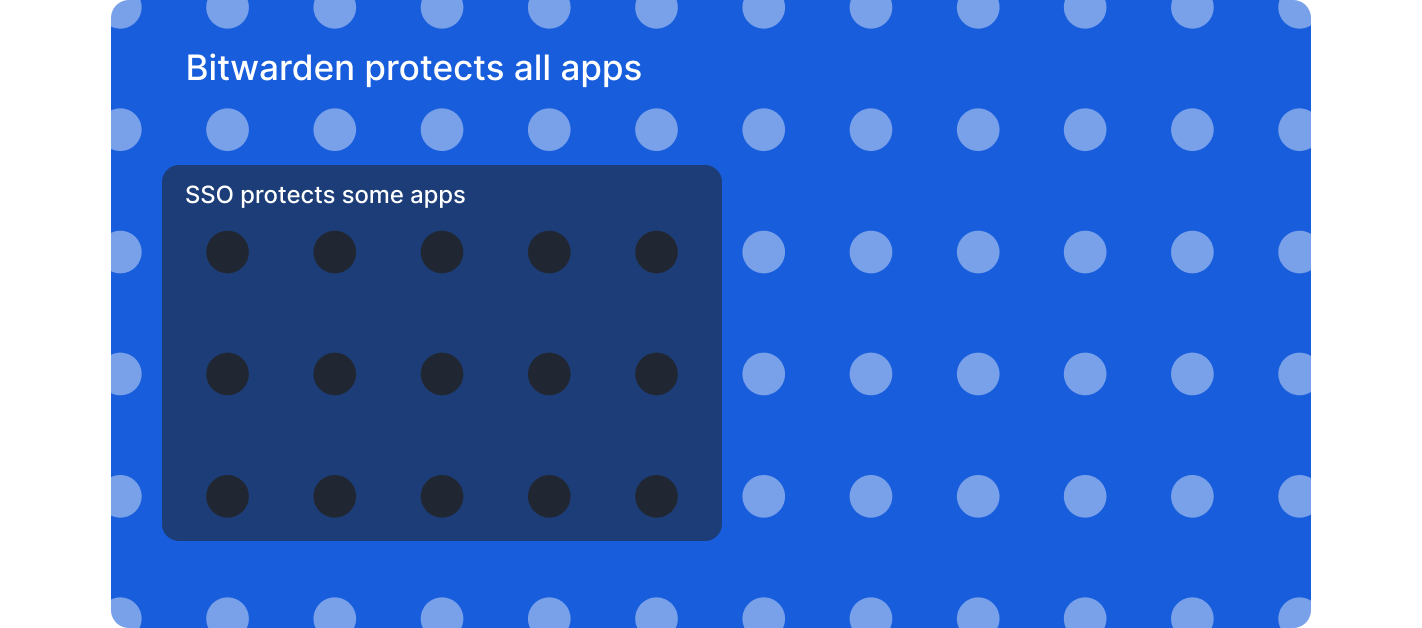
**Non-SSO applications**: Bitwarden generates strong, unique passwords and stores credentials securely with the same organizational oversight as SSO, and access can be revoked through the IdP and SCIM systems.
**Vendor and contractor sharing**: Securely share credentials with external parties through encrypted collections with granular access controls and audit trails by temporarily inviting users that aren’t within the IdP
**Enterprise policy enforcement**: Require SSO authentication for non-admin users, enforce account recovery enrollment, restrict users to single organization membership, and mandate two-step login.
**Granular access controls**: Role-based access controls, custom roles, and collection-based permissions support least-privilege principles across shared credentials.
**Comprehensive audit trails**: Event logs capture credential access, sharing, modifications, and policy changes across all users and applications.
**Password policy enforcement**: Generate complex passwords that meet organizational standards and identify weak, reused, or compromised credentials across all systems.
### **Why Bitwarden complements SSO**
Organizations that implement SSO and Bitwarden together gain complete credential security across their application landscape. Rather than accepting security blind spots or limiting tool choices, the combination protects SSO investments by extending authentication policies to applications outside SSO coverage. This comprehensive approach eliminates weak and reused passwords across all systems while maintaining visibility into credential health organization-wide, which significantly reduces credential-related incidents.
The integration streamlines both onboarding and succession planning. Automated provisioning ensures employees gain access quickly when they join, while synchronized deprovisioning triggers immediate credential revocation when they depart. For organizations working with external partners, the solution enables secure collaboration by allowing teams to share credentials with vendors and contractors through encrypted channels that provide granular permissions and comprehensive audit trails.
From a compliance perspective, detailed logging and reporting demonstrate comprehensive credential management across all systems, not just SSO-enabled applications. This helps organizations maintain their compliance requirements. At the same time, the solution improves employee experience by allowing seamless credential access across devices while IT maintains centralized control and enforces consistent security standards throughout the organization.
Organizations already using SSO can add Bitwarden without disrupting existing authentication systems. The integration works within current infrastructure to deliver unified access management that covers all applications.
Ready to close SSO gaps? [Start a 7-day Enterprise free trial](https://bitwarden.com/fr-fr/go/start-enterprise-trial/) to test SSO integration, or [contact the sales team ](https://bitwarden.com/fr-fr/contact-sales/)to discuss extending security across your complete application environment.
## Obtenez dès maintenant une sécurité de mot de passe puissante et fiable. Choisissez votre plan.
## Personnel
### Gratuit
**$0** *par mois*
*Gratuit pour toujours*
Profitez d'un coffre-fort Bitwarden
- Nombre illimité d'appareils
- Gestion des clés d'accès
- Toutes les fonctions essentielles
- Gratuit à vie
Partager des éléments du coffre-fort avec un autre utilisateur
[Commencez dès aujourd'hui](https://bitwarden.com/go/start-free/)
---
### Premium
**Less than $1** *par mois*
*$10 facturés annuellement*
Profitez des fonctionnalités premium
- Bitwarden Authenticator
- Pièces jointes
- Accès d'urgence
- Rapports de sécurité et plus encore
Partager des éléments du coffre-fort avec un autre utilisateur
[Créer un compte premium](https://bitwarden.com/go/start-premium/)
---
### Familles
**$3.33** *par mois*
*Jusqu'à 6 utilisateurs, 40 $ facturés annuellement*
Sécuriser vos identifiants familiaux
- 6 comptes premium
- Partage illimité
- Collections illimitées
- Organisation du stockage
Partager les éléments du coffre-fort entre six personnes
[Essai gratuit de 7 jours](https://bitwarden.com/go/start-families-trial/)
---
Les prix sont indiqués en USD et sont basés sur un abonnement annuel. Les taxes ne sont pas incluses.
## Entreprises
### Équipes
*Protection résiliente pour les équipes en croissance*
**$4** *par mois / par utilisateur facturé annuellement*
Partagez des données sensibles en toute sécurité avec des collègues, à travers les départements ou l'ensemble de l'entreprise
- Partage sécurisé des données
- Surveillance du journal des événements
- Intégration de l'annuaire
- Soutien au SCIM
Inclut des fonctionnalités premium pour tous les utilisateurs
[Commencer un essai](https://bitwarden.com/go/start-teams-trial/)
---
### Entreprise
*Fonctionnalités avancées pour les grandes organisations*
**$6** *par mois / par utilisateur facturé annuellement*
Utilisez des fonctionnalités avancées, notamment des politiques d'entreprise, la connexion sans mot de passe unique (SSO) et la récupération de compte.
- Politiques de sécurité de l'entreprise
- SSO sans mot de passe
- Recouvrement de compte
- Option d’autohébergement
Inclut des fonctionnalités premium et un plan familial gratuit pour tous les utilisateurs
[Commencer un essai](https://bitwarden.com/go/start-enterprise-trial/)
---
### Obtenez un devis
*Pour les entreprises comptant des centaines ou des milliers d'employés, veuillez contacter notre service commercial pour obtenir un devis personnalisé et voir comment Bitwarden peut vous aider :*
- Réduire le risque de cybersécurité
- Augmenter la productivité
- Intégrer de manière transparente
Bitwarden s'adapte à toutes les tailles d'entreprise pour garantir la sécurité des mots de passe au sein de votre organisation.
[Contacter le service commercial](https://bitwarden.com/contact-sales/)
---
Tarification indiquée en USD et basée sur un abonnement annuel
---
URL: https://bitwarden.com/fr-fr/resources/inventory-hive-enhances-password-security/
---
# La plateforme de gestion immobilière Inventory Hive renforce la sécurité des mots de passe grâce à Bitwarden
Inventory Hive est l'une des principales plateformes logicielles d'inspection de biens immobiliers et de visites virtuelles du Royaume-Uni. Avec l'aide de Bitwarden, Inventory Hive a renforcé la sécurité de ses mots de passe.
---
## Ruche d'inventaire
**Date de création :** 2015
**Industrie :** Logiciel de gestion immobilière
**Lieu :** Lichfield, Royaume-Uni
Inventory Hive est l'un des principaux logiciels d'inspection immobilière et de visite virtuelle au Royaume-Uni. Leur logiciel d'inventaire immobilier facilite la création, la gestion et le stockage des inventaires immobiliers et des rapports sur les locataires sur n'importe quel appareil.
### Situation
En tant que startup à croissance rapide, [Inventory Hive](https://www.inventoryhive.co.uk/) n'avait pas mis en place de système de gestion des mots de passe lors de son lancement. Leur personnel et leur équipe technique étaient peu nombreux et ils n'utilisaient qu'un nombre limité de plates-formes et de connexions.
Mais l'entreprise s'est développée rapidement et a vite réalisé qu'elle devait mettre en place des pratiques de sécurité des mots de passe sûres et faciles à utiliser. En tant qu'entreprise basée sur l'informatique dématérialisée et visant des partenariats à long terme avec de grandes entreprises matures, elle se devait d'être proactive et de mettre en place une sécurité de mot de passe hermétique dès le départ.
"Nous voulions être sûrs de pouvoir gérer nos mots de passe plus efficacement au fur et à mesure de la croissance de l'entreprise", explique Mitch Handley, responsable marketing. "Il s'agissait d'étouffer dans l'œuf tout problème potentiel en adoptant très tôt de bonnes pratiques afin de garantir la sécurité de notre entreprise".
## Table des matières
- [Situation](https://bitwarden.com/fr-fr/resources/inventory-hive-enhances-password-security/#situation/)
- [Politique de mot de passe d'Inventory Hive : "Vous devez utiliser Bitwarden" ](https://bitwarden.com/fr-fr/resources/inventory-hive-enhances-password-security/#inventory-hive-password-policy/)
- [Pourquoi la ruche d'inventaire a-t-elle choisi Bitwarden ?](https://bitwarden.com/fr-fr/resources/inventory-hive-enhances-password-security/#why-did-inventory-hive-choose-bitwarden/)
- [Obtenir la certification ISO 27001 avec Bitwarden](https://bitwarden.com/fr-fr/resources/inventory-hive-enhances-password-security/#achieving-iso-27001-certification-with-bitwarden/)
- [Transmettre en toute sécurité des informations sensibles ](https://bitwarden.com/fr-fr/resources/inventory-hive-enhances-password-security/#securely-transmitting-sensitive-information/)
- [Collaboration entre équipes](https://bitwarden.com/fr-fr/resources/inventory-hive-enhances-password-security/#cross-team-collaboration/)
- [Tous les mots de passe de l'entreprise sont sécurisés](https://bitwarden.com/fr-fr/resources/inventory-hive-enhances-password-security/#all-company-passwords-secured/)
- [Renforcer la confiance des clients](https://bitwarden.com/fr-fr/resources/inventory-hive-enhances-password-security/#strengthening-customer-trust/)
- [Démarrer avec Bitwarden](https://bitwarden.com/fr-fr/resources/inventory-hive-enhances-password-security/#get-started-with-bitwarden/)
### Politique de mot de passe de l'inventaire Hive
"Vous devez utiliser Bitwarden".
Inventory Hive a rapidement choisi Bitwarden pour son interface conviviale, sa tarification modulable et, surtout, ses fonctions de sécurité de premier ordre.
Comme Inventory Hive a intégré Bitwarden à son infrastructure dès le début, elle a pu développer ses pratiques de sécurité autour de la solution.
"Nos politiques de gestion des mots de passe s'appuient sur le logiciel Bitwarden", explique Mitch. Dans notre politique en matière de mots de passe, la première phrase dit "vous devez utiliser Bitwarden". C'est la base sur laquelle nous avons construit le reste des politiques de sécurité de l'entreprise".
### Pourquoi la ruche d'inventaire a-t-elle choisi Bitwarden ?
- Interface conviviale
- Accès multiplateforme
- Générateur de mot de passe fort
- Certification ISO 27001
- [Partage sécurisé du mot de passe](https://bitwarden.com/fr-fr/blog/whats-the-right-way-to-share-passwords/) avec les collections
- Modèle de tarification flexible
Ces caractéristiques sont quelques-unes des raisons pour lesquelles Inventory Hive a choisi Bitwarden pour la gestion de ses mots de passe.
### Obtenir la certification ISO 27001 avec Bitwarden
Dans le cadre de ses efforts continus pour protéger les données des clients et des partenaires, Inventory Hive a obtenu la certification ISO 27001 en 2021.
Le gestionnaire de mots de passe Bitwarden a aidé Inventory Hive à mettre en place une politique de mots de passe sécurisés, ce qui était une condition essentielle pour obtenir leur certification.
"Nous avons procédé à une évaluation rigoureuse de nos processus de gestion de la sécurité de l'information, y compris un audit de nos politiques, de nos pratiques et de nos procédures", explique Mitch. "Bitwarden a joué un rôle important en veillant à ce que nous suivions toutes les procédures requises et à ce que nous puissions obtenir la certification.
### Transmettre en toute sécurité des informations sensibles
Pour Mitch, l'un des outils les plus précieux de la plateforme est [Bitwarden Send](https://bitwarden.com/fr-fr/products/send/), qui permet à Inventory Hive de partager en toute sécurité des données marketing sensibles et des feuilles de calcul avec ses collègues, sans se soucier des violations ou des erreurs humaines. Bitwarden Send permet aux utilisateurs de transmettre facilement des fichiers et des textes entièrement cryptés vers et depuis n'importe quel appareil, que le destinataire peut ouvrir à l'aide d'un mot de passe sécurisé distinct.
"Il est facile de prendre de mauvaises habitudes et d'envoyer des feuilles de calcul ou des données sécurisées par courrier électronique, qui risquent d'être piratées, ou même d'être envoyées à la mauvaise adresse électronique", explique Mitch. "Le cryptage de bout en bout avec Bitwarden Send nous offre une protection supplémentaire. Si quelqu'un envoie un fichier de manière incorrecte, il est toujours protégé par un mot de passe".
### Collaboration entre équipes
La gestion des accès Bitwarden permet aux utilisateurs de partager facilement leurs mots de passe sans compromettre la sécurité, ce qui s'est avéré particulièrement utile lorsque des questions urgentes se posaient et que les employés étaient malades ou en vacances.
"Lorsque notre équipe d'assistance était en congé de maladie, je devais me connecter à notre plateforme pour gérer tous les tickets d'assistance qui nous parvenaient", explique Mitch. "Il est évident que je n'ai pas leur identifiant. Mais parce qu'ils l'ont partagé sur l'équipe sécurisée Bitwarden Inventory Hive, j'ai pu trouver leur identifiant et gérer ces tickets".
### Tous les mots de passe de l'entreprise sont sécurisés
Aujourd'hui, Inventory Hive utilise Bitwarden pour sécuriser tous les mots de passe de l'entreprise. "C'est beaucoup pour la taille de notre entreprise", dit-il. "Je ne pense pas que les gens réalisent le nombre de plateformes différentes sur lesquelles ils se connectent chaque jour. Si l'on multiplie ce chiffre par l'ensemble de notre personnel, cela montre à quel point nous comptons sur Bitwarden pour la protection de nos mots de passe".
### Renforcer la confiance des clients
Avec le gestionnaire de mots de passe Bitwarden et la certification ISO en place, Inventory Hive a construit une base de sécurité solide, renforcé la confiance de ses clients et démontré à ses partenaires potentiels qu'elle prenait la sécurité au sérieux. En tant qu'entreprise britannique dont les partenaires ont souvent des préoccupations supplémentaires concernant la conformité au GDPR, cela s'est avéré particulièrement précieux.
"L'une des premières questions que les clients nous posent aujourd'hui concerne nos politiques de sécurité", explique Mitch. "Le fait d'être certifié ISO leur inspire confiance. Ils savent que leurs données sont en sécurité chez nous".
Et le meilleur de tous ? La mise en place de cette sécurité renforcée a permis à Inventory Hive de conclure les partenariats avec les grandes entreprises matures qu'elle recherchait.
"Nous avons un certain nombre de grandes entreprises de premier ordre que nous intégrons actuellement ou que nous sommes sur le point d'intégrer. Tout cela est dû à nos politiques de sécurité et à notre certification. Sans Bitwarden, nous n'aurions jamais réussi à faire monter ces clients à bord".
### Démarrer avec Bitwarden
Pour en savoir plus sur ce que Bitwarden peut faire pour les entreprises, commencez un [essai gratuit de](https://bitwarden.com/fr-fr/trial/) 7 jours !
## Obtenez dès maintenant une sécurité de mot de passe puissante et fiable. Choisissez votre plan.
## Personnel
### Gratuit
**$0** *par mois*
*Gratuit pour toujours*
Profitez d'un coffre-fort Bitwarden
- Nombre illimité d'appareils
- Gestion des clés d'accès
- Toutes les fonctions essentielles
- Gratuit à vie
Partager des éléments du coffre-fort avec un autre utilisateur
[Commencez dès aujourd'hui](https://bitwarden.com/go/start-free/)
---
### Premium
**Less than $1** *par mois*
*$10 facturés annuellement*
Profitez des fonctionnalités premium
- Bitwarden Authenticator
- Pièces jointes
- Accès d'urgence
- Rapports de sécurité et plus encore
Partager des éléments du coffre-fort avec un autre utilisateur
[Créer un compte premium](https://bitwarden.com/go/start-premium/)
---
### Familles
**$3.33** *par mois*
*Jusqu'à 6 utilisateurs, 40 $ facturés annuellement*
Sécuriser vos identifiants familiaux
- 6 comptes premium
- Partage illimité
- Collections illimitées
- Organisation du stockage
Partager les éléments du coffre-fort entre six personnes
[Essai gratuit de 7 jours](https://bitwarden.com/go/start-families-trial/)
---
Les prix sont indiqués en USD et sont basés sur un abonnement annuel. Les taxes ne sont pas incluses.
## Entreprises
### Équipes
*Protection résiliente pour les équipes en croissance*
**$4** *par mois / par utilisateur facturé annuellement*
Partagez des données sensibles en toute sécurité avec des collègues, à travers les départements ou l'ensemble de l'entreprise
- Partage sécurisé des données
- Surveillance du journal des événements
- Intégration de l'annuaire
- Soutien au SCIM
Inclut des fonctionnalités premium pour tous les utilisateurs
[Commencer un essai](https://bitwarden.com/go/start-teams-trial/)
---
### Entreprise
*Fonctionnalités avancées pour les grandes organisations*
**$6** *par mois / par utilisateur facturé annuellement*
Utilisez des fonctionnalités avancées, notamment des politiques d'entreprise, la connexion sans mot de passe unique (SSO) et la récupération de compte.
- Politiques de sécurité de l'entreprise
- SSO sans mot de passe
- Recouvrement de compte
- Option d’autohébergement
Inclut des fonctionnalités premium et un plan familial gratuit pour tous les utilisateurs
[Commencer un essai](https://bitwarden.com/go/start-enterprise-trial/)
---
### Obtenez un devis
*Pour les entreprises comptant des centaines ou des milliers d'employés, veuillez contacter notre service commercial pour obtenir un devis personnalisé et voir comment Bitwarden peut vous aider :*
- Réduire le risque de cybersécurité
- Augmenter la productivité
- Intégrer de manière transparente
Bitwarden s'adapte à toutes les tailles d'entreprise pour garantir la sécurité des mots de passe au sein de votre organisation.
[Contacter le service commercial](https://bitwarden.com/contact-sales/)
---
Tarification indiquée en USD et basée sur un abonnement annuel
---
URL: https://bitwarden.com/fr-fr/resources/it-services-provider-iolap-achieves-safer-password-security-practices-and/
---
# IT services provider iOLAP achieves safer password security practices and efficient admin control with Bitwarden
Bitwarden enables iOLAP to mitigate insecure password practices and achieve centralized integration with Microsoft Entra ID
---
#### Overview
Founded: 2000
Industry: IT Services
Employees: 300
Size of IT team: 5
Locations: Texas and Croatia
Bitwarden Seats: Almost 300
iOLAP is an end-to-end IT services provider delivering solutions to customers all over the world, ranging from start-ups to Fortune 500 to Fortune 100 clients. Headquartered in Texas and with European headquarters in Croatia, iOLAP needed a centralized password management solution to cut down on data security risks. The company determined the best course of action was to employ an enterprise-wide password manager with a reputation for safety, business-friendly features, and administrative control.
#### Situation: Need for secure, centralized solution
Besides helping oversee day-to-day IT operations at iOLAP, systems administrators also grappled with password-related challenges across the organization. Employees were saving passwords through browser-based password managers, which the IT team wanted to discourage because they didn’t believe browser-based password managers were as secure as centralized, enterprise-wide password managers. Employees were also using a variety of password managers, which made it impossible to securely share passwords and secrets across teams.
System administrators realized they needed to come up with a better solution, one that would help facilitate more secure password habits and centralize overall password management. They started researching products, with an eye towards a password manager that was feature-rich, offered active directory integration, and that enabled an intuitive user experience.
#### Solution: Bitwarden for reputation, features, seamless integration
“In considering enterprise-wide centralized password managers, Bitwarden was the first provider that came to mind,” said the iOLAP systems administrator team. “While we looked at one of the competitors of Bitwarden, we ultimately ruled it out because of their pricing structure and because they had experienced breaches that left us skeptical of their overall reputation. We were also very happy with Bitwarden features and of course, the product’s password-sharing capabilities”.
The systems administrator team noted that although the team did consider other providers, there was overwhelming agreement that Bitwarden was the best option.
“The availability of Bitwarden Collections was important, because there are a number of projects that require password sharing,” said the systems administrator team.
Bitwarden Collections, which are essentially shared folders, enables organizations to share sensitive data easily, securely, and in a scalable manner. This is accomplished through the segmentation of sensitive data into Collections. Collections can be organized in a number of different ways, including by business function and application access levels.
Said the systems administrator team, “We were also thrilled with Bitwarden Send, which allows us to safely send critical data. It’s much safer than using plain text or anything like that. As we’re an IT services firm, we put Bitwarden Send to good use. For example, we might use it to share credentials when we sign on with new clients”.
Additionally, the iOLAP team deploys the Bitwarden browser extensions so users can access Bitwarden autofill through the browser of their choice, leverages the Bitwarden Vault Health Report to monitor any breached passwords, and relies on the [Bitwarden Password Generator to create strong passwords](https://bitwarden.com/fr-fr/password-generator/) from the onset.
Added the systems administrator team, “Another incredibly important, non-negotiable capability was Bitwarden’s seamless integration with Microsoft Entra ID.”
#### Bitwarden integration with Entra ID facilitates streamlined user management
Entra ID (formerly Azure Active Directory) is a cloud-based identity and access management service that helps IT administrators control access to applications, resources, and tools based on business requirements. Bitwarden enables connection to Entra ID through the Bitwarden Directory Connector application, which automatically provisions users, groups, and group associations in an enterprise’s Bitwarden organization by pulling from a selection of directory services.
While not exhaustive, the combined Bitwarden and Entra ID benefits include automatic provisioning of users, a simplified process for IT administrators to onboard and manage users, and the automatic revocation of access from departing employees who might pose a security risk.
At the time iOLAP was considering password management providers, Bitwarden competitors did not offer this level of integration with Entra ID.
“It was very important that we be able to connect Microsoft Entra ID to Bitwarden,” said the systems administrator team. “Group creation, user access, user creation - all of this is done through Entra ID and then synced to Bitwarden. Once all the relevant information is synced from Entra ID, the iOLAP IT team connects users to our Collections, which includes all company-wide credentials. It’s a pretty cool feature and has allowed us to save time and focus on important business priorities in lieu of having to spend hours manually provisioning users.”
#### Easy onboarding has accelerated overall Bitwarden adoption
Said the systems administrator team, “The nature of our business, which is IT services, means our employees possess more advanced technological skills than the average person. A lot of them had personal experience with different password managers, so onboarding was pretty straightforward. Once they started using Bitwarden, they realized how easy it was and have since incorporated it into their personal lives.”
Added one of the systems administrators, “I’m one of those people, as well. I was using the Chrome browser-based password manager and switched to Bitwarden because it’s markedly superior. I have it on my mobile phone, work account, and personal account. Overall, I strongly recommend Bitwarden to colleagues, friends, and family.”
#### Get started with Bitwarden
Learn more about what Bitwarden can do for your business and sign up for a [free 7-day trial.](https://bitwarden.com/fr-fr/pricing/business/)
## Obtenez dès maintenant une sécurité de mot de passe puissante et fiable. Choisissez votre plan.
## Personnel
### Gratuit
**$0** *par mois*
*Gratuit pour toujours*
Profitez d'un coffre-fort Bitwarden
- Nombre illimité d'appareils
- Gestion des clés d'accès
- Toutes les fonctions essentielles
- Gratuit à vie
Partager des éléments du coffre-fort avec un autre utilisateur
[Commencez dès aujourd'hui](https://bitwarden.com/go/start-free/)
---
### Premium
**Less than $1** *par mois*
*$10 facturés annuellement*
Profitez des fonctionnalités premium
- Bitwarden Authenticator
- Pièces jointes
- Accès d'urgence
- Rapports de sécurité et plus encore
Partager des éléments du coffre-fort avec un autre utilisateur
[Créer un compte premium](https://bitwarden.com/go/start-premium/)
---
### Familles
**$3.33** *par mois*
*Jusqu'à 6 utilisateurs, 40 $ facturés annuellement*
Sécuriser vos identifiants familiaux
- 6 comptes premium
- Partage illimité
- Collections illimitées
- Organisation du stockage
Partager les éléments du coffre-fort entre six personnes
[Essai gratuit de 7 jours](https://bitwarden.com/go/start-families-trial/)
---
Les prix sont indiqués en USD et sont basés sur un abonnement annuel. Les taxes ne sont pas incluses.
## Entreprises
### Équipes
*Protection résiliente pour les équipes en croissance*
**$4** *par mois / par utilisateur facturé annuellement*
Partagez des données sensibles en toute sécurité avec des collègues, à travers les départements ou l'ensemble de l'entreprise
- Partage sécurisé des données
- Surveillance du journal des événements
- Intégration de l'annuaire
- Soutien au SCIM
Inclut des fonctionnalités premium pour tous les utilisateurs
[Commencer un essai](https://bitwarden.com/go/start-teams-trial/)
---
### Entreprise
*Fonctionnalités avancées pour les grandes organisations*
**$6** *par mois / par utilisateur facturé annuellement*
Utilisez des fonctionnalités avancées, notamment des politiques d'entreprise, la connexion sans mot de passe unique (SSO) et la récupération de compte.
- Politiques de sécurité de l'entreprise
- SSO sans mot de passe
- Recouvrement de compte
- Option d’autohébergement
Inclut des fonctionnalités premium et un plan familial gratuit pour tous les utilisateurs
[Commencer un essai](https://bitwarden.com/go/start-enterprise-trial/)
---
### Obtenez un devis
*Pour les entreprises comptant des centaines ou des milliers d'employés, veuillez contacter notre service commercial pour obtenir un devis personnalisé et voir comment Bitwarden peut vous aider :*
- Réduire le risque de cybersécurité
- Augmenter la productivité
- Intégrer de manière transparente
Bitwarden s'adapte à toutes les tailles d'entreprise pour garantir la sécurité des mots de passe au sein de votre organisation.
[Contacter le service commercial](https://bitwarden.com/contact-sales/)
---
Tarification indiquée en USD et basée sur un abonnement annuel
---
URL: https://bitwarden.com/fr-fr/resources/january-2023-spotlight-bitwarden-acquires-passwordless-dev/
---
# January 2023 Spotlight: Bitwarden acquires passwordless.dev
The acquisition is a key milestone in rounding out the Bitwarden commitment to offering open source, scalable, and secure passwordless solutions to all users.
---
## Featured Highlights

On January 18, 2023, [Bitwarden announced](https://bitwarden.com/fr-fr/blog/bitwarden-extends-passwordless-leadership-with-acquisition/) that it has acquired European-based startup Passwordless.dev, a significant milestone in rounding out the Bitwarden commitment to offering open source, scalable, and secure passwordless solutions to every business and end user. Through its comprehensive API framework, Passwordless.dev trims down the development work around cryptographic operations, technical flows, and more – what used to take weeks can now be accomplished in minutes.

In the latest release, the Bitwarden Authenticator TOTP generator became available on your Apple Watch device! This allows for quick access to generated verification codes for logging into your accounts that support two-factor authentication. Get started by installing the latest version of the Bitwarden iOS app from the Apple App Store. More [step-by-step instructions](https://bitwarden.com/fr-fr/help/apple-watch-totp/) on how to leverage this new feature are available in the Help Center.
## Enjoying this update? Subscribe today.
*Receive the latest product updates, hand-picked articles, community highlights, and more.*
[Contact form]
## More Bits and Bites
[**Data Privacy Day**](https://bitwarden.com/fr-fr/blog/data-privacy-day/)
This year, The National Cybersecurity Alliance is advocating for holding organizations responsible for keeping individuals’ personal information safe throughout Data Privacy Week. They also encourage individuals to “Own Your Privacy” by learning more about how to protect their data online. [Learn more](https://bitwarden.com/fr-fr/blog/data-privacy-day/) about what you can do to protect your privacy in 2023 and beyond.
[**The Bitwarden tech stack: Built for security and scalability**](https://bitwarden.com/fr-fr/blog/the-bitwarden-tech-stack-built-for-security-and-scalability/)
Bitwarden selects tools and platforms with a security-first vision across open source and commercial technologies. Across server, browser, mobile, and desktop applications, the Bitwarden technology stack is core to developing and maintaining the secure password management you know and love. [In this article](https://bitwarden.com/fr-fr/blog/the-bitwarden-tech-stack-built-for-security-and-scalability/), learn how and why Bitwarden selected current technologies in use and how these adopted applications help support high performance, security, and scalability.
[**Bitwarden Open Source Security Explained**](https://bitwarden.com/fr-fr/blog/bitwarden-open-source-security-explained/)
As the CEO of HackerOne, Mårten Mickos, once said, “In software, when you make the source code open, you unleash collaboration and innovation otherwise not possible. In security, when you make vulnerabilities and their fixes open, you unleash collaboration and risk reduction otherwise not possible.” Open source codebases like Bitwarden undergo continuous inspection and enhancement by developers, users, and security researchers around the world. Get answers to the most [frequently asked questions](https://bitwarden.com/fr-fr/blog/bitwarden-open-source-security-explained/) about how being open source strengthens Bitwarden security, transparency, and privacy.
[**How to create Bitwarden custom fields in a few clicks**](https://bitwarden.com/fr-fr/blog/easier-than-ever-create-custom-fields-in-a-few-clicks/)
Bitwarden users can create custom fields and choose to “Copy Custom Field Name” in their browser’s context (or right-click) menu. This capability greatly simplifies the creation of password manager custom fields and makes it easier than ever for Bitwarden users to add more data fields to vault items. Learn the steps to [create a custom field](https://bitwarden.com/fr-fr/blog/easier-than-ever-create-custom-fields-in-a-few-clicks/) and start taking advantage of this new feature.
[**Top 5 ways business executives can stay safe online**](https://bitwarden.com/fr-fr/blog/top-5-ways-business-executives-can-stay-safe-online/)
According to Rachel Tobac, a hacker and the CEO of SocialProof Security, “It only takes one email, a 30-second call, **or** one social media DM to hack VIPs and gain access to their money, data, and systems.” There has never been a better time for business leaders to take control of their online security, and here are [the top five ways](https://bitwarden.com/fr-fr/blog/top-5-ways-business-executives-can-stay-safe-online/) that senior executives can better protect themselves.
[**Mark Your Calendar with These Cybersecurity Awareness Holidays**](https://bitwarden.com/fr-fr/blog/cybersecurity-awareness-holidays/)No matter what time of year, it’s important to take action to keep ourselves and others safe online, through backing up data, securing your passwords, and more. Take a look at [these cybersecurity holidays](https://bitwarden.com/fr-fr/blog/cybersecurity-awareness-holidays/) that highlight important ways to stay safe, and remember to mark them on your calendar!
## Get Involved in the Community
As an open-source project, Bitwarden wouldn’t be what it is today without its global community support. Visit the [Community Forums](https://community.bitwarden.com/) for general community discussion and the product roadmap. Here are a few ways you can get involved:
- **Request a new feature:**Go to the [Feature Requests](https://community.bitwarden.com/c/feature-requests/) category of the Community Forums. (Pro tip: search existing feature requests before making a new one.)
- **Write code for a new feature:** Make a new post in the [Github Contributions](https://community.bitwarden.com/c/github-contributions/) category of the Community Forums. Be sure to include a description of your proposed contribution, screenshots, and links to any relevant feature requests.
- **Report a bug or submit a bug fix:** Use Github issues and pull requests to report issues.
- **Help other users:**Go to the [Ask the Bitwarden Community](https://community.bitwarden.com/c/support/) category on the Community Forums.
- **Helps us translate Bitwarden:**Help [translate Bitwarden](https://contributing.bitwarden.com/contributing/#localization-l10n) to make the platform more accessible in other languages.
- **Report a security concern or vulnerability:** Security audits and feedback are always welcome. If the issue is sensitive, please [contact us](https://bitwarden.com/fr-fr/contact/) directly or submit a report through our [HackerOne Program](https://hackerone.com/bitwarden/).
## Upcoming Events

It only takes one email, a 30-second call, or one social media DM for her to hack VIPs and gain access to your money, data, and systems. Meet Rachel Tobac, who executes these social engineering attacks for a living and uses her real-life ethical hacking stories to keep VIPs up to date on the methods criminals are using to trick people. [Register now](https://hopin.com/events/hackers-guide-to-vip-security/registration) for this free virtual event on March 9 and learn how to defend against the latest executive-based manipulation methods.
**More Upcoming Events**
- [Monthly Vault Hours](https://bitwarden.com/fr-fr/events/vault-hours-31-jan-27/): 1/27 @ 12 pm EDT
- [Weekly Live Demo](https://bitwarden.com/fr-fr/events/weekly-demo/): Every Wednesday at 12 pm EDT
- [Bitwarden Brilliance: Unified Self-hosted](https://www.twitch.tv/BitwardenLive): 2/2 @ 12 pm EDT
- [Managed Service Provider (MSP) Demo](https://us02web.zoom.us/webinar/register/WN_wk91rY6NRGOJQH_adHdiNA): 2/9 @ 12 pm EDT
- [Managed Service Provider (MSP) Demo](https://us02web.zoom.us/webinar/register/WN_3m2nIDulSv-Lvwp1hHxWCA): 2/23 @ 2 pm EDT
That’s it for now. Let us know what you think about this newsletter including potential topics you’d like to see.
**Until next time,**
Team Bitwarden
## Bitwarden is Certified as a Best Place to Work in 2022!
Interested in joining the Bitwarden team? Visit [our careers page](https://bitwarden.com/fr-fr/careers/) to explore open roles.
## Obtenez dès maintenant une sécurité de mot de passe puissante et fiable. Choisissez votre plan.
## Personnel
### Gratuit
**$0** *par mois*
*Gratuit pour toujours*
Profitez d'un coffre-fort Bitwarden
- Nombre illimité d'appareils
- Gestion des clés d'accès
- Toutes les fonctions essentielles
- Gratuit à vie
Partager des éléments du coffre-fort avec un autre utilisateur
[Commencez dès aujourd'hui](https://bitwarden.com/go/start-free/)
---
### Premium
**Less than $1** *par mois*
*$10 facturés annuellement*
Profitez des fonctionnalités premium
- Bitwarden Authenticator
- Pièces jointes
- Accès d'urgence
- Rapports de sécurité et plus encore
Partager des éléments du coffre-fort avec un autre utilisateur
[Créer un compte premium](https://bitwarden.com/go/start-premium/)
---
### Familles
**$3.33** *par mois*
*Jusqu'à 6 utilisateurs, 40 $ facturés annuellement*
Sécuriser vos identifiants familiaux
- 6 comptes premium
- Partage illimité
- Collections illimitées
- Organisation du stockage
Partager les éléments du coffre-fort entre six personnes
[Essai gratuit de 7 jours](https://bitwarden.com/go/start-families-trial/)
---
Les prix sont indiqués en USD et sont basés sur un abonnement annuel. Les taxes ne sont pas incluses.
## Entreprises
### Équipes
*Protection résiliente pour les équipes en croissance*
**$4** *par mois / par utilisateur facturé annuellement*
Partagez des données sensibles en toute sécurité avec des collègues, à travers les départements ou l'ensemble de l'entreprise
- Partage sécurisé des données
- Surveillance du journal des événements
- Intégration de l'annuaire
- Soutien au SCIM
Inclut des fonctionnalités premium pour tous les utilisateurs
[Commencer un essai](https://bitwarden.com/go/start-teams-trial/)
---
### Entreprise
*Fonctionnalités avancées pour les grandes organisations*
**$6** *par mois / par utilisateur facturé annuellement*
Utilisez des fonctionnalités avancées, notamment des politiques d'entreprise, la connexion sans mot de passe unique (SSO) et la récupération de compte.
- Politiques de sécurité de l'entreprise
- SSO sans mot de passe
- Recouvrement de compte
- Option d’autohébergement
Inclut des fonctionnalités premium et un plan familial gratuit pour tous les utilisateurs
[Commencer un essai](https://bitwarden.com/go/start-enterprise-trial/)
---
### Obtenez un devis
*Pour les entreprises comptant des centaines ou des milliers d'employés, veuillez contacter notre service commercial pour obtenir un devis personnalisé et voir comment Bitwarden peut vous aider :*
- Réduire le risque de cybersécurité
- Augmenter la productivité
- Intégrer de manière transparente
Bitwarden s'adapte à toutes les tailles d'entreprise pour garantir la sécurité des mots de passe au sein de votre organisation.
[Contacter le service commercial](https://bitwarden.com/contact-sales/)
---
Tarification indiquée en USD et basée sur un abonnement annuel
---
URL: https://bitwarden.com/fr-fr/resources/january-2024-spotlight-just-released-log-in-with-passkeys/
---
# January 2024 Spotlight: Just released - Log in with passkeys
Learn why passkeys are stronger and more secure than passwords.
---
## Featured Highlights
[](https://bitwarden.com/data-security-in-age-of-ai/)
*Balancing Security and Innovation*
It's not a question of if AI is a threat to your data. It's a question of how serious the threat is and if your IT team is prepared. Our new eBook, [Balancing Security and Innovation in the Age of AI,](https://bitwarden.com/fr-fr/data-security-in-age-of-ai/) presents findings from our recent survey of 710 IT professionals to help address the dilemma of balancing innovation while staying secure.
[](https://bitwarden.com/blog/log-into-bitwarden-with-a-passkey/)
*Log into Bitwarden with a passkey*
Following the most recent January release, all Bitwarden users can now [log into their web vaults with a passkey](https://bitwarden.com/fr-fr/blog/log-into-bitwarden-with-a-passkey/), without typing in a username or password. Passkeys are stronger and more secure than passwords, cannot be guessed, and are resistant to phishing. Learn how this beta implementation allows passkeys to be used as part of the encryption process, providing convenience and end-to-end encryption.
## Enjoying this update? Subscribe today.
*Receive the latest product updates, hand-picked articles, community highlights, and more.*
[Contact form]
## More Bits and Bites
[**Switch between Bitwarden accounts quickly and easily**](https://bitwarden.com/fr-fr/blog/account-switching-phased-rollout-for-bitwarden-clients/)
The Bitwarden Password Manager browser extension, desktop, and mobile apps can quickly switch between Bitwarden accounts, with multiple accounts logged in at once. Refer to our [brief how-to and FAQs](https://bitwarden.com/fr-fr/blog/account-switching-phased-rollout-for-bitwarden-clients/) for more information.
[**Survey Findings: Security Perceptions in the Age of AI**](https://bitwarden.com/fr-fr/ai-and-cybersecurity-report/)
Bitwarden partnered with The Starr Conspiracy research firm to poll 710 IT professionals to understand security perceptions in the age of AI. The findings show a significant gap between how secure IT professionals feel and their actual security posture. [Get the full report](https://bitwarden.com/fr-fr/ai-and-cybersecurity-report/).
[**Stay secure with Vault Health Reports in the Bitwarden Password Manager**](https://bitwarden.com/fr-fr/blog/stay-secure-with-vault-health-reports/)
Are any of your passwords being used across multiple sites? Have you ever wondered if a password of yours has been exposed or found to be part of a data breach? How would you go about finding out all of this information? If your password manager of choice is Bitwarden, those details are at your fingertips. In this [guide](https://bitwarden.com/fr-fr/blog/stay-secure-with-vault-health-reports/), read about how the information offered in the Bitwarden Reports section can ensure your general digital security.
[**Evolving trends in secrets management**](https://bitwarden.com/fr-fr/resources/presentations/evolving-trends-in-secrets-management/)
A rapid evolution in secrets management is underway as businesses look to speed and secure DevOps pipelines, mitigate the increased number of applications and ecosystems used by developers, and prevent secret-related data breaches. Check out [the presentation](https://bitwarden.com/fr-fr/resources/presentations/evolving-trends-in-secrets-management/) for insight into the evolving trends in secrets management.
[**Secure your business with a team password manager**](https://bitwarden.com/fr-fr/blog/secure-your-business-with-a-team-password-manager/#:~:text=A%20password%20manager%20for%20teams,for%20individual%20and%20team%20passwords./)
With so many businesses operating remotely, IT business leaders need to be even more diligent about fostering strong security practices. Get [more information](https://bitwarden.com/fr-fr/blog/secure-your-business-with-a-team-password-manager/#:~:text=A%20password%20manager%20for%20teams,for%20individual%20and%20team%20passwords./) about what a team password manager is and why it is beneficial to remote employees.
[**Mark Your Calendar with These Cybersecurity Awareness Holidays**](https://bitwarden.com/fr-fr/blog/cybersecurity-awareness-holidays/)
No matter what time of year, it’s important to take action to keep ourselves and others safe online, through backing up data, securing your passwords, and more. Take a look at these [cybersecurity holidays](https://bitwarden.com/fr-fr/blog/cybersecurity-awareness-holidays/) that highlight important ways to stay safe.
[**Titanom Technologies protects developer secrets with Bitwarden Secrets Manager**](https://bitwarden.com/fr-fr/resources/titanom-technologies-bitwarden-secrets-manager/)
In this [case study](https://bitwarden.com/fr-fr/resources/titanom-technologies-bitwarden-secrets-manager/), learn about how educational software company Titanom Technologies bolstered developer security and increased productivity by deploying Bitwarden Secrets Manager.
## Community Spotlight
To be secure in the online world, we need each other. That is why the global community is key to the Bitwarden mission of achieving security for all. This month's newsletter [**spotlights a user story**](https://www.reddit.com/r/Bitwarden/comments/196m5u2/forgot_master_password_lucky_moment/) that reminds us of the importance of storing your master password in a safe place, and adding an emergency contact just in case.
[](https://www.reddit.com/r/Bitwarden/comments/196m5u2/forgot_master_password_lucky_moment/)
*forgot master password*
## Join Bitwarden Live
[](https://events.ringcentral.com/events/cybersecurity-according-to-a-hacker/registration)
*Webcast - Feb. 29th - VIP Protection in the Digital Age: Cybersecurity According to a Hacker*
Join ethical hacker and CEO Rachel Tobac for a fireside chat on the VIP's guide to staying safe online - plus a live hack demo! During this webcast event, you will learn how to be aware of social engineering attacks and ways to prevent them, and the best practices for ongoing digital safety and security in the face of threats. [**Save your seat!**](https://events.ringcentral.com/events/cybersecurity-according-to-a-hacker/registration)
## More Upcoming Events
- [**Weekly Live Demo:**](https://bitwarden.com/fr-fr/bitwarden-demo/)**Every Wednesday at 9 am PST**
Join us for a live walkthrough of the Bitwarden Password Manager business features and capabilities and ask your questions during live Q&A.
- [**Managed Service Provider (MSP) Demo:**](https://us02web.zoom.us/webinar/register/WN__C_hKlBZTVO_ATWLOlWdXQ#/registration)**February 8 at 8 am PST**
Join us for an admin training session for MSPs to learn the best practices to

## Bitwarden Learning Center
Check out [Bitwarden 101](https://bitwarden.com/fr-fr/learning/pm-101-getting-started-as-a-user/) for a short video series on how to get started with Bitwarden Password Manager as an administrator or end user.
That’s it for now. For more product updates and online security tips, visit the Bitwarden [blog](https://bitwarden.com/fr-fr/blog/).
**Until next time,**
Team Bitwarden
## Hi readers!
Take this [two-minute](https://forms.bitwarden.com/newsletter) survey to help us improve the monthly Bitwarden Newsletter and deliver the information you care most about.
## Obtenez dès maintenant une sécurité de mot de passe puissante et fiable. Choisissez votre plan.
## Personnel
### Gratuit
**$0** *par mois*
*Gratuit pour toujours*
Profitez d'un coffre-fort Bitwarden
- Nombre illimité d'appareils
- Gestion des clés d'accès
- Toutes les fonctions essentielles
- Gratuit à vie
Partager des éléments du coffre-fort avec un autre utilisateur
[Commencez dès aujourd'hui](https://bitwarden.com/go/start-free/)
---
### Premium
**Less than $1** *par mois*
*$10 facturés annuellement*
Profitez des fonctionnalités premium
- Bitwarden Authenticator
- Pièces jointes
- Accès d'urgence
- Rapports de sécurité et plus encore
Partager des éléments du coffre-fort avec un autre utilisateur
[Créer un compte premium](https://bitwarden.com/go/start-premium/)
---
### Familles
**$3.33** *par mois*
*Jusqu'à 6 utilisateurs, 40 $ facturés annuellement*
Sécuriser vos identifiants familiaux
- 6 comptes premium
- Partage illimité
- Collections illimitées
- Organisation du stockage
Partager les éléments du coffre-fort entre six personnes
[Essai gratuit de 7 jours](https://bitwarden.com/go/start-families-trial/)
---
Les prix sont indiqués en USD et sont basés sur un abonnement annuel. Les taxes ne sont pas incluses.
## Entreprises
### Équipes
*Protection résiliente pour les équipes en croissance*
**$4** *par mois / par utilisateur facturé annuellement*
Partagez des données sensibles en toute sécurité avec des collègues, à travers les départements ou l'ensemble de l'entreprise
- Partage sécurisé des données
- Surveillance du journal des événements
- Intégration de l'annuaire
- Soutien au SCIM
Inclut des fonctionnalités premium pour tous les utilisateurs
[Commencer un essai](https://bitwarden.com/go/start-teams-trial/)
---
### Entreprise
*Fonctionnalités avancées pour les grandes organisations*
**$6** *par mois / par utilisateur facturé annuellement*
Utilisez des fonctionnalités avancées, notamment des politiques d'entreprise, la connexion sans mot de passe unique (SSO) et la récupération de compte.
- Politiques de sécurité de l'entreprise
- SSO sans mot de passe
- Recouvrement de compte
- Option d’autohébergement
Inclut des fonctionnalités premium et un plan familial gratuit pour tous les utilisateurs
[Commencer un essai](https://bitwarden.com/go/start-enterprise-trial/)
---
### Obtenez un devis
*Pour les entreprises comptant des centaines ou des milliers d'employés, veuillez contacter notre service commercial pour obtenir un devis personnalisé et voir comment Bitwarden peut vous aider :*
- Réduire le risque de cybersécurité
- Augmenter la productivité
- Intégrer de manière transparente
Bitwarden s'adapte à toutes les tailles d'entreprise pour garantir la sécurité des mots de passe au sein de votre organisation.
[Contacter le service commercial](https://bitwarden.com/contact-sales/)
---
Tarification indiquée en USD et basée sur un abonnement annuel
---
URL: https://bitwarden.com/fr-fr/resources/july-2023-spotlight-bitwarden-is-the-1-password-manager-in-g2-2023-enterprise-grid/
---
# Juillet 2023 Spotlight : Bitwarden est le premier gestionnaire de mots de passe de G2 2023 Enterprise Grid
Bitwarden prend une longueur d'avance sur ses concurrents et s'impose dans l'édition de l'été 2023.
---
## Faits marquants
[](https://bitwarden.com/blog/easily-integrate-single-sign-on-security-with-flexible-solutions/)
*Bitwarden SSO*
SSO avec des appareils de confiance, une nouvelle offre SSO sans mot de passe qui sera lancée plus tard cet automne, offre aux entreprises une flexibilité totale quant à l'endroit et à la manière dont les clés de chiffrement sont conservées, tout en maintenant un chiffrement sécurisé, de bout en bout et sans connaissance. Lisez ce [guide](https://bitwarden.com/fr-fr/blog/easily-integrate-single-sign-on-security-with-flexible-solutions/) pour obtenir une vue d'ensemble de chaque solution d'authentification unique.
[](https://bitwarden.com/blog/bitwarden-g2-2023-enterprise-grid/)
*Bitwarden is the #1 password manager in G2 2023 Enterprise Grid hero*
Bitwarden a été reconnu comme le gestionnaire de mots de passe le plus performant dans le dernier rapport G2 Enterprise Grid. Constamment reconnu comme un leader de la grille d'entreprise dans les cinq derniers rapports, Bitwarden a renforcé sa position devant ses concurrents, en prenant une avance considérable dans le rapport de l'été 2023. Lisez ce [blog](https://bitwarden.com/fr-fr/blog/bitwarden-g2-2023-enterprise-grid/) pour savoir pourquoi les entreprises aiment Bitwarden.
## Enjoying this update? Subscribe today.
*Receive the latest product updates, hand-picked articles, community highlights, and more.*
[Contact form]
## Security’s Got Talent
[](https://bitwarden.com/talent/)
*Security's Got Talent*
Do you love your password manager? Share your story in a short video by August 13th for the chance to win big in this contest with $25,000 in available prizes and $7,000 going to first place! Visit [bitwarden.com/talent](https://bitwarden.com/fr-fr/http://bitwarden.com/talent/) to check out the contest rules and submit your entry.
## More Bits and Bites
[**SOS Software Service and Bitwarden align on pan-European distribution strategy**](https://bitwarden.com/fr-fr/blog/sos-software-service-and-bitwarden-align-on-pan-european-distribution-strategy/)
Bitwarden and SOS Software Service will work together to bring Bitwarden Password Manager to European customers as part of a strategic distribution plan. Learn more about this [alignment](https://bitwarden.com/fr-fr/blog/sos-software-service-and-bitwarden-align-on-pan-european-distribution-strategy/) and how it expands the availability of Bitwarden to European customers, providing new opportunities for SOS resellers and partners.
[**How enterprise password vaults strengthen security for organizations**](https://bitwarden.com/fr-fr/blog/how-enterprise-password-vaults-strengthen-security-for-organizations/)
Discover the concept of an enterprise password vault and its role in boosting security through the prevention of unauthorized access, the promotion of strong password practices, and the facilitation of secure file and information sharing among employees. Explore the details in this [article](https://bitwarden.com/fr-fr/blog/how-enterprise-password-vaults-strengthen-security-for-organizations/).
[**How to share files and sensitive information securely**](https://bitwarden.com/fr-fr/blog/how-to-share-files-and-sensitive-information-securely/)
When emails are sent via plain text, it means the email and any associated attachments aren't encrypted, so anyone capable of intercepting those emails can read the content within without having to jump through any hoops. Learn how to secure your emails by encrypting them with Bitwarden Send with these [tips](https://bitwarden.com/fr-fr/blog/how-to-share-files-and-sensitive-information-securely/).
[**What are passkeys?**](https://bitwarden.com/fr-fr/blog/what-are-passkeys-and-passkey-login/)
With passkeys, you’ll never create a weak password again, because you’ll never need to create a password again. Passkeys allow you to quickly create and sign into accounts – with no password needed. This [single-step, secure login method](https://bitwarden.com/fr-fr/blog/what-are-passkeys-and-passkey-login/) replaces traditional authentication as well as the 2FA process.
[**Why every startup needs a password manager**](https://bitwarden.com/fr-fr/blog/why-every-startup-needs-a-password-manager/)
Most startups begin with a small collection of people doing their best to get something off the ground. That means thinking big, but it’s important to not skip over something as critical to the safety of your business as your passwords. Thus, a password manager is often a tool that is added along the way as startups grow. This [blog](https://bitwarden.com/fr-fr/blog/why-every-startup-needs-a-password-manager/) discusses how to enable your team to be productive in secure collaboration.
[**How to determine your password health**](https://bitwarden.com/fr-fr/blog/is-my-password-compromised/)
According to the Bitwarden 2023 World Password Day Survey, a majority (68%) of respondents manage passwords for 10+ sites or apps and yet 84% of respondents also reuse passwords. Close to a quarter (20%) were also affected by data breaches within the past 18 months. Based on these discoveries, determine whether your passwords have been compromised and familiarize yourself with password generation best practices in this [guide](https://bitwarden.com/fr-fr/blog/is-my-password-compromised/).
[**How strong is my password?**](https://bitwarden.com/fr-fr/blog/how-strong-is-my-password/)
If you’re using services or subscriptions that require a password - and that would be most people, at this point - you’ve probably noticed that most sites have password requirements. In this [article](https://bitwarden.com/fr-fr/blog/how-strong-is-my-password/), learn how to use the Bitwarden Password Strength Testing Tool.
## Want to recommend Bitwarden to your Business?
Share the benefits of Bitwarden with your team, IT department, and business leadership.
[**Bring Bitwarden to Work >**](https://bitwarden.com/fr-fr/go/bring-bitwarden-to-work/)
## Community Spotlight
We love hearing stories like the one shared by this Reddit user (u/**mrmcsquishy**) in their post titled "Today BW Saved My Life!". Not only is this a great story, but it also offers a valuable closing tip on using emergency access. We encourage our Bitwarden community to share their own experiences and tips in [Security's Got Talent](https://bitwarden.com/fr-fr/http://bitwarden.com/talent/) or within the Bitwarden [community](https://community.bitwarden.com/). Tell us how Bitwarden has influenced you, and let's continue supporting each other in our journey to safer and more secure digital lives!
## Bitwarden 101
Check out [Bitwarden 101](https://bitwarden.com/fr-fr/learning/#tag:bitwarden-101/) for a short video series on how to get started with Bitwarden Password Manager as an administrator or end user.
## Join an Upcoming Event
- [**Weekly Live Demo**](https://bitwarden.com/fr-fr/bitwarden-demo/)**: ** Every Wednesday at 12 pm EDT
Join us for a live walkthrough of the Bitwarden Password Manager business features and capabilities and ask your questions during live Q&A
- [**Managed Service Provider Demo**](https://bitwarden.com/fr-fr/events/bitwarden-admin-training-for-msps-session-1/)**:** August 10 at 12 pm EDT
Learn about the Bitwarden Password Manager features and capabilities designed for managed service providers and their clients
That’s it for now. For more product updates and online security tips, visit the Bitwarden [blog](https://bitwarden.com/fr-fr/blog/).
**Until next time,**
Team Bitwarden
## Bitwarden is Certified as a Best Place to Work in 2023!
Interested in joining the Bitwarden team? Visit [our careers page](https://bitwarden.com/fr-fr/careers/) to explore open roles.
## Obtenez dès maintenant une sécurité de mot de passe puissante et fiable. Choisissez votre plan.
## Personnel
### Gratuit
**$0** *par mois*
*Gratuit pour toujours*
Profitez d'un coffre-fort Bitwarden
- Nombre illimité d'appareils
- Gestion des clés d'accès
- Toutes les fonctions essentielles
- Gratuit à vie
Partager des éléments du coffre-fort avec un autre utilisateur
[Commencez dès aujourd'hui](https://bitwarden.com/go/start-free/)
---
### Premium
**Less than $1** *par mois*
*$10 facturés annuellement*
Profitez des fonctionnalités premium
- Bitwarden Authenticator
- Pièces jointes
- Accès d'urgence
- Rapports de sécurité et plus encore
Partager des éléments du coffre-fort avec un autre utilisateur
[Créer un compte premium](https://bitwarden.com/go/start-premium/)
---
### Familles
**$3.33** *par mois*
*Jusqu'à 6 utilisateurs, 40 $ facturés annuellement*
Sécuriser vos identifiants familiaux
- 6 comptes premium
- Partage illimité
- Collections illimitées
- Organisation du stockage
Partager les éléments du coffre-fort entre six personnes
[Essai gratuit de 7 jours](https://bitwarden.com/go/start-families-trial/)
---
Les prix sont indiqués en USD et sont basés sur un abonnement annuel. Les taxes ne sont pas incluses.
## Entreprises
### Équipes
*Protection résiliente pour les équipes en croissance*
**$4** *par mois / par utilisateur facturé annuellement*
Partagez des données sensibles en toute sécurité avec des collègues, à travers les départements ou l'ensemble de l'entreprise
- Partage sécurisé des données
- Surveillance du journal des événements
- Intégration de l'annuaire
- Soutien au SCIM
Inclut des fonctionnalités premium pour tous les utilisateurs
[Commencer un essai](https://bitwarden.com/go/start-teams-trial/)
---
### Entreprise
*Fonctionnalités avancées pour les grandes organisations*
**$6** *par mois / par utilisateur facturé annuellement*
Utilisez des fonctionnalités avancées, notamment des politiques d'entreprise, la connexion sans mot de passe unique (SSO) et la récupération de compte.
- Politiques de sécurité de l'entreprise
- SSO sans mot de passe
- Recouvrement de compte
- Option d’autohébergement
Inclut des fonctionnalités premium et un plan familial gratuit pour tous les utilisateurs
[Commencer un essai](https://bitwarden.com/go/start-enterprise-trial/)
---
### Obtenez un devis
*Pour les entreprises comptant des centaines ou des milliers d'employés, veuillez contacter notre service commercial pour obtenir un devis personnalisé et voir comment Bitwarden peut vous aider :*
- Réduire le risque de cybersécurité
- Augmenter la productivité
- Intégrer de manière transparente
Bitwarden s'adapte à toutes les tailles d'entreprise pour garantir la sécurité des mots de passe au sein de votre organisation.
[Contacter le service commercial](https://bitwarden.com/contact-sales/)
---
Tarification indiquée en USD et basée sur un abonnement annuel
---
URL: https://bitwarden.com/fr-fr/resources/july-2024-spotlight-your-chance-to-help-shape-the-bitwarden-mobile/
---
# Mai 2024 Coup de projecteur : Bitwarden Authenticator et passkeys sur mobile ! (1)
Sécurité transparente et commodité sans mot de passe sur vos appareils iOS et Android
---
This is your chance to help shape the Bitwarden mobile experience. The beta rollout of native apps for iOS and Android is here and your feedback matters! [Join the beta program today](https://bitwarden.com/fr-fr/blog/native-mobile-apps/) and help make the mobile experience even better!
[](https://bitwarden.com/blog/native-mobile-apps/)
*Bitwarden releases phased beta for native mobile apps*
*Interested in receiving Bitwarden release notes? *[*Subscribe *](https://bitwarden.com/fr-fr/help/releasenotes/#release-announcements/)*to get the updates delivered to your inbox. *
## Faits marquants (1)
[](https://bitwarden.com/blog/bitwarden-just-launched-a-new-authenticator-app-heres-what-it-means-to-users/)
*Authenticator blog card*
Bitwarden a lancé un outil essentiel pour renforcer votre sécurité en ligne : Bitwarden Authenticator, désormais disponible pour iOS et Android. L'application stocke les codes 2FA, ajoutant une couche de défense supplémentaire à votre vie numérique. Dans ce [blog](https://bitwarden.com/fr-fr/blog/bitwarden-just-launched-a-new-authenticator-app-heres-what-it-means-to-users/), découvrez comment il fonctionne et ce que nous réserve l'Authenticateur Bitwarden.
[](https://bitwarden.com/blog/bitwarden-passkeys-mobile/)
*Passkeys devient mobile !*
Bitwarden a lancé la gestion des clés d'accès pour les utilisateurs du gestionnaire de mots de passe Bitwarden afin de fournir une méthode solide, sécurisée et sans mot de passe pour se connecter à des sites web et à des applications. Aujourd'hui, en plus de l'extension de navigateur Bitwarden, les passkeys sont disponibles dans l'application mobile Bitwarden sur iOS et Android, complétant ainsi la vision qui consiste à faciliter l'utilisation des passkeys où que vous vous connectiez. Découvrez comment [utiliser les passkeys](https://bitwarden.com/fr-fr/blog/bitwarden-passkeys-mobile/) sur votre appareil mobile.
## Vous appréciez cette mise à jour ? Abonnez-vous dès aujourd'hui. (1)
*Recevez les dernières mises à jour de produits, des articles triés sur le volet, les points forts de la communauté, et bien plus encore.*
[Contact form]
## Plus de morsures de Bitwarden (1)
[Comment utiliser le générateur de phrases de passe Bitwarden ?](https://bitwarden.com/fr-fr/blog/how-to-use-the-bitwarden-passphrase-generator/)
Au lieu d'une chaîne aléatoire de caractères (telle que i8bjKgvpxeFpkTA), Bitwarden peut générer un groupe de mots choisis au hasard à utiliser à la place d'un mot de passe, tel que imitate-sanctity-idly-gas, qui est plus mémorable et plus difficile à craquer. Utilisez ce [guide utile](https://bitwarden.com/fr-fr/blog/how-to-use-the-bitwarden-passphrase-generator/) pour intégrer les phrases de passe dans votre boîte à outils de sécurité.
[Utilisation de Splunk avec le gestionnaire de mots de passe Bitwarden](https://bitwarden.com/fr-fr/blog/using-splunk-with-bitwarden-password-manager/)
Bitwarden s'intègre désormais à Splunk Cloud pour une meilleure journalisation des événements et de la sécurité, ce qui simplifie l'intégration des événements Bitwarden dans Splunk grâce à des tableaux de bord prédéfinis pour les événements d'authentification, les événements liés aux éléments du coffre-fort et les événements liés à l'organisation. Lisez l'[article complet](https://bitwarden.com/fr-fr/blog/using-splunk-with-bitwarden-password-manager/) pour savoir comment cette intégration peut profiter à votre organisation.
## Culture de la sécurité et bonnes pratiques (1)
[Rapport sur l'état de la sécurité des mots de passe 2024](https://bitwarden.com/fr-fr/resources/the-state-of-password-security/)
La technologie évolue rapidement et les comptes en ligne sont essentiels pour les entreprises comme pour les particuliers. Cette évaluation informe les utilisateurs de mots de passe sur les meilleures pratiques fédérales et met en évidence les points à améliorer. Si certaines approches gouvernementales en matière de sécurité des mots de passe sont solides, d'autres doivent être modernisées. Ce [rapport](https://bitwarden.com/fr-fr/resources/the-state-of-password-security/) consolide et évalue le consensus émergeant sur les meilleures pratiques.
[Ce que les plus grandes sociétés de cartes de crédit du monde disent à propos de la sécurité](https://bitwarden.com/fr-fr/blog/what-the-worlds-largest-credit-card-companies-say-about-security/)
Que vous soyez un particulier ou une entreprise, les plus grandes sociétés de cartes de crédit au monde - Visa, Mastercard et Chase - recommandent [plusieurs bonnes pratiques de sécurité pour une meilleure protection en ligne](https://bitwarden.com/fr-fr/blog/what-the-worlds-largest-credit-card-companies-say-about-security/).
[Créer une culture de la cybersécurité sur le lieu de travail](https://bitwarden.com/fr-fr/blog/building-a-cybersecurity-culture-in-the-workplace/)
Les organisations sont régulièrement la cible de cybercriminels qui cherchent à exploiter les failles de sécurité. Cet [article](https://bitwarden.com/fr-fr/blog/building-a-cybersecurity-culture-in-the-workplace/) explore les habitudes risquées qui sont courantes sur le lieu de travail et présente des stratégies pour développer une culture de la sécurité forte, comme la formation des employés aux meilleures pratiques en matière de sécurité des informations d'identification et l'organisation de formations régulières de sensibilisation à la cybercriminalité.
## 2024 Open Source Security Summit
[](https://bitwarden.com/open-source-security-summit/)
*Open Source Security Summit 2024*
The fifth annual [Open Source Security Summit](https://bitwarden.com/fr-fr/open-source-security-summit/) is less than two months away! Headline speakers for this year’s free virtual event include renowned security experts [Kim Zetter](https://twitter.com/KimZetter), Daniel Miessler, and friendly hacker Keren Elazari.
Explore advancements in open source software with leading industry experts, and learn how open source software strengthens security and builds trust with consumers. The Summit engages a community of like-minded enthusiasts sharing their ideas and tactics to make open source security more attainable and easily available to both software developers and users.
## Centre d'apprentissage Bitwarden (1)

*Gestion des justificatifs d'identité Bitwarden*
Consultez [Bitwarden 101](https://bitwarden.com/fr-fr/learning/pm-101-getting-started-as-a-user/) pour une courte série de vidéos sur la façon de démarrer avec le gestionnaire de mots de passe Bitwarden en tant qu'administrateur ou utilisateur final.
C'est tout pour l'instant. Pour plus de mises à jour de produits et de conseils de sécurité en ligne, visitez le [blog de](https://bitwarden.com/fr-fr/blog/) Bitwarden.
**Jusqu'à la prochaine fois,**
Équipe Bitwarden
## Bonjour à tous les lecteurs ! (1)
Répondez à cette enquête de [deux minutes](https://forms.bitwarden.com/newsletter) pour nous aider à améliorer la lettre d'information mensuelle de Bitwarden et à vous fournir les informations qui vous intéressent le plus.
## Obtenez dès maintenant une sécurité de mot de passe puissante et fiable. Choisissez votre plan.
## Personnel
### Gratuit
**$0** *par mois*
*Gratuit pour toujours*
Profitez d'un coffre-fort Bitwarden
- Nombre illimité d'appareils
- Gestion des clés d'accès
- Toutes les fonctions essentielles
- Gratuit à vie
Partager des éléments du coffre-fort avec un autre utilisateur
[Commencez dès aujourd'hui](https://bitwarden.com/go/start-free/)
---
### Premium
**Less than $1** *par mois*
*$10 facturés annuellement*
Profitez des fonctionnalités premium
- Bitwarden Authenticator
- Pièces jointes
- Accès d'urgence
- Rapports de sécurité et plus encore
Partager des éléments du coffre-fort avec un autre utilisateur
[Créer un compte premium](https://bitwarden.com/go/start-premium/)
---
### Familles
**$3.33** *par mois*
*Jusqu'à 6 utilisateurs, 40 $ facturés annuellement*
Sécuriser vos identifiants familiaux
- 6 comptes premium
- Partage illimité
- Collections illimitées
- Organisation du stockage
Partager les éléments du coffre-fort entre six personnes
[Essai gratuit de 7 jours](https://bitwarden.com/go/start-families-trial/)
---
Les prix sont indiqués en USD et sont basés sur un abonnement annuel. Les taxes ne sont pas incluses.
## Entreprises
### Équipes
*Protection résiliente pour les équipes en croissance*
**$4** *par mois / par utilisateur facturé annuellement*
Partagez des données sensibles en toute sécurité avec des collègues, à travers les départements ou l'ensemble de l'entreprise
- Partage sécurisé des données
- Surveillance du journal des événements
- Intégration de l'annuaire
- Soutien au SCIM
Inclut des fonctionnalités premium pour tous les utilisateurs
[Commencer un essai](https://bitwarden.com/go/start-teams-trial/)
---
### Entreprise
*Fonctionnalités avancées pour les grandes organisations*
**$6** *par mois / par utilisateur facturé annuellement*
Utilisez des fonctionnalités avancées, notamment des politiques d'entreprise, la connexion sans mot de passe unique (SSO) et la récupération de compte.
- Politiques de sécurité de l'entreprise
- SSO sans mot de passe
- Recouvrement de compte
- Option d’autohébergement
Inclut des fonctionnalités premium et un plan familial gratuit pour tous les utilisateurs
[Commencer un essai](https://bitwarden.com/go/start-enterprise-trial/)
---
### Obtenez un devis
*Pour les entreprises comptant des centaines ou des milliers d'employés, veuillez contacter notre service commercial pour obtenir un devis personnalisé et voir comment Bitwarden peut vous aider :*
- Réduire le risque de cybersécurité
- Augmenter la productivité
- Intégrer de manière transparente
Bitwarden s'adapte à toutes les tailles d'entreprise pour garantir la sécurité des mots de passe au sein de votre organisation.
[Contacter le service commercial](https://bitwarden.com/contact-sales/)
---
Tarification indiquée en USD et basée sur un abonnement annuel
---
URL: https://bitwarden.com/fr-fr/resources/june-2023-spotlight-bitwarden-passkey-management/
---
# Pleins feux sur juin 2023 : Plus tard dans la saison - Bitwarden Passkey Management
Gérez en toute sécurité et remplissez automatiquement les codes d'accès, ce qui vous permet d'accéder sans effort à vos applications et sites Web préférés.
---
## Featured Highlights
[](https://bitwarden.com/blog/bitwarden-passwordless-dev-hits-general-availability/)
*Bitwarden Passwordless.dev hits general availability*
Bitwarden announced the general availability of Bitwarden Passwordless.dev, a developer toolkit that provides an extensive, easy-to-deploy API for integrating FIDO2 WebAuthn-based passkeys into websites and enterprise applications. This open source offering saves engineering resources and reduces the complexities of deploying Face ID, fingerprint, and Windows Hello. Read more about it [here](https://bitwarden.com/fr-fr/blog/bitwarden-passwordless-dev-hits-general-availability/).
[](https://bitwarden.com/blog/bitwarden-passkey-management/)
*Bitwarden to launch passkey management*
Bitwarden Password Manager users wanting to rely less on traditional usernames and passwords will be able to save, store, and manage registered passkeys associated with the websites and applications they use right within their vaults. In this [article](https://bitwarden.com/fr-fr/blog/bitwarden-passkey-management/), learn how to use this powerful new feature to streamline your online experience.
## Enjoying this update? Subscribe today.
*Receive the latest product updates, hand-picked articles, community highlights, and more.*
[Contact form]
## More Bits and Bites
[**Cybersecurity company Bitdefender chose Bitwarden for open source model**](https://bitwarden.com/fr-fr/resources/bitdefender-chose-bitwarden-for-open-source-model/)
After making a shortlist of candidates based on its requirements, Bitdefender opted to go with Bitwarden, citing the Bitwarden open source model as one of the main drivers for its decision. Other deciding benefits included SSO and API integration, strong customer support, and third-party audits. Learn more about it in this [case study](https://bitwarden.com/fr-fr/resources/bitdefender-chose-bitwarden-for-open-source-model/).
[**Using Splunk with Bitwarden Password Manager**](https://bitwarden.com/fr-fr/blog/using-splunk-with-bitwarden-password-manager/)
Bitwarden recently released an official integration app for Splunk Enterprise on-premises installations which simplifies the process for bringing the Bitwarden events into Splunk. The Bitwarden Event Logs app for Splunk comes with three pre-built dashboards, Bitwarden authentication events, vault item events, and organization events. Unleash the potential of this powerful combination and learn practical [tips](https://bitwarden.com/fr-fr/blog/using-splunk-with-bitwarden-password-manager/) and techniques for maximizing your Bitwarden experience.
[**What is a Bitwarden Secure Note**](https://bitwarden.com/fr-fr/blog/what-is-a-bitwarden-secure-note/)
Your password manager is a great place to store your usernames and passwords. The best password managers take this one step further and allow you to store secure notes within your vault. Gain a comprehensive understanding of what [secure notes](https://bitwarden.com/fr-fr/blog/what-is-a-bitwarden-secure-note/) entail and how they can enhance your digital security.
[**Easy, secure sharing - how to set up member groups and collections**](https://bitwarden.com/fr-fr/blog/easy-secure-sharing-how-to-set-up-user-groups-and-collections/)
When you employ Bitwarden for your business, you gain a few extra features that can go a long way to making collaboration considerably easier. One such feature is groups. Create a new group, assign team members to the group, and even assign a collection for group members to access. Uncover expert insights and step-by-step instructions on how to effectively manage [groups](https://bitwarden.com/fr-fr/blog/easy-secure-sharing-how-to-set-up-user-groups-and-collections/) within Bitwarden.
[**Why does my development team need a secrets manager?**](https://bitwarden.com/fr-fr/blog/why-does-my-development-team-need-a-secrets-manager/)
For those with experience in the developer or IT space, you might be familiar with the term ‘secrets management’ — but what does it mean? This [blog post](https://bitwarden.com/fr-fr/blog/why-does-my-development-team-need-a-secrets-manager/) explores why a secrets manager is essential for security-conscious businesses.
[**Why end-to-end encryption is crucial for developer secrets management**](https://bitwarden.com/fr-fr/blog/why-end-to-end-encryption-is-crucial-for-developer-secrets-management/)
End-to-end encryption for secrets management contributes directly to the overall security of a business. Developers must ensure that their data is safe and secure, and end-to-end encryption is a powerful way to do this. Expand your knowledge and gain insights into the benefits of [end-to-end encryption](https://bitwarden.com/fr-fr/blog/why-end-to-end-encryption-is-crucial-for-developer-secrets-management/) and its relevance in securing sensitive data.
[**PRF WebAuthn and its role in passkeys**](https://bitwarden.com/fr-fr/blog/prf-webauthn-and-its-role-in-passkeys/)
Accessing and unlocking the Bitwarden vault with a passkey leverages an extension for WebAuthn called the pseudo-random function or PRF. Read this blog post to explore a little more about this leading-edge standard and how it may impact the user experience of passkey login.
## Bring Bitwarden to Work
Check out the business referral templates designed to help you outline the benefits of Bitwarden for your team, IT department, and executive leadership.
[**Bring Bitwarden to Work >**](https://bitwarden.com/fr-fr/go/bring-bitwarden-to-work/)
## Community Spotlight
With zero-knowledge approach to encryption, it is important to follow a few key steps to ensure that you retain access to your Bitwarden account at all times. Thankfully Reddit user djasonpenney has you covered with a comprehensive guide to creating a Bitwarden emergency kit. Find out why it is so important to properly store a copy of your master password, email, and recovery code. Check out the post on [Reddit](https://www.reddit.com/r/Bitwarden/comments/143zktj/you_need_an_emergency_kit/) and share your own best practices.
## Bitwarden 101
Check out [Bitwarden 101](https://bitwarden.com/fr-fr/learning/#tag:bitwarden-101/) for a short video series on how to get started with Bitwarden Password Manager as an administrator or end user.
## Join an Upcoming Event
- [Weekly Live Demo](https://bitwarden.com/fr-fr/bitwarden-demo/): Every Wednesday at 12 pm EDT
Join us for a live walkthrough of the Bitwarden Password Manager business features and capabilities and ask your questions during live Q&A
- [Managed Service Provider Demo](https://bitwarden.com/fr-fr/events/bitwarden-admin-training-for-msps-session-1/): July 13 at 12 pm EDT
Learn about the Bitwarden Password Manager features and capabilities designed for managed service providers and their clients
That’s it for now. Let us know what you think about this newsletter including potential topics you’d like to see.
**Until next time,**
Team Bitwarden
## Bitwarden is Certified as a Best Place to Work in 2023!
Interested in joining the Bitwarden team? Visit [our careers page](https://bitwarden.com/fr-fr/careers/) to explore open roles.
## Obtenez dès maintenant une sécurité de mot de passe puissante et fiable. Choisissez votre plan.
## Personnel
### Gratuit
**$0** *par mois*
*Gratuit pour toujours*
Profitez d'un coffre-fort Bitwarden
- Nombre illimité d'appareils
- Gestion des clés d'accès
- Toutes les fonctions essentielles
- Gratuit à vie
Partager des éléments du coffre-fort avec un autre utilisateur
[Commencez dès aujourd'hui](https://bitwarden.com/go/start-free/)
---
### Premium
**Less than $1** *par mois*
*$10 facturés annuellement*
Profitez des fonctionnalités premium
- Bitwarden Authenticator
- Pièces jointes
- Accès d'urgence
- Rapports de sécurité et plus encore
Partager des éléments du coffre-fort avec un autre utilisateur
[Créer un compte premium](https://bitwarden.com/go/start-premium/)
---
### Familles
**$3.33** *par mois*
*Jusqu'à 6 utilisateurs, 40 $ facturés annuellement*
Sécuriser vos identifiants familiaux
- 6 comptes premium
- Partage illimité
- Collections illimitées
- Organisation du stockage
Partager les éléments du coffre-fort entre six personnes
[Essai gratuit de 7 jours](https://bitwarden.com/go/start-families-trial/)
---
Les prix sont indiqués en USD et sont basés sur un abonnement annuel. Les taxes ne sont pas incluses.
## Entreprises
### Équipes
*Protection résiliente pour les équipes en croissance*
**$4** *par mois / par utilisateur facturé annuellement*
Partagez des données sensibles en toute sécurité avec des collègues, à travers les départements ou l'ensemble de l'entreprise
- Partage sécurisé des données
- Surveillance du journal des événements
- Intégration de l'annuaire
- Soutien au SCIM
Inclut des fonctionnalités premium pour tous les utilisateurs
[Commencer un essai](https://bitwarden.com/go/start-teams-trial/)
---
### Entreprise
*Fonctionnalités avancées pour les grandes organisations*
**$6** *par mois / par utilisateur facturé annuellement*
Utilisez des fonctionnalités avancées, notamment des politiques d'entreprise, la connexion sans mot de passe unique (SSO) et la récupération de compte.
- Politiques de sécurité de l'entreprise
- SSO sans mot de passe
- Recouvrement de compte
- Option d’autohébergement
Inclut des fonctionnalités premium et un plan familial gratuit pour tous les utilisateurs
[Commencer un essai](https://bitwarden.com/go/start-enterprise-trial/)
---
### Obtenez un devis
*Pour les entreprises comptant des centaines ou des milliers d'employés, veuillez contacter notre service commercial pour obtenir un devis personnalisé et voir comment Bitwarden peut vous aider :*
- Réduire le risque de cybersécurité
- Augmenter la productivité
- Intégrer de manière transparente
Bitwarden s'adapte à toutes les tailles d'entreprise pour garantir la sécurité des mots de passe au sein de votre organisation.
[Contacter le service commercial](https://bitwarden.com/contact-sales/)
---
Tarification indiquée en USD et basée sur un abonnement annuel
---
URL: https://bitwarden.com/fr-fr/resources/june-2024-spotlight-want-to-be-part-of-the-bitwarden-password-manager-beta/
---
# Mai 2024 Coup de projecteur : Bitwarden Authenticator et passkeys sur mobile ! (2)
Sécurité transparente et commodité sans mot de passe sur vos appareils iOS et Android
---
Register now for the virtual fifth annual [Open Source Security Summit](https://bitwarden.com/fr-fr/open-source-security-summit/) and find out the latest industry trends from leaders in the field, network with fellow open source security peers, and immerse yourself among the top minds in security.
[](https://bitwarden.com/open-source-security-summit/)
*Open Source Security Summit 2024*
## Faits marquants (2)
[](https://bitwarden.com/blog/bitwarden-just-launched-a-new-authenticator-app-heres-what-it-means-to-users/)
*Authenticator blog card*
Bitwarden a lancé un outil essentiel pour renforcer votre sécurité en ligne : Bitwarden Authenticator, désormais disponible pour iOS et Android. L'application stocke les codes 2FA, ajoutant une couche de défense supplémentaire à votre vie numérique. Dans ce [blog](https://bitwarden.com/fr-fr/blog/bitwarden-just-launched-a-new-authenticator-app-heres-what-it-means-to-users/), découvrez comment il fonctionne et ce que nous réserve l'Authenticateur Bitwarden.
[](https://bitwarden.com/blog/bitwarden-passkeys-mobile/)
*Passkeys devient mobile !*
Bitwarden a lancé la gestion des clés d'accès pour les utilisateurs du gestionnaire de mots de passe Bitwarden afin de fournir une méthode solide, sécurisée et sans mot de passe pour se connecter à des sites web et à des applications. Aujourd'hui, en plus de l'extension de navigateur Bitwarden, les passkeys sont disponibles dans l'application mobile Bitwarden sur iOS et Android, complétant ainsi la vision qui consiste à faciliter l'utilisation des passkeys où que vous vous connectiez. Découvrez comment [utiliser les passkeys](https://bitwarden.com/fr-fr/blog/bitwarden-passkeys-mobile/) sur votre appareil mobile.
## Vous appréciez cette mise à jour ? Abonnez-vous dès aujourd'hui. (2)
*Recevez les dernières mises à jour de produits, des articles triés sur le volet, les points forts de la communauté, et bien plus encore.*
[Contact form]
## Plus de morsures de Bitwarden (2)
[Comment utiliser le générateur de phrases de passe Bitwarden ?](https://bitwarden.com/fr-fr/blog/how-to-use-the-bitwarden-passphrase-generator/)
Au lieu d'une chaîne aléatoire de caractères (telle que i8bjKgvpxeFpkTA), Bitwarden peut générer un groupe de mots choisis au hasard à utiliser à la place d'un mot de passe, tel que imitate-sanctity-idly-gas, qui est plus mémorable et plus difficile à craquer. Utilisez ce [guide utile](https://bitwarden.com/fr-fr/blog/how-to-use-the-bitwarden-passphrase-generator/) pour intégrer les phrases de passe dans votre boîte à outils de sécurité.
[Utilisation de Splunk avec le gestionnaire de mots de passe Bitwarden](https://bitwarden.com/fr-fr/blog/using-splunk-with-bitwarden-password-manager/)
Bitwarden s'intègre désormais à Splunk Cloud pour une meilleure journalisation des événements et de la sécurité, ce qui simplifie l'intégration des événements Bitwarden dans Splunk grâce à des tableaux de bord prédéfinis pour les événements d'authentification, les événements liés aux éléments du coffre-fort et les événements liés à l'organisation. Lisez l'[article complet](https://bitwarden.com/fr-fr/blog/using-splunk-with-bitwarden-password-manager/) pour savoir comment cette intégration peut profiter à votre organisation.
## Culture de la sécurité et bonnes pratiques (2)
[Rapport sur l'état de la sécurité des mots de passe 2024](https://bitwarden.com/fr-fr/resources/the-state-of-password-security/)
La technologie évolue rapidement et les comptes en ligne sont essentiels pour les entreprises comme pour les particuliers. Cette évaluation informe les utilisateurs de mots de passe sur les meilleures pratiques fédérales et met en évidence les points à améliorer. Si certaines approches gouvernementales en matière de sécurité des mots de passe sont solides, d'autres doivent être modernisées. Ce [rapport](https://bitwarden.com/fr-fr/resources/the-state-of-password-security/) consolide et évalue le consensus émergeant sur les meilleures pratiques.
[Ce que les plus grandes sociétés de cartes de crédit du monde disent à propos de la sécurité](https://bitwarden.com/fr-fr/blog/what-the-worlds-largest-credit-card-companies-say-about-security/)
Que vous soyez un particulier ou une entreprise, les plus grandes sociétés de cartes de crédit au monde - Visa, Mastercard et Chase - recommandent [plusieurs bonnes pratiques de sécurité pour une meilleure protection en ligne](https://bitwarden.com/fr-fr/blog/what-the-worlds-largest-credit-card-companies-say-about-security/).
[Créer une culture de la cybersécurité sur le lieu de travail](https://bitwarden.com/fr-fr/blog/building-a-cybersecurity-culture-in-the-workplace/)
Les organisations sont régulièrement la cible de cybercriminels qui cherchent à exploiter les failles de sécurité. Cet [article](https://bitwarden.com/fr-fr/blog/building-a-cybersecurity-culture-in-the-workplace/) explore les habitudes risquées qui sont courantes sur le lieu de travail et présente des stratégies pour développer une culture de la sécurité forte, comme la formation des employés aux meilleures pratiques en matière de sécurité des informations d'identification et l'organisation de formations régulières de sensibilisation à la cybercriminalité.
## 2024 Open Source Security Summit
[](https://bitwarden.com/open-source-security-summit/)
*Open Source Security Summit 2024*
The fifth annual [Open Source Security Summit](https://bitwarden.com/fr-fr/open-source-security-summit/) is less than two months away! Headline speakers for this year’s free virtual event include renowned security experts [Kim Zetter](https://twitter.com/KimZetter), Daniel Miessler, and friendly hacker Keren Elazari.
Explore advancements in open source software with leading industry experts, and learn how open source software strengthens security and builds trust with consumers. The Summit engages a community of like-minded enthusiasts sharing their ideas and tactics to make open source security more attainable and easily available to both software developers and users.
## Centre d'apprentissage Bitwarden (2)

*Gestion des justificatifs d'identité Bitwarden*
Consultez [Bitwarden 101](https://bitwarden.com/fr-fr/learning/pm-101-getting-started-as-a-user/) pour une courte série de vidéos sur la façon de démarrer avec le gestionnaire de mots de passe Bitwarden en tant qu'administrateur ou utilisateur final.
C'est tout pour l'instant. Pour plus de mises à jour de produits et de conseils de sécurité en ligne, visitez le [blog de](https://bitwarden.com/fr-fr/blog/) Bitwarden.
**Jusqu'à la prochaine fois,**
Équipe Bitwarden
## Bonjour à tous les lecteurs ! (2)
Répondez à cette enquête de [deux minutes](https://forms.bitwarden.com/newsletter) pour nous aider à améliorer la lettre d'information mensuelle de Bitwarden et à vous fournir les informations qui vous intéressent le plus.
## Obtenez dès maintenant une sécurité de mot de passe puissante et fiable. Choisissez votre plan.
## Personnel
### Gratuit
**$0** *par mois*
*Gratuit pour toujours*
Profitez d'un coffre-fort Bitwarden
- Nombre illimité d'appareils
- Gestion des clés d'accès
- Toutes les fonctions essentielles
- Gratuit à vie
Partager des éléments du coffre-fort avec un autre utilisateur
[Commencez dès aujourd'hui](https://bitwarden.com/go/start-free/)
---
### Premium
**Less than $1** *par mois*
*$10 facturés annuellement*
Profitez des fonctionnalités premium
- Bitwarden Authenticator
- Pièces jointes
- Accès d'urgence
- Rapports de sécurité et plus encore
Partager des éléments du coffre-fort avec un autre utilisateur
[Créer un compte premium](https://bitwarden.com/go/start-premium/)
---
### Familles
**$3.33** *par mois*
*Jusqu'à 6 utilisateurs, 40 $ facturés annuellement*
Sécuriser vos identifiants familiaux
- 6 comptes premium
- Partage illimité
- Collections illimitées
- Organisation du stockage
Partager les éléments du coffre-fort entre six personnes
[Essai gratuit de 7 jours](https://bitwarden.com/go/start-families-trial/)
---
Les prix sont indiqués en USD et sont basés sur un abonnement annuel. Les taxes ne sont pas incluses.
## Entreprises
### Équipes
*Protection résiliente pour les équipes en croissance*
**$4** *par mois / par utilisateur facturé annuellement*
Partagez des données sensibles en toute sécurité avec des collègues, à travers les départements ou l'ensemble de l'entreprise
- Partage sécurisé des données
- Surveillance du journal des événements
- Intégration de l'annuaire
- Soutien au SCIM
Inclut des fonctionnalités premium pour tous les utilisateurs
[Commencer un essai](https://bitwarden.com/go/start-teams-trial/)
---
### Entreprise
*Fonctionnalités avancées pour les grandes organisations*
**$6** *par mois / par utilisateur facturé annuellement*
Utilisez des fonctionnalités avancées, notamment des politiques d'entreprise, la connexion sans mot de passe unique (SSO) et la récupération de compte.
- Politiques de sécurité de l'entreprise
- SSO sans mot de passe
- Recouvrement de compte
- Option d’autohébergement
Inclut des fonctionnalités premium et un plan familial gratuit pour tous les utilisateurs
[Commencer un essai](https://bitwarden.com/go/start-enterprise-trial/)
---
### Obtenez un devis
*Pour les entreprises comptant des centaines ou des milliers d'employés, veuillez contacter notre service commercial pour obtenir un devis personnalisé et voir comment Bitwarden peut vous aider :*
- Réduire le risque de cybersécurité
- Augmenter la productivité
- Intégrer de manière transparente
Bitwarden s'adapte à toutes les tailles d'entreprise pour garantir la sécurité des mots de passe au sein de votre organisation.
[Contacter le service commercial](https://bitwarden.com/contact-sales/)
---
Tarification indiquée en USD et basée sur un abonnement annuel
---
URL: https://bitwarden.com/fr-fr/resources/lastpass-migration-kit/
---
# Kit de migration LastPass pour les organisations
Dans ce kit, nous allons couvrir le processus de migration le plus courant de LastPass vers Bitwarden, y compris les instructions étape par étape sur la façon de déplacer les systèmes et d'embarquer les utilisateurs.
---
### Introduction
Le passage à un nouveau système de gestion des mots de passe peut sembler une tâche décourageante, surtout si vous êtes chargé de gérer des centaines, voire des milliers d'utilisateurs dans votre organisation. C'est pourquoi nous avons conçu ce kit pour vous aider à chaque étape de votre migration.
Dans ce kit, nous couvrirons les étapes les plus courantes de la migration de LastPass vers Bitwarden, y compris des instructions étape par étape sur la façon de déplacer les systèmes et d'embarquer les utilisateurs facilement et efficacement. Commencez par vous rendre à l'endroit où vous vous trouvez dans votre processus de migration à l'aide de la table des matières.
[](https://bitwarden.com/resources/marketing-agency-streamlines-productivity-with-password-management/)
*Bitwarden Case Study with Golden Communications*
### Pour commencer
#### Bitwarden pour les entreprises
Bitwarden permet aux équipes et aux entreprises de faciliter le partage sécurisé des mots de passe entre collègues. Réduisez les risques de cybersécurité en adoptant des politiques de mots de passe forts pour tous les employés et en contrôlant les activités à l'aide de journaux d'audit. Bitwarden s'intègre de manière transparente à votre système de sécurité existant et prend en charge les intégrations SSO et les services d'annuaire. Des fonctionnalités telles que l'authentification sans mot de passe, le déverrouillage biométrique, la prise en charge des clés de sécurité et le remplissage automatique des informations d'identification permettent aux employés d'accéder facilement à leurs comptes importants, garantissant ainsi la productivité de votre entreprise.
Choisissez le plan qui convient à votre entreprise pour commencer.
- [Pour les équipes (4 $ par utilisateur/mois*)](https://bitwarden.com/fr-fr/go/start-teams-trial/): Partagez des données privées en toute sécurité avec des collègues, des services ou l'ensemble de l'entreprise.
- [Pour les entreprises (6 $ par utilisateur/mois*)](https://bitwarden.com/fr-fr/go/start-enterprise-trial/): Fonctionnalités avancées, y compris les politiques d'entreprise, l'intégration SSO, la prise en charge SCIM, etc.
**Le prix est basé sur un abonnement annuel*
#### Bitwarden pour vous
Pour les personnes intéressées par les fonctionnalités de Bitwarden, nous recommandons de commencer par un plan gratuit qui comprend toutes les fonctionnalités dont vous aurez besoin pour renforcer votre sécurité en ligne. Tirez parti des [options d'importation](https://bitwarden.com/fr-fr/help/import-data/) pour rendre votre passage à Bitwarden rapide et facile.
## Table of Contents
- [Introduction](https://bitwarden.com/fr-fr/resources/lastpass-migration-kit/#introduction/)
- [Getting started](https://bitwarden.com/fr-fr/resources/lastpass-migration-kit/#getting-started/)
- [LastPass Enterprise Migration Guide](https://bitwarden.com/fr-fr/resources/lastpass-migration-kit/#lastpass-enterprise-migration-guide/)
- [Step 1: Create and configure your Bitwarden organization](https://bitwarden.com/fr-fr/resources/lastpass-migration-kit/#step-1-setup-your-organization/)
- [Step 2: Import your data into Bitwarden](https://bitwarden.com/fr-fr/resources/lastpass-migration-kit/#step-2-import-to-your-organization/)
- [Step 3: Onboard your users](https://bitwarden.com/fr-fr/resources/lastpass-migration-kit/#step-3-onboard-users/)
- [Step 4: Configure access to collections and vault items](https://bitwarden.com/fr-fr/resources/lastpass-migration-kit/#step-4-configure-access-to-collections-and-items/)
- [Additional Migration Journey Resources](https://bitwarden.com/fr-fr/resources/lastpass-migration-kit/#additional-migration-journey-resources/)
- [Migration support](https://bitwarden.com/fr-fr/resources/lastpass-migration-kit/#migration-support/)
## LastPass Enterprise Migration Guide
Securely migrating your passwords and other sensitive information to Bitwarden is a straightforward and secure process. This guide describes the best practices for safely migrating data from Lastpass to a Bitwarden [Teams or Enterprise organization](https://bitwarden.com/fr-fr/help/about-organizations/), building an infrastructure for security based on simple and scalable methods. The steps in this guide are listed in the recommended order for ease of use and smooth user onboarding.
Start migrating from LastPass to Bitwarden by following these simple steps:
1. [Create and configure your Bitwarden organization](https://bitwarden.com/fr-fr/resources/lastpass-migration-kit/#step-1-setup-your-organization/)
2. [Import your data into Bitwarden](https://bitwarden.com/fr-fr/resources/lastpass-migration-kit/#step-2-import-to-your-organization/)
3. [Onboard your users](https://bitwarden.com/fr-fr/resources/lastpass-migration-kit/#step-3-onboard-users/)
4. [Configure access to collections and vault items](https://bitwarden.com/fr-fr/resources/lastpass-migration-kit/#step-4-configure-access-to-collections-and-items/)
## Pro Tip
If you need assistance during your migration, our [Customer Success team is here to help](https://bitwarden.com/fr-fr/contact/)!
### Step 1: Setup your organization
Bitwarden organizations relate users and vault items together for [secure sharing](https://bitwarden.com/fr-fr/help/sharing/) of logins, notes, cards, and identities.
1. **Create your organization**. Start by creating your organization. To learn how, check out [this article](https://bitwarden.com/fr-fr/help/about-organizations/#create-an-organization/). To self-host Bitwarden, create an organization on the Bitwarden cloud, generate a [license key](https://bitwarden.com/fr-fr/host/), and use the key to [unlock organizations](https://bitwarden.com/fr-fr/help/licensing-on-premise/#organization-license/) on your server.
2. **Onboard administrative users**. With your organization created, further setup procedures can be made easier by onboarding some [administrative users](https://bitwarden.com/fr-fr/help/user-types-access-control/). It's important that you **do not begin end-user onboarding** at this point, as there are a few steps left to prepare your organization. Learn how to invite admins [here](https://bitwarden.com/fr-fr/help/managing-users/#onboard-users/).
3. **Configure identity services**. Enterprise organizations support [logging in with single sign-on](https://bitwarden.com/fr-fr/help/about-sso/) (SSO) using either SAML 2.0 or OpenID Connect (OIDC). To configure SSO, open the organization's **Settings **→ **Single Sign-On **screen, accessible by [organization owners and admins](https://bitwarden.com/fr-fr/help/user-types-access-control/).
4. **Enable enterprise policies**. [Enterprise policies](https://bitwarden.com/fr-fr/help/policies/) enable organizations to implement rules for users, for example requiring use of two-step login. It is highly recommended that you configure policies before onboarding users.
## Tip
It's important that you create your organization first and [import data to it directly](https://bitwarden.com/fr-fr/help/import-to-org/), rather than importing the data to an individual account and then [moving items](https://bitwarden.com/fr-fr/help/sharing/) to the organization secondarily.
### Step 2: Import to your organization
Data can be imported directly from LastPass or using an [exported file](https://bitwarden.com/fr-fr/help/import-from-lastpass/#export-from-lastpass/) from LastPass. If you're a member of a team using SSO with LastPass, a LastPass administrator will need to complete a short setup procedure before you can use the **Direct import** option ([learn more](https://bitwarden.com/fr-fr/help/import-from-lastpass/#direct-import-with-sso/)).
To import data to your organization using the **Direct import** method:
1. Log in to the Password Manager browser extension or desktop app.
2. In the browser extension, select the **Settings** tab and choose the **Import items** option**.** Or, in the desktop app, select **File **> **Import data**.
3. Complete the following fields from the drop down menus:
- **Import destination: **Select the import destination, such as the organizational vault that you have access to.
- **Folder or Collection: **Select if you would like the imported content moved to a specific collection that you have access to.
- [**File format**](https://bitwarden.com/fr-fr/help/import-faqs/#q-what-file-formats-does-bitwarden-support-for-import/)**:** Select **LastPass**.
- In the LastPass Instructions box, choose the **Import directly from LastPass** option.
- Enter your **LastPass email** .
4. Select the **Import data **button to trigger the import.
5. You will be prompted for your LastPass master password or, if your LastPass account uses SSO, to log in to your IdP. In either case, follow the prompts to log in to your LastPass account.
## Tip
If your LastPass account has multi-factor authentication activated, you will be prompted to enter a one-time passcode from your authenticator app. If you use Duo for MFA, only in-app approval is supported to fulfill your MFA requirement.
## Tip
You should also recommend to employees that they export their individually-owned data from your existing password manager and prepare it for import into Bitwarden. Learn more [here](https://bitwarden.com/fr-fr/help/import-data/).
### Step 3: Onboard users
Bitwarden supports manual onboarding via the web vault and automated onboarding through SCIM integrations or syncing from your existing directory service:
#### Manual onboarding
To ensure the security of your organization, Bitwarden applies a 3-step process for onboarding a new member, [invite](https://bitwarden.com/fr-fr/help/managing-users/) → [accept](https://bitwarden.com/fr-fr/help/managing-users/) → [confirm](https://bitwarden.com/fr-fr/help/managing-users/). Learn how to invite new users [here](https://bitwarden.com/fr-fr/help/managing-users/#onboard-users/).
#### Automated onboarding
Automated user onboarding is available through SCIM integrations with [Azure AD](https://bitwarden.com/fr-fr/help/azure-ad-scim-integration/), [Okta](https://bitwarden.com/fr-fr/help/okta-scim-integration/), [OneLogin](https://bitwarden.com/fr-fr/help/onelogin-scim-integration/), and [JumpCloud](https://bitwarden.com/fr-fr/help/jumpcloud-scim-integration/), or using [Directory Connector](https://bitwarden.com/fr-fr/help/directory-sync/), a standalone application available in a [desktop app](https://bitwarden.com/fr-fr/help/directory-sync-desktop/) and [CLI](https://bitwarden.com/fr-fr/help/directory-sync-cli/) tool that will synchronize users and groups from your existing directory service.
Whichever you use, users are automatically invited to join the organization and can be confirmed manually or automatically using the [Bitwarden CLI tool](https://bitwarden.com/fr-fr/help/cli/#confirm/).
### Step 4: Configure access to collections and items
Share vault items with your end-users by configuring access through collections, groups, and group-level or user-level permissions:
#### Collections
Bitwarden empowers organizations to share sensitive data easily, securely, and in a scalable manner. This is accomplished by segmenting shared secrets, items, logins, etc. into **collections**.
Collections can organize secure items in many ways, including by business function, group assignment, application access levels, or even security protocols. Collections function like shared folders, allowing for consistent access control and sharing amongst groups of users.
Shared folders from LastPass can be imported as collections into Bitwarden by using the organization import template found [here](https://assets.ctfassets.net/7rncvj1f8mw7/4DdJLATeuhMYlE581pPErF/ef60b56917b58f59141ae9aa58b5a46d/bitwarden_export_org.csv) and placing the name of the shared folder in the `collections` column.
Collections can be shared with both groups and individual users. Limiting the number of individual users that can access a collection will make management more efficient for admins. Learn more [here](https://bitwarden.com/fr-fr/help/about-collections/).
#### Groups
Using groups for sharing is the most effective way to provide credential and secret access. Groups, like users, can be synced to your organization using SCIM or Directory Connector.
#### Permissions
Permissions for Bitwarden collections can be assigned on the group or user-level. This means that each group or user can be configured with different permissions for the same collection. Collection permissions options include options:
- Can view
- Can view, except passwords
- Can edit
- Can edit, except passwords
- Grant access to all current and future collections
Learn more about permissions [here](https://bitwarden.com/fr-fr/help/user-types-access-control/#permissions/). Bitwarden uses a union of permissions to determine final access permissions for a user and a collection. For example:
- User A is part of the Tier 1 Support group, which has access to the Support collection, with can view permission.
- User A is also a member of the Support Management group, which has access to the Support collection, with can edit access.
- In this scenario, User A will be able to edit to the Collection.
## Note
Nested collections do not inherit the permissions of the top level collection. See [using groups](https://bitwarden.com/fr-fr/help/about-groups/#using-groups/) to designate permissions.
### Additional Migration Journey Resources
If you have more questions about your migration journey or need help, feel free to [reach out to us](https://bitwarden.com/fr-fr/contact/) or check out these additional resources below:
- [Free 7-Day Enterprise Trial](https://vault.bitwarden.com/?__hstc=42558970.f0535bce836d8af622e48447fa95c795.1669661219784.1678973526724.1679061795018.17&__hssc=42558970.2.1679061795018&__hsfp=946643799#/register?org=enterprise)
- [Bitwarden Community Forums](https://community.bitwarden.com/?__hstc=42558970.f0535bce836d8af622e48447fa95c795.1669661219784.1678973526724.1679061795018.17&__hssc=42558970.2.1679061795018&__hsfp=946643799)
- [Reddit Community](https://www.reddit.com/r/Bitwarden/)
- [Contact Us](https://bitwarden.com/fr-fr/contact/) | [Twitter](https://twitter.com/bitwarden) | [Facebook](https://www.facebook.com/bitwarden/) | [LinkedIn](https://www.linkedin.com/company/bitwarden1) | [YouTube](https://www.youtube.com/channel/UCId9a_jQqvJre0_dE2lE_Rw)
### Migration support
The Bitwarden Customer Success team is available 24/7 with priority support for your organizations. If you need assistance or have questions, please do not hesitate to [contact us](https://bitwarden.com/fr-fr/contact/).
## Obtenez dès maintenant une sécurité de mot de passe puissante et fiable. Choisissez votre plan.
## Personnel
### Gratuit
**$0** *par mois*
*Gratuit pour toujours*
Profitez d'un coffre-fort Bitwarden
- Nombre illimité d'appareils
- Gestion des clés d'accès
- Toutes les fonctions essentielles
- Gratuit à vie
Partager des éléments du coffre-fort avec un autre utilisateur
[Commencez dès aujourd'hui](https://bitwarden.com/go/start-free/)
---
### Premium
**Less than $1** *par mois*
*$10 facturés annuellement*
Profitez des fonctionnalités premium
- Bitwarden Authenticator
- Pièces jointes
- Accès d'urgence
- Rapports de sécurité et plus encore
Partager des éléments du coffre-fort avec un autre utilisateur
[Créer un compte premium](https://bitwarden.com/go/start-premium/)
---
### Familles
**$3.33** *par mois*
*Jusqu'à 6 utilisateurs, 40 $ facturés annuellement*
Sécuriser vos identifiants familiaux
- 6 comptes premium
- Partage illimité
- Collections illimitées
- Organisation du stockage
Partager les éléments du coffre-fort entre six personnes
[Essai gratuit de 7 jours](https://bitwarden.com/go/start-families-trial/)
---
Les prix sont indiqués en USD et sont basés sur un abonnement annuel. Les taxes ne sont pas incluses.
## Entreprises
### Équipes
*Protection résiliente pour les équipes en croissance*
**$4** *par mois / par utilisateur facturé annuellement*
Partagez des données sensibles en toute sécurité avec des collègues, à travers les départements ou l'ensemble de l'entreprise
- Partage sécurisé des données
- Surveillance du journal des événements
- Intégration de l'annuaire
- Soutien au SCIM
Inclut des fonctionnalités premium pour tous les utilisateurs
[Commencer un essai](https://bitwarden.com/go/start-teams-trial/)
---
### Entreprise
*Fonctionnalités avancées pour les grandes organisations*
**$6** *par mois / par utilisateur facturé annuellement*
Utilisez des fonctionnalités avancées, notamment des politiques d'entreprise, la connexion sans mot de passe unique (SSO) et la récupération de compte.
- Politiques de sécurité de l'entreprise
- SSO sans mot de passe
- Recouvrement de compte
- Option d’autohébergement
Inclut des fonctionnalités premium et un plan familial gratuit pour tous les utilisateurs
[Commencer un essai](https://bitwarden.com/go/start-enterprise-trial/)
---
### Obtenez un devis
*Pour les entreprises comptant des centaines ou des milliers d'employés, veuillez contacter notre service commercial pour obtenir un devis personnalisé et voir comment Bitwarden peut vous aider :*
- Réduire le risque de cybersécurité
- Augmenter la productivité
- Intégrer de manière transparente
Bitwarden s'adapte à toutes les tailles d'entreprise pour garantir la sécurité des mots de passe au sein de votre organisation.
[Contacter le service commercial](https://bitwarden.com/contact-sales/)
---
Tarification indiquée en USD et basée sur un abonnement annuel
---
URL: https://bitwarden.com/fr-fr/resources/least-privilege-access/
---
# Least privilege access
What you need to know
---
### What exactly is least privilege access?
Least Privilege Access (LPA), also known as the Principle of Least Privilege, is a security approach designed to limit permissions for users, processes, and applications. The idea is to allow access to only the specific items needed to accomplish a task. One of the most effective ways to implement this is through Role-Based Access Control. This least privilege access control model grants only the permissions required to complete a task, following the principles of least privilege access
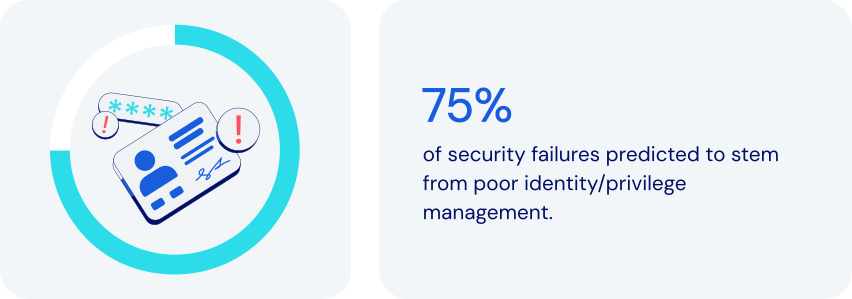
*Source: Gartner*
### How does password management fit in here?
Password management plays a critical role in making Least Privilege Access work. It helps ensure that individual users aren’t inadvertently given unnecessary access to sensitive information. Specific features to look for:
- **Role-based access control (RBAC) framework:** a robust password manager will provide a comprehensive RBAC framework, assigning appropriate access levels.
- **Granular permission control:** advanced password managers allow fine‑tune shared credential rights to enforce least privilege access control. Examples include read-only access, write access, and managerial access.
- **Credential sharing with hidden passwords:** a password manager can facilitate [secure sharing](https://bitwarden.com/fr-fr/blog/how-to-share-passwords-at-work-at-home-or-on-the-go/) by letting users autofill passwords without actually seeing them.
- **Encrypted secure ephemeral sharing:** some password managers allow for sharing of sensitive items with specified people for a limited time.
- **Audit trails and monitoring:** by [logging events](https://bitwarden.com/fr-fr/help/event-logs/), a password manager can help pinpoint details of unauthorized activities.
- **Enforced strong passwords:** this feature reduces the risk of compromise by generating only [complex passwords](https://bitwarden.com/fr-fr/blog/how-long-should-my-password-be/).
- **Zero-knowledge principles:** ensures the highest level of protection by enforcing complete end-to-end encryption for all items in a vault.
Together, these features help maximize the effectiveness of Least Privilege Access. They help you reduce security risks while ensuring that employees have whatever access they need to get their work done.
### How least privilege access keeps today’s businesses safer
Using password management to implement Least Privilege Access is a proven approach to enhance security, minimize risk, and streamline access control. It allows you to:
- **Reduce the risk of data breaches:** limiting access reduces the attack surface. Even if one individual is compromised, potential damage is contained.
- **Prevent insider threats:** restricting the access of any individual reduces the risk and scope of internal data theft or sabotage.
- **Strengthen compliance and auditing:** providing audit logs to prove adherence to principles of least privilege access. Monitoring access also promotes compliance with regulations like [ISO 27001](https://bitwarden.com/fr-fr/resources/how-password-management-helps-companies-achieve-iso-27001-certification/), GDPR, [HIPAA](https://bitwarden.com/fr-fr/blog/why-use-a-hipaa-compliant-password-manager/), and [SOC 2](https://bitwarden.com/fr-fr/resources/achieve-soc-2-password-compliance-with-bitwarden/).
- **Limit credential sharing risks:** using [end-to-end encryption](https://bitwarden.com/fr-fr/resources/zero-knowledge-encryption-white-paper/) when sharing credentials limits access to specifically selected recipients.
- **Streamline employee onboarding and succession**: simplify access management while providing for immediate revocation of credential access.
- **Enhance productivity:** reduce time spent on password issues, including forgotten passwords and [time-consuming password resets](https://bitwarden.com/fr-fr/resources/world-password-day/).
- **Support**[**remote and hybrid workforces**](https://bitwarden.com/fr-fr/blog/securing-remote-work-password-manager/)**:** easily secure access across any device, anywhere.
- **Protect against credential reuse attacks**: reduce exploitation risks by encouraging strong, unique passwords.
Least Privilege Access is a powerful way for businesses and organizations to reduce security risks, improve efficiency, and ensure regulatory compliance.
### How Bitwarden supports least privilege access
Bitwarden helps achieve Least Privilege Access through a comprehensive set of security features, access controls, and management tools. These include:
- **Role-based access control:** offers custom roles and [granular permissions](https://bitwarden.com/fr-fr/resources/telecommunications-firm-achieves-password-management-adoption/), assigning minimum necessary privileges. Roles include Admin, Owner, and User, along with a full set of options for Custom Roles
- **Collections for grouped access:** organizes credentials by function, granting access only to those teams, departments, or individuals who need it.
- **Granular sharing controls:** allows admins to assign permissions for Read-Only, Read and Write, or Manager.
- **Encrypted vaults for secure storage:** all data is end-to-end encrypted.
- **Audit logs and activity monitoring:** provides detailed logs for every access event.
- **Account recovery:** allows [approved administrators](https://bitwarden.com/fr-fr/help/account-recovery/#recover-an-account/) to gain critical credentials in emergencies.
- **SSO integration:** helps strengthen identity verification.
- **Enforced security policies:** supports [policies](https://bitwarden.com/fr-fr/help/policies/) like master password strength and 2FA requirements.
- **Administrator access limiting:** allows a range of options for limiting admin visibility to stored shared items.
### The bottom line
Even in an age of increasingly sophisticated cyberthreats, it’s possible to improve security without compromising productivity. Now you can ensure that employees have precisely the access they need to get the job done.
Bitwarden offers a thoughtful combination of role-based controls, secure sharing, and robust monitoring. Together, they directly support today’s best practices for Least Privilege Access principles. Adopting the principles of least privilege access reduces attack surface without hurting productivity. Just one more reason Bitwarden is regarded as the most trusted name in password management.
### Why does Bitwarden stand out among alternatives?
Bitwarden Password Manager is built with the needs of modern enterprises in mind, including, scalability, wide integration compatibility, centralized management, and flexibility to enact a principle of least privilege:
- Bitwarden allows organizations to choose the level of least privilege that works for them with options for adjusting administrator visibility to shared items.
- All items shared in Bitwarden are owned by the organization, providing centralized management access control.
- Powerful APIs allow for integration into other tools, including [SIEM tools](https://bitwarden.com/fr-fr/help/microsoft-sentinel-siem/) for real-time security alerts.
- Policy automation integrates with SIEM and IAM to extend least privilege access control across tools.
- Reporting to easily spot over-privileged users for streamlined auditing and remediation.
## Obtenez dès maintenant une sécurité de mot de passe puissante et fiable. Choisissez votre plan.
## Personnel
### Gratuit
**$0** *par mois*
*Gratuit pour toujours*
Profitez d'un coffre-fort Bitwarden
- Nombre illimité d'appareils
- Gestion des clés d'accès
- Toutes les fonctions essentielles
- Gratuit à vie
Partager des éléments du coffre-fort avec un autre utilisateur
[Commencez dès aujourd'hui](https://bitwarden.com/go/start-free/)
---
### Premium
**Less than $1** *par mois*
*$10 facturés annuellement*
Profitez des fonctionnalités premium
- Bitwarden Authenticator
- Pièces jointes
- Accès d'urgence
- Rapports de sécurité et plus encore
Partager des éléments du coffre-fort avec un autre utilisateur
[Créer un compte premium](https://bitwarden.com/go/start-premium/)
---
### Familles
**$3.33** *par mois*
*Jusqu'à 6 utilisateurs, 40 $ facturés annuellement*
Sécuriser vos identifiants familiaux
- 6 comptes premium
- Partage illimité
- Collections illimitées
- Organisation du stockage
Partager les éléments du coffre-fort entre six personnes
[Essai gratuit de 7 jours](https://bitwarden.com/go/start-families-trial/)
---
Les prix sont indiqués en USD et sont basés sur un abonnement annuel. Les taxes ne sont pas incluses.
## Entreprises
### Équipes
*Protection résiliente pour les équipes en croissance*
**$4** *par mois / par utilisateur facturé annuellement*
Partagez des données sensibles en toute sécurité avec des collègues, à travers les départements ou l'ensemble de l'entreprise
- Partage sécurisé des données
- Surveillance du journal des événements
- Intégration de l'annuaire
- Soutien au SCIM
Inclut des fonctionnalités premium pour tous les utilisateurs
[Commencer un essai](https://bitwarden.com/go/start-teams-trial/)
---
### Entreprise
*Fonctionnalités avancées pour les grandes organisations*
**$6** *par mois / par utilisateur facturé annuellement*
Utilisez des fonctionnalités avancées, notamment des politiques d'entreprise, la connexion sans mot de passe unique (SSO) et la récupération de compte.
- Politiques de sécurité de l'entreprise
- SSO sans mot de passe
- Recouvrement de compte
- Option d’autohébergement
Inclut des fonctionnalités premium et un plan familial gratuit pour tous les utilisateurs
[Commencer un essai](https://bitwarden.com/go/start-enterprise-trial/)
---
### Obtenez un devis
*Pour les entreprises comptant des centaines ou des milliers d'employés, veuillez contacter notre service commercial pour obtenir un devis personnalisé et voir comment Bitwarden peut vous aider :*
- Réduire le risque de cybersécurité
- Augmenter la productivité
- Intégrer de manière transparente
Bitwarden s'adapte à toutes les tailles d'entreprise pour garantir la sécurité des mots de passe au sein de votre organisation.
[Contacter le service commercial](https://bitwarden.com/contact-sales/)
---
Tarification indiquée en USD et basée sur un abonnement annuel
---
URL: https://bitwarden.com/fr-fr/resources/major-utilities-firm-benefits-from-comprehensive-bitwarden-security-solution/
---
# Major utilities firm benefits from comprehensive Bitwarden security solution
Learn how North American Energy Systems made seamless transition to the Bitwarden Password Manager.
---
Founded: 1980
Industry: Utilities
Employees: Over 4,000
Location: Issaquah, Washington
North American Energy Systems (NAES) is an independent services provider enabling energy facilities worldwide to optimize their performance. NAES has over 4,000 employees responsible for managing more than 50,000 megawatts (MW) of power generation. The company offers services in operations, maintenance, fabrication, grid management, regulatory compliance, and technical support. Headquartered in Issaquah, Washington, NAES has nine offices throughout the United States.
> Learn more about the annual [Open Source Security Summit](https://bitwarden.com/fr-fr/open-source-security-summit/).
## Table of Contents
[Situation](https://bitwarden.com/fr-fr/resources/major-utilities-firm-benefits-from-comprehensive-bitwarden-security-solution/#situation/)
[Solution: Zero knowledge architecture and a commitment to end-to-end encryption](https://bitwarden.com/fr-fr/resources/major-utilities-firm-benefits-from-comprehensive-bitwarden-security-solution/#solution-zero-knowledge-architecture-and-a-commitment-to-end-to-end-encryption/)
[The role of open source in inspiring excellence](https://bitwarden.com/fr-fr/resources/major-utilities-firm-benefits-from-comprehensive-bitwarden-security-solution/#the-role-of-open-source-in-inspiring-excellence/)
## Situation
Over time, NAES has continued to add new firms to the NAES Family of Companies in order to expand its capabilities and industry experience, with the goal of offering a portfolio of services covering the entire life cycle of power-generating plants and other industrial facilities. NAES subsidiaries consist of both US-based and global businesses.
The distributed nature of NAES, coupled with the sheer amount of data the company holds, necessitated deployment of an [enterprise-wide password manager](https://bitwarden.com/fr-fr/blog/choose-the-best-enterprise-password-manager/). Said Jimmy Chong, Cyber Security Engineer at NAES, “In the past, we were using LastPass. But, a breach against the company dented our confidence in the company and generated concerns about whether or not LastPass was reliable. So, we decided to look for another password management solution.”
NAES sought out a cloud-based password vault that offered straightforward [browser integration](https://bitwarden.com/fr-fr/help/getting-started-browserext/). The company was also intent on finding a solution that provided solid customer support, data breach reporting, family plans for employees who also wanted to use their password managers for personal activity, and strong integration with [Microsoft Azure](https://bitwarden.com/fr-fr/resources/using-bitwarden-with-azure-active-directory/) and [SSO support](https://bitwarden.com/fr-fr/blog/enterprise-passwordless-sso-brings-better-productivity-and-user-sign-in/). Said Chong, “We use Microsoft MFA as part of our multi-factor authentication solution. It was critically important the password manager option we settled on would support this.”
## Solution: Zero knowledge architecture and a commitment to end-to-end encryption
NAES chose Bitwarden because it met all of the company’s criteria, and then some.
> Said Chong, “The Bitwarden zero knowledge architecture was very important to us, as was the AES 256 encryption and the fact that the product is protected by end-to-end encryption. We liked the third party auditing, because it validates that the [Bitwarden security posture](https://bitwarden.com/fr-fr/help/bitwarden-security-white-paper/) is sound. We were also quite pleased with the cost.
> Since deploying Bitwarden, we’ve received overwhelmingly positive feedback.”
Chong described the transition from LastPass to Bitwarden as “seamless,” noting the company is thrilled with the solution.
## The role of open source in inspiring excellence
NAES considers the [open source](https://bitwarden.com/fr-fr/blog/why-open-source-delivers-transparency-and-security-for-enterprises/) nature of Bitwarden a huge draw. Where closed systems might run into code-related vulnerabilities that take longer to patch, open source software enables dedicated community members to immediately suggest patches. The freedom and flexibility inherent in open source means there are typically multiple eyes on source code, a benefit that Chong believes inspires excellence in software development.
> Said Chong, “We’re a utilities company, so obviously security is a huge concern for us. Having a number of eyes on the code gives us peace of mind. Overall, we find the open source community innovative and passionate. Sometimes, the fixes they offer are simple. Other times, they’re a bit more complex. Either way, we greatly value their commitment.”
*Watch the presentation*
[](https://vimeo.com/896626898)
*[Watch on Vimeo](https://vimeo.com/896626898)*
## Obtenez dès maintenant une sécurité de mot de passe puissante et fiable. Choisissez votre plan.
## Personnel
### Gratuit
**$0**
*par mois*
*Gratuit pour toujours*
Profitez d'un coffre-fort Bitwarden
- Nombre illimité d'appareils
- Gestion des clés d'accès
- Toutes les fonctions essentielles
- Gratuit à vie
Partager des éléments du coffre-fort avec un autre utilisateur
[Commencez dès aujourd'hui](https://bitwarden.com/go/start-free/)
---
### Premium
**Less than $1**
*par mois*
*$10 facturés annuellement*
Profitez des fonctionnalités premium
- Bitwarden Authenticator
- Pièces jointes
- Accès d'urgence
- Rapports de sécurité et plus encore
Partager des éléments du coffre-fort avec un autre utilisateur
[Créer un compte premium](https://bitwarden.com/go/start-premium/)
---
### Familles
**$3.33**
*par mois*
*Jusqu'à 6 utilisateurs, 40 $ facturés annuellement*
Sécuriser vos identifiants familiaux
- 6 comptes premium
- Partage illimité
- Collections illimitées
- Organisation du stockage
Partager les éléments du coffre-fort entre six personnes
[Essai gratuit de 7 jours](https://bitwarden.com/go/start-families-trial/)
---
Les prix sont indiqués en USD et sont basés sur un abonnement annuel. Les taxes ne sont pas incluses.
## Entreprises
### Équipes
*Protection résiliente pour les équipes en croissance*
**$4**
*par mois / par utilisateur facturé annuellement*
Partagez des données sensibles en toute sécurité avec des collègues, à travers les départements ou l'ensemble de l'entreprise
- Partage sécurisé des données
- Surveillance du journal des événements
- Intégration de l'annuaire
- Soutien au SCIM
Inclut des fonctionnalités premium pour tous les utilisateurs
[Commencer un essai](https://bitwarden.com/go/start-teams-trial/)
---
### Entreprise
*Fonctionnalités avancées pour les grandes organisations*
**$6**
*par mois / par utilisateur facturé annuellement*
Utilisez des fonctionnalités avancées, notamment des politiques d'entreprise, la connexion sans mot de passe unique (SSO) et la récupération de compte.
- Politiques de sécurité de l'entreprise
- SSO sans mot de passe
- Recouvrement de compte
- Option d’autohébergement
Inclut des fonctionnalités premium et un plan familial gratuit pour tous les utilisateurs
[Commencer un essai](https://bitwarden.com/go/start-enterprise-trial/)
---
### Obtenez un devis
*Pour les entreprises comptant des centaines ou des milliers d'employés, veuillez contacter notre service commercial pour obtenir un devis personnalisé et voir comment Bitwarden peut vous aider :*
- Réduire le risque de cybersécurité
- Augmenter la productivité
- Intégrer de manière transparente
Bitwarden s'adapte à toutes les tailles d'entreprise pour garantir la sécurité des mots de passe au sein de votre organisation.
[Contacter le service commercial](https://bitwarden.com/contact-sales/)
---
Tarification indiquée en USD et basée sur un abonnement annuel
---
URL: https://bitwarden.com/fr-fr/resources/managed-service-provider-greenloop-delivers-intuitive-password-security-for-their-clients/
---
# Managed Service Provider GreenLoop Delivers Intuitive Password Security for Their Clients
Secure sharing of team logins, an intuitive UI, and clear documentation were among the reasons GreenLoop chose to deploy Bitwarden to its managed service clients.
---
## Company Overview
- Founded: 2011
- Employees: 25
- Location: Phoenix, AZ
[GreenLoop IT Solutions](https://greenloopsolutions.com/) was founded with the purpose of bringing premium IT support and consulting services to small and medium businesses that value efficiency and strong customer relationships with their vendors.
## Situation
At the beginning of 2021, GreenLoop decided to add a password management solution to their general security offering that covers the [National Institute of Standards and Technology (NIST)](https://bitwarden.com/fr-fr/blog/3-tips-from-nist-to-keep-passwords-secure/) cybersecurity framework. They saw the need for a solution that could protect their clients’ logins and sensitive information, and allow them to securely share account details.
After successfully convincing many of their clients to use a password manager, their initial choice of vendor announced it was shutting down in early 2022. GreenLoop needed to quickly find a new partner and migrate their clients’ information out of the defunct solution within six weeks, and so began an intensive vendor comparison.
## Solution
**Bitwarden Emerges as First Choice to Protect Clients’ Passwords**
The [zero-knowledge](https://bitwarden.com/fr-fr/blog/end-to-end-encryption-and-zero-knowledge/) encryption architecture from Bitwarden ultimately allowed it to stand head and shoulders above the rest of the options GreenLoop evaluated. The ability to decentralize encryption, so that decryption keys never pass through Bitwarden servers, was very appealing to GreenLoop as it offered an additional layer of privacy and protection for their clients.
They were impressed that Bitwarden users can create Collections in order to securely share passwords across the organization from a central vault. In fact, GreenLoop said that of all the channel-friendly credential management vendors they evaluated, Bitwarden had by far the best implementation of centralized credential sharing across users. Other competing solutions did not directly solve the problem without cumbersome workarounds.
## Why did GreenLoop choose Bitwarden?
- [Collections](https://bitwarden.com/fr-fr/blog/making-the-move-with-organization-sharing/) for secure sharing of team logins and credentials
- Intuitive UI that non-technical clients could understand and use
- Thorough, clear documentation and learning materials
- Integrated one-time-password (OTP) codes
- Open-source, open development
“The goal is to hand off password management to the clients,” said Tyler Bradshaw, Director of Account Management at GreenLoop. “MSPs don’t need to be super involved in, say, who you want to share your Staples password with. Enabling our clients to securely manage their passwords themselves is the model we’ve found to work the best, and that was certainly a challenge–more so with (our previous vendor) than with Bitwarden.”
## Results
GreenLoop’s clients are mostly [small businesses](https://bitwarden.com/fr-fr/blog/cybersecurity-advice-for-small-businesses-from-the-ncsc/) with limited knowledge or understanding of cybersecurity issues. “Our number one success criteria was that transition with existing clients went smoothly enough that we didn’t lose credibility with them,” said Stephen Moody, GreenLoop’s CTO. “In fact, we’ve gained some credibility with them by moving them to Bitwarden, which is easier to use. To be able to not only provide our clients with a better user experience, but strengthen their password management and overall security - this is priceless for the GreenLoop team.”
To learn about the Bitwarden MSP Program and how Bitwarden can scale your business, contact us [today](https://bitwarden.com/fr-fr/partners/).
## Obtenez dès maintenant une sécurité de mot de passe puissante et fiable. Choisissez votre plan.
## Personnel
### Gratuit
**$0** *par mois*
*Gratuit pour toujours*
Profitez d'un coffre-fort Bitwarden
- Nombre illimité d'appareils
- Gestion des clés d'accès
- Toutes les fonctions essentielles
- Gratuit à vie
Partager des éléments du coffre-fort avec un autre utilisateur
[Commencez dès aujourd'hui](https://bitwarden.com/go/start-free/)
---
### Premium
**Less than $1** *par mois*
*$10 facturés annuellement*
Profitez des fonctionnalités premium
- Bitwarden Authenticator
- Pièces jointes
- Accès d'urgence
- Rapports de sécurité et plus encore
Partager des éléments du coffre-fort avec un autre utilisateur
[Créer un compte premium](https://bitwarden.com/go/start-premium/)
---
### Familles
**$3.33** *par mois*
*Jusqu'à 6 utilisateurs, 40 $ facturés annuellement*
Sécuriser vos identifiants familiaux
- 6 comptes premium
- Partage illimité
- Collections illimitées
- Organisation du stockage
Partager les éléments du coffre-fort entre six personnes
[Essai gratuit de 7 jours](https://bitwarden.com/go/start-families-trial/)
---
Les prix sont indiqués en USD et sont basés sur un abonnement annuel. Les taxes ne sont pas incluses.
## Entreprises
### Équipes
*Protection résiliente pour les équipes en croissance*
**$4** *par mois / par utilisateur facturé annuellement*
Partagez des données sensibles en toute sécurité avec des collègues, à travers les départements ou l'ensemble de l'entreprise
- Partage sécurisé des données
- Surveillance du journal des événements
- Intégration de l'annuaire
- Soutien au SCIM
Inclut des fonctionnalités premium pour tous les utilisateurs
[Commencer un essai](https://bitwarden.com/go/start-teams-trial/)
---
### Entreprise
*Fonctionnalités avancées pour les grandes organisations*
**$6** *par mois / par utilisateur facturé annuellement*
Utilisez des fonctionnalités avancées, notamment des politiques d'entreprise, la connexion sans mot de passe unique (SSO) et la récupération de compte.
- Politiques de sécurité de l'entreprise
- SSO sans mot de passe
- Recouvrement de compte
- Option d’autohébergement
Inclut des fonctionnalités premium et un plan familial gratuit pour tous les utilisateurs
[Commencer un essai](https://bitwarden.com/go/start-enterprise-trial/)
---
### Obtenez un devis
*Pour les entreprises comptant des centaines ou des milliers d'employés, veuillez contacter notre service commercial pour obtenir un devis personnalisé et voir comment Bitwarden peut vous aider :*
- Réduire le risque de cybersécurité
- Augmenter la productivité
- Intégrer de manière transparente
Bitwarden s'adapte à toutes les tailles d'entreprise pour garantir la sécurité des mots de passe au sein de votre organisation.
[Contacter le service commercial](https://bitwarden.com/contact-sales/)
---
Tarification indiquée en USD et basée sur un abonnement annuel
---
URL: https://bitwarden.com/fr-fr/resources/march-2025-spotlight-5-ways-to-get-started-with-passkeys/
---
# March 2025 Spotlight: 5 ways to get started with passkeys
Welcome to the Bitwarden March newsletter
---
It’s AI Fools Week! A new holiday from the National Cybersecurity Alliance reminds everyone to be aware of AI cyberthreats, including the growing amount of misinformation from AI-generated content. And to be aware of what you share: a recent survey found 38% of users shared sensitive work information with AI. Whether it’s deepfakes, phishing emails, or AI-powered robocalls, we have you covered on how to stay safe.
### Featured Highlights
**Demo: How to log in using a passkey**You’re ready to join the passkey revolution and looking for where to start. The latest [Vault Hours](https://www.youtube.com/watch?v=5y4FfqvfmM4&t=1511s) showcases key features of passkeys and walks you through a passkey user's journey from discovery to full adoption. Then, stay tuned for a 2-minute demo on how to actually log into Bitwarden using a passkey. Lastly, check out this popular [passkey FAQ](https://bitwarden.com/fr-fr/resources/passkeys-faq/).
**Passkeys and the evolution of authentication**Passkeys are redefining how we access and protect our online accounts. Take today’s realistic AI-generated phishing attacks. Passkeys can significantly reduce these threats by eliminating the need for users to remember complex credentials in the first place. See [how passkeys are shaping the future](https://bitwarden.com/fr-fr/blog/passkeys-and-the-evolution-of-authentication-a-secure-seamless-future/), plus watch this 1-minute video on [using passkeys with Bitwarden](https://www.youtube.com/watch?v=3wh52KY89bU).
**It’s almost April 15. Have you started your taxes?**Were you planning to send your tax documents through cloud drives, email, or messaging apps? This is your year to try Bitwarden Send. Get complete end-to-end encryption of any text or file. Control who has access and for how long. And you can even send it to non-Bitwarden users. Here’s a [quick how-to guide](https://bitwarden.com/fr-fr/blog/tax-season-stay-secure-with-bitwarden-send/).
### Hot Topics
**How to set up two-step login**Even if malicious actors discover your username and password, two-step login can prevent them from accessing your accounts, buying you time to reset your credentials. Check out this [guide to two-step login](https://bitwarden.com/fr-fr/help/bitwarden-field-guide-two-step-login/).
**How to use Bitwarden on Android**In this new 3-minute video, find out everything you need to know about [mastering the basics of Bitwarden on Android](https://www.youtube.com/watch?v=5NqZt-Ifq7g), from setting up your autofill preferences to logging into a website with the app, using biometrics, and more.
**NIST top 3 password recommendations**Did you know? The National Institute of Standards and Technology (NIST) recommends you avoid periodically changing passwords in the name of safety. Frequent password changes can lead to weaker passwords when people start to fall back on old or easily guessable passwords. See their [top recommendations for personal questions, password complexity, and securing passwords](https://bitwarden.com/fr-fr/blog/3-tips-from-nist-to-keep-passwords-secure/).
### Where To Find Us
**RSA Conference 2025**If you’re part of the cybersecurity community, interested in preventing cyberattacks, or want to stay on top of the latest cybersecurity trends, join Bitwarden at the [RSA Conference ](https://bitwarden.com/fr-fr/blog/rsac/)in San Francisco! Be sure to come visit Booth #1167.
### Reader Request
**Translations of this newsletter to other languages**Many email clients provide translation options – search through their documentation for instructions.
**Here’s how to turn on translations for Gmail:**
- Open the email you want to translate.
- In the top right corner, click the three vertical dots icon.
- Choose “Translate message” from the menu.
- Select the language you want to translate the email into.
## Obtenez dès maintenant une sécurité de mot de passe puissante et fiable. Choisissez votre plan.
## Personnel
### Gratuit
**$0** *par mois*
*Gratuit pour toujours*
Profitez d'un coffre-fort Bitwarden
- Nombre illimité d'appareils
- Gestion des clés d'accès
- Toutes les fonctions essentielles
- Gratuit à vie
Partager des éléments du coffre-fort avec un autre utilisateur
[Commencez dès aujourd'hui](https://bitwarden.com/go/start-free/)
---
### Premium
**Less than $1** *par mois*
*$10 facturés annuellement*
Profitez des fonctionnalités premium
- Bitwarden Authenticator
- Pièces jointes
- Accès d'urgence
- Rapports de sécurité et plus encore
Partager des éléments du coffre-fort avec un autre utilisateur
[Créer un compte premium](https://bitwarden.com/go/start-premium/)
---
### Familles
**$3.33** *par mois*
*Jusqu'à 6 utilisateurs, 40 $ facturés annuellement*
Sécuriser vos identifiants familiaux
- 6 comptes premium
- Partage illimité
- Collections illimitées
- Organisation du stockage
Partager les éléments du coffre-fort entre six personnes
[Essai gratuit de 7 jours](https://bitwarden.com/go/start-families-trial/)
---
Les prix sont indiqués en USD et sont basés sur un abonnement annuel. Les taxes ne sont pas incluses.
## Entreprises
### Équipes
*Protection résiliente pour les équipes en croissance*
**$4** *par mois / par utilisateur facturé annuellement*
Partagez des données sensibles en toute sécurité avec des collègues, à travers les départements ou l'ensemble de l'entreprise
- Partage sécurisé des données
- Surveillance du journal des événements
- Intégration de l'annuaire
- Soutien au SCIM
Inclut des fonctionnalités premium pour tous les utilisateurs
[Commencer un essai](https://bitwarden.com/go/start-teams-trial/)
---
### Entreprise
*Fonctionnalités avancées pour les grandes organisations*
**$6** *par mois / par utilisateur facturé annuellement*
Utilisez des fonctionnalités avancées, notamment des politiques d'entreprise, la connexion sans mot de passe unique (SSO) et la récupération de compte.
- Politiques de sécurité de l'entreprise
- SSO sans mot de passe
- Recouvrement de compte
- Option d’autohébergement
Inclut des fonctionnalités premium et un plan familial gratuit pour tous les utilisateurs
[Commencer un essai](https://bitwarden.com/go/start-enterprise-trial/)
---
### Obtenez un devis
*Pour les entreprises comptant des centaines ou des milliers d'employés, veuillez contacter notre service commercial pour obtenir un devis personnalisé et voir comment Bitwarden peut vous aider :*
- Réduire le risque de cybersécurité
- Augmenter la productivité
- Intégrer de manière transparente
Bitwarden s'adapte à toutes les tailles d'entreprise pour garantir la sécurité des mots de passe au sein de votre organisation.
[Contacter le service commercial](https://bitwarden.com/contact-sales/)
---
Tarification indiquée en USD et basée sur un abonnement annuel
---
URL: https://bitwarden.com/fr-fr/resources/marketing-agency-streamlines-productivity-with-password-management/
---
# Golden Communications rationalise la productivité grâce à une gestion intuitive des mots de passe
Découvrez comment l'agence de développement de sites Web Golden Communications a amélioré la productivité de la gestion des mots de passe pour ses employés en passant de LastPass à Bitwarden.
---
## Golden Communications
**Fondée :** 1996
**Secteur :** conception de sites web et services web gérés
**Employés :** ~ 50
**Références à gérer :** 3000+
**Lieu :** Newport Beach, CA
[Golden Communications](https://www.goldencomm.com/) est spécialisée dans les services d'agence de marketing, y compris la conception de sites web professionnels, la gestion de sites web et les services de marché numérique. Basée à Newport Beach, en Californie, Golden Communications et ses 50 employés soutiennent des centaines de clients, qu'il s'agisse de start-ups, de PME ou d'entreprises figurant au palmarès Fortune 500. Avec quatre sites répartis sur trois continents, cette agence en pleine croissance est fière d'être une entreprise mondiale dont la clientèle est très variée.
### Situation
Golden Communications avait besoin de gérer et de stocker en toute sécurité plus de 3 000 informations d'identification associées aux sites Web et aux écosystèmes d'hébergement en nuage de ses clients. Pour relever ce défi, l'équipe de Golden Communications a d'abord utilisé LastPass pour la gestion des mots de passe.
Si la solution a permis de résoudre certains problèmes initiaux, elle a également introduit de nouvelles questions pour l'équipe.
La première était le temps de chargement de LastPass, ce qui signifie que les employés ne pouvaient pas accéder rapidement à leurs coffres-forts et à leurs mots de passe lorsqu'ils en avaient besoin, ce qui avait un impact négatif sur la productivité des utilisateurs.
"La force motrice de l'abandon de LastPass était le manque de vitesse, en particulier sur l'extension Chrome", a déclaré Andrew Nguyen, directeur technique. "Il était terriblement lent pour nos utilisateurs qui s'en sont plaints à plusieurs reprises au fil des ans.
Les fonctionnalités de LastPass destinées à l'administration et aux utilisateurs finaux étaient également complexes et difficiles à utiliser. "Leur console d'administration était très difficile à utiliser", a déclaré Anya Pitre, représentante des services à la clientèle. "Parfois, je supprimais des personnes et un courriel était envoyé à l'ensemble de l'entreprise pour l'informer de la suppression de la personne. Et je n'ai pas réussi à trouver comment l'éteindre".
Golden Communications utiliserait également régulièrement le temps précieux de l'entreprise pour résoudre les problèmes liés à l'utilisation de la solution sur plusieurs appareils. Selon M. Nguyen, "une fois par semaine ou toutes les deux semaines, un membre de l'équipe utilise un type d'appareil différent qui ne fonctionne pas très bien à moins que vous ne sachiez comment faire certains trucs et astuces. C'est très épuisant de devoir passer par ce processus".
Enfin, les options tarifaires de LastPass ne sont pas adaptées aux besoins d'une entreprise en pleine croissance. Pour bénéficier des fonctions de sécurité spécifiques à l'entreprise dont elle avait besoin, Golden Communications a été contrainte d'acheter des sièges supplémentaires, même si elle n'en avait pas besoin.
"Nous devions acheter un nombre minimum de sièges pour bénéficier de certaines fonctions commerciales, si bien que nous avons fini par payer pour des sièges inutiles que nous n'utilisions pas, ce que j'ai trouvé un peu ridicule".
## Table des matières
[Situation](https://bitwarden.com/fr-fr/resources/marketing-agency-streamlines-productivity-with-password-management/#situation/)
[Solution : Gestion intuitive et rationalisée des mots de passe](https://bitwarden.com/fr-fr/resources/marketing-agency-streamlines-productivity-with-password-management/#solution-intuitive-and-streamlined-password-management/)
[Faciliter la productivité des employés](https://bitwarden.com/fr-fr/resources/marketing-agency-streamlines-productivity-with-password-management/#facilitating-productivity-for-employees/)
[Une migration facile vers Bitwarden](https://bitwarden.com/fr-fr/resources/marketing-agency-streamlines-productivity-with-password-management/#an-easy-migration-to-bitwarden/)
[Gestion intuitive des accès](https://bitwarden.com/fr-fr/resources/marketing-agency-streamlines-productivity-with-password-management/#intuitive-access-management/)
[Gestion des mots de passe adaptée aux agences](https://bitwarden.com/fr-fr/resources/marketing-agency-streamlines-productivity-with-password-management/#password-management-tailored-for-agencies/)
[Un avenir productif et sûr avec Bitwarden](https://bitwarden.com/fr-fr/resources/marketing-agency-streamlines-productivity-with-password-management/#a-productive-and-secure-future-with-bitwarden/)
[Démarrer avec Bitwarden](https://bitwarden.com/fr-fr/resources/marketing-agency-streamlines-productivity-with-password-management/#get-started-with-bitwarden/)
## Solution : Gestion intuitive et rationalisée des mots de passe
Quelques membres de l'équipe de Golden Communications possédaient un compte personnel Bitwarden et l'ont recommandé à M. Nguyen. "Ils utilisent Bitwarden depuis des années et l'apprécient beaucoup pour leur usage personnel", explique M. Nguyen. "Pitre et moi nous sommes inscrits pour tester Bitwarden et voir s'il répondait à leurs attentes."
Après avoir constaté la différence en termes de vitesse, d'intuitivité et de prix, M. Nguyen a décidé qu'il était temps de passer de LastPass à Bitwarden.
### Faciliter la productivité des employés
Grâce à Bitwarden, Golden Communications a gagné en productivité avec des temps de chargement plus rapides sur l'[extension du navigateur Chrome](https://chrome.google.com/webstore/detail/bitwarden-free-password-m/nngceckbapebfimnlniiiahkandclblb), ce qui permet aux employés de se concentrer sur ce qui compte le plus : leurs clients. "J'aime beaucoup l'extension Bitwarden pour Chrome, elle est facile à utiliser et à naviguer", a déclaré M. Pitre.
Bitwarden a également minimisé le besoin de soutien et de questions supplémentaires de la part de l'équipe de M. Nguyen.
### Une migration facile vers Bitwarden
Lorsque Golden Communications a décidé de passer à Bitwarden, la migration a été facile. M. Nguyen raconte : "Lorsque nous avons exporté de LastPass et importé vers Bitwarden, la transition s'est faite en douceur. J'ai été impressionné parce que nous avions des montagnes de données à migrer et que c'était très simple".
L'importation transparente a été réalisée principalement grâce à l'API publique et à l'interface de ligne de commande de Bitwarden. "Nous avons utilisé une ligne de commande pour supprimer des milliers de dossiers en une fraction de seconde.
## Pourquoi Golden Communications a-t-elle choisi Bitwarden ?
- Extension rapide du navigateur Chrome
- Interface utilisateur intuitive
- Des prix compétitifs pour les PME
- API publique pour une migration efficace
- Connexion avec intégration [SSO](https://bitwarden.com/fr-fr/help/about-sso/)
### Gestion intuitive des accès
Avec Bitwarden, l'équipe est désormais en mesure de naviguer facilement dans les paramètres administratifs. Pitre a déclaré : "La navigation dans l'administration a été très facile. Contrairement à LastPass, qui a un tas de politiques différentes que vous devez activer ou désactiver, Bitwarden offre une expérience beaucoup plus rationalisée".
Le processus d'intégration des nouveaux employés a également été plus simple avec Bitwarden. M. Nguyen a noté que l'interface utilisateur explicative de Bitwarden a facilité l'adoption du gestionnaire de mots de passe par les nouveaux employés.
### Gestion des mots de passe adaptée aux agences
Golden Communications avait besoin d'un système de gestion des mots de passe flexible qui puisse s'adapter à ses besoins spécifiques en tant qu'agence. Avec plus de 3 000 identifiants à gérer, Golden Communications accédait régulièrement aux sites web et aux serveurs de ses clients avec d'autres informations de connexion, en plus des noms d'utilisateur et des mots de passe habituels.
Grâce aux champs personnalisés de Bitwarden, Golden Communications peut désormais facilement remplir automatiquement ces informations. Selon M. Nguyen, "il y a beaucoup d'autres labels qui entrent dans le site web, pas seulement l'utilisation d'un mot de passe, mais aussi d'autres aspects du site. Ce champ personnalisé peut s'avérer très pratique pour nous".
M. Nguyen et son équipe ont également tiré parti de la souplesse de la configuration administrative et organisationnelle de Bitwarden en utilisant des collections et des groupes d'utilisateurs pour répondre aux besoins de leur agence. "Nous utilisons des collections, essentiellement pour chacun de nos clients", a déclaré M. Pitre. L'équipe désigne ensuite un groupe d'utilisateurs pour chaque service, pour lequel elle définit des autorisations d'accès, ce qui permet d'organiser toutes les informations relatives aux clients.
### Un avenir productif et sûr avec Bitwarden
Alors que Golden Communications continue d'étendre l'utilisation de Bitwarden, M. Nguyen espère pouvoir activer l'authentification à deux facteurs (2FA) via Duo, ainsi que l'intégration de l'authentification unique. "Nous avons en fait un compte Duo pour tout le monde ici à Golden Comm", a déclaré M. Nguyen. "Nous espérons qu'avec Bitwarden, l'authentification à deux facteurs et l'authentification unique, nous maintiendrons un niveau de sécurité élevé."
## Démarrer avec Bitwarden
Découvrez ce que Bitwarden peut faire pour votre entreprise et inscrivez-vous pour un [essai gratuit de 7 jours](https://bitwarden.com/fr-fr/trial/)!
---
URL: https://bitwarden.com/fr-fr/resources/may-2024-spotlight-join-today-bitwarden-passkeys-for-mobile-apps-are-now/
---
# Mai 2024 Coup de projecteur : Bitwarden Authenticator et passkeys sur mobile !
Sécurité transparente et commodité sans mot de passe sur vos appareils iOS et Android
---
## Faits marquants
[](https://bitwarden.com/blog/bitwarden-just-launched-a-new-authenticator-app-heres-what-it-means-to-users/)
*Authenticator blog card*
Bitwarden a lancé un outil essentiel pour renforcer votre sécurité en ligne : Bitwarden Authenticator, désormais disponible pour iOS et Android. L'application stocke les codes 2FA, ajoutant une couche de défense supplémentaire à votre vie numérique. Dans ce [blog](https://bitwarden.com/fr-fr/blog/bitwarden-just-launched-a-new-authenticator-app-heres-what-it-means-to-users/), découvrez comment il fonctionne et ce que nous réserve l'Authenticateur Bitwarden.
[](https://bitwarden.com/blog/bitwarden-passkeys-mobile/)
*Passkeys devient mobile !*
Bitwarden a lancé la gestion des clés d'accès pour les utilisateurs du gestionnaire de mots de passe Bitwarden afin de fournir une méthode solide, sécurisée et sans mot de passe pour se connecter à des sites web et à des applications. Aujourd'hui, en plus de l'extension de navigateur Bitwarden, les passkeys sont disponibles dans l'application mobile Bitwarden sur iOS et Android, complétant ainsi la vision qui consiste à faciliter l'utilisation des passkeys où que vous vous connectiez. Découvrez comment [utiliser les passkeys](https://bitwarden.com/fr-fr/blog/bitwarden-passkeys-mobile/) sur votre appareil mobile.
## Enjoying this update? Subscribe today.
*Receive the latest product updates, hand-picked articles, community highlights, and more.*
[Contact form]
## More Bitwarden Bites
[**How to use the Bitwarden Passphrase Generator**](https://bitwarden.com/fr-fr/blog/how-to-use-the-bitwarden-passphrase-generator/)
Instead of a random string of characters (such as i8bjKgvpxeFpkTA), Bitwarden can generate a group of randomly selected words to be used in place of a [password](https://bitwarden.com/fr-fr/password-generator/), such as imitate-sanctity-idly-gas, which is more memorable and difficult to crack. Use this [helpful guide](https://bitwarden.com/fr-fr/blog/how-to-use-the-bitwarden-passphrase-generator/) to incorporate [passphrases](https://bitwarden.com/fr-fr/passphrase-generator/) into your security toolkit.
[**Using Splunk with Bitwarden Password Manager**](https://bitwarden.com/fr-fr/blog/using-splunk-with-bitwarden-password-manager/)
Bitwarden now integrates with Splunk Cloud for enhanced event and security logging, simplifying bringing Bitwarden events into Splunk with pre-built dashboards for authentication events, vault item events, and organization events. Read the [full article](https://bitwarden.com/fr-fr/blog/using-splunk-with-bitwarden-password-manager/) to learn more how this integration can benefit your organization.
## Security Culture and Best Practices
[**The State of Password Security 2024 Report**](https://bitwarden.com/fr-fr/resources/the-state-of-password-security/)
Technology moves fast, and online accounts are crucial for both businesses and individuals. This assessment educates password users on federal best practices and highlights areas for improvement. While some government approaches to password security are solid, others need modernization. This [report](https://bitwarden.com/fr-fr/resources/the-state-of-password-security/) consolidates and evaluates the emerging consensus on best practices.
[**What the World’s Largest Credit Card Companies Say About Security**](https://bitwarden.com/fr-fr/blog/what-the-worlds-largest-credit-card-companies-say-about-security/)
Whether you are operating as an individual or part of a business, the world’s largest credit card companies - Visa, Mastercard, and Chase - recommend [several security best practices for better online protection.](https://bitwarden.com/fr-fr/blog/what-the-worlds-largest-credit-card-companies-say-about-security/)
[**Building a Cybersecurity Culture in the Workplace**](https://bitwarden.com/fr-fr/blog/building-a-cybersecurity-culture-in-the-workplace/)
Organizations are regularly targeted by cyber criminals aiming to exploit security vulnerabilities. This [article](https://bitwarden.com/fr-fr/blog/building-a-cybersecurity-culture-in-the-workplace/) explores risky habits that are common in the workplace and outlines strategies for developing a strong security culture, such as educating employees about credential security best practices and conducting regular cyber awareness training.
## Development Tips and Updates
[**Bitwarden transitions from Manifest v2 to v3**](https://bitwarden.com/fr-fr/blog/bitwarden-manifest-v3/)
Bitwarden new browser extension upgrade utilizes service workers, which are more efficient and secure. This transition to Manifest v3 brings enhanced performance, stronger security, and better resource management. In this [article](https://bitwarden.com/fr-fr/blog/bitwarden-manifest-v3/), learn how encrypted local storage and real-time data synchronization ensure your browser extension remains secure and efficient.
## Compliance and Audits
[**Bitwarden Upholds High Security Standards with Third-Party Audits**](https://bitwarden.com/fr-fr/blog/third-party-security-audit/)
Annual third-party security audits are conducted by external security experts like Cure53 and Insight Risk Consulting. These audits reinforce Bitwarden security and help customers comply with enterprise security requirements. Take a look at the [Bitwarden 2023 Security Assessment.](https://bitwarden.com/fr-fr/blog/third-party-security-audit/)
## Community Spotlight
[](https://www.reddit.com/r/Bitwarden/comments/1d21wk9/review_my_bitwarden_presentation/)
*Review my Bitwarden presentation*
This month’s spotlight features a community member who wants to help their parents stay more secure online. u/immunetosound even created an educational presentation for their folks! They’re asking the Bitwarden community for tips. Readers, will you help out? [Join the conversation and offer your insights.](https://www.reddit.com/r/Bitwarden/comments/1d21wk9/review_my_bitwarden_presentation/)
## Bitwarden Learning Center

*Gestion des justificatifs d'identité Bitwarden*
Check out [Bitwarden 101](https://bitwarden.com/fr-fr/learning/pm-101-getting-started-as-a-user/) for a short video series on how to get started with Bitwarden Password Manager as an administrator or end user.
That’s it for now. For more product updates and online security tips, visit the Bitwarden [blog](https://bitwarden.com/fr-fr/blog/).
**Until next time,**
Team Bitwarden
## Hi readers!
Take this [two-minute](https://forms.bitwarden.com/newsletter) survey to help us improve the monthly Bitwarden Newsletter and deliver the information you care most about.
## Obtenez dès maintenant une sécurité de mot de passe puissante et fiable. Choisissez votre plan.
## Personnel
### Gratuit
**$0** *par mois*
*Gratuit pour toujours*
Profitez d'un coffre-fort Bitwarden
- Nombre illimité d'appareils
- Gestion des clés d'accès
- Toutes les fonctions essentielles
- Gratuit à vie
Partager des éléments du coffre-fort avec un autre utilisateur
[Commencez dès aujourd'hui](https://bitwarden.com/go/start-free/)
---
### Premium
**Less than $1** *par mois*
*$10 facturés annuellement*
Profitez des fonctionnalités premium
- Bitwarden Authenticator
- Pièces jointes
- Accès d'urgence
- Rapports de sécurité et plus encore
Partager des éléments du coffre-fort avec un autre utilisateur
[Créer un compte premium](https://bitwarden.com/go/start-premium/)
---
### Familles
**$3.33** *par mois*
*Jusqu'à 6 utilisateurs, 40 $ facturés annuellement*
Sécuriser vos identifiants familiaux
- 6 comptes premium
- Partage illimité
- Collections illimitées
- Organisation du stockage
Partager les éléments du coffre-fort entre six personnes
[Essai gratuit de 7 jours](https://bitwarden.com/go/start-families-trial/)
---
Les prix sont indiqués en USD et sont basés sur un abonnement annuel. Les taxes ne sont pas incluses.
## Entreprises
### Équipes
*Protection résiliente pour les équipes en croissance*
**$4** *par mois / par utilisateur facturé annuellement*
Partagez des données sensibles en toute sécurité avec des collègues, à travers les départements ou l'ensemble de l'entreprise
- Partage sécurisé des données
- Surveillance du journal des événements
- Intégration de l'annuaire
- Soutien au SCIM
Inclut des fonctionnalités premium pour tous les utilisateurs
[Commencer un essai](https://bitwarden.com/go/start-teams-trial/)
---
### Entreprise
*Fonctionnalités avancées pour les grandes organisations*
**$6** *par mois / par utilisateur facturé annuellement*
Utilisez des fonctionnalités avancées, notamment des politiques d'entreprise, la connexion sans mot de passe unique (SSO) et la récupération de compte.
- Politiques de sécurité de l'entreprise
- SSO sans mot de passe
- Recouvrement de compte
- Option d’autohébergement
Inclut des fonctionnalités premium et un plan familial gratuit pour tous les utilisateurs
[Commencer un essai](https://bitwarden.com/go/start-enterprise-trial/)
---
### Obtenez un devis
*Pour les entreprises comptant des centaines ou des milliers d'employés, veuillez contacter notre service commercial pour obtenir un devis personnalisé et voir comment Bitwarden peut vous aider :*
- Réduire le risque de cybersécurité
- Augmenter la productivité
- Intégrer de manière transparente
Bitwarden s'adapte à toutes les tailles d'entreprise pour garantir la sécurité des mots de passe au sein de votre organisation.
[Contacter le service commercial](https://bitwarden.com/contact-sales/)
---
Tarification indiquée en USD et basée sur un abonnement annuel
---
URL: https://bitwarden.com/fr-fr/resources/monitor-bitwarden-events-using-microsoft-sentinel/
---
# Monitor Bitwarden events using Microsoft Sentinel SIEM
Discover how Bitwarden integrates with Microsoft Sentinel to deliver robust security information and event management (SIEM), helping defend against malicious attacks and network breaches
---
## Using Microsoft Sentinel with Bitwarden password manager for enhanced security monitoring
Monitoring security events from Bitwarden in a centralized platform is essential for organizations that manage sensitive credentials. [Microsoft Sentinel](https://azure.microsoft.com/en-us/products/microsoft-sentinel), a cloud-native security information and event management (SIEM) system, provides real-time insights into security risks and enables proactive monitoring. In this quick overview, you’ll learn about the benefits of integrating Bitwarden with Microsoft Sentinel to improve your organization's security posture.
### Why integrate Bitwarden with Microsoft Sentinel?
Some of the key benefits of Integrating Bitwarden with Microsoft Sentinel include:
1. **Enhanced threat detection** Integrating Bitwarden with Sentinel allows for continuous monitoring of Bitwarden activities, such as password changes, unauthorized access attempts, and configuration changes. By collecting these events, Sentinel can correlate them with other security data from across your organization, enabling better detection of suspicious activity.
2. **Streamlined incident response** Security teams can set up automated alerts in Sentinel when potential threats are identified within Bitwarden. For example, Sentinel can notify your team if there’s unusual login behavior, repeated failed login attempts, or changes to administrative permissions. This enables quicker responses to potential breaches or misuse of sensitive information.
3. **Centralized security management** Managing security events across multiple tools and platforms can be challenging. By bringing Bitwarden events into Sentinel’s centralized dashboard, organizations can simplify their security operations and gain full visibility into credential-related activities alongside other critical security events.
4. **Compliance reporting** For organizations that need to meet stringent security standards or regulatory requirements, the integration helps ensure compliance. Sentinel can log Bitwarden activities, making it easier to track and report on access and usage of credentials, helping organizations meet audit and compliance requirements.
### Key Bitwarden events to monitor
The following Bitwarden events logs can provide valuable insights into your organization’s security when analyzed through Microsoft Sentinel:
- **Login attempts**: Track user login activity to detect suspicious or unauthorized access attempts.
- **Failed logins**: Monitor failed login attempts, which may indicate brute force attacks or unauthorized access attempts.
- **Collection and item access**: Analyze when users or admins access Bitwarden vaults, including specific collections or sensitive credential items.
- **Password changes**: Log password changes to detect any unusual patterns, such as mass changes across multiple accounts.
- **Admin actions**: Keep an eye on administrative activities, including account management, collection creation, and policy updates.
These events provide critical information that security teams can act upon to prevent credential-related incidents.
## Did you know?
Bitwarden records more than 60 types of events that are logged in perpetuity and can be passed to Microsoft Sentinel for analysis and integration into existing security systems.
## Integration details: Using Bitwarden with Microsoft Sentinel
Bitwarden integrates seamlessly into [Microsoft Sentinel](https://azure.microsoft.com/en-us/products/microsoft-sentinel) through its SIEM functionality, enabling organizations to track and analyze Bitwarden event logs in real-time. By using the custom logs connector in Microsoft Sentinel, Bitwarden events can be ingested and monitored directly within the platform. Follow the steps in the Bitwarden Help Center for Sentinel SIEM integration to connect your organization and start receiving event data.
Once connected, custom dashboards can be built in Sentinel to monitor critical Bitwarden events such as authentication attempts, vault access, and administrative actions. Use Sentinel’s automation features and playbooks to respond to security incidents proactively.
Alternatively, the [**Bitwarden public API**](https://bitwarden.com/fr-fr/help/api/) can be used to export event data for custom SIEM integrations. The **Public API** offers insights into your organization and users, while the [Vault Management API ](https://bitwarden.com/fr-fr/help/bitwarden-apis/#vault-management-api/)provides encrypted vault data. Both APIs work together to provide a comprehensive view of your organization’s security activities.
## Additional Resources
- [Event Logs](https://bitwarden.com/fr-fr/help/event-logs/)
- [Event Logs in Onboarding and Succession](https://bitwarden.com/fr-fr/help/onboarding-and-succession/#event-logs/)
- [Bitwarden Public API](https://bitwarden.com/fr-fr/help/public-api/)
- [Bitwarden Vault Management API](https://bitwarden.com/fr-fr/help/cli/#serve/)
## Obtenez dès maintenant une sécurité de mot de passe puissante et fiable. Choisissez votre plan.
## Personnel
### Gratuit
**$0**
*par mois*
*Gratuit pour toujours*
Profitez d'un coffre-fort Bitwarden
- Nombre illimité d'appareils
- Gestion des clés d'accès
- Toutes les fonctions essentielles
- Gratuit à vie
Partager des éléments du coffre-fort avec un autre utilisateur
[Commencez dès aujourd'hui](https://bitwarden.com/go/start-free/)
---
### Premium
**Less than $1**
*par mois*
*$10 facturés annuellement*
Profitez des fonctionnalités premium
- Bitwarden Authenticator
- Pièces jointes
- Accès d'urgence
- Rapports de sécurité et plus encore
Partager des éléments du coffre-fort avec un autre utilisateur
[Créer un compte premium](https://bitwarden.com/go/start-premium/)
---
### Familles
**$3.33**
*par mois*
*Jusqu'à 6 utilisateurs, 40 $ facturés annuellement*
Sécuriser vos identifiants familiaux
- 6 comptes premium
- Partage illimité
- Collections illimitées
- Organisation du stockage
Partager les éléments du coffre-fort entre six personnes
[Essai gratuit de 7 jours](https://bitwarden.com/go/start-families-trial/)
---
Les prix sont indiqués en USD et sont basés sur un abonnement annuel. Les taxes ne sont pas incluses.
## Entreprises
### Équipes
*Protection résiliente pour les équipes en croissance*
**$4**
*par mois / par utilisateur facturé annuellement*
Partagez des données sensibles en toute sécurité avec des collègues, à travers les départements ou l'ensemble de l'entreprise
- Partage sécurisé des données
- Surveillance du journal des événements
- Intégration de l'annuaire
- Soutien au SCIM
Inclut des fonctionnalités premium pour tous les utilisateurs
[Commencer un essai](https://bitwarden.com/go/start-teams-trial/)
---
### Entreprise
*Fonctionnalités avancées pour les grandes organisations*
**$6**
*par mois / par utilisateur facturé annuellement*
Utilisez des fonctionnalités avancées, notamment des politiques d'entreprise, la connexion sans mot de passe unique (SSO) et la récupération de compte.
- Politiques de sécurité de l'entreprise
- SSO sans mot de passe
- Recouvrement de compte
- Option d’autohébergement
Inclut des fonctionnalités premium et un plan familial gratuit pour tous les utilisateurs
[Commencer un essai](https://bitwarden.com/go/start-enterprise-trial/)
---
### Obtenez un devis
*Pour les entreprises comptant des centaines ou des milliers d'employés, veuillez contacter notre service commercial pour obtenir un devis personnalisé et voir comment Bitwarden peut vous aider :*
- Réduire le risque de cybersécurité
- Augmenter la productivité
- Intégrer de manière transparente
Bitwarden s'adapte à toutes les tailles d'entreprise pour garantir la sécurité des mots de passe au sein de votre organisation.
[Contacter le service commercial](https://bitwarden.com/contact-sales/)
---
Tarification indiquée en USD et basée sur un abonnement annuel
---
URL: https://bitwarden.com/fr-fr/resources/monitor-bitwarden-events-using-splunk-for-siem-management/
---
# Surveiller les événements Bitwarden à l'aide de Splunk pour la gestion SIEM
Découvrez comment Bitwarden et Splunk s'intègrent pour fournir une gestion des informations et des événements de sécurité (SIEM) afin de se défendre contre les attaques malveillantes et les brèches dans le réseau.
---
Splunk est un outil de sécurité et d'observabilité utilisé pour fournir une visibilité sur de grandes quantités de données pour des déploiements multi-cloud et sur site. La solution fournit des informations sur les mesures critiques telles que le temps de fonctionnement, les anomalies, les pannes, les activités suspectes, etc. Grâce à ces informations sur l'observabilité du cloud, Splunk peut détecter les activités malveillantes et avertir les équipes informatiques, DevOps et SRE lorsqu'un événement de sécurité des données se produit.
Bitwarden et [Splunk](https://www.splunk.com/) s'intègrent ensemble pour fournir une gestion des informations et des événements de sécurité (SIEM) pour la défense contre les attaques malveillantes et les violations de réseau. La technologie SIEM identifie les menaces potentielles pour les applications en ligne, tout en assurant la gestion de la conformité et de la sécurité des données de l'infrastructure en nuage en temps quasi réel. Pour ce faire, on enregistre une série d'événements détaillés qui se produisent dans diverses sources de données.
Avec Bitwarden et Splunk, des informations détaillées sur l'activité de gestion des mots de passe peuvent être collectées et affichées dans des tableaux de bord visuels pour un contrôle facile. Ensemble, les deux s'intègrent pour fournir des informations précieuses sur une organisation Bitwarden donnée, y compris des informations telles que l'activité des utilisateurs, les changements de mot de passe, les mots de passe partagés, et plus encore. Associé à la surveillance d'autres infrastructures, applications et réseaux, Splunk offre une vision holistique de la sécurité de l'entreprise.

## Table des matières
[Les avantages de l'association de Bitwarden et de Splunk](https://bitwarden.com/fr-fr/resources/monitor-bitwarden-events-using-splunk-for-siem-management/#the-benefits-of-bitwarden-and-splunk-together-include/)
[Détails de l'intégration : L'application officielle Bitwarden Splunk](https://bitwarden.com/fr-fr/resources/monitor-bitwarden-events-using-splunk-for-siem-management/#integration-details-the-official-bitwarden-splunk-app/)
[](https://bitwarden.com/resources/presentations/security-incident-and-event-management-siem/)
## Les avantages de l'association de Bitwarden et de Splunk sont les suivants
- Alertes en cas d'activité suspecte et rapports détaillés à partir des journaux Bitwarden
- Extension de la surveillance SIEM aux informations d'identification des sites web et des applications
- Tableaux de bord visuels et macros de recherche d'événements pour un contrôle aisé
- Enregistrements de l'accès des utilisateurs à des informations d'identification spécifiques
- Aperçu de l'adoption par les utilisateurs des outils de sécurité de l'entreprise
- Les rapports d'abandon de poste qui répertorient les informations d'identification auxquelles un ancien employé a eu accès, garantissant ainsi une sécurité et un contrôle d'accès plus stricts.
## Le saviez-vous ?
Bitwarden enregistre plus de 60 types d'événements qui sont consignés à perpétuité et peuvent être transmis à Splunk à des fins d'analyse et d'intégration dans les systèmes de sécurité existants.
## Détails de l'intégration : L'application officielle Bitwarden Splunk
Bitwarden s'intègre facilement dans les installations Splunk Enterprise auto-hébergées, Splunk Cloud Classic et Splunk Cloud Victoria grâce à l'application officielle Bitwarden Event Logs disponible dans l'[interface utilisateur](https://bitwarden.com/fr-fr/help/splunk-siem/#install-the-splunk-bitwarden-app/). L'entrée de l'application peut également être [trouvée sur Splunkbase](https://splunkbase.splunk.com/app/6592)**.**Suivez les étapes de la [documentation sur l'intégration de](https://bitwarden.com/fr-fr/help/splunk-siem/) Splunk SIEM à partir du Centre d'aide Bitwarden. Une fois que votre organisation Bitwarden est connectée à Splunk, trois tableaux de bord préconstruits s'affichent : Événements d'authentification, Événements de l'espace de stockage et Événements de l'organisation. D'autres tableaux de bord personnalisés peuvent être élaborés pour exploiter ces données.
Vous pouvez également utiliser l'intégration API de Bitwarden pour mettre en place une fonctionnalité SIEM en exportant les données d'événements de votre organisation. [L'API publique](https://bitwarden.com/fr-fr/help/api/) peut fournir des informations sur votre organisation et vos utilisateurs. L'[API de gestion des chambres fortes](https://bitwarden.com/fr-fr/help/bitwarden-apis/#vault-management-api/) permet d'accéder à des informations sur les données chiffrées et est hébergée dans le client CLI de Bitwarden à l'aide de la commande `serve `sur un point de terminaison appartenant à Bitwarden. Combinées, ces deux API fourniront une vue complète de votre organisation et de votre coffre-fort.
## Ressources complémentaires
- [Utiliser Splunk avec Bitwarden](https://bitwarden.com/fr-fr/blog/using-splunk-with-bitwarden-password-manager/#splunk-and-bitwarden-expanding-siem-coverage/)
- [Journaux d'événements](https://bitwarden.com/fr-fr/help/event-logs/)
- [Les journaux d'événements dans le cadre de l'intégration et de la succession](https://bitwarden.com/fr-fr/help/onboarding-and-succession/#event-logs/)
- [Splunk SIEM](https://bitwarden.com/fr-fr/help/splunk-siem/)
- [API publique Bitwarden](https://bitwarden.com/fr-fr/help/public-api/)
- [API de gestion des chambres fortes Bitwarden](https://bitwarden.com/fr-fr/help/cli/#serve/)
## Obtenez dès maintenant une sécurité de mot de passe puissante et fiable. Choisissez votre plan.
## Personnel
### Gratuit
**$0**
*par mois*
*Gratuit pour toujours*
Profitez d'un coffre-fort Bitwarden
- Nombre illimité d'appareils
- Gestion des clés d'accès
- Toutes les fonctions essentielles
- Gratuit à vie
Partager des éléments du coffre-fort avec un autre utilisateur
[Commencez dès aujourd'hui](https://bitwarden.com/go/start-free/)
---
### Premium
**Less than $1**
*par mois*
*$10 facturés annuellement*
Profitez des fonctionnalités premium
- Bitwarden Authenticator
- Pièces jointes
- Accès d'urgence
- Rapports de sécurité et plus encore
Partager des éléments du coffre-fort avec un autre utilisateur
[Créer un compte premium](https://bitwarden.com/go/start-premium/)
---
### Familles
**$3.33**
*par mois*
*Jusqu'à 6 utilisateurs, 40 $ facturés annuellement*
Sécuriser vos identifiants familiaux
- 6 comptes premium
- Partage illimité
- Collections illimitées
- Organisation du stockage
Partager les éléments du coffre-fort entre six personnes
[Essai gratuit de 7 jours](https://bitwarden.com/go/start-families-trial/)
---
Les prix sont indiqués en USD et sont basés sur un abonnement annuel. Les taxes ne sont pas incluses.
## Entreprises
### Équipes
*Protection résiliente pour les équipes en croissance*
**$4**
*par mois / par utilisateur facturé annuellement*
Partagez des données sensibles en toute sécurité avec des collègues, à travers les départements ou l'ensemble de l'entreprise
- Partage sécurisé des données
- Surveillance du journal des événements
- Intégration de l'annuaire
- Soutien au SCIM
Inclut des fonctionnalités premium pour tous les utilisateurs
[Commencer un essai](https://bitwarden.com/go/start-teams-trial/)
---
### Entreprise
*Fonctionnalités avancées pour les grandes organisations*
**$6**
*par mois / par utilisateur facturé annuellement*
Utilisez des fonctionnalités avancées, notamment des politiques d'entreprise, la connexion sans mot de passe unique (SSO) et la récupération de compte.
- Politiques de sécurité de l'entreprise
- SSO sans mot de passe
- Recouvrement de compte
- Option d’autohébergement
Inclut des fonctionnalités premium et un plan familial gratuit pour tous les utilisateurs
[Commencer un essai](https://bitwarden.com/go/start-enterprise-trial/)
---
### Obtenez un devis
*Pour les entreprises comptant des centaines ou des milliers d'employés, veuillez contacter notre service commercial pour obtenir un devis personnalisé et voir comment Bitwarden peut vous aider :*
- Réduire le risque de cybersécurité
- Augmenter la productivité
- Intégrer de manière transparente
Bitwarden s'adapte à toutes les tailles d'entreprise pour garantir la sécurité des mots de passe au sein de votre organisation.
[Contacter le service commercial](https://bitwarden.com/contact-sales/)
---
Tarification indiquée en USD et basée sur un abonnement annuel
---
URL: https://bitwarden.com/fr-fr/resources/more-inline-autofill-updates-just-released-newsletter-november-2024/
---
# November 2024 Spotlight: More inline autofill updates just released
Welcome to the Bitwarden November newsletter
---
### Featured Highlights
**New - inline autofill passwords**Inline autofill is a favorite method to autofill logins, credit cards, identities, and even passkeys. Now you can generate secure passwords with just one click. Plus, you have the option to choose what types of data are suggested to be autofilled. Start using [inline autofill](https://bitwarden.com/fr-fr/blog/create-a-strong-password-for-a-new-login-with-one-click/) today.
**Preview the new browser extension UI!**In October, Bitwarden shared news of an upcoming update to the browser extension design. Experience a preview version of the extension available through this direct link for the [Chrome web store](https://chromewebstore.google.com/detail/bitwarden-password-manage/hccnnhgbibccigepcmlgppchkpfdophk). You can also [watch the walkthrough](https://www.youtube.com/watch?v=ZtKi5__K7NE&t=431s) from the Bitwarden design team and read the posts on [Reddit](https://www.reddit.com/r/Bitwarden/comments/1gka81s/upcoming_improvements_to_the_extension_preview/).
### Bitwarden Bites: Get The Latest Product Updates
**Passkey updates from FIDO Authenticate conference**
The FIDO Alliance, which includes Amazon, Google, Microsoft, Bitwarden, and many more, recently introduced the credential exchange protocol to help standardize passkey portability across services and platforms - a huge step forward for the industry. Get all the latest passkey innovations and how they impact you in your favorite format: [video](https://www.youtube.com/watch?v=ZtKi5__K7NE&t=905s) or [blog](https://bitwarden.com/fr-fr/blog/insights-from-fido-authenticate-2024-on-passkey-adoption-strategies-and/).
**Self-host Bitwarden Password Manager**Do you need to maintain data sovereignty for policy, personal preference, or other? Self-hosting might be your answer. Whether on a personal or business plan, you can self-host Bitwarden Password Manager. See if [self-hosting](https://bitwarden.com/fr-fr/self-hosted-password-manager-on-premises/) is right for you.
### Quick Tips: How-Tos for Popular Use Cases
**Store passkeys in Bitwarden Password Manager**
Did you know? If you use a Bitwarden browser extension or mobile app, you can safely save your passkeys within Password Manager. To get started, check out this [step-by-step guide to storing your passkeys](https://bitwarden.com/fr-fr/help/storing-passkeys/).
**Use Bitwarden on Apple Watch**Once you have the Bitwarden app installed on your iOS mobile device, you only need to ‘Connect to Watch’ to begin synching with Bitwarden. This convenient connection makes it easy to access TOTP codes quickly. Use this short guide to get all the benefits of [Bitwarden Password Manager on your Apple Watch](https://bitwarden.com/fr-fr/help/apple-watch-totp/).
**Access Bitwarden while in Firefox Private Windows**
If you prefer to keep your search history private, but still want to use Bitwarden Password Manager, you can! This simple two-step process shows you how to use your Bitwarden Password Manager while browsing [Firefox private windows](https://bitwarden.com/fr-fr/help/private-mode/).
### What Others Are Saying
**Passkey adoption is up - what's next?**
Thanks to the FIDO Alliance, much-needed guidelines are rolling out to make passkey usage across tech sites more consistent. Additionally, Microsoft is working on a passkey plugin for Windows 11 to allow users to store their passkeys in third-party password managers, like Bitwarden, for more secure sign-in. Stay ahead of the curve with the latest coverage from [Fast Company](https://www.fastcompany.com/91220674/is-this-the-beginning-of-the-end-for-the-password) and [TechRadar](https://www.techradar.com/pro/microsoft-could-soon-add-third-party-passkeys-to-windows-11).
**Best password managers of 2024 round up**You’ve found your favorite password manager, but maybe friends or family are still on the fence. If anyone needs a nudge to start protecting their digital life, send them these top password manager picks of 2024 from [PC World](https://www.pcworld.com/article/394076/best-free-password-managers.html), [CNET](https://www.cnet.com/tech/services-and-software/best-password-manager/), and [ZDNet](https://www.zdnet.com/article/best-free-password-manager/).
### In Case You Missed It
**Five essential password manager features**Bitwarden Password Manager offers many features. To make the most of it, [test out some of these tips](https://bitwarden.com/fr-fr/blog/unlock-the-full-potential-of-bitwarden-five-password-manager-tips/), including customizing your password vault item names with keywords (such as EMAIL), or using boolean fields as a checklist for vault entries.
That’s it for now. For more product updates and online security tips, visit the Bitwarden blog.
**Until next time,**Team Bitwarden
## Obtenez dès maintenant une sécurité de mot de passe puissante et fiable. Choisissez votre plan.
## Personnel
### Gratuit
**$0** *par mois*
*Gratuit pour toujours*
Profitez d'un coffre-fort Bitwarden
- Nombre illimité d'appareils
- Gestion des clés d'accès
- Toutes les fonctions essentielles
- Gratuit à vie
Partager des éléments du coffre-fort avec un autre utilisateur
[Commencez dès aujourd'hui](https://bitwarden.com/go/start-free/)
---
### Premium
**Less than $1** *par mois*
*$10 facturés annuellement*
Profitez des fonctionnalités premium
- Bitwarden Authenticator
- Pièces jointes
- Accès d'urgence
- Rapports de sécurité et plus encore
Partager des éléments du coffre-fort avec un autre utilisateur
[Créer un compte premium](https://bitwarden.com/go/start-premium/)
---
### Familles
**$3.33** *par mois*
*Jusqu'à 6 utilisateurs, 40 $ facturés annuellement*
Sécuriser vos identifiants familiaux
- 6 comptes premium
- Partage illimité
- Collections illimitées
- Organisation du stockage
Partager les éléments du coffre-fort entre six personnes
[Essai gratuit de 7 jours](https://bitwarden.com/go/start-families-trial/)
---
Les prix sont indiqués en USD et sont basés sur un abonnement annuel. Les taxes ne sont pas incluses.
## Entreprises
### Équipes
*Protection résiliente pour les équipes en croissance*
**$4** *par mois / par utilisateur facturé annuellement*
Partagez des données sensibles en toute sécurité avec des collègues, à travers les départements ou l'ensemble de l'entreprise
- Partage sécurisé des données
- Surveillance du journal des événements
- Intégration de l'annuaire
- Soutien au SCIM
Inclut des fonctionnalités premium pour tous les utilisateurs
[Commencer un essai](https://bitwarden.com/go/start-teams-trial/)
---
### Entreprise
*Fonctionnalités avancées pour les grandes organisations*
**$6** *par mois / par utilisateur facturé annuellement*
Utilisez des fonctionnalités avancées, notamment des politiques d'entreprise, la connexion sans mot de passe unique (SSO) et la récupération de compte.
- Politiques de sécurité de l'entreprise
- SSO sans mot de passe
- Recouvrement de compte
- Option d’autohébergement
Inclut des fonctionnalités premium et un plan familial gratuit pour tous les utilisateurs
[Commencer un essai](https://bitwarden.com/go/start-enterprise-trial/)
---
### Obtenez un devis
*Pour les entreprises comptant des centaines ou des milliers d'employés, veuillez contacter notre service commercial pour obtenir un devis personnalisé et voir comment Bitwarden peut vous aider :*
- Réduire le risque de cybersécurité
- Augmenter la productivité
- Intégrer de manière transparente
Bitwarden s'adapte à toutes les tailles d'entreprise pour garantir la sécurité des mots de passe au sein de votre organisation.
[Contacter le service commercial](https://bitwarden.com/contact-sales/)
---
Tarification indiquée en USD et basée sur un abonnement annuel
---
URL: https://bitwarden.com/fr-fr/resources/move-to-bitwarden-from-other-password-manager/
---
# Comment passer à Bitwarden à partir d'un autre gestionnaire de mots de passe ?
Apprenez comment migrer facilement d'un autre gestionnaire de mots de passe vers Bitwarden.
---

## Table of Contents
[Bitwarden for you](https://bitwarden.com/fr-fr/resources/move-to-bitwarden-from-other-password-manager/#bitwarden-for-you/)
[Bitwarden for your business](https://bitwarden.com/fr-fr/resources/move-to-bitwarden-from-other-password-manager/#bitwarden-for-your-business/)
[How Bitwarden compares](https://bitwarden.com/fr-fr/resources/move-to-bitwarden-from-other-password-manager/#how-bitwarden-compares/)
[How to move your data to Bitwarden](https://bitwarden.com/fr-fr/resources/move-to-bitwarden-from-other-password-manager/#how-to-move-your-data-to-bitwarden/)
[FAQs](https://bitwarden.com/fr-fr/resources/move-to-bitwarden-from-other-password-manager/#faqs/)
[Learn more about Bitwarden](https://bitwarden.com/fr-fr/resources/move-to-bitwarden-from-other-password-manager/#learn-more-about-bitwarden/)
## Bitwarden for you
Bitwarden empowers [you and your loved ones](https://bitwarden.com/fr-fr/products/personal/) to conveniently manage and protect all aspects of online life, including logins, identities, credit cards, notes, and TOTP codes. Backed by end-to-end AES 256-bit encryption, Bitwarden creates a secure vault with all entered fields fully encrypted and allows you to securely access unlimited passwords from anywhere, on any device. For additional layers of protection, vault health reports improve overall security and detect potential data breaches or weak passwords.
[**Plans and pricing for you >**](https://bitwarden.com/fr-fr/pricing/)
## Bitwarden for your business
Bitwarden enables [teams and enterprises](https://bitwarden.com/fr-fr/products/business/) to easily facilitate secure password sharing among colleagues. Reduce cybersecurity risk by enacting strong password policies for all employees and monitor activity with audit logs. Bitwarden integrates seamlessly with your existing security stack and supports SSO and directory service integrations. Passwordless authentication, biometric unlock, security key support, and credential autofill makes it easy for employees to access their important accounts, ensuring productivity for your company.
[**Plans and pricing for your business >**](https://bitwarden.com/fr-fr/pricing/business/)
## How Bitwarden compares
See how Bitwarden ranks against other password management solutions for personal and business users.
- [
G2 Enterprise Grid Report](https://bitwarden.com/fr-fr/blog/bitwarden-named-password-manager-leader-in-g2-enterprise-grid-report/): Bitwarden received the highest satisfaction score and was named the leader in the 2022 Enterprise Grid Report.
- [Password Management Data Quadrant Report](https://bitwarden.com/fr-fr/go/password-management-data-quadrant-report/): Bitwarden outperformed all other password management providers as the leader in the Data Quadrant Report. This report analyzed providers based on features, ease of implementation, vendor support, usability, and business value created.
- [Software Reviews Emotional Footprint Report](https://bitwarden.com/fr-fr/blog/bitwarden-takes-lead-in-customer-experience-industry-ranking/): Bitwarden was recognized as the champion in the 2022 Emotional Footprint Report with a composite score of 9.2/10 for customer experience and perfect scores around reliability and product effectiveness.
## Comment transférer vos données vers Bitwarden
### De LastPass
**NOUVEAU ! Importation transparente de LastPass vers Bitwarden avec votre seul login**
Bitwarden facilite plus que jamais l'importation de vos identifiants personnels ou professionnels - tout ce dont vous avez besoin, c'est de vos identifiants LastPass ! Avec l'importateur LastPass, migrez les données de LastPass directement vers Bitwarden en utilisant des extensions de navigateur ou des applications de bureau. Découvrez comment utiliser ce nouveau processus d'importation dans [cet article d'aide](https://bitwarden.com/fr-fr/http://bitwarden.com/help/import-from-lastpass/).
Vous pouvez également consulter ce [guide utile](https://bitwarden.com/fr-fr/help/lastpass-enterprise-migration-guide/) sur le sujet, qui contient des instructions étape par étape pour commencer.
Visitez la [page Bitwarden vs LastPass](https://go.bitwarden.com/compare-lastpass-bitwarden-features-pricing/) pour voir comment les fonctionnalités et les prix de ces solutions se comparent. Pour plus de comparaisons, voir comment Info-Tech Research Group a classé LastPass et Bitwarden dans le Software Reviews [Password Management Data Quadrant Report](https://bitwarden.com/fr-fr/bitwarden-vs-lastpass/). Enfin, découvrez comment [Golden Communications](https://bitwarden.com/fr-fr/resources/marketing-agency-streamlines-productivity-with-password-management/) a rationalisé sa productivité en passant de LastPass à Bitwarden.
### De 1Password
Pour migrer de 1Password vers Bitwarden, consultez ce [guide utile](https://bitwarden.com/fr-fr/help/import-from-1password/) sur le sujet avec des instructions étape par étape pour commencer.
Visitez la [page Bitwarden vs. 1Password](https://go.bitwarden.com/compare-1password-vs-bitwarden-features-pricing/) pour voir comment les fonctionnalités et les prix de ces solutions se comparent. Pour plus de comparaisons, voir comment Info-Tech Research Group a classé 1Password et Bitwarden dans le Software Reviews [Password Management Data Quadrant Report](https://bitwarden.com/fr-fr/bitwarden-vs-1password/).
### **De Keeper**
Pour migrer de Keeper vers Bitwarden, exportez d'abord les données de votre coffre-fort depuis Keeper. Une fois votre fichier de données prêt, importez-le dans Bitwarden à l'aide de ce [guide pratique](https://bitwarden.com/fr-fr/help/import-data/).
Voir comment Info-Tech Research Group a classé Keeper et Bitwarden dans le [rapport Data Quadrant sur la gestion des mots de passe de](https://bitwarden.com/fr-fr/bitwarden-vs-keeper/) Software Reviews.
### **De Dashlane**
Pour migrer de Dashlane à Bitwarden, consultez ce [guide utile](https://bitwarden.com/fr-fr/help/import-from-dashlane/) sur le sujet avec des instructions étape par étape pour commencer.
Visitez la [page Bitwarden vs. Dashlane](https://go.bitwarden.com/compare-dashlane-vs-bitwarden-features-pricing/) pour voir comment les fonctionnalités et les prix de ces solutions se comparent. Pour plus de comparaisons, voir comment Info-Tech Research Group a classé Dashlane et Bitwarden dans le rapport Software Reviews [Password Management Data Quadrant Report](https://bitwarden.com/fr-fr/bitwarden-vs-dashlane/).
### Migrer depuis d'autres solutions de gestion de mots de passe
Bitwarden prend en charge une liste complète d'options d'importation à partir de solutions de gestion de mots de passe basées sur un navigateur ou dédiées. Voir tous les formats de fichiers d'importation pris en charge par Bitwarden, tels que Kaspersky, KeePass, Nordpass, et bien d'autres encore !
[Embedded content sectionCta]
## FAQ
### Les URL sont-elles cryptées dans Bitwarden ?
Oui, toutes les URL sont cryptées dans le coffre-fort de Bitwarden et ne sont jamais partagées avec des tiers. Pour plus d'informations sur le modèle économique de Bitwarden, veuillez consulter l'article [Définir et maintenir la valeur pour les utilisateurs de Bitwarden](https://bitwarden.com/fr-fr/blog/defining-and-sustaining-value-for-bitwarden-users/).
### Quelles sont les données cryptées dans mon coffre-fort Bitwarden ?
Toutes les données du coffre-fort de chaque compte Bitwarden sont [cryptées de bout en bout](https://bitwarden.com/fr-fr/help/what-encryption-is-used/) avec un cryptage AES-CBC 256 bits avant d'être stockées où que ce soit.
Les [données de la chambre forte](https://bitwarden.com/fr-fr/help/vault-data/) qui sont cryptées comprennent, entre autres, les éléments suivants
- Noms des dossiers, des collections, des éléments et des pièces jointes
- Tous les champs pour tous les types d'éléments (connexions, cartes de crédit, identités et notes sécurisées)
- Toutes les combinaisons nom/valeur des champs personnalisés
### Qu'est-ce qu'une donnée administrative ?
Les données administratives contiennent des informations liées à votre compte Bitwarden, y compris la création du compte, l'utilisation du service Bitwarden et de l'assistance, et la facturation. Pour en savoir plus sur les données administratives, consultez cet [article d'aide](https://bitwarden.com/fr-fr/help/administrative-data/).
### Quelles sont les politiques de sauvegarde et de conservation des données chez Bitwarden ?
Bitwarden maintient des sauvegardes automatisées pour la reprise après sinistre, qui fonctionnent conformément aux politiques de conservation des données de l'entreprise. Les bases de données Bitwarden utilisent le cryptage des données et les sauvegardes sont cryptées au repos.
Si un utilisateur devait [supprimer un compte ou une organisation Bitwarden](https://bitwarden.com/fr-fr/help/delete-your-account/), le compte ou l'organisation en question serait définitivement supprimé, y compris toutes les données qui y sont associées. Pour en savoir plus sur la manière dont Bitwarden stocke vos données, consultez cet [article d'aide](https://bitwarden.com/fr-fr/help/data-storage/).
### Ai-je besoin d'un compte Premium pour partager des mots de passe ?
Vous pouvez partager gratuitement ! Tout compte peut créer une organisation gratuite à deux personnes, dans laquelle vous pouvez inviter un autre utilisateur de Bitwarden à partager les mots de passe entre vous deux. Si vous rejoignez une organisation de type Famille, Équipes ou Entreprise, vous êtes automatiquement mis à niveau vers un compte premium gratuit.
###
### Comment passer à un abonnement Familles ?
Passez facilement d'un compte individuel à un plan Familles en suivant les étapes énumérées dans cet [article d'aide](https://bitwarden.com/fr-fr/help/upgrade-from-individual-to-org/).
### Comment importer mes données dans Bitwarden ?
Pour importer des données dans votre coffre-fort Bitwarden à partir d'une autre solution de gestion de mots de passe ou d'un fichier, consultez cet [article](https://bitwarden.com/fr-fr/help/import-data/) pour obtenir des instructions.
Pour importer des données directement dans une organisation Bitwarden à partir d'une autre solution de gestion de mots de passe ou d'un fichier, consultez cet [article](https://bitwarden.com/fr-fr/help/import-to-org/) pour obtenir des instructions.
Si vous rencontrez des erreurs lors de l'importation de données dans un compte Bitwarden individuel ou dans une organisation, référez-vous à cet [article d'aide](https://bitwarden.com/fr-fr/help/import-data/#troubleshooting/) pour le dépannage.
Vous pouvez toujours ajouter des données dans un coffre individuel ou une organisation en créant manuellement un élément de coffre. Découvrez comment gérer les éléments du coffre-fort dans cet [article d'aide](https://bitwarden.com/fr-fr/help/managing-items/#manage-vault-items/).
### Qu'est-ce qu'un organisme bitwarden ?
Une [organisation](https://bitwarden.com/fr-fr/help/about-organizations/) relie les utilisateurs de Bitwarden et les éléments du coffre-fort d'une entité particulière (famille, société, équipe, entreprise ou groupe de personnes). Les membres d'une organisation ont accès au coffre-fort de l'organisation, où les éléments du coffre-fort, notamment les identifiants, les identités, les cartes de crédit et les notes sécurisées, peuvent être partagés entre les utilisateurs.
Bitwarden propose une variété d'organisations pour répondre aux besoins de votre entreprise ou de votre famille. Pour une description détaillée de chaque type d'organisation, voir l'article d'aide [sur les plans Bitwarden](https://bitwarden.com/fr-fr/help/about-bitwarden-plans/).
### Comment puis-je partager en toute sécurité des éléments du coffre-fort ?
La principale méthode de partage des éléments du coffre-fort dans Bitwarden est celle des [collections](https://bitwarden.com/fr-fr/help/about-collections/#what-are-collections/). Les collections sont des équivalents organisationnels des dossiers dans lesquels les éléments de la chambre forte peuvent être regroupés et partagés en toute sécurité. Découvrez comment utiliser, créer et gérer des collections dans cet [article d'aide](https://bitwarden.com/fr-fr/help/about-collections/).
### Puis-je héberger Bitwarden en dehors du cloud ?
Oui, Bitwarden offre plusieurs options pour l'auto-hébergement de votre gestion de mots de passe. Vous trouverez plus d'informations sur l'auto-hébergement de Bitwarden dans les ressources suivantes :
- [ Centre d'aide : FAQ sur l'hébergement](https://bitwarden.com/fr-fr/help/hosting-faqs/)
- [Blog : Auto-hébergement de Bitwarden sur DigitalOcean](https://bitwarden.com/fr-fr/blog/digitalocean-marketplace/)
- [Centre d'aide : Installer et déployer - Linux](https://bitwarden.com/fr-fr/help/install-on-premise-linux/)
- [Centre d'aide : Installer et déployer - Windows](https://bitwarden.com/fr-fr/help/install-on-premise-windows/)
- [Centre d'aide : Installer et déployer - Manuel](https://bitwarden.com/fr-fr/help/install-on-premise-manual/)
- [Centre d'aide : Installer et déployer - Hors ligne (Linux)](https://bitwarden.com/fr-fr/help/install-and-deploy-offline/)
- [Centre d'aide : Installer et déployer - Hors ligne (Windows)](https://bitwarden.com/fr-fr/help/install-and-deploy-offline-windows/)
- [Centre d'aide : Installer et déployer - Unified (Beta)](https://bitwarden.com/fr-fr/help/install-and-deploy-lite/)
### Comment puis-je m'assurer que l'extension Bitwarden remplit automatiquement mes informations d'identification ?
Les utilisateurs doivent savoir que le remplissage automatique des pages est désactivé par défaut. Consultez cet [article du centre d'aide](https://bitwarden.com/fr-fr/help/auto-fill-browser/#on-page-load/) pour savoir comment activer cette fonctionnalité. Si vous rencontrez toujours des difficultés pour remplir automatiquement les informations d'identification à partir de l'extension du navigateur pour un site web spécifique, essayez de configurer un [champ personnalisé lié](https://bitwarden.com/fr-fr/help/auto-fill-custom-fields/#using-linked-custom-fields/) pour forcer le remplissage automatique. Vous devez également désactiver le gestionnaire de mot de passe intégré à votre navigateur pour vous assurer que le remplissage automatique avec Bitwarden fonctionne comme prévu. Consultez cet [article d'aide](https://bitwarden.com/fr-fr/help/auto-fill-browser/) pour plus d'informations sur l'utilisation du remplissage automatique sur l'extension de navigateur Bitwarden.
### Comment désactiver les icônes de sites web dans Bitwarden ?
Pour les personnes soucieuses de leur vie privée qui ne souhaitent pas qu'un coffre-fort Bitwarden soumette des demandes d'icônes en leur nom, ces demandes peuvent être désactivées dans les paramètres. Apprenez-en plus sur la désactivation des icônes de sites web pour votre compte Bitwarden dans ce [guide utile](https://bitwarden.com/fr-fr/help/website-icons/#disabling-website-icons/).
### Comment Bitwarden se conforme-t-il aux normes de sécurité ?
Bitwarden se conforme aux [normes de confidentialité](https://bitwarden.com/fr-fr/help/is-bitwarden-audited/#privacy/) GDPR, HIPAA, Privacy Shield et CCPA et effectue des [audits de sécurité tiers](https://bitwarden.com/fr-fr/help/is-bitwarden-audited/#third-party-security-audits/) fréquents par des sociétés de sécurité de premier plan, Cure53 et Insight Risk Consulting. Bitwarden est conforme à la norme [SOC 2](https://bitwarden.com/fr-fr/help/is-bitwarden-audited/#soc-2-type-2-and-soc-3/) et la base de code open source est régulièrement révisée et examinée par une communauté internationale. Pour en savoir plus sur la sécurité de Bitwarden, consultez notre [page sur la conformité](https://bitwarden.com/fr-fr/compliance/).
## En savoir plus sur Bitwarden
Consultez ces ressources pour en savoir plus sur la façon dont Bitwarden peut sécuriser vos informations sensibles en ligne.
- [Centre d'aide](https://bitwarden.com/fr-fr/help/)
- [Centre d'apprentissage](https://bitwarden.com/fr-fr/learning/)
- [Vidéos Bitwarden 101](https://www.youtube.com/watch?v=GNg45GhZFv8&list=PL-IZTwAxWO4VKISOqPdMBXAtKBAu0gd4_)
- [Équipes hebdomadaires en direct et démonstrations d'entreprise](https://bitwarden.com/fr-fr/bitwarden-demo/)
- [Tarification](https://bitwarden.com/fr-fr/pricing/business/)
## Obtenez dès maintenant une sécurité de mot de passe puissante et fiable. Choisissez votre plan.
## Personnel
### Gratuit
**$0** *par mois*
*Gratuit pour toujours*
Profitez d'un coffre-fort Bitwarden
- Nombre illimité d'appareils
- Gestion des clés d'accès
- Toutes les fonctions essentielles
- Gratuit à vie
Partager des éléments du coffre-fort avec un autre utilisateur
[Commencez dès aujourd'hui](https://bitwarden.com/go/start-free/)
---
### Premium
**Less than $1** *par mois*
*$10 facturés annuellement*
Profitez des fonctionnalités premium
- Bitwarden Authenticator
- Pièces jointes
- Accès d'urgence
- Rapports de sécurité et plus encore
Partager des éléments du coffre-fort avec un autre utilisateur
[Créer un compte premium](https://bitwarden.com/go/start-premium/)
---
### Familles
**$3.33** *par mois*
*Jusqu'à 6 utilisateurs, 40 $ facturés annuellement*
Sécuriser vos identifiants familiaux
- 6 comptes premium
- Partage illimité
- Collections illimitées
- Organisation du stockage
Partager les éléments du coffre-fort entre six personnes
[Essai gratuit de 7 jours](https://bitwarden.com/go/start-families-trial/)
---
Les prix sont indiqués en USD et sont basés sur un abonnement annuel. Les taxes ne sont pas incluses.
## Entreprises
### Équipes
*Protection résiliente pour les équipes en croissance*
**$4** *par mois / par utilisateur facturé annuellement*
Partagez des données sensibles en toute sécurité avec des collègues, à travers les départements ou l'ensemble de l'entreprise
- Partage sécurisé des données
- Surveillance du journal des événements
- Intégration de l'annuaire
- Soutien au SCIM
Inclut des fonctionnalités premium pour tous les utilisateurs
[Commencer un essai](https://bitwarden.com/go/start-teams-trial/)
---
### Entreprise
*Fonctionnalités avancées pour les grandes organisations*
**$6** *par mois / par utilisateur facturé annuellement*
Utilisez des fonctionnalités avancées, notamment des politiques d'entreprise, la connexion sans mot de passe unique (SSO) et la récupération de compte.
- Politiques de sécurité de l'entreprise
- SSO sans mot de passe
- Recouvrement de compte
- Option d’autohébergement
Inclut des fonctionnalités premium et un plan familial gratuit pour tous les utilisateurs
[Commencer un essai](https://bitwarden.com/go/start-enterprise-trial/)
---
### Obtenez un devis
*Pour les entreprises comptant des centaines ou des milliers d'employés, veuillez contacter notre service commercial pour obtenir un devis personnalisé et voir comment Bitwarden peut vous aider :*
- Réduire le risque de cybersécurité
- Augmenter la productivité
- Intégrer de manière transparente
Bitwarden s'adapte à toutes les tailles d'entreprise pour garantir la sécurité des mots de passe au sein de votre organisation.
[Contacter le service commercial](https://bitwarden.com/contact-sales/)
---
Tarification indiquée en USD et basée sur un abonnement annuel
---
URL: https://bitwarden.com/fr-fr/resources/msp-yellow-arrow-achieves-100-internal-adoption/
---
# MSP yellow arrow achieves 100% internal adoption
## Overview
**Founded**: 2017
**Industry**: IT Services
**Location**: The Netherlands
**Number of Seats**: 750+
Based in the Netherlands, yellow arrow is a managed service provider (MSP) supporting organizations in the education and financial industries. The company focuses on enabling a modern workplace, achieving progress through data and process automation, and fostering security so customers can prioritize their business goals with peace of mind.
## Table of Contents
- [Situation: Fragmented and incomplete password management strategy](https://bitwarden.com/fr-fr/resources/msp-yellow-arrow-achieves-100-internal-adoption/#situation-fragmented-and-incomplete-password-management-strategy/)
- [Solution: “Outstanding features” set Bitwarden apart from the competition](https://bitwarden.com/fr-fr/resources/msp-yellow-arrow-achieves-100-internal-adoption/#solution-outstanding-features-set-bitwarden-apart-from-the-competition/)
- [SSO integration with Microsoft offers seamless access](https://bitwarden.com/fr-fr/resources/msp-yellow-arrow-achieves-100-internal-adoption/#sso-integration-with-microsoft-offers-seamless-access/)
- [100% internal adoption paves way for external enthusiasm](https://bitwarden.com/fr-fr/resources/msp-yellow-arrow-achieves-100-internal-adoption/#100-internal-adoption-paves-way-for-external-enthusiasm/)
## Situation: Fragmented and incomplete password management strategy
While yellow arrow knew it needed to strengthen internal security and protect its customers, the company relied on a basic password manager and phone-based MFA. However, as the organization grew and security threats increased, it became clear they needed significant improvements. The existing solution lacked the comprehensiveness and degree of protection yellow arrow desired for both internal operations and customer environments. "We knew our company and our customers deserved a much more robust password management strategy," said Tim Krijgsman, chief information security officer (CISO) and managed service team lead at yellow arrow. "To help narrow it down, we focused only on solutions that were clearly built with privacy in mind."
## Solution: “Outstanding features” set Bitwarden apart from the competition
After considering competing options, yellow arrow chose Bitwarden for its open source infrastructure, zero knowledge architecture, and competitive pricing. An additional factor that influenced its selection was centralized multi-factor authentication (MFA) token management, which allows yellow arrow to manage access to client environments in a secure, scalable, and controlled way.
Krijgsman also cited the need for a secure method to share API keys and passwords with customers, which yellow arrow found in Bitwarden Send. With Bitwarden Send, users may securely transmit text up to 1000 encrypted characters or files up to 500 MB (or 100 MB on mobile). Every Send is given a randomly generated and secure link, which can be shared with anyone via text, email, or other communication channels.
"The overall security, ease-of-use, and outstanding features differentiate Bitwarden from the competition," said Krijgsman. "Specific examples include the Bitwarden single sign-on (SSO) architecture, secure password sharing, MFA capabilities, and the ability to utilize enterprise-grade central policies within Bitwarden."
## SSO integration with Microsoft offers seamless access
“One of the many things we appreciate about Bitwarden is its system for cross-domain identity management (SCIM) connection, which we can sync with Entra ID to enable SSO,” said Krijgsman. “Because we are an MSP and we are a Microsoft-focused company, all of our customers are using Entra ID as the basic identity provider.”
Login with SSO is the Bitwarden solution for single sign-on. Using login with SSO, organizations utilize their existing identity provider (in this case, Microsoft) to authenticate users with Bitwarden. The Microsoft Entra ID SCIM integration can be used to automatically provision and de-provision members and groups within a Bitwarden organization. Krijgsman believes the Bitwarden SCIM has reduced the time yellow arrow IT admins spend provisioning and de-provisioning user accounts and granting access permissions.
## 100% internal adoption paves way for external enthusiasm
“Our internal adoption of Bitwarden, which is now at 100%, went incredibly smoothly,” said Krijgsman. “We were able to work out kinks early on, although it’s safe to say Bitwarden was easy to implement and not overly technical.” Krijgsman noted that a number of customers were using Excel spreadsheets to save passwords and that making the transition to Bitwarden was an immediate improvement over the status quo. According to Krijgsman, the Bitwarden extension and SSO integration made Bitwarden adoption even more intuitive and straightforward for customers. “Naturally, many customers want the path of least resistance when it comes to deploying new solutions,” said Krijgsman. “Between the Bitwarden extension and its SSO and MFA capabilities, Bitwarden continues to make a strong case for its value to our customers.”
Krijgsman said yellow arrow approaches customer deployment by first identifying ‘ambassadors’ who share their positive Bitwarden experiences with their colleagues. This initial phase is followed by a pilot of Bitwarden and then full adoption. “Having champions who can speak to the considerable benefits of Bitwarden works very well,” said Krijgsman, who believes yellow arrow will continue to see adoption among the many customers focused on cultivating a more secure modern workplace.
"There are a lot of other solutions. But there are not a lot of solutions that even come close in terms of functionality. Choosing Bitwarden is a no brainer."
## Get started with Bitwarden
Interested in becoming a member of the Bitwarden partner program? Find out more [here](https://bitwarden.com/fr-fr/partners/become-a-partner/). You can also learn more about what Bitwarden can do for your business and sign up for a [free 7-day trial](https://bitwarden.com/fr-fr/trial/)!
## Obtenez dès maintenant une sécurité de mot de passe puissante et fiable. Choisissez votre plan.
## Personnel
### Gratuit
**$0** *par mois*
*Gratuit pour toujours*
Profitez d'un coffre-fort Bitwarden
- Nombre illimité d'appareils
- Gestion des clés d'accès
- Toutes les fonctions essentielles
- Gratuit à vie
Partager des éléments du coffre-fort avec un autre utilisateur
[Commencez dès aujourd'hui](https://bitwarden.com/go/start-free/)
---
### Premium
**Less than $1** *par mois*
*$10 facturés annuellement*
Profitez des fonctionnalités premium
- Bitwarden Authenticator
- Pièces jointes
- Accès d'urgence
- Rapports de sécurité et plus encore
Partager des éléments du coffre-fort avec un autre utilisateur
[Créer un compte premium](https://bitwarden.com/go/start-premium/)
---
### Familles
**$3.33** *par mois*
*Jusqu'à 6 utilisateurs, 40 $ facturés annuellement*
Sécuriser vos identifiants familiaux
- 6 comptes premium
- Partage illimité
- Collections illimitées
- Organisation du stockage
Partager les éléments du coffre-fort entre six personnes
[Essai gratuit de 7 jours](https://bitwarden.com/go/start-families-trial/)
---
Les prix sont indiqués en USD et sont basés sur un abonnement annuel. Les taxes ne sont pas incluses.
## Entreprises
### Équipes
*Protection résiliente pour les équipes en croissance*
**$4** *par mois / par utilisateur facturé annuellement*
Partagez des données sensibles en toute sécurité avec des collègues, à travers les départements ou l'ensemble de l'entreprise
- Partage sécurisé des données
- Surveillance du journal des événements
- Intégration de l'annuaire
- Soutien au SCIM
Inclut des fonctionnalités premium pour tous les utilisateurs
[Commencer un essai](https://bitwarden.com/go/start-teams-trial/)
---
### Entreprise
*Fonctionnalités avancées pour les grandes organisations*
**$6** *par mois / par utilisateur facturé annuellement*
Utilisez des fonctionnalités avancées, notamment des politiques d'entreprise, la connexion sans mot de passe unique (SSO) et la récupération de compte.
- Politiques de sécurité de l'entreprise
- SSO sans mot de passe
- Recouvrement de compte
- Option d’autohébergement
Inclut des fonctionnalités premium et un plan familial gratuit pour tous les utilisateurs
[Commencer un essai](https://bitwarden.com/go/start-enterprise-trial/)
---
### Obtenez un devis
*Pour les entreprises comptant des centaines ou des milliers d'employés, veuillez contacter notre service commercial pour obtenir un devis personnalisé et voir comment Bitwarden peut vous aider :*
- Réduire le risque de cybersécurité
- Augmenter la productivité
- Intégrer de manière transparente
Bitwarden s'adapte à toutes les tailles d'entreprise pour garantir la sécurité des mots de passe au sein de votre organisation.
[Contacter le service commercial](https://bitwarden.com/contact-sales/)
---
Tarification indiquée en USD et basée sur un abonnement annuel
---
URL: https://bitwarden.com/fr-fr/resources/nasa-goddard-soars-with-bitwarden/
---
# NASA Goddard Space Flight Center Soars with Bitwarden
NASA Goddard Space Flight Center enhanced security with Bitwarden Password Manager, which met all of their requirements, including search, a password and passphrase generator, encrypted storage, and a management backend.
---
### Upgrade overview
When LINUX systems engineer Mark Miller first joined the [NASA Goddard Space Flight Center](https://www.nasa.gov/goddard), NASA Goddard was managing passwords with a tool called Cryptvault. While a ‘good enough’ tool, it was written in ColdFusion (CFML), over 15 years old, and created by a developer who had long departed the organization. It was also locked into one system and had an associated encryption that was written for a limited 32-bit code base. When the time came for NASA Goddard to migrate away from other legacy systems, the IT team started looking for a replacement password management.
Identifying a secure, holistic way to share secure information and passwords was a critical task for teams at NASA Goddard. While government agencies have always been targets of cybercrime, particularly by nation-state actors, the [2022 SonicWall Cyber Threat Report](https://blog.sonicwall.com/en-us/2022/03/cyberattacks-on-government-skyrocketed-in-2021/) showed a large increase in all forms of cyberattacks against the U.S. government. And, the link between weak passwords and data breaches is undeniable, with a succession of [Verizon Data Breach Reports](https://www.verizon.com/business/solutions/secure-your-business/business-security-tips/) highlighting the connection. Real-world examples also prove illustrative: just look at [SolarWinds ](https://www.businessinsider.com/solarwinds-hack-explained-government-agencies-cyber-security-2020-12)and [Colonial Pipeline](https://www.bloomberg.com/news/articles/2021-06-04/hackers-breached-colonial-pipeline-using-compromised-password) for more evidence.
## Table of Contents
[Upgrade overview](https://bitwarden.com/fr-fr/resources/nasa-goddard-soars-with-bitwarden/#upgrade-overview/)
[System requirements](https://bitwarden.com/fr-fr/resources/nasa-goddard-soars-with-bitwarden/#system-requirements/)
[Benefits of Bitwarden](https://bitwarden.com/fr-fr/resources/nasa-goddard-soars-with-bitwarden/#benefits-of-bitwarden/)
[Watch the presentation](https://bitwarden.com/fr-fr/resources/nasa-goddard-soars-with-bitwarden/#watch-the-presentation/)
[Get started with Bitwarden](https://bitwarden.com/fr-fr/resources/nasa-goddard-soars-with-bitwarden/#get-started-with-bitwarden/)
### System requirements
Mark’s team at NASA Goddard sought out a site that could support multiple users, offered an intuitive Web UI, and was easy to share. Also very critical was a platform that enabled local data storage. While cloud technology offers extensive benefits, it doesn’t give organizations control over their own local data. The need for local storage eliminated a lot of contenders because many password management vendors are only available in the cloud.
While the team considered building a password management tool in house, it lacked the security experience and coding expertise to pull something together. Additionally, the development team was already committed to existing projects and didn’t have the bandwidth to take on more. Cost was also a major consideration. Enter Bitwarden.
Bitwarden met all of the requirements NASA needed. It offered new, unexpected features - such as search and a [password generator](https://bitwarden.com/fr-fr/password-generator/)/[passphrase generator](https://bitwarden.com/fr-fr/passphrase-generator/)/[username generator](https://bitwarden.com/fr-fr/username-generator/), - and encrypted storage, along with a management backend.
### Benefits of Bitwarden
In the event someone leaves the organization, Bitwarden offers an excellent way to transfer information to the replacement employee. It also created a culture of ‘process’, a huge boon for the IT team. Putting a process into password management means that it becomes second nature for the team, as they grow accustomed to inputting their passwords into the password manager in a coherent and organized fashion. It also obviated the need to save credentials across systems and browsers.
In the future, the team is eager to make use of the [Bitwarden SSO enterprise integration](https://bitwarden.com/fr-fr/help/about-sso/). It is also considering whether organization devices - such as phones used onsite - are eligible for Bitwarden. Lastly, it is considering expansion possibilities for other NASA divisions.
“Passwords are here to stay,” said Miller. “They are not going anywhere. There are just too many service accounts or API keys or other secure credentials that need to be shared within an organization in order to keep that organization operational.”
### Watch the presentation
[](https://www.youtube.com/watch?v=OmzrucfUCrs)
*[Watch on YouTube](https://www.youtube.com/watch?v=OmzrucfUCrs)*
> Visit [opensourcesecuritysummit.com](https://bitwarden.com/fr-fr/open-source-security-summit/) to learn more about this annual conference.
### Get started with Bitwarden
Ready to get started with Bitwarden? Sign up for a [free Bitwarden account](https://bitwarden.com/fr-fr/pricing/), or register for a [7-day free trial of our business plans](https://bitwarden.com/fr-fr/pricing/business/) to help keep your business and team safe online.
## Obtenez dès maintenant une sécurité de mot de passe puissante et fiable. Choisissez votre plan.
## Personnel
### Gratuit
**$0** *par mois*
*Gratuit pour toujours*
Profitez d'un coffre-fort Bitwarden
- Nombre illimité d'appareils
- Gestion des clés d'accès
- Toutes les fonctions essentielles
- Gratuit à vie
Partager des éléments du coffre-fort avec un autre utilisateur
[Commencez dès aujourd'hui](https://bitwarden.com/go/start-free/)
---
### Premium
**Less than $1** *par mois*
*$10 facturés annuellement*
Profitez des fonctionnalités premium
- Bitwarden Authenticator
- Pièces jointes
- Accès d'urgence
- Rapports de sécurité et plus encore
Partager des éléments du coffre-fort avec un autre utilisateur
[Créer un compte premium](https://bitwarden.com/go/start-premium/)
---
### Familles
**$3.33** *par mois*
*Jusqu'à 6 utilisateurs, 40 $ facturés annuellement*
Sécuriser vos identifiants familiaux
- 6 comptes premium
- Partage illimité
- Collections illimitées
- Organisation du stockage
Partager les éléments du coffre-fort entre six personnes
[Essai gratuit de 7 jours](https://bitwarden.com/go/start-families-trial/)
---
Les prix sont indiqués en USD et sont basés sur un abonnement annuel. Les taxes ne sont pas incluses.
## Entreprises
### Équipes
*Protection résiliente pour les équipes en croissance*
**$4** *par mois / par utilisateur facturé annuellement*
Partagez des données sensibles en toute sécurité avec des collègues, à travers les départements ou l'ensemble de l'entreprise
- Partage sécurisé des données
- Surveillance du journal des événements
- Intégration de l'annuaire
- Soutien au SCIM
Inclut des fonctionnalités premium pour tous les utilisateurs
[Commencer un essai](https://bitwarden.com/go/start-teams-trial/)
---
### Entreprise
*Fonctionnalités avancées pour les grandes organisations*
**$6** *par mois / par utilisateur facturé annuellement*
Utilisez des fonctionnalités avancées, notamment des politiques d'entreprise, la connexion sans mot de passe unique (SSO) et la récupération de compte.
- Politiques de sécurité de l'entreprise
- SSO sans mot de passe
- Recouvrement de compte
- Option d’autohébergement
Inclut des fonctionnalités premium et un plan familial gratuit pour tous les utilisateurs
[Commencer un essai](https://bitwarden.com/go/start-enterprise-trial/)
---
### Obtenez un devis
*Pour les entreprises comptant des centaines ou des milliers d'employés, veuillez contacter notre service commercial pour obtenir un devis personnalisé et voir comment Bitwarden peut vous aider :*
- Réduire le risque de cybersécurité
- Augmenter la productivité
- Intégrer de manière transparente
Bitwarden s'adapte à toutes les tailles d'entreprise pour garantir la sécurité des mots de passe au sein de votre organisation.
[Contacter le service commercial](https://bitwarden.com/contact-sales/)
---
Tarification indiquée en USD et basée sur un abonnement annuel
---
URL: https://bitwarden.com/fr-fr/resources/need-a-quick-recap-catch-up-on-what-you-missed-newsletter-december-2024/
---
# December 2024 Spotlight: Need a quick recap? Catch up on what you missed!
Welcome to the Bitwarden December newsletter
---
### Questions and Requests from Real Users
**Questions from the community**Is it safe to store credit card information on Bitwarden when not a premium member? Should you use more than one password manager in case you forget your master password to one of them? Get the full [answer to those questions](https://www.youtube.com/watch?v=Ow_cjkEKyxY&t=1225s) and more in the November Bitwarden Vault Hours.
**The triangle of security success**Whether you are an experienced user or password management newbie, it's important to set a secure foundation for continued protection. This [basic how-to guide](https://bitwarden.com/fr-fr/resources/presentations/the-triangle-of-security-success/) details how to set up your password manager, email account, and authenticator for reliable access and security. The guide helps you prepare against all-too common security mistakes.
**How to adjust vault timeout settings**The vault timeout determines how long Bitwarden can be inactive before timing out. Instead of staying in default mode, [personalize the timeout time](https://bitwarden.com/fr-fr/help/vault-timeout/) and action for each app (web app, browser extension, mobile, and desktop). It’s the little adjustments that can make a big difference.
### Top Blog Posts of 2024
**Explore the new browser extension settings such as one-click copy buttons**
The latest browser extension update comes with new settings. You can now customize extension UI width and spacing, set autofill preferences, and choose your copy actions. [Read on](https://bitwarden.com/fr-fr/blog/bringing-intuitive-workflows-and-visual-updates-to-the-bitwarden-browser/) to learn more.
**Bitwarden continues phased rollout for native mobile apps**
The iOS native mobile app has fully rolled out, so if you have an Apple device, you’re already on the new app. The Android native app launched in October with a phased rollout, gradually ramping up to be available to everyone in the new year. [This blog post](https://bitwarden.com/fr-fr/blog/native-mobile-apps/) details the native mobile apps.
**How to use the Bitwarden forwarded email alias generator**When you sign up for online services or subscriptions, do you typically use your personal email? This can expose your email to being sold by vendors or shared with third parties, leading to spam. Enter: [Bitwarden forwarded email alias generator](https://bitwarden.com/fr-fr/blog/how-to-use-the-bitwarden-forwarded-email-alias-generator/). You can integrate with email alias services to better protect your privacy.
### Top Social Posts of 2024
**Harry Mack and Bitwarden at RSA Conference 2024**
With over 376K views, [Harry Mack’s impressive freestyle rap](https://www.instagram.com/reel/C8NStUyScl6/) incorporating 10 random words from the audience was a definite fan favorite on Instagram. See why commenters were calling him the GOAT.
**What is your favorite #cybersecurity tool (after Bitwarden) and why?**This question got more than 45K views on X and a lot of great answers. If you’re in the market to u[p your cybersecurity game](https://x.com/Bitwarden/status/1847322753088508070), these comments from the community might offer inspiration to help you stay secure.
**How to use the Bitwarden Integrated Authenticator**
This quick (2:27 minute) [how-to video](https://www.youtube.com/watch?v=sMShYi7R674) had more than 7K views on YouTube. If you haven’t started using the Bitwarden Integrated Authenticator, take two minutes to get caught up!
### In Case You Missed It
**How to talk to your family about password security**We all know having our personal information secure online is a must, but it’s also common to see pushback when you introduce something new, like a password manager. If you’re facing resistance, this blog post is for you. It dives into ways of [explaining what a password manager is](https://bitwarden.com/fr-fr/blog/how-to-protect-your-family-with-bitwarden-password-manager/), why it’s safe, and how it can help make life easier compared to using a spreadsheet or sticky notes.
That’s it for now. For more product updates and online security tips, visit the Bitwarden blog.
**Until next time,**Team Bitwarden
## Obtenez dès maintenant une sécurité de mot de passe puissante et fiable. Choisissez votre plan.
## Personnel
### Gratuit
**$0** *par mois*
*Gratuit pour toujours*
Profitez d'un coffre-fort Bitwarden
- Nombre illimité d'appareils
- Gestion des clés d'accès
- Toutes les fonctions essentielles
- Gratuit à vie
Partager des éléments du coffre-fort avec un autre utilisateur
[Commencez dès aujourd'hui](https://bitwarden.com/go/start-free/)
---
### Premium
**Less than $1** *par mois*
*$10 facturés annuellement*
Profitez des fonctionnalités premium
- Bitwarden Authenticator
- Pièces jointes
- Accès d'urgence
- Rapports de sécurité et plus encore
Partager des éléments du coffre-fort avec un autre utilisateur
[Créer un compte premium](https://bitwarden.com/go/start-premium/)
---
### Familles
**$3.33** *par mois*
*Jusqu'à 6 utilisateurs, 40 $ facturés annuellement*
Sécuriser vos identifiants familiaux
- 6 comptes premium
- Partage illimité
- Collections illimitées
- Organisation du stockage
Partager les éléments du coffre-fort entre six personnes
[Essai gratuit de 7 jours](https://bitwarden.com/go/start-families-trial/)
---
Les prix sont indiqués en USD et sont basés sur un abonnement annuel. Les taxes ne sont pas incluses.
## Entreprises
### Équipes
*Protection résiliente pour les équipes en croissance*
**$4** *par mois / par utilisateur facturé annuellement*
Partagez des données sensibles en toute sécurité avec des collègues, à travers les départements ou l'ensemble de l'entreprise
- Partage sécurisé des données
- Surveillance du journal des événements
- Intégration de l'annuaire
- Soutien au SCIM
Inclut des fonctionnalités premium pour tous les utilisateurs
[Commencer un essai](https://bitwarden.com/go/start-teams-trial/)
---
### Entreprise
*Fonctionnalités avancées pour les grandes organisations*
**$6** *par mois / par utilisateur facturé annuellement*
Utilisez des fonctionnalités avancées, notamment des politiques d'entreprise, la connexion sans mot de passe unique (SSO) et la récupération de compte.
- Politiques de sécurité de l'entreprise
- SSO sans mot de passe
- Recouvrement de compte
- Option d’autohébergement
Inclut des fonctionnalités premium et un plan familial gratuit pour tous les utilisateurs
[Commencer un essai](https://bitwarden.com/go/start-enterprise-trial/)
---
### Obtenez un devis
*Pour les entreprises comptant des centaines ou des milliers d'employés, veuillez contacter notre service commercial pour obtenir un devis personnalisé et voir comment Bitwarden peut vous aider :*
- Réduire le risque de cybersécurité
- Augmenter la productivité
- Intégrer de manière transparente
Bitwarden s'adapte à toutes les tailles d'entreprise pour garantir la sécurité des mots de passe au sein de votre organisation.
[Contacter le service commercial](https://bitwarden.com/contact-sales/)
---
Tarification indiquée en USD et basée sur un abonnement annuel
---
URL: https://bitwarden.com/fr-fr/resources/new-enterprise-policies-and-options-to-customize-vault-newsletter-november-2021/
---
# November 2021 Spotlight: New Enterprise Policies and Options to Customize Vault Behavior and User Management
Welcome to the Bitwarden November newsletter, featuring product and company announcements, upcoming events, and top social fan favorites.
---
## Featured Article

To start, the latest Bitwarden release introduces important enhancements for Bitwarden enterprise users, including new policies like vault timeout, along with additional user management capabilities. [Learn more about the latest Bitwarden release](https://bitwarden.com/fr-fr/blog/new-bitwarden-enterprise-policies-and-options-to-customize-vault-behavior-and-user-management/)** **in our blog.
## Enjoying this update? Subscribe today.
*Receive the latest product updates, hand-picked articles, community highlights, and more.*
[Contact form]
## More Bits and Bites

This Bitwarden webcast explored ways for companies to get ahead of the IT trends that could impact their cyber defenses in 2022 and beyond. [Get the recap here.](https://bitwarden.com/fr-fr/blog/2022-it-security-trends-webcast-recap/)

From generating long, complex passwords to setting up two-factor authentication, [learn how you can protect your Twitch account](https://bitwarden.com/fr-fr/blog/protecting-your-twitch-account-with-bitwarden/) by using a password manager like Bitwarden.

A recent poll reveals the top cybersecurity apps the Bitwarden community uses to protect their online information. [Explore the results](https://bitwarden.com/fr-fr/blog/building-a-strong-security-stack/) in our blog.
## Industry News

**The Government’s Plan to “Zero” in on Phishing Prevention**
A plan announced by the U.S. government greatly enhances phishing prevention by leveraging hardware security keys and implementing “zero trust” architectures. U.S. federal agencies are encouraged to use tools such as Yubikey and WebAuthn via the [FIDO2](https://bitwarden.com/fr-fr/blog/fido2-security-key-support-enabled-for-mobile-clients/) authentication protocol. [Read this article](https://www.vice.com/en/article/93yemz/white-house-omb-phishing-plan) on the "Fed Up Response to Phishing".
## Upcoming Events

[**Open Source Security Summit**](https://hopin.com/events/open-source-security-summit-2021/registration)
**December 9th –– 9 am PT / 12 pm ET**
Registration is now open for the 2021 Open Source Security Summit! [Save your seat now](https://hopin.com/events/open-source-security-summit-2021/registration) for this free and virtual event featuring special guest speakers **Steve Wozniak, Nicole Perlroth, and Bruce Schneier**.
## Top Social Fan Favorites
You play an important role in contributing to a world free of breaches and hacks by sharing your knowledge and experience. Here are a couple of recent fan-favorite posts.
[**A Savvy User Brings Dark Mode to Bitwarden**](https://twitter.com/dltmurphy/status/1453343594153185281)

[**A Valuable Tip On How to Prevent Phishing Attacks**](https://www.reddit.com/r/Bitwarden/comments/qfjy2r/how_bitwardens_uri_check_helped_save_my_personal/)

That’s it for now. Let us know what you think about this newsletter including potential topics you’d like to see.
**Until next time,**
Team Bitwarden
## Obtenez dès maintenant une sécurité de mot de passe puissante et fiable. Choisissez votre plan.
## Personnel
### Gratuit
**$0** *par mois*
*Gratuit pour toujours*
Profitez d'un coffre-fort Bitwarden
- Nombre illimité d'appareils
- Gestion des clés d'accès
- Toutes les fonctions essentielles
- Gratuit à vie
Partager des éléments du coffre-fort avec un autre utilisateur
[Commencez dès aujourd'hui](https://bitwarden.com/go/start-free/)
---
### Premium
**Less than $1** *par mois*
*$10 facturés annuellement*
Profitez des fonctionnalités premium
- Bitwarden Authenticator
- Pièces jointes
- Accès d'urgence
- Rapports de sécurité et plus encore
Partager des éléments du coffre-fort avec un autre utilisateur
[Créer un compte premium](https://bitwarden.com/go/start-premium/)
---
### Familles
**$3.33** *par mois*
*Jusqu'à 6 utilisateurs, 40 $ facturés annuellement*
Sécuriser vos identifiants familiaux
- 6 comptes premium
- Partage illimité
- Collections illimitées
- Organisation du stockage
Partager les éléments du coffre-fort entre six personnes
[Essai gratuit de 7 jours](https://bitwarden.com/go/start-families-trial/)
---
Les prix sont indiqués en USD et sont basés sur un abonnement annuel. Les taxes ne sont pas incluses.
## Entreprises
### Équipes
*Protection résiliente pour les équipes en croissance*
**$4** *par mois / par utilisateur facturé annuellement*
Partagez des données sensibles en toute sécurité avec des collègues, à travers les départements ou l'ensemble de l'entreprise
- Partage sécurisé des données
- Surveillance du journal des événements
- Intégration de l'annuaire
- Soutien au SCIM
Inclut des fonctionnalités premium pour tous les utilisateurs
[Commencer un essai](https://bitwarden.com/go/start-teams-trial/)
---
### Entreprise
*Fonctionnalités avancées pour les grandes organisations*
**$6** *par mois / par utilisateur facturé annuellement*
Utilisez des fonctionnalités avancées, notamment des politiques d'entreprise, la connexion sans mot de passe unique (SSO) et la récupération de compte.
- Politiques de sécurité de l'entreprise
- SSO sans mot de passe
- Recouvrement de compte
- Option d’autohébergement
Inclut des fonctionnalités premium et un plan familial gratuit pour tous les utilisateurs
[Commencer un essai](https://bitwarden.com/go/start-enterprise-trial/)
---
### Obtenez un devis
*Pour les entreprises comptant des centaines ou des milliers d'employés, veuillez contacter notre service commercial pour obtenir un devis personnalisé et voir comment Bitwarden peut vous aider :*
- Réduire le risque de cybersécurité
- Augmenter la productivité
- Intégrer de manière transparente
Bitwarden s'adapte à toutes les tailles d'entreprise pour garantir la sécurité des mots de passe au sein de votre organisation.
[Contacter le service commercial](https://bitwarden.com/contact-sales/)
---
Tarification indiquée en USD et basée sur un abonnement annuel
---
URL: https://bitwarden.com/fr-fr/resources/newest-release-announcements-and-the-bitwarden-essentials-training-program-newsletter-july-2021/
---
# Juillet 2021 Spotlight : Annonces de nouvelles versions et programme de formation Bitwarden Essentials
Bienvenue dans la lettre d'information Bitwarden de juillet, qui présente des annonces de produits et d'entreprises, des événements à venir et les favoris des fans.
---
## Featured
The newest Bitwarden release includes Admin Password Reset, Password Reprompt, Event Log Exports, and new Bulk Actions for enterprise users. Explore more details in these [release announcements](https://bitwarden.com/fr-fr/help/releasenotes/#2021-06-29/).
We’ve also kicked off a new [Bitwarden Essentials](https://bitwarden.com/fr-fr/learning/pm-101-getting-started-as-a-user/) training program covering Introduction to Bitwarden, Power Users Training, and Admin Training.
Sign up for an upcoming session!
## Enjoying this update? Subscribe today.
*Receive the latest product updates, hand-picked articles, community highlights, and more.*
[Contact form]
## More Bits and Bites
Building a security culture starts by developing and sticking to a healthy security routine. Leverage your password manager health reports consistently to check your personal and workplace accounts. To learn more, [read this article](https://bitwarden.com/fr-fr/blog/build-an-online-security-culture-by-adopting-a-health-security-routine/).
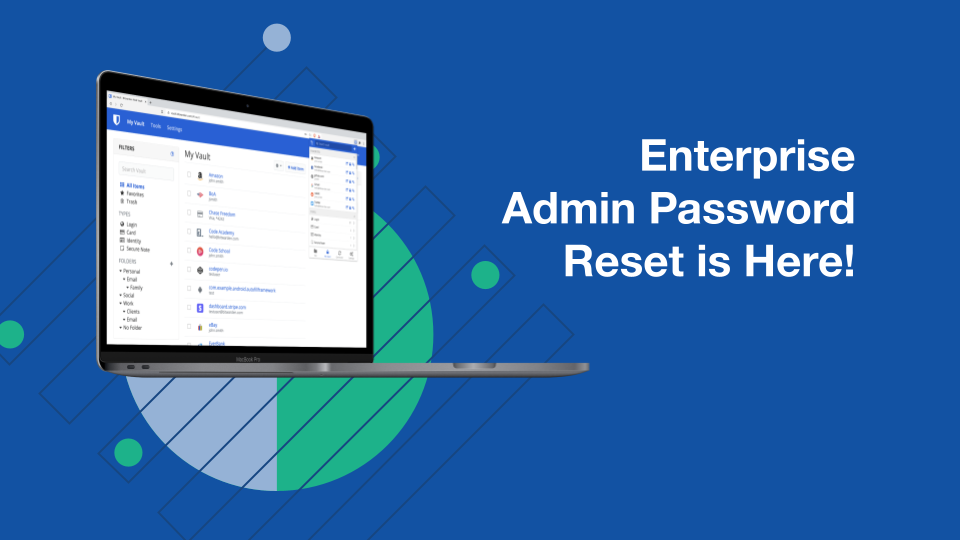
In June, Bitwarden released Admin Password Reset, allowing Enterprise Plan administrators to reset forgotten user passwords. It maintains a zero-knowledge encryption model while enhancing scalability. [Read the blog here](https://bitwarden.com/fr-fr/blog/admin-password-reset-is-out/).

Our new help note lists the best shortcuts for browsers and desktop applications. [Learn how to more swiftly CTRL your next actions with Bitwarden](https://bitwarden.com/fr-fr/help/keyboard-shortcuts/).
## Industry News

**It’s Time to Update Your LinkedIn Password**
A recent LinkedIn breach exposed personally identifiable information of more than 92% of users. While passwords are not part of the breach, it’s not a bad idea to update your LinkedIn password and [enable 2FA](https://bitwarden.com/fr-fr/blog/two-step-login-with-twitter-and-bitwarden/) like you might have done for Twitter back in 2020. To learn more about the breach, [read this article](https://9to5mac.com/2021/06/29/linkedin-breach/).
## Upcoming Events

[**New Webcast:**](https://www.crowdcast.io/e/employee-security-training/register)** An Employee Security Training Starter Kit**
Friday, July 9th, 9 am PST/12 noon EST
This session covers security awareness training basics and aligns with what we use at Bitwarden.
## Top Social Fan Favorites
You play an important role in contributing to a world free of breaches and hacks by sharing your knowledge and experience. Here are a couple of recent fan-favorite posts.
[**A Tweet and Medium Post on Storing TOTP/2FA Codes**](https://jamesrcridland.medium.com/should-you-store-your-2fa-totp-tokens-in-your-password-manager-9798199b728)

[**A ProtonMail Post on Easier Internet Security**](https://www.linkedin.com/feed/update/urn%3Ali%3Aactivity%3A6815245146381156354/?actorCompanyId=24776937)

That’s it for now. Let us know what you think about this newsletter including potential topics you’d like to see.
**Until next time,**
Team Bitwarden
## Obtenez dès maintenant une sécurité de mot de passe puissante et fiable. Choisissez votre plan.
## Personnel
### Gratuit
**$0** *par mois*
*Gratuit pour toujours*
Profitez d'un coffre-fort Bitwarden
- Nombre illimité d'appareils
- Gestion des clés d'accès
- Toutes les fonctions essentielles
- Gratuit à vie
Partager des éléments du coffre-fort avec un autre utilisateur
[Commencez dès aujourd'hui](https://bitwarden.com/go/start-free/)
---
### Premium
**Less than $1** *par mois*
*$10 facturés annuellement*
Profitez des fonctionnalités premium
- Bitwarden Authenticator
- Pièces jointes
- Accès d'urgence
- Rapports de sécurité et plus encore
Partager des éléments du coffre-fort avec un autre utilisateur
[Créer un compte premium](https://bitwarden.com/go/start-premium/)
---
### Familles
**$3.33** *par mois*
*Jusqu'à 6 utilisateurs, 40 $ facturés annuellement*
Sécuriser vos identifiants familiaux
- 6 comptes premium
- Partage illimité
- Collections illimitées
- Organisation du stockage
Partager les éléments du coffre-fort entre six personnes
[Essai gratuit de 7 jours](https://bitwarden.com/go/start-families-trial/)
---
Les prix sont indiqués en USD et sont basés sur un abonnement annuel. Les taxes ne sont pas incluses.
## Entreprises
### Équipes
*Protection résiliente pour les équipes en croissance*
**$4** *par mois / par utilisateur facturé annuellement*
Partagez des données sensibles en toute sécurité avec des collègues, à travers les départements ou l'ensemble de l'entreprise
- Partage sécurisé des données
- Surveillance du journal des événements
- Intégration de l'annuaire
- Soutien au SCIM
Inclut des fonctionnalités premium pour tous les utilisateurs
[Commencer un essai](https://bitwarden.com/go/start-teams-trial/)
---
### Entreprise
*Fonctionnalités avancées pour les grandes organisations*
**$6** *par mois / par utilisateur facturé annuellement*
Utilisez des fonctionnalités avancées, notamment des politiques d'entreprise, la connexion sans mot de passe unique (SSO) et la récupération de compte.
- Politiques de sécurité de l'entreprise
- SSO sans mot de passe
- Recouvrement de compte
- Option d’autohébergement
Inclut des fonctionnalités premium et un plan familial gratuit pour tous les utilisateurs
[Commencer un essai](https://bitwarden.com/go/start-enterprise-trial/)
---
### Obtenez un devis
*Pour les entreprises comptant des centaines ou des milliers d'employés, veuillez contacter notre service commercial pour obtenir un devis personnalisé et voir comment Bitwarden peut vous aider :*
- Réduire le risque de cybersécurité
- Augmenter la productivité
- Intégrer de manière transparente
Bitwarden s'adapte à toutes les tailles d'entreprise pour garantir la sécurité des mots de passe au sein de votre organisation.
[Contacter le service commercial](https://bitwarden.com/contact-sales/)
---
Tarification indiquée en USD et basée sur un abonnement annuel
---
URL: https://bitwarden.com/fr-fr/resources/nist-cybersecurity-framework/
---
# Qu'est-ce que le cadre de cybersécurité du NIST ? Le guide ultime
## Histoire du NIST
Le National Institute of Standards and Technology (NIST) fournit des conseils et des bonnes pratiques aux organisations, afin d'aider les entreprises, les organisations à but non lucratif et les autres institutions du secteur privé à améliorer la gestion des risques liés à la cybersécurité. Le NIST fait partie du ministère américain du commerce et constitue l'un des plus anciens laboratoires de sciences (physiques) du pays.
En 2013, le président a publié le décret 13636 qui stipule que
> "La politique des États-Unis consiste à renforcer la sécurité et la résilience des infrastructures critiques du pays et à maintenir un cyberenvironnement qui encourage l'efficacité, l'innovation et la prospérité économique tout en promouvant la sûreté, la sécurité, la confidentialité des affaires, la vie privée et les libertés civiles".
Ce décret a établi [certaines exigences](https://www.nist.gov/cyberframework/history-and-creation-framework) que le NIST a appliquées à son cadre de cybersécurité :
- Identifier les normes et les lignes directrices en matière de sécurité applicables aux différents secteurs des infrastructures critiques.
- Fournir une approche hiérarchisée, flexible, reproductible, basée sur la performance et rentable.
- Aider les propriétaires et les exploitants d'infrastructures critiques à identifier, évaluer et gérer les cyberrisques.
- Permettre l'innovation technique et tenir compte des différences organisationnelles.
- Fournir des orientations neutres sur le plan technologique et permettre aux secteurs des infrastructures critiques de bénéficier d'un marché concurrentiel pour les produits et les services.
- Inclure des orientations pour mesurer la performance de la mise en œuvre du cadre de cybersécurité.
- Identifier les domaines d'amélioration qui devraient faire l'objet d'une collaboration future avec des secteurs particuliers et des organismes de normalisation.
Pourquoi cette question est-elle devenue si importante ?
En d'autres termes, les menaces croissantes en matière de cybersécurité affectent quotidiennement les entreprises et autres organisations. En l'absence d'une source unique de vérité, il serait presque impossible pour les entreprises de développer un cadre complet et efficace pour les aider à mettre en œuvre des mesures efficaces pour atténuer les risques de sécurité. C'est pourquoi le cadre de cybersécurité du NIST est devenu si important pour les entreprises ; il encourage les solutions efficaces, innovantes et résilientes pour maintenir la sécurité.
## Table des matières
[Histoire du NIST](https://bitwarden.com/fr-fr/resources/nist-cybersecurity-framework/#history-of-nist/)
[Qu'est-ce que le cadre de cybersécurité du NIST ?](https://bitwarden.com/fr-fr/resources/nist-cybersecurity-framework/#what-is-the-nist-cybersecurity-framework/)
[L'histoire du cadre de cybersécurité du NIST](https://bitwarden.com/fr-fr/resources/nist-cybersecurity-framework/#exploring-the-history-of-the-nist-cybersecurity-framework/)
[Les fonctions essentielles du cadre de cybersécurité du NIST](https://bitwarden.com/fr-fr/resources/nist-cybersecurity-framework/#exploring-the-history-of-the-nist-cybersecurity-framework/)
[Mise en œuvre du cadre de cybersécurité du NIST](https://bitwarden.com/fr-fr/resources/nist-cybersecurity-framework/#implementing-the-nist-cybersecurity-framework/)
[Avantages de l'adoption du cadre de cybersécurité du NIST](https://bitwarden.com/fr-fr/resources/nist-cybersecurity-framework/#benefits-of-adopting-the-nist-cybersecurity-framework/)
[Défis et considérations liés à l'adoption du cadre](https://bitwarden.com/fr-fr/resources/nist-cybersecurity-framework/#challenges-and-considerations-in-framework-adoption/)
[Profils et niveaux du cadre de cybersécurité du NIST](https://bitwarden.com/fr-fr/resources/nist-cybersecurity-framework/#nist-cybersecurity-framework-profiles-and-tiers/)
[Mise à jour et évolution du cadre NIST](https://bitwarden.com/fr-fr/resources/nist-cybersecurity-framework/#updating-and-evolving-with-the-nist-framework/)
[Tirer parti de Bitwarden pour renforcer la cybersécurité](https://bitwarden.com/fr-fr/resources/nist-cybersecurity-framework/#leveraging-bitwarden-for-a-stronger-cybersecurity-posture/)
## Qu'est-ce que le cadre de cybersécurité du NIST ?
Le cadre de cybersécurité du NIST aide les organisations de tous types à mieux comprendre, gérer et réduire les risques liés à la cybersécurité. Le résultat final de ces conseils est une meilleure protection des réseaux et des données. Le cadre de cybersécurité du NIST est décomposé de manière à ce que toute entreprise ou organisation puisse le mettre en œuvre afin de mieux comprendre où consacrer son temps et ses ressources pour améliorer la protection de la cybersécurité. Il s'agit de permettre aux entreprises de protéger plus efficacement leurs données, les données de leurs clients, leurs réseaux et leurs employés.
Bien que le [cadre de cybersécurité du NIST](https://www.nist.gov/cyberframework) ait été élaboré par une organisation américaine, il a été créé dans l'optique d'une adoption mondiale. À cette fin, il a été traduit dans de nombreuses langues et adopté par des gouvernements, des entreprises et des organisations du monde entier.
Depuis la version 1.1 du cadre de cybersécurité du NIST, de nombreuses organisations et gouvernements l'ont adopté avec succès :
- [Saudi Aramco](https://www.nist.gov/cyberframework/success-stories/saudi-aramco)
- [Gouvernement des Bermudes](https://www.nist.gov/cyberframework/success-stories/government-bermuda)
- [Direction nationale israélienne du cyberespace](https://www.nist.gov/cyberframework/success-stories/israel-national-cyber-directorate-version-20)
- [Cimpress-FAIR](https://www.nist.gov/cyberframework/success-stories/cimpress-fair)
- [Multi-États - Centre d'analyse et de partage de l'information](https://www.nist.gov/cyberframework/success-stories/ms-isac)
- [Centre médical de l'Université du Kansas](https://www.nist.gov/cyberframework/success-stories/university-kansas-medical-center)
- [Université de Pittsburgh](https://www.nist.gov/node/1332326/university-pittsburg-information-technology)
- [ISACA](https://www.nist.gov/node/1332326/isaca)
- [Forum intersectoriel japonais](https://www.nist.gov/node/1332326/japanese-cross-sector-forum)
- [Université de Chicago](https://www.nist.gov/node/1332326/university-chicago)
- [Autorité du fleuve du Bas-Colombie](https://www.nist.gov/cyberframework/success-stories/lower-colorado-river-authority)
- [Optic Cyber Solutions](https://www.nist.gov/cyberframework/success-story-optic-cyber-solutions)
La dernière version du cadre de cybersécurité du NIST (CSF) s'adresse à des publics, des secteurs d'activité et des organisations de tous types et de toutes tailles, qu'il s'agisse de petites écoles, d'organisations à but non lucratif ou de grandes entreprises. Le cadre a été conçu de manière à ce que toute organisation, quel que soit son niveau de sophistication en matière de cybersécurité, puisse bénéficier des informations qu'il présente.
Selon Laurie E. Locascio, directeur du NIST et sous-secrétaire au commerce pour les normes et la technologie :
> "Le CCA a été un outil essentiel pour de nombreuses organisations, les aidant à anticiper et à faire face aux menaces de cybersécurité... Le CCA 2.0, qui s'appuie sur les versions précédentes, ne se limite pas à un seul document. Il s'agit d'un ensemble de ressources qui peuvent être personnalisées et utilisées individuellement ou en combinaison au fil du temps, à mesure que les besoins d'une organisation en matière de cybersécurité changent et que ses capacités évoluent".
## L'histoire du cadre de cybersécurité du NIST
La dernière évolution du cadre de cybersécurité du NIST ne se limite pas aux infrastructures critiques, mais englobe toutes les organisations (de toutes tailles), quel que soit leur secteur d'activité.
Lorsque le cadre de cybersécurité du NIST a été créé, l'objectif était d'assurer un engagement continu avec les parties prenantes du gouvernement, de l'industrie et du monde universitaire. Pour créer ce cadre, le NIST a organisé des activités de sensibilisation et des ateliers dans tout le pays, ainsi qu'une demande d'informations (RFI) et une demande de commentaires (RFC). Leur objectif initial était triple :
- Identifier les normes, les lignes directrices, les cadres et les meilleures pratiques en matière de cybersécurité.
- Spécifier les lacunes prioritaires.
- Élaborer des plans d'action pour combler ces lacunes.
La période de consultation pour la collecte d'informations s'est terminée le 8 avril 2013, et le NIST a reçu plus de 270 réponses à la demande d'informations. À partir de ces réponses, le NIST a élaboré l'ordre du jour de son premier atelier sur le cadre de cybersécurité, qui s'est tenu à Washington DC dans le but de susciter l'intérêt, d'accroître la sensibilisation et de donner un aperçu du processus de développement collaboratif. L'atelier a porté sur le décret, les objectifs de l'élaboration et la réaffirmation du processus d'élaboration du cadre.
Le deuxième atelier a eu lieu du 29 au 31 mai 2013 à l'Université Carnegie Mellon, avec un ordre du jour basé sur l'analyse de l'appel à manifestation d'intérêt initial. Les objectifs étaient de mieux définir et clarifier les informations reçues et d'encourager le débat sur plusieurs sujets liés à la sécurité. À l'issue de cet atelier, le NIST a analysé les informations recueillies et créé des résumés qui ont été partagés avec les industries et utilisés pour créer le projet initial du cadre de cybersécurité.
La première version du cadre de cybersécurité du NIST a été publiée le 2 juillet 2013.
Le NIST a organisé plusieurs ateliers à la suite de la publication, afin de discuter et d'affiner la version initiale. Le 12 février 2014, la version 1.0 du cadre de cybersécurité du NIST a été publiée.
## Les fonctions essentielles du cadre de cybersécurité du NIST
Le cadre de cybersécurité du NIST se compose de plusieurs fonctions essentielles, qui donnent un aperçu général des meilleures pratiques. Ces fonctions ne doivent pas être considérées comme des étapes procédurales, mais plutôt comme des moyens de faire face à la nature dynamique des risques liés à la cybersécurité.
#### Gouverner
Cette fonction fournit des résultats qui aident à déterminer ce qu'une organisation peut faire pour donner la priorité aux autres fonctions dans le contexte de sa mission et des attentes des parties prenantes.
#### Identifier
La fonction d'identification fait appel à la nécessité de développer une compréhension organisationnelle des risques de cybersécurité pour les systèmes, les actifs, les données et les capacités. Cet élément se concentre sur l'entreprise, afin qu'elle puisse prioriser ses efforts d'une manière qui soit cohérente avec sa stratégie de gestion des risques.
#### Protéger
Cette fonction permet à l'organisation de sécuriser ses actifs et de prévenir ou de réduire la probabilité et l'impact d'un événement lié à la cybersécurité.
#### Détecter
Cette fonction permet de découvrir et d'analyser en temps utile les anomalies, les indicateurs de compromission et les autres événements indésirables qui indiquent qu'un événement de cybersécurité s'est produit ou va se produire.
#### Répondre
Cette fonction permet de contenir les effets d'un incident de cybersécurité, en couvrant la gestion des incidents, l'analyse, l'atténuation, l'établissement de rapports et la communication.
#### Récupérer
Cette fonction se concentre sur le rétablissement rapide des activités normales de l'entreprise, afin de réduire les effets d'un incident de cybersécurité et de permettre la communication nécessaire (et appropriée) pendant le rétablissement.
L'objectif ultime de ces fonctions est d'offrir une vision stratégique de haut niveau de la manière dont une organisation se prépare, réagit et se rétablit en cas d'événements liés à la cybersécurité.
## Mise en œuvre du cadre de cybersécurité du NIST
Après avoir bien compris ce que fait le cadre de cybersécurité du NIST et comment il a évolué, vous vous demandez probablement comment le mettre en œuvre au mieux.
Le NIST recommande une approche en 7 étapes pour la mise en œuvre, qui se présente comme suit :
1. **Établir des priorités et délimiter le champ d'application** - Établissez des priorités parmi les objectifs et les actifs de votre organisation qui doivent être protégés.
2. **Orienter** - Familiarisez-vous, vous et votre équipe, avec les processus, les systèmes et les composants qui entrent dans le champ d'application, ainsi qu'avec les principales règles de conformité auxquelles ils doivent se conformer.
3. **Créer un profil actuel** - Indiquer quels résultats de contrôle du cadre sont déjà atteints au sein de votre organisation, puis dresser une liste de ce qui doit encore être intégré.
4. **Procéder à une évaluation des risques** - Analyser votre environnement opérationnel pour déterminer la probabilité d'événements liés à la cybersécurité, ainsi que l'impact qu'ils pourraient avoir.
5. **Créez un profil cible**- Concentrez-vous sur l'évaluation des catégories et sous-catégories du cadre de cybersécurité pour vous aider à décrire les résultats que vous souhaitez obtenir en matière de cybersécurité.
6. **Déterminer, analyser et hiérarchiser les lac** unes - Déterminez les lacunes de votre organisation en matière de cybersécurité. À partir de cette analyse, vous pouvez ensuite élaborer un plan hiérarchisé pour répondre à ces besoins.
7. **Mettre en œuvre votre plan d'action** - Passez à l'action et mettez en œuvre le plan que vous avez créé pour résoudre tous les problèmes découverts au cours des étapes précédentes.
Il convient de garder à l'esprit que le cadre n'est pas inflexible. En fait, le cadre offre suffisamment de flexibilité pour s'intégrer à vos processus de sécurité existants. Vous devriez voir comment cela fonctionne dans les sept étapes énumérées ci-dessus.
## Avantages de l'adoption du cadre de cybersécurité du NIST
Grâce à la manière dont le NIST présente les sept étapes de la mise en œuvre du cadre, les organisations obtiennent un aperçu complet des risques auxquels elles sont exposées, de la manière de planifier en fonction de ces risques, d'améliorer la communication à l'échelle de l'organisation et de renforcer la conformité. L'éducation concernant les faiblesses d'une organisation et la manière de les atténuer est l'un des avantages cruciaux du cadre NIST.
> Selon la [Commission fédérale du commerce](https://www.ftc.gov/business-guidance/small-businesses/cybersecurity/nist-framework), le cadre du NIST "aide les entreprises de toutes tailles à mieux comprendre, gérer et réduire leurs risques en matière de cybersécurité et à protéger leurs réseaux et leurs données".
Le NIST comprend que chaque organisation est différente et propose même [3 conseils pour sécuriser vos mots de passe](https://bitwarden.com/fr-fr/blog/3-tips-from-nist-to-keep-passwords-secure/) (ce qui devrait être considéré comme universel).
## Défis et considérations liés à l'adoption du cadre
Le cadre de cybersécurité du NIST peut être complexe. Il est important de bien comprendre les fonctions essentielles avant de passer aux sept étapes énumérées ci-dessus. Pour garantir un succès durable, il est essentiel d'encourager une [culture de la cybersécurité](https://bitwarden.com/fr-fr/blog/building-a-cybersecurity-culture-in-the-workplace/) au sein de votre organisation, faute de quoi vous vous heurterez à une résistance à ce qui pourrait être un changement radical des processus et des systèmes.
D'autres défis sont à relever :
- Contraintes de ressources - il se peut que vous ne disposiez pas actuellement du personnel capable de mettre en œuvre ces changements.
- Vous devrez très probablement passer du temps à personnaliser le cadre de cybersécurité pour qu'il corresponde mieux à votre organisation.
- Les menaces évoluent sans cesse, ce qui signifie que vos pratiques de sécurité doivent suivre le mouvement.
- Vous devrez intégrer le cadre de cybersécurité à vos processus existants.
- Il peut être difficile d'encourager l'engagement des parties prenantes, ce qui est directement lié à la promotion d'une culture de la cybersécurité capable de répondre à ces exigences.
## Profils et niveaux du cadre de cybersécurité du NIST
Il existe quatre niveaux de mise en œuvre du NIST, à savoir
- **Niveau 1** **Partiel** - Entreprises ayant des procédures de sécurité à la demande ou nulles.
- **Niveau 2** **Informées des risques** - Entreprises qui sont conscientes des menaces auxquelles elles sont confrontées et qui ont mis en place certaines politiques, mais qui ne disposent pas d'une stratégie coordonnée.
- **Niveau 3** **reproductible** - Entreprises dont les meilleures pratiques en matière de gestion des risques et de cybersécurité ont été approuvées par la direction. Ces entreprises se mesurent souvent à leurs concurrents et travaillent même avec d'autres organisations pour s'assurer que leurs pratiques sont alignées.
- **Niveau 4** **Adaptation** - Entreprises dans des secteurs fortement réglementés (tels que les banques et les soins de santé) qui contribuent régulièrement à la sensibilisation aux risques.
Selon le NIST, le profil du cadre de cybersécurité "est l'alignement des fonctions, des catégories et des sous-catégories sur les exigences de l'entreprise, la tolérance au risque et les ressources de l'organisation". Ces profils aident les organisations à établir une feuille de route pour réduire les risques liés à la cybersécurité.
Le NIST propose un [modèle de profil organisationnel](https://www.nist.gov/profiles-0) personnalisable pour le cadre de cybersécurité, ainsi qu'une liste de [profils communautaires](https://www.nist.gov/cyberframework/csf-11-archive/community-profiles) pouvant être utilisés.
## Mise à jour et évolution du cadre NIST
N'oubliez pas que le cadre de cybersécurité du NIST est conçu comme un document évolutif qui dépend de mises à jour régulières reflétant l'évolution constante du paysage de la cybersécurité et des menaces émergentes. C'est pourquoi il est essentiel que les organisations se tiennent au courant des dernières menaces, afin que le cadre de cybersécurité puisse évoluer pour répondre aux besoins actuels et s'améliorer continuellement.
Pour vous assurer que votre organisation est en mesure d'évoluer avec le cadre de cybersécurité du NIST, vous pouvez envisager de [construire la meilleure pile technologique de cybersécurité pour votre entreprise](https://bitwarden.com/fr-fr/blog/best-cybersecurity-for-business/), afin de vous assurer que vous êtes en mesure de tirer parti de la meilleure technologie capable d'évoluer avec le cadre de cybersécurité.
## Tirer parti de Bitwarden pour renforcer la cybersécurité
Il va sans dire que la sécurité est devenue l'un des domaines les plus importants pour les organisations. Sans de solides pratiques de gestion des risques en matière de cybersécurité, les entreprises pourraient être victimes d'un grand nombre de menaces dans la nature. Avec l'aide du cadre de cybersécurité du NIST et une planification et une communication soignées, la sécurité de votre organisation pourrait s'améliorer considérablement. Abordez le cadre de cybersécurité du NIST de manière approfondie, suivez les sept étapes et soyez toujours prêt à le mettre à jour et à le faire évoluer afin que votre organisation soit mieux protégée contre les risques liés à la cybersécurité.
Prêt à démarrer dès aujourd'hui ? Envisagez d'adopter une solution de gestion des mots de passe pour que votre organisation parte du bon pied. Consultez les [plans Bitwarden Business](https://bitwarden.com/fr-fr/products/business/), [contactez le service commercial](https://bitwarden.com/fr-fr/contact-sales/) et [comparez les prix des plans](https://bitwarden.com/fr-fr/pricing/business/).
## Obtenez dès maintenant une sécurité de mot de passe puissante et fiable. Choisissez votre plan.
## Personnel
### Gratuit
**$0** *par mois*
*Gratuit pour toujours*
Profitez d'un coffre-fort Bitwarden
- Nombre illimité d'appareils
- Gestion des clés d'accès
- Toutes les fonctions essentielles
- Gratuit à vie
Partager des éléments du coffre-fort avec un autre utilisateur
[Commencez dès aujourd'hui](https://bitwarden.com/go/start-free/)
---
### Premium
**Less than $1** *par mois*
*$10 facturés annuellement*
Profitez des fonctionnalités premium
- Bitwarden Authenticator
- Pièces jointes
- Accès d'urgence
- Rapports de sécurité et plus encore
Partager des éléments du coffre-fort avec un autre utilisateur
[Créer un compte premium](https://bitwarden.com/go/start-premium/)
---
### Familles
**$3.33** *par mois*
*Jusqu'à 6 utilisateurs, 40 $ facturés annuellement*
Sécuriser vos identifiants familiaux
- 6 comptes premium
- Partage illimité
- Collections illimitées
- Organisation du stockage
Partager les éléments du coffre-fort entre six personnes
[Essai gratuit de 7 jours](https://bitwarden.com/go/start-families-trial/)
---
Les prix sont indiqués en USD et sont basés sur un abonnement annuel. Les taxes ne sont pas incluses.
## Entreprises
### Équipes
*Protection résiliente pour les équipes en croissance*
**$4** *par mois / par utilisateur facturé annuellement*
Partagez des données sensibles en toute sécurité avec des collègues, à travers les départements ou l'ensemble de l'entreprise
- Partage sécurisé des données
- Surveillance du journal des événements
- Intégration de l'annuaire
- Soutien au SCIM
Inclut des fonctionnalités premium pour tous les utilisateurs
[Commencer un essai](https://bitwarden.com/go/start-teams-trial/)
---
### Entreprise
*Fonctionnalités avancées pour les grandes organisations*
**$6** *par mois / par utilisateur facturé annuellement*
Utilisez des fonctionnalités avancées, notamment des politiques d'entreprise, la connexion sans mot de passe unique (SSO) et la récupération de compte.
- Politiques de sécurité de l'entreprise
- SSO sans mot de passe
- Recouvrement de compte
- Option d’autohébergement
Inclut des fonctionnalités premium et un plan familial gratuit pour tous les utilisateurs
[Commencer un essai](https://bitwarden.com/go/start-enterprise-trial/)
---
### Obtenez un devis
*Pour les entreprises comptant des centaines ou des milliers d'employés, veuillez contacter notre service commercial pour obtenir un devis personnalisé et voir comment Bitwarden peut vous aider :*
- Réduire le risque de cybersécurité
- Augmenter la productivité
- Intégrer de manière transparente
Bitwarden s'adapte à toutes les tailles d'entreprise pour garantir la sécurité des mots de passe au sein de votre organisation.
[Contacter le service commercial](https://bitwarden.com/contact-sales/)
---
Tarification indiquée en USD et basée sur un abonnement annuel
---
URL: https://bitwarden.com/fr-fr/resources/november-2022-spotlight-2023-global-password-decisions-survey/
---
# November 2022 Spotlight: 2023 Global Password Decisions Survey
This month’s issue is packed with data-driven insights including the latest 2023 Password Decisions Survey report, and the password security rankings of the top five email service providers in the industry.
---
## Featured Highlights

For the second consecutive year, Bitwarden has been recognized as a gold medalist and leader in the [Password Management Data Quadrant report](https://bitwarden.com/fr-fr/blog/bitwarden-earns-gold-medal-in-2022-password-management-data-quadrant-report/) from SoftwareReviews, a division of IT research and advisory firm Info-Tech Research Group. The award is based on the collective knowledge of real users, and placement is based on user satisfaction with product features, vendor experience, capabilities, and emotional sentiment.

Bitwarden partnered with Propeller Insights to poll 800 independent IT decision-makers across a variety of industries who play a key role in enterprise purchasing decisions. This year’s findings illustrate several themes including how cybersecurity concerns are influencing business decisions. Additionally, results revealed that passwordless technology is making its foray into business workflows, with 49% either deploying or having plans to deploy passwordless technology. [Read the summary](https://bitwarden.com/fr-fr/blog/password-decisions-survey-2023/) for more 2023 Password Decisions Survey insights.
## Enjoying this update? Subscribe today.
*Receive the latest product updates, hand-picked articles, community highlights, and more.*
[Contact form]
## More Bits and Bites
[**Industry Leaders Security Rankings: Personal Email Services Edition**](https://bitwarden.com/fr-fr/blog/industry-leaders-security-rankings-personal-email-services-edition/)
Nearly everyone uses a personal email service, which is why it’s particularly important that email services support the use of strong and unique passwords. Bitwarden recently examined the top five personal email services ranked by total volume of users (they are Gmail, Yahoo! Mail, Microsoft Outlook, iCloud, and AOL). Read [the results](https://bitwarden.com/fr-fr/blog/industry-leaders-security-rankings-personal-email-services-edition/) to find out if your personal email service is password-friendly.
[**Industry Leaders Security Rankings: Health and Fitness Apps Edition**](https://bitwarden.com/fr-fr/blog/industry-leaders-security-rankings-health-and-fitness-apps/)
Research and Markets recently predicted that the fitness app market will grow to $23.98 billion by 2026, which is why it is so critical that fitness applications take the necessary steps now to protect consumer data. Bitwarden recently examined the password security methods of the top five health and fitness apps, as ranked by app usage (they are Nike Run Club, Planet Fitness, Calm, Fitbit, and My Fitness Pal). Check out [the results](https://bitwarden.com/fr-fr/blog/industry-leaders-security-rankings-health-and-fitness-apps/) to see how your fitness app ranked.
[**Developers Weigh in on Password Best Practices**](https://bitwarden.com/fr-fr/blog/developers-password-best-practices/)
Developers comprise a special breed of inquisitive problem-solvers. Their deep systems knowledge gives them an acute awareness of the cyberthreats around us and how to protect themselves against data breaches and identity theft. Who better, then, to share password security advice? See how a community of developers [answered the question](https://bitwarden.com/fr-fr/blog/developers-password-best-practices/), “What do you know about password security that you'd like others to know as well?”
[**Five Best Practices for Business Password Management**](https://bitwarden.com/fr-fr/blog/five-best-practices-for-password-management/)
While many organizations are striving to make cybersecurity a top priority, a key part of that effort involves educating and empowering general users about password security best practices. One of the easiest ways to enable good password hygiene is to deploy a strong password management solution across your organization. Dive into the top password [security best practices](https://bitwarden.com/fr-fr/blog/five-best-practices-for-password-management/) for the workplace.
[**How to use the Bitwarden data breach report**](https://bitwarden.com/fr-fr/blog/how-to-use-the-data-breach-report-in-bitwarden/)
Hackers are always finding new ways to break into accounts, which means data breaches are becoming the norm. According to Firewall Times, there were over 130 companies compromised in August 2022 alone. Thankfully, Bitwarden has a handy report to help keep you up to date with data breaches that may put your online data at risk. Learn how the [data breach report](https://bitwarden.com/fr-fr/blog/how-to-use-the-data-breach-report-in-bitwarden/) works.
[**Why spend your remaining IT budget on a company password manager**](https://bitwarden.com/fr-fr/blog/why-your-it-budget-should-be-used-on-a-company-password-manager/)
Introducing password security to your company is an important investment to safeguard your sensitive credentials, protecting the IT team, executives and all employees. Read [the article](https://bitwarden.com/fr-fr/blog/why-your-it-budget-should-be-used-on-a-company-password-manager/) to discover the value of a company password manager and how you can put that remaining budget to use now and planahead for next year.
## Community Spotlight
There is nothing we appreciate more than seeing Bitwarden community members help other users by answering their questions or offering best practice tips. Here is a recent exchange from members of the Bitwarden community on Reddit:
**u/sanjosanjo** on Reddit asked:
“Family plan with up to 6 users: does that mean 6 different vaults?”
**u/djasonpenney** responded with:
“A Family is essentially an [Organization](https://bitwarden.com/fr-fr/help/getting-started-organizations/) with six members. With a Free or Premium plan you create a very limited Organization that allows you to share with one other person.
The basic element of sharing is a Collection. You move a vault entry into a Collection, and then people you have shared that Collection with can see that entry.”
Huge shout out to **u/djasonpenney**for helping others get the most out of Bitwarden!
Visit [bitwarden.com/getinvolved](https://bitwarden.com/fr-fr/http://bitwarden.com/getinvolved/) to learn more ways you can get involved in the Bitwarden community, and be sure to [subscribe](https://bitwarden.com/fr-fr/help/releasenotes/#release-announcements/) to get product updates delivered straight to your inbox.
## Upcoming Events

Join us to explore advancements in open source security and how using such tools can build trust with customers and consumers. For the third annual Open Source Security Summit, we will bring together users, business leaders, and industry visionaries to chart a path forward and highlight the future of open source security solutions. [Register now](https://hopin.com/events/open-source-security-summit-2022/registration) for this free virtual event!
**More Upcoming Events**
- [Bitwarden Brilliance: CLI Installation & Encrypted Backups](https://www.twitch.tv/BitwardenLive): 12/1 @ 12 pm EDT
- [Monthly Vault Hours](https://www.crowdcast.io/e/bitwarden-vault-hours-30): 12/2 @ 12 pm EDT
- [Weekly Live Demo](https://bitwarden.com/fr-fr/bitwarden-demo/): Every Wednesday at 12 pm EDT
- [2022 Bitwarden Developer Forum](https://www.crowdcast.io/e/2022bitwardendevforum/register): 12/15 @ 12 pm ET
That’s it for now. Let us know what you think about this newsletter including potential topics you’d like to see.
**Until next time,**
Team Bitwarden
## Bitwarden is Certified as a Best Place to Work in 2022!
Interested in joining the Bitwarden team? Visit [our careers page](https://bitwarden.com/fr-fr/careers/) to explore open roles.
## Obtenez dès maintenant une sécurité de mot de passe puissante et fiable. Choisissez votre plan.
## Personnel
### Gratuit
**$0** *par mois*
*Gratuit pour toujours*
Profitez d'un coffre-fort Bitwarden
- Nombre illimité d'appareils
- Gestion des clés d'accès
- Toutes les fonctions essentielles
- Gratuit à vie
Partager des éléments du coffre-fort avec un autre utilisateur
[Commencez dès aujourd'hui](https://bitwarden.com/go/start-free/)
---
### Premium
**Less than $1** *par mois*
*$10 facturés annuellement*
Profitez des fonctionnalités premium
- Bitwarden Authenticator
- Pièces jointes
- Accès d'urgence
- Rapports de sécurité et plus encore
Partager des éléments du coffre-fort avec un autre utilisateur
[Créer un compte premium](https://bitwarden.com/go/start-premium/)
---
### Familles
**$3.33** *par mois*
*Jusqu'à 6 utilisateurs, 40 $ facturés annuellement*
Sécuriser vos identifiants familiaux
- 6 comptes premium
- Partage illimité
- Collections illimitées
- Organisation du stockage
Partager les éléments du coffre-fort entre six personnes
[Essai gratuit de 7 jours](https://bitwarden.com/go/start-families-trial/)
---
Les prix sont indiqués en USD et sont basés sur un abonnement annuel. Les taxes ne sont pas incluses.
## Entreprises
### Équipes
*Protection résiliente pour les équipes en croissance*
**$4** *par mois / par utilisateur facturé annuellement*
Partagez des données sensibles en toute sécurité avec des collègues, à travers les départements ou l'ensemble de l'entreprise
- Partage sécurisé des données
- Surveillance du journal des événements
- Intégration de l'annuaire
- Soutien au SCIM
Inclut des fonctionnalités premium pour tous les utilisateurs
[Commencer un essai](https://bitwarden.com/go/start-teams-trial/)
---
### Entreprise
*Fonctionnalités avancées pour les grandes organisations*
**$6** *par mois / par utilisateur facturé annuellement*
Utilisez des fonctionnalités avancées, notamment des politiques d'entreprise, la connexion sans mot de passe unique (SSO) et la récupération de compte.
- Politiques de sécurité de l'entreprise
- SSO sans mot de passe
- Recouvrement de compte
- Option d’autohébergement
Inclut des fonctionnalités premium et un plan familial gratuit pour tous les utilisateurs
[Commencer un essai](https://bitwarden.com/go/start-enterprise-trial/)
---
### Obtenez un devis
*Pour les entreprises comptant des centaines ou des milliers d'employés, veuillez contacter notre service commercial pour obtenir un devis personnalisé et voir comment Bitwarden peut vous aider :*
- Réduire le risque de cybersécurité
- Augmenter la productivité
- Intégrer de manière transparente
Bitwarden s'adapte à toutes les tailles d'entreprise pour garantir la sécurité des mots de passe au sein de votre organisation.
[Contacter le service commercial](https://bitwarden.com/contact-sales/)
---
Tarification indiquée en USD et basée sur un abonnement annuel
---
URL: https://bitwarden.com/fr-fr/resources/november-2023-spotlight-hot-off-the-press-enterprise-self-hosting-now-available/
---
# November 2023 Spotlight : Tout juste sorti de presse - L'auto-hébergement d'entreprise est désormais disponible
Lisez la lettre d'information de novembre pour connaître les dernières nouvelles de Bitwarden.
---
## Featured Highlights
[](https://bitwarden.com/data-security-in-age-of-ai/)
*Balancing Security and Innovation*
It's not a question of if AI is a threat to your data. It's a question of how serious the threat is and if your IT team is prepared. Our new eBook, [Balancing Security and Innovation in the Age of AI,](https://bitwarden.com/fr-fr/data-security-in-age-of-ai/) presents findings from our recent survey of 710 IT professionals to help address the dilemma of balancing innovation while staying secure.
[](https://bitwarden.com/blog/log-into-bitwarden-with-a-passkey/)
*Log into Bitwarden with a passkey*
Following the most recent January release, all Bitwarden users can now [log into their web vaults with a passkey](https://bitwarden.com/fr-fr/blog/log-into-bitwarden-with-a-passkey/), without typing in a username or password. Passkeys are stronger and more secure than passwords, cannot be guessed, and are resistant to phishing. Learn how this beta implementation allows passkeys to be used as part of the encryption process, providing convenience and end-to-end encryption.
## Enjoying this update? Subscribe today.
*Receive the latest product updates, hand-picked articles, community highlights, and more.*
[Contact form]
## More Bits and Bites
[**Switch between Bitwarden accounts quickly and easily**](https://bitwarden.com/fr-fr/blog/account-switching-phased-rollout-for-bitwarden-clients/)
The Bitwarden Password Manager browser extension, desktop, and mobile apps can quickly switch between Bitwarden accounts, with multiple accounts logged in at once. Refer to our [brief how-to and FAQs](https://bitwarden.com/fr-fr/blog/account-switching-phased-rollout-for-bitwarden-clients/) for more information.
[**Survey Findings: Security Perceptions in the Age of AI**](https://bitwarden.com/fr-fr/ai-and-cybersecurity-report/)
Bitwarden partnered with The Starr Conspiracy research firm to poll 710 IT professionals to understand security perceptions in the age of AI. The findings show a significant gap between how secure IT professionals feel and their actual security posture. [Get the full report](https://bitwarden.com/fr-fr/ai-and-cybersecurity-report/).
[**Stay secure with Vault Health Reports in the Bitwarden Password Manager**](https://bitwarden.com/fr-fr/blog/stay-secure-with-vault-health-reports/)
Are any of your passwords being used across multiple sites? Have you ever wondered if a password of yours has been exposed or found to be part of a data breach? How would you go about finding out all of this information? If your password manager of choice is Bitwarden, those details are at your fingertips. In this [guide](https://bitwarden.com/fr-fr/blog/stay-secure-with-vault-health-reports/), read about how the information offered in the Bitwarden Reports section can ensure your general digital security.
[**Evolving trends in secrets management**](https://bitwarden.com/fr-fr/resources/presentations/evolving-trends-in-secrets-management/)
A rapid evolution in secrets management is underway as businesses look to speed and secure DevOps pipelines, mitigate the increased number of applications and ecosystems used by developers, and prevent secret-related data breaches. Check out [the presentation](https://bitwarden.com/fr-fr/resources/presentations/evolving-trends-in-secrets-management/) for insight into the evolving trends in secrets management.
[**Secure your business with a team password manager**](https://bitwarden.com/fr-fr/blog/secure-your-business-with-a-team-password-manager/#:~:text=A%20password%20manager%20for%20teams,for%20individual%20and%20team%20passwords./)
With so many businesses operating remotely, IT business leaders need to be even more diligent about fostering strong security practices. Get [more information](https://bitwarden.com/fr-fr/blog/secure-your-business-with-a-team-password-manager/#:~:text=A%20password%20manager%20for%20teams,for%20individual%20and%20team%20passwords./) about what a team password manager is and why it is beneficial to remote employees.
[**Mark Your Calendar with These Cybersecurity Awareness Holidays**](https://bitwarden.com/fr-fr/blog/cybersecurity-awareness-holidays/)
No matter what time of year, it’s important to take action to keep ourselves and others safe online, through backing up data, securing your passwords, and more. Take a look at these [cybersecurity holidays](https://bitwarden.com/fr-fr/blog/cybersecurity-awareness-holidays/) that highlight important ways to stay safe.
[**Titanom Technologies protects developer secrets with Bitwarden Secrets Manager**](https://bitwarden.com/fr-fr/resources/titanom-technologies-bitwarden-secrets-manager/)
In this [case study](https://bitwarden.com/fr-fr/resources/titanom-technologies-bitwarden-secrets-manager/), learn about how educational software company Titanom Technologies bolstered developer security and increased productivity by deploying Bitwarden Secrets Manager.
## Community Spotlight
To be secure in the online world, we need each other. That is why the global community is key to the Bitwarden mission of achieving security for all. This month's newsletter [**spotlights a user story**](https://www.reddit.com/r/Bitwarden/comments/196m5u2/forgot_master_password_lucky_moment/) that reminds us of the importance of storing your master password in a safe place, and adding an emergency contact just in case.
[](https://www.reddit.com/r/Bitwarden/comments/196m5u2/forgot_master_password_lucky_moment/)
*forgot master password*
## Join Bitwarden Live
[](https://events.ringcentral.com/events/cybersecurity-according-to-a-hacker/registration)
*Webcast - Feb. 29th - VIP Protection in the Digital Age: Cybersecurity According to a Hacker*
Join ethical hacker and CEO Rachel Tobac for a fireside chat on the VIP's guide to staying safe online - plus a live hack demo! During this webcast event, you will learn how to be aware of social engineering attacks and ways to prevent them, and the best practices for ongoing digital safety and security in the face of threats. [**Save your seat!**](https://events.ringcentral.com/events/cybersecurity-according-to-a-hacker/registration)
## More Upcoming Events
- [**Weekly Live Demo:**](https://bitwarden.com/fr-fr/bitwarden-demo/)**Every Wednesday at 9 am PST**
Join us for a live walkthrough of the Bitwarden Password Manager business features and capabilities and ask your questions during live Q&A.
- [**Managed Service Provider (MSP) Demo:**](https://us02web.zoom.us/webinar/register/WN__C_hKlBZTVO_ATWLOlWdXQ#/registration)**February 8 at 8 am PST**
Join us for an admin training session for MSPs to learn the best practices to

That’s it for now. For more product updates and online security tips, visit the Bitwarden [blog](https://bitwarden.com/fr-fr/blog/).
**Until next time,**
Team Bitwarden
## Hi readers!
Take this [two-minute](https://forms.bitwarden.com/newsletter) survey to help us improve the monthly Bitwarden Newsletter and deliver the information you care most about.
## Obtenez dès maintenant une sécurité de mot de passe puissante et fiable. Choisissez votre plan.
## Personnel
### Gratuit
**$0** *par mois*
*Gratuit pour toujours*
Profitez d'un coffre-fort Bitwarden
- Nombre illimité d'appareils
- Gestion des clés d'accès
- Toutes les fonctions essentielles
- Gratuit à vie
Partager des éléments du coffre-fort avec un autre utilisateur
[Commencez dès aujourd'hui](https://bitwarden.com/go/start-free/)
---
### Premium
**Less than $1** *par mois*
*$10 facturés annuellement*
Profitez des fonctionnalités premium
- Bitwarden Authenticator
- Pièces jointes
- Accès d'urgence
- Rapports de sécurité et plus encore
Partager des éléments du coffre-fort avec un autre utilisateur
[Créer un compte premium](https://bitwarden.com/go/start-premium/)
---
### Familles
**$3.33** *par mois*
*Jusqu'à 6 utilisateurs, 40 $ facturés annuellement*
Sécuriser vos identifiants familiaux
- 6 comptes premium
- Partage illimité
- Collections illimitées
- Organisation du stockage
Partager les éléments du coffre-fort entre six personnes
[Essai gratuit de 7 jours](https://bitwarden.com/go/start-families-trial/)
---
Les prix sont indiqués en USD et sont basés sur un abonnement annuel. Les taxes ne sont pas incluses.
## Entreprises
### Équipes
*Protection résiliente pour les équipes en croissance*
**$4** *par mois / par utilisateur facturé annuellement*
Partagez des données sensibles en toute sécurité avec des collègues, à travers les départements ou l'ensemble de l'entreprise
- Partage sécurisé des données
- Surveillance du journal des événements
- Intégration de l'annuaire
- Soutien au SCIM
Inclut des fonctionnalités premium pour tous les utilisateurs
[Commencer un essai](https://bitwarden.com/go/start-teams-trial/)
---
### Entreprise
*Fonctionnalités avancées pour les grandes organisations*
**$6** *par mois / par utilisateur facturé annuellement*
Utilisez des fonctionnalités avancées, notamment des politiques d'entreprise, la connexion sans mot de passe unique (SSO) et la récupération de compte.
- Politiques de sécurité de l'entreprise
- SSO sans mot de passe
- Recouvrement de compte
- Option d’autohébergement
Inclut des fonctionnalités premium et un plan familial gratuit pour tous les utilisateurs
[Commencer un essai](https://bitwarden.com/go/start-enterprise-trial/)
---
### Obtenez un devis
*Pour les entreprises comptant des centaines ou des milliers d'employés, veuillez contacter notre service commercial pour obtenir un devis personnalisé et voir comment Bitwarden peut vous aider :*
- Réduire le risque de cybersécurité
- Augmenter la productivité
- Intégrer de manière transparente
Bitwarden s'adapte à toutes les tailles d'entreprise pour garantir la sécurité des mots de passe au sein de votre organisation.
[Contacter le service commercial](https://bitwarden.com/contact-sales/)
---
Tarification indiquée en USD et basée sur un abonnement annuel
---
URL: https://bitwarden.com/fr-fr/resources/ocrolus-guards-against-credential-theft-and-password-reuse-with-bitwarden/
---
# Ocrolus guards against credential theft and password reuse with Bitwarden password management
Ocrolus builds a successful security program with Bitwarden Password Manager.
---
Many businesses employ two-factor authentication (2FA) or single sign-on (SSO), but may not offer their employees a business password management solution. Findings from the [2023 Bitwarden World Password Day Survey](https://bitwarden.com/fr-fr/resources/world-password-day/) support this: only 23% of respondents said they were required to use a password manager in the workplace.
According to Julian Cohen, VP of Security and Chief Information Security Officer (CISO) at [Ocrolus](https://www.ocrolus.com/), a New York-based document automation software provider, more businesses should consider deploying password managers. In the case of Ocrolus, the company opted to deploy Bitwarden.
Says Cohen, “With credential theft and password reuse being used for account takeover and quickly becoming one of the most commonly used attacks against organizations, we put together a comprehensive plan for account security that of course includes things like [2FA](https://bitwarden.com/fr-fr/blog/top-10-burning-questions-on-2fa/), [SSO](https://bitwarden.com/fr-fr/blog/enterprise-passwordless-sso-brings-better-productivity-and-user-sign-in/), and compromised credentials monitoring. But for users’ main SSO accounts or for systems that don’t support SSO or 2FA or other shadow IT systems, or just one-off accounts…the most effective control is a password manager.”
Cohen advises employees to use a [unique and random password](https://bitwarden.com/fr-fr/blog/how-long-should-my-password-be/) for each account. He believes the easiest way to do so is to leverage one generated by a password manager. As password managers also store the passwords, he considers the technology to be a “low friction” and effective way to keep passwords secure.
Other findings from the [World Password Day Survey](https://bitwarden.com/fr-fr/resources/world-password-day/) lend credence to this notion. The vast majority, 85%, of global respondents reuse passwords across multiple sites and 58% rely on memory for their passwords. One-fifth (20%) of global respondents report being affected by a data breach in the past 18 months. While being caught up in a data breach may not be preventable, they tend to have a ripple effect for those who reuse their passwords.
Getting people to adopt new tools, especially those for security, helps keep companies protected and secure. On the flip side, it also requires extra steps from IT and users. Ocrolus relied on the [Bitwarden SCIM (System for cross-domain identity management)](https://bitwarden.com/fr-fr/help/about-scim/) to automatically provision members and groups. It also provides training and documentation for users on how to use Bitwarden and explains to users why it is effective.
“We get a lot of support from our techops team at Ocrolus,” says Cohen. “They provide technical support for Bitwarden, use it themselves, and when provisioning new accounts and storing shared credentials.”
In considering how Ocrolus has built a successful security program - a program that now includes Bitwarden - Cohen believes the company has benefited by having a good inventory and situational awareness of where things are, understanding the riskiest parts of the organization, and focusing on prioritization.
“You can always engineer yourself to death in trying to secure something or try to implement every kind of tool,” says Cohen. “What I always do is start with my adversaries. If we can understand who our adversaries are, how they plan and operate, what their goals and motivations are, and what their resources and constraints are, we’ll be able to understand what our adversaries are likely to see and how they plan and operate.”
In doing this, believes Cohen, companies can better understand what types of attacks they are likely to see so they can use that information to determine the best security tools to implement. In many instances, that toolset likely includes a password management solution.
## Table of Contents
[Watch the interview](https://bitwarden.com/fr-fr/resources/ocrolus-guards-against-credential-theft-and-password-reuse-with-bitwarden/#watch-the-full-interview/)
[Get started with Bitwarden](https://bitwarden.com/fr-fr/resources/ocrolus-guards-against-credential-theft-and-password-reuse-with-bitwarden/#get-started-with-bitwarden/)
Learn more about the annual [Open Source Security Summit](https://bitwarden.com/fr-fr/open-source-security-summit/).
## Watch the full interview!
[](https://www.youtube.com/watch?v=cGyKYiVI0FM)
*[Watch on YouTube](https://www.youtube.com/watch?v=cGyKYiVI0FM)*
> Visit [opensourcesecuritysummit.com](https://bitwarden.com/fr-fr/open-source-security-summit/) to learn more about this annual conference.
## Get started with Bitwarden
Ready to try out Bitwarden for your business? Start a [7-day business trial](https://bitwarden.com/fr-fr/pricing/business/) today to keep your team and company colleagues protected online.
## Obtenez dès maintenant une sécurité de mot de passe puissante et fiable. Choisissez votre plan.
## Personnel
### Gratuit
**$0** *par mois*
*Gratuit pour toujours*
Profitez d'un coffre-fort Bitwarden
- Nombre illimité d'appareils
- Gestion des clés d'accès
- Toutes les fonctions essentielles
- Gratuit à vie
Partager des éléments du coffre-fort avec un autre utilisateur
[Commencez dès aujourd'hui](https://bitwarden.com/go/start-free/)
---
### Premium
**Less than $1** *par mois*
*$10 facturés annuellement*
Profitez des fonctionnalités premium
- Bitwarden Authenticator
- Pièces jointes
- Accès d'urgence
- Rapports de sécurité et plus encore
Partager des éléments du coffre-fort avec un autre utilisateur
[Créer un compte premium](https://bitwarden.com/go/start-premium/)
---
### Familles
**$3.33** *par mois*
*Jusqu'à 6 utilisateurs, 40 $ facturés annuellement*
Sécuriser vos identifiants familiaux
- 6 comptes premium
- Partage illimité
- Collections illimitées
- Organisation du stockage
Partager les éléments du coffre-fort entre six personnes
[Essai gratuit de 7 jours](https://bitwarden.com/go/start-families-trial/)
---
Les prix sont indiqués en USD et sont basés sur un abonnement annuel. Les taxes ne sont pas incluses.
## Entreprises
### Équipes
*Protection résiliente pour les équipes en croissance*
**$4** *par mois / par utilisateur facturé annuellement*
Partagez des données sensibles en toute sécurité avec des collègues, à travers les départements ou l'ensemble de l'entreprise
- Partage sécurisé des données
- Surveillance du journal des événements
- Intégration de l'annuaire
- Soutien au SCIM
Inclut des fonctionnalités premium pour tous les utilisateurs
[Commencer un essai](https://bitwarden.com/go/start-teams-trial/)
---
### Entreprise
*Fonctionnalités avancées pour les grandes organisations*
**$6** *par mois / par utilisateur facturé annuellement*
Utilisez des fonctionnalités avancées, notamment des politiques d'entreprise, la connexion sans mot de passe unique (SSO) et la récupération de compte.
- Politiques de sécurité de l'entreprise
- SSO sans mot de passe
- Recouvrement de compte
- Option d’autohébergement
Inclut des fonctionnalités premium et un plan familial gratuit pour tous les utilisateurs
[Commencer un essai](https://bitwarden.com/go/start-enterprise-trial/)
---
### Obtenez un devis
*Pour les entreprises comptant des centaines ou des milliers d'employés, veuillez contacter notre service commercial pour obtenir un devis personnalisé et voir comment Bitwarden peut vous aider :*
- Réduire le risque de cybersécurité
- Augmenter la productivité
- Intégrer de manière transparente
Bitwarden s'adapte à toutes les tailles d'entreprise pour garantir la sécurité des mots de passe au sein de votre organisation.
[Contacter le service commercial](https://bitwarden.com/contact-sales/)
---
Tarification indiquée en USD et basée sur un abonnement annuel
---
URL: https://bitwarden.com/fr-fr/resources/october-2023-spotlight-bitwarden-introduces-passkey-two-step-login-for-all/
---
# Octobre 2023 Coup de projecteur : Bitwarden introduit la connexion en deux étapes passkey pour tous les utilisateurs
La connexion en deux étapes Passkey, y compris l'utilisation des clés de sécurité FIDO2, est désormais disponible pour tous les utilisateurs de Bitwarden.
---
## Featured Highlights
[](https://bitwarden.com/resources/security-survey-developer-secrets-and-the-future-of-passkeys/)
*PUBLIC Developer Survey 2024 - Results*
Bitwarden launched a survey of over 600 developers, and the results highlight a move towards modern authentication like passkeys in work applications. However, it also shows risky practices continue despite regular security training. [Check out the full results](https://bitwarden.com/fr-fr/resources/security-survey-developer-secrets-and-the-future-of-passkeys/) for more insights, including the risk of the use of generative AI in cyberattacks.
[](https://bitwarden.com/blog/fido2-webauthn-2fa-in-all-bitwarden-plans/)
*fido2 webauthn.png*
Everyone deserves to stay secure online. Bitwarden envisions a world where no one gets hacked and offers a fully-featured free password manager for individual use. In this [blog post](https://bitwarden.com/fr-fr/blog/fido2-webauthn-2fa-in-all-bitwarden-plans/) about the September 2023 release, learn how Bitwarden brings passkey two-step login to all users while logging in to Bitwarden.
## Enjoying this update? Subscribe today.
*Receive the latest product updates, hand-picked articles, community highlights, and more.*
[Contact form]
## More Bits and Bites
[**What is smishing? How to help your team identify and avoid SMS phishing attacks**](https://bitwarden.com/fr-fr/blog/what-is-smishing/)
A shorthand for SMS phishing attacks, smishing refers to a fraud scheme in which would-be cyber criminals send individuals a text message that urges them to click on a link or download information. Protect your business from smishing attacks with these helpful [tips](https://bitwarden.com/fr-fr/blog/what-is-smishing/).
[**How the Gramm-Leach-Bliley Act governs data security practices**](https://bitwarden.com/fr-fr/blog/gramm-leach-bliley-act-data-security-practices/)
Enacted by Congress in 1999, the Gramm-Leach-Bliley Act (GLBA) initially addressed modernizing the financial industry. It also laid out privacy and security requirements for financial institutions managing information on behalf of their customers. While the GLBA scope is expansive, this [article](https://bitwarden.com/fr-fr/blog/gramm-leach-bliley-act-data-security-practices/) centers on its regulation of data security practices and how an enterprise-wide password manager facilitates compliance.
[**How to protect your digital footprint**](https://bitwarden.com/fr-fr/blog/how-to-protect-your-digital-footprint/)
In an interview with Authority Magazine, Bitwarden CTO Kyle Spearrin stated: “Be careful with the breadcrumbs that you leave behind in your digital footprints. Try to use best practices for cleaning up your digital waste, and don’t share more information than necessary on the internet.” Check out these [recommendations](https://bitwarden.com/fr-fr/blog/how-to-protect-your-digital-footprint/) for protecting your digital footprint.
[**Use Panther with Bitwarden for SIEM to monitor Bitwarden events**](https://bitwarden.com/fr-fr/resources/use-panther-with-bitwarden-for-siem-to-monitor-bitwarden-events/)
Panther is a cloud-native SIEM solution that is able to process large amounts of data, allowing security teams to investigate security concerns for their infrastructure quickly and in a manner that’s easily understood. Panther detects suspicious activity and generates alerts for IT, DevOps, and site reliability engineering teams when a potential threat is identified. This [resource](https://bitwarden.com/fr-fr/resources/use-panther-with-bitwarden-for-siem-to-monitor-bitwarden-events/) details the benefits of using Panther and Bitwarden together.
[**Making Sense of SEC Cyber Reporting Rules**](https://bitwarden.com/fr-fr/blog/making-sense-of-sec-cyber-reporting-rules/)
In July 2023, the Securities and Exchange Commission (SEC) adopted rules requiring companies to disclose “material cybersecurity incidents” within four days of discovering the incident, and to provide an annual update about their “cybersecurity risk management, strategy, and governance”. Read about how these [rules](https://bitwarden.com/fr-fr/blog/making-sense-of-sec-cyber-reporting-rules/) affect publicly traded companies.
[**How to build the best cybersecurity tech stack for your business**](https://bitwarden.com/fr-fr/blog/best-cybersecurity-for-business/)
According to the Bitwarden 2023 Password Decisions Survey polling independent IT decision makers across a range of industries, 60% report their organization experienced a cyberattack within the past year. To protect your business from cyber criminals, read this discussion of [cybersecurity technologies](https://bitwarden.com/fr-fr/blog/best-cybersecurity-for-business/) - firewall security, AV software, security information and event management (SIEM), and password security.
## Community Spotlight
[](https://www.reddit.com/r/Bitwarden/comments/17h8x4b/dont_get_yourself_locked_out_series_1/)
*ArmadilloMuch2491 Pleins feux sur la communauté*
We deeply value the creativity of the Bitwarden community, especially when it comes to aiding others in getting a better grasp of the Bitwarden product.
In this month’s newsletter, we’d like to spotlight Reddit user, [ArmadilloMuch2491](https://www.reddit.com/user/ArmadilloMuch2491/), for their illustrated infographic series on how to secure your Bitwarden backups. We invite you to participate in the discussion [here](https://www.reddit.com/r/Bitwarden/comments/17h8x4b/dont_get_yourself_locked_out_series_1/).
## Bitwarden 101
Check out [Bitwarden 101](https://bitwarden.com/fr-fr/learning/#tag:bitwarden-101/) for a short video series on how to get started with Bitwarden Password Manager as an administrator or end user.
## Join an Upcoming Event
[](https://bitwarden.com/open-source-security-summit/)
*Open Source Security Summit 2023*
The fourth annual Open Source Security Summit brings together business leaders, industry visionaries, and technology users to chart a path forward and highlight the future of open source security solutions at this free virtual event.[**Register now**](https://bitwarden.com/fr-fr/open-source-security-summit/) to explore advancements in open source security and how using open source tools can build trust with customers and consumers.
**More Upcoming Events**
- [**Weekly Live Demo:**](https://bitwarden.com/fr-fr/bitwarden-demo/)**Every Wednesday at 12 pm EDT**
Join us for a live walkthrough of the Bitwarden Password Manager business features and capabilities and ask your questions during live Q&A.
- [**Bitwarden and Passkeys:**](https://bitwarden.com/fr-fr/bitwarden-demo/)**November 9 at 12 pm EDT**Join the Bitwarden team for a discussion on passkeys. Learn about the benefits of passwordless, passkeys as a passwordless solution, how passkeys can be used with Bitwarden, and how to easily add passkeys to your own website or app.
- [**Managed Service Provider (MSP) Demo:**](https://us02web.zoom.us/webinar/register/WN__C_hKlBZTVO_ATWLOlWdXQ#/registration)**November 9 at 12 pm EDT**Join us for an admin training session for MSPs to learn the best practices to get your clients up and running quickly.
- [**Vault Hours:**](https://www.crowdcast.io/c/bitwarden-vault-hours-35)**November 10 at 12 pm EDT**
In the Bitwarden version of “office hours”, join the collaborative conversation and ask questions or share live feedback with the Bitwarden team.
- [**Open Source Security Summit**](https://bitwarden.com/fr-fr/open-source-security-summit/):**December 7 at 10 am EDT**
Register now for this annual celebration of open source solutions and discussions on the future of security with industry leaders like Brian Krebs, Zack Kass from OpenAI, and white hat hacker Rachel Tobac.
That’s it for now. For more product updates and online security tips, visit the Bitwarden [blog](https://bitwarden.com/fr-fr/blog/).
**Until next time,**
Team Bitwarden
## Bitwarden is Certified as a Best Place to Work in 2023!
Interested in joining the Bitwarden team? Visit [our careers page](https://bitwarden.com/fr-fr/careers/) to explore open roles.
## Obtenez dès maintenant une sécurité de mot de passe puissante et fiable. Choisissez votre plan.
## Personnel
### Gratuit
**$0** *par mois*
*Gratuit pour toujours*
Profitez d'un coffre-fort Bitwarden
- Nombre illimité d'appareils
- Gestion des clés d'accès
- Toutes les fonctions essentielles
- Gratuit à vie
Partager des éléments du coffre-fort avec un autre utilisateur
[Commencez dès aujourd'hui](https://bitwarden.com/go/start-free/)
---
### Premium
**Less than $1** *par mois*
*$10 facturés annuellement*
Profitez des fonctionnalités premium
- Bitwarden Authenticator
- Pièces jointes
- Accès d'urgence
- Rapports de sécurité et plus encore
Partager des éléments du coffre-fort avec un autre utilisateur
[Créer un compte premium](https://bitwarden.com/go/start-premium/)
---
### Familles
**$3.33** *par mois*
*Jusqu'à 6 utilisateurs, 40 $ facturés annuellement*
Sécuriser vos identifiants familiaux
- 6 comptes premium
- Partage illimité
- Collections illimitées
- Organisation du stockage
Partager les éléments du coffre-fort entre six personnes
[Essai gratuit de 7 jours](https://bitwarden.com/go/start-families-trial/)
---
Les prix sont indiqués en USD et sont basés sur un abonnement annuel. Les taxes ne sont pas incluses.
## Entreprises
### Équipes
*Protection résiliente pour les équipes en croissance*
**$4** *par mois / par utilisateur facturé annuellement*
Partagez des données sensibles en toute sécurité avec des collègues, à travers les départements ou l'ensemble de l'entreprise
- Partage sécurisé des données
- Surveillance du journal des événements
- Intégration de l'annuaire
- Soutien au SCIM
Inclut des fonctionnalités premium pour tous les utilisateurs
[Commencer un essai](https://bitwarden.com/go/start-teams-trial/)
---
### Entreprise
*Fonctionnalités avancées pour les grandes organisations*
**$6** *par mois / par utilisateur facturé annuellement*
Utilisez des fonctionnalités avancées, notamment des politiques d'entreprise, la connexion sans mot de passe unique (SSO) et la récupération de compte.
- Politiques de sécurité de l'entreprise
- SSO sans mot de passe
- Recouvrement de compte
- Option d’autohébergement
Inclut des fonctionnalités premium et un plan familial gratuit pour tous les utilisateurs
[Commencer un essai](https://bitwarden.com/go/start-enterprise-trial/)
---
### Obtenez un devis
*Pour les entreprises comptant des centaines ou des milliers d'employés, veuillez contacter notre service commercial pour obtenir un devis personnalisé et voir comment Bitwarden peut vous aider :*
- Réduire le risque de cybersécurité
- Augmenter la productivité
- Intégrer de manière transparente
Bitwarden s'adapte à toutes les tailles d'entreprise pour garantir la sécurité des mots de passe au sein de votre organisation.
[Contacter le service commercial](https://bitwarden.com/contact-sales/)
---
Tarification indiquée en USD et basée sur un abonnement annuel
---
URL: https://bitwarden.com/fr-fr/resources/omega-systems-enhances-enterprise-security-and-user-experience/
---
# Omega Systems enhances enterprise security and user experience with Bitwarden
## Overview
**Founded:** 2002
**Location:** Reading, PA
**Industry:** IT Services and Consulting
**Number of internal users:** 191
Omega Systems is an award-winning IT managed services provider (MSP) delivering cloud, cybersecurity and compliance services to modern businesses. With 191 employees across six locations in the Northeast and Mid-Atlantic regions of the United States, the company delivers 24/7 IT support and cybersecurity services, including managed detection and response (MDR), cloud hosting, data protection, regulatory compliance, and virtual CISO consulting.
## Table of Contents
[The challenge: Disparate password management tools and lack of standardization](https://bitwarden.com/fr-fr/resources/omega-systems-enhances-enterprise-security-and-user-experience/#the-challenge-disparate-password-management-tools-and-lack-of-standardization/)
[The solution: Standardizing on Bitwarden for scalability and security](https://bitwarden.com/fr-fr/resources/omega-systems-enhances-enterprise-security-and-user-experience/#the-solution-standardizing-on-bitwarden-for-scalability-and-security/)
[Scaling secure access during rapid growth](https://bitwarden.com/fr-fr/resources/omega-systems-enhances-enterprise-security-and-user-experience/#scaling-secure-access-during-rapid-growth/)
[Enhancing security through adoption and user-centered design](https://bitwarden.com/fr-fr/resources/omega-systems-enhances-enterprise-security-and-user-experience/#enhancing-security-through-adoption-and-user-centered-design/)
## The challenge: Disparate password management tools and lack of standardization
Before adopting Bitwarden, Omega Systems relied on a fragmented mix of tools, including KeePass, browser-based password managers, and other password managers like LastPass and Keeper, often inherited through acquisitions. With no unified solution or corporate mandate, credential management became increasingly complex and unsustainable, resulting in tool sprawl and increased risk.
## The solution: Standardizing on Bitwarden for scalability and security
During the proof-of-concept phase, Omega Systems evaluated several solutions, including NordPass and LastPass, but ultimately chose Bitwarden as its enterprise-wide password manager, citing several key advantages.
- **Transparency through open source**: The trusted Bitwarden open source architecture provides Omega Systems with full visibility into the codebase, aligning with its security-first philosophy and fostering confidence, control, and trust across the organization.
- **Streamlined onboarding and user lifecycle management**: Comprehensive documentation and SCIM integration enabled Omega to accelerate user onboarding and offboarding, reduce manual errors, and enhance internal alignment on credential management processes.
- **Flexible deployment and centralized client management**: Bitwarden hybrid deployment options support both cloud and self-hosted environments, giving Omega the flexibility to serve distributed teams and regulated industries, while the provider portal allows centralized control over client environments.
- **Seamless integration with core security tools**: Bitwarden integrates with key systems in the Omega stack—including Duo for SSO, Adlumin for MDR, and Microsoft Entra ID—ensuring consistent identity and threat management across the entire security infrastructure.
**Granular access control with clear auditability**: Credentials are logically grouped into collections based on roles and departments, supporting least privilege access and making it easy for Omega to audit and manage who has access to specific resources.
## Read more:
[Why open source delivers transparency and security for enterprises](https://bitwarden.com/fr-fr/blog/why-open-source-delivers-transparency-and-security-for-enterprises/)
## Scaling secure access during rapid growth
With Omega continuing to grow both organically and through acquisitions, centralizing access management has become a top priority. Bitwarden plays a critical role in this strategy, providing a unified and scalable solution for managing credentials across new business units.
The team is currently completing its fourth deployment within an acquired company, underscoring the ability for Bitwarden to scale consistently across a growing organization. By standardizing credential management, Omega is strengthening its security posture while enabling smoother transitions during periods of expansion.
## Read more:
[How to foster user adoption for your new company password manager](https://bitwarden.com/fr-fr/blog/user-adoption-for-company-password-manager/)
## Enhancing security through adoption and user-centered design
To uphold strong security practices across the organization, Omega has made Bitwarden adoption a standard requirement. As part of this initiative, native browser password storage has been disabled to ensure all employees use a centralized, secure solution for managing credentials.
Employees report a significantly better experience using Bitwarden. The intuitive browser extension, combined with time-saving features like autofill and secure credential sharing through Bitwarden Send, has made daily workflows more efficient. The platform’s passkey functionality is also receiving praise for its smooth performance. One employee shared, “As a heavy passkey user, Bitwarden has made the passkey experience seamless across systems and devices.”
Mobile usability is another standout feature. The Bitwarden mobile app delivers a seamless experience, complementing the desktop and browser integrations. Additionally, users value the inclusion of a complimentary family plan available through the Enterprise tier, extending secure practices beyond the workplace.
## Get started with Bitwarden
By deploying Bitwarden, Omega Systems has consolidated their approach to password management, enhanced employee usability, and strengthened their cybersecurity posture. With secure workflows and robust enterprise capabilities, the platform supports Omega’s continued growth through acquisitions and managed services.
Interested in becoming a member of the Bitwarden Partner Program? Find out more at [bitwarden.com/partners](https://bitwarden.com/fr-fr/partners/). Learn more about what Bitwarden can do for your business and [sign up](https://bitwarden.com/fr-fr/go/start-enterprise-trial/) for a free 7-day trial.
## Obtenez dès maintenant une sécurité de mot de passe puissante et fiable. Choisissez votre plan.
## Personnel
### Gratuit
**$0** *par mois*
*Gratuit pour toujours*
Profitez d'un coffre-fort Bitwarden
- Nombre illimité d'appareils
- Gestion des clés d'accès
- Toutes les fonctions essentielles
- Gratuit à vie
Partager des éléments du coffre-fort avec un autre utilisateur
[Commencez dès aujourd'hui](https://bitwarden.com/go/start-free/)
---
### Premium
**Less than $1** *par mois*
*$10 facturés annuellement*
Profitez des fonctionnalités premium
- Bitwarden Authenticator
- Pièces jointes
- Accès d'urgence
- Rapports de sécurité et plus encore
Partager des éléments du coffre-fort avec un autre utilisateur
[Créer un compte premium](https://bitwarden.com/go/start-premium/)
---
### Familles
**$3.33** *par mois*
*Jusqu'à 6 utilisateurs, 40 $ facturés annuellement*
Sécuriser vos identifiants familiaux
- 6 comptes premium
- Partage illimité
- Collections illimitées
- Organisation du stockage
Partager les éléments du coffre-fort entre six personnes
[Essai gratuit de 7 jours](https://bitwarden.com/go/start-families-trial/)
---
Les prix sont indiqués en USD et sont basés sur un abonnement annuel. Les taxes ne sont pas incluses.
## Entreprises
### Équipes
*Protection résiliente pour les équipes en croissance*
**$4** *par mois / par utilisateur facturé annuellement*
Partagez des données sensibles en toute sécurité avec des collègues, à travers les départements ou l'ensemble de l'entreprise
- Partage sécurisé des données
- Surveillance du journal des événements
- Intégration de l'annuaire
- Soutien au SCIM
Inclut des fonctionnalités premium pour tous les utilisateurs
[Commencer un essai](https://bitwarden.com/go/start-teams-trial/)
---
### Entreprise
*Fonctionnalités avancées pour les grandes organisations*
**$6** *par mois / par utilisateur facturé annuellement*
Utilisez des fonctionnalités avancées, notamment des politiques d'entreprise, la connexion sans mot de passe unique (SSO) et la récupération de compte.
- Politiques de sécurité de l'entreprise
- SSO sans mot de passe
- Recouvrement de compte
- Option d’autohébergement
Inclut des fonctionnalités premium et un plan familial gratuit pour tous les utilisateurs
[Commencer un essai](https://bitwarden.com/go/start-enterprise-trial/)
---
### Obtenez un devis
*Pour les entreprises comptant des centaines ou des milliers d'employés, veuillez contacter notre service commercial pour obtenir un devis personnalisé et voir comment Bitwarden peut vous aider :*
- Réduire le risque de cybersécurité
- Augmenter la productivité
- Intégrer de manière transparente
Bitwarden s'adapte à toutes les tailles d'entreprise pour garantir la sécurité des mots de passe au sein de votre organisation.
[Contacter le service commercial](https://bitwarden.com/contact-sales/)
---
Tarification indiquée en USD et basée sur un abonnement annuel
---
URL: https://bitwarden.com/fr-fr/resources/passkey-vs-password-whats-the-difference/
---
# Passkey vs password: What's the difference?
## Overview
Most professionals manage various accounts, from banking to social media, shopping, and everything in between. Modern password managers have made maintaining strong, unique credentials for every account both secure and convenient. As technology evolves, so do authentication methods. Enter: passkeys.
Enterprises may manage thousands of credentials used by global teams on a daily basis. When businesses need high-confidence authentication while maintaining efficient, secure collaboration, understanding both options helps inform the best choice for their specific needs.
Both passwords and passkeys have their strengths when users leverage strong and unique credentials for every account. While passkeys offer certain advantages through their cryptographic architecture, passwords managed through reliable password managers remain a trusted and secure authentication method. Passkeys have some bonus inherent security features, such as resistance to phishing and brute-force attacks.
This comparison explores both authentication approaches, examining their features, implementation considerations, and implications for enterprise security, helping decision-makers understand the available options.
## What are passkeys?
Passkeys use public key cryptography, asymmetric encryption, and biometric verification to provide a more secure authentication method than traditional passwords. Unlike passwords (which need to be remembered), passkeys are cryptographic key pairs where the private key remains securely stored on the user's device and the public key is stored on the service's server. Authentication happens when the device proves possession of the private key. No shared secret is transmitted across the internet during login.
From a user's perspective, logging in with a passkey typically means using the device's built-in authentication method, such as a fingerprint, face scan, or PIN. This creates both a simpler user experience and stronger security.
## Read more:
[Living the passwordless life with Bitwarden biometrics](https://bitwarden.com/fr-fr/blog/living-the-passwordless-life/)
## The essential difference: Passwords vs passkeys
Both passwords and passkeys serve as authentication methods, each with distinct characteristics.
- Passwords, when properly managed with a password manager, provide secure authentication based on something you know. Password managers eliminate the need to remember complex passwords while ensuring users have strong, unique credentials for each account.
- Passkeys are phishing-resistant and offer built-in multifactor authentication. They use cryptographic key pairs where only the user's device holds the private key. Authentication occurs by proving possession of this key, often using a fingerprint or facial recognition.
A password and passkey manager transforms both security and the user experience, eliminating the need to remember complex passwords while significantly reducing vulnerability to common attacks.
## Direct comparison: Passwords vs passkeys
| **Feature** | **Traditional passwords with a password manager** | **Passkeys** |
|------|------|------|
| **Authentication basis** | Something you know (memorized secret) | Something you have (device) + Something you are (biometrics) |
| **Security model** | Encrypted password storage | Public/private key cryptography |
| **Vulnerability to phishing** | Dependent on each user’s vigilance and adherence to best practices | Very low |
| **Vulnerability to data breaches** | Dependent on each user’s vigilance and adherence to best practices | Very low |
| **Need for memorization** | No, as long as the user has a password manager | No |
| **Typical user verification** | Type characters or autofill | Fingerprint, face scan, or device PIN |
| **Cross-device usage** | Requires sync or re-entry | Requires initial setup per device |
| **MFA requirement** | A separate step is needed for authentication | Two-factor authentication is built in by design |
| **Password fatigue** | Low, when using a password manager | None |
| **IT support burden** | Moderate, when managed centrally | Low |
## Current adoption status
Passkeys aren't just theoretical—they're already here. Over [95% of iOS and Android devices](https://www.biometricupdate.com) are passkey-ready, and more than 90% of all iOS and Android devices have passkey functionality enabled. Passkeys have been used over 1 billion times across [400 million accounts](https://www.pcmag.com/news/google-passkey-authentications-top-1-billion-across-400-million-accounts). Major platforms, including Google, Apple, Microsoft, and the FIDO Alliance, have standardized passkey implementation. Many popular services, including Google, PayPal, eBay, and Best Buy, now support passkey authentication.
Given the widespread use of mobile devices as a primary means of web interaction, passkeys are already viable for mass adoption. It is important to use a supported browser to ensure compatibility with passkeys.
## The day-to-day user experience with passkeys
Whether a team uses a password manager or passkeys, both methods offer a streamlined user experience and enhanced security. For those using passwords without a password manager, switching to passkeys brings several noticeable daily changes.
| **User experience** | **Traditional passwords without a password manager** | **With passkeys** |
|------|------|------|
| **Password generation** | Users struggle to remember dozens of complex passwords, creating a poor user experience | Users simply use their fingerprint, face, or device PIN to authenticate |
| **Login process** | Users type or copy/paste a long string of characters, often making errors | Users receive a prompt to authenticate with biometrics—just one touch or glance |
| **Anxiety** | Users worry about creating strong enough passwords or forgetting their credentials | The system handles security without requiring users to create or remember anything |
| **Authentication** | Average login time is [12-15 seconds](https://securityintelligence.com/biometric-authentication-finding-balance-ux-security/) when typing manually | Login typically takes [2-3 seconds](https://incode.com/blog/how-biometrics-elevate-the-user-experience/) using biometrics |
| **Password resets** | The average user resets [3-4 passwords monthly](https://www.helpnetsecurity.com/2019/12/11/forgot-password/) due to forgetting them | Since nothing needs to be remembered, password resets become virtually extinct |
| **Cross-device experience** | Users must either sync passwords across devices or remember them for each device | After initial device setup, authentication flows smoothly between authorized devices |
| **Account recovery changes** | Users typically receive a reset link via email or SMS | Recovery typically uses alternate devices, backup codes, or account recovery services |
| **Phishing resistance** | Users must vigilantly check website URLs to avoid entering credentials on fake sites | Phishing protection is built in as passkeys are linked to specific domains |
## Implementation considerations
When evaluating a password and passkey manager, organizations need to consider a variety of factors.
#### Scalability
**With passkeys**
Organizations should deploy a centralized identity management system that supports FIDO2 standards. Gradually roll out this system to high-value applications, while establishing clear key management protocols and recovery procedures for lost devices. Scaling can be limited by the need for specialized hardware in some implementations, incompatibility with legacy systems that don't support the FIDO2 standard, and challenges with account recovery when users lose access to their authenticated devices.
**With a password manager**
Organizations should use a comprehensive deployment strategy that includes centralized administration tools, single sign-on integration, and automated user provisioning, along with consistent training programs, to ensure proper adoption across departments. Scaling limitations include managing the administrative overhead for large user bases, addressing integration challenges with diverse tech stacks, and navigating the user adoption hurdle as employees must adapt to new workflows and security practices.
#### Multifactor authentication
By design, passkeys have MFA built in by requiring both a private key and optional biometric verification for access, which reduces phishing risks. Implementing passkey authentication at scale requires adherence to key management best practices for secure distribution, storage, and revocation of private keys.
Organizations can integrate a password manager with additional verification methods, such as time-based one-time passwords (TOTP), hardware security keys, or biometric authentication.
#### Backward compatibility
Systems need to support both password and passkey authentication methods for users at different stages of adoption.
#### Vendor considerations
Organizations should evaluate potential vendor lock-in concerns and ensure that the chosen password and passkey solutions follow open standards to maintain flexibility.
#### User education
The biggest hurdle for most new users is understanding how password managers and passkeys work. Planning for proper training and gradual rollout is essential.
#### Regulatory compliance
All passkey-based authentication systems must comply with relevant regulations, such as GDPR, HIPAA/HITECH Act, and PCI-DSS standards.
Password managers must meet specific requirements including end-to-end encryption of stored credentials, comprehensive access controls with role-based permissions, detailed audit logging capabilities for all credential access events, secure sharing protocols that maintain the principle of least privilege, and certification for relevant standards such as SOC 2, ISO 27001, GDPR, HIPAA, and CCPA depending on industry and jurisdiction.
Check out this [passkeys FAQ](https://bitwarden.com/fr-fr/resources/passkeys-faq/).
## Enterprise security and compliance
#### Which is safer to use: passwords or passkeys?
The short answer: As long as a robust password manager is in place, both passwords and passkeys can meet enterprise security requirements.
Security and regulatory compliance concern technology leaders for several reasons:
- **Reputation risk:** Security breaches and compliance failures damage consumer trust and affect the bottom line.
- **Regulatory penalties**: Non-compliance can result in fines, penalties, and legal action.
- **Liability concerns**: Companies may be held liable for security breaches resulting from non-compliance.
- **Complex data protection laws:** Regulations like GDPR, CCPA, and HIPAA/HITECH require robust security measures.
- **Compliance fatigue**: Managing compliance across different jurisdictions is a challenge for many organizations.
- **Supply chain risks:** Companies must ensure that suppliers and partners also maintain compliance.
- **Global presence challenges**: Companies operating globally face unique security and compliance challenges due to varying regional regulations.
#### Passkey security features
Passkeys utilize modern cryptography to meet the high security standards expected by enterprises, regulatory bodies, and end users alike.
Passkeys utilize encrypted data to enhance security, ensuring that access is safeguarded through public key cryptography and unique keys. By adopting passkeys, organizations can achieve compliance without complicating user workflows while significantly reducing the likelihood of account compromise.
**Advanced cryptography** includes keyless encryption, public-key infrastructure, quantum-resistant cryptography, high-strength key exchange protocols, secure authentication methods, and secure key storage and management.
**Protection against common attacks**: Passkeys provide built-in protection from phishing, password cracking, and compromise attempts.
**Compliance with standards:** This includes the FIDO standards like FIDO2– a widely adopted standard for secure authentication and biometric verification, the USSDAI – an international standard for secure storage devices, and ISO 29115 – a global standard for software security testing and validation.
#### Password manager security features
**End-to-end encryption** ensures that passwords are encrypted on the device before being transmitted and remain encrypted until the user accesses them on an authorized device, preventing anyone, including the password manager provider, from seeing the unencrypted data.
**Multi-factor authentication support**adds an extra layer of security by requiring something you know (password) plus something you have (like a mobile device) or something you are (biometric data) before granting access to the password vault.
**Centralized administration** allows IT teams to manage password policies, user access, and security controls across an entire organization from a single dashboard.
**Compliance with industry standards**demonstrates that a password manager adheres to established security frameworks like SOC 2, ISO 27001, or GDPR, ensuring it follows recognized best practices for protecting sensitive data.
**Audit trails and reporting** provide detailed logs of who accessed what passwords and when, enabling security teams to monitor for suspicious activities and maintain accountability.
## Cost and maintenance comparison
#### The financial impact of unmanaged credentials
For a medium-sized enterprise with 5,000 employees, password-related costs can [exceed $1 million annually](https://blog.hypr.com/how-much-does-a-password-reset-cost).
- **IT support**: The average [cost per password reset is $70](https://www.okta.com/blog/2019/08/how-much-are-password-resets-costing-your-company/), with help desk staff spending [30-50%](https://www.okta.com/blog/2019/08/how-much-are-password-resets-costing-your-company/) of their time on password-related issues. Weak passwords further exacerbate these costs by making accounts more vulnerable to compromise, necessitating additional support and security measures.
- **Lost productivity**: Employees lose [20-30 minutes](https://agio.com/your-employees-are-wasting-30-of-their-time-resetting-passwords/) per password reset incident. Large organizations spend an average of [$5.2 million](https://www.bleepingcomputer.com/news/security/password-reset-calls-are-costing-your-org-big-money/) per year on password resets. Password-related inquiries comprise [20-50%](https://www.techtarget.com/searchenterprisedesktop/tip/Resetting-passwords-in-the-enterprise-without-the-help-desk) of all help desk calls.
- **Security paradox**: Increased security measures often lead to decreased actual security, as complex password requirements result in predictable patterns that are easier for attackers to guess. A [recent Bitwarden survey](https://bitwarden.com/fr-fr/resources/world-password-day/) showed that 38% of users change their password completely when prompted to make an update; the other 62% only change it by a few characters or a single character, or reuse an existing password.
#### Potential savings with passkeys
Where possible, transitioning from passwords to passkeys can lead to significant cost savings and security improvements:
- **Reduced operational costs** include up to [90% savings](https://www.bleepingcomputer.com/news/security/the-true-and-surprising-cost-of-forgotten-passwords/) on SMS-related expenses for authentication, drastically reduced need for password resets and related IT support, and simplified account recovery processes.
- **Enhanced security benefits** include protection against phishing attacks, eliminating vulnerabilities from password reuse, and a reduced risk of large-scale data breaches, since passkeys are not stored in centralized databases. However, the need for strong passwords persists on platforms that do not yet support passkeys. Using strong passwords with a password manager can help maintain security.
- **An improved user experience** means that authentication via biometric sensors or PINs eliminates the need to remember complex passwords, which provides seamless authentication across devices without requiring re-enrollment and reduced account abandonment rates.
- **Long-term benefits**include single-step multifactor authentication without the complexity of passwords and OTP, as well as consistent security across all enterprise applications and services.
## Integration with existing systems
The ability to integrate with existing tech stacks plays a crucial role in the seamless transition for large-scale businesses. Platforms like Bitwarden Password Manager facilitate the integration of passkeys, which enhances security and simplifies user access to accounts.
#### Passkey integration capabilities
Passkeys leverage existing identity provider infrastructure while potentially reducing administrative burdens related to password resets and credential management. Identity providers like [Okta](https://bitwarden.com/fr-fr/resources/bitwarden-okta-enhance-security-with-plug-and-play-integration/), Google Workspace, and [Azure AD](https://bitwarden.com/fr-fr/resources/using-bitwarden-with-azure-active-directory/) can issue passkeys for single sign-on experiences across multiple applications, often incorporating biometric verification as part of the authentication flow.
The technology supports unique capabilities such as shared device access through one-time QR code scanning without storing sensitive credentials, though it requires compatible browsers and platforms. As an emerging technology with growing support, passkeys offer the potential for a simplified long-term authentication architecture while maintaining strong security guarantees.
#### Password manager integration capabilities
Password managers integrate with identity systems using protocols like SAML, OAuth 2.0, and OIDC to facilitate single sign-on experiences, while browser extensions and mobile applications provide auto-fill capabilities across websites and applications. They also support the enforcement of password policies and complexity requirements while providing comprehensive audit trails for compliance purposes. Password managers implement robust encryption and can integrate with multi-factor authentication systems to create defense-in-depth security architectures suitable for enterprise environments.
Explore identity provider integrations with Bitwarden such as [Okta](https://bitwarden.com/fr-fr/resources/bitwarden-okta-enhance-security-with-plug-and-play-integration/) and [Azure AD](https://bitwarden.com/fr-fr/resources/using-bitwarden-with-azure-active-directory/).
## Implementation planning
When planning to roll out a password and passkey manager, organizations should:
- **Assess current infrastructure** to evaluate existing authentication systems and identify integration requirements.
- **Phase the rollout**by considering implementing passkeys for specific applications or user groups first.
- **Verify service compatibility** by checking which applications and services in the ecosystem support passkeys.
- **Plan a transition strategy** to prepare for a period where both passwords and passkeys are supported.
- **Determine an onboarding and education plan**to improve adoption.
#### User experience and adoption
Ultimately, success depends on user adoption. When addressing potential hesitation from customers, clients, or employees, emphasize the ease and convenience of making passkeys and using a password manager. Users can log in without needing to remember complex passwords or reset credentials, thus enhancing the overall user experience and boosting security.
**Benefits to communicate**
1. **Simplified login experience**: Eliminate the need to remember complex passwords or constantly reset forgotten ones.
2. **Enhanced productivity**: No more time lost to password resets or login difficulties.
3. **Reduced frustration**: Employees no longer need to remember passwords.
4. **Improved security**: Passkeys are phishing-resistant and enhance safety in the event of a data breach, and password managers signal to users they may be on a suspicious website by not autofilling credentials on lookalike sites.
#### Implementation guidance by organization size
**For small businesses**
- Begin with password management rollout and utilize built-in passkey support from major identity providers. Ensure that your web browsers are compatible with passkey technology and have team members install the password manager extension to facilitate seamless integration and enhance security.
- Prioritize customer-facing and high-value applications for initial implementation.
- Leverage managed passkey solutions to minimize technical overhead.
**For mid-size organizations**
- Develop a phased implementation plan starting with high-value applications.
- Establish clear key management protocols and responsibility assignments.
- Invest in user training and support resources.
**For enterprise organizations**
- Create a comprehensive passkey governance structure.
- Implement a robust key management infrastructure with appropriate redundancy and recovery strategies. Develop detailed migration timelines that involve appropriate stakeholders. Phased implementations and rollouts are a safe bet.
- Establish metrics to measure implementation success and security improvements.
## Read more:
[How to foster user adoption for your new company password manager](https://bitwarden.com/fr-fr/blog/user-adoption-for-company-password-manager/)
## The path forward
A password and passkey manager is a secure authentication solution. Password managers have proven their value in enterprise environments, providing robust security and convenience. Passkeys add another layer of options for organizations seeking to enhance their authentication strategies. They offer significant benefits for securing online accounts by reducing vulnerabilities and allowing quick access. The benefits of higher security, ease of use, and better reliability will more than justify the investment.
Whether you choose to maintain a password manager infrastructure, implement passkeys, or adopt a hybrid approach, both methods offer paths to secure, efficient authentication. Begin planning your passkey implementation today to future-proof your authentication strategy and position your organization at the forefront of secure, modern access.
To learn more, explore the Bitwarden approach to authentication management and see how a trusted provider supports both password management and passkey deployment, helping organizations make informed decisions about their authentication strategy.
Get started managing passkeys in Bitwarden with a [free account](https://bitwarden.com/fr-fr/pricing/) or a [7-day free enterprise trial](https://bitwarden.com/fr-fr/pricing/business/).
## Obtenez dès maintenant une sécurité de mot de passe puissante et fiable. Choisissez votre plan.
## Personnel
### Gratuit
**$0** *par mois*
*Gratuit pour toujours*
Profitez d'un coffre-fort Bitwarden
- Nombre illimité d'appareils
- Gestion des clés d'accès
- Toutes les fonctions essentielles
- Gratuit à vie
Partager des éléments du coffre-fort avec un autre utilisateur
[Commencez dès aujourd'hui](https://bitwarden.com/go/start-free/)
---
### Premium
**Less than $1** *par mois*
*$10 facturés annuellement*
Profitez des fonctionnalités premium
- Bitwarden Authenticator
- Pièces jointes
- Accès d'urgence
- Rapports de sécurité et plus encore
Partager des éléments du coffre-fort avec un autre utilisateur
[Créer un compte premium](https://bitwarden.com/go/start-premium/)
---
### Familles
**$3.33** *par mois*
*Jusqu'à 6 utilisateurs, 40 $ facturés annuellement*
Sécuriser vos identifiants familiaux
- 6 comptes premium
- Partage illimité
- Collections illimitées
- Organisation du stockage
Partager les éléments du coffre-fort entre six personnes
[Essai gratuit de 7 jours](https://bitwarden.com/go/start-families-trial/)
---
Les prix sont indiqués en USD et sont basés sur un abonnement annuel. Les taxes ne sont pas incluses.
## Entreprises
### Équipes
*Protection résiliente pour les équipes en croissance*
**$4** *par mois / par utilisateur facturé annuellement*
Partagez des données sensibles en toute sécurité avec des collègues, à travers les départements ou l'ensemble de l'entreprise
- Partage sécurisé des données
- Surveillance du journal des événements
- Intégration de l'annuaire
- Soutien au SCIM
Inclut des fonctionnalités premium pour tous les utilisateurs
[Commencer un essai](https://bitwarden.com/go/start-teams-trial/)
---
### Entreprise
*Fonctionnalités avancées pour les grandes organisations*
**$6** *par mois / par utilisateur facturé annuellement*
Utilisez des fonctionnalités avancées, notamment des politiques d'entreprise, la connexion sans mot de passe unique (SSO) et la récupération de compte.
- Politiques de sécurité de l'entreprise
- SSO sans mot de passe
- Recouvrement de compte
- Option d’autohébergement
Inclut des fonctionnalités premium et un plan familial gratuit pour tous les utilisateurs
[Commencer un essai](https://bitwarden.com/go/start-enterprise-trial/)
---
### Obtenez un devis
*Pour les entreprises comptant des centaines ou des milliers d'employés, veuillez contacter notre service commercial pour obtenir un devis personnalisé et voir comment Bitwarden peut vous aider :*
- Réduire le risque de cybersécurité
- Augmenter la productivité
- Intégrer de manière transparente
Bitwarden s'adapte à toutes les tailles d'entreprise pour garantir la sécurité des mots de passe au sein de votre organisation.
[Contacter le service commercial](https://bitwarden.com/contact-sales/)
---
Tarification indiquée en USD et basée sur un abonnement annuel
---
URL: https://bitwarden.com/fr-fr/resources/passkeys-faq/
---
# L'avenir sans mot de passe : Une FAQ complète sur les clés USB
## Vue d'ensemble du Passkey
#### Qu'est-ce qu'une clé de sécurité et comment fonctionne-t-elle ?
Les Passkeys sont une forme d'authentification qui vous permet de créer et de vous connecter rapidement à des comptes, sans avoir à utiliser un mot de passe moins sûr. Cette méthode de connexion sécurisée en une seule étape remplace les méthodes d'authentification traditionnelles, ainsi que le processus d'authentification à deux facteurs (2FA). Mieux encore, avec les passkeys, vous ne créerez plus jamais de mot de passe faible, car vous n'aurez plus jamais besoin de créer un mot de passe.

#### Les passkeys remplacent-ils les clés matérielles, comme les Yubikeys ?
Un Yubikey moderne peut être utilisé comme une forme de passe-partout. Plus précisément, il s'agit de ce que l'on appelle une clé de sécurité ou une "clé de passage liée à l'appareil", c'est-à-dire que la clé elle-même vit sur le petit appareil et n'est jamais synchronisée ni sauvegardée. Cela peut les rendre plus difficiles à utiliser qu'un passe synchrone, mais ils peuvent être utiles dans certains scénarios.
#### Les passkeys sont-ils la même chose que l'absence de mot de passe ?
Oui. Les passkeys ne nécessitant pas de mot de passe, ils sont considérés comme une méthode d'authentification sans mot de passe. Notez que les clés USB sont en général plus sûres que les autres moyens d'authentification sans mot de passe, qui peuvent plus facilement être piratés.
#### Quelle est la meilleure façon d'utiliser les passkeys ?
L'utilisation d'un passe est beaucoup plus simple que vous ne le pensez. Lorsque vous vous inscrivez pour un nouveau compte, au lieu de créer un nom d'utilisateur et un mot de passe traditionnels (et l'inscription supplémentaire en deux étapes), vous créez une clé unique. Cette clé peut être associée aux données biométriques de votre appareil (comme un scanner d'empreintes digitales) ou à un code PIN si la clé nécessite une vérification de la part de l'utilisateur. Ainsi, lorsque vous vous connecterez à votre compte, il vous suffira de vous authentifier au moyen de la biométrie ou d'un code PIN pour accéder à votre compte. Les données biométriques ne sont utilisées que localement sur votre appareil et ne sont jamais envoyées au site web.
#### Quelle est la procédure à suivre pour créer un passe ? Comment ce processus changera-t-il lorsque je me rendrai sur un site ou une application à l'avenir ?
Lorsqu'un site web ou une application qui utilisait auparavant un nom d'utilisateur/mot de passe traditionnel prend en charge les passkeys, il suffit souvent de cliquer sur un bouton pour créer son premier passkey. La procédure est aussi simple que de déverrouiller votre appareil. En arrière-plan, lorsque vous créez un passkey, il génère une paire de clés cryptographiques. La première est la clé publique, qui est stockée sur le site web pour lequel vous créez le compte. La seconde est la clé privée, qui est stockée sur votre appareil ou dans votre coffre-fort Bitwarden. Cette paire de clés est protégée sur votre appareil par votre empreinte biométrique ou votre balayage du visage.
#### Quelles sont les informations requises lors de la création d'un passe ?
Lorsque vous créez un mot de passe pour un site, vous devez d'abord vous connecter avec votre nom d'utilisateur et votre mot de passe existants. Le serveur envoie alors une demande à votre navigateur pour qu'il fournisse des informations spécifiques sur le cryptage. Vous devrez alors approuver la demande en utilisant, par exemple, des données biométriques (scanner d'empreintes digitales ou déverrouillage du visage) ou le code PIN de votre appareil. Une fois la vérification réussie, votre appareil génère la paire de clés et envoie la clé publique au site. Ce sont là toutes les informations que vous devrez fournir lors de la création d'un passe.
#### Où sont stockés mes codes d'accès ?
La clé publique est stockée sur le site web et la clé privée est stockée sur votre appareil ou dans votre fournisseur de clés, par exemple votre coffre-fort Bitwarden.
## Table of Contents
[Passkey overview](https://bitwarden.com/fr-fr/resources/passkeys-faq/#passkey-overview/)
[Passkey security](https://bitwarden.com/fr-fr/resources/passkeys-faq/#passkey-security/)
[Using passkeys with Bitwarden](https://bitwarden.com/fr-fr/resources/passkeys-faq/#using-passkeys-with-bitwarden/)
## Additional Resources
[Page: Innovating in passwordless](https://bitwarden.com/fr-fr/passwordless-passkeys/)
[Blog: Bitwarden launches passkey management](https://bitwarden.com/fr-fr/blog/bitwarden-launches-passkey-management/)
[Blog: Log into Bitwarden with a passkey](https://bitwarden.com/fr-fr/blog/log-into-bitwarden-with-a-passkey/)
[Blog: What are passkeys?](https://bitwarden.com/fr-fr/blog/what-are-passkeys-and-passkey-login/)
[Blog: How do passkeys work?](https://bitwarden.com/fr-fr/blog/how-do-passkeys-work/)
[Product: Passwordless.dev](https://bitwarden.com/fr-fr/products/passwordless/)
[Webcast: Passkeys and Bitwarden](https://bitwarden.com/fr-fr/events/passkeys-and-bitwarden/)
[Webcast: Passkeys & you](https://bitwarden.com/fr-fr/events/passkeys-and-you/)
## Passkey security
#### From a security perspective, how do passwords and passkeys compare?
Passkeys are more secure than the traditional username/password authentication method for a number of reasons. First and foremost, you won't be able to use easy-to-crack passwords, such as “*password*.” Also, 2FA is built into the passkey and the only way someone could access your account would be to have both the private key and your biometric login or device pin code.
#### Do I need 2FA with my passkey?
No, because 2FA is built into the passkey that is provided to the website during the login process. Each website may choose to include an additional step for logging in, though most do not.
#### Can my passkey be hacked?
Nothing is 100% foolproof. However, hacking a passkey would require considerable effort to not only gain access to the device where the private key is stored but to also break into your device, e.g. recreating your biometric login (fingerprint or face) or device pin code. Because of this, passkeys are far more secure than traditional methods.
#### What happens if I lose my phone? How do I recover my passkey with nothing like a password to identify myself?
Passkeys are often able to sync across your devices, however not all platforms support this yet. Bitwarden will allow you to store your passkeys in your vault that is backed up and syncs between all your devices. Should you somehow lose your passkeys, most sites should have recovery options, so you can create a new passkey for your account. This will, of course, be on a site-by-site basis.
#### What happens if my device is stolen? Can a thief gain access to passkeys in that way?
The only way a thief could successfully use your passkeys on your device is if they can also unlock your device, effectively gaining full access to your data. However, each use of a passkey often requires user verification such as biometrics or re-entry of your device pin, so stealing your device while unlocked would not be enough.
## Using passkeys with Bitwarden
#### Google recently announced passkey support. Is this the same thing that Bitwarden is announcing?
Partly. Google announced that it has added support for passkey authentication for Workspaces accounts, meaning users can sign into their Google Workspace with a passkey instead of their usual password. Similarly, Bitwarden users will be able to access their Bitwarden accounts with a passkey instead of their master password.
Bitwarden also announced that users will be able to save, store, and manage registered passkeys associated with the websites and applications they use right within their vaults. So, Google now makes it possible to use passkeys for accounts and Bitwarden is capable of storing passkeys in vaults.
#### Do I use the same passkey regardless of the browser I’m on or will each site require a different passkey depending on the browser or device?
The passkeys stored in Bitwarden are synced passkeys, meaning that any browser where you are logged into the Bitwarden extension or where you have the Bitwarden mobile app installed, you can access your accounts using the same passkeys without needing to create new ones. If you don’t store your passkeys in Bitwarden it will depend on how well the browser integrates with your device OS (where the passkeys are stored).
### What are some examples of sites that support passkeys?
The growing list of sites that support passkeys at the moment include Best Buy, Cloudflare, eBay, Google, Kayak, PayPal, and GitHub. A community-sourced Passkey Index is available on [GitHub](https://github.com/bitwarden/passkeys-index/tree/main).
### How will I use passkeys with Bitwarden? Do I still need a master password?
Users can use a passkey to access their accounts without a master password for the web app using supported browsers. Passkeys can also be created and stored in Bitwarden vaults for accessing sites supporting passkeys.
#### Can passkeys be used across platforms? If not, are there any issues with having different passkeys depending on the platform you’re using?
There are two types of passkeys, device-bound passkeys and synced passkeys. Device-bound passkeys are limited to the device where they were created. Synced passkeys can be stored inside a passkey provider like Bitwarden, and used wherever they are logged in.
#### Will I be locked into using passkeys if I adopt it?
That will depend on the site or the account. Some sites may only choose to offer passkey authentication, while others may offer traditional username/password authentication, username/password/2FA authentication.
#### Can passkeys be shared with other trusted individuals?
That depends on the platform. Some platforms, including Bitwarden, make it possible to share passkeys with trusted individuals.
#### Is there support, such as a live chat representative to speak with if I’m having trouble with my passkey?
That will depend on the site. If a site supports passkey authentication and they offer support, they will be able to answer your questions regarding passkey authentication for that particular site.
#### If I no longer want to use my passkey, can I remove it?
Yes. This will be done in the same way you would remove a password on your device.
## Obtenez dès maintenant une sécurité de mot de passe puissante et fiable. Choisissez votre plan.
## Personnel
### Gratuit
**$0** *par mois*
*Gratuit pour toujours*
Profitez d'un coffre-fort Bitwarden
- Nombre illimité d'appareils
- Gestion des clés d'accès
- Toutes les fonctions essentielles
- Gratuit à vie
Partager des éléments du coffre-fort avec un autre utilisateur
[Commencez dès aujourd'hui](https://bitwarden.com/go/start-free/)
---
### Premium
**Less than $1** *par mois*
*$10 facturés annuellement*
Profitez des fonctionnalités premium
- Bitwarden Authenticator
- Pièces jointes
- Accès d'urgence
- Rapports de sécurité et plus encore
Partager des éléments du coffre-fort avec un autre utilisateur
[Créer un compte premium](https://bitwarden.com/go/start-premium/)
---
### Familles
**$3.33** *par mois*
*Jusqu'à 6 utilisateurs, 40 $ facturés annuellement*
Sécuriser vos identifiants familiaux
- 6 comptes premium
- Partage illimité
- Collections illimitées
- Organisation du stockage
Partager les éléments du coffre-fort entre six personnes
[Essai gratuit de 7 jours](https://bitwarden.com/go/start-families-trial/)
---
Les prix sont indiqués en USD et sont basés sur un abonnement annuel. Les taxes ne sont pas incluses.
## Entreprises
### Équipes
*Protection résiliente pour les équipes en croissance*
**$4** *par mois / par utilisateur facturé annuellement*
Partagez des données sensibles en toute sécurité avec des collègues, à travers les départements ou l'ensemble de l'entreprise
- Partage sécurisé des données
- Surveillance du journal des événements
- Intégration de l'annuaire
- Soutien au SCIM
Inclut des fonctionnalités premium pour tous les utilisateurs
[Commencer un essai](https://bitwarden.com/go/start-teams-trial/)
---
### Entreprise
*Fonctionnalités avancées pour les grandes organisations*
**$6** *par mois / par utilisateur facturé annuellement*
Utilisez des fonctionnalités avancées, notamment des politiques d'entreprise, la connexion sans mot de passe unique (SSO) et la récupération de compte.
- Politiques de sécurité de l'entreprise
- SSO sans mot de passe
- Recouvrement de compte
- Option d’autohébergement
Inclut des fonctionnalités premium et un plan familial gratuit pour tous les utilisateurs
[Commencer un essai](https://bitwarden.com/go/start-enterprise-trial/)
---
### Obtenez un devis
*Pour les entreprises comptant des centaines ou des milliers d'employés, veuillez contacter notre service commercial pour obtenir un devis personnalisé et voir comment Bitwarden peut vous aider :*
- Réduire le risque de cybersécurité
- Augmenter la productivité
- Intégrer de manière transparente
Bitwarden s'adapte à toutes les tailles d'entreprise pour garantir la sécurité des mots de passe au sein de votre organisation.
[Contacter le service commercial](https://bitwarden.com/contact-sales/)
---
Tarification indiquée en USD et basée sur un abonnement annuel
---
URL: https://bitwarden.com/fr-fr/resources/password-management-for-global-organizations/
---
# Password management for global organizations
What you need to know
---
### What exactly is password management for global organizations?
Password management for global organizations involves systematically managing, storing, and securing passwords and sensitive credentials across multiple global locations and teams. The idea is to centralize control while reducing security risks.
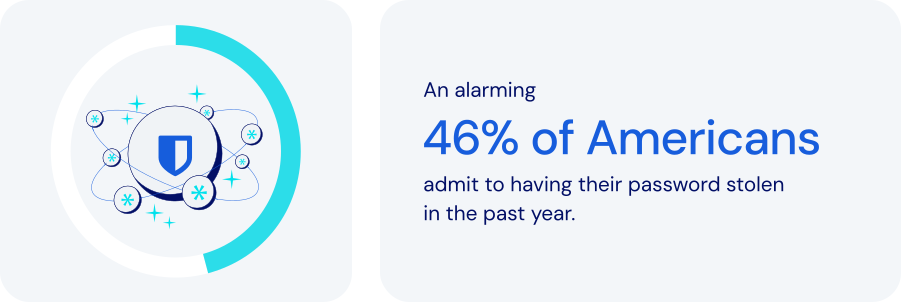
*Source: Forbes Advisor*
### How does password management fit into global operations?
Every global enterprise needs the ability to provide employees, partners, and customers with secure access to important resources while fully complying with international data protection standards. A robust password management platform is critical. Specific features to look for:
- **Centralized credential storage**: secure, encrypted vaults provide unified global access to passwords, replacing insecure channels like email or spreadsheets.
- **Role-Based Access Control (RBAC)**: ensuring that employees have [precise access](https://bitwarden.com/fr-fr/resources/telecommunications-firm-achieves-password-management-adoption/) based on their roles or locations can significantly reduce unauthorized access risks.
- **Structured organization with collections**: [organizing credentials](https://bitwarden.com/fr-fr/help/teams-enterprise-migration-guide/#collections/) by region, department, or project helps facilitate secure, controlled access across global teams.
- **Secure credential sharing**: enabling users to share credentials securely, including hidden credentials, helps strengthen security across teams.
- **Automated provisioning with SCIM**: automatically granting or revoking access to credentials based on employment status simplifies both [employee onboarding and offboarding](https://bitwarden.com/fr-fr/resources/guide-enterprise-password-management-throughout-employee-lifecycle/).
- **Localization and time-zone controls**: multilingual support allows for usability and security tailored to regional needs.
- **Cross-Device remote access**: flexible, secure access from web, desktop, mobile apps, and browser extensions is essential for global and mobile teams.
- **Granular permissions**: flexible permission settings allow access levels to be tailored to specific employee roles.
- **Compliance and audit capabilities**: detailed logs and monitoring facilitate adherence to global standards like [ISO 27001](https://bitwarden.com/fr-fr/resources/how-password-management-helps-companies-achieve-iso-27001-certification/), GDPR, CCPA, and SOC 2.
- **Threat detection**: by constantly monitoring credentials against breaches, a password manager can help administrators identify potential threats.
Beyond efficiency and productivity, these features also provide security and documentation tools that make it easier to maintain full compliance across multiple countries, time zones, and cultures.
### How password management keeps global enterprises safer
For global organizations with distributed teams, diverse departments, and complex IT ecosystems, effective password management is crucial for maintaining security, improving collaboration, and ensuring scalability. A platform expressly designed for large-scale environments should allow you to:
- **Enhance security and reduce risk**: centralized management prevents security breaches, reduces insider threats, and ensures data integrity.
- **Boost operational efficiency**: automating password distribution and management can significantly reduce [administrative overhead](https://bitwarden.com/fr-fr/resources/marketing-agency-streamlines-productivity-with-password-management/).
- **Scale easily**: a robust password management system should seamlessly accommodate growth, ensuring continuous security in the face of geographic expansion.
- **Manage risk and compliance**: meeting stringent international regulatory requirements is an important way companies can avoid fines and reputational damage.
- **Improve collaboration**: simple, secure credential access promotes efficient collaboration across geographically dispersed teams.
### How Bitwarden supports global password management
Bitwarden specifically addresses the needs of global organizations with a comprehensive set of security features, access controls, and management tools. These include:
- **Unified Global Vault**: provides a centralized, encrypted vault to securely manage all credentials worldwide.
- **Advanced Role-Based Access Control**: helps minimize risk by precisely controlling user permissions based on specific roles.
- **Comprehensive System for Shared Collections**: effectively organizes credentials for teams across regions and departments.
- **Automated SCIM Integration**: streamlines user onboarding and succession, ensuring immediate updates to credential access.
- **Multi-language and Device Accessibility**: supports over 50 languages, with cross-device support, enabling secure remote access for international teams.
- **Real-Time Password Updates**: helps maintain security continuity by allowing for quick updates to passwords that sync across all systems.
- **Compliance and Auditing Tools**: maintain detailed [audit logs](https://bitwarden.com/fr-fr/help/is-bitwarden-audited/#third-party-security-audits/) to help ensure regulatory compliance.
- **Proactive Threat Management**: integrates with [existing SIEM systems](https://bitwarden.com/fr-fr/help/splunk-siem/) for real-time breach monitoring, allowing rapid response to security threats.
### The bottom line
Enterprises operating multinationally face a wide range of unique security threats. Increased connectivity may make the world seem smaller, but the challenges are no less complex.
Bitwarden enables businesses to manage access and credentials across distributed teams, multiple locations, and complex infrastructures. Every facet of the platform is designed to support business growth and operational excellence worldwide. Just one more reason Bitwarden is regarded as the most trusted name in password management.
### What makes Bitwarden stand out from the pack?
Bitwarden provides the industry's most scalable and comprehensive offerings for global organizations.
Unlike other password management solutions, Bitwarden:
- Has cloud offerings across the U.S. and Europe.
- Provides options to [self-host](https://bitwarden.com/fr-fr/self-hosted-password-manager-on-premises/) in air-gapped, local, and private cloud environments.
- Offers provider portal options tailored for [MSPs](https://bitwarden.com/fr-fr/msp/) and large enterprises, enabling the management of multiple Bitwarden instances for various clients or constituents. For large organizations, this can involve centralized Bitwarden administration across different business units.
- Delivers a trusted open-source solution that encourages adoption.
- Translates client applications into over 50 languages, showcasing suitability for global employees.
- Allows companies to manage multiple instances across business units.
## Obtenez dès maintenant une sécurité de mot de passe puissante et fiable. Choisissez votre plan.
## Personnel
### Gratuit
**$0** *par mois*
*Gratuit pour toujours*
Profitez d'un coffre-fort Bitwarden
- Nombre illimité d'appareils
- Gestion des clés d'accès
- Toutes les fonctions essentielles
- Gratuit à vie
Partager des éléments du coffre-fort avec un autre utilisateur
[Commencez dès aujourd'hui](https://bitwarden.com/go/start-free/)
---
### Premium
**Less than $1** *par mois*
*$10 facturés annuellement*
Profitez des fonctionnalités premium
- Bitwarden Authenticator
- Pièces jointes
- Accès d'urgence
- Rapports de sécurité et plus encore
Partager des éléments du coffre-fort avec un autre utilisateur
[Créer un compte premium](https://bitwarden.com/go/start-premium/)
---
### Familles
**$3.33** *par mois*
*Jusqu'à 6 utilisateurs, 40 $ facturés annuellement*
Sécuriser vos identifiants familiaux
- 6 comptes premium
- Partage illimité
- Collections illimitées
- Organisation du stockage
Partager les éléments du coffre-fort entre six personnes
[Essai gratuit de 7 jours](https://bitwarden.com/go/start-families-trial/)
---
Les prix sont indiqués en USD et sont basés sur un abonnement annuel. Les taxes ne sont pas incluses.
## Entreprises
### Équipes
*Protection résiliente pour les équipes en croissance*
**$4** *par mois / par utilisateur facturé annuellement*
Partagez des données sensibles en toute sécurité avec des collègues, à travers les départements ou l'ensemble de l'entreprise
- Partage sécurisé des données
- Surveillance du journal des événements
- Intégration de l'annuaire
- Soutien au SCIM
Inclut des fonctionnalités premium pour tous les utilisateurs
[Commencer un essai](https://bitwarden.com/go/start-teams-trial/)
---
### Entreprise
*Fonctionnalités avancées pour les grandes organisations*
**$6** *par mois / par utilisateur facturé annuellement*
Utilisez des fonctionnalités avancées, notamment des politiques d'entreprise, la connexion sans mot de passe unique (SSO) et la récupération de compte.
- Politiques de sécurité de l'entreprise
- SSO sans mot de passe
- Recouvrement de compte
- Option d’autohébergement
Inclut des fonctionnalités premium et un plan familial gratuit pour tous les utilisateurs
[Commencer un essai](https://bitwarden.com/go/start-enterprise-trial/)
---
### Obtenez un devis
*Pour les entreprises comptant des centaines ou des milliers d'employés, veuillez contacter notre service commercial pour obtenir un devis personnalisé et voir comment Bitwarden peut vous aider :*
- Réduire le risque de cybersécurité
- Augmenter la productivité
- Intégrer de manière transparente
Bitwarden s'adapte à toutes les tailles d'entreprise pour garantir la sécurité des mots de passe au sein de votre organisation.
[Contacter le service commercial](https://bitwarden.com/contact-sales/)
---
Tarification indiquée en USD et basée sur un abonnement annuel
---
URL: https://bitwarden.com/fr-fr/resources/password-management-maturity-model/
---
# Password Management Maturity Model
from Bitwarden
---

Organizations that wish to strengthen security by deploying an [enterprise-wide password manager](https://bitwarden.com/fr-fr/blog/choose-the-best-enterprise-password-manager/) can ensure better resilience by assessing key areas for improvement through the following password management maturity model. This framework helps organizations understand their password manager maturity level — based on their current operations — and identify what steps are necessary to improve their existing classification.
## Table of Contents
[Level 1: Open opportunity](https://bitwarden.com/fr-fr/resources/password-management-maturity-model/#level-1-open-opportunity/)
[Level 2: Launch](https://bitwarden.com/fr-fr/resources/password-management-maturity-model/#level-2-launch/)
[Level 3: Evolve](https://bitwarden.com/fr-fr/resources/password-management-maturity-model/#level-3-evolve/)
[Level 4: Proactive](https://bitwarden.com/fr-fr/resources/password-management-maturity-model/#level-4-proactive/)
[Level 5: Leader](https://bitwarden.com/fr-fr/resources/password-management-maturity-model/#level-5-leader/)
[Password Management Maturity Model](https://bitwarden.com/fr-fr/resources/password-management-maturity-model/#password-management-maturity-model/)
## Level 1: Open opportunity
### The wild west of weak passwords, reused passwords, and potentially compromised passwords

Organizations in the Level 1 category have not deployed an enterprise-wide password manager. The lack of a centralized password management system increases the risk of compromised passwords, as employees may use weak or reused passwords without proper oversight. Instead, employees take a siloed, ad-hoc approach to securing company passwords. This may involve using [browser-based password managers](https://bitwarden.com/fr-fr/blog/why-companies-are-looking-beyond-browser-based-password-managers/), Excel spreadsheets, sharing passwords via Slack, or writing them down on paper and sticky notes. This environment is unlikely to foster a robust security culture or emphasize security best practices. Company-wide training is infrequent or non-existent. When it comes to overall technical maturity, there is a strong likelihood that sensitive or critical data, when shared, is unencrypted and at risk.
- **Password Manager Deployment**: A Level 1 organization has no password manager processes in place, leaving employees to their individual habits.
- **Security Culture**: A Level 1 organization does not emphasize [security best practices](https://bitwarden.com/fr-fr/blog/building-a-cybersecurity-culture-in-the-workplace/) and has minimal security awareness.
- **Technical Maturity**: A Level 1 organization shares sensitive information insecurely, often unencrypted.
Level 1 organizations are starting from the ground up with plenty of opportunities for quick improvements through simple actions that can provide an immediate security boost. The priority next step for a company to improve security is to require one team to use a password manager, typically IT, and then make a plan for a wide-scale rollout.
Level 1 organizations are starting from the ground up with plenty of opportunities for quick improvements through simple actions that can provide an immediate security boost.
## Level 2: Launch
### Wading into the world of free password managers

Level 2 indicates a slightly more mature, but still growing, approach towards strong password security and management. Organizations at this stage are not using an enterprise-wide password manager, and [password security practices](https://bitwarden.com/fr-fr/blog/6-things-to-keep-your-passwords-secure/) are decentralized, with employees relying on a combination of browser-based password managers and other built-in password management tools. Some organizations might start with a free password manager before moving to a more centralized solution. Security best practices are a cursory focus during employee onboarding but are not a consistent focus for the organization. Technical maturity at this level is characterized by a mix of encryption practices - some information is encrypted, some isn’t - and two-factor authentication is used sparingly for enhanced identity verification. Organizations seeking to progress from Level 2 to Level 3 should focus on increased awareness and education to establish fundamental credential security practices some of the time.
- **Password Manager Deployment**: Level 2 companies feature decentralized password management or ad hoc use of built-in password managers, such as Apple keychain or those built into browsers.
- **Security Culture**: Level 2 companies place limited emphasis on password security best practices.
- **Technical Maturity**: Level 2 companies contain inconsistent approaches to sharing encrypted information and using [multifactor authentication](https://bitwarden.com/fr-fr/blog/basics-of-two-factor-authentication-with-bitwarden/) (2FA).
Level 2 companies place a slightly larger emphasis on data security, but overall practices remain decentralized. The immediate next step to improve security is to select a centralized, cross-platform password manager that works across all employee devices and begin a phased rollout.
Level 2 companies place a slightly larger emphasis on data security, but overall practices remain decentralized.
## Level 3: Evolve
### Exploration of other password managers and the start of protecting sensitive data

Moving from Level 2 to Level 3 represents a significant step toward securing your business. Limited teams within the organization rely on a stand-alone password manager, but overall deployment remains minimal. Security training is more frequent and consistent, and employees experience more frequent alerts when engaging in obvious and potentially risky security practices. From a technical maturity standpoint, employees who collectively utilize a password management solution have coverage across all company-issued devices and are able to share passwords and other sensitive information securely. Using an encrypted password vault can significantly enhance security by securely storing sensitive information. The ability to securely share data between colleagues marks a departure from Level 2.
- **Password Manager Deployment**: Level 3 companies have some measure of centralized password management, with one or two teams utilizing stand-alone password managers in favor of built-in tools.
- **Security Culture**: Level 3 companies place an increased emphasis on security culture but don’t have tools or systems in place for concrete accountability.
- **Technical Maturity**: Level 3 teams using a centralized password manager benefit from cross-platform coverage across devices and [secure sharing between employees](https://bitwarden.com/fr-fr/blog/password-sharing-best-practices-for-teams/).
Level 3 companies are moving in a more centralized, albeit spotty, direction toward prioritizing data security. The next step to improve security is to broaden password management coverage from a phased rollout into a company-wide rollout.
Level 3 companies are moving in a more centralized, albeit spotty, direction toward prioritizing data security.
## Level 4: Proactive
### Getting serious about all your passwords and ensuring employees use an encrypted vault

Level 4 is marked by the universal adoption of an enterprise-wide password manager, with a [deployment initiated across the organization](https://bitwarden.com/fr-fr/blog/deployment-strategies-for-password-managers/). It is crucial to create a strong master password to secure the password manager. All employees are urged to use the company password manager to create, store, and share passwords with other team members. Additionally, security training is normalized and accepted by the entire organization, with management tracking and incentivizing participation through detailed training modules. Level 4 technical maturity indicates enterprise-wide password management with directory services integration and single sign-on. Integration with directory services (which may include Active Directory/Entra, Google Workspace, or OneLogin) syncs users and groups from an external directory to the password manager. [Integration with single sign-on](https://bitwarden.com/fr-fr/blog/easily-integrate-single-sign-on-security-with-flexible-solutions/) enables organizations to leverage their existing identity provider to authenticate users with their enterprise password manager.
- **Password Manager Deployment**: Level 4 companies have deployed a stand-alone password manager across the organization, with teams heavily encouraged to completely eschew built-in tools and ad-hoc practices.
- **Security Culture**: Level 4 companies offer regular security training and incentivize attendance with participation metrics.
- **Technical Maturity**: Level 4 companies have integrated password managers with IT workflows, including directory services and single sign-on (SSO).
Level 4 companies have taken a much more uniform, concrete approach to data security, with a focus on ensuring universal coverage. The next step to improve security is to mandate enterprise-wide password management across the organization. Once that is in progress, enable [passwordless authentication](https://bitwarden.com/fr-fr/blog/enterprise-passwordless-sso-brings-better-productivity-and-user-sign-in/) and require multifactor authentication (2FA) for all teams.
Level 4 companies have taken a much more uniform, concrete approach to data security, with a focus on ensuring universal coverage.
## Level 5: Leader
### A password-managing powerhouse using a strong master password, unique passwords, and passwordless authentication

At this stage, an organization has undergone full-scale adoption of an enterprise-wide password manager integrated into organizational workflows. This password vault is used for securely storing and managing sensitive information, including passwords, credit card details, and personal data. Company-wide password management adoption is mandated, with restrictions on alternative password storage methods. Enterprises at this stage offer employees password management family plans to cultivate a 360° security culture, emphasizing personal and professional password management habits. Security training is required for the entire organization, and employees are encouraged to report suspicious cybersecurity activities. Technical maturity is characterized by comprehensive coverage and reporting. The enterprise-wide password manager enables passwordless options from biometrics to [passkeys](https://bitwarden.com/fr-fr/blog/what-are-passkeys-and-passkey-login/), while developers use APIs for integration with other tools, such as SIEM, in order to ensure an effective security stack. Automated scripting with APIs is utilized to enhance administrative control and simplify complex workflows.
- **Password Manager Deployment**: Level 5 companies require all employees to use a stand-alone password manager.
- **Security Culture**: Level 5 companies have instituted mandatory security training, with employees taking the initiative to flag suspicious activity to the IT department.
- **Technical Maturity**: Level 5 companies have embraced an enterprise-wide password manager that offers passwordless authentication, requires multifactor authentication (2FA), and encourages developers to utilize APIs for integration with other tools.
Level 5 companies have a comprehensive, sophisticated, enterprise-wide password management system in place. Companies interested in progressing beyond this point should explore [secrets management tools](https://bitwarden.com/fr-fr/go/secrets-manager/) that secure infrastructure and machine secrets.
At this stage, an organization has undergone full-scale adoption of an enterprise-wide password manager integrated into organizational workflows.
## Password Management Maturity Model

## Obtenez dès maintenant une sécurité de mot de passe puissante et fiable. Choisissez votre plan.
## Personnel
### Gratuit
**$0** *par mois*
*Gratuit pour toujours*
Profitez d'un coffre-fort Bitwarden
- Nombre illimité d'appareils
- Gestion des clés d'accès
- Toutes les fonctions essentielles
- Gratuit à vie
Partager des éléments du coffre-fort avec un autre utilisateur
[Commencez dès aujourd'hui](https://bitwarden.com/go/start-free/)
---
### Premium
**Less than $1** *par mois*
*$10 facturés annuellement*
Profitez des fonctionnalités premium
- Bitwarden Authenticator
- Pièces jointes
- Accès d'urgence
- Rapports de sécurité et plus encore
Partager des éléments du coffre-fort avec un autre utilisateur
[Créer un compte premium](https://bitwarden.com/go/start-premium/)
---
### Familles
**$3.33** *par mois*
*Jusqu'à 6 utilisateurs, 40 $ facturés annuellement*
Sécuriser vos identifiants familiaux
- 6 comptes premium
- Partage illimité
- Collections illimitées
- Organisation du stockage
Partager les éléments du coffre-fort entre six personnes
[Essai gratuit de 7 jours](https://bitwarden.com/go/start-families-trial/)
---
Les prix sont indiqués en USD et sont basés sur un abonnement annuel. Les taxes ne sont pas incluses.
## Entreprises
### Équipes
*Protection résiliente pour les équipes en croissance*
**$4** *par mois / par utilisateur facturé annuellement*
Partagez des données sensibles en toute sécurité avec des collègues, à travers les départements ou l'ensemble de l'entreprise
- Partage sécurisé des données
- Surveillance du journal des événements
- Intégration de l'annuaire
- Soutien au SCIM
Inclut des fonctionnalités premium pour tous les utilisateurs
[Commencer un essai](https://bitwarden.com/go/start-teams-trial/)
---
### Entreprise
*Fonctionnalités avancées pour les grandes organisations*
**$6** *par mois / par utilisateur facturé annuellement*
Utilisez des fonctionnalités avancées, notamment des politiques d'entreprise, la connexion sans mot de passe unique (SSO) et la récupération de compte.
- Politiques de sécurité de l'entreprise
- SSO sans mot de passe
- Recouvrement de compte
- Option d’autohébergement
Inclut des fonctionnalités premium et un plan familial gratuit pour tous les utilisateurs
[Commencer un essai](https://bitwarden.com/go/start-enterprise-trial/)
---
### Obtenez un devis
*Pour les entreprises comptant des centaines ou des milliers d'employés, veuillez contacter notre service commercial pour obtenir un devis personnalisé et voir comment Bitwarden peut vous aider :*
- Réduire le risque de cybersécurité
- Augmenter la productivité
- Intégrer de manière transparente
Bitwarden s'adapte à toutes les tailles d'entreprise pour garantir la sécurité des mots de passe au sein de votre organisation.
[Contacter le service commercial](https://bitwarden.com/contact-sales/)
---
Tarification indiquée en USD et basée sur un abonnement annuel
---
URL: https://bitwarden.com/fr-fr/resources/password-management-small-business/
---
# Small Business Password Management
## What is small business password management and why is it so important?
Most data breaches covered by the media become international news because they deal with global organizations or large well-known enterprises. However, small and medium businesses (SMBs) have most of the same challenges and concerns around data security that enterprises do—just on a smaller scale. They’re also working with smaller budgets and smaller IT teams (if they have in-house IT expertise).
While corporate data from the world’s biggest enterprises might be the most attractive target for many hackers and other malicious actors, SMBs are still at high risk of ransomware, data theft, phishing attacks, and much more. According to a recent [Cumulus Global report](https://www.cumulusglobal.com/the-state-of-smb-cyber-security/), 43% of small and medium businesses have been the target of a cyber attack. Why? Hackers often view SMB data as “low-hanging fruit” because they assume smaller businesses don't have the robust security or protection that big corporations can afford.
No matter how small your business or your security budget, there is a lot you can do to protect your company data—and it all starts with **passwords**.

43% of small and medium businesses have been the target of a cyber attack
[Cumulus Global report](https://www.cumulusglobal.com/the-state-of-smb-cyber-security/)
## How password overload leads to increased security risks
Today, web users need a password for practically every site they visit online, and every application they use in their daily work. The issue with needing so many passwords is that it’s impossible to remember them all. People will use the same password or a small collection of passwords across dozens or even hundreds of online accounts to overcome that challenge. Reused passwords also tend to be ones that are easy to remember by using personal information, such as birthdays, anniversaries, or the names of children or pets.
It is so risky to reuse easy-to-remember passwords because hackers can easily gain access to that information through social media sites. And by reusing passwords across multiple sites, hacker computers can brute-force one account password and then use that information to gain access to all other accounts with the same credentials.
The key takeaway is that passwords are big business for hackers. In fact, a majority of data breaches and security incidents are caused by threat actors gaining access to weak passwords. Business and personal email account passwords, for example, are particularly desirable to hackers because they can use your email to reset passwords on other sites and gain access to confidential documents without your knowledge. The solution is to take password management seriously by making it part of your overall business security strategy.

## Why business password managers should be a critical part of every SMB security strategy
A password manager is one of the best ways to protect your entire company from password theft or misuse. Password managers are computer programs that store, encrypt, and manage login information for users, including usernames and passwords. They can log you into those sites and applications automatically and keep them protected from hackers. A single master password is typically used to get into the password database, so that’s just one password to remember. A password manager will also help you generate strong, unique passwords that aren’t based on personal information. Because the password information is stored and managed in a central repository, you can access it on virtually any device you use, whether it’s a desktop computer, laptop, smartphone, or tablet.
With a small business password manager, everyone in your company is freed from having to remember their login information for every single website and application they use. The way it typically works is, when you visit a website, instead of typing a username and password into the site’s entry screen, you can simply type your master password into the password manager. The password manager system then automatically enters the website login information for you. With your master password, you can easily and efficiently access every account or website you have. Passwords aren’t the only information you can store, either.
Small business password managers can also store other private data, such as corporate credit card numbers. The applications can also protect against phishing in cases where you accidentally mistype a website name and go to a fake site operated by a malicious actor. Say you wanted to log into your bank account at citibank.com, but in your hurry you typed citibnak.com. If a hacker had set up a phishing site at the misspelled site, you might think you were on a legitimate bank site. Without a password manager, you might try to log in with your username and password—and now the hacker has that information. A password manager, however, would detect the misspelled URL and not enter your login information, alerting you to the problem.
## Why relying on your browser-based password manager is risky
Most of today’s web browsers, including Chrome and Firefox, have built-in password managers, but they don’t compare to the protection and security of a dedicated application. Here’s why:
- Some browsers don’t encrypt your password data, leaving that information easily accessible to anyone who knows where to look.
- Browser-based password managers are designed for individual use, which means they don’t support the sharing of credentials among work partners or teams.
- Browser-based password managers lack important features such as password generator, and cross-platform support, meaning you won’t be able to access passwords on all your devices.
- For businesses, the ability to log events and conduct audits is important. Browser-based password managers don’t provide these capabilities.
## The benefits of using a password manager for SMB security
- No more passwords to memorize—just a single master password.
- Your passwords will be highly secure and unique across every site, application, and user.
- Access passwords and other secured data from practically anywhere, on any device; this is especially beneficial for remote workers and employees who travel from site to site.
- Save time with auto-filled login information; some managers can also auto-fill other data such as name, address, phone, email, and so on.
- Protect your company and personal data; with strong unique passwords, your accounts are essentially siloed from each other, so if a hacker gets into one, they don’t get into everything.
## Important considerations when choosing your small business password manager
Based in the U.K., the National Cyber Security Centre (NCSC) has some recommendations for SMBs that want to improve password security and are looking for a password manager. The two most important things you can do to protect company data are:
1. Use a **strong, unique password for your email**—using three random words, for instance.
2. Turn on **two-step verification** for your email, so you will use a password and then a secondary identification, such as a code you receive by text.
When selecting a password manager for your small business, be sure to find one that makes it effortless to create strong, unique passwords for every account; supports two-step verification; streamlines and simplifies the backup of all stored passwords and other data.
Other considerations for choosing the best small business password manager include the following:
- **Ease of use.** Because everyone in the company will use it, your password manager should be simple and user-friendly. The application won’t help if people don’t use it.
- **Integration.** A password manager that doesn’t interoperate with your existing IT infrastructure won’t be of much use. SMBs typically have small IT teams if they have them at all, so whatever helps streamline management and operations is a plus.
- **Simple admin management.** Administrative controls are important, and a password manager shouldn’t add complexity to IT’s workload.
- **Reporting capabilities.** A good password manager will provide a variety of report options that allow you to gain insight into adoption and usage across the company and any issues to address.
- **Compliance support.** As industry and governmental regulations continue to evolve around data security, it’s important to be able to set policies within the password manager to monitor that users are staying compliant.

## Why Bitwarden is the top business password manager for SMBs
In July 2022, TechRepublic named Bitwarden the "[Best Password Manager for SMBs](https://www.techrepublic.com/article/best-tech-products-companies/)." TechRepublic writer Jack Wallen said he ranked Bitwarden as number one “not only because it’s open-source, but because it offers a perfect blend of simplicity and advanced features. Bitwarden works incredibly well on every platform and every browser.” Even on the free tier, he said, “you still get unlimited passwords and just enough features to make Bitwarden a perfect platform for those new to using a password manager.”
Trusted by thousands of businesses and millions of end users globally for secure password storage and sharing, Bitwarden allows SMBs to store logins, secure notes, and more; collaborate and share securely across teams and departments; and access login data anywhere on any device.
As Wallen mentioned, the Bitwarden commitment to open source software makes the password manager a leader in trust and security—especially because Bitwarden source code can be inspected and reviewed by anyone. This means businesses don’t just have to trust that the software is secure; you can [inspect the code](https://github.com/bitwarden) to verify that yourself. Bitwarden also participates in an independent security researchers program and regularly employs third-party auditors, such as [Cure53](https://cure53.de/), for penetration testing and official security assessments.
The open source nature of Bitwarden paired with industry-leading security protocols such as end-to-end AES-256-bit encryption, salted hashing, and PBKDF2 SHA-256 sets Bitwarden apart from other solutions. Bitwarden seals your data with zero-knowledge encryption before it ever leaves your device, and only you have access to it. Not even the Bitwarden team can view the private information stored in your vault.
## How to get started with Bitwarden
**Step 1.** [Choose the plan](https://bitwarden.com/fr-fr/pricing/business/) that best fits your business (or personal) needs.
**Step 2.** Start your [free 7-day trial](https://bitwarden.com/fr-fr/go/start-enterprise-trial/) and **remember to store your master password in a safe place**.
**Step 3.** Explore the [download options](https://bitwarden.com/fr-fr/download/) to access your Bitwarden vault across all preferred browsers and devices.
*Have questions or need assistance? *[*Contact sales*](https://bitwarden.com/fr-fr/contact-sales/)* to get more information on features, pricing, and deployment options.*
## Obtenez dès maintenant une sécurité de mot de passe puissante et fiable. Choisissez votre plan.
## Personnel
### Gratuit
**$0** *par mois*
*Gratuit pour toujours*
Profitez d'un coffre-fort Bitwarden
- Nombre illimité d'appareils
- Gestion des clés d'accès
- Toutes les fonctions essentielles
- Gratuit à vie
Partager des éléments du coffre-fort avec un autre utilisateur
[Commencez dès aujourd'hui](https://bitwarden.com/go/start-free/)
---
### Premium
**Less than $1** *par mois*
*$10 facturés annuellement*
Profitez des fonctionnalités premium
- Bitwarden Authenticator
- Pièces jointes
- Accès d'urgence
- Rapports de sécurité et plus encore
Partager des éléments du coffre-fort avec un autre utilisateur
[Créer un compte premium](https://bitwarden.com/go/start-premium/)
---
### Familles
**$3.33** *par mois*
*Jusqu'à 6 utilisateurs, 40 $ facturés annuellement*
Sécuriser vos identifiants familiaux
- 6 comptes premium
- Partage illimité
- Collections illimitées
- Organisation du stockage
Partager les éléments du coffre-fort entre six personnes
[Essai gratuit de 7 jours](https://bitwarden.com/go/start-families-trial/)
---
Les prix sont indiqués en USD et sont basés sur un abonnement annuel. Les taxes ne sont pas incluses.
## Entreprises
### Équipes
*Protection résiliente pour les équipes en croissance*
**$4** *par mois / par utilisateur facturé annuellement*
Partagez des données sensibles en toute sécurité avec des collègues, à travers les départements ou l'ensemble de l'entreprise
- Partage sécurisé des données
- Surveillance du journal des événements
- Intégration de l'annuaire
- Soutien au SCIM
Inclut des fonctionnalités premium pour tous les utilisateurs
[Commencer un essai](https://bitwarden.com/go/start-teams-trial/)
---
### Entreprise
*Fonctionnalités avancées pour les grandes organisations*
**$6** *par mois / par utilisateur facturé annuellement*
Utilisez des fonctionnalités avancées, notamment des politiques d'entreprise, la connexion sans mot de passe unique (SSO) et la récupération de compte.
- Politiques de sécurité de l'entreprise
- SSO sans mot de passe
- Recouvrement de compte
- Option d’autohébergement
Inclut des fonctionnalités premium et un plan familial gratuit pour tous les utilisateurs
[Commencer un essai](https://bitwarden.com/go/start-enterprise-trial/)
---
### Obtenez un devis
*Pour les entreprises comptant des centaines ou des milliers d'employés, veuillez contacter notre service commercial pour obtenir un devis personnalisé et voir comment Bitwarden peut vous aider :*
- Réduire le risque de cybersécurité
- Augmenter la productivité
- Intégrer de manière transparente
Bitwarden s'adapte à toutes les tailles d'entreprise pour garantir la sécurité des mots de passe au sein de votre organisation.
[Contacter le service commercial](https://bitwarden.com/contact-sales/)
---
Tarification indiquée en USD et basée sur un abonnement annuel
---
URL: https://bitwarden.com/fr-fr/resources/password-manager-sync/
---
# Why Password Manager Sync is Important for Security
Optimize password manager sync for enhanced multi-cloud security. Streamline access, boost productivity, and empower your tech strategy today!
---
## A foundational layer for secure, consistent access in multi-cloud environments
Technology teams managing login credentials and other sensitive information across multiple cloud infrastructure providers, such as AWS, Azure, and Google Cloud Platform, face mounting complexity as usage grows. That’s because each environment introduces its own unique authentication, secrets management, and access management requirements into the mix. Without a consistent approach to secure password management and credential sync, these fragmented systems can easily become a productivity and security nightmare, increasing the risk of access failures, misconfigurations, and security vulnerabilities.
This is where password manager sync shines. A modern, cloud-based password manager with encrypted sync ensures that credentials remain consistent, current, and secure across multi-cloud platforms and devices. It simplifies password updates, supports account recovery, and helps ensure that unique passwords are used across all services. For organizations operating across hybrid or multi-cloud infrastructure, a synced password vault functions as both a productivity enhancer and a critical layer of defense.
This post explores how password manager sync strengthens multi-cloud security by centralizing credential management to improve access consistency and reduce the risks associated with reuse and outdated passwords. It also provides best practices for syncing across devices, enforcing access policies, and enabling secure collaboration in fast-moving cloud environments.
## How password manager sync works to deliver secure passwords and centralized access
Password manager sync ensures that all authorized devices, users, and platforms have access to the same up-to-date, secure passwords automatically and securely. When passwords are changed, revoked, or generated, the sync process ensures that every linked device reflects that change.
In multi-cloud environments where infrastructure is dynamic and cross-functional teams need access to shared systems, syncing plays a critical role in both productivity and risk mitigation. If a device is lost or replaced, users can recover their credentials instantly through a secure, encrypted vault synced via the cloud. Within organizational settings, administrators can assist in recovery using Bitwarden’s [Account recovery administration policy](https://bitwarden.com/fr-fr/help/policies/#account-recovery-administration/). Syncing also enables centralized updates during security incidents, reducing the risk of inconsistent access control or overlooked systems.
This syncing capability, when combined with a zero-knowledge encryption model and role-based access controls, helps organizations maintain consistent, enforceable security policies without adding friction to day-to-day workflows.
## Real-world example: Password manager sync in action
When deployed across teams, synced password manager access improves both coordination and response times, reducing the daily friction of managing credentials across different cloud services and platforms. Instead of chasing expired credentials or searching through messages for the latest login, teams receive secure updates automatically. For example, if a DevOps engineer updates root credentials for a cloud project, those changes appear immediately in each authorized password vault, eliminating manual distribution, minimizing disruption, and helping teams to stay focused on higher-priority work.
Sync also simplifies recovery workflows. In the event of device loss or replacement, users can restore access by signing in to their account on a new device. The encrypted vault is then synced from the cloud, allowing credentials to be recovered securely and without disruption.
For more information on how syncing works, refer to the[ Vault Sync Guide](https://bitwarden.com/fr-fr/help/vault-sync/).
## How to use password manager sync across all platforms
After understanding what password manager sync enables, the next step is putting it into practice. Bitwarden, one of the most trusted cloud-based password managers, offers secure syncing across desktop, mobile, and browser environments, giving teams consistent access to shared credentials while maintaining strong encryption and centralized control.
Each Bitwarden app is built to maintain a sync with the vault, so when a password is created, changed, or shared, the update propagates instantly to all authorized devices. This eliminates version drift and reduces the risk of access errors across environments like AWS, Azure, and GCP.
### **Sync across desktop, mobile, and browsers**
To begin, [download Bitwarden](https://bitwarden.com/fr-fr/download/) for the preferred platform and choose from one of the dedicated setup guides below:
- [Desktop Setup](https://bitwarden.com/fr-fr/help/getting-started-desktop/) – Covers installation, vault login, and sync behavior across Windows, macOS, and Linux.
- [Mobile App Guide](https://bitwarden.com/fr-fr/help/getting-started-mobile/) – Enables secure, synced access on the go with biometric authentication, PIN unlock, and mobile autofill.
- [Browser Extension Setup](https://bitwarden.com/fr-fr/help/auto-fill-browser/) – Offers inline autofill, password generation, and synced vault access across major browsers.
These platform-specific options give teams the flexibility to access and manage their credentials wherever they work. Once users are signed into a Bitwarden client and granted access to vault items through [Collections](https://bitwarden.com/fr-fr/help/about-collections/), real-time syncing ensures updates made in one location are reflected across all authorized devices. This helps users stay focused on high-priority tasks instead of chasing outdated logins.
Try syncing the first set of multi-cloud credentials now: [Import Passwords](https://bitwarden.com/fr-fr/help/import-data/).
## Best practices for using a secure password manager in multi-cloud environments
In complex, multi-cloud environments, syncing credentials is only one part of the equation. Without policies in place to manage how credentials are accessed and by whom, even a well-synced system can fall short. Security leaders need to pair syncing with access management, encryption enforcement, and operational best practices that support secure collaboration at scale.
Bitwarden supports these needs through vault-based access policies, role permissions, and end-to-end encryption, giving administrators the tools to align password sync with their organization’s security requirements.
### **Use role-based access and access management to share passwords securely**
[Bitwarden Organizations](https://bitwarden.com/fr-fr/products/organizations/) provides a structured way to manage shared credentials while enforcing access segmentation. Credentials can be grouped into Collections by cloud provider, environment, or project team, with access assigned based on a user’s role or responsibilities. This ensures that team members only see the credentials relevant to their work, minimizing unnecessary exposure and improving audit visibility.
In high-velocity infrastructure teams, this structure reduces the need for ad hoc credential sharing and simplifies onboarding. Instead of provisioning passwords manually for each new cloud account or service, administrators can assign vault access based on team role, supporting security and simplifying operations.
### **Enforce end-to-end encryption and multifactor authentication standards**
Security is only as strong as the protections surrounding credential sync. Bitwarden ensures all vault data is encrypted on the device before syncing, using a zero-knowledge encryption model that prevents even Bitwarden from accessing stored credentials.
- Strong master password policies to help defend against brute-force or credential-stuffing attacks
- [Two-factor authentication](https://bitwarden.com/fr-fr/help/setup-two-step-login/) via Bitwarden or your existing identity provider (e.g., login with SSO)
- Session timeouts or reauthentication requirements for sensitive vault actions
To streamline authentication, Bitwarden also supports [TOTP Sync Setup](https://bitwarden.com/fr-fr/help/totp-sync/) for time-based one-time passwords within the vault.
These measures help prevent unauthorized access and ensure credentials and other sensitive data, such as secure notes, remain protected even if a device is lost or compromised.
### **Example: Synchronized access with policy enforcement**
A cloud infrastructure team managing projects in AWS and GCP maintains distinct Collections for each platform. When a lead engineer updates the access credentials for a production deployment, Bitwarden syncs the changes across all authorized users — while access remains restricted to only those assigned to the production team. There is no need to notify individuals manually, no risk of outdated credentials being used, and no loss of audit visibility.
For IT administrators and cloud security leads, this approach reduces complexity while preserving control. Instead of relying on fragmented systems or unsecured channels to distribute passwords, teams operate from a centralized, encrypted source of truth, with sync and policy enforcement working together to support secure collaboration.
Explore the [Bitwarden web vault](https://vault.bitwarden.com/) for secure, consistent access.
## Streamline workflows with autofill, password generator tools, and web browser extensions
Navigating between cloud portals, infrastructure dashboards, and third-party services often means entering credentials dozens of times a day. Bitwarden browser extensions and mobile auto-fill features turn password manager sync into a real-time productivity asset, reducing manual entry and minimizing the risk of errors or delays.
The Bitwarden browser extension provides secure access to the vault directly within Chrome, Firefox, Edge, Safari, and other supported browsers. Once enabled, it allows users to store passwords, autofill credentials into login fields, and update entries as needed, with changes syncing immediately across all authorized devices.
Mobile users can also configure auto-fill for Android and iOS devices to ensure secure, on-the-go access:
[**Set up Android auto-fill**](https://bitwarden.com/fr-fr/help/auto-fill-android/) for synced credential use across mobile apps and browsers.
[**Configure iOS auto-fill**](https://bitwarden.com/fr-fr/help/auto-fill-android/) to streamline access to secure apps and cloud dashboards.
For infrastructure teams managing multiple cloud accounts, auto-fill accelerates repetitive tasks without sacrificing security. A project manager, for instance, can move between AWS, Azure, and Google Cloud logins without delays or duplicated effort, knowing every credential is synced, encrypted, and up to date.
Auto-fill and sync work in tandem to improve speed and reduce cognitive load, while vault data remains encrypted on the device and never stored in the browser.
Discover how[ Bitwarden keeps your vault secure](https://bitwarden.com/fr-fr/blog/vault-security-bitwarden-password-manager/).
## Leverage the power of multi-device password sync with Bitwarden
For organizations managing infrastructure across multiple cloud platforms, password manager sync plays a vital role in maintaining secure, consistent access. A synced vault helps enforce credential policies, reduce login friction, and ensure that updates are available in real time, supporting both operational agility and risk reduction.
Bitwarden enables this through encrypted, cross-platform syncing with built-in support for role-based access, auto-fill, and secure credential sharing. These features help security teams manage passwords and other secrets at scale while maintaining centralized oversight and control.
Start syncing cloud credentials securely and efficiently.[ Sign up for Bitwarden](https://bitwarden.com/fr-fr/pricing/) today or learn more on the[ Bitwarden Tools and Features](https://bitwarden.com/fr-fr/tools-and-features/) page.
## Obtenez dès maintenant une sécurité de mot de passe puissante et fiable. Choisissez votre plan.
## Personnel
### Gratuit
**$0** *par mois*
*Gratuit pour toujours*
Profitez d'un coffre-fort Bitwarden
- Nombre illimité d'appareils
- Gestion des clés d'accès
- Toutes les fonctions essentielles
- Gratuit à vie
Partager des éléments du coffre-fort avec un autre utilisateur
[Commencez dès aujourd'hui](https://bitwarden.com/go/start-free/)
---
### Premium
**Less than $1** *par mois*
*$10 facturés annuellement*
Profitez des fonctionnalités premium
- Bitwarden Authenticator
- Pièces jointes
- Accès d'urgence
- Rapports de sécurité et plus encore
Partager des éléments du coffre-fort avec un autre utilisateur
[Créer un compte premium](https://bitwarden.com/go/start-premium/)
---
### Familles
**$3.33** *par mois*
*Jusqu'à 6 utilisateurs, 40 $ facturés annuellement*
Sécuriser vos identifiants familiaux
- 6 comptes premium
- Partage illimité
- Collections illimitées
- Organisation du stockage
Partager les éléments du coffre-fort entre six personnes
[Essai gratuit de 7 jours](https://bitwarden.com/go/start-families-trial/)
---
Les prix sont indiqués en USD et sont basés sur un abonnement annuel. Les taxes ne sont pas incluses.
## Entreprises
### Équipes
*Protection résiliente pour les équipes en croissance*
**$4** *par mois / par utilisateur facturé annuellement*
Partagez des données sensibles en toute sécurité avec des collègues, à travers les départements ou l'ensemble de l'entreprise
- Partage sécurisé des données
- Surveillance du journal des événements
- Intégration de l'annuaire
- Soutien au SCIM
Inclut des fonctionnalités premium pour tous les utilisateurs
[Commencer un essai](https://bitwarden.com/go/start-teams-trial/)
---
### Entreprise
*Fonctionnalités avancées pour les grandes organisations*
**$6** *par mois / par utilisateur facturé annuellement*
Utilisez des fonctionnalités avancées, notamment des politiques d'entreprise, la connexion sans mot de passe unique (SSO) et la récupération de compte.
- Politiques de sécurité de l'entreprise
- SSO sans mot de passe
- Recouvrement de compte
- Option d’autohébergement
Inclut des fonctionnalités premium et un plan familial gratuit pour tous les utilisateurs
[Commencer un essai](https://bitwarden.com/go/start-enterprise-trial/)
---
### Obtenez un devis
*Pour les entreprises comptant des centaines ou des milliers d'employés, veuillez contacter notre service commercial pour obtenir un devis personnalisé et voir comment Bitwarden peut vous aider :*
- Réduire le risque de cybersécurité
- Augmenter la productivité
- Intégrer de manière transparente
Bitwarden s'adapte à toutes les tailles d'entreprise pour garantir la sécurité des mots de passe au sein de votre organisation.
[Contacter le service commercial](https://bitwarden.com/contact-sales/)
---
Tarification indiquée en USD et basée sur un abonnement annuel
---
URL: https://bitwarden.com/fr-fr/resources/password-sharing-best-practices/
---
# Password sharing best practices
## Share passwords securely and protect sensitive information
With the sheer number of online accounts created for work, shopping, entertainment, and communication, it’s easy to lose track of passwords or fall into the trap of reusing the same one across multiple sites. This can put sensitive information, such as confidential data and credit card details, at risk.
Password sharing, when done securely, offers significant advantages for both individuals and teams. In a professional setting, it enables team members to access shared accounts — such as social media platforms, project management tools, or client portals — without compromising security. For families and individuals, it means everyone can enjoy streaming services or online subscriptions without the hassle of managing multiple logins.
In the interest of convenience, people often resort to sharing passwords via unsafe means such as unencrypted email platforms, spreadsheets, text messages, or sticky notes. These methods are not secure. Fortunately, it is entirely possible to source practical and effective solutions for those who want to protect sensitive data while also striking a balance between usability and security. The key to safe password sharing lies in using a password manager that allows users to share passwords through secure links and end-to-end encryption.
## How to safely share passwords verbally or over email
### Sharing passwords verbally
Many people will default to sharing passwords verbally or via email, so it’s worth addressing how to engage in both non-digital and digital sharing methods safely. When sharing sensitive information verbally or via email or messaging platform, remember to be politely paranoid and use two-factor communication to verify someone’s identity before fulfilling a request.
Verbally sharing passwords should be done in person or over a secure call, with the understanding that there are potential risks involved (e.g., overheard conversations). This strategy is likely best suited for those sharing a limited number of passwords with 1-2 people, rather than a larger group. It also may not be as quick and convenient as sharing digitally.
### Sharing passwords via email or a messaging platform
Those who are busy with family obligations or remote workflows may find it tempting to share passwords via email. However, for cases where sensitive information must be shared digitally via email or a messaging platform, security experts recommend using dedicated encrypted communication tools, such as Bitwarden Send. Services like this create encrypted links that can be password-protected, set to expire automatically, and deleted after viewing, providing robust security specifically designed for sensitive information.
## Secure password sharing with a dedicated password manager
The most secure option for [sharing passwords](https://bitwarden.com/fr-fr/blog/how-to-share-passwords-at-work-at-home-or-on-the-go/) is to use a dedicated password manager. Bitwarden is architected with end-to-end encryption to secure all credentials and critical data in an encrypted vault. Only the Bitwarden user can decrypt their vault by entering their unique master password. Nobody else, not even Bitwarden staff, can access user passwords or any other information in the vault.
Bitwarden offers advanced sharing features with user-friendly solutions. Users who wish to share passwords with a team or their family can create an Organization for that group. Within an Organization, users can further organize their vault with collections, which are groups of related logins that can be shared with specific users. This setup is most advantageous for businesses and families that need to securely share multiple passwords. Admins can easily control access levels for each user within an Organization to prevent full-company access to highly sensitive credentials, or for parents to limit children’s access to logins for certain streaming services.
[Bitwarden Send](https://bitwarden.com/fr-fr/products/send/) is the most appropriate solution for [secure file sharing](https://bitwarden.com/fr-fr/blog/how-to-share-files-and-sensitive-information-securely/) outside of a password manager. Bitwarden Send enables users to create a new Send that includes a file with sensitive information. You can make a secure one-time link to deliver sensitive information, and once the link is viewed, the content is deleted and cannot be retrieved or reaccessed. Bitwarden Send allows users to:
- Send secure texts and secure links
- Send files
- Set an automatic deletion date
- Set an expiration date so that links expire after a certain time or a specified number of accesses, and expired links are no longer valid
- Set a maximum access count
- Create a password that users will need to access the send
- Add notes
- Hide your email address from recipients using Bitwarden Send
- Manually deactivate the Send so no one can access it
## Key advantages of a password manager
There are numerous benefits to utilizing a comprehensive password manager at work and home. They include:
- Enhanced security that stems from enabling users to create, store, and manage strong, unique passwords, thus reducing the risk of data breaches caused by weak or reused passwords
- Centralized approach that organizes credentials and makes it easier for administrators to grant or revoke access as needed
- Reduced ongoing risk of relying on plain-text files or manual logs
- Ability to update shared passwords instantly without multiple messages
- Convenience with features such as autofill for login, which streamlines the process of logging into accounts
- Cross-platform accessibility via mobile devices, laptops, and desktop computers
- Meeting compliance requirements that may necessitate the use of a password manager or another solution that allows for strong internal controls and reduced cybersecurity risks
For those interested in more advanced password management options, Bitwarden offers a [secrets management solution](https://bitwarden.com/fr-fr/products/secrets-manager/) for developers and DevOps teams who are keen on securing their infrastructure and machine secrets. The Bitwarden Secrets Manager centralizes secret storage in a single, end-to-end encrypted solution that offers audit trails of secret access operations and minimizes the risk of data breaches and data leaks.
## Password management for teams
Effective password management is crucial for teams, particularly in business environments where multiple individuals require access to shared resources. IT teams and administrators can utilize password managers to securely store and distribute credentials, ensuring that sensitive information is accessible only to authorized team members. With features that allow the generation of unique passwords for each account, password managers help prevent the common pitfall of password reuse, which can lead to data breaches.
Onboarding new team members becomes more streamlined, as access to necessary accounts and confidential information can be granted quickly and securely. Additionally, password managers make it easy to share sensitive information, such as credit card numbers, confidential files, or client credentials, without exposing data to unnecessary risk. By centralizing password management, teams can maintain better control over who has access to what, protect their accounts, and ensure that all shared information is managed securely and efficiently.
## Additional best practices
Besides dedicated password managers, users should also follow commonsensical tips to ensure that password sharing is as secure as possible. These include:
- Using strong and unique passwords and passphrases
- Never reusing passwords or passphrases
- Always confirming receipt identity
- Only sharing passwords with those who need access
- When possible, utilize two-factor authentication (2FA) to add an extra layer of security
- When clicking on a link, verify that it is a secure link arriving from a trusted source
While convenient, standard messaging applications, such as Slack, WhatsApp, or Microsoft, do not offer the same level of security as dedicated password managers. Readers curious about the scaling process of sharing passwords can read more in this article about [team-focused password sharing strategies](https://bitwarden.com/fr-fr/blog/password-sharing-best-practices-for-teams/).
## Securely share sensitive information with Bitwarden
Password sharing is an everyday necessity in both personal and professional life, but it must be approached with security in mind. By utilizing a password manager equipped with secure password-sharing features such as end-to-end encryption, safe links, and robust access controls, users can confidently and securely share sensitive information without exposing themselves to unnecessary risk. Users can also share passwords in a secure verbal exchange, encrypted emails, or lean on offline password vaults. Overall, these solutions empower users who want to avoid insecure password exchanges that may lead to data breaches or the theft of valuable data. Learn more about [methods for safely sharing passwords at work and at home](https://bitwarden.com/fr-fr/blog/password-sharing-best-practices-for-teams/) to take ownership, feel a sense of agency, and safeguard data.
## Obtenez dès maintenant une sécurité de mot de passe puissante et fiable. Choisissez votre plan.
## Personnel
### Gratuit
**$0** *par mois*
*Gratuit pour toujours*
Profitez d'un coffre-fort Bitwarden
- Nombre illimité d'appareils
- Gestion des clés d'accès
- Toutes les fonctions essentielles
- Gratuit à vie
Partager des éléments du coffre-fort avec un autre utilisateur
[Commencez dès aujourd'hui](https://bitwarden.com/go/start-free/)
---
### Premium
**Less than $1** *par mois*
*$10 facturés annuellement*
Profitez des fonctionnalités premium
- Bitwarden Authenticator
- Pièces jointes
- Accès d'urgence
- Rapports de sécurité et plus encore
Partager des éléments du coffre-fort avec un autre utilisateur
[Créer un compte premium](https://bitwarden.com/go/start-premium/)
---
### Familles
**$3.33** *par mois*
*Jusqu'à 6 utilisateurs, 40 $ facturés annuellement*
Sécuriser vos identifiants familiaux
- 6 comptes premium
- Partage illimité
- Collections illimitées
- Organisation du stockage
Partager les éléments du coffre-fort entre six personnes
[Essai gratuit de 7 jours](https://bitwarden.com/go/start-families-trial/)
---
Les prix sont indiqués en USD et sont basés sur un abonnement annuel. Les taxes ne sont pas incluses.
## Entreprises
### Équipes
*Protection résiliente pour les équipes en croissance*
**$4** *par mois / par utilisateur facturé annuellement*
Partagez des données sensibles en toute sécurité avec des collègues, à travers les départements ou l'ensemble de l'entreprise
- Partage sécurisé des données
- Surveillance du journal des événements
- Intégration de l'annuaire
- Soutien au SCIM
Inclut des fonctionnalités premium pour tous les utilisateurs
[Commencer un essai](https://bitwarden.com/go/start-teams-trial/)
---
### Entreprise
*Fonctionnalités avancées pour les grandes organisations*
**$6** *par mois / par utilisateur facturé annuellement*
Utilisez des fonctionnalités avancées, notamment des politiques d'entreprise, la connexion sans mot de passe unique (SSO) et la récupération de compte.
- Politiques de sécurité de l'entreprise
- SSO sans mot de passe
- Recouvrement de compte
- Option d’autohébergement
Inclut des fonctionnalités premium et un plan familial gratuit pour tous les utilisateurs
[Commencer un essai](https://bitwarden.com/go/start-enterprise-trial/)
---
### Obtenez un devis
*Pour les entreprises comptant des centaines ou des milliers d'employés, veuillez contacter notre service commercial pour obtenir un devis personnalisé et voir comment Bitwarden peut vous aider :*
- Réduire le risque de cybersécurité
- Augmenter la productivité
- Intégrer de manière transparente
Bitwarden s'adapte à toutes les tailles d'entreprise pour garantir la sécurité des mots de passe au sein de votre organisation.
[Contacter le service commercial](https://bitwarden.com/contact-sales/)
---
Tarification indiquée en USD et basée sur un abonnement annuel
---
URL: https://bitwarden.com/fr-fr/resources/passwordless-authentication/
---
# Passwordless authentication
What you need to know
---
### What exactly is passwordless authentication?
Passwordless Authentication refers to a range of sophisticated login methods that move beyond traditional passwords. Instead, they leverage biometrics, physical security devices, or software-centric cryptographic keys known as passkeys. Passkeys are a particularly popular approach. These use public-key cryptography.

*Source: Fidoalliance.org*
### How does password management fit in here?
Modern password management platforms securely generate, store, and synchronize [passkeys](https://bitwarden.com/fr-fr/blog/what-are-passkeys-and-passkey-login/) according to FIDO2 and WebAuthn standards. This simplifies user access across devices while easing the transition away from traditional passwords. Specific features to look for:
- **Secure generation and storage**: automatically creates and securely stores passkeys (FIDO2/WebAuthn) and cryptographic keys.
- **Cross-device synchronization**: ensures passkeys and credentials stay in sync across trusted devices.
- [**Biometric integration**](https://bitwarden.com/fr-fr/blog/living-the-passwordless-life/): supports Face ID, Touch ID, Windows Hello, and Android Biometrics.
- **Legacy system compatibility**: manages traditional passwords alongside passkeys.
- [**Phishing protection**](https://bitwarden.com/fr-fr/blog/how-do-passkeys-work/): prevents credential exposure through domain-specific credential autofill.
Together, these features help maximize the effectiveness of Passwordless Authentication. They also make it easier for everyone within an organization to get on board with newer, more secure technology.
### How passwordless authentication keeps today’s businesses safer
By eliminating traditional password vulnerabilities, Passwordless Authentication strengthens cybersecurity while reducing associated risks and costs. It can also drive significant improvements in [user experience](https://bitwarden.com/fr-fr/products/passwordless/), compliance, and operational efficiency.
The benefits of passwordless authentication include:
- **Enhanced security with passwordless authentication solutions**: mitigate phishing, credential stuffing, and brute-force attacks.
- **Improved user experience**: streamline authentication using either biometric or device-based methods.
- **Reduced IT costs**: minimize password resets and related support requests.
- **Compliance assurance**: support regulatory compliance for [ISO 27001](https://bitwarden.com/fr-fr/resources/how-password-management-helps-companies-achieve-iso-27001-certification/), GDPR, SOC 2, HIPAA, and PCI DSS.
- **Efficient onboarding/offboarding**: simplify [employee transitions](https://bitwarden.com/fr-fr/resources/guide-enterprise-password-management-throughout-employee-lifecycle/) without password vulnerability issues.
- **Remote work security**: provide secure authentication from anywhere.
- **Competitive advantage**: demonstrate proactive cybersecurity leadership.
Passwordless Authentication offers a powerful way for businesses and organizations to reduce security risks, improve efficiency, and streamline access.
### How Bitwarden delivers passwordless authentication solutions and passkeys
Bitwarden helps businesses transition to passwordless authentication solutions by securely managing passkeys alongside legacy credentials, all through a robust integrated platform. This comprehensive set of security features, access controls, and management tools includes:
- **Passwordless SSO**: devices that have been designated as trusted are able to authenticate and login with [Single Sign-On](https://bitwarden.com/fr-fr/blog/bitwarden-password-manager-login-with-sso/) without entering a password. Enable passkey‑based login for trusted devices via SSO without entering a password.
- **Comprehensive passkey support**: provides [secure passkey generation](https://bitwarden.com/fr-fr/blog/bitwarden-launches-passkey-management/), management, and synchronization.
- **Biometric unlock**: vaults that have timed-out and locked can be quickly unlocked with a fingerprint or facial recognition.
- [**FIDO2/WebAuthn**](https://bitwarden.com/fr-fr/blog/fido2-webauthn-2fa-in-all-bitwarden-plans/)**integration**: ensures secure, phishing-resistant domain-bound authentication and multifactor authentication.
- **Flexible Deployment**: supports cloud-based and self-hosted environments to address specific business needs.
- **Emergency access and recovery**: quickly provides secure [recovery](https://bitwarden.com/fr-fr/blog/how-to-retrieve-your-bitwarden-recovery-code/) options and fallback mechanisms to reduce downtime if a device storing passkeys is lost or damaged.
- **Audit and compliance monitoring**: maintains detailed logs that track passkey usage, logins, and access attempts for compliance adherence.
- [**Multi-factor authentication**](https://bitwarden.com/fr-fr/blog/basics-of-two-factor-authentication-with-bitwarden/)**(MFA)**: integrates additional authentication layers for even stronger security.
### The bottom line
By adopting Bitwarden for passwordless and passkey authentication, businesses of any size can enhance security, improve employee experience, and reduce the burden of password management. And they can do it all while ensuring seamless compatibility with both modern and legacy systems. As organizations evaluate passwordless authentication solutions, combining passkeys with policy controls streamlines adoption.
Bitwarden offers both cloud and self-hosted deployment options. So even those organizations held to the world’s most stringent security and compliance standards can benefit from today’s most advanced authentication tools. Just one more reason Bitwarden is regarded as the [most trusted name in password management](https://bitwarden.com/fr-fr/media-spotlight/).
### What makes Bitwarden stand out from the pack?
Passkeys, biometrics, and trusted devices represent the future of information security. Most Bitwarden users already enjoy a password-free experience today; using automatic password generation and autofill lets Bitwarden do all of the work.
Bitwarden remains on the leading edge for passwordless authentication in these areas:
- Passwordless login options, including the popular Login with SSO and trusted devices. Since 2020, Bitwarden has provided more SSO integrations than any competitor in the password management space, offering users greater choice.
- Universal passkey support. This includes managing passkeys for 3rd party applications, [using a passkey as 2FA](https://bitwarden.com/fr-fr/blog/fido2-webauthn-2fa-in-all-bitwarden-plans/) for Bitwarden, and logging into Bitwarden via passkey.
- Biometric unlock options, including face and fingerprint recognition.
- For companies looking to implement passkey infrastructure, Bitwarden offers solutions with [Passwordless.dev](https://bitwarden.com/fr-fr/products/passwordless/).
## Obtenez dès maintenant une sécurité de mot de passe puissante et fiable. Choisissez votre plan.
## Personnel
### Gratuit
**$0** *par mois*
*Gratuit pour toujours*
Profitez d'un coffre-fort Bitwarden
- Nombre illimité d'appareils
- Gestion des clés d'accès
- Toutes les fonctions essentielles
- Gratuit à vie
Partager des éléments du coffre-fort avec un autre utilisateur
[Commencez dès aujourd'hui](https://bitwarden.com/go/start-free/)
---
### Premium
**Less than $1** *par mois*
*$10 facturés annuellement*
Profitez des fonctionnalités premium
- Bitwarden Authenticator
- Pièces jointes
- Accès d'urgence
- Rapports de sécurité et plus encore
Partager des éléments du coffre-fort avec un autre utilisateur
[Créer un compte premium](https://bitwarden.com/go/start-premium/)
---
### Familles
**$3.33** *par mois*
*Jusqu'à 6 utilisateurs, 40 $ facturés annuellement*
Sécuriser vos identifiants familiaux
- 6 comptes premium
- Partage illimité
- Collections illimitées
- Organisation du stockage
Partager les éléments du coffre-fort entre six personnes
[Essai gratuit de 7 jours](https://bitwarden.com/go/start-families-trial/)
---
Les prix sont indiqués en USD et sont basés sur un abonnement annuel. Les taxes ne sont pas incluses.
## Entreprises
### Équipes
*Protection résiliente pour les équipes en croissance*
**$4** *par mois / par utilisateur facturé annuellement*
Partagez des données sensibles en toute sécurité avec des collègues, à travers les départements ou l'ensemble de l'entreprise
- Partage sécurisé des données
- Surveillance du journal des événements
- Intégration de l'annuaire
- Soutien au SCIM
Inclut des fonctionnalités premium pour tous les utilisateurs
[Commencer un essai](https://bitwarden.com/go/start-teams-trial/)
---
### Entreprise
*Fonctionnalités avancées pour les grandes organisations*
**$6** *par mois / par utilisateur facturé annuellement*
Utilisez des fonctionnalités avancées, notamment des politiques d'entreprise, la connexion sans mot de passe unique (SSO) et la récupération de compte.
- Politiques de sécurité de l'entreprise
- SSO sans mot de passe
- Recouvrement de compte
- Option d’autohébergement
Inclut des fonctionnalités premium et un plan familial gratuit pour tous les utilisateurs
[Commencer un essai](https://bitwarden.com/go/start-enterprise-trial/)
---
### Obtenez un devis
*Pour les entreprises comptant des centaines ou des milliers d'employés, veuillez contacter notre service commercial pour obtenir un devis personnalisé et voir comment Bitwarden peut vous aider :*
- Réduire le risque de cybersécurité
- Augmenter la productivité
- Intégrer de manière transparente
Bitwarden s'adapte à toutes les tailles d'entreprise pour garantir la sécurité des mots de passe au sein de votre organisation.
[Contacter le service commercial](https://bitwarden.com/contact-sales/)
---
Tarification indiquée en USD et basée sur un abonnement annuel
---
URL: https://bitwarden.com/fr-fr/resources/placeholder-2022-05-05/
---
# placeholder au francious
le répertoire des ressources
---
## Démarrer avec Bitwarden
Prêt à utiliser Bitwarden dès aujourd'hui ? Commencez un [essai gratuit](https://bitwarden.com/fr-fr/products/business/) pour votre équipe ou créez un [compte individuel gratuit](https://bitwarden.com/fr-fr/products/personal/).
## le contenu des espaces réservés
voici un fichier de type : asset-hyperlink id : 7zxEgjXwr4ynB3t09ceBLV.
## callout de remplacement
ajouter le lien [ici](https://bitwarden.com/fr-fr/help/about-organizations/)
[Table component - no content]
## Obtenez dès maintenant une sécurité de mot de passe puissante et fiable. Choisissez votre plan.
## Personnel
### Gratuit
**$0** *par mois*
*Gratuit pour toujours*
Profitez d'un coffre-fort Bitwarden
- Nombre illimité d'appareils
- Gestion des clés d'accès
- Toutes les fonctions essentielles
- Gratuit à vie
Partager des éléments du coffre-fort avec un autre utilisateur
[Commencez dès aujourd'hui](https://bitwarden.com/go/start-free/)
---
### Premium
**Less than $1** *par mois*
*$10 facturés annuellement*
Profitez des fonctionnalités premium
- Bitwarden Authenticator
- Pièces jointes
- Accès d'urgence
- Rapports de sécurité et plus encore
Partager des éléments du coffre-fort avec un autre utilisateur
[Créer un compte premium](https://bitwarden.com/go/start-premium/)
---
### Familles
**$3.33** *par mois*
*Jusqu'à 6 utilisateurs, 40 $ facturés annuellement*
Sécuriser vos identifiants familiaux
- 6 comptes premium
- Partage illimité
- Collections illimitées
- Organisation du stockage
Partager les éléments du coffre-fort entre six personnes
[Essai gratuit de 7 jours](https://bitwarden.com/go/start-families-trial/)
---
Les prix sont indiqués en USD et sont basés sur un abonnement annuel. Les taxes ne sont pas incluses.
## Entreprises
### Équipes
*Protection résiliente pour les équipes en croissance*
**$4** *par mois / par utilisateur facturé annuellement*
Partagez des données sensibles en toute sécurité avec des collègues, à travers les départements ou l'ensemble de l'entreprise
- Partage sécurisé des données
- Surveillance du journal des événements
- Intégration de l'annuaire
- Soutien au SCIM
Inclut des fonctionnalités premium pour tous les utilisateurs
[Commencer un essai](https://bitwarden.com/go/start-teams-trial/)
---
### Entreprise
*Fonctionnalités avancées pour les grandes organisations*
**$6** *par mois / par utilisateur facturé annuellement*
Utilisez des fonctionnalités avancées, notamment des politiques d'entreprise, la connexion sans mot de passe unique (SSO) et la récupération de compte.
- Politiques de sécurité de l'entreprise
- SSO sans mot de passe
- Recouvrement de compte
- Option d’autohébergement
Inclut des fonctionnalités premium et un plan familial gratuit pour tous les utilisateurs
[Commencer un essai](https://bitwarden.com/go/start-enterprise-trial/)
---
### Obtenez un devis
*Pour les entreprises comptant des centaines ou des milliers d'employés, veuillez contacter notre service commercial pour obtenir un devis personnalisé et voir comment Bitwarden peut vous aider :*
- Réduire le risque de cybersécurité
- Augmenter la productivité
- Intégrer de manière transparente
Bitwarden s'adapte à toutes les tailles d'entreprise pour garantir la sécurité des mots de passe au sein de votre organisation.
[Contacter le service commercial](https://bitwarden.com/contact-sales/)
---
Tarification indiquée en USD et basée sur un abonnement annuel
---
URL: https://bitwarden.com/fr-fr/resources/preview-the-browser-extension-ui-refresh-newsletter-october-2024/
---
# October 2024 Spotlight: Preview the browser extension UI refresh
Welcome to the Bitwarden October newsletter
---
### Featured Highlights
**Here’s what’s ahead for Bitwarden**Are you looking for a user interface refresh? Browser extension and mobile app redesigns are in the works (see a preview of the browser extension UI update below). Hoping for more passkey support? It’s on the way! Explore the [latest roadmap](https://community.bitwarden.com) in the Bitwarden Community Forums.
**Preview the new browser extension UI**After months of careful design and execution, impactful updates to the [browser extension user interface](https://bitwarden.com/fr-fr/blog/bringing-intuitive-workflows-and-visual-updates-to-the-bitwarden-browser/) are about to roll out. Over the years, many features have been added to the extension, requiring a more streamlined, intuitive, and modern design. Be one of the first to access a preview through a special unlisted extension in the [Chrome web store](https://chromewebstore.google.com/detail/bitwarden-password-manage/nngceckbapebfimnlniiiahkandclblb).
### Bitwarden Bites: Quick Video Guides in 4 Minutes or Less
**Unlock your vault with biometrics (4 min)**
Biometrics aren’t just for your phone. Use the password-free login feature to unlock Bitwarden on your desktop and browser, too! All you need is your face or fingerprint. Enable [Unlock with Biometrics](https://bitwarden.com/fr-fr/learning/unlock-your-vault-with-biometrics/) in a few minutes or less to save yourself more time later.
**Enabling two-step login for your Bitwarden account (1 min 30 sec)**
Two-step login, also called two-factor authentication (2FA), is the most important step to protect your online data (other than using a strong master password). In under two minutes, watch this easy-to-follow guide on [two-step login](https://bitwarden.com/fr-fr/learning/enable-two-step-login/).
**How to use custom fields (2 min 30 sec)**Custom field types are a powerful feature for collecting and storing additional data, such as adding an SSH key to a login item in your vault or associating a business with a corporate credit card. [Using custom fields](https://bitwarden.com/fr-fr/learning/using-custom-fields/), you can store up to 5,000 characters in any vault item type: Login, Card, Identity, or Secure Note.
### Don’t Miss Out: Top 3 Most Popular Blogs of the Month
**Self host your own open source password manager**
Announced in October: “Deploying Bitwarden to your [own hosted environment](https://bitwarden.com/fr-fr/blog/host-your-own-open-source-password-manager/) is now a first-class feature.” Anyone from an individual user to a full-blown business can enjoy using Bitwarden on their own servers with no dependency on the Bitwarden cloud-hosted servers.
**How to share passwords at work, at home, or on the go**
Need to share passwords with friends and family? Try Bitwarden Send. Sharing with clients and co-workers? Create a Collection within a Bitwarden Organization. Check out this quick guide [to sharing passwords](https://bitwarden.com/fr-fr/blog/how-to-share-passwords-at-work-at-home-or-on-the-go/) with anyone, anywhere.
**Passkeys go mobile!**
This one is still a fan favorite for good reason. Passkeys became available to the Bitwarden iOS and Android apps in May. If you haven’t started using [passkeys in mobile apps](https://bitwarden.com/fr-fr/blog/bitwarden-passkeys-mobile/) yet, this how-to will bring you up to speed.
### In Case You Missed It
**Must-see moments from the 2024 Open Source Security Summit**Keren Elazari, keynote speaker: “People used to say software is eating the world. What is happening now is - AI is eating software.” What does the future of cybersecurity look like? Elazari, a friendly hacker, and Kim Zetter, award-winning journalist and author reporting on national and cyber security, break down the [intersection of AI, LLMs, and cybersecurity.](https://bitwarden.com/fr-fr/blog/highlights-from-the-open-source-security-summit-2024/)
That’s it for now. For more product updates and online security tips, visit the Bitwarden blog.
**Until next time,**
Team Bitwarden
## Obtenez dès maintenant une sécurité de mot de passe puissante et fiable. Choisissez votre plan.
## Personnel
### Gratuit
**$0** *par mois*
*Gratuit pour toujours*
Profitez d'un coffre-fort Bitwarden
- Nombre illimité d'appareils
- Gestion des clés d'accès
- Toutes les fonctions essentielles
- Gratuit à vie
Partager des éléments du coffre-fort avec un autre utilisateur
[Commencez dès aujourd'hui](https://bitwarden.com/go/start-free/)
---
### Premium
**Less than $1** *par mois*
*$10 facturés annuellement*
Profitez des fonctionnalités premium
- Bitwarden Authenticator
- Pièces jointes
- Accès d'urgence
- Rapports de sécurité et plus encore
Partager des éléments du coffre-fort avec un autre utilisateur
[Créer un compte premium](https://bitwarden.com/go/start-premium/)
---
### Familles
**$3.33** *par mois*
*Jusqu'à 6 utilisateurs, 40 $ facturés annuellement*
Sécuriser vos identifiants familiaux
- 6 comptes premium
- Partage illimité
- Collections illimitées
- Organisation du stockage
Partager les éléments du coffre-fort entre six personnes
[Essai gratuit de 7 jours](https://bitwarden.com/go/start-families-trial/)
---
Les prix sont indiqués en USD et sont basés sur un abonnement annuel. Les taxes ne sont pas incluses.
## Entreprises
### Équipes
*Protection résiliente pour les équipes en croissance*
**$4** *par mois / par utilisateur facturé annuellement*
Partagez des données sensibles en toute sécurité avec des collègues, à travers les départements ou l'ensemble de l'entreprise
- Partage sécurisé des données
- Surveillance du journal des événements
- Intégration de l'annuaire
- Soutien au SCIM
Inclut des fonctionnalités premium pour tous les utilisateurs
[Commencer un essai](https://bitwarden.com/go/start-teams-trial/)
---
### Entreprise
*Fonctionnalités avancées pour les grandes organisations*
**$6** *par mois / par utilisateur facturé annuellement*
Utilisez des fonctionnalités avancées, notamment des politiques d'entreprise, la connexion sans mot de passe unique (SSO) et la récupération de compte.
- Politiques de sécurité de l'entreprise
- SSO sans mot de passe
- Recouvrement de compte
- Option d’autohébergement
Inclut des fonctionnalités premium et un plan familial gratuit pour tous les utilisateurs
[Commencer un essai](https://bitwarden.com/go/start-enterprise-trial/)
---
### Obtenez un devis
*Pour les entreprises comptant des centaines ou des milliers d'employés, veuillez contacter notre service commercial pour obtenir un devis personnalisé et voir comment Bitwarden peut vous aider :*
- Réduire le risque de cybersécurité
- Augmenter la productivité
- Intégrer de manière transparente
Bitwarden s'adapte à toutes les tailles d'entreprise pour garantir la sécurité des mots de passe au sein de votre organisation.
[Contacter le service commercial](https://bitwarden.com/contact-sales/)
---
Tarification indiquée en USD et basée sur un abonnement annuel
---
URL: https://bitwarden.com/fr-fr/resources/product-roadmap-newsletter-july-2022/
---
# July 2022 Spotlight: Updates to the Bitwarden Product Roadmap
To continue the Bitwarden tradition of open communication and transparency, the 2022 product roadmap has been updated and is now available on the Community Forums.
---
## Featured Articles

The fundamentals of securing your online accounts involves strong, unique passwords. But are you pairing that with a [randomly generated username](https://bitwarden.com/fr-fr/blog/how-to-use-the-bitwarden-username-generator-and-why-you-should/) for added privacy and protection? Find out why generating username aliases is growing in popularity among security champions today and how Bitwarden is making it easy to integrate into your everyday life online.

If you're interested in exploring the latest password security risks and adoption trends, Bitwarden recently published [The Survey Room](https://bitwarden.com/fr-fr/blog/the-survey-room/)—a complete list of third-party survey reports that represent the opinions of IT decision makers, security enthusiasts, and Bitwarden community members. These data-driven insights are designed to help you make smart, security-first decisions.
## Enjoying this update? Subscribe today.
*Receive the latest product updates, hand-picked articles, community highlights, and more.*
[Contact form]
## More Bits and Bites
[**An introduction to the Bitwarden Web UI**](https://bitwarden.com/fr-fr/blog/an-introduction-to-the-bitwarden-web-ui/)
If your primary Bitwarden client is the browser extension or mobile app, you may not know that the Bitwarden Web Vault includes additional features, such as the ability to manage organizations and access Vault Health Reports. [Learn more](https://bitwarden.com/fr-fr/blog/an-introduction-to-the-bitwarden-web-ui/) about the Bitwarden Web Vault and see what's what.
[**How to use security keys with Bitwarden**](https://bitwarden.com/fr-fr/blog/how-to-use-security-keys-with-bitwarden/)
Two factor authentication is critical to online security. Bitwarden makes it easy for you to integrate physical security keys (such as Solokeys and Yubikeys) to strengthen your online protection. Unlike traditional 2FA (where a 6-digit key is sent to your smartphone via SMS or a 2FA app on your smartphone), you authenticate using a physical key that is registered through the Bitwarden web-based interface. How do you use physical keys with Bitwarden? [This article](https://bitwarden.com/fr-fr/blog/how-to-use-security-keys-with-bitwarden/) walks you through the process.
[**Cybersecurity Advice for Small Businesses from the NCSC**](https://bitwarden.com/fr-fr/blog/cybersecurity-advice-for-small-businesses-from-the-ncsc/)
Recognizing that many small and medium-sized businesses may not have a budget for a dedicated IT security team, the National Cyber Security Centre (NCSC) has developed a campaign that shares practical recommendations for keeping data secure and preventing unauthorized access. Check out [the NCSC tips](https://bitwarden.com/fr-fr/blog/cybersecurity-advice-for-small-businesses-from-the-ncsc/) for SMBs.
[**The EU is on top of it: Cybersecurity Advice from ENISA**](https://bitwarden.com/fr-fr/blog/the-eu-is-on-top-of-it-cybersecurity-advice-from-enisa/)
In June, the European Union Agency for Cybersecurity (ENISA) kicked off its cyber health campaign by sharing tips on how individuals and organizations can better protect their data and prevent threats such as phishing and other cyberattacks. Read [the highlights](https://bitwarden.com/fr-fr/blog/the-eu-is-on-top-of-it-cybersecurity-advice-from-enisa/) from the ENISA cyber health tips.
[**Bitwarden Design: Updating the Web Vault Experience**](https://bitwarden.com/fr-fr/blog/bitwarden-design-updating-the-web-vault-experience/)
The recent Bitwarden vault refresh incorporated important user feedback, comments, suggestions, and other data-driven insights. Dive into the [feedback and research](https://bitwarden.com/fr-fr/blog/bitwarden-design-updating-the-web-vault-experience/) that drove the latest refresh of the Bitwarden web vault experience.
## Next up on the Product Roadmap

The updated [2022 Product Roadmap](https://community.bitwarden.com/t/bitwarden-roadmap/12865) is now available in the online Community Forums. The roadmap is divided into four key pillars of focus: Vault Experience, Business Enablement, MSP and Reseller Functionality, and Increasing Developer Productivity. For a more in depth overview of the roadmap, watch the latest [Vault Hours](https://www.crowdcast.io/e/bitwarden-vault-hours-25) recording on demand.
## Community Spotlight

The community plays an important role in contributing to a world free of breaches and hacks by sharing helpful security tips and experiences. Bitwarden recently hosted the first online Community Forum event––an open venue for feedback, questions, and sharing success stories.
Special thanks to the **2022 Bitwarden Community Forum Award winners** for the work they have done to enhance the Bitwarden community and codebase for all users. For those that were unable to join the live event, [the recording](https://www.crowdcast.io/e/bitwarden-community) is now available to view on demand.
That’s it for now.
**Until next time,**
Team Bitwarden
## Obtenez dès maintenant une sécurité de mot de passe puissante et fiable. Choisissez votre plan.
## Personnel
### Gratuit
**$0** *par mois*
*Gratuit pour toujours*
Profitez d'un coffre-fort Bitwarden
- Nombre illimité d'appareils
- Gestion des clés d'accès
- Toutes les fonctions essentielles
- Gratuit à vie
Partager des éléments du coffre-fort avec un autre utilisateur
[Commencez dès aujourd'hui](https://bitwarden.com/go/start-free/)
---
### Premium
**Less than $1** *par mois*
*$10 facturés annuellement*
Profitez des fonctionnalités premium
- Bitwarden Authenticator
- Pièces jointes
- Accès d'urgence
- Rapports de sécurité et plus encore
Partager des éléments du coffre-fort avec un autre utilisateur
[Créer un compte premium](https://bitwarden.com/go/start-premium/)
---
### Familles
**$3.33** *par mois*
*Jusqu'à 6 utilisateurs, 40 $ facturés annuellement*
Sécuriser vos identifiants familiaux
- 6 comptes premium
- Partage illimité
- Collections illimitées
- Organisation du stockage
Partager les éléments du coffre-fort entre six personnes
[Essai gratuit de 7 jours](https://bitwarden.com/go/start-families-trial/)
---
Les prix sont indiqués en USD et sont basés sur un abonnement annuel. Les taxes ne sont pas incluses.
## Entreprises
### Équipes
*Protection résiliente pour les équipes en croissance*
**$4** *par mois / par utilisateur facturé annuellement*
Partagez des données sensibles en toute sécurité avec des collègues, à travers les départements ou l'ensemble de l'entreprise
- Partage sécurisé des données
- Surveillance du journal des événements
- Intégration de l'annuaire
- Soutien au SCIM
Inclut des fonctionnalités premium pour tous les utilisateurs
[Commencer un essai](https://bitwarden.com/go/start-teams-trial/)
---
### Entreprise
*Fonctionnalités avancées pour les grandes organisations*
**$6** *par mois / par utilisateur facturé annuellement*
Utilisez des fonctionnalités avancées, notamment des politiques d'entreprise, la connexion sans mot de passe unique (SSO) et la récupération de compte.
- Politiques de sécurité de l'entreprise
- SSO sans mot de passe
- Recouvrement de compte
- Option d’autohébergement
Inclut des fonctionnalités premium et un plan familial gratuit pour tous les utilisateurs
[Commencer un essai](https://bitwarden.com/go/start-enterprise-trial/)
---
### Obtenez un devis
*Pour les entreprises comptant des centaines ou des milliers d'employés, veuillez contacter notre service commercial pour obtenir un devis personnalisé et voir comment Bitwarden peut vous aider :*
- Réduire le risque de cybersécurité
- Augmenter la productivité
- Intégrer de manière transparente
Bitwarden s'adapte à toutes les tailles d'entreprise pour garantir la sécurité des mots de passe au sein de votre organisation.
[Contacter le service commercial](https://bitwarden.com/contact-sales/)
---
Tarification indiquée en USD et basée sur un abonnement annuel
---
URL: https://bitwarden.com/fr-fr/resources/pros-and-cons-of-passwordless-authentication/
---
# Pros and cons of passwordless authentication
## Working with Bitwarden for both password and passwordless authentication
Bitwarden Password Manager serves as a trusted ally for traditional password authentication. The platform also provides built-in support for passkeys, SSO via trusted device recognition, and seamless integration with existing ecosystems.
Traditional password authentication follows a simple process: users enter their username and password to access services. However, password-based logins remain vulnerable to brute force attacks and other security threats. [Two-factor authentication (2FA)](https://bitwarden.com/fr-fr/help/setup-two-step-login/) strengthens account protection, but it also creates additional login friction, which drives the need for [passwordless solutions](https://bitwarden.com/fr-fr/products/passwordless/).
## What is passwordless authentication and its benefits?
Passwordless authentication eliminates the need for users to enter passwords when logging into sites, services, or applications. This modern approach addresses the limitations and vulnerabilities of traditional password-based systems.
Several passwordless authentication methods exist:
- Biometric authentication (facial recognition, fingerprint scanning, voice recognition)
- One-time passwords (OTPs) via SMS or email
- Magic links
- Physical security keys
- Passkeys using public key cryptography
- Hardware tokens that generate unique codes
- Authenticator apps with time-based codes or push notifications
[Passkeys](https://bitwarden.com/fr-fr/blog/how-do-passkeys-work/) utilize cryptographic key pairs to authenticate users securely, eliminating the need to transmit private keys and representing a significant advancement in authentication technology.
## Why is passwordless authentication important?
The benefits of passwordless authentication include enhanced security, improved user experience, and significant operational advantages, making it a superior choice over traditional password-based methods.
Passwordless authentication offers superior protection by reducing attack surfaces and eliminating weak passwords that can allow hackers to gain unauthorized access to user accounts. Organizations experience fewer data breaches and phishing attacks when implementing these solutions compared to traditional password management.
Passwordless authentication also eliminates the challenges associated with forgotten passwords or password fatigue. The streamlined authentication process saves time and reduces frustration, eliminating the need for frequent password reset requests. This allows IT teams to spend less time resetting passwords for end users, enabling them to focus on more strategic tasks. Organizations achieve cost efficiency by reducing operational burdens and support expenses associated with traditional password management.
Most importantly, technology leaders reduce the risk of employee account compromises that could expose sensitive company data. Passwordless authentication reduces password-related security incidents and strengthens overall organizational security posture.
## Passwordless authentication methods
Biometric authentication leverages unique physical characteristics that are difficult to replicate while providing seamless login experiences. Organizations can implement various combinations of authentication factors based on their specific security requirements and user needs.
Modern passwordless solutions adapt dynamically to risk factors, providing appropriate security levels without compromising user convenience. These systems integrate seamlessly with existing infrastructure, supporting both scalability and user retention goals.
## Implementation challenges and solutions of passwordless authentication
Passwordless solutions provide enhanced security and introduce more secure authentication methods, significantly reducing vulnerabilities and mitigating common cyber threats. However, implementing passwordless authentication can present some challenges.
Hardware and software compatibility may be one such issue. Organizations with legacy systems may need to implement alternative authentication methods, such as biometrics, hardware tokens, or mobile devices, to bridge compatibility gaps while maintaining security standards. Low-quality biometric sensors can also create slow and inaccurate authentication experiences, so organizations should invest in reliable hardware to ensure a smooth implementation.
Key compromise, device theft, and malware infections may also pose potential threats. Robust identity verification processes and standardized protocols help mitigate these risks, ensuring that bad actors don’t gain access to sensitive information.
Another challenge is the initial setup, which can require significant time and cost investments, especially across multiple systems. Organizations should thoroughly research, develop standardized protocols, and build upon established standards, such as FIDO2, for effective implementation.
Despite these potential challenges, adopting passwordless authentication provides numerous benefits. Users will enjoy a simplified login process, saving time and creating a user-friendly authentication experience that eliminates the need to remember multiple passwords. Overall, passwordless solutions enhance security and user experience across various platforms and applications.
## Use cases for passwordless authentication
Passwordless authentication is transforming security practices across a wide range of industries. In the financial services industry, banks are increasingly utilizing biometric authentication, such as facial recognition and fingerprint scanning, to secure online banking transactions, ensuring that only authorized users can access sensitive financial data. Healthcare providers are also turning to biometric authentication to protect patient records and comply with strict privacy regulations, making it easier for medical staff to access information quickly and securely.
E-commerce platforms benefit from passwordless authentication by simplifying the checkout process, which helps reduce cart abandonment and enhances the overall user experience. Additionally, organizations handling sensitive data — such as personally identifiable information (PII) or confidential business records — can implement multi-factor authentication (MFA) that combines biometric authentication with other authentication factors for even greater security. By leveraging these advanced authentication methods, businesses can provide secure access to critical resources while delivering a frictionless experience for users.
## Best practices for implementing passwordless authentication
Organizations should select robust passwordless authentication methods that align with their specific needs. Incorporating multi-factor authentication adds an extra layer of protection, making it even harder for unauthorized users to gain access, while ensuring compatibility across devices and platforms provides a consistent user experience.
User education about the benefits and proper usage of passwordless authentication drives adoption and reduces confusion. Regular monitoring of authentication attempts and analysis of usage patterns helps detect and prevent potential security threats, ensuring your authentication method remains both secure and user-friendly.
## Phishing and brute force attacks: how passwordless authentication helps
Passwordless authentication provides robust protection against phishing and brute force attacks by eliminating the reliance on static passwords. Since users no longer enter passwords, phishing attacks that attempt to trick users into revealing their credentials become far less effective. Similarly, brute force attacks that rely on guessing or cracking passwords are rendered ineffective when biometric authentication methods or other passwordless authentication methods are in place.
By adopting passwordless authentication, organizations can also reduce the risk of credential theft and password reuse, two common vulnerabilities in traditional password-based systems. With no passwords to steal or reuse, attackers have fewer opportunities to gain unauthorized access. Ultimately, passwordless authentication methods provide a more secure and resilient defense against some of the most prevalent threats facing modern authentication processes.
## Working with Bitwarden to implement passwordless authentication and password authentication
Bitwarden supports both traditional password authentication and comprehensive passwordless strategies, offering secure authentication methods including [passkeys](https://bitwarden.com/fr-fr/passwordless-passkeys/), device recognition, and integration with existing ecosystems like SSO for organizations.
These features protect sensitive data and reduce security breach risks from credential stuffing, password theft, and related attacks. Bitwarden addresses challenges users face with multiple accounts and password reuse, making passwordless authentication both safe and adaptable to user preferences.
Additionally, Bitwarden supports authenticator-based verification ([two-step login methods](https://bitwarden.com/fr-fr/help/setup-two-step-login/)) and a dedicated [Bitwarden Authenticator](https://bitwarden.com/fr-fr/products/authenticator/) app, providing robust and flexible security solutions for organizations transitioning from password-based to passwordless authentication.
Learn more about how Bitwarden can help organizations transition from password-based authentication to passwordless solutions.
## Obtenez dès maintenant une sécurité de mot de passe puissante et fiable. Choisissez votre plan.
## Personnel
### Gratuit
**$0** *par mois*
*Gratuit pour toujours*
Profitez d'un coffre-fort Bitwarden
- Nombre illimité d'appareils
- Gestion des clés d'accès
- Toutes les fonctions essentielles
- Gratuit à vie
Partager des éléments du coffre-fort avec un autre utilisateur
[Commencez dès aujourd'hui](https://bitwarden.com/go/start-free/)
---
### Premium
**Less than $1** *par mois*
*$10 facturés annuellement*
Profitez des fonctionnalités premium
- Bitwarden Authenticator
- Pièces jointes
- Accès d'urgence
- Rapports de sécurité et plus encore
Partager des éléments du coffre-fort avec un autre utilisateur
[Créer un compte premium](https://bitwarden.com/go/start-premium/)
---
### Familles
**$3.33** *par mois*
*Jusqu'à 6 utilisateurs, 40 $ facturés annuellement*
Sécuriser vos identifiants familiaux
- 6 comptes premium
- Partage illimité
- Collections illimitées
- Organisation du stockage
Partager les éléments du coffre-fort entre six personnes
[Essai gratuit de 7 jours](https://bitwarden.com/go/start-families-trial/)
---
Les prix sont indiqués en USD et sont basés sur un abonnement annuel. Les taxes ne sont pas incluses.
## Entreprises
### Équipes
*Protection résiliente pour les équipes en croissance*
**$4** *par mois / par utilisateur facturé annuellement*
Partagez des données sensibles en toute sécurité avec des collègues, à travers les départements ou l'ensemble de l'entreprise
- Partage sécurisé des données
- Surveillance du journal des événements
- Intégration de l'annuaire
- Soutien au SCIM
Inclut des fonctionnalités premium pour tous les utilisateurs
[Commencer un essai](https://bitwarden.com/go/start-teams-trial/)
---
### Entreprise
*Fonctionnalités avancées pour les grandes organisations*
**$6** *par mois / par utilisateur facturé annuellement*
Utilisez des fonctionnalités avancées, notamment des politiques d'entreprise, la connexion sans mot de passe unique (SSO) et la récupération de compte.
- Politiques de sécurité de l'entreprise
- SSO sans mot de passe
- Recouvrement de compte
- Option d’autohébergement
Inclut des fonctionnalités premium et un plan familial gratuit pour tous les utilisateurs
[Commencer un essai](https://bitwarden.com/go/start-enterprise-trial/)
---
### Obtenez un devis
*Pour les entreprises comptant des centaines ou des milliers d'employés, veuillez contacter notre service commercial pour obtenir un devis personnalisé et voir comment Bitwarden peut vous aider :*
- Réduire le risque de cybersécurité
- Augmenter la productivité
- Intégrer de manière transparente
Bitwarden s'adapte à toutes les tailles d'entreprise pour garantir la sécurité des mots de passe au sein de votre organisation.
[Contacter le service commercial](https://bitwarden.com/contact-sales/)
---
Tarification indiquée en USD et basée sur un abonnement annuel
---
URL: https://bitwarden.com/fr-fr/resources/public-government-agency-moves-to-bitwarden/
---
# Public government agency moves to Bitwarden for its secure, scalable sharing model
The City of Albany, Oregon, upholds security-first reputation with on-premises password management.
---
## Overview
Size of company: 500 employees
Industry: Government
Locations/offices: 1
Number of seats purchased: 12, with plans to expand initially to 100, then 300
Members of the IT team: 12
Albany is the 11th largest city in the state of Oregon. Similar to other local governments, it oversees important municipal functions such as public safety and public works operations. The nature of its scope and reach also means it must store and transfer sensitive data, mandating the need for a password management solution that easily and securely manages credentials and high-value information.
Previously using Keeper, the Albany IT team had two key requirements for their next password manager: The ability to self host, and a secure and sharing model that worked at scale. Recognizing that Keeper was not a viable long-term option for protecting high-value secrets within the public sector, the IT team decided to replace it with a solution that met its criteria: Bitwarden.
## Table of Contents
[Overview](https://bitwarden.com/fr-fr/resources/public-government-agency-moves-to-bitwarden/#overview/)
[Solution: Bitwarden Collections foster visibility, enable customization](https://bitwarden.com/fr-fr/resources/public-government-agency-moves-to-bitwarden/#solution-bitwarden-collections-foster-visibility-enable-customization/)
[Bitwarden self-host option enables the City of Albany to uphold public agency reputation](https://bitwarden.com/fr-fr/resources/public-government-agency-moves-to-bitwarden/#bitwarden-self-host-option-enables-the-city-of-albany-to-uphold-public-agency-reputation/)
[Bitwarden implementation: “Zero to online in 15 minutes”](https://bitwarden.com/fr-fr/resources/public-government-agency-moves-to-bitwarden/#bitwarden-implementation-zero-to-online-in-15-minutes/)
[Get started with Bitwarden](https://bitwarden.com/fr-fr/resources/public-government-agency-moves-to-bitwarden/#get-started-with-bitwarden/)
## Solution: Bitwarden Collections foster visibility, enable customization
Bitwarden Collections and its centralized structure, along with the ability to assign role-based access, was a huge selling point for Albany.
“With Bitwarden, a single item can be placed in more than one location at once,” said Sean Park, Chief Information Officer (CIO) with the city of Albany. “Updating it in one location updates it everywhere.”
According to Park, without a scalable sharing model where items act as a single source of truth, administrators implement high-touch workarounds such as duplicating items to make them available for separate user groups. Whenever a change is made or if the original item is deleted, the admin team had to constantly review any shared folders for old or outdated logins. Not only is this tedious, it poses serious security risks.
Park cited Keeper’s ‘lack of visibility’ as a sizable problem, noting Bitwarden offers granularity and a 360-degree view of employee access. “We’re thrilled with the Bitwarden Collection structure,” said Park. “The Bitwarden “search” function also works incredibly well. From a discovery standpoint, someone wanting to find a set of credentials can easily find them.”
In addition to making it easy to source credentials, the Bitwarden scalable sharing model through collections enables organizations to nest credentials in a way that makes hierarchical sense from a security perspective. Said Park, “We can limit access to credentials on a need-to-know, privileged basis, which is important for government agencies.”
## Bitwarden self-host option enables City of Albany to uphold public agency reputation
Another driving factor behind the decision to embrace Bitwarden was the ability to host the Bitwarden software on-premises and its fast and intuitive interface. “On the IT side, which holds the crown jewel of credentials for Albany, we knew we needed to self host,” said Park.
Albany prides itself on creating and maintaining a culture of security, especially in light of the fact that it is responsible for securing vast troves of critical data. “There is a public agency reputation at the state level with other cities and counties - we get together twice a year to talk about this - and the ability to have a secure on-premises password management solution backed by a vendor dedicated to the on-premises model is of paramount importance,” said Park.
According to Park, another big selling point is the Bitwarden commitment toward regularly conducting comprehensive third-party security audits with credible firms: “It is important to us that audit reports are available. The fact that Bitwarden embraces them and publishes the reports plays to the notion that open source security is a huge priority. The Bitwarden SOC audits, in particular, are really critical to me and our network security team. Bitwarden thoroughly embodies the security mindset.”
## Bitwarden implementation: “Zero to online in 15 minutes”
“With Bitwarden it’s much easier to store credentials where they need to be,” said Park. “We all use Bitwarden a little bit differently. Some use the desktop app, some use the browser extension. Whenever I come across a new credential, it takes 10 seconds to add it. We didn’t have that capability before.”
Park also described the installation and maintenance of Bitwarden as ‘dead simple’ and lauded the fact that users can go from ‘zero to online in about 15 minutes’.
“I can’t say the same about the rest of the competition, said Park. “We recommend Bitwarden for ease-of-use, accessibility, security, transparency, and the fact that it’s open source. While cost is a consideration too, the other criteria trumps it. It’s more important to us than cost, because good security costs money. Bitwarden has been a great choice for us.”
## Get started with Bitwarden
Learn more about what Bitwarden can do for your business and sign up for a [free 7-day trial](https://bitwarden.com/fr-fr/trial/)!
## Obtenez dès maintenant une sécurité de mot de passe puissante et fiable. Choisissez votre plan.
## Personnel
### Gratuit
**$0**
*par mois*
*Gratuit pour toujours*
Profitez d'un coffre-fort Bitwarden
- Nombre illimité d'appareils
- Gestion des clés d'accès
- Toutes les fonctions essentielles
- Gratuit à vie
Partager des éléments du coffre-fort avec un autre utilisateur
[Commencez dès aujourd'hui](https://bitwarden.com/go/start-free/)
---
### Premium
**Less than $1**
*par mois*
*$10 facturés annuellement*
Profitez des fonctionnalités premium
- Bitwarden Authenticator
- Pièces jointes
- Accès d'urgence
- Rapports de sécurité et plus encore
Partager des éléments du coffre-fort avec un autre utilisateur
[Créer un compte premium](https://bitwarden.com/go/start-premium/)
---
### Familles
**$3.33**
*par mois*
*Jusqu'à 6 utilisateurs, 40 $ facturés annuellement*
Sécuriser vos identifiants familiaux
- 6 comptes premium
- Partage illimité
- Collections illimitées
- Organisation du stockage
Partager les éléments du coffre-fort entre six personnes
[Essai gratuit de 7 jours](https://bitwarden.com/go/start-families-trial/)
---
Les prix sont indiqués en USD et sont basés sur un abonnement annuel. Les taxes ne sont pas incluses.
## Entreprises
### Équipes
*Protection résiliente pour les équipes en croissance*
**$4**
*par mois / par utilisateur facturé annuellement*
Partagez des données sensibles en toute sécurité avec des collègues, à travers les départements ou l'ensemble de l'entreprise
- Partage sécurisé des données
- Surveillance du journal des événements
- Intégration de l'annuaire
- Soutien au SCIM
Inclut des fonctionnalités premium pour tous les utilisateurs
[Commencer un essai](https://bitwarden.com/go/start-teams-trial/)
---
### Entreprise
*Fonctionnalités avancées pour les grandes organisations*
**$6**
*par mois / par utilisateur facturé annuellement*
Utilisez des fonctionnalités avancées, notamment des politiques d'entreprise, la connexion sans mot de passe unique (SSO) et la récupération de compte.
- Politiques de sécurité de l'entreprise
- SSO sans mot de passe
- Recouvrement de compte
- Option d’autohébergement
Inclut des fonctionnalités premium et un plan familial gratuit pour tous les utilisateurs
[Commencer un essai](https://bitwarden.com/go/start-enterprise-trial/)
---
### Obtenez un devis
*Pour les entreprises comptant des centaines ou des milliers d'employés, veuillez contacter notre service commercial pour obtenir un devis personnalisé et voir comment Bitwarden peut vous aider :*
- Réduire le risque de cybersécurité
- Augmenter la productivité
- Intégrer de manière transparente
Bitwarden s'adapte à toutes les tailles d'entreprise pour garantir la sécurité des mots de passe au sein de votre organisation.
[Contacter le service commercial](https://bitwarden.com/contact-sales/)
---
Tarification indiquée en USD et basée sur un abonnement annuel
---
URL: https://bitwarden.com/fr-fr/resources/qualifying-for-cyber-insurance-with-secure-password-management/
---
# La gestion sécurisée des mots de passe permet de bénéficier d'une cyber-assurance
## Les défis en matière de sécurité
Pour les entreprises, une empreinte en ligne de plus en plus importante signifie un trésor inépuisable de données pour les cybercriminels et un rappel constant des violations de données malheureuses. Selon l'Identity Theft Resource Center's [2021 Annual Data Breach Report](https://www.idtheftcenter.org/post/identity-theft-resource-center-2021-annual-data-breach-report-sets-new-record-for-number-of-compromises/), le nombre total de compromissions de données (1 862) a augmenté de plus de 68 % par rapport à 2020.
Les entreprises confrontées à des violations de données doivent faire face à une multitude de défis après la violation. Souvent, elles doivent faire face à une atteinte à leur réputation, à des clients mécontents, à une baisse de leurs revenus et, dans certains cas, à des enquêtes judiciaires.
Les pratiques de sécurité précaires placent également les entreprises dans une position de vulnérabilité unique. La deuxième enquête annuelle [Bitwarden 2022 Password Decisions Survey](https://start.bitwarden.com/hubfs/PDF/2022-password-decisions-survey.pdf) a révélé que 92% des décideurs informatiques réutilisent les mots de passe sur plusieurs sites. Par rapport à l'année dernière, le nombre de personnes interrogées partageant des mots de passe par courrier électronique a grimpé en flèche, passant de 39 % à 53 %, ce qui s'explique en partie par l'adaptation soudaine au travail à distance et par l'augmentation du taux de rotation du personnel. Et 30 % d'entre eux ont recours à l'informatique parallèle, même si l'impact sur la sécurité à long terme est potentiellement ruineux.
## Les solutions de sécurité
Avec des violations telles que celles de Solar Winds et de Colonial Pipeline en tête d'affiche, l'accent est mis en permanence sur les [mesures que les entreprises peuvent prendre pour se protéger](https://bitwarden.com/fr-fr/blog/security-advice-for-small-and-midsize-businesses/) contre les retombées d'une violation de données. L'assurance cybernétique est une option qui aurait pu être considérée comme une "bonne chose" il y a quelques années, mais qui est de plus en plus considérée comme une nécessité.
Dans son [rapport sur l'assurance cybernétique](https://www.gao.gov/products/gao-21-477) 2021, le Government Accountability Office (GAO) a constaté que les données d'un courtier d'assurance international montraient que la proportion de clients existants choisissant une couverture cybernétique était passée de 26 % en 2016 à 47 % en 2020.
Selon la [Federal Trade Commission](https://www.ftc.gov/business-guidance/small-businesses/cybersecurity/cyber-insurance), les entreprises exposées à un risque de cyberattaque doivent d'abord décider si elles souhaitent souscrire une couverture de première partie (qui protège vos données, y compris celles de vos employés et de vos clients), une couverture de tierce partie (qui vous protège de la responsabilité si un tiers porte plainte contre vous) ou les deux à la fois. Par exemple, la couverture de la première partie comprend généralement (entre autres) les coûts de l'entreprise liés aux conseils juridiques, à la récupération et au remplacement des données perdues ou volées, à la perte de revenus due à l'interruption de l'activité et aux frais, amendes et pénalités liés à l'atteinte à la vie privée. Par ailleurs, la couverture des tiers peut inclure les paiements aux consommateurs, les dépenses liées aux réclamations et aux règlements, ainsi que les frais de comptabilité.
Tout cela semble idéal, et ça l'est, dans un climat de sécurité de cette nature. Mais trouver un cyber-assureur qui vous couvrira n'est pas une garantie. Dans la plupart des cas, les entreprises devront démontrer qu'elles s'efforcent de bonne foi de protéger leurs données critiques. C'est tout à fait compréhensible. Comme le note Marsh dans son [rapport sur l'état du marché américain de l'assurance cybernétique](https://www.marsh.com/us/services/cyber-risk/insights/the-state-of-the-us-cyber-insurance-market.html):
> "Les cyberattaques, y compris les ransomwares, sont montées en flèche au cours de l'année écoulée, contribuant à rendre le marché de la cyberassurance de plus en plus difficile, caractérisé par une hausse des tarifs, une diminution de l'appétit des assureurs, un resserrement de la souscription et une attention accrue portée aux rapports sur les risques systémiques."
## Minimiser les risques cybernétiques avec Bitwarden
Une stratégie infaillible pour réduire les risques systémiques et démontrer à un cyber-assureur que vous prenez la sécurité au sérieux ? Déployer un gestionnaire de mots de passe. Les [gestionnaires de mots de passe](https://bitwarden.com/fr-fr/blog/choosing-the-right-password-manager-for-your-business/) sont l'une des technologies les plus simples et les plus banales que les entreprises peuvent utiliser pour protéger leurs données.
Voici quelques raisons pour lesquelles vous devriez vous intéresser de plus près à Bitwarden si vous n'utilisez pas de gestionnaire de mots de passe mais que vous souhaitez bénéficier d'une cyber-assurance :
- Bitwarden permet aux utilisateurs de générer des [mots de passe forts et uniques](https://bitwarden.com/fr-fr/blog/world-password-day-strong-passwords-heroes-internet-security/)
- Bitwarden permet aux utilisateurs d'accéder à leurs mots de passe à partir de n'importe quel appareil, ce qui est indispensable dans les lieux de travail distants et hybrides.
- Bitwarden permet rapidement aux équipes de partager des mots de passe entre collègues de manière simple et sécurisée.
- Bitwarden établit une première ligne de défense contre les violations de données en appliquant des [politiques de mots de passe forts](https://bitwarden.com/fr-fr/blog/employee-password-management-onboarding-and-beyond/) pour les employés.
- Bitwarden s'appuie sur une sécurité open source, utilise un cryptage de bout en bout et est contrôlé par des tiers fournissant des évaluations officielles de la sécurité et des tests de pénétration.
- De nombreux courtiers et fournisseurs proposent des tarifs avantageux aux entreprises qui ont déployé des gestionnaires de mots de passe pour l'ensemble de leurs employés.
L'utilisation d'une solution de gestion des mots de passe d'entreprise comme Bitwarden permet de répondre aux exigences de la cyber-assurance et de réduire les primes de cyber-assurance. Améliorez votre cybersécurité dès aujourd'hui avec un [essai gratuit pour les entreprises](https://bitwarden.com/fr-fr/pricing/business/) ou un [compte individuel gratuit](https://bitwarden.com/fr-fr/pricing/).
## Get started with Bitwarden
> [92%](https://bitwarden.com/fr-fr/resources/2024-cybersecurity-pulse-survey/) of IT and cybersecurity leaders agree that password managers are essential to their organization's security strategy.
Using Bitwarden demonstrates the proactive security posture that cyber insurers increasingly require. With vault health reports and automated credential management, organizations can demonstrate to insurers that they have the visibility and control necessary to minimize password-related risks.
**Ready to strengthen your position?** Start with a [free enterprise trial](https://bitwarden.com/fr-fr/pricing/business/) or [free individual account](https://bitwarden.com/fr-fr/pricing/) today.
## Obtenez dès maintenant une sécurité de mot de passe puissante et fiable. Choisissez votre plan.
## Personnel
### Gratuit
**$0** *par mois*
*Gratuit pour toujours*
Profitez d'un coffre-fort Bitwarden
- Nombre illimité d'appareils
- Gestion des clés d'accès
- Toutes les fonctions essentielles
- Gratuit à vie
Partager des éléments du coffre-fort avec un autre utilisateur
[Commencez dès aujourd'hui](https://bitwarden.com/go/start-free/)
---
### Premium
**Less than $1** *par mois*
*$10 facturés annuellement*
Profitez des fonctionnalités premium
- Bitwarden Authenticator
- Pièces jointes
- Accès d'urgence
- Rapports de sécurité et plus encore
Partager des éléments du coffre-fort avec un autre utilisateur
[Créer un compte premium](https://bitwarden.com/go/start-premium/)
---
### Familles
**$3.33** *par mois*
*Jusqu'à 6 utilisateurs, 40 $ facturés annuellement*
Sécuriser vos identifiants familiaux
- 6 comptes premium
- Partage illimité
- Collections illimitées
- Organisation du stockage
Partager les éléments du coffre-fort entre six personnes
[Essai gratuit de 7 jours](https://bitwarden.com/go/start-families-trial/)
---
Les prix sont indiqués en USD et sont basés sur un abonnement annuel. Les taxes ne sont pas incluses.
## Entreprises
### Équipes
*Protection résiliente pour les équipes en croissance*
**$4** *par mois / par utilisateur facturé annuellement*
Partagez des données sensibles en toute sécurité avec des collègues, à travers les départements ou l'ensemble de l'entreprise
- Partage sécurisé des données
- Surveillance du journal des événements
- Intégration de l'annuaire
- Soutien au SCIM
Inclut des fonctionnalités premium pour tous les utilisateurs
[Commencer un essai](https://bitwarden.com/go/start-teams-trial/)
---
### Entreprise
*Fonctionnalités avancées pour les grandes organisations*
**$6** *par mois / par utilisateur facturé annuellement*
Utilisez des fonctionnalités avancées, notamment des politiques d'entreprise, la connexion sans mot de passe unique (SSO) et la récupération de compte.
- Politiques de sécurité de l'entreprise
- SSO sans mot de passe
- Recouvrement de compte
- Option d’autohébergement
Inclut des fonctionnalités premium et un plan familial gratuit pour tous les utilisateurs
[Commencer un essai](https://bitwarden.com/go/start-enterprise-trial/)
---
### Obtenez un devis
*Pour les entreprises comptant des centaines ou des milliers d'employés, veuillez contacter notre service commercial pour obtenir un devis personnalisé et voir comment Bitwarden peut vous aider :*
- Réduire le risque de cybersécurité
- Augmenter la productivité
- Intégrer de manière transparente
Bitwarden s'adapte à toutes les tailles d'entreprise pour garantir la sécurité des mots de passe au sein de votre organisation.
[Contacter le service commercial](https://bitwarden.com/contact-sales/)
---
Tarification indiquée en USD et basée sur un abonnement annuel
---
URL: https://bitwarden.com/fr-fr/resources/reference-guide-bitwarden-authentication/
---
# Guide de référence de l'entreprise pour l'authentification Bitwarden
Présentation des capacités critiques des offres d'authentification et de SSO de Bitwarden
---
| Type d'authentification | Qu'est-ce que c'est ? | **Considérations relatives au déploiement** ***Toutes les options de déploiement de l'authentification s'alignent sur le modèle de cryptage de bout en bout et sans connaissance de Bitwarden.*** |
|------|------|------|
| SSO avec des dispositifs de confiance | Pour une expérience sans mot de passe, les employés utilisent leurs identifiants SSO pour s'authentifier et décrypter en une seule étape. Les dispositifs enregistrés et de confiance sont en mesure de décrypter les coffres-forts et de confirmer et d'accepter les nouveaux dispositifs. Une fois qu'un dispositif est approuvé, il n'a plus besoin d'être approuvé. | En sélectionnant cette option, les employés pourront se connecter et décrypter leurs coffres-forts sans avoir besoin d'un mot de passe. Les appareils de confiance sont enregistrés et peuvent confirmer les connexions et étendre la confiance à d'autres appareils. Lors de la création du compte, le fournisseur SSO authentifie l'utilisateur et enregistre le client qui se connecte en tant que premier dispositif de confiance, ce qui lui permet de décrypter le coffre-fort. Des appareils de confiance supplémentaires peuvent être enregistrés avec l'approbation de l'application de bureau Bitwarden, de l'application mobile, de l'application web ou d'un administrateur Bitwarden. Chaque appareil de confiance dispose d'une clé de chiffrement individuelle, et le chiffrement et la sécurité de bout en bout à connaissance zéro sont maintenus entre les appareils. Ressources complémentaires : [Configurer le SSO avec des appareils de confiance](https://bitwarden.com/fr-fr/help/setup-sso-with-trusted-devices/) [Le SSO d'entreprise sans mot de passe améliore la productivité et l'expérience d'ouverture de session des employés.](https://bitwarden.com/fr-fr/blog/enterprise-passwordless-sso-brings-better-productivity-and-user-sign-in/) |
| Identifiant avec SSO | L'authentification de l'utilisateur est séparée du décryptage du coffre-fort en s'appuyant sur le fournisseur d'identité de votre entreprise pour authentifier les utilisateurs dans leur coffre-fort Bitwarden et en utilisant des mots de passe maîtres pour le décryptage des données du coffre-fort. | Cette option prend en charge les fournisseurs d'identité utilisant les normes SAML 2.0 ou OpenID Connect. En sélectionnant cette option, chaque fois qu'un employé se connectera à Bitwarden en utilisant le SSO, il devra utiliser son mot de passe principal pour décrypter son coffre-fort, protégeant ainsi les informations d'identification et les secrets critiques de votre entreprise. Ressources complémentaires : [Configuration de votre organisation à l'aide de la connexion avec SSO](https://bitwarden.com/fr-fr/blog/configure-bitwarden-sso/) [Mise en place de la connexion avec SSO](https://bitwarden.com/fr-fr/help/using-sso/) |
| Connexion avec SSO et cryptage géré par le client | Les employés utilisent leurs identifiants SSO pour s'authentifier et décrypter en une seule étape. Cette option transfère la conservation des mots de passe principaux des utilisateurs aux entreprises, qui doivent déployer un connecteur de clés pour stocker les clés des utilisateurs. | Pour les entreprises qui ont largement adopté des implémentations SSO et qui souhaitent intégrer l'authentification et le décryptage dans une solution sur site, Bitwarden propose un SSO avec un cryptage géré par le client. Dans ce scénario, les entreprises gèrent un agent connecteur clé. Cela nécessite une connexion à une base de données qui stocke les clés d'utilisateur cryptées, et une paire de clés RSA pour crypter et décrypter ces clés. Cette approche maintient une architecture de cryptage sans connaissance car aucune clé de décryptage ne passe par les serveurs Bitwarden à aucun moment. La gestion des clés cryptographiques est extrêmement sensible et n'est recommandée qu'aux entreprises disposant d'une équipe et utilisant une infrastructure qui a déjà déployé et géré un serveur de clés en toute sécurité. Le SSO avec cryptage géré par le client est disponible pour les clients qui hébergent eux-mêmes Bitwarden. Ressources complémentaires : [Livre blanc : Choisir la bonne stratégie de connexion SSO](https://bitwarden.com/fr-fr/resources/choose-the-right-sso-login-strategy/) [Article d'aide : Connexion avec SSO et Customer Managed ](https://bitwarden.com/fr-fr/help/about-key-connector/) [Chiffrement - déploiement du connecteur de clés](https://bitwarden.com/fr-fr/help/about-key-connector/) |
| Se connecter avec Bitwarden | Les employés utilisent leur courriel et leur mot de passe principal pour se connecter et décrypter leur coffre-fort Bitwarden. | Pour les entreprises qui souhaitent démarrer rapidement, la connexion avec Bitwarden permet aux employés d'utiliser leur courriel unique et leur mot de passe principal pour accéder à leur coffre-fort. Il convient parfaitement aux entreprises qui ne gèrent pas encore l'authentification de manière centralisée ou qui n'utilisent pas de fournisseur d'identité. Les administrateurs peuvent inviter manuellement les employés dans les organisations et les collections partagées, ou utiliser le connecteur Bitwarden Directory pour synchroniser les groupes LDAP. Ressources complémentaires : [Cinq bonnes pratiques pour la gestion des mots de passe](https://bitwarden.com/fr-fr/blog/five-best-practices-for-password-management/) [Démarrer avec Bitwarden](https://bitwarden.com/fr-fr/learning/getting-started-as-an-individual-user/) |
| Connexion avec l'appareil | Les employés utilisent leur courriel pour se connecter, puis confirment la connexion à partir d'un second appareil authentifié (application mobile ou de bureau) qui partage en toute sécurité la clé de chiffrement de la chambre forte lors de l'approbation. | La connexion avec l'appareil est une option disponible pour tous les employés après qu'ils se soient connectés au moins une fois sur l'appareil à l'aide de leur adresse électronique et de leur mot de passe principal. Cela permet aux employés de se reconnecter rapidement à tous leurs clients Bitwarden après s'être connectés à leur application mobile ou de bureau. Ressources complémentaires : [Article d'aide : Connexion avec l'appareil](https://bitwarden.com/fr-fr/help/log-in-with-device/) |
## Obtenez dès maintenant une sécurité de mot de passe puissante et fiable. Choisissez votre plan.
## Personnel
### Gratuit
**$0** *par mois*
*Gratuit pour toujours*
Profitez d'un coffre-fort Bitwarden
- Nombre illimité d'appareils
- Gestion des clés d'accès
- Toutes les fonctions essentielles
- Gratuit à vie
Partager des éléments du coffre-fort avec un autre utilisateur
[Commencez dès aujourd'hui](https://bitwarden.com/go/start-free/)
---
### Premium
**Less than $1** *par mois*
*$10 facturés annuellement*
Profitez des fonctionnalités premium
- Bitwarden Authenticator
- Pièces jointes
- Accès d'urgence
- Rapports de sécurité et plus encore
Partager des éléments du coffre-fort avec un autre utilisateur
[Créer un compte premium](https://bitwarden.com/go/start-premium/)
---
### Familles
**$3.33** *par mois*
*Jusqu'à 6 utilisateurs, 40 $ facturés annuellement*
Sécuriser vos identifiants familiaux
- 6 comptes premium
- Partage illimité
- Collections illimitées
- Organisation du stockage
Partager les éléments du coffre-fort entre six personnes
[Essai gratuit de 7 jours](https://bitwarden.com/go/start-families-trial/)
---
Les prix sont indiqués en USD et sont basés sur un abonnement annuel. Les taxes ne sont pas incluses.
## Entreprises
### Équipes
*Protection résiliente pour les équipes en croissance*
**$4** *par mois / par utilisateur facturé annuellement*
Partagez des données sensibles en toute sécurité avec des collègues, à travers les départements ou l'ensemble de l'entreprise
- Partage sécurisé des données
- Surveillance du journal des événements
- Intégration de l'annuaire
- Soutien au SCIM
Inclut des fonctionnalités premium pour tous les utilisateurs
[Commencer un essai](https://bitwarden.com/go/start-teams-trial/)
---
### Entreprise
*Fonctionnalités avancées pour les grandes organisations*
**$6** *par mois / par utilisateur facturé annuellement*
Utilisez des fonctionnalités avancées, notamment des politiques d'entreprise, la connexion sans mot de passe unique (SSO) et la récupération de compte.
- Politiques de sécurité de l'entreprise
- SSO sans mot de passe
- Recouvrement de compte
- Option d’autohébergement
Inclut des fonctionnalités premium et un plan familial gratuit pour tous les utilisateurs
[Commencer un essai](https://bitwarden.com/go/start-enterprise-trial/)
---
### Obtenez un devis
*Pour les entreprises comptant des centaines ou des milliers d'employés, veuillez contacter notre service commercial pour obtenir un devis personnalisé et voir comment Bitwarden peut vous aider :*
- Réduire le risque de cybersécurité
- Augmenter la productivité
- Intégrer de manière transparente
Bitwarden s'adapte à toutes les tailles d'entreprise pour garantir la sécurité des mots de passe au sein de votre organisation.
[Contacter le service commercial](https://bitwarden.com/contact-sales/)
---
Tarification indiquée en USD et basée sur un abonnement annuel
---
URL: https://bitwarden.com/fr-fr/resources/resource-collections-management-settings/
---
# Ressource : Paramètres de gestion des collections
Des options flexibles pour gérer les collections d'organisations en fonction de votre activité
---
## Options flexibles pour la gestion des collections d'organisations
Les propriétaires d'organisations utilisant le gestionnaire de mots de passe Bitwarden ont accès à trois paramètres modifiables pour la gestion des collections. Chacun d'entre eux affecte le comportement des collections, offrant ainsi plusieurs options flexibles pour la gestion des collections et des éléments du coffre-fort. Cela permet de mettre en place une série de stratégies d'accès à la gestion, y compris un libre-service complet, une politique de moindre privilège et une surveillance stricte de l'administrateur.
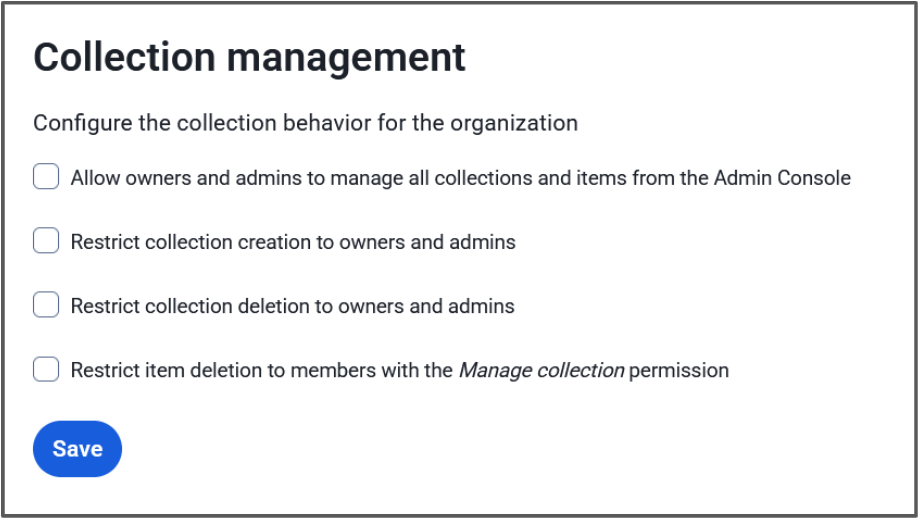
**Les propriétaires et les administrateurs peuvent gérer toutes les collections et tous les éléments**
Lorsque ce paramètre est coché, les rôles d'administrateur ont la possibilité d'afficher, de modifier et de gérer toutes les collections et les éléments du coffre-fort qu'elles contiennent. Lorsque ce paramètre n'est pas coché, les rôles d'administrateur n'ont accès qu'aux collections pour lesquelles des autorisations directes leur ont été attribuées.
**Limiter la création de collections aux propriétaires et aux administrateurs**
Lorsque cette option est activée, les rôles d'administrateur seront les seuls membres de l'organisation à pouvoir créer des collections. Lorsque cette option est désactivée, tous les membres de l'organisation ont la possibilité de créer des collections.
**Limiter la suppression des collections aux propriétaires et aux administrateurs**
Lorsque cette option est activée, les rôles d'administrateur seront les seuls membres de l'organisation à pouvoir supprimer des collections. Lorsque cette option est désactivée, tous les membres de l'organisation ayant le droit de **gérer une** collection ont la possibilité de supprimer cette collection.
## Additional Resources
[Blog: Additional enterprise options for least privileged access control](https://bitwarden.com/fr-fr/blog/additional-enterprise-options-for-least-privileged-access-control/)
[Help: About Collections](https://bitwarden.com/fr-fr/help/about-collections/)
[Help: Collection Management](https://bitwarden.com/fr-fr/help/collection-management/)
## How these settings affect your organization
**All options checked**
Owners and Administrators have access to everything in the organization vault, and only they can create and delete collections.
- Empowers the administrator to set up collections as the organization needs
- Gives administrators the visibility and access to make changes to all vault items
**First option unchecked, second and third option checked**
Administrators will be able to see that a collection exists, but cannot access it or the items therein unless they have been given permissions by a user with the **Manage collection** permission for that collection. Admins alone can create a collection and they’ll automatically receive the **Manage collection** permission, but can then pass that off to a designated collection manager to populate. Only admins will be able to delete collections, regardless of **Manage collection** permissions.
- Great middle ground between full admin control and user self-serve
- Admins can create the structure of the organization and then let the users work in that space
- Helps adhere to a policy of least-privilege - administrators can be assigned to low-sensitivity collections, but not to confidential ones
**First option checked, second and third options unchecked**
Users can create and delete their own collections, and administrators are able to access those collections. This allows for a self-serve approach with admin supervision.
- Users can handle their own work without contacting administrators
- Admins can intervene in case something unexpected comes up, such as the collection manager going out on leave
- Users will automatically receive the **Manage collection** permission for organizations they create, and the **Manage collection** permission is required to delete a collection
> **Tip:** Get more granular control by adjusting the second or third options to choose whether to allow users to create OR delete collections.
**Fourth option checked/unchecked**The fourth option adjusts the permission level for deleting items. Leaving this unchecked is beneficial for self-serve setups where team members are able to manage themselves with minimal interaction with admins. Checking this will require escalation to users with the **Manage collection** permission to delete items, which is useful when an item is shared in more than one collection and admins have an opportunity to simply remove it from the collection to ensure to disruption to users utilizing the other collection.
**All options unchecked**
This is the default for new organizations. Administrators will only be able to see that a collection exists and the collection structure of the organization. Users can create and delete their own collections without needing to contact administrators. Administrators cannot see the contained vault items unless a user with the **Manage collection** permission assigns them permission. Users with the **Edit items** collection can send collection items to the organization trash.
- Allows for full user self-serve
- Useful for large organizations with many small teams with lots of collections
- Helps adhere to a principle of least-privilege policy
A great use-case for this setup would be for the [Enforce organization data ownership policy](https://bitwarden.com/fr-fr/help/policies/#enforce-organization-data-ownership/), where a user must store their own passwords in the organization vault, but can do so inside a private collection.
> **Tip:** Administrators will automatically receive access to orphaned collections if there are no users with **Manage collection**access.
## Get started with Bitwarden
Start a [free 7-day business trial](https://bitwarden.com/fr-fr/pricing/business/) and experience the flexibility of Bitwarden collections and the other great benefits of a business password manager today!
## Obtenez dès maintenant une sécurité de mot de passe puissante et fiable. Choisissez votre plan.
## Personnel
### Gratuit
**$0** *par mois*
*Gratuit pour toujours*
Profitez d'un coffre-fort Bitwarden
- Nombre illimité d'appareils
- Gestion des clés d'accès
- Toutes les fonctions essentielles
- Gratuit à vie
Partager des éléments du coffre-fort avec un autre utilisateur
[Commencez dès aujourd'hui](https://bitwarden.com/go/start-free/)
---
### Premium
**Less than $1** *par mois*
*$10 facturés annuellement*
Profitez des fonctionnalités premium
- Bitwarden Authenticator
- Pièces jointes
- Accès d'urgence
- Rapports de sécurité et plus encore
Partager des éléments du coffre-fort avec un autre utilisateur
[Créer un compte premium](https://bitwarden.com/go/start-premium/)
---
### Familles
**$3.33** *par mois*
*Jusqu'à 6 utilisateurs, 40 $ facturés annuellement*
Sécuriser vos identifiants familiaux
- 6 comptes premium
- Partage illimité
- Collections illimitées
- Organisation du stockage
Partager les éléments du coffre-fort entre six personnes
[Essai gratuit de 7 jours](https://bitwarden.com/go/start-families-trial/)
---
Les prix sont indiqués en USD et sont basés sur un abonnement annuel. Les taxes ne sont pas incluses.
## Entreprises
### Équipes
*Protection résiliente pour les équipes en croissance*
**$4** *par mois / par utilisateur facturé annuellement*
Partagez des données sensibles en toute sécurité avec des collègues, à travers les départements ou l'ensemble de l'entreprise
- Partage sécurisé des données
- Surveillance du journal des événements
- Intégration de l'annuaire
- Soutien au SCIM
Inclut des fonctionnalités premium pour tous les utilisateurs
[Commencer un essai](https://bitwarden.com/go/start-teams-trial/)
---
### Entreprise
*Fonctionnalités avancées pour les grandes organisations*
**$6** *par mois / par utilisateur facturé annuellement*
Utilisez des fonctionnalités avancées, notamment des politiques d'entreprise, la connexion sans mot de passe unique (SSO) et la récupération de compte.
- Politiques de sécurité de l'entreprise
- SSO sans mot de passe
- Recouvrement de compte
- Option d’autohébergement
Inclut des fonctionnalités premium et un plan familial gratuit pour tous les utilisateurs
[Commencer un essai](https://bitwarden.com/go/start-enterprise-trial/)
---
### Obtenez un devis
*Pour les entreprises comptant des centaines ou des milliers d'employés, veuillez contacter notre service commercial pour obtenir un devis personnalisé et voir comment Bitwarden peut vous aider :*
- Réduire le risque de cybersécurité
- Augmenter la productivité
- Intégrer de manière transparente
Bitwarden s'adapte à toutes les tailles d'entreprise pour garantir la sécurité des mots de passe au sein de votre organisation.
[Contacter le service commercial](https://bitwarden.com/contact-sales/)
---
Tarification indiquée en USD et basée sur un abonnement annuel
---
URL: https://bitwarden.com/fr-fr/resources/scalable-password-sharing/
---
# Scalable password sharing
What you need to know
---
### What exactly is scalable password sharing?
Scalable Password Sharing is a security practice designed to safely distribute passwords and credentials among a large number of authorized personnel. It’s typically implemented through a centralized password management system that ensures secure, compliant access to sensitive information at scale, even as an organization’s teams grow and evolve.
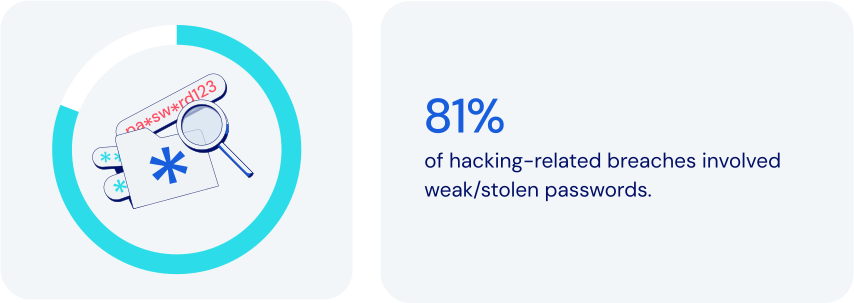
### How does password management fit in here?
Password management platforms empower Scalable Password Sharing by providing secure, flexible, tightly-controlled environments for centralized credentials management. Specific features to look for:
- **Centralized credential storage:**storing passwords in an encrypted vault managed by IT and security operations eliminates insecure sharing through vulnerable channels like email or spreadsheets.
- **Role-Based Access Control (RBAC):**the ability to assign granular permissions based on specific roles helps make for efficient onboarding as teams expand.
- **Secure password sharing:**programmatic credential access allowing team members to collaborate maintains security, enforces policies, and keeps an auditable trail of [event logs](https://bitwarden.com/fr-fr/help/event-logs/).
- **Organized group access:**grouping credentials by department or project can significantly streamline project workflows and [employee onboarding](https://bitwarden.com/fr-fr/blog/streamline-employee-onboarding-to-bitwarden-with-scim-support/).
- **Temporary and time-based access:**limited-duration credential access is especially important when working with outside contractors.
- **Real-Time access updates:**instant credential updates across all authorized personnel help prevent security gaps from outdated credentials.
- **Detailed activity logging:**comprehensive tracking of credential usage allows suspicious activities to be detected and flagged quickly.
- **Cross-Platform support:**accessibility across browsers, mobile, and desktop platforms helps facilitate secure, flexible work environments.
Together, these features help maximize the effectiveness of Scalable Password Sharing. It’s critically important that an organization’s leadership plan for safe, secure growth. That includes the ability to efficiently handle a significant number of users and credentials amidst increasing organizational needs.
### How scalable password sharing keeps today’s businesses safer
By modern standards, traditional methods of password sharing are notoriously insecure and ineffective. Using password management to implement Scalable Password Sharing allows you to:
- **Centralize security and control:**unified oversight can significantly reduce vulnerabilities.
- **Streamline**[**onboarding and offboarding**](https://bitwarden.com/fr-fr/resources/guide-enterprise-password-management-throughout-employee-lifecycle/)**:**accelerating employee transitions means less administrative effort and greater efficiency.
- **Simplify sharing management:**reduced need for duplicating credentials and easy removal of shared items eliminates orphaned or out-of-date items that could lead to exposure.
- **Reduce risk:**limiting exposure of sensitive credentials lowers the likelihood of potential breaches.
- **Tailor permissions:**adjusting permissions to reflect organizational structure and project requirements can boost flexibility and security.
- **Improve operational scalability:**seamless credential management enables [growing organizations](https://bitwarden.com/fr-fr/blog/bitwarden-is-the-password-manager-for-global-enterprises/) to expand more securely without sacrificing visibility or control.
### How Bitwarden supports scalable password sharing
Bitwarden addresses the challenges of Scalable Password Sharing with a robust feature set designed specifically for secure, efficient credential management. These include:
- **Centralized encrypted vault**: stores all sensitive information securely in a single location, enabling simple oversight and management by administrators.
- **Organized collections**: credentials can be grouped according to roles, departments, or projects. Can also provide automatic credential access upon onboarding.
- **Sharing to many**: items in Bitwarden vaults can be assigned to one or more [collections](https://bitwarden.com/fr-fr/blog/easy-secure-sharing-how-to-set-up-user-groups-and-collections/). Collections can then be assigned to one or more individual users or user groups, all without needing to duplicate items.
- **Granular role-based access control**: ensures minimal necessary access while simplifying permission assignments.
- **Automated user provisioning**: integrates with identity management systems like [SCIM](https://bitwarden.com/fr-fr/help/about-scim/) and Active Directory to assign or remove credentials automatically upon employment changes.
- **Real-Time credential synchronization**: updates user credentials automatically, preventing use of outdated credentials.
- **Time-Limited access management**: enables temporary credential sharing for short-term engagements, complete with user-definable automatic expiration.
- **Detailed audit and compliance logs**: supports quick identification of unauthorized or suspicious activities.
- **Multi-Device accessibility**: enables secure remote work and travel with seamless, secure credential access via browsers, mobile apps, and desktop applications.
- **Emergency and backup access**: maintains continuity and reduces operational risks during critical absences via authorized emergency credential retrieval.
- **Enforced security protocols**: adds consistency for password complexity, vault timeout rules and use of [two-factor authentication](https://bitwarden.com/fr-fr/blog/basics-of-two-factor-authentication-with-bitwarden/) (2FA).
### The bottom line
Though most businesses actively work to achieve growth, scaling does introduce distinct security risks. It’s important to integrate advanced features like role-based access control, two-factor authentication, real-time activity tracking, and detailed audit logs.
Bitwarden offers a powerful, comprehensive platform that allows you to promote consistency and security while maintaining complete visibility and control. Just one more reason Bitwarden is regarded as the [most trusted name in password management](https://bitwarden.com/fr-fr/media-spotlight/).
### What makes Bitwarden stand out from the pack?
Bitwarden has always taken a scalable approach to managing secure sharing, with these considerations in mind:
- Sharing with Least Privilege Access significantly simplifies access compared to other solutions.
- Bitwarden Collections function like shared folders, offering strong access management for secure large-scale sharing. One key feature: the ability to include a single item across multiple collections.
- Bitwarden Collections offer granular access control, allowing admins to easily manage permissions for users and groups within a collection.
- Other solutions require adding employees to areas where they may receive unnecessary permissions, [needlessly increasing exposure](https://bitwarden.com/fr-fr/blog/additional-enterprise-options-for-least-privileged-access-control/#flexible-collections-options-for-your-organization/).
- Other solutions often lead to copying of credentials, taking them out of sync, and to some extent, rendering them useless.
## Obtenez dès maintenant une sécurité de mot de passe puissante et fiable. Choisissez votre plan.
## Personnel
### Gratuit
**$0** *par mois*
*Gratuit pour toujours*
Profitez d'un coffre-fort Bitwarden
- Nombre illimité d'appareils
- Gestion des clés d'accès
- Toutes les fonctions essentielles
- Gratuit à vie
Partager des éléments du coffre-fort avec un autre utilisateur
[Commencez dès aujourd'hui](https://bitwarden.com/go/start-free/)
---
### Premium
**Less than $1** *par mois*
*$10 facturés annuellement*
Profitez des fonctionnalités premium
- Bitwarden Authenticator
- Pièces jointes
- Accès d'urgence
- Rapports de sécurité et plus encore
Partager des éléments du coffre-fort avec un autre utilisateur
[Créer un compte premium](https://bitwarden.com/go/start-premium/)
---
### Familles
**$3.33** *par mois*
*Jusqu'à 6 utilisateurs, 40 $ facturés annuellement*
Sécuriser vos identifiants familiaux
- 6 comptes premium
- Partage illimité
- Collections illimitées
- Organisation du stockage
Partager les éléments du coffre-fort entre six personnes
[Essai gratuit de 7 jours](https://bitwarden.com/go/start-families-trial/)
---
Les prix sont indiqués en USD et sont basés sur un abonnement annuel. Les taxes ne sont pas incluses.
## Entreprises
### Équipes
*Protection résiliente pour les équipes en croissance*
**$4** *par mois / par utilisateur facturé annuellement*
Partagez des données sensibles en toute sécurité avec des collègues, à travers les départements ou l'ensemble de l'entreprise
- Partage sécurisé des données
- Surveillance du journal des événements
- Intégration de l'annuaire
- Soutien au SCIM
Inclut des fonctionnalités premium pour tous les utilisateurs
[Commencer un essai](https://bitwarden.com/go/start-teams-trial/)
---
### Entreprise
*Fonctionnalités avancées pour les grandes organisations*
**$6** *par mois / par utilisateur facturé annuellement*
Utilisez des fonctionnalités avancées, notamment des politiques d'entreprise, la connexion sans mot de passe unique (SSO) et la récupération de compte.
- Politiques de sécurité de l'entreprise
- SSO sans mot de passe
- Recouvrement de compte
- Option d’autohébergement
Inclut des fonctionnalités premium et un plan familial gratuit pour tous les utilisateurs
[Commencer un essai](https://bitwarden.com/go/start-enterprise-trial/)
---
### Obtenez un devis
*Pour les entreprises comptant des centaines ou des milliers d'employés, veuillez contacter notre service commercial pour obtenir un devis personnalisé et voir comment Bitwarden peut vous aider :*
- Réduire le risque de cybersécurité
- Augmenter la productivité
- Intégrer de manière transparente
Bitwarden s'adapte à toutes les tailles d'entreprise pour garantir la sécurité des mots de passe au sein de votre organisation.
[Contacter le service commercial](https://bitwarden.com/contact-sales/)
---
Tarification indiquée en USD et basée sur un abonnement annuel
---
URL: https://bitwarden.com/fr-fr/resources/scim-support-is-now-available-newsletter-september-2022/
---
# Septembre 2022 Spotlight : Le support SCIM est maintenant disponible !
Le numéro de ce mois-ci est rempli de nouvelles passionnantes telles que l'introduction du support SCIM pour simplifier l'expérience d'intégration des employés et des mises à jour sur un nouveau cycle de financement pour accélérer la valeur
---
## Featured Highlights

Now supported in the Bitwarden Enterprise plan, the System for Cross-domain Identity Management (SCIM) is an industry-open standard protocol that enables the automation of management and exchange of user identity information. By simply adding new users to an existing identity provider (IdP) or directory, SCIM automatically creates new employee accounts across all company tools and SaaS services. SCIM can also be used with groups to assign users specific roles, or it can work in reverse to automatically de-provision accounts. Check out [the latest blog](https://bitwarden.com/fr-fr/blog/streamline-employee-onboarding-to-bitwarden-with-scim-support/) to learn how to enable SCIM with Bitwarden.

Bitwarden recently secured a $100 million growth investment to accelerate value for users around the world. In a [Q&A](https://bitwarden.com/fr-fr/blog/accelerating-value-for-bitwarden-users-bitwarden-raises-usd100-million/), CEO Michael Crandell stated, “This investment represents a strong affirmation of the existing Bitwarden business model, and a commitment to continue our core values. We plan to continue to innovate even faster in creating new ways to help people and businesses operate online simply and safely.” Read the [article](https://bitwarden.com/fr-fr/blog/accelerating-value-for-bitwarden-users-bitwarden-raises-usd100-million/) to learn more.
## Enjoying this update? Subscribe today.
*Receive the latest product updates, hand-picked articles, community highlights, and more.*
[Contact form]
## More Bits and Bites
[**Tactical security plan for a new team using Bitwarden**](https://bitwarden.com/fr-fr/blog/tactical-security-plan-for-a-new-team-using-bitwarden/)
In addition to storing account credentials, the best password managers available make it possible for team members to securely share all types of sensitive information. With Bitwarden, you can share private information with your teams, family, or friends. And the best part is that recipients only have access to the item shared for the amount of time determined by the sender, thus ensuring the information cannot be accessed later by an unauthorized user. Explore how to [enable your teams](https://bitwarden.com/fr-fr/blog/tactical-security-plan-for-a-new-team-using-bitwarden/) to be safer and more productive online.
[**Security advice for small and midsize businesses**](https://bitwarden.com/fr-fr/blog/security-advice-for-small-and-midsize-businesses/)
Did you know that 43% of cyberattacks target small to medium-sized businesses? The National Cybersecurity Alliance, a non-profit co-leading Cybersecurity Awareness Month, recently shared an article about small and midsize businesses maintaining cybersecurity and avoiding data breaches. Read [the blog](https://bitwarden.com/fr-fr/blog/security-advice-for-small-and-midsize-businesses/) to learn about the top online security recommendations for SMBs.
[**Strategies for keeping smart devices secure**](https://bitwarden.com/fr-fr/blog/strategies-for-keeping-smart-devices-secure/)
Statista estimates there are 11.3 billion smart devices worldwide and predicts that number will grow to 29.4 by 2030. While these wirelessly connected devices can give users insights into all facets of life, they pose risks if not properly secured. In fact, over the past few years, there have been numerous high-profile instances of smart device-related vulnerabilities. The good news is there are steps you can take today to keep your devices secure. Read [the article](https://bitwarden.com/fr-fr/blog/strategies-for-keeping-smart-devices-secure/) to learn more.
[**Using Bitwarden with Yubico**](https://bitwarden.com/fr-fr/resources/using-bitwarden-with-yubico/)
When it comes to two-factor authentication, some methods are more secure than others. One of the most secure methods for 2FA is security keys. A physical security key like the YubiKey from Yubico can save time and reduce errors while offering extra-strong security. Using a YubiKey to protect your employees’ Bitwarden vaults provides maximum protection for sensitive company data. To learn more, check out the [free guide](https://bitwarden.com/fr-fr/resources/using-bitwarden-with-yubico/).
[**A better password workflow for new Bitwarden users**](https://bitwarden.com/fr-fr/blog/a-better-password-workflow-with-bitwarden/)
New to password management and interested in learning the best workflow to secure your online profile using Bitwarden? There are simple steps you can take today to ensure you're using the strongest passwords for all your online accounts in a way that is both sustainable and easy to manage. Read [the blog](https://bitwarden.com/fr-fr/blog/a-better-password-workflow-with-bitwarden/) to learn more.
## Community Spotlight

Backups are a popular topic on the Bitwarden Community Forums and community leader [dh024](https://community.bitwarden.com/u/dh024/summary) recently crafted a comprehensive overview. Stay protected with this [**user’s guide**](https://community.bitwarden.com/t/how-to-a-users-guide-to-backing-up-your-bitwarden-vault/44083?utm_source=twitter&utm_medium=social) to backing up your Bitwarden vault.
Calling all developers and security enthusiasts! What have you learned about passwords and password security that you wish everyone knew? Share your answer on [Reddit](https://www.reddit.com/r/Bitwarden/comments/wvw4ik/calling_all_developers_and_security_enthusiasts/), the [Bitwarden Community Forums](https://community.bitwarden.com/t/calling-all-developers-and-security-enthusiasts-share-your-insights/43918), or [Mastodon](https://fosstodon.org/web/@bitwarden/108873663362114875).
## Want to get involved in the Bitwarden community?
Visit [bitwarden.com/getinvolved](https://bitwarden.com/fr-fr/http://bitwarden.com/getinvolved/) to find out how to get started.
## Join a Live Event

Join industry experts sharing best practices on managing cybersecurity risks tied to 3rd-party freelancers and agency relationships. Get tangible action items to protect your company’s sensitive information when transitioning these groups. Click here to save your seat!
**More Upcoming Events**
- Weekly Live Demo: Every Wednesday at 12 pm EDT
- EMEA Live Demo: September 15, 2022 at 3 pm GMT
- APAC Live Demo: September 16, 2022 at 10 am AEST
- MSP Live Demo: September 29, 2022 at 12 pm EDT
- Monthly Vault Hours: September 30, 2022 at 12 pm EDT
That’s it for now. Let us know what you think about this newsletter including potential topics you’d like to see.
**Until next time,**
Team Bitwarden
## Bitwarden is Certified as a Best Place to Work in 2022!
Interested in joining the Bitwarden team? Visit [our careers page](https://bitwarden.com/fr-fr/careers/) to explore open roles.
## Obtenez dès maintenant une sécurité de mot de passe puissante et fiable. Choisissez votre plan.
## Personnel
### Gratuit
**$0** *par mois*
*Gratuit pour toujours*
Profitez d'un coffre-fort Bitwarden
- Nombre illimité d'appareils
- Gestion des clés d'accès
- Toutes les fonctions essentielles
- Gratuit à vie
Partager des éléments du coffre-fort avec un autre utilisateur
[Commencez dès aujourd'hui](https://bitwarden.com/go/start-free/)
---
### Premium
**Less than $1** *par mois*
*$10 facturés annuellement*
Profitez des fonctionnalités premium
- Bitwarden Authenticator
- Pièces jointes
- Accès d'urgence
- Rapports de sécurité et plus encore
Partager des éléments du coffre-fort avec un autre utilisateur
[Créer un compte premium](https://bitwarden.com/go/start-premium/)
---
### Familles
**$3.33** *par mois*
*Jusqu'à 6 utilisateurs, 40 $ facturés annuellement*
Sécuriser vos identifiants familiaux
- 6 comptes premium
- Partage illimité
- Collections illimitées
- Organisation du stockage
Partager les éléments du coffre-fort entre six personnes
[Essai gratuit de 7 jours](https://bitwarden.com/go/start-families-trial/)
---
Les prix sont indiqués en USD et sont basés sur un abonnement annuel. Les taxes ne sont pas incluses.
## Entreprises
### Équipes
*Protection résiliente pour les équipes en croissance*
**$4** *par mois / par utilisateur facturé annuellement*
Partagez des données sensibles en toute sécurité avec des collègues, à travers les départements ou l'ensemble de l'entreprise
- Partage sécurisé des données
- Surveillance du journal des événements
- Intégration de l'annuaire
- Soutien au SCIM
Inclut des fonctionnalités premium pour tous les utilisateurs
[Commencer un essai](https://bitwarden.com/go/start-teams-trial/)
---
### Entreprise
*Fonctionnalités avancées pour les grandes organisations*
**$6** *par mois / par utilisateur facturé annuellement*
Utilisez des fonctionnalités avancées, notamment des politiques d'entreprise, la connexion sans mot de passe unique (SSO) et la récupération de compte.
- Politiques de sécurité de l'entreprise
- SSO sans mot de passe
- Recouvrement de compte
- Option d’autohébergement
Inclut des fonctionnalités premium et un plan familial gratuit pour tous les utilisateurs
[Commencer un essai](https://bitwarden.com/go/start-enterprise-trial/)
---
### Obtenez un devis
*Pour les entreprises comptant des centaines ou des milliers d'employés, veuillez contacter notre service commercial pour obtenir un devis personnalisé et voir comment Bitwarden peut vous aider :*
- Réduire le risque de cybersécurité
- Augmenter la productivité
- Intégrer de manière transparente
Bitwarden s'adapte à toutes les tailles d'entreprise pour garantir la sécurité des mots de passe au sein de votre organisation.
[Contacter le service commercial](https://bitwarden.com/contact-sales/)
---
Tarification indiquée en USD et basée sur un abonnement annuel
---
URL: https://bitwarden.com/fr-fr/resources/secure-your-business-with-bitwarden-and-duo/
---
# Sécurisez votre entreprise avec Bitwarden et Duo
Découvrez comment Bitwarden s'intègre à Duo pour de multiples solutions : Duo MFA pour la connexion en deux étapes, et Duo SSO pour la connexion avec SSO.
---
Businesses rely on third-party applications and software as a service (SaaS) products as a part of operations to increase productivity and efficiency. As SaaS products become more common, so have cyber attacks targeting these accounts and the employees that utilize them. These attacks could potentially result in the leakage of sensitive information and disruption to operations, causing harm to businesses and their customers.
In the [2023 Password Decisions Survey](https://bitwarden.com/fr-fr/blog/password-decisions-survey-2023/#rise-in-cyberattacks-from-last-year,-ransomware-a-business-consideration/), 60% of respondents reported that they were the target of a cyberattack. A combination of defenses, like [**Bitwarden Password Manager**](https://bitwarden.com/fr-fr/products/business/)**,**multi-factor authentication, and single sign-on, helps reduce risk of successful attacks by hardening access to critical systems. These provide multiple levels of authentication and tools to create, store, and share strong passwords for all departments of a company and deflect credential stuffing, phishing, and ransomware attacks, keeping your business secure.
To provide this enhanced security, Bitwarden integrates with **Duo**for multiple solutions: Duo MFA for **two-step login**, and Duo SSO for **Login with SSO**.

## Table of Contents
[Duo for Multi-factor Authentication](https://bitwarden.com/fr-fr/resources/secure-your-business-with-bitwarden-and-duo/#duo-for-multi-factor-authentication/)
[Duo for Single Sign-On](https://bitwarden.com/fr-fr/resources/secure-your-business-with-bitwarden-and-duo/#duo-for-single-sign-on/)
[Summary](https://bitwarden.com/fr-fr/resources/secure-your-business-with-bitwarden-and-duo/#summary/)
[Resources](https://bitwarden.com/fr-fr/resources/secure-your-business-with-bitwarden-and-duo/#resources/)
## Duo for Multi-factor Authentication
To further protect credentials maintained within an organization vault, Bitwarden supports [Duo MFA](https://duo.com/product/multi-factor-authentication-mfa) for [two-step login](https://bitwarden.com/fr-fr/help/setup-two-step-login-duo/), also known as two-factor authentication (2FA) or multi-factor authentication (MFA). Duo MFA can be used both individually and enacted across the Bitwarden organization with the applicable Enterprise Policy, ensuring secure two-step login for all employees.

## Benefits of Bitwarden and Duo MFA
- Protection against stolen passwords, phishing attempts, and social engineering.
- Strengthen overall enterprise security by protecting passwords and logins within Bitwarden secured by Duo MFA.
- Deploy for individuals or the entire organization.
- Quick and easy setup.
## Duo for Single Sign-On
Using [Login with SSO](https://bitwarden.com/fr-fr/help/about-sso/) with Bitwarden provides additional convenience and security for credentials throughout the organization. [Duo SSO](https://duo.com/product/single-sign-on-sso) with Bitwarden allows for secure authentication into Bitwarden accounts and by extension, the stored credentials within, providing full oversight and control of the tools and applications that teams are using. Bitwarden is compatible with Duo through SAML 2.0 or OpenID Connect (OIDC). To maintain zero-knowledge encryption, Bitwarden separates authentication and decryption into two discrete steps: authentication through Duo, then decryption and vault access through a Bitwarden master password. As a result, decryption keys never pass through Bitwarden or Duo servers.

*Single Sign-On flow to access Bitwarden*
## Benefits of Bitwarden and Duo SSO
- SSO provides a reduction of the number of passwords and credentials needed by employees, decreasing the surface area of a potential cyberattack.
- SSO security is extended to credentials stored within a Bitwarden vault.
- Easy integration into existing workflows without disruption.
- Additional security options for user authentication.
## Summary
The Bitwarden and Duo integration brings additional security to businesses and teams in two ways: as a form of multi-factor authentication (MFA) and as a Single Sign-On (SSO) provider. In addition, the MFA functionality can be used for individuals and also enforced across the organization. Using just one or both integrations can drastically improve your business’s security posture, and deploying the solutions is simple and straightforward.
## Resources
- [Two-step Login via Duo](https://bitwarden.com/fr-fr/help/setup-two-step-login-duo/)
- [Field Guide to Two-Step Login](https://bitwarden.com/fr-fr/help/bitwarden-field-guide-two-step-login/)
- [Configure Your Organization using Login with SSO](https://bitwarden.com/fr-fr/blog/configure-bitwarden-sso/)
- [Setting up Login with SSO](https://bitwarden.com/fr-fr/help/using-sso/)
- [Login with SSO and Customer-Managed Encryption](https://bitwarden.com/fr-fr/help/about-key-connector/)
Looking to learn more? Check out the Bitwarden [Help Center](https://bitwarden.com/fr-fr/help/) and documentation or [contact sales](https://bitwarden.com/fr-fr/contact-sales/) directly!
## Obtenez dès maintenant une sécurité de mot de passe puissante et fiable. Choisissez votre plan.
## Personnel
### Gratuit
**$0**
*par mois*
*Gratuit pour toujours*
Profitez d'un coffre-fort Bitwarden
- Nombre illimité d'appareils
- Gestion des clés d'accès
- Toutes les fonctions essentielles
- Gratuit à vie
Partager des éléments du coffre-fort avec un autre utilisateur
[Commencez dès aujourd'hui](https://bitwarden.com/go/start-free/)
---
### Premium
**Less than $1**
*par mois*
*$10 facturés annuellement*
Profitez des fonctionnalités premium
- Bitwarden Authenticator
- Pièces jointes
- Accès d'urgence
- Rapports de sécurité et plus encore
Partager des éléments du coffre-fort avec un autre utilisateur
[Créer un compte premium](https://bitwarden.com/go/start-premium/)
---
### Familles
**$3.33**
*par mois*
*Jusqu'à 6 utilisateurs, 40 $ facturés annuellement*
Sécuriser vos identifiants familiaux
- 6 comptes premium
- Partage illimité
- Collections illimitées
- Organisation du stockage
Partager les éléments du coffre-fort entre six personnes
[Essai gratuit de 7 jours](https://bitwarden.com/go/start-families-trial/)
---
Les prix sont indiqués en USD et sont basés sur un abonnement annuel. Les taxes ne sont pas incluses.
## Entreprises
### Équipes
*Protection résiliente pour les équipes en croissance*
**$4**
*par mois / par utilisateur facturé annuellement*
Partagez des données sensibles en toute sécurité avec des collègues, à travers les départements ou l'ensemble de l'entreprise
- Partage sécurisé des données
- Surveillance du journal des événements
- Intégration de l'annuaire
- Soutien au SCIM
Inclut des fonctionnalités premium pour tous les utilisateurs
[Commencer un essai](https://bitwarden.com/go/start-teams-trial/)
---
### Entreprise
*Fonctionnalités avancées pour les grandes organisations*
**$6**
*par mois / par utilisateur facturé annuellement*
Utilisez des fonctionnalités avancées, notamment des politiques d'entreprise, la connexion sans mot de passe unique (SSO) et la récupération de compte.
- Politiques de sécurité de l'entreprise
- SSO sans mot de passe
- Recouvrement de compte
- Option d’autohébergement
Inclut des fonctionnalités premium et un plan familial gratuit pour tous les utilisateurs
[Commencer un essai](https://bitwarden.com/go/start-enterprise-trial/)
---
### Obtenez un devis
*Pour les entreprises comptant des centaines ou des milliers d'employés, veuillez contacter notre service commercial pour obtenir un devis personnalisé et voir comment Bitwarden peut vous aider :*
- Réduire le risque de cybersécurité
- Augmenter la productivité
- Intégrer de manière transparente
Bitwarden s'adapte à toutes les tailles d'entreprise pour garantir la sécurité des mots de passe au sein de votre organisation.
[Contacter le service commercial](https://bitwarden.com/contact-sales/)
---
Tarification indiquée en USD et basée sur un abonnement annuel
---
URL: https://bitwarden.com/fr-fr/resources/security-champion-spotlight-bounds-law/
---
# Pleins feux sur les champions de la sécurité : Un contributeur open source met fin aux mots de passe oubliés
Bryce Bounds a apporté Bitwarden à Bounds Law Offices et a immédiatement identifié les problèmes liés aux mots de passe qui n'avaient pas été pris en compte par leur solution précédente.
---
## Champion de la sécurité
**Nom :**Bryce Bounds
**Bitwarden utilisateur depuis** : 2021
**Lieu :**Fort Lauderdale, Floride
**Industrie** : Gouvernement
### Un passionné de sécurité trouve des outils open source pour la gestion des mots de passe
En 2021, Bryce Bounds avait du mal à se souvenir des centaines de mots de passe avec lesquels il jonglait entre ses comptes personnels et son rôle d'architecte au sein de l'administration locale du comté. Bryce se souvient : "Nous en sommes arrivés au point où il n'y avait plus de permutations du même mot de passe avec des caractères spéciaux pour couvrir ce dont j'avais besoin. Il y avait trop de choses à suivre". Bryce s'est rendu compte qu'il avait besoin d'un gestionnaire de mots de passe pour l'aider.
Membre engagé de la communauté des logiciels open source et contributeur régulier à divers projets open source, Bryce savait qu'il voulait un gestionnaire de mots de passe qui valorise l'open source autant que lui. "J'ai contribué à ma part de projets au fil des ans, comme le débogage matériel d'OpenWRT pour le code initial de Blogger", a déclaré Bryce. "J'apprécie les solutions open source qui sont contrôlables et peuvent être modifiées en fonction des besoins, le contrôle par l'utilisateur étant une priorité.
Il a trouvé un fork tiers non officiel qui utilisait le code source ouvert de Bitwarden sur le populaire subreddit d'auto-hébergement de Reddit, et a démarré une instance Docker pour commencer à organiser ses mots de passe. C'est ainsi qu'il a commencé son voyage avec le gestionnaire de mots de passe Bitwarden.
## Table des matières
[Un passionné de sécurité trouve des outils open source pour la gestion des mots de passe](https://bitwarden.com/fr-fr/resources/security-champion-spotlight-bounds-law/#security-enthusiast-finds-open-source-tools-for-password-management/)
[Les défis de la gestion des mots de passe chez Bounds Law Offices](https://bitwarden.com/fr-fr/resources/security-champion-spotlight-bounds-law/#password-management-challenges-at-bounds-law-offices/)
[Recommander Bitwarden](https://bitwarden.com/fr-fr/resources/security-champion-spotlight-bounds-law/#recommending-bitwarden/)
[Bitwarden à Bounds Law Offices](https://bitwarden.com/fr-fr/resources/security-champion-spotlight-bounds-law/#bitwarden-at-bounds-law-offices/)
[Recommandez Bitwarden à votre entreprise](https://bitwarden.com/fr-fr/resources/security-champion-spotlight-bounds-law/#recommend-bitwarden-to-your-workplace/)
## Les défis de la gestion des mots de passe chez Bounds Law Offices
Alors que Bryce a réussi à gérer ses mots de passe dans le cadre de son travail et de sa vie privée, l'entreprise familiale avait du mal à gérer ses mots de passe dans un environnement d'entreprise.
Le cabinet [d'avocats Bounds Law Offices](http://www.bounds.law) utilisait une solution grand public pour gérer ses mots de passe, mais le logiciel présentait de graves lacunes. "Il n'a pas été conçu pour un usage multiple", a déclaré Bryce. "Cela empêchait toute forme d'audit des mots de passe en cas d'utilisation abusive du produit par les employés, puisque chaque machine était connectée au même compte."
Comme l'explique M. Bryce, "un membre du personnel oubliait un mot de passe, il appuyait sur la touche de réinitialisation du mot de passe et le modifiait, puis enregistrait le nouveau mot de passe dans le système, ce qui donnait lieu à de multiples enregistrements du même compte avec des mots de passe différents, au point que la base de données des mots de passe comptait plus de 300 entrées", explique M. Bryce.
Le cabinet d'avocats comptant de nombreux employés sans expérience technique, il était important pour Bounds Law Offices de trouver une solution facilitant le remplissage automatique des identifiants de compte. "Le défi qui m'a été lancé consistait à trouver un système alternatif capable de remplir automatiquement le mot de passe et de nous informer qu'il a été mis à jour ou modifié", a déclaré M. Bryce.
## Recommander Bitwarden
Bryce Bounds a immédiatement pensé à Bitwarden Password Manager, qui offrait des fonctionnalités d'entreprise allant au-delà de ce qui était disponible avec le projet tiers non officiel - y compris des intégrations d'authentification unique (SSO) et [des collections](https://bitwarden.com/fr-fr/help/about-collections/) organisationnelles avec contrôle administratif et audit.
L'entreprise "était déjà en train de passer d'une connexion de tous les utilisateurs avec des comptes de postes de travail locaux à Microsoft Azure AD, de sorte que l'intégration de Bitwarden SSO a rendu la transition des gestionnaires de mots de passe transparente pour les utilisateurs finaux".
L'engagement en matière de conformité, de transparence et de sécurité a également été un argument de vente important pour Bitwarden. "Bounds Law Offices] possède des tonnes de données HIPAA et PII. Vous ne pouvez pas vous contenter de laisser un mot de passe dans une feuille de calcul Excel ou des notes autocollantes sous le clavier", a déclaré M. Bryce.
La conformité de Bitwarden en matière de sécurité et de confidentialité, comme SOC 2, GDPR et HIPAA, s'est alignée sur les exigences de conformité des directives éthiques de l'American Bar Association pour les avocats. En plus de la transparence du logiciel libre Bitwarden et des audits effectués par des tiers, ces exigences de conformité ont permis à l'entreprise de croire que Bitwarden protégerait ses informations sensibles.
En savoir plus sur la sécurité et la conformité[ ](https://bitwarden.com/fr-fr/compliance/)de Bitwarden.
## Bitwarden à Bounds Law Offices
#### Mettre un terme aux mauvaises pratiques en matière de mots de passe
Avec Bitwarden, Bounds Law Offices a été en mesure d'identifier immédiatement les problèmes liés à ses mots de passe qui n'avaient pas été pris en compte par la solution précédente.
Comme plusieurs employés de Bounds Law avaient créé un nouveau mot de passe à chaque fois qu'ils se connectaient à un compte, au lieu de tirer parti de ce qui existait déjà dans leur ancienne solution grand public, il y avait beaucoup d'entrées en double dans Bitwarden au départ. Les journaux[ ](https://bitwarden.com/fr-fr/help/event-logs/)d'audit de Bitwarden "nous ont permis de voir qui continuait à se connecter et à changer de mot de passe", a déclaré M. Bryce. Environ 70 % des 300 mots de passe importés n'étaient plus valables et avaient été modifiés depuis. Grâce à Bitwarden, Bounds Law Offices a empêché la poursuite de ces mauvaises pratiques en matière de mots de passe.
#### Accorder des autorisations de connexion aux personnes qui en ont besoin
Les collections Bitwarden ont permis à Bounds Law Offices d'organiser leurs connexions par fonction et d'attribuer des autorisations d'accès en fonction des besoins et des rôles. "Nous sommes passés d'un conteneur monolithique à des conteneurs organisés avec différentes politiques d'accès en fonction de qui avait besoin d'accéder à telle ou telle combinaison de mot de passe et de nom d'utilisateur", a déclaré Bryce. Cela a permis à l'entreprise de s'assurer que seules les personnes ayant besoin d'accéder à un mot de passe ou à un nom d'utilisateur particulier y avaient accès.
## Recommandez Bitwarden à votre entreprise
Faites connaître Bitwarden à vos collègues, à votre équipe informatique, à votre direction ou à tous les autres grâce à ces modèles[ ](https://bitwarden.com/fr-fr/go/bring-bitwarden-to-work/#bbtw-want-to-recommend-bitwarden/)d'e-mails qui détaillent les principales raisons d'utiliser un gestionnaire de mots de passe tel que Bitwarden !
Si vous êtes prêt à utiliser le gestionnaire de mots de passe open source auquel des millions de personnes font confiance, commencez dès aujourd'hui une période d'essai[ ](https://bitwarden.com/fr-fr/go/start-enterprise-trial/)gratuite de 7 jours !
## Lire la suite :
[Comment choisir le meilleur gestionnaire de mots de passe pour votre entreprise ?](https://bitwarden.com/fr-fr/blog/choose-the-best-enterprise-password-manager/)
## Obtenez dès maintenant une sécurité de mot de passe puissante et fiable. Choisissez votre plan.
## Personnel
### Gratuit
**$0** *par mois*
*Gratuit pour toujours*
Profitez d'un coffre-fort Bitwarden
- Nombre illimité d'appareils
- Gestion des clés d'accès
- Toutes les fonctions essentielles
- Gratuit à vie
Partager des éléments du coffre-fort avec un autre utilisateur
[Commencez dès aujourd'hui](https://bitwarden.com/go/start-free/)
---
### Premium
**Less than $1** *par mois*
*$10 facturés annuellement*
Profitez des fonctionnalités premium
- Bitwarden Authenticator
- Pièces jointes
- Accès d'urgence
- Rapports de sécurité et plus encore
Partager des éléments du coffre-fort avec un autre utilisateur
[Créer un compte premium](https://bitwarden.com/go/start-premium/)
---
### Familles
**$3.33** *par mois*
*Jusqu'à 6 utilisateurs, 40 $ facturés annuellement*
Sécuriser vos identifiants familiaux
- 6 comptes premium
- Partage illimité
- Collections illimitées
- Organisation du stockage
Partager les éléments du coffre-fort entre six personnes
[Essai gratuit de 7 jours](https://bitwarden.com/go/start-families-trial/)
---
Les prix sont indiqués en USD et sont basés sur un abonnement annuel. Les taxes ne sont pas incluses.
## Entreprises
### Équipes
*Protection résiliente pour les équipes en croissance*
**$4** *par mois / par utilisateur facturé annuellement*
Partagez des données sensibles en toute sécurité avec des collègues, à travers les départements ou l'ensemble de l'entreprise
- Partage sécurisé des données
- Surveillance du journal des événements
- Intégration de l'annuaire
- Soutien au SCIM
Inclut des fonctionnalités premium pour tous les utilisateurs
[Commencer un essai](https://bitwarden.com/go/start-teams-trial/)
---
### Entreprise
*Fonctionnalités avancées pour les grandes organisations*
**$6** *par mois / par utilisateur facturé annuellement*
Utilisez des fonctionnalités avancées, notamment des politiques d'entreprise, la connexion sans mot de passe unique (SSO) et la récupération de compte.
- Politiques de sécurité de l'entreprise
- SSO sans mot de passe
- Recouvrement de compte
- Option d’autohébergement
Inclut des fonctionnalités premium et un plan familial gratuit pour tous les utilisateurs
[Commencer un essai](https://bitwarden.com/go/start-enterprise-trial/)
---
### Obtenez un devis
*Pour les entreprises comptant des centaines ou des milliers d'employés, veuillez contacter notre service commercial pour obtenir un devis personnalisé et voir comment Bitwarden peut vous aider :*
- Réduire le risque de cybersécurité
- Augmenter la productivité
- Intégrer de manière transparente
Bitwarden s'adapte à toutes les tailles d'entreprise pour garantir la sécurité des mots de passe au sein de votre organisation.
[Contacter le service commercial](https://bitwarden.com/contact-sales/)
---
Tarification indiquée en USD et basée sur un abonnement annuel
---
URL: https://bitwarden.com/fr-fr/resources/security-champion-spotlight-cloudbunker-consulting/
---
# Pleins feux sur les champions de la sécurité : Un utilisateur de longue date de Bitwarden aide les entreprises à assurer leur sécurité en ligne
Lou Hill, ingénieur en sécurité et fondateur d’une société de conseil en informatique, est un client de Bitwarden depuis 2016. Il a présenté Bitwarden à de nombreux membres de sa famille, amis et entreprises.
---
## Champion de la sécurité
**Nom :**Lou Hill
Client **Bitwarden depuis** : 2016
**Lieu :**Layton, Utah
**Secteur d'activité** : Services et conseils informatiques
Type de client : particuliers, entreprises et MSP
### Près d'une décennie de confiance : Un champion Bitwarden original
Lou Hill, ingénieur en sécurité et fondateur d'une société de conseil en informatique, est client de Bitwarden depuis 2016. Lorsque Hill a commencé à chercher un gestionnaire de mots de passe, il savait qu’il voulait une solution qui respectait ses normes de sécurité élevées. « Je suis très intéressé par la confidentialité, le cryptage et la garantie que tout est très sécurisé », a déclaré Hill, « Lorsque je vérifiais les fournisseurs, Bitwarden était bien meilleur que toutes les autres solutions. C’était le gestionnaire de mots de passe le plus privé et le plus sécurisé disponible !
Après avoir adopté Bitwarden pour ses mots de passe personnels et ses informations sensibles, Hill a rapidement mis en œuvre Bitwarden au travail également. "L'entreprise pour laquelle je travaillais n'utilisait pas de plateforme centralisée de gestion des mots de passe", explique M. Hill. Conscient des risques liés à une gestion non sécurisée des mots de passe, M. Hill a pris les choses en main. "Pendant longtemps, j'ai utilisé deux instances différentes de Bitwarden, l'une pour le travail et l'autre pour la vie privée. C'était un très bon moyen de séparer le travail et les affaires personnelles, tout en gardant le contrôle sur les deux", a déclaré M. Hill.
Hill ne s'est pas arrêté là, il a rapidement recommandé Bitwarden à sa famille, en les aidant à sécuriser leurs mots de passe. "J'ai présenté Bitwarden à mes parents, à mon cousin et à toutes sortes de personnes", se souvient M. Hill. "Il y a probablement beaucoup de gens qui l'utilisent à cause de moi.
## Les cas d'utilisation de Bitwarden chez Cloudbunker
En 2020, M. Hill a fondé [Cloudbunker Consulting](https://cloudbunker.io/), une société spécialisée dans les services informatiques et de cybersécurité, qui aide ses clients à protéger leur entreprise à l'aide des meilleures technologies de sécurité disponibles sur le marché.
Cloudbunker a adopté Bitwarden pour la gestion des mots de passe dans trois cas d'utilisation :
1. Gestion des mots de passe quotidiens pour les employés de Cloudbunker
2. Gestion des mots de passe permettant à Cloudbunker d'accéder aux applications clientes
3. Gérer les déploiements de Bitwarden pour les clients en tant que fournisseur de services gérés (MSP)
### Cas d'utilisation 1 : Gestion des mots de passe Cloudbunker
"Avant de travailler à plein temps pour Cloudbunker, j'ai adopté le plan d'affaires Bitwarden", se souvient M. Hill. Bitwarden a aidé à construire les fondations de la sécurité de Cloudbunker, et au fur et à mesure que l'entreprise s'est développée, les employés ont été progressivement intégrés à Bitwarden pour une gestion sécurisée des mots de passe.
#### Facilité d'utilisation et commodité
La commodité et la facilité d'utilisation ont été les clés du succès de Cloudbunker avec Bitwarden. "La facilité d'utilisation de Bitwarden est vraiment impressionnante", a déclaré M. Hill. "Bitwarden est l'un des rares produits qui renforce considérablement votre sécurité tout en rendant les choses plus pratiques. M. Hill attribue cette facilité d'utilisation à "la possibilité d'obtenir facilement et rapidement les informations dont vous avez besoin à partir d'un coffre-fort et d'un système de remplissage automatique". Cet accès simplifié est crucial pour les activités professionnelles quotidiennes, car Cloudbunker stocke les mots de passe de tous les jours dans Bitwarden, en plus des cartes de crédit, des adresses postales et des notes. "Vous pouvez sauvegarder toutes sortes d'informations", a déclaré M. Hill. "Nous l'utilisons pour les cartes de crédit professionnelles. Nous utilisons également les identités pour remplir automatiquement les adresses et les coordonnées des clients. Les notes sécurisées sont également très utiles".
#### Informations et rapports sur la sécurité
Les rapports sur l'état de santé du coffre-fort de Bitwarden ont aidé Cloudbunker à identifier et à corriger les mots de passe à haut risque dans leur organisation. "Les rapports Bitwarden sur les mots de passe réutilisés, exposés et faibles nous permettent de savoir qui a besoin d'une formation plus poussée sur la manière de stocker et de générer des mots de passe en toute sécurité", explique M. Hill. Ces rapports ont permis à Cloudbunker de mettre un terme aux pratiques de gestion des mots de passe difficiles à gérer et de s'assurer que les employés continuent à respecter les directives en matière de mots de passe.
### Cas d'utilisation 2 : Gestion des mots de passe pour les applications clientes
Si Cloudbunker a adopté très tôt Bitwarden pour gérer les mots de passe internes quotidiens, il a également utilisé une solution différente pour gérer l'accès de Cloudbunker aux applications clientes. Ces applications clients étant déployées et gérées par Cloudbunker, il était important que les employés de Cloudbunker disposent d'un accès sécurisé et fiable à ces identifiants pour continuer à bénéficier d'une assistance informatique.
La solution d'origine était lente et difficile à utiliser, ce qui avait un impact sur la productivité de son équipe. "Le processus de connexion était intense", a déclaré M. Hill, "Il était également lent de se connecter et de naviguer sur le portail". M. Hill a également constaté que ses employés avaient du mal à utiliser la solution en raison de son manque de commodité.
#### Extension de la sécurité du bitwarden
Fort de son expérience de l'utilisation de Bitwarden dans le cadre personnel et professionnel, Hill a pensé que Bitwarden serait parfait pour remplacer la solution existante qu'ils utilisaient pour stocker les mots de passe des applications de leurs clients. L'équipe de Cloudbunker utilisait déjà Bitwarden pour sécuriser les mots de passe quotidiens, il a donc été facile de commencer à stocker les mots de passe des clients. "La transition a été facile", a déclaré M. Hill, "il suffit d'exporter et d'importer les mots de passe. Pas de problème". Une fois les mots de passe des clients importés, "Bitwarden est devenu notre portail de mots de passe pour tous les clients, mots de passe et comptes de Cloudbunker", selon M. Hill.
#### Mise en œuvre de l'accès au moindre privilège
Avec les collections, il était facile pour Cloudbunker d’organiser les mots de passe par clients et d’attribuer l’accès aux employés qui en avaient besoin. « Nous utilisons des collections pour chaque entreprise que nous gérons », a déclaré Hill, « Nous partageons ensuite cette collection en interne et donnons des autorisations aux utilisateurs. Seuls quelques-uns d’entre nous ont accès à tous. Cette approche de la gestion des autorisations garantit l’accès au moindre privilège dans l’organisation Cloudbunker.
### Cas d'utilisation 3 : Proposer Bitwarden en tant que fournisseur de services gérés (MSP)
Après avoir constaté le succès de Bitwarden chez Cloudbunker, Hill a pensé que ses clients bénéficieraient également de la gestion sécurisée des mots de passe Bitwarden. Après avoir rejoint le programme de partenariat Bitwarden pour les MSP, Bitwarden est rapidement devenu la solution par défaut des clients de Cloudbunker. "Bitwarden est notre principale recommandation en matière de gestion des mots de passe", a déclaré M. Hill.
#### Les clients de Cloudbunker adorent Bitwarden
Que les clients soient des utilisateurs chevronnés ou des novices en matière de gestionnaires de mots de passe, "chaque fois que nous mettons en œuvre Bitwarden, les gens sont tout simplement époustouflés par son efficacité", a déclaré M. Hill. "Ils sont choqués de voir à quel point la gestion des mots de passe peut être simplifiée.
Hill se souvient d'un client récent de Cloudbunker qui, avant Bitwarden, voyait ses employés stocker régulièrement leurs mots de passe dans des endroits peu sûrs, comme des notes autocollantes, ou les oublier complètement. La productivité interne a également augmenté : "Bitwarden est beaucoup plus simple à gérer et plus rapide ! La productivité a absolument augmenté".
#### Mettre un terme aux mots de passe non sécurisés
Lors de l’intégration d’un nouveau client, Cloudbunker utilise les rapports d’état du coffre-fort Bitwarden pour examiner et mettre à jour les mots de passe faibles, réutilisés ou exposés. « C'est incroyable le nombre de mots de passe faibles que les clients ont », a déclaré Hill. « Avec les rapports de santé du coffre-fort Bitwarden, nous pouvons leur montrer à quel point leurs mots de passe sont désormais peu sécurisés et à quel point il est facile de les améliorer. » Hill se souvient d’un client qui, lors de sa migration vers Bitwarden, a découvert à quel point ses pratiques de gestion des mots de passe étaient peu sécurisées. « 86 % de leurs mots de passe n’étaient pas sécurisés », a déclaré Hill, « et ils avaient des centaines et des centaines de mots de passe. C’était fou de voir combien. En identifiant les mots de passe non sécurisés dès le début, Cloudbunker prépare ses clients à la réussite de la gestion des mots de passe.
## L'avenir avec Bitwarden
Cloudbunker a l'intention de déployer Bitwarden auprès de tous ses clients, afin de les protéger contre les attaques par force brute et les violations de données grâce à une gestion sécurisée des mots de passe. "Nous sommes sur le point de lancer Bitwarden auprès du reste de nos clients, ce qui représentera environ 200 utilisateurs au cours des trois ou quatre prochains mois", a déclaré M. Hill. Outre la mise en œuvre de Bitwarden pour les clients de Cloudbunker, l'équipe de Cloudbunker devrait connaître une croissance rapide, ce qui signifie que les nouveaux employés de Cloudbunker seront également intégrés à Bitwarden. "L'objectif est de doubler au cours de l'année prochaine", a déclaré M. Hill. "Bitwarden évoluera avec nous au fur et à mesure de notre croissance.
Hill se réjouit de cet avenir prometteur avec Bitwarden. "Je fais beaucoup plus confiance à Bitwarden qu'à d'autres sociétés de sécurité", a-t-il déclaré. "Bitwarden possède toutes les capacités nécessaires pour assurer la pérennité de notre gestion des mots de passe.
## Faire travailler Bitwarden
Prêt à protéger votre entreprise grâce à une gestion sécurisée des mots de passe ? Partagez les avantages de choisir Bitwarden avec vos collègues, vos équipes informatiques et vos dirigeants grâce à ces modèles[ ](https://bitwarden.com/fr-fr/go/bring-bitwarden-to-work/#bbtw-want-to-recommend-bitwarden/)d'emails.
Découvrez comment Bitwarden relève les défis de sécurité des entreprises grâce à un essai[ ](https://bitwarden.com/fr-fr/go/start-enterprise-trial/)gratuit de 7 jours ! Inscrivez-vous dès aujourd'hui.
## Lire la suite :
[Comment choisir le meilleur gestionnaire de mots de passe pour votre entreprise ?](https://bitwarden.com/fr-fr/blog/choose-the-best-enterprise-password-manager/)
## Obtenez dès maintenant une sécurité de mot de passe puissante et fiable. Choisissez votre plan.
## Personnel
### Gratuit
**$0** *par mois*
*Gratuit pour toujours*
Profitez d'un coffre-fort Bitwarden
- Nombre illimité d'appareils
- Gestion des clés d'accès
- Toutes les fonctions essentielles
- Gratuit à vie
Partager des éléments du coffre-fort avec un autre utilisateur
[Commencez dès aujourd'hui](https://bitwarden.com/go/start-free/)
---
### Premium
**Less than $1** *par mois*
*$10 facturés annuellement*
Profitez des fonctionnalités premium
- Bitwarden Authenticator
- Pièces jointes
- Accès d'urgence
- Rapports de sécurité et plus encore
Partager des éléments du coffre-fort avec un autre utilisateur
[Créer un compte premium](https://bitwarden.com/go/start-premium/)
---
### Familles
**$3.33** *par mois*
*Jusqu'à 6 utilisateurs, 40 $ facturés annuellement*
Sécuriser vos identifiants familiaux
- 6 comptes premium
- Partage illimité
- Collections illimitées
- Organisation du stockage
Partager les éléments du coffre-fort entre six personnes
[Essai gratuit de 7 jours](https://bitwarden.com/go/start-families-trial/)
---
Les prix sont indiqués en USD et sont basés sur un abonnement annuel. Les taxes ne sont pas incluses.
## Entreprises
### Équipes
*Protection résiliente pour les équipes en croissance*
**$4** *par mois / par utilisateur facturé annuellement*
Partagez des données sensibles en toute sécurité avec des collègues, à travers les départements ou l'ensemble de l'entreprise
- Partage sécurisé des données
- Surveillance du journal des événements
- Intégration de l'annuaire
- Soutien au SCIM
Inclut des fonctionnalités premium pour tous les utilisateurs
[Commencer un essai](https://bitwarden.com/go/start-teams-trial/)
---
### Entreprise
*Fonctionnalités avancées pour les grandes organisations*
**$6** *par mois / par utilisateur facturé annuellement*
Utilisez des fonctionnalités avancées, notamment des politiques d'entreprise, la connexion sans mot de passe unique (SSO) et la récupération de compte.
- Politiques de sécurité de l'entreprise
- SSO sans mot de passe
- Recouvrement de compte
- Option d’autohébergement
Inclut des fonctionnalités premium et un plan familial gratuit pour tous les utilisateurs
[Commencer un essai](https://bitwarden.com/go/start-enterprise-trial/)
---
### Obtenez un devis
*Pour les entreprises comptant des centaines ou des milliers d'employés, veuillez contacter notre service commercial pour obtenir un devis personnalisé et voir comment Bitwarden peut vous aider :*
- Réduire le risque de cybersécurité
- Augmenter la productivité
- Intégrer de manière transparente
Bitwarden s'adapte à toutes les tailles d'entreprise pour garantir la sécurité des mots de passe au sein de votre organisation.
[Contacter le service commercial](https://bitwarden.com/contact-sales/)
---
Tarification indiquée en USD et basée sur un abonnement annuel
---
URL: https://bitwarden.com/fr-fr/resources/security-champion-spotlight-how-this-events-pro-revamped-security/
---
# Security champion spotlight: How this events pro revamped security by bringing Bitwarden to work
Oliver Needham discovered Bitwarden in 2021 when searching for an alternative to his existing password manager solution. He has since been a integral part of implementing Bitwarden in his company, Storm Events.
---
## Security champion
**Name:**Oliver Needham
**Bitwarden customer since:** 2021
**Location:**Peterborough, UK
**Industry**: Events services
**Bitwarden seats managed:** 40
## Table of Contents
[Bitwarden at home](https://bitwarden.com/fr-fr/resources/security-champion-spotlight-how-this-events-pro-revamped-security/#bitwarden-at-home/)
[Password management challenges at work](https://bitwarden.com/fr-fr/resources/security-champion-spotlight-how-this-events-pro-revamped-security/#password-management-challenges-at-work/)
[Recommending Bitwarden for Storm Events](https://bitwarden.com/fr-fr/resources/security-champion-spotlight-how-this-events-pro-revamped-security/#recommending-bitwarden-for-storm-events/)
[Enhanced password security and streamlined onboarding at Storm Events](https://bitwarden.com/fr-fr/resources/security-champion-spotlight-how-this-events-pro-revamped-security/#enhanced-password-security-and-streamlined-onboarding-at-storm-events/)
[Recommend Bitwarden to your workplace](https://bitwarden.com/fr-fr/resources/security-champion-spotlight-how-this-events-pro-revamped-security/#recommend-bitwarden-to-your-workplace/)
## Bitwarden at home
Oliver Needham discovered Bitwarden in 2021 when searching for an alternative to his existing password manager solution. "I saw someone else was using Bitwarden," said Needham, "and it being open source and cost effective was appealing."
After testing it out, Needham discovered that the Bitwarden cross-platform functionality solved an ongoing challenge he had when sharing passwords with his wife. "I'm an Android user, my wife is an iPhone user. She was storing all her usernames and passwords in iCloud. We needed somewhere we could both access them."
By storing their shared passwords in Bitwarden, Needham and his wife were able to tackle everyday projects easily. "When we needed to log in to pay the water bill or something like that, we could use Bitwarden."
Needham and his partner also leveraged Bitwarden integrated authenticator, which generates time-based codes for two-factor authentication (2FA). "We could keep one-time passcodes in the same place rather than having to use too many different apps," said Needham, making it easy for his family to stay secure.
## Password management challenges at work
As a virtual events administrator at Storm Events in Peterborough, UK, Oliver Needham saw a need for Bitwarden outside his personal life.
[Storm Events](https://storm-events.co.uk/) was storing their passwords in solutions not designed for password management, making it difficult to manage, update, and track changes. “We were storing passwords in Monday.com and a spreadsheet. It was a terrible way to use it,” said Needham. “When people would update passwords, you wouldn't know that it was updated.”
Storm Events required access to many different Zoom accounts for their clients, and this system of password management wasn’t cutting it. “I was really struggling,” Needham recalls.
The digital events company desperately needed a way to track password history and manage employee access to critical passwords.
## Read more:
[Building a cybersecurity culture in the workplace](https://bitwarden.com/fr-fr/blog/building-a-cybersecurity-culture-in-the-workplace/)
## Recommending Bitwarden for Storm Events
When Storm Events added a password best practices module to their information security training program, Needham saw an opportunity to adopt Bitwarden at the organization. Needham reached out to his colleagues and said, “I use [Bitwarden] every day in my personal life. Can we just try it?”
After sharing more information on how easy Bitwarden is to use and its robust data protection like GDPR and zero-knowledge encryption, Bitwarden was the clear choice over other solutions in the market, like Dashlane and 1Password. Needham’s glowing reviews and personal experience also made Bitwarden more appealing to Storm Events. “The company hadn't heard of Bitwarden. They were talking about Dashlane and 1Password,” said Needham, but he pushed back, “Yeah, but I've used this, and I know it works.”
The Storm Events team started with a proof-of-concept to test Bitwarden, and Needham says there weren't any objections once colleagues got into the product. “We brought in other people that maybe hadn't used a password manager before. When they said it was really easy to use, I knew it was the right product,” said Needham.
#### Demonstrating initiative
By proactively suggesting and implementing a solution that boosted overall workplace security, Needham showcased his leadership skills. “Introducing Bitwarden cemented that I'm the person who will try new things and get it done,” said Needham
He took initiative by identifying an organization-wide challenge that was hindering their productivity, and presenting a solution. Needham recounts, “I found this pain point and said, ‘Hey, can we try this?’ It has easily been one of the best things I've done at the company, and I'm very proud of our implementation!”
## Enhanced password security and streamlined onboarding at Storm Events
#### Solving password management challenges with Bitwarden
“There was quite a lot of buy-in early on from lots of different people, which made it a lot easier to get other people on board later,” said Needham.
Since deployment, Storm Events has solved multiple password management-related challenges across the organization. “It now means we don't have the same password for shared accounts,” said Needham, “we're able to rotate them easily on platforms that require it, and now when anyone asks for a password, they usually check Bitwarden first.”
#### Streamlined access management
With Bitwarden, Storm Events can now easily and safely share passwords across teams and employees via [collections](https://bitwarden.com/fr-fr/help/about-collections/), ensuring only those who need them are granted access. Collections are the primary method for grouping items and managing access permissions in Bitwarden. Needham emphasized, “Collections are really useful to segment everything. We can see who has access to these usernames and passwords as well.”
In combination with user groups, collections have also made it easy for Storm Events to onboard new employees and assign access to key logins. “As soon as we've got a new member that comes on, they’ll go into these particular groups, and then they’ll have 90% of what they need access to,” said Needham. “I don't have to worry that they’ve got what they need.” Storm Events has doubled its number of employees since Needham was hired, so this onboarding flow was crucial for scaling quickly.
#### Password history grants visibility into changes
One of the key challenges Storm Events wanted to address with their password management solution was automatically tracking password updates and changes. With password history logs built into Bitwarden, Needham explained, “Storm Events can now see that someone changed the password at a certain date. We get much more of a story of our accounts than we did when using other [password management] methods.”
Bitwarden empowers the Storm Events team to track down who made the password changes and why, ensuring reliable password management visibility across the organization.
#### Replace reused passwords with strong alternatives
Storm Events leverages [Bitwarden vault health reports](https://bitwarden.com/fr-fr/help/reports/) to identify reused passwords across the organization. Said Needham, “We, as an organization, were reusing passwords across multiple Zoom accounts. It'd be the same password each time.” Now with Bitwarden, Storm Events has replaced those Zoom passwords with strong, randomly generated passwords, protecting Zoom accounts from unauthorized access and enhancing resistance to brute force attacks. “We immediately increased the security of those passwords,” said Needham, “so everything, all the passwords, got better.”
#### Enhanced trust with external clients
Storm Events works closely with third-party clients, vendors, and suppliers who sometimes require additional security checks before engaging in business. With Bitwarden, Needham and his team have made this process easier than ever before. “Other organizations [will ask us], do you use Password Manager?” said Needham. Storm Events can now say, “Yes! Bitwarden!”
Bitwarden [security information](https://bitwarden.com/fr-fr/help/bitwarden-security-white-paper/) and [third-party audits](https://bitwarden.com/fr-fr/help/is-bitwarden-audited/) are easy to find and share, which not only saves Needham time but reflects well on Storm Events’ internal security. “I get a lot of confidence in being able to say, ‘We've got this area secure,’ and being able to do that well,” boasts Needham.
Learn more about [Bitwarden enterprise features](https://bitwarden.com/fr-fr/help/enterprise-feature-list/).
## Recommend Bitwarden to your workplace
Ready to reap the benefits of Bitwarden Password Manager workplace? Share Bitwarden with your colleagues, IT team, or leadership today with these [free email templates](https://bitwarden.com/fr-fr/go/bring-bitwarden-to-work/#bbtw-want-to-recommend-bitwarden/), outlining everything they need to know about Bitwarden and why it is the best choice for businesses everywhere!
See Bitwarden in action and check out all the enterprise-ready security features available in a business plan by starting a [free 7-day trial](https://bitwarden.com/fr-fr/go/start-enterprise-trial/).
## Obtenez dès maintenant une sécurité de mot de passe puissante et fiable. Choisissez votre plan.
## Personnel
### Gratuit
**$0** *par mois*
*Gratuit pour toujours*
Profitez d'un coffre-fort Bitwarden
- Nombre illimité d'appareils
- Gestion des clés d'accès
- Toutes les fonctions essentielles
- Gratuit à vie
Partager des éléments du coffre-fort avec un autre utilisateur
[Commencez dès aujourd'hui](https://bitwarden.com/go/start-free/)
---
### Premium
**Less than $1** *par mois*
*$10 facturés annuellement*
Profitez des fonctionnalités premium
- Bitwarden Authenticator
- Pièces jointes
- Accès d'urgence
- Rapports de sécurité et plus encore
Partager des éléments du coffre-fort avec un autre utilisateur
[Créer un compte premium](https://bitwarden.com/go/start-premium/)
---
### Familles
**$3.33** *par mois*
*Jusqu'à 6 utilisateurs, 40 $ facturés annuellement*
Sécuriser vos identifiants familiaux
- 6 comptes premium
- Partage illimité
- Collections illimitées
- Organisation du stockage
Partager les éléments du coffre-fort entre six personnes
[Essai gratuit de 7 jours](https://bitwarden.com/go/start-families-trial/)
---
Les prix sont indiqués en USD et sont basés sur un abonnement annuel. Les taxes ne sont pas incluses.
## Entreprises
### Équipes
*Protection résiliente pour les équipes en croissance*
**$4** *par mois / par utilisateur facturé annuellement*
Partagez des données sensibles en toute sécurité avec des collègues, à travers les départements ou l'ensemble de l'entreprise
- Partage sécurisé des données
- Surveillance du journal des événements
- Intégration de l'annuaire
- Soutien au SCIM
Inclut des fonctionnalités premium pour tous les utilisateurs
[Commencer un essai](https://bitwarden.com/go/start-teams-trial/)
---
### Entreprise
*Fonctionnalités avancées pour les grandes organisations*
**$6** *par mois / par utilisateur facturé annuellement*
Utilisez des fonctionnalités avancées, notamment des politiques d'entreprise, la connexion sans mot de passe unique (SSO) et la récupération de compte.
- Politiques de sécurité de l'entreprise
- SSO sans mot de passe
- Recouvrement de compte
- Option d’autohébergement
Inclut des fonctionnalités premium et un plan familial gratuit pour tous les utilisateurs
[Commencer un essai](https://bitwarden.com/go/start-enterprise-trial/)
---
### Obtenez un devis
*Pour les entreprises comptant des centaines ou des milliers d'employés, veuillez contacter notre service commercial pour obtenir un devis personnalisé et voir comment Bitwarden peut vous aider :*
- Réduire le risque de cybersécurité
- Augmenter la productivité
- Intégrer de manière transparente
Bitwarden s'adapte à toutes les tailles d'entreprise pour garantir la sécurité des mots de passe au sein de votre organisation.
[Contacter le service commercial](https://bitwarden.com/contact-sales/)
---
Tarification indiquée en USD et basée sur un abonnement annuel
---
URL: https://bitwarden.com/fr-fr/resources/security-survey-developer-secrets-and-the-future-of-passkeys/
---
# Décoder demain : Les secrets des développeurs, la sécurité et l'avenir des clés USB
Bitwarden a interrogé plus de 600 développeurs pour comprendre comment ils perçoivent et mettent en œuvre les meilleures pratiques en matière de sécurité.
---
Dans cette étude inaugurale, Bitwarden a interrogé plus de 600 développeurs pour comprendre comment ils perçoivent et mettent en œuvre les meilleures pratiques en matière de sécurité. L'enquête a également porté sur les attitudes et les pratiques d'adoption liées aux technologies et aux tendances en matière de sécurité informatique, notamment l'authentification sans mot de passe, la gestion des secrets et les risques de cybersécurité associés à l'essor de l'IA générative.
## Table of Contents
[Secure-by-design](https://bitwarden.com/fr-fr/resources/security-survey-developer-secrets-and-the-future-of-passkeys/#developers-value-secure-by-design-but-fall-short-of-best-practices/)
[Generative AI](https://bitwarden.com/fr-fr/resources/security-survey-developer-secrets-and-the-future-of-passkeys/#generative-ai-offers-both-promise-and-peril/)
[Passkeys](https://bitwarden.com/fr-fr/resources/security-survey-developer-secrets-and-the-future-of-passkeys/#passkeys-while-valuable-wont-replace-passwords/)
[Resources](https://bitwarden.com/fr-fr/resources/security-survey-developer-secrets-and-the-future-of-passkeys/#additional-resources/)
## Developers value secure-by-design but fall short of best practices
- Almost all (94%) cite ‘secure by design’ principles as **very** or**extremely**important in the development process.
- Although ‘secure-by-design' principles are important to developers, 26% claim implementation is **too time consuming** and 18% say they’re **too understaffed** and working tight deadlines.
- And, practices like hard-coding secrets in source code (65%) and keeping secrets in clear text (55%) prevail.

## Generative AI offers both promise and peril
- Over three-fourths (78%) strongly or somewhat believe generative AI will make maintaining [data security](https://bitwarden.com/fr-fr/blog/gramm-leach-bliley-act-data-security-practices/) more challenging.
- Most (83%) have significantly or somewhat invested in AI technology. However, unsecure use is prevalent: 30% have entered developer secrets into a generative AI platform, 24% have entered privileged credentials, and 25% have entered social security numbers.
- Over a third (38%) believe AI will pose the biggest cyber threat 5 years from now, followed by ransomware (19%) and poor cyber hygiene (16%).

## AI: A Renewed Need for Cybersecurity
Survey finds 78% of developers identify AI as a security risk, yet they continue to input sensitive credential, financial and health data into AI platforms.
## Passkeys, while valuable, won’t replace passwords
- A majority (88%) have a highly favorable or favorable attitude towards [passkeys](https://bitwarden.com/fr-fr/blog/how-do-passkeys-work/) and passwordless features.
- Over two-thirds (68%) of developers have used passkeys for accessing work applications; 60% for accessing personal applications.
- But while [FIDO2](https://bitwarden.com/fr-fr/blog/fido2-webauthn-2fa-in-all-bitwarden-plans/) and passkeys have received attention as a potential password alternative, just 36% think they will replace passwords.

## Passwordless Authentication: Balancing Security and Convenience
68% of developers have embraced passkeys for work applications, indicating a shift towards modern authentication technologies. Over a third (36%) see FIDO2 and passkeys as likely successors to passwords.
## Additional Resources
View the full report: [Decoding Tomorrow: Developer Secrets, Security and the Future of Passkeys](https://docs.google.com/presentation/d/1AoEg_q3z7gXaYm1KurpLE2WCjwc_hYYVLlFAIyStlsc/edit#slide=id.g284bbf5bf14_0_100)
Check out [The Survey Room](https://bitwarden.com/fr-fr/resources/the-survey-room/) for additional cybersecurity research or visit [bitwarden.com/secrets/](https://bitwarden.com/fr-fr/http://bitwarden.com/secrets/) to learn more about coding securely.
## Entreprises
### Équipes
*Protection résiliente pour les équipes en croissance*
**$4** *par mois / par utilisateur facturé annuellement*
Partagez des données sensibles en toute sécurité avec des collègues, à travers les départements ou l'ensemble de l'entreprise
- Partage sécurisé des données
- Surveillance du journal des événements
- Intégration de l'annuaire
- Soutien au SCIM
Inclut des fonctionnalités premium pour tous les utilisateurs
[Commencer un essai](https://bitwarden.com/go/start-teams-trial/)
---
### Entreprise
*Fonctionnalités avancées pour les grandes organisations*
**$6** *par mois / par utilisateur facturé annuellement*
Utilisez des fonctionnalités avancées, notamment des politiques d'entreprise, la connexion sans mot de passe unique (SSO) et la récupération de compte.
- Politiques de sécurité de l'entreprise
- SSO sans mot de passe
- Recouvrement de compte
- Option d’autohébergement
Inclut des fonctionnalités premium et un plan familial gratuit pour tous les utilisateurs
[Commencer un essai](https://bitwarden.com/go/start-enterprise-trial/)
---
### Obtenez un devis
*Pour les entreprises comptant des centaines ou des milliers d'employés, veuillez contacter notre service commercial pour obtenir un devis personnalisé et voir comment Bitwarden peut vous aider :*
- Réduire le risque de cybersécurité
- Augmenter la productivité
- Intégrer de manière transparente
Bitwarden s'adapte à toutes les tailles d'entreprise pour garantir la sécurité des mots de passe au sein de votre organisation.
[Contacter le service commercial](https://bitwarden.com/contact-sales/)
---
Tarification indiquée en USD et basée sur un abonnement annuel
---
URL: https://bitwarden.com/fr-fr/resources/securitys-got-talent/
---
# Security's Got Talent!
Share your story in this short video contest! How has your password manager changed your life?
---
[**Check out this blog to celebrate the winners**](https://bitwarden.com/fr-fr/blog/securitys-got-talent-recap/)**of the*****Security's Got Talent*****short video competition! This contest closed August 13, 2023.**
Welcome to the Bitwarden *Security’s Got Talent* short video competition! This contest entails submitting a 1 minute video explaining how using Bitwarden has improved or changed your life. In a world where the average person has tens, if not hundreds, of passwords, we don’t think it’s hyperbole to recognize the role password managers can play in bringing some much-needed sanity, peace of mind, and efficiency to our online lives.
To help keep things as objective as possible, we’ve developed a set of rules governing the contest. Scroll down to learn more about the rules, categories, prizes, and requisite disclaimers.
[](https://www.youtube.com/watch?v=GPPDgC6B80A)
*[Watch on YouTube](https://www.youtube.com/watch?v=GPPDgC6B80A)*
## Table of contents
- [Contest categories and prizes](https://bitwarden.com/fr-fr/resources/securitys-got-talent/#contest-categories-and-prizes/)
- [Contest rules for video submissions](https://bitwarden.com/fr-fr/resources/securitys-got-talent/#contest-rules-for-video-submissions/)
- [Who can compete?](https://bitwarden.com/fr-fr/resources/securitys-got-talent/#who-can-compete/)
- [Video requirements](https://bitwarden.com/fr-fr/resources/securitys-got-talent/#video-requirements/)
- [How to submit your video](https://bitwarden.com/fr-fr/resources/securitys-got-talent/#how-to-submit-your-video/)
- [How will I know if I’ve won?](https://bitwarden.com/fr-fr/resources/securitys-got-talent/#how-will-i-know-if-ive-won/)
- [How will the videos be graded?](https://bitwarden.com/fr-fr/resources/securitys-got-talent/#how-will-the-videos-be-graded/)
- [What can I do to improve my chances of winning?](https://bitwarden.com/fr-fr/resources/securitys-got-talent/#what-can-i-do-to-improve-my-chances-of-winning/)
- [Meet the judges](https://bitwarden.com/fr-fr/resources/securitys-got-talent/#meet-the-judges/)
## Contest categories and prizes
$25,000 in total prizes
- Best Video Overall
- Gold: $7,000 prize
- Silver: $5,500 prize
- Bronze: $3,500 prize
- Best Technical Explanation: $3,000
- Best Visuals: $2,000
- Most Creative Video: $2,000
- Most Enthusiastic Video: $2,000
Winners will be announced at the live event on August 23rd. [Register now](https://hopin.com/events/securitys-got-talent)!
## Contest rules for video submissions
### Who can compete?
- Anyone 18 years or older, anywhere in the world, is encouraged to participate
- Only one video submission per participant will be considered
- Bitwarden employees and associated vendors cannot participate
### Video requirements
- Video must be uploaded to YouTube
- Video must be 90 seconds or under
- Video dimension requirements: 16x9, 9x16, or square
- Use [this graphic template](https://drive.google.com/drive/folders/1Vdp73-IbHcb8PS6hu4UHJ6hvg4hw_HTZ?usp=sharing) for the thumbnail of your video
- Use #securitysgottalent as the first hashtag in your video description
- Make sure your video and audio are copyright free and you own all rights to your submission
- You may have as many people participate in making your video as you would like, however, only one person can receive the prize should your video be selected
- You do not have to be visible in your video if you don't want to, feel free to get creative!
- Subscribe and follow Bitwarden on [YouTube](https://www.youtube.com/c/Bitwarden/videos), [Twitter](https://twitter.com/Bitwarden), [LinkedIn](https://www.linkedin.com/company/bitwarden1/), [Instagram](https://www.instagram.com/bitwarden/), and [Facebook](https://www.facebook.com/bitwarden) to stay up-to-date on the competition
Mentioning Bitwarden by name is not required, however, mentioning or showing other password managers will disqualify your video from the competition.* *By submitting your video to this competition you grant Bitwarden the right to use your video on our official channels.
### How to submit your video
1. Email the link to your YouTube video to [social@bitwarden.com](https://bitwarden.com/fr-fr/mailto:social@bitwarden.com/) by the end of the day on **August 13, 2023** 11:59 p.m. PT
2. Make the subject line in your email “Bitwarden Security’s Got Talent Submission”
3. Include a copy of the raw file of your video (you can upload it to a service like Google Drive or Dropbox)
4. Include where you first heard about this competition
Bitwarden reserves the rights to your video once it is submitted to this competition. By submitting to this contest, your video may be featured by Bitwarden.
### How will I know if I’ve won?
- Winners will be notified via the email address used for the submission
- Winners will be announced on August 23, 2023 at a live virtual event featuring white hat hacker and competition judge Rachel Tobac. [Register now](https://hopin.com/events/securitys-got-talent)!
### How will the videos be graded?
All videos will be reviewed and judged by a panel of cybersecurity and password manager experts. The final decision will be made through a combination of the panelists' votes and the number of likes on your YouTube video.
### What can I do to improve my chances of winning?
Get out there and promote your video! A significant portion of the final decision will take into account the most popular YouTube videos submitted to this competition. Make sure you include the hashtag #securitysgottalent on your social media posts!
**Check out this**[**Video Contest Playlist**](https://www.youtube.com/watch?v=km2Kl3HLviU&list=PL-IZTwAxWO4XXXRxklnbXVMpGaSi0m-lv&index=2)**for examples and to like your favorites!**
The judges will take into account the most popular videos to determine the winners.
## Meet the judges

[](https://www.youtube.com/watch?v=7D4Ay12m_vs)
*[Watch on YouTube](https://www.youtube.com/watch?v=7D4Ay12m_vs)*
Follow Rachel Tobac on [Twitter](https://twitter.com/RachelTobac) & [LinkedIn](https://www.linkedin.com/in/racheltobac/)
Follow Michael Crandell on [LinkedIn](https://www.linkedin.com/in/michaelcrandell/)
Follow Brian Gentry on [LinkedIn](https://www.linkedin.com/in/brian-gentry-774b62a/)
---
URL: https://bitwarden.com/fr-fr/resources/self-host-bitwarden-on-kubernetes-using-a-helm-chart/
---
# Auto-héberger Bitwarden sur Kubernetes à l'aide d'un diagramme Helm
Hébergez vous-même Bitwarden dans un cloud public ou sur site dans un cloud privé dans une installation Kubernetes à l'aide d'une carte Helm développée par Bitwarden.
---
Pour les clients qui souhaitent auto-héberger Bitwarden dans un cloud public ou sur site dans un cloud privé dans une installation Kubernetes, une carte Helm développée par Bitwarden s'adapte au processus de déploiement et peut être utilisée pour différents types d'environnements Kubernetes.
L'auto-hébergement de Bitwarden permet aux clients de mieux contrôler la manière dont leurs données sont stockées et sécurisées, en leur confiant la responsabilité de la maintenance du serveur et de la sécurité des données. Cela peut s'avérer essentiel pour les clients des secteurs qui appliquent des normes et des politiques strictes en matière de gestion des données.

**Kubernetes**, souvent appelé K8s, est un orchestrateur de conteneurs open-source doté de nombreuses fonctionnalités importantes pour l'informatique en nuage, notamment la mise à l'échelle, l'équilibrage de la charge et l'autoréparation. **Helm** est un gestionnaire de paquets pour Kubernetes et simplifie le processus de définition, d'installation et de mise à niveau des applications Kubernetes. Un **diagramme Helm** est une collection de fichiers YAML qui décrivent un ensemble connexe de ressources Kubernetes, y compris des instructions de configuration et des cartes, et peut être utilisé pour déployer des applications simples et complexes de la même manière.
## Table des matières
[Les avantages de l'utilisation de la carte Helm pour installer Bitwarden sur Kubernetes](https://bitwarden.com/fr-fr/resources/self-host-bitwarden-on-kubernetes-using-a-helm-chart/#the-benefits-of-using-the-helm-chart-to-install-bitwarden-to-kubernetes/)
[Détails de l'intégration](https://bitwarden.com/fr-fr/resources/self-host-bitwarden-on-kubernetes-using-a-helm-chart/#integration-details/)
## Les avantages de l'utilisation de la carte Helm pour installer Bitwarden sur Kubernetes
- Installez Bitwarden dans votre infrastructure Kubernetes existante.
- L'auto-hébergement de Bitwarden Password Manager et Bitwarden Secrets Manager pour un contrôle supplémentaire sur la façon dont vos données sont gérées.
- Bénéficier des avantages de l'utilisation de Kubernetes, tels que la prise en charge du multi-cloud et du cloud hybride.
## Détails de l'intégration
La méthode d'installation de Bitwarden sur un déploiement Kubernetes varie en fonction du fournisseur de cloud. Des instructions et de la documentation sont disponibles pour une [installation générique](https://bitwarden.com/fr-fr/help/self-host-with-helm/), [Azure AKS](https://bitwarden.com/fr-fr/help/azure-aks-deployment/), [OpenShift](https://bitwarden.com/fr-fr/help/openshift-deployment/) et [AWS EKS](https://bitwarden.com/fr-fr/help/aws-eks-deployment/).
Les clients Bitwarden (web, mobile, navigateur, applications de bureau, CLI) peuvent être configurés pour pointer vers l'adresse d'installation de l'auto-hébergement, ce qui facilite l'installation et la mise à jour pour les utilisateurs finaux.
## Ressources complémentaires :
- [Aide : Auto-hébergement avec Helm](https://bitwarden.com/fr-fr/help/self-host-with-helm/)
- [Aide : Auto-hébergement d'une organisation](https://bitwarden.com/fr-fr/help/self-host-an-organization/)
- [Aide : FAQ sur l'hébergement](https://bitwarden.com/fr-fr/help/hosting-faqs/)
- [Blog : Auto-héberger Bitwarden dans Kubernetes](https://bitwarden.com/fr-fr/blog/self-host-bitwarden-in-kubernetes/)
- [Blog : Maintenant disponible : L'auto-hébergement d'entreprise pour Bitwarden Secrets Manager](https://bitwarden.com/fr-fr/blog/enterprise-self-hosting-for-bitwarden-secrets-manager/)
## Obtenez dès maintenant une sécurité de mot de passe puissante et fiable. Choisissez votre plan.
## Personnel
### Gratuit
**$0** *par mois*
*Gratuit pour toujours*
Profitez d'un coffre-fort Bitwarden
- Nombre illimité d'appareils
- Gestion des clés d'accès
- Toutes les fonctions essentielles
- Gratuit à vie
Partager des éléments du coffre-fort avec un autre utilisateur
[Commencez dès aujourd'hui](https://bitwarden.com/go/start-free/)
---
### Premium
**Less than $1** *par mois*
*$10 facturés annuellement*
Profitez des fonctionnalités premium
- Bitwarden Authenticator
- Pièces jointes
- Accès d'urgence
- Rapports de sécurité et plus encore
Partager des éléments du coffre-fort avec un autre utilisateur
[Créer un compte premium](https://bitwarden.com/go/start-premium/)
---
### Familles
**$3.33** *par mois*
*Jusqu'à 6 utilisateurs, 40 $ facturés annuellement*
Sécuriser vos identifiants familiaux
- 6 comptes premium
- Partage illimité
- Collections illimitées
- Organisation du stockage
Partager les éléments du coffre-fort entre six personnes
[Essai gratuit de 7 jours](https://bitwarden.com/go/start-families-trial/)
---
Les prix sont indiqués en USD et sont basés sur un abonnement annuel. Les taxes ne sont pas incluses.
## Entreprises
### Équipes
*Protection résiliente pour les équipes en croissance*
**$4** *par mois / par utilisateur facturé annuellement*
Partagez des données sensibles en toute sécurité avec des collègues, à travers les départements ou l'ensemble de l'entreprise
- Partage sécurisé des données
- Surveillance du journal des événements
- Intégration de l'annuaire
- Soutien au SCIM
Inclut des fonctionnalités premium pour tous les utilisateurs
[Commencer un essai](https://bitwarden.com/go/start-teams-trial/)
---
### Entreprise
*Fonctionnalités avancées pour les grandes organisations*
**$6** *par mois / par utilisateur facturé annuellement*
Utilisez des fonctionnalités avancées, notamment des politiques d'entreprise, la connexion sans mot de passe unique (SSO) et la récupération de compte.
- Politiques de sécurité de l'entreprise
- SSO sans mot de passe
- Recouvrement de compte
- Option d’autohébergement
Inclut des fonctionnalités premium et un plan familial gratuit pour tous les utilisateurs
[Commencer un essai](https://bitwarden.com/go/start-enterprise-trial/)
---
### Obtenez un devis
*Pour les entreprises comptant des centaines ou des milliers d'employés, veuillez contacter notre service commercial pour obtenir un devis personnalisé et voir comment Bitwarden peut vous aider :*
- Réduire le risque de cybersécurité
- Augmenter la productivité
- Intégrer de manière transparente
Bitwarden s'adapte à toutes les tailles d'entreprise pour garantir la sécurité des mots de passe au sein de votre organisation.
[Contacter le service commercial](https://bitwarden.com/contact-sales/)
---
Tarification indiquée en USD et basée sur un abonnement annuel
---
URL: https://bitwarden.com/fr-fr/resources/september-2023-spotlight-sso-on-trusted-devices/
---
# September 2023 Spotlight: Just released - SSO on trusted devices!
SSO with trusted devices for ease, speed, and scale
---
## Featured Highlights
[](https://bitwarden.com/blog/enable-passkeys-with-bitwarden-passwordless-dev/)
*Enable passkeys in .NET with Bitwarden Passwordless.dev*
With the recent release of the Bitwarden Passwordless.dev .NET SDK, here's a brief introduction to using it within your ASP.NET applications to [enable passkeys](https://bitwarden.com/fr-fr/blog/enable-passkeys-with-bitwarden-passwordless-dev/), a new W3C standard (WebAuthn), that eliminates the need for passwords and allows users to securely authenticate via on-device biometrics.
[](https://bitwarden.com/blog/enterprise-passwordless-sso-brings-better-productivity-and-user-sign-in/)
*Using trusted devices for enterprise passwordless SSO*
Using SSO with trusted devices, Bitwarden users are able to access their vaults quickly, forgoing the need for a password. Get started with this quick guide and learn how to [enable SSO](https://bitwarden.com/fr-fr/blog/enterprise-passwordless-sso-brings-better-productivity-and-user-sign-in/) with your trusted devices.
## Enjoying this update? Subscribe today.
*Receive the latest product updates, hand-picked articles, community highlights, and more.*
[Contact form]
## More Bits and Bites
[Two-step Login for X with Bitwarden](https://bitwarden.com/fr-fr/blog/two-step-login-with-twitter-and-bitwarden/)
Amidst the continual phishing attacks on prominent X accounts, setting up two-factor authentication, or two-step login, is the best defense. This post will walk you through setting up [two-step login for your X account](https://bitwarden.com/fr-fr/blog/two-step-login-with-twitter-and-bitwarden/) using Bitwarden and the built-in Bitwarden Authenticator.
[Developer Secrets Management Poll](https://bitwarden.com/fr-fr/resources/developers-secrets-management-poll/)
Bitwarden surveyed over 100 developers to gain insights into their practices, challenges, and concerns regarding secrets management and protecting machine-to-machine credentials at scale. Read about how the results of this [poll](https://bitwarden.com/fr-fr/resources/developers-secrets-management-poll/) illustrate the rapidly growing developer need for secrets management.
[How to choose the best enterprise password manager for your business](https://bitwarden.com/fr-fr/blog/choose-the-best-enterprise-password-manager/)
Given the number of options on the table, identifying the best password manager for your business can seem like a daunting task. But, it doesn’t have to be. This resource details the [key factors](https://bitwarden.com/fr-fr/blog/choose-the-best-enterprise-password-manager/) that should play a role in allowing IT decision makers (ITDMs) to narrow down the list of options and find a password manager that meets your business needs.
[Building a Strong Security Stack](https://bitwarden.com/fr-fr/blog/building-a-strong-security-stack/)
In celebration of Cybersecurity Awareness Month, a [survey](https://bitwarden.com/fr-fr/blog/building-a-strong-security-stack/) conducted on the Bitwarden community reveals users’ preferred cybersecurity applications.
[Passwordless Future: A Comprehensive Passkeys FAQ](https://bitwarden.com/fr-fr/resources/passkeys-faq/)
Passkeys offer a more convenient and robust way to access your accounts, reducing the risk associated with traditional and two-factor authentication. Whether you're new to passkeys or seeking to expand your knowledge, this [FAQ guide](https://bitwarden.com/fr-fr/resources/passkeys-faq/) has you covered.
[InMotion Hosting embraces Bitwarden as part of security-focused culture](https://bitwarden.com/fr-fr/resources/inmotion-hosting-embraces-bitwarden/)
InMotion Hosting is a Virginia-based web hosting service geared toward businesses. Previously, the company had relied on KeePass for its password management. Read about why InMotion made the[ switch to Bitwarden](https://bitwarden.com/fr-fr/resources/inmotion-hosting-embraces-bitwarden/).
## Media Spotlight
In this month’s newsletter edition, we’d like to feature award-winning author Jack Wallen, as he offers a comprehensive [how-to guide on creating custom fields](https://www.zdnet.com/article/how-to-create-custom-fields-in-bitwarden-password-manager-and-why-you-should/), and details how it allows for higher organization and specificity in your vault.
## Bitwarden 101
Check out [Bitwarden 101](https://bitwarden.com/fr-fr/learning/#tag:bitwarden-101/) for a short video series on how to get started with Bitwarden Password Manager as an administrator or end user.
## Join an Upcoming Event
[](https://bitwarden.com/open-source-security-summit/)
*Open Source Security Summit 2023*
The fourth annual Open Source Security Summit brings together business leaders, industry visionaries, and technology users to chart a path forward and highlight the future of open source security solutions at this free virtual event.[**Register now**](https://bitwarden.com/fr-fr/open-source-security-summit/) to explore advancements in open source security and how using open source tools can build trust with customers and consumers.
- [**Weekly Live Demo:**](https://bitwarden.com/fr-fr/bitwarden-demo/)**Every Wednesday at 12 pm EDT**
Join us for a live walkthrough of the Bitwarden Password Manager business features and capabilities and ask your questions during live Q&A.
- [**Vault Hours:**](https://www.crowdcast.io/c/bitwarden-vault-hours-35)**September 29 at 12 pm EDT**
In the Bitwarden version of “office hours”, join the collaborative conversation and ask questions or share live feedback with the Bitwarden team.
That’s it for now. For more product updates and online security tips, visit the Bitwarden [blog](https://bitwarden.com/fr-fr/blog/).
**Until next time,**
Team Bitwarden
## Bitwarden is Certified as a Best Place to Work in 2023!
Interested in joining the Bitwarden team? Visit [our careers page](https://bitwarden.com/fr-fr/careers/) to explore open roles.
## Obtenez dès maintenant une sécurité de mot de passe puissante et fiable. Choisissez votre plan.
## Personnel
### Gratuit
**$0** *par mois*
*Gratuit pour toujours*
Profitez d'un coffre-fort Bitwarden
- Nombre illimité d'appareils
- Gestion des clés d'accès
- Toutes les fonctions essentielles
- Gratuit à vie
Partager des éléments du coffre-fort avec un autre utilisateur
[Commencez dès aujourd'hui](https://bitwarden.com/go/start-free/)
---
### Premium
**Less than $1** *par mois*
*$10 facturés annuellement*
Profitez des fonctionnalités premium
- Bitwarden Authenticator
- Pièces jointes
- Accès d'urgence
- Rapports de sécurité et plus encore
Partager des éléments du coffre-fort avec un autre utilisateur
[Créer un compte premium](https://bitwarden.com/go/start-premium/)
---
### Familles
**$3.33** *par mois*
*Jusqu'à 6 utilisateurs, 40 $ facturés annuellement*
Sécuriser vos identifiants familiaux
- 6 comptes premium
- Partage illimité
- Collections illimitées
- Organisation du stockage
Partager les éléments du coffre-fort entre six personnes
[Essai gratuit de 7 jours](https://bitwarden.com/go/start-families-trial/)
---
Les prix sont indiqués en USD et sont basés sur un abonnement annuel. Les taxes ne sont pas incluses.
## Entreprises
### Équipes
*Protection résiliente pour les équipes en croissance*
**$4** *par mois / par utilisateur facturé annuellement*
Partagez des données sensibles en toute sécurité avec des collègues, à travers les départements ou l'ensemble de l'entreprise
- Partage sécurisé des données
- Surveillance du journal des événements
- Intégration de l'annuaire
- Soutien au SCIM
Inclut des fonctionnalités premium pour tous les utilisateurs
[Commencer un essai](https://bitwarden.com/go/start-teams-trial/)
---
### Entreprise
*Fonctionnalités avancées pour les grandes organisations*
**$6** *par mois / par utilisateur facturé annuellement*
Utilisez des fonctionnalités avancées, notamment des politiques d'entreprise, la connexion sans mot de passe unique (SSO) et la récupération de compte.
- Politiques de sécurité de l'entreprise
- SSO sans mot de passe
- Recouvrement de compte
- Option d’autohébergement
Inclut des fonctionnalités premium et un plan familial gratuit pour tous les utilisateurs
[Commencer un essai](https://bitwarden.com/go/start-enterprise-trial/)
---
### Obtenez un devis
*Pour les entreprises comptant des centaines ou des milliers d'employés, veuillez contacter notre service commercial pour obtenir un devis personnalisé et voir comment Bitwarden peut vous aider :*
- Réduire le risque de cybersécurité
- Augmenter la productivité
- Intégrer de manière transparente
Bitwarden s'adapte à toutes les tailles d'entreprise pour garantir la sécurité des mots de passe au sein de votre organisation.
[Contacter le service commercial](https://bitwarden.com/contact-sales/)
---
Tarification indiquée en USD et basée sur un abonnement annuel
---
URL: https://bitwarden.com/fr-fr/resources/setting-up-administrative-accounts-with-lesser-privileges/
---
# Mise en place de comptes administratifs avec des privilèges moindres
## Setting up administrative accounts with lesser privileges
Bitwarden [member roles](https://bitwarden.com/fr-fr/help/user-types-access-control/) include four pre-defined permissions sets including a configurable Custom member role (Enterprise only). Owners and Admins have full administrative access by default to prevent lockout and allow for user account administration.
To limit the day-to-day access a user has to the entire Organization, Owner account(s) can be set up with service account email addresses - these are not accessed regularly, but only to perform tasks that require access to all vault data at once - and Admin account(s) can be downgraded to the Custom member role with a specific permissions set.
This guide assumes that you have already determined a storage and approval mechanism for the Owner account(s). It is recommended to remain logged into an Owner account while modifying the Admin account(s) to Custom role(s).
### **Defining your custom member role**
The below Custom member role will replace your users’ Admin member role:

**Check any of the following boxes:**
- Access event logs
- Access reports
- Create new collections
- Manage groups
- Manage SSO
- Manage policies
Note that none of the options above provide access to additional vault items.
### **Using the Owner member role as a service account**
Now that the Admin users have been downgraded, several tasks can only be accomplished via the Owner account(s) due to the cryptographic or API permissions these tasks require. These tasks are:
- Import/Export of the organization vault
- Editing/Deleting unassigned collections
- Account recovery
- Manual user onboarding/offboarding
- Accessing the organization API key
### **Department Head/Manager permissions**
Once you have changed your Admin users to this Custom member role, you will need to designate people to manage access to each collection. There are two ways to configure this, depending on how much access you want to give to the "department head".
#### **Can manage Collection permission **
Grant the department heads the can manage [permission](https://bitwarden.com/fr-fr/help/user-types-access-control/#permissions/) for any collection you would like them to manage.
#### **Allowing Department Heads to create new collections**
If your "department head" needs to be able to create new collections in addition to managing their currently assigned collections, you will have two options.
#### **Allow all users to create collections**
Within the Admin Console, navigate to **Settings > Organization info**. From there, you will be able to decide whether you want Collection creation and deletion restricted to owners and admins. If you would like all users to be able to create collections, uncheck this box and save.

#### **Restrict collection creation to designated members**
To allow department heads to create new collections when the Collection management option is checked, you will need to additionally grant those members the following Custom role:

These members will still need to be granted the Can manage permission for any existing collections, but will immediately be granted Can manage for any new collection they create.
### Additional Resources
#### Learning Center Modules
- Video Series: [Getting started as an administrator](https://bitwarden.com/fr-fr/learning/pm-101-getting-started-as-an-administrator/)
- [Scaling Members, Groups, and Collections](https://bitwarden.com/fr-fr/learning/scaling-user-roles-groups-and-collections/)
#### Help Articles
- [Member Roles and Permissions](https://bitwarden.com/fr-fr/help/user-types-access-control/)
## Obtenez dès maintenant une sécurité de mot de passe puissante et fiable. Choisissez votre plan.
## Personnel
### Gratuit
**$0** *par mois*
*Gratuit pour toujours*
Profitez d'un coffre-fort Bitwarden
- Nombre illimité d'appareils
- Gestion des clés d'accès
- Toutes les fonctions essentielles
- Gratuit à vie
Partager des éléments du coffre-fort avec un autre utilisateur
[Commencez dès aujourd'hui](https://bitwarden.com/go/start-free/)
---
### Premium
**Less than $1** *par mois*
*$10 facturés annuellement*
Profitez des fonctionnalités premium
- Bitwarden Authenticator
- Pièces jointes
- Accès d'urgence
- Rapports de sécurité et plus encore
Partager des éléments du coffre-fort avec un autre utilisateur
[Créer un compte premium](https://bitwarden.com/go/start-premium/)
---
### Familles
**$3.33** *par mois*
*Jusqu'à 6 utilisateurs, 40 $ facturés annuellement*
Sécuriser vos identifiants familiaux
- 6 comptes premium
- Partage illimité
- Collections illimitées
- Organisation du stockage
Partager les éléments du coffre-fort entre six personnes
[Essai gratuit de 7 jours](https://bitwarden.com/go/start-families-trial/)
---
Les prix sont indiqués en USD et sont basés sur un abonnement annuel. Les taxes ne sont pas incluses.
## Entreprises
### Équipes
*Protection résiliente pour les équipes en croissance*
**$4** *par mois / par utilisateur facturé annuellement*
Partagez des données sensibles en toute sécurité avec des collègues, à travers les départements ou l'ensemble de l'entreprise
- Partage sécurisé des données
- Surveillance du journal des événements
- Intégration de l'annuaire
- Soutien au SCIM
Inclut des fonctionnalités premium pour tous les utilisateurs
[Commencer un essai](https://bitwarden.com/go/start-teams-trial/)
---
### Entreprise
*Fonctionnalités avancées pour les grandes organisations*
**$6** *par mois / par utilisateur facturé annuellement*
Utilisez des fonctionnalités avancées, notamment des politiques d'entreprise, la connexion sans mot de passe unique (SSO) et la récupération de compte.
- Politiques de sécurité de l'entreprise
- SSO sans mot de passe
- Recouvrement de compte
- Option d’autohébergement
Inclut des fonctionnalités premium et un plan familial gratuit pour tous les utilisateurs
[Commencer un essai](https://bitwarden.com/go/start-enterprise-trial/)
---
### Obtenez un devis
*Pour les entreprises comptant des centaines ou des milliers d'employés, veuillez contacter notre service commercial pour obtenir un devis personnalisé et voir comment Bitwarden peut vous aider :*
- Réduire le risque de cybersécurité
- Augmenter la productivité
- Intégrer de manière transparente
Bitwarden s'adapte à toutes les tailles d'entreprise pour garantir la sécurité des mots de passe au sein de votre organisation.
[Contacter le service commercial](https://bitwarden.com/contact-sales/)
---
Tarification indiquée en USD et basée sur un abonnement annuel
---
URL: https://bitwarden.com/fr-fr/resources/simplify-sox-compliance-with-bitwarden/
---
# SOX Compliance Guide: Simplify Compliance with Bitwarden for Enhanced Security and Confidentiality
Master SOX compliance and strengthen security with our free guide. Learn how Bitwarden simplifies the compliance process and ensures top-notch security and confidentiality in your financial reporting.
---
Welcome to the world of Sarbanes-Oxley Act (SOX) compliance, where security and confidentiality reign supreme. Bitwarden is your trusted ally in navigating the complexities of SOX requirements, offering a comprehensive suite of features designed to bolster your organization's security posture.
## What is SOX Compliance?
The Sarbanes-Oxley Act (SOX) is a U.S. law enacted in 2002 and its primary goal is to protect investors by improving the accuracy and reliability of corporate disclosures in financial statements and other documents provided by public companies.
SOX compliance involves adhering to a set of requirements designed to ensure the integrity of financial reporting. Key aspects include:
- **Corporate Responsibility:** Senior executives must certify the accuracy of financial reports and accept accountability for any misrepresentations.
- **Enhanced Financial Disclosures:** Companies are required to provide comprehensive and clear financial statements.
- **Internal Controls:** Companies must establish robust internal controls for financial reporting and regularly assess their effectiveness, including controls to prevent fraud and ensure financial operations are conducted as represented.
- **Auditor Independence:**The law sets stricter rules for auditors to ensure their independence from the companies they audit, aiming to prevent conflicts of interest.
SOX compliance is mandatory for all public companies in the U.S. and international companies that have registered equity or debt securities with the Securities and Exchange Commission (SEC).
## How to Simplify SOX Compliance with Bitwarden
### **1. Enhanced Security and Access Control**
Bitwarden empowers you to fortify your defenses with complex and unique passwords across all accounts and services. Say goodbye to weak or reused passwords, as the Bitwarden robust password policies ensure every password is strong and unique, reducing the risk of breaches and unauthorized access.
Learn more about password policies
[https://bitwarden.com/help/reports/#reused-passwords-report](https://bitwarden.com/fr-fr/help/reports/#reused-passwords-report/)
[https://bitwarden.com/help/onboarding-and-succession/#enterprise-policies](https://bitwarden.com/fr-fr/help/onboarding-and-succession/#enterprise-policies/)
### **2. Audit and Monitoring Capabilities**
SOX compliance demands meticulous record-keeping, and Bitwarden delivers with detailed audit logs and reporting features. Track user activities, access to vaults, password changes, and critical events effortlessly, with no retention period constraints, ensuring transparency and accountability for external auditors.
Explore audit logs and reporting
[https://bitwarden.com/help/event-logs/](https://bitwarden.com/fr-fr/help/event-logs/)
### **3. Secure Sharing and Collaboration**
Collaboration shouldn't compromise security, and Bitwarden ensures it doesn't. Safely share passwords and sensitive information within teams, maintaining data confidentiality and integrity crucial for SOX compliance. Controlled sharing features empower your teams without compromising security standards.
Discover secure sharing with Bitwarden
[https://bitwarden.com/help/about-groups/](https://bitwarden.com/fr-fr/help/about-groups/)
[https://bitwarden.com/help/about-collections/](https://bitwarden.com/fr-fr/help/about-collections/)
### **4. Centralized Management and Policy Enforcement**
Managing credentials and enforcing policies is streamlined with the Bitwarden centralized approach. IT teams can implement organization-wide policies, manage user access, and monitor compliance effortlessly. Seamless integrations with SSO and SCIM simplify user management directly from your IdP.
Explore centralized management and policies
[https://bitwarden.com/help/policies/](https://bitwarden.com/fr-fr/help/policies/)
[https://bitwarden.com/help/about-scim/](https://bitwarden.com/fr-fr/help/about-scim/)
[https://bitwarden.com/help/about-sso/](https://bitwarden.com/fr-fr/help/about-sso/)
### **5. Data Protection and Encryption**
SOX mandates robust data protection, and Bitwarden delivers with strong encryption methods for data in transit and at rest. Your passwords and sensitive information remain shielded from unauthorized access, aligning seamlessly with SOX's stringent security requirements.
Learn about the Bitwarden security measures
[https://bitwarden.com/help/bitwarden-security-white-paper/](https://bitwarden.com/fr-fr/help/bitwarden-security-white-paper/)
## :Conclusion: Use a Trusted Password Manager to Streamline SOX Compliance
Bitwarden is not just a password manager; it's your strategic partner in achieving and maintaining SOX compliance. With enhanced security, monitoring capabilities, secure sharing, centralized management, and robust data protection, Bitwarden ensures your organization's integrity and confidentiality, bolstering your cybersecurity stance.
---
URL: https://bitwarden.com/fr-fr/resources/stay-safe-online-this-cybersecurity-awareness-month-newsletter-september-2024/
---
# September 2024 Spotlight: Stay safe online this Cybersecurity Awareness Month
Welcome to the Bitwarden September newsletter
---
### Featured Highlights
**How to respond if an online account is hacked**If you notice messages you didn't send or a login from an unfamiliar device, it could mean [your account has been compromised](https://bitwarden.com/fr-fr/blog/what-to-do-if-you-get-hacked/). These five steps can help you minimize the damage and get proactive about your account security.
**Should you be using passkeys?**In the simplest terms, a passkey is a way to log in to accounts without using a password. Because there is no password to steal, passkeys are a phishing-resistant way to lock down your online accounts. In just 8 minutes, you can learn [how passkeys work](https://www.youtube.com/watch?v=HWNnLuhv03Q&t=1104s&utm_campaign=%5BOps%5D%20Newsletter&utm_source=hs_email&utm_medium=email&_hsenc=p2ANqtz-8bYlfHV1x_rqSN85tUFjW2HwXAjooJba_73Yy8Fg_WgmZH4iSQXPpl2hM2NgLbDVm9ehI_) and how they enhance your security. Bonus: the Bitwarden [inline autofill menu](https://bitwarden.com/fr-fr/blog/inline-autofill-for-cards-and-identities/#login-with-passkeys/) now matches passkeys saved in your vault for sites that support passkey autofill!
### Bitwarden Bites: Top password manager FAQs you should know
**Is there a way for someone to access my Bitwarden vault items in case of an emergency?**
There is! Users with a Premium subscription can proactively assign trusted emergency contacts with access to their vault in an emergency situation. To set yours up, check out the [Emergency Access](https://bitwarden.com/fr-fr/help/emergency-access/) feature.
**I need an old password! Can I view the history of a password that I changed in Bitwarden?**
Yes! You can view the last five passwords for any login item stored in your Bitwarden vault. Open the item in question and select the number next to [‘password history’](https://bitwarden.com/fr-fr/help/product-faqs/) near the bottom of the window.
**Can I personalize the theme style of the Bitwarden app?**You can! The Bitwarden web vault, browser extension, desktop app, and mobile app come packed with varying [dark and light themes](https://bitwarden.com/fr-fr/help/change-theme/). Find your new favorite theme in the Preferences section under Settings.
Find more [password manager FAQs!](https://bitwarden.com/fr-fr/help/product-faqs/)
### In Case You Missed It
2024 Open Source Security Summit must-see momentsThe [2024 Open Source Security Summit](https://bitwarden.com/fr-fr/open-source-security-summit/) was a smash hit last week. With thought-provoking talks ranging from “The future of cyber security and trust: the hacker’s perspective” to “Benefits of open source flexibility for AI,” summit speakers shared valuable insights on the industry’s hottest topics. Keep an eye on the Bitwarden social channels over the coming month to catch up on what you missed.
That’s it for now. For more product updates and online security tips, visit the [Bitwarden blog](https://bitwarden.com/fr-fr/blog/).
**Until next time,**Team Bitwarden
## Obtenez dès maintenant une sécurité de mot de passe puissante et fiable. Choisissez votre plan.
## Personnel
### Gratuit
**$0** *par mois*
*Gratuit pour toujours*
Profitez d'un coffre-fort Bitwarden
- Nombre illimité d'appareils
- Gestion des clés d'accès
- Toutes les fonctions essentielles
- Gratuit à vie
Partager des éléments du coffre-fort avec un autre utilisateur
[Commencez dès aujourd'hui](https://bitwarden.com/go/start-free/)
---
### Premium
**Less than $1** *par mois*
*$10 facturés annuellement*
Profitez des fonctionnalités premium
- Bitwarden Authenticator
- Pièces jointes
- Accès d'urgence
- Rapports de sécurité et plus encore
Partager des éléments du coffre-fort avec un autre utilisateur
[Créer un compte premium](https://bitwarden.com/go/start-premium/)
---
### Familles
**$3.33** *par mois*
*Jusqu'à 6 utilisateurs, 40 $ facturés annuellement*
Sécuriser vos identifiants familiaux
- 6 comptes premium
- Partage illimité
- Collections illimitées
- Organisation du stockage
Partager les éléments du coffre-fort entre six personnes
[Essai gratuit de 7 jours](https://bitwarden.com/go/start-families-trial/)
---
Les prix sont indiqués en USD et sont basés sur un abonnement annuel. Les taxes ne sont pas incluses.
## Entreprises
### Équipes
*Protection résiliente pour les équipes en croissance*
**$4** *par mois / par utilisateur facturé annuellement*
Partagez des données sensibles en toute sécurité avec des collègues, à travers les départements ou l'ensemble de l'entreprise
- Partage sécurisé des données
- Surveillance du journal des événements
- Intégration de l'annuaire
- Soutien au SCIM
Inclut des fonctionnalités premium pour tous les utilisateurs
[Commencer un essai](https://bitwarden.com/go/start-teams-trial/)
---
### Entreprise
*Fonctionnalités avancées pour les grandes organisations*
**$6** *par mois / par utilisateur facturé annuellement*
Utilisez des fonctionnalités avancées, notamment des politiques d'entreprise, la connexion sans mot de passe unique (SSO) et la récupération de compte.
- Politiques de sécurité de l'entreprise
- SSO sans mot de passe
- Recouvrement de compte
- Option d’autohébergement
Inclut des fonctionnalités premium et un plan familial gratuit pour tous les utilisateurs
[Commencer un essai](https://bitwarden.com/go/start-enterprise-trial/)
---
### Obtenez un devis
*Pour les entreprises comptant des centaines ou des milliers d'employés, veuillez contacter notre service commercial pour obtenir un devis personnalisé et voir comment Bitwarden peut vous aider :*
- Réduire le risque de cybersécurité
- Augmenter la productivité
- Intégrer de manière transparente
Bitwarden s'adapte à toutes les tailles d'entreprise pour garantir la sécurité des mots de passe au sein de votre organisation.
[Contacter le service commercial](https://bitwarden.com/contact-sales/)
---
Tarification indiquée en USD et basée sur un abonnement annuel
---
URL: https://bitwarden.com/fr-fr/resources/streamline-security-and-protect-your-organization-info-tech-report/
---
# Streamline security and protect your organization
Explore third-party insights in a report by Info-Tech Research Group. Uncover emerging security trends, credential risks, and why Bitwarden stands out as a top-rated solution for enterprise password management.
---
## Explore key insights
Based on real-world feedback from over 700 IT and business professionals, the Streamline Security and Protect Your Organization report, developed in partnership with Info-Tech Research Group and its division SoftwareReviews, provides an in-depth look at the state of enterprise password management. The report outlines emerging cybersecurity trends, the risks of weak credential practices, and how leading organizations are using Bitwarden to improve security, efficiency, and user satisfaction.
More than 99% of identity attacks are password related.
Source: Microsoft
## Bitwarden is a Gold Medalist in the SoftwareReviews Data Quadrant
The SoftwareReviews Data Quadrant evaluates password managers based on user experience and vendor relationships, using feedback from IT and business professionals. Bitwarden ranks as a top performer with a 9.1/10 composite score, outperforming competitors.

Bitwarden provides powerful tools to help businesses secure passwords, streamline access, and enforce security policies with ease. With advanced security features, organizations can protect data, boost productivity, and maintain administrative control.
## Why customers choose Bitwarden
### Top-rated support, continuous innovation, and trusted open source security
Bitwarden consistently ranks above competitors in customer support and feature development, ensuring organizations benefit from quality service and an evolving secure platform.

### Ranked 1st in delivering business value
Users rate Bitwarden as the easiest password manager to implement, integrate, and administer, making it the best solution for admins and end users to get up and running quickly.

## SoftwareReviews named Bitwarden an Emotional Footprint Champion
The Emotional Footprint measures user sentiment and satisfaction, focusing on vendor relationships. Bitwarden leads the industry with a +95 Net Emotional Footprint Score, reflecting strong customer trust and long-term value.
SoftwareReviews data shows that vendor relationships play a more significant role in satisfaction than features or cost. Bitwarden consistently ranks at the top for customer trust, support, and ongoing innovation.

## About Info-Tech Research Group and SoftwareReviews
This report was developed by Info-Tech Research Group and its division SoftwareReviews, which specializes in IT research and advisory services. SoftwareReviews provides data-driven insights based on in-depth customer feedback and analysis to help technology leaders choose the right software.
SoftwareReviews evaluated 13 vendors using 711 validated user reviews for the Password Management category. Rankings and results are based entirely on real user feedback, collected through a proprietary survey methodology that measures business value, user experience, and emotional sentiment.
Bitwarden’s position in the report reflects its performance across multiple dimensions, including product features, customer satisfaction, and relationship strength.
## Get started with Bitwarden
Start your [7-day free business trial](https://bitwarden.com/fr-fr/go/start-enterprise-trial/) or [create a free individual account](https://vault.bitwarden.com/#/signup) to see how Bitwarden can strengthen your security.
[Download the report](https://start.bitwarden.com/hubfs/%5BGM%5D%20Gated%20Assets/Streamline%20security%20and%20protect%20your%20organization.pdf) and explore why Bitwarden is a top-rated solution.
## Obtenez dès maintenant une sécurité de mot de passe puissante et fiable. Choisissez votre plan.
## Personnel
### Gratuit
**$0**
*par mois*
*Gratuit pour toujours*
Profitez d'un coffre-fort Bitwarden
- Nombre illimité d'appareils
- Gestion des clés d'accès
- Toutes les fonctions essentielles
- Gratuit à vie
Partager des éléments du coffre-fort avec un autre utilisateur
[Commencez dès aujourd'hui](https://bitwarden.com/go/start-free/)
---
### Premium
**Less than $1**
*par mois*
*$10 facturés annuellement*
Profitez des fonctionnalités premium
- Bitwarden Authenticator
- Pièces jointes
- Accès d'urgence
- Rapports de sécurité et plus encore
Partager des éléments du coffre-fort avec un autre utilisateur
[Créer un compte premium](https://bitwarden.com/go/start-premium/)
---
### Familles
**$3.33**
*par mois*
*Jusqu'à 6 utilisateurs, 40 $ facturés annuellement*
Sécuriser vos identifiants familiaux
- 6 comptes premium
- Partage illimité
- Collections illimitées
- Organisation du stockage
Partager les éléments du coffre-fort entre six personnes
[Essai gratuit de 7 jours](https://bitwarden.com/go/start-families-trial/)
---
Les prix sont indiqués en USD et sont basés sur un abonnement annuel. Les taxes ne sont pas incluses.
## Entreprises
### Équipes
*Protection résiliente pour les équipes en croissance*
**$4**
*par mois / par utilisateur facturé annuellement*
Partagez des données sensibles en toute sécurité avec des collègues, à travers les départements ou l'ensemble de l'entreprise
- Partage sécurisé des données
- Surveillance du journal des événements
- Intégration de l'annuaire
- Soutien au SCIM
Inclut des fonctionnalités premium pour tous les utilisateurs
[Commencer un essai](https://bitwarden.com/go/start-teams-trial/)
---
### Entreprise
*Fonctionnalités avancées pour les grandes organisations*
**$6**
*par mois / par utilisateur facturé annuellement*
Utilisez des fonctionnalités avancées, notamment des politiques d'entreprise, la connexion sans mot de passe unique (SSO) et la récupération de compte.
- Politiques de sécurité de l'entreprise
- SSO sans mot de passe
- Recouvrement de compte
- Option d’autohébergement
Inclut des fonctionnalités premium et un plan familial gratuit pour tous les utilisateurs
[Commencer un essai](https://bitwarden.com/go/start-enterprise-trial/)
---
### Obtenez un devis
*Pour les entreprises comptant des centaines ou des milliers d'employés, veuillez contacter notre service commercial pour obtenir un devis personnalisé et voir comment Bitwarden peut vous aider :*
- Réduire le risque de cybersécurité
- Augmenter la productivité
- Intégrer de manière transparente
Bitwarden s'adapte à toutes les tailles d'entreprise pour garantir la sécurité des mots de passe au sein de votre organisation.
[Contacter le service commercial](https://bitwarden.com/contact-sales/)
---
Tarification indiquée en USD et basée sur un abonnement annuel
---
URL: https://bitwarden.com/fr-fr/resources/successful-top-down-approach-with-your-password-manager/
---
# 9 steps to a successful top-down approach with your password manager
## Mandate security from the top. Exec leadership drives stronger adoption and resilience
When implementing a password manager, some companies opt to make using the new tool optional rather than required for employees. Companies that go this route often face hurdles around adoption of their password manager, and they see fewer employees develop the habit of using a password manager to secure all their sensitive information.
Meanwhile, other companies elect to require the password manager company-wide, **approaching the roll-out as a top-down initiative with a C-suite level mandate**. This requires thoughtful change management, and when successful, the key goal of improved cyber security is met with the global implementation of a company-wide password manager. "Change management" means managing the change—this is something that happens when new policies or processes are mandated across an employee base.
**Bitwarden data and surveys of customers have shown that companies that take this approach have higher adoption rates for their password manager—and are thus more secure.** They are able to ease the burden of employee provisioning & deprovisioning, create and enforce company-wide credential policies, and reduce risk with the use of shared credentials—to name just a few of the benefits of requiring adoption of a password manager company-wide.
Here are seven proven principles to follow when implementing a password manager across the entire organization:
## #1: Announce company-wide, through multiple channels
Take advantage of [these pre-written email templates](https://bitwarden.com/fr-fr/help/welcome-email-templates/) that will help you announce the roll-out of Bitwarden Password Manager to your end-users and IT team. It’s also important for employees to see high-level executives talk about security on all-hands or town hall calls and presentations to help jump-start buy-in.
## #2: Consider a practical approach to making password management a workplace requirement
Implementing any requirements across an organization requires flexibility, clear communication, and consistency. Instituting password management is a common path for enterprises that are taking security seriously. Those setting the requirements need to clearly document and communicate these policies; employees need a way to understand and acknowledge what’s expected of them. Consider [Why bring Bitwarden to your entire business ](https://bitwarden.com/fr-fr/resources/why-bring-bitwarden-to-your-entire-business/)– it might convince you to do so.
## #3: Create a documented rollout plan
Use our detailed roll-out guides to help make Bitwarden a success at your organization. Read through [Rolling out the Bitwarden Password Manager to your Organization](https://bitwarden.com/fr-fr/learning/rolling-out-bitwarden-to-your-organization/) and use the [Bitwarden Enterprise Password Manager Implementation Guide](https://bitwarden.com/fr-fr/resources/bitwarden-enterprise-password-manager-implementation-guide/) to help you structure and schedule the key phases of your rollout.
## #4: Enact company-wide training
Have your IT department set up training sessions across the company in order to support all employees learning how to use the new password manager. These can be organized by departments or teams, and they can be virtual training sessions available to everyone.
## #5: Place critical passwords within Bitwarden
Companies can add an element of hands-on learning by storing passwords that employees need for their daily work in the new password manager and asking them to access the password manager in order to get the login credentials. This ensures that they will follow through on logging into Bitwarden and is a fun way to help employees learn how to use their new password manager.
## #6: Move your team away from browser-based password managers
There are many reasons to discourage, or even prohibit, employees from using browser-based password managers: lack of cross-browser support, limited device compatibility and secure sharing. Probably the most important issue is that of security. Browser-based password managers simply lack critical security features such as advanced multifactor encryption and authentication to protect your credentials. Also, keep in mind that browsers are built to give you access to websites and not to protect your credentials with end-to-end encryption. Learn more about why companies are looking beyond browser-based password managers [here](https://bitwarden.com/fr-fr/blog/why-companies-are-looking-beyond-browser-based-password-managers/).
**Additional resources**
[Instructions](https://bitwarden.com/fr-fr/help/deactivate-browser-password-managers/) on how to deactivate browser password managers using device management
[Instructions](https://bitwarden.com/fr-fr/help/browserext-deploy/) on how to automate deployment of Bitwarden browser extensions to users with an endpoint management platform or group policy
## #7: Install Bitwarden on managed devices
Make your password manager part of the default software suite given to all employees on their professional computers. This reduces the friction of users needing to install the software themselves and sends the message that cyber security is a core priority at your company. Here’s a [useful guide](https://bitwarden.com/fr-fr/help/browserext-deploy/) on how to deploy the Bitwarden browser extension company-wide.
## #8: Build a security culture
Prioritize building a [cybersecurity culture](https://bitwarden.com/fr-fr/blog/building-a-cybersecurity-culture-in-the-workplace/) in the workplace by implementing key strategies, such as ensuring credential security best practices and regular cyber awareness training. Cybersecurity and strong password management practices is not a set-it-and-forget-it thing—it requires regular training, reminders, check-ins, and educational opportunities.
## #9: Turn your leaders into champions
Organizations that want to promote a robust, top-down cybersecurity culture should ensure that the reasoning for the need for a password manager is understood by C-level executives, and that VPs, directors, and other people leaders share this information with and encourage their own reports to use Bitwarden. Provide them special training in Bitwarden geared toward leaders, such as how to manage a team collection, and use this as an opportunity to practice change management skills.
## Wide adoption for high ROI
Some organizations may worry about the cost of implementing a password manager company-wide, but history shows that data breaches are far more expensive. According to IBM’s Cost of a Data Breach Report 2024, the average cost of a breach in 2024 is $4.88M USD - a 10% increase over last year and the highest total ever.
What’s more, a relaxed, inconsistent approach to cybersecurity on the part of an organization can lead to the exposure of highly sensitive information—nearly 10 billion passwords were publicly uploaded and exposed in the rockyou2024.txt file. Organizations that make their password manager rollout a top-down initiative with a C-suite level mandate are poised to potentially save millions, while protecting their company’s most sensitive information and optimizing their employees’ time.
## Obtenez dès maintenant une sécurité de mot de passe puissante et fiable. Choisissez votre plan.
## Personnel
### Gratuit
**$0** *par mois*
*Gratuit pour toujours*
Profitez d'un coffre-fort Bitwarden
- Nombre illimité d'appareils
- Gestion des clés d'accès
- Toutes les fonctions essentielles
- Gratuit à vie
Partager des éléments du coffre-fort avec un autre utilisateur
[Commencez dès aujourd'hui](https://bitwarden.com/go/start-free/)
---
### Premium
**Less than $1** *par mois*
*$10 facturés annuellement*
Profitez des fonctionnalités premium
- Bitwarden Authenticator
- Pièces jointes
- Accès d'urgence
- Rapports de sécurité et plus encore
Partager des éléments du coffre-fort avec un autre utilisateur
[Créer un compte premium](https://bitwarden.com/go/start-premium/)
---
### Familles
**$3.33** *par mois*
*Jusqu'à 6 utilisateurs, 40 $ facturés annuellement*
Sécuriser vos identifiants familiaux
- 6 comptes premium
- Partage illimité
- Collections illimitées
- Organisation du stockage
Partager les éléments du coffre-fort entre six personnes
[Essai gratuit de 7 jours](https://bitwarden.com/go/start-families-trial/)
---
Les prix sont indiqués en USD et sont basés sur un abonnement annuel. Les taxes ne sont pas incluses.
## Entreprises
### Équipes
*Protection résiliente pour les équipes en croissance*
**$4** *par mois / par utilisateur facturé annuellement*
Partagez des données sensibles en toute sécurité avec des collègues, à travers les départements ou l'ensemble de l'entreprise
- Partage sécurisé des données
- Surveillance du journal des événements
- Intégration de l'annuaire
- Soutien au SCIM
Inclut des fonctionnalités premium pour tous les utilisateurs
[Commencer un essai](https://bitwarden.com/go/start-teams-trial/)
---
### Entreprise
*Fonctionnalités avancées pour les grandes organisations*
**$6** *par mois / par utilisateur facturé annuellement*
Utilisez des fonctionnalités avancées, notamment des politiques d'entreprise, la connexion sans mot de passe unique (SSO) et la récupération de compte.
- Politiques de sécurité de l'entreprise
- SSO sans mot de passe
- Recouvrement de compte
- Option d’autohébergement
Inclut des fonctionnalités premium et un plan familial gratuit pour tous les utilisateurs
[Commencer un essai](https://bitwarden.com/go/start-enterprise-trial/)
---
### Obtenez un devis
*Pour les entreprises comptant des centaines ou des milliers d'employés, veuillez contacter notre service commercial pour obtenir un devis personnalisé et voir comment Bitwarden peut vous aider :*
- Réduire le risque de cybersécurité
- Augmenter la productivité
- Intégrer de manière transparente
Bitwarden s'adapte à toutes les tailles d'entreprise pour garantir la sécurité des mots de passe au sein de votre organisation.
[Contacter le service commercial](https://bitwarden.com/contact-sales/)
---
Tarification indiquée en USD et basée sur un abonnement annuel
---
URL: https://bitwarden.com/fr-fr/resources/superior-experience-drives-high-password-manager-adoption-among-employees/
---
# Superior experience drives high password manager adoption among employees
Mid-Sized credit union increases Bitwarden adoption rate by more than 15 percent over the competitor
---
## Mid-Sized credit union increases Bitwarden adoption rate by more than 15 percent over the competitor
### Overview
Founded: 1935
Industry: Credit Union
Employees: 600
Size of IT team: 3
Locations: Michigan
Bitwarden seats: 750
This mid-sized Michigan-based credit union provides innovative financial solutions through its almost 30 branch locations. Headquartered in Michigan and with additional locations in Illinois and Wisconsin, the organization initially lacked a centralized password management solution and consequently dealt with employees insecurely storing passwords through browsers or on Excel spreadsheets. The organization deployed a password management product but grew dissatisfied with its functionality and subpar customer service. The business sought out a solution that would allow it to self-host and offered strong customer support, intuitive functionality, and a stellar reputation.
#### Situation: Challenges with previous solution and need for self-hosting
“Before I started with the credit union, employees were using browser password managers or worse, Excel spreadsheets,” said a company information security specialist. “In 2019 we made the decision to onboard LastPass. Unfortunately, the way users were provisioned within the product was very frustrating. We also had multiple support requests get assigned to people that didn’t seem to understand what I was requesting. Ultimately, they wouldn’t address our challenges and close the tickets. Our issues with this product drove us to start looking for a new vendor and just as we did, LastPass disclosed it had experienced a breach.”
The breach, coupled with outages, led the credit union to start searching for a new product that they could self host and not be impacted by cloud outages or online infrastructure deficiencies. The company researched new solutions but discounted some of them for a variety of reasons: they were too technical, didn’t offer a self-hosting option, and didn’t offer enough control over the password vault.
#### Solution: Bitwarden offers a seamless all-around experience
“We did a lot of research after the breach and came across a number of glowing Reddit reviews of Bitwarden, a solution that offered the self-hosting option we required,” said the information security specialist.
“We also experienced a lot of frustration with our previous solution’s onboarding process. New hires often wouldn’t get onboarded in a timely manner and we were heartened to receive feedback that the Bitwarden onboarding process was much smoother. When we were looking into Bitwarden we came across Bitwarden Send and Bitwarden Directory Connector. These features transferred the responsibility of account creation and onboarding from IT to the employee. Given the size of our IT department and complexities we have with new hire onboarding, we needed something stronger. With Bitwarden it has been more or less seamless.”
Bitwarden self-hosting is available to individual users who want more control over their data and business organizations with policies that require data be kept on-premise. Relying on self-hosting removes dependency on the cloud-hosted servers..
The credit union also greatly values Bitwarden encryption capabilities. Specifically, the information security specialist called out the encryption of secure notes and Bitwarden efforts to continue supporting the strongest encryption standards possible. He also touted Bitwarden biometric capabilities. Said the information security specialist, “We’re rolling out Windows Hello within our organization. Being able to unlock your extension with biometrics is really helpful.”
Another benefit cited includes the “uncomfortably easy” nature of the Bitwarden deployment process. The information security specialist is appreciative of the robust customer service support offered by Bitwarden, noting he typically receives a response within a day and often within a few hours. Said the information security specialist, “It used to take us an hour or two of trying to get everyone trained into LastPass. One or two members of the IT team would get involved in that training session and have to help, which clearly diverted resources. Now, we’re not doing that at all. We’re saving hours of employee time and hours of IT time.”
The ease of deployment and onboarding has resulted in almost 70% of the credit union employees being enrolled within the Bitwarden organization, an adoption number that well-exceeds that of LastPass by 15 percent.”
#### Bitwarden Send feature saves time, reduces friction
“We are huge fans of the Bitwarden Send feature,” said the information security specialist. “For internal password resets, it's so handy. If we need to do an account recovery for the Bitwarden Vault, Bitwarden Send makes it so easy. We have so many layers of protection now that we didn’t have with LastPass. Plus, it provides a secure mechanism for doing password resets for other internal systems. For example, if an admin account password expires we can get that reset and send it over. For IT purposes, this feature is really helpful.”
Bitwarden Send enables users to quickly and securely transmit information to other individuals. Users can share text and files within the Bitwarden Vault from any browser, mobile device, and desktop application. Users may also enable auto-delete to ensure information is deleted after a set period of time.
#### Bitwarden Collections offer structured, methodical, intentional solution
“We love Bitwarden Collections,” said the information security specialist. “There can be one account shared across three different teams for the same purpose. If one employee on one team updates a password, you don’t have to worry about the other ones not being updated. They’re all updated the same way. This is really helpful when you have multiple teams assigned multiple tasks who may need to access the same systems and need the same set of passwords."
The information security specialist said that prior to Bitwarden, the credit union had a large number of shared folders that didn’t need to exist because they were duplicating information. Following Bitwarden deployment, the IT team opted to instead associate passwords with locations (branches) and job responsibilities. Utilizing active directory, Entra ID, and the Bitwarden Directory Connector, the credit union gave each branch access to its branch collection. The IT team also created departmental collections (for example, IT) and more limited collections based on titles (for example, IT Support or IT Infrastructure). This allows the information security specialist to limit access based on responsibilities but if necessary, also share passwords with the larger departmental group.
Said the information security specialist, “It’s very structured and methodical and intentional now, whereas before it was just the wild west of folders.”
#### Far superior password manager has increased overall satisfaction
“There’s just a lot about Bitwarden that we’re realizing is way better than LastPass. We’ve also heard quite a bit of feedback from our employees saying how much better Bitwarden is overall,” said the information security specialist.
“I’ve switched to Bitwarden in my personal life and recommend it to my family. I’m a big fan. Bitwarden is just seamless. I hop across a lot of browsers and being able to have one source of truth of where my data lives, being able to get passwords on my phone - it’s honestly great."
#### Get started with Bitwarden
Learn more about what Bitwarden can do for your business and sign up for a [free 7-day trial. ](https://bitwarden.com/fr-fr/pricing/business/)
## Obtenez dès maintenant une sécurité de mot de passe puissante et fiable. Choisissez votre plan.
## Personnel
### Gratuit
**$0** *par mois*
*Gratuit pour toujours*
Profitez d'un coffre-fort Bitwarden
- Nombre illimité d'appareils
- Gestion des clés d'accès
- Toutes les fonctions essentielles
- Gratuit à vie
Partager des éléments du coffre-fort avec un autre utilisateur
[Commencez dès aujourd'hui](https://bitwarden.com/go/start-free/)
---
### Premium
**Less than $1** *par mois*
*$10 facturés annuellement*
Profitez des fonctionnalités premium
- Bitwarden Authenticator
- Pièces jointes
- Accès d'urgence
- Rapports de sécurité et plus encore
Partager des éléments du coffre-fort avec un autre utilisateur
[Créer un compte premium](https://bitwarden.com/go/start-premium/)
---
### Familles
**$3.33** *par mois*
*Jusqu'à 6 utilisateurs, 40 $ facturés annuellement*
Sécuriser vos identifiants familiaux
- 6 comptes premium
- Partage illimité
- Collections illimitées
- Organisation du stockage
Partager les éléments du coffre-fort entre six personnes
[Essai gratuit de 7 jours](https://bitwarden.com/go/start-families-trial/)
---
Les prix sont indiqués en USD et sont basés sur un abonnement annuel. Les taxes ne sont pas incluses.
## Entreprises
### Équipes
*Protection résiliente pour les équipes en croissance*
**$4** *par mois / par utilisateur facturé annuellement*
Partagez des données sensibles en toute sécurité avec des collègues, à travers les départements ou l'ensemble de l'entreprise
- Partage sécurisé des données
- Surveillance du journal des événements
- Intégration de l'annuaire
- Soutien au SCIM
Inclut des fonctionnalités premium pour tous les utilisateurs
[Commencer un essai](https://bitwarden.com/go/start-teams-trial/)
---
### Entreprise
*Fonctionnalités avancées pour les grandes organisations*
**$6** *par mois / par utilisateur facturé annuellement*
Utilisez des fonctionnalités avancées, notamment des politiques d'entreprise, la connexion sans mot de passe unique (SSO) et la récupération de compte.
- Politiques de sécurité de l'entreprise
- SSO sans mot de passe
- Recouvrement de compte
- Option d’autohébergement
Inclut des fonctionnalités premium et un plan familial gratuit pour tous les utilisateurs
[Commencer un essai](https://bitwarden.com/go/start-enterprise-trial/)
---
### Obtenez un devis
*Pour les entreprises comptant des centaines ou des milliers d'employés, veuillez contacter notre service commercial pour obtenir un devis personnalisé et voir comment Bitwarden peut vous aider :*
- Réduire le risque de cybersécurité
- Augmenter la productivité
- Intégrer de manière transparente
Bitwarden s'adapte à toutes les tailles d'entreprise pour garantir la sécurité des mots de passe au sein de votre organisation.
[Contacter le service commercial](https://bitwarden.com/contact-sales/)
---
Tarification indiquée en USD et basée sur un abonnement annuel
---
URL: https://bitwarden.com/fr-fr/resources/teams-trial-emails/
---
# Guide d'essai des équipes Bitwarden
Un guide étape par étape pour tirer le meilleur parti de votre essai gratuit de Teams.
---
## Get started in 5 simple steps
Take these key actions during your trial to ensure a smooth onboarding experience for you and your team.
#### **1. Save your first login**
In your Bitwarden Vault you can store logins, credit cards, identities, and secure notes; these are known as Items. Logins are the most commonly stored Item-type and consist of a username, a password, the website domain associated with the login, and more.
**Follow these steps to create and save your first login:**
1. Log in to the [web app](https://vault.bitwarden.com/#/login)
2. In the default **All vaults** view click the **New** button at the top right of your screen and select **Item**
3. Select item type **Login** from the dropdown

4. Fill in the required fields from memory, referencing your current password manager, or just make one up for practice!
5. **Save** the item
And just like that, you’ve created your first login. If you’ve been storing passwords in a notebook or on your notes app, you’ll need to do this for every new login. Start with your most sensitive ones (ie financial accounts) first!
If you’re coming over from another password manager, Bitwarden makes it easy to [import items directly into your vault](https://bitwarden.com/fr-fr/help/import-data/) from most password managers or web browsers.
#### **2. Create your first collection**
A Collection is a shared space where businesses store vault items (logins, notes, cards, and identities) for secure sharing. Admins assign access to Collections by individual, role, or team. This allows employees to quickly access the passwords they need, whenever they need them.
For example, a Marketing Team might have a Marketing Collection that includes social media logins, credit cards for paid media channels, and secure notes with confidential team information.
Collections are the primary means to quick and secure sharing across teams and individuals.
**To create a collection:**
1. Log in to the Bitwarden web app, select the **New**button, and choose **Collection** from the dropdown:

2. In the **Collection info** tab give your collection a **Name**, and choose the **organization** it should belong to.
3. In the **Access** tab, assign access to any existing members or [groups](https://bitwarden.com/fr-fr/help/about-groups/). For each selection, assign the appropriate level of [permission](https://bitwarden.com/fr-fr/help/user-types-access-control/#permissions/). As the creator of the collection, you will have **can manage** permission.
4. Select **Save** to finish creating your collection.
During your trial, consider creating a few key Collections that you know you’ll need going forward. This will give you a head-start on your onboarding and enable you to quickly give access to the right people in your organization when you are ready.
#### **3. Invite new members**
Members are the people on your team who will be using the Bitwarden Password Manager.
Bitwarden is known for being easy to use and approachable for people of all technical skill levels. By encouraging and enabling Bitwarden use across your business, you are taking a significant step toward securing your organization.
**Here’s how to invite new members to your organization:**
1. Log in to the Bitwarden web app.
2. Open the Admin Console using the product switcher:

3. In the Admin Console, select **Members** from the navigation and use the **Invite member** button:
4. In the **Role** tab, enter the **Email** of your second member, which should match the email they [signed up for Bitwarden](https://bitwarden.com/fr-fr/help/getting-started-organizations/#sign-up-for-bitwarden-again/) with. Then, select a [Member role](https://bitwarden.com/fr-fr/help/user-types-access-control/#user-types/).
5. In the **Collections** tab, select which collections to allow this user access to, as well as what the level of permission for each to give them.
6. Select **Save** to send the invitation to the designated email address.
Once your invitation is sent, inform your new member and help them [accept the invitation](https://bitwarden.com/fr-fr/help/getting-started-organizations/#accept/).
Bitwarden provides on-demand support for Members in the Learning Center. [Here’s a simple guide](https://bitwarden.com/fr-fr/learning/getting-started-as-a-team-member/) to share with new team members as you invite them to use Bitwarden.
####
**4. Audit employee password practices**
As the Admin for your organization, it is important to understand and improve employee password habits. Bitwarden makes this easy with Vault Health Reports.
Every Member in your organization has access to their own individual Vault Health Reports, but as the Admin you get a bird’s eye view of the entire organization’s password health (not their passwords).
**To run any vault health report at the organization level follow the steps below:**
1. Log in to the Bitwarden web app.
2. Open the Admin Console using the product switcher:
3. In your organization, select Reporting → Reports from the navigation

4. Click on any report to run it.
Just like that, you can see which employees are using exposed, reused, or weak passwords and for which accounts.
**Pro tip:** help members level up their own password security practices by encouraging them to run each of these reports in their own Vaults and correcting any issues that pop up.
#### **5. Download Bitwarden on all your devices**
Bitwarden is available everywhere. To get the most out of the password manager make sure you have it installed on any devices you might use for work.
[Download Bitwarden on all your devices](https://bitwarden.com/fr-fr/download/) to unleash the full power of open source password management
**Pro tip:** use the Browser Extension to [detect and save new logins](https://bitwarden.com/fr-fr/learning/browser-extension/#select-folder-from-save-bar/), [autofill usernames and passwords](https://bitwarden.com/fr-fr/help/auto-fill-browser/), and [quickly insert 2FA codes](https://bitwarden.com/fr-fr/help/integrated-authenticator/#use-generated-codes/).
## Principales caractéristiques et avantages
#### Mettez à l'épreuve ces principales fonctionnalités pour les équipes
| [Rapports sur l'état du coffre-fort](https://bitwarden.com/fr-fr/help/reports/) Obtenez des informations sur les mots de passe exposés, faibles et réutilisés, les sites Web non sécurisés, les violations de données, etc. | [Partager avec n'importe qui](https://bitwarden.com/fr-fr/products/send/) Utilisez Bitwarden Send pour partager en toute sécurité des informations cryptées directement avec n'importe qui. |
|------|------|
| [Journaux d'Événements et d'Audit](https://bitwarden.com/fr-fr/help/event-logs/) Obtenez une vue d'ensemble de l'activité des utilisateurs grâce à des journaux d'événements exportables et horodatés de la chambre forte de votre organisation. | [Contrôle d'accès des utilisateurs](https://bitwarden.com/fr-fr/help/user-types-access-control/) Définir les droits d'accès, de modification et de lecture des éléments d'une collection. |
| [Connexion en deux étapes](https://bitwarden.com/fr-fr/help/setup-two-step-login/) Renforcer la sécurité en demandant aux utilisateurs finaux d'utiliser une méthode de connexion en deux étapes pour accéder à leurs coffres-forts. | [Synchronisation des répertoires](https://bitwarden.com/fr-fr/help/directory-sync/) Approvisionnez et déprovisionnez facilement les comptes en connectant votre service d'annuaire existant à votre organisation Bitwarden. |
| [Accès à l'API](https://bitwarden.com/fr-fr/help/public-api/) Automatisez la gestion des membres, des collections, des groupes, des journaux d'événements et des politiques grâce à l'API publique de Bitwarden. | [Formation et soutien prioritaire](https://bitwarden.com/fr-fr/learning/) Accédez à des formations pour les propriétaires, les administrateurs et les utilisateurs finaux, et bénéficiez d'une assistance prioritaire 24 heures sur 24, 7 jours sur 7, chaque fois que vous en avez besoin. |
Découvrez la liste complète des fonctionnalités professionnelles de Bitwarden [ici](https://bitwarden.com/fr-fr/help/enterprise-feature-list/) (note : certaines fonctionnalités ne sont disponibles que dans le plan Entreprise).
## Training and Deployment
#### **Set the stage for a successful deployment across your team**
1. **Join a live training or watch on-demand**
Our weekly [live demos](https://bitwarden.com/fr-fr/bitwarden-demo/) and [on-demand training](https://bitwarden.com/fr-fr/resources/training-table-of-contents/) options are a great place for you and your employees to build expertise.
2. **Educate users and set clear expectations**
Educate end-users about the importance of adopting secure password practices (both at home and in the workplace) and communicate the steps in the deployment process so they can better prepare for change.
3. **Take advantage of the Help Center**
The [Help Center](https://bitwarden.com/fr-fr/help/) is your go-to destination for answers to your Bitwarden questions, and join the Bitwarden Community [forums](https://community.bitwarden.com/) to share knowledge and tips with other security-minded users.
## Obtenez dès maintenant une sécurité de mot de passe puissante et fiable. Choisissez votre plan.
## Personnel
### Gratuit
**$0** *par mois*
*Gratuit pour toujours*
Profitez d'un coffre-fort Bitwarden
- Nombre illimité d'appareils
- Gestion des clés d'accès
- Toutes les fonctions essentielles
- Gratuit à vie
Partager des éléments du coffre-fort avec un autre utilisateur
[Commencez dès aujourd'hui](https://bitwarden.com/go/start-free/)
---
### Premium
**Less than $1** *par mois*
*$10 facturés annuellement*
Profitez des fonctionnalités premium
- Bitwarden Authenticator
- Pièces jointes
- Accès d'urgence
- Rapports de sécurité et plus encore
Partager des éléments du coffre-fort avec un autre utilisateur
[Créer un compte premium](https://bitwarden.com/go/start-premium/)
---
### Familles
**$3.33** *par mois*
*Jusqu'à 6 utilisateurs, 40 $ facturés annuellement*
Sécuriser vos identifiants familiaux
- 6 comptes premium
- Partage illimité
- Collections illimitées
- Organisation du stockage
Partager les éléments du coffre-fort entre six personnes
[Essai gratuit de 7 jours](https://bitwarden.com/go/start-families-trial/)
---
Les prix sont indiqués en USD et sont basés sur un abonnement annuel. Les taxes ne sont pas incluses.
## Entreprises
### Équipes
*Protection résiliente pour les équipes en croissance*
**$4** *par mois / par utilisateur facturé annuellement*
Partagez des données sensibles en toute sécurité avec des collègues, à travers les départements ou l'ensemble de l'entreprise
- Partage sécurisé des données
- Surveillance du journal des événements
- Intégration de l'annuaire
- Soutien au SCIM
Inclut des fonctionnalités premium pour tous les utilisateurs
[Commencer un essai](https://bitwarden.com/go/start-teams-trial/)
---
### Entreprise
*Fonctionnalités avancées pour les grandes organisations*
**$6** *par mois / par utilisateur facturé annuellement*
Utilisez des fonctionnalités avancées, notamment des politiques d'entreprise, la connexion sans mot de passe unique (SSO) et la récupération de compte.
- Politiques de sécurité de l'entreprise
- SSO sans mot de passe
- Recouvrement de compte
- Option d’autohébergement
Inclut des fonctionnalités premium et un plan familial gratuit pour tous les utilisateurs
[Commencer un essai](https://bitwarden.com/go/start-enterprise-trial/)
---
### Obtenez un devis
*Pour les entreprises comptant des centaines ou des milliers d'employés, veuillez contacter notre service commercial pour obtenir un devis personnalisé et voir comment Bitwarden peut vous aider :*
- Réduire le risque de cybersécurité
- Augmenter la productivité
- Intégrer de manière transparente
Bitwarden s'adapte à toutes les tailles d'entreprise pour garantir la sécurité des mots de passe au sein de votre organisation.
[Contacter le service commercial](https://bitwarden.com/contact-sales/)
---
Tarification indiquée en USD et basée sur un abonnement annuel
---
URL: https://bitwarden.com/fr-fr/resources/technology-consulting-firm-leans-on-bitwarden-to-navigate-data-complexities/
---
# Technology consulting firm leans on Bitwarden to navigate data complexities
Learn how Hylaine organized and secured sensitive internal and customer information with the Bitwarden Password Manager.
---
Founded: 2017
Industry: Technology Consulting
Employees: 100+
Location: Charlotte, North Carolina
Hylaine is a technology consulting company that enables businesses - ranging from startups to established enterprises - to meet their digital transformation goals. Services offered by Hylaine include application development, business intelligence, project management, and others. Headquartered in North Carolina and with offices in Georgia, Texas, and Indiana, Hylaine boasts an industry-low attrition rate and an employee base that averages 13 years of experience in various sectors and technologies.
Technology consulting is a dynamic industry that relies on community connections and word-of-mouth to draw in its clientele, which typically consist of businesses seeking to address an array of technological challenges. Because of that, companies like Hylaine prioritize hiring consultants who are naturally curious strivers. These employees are adaptable and responsive to a diverse clientele that has differing business goals. According to Vice President of Technology Ryan McElroy, some customers subscribe to the notion of “move fast and break things,” while others are more traditional and strongly committed to security and governance.
## Table of Contents
[Situation](https://bitwarden.com/fr-fr/resources/technology-consulting-firm-leans-on-bitwarden-to-navigate-data-complexities/#situation/)
[Solution: Advanced features and ability to enable collections and user groups](https://bitwarden.com/fr-fr/resources/technology-consulting-firm-leans-on-bitwarden-to-navigate-data-complexities/#solution-advanced-features-and-ability-to-enable-collections-and-user-groups/)
[Get started with Bitwarden](https://bitwarden.com/fr-fr/resources/technology-consulting-firm-leans-on-bitwarden-to-navigate-data-complexities/#get-started-with-bitwarden/)
Learn more about the annual [Open Source Security Summit](https://bitwarden.com/fr-fr/open-source-security-summit/).
## Situation
For Hylaine, meeting the needs of clients involves tapping consultants that can serve as scrum masters, project managers, and program managers. For clients with application development concerns, Hylaine consultants are well-versed in programming languages and able to build software to help a customer solve problems. On the business development side, consultants consist of programmers who specialize in data, building new ETL (“extract, transform, load”) pipelines, and designing data warehouses from scratch. Each Hylaine consulting team and project is custom-tailored, with teams often consisting of different consultants from multiple practice areas.
McElroy, who was involved with Hylaine early on, wanted to take a fresh look at how Hylaine organized and secured its considerable and wide-ranging knowledge and data. In his evaluation, he identified different information stores across the company. There were firm-level assets that detailed HR policies and business best practices; assets related to business lessons learned; client histories and onboarding; and client enterprise architectures. Hylaine also stored data pertaining to client projects and of course, very sensitive client data that needed to be segmented and protected.
## Solution: Advanced features and ability to enable collections and user groups
Said McElroy, “We try to make projects available to almost anyone in the [organization](https://bitwarden.com/fr-fr/blog/password-sharing-with-organizations/). We want consultants to be able to move from project to project and be able to help each other when necessary. As part of our whole-firm approach, we believe leaders should instantly get whatever they need. But, in certain cases some client secrets have to be locked down and accessed only on a need-to-know basis. This critical information is provided by clients that trust us to utilize the [highest security standards](https://bitwarden.com/fr-fr/blog/bitwarden-security-fundamentals-and-multifactor-encryption/) to protect their data.”
> Upon deciding to reorient and strengthen its internal data security protocols, Hylaine chose to deploy the Bitwarden Password Manager across the organization. Said McElroy, “We started receiving feedback that the decision to integrate Bitwarden was a great example of how seriously we were taking security and our commitment to organizing our data, regardless of the chaos of consulting work.”
Hylaine immediately benefited from the ability to cordon off sensitive data to certain teams, opting to use the Bitwarden collection and folder architecture when necessary. “One limitation to our previous password management tool was that when we provided access to a client folder, everyone who was assigned to that client would get all the information in it,” said McElroy, “whereas with Bitwarden, there is a granularity there that allows us to be even more prescriptive.”
Hylaine is also thrilled with the “one stop shop” nature of Bitwarden, in that it makes everyday tasks - such as accessing the WiFi password - a straightforward process. The intuitive, easily accessible Bitwarden Password Manager also negates the need for a conflicting repository that contains sensitive information.
Hylaine is similarly pleased with [Bitwarden Send](https://bitwarden.com/fr-fr/blog/what-is-bitwarden-send-and-why-should-you-be-using-it/). Previously, the company relied on file drops and instant messaging to communicate sensitive data. Said McElroy, “The Bitwarden Password Manager and the Bitwarden Send feature has been a far superior solution. It is a specialized tool that is really fit for our purposes.”
## Get started with Bitwarden
Learn more about what Bitwarden can do for your team with a 7-day [free business trial](https://bitwarden.com/fr-fr/trial/)! Still have questions? Sign up for our [free weekly demo](https://bitwarden.com/fr-fr/events/weekly-demo/).
## Obtenez dès maintenant une sécurité de mot de passe puissante et fiable. Choisissez votre plan.
## Personnel
### Gratuit
**$0**
*par mois*
*Gratuit pour toujours*
Profitez d'un coffre-fort Bitwarden
- Nombre illimité d'appareils
- Gestion des clés d'accès
- Toutes les fonctions essentielles
- Gratuit à vie
Partager des éléments du coffre-fort avec un autre utilisateur
[Commencez dès aujourd'hui](https://bitwarden.com/go/start-free/)
---
### Premium
**Less than $1**
*par mois*
*$10 facturés annuellement*
Profitez des fonctionnalités premium
- Bitwarden Authenticator
- Pièces jointes
- Accès d'urgence
- Rapports de sécurité et plus encore
Partager des éléments du coffre-fort avec un autre utilisateur
[Créer un compte premium](https://bitwarden.com/go/start-premium/)
---
### Familles
**$3.33**
*par mois*
*Jusqu'à 6 utilisateurs, 40 $ facturés annuellement*
Sécuriser vos identifiants familiaux
- 6 comptes premium
- Partage illimité
- Collections illimitées
- Organisation du stockage
Partager les éléments du coffre-fort entre six personnes
[Essai gratuit de 7 jours](https://bitwarden.com/go/start-families-trial/)
---
Les prix sont indiqués en USD et sont basés sur un abonnement annuel. Les taxes ne sont pas incluses.
## Entreprises
### Équipes
*Protection résiliente pour les équipes en croissance*
**$4**
*par mois / par utilisateur facturé annuellement*
Partagez des données sensibles en toute sécurité avec des collègues, à travers les départements ou l'ensemble de l'entreprise
- Partage sécurisé des données
- Surveillance du journal des événements
- Intégration de l'annuaire
- Soutien au SCIM
Inclut des fonctionnalités premium pour tous les utilisateurs
[Commencer un essai](https://bitwarden.com/go/start-teams-trial/)
---
### Entreprise
*Fonctionnalités avancées pour les grandes organisations*
**$6**
*par mois / par utilisateur facturé annuellement*
Utilisez des fonctionnalités avancées, notamment des politiques d'entreprise, la connexion sans mot de passe unique (SSO) et la récupération de compte.
- Politiques de sécurité de l'entreprise
- SSO sans mot de passe
- Recouvrement de compte
- Option d’autohébergement
Inclut des fonctionnalités premium et un plan familial gratuit pour tous les utilisateurs
[Commencer un essai](https://bitwarden.com/go/start-enterprise-trial/)
---
### Obtenez un devis
*Pour les entreprises comptant des centaines ou des milliers d'employés, veuillez contacter notre service commercial pour obtenir un devis personnalisé et voir comment Bitwarden peut vous aider :*
- Réduire le risque de cybersécurité
- Augmenter la productivité
- Intégrer de manière transparente
Bitwarden s'adapte à toutes les tailles d'entreprise pour garantir la sécurité des mots de passe au sein de votre organisation.
[Contacter le service commercial](https://bitwarden.com/contact-sales/)
---
Tarification indiquée en USD et basée sur un abonnement annuel
---
URL: https://bitwarden.com/fr-fr/resources/telecommunications-firm-achieves-password-management-adoption/
---
# Telecommunications firm achieves 100% password management adoption with Bitwarden
Granular access controls with Bitwarden Collections helps RiverStreet Networks define permissions and secure credentials for their distributed workforce.
---
### Overview
Founded: 2014
Industry: Telecommunications
Employees: 200
Size of IT team: 3
Locations: North Carolina and Virginia
Bitwarden users: 250
RiverStreet Networks is a telecommunications firm offering services to rural communities in the American Southeast. Headquartered in North Carolina, the organization provides fiber internet, internet, security, surveillance, telecommunications, communications, and business solutions to its customers. Like most successful companies, RiverStreet needed a way to safely manage and store the passwords that were critical to protecting sensitive data. The business researched a solution that would enable secure sharing of credentials and an organizational structure that would allow for granular permissions.
### Situation: Lack of enterprise-wide solution led to insecure password practices
While some RiverStreet Networks employees were individually using a password solution, it had not been deployed to the larger organization. Over time, the RiverStreet Networks IT team realized it needed to make a change in order to guard against potential data theft.
“We had a lot of users with sticky notes on their desk and users who were sticking them under their keyboards and putting them in their desk drawers,” said the the RiverStreet IT Team. “We also noticed most users had the same password for all accounts.”
With a security shift top-of-mind, the RiverStreet IT team began reviewing solutions. They focused on several, including 1Password, Dashlane, and Keeper.
### Solution: Bitwarden for superior customer service, secure encrypted sharing, and granular role-based access controls
After weighing internet research, considering word-of-mouth, and reading reviews in publications such as PC Magazine, RiverStreet Networks settled on Bitwarden as its password manager of choice. According to the RiverStreet IT team, Bitwarden offered a much stronger enterprise solution than its runner-up, Dashlane.
“There is so much we value in Bitwarden,” said the RiverStreet IT team. “To start, the customer service is first-class. Any question we had, we had a response within an hour. And the documentation is second-to-none. The solution is also easy to use and its cross-platform availability and web browser option make doing business quicker and more convenient for our employees out in the field, who often alternate between devices.”
RiverStreet Networks is particularly appreciative of [user access controls](https://bitwarden.com/fr-fr/blog/additional-enterprise-options-for-least-privileged-access-control/#flexible-collections-options-for-your-organization/) for Bitwarden Collections, which enables organizations to grant permissions to specific users and groups. “The ability to drill down on permissions in such a granular manner has made privileged access control much easier,” said the RiverStreet IT team.
The team is also heavily reliant on Bitwarden Send, a feature that allows users a secure, simple way to share information directly with another person. Employees can easily transmit text or files including passwords, business documents, and financial information. Organizations can also set more advanced security parameters by specifying a deletion date, expiration, and maximum access count, among other options. “We sometimes have to send information to individuals outside our organization and have major peace of mind knowing that information is [encrypted end-to-end](https://bitwarden.com/fr-fr/blog/end-to-end-encryption-and-zero-knowledge/),” said the RiverStreet IT team.
RiverStreet Networks also relies on the Bitwarden [integration with Duo Security](https://bitwarden.com/fr-fr/help/setup-two-step-login-duo/) for organization-wide two-factor authentication (2FA) to further shore up its security. The 2FA option adds an extra layer of protection to the Bitwarden vault because it requires authentication from a secondary device when a user logs in. According to the RiverStreet IT team, which has overseen Bitwarden 2FA integration with Duo Security, “Utilizing 2FA isn’t optional. If an employee is logging into Bitwarden, they’re using 2FA.”
### Easy deployment to distributed team results in 100% adoption
The RiverStreet IT team estimates it took about two months to deploy Bitwarden to RiverStreet’s distributed employee base. They started by ensuring IT was comfortable using Bitwarden and then led the charge in pushing it out to groups. While RiverStreet has numerous employees in the field, a setup that can sometimes make deployment more challenging, the overall transition proved straightforward. “The only pain point we had was scheduling time with our employees to set up their Bitwarden accounts,” said the RiverStreet IT team.
RiverStreet took a hands-on route and manually trained its team members on how to use Bitwarden, a decision that paid off in dividends. Said the RiverStreet IT team, “We have 100% adoption, meaning all employees have an account.”
### “Eye-opening” review of previous password habits leads to major improvements
As RiverStreet began its Bitwarden rollout, it utilized the Bitwarden [vault health reports](https://bitwarden.com/fr-fr/blog/stay-secure-with-vault-health-reports/) to check for redundant and weak passwords. “It was eye-opening and alarming for users to see how many times they used the same password,” said the RiverStreet IT team. “After we implemented Bitwarden, we updated the frequency and complexity of our domain accounts. We also required the use of stronger and unique passwords and increased the frequency of password rotation.”
The RiverStreet IT team notes that in the past, employees frequently forgot their passwords and had to reset them. Since deploying Bitwarden, this challenge has been virtually eliminated. They also cite the Bitwarden Account Recovery option as a pivotal tool in alleviating a potentially risky situation.
“We have used the feature several times,” said the RiverStreet IT Team. “When a user left the company, being able to recover their account was a game-changer. Thanks to the Bitwarden account recovery, we are able to seamlessly move forward.”
As it continues on its path of growth, RiverStreet has plans to deploy Bitwarden across its newly acquired subsidiaries. When asked what is working well with Bitwarden: “Everything,” says the customer team.
### Get started with Bitwarden
Learn more about what Bitwarden can do for your business and sign up for a [free 7-day trial](https://bitwarden.com/fr-fr/trial/)!
## Table of Contents
[Overview](https://bitwarden.com/fr-fr/resources/telecommunications-firm-achieves-password-management-adoption/#overview/)
[Situation: Lack of enterprise-wide solution led to insecure password practices](https://bitwarden.com/fr-fr/resources/telecommunications-firm-achieves-password-management-adoption/#situation-lack-of-enterprise-wide-solution-led-to-insecure-password-practices/)
[Solution: Bitwarden for superior customer service, secure encrypted sharing, and granular role-based access controls](https://bitwarden.com/fr-fr/resources/telecommunications-firm-achieves-password-management-adoption/#solution-bitwarden-for-superior-customer-service-secure-encrypted-sharing-and-granular-role-based-access-controls/)
[Easy deployment to distributed team results in 100% adoption](https://bitwarden.com/fr-fr/resources/telecommunications-firm-achieves-password-management-adoption/#easy-deployment-to-distributed-team-results-in-100-adoption/)
[“Eye-opening” review of previous password habits leads to major improvements](https://bitwarden.com/fr-fr/resources/telecommunications-firm-achieves-password-management-adoption/#eye-opening-review-of-previous-password-habits-leads-to-major-improvements/)
[Get started with Bitwarden](https://bitwarden.com/fr-fr/resources/telecommunications-firm-achieves-password-management-adoption/#get-started-with-bitwarden/)
## Obtenez dès maintenant une sécurité de mot de passe puissante et fiable. Choisissez votre plan.
## Personnel
### Gratuit
**$0** *par mois*
*Gratuit pour toujours*
Profitez d'un coffre-fort Bitwarden
- Nombre illimité d'appareils
- Gestion des clés d'accès
- Toutes les fonctions essentielles
- Gratuit à vie
Partager des éléments du coffre-fort avec un autre utilisateur
[Commencez dès aujourd'hui](https://bitwarden.com/go/start-free/)
---
### Premium
**Less than $1** *par mois*
*$10 facturés annuellement*
Profitez des fonctionnalités premium
- Bitwarden Authenticator
- Pièces jointes
- Accès d'urgence
- Rapports de sécurité et plus encore
Partager des éléments du coffre-fort avec un autre utilisateur
[Créer un compte premium](https://bitwarden.com/go/start-premium/)
---
### Familles
**$3.33** *par mois*
*Jusqu'à 6 utilisateurs, 40 $ facturés annuellement*
Sécuriser vos identifiants familiaux
- 6 comptes premium
- Partage illimité
- Collections illimitées
- Organisation du stockage
Partager les éléments du coffre-fort entre six personnes
[Essai gratuit de 7 jours](https://bitwarden.com/go/start-families-trial/)
---
Les prix sont indiqués en USD et sont basés sur un abonnement annuel. Les taxes ne sont pas incluses.
## Entreprises
### Équipes
*Protection résiliente pour les équipes en croissance*
**$4** *par mois / par utilisateur facturé annuellement*
Partagez des données sensibles en toute sécurité avec des collègues, à travers les départements ou l'ensemble de l'entreprise
- Partage sécurisé des données
- Surveillance du journal des événements
- Intégration de l'annuaire
- Soutien au SCIM
Inclut des fonctionnalités premium pour tous les utilisateurs
[Commencer un essai](https://bitwarden.com/go/start-teams-trial/)
---
### Entreprise
*Fonctionnalités avancées pour les grandes organisations*
**$6** *par mois / par utilisateur facturé annuellement*
Utilisez des fonctionnalités avancées, notamment des politiques d'entreprise, la connexion sans mot de passe unique (SSO) et la récupération de compte.
- Politiques de sécurité de l'entreprise
- SSO sans mot de passe
- Recouvrement de compte
- Option d’autohébergement
Inclut des fonctionnalités premium et un plan familial gratuit pour tous les utilisateurs
[Commencer un essai](https://bitwarden.com/go/start-enterprise-trial/)
---
### Obtenez un devis
*Pour les entreprises comptant des centaines ou des milliers d'employés, veuillez contacter notre service commercial pour obtenir un devis personnalisé et voir comment Bitwarden peut vous aider :*
- Réduire le risque de cybersécurité
- Augmenter la productivité
- Intégrer de manière transparente
Bitwarden s'adapte à toutes les tailles d'entreprise pour garantir la sécurité des mots de passe au sein de votre organisation.
[Contacter le service commercial](https://bitwarden.com/contact-sales/)
---
Tarification indiquée en USD et basée sur un abonnement annuel
---
URL: https://bitwarden.com/fr-fr/resources/test-criteria-for-your-bitwarden-free-enterprise-trial/
---
# Critères de test pour votre essai gratuit de Bitwarden
Un essai passe vite, il est donc important de tester les fonctionnalités qui ont le plus d'impact sur votre activité. Découvrez comment.
---
## Test criteria for your Bitwarden free enterprise trial
Adopting password management is a game changer – it establishes a critical digital security foundation across every single individual within your organization.
If you’ve signed on for a Bitwarden Password Manager free enterprise trial, you’ll be able to access what this leading, open source, end-to-end encrypted password management solution can do. The following testing criteria is designed to help you make the most out of your trial.
### **Ensure end users are focused on the right things**
A trial goes by quickly, so it’s important to test features that impact end users the most.
| **Try it out** | **Why it matters** | **Resources** |
|------|------|------|
| Generate a strong and unique password | Strong and unique passwords are essential to end user security and Bitwarden makes it easy to do so, right within your vault. Tip: Bitwarden can also generate usernames for added privacy and security. | [Learn how to generate passwords](https://bitwarden.com/fr-fr/help/generator/#generate-a-password/) |
| Save a password (and more) | Bitwarden stores more than usernames and passwords. Log into your vault and practice saving your first item – it’s quick, easy, and much more secure. | [Learn how to save](https://bitwarden.com/fr-fr/help/managing-items/) |
| Set up 2FA | Is there such a thing as too much security? Nope! Set up 2FA for your Bitwarden account. It adds another layer of security and there are many 2FA options from which to choose – pick one that best suits you. | [2FA to protect your account](https://bitwarden.com/fr-fr/help/setup-two-step-login/) |
| Set up the browser extension | Organize and edit logins, save passwords, and sign into websites – you’ll experience first hand how seamlessly Bitwarden integrates with your favorite browser (Bitwarden supports most of them!) | [Experience Bitwarden in your browser](https://bitwarden.com/fr-fr/help/getting-started-browserext/) |
| Autofill is auto-amazing | A favorite feature among users, autofill logs you into a website in one click (or try hot keys! Ctrl/CMD +Shift +L) In addition to usernames and passwords, it also fills out other secure items such as credit cards, identities, and more. | [Set up autofill ](https://bitwarden.com/fr-fr/help/auto-fill-ios/#setup-auto-fill/) |
| Share a login credential | If your team is still using sticky notes or spreadsheets, give them a better way to store and share login credentials with individual colleagues or entire teams. | [Learn how to share](https://bitwarden.com/fr-fr/help/sharing/) |
| Share a login credential externally | With the Bitwarden Send feature, share login credentials or secure notes to anyone outside of your organization, even someone who doesn’t use Bitwarden. Every send is encrypted, ephemeral, and private – you remain in complete control of your data. | [Try Bitwarden Send](https://bitwarden.com/fr-fr/help/about-send/) |
| Import items into your vault | Make the smart move (from another password manager) and bring your items into Bitwarden – the entire process is smooth and easy. You’ll be glad you did it! | [Make the move](https://bitwarden.com/fr-fr/resources/move-to-bitwarden-from-other-password-manager/) |
### **Admins and owners need to get deeper**
Not only will this cohort explore enterprise capabilities, they’ll be responsible for educating and inspiring everyone else to get on board with Bitwarden.
| **Ensure trial success** | **Why it matters** | **Resources ** |
|------|------|------|
| Review the Bitwarden proof of concept | This checklist was created by the best of Bitwarden – product, implementation, and sales specialists who have guided thousands of companies through successful trials, implementation, onboarding and beyond. Get familiar with the POC even before a trial starts. | [Review proof of concept](https://bitwarden.com/fr-fr/help/proof-of-concept/) |
| Build your security squad | If you end up with Bitwarden, you’re not going to be the only one using it. Now is a great time to build your cohort and implementation champions to explore the free trial with you. Afterall, security is everyone’s responsibility. | [Motivate your team to use strong passwords](https://bitwarden.com/fr-fr/blog/how-to-motivate-employees-to-use-strong-passwords/) |
| Learn admin basics | Experience critical admin functionalities before a trial begins – knowing how to start is the biggest hurdle. These basics help you make the necessary decisions around your trial. Remember, efficiency is a time and money saver. | [Get started as an admin](https://bitwarden.com/fr-fr/learning/pm-101-getting-started-as-an-administrator/) |
### Start a trial and ensure adoption success
A Bitwarden enterprise trial opens up features and functionalities you may not have otherwise known existed. [Start one today](https://bitwarden.com/fr-fr/pricing/business/) and experience the power of Bitwarden.
## Obtenez dès maintenant une sécurité de mot de passe puissante et fiable. Choisissez votre plan.
## Personnel
### Gratuit
**$0** *par mois*
*Gratuit pour toujours*
Profitez d'un coffre-fort Bitwarden
- Nombre illimité d'appareils
- Gestion des clés d'accès
- Toutes les fonctions essentielles
- Gratuit à vie
Partager des éléments du coffre-fort avec un autre utilisateur
[Commencez dès aujourd'hui](https://bitwarden.com/go/start-free/)
---
### Premium
**Less than $1** *par mois*
*$10 facturés annuellement*
Profitez des fonctionnalités premium
- Bitwarden Authenticator
- Pièces jointes
- Accès d'urgence
- Rapports de sécurité et plus encore
Partager des éléments du coffre-fort avec un autre utilisateur
[Créer un compte premium](https://bitwarden.com/go/start-premium/)
---
### Familles
**$3.33** *par mois*
*Jusqu'à 6 utilisateurs, 40 $ facturés annuellement*
Sécuriser vos identifiants familiaux
- 6 comptes premium
- Partage illimité
- Collections illimitées
- Organisation du stockage
Partager les éléments du coffre-fort entre six personnes
[Essai gratuit de 7 jours](https://bitwarden.com/go/start-families-trial/)
---
Les prix sont indiqués en USD et sont basés sur un abonnement annuel. Les taxes ne sont pas incluses.
## Entreprises
### Équipes
*Protection résiliente pour les équipes en croissance*
**$4** *par mois / par utilisateur facturé annuellement*
Partagez des données sensibles en toute sécurité avec des collègues, à travers les départements ou l'ensemble de l'entreprise
- Partage sécurisé des données
- Surveillance du journal des événements
- Intégration de l'annuaire
- Soutien au SCIM
Inclut des fonctionnalités premium pour tous les utilisateurs
[Commencer un essai](https://bitwarden.com/go/start-teams-trial/)
---
### Entreprise
*Fonctionnalités avancées pour les grandes organisations*
**$6** *par mois / par utilisateur facturé annuellement*
Utilisez des fonctionnalités avancées, notamment des politiques d'entreprise, la connexion sans mot de passe unique (SSO) et la récupération de compte.
- Politiques de sécurité de l'entreprise
- SSO sans mot de passe
- Recouvrement de compte
- Option d’autohébergement
Inclut des fonctionnalités premium et un plan familial gratuit pour tous les utilisateurs
[Commencer un essai](https://bitwarden.com/go/start-enterprise-trial/)
---
### Obtenez un devis
*Pour les entreprises comptant des centaines ou des milliers d'employés, veuillez contacter notre service commercial pour obtenir un devis personnalisé et voir comment Bitwarden peut vous aider :*
- Réduire le risque de cybersécurité
- Augmenter la productivité
- Intégrer de manière transparente
Bitwarden s'adapte à toutes les tailles d'entreprise pour garantir la sécurité des mots de passe au sein de votre organisation.
[Contacter le service commercial](https://bitwarden.com/contact-sales/)
---
Tarification indiquée en USD et basée sur un abonnement annuel
---
URL: https://bitwarden.com/fr-fr/resources/the-bitwarden-difference-what-makes-bitwarden-best-for-businesses/
---
# The Bitwarden difference: What makes Bitwarden best for businesses
Learn what makes Bitwarden architecture unique and better for businesses than other password managers. This short explainer video breaks it down, and provides additional resources.
---
## The password manager built for business
**Every business needs from a password manager:**
1. Control of vault items when necessary
2. Oversight of access and sharing
3. Visibility of reporting on credential health
In addition to the trusted, open source security model, the very framework that Bitwarden is built upon was designed to meet these needs and be the most capable password manager for businesses.
The Bitwarden architecture is different from other password managers and provides full [credential management lifecycle](https://bitwarden.com/fr-fr/resources/credential-lifecycle-management/), stemming from centralized ownership and a scalable sharing model, that gives businesses the control and oversight they need.
### How the Bitwarden architecture is better
Enabling credential lifecycle management comes from two important structures in how data is organized in Bitwarden that is unique from other leading password managers. Learn about both in this 11-minute explainer video:
[](https://vimeo.com/1125300088)
*[Watch on Vimeo](https://vimeo.com/1125300088)*
### 1. Centralized ownership of credentials
Every shared item saved in Bitwarden is in a singular, central vault. Every item within it is owned by the organization. Meanwhile, other password managers may instead use multiple vaults, or rely on decentralized models that places trust and faith on end-users to manage user-owned items.
**Bitwarden Advantages:**
- Full-picture reporting
- Easy employee succession/offboarding
- Simple item management
> [Learn more about centralized ownership >](https://bitwarden.com/fr-fr/resources/best-for-businesses-centralized-ownership-in-bitwarden/)
### 2. Scalable sharing model (collections)
Access to items stored in the central vault is granted to users through collections. Each item must belong to a collection, then the collection is assigned to users or groups. This model allows for precise access control at any scale of business. Other password managers struggle, and will have to share through shortcuts, duplicates, or granting too much access to another team’s vault.
**Bitwarden Advantages:**
- Easy sharing across teams - no duplicates/shortcuts
- Simple, logical access management
- Access is independent of the vault item content
> [Learn more about the scalable sharing model >](https://bitwarden.com/fr-fr/resources/best-for-businesses-the-bitwarden-scalable-sharing-model/)
Interested in trying Bitwarden for your business? Start a free trial below, or [contact sales](https://bitwarden.com/fr-fr/contact-sales/) for more information today! Want to see Bitwarden in action? Sign up for the [weekly live demo and deep dive](https://bitwarden.com/fr-fr/events/weekly-demo/).
## Obtenez dès maintenant une sécurité de mot de passe puissante et fiable. Choisissez votre plan.
## Personnel
### Gratuit
**$0** *par mois*
*Gratuit pour toujours*
Profitez d'un coffre-fort Bitwarden
- Nombre illimité d'appareils
- Gestion des clés d'accès
- Toutes les fonctions essentielles
- Gratuit à vie
Partager des éléments du coffre-fort avec un autre utilisateur
[Commencez dès aujourd'hui](https://bitwarden.com/go/start-free/)
---
### Premium
**Less than $1** *par mois*
*$10 facturés annuellement*
Profitez des fonctionnalités premium
- Bitwarden Authenticator
- Pièces jointes
- Accès d'urgence
- Rapports de sécurité et plus encore
Partager des éléments du coffre-fort avec un autre utilisateur
[Créer un compte premium](https://bitwarden.com/go/start-premium/)
---
### Familles
**$3.33** *par mois*
*Jusqu'à 6 utilisateurs, 40 $ facturés annuellement*
Sécuriser vos identifiants familiaux
- 6 comptes premium
- Partage illimité
- Collections illimitées
- Organisation du stockage
Partager les éléments du coffre-fort entre six personnes
[Essai gratuit de 7 jours](https://bitwarden.com/go/start-families-trial/)
---
Les prix sont indiqués en USD et sont basés sur un abonnement annuel. Les taxes ne sont pas incluses.
## Entreprises
### Équipes
*Protection résiliente pour les équipes en croissance*
**$4** *par mois / par utilisateur facturé annuellement*
Partagez des données sensibles en toute sécurité avec des collègues, à travers les départements ou l'ensemble de l'entreprise
- Partage sécurisé des données
- Surveillance du journal des événements
- Intégration de l'annuaire
- Soutien au SCIM
Inclut des fonctionnalités premium pour tous les utilisateurs
[Commencer un essai](https://bitwarden.com/go/start-teams-trial/)
---
### Entreprise
*Fonctionnalités avancées pour les grandes organisations*
**$6** *par mois / par utilisateur facturé annuellement*
Utilisez des fonctionnalités avancées, notamment des politiques d'entreprise, la connexion sans mot de passe unique (SSO) et la récupération de compte.
- Politiques de sécurité de l'entreprise
- SSO sans mot de passe
- Recouvrement de compte
- Option d’autohébergement
Inclut des fonctionnalités premium et un plan familial gratuit pour tous les utilisateurs
[Commencer un essai](https://bitwarden.com/go/start-enterprise-trial/)
---
### Obtenez un devis
*Pour les entreprises comptant des centaines ou des milliers d'employés, veuillez contacter notre service commercial pour obtenir un devis personnalisé et voir comment Bitwarden peut vous aider :*
- Réduire le risque de cybersécurité
- Augmenter la productivité
- Intégrer de manière transparente
Bitwarden s'adapte à toutes les tailles d'entreprise pour garantir la sécurité des mots de passe au sein de votre organisation.
[Contacter le service commercial](https://bitwarden.com/contact-sales/)
---
Tarification indiquée en USD et basée sur un abonnement annuel
---
URL: https://bitwarden.com/fr-fr/resources/the-new-bitwarden-provider-portal-newsletter-september-2021/
---
# September 2021 Spotlight: The New Bitwarden Provider Portal
Welcome to the Bitwarden September newsletter, featuring product and company announcements, upcoming events, and top social fan favorites.
---
## Featured Article

First, important news for the Managed Service Provider (MSP) community. The new Bitwarden Provider Portal enables MSPs to scale password management across their entire client base. Easy to deploy and manage, Bitwarden enhances MSP security offerings and makes onboarding new clients simpler than ever. Learn more about the [Provider Portal here](https://bitwarden.com/fr-fr/blog/new-tools-for-managed-service-providers/).
## Enjoying this update? Subscribe today.
*Receive the latest product updates, hand-picked articles, community highlights, and more.*
[Contact form]
## More Bits and Bites

This highly anticipated security feature allows users to activate items in their vault to prompt them for their master password before accessing or editing a hidden field. To learn more, [read this article on password reprompt](https://bitwarden.com/fr-fr/blog/six-ways-password-reprompt-delivers-the-right-bitwarden-security-for-you/).

Password managers can play a role in each stage of an incident response plan. Security response playbooks can leverage password manager features such as timestamped event logs for analysis and more. To learn more, [read this article on Security Response Playbooks](https://bitwarden.com/fr-fr/blog/how-a-password-manager-fits-into-your-security-response-playbook/).

Many users create Organizations within Bitwarden for secure sharing of Logins, Notes, Cards, and Identities with other users. Options vary from free two-person sharing to fully-featured Enterprise options. [See the help note](https://bitwarden.com/fr-fr/help/about-organizations/) here.
## Industry News

**T-Mobile Data Breach Highlights SMS-Based 2FA Security Flaws**
The data breach exposed the personal data of over 100 million people. Protect yourself: set a PIN on your wireless account, use an authenticator app wherever possible to prevent SIM swapping attacks, and of course, change your wireless account's password and any reused passwords. To learn more, [read this article](https://www.wired.com/story/t-mobile-hack-data-phishing/).
## Upcoming Events

[**Live Weekly Demo**](https://bitwarden.com/fr-fr/bitwarden-demo/)
Every Wednesday, 9 am PT/ 12 noon ET
Participate in a product tour and open Q&A for the Bitwarden Teams and Enterprise plans. We also offer an [on-demand demo](https://bitwarden.com/fr-fr/enterprise-demo/) available 24/7.
## Top Social Fan Favorites
You play an important role in contributing to a world free of breaches and hacks by sharing your knowledge and experience. Here are a couple of recent fan-favorite posts.
[**A Reddit Post About Yours Truly**](https://www.reddit.com/r/Bitwarden/comments/papijg/what_makes_bitwarden_so_great/)

[**A Tweet on Daily Tech Tools**](https://twitter.com/zheano/status/1429439981148377091)

That’s it for now. Let us know what you think about this newsletter including potential topics you’d like to see.
**Until next time,**
Team Bitwarden
## Obtenez dès maintenant une sécurité de mot de passe puissante et fiable. Choisissez votre plan.
## Personnel
### Gratuit
**$0** *par mois*
*Gratuit pour toujours*
Profitez d'un coffre-fort Bitwarden
- Nombre illimité d'appareils
- Gestion des clés d'accès
- Toutes les fonctions essentielles
- Gratuit à vie
Partager des éléments du coffre-fort avec un autre utilisateur
[Commencez dès aujourd'hui](https://bitwarden.com/go/start-free/)
---
### Premium
**Less than $1** *par mois*
*$10 facturés annuellement*
Profitez des fonctionnalités premium
- Bitwarden Authenticator
- Pièces jointes
- Accès d'urgence
- Rapports de sécurité et plus encore
Partager des éléments du coffre-fort avec un autre utilisateur
[Créer un compte premium](https://bitwarden.com/go/start-premium/)
---
### Familles
**$3.33** *par mois*
*Jusqu'à 6 utilisateurs, 40 $ facturés annuellement*
Sécuriser vos identifiants familiaux
- 6 comptes premium
- Partage illimité
- Collections illimitées
- Organisation du stockage
Partager les éléments du coffre-fort entre six personnes
[Essai gratuit de 7 jours](https://bitwarden.com/go/start-families-trial/)
---
Les prix sont indiqués en USD et sont basés sur un abonnement annuel. Les taxes ne sont pas incluses.
## Entreprises
### Équipes
*Protection résiliente pour les équipes en croissance*
**$4** *par mois / par utilisateur facturé annuellement*
Partagez des données sensibles en toute sécurité avec des collègues, à travers les départements ou l'ensemble de l'entreprise
- Partage sécurisé des données
- Surveillance du journal des événements
- Intégration de l'annuaire
- Soutien au SCIM
Inclut des fonctionnalités premium pour tous les utilisateurs
[Commencer un essai](https://bitwarden.com/go/start-teams-trial/)
---
### Entreprise
*Fonctionnalités avancées pour les grandes organisations*
**$6** *par mois / par utilisateur facturé annuellement*
Utilisez des fonctionnalités avancées, notamment des politiques d'entreprise, la connexion sans mot de passe unique (SSO) et la récupération de compte.
- Politiques de sécurité de l'entreprise
- SSO sans mot de passe
- Recouvrement de compte
- Option d’autohébergement
Inclut des fonctionnalités premium et un plan familial gratuit pour tous les utilisateurs
[Commencer un essai](https://bitwarden.com/go/start-enterprise-trial/)
---
### Obtenez un devis
*Pour les entreprises comptant des centaines ou des milliers d'employés, veuillez contacter notre service commercial pour obtenir un devis personnalisé et voir comment Bitwarden peut vous aider :*
- Réduire le risque de cybersécurité
- Augmenter la productivité
- Intégrer de manière transparente
Bitwarden s'adapte à toutes les tailles d'entreprise pour garantir la sécurité des mots de passe au sein de votre organisation.
[Contacter le service commercial](https://bitwarden.com/contact-sales/)
---
Tarification indiquée en USD et basée sur un abonnement annuel
---
URL: https://bitwarden.com/fr-fr/resources/the-state-of-password-security/
---
# Rapport sur l'état de la sécurité des mots de passe 2024
Comment les agences fédérales abordent la question de la sécurité des mots de passe
---
## Évaluation de l'état de la sécurité des mots de passe dans les agences fédérales américaines
Ces dernières années, le gouvernement fédéral des États-Unis a mis l'accent sur la cybersécurité et de nombreuses agences ont pris l'initiative d'informer les organisations gouvernementales, les entreprises, grandes et petites, ainsi que les consommateurs.
Cependant, en ce qui concerne la sécurité des mots de passe, toutes les agences ne chantent pas la même chanson. L'un des groupes les plus importants, le National Institute of Standards and Technology (NIST), "élabore des normes, des lignes directrices, des meilleures pratiques et d'autres ressources en matière de cybersécurité pour répondre aux besoins de l'industrie américaine, des agences fédérales et du grand public".
La page du NIST consacrée à la cybersécurité précise que "certaines missions du NIST en matière de cybersécurité sont définies par des lois fédérales, des ordres exécutifs et des politiques. Par exemple, l'Office of Management and Budget (OMB) exige que toutes les agences fédérales mettent en œuvre les normes et les orientations du NIST en matière de cybersécurité pour les systèmes ne relevant pas de la sécurité nationale".
Malheureusement, les recommandations du NIST n'ont pas encore été universellement acceptées et mises en œuvre par toutes les agences fédérales. Et si le NIST établit les normes que les agences sont censées respecter, il a lui aussi ses propres faiblesses, sous la forme d'un site web désorganisé.
2024 marque la troisième année au cours de laquelle Bitwarden a effectué cette analyse. En trois ans, le site web du NIST est resté désorganisé, bien que son contenu soit très solide. Il y a également eu quelques développements positifs. La Maison Blanche a amélioré la diffusion des conseils en matière de sécurité des mots de passe, passant d'une note "perfectible" à une note "bonne". Parmi les autres agences qui ont amélioré leurs recommandations en matière de sécurité des mots de passe et leur position générale en matière de cybersécurité, on peut citer la Cybersecurity and Infrastructure Security Association (CISA), le Federal Bureau of Investigation (FBI), la Federal Trade Commission (FTC) et la Small Business Administration (SBA).
Cette année, Bitwarden a également ajouté la Securities and Exchange Commission (SEC) à ce rapport. L'année dernière, la SEC a adopté des règles exigeant que les entreprises divulguent les incidents importants liés à la cybersécurité. Étant donné le rôle de la SEC dans l'application de la conformité en matière de cybersécurité, ce rapport évaluera les conseils de la SEC en matière de sécurité des mots de passe.
La technologie évolue rapidement. Pour les entreprises et les particuliers, une grande partie de notre vie se déroule désormais en ligne, sur une myriade de comptes qui vont des sites de divertissement aux affaires financières sérieuses comme nos comptes bancaires.
L'objectif de cette évaluation est d'impliquer et d'éduquer toutes les personnes qui utilisent des mots de passe sur les meilleures pratiques du gouvernement fédéral et sur les points à améliorer. Au sein du gouvernement fédéral, nombreux sont ceux qui ont une solide approche éducative de la sécurité des mots de passe, tandis que d'autres ont besoin d'un peu d'aide pour se moderniser.
Heureusement, les meilleures pratiques en matière de sécurité des mots de passe font l'objet d'un consensus. Ce rapport consolide et évalue les détails.
[Embedded content sectionCta]
**Voir la présentation sur l'état de la sécurité des mots de passe**[Présentation sur l'état de la sécurité des mots de passe](https://docs.google.com/presentation/d/e/2PACX-1vRMIEhHFxEBUsWf5-f8Qexv-6uWaDlt-VvItjouCHu0ogO1WDbkjuWY-nFYn3BvvRRwWYl6oAFNA0fq/embed?start=false&loop=false&delayms=3000)
## Table des matières
[Lignes directrices pour le système d'évaluation de la sécurité des mots de passe](https://bitwarden.com/fr-fr/resources/the-state-of-password-security/#guideline-to-password-security-rating-system/)
[Institut national des normes et de la technologie (NIST)](https://bitwarden.com/fr-fr/resources/the-state-of-password-security/#national-institute-of-standards-and-technology-nist/)
[La Maison Blanche](https://bitwarden.com/fr-fr/resources/the-state-of-password-security/#the-white-house/)
[Agence pour la cybersécurité et la sécurité des infrastructures (CISA)](https://bitwarden.com/fr-fr/resources/the-state-of-password-security/#cybersecurity-and-infrastructure-security-agency-cisa/)
[L'Agence nationale de sécurité (NSA)](https://bitwarden.com/fr-fr/resources/the-state-of-password-security/#the-national-security-agency-nsa/)
[Département de la sécurité intérieure](https://bitwarden.com/fr-fr/resources/the-state-of-password-security/#department-of-homeland-security/)
[Bureau fédéral d'enquête (FBI)](https://bitwarden.com/fr-fr/resources/the-state-of-password-security/#federal-bureau-of-investigation-fbi/)
[Commission fédérale du commerce (FTC)](https://bitwarden.com/fr-fr/resources/the-state-of-password-security/#federal-trade-commission-ftc/)
[Département du commerce](https://bitwarden.com/fr-fr/resources/the-state-of-password-security/#department-of-commerce/)
[Commission fédérale des communications (FCC)](https://bitwarden.com/fr-fr/resources/the-state-of-password-security/#federal-communications-commission-fcc/)
[Administration des petites entreprises (SBA)](https://bitwarden.com/fr-fr/resources/the-state-of-password-security/#small-business-administration-sba/)
[Commission des valeurs mobilières et des changes (SEC)](https://bitwarden.com/fr-fr/resources/the-state-of-password-security/#securities-and-exchange-commission-sec/)
[Récapitulatif](https://bitwarden.com/fr-fr/resources/the-state-of-password-security/#summary/)
[Ressources complémentaires](https://bitwarden.com/fr-fr/resources/the-state-of-password-security/#additional-resources/)
## Lignes directrices pour le système d'évaluation de la sécurité des mots de passe
Le système de notation classe les agences en fonction du respect des critères suivants :

- Recommande l'utilisation d'un gestionnaire de mots de passe
- Appel à l'importance de mots de passe forts
- La nécessité de mettre en place un système 2FA/MFA pour renforcer la sécurité des mots de passe
- Les conseils généraux en matière de sécurité sont à jour et respectent les lignes directrices du NIST.
- présente les recommandations en matière de sécurité des mots de passe d'une manière claire, digeste et facile à trouver

- Recommande l'utilisation d'un gestionnaire de mots de passe
- Appel à l'importance de mots de passe forts
- La nécessité de mettre en place un système 2FA/MFA pour renforcer la sécurité des mots de passe
- Les conseils généraux en matière de sécurité sont à jour et respectent les lignes directrices du NIST.
- ne présente pas les recommandations en matière de sécurité des mots de passe de manière claire, digeste et facile à trouver

- Ne recommande pas l'utilisation d'un gestionnaire de mot de passe
- Appel à l'importance de mots de passe forts
- La nécessité de mettre en place un système 2FA/MFA pour renforcer la sécurité des mots de passe
- Les conseils généraux en matière de sécurité ne sont pas actualisés et ne respectent pas les lignes directrices du NIST.
- ne présente pas les recommandations en matière de sécurité des mots de passe de manière claire, digeste et facile à trouver

- Ne recommande pas l'utilisation d'un gestionnaire de mot de passe
- Appel à l'importance de mots de passe forts
- ne mentionne pas systématiquement la nécessité de mettre en place un système 2FA/MFA pour renforcer la sécurité des mots de passe
- Les conseils généraux en matière de sécurité ne sont pas actualisés et ne respectent pas les lignes directrices du NIST.
- ne présente pas les recommandations en matière de sécurité des mots de passe de manière claire, digeste et facile à trouver

- Ne recommande pas l'utilisation d'un gestionnaire de mot de passe
- N'insiste pas sur l'importance de mots de passe forts
- Ne mentionne pas le besoin de 2FA/MFA pour renforcer la sécurité des mots de passe
- Les conseils généraux en matière de sécurité ne sont pas actualisés et ne respectent pas les lignes directrices du NIST.
- ne présente pas les recommandations en matière de sécurité des mots de passe de manière claire, digeste et facile à trouver
## Institut national des normes et de la technologie (NIST)
### **Cadre de gestion des risques du NIST | IA-5(18)**
#### **Conseil de l'Agence :**
- Authenticator Management | Gestionnaires de mots de passe
- Employer [Affectation : gestionnaires de mots de passe définis par l'organisation] pour générer et gérer les mots de passe ; et
- Protéger les mots de passe à l'aide de [affectation : contrôles définis par l'organisation].
- Pour les systèmes utilisant des mots de passe statiques, il est souvent difficile de s'assurer que les mots de passe sont suffisamment complexes et que les mêmes mots de passe ne sont pas utilisés sur plusieurs systèmes. Un gestionnaire de mots de passe est une solution à ce problème car il génère et stocke automatiquement des mots de passe forts et différents pour différents comptes. Un risque potentiel lié à l'utilisation de gestionnaires de mots de passe est que des adversaires peuvent cibler la collection de mots de passe générés par le gestionnaire de mots de passe. Par conséquent, la collecte des mots de passe doit être protégée, notamment par le cryptage des mots de passe et le stockage hors ligne de la collection dans un jeton.
- [Référence](https://csrc.nist.gov/Projects/risk-management/sp800-53-controls/release-search#!/control?version=5.1&number=IA-5)
### **Lignes directrices sur l'identité numérique**
#### **Conseil de l'Agence :**
- Les secrets mémorisés DOIVENT comporter au moins 8 caractères s'ils sont choisis par l'abonné. Les secrets mémorisés choisis au hasard par le CSP ou le vérificateur DOIVENT comporter au moins 6 caractères et PEUVENT être entièrement numériques. Si le CSP ou le vérificateur refuse un secret mémorisé choisi parce qu'il figure sur une liste noire de valeurs compromises, l'abonné DOIT être tenu de choisir un autre secret mémorisé. Aucune autre exigence de complexité ne devrait être imposée pour les secrets mémorisés. Une justification de ce choix est présentée à l'[annexe A -](https://pages.nist.gov/800-63-3/sp800-63b.html#appA) Force des secrets mémorisés.
- Les vérificateurs DOIVENT exiger que les secrets mémorisés choisis par l'abonné comportent au moins 8 caractères. Les vérificateurs DEVRAIENT autoriser les secrets mémorisés choisis par l'abonné, d'une longueur d'au moins 64 caractères. Tous les caractères d'impression ASCII [[RFC 20]](https://pages.nist.gov/800-63-3/sp800-63b.html#RFC20) ainsi que le caractère espace DEVRAIENT être acceptés dans les secrets mémorisés. Les caractères Unicode [[ISO/ISC 10646]](https://pages.nist.gov/800-63-3/sp800-63b.html#ISOIEC10646) DEVRAIENT également être acceptés. Pour tenir compte des risques d'erreur de frappe, les vérificateurs PEUVENT remplacer plusieurs caractères d'espacement consécutifs par un seul caractère d'espacement avant la vérification, à condition que le résultat ait une longueur d'au moins 8 caractères. La troncature du secret NE DOIT PAS être effectuée. Aux fins des exigences de longueur ci-dessus, chaque point de code Unicode DOIT être considéré comme un seul caractère.
- Les secrets mémorisés qui sont choisis de manière aléatoire par le CSP (par exemple, lors de l'inscription) ou par le vérificateur (par exemple, lorsqu'un utilisateur demande un nouveau code PIN) DOIVENT comporter au moins 6 caractères et DOIVENT être générés à l'aide d'un générateur de bits aléatoires approuvé [[SP 800-90Ar1]](https://pages.nist.gov/800-63-3/sp800-63b.html#SP800-90Ar1).
- Les vérificateurs de secrets mémorisés NE DOIVENT PAS permettre à l'abonné de stocker un "indice" accessible à un demandeur non authentifié. Les vérificateurs NE DOIVENT PAS inviter les abonnés à utiliser des types d'informations spécifiques (par exemple, "Quel était le nom de votre premier animal de compagnie ?") lorsqu'ils choisissent des secrets mémorisés.
- Lorsqu'ils traitent des demandes d'établissement et de modification de secrets mémorisés, les vérificateurs DOIVENT comparer les secrets potentiels à une liste contenant des valeurs connues pour être couramment utilisées, attendues ou compromises. Par exemple, la liste PEUT comprendre, sans s'y limiter, les éléments suivants :
- Mots de passe obtenus à partir de corpus de violations antérieurs.
- Mots du dictionnaire.
- Caractères répétitifs ou séquentiels (par exemple, "aaaaaa", "1234abcd").
- Les mots spécifiques au contexte, tels que le nom du service, le nom d'utilisateur et leurs dérivés.
- Si le secret choisi se trouve dans la liste, le CSP ou le vérificateur DOIT informer l'abonné qu'il doit choisir un autre secret, indiquer la raison du rejet et demander à l'abonné de choisir une autre valeur.
- Les vérificateurs DEVRAIENT offrir des conseils à l'abonné, tels qu'un compteur de force de mot de passe [[Meters]](https://pages.nist.gov/800-63-3/sp800-63b.html#meters), afin d'aider l'utilisateur à choisir un secret mémorisé fort. Ceci est particulièrement important après le rejet d'un secret mémorisé sur la liste ci-dessus, car cela décourage la modification triviale de secrets mémorisés répertoriés (et probablement très faibles) [[Listes noires]](https://pages.nist.gov/800-63-3/sp800-63b.html#blacklists).
- Les vérificateurs DOIVENT mettre en œuvre un mécanisme de limitation du taux qui limite effectivement le nombre de tentatives d'authentification infructueuses qui peuvent être effectuées sur le compte de l'abonné, comme décrit à la [section 5.2.2.](https://pages.nist.gov/800-63-3/sp800-63b.html#throttle)
- Les vérificateurs NE DOIVENT PAS imposer d'autres règles de composition (par exemple, exiger des mélanges de différents types de caractères ou interdire les caractères répétés consécutivement) pour les secrets mémorisés. Les vérificateurs NE DOIVENT PAS exiger que les secrets mémorisés soient modifiés arbitrairement (par exemple, périodiquement). Toutefois, les vérificateurs DOIVENT imposer un changement s'il existe des preuves de la compromission de l'authentificateur.
- Les vérificateurs DEVRAIENT permettre aux demandeurs d'utiliser la fonction "coller" lors de la saisie d'un secret mémorisé. Cela facilite l'utilisation des gestionnaires de mots de passe, qui sont largement utilisés et qui, dans de nombreux cas, augmentent la probabilité que les utilisateurs choisissent des secrets mémorisés plus forts.
- Afin d'aider le demandeur à saisir avec succès un secret mémorisé, l'organisme vérificateur DEVRAIT offrir la possibilité d'afficher le secret - plutôt qu'une série de points ou d'astérisques - jusqu'à ce qu'il soit saisi. Cela permet au demandeur de vérifier son entrée s'il se trouve dans un endroit où son écran a peu de chances d'être observé. Le vérificateur PEUT également permettre à l'appareil de l'utilisateur d'afficher les caractères individuels saisis pendant une courte période après la frappe de chaque caractère afin de vérifier que la saisie est correcte. Ceci est particulièrement vrai pour les appareils mobiles.
- Le vérificateur DOIT utiliser un chiffrement approuvé et un canal protégé authentifié lorsqu'il demande des secrets mémorisés afin d'assurer une résistance à l'écoute et aux attaques MitM.
- Les vérificateurs DOIVENT stocker les secrets mémorisés sous une forme qui résiste aux attaques hors ligne. Les secrets mémorisés DOIVENT être salés et hachés à l'aide d'une fonction de dérivation de clé à sens unique appropriée. Les fonctions de dérivation de clé prennent en entrée un mot de passe, un sel et un facteur de coût, puis génèrent un hachage du mot de passe. Leur objectif est de rendre coûteux chaque essai de devinette de mot de passe par un attaquant qui a obtenu un fichier de hachage de mot de passe et, par conséquent, le coût d'une attaque de devinette élevé ou prohibitif. Parmi les exemples de fonctions de dérivation de clés appropriées, on peut citer Password-based Key Derivation Function 2 (PBKDF2) [[SP 800-132]](https://pages.nist.gov/800-63-3/sp800-63b.html#SP800-132) et Balloon [[BALLOON]](https://pages.nist.gov/800-63-3/sp800-63b.html#balloon). Une fonction à mémoire dure DEVRAIT être utilisée car elle augmente le coût d'une attaque. La fonction de dérivation de clé DOIT utiliser une fonction à sens unique approuvée telle que Keyed Hash Message Authentication Code (HMAC) [[FIPS 198-1]](https://pages.nist.gov/800-63-3/sp800-63b.html#FIPS198-1), toute fonction de hachage approuvée dans la [SP 800-107](https://pages.nist.gov/800-63-3/sp800-63b.html#SP800-107), Secure Hash Algorithm 3 (SHA-3) [[FIPS 202]](https://pages.nist.gov/800-63-3/sp800-63b.html#FIPS202), CMAC [[SP 800-38B]](https://pages.nist.gov/800-63-3/sp800-63b.html#SP800-38B) ou Keccak Message Authentication Code (KMAC), Customizable SHAKE (cSHAKE), ou ParallelHash [[SP 800-185]](https://pages.nist.gov/800-63-3/sp800-63b.html#SP800-185). La longueur de sortie choisie de la fonction de dérivation de clé DEVRAIT être la même que la longueur de sortie de la fonction à sens unique sous-jacente.
- Le sel DOIT avoir une longueur d'au moins 32 bits et être choisi arbitrairement de manière à minimiser les collisions de valeurs de sel entre les hachages stockés. La valeur du sel et le hachage qui en résulte DOIVENT être stockés pour chaque abonné à l'aide d'un authentificateur secret mémorisé.
- Pour PBKDF2, le facteur de coût est le nombre d'itérations : plus la fonction PBKDF2 est itérée, plus il faut de temps pour calculer le hachage du mot de passe. Par conséquent, le nombre d'itérations DEVRAIT être aussi élevé que le permettent les performances du serveur de vérification, en général au moins 10 000 itérations.
- En outre, les vérificateurs DEVRAIENT effectuer une itération supplémentaire d'une fonction de dérivation de clé à l'aide d'une valeur de sel secrète et connue uniquement du vérificateur. Cette valeur saline, si elle est utilisée, DOIT être générée par un générateur de bits aléatoires approuvé [[SP 800-90Ar1]](https://pages.nist.gov/800-63-3/sp800-63b.html#SP800-90Ar1) et fournir au moins la force de sécurité minimale spécifiée dans la dernière révision de [SP 800-131A](https://pages.nist.gov/800-63-3/sp800-63b.html#SP800-131A) (112 bits à la date de la présente publication). La valeur saline secrète DOIT être stockée séparément des secrets mémorisés hachés (par exemple, dans un dispositif spécialisé tel qu'un module de sécurité matériel). Avec cette itération supplémentaire, les attaques par force brute sur les secrets mémorisés hachés sont impossibles tant que la valeur saline secrète reste secrète.
- [Série de blogs sur le Mois de la sensibilisation à la cybersécurité 2023](https://www.nist.gov/blogs/cybersecurity-insights/cybersecurity-awareness-month-2023-blog-series-using-strong-passwords)
- Conseil de l'Agence
- Les mots de passe restent le mécanisme d'authentification le plus utilisé pour accéder à des ressources intéressantes. Les mots de passe constituent la première ligne de défense pour protéger la confidentialité et l'intégrité des données contre les cybercriminels et les violations de données. Des mots de passe efficaces et robustes permettent aux internautes de rester en sécurité et de préserver leur vie privée en ligne.
- [Référence](https://pages.nist.gov/800-63-3/sp800-63b.html#memsecret)

## Institut national des normes et de la technologie (NIST)
**Évaluation globale du Bitwarden : Très bon**
- Recommande l'utilisation d'un gestionnaire de mots de passe
- Appel à l'importance de mots de passe forts
- La nécessité de mettre en place un système 2FA/MFA pour renforcer la sécurité des mots de passe
- Les conseils en matière de sécurité sont actualisés et respectent les lignes directrices du NIST (le NIST définit la norme pour les conseils en matière de sécurité du gouvernement fédéral).
- ne présente pas les recommandations en matière de sécurité des mots de passe de manière claire, digeste et facile à trouver
Bien que les conseils soient complets et fixent les normes pour les agences, l'accès aux lignes directrices sur les mots de passe via le site web n'est pas intuitif. Les conseils sont noyés dans des PDF très longs et rédigés d'une manière peu conviviale.
## Agence pour la cybersécurité et la sécurité des infrastructures (CISA)
### Leçons sur le cyberespace

- [Référence](https://www.cisa.gov/be-cyber-smart/cyber-lessons)
### Guide pour arrêter les ransomwares
#### Conseil de l'Agence :
- Mettre en œuvre des politiques de mots de passe qui exigent des mots de passe uniques d'au moins 15 caractères.
- Les gestionnaires de mots de passe peuvent vous aider à élaborer et à gérer des mots de passe sécurisés. Sécuriser et limiter l'accès à tout gestionnaire de mot de passe utilisé et activer toutes les fonctions de sécurité disponibles sur le produit utilisé, telles que l'AMF.
- [Référence](https://www.cisa.gov/stopransomware/ransomware-guide)
### Sécuriser notre monde : Exiger des mots de passe forts
#### Conseil de l'Agence :
- Les petites et moyennes entreprises sont régulièrement la cible de pirates informatiques malveillants et l'un des points d'entrée les plus courants pour les voleurs numériques est le vol ou la faiblesse des mots de passe.
- Mais la bonne nouvelle, c'est que vous pouvez assurer la sécurité de votre entreprise en demandant à vos employés d'utiliser des mots de passe forts et des gestionnaires de mots de passe.
- Montrez l'exemple en utilisant des mots de passe longs, aléatoires et uniques pour tous vos comptes personnels et professionnels, et utilisez un gestionnaire de mots de passe pour vous en souvenir ! Travaillez ensuite avec votre personnel informatique ou votre fournisseur pour exiger des employés qu'ils utilisent des mots de passe forts pour accéder à vos systèmes. Vos données seront ainsi protégées et sécurisées.
- [Référence](https://www.cisa.gov/secure-our-world/require-strong-passwords)
### Sécuriser notre monde : Mots de passe faibles
#### Conseil de l'Agence :
- Laissez un gestionnaire de mots de passe faire le travail ! Un gestionnaire de mots de passe crée, stocke et remplit automatiquement les mots de passe pour nous. Nous n'aurons alors plus qu'à nous souvenir d'un seul mot de passe fort - pour le gestionnaire de mots de passe lui-même. Recherchez des sources fiables pour les "gestionnaires de mots de passe", comme Consumer Reports, qui propose une sélection de gestionnaires de mots de passe très bien notés. Lisez les commentaires pour comparer les options et trouver un programme réputé pour vous.
- [Référence](https://www.cisa.gov/sites/default/files/2023-08/Secure-Our-World-Passwords-Tip-Sheet.pdf)

## Agence pour la cybersécurité et la sécurité des infrastructures (CISA)
**Appréciation globale du Bitwarden : Très bon**
- Recommande l'utilisation d'un gestionnaire de mots de passe
- Appel à l'importance de mots de passe forts
- La nécessité de mettre en place un système 2FA/MFA pour renforcer la sécurité des mots de passe
- Les conseils généraux en matière de sécurité sont à jour et respectent les lignes directrices du NIST.
- ne présente pas les recommandations en matière de sécurité des mots de passe de manière claire, digeste et facile à trouver
## L'Agence nationale de sécurité (NSA)
### Guide pour arrêter les ransomwares
#### Conseil de l'Agence :
- Mettre en œuvre des politiques de mots de passe qui exigent des mots de passe uniques d'au moins 15 caractères.
- Les gestionnaires de mots de passe peuvent vous aider à élaborer et à gérer des mots de passe sécurisés. Sécuriser et limiter l'accès à tout gestionnaire de mot de passe utilisé et activer toutes les fonctions de sécurité disponibles sur le produit utilisé, telles que l'AMF.
- [Référence](https://www.cisa.gov/stopransomware/ransomware-guide)
### Types de mots de passe Cisco : Meilleures pratiques
#### **Conseil de l'Agence :**
- L'augmentation du nombre de compromissions d'infrastructures de réseau ces dernières années nous rappelle que l'authentification des dispositifs de réseau est un élément important. Les dispositifs du réseau peuvent être compromis en raison de :
- Mauvais choix de mot de passe (vulnérable à la pulvérisation de mot de passe par force brute)
- les fichiers de configuration du routeur (qui contiennent des mots de passe hachés) envoyés par courrier électronique non crypté, ou
- Les mots de passe réutilisés (lorsque les mots de passe récupérés sur un appareil compromis peuvent être utilisés pour compromettre d'autres appareils).
- L'utilisation de mots de passe seuls augmente le risque d'exploitation du dispositif. Bien que la NSA recommande vivement l'authentification multifactorielle pour les administrateurs gérant des dispositifs critiques, il faut parfois se contenter de mots de passe. Le choix de bons algorithmes de stockage des mots de passe peut rendre l'exploitation beaucoup plus difficile.
- Pour assurer une protection maximale, utilisez des mots de passe forts afin d'éviter qu'ils ne soient déchiffrés et convertis en texte clair. Se conformer à une politique de mot de passe qui :
- Il s'agit d'une combinaison de lettres minuscules et majuscules, de symboles et de chiffres ;
- comporte au moins 15 caractères alphanumériques ; et
- Les modèles qui ne le sont pas :
- Une promenade au clavier
- Identique à un nom d'utilisateur
- Le mot de passe par défaut
- Identique à un mot de passe utilisé ailleurs
- Relatif au réseau, à l'organisation, à la localisation ou à d'autres identifiants de fonction
- Directement à partir d'un dictionnaire, d'acronymes courants ou faciles à deviner
- [Référence](https://media.defense.gov/2022/Feb/17/2002940795/-1/-1/1/CSI_CISCO_PASSWORD_TYPES_BEST_PRACTICES_20220217.PDF)
### La sécurité sur les médias sociaux
#### **Conseil de l'Agence :**
- Sécurisez et renforcez vos mots de passe
- Utilisez des mots de passe uniques et robustes pour chaque compte en ligne. La réutilisation de mots de passe sur plusieurs comptes peut exposer les données de tous les comptes si le mot de passe est découvert. Veillez à ce que votre mot de passe soit suffisamment long et complexe, en utilisant une combinaison de lettres, de chiffres et de caractères spéciaux. Dans la mesure du possible, mettez en place une authentification multifactorielle à l'aide d'un jeton d'authentification ou d'une application afin que personne ne puisse accéder à votre compte même si votre mot de passe est compromis. Ne partagez jamais vos mots de passe et évitez d'utiliser des informations qui pourraient être devinées à partir de vos profils de médias sociaux ou d'informations publiques.
- [Référence](https://media.defense.gov/2021/Aug/06/2002824387/-1/-1/0/CSI_KEEPING_SAFE_ON_SOCIAL_MEDIA_20210806.PDF)
### Sélection de solutions d'authentification multi-facteurs sécurisées
#### **Conseil de l'Agence :**
- Les mécanismes d'authentification multifactorielle à réponse unique nécessitent l'activation du dispositif, soit par un code PIN/mot de passe, soit par des données biométriques. Le dispositif fournit "ce que vous avez" et l'activation du dispositif implique que "ce que vous savez" ou "ce que vous êtes" a été vérifié.
- D'autre part, les authentificateurs en plusieurs étapes comprennent souvent un mot de passe qui fournit "ce que vous savez" et un autre authentificateur qui fournit "ce que vous avez". Les agences gouvernementales américaines devraient envisager des exigences pour l'activation des codes PIN/mots de passe ainsi que pour les mots de passe qui sont utilisés directement pour fournir "ce que vous savez". Les lignes directrices du SP 800-63-3, partie B, indiquent que les secrets mémorisés (à la fois pour l'activation et en tant qu'authentificateur à facteur unique) doivent comporter au moins 6 à 8 caractères, et recommandent une force de mot de passe plus élevée pour les mots de passe sélectionnés par l'utilisateur. Lors de la détermination des exigences en matière de mot de passe, il convient de noter que les dispositifs multifacteurs doivent intégrer des seuils stricts pour lutter contre les attaques par devinette de mot de passe, tandis que les vérificateurs peuvent utiliser des mécanismes de seuil moins stricts qui justifient que les mots de passe utilisés directement aient des exigences plus élevées en matière de force.
- [Référence](https://media.defense.gov/2020/Sep/22/2002502665/-1/-1/0/Multifactor_Authentication_Solutions_UOO17091520_V1.1%20-%20Copy.PDF)

## L'Agence nationale de sécurité (NSA)
**Évaluation globale du Bitwarden : Bonne**
- Ne recommande pas l'utilisation d'un gestionnaire de mot de passe
- Appel à l'importance de mots de passe forts
- La nécessité de mettre en place un système 2FA/MFA pour renforcer la sécurité des mots de passe
- Les conseils généraux en matière de sécurité ne sont pas actualisés et ne respectent pas les lignes directrices du NIST.
- ne présente pas les recommandations en matière de sécurité des mots de passe de manière claire, digeste et facile à trouver
## Département de la sécurité intérieure
*La loi CISA relève du DHS*
### Page sur la cybersécurité
#### **Conseil de l'Agence :**
- Le président Biden a fait de la cybersécurité, un élément essentiel de la mission du ministère de la sécurité intérieure (DHS), une priorité absolue de l'administration Biden-Harris à tous les niveaux du gouvernement.
- Afin de concrétiser l'engagement du président et de montrer que le renforcement de la résilience de la nation en matière de cybersécurité est une priorité absolue pour le ministère de la sécurité intérieure, le secrétaire Mayorkas a lancé un appel à l'action consacré à la cybersécurité au cours du premier mois de son mandat. Cet appel à l'action se concentre sur la lutte contre la menace immédiate des ransomwares et sur la mise en place d'une main-d'œuvre plus solide et plus diversifiée.
- En mars 2021, le secrétaire d'État Mayorkas a présenté sa vision élargie et une feuille de route pour les efforts du ministère en matière de cybersécurité lors d'un discours virtuel organisé par RSA Conference, en partenariat avec l'université de Hampton et les Girl Scouts of the USA.
- Après sa présentation, le [secrétaire d'État a été rejoint par Judith Batty, directrice générale par intérim des Girls Scouts, pour une discussion au coin du feu](https://www.dhs.gov/medialibrary/assets/videos/24095) sur les défis sans précédent auxquels les États-Unis sont actuellement confrontés en matière de cybersécurité. Chutima Boonthum-Denecke, du département d'informatique de l'université de Hampton, a présenté la secrétaire et a animé une séance de questions-réponses pour clore le programme.
- [Vue d'ensemble des sprints de cybersécurité du DHS](https://www.dhs.gov/topics/cybersecurity#:~:text=Overview%20of%20DHS%20Cybersecurity%20Sprints)
- [Aperçu des autres priorités en cours en matière de cybersécurité](https://www.dhs.gov/topics/cybersecurity#:~:text=Overview%20of%20Additional%20Ongoing%20Cybersecurity%20Priorities)
- [Informations complémentaires](https://www.dhs.gov/topics/cybersecurity#:~:text=Additional%20Information)
- [Référence](https://www.dhs.gov/topic/cybersecurity)

## Département de la sécurité intérieure
**Évaluation globale du Bitwarden : Une marge d'amélioration**
- Ne recommande pas l'utilisation d'un gestionnaire de mot de passe
- N'insiste pas sur l'importance de mots de passe forts
- offre des conseils inexacts et malavisés en matière de sécurité des mots de passe OU ne mentionne pas les mots de passe ou la sécurité des mots de passe
- N'indique pas clairement les conseils relatifs au mot de passe
- ne mentionne pas systématiquement la nécessité de mettre en place un système 2FA/MFA pour renforcer la sécurité des mots de passe
- Les conseils généraux en matière de sécurité ne sont pas actualisés et ne respectent pas les lignes directrices du NIST.
- ne présente pas les recommandations en matière de sécurité des mots de passe de manière claire, digeste et facile à trouver
## Bureau fédéral d'enquête (FBI)
### La cybermenace
#### **Conseil de l'Agence :**
- Les délits et les cyberintrusions liés à l'internet deviennent de plus en plus sophistiqués et leur prévention exige que chaque utilisateur d'un appareil connecté soit conscient et sur ses gardes.
- Maintenez les systèmes et les logiciels à jour et installez un programme antivirus puissant et réputé.
- Soyez prudent lorsque vous vous connectez à un réseau Wi-Fi public et n'effectuez aucune transaction sensible, y compris des achats, lorsque vous êtes sur un réseau public.
- Créez une phrase de passe forte et unique pour chaque compte en ligne et modifiez-la régulièrement.
- Mettez en place l'authentification multifactorielle sur tous les comptes qui le permettent.
- Examinez l'adresse électronique dans toute correspondance et vérifiez les URL des sites web avant de répondre à un message ou de visiter un site.
- Ne cliquez pas sur les messages électroniques ou textuels non sollicités.
- Soyez prudent quant aux informations que vous partagez dans les profils en ligne et les comptes de médias sociaux. Le fait de donner des noms d'animaux, d'écoles et de membres de la famille peut donner aux escrocs les indices dont ils ont besoin pour deviner vos mots de passe ou les réponses aux questions de sécurité de votre compte.
- N'envoyez pas de paiements à des personnes ou à des organisations inconnues qui cherchent à obtenir un soutien financier et qui demandent une action immédiate.
- [Référence](https://www.fbi.gov/investigate/cyber#What-You%20Should%20Know)
### **Escroqueries et sécurité sur Internet**
#### **Conseil de l'Agence :**
- **Gardez votre pare-feu activé**
Un pare-feu permet de protéger votre ordinateur contre les pirates qui pourraient essayer d'y accéder pour le planter, supprimer des informations ou même voler des mots de passe ou d'autres informations sensibles. Les pare-feu logiciels sont largement recommandés pour les ordinateurs individuels. Le logiciel est préinstallé sur certains systèmes d'exploitation ou peut être acheté pour des ordinateurs individuels. Pour plusieurs ordinateurs en réseau, les routeurs matériels fournissent généralement une protection par pare-feu.
- **Installez ou mettez à jour votre logiciel antivirus**
Les logiciels antivirus sont conçus pour empêcher les programmes malveillants de s'installer sur votre ordinateur. S'il détecte un code malveillant, tel qu'un virus ou un ver, il s'efforce de le désarmer ou de le supprimer. Les virus peuvent infecter les ordinateurs à l'insu des utilisateurs. La plupart des logiciels antivirus peuvent être configurés pour se mettre à jour automatiquement.
- **Installez ou mettez à jour votre technologie antispyware**
Les logiciels espions sont exactement ce qu'ils semblent être : des logiciels installés subrepticement sur votre ordinateur pour permettre à d'autres personnes d'observer vos activités sur l'ordinateur. Certains logiciels espions collectent des informations sur vous sans votre consentement ou produisent des fenêtres publicitaires intempestives sur votre navigateur web. Certains systèmes d'exploitation offrent une protection gratuite contre les logiciels espions, et des logiciels peu coûteux peuvent être téléchargés sur Internet ou dans votre magasin d'informatique. Méfiez-vous des publicités sur Internet proposant des logiciels anti-spyware téléchargeables. Dans certains cas, ces produits peuvent être faux et contenir des logiciels espions ou d'autres codes malveillants. C'est comme pour l'épicerie : faites vos courses là où vous avez confiance.
- **Maintenez votre système d'exploitation à jour**
Les systèmes d'exploitation informatiques sont périodiquement mis à jour afin de rester en phase avec les exigences technologiques et de corriger les failles de sécurité. Veillez à installer les mises à jour pour vous assurer que votre ordinateur dispose de la protection la plus récente.
- **Faites attention à ce que vous téléchargez**
Le téléchargement inconsidéré de pièces jointes à des courriels peut contourner même les logiciels antivirus les plus vigilants. N'ouvrez jamais une pièce jointe à un courriel provenant d'une personne que vous ne connaissez pas et méfiez-vous des pièces jointes transférées par des personnes que vous connaissez. Ils peuvent avoir involontairement avancé un code malveillant.
- **Éteignez votre ordinateur**
Avec le développement des connexions Internet à haut débit, nombreux sont ceux qui choisissent de laisser leur ordinateur allumé et prêt à l'emploi. L'inconvénient est que le fait d'être "toujours allumé" rend les ordinateurs plus vulnérables. Au-delà de la protection par pare-feu, qui est conçue pour repousser les attaques indésirables, la mise hors tension de l'ordinateur permet de couper la connexion d'un attaquant, qu'il s'agisse d'un logiciel espion ou d'un réseau de zombies qui utilise les ressources de votre ordinateur pour atteindre d'autres utilisateurs à leur insu.
- [Référence](https://www.fbi.gov/scams-and-safety/on-the-internet)

## Bureau fédéral d'enquête (FBI)
**Évaluation globale du Bitwarden : Bonne**
- Ne recommande pas l'utilisation d'un gestionnaire de mot de passe
- Appel à l'importance de mots de passe forts
- Cite le besoin de 2FA/MFA pour renforcer la sécurité des mots de passe
- Les conseils généraux en matière de sécurité ne sont pas actualisés et ne respectent pas les lignes directrices du NIST.
- ne présente pas les recommandations en matière de sécurité des mots de passe de manière claire, digeste et facile à trouver
## Commission fédérale du commerce (FTC)
### Création de mots de passe forts et autres moyens de protéger vos comptes
#### Conseil de l'Agence :
- Une autre option consiste à utiliser un gestionnaire de mots de passe tiers pour créer un mot de passe fort - et s'en souvenir. Pour trouver un gestionnaire de mots de passe réputé, lisez les avis d'experts. Assurez-vous que le mot de passe que vous utilisez avec le gestionnaire de mots de passe est fort et sûr. Un navigateur web, un navigateur mobile et un gestionnaire de mots de passe peuvent tous sauvegarder vos mots de passe pour vous.
- Un mot de passe fort est une première étape importante dans la protection de votre compte contre les pirates informatiques. Mais même les mots de passe forts sont vulnérables aux cyberattaques. L'utilisation de l'[authentification multifactorielle](https://consumer.ftc.gov/articles/use-two-factor-authentication-protect-your-accounts) signifie qu'un pirate qui vole votre mot de passe ne peut pas se connecter à votre compte sans un autre facteur d'authentification.
- Le type d'authentification multifactorielle le plus courant est un [code de vérification que vous recevez par SMS ou par courrier électronique](https://consumer.ftc.gov/articles/use-two-factor-authentication-protect-your-accounts#OTP). Ce code d'accès à usage unique est généralement composé de six chiffres ou plus et il expire automatiquement. Choisissez donc une méthode plus sûre, comme une [application d'authentification](https://consumer.ftc.gov/articles/use-two-factor-authentication-protect-your-accounts#app) ou une [clé de sécurité](https://consumer.ftc.gov/articles/use-two-factor-authentication-protect-your-accounts#key), pour une meilleure protection, si vous en avez la possibilité.
- [Référence](https://consumer.ftc.gov/articles/creating-strong-passwords-and-other-ways-protect-your-accounts)
### Liste de contrôle des mots de passe
#### **Conseil de l'Agence :**
- **Veillez à ce que votre mot de passe soit long et fort.** Cela signifie au moins 12 caractères. L'allongement du mot de passe est généralement le moyen le plus simple de le renforcer. Envisagez d'utiliser une phrase de passe composée de mots aléatoires afin que votre mot de passe soit plus mémorable, mais évitez d'utiliser des mots ou des phrases courants. Si le service que vous utilisez n'autorise pas les mots de passe longs, vous pouvez renforcer votre mot de passe en mélangeant des lettres majuscules et minuscules, des chiffres et des symboles.
- **Ne réutilisez pas les mots de passe que vous avez utilisés pour d'autres comptes.** Utilisez des mots de passe différents pour des comptes différents. Ainsi, si un pirate informatique obtient le mot de passe d'un compte, il ne pourra pas l'utiliser pour accéder à vos autres comptes.
- **Utilisez l'authentification multifactorielle lorsqu'elle est possible.**Certains comptes offrent une sécurité supplémentaire en exigeant quelque chose en plus du mot de passe pour se connecter à votre compte. C'est ce qu'on appelle l'authentification multifactorielle. Le "petit plus" dont vous avez besoin pour vous connecter à votre compte se divise en deux catégories :
- Quelque chose que vous possédez - comme un code d'accès obtenu via une application d'authentification ou une clé de sécurité.
- Quelque chose que vous êtes - comme un scan de votre empreinte digitale, de votre rétine ou de votre visage.
- **Envisagez un gestionnaire de mots de passe.** La plupart des gens ont du mal à garder une trace de tous leurs mots de passe. Plus un mot de passe est long et compliqué, plus il est fort, mais un mot de passe long peut aussi être plus difficile à retenir. Pensez à stocker vos mots de passe et vos questions de sécurité dans un gestionnaire de mots de passe réputé. Pour trouver un gestionnaire de mots de passe réputé, consultez des sites d'évaluation indépendants et demandez à vos amis et à votre famille de vous indiquer ceux qu'ils utilisent. Veillez à utiliser un mot de passe fort pour sécuriser les informations contenues dans votre gestionnaire de mots de passe.
- **Choisissez des questions de sécurité dont vous êtes le seul à connaître la réponse.** Si un site vous demande de répondre à des questions de sécurité, évitez de fournir des réponses qui sont disponibles dans les archives publiques ou faciles à trouver en ligne, comme votre code postal, votre lieu de naissance ou le nom de jeune fille de votre mère. N'utilisez pas de questions comportant un nombre limité de réponses que les attaquants peuvent facilement deviner, comme la couleur de votre première voiture. Vous pouvez même utiliser des réponses absurdes pour rendre les devinettes plus difficiles - mais si vous le faites, assurez-vous de pouvoir vous souvenir de ce que vous utilisez.
- **Modifiez rapidement vos mots de passe en cas de violation.** Si une entreprise vous informe qu'il y a eu une violation de données et qu'un pirate a pu obtenir votre mot de passe, changez immédiatement le mot de passe que vous utilisez avec cette entreprise et sur tout compte utilisant un mot de passe similaire.
- [Référence](https://www.consumer.ftc.gov/articles/password-checklist)

## Commission fédérale du commerce (FTC)
**Évaluation globale du Bitwarden : Excellent**
- Recommande l'utilisation d'un gestionnaire de mots de passe
- Appel à l'importance de mots de passe forts
- La nécessité de mettre en place un système 2FA/MFA pour renforcer la sécurité des mots de passe
- Les conseils généraux en matière de sécurité sont à jour et respectent les lignes directrices du NIST.
- présente les recommandations en matière de sécurité des mots de passe d'une manière claire, digeste et facile à trouver
## Département du commerce
### Mois national de la cybersécurité : Se protéger en ligne
#### Conseil de l'Agence :
- Auparavant, la sagesse conventionnelle consistait à créer des mots de passe en utilisant des caractères spéciaux, des majuscules, des chiffres, des lettres et toute une série de règles arbitraires, y compris l'obligation de changer de mot de passe plusieurs fois par an. Les [recherches](https://pages.nist.gov/800-63-3/sp800-63b.html) montrent que chacun d'entre nous a réagi de la même manière : nous avons utilisé des mots de passe ou créé des variantes du même mot de passe parce qu'on nous avait demandé de mémoriser des dizaines de mots de passe uniques pour chaque site, chaque connexion ou chaque application.
- Nos instincts naturels ont créé une faiblesse dans notre sécurité en ligne et les cybercriminels en ont profité. La recherche sur l'utilisation des mots de passe a démontré la faiblesse inhérente au fait d'attendre des utilisateurs qu'ils mémorisent des mots de passe arbitrairement complexes, et l'importance de l'utilisation de l'authentification multifactorielle (AMF) pour protéger nos informations privées. Il est important de noter que notre réflexion sur ce sujet a évolué et que nous avons identifié les pratiques suivantes pour mieux nous protéger :
- Lorsque vous devez utiliser un mot de passe, utilisez un mot de passe plus long (15 caractères ou plus) ou même des phrases de passe, car ils offrent une meilleure protection qu'un mot de passe plus court et arbitrairement complexe. Les phrases de passe présentent l'avantage supplémentaire d'être faciles à mémoriser.
- L'utilisation de l'AFM (comme un code à usage unique envoyé par courriel ou une application d'authentification sur votre téléphone) ajoute une deuxième couche critique de protection contre un mot de passe compromis. L'AMF doit être mise en place dès qu'elle est disponible. Cela ne prend que quelques instants et vous permettra d'avoir l'esprit tranquille.
- Les gestionnaires de mots de passe, protégés par un mot de passe long et très fort, avec l'option MFA activée, nous permettent de créer des mots de passe uniques pour chaque site sans avoir à les mémoriser tous.
- [Référence](https://www.commerce.gov/news/blog/2023/10/national-cybersecurity-month-protecting-yourself-online)
### Le NIST relève du ministère du commerce
#### **Conseil de l'Agence :**
- Assurer la sécurité de nos réseaux mondiaux interconnectés, ainsi que des appareils et des données connectés à ces réseaux, est l'un des défis majeurs de notre époque.
- Le ministère du commerce est chargé d'améliorer la sensibilisation et la protection en matière de cybersécurité, de protéger la vie privée, de maintenir la sécurité publique, de soutenir la sécurité économique et nationale et de permettre aux Américains de mieux gérer leur sécurité en ligne.
- [Le NIST publie la version 1.0 du cadre de protection de la vie privée](https://www.nist.gov/news-events/news/2020/01/nist-releases-version-10-privacy-framework)
- [Le NIST propose un guide de démarrage rapide pour son catalogue de garanties en matière de sécurité et de protection de la vie privée](https://www.nist.gov/news-events/news/2020/10/nist-offers-quick-start-guide-its-security-and-privacy-safeguards-catalog)
- [Le coin de la cybersécurité pour les petites entreprises](https://www.nist.gov/itl/smallbusinesscyber)
- [Référence](https://www.commerce.gov/issues/cybersecurity)

## Département du commerce
**Appréciation globale du Bitwarden : Très bon**
- Recommande l'utilisation d'un gestionnaire de mots de passe
- Appel à l'importance de mots de passe forts
- La nécessité de mettre en place un système 2FA/MFA pour renforcer la sécurité des mots de passe
- Les conseils généraux en matière de sécurité sont à jour et respectent les lignes directrices du NIST.
- ne présente pas les recommandations en matière de sécurité des mots de passe de manière claire, digeste et facile à trouver
## Commission fédérale des communications (FCC)
### **Conseils aux petites entreprises en matière de cybersécurité**
- Former les employés aux principes de sécurité. Établir des pratiques et des politiques de sécurité de base pour les employés, par exemple en exigeant des mots de passe robustes et en établissant des lignes directrices sur l'utilisation appropriée d'Internet, qui détaillent les sanctions en cas de violation des politiques de cybersécurité de l'entreprise. Établir des règles de comportement décrivant la manière de traiter et de protéger les informations sur les clients et autres données vitales.
- Exiger des employés qu'ils utilisent des mots de passe uniques et qu'ils les changent tous les trois mois. Envisagez la mise en œuvre d'une authentification multifactorielle qui exige des informations supplémentaires en plus du mot de passe pour accéder au site. Vérifiez auprès de vos fournisseurs qui traitent des données sensibles, en particulier les institutions financières, s'ils proposent une authentification multifactorielle pour votre compte.
- [Référence](https://www.fcc.gov/general/cybersecurity-small-business)


## Commission fédérale des communications (FCC)
**Évaluation globale du Bitwarden : Passable**
- Ne recommande pas l'utilisation d'un gestionnaire de mot de passe
- Appel à l'importance de mots de passe forts
- Liens vers des contenus axés sur la sécurité des mots de passe
- Toutefois, le contenu est manifestement dépassé et pourrait être mieux organisé.
- ne mentionne pas systématiquement la nécessité de mettre en place un système 2FA/MFA pour renforcer la sécurité des mots de passe
- Les conseils généraux en matière de sécurité ne sont pas actualisés et ne respectent pas les lignes directrices du NIST.
- Le NIST recommande de modifier les mots de passe tous les trois mois.
- ne présente pas les recommandations en matière de sécurité des mots de passe de manière claire, digeste et facile à trouver
## Administration des petites entreprises (SBA)
### Meilleures pratiques pour prévenir les cyberattaques
#### **Conseil de l'Agence :**
- Les employés et leurs communications professionnelles sont l'une des principales causes des violations de données dans les petites entreprises, car ils constituent des voies d'accès directes à vos systèmes. La formation des employés aux meilleures pratiques d'utilisation de l'internet peut contribuer grandement à la prévention des cyberattaques.
- D'autres thèmes de formation seront abordés :
- Repérer les courriels d'hameçonnage
- Utiliser les bonnes pratiques de navigation sur Internet
- Éviter les téléchargements suspects
- Activation des outils d'authentification (par exemple, mots de passe forts, authentification multifactorielle, etc.)
- Protéger les informations sensibles des fournisseurs et des clients
- [Référence](https://www.sba.gov/business-guide/manage-your-business/strengthen-your-cybersecurity#section-header-2)


## Administration des petites entreprises (SBA)
**Évaluation globale du Bitwarden : Bonne**
- Ne recommande pas l'utilisation d'un gestionnaire de mot de passe
- Appel à l'importance de mots de passe forts
- Cite le besoin de 2FA/MFA pour renforcer la sécurité des mots de passe
- Les conseils généraux en matière de sécurité ne sont pas actualisés et ne respectent pas les lignes directrices du NIST.
- ne présente pas les recommandations en matière de sécurité des mots de passe de manière claire, digeste et facile à trouver
## Commission des valeurs mobilières et des changes (SEC)
En juillet 2023, la SEC "[a adopté des règles finales](https://www.sec.gov/news/statement/gerding-cybersecurity-disclosure-20231214) qui exigeront des entreprises publiques qu'elles divulguent à la fois les incidents de cybersécurité importants qu'elles subissent et, sur une base annuelle, des informations importantes concernant leur gestion des risques de cybersécurité, leur stratégie et leur gouvernance". Étant donné le rôle de la SEC dans l'application de la conformité en matière de cybersécurité, il semble prudent d'évaluer ses propres conseils en matière de sécurité des mots de passe.
Une recherche sur la "sécurité des mots de passe" sur le site SEC.gov révèle 12 documents, qui semblent tous dater d'il y a plusieurs années. Une page est consacrée à la cybersécurité, mais elle propose des recommandations assez générales reprises de la CISA. Une alerte aux risques de cybersécurité de 2020 intitulée "Cybersecurity : Safeguarding Client Accounts against Credential Compromise" (Protéger les comptes clients contre la compromission des données d'identification) renvoie à un PDF qui traite du bourrage de données d'identification. Bien que le mot "mot de passe" soit utilisé tout au long du texte, la "sécurité du mot de passe" n'est pas explicitement mentionnée. Les "mots de passe forts" sont mentionnés dans le contexte ci-dessous :
### Cybersécurité : Protéger les comptes clients contre la compromission des données d'identification
#### Conseil de l'Agence :
- Alors que les entreprises se préparent à faire face à des attaques de credential stuffing, le personnel de l'OCIE encourage les entreprises à examiner leurs pratiques actuelles (par exemple, MFA et autres pratiques décrites ci-dessus) et toute limitation potentielle de ces pratiques, et à se demander si les clients et le personnel de l'entreprise sont correctement informés sur la façon dont ils peuvent mieux sécuriser leurs comptes. Des clients informés La plupart des entreprises demandent à leurs clients et à leur personnel de créer et d'utiliser des mots de passe robustes. Toutefois, l'utilisation de mots de passe est moins efficace si les clients et/ou le personnel réutilisent les mots de passe d'autres sites. Pour plus d'efficacité, certaines entreprises ont informé et encouragé leurs clients et leur personnel à créer des mots de passe forts et uniques et à changer de mot de passe s'il y a des indications que leur mot de passe a été compromis.


## Commission des valeurs mobilières et des changes (SEC)
**Évaluation globale du Bitwarden : Passable**
- Ne recommande pas l'utilisation d'un gestionnaire de mot de passe
- Appel à l'importance de mots de passe forts
- Liens vers des contenus datés qui reconnaissent l'existence de mots de passe forts mais qui pourraient être beaucoup plus explicites
- Ne mentionne pas systématiquement la nécessité de mettre en place un système 2FA/MFA pour renforcer la sécurité des mots de passe.
- Bien que le PDF mentionné ci-dessus fasse référence à l'AFC/ABF, il ne s'agit pas d'un conseil prolifique et il faut faire des recherches pour le trouver.
- Les conseils généraux en matière de sécurité ne sont pas actualisés et ne respectent pas les lignes directrices du NIST.
- ne présente pas les recommandations en matière de sécurité des mots de passe de manière claire, digeste et facile à trouver
## La Maison Blanche
### Proclamation sur le mois de la sensibilisation à la cybersécurité, 2023
#### Conseil de l'Agence :
- "J'appelle les citoyens, les entreprises et les institutions des États-Unis à reconnaître l'importance de la cybersécurité et à agir en conséquence, et à observer le mois de la sensibilisation à la cybersécurité pour soutenir notre sécurité et notre résilience nationales. J'invite également les entreprises et les institutions à prendre des mesures pour mieux protéger le peuple américain contre les cybermenaces et créer de nouvelles opportunités pour les travailleurs américains afin qu'ils puissent occuper des cyberemplois bien rémunérés. Les Américains peuvent également prendre des mesures immédiates pour mieux se protéger, notamment en activant l'authentification multifactorielle, en mettant à jour les logiciels sur les ordinateurs et les appareils, en utilisant des mots de passe forts et en restant prudents lorsqu'ils cliquent sur des liens qui leur paraissent suspects.
- [Référence](https://bidenwhitehouse.archives.gov/briefing-room/presidential-actions/2023/09/29/a-proclamation-on-cybersecurity-awareness-month-2023/)
### Offrir au public une expérience numérique de premier plan
#### Conseil de l'Agence :
- Les agences veillent à ce que les sites web qui demandent au public de s'authentifier soient compatibles avec les gestionnaires de mots de passe couramment utilisés et n'empêchent pas le "collage" de mots de passe ou d'autres mécanismes d'assistance automatisés côté client.
- [Référence](https://www.whitehouse.gov/wp-content/uploads/2023/09/M-23-22-Delivering-a-Digital-First-Public-Experience.pdf)
### Compte rendu du symposium de la Maison Blanche sur la modernisation de l'authentification multifactorielle
#### Conseil de l'Agence :
- "Il faut plus qu'un mot de passe pour rester en sécurité en ligne - et c'est là que l'authentification multifactorielle intervient pour garantir que vos données sont mieux protégées contre les cyberacteurs malveillants", a déclaré Brandon Wales, directeur exécutif de la CISA. "La CISA n'a cessé d'exhorter les organisations à mettre en œuvre l'AMF pour tous les utilisateurs afin de s'assurer que toutes les données critiques sont plus difficiles d'accès. Le symposium d'aujourd'hui a pour but de se réunir pour définir la vision que nous nous efforçons tous de concrétiser".
- [Référence](https://bidenwhitehouse.archives.gov/omb/briefing-room/2023/07/18/readout-of-white-house-multifactor-authentication-modernization-symposium/)
#### L'administration Biden-Harris annonce un programme d'étiquetage de la cybersécurité pour les appareils intelligents afin de protéger les consommateurs américains
#### Conseil de l'Agence
- Agissant dans le cadre de son autorité de régulation des dispositifs de communication sans fil, la FCC devrait solliciter les commentaires du public sur le déploiement du programme volontaire d'étiquetage de la cybersécurité proposé, qui devrait être opérationnel en 2024. Tel que proposé, le programme s'appuierait sur les efforts des parties prenantes pour certifier et étiqueter les produits, sur la base de critères de cybersécurité spécifiques publiés par le National Institute of Standards and Technology (NIST) qui, par exemple, exige des mots de passe par défaut uniques et forts, la protection des données, des mises à jour logicielles et des capacités de détection d'incidents.
- [Référence](https://bidenwhitehouse.archives.gov/briefing-room/statements-releases/2023/07/18/biden-harris-administration-announces-cybersecurity-labeling-program-for-smart-devices-to-protect-american-consumers/)

## La Maison Blanche
**Évaluation globale du Bitwarden : Bonne**
- Ne recommande pas l'utilisation d'un gestionnaire de mot de passe
- Dans une communication publiée en 2022 dans le cadre du mois de la sensibilisation à la cybersécurité, la Maison Blanche a recommandé l'utilisation d'un gestionnaire de mots de passe. La Maison Blanche a eu l'occasion de faire de même avec le blog 2023 Cybersecurity Awareness. Ce n'est pas le cas. Bien que le blog recommande "l'utilisation de mots de passe forts", il ne mentionne pas les gestionnaires de mots de passe.
- Appel à l'importance de mots de passe forts
- La nécessité de mettre en place un système 2FA/MFA pour renforcer la sécurité des mots de passe
- Les conseils généraux en matière de sécurité ne sont pas actualisés et ne respectent pas les lignes directrices du NIST.
- Dans des communications antérieures, la Maison Blanche a recommandé de changer les mots de passe, en contradiction avec les conseils du NIST. Les mots de passe ne doivent être modifiés que s'ils sont faibles, réutilisés ou compromis. Un mot de passe fort et unique n'a jamais besoin d'être modifié, sauf si vous soupçonnez qu'il a été compromis.
- ne présente pas les recommandations en matière de sécurité des mots de passe de manière claire, digeste et facile à trouver
- Pas de page dédiée à la cybersécurité
## Récapitulatif
Vous pouvez prendre de nombreuses mesures pour assurer votre sécurité en ligne, mais l'action la plus simple ayant l'impact le plus important et le plus immédiat sur votre sécurité est l'utilisation d'un gestionnaire de mots de passe. Choisissez un gestionnaire de mots de passe multiplateforme doté d'un [système de cryptage de bout en bout sans connaissance](https://bitwarden.com/fr-fr/blog/end-to-end-encryption-and-zero-knowledge/), capable de générer et de stocker un nombre illimité de mots de passe uniques et robustes. Vous pouvez commencer à utiliser Bitwarden avec un [compte gratuit](https://bitwarden.com/fr-fr/pricing/) ou opter pour un compte Premium pour moins de 10 $/an afin d'obtenir des fonctionnalités avancées.
## Ressources complémentaires
- Voir la [présentation sur l'état de la sécurité des mots de passe](https://docs.google.com/presentation/d/e/2PACX-1vRMIEhHFxEBUsWf5-f8Qexv-6uWaDlt-VvItjouCHu0ogO1WDbkjuWY-nFYn3BvvRRwWYl6oAFNA0fq/embed?start=false&loop=false&delayms=3000)
**
## Obtenez dès maintenant une sécurité de mot de passe puissante et fiable. Choisissez votre plan.
## Personnel
### Gratuit
**$0** *par mois*
*Gratuit pour toujours*
Profitez d'un coffre-fort Bitwarden
- Nombre illimité d'appareils
- Gestion des clés d'accès
- Toutes les fonctions essentielles
- Gratuit à vie
Partager des éléments du coffre-fort avec un autre utilisateur
[Commencez dès aujourd'hui](https://bitwarden.com/go/start-free/)
---
### Premium
**Less than $1** *par mois*
*$10 facturés annuellement*
Profitez des fonctionnalités premium
- Bitwarden Authenticator
- Pièces jointes
- Accès d'urgence
- Rapports de sécurité et plus encore
Partager des éléments du coffre-fort avec un autre utilisateur
[Créer un compte premium](https://bitwarden.com/go/start-premium/)
---
### Familles
**$3.33** *par mois*
*Jusqu'à 6 utilisateurs, 40 $ facturés annuellement*
Sécuriser vos identifiants familiaux
- 6 comptes premium
- Partage illimité
- Collections illimitées
- Organisation du stockage
Partager les éléments du coffre-fort entre six personnes
[Essai gratuit de 7 jours](https://bitwarden.com/go/start-families-trial/)
---
Les prix sont indiqués en USD et sont basés sur un abonnement annuel. Les taxes ne sont pas incluses.
## Entreprises
### Équipes
*Protection résiliente pour les équipes en croissance*
**$4** *par mois / par utilisateur facturé annuellement*
Partagez des données sensibles en toute sécurité avec des collègues, à travers les départements ou l'ensemble de l'entreprise
- Partage sécurisé des données
- Surveillance du journal des événements
- Intégration de l'annuaire
- Soutien au SCIM
Inclut des fonctionnalités premium pour tous les utilisateurs
[Commencer un essai](https://bitwarden.com/go/start-teams-trial/)
---
### Entreprise
*Fonctionnalités avancées pour les grandes organisations*
**$6** *par mois / par utilisateur facturé annuellement*
Utilisez des fonctionnalités avancées, notamment des politiques d'entreprise, la connexion sans mot de passe unique (SSO) et la récupération de compte.
- Politiques de sécurité de l'entreprise
- SSO sans mot de passe
- Recouvrement de compte
- Option d’autohébergement
Inclut des fonctionnalités premium et un plan familial gratuit pour tous les utilisateurs
[Commencer un essai](https://bitwarden.com/go/start-enterprise-trial/)
---
### Obtenez un devis
*Pour les entreprises comptant des centaines ou des milliers d'employés, veuillez contacter notre service commercial pour obtenir un devis personnalisé et voir comment Bitwarden peut vous aider :*
- Réduire le risque de cybersécurité
- Augmenter la productivité
- Intégrer de manière transparente
Bitwarden s'adapte à toutes les tailles d'entreprise pour garantir la sécurité des mots de passe au sein de votre organisation.
[Contacter le service commercial](https://bitwarden.com/contact-sales/)
---
Tarification indiquée en USD et basée sur un abonnement annuel
---
URL: https://bitwarden.com/fr-fr/resources/the-transformative-role-of-open-source-in-enabling-security/
---
# L’open source au service de la sécurité : un rôle transformateur
MaRS Discovery District adopte la gestion de mots de passe open source avec Bitwarden.
---
## Présentation
[MaRS Discovery District](https://www.marsdd.com/) est un accélérateur d’innovation et de conseil qui fournit des services à plus de 1 400 entreprises canadiennes dans les secteurs de la science et de la technologie, à tous les stades de leur croissance, du démarrage à l’expansion. Shane Rodness est administrateur de systèmes (SysAdmin) chez MaRS Discovery District, et il est passionné par l’automatisation et la création d’environnements plus sûrs pour l’organisation. For de son expérience avec LINUX et Mac, ainsi qu’avec les technologies sur site et dans le cloud, Rodness est particulièrement attaché à l’adoption de l’open source en tant qu’outil permettant de créer des environnements plus sûrs.
### Regarder la présentation
[](https://www.youtube.com/watch?v=m5kw381yBOo)
*[Watch on YouTube](https://www.youtube.com/watch?v=m5kw381yBOo)*
*Comment l’open source peut aider les organisations à créer des environnements plus sûrs*
> Visiter le site [opensourcesecuritysummit.com](https://bitwarden.com/fr-fr/open-source-security-summit/) pour en savoir plus sur cette conférence annuelle.
## Table des matières
[Présentation](https://bitwarden.com/fr-fr/resources/the-transformative-role-of-open-source-in-enabling-security/#overview/)
[Regarder la présentation](https://bitwarden.com/fr-fr/resources/the-transformative-role-of-open-source-in-enabling-security/#watch-the-presentation/)
[Défis du SysAdmin + opportunités de l’open source](https://bitwarden.com/fr-fr/resources/the-transformative-role-of-open-source-in-enabling-security/#sysadmin-challenges-open-source-opportunities/)
[L’évolution de la sécurité open source](https://bitwarden.com/fr-fr/resources/the-transformative-role-of-open-source-in-enabling-security/#the-evolution-of-open-source-security/)
[Commencer avec Bitwarden](https://bitwarden.com/fr-fr/resources/the-transformative-role-of-open-source-in-enabling-security/#get-started-with-bitwarden/)
## Défis du SysAdmin + opportunités de l’open source
Rodness affirme que de nombreux administrateurs système sont aujourd’hui confrontés à de nouveaux défis. Ils comprennent notamment le changement continu des environnements des employés suite à la pandémie (qui ouvre de nouveaux vecteurs d’attaque) et des outils et services utilisés pour la transformation numérique qui se sont révélés être à double tranchant (voir la [brèche SolarWinds](https://www.techtarget.com/whatis/feature/SolarWinds-hack-explained-Everything-you-need-to-know)). Mais lorsque les organisations se sont adaptées à la pandémie et que les membres de la communauté de la sécurité informatique se sont réunis pour évaluer les vulnérabilités à l’origine du piratage de SolarWinds, ils se sont rendu compte que les correctifs open source étaient particulièrement efficaces.
« L’open source a toujours été considéré comme un atout pour les administrateurs système et les professionnels de l’informatique du monde entier, affirme Rodness. Il existe aujourd’hui un nombre incalculable d’outils, de services et de systèmes open source qui sont déjà utilisés dans pratiquement tous les environnements. »
Selon Rodness, l’open source présente quatre avantages fondamentaux :
- [Communauté](https://bitwarden.com/fr-fr/blog/community-guide/) : Permet à tous ceux qui souhaitent contribuer et participer de le faire de manière ouverte et transparente, au bénéfice de toutes les personnes impliquées.
- Collaboration : En permettant à chacun de contribuer, les personnes travaillent ensemble pour identifier les meilleures idées et les améliorer afin de renforcer les projets existants et de résoudre les problèmes.
- [Transparence](https://bitwarden.com/fr-fr/blog/why-open-source-delivers-transparency-and-security-for-enterprises/) : Le processus fait l’objet d’un examen par les pairs, ce qui permet d’instaurer une confiance naturelle.
- Accès : La suppression des barrières donne aux personnes l’accès à des outils qui peuvent être transformateurs.
## L’évolution de la sécurité open source
Les défis en matière de sécurité inhérents à une société moderne axée sur la technologie, associés à la possibilité d’exploiter les logiciels open source, ont créé un environnement dans lequel de plus en plus d’entreprises investissent dans ces outils et ces méthodes de développement, établissant ainsi une nouvelle norme dans laquelle les logiciels open source sont synonymes de sécurité.
« Bitwarden, affirme Rodness, est un excellent exemple de produit qui exploite efficacement les principes de l’open source. » Rodness estime que Bitwarden est un outil extrêmement puissant pour les organisations. Le produit renforce le dispositif de sécurité global d’une entreprise et dispose d’une superbe [interface de ligne de commande](https://bitwarden.com/fr-fr/help/cli/) qui peut être utilisée pour une multitude d’automatismes.
Parmi les autres outils open source qu’il recommande, citons Wazuh et ELK ; OSQuery, qui permet une surveillance puissante des points de terminaison ; OpenSCAP, qui contribue à l’évaluation comparative des configurations ; et les références traditionnelles du secteur comme Endmark, Wireshark et Snort. Selon Rodness, ces outils continuent de prospérer et de se développer à mesure que de plus en plus d’organisations adoptent la philosophie de l’open source.
En ce qui concerne l’avenir, Rodness pense que le paysage du lieu de travail va continuer à évoluer. Il s’intéresse également à l’évolution vers des environnements [sans mot de passe](https://bitwarden.com/fr-fr/blog/access-your-bitwarden-vault-without-a-password/) et il a conscience que les menaces de sécurité seront toujours présentes. C’est pourquoi il continue d’insister sur les avantages avérés de l’utilisation des logiciels libres.
## Commencer avec Bitwarden
Prêt à commencer avec Bitwarden ? Créez un [compte Bitwarden gratuit](https://bitwarden.com/fr-fr/pricing/) ou inscrivez-vous pour [essayer gratuitement notre forfait Entreprises pendant 7 jours](https://bitwarden.com/fr-fr/pricing/business/) afin d’assurer la sécurité en ligne de votre entreprise et de votre équipe.
## Obtenez dès maintenant une sécurité de mot de passe puissante et fiable. Choisissez votre plan.
## Personnel
### Gratuit
**$0**
*par mois*
*Gratuit pour toujours*
Profitez d'un coffre-fort Bitwarden
- Nombre illimité d'appareils
- Gestion des clés d'accès
- Toutes les fonctions essentielles
- Gratuit à vie
Partager des éléments du coffre-fort avec un autre utilisateur
[Commencez dès aujourd'hui](https://bitwarden.com/go/start-free/)
---
### Premium
**Less than $1**
*par mois*
*$10 facturés annuellement*
Profitez des fonctionnalités premium
- Bitwarden Authenticator
- Pièces jointes
- Accès d'urgence
- Rapports de sécurité et plus encore
Partager des éléments du coffre-fort avec un autre utilisateur
[Créer un compte premium](https://bitwarden.com/go/start-premium/)
---
### Familles
**$3.33**
*par mois*
*Jusqu'à 6 utilisateurs, 40 $ facturés annuellement*
Sécuriser vos identifiants familiaux
- 6 comptes premium
- Partage illimité
- Collections illimitées
- Organisation du stockage
Partager les éléments du coffre-fort entre six personnes
[Essai gratuit de 7 jours](https://bitwarden.com/go/start-families-trial/)
---
Les prix sont indiqués en USD et sont basés sur un abonnement annuel. Les taxes ne sont pas incluses.
## Entreprises
### Équipes
*Protection résiliente pour les équipes en croissance*
**$4**
*par mois / par utilisateur facturé annuellement*
Partagez des données sensibles en toute sécurité avec des collègues, à travers les départements ou l'ensemble de l'entreprise
- Partage sécurisé des données
- Surveillance du journal des événements
- Intégration de l'annuaire
- Soutien au SCIM
Inclut des fonctionnalités premium pour tous les utilisateurs
[Commencer un essai](https://bitwarden.com/go/start-teams-trial/)
---
### Entreprise
*Fonctionnalités avancées pour les grandes organisations*
**$6**
*par mois / par utilisateur facturé annuellement*
Utilisez des fonctionnalités avancées, notamment des politiques d'entreprise, la connexion sans mot de passe unique (SSO) et la récupération de compte.
- Politiques de sécurité de l'entreprise
- SSO sans mot de passe
- Recouvrement de compte
- Option d’autohébergement
Inclut des fonctionnalités premium et un plan familial gratuit pour tous les utilisateurs
[Commencer un essai](https://bitwarden.com/go/start-enterprise-trial/)
---
### Obtenez un devis
*Pour les entreprises comptant des centaines ou des milliers d'employés, veuillez contacter notre service commercial pour obtenir un devis personnalisé et voir comment Bitwarden peut vous aider :*
- Réduire le risque de cybersécurité
- Augmenter la productivité
- Intégrer de manière transparente
Bitwarden s'adapte à toutes les tailles d'entreprise pour garantir la sécurité des mots de passe au sein de votre organisation.
[Contacter le service commercial](https://bitwarden.com/contact-sales/)
---
Tarification indiquée en USD et basée sur un abonnement annuel
---
URL: https://bitwarden.com/fr-fr/resources/the-true-meaning-of-passwordless-authentication-newsletter-august-2022/
---
# Août 2022 : coup de projecteur : L'absence de mot de passe est là pour durer.
Dans cette lettre d'information, vous découvrirez la véritable signification de l'authentification sans mot de passe et la manière dont vous pouvez y préparer votre entreprise.
---
## Featured Highlights

Many small businesses don’t have the budget to hire cybersecurity experts or the resources to implement enterprise-grade security systems. GreenLoop IT Solutions, a managed service provider that brings premium IT support and consulting services to small and medium businesses, is revealing how they are addressing this challenge by leveraging Bitwarden to manage and [protect all their clients’ passwords](https://bitwarden.com/fr-fr/blog/managed-service-provider-greenloop-delivers-intuitive-password-security/). By offering this valuable and easy-to-use security solution, GreenLoop ensures that all of their clients’ information is accessible when needed and kept safe from malicious actors.

**Passwordless authentication** in general means authenticating a user identity without requiring a password. Moving from a password-dependent workplace to a passwordless one requires taking into consideration the work habits of your user communities – employees, executives and senior leadership, and mobile or remote workers. For enterprises seeking to adopt passwordless, IT leaders from across the industry are recommending [steps you can take today](https://bitwarden.com/fr-fr/blog/what-passwordless-adoption-means-to-enterprises/) that will set your business up for success in the future.
## Enjoying this update? Subscribe today.
*Receive the latest product updates, hand-picked articles, community highlights, and more.*
[Contact form]
## More Bits and Bites
[**Princeton Grades the Password Policies of Most Popular Websites**](https://bitwarden.com/fr-fr/blog/princeton-grades-password-policies-of-most-popular-websites/)
Princeton University researchers released a study detailing the password policies of 120 of the most popular English-language websites in the world, including Google, Twitch, Yahoo, and Canva. For the study, the researchers reverse-engineered each website’s password policies to determine if they were following established best practices for creating stronger and more secure passwords. Check out [the results](https://bitwarden.com/fr-fr/blog/princeton-grades-password-policies-of-most-popular-websites/) to uncover which of the top 120 websites are following these best practices to protect your private information (and which are not).
[**Have you been pwned?**](https://bitwarden.com/fr-fr/blog/have-you-been-pwned/)
We hear about data breaches all the time, but have you ever wondered if you've been a victim? The truth is, most of us have. It's important to know where your information has been exposed to malicious actors so that you can take appropriate action. The Bitwarden [Data Breach Report](https://bitwarden.com/fr-fr/blog/have-you-been-pwned/) can help you uncover the truth of whether your email address has ever been compromised.
[**Why use a HIPAA-compliant Password Manager?**](https://bitwarden.com/fr-fr/blog/why-use-a-hipaa-compliant-password-manager/)
As more healthcare providers move to electronic records and other technologies, it's imperative for patient medical information to be protected. If you're using Bitwarden to store your electronic Protected Health Information, rest assured that Bitwarden is HIPAA compliant and, as an end-to-end encrypted platform, cannot view or decrypt patient records or any data in your vault. Learn more about the value of choosing a HIPAA-compliant password manager by [visiting our blog](https://bitwarden.com/fr-fr/blog/why-use-a-hipaa-compliant-password-manager/).
[**Password Sharing with Organizations**](https://bitwarden.com/fr-fr/blog/password-sharing-with-organizations/)
The ability to securely share passwords was one of the most requested features since Bitwarden began . Password sharing has many applications both in your personal life and workplace. If you are a business, you may have hundreds of logins that need to be securely shared with users across teams and departments, each in their own unique way. Learn how you can use Bitwarden to [securely share passwords](https://bitwarden.com/fr-fr/blog/password-sharing-with-organizations/) with friends, family members, clients, or colleagues.
[**7 steps to create a secure (and private) profile online**](https://bitwarden.com/fr-fr/blog/7-steps-to-create-a-secure-and-private-profile-online/)
Whether due to the unfortunate rise of data breaches, geopolitical conflict, or policy developments with privacy implications, internet users should have the tools to create a secure and private online profile. Fortunately, there are simple ways to better protect yourself online that do not require technical expertise. Follow these [seven easy steps](https://bitwarden.com/fr-fr/blog/7-steps-to-create-a-secure-and-private-profile-online/) to strengthen the security and privacy of your online experience.
## Community Spotlight

The community plays an important role in contributing to a world free of breaches and hacks. Big shoutout and thank you to the following Bitwarden community members that contributed to the upcoming August 2022 release:
- [Patrick H. Lauke](https://github.com/patrickhlauke)
- Browser: suppress user-select for most interface elements
- Desktop: suppress user-select for most interface elements
- Use correct icon for checked/unchecked boolean
- [Donkeykong307](https://github.com/Donkeykong307)
- Opera GX Autofill Support on Android
- [Vincentvidal](https://github.com/vincentvidal)
- Add support for iodé Browser
- [Pedro da Rocha Pires](https://github.com/darochapires)
- Settings option to allow screen capture on Android
Follow the [Bitwarden Community](https://twitter.com/i/communities/1551061385336979457) on Twitter, a community space within Twitter to get updates and chat with other like-minded security enthusiasts.
## Upcoming Events
- [Weekly Live Demo](https://bitwarden.com/fr-fr/bitwarden-demo/): Every Wednesday at 12 pm EDT
- EMEA Live Demo: August 18, 2022 at 3 pm CEST
- APAC Live Demo: August 19, 2022 at 10 am AEST (Australia)
- [MSP Live Demo](https://bitwarden.com/fr-fr/http://bitwarden.com/msp/): August 25, 2022 at 9 am EDT
- [Monthly Vault Hours](https://www.crowdcast.io/e/bitwarden-vault-hours-27): August 26, 2022 at 12 pm EDT
That’s it for now. Let us know what you think about this newsletter including potential topics you’d like to see.
**Until next time,**
Team Bitwarden
## Obtenez dès maintenant une sécurité de mot de passe puissante et fiable. Choisissez votre plan.
## Personnel
### Gratuit
**$0** *par mois*
*Gratuit pour toujours*
Profitez d'un coffre-fort Bitwarden
- Nombre illimité d'appareils
- Gestion des clés d'accès
- Toutes les fonctions essentielles
- Gratuit à vie
Partager des éléments du coffre-fort avec un autre utilisateur
[Commencez dès aujourd'hui](https://bitwarden.com/go/start-free/)
---
### Premium
**Less than $1** *par mois*
*$10 facturés annuellement*
Profitez des fonctionnalités premium
- Bitwarden Authenticator
- Pièces jointes
- Accès d'urgence
- Rapports de sécurité et plus encore
Partager des éléments du coffre-fort avec un autre utilisateur
[Créer un compte premium](https://bitwarden.com/go/start-premium/)
---
### Familles
**$3.33** *par mois*
*Jusqu'à 6 utilisateurs, 40 $ facturés annuellement*
Sécuriser vos identifiants familiaux
- 6 comptes premium
- Partage illimité
- Collections illimitées
- Organisation du stockage
Partager les éléments du coffre-fort entre six personnes
[Essai gratuit de 7 jours](https://bitwarden.com/go/start-families-trial/)
---
Les prix sont indiqués en USD et sont basés sur un abonnement annuel. Les taxes ne sont pas incluses.
## Entreprises
### Équipes
*Protection résiliente pour les équipes en croissance*
**$4** *par mois / par utilisateur facturé annuellement*
Partagez des données sensibles en toute sécurité avec des collègues, à travers les départements ou l'ensemble de l'entreprise
- Partage sécurisé des données
- Surveillance du journal des événements
- Intégration de l'annuaire
- Soutien au SCIM
Inclut des fonctionnalités premium pour tous les utilisateurs
[Commencer un essai](https://bitwarden.com/go/start-teams-trial/)
---
### Entreprise
*Fonctionnalités avancées pour les grandes organisations*
**$6** *par mois / par utilisateur facturé annuellement*
Utilisez des fonctionnalités avancées, notamment des politiques d'entreprise, la connexion sans mot de passe unique (SSO) et la récupération de compte.
- Politiques de sécurité de l'entreprise
- SSO sans mot de passe
- Recouvrement de compte
- Option d’autohébergement
Inclut des fonctionnalités premium et un plan familial gratuit pour tous les utilisateurs
[Commencer un essai](https://bitwarden.com/go/start-enterprise-trial/)
---
### Obtenez un devis
*Pour les entreprises comptant des centaines ou des milliers d'employés, veuillez contacter notre service commercial pour obtenir un devis personnalisé et voir comment Bitwarden peut vous aider :*
- Réduire le risque de cybersécurité
- Augmenter la productivité
- Intégrer de manière transparente
Bitwarden s'adapte à toutes les tailles d'entreprise pour garantir la sécurité des mots de passe au sein de votre organisation.
[Contacter le service commercial](https://bitwarden.com/contact-sales/)
---
Tarification indiquée en USD et basée sur un abonnement annuel
---
URL: https://bitwarden.com/fr-fr/resources/titanom-technologies-bitwarden-secrets-manager/
---
# Titanom Technologies protège les secrets des développeurs avec Bitwarden Secrets Manager
La société de logiciels éducatifs Titanom Technologies a renforcé la sécurité des développeurs et augmenté la productivité en déployant Bitwarden Secrets Manager.
---
## Titanom Technologies
- Fondée : En 2020
- Industrie: Services IT et Conseil IT
- Employés : ~ 50
- Identifiants à gérer : 100+
- Lieu : Germering, Allemagne
Titanom Technologies se spécialise dans le développement de logiciels traditionnels et alimentés par l'IA pour le secteur de l'éducation. Basée à Germering, en Allemagne, Titanom Technologies collabore étroitement avec des entreprises établies, y compris un important éditeur de littérature éducative en Allemagne, pour déployer des écosystèmes logiciels dynamiques qui transforment les salles de classe.
## Table des Matières
[Situation](https://bitwarden.com/fr-fr/resources/titanom-technologies-bitwarden-secrets-manager/#situation/)
[Solution: Bitwarden Secrets Manager](https://bitwarden.com/fr-fr/resources/titanom-technologies-bitwarden-secrets-manager/#solution-bitwarden-secrets-manager/)
[Commencez avec Bitwarden](https://bitwarden.com/fr-fr/resources/titanom-technologies-bitwarden-secrets-manager/#get-started-with-bitwarden/)
## Situation
En tant qu'éditeur de logiciels, Titanom Technologies avait besoin de stocker, de gérer et de déployer en toute sécurité les secrets des développeurs afin de créer ses produits en toute sécurité. Les "secrets" font référence aux informations d'authentification numérique pour les parties sensibles de l'écosystème informatique et des développeurs, notamment les certificats SSL/TLS, les clés API, les mots de passe des bases de données et les clés de cryptage privées. Initialement, Titanom gérait ses centaines de secrets localement, par le biais de fichiers .env.
Bien que courante parmi les développeurs, l'utilisation par défaut de fichiers .env peut créer un environnement de secrets encombrant et décentralisé au sein d'une organisation. Le stockage des secrets en tant que variables d'environnement en texte brut dans les fichiers .env rend difficile pour les équipes de développement de gérer l'accès aux secrets et de les maintenir à jour dans toute l'organisation.
"Au tout début, nous utilisions des fichiers .env localement et je n'avais aucun contrôle sur les secrets. "Nous avions beaucoup de secrets obsolètes sur les machines des développeurs, et aucun moyen de savoir où ils se trouvaient", a déclaré Jannis Morgenstern, responsable de l'IT.
Lorsque leur entreprise a adopté Bitwarden, le gestionnaire de mots de passe, pour stocker et partager en toute sécurité les mots de passe et autres informations sensibles, Titanom Technologies a commencé à stocker leurs secrets de développeur dans cette solution également. "Nous avons commencé à utiliser le gestionnaire de mots de passe Bitwarden, principalement pour les identifiants et les cartes de crédit, et nous stockions des secrets dans la section Note sécurisée", a déclaré Morgenstern.
Alors que le gestionnaire de mots de passe Bitwarden a aidé Titanom Technologies à sécuriser leurs mots de passe, l'équipe avait besoin d'une solution adaptée aux secrets des développeurs. "Nous avons connu un gaspillage de temps en raison de la communication lorsque les membres des équipes échangeaient des secrets et nous avons réalisé qu'il y avait une meilleure façon."
## Solution: Bitwarden Secrets Manager
Titanom Technologies savait qu'il devait améliorer sa gestion des secrets. Lorsqu'elle envisageait des options, l'entreprise accordait une prime à une solution qui était facile à utiliser, intuitive et très sécurisée. Ayant déjà expérimenté les avantages qui découlent du gestionnaire de mots de passe Bitwarden, Titanom Technologies a choisi de déployer Bitwarden Secrets Manager.
Le Secrets Manager de Bitwarden est une solution de gestion de secrets open source et cryptée de bout en bout pour les équipes de développement, DevOps et IT. Avec le Secrets Manager de Bitwarden, les entreprises peuvent gérer de manière centralisée un nombre illimité de secrets tout au long du cycle de développement. La solution permet aux équipes de partager, de récupérer et de déployer en toute sécurité des secrets, atténuant ainsi le besoin de partager des secrets en texte brut ou via des fichiers .env. D'autres avantages comprennent la possibilité de définir des autorisations d'accès granulaires et de développer des applications personnalisées qui répondent à vos besoins.
"J'ai également essayé d'autres solutions de Secrets Manager, mais Bitwarden Secrets Manager a fourni les fonctionnalités essentielles nécessaires pour garantir la sécurité des secrets d'infrastructure à grande échelle," a déclaré Morgenstern.
### Gestion simple des secrets "qui fonctionne simplement"
Pour intégrer l'équipe de développeurs à Bitwarden Secrets Manager, Morgenstern a utilisé la [documentation d'aide](https://bitwarden.com/fr-fr/help/secrets-manager-overview/) existante et a créé son propre guide 'comment faire'. Morgenstern raconte que l'équipe a été incroyablement réceptive aux nouvelles solutions et a apprécié la fonctionnalité simple.
"L'équipe a aimé que tout fonctionne simplement," a déclaré Morgenstern. "Ils n'ont pas eu à faire quoi que ce soit manuellement au-delà de la configuration d'un seul jeton d'accès. "L'expérience du développeur s'est grandement améliorée depuis lors."
### SDK qui renforce le leadership informatique et la productivité des développeurs
Titanom Technologies a choisi de renforcer davantage son expérience avec Bitwarden Secrets Manager grâce au développement d'un CLI personnalisé, facilité par le kit de développement logiciel (SDK) de Bitwarden Secrets Manager pour Rust.
"J'ai développé un CLI qui lit un fichier de configuration de projet, demande tous les secrets à Secrets Manager et les injecte ensuite dans un processus. De cette façon, vous n'avez pas à les spécifier manuellement dans un fichier de configuration."
Morgenstern croit que cette CLI personnalisée, alimentée par le SDK Rust de Bitwarden Secrets Manager, a réduit la charge de travail des dirigeants et la productivité des développeurs. "Je peux certainement vous dire que ma charge de travail a diminué, probablement d'une à trois heures par semaine. La productivité a également augmenté, en partie grâce à l'outil que j'ai développé."
### Couverture de sécurité complète
Bien que Titanom Technologies n'ait jamais divulgué de secrets à des tiers, son approche avant l'utilisation de Secrets Manager l'a amenée à commettre accidentellement des secrets sur GitHub. Depuis le déploiement de Bitwarden Secrets Manager, ils ont bénéficié de la sécurité supplémentaire pour les développeurs que l'outil offre, ainsi que de la couverture de sécurité bien équilibrée déjà offerte par le gestionnaire de mots de passe Bitwarden.
> A déclaré Morgenstern, "À ce stade, il serait presque impossible de divulguer nos secrets. "C'est juste une chose de moins dont nous devons nous soucier."
### Respect des normes de sécurité mondiales
À l'avenir, Titanom Technologies prévoit de déplacer toute l'organisation vers Bitwarden Secrets Manager et de mettre à niveau vers le plan d'entreprise car ils cherchent à obtenir la [certification ISO 27001](https://www.iso.org/standard/27001) — une norme internationale pour la gouvernance de la sécurité de l'information, de la cybersécurité et de la protection de la vie privée.
Une fois mis à niveau vers le plan d'entreprise, Titanom utilisera les [politiques de sécurité d'entreprise](https://bitwarden.com/fr-fr/help/policies/) pour imposer des règles de sécurité à tous les utilisateurs, comme la définition de la force du mot de passe, ce qui aidera l'entreprise à respecter les normes ISO.
"Je veux établir des directives sur le générateur de mots de passe concernant la force que le mot de passe doit avoir. "C'est très important pour nous d'obtenir la certification ISO 27001", a déclaré Morgenstern.
Bitwarden Secrets Manager et Bitwarden gestionnaire de mots de passe permettent à Titanom Technologies de démontrer une résilience en matière de cybersécurité et d'être considéré pour cette certification louable.
## Commencez avec Bitwarden
Apprenez-en plus sur ce que Bitwarden Secrets Manager peut faire pour votre entreprise et [contactez les ventes](https://bitwarden.com/fr-fr/contact-sales-secrets-manager/) pour un essai gratuit de 7 jours !
## Choisissez le forfait qui correspond à vos besoins
### Gratuit
**$0** *Gratuit pour toujours*
Tout ce dont vous avez besoin pour démarrer.
- Nombre illimité de secrets
- Jusqu'à 2 utilisateurs
- Jusqu'à 3 projets
- Jusqu'à 3 comptes de machine
[S'inscrire maintenant](https://bitwarden.com/go/start-secrets-free/)
---
### Équipes
**$6** *par mois / par utilisateur*
Soutient la totalité de votre équipe de développement avec des fonctionnalités commerciales supplémentaires.
- Nombre illimité de secrets et de projets
- Jusqu'à 20 comptes de machine
- 1 $ par compte de machine supplémentaire
[Débuter l'essai gratuit de 7 jours](https://bitwarden.com/go/start-secrets-teams-trial/)
[Contactez le service commercial](https://bitwarden.com/contact-sales-secrets-manager/)
---
### Enterprise
**$12** *par mois / par utilisateur*
Soutient les besoins de l'entreprise avec un provisionnement automatisé et d'autres capacités administratives.
- Nombre illimité de secrets et de projets
- Jusqu'à 50 comptes de machine
- 1 $ par compte de machine supplémentaire
[Débuter l'essai gratuit de 7 jours](https://bitwarden.com/go/start-secrets-enterprise-trial/)
[Contactez le service commercial](https://bitwarden.com/contact-sales-secrets-manager/)
---
Les prix sont indiqués en USD et sont basés sur un abonnement annuel. Taxes non incluses.
---
URL: https://bitwarden.com/fr-fr/resources/top-tips-to-avoid-scams-deal-with-identity-theft-newsletter-january-2025/
---
# January 2025 Spotlight: Top tips to avoid scams, deal with identity theft, and customize the new UI
Welcome to the Bitwarden January newsletter
---
### Featured Highlights
**Popular data privacy apps to know about**Last week was Data Privacy Week and we polled the Bitwarden community for their favorite data privacy apps. [Check out the survey results](https://bitwarden.com/fr-fr/blog/data-privacy-day/) for inspiration to help you stay secure.
**Share some love through the gift of security**Identity theft can happen to anyone. Even to family members of cybersecurity experts. The senior director of product marketing at Bitwarden shares a story about when her mother experienced [identity theft](https://www.youtube.com/watch?v=SQEQaqZSypo&t=903s) and how you can help your own family and friends prevent it.
**Four reasons why students need password managers**All students, even the little ones in elementary school, can learn strong password habits that will last them a lifetime. [Help students learn to protect themselves online](https://www.youtube.com/watch?v=Mzz6Ai1nhz0) today to build a better internet for tomorrow.
### Bitwarden Bites: GIF Tips for the New Browser Extension UI
**Change the default width:**Need more space? Go to Settings > Appearance to check out wide, extra wide, or compact mode.
**Use 1-click copy:**Want 1-click copy for username and password? Go to Settings > Appearance to check the box for ‘Show quick copy options on Vault.’
**The many ways to autofill your logins:**Want autofill options? Try inline autofill, keyboard shortcuts, context menu, and fill button. Get [how-tos](https://bitwarden.com/fr-fr/help/auto-fill-card-id/) for each.
Find all the new browser extension UI updates, tips, and more in the [latest blog post](https://bitwarden.com/fr-fr/blog/bringing-intuitive-workflows-and-visual-updates-to-the-bitwarden-browser/).
### Quick Tips: How-Tos for Common Scenarios
**How to access your Bitwarden vault without a password**
Instead of using your main Bitwarden password to log in, Bitwarden allows you to [use another device or enable biometrics](https://bitwarden.com/fr-fr/blog/access-your-bitwarden-vault-without-a-password/) for a faster login experience. In the latest update you can now get approval from the web app. Give it a go!
**How to create a folder in Bitwarden**
If your list of credentials is growing into the double and triple digits, it’s probably time to start [organizing them in folders](https://bitwarden.com/fr-fr/blog/how-to-create-a-folder-in-bitwarden/). And, did you know you can even create nested folders? Nested folders are subfolders nested within an existing parent folder for levels of organization.
### What Others Are Saying
**Top recommended free apps and browser extensions**As you secure and organize your digital life, check out these lists from [The New York Times](https://www.nytimes.com/wirecutter/reviews/our-favorite-ad-blockers-and-browser-extensions-to-protect-privacy/#it-starts-with-the-browser) and [Android Authority ](https://www.androidauthority.com/free-apps-i-cant-live-without-3511890/)featuring their favorite apps and extensions designed to streamline and protect your online experience. And for Linux users, check out a special list of top 10 recommended apps from [ZDNET](https://www.zdnet.com/article/10-linux-apps-i-install-on-every-new-machine-and-why-you-should-too/). There are some hidden gems in these lists!
### In Case You Missed It
**Updated Bitwarden roadmap**The [Bitwarden roadmap](https://community.bitwarden.com/t/bitwarden-roadmap/69396) has been updated as of January 2025. Find upcoming new features for personal users, business users, and passkeys. You can also leave a comment below the roadmap with your questions or requests. Lots of updates are on the way for Bitwarden users!
## Obtenez dès maintenant une sécurité de mot de passe puissante et fiable. Choisissez votre plan.
## Personnel
### Gratuit
**$0** *par mois*
*Gratuit pour toujours*
Profitez d'un coffre-fort Bitwarden
- Nombre illimité d'appareils
- Gestion des clés d'accès
- Toutes les fonctions essentielles
- Gratuit à vie
Partager des éléments du coffre-fort avec un autre utilisateur
[Commencez dès aujourd'hui](https://bitwarden.com/go/start-free/)
---
### Premium
**Less than $1** *par mois*
*$10 facturés annuellement*
Profitez des fonctionnalités premium
- Bitwarden Authenticator
- Pièces jointes
- Accès d'urgence
- Rapports de sécurité et plus encore
Partager des éléments du coffre-fort avec un autre utilisateur
[Créer un compte premium](https://bitwarden.com/go/start-premium/)
---
### Familles
**$3.33** *par mois*
*Jusqu'à 6 utilisateurs, 40 $ facturés annuellement*
Sécuriser vos identifiants familiaux
- 6 comptes premium
- Partage illimité
- Collections illimitées
- Organisation du stockage
Partager les éléments du coffre-fort entre six personnes
[Essai gratuit de 7 jours](https://bitwarden.com/go/start-families-trial/)
---
Les prix sont indiqués en USD et sont basés sur un abonnement annuel. Les taxes ne sont pas incluses.
## Entreprises
### Équipes
*Protection résiliente pour les équipes en croissance*
**$4** *par mois / par utilisateur facturé annuellement*
Partagez des données sensibles en toute sécurité avec des collègues, à travers les départements ou l'ensemble de l'entreprise
- Partage sécurisé des données
- Surveillance du journal des événements
- Intégration de l'annuaire
- Soutien au SCIM
Inclut des fonctionnalités premium pour tous les utilisateurs
[Commencer un essai](https://bitwarden.com/go/start-teams-trial/)
---
### Entreprise
*Fonctionnalités avancées pour les grandes organisations*
**$6** *par mois / par utilisateur facturé annuellement*
Utilisez des fonctionnalités avancées, notamment des politiques d'entreprise, la connexion sans mot de passe unique (SSO) et la récupération de compte.
- Politiques de sécurité de l'entreprise
- SSO sans mot de passe
- Recouvrement de compte
- Option d’autohébergement
Inclut des fonctionnalités premium et un plan familial gratuit pour tous les utilisateurs
[Commencer un essai](https://bitwarden.com/go/start-enterprise-trial/)
---
### Obtenez un devis
*Pour les entreprises comptant des centaines ou des milliers d'employés, veuillez contacter notre service commercial pour obtenir un devis personnalisé et voir comment Bitwarden peut vous aider :*
- Réduire le risque de cybersécurité
- Augmenter la productivité
- Intégrer de manière transparente
Bitwarden s'adapte à toutes les tailles d'entreprise pour garantir la sécurité des mots de passe au sein de votre organisation.
[Contacter le service commercial](https://bitwarden.com/contact-sales/)
---
Tarification indiquée en USD et basée sur un abonnement annuel
---
URL: https://bitwarden.com/fr-fr/resources/trailblazing-msp-integrasul-boosts-business-strategy-with-bitwarden/
---
# Trailblazing MSP Integrasul Boosts Business Strategy with Bitwarden
Brazil-based MSP Integrasul overcomes cultural resistance to new solutions, deploying Bitwarden internally and for customers. Learn how this trailblazing partner used cross-platform support to differentiate their services.
---
## Overview
**Founded**: 1999
**Industry**: IT security services
**Location**: Brazil
Based in Brazil, Integrasul is a managed service provider (MSP) offering information security services to clients. Originally a developer of unified threat management (UTM) and firewall security software, Integrasul transitioned to supporting customer IT security needs across diverse industries, including government, financial services, healthcare, and the automotive sector. Integrasul also offers red team/blue team cybersecurity services.
## Situation: Password reuse and cultural skepticism about password managers
Integrasul chief technology innovation officer (CTIO) Dino Salvati found himself contending with a workforce that had been relying on insecure methods for password management, such as using easy-to-memorize passwords or utilizing the same password for many different sites. He set out to identify a password manager that could be deployed internally and also offered to his customer base, since Integrasul understood that protecting critical data was increasingly important for its clients. Wanting to ensure any password manager he selected was feature-rich and appropriate for his customers to self-manage, Salvati tested them for personal use first.
Owing to a culture resistance against password managers in Brazil, Salvati was told by colleagues and family members that using a password manager would create inefficiencies and slow down workflow. Ultimately, he was able to convince them otherwise. “I was actually able to persuade my wife first,” said Salvati. “She came to realize that it's much easier and faster to use a password manager because you don’t have to think about passwords.”
## Solution: Bitwarden offers numerous benefits for internal and external deployment
Salvati evaluated three competing password management solutions before choosing Bitwarden for internal use and external sales. He noted that a key differentiator of Bitwarden was its free tier accessibility. The “free tier was very helpful in that it enabled testing without commitment,” said Salvati. “This is in contrast to other providers that require an upfront investment.”
Integrasul ultimately selected Bitwarden because of its trusted open source architecture, excellent reputation within the market, emphasis on enabling customers to meet compliance requirements, and cross-platform support. “We use Linux inside our company so when we first started using the solution internally, we knew we needed a password manager that could support it,” said Salvati. “Given its device and platform versatility, offering it to customers was a no-brainer.”
The MSP partnership with Bitwarden has been highly successful, with Salvati touting the Bitwarden MSP portal functionality and ability to self-serve onboarding of clients. He also lauded the responsive and hands-on support from the Bitwarden channel management team.
## Breaking down cultural barriers to password management solutions
The decision to offer Bitwarden to customers sets Integrasul apart from other MSPs, because of the generally skeptical attitude among Brazilians about password managers. “Password management solutions are not common in the Brazilian market,” said Tales Sausen, head of inside sales at Integrasul. “Integrasul is a trailblazer in this area. Because of this unique value proposition, we’ve found that selling Bitwarden is an entry point to selling a broader portfolio. Doing so is enabling us to break a cultural barrier and create market differentiation in the Brazilian cybersecurity landscape.”
## Customer experiences and results indicate satisfaction with Bitwarden
When it comes to Bitwarden deployment and onboarding, Integrasul offers a self-managed model where customers control their own environments. In turn, Integrasul provides support and training. While smaller customers are focused on foundational password security needs, larger customers have technical requirements that include creating password policies and satisfying compliance regulations. According to Salvati, smaller customers find Bitwarden “very easy to use and manage,” while larger customers are pleased with its technical prowess.
Overall customer satisfaction with Bitwarden is reflected in the high retention of the product among both smaller and larger organizations. With Bitwarden proving highly popular among customers, the Integrasul team believes Bitwarden is beneficial for its overarching business strategy. “Bitwarden has opened doors,” said Salvati. “We’ve found that it supports broader security culture development and is an important complement to core services our customers are already using.”
## Get started with Bitwarden
Interested in becoming a member of the Bitwarden partner program? Find out more [here](https://bitwarden.com/fr-fr/partners/become-a-partner/). You can also learn more about what Bitwarden can do for your business and sign up for a [free 7-day trial](https://bitwarden.com/fr-fr/trial/)!
## Obtenez dès maintenant une sécurité de mot de passe puissante et fiable. Choisissez votre plan.
## Personnel
### Gratuit
**$0** *par mois*
*Gratuit pour toujours*
Profitez d'un coffre-fort Bitwarden
- Nombre illimité d'appareils
- Gestion des clés d'accès
- Toutes les fonctions essentielles
- Gratuit à vie
Partager des éléments du coffre-fort avec un autre utilisateur
[Commencez dès aujourd'hui](https://bitwarden.com/go/start-free/)
---
### Premium
**Less than $1** *par mois*
*$10 facturés annuellement*
Profitez des fonctionnalités premium
- Bitwarden Authenticator
- Pièces jointes
- Accès d'urgence
- Rapports de sécurité et plus encore
Partager des éléments du coffre-fort avec un autre utilisateur
[Créer un compte premium](https://bitwarden.com/go/start-premium/)
---
### Familles
**$3.33** *par mois*
*Jusqu'à 6 utilisateurs, 40 $ facturés annuellement*
Sécuriser vos identifiants familiaux
- 6 comptes premium
- Partage illimité
- Collections illimitées
- Organisation du stockage
Partager les éléments du coffre-fort entre six personnes
[Essai gratuit de 7 jours](https://bitwarden.com/go/start-families-trial/)
---
Les prix sont indiqués en USD et sont basés sur un abonnement annuel. Les taxes ne sont pas incluses.
## Entreprises
### Équipes
*Protection résiliente pour les équipes en croissance*
**$4** *par mois / par utilisateur facturé annuellement*
Partagez des données sensibles en toute sécurité avec des collègues, à travers les départements ou l'ensemble de l'entreprise
- Partage sécurisé des données
- Surveillance du journal des événements
- Intégration de l'annuaire
- Soutien au SCIM
Inclut des fonctionnalités premium pour tous les utilisateurs
[Commencer un essai](https://bitwarden.com/go/start-teams-trial/)
---
### Entreprise
*Fonctionnalités avancées pour les grandes organisations*
**$6** *par mois / par utilisateur facturé annuellement*
Utilisez des fonctionnalités avancées, notamment des politiques d'entreprise, la connexion sans mot de passe unique (SSO) et la récupération de compte.
- Politiques de sécurité de l'entreprise
- SSO sans mot de passe
- Recouvrement de compte
- Option d’autohébergement
Inclut des fonctionnalités premium et un plan familial gratuit pour tous les utilisateurs
[Commencer un essai](https://bitwarden.com/go/start-enterprise-trial/)
---
### Obtenez un devis
*Pour les entreprises comptant des centaines ou des milliers d'employés, veuillez contacter notre service commercial pour obtenir un devis personnalisé et voir comment Bitwarden peut vous aider :*
- Réduire le risque de cybersécurité
- Augmenter la productivité
- Intégrer de manière transparente
Bitwarden s'adapte à toutes les tailles d'entreprise pour garantir la sécurité des mots de passe au sein de votre organisation.
[Contacter le service commercial](https://bitwarden.com/contact-sales/)
---
Tarification indiquée en USD et basée sur un abonnement annuel
---
URL: https://bitwarden.com/fr-fr/resources/trusted-security-solutions/
---
# Trusted security solutions
What you need to know
---
### What exactly are trusted security solutions?
Trusted Security Solutions refers to products and services that have been independently verified to meet strict [security standards](https://bitwarden.com/fr-fr/help/bitwarden-security-white-paper/#auditability-and-compliance/). In most cases, this relies on the transparency of an open source solution. Trusted solutions can come in many forms, from firewalls, intrusion detection systems, and anti-virus software to encryption technologies and identity management solutions. They typically share transparent open-source architectures, along with rigorous testing through professional audits, bug bounty programs, and community reviewers. These solutions also retain strong industry certifications.

*Source: 2024 State of Open Source in Financial Services report by the Linux Foundation. *
### How does password management fit in here?
Password management platforms play a vital role in protecting sensitive credentials. Users of these solutions deserve the utmost in transparency to develop trust. The most effective Trusted Security Solutions make use of many ways to achieve this, including:
- **Open-source transparency**: allowing global scrutiny ensures quick identification and remediation of vulnerabilities.
- **Proven encryption standards**: adopting AES-256 encryption and [end-to-end encryption](https://bitwarden.com/fr-fr/blog/end-to-end-encryption-and-zero-knowledge/) allows for comprehensive data security.
- **Secure development practices**: using frameworks like OWASP minimizes security vulnerabilities at the foundational coding level.
- **Rigorous third-party audits**: regular security audits validate effectiveness, proactively identify vulnerabilities, and demonstrate reliability.
- **Compliance with industry standards**: these solutions align with GDPR, [HIPAA](https://bitwarden.com/fr-fr/blog/why-use-a-hipaa-compliant-password-manager/), [SOC 2](https://bitwarden.com/fr-fr/resources/achieve-soc-2-password-compliance-with-bitwarden/), and [ISO 27001](https://bitwarden.com/fr-fr/resources/how-password-management-helps-companies-achieve-iso-27001-certification/), simplifying compliance and regulatory adherence.
- **Secure authentication integration**: incorporating standards like [FIDO2/WebAuthn](https://bitwarden.com/fr-fr/blog/fido2-webauthn-2fa-in-all-bitwarden-plans/), SAML, and OAuth 2.0 further strengthens authentication security.
- **Phishing resistance**: features like URL autofill protection and domain matching significantly reduce the risks posed by credential phishing.
- **Secure backup and recovery**: [emergency access](https://bitwarden.com/fr-fr/blog/bitwarden-launches-emergency-access/) and secure backups ensure full data recovery without compromising security.
- **Advanced role-based access control controls (RBAC)**: granular access management aligns credentials with the principle of Least Privilege Access.
- **Continuous community improvement**: open-source development allows the security community to rapidly address emerging threats and vulnerabilities.
Using a trusted security solutions approach, password managers can provide companies with proven, highly-secure methods for protecting their most sensitive data.
### How trusted security solutions keep today’s business safer
In today’s digital landscape, businesses everywhere face a growing number of increasingly sophisticated cyber threats. From phishing and ransomware to data breaches and insider attacks, the threats continue to evolve. Choosing trusted security solutions allows you to:
- **Enhance security while reducing risk**: transparency and ongoing involvement of the global security community help minimize vulnerabilities.
- **Increase credibility and trust**: established vendors maintain a reputation for secure, highly reliable products.
- **Adapt to evolving threats**: continuous updates ensure protection against new and emerging cyber threats.
- **Maintain compliance**: these solutions simplify adherence to stringent security standards and regulations.
- **Reduce vendor lock-in risks**: open-source solutions offer greater flexibility, control, and integration options.
- **Scale easily**: modular architectures scale effortlessly to keep pace with organizational growth.
- **Adopt advanced passwordless authentication**: support for passkeys and biometric solutions significantly enhances login security.
- **Be proactive on threat intelligence**: trusted vendors allow monitoring and response to threats, maximizing security integrity.
- **Improve**[**user adoption**](https://bitwarden.com/fr-fr/blog/user-adoption-for-company-password-manager/): transparent, intuitive solutions increase employee trust, adoption, and productivity.
Organizations of all sizes choose Trusted Security Solutions to protect sensitive data and systems from unauthorized access, use, disclosure, modification, or destruction.
### How Bitwarden supports trusted security solutions
By combining transparency, proven security frameworks, and modern authentication methods, Bitwarden empowers businesses to protect sensitive credentials while ensuring reliability, compliance, and user confidence. Bitwarden exemplifies trusted security with:
- **Open-source transparency**: the open-source model invites continuous peer review, removing hidden vulnerabilities.
- **Robust encryption protocols**: employing AES-256 encryption, PBKDF2 key strengthening, and zero-knowledge principles protects data comprehensively.
- **Regular independent security audits**: conducting frequent third-party assessments ensures ongoing validation of security measures.
- **Regulatory compliance**: achieving SOC 2, GDPR, HIPAA, and other certifications demonstrates commitment to high security standards.
- **Advanced authentication support**: integration of passwordless authentication methods, biometrics, and hardware keys like [YubiKey](https://bitwarden.com/fr-fr/resources/using-bitwarden-with-yubico/) strengthens security.
- **Granular role-based access control and secure sharing**: facilitates precise control of credential access and secure sharing mechanisms.
- **Comprehensive audit logs**: provides detailed tracking of activities, supporting accountability, compliance, and risk management.
- **Flexible deployment options**: cloud and self-hosted solutions accommodate a broad range of organizational needs.
- **Active development and support**: continuous updates ensure that Bitwarden remains secure, even against the newest emerging threats.
### The bottom line
Bitwarden leverages the best of today’s Trusted Security Solutions to provide [businesses](https://bitwarden.com/fr-fr/blog/bitwarden-is-the-password-manager-for-global-enterprises/) with a secure, reliable, transparent platform that continues to grow and evolve. As an open-source solution, Bitwarden customers benefit from continuous updates, driven by both their core development team and the global security community.
This comprehensive set of cyber tools is purpose-built to enhance security posture, regulatory compliance, and operational efficiency. Just one more reason Bitwarden is regarded as the most trusted name in password management.
### What makes Bitwarden stand out from the pack?
Among enterprise password managers, Bitwarden is the only provider with a trusted open-source architecture. This provides unmatched transparency while ensuring that Bitwarden customers understand completely how their sensitive information is handled.
Specifically:
- Bitwarden is the only enterprise password manager with a trusted open source architecture, ensuring the most transparent approach to maintaining the highest degree of security.
- No other leading competitor offers this option
- If you can’t see or know what your password manager is doing with your sensitive information, how can you trust it?
## In this article
[What exactly are trusted security solutions?](https://bitwarden.com/fr-fr/resources/trusted-security-solutions/#what-exactly-are-trusted-security-solutions/)
[How does password management fit in here?](https://bitwarden.com/fr-fr/resources/trusted-security-solutions/#how-does-password-management-fit-in-here/)
[How trusted security solutions keep today’s business safer](https://bitwarden.com/fr-fr/resources/trusted-security-solutions/#how-trusted-security-solutions-keep-today-s-business-safer/)
[How Bitwarden supports trusted security solutions](https://bitwarden.com/fr-fr/resources/trusted-security-solutions/#how-bitwarden-supports-trusted-security-solutions/)
[The bottom line](https://bitwarden.com/fr-fr/resources/trusted-security-solutions/#the-bottom-line/)
[What makes Bitwarden stand out from the pack?](https://bitwarden.com/fr-fr/resources/trusted-security-solutions/#what-makes-bitwarden-stand-out-from-the-pack/)
[More security perspectives](https://bitwarden.com/fr-fr/resources/trusted-security-solutions/#more-security-perspectives/)
## Obtenez dès maintenant une sécurité de mot de passe puissante et fiable. Choisissez votre plan.
## Personnel
### Gratuit
**$0** *par mois*
*Gratuit pour toujours*
Profitez d'un coffre-fort Bitwarden
- Nombre illimité d'appareils
- Gestion des clés d'accès
- Toutes les fonctions essentielles
- Gratuit à vie
Partager des éléments du coffre-fort avec un autre utilisateur
[Commencez dès aujourd'hui](https://bitwarden.com/go/start-free/)
---
### Premium
**Less than $1** *par mois*
*$10 facturés annuellement*
Profitez des fonctionnalités premium
- Bitwarden Authenticator
- Pièces jointes
- Accès d'urgence
- Rapports de sécurité et plus encore
Partager des éléments du coffre-fort avec un autre utilisateur
[Créer un compte premium](https://bitwarden.com/go/start-premium/)
---
### Familles
**$3.33** *par mois*
*Jusqu'à 6 utilisateurs, 40 $ facturés annuellement*
Sécuriser vos identifiants familiaux
- 6 comptes premium
- Partage illimité
- Collections illimitées
- Organisation du stockage
Partager les éléments du coffre-fort entre six personnes
[Essai gratuit de 7 jours](https://bitwarden.com/go/start-families-trial/)
---
Les prix sont indiqués en USD et sont basés sur un abonnement annuel. Les taxes ne sont pas incluses.
## Entreprises
### Équipes
*Protection résiliente pour les équipes en croissance*
**$4** *par mois / par utilisateur facturé annuellement*
Partagez des données sensibles en toute sécurité avec des collègues, à travers les départements ou l'ensemble de l'entreprise
- Partage sécurisé des données
- Surveillance du journal des événements
- Intégration de l'annuaire
- Soutien au SCIM
Inclut des fonctionnalités premium pour tous les utilisateurs
[Commencer un essai](https://bitwarden.com/go/start-teams-trial/)
---
### Entreprise
*Fonctionnalités avancées pour les grandes organisations*
**$6** *par mois / par utilisateur facturé annuellement*
Utilisez des fonctionnalités avancées, notamment des politiques d'entreprise, la connexion sans mot de passe unique (SSO) et la récupération de compte.
- Politiques de sécurité de l'entreprise
- SSO sans mot de passe
- Recouvrement de compte
- Option d’autohébergement
Inclut des fonctionnalités premium et un plan familial gratuit pour tous les utilisateurs
[Commencer un essai](https://bitwarden.com/go/start-enterprise-trial/)
---
### Obtenez un devis
*Pour les entreprises comptant des centaines ou des milliers d'employés, veuillez contacter notre service commercial pour obtenir un devis personnalisé et voir comment Bitwarden peut vous aider :*
- Réduire le risque de cybersécurité
- Augmenter la productivité
- Intégrer de manière transparente
Bitwarden s'adapte à toutes les tailles d'entreprise pour garantir la sécurité des mots de passe au sein de votre organisation.
[Contacter le service commercial](https://bitwarden.com/contact-sales/)
---
Tarification indiquée en USD et basée sur un abonnement annuel
---
URL: https://bitwarden.com/fr-fr/resources/university-of-toronto-press-solves-for-efficient-password-sharing-with-bitwarden/
---
# University of Toronto Press Solves for Efficient Password Sharing with Bitwarden
Robust password management, secure sharing, and powerful application commands simplify workflows and enhance security for one of North America’s largest university presses.
---
## Company Overview
**Customer profile**
- Founded: 1901
- Industry: Publishing, Retail
- End Users: 250-300
- Location: Toronto, Ontario
Founded in 1901, University of Toronto Press (UTP) is Canada’s leading academic publisher and one of the largest university presses in North America. Each year, UTP publishes approximately 180 new scholarly, course, and general interest books. UTP has a reputation for excellence that stems from the publication of influential authors and outstanding research.
## Situation
UTP operations were beleaguered by an often overlooked challenge: passwords. While the team was familiar with password managers, the problem was everyone was using a different one. Shane Rodness, associate network administrator, describes: “The team was using password managers, but since everyone was using the password manager of their choice...there was a mixture of people using different [managers]. We couldn’t share passwords.”
In short, password management was left to the users, and it resulted in a jumbled mixture of solutions: several popular password managers and obscure localized managers were in use, and none were able to talk to each other. “There was no centralized control, no centralized user management, and definitely no way to share passwords in a secure and scalable way,” Rodness said.
## Solution: Bitwarden Simplifies Password Sharing Across Teams
Rodness and the rest of the UTP IT department sat down to evaluate the different password management options. In the end, the clear choice that met all their needs was Bitwarden. In particular, the way that Bitwarden handles sharing through [collections](https://bitwarden.com/fr-fr/blog/whats-the-right-way-to-share-passwords/), which can be thought of as shared folders of passwords that are assigned to specific user groups. Rodness explained: “The biggest challenge we had was securely sharing passwords and secrets - this was something we needed to solve for. Bitwarden collections for secure sharing allowed us to scale password management in an eloquent way - it checked so many boxes.”
**Why did UTP choose Bitwarden?**
- Open source
- Cross platform/device
- Groups/Collections
- Security audits
- Secure sharing
UTP arranged their passwords into team-focused collections, which can be thought of as a shared folder of passwords in a Bitwarden organization. A Developer collection was assigned to the developer team, one was created for the retail support team, and so on, with a separate collection for privileged administrators. With each collection created, Rodness and team gave the users permission to add new passwords for sharing amongst themselves without IT intervention, “We were able to divide collections into teams and create a structure that really worked for us.”
Between groups and collections, Bitwarden offers an efficient solution for sharing passwords, and a way for UTP to manage passwords at scale. This flexibility enables a variety of solutions such as organizing by team, department, function, or more.
## Securely sending secrets - solving an unknown problem
While evaluating Bitwarden, Rodness took a close look at [Bitwarden Send](https://bitwarden.com/fr-fr/blog/workplace-tips-on-how-to-send-documents-securely-over-the-internet/), a powerful built-in feature for one-to-one encrypted sharing of text or files.
Rodness explained, “Bitwarden Send solved a problem that we didn’t know we had. Right now we’re using Bitwarden within the IT department, but if we need to communicate a password to an end user [that hasn’t been set up in Bitwarden], that’s where Bitwarden Send comes in and it solved that problem effectively.”
[The way Bitwarden Send works](https://bitwarden.com/fr-fr/blog/bitwarden-send-how-it-works/) is that it encrypts a file or block of text and generates a link of the encrypted information on the Bitwarden Cloud. The user generating the Send can relay the link to the recipient through a trusted channel such as internal Instant Message. Upon clicking the link, the content downloads and decrypts locally. As only the encrypted file is hosted, Bitwarden cannot see the file contents. Other settings available with Bitwarden Send include limiting the number of downloads, assigning an expiration date, adding password protection, and more.
“Bitwarden Send is an outstanding way to send text, passwords, and information securely. I can’t say enough great things.”
## Automation in the Command Line Interface: a hidden gem
The Command Line Interface (CLI) allows technical users quick and easy access to all functions available in other Bitwarden client applications. This enables scripting and automating Bitwarden functions, as Rodness describes: “[Bitwarden] CLI is an integral part of my scripting process for user onboarding and password sharing. The CLI allows me to generate that password and save it in whatever variable I want.
I can then use Bitwarden Send within that CLI to generate a link that is passed along to a manager or employee. All of this can be automated, which makes my life easier. As someone who writes scripts designed for automation, to be able to leverage Bitwarden within the CLI is a phenomenal thing.”
## Improvements in workflow, productivity, and overall security
With a unified system for password management, Bitwarden Send, and automation through the Command Line Interface, the IT team has seen an improvement across internal operations. The UTP team estimates that they save 10 hours of IT time per week.
“There are absolutely improvements in productivity, there’s improvements in the workflow. Bitwarden allows me to be more productive and have quicker solutions that are also more secure. I am able to leverage Bitwarden in any of my automations.”
With 120 years of publishing leadership, UTP plans to remain an important part of the greater academic publishing community. As IT complexity and security risks have grown, protecting UTP employees from insecure passwords and data breaches is more important than ever.
“There are multiple layers of security and password management is 100 percent a part of that,'' said Rodness. “Everyone is concerned about internal security - we’re always looking for ways to improve processes. Bitwarden has become a critical piece of our security posture.”
To see more about what Bitwarden is able to do for businesses, visit [bitwarden.com](https://bitwarden.com/fr-fr/) today!
## Obtenez dès maintenant une sécurité de mot de passe puissante et fiable. Choisissez votre plan.
## Personnel
### Gratuit
**$0** *par mois*
*Gratuit pour toujours*
Profitez d'un coffre-fort Bitwarden
- Nombre illimité d'appareils
- Gestion des clés d'accès
- Toutes les fonctions essentielles
- Gratuit à vie
Partager des éléments du coffre-fort avec un autre utilisateur
[Commencez dès aujourd'hui](https://bitwarden.com/go/start-free/)
---
### Premium
**Less than $1** *par mois*
*$10 facturés annuellement*
Profitez des fonctionnalités premium
- Bitwarden Authenticator
- Pièces jointes
- Accès d'urgence
- Rapports de sécurité et plus encore
Partager des éléments du coffre-fort avec un autre utilisateur
[Créer un compte premium](https://bitwarden.com/go/start-premium/)
---
### Familles
**$3.33** *par mois*
*Jusqu'à 6 utilisateurs, 40 $ facturés annuellement*
Sécuriser vos identifiants familiaux
- 6 comptes premium
- Partage illimité
- Collections illimitées
- Organisation du stockage
Partager les éléments du coffre-fort entre six personnes
[Essai gratuit de 7 jours](https://bitwarden.com/go/start-families-trial/)
---
Les prix sont indiqués en USD et sont basés sur un abonnement annuel. Les taxes ne sont pas incluses.
## Entreprises
### Équipes
*Protection résiliente pour les équipes en croissance*
**$4** *par mois / par utilisateur facturé annuellement*
Partagez des données sensibles en toute sécurité avec des collègues, à travers les départements ou l'ensemble de l'entreprise
- Partage sécurisé des données
- Surveillance du journal des événements
- Intégration de l'annuaire
- Soutien au SCIM
Inclut des fonctionnalités premium pour tous les utilisateurs
[Commencer un essai](https://bitwarden.com/go/start-teams-trial/)
---
### Entreprise
*Fonctionnalités avancées pour les grandes organisations*
**$6** *par mois / par utilisateur facturé annuellement*
Utilisez des fonctionnalités avancées, notamment des politiques d'entreprise, la connexion sans mot de passe unique (SSO) et la récupération de compte.
- Politiques de sécurité de l'entreprise
- SSO sans mot de passe
- Recouvrement de compte
- Option d’autohébergement
Inclut des fonctionnalités premium et un plan familial gratuit pour tous les utilisateurs
[Commencer un essai](https://bitwarden.com/go/start-enterprise-trial/)
---
### Obtenez un devis
*Pour les entreprises comptant des centaines ou des milliers d'employés, veuillez contacter notre service commercial pour obtenir un devis personnalisé et voir comment Bitwarden peut vous aider :*
- Réduire le risque de cybersécurité
- Augmenter la productivité
- Intégrer de manière transparente
Bitwarden s'adapte à toutes les tailles d'entreprise pour garantir la sécurité des mots de passe au sein de votre organisation.
[Contacter le service commercial](https://bitwarden.com/contact-sales/)
---
Tarification indiquée en USD et basée sur un abonnement annuel
---
URL: https://bitwarden.com/fr-fr/resources/use-panther-with-bitwarden-for-siem-to-monitor-bitwarden-events/
---
# Utiliser Panther avec Bitwarden pour le SIEM afin de surveiller les événements Bitwarden
Découvrez comment Panther peut surveiller les événements Bitwarden pour fournir une gestion des informations et des événements de sécurité (SIEM) afin de générer des alertes et de rationaliser les enquêtes sur les activités suspectes.
---
Panther is a cloud-native SIEM solution that is able to process large amounts of data, allowing security teams to investigate security concerns for their infrastructure quickly and in a manner that’s easily understood. Panther detects suspicious activity and generates alerts for IT, DevOps, and SRE teams when a potential threat is identified.
Bitwarden integrates with [Panther](https://panther.com/) to furnish event logs for security information and event management (SIEM), as a defense against malevolent attacks and intrusions into the network and other IT assets. SIEM technology aggregates events from data sources to detect possible threats in real-time, while also helping ensure compliance and security oversight for data within cloud infrastructure.
With Bitwarden and Panther, detailed information on activity within Bitwarden Password Manager and Secrets Manager can be gathered and analyzed for easy monitoring and alerts. Together, the two integrate to provide valuable insights into a given Bitwarden organization, including information such as user activity, password changes, shared passwords, and more. Panther ingests this data and combines it with the monitoring of other infrastructure, apps, and networking, to provide alerts and streamline investigation into suspicious activities.

## The benefits of Bitwarden and Panther together include
- Alerts for suspicious activity and detailed reports from Bitwarden logs
- Expands SIEM oversight to website and application credentials
- Visual dashboards and event search macros for easy monitoring
- Records of specific credential access by users
- Insights into user adoption of company security tools
- Offboarding reports that list credentials a former employee had access to, ensuring tighter security and access control
## Did you know?
Bitwarden records more than 50 types of events that are logged in perpetuity and can be passed to Panther for analysis and integration into existing security systems.
## Integration Details
Panther connects to Bitwarden through an API key and OAuth 2.0 credentials. Panther has designed an integration within the Panther application catalog, accessible within `Log Sources` in the Panther Dashboard Overview. Once connected to the Bitwarden organization, even logs will automatically flow into Panther. Note that Panther integration is only available for Bitwarden cloud hosted organizations.
Alternatively, use Bitwarden API integration to set up SIEM functionality with any provider by exporting event data from your organization. [The Public API](https://bitwarden.com/fr-fr/help/api/) can provide information about your organization and users. The [Vault Management API](https://bitwarden.com/fr-fr/help/bitwarden-apis/#vault-management-api/) provides access to information about encrypted data and is hosted within the Bitwarden CLI client using the serve command on an owned endpoint. Combined, these two APIs will provide a full view of your organization and vault.
## Additional Resources
- [Panther SIEM](https://bitwarden.com/fr-fr/help/panther-siem/)
- [Event Logs](https://bitwarden.com/fr-fr/help/event-logs/)
- [Event Logs in Onboarding and Succession](https://bitwarden.com/fr-fr/help/onboarding-and-succession/#event-logs/)
- [Bitwarden Public API](https://bitwarden.com/fr-fr/help/public-api/)
- [Bitwarden Vault Management API](https://bitwarden.com/fr-fr/help/cli/#serve/)
## Obtenez dès maintenant une sécurité de mot de passe puissante et fiable. Choisissez votre plan.
## Personnel
### Gratuit
**$0** *par mois*
*Gratuit pour toujours*
Profitez d'un coffre-fort Bitwarden
- Nombre illimité d'appareils
- Gestion des clés d'accès
- Toutes les fonctions essentielles
- Gratuit à vie
Partager des éléments du coffre-fort avec un autre utilisateur
[Commencez dès aujourd'hui](https://bitwarden.com/go/start-free/)
---
### Premium
**Less than $1** *par mois*
*$10 facturés annuellement*
Profitez des fonctionnalités premium
- Bitwarden Authenticator
- Pièces jointes
- Accès d'urgence
- Rapports de sécurité et plus encore
Partager des éléments du coffre-fort avec un autre utilisateur
[Créer un compte premium](https://bitwarden.com/go/start-premium/)
---
### Familles
**$3.33** *par mois*
*Jusqu'à 6 utilisateurs, 40 $ facturés annuellement*
Sécuriser vos identifiants familiaux
- 6 comptes premium
- Partage illimité
- Collections illimitées
- Organisation du stockage
Partager les éléments du coffre-fort entre six personnes
[Essai gratuit de 7 jours](https://bitwarden.com/go/start-families-trial/)
---
Les prix sont indiqués en USD et sont basés sur un abonnement annuel. Les taxes ne sont pas incluses.
## Entreprises
### Équipes
*Protection résiliente pour les équipes en croissance*
**$4** *par mois / par utilisateur facturé annuellement*
Partagez des données sensibles en toute sécurité avec des collègues, à travers les départements ou l'ensemble de l'entreprise
- Partage sécurisé des données
- Surveillance du journal des événements
- Intégration de l'annuaire
- Soutien au SCIM
Inclut des fonctionnalités premium pour tous les utilisateurs
[Commencer un essai](https://bitwarden.com/go/start-teams-trial/)
---
### Entreprise
*Fonctionnalités avancées pour les grandes organisations*
**$6** *par mois / par utilisateur facturé annuellement*
Utilisez des fonctionnalités avancées, notamment des politiques d'entreprise, la connexion sans mot de passe unique (SSO) et la récupération de compte.
- Politiques de sécurité de l'entreprise
- SSO sans mot de passe
- Recouvrement de compte
- Option d’autohébergement
Inclut des fonctionnalités premium et un plan familial gratuit pour tous les utilisateurs
[Commencer un essai](https://bitwarden.com/go/start-enterprise-trial/)
---
### Obtenez un devis
*Pour les entreprises comptant des centaines ou des milliers d'employés, veuillez contacter notre service commercial pour obtenir un devis personnalisé et voir comment Bitwarden peut vous aider :*
- Réduire le risque de cybersécurité
- Augmenter la productivité
- Intégrer de manière transparente
Bitwarden s'adapte à toutes les tailles d'entreprise pour garantir la sécurité des mots de passe au sein de votre organisation.
[Contacter le service commercial](https://bitwarden.com/contact-sales/)
---
Tarification indiquée en USD et basée sur un abonnement annuel
---
URL: https://bitwarden.com/fr-fr/resources/user-guide-starting-bitwarden-with-sso-with-trusted-devices/
---
# User guide: Starting Bitwarden with SSO with trusted devices
Are you a new Bitwarden user that's been invited to an organization using SSO with trusted devices? This guide will help get you started!
---
## Creating your account and logging into Bitwarden apps
Hello! Welcome to Bitwarden!
This guide is here to help you create your Bitwarden account and join your business’s Bitwarden organization. There are three parts to getting set up. These steps should take less than 20 minutes to complete.
> Note: This guide is only applicable to organizations implementing SSO with trusted devices.
### Part 1: Create your Bitwarden Account
1. You will either receive an email invitation from Bitwarden or from your IT department. If it is from Bitwarden, click on **Join Organization Now**. If the invitation is from your IT department, follow the instructions they provided.

*Email invitation from Bitwarden*
2. You will be taken to the Bitwarden web app. Enter your email address then click **Use single sign-on** to begin the login and account creation process.
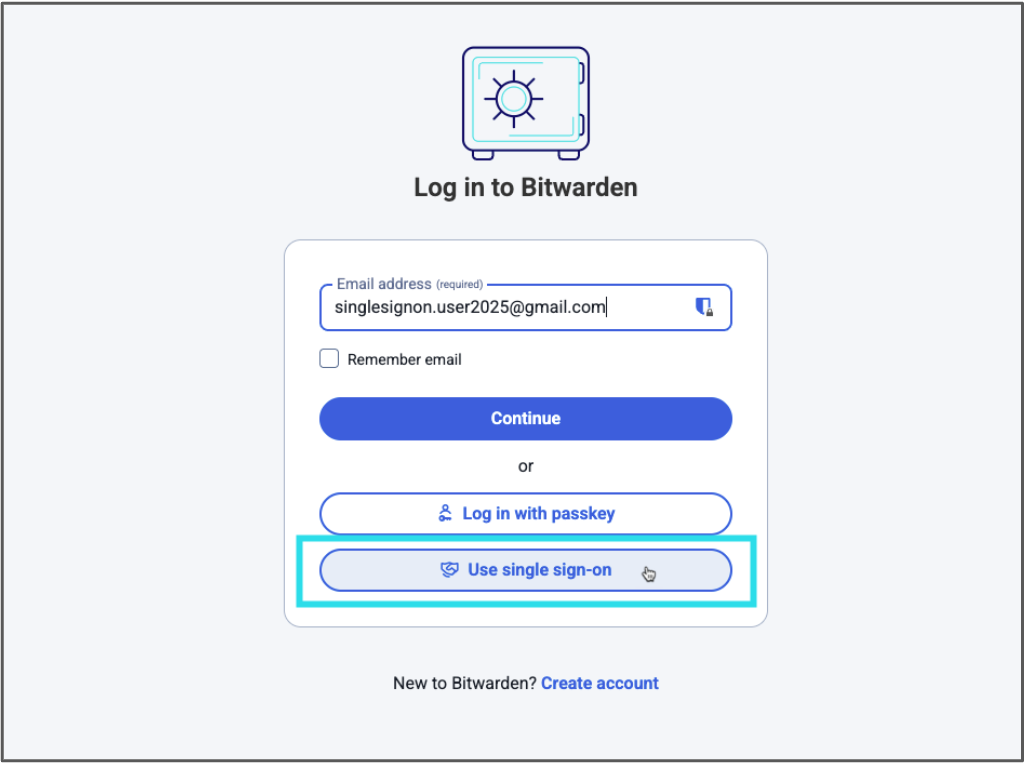
*Select Use single sign-on after entering your email address*
3. Now you will be redirected to your SSO login (Azure/Okta/JumpCloud etc). Login with your SSO credentials. This is the password you use to log into other company tools, such as Outlook.
> Note: If you are asked for an SSO Identifier, refer to your administrator’s instructions or contact your IT team for support.
Once completed, you will be asked if the device should be remembered. Be sure the box is checked and continue.
Now you will be redirected to your newly created Bitwarden account in the Bitwarden web app! Do not close it as the web app will be used to approve other logins.
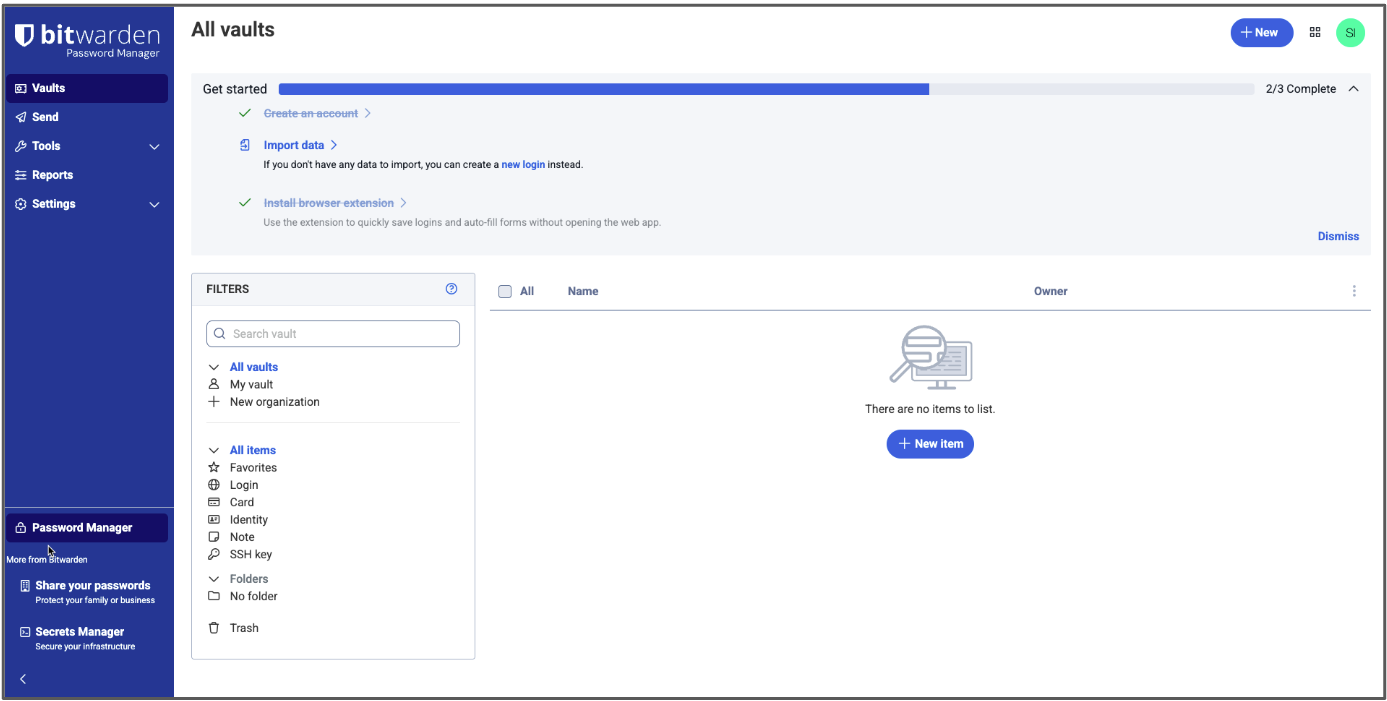
*Your new Bitwarden vault*
At this point you are not yet a part of your company’s organization - your admin will need to confirm you. You will receive an email when this occurs.
> Note: The next steps will have you approve new device logins. A **device** is any Bitwarden client or application. For example, the Bitwarden desktop app and the browser extension count as two separate devices and each needs to be individually approved, even if used on the same computer.
### Part 2: Download the Bitwarden applications
#### Browser extension:
1. After you have been confirmed to the organization, download the Bitwarden extension for your browser and install it, if it hasn’t already been installed for you by your IT department. You can find the Bitwarden browser extension in your browser’s extension/add-on store. Shortcuts are provided at [bitwarden.com/download](https://bitwarden.com/fr-fr/download/).
2. Once installed, open the extension (commonly found behind the puzzle piece icon in your browser) and log into it by entering your email address and selecting **Use single sign-on.**
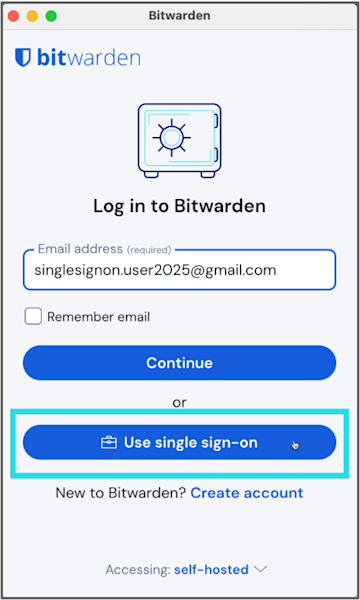
*Use Single Sign-On for the browser extension*
3. You will be redirected to your SSO login. Enter your SSO credentials if prompted.
4. Bitwarden will ask you to approve the new login.
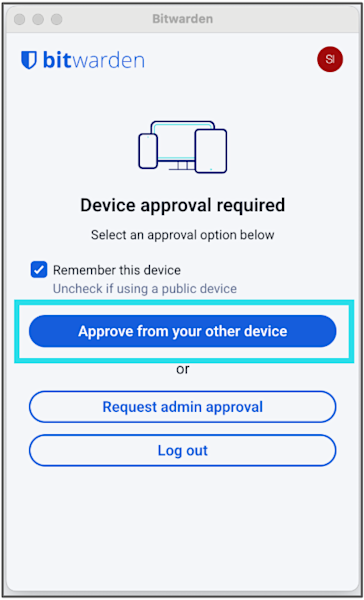
*Approve the extension from another device*
There are several options. Select **Approve from your other device**, which in this case will be the web app you are still logged into. Go back to the Bitwarden web app, navigate to **Settings > Security > Devices**, select the listed login attempt, and select **Confirm access**.

*Use the web app to approve and trust the login from your extension*

*Click the Confirm access button to complete the login*
You're now logged into the extension!
You can use the extension to [confirm new logins](https://bitwarden.com/fr-fr/help/add-a-trusted-device/#tab-mobile-app-5agRuaqyKm9ApnAZAMhUwD/) in the future.

*Browser extension successfully logged in and trusted*
#### Mobile app:
1. Download the Bitwarden mobile app to your phone from the Google Play Store or Apple App Store
2. Open the mobile app, enter your email address, and select **Continue**.

3. On the next screen, select **Enterprise** **single sign-on**.

*Log into the mobile app using SSO*
4. You will be redirected to your SSO login. Enter your SSO credentials if prompted.
5. To self-approve the new login, in the Bitwarden web app, navigate to **Settings > Security > Devices**, select the login, and select **Confirm access**, or approve the device from the newly logged-in browser extension.

*Use the web app again to approve the mobile app login and confirm the trusted device*
You’re now set up on mobile!
*Mobile app successfully logged in and trusted*
You’ll be able to use the Bitwarden mobile app to [confirm new logins](https://bitwarden.com/fr-fr/help/add-a-trusted-device/#tab-mobile-app-5agRuaqyKm9ApnAZAMhUwD/) if you’re asked to do so in the future.
### Part 3: Adjust your preferences in the extension and mobile app
1. [Pin the browser extension](https://bitwarden.com/fr-fr/help/getting-started-browserext/#pin-the-extension/) for easy access. The icon will show you if you are logged in or not (gray vs blue icon) and will display a counter if you have an item saved for the website you’re visiting.
2. Adjust timeout settings if available (your administrator may set these for you) for both the mobile app and extension. Understand the difference between [locking the vault and logging out](https://bitwarden.com/fr-fr/help/vault-timeout/).
3. Set up [biometric unlock](https://bitwarden.com/fr-fr/help/biometrics/#enable-unlock-with-biometrics/) for mobile app
4. Set up [PIN unlock](https://bitwarden.com/fr-fr/help/unlock-with-pin/#enable-unlock-with-pin/) for the browser extension
5. [Disable your browser’s built-in](https://bitwarden.com/fr-fr/blog/make-way-for-your-password-manager/) password manager.
That’s everything you need to create your account and log in for the first time! Now just wait to be confirmed into your organization and you can get started using Bitwarden to secure your passwords and other sensitive data.
## Additional resources
Check out the [Bitwarden Help Center guides](https://bitwarden.com/fr-fr/help/get-to-know-password-manager/) and refer to your IT manager’s onboarding materials, or explore the following articles.
**For users**
- [Vault Items](https://bitwarden.com/fr-fr/help/managing-items/)
- [Integrated Authenticator](https://bitwarden.com/fr-fr/help/integrated-authenticator/)
- [Sharing](https://bitwarden.com/fr-fr/help/sharing/)
- [Collections](https://bitwarden.com/fr-fr/help/about-collections/)
- [Get to know Password Manager](https://bitwarden.com/fr-fr/help/get-to-know-password-manager/)
**For admins**
- [Organizations Quick Start](https://bitwarden.com/fr-fr/help/getting-started-organizations/)
- [End User Onboarding](https://bitwarden.com/fr-fr/help/customer-success-hub/)
- [Bitwarden for Business Admins](https://bitwarden.com/fr-fr/help/courses/bitwarden-for-business-admins/)
---
URL: https://bitwarden.com/fr-fr/resources/using-bitwarden-with-azure-active-directory/
---
# Using Bitwarden with Azure Active Directory
Bitwarden and Azure AD together can help enterprises streamline employee onboarding and user management with seamless, automated provisioning.
---
## Overview
The rise of software-as-a-service means that each department within an enterprise, whether finance, marketing, or HR, has an ever-growing number of applications and services that teams use every day. A cloud-based identity and access management service like Microsoft’s **Azure Active Directory** (Azure AD) helps IT administrators control access to applications, resources, and tools based on business requirements.
A password management solution like **Bitwarden** makes it easier for employees to generate and use strong and unique passwords for all enterprise accounts, and to ensure sensitive data is end-to-end encrypted. Using an enterprise password manager also allows employees to securely share passwords across the organization from a secure vault. Sharing through Bitwarden Collections – which gathers logins, notes, cards, and more from an Organization – is the most powerful and scalable when paired with user groups. This gives enterprises that have hundreds of logins the ability to securely share them across teams and functions as needed.
Bitwarden and Azure AD together can help enterprises streamline employee onboarding and user management with seamless, automated provisioning.
## Combined Bitwarden and Azure AD Benefits
- Seamless, automated provisioning of users from a centralized directory
- Simplify the process for IT administrators to onboard and manage users for any SaaS products, internal tools, and more
- Reduce security risks from employee departure by automatically revoking their access to the Organization vault and shared Collections
## How it Works
There are two different ways to enable Bitwarden to work with Azure AD.
**SCIM support** enables Bitwarden to receive updates, such as new users and modifications to groups from Azure AD at any time. It will automatically provision users when Azure AD pushes a change.
The **Bitwarden Directory Connector** is a standalone application that actively syncs users and groups to a Bitwarden Organization from Azure AD. Syncing only occurs when the application is running. It is also the only way to connect to the on-premise version of Active Directory.

*Bitwarden Enterprise Organizations and Directory Services Diagram*
## Resources
[Streamline Employee Onboarding to Bitwarden with SCIM Support](https://bitwarden.com/fr-fr/blog/streamline-employee-onboarding-to-bitwarden-with-scim-support/)
[Azure AD SCIM Integration](https://bitwarden.com/fr-fr/help/azure-ad-scim-integration/)
[Get the Most from your Directory Services with Bitwarden](https://bitwarden.com/fr-fr/blog/password-management-directory-connector/)
[Sync with Azure AD](https://bitwarden.com/fr-fr/help/azure-active-directory/)
## Obtenez dès maintenant une sécurité de mot de passe puissante et fiable. Choisissez votre plan.
## Personnel
### Gratuit
**$0**
*par mois*
*Gratuit pour toujours*
Profitez d'un coffre-fort Bitwarden
- Nombre illimité d'appareils
- Gestion des clés d'accès
- Toutes les fonctions essentielles
- Gratuit à vie
Partager des éléments du coffre-fort avec un autre utilisateur
[Commencez dès aujourd'hui](https://bitwarden.com/go/start-free/)
---
### Premium
**Less than $1**
*par mois*
*$10 facturés annuellement*
Profitez des fonctionnalités premium
- Bitwarden Authenticator
- Pièces jointes
- Accès d'urgence
- Rapports de sécurité et plus encore
Partager des éléments du coffre-fort avec un autre utilisateur
[Créer un compte premium](https://bitwarden.com/go/start-premium/)
---
### Familles
**$3.33**
*par mois*
*Jusqu'à 6 utilisateurs, 40 $ facturés annuellement*
Sécuriser vos identifiants familiaux
- 6 comptes premium
- Partage illimité
- Collections illimitées
- Organisation du stockage
Partager les éléments du coffre-fort entre six personnes
[Essai gratuit de 7 jours](https://bitwarden.com/go/start-families-trial/)
---
Les prix sont indiqués en USD et sont basés sur un abonnement annuel. Les taxes ne sont pas incluses.
## Entreprises
### Équipes
*Protection résiliente pour les équipes en croissance*
**$4**
*par mois / par utilisateur facturé annuellement*
Partagez des données sensibles en toute sécurité avec des collègues, à travers les départements ou l'ensemble de l'entreprise
- Partage sécurisé des données
- Surveillance du journal des événements
- Intégration de l'annuaire
- Soutien au SCIM
Inclut des fonctionnalités premium pour tous les utilisateurs
[Commencer un essai](https://bitwarden.com/go/start-teams-trial/)
---
### Entreprise
*Fonctionnalités avancées pour les grandes organisations*
**$6**
*par mois / par utilisateur facturé annuellement*
Utilisez des fonctionnalités avancées, notamment des politiques d'entreprise, la connexion sans mot de passe unique (SSO) et la récupération de compte.
- Politiques de sécurité de l'entreprise
- SSO sans mot de passe
- Recouvrement de compte
- Option d’autohébergement
Inclut des fonctionnalités premium et un plan familial gratuit pour tous les utilisateurs
[Commencer un essai](https://bitwarden.com/go/start-enterprise-trial/)
---
### Obtenez un devis
*Pour les entreprises comptant des centaines ou des milliers d'employés, veuillez contacter notre service commercial pour obtenir un devis personnalisé et voir comment Bitwarden peut vous aider :*
- Réduire le risque de cybersécurité
- Augmenter la productivité
- Intégrer de manière transparente
Bitwarden s'adapte à toutes les tailles d'entreprise pour garantir la sécurité des mots de passe au sein de votre organisation.
[Contacter le service commercial](https://bitwarden.com/contact-sales/)
---
Tarification indiquée en USD et basée sur un abonnement annuel
---
URL: https://bitwarden.com/fr-fr/resources/using-bitwarden-with-yubico/
---
# Utiliser Bitwarden avec Yubico
L'utilisation d'une YubiKey pour protéger les coffres-forts Bitwarden de vos employés offre une protection maximale pour les identifiants sensibles de votre organisation.
---
## Vue d'ensemble
Un gestionnaire de mots de passe tel que **Bitwarden** offre une grande sécurité des mots de passe avec des outils d'administration puissants et une gestion simple des utilisateurs. Pour une protection supplémentaire, envisagez toutefois de mettre en place une authentification à deux facteurs (également connue sous le nom de 2FA) pour votre organisation afin de vous protéger contre le bourrage d'informations d'identification ou les attaques par force brute.
En matière d'authentification à deux facteurs, certaines méthodes sont plus sûres que d'autres. Par exemple, les SMS sont connus pour être susceptibles d'être détournés par la carte SIM, et les applications d'authentification offrent un niveau de sécurité supplémentaire. Les clés de sécurité constituent l'une des méthodes les plus sûres pour le 2FA. Une clé de sécurité physique comme la**YubiKey de Yubico** permet de gagner du temps et de réduire les erreurs tout en offrant une sécurité renforcée.
L'utilisation d'une YubiKey pour protéger les coffres-forts Bitwarden de vos employés offre une protection maximale des données sensibles de l'entreprise.

## Avantages combinés de Bitwarden et Yubico
- Renforcer la sécurité globale de l'entreprise grâce à une authentification moderne et à des mots de passe uniques et forts.
- Protégez les données sensibles contenues dans vos applications et services en ligne
- Neutraliser les risques associés aux mots de passe compromis et aux méthodes moins sûres d'authentification à deux facteurs.
## Comment cela fonctionne-t-il ?
L'enregistrement d'une YubiKey avec Bitwarden se fait en quelques clics dans l'onglet Connexion en deux étapes sous Sécurité dans les Paramètres du compte. Vous pouvez choisir YubiKey OTP ou, si votre YubiKey le prend en charge, FIDO2 WebAuthn.
Branchez la clé sur l'appareil sur lequel vous travaillez actuellement, saisissez un nom pour la clé dans la fenêtre de connexion Bitwarden 2FA et cliquez sur Lire la clé. Une fois la clé enregistrée, elle apparaît dans la liste sous le nom que vous lui avez donné.
Pour vous connecter à votre coffre-fort Bitwarden sur n'importe quelle application, après avoir saisi votre adresse e-mail et votre mot de passe principal, il vous sera demandé d'insérer votre YubiKey dans le port USB de votre ordinateur ou de tenir votre YubiKey contre l'arrière de votre appareil compatible NFC. Comme Bitwarden vous permet d'utiliser plusieurs clés, vous êtes protégé en cas d'oubli ou de perte de votre clé unique.
## Ressources
[Connexion en deux étapes via YubiKey](https://bitwarden.com/fr-fr/help/setup-two-step-login-yubikey/)
[Comment utiliser les clés de sécurité avec Bitwarden](https://bitwarden.com/fr-fr/blog/how-to-use-security-keys-with-bitwarden/)
[Les 10 questions les plus brûlantes sur 2FA](https://bitwarden.com/fr-fr/blog/top-10-burning-questions-on-2fa/)
## Obtenez dès maintenant une sécurité de mot de passe puissante et fiable. Choisissez votre plan.
## Personnel
### Gratuit
**$0** *par mois*
*Gratuit pour toujours*
Profitez d'un coffre-fort Bitwarden
- Nombre illimité d'appareils
- Gestion des clés d'accès
- Toutes les fonctions essentielles
- Gratuit à vie
Partager des éléments du coffre-fort avec un autre utilisateur
[Commencez dès aujourd'hui](https://bitwarden.com/go/start-free/)
---
### Premium
**Less than $1** *par mois*
*$10 facturés annuellement*
Profitez des fonctionnalités premium
- Bitwarden Authenticator
- Pièces jointes
- Accès d'urgence
- Rapports de sécurité et plus encore
Partager des éléments du coffre-fort avec un autre utilisateur
[Créer un compte premium](https://bitwarden.com/go/start-premium/)
---
### Familles
**$3.33** *par mois*
*Jusqu'à 6 utilisateurs, 40 $ facturés annuellement*
Sécuriser vos identifiants familiaux
- 6 comptes premium
- Partage illimité
- Collections illimitées
- Organisation du stockage
Partager les éléments du coffre-fort entre six personnes
[Essai gratuit de 7 jours](https://bitwarden.com/go/start-families-trial/)
---
Les prix sont indiqués en USD et sont basés sur un abonnement annuel. Les taxes ne sont pas incluses.
## Entreprises
### Équipes
*Protection résiliente pour les équipes en croissance*
**$4** *par mois / par utilisateur facturé annuellement*
Partagez des données sensibles en toute sécurité avec des collègues, à travers les départements ou l'ensemble de l'entreprise
- Partage sécurisé des données
- Surveillance du journal des événements
- Intégration de l'annuaire
- Soutien au SCIM
Inclut des fonctionnalités premium pour tous les utilisateurs
[Commencer un essai](https://bitwarden.com/go/start-teams-trial/)
---
### Entreprise
*Fonctionnalités avancées pour les grandes organisations*
**$6** *par mois / par utilisateur facturé annuellement*
Utilisez des fonctionnalités avancées, notamment des politiques d'entreprise, la connexion sans mot de passe unique (SSO) et la récupération de compte.
- Politiques de sécurité de l'entreprise
- SSO sans mot de passe
- Recouvrement de compte
- Option d’autohébergement
Inclut des fonctionnalités premium et un plan familial gratuit pour tous les utilisateurs
[Commencer un essai](https://bitwarden.com/go/start-enterprise-trial/)
---
### Obtenez un devis
*Pour les entreprises comptant des centaines ou des milliers d'employés, veuillez contacter notre service commercial pour obtenir un devis personnalisé et voir comment Bitwarden peut vous aider :*
- Réduire le risque de cybersécurité
- Augmenter la productivité
- Intégrer de manière transparente
Bitwarden s'adapte à toutes les tailles d'entreprise pour garantir la sécurité des mots de passe au sein de votre organisation.
[Contacter le service commercial](https://bitwarden.com/contact-sales/)
---
Tarification indiquée en USD et basée sur un abonnement annuel
---
URL: https://bitwarden.com/fr-fr/resources/web-hosting-company-opts-for-open-source-password-management-approach/
---
# Web hosting company opts for open source password management approach
Learn how domain registrar Namecheap fostered collaboration and transparency with the Bitwarden Password Manager.
---
## Namecheap
Founded: 2000
Industry: IT Service Management
Employees: 3,000
Location: Phoenix, Arizona
Namecheap is an ICANN accredited domain registrar and web hosting company currently managing over 17 million domains. Headquartered in Phoenix, Arizona, with offices in Portugal, Ukraine, and India, Namecheap also encompasses a distributed employee base that spans 22 countries. The company has over 3 million customers and is the world’s second-largest domain retailer.
> Learn more about the annual [Open Source Security Summit](https://bitwarden.com/fr-fr/open-source-security-summit/).
## Table of Contents
[Situation](https://bitwarden.com/fr-fr/resources/web-hosting-company-opts-for-open-source-password-management-approach/#situation/)
[Solution: Open source password manager enabling continuous improvement](https://bitwarden.com/fr-fr/resources/web-hosting-company-opts-for-open-source-password-management-approach/#solution-open-source-password-manager-enabling-continuous-improvement/)
[Strategic rollout, smooth transition](https://bitwarden.com/fr-fr/resources/web-hosting-company-opts-for-open-source-password-management-approach/#strategic-rollout-smooth-transition/)
[Transparency and control offer benefits](https://bitwarden.com/fr-fr/resources/web-hosting-company-opts-for-open-source-password-management-approach/#transparency-and-control-offer-benefits/)
[Get started with Bitwarden](https://bitwarden.com/fr-fr/resources/web-hosting-company-opts-for-open-source-password-management-approach/#get-started-with-bitwarden/)
## Situation
Namecheap became aware its passwords were scattered across various platforms, from KeePass instances used by some of the more technical employees to various proprietary password managers. This approach was neither convenient nor secure. These practices made it logistically challenging to keep track of different company systems and employee behavior. It also led to employees frequently sharing passwords via insecure methods.
With its commitments to enhancing operational efficiency and strengthening cybersecurity top-of-mind, Namecheap embarked on a search for the optimal password management solution. Said Chief Technical Officer Sergii Smirnov, “We were seeking a user-friendly tool that ensured a uniform experience across the organization. We are also committed to protecting privacy and freedom and place a high value on our customers’ right to safety and privacy. Ultimately, we needed a partner that could uphold these standards.”
## Solution: Open source password manager enabling continuous improvement
After weighing the options, Namecheap enthusiastically elected to go with Bitwarden. Said Smirnov, “A key factor in our decision to choose Bitwarden was its open source nature. Open source technology invites broad rotation and continuous improvement from a global community of experts. We see this investment validated year after year, in the way Bitwarden and the open source community interact and how vulnerabilities are identified and addressed promptly.”
Namecheap believes the open source approach not only enhances security tools, but ensures technology evolves in response to the real-world needs of its users. In the company’s view, this contrasts sharply with closed source projects where potential vulnerabilities might remain hidden. In such environments, the lack of external review can create security blind spots that manifest in the form of breaches and supply chain weaknesses.
> “Our decision to integrate Bitwarden is deeply rooted in our belief in the power and potential of open source software,” said Smirnov. “Open source represents more than just the technology choice. It's a forward-thinking approach that embodies innovation, collaboration, and transparency. We see open source software as the future of technological development.”
## Strategic rollout, smooth transition
Namecheap opted to strategically deploy Bitwarden in stages. The company started with a test group to eliminate operational issues early on. Utilizing the Bitwarden API, the Namecheap technical team crafted custom scripts to automate the onboarding process. This helped enable self-paced implementation, allowing employees across the world to set up Bitwarden at their own pace.
Following the initial small-scale rollout, Namecheap transitioned to deploying Bitwarden across business units. While processed in stages, within two months the team had successfully onboarded all employees.
> Said Smirnov, “Our switch to Bitwarden as our password manager, covering nearly 3,000 employees, was remarkably smooth. Many had been anticipating this upgrade and the satisfaction with the functionality, convenience, and security features that Bitwarden offers is a testament to the product’s overall strength.”
## Transparency and control offer benefits
In contrast to its former piecemeal and random approach to password security, Namecheap now has control over where and how passwords are stored and protected. The company has also capitalized on Bitwarden tools that allow it to assess password strength and quality and enabled two-factor authentication across the organization, a move that further strengthens the Namecheap security framework.
## Get started with Bitwarden
Learn more about what Bitwarden can do for your business and sign up for a [free 7-day trial](https://bitwarden.com/fr-fr/trial/)! Got questions? Join our [free weekly demo](https://bitwarden.com/fr-fr/events/weekly-demo/).
## Obtenez dès maintenant une sécurité de mot de passe puissante et fiable. Choisissez votre plan.
## Personnel
### Gratuit
**$0** *par mois*
*Gratuit pour toujours*
Profitez d'un coffre-fort Bitwarden
- Nombre illimité d'appareils
- Gestion des clés d'accès
- Toutes les fonctions essentielles
- Gratuit à vie
Partager des éléments du coffre-fort avec un autre utilisateur
[Commencez dès aujourd'hui](https://bitwarden.com/go/start-free/)
---
### Premium
**Less than $1** *par mois*
*$10 facturés annuellement*
Profitez des fonctionnalités premium
- Bitwarden Authenticator
- Pièces jointes
- Accès d'urgence
- Rapports de sécurité et plus encore
Partager des éléments du coffre-fort avec un autre utilisateur
[Créer un compte premium](https://bitwarden.com/go/start-premium/)
---
### Familles
**$3.33** *par mois*
*Jusqu'à 6 utilisateurs, 40 $ facturés annuellement*
Sécuriser vos identifiants familiaux
- 6 comptes premium
- Partage illimité
- Collections illimitées
- Organisation du stockage
Partager les éléments du coffre-fort entre six personnes
[Essai gratuit de 7 jours](https://bitwarden.com/go/start-families-trial/)
---
Les prix sont indiqués en USD et sont basés sur un abonnement annuel. Les taxes ne sont pas incluses.
## Entreprises
### Équipes
*Protection résiliente pour les équipes en croissance*
**$4** *par mois / par utilisateur facturé annuellement*
Partagez des données sensibles en toute sécurité avec des collègues, à travers les départements ou l'ensemble de l'entreprise
- Partage sécurisé des données
- Surveillance du journal des événements
- Intégration de l'annuaire
- Soutien au SCIM
Inclut des fonctionnalités premium pour tous les utilisateurs
[Commencer un essai](https://bitwarden.com/go/start-teams-trial/)
---
### Entreprise
*Fonctionnalités avancées pour les grandes organisations*
**$6** *par mois / par utilisateur facturé annuellement*
Utilisez des fonctionnalités avancées, notamment des politiques d'entreprise, la connexion sans mot de passe unique (SSO) et la récupération de compte.
- Politiques de sécurité de l'entreprise
- SSO sans mot de passe
- Recouvrement de compte
- Option d’autohébergement
Inclut des fonctionnalités premium et un plan familial gratuit pour tous les utilisateurs
[Commencer un essai](https://bitwarden.com/go/start-enterprise-trial/)
---
### Obtenez un devis
*Pour les entreprises comptant des centaines ou des milliers d'employés, veuillez contacter notre service commercial pour obtenir un devis personnalisé et voir comment Bitwarden peut vous aider :*
- Réduire le risque de cybersécurité
- Augmenter la productivité
- Intégrer de manière transparente
Bitwarden s'adapte à toutes les tailles d'entreprise pour garantir la sécurité des mots de passe au sein de votre organisation.
[Contacter le service commercial](https://bitwarden.com/contact-sales/)
---
Tarification indiquée en USD et basée sur un abonnement annuel
---
URL: https://bitwarden.com/fr-fr/resources/west-coast-media-institution-selects-bitwarden/
---
# L'institution médiatique de la côte ouest choisit Bitwarden pour la facilité de déploiement et l'intégration de l'annuaire actif.
Cette institution médiatique a choisi Bitwarden pour ses fonctionnalités d'entreprise, l'intégration de l'annuaire actif et la simplicité de son interface.
---
## Vue d'ensemble
Fondée en 1953
Industrie : Médias d'information à but non lucratif
Employés : 500
Taille de l'équipe informatique : 14
Localisation : Côte Ouest
Sièges Bitwarden : 85
Cet organe de presse couvre l'actualité locale, nationale et internationale et produit des programmes télévisés, radiophoniques, numériques et éducatifs. Basée sur la côte ouest, l'organisation a vu sa position de sécurité bouleversée lorsque son ancienne solution de gestion des mots de passe a été violée. L'organisation souhaitait trouver une nouvelle solution de gestion des mots de passe qui protégerait les informations sensibles et lui permettrait de poursuivre sa mission, à savoir proposer des programmes originaux et de grande qualité à ses téléspectateurs.
## Table des matières
[Vue d'ensemble](https://bitwarden.com/fr-fr/resources/west-coast-media-institution-selects-bitwarden/#overview/)
[Situation : Ransomware et violations de données](https://bitwarden.com/fr-fr/resources/west-coast-media-institution-selects-bitwarden/#situation-ransomware-and-data-breaches/)
[Bitwarden encourage les équipes à adopter de meilleures habitudes en matière de sécurité des mots de passe](https://bitwarden.com/fr-fr/resources/west-coast-media-institution-selects-bitwarden/#bitwarden-fosters-better-password-security-habits-across-teams/)
[Démarrer avec Bitwarden](https://bitwarden.com/fr-fr/resources/west-coast-media-institution-selects-bitwarden/#get-started-with-bitwarden/)
## Situation : Ransomware et violations de données
Lorsqu'un client de Bitwarden et ingénieur en chef de la sécurité informatique pour l'organisation des médias a rejoint l'entreprise, prenant un poste créé suite à une attaque de ransomware, il a découvert que l'entreprise avait déployé LastPass après l'attaque pour gérer et protéger les mots de passe. Peu après son arrivée dans l'organisation, LastPass a connu une brèche importante.
L'entreprise de médias avait également été victime d'une violation de son logiciel de gestion des ressources humaines lorsqu'une personne extérieure avait deviné le mot de passe de l'un de ses employés. Le pirate a pu se connecter en tant qu'employé et a ensuite détourné 92 % du salaire de l'employé vers un autre compte bancaire.
Avec ces incidents en tête, l'équipe a décidé de rechercher une nouvelle option de gestion des mots de passe qui renforcerait la posture de sécurité globale de l'organisation et [atténuerait le risque d'atteinte à la protection des données](https://bitwarden.com/fr-fr/blog/what-is-a-cyberattack/).
## Solution : Bitwarden pour la simplicité et la facilité de déploiement
"Nous avons fait des recherches sur Bitwarden, 1Password et Dashlane", explique le client de Bitwarden. "En ce qui concerne la gestion des mots de passe d'entreprise, 1Password et Dashlane n'étaient pas à la hauteur parce qu'ils n'étaient pas aussi rationalisés ni aussi riches en fonctionnalités que Bitwarden".
"Lors de nos évaluations, Bitwarden n'a cessé de se distinguer. En particulier, nous avons été satisfaits des fonctions d'entreprise de Bitwarden, de l'intégration de l'annuaire actif et de la simplicité de l'interface. L'expérience globale de l'utilisateur, le prix et les capacités d'authentification ont également été des facteurs importants".
Reconnaissant que les annuaires d'utilisateurs sont un élément essentiel du contrôle d'accès des utilisateurs, Bitwarden propose une application Directory Connector qui provisionne automatiquement les utilisateurs, les groupes et les associations de groupes, facilitant ainsi le provisionnement, l'intégration et la gestion des utilisateurs par les clients.
Le client a trouvé Bitwarden particulièrement intéressant en raison de son intégration transparente avec [Microsoft Active Directory](https://bitwarden.com/fr-fr/resources/using-bitwarden-with-azure-active-directory/) - un service d'annuaire qui stocke des informations sur les objets du réseau, ce qui permet aux administrateurs et aux utilisateurs de les trouver et de les utiliser facilement. Certaines des informations stockées peuvent inclure des noms, des mots de passe et d'autres informations d'identification, telles que des numéros de téléphone.
"Active Directory est notre source centrale d'authentification. Tout ce qui peut servir de levier est fantastique", a déclaré le client. "L'équipe informatique a apprécié la simplicité de l'interface de Bitwarden. Avec Bitwarden, il n'y a pas beaucoup d'agitation et vous obtenez ce dont vous avez besoin très rapidement".
Avant d'intégrer de nouveaux utilisateurs à Bitwarden, le client a découvert que les employés utilisaient Slack comme référentiel de mots de passe et sauvegardaient également des mots de passe sur des feuilles de calcul. Désireuse de passer à Bitwarden, l'équipe informatique a annoncé aux employés qu'ils devaient créer un compte Bitwarden et a fixé une date limite pour couper l'accès à LastPass enterprise.
"Nous n'avons rencontré que très peu de problèmes lors du déploiement", a déclaré le client. "Depuis le déploiement de Bitwarden, le temps que les administrateurs informatiques consacrent à [l'accueil et au départ des employés](https://bitwarden.com/fr-fr/blog/employee-password-management-onboarding-and-beyond/) et à la gestion des demandes de mot de passe a diminué.
Le client était également très satisfait de la disponibilité du [plan Bitwarden Families](https://bitwarden.com/fr-fr/blog/how-to-protect-your-family-with-bitwarden-password-manager/), qui est proposé gratuitement à tous les utilisateurs de Bitwarden Enterprise, leur permettant ainsi de protéger leurs informations personnelles en dehors du travail.
## Bitwarden encourage les équipes à adopter de meilleures habitudes en matière de sécurité des mots de passe
Grâce à Bitwarden Collections, l'organisation a pu organiser plus facilement des groupes d'employés en fonction de leurs domaines d'expertise et accorder des autorisations en fonction des besoins d'accès d'un employé. Le client a également observé que les pratiques peu sûres en matière de mots de passe, telles que le partage de mots de passe via Slack, ont diminué au fil du temps.
"Nous avons constaté des progrès", a déclaré le client. "Nous documentons également beaucoup les informations sur la sécurité, parfois directement à partir du site web de Bitwarden, et nous les envoyons aux employés pour qu'ils comprennent mieux comment créer des mots de passe forts. Ces supports d'apprentissage permettent aux employés de tirer plus facilement parti de Bitwarden".
L'organe de presse est également satisfait de la fonction [TOTP (mot de passe unique basé sur le temps) de Bitwarden](https://bitwarden.com/fr-fr/help/integrated-authenticator/).
"La fonction TOTP est vraiment utile parce qu'elle est intégrée. Si nous avons besoin d'un mot de passe immédiatement, nous pouvons rapidement activer TOTP et ne pas avoir à attendre que quelqu'un revienne de vacances ou soit de retour au bureau. Nous le faisons également dans le cas où nous craignons qu'un mot de passe ait été compromis".
"J'aime les interfaces légères. C'est ce que propose Bitwarden. Il contient exactement ce dont nous avons besoin".
## Démarrer avec Bitwarden
Découvrez ce que Bitwarden peut faire pour votre entreprise et inscrivez-vous pour un [essai gratuit de 7 jours](https://bitwarden.com/fr-fr/trial/)!
## Obtenez dès maintenant une sécurité de mot de passe puissante et fiable. Choisissez votre plan.
## Personnel
### Gratuit
**$0** *par mois*
*Gratuit pour toujours*
Profitez d'un coffre-fort Bitwarden
- Nombre illimité d'appareils
- Gestion des clés d'accès
- Toutes les fonctions essentielles
- Gratuit à vie
Partager des éléments du coffre-fort avec un autre utilisateur
[Commencez dès aujourd'hui](https://bitwarden.com/go/start-free/)
---
### Premium
**Less than $1** *par mois*
*$10 facturés annuellement*
Profitez des fonctionnalités premium
- Bitwarden Authenticator
- Pièces jointes
- Accès d'urgence
- Rapports de sécurité et plus encore
Partager des éléments du coffre-fort avec un autre utilisateur
[Créer un compte premium](https://bitwarden.com/go/start-premium/)
---
### Familles
**$3.33** *par mois*
*Jusqu'à 6 utilisateurs, 40 $ facturés annuellement*
Sécuriser vos identifiants familiaux
- 6 comptes premium
- Partage illimité
- Collections illimitées
- Organisation du stockage
Partager les éléments du coffre-fort entre six personnes
[Essai gratuit de 7 jours](https://bitwarden.com/go/start-families-trial/)
---
Les prix sont indiqués en USD et sont basés sur un abonnement annuel. Les taxes ne sont pas incluses.
## Entreprises
### Équipes
*Protection résiliente pour les équipes en croissance*
**$4** *par mois / par utilisateur facturé annuellement*
Partagez des données sensibles en toute sécurité avec des collègues, à travers les départements ou l'ensemble de l'entreprise
- Partage sécurisé des données
- Surveillance du journal des événements
- Intégration de l'annuaire
- Soutien au SCIM
Inclut des fonctionnalités premium pour tous les utilisateurs
[Commencer un essai](https://bitwarden.com/go/start-teams-trial/)
---
### Entreprise
*Fonctionnalités avancées pour les grandes organisations*
**$6** *par mois / par utilisateur facturé annuellement*
Utilisez des fonctionnalités avancées, notamment des politiques d'entreprise, la connexion sans mot de passe unique (SSO) et la récupération de compte.
- Politiques de sécurité de l'entreprise
- SSO sans mot de passe
- Recouvrement de compte
- Option d’autohébergement
Inclut des fonctionnalités premium et un plan familial gratuit pour tous les utilisateurs
[Commencer un essai](https://bitwarden.com/go/start-enterprise-trial/)
---
### Obtenez un devis
*Pour les entreprises comptant des centaines ou des milliers d'employés, veuillez contacter notre service commercial pour obtenir un devis personnalisé et voir comment Bitwarden peut vous aider :*
- Réduire le risque de cybersécurité
- Augmenter la productivité
- Intégrer de manière transparente
Bitwarden s'adapte à toutes les tailles d'entreprise pour garantir la sécurité des mots de passe au sein de votre organisation.
[Contacter le service commercial](https://bitwarden.com/contact-sales/)
---
Tarification indiquée en USD et basée sur un abonnement annuel
---
URL: https://bitwarden.com/fr-fr/resources/what-are-security-controls/
---
# What are security controls?
Commonly overlooked areas when establishing security resilience at work and at home.
---
## What are security controls?
Security controls are the backbone of any robust security strategy, serving as the measures organizations implement to safeguard their assets — people, property, or data — from a myriad of security risks and threats. These controls are meticulously designed to prevent, detect, counteract, or minimize the impact of security incidents on physical property, information, computer systems, or other valuable assets. By understanding and implementing effective security controls, organizations can create a fortified environment that ensures the safety and integrity of their operations.
### SaaS landscape and the state of BYOD
Bree Fowler, senior writer at CNET, led a panel discussion at the 2024 Bitwarden Open Source Security Summit between Schlomo Schapiro, principal engineer at Tektit Consulting, and Bjoern Sjut, managing director for productivity and IT at Front Row. The conversation explored the current trends and challenges of security resilience and employee adoption. It featured recommendations from both experts on how to improve overall security through strategic and thoughtful security controls.
Schapiro started the conversation by underscoring the threat posed by software-as-a-service (SaaS) technologies.
> “Most companies completely ignore or underestimate the threat posed by their current SaaS landscape,” said Schapiro. “They essentially put blind trust in their SaaS vendors and give up full ownership of their perimeter. It’s one of the biggest mistakes companies make. They let their perimeter become a thin fence with lots of holes, which are ultimately holes that hackers can exploit. As an industry, we need to catch up with reality.”
Sjut also highlighted the importance of perimeters, noting the huge shift towards cloud applications has made perimeters more opaque. His main concern, however, lay in the fact that people are much more mobile. “If we don’t want to arm everyone with dedicated, specific devices, we have to deal with the challenges posed by a bring your own device (BYOD) environment. In conjunction with these cloud tools, it means we have more attack vectors on the devices and through applications.”
While BYOD devices can pose security risks, organizations can bolster their defenses with tools like password managers. Bitwarden offers cross-platform access for mobile, browser, and desktop applications, enabling an environment of unlimited passwords and devices.
[](https://vimeo.com/1015905668)
*[Watch on Vimeo](https://vimeo.com/1015905668)*
*Watch the session*
## Table of Contents
[What are security controls?](https://bitwarden.com/fr-fr/resources/what-are-security-controls/#what-are-security-controls/)
[SaaS landscape and the state of BYOD](https://bitwarden.com/fr-fr/resources/what-are-security-controls/#saas-landscape-and-the-state-of-byod/)
[Putting the pieces together to balance security measures and productivity](https://bitwarden.com/fr-fr/resources/what-are-security-controls/#putting-the-pieces-together-to-balance-security-measures-and-productivity/)
[Security awareness training: Mitigating friction while accounting for human vulnerabilities](https://bitwarden.com/fr-fr/resources/what-are-security-controls/#security-awareness-training-mitigating-friction-while-accounting-for-human-vulnerabilities/)
[Mistakes companies make when establishing security resilience - and what they can do differently](https://bitwarden.com/fr-fr/resources/what-are-security-controls/#mistakes-companies-make-when-establishing-security-resilience-and-what-they-can-do-differently/)
[What are the types of security controls?](https://bitwarden.com/fr-fr/resources/what-are-security-controls/#what-are-the-types-of-security-controls/)
[Get started with Bitwarden](https://bitwarden.com/fr-fr/resources/what-are-security-controls/#get-started-with-bitwarden/)
## Putting the pieces together to balance security measures and productivity
Most organizations grapple with many moving parts to strengthen security. To prevent important things from falling through the cracks, Shapiro believes that “companies need to ensure that every application introduced into their stack uses federated authentication against their primary identity provider. One of the worst-case scenarios is having accounts or applications that aren’t well understood, which stay active after an employee has left the organization.”
Sjut emphasizes that security should not be restricted to “an enterprise feature. As an industry, we should all advocate for built-in security so we don’t end up in a position where we have to plug holes with many different measures.”
Security professionals must put all the pieces together and figure out what works best for them. Controls are essential to mitigate business risks and ensure security effectively.
> “We want to find the right balance between security and productivity. I think a mistake many companies make is putting a security goal on the agenda that can lock people out of being productive. This makes them less secure in the long run because employees build up their own shadow IT that is completely outside the bounds of company security controls. In our view, it’s about balance, coupled with a risk-based approach.” ~ Bjoern Sjut
If organizations want their security departments to be effective, they must embrace and enable users to do their jobs efficiently.
> “It’s always important to be approachable as an IT department. You want to create an environment where the path of least resistance from the user doesn’t circumvent your security.” ~ Schlomo Schapiro
Employees who cannot share relevant work files with clients or team members are more likely to circumvent security protocols. The only way to protect against that is to ensure “employees feel supported in their productivity. It really is about collaboration and finding the right balance between productivity and security (Sjut).”
Password managers can help users navigate the tightrope of security and productivity. They offer a fast and efficient avenue for creating, managing, and securing passwords. Reputable password managers such as Bitwarden also include MFA tools users can leverage for an extra layer of security, like the built-in Bitwarden Authenticator or the stand-alone Bitwarden Authenticator app.
## Read more:
[How to build the best cybersecurity tech stack for your business](https://bitwarden.com/fr-fr/blog/best-cybersecurity-for-business/)
## Security awareness training: Mitigating friction while accounting for human vulnerabilities
People naturally tend to avoid friction, including friction caused by security policies. Fowler asked Schapiro and Sjut how they best incentivize employees to avoid circumventing security best practices.
> “My personal recommendation is to think of your users as citizen developers. It is important to enable your employees to make use of the systems you provide. It is important to be approachable, reach out with a helping hand, and put user enablement first.” ~ Schlomo Schapiro
Sjut noted that in many companies, it can be challenging for users to figure out how they should get access to a tool they need. This is particularly prevalent in mid-size companies because the company may be large enough to lose sight of all the tools available but not large enough where there is corporate oversight.
> “In my opinion, a lot of companies manage their IT incorrectly. They don’t manage it as a defender of the status quo. They manage it more as a facility management unit to keep the lights on. Very few IT organizations have the goal of making people more productive.” ~ Bjoern Sjut
## Mistakes companies make when establishing security resilience - and what they can do differently
Schapiro emphasized the importance of having control over SaaS perimeters and having a solid plan in place for retrieving backups – including routine test runs to make sure everyone understands their role. Organizations must focus on protecting and maintaining critical systems to prevent breaches and ensure they remain functional and secure against potential attacks.
Sjut said that in addition to backups, many companies don’t really have a robust understanding of identity, including with people they collaborate with such as freelancers.
“The amount of personal Google accounts used to manage Google Analytics data is baffling to me,” said Sjut. “Most companies need to deal with digital identities. My general sense is that there’s rarely someone who feels responsible for digital identities within the organization. Businesses need to understand their core identity provider, how the identities work, and if they have them under control. The more people log into cloud applications on a personally owned device without the employer understanding that identity, the more difficult it is to mitigate damages.”
## What are the types of security controls?
#### Physical security controls
Security controls can be broadly categorized into three main types: physical, technical, and administrative controls. Each type plays a pivotal role in creating a comprehensive security framework. By integrating these three types of controls, organizations can create a multi-layered defense strategy that addresses various security aspects.
- Physical controls include measures like access control systems, surveillance cameras, and alarm systems.
- Technical controls encompass tools and technologies such as password managers, firewalls, intrusion detection systems, and encryption.
- Administrative controls involve policies, procedures, and training programs designed to manage and govern an organization's overall security posture.
#### Technical security controls
Technical security controls are critical for safeguarding an organization’s digital assets, including computer systems, networks, and data. These controls involve a range of technologies and practices designed to prevent, detect, and respond to cyber threats, including encryption, firewalls, access controls, antivirus, and malware detection. They are indispensable for protecting against cyber threats such as hacking, malware, and ransomware and ensuring the integrity and confidentiality of digital assets.
Password managers like Bitwarden provide [reporting on password health](https://bitwarden.com/fr-fr/blog/stay-secure-with-vault-health-reports/), exposed or reused passwords, weak passwords, unsecured websites, inactive two-step logins, and known data breaches.
#### Administrative security controls
Administrative security controls are measures designed to manage and govern an organization’s security posture through policies, procedures, and training. These controls are essential for guiding employee behavior and ensuring compliance with security standards. Administrative security controls are crucial for protecting against insider threats, social engineering, and compliance failures and for ensuring a comprehensive approach to security management.
- Clear guidelines around security policies and procedures help employees understand their roles and responsibilities in maintaining security, ensuring consistent application of security measures.
- Educating employees on security best practices and potential threats helps create a security-conscious culture and reduces the risk of human error.
- Incident response plans enable organizations to respond swiftly to security incidents, minimizing damage and ensuring a coordinated response.
- Adhering to compliance and regulatory requirements, such as HIPAA and PCI-DSS, ensures that organizations meet their legal obligations and protect sensitive information.
- Routinely identifying and mitigating security risks helps organizations avoid potential threats and maintain a robust security posture.
### Get started with Bitwarden
Security controls are indispensable measures organizations must implement to protect their assets from a wide range of security risks and threats. Understanding the different types of security controls — physical, technical, and administrative — and their functions is crucial for developing an effective security strategy. Additionally, being aware of commonly overlooked areas, such as security awareness training and physical security controls, can help organizations address potential vulnerabilities. By adopting a comprehensive approach that includes a combination of these controls, organizations can ensure the confidentiality, integrity, and availability of their information and assets, thereby enhancing their overall security resilience.
## You might also like:
[Strengthen business IT security with best practices for 360° security](https://bitwarden.com/fr-fr/blog/strengthen-business-it-security-with-best-practices-for-360-security/)
## Obtenez dès maintenant une sécurité de mot de passe puissante et fiable. Choisissez votre plan.
## Personnel
### Gratuit
**$0** *par mois*
*Gratuit pour toujours*
Profitez d'un coffre-fort Bitwarden
- Nombre illimité d'appareils
- Gestion des clés d'accès
- Toutes les fonctions essentielles
- Gratuit à vie
Partager des éléments du coffre-fort avec un autre utilisateur
[Commencez dès aujourd'hui](https://bitwarden.com/go/start-free/)
---
### Premium
**Less than $1** *par mois*
*$10 facturés annuellement*
Profitez des fonctionnalités premium
- Bitwarden Authenticator
- Pièces jointes
- Accès d'urgence
- Rapports de sécurité et plus encore
Partager des éléments du coffre-fort avec un autre utilisateur
[Créer un compte premium](https://bitwarden.com/go/start-premium/)
---
### Familles
**$3.33** *par mois*
*Jusqu'à 6 utilisateurs, 40 $ facturés annuellement*
Sécuriser vos identifiants familiaux
- 6 comptes premium
- Partage illimité
- Collections illimitées
- Organisation du stockage
Partager les éléments du coffre-fort entre six personnes
[Essai gratuit de 7 jours](https://bitwarden.com/go/start-families-trial/)
---
Les prix sont indiqués en USD et sont basés sur un abonnement annuel. Les taxes ne sont pas incluses.
## Entreprises
### Équipes
*Protection résiliente pour les équipes en croissance*
**$4** *par mois / par utilisateur facturé annuellement*
Partagez des données sensibles en toute sécurité avec des collègues, à travers les départements ou l'ensemble de l'entreprise
- Partage sécurisé des données
- Surveillance du journal des événements
- Intégration de l'annuaire
- Soutien au SCIM
Inclut des fonctionnalités premium pour tous les utilisateurs
[Commencer un essai](https://bitwarden.com/go/start-teams-trial/)
---
### Entreprise
*Fonctionnalités avancées pour les grandes organisations*
**$6** *par mois / par utilisateur facturé annuellement*
Utilisez des fonctionnalités avancées, notamment des politiques d'entreprise, la connexion sans mot de passe unique (SSO) et la récupération de compte.
- Politiques de sécurité de l'entreprise
- SSO sans mot de passe
- Recouvrement de compte
- Option d’autohébergement
Inclut des fonctionnalités premium et un plan familial gratuit pour tous les utilisateurs
[Commencer un essai](https://bitwarden.com/go/start-enterprise-trial/)
---
### Obtenez un devis
*Pour les entreprises comptant des centaines ou des milliers d'employés, veuillez contacter notre service commercial pour obtenir un devis personnalisé et voir comment Bitwarden peut vous aider :*
- Réduire le risque de cybersécurité
- Augmenter la productivité
- Intégrer de manière transparente
Bitwarden s'adapte à toutes les tailles d'entreprise pour garantir la sécurité des mots de passe au sein de votre organisation.
[Contacter le service commercial](https://bitwarden.com/contact-sales/)
---
Tarification indiquée en USD et basée sur un abonnement annuel
---
URL: https://bitwarden.com/fr-fr/resources/what-is-an-otp/
---
# What is an OTP?
## What does OTP mean in security and passwords?
You may have seen the term OTP, or one-time password, when logging into a [bank account](https://bitwarden.com/fr-fr/blog/industry-leaders-security-rankings-banking-edition/), email, or social media platform. In the world of digital security, OTPs help protect your accounts by providing an extra layer of verification during login or transactions.
Understanding how OTPs work and how to manage them securely can help keep your personal information safe online. Tools like Bitwarden make it easier to use and store OTPs alongside your passwords, so you don’t have to choose between security and convenience.
## What is an OTP, and why does it matter?
A one-time password is exactly what it sounds like: a temporary code that can only be used once. There are two types. The one most people are familiar with is timed one-time passwords, TOTPs. They are usually sent to your email, phone, or generated by an app. TOTPs expire after a short period and are part of a security method called [multi-factor authentication](https://bitwarden.com/fr-fr/blog/basics-of-two-factor-authentication-with-bitwarden/) (MFA).
Multi-factor authentication combines something you know, like your password, with something you have, like a one-time code. This makes it much harder for someone else to access your account, even if they know your password.
## Common types of one-time passwords
There are two main kinds of OTPs you might come across:
- Time-based one-time passwords (TOTP): These refresh every 30 to 60 seconds and are typically generated by authenticator apps like Bitwarden Authenticator. They're often used for banking, email, and other services where timing is key.
- HMAC-based one-time passwords (HOTP): These hash-based message authentication codes only change when requested — usually when you log in — and stay valid until used. These are often used as emergency recovery codes for logging in.
Both types offer strong protection because they are temporary and can’t be reused. That means even if someone gets access to an old code, it won’t work again.
## Why OTPs are safer than static passwords alone
Unlike a regular password that stays the same until you change it, OTPs are designed to be short-lived. Their single-use nature reduces the risk of someone reusing a stolen password or guessing their way into your account. OTPs are a key part of making sure your accounts are protected — even if your account password is compromised.
## Where you might use an OTP
One-time passwords are often used during logins that involve sensitive information. For example:
- Using [government services](https://bitwarden.com/fr-fr/blog/how-state-and-local-goverment-benefits-from-password-management/) online
- Logging into [financial accounts](https://bitwarden.com/fr-fr/blog/how-to-better-manage-your-financial-information-in-bitwarden/)
- Accessing [health records](https://bitwarden.com/fr-fr/blog/the-healthcare-industry-a-prime-target-for-cyberattacks/)
- Changing account settings
- Logging into social accounts
- Signing into email from a new device
- Making online purchases
In each case, the OTP adds an extra checkpoint to verify your identity.
## How OTPs are delivered
You might receive an OTP in different ways:
- **Hardware security keys (most secure)**: Physical devices that generate codes and must be in your possession.
- **Authenticator apps (very secure)**: These work offline and generate codes directly within the software. Bitwarden offers two options:
- The standalone [Bitwarden Authenticator app](https://bitwarden.com/fr-fr/products/authenticator/) for iOS and Android
- Integrated TOTP generation within Bitwarden Password Manager for Premium, Families, Teams, or Enterprise users
- **Email (secure)**: A code sent to the email associated with the account. Make sure this email account is protected by a strong and unique password and two-factor authentication!
- **SMS text messages (less secure)**: A text sent to the phone number associated with the account.
Users often prefer authenticator apps because they work offline and are more secure than SMS-based codes, which can be vulnerable to SIM swapping and interception.
## Common OTP challenges and solutions
Users might encounter practical challenges even when they understand OTP and its benefits. Fortunately, the right tools can address these issues.
## Best practices for using OTPs
Users should consider the following recommended practices to maximize what OTP means for security while minimizing potential hassles.
- Set up TOTPs by scanning QR codes in the Bitwarden mobile app or manually entering the TOTP seed.
- The Bitwarden browser extension also has a camera icon that can scan on-screen QR codes.
- Use the Bitwarden autofill capability to streamline the login process.
- Consider the standalone Bitwarden Authenticator for those who prefer a dedicated app.
- Regularly export TOTP seeds as a backup precaution.
- When using the integrated Bitwarden solution, TOTP are included in password manager backups.
Make sure to save a backup of TOTP seeds to ensure continuous access to accounts. Following these guidelines helps maintain [strong password practices](https://bitwarden.com/fr-fr/blog/how-long-should-my-password-be/) while keeping the authentication process smooth and trouble-free.
## How OTPs fit into your security strategy
OTPs are just one piece of a strong security setup. Combine them with a password manager, strong and unique passwords, regular software updates, and secure sharing practices. This layered approach gives you better protection against account takeovers and phishing attacks.
### How Bitwarden helps you use OTPs
Bitwarden makes implementing OTP for enhanced security easy with two approaches that simplify your workflow, especially if you're juggling multiple accounts, and help you stay consistent with your security habits.
#### Standalone Bitwarden Authenticator
The standalone [Bitwarden Authenticator](https://bitwarden.com/fr-fr/help/bitwarden-authenticator/) is an open source mobile app for iOS and Android that generates 6-digit TOTPs. It works independently of the password manager, enabling easy QR code scanning to set up 2FA.
#### Bitwarden Password Manager built-in authenticator
For an all-in-one solution, the Bitwarden Password Manager includes integrated TOTP functionality for Premium, Families, Teams, or Enterprise users. This integration automatically generates and fills TOTPs during login, streamlining the authentication process.
The autofill feature works seamlessly with the Bitwarden browser extensions and mobile apps. Examples include integrating TOTP generation directly into Bitwarden Password Manager and automatically filling both the password and current TOTP code.
## Take the next step with OTP security
Adding OTPs to your login process doesn’t have to be complicated. With [Bitwarden](https://bitwarden.com/fr-fr/products/business/), you can keep all your login information, including your one-time passwords, in one secure place.
Discover the [integrated authenticator solution](https://bitwarden.com/fr-fr/help/integrated-authenticator/). For those who prefer a separate authenticator app, the open source Bitwarden Authenticator provides a robust solution for managing 2FA needs.
[Get started with Bitwarden](https://bitwarden.com/fr-fr/products/business/) today to better protect what matters most with OTP security. Feel the peace of mind that comes with knowing your accounts are secure.
## Obtenez dès maintenant une sécurité de mot de passe puissante et fiable. Choisissez votre plan.
## Personnel
### Gratuit
**$0** *par mois*
*Gratuit pour toujours*
Profitez d'un coffre-fort Bitwarden
- Nombre illimité d'appareils
- Gestion des clés d'accès
- Toutes les fonctions essentielles
- Gratuit à vie
Partager des éléments du coffre-fort avec un autre utilisateur
[Commencez dès aujourd'hui](https://bitwarden.com/go/start-free/)
---
### Premium
**Less than $1** *par mois*
*$10 facturés annuellement*
Profitez des fonctionnalités premium
- Bitwarden Authenticator
- Pièces jointes
- Accès d'urgence
- Rapports de sécurité et plus encore
Partager des éléments du coffre-fort avec un autre utilisateur
[Créer un compte premium](https://bitwarden.com/go/start-premium/)
---
### Familles
**$3.33** *par mois*
*Jusqu'à 6 utilisateurs, 40 $ facturés annuellement*
Sécuriser vos identifiants familiaux
- 6 comptes premium
- Partage illimité
- Collections illimitées
- Organisation du stockage
Partager les éléments du coffre-fort entre six personnes
[Essai gratuit de 7 jours](https://bitwarden.com/go/start-families-trial/)
---
Les prix sont indiqués en USD et sont basés sur un abonnement annuel. Les taxes ne sont pas incluses.
## Entreprises
### Équipes
*Protection résiliente pour les équipes en croissance*
**$4** *par mois / par utilisateur facturé annuellement*
Partagez des données sensibles en toute sécurité avec des collègues, à travers les départements ou l'ensemble de l'entreprise
- Partage sécurisé des données
- Surveillance du journal des événements
- Intégration de l'annuaire
- Soutien au SCIM
Inclut des fonctionnalités premium pour tous les utilisateurs
[Commencer un essai](https://bitwarden.com/go/start-teams-trial/)
---
### Entreprise
*Fonctionnalités avancées pour les grandes organisations*
**$6** *par mois / par utilisateur facturé annuellement*
Utilisez des fonctionnalités avancées, notamment des politiques d'entreprise, la connexion sans mot de passe unique (SSO) et la récupération de compte.
- Politiques de sécurité de l'entreprise
- SSO sans mot de passe
- Recouvrement de compte
- Option d’autohébergement
Inclut des fonctionnalités premium et un plan familial gratuit pour tous les utilisateurs
[Commencer un essai](https://bitwarden.com/go/start-enterprise-trial/)
---
### Obtenez un devis
*Pour les entreprises comptant des centaines ou des milliers d'employés, veuillez contacter notre service commercial pour obtenir un devis personnalisé et voir comment Bitwarden peut vous aider :*
- Réduire le risque de cybersécurité
- Augmenter la productivité
- Intégrer de manière transparente
Bitwarden s'adapte à toutes les tailles d'entreprise pour garantir la sécurité des mots de passe au sein de votre organisation.
[Contacter le service commercial](https://bitwarden.com/contact-sales/)
---
Tarification indiquée en USD et basée sur un abonnement annuel
---
URL: https://bitwarden.com/fr-fr/resources/what-is-data-exfiltration/
---
# What is data exfiltration?
## Understanding data exfiltration: A guide for tech leaders
Data exfiltration can cause major financial, legal, and reputational damage, from leaked customer information to stolen trade secrets. This guide helps technology leaders understand what data exfiltration is, why it matters, and how to prevent it with practical, real-world strategies like continuous monitoring, employee training, and access control.
## What is data exfiltration?
At its core, data exfiltration refers to the unauthorized transfer of data from your network. Often, the person stealing the data does so quietly and with malicious intent, like selling, exploiting, or using the information to cause further damage.
This type of breach can involve:
- Personal customer information
- Internal business documents
- Intellectual property, such as product designs or code
Not all data exfiltration is malicious. In some cases, unintentional exfiltration occurs when employees send sensitive data to personal email accounts or upload files to unsanctioned cloud services. Negligent exfiltration can result from misconfigured permissions, overly broad access rights, or poor security habits, leading to accidental exposure or unauthorized downloads. Regardless of intent, the result is the same: sensitive information leaving the organization and increasing its exposure risks.
Data can be exfiltrated in many ways, including through email, cloud storage platforms, or removable devices. In other words, it’s a digital break-in. The goal isn’t just to gain entry, but to take something valuable on the way out. That’s why it’s critical to monitor how data moves across systems. When organizations understand how attackers operate and where vulnerabilities exist, they’re better prepared to implement safeguards and protect sensitive assets.
Preventing data exfiltration starts with a well-rounded strategy. This includes deploying data loss prevention (DLP) tools, performing regular [security audits](https://bitwarden.com/fr-fr/blog/why-open-source-delivers-transparency-and-security-for-enterprises/), and training employees to handle sensitive information responsibly. Since threats can come from multiple sources — including insider actions, human error, or technical gaps — strong access controls and layered security practices are essential to reducing risk.
## Why it matters
When data is exfiltrated, it puts an entire business at risk. Enterprise data breaches frequently involve some form of exfiltration. Whether discovered quickly or after months of dwell time, the consequences are real: lost trust, financial penalties, and operational disruptions.
For regulated industries, the stakes can be even higher. Noncompliance with privacy laws or security frameworks (like GDPR, [HIPAA](https://bitwarden.com/fr-fr/blog/the-healthcare-industry-a-prime-target-for-cyberattacks/), or PCI DSS) can result in fines, investigations, or reputational fallout.
As a tech leader, staying ahead of these threats helps protect company data and the people who rely on it, including customers, partners, and employees.
## Exfiltration vs. infiltration
Infiltration is when a bad actor gets inside a system, like a hacker breaking into a computer or exploiting a network vulnerability. Exfiltration is what happens after: they take the data and get out.
Think of it as the difference between sneaking into a building and stealing a file from a locked cabinet once you’re inside.
## What kind of data gets targeted?
Cybercriminals don’t just want “data,” they want data with value. That often includes:
- **Intellectual property** – Product designs, source code, formulas, or engineering blueprints. Losing this kind of data can adversely impact revenue, R&D investments, and marketing positioning.
- **Customer information** – Names, addresses, Social Security numbers, or credit card details can be sold or used for fraud, identity theft, or phishing. When this kind of data is exposed, privacy violations and regulatory consequences often follow.
- **Trade secrets**– Internal strategies, product roadmaps, supplier agreements, and confidential communications can reveal competitive advantages or weaken negotiating power.
## Techniques used by attackers
Cybercriminals continue to evolve their techniques. Some exfiltration methods are straightforward, like emailing a file or uploading it to cloud storage. Others are more covert. For example:
- Embedding data within images using [steganography](https://thehackernews.com/2025/03/steganography-explained-how-xworm-hides.html)
- Using custom malware to exfiltrate data in small, unnoticed packets
- Leveraging legitimate tools like remote desktop software
Regardless of methodology, the goal is the same: to remove sensitive data without detection.
## Preventing data exfiltration
Prevention starts with:
- Limiting who can access what data based on roles and responsibilities
- Monitoring systems and endpoints for unusual behavior or access patterns
- [Training employees to recognize phishing attempts](https://bitwarden.com/fr-fr/blog/building-a-cybersecurity-culture-in-the-workplace/) and other suspicious activity
- Using tools like Data Loss Prevention (DLP) systems, Endpoint Detection and Response (EDR), and CAST (Cloud Access Security Broker) solutions
- Encrypting data at rest and in transit
Building multiple layers of defense ensures that even if one control fails, others remain in place to stop or slow exfiltration attempts.
## Meeting legal and compliance expectations
Regulations like GDPR, HIPAA, and PCI DSS are designed to protect sensitive data, and organizations are expected to meet their requirements. Preventing data exfiltration is critical to staying compliant and avoiding legal exposure.
Following security standards such as [NIST](https://bitwarden.com/fr-fr/resources/nist-cybersecurity-framework/), [ISO 27001](https://bitwarden.com/fr-fr/resources/how-password-management-helps-companies-achieve-iso-27001-certification/), or CIS Controls enables a strong foundation for compliance and risk mitigation. Aligning with these frameworks also gives technology leaders confidence when collaboratingrisk with legal, executive, or regulatory teams.
## Bitwarden: A trusted ally in data protection
Understanding data exfiltration is the first step in defending against it. The next step is putting the right tools in place.
Bitwarden helps organizations take control of who has access to what. By securely managing passwords, enforcing multi-factor authentication, and simplifying access controls, Bitwarden reduces the risk of stolen credentials — a common starting point for exfiltration.
Bitwarden supports a strong security posture, whether you’re protecting a [global business](https://bitwarden.com/fr-fr/blog/bitwarden-is-the-password-manager-for-global-enterprises/) or helping a startup scale securely. It’s a vital part of keeping sensitive data exactly where it belongs: safe and in your hands.
## Obtenez dès maintenant une sécurité de mot de passe puissante et fiable. Choisissez votre plan.
## Personnel
### Gratuit
**$0** *par mois*
*Gratuit pour toujours*
Profitez d'un coffre-fort Bitwarden
- Nombre illimité d'appareils
- Gestion des clés d'accès
- Toutes les fonctions essentielles
- Gratuit à vie
Partager des éléments du coffre-fort avec un autre utilisateur
[Commencez dès aujourd'hui](https://bitwarden.com/go/start-free/)
---
### Premium
**Less than $1** *par mois*
*$10 facturés annuellement*
Profitez des fonctionnalités premium
- Bitwarden Authenticator
- Pièces jointes
- Accès d'urgence
- Rapports de sécurité et plus encore
Partager des éléments du coffre-fort avec un autre utilisateur
[Créer un compte premium](https://bitwarden.com/go/start-premium/)
---
### Familles
**$3.33** *par mois*
*Jusqu'à 6 utilisateurs, 40 $ facturés annuellement*
Sécuriser vos identifiants familiaux
- 6 comptes premium
- Partage illimité
- Collections illimitées
- Organisation du stockage
Partager les éléments du coffre-fort entre six personnes
[Essai gratuit de 7 jours](https://bitwarden.com/go/start-families-trial/)
---
Les prix sont indiqués en USD et sont basés sur un abonnement annuel. Les taxes ne sont pas incluses.
## Entreprises
### Équipes
*Protection résiliente pour les équipes en croissance*
**$4** *par mois / par utilisateur facturé annuellement*
Partagez des données sensibles en toute sécurité avec des collègues, à travers les départements ou l'ensemble de l'entreprise
- Partage sécurisé des données
- Surveillance du journal des événements
- Intégration de l'annuaire
- Soutien au SCIM
Inclut des fonctionnalités premium pour tous les utilisateurs
[Commencer un essai](https://bitwarden.com/go/start-teams-trial/)
---
### Entreprise
*Fonctionnalités avancées pour les grandes organisations*
**$6** *par mois / par utilisateur facturé annuellement*
Utilisez des fonctionnalités avancées, notamment des politiques d'entreprise, la connexion sans mot de passe unique (SSO) et la récupération de compte.
- Politiques de sécurité de l'entreprise
- SSO sans mot de passe
- Recouvrement de compte
- Option d’autohébergement
Inclut des fonctionnalités premium et un plan familial gratuit pour tous les utilisateurs
[Commencer un essai](https://bitwarden.com/go/start-enterprise-trial/)
---
### Obtenez un devis
*Pour les entreprises comptant des centaines ou des milliers d'employés, veuillez contacter notre service commercial pour obtenir un devis personnalisé et voir comment Bitwarden peut vous aider :*
- Réduire le risque de cybersécurité
- Augmenter la productivité
- Intégrer de manière transparente
Bitwarden s'adapte à toutes les tailles d'entreprise pour garantir la sécurité des mots de passe au sein de votre organisation.
[Contacter le service commercial](https://bitwarden.com/contact-sales/)
---
Tarification indiquée en USD et basée sur un abonnement annuel
---
URL: https://bitwarden.com/fr-fr/resources/what-is-password-hashing/
---
# What is password hashing?
Security affects everyone, from individual users to enterprise organizations. Without robust security measures, data remains vulnerable, supply chains face breach risks, and users constantly react to compromised credentials. Fortunately, most modern operating systems and services implement strong security foundations, with the password hash serving as a cornerstone technology.
While a password hash may not be something users think about daily, it underpins nearly all security mechanisms in modern computing environments.
## Understanding what is hashing
A password hash transforms a user's password into a fixed-length string of jumbled characters that cannot be easily reversed or deciphered. When someone creates an account on any platform — whether a website, operating system, email service, or banking portal — their password is typically run through a hash password function before being stored in the service's database.
The essence of a password hash lies in its protective qualities. By converting passwords into seemingly random character strings, systems store authentication data in a format that remains secure even if a database is compromised. Even when hackers gain unauthorized access to servers, they face the significant challenge of reverse-engineering these password hashes — a process requiring substantial computational resources and expertise.
The core characteristics that make a password hash effective include irreversibility, consistency, and collision resistance. Unlike encryption, hashing operates as a one-way process, making it extremely difficult to derive the original password from its hash. The same password always generates identical hash output when processed with the same parameters. Modern algorithms such as bcrypt, Argon2, and SHA-256 minimize the possibility of different passwords producing identical hashes.
> [Understand your account encryption key](https://bitwarden.com/fr-fr/help/account-encryption-key/).
## The password hash process
The technical workflow to hash password inputs follows a straightforward but secure pattern. A user creates their plaintext password during account setup. The system processes this password through a password hasher function combined with a random "salt" value to generate the final hash. Only the password hash, not the original password, is stored in the system database. During subsequent login attempts, the system applies the same hashing process to the entered password and compares the result with the stored hash. Login succeeds only when the newly generated hash matches the stored hash exactly.
In this process, a "salt" plays a crucial role. A salt is a random string of characters added to the plaintext password before hashing, resulting in a structure similar to:
> Original Password: AyL*fZ%W!C^X@7RC + Salt Value: $random_SaltValue$ = Hashed Password
## The critical importance of salt values
Salting significantly enhances password security by protecting against two primary attack vectors. Rainbow table attacks use precomputed tables of password hashes to reverse-engineer passwords from stolen hash databases. By adding unique salts to each password, systems render these precomputed tables ineffective.
Brute-force attacks employ trial-and-error methods that systematically test possible combinations until finding the correct password. Salting makes this approach exponentially more difficult by requiring attackers to crack each password individually rather than leveraging patterns across multiple accounts.
> [Evaluate your password security](https://bitwarden.com/fr-fr/how-secure-is-my-password/).
## Why organizations should implement password hash protection
The password hash serves as the underlying process that significantly increases the difficulty for malicious actors attempting to access systems. Even when attackers employ sophisticated brute-force methods, properly hashed passwords remain secure.
Additionally, password hash protection prevents attackers from directly leveraging stolen credentials in the event of a data breach. Without hashing, compromised passwords would appear in plain text, potentially compromising multiple accounts when users reuse credentials across services. The combination of hashing with salting provides enhanced resistance against both brute-force and rainbow table attacks.
## Read more:
[Explore NIST guidelines for stronger passwords](https://bitwarden.com/fr-fr/blog/3-tips-from-nist-to-keep-passwords-secure/).
## Essential password hash tools
Several proven tools support effective password hash implementations:
#### Password hashing algorithms
- PBKDF2 (Password-Based Key Derivation Function 2) is a widely adopted and trusted method for deriving cryptographic keys from passwords, using salt values to enhance security.
- Argon2 offers a memory-hard password hashing algorithm specifically designed to resist brute-force and GPU-based attacks.
- Bcrypt provides an open-source, adaptive password hashing algorithm balanced for performance and security.
- SHA-256 and SHA-512 serve as widely used hash functions that convert variable-sized inputs into fixed-size outputs.
#### Password hash libraries
- Bcrypt offers developers an accessible interface for implementing and verifying passwords with the bcrypt algorithm.
- Argon2-cffi implements the Argon2 password hashing algorithm in a secure, reliable manner.
- Hashlib provides various hash functions, including SHA-256 and SHA-512, for general-purpose hashing.
#### Security services
- [Bitwarden Secrets Manager](https://bitwarden.com/fr-fr/products/secrets-manager/) manages secrets securely, including password storage and handling.
- Google Cloud Key Management Service enables organizations to generate, distribute, and use cryptographic keys for password hashing securely.
#### Password managers
Password managers complement password hashing systems. While servers handle the hashing of passwords, password managers help users create, store, and use strong, unique passwords without needing to memorize them. Solutions like Bitwarden generate complex passwords that maximize the security benefits of proper hashing algorithms. By encouraging the use of unique passwords for each service, password managers effectively neutralize the risk of credential reuse across multiple platforms — a common vulnerability that even strong hashing cannot protect against when users employ identical passwords across services.
> [Try out the password security checker tool](https://bitwarden.com/fr-fr/password-security-checker/)!
## Scaling password hashing for growing organizations
As applications grow in size and complexity, organizations face increasing challenges in managing password hashing securely. Effective scaling strategies include implementing distributed password hashing systems that allow applications to scale by distributing password hashes across multiple servers or databases. Authentication platforms like Auth0 and Stytch support this approach effectively.
Effective scaling of password hashing requires organizations to address several factors:
- Organizations must handle large volumes of user data efficiently while maintaining security and privacy.
- Plan for increased traffic and authentication requests, and regularly monitor system performance.
- Staying current with security patches and updates is essential, as is using secure, modern hash functions.
- Implementing unique salt values for each password and iterating the hashing process appropriately provides additional protection.
- Many organizations benefit from leveraging specialized services like Authgear and compromised password detection tools like Enzoic.
- Encouraging organization-wide password manager adoption complements server-side hashing for a comprehensive security approach.
## Password hash best practices
Organizations seeking to implement effective password hashing systems should follow the following essential practices, many of which work harmoniously with password manager adoption.
#### Select strong, proven password hashing functions
Organizations should choose well-established algorithms like bcrypt, Argon2, or PBKDF2 that have undergone extensive testing and review by the cryptographic community as reliable password hashing options.
#### Balance security and performance with work factors
Adjusting the computational requirements of hash functions allows organizations to balance security against performance needs. Higher work factors increase resistance to brute-force attacks, but reduce overall system performance. Finding the optimal balance depends on each organization's specific requirements.
#### Implement unique salt values
Using randomly generated salt values for each user's password prevents attackers from leveraging precomputed hash databases and makes brute-force attempts significantly less efficient.
#### Store salt values properly
Organizations should generate a separate random value for each user's password and store it alongside the hashed password to prevent rainbow table attacks.
#### Apply iterative hashing
Increasing computational overhead through multiple hashing iterations slows down brute-force attempts while maintaining reasonable performance for legitimate authentication.
#### Employ memory-hard hash functions
Algorithms like Argon2 consume computational resources in ways that resist GPU-based attacks, ensuring stronger password protection.
#### Maintain updated dependencies
Organizations must regularly update and patch all dependencies used in password hashing implementation, especially libraries or frameworks that might contain security vulnerabilities.
By implementing comprehensive password hash strategies, organizations create a solid foundation for their broader security architecture, protecting both their systems and their users' sensitive information from increasingly sophisticated cyber threats.
For optimal results, organizations should encourage employees and users to adopt password managers alongside these password hashing implementations. This creates a powerful two-pronged approach where strong passwords are both generated and stored securely by users while being properly protected through hashing on the server side.
## Read more:
[Learn about master password best practices](https://bitwarden.com/fr-fr/help/master-password/).
## Get started with Bitwarden
Password managers like Bitwarden complement password hashing technologies by addressing security from the user side, while hashing protects from the server side. These tools work together by enabling the generation of complex, unique passwords that maximize the effectiveness of hashing algorithms while solving the human tendency to create weak or reused passwords.
Password managers implement their own encryption before passwords are transmitted, creating a zero-knowledge security model that parallels the server's hashing protection. Many password managers also include breach monitoring to alert users when credentials appear in data breaches, providing an additional protection layer beyond server-side hashing. This creates a comprehensive security approach — strong, unique passwords protected by client-side encryption before being secured again through server-side hashing, effectively closing security gaps that either solution alone cannot address.
## Read more:
[Discover the encryption methods behind Bitwarden](https://bitwarden.com/fr-fr/help/what-encryption-is-used/).
## Obtenez dès maintenant une sécurité de mot de passe puissante et fiable. Choisissez votre plan.
## Personnel
### Gratuit
**$0** *par mois*
*Gratuit pour toujours*
Profitez d'un coffre-fort Bitwarden
- Nombre illimité d'appareils
- Gestion des clés d'accès
- Toutes les fonctions essentielles
- Gratuit à vie
Partager des éléments du coffre-fort avec un autre utilisateur
[Commencez dès aujourd'hui](https://bitwarden.com/go/start-free/)
---
### Premium
**Less than $1** *par mois*
*$10 facturés annuellement*
Profitez des fonctionnalités premium
- Bitwarden Authenticator
- Pièces jointes
- Accès d'urgence
- Rapports de sécurité et plus encore
Partager des éléments du coffre-fort avec un autre utilisateur
[Créer un compte premium](https://bitwarden.com/go/start-premium/)
---
### Familles
**$3.33** *par mois*
*Jusqu'à 6 utilisateurs, 40 $ facturés annuellement*
Sécuriser vos identifiants familiaux
- 6 comptes premium
- Partage illimité
- Collections illimitées
- Organisation du stockage
Partager les éléments du coffre-fort entre six personnes
[Essai gratuit de 7 jours](https://bitwarden.com/go/start-families-trial/)
---
Les prix sont indiqués en USD et sont basés sur un abonnement annuel. Les taxes ne sont pas incluses.
## Entreprises
### Équipes
*Protection résiliente pour les équipes en croissance*
**$4** *par mois / par utilisateur facturé annuellement*
Partagez des données sensibles en toute sécurité avec des collègues, à travers les départements ou l'ensemble de l'entreprise
- Partage sécurisé des données
- Surveillance du journal des événements
- Intégration de l'annuaire
- Soutien au SCIM
Inclut des fonctionnalités premium pour tous les utilisateurs
[Commencer un essai](https://bitwarden.com/go/start-teams-trial/)
---
### Entreprise
*Fonctionnalités avancées pour les grandes organisations*
**$6** *par mois / par utilisateur facturé annuellement*
Utilisez des fonctionnalités avancées, notamment des politiques d'entreprise, la connexion sans mot de passe unique (SSO) et la récupération de compte.
- Politiques de sécurité de l'entreprise
- SSO sans mot de passe
- Recouvrement de compte
- Option d’autohébergement
Inclut des fonctionnalités premium et un plan familial gratuit pour tous les utilisateurs
[Commencer un essai](https://bitwarden.com/go/start-enterprise-trial/)
---
### Obtenez un devis
*Pour les entreprises comptant des centaines ou des milliers d'employés, veuillez contacter notre service commercial pour obtenir un devis personnalisé et voir comment Bitwarden peut vous aider :*
- Réduire le risque de cybersécurité
- Augmenter la productivité
- Intégrer de manière transparente
Bitwarden s'adapte à toutes les tailles d'entreprise pour garantir la sécurité des mots de passe au sein de votre organisation.
[Contacter le service commercial](https://bitwarden.com/contact-sales/)
---
Tarification indiquée en USD et basée sur un abonnement annuel
---
URL: https://bitwarden.com/fr-fr/resources/what-is-single-sign-on-authentication/
---
# What is single sign-on authentication?
Single sign-on authentication enables users to access multiple applications with one set of credentials, for example, a username and password. For enterprises managing thousands of employees, SSO reduces credential tracking from potentially thousands of logins to just one per user. This creates faster, more secure access while balancing security with convenience.
Organizations that implement SSO authentication find that their employees experience less frustration with login processes and enjoy smoother daily operations. Consider an enterprise managing 1,000 employees, each needing access to four different systems — that's 4,000 credentials to track without single sign-on (SSO), but only 1,000 with it.
## Key SSO terminology
The single sign-on (SSO) ecosystem includes several important concepts. Authentication verifies a user's identity, while authorization determines what resources they can access. Tokenization uses digital tokens to manage access securely across multiple systems. An SSO gateway connects users with various applications through a central login mechanism. Identity Providers issue and manage user credentials, while Service Providers rely on them for authentication. Protocols like OpenID Connect (OIDC) and SAML 2.0 facilitate SSO functionality across diverse systems.
## How SSO authentication works
SSO single sign-on centralizes the authentication process. Users sign in once, and the system authenticates them across all supported platforms. The process begins when a user logs in and the system verifies their identity. The system then issues a secure token, which is stored on the device. When accessing another application, the system validates the token without requiring additional login steps. This seamless verification process occurs behind the scenes, creating a frictionless experience for end users while maintaining security protocols. This token-based authentication is what makes single sign-on authentication particularly effective for enterprises with complex application ecosystems.
## Common SSO solutions
Organizations can choose from several SSO authentication implementation options. Directory services like Active Directory and LDAP provide centralized user management for traditional enterprise environments. IAM systems manage both identities and permissions, offering granular control over user access across systems. SSO gateways such as Okta and OneLogin act as intermediaries, connecting users to multiple services through a central authentication portal.
When evaluating single sign-on for their organization, IT leaders should consider these options based on their existing infrastructure and security requirements.
## Read more:
[Integrating OneLogin with SAML](https://bitwarden.com/fr-fr/help/saml-onelogin/)
## Business benefits of single sign-on
SSO enhances user experience by minimizing login steps and reducing password fatigue, resulting in more productive and satisfied teams. The centralized login system improves security by reducing vulnerable access points and simplifying monitoring efforts. Organizations reduce IT costs as fewer password-related help desk calls allow support teams to focus on more critical tasks.
Businesses meet regulatory standards more efficiently with centralized identity systems that streamline compliance requirements. The platform also enables secure access to resources on mobile devices, supporting today's distributed workforce.
## Enterprise strategy and SSO authentication
Password fatigue creates more than user complaints — it generates operational issues. Multiple logins slow down employees and burden IT teams with support requests. When users struggle to access necessary tools, productivity declines. SSO minimizes these distractions, helping teams stay focused and efficient.
This fatigue often leads to risky behaviors, such as reusing passwords and creating weak passwords. Recent surveys highlight that 72% of Gen Z reuse passwords, and 35% rarely update passwords even after a data breach. This behavior stems partly from the overwhelming number of passwords people need to remember, with [7 in 10 Americans feeling overwhelmed](https://bitwarden.com/fr-fr/blog/7-in-10-americans-are-overwhelmed-by-passwords/) by this task. To combat password fatigue, many organizations now turn to SSO authentication combined with password managers, which dramatically reduces the likelihood of password reuse and enhances security.
Even with SSO authentication in place, businesses still face password challenges. While SSO centralizes access to connected applications, employees still interact with numerous systems outside the SSO ecosystem that require separate credentials. These non-SSO applications — vendor portals, legacy systems, personal accounts used for work — create security gaps that password managers effectively close. Organizations implementing SSO without complementary password management often discover this critical vulnerability only after experiencing a security incident.
Password fatigue often leads to risky behaviors, such as reusing passwords and creating weak passwords. Read more about generational cybersecurity trends in the [World Password Day 2025 survey](https://bitwarden.com/fr-fr/resources/world-password-day/).
## Implementation considerations for single sign-on (SSO)
#### Costs
SSO implementation can involve several expenses. Though some [solutions like Bitwarden include SSO](https://bitwarden.com/fr-fr/resources/choose-the-right-sso-login-strategy/) in the enterprise plan, many SaaS tools charge a premium for enabling SSO capabilities, sometimes referred to as the "SSO tax." Organizations often need to upgrade to higher-tier plans to access this functionality. Additional costs include configuration, maintenance, integration tools like SAML or SCIM, and staff training.
These implementation challenges explain why many organizations deploy SSO incrementally, creating a hybrid environment where password managers remain essential for managing credentials across both SSO and non-SSO systems. Despite these upfront expenses, the long-term savings in time, security improvements, and productivity gains typically justify the investment for most enterprises.
#### Best practices
Organizations can implement strong password policies and multi-factor authentication to protect against credential theft. Teams should optimize the login experience across all key applications and maintain regular system updates with the latest security patches. Choosing a scalable platform ensures the SSO solution grows with the business and handles increased authentication traffic. Adopting centralized Identity and Access Management streamlines permissions and simplifies oversight. Regular security audits help detect vulnerabilities early and maintain compliance standards. Monitoring system performance and user behavior supports ongoing reliability and security.
[Solutions like Bitwarden include SSO](https://bitwarden.com/fr-fr/resources/choose-the-right-sso-login-strategy/) in the enterprise plan.
## Getting started with SSO authentication
A phased rollout allows for controlled testing and refinement before full deployment. Organizations should begin with an established SSO single sign on solution like Microsoft Entra ID or Keycloak to ease implementation challenges. Thorough testing helps identify potential issues before they affect the entire organization. Comprehensive training for IT staff, developers, and end users ensures smooth adoption. Regular audits and updates maintain system performance and security over time. SSO authentication implementations succeed most often when organizations approach the project with realistic timelines and clear success metrics.
> Get started with this [practical guide to using single sign-on](https://bitwarden.com/fr-fr/help/using-sso/) or see this FAQ for [answers to common SSO queries](https://bitwarden.com/fr-fr/help/sso-faqs/).
> Check out these guides for [setting up SSO with Microsoft Entra ID](https://bitwarden.com/fr-fr/help/saml-microsoft-entra-id/) or [using Keycloak for streamlined SSO](https://bitwarden.com/fr-fr/help/saml-keycloak/).
## Business value of single sign-on
SSO enhances security by centralizing authentication, streamlines access across platforms, and supports business growth through scalability. It reduces IT overhead from password resets, boosts employee satisfaction through simplified access, and aligns technical infrastructure with long-term business goals. Organizations maximize their SSO investment by integrating solutions like password managers with SAML protocols and consulting with trusted providers for tailored deployment plans.
## Read more:
[Step-by-step SAML SSO configuration guide](https://bitwarden.com/fr-fr/help/configure-sso-saml/)
## SSO and password management
Businesses increasingly integrate SSO with password management capabilities, allowing users to authenticate through their existing SSO identity provider. This integration supports protocols such as SAML 2.0 and OpenID Connect, offering flexibility and security for enterprise environments. This implementation represents the ideal scenario where SSO authentication works in conjunction with other security tools to create a comprehensive authentication ecosystem that strikes a balance between security and user convenience.
Despite SSO's many benefits, it cannot completely eliminate password challenges. Most organizations find that many of their applications don’t support SSO integration, leaving a substantial portion of their digital ecosystem requiring traditional password management.
Password managers fill this critical gap by securing credentials for both SSO and non-SSO applications while enforcing password complexity requirements. They also provide emergency access protocols, secure password sharing capabilities, and robust credential management for temporary vendors and contractors — all essential functions that SSO alone cannot deliver. The combination of SSO for streamlined authentication and password managers for comprehensive credential security creates the most resilient security posture.
## Conclusion
Single sign-on authentication represents a critical component in modern enterprise security architecture. As organizations expand, the need for streamlined, secure access management becomes increasingly important. SSO addresses both security concerns and user experience challenges by centralizing authentication processes and reducing password fatigue. However, security experts consistently recommend implementing SSO alongside robust password management solutions rather than viewing them as competing technologies.
Forward-thinking organizations implement SSO as part of a comprehensive identity management strategy that includes password management tools, recognizing that simplified access translates to improved productivity, reduced security risks, and lower operational costs. The reality of mixed cloud applications, legacy systems, and third-party platforms — demands this layered approach. Organizations achieve optimal security when SSO handles authentication for supported systems while password managers secure the remainder of the digital landscape. As remote work and cloud services continue to proliferate, this dual approach of SSO single sign-on with password management will remain essential for businesses aiming to balance security requirements with operational efficiency.
Get started with [enterprise-grade SSO solutions](https://bitwarden.com/fr-fr/products/business/).
## Obtenez dès maintenant une sécurité de mot de passe puissante et fiable. Choisissez votre plan.
## Personnel
### Gratuit
**$0** *par mois*
*Gratuit pour toujours*
Profitez d'un coffre-fort Bitwarden
- Nombre illimité d'appareils
- Gestion des clés d'accès
- Toutes les fonctions essentielles
- Gratuit à vie
Partager des éléments du coffre-fort avec un autre utilisateur
[Commencez dès aujourd'hui](https://bitwarden.com/go/start-free/)
---
### Premium
**Less than $1** *par mois*
*$10 facturés annuellement*
Profitez des fonctionnalités premium
- Bitwarden Authenticator
- Pièces jointes
- Accès d'urgence
- Rapports de sécurité et plus encore
Partager des éléments du coffre-fort avec un autre utilisateur
[Créer un compte premium](https://bitwarden.com/go/start-premium/)
---
### Familles
**$3.33** *par mois*
*Jusqu'à 6 utilisateurs, 40 $ facturés annuellement*
Sécuriser vos identifiants familiaux
- 6 comptes premium
- Partage illimité
- Collections illimitées
- Organisation du stockage
Partager les éléments du coffre-fort entre six personnes
[Essai gratuit de 7 jours](https://bitwarden.com/go/start-families-trial/)
---
Les prix sont indiqués en USD et sont basés sur un abonnement annuel. Les taxes ne sont pas incluses.
## Entreprises
### Équipes
*Protection résiliente pour les équipes en croissance*
**$4** *par mois / par utilisateur facturé annuellement*
Partagez des données sensibles en toute sécurité avec des collègues, à travers les départements ou l'ensemble de l'entreprise
- Partage sécurisé des données
- Surveillance du journal des événements
- Intégration de l'annuaire
- Soutien au SCIM
Inclut des fonctionnalités premium pour tous les utilisateurs
[Commencer un essai](https://bitwarden.com/go/start-teams-trial/)
---
### Entreprise
*Fonctionnalités avancées pour les grandes organisations*
**$6** *par mois / par utilisateur facturé annuellement*
Utilisez des fonctionnalités avancées, notamment des politiques d'entreprise, la connexion sans mot de passe unique (SSO) et la récupération de compte.
- Politiques de sécurité de l'entreprise
- SSO sans mot de passe
- Recouvrement de compte
- Option d’autohébergement
Inclut des fonctionnalités premium et un plan familial gratuit pour tous les utilisateurs
[Commencer un essai](https://bitwarden.com/go/start-enterprise-trial/)
---
### Obtenez un devis
*Pour les entreprises comptant des centaines ou des milliers d'employés, veuillez contacter notre service commercial pour obtenir un devis personnalisé et voir comment Bitwarden peut vous aider :*
- Réduire le risque de cybersécurité
- Augmenter la productivité
- Intégrer de manière transparente
Bitwarden s'adapte à toutes les tailles d'entreprise pour garantir la sécurité des mots de passe au sein de votre organisation.
[Contacter le service commercial](https://bitwarden.com/contact-sales/)
---
Tarification indiquée en USD et basée sur un abonnement annuel
---
URL: https://bitwarden.com/fr-fr/resources/why-bring-bitwarden-to-your-entire-business/
---
# Pourquoi intégrer Bitwarden à l'ensemble de votre entreprise ?
Vous utilisez peut-être Bitwarden avec succès pour une petite équipe de votre entreprise, mais il y a de très bonnes raisons d'étendre la gestion sécurisée des mots de passe à l'ensemble de votre organisation.
---
## 1. The threat of cyberattacks and the costs of a breach keep growing
- Every year the amount of compromised accounts **continues to rise astronomically** ([Surfshark, 2024](https://surfshark.com/research/study/data-breach-recap-2024)).
- The costs associated with breaches are also increasing.
- More alarming,**88% of breaches** for basic web applications came from compromised credentials such as from being stolen/phished or stuffed ([Verizon, 2025](https://www.verizon.com/business/resources/reports/dbir/)).
> In 2024, [IBM reported](https://www.ibm.com/reports/data-breach) that the average breach cost in the U.S. was now up to $9.36 Million.
## 2. Too many apps and websites are not SSO enabled and lack protection
### 2. Trop d'applications et de sites web ne sont pas compatibles avec le SSO et manquent de protection
- Entre**un et deux tiers** des applications professionnelles critiques ne sont pas compatibles avec le SSO ([451 Research](https://bitwarden.com/fr-fr/blog/451-research-a-new-password-management-report-for-security-champions/)).
- Les applications découvertes comprennent des sites web de stockage en nuage au niveau de l'utilisateur, des applications de messagerie et même d'anciennes applications internes.
- Bitwarden est [compatible avec le SSO](https://bitwarden.com/fr-fr/blog/easily-integrate-single-sign-on-security-with-flexible-solutions/) et **étend la sécurité de** votre fournisseur d'identité à toutes les informations d'identification stockées dans un coffre-fort Bitwarden.
## 3. Expanding Bitwarden usage to your entire business is easy
[](https://bitwarden.com/resources/presentations/securing-your-entire-business-with-a-password-manager/)
## Securing your entire business with a password manager
[View full presentation](https://bitwarden.com/fr-fr/resources/presentations/securing-your-entire-business-with-a-password-manager/)
## Ressources complémentaires
[Blog : Comment Bitwarden apporte de la valeur à votre entreprise](https://bitwarden.com/fr-fr/blog/how-bitwarden-brings-value-to-your-business/)
[Ressource : Choisir la bonne stratégie de connexion SSO](https://bitwarden.com/fr-fr/resources/choose-the-right-sso-login-strategy/)
[Apprentissage du bitwarden](https://bitwarden.com/fr-fr/help/courses/)
[Guide de déploiement du Bitwarden](https://bitwarden.com/fr-fr/learning/rolling-out-bitwarden-to-your-organization/)
[Blog : Comment favoriser l'adoption par les utilisateurs du nouveau gestionnaire de mots de passe de l'entreprise ?](https://bitwarden.com/fr-fr/blog/user-adoption-for-company-password-manager/)
[Ressource : Bitwarden dans tous les secteurs d'activité](https://bitwarden.com/fr-fr/resources/bitwarden-across-industries/)
## Obtenez dès maintenant une sécurité de mot de passe puissante et fiable. Choisissez votre plan.
## Personnel
### Gratuit
**$0**
*par mois*
*Gratuit pour toujours*
Profitez d'un coffre-fort Bitwarden
- Nombre illimité d'appareils
- Gestion des clés d'accès
- Toutes les fonctions essentielles
- Gratuit à vie
Partager des éléments du coffre-fort avec un autre utilisateur
[Commencez dès aujourd'hui](https://bitwarden.com/go/start-free/)
---
### Premium
**Less than $1**
*par mois*
*$10 facturés annuellement*
Profitez des fonctionnalités premium
- Bitwarden Authenticator
- Pièces jointes
- Accès d'urgence
- Rapports de sécurité et plus encore
Partager des éléments du coffre-fort avec un autre utilisateur
[Créer un compte premium](https://bitwarden.com/go/start-premium/)
---
### Familles
**$3.33**
*par mois*
*Jusqu'à 6 utilisateurs, 40 $ facturés annuellement*
Sécuriser vos identifiants familiaux
- 6 comptes premium
- Partage illimité
- Collections illimitées
- Organisation du stockage
Partager les éléments du coffre-fort entre six personnes
[Essai gratuit de 7 jours](https://bitwarden.com/go/start-families-trial/)
---
Les prix sont indiqués en USD et sont basés sur un abonnement annuel. Les taxes ne sont pas incluses.
## Entreprises
### Équipes
*Protection résiliente pour les équipes en croissance*
**$4**
*par mois / par utilisateur facturé annuellement*
Partagez des données sensibles en toute sécurité avec des collègues, à travers les départements ou l'ensemble de l'entreprise
- Partage sécurisé des données
- Surveillance du journal des événements
- Intégration de l'annuaire
- Soutien au SCIM
Inclut des fonctionnalités premium pour tous les utilisateurs
[Commencer un essai](https://bitwarden.com/go/start-teams-trial/)
---
### Entreprise
*Fonctionnalités avancées pour les grandes organisations*
**$6**
*par mois / par utilisateur facturé annuellement*
Utilisez des fonctionnalités avancées, notamment des politiques d'entreprise, la connexion sans mot de passe unique (SSO) et la récupération de compte.
- Politiques de sécurité de l'entreprise
- SSO sans mot de passe
- Recouvrement de compte
- Option d’autohébergement
Inclut des fonctionnalités premium et un plan familial gratuit pour tous les utilisateurs
[Commencer un essai](https://bitwarden.com/go/start-enterprise-trial/)
---
### Obtenez un devis
*Pour les entreprises comptant des centaines ou des milliers d'employés, veuillez contacter notre service commercial pour obtenir un devis personnalisé et voir comment Bitwarden peut vous aider :*
- Réduire le risque de cybersécurité
- Augmenter la productivité
- Intégrer de manière transparente
Bitwarden s'adapte à toutes les tailles d'entreprise pour garantir la sécurité des mots de passe au sein de votre organisation.
[Contacter le service commercial](https://bitwarden.com/contact-sales/)
---
Tarification indiquée en USD et basée sur un abonnement annuel
---
URL: https://bitwarden.com/fr-fr/resources/why-educational-institutions-must-prioritize-password-management/
---
# Safeguarding higher ed data: Why educational institutions must prioritize password management
## Safeguarding higher ed data: Why educational institutions must prioritize password management
Schools and universities are increasingly becoming targets for cyberattacks. Just consider these grim facts:
- Microsoft registered nearly [4.5 million cyberattacks](https://agile-ed.com/resources/the-importance-of-cybersecurity-in-education/) in the U.S. in April, 2023, with 80% of attacks targeting educational institutions, according to the Microsoft Global Threat Activity Tracker.
- Education was the [third most-targeted sector in Q2 2024](https://www.k12six.org/map), based on the number of analyzed events.
- Universities are prime targets, facing an average of 2,507 cyberattacks per week, according to a 2023 [report from Check Point](https://blog.checkpoint.com/research/global-cyberattacks-continue-to-rise/).
- K-12 institutions are hardly immune. K12 Security Information eXchange (K12 SIX) tracks cyber incidents targeting the U.S. primary education community. They logged [over 1,600 such incidents](https://www.k12six.org/map) from 2016 through 2022, with a sharp spike in 2020 and 2021.
- A [record number of ransomware attacks](https://www.cybersecuritydive.com/news/ransomware-schools-2023/725808/) hit schools and universities in 2023, according to Comparitech.
- Monetary losses to school districts range [from $50,000 to $1 million,](https://www.gao.gov/blog/cyberattacks-increase-k-12-schools-here-whats-being-done) the U.S. government’s General Accounting Office reports.
What's behind this massive surge in activity? Simply put, cybercriminals are taking advantage of the education sector’s quick adoption of e-learning.
Unlike retail stores and businesses, which have been operating online for years and have had time to build expertise and a strong security culture, educators had to move to digital platforms very rapidly during the COVID-19 pandemic. That has led to a gap between educational institutions' technologies and their ability to defend them.
Complicating matters: Many students and staff regularly bring their own devices onto the institution’s network and are often reluctant to practice basic cybersecurity hygiene.
Add all this together, and you have a perfect storm of vulnerability. Cybercriminals know this, and they've wasted no time in getting to work attacking schools worldwide.
Fortunately, there's a simple step that every educational institution can take to increase their security posture: Implement strong password management.
#### Why education needs strong password management
[Password management improves organizational security](https://bitwarden.com/fr-fr/resources/bitwarden-security-impact-report/), according to a recent survey of Bitwarden users. In educational institutions, it gives users a way to manage scores of passwords securely. Instead of writing them down on pieces of paper stuck to their monitors, users can now store passwords securely in an encrypted vault. And because the passwords can be more easily managed that way, it’s far easier for users to give every one of their online services a unique password, which eliminates password reuse — a major vulnerability.
A good password manager can help students and staff create more secure passwords. Rather than using short, easy-to-guess words, the password manager can generate long strings of random letters, numbers, and special characters, which are virtually impossible for hackers to crack. A weak password, with 5-7 characters, can take only seconds to crack. A strong password with 16 or more characters would take centuries.
What’s more, a password manager gives a simple, manageable way for educational institutions to share passwords among staff members who need to use shared accounts. With a modern password manager, every user has their own personal vault, where their login credentials are stored in a secure, encrypted form. The organization can also enable shared vaults, which are accessible to specified users. These vaults enable organizations to share login credentials among multiple users securely and with continual oversight.
IT administrators also value the way that password management software helps them implement regular security training and elevate the overall security culture at their organizations. The password manager becomes the focal point of their efforts to promote good security hygiene, reminding people of how important it is to use good passwords and not to reuse the same password with multiple online accounts.
Finally, with a modern password manager, IT managers and end users can get alerts when a user’s password appears on a list of compromised passwords. This happens when attackers gain access to a password and share that information on “dark web” marketplaces. If those passwords are being reused, this becomes a major vulnerability, as every service where the user employs that password is now easy for hackers to access.
#### Additional benefits of strong password management
There are education-specific compliance and security requirements that strong password management can help meet.
**Compliance with the Family Educational Rights and Privacy Act (FERPA).** This act means educators and school administrators are responsible for keeping student data safe. It’s difficult to do that without strong password management.
**Securing access to educational platforms.**Whatever digital platform your school or university uses, you want to ensure it’s as secure as possible. You can only do that if you know users have sound password management. Whether they’re using Google Classroom, Canvas, Blackboard, Class Dojo, or another platform, secure access is crucial.
**Protecting your student’s data.**Educational institutions are the guardians of many kinds of personally identifiable information (PII), including names, dates of birth, grades, attendance records, disciplinary records, home addresses, and Social Security numbers. If the systems storing this information aren’t secured with strong passwords, all that data is potentially vulnerable.
**Secure sharing and collaboration among educators.** Teachers and staff often share account logins. Ensuring that they have the ability to do that securely is important. Passing around slips of paper with login details, or sending them by email, opens these accounts to compromise.
**Management of both professional and personal accounts.** It’s not only school accounts that need to be secured. Staff and students alike all have websites and apps they use for personal reasons, and those need to be secured as well. [K-12 students use an average of 72 different apps](https://www.govtech.com/education/k-12/report-k-12-students-now-use-72-separate-apps-for-school) — how many use the same password?
#### Bitwarden: The right solution for higher ed
A password manager is the easiest way to create, store, and retrieve strong, unique passwords while reducing susceptibility to social engineering attacks.
For IT security administrators, Bitwarden gives you the ability to control who has access to your critical applications, and facilitate easy and secure sharing of credentials. Create Collections of passwords to allow users – your educators, visiting professors, and administrators – to share items with other members of the same organization. Typically, these will be named based on departments or areas of responsibility. Each member of the organization may have different Collections available to them based on their role.
Educators, teachers, and professors can ensure e-learning applications that facilitate course management, content delivery, and interaction among students are protected by strong and unique passwords secured within an end-to-end encrypted Bitwarden vault. Without strong credentials and multifactor encryption, educators are putting personal information, addresses, educational records, payment details, and intellectual property at risk.
For students, Bitwarden provides a convenient, secure way to store passwords for all the online services you use — not just school-related websites. Install the Bitwarden browser extension and mobile app to make using Bitwarden as convenient as possible — with these, you’ll have access to your logins wherever you go.
Bitwarden gives higher ed institutions greater control over their credentials, which improve overall security. For those exploring passwordless authentication, Bitwarden also offers passkey management for all users, and passkey APIs and developer toolkits for developers to easily deploy passkey authentication.
To find out more about how Bitwarden can improve your school or university's security, [start a free 7-day business trial today](https://bitwarden.com/fr-fr/pricing/business/).
## Obtenez dès maintenant une sécurité de mot de passe puissante et fiable. Choisissez votre plan.
## Personnel
### Gratuit
**$0** *par mois*
*Gratuit pour toujours*
Profitez d'un coffre-fort Bitwarden
- Nombre illimité d'appareils
- Gestion des clés d'accès
- Toutes les fonctions essentielles
- Gratuit à vie
Partager des éléments du coffre-fort avec un autre utilisateur
[Commencez dès aujourd'hui](https://bitwarden.com/go/start-free/)
---
### Premium
**Less than $1** *par mois*
*$10 facturés annuellement*
Profitez des fonctionnalités premium
- Bitwarden Authenticator
- Pièces jointes
- Accès d'urgence
- Rapports de sécurité et plus encore
Partager des éléments du coffre-fort avec un autre utilisateur
[Créer un compte premium](https://bitwarden.com/go/start-premium/)
---
### Familles
**$3.33** *par mois*
*Jusqu'à 6 utilisateurs, 40 $ facturés annuellement*
Sécuriser vos identifiants familiaux
- 6 comptes premium
- Partage illimité
- Collections illimitées
- Organisation du stockage
Partager les éléments du coffre-fort entre six personnes
[Essai gratuit de 7 jours](https://bitwarden.com/go/start-families-trial/)
---
Les prix sont indiqués en USD et sont basés sur un abonnement annuel. Les taxes ne sont pas incluses.
## Entreprises
### Équipes
*Protection résiliente pour les équipes en croissance*
**$4** *par mois / par utilisateur facturé annuellement*
Partagez des données sensibles en toute sécurité avec des collègues, à travers les départements ou l'ensemble de l'entreprise
- Partage sécurisé des données
- Surveillance du journal des événements
- Intégration de l'annuaire
- Soutien au SCIM
Inclut des fonctionnalités premium pour tous les utilisateurs
[Commencer un essai](https://bitwarden.com/go/start-teams-trial/)
---
### Entreprise
*Fonctionnalités avancées pour les grandes organisations*
**$6** *par mois / par utilisateur facturé annuellement*
Utilisez des fonctionnalités avancées, notamment des politiques d'entreprise, la connexion sans mot de passe unique (SSO) et la récupération de compte.
- Politiques de sécurité de l'entreprise
- SSO sans mot de passe
- Recouvrement de compte
- Option d’autohébergement
Inclut des fonctionnalités premium et un plan familial gratuit pour tous les utilisateurs
[Commencer un essai](https://bitwarden.com/go/start-enterprise-trial/)
---
### Obtenez un devis
*Pour les entreprises comptant des centaines ou des milliers d'employés, veuillez contacter notre service commercial pour obtenir un devis personnalisé et voir comment Bitwarden peut vous aider :*
- Réduire le risque de cybersécurité
- Augmenter la productivité
- Intégrer de manière transparente
Bitwarden s'adapte à toutes les tailles d'entreprise pour garantir la sécurité des mots de passe au sein de votre organisation.
[Contacter le service commercial](https://bitwarden.com/contact-sales/)
---
Tarification indiquée en USD et basée sur un abonnement annuel
---
URL: https://bitwarden.com/fr-fr/resources/why-enterprises-need-a-password-manager/
---
# Pourquoi les entreprises ont besoin d'un gestionnaire de mots de passe
Les entreprises qui investissent dans la cybersécurité ne peuvent pas se permettre d'ignorer la gestion des mots de passe. Lisez la suite pour savoir pourquoi.
---
### Introduction
Smart cybersecurity superheroes need the right tools for the job. Building a comprehensive security stack with password management is critical for success. Here are 5 reasons why.
### Because stolen passwords have negative impacts
- The average cost of a data breach is $9.24 million, and stolen or compromised credentials are often to blame.
- Data records containing usernames and passwords are often root causes for perpetrating new breaches - two billion such records were compromised in 2021, an increase of 35 percent over 2020.
- Over half of all records breached were a result of unauthorized access where bad actors gained entry to an organization with passwords that were weak, shared, or previously exposed. (Source: [Forgerock Identity Breach Report](https://www.forgerock.com/resources/view/135321466/analyst-report/forgerock-identity-breach-report-2022.pdf))
- 81 percent of hacking-related breaches succeeded through stolen passwords or weak passwords (Source: [Verizon Breach Report](https://www.verizon.com/about/news/verizon-2021-data-breach-investigations-report))
### Because most companies suffer from unauthorized access via weak or stolen passwords
- A Ticketmaster employee hacked into a competitor’s accounts with login credentials stolen from a previous employer
- DailyQuiz suffered a breach where attackers stole account information from 8.3 million users, including passwords stored in plaintext, and sold it on the dark web
- A weak password may have allowed the infiltration of cybersecurity firm, SolarWinds, resulting in the hacking of several U.S. government departments
- An attack on Microsoft Exchange email servers, at least partially due to stolen passwords, impacted businesses and government agencies across the U.S.
- Attackers gained access to GoDaddy servers with a compromised password, exposing email addresses and customer details of 1.2 million WordPress users.
- Throughout the pandemic as companies went virtual, Zoom had been the target of cybercriminals who were amassing stolen login credentials and trying to sell them on underground forums.
### Because your employees need tools to help them practice better password habits
- In a [recent survey](https://start.bitwarden.com/hubfs/PDF/2022-password-decisions-survey.pdf) of 400 independent IT decision-makers across various industries, Bitwarden found that 92 percent of respondents reuse their passwords across at least 1-5 sites.
- The average person has created dozens of password-protected profiles to access business systems, websites, and smartphone applications.
- It’s natural for employees to take shortcuts to minimize frustration and password fatigue, like reusing passwords across business and personal accounts and sharing passwords with coworkers.
- A password manager is a great way to enhance a security culture throughout your organization. Not only is it easy to deploy, it’s accessible and easy to use by everyone. This, in turn, empowers employees to be more aware of their online routines
### Because password managers are the front lines of defense critical to your overall security stack
#### "Why do we need a password manager if we have SSO?"
- While Single Sign On (SSO) is a popular way for businesses to centralize access control for critical applications, services, and tools, SSO isn't necessarily enough to protect employee credentials and accounts.
- Not all SaaS applications support SSO, which means organizations still have to manage access control through individual logins.
- A password manager enables secure sharing across teams and functions.
- The only way to ensure all your credentials are secured is to use SSO with a password manager.
#### "Why do we need a password manager if we have firewalls?"
- Firewalls are critical to network security, often sitting at an organization's network perimeter to prevent external threats, or within the network to guard against internal threats.
- Firewalls inspect internet traffic coming in and out an organization's network and looks for malicious traffic.
- Because a significant portion of data breaches involve issues with password and credential safety, password management is probably the most important network security safeguard.
- Firewalls block malware by filtering data coming in and out of your system.
- Password managers, on the other hand, can be integrated at every level of your architecture, not just at the perimeter.
#### "Why do we need a password manager if we have email security?"
- Email is a top choice among attackers to launch phishing and ransomware.
- Email security solutions include a blend of techniques to prevent attacks such as URL analysis, source verification and authentication, fraud protection, malware detection in email attachments, and more.
- Email security cannot protect against unauthorized access to an organization's accounts and applications if a cybercriminal has access to login credentials.
- A locked door is useless if a criminal has the key.
- A password manager stores and secures these 'keys' (login credentials) using end-to-end encryption.
- A password manager provides additional phishing protection by retaining known and confirmed URLs. It can show you whether a site visited is stored within the password manager by showing an icon in the browser bar. If an employee accidentally lands on a malicious site, the known login icon would not appear.
### Because a password manager is critical to staying safe online
- Widespread use of passwords without the proper tools causes weak password choices, password reuse, and insecure sharing of credentials.
- Within organizations, the needs for centralized and shared resources can be resolved with a password manager.
- Cyberattacks can be minimized or prevented by proper password management use.
- Phishing attacks, for example, can be prevented with a password manager - a phishing scam might trick an employee into clicking on a malicious link, but it can’t trick a password manager.
- A password manager is the only way for your employees to secure sensitive information with an end-to-end encrypted vault.
- A password manager makes it easy for employees to generate and store unique passwords for all their work (and personal) accounts.
- A password manager can show your IT security team whether there are weak and reused passwords that could be compromised.
- A cybersecurity strategy that includes password management can minimize organizational risk for data theft, ransomware attacks, and other cyber threats with substantial financial and reputation repercussions.
## Why Use a Password Manager?
- [Because stolen passwords have negative impacts](https://bitwarden.com/fr-fr/resources/why-enterprises-need-a-password-manager/#because-stolen-passwords-have-negative-impacts/)
- [Because most companies suffer from unauthorized access via week or stolen passwords](https://bitwarden.com/fr-fr/resources/why-enterprises-need-a-password-manager/#because-most-companies-suffer-from-unauthorized-access-via-week-or-stolen-passwords/)
- [Because your employees need tools to help them practice better password habits](https://bitwarden.com/fr-fr/resources/why-enterprises-need-a-password-manager/#because-your-employees-need-tools-to-help-them-practice-better-password-habits/)
- [Because password managers are the front lines of defense critical to the enterprise security stack](https://bitwarden.com/fr-fr/resources/why-enterprises-need-a-password-manager/#because-your-employees-need-tools-to-help-them-practice-better-password-habits/)
- [Because a password manager is critical to staying safe online](https://bitwarden.com/fr-fr/resources/why-enterprises-need-a-password-manager/#because-a-password-manager-is-critical-to-staying-safe-online/)
#### Password manager market landscape
- Globally, password management is a [$1.38 billion business](https://www.persistencemarketresearch.com/market-research/password-management-software-market.asp), and with an ever-evolving and expanding cybersecurity risk landscape, it is expected to reach $5.86 billion over the next decade.
- Worldwide, the market experienced a compound annual growth [rate (CAGR) of 11.8% from 2016-2020](https://www.persistencemarketresearch.com/market-research/password-management-software-market.asp), intensified by increased remote work and personal online activities during pandemic lockdowns.
- With ongoing hybrid work models, a global reliance on website logins across industries, and continued growth of mobile apps and software-as-a-service (SaaS) platforms, the market expects a CAGR of 14.2% through 2031.
## Obtenez dès maintenant une sécurité de mot de passe puissante et fiable. Choisissez votre plan.
## Personnel
### Gratuit
**$0** *par mois*
*Gratuit pour toujours*
Profitez d'un coffre-fort Bitwarden
- Nombre illimité d'appareils
- Gestion des clés d'accès
- Toutes les fonctions essentielles
- Gratuit à vie
Partager des éléments du coffre-fort avec un autre utilisateur
[Commencez dès aujourd'hui](https://bitwarden.com/go/start-free/)
---
### Premium
**Less than $1** *par mois*
*$10 facturés annuellement*
Profitez des fonctionnalités premium
- Bitwarden Authenticator
- Pièces jointes
- Accès d'urgence
- Rapports de sécurité et plus encore
Partager des éléments du coffre-fort avec un autre utilisateur
[Créer un compte premium](https://bitwarden.com/go/start-premium/)
---
### Familles
**$3.33** *par mois*
*Jusqu'à 6 utilisateurs, 40 $ facturés annuellement*
Sécuriser vos identifiants familiaux
- 6 comptes premium
- Partage illimité
- Collections illimitées
- Organisation du stockage
Partager les éléments du coffre-fort entre six personnes
[Essai gratuit de 7 jours](https://bitwarden.com/go/start-families-trial/)
---
Les prix sont indiqués en USD et sont basés sur un abonnement annuel. Les taxes ne sont pas incluses.
## Entreprises
### Équipes
*Protection résiliente pour les équipes en croissance*
**$4** *par mois / par utilisateur facturé annuellement*
Partagez des données sensibles en toute sécurité avec des collègues, à travers les départements ou l'ensemble de l'entreprise
- Partage sécurisé des données
- Surveillance du journal des événements
- Intégration de l'annuaire
- Soutien au SCIM
Inclut des fonctionnalités premium pour tous les utilisateurs
[Commencer un essai](https://bitwarden.com/go/start-teams-trial/)
---
### Entreprise
*Fonctionnalités avancées pour les grandes organisations*
**$6** *par mois / par utilisateur facturé annuellement*
Utilisez des fonctionnalités avancées, notamment des politiques d'entreprise, la connexion sans mot de passe unique (SSO) et la récupération de compte.
- Politiques de sécurité de l'entreprise
- SSO sans mot de passe
- Recouvrement de compte
- Option d’autohébergement
Inclut des fonctionnalités premium et un plan familial gratuit pour tous les utilisateurs
[Commencer un essai](https://bitwarden.com/go/start-enterprise-trial/)
---
### Obtenez un devis
*Pour les entreprises comptant des centaines ou des milliers d'employés, veuillez contacter notre service commercial pour obtenir un devis personnalisé et voir comment Bitwarden peut vous aider :*
- Réduire le risque de cybersécurité
- Augmenter la productivité
- Intégrer de manière transparente
Bitwarden s'adapte à toutes les tailles d'entreprise pour garantir la sécurité des mots de passe au sein de votre organisation.
[Contacter le service commercial](https://bitwarden.com/contact-sales/)
---
Tarification indiquée en USD et basée sur un abonnement annuel
---
URL: https://bitwarden.com/fr-fr/resources/why-healthcare-data-security-is-a-business-priority/
---
# Why healthcare data security is a business priority
## Why the healthcare industry is a top target for cyberattacks
The healthcare industry has emerged as a prime target for cyberattacks, particularly due to the value of electronic health records (EHR). Healthcare providers are prime targets for malicious attackers for many reasons. They have access to immense amounts of valuable digital patient information on the black market, as well as a very complex IT environment comprising various connected devices, outdated operating systems and software, and a sprawling third-party software supply chain network. These issues are compounded by a lack of funding for trained security teams and technology and insufficient government guidance, leaving the sector vulnerable to persistent cyberthreats.
This article will dive deeper into why the healthcare industry is a top target for cyberattacks, backed by statistics from trusted sources and research-driven reports. Read on to learn why every healthcare organization needs a [strong password manager](https://bitwarden.com/fr-fr/pricing/) to protect its bottom line and achieve stronger healthcare data security.
### The importance of healthcare data security
Healthcare data security is paramount in today’s digital age, where sensitive patient information is increasingly stored and transmitted electronically. Protecting this data from unauthorized access, use, or disclosure is not just a regulatory requirement but a fundamental aspect of maintaining patient trust and the reputation of healthcare organizations. Effective data security measures ensure the confidentiality, integrity, compliance, and availability of sensitive healthcare information. Each of these is crucial for delivering quality care and safeguarding patient privacy. By prioritizing healthcare data security, organizations can mitigate risks, prevent data breaches, and foster a secure environment for both patients and healthcare providers.
### The vulnerability of healthcare data
The data security challenges facing the healthcare industry are multifactorial. Healthcare records are a treasure trove of sensitive information, including personal identifiers, medical history, insurance details, and even financial data. Cybercriminals aim to monetize this type of information on the dark web, making healthcare organizations an attractive target.
Historically, the healthcare industry has [lagged behind](https://www.healthcareitnews.com/news/how-best-manage-or-dump-legacy-healthcare-it-systems) when it comes to digital transformation and updating systems. This leads to a corresponding lag in updating legacy software and patching existing operating systems and connected devices, creating a weakened organizational security posture. The increasing use of electronic health records (EHR) and patient portals has created a bigger attack surface.
Similar to other highly regulated industries, the healthcare space is underfunded and understaffed to properly tackle security threats, resulting in vulnerability blind spots. A complex IT environment comprising connected devices and disparate third-party vendors requires careful monitoring to ensure security resilience. When IT teams are ill-equipped, healthcare institutions find themselves increasingly vulnerable to incidents that can cause widespread outages that risk patients’ lives and their data.
Government agencies have recently released more [guidance](https://www.hhs.gov/hipaa/for-professionals/security/guidance/cybersecurity/index.html) aligning with the National Institute of Standards and Technology (NIST) cybersecurity framework to harden healthcare security posture and prioritize healthcare data security. High-profile attacks like the [Change Healthcare](https://www.modernhealthcare.com/politics-policy/congress-change-healthcare-hearing-bills-aha-ahip) ransomware attack disrupted insurance claims and electronic pharmacy refills, indicating there’s more work to be done. Deterrent measures such as public-private sector information sharing, general security education and awareness, and greater investment in security teams must be priorities, rather than afterthoughts.
Recent data highlights the healthcare industry’s vulnerability to cyberattacks and data breaches. IBM’s [report](https://newsroom.ibm.com/2020-07-29-IBM-Report-Compromised-Employee-Accounts-Led-to-Most-Expensive-Data-Breaches-Over-Past-Year) on the average cost of a data breach revealed that the healthcare industry experiences the most costly data breaches. And to make matters worse, public reports of hacking incidents targeting healthcare data are increasing rapidly.
The annual data breach [report](https://www.idtheftcenter.org/publication/2023-data-breach-report/) published by the Identity Theft Resource Center (ITRC) revealed the healthcare sector has led all industries in the number of reported breach incidents every year for the past five years.
### Challenges facing healthcare data managers
Healthcare data managers are on the front lines of protecting sensitive healthcare data, facing a myriad of challenges in an ever-evolving digital landscape. The sheer volume and complexity of healthcare data, driven by the widespread adoption of electronic health records (EHRs) and the proliferation of connected devices, make data management and security increasingly difficult. These advancements, while beneficial, introduce new vulnerabilities, such as data breaches and unauthorized access. Additionally, compliance with regulations like the Health Insurance Portability and Accountability Act (HIPAA) adds another layer of complexity, requiring significant time and resources to ensure adherence. Protecting sensitive healthcare data in this environment demands robust security strategies and continued vigilance.
### Common healthcare data threats
Healthcare data is susceptible to a variety of threats, each posing significant risks to patient privacy and organizational integrity. Data breaches, often resulting from unauthorized access, theft, or loss of sensitive patient data, are a primary concern. Ransomware attacks, where threat actors demand a ransom to restore access to compromised systems, can severely disrupt healthcare operations. Phishing scams, which trick individuals into revealing sensitive information like login credentials or financial details, are also prevalent. Healthcare organizations must remain proactive, implementing comprehensive security measures and awareness training to protect against these threats and ensure the safety of patient data.
## Table of Contents
[Why the healthcare industry is a top target for cyberattacks](https://bitwarden.com/fr-fr/resources/why-healthcare-data-security-is-a-business-priority/#why-the-healthcare-industry-is-a-top-target-for-cyberattacks/)
[Data shows ransomware attacks on healthcare data are on the rise](https://bitwarden.com/fr-fr/resources/why-healthcare-data-security-is-a-business-priority/#data-shows-ransomware-attacks-on-healthcare-data-are-on-the-rise/)
[How password managers mitigate threats targeting healthcare data](https://bitwarden.com/fr-fr/resources/why-healthcare-data-security-is-a-business-priority/#how-password-managers-mitigate-threats-targeting-healthcare-data/)
[Why Bitwarden is the trusted cybersecurity solution for healthcare organizations](https://bitwarden.com/fr-fr/resources/why-healthcare-data-security-is-a-business-priority/#why-bitwarden-is-the-trusted-cybersecurity-solution-for-healthcare-organizations/)
## Data shows ransomware attacks on healthcare data are on the rise
The vulnerabilities discussed above have led to a rise in healthcare industry ransomware attacks. Attackers encrypt critical patient data and demand hefty ransoms for decryption keys, causing downtime and compromising patient care. In [November 2023](https://www.fiercehealthcare.com/health-tech/ardent-health-services-hit-ransomware-attack-forcing-hospital-ers-divert-ambulances), Nashville-based Ardent Health Services was targeted by a ransomware attack that forced it to divert ambulances and reschedule elective procedures. In November 2023, a US Department of Health and Human Services (HHS) [hearing](https://www.hhs.gov/about/news/2023/11/03/department-health-human-services-actions-support-rural-america-rural-health-care-providers.html) revealed that the vulnerabilities plaguing larger health systems are even worse in rural areas lacking the infrastructure of major metro area counterparts.
In 2023, [reports revealed](https://www.healthcaredive.com/news/healthcare-ransomware-costs-comparitech-77-billion/698044/) that ransomware attacks cost healthcare facilities $77.5 billion in downtime. Organizations like Tenet Healthcare reported a $100 million loss attributed to a ransomware attack, and Scripps Health estimated losses of nearly $113 million primarily due to lost revenue and recovery costs.
Healthcare facilities can mitigate ransomware-related damage by minimizing their attack surfaces. Simple tactical ways include patching vulnerabilities and updating software, training and educating employees who handle the most critical data, and engaging in strategic [pentesting](https://bitwarden.com/fr-fr/blog/how-a-password-manager-can-help-organizations-pass-penetration-tests/) to assess areas of weakness. Organizations should also ensure they leverage one of the most effective security tools: an [enterprise-wide password manager](https://bitwarden.com/fr-fr/products/business/) to protect patient data.
## Read more:
[How to choose the best enterprise password manager for your business](https://bitwarden.com/fr-fr/blog/choose-the-best-enterprise-password-manager/)
## How password managers mitigate threats targeting healthcare data
Another recent report [revealed](https://bishopfox.com/ponemon-2023-report) that 42% of healthcare organizations experienced a cyberattack due to insecure system entry points. To combat these threats effectively, every healthcare organization needs to prioritize cybersecurity measures, and password managers are a cost-efficient solution that can be implemented quickly for immediate impact.
Implementing a [HIPAA-compliant password manager](https://bitwarden.com/fr-fr/blog/hipaa-password-requirements/) like Bitwarden enables healthcare organizations to generate and manage strong and unique passwords for various systems and accounts, reducing the vulnerability to password-related breaches. Other key benefits include:
- Strengthening authentication with seamless single-sign-on (SSO) and directory integration options.
- Enforcing strong password policies such as minimum password length and two-factor authentication adds an extra layer of security.
- Protecting against credential stuffing and brute force attacks by eliminating the need to memorize or reuse weak passwords for multiple accounts and ensuring employees can share credentials securely.
- Simplifying compliance with data protection regulations like HIPAA.
Additionally, password managers allow for the enforcement of robust password policies, like [two-factor authentication](https://bitwarden.com/fr-fr/blog/top-10-burning-questions-on-2fa/) (2FA), adding an extra layer of security. By centralizing and encrypting login credentials, healthcare organizations can mitigate the risk of unauthorized access and credential-stuffing attacks.
### Other best practices for protecting healthcare data
Protecting healthcare data requires a comprehensive approach that encompasses robust security measures, employee training, and regulatory compliance. Along with implementing an enterprise-wide password manager, key best practices include:
- **Implementing data encryption**: Protect sensitive data both in transit and at rest to prevent unauthorized access.
- **Using antivirus software**: Detect and prevent malware that could compromise healthcare systems.
- **Providing employee training**: Educate staff on security best practices and raise awareness about potential threats.
- **Conducting regular security audits**: Perform risk assessments to identify and address vulnerabilities.
- **Ensuring regulatory compliance**: Adhere to regulations such as HIPAA and the Health Information Trust Alliance (HITRUST) to maintain data protection standards.
By following these best practices, healthcare organizations can effectively protect sensitive patient data, maintain compliance, and uphold the trust of their patients.
## Why Bitwarden is the trusted cybersecurity solution for healthcare organizations
Bitwarden is an open source, enterprise-grade password manager that simplifies the process of generating, storing, and securely sharing unique passwords on any device. For larger healthcare entities that require centralized control over password security, Bitwarden supports advanced features like flexible [Single Sign-On (SSO)](https://bitwarden.com/fr-fr/blog/enterprise-passwordless-sso-brings-better-productivity-and-user-sign-in/) integration options, LDAP directory service connectors, API access, custom management roles, and activity monitoring through detailed event and audit logs.
HIPAA regulations stipulate that systems used for storing personal health information (PHI) must adhere to HIPAA compliance even when data is encrypted. That’s why Bitwarden has committed to achieving HIPAA compliance, [certified by a third-party auditor](https://bitwarden.com/fr-fr/blog/why-use-a-hipaa-compliant-password-manager/), to serve as a trusted Business Associate for healthcare organizations subject to HIPAA regulations.
### Get started with Bitwarden
To explore Bitwarden business features and capabilities, get started with a [free trial today](https://bitwarden.com/fr-fr/go/start-enterprise-trial/).
## You may also like:
[Why use a HIPAA-compliant password manager](https://bitwarden.com/fr-fr/blog/why-use-a-hipaa-compliant-password-manager/)
[HIPAA Password Requirements Explained](https://bitwarden.com/fr-fr/blog/hipaa-password-requirements/)
## Obtenez dès maintenant une sécurité de mot de passe puissante et fiable. Choisissez votre plan.
## Personnel
### Gratuit
**$0** *par mois*
*Gratuit pour toujours*
Profitez d'un coffre-fort Bitwarden
- Nombre illimité d'appareils
- Gestion des clés d'accès
- Toutes les fonctions essentielles
- Gratuit à vie
Partager des éléments du coffre-fort avec un autre utilisateur
[Commencez dès aujourd'hui](https://bitwarden.com/go/start-free/)
---
### Premium
**Less than $1** *par mois*
*$10 facturés annuellement*
Profitez des fonctionnalités premium
- Bitwarden Authenticator
- Pièces jointes
- Accès d'urgence
- Rapports de sécurité et plus encore
Partager des éléments du coffre-fort avec un autre utilisateur
[Créer un compte premium](https://bitwarden.com/go/start-premium/)
---
### Familles
**$3.33** *par mois*
*Jusqu'à 6 utilisateurs, 40 $ facturés annuellement*
Sécuriser vos identifiants familiaux
- 6 comptes premium
- Partage illimité
- Collections illimitées
- Organisation du stockage
Partager les éléments du coffre-fort entre six personnes
[Essai gratuit de 7 jours](https://bitwarden.com/go/start-families-trial/)
---
Les prix sont indiqués en USD et sont basés sur un abonnement annuel. Les taxes ne sont pas incluses.
## Entreprises
### Équipes
*Protection résiliente pour les équipes en croissance*
**$4** *par mois / par utilisateur facturé annuellement*
Partagez des données sensibles en toute sécurité avec des collègues, à travers les départements ou l'ensemble de l'entreprise
- Partage sécurisé des données
- Surveillance du journal des événements
- Intégration de l'annuaire
- Soutien au SCIM
Inclut des fonctionnalités premium pour tous les utilisateurs
[Commencer un essai](https://bitwarden.com/go/start-teams-trial/)
---
### Entreprise
*Fonctionnalités avancées pour les grandes organisations*
**$6** *par mois / par utilisateur facturé annuellement*
Utilisez des fonctionnalités avancées, notamment des politiques d'entreprise, la connexion sans mot de passe unique (SSO) et la récupération de compte.
- Politiques de sécurité de l'entreprise
- SSO sans mot de passe
- Recouvrement de compte
- Option d’autohébergement
Inclut des fonctionnalités premium et un plan familial gratuit pour tous les utilisateurs
[Commencer un essai](https://bitwarden.com/go/start-enterprise-trial/)
---
### Obtenez un devis
*Pour les entreprises comptant des centaines ou des milliers d'employés, veuillez contacter notre service commercial pour obtenir un devis personnalisé et voir comment Bitwarden peut vous aider :*
- Réduire le risque de cybersécurité
- Augmenter la productivité
- Intégrer de manière transparente
Bitwarden s'adapte à toutes les tailles d'entreprise pour garantir la sécurité des mots de passe au sein de votre organisation.
[Contacter le service commercial](https://bitwarden.com/contact-sales/)
---
Tarification indiquée en USD et basée sur un abonnement annuel
---
URL: https://bitwarden.com/fr-fr/resources/world-password-day-2024/
---
# World Password Day Survey 2024
## Overview
The Bitwarden World Password Day survey, conducted in Spring 2024, gathered insights from 2,400 individuals from the US, UK, Australia, France, Germany, and Japan to delve into current user password practices. The survey examines password security habits at home and in the workplace, assesses the perceived impacts of phishing and AI on online security, and captures user sentiment towards passkey adoption as an emerging authentication method.
> [View the presentation](https://docs.google.com/presentation/d/1vBgysMX8WfpDjYXYh7TJ-pyW3NCmpwcu1SNT9OdCP_E/edit#slide=id.g1f7e17628c0_0_128) for a comprehensive exploration of the survey findings.

## Table of Contents
[Key takeaways](https://bitwarden.com/fr-fr/resources/world-password-day-2024/#key-takeaways/)
[Individuals reveal risky password practices at home](https://bitwarden.com/fr-fr/resources/world-password-day-2024/#individuals-reveal-risky-password-practices-at-home/)
[Discrepancy between cybersecurity confidence and behaviors](https://bitwarden.com/fr-fr/resources/world-password-day-2024/#discrepancy-between-cybersecurity-confidence-and-behaviors/)
[Weak personal password habits compromise workplace security](https://bitwarden.com/fr-fr/resources/world-password-day-2024/#weak-personal-password-habits-compromise-workplace-security/)
[Stronger cybersecurity habits on the rise](https://bitwarden.com/fr-fr/resources/world-password-day-2024/#stronger-cybersecurity-habits-on-the-rise/)
[Progress in passkey adoption](https://bitwarden.com/fr-fr/resources/world-password-day-2024/#progress-in-passkey-adoption/)
## Key takeaways
- 25% of global respondents reuse passwords across 11-20+ sites or apps at home, and 36% incorporate personal information into their passwords, raising concerns about password strength and security.
- A majority of respondents continue to use memory (54%) and pen and paper (33%) for password management, underscoring a reliance on outdated and potentially insecure practices.
- Almost a third of respondents (32%) feel unprepared or uncertain about defending against AI-enhanced cyber threats, highlighting a gap in cybersecurity readiness.
- 37% view their workplace security habits as risky, with notable percentages storing passwords insecurely (35%) or using weak credentials (39%), indicating areas for improvement in organizational cybersecurity practices.
- Although 45% of global respondents are adopting passkeys, there is a lack of understanding (41% are “not very well informed” or “not at all") about the privacy and security benefits of passkeys.
## Individuals reveal risky password practices at home
The survey shows that a quarter (25%) of global respondents reuse passwords across 11-20+ accounts, with more than a third (36%) admitting to using personal information in their credentials that is publicly accessible on social media (60%) platforms and online forums (30%). These practices reveal a significant gap between recommended security practices and actual user behavior, highlighting how weak password habits and password reuse significantly heighten cybersecurity risks and identity theft.

## Discrepancy between cybersecurity confidence and behaviors
There is a critical need for enhanced awareness and education about better cybersecurity habits at home and at work. Despite 60% of users claiming they feel confident in being able to identify a phishing attack and 68% feeling prepared to identify and mitigate AI-enhanced cyberattacks, a substantial number of respondents still resort to risky password management methods. Fifty-four percent of individuals rely on memory and 33% use pen and paper to manage their passwords at home. Nearly half of respondents (41%) reveal they very frequently or somewhat frequently access personal and work data on public networks, increasing their vulnerability.
These behaviors have clear consequences, with nearly a fifth (19%) of global users admitting to experiencing security breaches, and 23% confirming their passwords have been stolen or compromised in the past. This underscores the cognitive dissonance between users’ security postures and their actual practices.

## Weak personal password habits compromise workplace security
The survey’s findings illustrate that individual password habits at work mirror those at home. The majority of respondents admit to relying on memory (53%) and pen and paper (34%) for their workplace accounts. Almost half (48%) reveal that they somewhat frequently or very frequently reuse passwords across workplace platforms or accounts.
Additionally, 48% of respondents say they receive regular security training focused on safeguarding login credentials against common threats, citing that they are confident (43%) or somewhat confident (50%) in counteracting those threats. Their behavior, however, paints a different picture with more than a third (37%) classifying their workplace security habits as somewhat or very risky. Though the global average is higher than the US percentage (23%) of respondents classifying their workplace security habits as risky, US users persist in using weak or personal-info based passwords (44%), storing work passwords insecurely (45%), not using 2FA (23%), and sharing passwords insecurely (32%).

## Stronger cybersecurity habits on the rise
Despite password security challenges, the survey reveals encouraging trends, demonstrating that users are increasingly adopting more responsible cybersecurity behaviors. Fifty-one percent of respondents globally (and 56% of US individuals) that have adopted a password manager at home report becoming more security conscious at work, and 45% say they reuse passwords less frequently. This extends beyond personal use, with 28% sharing the benefits of password management software within the workplace. The positive influence of using password managers at work is evident in respondents’ personal lives, with 52% acknowledging increased security awareness at home, alongside a reduced frequency of password reuse (41%).
Adoption of two-factor authentication (2FA) is on the rise, with 40% of global respondents using it for most personal accounts and a similar percentage (41%) for most workplace accounts. There is growing awareness of its importance as a secondary security layer, with 57% of all respondents using 2FA to enhance their security posture as a result of an increase in phishing attacks. The growing frequency of cyberattacks targeting employees’ credentials has not gone unnoticed either. Sixty-five percent of respondents have made some improvements or have increased safeguards to enhance security posture, showcasing a commitment to stronger cybersecurity practices across personal and professional settings.

## Progress in passkey adoption
Forty-five percent of global survey respondents have adopted passkeys, indicating a continued shift toward passwordless authentication. However, more than forty percent of respondents still lack a full understanding of their security advantages, signaling a need for more education on the security benefits of passkeys over traditional passwords. Despite growing adoption, concerns about privacy and security persist. Users express apprehensions regarding data misuse (31%), monitoring uncertainties (31%), unauthorized access (31%), and secure storage doubts (29%). Transparent communication and strong security assurances are essential to address these issues, boost user confidence, and promote broader acceptance of passkeys.
If organizations adopted passkeys, 62% of respondents feel their trust in their company’s security resilience would increase, and 66% would be more inclined to use passkeys personally if their workplace implemented them. Fifty-one percent of respondents foresee passkeys and passwords coexisting and 17% anticipate passkeys will make passwords obsolete. Regardless of individuals’ outlook on the future of passkeys, a majority (56%) feel the industry needs to enhance its efforts in educating the public about the benefits of passkey technology.

## Obtenez dès maintenant une sécurité de mot de passe puissante et fiable. Choisissez votre plan.
## Personnel
### Gratuit
**$0** *par mois*
*Gratuit pour toujours*
Profitez d'un coffre-fort Bitwarden
- Nombre illimité d'appareils
- Gestion des clés d'accès
- Toutes les fonctions essentielles
- Gratuit à vie
Partager des éléments du coffre-fort avec un autre utilisateur
[Commencez dès aujourd'hui](https://bitwarden.com/go/start-free/)
---
### Premium
**Less than $1** *par mois*
*$10 facturés annuellement*
Profitez des fonctionnalités premium
- Bitwarden Authenticator
- Pièces jointes
- Accès d'urgence
- Rapports de sécurité et plus encore
Partager des éléments du coffre-fort avec un autre utilisateur
[Créer un compte premium](https://bitwarden.com/go/start-premium/)
---
### Familles
**$3.33** *par mois*
*Jusqu'à 6 utilisateurs, 40 $ facturés annuellement*
Sécuriser vos identifiants familiaux
- 6 comptes premium
- Partage illimité
- Collections illimitées
- Organisation du stockage
Partager les éléments du coffre-fort entre six personnes
[Essai gratuit de 7 jours](https://bitwarden.com/go/start-families-trial/)
---
Les prix sont indiqués en USD et sont basés sur un abonnement annuel. Les taxes ne sont pas incluses.
## Entreprises
### Équipes
*Protection résiliente pour les équipes en croissance*
**$4** *par mois / par utilisateur facturé annuellement*
Partagez des données sensibles en toute sécurité avec des collègues, à travers les départements ou l'ensemble de l'entreprise
- Partage sécurisé des données
- Surveillance du journal des événements
- Intégration de l'annuaire
- Soutien au SCIM
Inclut des fonctionnalités premium pour tous les utilisateurs
[Commencer un essai](https://bitwarden.com/go/start-teams-trial/)
---
### Entreprise
*Fonctionnalités avancées pour les grandes organisations*
**$6** *par mois / par utilisateur facturé annuellement*
Utilisez des fonctionnalités avancées, notamment des politiques d'entreprise, la connexion sans mot de passe unique (SSO) et la récupération de compte.
- Politiques de sécurité de l'entreprise
- SSO sans mot de passe
- Recouvrement de compte
- Option d’autohébergement
Inclut des fonctionnalités premium et un plan familial gratuit pour tous les utilisateurs
[Commencer un essai](https://bitwarden.com/go/start-enterprise-trial/)
---
### Obtenez un devis
*Pour les entreprises comptant des centaines ou des milliers d'employés, veuillez contacter notre service commercial pour obtenir un devis personnalisé et voir comment Bitwarden peut vous aider :*
- Réduire le risque de cybersécurité
- Augmenter la productivité
- Intégrer de manière transparente
Bitwarden s'adapte à toutes les tailles d'entreprise pour garantir la sécurité des mots de passe au sein de votre organisation.
[Contacter le service commercial](https://bitwarden.com/contact-sales/)
---
Tarification indiquée en USD et basée sur un abonnement annuel
---
URL: https://bitwarden.com/fr-fr/resources/world-password-day-global-survey-full-report/
---
# 2022 World Password Day Global Survey Full Report
## Introduction
This marks the second year of the Bitwarden annual [World Password Day survey](https://bitwarden.com/fr-fr/blog/world-password-day-survey-2022/). The survey, conducted independently by Propeller Insights, surveyed 2,000 internet users globally on how they view and manage their own password security.
The stats and regional breakdowns below illustrate attitudes towards data breaches, personal password and workplace password habits, and remote work and return to office expectations. The first section, focusing on the big picture, includes some of the most compelling global themes and stats.
While the survey polled respondents in the United States, Germany, the United Kingdom, Australia, and Japan, this current report provides a global overview and focuses on findings from the United States, United Kingdom, and Japan.
> For the most current data, visit the [World Password Day](https://bitwarden.com/fr-fr/resources/world-password-day/) resource page.
**Table of Contents**
[Data Breaches](https://bitwarden.com/fr-fr/resources/world-password-day-global-survey-full-report/#data-breaches/)
[Password Habits](https://bitwarden.com/fr-fr/resources/world-password-day-global-survey-full-report/#password-habits/)
[Workplace Password Practices](https://bitwarden.com/fr-fr/resources/world-password-day-global-survey-full-report/#workplace-password-practices/)
[Personal Preferences](https://bitwarden.com/fr-fr/resources/world-password-day-global-survey-full-report/#personal-preferences/)
[Return to the Office and Remote Work](https://bitwarden.com/fr-fr/resources/world-password-day-global-survey-full-report/#return-to-the-office-and-remote-work/)
[Download](https://bitwarden.com/fr-fr/resources/world-password-day/) the full slide presentation.
### Big Picture Themes
- [Security best practices](https://bitwarden.com/fr-fr/resources/five-best-practices-for-password-management-white-paper/) are getting through. People prioritize security over ease of use, price, and operating system flexibility. Password manager usage is up - but actions speak louder than words and work remains.
- Too many people still rely on memory for passwords, reuse them, and need to reset them frequently.
- Employers should also be more proactive about implementing password security best practices. As people embrace passwords, employers - despite the latest geopolitical realities, data threats, and documented breaches - still shy away from requiring password managers.
- Memory is notoriously unreliable, a factor that is driving people to use password managers.
### Big Picture Stats
- Percentage of people in each region who claim to have experienced a data breach:
- United States - 31%
- United Kingdom - 35%
- Australia - 23%
- Germany - 19%
- Japan - 10%
- People are paying heed to the headlines: globally, 35% of respondents are more worried about cyberattacks this year than last year.
- Trust issues: globally, 28% of respondents are most worried their spouse will be affected by a data breach, [followed by parents](https://bitwarden.com/fr-fr/blog/bringing-bitwarden-home-to-mom/) at 22%.
- Almost all (90%) of global respondents are ‘somewhat’ or ‘very’ familiar with password security best practices - but does being familiar mean putting into practice? Not exactly.
- A majority of global respondents (32%) reuse passwords across 5-10 sites.
- Almost one-fourth (21%) of respondents reset their passwords every day or multiple times a week.
- Over half (55%) of global respondents rely on their memories to manage passwords.
- Over two-thirds (68%) of global respondents believe it is more important for a password to be secure than easy to remember - yet over half still rely on their memory to manage passwords.
- People know they should be secure, but still try to use their memories. However, there are tools readily available, at no cost, to help them.
- Memory is notoriously unreliable: Of the one-third of global respondents who use password managers, a majority (51%) started because they ‘kept forgetting’ their passwords.
- 2FA has gone global and this is a win for all: a majority (83%) of global respondents are ‘somewhat’ or ‘very’ familiar with 2FA.
- Despite documented data breaches and the [ongoing risk of cyberattacks](https://bitwarden.com/fr-fr/blog/how-a-password-manager-fits-into-your-security-response-playbook/), password managers in the workplace have yet to truly take off. Only one-quarter (25%) of respondents are required to use a password manager at work.
- Proactivity, please: A majority (64%) of global respondents believe workplaces should[ provide employees with a password manager](https://bitwarden.com/fr-fr/blog/how-to-motivate-employees-to-use-strong-passwords/) to protect credentials.
- Globally, most employees (68%) expect to return to the office - and the vast majority (83%) of global respondents believe employers should provide security tools and training specifically for remote work.
- The sizable number (59%) of UK respondents who rely on ‘memory’ for password management may also explain the 35% who need to reset their passwords every day or multiple times a week.
- A notable 35% of UK respondents reset their passwords every day or multiple times a week.
- Only 10% of Japanese respondents need to reset their passwords every day or multiple times a week.
- A little over half (52%) of Japanese respondents use 2FA for work accounts, yet 72% use it for personal accounts. In other countries, a higher percentage of respondents use 2FA for work accounts.
- Less than one-fourth (22%) of Japanese respondents use a password manager - lower than other regions.


## Data Breaches
Data breaches are a real and ongoing threat. According to the nonprofit [Identity Theft Research Center](https://www.idtheftcenter.org/wp-content/uploads/2022/04/20220413_One-Pager_Q1-2022-Data-Breach-Analysis.pdf), reported data breaches increased 14% in the first quarter of this year (404, up from 353 in Q1 2021). Almost all (92%) were the results of cyberattacks (versus system or human error). Phishing and ransomware attacks remain the first and second causes of data breaches.
Understandably, this climate is reflected in the below findings.
### Global Themes for Data Breaches
- Breaches are real and impact consumers, not just [big companies](https://bitwarden.com/fr-fr/blog/what-the-worlds-largest-credit-card-companies-say-about-security/).
- Respondents are most concerned about a spouse being affected by a data breach.
### Global Stats for Data Breaches
- Almost one-fourth (23%) of global respondents have been affected by a data breach.
- Over one-third (35%) of UK respondents have been affected by a data breach.
- Only 10% of Japanese respondents believe they’ve been affected by a data breach - but 16% also say they aren’t sure or don’t know.
- Globally, 35% of respondents are more [worried about cyberattacks](https://bitwarden.com/fr-fr/blog/the-state-of-password-security/) this year than last year.
- In the UK, 34% are more worried about cyberattacks this year than last year.
- In Japan, 34% are more worried about cyberattacks this year than last year.
- Globally, 28% of respondents are most worried their spouse will be affected by a data breach, followed by a parent at 22%.
- In the UK, respondents are almost equally worried about parents (30%) and spouses (29%) being affected by a data breach.
- In Japan, 30% of respondents are most worried about their spouse being affected by a data breach.
### US Stats for Data Breaches
- Almost one-third (31%) of US respondents experienced a data breach last year, a number comparable to last year’s findings.
- Over half (53%) were notified by the organization that was breached.
- Over one-third (36%) are more worried about cyberattacks than they were last year.
- Almost one-third (31%) are most worried about a spouse being affected by a data breach, followed by a parent (20%) and child (18%).
- This is a solvable problem. [Bitwarden 2-person Organizations](https://bitwarden.com/fr-fr/help/getting-started-organizations/), available for free, enable users to share an unlimited number of passwords with a spouse, partner, or trusted loved one, at no cost.

## Password Habits
This section gets to the heart of respondents' attitudes about and behavior with passwords in their personal lives. The findings are both encouraging and inconsistent, in that respondents value security, are very familiar with and use two-factor authentication, and generally use passwords that are the right length. And yet, they still engage in habits that have the potential to stymie the more positive behaviors.
### Global Themes for Password Habits
- Two-factor authentication has gone global.
- Memories are unreliable, a factor that is driving people to use password managers, and evidenced by the almost quarter of global respondents who reset their passwords everyday or multiple times a day.
- People understand the concept of security best practices - but there’s still work to be done.
- When it comes to passwords, users believe it is more important a password be secure than easy to remember.
- A majority of respondents are managing passwords across 10-25 sites, which may help explain why the majority is also reusing passwords across at least 5-10 sites.

### Global Stats for Password Habits
- Over half (60%) of global respondents use passwords that are between 9-15 characters.
- Almost all (90%) of global respondents are ‘somewhat’ or ‘very’ familiar with password security best practices.
- A majority (83%) of global respondents are ‘somewhat’ or ‘very’ familiar with 2FA.
- Almost three-fourths (73%) of global respondents use [2FA for work](https://bitwarden.com/fr-fr/blog/top-10-burning-questions-on-2fa/); over three-fourths (78%) use it for personal accounts.
- Over two-thirds (68%) of respondents believe it is more important for a password to be secure than easy to remember.
- A majority 41% of global respondents manage passwords across 10-25 sites.
- A majority of global respondents (32%) reuse passwords across 5-10 sites.
- Over half (55%) of global respondents rely on their memories to manage passwords.
- Over half (53%) of respondents never share their passwords with anyone in their personal life.
- Over one-third (34%) of respondents claim to use a password manager.
- Eventually, memory reaches its limit: of the one-third of global respondents who use password managers, a majority (51%) started because they ‘kept forgetting’ their passwords.
- Almost one-fourth (21%) of respondents reset their passwords every day or multiple times a week.

### Big Themes in the US for Password Habits
- 2FA has gone mainstream among consumers - both at home and in the workplace.
- When it comes to passwords, users believe it is more important a password be secure than easy to remember.
- A majority of respondents are managing passwords across 10-25 sites, which may help explain why the majority is also reusing passwords across at least 5-10 sites.
### US Stats for Password Habits
- Over half of US respondents (60%) [use passwords between 9-15 characters](https://bitwarden.com/fr-fr/blog/is-the-longest-password-always-the-best/). Over a quarter (26%) average between 6-8 characters - even though the ideal length is at least 14 characters.
- Over half of US respondents (60%) are ‘very familiar’ with password security best practices.
- While 56% of US respondents are ‘very familiar’ with 2FA, 44% are only ‘somewhat familiar’ or had not heard of it at all.
- A whopping 79% of US respondents use 2FA for workplace accounts and 77% use it for personal accounts.
- A majority of U.S. respondents (67%) believe it is more important for a password to be secure than easy to remember.
- A little less than half (41%) of U.S. respondents manage passwords across 10-25 sites.
- One-third (33%) of U.S. respondents re-use passwords across 5-10 sites.
- Among U.S. respondents, there is an almost even split between those who reset their passwords once-a-month (37%) and those who ‘rarely’ reset their passwords (also 30%).
- Almost half of U.S. respondents (49%) rely on their memory to manage passwords.
- A little less than half (44%) of U.S. respondents currently use a password manager.
- Nearly half (45%) of US respondents never [share passwords with family and friends](https://bitwarden.com/fr-fr/blog/stay-secure-by-avoiding-7-common-password-sharing-mistakes/) and over half (57%) never share with work colleagues. This may be due to the fact that the most popular methods for password management (memory, computer document) aren’t particularly conducive towards effective sharing.


### Big Themes in the UK for Password Habits
- The concept of password security deeply resonates in the UK.
- 2FA has gone mainstream at work and at home.
- A majority of respondents are managing passwords across 10-25 sites, which may help explain why the majority is also reusing passwords across at least 5-10 sites.
- The sizable number of UK respondents who rely on ‘memory’ for password management may also explain the 35% who need to reset their passwords every day or multiple times a week.
### UK Stats for Password Habits
- Almost three-fourths (70%) of UK respondents use passwords between 9-15 characters.
- Almost all (99%) of UK respondents are ‘somewhat’ or ‘very’ familiar with password security best practices.
- Almost all (92%) of UK respondents are ‘somewhat’ or ‘very’ familiar with 2FA.
- Most (82%) of UK respondents use 2FA for work, while 81% use it for personal accounts.
- A majority (45%) of UK respondents manage passwords across 10-25 sites.
- A majority (36%) of UK respondents reuse passwords across 5-10 sites.
- A notable 35% of UK respondents reset their passwords every day or multiple times a week.
- 59% of UK respondents rely on memory to manage their passwords.
- A little less than half (43%) of UK respondents claim to never share their passwords with anyone in their personal life.
- Over one-third (37%) of UK respondents currently use a password manager.

### Big Themes in Japan for Password Habits
- 2FA still has [room to grow in Japan](https://bitwarden.com/fr-fr/blog/global-language-platform-strengthens-password-sharing-and-management/).
- Respondents rely less on memory for password management and limit password reset - which may help explain why only 10% need to reset their passwords every day or multiple times a week.
###
Japan Stats for Password Habits
- A little over half (52%) of Japanese respondents use passwords between 9-15 characters.
- Close to three-fourths (74%) of Japanese respondents are ‘somewhat’ or ‘very’ familiar with password security best practices.
- More than half (60%) of Japanese respondents are ‘somewhat’ or ‘very’ familiar with 2FA.
- A little over half (52%) of Japanese respondents use 2FA for work accounts, yet 72% use it for personal accounts.
- A majority (44%) of Japanese respondents manage passwords across 10 or fewer accounts.
- A majority (36%) of Japanese respondents reuse passwords across 1-5 sites.
- Only 10% of Japanese respondents need to reset their passwords every day or multiple times a week.
- Less than half (43%) of Japanese respondents rely on memory to manage their passwords.
- Two-thirds (66%) of Japanese respondents claim to never share their passwords with anyone in their personal life.
- Less than one-fourth (22%) of Japanese respondents use a password manager.
## Workplace Password Practices
The percentage of [employers requiring password manager](https://bitwarden.com/fr-fr/blog/why-companies-are-looking-beyond-browser-based-password-managers/) usage in the workplace is objectively small. Despite their documented effectiveness and low cost, password managers surprisingly haven’t yet become a common workplace staple. Employers should pay heed to the fact that employees want to be protected. From a cybersecurity standpoint, it's unlikely things will get much better, so the time to make these changes is now.
### Global Themes for Workplace Password Practices
- Despite documented data breaches and the [ongoing risk of cyberattacks](https://bitwarden.com/fr-fr/blog/paving-a-path-to-stronger-cybersecurity-at-work/), password managers in the workplace have yet to truly take off.
### Global Stats for Workplace Password Practices
- One-quarter (25%) of respondents are required to use a password manager at work.
- A majority (64%) of respondents believe workplaces should provide employees with a password manager to protect credentials.

### Big Themes in the US for Workplace Password Practices
- Despite their documented effectiveness, password managers haven’t become a common workplace staple.
- Employees want employers to equip them with password manager software.
### US Stats for Workplace Password Practices
- Only 32% of respondents are required to use a password manager at work.
- Of the employees who work for organizations that do not require a password manager, 41% would like their employer to provide password manager software.
- Overall, 68% of respondents believe employers should provide employees with a password manager.
### Big Themes in the UK for Workplace Password Practices
- While only one-third are required to use a password manager at work, the majority believe workplaces should take an active role in offering password management tools.
### UK Stats for Workplace Password Practices
- Over one-third (34%) are required to use a password manager at work.
- Almost three-fourths (69%) believe workplaces should provide employees with a password manager to protect credentials.
### Big Themes in Japan for Workplace Password Practices
- The percentage of Japanese respondents required to use a password manager is small - yet the majority believe workplaces should take an active role in offering password management tools.
###
Japan Stats for Workplace Password Practices
- Only 14% of Japanese respondents are required to use a password manager at work.
- Over half (56%) of respondents believe workplaces should provide employees with a password manager to protect credentials.

## Personal Preferences
Simply put, respondents want some of the people closest to them - their[ spouses and parents](https://bitwarden.com/fr-fr/blog/how-to-protect-your-family-with-bitwarden-password-manager/) - to start using password managers.
###
US Theme for Personal Preferences
Add ‘using a password manager’ to the spouse wish list.
- Over one-third (36%) of US respondents want their spouse to start using a password manager, followed by a parent (selected by 18%).
### Global Themes for Personal Preferences
Spouses and parents are highest on the ‘please use a password manager’ wish list.
- Globally, 33% of respondents would most like their spouse to start using a password manager.
- In the UK, 38% of respondents would most like their spouse to start using a password manager.
- In Japan, 28% would most like their spouse to start using a password manager, closely followed by a parent at 22%.

## Return to the Office and Remote Work
While there has been much debate about the merits of returning to work versus a hybrid approach versus continuing with remote work, the findings are clear: most people expect to return to the office. But, those who are remote expect to be supplied with the tools and education they need to keep their data protected.
### US Themes for Return to the Office and Remote Work
Most employees expect to return to work - and those who are remote expect to be better protected.
- Almost two-thirds (72%) of employees expect to go back to the office full-time.
- Most US respondents (85%) believe [employers should provide security tools](https://bitwarden.com/fr-fr/blog/build-an-online-security-culture-by-adopting-a-health-security-routine/) and training specifically for remote work.
### Global Themes for Return to the Office and Remote Work
Globally, most employees expect to return to work - and those who are remote expect to be better protected.
- Globally, over two-thirds (68%) of respondents expect to go back to the office full-time.
- In the UK, 60% of respondents expect to go back to the office full-time.
- In Japan, 64% expect to go back to the office full-time.
- The vast majority (83%) of global respondents believe [employers should provide security tools](https://bitwarden.com/fr-fr/blog/the-benefits-of-password-managers-for-finance-companies/) and training specifically for remote work.
- The vast majority (84%) of UK respondents believe employers should provide security tools and training specifically for remote work.
- Almost three-fourths (73%) of Japanese respondents believe employers should provide security tools and training specifically for remote work.


## Keep yourself and your company protected
Get started with your own [basic free or premium account](https://bitwarden.com/fr-fr/pricing/), or enable your colleagues with a [business organization](https://bitwarden.com/fr-fr/pricing/business/).
## Obtenez dès maintenant une sécurité de mot de passe puissante et fiable. Choisissez votre plan.
## Personnel
### Gratuit
**$0**
*par mois*
*Gratuit pour toujours*
Profitez d'un coffre-fort Bitwarden
- Nombre illimité d'appareils
- Gestion des clés d'accès
- Toutes les fonctions essentielles
- Gratuit à vie
Partager des éléments du coffre-fort avec un autre utilisateur
[Commencez dès aujourd'hui](https://bitwarden.com/go/start-free/)
---
### Premium
**Less than $1**
*par mois*
*$10 facturés annuellement*
Profitez des fonctionnalités premium
- Bitwarden Authenticator
- Pièces jointes
- Accès d'urgence
- Rapports de sécurité et plus encore
Partager des éléments du coffre-fort avec un autre utilisateur
[Créer un compte premium](https://bitwarden.com/go/start-premium/)
---
### Familles
**$3.33**
*par mois*
*Jusqu'à 6 utilisateurs, 40 $ facturés annuellement*
Sécuriser vos identifiants familiaux
- 6 comptes premium
- Partage illimité
- Collections illimitées
- Organisation du stockage
Partager les éléments du coffre-fort entre six personnes
[Essai gratuit de 7 jours](https://bitwarden.com/go/start-families-trial/)
---
Les prix sont indiqués en USD et sont basés sur un abonnement annuel. Les taxes ne sont pas incluses.
## Entreprises
### Équipes
*Protection résiliente pour les équipes en croissance*
**$4**
*par mois / par utilisateur facturé annuellement*
Partagez des données sensibles en toute sécurité avec des collègues, à travers les départements ou l'ensemble de l'entreprise
- Partage sécurisé des données
- Surveillance du journal des événements
- Intégration de l'annuaire
- Soutien au SCIM
Inclut des fonctionnalités premium pour tous les utilisateurs
[Commencer un essai](https://bitwarden.com/go/start-teams-trial/)
---
### Entreprise
*Fonctionnalités avancées pour les grandes organisations*
**$6**
*par mois / par utilisateur facturé annuellement*
Utilisez des fonctionnalités avancées, notamment des politiques d'entreprise, la connexion sans mot de passe unique (SSO) et la récupération de compte.
- Politiques de sécurité de l'entreprise
- SSO sans mot de passe
- Recouvrement de compte
- Option d’autohébergement
Inclut des fonctionnalités premium et un plan familial gratuit pour tous les utilisateurs
[Commencer un essai](https://bitwarden.com/go/start-enterprise-trial/)
---
### Obtenez un devis
*Pour les entreprises comptant des centaines ou des milliers d'employés, veuillez contacter notre service commercial pour obtenir un devis personnalisé et voir comment Bitwarden peut vous aider :*
- Réduire le risque de cybersécurité
- Augmenter la productivité
- Intégrer de manière transparente
Bitwarden s'adapte à toutes les tailles d'entreprise pour garantir la sécurité des mots de passe au sein de votre organisation.
[Contacter le service commercial](https://bitwarden.com/contact-sales/)
---
Tarification indiquée en USD et basée sur un abonnement annuel
---
URL: https://bitwarden.com/fr-fr/resources/world-password-day-newsletter-may-2022/
---
# May 2022 Spotlight: World Password Day
Today is World Password Day! To celebrate, Bitwarden released the 2022 Global Survey bringing you insight into the current state of password management. Learn more about the survey results below.
---
## Featured Articles

Bitwarden [recently announced](https://bitwarden.com/fr-fr/blog/whats-in-a-user-name/) its newest Vault feature, a community-requested favorite,** the username generator**. Just like your passwords, usernames play an important role in securing your digital life, and the Bitwarden username generator helps you create secure usernames for all your accounts which can then be safely stored in your Vault. Check out the Bitwarden [blog](https://bitwarden.com/fr-fr/blog/whats-in-a-user-name/) to learn more.

DMM Eikaiwa, one of the largest online English class providers in the world, recently [shared their experience](https://bitwarden.com/fr-fr/blog/global-language-platform-strengthens-password-sharing-and-management/) on how their team uses Bitwarden to manage and secure passwords across a distributed company. Read the Bitwarden [blog](https://bitwarden.com/fr-fr/blog/global-language-platform-strengthens-password-sharing-and-management/) to learn how the global language platform is strengthening password sharing and management.
## Enjoying this update? Subscribe today.
*Receive the latest product updates, hand-picked articles, community highlights, and more.*
[Contact form]
## More Bits and Bites

[This year’s findings](https://bitwarden.com/fr-fr/blog/world-password-day-survey-2022/) of the World Password Day Global Survey showed nearly all respondents (90%) identify themselves as being ‘somewhat’ or ‘very’ familiar with password security best practices - but does being familiar mean putting into practice? Not quite. 84% of respondents admit to reusing passwords across more than one site, and 55% say they rely on memory to manage passwords. Learn more about the results on the Bitwarden [blog](https://bitwarden.com/fr-fr/blog/world-password-day-survey-2022/).

For those who are ready to push beyond the basics of password management, there are [a few extra steps](https://bitwarden.com/fr-fr/blog/3-tips-for-extra-security-with-your-bitwarden-account/) you can take to enhance your account security even further, such as using a unique email address to strengthen your primary login credentials. Read the Bitwarden [blog](https://bitwarden.com/fr-fr/blog/3-tips-for-extra-security-with-your-bitwarden-account/) to learn more.

Interested in self-hosting Bitwarden? [Get started](https://bitwarden.com/fr-fr/blog/digitalocean-marketplace/) quickly and easily by installing a Bitwarden 1-click Droplet via the DigitalOcean Marketplace, giving you the freedom to get back to the important stuff. As a bonus, new DigitalOcean users instantly receive **$100 of free credit** by using the Bitwarden [Partner link](https://marketplace.digitalocean.com/apps/bitwarden?refcode=512986b01931). Check out the [blog](https://bitwarden.com/fr-fr/blog/digitalocean-marketplace/) to learn more.

Many of today's employees are on their own when it comes to handling tasks like creating passwords for the services they use. When this happens, people generally resort to less than perfect choices, such as relying on web browsers to capture and store passwords. But is your browser really the right place to store all of that information? Many industry experts [advise against this](https://bitwarden.com/fr-fr/blog/why-companies-are-looking-beyond-browser-based-password-managers/). Learn more about why companies are moving beyond browser-based password managers on the Bitwarden [blog](https://bitwarden.com/fr-fr/blog/why-companies-are-looking-beyond-browser-based-password-managers/).
## Community Spotlight

A big shoutout to Bitwarden community member Patrick Lauke for making accessibility [contributions](https://community.bitwarden.com/c/github-contributions/7) to Bitwarden code. Congratulations, Patrick, you are the Bitwarden Contributor of the Month! 👏
The good news is, you don’t need to be a coder to participate in the Bitwarden community. Here are other ways to get involved:
- **Help Translate:**Join the [Crowdin](https://bitwarden.com/fr-fr/http://bitwarden.com/translate/) community that has helped translate Bitwarden into over 40 languages around the world.
- **Beta Feedback**: Test and [share feedback](https://community.bitwarden.com/t/about-the-beta-program/39185) on the Bitwarden mobile apps before they're released to the app store.
- **Bring Questions to Vault Hours:**Join the upcoming [Vault Hours](https://www.crowdcast.io/e/bitwarden-vault-hours-24) event where we answer all of your questions and discuss the latest news in the world of Bitwarden and security technology.
That’s it for now. Let us know what you think about this newsletter including potential topics you’d like to see.
**Until next time,**
Team Bitwarden
## Obtenez dès maintenant une sécurité de mot de passe puissante et fiable. Choisissez votre plan.
## Personnel
### Gratuit
**$0** *par mois*
*Gratuit pour toujours*
Profitez d'un coffre-fort Bitwarden
- Nombre illimité d'appareils
- Gestion des clés d'accès
- Toutes les fonctions essentielles
- Gratuit à vie
Partager des éléments du coffre-fort avec un autre utilisateur
[Commencez dès aujourd'hui](https://bitwarden.com/go/start-free/)
---
### Premium
**Less than $1** *par mois*
*$10 facturés annuellement*
Profitez des fonctionnalités premium
- Bitwarden Authenticator
- Pièces jointes
- Accès d'urgence
- Rapports de sécurité et plus encore
Partager des éléments du coffre-fort avec un autre utilisateur
[Créer un compte premium](https://bitwarden.com/go/start-premium/)
---
### Familles
**$3.33** *par mois*
*Jusqu'à 6 utilisateurs, 40 $ facturés annuellement*
Sécuriser vos identifiants familiaux
- 6 comptes premium
- Partage illimité
- Collections illimitées
- Organisation du stockage
Partager les éléments du coffre-fort entre six personnes
[Essai gratuit de 7 jours](https://bitwarden.com/go/start-families-trial/)
---
Les prix sont indiqués en USD et sont basés sur un abonnement annuel. Les taxes ne sont pas incluses.
## Entreprises
### Équipes
*Protection résiliente pour les équipes en croissance*
**$4** *par mois / par utilisateur facturé annuellement*
Partagez des données sensibles en toute sécurité avec des collègues, à travers les départements ou l'ensemble de l'entreprise
- Partage sécurisé des données
- Surveillance du journal des événements
- Intégration de l'annuaire
- Soutien au SCIM
Inclut des fonctionnalités premium pour tous les utilisateurs
[Commencer un essai](https://bitwarden.com/go/start-teams-trial/)
---
### Entreprise
*Fonctionnalités avancées pour les grandes organisations*
**$6** *par mois / par utilisateur facturé annuellement*
Utilisez des fonctionnalités avancées, notamment des politiques d'entreprise, la connexion sans mot de passe unique (SSO) et la récupération de compte.
- Politiques de sécurité de l'entreprise
- SSO sans mot de passe
- Recouvrement de compte
- Option d’autohébergement
Inclut des fonctionnalités premium et un plan familial gratuit pour tous les utilisateurs
[Commencer un essai](https://bitwarden.com/go/start-enterprise-trial/)
---
### Obtenez un devis
*Pour les entreprises comptant des centaines ou des milliers d'employés, veuillez contacter notre service commercial pour obtenir un devis personnalisé et voir comment Bitwarden peut vous aider :*
- Réduire le risque de cybersécurité
- Augmenter la productivité
- Intégrer de manière transparente
Bitwarden s'adapte à toutes les tailles d'entreprise pour garantir la sécurité des mots de passe au sein de votre organisation.
[Contacter le service commercial](https://bitwarden.com/contact-sales/)
---
Tarification indiquée en USD et basée sur un abonnement annuel
---
URL: https://bitwarden.com/fr-fr/resources/world-password-day-survey-april-may-2023/
---
# Avril/Mai 2023 Pleins feux sur la Journée mondiale du mot de passe : Enquête sur la Journée mondiale du mot de passe
Les résultats sont stupéfiants : 20 % des personnes interrogées déclarent avoir été touchées par des violations de données.
---
## Featured Highlights
[](https://bitwarden.com/resources/automated-logic-solves-access-management-challenges-with-bitwarden/)
*Automated Logic résout les problèmes de gestion des accès avec Bitwarden*
The leadership team at Automated Logic, a business unit of Carrier, a global provider of sustainable and intelligent building solutions, realized it needed a solution to its access management challenges. After determining that a password manager was the solution they needed, the team developed a list of requirements including multi-device access, zero-knowledge encryption, single-sign on integration, centralized management, and more. [Read the full story](https://bitwarden.com/fr-fr/resources/automated-logic-solves-access-management-challenges-with-bitwarden/) about how Automatic Logic solves their security challenges with Bitwarden.
[](https://bitwarden.com/resources/world-password-day/)
*World Password Day - Global Survey 2023*
For the third year in a row, Bitwarden surveyed over 2,000 internet users around the world to learn how they view and manage their passwords and their take on passwordless security. The results are in and (spoiler alert) 19% of respondents still admit to using the word “password” as their primary password to safeguard online accounts, and 20% reported they have been affected by data breaches. The survey also explored sentiments around passwordless technology including methods such as biometrics, passkeys, or security keys. [See the results](https://bitwarden.com/fr-fr/resources/world-password-day/) of the 2023 World Password Day Survey to learn more.
## Enjoying this update? Subscribe today.
*Receive the latest product updates, hand-picked articles, community highlights, and more.*
[Contact form]
## More Bits and Bites
[**Two methods for saving a new account login to your Bitwarden vault**](https://bitwarden.com/fr-fr/blog/two-methods-for-saving-a-new-account-login-to-your-bitwarden-vault/)
Signing up for an account on a new website or application is pretty simple — enter username/email, create a password, confirm password. But how do you create a strong login and make sure that it’s securely saved in your Bitwarden vault for later access? Learn about the [methods for saving passwords](https://bitwarden.com/fr-fr/blog/two-methods-for-saving-a-new-account-login-to-your-bitwarden-vault/) and new features that have been added to the autosave banner!
[**How to change your main Bitwarden password**](https://bitwarden.com/fr-fr/blog/how-to-change-your-main-bitwarden-password/)
Your Bitwarden master password is the key to all of your vault entries, such as login credentials, cards, and secure notes. That master password should be strong and unique but also one you can memorize. If you are concerned that your Bitwarden master password may be too weak or fear it has been compromised in some way, you'll want to change it. [Read the article](https://bitwarden.com/fr-fr/blog/how-to-change-your-main-bitwarden-password/) to learn how.
[**How to create a subset of credentials on your device**](https://bitwarden.com/fr-fr/blog/how-to-create-a-subset-of-credentials-on-your-device/)
What do you do if your vault is jam packed with entries and you find it's become a bit too much for your everyday needs? Or maybe you have a desire to create a subset of credentials for your account when traveling, for example, so you have access to two completely different vaults. Explore the recommended approaches to [creating a subset of credentials](https://bitwarden.com/fr-fr/blog/how-to-create-a-subset-of-credentials-on-your-device/) on your device.
[**How to use the Bitwarden built-in password history tool**](https://bitwarden.com/fr-fr/blog/how-to-use-the-bitwarden-built-in-password-history-tool/)
The Bitwarden password history tool offers a secure way to see the recent passwords you have generated in your vault. This comes in handy if you generate a password for a new entry and accidentally close it without saving. If you know that was the most recent password you generated, you can easily find it again using this tool. [Read the article](https://bitwarden.com/fr-fr/blog/how-to-use-the-bitwarden-built-in-password-history-tool/) to learn how to use this feature on the desktop application, and where to access the password history tool from the browser extension, mobile app, and web vault.
[**World Backup Day - Top tips to protect your passwords**](https://bitwarden.com/fr-fr/blog/world-backup-day/)
On World Backup Day, we remember how important it is to backup our data. Perhaps that is your treasured digital photographs, or the novel you’ve been writing for the past several years. In almost every case, it means backing up sensitive information such as logins, passwords, secure notes, and other items. [Get expert tips](https://bitwarden.com/fr-fr/blog/world-backup-day/) on how to protect the primary login for your password manager, as well as the information within your vault.
[**Combating cyber threats in collegiate and professional sports**](https://bitwarden.com/fr-fr/blog/combating-cyber-threats-in-collegiate-and-professional-sports/)
Travon Walker, the first pick in the 2022 NFL Draft, signed a four-year, $37.4 million contract with a $24.4 million signing bonus. That is a staggering amount of money. As the public is made aware of these massive contracts, hackers and bad actors lurk in the shadows ready to capitalize on the ill-equipped. This is why it is paramount that all college and professional athletes use a password manager to improve their online security. Learn more about the progress needed to [combating rising cyber threats](https://bitwarden.com/fr-fr/blog/combating-cyber-threats-in-collegiate-and-professional-sports/) in the sports industry.
## Community Spotlight
The global Bitwarden community plays an important role in contributing to a world free of breaches and hacks. This month, we’d like to thank Reddit user [**eixhc**](https://www.reddit.com/r/Bitwarden/comments/138eh43/comment/jiy0itf/?utm_source=share&utm_medium=web2x&context=3) for detailing how they maximize their Bitwarden experience when using hardware keys. Check out the post [on Reddit](https://www.reddit.com/r/Bitwarden/comments/138eh43/comment/jiy0itf/?utm_source=share&utm_medium=web2x&context=3) and share your own cool tips on how to get the most out of Bitwarden.
[](https://www.reddit.com/r/Bitwarden/comments/138eh43/comment/jiy0itf/?utm_source=share&utm_medium=web2x&context=3)
*Reddit user eixhc details how they maximize their Bitwarden experience when using hardware keys*
## Calling all developers: Secrets Manager beta is live
Head over to the Bitwarden subreddit to learn what a “secret” is, how it can improve your developer pipeline. [Join the conversation](https://www.reddit.com/r/Bitwarden/comments/134mxq1/secrets_manager_beta_let_us_know_your_thoughts/)!
## Join Bitwarden Live
[](https://bitwarden.com/events/securing-developer-secrets-with-bitwarden-secrets-manager/)
*Securing your developer secrets with Bitwarden Secrets Manager*
Calling all developers, DevOps engineers and IT specialists! The Bitwarden team is hosting a virtual secrets management event on May 25, 2023 at 11 am EDT. [Register now](https://bitwarden.com/fr-fr/events/securing-developer-secrets-with-bitwarden-secrets-manager/) to get a live demo of the new Bitwarden Secrets Manager and learn why end-to-end encryption is crucial to securing the entire developer lifecycle.
## More Upcoming Events
- [Weekly Live Demo:](https://bitwarden.com/fr-fr/bitwarden-demo/) Every Wednesday at 12 pm EDT
Join us for a live walkthrough of the Bitwarden Password Manager business features and capabilities and ask your questions during live Q&A
- [Managed Service Provider Demo:](https://bitwarden.com/fr-fr/events/tag/msp/) May 11 and May 25 at 12 pm EDT
Learn about the Bitwarden Password Manager features and capabilities designed for managed service providers and their clients
That’s it for now. Let us know what you think about this newsletter including potential topics you’d like to see.
**Until next time,**
Team Bitwarden
## Bitwarden is Certified as a Best Place to Work in 2023!
Interested in joining the Bitwarden team? Visit [our careers page](https://bitwarden.com/fr-fr/careers/) to explore open roles.
## Obtenez dès maintenant une sécurité de mot de passe puissante et fiable. Choisissez votre plan.
## Personnel
### Gratuit
**$0** *par mois*
*Gratuit pour toujours*
Profitez d'un coffre-fort Bitwarden
- Nombre illimité d'appareils
- Gestion des clés d'accès
- Toutes les fonctions essentielles
- Gratuit à vie
Partager des éléments du coffre-fort avec un autre utilisateur
[Commencez dès aujourd'hui](https://bitwarden.com/go/start-free/)
---
### Premium
**Less than $1** *par mois*
*$10 facturés annuellement*
Profitez des fonctionnalités premium
- Bitwarden Authenticator
- Pièces jointes
- Accès d'urgence
- Rapports de sécurité et plus encore
Partager des éléments du coffre-fort avec un autre utilisateur
[Créer un compte premium](https://bitwarden.com/go/start-premium/)
---
### Familles
**$3.33** *par mois*
*Jusqu'à 6 utilisateurs, 40 $ facturés annuellement*
Sécuriser vos identifiants familiaux
- 6 comptes premium
- Partage illimité
- Collections illimitées
- Organisation du stockage
Partager les éléments du coffre-fort entre six personnes
[Essai gratuit de 7 jours](https://bitwarden.com/go/start-families-trial/)
---
Les prix sont indiqués en USD et sont basés sur un abonnement annuel. Les taxes ne sont pas incluses.
## Entreprises
### Équipes
*Protection résiliente pour les équipes en croissance*
**$4** *par mois / par utilisateur facturé annuellement*
Partagez des données sensibles en toute sécurité avec des collègues, à travers les départements ou l'ensemble de l'entreprise
- Partage sécurisé des données
- Surveillance du journal des événements
- Intégration de l'annuaire
- Soutien au SCIM
Inclut des fonctionnalités premium pour tous les utilisateurs
[Commencer un essai](https://bitwarden.com/go/start-teams-trial/)
---
### Entreprise
*Fonctionnalités avancées pour les grandes organisations*
**$6** *par mois / par utilisateur facturé annuellement*
Utilisez des fonctionnalités avancées, notamment des politiques d'entreprise, la connexion sans mot de passe unique (SSO) et la récupération de compte.
- Politiques de sécurité de l'entreprise
- SSO sans mot de passe
- Recouvrement de compte
- Option d’autohébergement
Inclut des fonctionnalités premium et un plan familial gratuit pour tous les utilisateurs
[Commencer un essai](https://bitwarden.com/go/start-enterprise-trial/)
---
### Obtenez un devis
*Pour les entreprises comptant des centaines ou des milliers d'employés, veuillez contacter notre service commercial pour obtenir un devis personnalisé et voir comment Bitwarden peut vous aider :*
- Réduire le risque de cybersécurité
- Augmenter la productivité
- Intégrer de manière transparente
Bitwarden s'adapte à toutes les tailles d'entreprise pour garantir la sécurité des mots de passe au sein de votre organisation.
[Contacter le service commercial](https://bitwarden.com/contact-sales/)
---
Tarification indiquée en USD et basée sur un abonnement annuel
---
URL: https://bitwarden.com/fr-fr/resources/world-password-day/
---
# World Password Day 2025 Survey: 72% of Gen Z reuse passwords
79% of Gen Z admit password reuse is risky, yet 59% recycle an existing password when updating accounts with companies that disclose data breaches.
---
## 2025 World Password Day Results
This annual global survey of over 2,300 employed adults in the United States, Australia, the United Kingdom, Germany, France, and Japan highlights generational trends in password habits.
> [View the presentation](https://bitwarden.com/fr-fr/resources/presentations/world-password-day-2025-results/) for a comprehensive exploration of the survey findings.
### Password fatigue leads to password reuse
Gen Z is the first generation to be raised fully online, but their status as digital natives has not made them inherently security conscious. According to the survey, the extent of their online exposure has likely contributed to password fatigue. 35% of Gen Z respondents revealed they never or rarely update passwords after a data breach at a company with which they have an account. Only 10% reported that they always update compromised passwords. When prompted to update a login, 38% of Gen Z and 31% of Millennials only change a single character or simply recycle an existing password.
Password reuse is rampant, with 72% of Gen Z reusing passwords, contrasting with only 42% of Boomers – a significant generational disconnect. Yet despite their behavior, 79% of Gen Z respondents believe password reuse is risky. 59% of Gen Z also reuse existing passwords when updating an account with a company that has experienced a data breach, compared to just 23% of Boomers. Even more revealing, 55% of respondents have abandoned an account or created a new one simply to avoid going through the password reset process, while 30% of Gen Z often or always forget passwords to important accounts.

### Younger generations rely on multifactor authentication (MFA) while using weak passwords
More than 80% of younger generations are at least somewhat likely to enable MFA even when it is not required, compared with only 51% of Boomers. This suggests that Gen Z and Millennials may compensate for poor password habits by relying on MFA as a security safety net. MFA is certainly a valuable layer of protection, but it isn’t a substitute for unique, strong passwords. If the password – the first factor – is compromised or weak, the account will remain vulnerable, particularly when MFA is enabled with SMS, which is susceptible to SIM swapping attacks.

### Password stress
Passwords can reveal the nature of interpersonal behaviors. 44% of Gen Z say they’ve changed a streaming service password to remove access from a family member or friend as an emotional response to something they said or did. Credential ownership and digital boundaries are increasingly shaped by personal decisions and relationships, particularly among Gen Z and Millennials, who are more likely to share account access to online platforms.
Password stress varies across age groups. 62% of Gen Z report some level of stress around managing passwords despite growing up online. When security habits must be maintained across dozens of accounts, even digital natives feel the strain.

### Password sharing across generations
At 46%, Gen Z is most likely to use password management software. Yet, insecure sharing habits continue. 25% of Gen Z share passwords via text, 19% share screenshots, and 19% share verbally. Just 13% of respondents report using a password manager to share credentials securely, surfacing a lack of alignment between how passwords are stored and shared.
On the other end of the spectrum, 67% of Boomers say they don’t share passwords, and just 7% share via text message. Although younger generations are trending toward adopting modern password management and MFA tools, risky behaviors undermine best practices.

### Gen X: Opportunities for enablement
While Gen Z shows signs of risk-taking and password fatigue, Gen X reveals another challenge: a lack of confidence in password managers. Only 33% of Gen X use a password manager, trailing behind 39% of Millennials and 46% of Gen Z.
21% of Gen X admit they don’t know how to set up or don’t trust a password manager, even though they often hold leadership roles and are in the prime of their careers. Although most have general security risk awareness, the contrast of security habits by Gen X highlights an opportunity for enablement and education, particularly for a generation of leaders who influence security policies and behaviors for both the workplace and at home.

Read the [full report](https://bitwarden.com/fr-fr/resources/presentations/world-password-day-2025-results/).
## 2024 World Password Day Results
The 2024 Bitwarden World Password Day survey gathered insights from 2,400 individuals from the US, UK, Australia, France, Germany, and Japan to delve into current user password practices. The survey examined password security habits at home and in the workplace, assessed the perceived impacts of phishing and AI on online security, and captured user sentiment towards passkey adoption as an emerging authentication method.
Key findings:
- 36% of global respondents incorporate personal information into their passwords
- Almost a third of respondents (32%) feel unprepared or uncertain about defending against AI-enhanced cyber threats
- 37% view their workplace security habits as risky, with notable percentages storing passwords insecurely (35%) or using weak credentials (39%)
- Although 45% of global respondents are adopting passkeys, there is a lack of understanding (41% are “not very well informed” or “not at all") about their privacy and security benefits
View the [full results](https://bitwarden.com/fr-fr/resources/world-password-day-2024/) of the World Password Day Global Survey for 2024.
## 2023 World Password Day Results
For the third annual World Password Day Survey, Bitwarden surveyed over 2,000 internet users globally (United States, United Kingdom, Australia, Germany, France, and Japan) on their password security practices. Additionally, the 2023 survey included questions about passwordless technology.
Key findings:
- 56% are excited about passwordless authentication options such as biometrics, passkeys, or security keys
- Best practices are still diluted by bad habits, with 85% reusing passwords across multiple sites and 58% relying on memory for their passwords
- 52% use easily identifiable information in their passwords, such as company/brand names, well-known song lyrics, pet names, and names of loved ones
View the [full results](https://docs.google.com/presentation/d/1ARiP0NzPRVEEKTJoNZHJGx6rZhTVBwiPFUp6Rb_pnIw/edit#slide=id.g232aeb7ad4e_0_22) of the World Password Day Global Survey for 2023.
## 2022 World Password Day Results
Bitwarden partnered with Propeller Insights to poll over 2,000 consumers in the United States, United Kingdom, Germany, Japan, and Australia. While receptive to the importance of security, individuals continue to struggle with embracing habits that could better protect their data.
Almost all (90%) of global respondents are ‘somewhat’ or ‘very’ familiar with password security best practices - but does being familiar mean putting into practice? Not quite.
- A majority of global respondents (84%) reuse passwords across more than 1 site
- Almost one fifth (21%) of respondents reset their passwords every day or multiple times a week
- Over half (55%) of global respondents rely on their memories to manage passwords
View full results of the World Password Day Global Survey for 2022 [here](https://docs.google.com/presentation/d/e/2PACX-1vR8taxCTJGfJjQgeeIgoB9aoyl6COap1KlesP5QfwPyhBNi4reM6R0KwUfF4V9gzGFmkhxHLik5seBL/pub?start=false&loop=false&delayms=3000) or open presentation for download options [here](https://docs.google.com/presentation/d/1KaJtB4SBaZjeUiXrWzuioGKQgUWGm1oWPnWvb0FF6iw/edit?usp=sharing).
Read the World Password Day 2022 Full Report [here](https://bitwarden.com/fr-fr/resources/world-password-day-global-survey-full-report/).
## 2021 World Password Day Results
Bitwarden conducted its first World Password Day global survey in 2021 to assess the state of password management and security habits. Over 1600 internet users were polled in the United States, United Kingdom, Japan, and Australia.
Key findings:
- Data breaches run rampant: a quarter globally (24%) report being a victim of a data breach in the last 18 months, with the US reporting the highest percentage (33%)
- Memory has its drawbacks: the majority (59%) rely on their memory to remember passwords, and 56% reset their passwords from as frequently as every day to once a month
- More than half never share passwords for personal or work use
View full results of the World Password Day Global Survey for 2021 [here](https://docs.google.com/presentation/d/16lVP0KxbUZqup9c2NAKivKj7Im7TsBUpRoBq_CzDInw/edit#slide=id.gd394e02ceb_0_3267) or read the blog [here](https://bitwarden.com/fr-fr/blog/world-password-day-survey-2021/).
## Obtenez dès maintenant une sécurité de mot de passe puissante et fiable. Choisissez votre plan.
## Personnel
### Gratuit
**$0** *par mois*
*Gratuit pour toujours*
Profitez d'un coffre-fort Bitwarden
- Nombre illimité d'appareils
- Gestion des clés d'accès
- Toutes les fonctions essentielles
- Gratuit à vie
Partager des éléments du coffre-fort avec un autre utilisateur
[Commencez dès aujourd'hui](https://bitwarden.com/go/start-free/)
---
### Premium
**Less than $1** *par mois*
*$10 facturés annuellement*
Profitez des fonctionnalités premium
- Bitwarden Authenticator
- Pièces jointes
- Accès d'urgence
- Rapports de sécurité et plus encore
Partager des éléments du coffre-fort avec un autre utilisateur
[Créer un compte premium](https://bitwarden.com/go/start-premium/)
---
### Familles
**$3.33** *par mois*
*Jusqu'à 6 utilisateurs, 40 $ facturés annuellement*
Sécuriser vos identifiants familiaux
- 6 comptes premium
- Partage illimité
- Collections illimitées
- Organisation du stockage
Partager les éléments du coffre-fort entre six personnes
[Essai gratuit de 7 jours](https://bitwarden.com/go/start-families-trial/)
---
Les prix sont indiqués en USD et sont basés sur un abonnement annuel. Les taxes ne sont pas incluses.
## Entreprises
### Équipes
*Protection résiliente pour les équipes en croissance*
**$4** *par mois / par utilisateur facturé annuellement*
Partagez des données sensibles en toute sécurité avec des collègues, à travers les départements ou l'ensemble de l'entreprise
- Partage sécurisé des données
- Surveillance du journal des événements
- Intégration de l'annuaire
- Soutien au SCIM
Inclut des fonctionnalités premium pour tous les utilisateurs
[Commencer un essai](https://bitwarden.com/go/start-teams-trial/)
---
### Entreprise
*Fonctionnalités avancées pour les grandes organisations*
**$6** *par mois / par utilisateur facturé annuellement*
Utilisez des fonctionnalités avancées, notamment des politiques d'entreprise, la connexion sans mot de passe unique (SSO) et la récupération de compte.
- Politiques de sécurité de l'entreprise
- SSO sans mot de passe
- Recouvrement de compte
- Option d’autohébergement
Inclut des fonctionnalités premium et un plan familial gratuit pour tous les utilisateurs
[Commencer un essai](https://bitwarden.com/go/start-enterprise-trial/)
---
### Obtenez un devis
*Pour les entreprises comptant des centaines ou des milliers d'employés, veuillez contacter notre service commercial pour obtenir un devis personnalisé et voir comment Bitwarden peut vous aider :*
- Réduire le risque de cybersécurité
- Augmenter la productivité
- Intégrer de manière transparente
Bitwarden s'adapte à toutes les tailles d'entreprise pour garantir la sécurité des mots de passe au sein de votre organisation.
[Contacter le service commercial](https://bitwarden.com/contact-sales/)
---
Tarification indiquée en USD et basée sur un abonnement annuel
---
URL: https://bitwarden.com/fr-fr/resources/zero-knowledge-encryption-white-paper/
---
# Comment le chiffrement de bout en bout ouvre la voie à la connaissance zéro - Livre blanc
Bitwarden permet la gestion des mots de passe avec un cryptage à connaissance nulle
---
Alors que notre vie quotidienne et professionnelle se déroule de plus en plus en ligne, la sécurité des personnes et des entreprises dépend de chacun d'entre nous. Les cyberattaques et les violations de données se poursuivent malheureusement, et la gestion des mots de passe est souvent citée comme une mesure facile à prendre pour réduire les risques.
Mais comment pouvez-vous faire confiance à une entreprise pour garder tous vos secrets ? La réponse réside dans le cryptage de bout en bout, qui jette les bases d'applications dotées d'architectures "sans connaissance".
Dans un article récent de [Tech Radar,](https://www.techradar.com/news/5-things-you-need-to-consider-before-buying-a-password-manager) l'auteur Christian Rigg a fait remarquer,
> La connaissance zéro fait référence aux politiques et à l'architecture qui éliminent la possibilité pour un gestionnaire de mot de passe d'accéder à votre mot de passe.
Bien qu'il s'agisse d'une explication parfaite de la connaissance zéro pour un large public, les experts en sécurité diffèrent dans l'interprétation de la connaissance zéro. Nous savons que nous voulons un niveau de connaissance zéro en ce qui concerne le traitement en toute sécurité des mots de passe cryptés avec les gestionnaires de mots de passe, mais qu'est-ce que cela signifie exactement ?
## Commencez par un chiffrement solide de bout en bout
Le fondement d'une architecture sécurisée commence par le chiffrement, en particulier le chiffrement de bout en bout. Chez Bitwarden, nous cryptons vos données sensibles dès que vous les saisissez dans un client Bitwarden. Avant d'être stockées sur votre appareil, les données sont cryptées. Il n'existe pas de données non cryptées dans le coffre-fort, sauf lorsque vous en avez le contrôle et que vous consultez les informations dans un client Bitwarden où vous avez saisi votre adresse électronique et votre mot de passe principal.
À partir de là, toutes les données du coffre-fort restent cryptées lorsqu'elles sont envoyées au nuage Bitwarden ou à un serveur Bitwarden auto-hébergé. Lors de la synchronisation des données avec d'autres clients, celles-ci restent cryptées jusqu'à ce que l'adresse électronique unique et le mot de passe principal soient à nouveau saisis.
Cela signifie que Bitwarden, en tant que société, **ne peut pas** voir vos mots de passe, ils restent cryptés de bout en bout avec votre email individuel et votre mot de passe principal. Nous ne conservons jamais votre mot de passe principal et nous n'y avons pas accès.
Pour les données de la chambre forte, Bitwarden utilise le cryptage AES 256 bits, une norme industrielle considérée comme incassable. Pour votre mot de passe principal, PBKDF2 SHA-256 est utilisé pour dériver la clé qui crypte vos données du coffre-fort. Pour en savoir plus sur la sécurité de Bitwarden, veuillez consulter notre [FAQ sur la sécurité](https://bitwarden.com/fr-fr/help/security/).
Bien entendu, le détail important du chiffrement de bout en bout est la clé de déchiffrement. Tant que l'utilisateur final est le **seul** à en avoir connaissance, une solution peut évoluer vers une architecture à zéro connaissance.
Dans certains cas, les fournisseurs de logiciels et de services encouragent le cryptage mais conservent la clé. De notre point de vue, ces cas ne sont pas considérés comme des cas d'ignorance puisque les fournisseurs de logiciels et de services ont techniquement la capacité de décrypter les données.
## Donner aux utilisateurs le contrôle des clés pour un chiffrement sans connaissance
Lorsque les utilisateurs contrôlent la clé de cryptage, ils contrôlent l'accès aux données et peuvent fournir des données cryptées à un gestionnaire de mots de passe sans que la société de gestion de mots de passe ait accès à ces données ou en ait connaissance.
C'est le principe fondamental sur lequel reposent les gestionnaires de mots de passe bien conçus. Ils facilitent l'utilisation de mots de passe forts et uniques auxquels vous êtes le seul à avoir accès. Pour ce faire, la connaissance des données secrètes doit être nulle, et les utilisateurs doivent donc contrôler la clé de chiffrement. C'est ce que nous appelons le cryptage à connaissance nulle.
Mais il existe d'autres informations que les données secrètes de Vault qui peuvent être partagées avec un logiciel ou un fournisseur de services. Par exemple, une adresse électronique peut servir d'identifiant unique pour un client. On pourrait prétendre qu'il ne s'agit pas d'une connaissance zéro, ce qui serait exact.
Au minimum, la connaissance zéro doit concerner des données secrètes. Dans le cas d'un gestionnaire de mots de passe, il s'agit de toutes les informations contenues dans la chambre forte des mots de passe. Dans le même temps, il est important de reconnaître les réalités des logiciels, des services et des utilisateurs, et le fait que pour qu'une relation commerciale existe, il faut probablement qu'il y ait un échange de connaissances entre les parties.
Dans le monde des gestionnaires de mots de passe, cette frontière peut devenir floue. Par exemple, certains gestionnaires de mots de passe (pas Bitwarden) conservent en clair les URL et les sites web pour lesquels vous stockez des mots de passe. Bien qu'elles prétendent que cela profite aux utilisateurs, ces entreprises obtiennent en fin de compte des informations détaillées sur les sites web que les utilisateurs visitent, sur le moment où ils le font et sur chaque connexion.
Bitwarden a une vision plus conservatrice de ce qui constitue des données sensibles, et crypte donc toutes les informations contenues dans votre coffre-fort, y compris les sites web que vous visitez, et même les noms de vos éléments et dossiers individuels. Nous utilisons le terme de cryptage "zéro connaissance" car vous êtes le seul à conserver les clés de votre chambre forte, et l'intégralité de votre chambre forte est cryptée. Bitwarden ne peut pas voir vos mots de passe, vos sites web ou tout ce que vous mettez dans votre chambre forte. Bitwarden ne connaît pas non plus votre mot de passe principal. Prenez-en soin, car si vous le perdez, l'équipe Bitwarden ne pourra pas le récupérer pour vous.
## La confiance zéro comme état d'esprit protecteur
Le modèle de confiance zéro est apparu initialement comme un moyen pour les organisations d'aller au-delà de la conception traditionnelle des menaces internes et externes pour leurs opérations informatiques. Aujourd'hui, les entreprises doivent se protéger contre les menaces provenant à la fois de l'intérieur **et de** l'extérieur. Les modèles de confiance zéro utilisent souvent des technologies telles que la gestion des identités et des accès, le cryptage, l'authentification multifactorielle et les autorisations pour fonctionner.
Bien entendu, entre les gestionnaires de mots de passe et les utilisateurs qui adoptent des logiciels ou des services, il est probable qu'il y ait au moins **un** élément de confiance entre les deux parties. Le fournisseur de gestion de mots de passe est convaincu que l'utilisateur ne violera pas les conditions de service, et l'utilisateur est convaincu que le fournisseur de gestion de mots de passe sera à la hauteur de l'offre qu'il a faite. Cependant, tout le monde est mieux loti si les limites de la confiance requise sont restreintes, de sorte que même la possibilité de compromettre des données sensibles est totalement éliminée, d'où le modèle de confiance zéro.
Bien que nous soyons prêts à soutenir nos clients dans le cadre d'une relation de confiance, nous pouvons réduire la dépendance à l'égard de la confiance implicite grâce à l'offre auto-hébergée de Bitwarden. Ce déploiement permet aux entreprises de bénéficier d'une plus grande flexibilité et d'un meilleur contrôle de leur infrastructure. L'exécution de votre propre instance Bitwarden peut se faire sur un réseau airgap, ce qui réduit encore les risques en étant déconnecté de l'internet.
Chez Bitwarden, nous prenons au sérieux cette relation de confiance avec nos utilisateurs. Nous avons également conçu notre solution pour qu'elle soit sûre et sécurisée, avec un cryptage de bout en bout pour toutes les données de Vault, y compris les URL des sites web, afin que vos données sensibles soient sécurisées par une "confiance zéro".
## Comprendre et adopter des pratiques de chiffrement sûres
Nous voulons que nos utilisateurs soient bien informés sur les pratiques de sécurité en général et sur les avantages offerts par Bitwarden. En ce qui concerne le cryptage, recherchez une architecture de cryptage complète de bout en bout où seul l'utilisateur final conserve la clé, et assurez-vous que toutes les données sensibles sont cryptées à l'aide de cette architecture.
Pour beaucoup, il est plus facile de comprendre la connaissance zéro que le cryptage de bout en bout, et nous aimons la facilité ! Mais nous comprenons également les subtilités de ces termes et nous nous efforçons de maintenir des définitions claires. Nous espérons que cet article contribuera à clarifier notre philosophie et notre approche.
Si vous souhaitez essayer une solution de chiffrement sans connaissance dès aujourd'hui, vous pouvez vous inscrire pour un compte Bitwarden gratuit [ici](https://bitwarden.com/fr-fr/go/start-free/).
## Obtenez dès maintenant une sécurité de mot de passe puissante et fiable. Choisissez votre plan.
## Personnel
### Gratuit
**$0** *par mois*
*Gratuit pour toujours*
Profitez d'un coffre-fort Bitwarden
- Nombre illimité d'appareils
- Gestion des clés d'accès
- Toutes les fonctions essentielles
- Gratuit à vie
Partager des éléments du coffre-fort avec un autre utilisateur
[Commencez dès aujourd'hui](https://bitwarden.com/go/start-free/)
---
### Premium
**Less than $1** *par mois*
*$10 facturés annuellement*
Profitez des fonctionnalités premium
- Bitwarden Authenticator
- Pièces jointes
- Accès d'urgence
- Rapports de sécurité et plus encore
Partager des éléments du coffre-fort avec un autre utilisateur
[Créer un compte premium](https://bitwarden.com/go/start-premium/)
---
### Familles
**$3.33** *par mois*
*Jusqu'à 6 utilisateurs, 40 $ facturés annuellement*
Sécuriser vos identifiants familiaux
- 6 comptes premium
- Partage illimité
- Collections illimitées
- Organisation du stockage
Partager les éléments du coffre-fort entre six personnes
[Essai gratuit de 7 jours](https://bitwarden.com/go/start-families-trial/)
---
Les prix sont indiqués en USD et sont basés sur un abonnement annuel. Les taxes ne sont pas incluses.
## Entreprises
### Équipes
*Protection résiliente pour les équipes en croissance*
**$4** *par mois / par utilisateur facturé annuellement*
Partagez des données sensibles en toute sécurité avec des collègues, à travers les départements ou l'ensemble de l'entreprise
- Partage sécurisé des données
- Surveillance du journal des événements
- Intégration de l'annuaire
- Soutien au SCIM
Inclut des fonctionnalités premium pour tous les utilisateurs
[Commencer un essai](https://bitwarden.com/go/start-teams-trial/)
---
### Entreprise
*Fonctionnalités avancées pour les grandes organisations*
**$6** *par mois / par utilisateur facturé annuellement*
Utilisez des fonctionnalités avancées, notamment des politiques d'entreprise, la connexion sans mot de passe unique (SSO) et la récupération de compte.
- Politiques de sécurité de l'entreprise
- SSO sans mot de passe
- Recouvrement de compte
- Option d’autohébergement
Inclut des fonctionnalités premium et un plan familial gratuit pour tous les utilisateurs
[Commencer un essai](https://bitwarden.com/go/start-enterprise-trial/)
---
### Obtenez un devis
*Pour les entreprises comptant des centaines ou des milliers d'employés, veuillez contacter notre service commercial pour obtenir un devis personnalisé et voir comment Bitwarden peut vous aider :*
- Réduire le risque de cybersécurité
- Augmenter la productivité
- Intégrer de manière transparente
Bitwarden s'adapte à toutes les tailles d'entreprise pour garantir la sécurité des mots de passe au sein de votre organisation.
[Contacter le service commercial](https://bitwarden.com/contact-sales/)
---
Tarification indiquée en USD et basée sur un abonnement annuel
---
URL: https://bitwarden.com/fr-fr/resources/zero-knowledge-encryption/
---
# Zero-knowledge encryption
What you need to know
---
### What exactly is zero-knowledge encryption?
Zero Knowledge Encryption is a cryptographic technique that allows one party to prove knowledge of a secret to another party without actually revealing the secret itself. This is achieved through mathematical algorithms that ensure only the authorized user can access the encrypted data, thus aligning with a zero-knowledge encryption model where even the provider has no access to your plaintext. Your data is inaccessible to anyone else.
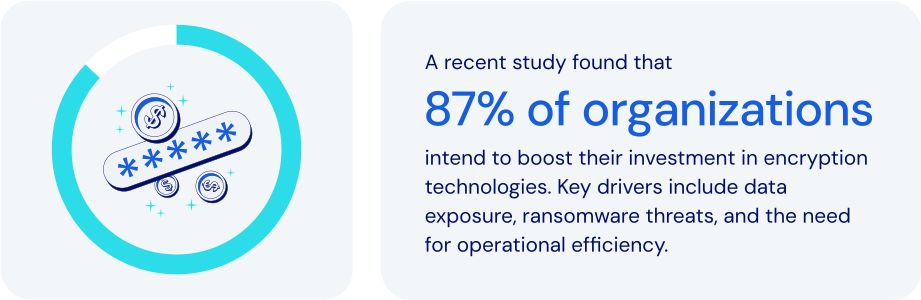
*Source: Everything Blockchain Inc. and Enterprise Strategy Group, 2024*
### How does password management fit in here?
Zero-Knowledge Encryption significantly enhances privacy and security. It is broadly used across critical applications in authentication, [passkeys](https://bitwarden.com/fr-fr/resources/passkeys-faq/), digital signatures, and secure computations. Leading password and secrets management platforms leverage it as well. Specific features to look for:
- **Local encryption**: data is encrypted on the user's device before cloud storage, ensuring only the user holds the decryption key.
- **Master password usage**: a [master password](https://bitwarden.com/fr-fr/blog/how-to-change-your-main-bitwarden-password/) or passkey serves as the exclusive key to encrypt and decrypt data. It is never stored or accessed by the provider.
- **PBKDF2 key strengthening**: derives encryption keys from user inputs using thousands of hashing iterations, enhancing resistance to brute-force attacks and supporting zero-knowledge encryption at scale.
- **End-to-end encryption (E2EE)**: ensures that data is [encrypted from each endpoint](https://bitwarden.com/fr-fr/blog/why-end-to-end-encryption-is-crucial-for-developer-secrets-management/), whether in transit between devices and in storage, safeguarding against data breaches.
- **Secure credential sharing**: encrypted exchanges ensure that shared data remains protected. Only authorized recipients can access it.
- **Emergency access protocols**: securely enables trusted individuals to [recover critical credentials](https://bitwarden.com/fr-fr/blog/bitwarden-launches-emergency-access/) without compromising zero-knowledge principles.
- **Vault timeout and auto-lock**: automatically locks access after inactivity, protecting data on potentially compromised or unattended devices.
Zero-Knowledge Encryption is such a powerful security model that no one—not even the password or secrets management provider itself—can access your stored data.
### How zero-knowledge encryption keeps today’s businesses safer
In today’s digital landscape, businesses face growing threats from data breaches, insider attacks, and credential theft. Implementing Zero-Knowledge Encryption is a crucial step in protecting sensitive data like passwords, customer information, and proprietary assets. It allows you to:
- **Maximize data privacy**: all data remains confidential and secure, even from other internal service provider threats as a core function of zero-knowledge encryption.
- **Mitigate data breach impact**: protects encrypted data from exposure, maintaining full security even if the encrypted data is stolen.
- **Enhance regulatory compliance**: supports adherence to stringent data privacy regulations including [ISO 27001](https://bitwarden.com/fr-fr/resources/how-password-management-helps-companies-achieve-iso-27001-certification/), GDPR, [HIPAA](https://bitwarden.com/fr-fr/blog/why-use-a-hipaa-compliant-password-manager/), [SOC 2](https://bitwarden.com/fr-fr/resources/achieve-soc-2-password-compliance-with-bitwarden/), and PCI DSS.
- **Strengthen customer trust**: demonstrates a strong commitment to protecting sensitive customer data.
- **Safeguard critical credentials**: provides robust protection for even the most sensitive business credentials, including infrastructure secrets and proprietary information.
- **Support secure remote work**: enables secure credential access across various locations and devices without reliance on vulnerable methods.
- **Facilitate secure emergency access**: ensures authorized recovery of credentials during critical situations without compromising security.
- **Protect against supply chain attacks**: ensures all credentials remain secure, even if third-party infrastructure is compromised.
Businesses and organizations worldwide are employing Zero-Knowledge Encryption to enhance their security posture, manage sensitive data, and maintain rigorous privacy and [compliance standards](https://bitwarden.com/fr-fr/compliance/).
### How Bitwarden leverages zero-knowledge encryption
Bitwarden is designed with Zero-Knowledge Encryption as its core security model. This architecture is fundamental to protecting passwords, secrets, and sensitive business data with unmatched privacy and security. No one—not even Bitwarden itself—can access or decrypt your stored data. Bitwarden integrates Zero-Knowledge Encryption through:
- **Comprehensive end-to-end encryption**: uses AES-256 to secure data every step of the way, from creation through transit to cloud storage.
- **Exclusive user-controlled master passwords**: uses strong, locally-held master passwords, with zero access by Bitwarden.
- **Secrets manager:** applies Zero-Knowledge Encryption to developer secrets, API keys, and CI/CD credentials.
- **Secure credential sharing tools**: provides encrypted, controlled access through [Bitwarden Send](https://bitwarden.com/fr-fr/blog/bitwarden-send-how-it-works/) and team-based collections, where only the user and intended recipients are able to decrypt the data.
- **Robust emergency access capabilities**: securely facilitates business continuity through encrypted, designated recovery access processes. This is key as without a structured recovery mechanism, your data cannot be recovered.
- **Transparent, auditable**[**open source**](https://bitwarden.com/fr-fr/blog/why-open-source-delivers-transparency-and-security-for-enterprises/)**architecture**: ensures continual verification and validation of its encryption methodology.
- **Self-hosting option for data sovereignty**: offers full control over encrypted data for organizations requiring the most stringent security controls, taking zero-knowledge even a step further by limiting data available outside their installation.
### The bottom line
By adopting Bitwarden, businesses gain an enterprise-ready solution that ensures data privacy, regulatory compliance, and peace of mind—all without compromising security or usability. It is the very definition of modern cybersecurity best practices.
Bitwarden uses the strongest encryption algorithm available anywhere. And because that encryption begins at the user’s device, you can be sure your data is fully encrypted before it ever leaves the endpoint. Just one more reason Bitwarden is regarded as the [most trusted name in password management](https://bitwarden.com/fr-fr/media-spotlight/).
### What makes Bitwarden stand out from the pack?
Bitwarden goes above and beyond when it comes to encryption. Specifically:
- Bitwarden uses industry-standard encryption algorithms like AES-CBC and PBKDF2 SHA-256, along with advanced encryption algorithm options like Argon2. For more details, see the Bitwarden help article: [Security: Encryption](https://bitwarden.com/fr-fr/help/what-encryption-is-used/).
- Bitwarden consistently encrypts all data within user vaults. Some password managers are known to not encrypt user URLs.
- Bitwarden uses multifactor encryption to provide additional server-side protection without forcing users to maintain additional passwords or secret keys. For more details, see these [Bitwarden blog posts: Bitwarden security fundamentals and multifactor encryption](https://bitwarden.com/fr-fr/blog/bitwarden-security-fundamentals-and-multifactor-encryption/) and [Inside Bitwarden: The power of multifactor encryption](https://bitwarden.com/fr-fr/blog/inside-bitwarden-the-power-of-multifactor-encryption/).
## Obtenez dès maintenant une sécurité de mot de passe puissante et fiable. Choisissez votre plan.
## Personnel
### Gratuit
**$0** *par mois*
*Gratuit pour toujours*
Profitez d'un coffre-fort Bitwarden
- Nombre illimité d'appareils
- Gestion des clés d'accès
- Toutes les fonctions essentielles
- Gratuit à vie
Partager des éléments du coffre-fort avec un autre utilisateur
[Commencez dès aujourd'hui](https://bitwarden.com/go/start-free/)
---
### Premium
**Less than $1** *par mois*
*$10 facturés annuellement*
Profitez des fonctionnalités premium
- Bitwarden Authenticator
- Pièces jointes
- Accès d'urgence
- Rapports de sécurité et plus encore
Partager des éléments du coffre-fort avec un autre utilisateur
[Créer un compte premium](https://bitwarden.com/go/start-premium/)
---
### Familles
**$3.33** *par mois*
*Jusqu'à 6 utilisateurs, 40 $ facturés annuellement*
Sécuriser vos identifiants familiaux
- 6 comptes premium
- Partage illimité
- Collections illimitées
- Organisation du stockage
Partager les éléments du coffre-fort entre six personnes
[Essai gratuit de 7 jours](https://bitwarden.com/go/start-families-trial/)
---
Les prix sont indiqués en USD et sont basés sur un abonnement annuel. Les taxes ne sont pas incluses.
## Entreprises
### Équipes
*Protection résiliente pour les équipes en croissance*
**$4** *par mois / par utilisateur facturé annuellement*
Partagez des données sensibles en toute sécurité avec des collègues, à travers les départements ou l'ensemble de l'entreprise
- Partage sécurisé des données
- Surveillance du journal des événements
- Intégration de l'annuaire
- Soutien au SCIM
Inclut des fonctionnalités premium pour tous les utilisateurs
[Commencer un essai](https://bitwarden.com/go/start-teams-trial/)
---
### Entreprise
*Fonctionnalités avancées pour les grandes organisations*
**$6** *par mois / par utilisateur facturé annuellement*
Utilisez des fonctionnalités avancées, notamment des politiques d'entreprise, la connexion sans mot de passe unique (SSO) et la récupération de compte.
- Politiques de sécurité de l'entreprise
- SSO sans mot de passe
- Recouvrement de compte
- Option d’autohébergement
Inclut des fonctionnalités premium et un plan familial gratuit pour tous les utilisateurs
[Commencer un essai](https://bitwarden.com/go/start-enterprise-trial/)
---
### Obtenez un devis
*Pour les entreprises comptant des centaines ou des milliers d'employés, veuillez contacter notre service commercial pour obtenir un devis personnalisé et voir comment Bitwarden peut vous aider :*
- Réduire le risque de cybersécurité
- Augmenter la productivité
- Intégrer de manière transparente
Bitwarden s'adapte à toutes les tailles d'entreprise pour garantir la sécurité des mots de passe au sein de votre organisation.
[Contacter le service commercial](https://bitwarden.com/contact-sales/)
---
Tarification indiquée en USD et basée sur un abonnement annuel